Manage Certificates
The Manage Certificates module is used to select the certificates that you want to make active and have ESA use them for its communication with various internal components. It allows you to select the certificate revocation list that you want activated.
On the ESA Web UI, navigate to Settings > Network > Manage Certificates.
The following figure and table provides the actions available from the Manage Certificates screen.
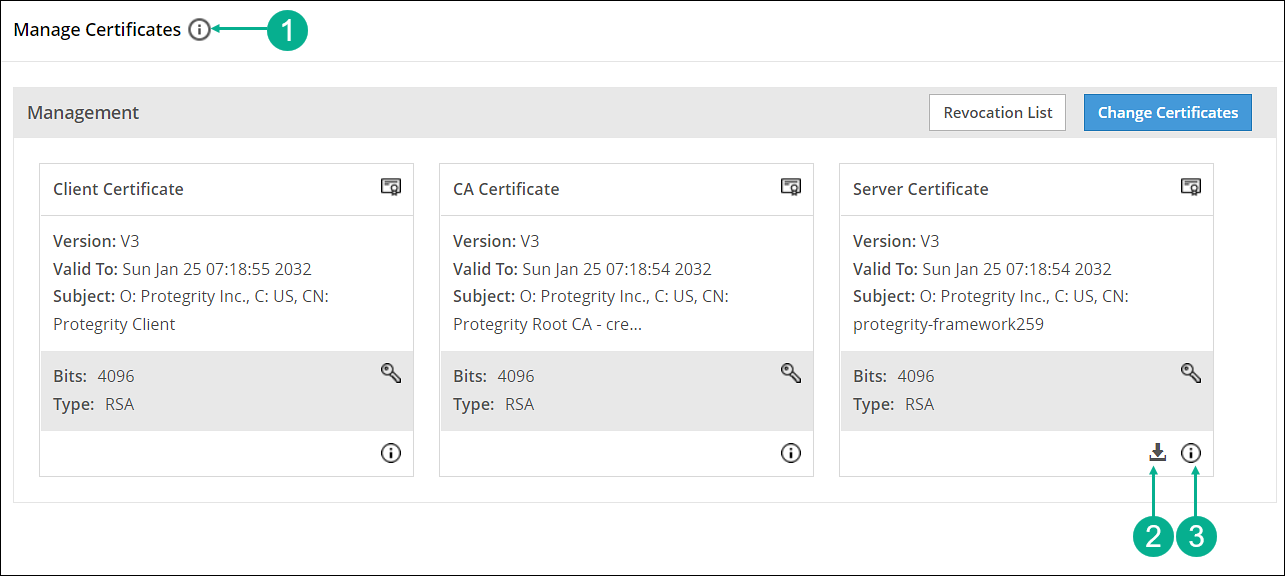
| Callout | Action | Description |
|---|---|---|
| 1 |  Hover over the Help icon Hover over the Help icon | Gives information about Management and Web Services groups. |
| 2 | Download server’s CA certificate | Download the server’s CA certificate. You can download only the server’s CA certificate and upload it to another certificate trust store to trust the server certificate for communication with ESA. |
| 3 | Hover over the icon | Gives additional information or details about a certificate. |
Feedback
Was this page helpful?