Managing Patches
You can install and manage your patches from the Patch Management screen.
It allows you to perform the following tasks.
| Option | Description |
|---|---|
| List installed patches | Displays the list of all the patches which are installed in the system. |
| Install a patch | Allows you to install the patches. |
| Display Log | Displays the list of logs for the patches. |
Installing a Patch and Viewing Patch Information
To install a patch and view patch information:
Log in to the ESA CLI Manager.
Navigate to Administration > Patch Management.
Enter the root password and select OK.
The Patch Management screen appears.
Select Install a patch and select OK.
The Install Patch screen appears.
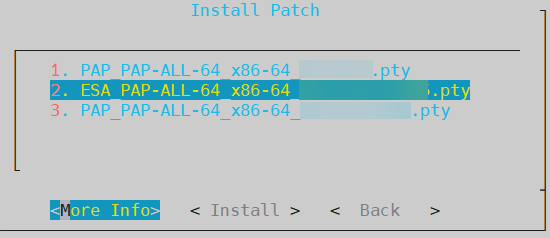
Select the required patch and select one of the following options to perform the corresponding operation.
Option Description More Info Displays the information for the selected patch. Install Installs the selected patch.
Feedback
Was this page helpful?