Working with Tools
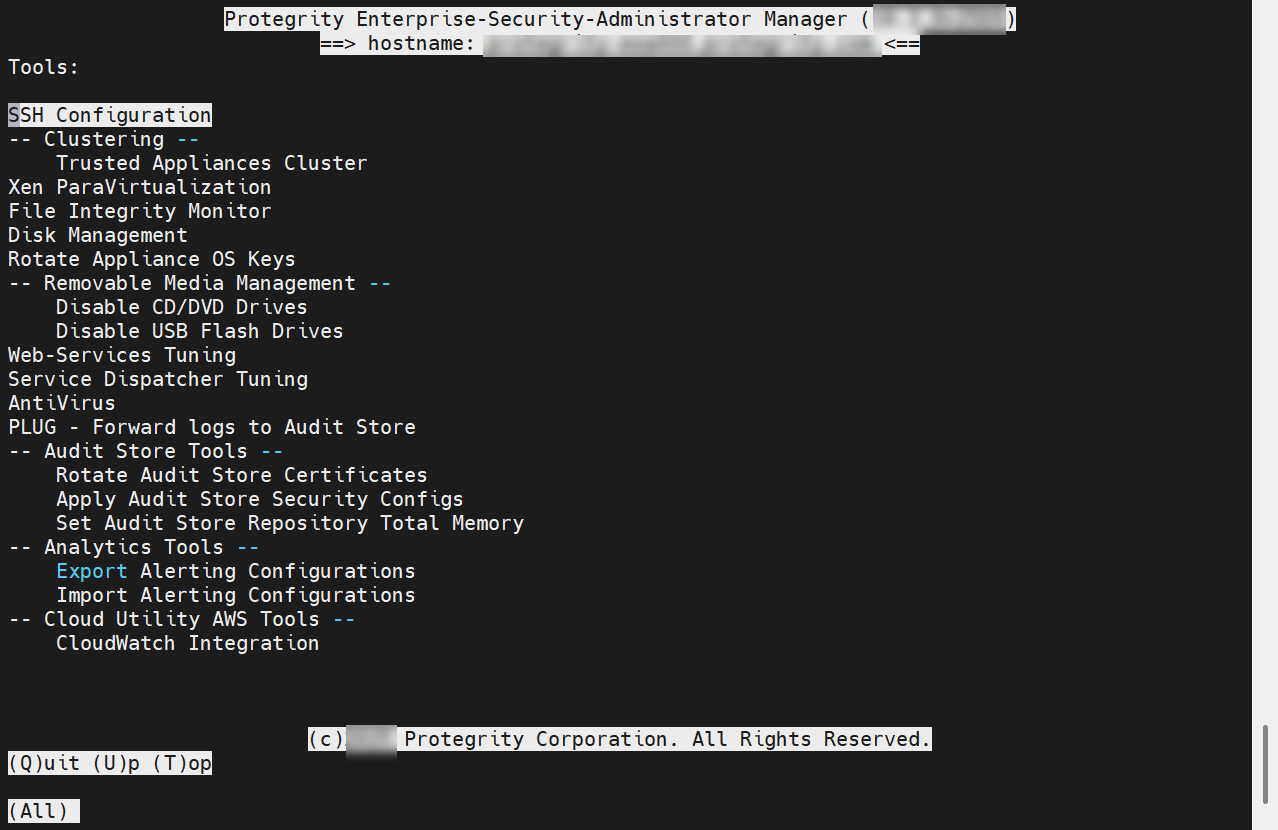
Protegrity appliances are equipped with a Tools menu. The following sections list and explain the available tools and their functionalities.
Rotating Appliance OS Keys
The steps to rotate appliance OS keys.
Managing Removable Drives
The steps to enable or disable the access to the removable disks.
Tuning the Web Services
Monitor and configure the Application Protector Web Service Sessions.
Tuning the Service Dispatcher
Configuring the parameters to improve service dispatcher performance.
Forwarding system logs to Insight
When the logging components are configured on the ESA or the appliance, system logs are sent to Insight. Insight stores the logs in the Audit Store. Configure the system to send the system logs to Insight.
Rotating Insight certificates
Rotate the Insight certificates after the the ESA certificates are rotated. This refreshes the Insight-related certificates that are required for the Audit Store nodes to communicate with the other nodes in the Audit Store cluster and the ESA.
Applying Audit Store Security Configuration
The Apply Audit Store Security Configs setting is available for configuring the Audit Store security. This setting must be used after upgrading from an earlier version of the ESA when custom certificates are used. Run the following steps after the upgrade is complete and custom certificates are applied for td-agent, Audit Store, and Analytics, if installed.
Setting the total memory for the Audit Store Repository
The Set Audit Store Repository Total Memory tool is used to specify the total RAM allocated for the Audit Store Repository on the ESA.
Forwarding audit logs to Insight
The audit logs are the data security operation-related logs, such as protect, unprotect, and reprotect and the PEP server logs. The audit logs from the appliance, such as, the DSG are forwarded through the Log Forwarder service to Insight. Insight stores the logs in the Audit Store on the ESA.
Exporting alerting configurations
Use the utility to export the alerting configuration to a file.
Importing alerting configurations
Use the utility to import the alerting configuration from the export file.
Feedback
Was this page helpful?