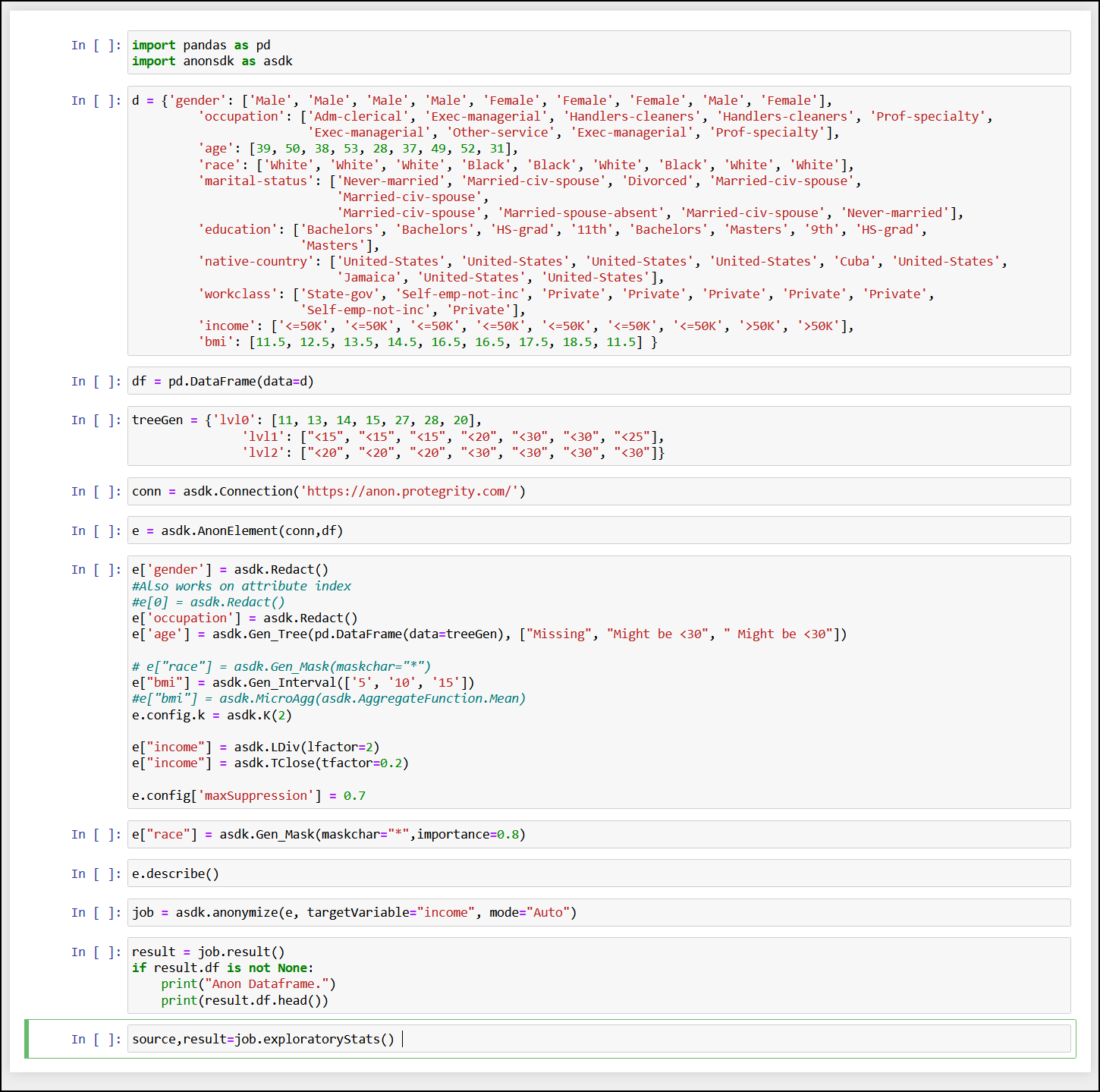
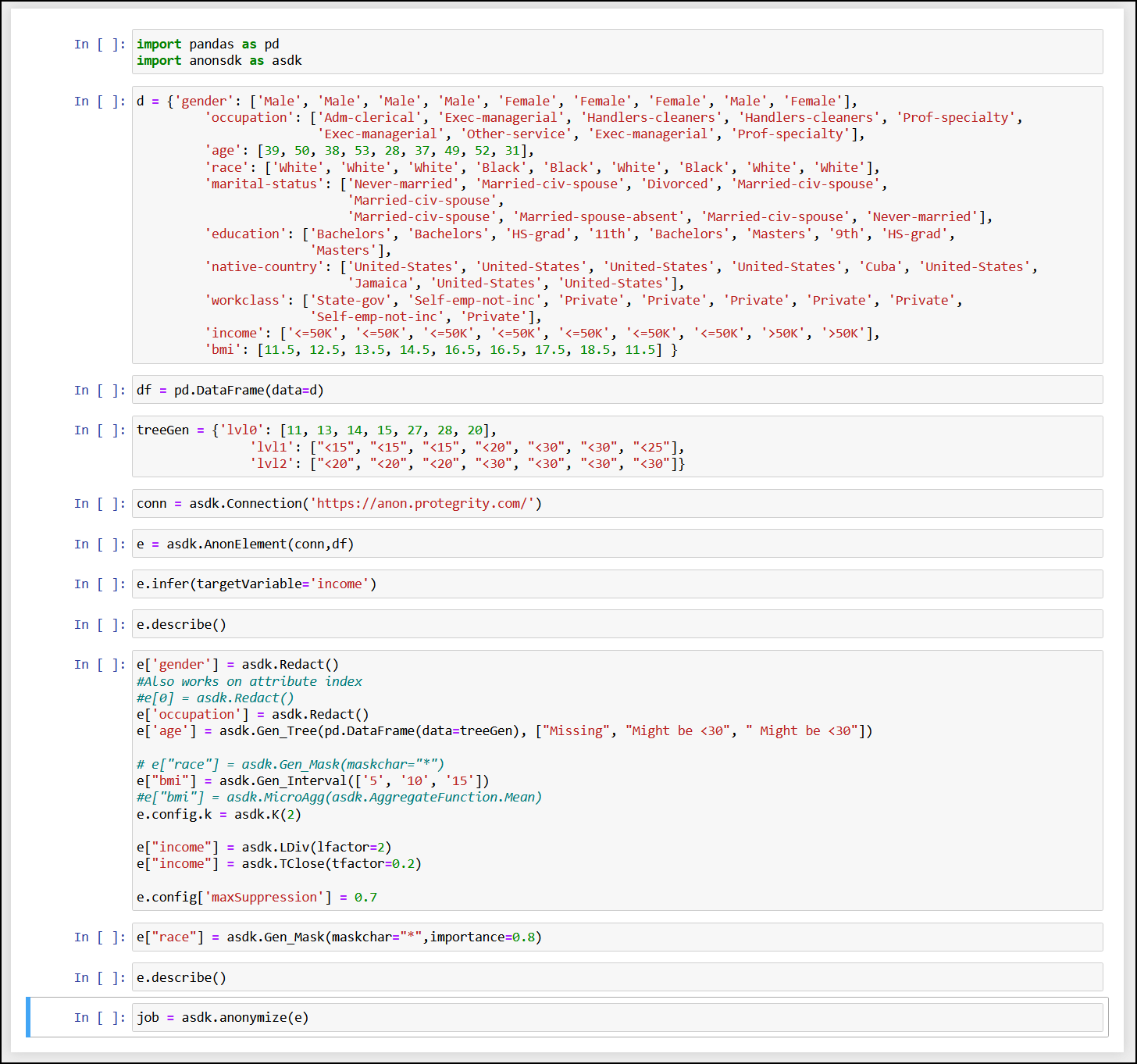
The Auto Anonymizer feature is simple and easy to configure. It is built to analyze the data and produce an output that has a balance of both generalization and value. The output of the auto anonymizer should always be verified by a human with dataset knowledge. The output is merely a suggestion and should not be used without further inspection.
Protegrity Anonymization analyzes a sample of the data from the dataset. This sample is then analyzed to build a template for performing the anonymization. The template building takes time, based on the size of the dataset and the nature of the data itself.
You can specify the parameters such as, the various fields for redacting, for anonymizing the data. You can use the Auto Anonymizer feature to automatically analyze the data and perform the required anonymization. This feature can also scan the data and perform the best optimization for providing high quality anonymized data. The various parameters used for performing auto anonymization are configurable and can be optimized to suite your business need or requirements. Additionally, frequently performed fields can be created and stored to enable you to build the anonymization request faster and with minimal information before runtime.
A brief flow of the steps for auto anonymization is shown in the following figure.
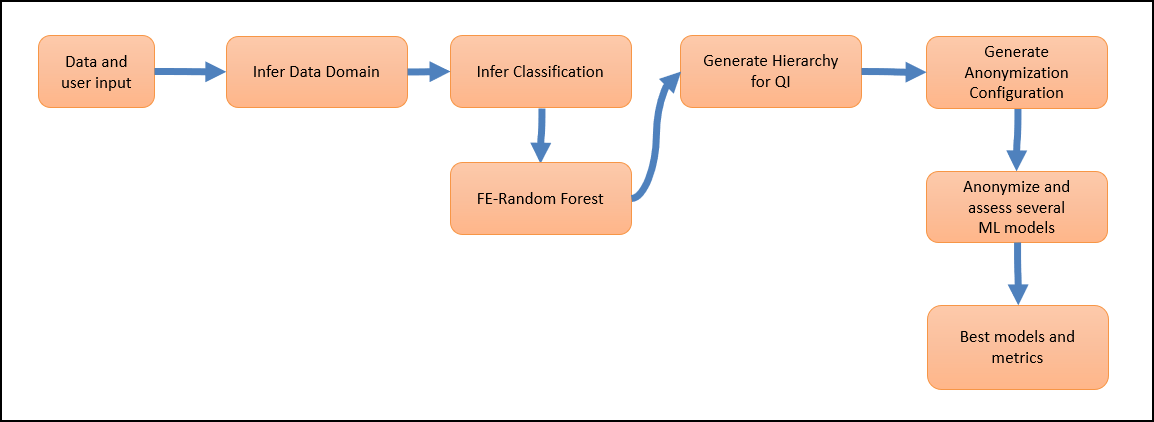
The user provides the data, column identification, and anonymization parameters, if required. Protegrity Anonymization analyzes the parameters provided and analyzes the dataset. Various Protegrity Anonymization models are generated and analyzed. The parameters, such as, the K, l, and t values, along with the data available in the dataset are used for processing the request. The results are compared and finally, the dataset is processed using the model and parameters that have the best anonymization output.
Consider the following sample graph.
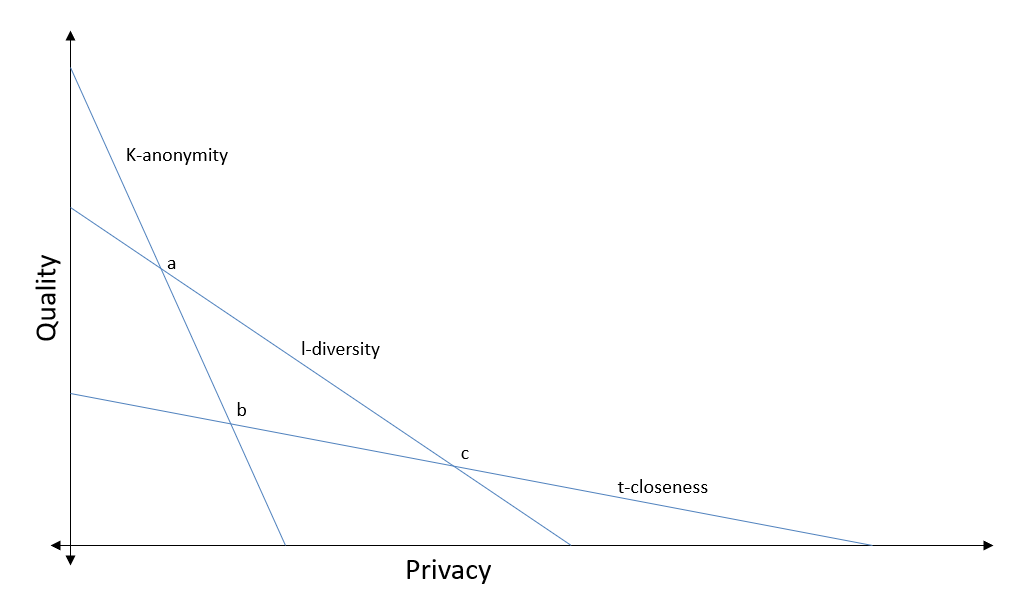
Protegrity Anonymization will first auto assign the privacy levels for the various columns in the dataset. Direct identifiers will be redacted from the dataset. Next, models will be created using different values for K-anonymity, l-diversity, and t-closeness. The values will be analyzed, and the best values selected, such as, the values at point b in the graph. The dataset will then be anonymized using the values determined to complete the anonymization request.
The user can specify the values that must be used, if required. Protegrity Anonymization will consider the values specified by the user and continue to auto generate the remaining values accordingly.
Note: The auto anonymization runs the same request using different values, the anonymization request will take more time to complete compared to a regular anonymization request.
You can use measure, mode, and Infer for Auto Anonymization.
For more information about the measure API, refer to Measure API.
The difference between using mode and Infer is provided in the following table.
| Mode | Infer |
|---|---|
| Analyzes the dataset and performs the anonymization job. | Only analyzes the dataset. |
| The result set is the output. | Updates the models used for performing the anonymization job. |
| You cannot retrieve the attributes for the job. | You can view the auto generated job attribute values, such as K-anonymity, that will be used for performing the job using the describe method. |
| You can specify target variables for focusing the anonymization job with the anonymization function. | You can specify target variables for focus before performing the anonymization job or even modify the model after performing the anonymization job. |