Legacy Specification
Protegrity has multiple products with REST API capabilities, such as Protection Server (out of support), DSG, and the latest product - IAP REST. Each one has its use case. To help you move to cloud-native implementation, Cloud Product REST API supports legacy payload.
Legacy documentation can be downloaded from AWS console, API, Models, prefix Legacy.
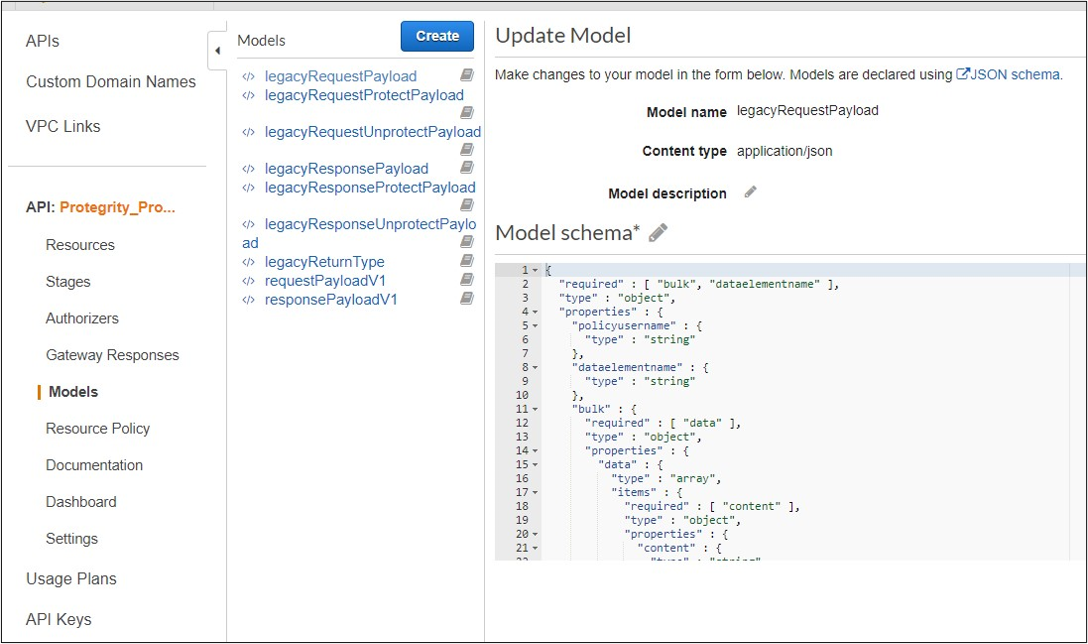
Request
Performs a policy operation such as protect, unprotect, or reprotect.
Method
POST
Parameters
dataelementname: (protect/unprotect) Data element to use for the policy operation.
externaliv: (protect/unprotect) Optional, external initialization vector.
newdataelementname: (reprotect) Data element to use for the output.
newexternaliv: (reprotect) Optional, external initialization vector for the output.
olddataelementname: (reprotect) Data element to use for the input.
oldexternaliv: (reprotect) Optional, external initialization vector for the input.
policyusername: User performing the operation.
bulk.id: Optional, identifier for the request.
bulk.data[].content: Input data to the policy operation.
Result
Returns the output of the policy operation.
Example 1 - protect without external IV
{
  "protect": {
    "policyusername": "user1",
    "dataelementname": "Alphanum",
    "bulk": {
      "id": "1",
      "data": [
        {
          "content": <Data encoded in base64>
        }
      ]
    }
  }
}
Example 2 - protect with external IV
{
  "protect": {
    "policyusername": "user1",
    "dataelementname": "Alphanum",
    "externaliv": "abc123",
    "bulk": {
      "id": "1",
      "data": [
        {
          "content": <Data encoded in base64>
        }
      ]
    }
  }
}
Example 3 - unprotect
{
  "unprotect": {
    "policyusername": "user1",
    "dataelementname": "Alphanum",
    "bulk": {
      "id": "1",
      "data": [
        {
          "content": <Data encoded in base64>
        }
      ]
    }
  }
}
Example 4 - reprotect
{
  "reprotect": {
    "policyusername": "user1",
    "newdataelementname": "deName",
    "olddataelementname": "Alphanum",
    "bulk": {
      "id": "1",
      "data": [
        {
          "content": <Data encoded in base64>
        }
      ]
    }
  }
}
Response
Example:
{"protect":{"bulk":{"returntype":"success","data":[{"returntype":"success","message":"Data
 protection was successful.","content":"RGZBUFR4ODAzejFwNjQ5TWg0TEFpcFNqbA=="},{"returntype":"success",
"message":"Data protection was successful.","content":"aHNnVVB5QWFDYw=="}]}}}
Feedback
Was this page helpful?