Other Files Subtab
Other Files subtab displays files that were either uploaded to support GPG encryption-decryption, generated when DSG was installed, default files, and so on.
A certificate and key that is paired displays a ( ) icon indicating that the certificate is ready to use. A certificate or key without any pairing is indicated with a (
  ) icon. If a certificate or key has expired, it is indicated with a (
 ) icon. Files available in the Other Files subtab will always be marked with a ( ) icon.
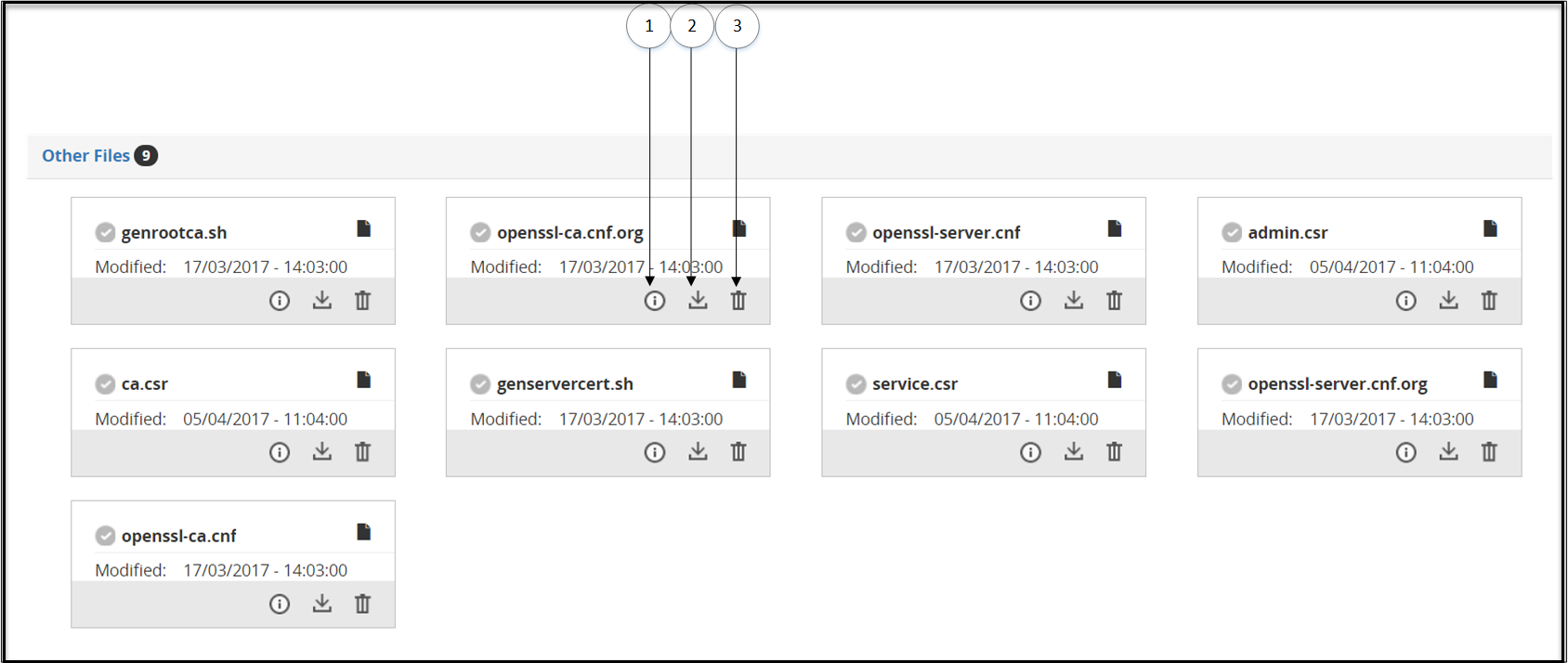
The following table describes the available subtabs:
| Callout | Icon (if any) | Column/Textbox | Description |
|---|---|---|---|
| 1 |  | Information | View Certificate details. |
| 2 |  | Download | Download a certificate. |
| 3 |  | Delete | Delete a Certificate. |
Feedback
Was this page helpful?