Ascertaining the Host Address in the Server Certificates
Ascertaining the host address in the ESA server certificate
A secure communication between ESA and DSG is established through certificates. During the set ESA communication process, a field to enter the FQDN of the ESA is displayed. The value in this field must match the value provided in the SAN or the CN field of the ESA certificate. This ensures communication between ESA and DSG is secured and trusted.
Perform the following steps to retrieve the SAN/CN value from the ESA server certificate.
On the ESA CLI manager, go to Administration > OS Console.
Enter the root password, press Tab to select OK and press Enter.
Run the following command to view the ESA server certificate.
openssl x509 -in /etc/ksa/certificates/mng/server.pem -textThe ESA Server Certificate screen.
Note: This is a sample certificate with FQDN provided in the Subject Alternative Name(SAN) field or Common Name(CN) fields. The SAN and CN fields may also have the IP address.
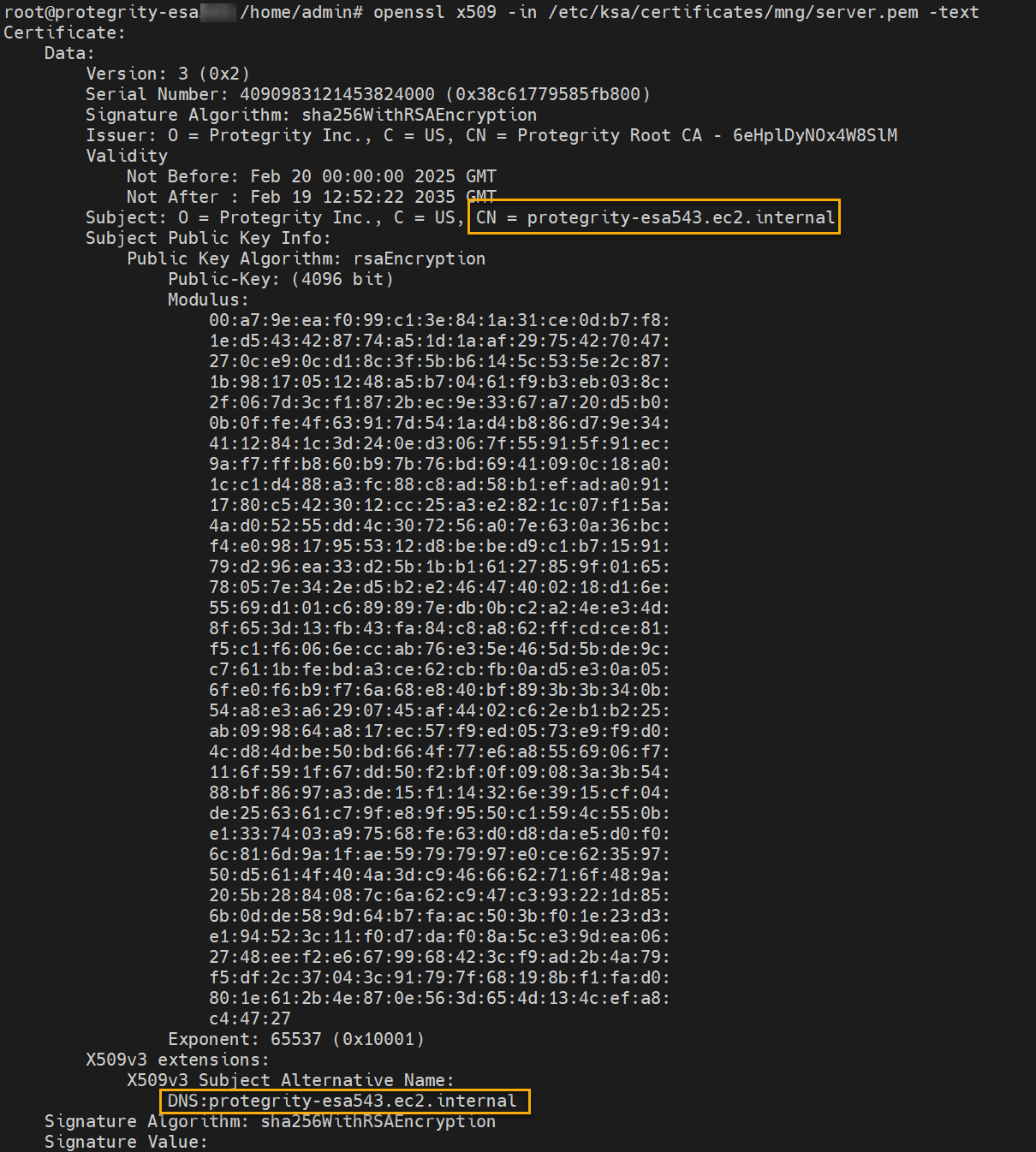
Note down the FQDN given in the SAN or CN fields.
Exit the command prompt.
Ascertaining the host address in the DSG server certificate
A secure communication between ESA and DSG is established through certificates. During the process of applying the DSG patch on ESA, a field to enter the FQDN of the DSG is displayed. The value in this field must match the value provided in the SAN or the CN field of the DSG certificate. This ensures communication between ESA and DSG is secured and trusted.
Perform the following steps to retrieve the SAN/CN value from the DSG server certificate.
On the DSG CLI manager, go to Administration > OS Console.
Enter the root password, press Tab to select OK and press Enter.
Run the following command to view the DSG server certificate.
openssl x509 -in /etc/ksa/certificates/mng/server.pem -textThe DSG Server Certificate screen.
Note: This is a sample certificate with FQDN provided in the Subject Alternative Name(SAN) field or Common Name(CN) fields. The SAN and CN fields may also have the IP address.
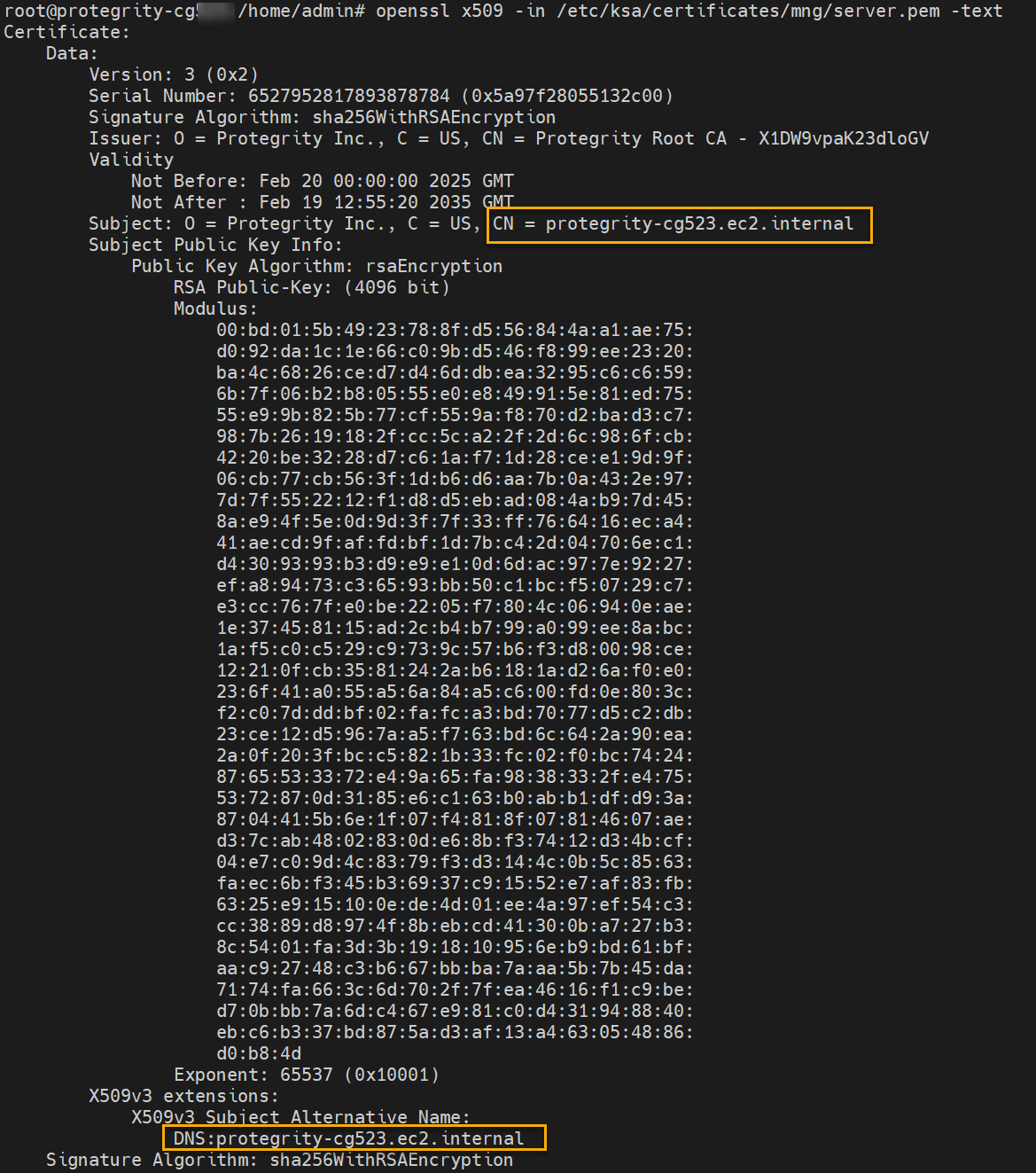
Note down the FQDN given in the SAN or CN fields.
Exit the command prompt.
Feedback
Was this page helpful?