Finalizing the DSG Installation
After the DSG instance is launched, you must complete the finalization of the DSG installation. The finalization process will rotate the Protegrity provided keys and certificates so that these are regenerated as a security best practice.
CAUTION:
Ensure that the SSH connection is not interrupted during the finalization of the DSG installation. If the SSH connection is interrupted, then the finalization of the DSG installation fails. The process of instance creation and installation of the DSG must be started afresh.
To finalize the DSG installation:
Access the DSG management IP and provide the downloaded key pair details to connect using an SSH client.
Login using the local_admin user for the DSG.
Press Tab to select Yes and press Enter to finalize the installation.
The finalize installation confirmation screen appears.
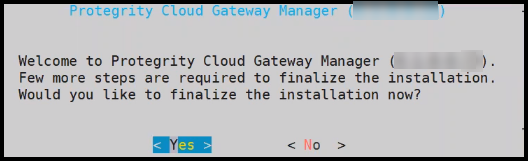
If you select No during finalization, then the DSG installation does not complete.
Perform the following steps to complete the finalization of the DSG installation on the DSG CLI manager.
- Navigate to Tools > Finalize Installation.
- Follow the step 4 to step 6 to complete installing the DSG.
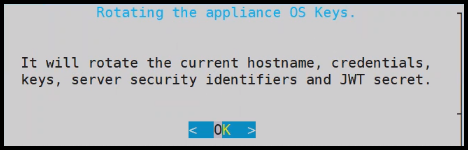
Press Tab to select Yes and press Enter to rotate the required keys, certificates, and credentials for the appliance.
Configure the default user passwords, press Tab to select Apply and press Enter.
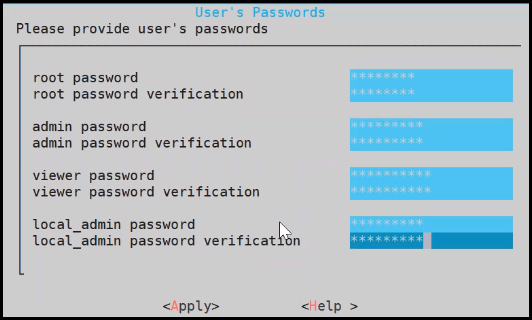
It is recommended that strong passwords are set for all the users.
For more information about password policies, refer to the section Strengthening Password Policy.
Ensure that the default passwords are not reused.
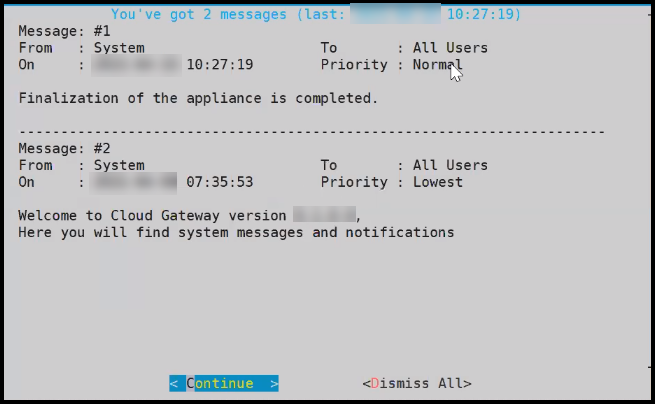
Press Tab to select Continue and press Enter to complete the finalization of the DSG installation.
To access the DSG CLI Manager with administrator user credentials, you must login to the DSG Web UI. On the DSG Web UI, navigate to Settings > Network and select the SSH tab. In the SSH Authentication Configuration section, select Password + Publickey as the Authentication type and click Apply.
The finalization of the DSG installation completes successfully.
Feedback
Was this page helpful?