This is the multi-page printable view of this section. Click here to print.
Understanding the architecture
Architecture for the Big Data Protector on AWS Databricks
1 - For the Application Protector REST Approach
The architecture for installing the AWS Databricks protector using the Application Protector REST approach is depicted in the image below.
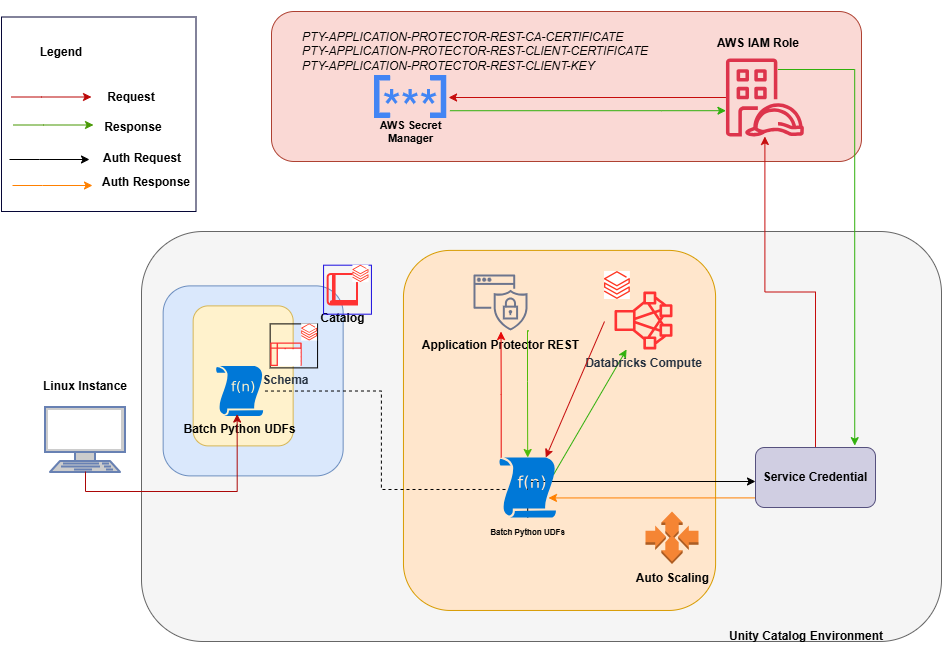
An outline of the steps in the workflow is explained below.
- Download the AWS Databricks build from the customer portal and extract the configurator script.
- Execute the configurator script to retrieve the IP address of the Application Protector REST server.
- Use the IP address to generate the CA, client, and server certificates.
- Store the content of the CA and the client certificates as Secrets in the Secret Manager.
- Create a Databricks Unity Catalog Service Credential to access the Secrets from the Secret Manager .
- Execute the configurator script to create the Unity Catalog Batch Python UDFs.
- Edit the cluster configuration to include the environment variables and attach the initialization script.
2 - For the Cloud Protector Approach
The architecture for installing the AWS Databricks protector using the Cloud Protector approach is depicted in the image below.
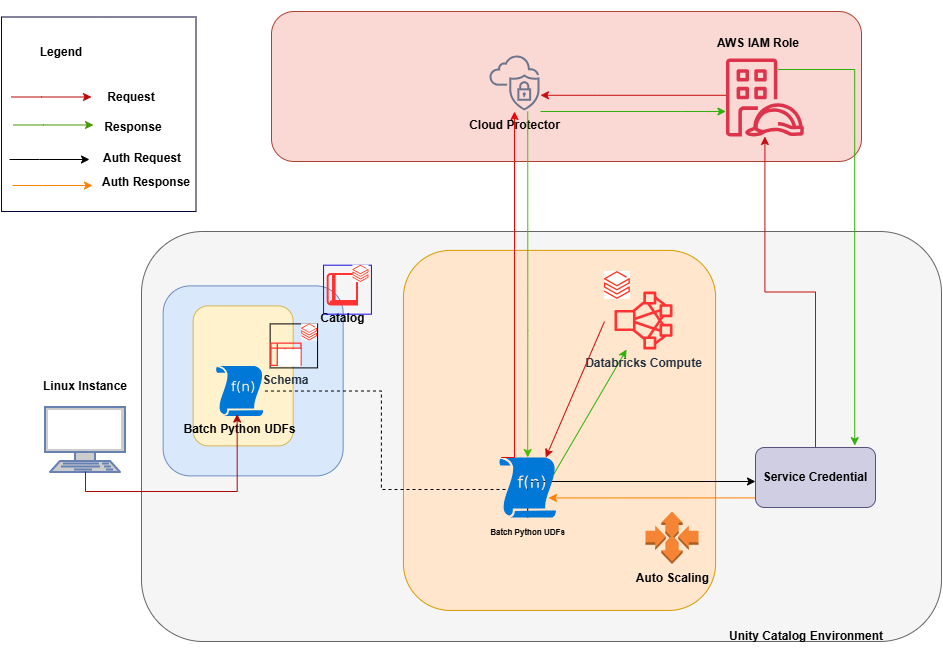
An outline of the steps in the workflow is explained below.
- Install and configure the Cloud Protector.
- Create an AWS Databricks Unity Catalog Service Credential and connect it with AWS IAM roles.
- Create a Databricks Compute.
- On a Linux staging machine, download and extract the installation package for AWS Databricks from the customer portal, for the Databricks Compute.
- Execute the configurator script to create the Batch Python UDFs at the Unity Catalog level.
- Attach an AWS Databricks Notebook to the Databricks Compute.
- Execute the Unity Catalog Batch Python UDFs to protect and unprotect data.