This is the multi-page printable view of this section. Click here to print.
Protectors
- 1: Configuration Parameters for Protector
- 2: Installing Resilient Package (RP) Agent on Linux or Unix and Windows
- 3: Installing Resilient Package (RP) Proxy on Linux or Unix and Windows
- 4: Configuration Parameters for RPP outside of the ESA
- 5: Installing Log Forwarder on Linux and Windows
- 6: Memory Utilization in Resilient Protectors
- 7: Verification of Signed Protector Build
- 8: Protection Method Reference
- 8.1: Protegrity Tokenization
- 8.1.1: Tokenization Support by Protegrity Products
- 8.1.2: Delimiters
- 8.1.3: Tokenization Properties
- 8.1.3.1: Data Type and Alphabet
- 8.1.3.2: Static Lookup Table (SLT) Tokenizers
- 8.1.3.3: From Left and From Right Settings
- 8.1.3.4: Internal Initialization Vector (IV)
- 8.1.3.5: Minimum and Maximum Input Length
- 8.1.3.5.1: Calculating Token Length
- 8.1.3.6: Length Preserving
- 8.1.3.7: Short Data Tokenization
- 8.1.3.8: Case-Preserving and Position-Preserving Tokenization
- 8.1.3.8.1: Case-Preserving Tokenization
- 8.1.3.8.2: Position-Preserving Tokenization
- 8.1.3.9: External Initialization Vector (EIV)
- 8.1.3.9.1: Tokenization Model with External IV
- 8.1.3.9.2: External IV Tokenization Properties
- 8.1.3.10: Truncating Whitespaces
- 8.1.4: Tokenization Types
- 8.1.4.1: Numeric (0-9)
- 8.1.4.2: Integer (0-9)
- 8.1.4.3: Credit Card
- 8.1.4.4: Alpha (A-Z)
- 8.1.4.5: Upper-Case Alpha (A-Z)
- 8.1.4.6: Alpha-Numeric (0-9, a-z, A-Z)
- 8.1.4.7: Upper-Case Alpha-Numeric (0-9, A-Z)
- 8.1.4.8: Lower ASCII
- 8.1.4.9: Datetime (YYYY-MM-DD HH:MM:SS)
- 8.1.4.10: Decimal
- 8.1.4.11: Unicode Gen2
- 8.1.4.12: Binary
- 8.1.4.13: Email
- 8.1.4.14: Printable
- 8.1.4.15: Date (YYYY-MM-DD, DD/MM/YYYY, MM.DD.YYYY)
- 8.1.4.16: Unicode
- 8.1.4.17: Unicode Base64
- 8.1.5:
- 8.1.6:
- 8.2: Protegrity Format Preserving Encryption
- 8.2.1: FPE Properties
- 8.2.2: Code Points
- 8.2.3: Tweak Input
- 8.2.4: Left and Right Settings
- 8.2.5: Handling Special Numeric Credit Card Data
- 8.3: Protegrity Encryption
- 8.3.1: Encryption Algorithms
- 8.3.1.1: AES-128 and AES-256
- 8.3.1.2: CUSP
- 8.3.1.3: 3DES
- 8.3.2: Encryption Properties - IV, CRC, Key ID
- 8.3.3: Data Length and Padding in Encryption
- 8.3.4:
- 8.3.5:
- 8.3.6:
- 8.4: No Encryption
- 8.5: Monitoring
- 8.6: Masking
- 8.7: Hashing
- 8.8: ASCII Character Codes
- 8.9: Examples of Column Sized Calculation for AES and 3DES Encryption
- 8.10: Empty String Handling by Protectors
- 8.11: Hashing Functions and Examples
- 8.11.1: Hash Data column size
- 8.11.2: Using Hashing Triggers and View
- 8.12: Codebook Re-shuffling in the Data Security Gateway
- 8.13:
- 8.14:
- 8.15:
- 8.16:
- 9: Application Protector
- 9.1: Application Protector Java
- 9.1.1: Understanding the Architecture
- 9.1.2: System Requirements
- 9.1.3: Preparing the Environment
- 9.1.4: Installing the AP Java Protector
- 9.1.5: Configuring the Protector
- 9.1.6: Application Protector Java APIs
- 9.1.6.1: Using the AP Java APIs
- 9.1.7: Additional Topics
- 9.2: Application Protector Python
- 9.2.1: Understanding the Architecture
- 9.2.2: System Requirements
- 9.2.3: Preparing the Environment
- 9.2.4: Installing the AP Python Protector
- 9.2.5: Configuring the Protector
- 9.2.6: Application Protector Python APIs
- 9.2.6.1: Using the AP Python APIs
- 9.2.7: Additional Topics
- 9.2.7.1: Memory Usage of the AP Python
- 9.2.7.2: Setting Up AP Python on Linux in a Development Environment
- 9.2.7.3: DevOps Approach for Application Protector Python
- 9.2.7.4: Application Protector API Return Codes
- 9.2.7.5: Config.ini file for Application Protector
- 9.2.7.6: Multi-node Application Protector Architecture
- 9.2.7.7: Uninstalling the Application Protector
- 9.3: Application Protector .Net
- 9.3.1: Architecture and Workflow
- 9.3.2: System Requirements
- 9.3.3: Preparing the Environment
- 9.3.4: Installing the AP .Net Protector
- 9.3.5: Configuring the Protector
- 9.3.6: Using the AP .Net APIs
- 9.3.6.1: Application Protector .Net APIs
- 9.3.7: Additional Topics
- 9.3.7.1: Memory Usage of the AP .Net
- 9.3.7.2: Setting Up AP .Net Mock on Windows in a Development Environment
- 9.3.7.3: DevOps Approach for Application Protector
- 9.3.7.4: Application Protector API Return Codes
- 9.3.7.5: Config.ini file for Application Protector
- 9.3.7.6: Multi-node Application Protector Architecture
- 9.3.7.7: Uninstalling the Application Protector
- 9.4: Application Protector C
- 9.4.1: Understanding the Architecture
- 9.4.2: System Requirements
- 9.4.3: Preparing the Environment
- 9.4.4: Installing the AP C Protector
- 9.4.5: Configuring the Protector
- 9.4.6: Using the AP C APIs
- 9.4.7: Application Protector C APIs
- 9.4.8: Additional Topics
- 10: Big Data Protector
- 10.1: Amazon EMR
- 10.1.1: Understanding the architecture
- 10.1.1.1: Bootstrap installer architecture
- 10.1.1.2: Static installer architecture
- 10.1.2: Preparing the environment
- 10.1.2.1: Setting up for the Bootstrap Installer
- 10.1.2.1.1: Verifying the prerequisites
- 10.1.2.1.2: Extracting the Big Data Protector Package
- 10.1.2.1.3: Executing the Configurator Script
- 10.1.2.2: Setting up for the Static Installer
- 10.1.2.2.1: Verifying the prerequisites for Static Installer
- 10.1.2.2.2: Extracting the Installation Package
- 10.1.2.2.3: Updating the BDP.Config File
- 10.1.3: Installing the protector
- 10.1.3.1: Using the Bootstrap Installer
- 10.1.3.1.1: Creating a Cluster
- 10.1.3.1.2: Managing the Cluster Nodes
- 10.1.3.1.3: Verifying the Parameters
- 10.1.3.2: Using the Static Installer
- 10.1.3.2.1: Installing the Protector on all the Nodes
- 10.1.3.2.2: Installing the Protector on Specific Nodes
- 10.1.3.2.3: Verifying the Parameters
- 10.1.4: Configuring the protector
- 10.1.5: Working with Cluster Utilities
- 10.1.5.1: RPAgent Control Script
- 10.1.5.2: Log Forwarder Control Script
- 10.1.5.3: Sync Config.ini
- 10.1.5.4: Sync Log Forwarder Configuration
- 10.1.5.5: Sync RPAgent Configuration
- 10.1.6: Uninstalling the protector
- 10.1.6.1: Uninstalling the Big Data Protector when Bootstrap is used
- 10.1.6.2: Uninstalling the Big Data Protector when Static installer is used
- 10.1.6.2.1: From all the Nodes
- 10.1.6.2.2: From Specific Nodes
- 10.2: AWS Databricks
- 10.2.1: Understanding the architecture
- 10.2.1.1: For the Application Protector REST Approach
- 10.2.1.2: For the Cloud Protector Approach
- 10.2.2: System Requirements
- 10.2.2.1: For the Application Protector REST Approach
- 10.2.2.2: For the Cloud Protector Approach
- 10.2.3: Preparing the Environment
- 10.2.3.1: Extracting the Installation Package
- 10.2.3.2: Working with the Configurator Script
- 10.2.3.3: Retrieving the IP Address
- 10.2.3.4: Uploading the Secrets
- 10.2.4: Installing the Protector
- 10.2.5: Configuring the Protector
- 10.2.6: Uninstalling the Protector
- 10.3: Azure Databricks
- 10.3.1: Understanding the architecture
- 10.3.1.1: For the Application Protector REST Approach
- 10.3.1.2: For the Cloud Protector Approach
- 10.3.2: System Requirements
- 10.3.2.1: For the Application Protector REST Approach
- 10.3.2.2: For the Cloud Protector Approach
- 10.3.3: Preparing the Environment
- 10.3.3.1: Extracting the Installation Package
- 10.3.3.2: Working with the Configurator Script
- 10.3.3.3: Retrieving the IP Address
- 10.3.3.4: Uploading the Secrets to the Azure Key Vault
- 10.3.4: Installing the Protector
- 10.3.5: Configuring the Protector
- 10.3.6: Uninstalling the Protector
- 10.3.7: User Defined Functions and APIs
- 10.3.7.1: Unity Catalog Batch Python UDFs
- 10.4: CDP-PVC-Base
- 10.4.1: Understanding the architecture
- 10.4.2: System Requirements
- 10.4.3: Preparing the Environment
- 10.4.3.1: Extracting the installation package
- 10.4.3.2: Running the configurator script
- 10.4.3.3: Distributing the parcels
- 10.4.3.4: Activating the parcels
- 10.4.4: Installing the Protector
- 10.4.4.1: Installing the parcel on a new node
- 10.4.4.2: Starting the Big Data Protector service
- 10.4.4.3:
- 10.4.5: Configuring the Protector
- 10.4.5.1: Updating the Parcels
- 10.4.5.1.1: Updating the Certifcate Parcels with a Restart
- 10.4.5.1.2: Updating the Certificate Parcels without a Restart
- 10.4.5.1.3: Updating the Log Forwarder Parcel
- 10.4.5.2: Setting the Configurations
- 10.4.5.2.1: Updating Parameters in the config.ini file
- 10.4.5.2.2: Updating Parameters for the RP Agent
- 10.4.5.2.3: Updating Parameters for the Log Forwarder
- 10.4.5.2.4: Adding a new configuration parameter
- 10.4.5.2.5: Setting the Big Data Protector configuration
- 10.4.5.2.6: Enabling the application log file
- 10.4.5.3: Creating the User Defined Functions
- 10.4.5.3.1: Registering and dropping the Hive UDFs
- 10.4.5.3.2: Registering the Spark UDFs
- 10.4.5.3.3: Registering the Impala UDFs
- 10.4.5.3.4: Installing the Impala UDFs
- 10.4.6: Uninstalling the Protector
- 10.4.6.1: Dropping the User Defined Functions
- 10.4.6.2: Uninstalling the Impala UDFs
- 10.4.6.3: Restoring the Big Data Protector configuration
- 10.4.6.4: Removing the Big Data Protector Services
- 10.4.6.5: Deactivating the parcels
- 10.4.6.6: Removing the parcels
- 10.4.6.7: Deleting the parcels from the local repository
- 10.4.6.8: Deleting the CSD files
- 10.5: CDP AWS DataHub
- 10.5.1: Understanding the architecture
- 10.5.2: System Requirements
- 10.5.3: Preparing the Environment
- 10.5.3.1: Extracting the package
- 10.5.3.2: Executing the configurator script
- 10.5.3.3: Registering the Recipe Scripts
- 10.5.3.4: Creating and Registering the Custom Cluster Template
- 10.5.4: Installing the Big Data Protector
- 10.5.4.1: Creating the DataHub Cluster
- 10.5.5: Configuring the Big Data Protector
- 10.5.5.1: Setting the Parameters Manually
- 10.5.5.2: Setting the Parameters using the Helper Script
- 10.5.5.3: Installing the UDFs using the Helper Script
- 10.5.5.4: Updating the Configuration Parameters
- 10.5.5.5: Updating the Certificates Parcel
- 10.5.5.6: Updating the Log Forwarder Parcel
- 10.5.6: Uninstalling the Big Data Protector
- 10.6: Python Iceberg Protector
- 10.6.1: Python Iceberg Protector
- 10.6.1.1: Introduction
- 10.6.1.2: Understanding the Architecture
- 10.6.1.3: Understanding the System Requirements
- 10.6.1.4: Preparing the Environment
- 10.6.1.4.1: For a dynamic policy approach
- 10.6.1.4.1.1: For an On-Prem Environment
- 10.6.1.4.1.2: For a Docker Environment
- 10.6.1.4.1.3: For a Virtual Environment
- 10.6.1.4.2: For a static policy approach
- 10.6.1.4.2.1: For an On-Prem Environment
- 10.6.1.4.2.2: For a Docker Environment
- 10.6.1.4.2.3: For a Virtual Environment
- 10.6.1.5: Installing the Python Iceberg Protector
- 10.6.1.5.1: Using a Static Policy
- 10.6.1.5.1.1: In a Docker Environment
- 10.6.1.5.1.2: In a Virtual Environment
- 10.6.1.5.1.3: In an On-Prem Environment
- 10.6.1.5.2: Using a Dynamic Policy
- 10.6.1.5.2.1: In an On-Prem Environment
- 10.6.1.5.2.2: In a Docker Environment
- 10.6.1.5.2.3: In a Virtual Environment
- 10.6.2: Python Iceberg Protector on Databricks
- 10.6.2.1: Python Iceberg Protector Architecture on Databricks
- 10.6.2.2: Python Iceberg Protector System Requirements on Databricks
- 10.6.2.3: Preparing the Environment
- 10.6.2.3.1: Extracting the Installation Package
- 10.6.2.4: Installing Python Iceberg Protector on a Databricks Compute
- 10.6.2.4.1: Executing the Configurator Script
- 10.6.2.4.2: Editing the Databricks Compute
- 10.6.2.4.3: Validating the Python Iceberg Protector Installation
- 10.6.3: Python Iceberg Protector on Snowflake
- 10.6.3.1: Preparing the Environment
- 10.6.3.1.1: Extracting the Installation Package
- 10.6.3.1.2: Downloading the DevOps Policy
- 10.6.3.2: Python Iceberg Protector Architecture on Snowflake
- 10.6.3.3: System Requirements for the Python Iceberg Protector on Snowflake
- 10.6.3.4: Installing the Protector
- 10.6.3.4.1: Executing the Sample Script
- 10.7: User Defined Functions and APIs
- 10.7.1: MapReduce APIs
- 10.7.2: Hive UDFs
- 10.7.3: Pig UDFs
- 10.7.4: HBase Commands
- 10.7.5: Impala UDFs
- 10.7.6: Spark Java APIs
- 10.7.7: Spark SQL UDFs
- 10.7.8: PySpark - Scala Wrapper UDFs
- 10.7.9: Unity Catalog Batch Python UDFs
- 10.8: Additional Information
- 11: Data Warehouse Protectors
- 11.1: Deploying the Data Warehouse Protectors
- 11.2: Teradata Data Warehouse Protector
- 11.2.1: Understanding the Architecture
- 11.2.2: System Requirements
- 11.2.3: Preparing the Environment
- 11.2.3.1: Extracting the Teradata Installation Package
- 11.2.3.2: Installing the Log Forwarder
- 11.2.3.3: Installing the Resilient Package Agent
- 11.2.4: Installing the Protector
- 11.2.4.1: Installing the Teradata Objects
- 11.2.4.2: Creating the Teradata User Defined Functions (UDFs)
- 11.2.4.3: Installing the Teradata User Defined Types (UDTs)
- 11.2.4.4: Creating the Teradata User Defined Types (UDTs)
- 11.2.5: Configuring the Protector
- 11.2.5.1: Working with the config.ini file
- 11.2.5.1.1: Accessing the config.ini File
- 11.2.5.1.2: Understanding the Parameters in the config.ini File
- 11.2.5.2: Updating the Output Buffer for the Unicode UDFs
- 11.2.5.2.1: Updating the dbpuserconf.ini file
- 11.2.5.2.2: Updating the createvarcharunicode.sql file
- 11.2.6: Uninstalling the Protector
- 11.2.6.1: Uninstalling the Log Forwarder
- 11.2.6.2: Uninstalling the RPAgent
- 11.2.6.3: Uninstalling the User Defined Functions (UDFs)
- 11.2.6.4: Removing the Installation Directory
- 11.3: User Defined Functions and APIs
- 11.3.1: Teradata UDFs
- 11.3.1.1: General UDFs
- 11.3.1.2: Access Check UDFs
- 11.3.1.3: Varchar Latin UDFs
- 11.3.1.4: Varchar Unicode UDFs
- 11.3.1.5: Float UDFs
- 11.3.1.6: Small Integer UDFs
- 11.3.1.7: Integer UDFs
- 11.3.1.8: Big Integer UDFs
- 11.3.1.9: Date UDFs
- 11.3.1.10: 8-Byte and 16-Byte Decimal UDFs
- 11.3.1.11: JSON UDFs
- 11.3.1.12: XML UDFs
- 11.3.1.13: Float UDFs for No Encryption
- 11.3.1.14: Date UDFs for No Encryption
- 11.3.1.15: 8-Byte AND 16-Byte Decimal UDFs for No Encryption
- 11.3.2: Trino User Defined Functions and Procedures
- 11.3.2.1: General UDFs
- 11.3.2.2: VarChar UDFs
- 11.3.2.3: BigInt UDFs
- 11.3.2.4: SmallInt UDFs
- 11.3.2.5: Integer UDFs
- 11.3.2.6: Date UDFs
- 11.3.2.7: DateTime UDFs
- 11.3.2.8: VarChar Encryption UDFs
- 11.3.2.9: Unicode UDFs
- 11.3.2.10: Decimal UDFs
- 11.3.2.11: Double UDFs
- 11.3.2.12: VarBinary Encryption UDFs
- 11.4: Appendix
- 11.4.1: Additional references for the Protectors
- 11.4.1.1: Additional references for the Teradata Protector
- 11.4.1.1.1: Configuring access to execute queries
- 11.4.1.1.2: Teradata Query Bands and Trusted Sessions
- 11.4.2: Data Warehouse Sample Scripts
- 11.4.3: Return Codes for Data Warehouse Protectors
- 11.4.4: Supported Data Warehouse Protectors Matrix
- 11.5: Trino Data Warehouse Protector
- 11.5.1: Understanding the Architecture
- 11.5.2: System Requirements
- 11.5.3: Preparing the Environment
- 11.5.3.1: Extracting the Files from the Installation Package
- 11.5.3.2: Executing the Configurator Script
- 11.5.4: Installing the Trino Protector
- 11.5.5: Configuring the Trino Protector
- 11.5.5.1: Working with Cluster Utilities
- 11.5.5.1.1: Log Forwarder Control Script
- 11.5.5.1.2: RPAgent Control Script
- 11.5.5.1.3: Sync Config.ini
- 11.5.5.1.4: Sync RPAgent
- 11.5.5.1.5: Sync Log Forwarder
- 11.5.6: Uninstalling the Trino Protector
- 12: Database Protector
- 12.1: DB2 Database Protector
- 12.1.1: Understanding the Architecture
- 12.1.2: Verifying the System Requirements
- 12.1.3: Preparing the Environment
- 12.1.3.1: Extracting the Installation Package
- 12.1.3.2: Installing the Log Forwarder
- 12.1.3.3: Installing the RPAgent
- 12.1.4: Installing the DB2 Database Protector
- 12.1.4.1: Installing the Policy Enforcement Point (PEP)
- 12.1.4.2: Creating the User Defined Functions (UDFs)
- 12.1.5: Configuring the DB2 Database Protector
- 12.1.6: Uninstalling the DB2 Database Protector
- 12.1.7: Upgrading the DB2 Database Protector
- 12.2: MSSQL Database Protector
- 12.2.1: Understanding the Architecture
- 12.2.2: System Requirements
- 12.2.3: Preparing the Environment
- 12.2.3.1: Extracting the Installation Package
- 12.2.3.2: Installing the Log Forwarder
- 12.2.3.3: Installing the RPAgent
- 12.2.4: Installing the MSSQL Database Protector
- 12.2.4.1: Installing the Policy Enforcement Point (PEP)
- 12.2.4.2: Managing Certificate Based Login
- 12.2.4.2.1: Creating the certificate
- 12.2.4.2.2: Upgrading the certificate
- 12.2.4.3: Creating the User Defined Functions
- 12.2.5: Configuring the MSSQL Database Protector
- 12.2.5.1: Configuring MSSQL User Access Permissions
- 12.2.5.2: Impersonating a User
- 12.2.6: Upgrading the Database Protector
- 12.2.6.1: Preparing the System for Upgrade
- 12.2.6.2: Dropping the UDFs
- 12.2.6.3: Upgrading the Database Protector
- 12.2.6.4: Recreating the UDFs
- 12.2.6.5: Restarting the RPAgent
- 12.2.7: Uninstalling the MSSQL Database Protector
- 12.2.7.1: Dropping the Database Protector UDFs
- 12.2.7.2: Uninstalling the RPAgent
- 12.2.7.3: Uninstalling the Log Forwarder
- 12.2.7.4: Removing the Database Protector
- 12.3: Oracle Database Protector
- 12.3.1: Understanding the Architecture
- 12.3.2: System Requirements
- 12.3.3: Preparing the Environment
- 12.3.3.1: Extracting the Installation Package
- 12.3.3.2: Installing the Log Forwarder
- 12.3.3.3: Installing the RPAgent
- 12.3.4: Installing the Oracle Database Protector
- 12.3.4.1: Installing the Policy Enforcement Point (PEP)
- 12.3.4.2: Creating the User Defined Functions (UDFs)
- 12.3.5: Configuring the Oracle Database Protector
- 12.3.5.1: User Impersonation
- 12.3.5.2: Enterprise User Security (EUS) in the Oracle Database
- 12.3.6: Uninstalling the Oracle Database Protector
- 12.4: User Defined Functions and APIs
- 12.4.1: DB2 User Defined Functions and APIs
- 12.4.1.1: General UDFs
- 12.4.1.2: Access Check UDFs
- 12.4.1.3: VarChar UDFs
- 12.4.1.4: VarChar for Bit Data UDFs
- 12.4.1.5: Char UDFs
- 12.4.1.6: Char for Bit Data UDFs
- 12.4.1.7: Long VarChar UDFs
- 12.4.1.8: Long VarChar for Bit Data UDFs
- 12.4.1.9: Date UDFs
- 12.4.1.10: Timestamp UDFs
- 12.4.1.11: Time UDFs
- 12.4.1.12: Integer UDFs
- 12.4.1.13: SmallInt UDFs
- 12.4.1.14: BigInt UDFs
- 12.4.1.15: Real UDFs
- 12.4.1.16: Double UDFs
- 12.4.1.17: Blob UDFs
- 12.4.1.18: Clob UDFs
- 12.4.2: Oracle User Defined Functions and APIs
- 12.4.2.1: General UDFs
- 12.4.2.2: Access Check Procedures
- 12.4.2.3: Insert Encryption UDFs
- 12.4.2.4: Insert No-Encryption, Token, and FPE UDFs
- 12.4.2.5: Multiple Insert Encryption Procedures
- 12.4.2.6: Select Decryption UDFs
- 12.4.2.7: Select No-Encryption, Token, and FPE UDFs
- 12.4.2.8: Update Encryption UDFs
- 12.4.2.9: Update No-Encryption, Token, and FPE UDFs
- 12.4.2.10: Multiple Update Encryption Procedures
- 12.4.2.11: Hash UDFs
- 12.4.2.12: Blob UDFs
- 12.4.2.13: Clob UDFs
- 12.4.2.14: Bulk UDFs
- 12.4.2.15: Oracle Input Datatype to UDF Mapping
- 12.4.3: MSSQL User Defined Functions and APIs
- 12.4.3.1: General Functions
- 12.4.3.2: Insert Procedures
- 12.4.3.3: UPDATE Extended Stored Procedures
- 12.4.3.4: Access Check Procedures
- 12.4.3.5: Select Functions and Procedures
- 12.4.3.6: VARCHAR UDFs
- 12.4.3.7: NVARCHAR UDFs
- 12.4.3.8: Integer UDFs
- 12.4.3.9: BLOB UDFs
- 12.4.3.10: CLOB UDFs
- 13: REST Container
- 13.1: Understanding the Architecture
- 13.1.1: Architecture and Components using Dynamic-based Deployment
- 13.1.2: Architecture and Components using Static Deployment
- 13.2: System Requirements
- 13.2.1: Software Requirements
- 13.2.2: Hardware Requirements
- 13.3: Preparing the Environment
- 13.3.1: Initializing the Jump Box
- 13.3.2: Extracting the Installation Package
- 13.3.3: Creating Certificates
- 13.3.4: Uploading the Images to the Container Repository
- 13.3.5: Creating the AWS Environment
- 13.3.5.1: Creating the AWS Setup for Static Mode
- 13.3.5.1.1: Creating an Data Encryption Key (DEK)
- 13.3.5.1.2: Creating an AWS S3 Bucket
- 13.3.5.1.3: Creating an AWS EFS
- 13.3.5.2: Creating a Kubernetes Cluster
- 13.4: Installing the Protector
- 13.4.1: Deploying REST Container for Dynamic Method
- 13.4.1.1: Deploying Log Forwarder
- 13.4.1.2: Deploying Resilient Package Proxy (RPP)
- 13.4.1.3: Deploying the REST Container
- 13.4.1.4: Uninstalling the Protector in Dynamic Method
- 13.4.2: Deploying REST Product in Static Mode
- 13.4.2.1: Retrieving the Policy Package from the ESA
- 13.4.2.2: Deploying Log Forwarder
- 13.4.2.3: Deploying KMSProxy Container
- 13.4.2.4: Deploying REST Container Using Static Method
- 13.4.2.5: Updating the Policy Package
- 13.4.2.6: Uninstalling the Protector in Static Method
- 13.5: Application Protector API on REST
- 13.5.1: Version 4 (V4) Application Protector API on REST
- 13.5.1.1: List of REST APIs
- 13.5.1.1.1: HTTP GET version
- 13.5.1.1.2: HTTP POST protect
- 13.5.1.1.3: HTTP POST unprotect
- 13.5.1.1.4: HTTP POST reprotect
- 13.5.1.1.5: HTTP GET doc
- 13.5.1.1.6: HTTP Headers
- 13.5.1.2: V4 AP REST HTTP Response Codes
- 13.5.2: Version 1 (V1) Application Protector API on REST
- 13.5.2.1: List of REST APIs
- 13.5.2.1.1: HTTP GET version
- 13.5.2.1.2: HTTP POST protect
- 13.5.2.1.3: HTTP POST unprotect
- 13.5.2.1.4: HTTP POST reprotect
- 13.5.2.1.5: HTTP Headers
- 13.5.2.2: Error Handling for v1 API
- 13.5.2.3: V1 AP REST HTTP Response Codes
- 13.6: Using Samples
- 13.7: Running the Autoscaling Script
- 13.8: Using Dockerfiles to Build Custom Images
- 13.9: Appendix - Deploying the Helm Charts by Using the Set Argument
- 14: Application Protector Java Container
- 14.1: Understanding the Architecture
- 14.1.1: Architecture and Components using Dynamic-based Deployment
- 14.1.2: Architecture and Components using Static Deployment
- 14.2: System Requirements
- 14.2.1: Software Requirements
- 14.2.2: Hardware Requirements
- 14.3: Preparing the Environment
- 14.3.1: Initializing the Jump Box
- 14.3.2: Extracting the Installation Package
- 14.3.3: Creating Certificates
- 14.3.4: Uploading the Images to the Container Repository
- 14.3.5: Creating the AWS Environment
- 14.3.5.1: Creating the AWS Setup for Static Mode
- 14.3.5.1.1: Creating a Data Encryption Key (DEK)
- 14.3.5.1.2: Creating an AWS S3 Bucket
- 14.3.5.1.3: Creating an AWS EFS
- 14.3.5.2: Creating a Kubernetes Cluster
- 14.4: Installing the Protector
- 14.4.1: Deploying AP Java Container for Dynamic Method
- 14.4.1.1: Deploying Log Forwarder
- 14.4.1.2: Deploying Resilient Package Proxy (RPP)
- 14.4.1.3: Deploying the AP Java Container with Dynamic Method
- 14.4.1.4: Uninstalling the Protector in Dynamic Method
- 14.4.2: Deploying AP Java Container in Static Mode
- 14.4.2.1: Retrieving the Policy Package from the ESA
- 14.4.2.2: Deploying Log Forwarder
- 14.4.2.3: Deploying KMSProxy Container
- 14.4.2.4: Deploying AP Java Container Using Static Method
- 14.4.2.5: Updating the Policy Package
- 14.4.2.6: Uninstalling the Protector in Static Method
- 14.5: Running Security Operations
- 14.6: Using Dockerfiles to Build Custom Images
- 14.7: Appendix - Deploying the Helm Charts by Using the Set Argument
- 15: Protegrity AWS EC2 Protector
- 15.1: Understanding the Architecture
- 15.2: System Requirements
- 15.3: Preparing the Environment
- 15.3.1: Initializing the Jump Box
- 15.3.2: Extracting the Installation Package
- 15.3.3: Creating a JAR for the Sample Application
- 15.3.4: Creating a Linux AMI for the Sample Application
- 15.3.5: Creating Certificates and Keys for TLS Authentication
- 15.3.6: Uploading the Server Certificates to the AWS Identity and Access Management
- 15.3.7: Uploading the RPSyncConfig Package to the AWS S3 Bucket
- 15.3.8: Preparing the AWS Requirements
- 15.4: Installing the Protector
- 15.5: Running Security Operations
- 15.6: Upgrading the Protector from Version 9.x to 10.x
- 15.7: Upgrading the Protector from Version 10.x to 10.y
1 - Configuration Parameters for Protector
The protectors can be configured by specifying the parameters in a configuration file or by specifying the parameters as environment variables. The parameters specified as environment variables have a higher priority than the parameters specified in the configuration file. The value specified in the environment varibles overrides the value specified in the configuration file for the same parameter.
The configuration parameters can be categorized as follows:
- Core - Responsible for performing URP operations and generating the logs.
- Resilient Package Sync - Responsible for retrieving the package from the ESA, RPP, or the shared memory at regular intervals.
- Resilient Package Status - Responsible for sending the status of the resilient package to Insight at regular intervals.
- Forwarding Audits and Logs - Responsible for forwarding the audits and logs to the Log Forwarder or other outputs.
The configuration parameters can be mandatory and optional. Mandatory parameters are the ones where users are expected to modify the values as per their requirement. Optional parameters are the ones where users are recommended to retain the default values. Users should exercise extreme caution while updating the values for any optional parameter.
Core Configuration Parameter
The following is the Core configuration parameter.
| Parameter in Configuration File | Environment Variable | Description | Mandatory or Optional |
|---|---|---|---|
| flushinterval | PTY_CORE_FLUSHINTERVAL | Specify the time interval in seconds after which the audits are flushed from the cache. The default value is 1. The maximum value is 86400. 0 is an invalid value. Caution: If you change the default value, then the timestamp on the protection audits will not be accurate. For example, if you set this value to 60, then the flush audits will happen once a minute. Every audit that is flushed will have the timestamp of when the flushing occurred, even if the protection happened 59 seconds ago. This caution is not applicable to short-lived nodes and short-lived protectors. In these instances, the flushing always happens when the process is shut down correctly. | Optional |
In the configuration file, specify this parameter under the section [core].
For example:
[core]
flushinterval = <value>
Resilient Package Sync Configuration Parameters
The following are the configuration parameters for Resilient Package Sync.
| Parameter in Configuration File | Environment Variable | Description | Mandatory or Optional |
|---|---|---|---|
| interval | PTY_SYNC_INTERVAL | Specifies the time interval in seconds after which the protector retrieves a new package from the ESA, RPP, or shared memory. The default value is 60. The maximum value is 86400. 0 is an invalid value. | Optional |
| protocol | PTY_SYNC_PROTOCOL | Specify the protocol used by the protector to retrieve the resilient packages. Specify one of the following options: The default value is https. | Optional |
| host | PTY_SYNC_HOST | Specify the host name or IP address of the upstream server that is providing the resilient packages. | Mandatory if protocol is set to https. |
| port | PTY_SYNC_PORT | Specify the port number of the upstream server that is providing the resilient packages. The default value is 25400. | Mandatory if protocol is set to https. |
| ca | PTY_SYNC_CA | Specify the path of the CA certificate that is used to authenticate the ESA. For more information about certificates, refer to Certificate Management in ESA | Mandatory if protocol is set to https. |
| cert | PTY_SYNC_CERT | Specify the path of the client certificate for the protector. It is used for mutual TLS communication between the upstream server and the protector. | Mandatory if protocol is set to https. |
| key | PTY_SYNC_KEY | Specify the path to the client certificate key. This parameter is required if you are using a client certificate. | Mandatory if protocol is set to https. |
| secretfile | PTY_SYNC_SECRET_FILE | Specify the path to the file that contains the secret. This secret is used to decrypt the client certificate key. | Mandatory if protocol is set to https. |
| requesttimeout | PTY_SYNC_REQUESTTIMEOUT | Timeout of the RP sync request in seconds. The default value is 0, which means that the timeout is never triggered. The maximum value is 86400. Caution: If you specify a timeout value and the network is slow, then it is possible that the request continuously times out before retrieving any package. | Optional |
| verify | PTY_SYNC_VERIFY | Verify whether the common name mentioned on the server certificate is the same one as specified in the company DNS. The default value is false. This parameter is not applicable if you are using self-signed certificates. | Optional |
| setlocalip | PTY_SYNC_SET_LOCAL_IP | Automatically add the local IP address of the protector, from where the sync request has originated, to the X-Forwarded-For header. The default value is true. | Optional |
| channel | PTY_SYNC_CHANNEL | Specify a communication channel to the shared memory. This parameter is required if you want to run multiple RPAs with different package versions on the same node. The default value is 0. The range of the value is from 0 to 255. | Optional |
In the configuration file, specify this parameter under the section [sync].
For example:
[sync]
interval = <value>
protocol = <value>
host = <value>
port = <value>
ca = <value>
cert = <value>
key = <value>
secretfile = <value>
requesttimeout = <value>
verify = <value>
setlocalip = <value>
channel = <value>
Resilient Package Status Configuration Parameter
The following is the configuration parameter for Resilient Package Status.
| Parameter in Configuration File | Environment Variable | Description | Mandatory or Optional |
|---|---|---|---|
| interval | PTY_STATUS_INTERVAL | Specifies the time interval in seconds after which the protectors send the status of the resilient package to Insight. The default value is 60. The maximum value is 86400. 0 is an invalid value. Caution: If you change the default value, then it might result in a mismatch in the status appearing on the Protector Status Dashboard. For example, if you change the interval to 3800, that is more than one hour, then the Connectivity status will show the status as error. This caution is not applicable to short-lived nodes and short-lived protectors. | Optional |
In the configuration file, specify this parameter under the section [status].
For example:
[status]
interval = <value>
Configuration Parameters for Forwarding Audits and Logs
The following are the configuration parameters for forwarding the audits and logs.
| Parameter in Configuration File | Environment Variable | Description | Mandatory or Optional |
|---|---|---|---|
| output | PTY_LOG_OUTPUT | Specify the output type for protection logs. Specify one of the following values:
| Optional |
| mode | PTY_LOG_MODE | Specify how the logs are handled in case the connection to the Log Forwarder is lost. Specify one of the following options:
This setting is only applicable for the protector logs sent from the protector, and not for the application logs available in the ESA. | Optional |
| host | PTY_LOG_HOST | Specify the host name or IP address of the machine where the Log Forwarder is installed. The logs will be forwarded from the protector to this host name or IP address. The default value is set to localhost. | Optional |
| port | PTY_LOG_PORT | Specify the port number of the machine where the Log Forwarder is installed. The logs will be forwarded from the protector to this port. The default value is 15780. | Optional |
In the configuration file, specify this parameter under the section [log].
For example:
[log]
output = <value>
mode = <value>
host = <value>
port = <value>
2 - Installing Resilient Package (RP) Agent on Linux or Unix and Windows
The following section describes the steps to install the RP Agent on Linux or Unix and Windows.
Installing RP Agent on Linux or Unix
The following section describes the steps to install the RP Agent on a Linux or Unix platform using the Interactive or Silent mode of installation.
By default, the RP Agent is installed in the /opt/protegrity directory. You can choose to install the RP Agent in a different directory by specifying the -d or --dir argument in the installation command. If you change the base installation directory, then the installation path will also change accordingly.
Use the --help argument if you need any help with installing the RP Agent, as shown in the following command.
./RPAgentSetup_Linux_x64_<version>.sh --help
The following snippet displays the output.
Install:
./RPAgentSetup_Linux_x64_<version>.sh -e <host[:port]...> [-d <dir>]
Options:
-h, --host Host or IP of the upstream
-u, --user ESA username. Must be a user with the Export Certificates role.
-p, --password ESA password. Must be a user with the Export Certificates role.
-t, --token ESA token. Must be a token with the Export Certificates role.
--port Port to connect to on the upstream (default: 25400)
-d, --dir Path to base directory for installation (default: /opt/protegrity)
, --nocert Disable certificates
Important: The
-tor--tokenparameter is currently not applicable.
Installing RP Agent on Linux or Unix using Interactive Mode
To install the RP Agent on a Linux or Unix platform using the Interactive mode:
Run the RP Agent installer using the following command.
./RPAgentSetup_Linux_x64_<version>.shThe prompt to enter the upstream hostname or IP address appears.
Please enter upstream host name or IP address []:Enter the ESA Host Name or IP Address.
Press ENTER.
The prompt to enter the username for downloading certificates appears.
Please enter the user name for downloading certificates []:Enter the username for downloading the certificates.
Press ENTER.
The prompt to enter the password for downloading the certificates appears.
Please enter the password for downloading certificates []:Press ENTER to install into the destination directory.
Directories are created under /opt/protegrity/rpagent by default, and the required installation files are installed in these directories.
Ensure that the ESA is up and running with the HubController service in running status to enable automatic downloading of certificates.
If you have installed the RP Agent using the
--nocertparameter, then the ESA certificates are not downloaded during the installation. To manually install the certificates to the /opt/protegrity/rpagent/data directory of the RP Agent, perform the following steps.i. Navigate to the /opt/protegrity/rpagent/bin directory and run the following command.
./GetCertificates -u <ESA User with the Export Certificates role> [-h <ESA host name or IP address>] [-p portno] [-d directory]This initiates a secure communication between the RP Agent and the ESA.
ii. Enter the password for the ESA user.
iii. Verify that the following files have been copied to the /opt/protegrity/rpagent/data directory:
- CA.pem
- cert.key
- cert.pem
- rpagent.cfg
- secret.txt
Start the RP Agent by using the following command.
/opt/protegrity/rpagent/bin/rpagentctrl startThe RP Agent is successfully installed.
Installing RP Agent on Linux or Unix using Silent Mode
You can also execute the RP Agent installer without any manual intervention, which is also known as the Silent mode of installation. The following parameters must be provided to execute the installer in the Silent mode.
| Parameter | Description |
|---|---|
-h or --host | Host or IP address of the upstream server that is providing the resilient packages. |
-u or --user | The name of the ESA user with the Export Certificates role. |
-p or --password | The password of the ESA user with the Export Certificates role. |
-t or --token | The name of the ESA token with the Export Certificates role. |
--port | Port number of the upstream server that is providing the resilient packages. The default port number is 25400. |
-d or --dir | Specifies the installation directory, which is an optional parameter. If the installation directory is not specified, then the installation path is the default directory, which is /opt/protegrity. |
Important: The
-tor--tokenparameter is currently not applicable.
At the command prompt, type the following command from the installer directory.
./RPAgentSetup_Linux_x64_<version>.sh (-u <user> -p <password>) [-h <host>] [--port <port>]
If you want to install the RP Agent in a directory other than the default directory, then you can add the -d parameter to the command to specify the directory. The following command displays a sample snippet.
./RPAgentSetup_Linux_x64_<version>.sh (-u <user> -p <password>) [-h <host>] [--port <port>] [-d <dir>]
Uninstalling the RP Agent on Linux or Unix
Navigate to the /opt/protegrity/rpagent/bin directory.
Stop the RP Agent by using the following command.
./rpagentctrl stopDelete the rpagent directory.
The RP Agent and all its components are uninstalled.
Installing RP Agent on Windows
The following section describes the steps to install the RP Agent on a Windows platform using the Windows wizard or through silent installation.
When you install the RP Agent, the system automatically sets up a directory structure with the required files in the ..\Protegrity\rpagent directory.
Installing RP Agent on Windows using the Windows Wizard
To install the RP Agent on a Windows platform using the Windows wizard:
Double-click or run the RPAgentSetup_
<OS>_<version>.exe file.The Setup Wizard appears.
Click Next.
The Upstream Connectivity Information screen appears.
Specify the following details.
Parameter Description Address Host name or IP address of the upstream server that is providing the resilient packages. Port Port number of the upstream server that is providing the resilient packages.
The default value is 25400.Certificate download user Name of the ESA user for downloading the certificates from the ESA.
This is an optional parameter.Certificate download password Password of the ESA user required for downloading the certificates from the ESA.
This is an optional parameter.Note: Ensure that the ESA is up and running with the HubController service in running status to enable automatic downloading of certificates.
Click Next.
The screen to specify the RP Agent location appears.
Browse to the directory in which you want to install the RP Agent, or retain the default location.
It is recommended to retain the default location.
Click Next.
The Ready to Install screen appears.
Click Install.
The Windows wizard installs the RP Agent on your machine.
Click Finish to close the Resilient Package Agent Setup Wizard and complete the installation.
The directories are created under the installation directory that was defined and the installation files are installed in these directories.
If you have not specified the Certificate download user name and password in the Upstream Connectivity Information screen, then the ESA certificates are not downloaded during the installation. To manually install the certificates to the \Protegrity\rpagent\data directory of the RP Agent, perform the following steps.
i. Navigate to the \Protegrity\rpagent\bin directory and run the following command.
.\GetCertificates.bat -u <ESA User with the Export Certificates role> -p <Password of the ESA user> [-h <ESA host name or IP address>] [--port portno] [-d directory]This initiates a secure communication between the RP Agent and the ESA.
ii. Verify that the following files have been copied to the \Protegrity\rpagent\data directory:
- CA.pem
- cert.key
- cert.pem
- rpagent.cfg
- secret.txt
iii. Restart the rpagent service from the Windows Task Manager after editing the file.
Installing RP Agent on Windows using Silent Mode
You can also execute the RP Agent installer without any manual intervention, which is also known as the Silent mode of installation. The following parameters must be provided to execute the installer in the Silent Mode.
| Parameter | Description |
|---|---|
--host | Host name or IP address of the upstream server that is providing the resilient packages. |
--port | Port number of the upstream server that is providing the resilient packages. The default value is 25400. |
--user | Name of the ESA user for downloading the certificates from the ESA. |
--password | Password of the ESA user required for downloading the certificates from the ESA. |
--token | Name of the ESA token with the Export Certificates role. |
--dir | Installation directory of the RP Agent, which is optional. If the installation directory is not specified, then the installation path is the default directory, which is the ..\Protegrity\rpagent directory. |
Important: The
--tokenparameter is currently not applicable.
At the command prompt, type the following command from the installation directory.
.\RPAgentSetup_<OS>_<version>.exe --host <ip address> --port <port number> --user <ESA user name> --password <ESA user password>
To install the RP Agent in a directory other than the default directory, add the --dir parameter to the command to specify the RP Agent installation directory. The following snippet displays a sample command.
.\RPAgentSetup_<OS>_<version>.exe --host <ip address> --port <port number> --user <ESA user name> --password <ESA user password> --dir <RP Agent installation directory>
Uninstalling the RP Agent on Windows
Navigate to the \Protegrity\rpagent directory.
Double-click the unins000.exe file.
The Resilient Package Agent Uninstall dialog box appears. A message appears asking you to confirm whether you want to uninstall the RP Agent.
Click Yes. The RP Agent and all its components are uninstalled.
3 - Installing Resilient Package (RP) Proxy on Linux or Unix and Windows
The following section describes the steps to install the RP Proxy on Linux or Unix and Windows.
Installing RP Proxy on Linux or Unix
The following section describes the steps to install the RP Proxy on a Linux or Unix platform using the Interactive or Silent mode of installation.
By default, the RP Proxy is installed in the /opt/protegrity directory. You can choose to install the RP Proxy in a different directory by specifying the -d or --dir argument in the installation command. If you change the base installation directory, then the installation path will also change accordingly.
Use the --help argument if you need any help with installing the RP Proxy, as shown in the following command.
./pty-rpproxy-setup-linux64-<version>.sh --help
The following snippet displays the output.
Install:
./pty-rpproxy-setup-linux64-<version>.sh (-u <user> -p <password> | -t <token> | --nocert) [-h <hostname>] [--port <port>] [-d <dir>]
Options:
-h, --host Host or IP of the upstream
--port Port to connect to on the upstream (default: 25400)
-u, --user ESA user. Must be a user with the Export Certificates role.
-p, --password ESA user's password.
-t, --token ESA token. Must be a token with the Export Certificates role.
-d, --dir Path to base directory for installation (default: /opt/protegrity)
, --nocert Disable certificates
Important: The
-tor--tokenparameter is currently not applicable.
Installing RP Proxy on Linux or Unix using Interactive Mode
To install the RP Proxy on a Linux or Unix platform using the Interactive mode:
Run the RP Proxy installer using the following command.
./pty-rpproxy-setup-linux64-<version>.shThe prompt to enter the upstream hostname or IP address appears.
Please enter upstream host name or IP address []:Type the ESA Host Name or IP Address, and press ENTER.
The prompt to enter the username for downloading certificates appears.
Please enter the user name for downloading certificates []:Type the username for downloading the certificates, and press ENTER.
The prompt to enter the password for downloading the certificates appears.
Please enter the password for downloading certificates []:Type the password, and press ENTER to install into the destination directory.
Directories are created under /opt/protegrity/rpproxy by default, and the required installation files are installed in these directories.
Ensure that the ESA is up and running with the HubController service in running status to enable automatic downloading of certificates.
If you have installed the RP Proxy using the
--nocertparameter, then the ESA certificates are not downloaded during the installation. To manually install the certificates to the /opt/protegrity/rpproxy/data directory of the RP Proxy, perform the following steps.i. Navigate to the /opt/protegrity/rpproxy/bin directory and run the following command.
./GetCertificates -u <ESA User with the Export Certificates role> [-h <ESA host name or IP address>] [-p portno] [-d directory]This initiates a secure communication between the RP Proxy and the ESA.
ii. Enter the password for the ESA user.
iii. Verify that the following files have been copied to the /opt/protegrity/rpproxy/data directory:
- CA.pem
- cert.key
- cert.pem
- secret.txt
Start the RP Proxy by using the following command.
/opt/protegrity/rpproxy/bin/rpproxyctrl startThe RP Proxy is successfully installed.
Installing RP Proxy on Linux or Unix using Silent Mode
You can also execute the RP Proxy installer without any manual intervention, which is also known as the Silent mode of installation. The following parameters must be provided to execute the installer in the Silent mode.
| Parameter | Description |
|---|---|
-h or --host | Host or IP address of the upstream server that is providing the resilient packages. |
-u or --user | The name of the ESA user with the Export Certificates role. |
-p or --password | The password of the ESA user with the Export Certificates role. |
--port | Port number of the upstream server that is providing the resilient packages. The default port number is 25400. |
-d or --dir | Specifies the installation directory, which is an optional parameter. If the installation directory is not specified, then the installation path is the default directory, which is /opt/protegrity. |
At the command prompt, type the following command from the installer directory.
./pty-rpproxy-setup-linux64-<version>.sh (-u <user> -p <password>) [-h <host>] [--port <port>]
If you want to install the RP Proxy in a directory other than the default directory, then you can add the -d parameter to the command to specify the directory. The following command displays a sample snippet.
./pty-rpproxy-setup-linux64-<version>.sh (-u <user> -p <password>) [-h <host>] [--port <port>] [-d <dir>]
Installing RP Proxy on Windows
The following section describes the steps to install the RP Proxy on a Windows platform using the Windows wizard or through silent installation.
When you install the RP Proxy, the system automatically sets up a directory structure with the required files in the ..\Protegrity\rpproxy directory.
Installing RP Proxy on Windows using the Windows Wizard
To install the RP Proxy on a Windows platform using the Windows wizard:
Double-click or run the pty-rpproxy-setup-
<OS>-<version>.exe file. The Setup Wizard appears.Click Next. The screen to specify the RP Proxy location appears.
Browse to the directory in which you want to install the RP Proxy, or retain the default location. It is recommended to retain the default location.
Click Next.
The Proxy config screen appears.
Specify the following details.
Parameter Description IP/hostname Host name or IP address of the upstream server that is providing the resilient packages. Port Port number of the upstream server that is providing the resilient packages.
The default value is 25400.User Name of the ESA user for downloading the certificates from the ESA.
This is an optional parameter.Password Password of the ESA user required for downloading the certificates from the ESA.
This is an optional parameter.Note: Ensure that the ESA is up and running with the HubController service in running status to enable automatic downloading of certificates.
Click Next.
The Ready to Install screen appears.
Click Install.
The Windows wizard installs the RP Proxy on your machine.
Click Finish to close the rpproxy Setup Wizard and complete the installation.
The directories are created under the installation directory that was defined and the installation files are installed in these directories.
If you have not specified the Certificate download user name and password in the Proxy config screen, then the ESA certificates are not downloaded during the installation. To manually install the certificates to the \Protegrity\rpproxy\data directory of the RP Proxy, perform the following steps.
i. Navigate to the \Protegrity\rpproxy\bin directory and run the following command.
.\GetCertificates.bat -u <ESA User with the Export Certificates role> -p <Password of the ESA user> [-h <ESA host name or IP address>] [--port portno] [-d directory]This initiates a secure communication between the RP Proxy and the ESA.
ii. Verify that the following files have been copied to the \Protegrity\rpproxy\data directory:
- CA.pem
- cert.key
- cert.pem
- secret.txt
iii. Restart the rpproxy service from the Windows Task Manager after editing the file.
Installing RP Proxy on Windows using Silent Mode
You can also execute the RP Proxy installer without any manual intervention, which is also known as the Silent mode of installation. The following parameters must be provided to execute the installer in the Silent Mode.
| Parameter | Description |
|---|---|
--host | Host name or IP address of the upstream server that is providing the resilient packages. |
--port | Port number of the upstream server that is providing the resilient packages. The default value is 25400. |
--user | Name of the ESA user for downloading the certificates from the ESA. |
--password | Password of the ESA user required for downloading the certificates from the ESA. |
--dir | Installation directory of the RP Proxy, which is optional. If the installation directory is not specified, then the installation path is the default directory, which is the ..\Protegrity\rpproxy directory. |
At the command prompt, type the following command from the installation directory.
.\pty-rpproxy-setup-<OS>-<version>.exe --host <ip address> --port <port number> --user <ESA user name> --password <ESA user password>
To install the RP Proxy in a directory other than the default directory, add the --dir parameter to the command to specify the RP Proxy installation directory. The following snippet displays a sample command.
.\pty-rpproxy-setup-<OS>-<version>.exe --host <ip address> --port <port number> --user <ESA user name> --password <ESA user password> --dir <RP Proxy installation directory>
Uninstalling the RP Proxy
Navigate to the \Protegrity\rpproxy\bin directory.
Double-click the uninstall.exe file.
The Uninstall rpproxy dialog box appears. A message appears asking you to confirm whether you want to uninstall the RP Proxy.
Click Yes. The RP Proxy and all its components are uninstalled.
4 - Configuration Parameters for RPP outside of the ESA
The Resilient Package Proxy (RPP) is a HTTP cache and it enables Dynamic Resilient Package Deployment to scale. The RPP:
- Leads to faster response time on protectors.
- Reduces network traffic.
The configuration parameters for RPP include log level, host and port, and service configuration. These parameters are explained in detail in the following section.
Service Logging Configuration
Log Level
The following is the log level parameter.
| Parameter | Description |
|---|---|
| PTY_LOG_LEVEL | Specify the details about the application log level during run-time. The possible values are “ERROR”, “WARN”, “INFO”, “DEBUG”, and “TRACE”. |
Host and Port
The following is the host and port where the logs are forwarded.
| Parameter | Description |
|---|---|
| PTY_LOG_TCP_HOST | Specify the Fluentbit hostname or IP address where the logs are forwarded. The default value is 127.0.0.1. |
| PTY_LOG_TCP_PORT | Specify the Fluentbit port where the logs are forwarded. The default value is 15780. |
Service Configuration
Limit Request
The following is the limit request parameter.
| Parameter | Description |
|---|---|
| PTY_LIMIT_REQUEST | Specify the limit for simultaneous requests. The number of requests determine the throughput of packages to be downloaded. The default value is 20. |
Cache TTL
The following is the cache Time to live (TTL) parameter.
| Parameter | Description |
|---|---|
| PTY_CACHE_TTL | Specify the duration to refresh the cache. When a cached TTL expires, the cache has to be revalidated or updated. The default value is 60s. |
Listener Configuration
The following are the listener configuration parameters.
| Parameter | Description |
|---|---|
| PTY_LISTENER_SSL_ENABLED | Specify whether the listener SSL is enabled. The default value is true. |
| PTY_LISTENER_SSL_CA | Specify the path of the CA certificate that is used to authenticate the ESA. For more information about certificates, refer to Certificate Management in ESA. |
| PTY_LISTENER_SSL_CERT | Specify the path of the client certificate for the protector. It is used for mutual TLS communication between the listener and the protector. |
| PTY_LISTENER_SSL_KEY | Specify the path to the client certificate key. This parameter is required if you are using a client certificate. |
| PTY_LISTENER_SSL_SECRET_FILE | Specify the path to the file that contains the secret. This secret is used to decrypt the client certificate key. |
Authentication Server Configuration
The authentication (auth) server can be another RPP or ESA. The following are the auth server configuration parameters.
| Parameter | Description |
|---|---|
| PTY_AUTH_HOST | Specify the host name or IP address of the auth server that is providing the resilient packages. |
| PTY_AUTH_PORT | Specify the port number of the auth server that is providing the resilient packages. The default value is 25400. |
| PTY_AUTH_SSL_ENABLED | Specify whether the auth SSL is enabled. The default value is true. |
| PTY_AUTH_SSL_VERIFY_HOST | Verify the auth SSL host. The default value is false. |
| PTY_AUTH_SSL_CA | Specify the path of the CA certificate that is used to authenticate the ESA. For more information about certificates, refer to Certificate Management in ESA. |
| PTY_AUTH_SSL_CERT | Specify the path of the client certificate for the protector. It is used for mutual TLS communication between the auth server and the protector. |
| PTY_AUTH_SSL_KEY | Specify the path to the client certificate key. This parameter is required if you are using a client certificate. |
| PTY_AUTH_SSL_SECRET_FILE | Specify the path to the file that contains the secret. This secret is used to decrypt the client certificate key. |
Upstream Server Configuration
The upstream server can be another RPP or ESA. The following are the auth server configuration parameters.
| Parameter | Description |
|---|---|
| PTY_UPSTREAM_HOST | Specify the host name or IP address of the upstream server that is providing the resilient packages. |
| PTY_UPSTREAM_PORT | Specify the port number of the upstream server that is providing the resilient packages. The default value is 25400. |
| PTY_UPSTREAM_SSL_ENABLED | Specify whether the upstream SSL is enabled. The default value is true. |
| PTY_UPSTREAM_SSL_VERIFY_HOST | Verify the upstream SSL host. The default value is false. |
| PTY_UPSTREAM_SSL_CA | Specify the path of the CA certificate that is used to authenticate the ESA. For more information about certificates, refer to Certificate Management in ESA. |
| PTY_UPSTREAM_SSL_CERT | Specify the path of the client certificate for the protector. It is used for mutual TLS communication between the upstream server and the protector. |
| PTY_UPSTREAM_SSL_KEY | Specify the path to the client certificate key. This parameter is required if you are using a client certificate. |
| PTY_UPSTREAM_SSL_SECRET_FILE | Specify the path to the file that contains the secret. This secret is used to decrypt the client certificate key. |
Note: The parameters listed here are for configuring RPP outside of the ESA. RPP running on the ESA does not require configuration changes and any modifications would not be maintained during ESA upgrades.
5 - Installing Log Forwarder on Linux and Windows
The following section describes the steps to install the Log Forwarder on Linux or Windows.
Installing Log Forwarder on Linux
The following section describes the steps to install the Log Forwarder on a Linux platform using the Interactive or Silent mode of installation.
By default, the Log Forwarder is installed in the /opt/protegrity directory. You can choose to install the Log Forwarder in a different directory by specifying the -d or --dir argument in the installation command. If you change the base installation directory, then the installation path will also change accordingly.
Use the --help argument if you need any help with installing the Log Forwader, as shown in the following command.
./LogforwarderSetup_Linux_x64_<version>.sh --help
The following snippet displays the output.
Install:
./LogforwarderSetup_Linux_x64_<version>.sh -e <host[:port]...> [-d <dir>]
Options:
-e, --endpoint Host of the target audit store endpoint(s).
Repeat this option to specify multiple endpoints to balance the load on audit store endpoints.
Each endpoint may specify a port. When no port is specified, 9200 is used.
-d, --dir Path to base directory for installation (default: /opt/protegrity)
Installing Log Forwarder on Linux using Interactive Mode
To preserve all the configurations while upgrading the Log Forwarder, ensure that you backup all the files present under the /opt/protegrity/logforwarder/data/config.d directory.
To install the Log Forwarder on a Linux platform using the Interactive mode:
Run the Log Forwarder installer using the following command.
./LogforwarderSetup_Linux_x64_<version>.shThe prompt to enter the Audit Store endpoint appears.
Enter the audit store endpoint (host), alternative (host:port) to use another port than the default port 9200 :Enter the Audit Store endpoint that is the Audit Store IP address and the Audit Store port number where the Log Forwarder sends the logs. The default port number is 9200. If you are using the default port, then do not specify the port number.
Press ENTER.
The added Audit Store endpoint appears on the screen.
The prompt to enter an additional Audit Store appears.
Do you want to add another audit store endpoint? [y/n]:If you want to add more than one Audit Store endpoint, then type y otherwise type n. If you need to add additional Audit Store endpoints, then repeat both Step 2 and Step 3 for each additional endpoint to add.
Type the y key to install into the destination directory.
The Log Forwarder is installed in the /opt/protegrity/logforwarder/ directory.
Start the
Protegrity Log Forwarderservice by using the following command./opt/protegrity/logforwarder/bin/logforwarderctrl startThe Log Forwarder is successfully installed.
If you want to modify the number of Audit Stores, then perform the following steps after the installation completes.
i. Edit the upstream.cfg file to add the audit stores.
ii. Navigate to the /opt/protegrity/logforwarder/data/config.d directory, and edit the upstream.cfg file as follows. The
[Node]block must be added for each new Audit Store.[NODE] Name node-1 Host 10.37.4.150 Port 9200 tls on tls.verify off Pipeline logs_pipeline [NODE] Name node-2 Host 10.37.4.158 Port 9200 tls on tls.verify off Pipeline logs_pipelineThe following parameters need to be added for a new node.
Parameter Description Name Set a name for the Audit Store. Host IP address or host name of the Audit Store. Port Set the port number.
The default port number is 9200.tls Enable or disable the TLS support. Set this parameter to on to enable the TLS support and off to disable the TLS support.
The default tls setting is on.tls.verify Force certificate validation. Set this parameter to on to enforce certificate validation and off to disable certificate verification.
The default tls.verify setting is off.Pipeline Set a filter for the Audit Store.
The default pipeline setting is logs_pipeline.iii. Use the following command to restart the
Protegrity Log Forwarderservice after editing the file./opt/protegrity/logforwarder/bin/logforwarderctrl start
Installing Log Forwarder on Linux using Silent Mode
To preserve all the configurations while upgrading the Log Forwarder, ensure that you backup all the files present under the /opt/protegrity/logforwarder/data/config.d directory.
You can also execute the Log Forwarder installer without any manual intervention, which is also known as the Silent mode of installation. The following parameters must be provided to execute the installer in the Silent mode.
| Parameter | Description |
|---|---|
-e or --endpoint | The IP address and port number of the Audit Store instance. You can add multiple Audit Store endpoints. If you add multiple Audit Store points, then you need to provide the -e or --endpoint argument for each endpoint.The default port number is 9200. If you are using the default port, then do not specify the port number. |
-d or --dir | Installation directory of the Log Forwarder, which is optional. If the installation directory is not specified, then the installation path is the default directory, which is the /opt/protegrity directory. |
At the command prompt, type the following command from the installer directory.
./LogforwarderSetup_Linux_x64_<version>.sh -e <ip address:port number> [-e <ip address:port number>]
If you want to install the Log Forwarder in a directory other than the default directory, add the -d or --dir argument to the command to specify the Log Forwarder installation directory
The following snippet displays a sample command.
./LogforwarderSetup_Linux_x64_<version>.sh -e <ip address:port number> [-e <ip address:port number>] -d <Log Forwarder installation directory>
Uninstalling the Log Forwarder on Linux
Navigate to the /opt/protegrity/logforwarder/bin directory.
Stop the Log Forwarder by using the following command.
./logforwarderctrl stopDelete the logforwarder directory.
The Log Forwarder and all its components are uninstalled.
Installing Log Forwarder on Windows
The following section describes the steps to install the Log Forwarder on a Windows platform using the Windows wizard or through silent installation.
When you install the Log Forwarder, the system automatically sets up a directory structure with the required files in the ..\Protegrity\logforwarder directory.
Installing Log Forwarder on Windows using the Windows Wizard
To install the Log Forwarder on a Windows platform using the Windows wizard:
Double-click or run the LogforwarderSetup_
<OS>_<version>.exe file.The Setup Wizard appears.
Click Next.
The Audit Store Connectivity Information screen appears.
Select the number of audit stores that are needed, and then click Next.
The screen to specify the Audit Store location appears.
Enter the Audit Store endpoint (IP address:port number).
The default port number is 9200.
Click Next.
The Select Destination Location screen appears.
Browse to the directory in which you want to install the Log Forwarder, or retain the default location.
It is recommended to retain the default location.
Click Next.
The Ready to Install screen appears.
Click Install.
The Windows wizard installs the Log Forwarder on your machine.
Click Finish to close the Log Forwarder Setup Wizard and complete the installation. The directories are created under the installation directory that was defined and the installation files are installed in these directories.
If you want to modify the number of Audit Stores or if you have selected an incorrect number of Audit Stores in step 3, then perform the following steps after the installation completes.
i. Edit the upstream.cfg file to add the audit stores.
ii. Navigate to the ..\Protegrity\logforwarder\data\config.d directory, and edit the upstream.cfg file as follows. The
[Node]block must be added for each new Audit Store.[NODE] Name node-1 Host 10.37.4.150 Port 9200 tls on tls.verify off Pipeline logs_pipeline [NODE] Name node-2 Host 10.37.4.158 Port 9200 tls on tls.verify off Pipeline logs_pipelineThe following parameters need to be added for a new node.
Parameter Description Name Set a name for the Audit Store. Host IP address or host name of the Audit Store. Port Set the port number.
The default port number is 9200.tls Enable or disable the TLS support. Set this parameter to on to enable the TLS support and off to disable the TLS support.
The default tls setting is on.tls.verify Force certificate validation. Set this parameter to on to enforce certificate validation and off to disable certificate verification.
The default tls.verify setting is off.Pipeline Set a filter for the Audit Store.
The default pipeline setting is logs_pipeline.iii. Restart the Log Forwarder service from the Windows Task Manager after editing the file.
Installing Log Forwarder on Windows using Silent Mode
You can also execute the Log Forwarder installer without any manual intervention, which is also known as the Silent mode of installation. The following parameters must be provided to execute the installer in the Silent Mode.
| Parameter | Description |
|---|---|
-endpoint1, -endpoint2, -endpoint3 | Audit Store IP address and the Port number where the Log Forwarder sends the logs. The default port number is 9200. The parameters -endpoint2 and -endpoint3 are optional. |
-dir | Installation directory of the Log Forwarder, which is optional. If the installation directory is not specified, then the installation path is the default directory, which is the ..\Protegrity\logforwarder directory. |
At the command prompt, type the following command from the installation directory.
.\LogforwarderSetup_<OS>_<version>.exe -endpoint1 <ip address:port number> [-endpoint2 <ip address:port number>] [-endpoint3 <ip address and port number>]
To install the Log Forwarder in a directory other than the default directory, add the -dir parameter to the command to specify the Log Forwarder installation directory. The following snippet displays a sample command.
.\LogforwarderSetup_<OS>_<version>.exe -endpoint1 <ip address:port number> [-endpoint2 <ip address:port number>] [-endpoint3 <ip address and port number>] -dir <Log Forwarder installation directory>
Uninstalling the Log Forwarder
Navigate to the \Protegrity\logforwarder directory.
Double-click the unins000.exe file.
The Log Forwarder Uninstall dialog box appears. A message appears asking you to confirm whether you want to uninstall the Log Forwarder.
Click Yes.
The Log Forwarder and all its components are uninstalled.
5.1 - Configuring the disk space on the Log Forwarder
If the incoming logs are cached faster than they are sent to Insight, then a back pressure arises.
The following formula can be used to calculate the disk space on the Log Forwarder. The formula requires the estimated audit rate and time to sustain the audit rate, without logs being sent to Insight. Modify the values in this example as required. The default value of the disk space is 256 MB.
Disk Space in Mega bytes = (Audit Rate X Time in Seconds X 5.9 ) / 1024.
- Audit Rate = Number of policy audits generated per second
- Time in Seconds = Time duration for which the disk can sustain the audit rate without the logs being sent to Insight.
If the default or the configured value of the storage.total_limit_size setting is reached, then the Log Forwarder discards the oldest audits to create disk space for new audits.
Perform the following steps to configure the storage.total_limit_size setting in the out.conf file on the protector machine.
Log in and open a CLI on the protector machine.
Navigate to the config.d directory using the following command.
cd /opt/protegrity/logforwarder/data/config.dProtectors v9.2.0.0 and later use the /opt/protegrity/logforwarder/data/config.d path. Use the /opt/protegrity/fluent-bit/data/config.d path for protectors v9.1.0.0 and earlier.
Back up the existing out.conf file using the following command.
cp out.conf out.conf_backupOpen the out.conf file using a text editor.
Update the value of storage.total_limit_size setting in the output blocks. The default value of the storage.total_limit_size is 256 MB. The following snippet shows the extract of the code.
[OUTPUT] Name opensearch Match logdata Retry_Limit False Index pty_insight_audit Type _doc Time_Key ingest_time_utc Upstream /opt/protegrity/logforwarder/data/config.d/upstream.cfg storage.total\_limit\_size 256M [OUTPUT] Name opensearch Match flulog Retry_Limit 1 Index pty_insight_audit Type _doc Time_Key ingest_time_utc Upstream /opt/protegrity/logforwarder/data/config.d/upstream.cfg storage.total\_limit\_size 256M [OUTPUT] Name opensearch Match errorlog Retry_Limit 1 Index pty_insight_audit Type _doc Time_Key ingest_time_utc Upstream /opt/protegrity/logforwarder/data/config.d/upstream.cfg storage.total\_limit\_size 256MProtectors v9.2.0.0 and later use the /opt/protegrity/logforwarder/data/config.d path. Use the /opt/protegrity/fluent-bit/data/config.d path for protectors v9.1.0.0 and earlier.
Save and close the file.
Restart the Log Forwarder on the protector using the following commands.
/opt/protegrity/logforwarder/bin/logforwarderctrl stop /opt/protegrity/logforwarder/bin/logforwarderctrl startProtectors v9.2.0.0 and later use the /opt/protegrity/logforwarder/bin path. Use the /opt/protegrity/fluent-bit/bin path for protectors v9.1.0.0 and earlier.
If required, complete the configurations on the remaining protector machines.
6 - Memory Utilization in Resilient Protectors
The 10.0.x Protectors support a Resilient Deployment architecture, which uses dynamic memory allocation to store the resilient packages downloaded from the ESA or the upstream server. In comparison, the protectors prior to version 10.0.x support a PEP Server based architecture, which uses fixed memory allocation to store the policies downloaded from the ESA. As a result, the Resilient Deployment architecture offers a memory efficient solution as compared to the PEP Server architecture.
The new Resilient Deployment architecture offers the following advantages over the PEP Server architecture:
- Scalability:
- Easy to scale the protectors by increasing the hardware.
- No limits on the policy size.
- Lower costs: Less network and memory requirements thereby reducing the hardware costs.
- Secure: Enables configuration to only store policy in process memory.
- Improved performance: Takes less time in distributing the resilient packages.
Memory Consumption during Policy Enforcement
The following example shows how much memory is consumed by an 10.0.x Protector when a policy is successfully loaded in heap memory. An application log is generated specifying the memory used.
{"additional_info":{"description":"Policy successfully loaded","memoryUsed":"13"}}
In this example, the memory used is 13 MB. This application log is then sent to Insight, where you can view the memory utilization for all the protectors.
For more information about Protegrity Dashboards, refer to the section Viewing the dashboards.
For more information about application logs, refer to the section Application Logs.
The following table shows how the number of data elements in combination with number of users affect the memory consumption.
| Policy Size | Sample Number of Users | Sample Number of Data Elements | Resilient Deployment | PEP Server Deployment |
|---|---|---|---|---|
| Small | 100 | 5 data elements. For example:
|
|
|
| Medium | 1000 | 15 data elements. For example:
|
|
|
| Large | 70,000 | 30 data elements. For example:
|
|
|
The average length of user names is 16 characters.
For more information about capacity planning, contact Protegrity Support.
7 - Verification of Signed Protector Build
Verifying the signed protector build on the Linux platform
The digital signature of the signed protector build on the Linux platform, using the GNU Privacy Guard (GPG) encryption key, must be verified.
To verify the digital signature on the Linux platform:
Download the protector to any location on the machine where you want to install the protector.
To get the GPG encryption key from the ESA, which is located in the /opt/verification_keys/ directory, run the following command on the protector machine.
sshpass -p <ESA root password> scp -r root@<ESA ip>:/opt/verification_keys/10.0.gpg <location of 10.0.gpg file>Import the key to the GPG utility using the following command.
gpg --import <location for 10.0.gpg file>Extract the protector build using the following command.
tar -xvf <protector build (.tgz)>Verify the signature using the following command.
gpg --verify signatures/<signature of protector build (.sig)> <protector build (.tgz)>Extract the protector build again using the following command to obtain the various components to install the protector.
tar -xvf <protector build (.tgz)>
Verifying the signed protector build on the Windows platform
The digital signature of the signed protector build on the Windows platform, using the GNU Privacy Guard (GPG), must be verified.
To verify the digital signature on the Windows platform:
Download the protector to any location on the machine where you want to install the protector.
From 10.0 ESA, get the gpg encryption key which is located in
/opt/verification_keysfolder to the protector machine.Run the following command on the protector machine to transfer the file in the current directory.
scp -r root@<ESA_IP>:/opt/verification_keys/10.0.gpg .Note: Alternatively, login to the ESA using ssh. Navigate to the
/opt/verification_keys/folder and download the10.0.gpgfile manually. Then upload it to the protector machine.Install
gpg4winon your Windows protector machine.
a. Navigate to https://files.gpg4win.org/.
b Download the latest https://files.gpg4win.org/gpg4win-4.4.1.exe installer.
c. Run the downloaded installer.
d. Verify the installed version using the following command.gpg --version
The gpg version gets displayed. For example; gpg (GnuPG) 2.4.8.Import the key to the GPG utility using the following command.
gpg --import <location for 10.0.gpg file>Extract the protector build file.
a. Right-click the protector build file and click Extract All.
b. Click Extract.Verify the signature using the following command.
gpg --verify <full path of signature file (.sig)> <full path of protector build (.zip)>The signature file “.sig” is present in the signatures folder.
Extract the protector build file to get other components.
a. Navigate to the protector build folder.
b. Right-cick the protector build file and click Extract All.
c. Click Extract.
8 - Protection Method Reference
Protegrity products can protect sensitive data with the following protection methods:
The following table describes the protection methods for structured and unstructured data security policy types.
Table: Protection Methods by Data Security Policy Type
| Protection Method | Description | Structured | Unstructured |
|---|---|---|---|
| Tokenization (all types) | Tokenization is the process of replacing sensitive data with tokens that has no worth to someone who gains unauthorized access to the data. | √ | |
| Format Preserving Encryption (FPE) | A data encryption technique that preserves the ciphertext format using FF1 mode of operation for AES-256 block cipher algorithm. | √ | |
| AES-128 | A block cipher with 128 bit encryption keys. | √ | √ |
| AES-256 | A block cipher with 256 bit encryption keys. | √ | √ |
| CUSP AES-128, CUSP AES-256 | A modified block algorithm mainly used in environments where an IBM mainframe is present. | √ | |
| No Encryption | It does not protect data but lets the sensitive data be stored in clear. Protection comes from access control, monitoring, and masking. | √ | |
| Monitoring | It does not protect data but is used for monitoring and auditing. | √ | |
| Masking | It does not protect the data but applies masking to the sensitive data. | √ | |
| Hashing (HMAC-SHA256) | A Keyed-Hash Message Authentication Code. It is used only for protection of data using hashing. Since hashing is a one-way function, the original data cannot be restored. | √ |
The following table describes the deprecated protection methods for structured and unstructured data security policy types.
Table: Deprecated Protection Methods by Data Security Policy Type
| Protection Method | Description | Structured | Unstructured |
|---|---|---|---|
| 3DES | A block cipher with 168 bit encryption keys. | √ | √ |
| CUSP 3DES | A modified block algorithm mainly used in environments where an IBM mainframe is present. | √ | |
| Hashing (HMAC-SHA1) | A Keyed-Hash Message Authentication Code. It is used only for protection of data using hashing. Since hashing is a one-way function, the original data cannot be restored. | √ |
Protegrity protection methods, including tokenization, encryption, monitoring, masking, and hashing, support various input formats. This enables you to protect sensitive data using these methods. Some examples of input formats are as follows:
- Social Security Numbers (SSNs)
- Credit Card Numbers (CCNs)
- Electronic Personal Health Information (ePHI), which is controlled by Health Insurance Portability and Accountability Act (HIPPA) and Health Information Technology for Economic and Clinical Health (HITECH)
- Personally identifiable information (PII)
The following table shows different types of sensitive data that can be protected using different protection methods. It demonstrates input values and their corresponding protected values.
Table: Examples of Protected Data
| # | Type of Data | Input | Protected Value | Comments on Protected Value |
|---|---|---|---|---|
| 1 | SSN delimiters | 075-67-2278 | 287-38-2567 | Numeric token, delimiters in input |
| 2 | Credit Card | 5511 3092 3993 4975 | 8278 2789 2990 2789 | Numeric token |
| 3 | Credit Card | 5511 3092 3993 4975 | 8278 2789 2990 4975 | Numeric token, last 4 digits in clear |
| 4 | Credit Card | 5511309239934975 | 551130########## | No Encryption with mask exposing the first 6 digits. A mask is applied by the data security policy when a user tries to unprotect the protected value. |
| 5 | Credit Card | 5511309239934975 | 1437623387940746 | Credit Card token with invalid Luhn digit property. Tokenized value has invalid Luhn checksum. |
| 6 | Credit Card | 5511309239934975 | 8313123036143103 | Credit Card token with invalid card type identification. The first digit in tokenized value is not a valid card type. |
| 7 | Credit Card | 5511309239934975 | 1854817J97347370 | Credit Card token with alphabetic indicator on the 8th position. |
| 8 | Phone/Fax number | 1 888 397 8192 | 9 853 888 8435 | Numeric token |
| 9 | Medical ID | 29M2009ID | iA6wx0Mw1 | Alpha-Numeric token |
| 10 | Date and Time | 2012.12.31 12:23:34 | 1816.07.22 14:31:51 | Datetime token, date and time parts are tokenized |
| 11 | Proper names | Alfred Hitchcock | uRLzbg cvofdBFJh | Alpha token |
| 12 | Short names | Al | kKX | Alpha token non-length preserving |
| 13 | Abbreviations | CXR | GTP | Upper-case Alpha token |
| 14 | License plates | 583-LBE | 44J-KLT | Upper Alpha-Numeric token |
| 15 | Addresses | 5 High Ridge Park, Stamford | 5 hcY2 k9rLp Z0uA, KunZYNEM | Alpha-Numeric token. Punctuation marks and spaces are treated as delimiters. |
| 16 | E-mail Address | Protegrity1234@gmail.com | tzJkXJDRwjcNLU@02ici.com | Alpha-Numeric token, delimiters in input, last 3 characters in clear |
| 17 | E-mail Address | Protegrity1234@gmail.com | UNfOxcZ51jWbXMq@gmail.com | Email token |
| 18 | Password | 2$trongPa$$ | ]tlÙÖëÍÈÃW | Unicode Gen2 token with alphabet: Printable (U+20-U+7E, U+A0-U+FF) |
| 19 | Fuzzy times | 1994-01-01_00.00.00 | wfÏÛöò·×ÚøÕuðÔt´þà8 | Unicode Gen2 token with alphabet: Printable (U+20-U+7E, U+A0-U+FF) |
| 20 | Unicode text | ýç"ö÷Ó | Ƕf$ùI | Unicode Gen2 token with alphabet: Printable (U+20-U+7E, U+A0-U+FF) |
| 21 | Unicode text | Протегрити | Чцдяайыбм | Unicode Gen2 token with alphabet: Cyrillic (U+410-U+44F) |
| 22 | Japanese text | データ保護 | 睯窯闒懻辶 | Unicode Gen2 token with alphabet: Numeric (U+0030-U+0039) Hiragana (U+3041-U+3096) Katakana (U+30A0-U+30FF) Kanji (U+4E00-U+9FFF) |
| 23 | Japanese address | 〒106-0044東京都港区東麻布1-8-1 東麻布ISビル4F | 〒门醆湏-鑹晓侐晊秦龡箳蕛矱蝠苲四猿-蠵-堻 鞄眡莧IS閲楌蹬F | Unicode Gen2 token with alphabet: Numeric (U+0030-U+0039) Hiragana (U+3041-U+3096) Katakana (U+30A0-U+30FF) Kanji (U+4E00-U+9FFF) |
| 24 | Financial data | -3015.039 | -4416.646 | Decimal token. Protected value will never contain any zeroes. |
| 25 | Photographic images, media files | Media stored as BLOB type | Encrypted BLOB | Encryption (AES-256, AES-128) or hashing (HMAC-SHA256) |
| 26 | Irreversible data to be destroyed | AnyDataTo Destroy | Q2LKa2UhIhMTiRsi0l8BUF5xVag= | Hashing (HMAC-SHA256), data cannot be decrypted |
You can combine Protegrity protection methods to obtain the required level of data access control within the enterprise.
For example, a Security Officer can use a data security policy to control what is delivered to different roles in the policy. The following figure shows how Social Security Number access can vary by different users and applications.
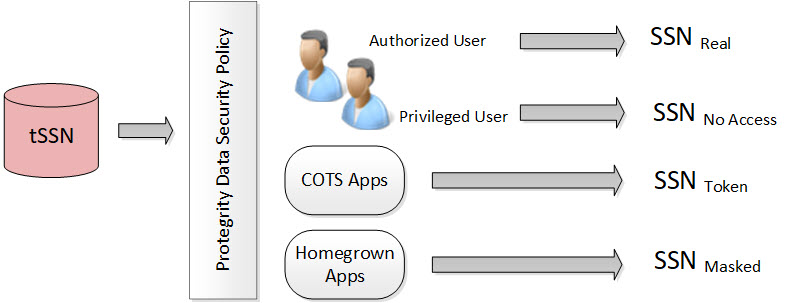
In the figure, the tokenized SSN is stored in the database. However, there are four roles defined in the policy:
Table: Different Roles in the Policy
| Users and Roles | Description |
|---|---|
| Authorized users - Real | It is the original or real value. A user with unprotect rights. |
| Privileged users - No Access | It is the default configuration. If the user does not have protect access rights, a null value is returned. |
| Commercial off-the-shelf (COTS) application users - Token | If the user does not have unprotect rights but the configuration is set as protect, then the configuration allows the output section to be protected. |
| Homegrown application users - Masked | It is how the masking data element is configured and the users are granted view access. For more information about masking, refer to Masking. |
Each role can receive a different form of the SSN based on its need. The Security Officer determines the SSN form by role.
Protegrity tokenization maintains a separation of duties by way of the data security policy.
The DBA, Developers, and System Administrators do not have direct access to the data. Everything goes through the data security policy, regardless of who manages the system.
For more information about data security policies, refer to Managing policies.
8.1 - Protegrity Tokenization
Tokenization is the process of replacing sensitive data with tokens that has no worth to someone who gains unauthorized access to the data. With tokenization, specific pieces of original data can be preserved, while the system tokenizes data according to design. Tokens can be set up and deployed directly on the protectors, depending on your enterprise configuration and data security needs. Once tokenization is deployed, operational systems continually work with the tokens. If the operational systems experience a security breach, then only the tokens are at risk of being compromised. Protegrity tokenization is transparent to end-users. Data integrity is strongly enforced by way of the data security policy.
Protegrity tokenization can be configured to preserve different parts of the original value in the token, such as the last 4 digits. It also recognizes and preserves delimiters, which are often used in SSNs, dates, etc.
Protegrity tokenization enables the user to tokenize various input data types, such as payment card industry (PCI), personally identifiable information (PII), and protected health information (PHI).
With Protegrity tokenization, there is a 1:1 relationship between the real data value and its token value. This enables token values to be used as alternative unique IDs that can be used for joining related information.
The following table describes the token types supported by Protegrity tokenization.
Table: Tokenization Types
| Tokenization Type | Alphabet Characters | Comment |
|---|---|---|
| Numeric (0-9) | Digits 0 through 9 | |
| Integer | Digits 0 through 9 | Data length: 2 bytes, 4 bytes, and 8 bytes |
| Credit Card | Digits 0 through 9 | Special settings: Invalid LUHN digit, invalid card type, alphabetic indicator |
| Alpha (a-z, A-Z) | Lowercase letters a through z Uppercase letters A through Z | |
| Upper-case Alpha (A-Z) | Uppercase letters A through Z | Lower case characters will be converted to upper-case in tokenized output value. |
| Alpha-Numeric (0-9, a-z, A-Z) | Digits 0 through 9 Lowercase letters a through z Uppercase letters A through Z | |
| Upper-Case Alpha-Numeric (0-9, A-Z) | Digits 0 through 9 Uppercase letters A through Z | Lower case characters will be converted to upper-case in tokenized output value. |
| Lower ASCII | The lower part of ASCII table. Hex character codes from 0x21 to 0x7E | Support of 94 printable characters (ASCII from 33 (!) to 126(~)), the rest are treated as delimiters |
| Datetime | YYYY-MM-DD HH:MM:SS | Special settings: Tokenize time, Distinguishable date, Date in clear |
| Decimal | Digits 0 through 9 sign and .(decimal delimiter) | Numeric data with precision and scale. The token will not contain any zeros. |
| Unicode Gen2 | Unicode code points between U+0020 and U+3FFFF | Result is based on the customized set of characters named as alphabet to generate token values. |
| Binary | Hex character codes from 0x00 to 0xFF | |
| Digits 0 through 9 Lowercase letters a through z Uppercase letters A through Z Special characters with restrictions @ sign and .(dot) are delimiters | Domain part after @ sign will not be tokenized |
The following table describes the deprecated token types supported by Protegrity tokenization.
| Tokenization Type | Alphabet Characters | Comment |
|---|---|---|
| Printable | ASCII printable characters, which include letters, digits, punctuation marks, and miscellaneous symbols. Hex character codes from 0x20 to 0x7E, and from 0xA0 to 0xFF. | ISO 8859-15 Latin alphabet no. 9 |
| Date (YYYY-MM-DD) | Date in big endian form, starting with the year. The following separators are supported: .(dot), / (slash), - (dash). | |
| Date (DD/MM/YYYY) | Date in little endian form, starting with the day. The following separators are supported: . (dot), / (slash), - (dash). | |
| Date (MM.DD.YYYY) | Date in middle endian form, starting with the month. The following separators are supported: . (dot), / (slash), - (dash) supported. | |
| Unicode | UTF-8 text. Hex character codes from 0x00 to 0xFF | Result is Alpha-Numeric. |
| Unicode Base64 | UTF-8 text. Hex character codes from 0x00 to 0xFF | Result is Alpha-Numeric, +, /, and =. |
8.1.1 - Tokenization Support by Protegrity Products
Protegrity offers various types of protectors which helps to protect data in different software and platforms. For example, we can use:
- Application Protectors: To protect data in C, C++, Python, Java, .Net, and Go programming languages.
- Big Data Protectors: To protect data in Big Data at various component levels, such as, Hive, Pig, MapReduce, etc.
- Data Warehouse Protectors: To protect data in the Teradata Data Warehouses.
- Gateway Protectors: To protect data in Gateway Protectors like Data Security Gateway (DSG).
- Cloud Protectors: To protect data in Cloud Protectors.
- Database Protectors: To protect sensitive data directly within relational databases, such as Oracle and Microsoft SQL Server.
Each protector has certain tokenization types which are listed in the following sections.
Application Protector
The Protegrity Application Protector (AP) is a high-performance, versatile solution that provides a packaged interface to integrate comprehensive, granular security and auditing into enterprise applications.
Application Protectors support all types of tokens.
Table: Supported Tokenization Types by Application Protector
| Tokenization Type | AP Java*1 | AP Python | AP C |
|---|---|---|---|
| Credit Card Numeric Alpha Upper-case Alpha Alpha-Numeric Upper Alpha-Numeric Lower ASCII | STRING CHAR[] BYTE[] | STRING BYTES | STRING CHAR[] BYTE[] |
| Integer | SHORT: 2 bytes INT: 4 bytes LONG: 8 bytes | INT: 4 bytes and 8 bytes | SHORT: 2 bytes INT: 4 bytes LONG: 8 bytes |
| Datetime | DATE STRING CHAR[] BYTE[] | DATE STRING BYTES | DATE STRING CHAR[] BYTE[] |
| Decimal | STRING CHAR[] BYTE[] | STRING BYTES | STRING CHAR[] BYTE[] |
| Unicode Gen2 | STRING CHAR[] BYTE[] | STRING BYTES | STRING CHAR[] BYTE[] |
| Binary | BYTE[] | BYTES | BYTE[] |
*1 - If the input and output types of the API are BYTE[], then the customer application should convert the input to and output from the byte array, before calling the API.
Table: Deprecated Tokenization Types supported by Application Protector
| Tokenization Type | AP Java*1 | AP Python | AP C |
|---|---|---|---|
| Printable | STRING CHAR[] BYTE[] | STRING BYTES | STRING CHAR[] BYTE[] |
| Date | DATE STRING CHAR[] BYTE[] | DATE STRING BYTES | DATE STRING CHAR[] BYTE[] |
| Unicode | STRING CHAR[] BYTE[] | STRING BYTES | STRING CHAR[] BYTE[] |
| Unicode Base64 | STRING CHAR[] BYTE[] | STRING BYTES | STRING CHAR[] BYTE[] |
*1 - If the input and output types of the API are BYTE[], then the customer application should convert the input to and output from the byte array, before calling the API.
For more information about Application protectors, refer to Application Protector.
Big Data Protector
Protegrity supports MapReduce, Hive, Pig, HBase, Spark, and Impala, which utilizes Hadoop Distributed File System (HDFS) or Ozone as the data storage layer. The data is protected from internal and external threats, and users and business processes can continue to utilize the secured data. Protegrity protects data inside the files using tokenization and strong encryption protection methods.
The following table shows the tokenization types supported for Big Data Protectors.
Table: Supported Tokenization Types for Big Data Protectors
| Tokenization Type | MapReduce*1 | Hive | Pig | HBase*1 | Impala | Spark*1 | Spark SQL | Trino |
|---|---|---|---|---|---|---|---|---|
| Credit Card Numeric*3 Alpha*3 Upper-case Alpha*3 Alpha-Numeric*3 Upper Alpha-Numeric*3 Lower ASCII Email*3 | BYTE[] | STRING | CHARARRAY | BYTE[] | STRING | VARCHAR STRING | STRING | VARCHAR |
| Integer | INT: 4 bytes LONG: 8 bytes | INT: 4 bytes BIGINT: 8 bytes | INT: 4 bytes | BYTE[] | SMALL INT: 2 bytes INT: 4 bytes BIGINT: 8 bytes | SHORT: 2 bytes INT: 4 bytes LONG: 8 bytes | SHORT: 2 bytes INT: 4 bytes LONG: 8 bytes | SMALL INT: 2 bytes INT: 4 bytes BIGINT: 8 bytes |
| Datetime*2 | BYTE[] | STRING DATE DATETIME | CHARARRAY | BYTE[] | STRING | BYTE[] STRING | STRING DATE DATETIME | VARCHAR DATE TIMESTAMP |
| Decimal | BYTE[] | STRING | CHARARRAY | BYTE[] | STRING | BYTE[] STRING | STRING | VARCHAR |
| Unicode Gen2 | BYTE[] | STRING | Not supported | BYTE[] | STRING | BYTE[] STRING | STRING | VARCHAR |
| Binary | BYTE[] | Not supported | Not supported | BYTE[] | Not supported | BYTE[] | Not supported | Not supported |
*1 - The customer application should convert the input into a byte array and generate the output from the byte array in the required data type.
*2 - The Datetime tokenization will only work with VARCHAR data type.
*3 - The Char tokenization UDFs only support Numeric, Alpha, Alpha Numeric, Upper-case Alpha, Upper Alpha-Numeric, and Email data elements, and with length preservation selected. Using any other data elements with Char tokenization UDFs is not supported. Using non-length preserving data elements with Char tokenization UDFs is not supported.
The following table shows the deprecated tokenization types supported for Big Data Protectors.
Table: Deprecated Tokenization Types supported for Big Data Protectors
| Tokenization Type | MapReduce*1 | Hive | Pig | HBase*1 | Impala | Spark*1 | Spark SQL | Trino |
|---|---|---|---|---|---|---|---|---|
| Printable | BYTE[] | Not supported | Not supported | BYTE[] | STRING | BYTE[] | Not supported | Not supported |
| Date | BYTE[] | STRING DATE DATETIME | CHARARRAY | BYTE[] | STRING | BYTE[] STRING | STRING DATE DATETIME | VARCHAR DATE TIMESTAMP |
| Unicode | BYTE[] | STRING | Not supported | BYTE[] | STRING | BYTE[] STRING | STRING | VARCHAR |
| Unicode Base64 | BYTE[] | STRING | Not supported | BYTE[] | STRING | BYTE[] STRING | STRING | VARCHAR |
*1 - The customer application should convert the input into a byte array and generate the output from the byte array in the required data type.
For more information about Big Data protectors, refer to Big Data Protector.
Data Warehouse Protector
The Protegrity Data Warehouse Protector is an advanced security solution designed to protect sensitive data at the column level. This enables you to secure your data, while still permitting access to authorized users. Additionally, the Data Warehouse Protector integrates seamlessly with existing database systems using the User-Defined Functions for an enhanced security. Protegrity protects data inside the data warehouses using various tokenization and encryption methods.
Table: Supported Tokenization Types for Data Warehouse Protector
| Tokenization Type | Teradata |
|---|---|
| Credit Card Numeric Alpha Upper-case Alpha Alpha-Numeric Upper Alpha-Numeric Lower ASCII Datetime Decimal | VARCHAR LATIN |
| Integer | SMALLINT: 2 bytes INTEGER: 4 bytes BIGINT: 8 bytes |
| Unicode Gen2 | VARCHAR UNICODE |
| Binary | Not supported |
Table: Deprecated Tokenization Types supported by Data Warehouse Protector
| Tokenization Type | Teradata |
|---|---|
| Printable | VARCHAR LATIN |
| Date | DATE CHAR |
| Unicode | VARCHAR UNICODE |
| Unicode Base64 | Not supported |
For more information about Data Warehouse protectors, refer to Data Warehouse Protector.
- If you have fixed-length data fields and the input data is shorter than the length of the field, then truncate the leading and trailing white spaces before passing the input to the respective Protect and Unprotect UDFs.
- The truncation of whitespaces ensures consistent data output for the protect and unprotect operations. This consistency holds true across all Protegrity products.
- For more information, refer to Truncating Whitespaces.
Database Protector
The Database Protector is a comprehensive data security solution designed to protect sensitive data directly within relational databases. It enables data protection using high‑performance, while allowing applications and authorized users to continue accessing the data transparently.
Oracle Database Protector
Table: Supported Tokenization Types for Oracle Database Protector
| Tokenization Type | Oracle Data Types |
|---|---|
| Credit Card | VARCHAR2 CHAR |
| Numeric | VARCHAR2 CHAR |
| Alpha | VARCHAR2 CHAR |
| Upper-case Alpha | VARCHAR2 CHAR |
| Alpha-Numeric | VARCHAR2 CHAR |
| Upper Alpha-Numeric | VARCHAR2 CHAR |
| Lower ASCII | VARCHAR2 CHAR |
| VARCHAR2 CHAR | |
| Integer | INTEGER |
| Datetime | DATE VARCHAR2 CHAR |
| Decimal | NUMBER VARCHAR2 CHAR |
| Unicode | VARCHAR2 |
| Unicode Gen2 | VARCHAR2 NVARCHAR2 |
| Unicode Base64 | VARCHAR2 NVARCHAR2 |
| Binary | Not Supported |
| Printable | VARCHAR2 CHAR |
For more information about the Oracle Database protector, refer to Oracle Database Protector.
MSSQL Database Protector
Table: Supported Tokenization Types for MSSQL Database Protector
| Tokenization Type | MSSQL Data Types |
|---|---|
| Credit Card | VARCHAR CHAR |
| Numeric | VARCHAR CHAR |
| Alpha | VARCHAR CHAR |
| Upper-case Alpha | VARCHAR CHAR |
| Alpha-Numeric | VARCHAR CHAR |
| Upper Alpha-Numeric | VARCHAR CHAR |
| Lower ASCII | VARCHAR CHAR |
| VARCHAR CHAR | |
| Integer | INTEGER |
| Datetime | VARCHAR CHAR |
| Decimal | VARCHAR CHAR |
| Unicode | NVARCHAR |
| Unicode Gen2 | NVARCHAR |
| Unicode Base64 | NVARCHAR |
| Binary | Not Supported |
| Printable | VARCHAR CHAR |
For more information about the MSSQL Database protector, refer to MSSQL Database Protector.
DB2 Database Protector
Table: Supported Tokenization Types for the DB2 Database Protector
| Tokenization Type | MSSQL Data Types |
|---|---|
| Credit Card | VARCHAR CHAR |
| Numeric | VARCHAR CHAR |
| Alpha | VARCHAR CHAR |
| Upper-case Alpha | VARCHAR CHAR |
| Alpha-Numeric | VARCHAR CHAR |
| Upper Alpha-Numeric | VARCHAR CHAR |
| Lower ASCII | VARCHAR CHAR |
| VARCHAR CHAR | |
| Integer | INTEGER |
| Datetime | DATE VARCHAR CHAR |
| Decimal | VARCHAR2 CHAR |
| Unicode | VARCHAR |
| Unicode Gen2 | VARCHAR |
| Unicode Base64 | VARCHAR |
| Binary | Not Supported |
For more information about the DB2 Database protector, refer to DB2 Database Protector.
8.1.2 - Delimiters
Protegrity tokenization can generate the same token regardless of how the data is formatted. Any character in the input that does not comply with the token types in the Tokenization Types is generally treated as a delimiter and remains unchanged during tokenization.
The following table shows how the Protegrity Token types handles delimiters and spaces as compared to plain numerical data.
Table: Tokenization with Delimiters
Note: Some tokenizers can tokenize delimiters. Unicode Gen2, lower ASCII, printable, and binary are examples of tokenizers that can tokenize delimiters.
| Input | Value returned by Protegrity Tokenization |
|---|---|
| 5332711989955364 | 8344588301109112 |
| 5332-7119-8995-5364 | 8344-5883-0110-9112 |
| 5332 7119 8995 5364 | 8344 5883 0110 9112 |
8.1.3 - Tokenization Properties
Table: Common Tokenization Properties
| Token Property | Description |
|---|---|
| User configured token properties | |
| Name | Unique name identifying the token element. Maximum length is 56 characters. |
| Data Type | Type of data to tokenize. Name of the alphabet, which indicates the specific characters to tokenize. |
| Static Lookup Table (SLT) Tokenizers | Mentions the type of SLT tokenizers (SLT_1_3, SLT_1_6, SLT_2_3, SLT_2_6, SLT_6_DECIMAL, SLT_DATETIME, and SLT_X_1). |
| Preserve Case | Whether the case of the alphabets and position of the alphabets and numbers must be preserved when tokenizing the value. This is applicable when using the Alpha-Numeric (0-9, a-z, A-Z) token type and the SLT_2_3 tokenizer only. |
| Preserve Position | Whether the position of the alphabets and numbers must be preserved when tokenizing the value. This is applicable when using the Alpha-Numeric (0-9, a-z, A-Z) token type and the SLT_2_3 tokenizer only. |
| Preserve Length | Whether tokens will be the same length as the input or not. |
| Allow Short Data Tokenization | Whether short tokens will be enabled or not. We have the following options: “Yes”, “No, generate error”, or “No, return input as it is”. |
| From Left | Number of characters from left to keep in clear in tokenized output. |
| From Right | Number of characters from right to keep in clear in tokenized output. |
| Minimum Input Length | Minimum length of the input data that can be tokenized. |
| Maximum Input Length | Maximum length of the input data that can be tokenized. |
| Alphabet | Name of the alphabet, which is configured to enable specific set of characters to use for tokenization. |
| Automatically calculated token properties | |
| Internal Initialization Vector (IV) | Whether internal initialization vector (IV) will be used or not. |
| Other token properties | |
| External Initialization Vector (IV) | Whether external initialization vector (IV) will be used or not. |
The following table shows what properties can be set for the token types.
Table: Tokenization Properties for Token Types
| Tokenization Data Type | Tokenizer | Preserve length | Preserve Case/ Preserve Position | Allow Short Tokens | From Left, From Right | Minimum/ Maximum length | External IV | Internal IV |
|---|---|---|---|---|---|---|---|---|
| Numeric | SLT_1_3, SLT_2_3, SLT_1_6, SLT_2_6 | √ | X | √ | √ | X | √ | √ |
| Integer | SLT_1_3 | √ | X | X | X | X | X | X |
| Credit Card | SLT_1_3, SLT_2_3, SLT_1_6, SLT_2_6 | √ (always yes) | X | X | √ | X | √ | √ |
| Alpha | SLT_1_3, SLT_2_3 | √ | X | √ | √ | X | √ | √ |
| Upper-case Alpha | SLT_1_3, SLT_2_3 | √ | X | √ | √ | X | √ | √ |
| Alpha-Numeric | SLT_1_3 | √ | X | √ | √ | X | √ | √ |
| SLT_2_3 | √ | √ | √ | √ | X | √ | √ | |
| Upper-Case Alpha-Numeric | SLT_1_3, SLT_2_3 | √ | X | √ | √ | X | √ | √ |
| Lower ASCII | SLT_1_3 | √ | X | √ | √ | X | √ | √ |
| Datetime | SLT_DATETIME | √ (always yes) | X | X | X (Left in clear = 0, Right in clear = 0) | X | X | X |
| Decimal | SLT_6_DECIMAL | X (always no) | X | X | X (Left in clear = 0, Right in clear = 0) | √ | X | X |
| Unicode Gen2 | SLT_1_3, SLT_X_1 | √ | X | √ | √ | X | √ | √ |
| Binary | SLT_1_3, SLT_2_3 | X (always no) | X | X | √ | X | √ | √ |
| SLT_1_3, SLT_2_3 | √ | X | √ | X (Left in clear = 0, Right in clear = 0) | X | √ | X |
- X - means that Property is disabled and cannot be specified.
- √ - means that Property is enabled or can be specified.
The following table shows what properties can be set for the deprecated token types.
Table: Tokenization Properties for deprecated Token Types
| Tokenization Data Type | Tokenizer | Preserve length | Preserve Case/ Preserve Position | Allow Short Tokens | From Left, From Right | Minimum/ Maximum length | External IV | Internal IV |
|---|---|---|---|---|---|---|---|---|
| Printable | SLT_1_3 | √ | X | √ | √ | X | √ | √ |
| Date (YYYY-MM-DD) | SLT_1_3, SLT_2_3, SLT_1_6, SLT_2_6 | √ (always yes) | X | X | X (Left in clear = 0, Right in clear = 0) | X | X | X |
| Date (DD/MM/YYYY) | SLT_1_3, SLT_2_3, SLT_1_6, SLT_2_6 | √ (always yes) | X | X | X (Left in clear = 0, Right in clear = 0) | X | X | X |
| Date (MM.DD.YYYY) | SLT_1_3, SLT_2_3, SLT_1_6, SLT_2_6 | √ (always yes) | X | X | X (Left in clear = 0, Right in clear = 0) | X | X | X |
| Unicode | SLT_1_3, SLT_2_3 | X (always no) | X | √ | X (Left in clear = 0, Right in clear = 0) | X | √ | X |
| Unicode Base64 | SLT_1_3, SLT_2_3 | X (always no) | X | √ | X (Left in clear = 0, Right in clear = 0) | X | √ | X |
- X - means that Property is disabled and cannot be specified.
- √ - means that Property is enabled or can be specified.
8.1.3.1 - Data Type and Alphabet
An alphabet contains all characters considered for tokenization, it is derived from the tokenization type. Characters outside the alphabet are considered delimiters.
Note: This is applicable only for Unicode Gen2 token.
Refer to Tokenization Types for the full list of supported token types.
8.1.3.2 - Static Lookup Table (SLT) Tokenizers
A static lookup table (SLT) contains a pre-generated list of all possible values from a given set of characters. An alphabetic lookup table for instance might contain all values from “Aa” to “Zz”. All entries are then shuffled so that they are in random order.
SLT tokenizer uses multiple SLTs to generate tokens. This is done by first dividing the input value into smaller pieces, called token blocks, which correspond to entries in the lookup tables. The token blocks are then substituted with values from the SLTs and chained together to form the final token value. This means that the token is a result of multiple lookups in multiple SLTs.
Another benefit of SLT tokenizers is that tokenization can be done locally on the protector. With this solution, tokenization is performed locally within the protector environment.
For more information, refer to Working with Data Elements.
There are several types of SLT tokenizers from which you can choose. They are distinguished by their block size and the number of lookup tables.
Table: SLT Tokenizer with block size and lookup tables
| Tokenizer | Allow Short Tokens | No. of lookup tables | Block size |
|---|---|---|---|
| SLT_1_3 | Yes | 1 | 1 |
| 1 | 2 | ||
| 1 | 3 | ||
No, return input as it is No, generate error | 1 | 3 | |
| SLT_2_3 | Yes | 2 | 1 |
| 2 | 2 | ||
| 2 | 3 | ||
No, return input as it is No, generate error | 2 | 3 | |
| SLT_1_6 | Yes | 1 | 1 |
| 1 | 2 | ||
| 1 | 3 | ||
| 1 | 6 | ||
No, return input as it is No, generate error | 1 | 6 | |
SLT_2_6 | Yes | 2 | 1 |
| 2 | 2 | ||
| 2 | 3 | ||
| 2 | 6 | ||
No, return input as it is No, generate error | 2 | 6 | |
| SLT_6_DECIMAL | NA | Multiple lookup tables: One for each input length in the range 1 to 5 One for input lengths >= 6 | |
| SLT_DATETIME | NA | Multiple lookup tables | |
| SLT_X_1 | Yes | 5-98*1 | 1 |
No, return input as it is No, generate error | 3-96*1 | 1 | |
*1 - For the SLT_X_1 tokenizer, the number of lookup tables used for the security operations is determined during the creation of the data elements.
The following table describes the types of SLT tokenizers and compares their characteristics.
Table: SLT Tokenizer Memory Footprint for Token Types
| Token Type | Tokenizer | Allow Short Tokens | Size of Token Tables (number of entries) | Size of Token Tables (kB) | Amount of Memory used in the Protector (kB) | Comments |
|---|---|---|---|---|---|---|
| Numeric | SLT_1_3 SLT_2_3 SLT_1_6 SLT_2_6 | No, generate error No, return input as it is | 1,000 2,000 1,000,000 2,000,000 | 4 8 3,906 7,812 | 8 16 7,812 15,624 | |
| Yes | 1,110 2,220 1,001,110 2,002,220 | 4.33 8.66 3,910.58 7,821.17 | 8.66 17.32 7,821.17 15,642.34 | |||
| Integer | SLT_1_3 | NA | 4096 | 16 | 32 | |
| Credit Card | SLT 1_3 SLT 2_3 SLT 1_6 SLT 2_6 | NA | 1,000 2,000 1,000,000 2,000,000 | 4 8 3,906 7,812 | 8 16 7,812 15,624 | |
| Alpha | SLT 1_3 SLT 2_3 | No, generate error No, return input as it is | 140,608 281,216 | 549 1,098 | 1,098 2,196 | |
| Yes | 143,364 286,728 | 560.01 1,120.02 | 1,120.02 2,240.04 | |||
| Upper-case Alpha | SLT 1_3 SLT 2_3 | No, generate error No, return input as it is | 17,576 35,152 | 69 138 | 138 276 | |
| Yes | 18,278 36,556 | 71.39 142.79 | 142.79 285.59 | |||
| Alpha-Numeric | SLT 1_3 SLT 2_3 | No, generate error No, return input as it is | 238,328 476,656 | 931 1,862 | 1,862 3,724 | |
| Yes | 242,234 484,468 | 946.22 1,892.45 | 1,892.45 3,784.90 | |||
| Upper-Case Alpha-Numeric | SLT 1_3 SLT 2_3 | No, generate error No, return input as it is | 46,656 93,312 | 182 364 | 364 728 | |
| Yes | 47,988 95,976 | 187.45 374.90 | 374.90 749.81 | |||
| Lower ASCII | SLT 1_3 | No, generate error No, return input as it is | 830,584 | 3,244 | 6,488 | |
| Yes | 839,514 | 3,279.35 | 6,558.70 | |||
| Datetime | SLT_DATETIME | NA | 1,086,400 | 4,244 | 8,488 | Maximum memory is used when both date part and time part will be tokenized |
| Decimal | SLT_6_DECIMAL | NA | 597,870 | 2,335 | 4,670 | |
| Unicode Gen2 | SLT_1_3 SLT_X_1 | No, generate error No, generate error No, return input as it is | 4,096,000 359,994 | 16,384 1,440 | 32,768 2,880 | |
SLT_1_3 SLT_X_1 | Yes Yes | 4,121,760 500,000 | 16,488 2,000 | 32,975 4,000 | ||
| Binary | SLT_1_3 SLT_2_3 | NA | 238,328 476,656 | 931 1,862 | 1,862 3,724 | Same tokenizers and other values as for Alpha-Numeric token element |
SLT_1_3 SLT_2_3 | No, generate error No, return input as it is | 238,328 476,656 | 931 1,862 | 1,862 3,724 | Same tokenizers and other values as for Alpha-Numeric token element | |
| Yes | 242,234 484,468 | 946.22 1,892.45 | 1,892.45 3,784.90 |
Note: The amount of memory used in the protector is twice the size of the token tables (kB) because an inverted SLT is stored in the memory, in addition to the original SLT.
Table: SLT Tokenizer Characteristics for Deprecated Token Types
| Token Type | Tokenizer | Allow Short Tokens | Size of Token Tables (number of entries) | Size of Token Tables (kB) | Amount of Memory used in the Protector (kB) | Comments |
|---|---|---|---|---|---|---|
| Printable | SLT 1_3 | No, generate error No, return input as it is | 6,967,871 | 27,218 | 54,436 | |
| Yes | 7,004,543 | 27,361.49 | 54,722.99 | |||
| Date YYYY-MM-DD | SLT_1_3 SLT_2_3 SLT_1_6 SLT_2_6 | NA | 1,000 2,000 1,000,000 2,000,000 | 4 8 3,906 7,812 | 8 16 7,812 15,624 | |
| Date DD/MM/YYYY | SLT_1_3 SLT_2_3 SLT_1_6 SLT_2_6 | NA | 1,000 2,000 1,000,000 2,000,000 | 4 8 3,906 7,812 | 8 16 7,812 15,624 | |
| Date MM.DD.YYYY | SLT_1_3 SLT_2_3 SLT_1_6 SLT_2_6 | NA | 1,000 2,000 1,000,000 2,000,000 | 4 8 3,906 7,812 | 8 16 7,812 15,624 | |
| Unicode | SLT_1_3 SLT_2_3 | No, generate error No, return input as it is | 238,328 476,656 | 931 1,862 | 1,862 3,724 | Same tokenizers and other values as for Alpha-Numeric token element |
| Yes | ||||||
| Unicode Base64 | SLT_1_3 SLT_2_3 | No, generate error No, return input as it is | 274,625 549,250 | 1,073 2,146 | 2,146 4,292 | Same tokenizers and other values as for Alpha-Numeric token elements. It also includes +, /, and =. |
| Yes |
8.1.3.3 - From Left and From Right Settings
This property indicates the number of characters from left and right that will remain in the clear and hence be excluded from tokenization. Not all token types will allow the end-user to specify these values. The From Left and From Right settings can be configured in the Tokenize Options during the Data Element creation on the ESA Web UI.
For example;
Input Value: 5511309239934975
Credit Card Token: Left=0 Right=4
Output Value: 8278278929904975
When processing input data, you must check the From Left and From Right settings. Validate the input data based on the From Left and From Right settings before applying the Allow Short Data settings.
For more information about how From Left and From Right settings work together with short data settings, refer to Calculating Token Length.
8.1.3.4 - Internal Initialization Vector (IV)
Internal IV is automatically applied to the input value when the token element’s left and right properties are non-zero, designating some characters to remain in the clear. An Internal IV provides an additional security during the tokenization process.
Data to tokenize can be logically divided into three components: left, middle, and right. If an IV is used, then the left and right components are concatenated to form the IV. This IV is then added to the middle component before the value is tokenized.
Table: Examples of Tokenization with Internal IV
| Token Properties | Input Value | Output Value | Comments |
|---|---|---|---|
| Alpha Token Left=1 Right=0 | 1Protegrity 2Protegrity 3Protegrity | 1aOkCUXmhXC 2DeKeldVpKj 3hASBMvvfuL | Left=1 thus the first character in the input value is not tokenized but used as internal IV. For each of three input values the value “Protegrity” is tokenized, with internal IVs “1”, “2”, and “3” respectively. Tokenized value is different for all three cases. |
| Alpha Token Left=2 Right=4 | W2Protegrity2012 W2Protegrity2013 Q2Protegrity2013 | W2NXgfOdLQEy2012 W2XdjFTIFQNC2013 Q2gWjpyMwvDJ2013 | Left=2, Right=4 thus the first 2 and the last 4 characters in the input value are not tokenized but used as internal IV. For each of three input values the value “Protegrity” is tokenized, with internal IVs “W22012”, “W22013”, and “Q22013” respectively. Tokenized value is different for all three cases. |
| Alpha Token Left=0 Right=0 | Protegrity | RlfZVOmhQD | Left and Right are undefined thus the internal IV is not used. |
8.1.3.5 - Minimum and Maximum Input Length
In Protegrity tokenization only the Decimal token type allows for defining the Minimum and Maximum length of the token element when created. Some token types, such as Datetime, have a fixed length. For the remainder, Minimum and Maximum length depends on token type, tokenizer, length preservation, and short token setting.
The following table illustrates length settings by token type.
Table: Minimum and Maximum Input Length for Token Types
Token Type | Tokenizer | Length Preservation | Allow Short Data | Minimum Length | Maximum Length |
|---|---|---|---|---|---|
Numeric | SLT_1_3 SLT_2_3 | Yes | Yes | 1 | 4096 |
No, return input as it is | 3 | ||||
No, generate error | |||||
No | NA | 1 | 3933 | ||
SLT_1_6 SLT_2_6 | Yes | Yes | 1 | 4096 | |
No, return input as it is | 6 | ||||
No, generate error | |||||
No | NA | 1 | 3933 | ||
Integer | SLT_1_3 | Yes | NA | 2 | 8 |
Credit Card | SLT_1_3 SLT_2_3 | Yes | NA | 3 | 4096 |
SLT_1_6 SLT_2_6 | Yes | NA | 6 | 4096 | |
Alpha | SLT_1_3 SLT_2_3 | Yes | Yes | 1 | 4096 |
No, return input as it is | 3 | ||||
No, generate error | |||||
No | NA | 1 | 4076 | ||
Upper-case Alpha | SLT_1_3 SLT_2_3 | Yes | Yes | 1 | 4096 |
No, return input as it is | 3 | ||||
No, generate error | |||||
No | NA | 1 | 4049 | ||
Alpha-Numeric | SLT_1_3 SLT_2_3 | Yes | Yes | 1 | 4096 |
No, return input as it is | 3 | ||||
No, generate error | |||||
No | NA | 1 | 4080 | ||
Upper-Case Alpha-Numeric | SLT_1_3 SLT_2_3 | Yes | Yes | 1 | 4096 |
No, return input as it is | 3 | ||||
No, generate error | |||||
No | NA | 1 | 4064 | ||
Lower ASCII | SLT_1_3 | Yes | Yes | 1 | 4096 |
No, return input as it is | 3 | ||||
No, generate error | |||||
No | NA | 1 | 4086 | ||
Datetime | SLT_DATETIME | Yes | NA | 10 | 29 |
Decimal | SLT_6_DECIMAL | No | NA | 1 | 36 |
Unicode Gen2 | SLT_1_3 SLT_X_1 | Yes | Yes | 1 Code Point | 4096 Code Points |
| No, return input as it is | 3 Code Points | ||||
| No, generate error | |||||
Binary | SLT_1_3 SLT_2_3 | No | NA | 3 | 4095 |
SLT_1_3 SLT_2_3 | Yes | Yes | 3 | 256 | |
No, return input as it is | 5 | ||||
No, generate error | |||||
No | NA | 3 | 256 |
- The minimum and maximum length validation on input data is done on the characters to tokenize.
- The From Left and From right clear characters are not counted. Additionally, characters outside of the alphabet for the selected token type are also not counted.
- The NULL values are accepted but not tokenized.
Table: Minimum and Maximum Input Length for Deprecated Token Types
Token Type | Tokenizer | Length Preservation | Allow Short Data | Minimum Length | Maximum Length |
|---|---|---|---|---|---|
Printable | SLT_1_3 | Yes | Yes | 1 | 4096 |
No, return input as it is | 3 | ||||
No, generate error | |||||
No | NA | 1 | 4091 | ||
Date YYYY-MM-DD Date DD/MM/YYYY Date MM.DD.YYYY | SLT_1_3 SLT_2_3 SLT_1_6 SLT_2_6 | Yes | NA | 10 | 10 |
Unicode | SLT_1_3 SLT_2_3 | No | Yes | 1 byte | 4096 bytes |
| No, return input as it is | 3 bytes | ||||
| No, generate error | |||||
Unicode Base64 | SLT_1_3 | No | Yes | 1 byte | 4096 bytes |
8.1.3.5.1 - Calculating Token Length
For a Numeric token type, non-numeric values are considered as delimiters. The unsupported characters will be treated as delimiters and left un-tokenized. This occurs when the input value does not contain tokenizable characters with the selected token type.
The number of characters to tokenize is calculated as described on the following image:

If the input value does not contain characters to tokenize, then it is considered a zero-length token. The tokenization of a zero-length input value will not produce an error during the tokenization, and input value will be returned as output.
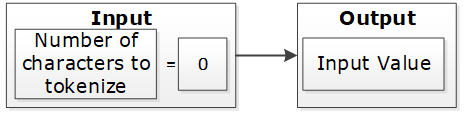
If the input value has at least one character and short data tokenization is enabled, then the source data can be tokenized. If short data tokenization is not enabled, then the source data will be returned as it is. Alternatively, an appropriate error will appear due to tokenization.
For more information on short data tokenization, refer to Short Data Tokenization.

If the input value contains more characters than the maximum for tokenization, then the value of tokenization is considered too long. The tokenization process provides an appropriate error message.

If the input value has a sufficient number of characters, the tokenization process is successful. This occurs when the character count falls between the minimum and maximum settings.

Table: Token Length Examples
| Token Properties | Input Value | Output Value | Comments |
|---|---|---|---|
Numeric Token Left/Right undefined Allow Short Data=Yes | ab1cd | ab6cd | Non-numeric values are considered as delimiters. Input is tokenized as short data is enabled and minimum length is 1 character. |
Numeric Token Left=0 Right=0 Allow Short Data=No, generate error | ab1cd | Error. Input too short. | Non-numeric values are considered as delimiters. Input is short since short data is not enabled and the minimum number of characters to tokenize for this token type is 3 characters. |
Numeric Token Left=0 Right=0 Allow Short Data= No, return input as it is | 12 | 12 | Input is returned as is as per the settings for short data. |
Numeric Token Left=2Right=2 | 48ghdg83 | 48ghdg83 | The input value is left unchanged during tokenization. This is because it is an empty value for tokenization. In tokenization, both left and right settings remove all numeric characters during tokenization. |
Numeric Token Left=2Right=2 | 4568 | 4568 | The input value is left unchanged by the tokenization since it is an empty value for tokenization. |
Numeric Token Left=0 Right=0 | ab123cd | ab857cd | Input value has enough characters for tokenization, only supported by numeric token type values are tokenized. |
Alpha Numeric Token Left=5Right=0 Allow Short Data=Yes | 345465 | 34546c | Input is evaluated first for left and right settings. Since left settings are set to 5, the first five digits are excluded and the sixth digit can be tokenized. As the Allow Short Data is set as yes, the sixth digit is tokenized. |
Alpha Numeric Token Left=5Right=0 Allow Short Data=No, generate error | 345465 | error | Input is evaluated first for left and right settings. Since left settings are set to 5, the first five digits are excluded and the sixth digit can be tokenized. As the Allow Short Data is set as no, generate error and the length of data to be tokenized is less than 3, an Input too short error is generated. |
Alpha Numeric Token Left=5Right=0 Allow Short Data=No, return input as it is | 345465 | 345465 | Input is evaluated first for left and right settings. Since left settings are set to 5, the first five digits are excluded and the sixth digit can be tokenized. As the Allow Short Data is set as No, return input as it is and the length of data to be tokenized is less than 3, the data is passed as is. |
Alpha Numeric Token Left=5Right=0 Allow Short Data=Yes | 34546 | 34546 | Input is evaluated first for left and right settings. Since left settings are set to 5 and the input is five digits, no data exists to be tokenized. As no data exists, it is considered as a zero length token and the input is passed as is. |
Alpha Numeric Token Left=5Right=0 Allow Short Data=No, generate error | 34546 | 34546 | |
Alpha Numeric Token Left=5Right=0 Allow Short Data=No, return input as it is | 34546 | 34546 | |
Alpha Numeric Token Left=5Right=0 Allow Short Data=Yes | 3454 | error | Input is evaluated first for left and right settings. Since left settings are set to 5 and the input is four digits, the left and right settings condition is not met. This results in an Input too short error. |
Alpha Numeric Token Left=5Right=0 Allow Short Data=No, generate error | 3454 | error | |
Alpha Numeric Token Left=5Right=0 Allow Short Data=No, return input as it is | 3454 | error | |
Unicode Token (Cyrillic alphabet) Left= 0Right=0 Allow Short Data=Yes | abдаcd | abшcd | Non-Cyrillic values are considered as delimiters. Input data is tokenized as as short data is enabled. |
Unicode Token (Cyrillic alphabet) Left= 0Right=0 Allow Short Data=No | abдаcd | Error. Input too Short | Non-Cyrillic values are considered as delimiters. Input is too short since the word да (Cyrillic meaning yes - pronounced da) is only two codepoints. The minimum number of codepoints for this token type is 3 characters. |
8.1.3.6 - Length Preserving
With the Preserve Length flag enabled, the length of the input data and protected token value is the same.
For data elements with the Preserve Length flag available, you have an option to generate token values that are of the same length as the input data.
Note: The Unicode Gen2 token element is Code Point length preserving when this option is enabled. The length in bytes can vary depending on the alphabet selected during data element creation.
As an extension to this flag, the Allow Short Data flag provides multiple options to manage short input data handling. If the Preserve Length property is not set, then short input protected will not keep its original length. Generated tokens will at least have the minimum length defined for the token type.
For more information about short data tokenization, refer to Short Data Tokenization.
A check for maximum input length is performed regardless of the preservation setting. This check ensures that the input is within the allowed length limit.
If Preserve Length is not selected, then tokenized data may be longer than the input value up to +5%, or at least +1 symbol on a very small initial value (1-2 symbols). Here, symbol can represent a character or a code point.
If Preserve Length is not selected, then for applying protection in database columns, column length of the resulting protected table should be bigger than length of the column to tokenize in the initial table. This will allow inserting tokenized data during protection when tokenized data is longer than the input data.
8.1.3.7 - Short Data Tokenization
When using tokenizers, such as, SLT_1_3, SLT_2_3, and SLT_X_1, the minimum input limit for tokenizable characters or bytes is three. When using tokenizers, such as, SLT_1_6 and SLT_2_6, the minimum input limit for tokenizable characters or bytes is six.
The possible flag values for short data tokenization are described in the following table.
Table: Short tokens flag values
| Short Token Flag Value | Action |
|---|---|
| No, generate error | Do not tokenize the short input but generate an error code and an audit log stating that the data is too short. |
| Yes | Tokenize the data if the input is short. |
| No, return input as it is | Do not tokenize the short input but return the input as it is. |
The following tokens support short data tokenization:
- Numeric (0-9)
- Alpha (a-z, A-Z)
- Upper-case Alpha (A-Z)
- Alpha-Numeric (0-9, a-z, A-Z)
- Upper-Case Alpha-Numeric (0-9, A-Z)
- Lower ASCII
- Unicode Gen2
The following deprecated tokens support short data tokenization:
Important: Short input data tokenization can be at risk as a user can easily guess the lookup table and the original data by tokenizing some input data. Consider carefully before using the short data tokenization. If possible, short data input must be avoided.
For more information about the maximum length setting for non-length-preserving token elements, refer to Minimum and Maximum Input Length by Token Types.
8.1.3.8 - Case-Preserving and Position-Preserving Tokenization
This section explains the Case-Preserving and Position-Preserving tokenization options.
- Case-Preserving and Position-Preserving tokenization was designed to support specific business requirements. However, this design comes with a trade-off, as it affects the cryptographic strength of the tokens.
- When preserving the case and position of Alpha-Numeric characters, some information may be leaked through the tokenized value.
- In addition, depending on the length of the Alpha and Numeric substrings, tokens may suffer the same weaknesses as Short Tokens, as described in the section Short Data Tokenization.
- It is recommended that this method should not be used for most use cases. Before using this method, contact Protegrity Support to ensure that the risks are fully understood.
8.1.3.8.1 - Case-Preserving Tokenization
When working with data that is received from multiple sources, the data can contain different casing properties. The data processing stage makes the casing consistent prior to distributing the data to additional systems.
If tokenization is performed prior to the data processing stage, then it results in tokens that differ in its casing properties as per the non-processed data.
To preserve the casing of the non-processed data while tokenizing, an additional tokenization option is provided for the Alpha-Numeric (0-9, a-z, A-Z) token type. The casing of the alphabets in the tokenized value matches the casing of the alphabets in the input value.
Note:
You can specify the case-preserving tokenization option when using the SLT_2_3 tokenizer and Alpha-Numeric (0-9, a-z, A-Z) token type only.
If you select the Preserve Case property on the ESA Web UI, then the Preserve Position property is also selected, by default. Hence, the position of the alphabets and numbers is preserved along with the casing of the alphabets in the output tokenized value.
If you are selecting the Preserve Case or Preserve Position property on the ESA Web UI, then the following additional properties are set:
- The Preserve Length property is enabled and Allow Short Data property is set to Yes, by default. These two properties are not modifiable.
- The retention of characters or digits from the left and the right are disabled, by default. The From Left and From Right properties are both set to zero.
For more information about specifying the case-preserving tokenization option for the Alpha-Numeric (0-9, a-z, A-Z) token type, refer to Create Token Data Elements.
The following table provides some examples for the case-preserving tokenization option.
Table: Case-Preserving Tokenization Examples
| Input Value | Tokenized Value using the Case-Preserving Tokenization |
|---|---|
| Dan123 | Abc567 |
| DAn123 | ABc567 |
| daN123 | abC567 |
8.1.3.8.2 - Position-Preserving Tokenization
The alphabetic and numeric positions in the position-preserving tokenized value matches the alphabetic and numeric positions in the input value.
You can specify the position-preserving tokenization option when using the SLT_2_3 tokenizer and Alpha-Numeric (0-9, a-z, A-Z) token type only.
If you are selecting the Preserve Case or Preserve Position property, then the following additional properties are set:
- The Preserve Length property is enabled and Allow Short Data property is set to Yes, by default. These two properties are not modifiable.
- The retention of characters or digits from the left and the right are disabled, by default. The From Left and From Right properties are both set to zero.
For more information about specifying the position-preserving tokenization option for the Alpha-Numeric (0-9, a-z, A-Z) token type, refer to Create Token Data Elements.
The following table provides some examples for the position-preserving tokenization option.
Table: Position-Preserving Tokenization Examples
| Input | Tokenized Value using the Position-Preserving Tokenization |
|---|---|
| Dan123 | pXz789 |
| DAn123 | Abp708 |
| daN123 | Axz642 |
8.1.3.9 - External Initialization Vector (EIV)
8.1.3.9.1 - Tokenization Model with External IV
The External IV value is set as a new parameter when calling protect, unprotect or reprotect API from the client application.
The following example explains how the tokenization is performed with the External IV defined. As mentioned before, the main characteristic of the External IV feature is obtaining different outputs for the same input. To have different outputs, you need to specify different IVs.
Note: The External IV is used, prior to protection, as input to modify the data to protect. The External IV is ignored when using encryption.
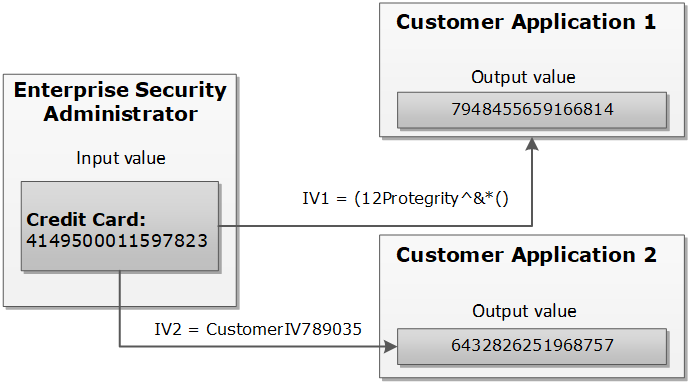
8.1.3.9.2 - External IV Tokenization Properties
The tokenization with the External IV is done only if the IV is specified during the protect operation through the end user API. When performing unprotect and re-protect operations, the same IV value used for protection must be identified.
If External IV is not provided in either a protect or unprotect function call, then the input is tokenized as-is without any IV.
The External IV value has the following properties:
- Supports ASCII and Unicode characters.
- Minimum 1 byte for the input.
- Maximum 256 bytes for the input.
- Empty and NULL strings are not supported as External IV values. These strings will be ignored during tokenization. The process will continue as if External IV was not used.
Here is an example of the tokenized input value with the External IV for a Numeric token:
Table: Example-External IV for a Numeric token
Input Value | External IV | Output Value | Comments |
1234567890 | None | 5108318538 | External IV is not applied. |
1234567890 | 1234 | 0442985096 | Output values differ because different external IVs were applied. |
12 | 1197578213 | ||
abc | 9423146024 |
8.1.3.10 - Truncating Whitespaces
With fixed length fields or columns, input data may be shorter than the length of the field. When this happens, data may be appended with either, or both, trailing and leading whitespace. In those situations, the whitespace is considered during Tokenization. It will affect the tokenization results.
For instance, consider a scenario where the name “Hultgren Caylor” is stored in a Hive Char(30) column.
As the length of the data is less than 30 characters, trailing whitespaces are appended to it. In this case, assume that we need to protect this column with a data element that preserves the first and last character (L=1, R=1). Now with this setting, the expectation is to preserve character H at the start and the character r at the end, in the protected value output. However, the actual data has trailing whitespaces. This results in the output containing the character “H” at the start and a whitespace character " " at the end. The unnecessary trailing whitespaces cause the final protected output to generate a different token.
It is recommended to truncate trailing and leading whitespaces from the data. This applies before sending the data to Protect, Unprotect, or Reprotect UDFs. Truncating unnecessary whitespaces ensures that only the actual data is considered during tokenization. Any trailing and leading whitespaces are not taken into account.
In addition, it is important to follow a consistent approach for truncating the whitespaces across all operations, such as, Protect, Unprotect, Reprotect. For instance, if we have truncated unnecessary trailing whitespaces from the input before the Protect operation, then the same logic of truncating whitespaces from the input, during Unprotect and Reprotect operations needs to be followed.
8.1.4 - Tokenization Types
8.1.4.1 - Numeric (0-9)
The Numeric token type tokenizes digits from 0 to 9.
Table: Numeric Tokenization Type properties
| Tokenization Type Properties | Settings | |||||||||||||||
|---|---|---|---|---|---|---|---|---|---|---|---|---|---|---|---|---|
Name | Numeric | |||||||||||||||
Token type and Format | Digits 0 through 9 | |||||||||||||||
| Tokenizer | Length Preservation | Allow Short Data | Minimum Length | Maximum Length | ||||||||||||
SLT_1_3 SLT_2_3 | Yes | Yes | 1 | 4096 | ||||||||||||
No, return input as it is | 3 | |||||||||||||||
No, generate error | ||||||||||||||||
No | NA | 1 | 3933 | |||||||||||||
SLT_1_6 SLT_2_6 | Yes | Yes | 1 | 4096 | ||||||||||||
No, return input as it is | 6 | |||||||||||||||
No, generate error | ||||||||||||||||
No | NA | 1 | 3933 | |||||||||||||
Possibility to set Minimum/ maximum length | No | |||||||||||||||
Left/Right settings | Yes | |||||||||||||||
Internal IV | Yes, if Left/Right settings are non-zero | |||||||||||||||
External IV | Yes | |||||||||||||||
Return of Protected value | Yes | |||||||||||||||
Token specific properties | None | |||||||||||||||
The following table lists the examples of numeric tokenization values.
Table: Examples of Numeric tokenization values
| Input Value | Tokenized Value | Comments |
|---|---|---|
| 123 | 977 | Numeric, SLT_1_3, Left=0, Right=0, Length Preservation=Yes The value has minimum length for SLT_1_3 tokenizer. |
| 1 | 555241 | Numeric, SLT_1_6, Left=0, Right=0, Length Preservation=No The value is padded up to 6 characters which is minimum length for SLT_1_6 tokenizer. |
| -7634.119 | -4306.861 | Numeric, SLT_1_3, Left=0, Right=0, Length Preservation=Yes Decimal point and sign are treated as delimiters and not tokenized. |
| 12+38=50 | 98+24=62 | Numeric, SLT_2_6, Left=0, Right=0, Length Preservation=Yes Arithmetic signs are treated as delimiters and not tokenized. |
| 704-BBJ | 134-BBJ | Numeric, SLT_1_3, Left=0, Right=0, Length Preservation=Yes Alpha characters are treated as delimiters and not tokenized. |
| 704-BBJ | Error. Input too short. | Numeric, SLT_2_6, Left=0, Right=0, Length Preservation=Yes, Allow Short Data=No, generate error Input value has only three numeric characters to tokenize, which is short for SLT_2_6 tokenizer when Length Preservation=Yes and Allow Short Data=No, generate error. |
| 704-BBJ 704356 | 704-BBJ 134432 | Numeric, SLT_2_6, Left=0, Right=0, Length Preservation=Yes, Allow Short Data=No, return input as it is If the input value has less than six characters to tokenize, then it is returned as is else it is tokenized. |
| 704-BBJ | 134-BBJ | Numeric, SLT_2_6, Left=0, Right=0, Length Preservation=Yes, Allow Short Data=Yes Input value has three numeric characters to tokenize, which meets minimum length requirement for SLT_2_6 tokenizer when Length Preservation=Yes and Allow Short Data=Yes. |
| 704 | 134 | Numeric, SLT_1_3, Left=0, Right=0, Length Preservation=Yes, Allow Short Data=No, return input as it is If the input value has less than three characters to tokenize, then it is returned as is else it is tokenized. |
| 704-BBJ | 669-BBJ642 | Numeric, SLT_1_6, Left=0, Right=0, Length Preservation=No Input value is padded up to 6 characters because Length Preservation=No. Alpha characters are treated as delimiters and not tokenized. |
| 704-BBJ | 764-6BBJ | Numeric, SLT_2_3, Left=1, Right=3, Length Preservation=No 1 character from left and 3 from right are left in clear. Two numeric characters left for tokenization “04” were padded and tokenized as “646”. |
Numeric Tokenization Properties for different protectors
Application Protector
The following table shows supported input data types for Application protectors with the Numeric token.
Table: Supported input data types for Application protectors with Numeric token
| Application Protectors*2 | AP Java*1 | AP Python | AP .Net | AP C |
|---|---|---|---|---|
| Supported input data types | STRING CHAR[] BYTE[] | STRING BYTES | STRING BYTE[] | BYTE[] |
*1 - The API accepts and returns data in BYTE[] format. The customer application needs to convert the input into byte arrays before calling the API, and similarly, convert the output from byte arrays after receiving the response from the API.
*2 - The Protegrity Application Protector only supports bytes converted from the string data type. If any other data type is directly converted to bytes and passed as input to the Application Protectors APIs that support byte as input and provide byte as output, then data corruption might occur.
For more information about Application protectors, refer to Application Protector.
Big Data Protector
Protegrity supports MapReduce, Hive, Pig, HBase, Spark, and Impala, which utilizes Hadoop Distributed File System (HDFS) or Ozone as the data storage layer. The data is protected from internal and external threats, and users and business processes can continue to utilize the secured data. Protegrity protects data inside the files using tokenization and strong encryption protection methods.
The following table shows supported input data types for Big Data protectors with the Numeric token.
Table: Supported input data types for Big Data protectors with Numeric token
| Big Data Protectors | MapReduce*2 | Hive | Pig | HBase*2 | Impala | Spark*2 | Spark SQL | Trino |
|---|---|---|---|---|---|---|---|---|
| Supported input data types*1 | BYTE[] | CHAR*3 STRING | CHARARRAY | BYTE[] | STRING | BYTE[] STRING | STRING | VARCHAR |
*1 – If the input and output types of the API are BYTE[], then the customer application should convert the input to and output from the byte array, before calling the API.
*2 – The Protegrity MapReduce protector, HBase coprocessor, and Spark protector only support bytes converted from the string data type. Data types that are not bytes converted from the string data type might cause data corruption to occur when:
- Any other data type is directly converted to bytes and passed as input to the MapReduce or Spark API that supports byte as input and provides byte as output.
- Any other data type is directly converted to bytes and inserted in an HBase table. Where the HBase table is configured with the Protegrity HBase coprocessor.
*3 – If you are using the Char tokenization UDFs in Hive, then ensure that the data elements have length preservation selected. In Char tokenization UDFs, using data elements without length preservation selected, is not supported.
For more information about Big Data protectors, refer to Big Data Protector.
Data Warehouse Protector
The Protegrity Data Warehouse Protector is an advanced security solution designed to protect sensitive data at the column level. This enables you to secure your data, while still permitting access to authorized users. Additionally, the Data Warehouse Protector integrates seamlessly with existing database systems using the User-Defined Functions for an enhanced security. Protegrity protects data inside the data warehouses using various tokenization and encryption methods.
The following table shows the supported input data types for the Teradata protector with the Numeric token.
Table: Supported input data types for Data Warehouse protectors with Numeric token
| Data Warehouse Protectors | Teradata |
|---|---|
| Supported input data types | VARCHAR LATIN |
For more information about Data Warehouse protectors, refer to Data Warehouse Protector.
Database Protectors
Oracle Database Protector
The following table shows supported input data types for Oracle Database protector with the Numeric token.
Table: Supported input data types for the Oracle Database protector with a Numeric token
| Protector | Oracle |
|---|---|
| Supported Input Data Types | VARCHAR2 CHAR |
Note: For numeric data elements where length preservation is not enabled, the maximum supported length is 3,842 characters. Data up to this length can be tokenized and de-tokenized without errors.
For more information about the Oracle Database protector, refer to Oracle Database Protector.
MSSQL Database Protector
The following table shows supported input data types for MSSQL Database protector with the Numeric token.
Table: Supported input data types for the MSSQL Database protector with a Numeric token
| Protector | MSSQL |
|---|---|
| Supported Input Data Types | VARCHAR CHAR |
For more information about the MSSQL Database protector, refer to MSSQL Database Protector.
DB2 Database Protector
The following table shows supported input data types for the DB2 Database protector with the Numeric token.
Table: Supported input data types for the DB2 Database protector with a Numeric token
| Protector | DB2 |
|---|---|
| Supported Input Data Types | VARCHAR CHAR |
For more information about the DB2 Database protector, refer to DB2 Database Protector.
8.1.4.2 - Integer (0-9)
The Integer token type tokenizes 2, 4, or 8 byte size integers.
Table: Integer Tokenization Type properties
Tokenization Type Properties | Settings | |||||||||||||
|---|---|---|---|---|---|---|---|---|---|---|---|---|---|---|
Name | Integer | |||||||||||||
Token type and Format | 2, 4, or 8 byte size integers | |||||||||||||
Tokenizer | Length Preservation | Minimum Length | Maximum Length | |||||||||||
SLT_1_3 | Yes | 2 bytes | 8 bytes | |||||||||||
Possibility to set Minimum/ maximum length | No | |||||||||||||
Left/Right settings | No | |||||||||||||
Internal IV | No | |||||||||||||
External IV | Yes | |||||||||||||
Return of Protected value | Yes | |||||||||||||
Token specific properties | Size 2, 4, or 8 bytes | |||||||||||||
The following table shows examples of the way in which a value will be tokenized with the Integer token.
Table: Examples of Integer tokenization values
| Input Value | Tokenized Value | Comments |
|---|---|---|
| 12 | 31345 | Integer, SLT_1_3, Left=0, Right=0, Length Preservation=Yes |
| 3 | 1465 | For 2 bytes, the values can range from -32768 to 32767. |
| 3 | 782939681 | For 4 bytes, the values can range from -2147483648 to 2147483647. |
| 3 | 7268379031142372719 | For 8 bytes, the value range can range from -9223372036854775808 to 9223372036854775807. |
The pty.ins_integer UDF in the Oracle, Teradata, and Impala Protectors, supports input data length of 4 bytes only. For 2 bytes, the following error is returned: Invalid input size.
Integer Tokenization Properties for different protectors
Application Protector
The following table shows supported input data types for Application protectors with the Integer token.
Table: Supported input data types for Application protectors with Integer token
| Application Protectors | AP Java | AP Python | AP .Net | AP C |
|---|---|---|---|---|
| Supported input data types | SHORT: 2 bytes INT: 4 bytes LONG: 8 bytes | INT: 4 bytes and 8 bytes | STRING BYTE[] | BYTE[] |
If the user passes a 4-byte integer with values ranging from -2,147,483,648 to +2,147,483,647, the data element for the protect, unprotect, or reprotect APIs should be an 4-byte integer token type. However, if the user uses 2-byte integer token type, the data protection operation will not be successful. For a Bulk call using the protect, unprotect, and reprotect APIs, the error code, 44, appears. For a single call using the protect, unprotect, and reprotect APIs, an exception will be thrown and the error message, 44, Content of input data is not valid appears.
For more information about Application protectors, refer to Application Protector.
Big Data Protector
Protegrity supports MapReduce, Hive, Pig, HBase, Spark, and Impala, which utilizes Hadoop Distributed File System (HDFS) or Ozone as the data storage layer. The data is protected from internal and external threats, and users and business processes can continue to utilize the secured data. Protegrity protects data inside the files using tokenization and strong encryption protection methods.
The following table shows supported input data types for Big Data protectors with the Integer token.
Table: Supported input data types for Big Data protectors with Integer token
| Big Data Protectors | MapReduce*2 | Hive | Pig | HBase*2 | Impala | Spark*2 | Spark SQL | Trino |
|---|---|---|---|---|---|---|---|---|
| Supported input data types*1 | INT: 4 bytes LONG: 8 bytes | INT: 4 bytes BIGINT: 8 bytes | INT: 4 bytes | BYTE[] | SMALLINT: 2 bytes INT: 4 bytes BIGINT: 8 bytes | SHORT: 2 bytes INT: 4 bytes LONG: 8 bytes | SHORT: 2 bytes INT: 4 bytes LONG: 8 bytes | SMALLINT: 2 bytes INT: 4 bytes BIGINT: 8 bytes |
*1 – If the input and output types of the API are BYTE[], then the customer application should convert the input to and output from the byte array, before calling the API.
*2 – The Protegrity MapReduce protector, HBase coprocessor, and Spark protector only support bytes converted from the string data type. Bytes as input that are not generated from string data type might cause data corruption to occur when:
- Any other data type is directly converted to bytes should be passed as input to the MapReduce or Spark API that supports byte as input and provides byte as output.
- Any other data type is directly converted to bytes and inserted in an HBase table. Where the HBase table is configured with the Protegrity HBase coprocessor.
For more information about Big Data protectors, refer to Big Data Protector.
Data Warehouse Protector
The Protegrity Data Warehouse Protector is an advanced security solution designed to protect sensitive data at the column level. This enables you to secure your data, while still permitting access to authorized users. Additionally, the Data Warehouse Protector integrates seamlessly with existing database systems using the User-Defined Functions for an enhanced security. Protegrity protects data inside the data warehouses using various tokenization and encryption methods.
The following table shows the supported input data types for the Teradata protector with the Integer token.
Table: Supported input data types for Data Warehouse protectors with Integer token
| Data Warehouse Protectors | Teradata |
|---|---|
| Supported input data types | SMALLINT: 2 bytes INTEGER: 4 bytes BIGINT: 8 bytes |
For more information about Data Warehouse protectors, refer to Data Warehouse Protector.
Database Protectors
Oracle Database Protector
The following table shows supported input data types for Oracle Database protector with the Integer token.
Table: Supported input data types for Oracle Database protector with Integer token
| Protector | Oracle |
|---|---|
| Supported Input Data Types | INTEGER |
For more information about the Oracle Database protector, refer to Oracle Database Protector.
MSSQL Database Protector
The following table shows supported input data types for MSSQL Database protector with the Integer token.
Table: Supported input data types for MSSQL Database protector with Integer token
| Protector | MSSQL |
|---|---|
| Supported Input Data Types | INTEGER |
For more information about the MSSQL Database protector, refer to MSSQL Database Protector.
DB2 Database Protector
The following table shows supported input data types for the DB2 Database protector with an Integer token.
Table: Supported input data types for the DB2 Database protector with an Integer token
| Protector | DB2 |
|---|---|
| Supported Input Data Types | INTEGER SMALLINT BIGINT |
For more information about the DB2 Database protector, refer to DB2 Database Protector.
8.1.4.3 - Credit Card
The Credit Card token type helps maintain transparency. It provides ways to clearly distinguish a token from the real value which is a recommendation of the PCI DSS. The Credit Card token type supports only numeric input (no separators are allowed as input).
Table: Credit Card Tokenization properties
Tokenization Type Properties | Settings | |||||||||||||
|---|---|---|---|---|---|---|---|---|---|---|---|---|---|---|
Name | Credit Card | |||||||||||||
Token type and Format | Digits 0 through 9 (no separators are allowed as input) | |||||||||||||
Tokenizer | Length Preservation | Minimum Length | Maximum Length | |||||||||||
SLT_1_3 SLT_2_3 | Yes | 3 | 4096 | |||||||||||
SLT_1_6 SLT_2_6 | Yes | 6 | 4096 | |||||||||||
Possibility to set Minimum/ maximum length | No | |||||||||||||
Left/Right settings | Yes | |||||||||||||
Internal IV | Yes, if Left/Right settings are non-zero | |||||||||||||
External IV | Yes | |||||||||||||
Return of Protected value | Yes | |||||||||||||
Token specific properties | Invalid LUHN Checksum Invalid Card Type Alphabetic Indicator | |||||||||||||
The credit card number real value is distinguished from the tokenized value based on the token value validation properties.
Table: Specific Properties of the Credit Card Token Type
| Credit Card Token Value Validation Properties | Left in Clear | Right in Clear | Comments | Validation Properties Compatibility |
| Invalid Luhn Checksum (On/Off) | Yes | Yes | Right characters which are to be left in the clear can be specified. This usually requires specifying a group of up to four characters. | Can be used together. |
| Invalid Card Type (On/Off) | 0 | Yes | Left cannot be specified, it is zero by default. | |
| Alphabetic Indicator (On/Off) | Yes | Yes | The indicator will be in the token, which means that left and right can be specified. | Can be used only separately from the other token validation properties. |
You can create a Credit Card token element and select no validation property for it. If the Credit Card token is involved, it will be handled similar to a Numeric token. However, additional checks will be applied to the input based on the properties detailed in the Credit Card token general properties column in the table above.
To enable the Credit Card token properties, such as, Invalid LUHN checksum and Invalid Card Type, with the SLT Tokenizers, refer to Credit Card Properties with SLT Tokenizers.
Invalid Luhn Checksum
The purpose of the Luhn checksum is to detect incorrectly entered card details. If you enable Invalid Luhn Checksum token validation, then you must use valid credit cards otherwise tokenization will be denied for an invalid credit card number.
A valid credit card has a valid Luhn checksum. Upon tokenization, the tokenized value will have an invalid Luhn checksum. Here is an example of the tokenized credit card with the invalid Luhn digit.
Table: Credit Card Number with Luhn Checksum Examples
| Credit Card Number | Tokenized Values | Comments |
|---|---|---|
| 4067604564321453 | Token is not generated due to invalid input value. Error is returned. | The input value contains invalid Luhn checksum. The value cannot be tokenized with Luhn enabled. |
| 4067604564321454 | 2009071778438613 | The Luhn in the input value is correct, the value is tokenized. Tokenized value has invalid Luhn checksum. |
Invalid Card Type
An invalid credit card indicates an issue with the credit card details. An invalid card type will result in token values not starting with the digits that real credit card numbers begin with. The first digit in a real credit card number is the Major Industry Identifier. Thus, digits 3,4,5,6, and 0 can be the first digits of the real credit card number, which are then substituted during tokenization.
Table: Real Credit Card Values with Tokenized Values
| Real Credit Card Value | 3 | 4 | 5 | 6 | 0 |
|---|---|---|---|---|---|
| Tokenized Value | 2 | 7 | 8 | 9 | 1 |
Here is an example of the tokenized credit card with the invalid card type.
Table: Credit Card Number with Invalid Card Type Examples
| Credit Card Number | Tokenized Values | Comments |
|---|---|---|
| 4067604564321454 | 7335610268467066 | The credit card type is valid, the tokenization is successful. |
| 2067604564321454 | Token is not generated due to invalid input value. Error is returned. | The credit card type is invalid since the first digit of the value “2” does not belong to a real credit card. The value cannot be tokenized. |
Alphabetic Indicator
The alphabetic indicator replaces the tokenized value with an alphabet. If you enable Alphabetic Indicator validation, then the resulting token value will have one alphabetic character.
You will need to choose the position of the alphabetic character before tokenizing a credit card number otherwise the resulting token will have no alphabetic indicator.
The alphabetic indicator will substitute the tokenized value according to the following rule:
Table: Alphabetic Indicator with Tokenized Digits
| Tokenized digit | 0 | 1 | 2 | 3 | 4 | 5 | 6 | 7 | 8 | 9 |
|---|---|---|---|---|---|---|---|---|---|---|
| Alphabetic indicator | A | B | C | D | E | F | G | H | I | J |
In the following table, the Visa Card Number “4067604564321454” is tokenized. A tokenized value, represented by “7594107411315001”, is substituted with an alphabetic character in a selected position.
Table: Examples of Credit Card Tokenization with Alphabetic Indicator
| Credit Card Number (Input Value) | Position | Tokenized Values | Comments |
|---|---|---|---|
| 4067604564321454 | - | 7594107411315001 | No substitution since the position is undefined. |
| 4067604564321454 | 14 | 7594107411315A01 | Digit “0” is substituted with character “A” at position 14. |
Credit Card Properties with SLT Tokenizers
The Credit Card Properties with SLT Tokenizers explains the minimum data length required for tokenization. This occurs when the Credit Card token properties is used in combination with the SLT Tokenizers.
If you enable Credit Card token properties for tokenization, such as Invalid LUHN checksum and Invalid Card Type, you need to select an appropriate SLT Tokenizer. This is required to ensure the minimum data length is available for successful tokenization.
The following table represents the minimum data length required for tokenization as per the usage of Credit Card token properties with the SLT Tokenizers.
Table: Minimum Data Length - Credit Card Token Properties with SLT Tokenizers
| Enabled Credit Card Token Property | Minimum Data Length (in digits) Required for Tokenization | |
| SLT_1_3/SLT_2_3 | SLT_1_6/SLT_2_6 | |
| Invalid LUHN Checksum | 4 | 7 |
| Invalid Card Type | 4 | 7 |
| Invalid LUHN Checksum and Invalid Card Type | 5 | 8 |
Credit Card Tokenization Properties for different protectors
Application Protector
The following table shows supported input data types for Application protectors with the Credit Card token.
Table: Supported input data types for Application protectors with Credit Card token
| Application Protectors*2 | AP Java*1 | AP Python | AP .Net | AP C |
|---|---|---|---|---|
| Supported input data types | STRING CHAR[] BYTE[] | STRING BYTES | STRING BYTE[] | BYTE[] |
*1 - The API accepts and returns data in BYTE[] format. The customer application needs to convert the input into byte arrays before calling the API, and similarly, convert the output from byte arrays after receiving the response from the API.
*2 - The Protegrity Application Protector only supports bytes converted from the string data type. If any other data type is directly converted to bytes and passed as input to the Application Protectors APIs that support byte as input and provide byte as output, then data corruption might occur.
For more information about Application protectors, refer to Application Protector.
Big Data Protector
Protegrity supports MapReduce, Hive, Pig, HBase, Spark, and Impala, which utilizes Hadoop Distributed File System (HDFS) or Ozone as the data storage layer. The data is protected from internal and external threats, and users and business processes can continue to utilize the secured data. Protegrity protects data inside the files using tokenization and strong encryption protection methods.
The following table shows supported input data types for Big Data protectors with the Credit Card token.
Table: Supported input data types for Big Data protectors with Credit Card token
| Big Data Protectors | MapReduce*2 | Hive | Pig | HBase*2 | Impala | Spark*2 | Spark SQL | Trino |
|---|---|---|---|---|---|---|---|---|
| Supported input data types*1 | BYTE[] | STRING | CHARARRAY | BYTE[] | STRING | BYTE[] STRING | STRING | VARCHAR |
*1 – If the input and output types of the API are BYTE[], then the customer application should convert the input to and output from the byte array, before calling the API.
*2 – The Protegrity MapReduce protector, HBase coprocessor, and Spark protector only support bytes converted from the string data type. Bytes as input that are not generated from string data type might cause data corruption to occur when:
- Any other data type is directly converted to bytes should be passed as input to the MapReduce or Spark API that supports byte as input and provides byte as output.
- Any other data type is directly converted to bytes and inserted in an HBase table. Where the HBase table is configured with the Protegrity HBase coprocessor.
For more information about Big Data protectors, refer to Big Data Protector.
Data Warehouse Protector
The Protegrity Data Warehouse Protector is an advanced security solution designed to protect sensitive data at the column level. This enables you to secure your data, while still permitting access to authorized users. Additionally, the Data Warehouse Protector integrates seamlessly with existing database systems using the User-Defined Functions for an enhanced security. Protegrity protects data inside the data warehouses using various tokenization and encryption methods.
The following table shows the supported input data types for the Teradata protector with the Credit Card token.
Table: Supported input data types for Data Warehouse protectors with Credit Card token
| Data Warehouse Protectors | Teradata |
|---|---|
| Supported input data types | VARCHAR LATIN |
For more information about Data Warehouse protectors, refer to Data Warehouse Protector.
Database Protectors
Oracle Database Protector
The following table shows supported input data types for Oracle Database protector with the Credit card token.
Table: Supported input data types for Oracle Database protector with Credit Card token
| Protector | Oracle |
|---|---|
| Supported Input Data Types | VARCHAR2 CHAR |
For more information about the Oracle Database protector, refer to Oracle Database Protector.
MSSQL Database Protector
The following table shows supported input data types for MSSQL Database protector with the Credit card token.
Table: Supported input data types for MSSQL Database protector with Credit Card token
| Protector | MSSQL |
|---|---|
| Supported Input Data Types | VARCHAR CHAR |
For more information about the MSSQL Database protector, refer to MSSQL Database Protector.
DB2 Database Protector
The following table shows supported input data types for the DB2 Database protector with the Credit card token.
Table: Supported input data types for the DB2 Database protector with a Credit Card token
| Protector | DB2 |
|---|---|
| Supported Input Data Types | VARCHAR CHAR |
For more information about the DB2 Database protector, refer to DB2 Database Protector.
8.1.4.4 - Alpha (A-Z)
The Alpha token type tokenizes both uppercase and lowercase letters.
Table: Alpha Tokenization Type properties
Tokenization Type Properties | Settings | ||||||||||||||||
|---|---|---|---|---|---|---|---|---|---|---|---|---|---|---|---|---|---|
Name | Alpha | ||||||||||||||||
Token type and Format | Lowercase letters a through z Uppercase letters A through Z | ||||||||||||||||
SLT_1_3 SLT_2_3 | Yes | Yes | 1 | 4096 | |||||||||||||
No, return input as it is | 3 | ||||||||||||||||
No, generate error | |||||||||||||||||
No | NA | 1 | 4076 | ||||||||||||||
Possibility to set Minimum/ maximum length | No | ||||||||||||||||
Left/Right settings | Yes | ||||||||||||||||
Internal IV | Yes, if
Left/Right settings are non-zero | ||||||||||||||||
External IV | Yes | ||||||||||||||||
Yes | |||||||||||||||||
Token specific properties | None | ||||||||||||||||
The following table shows examples of the way in which a value will be tokenized with the Alpha token.
Table: Examples of Numeric tokenization values
| Input Value | Tokenized Value | Comments |
|---|---|---|
| abc | nvr | Alpha, SLT_1_3, Left=0, Right=0, Length Preservation=Yes The value has minimum length for SLT_1_3 tokenizer. |
| MA | TGi | Alpha, SLT_2_3, Left=0, Right=0, Length Preservation=No The value is padded up to 3 characters which is minimum length for SLT_2_3 tokenizer. |
| MA | Error. Input too short. | Alpha, SLT_1_3, Left=0, Right=0, Length Preservation=Yes, Allow Short Data=No, generate error Input value has only two alpha characters to tokenize, which is short for SLT_1_3 tokenizer when Length Preservation=Yes and Allow Short Data=No, generate error. |
| MA MAC | MA TGH | Alpha, SLT_1_3, Left=0, Right=0, Length Preservation=Yes, Allow Short Data=No, return input as it is If the input value has less than three characters to tokenize, then it is returned as is else it is tokenized. |
| MA | TG | Alpha, SLT_1_3, Left=0, Right=0, Length Preservation=Yes, Allow Short Data=Yes Input value has only two alpha characters, which meets minimum length requirement for SLT_1_3 tokenizer when Length Preservation=Yes and Allow Short Data=Yes. |
| 131 Summer Street, Bridgewater | 131 VDYgAK q vMDUn, zAEXmwqWYNQG | Alpha, SLT_2_3, Left=0, Right=0, Length Preservation=No Numeric characters, spaces and comma are treated as delimiters and not tokenized. Output value is longer than initial value. |
| Albert Einstein | SldGzm OOCTzSFo | Alpha, SLT_1_3, Left=0, Right=0, Length Preservation=Yes Space is treated as delimiters and not tokenized. Output value is the same length as initial value. |
| Albert Einstein | AjAkqD vvBFYLdo | Alpha, SLT_1_3, Left=1, Right=0, Length Preservation=Yes 1 character from left remains in the clear. |
Alpha Tokenization Properties for different protectors
Application Protector
The following table shows supported input data types for Application protectors with the Alpha token.
Note: For both SLT_1_3 and SLT_2_3, the maximum length of the protected data is 4096 bytes. This occurs for the Alpha token element for Application Protector with no length preservation.
Table: Supported input data types for Application protectors with Alpha token
| Application Protectors*2 | AP Java*1 | AP Python | AP .Net | AP C |
|---|---|---|---|---|
| Supported input data types | BYTE[] CHAR[] STRING | BYTES STRING | STRING BYTE[] | BYTE[] |
*1 - The API accepts and returns data in BYTE[] format. The customer application needs to convert the input into byte arrays before calling the API, and similarly, convert the output from byte arrays after receiving the response from the API.
*2 - The Protegrity Application Protector only supports bytes converted from the string data type. If any other data type is directly converted to bytes and passed as input to the Application Protector APIs that support byte as input and provide byte as output, then data corruption might occur.
For more information about Application protectors, refer to Application Protector.
Big Data Protector
Protegrity supports MapReduce, Hive, Pig, HBase, Spark, and Impala, which utilizes Hadoop Distributed File System (HDFS) or Ozone as the data storage layer. The data is protected from internal and external threats, and users and business processes can continue to utilize the secured data. Protegrity protects data inside the files using tokenization and strong encryption protection methods.
The following table shows supported input data types for Big Data protectors with the Alpha token.
Table: Supported input data types for Big Data protectors with Alpha token
| Big Data Protectors | MapReduce*2 | Hive | Pig | HBase*2 | Impala | Spark*2 | Spark SQL | Trino |
|---|---|---|---|---|---|---|---|---|
| Supported input data types*1 | BYTE[] | CHAR*3 STRING | CHARARRAY | BYTE[] | STRING | BYTE[] STRING | STRING | VARCHAR |
*1 – If the input and output types of the API are BYTE[], then the customer application should convert the input to and output from the byte array, before calling the API.
*2– The Protegrity MapReduce protector, HBase coprocessor, and Spark protector only support bytes converted from the string data type. Data that is not converted to bytes from string data type might cause data corruption to occur when:
- Any other data type is directly converted to bytes and passed as input to the MapReduce or Spark API that supports byte as input and provides byte as output.
- Any other data type is directly converted to bytes and inserted in an HBase table. Where the HBase table is configured with the Protegrity HBase coprocessor.
*3 – If you are using the Char tokenization UDFs in Hive, then ensure that the data elements have length preservation selected. In Char tokenization UDFs, using data elements without length preservation selected, is not supported.
For more information about Big Data protectors, refer to Big Data Protector.
Data Warehouse Protector
The Protegrity Data Warehouse Protector is an advanced security solution designed to protect sensitive data at the column level. This enables you to secure your data, while still permitting access to authorized users. Additionally, the Data Warehouse Protector integrates seamlessly with existing database systems using the User-Defined Functions for an enhanced security. Protegrity protects data inside the data warehouses using various tokenization and encryption methods.
The following table shows the supported input data types for the Teradata protector with the Alpha token.
Table: Supported input data types for Data Warehouse protectors with Alpha token
| Data Warehouse Protectors | Teradata |
|---|---|
| Supported input data types | VARCHAR LATIN |
For more information about Data Warehouse protectors, refer to Data Warehouse Protector.
Database Protectors
Oracle Database Protector
The following table shows supported input data types for Oracle Database protector with the Alpha token.
Table: Supported input data types for Oracle Database protector with Alpha token
| Protector | Oracle |
|---|---|
| Supported Input Data Types | VARCHAR2 CHAR |
For more information about the Oracle Database protector, refer to Oracle Database Protector.
MSSQL Database Protector
The following table shows supported input data types for MSSQL Database protector with the Alpha token.
Table: Supported input data types for MSSQL Database protector with Alpha token
| Protector | MSSQL |
|---|---|
| Supported Input Data Types | VARCHAR CHAR |
For more information about the MSSQL Database protector, refer to MSSQL Database Protector.
DB2 Database Protector
The following table shows supported input data types for the DB2 Database protector with an Alpha token.
Table: Supported input data types for the DB2 Database protector with an Alpha token
| Protector | DB2 |
|---|---|
| Supported Input Data Types | VARCHAR CHAR |
For more information about the DB2 Database protector, refer to DB2 Database Protector.
8.1.4.5 - Upper-Case Alpha (A-Z)
The Upper-Case Alpha token type tokenizes all alphabetic symbols as uppercase. After de-tokenization, all alphabetic symbols are returned as uppercase. This means that initial and detokenized values would not match if the input contains lowercase letters.
Table: Upper-Case Alpha Tokenization Type properties
Tokenization Type Properties | Settings | ||||||||||||||
|---|---|---|---|---|---|---|---|---|---|---|---|---|---|---|---|
Name | Upper-Case Alpha | ||||||||||||||
Token type and Format | Upper-Case letters A through Z | ||||||||||||||
Tokenizer | Length Preservation | Allow Short Data | Minimum Length | Maximum Length | |||||||||||
SLT_1_3 SLT_2_3 | Yes | Yes | 1 | 4096 | |||||||||||
No, return input as it is | 3 | ||||||||||||||
No, generate error | |||||||||||||||
No | NA | 1 | 4049 | ||||||||||||
Possibility to set Minimum/ maximum length | No | ||||||||||||||
Left/Right settings | Yes | ||||||||||||||
Internal IV | Yes, if Left/Right settings are non-zero | ||||||||||||||
External IV | Yes | ||||||||||||||
Return of Protected value | Yes | ||||||||||||||
Token specific properties | Lower case characters are accepted in the input but they will be converted to upper-case in output value. | ||||||||||||||
The following table shows examples of the way in which a value will be tokenized with the Upper-case Alpha token.
Table: Examples of Upper Case Alpha tokenization values
| Input Value | Tokenized Value | Comments |
|---|---|---|
| abc | OIM | Upper-case Alpha, SLT_2_3, Left=0, Right=0, Length Preservation=Yes The value has minimum length for SLT_2_3 tokenizer. Lowercase characters in the input are converted to uppercase in output. De-tokenization will return “ABC”. |
| NY | ZIZ | Upper-case Alpha, SLT_1_3, Left=0, Right=0, Length Preservation=No The value is padded up to 3 characters which is minimum length for SLT_1_3 tokenizer. |
| NY | Error. Input too short. | Upper-case Alpha, SLT_2_3, Left=0, Right=0, Length Preservation=Yes, Allow Short Data=No, generate error Input value has only two alpha characters to tokenize, which is short for SLT_2_3 tokenizer when Length Preservation=Yes and Allow Short Data=No, generate error. |
| NY NYA | NY ZIO | Upper-case Alpha, SLT_2_3, Left=0, Right=0, Length Preservation=Yes, Allow Short Data=No, return input as it is If the input value has less than three characters to tokenize, then it is returned as is else it is tokenized. |
| NY | ZI | Upper-case Alpha, SLT_2_3, Left=0, Right=0, Length Preservation=Yes, Allow Short Data=Yes Input value has only two alpha characters to tokenize, which meets minimum length requirement for SLT_2_3 tokenizer when Length Preservation=Yes and Allow Short Data=Yes. |
| 131 Summer Street, Bridgewater | 131 ZBXDPW G FYTZP, CRTTPXPLYGCU | Upper-case Alpha, SLT_1_3, Left=0, Right=0, Length Preservation=No Numeric characters, spaces and comma are treated as delimiters and not tokenized. Output value is longer than initial value. |
| Albert Einstein | AOALXO POHLFHMU | Upper-case Alpha, SLT_2_3, Left=0, Right=0, Length Preservation=Yes Space is treated as delimiters and not tokenized. Output value is the same length as initial value. |
| 704-BBJ | 704-GTU | Upper-case Alpha, SLT_1_3, Left=3, Right=0, Length Preservation=Yes Three characters from left are left in clear. Dash is treated as delimiter. |
Upper-case Alpha Tokenization Properties for different protectors
Application Protector
The following table shows supported input data types for Application protectors with the Upper-case Alpha token.
Table: Supported input data types for Application protectors with Upper-case Alpha token
| Application Protectors*2 | AP Java*1 | AP Python | AP .Net | AP C |
|---|---|---|---|---|
| Supported input data types | BYTE[] CHAR[] STRING | BYTES STRING | STRING BYTE[] | BYTE[] |
*1 - The API accepts and returns data in BYTE[] format. The customer application needs to convert the input into byte arrays before calling the API, and similarly, convert the output from byte arrays after receiving the response from the API.
*2 - The Protegrity Application Protectors only support bytes converted from the string data type. If int, short, or long format data is directly converted to bytes and passed as input to the Application Protector APIs that support byte as input and provide byte as output, then data corruption might occur.
For more information about Application protectors, refer to Application Protector.
Big Data Protector
Protegrity supports MapReduce, Hive, Pig, HBase, Spark, and Impala, which utilizes Hadoop Distributed File System (HDFS) or Ozone as the data storage layer. The data is protected from internal and external threats, and users and business processes can continue to utilize the secured data. Protegrity protects data inside the files using tokenization and strong encryption protection methods.
The following table shows supported input data types for Big Data protectors with the Upper-Case Alpha token.
Table: Supported input data types for Big Data protectors with Upper-Case Alpha token
| Big Data Protectors | MapReduce*2 | Hive | Pig | HBase*2 | Impala | Spark*2 | Spark SQL | Trino |
|---|---|---|---|---|---|---|---|---|
| Supported input data types*1 | BYTE[] | CHAR*3 STRING | CHARARRAY | BYTE[] | STRING | BYTE[] STRING | STRING | VARCHAR |
*1 – If the input and output types of the API are BYTE[], then the customer application should convert the input to and output from the byte array, before calling the API.
*2 – The Protegrity MapReduce protector, HBase coprocessor, and Spark protector only support bytes converted from the string data type. Data types that are not bytes converted from the string data type might cause data corruption to occur when:
- Any other data type is directly converted to bytes and passed as input to the MapReduce or Spark API that supports byte as input and provides byte as output.
- Any other data type is directly converted to bytes and inserted in an HBase table. Where the HBase table is configured with the Protegrity HBase coprocessor.
*3 – If you are using the Char tokenization UDFs in Hive, then ensure that the data elements have length preservation selected. In Char tokenization UDFs, using data elements without length preservation selected, is not supported.
For more information about Big Data protectors, refer to Big Data Protector.
Data Warehouse Protector
The Protegrity Data Warehouse Protector is an advanced security solution designed to protect sensitive data at the column level. This enables you to secure your data, while still permitting access to authorized users. Additionally, the Data Warehouse Protector integrates seamlessly with existing database systems using the User-Defined Functions for an enhanced security. Protegrity protects data inside the data warehouses using various tokenization and encryption methods.
The following table shows the supported input data types for the Teradata protector with the Upper-case Alpha token.
Table: Supported input data types for Data Warehouse protectors with Upper-case Alpha token
| Data Warehouse Protectors | Teradata |
|---|---|
| Supported input data types | VARCHAR LATIN |
For more information about Data Warehouse protectors, refer to Data Warehouse Protector.
Database Protectors
Oracle Database Protector
The following table shows supported input data types for Oracle Database protector with the Upper-Case Alpha token.
Table: Supported input data types for Database protector with Upper-Case Alpha token
| Protector | Oracle |
|---|---|
| Supported Input Data Types | VARCHAR2 CHAR |
For more information about the Oracle Database protector, refer to Oracle Database Protector.
MSSQL Database Protector
The following table shows supported input data types for MSSQL Database protector with the Upper-Case Alpha token.
Table: Supported input data types for MSSQL Database protector with Upper-Case Alpha token
| Protector | MSSQL |
|---|---|
| Supported Input Data Types | VARCHAR CHAR |
For more information about the MSSQL Database protector, refer to MSSQL Database Protector.
DB2 Database Protector
The following table shows supported input data types for the DB2 Database protector with the an Upper-Case Alpha token.
Table: Supported input data types for the DB2 Database protector with an Upper-Case Alpha token
| Protector | DB2 |
|---|---|
| Supported Input Data Types | VARCHAR CHAR |
For more information about the DB2 Database protector, refer to DB2 Database Protector.
8.1.4.6 - Alpha-Numeric (0-9, a-z, A-Z)
The Alpha-numeric token type tokenizes all alphabetic symbols, including lowercase and uppercase letters. It also tokenizes digits from 0 to 9.
Table: Alpha-Numeric Tokenization Type properties
Tokenization Type Properties | Settings | |||||||||||||||||
|---|---|---|---|---|---|---|---|---|---|---|---|---|---|---|---|---|---|---|
Name | Alpha-Numeric | |||||||||||||||||
Token type and Format | Digits 0 through 9 Lowercase letters a through z Uppercase letters A through Z | |||||||||||||||||
Tokenizer | Length Preservation | Allow Short Data | Minimum Length | Maximum Length | ||||||||||||||
SLT_1_3 SLT_2_3 | Yes | Yes | 1 | 4096 | ||||||||||||||
No, return input as it is | 3 | |||||||||||||||||
No, generate error | ||||||||||||||||||
No | NA | 1 | 4080 | |||||||||||||||
| Preserve Case | Yes, if SLT_2_3 tokenizer is selected If you select the Preserve Case or Preserve Position property on the ESA Web UI, the Preserve Length property is enabled. If you set the Allow Short Data property to Yes, it is also enabled by default. In addition, these two properties are not modifiable. | |||||||||||||||||
| Preserve Position | ||||||||||||||||||
Possibility to set Minimum/ maximum length | No | |||||||||||||||||
Left/Right settings | Yes If you are selecting the Preserve Case or Preserve Position property on the ESA Web UI, then the retention of characters or digits from the left and the right are disabled, by default. In addition, the From Left and From Right properties are both set to zero. | |||||||||||||||||
Internal IV | Yes, if Left/Right settings are non-zero If you are selecting the Preserve Case or Preserve Position property on the ESA Web UI, then the alphabetic part of the input value is applied as an internal IV to the numeric part of the input value prior to tokenization. | |||||||||||||||||
External IV | Yes If you are selecting the Preserve Case or Preserve Position property on the ESA Web UI, then the external IV property is not supported. | |||||||||||||||||
Return of Protected value | Yes | |||||||||||||||||
Token specific properties | None | |||||||||||||||||
The following table shows examples of the way in which a value will be tokenized with the Alpha-Numeric token.
Table: Examples of Tokenization for Alpha-Numeric Values
| Input Value | Tokenized Value | Comments |
|---|---|---|
| 123 | sQO | Alpha-Numeric, SLT_1_3, Left=0, Right=0, Length Preservation=Yes Input is numeric but tokenized value contains uppercase and lowercase alpha characters. |
| NY | 1DT | Alpha-Numeric, SLT_2_3, Left=0, Right=0, Length Preservation=No The value is padded up to 3 characters which is minimum length for SLT_2_3 tokenizer. |
| j1 | 4t | Alpha-Numeric, SLT_1_3, Left=0, Right=0, Length Preservation=Yes, Allow Short Data=Yes The minimum length meets the requirement for SLT_1_3 tokenizer when Length Preservation=Yes and Allow Short Data=Yes. |
| j1 | Error. Input too short. | Alpha-Numeric, SLT_1_3, Left=0, Right=0, Length Preservation=Yes, Allow Short Data=No, generate error The input has two characters to tokenize, which is short for SLT_1_3 tokenizer when Length Preservation=Yes and Allow Short Data=No, generate error. |
| j1 j1Y | j1 4tD | Alpha-Numeric, SLT_1_3, Left=0, Right=0, Length Preservation=Yes, Allow Short Data=No, return input as it is If the input value has less than three characters to tokenize, then it is returned as is else it is tokenized. |
| 131 Summer Street, Bridgewater | ikC ejCxxp kLa 2ZZ, 5x8K2IMubcn | Alpha-Numeric, SLT_2_3, Left=0, Right=0, Length Preservation=No Spaces and comma are treated as delimiters and not tokenized. |
| 704-BBJ | jf7-oVY | Alpha-Numeric, SLT_1_3, Left=3, Right=0, Length Preservation=Yes Dash is treated as delimiter. The rest of value is tokenized. |
| 704-BBJ | uHq-fTr | Alpha-Numeric, SLT_2_3, Left=3, Right=0, Length Preservation=Yes Dash is treated as delimiter. The rest of value is tokenized. |
| Protegrity2012 | Pr3CYMPilr9n12 | Alpha-Numeric, SLT_1_3, Left=2, Right=2, Length Preservation=Yes Two characters from left and 2 characters from right are left in clear. The rest of value is tokenized. |
Alpha-Numeric Tokenization Properties for different protectors
Application Protector
The following table shows supported input data types for Application protectors with the Alpha-Numeric token.
Table: Supported input data types for Application protectors with Alpha-Numeric token
| Application Protectors*2 | AP Java*1 | AP Python | AP .Net | AP C |
|---|---|---|---|---|
| Supported input data types | STRING CHAR[] BYTE[] | STRING BYTES | STRING BYTE[] | BYTE[] |
*1 - The API accepts and returns data in BYTE[] format. The customer application needs to convert the input into byte arrays before calling the API, and similarly, convert the output from byte arrays after receiving the response from the API.
*2 - The Protegrity Application Protectors only support bytes converted from the string data type. If int, short, or long format data is directly converted to bytes and passed as input to the Application Protector APIs that support byte as input and provide byte as output, then data corruption might occur.
For more information about Application protectors, refer to Application Protector.
Big Data Protector
Protegrity supports MapReduce, Hive, Pig, HBase, Spark, and Impala, which utilizes Hadoop Distributed File System (HDFS) or Ozone as the data storage layer. The data is protected from internal and external threats, and users and business processes can continue to utilize the secured data. Protegrity protects data inside the files using tokenization and strong encryption protection methods.
The following table shows supported input data types for Big Data protectors with the Alpha-Numeric token.
Table: Supported input data types for Big Data protectors with Alpha-Numeric token
| Big Data Protectors | MapReduce*2 | Hive | Pig | HBase*2 | Impala | Spark*2 | Spark SQL | Trino |
|---|---|---|---|---|---|---|---|---|
| Supported input data types*1 | BYTE[] | CHAR*3 STRING | CHARARRAY | BYTE[] | STRING | BYTE[] STRING | STRING | VARCHAR |
*1 – If the input and output types of the API are BYTE[], then the customer application should convert the input to and output from the byte array, before calling the API.
*2 – The Protegrity MapReduce protector, HBase coprocessor, and Spark protector only support bytes converted from the string data type. Data types that are not bytes converted from the string data type might cause data corruption to occur when:
- Any other data type is directly converted to bytes and passed as input to the MapReduce or Spark API that supports byte as input and provides byte as output.
- Any other data type is directly converted to bytes and inserted in an HBase table. Where the HBase table is configured with the Protegrity HBase coprocessor.
*3 – If you are using the Char tokenization UDFs in Hive, then ensure that the data elements have length preservation selected. In Char tokenization UDFs, using data elements without length preservation selected, is not supported.
For more information about Big Data protectors, refer to Big Data Protector.
Data Warehouse Protector
The Protegrity Data Warehouse Protector is an advanced security solution designed to protect sensitive data at the column level. This enables you to secure your data, while still permitting access to authorized users. Additionally, the Data Warehouse Protector integrates seamlessly with existing database systems using the User-Defined Functions for an enhanced security. Protegrity protects data inside the data warehouses using various tokenization and encryption methods.
The following table shows the supported input data types for the Teradata protector with the Alpha-Numeric token.
Table: Supported input data types for Data Warehouse protectors with Alpha-Numeric token
| Data Warehouse Protectors | Teradata |
|---|---|
| Supported input data types | VARCHAR LATIN |
For more information about Data Warehouse protectors, refer to Data Warehouse Protector.
Database Protectors
Oracle Database Protector
The following table shows supported input data types for Oracle Database protector with the Alpha-Numeric token.
Table: Supported input data types for Oracle Database protector with Alpha-Numeric token
| Protector | Oracle |
|---|---|
| Supported Input Data Types | VARCHAR2 CHAR |
For more information about the Oracle Database protector, refer to Oracle Database Protector.
MSSQL Database Protector
The following table shows supported input data types for MSSQL Database protector with the Alpha-Numeric token.
Table: Supported input data types for MSSQL Database protector with Alpha-Numeric token
| Protector | MSSQL |
|---|---|
| Supported Input Data Types | VARCHAR CHAR |
For more information about the MSSQL Database protector, refer to MSSQL Database Protector.
DB2 Database Protector
The following table shows supported input data types for the DB2 Database protector with an Alpha-Numeric token.
Table: Supported input data types for the DB2 Database protector with an Alpha-Numeric token
| Protector | DB2 |
|---|---|
| Supported Input Data Types | VARCHAR CHAR |
For more information about the DB2 Database protector, refer to DB2 Database Protector.
8.1.4.7 - Upper-Case Alpha-Numeric (0-9, A-Z)
The Upper-Case Alpha-Numeric token type tokenizes uppercase letters A through Z and digits 0 to 9. It tokenizes all alphabetic symbols as uppercase. After de-tokenization, all alphabetic symbols are returned as uppercase. This means that initial and detokenized values would not match if the input contains lowercase letters.
Table: Upper-Case Alpha-Numeric Tokenization Type properties
Tokenization Type Properties | Settings | ||||||||||||
|---|---|---|---|---|---|---|---|---|---|---|---|---|---|
Name | Upper-Case Alpha-Numeric | ||||||||||||
Token type and Format | Digits 0 through 9 Uppercase letters A through Z | ||||||||||||
Tokenizer | Length Preservation | Allow Short Data | Minimum Length | Maximum Length | |||||||||
SLT_1_3 SLT_2_3 | Yes | Yes | 1 | 4096 | |||||||||
No, return input as it is | 3 | ||||||||||||
No, generate error | |||||||||||||
No | NA | 1 | 4064 | ||||||||||
Possibility to set Minimum/ maximum length | No | ||||||||||||
Left/Right settings | Yes | ||||||||||||
Internal IV | Yes, if Left/Right settings are non-zero | ||||||||||||
External IV | Yes | ||||||||||||
Return of Protected value | Yes | ||||||||||||
Token specific properties | Lower case characters are accepted in the input but they will be converted to upper-case in output value. | ||||||||||||
The following table shows examples of the way in which a value will be tokenized with the Upper-Case Alpha-Numeric token.
Table: Examples of Tokenization for Upper-Case Alpha-Numeric Values
| Input Value | Tokenized Value | Comments |
|---|---|---|
| 123 | STD | Upper-Case Alpha-Numeric, SLT_1_3, Left=0, Right=0, Length Preservation=Yes Input is numeric but tokenized value contains uppercase alpha characters. |
| J1 | 4T | Upper Alpha-Numeric, SLT_1_3, Left=0, Right=0, Length Preservation=Yes, Allow Short Data=Yes The minimum length meets the requirement for SLT_1_3 tokenizer when Length Preservation=Yes and Allow Short Data=Yes. |
| J1 | Error. Input too short. | Upper-Case Alpha-Numeric, SLT_1_3, Left=0, Right=0, Length Preservation=Yes, Allow Short Data=No, generate error The input has two characters to tokenize, which is short for SLT_1_3 tokenizer when Length Preservation=Yes and Allow Short Data=No, generate error. |
| J1 J1Y | J1 4TD | Upper-Case Alpha-Numeric, SLT_1_3, Left=0, Right=0, Length Preservation=Yes, Allow Short Data=No, return input as it is If the input value has less than three characters to tokenize, then it is returned as is else it is tokenized. |
| NY | AOZ | Upper-Case Alpha-Numeric, SLT_2_3, Left=0, Right=0, Length Preservation=No The value is padded up to 3 characters which is minimum length for SLT_2_3 tokenizer. |
| 131 Summer Street, Bridgewater | 8C9 CSD5PS 1X5 ZJH, 231JHXW8CVF | Upper-Case Alpha-Numeric, SLT_2_3, Left=0, Right=0, Length Preservation=No Spaces and comma are treated as delimiters and not tokenized. Lowercase characters in the input are converted to uppercase in output. De-tokenization will return all alpha characters in uppercase. |
| 704-BBJ | 704-EC0 | Upper-Case Alpha-Numeric, SLT_1_3, Left=3, Right=0, Length Preservation=Yes Dash is treated as delimiter. The rest of value is tokenized. |
| 704-BBJ | 704-HHT | Upper-Case Alpha-Numeric, SLT_2_3, Left=3, Right=0, Length Preservation=Yes Dash is treated as delimiter. The rest of value is tokenized. |
| support@protegrity.com | FKNKHHQ@72CN84UKEI.com | Upper-Case Alpha-Numeric, SLT_2_3, Left=0, Right=3, Length Preservation=Yes Three characters from right are left in clear. “@” and “.” are treated as delimiters. The rest of value is tokenized. De-tokenization will return all alpha characters in uppercase. |
Upper-Case Alpha-Numeric Tokenization Properties for different protectors
Application Protector
The following table shows supported input data types for Application protectors with the Upper-Case Alpha-Numeric token.
Table: Supported input data types for Application protectors with Upper-Case Alpha-Numeric token
| Application Protectors*2 | AP Java*1 | AP Python | AP .Net | AP C |
|---|---|---|---|---|
| Supported input data types | STRING CHAR[] BYTE[] | STRING BYTES | STRING BYTE[] | BYTE[] |
*1 - The API accepts and returns data in BYTE[] format. The customer application needs to convert the input into byte arrays before calling the API, and similarly, convert the output from byte arrays after receiving the response from the API.
*2 - The Protegrity Application Protectors only support bytes converted from the string data type. If int, short, or long format data is directly converted to bytes and passed as input to the Application Protector APIs that support byte as input and provide byte as output, then data corruption might occur.
For more information about Application protectors, refer to Application Protector.
Big Data Protector
Protegrity supports MapReduce, Hive, Pig, HBase, Spark, and Impala, which utilizes Hadoop Distributed File System (HDFS) or Ozone as the data storage layer. The data is protected from internal and external threats, and users and business processes can continue to utilize the secured data. Protegrity protects data inside the files using tokenization and strong encryption protection methods.
The following table shows supported input data types for Big Data protectors with the Upper-Case Alpha-Numeric token.
Table: Supported input data types for Big Data protectors with Upper-Case Alpha-Numeric token
| Big Data Protectors | MapReduce*2 | Hive | Pig | HBase*2 | Impala | Spark*2 | Spark SQL | Trino |
|---|---|---|---|---|---|---|---|---|
| Supported input data types*1 | BYTE[] | CHAR*3 STRING | CHARARRAY | BYTE[] | STRING | BYTE[] STRING | STRING | VARCHAR |
*1 – If the input and output types of the API are BYTE[], then the customer application should convert the input to and output from the byte array, before calling the API.
*2 – The Protegrity MapReduce protector, HBase coprocessor, and Spark protector only support bytes converted from the string data type. Data types that are not bytes converted from the string data type might cause data corruption to occur when:
- Any other data type is directly converted to bytes and passed as input to the MapReduce or Spark API that supports byte as input and provides byte as output.
- Any other data type is directly converted to bytes and inserted in an HBase table. Where the HBase table is configured with the Protegrity HBase coprocessor.
*3 – If you are using the Char tokenization UDFs in Hive, then ensure that the data elements have length preservation selected. In Char tokenization UDFs, using data elements without length preservation selected, is not supported.
For more information about Big Data protectors, refer to Big Data Protector.
Data Warehouse Protector
The Protegrity Data Warehouse Protector is an advanced security solution designed to protect sensitive data at the column level. This enables you to secure your data, while still permitting access to authorized users. Additionally, the Data Warehouse Protector integrates seamlessly with existing database systems using the User-Defined Functions for an enhanced security. Protegrity protects data inside the data warehouses using various tokenization and encryption methods.
The following table shows the supported input data types for the Teradata protector with the Upper-Case Alpha-Numeric token.
Table: Supported input data types for Data Warehouse protectors with Upper-Case Alpha-Numeric token
| Data Warehouse Protectors | Teradata |
|---|---|
| Supported input data types | VARCHAR LATIN |
For more information about Data Warehouse protectors, refer to Data Warehouse Protector.
Database Protectors
Oracle Database Protector
The following table shows supported input data types for Oracle Database protector with the Alpha Numeric token.
Table: Supported input data types for Oracle Database protector with Alpha Numeric token
| Protector | Oracle |
|---|---|
| Supported Input Data Types | VARCHAR2 CHAR |
For more information about the Oracle Database protector, refer to Oracle Database Protector.
MSSQL Database Protector
The following table shows supported input data types for MSSQL Database protector with the Upper-Case Alpha token.
Table: Supported input data types for MSSQL Database protector with Upper-Case Alpha token
| Protector | MSSQL |
|---|---|
| Supported Input Data Types | VARCHAR CHAR |
For more information about the MSSQL Database protector, refer to MSSQL Database Protector.
DB2 Database Protector
The following table shows supported input data types for the DB2 Database protector with the Upper-Case Alpha token.
Table: Supported input data types for the DB2 Database protector with Upper-Case Alpha token
| Protector | DB2 |
|---|---|
| Supported Input Data Types | VARCHAR CHAR |
For more information about the DB2 Database protector, refer to DB2 Database Protector.
8.1.4.8 - Lower ASCII
The Lower ASCII token type is used to tokenize printable ASCII characters.
Table: Lower ASCII Tokenization Type properties
Tokenization Type Properties | Settings | ||||||||||||||||
|---|---|---|---|---|---|---|---|---|---|---|---|---|---|---|---|---|---|
Name | Lower ASCII | ||||||||||||||||
Token type and Format | The lower part of ASCII table. Hex character codes from 0x21 to 0x7E. For the list of ASCII characters supported by Lower ASCII token, refer to ASCII Character Codes. | ||||||||||||||||
Tokenizer | Length Preservation | Allow Short Data | Minimum Length | Maximum Length | |||||||||||||
SLT_1_3 | Yes | Yes | 1 | 4096 | |||||||||||||
No, return input as it is | 3 | ||||||||||||||||
No, generate error | |||||||||||||||||
No | NA | 1 | 4086 | ||||||||||||||
Possibility to set Minimum/ maximum length | No | ||||||||||||||||
Left/Right settings | Yes | ||||||||||||||||
Internal IV | Yes, if Left/Right settings are non-zero | ||||||||||||||||
External IV | Yes | ||||||||||||||||
Return of Protected value | Yes | ||||||||||||||||
Token specific properties | Space character is treated as delimiter | ||||||||||||||||
The following table shows examples of the way in which a value will be tokenized with the Lower ASCII token.
Table: Examples of Tokenization for Lower ASCII Values
| Input Value | Tokenized Value | Comments |
|---|---|---|
| La Scala 05698 | :H HnwqP v/Q`> | All characters in the input value are tokenized. Spaces are excluded from the tokenization process. |
| Ford Mondeo CA-0256TY M34 567 K-45 | j`1$ nRSD<X T]!(~4MWF l:f cF+ R?V{ | All characters in the input value are tokenized. Spaces are excluded from the tokenization process. |
| ac | ;H | Lower ASCII, SLT_1_3, Left=0, Right=0, Length Preservation=Yes, Allow Short Data=Yes The minimum length meets the requirement for the SLT_1_3 tokenizer when Length Preservation=Yes and Allow Short Data=Yes. |
| ac | Error. Input too short. | Lower ASCII, SLT_1_3, Left=0, Right=0, Length Preservation=Yes, Allow Short Data=No, generate an error The input has two characters to tokenize, which is short for SLT_1_3 tokenizer when Length Preservation=Yes and Allow Short Data=No, generate an error. |
| ac aca | ac ;HH | Lower ASCII, SLT_1_3, Left=0, Right=0, Length Preservation=Yes, Allow Short Data=No, return input as it is If the input value has less than three characters to tokenize, then it is returned as is else it is tokenized. |
Lower ASCII Tokenization Properties for different protectors
Lower ASCII tokenization should not be used with JSON or XML UDFs.
Application Protector
The following table shows supported input data types for Application protectors with the Lower ASCII token.
Table: Supported input data types for Application protectors with Lower ASCII token
| Application Protectors*2 | AP Java*1 | AP Python | AP .Net | AP C |
|---|---|---|---|---|
| Supported input data types | STRING CHAR[] BYTE[] | STRING BYTES | STRING BYTE[] | BYTE[] |
*1 - The API accepts and returns data in BYTE[] format. The customer application needs to convert the input into byte arrays before calling the API, and similarly, convert the output from byte arrays after receiving the response from the API.
*2 - The Protegrity Application Protectors only support bytes converted from the string data type. If int, short, or long format data is directly converted to bytes and passed as input to the Application Protector APIs that support byte as input and provide byte as output, then data corruption might occur.
For more information about Application protectors, refer to Application Protector.
Big Data Protector
Protegrity supports MapReduce, Hive, Pig, HBase, Spark, and Impala, which utilizes Hadoop Distributed File System (HDFS) or Ozone as the data storage layer. The data is protected from internal and external threats, and users and business processes can continue to utilize the secured data. Protegrity protects data inside the files using tokenization and strong encryption protection methods.
The following table shows supported input data types for Big Data protectors with the Lower ASCII token.
Table: Supported input data types for Big Data protectors with Lower ASCII token
| Big Data Protectors | MapReduce*3 | Hive*2 | Pig*2 | HBase*3 | Impala*2 | Spark*3 | Spark SQL | Trino*2 |
|---|---|---|---|---|---|---|---|---|
| Supported input data types*1 | BYTE[] | STRING | CHARARRAY | BYTE[] | STRING | BYTE[] STRING | STRING | VARCHAR |
*1 – If the input and output types of the API are BYTE[], then the customer application should convert the input to and output from the byte array, before calling the API.
*2 – Ensure that you use the Horizontal tab “\t” as the field or column delimiter when loading data that is tokenized using Lower ASCII tokens for Hive, Pig, Impala, and Trino.
*3 – The Protegrity MapReduce protector, HBase coprocessor, and Spark protector only support bytes converted from the string data type. Data types that are not bytes converted from the string data type might cause data corruption to occur when:
- Any other data type is directly converted to bytes and passed as input to the MapReduce or Spark API that supports byte as input and provides byte as output.
- Any other data type is directly converted to bytes and inserted in an HBase table. Where the HBase table is configured with the Protegrity HBase coprocessor.
For more information about Big Data protectors, refer to Big Data Protector.
Data Warehouse Protector
The Protegrity Data Warehouse Protector is an advanced security solution designed to protect sensitive data at the column level. This enables you to secure your data, while still permitting access to authorized users. Additionally, the Data Warehouse Protector integrates seamlessly with existing database systems using the User-Defined Functions for an enhanced security. Protegrity protects data inside the data warehouses using various tokenization and encryption methods.
The following table shows the supported input data types for the Teradata protector with the Lower ASCII token.
Table: Supported input data types for Data Warehouse protectors with Lower ASCII token
| Data Warehouse Protectors | Teradata |
|---|---|
| Supported input data types | VARCHAR LATIN |
For more information about Data Warehouse protectors, refer to Data Warehouse Protector.
Database Protectors
Oracle Database Protector
The following table shows supported input data types for Oracle Database protector with the Lower ASCII token.
Table: Supported input data types for Oracle Database protector with Lower ASCII token
| Protector | Oracle |
|---|---|
| Supported Input Data Types | VARCHAR2, CHAR |
For more information about the Oracle Database protector, refer to Oracle Database Protector.
MSSQL Database Protector
The following table shows supported input data types for MSSQL Database protector with the Lower ASCII token.
Table: Supported input data types for MSSQL Database protector with Lower ASCII token
| Protector | MSSQL |
|---|---|
| Supported Input Data Types | VARCHAR, CHAR |
Note: Lowercase ASCII tokenization is not applicable to JSON or XML UDFs.
For more information about the MSSQL Database protector, refer to MSSQL Database Protector.
DB2 Database Protector
The following table shows supported input data types for the DB2 Database protector with the Lower ASCII token.
Table: Supported input data types for the DB2 Database protector with the Lower ASCII token
| Protector | DB2 |
|---|---|
| Supported Input Data Types | VARCHAR, CHAR |
For more information about the DB2 Database protector, refer to DB2 Database Protector.
8.1.4.9 - Datetime (YYYY-MM-DD HH:MM:SS)
The Datetime token type was introduced in response to requirements to allow specific date parts to remain in the clear and for date tokens to be distinguishable from real dates. The Datetime token type allows time to be tokenized (HH:MM:SS) in fractions of a second, including milliseconds (MMM), microseconds (mmmmmm), and nanoseconds (nnnnnnnnn).
Extended DateTime Tokenization with Timezone Offsets
The ISO 8601 DateTime format with timezone offsets are supported only for the following protectors:
| Protector | Version |
|---|---|
| MSSQL Database Protector | 10.0.0 |
| Azure Databricks | 10.0.0 |
| DB2 Database Protector | 10.0.0 |
| Application Protector .NET | 10.0.1 |
| AP Python ARM64 | 10.0.1 |
| AP Java ARM64 | 10.0.1 |
| AP Python AMD64 | 10.0.1 |
Note: No other protectors support the ISO 8601 formatted DateTime inputs.
The extended DateTime tokenization now supports ISO 8601 formatted dates including timezone offsets. For example, +05:30. The tokenizer applies protection only to the date and time element up to seconds. The fractional seconds and additional identifiers remains unchanged. The Delimiters are preserved.
Supported Format:
- Examples of valid input:
- YYYY-MM-DD HH:MM:SS+hh:mm
- YYYY.MM.DD HH:MM:SS+hh:mm
- Maximum length: 37 bytes
For example, the longest supported format is -2019-11-07 13:37:00:000000000+05:30
Table: Datetime Tokenization Type properties
Tokenization Type Properties | Settings | |||||||||||||
|---|---|---|---|---|---|---|---|---|---|---|---|---|---|---|
Name | Datetime | |||||||||||||
Token type and Format | Datetime in the following formats: YYYY-MM-DD HH:MM:SS.MMM YYYY-MM-DDTHH:MM:SS.MMM YYYY-MM-DD HH:MM:SS.mmmmmm YYYY-MM-DDTHH:MM:SS.mmmmmm YYYY-MM-DD HH:MM:SS.nnnnnnnnn YYYY-MM-DDTHH:MM:SS.nnnnnnnnn YYYY-MM-DD HH:MM:SS YYYY-MM-DDTHH:MM:SS YYYY-MM-DD YYYY-MM-DD HH:MM:SS.MMM +05:30*1 YYYY-MM-DDTHH:MM:SS.MMM +05:30*1 YYYY-MM-DD HH:MM:SS.mmmmmm +05:30*1 YYYY-MM-DDTHH:MM:SS.mmmmmm +05:30*1 YYYY-MM-DD HH:MM:SS.nnnnnnnnn +05:30*1 YYYY-MM-DDTHH:MM:SS.nnnnnnnnn +05:30*1 YYYY-MM-DD HH:MM:SS +05:30*1 YYYY-MM-DDTHH:MM:SS +05:30*1 | |||||||||||||
Input separators "delimiter" between date, month and year | dot ".", slash "/", or dash "-" | |||||||||||||
Input separators "delimiter" between hours, minutes, and seconds | colon ":" only | |||||||||||||
Input separator "delimiter" between date and hour | space " " or letter "T" | |||||||||||||
Input separator "delimiter" between seconds and fractions of a second | For DATE datatype dot "." | |||||||||||||
For CHAR, VARCHAR, and STRING datatypes dot "." and comma "," | ||||||||||||||
Input separator "delimiter" between hours, minutes, seconds, and fractions of second and timezone offset*1 | space " " or "+" or "-" | |||||||||||||
Tokenizer | Length Preservation | Minimum Length | Maximum Length | |||||||||||
SLT_DATETIME | Yes | 10 | 29 | |||||||||||
Possibility to set Minimum/ maximum length | No | |||||||||||||
Left/Right settings | No | |||||||||||||
Internal IV | No | |||||||||||||
External IV | No | |||||||||||||
Return of Protected value | Yes | |||||||||||||
Token specific properties | ||||||||||||||
Tokenize time | Yes/No | |||||||||||||
Distinguishable date | Yes/No | |||||||||||||
Date in clear | Month/Year/None | |||||||||||||
Supported range of input dates | From "0600-01-01" to "3337-11-27" | |||||||||||||
Non-supported range of Gregorian cutover dates | From "1582-10-05" to "1582-10-14" | |||||||||||||
Note:
*1 - Limitation. For more information, refer to Extended DateTime Tokenization with Timezone Offsets.
The Tokenize Time property defines whether the time part (HH:MM:SS) will be tokenized. If Tokenize Time is set to “No”, the time part will be treated as a delimiter. It will be added to the date after tokenization.
The Distinguishable Date property defines whether the tokenized values will be outside of the normal date range.
If the Distinguishable Date option is enabled, then all tokenized dates will be in the range from year 5596-09-06 to 8334-08-03. The tokenized value will become recognizable. As an example, tokenizing “2012-04-25” can result in “6457-07-12”, which is distinguishable.
If the Distinguishable Date option is disabled, then the tokenized dates will be in the range from year 0600-01-01 to 3337-11-27. As an example, tokenizing “2012-04-25” will result in “1856-12-03”, which is non-distinguishable.
The Date in Clear property defines whether Month or Year will be left in the clear in the tokenized value.
Note: You cannot use enabled Distinguishable Date and select month or year to be left in the clear at the same time.
The following points are applicable when you tokenize the Dates with Year as 3337 by setting the Year part to be in clear:
- The tokenized Date value can be outside of the accepted Date range.
- The tokenized Date value can be de-tokenized to obtain the original Date value.
For example, if the Date 3337-11-27 is tokenized by setting the Year part 3337 in clear, then the resultant tokenized value 3337-12-15 is outside of the accepted Date range. The detokenization of this tokenized value returns the original Date 3337-11-27.
The following table shows examples of the way in which a value will be tokenized with the Datetime token.
Table: Examples of Tokenization for DateTime Values
| Input Values | Tokenized Values | Comments |
|---|---|---|
| 2009.04.12 12:23:34.333 | 1595.06.19 14:31:51.333 | YYYY-MM-DD HH:MM:SS.MMM. The milliseconds value is left in the clear. |
| 2009.04.12 12:23:34.333666 | 1595.06.19 14:31:51.333666 | YYYY-MM-DD HH:MM:SS.mmmmmm. The microseconds value is left in the clear. |
| 2009.04.12 12:23:34.333666999 | 1595.06.19 14:31:51.333666999 | YYYY-MM-DD HH:MM:SS.nnnnnnnnn. The nanoseconds value is left in the clear. |
| 2009.04.12 12:23:34 | 1595.06.19 14:31:51 | YYYY-MM-DD HH:MM:SS with space separator between day and hour. |
| 2234.10.12T12:23:23 | 2755.08.04T22:33:43 | YYYY-MM-DDTHH:MM:SS with T separator between day and hour values. |
| 2009.04.12 12:23:34.333 | 5150.05.14T17:49:34.333 | Datetime with distinguishable date property enabled and the year value is outside the normal date range. |
| 2234.12.22 22:53:34 | 2755.03.15 19:03:21 | Datetime token in any format with distinguishable date property enabled and the year value is within the normal date range in the tokenized output. |
| 2009.04.12 12:23:34.333 | 1595.04.19 14:31:51.333 | Datetime token with month in the clear. |
| 2009.04.12 12:23:34.333 | 2009.06.19 14:31:51.333 | Datetime token with year in the clear. |
| 2009.04.12 12:23:34.333666999+05:30*1 | 2009.06.19 14:31:51.333666999+05:30 | Extended DateTime token with nanoseconds value and timezone identifier left in the clear. |
Note:
*1 - Limitation. For more information, refer to Extended DateTime Tokenization with Timezone Offsets.
Datetime Tokenization for Cutover Dates of the Proleptic Gregorian Calendar
The data systems, such as, Oracle or Java-based systems, do not accept the cutover dates of the Proleptic Gregorian Calendar. The cutover dates of the Proleptic Gregorian Calendar fall in the interval 1582-10-05 to 1582-10-14. These dates are converted to 1582-10-15. When using Oracle, conversion occurs by adding ten days to the source date. Due to this conversion, data loss occurs as the system is not capable to return the actual date value after the de-tokenization.
Note: The tokenization of the Date values in the cutover Date range of the Proleptic Gregorian Calendar results in an “Invalid Input” error.
The following points are applicable when the Distinguishable Date option is disabled:
- If the Distinguishable Date option is disabled, then the tokenized dates are in the range 0600-01-01 to 3337-11-27, which also includes the cutover date range. During tokenization, an internal validation is performed to check whether the value is tokenized to the cutover date. If it is a cutover date, then the Year part (1582) of the tokenized value is converted to 3338 and then returned.
- During de-tokenization, an internal check is performed to validate whether the Year is 3338. If the Year is 3338, then it is internally converted to 1582.
The following points are applicable when you tokenize the dates from the Year 1582 by setting the Year part to be in clear:
- The tokenized value can result in the cutover Date range. In such a scenario, the Year part of the tokenized Date value is converted to 3338.
- During de-tokenization, the Year part of the Date value is converted to 1582 to obtain the original date value.
For example, if the date 1582.04.30 12:12:12 is tokenized by setting the Year part in clear and the resultant tokenized value falls in the cutover Date range, then the Year part is converted to 3338 resulting in a tokenized value as 3338.10.10 12:12:12. The de-tokenization of this tokenized value returns the original Date 1582.04.30 12:12:12.
Note:
The tokenization accepts the date range 0600-01-01 to 3337-11-27 excluding the cutover date range.
The de-tokenization accepts the date range 0600-01-01 to 3337-11-27 and date values from the Year 3338. The year 3338 is accepted due to our support for tokenized value from the cutover date range.
Consider a scenario where you are migrating the protected data from Protector 1 to Protector 2. The Protector 1 includes the Datetime tokenizer update to process the cutover dates of the Proleptic Gregorian Calendar as input. The Protector 2 does not include this update. In such a scenario, an “Invalid Date Format” error occurs in Protector 2, when you try to unprotect the protected data as it fails to accept the input year 3338. The following steps must be performed to mitigate this issue:
- Unprotect the protected data from Protector 1.
- Migrate the unprotected data to Protector 2.
- Protect the data from Protector 2.
Time zone Normalization for Datetime Tokens
The Datetime tokenizer does not normalize the timestamp with respect to the timezone before protecting the data.
In a few Protectors, the timezone normalization is done by the APIs that are used by the Protectors to retrieve the timestamp. However, this behavior can also be configured.
There are differences in handling timestamps. Therefore, you cannot rely on Datetime tokens for migration or transfer to different systems or timezones.
So, before migrating the Datetime tokens, ensure that the timestamps are normalized for timezones so that unprotecting the token value returns the original expected value.
Datetime Tokenization Properties for different protectors
Application Protector
The following table shows supported input data types for Application protectors with the Datetime token.
Table: Supported input data types for Application protectors with Datetime token
| Application Protectors*2 | AP Java*1 | AP Python | AP .Net | AP C |
|---|---|---|---|---|
| Supported input data types | DATE STRING CHAR[] BYTE[] | DATE BYTES STRING | STRING BYTE[] | BYTE[] |
*1 - The API accepts and returns data in BYTE[] format. The customer application needs to convert the input into byte arrays before calling the API, and similarly, convert the output from byte arrays after receiving the response from the API.
*2 - The Protegrity Application Protectors only support bytes converted from the string data type. If int, short, or long format data is directly converted to bytes and passed as input to the Application Protector APIs that support byte as input and provide byte as output, then data corruption might occur.
For more information about Application protectors, refer to Application Protector.
Data Warehouse Protector
The Protegrity Data Warehouse Protector is an advanced security solution designed to protect sensitive data at the column level. This enables you to secure your data, while still permitting access to authorized users. Additionally, the Data Warehouse Protector integrates seamlessly with existing database systems using the User-Defined Functions for an enhanced security. Protegrity protects data inside the data warehouses using various tokenization and encryption methods.
The following table shows the supported input data types for the Teradata protector with the Datetime token.
Table: Supported input data types for Data Warehouse protectors with Datetime token
| Data Warehouse Protectors | Teradata |
|---|---|
| Supported input data types | VARCHAR LATIN |
For more information about Data Warehouse protectors, refer to Data Warehouse Protector.
Database Protectors
Oracle Database Protector
The following table shows supported input data types for Oracle Database protector with the Datetime token.
Table: Supported input data types for Oracle Database protector with Datetime token
| Protector | Oracle |
|---|---|
| Supported Input Data Types | DATE VARCHAR2 CHAR |
For more information about the Oracle Database protector, refer to Oracle Database Protector.
MSSQL Database Protector
The following table shows supported input data types for MSSQL Database protector with the Datetime token.
Table: Supported input data types for MSSQL Database protector with Datetime token
| Protector | MSSQL |
|---|---|
| Supported Input Data Types | VARCHAR CHAR |
Note: The Microsoft SQL Server accepts input value ranging between “1753-01-01” through “9999-12-3” for DATETIME data type. As the tokenized value ranges between “0600-01-01” through “3337-11-27”, the incompatible values are not supported by the column defined with DATETIME data type.
The following solutions are available to address this issue:
- Retain the Year using the Date in Clear property. The tokenized value retains the Year in clear.
- Change the column data type to DATETIME2 date type. The Microsoft SQL Server supports input value ranging between “0001-01-0100:00:00.0000000” through “9999-12-31 23:59:59.9999999” for the DATETIME2 data type.
For more information about the MSSQL Database protector, refer to MSSQL Database Protector.
DB2 Database Protector
The following table shows supported input data types for the DB2 Database protector with the Datetime token.
Table: Supported input data types for the DB2 Database protector with the Datetime token
| Protector | DB2 |
|---|---|
| Supported Input Data Types | DATE TIMESTAMP VARCHAR CHAR |
Note: The Datetime token type and the DB2 Timestamp data type have incompatible date formats. Therefore, the Datetime token type is not supported for z/OS protectors except for z/OS UDFs.
For more information about the DB2 Database protector, refer to DB2 Database Protector.
8.1.4.10 - Decimal
The Decimal token type tokenizes numbers which may have a precision and scale. The resulting token does not contain any zeros which makes it suitable to store in a decimal data type in a database. Any sign or decimal point delimiter are stripped from the input value before tokenization and put back after tokenization.
Note: When data with decimal point delimiter is protected, the number of digits counted after the decimal point are length preserving. For example, consider decimal data “345645.345” is protected to return the protected value as “8638714.842”. The number of digits that exist after the decimal point remain the same in both the values.
Table: Decimal Tokenization Type properties
Tokenization Type Properties | Settings | |||||||||||||
|---|---|---|---|---|---|---|---|---|---|---|---|---|---|---|
Name | Decimal | |||||||||||||
Token type and Format | Digits 0 through 9 in input value, 1 thorough 9 in output value The sign "+" or "-" and decimal point "." or "," separator | |||||||||||||
Tokenizer | Length Preservation | Minimum Length | Maximum Length | |||||||||||
SLT_6_DECIMAL | No | 1 | 36*1 | |||||||||||
Possibility to set Minimum/ maximum length | Yes | |||||||||||||
Left/Right settings | No | |||||||||||||
Internal IV | No | |||||||||||||
External IV | No | |||||||||||||
Return of Protected value | Yes | |||||||||||||
Token specific properties | Supports Numeric data with precision and scale. The token will not contain any zeros. | |||||||||||||
*1 – The configurable input length for decimal values is between 1 and 36 digits. The upper range is 38 digits. However, since decimal token is not length preserving, only up to 36 digits are supported. Separators and sign characters are included in the length calculation.
Note: If you set custom maximum length for decimal token, then take into account that the actual maximum length of the input value should be 1-2 characters less than custom maximum. This type of token is non-length preserving, and the tokenized value can be 1-2 characters longer than the input value.
The following table shows examples of the way in which a value will be tokenized with the Decimal token.
Table: Examples of Tokenization for Decimal Values
| Input Values | Tokenized Values | Comments |
|---|---|---|
| 519.02 | 268.68 | Input value has “.” dot separator. |
| -0.333807 | -9.893967 | Input value has sign and “.” dot separator. |
| +,461 | +,918 | Input value has sign and “,” comma separator. |
| 0 | 1 | Minimum length, no sign or separator. |
Decimal Tokenization Properties for different protectors
Application Protector
The following table shows supported input data types for Application protectors with the Decimal token.
Table: Supported input data types for Application protectors with Decimal token
| Application Protectors*2 | AP Java*1 | AP Python | AP .Net | AP C |
|---|---|---|---|---|
| Supported input data types | STRING CHAR[] BYTE[] | STRING BYTES | STRING BYTE[] | BYTE[] |
*1 - The API accepts and returns data in BYTE[] format. The customer application needs to convert the input into byte arrays before calling the API, and similarly, convert the output from byte arrays after receiving the response from the API.
*2 - The Protegrity Application Protectors only support bytes converted from the string data type. If int, short, or long format data is directly converted to bytes and passed as input to the Application Protector APIs that support byte as input and provide byte as output, then data corruption might occur.
For more information about Application protectors, refer to Application Protector.
Big Data Protector
Protegrity supports MapReduce, Hive, Pig, HBase, Spark, and Impala, which utilizes Hadoop Distributed File System (HDFS) or Ozone as the data storage layer. The data is protected from internal and external threats, and users and business processes can continue to utilize the secured data. Protegrity protects data inside the files using tokenization and strong encryption protection methods.
The following table shows supported input data types for Big Data protectors with the Decimal token.
Table: Supported input data types for Big Data protectors with Decimal token
| Big Data Protectors | MapReduce*2 | Hive | Pig | HBase*2 | Impala | Spark*2 | Spark SQL | Trino |
|---|---|---|---|---|---|---|---|---|
| Supported input data types*1 | BYTE[] | STRING | CHARARRAY | BYTE[] | STRING | BYTE[] STRING | STRING | VARCHAR |
*1 – If the input and output types of the API are BYTE [], the customer application should convert the input to a byte array. Then, call the API and convert the output from the byte array.
*2 – The Protegrity MapReduce protector, HBase coprocessor, and Spark protector only support bytes converted from the string data type. Data types that are not bytes converted from the string data type might cause data corruption to occur when:
- Any other data type is directly converted to bytes and passed as input to the MapReduce or Spark API that supports byte as input and provides byte as output.
- Any other data type is directly converted to bytes and inserted in an HBase table. Where the HBase table is configured with the Protegrity HBase coprocessor.
For more information about Big Data protectors, refer to Big Data Protector.
Data Warehouse Protector
The Protegrity Data Warehouse Protector is an advanced security solution designed to protect sensitive data at the column level. This enables you to secure your data, while still permitting access to authorized users. Additionally, the Data Warehouse Protector integrates seamlessly with existing database systems using the User-Defined Functions for an enhanced security. Protegrity protects data inside the data warehouses using various tokenization and encryption methods.
The following table shows the supported input data types for the Teradata protector with the Decimal token.
Table: Supported input data types for Data Warehouse protectors with Decimal token
| Data Warehouse Protectors | Teradata |
|---|---|
| Supported input data types | VARCHAR LATIN |
For more information about Data Warehouse protectors, refer to Data Warehouse Protector.
Database Protectors
Oracle Database Protector
The following table shows supported input data types for Oracle Database protector with the Decimal token.
Table: Supported input data types for Oracle Database protector with Decimal token
| Protector | Oracle |
|---|---|
| Supported Input Data Types | NUMBER (p,s) VARCHAR2 CHAR |
For more information about the Oracle Database protector, refer to Oracle Database Protector.
MSSQL Database Protector
The following table shows supported input data types for MSSQL Database protector with the Decimal token.
Table: Supported input data types for MSSQL Database protector with Decimal token
| Protector | MSSQL |
|---|---|
| Supported Input Data Types | VARCHAR CHAR |
For more information about the MSSQL Database protector, refer to MSSQL Database Protector.
DB2 Database Protector
The following table shows supported input data types for the DB2 Database protector with a Decimal token.
Table: Supported input data types for the DB2 Database protector with a Decimal token
| Protector | DB2 |
|---|---|
| Supported Input Data Types | VARCHAR2 CHAR |
For more information about the DB2 Database protector, refer to DB2 Database Protector.
8.1.4.11 - Unicode Gen2
The Unicode Gen2 token type can be used to tokenize multi-byte code point character strings. The input Unicode data after protection returns a token value in the same Unicode character format. The Unicode Gen2 token type gives you the liberty to customize how the protected token value is returned. It allows you to leverage existing built-in alphabets or create custom alphabets by defining code points. The Unicode Gen2 token type preserves code point length. If the length preservation option is selected, the protected token length will be equal to the input data length in code points.
For instance, the respective lengths for UTF-8 and UTF-16 in bytes, is described in the following table. The input is protected with the Unicode Gen2 tokenizer. The example alphabet used is Basic Latin combined with Japanese characters. The code point length is preserved.
Table: Lengths for UTF-8 and UTF-16
| Input Value | Code Points | UTF-8 | UTF-16 | Output Value | UTF-8 | UTF-16 |
|---|---|---|---|---|---|---|
| データ保護 | 5 | 15 | 10 | 睯窯闒懻辶 | 15 | 10 |
| Protegrity | 10 | 10 | 20 | 鑹晓侐晊秦龡箳蕛矱蝠 | 30 | 20 |
| Protegrity_データ保護 | 16 | 26 | 32 | 门醆湏鞄眡莧閲楌蹬鑹_晓箳麻京眡 | 46 | 32 |
As the token type provides customizations through defining code points and creating custom token values, there are some considerations that must be taken before using such custom alphabets.
Note: For more information about the considerations, refer to Considerations while creating custom Unicode alphabets.
The performance benefits of this token type are higher compared to the other Unicode token types.
Table: Unicode Gen2 Tokenization Type properties
Tokenization Type Properties | Settings | |||||||||||||
|---|---|---|---|---|---|---|---|---|---|---|---|---|---|---|
Name | Unicode Gen2 | |||||||||||||
Token type and Format | Application Protectors support UTF-8, UTF-16LE and UTF-16BE encoding. Code points from U+0020 to U+3FFFF excluding D800-DFFF. Encoding supported by the Unicode Gen2 data element is UTF-8,UTF-16LE, and UTF-16BE. | |||||||||||||
Tokenizer | Length Preservation | Allow Short Data | Minimum Length | Maximum Length*1 | ||||||||||
SLT_1_3*2 SLT_X_1*3 | Yes | Yes | 1 Code Point | 4096 Code Points | ||||||||||
| No, return input as it is | 3 Code Points | |||||||||||||
| No, generate error | ||||||||||||||
Possibility to set Minimum/Maximum length | No | |||||||||||||
Left/Right settings | Yes | |||||||||||||
Internal IV | Yes | |||||||||||||
External IV | Yes | |||||||||||||
Return of Protected value | Yes | |||||||||||||
Token specific properties | Result is based on the alphabets selected while creating the token. | |||||||||||||
*1 – The maximum input length to safely tokenize and detokenize the data is 4096 code points, which is irrespective of the byte representation.
*2 - The SLT_1_3 tokenizer supports small alphabet size from 10-160 code points.
*3 - The SLT_X_1 tokenizer supports large alphabet size from 161-100k code points.
The following table shows examples of the way in which a value will be tokenized with the Unicode Gen2 token.
Table: Examples of Tokenization for Unicode Gen2 Values
| Input Values | Tokenized Values | Comments |
|---|---|---|
| даних | Ухбыш | Input value contains Cyrillic characters. Tokenization results include Cyrillic characters as the data element is created with the Cyrillic alphabet in its definition. The length of the tokenized value is equal to the length of the input data. |
| Protegrity | 93VbLvI12g | Input value contains English characters. Tokenization results include English characters as the data element is created with the Basic Latin Alpha Numeric alphabet in its definition. Algorithm is length preserving. Hence, the length of the tokenized value is equal to the length of the input data. |
| ЕЖ | ao | Input value contains Cyrillic characters. Tokenization results include Cyrillic characters as the data element is created with the Cyrillic alphabet in its definition. Allow Short Data=Yes Algorithm is length preserving. The length of the tokenized value is equal to the length of the input data. |
Considerations while creating custom Unicode alphabets
This section describes the important considerations to be aware of while working with Unicode. When creating a custom alphabet, a combination of existing alphabets, individual code points or ranges of code points can be used. The alphabet determines which code points are considered for tokenization. The code points not in the alphabet function as delimiters.
While this feature gives you the flexibility to generate token values in Unicode characters, the data element creation does not validate if the code point is defined or undefined. For example, consider that you create a data element that protects Greek and Coptic Unicode block. Though not recommended, a way you might consider to create the custom alphabet would be using the code point range option to include the whole Unicode block that ranges from U+0370 to U+03FF. As seen from the following image, this range includes both defined and undefined code points.
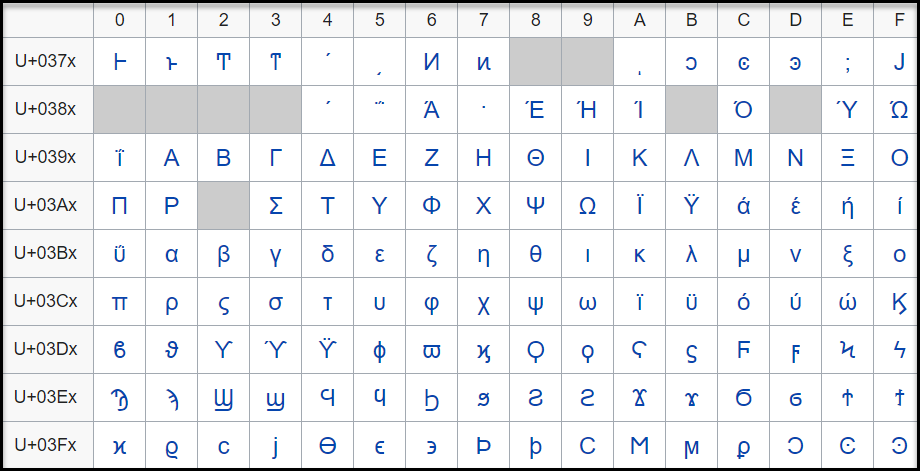
The code point, U+0378 in the defined Greek and Coptic code point range is an undefined code point. When any input data is protected, since the code point range includes both defined and undefined code points, it might result in a corrupted token value if the entire code point range is defined.
It is hence recommended that for Unicode code point ranges where both defined and undefined code points exist, you must create code points ranges excluding any undefined code points. So, in case of the Greek and Coptic characters, a recommended strategy to define alphabets would be to create multiple alphabet entries, such as a range to cover U+0371 to U+0377, another range to cover U+037A to U+037F, and so on, thus skipping undefined code points.
Note: Only the alphabet characters that are supported by the OS fonts are displayed on the Web UI.
Note: Ensure that code points in the alphabet are supported by the protectors using this alphabet.
Unicode Gen2 Tokenization Properties for different protectors
Application Protector
The following table shows supported input data types for Application protectors with the Unicode Gen2 token.
Note: The string as an input and byte as an output API is unsupported by Unicode Gen2 data elements for AP Java and AP Python.
Table: Supported input data types for Application protectors with Unicode Gen2 token
| Application Protectors*2 | AP Java*1 | AP Python | AP .Net | AP C |
|---|---|---|---|---|
| Supported input data types | BYTE[] CHAR[] STRING | BYTES STRING | STRING BYTE[] | BYTE[] |
*1 - The API accepts and returns data in BYTE[] format. The customer application needs to convert the input into byte arrays before calling the API, and similarly, convert the output from byte arrays after receiving the response from the API.
*2 - The Protegrity Application Protectors only support bytes converted from the string data type. If int, short, or long format data is directly converted to bytes and passed as input to the Application Protector APIs that support byte as input and provide byte as output, then data corruption might occur.
For more information about Application protectors, refer to Application Protector.
Big Data Protector
Protegrity supports MapReduce, Hive, Pig, HBase, Spark, and Impala, which utilizes Hadoop Distributed File System (HDFS) or Ozone as the data storage layer. The data is protected from internal and external threats, and users and business processes can continue to utilize the secured data. Protegrity protects data inside the files using tokenization and strong encryption protection methods.
The following table shows supported input data types for Big Data protectors with the Unicode Gen2 token.
Table: Supported input data types for Big Data protectors with Unicode Gen2 token
| Big Data Protectors | MapReduce*2 | Hive | Pig | HBase*2 | Impala | Spark*2 | Spark SQL | Trino |
|---|---|---|---|---|---|---|---|---|
| Supported input data types*1 | BYTE[] | STRING | Not supported | BYTE[] | STRING | BYTE[] STRING | STRING | VARCHAR |
*1 – If the input and output types of the API are BYTE [], the customer application should convert the input to a byte array. Then, call the API and convert the output from the byte array.
*2 – The Protegrity MapReduce protector, HBase coprocessor, and Spark protector only support bytes converted from the string data type. Data types that are not bytes converted from the string data type might cause data corruption to occur when:
- Any other data type is directly converted to bytes and passed as input to the MapReduce or Spark API that supports byte as input and provides byte as output.
- Any other data type is directly converted to bytes and inserted in an HBase table. Where the HBase table is configured with the Protegrity HBase coprocessor.
For more information about Big Data protectors, refer to Big Data Protector.
Data Warehouse Protector
The Protegrity Data Warehouse Protector is an advanced security solution designed to protect sensitive data at the column level. This enables you to secure your data, while still permitting access to authorized users. Additionally, the Data Warehouse Protector integrates seamlessly with existing database systems using the User-Defined Functions for an enhanced security. Protegrity protects data inside the data warehouses using various tokenization and encryption methods.
The External IV is not supported in Data Warehouse Protector.
The following table shows the supported input data types for the Teradata protector with the Unicode Gen2 token.
Table: Supported input data types for Data Warehouse protectors with Unicode Gen2 token
| Data Warehouse Protectors | Teradata |
|---|---|
| Supported input data types | VARCHAR UNICODE |
For more information about Data Warehouse protectors, refer to Data Warehouse Protector.
Database Protectors
Oracle Database Protector
The following table shows supported input data types for Oracle Database protector with the Unicode Gen2 token.
Table: Supported input data types for Oracle Database protector with Unicode Gen2 token
| Protector | Oracle |
|---|---|
| Supported Input Data Types | VARCHAR2 and NVARCHAR2 |
The maximum input lengths supported for the Oracle database protector are as described by the following points:
Unicode Gen2 – Data type : VARCHAR2:
- If the tokenizer length preservation parameter is selected as Yes, then the maximum limit that can be safely tokenized and detokenized is 4000 bytes.
- If the tokenizer length preservation parameter is selected as No, then the maximum limit that can be safely tokenized and detokenized is 3000 bytes.
Unicode Gen2 – Data type : NVARCHAR2:
- If the tokenizer length preservation parameter is selected as Yes, then the maximum limit that can be safely tokenized and detokenized is 4000 bytes.
- If the tokenizer length preservation parameter is selected as No, then the maximum limit that can be safely tokenized and detokenized is 3000 bytes.
For more information about the Oracle Database protector, refer to Oracle Database Protector.
MSSQL Database Protector
The following table shows supported input data types for MSSQL Database protector with the Unicode Gen2 token.
Table: Supported input data types for MSSQL Database protector with Unicode Gen2 token
| Protector | MSSQL |
|---|---|
| Supported Input Data Types | NVARCHAR |
Unicode Gen2 - Tokenizers
- The Unicode Gen2 data element supports SLT_1_3 and SLT_X_1 tokenizers.
- The SLT_1_3 tokenizer supports small alphabet size from 10-160 code points.
- The SLT_X_1 tokenizer supports large alphabet size from 161-100K code points.
For more information about the MSSQL Database protector, refer to MSSQL Database Protector.
DB2 Database Protector
The following table shows supported input data types for the DB2 Database protector with the Unicode Gen2 token.
Table: Supported input data types for tthe DB2 Database protector with the Unicode Gen2 token
| Protector | DB2 |
|---|---|
| Supported Input Data Types | VARCHAR |
Note: z/OS supports the DB/2 database protector.
For more information about the DB2 Database protector, refer to DB2 Database Protector.
8.1.4.12 - Binary
The Binary token type can be used to tokenize binary data with Hex codes from 0x00 to 0xFF.
Table: Binary Tokenization Type properties
Tokenization Type Properties | Settings | |||||||||||
|---|---|---|---|---|---|---|---|---|---|---|---|---|
Name | Binary | |||||||||||
Token type and Format | Hex character codes from 0x00 to 0xFF. | |||||||||||
Tokenizer | Length Preservation | Minimum Length | Maximum Length | |||||||||
SLT_1_3 SLT_2_3 | No | 3 | 4095 | |||||||||
Possibility to set Minimum/ maximum length | No | |||||||||||
Left/Right settings | Yes | |||||||||||
Internal IV | Yes, if Left/Right settings are non-zero. | |||||||||||
External IV | Yes | |||||||||||
Return of Protected value | No | |||||||||||
Token specific properties | Tokenization result is binary. | |||||||||||
The following table shows examples of the way in which a value will be tokenized with the Binary token.
Table: Examples of Tokenization for Binary Values
| Input Values | Tokenized Values | Comments |
|---|---|---|
| Protegrity | 0x05C1CF0C310B2D38ACAD4C | Tokenization result is returned as a binary stream. |
| 123 | 0x19707E | Tokenization of the value with Minimum supported length. |
Binary Tokenization Properties for different protectors
Application Protector
It is recommended to use Binary tokenization only with APIs that accept BYTE[] as input and provide BYTE[] as output. If Binary tokens are generated using APIs that accept BYTE[] as input and provide BYTE[] as output, and uniform encoding is maintained across protectors, then the tokens can be used across various protectors.
The following table shows supported input data types for Application protectors with the Binary token.
Table: Supported input data types for Application protectors with Binary token
| Application Protectors*2 | AP Java*1 | AP Python | AP .Net | AP C |
|---|---|---|---|---|
| Supported input data types | BYTE[] | BYTES | BYTE[] | BYTE[] |
*1 - The API accepts and returns data in BYTE[] format. The customer application needs to convert the input into byte arrays before calling the API, and similarly, convert the output from byte arrays after receiving the response from the API.
*2 - The Protegrity Application Protectors only support bytes converted from the string data type. If int, short, or long format data is directly converted to bytes and passed as input to the Application Protector APIs that support byte as input and provide byte as output, then data corruption might occur.
For more information about Application protectors, refer to Application Protector.
Big Data Protector
Protegrity supports MapReduce, Hive, Pig, HBase, Spark, and Impala, which utilizes Hadoop Distributed File System (HDFS) or Ozone as the data storage layer. The data is protected from internal and external threats, and users and business processes can continue to utilize the secured data. Protegrity protects data inside the files using tokenization and strong encryption protection methods.
The following table shows supported input data types for Big Data protectors with the Binary token.
Table: Supported input data types for Big Data protectors with Binary token
| Big Data Protectors | MapReduce*2 | Hive | Pig | HBase*2 | Impala | Spark*2 | Spark SQL | Trino |
|---|---|---|---|---|---|---|---|---|
| Supported input data types*1 | BYTE[]*3 | Not supported | Not supported | BYTE[]*3 | Not supported | BYTE[]*3 | Not supported | Not supported |
*1 – If the input and output types of the API are BYTE [], the customer application should convert the input to a byte array. Then, call the API and convert the output from the byte array.
*2 – The Protegrity MapReduce protector, HBase coprocessor, and Spark protector only support bytes converted from the string data type. Data types that are not bytes converted from the string data type might cause data corruption to occur when:
- Any other data type is directly converted to bytes and passed as input to the MapReduce or Spark API that supports byte as input and provides byte as output.
- Any other data type is directly converted to bytes and inserted in an HBase table. Where the HBase table is configured with the Protegrity HBase coprocessor.
*3 – It is recommended to use Binary tokenization only with APIs that accept BYTE[] as input and provide BYTE[] as output. If Binary tokens are generated using APIs that accept input and provide output as BYTE[], these tokens can be used across various protectors. The Binary tokens is assumed to have uniform encoding across protectors.
For more information about Big Data protectors, refer to Big Data Protector.
Data Warehouse Protector
The Protegrity Data Warehouse Protector is an advanced security solution designed to protect sensitive data at the column level. This enables you to secure your data, while still permitting access to authorized users. Additionally, the Data Warehouse Protector integrates seamlessly with existing database systems using the User-Defined Functions for an enhanced security. Protegrity protects data inside the data warehouses using various tokenization and encryption methods.
The following table shows the supported input data types for the Teradata protector with the Binary token.
Table: Supported input data types for Data Warehouse protectors with Binary token
| Data Warehouse Protectors | Teradata |
|---|---|
| Supported input data types | Not Supported |
For more information about Data Warehouse protectors, refer to Data Warehouse Protector.
Database Protectors
Oracle Database Protector
The following table shows supported input data types for Oracle Database protector with the Binary token.
Table: Supported input data types for Oracle Database protector with Binary token
| Protector | Oracle |
|---|---|
| Supported Input Data Types | Unsupported |
For more information about the Oracle Database protector, refer to Oracle Database Protector.
MSSQL Database Protector
The following table shows supported input data types for MSSQL Database protector with the Binary token.
Table: Supported input data types for MSSQL Database protector with Binary token
| Protector | MSSQL |
|---|---|
| Supported Input Data Types | Unsupported |
For more information about the MSSQL Database protector, refer to MSSQL Database Protector.
DB2 Database Protector
The following table shows supported input data types for the DB2 Database protector with the Binary token.
Table: Supported input data types for the DB2 Database protector with the Binary token
| Protector | DB2 |
|---|---|
| Supported Input Data Types | Unsupported |
For more information about the DB2 Database protector, refer to Db2 Database Protector.
8.1.4.13 - Email
Email token type allows tokenization of an email address. Email tokens keep the domain name and all characters after the “@” sign in the clear. The local part, which is the part before the “@” sign, gets tokenized.
The table lists minimum and maximum length requirements for this token type, which should be applied for the local part, domain part and the entire e-mail.
Table: Email Tokenization Type Properties
Tokenization Type Properties | Settings | ||||||||||||||||||
|---|---|---|---|---|---|---|---|---|---|---|---|---|---|---|---|---|---|---|---|
Name | |||||||||||||||||||
Token type and Format | Alphabetic and numeric only. The rest of the characters will be treated as delimiters. | ||||||||||||||||||
Tokenizer | Length Preservation | Minimum Length | Maximum Length | ||||||||||||||||
Local | Domain | Entire | Local | Domain | Entire | ||||||||||||||
SLT_1_3 SLT_2_3 | No | 1 | 1 | 3 | 63 | 252 | 256 | ||||||||||||
No | 1 | 1 | 3 | 63 | 252 | 256 | |||||||||||||
SLT_1_3 SLT_2_3 | Yes | 3*1 | 1 | 5 | 64 | 252*2 | 256 | ||||||||||||
Yes | 3*1 | 1 | 5 | 64 | 252*2 | 256 | |||||||||||||
Possibility to set minimum/ maximum length | No | ||||||||||||||||||
Left/Right settings | No | ||||||||||||||||||
Internal IV | N/A | ||||||||||||||||||
External IV | Yes | ||||||||||||||||||
Return of Protected value | Yes | ||||||||||||||||||
Token specific properties | At least one @ character is required in the input. The right most @ character defines the delimiter between the local and domain parts. | ||||||||||||||||||
*1 – If the settings for short data tokenization is set to Yes, then the minimum tokenizable length for the local part of an email is one else it is three.
*2 – If the settings for short data tokenization is set to Yes, then the maximum length for the domain part of an email is 253 else it is 252.
Email Token Format
An Email token format indicates the tokenization format for email. The email address consists of a local part and a domain, local-part@domain. The local part can be up to 64 characters and the domain name can be up to 254 characters, but the entire email address cannot be longer than 256 characters.
The following table explains email token format input requirements and tokenized output format:
Table: Output Values for Email Token Format
Local Part Input value can consist | Output value can consist |
Commonly used:
| The part before “@” sign will be tokenized. The following will be tokenized:
The following characters will be considered as delimiters and not tokenized:
|
@ Part The “@” character defines the delimiter between the local and domain parts, and will be left in clear. | |
Domain Part Input value can consist | Output value can consist |
| The part after “@” sign will not be tokenized. |
Note:
Comments are allowed both in local and domain part of the e-mail token, and comments will be tokenized only if they are in the local part. Here are the examples of comments usage for the e-mail - john.smith@example.com:
- john.smith(comment)@example.com
- “john(comment).smith@example.com”
- john(comment)n.smith@example.com
- john.smith@(comment)example.com
- john.smith@example.com(comment)
The following table shows examples of the way in which a value will be tokenized with the Email token.
Table: Examples of Tokenization for Email Token Formats
| Input Values | Tokenized Values | Comments |
|---|---|---|
| Protegrity1234@gmail.com | UNfOxcZ51jWbXMq@gmail.com | All characters before @ symbol are tokenized. |
| john.smith!@#@$%$%^&@gmail.com | hX3p.yDcwD!@#@$%$%@gmail.com | All symbols except alphabetic are distinguish as delimiters. |
| email@protegrity@gmail.com | F00CJ@RjDEX9LMDq@gmail.com | The right most @ character defines the delimiter between the local and domain parts. |
| q@a | asj@a | Min 3 symbols in local part for none length preserving tokens |
| qdd@a | S0Y@a | Min 5 symbols in local part for length preserving tokens |
| a@protegrity.com | o@protegrity.com | Email, SLT_1_3, Length Preservation=Yes, Allow Short Data=Yes The local part of the email has at least one character to tokenize, which meets the minimum length requirement for SLT_1_3 tokenizer when Length Preservation=Yes and Allow Short Data=Yes. |
| a@protegrity.com email@protegrity.com | a@protegrity.com F00CJ@protegrity.com | Email, SLT_1_3, Length Preservation=Yes, Allow Short Data=No, return input as it is If the input value has less than three characters to tokenize, then it is returned as is else it is tokenized. |
| a@protegrity.com | Error. Input too short. | Email, SLT_1_3, Length Preservation=Yes, Allow Short Data=No, generate an error The local part of the email has one character to tokenize, which is short for SLT_1_3 tokenizer when Length Preservation=Yes and Allow Short Data=No, generate an error. |
Email Tokenization Properties for different protectors
Application Protector
The following table shows supported input data types for Application protectors with the Email token.
Table: Supported input data types for Application protectors with Email token
| Application Protectors*2 | AP Java*1 | AP Python | AP .Net | AP C |
|---|---|---|---|---|
| Supported input data types | STRING CHAR[] BYTE[] | STRING BYTES | STRING BYTE[] | BYTE[] |
*1 – The API accepts and returns data in BYTE[] format. The customer application needs to convert the input into byte arrays before calling the API, and similarly, convert the output from byte arrays after receiving the response from the API.
*2 – The Protegrity Application Protectors only support bytes converted from the string data type. If int, short, or long format data is directly converted to bytes and passed as input to the Application Protector APIs that support byte as input and provide byte as output, then data corruption might occur.
For more information about Application protectors, refer to Application Protector.
Big Data Protector
Protegrity supports MapReduce, Hive, Pig, HBase, Spark, and Impala, which utilizes Hadoop Distributed File System (HDFS) or Ozone as the data storage layer. The data is protected from internal and external threats, and users and business processes can continue to utilize the secured data. Protegrity protects data inside the files using tokenization and strong encryption protection methods.
The following table shows supported input data types for Big Data protectors with the Email token.
Table: Supported input data types for Big Data protectors with Email token
| Big Data Protectors | MapReduce*2 | Hive | Pig | HBase*2 | Impala | Spark*2 | Spark SQL | Trino |
|---|---|---|---|---|---|---|---|---|
| Supported input data types*1 | BYTE[] | CHAR*3 STRING | CHARARRAY | BYTE[] | STRING | BYTE[] STRING | STRING | VARCHAR |
*1 – If the input and output types of the API are BYTE [], the customer application should convert the input to a byte array. Then, call the API and convert the output from the byte array.
*2 – The Protegrity MapReduce protector, HBase coprocessor, and Spark protector only support bytes converted from the string data type. Data types that are not bytes converted from the string data type might cause data corruption to occur when:
- Any other data type is directly converted to bytes and passed as input to the MapReduce or Spark API that supports byte as input and provides byte as output.
- Any other data type is directly converted to bytes and inserted in an HBase table. Where the HBase table is configured with the Protegrity HBase coprocessor.
*3 – If you are using the Char tokenization UDFs in Hive, then ensure that the data elements have length preservation selected. In Char tokenization UDFs, using data elements without length preservation selected, is not supported.
For more information about Big Data protectors, refer to Big Data Protector.
Data Warehouse Protector
The Protegrity Data Warehouse Protector is an advanced security solution designed to protect sensitive data at the column level. This enables you to secure your data, while still permitting access to authorized users. Additionally, the Data Warehouse Protector integrates seamlessly with existing database systems using the User-Defined Functions for an enhanced security. Protegrity protects data inside the data warehouses using various tokenization and encryption methods.
The following table shows the supported input data types for the Teradata protector with the Email token.
Table: Supported input data types for Data Warehouse protectors with Email token
| Data Warehouse Protectors | Teradata |
|---|---|
| Supported input data types | VARCHAR LATIN |
For more information about Data Warehouse protectors, refer to Data Warehouse Protector.
Database Protectors
Oracle Database Protector
The following table shows supported input data types for Oracle Database protector with the Email token.
Table: Supported input data types for Oracle Database protector with Email token
| Protector | Oracle |
|---|---|
| Supported Input Data Types | VARCHAR2 CHAR |
For more information about the Oracle Database protector, refer to Oracle Database Protector.
MSSQL Database Protector
The following table shows supported input data types for MSSQL Database protector with the Email token.
Table: Supported input data types for MSSQL Database protector with Email token
| Protector | MSSQL |
|---|---|
| Supported Input Data Types | VARCHAR CHAR |
For more information about the MSSQL Database protector, refer to MSSQL Database Protector.
DB2 Database Protector
The following table shows supported input data types for the DB2 Database protector with an Email token.
Table: Supported input data types for the DB2 Database protector with an Email token
| Protector | DB2 |
|---|---|
| Supported Input Data Types | VARCHAR CHAR |
For more information about the DB2 Database protector, refer to DB2 Database Protector.
8.1.4.14 - Printable
Deprecated
Starting from v10.0.x, the Printable token type is deprecated.
It is recommended to use the Unicode Gen2 token type instead of the Printable token type.
The Printable token type tokenizes ASCII printable characters from the ISO 8859-15 alphabet, which include letters, digits, punctuation marks, and miscellaneous symbols.
Table: Printable Tokenization Type properties
Tokenization Type Properties | Settings | |||||||||||
|---|---|---|---|---|---|---|---|---|---|---|---|---|
Name | Printable | |||||||||||
Token type and Format | ASCII printable characters, which include letters, digits, punctuation marks, and miscellaneous symbols. Hex character codes from 0x20 to 0x7E and from 0xA0 to 0xFF. Refer to ASCII Character Codes for the list of ASCII characters supported by Printable token. | |||||||||||
Tokenizer*1*2 | Length Preservation | Allow Short Data | Minimum Length | Maximum Length | ||||||||
SLT_1_3 | Yes | Yes | 1 | 4096 | ||||||||
No, return input as it is | 3 | |||||||||||
No, generate error | ||||||||||||
No | NA | 1 | 4091 | |||||||||
Possibility to set Minimum/ maximum length | No | |||||||||||
Left settings | Yes | |||||||||||
Internal IV | Yes, if Left/Right settings are non-zero | |||||||||||
External IV | Yes | |||||||||||
Return of Protected value | Yes | |||||||||||
Token specific properties | Token tables are large in size, approximately 27MB. Refer to SLT Tokenizer Characteristics for the exact numbers. | |||||||||||
*1 – The character column “CHAR” to protect is configured to remove trailing spaces before the tokenization. This means that the space character can be lost in translation for Printable tokens. To avoid this consider using Lower ASCII token instead of Printable for CHAR columns and input data having spaces.
*2 – Printable tokenization is not supported on databases where the character set is UTF.
The following table shows examples of the way in which a value will be tokenized with the Printable token.
Table: Examples of Tokenization for Printable Values
| Input Values | Tokenized Values | Comments |
|---|---|---|
| La Scala 05698 | F|ZpÙç|Ôä%s^¦4 | All characters in the input value, including spaces, are tokenized. |
| Ford Mondeo CA-0256TY M34 567 K-45 | §)%ß#)ðYjt{¬ÓÊEµV²ù² | All characters in the input value, including spaces, are tokenized. |
| qw | rD | Printable, SLT_1_3, Left=0, Right=0, Length Preservation=Yes, Allow Short Data=Yes The minimum length meets the requirement for the SLT_1_3 tokenizer when Length Preservation=Yes and Allow Short Data=Yes. |
| qw | Error. Input too short. | Printable, SLT_1_3, Left=0, Right=0, Length Preservation=Yes, Allow Short Data=No, generate an error The input has two characters to tokenize, which is short for SLT_1_3 tokenizer when Length Preservation=Yes and Allow Short Data=No, generate an error. |
| qw qwa | qw rDZ | Printable, SLT_1_3, Left=0, Right=0, Length Preservation=Yes, Allow Short Data=No, return input as it is. If the input value has less than three characters to tokenize, then it is returned as is else it is tokenized. |
Printable Tokenization Properties for different protectors
Application Protector
Printable tokenization is recommended for APIs that accept BYTE [] as input and provide BYTE [] as output. If uniform encoding is maintained across protectors, tokens generated by these APIs can be used across various protectors.
To ensure accurate tokenization results, user must use ISO 8859-15 character encoding when converting String data to Byte. This input should then be passed to Byte APIs.
Note: If Printable tokens are generated using APIs or UDFs that accept STRING or VARCHAR as input, then the protected values can only be unprotected using the protector with which it was protected. If you are unprotecting the protected data using any other protector, then you could get inconsistent results.
The following table shows supported input data types for Application protectors with the Printable token.
Table: Supported input data types for Application protectors with Printable token
| Application Protectors*2 | AP Java*1 | AP Python | AP C |
|---|---|---|---|
| Supported input data types | STRING CHAR[] BYTE[] | STRING BYTES | BYTE[] |
*1 - The API accepts and returns data in BYTE[] format. The customer application needs to convert the input into byte arrays before calling the API, and similarly, convert the output from byte arrays after receiving the response from the API.
*2 - The Protegrity Application Protector only supports bytes converted from the string data type. If any other data type is directly converted to bytes and passed as input to the Application Protectors APIs that support byte as input and provide byte as output, then data corruption might occur.
For more information about Application protectors, refer to Application Protector.
Big Data Protector
Protegrity supports MapReduce, Hive, Pig, HBase, Spark, and Impala, which utilizes Hadoop Distributed File System (HDFS) or Ozone as the data storage layer. The data is protected from internal and external threats, and users and business processes can continue to utilize the secured data. Protegrity protects data inside the files using tokenization and strong encryption protection methods.
The following table shows supported input data types for Big Data protectors with the Printable token.
Table: Supported input data types for Big Data protectors with Printable token
| Big Data Protectors | MapReduce*4*5 | Hive | Pig | HBase*4*5 | Impala*2*3 | Spark*4*5 | Spark SQL | Trino |
|---|---|---|---|---|---|---|---|---|
| Supported input data types*1*6 | BYTE[] | Not supported | Not supported | BYTE[] | STRING | BYTE[]*5 | Not supported | VARCHAR |
*1 – If the input and output types of the API are BYTE[], then the customer application should convert the input to and output from the byte array, before calling the API.
*2 – Ensure that you use the Horizontal tab “\t” as the field or column delimiter when loading data that is tokenized using Printable tokens for Impala.
*3 – Though the tokenization results for Impala may not be formatted and displayed accurately, they will be unprotected to the original values, using the respective protector.
*4 – The Protegrity MapReduce protector, HBase coprocessor, and Spark protector only support bytes converted from the string data type. Data types that are not bytes converted from the string data type might cause data corruption to occur when:
- Any other data type is directly converted to bytes and passed as input to the MapReduce or Spark API that supports byte as input and provides byte as output.
- Any other data type is directly converted to bytes and inserted in an HBase table. Where the HBase table is configured with the Protegrity HBase coprocessor.
*5 – It is recommended to use Printable tokenization with APIs that accepts BYTE[] as input and provides BYTE[] as output. If uniform encoding is maintained across protectors, Printable tokens generated by such APIs can be used across various protectors. To ensure accurate formatting and display of tokenization results, clients should use ISO 8859-15 character encoding. Before passing input to Byte APIs, clients must convert String data type to Byte and apply ISO 8859-15 character encoding.
*6 – Printable tokens are generated using APIs or UDFs. These APIs or UDFs accept STRING or VARCHAR as input. Then, the protected values can only be unprotected using the protector with which it was protected. If you are unprotecting the protected data using any other protector, then you could get inconsistent results.
For more information about Big Data protectors, refer to Big Data Protector.
Data Warehouse Protector
The Protegrity Data Warehouse Protector is an advanced security solution designed to protect sensitive data at the column level. This enables you to secure your data, while still permitting access to authorized users. Additionally, the Data Warehouse Protector integrates seamlessly with existing database systems using the User-Defined Functions for an enhanced security. Protegrity protects data inside the data warehouses using various tokenization and encryption methods.
Printable tokens are generated using APIs or UDFs. These APIs or UDFs accept STRING or VARCHAR as input. Then, the protected values can only be unprotected using the protector with which it was protected. If you are unprotecting the protected data using any other protector, then you could get inconsistent results.
Important: Tokenizing XML or JSON data with Printable tokenization will not return valid XML or JSON format output.
JSON and XML UDFs are supported for the Teradata Data Warehouse Protector.
The following table shows the supported input data types for the Teradata protector with the Printable token.
Table: Supported input data types for Data Warehouse protectors with Printable token
| Data Warehouse Protectors | Teradata |
|---|---|
| Supported input data types | VARCHAR LATIN |
For more information about Data Warehouse protectors, refer to Data Warehouse Protector.
Database Protectors
Oracle Database Protector
The following table shows supported input data types for Oracle Database protector with the Printable token.
Table: Supported input data types for Oracle Database protector with Printable token
| Protector | Oracle |
|---|---|
| Supported Input Data Types | VARCHAR2 CHAR |
For more information about the Oracle Database protector, refer to Oracle Database Protector.
MSSQL Database Protector
The following table shows supported input data types for MSSQL Database protector with the Printable token.
Table: Supported input data types for MSSQL Database protector with Printable token
| Protector | MSSQL |
|---|---|
| Supported Input Data Types | VARCHAR CHAR |
Note: If Printable tokens are generated using APIs or UDFs that accept STRING or VARCHAR as input, then the protected values can only be unprotected using the protector with which it was protected. Unprotecting the protected data using any other protector could return inconsistent results.
For more information about the MSSQL Database protector, refer to MSSQL Database Protector.
DB2 Database Protector
The following table shows the supported input data types for the DB2 Database protector with the Printable token.
Table: Supported input data types for the DB2 Database protector with the Printable token
| Protector | DB2 |
|---|---|
| Supported Input Data Types | VARCHAR CHAR |
For more information about the DB2 Database protector, refer to DB2 Database Protector.
8.1.4.15 - Date (YYYY-MM-DD, DD/MM/YYYY, MM.DD.YYYY)
Deprecated
Starting from v10.0.x, the Date YYYY-MM-DD, Date DD/MM/YYYY, and Date MM.DD.YYYY tokenization types are deprecated.
It is recommended to use the Datetime (YYYY-MM-DD HH:MM:SS MMM) token type instead of the Date YYYY-MM-DD, Date DD/MM/YYYY, and Date MM.DD.YYYY token types.
The Date token type supports date formats corresponding to the big endian, little endian, and middle endian forms. It protects dates in one of the following formats:
- YYYY<delim>MM<delim>DD
- DD<delim>MM<delim>YYYY
- MM<delim>DD<delim>YYYY
Where <delim> is one of the allowed separators: dot “.”, slash “/”, or dash “-”.
Table: Date Tokenization Type properties
Tokenization Type Properties | Settings | |||||||||||
|---|---|---|---|---|---|---|---|---|---|---|---|---|
Name | Date | |||||||||||
Token type and Format | Date in big endian form, starting with the year (YYYY-MM-DD). Date in little endian form, starting with the day (DD/MM/YYYY). Date in middle endian form, starting with the month (MM.DD.YYYY). The following separators are supported: dot ".", slash "/", or dash "-". | |||||||||||
Tokenizer | Length Preservation | Minimum Length | Maximum Length | |||||||||
SLT_1_3 SLT_2_3 SLT_1_6 SLT_2_6 | Yes | 10 | 10 | |||||||||
Possibility to set Minimum/ maximum length | No | |||||||||||
Left/Right settings | No | |||||||||||
Internal IV | No | |||||||||||
External IV | No | |||||||||||
Return of Protected value | Yes | |||||||||||
Token specific properties | All separators, such as dot ".", slash "/", or dash "-" are allowed. | |||||||||||
Supported range of input dates | From “0600-01-01” to “3337-11-27” | |||||||||||
Non-supported range of Gregorian cutover dates | From "1582-10-05" to "1582-10-14" | |||||||||||
The following table shows examples of the way in which a value will be tokenized with the Date token.
Table: Examples for Tokenization of Date
| Input Values | Tokenized Values | Comments |
|---|---|---|
| 2012-02-29 2012/02/29 2012.02.29 | 2150-02-20 2150/02/20 2150.02.20 | Date (YYYY-MM-DD) token is used. All three separators are successfully accepted. They are treated as delimiters not impacting tokenized value. |
| 31/01/0600 | 08/05/2215 | Date (DD/MM/YYYY) token is used. Date in the past is tokenized. |
| 10.30.3337 | 09.05.2042 | Date (MM.DD.YYYY) token is used. Date in the future is tokenized. |
| 2012:08:24 1975-01-32 | Token is not generated due to invalid input value. Error is returned. | Date (YYYY-MM-DD) token is used. Input values with non-supported separators or with invalid dates produce error. |
Date Tokenization for Cutover Dates of the Proleptic Gregorian Calendar
The data systems, such as, Oracle or Java-based systems, do not accept the cutover dates of the Proleptic Gregorian Calendar. The cutover dates of the Proleptic Gregorian Calendar fall in the interval 1582-10-05 to 1582-10-14. These dates are converted to 1582-10-15. When using Oracle, conversion occurs by adding ten days to the source date. Due to this conversion, data loss occurs as the system is not capable to return the actual date value after the de-tokenization.
The following points are applicable for the tokenization and de-tokenization of the cutover dates of the Proleptic Gregorian Calendar:
- The tokenization of the date values in the cutover date range of the Proleptic Gregorian Calendar results in an ‘Invalid Input’ error.
- During tokenization, an internal validation is performed to check whether the value is tokenized to the cutover date. If it is a cutover date, then the Year part (1582) of the tokenized value is converted to 3338 and then returned. During de-tokenization, an internal check is performed to validate whether the Year is 3338. If the Year is 3338, then it is internally converted to 1582.
Note:
The tokenization accepts the date range 0600-01-01 to 3337-11-27 excluding the cutover date range.
The de-tokenization accepts the date ranges 0600-01-01 to 3337-11-27 and 3338-10-05 to 3338-10-14.
Consider a scenario where you are migrating the protected data from Protector 1 to Protector 2. The Protector 1 includes the Date tokenizer update to process the cutover dates of the Proleptic Gregorian Calendar as input. The Protector 2 does not include this update. In such a scenario, an “Invalid Date Format” error occurs in Protector 2, when you try to unprotect the protected data as it fails to accept the input year 3338. The following steps must be performed to mitigate this issue:
- Unprotect the protected data from Protector 1.
- Migrate the unprotected data to Protector 2.
- Protect the data from Protector 2.
Date Tokenization Properties for different protectors
Application Protector
The following table shows supported input data types for Application protectors with the Date token.
Table: Supported input data types for Application protectors with Date token
| Application Protectors*2 | AP Java*1 | AP Python | AP .Net | AP C |
|---|---|---|---|---|
| Supported input data types | DATE STRING CHAR[] BYTE[] | DATE BYTES STRING | STRING BYTE[] | BYTE[] |
*1 - The API accepts and returns data in BYTE[] format. The customer application needs to convert the input into byte arrays before calling the API, and similarly, convert the output from byte arrays after receiving the response from the API.
*2 - The Protegrity Application Protectors only support bytes converted from the string data type. If int, short, or long format data is directly converted to bytes and passed as input to the Application Protector APIs that support byte as input and provide byte as output, then data corruption might occur.
For more information about Application protectors, refer to Application Protector.
Big Data Protector
Protegrity supports MapReduce, Hive, Pig, HBase, Spark, and Impala, which utilizes Hadoop Distributed File System (HDFS) or Ozone as the data storage layer. The data is protected from internal and external threats, and users and business processes can continue to utilize the secured data. Protegrity protects data inside the files using tokenization and strong encryption protection methods.
The following table shows supported input data types for Big Data protectors with the Date token.
Table: Supported input data types for Big Data protectors with Date token
| Big Data Protectors | MapReduce*2 | Hive | Pig | HBase*2 | Impala | Spark*2 | Spark SQL | Trino |
|---|---|---|---|---|---|---|---|---|
| Supported input data types*1 | BYTE[] | STRING DATE*3 | CHARARRAY | BYTE[] | STRING DATE*3 | BYTE[] STRING | STRING DATE*3 | DATE*3 |
*1 – If the input and output types of the API are BYTE [], the customer application should convert the input to a byte array. Then, call the API and convert the output from the byte array.
*2 – The Protegrity MapReduce protector, HBase coprocessor, and Spark protector only support bytes converted from the string data type. Data types that are not bytes converted from the string data type might cause data corruption to occur when:
- Any other data type is directly converted to bytes and passed as input to the MapReduce or Spark API that supports byte as input and provides byte as output.
- Any other data type is directly converted to bytes and inserted in an HBase table. Where the HBase table is configured with the Protegrity HBase coprocessor.
*3 – In the Big Data Protector, the date format supported for Hive, Impala, Spark SQL, and Trino is YYYY-MM-DD only.
Date input values are not fully validated to ensure they represent valid dates. For instance, entering a day value greater than 31 or a month value greater than 12 will result in an error. However, the date 2011-02-30 does not cause an error but is converted to 2011-03-02, which is not the intended date.
For more information about Big Data protectors, refer to Big Data Protector.
Data Warehouse Protector
The Protegrity Data Warehouse Protector is an advanced security solution designed to protect sensitive data at the column level. This enables you to secure your data, while still permitting access to authorized users. Additionally, the Data Warehouse Protector integrates seamlessly with existing database systems using the User-Defined Functions for an enhanced security. Protegrity protects data inside the data warehouses using various tokenization and encryption methods.
The following table shows the supported input data types for the Teradata protector with the Date token.
Table: Supported input data types for Data Warehouse protectors with Date token
| Data Warehouse Protectors | Teradata |
|---|---|
| Supported input data types | VARCHAR LATIN |
For more information about Data Warehouse protectors, refer to Data Warehouse Protector.
Database Protectors
Oracle Database Protector
The following table shows supported input data types for Oracle Database protector with the Date token.
Table: Supported input data types for Oracle Database protector with Date token
| Protector | Oracle |
|---|---|
| Supported Input Data Types | DATE VARCHAR2 CHAR |
For more information about the Oracle Database protector, refer to Oracle Database Protector.
MSSQL Database Protector
The following table shows supported input data types for MSSQL Database protector with the Date token.
Table: Supported input data types for MSSQL Database protector with Date token
| Protector | MSSQL |
|---|---|
| Supported Input Data Types | VARCHAR CHAR |
For more information about the MSSQL Database protector, refer to MSSQL Database Protector.
DB2 Database Protector
The following table shows the supported input data types for the DB2 Database protector with the Date token.
Table: Supported input data types for the DB2 Database protector with the Date token
| Protector | DB2 |
|---|---|
| Supported Input Data Types | DATE VARCHAR CHAR |
For more information about the DB2 Database protector, refer to DB2 Database Protector.
8.1.4.16 - Unicode
Deprecated
Starting from v10.0.x, the Unicode token type is deprecated.
It is recommended to use the Unicode Gen2 token type instead of the Unicode token type.
The Unicode token type can be used to tokenize multi-byte character strings. The input is treated as a byte stream, hence there are no delimiters. There are also no character conversions or code point validation done on the input. The token value will be alpha-numeric.
The encoding and unicode character set of the input data will affect the protected data length. For instance, the respective lengths for UTF-8 and UTF-16, in bytes, is described in the following table.
Table: Lengths for UTF-8 and UTF-16
| Input Values | UTF-8 | UTF-16 |
|---|---|---|
| 導字社導字會 | 18 bytes | 12 bytes |
| Protegrity | 10 bytes | 20 bytes |
Table: Unicode Tokenization Type properties
Tokenization Type Properties | Settings | |||||||||||||
|---|---|---|---|---|---|---|---|---|---|---|---|---|---|---|
Name | Unicode | |||||||||||||
Token type and Format | Application protectors support UTF-8, UTF-16LE, and UTF-16BE encoding. Hex character codes from 0x00 to 0xFF. For the list of supported characters, refer to ASCII Character Codes. | |||||||||||||
Tokenizer | Length Preservation | Allow Short Data | Minimum Length | Maximum Length*2 | ||||||||||
SLT_1_3*1 SLT_2_3*1 | No | Yes | 1 byte | 4096 | ||||||||||
| No, return input as it is | 3 bytes | |||||||||||||
| No, generate error | ||||||||||||||
Possibility to set Minimum/ maximum length | No | |||||||||||||
Left/Right settings | No | |||||||||||||
Internal IV | No | |||||||||||||
External IV | Yes | |||||||||||||
Return of Protected value | Yes | |||||||||||||
Token specific properties | Tokenization result is Alpha-Numeric. | |||||||||||||
*1 - If the input and output types of the API are BYTE[], then the customer application should convert the input to and output from the byte array, before calling the API.
*2 - The maximum input length to safely tokenize and detokenize the data is 4096 bytes, which is irrespective of the byte representation.
The following table shows examples of the way in which a value will be tokenized with the Unicode token.
Table: Examples of Tokenization for Unicode Values
Input Value | Tokenized Value | Comments |
| Протегріті | WurIeXLFZPApXQorkFCKl3hpRaGR28K | Input value contains Cyrillic characters. Tokenization result is Alpha-Numeric. |
| 安全 | xM2EcAQ0LVtQJ | Input value contains characters in Simplified Chinese. Tokenization result is Alpha-Numeric. |
Protegrity | RsbQU8KdcQzHJ1 | Algorithm is non-length preserving. Tokenized value is longer than initial one. |
| a | V2wU | Unicode, Allow Short Data=Yes Algorithm is non-length preserving. Tokenized value is longer than initial one. |
| a9c | A0767Vo |
Unicode Tokenization Properties for different protectors
Unicode tokenization is supported only by Application Protectors, Big Data Protector and Data Warehouse Protector.
Application Protector
The following table shows supported input data types for Application protectors with the Unicode token.
Table: Supported input data types for Application protectors with Unicode token
| Application Protectors*2 | AP Java*1 | AP Python | AP .Net | AP C |
|---|---|---|---|---|
| Supported input data types | BYTE[] CHAR[] STRING | BYTES STRING | STRING BYTE[] | BYTE[] |
*1 - The API accepts and returns data in BYTE[] format. The customer application needs to convert the input into byte arrays before calling the API, and similarly, convert the output from byte arrays after receiving the response from the API.
*2 - The Protegrity Application Protectors only support bytes converted from the string data type. If int, short, or long format data is directly converted to bytes and passed as input to the Application Protector APIs that support byte as input and provide byte as output, then data corruption might occur.
For more information about Application protectors, refer to Application Protector.
Big Data Protector
Protegrity supports MapReduce, Hive, Pig, HBase, Spark, and Impala, which utilizes Hadoop Distributed File System (HDFS) or Ozone as the data storage layer. The data is protected from internal and external threats, and users and business processes can continue to utilize the secured data. Protegrity protects data inside the files using tokenization and strong encryption protection methods.
The minimum and maximum lengths supported for the Big Data Protector are as described by the following points:
- MapReduce: The maximum limit that can be safely tokenized and detokenized back is 4096 bytes. The user controls the encoding, as required.
- Spark: The maximum limit that can be safely tokenized and detokenized back is 4096 bytes. The user controls the encoding, as required.
- Hive: The ptyProtectUnicode and ptyUnprotectUnicode UDFs convert data to UTF-16LE encoding internally. These encoding has a minimum requirement of four bytes of data in UTF-16LE encoding. Additionally, it has a maximum limit of 4096 bytes in UTF-16LE encoding for safely tokenizing and detokenizing the data. The pty_ProtectStr and pty_UnprotectStr UDFs convert data to UTF-8 encoding internally. This encoding has a minimum requirement of three bytes for data in UTF-8 encoding. Additionally, it has a maximum limit of 4096 bytes for safely tokenizing and detokenizing the data.
- Impala: The pty_UnicodeStringIns and pty_UnicodeStringSel UDFs convert data to UTF-16LE encoding internally. These encoding has a minimum requirement of four bytes of data in UTF-16LE encoding. Additionally, it has a maximum limit of 4096 bytes in UTF-16LE encoding for safely tokenizing and detokenizing the data. The pty_StringIns and pty_StringSel UDFs convert data to UTF-8 encoding internally. This encoding has a minimum requirement of three bytes for data in UTF-8 encoding. Additionally, it has a maximum limit of 4096 bytes for safely tokenizing and detokenizing the data.
The following table shows supported input data types for Big Data protectors with the Unicode token.
Table: Supported input data types for Big Data protectors with Unicode token
| Big Data Protectors | MapReduce*2 | Hive | Pig | HBase*2 | Impala | Spark*2 | Spark SQL | Trino |
|---|---|---|---|---|---|---|---|---|
| Supported input data types*1 | BYTE[] | STRING | Not supported | BYTE[] | STRING | BYTE[] STRING | STRING | VARCHAR |
*1 – If the input and output types of the API are BYTE [], the customer application should convert the input to a byte array. Then, call the API and convert the output from the byte array.
*2 – The Protegrity MapReduce protector, HBase coprocessor, and Spark protector only support bytes converted from the string data type. Data types that are not bytes converted from the string data type might cause data corruption to occur when:
- Any other data type is directly converted to bytes and passed as input to the MapReduce or Spark API that supports byte as input and provides byte as output.
- Any other data type is directly converted to bytes and inserted in an HBase table. Where the HBase table is configured with the Protegrity HBase coprocessor.
For more information about Big Data protectors, refer to Big Data Protector.
Data Warehouse Protector
The Protegrity Data Warehouse Protector is an advanced security solution designed to protect sensitive data at the column level. This enables you to secure your data, while still permitting access to authorized users. Additionally, the Data Warehouse Protector integrates seamlessly with existing database systems using the User-Defined Functions for an enhanced security. Protegrity protects data inside the data warehouses using various tokenization and encryption methods.
If short data tokenization is not enabled, the minimum length for Unicode tokenization type is 3 bytes. The input value in Teradata Unicode UDF is encoded using UTF16 due to which internally the data length is multiplied by 2 bytes. Hence, the Teradata Unicode UDF is able to tokenize a data length that is less than the minimum supported length of 3 bytes.
The External IV is not supported in Data Warehouse Protector.
The following table shows the supported input data types for the Teradata protector with the Unicode token.
Table: Supported input data types for Data Warehouse protectors with Unicode token
| Data Warehouse Protectors | Teradata |
|---|---|
| Supported input data types | VARCHAR UNICODE |
For more information about Data Warehouse protectors, refer to Data Warehouse Protector.
Database Protectors
Oracle Database Protector
The following table shows supported input data types for Oracle Database protector with the Unicode token.
Table: Supported input data types for Oracle Database protector with Unicode token
| Protector | Oracle |
|---|---|
| Supported Input Data Types | VARCHAR2 |
For more information about the Oracle Database protector, refer to Oracle Database Protector.
MSSQL Database Protector
The following table shows supported input data types for MSSQL Database protector with the Unicode token.
Table: Supported input data types for MSSQL Database protector with Unicode token
| Protector | MSSQL |
|---|---|
| Supported Input Data Types | NVARCHAR |
Note:
- For the MSSQL database protector, if Unicode UDFs are provided with an input data exceeding 4000 characters, then SQL Server internally processes only the first 4000 characters, truncating any additional characters.
- Cross-product data migration for Unicode token type is compatible between products that use the same encoding technique. For example, the Teradata database cross product data migration for Unicode token type is compatible with the MSSQL database protector, because, both the protectors use the UTF-16 encoding technique. However, it is not compatible with the Oracle database protector, because, it uses the UTF-8 encoding.
For more information about the MSSQL Database protector, refer to MSSQL Database Protector.
DB2 Database Protector
The following table shows supported input data types for the DB2 Database protector with the Unicode token.
Table: Supported input data types for the DB2 Database protector with Unicode token
| Protector | DB2 |
|---|---|
| Supported Input Data Types | VARCHAR |
Note: The z/OS Database Protector supports Unicode tokens with GRAPHIC and VARGRAPHIC data types and the maximum input length supported is 94. The unprotect UDF supports only FIELDPROC and PTYPFPU. It does not support unprotecting a data that is protected with Unicode tokens.
For more information about the DB2 Database protector, refer to DB2 Database Protector.
8.1.4.17 - Unicode Base64
Deprecated
Starting from v10.0.x, the Unicode Base64 token type is deprecated.
It is recommended to use the Unicode Gen2 token type instead of the Unicode Base64 token type.
The Unicode Base64 token type can be used to tokenize multi-byte character strings. The input is treated as a byte stream, hence there are no delimiters. Any character conversions or code point validation are not performed on the input. This token element uses Base64 encoding. This encoding results in better performance compared to Unicode token element. It includes three additional characters, namely +, /, and = along with alpha numeric characters. The token value generated includes alpha numeric, +, /, and =.
The encoding and unicode character set of the input data will affect the protected data length. For instance, the respective lengths for UTF-8 and UTF-16, in bytes, is described in the following table.
Table: Lengths for UTF-8 and UTF-16
| Input Values | UTF-8 | UTF-16 |
|---|---|---|
| 導字社導字會 | 18 bytes | 12 bytes |
| Protegrity | 10 bytes | 20 bytes |
Table: Unicode Base64 Tokenization Type properties
Tokenization Type Properties | Settings | |||||||||||||
|---|---|---|---|---|---|---|---|---|---|---|---|---|---|---|
Name | Unicode Base64 | |||||||||||||
Token type and Format | Application protectors support UTF-8, UTF-16LE, and UTF-16BE encoding. Hex character codes from 0x00 to 0xFF. For the list of supported characters, refer to ASCII Character Codes. | |||||||||||||
Tokenizer | Length Preservation | Allow Short Data | Minimum Length | Maximum Length*1 | ||||||||||
SLT_1_3 SLT_2_3 | No | Yes | 1 byte | 4096 | ||||||||||
| No, return input as it is | 3 bytes | |||||||||||||
| No, generate error | ||||||||||||||
Possibility to set Minimum/Maximum length | No | |||||||||||||
Left/Right settings | No | |||||||||||||
Internal IV | No | |||||||||||||
External IV | Yes | |||||||||||||
Return of Protected value | Yes | |||||||||||||
Token specific properties | Tokenization result is Alpha-Numeric, "+", "/", and "=". | |||||||||||||
*1 - The maximum input length to safely tokenize and detokenize the data is 4096 bytes, which is irrespective of the byte representation.
The following table shows examples of the way in which a value will be tokenized with the Unicode Base64 token.
Table: Examples of Tokenization for Unicode Base64 Values
| Input Values | Tokenized Values | Comments |
|---|---|---|
| захист даних | B/ftgx=VysiXmq0t+O+I8v | Input value contains Cyrillic characters. Tokenization result include alpha numeric characters, such as =, /, and +. |
| Protegrity | 9NHI=znyLfgRiRvD | Algorithm is non-length preserving. Tokenized value is longer than initial one. |
| aÈ | =+bg | Unicode Base64 token element Algorithm is non-length preserving. Tokenized value is longer than initial one. |
| P+ | +BIN | Unicode Base64 token element, Allow Short Data=Yes Algorithm is non-length preserving. Tokenized value is longer than initial one. |
Unicode Base64 Tokenization Properties for different protectors
The Unicode Base64 tokenization is supported only by Application Protectors, Big Data Protector, Data Warehouse Protector, and Data Security Gateway.
Application Protector
The following table shows supported input data types for Application protectors with the Unicode Base64 token.
Table: Supported input data types for Application protectors with Unicode Base64 token
| Application Protectors*2 | AP Java*1 | AP Python | AP .Net | AP C |
|---|---|---|---|---|
| Supported input data types | BYTE[] CHAR[] STRING | BYTES STRING | STRING BYTE[] | BYTE[] |
*1 - The API accepts and returns data in BYTE[] format. The customer application needs to convert the input into byte arrays before calling the API, and similarly, convert the output from byte arrays after receiving the response from the API.
*2 - The Protegrity Application Protectors only support bytes converted from the string data type. If int, short, or long format data is directly converted to bytes and passed as input to the Application Protector APIs that support byte as input and provide byte as output, then data corruption might occur.
For more information about Application protectors, refer to Application Protector.
Big Data Protector
Protegrity supports MapReduce, Hive, Pig, HBase, Spark, and Impala, which utilizes Hadoop Distributed File System (HDFS) or Ozone as the data storage layer. The data is protected from internal and external threats, and users and business processes can continue to utilize the secured data. Protegrity protects data inside the files using tokenization and strong encryption protection methods.
The minimum and maximum lengths supported for the Big Data Protector are as described by the following points:
- MapReduce: The maximum limit that can be safely tokenized and detokenized back is 4096 bytes. The user controls the encoding, as required.
- Spark: The maximum limit that can be safely tokenized and detokenized back is 4096 bytes. The user controls the encoding, as required.
- Hive: The ptyProtectUnicode and ptyUnprotectUnicode UDFs convert data to UTF-16LE encoding internally. These encoding has a minimum requirement of four bytes of data in UTF-16LE encoding. Additionally, it has a maximum limit of 4096 bytes in UTF-16LE encoding for safely tokenizing and detokenizing the data.
The pty_ProtectStr and pty_UnprotectStr UDFs convert data to UTF-8 encoding internally. This encoding has a minimum requirement of three bytes for data in UTF-8 encoding. Additionally, it has a maximum limit of 4096 bytes for safely tokenizing and detokenizing the data. - Impala: The pty_UnicodeStringIns and pty_UnicodeStringSel UDFs convert data to UTF-16LE encoding internally. These encoding has a minimum requirement of four bytes of data in UTF-16LE encoding.
Additionally, it has a maximum limit of 4096 bytes in UTF-16LE encoding for safely tokenizing and detokenizing the data.
The pty_StringIns and pty_StringSel UDFs convert data to UTF-8 encoding internally. This encoding has a minimum requirement of three bytes for data in UTF-8 encoding. Additionally, it has a maximum limit of 4096 bytes for safely tokenizing and detokenizing the data.
The following table shows supported input data types for Big Data protectors with the Unicode Base64 token.
Table: Supported input data types for Big Data protectors with Unicode Base64 token
| Big Data Protectors | MapReduce*2 | Hive | Pig | HBase*2 | Impala | Spark*2 | Spark SQL | Trino |
|---|---|---|---|---|---|---|---|---|
| Supported input data types*1 | BYTE[] | STRING | Not supported | BYTE[] | STRING | BYTE[] STRING | STRING | VARCHAR |
*1 – If the input and output types of the API are BYTE [], the customer application should convert the input to a byte array. Then, call the API and convert the output from the byte array.
*2 – The Protegrity MapReduce protector, HBase coprocessor, and Spark protector only support bytes converted from the string data type. Data types that are not bytes converted from the string data type might cause data corruption to occur when:
- Any other data type is directly converted to bytes and passed as input to the MapReduce or Spark API that supports byte as input and provides byte as output.
- Any other data type is directly converted to bytes and inserted in an HBase table. Where the HBase table is configured with the Protegrity HBase coprocessor.
For more information about Big Data protectors, refer to Big Data Protector.
Data Warehouse Protector
The Protegrity Data Warehouse Protector is an advanced security solution designed to protect sensitive data at the column level. This enables you to secure your data, while still permitting access to authorized users. Additionally, the Data Warehouse Protector integrates seamlessly with existing database systems using the User-Defined Functions for an enhanced security. Protegrity protects data inside the data warehouses using various tokenization and encryption methods.
The External IV is not supported in Data Warehouse Protector.
The following table shows the supported input data types for the Teradata protector with the Unicode Base64 token.
Table: Supported input data types for Data Warehouse protectors with Unicode Base64 token
| Data Warehouse Protectors | Teradata |
|---|---|
| Supported input data types | VARCHAR UNICODE |
For more information about Data Warehouse protectors, refer to Data Warehouse Protector.
Database Protectors
Oracle Database Protector
The following table shows supported input data types for Oracle Database protector with the Unicode Base64 token.
Table: Supported input data types for Oracle Database protectors with Unicode Base64 token
| Protector | Oracle |
|---|---|
| Supported Input Data Types | VARCHAR2 and NVARCHAR2 |
The maximum input lengths supported for the Oracle database protector are as described by the following points:
- Base 64 – Data type : VARCHAR2: The maximum limit that can be safely tokenized and detokenized back is 3000 bytes.
For more information about the Oracle Database protector, refer to Oracle Database Protector.
MSSQL Database Protector
The following table shows supported input data types for MSSQL Database protector with the Unicode Base64 token.
Table: Supported input data types for MSSQL Database protectors with Unicode Base64 token
| Protector | MSSQL |
|---|---|
| Supported Input Data Types | NVARCHAR |
Note: Cross-product data migration for Unicode token type is compatible between products that use the same encoding technique. For example, the Teradata database cross product data migration for Unicode token type is compatible with the MSSQL database protector. This is because, both the protectors use the UTF-16 encoding technique. However, it is not compatible with the Oracle database protector, because, it uses the UTF-8 encoding.
For more information about the MSSQL Database protector, refer to MSSQL Database Protector.
DB2 Database Protector
The following table shows supported input data types for the DB2 Database protector with the Unicode Base64 token.
Table: Supported input data types for the Db2 Database protectors with the Unicode Base64 token
| Protector | DB2 |
|---|---|
| Supported Input Data Types | VARCHAR |
Note: z/OS supports DB/2 database protector.
For more information about the DB2 Database protector, refer to DB2 Database Protector.
8.1.5 -
The Protegrity Data Warehouse Protector is an advanced security solution designed to protect sensitive data at the column level. This enables you to secure your data, while still permitting access to authorized users. Additionally, the Data Warehouse Protector integrates seamlessly with existing database systems using the User-Defined Functions for an enhanced security. Protegrity protects data inside the data warehouses using various tokenization and encryption methods.
Table: Supported Tokenization Types for Data Warehouse Protector
| Tokenization Type | Teradata |
|---|---|
| Credit Card Numeric Alpha Upper-case Alpha Alpha-Numeric Upper Alpha-Numeric Lower ASCII Datetime Decimal | VARCHAR LATIN |
| Integer | SMALLINT: 2 bytes INTEGER: 4 bytes BIGINT: 8 bytes |
| Unicode Gen2 | VARCHAR UNICODE |
| Binary | Not supported |
Table: Deprecated Tokenization Types supported by Data Warehouse Protector
| Tokenization Type | Teradata |
|---|---|
| Printable | VARCHAR LATIN |
| Date | DATE CHAR |
| Unicode | VARCHAR UNICODE |
| Unicode Base64 | Not supported |
For more information about Data Warehouse protectors, refer to Data Warehouse Protector.
8.1.6 -
The Protegrity Application Protector (AP) is a high-performance, versatile solution that provides a packaged interface to integrate comprehensive, granular security and auditing into enterprise applications.
Application Protectors support all types of tokens.
Table: Supported Tokenization Types by Application Protector
| Tokenization Type | AP Java*1 | AP Python | AP C |
|---|---|---|---|
| Credit Card Numeric Alpha Upper-case Alpha Alpha-Numeric Upper Alpha-Numeric Lower ASCII | STRING CHAR[] BYTE[] | STRING BYTES | STRING CHAR[] BYTE[] |
| Integer | SHORT: 2 bytes INT: 4 bytes LONG: 8 bytes | INT: 4 bytes and 8 bytes | SHORT: 2 bytes INT: 4 bytes LONG: 8 bytes |
| Datetime | DATE STRING CHAR[] BYTE[] | DATE STRING BYTES | DATE STRING CHAR[] BYTE[] |
| Decimal | STRING CHAR[] BYTE[] | STRING BYTES | STRING CHAR[] BYTE[] |
| Unicode Gen2 | STRING CHAR[] BYTE[] | STRING BYTES | STRING CHAR[] BYTE[] |
| Binary | BYTE[] | BYTES | BYTE[] |
*1 - If the input and output types of the API are BYTE[], then the customer application should convert the input to and output from the byte array, before calling the API.
Table: Deprecated Tokenization Types supported by Application Protector
| Tokenization Type | AP Java*1 | AP Python | AP C |
|---|---|---|---|
| Printable | STRING CHAR[] BYTE[] | STRING BYTES | STRING CHAR[] BYTE[] |
| Date | DATE STRING CHAR[] BYTE[] | DATE STRING BYTES | DATE STRING CHAR[] BYTE[] |
| Unicode | STRING CHAR[] BYTE[] | STRING BYTES | STRING CHAR[] BYTE[] |
| Unicode Base64 | STRING CHAR[] BYTE[] | STRING BYTES | STRING CHAR[] BYTE[] |
*1 - If the input and output types of the API are BYTE[], then the customer application should convert the input to and output from the byte array, before calling the API.
For more information about Application protectors, refer to Application Protector.
8.2 - Protegrity Format Preserving Encryption
In the Protegrity’s Format Preserving Encryption (FPE), input data is encrypted using a block cipher method. A cryptographic key and algorithm are applied to a block of data at once, rather than one bit at a time. For example, using FPE, a 16-digit credit card number is encrypted such that the generated ciphertext is another 16-digit number. Since encrypted data retains its original format with FPE, there is no need for any schema-related changes to the database or application.
Protegrity supports FPE using NIST-approved Format preserving, Feistel based type 1 (FF1) mode of operation with AES-256 block cipher encryption algorithm.
Protegrity Format Preserving Encryption (FPE) currently supports encryption using AES-256 block cipher algorithm.
For more information about the AES-256 algorithm, refer to AES-256.
8.2.1 - FPE Properties
The following table describes the properties provided by FPE.
Table: FPE Properties
FPE Property | Description |
User configured FPE properties | |
Name | Unique name that identifies the FPE data element. |
Protection Method | FPE NIST 800-38G NIST 800-38G is the recommended FPE specification by NIST that identifies the supported FPE cipher. |
Plaintext Alphabet | Plaintext alphabet type of the data that is to be encrypted. The following data types are supported for encryption:
The plaintext alphabet maps to code points that denotes a range of accepted characters. For more information about code point mappings, refer to Code points. |
Minimum Input Length | The default minimum supported input data length is 2 bytes and configurable up to 10 bytes. The default minimum supported input length for Credit Card Number (CCN) is 8 bytes and configurable up to 10 bytes. |
Tweak Input Mode | The tweak input process ensures that the same data in different position encrypts to a unique value. Tweak input can be derived from the following options:
|
From Left | Number of characters from left to retain in clear in encrypted output. |
From Right | Number of characters from right to retain in clear in encrypted output. |
Allow Short Data | Data is considered short when the amount of encrypted characters is less than the "Minimum Input Length". Based on whether the short data is supported or not, the possible options are "No, generate error", or "No, return input as it is". This is supported by Numeric and Alpha-Numeric data types only. The FPE does not support data less than 2 bytes, hence you can set the minimum input length value accordingly. For more information about short data support, refer to Length Preserving. |
Special numeric alphabet handling | Here are the specific options for numeric data type validation with different Credit Card Number (CCN) checks:
|
Read-only FPE properties | |
Ciphertext Alphabet | Ciphertext alphabet type of the encrypted data. This property value is same as the Plaintext Alphabet value. |
Key Input | Internally generated by the active Key Store. For more information about the key store, refer to Key Store. |
FPE Mode | Mode of operation for the block cipher algorithm with FF1 as the supported mode. |
Pseudorandom Function (PRF) | Block cipher algorithm that is used for encryption with AES-256 as the supported algorithm. |
Feistel Rounds | 10 |
Max tweak length | The maximum supported tweak input length is 256 bytes. |
Support Delimiters | Any input other than the supported data type is treated as a delimiter. If the input contains only delimiters, then the output value is equal to the input. By default, delimiters are supported for Numeric and Alpha-Numeric data type. Credit Card Number (CCN) data type does not support delimiters. |
Preserve Length | The length preservation setting is true for:
|
Other FPE properties | |
Maximum Input Length (including delimiters) | The following are the maximum input lengths for the supported data types:
The recommended maximum input size for the FPE data elements is 4096 characters. The performance decreases as the input length increases. |
Table: Examples of Format Preserving Encryption
| Input Value | Encrypted Value | Comments |
|---|---|---|
| 123456789012345 | 187868154999435 | Plaintext alphabet – Numeric Tweak Input – Extract from Input Message Left=1, Right=1 Allow Short Data = No, return input as it is Minimum Input Length=3 |
| Protegrity1234567 | PyNqSJybYp1234567 | Plaintext alphabet – Alpha Tweak Input – API Argument Left=1, Right=0 Allow Short Data = No, generate error Minimum Input Length=2 |
| Protegrity1234567 | ProZSNbyADNoPb2ns | Plaintext alphabet – Alpha-Numeric Tweak Input – Extract from Input Message Left=3, Right=0 Allow Short Data = No, return input as it is Minimum Input Length=10 |
| 43211234567890 | 76454340562108 | Plaintext alphabet – CCN Tweak Input – Extract from Input Message Left=0, Right=0 Allow Short Data = No, generate error Minimum Input Length=9 Invalid Card Type=True |
| þrõtégrîtÝ@123456789 | þràñTÿwõùÞ@123456789 | Plaintext alphabet – Unicode Basic Latin and Latin1 Supplement Alpha Tweak Input – Extract from Input Message Left=2, Right=1 Allow Short Data = No, generate error Minimum Input Length=4 |
| þrõtégrîtÝ@123456789 | þrWtçjÑHÿÖ@9íKLksvp9 | Plaintext alphabet – Unicode Basic Latin and Latin1 Supplement Alpha-Numeric Tweak Input – API Argument Left=2, Right=1 Allow Short Data = No, return input as it is Minimum Input Length=6 |
FPE Support for Protectors
- The maximum supported input length differs for different protectors based on the input length supported by the protector.
For more information maximum supported input length for different protectors, refer to Minimum and Maximum Input Length. - The maximum input length supported by the PTY.INS_UNICODENVARCHAR2 UDF for the Oracle Database Protectors is 2000 characters.
- If you are using Format Preserving Encryption (FPE) with Teradata UDFs, you can extend the maximum data length size provided by these UDFs, which is up to 47407 bytes by default.
- Starting from v10.0.x, the Format Preserving Encryption (FPE) is only supported by the following UDFs in Teradata Protector:
- pty_varcharunicodeins
- pty_varcharunicodesel
- pty_varcharunicodeselex
The maximum data length size for these UDFs can be modified in the createvarcharunicode.sql file.For more information about updating the output buffer parameter, refer to Updating the Output Buffer for the Teradata UDFs.
- The REPLACE_UDFVARCHARTOKENMAX parameter value for these functions can be set up to 64000. Teradata supports the maximum row size length of approximately 64000 bytes.
- Starting from v10.0.x, Masking is not supported for FPE data elements as the default encoding set is UTF-8.
- For FPE data elements, the External IV is only supported with the Alpha, Numeric, and Alpha-Numeric plaintext alphabets.
- The string as an input and byte as an output API is unsupported by FPE data elements for the AP Java and AP Python.
For more information about empty string handling by protectors, refer to Empty String Handling by Protectors.
8.2.2 - Code Points
The Unicode Standard is a character encoding system that supports the processing and representation of text from diverse languages. It includes various character encoding schemes, such as UTF-8 and UTF-16, which use character code points as input and generate encoded numeric values using pre-defined formulas.
The Unicode code space is divided into 17 planes:
- Basic Multilingual Plane (BMP): Contains the most commonly used characters.
- 16 Supplementary Planes
Format-Preserving Encryption (FPE) supports encryption for BMP with Basic Latin (ASCII) and Latin-1 supplement blocks of characters.
For more information about the Unicode Standard and code points, refer to http://www.unicode.org/ and http://www.unicode.org/charts/ respectively.
The following table represents the Unicode code points for FPE-supported plaintext alphabet types and encodings.
Table: Unicode Code Points for FPE-supported Plaintext Alphabet Types
| Plaintext Alphabet | Codepoint range |
|---|---|
| Numeric | U+0030 - U+0039 |
| Alpha | U+0041 - U+005A U+0061 - U+007A |
| Alpha-Numeric | U+0030 - U+0039 U+0041 - U+005A U+0061 - U+007A |
| Unicode Basic Latin and Latin-1 Supplement Alpha | U+0041 - U+005A U+0061 - U+007A U+00C0 - U+00FF (excluding U+00D7 and U+00F7) |
| Unicode Basic Latin and Latin-1 Supplement Alpha-Numeric | U+0030 - U+0039 U+0041 - U+005A U+0061 - U+007A U+00C0 - U+00FF (excluding U+00D7 and U+00F7) |
8.2.3 - Tweak Input
The tweak input is derived through either of the following methods:
- Extract from input message - If the tweak is set to be derived from input message, then the left and right property settings are used as a configurable tweak option.
- API argument - If the tweak is set to be derived through API argument, then the tweak value is provided as an input parameter through the API during the protect or unprotect operation.
The resultant tweak input is zero for the following conditions:
- When extracting the tweak from input message, the left and right property settings are set to zero.
- When tweak input is to be derived as an API argument, the tweak input parameter is empty or not specified.
The maximum supported tweak input length is 256 bytes.
8.2.4 - Left and Right Settings
Starting from v10.0.x, the new FPE data elements created with the Left and Right settings cannot be deployed to the previous versions of protectors.
It is recommended not to use the Left and Right settings for the FPE token as these settings are not present in the version of FPE that has been approved by NIST. If you use the Left and Right settings, then it reduces the strength of the FPE token.
A maximum of 99 characters can be retained in clear with the left and right setting. These characters are used to generate the tweak.
8.2.5 - Handling Special Numeric Credit Card Data
The Format Preserving Encryption (FPE) for Credit Card Number (CCN) is handled by configuring numeric data type as the plaintext alphabet. The following default settings for CCN are applicable:
- Credit Card Number (CCN) data type does not support delimiters.
- Short Data Encryption is not supported by CCN. The CCN supports a minimum input length of 8 bytes.
For more information about Invalid Card Type (ICT), Invalid Luhn, and Alphabet Indicator validation for CCN, refer to Credit Card.
8.3 - Protegrity Encryption
Encryption algorithms vary by input and output data types they support. Some preserve length, while others do not.
Table: Encryption Algorithms - Supported Length
Encryption Algorithm | Preserves Length | Maximum Length |
|---|---|---|
3DES | No | Depends on protector and data type. |
AES-128 | No | |
AES-256 | No | |
CUSP 3DES | Yes*1 | |
CUSP AES-128 | Yes*1 | |
CUSP AES-256 | Yes*1 |
*1 - All CUSP are length preserving as long as no CRC or Key ID is configured.
Encryption Algorithms for Protectors
Application Protector
The Protegrity solutions can encode data with the following encryption algorithms:
Table: Input Data Types Supported by Application Protectors
| Encryption Algorithm | AP Java*1*2 | AP Python | AP C |
|---|---|---|---|
| 3DES AES-128 AES-256 CUSP 3DES CUSP AES-128 CUSP AES-256 | STRING CHAR[] BYTE[] | STRING BYTES INT LONG FLOAT | STRING CHAR[] BYTE[] |
*1 - If the input and output types of the API are BYTE [], the customer application should convert the input to a byte array. Then, call the API and convert the output from the byte array.
*2 - The output type is BYTE[] only. The input type String or Char is supported with the API that provides BYTE[] output type.
*3 - You must pass the encrypt_to=bytes keyword argument to the AP Python protect API for encrypting data. However, if you are encrypting or re-encrypting data already in bytes format, you do not need to pass the encrypt_to=bytes argument to the protect and reprotect APIs.
Big Data Protector
The Protegrity solutions can encode data with the following encryption algorithms:
- Big Data Protectors - 3DES, AES-128, AES-256, CUSP 3DES, CUSP AES-128, and CUSP AES-256.
Table: Input Data Types Supported by Big Data Protectors
| Encryption Algorithm | MapReduce*1 | Hive | Pig | HBase*1 | Impala | Spark | Spark SQL | Trino |
|---|---|---|---|---|---|---|---|---|
| 3DES AES-128 AES-256 CUSP 3DES CUSP AES-128 CUSP AES-256 | BYTE[] | STRING*3 | Not supported | BYTE[] | STRING SMALLINT INT BIGINT FLOAT DOUBLE | BYTE[] STRING*2 | STRING*3 | VARCHAR*4 VARBINARY |
*1 - The customer application should convert the input to and output from byte array.
*2 - The input type STRING is supported with the API that provides the BYTE[] output type.
*3 - The string encryption UDFs for Hive and SparkSQL are limited to accept 2 GB data size at maximum as input. Ensure that the file size for the protected binary data after the required encoding does not exceed the 2 GB input limit.
*4 - The input type VARCHAR is supported by AES-128 and AES-256.
Data Warehouse Protector
The Protegrity solutions can encode data with the following encryption algorithms:
Table: Input Data Types Supported by Data Warehouse Protectors
| Encryption Algorithm | Teradata |
|---|---|
| 3DES AES-128 AES-256 CUSP 3DES CUSP AES-128 CUSP AES-256 | VARCHAR LATIN CHAR FLOAT DECIMAL DATE VARCHAR UNICODE SMALLINT INTEGER BIGINT JSON XML |
Database Protector
The Protegrity solutions can encode data with the following encryption algorithms:
Table: Input Data Types Supported by Database Protectors
| Encryption Algorithm | Oracle | MSSQL | DB2 |
|---|---|---|---|
| 3DES | varchar2 | varchar | integer |
| AES-128 | char | char | varchar2 |
| AES-256 | number | decimal | char |
| CUSP 3DES | real | real | number |
| CUSP AES-128 | float | float | real |
| CUSP AES-256 | date | date | float |
| raw | varbinary | date | |
| blob | varbinary(max) | timestamp | |
| clob | varchar(max) | long varchar | |
| double | |||
| varchar | |||
| numeric | |||
| decimal | |||
| int | |||
| bigint | |||
| smallint | |||
| tinyint | |||
| datetime | |||
| character | |||
| time | |||
| blob | |||
| clob |
8.3.1 - Encryption Algorithms
8.3.1.1 - AES-128 and AES-256
The Protegrity solutions work with AES-128 and AES-256 encryption algorithms. The Advanced Encryption Standard (AES) is an encryption algorithm for electronic data that was established by the U.S. National Institute of Standards and Technology (NIST) in 2001.
AES is based on a substitution-permutation network design principle, and is fast in both software and hardware.
AES is used in three versions, such as, AES-128, AES-192, and AES-256. These numbers represent the encryption key sizes, 128 bits, 192 bits, and 256 bits. The number of rounds based on the encryption key sizes are 10, 12, and 14 respectively.
AES-128 and AES-256
AES-128 is a version of AES encryption algorithm that has a fixed block size of 16 bytes and a key size of 128 bit. AES-256 is a version of AES encryption algorithm that has a fixed block size of 16 bytes and a key size of 256 bit.
Table: AES-128 and AES-256 Encryption Algorithm Properties
| Properties | Values |
|---|---|
| Name | AES-128 AES-256 |
| Operation Mode | CBC – Cipher Block Chaining |
| Encryption Properties | IV, CRC, Key ID |
| Length Preservation with padding formula for non-length preserving algorithms | No For explanation on calculating data length, refer to the section Data Length and Padding in Encryption. |
| Minimum Length | None |
| Maximum Length | 2147483610 bytes |
| Specifics of algorithm | AES-128 - A block cipher with 128 bit key AES-256 - A block cipher with 256 bit key |
The table shows examples of the way in which the value “Protegrity” will be encrypted with the AES-128 and AES-256 encryption algorithm.
Table: Examples of AES-128 and AES-256 Encryption
| Encryption Algorithm | Output Value | Comments |
|---|---|---|
| AES-128 | 0xA2EA9C9BC53D77BA7F8E85C124296BF3 | The input value, which is 10 bytes long, is padded to become 16 bytes. This represents one block of 16 bytes. The output value consists of 16 bytes. |
| AES-128-CRC | 0x86315F21FA70F7AC1A7D9DB04B22C87A | The input value, which is 10 bytes long with a checksum of 4 bytes, is padded to become 16 bytes. This represents one block of 16 bytes. The output value consists of 16 bytes. |
| AES-128-IV | 0x0560F196024CCD1CD8213C6657B1BB58CE3047C316EC300BB0BF3C3F5949C157 | 16 bytes IV is added. The output value consists of 32 bytes. This represents two blocks of 16 bytes. |
| AES-128-KeyID | 0x2002E3DE3D7AB6CCBEB96A6A60248559C094 | 2 bytes are added for the Key ID. The output value consists of 18 bytes. |
| AES-128-IV-CRC-KeyID | 0x20031F55A327AFD11DA9E0FEA2499484825E2EABC2B28D162737E867BE0726E7131F | The input value, which is 10 bytes long with a checksum of 4 bytes, is padded to a total length of 16 bytes. Additionally, 16 bytes IV and 2 bytes of Key ID are added to the output. The final output value consists of 34 bytes. |
| AES-256 | 0x0A4771DAD552DA29512BE13BCCF2538A | The input value, which is 10 bytes long, is padded to become 16 bytes. This represents one block of 16 bytes. The output value consists of 16 bytes. |
| AES-256-CRC | 0x29445B1AEED293D341E9634BD7B7BA4C | The input value, which is 10 bytes long with a checksum of 4 bytes, is padded to become 16 bytes. This represents one block of 16 bytes. The output value consists of 16 bytes. |
| AES-256-IV | 0x2C9D5D8AF80C4614F2C6D063A94BB624C19B14EB40C919F7053DA636ACAE3BEE | 16 bytes IV is added. The output value consists of 32 bytes. This represents two blocks of 16 bytes. |
| AES-256-KeyID | 0x20157C0E98A1C9E4E6F4D1DCB6FE72B2DA69 | 2 bytes are added for the Key ID. The output value consists of 18 bytes. |
| AES-256-IV-CRC-KeyID | 0x200AA6570EBA6A866F985839C4C189038705C6FC48B2459650940904E76009E300D2 | The input value, which is 10 bytes long with a checksum of 4 bytes, is padded to a total length of 16 bytes. Additionally, 16 bytes IV and 2 bytes of Key ID are added to the output. The final output value consists of 34 bytes. |
AES-128 and AES-256 Encryption Properties for Protectors
The Application Protector, Big Data Protector, and Database Protector can use AES-128 and AES-256 encryption algorithms. All protectors support encryption properties, such as, IV, CRC, and Key ID. The Key ID is a part of the encrypted data.
The AES-128 and AES-256 encryption algorithms can also be used with File Protectors.
For the protect operation, the Input type / Character set can be any value depending upon the DB, then the Output type / Character set is Binary. For the unprotect operation, the Input type / Character set is binary and the Output type / Character set can be any value depending upon the DB.
Application Protector
For the Input type / Character set property, refer to Supported Input Data Types by Application Protectors for supported data types.
Big Data Protector
For the Input type / Character set property, refer to Supported Input Data Types by Big Data Protectors for supported data types.
Database Protector
For the Input type / Character set property, refer to Supported Input Data Types by Database Protectors for supported data types.
8.3.1.2 - CUSP
Protegrity supports CUSP encryption. Cryptographic Unit Service Provider (CUSP) is used for handling data with length that is not a multiple of the key block length. It is often used when you want to maintain the original length of the data. The length of encrypted data in CUSP mode will always equal the length of clear text data.
CUSP is best suited for varying types of environments and usage scenarios. For very small-sized data, encrypting with a stream cipher such as CUSP could result in reduced security because it may not include an initialization vector (IV). CUSP is appropriate if the data is greater than one block in size. Larger amounts of data encrypted with CUSP are secure because the CUSP algorithm uses standard chaining block ciphering for the cipher block size pieces of data. For the final data piece less than a cipher block, the CUSP algorithm uses a generated IV only.
The CUSP mode of encryption is not certified by NIST. It is therefore not a part of the NIST standards, or of any other generally accepted body of standards, and has not been formally reviewed by the cryptographic community. Therefore, the use of CUSP mode would be outside the scope of most data security regulations.
Protegrity supports three types of CUSP encryption: CUSP 3DES, CUSP AES-128, and CUSP AES-256.
CUSP AES-128 and CUSP AES-256
CUSP AES-128 and CUSP AES-256 CBC encrypt data in 16 byte blocks using AES key. Any remaining data is ciphered using the same AES key. The IV for this encryption is derived from the double encrypted last full block. AES-128 uses a 128 bit key and AES-256 uses a 256 bit key.
Table: CUSP Encryption Algorithm Properties
| Properties | Values |
|---|---|
| Name | CUSP AES-128 CUSP AES-256 |
| Operation Mode | CBC – Cipher Block Chaining, combined with ECB - Electronic codebook |
| Encryption Properties | CRC, Key ID |
| Length Preservation with padding formula for non-length preserving algorithms | Yes No, if CRC or Key ID are used. |
| Minimum Length | None |
| Maximum Length | 2147483610 bytes (2 GB) |
| Specifics of algorithm | A modified block algorithm mainly used in environments where an IBM mainframe is present. |
The following table shows examples of the way in which the value “Protegrity” will be encrypted with the CUSP algorithm.
Table: Examples of CUSP Encryption
| Encryption Algorithm | Output Value |
|---|---|
| CUSP AES-128 | 0x1D95BEFC71590AA7B5C3 |
| CUSP AES-256 | 0x1C7244BB85827D36435D |
CUSP Encryption Properties for Protectors
The Application Protector, Big Data Protector, and Database Protector can use CUSP encryption algorithm.
For the protect operation, the Input type / Character set can be any value depending upon the DB, then the Output type / Character set is Binary. For the unprotect operation, the Input type / Character set is binary and the Output type / Character set can be any value depending upon the DB.
Application Protector
For the Input type / Character set property -
- Refer to Supported Input Data Types by Application Protectors for supported data types.
Big Data Protector
For the Input type / Character set property, refer to Supported Input Data Types by Big Data Protectors for supported data types.
8.3.1.3 - 3DES
Deprecated
Starting from v10.0.x, the 3DES protection method is deprecated based on NIST recommendations around weak ciphers.
It is recommended to use the AES-128 and AES-256 protection method instead of the 3DES protection method.
The 3DES algorithm applies the DES algorithm. It is the first USA national standard of block ciphering, three times to each data block. The Triple Data Encryption Standard (3DES) cipher key size is 168 bits, compared to 56 bits key of DES. The 3DES algorithm, using the DES cipher algorithm, provides a simple method of data protection.
Table: 3DES Encryption Algorithm Properties
| Properties | Values |
|---|---|
| Name | 3DES |
| Operation Mode | EDE3 CBC - triple CBC DES encryption with three keys. - CBC = Cipher Block Chaining - EDE = E(ks3,D(ks2,E(ks1,M))) - E=Encrypt - D=Decrypt |
| Encryption Properties | IV, CRC, Key ID |
| Length Preservation with padding formula for non-length preserving algorithms | No For explanation on calculating data length, refer to Data Length and Padding in Encryption. |
| Minimum Length | None |
| Maximum Length | 2147483610 bytes (2 GB) |
| Specifics of algorithm | A block cipher with 168 bit key |
The following table shows examples of the way in which the value “Protegrity” will be encrypted with the 3DES algorithm.
Table: Examples of 3DES Encryption
| Encryption Algorithm | Output Value | Comments |
|---|---|---|
| 3DES | 0x4AA7402C77808D80D093A15A51318D19 | The input value, which is 10 bytes long, is padded to become 16 bytes. This represents two blocks of 8 bytes. The output value consists of 16 bytes. |
| 3DES-CRC | 0xF1B7EFD118D27E5568AB192CE2A12E35 | The input value, which is 10 bytes long with a checksum of 4 bytes, is padded to become 16 bytes. This represents two blocks of 8 bytes. The output value consists of 16 bytes. |
| 3DES-IV | 0x5126D8EB02A213922FB7E6DEDA861ABF661A01AEF7CAEC86 | 8 bytes IV is added. The output value consists of 24 bytes. This represents three blocks of 8 bytes. |
| 3DES-KeyID | 0x200479E1CC7983040987362DA49DD68B6E16 | 2 bytes are added for the Key ID. The output value consists of 18 bytes. |
| 3DES-IV-CRC-KeyID | 0x20055B72BF6E9B55B799A9DF51587E93ED8CF42E48A80F9474C0 | The input value, which is 10 bytes long with a checksum of 4 bytes, is padded to a total length of 16 bytes. Additionally, 8 bytes IV and 2 bytes of Key ID are added to the output. The final output value consists of 26 bytes. |
CUSP 3DES
Deprecated
Starting from v10.0.x, the CUSP 3DES protection method is deprecated based on NIST recommendations around weak ciphers.
It is recommended to use the CUSP AES-128 and CUSP AES-256 protection method instead of the CUSP 3DES protection method.
CUSP 3DES uses a 3DES key with the CUSP expansion to the 3DES algorithm. Data is CBC encrypted in 8 byte blocks. Any remaining data is stream ciphered using the same 3DES key with an IV of a double encrypted last full block.
Table: CUSP 3DES Encryption Algorithm Properties
| Properties | Values |
|---|---|
| Name | CUSP 3DES |
| Operation Mode | CBC – Cipher Block Chaining, combined with ECB - Electronic codebook |
| Encryption Properties | CRC, Key ID |
| Length Preservation with padding formula for non-length preserving algorithms | Yes No, if CRC or Key ID are used. |
| Minimum Length | None |
| Maximum Length | 2147483610 bytes (2 GB) |
| Specifics of algorithm | A modified block algorithm mainly used in environments where an IBM mainframe is present. |
The following table shows examples of the way in which the value “Protegrity” will be encrypted with the CUSP 3DES algorithm.
| Encryption Algorithm | Output Value | Comments |
|---|---|---|
| CUSP 3DES | 0xD7DE903612B29BA825B4 | Length of the output value is the same as input value - 10 bytes as CUSP preserves length. |
| CUSP 3DES - CRC | 0x7920A9AF0CEE96E1C4EDB8F5E9EF | 4 bytes checksum is added. The output value consists of 14 bytes. |
| CUSP 3DES - KeyID | 0x200525200D62B05DCB17E8DB | 2 bytes Key ID is added. The output value consists of 12 bytes. |
| CUSP 3DES - CRC-KeyID | 0x20068C2A54ACB80DB3C3332421B8851B | 4 bytes checksum and 2 bytes of Key ID are added. The output value consists of 16 bytes. |
3DES Encryption Properties for Protectors
The Application Protector, Big Data Protector, and Database Protector can use 3DES encryption algorithm.
All protectors support encryption properties, such as, IV, CRC, and Key ID. The Key ID is a part of the encrypted data.
The 3DES encryption algorithm can also be used with File Protectors.
For the protect operation, the Input type / Character set can be any value depending upon the DB, then the Output type / Character set is Binary. For the unprotect operation, the Input type / Character set is binary and the Output type / Character set can be any value depending upon the DB.
Application Protector
For the Input type / Character set property, refer to Supported Input Data Types by Application Protectors for supported data types.
Big Data Protector
For the Input type / Character set property, refer to Supported Input Data Types by Big Data Protectors for supported data types.
8.3.2 - Encryption Properties - IV, CRC, Key ID
The encryption properties include Initialization Vector (IV), Integrity Check (CRC), and Key ID.
For encrypting Unstructured Data using File Protector, you can enable the Key ID property in the encryption data element to be used with unstructured policy.
The following table describes encryption properties.
Table: Encryption Properties
| Feature | Description |
|---|---|
| Initialization Vector (IV) | Encrypting the same value with the IV property will result in different crypto text for the same value. |
| Integrity Check (CRC) | A type of function that takes as input a data stream of any length and produces as output a value of a certain fixed size. A CRC can be used as a checksum to detect alteration of data during transmission or storage. |
| Key ID | A Key ID is an identifier that associates encrypted data with the protection method so that the data can be decrypted regardless of where it ultimately resides. A data element can have multiple instances of key IDs associated with it. When the Key ID property is turned on there will be an extra 2 bytes in the beginning of the cipher text. This piece of information contains the reference to the Key ID that was used to produce the cipher text. Caution: It is recommended not to create a large number of keys. All Data Encryption Keys (DEKs) are generated and decrypted using the configured Key Store. This process might take some time and incur costs. |
Key IDs
Key IDs are a way to correlate a data element key with its encrypted data. Data elements can have multiple key IDs associated with them. The Key IDs facilitate tasks related to the management of sensitive data such as archiving and key rotation. It is important to note that you can create a maximum number of 8191 keys.
Caution: It is recommended not to create a large number of keys. All Data Encryption Keys (DEKs) are generated and decrypted using the configured Key Store. This process might take some time and incur costs.
The following table describes the key ID states.
Table: Key ID States
| Feature | Description |
|---|---|
| Pre-Active | The initial state of a key that is created by the Create Key option. |
| Active | A key becomes Active once it is distributed to a protector by deploying the data security policy. |
| Deactivated | An Active key becomes automatically Deactivated when the data security policy is redeployed with a new Pre-Active key. |
For more information about key ID states, refer to Working with Keys.
Table: Examples of Encryption Properties for AES-256 algorithm (initial value is “Protegrity”)
| Encryption Property | Encrypted Values | Comments |
|---|---|---|
| AES-256-IV | 0x1361D69E18A692507895780C2FB26DD7869979CC1BB6612A994B5EA5585FCF0B 0xE2D579E937EE92C67167749151B30809A538CC6A6871B8D9B0C17FBA6F1A8D94 | Encrypting the same value with the IV property resulted in different output values. Decrypt will be performed correctly for both values. |
| AES-256-CRC | 0x7A0C701B4B30E6BF141196FE44F125BD 0x3964DD0ACAF5B39D159BE7518B46D84A8DCC0B62F2183B3888FEF82B65C7F87D | The first value is a result of encryption of “Protegrity1” along with a CRC checksum of 4-bytes. The resulting input is 15-bytes which fit a single AES block. The second value is a result of encryption of “Protegrity12” along with a CRC checksum of 4-bytes. The resulting input is 16-bytes which requires two AES blocks. |
| AES-256-KeyID | 0x200936F85C3BD86F008A57C3DF33F200BC42 0x20157C0E98A1C9E4E6F4D1DCB6FE72B2DA69 | Key ID of the first value equals to 9 (0x2009 in HEX), key ID of the second value equals to 21 (0x2015 in HEX). |
Key IDs in Protectors
For all protectors, the Key IDs can only be used with data elements that use AES, CUSP, or 3DES algorithms. The Key ID is included in the encrypted value.
For more information on the format of encrypted data, refer to Data Length and Padding in Encryption.
8.3.3 - Data Length and Padding in Encryption
Cipher text are formatted in a specific way depending on which encryption properties are being used.
The block ciphers operate on blocks of data. These encryption algorithms require padding. The block size for AES is 16 bytes, and for 3DES it is 8 bytes. The input is always padded, even if it is already a multiple of the block size. Padding ensures that the input data, along with the checksum, if enabled, equals the algorithm’s block size.
Ciphertext Format
Ciphertext format uses an encryption algorithm to convert the plaintext into encrypted text. The length of an encrypted value for a non-length-preserving encryption method, such as 3DES, AES-128, or AES-256, depends on the block size and the length of the input data. The encryption properties used, including Key ID, CRC, and IV also influence the encrypted value’s length.
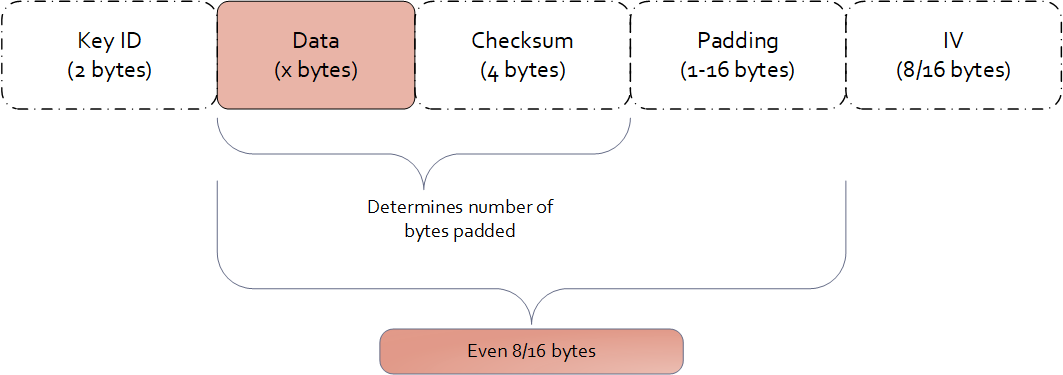
Examples of data length calculation by column types are provided in Examples of Column Sizes Calculation for Encryption.
8.3.4 -
The Protegrity solutions can encode data with the following encryption algorithms:
Table: Input Data Types Supported by Database Protectors
| Encryption Algorithm | Oracle | MSSQL | DB2 |
|---|---|---|---|
| 3DES | varchar2 | varchar | integer |
| AES-128 | char | char | varchar2 |
| AES-256 | number | decimal | char |
| CUSP 3DES | real | real | number |
| CUSP AES-128 | float | float | real |
| CUSP AES-256 | date | date | float |
| raw | varbinary | date | |
| blob | varbinary(max) | timestamp | |
| clob | varchar(max) | long varchar | |
| double | |||
| varchar | |||
| numeric | |||
| decimal | |||
| int | |||
| bigint | |||
| smallint | |||
| tinyint | |||
| datetime | |||
| character | |||
| time | |||
| blob | |||
| clob |
8.3.5 -
The Protegrity solutions can encode data with the following encryption algorithms:
Table: Input Data Types Supported by Data Warehouse Protectors
| Encryption Algorithm | Teradata |
|---|---|
| 3DES AES-128 AES-256 CUSP 3DES CUSP AES-128 CUSP AES-256 | VARCHAR LATIN CHAR FLOAT DECIMAL DATE VARCHAR UNICODE SMALLINT INTEGER BIGINT JSON XML |
8.3.6 -
The Protegrity solutions can encode data with the following encryption algorithms:
Table: Input Data Types Supported by Application Protectors
| Encryption Algorithm | AP Java*1*2 | AP Python | AP C |
|---|---|---|---|
| 3DES AES-128 AES-256 CUSP 3DES CUSP AES-128 CUSP AES-256 | STRING CHAR[] BYTE[] | STRING BYTES INT LONG FLOAT | STRING CHAR[] BYTE[] |
*1 - If the input and output types of the API are BYTE [], the customer application should convert the input to a byte array. Then, call the API and convert the output from the byte array.
*2 - The output type is BYTE[] only. The input type String or Char is supported with the API that provides BYTE[] output type.
*3 - You must pass the encrypt_to=bytes keyword argument to the AP Python protect API for encrypting data. However, if you are encrypting or re-encrypting data already in bytes format, you do not need to pass the encrypt_to=bytes argument to the protect and reprotect APIs.
8.4 - No Encryption
The No Encryption protection method when applied lets sensitive data be stored in the clear. It is highly transparent, which means that the implementation of this method does not cause any changes in the target environment.
If you are reprotecting data using the No Encryption method, then the reprotect operation fails in the following scenarios:
- If the data was previously protected using a tokenization or encryption method.
- If the user performing the reprotection of data does not have the unprotect privileges on the data element that was used to protect the data.
Table: No Encryption Algorithm Properties
| Properties | Values |
|---|---|
| Name | No Encryption |
| Operation Mode | N/A |
| Length Preservation | Yes |
| Minimum Length | None |
| Maximum Length | ≥500 bytes |
| Specifics of algorithm | Does not protect data at rest by changing it. |
The following table shows examples of the way in which a value will be protected with the No Encryption algorithm.
Table: Output Values for No Encryption Algorithm
| Protection Method | Input Value | Output Value | Comments |
|---|---|---|---|
| No Encryption | Protegrity | Protegrity | The value is stored in the clear. |
No Encryption for Protectors
The Input type / Character set for all protectors vary across DBs. The Output type / Character set is the same as the input type. For example; if the input type is an integer, then the output type is also an integer.
Application Protector
Table: Input Data Types Supported by Application Protectors
| Protection Method | AP Java*1 | AP Python |
|---|---|---|
| NoEncryption | SHORT INT LONG FLOAT DOUBLE STRING CHAR[] BYTE[] | STRING BYTES FLOAT INT |
*1 - If the input and output types of the API are BYTE [], the customer application should convert the input to a byte array. Then, call the API and convert the output from the byte array.
For more information about Application protectors, refer to Application Protector.
Big Data Protector
Table: Input Data Types Supported by Big Data Protectors
| Protection Method*1 | MapReduce | Hive | Pig | HBase | Impala | Spark | Spark SQL | Trino |
|---|---|---|---|---|---|---|---|---|
| NoEncryption | BYTE[] INT LONG | CHAR STRING FLOAT DOUBLE INT BIGINT HIVEDECIMAL | CHARARRAY INT | BYTE[] | STRING INT FLOAT DOUBLE | BYTE[] STRING FLOAT DOUBLE SHORT INT LONG | STRING FLOAT DOUBLE SHORT INT LONG BIGDECIMAL*2 | VARCHAR SMALLINT INT BIGINT DATE TIMESTAMP DOUBLE DECIMAL |
*1 - The customer application should convert the input to and output from byte array.
*2 - If decimal format data is protected by the Decimal UDFs using the No Encryption data element, then the protected data is trimmed to the scale of 18 digits.
For more information about Big Data protectors, refer to Big Data Protector.
Data Warehouse Protector
Table: Input Data Types Supported for Data Warehouse Protectors
| Protection Method | Teradata |
|---|---|
| NoEncryption | VARCHAR CHAR INTEGER FLOAT DECIMAL DATE SMALLINT |
Database Protectors
Oracle Database Protector
The supported input data types for the Oracle Database Protector are listed below.
Table: Supported Input Data Types by Oracle Database Protector
| Protection Method | Supported Input Data Types for Oracle |
|---|---|
| NoEncryption | VARCHAR2 CHAR NUMBER REAL FLOAT DATE RAW BLOB CLOB |
MSSQL Database Protector
The supported input data types for the MSSQL Database Protector are listed below.
Table: Supported Input Data Types by the MSSQL Database Protector
| Protection Method | Supported Input Data Types for MSSQL |
|---|---|
| NoEncryption | VARCHAR VARBINARY BINARY CHAR NUMERIC REAL FLOAT DECIMAL INT BIGINT SMALLINT TINYINT DATETIME BIT NVARCHAR NCHAR MONEY SMALLMONEY SMALLDATETIME UNIQUEIDENTIFIER |
DB2 Database Protector
The supported input data types for the DB2 Database Protector are listed below.
Table: Supported Input Data Types by the DB2 Database Protector
| Protection Method | Supported Input Data Types for DB2 |
|---|---|
| NoEncryption | VARCHAR2 CHAR NUMBER REAL FLOAT DATE timestamp long varchar double varchar numeric decimal int bigint smallint tinyint datetime character time blob clob |
8.5 - Monitoring
As an organization, if you plan to monitor and assess users that are trying to access the data without protection, choose the Monitor protection method. This element does not restrict any data security operation for any user, but instead audits attempts to add, access, or change data by users. The audit logs generated on the protectors are forwarded to Insight.
With the Monitor method, sensitive data is accessible by users. The usage of this data is monitored through audit logs that are generated on the protectors and then delivered to Insight.
The monitoring method is controlled by the security officer from the centrally administered ESA Appliance.
The Monitoring protection method works in a similar way as the No Encryption method. However, it gives full access to all users by default and does not require roles to be added to the policy. Access can be changed by adding a role and setting role permissions.
Table: Monitor Algorithm Properties
| Properties | Values |
|---|---|
| Name | Monitor |
| Operation Mode | N/A |
| Length Preservation with padding formula for non-length preserving algorithms | Yes |
| Specifics of algorithm | Does not protect data at rest by changing it. Used for monitoring and auditing. |
The following table shows examples of the way in which a value will be protected with the Monitor algorithm.
Table: Output Values for Monitor Algorithm
| Protection Method | Input Value | Output Value | Comments |
|---|---|---|---|
| Monitor | Protegrity | Protegrity | The value is stored in the clear. An audit log is generated. |
Monitoring for Protectors
The Input type / Character set for all protectors vary across DBs. The Output type / Character set is the same as the input type. For example; if the input type is an integer, then the output type is also an integer.
Application Protector
Table: Input Data Types Supported by Application Protectors
| Protection Method | AP Java | AP Python |
|---|---|---|
| Monitor | SHORT INT LONG FLOAT DOUBLE STRING CHAR[] BYTE[] | STRING BYTES FLOAT INT |
If the input and output types of the API are BYTE [], the customer application should convert the input to a byte array. Then, call the API and convert the output from the byte array.
For more information about Application protectors, refer to Application Protector.
Big Data Protector
Table: Input Data Types Supported by Big Data Protectors
| Protection Method*1 | MapReduce | Hive | Pig | HBase | Impala | Spark | Spark SQL | Trino |
|---|---|---|---|---|---|---|---|---|
| Monitor | BYTE[] INT LONG | CHAR STRING FLOAT DOUBLE INT BIGINT HIVEDECIMAL | CHARARRAY INT | BYTE[] | STRING INT FLOAT DOUBLE | BYTE[] STRING FLOAT DOUBLE SHORT INT LONG | STRING FLOAT DOUBLE SHORT INT LONG BIGDECIMAL*2 | VARCHAR SMALLINT INT BIGINT DATE TIMESTAMP DOUBLE DECIMAL |
*1 - The customer application should convert the input to and output from byte array.
*2 - If decimal format data is protected by the Decimal UDFs using the Monitor data element, then the protected data is trimmed to the scale of 18 digits.
For more information about Big Data protectors, refer to Big Data Protector.
Data Warehouse Protector
Table: Input Data Types Supported for Data Warehouse Protectors
| Protection Method | Teradata |
|---|---|
| Monitor | VARCHAR CHAR INTEGER FLOAT DECIMAL DATE SMALLINT |
Database Protectors
Oracle Database Protector
The supported input data types for the Oracle Database Protector are listed below.
Table: Supported Input Data Types by Oracle Database Protector
| Protection Method | Supported Input Data Types for Oracle |
|---|---|
| Monitoring | VARCHAR2 CHAR NUMBER REAL FLOAT DATE RAW BLOB CLOB |
MSSQL Database Protector
The supported input data types for the MSSQL Database Protector are listed below.
Table: Supported Input Data Types by MSSQL Database Protector
| Protection Method | Supported Input Data Types for MSSQL |
|---|---|
| Monitoring | VARCHAR VARBINARY BINARY CHAR NUMERIC REAL FLOAT DECIMAL INT BIGINT SMALLINT TINYINT DATETIME BIT NVARCHAR NCHAR MONEY SMALLMONEY SMALLDATETIME UNIQUEIDENTIFIER |
DB2 Database Protector
The supported input data types for the DB2 Database Protector are listed below.
Table: Supported Input Data Types by the DB2 Database Protector
| Protection Method | Supported Input Data Types for DB2 |
|---|---|
| Monitor | VARCHAR2 CHAR NUMBER REAL FLOAT DATE timestamp long varchar double varchar numeric decimal int bigint smallint tinyint datetime character time blob clob |
8.6 - Masking
As an organization, if you plan to restrict access such that only users with required privileges can view sensitive data, while other users view masked data, the Masking method can be used. Considering the sensitive data is residing in protection endpoint in clear, based on how the Masking data element is configured, users are granted view access. The masking data element as a default considers all users as restricted users and displays masked sensitive data. If any user must be granted access to view clear data, then it must be configured through roles.
For example, consider policy users user1 and user2 trying to access CCN data. As default, when policy with the masking data element is created, both users view the CCN data in masked format, such as ****45856655****.
If the user1 is granted privilege to view data in clear, then user1 sees the CCN data in clear while the user2 still sees masked CCN data.
With the Masking method, the users who should not use sensitive assets can be prevented from receiving this data, even if the data is stored in the clear.
Unlike Masking data element, masking cannot be enabled for No Encryption data element. It can only be mapped to roles in policy. In contrast, when masking is enabled through a Masking data element, the data is masked for all users unless authorized users have permission to view it in clear.
Similar to the No Encryption method, implementation of the Masking method does not cause any changes in the target environment.
The Masking data element is created in combination with the Masks option. The Masks option helps define how the masked data output format is visible to users.
The masking method is controlled by the security officer from the centrally administered ESA Appliance.
For more information about creating masks, refer to Creating a Mask.
Note:
If a masking data element is configured in the policy, and username is not specified in the policy, an error message will display when the data is protected. That error message appears as:The user does not have the appropriate permissions to perform the requested operation
Table: Masking Algorithm Properties
| Properties | Values |
|---|---|
| Name | Masking |
| Operation Mode | N/A |
| Length Preservation with padding formula for non-length preserving algorithms | Yes |
| Specifics of algorithm | Does not protect data at rest by changing it. Protection comes from masking. |
The following table shows examples in which a value will be protected with the Masking algorithm.
Table: Output Values for Masking Algorithm
| Protection Method | Roles in Data Element | Input Value | Output Value | Comments |
|---|---|---|---|---|
| Masking | None | Protegrity | None | The following error message appears: “The user does not have the appropriate permissions to perform the requested operation” |
| Masking | exampleuser1 with Unprotect access and output format is set to “Clear” | Protegrity | - All users: "****egrity" - exampleuser1: “Protegrity” | Any other user apart from exampleuser1 will see masked content. |
Using Masks
The Masks option is a data output restriction that is used in combination with the tokenization, encryption, no encryption, and masking protection methods. Masks define data output formatting, which means what data to disclose to users that want to view the data. The formatting includes unprotecting and transforming the result in a way that part of it is obfuscated. For example, a masked social security number could look like: 12345****, or ***456789.
Using a mask for the output is optional. If none is specified, then all data is returned in the masked output format by default for all users who are not a part of any policy. If users are a part of the policy:
- Data is shown in the clear for No Encryption data elements.
- Data is masked in output format for Masking data elements.
Masks are defined in the ESA and have the following properties:
- Mask name and description
- Number of characters from left
- Number of characters from right
- Whether “left” and “right” should be masked or clear
- Specific mask character - *,#,-,0,1,2,3,4,5,6,7,8, or 9.
The mask definition or how the mask looks like is implemented as per role and data element combination. This means that one data element can have multiple mask definitions.
When a mask is applied to data that is too short, that is, the data will not match to what has been defined in the mask, everything gets masked. For example, if a mask of 6 from the left and 2 from the right will be applied to data that has a length of 4, such as a name John, then all four characters will be masked.
If a user role is included in multiple policies with masks, then the masks may conflict in one of the following conditions:
- The user has different mask settings for both roles for the same data element. In this case, the unprotect access rights to the data element with the conflicting masks are revoked.
- The user has the data element with a mask in a role and another with no mask settings in the other role. In this case, the user’s access rights to the data element is set to the role with no mask settings.
For more information about masking rules for users in multiple roles, refer to Masking Rules for Users in Multiple Roles.
Important: Masking is supported only for character-based data types. If a role with masking is applied to unsupported data types, the operation will fail.
It is not recommended to use Masking with multibyte encodings, such as UTF-8, UTF-16, and so on, as it might corrupt the data.
| Properties | Examples |
|---|---|
| Sample Protected Data | Текст на русском |
| Left and Right Masking settings | L-3 and R-3 |
| Unprotected Data with Mask applied | ##?кст на русск?## |
| Sample Protected Data | Текст на русском |
| Left and Right Clear settings | L-3 and R-3 |
| Unprotected Data with Mask applied | Т?###### #### ##########?м |
The masked, unprotected value is distorted in the above case. Since each character in the input is represented by 2 bytes in UTF-8 encoding, we aim to preserve the first 3 bytes from the left and the next 3 bytes from the right. However, this approach results in a distorted output.
The following table shows examples of the way in which Masks can be used in combination with other protection methods.
Table: Examples of Masks
| Protection Method/ Mask | Input Value | Output Value | Comments |
|---|---|---|---|
| CCN 6x4 Left=6, Right=4, Clear, * | 4537432557929840 | 453743******9840 | Pre-defined mask: - Exposes the first 6 characters - Exposes the last 4 characters |
| CCN 12x0 Left=12, Right=0, Mask, * | 4537432557929840 | ************9840 | Pre-defined mask: - Hides the first 12 characters |
| CCN 4x4 Left=4, Right=4, Clear, * | 4537432557929840 | 4537********9840 | Pre-defined mask: - Exposes the first 4 characters - Exposes the last 4 characters |
| CCN 6x4 Left=6, Right=4, Clear, 1 | 4537432557929840 | 4537431111119840 | Pre-defined mask: - Exposes the first 6 characters - Exposes the last 4 characters |
| SSN x-4 Left=0, Right=4, Clear, * | 721-07-4426 | *******4426 | Pre-defined mask: - Exposes the last 4 characters |
| SSN 5-x Left=5, Right=0, Clear, * | 72107-4426 | 72107***** | Pre-defined mask: - Exposes the first 5 characters |
| SSN 5-x Left=5, Right=0, Clear, 0 | 72107-4426 | 7210700000 | Pre-defined mask: - Exposes the first 5 characters |
| CustomMask1 Left=6, Right=0, Mask, # | 721-07-4426 | ######-4426 | Custom mask: - Illustrates the usage of “#” mask character |
| CustomMask2 Left=4, Right=4, Mask, - | 4537432557929840 | ----43255792---- | Custom mask: - Illustrates the usage of “-” mask character |
| CustomMask3 Left=4, Right=4, Mask, 8 | 4537432557929840 | 8888432557928888 | Custom mask: - Illustrates the usage of “8” mask character |
Combining Data Elements and Masks
Masks are always applied using the supported Data Elements. The Masks are applied right before the data is presented to the end-user.
Tokenization, Encryption, FPE, No Encryption, and Masking Data Elements all support Masks, with some exceptions as to the configuration. Refer to support matrix below to check whether a specific Data Element and Mask combination is supported.
When combining Masks with tokenization, encryption, and FPE, sensitive data will be unprotected before a Mask is applied. In the case of the Masking Data Element, data is masked during the unprotect operation only.
Table: Data Element and Mask Support Matrix
| Data Element Method | Data Type | Mask Support |
|---|---|---|
| Tokenization | Numeric (0-9) | Yes |
| Integer | No | |
| Credit Card (0-9) | Yes | |
| Alpha (a-z, A-Z) | Yes | |
| Uppercase Alpha (A-Z) | Yes | |
| Uppercase Alpha-Numeric (0-9, A-Z) | Yes | |
| Lower ASCII | Yes | |
| DateTime | No | |
| Decimal | No | |
| Unicode Gen2 | No | |
| Binary | No | |
| Yes | ||
| Printable | Yes | |
| Date (YYYY-MM-DD, DD/MM/YYYY, MM.DD.YYYY) | No | |
| Unicode | No | |
| Unicode Base64 | No | |
| Encryption Algorithm | AES-128, AES-256, CUSP AES-128, CUSP AES-256, 3DES, CUSP 3DES | Yes |
| Format Preserving Encryption (FPE) | Yes, only in version 10.0.X, with ASCII plaintext encoding without Left and Right settings. | |
| No Encryption | Yes | |
| Masking | Yes |
Masking for Protectors
The Input type / Character set for all protectors vary across DBs. The Output type / Character set is the same as the input type. For example; if the input type is an integer, then the output type is also an integer.
Application Protector
Table: Input Data Types Supported by Application Protectors
| Protection Method | AP Java | AP Python |
|---|---|---|
| Masking | STRING CHAR[] BYTE[] | STRING BYTES |
If the input and output types of the API are BYTE [], the customer application should convert the input to a byte array. Then, call the API and convert the output from the byte array.
For more information about Application protectors, refer to Application Protector.
Big Data Protector
Table: Input Data Types Supported by Big Data Protectors
| Protection Method*1 | MapReduce | Hive | Pig | HBase | Impala | Spark | Spark SQL | Trino |
|---|---|---|---|---|---|---|---|---|
| Masking | BYTE[] | CHAR STRING | CHARARRAY | BYTE[] | STRING | BYTE[] STRING | STRING | VARCHAR |
*1 - The customer application should convert the input to and output from byte array.
For more information about Big Data protectors, refer to Big Data Protector.
Data Warehouse Protector
Table: Input Data Types Supported for Data Warehouse Protectors
| Protection Method | Teradata |
|---|---|
| Masking | VARCHAR CHAR INTEGER FLOAT DECIMAL DATE SMALLINT |
Important: Masking is supported only for character-based data types. If a data element with masking is applied to an unsupported data type, the operation will fail.
Database Protectors
Oracle Database Protector
The supported input data types for the Oracle Database Protector are listed below.
Table: Supported Input Data Types by Oracle Database Protector
| Protection Method | Supported Input Data Types for Oracle |
|---|---|
| Masking | VARCHAR2 CHAR NUMBER REAL FLOAT DATE RAW BLOB CLOB |
Note: While unprotecting the data, the masked value is passed to Oracle. These masked strings are not valid hex values. Therefore, the following error is observed;
ORA-06502: PL/SQL: numeric or value error: hex to raw conversion error.
Important: Masking is supported only for character-based data types. If a data element with masking is applied to an unsupported data type, the operation will fail.
MSSQL Database Protector
The supported input data types for the MSSQL Database Protector are listed below.
Table: Supported Input Data Types by MSSQL Database Protector
| Protection Method | Supported Input Data Types for MSSQL |
|---|---|
| Masking | VARCHAR VARBINARY BINARY CHAR NUMERIC REAL FLOAT DECIMAL INT BIGINT SMALLINT TINYINT DATETIME BIT NVARCHAR NCHAR MONEY SMALLMONEY SMALLDATETIME UNIQUEIDENTIFIER |
DB2 Database Protector
The supported input data types for the DB2 Database Protector are listed below.
Table: Supported Input Data Types by the DB2 Database Protector
| Protection Method | Supported Input Data Types for DB2 |
|---|---|
| Masking | VARCHAR2 CHAR NUMBER REAL FLOAT DATE timestamp long varchar double varchar numeric decimal int bigint smallint tinyint datetime character time blob clob |
8.7 - Hashing
A hash function produces a small number that serves as a digital fingerprint of the data. The resulting number is relatively small. The algorithm “chops and mixes” data to create fingerprints. For example, it substitutes or transposes the data.
Protegrity offers two different algorithms for creating hash values:
- The Hashed Message Authentication Code with SHA-256 (HMAC-SHA256) algorithm returns a 256 bit - 32 bytes hash value for any data.
- The HMAC-SHA1 algorithm returns a 160 bit - 20 bytes hash value for any data.
Deprecated
Starting from v10.0.x, the HMAC-SHA1 protection method is deprecated.
It is recommended to use the HMAC-SHA256 protection method instead of the HMAC-SHA1 protection method.
Hashing is utilized to transform sensitive data. HMAC-SHA1 and HMAC-SHA256 are specific hashing methods used for this purpose. Transformed data, which is the result of hashing, is irreversible as it is replaced with a checksum and not stored anywhere as an encrypted value. Unlike encryption, the original data can’t be retrieved back from the hashed value.
Table: Hashing Protection Algorithm Properties
Properties | Keyed Hash Algorithm | |
HMAC-SHA1 | HMAC-SHA256 | |
Operation Mode | N/A | N/A |
Encryption Properties - IV, CRC, Key ID | No | N/A |
Length Preservation with padding formula for non-length preserving algorithms | No Result is always 20 bytes regardless of input length. | No Result is always 32 bytes regardless of input length. |
Minimum Length | None | None |
Maximum Length | ≥ 500 bytes | ≥ 500 bytes |
Input type / Character set | Vary across DBs | Vary across DBs |
Output type / Character set | Binary | Binary |
Return of Protected value | No | No |
Specifics of algorithm | Irreversible protection method. Original data is replaced with a checksum and cannot be retrieved back, when decrypted. | Irreversible protection method. Original data is replaced with a checksum and cannot be retrieved back, when decrypted. |
The following table shows examples of the way in which a value will be replaced with the HMAC-SHA1 / HMAC-SHA256 hashing type.
Table: HMAC-SHA1 / HMAC-SHA256 Hashing Output Values
| Protection Method | Input Value | Output Value | Comments |
|---|---|---|---|
| HMAC-SHA1 | Protegrity | 0x5855682AB16B3C818C33CCA382B0F32A00EC2915 | Output value cannot be decrypted. |
| HMAC-SHA256 | Protegrity | 0x9EE0CD797365EA5E2A76DC6663E98D0147CAE004DE0D5E0D7F2730E7F9BF165A | Output value cannot be decrypted. |
Hashing for Protectors
Application Protector
Table: Supported Input Data Types by Application Protectors
| Protection Method | AP Java*1 | AP Python |
|---|---|---|
| HMAC-SHA1 | FLOAT DOUBLE STRING CHAR[] BYTE[] | STRING BYTES |
*1 - If the input and output types of the API are BYTE [], the customer application should convert the input to a byte array. Then, call the API and convert the output from the byte array.
For more information about Application protectors, refer to Application Protector.
Big Data Protector
Table: Supported Input Data Types for Big Data Protectors
| Protection Method*1 | MapReduce | Hive | Pig | HBase | Impala | Spark | Spark SQL | Trino |
|---|---|---|---|---|---|---|---|---|
| HMAC-SHA1 | BYTE[] | Not supported | Not supported | BYTE[] | Not supported | BYTE[] | Not supported | Not supported |
| HMAC-SHA256 | BYTE[] | Not supported | Not supported | BYTE[] | Not supported | BYTE[] | Not supported | Not supported |
*1 – The customer application should convert the input to and output from byte array.
For more information about Big Data protectors, refer to Big Data Protector.
Data Warehouse Protector
Table: Supported Input Data Types for Data Warehouse Protectors
| Protection Method | Teradata |
|---|---|
| HMAC-SHA1 | VARCHAR INTEGER FLOAT |
| HMAC-SHA256 | VARCHAR INTEGER FLOAT |
Database Protectors
Oracle Database Protector
The supported input data types for the Oracle Database Protector are listed below.
Table: Supported Input Data Types by Oracle Database Protector
| Protection Method | Supported Input Data Types for Oracle |
|---|---|
| HMAC-SHA1 | VARCHAR2 |
| HMAC-SHA1 | CHAR |
| HMAC-SHA256 | VARCHAR2 |
| HMAC-SHA256 | CHAR |
MSSQL Database Protector
The supported input data types for the MSSQL Database Protector are listed below.
Table: Supported Input Data Types by MSSQL Database Protector
| Protection Method | Supported Input Data Types for MSSQL |
|---|---|
| HMAC-SHA1 | VARCHAR |
| HMAC-SHA1 | CHAR |
| HMAC-SHA256 | VARCHAR |
| HMAC-SHA256 | CHAR |
DB2 Database Protector
The supported input data types for the DB2 Database Protector are listed below.
Table: Supported Input Data Types by the DB2 Database Protector
| Protection Method | Supported Input Data Types for DB2 |
|---|---|
| HMAC-SHA1 | VARCHAR |
| HMAC-SHA256 | VARCHAR |
8.8 - ASCII Character Codes
Lower ASCII token – character codes 33-126 (Table A-1)
Printable token – character codes 32-126 (Table A-1), 160-255 (Table A-2)
Unicode token – character codes 32-127 (Table A-1), 128-255 (Table A-2), 0-31 (Table A-3)
Binary token – character codes 32-127 (Table A-1), 128-255 (Table A-2), 0-31 (Table A-3)
Table A-1: ASCII printable characters (character code 32-127)
Character ASCII code | Character Description | Character ASCII code | Character Description | ||||
DEC | HEX | Symbol | Description | DEC | HEX | Symbol | Description |
32 | 20 | Space | Space | 80 | 50 | P | Uppercase P |
33 | 21 | ! | Exclamation mark | 81 | 51 | Q | Uppercase Q |
34 | 22 | " | Double quotes (or speech marks) | 82 | 52 | R | Uppercase R |
35 | 23 | # | Number | 83 | 53 | S | Uppercase S |
36 | 24 | $ | Dollar | 84 | 54 | T | Uppercase T |
37 | 25 | % | Percent sign | 85 | 55 | U | Uppercase U |
38 | 26 | & | Ampersand | 86 | 56 | V | Uppercase V |
39 | 27 | ' | Single quote | 87 | 57 | W | Uppercase W |
40 | 28 | ( | Open parenthesis (or open bracket) | 88 | 58 | X | Uppercase X |
41 | 29 | ) | Close parenthesis (or close bracket) | 89 | 59 | Y | Uppercase Y |
42 | 2A | * | Asterisk | 90 | 5A | Z | Uppercase Z |
43 | 2B | + | Plus | 91 | 5B | [ | Opening bracket |
44 | 2C | , | Comma | 92 | 5C | \ | Backslash |
45 | 2D | - | Hyphen | 93 | 5D | ] | Closing bracket |
46 | 2E | . | Period, dot or full stop | 94 | 5E | ^ | Caret - circumflex |
47 | 2F | / | Slash or divide | 95 | 5F | _ | Underscore |
48 | 30 | 0 | Zero | 96 | 60 | ` | Grave accent |
49 | 31 | 1 | One | 97 | 61 | a | Lowercase a |
50 | 32 | 2 | Two | 98 | 62 | b | Lowercase b |
51 | 33 | 3 | Three | 99 | 63 | c | Lowercase c |
52 | 34 | 4 | Four | 100 | 64 | d | Lowercase d |
53 | 35 | 5 | Five | 101 | 65 | e | Lowercase e |
54 | 36 | 6 | Six | 102 | 66 | f | Lowercase f |
55 | 37 | 7 | Seven | 103 | 67 | g | Lowercase g |
56 | 38 | 8 | Eight | 104 | 68 | h | Lowercase h |
57 | 39 | 9 | Nine | 105 | 69 | i | Lowercase i |
58 | 3A | : | Colon | 106 | 6A | j | Lowercase j |
59 | 3B | ; | Semicolon | 107 | 6B | k | Lowercase k |
60 | 3C | Less than (or open angled bracket) | 108 | 6C | l | Lowercase l | |
61 | 3D | = | Equals | 109 | 6D | m | Lowercase m |
62 | 3E | Greater than (or close angled bracket) | 110 | 6E | n | Lowercase n | |
63 | 3F | ? | Question mark | 111 | 6F | o | Lowercase o |
64 | 40 | @ | At symbol | 112 | 70 | p | Lowercase p |
65 | 41 | A | Uppercase A | 113 | 71 | q | Lowercase q |
66 | 42 | B | Uppercase B | 114 | 72 | r | Lowercase r |
67 | 43 | C | Uppercase C | 115 | 73 | s | Lowercase s |
68 | 44 | D | Uppercase D | 116 | 74 | t | Lowercase t |
69 | 45 | E | Uppercase E | 117 | 75 | u | Lowercase u |
70 | 46 | F | Uppercase F | 118 | 76 | v | Lowercase v |
71 | 47 | G | Uppercase G | 119 | 77 | w | Lowercase w |
72 | 48 | H | Uppercase H | 120 | 78 | x | Lowercase x |
73 | 49 | I | Uppercase I | 121 | 79 | y | Lowercase y |
74 | 4A | J | Uppercase J | 122 | 7A | z | Lowercase z |
75 | 4B | K | Uppercase K | 123 | 7B | { | Opening brace |
76 | 4C | L | Uppercase L | 124 | 7C | | | Vertical bar |
77 | 4D | M | Uppercase M | 125 | 7D | } | Closing brace |
78 | 4E | N | Uppercase N | 126 | 7E | ~ | Equivalency sign - tilde |
79 | 4F | O | Uppercase O | 127 | 7F | (Delete) | Delete |
Table A-2: Extended ASCII codes (character code 128-255)
Character ASCII code | Character Description | Character ASCII code | Character Description | ||||
DEC | HEX | Symbol | Description | DEC | HEX | Symbol | Description |
128 | 80 | € | Euro sign | 192 | C0 | À | Latin capital letter A with grave |
129 | 81 | 193 | C1 | Á | Latin capital letter A with acute | ||
130 | 82 | ‚ | Single low-9 quotation mark | 194 | C2 | Â | Latin capital letter A with circumflex |
131 | 83 | ƒ | Latin small letter f with hook | 195 | C3 | Ã | Latin capital letter A with tilde |
132 | 84 | „ | Double low-9 quotation mark | 196 | C4 | Ä | Latin capital letter A with diaeresis |
133 | 85 | … | Horizontal ellipsis | 197 | C5 | Å | Latin capital letter A with ring above |
134 | 86 | † | Dagger | 198 | C6 | Æ | Latin capital letter AE |
135 | 87 | ‡ | Double dagger | 199 | C7 | Ç | Latin capital letter C with cedilla |
136 | 88 | ˆ | Modifier letter circumflex accent | 200 | C8 | È | Latin capital letter E with grave |
137 | 89 | ‰ | Per mille sign | 201 | C9 | É | Latin capital letter E with acute |
138 | 8A | Š | Latin capital letter S with caron | 202 | CA | Ê | Latin capital letter E with circumflex |
139 | 8B | ‹ | Single left-pointing angle quotation | 203 | CB | Ë | Latin capital letter E with diaeresis |
140 | 8C | Œ | Latin capital ligature OE | 204 | CC | Ì | Latin capital letter I with grave |
141 | 8D | 205 | CD | Í | Latin capital letter I with acute | ||
142 | 8E | Ž | Latin captial letter Z with caron | 206 | CE | Î | Latin capital letter I with circumflex |
143 | 8F | 207 | CF | Ï | Latin capital letter I with diaeresis | ||
144 | 90 | 208 | D0 | Ð | Latin capital letter ETH | ||
145 | 91 | ‘ | Left single quotation mark | 209 | D1 | Ñ | Latin capital letter N with tilde |
146 | 92 | ’ | Right single quotation mark | 210 | D2 | Ò | Latin capital letter O with grave |
147 | 93 | “ | Left double quotation mark | 211 | D3 | Ó | Latin capital letter O with acute |
148 | 94 | ” | Right double quotation mark | 212 | D4 | Ô | Latin capital letter O with circumflex |
149 | 95 | • | Bullet | 213 | D5 | Õ | Latin capital letter O with tilde |
150 | 96 | – | En dash | 214 | D6 | Ö | Latin capital letter O with diaeresis |
151 | 97 | — | Em dash | 215 | D7 | × | Multiplication sign |
152 | 98 | ˜ | Small tilde | 216 | D8 | Ø | Latin capital letter O with slash |
153 | 99 | ™ | Trade mark sign | 217 | D9 | Ù | Latin capital letter U with grave |
154 | 9A | š | Latin small letter S with caron | 218 | DA | Ú | Latin capital letter U with acute |
155 | 9B | › | Single right-pointing angle quotation mark | 219 | DB | Û | Latin capital letter U with circumflex |
156 | 9C | œ | Latin small ligature oe | 220 | DC | Ü | Latin capital letter U with diaeresis |
157 | 9D | 221 | DD | Ý | Latin capital letter Y with acute | ||
158 | 9E | ž | Latin small letter z with caron | 222 | DE | Þ | Latin capital letter THORN |
159 | 9F | Ÿ | Latin capital letter Y with diaeresis | 223 | DF | ß | Latin small letter sharp s - ess-zed |
160 | A0 | Non-breaking space | Non-breaking space | 224 | E0 | à | Latin small letter a with grave |
161 | A1 | ¡ | Inverted exclamation mark | 225 | E1 | á | Latin small letter a with acute |
162 | A2 | ¢ | Cent sign | 226 | E2 | â | Latin small letter a with circumflex |
163 | A3 | £ | Pound sign | 227 | E3 | ã | Latin small letter a with tilde |
164 | A4 | ¤ | Currency sign | 228 | E4 | ä | Latin small letter a with diaeresis |
165 | A5 | ¥ | Yen sign | 229 | E5 | å | Latin small letter a with ring above |
166 | A6 | ¦ | Pipe, Broken vertical bar | 230 | E6 | æ | Latin small letter ae |
167 | A7 | § | Section sign | 231 | E7 | ç | Latin small letter c with cedilla |
168 | A8 | ¨ | Spacing dieresis - umlaut | 232 | E8 | è | Latin small letter e with grave |
169 | A9 | © | Copyright sign | 233 | E9 | é | Latin small letter e with acute |
170 | AA | ª | Feminine ordinal indicator | 234 | EA | ê | Latin small letter e with circumflex |
171 | AB | « | Left double angle quotes | 235 | EB | ë | Latin small letter e with diaeresis |
172 | AC | ¬ | Not sign | 236 | EC | ì | Latin small letter i with grave |
173 | AD | Soft hyphen | Soft hyphen | 237 | ED | í | Latin small letter i with acute |
174 | AE | ® | Registered trade mark sign | 238 | EE | î | Latin small letter i with circumflex |
175 | AF | ¯ | Spacing macron - overline | 239 | EF | ï | Latin small letter i with diaeresis |
176 | B0 | ° | Degree sign | 240 | F0 | ð | Latin small letter eth |
177 | B1 | ± | Plus-or-minus sign | 241 | F1 | ñ | Latin small letter n with tilde |
178 | B2 | ² | Superscript two - squared | 242 | F2 | ò | Latin small letter o with grave |
179 | B3 | ³ | Superscript three - cubed | 243 | F3 | ó | Latin small letter o with acute |
180 | B4 | ´ | Acute accent - spacing acute | 244 | F4 | ô | Latin small letter o with circumflex |
181 | B5 | µ | Micro sign | 245 | F5 | õ | Latin small letter o with tilde |
182 | B6 | ¶ | Pilcrow sign - paragraph sign | 246 | F6 | ö | Latin small letter o with diaeresis |
183 | B7 | · | Middle dot - Georgian comma | 247 | F7 | ÷ | Division sign |
184 | B8 | ¸ | Spacing cedilla | 248 | F8 | ø | Latin small letter o with slash |
185 | B9 | ¹ | Superscript one | 249 | F9 | ù | Latin small letter u with grave |
186 | BA | º | Masculine ordinal indicator | 250 | FA | ú | Latin small letter u with acute |
187 | BB | » | Right double angle quotes | 251 | FB | û | Latin small letter u with circumflex |
188 | BC | ¼ | Fraction one quarter | 252 | FC | ü | Latin small letter u with diaeresis |
189 | BD | ½ | Fraction one half | 253 | FD | ý | Latin small letter y with acute |
190 | BE | ¾ | Fraction three quarters | 254 | FE | þ | Latin small letter thorn |
191 | BF | ¿ | Inverted question mark | 255 | FF | ÿ | Latin small letter y with diaeresis |
Table A-3: ASCII control characters (character code 0-31)
Character ASCII code | Character Description | Character ASCII code | Character Description | ||||
DEC | HEX | Symbol | Description | DEC | HEX | Symbol | Description |
0 | 0 | NUL | Null char | 16 | 10 | DLE | Data Line Escape |
1 | 1 | SOH | Start of Heading | 17 | 11 | DC1 | Device Control 1 (oft. XON) |
2 | 2 | STX | Start of Text | 18 | 12 | DC2 | Device Control 2 |
3 | 3 | ETX | End of Text | 19 | 13 | DC3 | Device Control 3 (oft. XOFF) |
4 | 4 | EOT | End of Transmission | 20 | 14 | DC4 | Device Control 4 |
5 | 5 | ENQ | Enquiry | 21 | 15 | NAK | Negative Acknowledgement |
6 | 6 | ACK | Acknowledgment | 22 | 16 | SYN | Synchronous Idle |
7 | 7 | BEL | Bell | 23 | 17 | ETB | End of Transmit Block |
8 | 8 | BS | Back Space | 24 | 18 | CAN | Cancel |
9 | 9 | HT | Horizontal Tab | 25 | 19 | EM | End of Medium |
10 | 0A | LF | Line Feed | 26 | 1A | SUB | Substitute |
11 | 0B | VT | Vertical Tab | 27 | 1B | ESC | Escape |
12 | 0C | FF | Form Feed | 28 | 1C | FS | File Separator |
13 | 0D | CR | Carriage Return | 29 | 1D | GS | Group Separator |
14 | 0E | SO | Shift Out / X-On | 30 | 1E | RS | Record Separator |
15 | 0F | SI | Shift In / X-Off | 31 | 1F | US | Unit Separator |
8.9 - Examples of Column Sized Calculation for AES and 3DES Encryption
The sizes of database native data types may vary, but the column sizes calculation provided in the following tables is generic.
Table: Column Sizes Calculation for AES encryption - AES-128 and AES-256
| Data Type | Size (bytes) | AES | AES-CRC | AES-IV | AES-IV-CRC | AES-IV-CRC-KeyID |
|---|---|---|---|---|---|---|
| Maximum padding size | - | 16 | 16 | 16 | 16 | 16 |
| Checksum size | - | 0 | 4 | 0 | 4 | 4 |
| IV Size | - | 0 | 0 | 16 | 16 | 16 |
| SMALLINT | 2 | 16 | 16 | 32 | 32 | 34 |
| INTEGER | 4 | 16 | 16 | 32 | 32 | 34 |
| BIGINT | 8 | 16 | 16 | 32 | 32 | 34 |
| DATE | 4 | 16 | 16 | 32 | 32 | 34 |
| DECIMAL(1..2) | 1 | 16 | 16 | 32 | 32 | 34 |
| DECIMAL(3..4) | 2 | 16 | 16 | 32 | 32 | 34 |
| DECIMAL(5..9) | 4 | 16 | 16 | 32 | 32 | 34 |
| DECIMAL(10..18) | 8 | 16 | 16 | 32 | 32 | 34 |
| DECIMAL(19..38) | 16 | 32 | 32 | 48 | 48 | 50 |
| FLOAT, REAL | 8 | 16 | 16 | 32 | 32 | 34 |
| Latin CHAR / VARCHAR | 5 | 16 | 16 | 32 | 32 | 34 |
| Unicode CHAR / VARCHAR | 5 | 16 | 16 | 32 | 32 | 34 |
The following table shows the column sized calculation for deprecated 3DES encryption.
Table: Column Sized Calculation for 3DES Encryption
| Data Type | Size (bytes) | 3DES | 3DES-CRC | 3DES-IV | 3DES-IV-CRC | 3DES-IV-CRC-KeyID |
|---|---|---|---|---|---|---|
| Maximum padding size | 8 | 8 | 8 | 8 | 8 | |
| Checksum size | 0 | 4 | 0 | 4 | 4 | |
| IV Size | 0 | 0 | 8 | 8 | 8 | |
| SMALLINT | 2 | 8 | 8 | 16 | 16 | 18 |
| INTEGER | 4 | 8 | 16 | 16 | 24 | 26 |
| BIGINT | 8 | 16 | 16 | 24 | 24 | 26 |
| DATE | 4 | 8 | 16 | 16 | 24 | 26 |
| DECIMAL(1..2) | 1 | 8 | 8 | 16 | 16 | 18 |
| DECIMAL(3..4) | 2 | 8 | 8 | 16 | 16 | 18 |
| DECIMAL(5..9) | 4 | 8 | 16 | 16 | 24 | 26 |
| DECIMAL(10..18) | 8 | 16 | 16 | 24 | 24 | 26 |
| DECIMAL(19..38) | 16 | 24 | 24 | 32 | 32 | 34 |
| FLOAT, REAL | 8 | 16 | 16 | 24 | 24 | 26 |
| Latin CHAR / VARCHAR | 5 | 8 | 16 | 16 | 24 | 26 |
| Unicode CHAR / VARCHAR | 5 | 16 | 16 | 24 | 24 | 26 |
8.10 - Empty String Handling by Protectors
Starting from v10.0.x, Protegrity Protectors handle empty string "" as NULL. If you protect an empty string, then the Protegrity APIs and UDFs will return a NULL value.
8.11 - Hashing Functions and Examples
Hashing is accomplished by two functions of the protector, an Insert hash function and an Update hash function. Both functions take the same parameters and return a hash value that is always a 160 bit (SHA1) or a 256 bit (SHA256) binary value. The difference between the functions is the access rights that they check.
Here is the functions syntax example, applicable to an Oracle database:
FUNCTION ins_hash_varchar2(dataelement IN CHAR, cdata IN VARCHAR, SCID IN BINARY_INTEGER) RETURN RAW;
FUNCTION upd_hash_varchar2(dataelement IN CHAR, cdata IN VARCHAR, SCID IN BINARY_INTEGER) RETURN RAW;
Table: Functions Syntax Example
| Where… | Is… |
|---|---|
| dataelement | The data element name. |
| cdata | The data. |
| SCID | The security ID. Not used parameter. It is kept in signature due to backwards compatibility reasons. |
There is no decrypt function since a hash is a checksum and not data.
8.11.1 - Hash Data column size
A hash value is always 160 bits / 20 bytes (SHA1) or 256 bits / 32 bytes (SHA256) long regardless of what data it’s calculated on. Basically you should have a table with a binary column of 20 bytes or 32 bytes for the hash value.
Here is an example of an Oracle table with hash value instead of name:
CREATE TABLE NAMETABLE ( ident NUMBER PRIMARY KEY,
name RAW(32));
8.11.2 - Using Hashing Triggers and View
Oracle example:
CREATE OR REPLACE TRIGGER SCOTT.NAMETABLE_INS
INSTEAD OF INSERT ON SCOTT.NAMETABLE
FOR EACH ROW
DECLARE
NAME_ RAW(2000) := NULL;
BEGIN
**NAME\_:=PTY.INS\_HASH\_VARCHAR2\('HashDE', :new.NAME, 0\)**;
INSERT INTO SCOTT.NAMETABLE_ENC(IDENT, NAME)
VALUES(:new.IDENT, NAME_);
END;
CREATE OR REPLACE TRIGGER SCOTT.NAMETABLE_UPD
INSTEAD OF UPDATE ON SCOTT.NAMETABLE
FOR EACH ROW
DECLARE
NAME_ RAW(2000) := NULL;
BEGIN
**PTY.SEL\_CHECK\('HashDE'\);
NAME\_:=PTY.UPD\_HASH\_VARCHAR2\('HashDE', :new.NAME, 0\)**;
IF: old.IDENT = :new.IDENT THEN
UPDATE NAMETABLE_ENC SET
NAME= NAME_,
WHERE IDENT=:old.IDENT;
ELSE
UPDATE NAMETABLE_ENC SET
IDENT=:new.IDENT,
NAME= NAME_,
WHERE IDENT=:old.IDENT;
END IF;
END;
The view selects the hash value directly from the table instead of running a decrypt function. To make this work as a normal trigger/view solution, the binary data type is cast into the original data type. In Oracle it should be VARCHAR2. The data type must be cast to insert data through the view as usual.
CREATE OR REPLACE VIEW SCOTT.NAMETABLE(IDENT,
NAME)
AS SELECT IDENT, utl\_raw.cast\_to\_varchar2\(NAME\))
FROM SCOTT.NAMETABLE_ENC;
The application handles the return value, which will now be a 20 byte or 32 byte binary string converted into a character string.
8.12 - Codebook Re-shuffling in the Data Security Gateway
You can enable the Codebook Re-shuffling in the Data Security Gateway (DSG) for all the tokenization data elements to generate unique tokens for protected values across the tokenization domains.
For more information about the Codebook Re-shuffling for the Data Security Gateway, refer to Codebook Re-shuffling.
Note: As the Codebook Re-shuffling feature is an advanced functionality, contact Protegrity Support.
8.13 -
Table: Supported Input Data Types for Data Warehouse Protectors
| Protection Method | Teradata |
|---|---|
| HMAC-SHA1 | VARCHAR INTEGER FLOAT |
| HMAC-SHA256 | VARCHAR INTEGER FLOAT |
8.14 -
Table: Input Data Types Supported for Data Warehouse Protectors
| Protection Method | Teradata |
|---|---|
| Masking | VARCHAR CHAR INTEGER FLOAT DECIMAL DATE SMALLINT |
Important: Masking is supported only for character-based data types. If a data element with masking is applied to an unsupported data type, the operation will fail.
8.15 -
Table: Input Data Types Supported for Data Warehouse Protectors
| Protection Method | Teradata |
|---|---|
| NoEncryption | VARCHAR CHAR INTEGER FLOAT DECIMAL DATE SMALLINT |
8.16 -
Table: Input Data Types Supported for Data Warehouse Protectors
| Protection Method | Teradata |
|---|---|
| Monitor | VARCHAR CHAR INTEGER FLOAT DECIMAL DATE SMALLINT |
9 - Application Protector
The Protegrity Application Protector (AP) is a high-performance, versatile solution that provides a packaged interface to integrate comprehensive, granular security and auditing into enterprise applications. It eliminates the need for application developers to master the complexities of cryptography, while keeping the security team in control of sensitive data protection and access.
The Protegrity AP is available in multiple programming languages, each with its own installation and API usage guidelines:
- AP Java
- AP Python
- AP .Net
- AP C
- AP Go
Note: The on-premises Immutable Application Protectors on the linux platform from previous versions are incompatible with ESA v10.0.x.
The protector must be upgraded to v10.0.x for immutable policy deployment.
For more information about immutable policy deployment using the REST API call, refer to DevOps Approach for Application Protector.
Features of Protegrity Application Protector
The Protegrity Application Protector (AP) is a robust, high-performance solution designed to integrate granular security and auditing into enterprise applications. It simplifies cryptographic complexity for developers while empowering security teams with centralized control.
Simple Programming Interface
AP offers a streamlined API accessible from multiple programming languages, allowing developers to implement data protection without needing deep cryptographic expertise.
Separation of Duties
To comply with security regulations, AP enforces a strict separation between application developers and security administrators. Developers do not author security policies; instead, AP encapsulates all security functions, granting full audit and control capabilities to administrators.
Centralized Security Policy Management
Security policies are centrally defined and managed via the Enterprise Security Administrator (ESA) Web UI. These policies are deployed to AP endpoints, enabling consistent enforcement, auditing, and reporting across applications.
Policy-Based Access Control
AP enforces role- and user-based access rights, including permissions for protecting, unprotecting, and reprotecting data. It validates both the calling application and user against the corporate policy, ensuring trusted access without requiring additional development effort.
Centralized Key Management
Encryption keys are centrally managed using Protegrity’s patented technology. This ensures secure key operations and disaster recovery readiness. Keys can be shared across environments, enabling secure data usage across locations, for example, encrypting POS data at a store and decrypting it at headquarters.
Encryption and Tokenization Support
AP supports a wide range of protection algorithms and token type, including:
- Encryption: 3DES, AES-128 and AES-256, CUSP 3DES, CUSP AES-128 and CUSP AES-256, FPE-FF1
- Hashing: HMAC-SHA1 and HMAC-SHA256
- Tokenization: Various token elements
- Monitoring: No Encryption
For more information about encryption and tokenization, refer to Encryption and Tokenization.
For more information about deprecated encryption algorithms and token types, refer to Deprecated Data Elements.
9.1 - Application Protector Java
Protegrity Application Protector (AP) Java Overview
AP Java provides a set of APIs that integrate with Java-based customer applications to perform data protection operations such as:
- Protect
- Unprotect
- Reprotect
- Get Product Version
- Get Last Error
Key Features
Supported Java Distributions
- Java by Oracle Corporation, versions 1.8 and later
- Open JRE, versions 1.8 and later
- IBM J9, versions 1.8 and later
Trusted Applications
The AP Java can be accessed only by the trusted applications. Any application that protects, unprotects, or reprotects data, must first be created as a trusted application in the ESA.
A trusted application name should be the name of the running application. For example, refer to the sample program in the section Running IAP - Example in the Protegrity Application Protector On-Premises Immutable Policy User Guide 9.1.0.0. Here, the trusted application name is “HelloWorld”. The trusted application user is the user who is running the program.
For AP Java, the logic is to determine the fully qualified name of the Main class. For console applications, the Main class is the one with the main method, while for web applications, the logic uses the JVM’s name represented by RuntimeMXBean (Java Platform SE 8).
For more information about how to make an application trusted, refer to Creating a Trusted Application.
Session Validity
A session is valid until the sessiontimeout is reached, which is passed as a parameter in the config.ini file. The default validity of a session is 15 minutes. An active session is renewed every time the session is used.
Audit Logs
Single Data Item Operations
- Each operation (protect/unprotect/reprotect) generates audit events.
- Example:
- 1 protect on element a → 1 event
- 1 5 protects on element b → 5 events
- 1 1000 unprotects on element a → 1000 events
Bulk Data Item Operations
- Audit logs are generated per operation.
- Example:
- 2 bulk protect operations with size 3 → 1 audit log with count 6
Initialization Logs
- Audit logs are created when an application initializes, indicating whether initialization was successful or not.
- Audits are available in ESA forensics after
jcorelite.plmis loaded.
Protector Status Logs
While the protector is running, a status log is sent to Discover, which can be viewed using the pty_insight_analytics\*protector_status_* index on Discover.
For more information about viewing the status logs, refer to Protector Status Dashboard index.
The protector status dashboard displays the protector connectivity status through a pie chart and a table visualization. This dashboard uses status logs sent by the protector, so the protector which performed at least one security operation shows up on this dashboard.
For more information about the protector status dashboard, refer to Viewing the Protector Status Dashboard.
Error Handling
If the AP Java is used to perform a security operation on bulk data, then an exception appears for all errors except for the error codes 22, 23, and 44. Instead, an error list is returned for the individual items in the bulk data.
For more information about the log return codes, refer to Log return codes.
9.1.1 - Understanding the Architecture
This page describes the architecture, the individual components, and the workflow of the Protegrity Application Protector (AP) solution.
Architecture and Workflow
The following figure illustrates the deployment architecture of the Application Protector (AP).
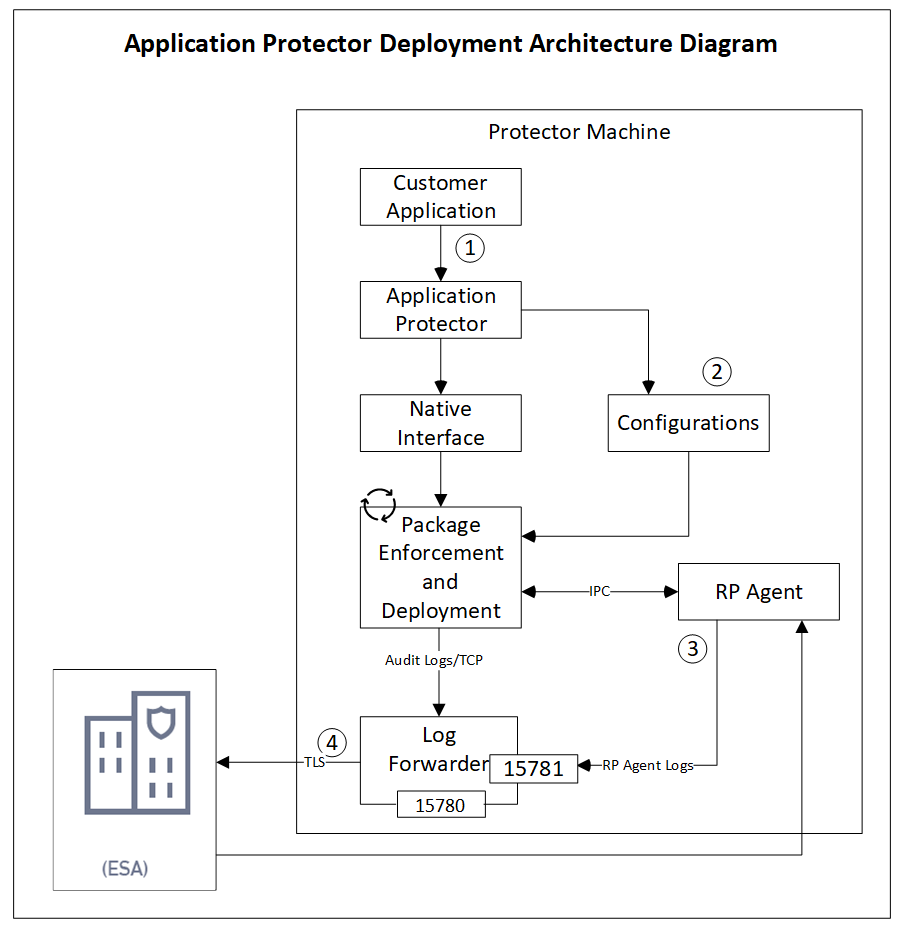
The following table describes the components of the AP deployment architecture.
| Component | Description |
|---|---|
| Customer Application | Built in supported programming languages and integrates with AP for data protection. |
| Application Protector | Core protection engine that enforces security policies and performs data protection operations. |
| Configuration File (config.ini) | Contains initialization parameters passed to AP during startup. |
| Native Interface | Native interface between AP and the C layer. |
| Package Enforcement and Deployment | Downloads policy packages from the RP Agent and executes protection operations, such as, protect, unprotect, and reprotect. |
| Log Forwarder | Collects logs from AP and forwards them to the Audit Store for centralized auditing. |
| Resilient Package (RP) Agent | Standalone process that retrieves policy packages from ESA and shares them with AP processes using shared memory IPC. |
The following steps describe the workflow of a sample AP deployment in the production environment.
The customer application initializes the SDK.
The configurations that are required configuration parameters are passed to the protector using the
config.inifile.Note: The configurations can be set through environment variables. ENV overrides values in the
config.inifile, except forcadenceandsession timeoutwhich must be set in the config file.For more information about environment variables configuration, refer to:
The RP Agent regularly syncs with the RP Proxy or ESA to check for policy updates. If a change is detected, the updated policy package is securely downloaded over a TLS channel and stored in shared memory.
The protector synchronizes with shared memory based on the
cadencevalue defined inconfig.inifile. If a new package is available, it is fetched into process memory. This updated package is then used to perform data protection operations such as, such as, protect, unprotect, and reprotect.The audit logs generated during protection operations are forwarded to the Audit Store:
- Logs from the application are sent through the Log Forwarder
- Logs from the RP Agent are also forwarded using the Log Forwarder
Components of the Application Protector
The Protegrity Application Protector (AP) solution comprises several key components that work together to enforce data protection policies and ensure secure operations.
Application Protector
The core engine that integrates with customer applications to perform data protection operations:
- Protect
- Unprotect
- Reprotect
AP is available in multiple language-specific variants. One of which is:
- AP Java: For applications developed in Java
Resilient Package (RP) Agent
A standalone process responsible for policy synchronization:
- To sync with the RP Proxy or ESA at regular intervals of 60 seconds
- To detect policy changes and download updated packages over a secure TLS channel
- To store the packages in shared memory for use by the protector
Log Forwarder
A log processing tool that handles audit and protection logs:
- Collects logs generated by AP and RP Agent
- Forwards logs to the Audit Store within ESA
Ports used to transport the protection and audit logs to the ESA:
15780: Configurable15781: Non-configurable
Package Deployment
The different approaches for package deployment during the initialization process of the Application Protector are described in this section.
Dynamic Package Deployment
Use this approach when the protector needs to continuously check for policy updates after initialization.
- Set the
cadenceparameter to a non-zero value in theconfig.inifile. - This value defines the interval in seconds at which the protector synchronizes with the RP Agent.
- If a policy change is detected, the protector automatically fetches the updated package and applies it during protection operations.
Note: This method ensures that the protector always operates with the latest policy.
Immutable Package Deployment
Use this approach when the protector does not need to check for policy changes after initialization.
- Add the
[devops]parameter in theconfig.inifile before initializing the protector. - A REST API call is used to download an envelope-encrypted package from the ESA.
- The protector uses this static package for all operations without further synchronization.
For more information about the DevOps approach, refer to DevOps Approach for Application Protector.
9.1.2 - System Requirements
The following table lists the minimum hardware configurations.
| Hardware Component | Configuration Details |
|---|---|
| CPU | Depends on the application. |
| Disk Space | Under 200 MB - including LogForwarder, RP Agent, and AP Java. |
| RAM | Memory usage depends on the AP flavor and application behavior. Refer to AP Java. |
9.1.3 - Preparing the Environment
Preparing the Environment for AP Java Installation on Linux
Before installing Protegrity Application Protector (AP) Java on a Linux platform, ensure the following prerequisites are met:
Prerequisites
- The Enterprise Security Administrator (ESA) is installed, configured, and running.
- The IP address or host name of the Load Balancer, Proxy, or ESA is noted.
- The Policy Management (PIM) is initialized on the ESA. It creates cryptographic keys and the policy repository for data protection.
For more information about initializing the PIM, refer to Initializing the Policy Management.
9.1.4 - Installing the AP Java Protector
Note: ARM64 support is available only from version 10.0.1 and requires the separate build
ApplicationProtector_Linux-ALL-64_arm64_JRE-1.8-64_<version>.tgz.
Extracting the Setup Scripts and Package
To extract the setup scripts and package:
Note:
<arch>can bex86-64orarm64.
Download the
ApplicationProtector_Linux-ALL-64_<arch>_JRE-1.8-64_<version>.tgzfile to any location on the machine where you want to install the protector.Extract the AP Java installation package using the following command.
tar –xvf ApplicationProtector_Linux-ALL-64_<arch>_JRE-1.8-64_<version>.tgzThe following setup files are extracted:
ApplicationProtector_Linux-ALL-64_<arch>_JRE-1.8-64_<version>.tgzsignatures/ApplicationProtector_Linux-ALL-64_<arch>_JRE-1.8-64_<version>.sig
Verify the digital signature of the signed AP Java build.
For more information about verifying the signed AP Java build, refer to Verification of Signed Protector Build.Extract the AP Java installation package again using the following command.
tar –xvf ApplicationProtector_Linux-ALL-64_<arch>_JRE-1.8-64_<version>.tgzThe following setup files are extracted:
Note: Here,
<arch>can bex64orarm64.LogforwarderSetup_Linux_<arch>_<version>.shRPAgentSetup_Linux_<arch>_<version>.shAPJavaSetup_Linux_<arch>_<version>.sh
Installing Log Forwarder on Linux
The steps to install the Log Forwarder on a Linux platform using the Interactive mode or through the Silent mode are described in this section.
Note: To preserve all the configurations while upgrading the Log Forwarder, ensure that you backup all the files present under the
/opt/protegrity/logforwarder/data/config.ddirectory.
For more information about installing Log Forwarder on Linux, refer to Installing Log Forwarder on Linux.
Using Interactive Mode
For more information about installing the Log Forwarder using Interactive Mode, refer to Installing Log Forwarder on Linux using Interactive Mode.
Using Silent Mode
For more information about installing Log Forwarder using the silent mode, refer to Installing Log Forwarder on Linux using Silent Mode.
Installing RP Agent on Linux
The steps to install the RP Agent on a Linux platform using the Interactive mode or through the Silent mode of installation are described in this section.
For more information about installing RP Agent, refer to Installing RP Agent on Linux or Unix.
Using Interactive Mode
For more information about installing RP Agent on Linux using Interactive Mode, refer to Installing RP Agent on Linux or Unix using Interactive Mode.
Using Silent Mode
For more information about installing RP Agent using Silent Mode, refer to Installing RP Agent on Linux or Unix using Silent Mode.
AP Java v10.0.1 only supports Linux ARM64.
The steps to install the RP Agent on a Linux platform using the Interactive mode or through the Silent mode of installation are described in this section.
RPA Secure Mode with ESA on Linux
Before proceeding with the RPA installation in secure mode, ensure that the required CA certificate is available and trusted on the system.
For PPC
Retrieve the custom CA certificate using the following command:
kubectl -n cert-manager get secret eclipse-ca -o jsonpath='{.data.tls\.crt}' | base64 -d > ca.crtFor ESA
Download the certificate from ESA.
For more information about downloading certificates from ESA, refer to Manage Certificates.
After obtaining the certificate, configure the environment variable:
| Variable | Value |
|---|---|
| SSL_CERT_FILE | Full path to the certificate file (for example, /opt/ca.crt) |
When prompted for the ESA hostname or IP during RPA installation, ensure it is included in the ESA TLS certificate (CN or SAN) and is resolvable from the RPAgent host.
After the CA certificate is available, proceed with the RPA installation.
For more information about installing RP Agent, refer to Installing RP Agent on Linux or Unix.
Using Interactive Mode
For more information about installing RP Agent on Linux using Interactive Mode, refer to Installing RP Agent on Linux or Unix using Interactive Mode.
Using Silent Mode
For more information about installing RP Agent using Silent Mode, refer to Installing RP Agent on Linux or Unix using Silent Mode.
Installing Application Protector Java on Linux
The steps to install the AP Java on a Linux platform using the Linux installer or through the Silent mode of installation, are described in this section.
Using Linux Installer
To install the AP Java on the Linux platform using the Linux installer:
Run the AP Java installer using the following command.
Note: Here,
<arch>can bex64orarm64../APJavaSetup_Linux_<arch>_<version>.shThe prompt to continue the installation appears.
***************************************************** Welcome to the AP Java SDK Setup Wizard ***************************************************** This will install AP Java SDK on your computer. Do you want to continue? [yes or no]If you want to continue with the installation of the AP Java SDK, then type yes else type no.
If you type yes, then the prompt to enter the installation directory appears.
Please enter installation directory [/opt/protegrity]:If you type no, then the installation of the AP Java aborts.
The AP Java is installed successfully.
The default installation directory for the AP Java on a Linux platform is /opt/protegrity/sdk/java.
The following folder structure is applicable only for v10.0.0.
Ensure that the following folder structure is maintained:
/liband/datadirectories are located at the same directory levelApplicationProtectorJava.jarandjcorelite.plmare located inside the/libdirectoryconfig.inifile is located in the /data directory
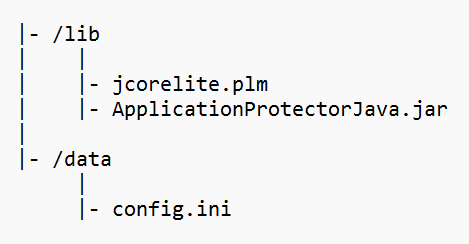
Using Silent Mode
You can also execute the AP Java installer without any manual intervention, which is also known as the Silent mode of installation. The following parameter must be provided to execute the installer in the Silent mode.
| Parameter | Description |
|---|---|
| -dir | Optional install directory Default: /opt/protegrity |
Note: Here,
<arch>can bex64orarm64.
./APJavaSetup_Linux_<arch>_<version>.sh [-dir <directory>]
9.1.5 - Configuring the Protector
Configuring AP Java on Linux
To configure the AP Java on the Linux platform:
Setup the Java classpath.
Operating System Classpath Linux /opt/protegrity/sdk/java/libBefore the trusted application can successfully load the
ApplicationProtectorJava.jarfile, ensure that -- The Java
classpathis set accurately. - The path to
jcorelite.plmis configured properly.
- The Java
Deploy a policy to test the application.
For more information about deploying a policy, refer to Deploying Policies.
For more information about configuring the various parameters for the AP Java using the config.ini file, refer to Config.ini file for Application Protector.
Verifying Installation of AP Java
The steps to verify the successful installation of the AP Java are described in this section.
Configure the application as a trusted application in the ESA.
For more information about trusted applications, refer to Working With Trusted Applications.Initialize AP Java.
For more information about the AP Java initialization API, refer to getProtector.Run the
GetVersionmethod using the following command to check the version of the installed AP Java.public java.lang.String getVersion()The following is a sample code to check the version number of the installed AP Java.
/* Illustrates how to call getVersion() api to know the version of Application Protector * Executing this for the first time creates a forensic entry that should be added to the authorized app * * Compiled as : javac -cp ApplicationProtectorJava.jar AP_Java_getVersion * Run as : java -cp ApplicationProtectorJava.jar AP_Java_getVersion */ import com.protegrity.ap.java.*; public class GetVersion { public static void main(String[] args) throws ProtectorException { Protector protector=null; try { protector=Protector.getProtector(); System.out.println("Product version : "+protector.getVersion()); } catch (ProtectorException e) { e.printStackTrace(); throw e; } } }
9.1.6 - Application Protector Java APIs
A session must be created to run the Application Protector (AP) Java. The session enables AP Java to access information about the Trusted Application from the policy stored in memory. If the application is trusted, then the protect, unprotect, or reprotect method is called, one or many times, depending on the data.
The AP Java can be initialized by an OS User who is registered and deployed as the Trusted Application User in the ESA. The OS User can also be a Policy User.
The following diagram represents the basic flow of a session.
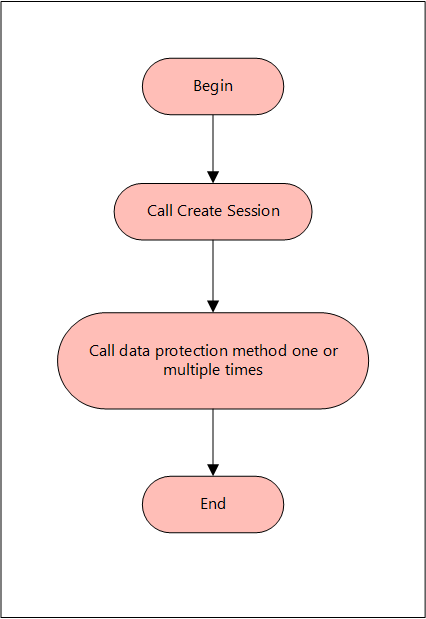
Note: The AP Java only supports bytes converted from the string data type.
If any other data type is directly converted to bytes and passed as an input to the API that supports byte as an input and provides byte as an output, then data corruption might occur.
Supported data types for the AP Java
The AP Java supports the following data types:
- Bytes
- Double
- Float
- Integer
- java.util.Date
- Long
- Short
- String
The following are the various APIs provided by the AP Java.
getProtector
The getProtector method returns the Protector object associated with the AP Java APIs. After initialization, this object is used to create a session. The session is then passed as a parameter to protect, unprotect, or reprotect methods.
static Protector getProtector()
Parameters
None
Returns
Protector Object: An object associated with the Protegrity Application Protector API.
Exception
ProtectorException: If the configurations are invalid, then an exception is thrown indicating a
failed initialization.
getVersion
The getVersion method returns the product version of the AP Java in use.
public java.lang.String getVersion()
Parameters
None
Returns
String: Product version
getVersionEx
The getVersionEx method returns the extended version of the AP Java in use. The extended version consists of the Product version number and the CORE version number.
Note: The Core version is a sub-module used for troubleshooting protector issues.
public java.lang.String getVersionEx()
Parameters
None
Returns
String: Product version and CORE version
getLastError
The getLastError method returns the last error and a description of why this error was returned. When the methods used for protecting, unprotecting, or reprotecting data return an exception or a Boolean false, the getLastError method is called that describes why the method failed.
public java.lang.String getLastError(SessionObject session)
Parameters
Session: Session ID that is obtained by calling the createSession method.
Returns
String: Error message
Exception
ProtectorException: If the SessionObject is null, then an exception is thrown
SessionTimeoutException: If the session is invalid or has timed out, then an exception is thrown
For more information about the return codes, refer to Application Protector API Return Codes.
createSession
The createSession method creates a new session. The sessions that have not been utilized for a while, are automatically removed according to the sessiontimeout parameter defined in the [protector] section of the config.ini file.
The methods in the Protector API that take the SessionObject as a parameter, might throw an exception SessionTimeoutException if the session is invalid or has timed out. The application developers can handle the SessionTimeoutException and create a new session with a new SessionObject.
public SessionObject createSession(java.lang.String policyUser)
Parameters
policyUser: User name defined in the policy, as a string value.
Returns
SessionObject: Object of the SessionObject class.
Exception
ProtectionException: If input is null or empty, then an exception is thrown.
protect - Short array data
It It protects the data provided as a short array that uses the preservation data type or No Encryption data element. It supports bulk protection. There is no maximum data limit. For more information about the data limit, refer to AES Encryption.
If the data type preservation methods are used for data protection, then the protected data can be stored in the same data type as used for the input data.
public boolean protect(SessionObject sessionObj, java.lang.String dataElementName, short[] input, short[] output, byte[] externalIv)
Parameters
sessionObj: SessionObject that is obtained by calling the createSession method.
dataElementName: String containing the data element name defined in policy.
input: Input array with short format data.
output: Resultant output array with short format data.
externalIv: Buffer containing data that will be used as external IV, when externalIv = null, the value is ignored.
Result
True: The data is successfully protected.
False: The parameters passed are accurate, but the method failed when:
- The protection methods failed to perform the required action
- The data element is null or empty
For more information, such as, a text explanation and reason for the failure, call getLastError(session).
Exception
Protector Exception: If the SessionObject is null or if policy is configured to throw an exception, then an exception is thrown.
SessionTimeoutException: If the session is invalid or has timed out, then an exception is thrown.
protect - Short array data for encryption
It protects the data provided as a short array that uses an encryption data element. It supports bulk protection. There is no maximum data limit.
For more information about the data limit, refer to AES Encryption.
When the encryption method is used to protect data, the output of data protection (protected data) should be stored in byte[].
public boolean protect(SessionObject sessionObj, java.lang.String dataElementName, short[] input, byte[][] output, byte[] externalIv)
Parameters
sessionObj: SessionObject that is obtained by calling the createSession method.
dataElementName: String containing the data element name defined in policy.
input: Input array with short format data.
output: Resultant output array with byte format data.
externalIv: Optional parameter, which is a buffer containing data that will be used as external IV, when externalIv = null, the value is ignored.
Note: Encryption data elements do not support external IV.
Result
True: The data is successfully protected.
False: The parameters passed are accurate, but the method failed when:
- The protection methods failed to perform the required action
- The data element is null or empty
For more information, such as, a text explanation and reason for the failure, call getLastError(session).
Exception
Protector Exception: If the SessionObject is null or if policy is configured to throw an exception, then an exception is thrown.
SessionTimeoutException: If the session is invalid or has timed out, then an exception is thrown.
protect - Int array data
It It protects the data provided as an int array that uses the preservation data type or No Encryption data element. It supports bulk protection. However, you are recommended to pass not more than 1 MB of input data for each protection call.
If the data type preservation methods are used for data protection, then the protected data can be stored in the same data type as used for the input data.
public boolean protect(SessionObject sessionObj, java.lang.String dataElementName, int[] input, int[] output, byte[] externalIv)
Parameters
sessionObj: SessionObject that is obtained by calling the createSession method.
dataElementName: String containing the data element name defined in policy.
input: Input array with int data.
output: Resultant output array with int data.
externalIv: Optional parameter, which is a buffer containing data that will be used as external IV, when externalIv = null, the value is ignored.
Result
True: The data is successfully protected.
False: The parameters passed are accurate, but the method failed when:
- The protection methods failed to perform the required action
- The data element is null or empty
For more information, such as, a text explanation and reason for the failure, call getLastError(session).
Exception
Protector Exception: If the SessionObject is null or if policy is configured to throw an exception, then an exception is thrown.
SessionTimeoutException: If the session is invalid or has timed out, then an exception is thrown.
protect - Int array data for encryption
It protects the data provided as an int array that uses an encryption data element. It supports bulk protection. There is no maximum data limit. However, you are recommended to pass not more than 1 MB of input data for each protection call.
Data protected by using encryption data elements with input as integers, long or short data types, and output as bytes, cannot move between platforms with different endianness.
For example, you cannot move the protected data from the AIX platform to Linux or Windows platform and vice versa while using encryption data elements in the following scenarios:
- Input as integers and output as bytes
- Input as short integers and output as bytes
- Input as long integers and output as bytes
When the encryption method is used to protect data, the output of data protection (protected data) should be stored in byte[].
public boolean protect(SessionObject sessionObj, java.lang.String dataElementName, int[] input, byte[][] output, byte[] externalIv)
Parameters
sessionObj: SessionObject that is obtained by calling the createSession method.
dataElementName: String containing the data element name defined in policy.
input: Input array with int data.
output: Resultant output array with byte data.
externalIv: Optional parameter, which is a buffer containing data that will be used as external IV, when externalIv = null, the value is ignored.
Note: Encryption data elements do not support external IV.
Result
True: The data is successfully protected.
False: The parameters passed are accurate, but the method failed when:
- The protection methods failed to perform the required action
- The data element is null or empty
For more information, such as, a text explanation and reason for the failure, call getLastError(session).
Exception
Protector Exception: If the SessionObject is null or if policy is configured to throw an exception, then an exception is thrown.
SessionTimeoutException: If the session is invalid or has timed out, then an exception is thrown.
protect - Long array data
It protects the data provided as a long array that uses the preservation data type or No Encryption data element. It supports bulk protection. There is no maximum data limit. However, you are recommended to pass not more than 1 MB of input data for each protection call.
If the data type preservation methods are used for data protection, then the protected data can be stored in the same data type as used for the input data.
public boolean protect(SessionObject sessionObj, java.lang.String dataElementName, long[] input, long[] output, byte[] externalIv)
Parameters
sessionObj: SessionObject that is obtained by calling the createSession method.
dataElementName: String containing the data element name defined in policy.
input: Input array with long format data.
output: Resultant output array with long format data.
externalIv: Optional parameter, which is a buffer containing data that will be used as external IV, when externalIv = null, the value is ignored.
Result
True: The data is successfully protected.
False: The parameters passed are accurate, but the method failed when:
- The protection methods failed to perform the required action
- The data element is null or empty
For more information, such as, a text explanation and reason for the failure, call getLastError(session).
Exception
Protector Exception: If the SessionObject is null or if policy is configured to throw an exception, then an exception is thrown.
SessionTimeoutException: If the session is invalid or has timed out, then an exception is thrown.
protect - Long array data for encryption
It protects the data provided as a long array that uses an encryption data element. It supports bulk protection. There is no maximum data limit. However, you are recommended to pass not more than 1 MB of input data for each protection call.
When the encryption method is used to protect data, the output of data protection (protected data) should be stored in byte[].
protect(SessionObject sessionObj, java.lang.String dataElementName, long[] input, byte[][] output)
Parameters
sessionObj: SessionObject that is obtained by calling the createSession method.
dataElementName: String containing the data element name defined in policy.
input: Input array with long format data.
output: Resultant output array with byte format data.
externalIv: Optional parameter, which is a buffer containing data that will be used as external IV, when externalIv = null, the value is ignored.
Note: Encryption data elements do not support external IV.
Result
True: The data is successfully protected.
False: The parameters passed are accurate, but the method failed when:
- The protection methods failed to perform the required action
- The data element is null or empty
For more information, such as, a text explanation and reason for the failure, call getLastError(session).
Exception
Protector Exception: If the SessionObject is null or if policy is configured to throw an exception, then an exception is thrown.
SessionTimeoutException: If the session is invalid or has timed out, then an exception is thrown.
protect - Float array data
It protects the data provided as a float array that uses the No Encryption data element. It supports bulk protection. There is no maximum data limit. However, you are recommended to pass not more than 1 MB of input data for each protection call.
If the data type preservation methods are used for data protection, then the protected data can be stored in the same data type as used for the input data.
public boolean protect(SessionObject sessionObj, java.lang.String dataElementName, float[] input, float[] output, byte[] externalIv)
Parameters
sessionObj: SessionObject that is obtained by calling the createSession method.
dataElementName: String containing the data element name defined in policy.
input: Input array with float format data.
output: Resultant output array with float format data.
Result
True: The data is successfully protected.
False: The parameters passed are accurate, but the method failed when:
- The protection methods failed to perform the required action
- The data element is null or empty
For more information, such as, a text explanation and reason for the failure, call getLastError(session).
Exception
Protector Exception: If the SessionObject is null or if policy is configured to throw an exception, then an exception is thrown.
SessionTimeoutException: If the session is invalid or has timed out, then an exception is thrown.
protect - Float array data for encryption
It protects the data provided as a float array that uses an encryption data element. It supports bulk protection. There is no maximum data limit. However, you are recommended to pass not more than 1 MB of input data for each protection call.
When the encryption method is used to protect data, the output of data protection (protected data) should be stored in byte[].
public boolean protect(SessionObject sessionObj, java.lang.String dataElementName, float[] input, byte[][] output)
Parameters
sessionObj: SessionObject that is obtained by calling the createSession method.
dataElementName: String containing the data element name defined in policy.
input: Input array with float format data.
output: Resultant output array with byte format data.
Result
True: The data is successfully protected.
False: The parameters passed are accurate, but the method failed when:
- The protection methods failed to perform the required action
- The data element is null or empty
For more information, such as, a text explanation and reason for the failure, call getLastError(session).
Exception
Protector Exception: If the SessionObject is null or if policy is configured to throw an exception, then an exception is thrown.
SessionTimeoutException: If the session is invalid or has timed out, then an exception is thrown.
protect - Double array data
It protects the data provided as a double array that uses the No Encryption data element. It supports bulk protection. There is no maximum data limit. However, you are recommended to pass not more than 1 MB of input data for each protection call.
When the data type preservation methods are used to protect data, the output of data protection can be stored in the same data type that was used for the input data.
public boolean protect(SessionObject sessionObj, java.lang.String dataElementName, double[] input, double[] output)
Parameters
sessionObj: SessionObject that is obtained by calling the createSession method.
dataElementName: String containing the data element name defined in policy.
input: Input array with double format data.
output: Resultant output array with double format data.
Result
True: The data is successfully protected.
False: The parameters passed are accurate, but the method failed when:
- The protection methods failed to perform the required action
- The data element is null or empty
For more information, such as, a text explanation and reason for the failure, call getLastError(session).
Exception
Protector Exception: If the SessionObject is null or if policy is configured to throw an exception, then an exception is thrown.
SessionTimeoutException: If the session is invalid or has timed out, then an exception is thrown.
protect - Double array data for encryption
It protects the data provided as a double array that uses an encryption data element. It supports bulk protection. There is no maximum data limit. However, you are recommended to pass not more than 1 MB of input data for each protection call.
When the encryption method is used to protect data, the output of data protection (protected data) should be stored in byte[].
public boolean protect(SessionObject sessionObj, java.lang.String dataElementName, double[] input, byte[][] output)
Parameters
sessionObj: SessionObject that is obtained by calling the createSession method.
dataElementName: String containing the data element name defined in policy.
input: Input array with double format data.
output: Resultant output array with byte format data.
Result
True: The data is successfully protected.
False: The parameters passed are accurate, but the method failed when:
- The protection methods failed to perform the required action
- The data element is null or empty
For more information, such as, a text explanation and reason for the failure, call getLastError(session).
Exception
Protector Exception: If the SessionObject is null or if policy is configured to throw an exception, then an exception is thrown.
SessionTimeoutException: If the session is invalid or has timed out, then an exception is thrown.
protect - Date array data
It protects the data provided as a java.util.Data array that uses a preservation data type. It supports bulk protection. There is no maximum data limit. However, you are recommended to pass not more than 1 MB of input data for each protection call.
If the data type preservation methods are used for data protection, then the protected data can be stored in the same data type as used for the input data.
If the protect and unprotect operations are performed in different time zones using the java.util.Date API, then the unprotected data does not match with the input data.
For example, if you perform the protect operation in EDT time zone using the java.util.Date API, then you must perform the unprotect operation only in EDT time zone. This ensures that the unprotect operation returns back the original data.
public boolean protect(SessionObject sessionObj, java.lang.String dataElementName, java.util.Date[] input, java.util.Date[] output)
Parameters
sessionObj: SessionObject that is obtained by calling the createSession method.
dataElementName: String containing the data element name defined in policy.
input: Input array with date format data.
output: Resultant output array with date format data.
Result
True: The data is successfully protected.
False: The parameters passed are accurate, but the method failed when:
- The protection methods failed to perform the required action
- The data element is null or empty
For more information, such as, a text explanation and reason for the failure, call getLastError(session).
Exception
Protector Exception: If the SessionObject is null or if policy is configured to throw an exception, then an exception is thrown.
SessionTimeoutException: If the session is invalid or has timed out, then an exception is thrown.
protect - String array data
It protects the data provided as a string array that uses a preservation data type or the No Encryption data element. It supports bulk protection. There is no maximum data limit. However, you are recommended to pass not more than 1 MB of input data for each protection call.
For String and Byte data types, the maximum length for tokenization is 4096 bytes, while for encryption there is no maximum length defined.
If the data type preservation methods are used for data protection, then the protected data can be stored in the same data type as used for the input data.
For Date and Datetime type of data elements, an invalid input data error is returned by the protect API if the input value falls between the non-existent date range. It ranges from 05-OCT-1582 to 14-OCT-1582 of the Gregorian Calendar.
For more information about the tokenization and de-tokenization of the cutover dates of the Proleptic Gregorian Calendar, refer to section Datetime Tokenization for Cutover Dates of the Proleptic Gregorian Calendar.
public boolean protect(SessionObject sessionObj, java.lang.String dataElementName, java.lang.String[] input, java.lang.String[] output, byte[] externalIv)
Parameters
sessionObj: SessionObject that is obtained by calling the createSession method.
dataElementName: String containing the data element name defined in policy.
input: Input array with string format data.
output: Resultant output array with string format data.
externalIv: Optional parameter, which is a buffer containing data that will be used as external IV, when externalIv = null, the value is ignored.
Result
True: The data is successfully protected.
False: The parameters passed are accurate, but the method failed when:
- The protection methods failed to perform the required action
- The data element is null or empty
For more information, such as, a text explanation and reason for the failure, call getLastError(session).
Exception
Protector Exception: If the SessionObject is null or if policy is configured to throw an exception, then an exception is thrown.
SessionTimeoutException: If the session is invalid or has timed out, then an exception is thrown.
protect - String array data for encryption
It protects the data provided as s string array that uses an encryption data element. It supports bulk protection. There is no maximum data limit. However, you are recommended to pass not more than 1 MB of input data for each protection call.
For String and Byte data types, the maximum length for tokenization is 4096 bytes, while for encryption there is no maximum length defined.
The output of data protection is stored in byte[] when:
- Encryption method is used to protect data
- Format Preserving Encryption (FPE) method is used for Char and String APIs
The string as an input and byte as an output API is unsupported by Unicode Gen2 and FPE data elements for the AP Java.
public boolean protect(SessionObject sessionObj, java.lang.String dataElementName, java.lang.String[] input, byte[][] output, byte[] externalIv)
Parameters
sessionObj: SessionObject that is obtained by calling the createSession method.
dataElementName: String containing the data element name defined in policy.
input: Input array with string format data.
output: Resultant output array with byte format data.
externalIv: Optional parameter, which is a buffer containing data that will be used as external IV, when externalIv = null, the value is ignored.
Note: Encryption data elements do not support external IV.
Result
True: The data is successfully protected.
False: The parameters passed are accurate, but the method failed when:
- The protection methods failed to perform the required action
- The data element is null or empty
For more information, such as, a text explanation and reason for the failure, call getLastError(session).
Exception
Protector Exception: If the SessionObject is null or if policy is configured to throw an exception, then an exception is thrown.
SessionTimeoutException: If the session is invalid or has timed out, then an exception is thrown.
protect - Char array data
It protects the data provided as a char array that uses a preservation data type or the No Encryption data element. It supports bulk protection. There is no maximum data limit. However, you are recommended to pass not more than 1 MB of input data for each protection call.
If the data type preservation methods are used for data protection, then the protected data can be stored in the same data type as used for the input data.
For Date and Datetime type of data elements, an invalid input data error is returned by the protect API if the input value falls between the non-existent date range. It ranges from 05-OCT-1582 to 14-OCT-1582 of the Gregorian Calendar.
For more information about the tokenization and de-tokenization of the cutover dates of the Proleptic Gregorian Calendar, refer to section Datetime Tokenization for Cutover Dates of the Proleptic Gregorian Calendar.
public boolean protect(SessionObject sessionObj, java.lang.String dataElementName, char[][] input, char[][] output, byte[] externalIv)
Parameters
sessionObj: SessionObject that is obtained by calling the createSession method.
dataElementName: String containing the data element name defined in policy.
input: Input array with char format data.
output: Resultant output array with char format data.
externalIv: Optional parameter, which is a buffer containing data that will be used as external IV, when externalIv = null, the value is ignored.
Result
True: The data is successfully protected.
False: The parameters passed are accurate, but the method failed when:
- The protection methods failed to perform the required action
- The data element is null or empty
For more information, such as, a text explanation and reason for the failure, call getLastError(session).
Exception
Protector Exception: If the SessionObject is null or if policy is configured to throw an exception, then an exception is thrown.
SessionTimeoutException: If the session is invalid or has timed out, then an exception is thrown.
protect - Char array data for encryption
It protects the data provided as a char array that uses an encryption data element. It supports bulk protection. There is no maximum data limit. However, you are recommended to pass not more than 1 MB of input data for each protection call.
The output of data protection is stored in byte[] when:
- Encryption method is used to protect data
- Format Preserving Encryption (FPE) method is used for Char and String APIs
public boolean protect(SessionObject sessionObj, java.lang.String dataElementName, char[][] input, byte[][] output, byte[] externalIv)
Parameters
sessionObj: SessionObject that is obtained by calling the createSession method.
dataElementName: String containing the data element name defined in policy.
input: Input array with char format data.
output: Resultant output array with byte format data.
externalIv: Optional parameter, which is a buffer containing data that will be used as external IV, when externalIv = null, the value is ignored.
Note: Encryption data elements do not support external IV.
Result
True: The data is successfully protected.
False: The parameters passed are accurate, but the method failed when:
- The protection methods failed to perform the required action
- The data element is null or empty
For more information, such as, a text explanation and reason for the failure, call getLastError(session).
Exception
Protector Exception: If the SessionObject is null or if policy is configured to throw an exception, then an exception is thrown.
SessionTimeoutException: If the session is invalid or has timed out, then an exception is thrown.
protect - Byte array data
It protects the data provided as a byte array that uses the encryption data element, No Encryption data element, and preservation data type. It supports bulk protection. There is no maximum data limit. However, you are recommended to pass not more than 1 MB of input data for each protection call.
For String and Byte data types, the maximum length for tokenization is 4096 bytes, while for encryption there is no maximum length defined.
The Protegrity AP Java protector only supports bytes converted from the string data type.
If any data type is converted to bytes and passed as input to the API supporting byte as input and providing byte as output, then data corruption might occur.
If the data type preservation methods are used for data protection, then the protected data can be stored in the same data type as used for the input data.
For Date and Datetime type of data elements, an invalid input data error is returned by the protect API if the input value falls between the non-existent date range. It ranges from 05-OCT-1582 to 14-OCT-1582 of the Gregorian Calendar.
For more information about the tokenization and de-tokenization of the cutover dates of the Proleptic Gregorian Calendar, refer to section Datetime Tokenization for Cutover Dates of the Proleptic Gregorian Calendar.
public boolean protect(SessionObject sessionObj, java.lang.String dataElementName, byte[][] input, byte[][] output, PTYCharset ...ptyCharsets)
Parameters
sessionObj: SessionObject that is obtained by calling the createSession method.
dataElementName: String containing the data element name defined in policy.
input: Input array with byte format data.
output: Resultant output array with byte format data.
ptyCharsets: Encoding associated with the bytes of the input data.
PTYCharset ptyCharsets = PTYCharset.<encoding>;
The ptyCharsets parameter supports the following encodings:
- UTF-8
- UTF-16LE
- UTF-16BE
The ptyCharsets parameter is mandatory for the data elements created with Unicode Gen2 tokenization method and the FPE encryption method for byte APIs.
The encoding set for the ptyCharsets parameter must match the encoding of the input data passed.
The default value for the ptyCharsets parameter is UTF-8.
Result
True: The data is successfully protected.
False: The parameters passed are accurate, but the method failed when:
- The protection methods failed to perform the required action
- The data element is null or empty
For more information, such as, a text explanation and reason for the failure, call getLastError(session).
Exception
Protector Exception: If the SessionObject is null or if policy is configured to throw an exception, then an exception is thrown.
SessionTimeoutException: If the session is invalid or has timed out, then an exception is thrown.
protect - String array data with External Tweak
It protects the data provided as a string array using the FPE (FF1) that uses a preservation data type with FPE data elements. It supports bulk protection. There is no maximum data limit. However, you are recommended to pass not more than 1 MB of input data for each protection call.
When FPE method is used with FPE data elements for data protection, the protected data can be stored in the same data type that was used for input data.
public boolean protect(SessionObject sessionObj, java.lang.String dataElementName, java.lang.String[] input, java.lang.String[] output, byte[] externalIv, byte[] externalTweak)
Parameters
sessionObj: SessionObject that is obtained by calling the createSession method.
dataElementName: String containing the data element name defined in policy.
input: Input array with string format data.
output: Resultant output array with string format data.
externalIv: Optional parameter, which is a buffer containing data that will be used as external IV, when externalIv = null, the value is ignored.
externalTweak: Optional parameter, which is a buffer containing data that will be used as Tweak, when externalTweak = null, the value is ignored.
Result
True: The data is successfully protected.
False: The parameters passed are accurate, but the method failed when:
- The protection methods failed to perform the required action
- The data element is null or empty
For more information, such as, a text explanation and reason for the failure, call getLastError(session).
Exception
Protector Exception: If the SessionObject is null or if policy is configured to throw an exception, then an exception is thrown.
SessionTimeoutException: If the session is invalid or has timed out, then an exception is thrown.
unprotect - Short array data
It unprotects the data provided as a short array that uses the preservation data type or the No Encryption data element. It supports the bulk unprotection. There is no maximum data limit. However, you are recommended to pass not more than 1 MB of input data for each unprotection call.
public boolean unprotect(SessionObject sessionObj, java.lang.String dataElementName, short[] input, short[] output, byte[] externalIv)
Parameters
sessionObj: SessionObject that is obtained by calling the createSession method.
dataElementName: String containing the data element name defined in policy.
input: Input array with short format data.
output: Resultant output array with short format data.
externalIv: Optional parameter, which is a buffer containing data that will be used as external IV, when externalIv = null, the value is ignored.
Result
True: The data is successfully unprotected.
False: The parameters passed are accurate, but the method failed to perform the required action
For more information, such as, a text explanation and reason for the failure, call getLastError(session).
Exception
Protector Exception: If the SessionObject is null or if policy is configured to throw an exception, then an exception is thrown.
SessionTimeoutException: If the session is invalid or has timed out, then an exception is thrown.
unprotect - Short array data for encryption
It unprotects the data provided as a short array that uses an encryption data element. It supports the bulk unprotection. There is no maximum data limit. However, you are recommended to pass not more than 1 MB of input data for each unprotection call.
public boolean unprotect(SessionObject sessionObj, java.lang.String dataElementName, byte[][] input, short[] output, byte[] externalIv)
Parameters
sessionObj: SessionObject that is obtained by calling the createSession method.
dataElementName: String containing the data element name defined in policy.
input: Input array with byte format data.
output: Resultant output array with short format data.
externalIv: Optional parameter, which is a buffer containing data that will be used as external IV, when externalIv = null, the value is ignored.
Note: Encryption data elements do not support external IV.
Result
True: The data is successfully unprotected.
False: The parameters passed are accurate, but the method failed to perform the required action.
For more information, such as, a text explanation and reason for the failure, call getLastError(session).
Exception
Protector Exception: If the SessionObject is null or if policy is configured to throw an exception, then an exception is thrown.
SessionTimeoutException: If the session is invalid or has timed out, then an exception is thrown.
unprotect - Int array data
It unprotects the data provided as an int array that uses a preservation data type or a No Encryption data element. It supports the bulk unprotection. There is no maximum data limit. However, you are recommended to pass not more than 1 MB of input data for each unprotection call.
public boolean unprotect(SessionObject sessionObj, java.lang.String dataElementName, int[] input, int[] output, byte[] externalIv)
Parameters
sessionObj: SessionObject that is obtained by calling the createSession method.
dataElementName: String containing the data element name defined in policy.
input: Input array with int format data.
output: Resultant output array with int format data.
externalIv: Optional parameter, which is a buffer containing data that will be used as external IV, when externalIv = null, the value is ignored.
Result
True: The data is successfully unprotected.
False: The parameters passed are accurate, but the method failed to perform the required action.
For more information, such as, a text explanation and reason for the failure, call getLastError(session).
Exception
Protector Exception: If the SessionObject is null or if policy is configured to throw an exception, then an exception is thrown.
SessionTimeoutException: If the session is invalid or has timed out, then an exception is thrown.
unprotect - Int array data for encryption
It unprotects the data provided as an int array that uses an encryption data element. It supports the bulk unprotection. There is no maximum data limit. However, you are recommended to pass not more than 1 MB of input data for each unprotection call.
public boolean unprotect(SessionObject sessionObj, java.lang.String dataElementName, byte[][] input, int[] output, byte[] externalIv)
Parameters
sessionObj: SessionObject that is obtained by calling the createSession method.
dataElementName: String containing the data element name defined in policy.
input: Input array with byte format data.
output: Resultant output array with int format data.
externalIv: Optional parameter, which is a buffer containing data that will be used as external IV, when externalIv = null, the value is ignored.
Note: Encryption data elements do not support external IV.
Result
True: The data is successfully unprotected.
False: The parameters passed are accurate, but the method failed to perform the required action.
For more information, such as, a text explanation and reason for the failure, call getLastError(session).
Exception
Protector Exception: If the SessionObject is null or if policy is configured to throw an exception, then an exception is thrown.
SessionTimeoutException: If the session is invalid or has timed out, then an exception is thrown.
unprotect - Long array data
It unprotects the data provided as a long array that uses the preservation data type or the No Encryption data element. It supports the bulk unprotection. However, you are recommended to pass not more than 1 MB of input data for each unprotection call.
public boolean unprotect(SessionObject sessionObj, java.lang.String dataElementName, long[] input, long[] output, byte[] externalIv)
Parameters
sessionObj: SessionObject that is obtained by calling the createSession method.
dataElementName: String containing the data element name defined in policy.
input: Input array with long format data.
output: Resultant output array with long format data.
externalIv: Optional parameter, which is a buffer containing data that will be used as external IV, when externalIv = null, the value is ignored.
Result
True: The data is successfully unprotected.
False: The parameters passed are accurate, but the method failed to perform the required action.
For more information, such as, a text explanation and reason for the failure, call getLastError(session).
Exception
Protector Exception: If the SessionObject is null or if policy is configured to throw an exception, then an exception is thrown.
SessionTimeoutException: If the session is invalid or has timed out, then an exception is thrown.
unprotect - Long array data for encryption
It unprotects the data provided as a long array that uses an encryption data element. It supports the bulk unprotection. There is no maximum data limit. However, you are recommended to pass not more than 1 MB of input data for each unprotection call.
public boolean unprotect(SessionObject sessionObj, java.lang.String dataElementName, byte[][] input, long[] output, byte[] externalIv)
Parameters
sessionObj: SessionObject that is obtained by calling the createSession method.
dataElementName: String containing the data element name defined in policy.
input: Input array with byte format data.
output: Resultant output array with long format data.
externalIv: Optional parameter, which is a buffer containing data that will be used as external IV, when externalIv = null, the value is ignored.
Note: Encryption data elements do not support external IV.
Result
True: The data is successfully unprotected.
False: The parameters passed are accurate, but the method failed to perform the required action.
For more information, such as, a text explanation and reason for the failure, call getLastError(session).
Exception
Protector Exception: If the SessionObject is null or if policy is configured to throw an exception, then an exception is thrown.
SessionTimeoutException: If the session is invalid or has timed out, then an exception is thrown.
unprotect - Float array data
It unprotects the data provided as a float array that uses a No Encryption data element. It supports the bulk unprotection. There is no maximum data limit. However, you are recommended to pass not more than 1 MB of input data for each unprotection call.
public boolean unprotect(SessionObject sessionObj, java.lang.String dataElementName, float[] input, float[] output)
Parameters
sessionObj: SessionObject that is obtained by calling the createSession method.
dataElementName: String containing the data element name defined in policy.
input: Input array with float format data.
output: Resultant output array with float format data.
Result
True: The data is successfully unprotected.
False: The parameters passed are accurate, but the method failed to perform the required action.
For more information, such as, a text explanation and reason for the failure, call getLastError(session).
Exception
Protector Exception: If the SessionObject is null or if policy is configured to throw an exception, then an exception is thrown.
SessionTimeoutException: If the session is invalid or has timed out, then an exception is thrown.
unprotect - Float array data for encryption
It unprotects the data provided as a float array that uses an encryption data element. It supports the bulk unprotection. There is no maximum data limit. However, you are recommended to pass not more than 1 MB of input data for each unprotection call.
public boolean unprotect(SessionObject sessionObj, java.lang.String dataElementName, byte[][] input, float[] output)
Parameters
sessionObj: SessionObject that is obtained by calling the createSession method.
dataElementName: String containing the data element name defined in policy.
input: Input array with byte format data.
output: Resultant output array with float format data.
Result
True: The data is successfully unprotected.
False: The parameters passed are accurate, but the method failed to perform the required action.
For more information, such as, a text explanation and reason for the failure, call getLastError(session).
Exception
Protector Exception: If the SessionObject is null or if policy is configured to throw an exception, then an exception is thrown.
SessionTimeoutException: If the session is invalid or has timed out, then an exception is thrown.
unprotect - Double array data
It unprotects the data provided as a double array that uses the No Encryption data element. It supports the bulk unprotection. There is no maximum data limit. However, you are recommended to pass not more than 1 MB of input data for each unprotection call.
public boolean unprotect(SessionObject sessionObj, java.lang.String dataElementName, double[] input, double[] output)
Parameters
sessionObj: SessionObject that is obtained by calling the createSession method.
dataElementName: String containing the data element name defined in policy.
input: Input array with double format data.
output: Resultant output array with double format data.
Result
True: The data is successfully unprotected.
False: The parameters passed are accurate, but the method failed to perform the required action.
For more information, such as, a text explanation and reason for the failure, call getLastError(session).
Exception
Protector Exception: If the SessionObject is null or if policy is configured to throw an exception, then an exception is thrown.
SessionTimeoutException: If the session is invalid or has timed out, then an exception is thrown.
unprotect - Double array data for encryption
It unprotects the data provided as a double array that uses an encryption data element. It supports the bulk unprotection. There is no maximum data limit. However, you are recommended to pass not more than 1 MB of input data for each unprotection call.
public boolean unprotect(SessionObject sessionObj, java.lang.String dataElementName, byte[][] input, double[] output)
Parameters
sessionObj: SessionObject that is obtained by calling the createSession method.
dataElementName: String containing the data element name defined in policy.
input: Input array with byte format data.
output: Resultant output array with double format data.
Result
True: The data is successfully unprotected.
False: The parameters passed are accurate, but the method failed to perform the required action.
For more information, such as, a text explanation and reason for the failure, call getLastError(session).
Exception
Protector Exception: If the SessionObject is null or if policy is configured to throw an exception, then an exception is thrown.
SessionTimeoutException: If the session is invalid or has timed out, then an exception is thrown.
unprotect - Date array data
It unprotects the data provided as a java.util.Date array using the preservation data type. It supports the bulk unprotection. There is no maximum data limit. However, you are recommended to pass not more than 1 MB of input data for each unprotection call.
If the protect and unprotect operations are performed in different time zones using the java.util.Date API, then the unprotected data does not match with the input data.
For example, if you perform the protect operation in EDT time zone using the java.util.Date API, then you must perform the unprotect operation only in EDT time zone. This ensures that the unprotect operation returns back the original data.
public boolean unprotect(SessionObject sessionObj, java.lang.String dataElementName, java.util.Date[] input, java.util.Date[] output)
Parameters
sessionObj: SessionObject that is obtained by calling the createSession method.
dataElementName: String containing the data element name defined in policy.
input: Input array with date format data.
output: Resultant output array with date format data.
Result
True: The data is successfully unprotected.
False: The parameters passed are accurate, but the method failed to perform the required action.
For more information, such as, a text explanation and reason for the failure, call getLastError(session).
Exception
Protector Exception: If the SessionObject is null or if policy is configured to throw an exception, then an exception is thrown.
SessionTimeoutException: If the session is invalid or has timed out, then an exception is thrown.
unprotect - String array data
It unprotects the data provided as a string array that uses a preservation data type or a No Encryption data element. It supports the bulk unprotection. There is no maximum data limit. However, you are recommended to pass not more than 1 MB of input data for each unprotection call.
public boolean unprotect(SessionObject sessionObj, java.lang.String dataElementName, String[] input, String[] output, byte[] externalIv)
Parameters
sessionObj: SessionObject that is obtained by calling the createSession method.
dataElementName: String containing the data element name defined in policy.
input: Input array with string format data.
output: Resultant output array with string format data.
externalIv: This is optional. Buffer containing data that will be used as external IV, when externalIv = null, the value is ignored.
Result
True: The data is successfully unprotected.
False: The parameters passed are accurate, but the method failed to perform the required action.
For more information, such as, a text explanation and reason for the failure, call getLastError(session).
Exception
Protector Exception: If the SessionObject is null or if policy is configured to throw an exception, then an exception is thrown.
SessionTimeoutException: If the session is invalid or has timed out, then an exception is thrown.
unprotect - String array data for encryption
It unprotects the data provided as a string array that uses an encryption data element. It supports the bulk unprotection. There is no maximum data limit. However, you are recommended to pass not more than 1 MB of input data for each unprotection call.
public boolean unprotect(SessionObject sessionObj, java.lang.String dataElementName, byte[][] input, String[] output, byte[] externalIv)
Parameters
sessionObj: SessionObject that is obtained by calling the createSession method.
dataElementName: String containing the data element name defined in policy.
input: Input array with byte format data.
output: Resultant output array with string format data.
externalIv: This is optional. Buffer containing data that will be used as external IV, when externalIv = null, the value is ignored.
Note: Encryption data elements do not support external IV.
Result
True: The data is successfully unprotected
False: The parameters passed are accurate, but the method failed to perform the required action.
For more information, such as, a text explanation and reason for the failure, call getLastError(session).
Exception
Protector Exception: If the SessionObject is null or if policy is configured to throw an exception, then an exception is thrown.
SessionTimeoutException: If the session is invalid or has timed out, then an exception is thrown.
unprotect - Char array data
It unprotects the data provided as a char array that uses a preservation data type or a No Encryption data element. It supports the bulk unprotection. There is no maximum data limit. However, you are recommended to pass not more than 1 MB of input data for each unprotection call.
public boolean unprotect(SessionObject sessionObj, java.lang.String dataElementName, char[][] input, char[][] output, byte[] externalIv)
Parameters
sessionObj: SessionObject that is obtained by calling the createSession method.
dataElementName: String containing the data element name defined in policy.
input: Input array with char format data.
output: Resultant output array with char data.
externalIv: Optional parameter, which is a buffer containing data that will be used as external IV, when externalIv = null, the value is ignored.
Result
True: The data is successfully unprotected.
False: The parameters passed are accurate, but the method failed to perform the required action.
For more information, such as, a text explanation and reason for the failure, call getLastError(session).
Exception
Protector Exception: If the SessionObject is null or if policy is configured to throw an exception, then an exception is thrown.
SessionTimeoutException: If the session is invalid or has timed out, then an exception is thrown.
unprotect - Char array data for encryption
It unprotects the data provided as a char array that uses an encryption data element. It supports the bulk unprotection. There is no maximum data limit. However, you are recommended to pass not more than 1 MB of input data for each unprotection call.
public boolean unprotect(SessionObject sessionObj, java.lang.String dataElementName, byte[][] input, char[][] output, byte[] externalIv)
Parameters
sessionObj: SessionObject that is obtained by calling the createSession method.
dataElementName: String containing the data element name defined in policy.
input: Input array with byte format data.
output: Resultant output array with char format data.
externalIv: This is optional. Buffer containing data that will be used as external IV, when externalIv = null, the value is ignored.
Result
True: The data is successfully unprotected.
False: The parameters passed are accurate, but the method failed to perform the required action.
For more information, such as, a text explanation and reason for the failure, call getLastError(session).
Exception
Protector Exception: If the SessionObject is null or if policy is configured to throw an exception, then an exception is thrown.
SessionTimeoutException: If the session is invalid or has timed out, then an exception is thrown.
unprotect - Byte array data
It unprotects the data provided as a byte array that uses an encryption data element or a No Encryption data element, or a preservation data type. It supports the bulk unprotection. There is no maximum data limit. However, you are recommended to pass not more than 1 MB of input data for each unprotection call.
The Protegrity AP Java protector only supports bytes converted from the string data type.
If any data type is converted to bytes and passed as input to the API supporting byte as input and providing byte as output, then data corruption might occur.
public boolean unprotect(SessionObject sessionObj, java.lang.String dataElementName, byte[][] input, byte[][] output, byte[] externalIv, PTYCharset ...ptyCharsets)
Parameters
sessionObj: SessionObject that is obtained by calling the createSession method.
dataElementName: String containing the data element name defined in policy.
input: Input array with byte format data.
output: Resultant output array with byte format data.
externalIv: This is optional. Buffer containing data that will be used as external IV, when externalIv = null, the value is ignored.
ptyCharsets: Encoding associated with the bytes of the input data.
PTYCharset ptyCharsets = PTYCharset.<encoding>;
The ptyCharsets parameter supports the following encodings:
- UTF-8
- UTF-16LE
- UTF-16BE
The ptyCharsets parameter is mandatory for the data elements created with Unicode Gen2 tokenization method and the FPE encryption method for byte APIs. The encoding set for the ptyCharsets parameter must match the encoding of the input data passed.
The default value for the ptyCharsets parameter is UTF-8.
Result
True: The data is successfully unprotected.
False: The parameters passed are accurate, but the method failed to perform the required action.
For more information, such as, a text explanation and reason for the failure, call getLastError(session).
Exception
Protector Exception: If the SessionObject is null or if policy is configured to throw an exception, then an exception is thrown.
SessionTimeoutException: If the session is invalid or has timed out, then an exception is thrown.
unprotect - String array data with External Tweak
It unprotects the data provided as a string array using the FPE (FF1) that uses a preservation data type with FPE data elements. It supports the bulk unprotection. There is no maximum data limit. However, you are recommended to pass not more than 1 MB of input data for each unprotection call.
public boolean unprotect(SessionObject sessionObj, java.lang.String dataElementName, String[] input, String[] output, byte[] externalIv, byte[] externalTweak)
Parameters
sessionObj: SessionObject that is obtained by calling the createSession method.
dataElementName: String containing the data element name defined in policy.
input: Input array with byte format data.
output: Resultant output array with byte format data.
externalIv: This is optional. Buffer containing data that will be used as external IV, when externalIv = null, the value is ignored.
Result
True: The data is successfully unprotected.
False: The parameters passed are accurate, but the method failed to perform the required action.
For more information, such as, a text explanation and reason for the failure, call getLastError(session).
Exception
Protector Exception: If the SessionObject is null or if policy is configured to throw an exception, then an exception is thrown.
SessionTimeoutException: If the session is invalid or has timed out, then an exception is thrown.
reprotect - String array data
It reprotects the data provided as a string array that uses a preservation data type or a No Encryption data element. The protected data is first unprotected and then protected again with a new data element. It supports the bulk reprotection. There is no maximum data limit. However, you are recommended to pass not more than 1 MB of input data for each reprotection call.
For String and Byte data types, the maximum length for tokenization is 4096 bytes.
If you are using the reprotect API, then the old data element and the new data element must have the same data type. For example, if you have used Alpha-Numeric data element to protect the data, then you must use only Alpha-Numeric data element to reprotect the data.
public boolean reprotect(SessionObject sessionObj, String newDataElementName, String oldDataElementName, java.lang.String[] input, java.lang.String[] output, byte[] newExternalIv, byte[] oldExternalIv)
Parameters
sessionObj: SessionObject that is obtained by calling the createSession method.
newdataElementName: String containing the data element name defined in policy to create the output data.
olddataElementName: String containing the data element name defined in policy for the input data.
input: Input array with string format data.
output: Resultant output array with string format data.
newexternalIv: Optional parameter, which is a buffer containing data that will be used as external IV, when newExternalIv = null, the value is ignored.
oldexternalIv: Optional parameter, which is a buffer containing data that will be used as external IV, when oldExternalIv = null, the value is ignored.
Result
True: The data is successfully reprotected.
False: The parameters passed are accurate, but the method failed to perform the required action.
For more information, such as a text explanation and reason for the failure, call getLastError(session).
Exception
ProtectorException: If the SessionObject is null or if policy is configured to throw an exception, then an exception is thrown.
SessionTimeoutException: If the session is invalid or has timed out, then an exception is thrown.
reprotect - Short array data
It reprotects the data provided as a short array that uses a preservation data type or a No Encryption data element. The protected data is first unprotected and then protected again with a new data element. It supports the bulk reprotection. There is no maximum data limit. However, you are recommended to pass not more than 1 MB of input data for each reprotection call.
If you are using the reprotect API, then the old data element and the new data element must have the same data type.
For example, if you have used Alpha-Numeric data element to protect the data, then you must use only Alpha-Numeric data element to reprotect the data.
public boolean reprotect(SessionObject sessionObj, String newDataElementName, String oldDataElementName, short[] input, short[] output, byte[] newExternalIv, byte[] oldExternalIv)
Parameters
sessionObj: SessionObject that is obtained by calling the createSession method.
newdataElementName: String containing the data element name defined in policy to create the output data.
olddataElementName: String containing the data element name defined in policy for the input data.
input: Input array with short format data.
output: Resultant output array with short format data.
newexternalIv: Optional parameter, which is a buffer containing data that will be used as external IV, when newExternalIv = null, the value is ignored.
oldexternalIv: Optional parameter, which is a buffer containing data that will be used as external IV, when oldExternalIv = null, the value is ignored.
Result
True: The data is successfully reprotected.
False: The parameters passed are accurate, but the method failed to perform the required action.
For more information, such as, a text explanation and reason for the failure, call getLastError(session).
Exception
Protector Exception: If the SessionObject is null or if policy is configured to throw an exception, then an exception is thrown.
SessionTimeoutException: If the session is invalid or has timed out, then an exception is thrown.
reprotect - Int array data
It reprotects the data provided as an int array that uses a preservation data type or a No Encryption data element. The protected data is first unprotected and then protected again with a new data element. It supports the bulk reprotection. There is no maximum data limit. However, you are recommended to pass not more than 1 MB of input data for each reprotection call.
If you are using the reprotect API, then the old data element and the new data element must have the same data type.
For example, if you have used Alpha-Numeric data element to protect the data, then you must use only Alpha-Numeric data element to reprotect the data.
public boolean reprotect(SessionObject sessionObj, String newDataElementName, String oldDataElementName, int[] input, int[] output, byte[] newExternalIv, byte[] oldExternalIv)
Parameters
sessionObj: SessionObject that is obtained by calling the createSession method.
newdataElementName: String containing the data element name defined in policy to create the output data.
olddataElementName: String containing the data element name defined in policy for the input data.
input: Input array with int format data.
output: Resultant output array with int format data.
newexternalIv: Optional parameter, which is a buffer containing data that will be used as external IV, when newExternalIv = null, the value is ignored.
oldexternalIv: Optional parameter, which is a buffer containing data that will be used as external IV, when oldExternalIv = null, the value is ignored.
Result
True: The data is successfully reprotected.
False: The parameters passed are accurate, but the method failed to perform the required action.
For more information, such as, a text explanation and reason for the failure, call getLastError(session).
Exception
Protector Exception: If the SessionObject is null or if policy is configured to throw an exception, then an exception is thrown.
SessionTimeoutException: If the session is invalid or has timed out, then an exception is thrown.
reprotect - Long array data
It reprotects the data provided as a long array that uses a preservation data type or a No Encryption data element. The protected data is first unprotected and then protected again with a new data element. It supports the bulk reprotection. There is no maximum data limit. However, you are recommended to pass not more than 1 MB of input data for each reprotection call.
If you are using the reprotect API, then the old data element and the new data element must have the same data type.
For example, if you have used Alpha-Numeric data element to protect the data, then you must use only Alpha-Numeric data element to reprotect the data.
public boolean reprotect(SessionObject sessionObj, String newDataElementName, String oldDataElementName, long[] input, long[] output, byte[] newExternalIv, byte[] oldExternalIv)
Parameters
sessionObj: SessionObject that is obtained by calling the createSession method.
newdataElementName: String containing the data element name defined in policy to create the output data.
olddataElementName: String containing the data element name defined in policy for the input data.
input: Input array with long format data.
output: Resultant output array with long format data.
newexternalIv: Optional parameter, which is a buffer containing data that will be used as external IV, when newExternalIv = null, the value is ignored.
oldexternalIv: Optional parameter, which is a buffer containing data that will be used as external IV, when oldExternalIv = null, the value is ignored.
Result
True: The data is successfully reprotected.
False: The parameters passed are accurate, but the method failed to perform the required action.
For more information, such as, a text explanation and reason for the failure, call getLastError(session).
Exception
Protector Exception: If the SessionObject is null or if policy is configured to throw an exception, then an exception is thrown.
SessionTimeoutException: If the session is invalid or has timed out, then an exception is thrown.
reprotect - Float array data
It reprotects the data provided as a float array that uses a No Encryption data element. The protected data is first unprotected and then protected again with a new data element. It supports the bulk reprotection. There is no maximum data limit. However, you are recommended to pass not more than 1 MB of input data for each reprotection call.
If you are using the reprotect API, then the old data element and the new data element must have the same data type.
For example, if you have used Alpha-Numeric data element to protect the data, then you must use only Alpha-Numeric data element to reprotect the data.
public boolean reprotect(SessionObject sessionObj, String newDataElementName, String oldDataElementName, float[] input, float[] output)
Parameters
sessionObj: SessionObject that is obtained by calling the createSession method.
newdataElementName: String containing the data element name defined in policy to create the output data.
olddataElementName: String containing the data element name defined in policy for the input data.
input: Input array with float format data.
output: Resultant output array with float format data.
newexternalIv: Optional parameter, which is a buffer containing data that will be used as external IV, when newExternalIv = null, the value is ignored.
oldexternalIv: Optional parameter, which is a buffer containing data that will be used as external IV, when oldExternalIv = null, the value is ignored.
Result
True: The data is successfully reprotected.
False: The parameters passed are accurate, but the method failed to perform the required action.
For more information, such as, a text explanation and reason for the failure, call getLastError(session).
Exception
Protector Exception: If the SessionObject is null or if policy is configured to throw an exception, then an exception is thrown.
SessionTimeoutException: If the session is invalid or has timed out, then an exception is thrown.
reprotect - Double array data
It reprotects the data provided as a double array that uses a No Encryption data element. The protected data is first unprotected and then protected again with a new data element. It supports the bulk reprotection. There is no maximum data limit. However, you are recommended to pass not more than 1 MB of input data for each reprotection call.
If you are using the reprotect API, then the old data element and the new data element must have the same data type.
For example, if you have used Alpha-Numeric data element to protect the data, then you must use only Alpha-Numeric data element to reprotect the data.
public boolean reprotect(SessionObject sessionObj, String newDataElementName, String oldDataElementName, double[] input, double[] output)
Parameters
sessionObj: SessionObject that is obtained by calling the createSession method.
newdataElementName: String containing the data element name defined in policy to create the output data
olddataElementName: String containing the data element name defined in policy for the input data.
input: Input array with double format data.
output: Resultant output array with double format data.
Result
True: The data is successfully reprotected.
False: The parameters passed are accurate, but the method failed to perform the required action.
For more information, such as, a text explanation and reason for the failure, call getLastError(session).
Exception
Protector Exception: If the SessionObject is null or if policy is configured to throw an exception, then an exception is thrown.
SessionTimeoutException: If the session is invalid or has timed out, then an exception is thrown.
reprotect - Date array data
It reprotects the data provided as a date array that uses a preservation data type. The protected data is first unprotected and then protected again with a new data element. It supports the bulk reprotection. There is no maximum data limit. However, you are recommended to pass not more than 1 MB of input data for each reprotection call.
If you are using the reprotect API, then the old data element and the new data element must have the same data type.
For example, if you have used Alpha-Numeric data element to protect the data, then you must use only Alpha-Numeric data element to reprotect the data.
If the protect and unprotect operations are performed in different time zones using the java.util.Date API, then the unprotected data does not match with the input data.
For example, if you perform the protect operation in EDT time zone using the java.util.Date API, then you must perform the unprotect operation only in EDT time zone. This ensures that the unprotect operation returns back the original data.
public boolean reprotect(SessionObject sessionObj, String newDataElementName, String oldDataElementName, java.util.Date[] input, java.util.Date[] output)
Parameters
sessionObj: SessionObject that is obtained by calling the createSession method.
newdataElementName: String containing the data element name defined in policy to create the output data.
olddataElementName: String containing the data element name defined in policy for the input data.
input: Input array with date format data.
output: Resultant output array with date format data.
Result
True: The data is successfully reprotected.
False: The parameters passed are accurate, but the method failed to perform the required action.
For more information, such as, a text explanation and reason for the failure, call getLastError(session).
Exception
Protector Exception: If the SessionObject is null or if policy is configured to throw an exception, then an exception is thrown.
SessionTimeoutException: If the session is invalid or has timed out, then an exception is thrown.
reprotect - Byte array data
It reprotects the data provided as a byte array that uses an encryption data element or a No Encryption data element, or a preservation data type. The protected data is first unprotected and then protected again with a new data element. However, you are recommended to pass not more than 1 MB of input data for each reprotection call.
When the data type preservation methods, such as, Tokenization and No Encryption are used to reprotect data, the output of data protection (protected data) can be stored in the same data type that was used for input data.
The Protegrity AP Java protector only supports bytes converted from the string data type.
If any data type is converted to bytes and passed as input to the API supporting byte as input and providing byte as output, then data corruption might occur.
If you are using the reprotect API, then the old data element and the new data element must have the same data type.
For example, if you have used Alpha-Numeric data element to protect the data, then you must use only Alpha-Numeric data element to reprotect the data.
public boolean reprotect(SessionObject sessionObj, String newDataElementName, String oldDataElementName, byte[][] input, byte[][] output, byte[] newExternalIv, byte[] oldExternalIv, PTYCharset ...ptyCharsets)
Parameters
sessionObj: SessionObject that is obtained by calling the createSession method.
newdataElementName: String containing the data element name defined in policy to create the output data.
olddataElementName: String containing the data element name defined in policy for the input data.
input: Input array with byte format data.
output: Resultant output array with byte format data.
newexternalIv: Optional parameter, which is a buffer containing data that will be used as external IV, when newExternalIv = null, the value is ignored.
oldexternalIv: Optional parameter, which is a buffer containing data that will be used as external IV, when oldExternalIv = null, the value is ignored.
ptyCharsets: Encoding associated with the bytes of the input data.
PTYCharset ptyCharsets = PTYCharset.<encoding>;
The ptyCharsets parameter supports the following encodings:
- UTF-8
- UTF-16LE
- UTF-16BE
The ptyCharsets parameter is mandatory for the data elements created with Unicode Gen2 tokenization method and the FPE encryption method for byte APIs. The encoding set for the ptyCharsets parameter must match the encoding of the input data passed.
The default value for the ptyCharsets parameter is UTF-8.
Result
True: The data is successfully reprotected.
False: The parameters passed are accurate, but the method failed to perform the required action.
For more information, such as, a text explanation and reason for the failure, call getLastError(session).
Exception
Protector Exception: If the SessionObject is null or if policy is configured to throw an exception, then an exception is thrown.
SessionTimeoutException: If the session is invalid or has timed out, then an exception is thrown.
reprotect - String array data with External Tweak
It reprotects the data provided as a string array using the FPE (FF1) that uses a preservation data type with FPE data elements. The protected data is first unprotected and then protected again with a new FPE data element. It supports the bulk reprotection. There is no maximum data limit. However, you are recommended to pass not more than 1 MB of input data for each reprotection call.
If you are using the reprotect API, then the old data element and the new data element must have the same data type.
For example, if you have used Alpha-Numeric data element to protect the data, then you must use only Alpha-Numeric data element to reprotect the data.
public boolean reprotect(SessionObject sessionObj, String newDataElementName, String oldDataElementName, String[] input, String[] output, byte[] newExternalIv, byte[] oldExternalIv, byte[] newExternalTweak, byte[] oldExternalTweak)
Parameters
sessionObj: SessionObject that is obtained by calling the createSession method.
newdataElementName: String containing the data element name defined in policy to create the output data.
olddataElementName: String containing the data element name defined in policy for the input data.
input: Input array with String format data.
output: Resultant output array with String format data.
newexternalIv: Optional parameter, which is a buffer containing data that will be used as external IV, when newExternalIv = null, the value is ignored.
oldexternalIv: Optional parameter, which is a buffer containing data that will be used as external IV, when oldExternalIv = null, the value is ignored.
newExternalTweak: Optional parameter, which is a buffer containing data that will be used as Tweak, when newExternalTweak = null, the value is ignored.
oldExternalTweak: Optional parameter, which is a buffer containing data that will be used as Tweak, when oldExternalTweak = null, the value is ignored.
Result
True: The data is successfully reprotected.
False: The parameters passed are accurate, but the method failed to perform the required action.
For more information, such as, a text explanation and reason for the failure, call getLastError(session).
Exception
Protector Exception: If the SessionObject is null or if policy is configured to throw an exception, then an exception is thrown.
SessionTimeoutException: If the session is invalid or has timed out, then an exception is thrown.
reprotect - Char array data
It reprotects the data provided as a char array that uses a preservation data type or a No Encryption data element. The protected data is first unprotected and then protected again with a new data element. It supports the bulk reprotection. There is no maximum data limit. However, you are recommended to pass not more than 1 MB of input data for each reprotection call.
If you are using the reprotect API, then the old data element and the new data element must have the same data type. For example, if you have used Alpha-Numeric data element to protect the data, then you must use only Alpha-Numeric data element to reprotect the data.
public boolean reprotect(SessionObject sessionObj, String newDataElementName, String oldDataElementName, char[][] input, char[][] output, byte[] newExternalIv, byte[] oldExternalIv)
Parameters
sessionObj: SessionObject that is obtained by calling the createSession method.
newdataElementName: String containing the data element name defined in policy to create the output data.
olddataElementName: String containing the data element name defined in policy for the input data.
input:Input array with char format data.
output: Resultant output array with char format data.
newexternalIv: Optional parameter, which is a buffer containing data that will be used as external IV, when newExternalIv = null, the value is ignored.
oldexternalIv: Optional parameter, which is a buffer containing data that will be used as external IV, when oldExternalIv = null, the value is ignored.
Result
True: The data is successfully reprotected.
False: The parameters passed are accurate, but the method failed to perform the required action.
For more information, such as a text explanation and reason for the failure, call getLastError(session).
Exception
ProtectorException: If the SessionObject is null or if policy is configured to throw an exception, then an exception is thrown.
SessionTimeoutException: If the session is invalid or has timed out, then an exception is thrown.
9.1.6.1 - Using the AP Java APIs
The process to use the AP Java protect, unprotect, and reprotect methods are described on this page.
It is assumed that the ESA is already available.
The tasks can be divided in the following order.
- Create the data elements and data store in the Policy Management on the ESA Web UI.
- Create the member sources and roles.
- Configure the policy.
- Configure the trusted application.
- Add a trusted application to the data store.
- Install the AP Java.
- Run the sample application.
Creating a data element and data store
Determine how the data needs to be protected either by using encryption or tokenization before running the application. Protection and unprotection methods are available for both.
Create a data element and data store in the ESA by performing the following.
- To create a data element, from the ESA Web UI, navigate to
Policy Management→Data Elements & Masks→Data Elements.
For more information about creating data elements, refer to Working With Data Elements. - To create a data store, navigate to
Policy Management→Data Stores.
For more information about creating data stores, refer to Creating a Data Store.
Creating a member source and role
Create a member source and role in the ESA by performing the following.
- To create a member source, from the ESA Web UI, navigate to
Policy Management→Roles & Member Sources→Member Sources.
For more information about creating a member source, refer to Working With Member Sources. - To create a role, from the ESA Web UI, navigate to
Policy Management→Roles & Member Sources→Roles.
For more information about creating a role, refer to Working with Roles.
Configuring a policy
Configure a policy in the ESA by performing the following.
- From the ESA Web UI, navigate to
Policy Management→Policies & Trusted Applications→Policies. - Click
Add New Policy.
The New Policy screen appears. - After the policy is configured for the application user, add the permissions, data elements, roles, and data stores to the policy and then save it.
- Deploy the policy using the Policy Management Web UI.
For more information about creating a data security policy, refer to Creating Policies.
Configuring a trusted application
Only the applications and users configured as trusted applications under the ESA security policy can access the AP APIs.
If a policy is deployed but the application or the user is not trusted, then the AP aborts with the following message while performing the protect or unprotect operations.
API consumer is not part of the trusted applications, please contact the Security Officer
Configure a trusted application in the ESA by performing the following.
- From the ESA Web UI, navigate to
Policy Management→Policies & Trusted Applications→Trusted Application. - Create a trusted application.
- Deploy the trusted application using the Policy Management Web UI.
For more information about trusted applications, refer to Working With Trusted Applications.
Adding a trusted application to data store
Add a trusted application to data store by performing the following.
- From the ESA Web UI, navigate to
Policy Management→Data Stores.
The list of all the data stores appear. - Select the required data store.
The screen to edit the data store appears. - Under the
Trusted Applicationstab, clickAdd.
The screen to add the trusted application appears. - Select the required trusted application and click
Add. - Select the required policy and deploy it using the Policy Management Web UI.
For more information about adding a trusted application to data store, refer to Linking Data Store to a Trusted Application.
Installing the AP Java
Install the AP Java by performing the following.
To install the AP Java, refer to Application Protector Java Installation.
Verify if the AP Java is successfully installed by performing the following.
a. Configure the application as a trusted application in the ESA.
For more information about trusted applications, refer to Working With Trusted Applications.
b. Initialize the AP Java.
For more information about the AP Java initialization API, refer to getProtector.
c. Run theGetVersionmethod using the following command to check the version of the installed AP Java.public java.lang.String getVersion()For more information about sample code to check the version number of the installed AP Java, refer to sample AP Java application for performing the protect, unprotect, and reprotect operations.
Running the AP Java APIs
After setting up the policy and trusted application, you can begin testing the AP Java APIs for protection, unprotection, and reprotection.
For more information about the AP Java APIs, refer to Application Protector Java APIs.
For more information about the AP Java return codes, refer to Application Protector API Return Codes.
To run this sample application, ensure that the Application Name in the Trusted Application is set as
HelloWorld.
The following represents a sample AP Java application for performing the protect, unprotect, and reprotect operations.
/* Save the file as: HelloWorld.java
*
* This is sample program demonstrating the usage of Java SDK API
*
* Configure Trusted Application policy in ESA with
* - Application name: HelloWorld
* - Application user: <SYSTEM USER>
*
* Compiled as : javac -cp .:<PATH_TO_INSTALL_DIR>/sdk/java/lib/ApplicationProtectorJava.jar HelloWorld.java
* Run as :
* java -cp .:<PATH_TO_INSTALL_DIR>/sdk/java/lib/ApplicationProtectorJava.jar HelloWorld policyUser dataElement inputData
*
* Example: java -cp .:/opt/protegrity/sdk/java/lib/ApplicationProtectorJava.jar HelloWorld user1 TE_AN_SLT13_L0R0_N "This is data"
*
* Use either Token Elements or NoEncryption as dataElement while running this code.
*/
import com.protegrity.ap.java.Protector;
import com.protegrity.ap.java.ProtectorException;
import com.protegrity.ap.java.SessionObject;
public class HelloWorld {
public static void performProtectionOperation(
String policyUser, String dataElement, String inputData) throws ProtectorException {
String[] input = {inputData};
String[] protectedOutput = new String[input.length];
String[] unprotectedOutput = new String[input.length];
// Initialize Java SDK Protector
Protector protector = Protector.getProtector();
// Create a new protection operation session for policyUser
SessionObject session = protector.createSession(policyUser);
// Get Java SDK and Core Version
System.out.println(protector.getVersionEx());
// Perform Protect Operation
boolean res = protector.protect(session, dataElement, input, protectedOutput);
if (!res) {
System.out.println(protector.getLastError(session));
} else {
System.out.println("Protected Data:");
for (String out : protectedOutput) {
System.out.print(out + " ");
}
System.out.println();
}
// Perform Unprotect Operation
res = protector.unprotect(session, dataElement, protectedOutput, unprotectedOutput);
if (!res) {
System.out.println(protector.getLastError(session));
} else {
System.out.println("Unprotected Data:");
for (String out : unprotectedOutput) {
System.out.print(out + " ");
}
System.out.println();
}
}
public static void main(String[] args) throws ProtectorException {
if (args.length == 3) {
System.out.println(
"Testing input data "
+ args[2]
+ " "
+ "with dataElement "
+ args[1]
+ " "
+ "and policyUser "
+ args[0]);
performProtectionOperation(args[0], args[1], args[2]);
} else {
System.out.println(
" Usage : java -cp .:<PATH_TO_INSTALL_DIR>/sdk/java/lib/ApplicationProtectorJava.jar HelloWorld PolicyUser DataElement Data");
System.out.println(
" Example : java -cp .:<PATH_TO_INSTALL_DIR>/sdk/java/lib/ApplicationProtectorJava.jar HelloWorld user1 TE_AN_SLT13_L0R0_N Protegrity");
System.exit(0);
}
}
}
9.1.7 - Additional Topics
This section expands the core Application Protector (AP) Java documentation.
- Uninstalling AP Java on Linux involves removing binaries, configuration files, and dependencies.
- Understanding AP Java’s memory footprint is critical for performance tuning and resource allocation.
9.1.7.1 - Memory Usage of the AP Java
The memory used for the different policy sizes using a sample HelloWorld java application is described in this section. This is a sample memory usage. You can use this as a reference for memory usage in the AP Java for different policy sizes.
Sample application
The following is a sample HelloWorld.java application.
/* HelloWorld.java
*
* This is sample program demonstrating the usage of Java SDK API
*
* Configure Trusted Application policy in ESA with
* - Application name: lib.HelloWorld
* - Application user: <SYSTEM USER>
*
* Compiled as : javac -cp .:<PATH_TO_INSTALL_DIR>/sdk/java/lib/ApplicationProtectorJava.jar HelloWorld.java
* Run as :
* java -cp .:<PATH_TO_INSTALL_DIR>/sdk/java/lib/ApplicationProtectorJava.jar HelloWorld policyUser dataElement inputData
*
* Use either Token Elements or NoEncryption as dataElement while running this code.
*/
package lib;
import com.protegrity.ap.java.Protector;
import com.protegrity.ap.java.ProtectorException;
import com.protegrity.ap.java.SessionObject;
public class HelloWorld {
public static void performProtectionOperation(
String policyUser, String dataElement, String inputData) throws ProtectorException {
String[] input = {inputData};
String[] protectedOutput = new String[input.length];
String[] unprotectedOutput = new String[input.length];
// Initialize Java SDK Protector
Protector protector = Protector.getProtector();
// Create a new protection operation session for policyUser
SessionObject session = protector.createSession(policyUser);
// Get Java SDK Version
System.out.println("Java SDK Version:" + protector.getVersion());
// Perform Protect Operation
boolean res = protector.protect(session, dataElement, input, protectedOutput);
if (!res) {
System.out.println(protector.getLastError(session));
} else {
System.out.println("Protected Data:");
for (String out : protectedOutput) {
System.out.print(out + " ");
}
System.out.println();
}
// Perform Unprotect Operation
res = protector.unprotect(session, dataElement, protectedOutput, unprotectedOutput);
if (!res) {
System.out.println(protector.getLastError(session));
} else {
System.out.println("Unprotected Data:");
for (String out : unprotectedOutput) {
System.out.print(out + " ");
}
System.out.println();
}
}
public static void main(String[] args) throws ProtectorException {
if (args.length == 3) {
System.out.println(
"Testing input data "
+ args[2]
+ " "
+ "with dataElement "
+ args[1]
+ " "
+ "and policyUser "
+ args[0]);
performProtectionOperation(args[0], args[1], args[2]);
} else {
System.out.println(
" Usage : java -cp .:<PATH_TO_INSTALL_DIR>/sdk/java/lib/ApplicationProtectorJava.jar HelloWorld PolicyUser DataElement Data");
System.out.println(
" Example : java -cp .:<PATH_TO_INSTALL_DIR>/sdk/java/lib/ApplicationProtectorJava.jarr HelloWorld user1 TE_AN_SLT13_L0R0_N"
+ " Protegrity");
System.exit(0);
}
}
}
Expected memory usage
The process to find the policy size and expected memory usage for different policy sizes used by the java application is described in this section.
To find the policy size:
- On Insights dashboard, under the Discover section, navigate to the troubleshooting index.
- Search using the
process.module.keyword: coreproviderfilter. - Navigate to the logs with description as Policy successfully loaded.
The
additional_info.memoryUsedfield depicts the policy size.
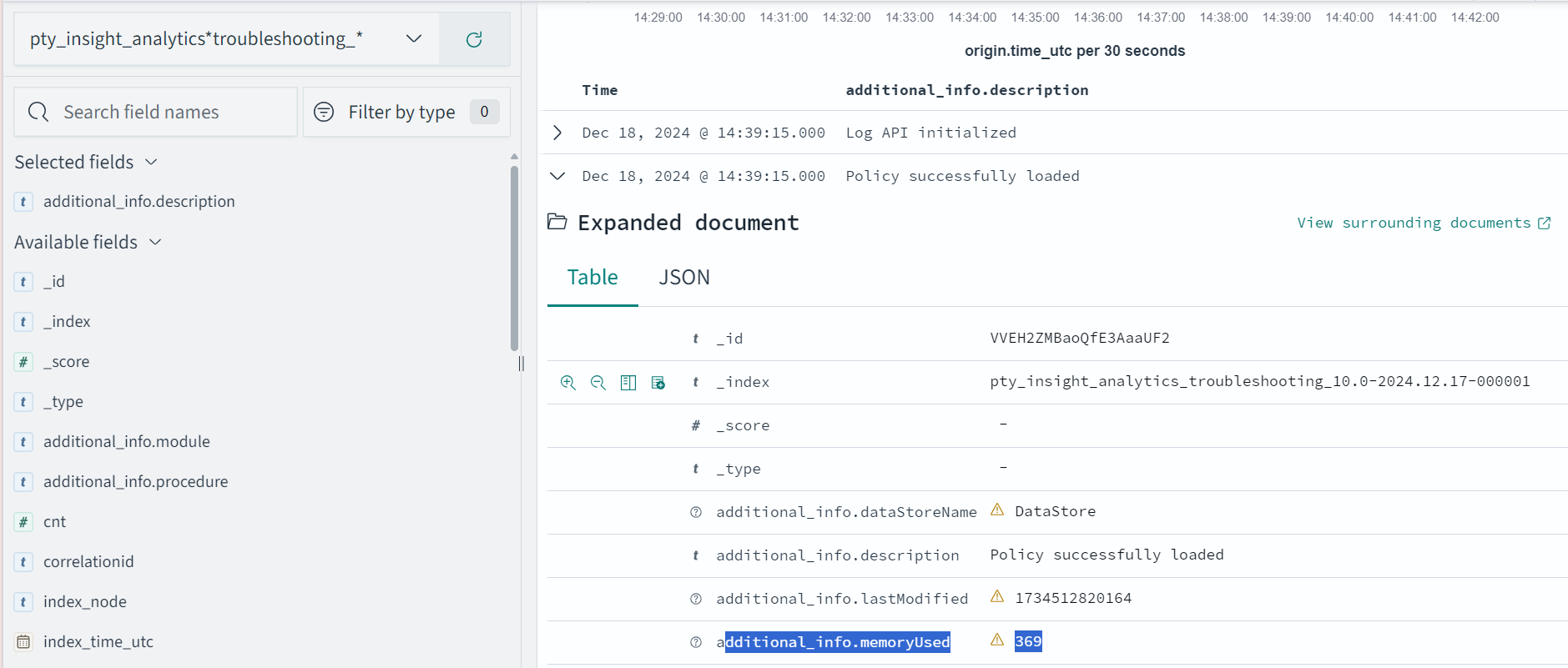
The following is the expected memory usage for different policy sizes used by the HelloWorld java application.
| Policy size | Process memory consumption |
|---|---|
| 13 MB | 36.4 MB |
| 34 MB | 59.4 MB |
| 536 MB | 932.7 MB |
The process memory increases substantially for a few milliseconds when the application is running in the following cases:
- The policy is replaced with another policy
- Changes are made in the current policy
Conclusion
The results for memory required by various policy sizes using the sample HelloWorld.java application can be used to determine the memory requirements of the Java application.
9.1.7.2 - DevOps Approach for Application Protector Java
The DevOps approach enables immutable package deployment. It uses a REST API call to download packages from the ESA in an encrypted format.
Note: The RP Agent should not be installed for immutable package deployments using DevOps.
For more information about package deployment approaches, refer to Resilient Package Deployment.
A REST API call is used to download the package on your local machine. Configure the package path in the config.ini file within the DevOps section and the decryptor class.
If a downloaded path is overwritten, a new package will be reflected in the running application at the set time interval (cadence). This occurs when another package with the same name overwrites the existing one. This changes the protector’s behaviour. The protector no longer functions as an immutable protector. To keep it immutable, set the cadence value in config.ini file to 0.
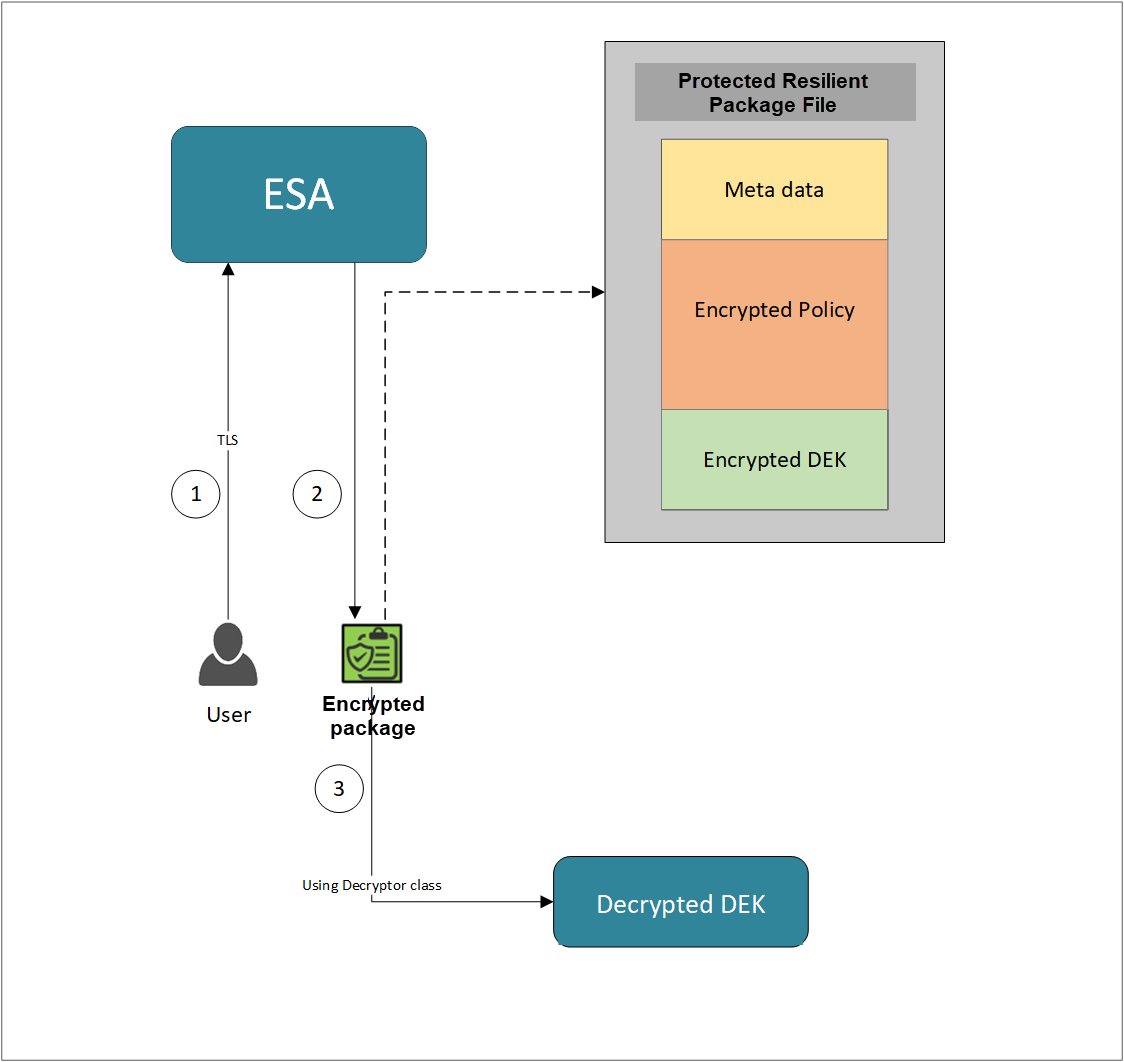
- A REST API call is used to download the policy from the ESA in an envelop encrypted format. A public key is created using a Key Management System (KMS) or Hardware Security Module (HSM). This public key must be passed to the REST API.
- The ESA generates a JSON file for the package with policy.
- The encrypted DEK needs to be decrypted to perform the security operations. A Decryptor class is implemented using the Decryptor interface, to decrypt the Data Encryption Key (DEK) using a private key.
Before you begin
Ensure the following prerequisites are met:
- The installation of the RP Agent is not required for immutable package deployment using the DevOps approach.
- The
decryptorparameter must have a fully qualified name of the decryptor class.
A Decryptor class needs to be implemented using the Decryptor interface, which decrypts the Data Encryption Key (DEK) using a private key. It returns the decrypted DEK in bytes.
For more information on the decryptor interface of AP Java, refer to Configuring the Decryptor interface. - The data store is properly configured before exporting your Application Protector policy. For ESA 10.0.1 and 10.1.0 versions, define allowed servers for seamless policy deployment and secure access control.
For more information about configuring a data store, refer to - - For ESA version 10.2.0 and higher, export key must be created in the data store for secure access control. For more information refer to Using the Encrypted Resilient Package REST APIs.
AP Java
Using the DevOps approach
Perform the following steps to use the DevOps approach for immutable package deployment.
Add the [devops] parameter in the config.ini file.
Ensure the decryptor class has a fully qualified domain name.[devops] package.path = /path/to/policyFile decryptor = packageName.DecryptorClassNameThe following is an example for adding the
[devops]parameter in theconfig.inifile.[devops] package.path = /opt/policies/policy1.json decryptor = com.protegrity.apjava.test.RSADecryptor
Note: For ESA 10.2.0 and later, Application Protector DevOps must use the Encrypted Resilient Package REST APIs using GET method. The legacy Export API using POST method is deprecated and not supported for Teams (PPC). The deprecated API remains supported only for the Enterprise edition for backward compatibility.
For more information about exporting Resilient Package using POST method for 10.0.1 and 10.1.0 ESA, refer to Using the Encrypted Resilient Package REST APIs.
For more information about exporting Resilient Package using GET method for 10.2 ESA, refer to Using the Encrypted Resilient Package REST APIs.
For more information about exporting Resilient Package using GET method for PPC, refer to Using the Encrypted Resilient Package REST APIs.
Sample code for DevOps approach for AP Java
The following sections provide sample code for the DevOps approach for Application Protectors using different cloud platforms.
Configuring the Decryptor interface
A Decryptor class must implement the DEKDecryptor interface to decrypt the DEK. This interface includes the decrypt method. The decrypt method provides keyLabel, algorithmId, and encDek parameters. The decrypted DEK must be returned in byte[] format.
The following is a sample code for implementing the DEKDecryptor interface.
package com.protegrity.jcorelite.decryptor;
import com.protegrity.jcorelite.constants.KEK_ALGO;
import com.protegrity.jcorelite.exceptions.PtyDecryptorException;
public interface DEKDecryptor {
public byte[] decrypt(String keyLabel, KEK_ALGO algorithmId, byte[] encDek) throws PtyDecryptorException;
}
Using AWS
The following is a sample implementation using the private key from AWS KMS.
/* Sample Application for decrypting encrypted DEK using AWS KMS keys.
*
* [Protegrity Prerequisite]
* Create an asymmetric KMS key in the AWS KMS.
* Use the public key of the generated asymmetric key to download ESA policy using the curl request.
*
* [AWS Prerequisite]
* Install AWS CLI.
* Ensure that the AWS credentials and configurations are properly set before running the code that interacts with the AWS services.
* There are multiple ways to configure the AWS credentials and configurations.
* 1. AWS CLI configuration:
* Command: $aws configure
* A prompt appears to enter the following information:
* - AWS Access Key ID: The access key associated with the AWS account or IAM user.
* - AWS Secret Access Key: The secret key associated with the access key.
* - Default region name: The AWS region to use by default.
* - Default output format: The format for CLI command output.
* The AWS credentials and configuration settings are set up in the ~/.aws/credentials and ~/.aws/config files.
*
* 2. Environment variables:
* The AWS credentials using environment variables can be set using the following commands.
* export AWS_ACCESS_KEY_ID = "your_access_key_id"
* export AWS_SECRET_ACCESS_KEY = "your_secret_access_key"
* export AWS_REGION= "your_aws_default_region"
*
* [Java Prerequisite]
* Add AWS KMS Java SDK as part of your dependency:
* implementation 'com.amazonaws:aws-java-sdk-kms:1.12.423'
*/
import com.amazonaws.services.kms.AWSKMS;
import com.amazonaws.services.kms.AWSKMSClientBuilder;
import com.amazonaws.services.kms.model.DecryptRequest;
import com.amazonaws.services.kms.model.DecryptResult;
import com.protegrity.jcorelite.constants.KEK_ALGO;
import com.protegrity.jcorelite.decryptor.DEKDecryptor;
import com.protegrity.jcorelite.exceptions.PtyDecryptorException;
import java.nio.ByteBuffer;
import java.util.Base64;
public class AWSKMSDecryptor implements DEKDecryptor {
private static final String KEY_ID = "3068b3ef-4924-4be5-9e9a-440b418553b3";
public byte[] decrypt(String keyLabel, KEK_ALGO algorithm, byte[] encDek) throws PtyDecryptorException {
getEncoder().encodeToString(encDek));
/* create an AWS KMS client */
AWSKMS kmsClient = AWSKMSClientBuilder.standard().build();
/* wrap byte array into buffer */
ByteBuffer ciphertextBuffer = ByteBuffer.wrap(encDek);
/* decrypt request */
DecryptRequest decryptRequest = new DecryptRequest().withCiphertextBlob(ciphertextBuffer).withEncryptionAlgorithm("RSAES_OAEP_SHA_256").withKeyId(KEY_ID);
/* decrypt the ciphertext */
DecryptResult decryptResult = kmsClient.decrypt(decryptRequest);
/* get the decrypted data */
ByteBuffer decryptedBuffer = decryptResult.getPlaintext();
/* buffer to byte array */
byte[] decryptedDek = decryptedBuffer.array();
return decryptedDek;
}
}
Using Azure
The following is a sample implementation using the private key from Azure Key Vault.
/*
* Sample Application for decrypting encrypted DEK using Azure Key Vault
*
* [Azure Prerequisite]
* Install azure cli
* Login to azure :
az login --use-device-code
*
* [Protegrity Prerequisite]
* For creating a key in Azure Key Vault using Azure CLI, refer :
https://learn.microsoft.com/en-us/azure/key-vault/keys/quick-create-cli
* Download the public key from the key vault :
az keyvault key download --vault-name test -n testkey -e PEM -f publickey.pem
* Replace all the new lines with \n in publickey.pem
* Public key is now ready to be used for downloading your ESA policy
* Azure supports RSA1_5, RSA_OAEP and RSA_OAEP_256 algorithms,
whose correspoding names in REST API call are RSA1_5, RSA-OAEP-SHA1 and RSA-OAEP-256 respectively
Refer : https://learn.microsoft.com/en-us/java/api/com.azure.security.keyvault.keys.cryptography.models.encryptionalgorithm?view=azure-java-stable
* Make sure that decrypt permission is present for the key vault :
az keyvault set-policy -n "test" --key-permissions decrypt --object-id 7e821e4c-e0ad-4a6f-aa26-f445c7c7e3ea
* To get the private key URI from azure key vault, refer :
https://learn.microsoft.com/en-us/azure/key-vault/keys/quick-create-cli
*
* [Java Prerequisite]
* Add Azure key vault and azure identity as part of your dependency
artifactIds : azure-security-keyvault-keys, azure-identity
*
* The below code demonstrates decryption of encrypted DEK using private key URI received from Azure key vault
*/
import com.azure.identity.DefaultAzureCredentialBuilder;
import com.azure.security.keyvault.keys.cryptography.CryptographyClient;
import com.azure.security.keyvault.keys.cryptography.CryptographyClientBuilder;
import com.azure.security.keyvault.keys.cryptography.models.EncryptionAlgorithm;
import com.azure.security.keyvault.keys.cryptography.models.EncryptResult;
import com.azure.security.keyvault.keys.cryptography.models.DecryptResult;
import com.protegrity.jcorelite.constants.KEK_ALGO;
import com.protegrity.jcorelite.decryptor.DEKDecryptor;
import com.protegrity.jcorelite.exceptions.PtyDecryptorException;
public class AzureDecryptor2 {
private static final String KEY_ID = "https://test.vault.azure.net/keys/testkey/aaf3861366a24b1bb4f6871eb11afafe";
public byte[] decrypt(String keyLabel, KEK_ALGO algorithm, byte[] encDek) throws PtyDecryptorException {
/*
* Instantiate a CryptographyClient that will be used to call the service.
* Notice that the client is using
* default Azure credentials. For more information on this and other types of
* credentials, see this document:
* https://docs.microsoft.com/java/api/overview/azure/identity-readme?view=azure
* -java-stable.
*
* To get started, you'll need a key identifier for a key stored in a key vault.
* See the README
* (https://github.com/Azure/azure-sdk-for-java/blob/main/sdk/keyvault/azure-
* security-keyvault-keys/README.md)
* for links and instructions.
*/
CryptographyClient cryptoClient = new CryptographyClientBuilder()
.credential(new DefaultAzureCredentialBuilder().build())
.keyIdentifier(KEY_ID)
.buildClient();
DecryptResult decryptResult = cryptoClient.decrypt(EncryptionAlgorithm.RSA_OAEP, encDek);
return decryptResult.getPlainText();
}
}
Using GCP
The following is a sample implementation using the private key from Google Cloud KMS.
/*
* Sample Application decrypting encrypted DEK using Google Cloud Key Management
*
* [Protegrity Prerequisite]
* Create an asymmetric key using Google Cloud Key Management with key purpose of ASYMMETRIC_DECRYPT.
* This example uses a key with algorithm 2048 bit RSA key OAEP Padding - SHA256 Digest
* Now use the public key of the generated asymmetric key to download your ESA policy
*
* Example curl command to download policy
* curl --location 'https://{ESA_IP}/pty/v1/rps/export?version=1&coreversion=1' \
--header 'accept: application/json' \
--header 'Content-Type: application/json' \
--header 'Authorization: Basic' \
--data '{
"kek":{
"publicKey":{
"label": "LABEL_NAME",
"algorithm": "ALGORITHM_NAME",
"value": "-----BEGIN PUBLIC KEY-----
[asymmetric public key using Google Cloud Key Management]
-----END PUBLIC KEY-----"}
}
}'
*
* The below code demonstrates decrypting encrypted DEK using key generated using Google Cloud Key Management
*
* [Google Prerequisite]
* Google Cloud Account with Google Cloud Key Management enabled
* Install gcloud cli
gcloud auth application-default command creates application_default_credentials.json
*
* [Java Prerequisite]
* Add Google Cloud KMS as part of your dependency
implementation 'com.google.cloud:google-cloud-kms:<version_number>'
*
* Check Google Cloud API Documentation for more information
*/
package com.protegrity.test;
import com.google.cloud.kms.v1.AsymmetricDecryptResponse;
import com.google.cloud.kms.v1.CryptoKeyVersionName;
import com.google.cloud.kms.v1.KeyManagementServiceClient;
import com.google.protobuf.ByteString;
import com.protegrity.jcorelite.constants.KEK_ALGO;
import com.protegrity.jcorelite.exceptions.PtyDecryptorException;
import java.io.IOException;
public class GCPKMSDecryptor {
public byte[] decryptAsymmetricKey(byte[] encDek) throws IOException {
// Replace these variables before running the sample.
String projectId = "your-project-id";
String locationId = "us-east1";
String keyRingId = "my-key-ring";
String keyId = "my-key";
String keyVersionId = "123";
return decryptAsymmetricKey(projectId, locationId, keyRingId, keyId, keyVersionId, encDek);
}
// Decrypt data that was encrypted using the public key component of the given
// key version.
public byte[] decryptAsymmetricKey(
String projectId,
String locationId,
String keyRingId,
String keyId,
String keyVersionId,
byte[] ciphertext)
throws IOException {
// Initialize client that will be used to send requests. This client only
// needs to be created once, and can be reused for multiple requests. After
// completing all of your requests, call the "close" method on the client to
// safely clean up any remaining background resources.
try (KeyManagementServiceClient client = KeyManagementServiceClient.create()) {
// Build the key version name from the project, location, key ring, key,
// and key version.
CryptoKeyVersionName keyVersionName =
CryptoKeyVersionName.of(projectId, locationId, keyRingId, keyId, keyVersionId);
// Decrypt the ciphertext.
AsymmetricDecryptResponse response =
client.asymmetricDecrypt(keyVersionName, ByteString.copyFrom(ciphertext));
return response.getPlaintext().toByteArray();
}
}
public byte[] decrypt(String keyLabel, KEK_ALGO algorithm, byte[] encDek)
throws PtyDecryptorException, IOException {
return decryptAsymmetricKey(encDek);
}
}
9.1.7.3 - Application Protector API Return Codes
When an application is developed using the APIs of the Protegrity Application Protector Suite, you may encounter the Application Protector API Return Codes. For more information about log return codes, refer to Log return codes.
Sample Log for AP Return Codes
The following is a sample log generated in Discover on the Audit Store Dashboards in the ESA.
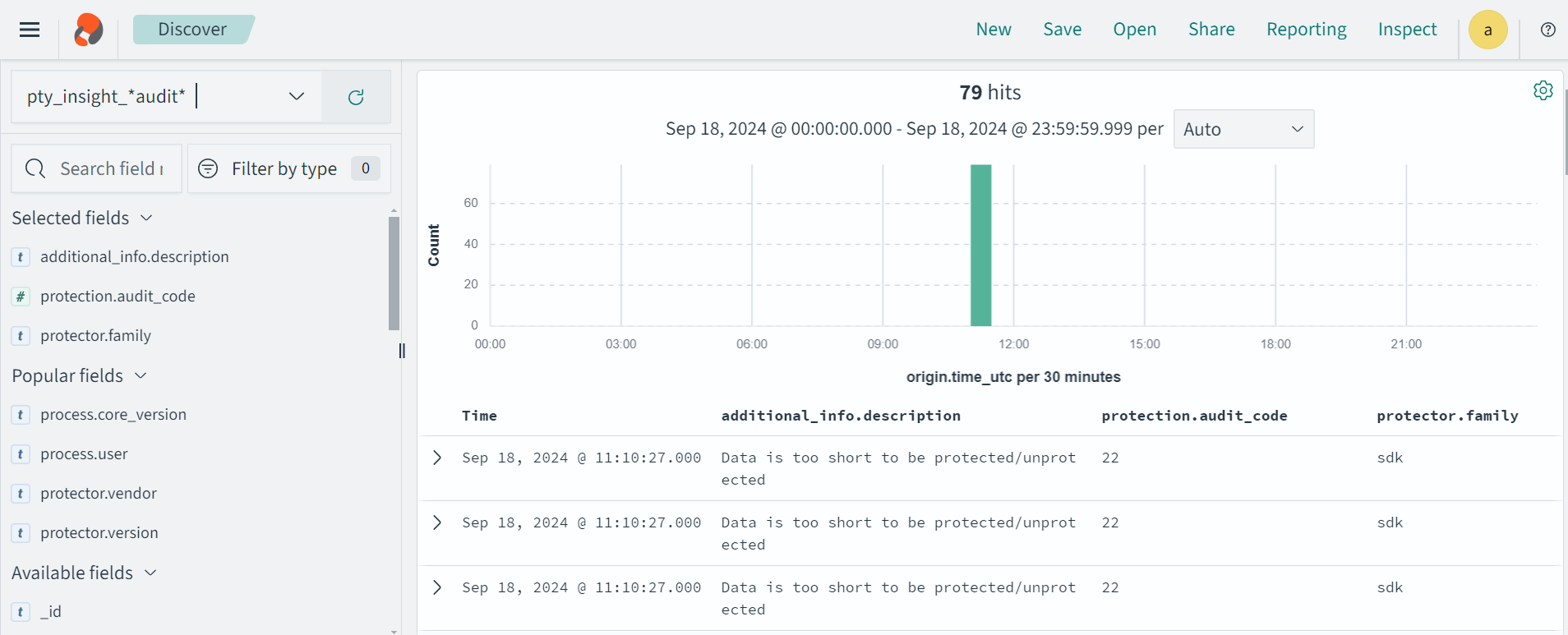
Protection audit logs are stored in the Audit Store. Select the pty_insight_*audit* index to view the protection logs.
For more information about viewing the logs, refer to Working with Discover.
9.1.7.4 - Config.ini file for Application Protector
The Application Protector can be configured using the config.ini file. By default, this file is located in the <installation directory>/sdk/<protector>/data/ directory.
The various configurations required for setting up the Application Protector are described in this section.
Sample config.ini file
The following represents a sample config.ini file.
# -----------------------------
# Protector configuration
# -----------------------------
[protector]
# Cadence determines how often the protector connects with shared memory to fetch the policy updates in background.
# Default is 60 seconds. So by default, every 60 seconds protector tries to fetch the policy updates.
#
# Default 60.
cadence = 60
# The time during which an session object is valid. Default = 15 minutes.
session.sessiontimeout = 15
###############################################################################
# Log Provider Config
###############################################################################
[log]
# In case that connection to fluent-bit is lost, set how audits/logs are handled
#
# drop : (default) Protector throws logs away if connection to the fluentbit is lost
# error : Protector returns error without protecting/unprotecting
# data if connection to the fluentbit is lost
mode = drop
# Host/IP to fluent-bit where audits/logs will be forwarded from the protector
#
# Default localhost
host = localhost
Different configurations for Application Protector
The following are the various configurations:
Protector configurations
cadence: The interval at which the protector synchronizes with the shared memory for fetching the package with policy. The default value forcadenceis 60 seconds. The maximum and minimum value that can be set forcadenceare 86400 seconds (24 hours) and 0 respectively.
For more information about the policy deployment with differentcadenceconfigurations, refer to Policy Deployment.
For more information about the Resilient Package sync configuration parameters, refer to Resilient Package Sync Configuration Parameters.
For more information about changing protector status interval, refer to Resilient Package Status Configuration Parameter.session.sessiontimeout: The time during which a session object is valid. The default value forsession.sessiontimeoutis 15 minutes.Note: The
session.sessiontimeoutparameter is supported only by AP Java. Other Application Protectors do not support this parameter.
Log Provider configurations
mode: This describes how the protector logs are handled if you lose connection to the Log Forwarder host, can be set to one of the following values:drop: The logs are dropped when the connection to the Log Forwarder is lost. The defaultmodeisdrop.error: The data security operations are stopped and an error is generated when the connection to the Log Forwarder is lost.
host: The Log Forwarder hostname or IP address where the logs will be forwarded from the protector. The defaulthostfor Log Forwarder islocalhost.
For more information about the configuration parameters for forwarding the audits and logs, refer to Configuration Parameters for Forwarding Audits and Logs.
9.1.7.5 - Multi-node Application Protector Architecture
The multi-node Application Protector (AP) architecture, its individual components, and how logs are collected using the Log Forwarder are described in this section.
The following figure describes the multi-node AP architecture.
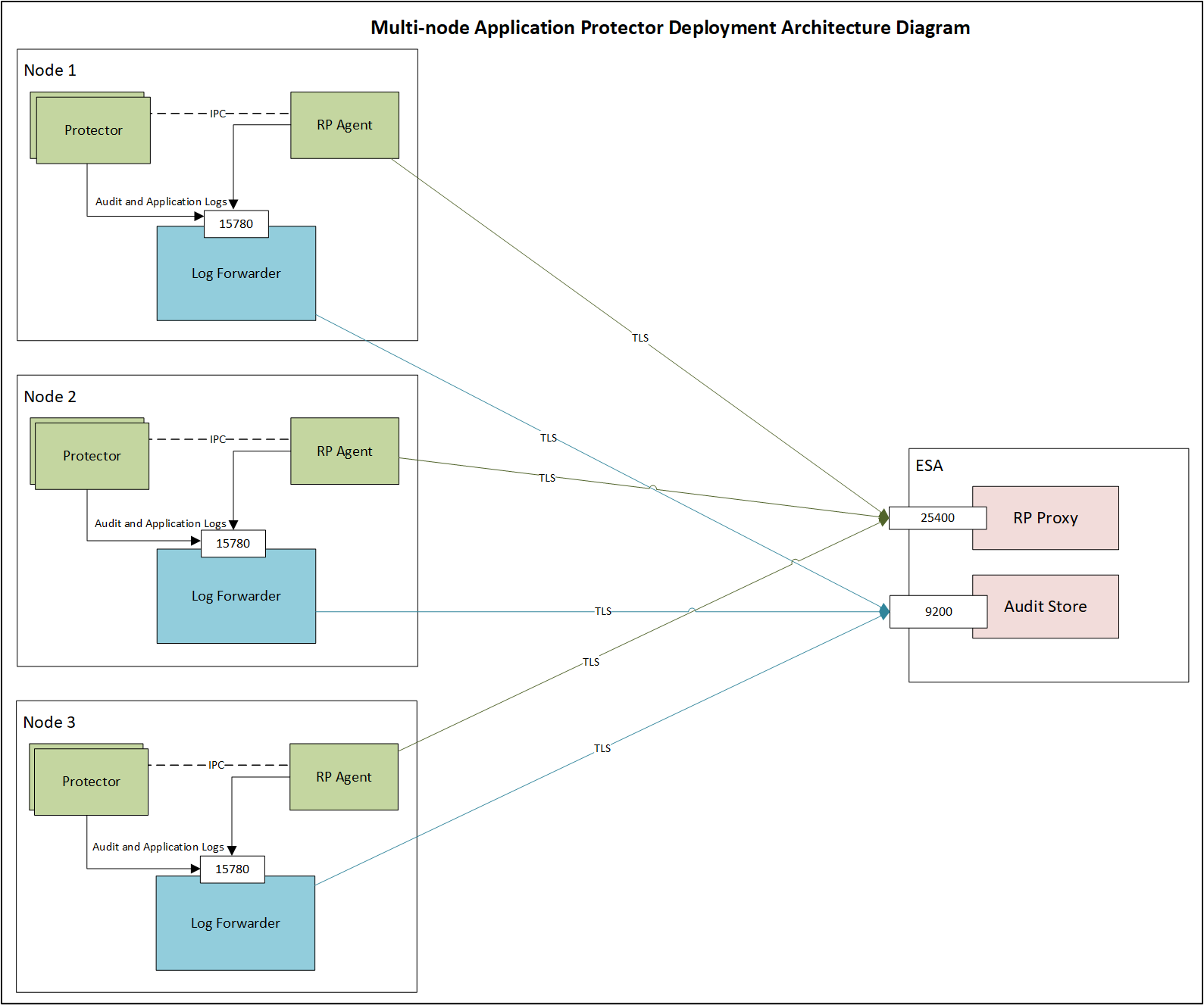
For example, some AP nodes are connected to an ESA, which includes the Audit Store component. Each AP node contains a Log Forwarder, RP Agent, and AP instance for sending logs to the ESA.
Protector: The AP can be configured using the config.ini file.
For more information about the configurations, refer to Config.ini file for Application Protector.
RP Agent: The RP Agent downloads the package with policy from the ESA, which is used by the protector to perform the protect, unprotect, or reprotect operations. It checks for the updates in the policy at set intervals and downloads the latest policy package when an update is detected.
Log Forwarder: The Log Forwarder component collects the logs from the AP and forwards them to the Audit Store. The Log Forwarder uses the 15780 port which is configurable to transport protection and audit logs to the ESA. The ESA receives the logs and stores it in the Audit Store.
9.1.7.6 - Uninstalling the Application Protector
Uninstalling Application Protector (AP) Java from Linux
This section outlines the steps to uninstall the various components of AP Java from a Linux platform.
Uninstalling the Log Forwarder from Linux
Note: To preserve all the configurations while upgrading the Log Forwarder, ensure all the files present under the
/opt/protegrity/logforwarder/data/config.ddirectory are backed up.
To uninstall the Log Forwarder from a Linux platform:
Navigate to the
/opt/protegrity/logforwarder/bindirectory.Stop the Log Forwarder using the following command.
./logforwarderctrl stopDelete the
/opt/protegrity/logforwarderdirectory.The Log Forwarder is uninstalled.
Uninstalling the RP Agent from Linux
Note: Before uninstalling the RP Agent, ensure that all the files present under the
/opt/protegrity/rpagent/datadirectory are backed up.
To uninstall the RP Agent from a Linux platform:
Navigate to the
/opt/protegrity/rpagent/bindirectory.Stop the RP Agent using the following command.
./rpagentctrl stopDelete the
/opt/protegrity/rpagentdirectory.The RP Agent is uninstalled.
Uninstalling the AP Java from Linux
To uninstall the AP Java from a Linux platform:
Navigate to the
/opt/protegrity/sdkdirectory.Delete the
/javadirectory.The AP Java is uninstalled.
9.2 - Application Protector Python
Protegrity Application Protector (AP) Python Overview
The Protegrity Application Protector (AP) Python provides APIs that integrate with customer applications to protect, unprotect, and reprotect sensitive data.
The AP Python has the following protection and security access methods:
- Get product version
- Check access rights for users
- Protect
- Unprotect
- Reprotect
Features of AP Python
The following are the various features of AP Python.
Supported Python distributions
AP Python supports the following distributions on Linux:
- Python 3.7
- Python 3.8
- Python 3.9
- Python 3.10
- Python 3.11
Trusted applications
The AP Python can be accessed only by the trusted applications. Any application that protects, unprotects, or reprotects data must first be created as a trusted application.
A trusted application name should be the name of the running application. For example, refer to the sample program in the section Running IAP - Example in the Protegrity Application Protector On-Premises Immutable Policy User Guide 9.1.0.0. Here, the trusted application name is “HelloWorld”. The trusted application user is the user who is running the program.
For AP Python applications, the logis is to determine the fully qualified module name for invoking the APIs.
For more information about how to make an application trusted, refer to Creating a Trusted Application.
Session validity
A session is valid until the sessiontimeout that is passed as a parameter to the create_session API. The default validity of a session is 15 minutes. An active session is renewed every time the session is used.
Session Handling
Sessions are required for audit record generation. A session is valid for a specific time, and it is managed by the timeout value passed during the create_session() method. By default, the session timeout value is set to 15 minutes. For every call to the create_session() method, a new session object is created - a pool of session objects is not maintained. Python’s garbage collector is used for destroying the Session objects once they are out of scope. You can also use the session object as Python’s Context manager using the with statement.
A session is automatically renewed every time it is used. Thus, for each call to a data protection operation, such as, protect, unprotect, and reprotect, the time for the session to remain alive is renewed.
Audit logs
Each session generates audit records for every protection method call and data element.
Single Data Item Operations
- Examples:
- 1 protect operation with data element
aand count1→ 1 audit log - 5 protect operations with data element
band count5→ 5 audit logs - 1000 unprotect operations with data element
aand count1000→ 1000 audit logs
- 1 protect operation with data element
- Examples:
Bulk Data Item Operations
- 2 bulk protect operations with bulk size
3and same data elements → 1 audit log with count6
- 2 bulk protect operations with bulk size
Trusted Application logs are also included in audit records.
Audits are generated in ESA forensics for Security Officer access.
For more information about Trusted Applications, refer to Working With Trusted Applications.
Error handling
If AP Python is used to perform a security operation on a single data item, then an exception appears in case of any error. Similarly, if AP Python is used to perform a security operation on bulk data, then an exception appears for all errors except the error codes 22, 23, and 44. Instead, an error list is returned for the individual items in the bulk data for error codes 22, 23, and 44.
For more information about the log return codes, refer to Log return codes.
Support for running AP Python in a Development Environment
The AP Python provides support for running it in a development environment. In this mode, the AP Python APIs along with a set of sample users and data elements are used to simulate the behavior of the APIs in production environment. This mode is also known as AP Python mock implementation. Customers can use this mode to test the integration of their applications with the AP Python.
For more information on how to run AP Python in a development environment, refer to Using AP Python in a development environment.
9.2.1 - Understanding the Architecture
This page describes the architecture, the individual components, and the workflow of the Protegrity Application Protector (AP) solution.
Architecture and Workflow
The following figure illustrates the deployment architecture of the Application Protector (AP).
The following table describes the components of the AP deployment architecture.
| Component | Description |
|---|---|
| Customer Application | Built in supported programming languages and integrates with AP for data protection. |
| Application Protector | Core protection engine that enforces security policies and performs data protection operations. |
| Configuration File (config.ini) | Contains initialization parameters passed to AP during startup. |
| Native Interface | Native interface between AP and the C layer. |
| Package Enforcement and Deployment | Downloads policy packages from the RP Agent and executes protection operations, such as, protect, unprotect, and reprotect. |
| Log Forwarder | Collects logs from AP and forwards them to the Audit Store for centralized auditing. |
| Resilient Package (RP) Agent | Standalone process that retrieves policy packages from ESA and shares them with AP processes using shared memory IPC. |
The following steps describe the workflow of a sample AP deployment in the production environment.
The customer application initializes the SDK.
The configurations that are required configuration parameters are passed to the protector using the
config.inifile.Note: The configurations can be set through environment variables. ENV overrides values in the
config.inifile, except forcadenceandsession timeoutwhich must be set in the config file.For more information about environment variables configuration, refer to:
The RP Agent regularly syncs with the RP Proxy or ESA to check for policy updates. If a change is detected, the updated policy package is securely downloaded over a TLS channel and stored in shared memory.
The protector synchronizes with shared memory based on the
cadencevalue defined inconfig.inifile. If a new package is available, it is fetched into process memory. This updated package is then used to perform data protection operations such as, such as, protect, unprotect, and reprotect.The audit logs generated during protection operations are forwarded to the Audit Store:
- Logs from the application are sent through the Log Forwarder
- Logs from the RP Agent are also forwarded using the Log Forwarder
Components of the Application Protector
The Protegrity Application Protector (AP) solution comprises several key components that work together to enforce data protection policies and ensure secure operations.
Application Protector
The core engine that integrates with customer applications to perform data protection operations:
- Protect
- Unprotect
- Reprotect
AP is available in multiple language-specific variants. One of which is:
- AP Python: For applications developed in Python
Resilient Package (RP) Agent
A standalone process responsible for policy synchronization:
- To sync with the RP Proxy or ESA at regular intervals of 60 seconds
- To detect policy changes and download updated packages over a secure TLS channel
- To store the packages in shared memory for use by the protector
Log Forwarder
A log processing tool that handles audit and protection logs:
- Collects logs generated by AP and RP Agent
- Forwards logs to the Audit Store within ESA
Ports used to transport the protection and audit logs to the ESA:
15780: Configurable15781: Non-configurable
Package Deployment
The different approaches for package deployment during the initialization process of the Application Protector are described in this section.
Dynamic Package Deployment
Use this approach when the protector needs to continuously check for policy updates after initialization.
- Set the
cadenceparameter to a non-zero value in theconfig.inifile. - This value defines the interval in seconds at which the protector synchronizes with the RP Agent.
- If a policy change is detected, the protector automatically fetches the updated package and applies it during protection operations.
Note: This method ensures that the protector always operates with the latest policy.
Immutable Package Deployment
Use this approach when the protector does not need to check for policy changes after initialization.
- Add the
[devops]parameter in theconfig.inifile before initializing the protector. - A REST API call is used to download an envelope-encrypted package from the ESA.
- The protector uses this static package for all operations without further synchronization.
For more information about the DevOps approach, refer to DevOps Approach for Application Protector.
9.2.2 - System Requirements
The following table lists the minimum hardware configurations.
| Hardware Component | Configuration Details |
|---|---|
| CPU | Depends on the application. |
| Disk Space | Under 200 MB - including LogForwarder, RP Agent, and AP Python. |
| RAM | Memory usage depends on the AP flavor and application behavior. Refer to AP Python. |
9.2.3 - Preparing the Environment
Preparing the Environment for AP Python Installation on Linux
Before installing Protegrity Application Protector (AP) Python on a Linux platform, ensure the following prerequisites are met:
Prerequisites
- The Enterprise Security Administrator (ESA) is installed, configured, and running.
- The IP address or host name of the ESA is noted.
- The Policy Management (PIM) is initialized on the ESA. It creates cryptographic keys and the policy repository for data protection.
For more information about initializing the PIM, refer to Initializing the Policy Management. - The Python 3, versions 3.7 to 3.11, is installed on the same machine.
- The latest version of pip, the Python package manager, is installed on the same machine.
9.2.4 - Installing the AP Python Protector
Note:
- ARM64 support is available only from version 10.0.1 and requires the separate build
ApplicationProtector_Linux-ALL-64_arm64_PY-3.13_<version>.tgz.<arch>can bex86-64orarm64.<py_version>can be3.11or3.13.
Extracting the Setup Scripts and Package
To set up the AP Python on the Linux platform:
Download the
ApplicationProtector_Linux-ALL-64_<arch>_PY-<py_version>_<version>.tgzfile to any location on the machine where you want to install the protector.Extract the AP Python installation package using the following command.
tar –xvf ApplicationProtector_Linux-ALL-64_<arch>_PY-<py_version>_<version>.tgzThe following setup files are extracted:
ApplicationProtector_Linux-ALL-64_<arch>_PY-<py_version>_<version>.tgzsignatures/ApplicationProtector_Linux-ALL-64_<arch>_PY-<py_version>_<version>.sig
Verify the digital signature of the signed AP Python build.
For more information about verifying the signed AP Python build, refer to Verification of Signed Protector Build.Extract the AP Python installation package again using the following command.
tar –xvf ApplicationProtector_Linux-ALL-64_<arch>_PY-<py_version>_<version>.tgzThe following setup files are extracted:
Note: Here,
<arch>can bex64orarm64.LogforwarderSetup_Linux_<arch>_<version>.shRPAgentSetup_Linux_<arch>_<version>.shAPPythonSetup_Linux_<arch>_<version>.shAPPythonDevSetup_Linux_<arch>_<version>.tar
Installing Log Forwarder on Linux
The steps to install the Log Forwarder on a Linux platform using the Interactive mode or through the Silent mode, are described in this section.
Note: To preserve all the configurations while upgrading the Log Forwarder, ensure that you backup all the files present under the
/opt/protegrity/logforwarder/data/config.ddirectory.
For more information about installing Log Forwarder on Linux, refer to Installing Log Forwarder on Linux.
Using Interactive Mode
For more information about installing the Log Forwarder using Interactive Mode, refer to Installing Log Forwarder on Linux using Interactive Mode.
Using Silent Mode
For more information about installing Log Forwarder using the silent mode, refer to Installing Log Forwarder on Linux using Silent Mode.
Installing RP Agent on Linux
The steps to install the RP Agent on a Linux platform using the Interactive mode or through the Silent mode of installation are described in this section.
For more information about installing RP Agent, refer to Installing RP Agent on Linux or Unix.
Using Interactive Mode
For more information about installing RP Agent on Linux using Interactive Mode, refer to Installing RP Agent on Linux or Unix using Interactive Mode.
Using Silent Mode
For more information about installing RP Agent using Silent Mode, refer to Installing RP Agent on Linux or Unix using Silent Mode.
AP Python v10.0.1 only supports Linux ARM64.
The steps to install the RP Agent on a Linux platform using the Interactive mode or through the Silent mode of installation are described in this section.
RPA Secure Mode with ESA on Linux
Before proceeding with the RPA installation in secure mode, ensure that the required CA certificate is available and trusted on the system.
For PPC
Retrieve the custom CA certificate using the following command:
kubectl -n cert-manager get secret eclipse-ca -o jsonpath='{.data.tls\.crt}' | base64 -d > ca.crtFor ESA
Download the certificate from ESA.
For more information about downloading certificates from ESA, refer to Manage Certificates.
After obtaining the certificate, configure the environment variable:
| Variable | Value |
|---|---|
| SSL_CERT_FILE | Full path to the certificate file (for example, /opt/ca.crt) |
When prompted for the ESA hostname or IP during RPA installation, ensure it is included in the ESA TLS certificate (CN or SAN) and is resolvable from the RPAgent host.
After the CA certificate is available, proceed with the RPA installation.
For more information about installing RP Agent, refer to Installing RP Agent on Linux or Unix.
Using Interactive Mode
For more information about installing RP Agent on Linux using Interactive Mode, refer to Installing RP Agent on Linux or Unix using Interactive Mode.
Using Silent Mode
For more information about installing RP Agent using Silent Mode, refer to Installing RP Agent on Linux or Unix using Silent Mode.
Installing Application Protector Python on Linux
The steps to install the AP Python on a Linux platform using the Linux installer or through the Silent mode of installation, are describes in this section.
Using Linux Installer
To install the AP Python on the Linux platform in a production environment using the Linux installer:
Note: Here,
<arch>can bex64orarm64.
Run the AP Python installer using the following command.
./APPythonSetup_Linux_<arch>_<version>.shThe prompt to continue the installation appears.
***************************************************** Welcome to the AP Python SDK Setup Wizard ***************************************************** This will install AP Python SDK on your computer. Do you want to continue? [yes or no]If you want to continue with the installation of the AP Python SDK, then type yes else type no.
If you type yes, then the prompt to enter the installation directory appears.
Please enter installation directory [/opt/protegrity]:If you type no, then the installation of the AP Python aborts.
The AP Python is extracted in /opt/protegrity/sdk/python directory on a Linux platform.
Navigate to the
/opt/protegrity/sdk/python/lib/directory.Run the following command to run the pip installer package.
pip install appython-<version>.tar.gzVerify that the following directories are created in the AP Python site-packages installation directory:
- appython
- mocks
- pypepprovider
Perform the following steps to access the AP Python Pydoc, which contains the API documentation.
Run the following command to extract the AP Python setup file:
tar –xvf /opt/protegrity/sdk/python/lib/<appython file.tar.gz>The
appython-tempdirectory is extracted.Navigate to the
appython-temp\docs\directory.Open the
index.htmlfile in a browser to access the AP Python Pydoc.
If you are setting up the AP Python in a virtual Linux environment, then convert the
appython-temp\docsdirectory to a zip file and download it locally. You can then open the index.html file in a browser to access the AP Python Pydoc.
Using Silent Mode
You can also execute the AP Python installer without any manual intervention, which is also known as the Silent mode of installation. The following parameter must be provided to execute the installer in the Silent mode.
| Parameter | Description |
|---|---|
| -dir | Specifies the installation directory, which is an optional parameter. If the installation directory is not specified, then the installation path is the default directory, which is /opt/protegrity. |
Note: Here,
<arch>can bex64orarm64.
./APPythonSetup_Linux_<arch>_<version>.sh [-dir <directory>]
9.2.5 - Configuring the Protector
Verifying Installation of AP Python
To verify that the AP Python has been successfully installed:
- Login to the machine where the AP Python is installed.
- To verify the version of the AP Python, run the following command:The name and version of the installed AP Python package are displayed on the console.
pip listappython 10.0.0+x - Alternatively, run the
get_versionAPI.
To verify that the AP Python is ready to protect data, test some sample data with the protect method.
For more information about the get_version, refer to get_version.
For more information about the protect API, refer to protect.
9.2.6 - Application Protector Python APIs
A session must be created to run the AP Python. Before creating the session, the AP Python verifies whether the application invoking the AP Python APIs is trusted. If it is trusted, then a new session is created, and the protect, unprotect, or reprotect methods can be called, one or many times, depending on the data. After the operation is complete, this session closes implicitly or the session times out if it is idle.
A session is valid for a specific time, which is managed by the timeout value passed during the create_session() method. By default, the session timeout value is set to 15 minutes. For every call to the create_session() method, a new session object is created - a pool of session objects is not maintained. Python’s garbage collector is used for destroying the session objects once they are out of scope. You can also use the session object as Python’s Context manager using the with statement. A session is automatically renewed every time it is used. Thus, for each call to a data protection operation, such as, protect, unprotect, and reprotect, the time for the session to remain alive is renewed.
For single data item calls, a total of three audit log events are generated if you perform the following operations:
- 1 protect operation with data element a → 1 audit log
- 5 protect operations with data element b → 5 audit logs
- 1000 unprotect operations with data element a → 1000 audit logs
For more information about audit logs information, refer to Audit logs.
The following figure explains a basic flow of a session.
The AP Python only supports bytes converted from the string data type. Data corruption might occur when a data type is directly converted to bytes and passed as an input to an API. This API supports byte as input and provides byte as output.
You do not have to explicitly close the session. The session is closed implicitly after the API protects, unprotects, or reprotects the data. The session object is implemented as a Python Context Manager and can be used with the with statement.
Supported data types for the AP Python
The AP Python supports the following data types:
- Bytes
- Date Object
- Float
- Integer
- String
Note: The AP Python does not support the Datetime object.
Supported Modes for AP Python
You can use the AP Python APIs in the following modes:
- Production Environment: Use the AP Python APIs to protect, unprotect, and reprotect the data using the data elements deployed on the ESA.
- Development Environment: Use sample users and data elements with the AP Python Mock APIs to simulate the protect, unprotect, and reprotect operations. You do not require the Log Forwarder, the RP Agent, and the ESA to be installed on your machine.
Using AP Python in a Production Environment
The various APIs supported by the AP Python in a production environment are described in this section. It describes the syntax of the AP Python APIs and provides the sample use cases.
Initialize the protector
The Protector API returns the Protector object associated with the AP Python APIs. After instantiation, this object is used to create a session. The session object provides APIs to perform the protect, unprotect, or reprotect operations.
Protector(self)
Note: Do not pass the
selfparameter while invoking the API.
Parameters
None
Returns
Protector: Object associated with the AP Python APIs.
Exceptions
InitializationError: This exception is thrown if the protector fails to initialize.
Example
In the following example, the AP Python is initialized.
from appython import Protector
protector = Protector()
create_session
The create_session API creates a new session. The sessions that are created using this API, automatically time out after the session timeout value has been reached. The default session timeout value is 15 minutes. However, you can also pass the session timeout value as a parameter to this API.
Note: If the session is invalid or has timed out, then the AP Python APIs that are invoked using this session object, may throw an
InvalidSessionErrorexception. Application developers can catch theInvalidSessionErrorexception and create a session by again by invoking thecreate_sessionAPI.
def create_session(self, policy_user, timeout=15)
Note: Do not pass the
selfparameter while invoking the API.
Parameters
policy_user: Username defined in the policy, as a string value.
timeout: Session timeout, specified in minutes. By default, the value of this parameter is set to 15. This parameter is optional.
Returns
session: Object of the Session class. A session object is required for calling the data protection operations, such as, protect, unprotect, and reprotect.
Exceptions
ProtectorError: This exception is thrown if a null or empty value is passed as the policy_user parameter.
Example
In the following example, User1 is passed as the policy_user parameter.
from appython import Protector
protector = Protector()
session = protector.create_session("User1")
get_version
The get_version API returns the version of the AP Python in use. Ensure that the version number of the AP Python matches with the AP Python build package.
Note: You do not need to create a session for invoking the
get_versionAPI.
def get_version(self)
Note: Do not pass the
selfparameter while invoking the API.
Parameters
None
Returns
String: Product version of the installed AP Python.
Exceptions
None
Example
In the following example, the current version of the installed AP Python is retrieved.
from appython import Protector
protector = Protector()
print(protector.get_version())
Result
10.0.0+x
get_version_ex
The get_version_ex API returns the extended version of the AP Python in use. The extended version consists of the AP Python version number and the Core version.
Note:
- You do not need to create a session for invoking the get_version_ex API.
- The Core version is a sub-module which is required for troubleshooting protector issues.
def get_version_ex(self)
Note: Do not pass the
selfparameter while invoking the API.
Parameters
None
Returns
String: The product version of the installed AP Python and the Core version.
Exceptions
None
Example
In the following example, the current version of the AP Python and the Core version is retrieved.
from appython import Protector
protector = Protector()
print(protector.get_version_ex())
Result
SDK Version: 10.0.0+x, Core Version: 2.1.1+20.g78ac6ac.2.1
check_access
The check_access API returns the access permission status of the user for a specified data element.
For checking protect and unprotect access:
def check_access(self, DE, access_type)
For checking reprotect access:
def check_access(self, DE, access_type, newDE)
Note: Do not pass the
selfparameter while invoking the API.
Parameters
DE: String containing the data element name defined in the policy.
access_type: Type of the access permission of the user for the specified data element. You can specify a value for this parameter from the CheckAccessType enumeration.
The following are the different values for the CheckAccessType enumeration:
| Access Type | Check Access Type |
|---|---|
| PROTECT | 2 |
| REPROTECT | 4 |
| UNPROTECT | 8 |
| newDE: String containing the new data element name defined in the policy. |
Returns
True: The user has access to the data element.
False: The user does not have access to the data element.
Exceptions
ProtectorError: This exception is thrown if the API is unable to retrieve the default data element.
InvalidSessionError: This exception is thrown if the session is invalid or has timed out.
Example
In the following example, the check_access API is used to check whether the user has reprotect permissions for the TE_A_N_S23_L2R2_Y token data element with TE_A_N_S23_L3R3_Y as the new token data element.
from appython import Protector
from appython import CheckAccessType
protector = Protector()
session = protector.create_session("User1")
print(session.check_access("TE_A_N_S23_L2R2_Y",
CheckAccessType.REPROTECT, "TE_A_N_S23_L3R3_Y"))
Result
True
flush_audits
The flush_audits API is used for flushing the audit logs at any point within the application. This API is required for a short running process that lasts less than a second, to get the audit logs. It is recommended to invoke the API at the point where the application exits.
def flush_audits(self)
Note: Do not pass the
selfparameter while invoking the API.
Parameters
None
Returns
None
Exceptions
ProtectorError: This exception is thrown if the API is unable to flush the audit logs.
Example
In the following example, the flush_audits API is used to flush the audit logs.
from appython import Protector
protector = Protector()
session = protector.create_session("User1")
output = session.protect("Protegrity1", "Alpha_Num")
print("Protected Data: %s" %output)
session.flush_audits()
protect
The protect API protects the data using tokenization, data type preserving encryption, No Encryption, or encryption data element. It supports both single and bulk protection without a maximum bulk size limit. However, you are recommended not to pass more than 1 MB of input data for each protection call.
For String and Byte data types, the maximum length for tokenization is 4096 bytes, while no maximum length is defined for encryption.
def protect(self, data, de, **kwargs)
Note: Do not pass the self parameter while invoking the API.
Parameters
data: Data to be protected. You can provide the data of any type that is supported by the AP Python. For example, you can specify data of type string, float, or integer. However, you cannot provide the data of multiple data types at the same time in a bulk call.
de: String containing the data element name defined in policy.
**kwargs: Specify one or more of the following keyword arguments:
- external_iv: Specify the external initialization vector for Tokenization and FPE protection methods. This argument is optional.
- encrypt_to: Specify this argument for encrypting the data and set its value to bytes. This argument is Mandatory. It must not be used for Tokenization and FPE protection methods.
- external_tweak: Specify the external tweak value for FPE protection method. This argument is optional.
- charset: This is an optional argument. It indicates the byte order of the input buffer. You can specify a value for this argument from the charset constants, such as, UTF8, UTF16LE, or UTF16BE. The default value for the charset argument is UTF8.
The charset argument is only applicable for the input data of byte type.
The charset parameter is mandatory for the data elements created with Unicode Gen2 tokenization method and the FPE encryption method for byte APIs. The encoding set for the charset parameter must match the encoding of the input data passed.
Note: Keyword arguments are case sensitive.
Returns
- For single data: Returns the protected data
- For bulk data: Returns a tuple of the following data:
- List or tuple of the protected data
- Tuple of error codes
Exceptions
InvalidSessionError: This exception is thrown if the session is invalid or has timed out.
ProtectError: This exception is thrown if the API is unable to protect the data.
If the
protectAPI is used with bulk data, then it does not throw any exception. Instead, it only returns an error code.
For more information about the return codes, refer to Application Protector Return Codes.
Example - Tokenizing String Data
The examples for using the protect API for tokenizing the string data are described in this section.
Example 1: Input string data
In the following example, the Protegrity1 string is used as the data, which is tokenized using the
TE_A_N_S23_L2R2_Y Alpha Numeric data element.
from appython import Protector
protector = Protector()
session = protector.create_session("User1")
output = session.protect("Protegrity1", "TE_A_N_S23_L2R2_Y")
print("Protected Data: %s" %output)
Result
Protected Data: Pr9zdglWRy1
Example 2: Input string data using session as Context Manager
In the following example, the Protegrity1 string is used as the data, which is tokenized using the
TE_A_N_S23_L2R2_Y Alpha Numeric data element.
from appython import Protector
protector = Protector()
with protector.create_session("User1") as session:
output = session.protect("Protegrity1", "TE_A_N_S23_L2R2_Y")
print("Protected Data: %s" %output)
Result
Protected Data: Pr9zdglWRy1
Example 3: Input date passed as a string
In the following example, the 29/05/1998 string is used as the data, which is tokenized using the
TE_Date_DMY_S13 Date data element.
If a date string is provided as input, then the data element with the same tokenization type as the input date format must be used to protect the data. For example, if you have provided the input date string in DD/MM/YYYY format, then you must use only the Date (DD/MM/YYYY) data element to protect the data.
from appython import Protector
protector = Protector()
session = protector.create_session("User1")
output = session.protect("29/05/1998", "TE_Date_DMY_S13")
print("Protected data: "+str(output))
Result
Protected data: 08/07/2443
Example 4: Input date and time passed as a string
In the following example, the 1998/05/29 10:54:47 string is used as the data, which is tokenized using the
TE_Datetime_TN_DN_M Datetime data element.
If a date and time string is provided as input, then the data element with the same tokenization type as the input format must be used for data protection. For example, if the input date and time string in YYYY/MM/DD HH:MM:SS MMM format is provided, then only the Datetime (YYYY-MM-DD HH:MM:SS MMM) data element must be used to protect the data.
from appython import Protector
protector = Protector()
session = protector.create_session("User1")
output = session.protect("1998/05/29 10:54:47", "TE_Datetime_TN_DN_M")
print("Protected data: "+str(output))
Result
Protected data: 3311/02/22 10:54:47
Example - Tokenizing String Data with External Initialization Vector (IV)
The example for using using the protect API for tokenizing string data using external initialization
vector (IV) is described in this section.
If you want to pass the external IV as a keyword argument to the protect API, then you must first pass the external IV as bytes to the API.
Example
In this example, the Protegrity1 string is used as the data tokenized using the TE_A_N_S23_L2R2_Y data element, with the help of the external IV 1234 passed as bytes.
from appython import Protector
protector = Protector()
session = protector.create_session("User1")
output = session.protect("Protegrity1", "TE_A_N_S23_L2R2_Y",
external_iv=bytes("1234", encoding="utf-8"))
print("Protected Data: %s" %output)
Result
Protected Data: PrksvEshuy1
Example - Encrypting String Data
The example for using the protect API for encrypting the string data is described in this section.
If you want to encrypt the data, then you must use bytes in the encrypt_to keyword.
To avoid data corruption, do not convert the encrypted bytes data into the string format. It is recommended to convert the encrypted bytes data to a Hexadecimal, Base 64, or any other appropriate format.
Example
In the following example, the Protegrity1 string is used as the data, which is encrypted using the AES256_IV_CRC_KID data element. Therefore, the encrypt_to parameter is passed as a keyword argument and its value is set to bytes.
from appython import Protector
protector = Protector()
session = protector.create_session("User1")
output = session.protect("Protegrity1", "AES256_IV_CRC_KID",
encrypt_to=bytes)
print("Encrypted Data: %s" %output)
Result
Encrypted Data: b'#▒>▒gךڭm▒A΅,i=▒w▒▒▒▒'
Example - Protecting String Data Using Format Preserving Encryption (FPE)
The example for using the protect API to protect the string data using Format Preserving Encryption (FPE) (FF1) is described in this section.
Example
In the following example, the protegrity1234ÀÁÂÃÄÅÆÇÈÉ string is used as the data, which is protected using the FPE data element FPE_FF1_AES256_ID_AN_LnRn_ASTNE.
from appython import Protector
protector = Protector()
session = protector.create_session("User1")
output = session.protect("protegrity1234ÀÁÂÃÄÅÆÇÈÉ",
"FPE_FF1_AES256_ID_AN_LnRn_ASTNE")
print("Protected Data: %s" %output)
Result
Protected Data: NRejBkN7LcBOT4ÀÁÂÃÄÅÆÇÈÉ
Example - Protecting String Data Using FPE with External IV and External Tweak
This section describes how to use the protect API for protecting string data using FPE (FF1), with external IV and external tweak is described in this section.
If the external IV and external tweak are passed as keyword arguments to the protect API, then the external IV and external tweak must be passed as bytes.
Example
In this example, the protegrity1234 string is used as the data, which is protected using the FPE data element FPE_FF1_AES256_ASCII_APIP_AN_L2R1_ASTNI_ML2. It is used along with the external IV 1234 and external tweak abcdef that are passed as bytes.
from appython import Protector
protector = Protector()
session = protector.create_session("User1")
output = session.protect("protegrity1234",
"FPE_FF1_AES256_ASCII_APIP_AN_L2R1_ASTNI_ML2", external_iv=bytes("1234",
encoding="utf-8"),
external_tweak=bytes("abcdef", encoding="utf-8"))
print("Protected Data: %s" %output)
Result
Protected Data: prS6DaU5Dtd5g4
Example - Tokenizing Bulk String Data
The example for using the protect API for tokenizing bulk string data is described in this section. The bulk string data can be passed as a list or a tuple.
The individual elements of the list or tuple must be of the same data type.
Example 1: Input bulk string data
In the following example, protegrity1234, Protegrity1, and Protegrity56 strings are stored in a list and used as bulk data, which is tokenized using the TE_A_N_S23_L2R2_Y data element.
from appython import Protector
protector = Protector()
session = protector.create_session("User1")
data = ["protegrity1234", "Protegrity1", "Protegrity56"]
p_out = session.protect(data, "TE_A_N_S23_L2R2_Y")
print("Protected Data: ")
print(p_out)
Result
Protected Data:
(['prMLJsM8fZUp34', 'Pr9zdglWRy1', 'Pra9Ez5LPG56'], (6, 6, 6))
6 is the success return code for the protect operation of each element in the list.
Example 2: Input bulk string data
In Example 1, the protected output was a tuple of the tokenized data and the error list. This example shows how the code can be tweaked to ensure that the protected output and the error list are retrieved separately, and not as part of a tuple.
from appython import Protector
protector = Protector()
session = protector.create_session("User1")
data = ["protegrity1234", "Protegrity1", "Protegrity56"]
p_out, error_list = session.protect(data, "TE_A_N_S23_L2R2_Y")
print("Protected Data: ")
print(p_out)
print("Error List: ")
print(error_list)
Result
Protected Data:
['prMLJsM8fZUp34', 'Pr9zdglWRy1', 'Pra9Ez5LPG56']
Error List:
(6, 6, 6)
6 is the success return code for the protect operation of each element in the list.
Example 3: Input dates passed as bulk strings
In the following example, the 14/02/2019 and 11/03/2018 strings are stored in a list and used as bulk data, which is tokenized using the TE_Date_DMY_S13 Date data element.
If a date string is provided as input, then the data element with the same tokenization type as the input date format must be used to protect the data. For example, if you have provided the input date string in DD/MM/YYYY format, then you must use only the Date (DD/MM/YYYY) data element to protect the data.
from appython import Protector
protector = Protector()
session = protector.create_session("User1")
data = ["14/02/2019", "11/03/2018"]
output = session.protect(data, "TE_Date_DMY_S13")
print("Protected data: "+str(output))
Result
Protected data: (['08/07/2443', '17/08/1830'], (6, 6))
6 is the success return code for the protect operation of each element in the list.
Example 4: Input date and time passed as bulk strings
In the following example, the 2019/02/14 10:54:47 and 2019/11/03 11:01:32 strings is used as the data, which is tokenized using the TE_Datetime_TN_DN_M Datetime data element.
If a date and time string is provided as input, then the data element with the same tokenization type as the input format must be used for data protection. For example, if you have provided the input date and time string in YYYY/MM/DD HH:MM:SS MMM format, then you must use only the Datetime (YYYY-MM-DD HH:MM:SS MMM) data element to protect the data.
from appython import Protector
protector = Protector()
session = protector.create_session("User1")
data = ["2019/02/14 10:54:47", "2019/11/03 11:01:32"]
output = session.protect(data, "TE_Datetime_TN_DN_M")
print("Protected data: "+str(output))
Result
Protected data: (['3311/02/22 10:54:47', '3311/11/02 11:01:32'], (6, 6))
6 is the success return code for the protect operation of each element in the list.
Example - Tokenizing Bulk String Data with External IV
The example for using the protect API for tokenizing bulk string data using external IV is described in this section. The bulk string data can be passed as a list or a tuple.
The individual elements of the list or tuple must be of the same data type.
If you want to pass the external IV as a keyword argument to the protect API, then you must pass external IV as bytes.
Example
In this example, protegrity1234, Protegrity1, and Protegrity56 strings are stored in a list and used as bulk data. This bulk data is tokenized using the TE_A_N_S23_L2R2_Y data element, with the help of external IV 123 that is passed as bytes.
from appython import Protector
protector = Protector()
session = protector.create_session("User1")
data = ["protegrity1234", "Protegrity1", "Protegrity56"]
p_out = session.protect(data, "TE_A_N_S23_L2R2_Y",
external_iv=bytes("123", encoding="utf-8"))
print("Protected Data: ")
print(p_out)
Result
Protected Data:
(['prv0WozsSjbS34', 'PrtigABOCy1', 'PrvjDdC2TD56'], (6, 6, 6))
6 is the success return code for the protect operation of each element in the list.
Example - Protecting Bulk String Data Using FPE
The example for using the protect API for protecting bulk string data using FPE (FF1) is described in this section. The bulk string data can be passed as a list or a tuple.
Caution: The individual elements of the list or tuple must be of the same data type.
Example
In the following example, protegrity1234ÀÁ, Protegrity1ÆÇÈ, and Protegrity56ÀÁÂÃÄÅ strings are stored in a list and used as bulk data, which is protected using the FPE data element FPE_FF1_AES256_APIP_AN_LnRn_ASTNE.
from appython import Protector
protector = Protector()
session = protector.create_session("User1")
data = ["protegrity1234ÀÁ", "Protegrity1ÆÇÈ", "Protegrity56ÀÁÂÃÄÅ"]
p_out = session.protect(data, "FPE_FF1_AES256_APIP_AN_LnRn_ASTNE")
print("Protected Data: ")
print(p_out)
Result
Protected Data:
([u'MG01UHDQ8VyON3\xc0\xc1', u'8APfLh3W9TY\xc6\xc7\xc8', u'4XYdSFURF4bV\xc0\xc1\xc2\xc3\xc4\xc5'], (6, 6, 6))
6 is the success return code for the protect operation of each element in the list.
Example - Protecting Bulk String Data Using FPE with External IV and External Tweak
The example for using the protect API for protecting the bulk str ing data using FPE (FF1), with external IV and external tweak is described in this section. The bulk string data can be passed as a list or a tuple.
The individual elements of the list or tuple must be of the same data type.
If the external IV and external tweak are passed as keyword arguments to the protect API, then the external IV and external tweak must be passed as bytes.
Example
In the following example, protegrity1234ÀÁ, Protegrity1ÆÇÈ, and Protegrity56ÀÁÂÃÄÅ strings are stored in a list and used as bulk data. This bulk data is protected using the FPE data element FPE_FF1_AES256_APIP_AN_LnRn_ASTNE, with the help of external IV 1234 and external tweak xyz that are passed as bytes.
from appython import Protector
protector = Protector()
session = protector.create_session("User1")
data = ["protegrity1234ÀÁ", "Protegrity1ÆÇÈ", "Protegrity56ÀÁÂÃÄÅ"]
p_out = session.protect(data, "FPE_FF1_AES256_APIP_AN_LnRn_ASTNE",
external_iv=bytes("1234", encoding="utf-8"), external_tweak=bytes("xyz",
encoding="utf-8"))
print("Protected Data: ")
print(p_out)
Result
Protected Data:
([u'WwR5aK2BMoUlcz\xc0\xc1', u'nW6lqjd7NGR\xc6\xc7\xc8', u'o6eBUZDNuyWU\xc0\xc1\xc2\xc3\xc4\xc5'], (6, 6, 6))
6 is the success return code for the protect operation of each element in the list.
Example - Tokenizing Integer Data
The example for using the protect API for tokenizing integer data is described in this section.
Example
In the following example, 21 is used as the integer data, which is tokenized using the TE_INT_4 data element.
from appython import Protector
protector = Protector()
session = protector.create_session("User1")
output = session.protect(21, "TE_INT_4")
print("Protected Data: %s" %output)
Result
Protected Data: -1926573911
Example - Tokenizing Integer Data with External IV
The example for using the protect API for tokenizing integer data using the external IV is described in this section.
If you want to pass the external IV as a keyword argument to the protect API, then you must pass the
external IV as bytes to the API.
Example
In this example, 21 is used as the integer data, which is tokenized using the TE_INT_4 data element, with the help of external IV 1234 passed as bytes.
from appython import Protector
protector = Protector()
session = protector.create_session("User1")
output = session.protect(21, "TE_INT_4", external_iv=bytes("1234", encoding="utf-8"))
print("Protected Data: %s" %output)
Result
Protected Data: -2122057622
Example - Encrypting Integer Data
The example for using the protect API for encrypting integer data is described in this section.
If you want to encrypt the data, then you must use bytes in the encrypt_to keyword.
To avoid data corruption, do not convert the encrypted bytes data into string format. It is recommended to convert the encrypted bytes data to a Hexadecimal, Base 64, or any other appropriate format.
Example
In the following example, 21 is used as the integer data, which is encrypted using the AES256 data element. Therefore, the encrypt_to parameter is passed as a keyword argument, and its value is set to bytes.
from appython import Protector
protector = Protector()
session = protector.create_session("User1")
output = session.protect(21, "AES256", encrypt_to=bytes)
print("Encrypted Data: %s" %output)
Result
Encrypted Data: b'@▒u▒▒▒p▒▒k▒N▒'
Example - Tokenizing Bulk Integer Data
The example for using the protect API for tokenizing bulk integer data is described in this section. The bulk integer data can be passed as a list or a tuple.
The individual elements of the list or tuple must be of the same data type.
Example
In the following example, 21, 42, and 55 integers are stored in a list and used as bulk data, which is tokenized using the TE_INT_4 data element.
from appython import Protector
protector = Protector()
session = protector.create_session("User1")
data = [21, 42, 55]
p_out = session.protect(data, "TE_INT_4")
print("Protected Data: ")
print(p_out)
Result
Protected Data:
([-1926573911, -1970496120, -814489753], (6, 6, 6))
6 is the success return code for the protect operation of each element in the list.
Example - Tokenizing Bulk Integer Data with External IV
The example for using the protect API for tokenizing bulk integer data using external IV is described in this section. The bulk integer data can be passed as a list or a tuple.
The individual elements of the list or tuple must be of the same data type.
If you want to pass the external IV as a keyword argument to the protect API, then you must pass the external IV as bytes to the API.
Example
In the following example, 21, 42, and 55 integers are stored in a list and used as bulk data, which is tokenized using the TE_INT_4 data element, with the help of external IV 1234 that is passed as bytes.
from appython import Protector
protector = Protector()
session = protector.create_session("User1")
data = [21, 42, 55]
p_out = session.protect(data, "TE_INT_4", external_iv=bytes("1234", encoding="utf-8"))
print("Protected Data: ")
print(p_out)
Result
Protected Data:
([-2122057622, 1795905968, 228587043], (6, 6, 6))
6 is the success return code for the protect operation of each element in the list.
Example - Encrypting Bulk Integer Data
The example for using the protect API for encrypting bulk integer data is described in this section. The bulk integer data can be passed as a list or a tuple.
If you want to encrypt the data, then you must use bytes in the encrypt_to keyword.
To avoid data corruption, do not convert the encrypted bytes data into string format. It is recommended to convert the encrypted bytes data to a Hexadecimal, Base 64, or any other appropriate format.
Example
In the following example, 21, 42, and 55 integers are stored in a list and used as bulk data, which is encrypted using the AES256 data element. Therefore, the encrypt_to parameter is passed as a keyword argument and its value is set to bytes.
from appython import Protector
protector = Protector()
session = protector.create_session("User1")
data = [21, 42, 55]
p_out = session.protect(data, "AES256", encrypt_to=bytes)
print("Encrypted Data: ")
print(p_out)
Result
Encrypted Data:
([b'@\x19\xccu\x04\xc7\xd8\xc1p\xad\xa7\x1fk\xe4N\xd0', b'"@\xec\x97(\x96\xab\x18\xd0\x99\xd4~\x1e\xf4\xba\xd1', b'y\xec\x9b+f\xa8\xb1I\xc2=[\x11\xfd\x06\xa1C'], (6,
6, 6))
6 is the success return code for the protect operation of each element in the list.
Example - Tokenizing Long Data
The example for using the protect API for tokenizing long data is described in this section.
Example
In the following example, 1376235139103947 is used as the long data, which is tokenized using the TE_INT_8 data element.
from appython import Protector
protector = Protector()
session = protector.create_session("User1")
output = session.protect(1376235139103947, "TE_INT_8")
print("Protected Data: %s" %output)
Result
Protected Data: -1770169866845757900
Example - Tokenizing Long Data with External IV
The example for using the protect API for tokenizing long data using external IV is described in this section.
If you want to pass the external IV as a keyword argument to the protect API, then you must use bytes in the encrypt_to keyword.
Example
In this example, 1376235139103947 is used as the long data, which is tokenized using the TE_INT_8 data element, with the help of external IV 1234 passed as bytes.
from appython import Protector
protector = Protector()
session = protector.create_session("User1")
output = session.protect(1376235139103947, "TE_INT_8",
external_iv=bytes("1234", encoding="utf-8"))
print("Protected Data: %s" %output)
Result
Protected Data: 5846214101577367207
Example - Encrypting Long Data
The example for using the protect API for encrypting long data is described in this section.
If you want to encrypt the data, then you must use bytes in the encrypt_to keyword.
To avoid data corruption, do not convert the encrypted bytes data into string format. It is recommended to convert the encrypted bytes data to a Hexadecimal, Base 64, or any other appropriate format.
Example
In the following example, 1376235139103947 is used as the long data, which is encrypted using the AES256 data element. Therefore, the encrypt_to parameter is passed as a keyword argument and its value is set to bytes.
from appython import Protector
protector = Protector()
session = protector.create_session("User1")
output = session.protect(1376235139103947, "AES256", encrypt_to=bytes)
print("Encrypted Data: %s" %output)
Result
Encrypted Data: b'#Ds####wp0Xl<\'
Example - Tokenizing Bulk Long Data
The example for using the protect API for tokenizing bulk long data is described in this section. The bulk long
data can be passed as a list or a tuple.
The individual elements of the list or tuple must be of the same data type.
Example
In the following example, 1376235139103947, 2396235839173981, and 9371234126176985 long data are stored in a list and used as bulk data, which is tokenized using the TE_INT_8 data element.
from appython import Protector
protector = Protector()
session = protector.create_session("User1")
data = [1376235139103947, 2396235839173981, 9371234126176985]
p_out = session.protect(data, "TE_INT_8")
print("Protected Data: ")
print(p_out)
Result
Protected Data:
([-1770169866845757900L, -8142006510957348982L, -206876567049699669L], (6, 6, 6))
6 is the success return code for the protect operation of each element in the list.
Example - Tokenizing Bulk Long Data with External IV
The example for using the protect API for tokenizing bulk long data using external IV is described in this section. The bulk long data can be passed as a
list or a tuple.
The individual elements of the list or tuple must be of the same data type.
If you want to pass the external IV as a keyword argument to the protect API, then you must pass the external IV and external tweak as bytes.
Example
In the following example, 1376235139103947, 2396235839173981, and 9371234126176985 long data are stored in a list and used as bulk data, which is tokenized using the TE_INT_8 data element, with the help of external IV 1234 that is passed as bytes.
from appython import Protector
protector = Protector()
session = protector.create_session("User1")
data = [1376235139103947, 2396235839173981, 9371234126176985]
p_out = session.protect(data, "TE_INT_8", external_iv=bytes("1234", encoding="utf-8"))
print("Protected Data: ")
print(p_out)
Result
Protected Data:
([5846214101577367207L, 5661139619224336475L, 7806173497368534531L], (6, 6, 6))
6 is the success return code for the protect operation of each element in the list.
Example - Encrypting Bulk Long Data
The example for using the protect API for encrypting bulk long data is described in this section. The bulk long data can be passed as a list or a tuple.
The individual elements of the list or tuple must be of the same data type.
If you want to encrypt the data, then you must use bytes in the encrypt_to keyword.
To avoid data corruption, do not convert the encrypted bytes data into string format. It is recommended to convert the encrypted bytes data to a Hexadecimal, Base 64, or any other appropriate format.
Example
In the following example, 1376235139103947, 2396235839173981, and 9371234126176985 long data are stored in a list and used as bulk data, which is encrypted using the AES256 data element. Therefore, the encrypt_to parameter is passed as a keyword argument and its value is set to bytes.
from appython import Protector
protector = Protector()
session = protector.create_session("User1")
data = [1376235139103947, 2396235839173981, 9371234126176985]
p_out = session.protect(data, "AES256", encrypt_to=bytes)
print("Encrypted Data: ")
print(p_out)
Result
Encrypted Data:
([b'\xd5Ds\xb3\xfb\x95\xf2wp0Xl<\\\x1a\x07', b'\xaf\x05aq\xb6\xcd,L`JC4\x87\x87\t\x0b',
b']j@*S\x96\xf5\xf5S<\x08M\xa6\x18\xbf\xda'], (6, 6, 6))
6 is the success return code for the protect operation of each element in the list.
Example - Protecting Float Data
The example for using the protect API for protecting float data using a No Encryption data element is described in this section. This API can be used for
access control and auditing.
Example
In the following example, 22.5 is used as the float data, which is protected using the NoEncryption_1 data element.
from appython import Protector
protector = Protector()
session = protector.create_session("User1")
output = session.protect(22.5, "NoEncryption_1")
print("Protected Data: %s" %output)
Result
Protected Data: 22.5
As we are using a No Encryption data element to protect the data, the protected output data is the same as the input data.
Example - Protecting Bulk Float Data
The example for using the protect API for protecting bulk float data using a No Encryption data element is described in this section. The bulk float data can be passed as a list or a tuple. This API can be used for access control and auditing.
The individual elements of the list or tuple must be of the same data type.
Example
In the following example, 22.5, 48.93, and 94.14 float data are stored in a list and used as bulk data, which is protected using the NoEncryption_1 data element.
from appython import Protector
protector = Protector()
session = protector.create_session("User1")
data = [22.5, 48.93, 94.31]
p_out = session.protect(data, "NoEncryption_1")
print("Protected Data: ")
print(p_out)
Result
Protected Data:
([22.5, 48.93, 94.31], (6, 6, 6))
6 is the success return code for the protect operation of each element in the list.
As we are using a No Encryption data element to protect the data, the protected output data is the same as the input data.
Example - Encrypting Bulk Float Data
The example for using the protect API for encrypting bulk float data is described in this section. The bulk float data can be passed as a list or a tuple.
If you want to encrypt the data, then you must use bytes in the encrypt_to keyword.
To avoid data corruption, do not convert the encrypted bytes data into string format. It is recommended to convert the encrypted bytes data to a Hexadecimal, Base 64, or any other appropriate format.
Example
In the following example, 22.5, 48.93, and 94.14 float data are stored in a list and used as bulk data, which is encrypted using the AES256 data element.
Therefore, the encrypt_to parameter is passed as a keyword argument and its value is set to bytes.
from appython import Protector
protector = Protector()
session = protector.create_session("User1")
data = [22.5, 48.93, 94.31]
p_out = session.protect(data, "AES256", encrypt_to=bytes)
print("Encrypted Data: ")
print(p_out)
Result
Encrypted Data:
([b'g.O\xd8\x8b\x12\x89\x15Vk\x88\xbe\xf4;\x18>', b'.\xb0Q\xb9\xc9\xca\xba\xc2\xcb8\xfe\xd8\xf4q\x00\xb8', b'\xb6x\xf4\x94l9\xe6uaN\x83\x8d\n\x98\n;'], (6, 6, 6))
6 is the success return code for the protect operation of each element in the list.
Example - Tokenizing Bytes Data
The example for using the protect API for tokenizing bytes data is described in this section.
Example
In the following example, “Protegrity1” string is first converted to bytes using the Python bytes() method. The bytes data is then tokenized using the TE_A_N_S23_L2R2_Y data element.
from appython import Protector
protector = Protector()
session = protector.create_session("User1")
data=bytes("Protegrity1", encoding="utf-8")
p_out = session.protect(data, "TE_A_N_S23_L2R2_Y")
print("Protected Data: %s" %p_out)
Result
Protected Data: b'Pr9zdglWRy1'
Example - Tokenizing Bytes Data with External IV
The example for using the protect API for tokenizing bytes data using external IV is described in this section.
Example
In the following example, “Protegrity1” string is first converted to bytes using the Python bytes() method. The bytes data is then tokenized using the TE_A_N_S23_L2R2_Y data element, with the help of external IV 1234 that is passed as bytes.
from appython import Protector
protector = Protector()
session = protector.create_session("User1")
data=bytes("Protegrity1", encoding="utf-8")
output = session.protect(data, "TE_A_N_S23_L2R2_Y",
external_iv=bytes("1234", encoding="utf-8"))
print("Protected Data: %s" %output)
Result
Protected Data: b'PrksvEshuy1'
Example - Encrypting Bytes Data
The example for using the protect API for encrypting bytes data is described in this section.
To avoid data corruption, do not convert the encrypted bytes data into string format. It is recommended to convert the encrypted bytes data to a Hexadecimal, Base 64, or any other appropriate format.
Example
In the following example, “Protegrity1” string is first converted to bytes using the Python bytes() method. The bytes data is then encrypted using the AES256
data element. Therefore, the encrypt_to parameter is passed as a keyword argument and its value is set to bytes.
from appython import Protector
protector = Protector()
session = protector.create_session("User1")
data=bytes("Protegrity1", encoding="utf-8")
p_out = session.protect(data, "AES256", encrypt_to = bytes)
print("Encrypted Data: %s" %p_out)
Result
Encrypted Data: b't####+4Lq##ۏx'
Example - Tokenizing Bulk Bytes Data
The example for using the protect API for tokenizing bulk bytes data. The bulk bytes data can be passed as a list or a tuple.
The individual elements of the list or tuple must be of the same data type.
Example
In the following example, protegrity1234, Protegrity1, and Protegrity56 strings are first converted to bytes using the Python bytes() method. The converted bytes
are then stored in a list and used as bulk data, which is tokenized using the TE_A_N_S23_L2R2_Y data element.
from appython import Protector
protector = Protector()
session = protector.create_session("User1")
data = [bytes("protegrity1234", encoding="UTF-8"), bytes("Protegrity1",
encoding="UTF-8"), bytes("Protegrity56", encoding="UTF-8")]
p_out = session.protect(data, "TE_A_N_S23_L2R2_Y")
print("Protected Data: ")
print(p_out)
Result
Protected Data:
([b'prMLJsM8fZUp34', b'Pr9zdglWRy1', b'Pra9Ez5LPG56'], (6, 6, 6))
6 is the success return code for the protect operation of each element in the list.
Example - Tokenizing Bulk Bytes Data with External IV
The example for using the protect API for r tokenizing bulk bytes data using
external IV is described in this section. The bulk bytes data can be passed as a
list or a tuple.
The individual elements of the list or tuple must be of the same data type.
Example
In the following example, protegrity1234, Protegrity1, and Protegrity56 strings
are first converted to bytes using the Python bytes() method. The converted bytes are then stored in a list and used as bulk data. This bulk data is tokenized using the TE_A_N_S23_L2R2_Y data element, with the help of external IV 1234 that is passed as bytes.
Example - Encrypting Bulk Bytes Data
The example for using the protect API for encrypting bulk bytes data is described in this section. The bulk bytes data can be passed as a list or a tuple.
The individual elements of the list or tuple must be of the same data type.
To avoid data corruption, do not convert the encrypted bytes data into string format. It is recommended to convert the encrypted bytes data to a Hexadecimal, Base 64, or any other appropriate format.
Example
In the following example, protegrity1234, Protegrity1, and Protegrity56 strings are first converted to bytes using the Python bytes() method. The converted bytes are then stored in a list and used as bulk data, which is encrypted using the AES256 data element. Therefore, the encrypt_to parameter is passed as a keyword argument and its value is set to bytes.
from appython import Protector
protector = Protector()
session = protector.create_session("User1")
data = [bytes("protegrity1234", encoding="UTF-8"), bytes("Protegrity1",
encoding="UTF-8"), bytes("Protegrity56", encoding="UTF-8")]
p_out = session.protect(data, "AES256", encrypt_to = bytes)
print("Encrypted Data: ")
print(p_out)
Result
Encrypted Data:
([b'\xc9^x\x02)\xcbB\x91}\x7fi\x8a\xce\x8d>H', b't\x80\xf5\x8d\x9e\x0b+4Lq\x8a\x97\xdb
\x8fx\x16', b'\x87\x08\x938\xf7o~\xab\xa3\xc2L\xa90>\x18_'], (6, 6, 6))
6 is the success return code for the protect operation of each element in the list.
Example - Tokenizing Bytes Data
The example for using the protect API for tokenizing bytes data is described in this section.
Example
In the following example, “Protegrity1” string is first converted to bytes using the Python bytes() method. The bytes data is then tokenized using the TE_A_N_S23_L2R2_Y data element.
from appython import Protector
protector = Protector()
session = protector.create_session("User1")
data=bytes("Protegrity1", encoding="utf-8")
p_out = session.protect(data, "TE_A_N_S23_L2R2_Y")
print("Protected Data: %s" %p_out)
In the following example, “Protegrity1” string is first converted to bytes using the Python bytes() method. The bytes data is then tokenized using the UnicodeGen2_BasicAlphaNum data element.
from appython import Protector
from appython import Charset
session = protector.create_session("User1")
data = bytes("Protegrity1", encoding="utf-16le")
p_out = session.protect(data, "UnicodeGen2_BasicAlphaNum", encrypt_to=bytes, charset=Charset.UTF16LE)
print("Protected Data: %s" %p_out)
Result
Protected Data: b'Pr9zdglWRy1'
Example - Tokenizing Bytes Data with External IV
The example for using the protect API for tokenizing bytes data using external IV is described in this section.
Example
In the following example, “Protegrity1” string is first converted to bytes using the Python bytes() method. The bytes data is then tokenized using the TE_A_N_S23_L2R2_Y data element, with the help of external IV 1234 that is passed as bytes.
from appython import Protector
protector = Protector()
session = protector.create_session("User1")
data=bytes("Protegrity1", encoding="utf-8")
output = session.protect(data, "TE_A_N_S23_L2R2_Y",
external_iv=bytes("1234", encoding="utf-8"))
print("Protected Data: %s" %output)
Result
Protected Data: b'PrksvEshuy1'
Example - Tokenizing Bytes Data with External IV
The example for using the protect API for tokenizing bytes data using external IV is described in this section.
To avoid data corruption, do not convert the encrypted bytes data into string format. It is recommended to convert the encrypted bytes data to a Hexadecimal, Base 64, or any other appropriate format.
Example
In the following example, “Protegrity1” string is first converted to bytes using the Python bytes() method. The bytes data is then tokenized using the TE_A_N_S23_L2R2_Y data element, with the help of external IV 1234 that is passed as bytes.
from appython import Protector
protector = Protector()
session = protector.create_session("User1")
data=bytes("Protegrity1", encoding="utf-8")
output = session.protect(data, "TE_A_N_S23_L2R2_Y",
external_iv=bytes("1234", encoding="utf-8"))
print("Protected Data: %s" %output)
Result
Protected Data: b'PrksvEshuy1'
Example - Tokenizing Bulk Bytes Data
The example for using the protect API for tokenizing bulk bytes data is described in this section. The bulk bytes data can be passed as a list or a tuple.
The individual elements of the list or tuple must be of the same data type.
Example
In the following example, protegrity1234, Protegrity1, and Protegrity56 strings are first converted to bytes using the Python bytes() method. The converted bytes are then stored in a list and used as bulk data, which is tokenized using the TE_A_N_S23_L2R2_Y data element.
from appython import Protector
protector = Protector()
session = protector.create_session("User1")
data = [bytes("protegrity1234", encoding="UTF-8"), bytes("Protegrity1",
encoding="UTF-8"), bytes("Protegrity56", encoding="UTF-8")]
p_out = session.protect(data, "TE_A_N_S23_L2R2_Y")
print("Protected Data: ")
print(p_out)
Result
Protected Data:
([b'prMLJsM8fZUp34', b'Pr9zdglWRy1', b'Pra9Ez5LPG56'], (6, 6, 6))
6 is the success return code for the protect operation of each element in the list.
Example - Tokenizing Bulk Bytes Data with External IV
The example for using the protect API for tokenizing bulk bytes data using external IV is described in this section. The bulk bytes data can be passed as a list or a tuple.
The individual elements of the list or tuple must be of the same data type.
Example
In the following example, protegrity1234, Protegrity1, and Protegrity56 strings are first converted to bytes using the Python bytes() method. The converted bytes are then stored in a list and used as bulk data, which is tokenized using the TE_A_N_S23_L2R2_Y data element,
with the help of external IV 1234 that is passed as bytes.
from appython import Protector
protector = Protector()
session = protector.create_session("User1")
data = [bytes("protegrity1234", encoding="UTF-8"), bytes("Protegrity1",
encoding="UTF-8"), bytes("Protegrity56", encoding="UTF-8")]
p_out = session.protect(data, "TE_A_N_S23_L2R2_Y",
external_iv=bytes("1234", encoding="utf-8"))
print("Protected Data: ")
print(p_out)
Result
Protected Data:
([b'prbm147L5pc434', b'PrksvEshuy1', b'Prmx0hG8Nj56'], (6, 6, 6))
6 is the success return code for the protect operation of each element in the list.
Example - Encrypting Bulk Bytes Data
The example for using the protect API for encrypting bulk bytes data is described in this section. The bulk bytes data can be passed as a list or a tuple.
The individual elements of the list or tuple must be of the same data type.
To avoid data corruption, do not convert the encrypted bytes data into string format. It is recommended to convert the encrypted bytes data to a Hexadecimal, Base 64, or any other appropriate format.
Example
In the following example, protegrity1234, Protegrity1, and Protegrity56 strings are first converted to bytes using the Python bytes() method. The converted bytes are then stored in a list and used as bulk data, which is encrypted using the AES256 data element. Therefore, the encrypt_to parameter is passed as a keyword argument and its value is set to bytes.
from appython import Protector
protector = Protector()
session = protector.create_session("User1")
data = [bytes("protegrity1234", encoding="UTF-8"), bytes("Protegrity1",
encoding="UTF-8"), bytes("Protegrity56", encoding="UTF-8")]
p_out = session.protect(data, "AES256", encrypt_to = bytes)
print("Encrypted Data: ")
print(p_out)
Result
Encrypted Data:
([b'\xc9^x\x02)\xcbB\x91}\x7fi\x8a\xce\x8d>H', b't\x80\xf5\x8d\x9e\x0b+4Lq\x8a\x97\xdb
\x8fx\x16', b'\x87\x08\x938\xf7o~\xab\xa3\xc2L\xa90>\x18_'], (6, 6, 6))
6 is the success return code for the protect operation of each element in the list.
Example - Tokenizing Date Objects
The examples for using the protect API for tokenizing the date objects are described in this section.
If a date string is provided as input, then the data element with the same tokenization type as the input format must be used for data protection. For example, if you have provided the input date object in DD/MM/YYYY format, then you must use only the Date (DD/MM/YYYY) data element to protect the data.
Example 1: Input date object in DD/MM/YYYY format
In the following example, the 29/05/1998 date string is used as the data, which is first converted to a date object using the Python date method of the datetime module.
The date object is then tokenized using the TE_Date_DMY_S13 data element.
from appython import Protector
from datetime import datetime
protector = Protector()
session = protector.create_session("User1")
data = datetime.strptime("29/05/1998", "%d/%m/%Y").date()
print("Input date as a Date object : "+str(data))
p_out = session.protect(data, "TE_Date_DMY_S13")
print("Protected date: "+str(p_out))
Result
Input date as a Date object : 1998-05-29
Protected date: 1896-10-21
Example 2: Input date object in MM/DD/YYYY format
In the following example, the 05/29/1998 date string is used as the data, which is first converted to a date object using the Python date method of the datetime module.
The date object is then tokenized using the TE_Date_MDY_S13 data element.
from appython import Protector
from datetime import datetime
protector = Protector()
session = protector.create_session("User1")
data = datetime.strptime("05/29/1998", "%m/%d/%Y").date()
print("\nInput date as a Date object : "+str(data))
p_out = session.protect(data, "TE_Date_MDY_S13")
print("Protected date: "+str(p_out))
Result
Input date as a Date object : 1998-05-29
Protected date: 2037-06-12
Example 3: Input date object in YYYY/DD/MM format
In the following example, the 1998/05/29 date string is used as the data, which is first converted to a date object using the Python date method of the datetime module.
The date object is then tokenized using the TE_Date_YMD_S13 data element.
from appython import Protector
from datetime import datetime
protector = Protector()
session = protector.create_session("User1")
data = datetime.strptime("1998/05/29", "%Y/%m/%d").date()
print("\nInput date as a Date object : "+str(data))
p_out = session.protect(data, "TE_Date_YMD_S13")
print("Protected date: "+str(p_out))
Result
Input date as a Date object : 1998-05-29
Protected date: 2615-12-23
Example - Tokenizing Bulk Date Objects
The example for using the protect API for tokenizing bulk date objects is described in this section. The bulk
date objects can passed as a list or a tuple.
The individual elements of the list or tuple must be of the same data type.
If a date object is provided as input, then the data element with the same tokenization type as the input date format must be used to protect the data. For example, if you have provided the input date object in DD/MM/YYYY format, then you must use only the Date (DD/MM/YYYY) data element to protect the data.
Example: Input as a Date Object
In the following example, the 12/02/2019 and 11/01/2018 date strings are used as the data, which are first converted to a date objects using the Python date method of the datetime module. The two date objects are then used to create a list, which is used as the input data.
The input list is then tokenized using the TE_Date_DMY_S13 data element.
from appython import Protector
from datetime import datetime
protector = Protector()
session = protector.create_session("User1")
data1 = datetime.strptime("12/02/2019", "%d/%m/%Y").date()
data2 = datetime.strptime("11/01/2018", "%d/%m/%Y").date()
data = [data1, data2]
print("Input data: ", str(data))
p_out = session.protect(data, "TE_Date_DMY_S13")
print("Protected data: "+str(p_out))
Result
Input data: [datetime.date(2019, 2, 12), datetime.date(2018, 1, 11)]
Protected data: ([datetime.date(1896, 10, 21), datetime.date(696, 3, 1)], (6, 6))
6 is the success return code for the protect operation of each element in the list.
Example - Tokenizing Unicode Data
The example for using the protect API for tokenizing unicode data is described in this section.
Example
In the following example, the u’protegrity1234ÀÁÂÃÄÅÆÇÈÉ’ unicode data is used as the input data, which is tokenized using the TE_A_N_S23_L2R2_Y data element.
from appython import Protector
protector = Protector()
session = protector.create_session("User1")
output = session.protect(u'protegrity1234ÀÁÂÃÄÅÆÇÈÉ', "TE_A_N_S23_L2R2_Y")
print("Protected Data: %s" %output)
Result
Protected Data:prZeslalwuQQy3ÀÁÂÃÄÅÆÇÈÉ
Example - Encrypting Unicode Data
The example for using the protect API for encrypting unicode data is described in this section.
If you want to encrypt the data, then you must use bytes in the encrypt_to keyword.
To avoid data corruption, do not convert the encrypted bytes data into string format. It is recommended to convert the encrypted bytes data to a Hexadecimal, Base 64, or any other appropriate format.
Example
In the following example, the u’protegrity1234ÀÁÂÃÄÅÆÇÈÉ’ unicode data is used as the input data, which is encrypted using the AES256_IV_CRC_KID data element.
Therefore, the encrypt_to parameter is passed as a keyword argument, and its value is set to bytes.
from appython import Protector
protector = Protector()
session = protector.create_session("User1")
output = session.protect(u'protegrity1234ÀÁÂÃÄÅÆÇÈÉ', "AES256_IV_CRC_KID",
encrypt_to=bytes)
print("Encrypted Data: %s" %output)
Result
Encrypted Data: b' ##+###>##{4Az#V#O##K#c#######\1W#~&ng%-##'
Example - Tokenizing Bulk Unicode Data
The example for using the protect API for tokenizing bulk unicode data is described in this section. The bulk
unicode data can be passed as a list or a tuple.
The individual elements of the list or tuple must be of the same data type.
Example
In the following example, u’protegrity1234ÀÁÂÃÄÅÆÇÈÉ’, u’Protegrity1ÆÇÈÉÀÁÂÃÄÅ’, and u’Protegrity56ÇÅÆÈÉÂÃ’ unicode data are stored in a list and used as bulk data, which is tokenized using the TE_A_N_S23_L2R2_Y data element.
from appython import Protector
protector = Protector()
session = protector.create_session("User1")
data = [u'protegrity1234ÀÁÂÃÄÅÆÇÈÉ', u'Protegrity1ÆÇÈÉÀÁÂÃÄÅ', u'Protegrity56ÇÅÆÈÉÂÃ']
p_out = session.protect(data, "TE_A_N_S23_L2R2_Y")
print("Protected Data: ")
print(p_out)
Result
Protected Data:
([u'prZeslalwuQQy3\xc0\xc1\xc2\xc3\xc4\xc5\xc6\xc7\xc8\xc9', u'PrVt6rfyW81\xc6\xc7\xc8\xc9\xc0\xc1\xc2\xc3\xc4\xc5', u'PrFgczleNkNG\xc7\xc5\xc6\xc8\xc9\xc2\xc3'], (6, 6, 6))
6 is the success return code for the protect operation of each element in the list.
Example - Encrypting Bulk Unicode Data
The example for using the protect API for encrypting bulk unicode data is described in this section. The bulk
string data can be passed as a list or a tuple.
The individual elements of the list or tuple must be of the same data type.
If you want to encrypt the data, then you must use bytes in the encrypt_to keyword.
To avoid data corruption, do not convert the encrypted bytes data into string format. It is recommended to convert the encrypted bytes data to a Hexadecimal, Base 64, or any other appropriate format.
Example
In the following example, u’protegrity1234ÀÁÂÃÄÅÆÇÈÉ’, u’Protegrity1ÆÇÈÉÀÁÂÃÄÅ’, and u’Protegrity56ÇÅÆÈÉÂÃ’ unicode data are stored in a list and used as bulk data, which is encrypted using the AES256 data element. Therefore, the encrypt_to parameter is passed as a
keyword argument and its value is set to bytes.
from appython import Protector
protector = Protector()
session = protector.create_session("User1")
data = [u'protegrity1234ÀÁÂÃÄÅÆÇÈÉ', u'Protegrity1ÆÇÈÉÀÁÂÃÄÅ', u'Protegrity56ÇÅÆÈÉÂÃ']
p_out = session.protect(data, "AES256", encrypt_to=bytes)
print("Encrypted Data: ")
print(p_out)
Result
Encrypted Data:
([b'F2\xd2\xddR\xda\x9e7#\xfc\xe6\xe2Ore\x18>=\x87\xfc\xea\x9c\xb8\x94\x9e$M?\x9a\xec\xefO5\xc3\x8fjun\xe3\r4\x0f\xedD76\xe4\xfa', b'\x9f\xc0}G\x12\x1bu\x02\xfdMO\x8e\x01\xb6\x0f\xf5\xbbi\xbe\xc9\x11J\x1c\xa4\x12\x1e\xf0\xbeA\x19\xa4\xc3', b'G\xa3(\xee
\xb7\x81m\xfc\x96-I\xa2\x9eGt\xcc\x0b-\x97\xc73\x00O\xdc\xfb\t.\xfa=\x99:\xe7'], (6, 6, 6))
6 is the success return code for the protect operation of each element in the list.
unprotect
This function returns the data in its original form.
def unprotect(self, data, de, **kwargs)
Do not pass the
selfparameter while invoking the API.
Parameters
data: Data to be unprotected.
de: String containing the data element name defined in policy.
**kwargs: Specify one or more of the following keyword arguments:
- external_iv: Specify the external initialization vector for Tokenization and FPE protection methods. This argument is optional.
- decrypt_to: Specify this argument for decrypting the data and set its value to the data type of the original data. For example, if you are unprotecting a string data, then you must specify the output data type as str. This argument is Mandatory. This argument must not be used for Tokenization and FPE protection methods. The possible values for the decrypt_to argument are:
- str
- int
- long
- float
- bytes
- external_tweak: Specify the external tweak value for FPE protection method. This argument is optional.
- charset: This is an optional argument. It indicates the byte order of the input buffer. You can specify a value for this argument from the charset constants, such as, UTF8, UTF16LE, or UTF16BE. The default value for the charset argument is UTF8.
The charset argument is only applicable for the input data of byte type.
The charset parameter is mandatory for the data elements created with Unicode Gen2 tokenization method and the FPE encryption method for byte APIs. The encoding set for the charset parameter must match the encoding of the input data passed.
Keyword arguments are case sensitive.
Returns
- For single data: Returns the unprotected data
- For bulk data: Returns a tuple of the following data:
- List or tuple of the unprotected data
- Tuple of error codes
Exceptions
InvalidSessionError: This exception is thrown if the session is invalid or has timed out.
ProtectError: This exception is thrown if the API is unable to protect the data.
If the
unprotectAPI is used with bulk data, then it does not throw any exception. Instead, it only returns an error code.
For more information about the return codes, refer to Application Protector API Return Codes.
Example - Detokenizing String Data
The examples for using the unprotect API for retrieving the original string data from the token data are described in this section.
Example 1: Input string data
In the following example, the Protegrity1 string that was tokenized using the TE_A_N_S23_L2R2_Y data element, is now detokenized using the same data element.
from appython import Protector
protector = Protector()
session = protector.create_session("User1")
output = session.protect("Protegrity1", "TE_A_N_S23_L2R2_Y")
print("Protected Data: %s" %output)
org = session.unprotect(output, "TE_A_N_S23_L2R2_Y")
print("Unprotected Data: %s" %org)
Result
Protected Data: Pr9zdglWRy1
Unprotected Data: Protegrity1
Example 2: Input date passed as a string
In the following example, the 29/05/1998 string that was tokenized using the TE_Date_DMY_S13 Date data element, is now detokenized using the same data element.
If a date string is provided as input, then the data element with the same tokenization type as the input date format must be used to protect the data. For example, if you have provided the input date string in DD/MM/YYYY format, then you must use only the Date (DD/MM/YYYY) data element to protect the data.
from appython import Protector
protector = Protector()
session = protector.create_session("User1")
output = session.protect("29/05/1998", "TE_Date_DMY_S13")
print("Protected data: "+str(output))
org = session.unprotect(output, "TE_Date_DMY_S13")
print("Unprotected data: "+str(org))
Result
Protected data: 08/07/2443
Unprotected data: 29/05/1998
Example 3: Input date and time passed as a string
In the following example, the 1998/05/29 10:54:47 string that was tokenized using the TE_Datetime_TN_DN_M Datetime data element is now detokenized using the same data element.
If a date and time string is provided as input, then the data element with the same tokenization type as the input format must be used for data protection. For example, if the input date and time string in YYYY/MM/DD HH:MM:SS MMM format is provided, then only the Datetime (YYYY-MM-DD HH:MM:SS MMM) data element must be used to protect the data.
from appython import Protector
protector = Protector()
session = protector.create_session("User1")
output = session.protect("1998/05/29 10:54:47", "TE_Datetime_TN_DN_M")
print("Protected data: "+str(output))
org = session.unprotect(output, "TE_Datetime_TN_DN_M")
print("Unprotected data: "+str(org))
Result
Protected data: 3311/02/22 10:54:47
Unprotected data: 1998/05/29 10:54:47
Example - Detokenizing String Data with External IV
The example for using the unprotect API for retrieving the original string data from token data, using external IV is described in this section.
If you want to pass the external IV as a keyword argument to the unprotect API, then you must pass the external IV as bytes to the API.
Example
In the following example, the Protegrity1 string that was tokenized using the TE_A_N_S23_L2R2_Y data element and the external IV 1234 is now detokenized using the same
data element and external IV.
from appython import Protector
protector = Protector()
session = protector.create_session("User1")
output = session.protect("Protegrity1", "TE_A_N_S23_L2R2_Y",
external_iv=bytes("1234", encoding="utf-8"))
print("Protected Data: %s" %output)
org = session.unprotect(output, "TE_A_N_S23_L2R2_Y",
external_iv=bytes("1234", encoding="utf-8"))
print("Unprotected Data: %s" %org)
Result
Protected Data: PrksvEshuy1
Unprotected Data: Protegrity1
Example - Decrypting String Data
The example for using the unprotect API for decrypting string data is described in this section.
If you want to decrypt the data, then you must use bytes in the decrypt_to keyword.
Example
In the following example, the Protegrity1 string that was encrypted using the AES256_IV_CRC_KID data element is now decrypted using the same data element. Therefore,
the decrypt_to parameter is passed as a keyword argument and its value is set to str.
from appython import Protector
protector = Protector()
session = protector.create_session("User1")
output = session.protect("Protegrity1", "AES256_IV_CRC_KID",
encrypt_to=bytes)
print("Encrypted Data: %s" %output)
org = session.unprotect(output, "AES256_IV_CRC_KID", decrypt_to=str)
print("Decrypted Data: %s" %org)
Result
Encrypted Data: b'#▒>▒gךڭm▒A΅,i=▒w▒▒▒▒'
Decrypted Data: Protegrity1
Example - Unprotecting String Data Using FPE
The example for using the unprotect API for unprotecting string data using FPE (FF1) is described in this section.
Example
In the following example, the protegrity1234ÀÁÂÃÄÅÆÇÈÉ string that was protected using the FPE_FF1_AES256_ID_AN_LnRn_ASTNE data element, is now unprotected using the same data element.
from appython import Protector
protector = Protector()
session = protector.create_session("User1")
output = session.protect("protegrity1234ÀÁÂÃÄÅÆÇÈÉ",
"FPE_FF1_AES256_ID_AN_LnRn_ASTNE")
print("Protected Data: %s" %output)
org = session.unprotect(output, "FPE_FF1_AES256_ID_AN_LnRn_ASTNE")
print("Unprotected Data: %s" %org)
Result
Protected Data: NRejBkN7LcBOT4ÀÁÂÃÄÅÆÇÈÉ
Unprotected Data: protegrity1234ÀÁÂÃÄÅÆÇÈÉ
Example - Unprotecting String Data Using FPE with External IV and External Tweak
The example for using the unprotect API for unprotecting string data using FPE (FF1), with external IV and tweak is described in this section.
If the external IV and external tweak are passed as keyword arguments to the protect API, then the external IV and external tweak must be passed as bytes.
Example
In the following example, the protegrity1234 string that was protected using the FPE_FF1_AES256_ID_AN_LnRn_ASTNE data element, is now unprotected using the same data
element, external IV, and external tweak.
from appython import Protector
protector = Protector()
session = protector.create_session("User1")
output = session.protect("protegrity1234",
"FPE_FF1_AES256_ASCII_APIP_AN_L2R1_ASTNI_ML2", external_iv=bytes("1234", encoding="utf-8"),
external_tweak=bytes("abcdef", encoding="utf-8"))
print("Protected Data: %s" %output)
org = session.unprotect(output,
"FPE_FF1_AES256_ASCII_APIP_AN_L2R1_ASTNI_ML2", external_iv=bytes("1234", encoding="utf-8"),
external_tweak=bytes("abcdef", encoding="utf-8"))
print("Unprotected Data: %s" %org)
Result
Protected Data: prS6DaU5Dtd5g4
Unprotected Data: protegrity1234
Example - Detokenizing Bulk String Data
The examples for using the unprotect API for retrieving the original bulk string data from the token data are described in this section.
Example 1: Input bulk string data
In the following example, protegrity1234, Protegrity1, and Protegrity56 strings are stored in a list and used as bulk data, which is tokenized using the TE_A_N_S23_L2R2_Y data element. The bulk string data is then detokenized using the same data element.
from appython import Protector
protector = Protector()
session = protector.create_session("User1")
data = ["protegrity1234", "Protegrity1", "Protegrity56"]
p_out = session.protect(data, "TE_A_N_S23_L2R2_Y")
print("Protected Data: ")
print(p_out)
out = session.unprotect(p_out[0], "TE_A_N_S23_L2R2_Y")
print("Unprotected Data: ")
print(out)
Result
Protected Data:
(['prMLJsM8fZUp34', 'Pr9zdglWRy1', 'Pra9Ez5LPG56'], (6, 6, 6))
Unprotected Data:
(['protegrity1234', 'Protegrity1', 'Protegrity56'], (8, 8, 8))
6 is the success return code for the protect operation of each element in the list.
8 is the success return code for the unprotect operation of each element in the list.
Example 2: Input bulk string data
In Example 1, the unprotected output was a tuple of the detokenized data and the error list. This example shows how the code can be tweaked to ensure that the unprotected output and the error list are retrieved separately, and not as part of a tuple.
from appython import Protector
protector = Protector()
session = protector.create_session("User1")
data = protegrity1234
data = [data]*5
p_out, error_list = session.protect(data, "TE_A_N_S23_L2R2_Y")
print("Protected Data: ")
print(p_out)
print("Error List: ")
print(error_list)
org, error_list = session.unprotect(p_out, "TE_A_N_S23_L2R2_Y")
print("Unprotected Data: ")
print(org)
print("Error List: ")
print(error_list)
Result
Protected Data:
['prMLJsM8fZUp34', 'prMLJsM8fZUp34', 'prMLJsM8fZUp34', 'prMLJsM8fZUp34',
'prMLJsM8fZUp34']
Error List:
(6, 6, 6, 6, 6)
Unprotected Data:
['protegrity1234', 'protegrity1234', 'protegrity1234', 'protegrity1234',
'protegrity1234']
Error List:
(8, 8, 8, 8, 8)
6 is the success return code for the protect operation of each element in the list.
8 is the success return code for the unprotect operation of each element in the list.
Example 3: Input dates passed as bulk strings
In the following example, the 14/02/2019 and 11/03/2018 strings are stored in a list and used as bulk data, which is tokenized using the TE_Date_DMY_S13 Date data element. The bulk string data is then detokenized using the same data element.
If a date string is provided as input, then the data element with the same tokenization type as the input date format must be used to protect the data. For example, if you have provided the input date string in DD/MM/YYYY format, then you must use only the Date (DD/MM/YYYY) data element to protect the data.
from appython import Protector
protector = Protector()
session = protector.create_session("User1")
data = ["14/02/2019", "11/03/2018"]
output = session.protect(data, "TE_Date_DMY_S13")
print("Protected data: "+str(output))
Confidential 165
Protegrity APIs, UDFs, Commands Reference Guide 9.1.0.0 Application Protector
org = session.unprotect(output[0], "TE_Date_DMY_S13")
print("Unprotected data: "+str(org))
Result
Protected data: (['08/07/2443', '17/08/1830'], (6, 6))
Unprotected data: (['14/02/2019', '11/03/2018'], (8, 8))
6 is the success return code for the protect operation of each element in the list.
8 is the success return code for the unprotect operation of each element in the list.
Example 4: Input date and time passed as bulk strings
In the following example, the 2019/02/14 10:54:47 and 2019/11/03 11:01:32 strings is used as the data, which is tokenized using the TE_Datetime_TN_DN_M Datetime data element. The bulk string data is then detokenized using the same data element.
If a date and time string is provided as input, then the data element with the same tokenization type as the input format must be used for data protection. For example, if you have provided the input date and time string in YYYY/MM/DD HH:MM:SS MMM format, then you must use only the Datetime (YYYY-MM-DD HH:MM:SS MMM) data element to protect the data.
from appython import Protector
protector = Protector()
session = protector.create_session("User1")
data = ["2019/02/14 10:54:47", "2019/11/03 11:01:32"]
output = session.protect(data, "TE_Datetime_TN_DN_M")
print("Protected data: "+str(output))
org = session.unprotect(output[0], "TE_Datetime_TN_DN_M")
print("Unprotected data: "+str(org))
Result
Protected data: (['3311/02/22 10:54:47', '3311/11/02 11:01:32'], (6, 6))
Unprotected data: (['2019/02/14 10:54:47', '2019/11/03 11:01:32'], (8, 8))
6 is the success return code for the protect operation of each element in the list.
8 is the success return code for the unprotect operation of each element in the list.
Example - Detokenizing Bulk String Data with External IV
The example for using the unprotect API for retrieving the original bulk string data from token data using the external IV is described in this section.
If you want to pass the external IV as a keyword argument to the unprotect API, then you must pass the external IV as bytes to the API.
Example
In the following example, protegrity1234, Protegrity1, and Protegrity56 strings are stored in a list and used as bulk data, which is tokenized using the TE_A_N_S23_L2R2_Y data element, with the help of external IV 123 that is passed as bytes. The bulk string data is then detokenized using the same data element and external IV.
from appython import Protector
protector = Protector()
session = protector.create_session("User1")
data = ["protegrity1234", "Protegrity1", "Protegrity56"]
p_out = session.protect(data, "TE_A_N_S23_L2R2_Y",
external_iv=bytes("123", encoding="UTF-8"))
print("Protected Data: ")
print(p_out)
out = session.unprotect(p_out[0], "TE_A_N_S23_L2R2_Y",
external_iv=bytes("123", encoding="UTF-8"))
print("Unprotected Data: ")
print(out)
Result
Protected Data:
(['prv0WozsSjbS34', 'PrtigABOCy1', 'PrvjDdC2TD56'], (6, 6, 6))
Unprotected Data:
(['protegrity1234', 'Protegrity1', 'Protegrity56'], (8, 8, 8))
6 is the success return code for the protect operation of each element in the list.
8 is the success return code for the unprotect operation of each element in the list.
Example - Decrypting Bulk String Data
The example for using the unprotect API for decrypting bulk string data is described in this section.
If you want to decrypt the data, then you must use bytes in the decrypt_to keyword.
Example
In the following example, protegrity1234, Protegrity1, and Protegrity56 strings are stored in a list and used as bulk data, which is encrypted using the AES256 data element. The bulk string data is then decrypted using the same data element. Therefore, the decrypt_to parameter is passed as a keyword argument and its value is set to str.
from appython import Protector
protector = Protector()
session = protector.create_session("User1")
data = ["protegrity1234", "Protegrity1", "Protegrity56"]
p_out = session.protect(data, "AES256", encrypt_to=bytes)
print("Encrypted Data: ")
print(p_out)
out = session.unprotect(p_out[0], "AES256", decrypt_to=str)
print("Decrypted Data: ")
print(out)
Result
Encrypted Data:
([b'\xc9^x\x02)\xcbB\x91}\x7fi\x8a\xce\x8d>H', b't\x80\xf5\x8d\x9e\x0b+4Lq\x8a\x97\xdb\x8fx\x16',b'\x87\x08\x938\xf7o~\xab\xa3\xc2L\xa90>\x18_'], (6, 6, 6))
Decrypted Data:
(['protegrity1234', 'Protegrity1', 'Protegrity56'], (8, 8, 8))
6 is the success return code for the protect operation of each element in the list.
8 is the success return code for the unprotect operation of each element in the list.
Example - Unprotecting Bulk String Data Using FPE
The example for using the unprotect API for retrieving the original bulk string data from token data using FPE (FF1) is described in this section.
Example
In the following example, protegrity1234ÀÁ, Protegrity1ÆÇÈ, and Protegrity56ÀÁÂÃÄÅ strings are stored in a list and used as bulk data, which is protected using the FPE data element FPE_FF1_AES256_APIP_AN_LnRn_ASTNE. The bulk string data is then unprotected using the
same data element.
from appython import Protector
protector = Protector()
session = protector.create_session("User1")
data = ["protegrity1234ÀÁ", "Protegrity1ÆÇÈ", "Protegrity56ÀÁÂÃÄÅ"]
p_out = sessionr.protect(data, "FPE_FF1_AES256_APIP_AN_LnRn_ASTNE")
print("Protected Data: ")
print(p_out)
out = session.unprotect(p_out[0], "FPE_FF1_AES256_APIP_AN_LnRn_ASTNE")
print("Unprotected Data: ")
print(out)
Result
Protected Data:
([u'MG01UHDQ8VyON3\xc0\xc1', u'8APfLh3W9TY\xc6\xc7\xc8', u'4XYdSFURF4bV\xc0\xc1\xc2\xc3\xc4\xc5'], (6, 6, 6))
Unprotected Data:
([u'protegrity1234\xc0\xc1', u'Protegrity1\xc6\xc7\xc8',
u'Protegrity56\xc0\xc1\xc2\xc3\xc4\xc5'], (8, 8, 8))
6 is the success return code for the protect operation of each element in the list.
8 is the success return code for the unprotect operation of each element in the list.
Example - Unprotecting Bulk String Data Using FPE with External IV and External Tweak
This example describes using the unprotect API to retrieve the original bulk string from token data using FPE (FF1) using external IV and external tweak.
If the external IV and external tweak are passed as keyword arguments to the protect API, then the external IV and external tweak must be passed as bytes.
Example
In the following example, protegrity1234ÀÁ, Protegrity1ÆÇÈ, and Protegrity56ÀÁÂÃÄÅ strings are stored in a list and used as bulk data. This bulk data is protected using the FPE data element FPE_FF1_AES256_APIP_AN_LnRn_ASTNE, with the help of external IV 1234 and external tweak xyz that are both passed as bytes. The protected bulk string data is then unprotected using the same data element, external IV, and external tweak.
from appython import Protector
protector = Protector()
session = protector.create_session("User1")
data = ["protegrity1234ÀÁ", "Protegrity1ÆÇÈ", "Protegrity56ÀÁÂÃÄÅ"]
p_out = session.protect(data, "FPE_FF1_AES256_APIP_AN_LnRn_ASTNE",
external_iv=bytes("1234", encoding="utf-8"), external_tweak=bytes("xyz",
encoding="utf-8"))
print("Protected Data: ")
print(p_out)
out = session.unprotect(p_out[0], "FPE_FF1_AES256_APIP_AN_LnRn_ASTNE",
external_iv=bytes("1234", encoding="utf-8"), external_tweak=bytes("xyz",
encoding="utf-8"))
print("Unprotected Data: ")
print(out)
Result
Protected Data:
([u'WwR5aK2BMoUlcz\xc0\xc1', u'nW6lqjd7NGR\xc6\xc7\xc8', u'o6eBUZDNuyWU
\xc0\xc1\xc2\xc3\xc4\xc5'], (6, 6, 6))
Unprotected Data:
([u'protegrity1234\xc0\xc1', u'Protegrity1\xc6\xc7\xc8',
u'Protegrity56\xc0\xc1\xc2\xc3\xc4\xc5'], (8, 8, 8))
6 is the success return code for the protect operation of each element in the list.
8 is the success return code for the unprotect operation of each element in the list.
Example - Detokenizing Integer Data
The example for using the unprotect API for retrieving the original integer data from token data is described in this section.
Example
In the following example, the integer data 21 that was tokenized using the TE_INT_4 data element, is now detokenized using the same data element.
from appython import Protector
protector = Protector()
session = protector.create_session("User1")
output = session.protect(21, "TE_INT_4")
print("Protected Data: %s" %output)
org = session.unprotect(output, "TE_INT_4")
print("Unprotected Data: %s" %org)
Result
Protected Data: -2122057622
Unprotected Data: 21
Example - Detokenizing Integer Data with External IV
The example for using the unprotect API for retrieving the original integer data from token data, using external IV is described in this section.
If you want to pass the external IV as a keyword argument to the unprotect API, then you must pass the external IV as bytes to the API.
Example
In the following example, the integer data 21 that was tokenized using the TE_INT_4 data element and the external IV 1234 is now detokenized using the same data element and external IV.
from appython import Protector
protector = Protector()
session = protector.create_session("User1")
output = session.protect(21, "TE_INT_4",
external_iv=bytes("1234", encoding="utf-8"))
print("Protected Data: %s" %output)
org = session.unprotect(output, "TE_INT_4",
external_iv=bytes("1234", encoding="utf-8"))
print("Unprotected Data: %s" %org)
Result
Protected Data: -2122057622
Unprotected Data: 21
Example - Decrypting Integer Data
The example for using the unprotect API for decrypting integer data is described in this section.
If you want to decrypt the data, then you must use bytes in the decrypt_to keyword.
Example
In the following example, the integer data 21 that was encrypted using the AES256 data element is now decrypted using the same data element. Therefore, the decrypt_to parameter is passed as a keyword argument and its value is set to int.
from appython import Protector
protector = Protector()
session = protector.create_session("User1")
output = session.protect(21, "AES256", encrypt_to=bytes)
print("Encrypted Data: %s" %output)
org = session.unprotect(output, "AES256", decrypt_to=int)
print("Decrypted Data: %s" %org)
Result
Encrypted Data: b'@▒u▒▒▒p▒▒k▒N▒'
Decrypted Data: 21
Example - Detokenizing Bulk Integer Data
The example for using the unprotect API for retrieving the original bulk integer data from token data is described in this section.
The AP Python APIs support integer values only between -2147483648 and 2147483648, both inclusive.
Example
In the following example, 21, 42, and 55 integers are stored in a list and used as bulk data, which is tokenized using the TE_INT_4 data element. The bulk integer data is then detokenized using the same data element.
from appython import Protector
protector = Protector()
session = protector.create_session("User1")
data = [21, 42, 55]
p_out = session.protect(data, "TE_INT_4")
print("Protected Data: ")
print(p_out)
Confidential 170
Protegrity APIs, UDFs, Commands Reference Guide 9.1.0.0 Application Protector
out = session.unprotect(p_out[0], "TE_INT_4")
print("Unprotected Data: ")
print(out)
Result
Protected Data:
([-1926573911, -1970496120, -814489753], (6, 6, 6))
Unprotected Data:
([21, 42, 55], (8, 8, 8))
6 is the success return code for the protect operation of each element in the list.
8 is the success return code for the unprotect operation of each element in the list.
Example - Detokenizing Bulk Integer Data with External IV
The example for using the unprotect API for retrieving the original bulk integer data from token data using external IV is described in this section.
If you want to pass the external IV as a keyword argument to the unprotect API, then you must pass the external IV as bytes to the API.
Example
In this example, 21, 42, and 55 integers are stored in a list and used as bulk data. This bulk data is tokenized using the TE_INT_4 data element, with the help of external IV 1234 that is passed as bytes.The bulk integer data is then detokenized using the same data element and external IV.
from appython import Protector
protector = Protector()
session = protector.create_session("User1")
data = [21, 42, 55]
p_out = session.protect(data, "TE_INT_4", external_iv=bytes("1234", encoding="utf-8"))
print("Protected Data: ")
print(p_out)
out = session.unprotect(p_out[0], "TE_INT_4", external_iv=bytes("1234", encoding="utf-8"))
print("Unprotected Data: ")
print(out)
Result
Protected Data:
([-2122057622, 1795905968, 228587043], (6, 6, 6))
Unprotected Data:
([21, 42, 55], (8, 8, 8))
6 is the success return code for the protect operation of each element in the list.
8 is the success return code for the unprotect operation of each element in the list.
Example - Decrypting Bulk Integer Data
The example for using the unprotect API for decrypting bulk integer data is described in this section.
If you want to decrypt the data, then you must use bytes in the decrypt_to keyword.
Example
In the following example, 21, 42, and 55 integers are stored in a list and used as bulk data, which is encrypted using the AES256 data element. The bulk integer data is then decrypted using the same data element. Therefore, the decrypt_to parameter is passed as a keyword argument and its value is set to int.
from appython import Protector
protector = Protector()
session = protector.create_session("User1")
data = [21, 42, 55]
p_out = session.protect(data, "AES256", encrypt_to=bytes)
print("Encrypted Data: ")
print(p_out)
out = session.unprotect(p_out[0], "AES256", decrypt_to=int)
print("Decrypted Data: ")
print(out)
Result
Encrypted Data:
([b'@\x19\xccu\x04\xc7\xd8\xc1p\xad\xa7\x1fk\xe4N\xd0', b'"@\xec\x97(\x96\xab\x18\xd0\x99\xd4~\x1e\xf4\xba\xd1', b'y\xec\x9b+f\xa8\xb1I\xc2=[\x11\xfd\x06\xa1C'], (6,
6, 6))
Decrypted Data:
([21, 42, 55], (8, 8, 8))
6 is the success return code for the protect operation of each element in the list.
8 is the success return code for the unprotect operation of each element in the list.
Example - Detokenizing Long Data
The example for using the unprotect API for retrieving the original long data from the token data is described in this section.
Example
In the following example, the long data 1376235139103947 that was tokenized using the TE_INT_8 data element, is now detokenized using the same data element.
from appython import Protector
protector = Protector()
session = protector.create_session("User1")
output = session.protect(1376235139103947, "TE_INT_8")
print("Protected Data: %s" %output)
org = session.unprotect(output, "TE_INT_8")
print("Unprotected Data: %s" %org)
Result
Protected Data: -1770169866845757900
Unprotected Data: 1376235139103947
Example - Detokenizing Long Data with External IV
The example for using the unprotect API for retrieving the original long data from the token data using external IV is described in this section.
If you want to pass the external IV as a keyword argument to the unprotect API, then you must pass the external IV as bytes to the API.
Example
In this example, the long data 1376235139103947 was tokenized using the TE_INT_8 data element and the external IV 1234. It is now detokenized using the same data element and external IV.
from appython import Protector
protector = Protector()
session = protector.create_session("User1")
output = session.protect(1376235139103947, "TE_INT_8",
external_iv=bytes("1234", encoding="utf-8"))
print("Protected Data: %s" %output)
org = session.unprotect(output, "TE_INT_8",
external_iv=bytes("1234", encoding="utf-8"))
print("Unprotected Data: %s" %org)
Result
Protected Data: 5846214101577367207
Unprotected Data: 1376235139103947
Example - Decrypting Long Data
The example for using the unprotect API for decrypting long data is described in this section.
If you want to decrypt the data, then you must use bytes in the decrypt_to keyword.
Example
In the following example, the long data 1376235139103947 that was encrypted using the AES256 data element is now decrypted using the same data element. Therefore, the decrypt_to parameter is passed as a keyword argument and its value is set to long.
from appython import Protector
protector = Protector()
session = protector.create_session("User1")
output = session.protect(1376235139103947, "AES256", encrypt_to=bytes)
print("Encrypted Data: %s" %output)
org = session.unprotect(output, "AES256", decrypt_to=int)
print("Decrypted Data: %s" %org)
Result
Encrypted Data: b'#Ds####wp0Xl<\'
Decrypted Data: 1376235139103947
Example - Detokenizing Bulk Long Data
The example for using the unprotect API for retrieving the original bulk long data from the token data is described in this section.
Example
In the following example, 1376235139103947, 2396235839173981, and 9371234126176985 long data are stored in a list and used as bulk data, which is tokenized using the TE_INT_8 data element. The bulk long data is then detokenized using the same data element.
from appython import Protector
protector = Protector()
session = protector.create_session("User1")
data = [1376235139103947, 2396235839173981, 9371234126176985]
p_out = session.protect(data, "TE_INT_8")
print("Protected Data: ")
print(p_out)
out = session.unprotect(p_out[0], "TE_INT_8")
print("Unprotected Data: ")
print(out)
Result
Protected Data:
([-1770169866845757900L, -8142006510957348982L, -206876567049699669L], (6, 6, 6))
Unprotected Data:
([1376235139103947L, 2396235839173981L, 9371234126176985L], (8, 8, 8))
6 is the success return code for the protect operation of each element in the list.
8 is the success return code for the unprotect operation of each element in the list.
Example - Detokenizing Bulk Long Data with External IV
The example for using the unprotect API for retrieving the original bulk long data from the token data using external IV is described in this section.
If you want to pass the external IV as a keyword argument to the unprotect API, then you must pass the external IV as bytes to the API.
Example
In this example, 1376235139103947, 2396235839173981, and 9371234126176985 long data are stored in a list and used as bulk data, which is tokenized using the TE_INT_8 data element, with the help of external IV 1234 passed as bytes. The bulk long data is then detokenized using the same data element and external IV.
from appython import Protector
protector = Protector()
session = protector.create_session("User1")
data = [1376235139103947, 2396235839173981, 9371234126176985]
p_out = session.protect(data, "TE_INT_8", external_iv=bytes("1234", encoding="utf-8"))
print("Protected Data: ")
print(p_out)
out = session.unprotect(p_out[0], "TE_INT_8", external_iv=bytes("1234",
encoding="utf-8"))
print("Unprotected Data: ")
print(out)
Result
Protected Data:
([5846214101577367207L, 5661139619224336475L, 7806173497368534531L], (6, 6, 6))
Unprotected Data:
([1376235139103947L, 2396235839173981L, 9371234126176985L], (8, 8, 8))
6 is the success return code for the protect operation of each element in the list.
8 is the success return code for the unprotect operation of each element in the list.
Example - Decrypting Bulk Long Data
The example for using the unprotect API for decrypting bulk long data is described in this section.
If you want to decrypt the data, then you must use bytes in the decrypt_to keyword.
Example
In the following example, 1376235139103947, 2396235839173981, and 9371234126176985 long data are stored in a list and used as bulk data, which is encrypted using the AES256 data element. The bulk long data is then decrypted using the same data element. Therefore, the decrypt_to parameter is passed as a keyword argument and its value is set to long.
from appython import Protector
protector = Protector()
session = protector.create_session("User1")
data = [1376235139103947, 2396235839173981, 9371234126176985]
p_out = session.protect(data, "AES256", encrypt_to=bytes)
print("Encrypted Data: ")
print(p_out)
out = session.unprotect(p_out[0], "AES256", decrypt_to=int)
print("Decrypted Data: ")
print(out)
Result
Encrypted Data:
([b'\xd5Ds\xb3\xfb\x95\xf2wp0Xl<\\\x1a\x07', b'\xaf\x05aq\xb6\xcd,L`JC4\x87\x87\t\x0b', b']j@*S\x96\xf5\xf5S<\x08M\xa6\x18\xbf\xda'], (6, 6, 6))
Decrypted Data:
([1376235139103947L, 2396235839173981L, 9371234126176985L], (8, 8, 8))
6 is the success return code for the protect operation of each element in the list.
8 is the success return code for the unprotect operation of each element in the list.
Example - Unprotecting Float Data
The example for using the unprotect API for unprotecting float data using a No Encryption data element. This API can be used for access control and auditing.
Example
In the following example, the long data 22.5 that was protected using the NoEncryption_1 data element, is now unprotected using the same data element.
from appython import Protector
protector = Protector()
session = protector.create_session("User1")
output = session.protect(22.5, "NoEncryption_1")
print("Protected Data: %s" %output)
org = session.unprotect(output, "NoEncryption_1")
print("Unprotected Data: %s" %org)
Result
Protected Data: 22.5
Unprotected Data: 22.5
The input data, the protected output data, and the unprotected data are the same, as we are using a No Encryption data element to protect and unprotect the data.
Example - Decrypting Float Data
The example for using the unprotect API for decrypting float data is described in this section.
If you want to decrypt the data, then you must use bytes in the decrypt_to keyword.
Example
In the following example, the float data 22.5 that was encrypted using the AES256 data element is now decrypted using the same data element. Therefore, the decrypt_to parameter is passed as a keyword argument and its value is set to float.
from appython import Protector
protector = Protector()
session = protector.create_session("User1")
output = session.protect(22.5, "AES256", encrypt_to=bytes)
print("Encrypted Data: %s" %output)
org = session.unprotect(output, "AES256", decrypt_to=float)
print("Decrypted Data: %s" %org)
Result
Encrypted Data: b'g.O؋#Vk###;>'
Decrypted Data: 22.5
Example - Unprotecting Bulk Float Data
This section describes how to use the unprotect API for unprotecting bulk float data using a No Encryption data element. This API can be used for access control and auditing.
Example
In the following example, 22.5, 48.93, and 94.14 float data are stored in a list and used as bulk data, which is protected using the NoEncryption_1 data element. The bulk float data is then unprotected using the same data element.
from appython import Protector
protector = Protector()
session = protector.create_session("User1")
data = [22.5, 48.93, 94.31]
p_out = session.protect(data, "NoEncryption_1")
print("Protected Data: ")
print(p_out)
out = session.unprotect(p_out[0], "NoEncryption_1")
print("Unprotected Data: ")
print(out)
Result
Protected Data:
([22.5, 48.93, 94.31], (6, 6, 6))
Unprotected Data:
([22.5, 48.93, 94.31], (8, 8, 8))
6 is the success return code for the protect operation of each element in the list.
8 is the success return code for the unprotect operation of each element in the list.
The input data, the protected output data, and the unprotected data are the same, as we are using a No Encryption data element to protect and unprotect the data.
Example - Decrypting Bulk Float Data
The example for using the unprotect API for decrypting bulk float data is described in this section.
If you want to decrypt the data, then you must use bytes in the decrypt_to keyword.
Example
In the following example, 22.5, 48.93, and 94.14 float data are stored in a list and used as bulk data, which is encrypted using the AES256 data element. The bulk float data is then decrypted using the same data element. Therefore, the decrypt_to parameter is passed as a keyword argument and its value is set to float.
from appython import Protector
protector = Protector()
session = protector.create_session("User1")
data = [22.5, 48.93, 94.31]
p_out = session.protect(data, "AES256", encrypt_to=bytes)
print("Encrypted Data: ")
print(p_out)
out = session.unprotect(p_out[0], "AES256", decrypt_to=float)
print("Decrypted Data: ")
print(out)
Result
Encrypted Data:
([b'g.O\xd8\x8b\x12\x89\x15Vk\x88\xbe\xf4;\x18>', b'.\xb0Q\xb9\xc9\xca\xba\xc2\xcb8\xfe\xd8\xf4q\x00\xb8', b'\xb6x\xf4\x94l9\xe6uaN\x83\x8d\n\x98\n;'], (6, 6, 6))
Decrypted Data:
([22.5, 48.93, 94.31], (8, 8, 8))
6 is the success return code for the protect operation of each element in the list.
8 is the success return code for the unprotect operation of each element in the list.
Example - Detokenizing Bytes Data
The example for using the unprotect API for retrieving the original bytes data from the token data is described in this section.
Example
In the following example, the bytes data ‘Protegrity1’ that was tokenized using the TE_A_N_S23_L2R2_Y data element, is now detokenized using the same data element.
from appython import Protector
protector = Protector()
session = protector.create_session("User1")
data=bytes("Protegrity1", encoding="utf-8")
p_out = session.protect(data, "TE_A_N_S23_L2R2_Y")
print("Protected Data: %s" %p_out)
org = session.unprotect(p_out, "TE_A_N_S23_L2R2_Y")
print("Unprotected Data: %s" %org)
In the following example, the bytes data ‘Protegrity1’ that was tokenized using the UnicodeGen2_BasicAlphaNum data element, is now detokenized using the same data element.
from appython import Protector
from appython import Charset
session = protector.create_session("User1")
data = bytes("Protegrity1", encoding="utf-16le")
p_out = session.protect(data, "UnicodeGen2_BasicAlphaNum", encrypt_to=bytes, charset=Charset.UTF16LE)
print("Protected Data: %s" %p_out)
org = session.unprotect(p_out, "UnicodeGen2_BasicAlphaNum", decrypt_to=bytes, charset=Charset.UTF16LE)
print("Unprotected Data: %s" %org)
Result
Protected Data: b'Pr9zdglWRy1'
Unprotected Data: b'Protegrity1'
Example - Detokenizing Bytes Data with External IV
The example for using the unprotect API for retrieving the original bytes data from the token data using external IV is described in this section.
Example
In this example, the bytes data ‘Protegrity1’ was tokenized using the TE_A_N_S23_L2R2_Y data element and the external IV 1234. It is now detokenized using the same data element and external IV.
from appython import Protector
protector = Protector()
session = protector.create_session("User1")
data=bytes("Protegrity1", encoding="utf-8")
p_out = session.protect(data, "TE_A_N_S23_L2R2_Y",
external_iv=bytes("1234", encoding="utf-8"))
print("Protected Data: %s" %p_out)
org = session.unprotect(p_out, "TE_A_N_S23_L2R2_Y",
external_iv=bytes("1234", encoding="utf-8"))
print("Unprotected Data: %s" %org)
Result
Protected Data: b'PrksvEshuy1'
Unprotected Data: b'Protegrity1'
Example - Decrypting Bytes Data
The example for using the unprotect API for decrypting bytes data is described in this section.
Example
In the following example, the bytes data b’Protegrity1’ that was encrypted using the AES256 data element, is now decrypted using the same data element. Therefore, the decrypt_to parameter is passed as a keyword argument and its value is set to bytes.
from appython import Protector
protector = Protector()
session = protector.create_session("User1")
data=bytes("Protegrity1", encoding="utf-8")
p_out = session.protect(data, "AES256", encrypt_to=bytes)
print("Encrypted Data: %s" %p_out)
org = session.unprotect(p_out, "AES256", decrypt_to=bytes)
print("Decrypted Data: %s" %org)
Result
Encrypted Data: b't####+4Lq##ۏx'
Decrypted Data: b'Protegrity1'
Example - Detokenizing Bulk Bytes Data
The example for using the unprotect API for retrieving the original bulk bytes data from the token data is described in this section.
Example
In the following example, protegrity1234, Protegrity1, and Protegrity56 strings are first converted to bytes using the Python bytes() method. The converted bytes are then stored in a list and used as bulk data, which is tokenized using the TE_A_N_S23_L2R2_Y data element. The bulk bytes data is then detokenized using the same data element.
from appython import Protector
protector = Protector()
session = protector.create_session("User1")
data = [bytes("protegrity1234"), bytes("Protegrity1"), bytes("Protegrity56")]
p_out = session.protect(data, "TE_A_N_S23_L2R2_Y")
print("Protected Data: ")
print(p_out)
org = session.unprotect(p_out[0], "TE_A_N_S23_L2R2_Y")
print("Unprotected Data: ")
print(org)
Result
Protected Data:
([b'prMLJsM8fZUp34', b'Pr9zdglWRy1', b'Pra9Ez5LPG56'], (6, 6, 6))
Unprotected Data:
([b'protegrity1234', b'Protegrity1', b'Protegrity56'], (8, 8, 8))
6 is the success return code for the protect operation of each element in the list.
8 is the success return code for the unprotect operation of each element in the list.
Example - Detokenizing Bulk Bytes Data with External IV
The example for using the unprotect API for retrieving the original bulk bytes data from the token data using external IV is described in this section.
Example
In the following example, protegrity1234, Protegrity1, and Protegrity56 strings are first converted to bytes using the Python bytes() method. The converted bytes are then stored in a list and used as bulk data. This bulk data is tokenized using the TE_A_N_S23_L2R2_Y data element, with the help of external IV 1234 passed as bytes. The bulk bytes data is then detokenized using the same data element and external IV.
from appython import Protector
protector = Protector()
session = protector.create_session("User1")
data = [bytes("protegrity1234"), bytes("Protegrity1"), bytes("Protegrity56")]
p_out = session.protect(data, "TE_A_N_S23_L2R2_Y",
external_iv=bytes("1234"))
print("Protected Data: ")
print(p_out)
org = session.unprotect(p_out[0], "TE_A_N_S23_L2R2_Y",
external_iv=bytes("1234"))
print("Unprotected Data: ")
print(org)
Result
Protected Data:
([b'prbm147L5pc434', b'PrksvEshuy1', b'Prmx0hG8Nj56'], (6, 6, 6))
Unprotected Data:
([b'protegrity1234', b'Protegrity1', b'Protegrity56'], (8, 8, 8))
6 is the success return code for the protect operation of each element in the list.
8 is the success return code for the unprotect operation of each element in the list.
Example - Decrypting Bulk Bytes Data
The example for using the unprotect API for decrypting bulk bytes data is described in this section.
Example
In the following example, protegrity1234, Protegrity1, and Protegrity56 strings are first converted to bytes using the Python bytes() method. The converted bytes are then stored in a list and used as bulk data, which is encrypted using the AES256 data element. The bulk bytes
data is then decrypted using the same data element. Therefore, the decrypt_to parameter is passed as a keyword argument and its value is set to bytes.
from appython import Protector
protector = Protector()
session = protector.create_session("User1")
data = [bytes("protegrity1234", encoding ="UTF-8"), bytes("Protegrity1", encoding
="UTF-8"), bytes("Protegrity56", encoding ="UTF-8")]
p_out = session.protect(data, "AES256", encrypt_to=bytes)
print("Encrypted Data: ")
print(p_out)
org = session.unprotect(p_out[0], "AES256", decrypt_to=bytes)
print("Decrypted Data: ")
print(org)
Result
Encrypted Data:
([b'\xc9^x\x02)\xcbB\x91}\x7fi\x8a\xce\x8d>H', b't\x80\xf5\x8d\x9e\x0b+4Lq\x8a\x97\xdb\x8fx\x16', b'\x87\x08\x938\xf7o~\xab\xa3\xc2L\xa90>\x18_'], (6, 6, 6))
Decrypted Data:
([b'protegrity1234', b'Protegrity1', b'Protegrity56'], (8, 8, 8))
6 is the success return code for the protect operation of each element in the list.
8 is the success return code for the unprotect operation of each element in the list.
Example - Detokenizing Date Objects
The example for using the unprotect API for retrieving the original data objects from token data is described in this section.
If a date object is provided as input, then the data element with the same tokenization type as the input date format must be used to protect the data. For example, if you have provided the input date object in DD/MM/YYYY format, then you must use only the Date (DD/MM/YYYY) data element to protect the data.
Example 1: Input date object in DD/MM/YYYY format
In this example, the 12/02/2019 date string is used as the data, which is first converted to a date object using the Python date method of the datetime module.
The date object is then tokenized using the TE_Date_DMY_S13 data element, and then detokenized using the same data element.
from appython import Protector
from datetime import datetime
protector = Protector()
session = protector.create_session("User1")
data = datetime.strptime("12/02/2019", "%d/%m/%Y").date()
print("Input date as a Date object : "+str(data))
p_out = session.protect(data, "TE_Date_DMY_S13")
print("Protected date: "+str(p_out))
unprotected_output = session.unprotect(p_out, "TE_Date_DMY_S13")
print("Unprotected date: "+str(unprotected_output))
Result
Input date as a Date object : 2019-02-12
Protected date: 1896-10-21
Unprotected date: 2019-02-12
Example 2: Input date object in MM.DD.YYYY format
In this example, the 02/12/2019 date string is used as the data, which is first converted to a date object using the Python date method of the datetime module.
The date object is then tokenized using the TE_Date_MDY_S13 data element, and then detokenized using the same data element.
from appython import Protector
from datetime import datetime
protector = Protector()
session = protector.create_session("User1")
data = datetime.strptime("02/12/2019", "%m/%d/%Y").date()
print("\nInput date as a Date object : "+str(data))
p_out = session.protect(data, "TE_Date_MDY_S13")
print("Protected date: "+str(p_out))
unprotected_output = session.unprotect(p_out, "TE_Date_MDY_S13")
print("Unprotected date: "+str(unprotected_output))
Result
Input date as a Date object : 2019-02-12
Protected date: 2037-06-12
Unprotected date: 2019-02-12
Example 3: Input date object in YYYY-MM-DD format
In this example, the 2019/02/12 date string is used as the data, which is first converted to a date object using the Python date method of the datetime module.
The date object is then tokenized using the TE_Date_YMD_S13 data element, and then detokenized using the same data element.
from appython import Protector
from datetime import datetime
protector = Protector()
session = protector.create_session("User1")
data = datetime.strptime("2019/02/12", "%Y/%m/%d").date()
print("\nInput date as a Date object : "+str(data))
p_out = session.protect(data, "TE_Date_YMD_S13")
print("Protected date: "+str(p_out))
unprotected_output = session.unprotect(p_out, "TE_Date_YMD_S13")
print("Unprotected date: "+str(unprotected_output))
Result
Input date as a Date object : 2019-02-12
Protected date: 2615-12-23
Unprotected date: 2019-02-12
Example - Detokenizing Bulk Date Objects
The example for using the unprotect API for retrieving the original bulk date objects from the token data is described in this section.
If a date object is provided as input, then the data element with the same tokenization type as the input date format must be used to protect the data. For example, if you have provided the input date object in DD/MM/YYYY format, then you must use only the Date (DD/MM/YYYY) data element to protect the data.
Example: Input as a Date Object
In this example, the 12/02/2019 and 11/01/2018 date strings are used as the data, which are first converted to a date objects using the Python date method of the datetime module. The two date objects are then used to create a list, which is used as the input data.
The input list is then tokenized using the TE_Date_DMY_S13 data element, and then detokenized using the same data element.
from appython import Protector
from datetime import datetime
protector = Protector()
session = protector.create_session("User1")
data1 = datetime.strptime("12/02/2019", "%d/%m/%Y").date()
data2 = datetime.strptime("11/01/2018", "%d/%m/%Y").date()
data = [data1, data2]
print("Input data: "+str(data))
p_out = session.protect(data, "TE_Date_DMY_S13")
print("Protected data: "+str(p_out))
unprotected_output = session.unprotect(p_out[0], "TE_Date_DMY_S13")
print("Unprotected date: "+str(unprotected_output))
Result
Input data: [datetime.date(2019, 2, 12), datetime.date(2018, 1, 11)]
Protected data: ([datetime.date(1896, 10, 21), datetime.date(696, 3, 1)], (6, 6))
Unprotected date: ([datetime.date(2019, 2, 12), datetime.date(2018, 1, 11)], (8, 8))
6 is the success return code for the protect operation of each element in the list.
8 is the success return code for the unprotect operation of each element in the list.
Example - Detokenizing Unicode Data
The example for using the unprotect API for retrieving the original unicode data from the token data is described in this section.
Example
In the following example, the u’protegrity1234ÀÁÂÃÄÅÆÇÈÉ’ unicode data that was tokenized using the TE_A_N_S23_L2R2_Y data element, is now detokenized using the same data element.
from appython import Protector
protector = Protector()
session = protector.create_session("User1")
output = session.protect(u'protegrity1234ÀÁÂÃÄÅÆÇÈÉ', "TE_A_N_S23_L2R2_Y")
print("Protected Data: %s" %output)
org = session.unprotect(output, "TE_A_N_S23_L2R2_Y")
print("Unprotected Data: %s" %org)
Result
Protected Data: prZeslalwuQQy3ÀÁÂÃÄÅÆÇÈÉ
Unprotected Data: protegrity1234ÀÁÂÃÄÅÆÇÈÉ
Example - Decrypting Unicode Data
The example for using the unprotect API for decrypting unicode data is described in this section.
If you want to decrypt the data, then you must use bytes in the decrypt_to keyword.
Example
In the following example, the u’protegrity1234ÀÁÂÃÄÅÆÇÈÉ’ unicode data that was encrypted using the AES256_IV_CRC_KID data element is now decrypted using the same data element.
Therefore, the decrypt_to parameter is passed as a keyword argument and its value is set to unicode.
from appython import Protector
protector = Protector()
session = protector.create_session("User1")
output = session.protect(u'protegrity1234ÀÁÂÃÄÅÆÇÈÉ', "AES256_IV_CRC_KID",
encrypt_to=bytes)
print("Encrypted Data: %s" %output)
org = session.unprotect(output, "AES256_IV_CRC_KID", decrypt_to=unicode)
print("Decrypted Data: %s" %org)
Result
Encrypted Data: b' 8"+[/O##*#wɆ#M#aX#{#B[#u####|E#(R#1##!w#t?V6#Q###W###jG'
Decrypted Data: protegrity1234ÀÁÂÃÄÅÆÇÈÉ
Example - Detokenizing Bulk Unicode Data
The example for using the unprotect API for retrieving the original bulk unicode data from the token data is described in this section.
Example
In the following example, u’protegrity1234ÀÁÂÃÄÅÆÇÈÉ’, u’Protegrity1ÆÇÈÉÀÁÂÃÄÅ’, and u’Protegrity56ÇÅÆÈÉÂÃ’ unicode data are stored in a list and used as bulk data, which is tokenized using the TE_A_N_S23_L2R2_Y data element. The bulk unicode data is then detokenized using the same data element.
from appython import Protector
protector = Protector()
session = protector.create_session("User1")
data = [u'protegrity1234ÀÁÂÃÄÅÆÇÈÉ', u'Protegrity1ÆÇÈÉÀÁÂÃÄÅ', u'Protegrity56ÇÅÆÈÉÂÃ']
Confidential 183
Protegrity APIs, UDFs, Commands Reference Guide 9.1.0.0 Application Protector
p_out = session.protect(data, "TE_A_N_S23_L2R2_Y")
print("Protected Data: ")
print(p_out)
out = session.unprotect(p_out[0], "TE_A_N_S23_L2R2_Y")
print("Unprotected Data: ")
print(out)
Result
Protected Data:
([u'prZeslalwuQQy3\xc0\xc1\xc2\xc3\xc4\xc5\xc6\xc7\xc8\xc9', u'PrVt6rfyW81\xc6\xc7\xc8\xc9\xc0\xc1\xc2\xc3\xc4\xc5', u'PrFgczleNkNG\xc7\xc5\xc6\xc8\xc9\xc2\xc3'], (6, 6, 6))
Unprotected Data:
([u'protegrity1234\xc0\xc1\xc2\xc3\xc4\xc5\xc6\xc7\xc8\xc9', u'Protegrity1\xc6\xc7\xc8\xc9\xc0\xc1\xc2\xc3\xc4\xc5', u'Protegrity56\xc7\xc5\xc6\xc8\xc9\xc2\xc3'], (8, 8, 8))
6 is the success return code for the protect operation of each element in the list.
8 is the success return code for the unprotect operation of each element in the list.
Example - Decrypting Bulk Unicode Data
The example for using the unprotect API for decrypting bulk unicode data is described in this section.
If you want to decrypt the data, then you must use bytes in the decrypt_to keyword.
Example
In the following example, u’protegrity1234ÀÁÂÃÄÅÆÇÈÉ’, u’Protegrity1ÆÇÈÉÀÁÂÃÄÅ’, and u’Protegrity56ÇÅÆÈÉÂÃ’ unicode data are stored in a list and used as bulk data, which is encrypted using the AES256 data element. The bulk unicode data is then decrypted using the same data element. Therefore, the decrypt_to parameter is passed as a keyword argument and its value is set to unicode.
from appython import Protector
protector = Protector()
session = protector.create_session("User1")
data = [u'protegrity1234ÀÁÂÃÄÅÆÇÈÉ', u'Protegrity1ÆÇÈÉÀÁÂÃÄÅ', u'Protegrity56ÇÅÆÈÉÂÃ']
p_out = session.protect(data, "AES256", encrypt_to=bytes)
print("Encrypted Data: ")
print(p_out)
out = session.unprotect(p_out[0], "AES256", decrypt_to=str)
print("Decrypted Data: ")
print(out)
Result
Encrypted Data:
([b'F2\xd2\xddR\xda\x9e7#\xfc\xe6\xe2Ore\x18>=\x87\xfc\xea\x9c\xb8\x94\x9e$M?\x9a\xec\xefO5\xc3\x8fjun\xe3\r4\x0f\xedD76\xe4\xfa', b'\x9f\xc0}G\x12\x1bu\x02\xfdMO\x8e\x01\xb6\x0f\xf5\xbbi\xbe\xc9\x11J\x1c\xa4\x12\x1e\xf0\xbeA\x19\xa4\xc3', b'G\xa3(\xee\xb7\x81m\xfc\x96-I\xa2\x9eGt\xcc\x0b-\x97\xc73\x00O\xdc\xfb\t.\xfa=\x99:\xe7'], (6, 6, 6))
Decrypted Data:
([u'protegrity1234\xc0\xc1\xc2\xc3\xc4\xc5\xc6\xc7\xc8\xc9', u'Protegrity1\xc6\xc7\xc8\xc9\xc0\xc1\xc2\xc3\xc4\xc5', u'Protegrity56\xc7\xc5\xc6\xc8\xc9\xc2\xc3'], (8, 8, 8))
6 is the success return code for the protect operation of each element in the list.
8 is the success return code for the unprotect operation of each element in the list.
reprotect
The reprotect API reprotects data using tokenization, data type preserving encryption, No Encryption, or encryption data element. The protected data is first unprotected and then protected again with a new data element. It supports bulk protection without a maximum data limit. However, you are recommended not to pass more than 1 MB of input data for each protection call.
For String and Byte data types, the maximum length for tokenization is 4096 bytes, while no maximum length is defined for encryption.
If you are retokenizing the data using the
reprotectAPI, then the old data element and the new data element must have the same tokenization type. For example, if you have used Alpha-Numeric data element to protect the data, then you must use only Alpha-Numeric data element to reprotect the data.
def reprotect(self, data, old_de, new_de, **kwargs)
Do not pass the
selfparameter while invoking the API.
Parameters
data: Protected data to be reprotected. The data is first unprotected with the old data element and then protected with the new data element.
old_de: String containing the data element name defined in the policy for the input data. This data element is used to unprotect the protected data as part of the reprotect operation.
new_de: String containing the data element name defined in the policy to create the output data. This data element is used to protect the data as part of the reprotect operation.
**kwargs: Specify one or more of the following keyword arguments:
- old_external_iv: Specify the old external IV in bytes for Tokenization and FPE protection methods. This old external IV is used to unprotect the protected data as part of the reprotect operation. This argument is optional.
- new_external_iv: Specify the new external IV in bytes for Tokenization and FPE protection methods. This new external IV is used to protect the data as part of the reprotect operation. This argument is optional.
- old_external_tweak: Specify the old external tweak value in bytes for the FPE protection method. This old external tweak is used to unprotect the protected data as part of the reprotect operation. This argument is optional.
- new_external_tweak: Specify the new external tweak value in bytes for the FPE protection method. This new external tweak is used to protect the data as part of the reprotect operation. This argument is optional.
- encrypt_to: Specify this argument for re-encrypting the bytes data and set its value to bytes. This argument is Mandatory. This argument must not be used for Tokenization and FPE protection methods.
- charset: This is an optional argument. It indicates the byte order of the input buffer. You can specify a value for this argument from the charset constants, such as, UTF8, UTF16LE, or UTF16BE. The default value for the charset argument is UTF8.
The charset argument is only applicable for the input data of byte type.
The charset parameter is mandatory for the data elements created with Unicode Gen2 tokenization method and the FPE encryption method for byte APIs. The encoding set for the charset parameter must match the encoding of the input data passed.
Keyword arguments are case sensitive.
Returns
- For single data: Returns the reprotected data
- For bulk data: Returns a tuple of the following data:
- List or tuple of the reprotected data
- Tuple of error codes
Exceptions
InvalidSessionError: This exception is thrown if the session is invalid or has timed out.
ProtectError: This exception is thrown if the API is unable to protect the data.
If the
reprotectAPI is used with bulk data, then it does not throw any exception. Instead, it only returns an error code.
For more information about the return codes, refer to Application Protector API Return Codes.
Example - Retokenizing String Data
The examples for using the reprotect API for retokenizing string data are described in this section.
If you are retokenizing the data using the reprotect API, then the old data element and the new data element must have the same tokenization type. For example, if you have used the Alpha-Numeric data element to protect the data, then you must use only the Alpha-Numeric data element to reprotect the data.
Example 1: Input string data
In the following example, the Protegrity1 string is used as the input data, which is first tokenized using the TE_A_N_S23_L2R2_Y data element.
The tokenized input data, the old data element TE_A_N_S23_L2R2_Y, and a new data element TE_A_N_S23_L0R0_Y are then passed as inputs to the reprotect API. The reprotect API detokenizes the protected input data using the old data element and then retokenizes it using the new data element, as part of a single reprotect operation.
from appython import Protector
protector = Protector()
session = protector.create_session("User1")
output = session.protect("Protegrity1", "TE_A_N_S23_L2R2_Y")
print("Protected Data: %s" %output)
r_out = session.reprotect(output, "TE_A_N_S23_L2R2_Y",
"TE_A_N_S23_L0R0_Y")
print("Reprotected Data: %s" %r_out)
Result
Protected Data: Pr9zdglWRy1
Reprotected Data: 7gD6aY1Aja9
Example 2: Input date passed as a string
In the following example, the 14/02/2019 string is used as the input data, which is first tokenized using the TE_Date_DMY_S13 Date data element.
If a date string is provided as input, then the data element with the same tokenization type as the input date format must be used to protect the data. For example, if you have provided the input date string in DD/MM/YYYY format, then you must use only the Date (DD/MM/YYYY) data element to protect the data.
The tokenized input data, the old data element TE_Date_DMY_S13, and a new data element
TE_Date_DMY_S16 are then passed as inputs to the reprotect API. The reprotect API detokenizes the protected input data using the old data element and then retokenizes it using the new data element, as part of a single reprotect operation.
from appython import Protector
protector = Protector()
session = protector.create_session("User1")
output = session.protect("14/02/2019", "TE_Date_DMY_S13")
print("Protected data: "+str(output))
r_out = session.reprotect(output, "TE_Date_DMY_S13", "TE_Date_DMY_S16")
print("Reprotected data: "+str(r_out))
Result
Protected data: 08/07/2443
Reprotected data: 19/10/1231
Example 3: Input date and time passed as a string
In the following example, the 2019/02/14 10:54:47 string is used as the input data, which is first tokenized using the TE_Datetime_TN_DN_M Datetime data element.
If a date and time string is provided as input, then the data element with the same tokenization type as the input format must be used for data protection. For example, if the input date and time string in YYYY/MM/DD HH:MM:SS MMM format is provided, then only the Datetime (YYYY-MM-DD HH:MM:SS MMM) data element must be used to protect the data.
The tokenized input data, the old data element TE_Datetime_TN_DN_M, and a new data element TE_Datetime_TN_DN_Y are then passed as inputs to the reprotect API. The reprotect API detokenizes the protected input data using the old data element and then retokenizes it using the new data element, as part of a single reprotect operation.
from appython import Protector
protector = Protector()
session = protector.create_session("User1")
output = session.protect("2019/02/14 10:54:47", "TE_Datetime_TN_DN_M")
print("Protected data: "+str(output))
r_out = session.reprotect(output, "TE_Datetime_TN_DN_M", "TE_Datetime_TN_DN_Y")
print("Reprotected data: "+str(r_out))
Result
Protected data: 3311/02/22 10:54:47
Reprotected data: 2019/09/25 10:54:47
Example - Retokenizing String Data with External IV
The example for using the reprotect API for retokenizing string data using external IV is described in this section.
If you are retokenizing the data using the reprotect API, then the old data element and the new data element must have the same tokenization type. For example, if you have used the Alpha-Numeric data element to protect the data, then you must use only the Alpha-Numeric data element to reprotect the data.
If you want to pass the external IV as a keyword argument to the reprotect API, then you must pass the external IV as bytes to the API.
Example
In the following example, the Protegrity1 string is used as the input data, which is first tokenized using the TE_A_N_S23_L2R2_Y data element, with the help of external IV 1234 that is passed as bytes.
The tokenized input data, the TE_A_N_S23_L2R2_Y data element, the old external IV 1234 in bytes, and a new external IV 123456 in bytes are then passed as inputs to the reprotect API. As part of a single reprotect operation, the reprotect API first detokenizes the protected input data using the given data element and old external IV. It then retokenizes the data using the same data element, but with the new external IV.
from appython import Protector
protector = Protector()
session = protector.create_session("User1")
p_out = session.protect("Protegrity1", "TE_A_N_S23_L2R2_Y",
external_iv=bytes("1234", encoding="utf-8"))
print("Protected Data: %s" %p_out)
r_out = session.reprotect(p_out, "TE_A_N_S23_L2R2_Y",
"TE_A_N_S23_L2R2_Y", old_external_iv=bytes("1234", encoding="utf-8"),
new_external_iv=bytes("123456", encoding="utf-8"))
print("Reprotected Data: %s" %r_out)
Result
Protected Data: PrksvEshuy1
Reprotected Data: PrKxfmdTGy1
Example - Reprotecting String Data Using FPE
The example for using the reprotect API for reprotecting string data using FPE (FF1) is described in this section.
The ptyCharsets parameter is mandatory for data elements created with Unicode Gen2 tokenization method and the Format Preserving Encryption (FPE) method for byte APIs. The encoding set for the ptyCharsets parameter must match the encoding of the input data passed.
Example
In the following example, the protegrity1234ÀÁÂÃÄÅÆÇÈÉ string is used as the input data, which is first protected using the FPE data element FPE_FF1_AES256_ID_AN_LnRn_ASTNE.
The protected input data, the old data element FPE_FF1_AES256_ID_AN_LnRn_ASTNE, and
a new data element FPE_FF1_AES256_ID_AN_LnRn_ASTNI are then passed as inputs to the reprotect API. The reprotect API first unprotects the protected input data using the old data element and then reprotects it using the new data element, as part of a single reprotect operation.
from appython import Protector
protector = Protector()
session = protector.create_session("User1")
p_out = session.protect("protegrity1234ÀÁÂÃÄÅÆÇÈÉ",
"FPE_FF1_AES256_ID_AN_LnRn_ASTNE")
print("Protected Data: %s" %p_out)
r_out = session.reprotect(p_out, "FPE_FF1_AES256_ID_AN_LnRn_ASTNE",
"FPE_FF1_AES256_ID_AN_LnRn_ASTNI")
print("Reprotected Data: %s" %r_out)
Result
Protected Data: NRejBkN7LcBOT4ÀÁÂÃÄÅÆÇÈÉ
Reprotected Data: AdbY0XkXIW7MvHÀÁÂÃÄÅÆÇÈÉ
Example - Reprotecting String Data Using FPE with External IV and External Tweak
The example for using the reprotect API for reprotecting string data using FPE (FF1), with external IV and external tweak is described in this section.
The ptyCharsets parameter is mandatory for data elements created with Unicode Gen2 tokenization method and the Format Preserving Encryption (FPE) method for byte APIs. The encoding set for the ptyCharsets parameter must match the encoding of the input data passed.
If the external IV and external tweak are passed as keyword arguments to the reprotect API, then the external IV and external tweak must be passed as bytes.
Example
In the following example, the protegrity1234 string is used as the data, which is first protected using the FPE data element FPE_FF1_AES256_ASCII_APIP_AN_L2R1_ASTNI_ML2, with the help of external IV 1234 and external tweak abcdef that are both passed as bytes.
The protected input data, the FPE_FF1_AES256_ASCII_APIP_AN_L2R1_ASTNI_ML2 data
element, the old external IV 1234 and external tweak abcdef in bytes, and a new external IV 123456 and external tweak xyz in bytes are then passed as inputs to the reprotect API. As part of a single reprotect operation, the reprotect API first unprotects the protected input data using the given data element, and old external IV and external tweak. It then reprotects it using the same data element, but with the new external IV and external tweak.
from appython import Protector
protector = Protector()
session = protector.create_session("User1")
p_out = session.protect("protegrity1234",
"FPE_FF1_AES256_ASCII_APIP_AN_L2R1_ASTNI_ML2", external_iv=bytes("1234",
encoding="utf-8"),
external_tweak=bytes("abcdef", encoding="utf-8"))
print("Protected Data: %s" %p_out)
r_out = session.reprotect(p_out,
"FPE_FF1_AES256_ASCII_APIP_AN_L2R1_ASTNI_ML2",
"FPE_FF1_AES256_ASCII_APIP_AN_L2R1_ASTNI_ML2",
old_external_iv=bytes("1234", encoding="utf-8"), new_external_iv=bytes("12345",
encoding="utf-8"),
old_external_tweak=bytes("abcdef", encoding="utf-8"),
new_external_tweak=bytes("xyz", encoding="utf-8"))
print("Reprotected Data: %s" %r_out)
Result
Protected Data: prS6DaU5Dtd5g4
Reprotected Data: pr7hzGvIWOZQf4
Example - Retokenizing Bulk String Data
The examples for using the reprotect API for retokenizing bulk string data are described in this section. The bulk
string data can be passed as a list or a tuple.
The individual elements of the list or tuple must be of the same data type.
If you are retokenizing the data using the reprotect API, then the old data element and the new data element must have the same tokenization type. For example, if you have used the Alpha-Numeric data element to protect the data, then you must use only the Alpha-Numeric data element to reprotect the data.
Example 1: Input bulk string data
In the following example, protegrity1234, Protegrity1, and Protegrity56 strings are stored in a list and used as bulk data, which is tokenized using the TE_A_N_S13_L1R3_N data element.
The tokenized input data, the old data element TE_A_N_S13_L1R3_N, and a new data element TE_A_N_S23_L2R2_Y are then passed as inputs to the reprotect API. The reprotect API detokenizes the protected input data using the old data element and then retokenizes it using the new data element, as part of a single reprotect operation.
from appython import Protector
protector = Protector()
session = protector.create_session("User1")
data = ["protegrity1234", "Protegrity1", "Protegrity56"]
p_out = session.protect(data, "TE_A_N_S13_L1R3_N")
print("Protected Data: ")
print(p_out)
r_out = session.reprotect(p_out[0], "TE_A_N_S13_L1R3_N",
"TE_A_N_S23_L2R2_Y")
print("Reprotected Data: ")
print(r_out)
Result
Protected Data:
(['pLAvXYIAbp5234', 'P8PCmC8gty1', 'PHNjXrw7Iy56'], (6, 6, 6))
Reprotected Data:
(['prMLJsM8fZUp34', 'Pr9zdglWRy1', 'Pra9Ez5LPG56'], (6, 6, 6))
6 is the success return code for the protect operation of each element in the list.
Example 2: Input dates passed as bulk strings
In the following example, the 14/02/2019 and 11/03/2018 strings are stored in a list and used as bulk data, which is tokenized using the TE_Date_DMY_S13 Date data element.
If a date string is provided as input, then the data element with the same tokenization type as the input date format must be used to protect the data. For example, if you have provided the input date string in DD/MM/YYYY format, then you must use only the Date (DD/MM/YYYY) data element to protect the data.
The tokenized input data, the old data element TE_Date_DMY_S13, and a new data element TE_Date_DMY_S16 are then passed as inputs to the reprotect API. The reprotect API detokenizes the protected input data using the old data element and then retokenizes it using the new data element, as part of a single reprotect operation.
from appython import Protector
protector = Protector()
session = protector.create_session("User1")
data = ["14/02/2019", "11/03/2018"]
output = session.protect(data, "TE_Date_DMY_S13")
print("Protected data: "+str(output))
r_out = session.reprotect(output[0], "TE_Date_DMY_S13", "TE_Date_DMY_S16")
print("Reprotected data: "+str(r_out))
Result
Protected data: (['08/07/2443', '17/08/1830'], (6, 6))
Reprotected data: (['19/10/1231', '25/09/2588'], (6, 6))
6 is the success return code for the protect operation of each element in the list.
Example 3: Input date and time passed as bulk strings
In the following example, the 2019/02/14 10:54:47 and 2019/11/03 11:01:32 strings is used as the data, which is tokenized using the TE_Datetime_TN_DN_M Datetime data element.
If a date and time string is provided as input, then the data element with the same tokenization type as the input format must be used for data protection. For example, if you have provided the input date and time string in YYYY-MM-DD
HH:MM:SS MMM format, then you must use only the Datetime (YYYY-MM-DD HH:MM:SS MMM) data element to protect the data.
The tokenized input data, the old data element TE_Datetime_TN_DN_M, and a new data element TE_Datetime_TN_DN_Y are then passed as inputs to the reprotect API. The reprotect API detokenizes the protected input data using the old data element and then retokenizes it using the new data element, as part of a single reprotect operation.
from appython import Protector
protector = Protector()
session = protector.create_session("User1")
data = ["2019/02/14 10:54:47", "2019/11/03 11:01:32"]
output = session.protect(data, "TE_Datetime_TN_DN_M")
print("Protected data: "+str(output))
r_out = session.reprotect(output[0], "TE_Datetime_TN_DN_M", "TE_Datetime_TN_DN_Y")
print("Reprotected data: "+str(r_out))
Result
Protected data: (['3311/02/22 10:54:47', '3311/11/02 11:01:32'], (6, 6))
Reprotected data: (['2019/09/25 10:54:47', '2019/05/16 11:01:32'], (6, 6))
6 is the success return code for the protect operation of each element in the list.
Example - Retokenizing Bulk String Data with External IV
The example for using the reprotect API for retokenizing bulk string data using external IV is described int his section. The bulk string data can be passed as a list or a tuple.
The individual elements of the list or tuple must be of the same data type.
If you are retokenizing the data using the reprotect API, then the old data element and the new data element must have the same tokenization type. For example, if you have used the Alpha-Numeric data element to protect the data, then you must use only the Alpha-Numeric data element to reprotect the data.
If you want to pass the external IV as a keyword argument to the reprotect API, then you must pass the external IV as bytes to the API.
Example
In the following example, protegrity1234, Protegrity1, and Protegrity56 strings are stored in a list and used as bulk data, which is tokenized using the TE_A_N_S23_L2R2_Y data element, with the help of external IV 123 that is passed as bytes.
The tokenized input data, the TE_A_N_S23_L2R2_Y data element, the old external IV 1234 in bytes, and a new external IV 123456 in bytes are then passed as inputs to the reprotect API. As part of a single reprotect operation, the reprotect API first detokenizes the protected input data using the given data element and old external IV, and then retokenizes it using the same data
element, but with the new external IV.
from appython import Protector
protector = Protector()
session = protector.create_session("User1")
data = ["protegrity1234", "Protegrity1", "Protegrity56"]
p_out = session.protect(data, "TE_A_N_S23_L2R2_Y",
external_iv=bytes("1234", encoding="utf-8"))
print("Protected Data: ")
print(p_out)
r_out = session.reprotect(p_out[0], "TE_A_N_S23_L2R2_Y","TE_A_N_S23_L2R2_Y",
old_external_iv=bytes("1234", encoding="utf-8"),
new_external_iv=bytes("123456", encoding="utf-8"))
print("Reprotected Data: ")
print(r_out)
Result
Protected Data:
(['prbm147L5pc434', 'PrksvEshuy1', 'Prmx0hG8Nj56'], (6, 6, 6))
Reprotected Data:
(['prFApvQWkhC934', 'PrKxfmdTGy1', 'PrKciFj8Ng56'], (6, 6, 6))
6 is the success return code for the protect operation of each element in the list.
Example - Reprotecting Bulk String Data Using FPE
The example for using the reprotect API for reprotecting bulk string data using FPE (FF1) is described in this section. The bulk string data can be passed as a list or a tuple.
The individual elements of the list or tuple must be of the same data type.
The ptyCharsets parameter is mandatory for data elements created with Unicode Gen2 tokenization method and the Format Preserving Encryption (FPE) method for byte APIs. The encoding set for the ptyCharsets parameter must match the encoding of the input data passed.
Example
In the following example, protegrity1234ÀÁ, Protegrity1ÆÇÈ, and Protegrity56ÀÁÂÃÄÅ strings are stored in a list and used as bulk data, which is protected using the FPE data element FPE_FF1_AES256_ID_AN_LnRn_ASTNE.
The tokenized input data, the old data element FPE_FF1_AES256_ID_AN_LnRn_ASTNE, and a new data element FPE_FF1_AES256_ID_AN_LnRn_ASTNI are then passed as inputs to the reprotect API. The reprotect API first unprotects the protected input data using the old data element and then reprotects it using the new data element, as part of a single reprotect operation.
from appython import Protector
protector = Protector()
session = protector.create_session("User1")
data = ["protegrity1234ÀÁ", "Protegrity1ÆÇÈ", "Protegrity56ÀÁÂÃÄÅ"]
p_out = session.protect(data, "FPE_FF1_AES256_ID_AN_LnRn_ASTNE")
print("Protected Data: ")
print(p_out)
r_out = session.reprotect(p_out[0], "FPE_FF1_AES256_ID_AN_LnRn_ASTNE",
"FPE_FF1_AES256_ID_AN_LnRn_ASTNI")
print("Reprotected Data: ")
print(r_out)
Result
Protected Data:
([u'NRejBkN7LcBOT4\xc0\xc1', u'8BT1NNNqnPZ\xc6\xc7\xc8', u'ecZslauY6iAl\xc0\xc1\xc2\xc3\xc4\xc5'], (6, 6, 6))
Reprotected Data:
([u'AdbY0XkXIW7MvH\xc0\xc1', u'1sw4XpkXXn2\xc6\xc7\xc8', u'0dEqKSUy7OEX\xc0\xc1\xc2\xc3\xc4\xc5'], (6, 6, 6))
6 is the success return code for the protect operation of each element in the list.
Example - Reprotecting Bulk String Data Using FPE with External IV and External Tweak
The example for using the reprotect API for reprotecting bulk string data using FPE (FF1), with external IV and external tweak is described in this section. The bulk string data can be passed as a list or a tuple.
The individual elements of the list or tuple must be of the same data type.
The ptyCharsets parameter is mandatory for data elements created with Unicode Gen2 tokenization method and the Format Preserving Encryption (FPE) method for byte APIs. The encoding set for the ptyCharsets parameter must match the encoding of the input data passed.
If the external IV and external tweak are passed as keyword arguments to the reprotect API, then the external IV and external tweak must be passed as bytes.
Example
In the following example, protegrity1234ÀÁ, Protegrity1ÆÇÈ, and Protegrity56ÀÁÂÃÄÅ strings are stored in a list and used as bulk data, which is first protected using the FPE data element FPE_FF1_AES256_ASCII_APIP_AN_L2R1_ASTNI_ML2 data element, with the help of an external IV 1234 and external tweak abc that are both passed as bytes.
The protected input data, the FPE_FF1_AES256_ASCII_APIP_AN_L2R1_ASTNI_ML2 data
element, the old external IV 1234 and external tweak abc in bytes, and a new external IV 123456 and external tweak xyz in bytes are then passed as inputs to the reprotect API. As part of a single reprotect operation, the reprotect API first unprotects the protected input data using the given data element, and old external IV and external tweak. It then reprotects it using the same data element, but with the new external IV and external tweak.
from appython import Protector
protector = Protector()
session = protector.create_session("User1")
data = ["protegrity1234ÀÁ", "Protegrity1ÆÇÈ", "Protegrity56ÀÁÂÃÄÅ"]
p_out = session.protect(data,
"FPE_FF1_AES256_ASCII_APIP_AN_L2R1_ASTNI_ML2", external_iv=bytes("1234",
encoding="utf-8"),
external_tweak=bytes("abc", encoding="utf-8"))
print("Protected Data: ")
print(p_out)
r_out = session.reprotect(p_out[0],
"FPE_FF1_AES256_ASCII_APIP_AN_L2R1_ASTNI_ML2",
"FPE_FF1_AES256_ASCII_APIP_AN_L2R1_ASTNI_ML2",
old_external_iv=bytes("1234", encoding="utf-8"), new_external_iv=bytes("123456",
encoding="utf-8"),
old_external_tweak=bytes("abc", encoding="utf-8"),
new_external_tweak=bytes("xyz", encoding="utf-8"))
print("Reprotected Data: ")
print(r_out)
Result
Protected Data:
([u'prngoI74u6NZrY\xc0\xc1', u'PrFBtLOLDBJ\xc6\xc7\xc8', u'PrlIizsBZ8Bc\xc0\xc1\xc2\xc3\xc4\xc5'], (6, 6, 6))
Reprotected Data:
([u'prvKwWyJiHTjtV\xc0\xc1', u'PrOjAc1YuIp\xc6\xc7\xc8', u'PrgiU5fdHGXE\xc0\xc1\xc2\xc3\xc4\xc5'], (6, 6, 6))
6 is the success return code for the protect operation of each element in the list.
Example - Retokenizing Integer Data
The example for using the reprotect API for retokenizing integer data is described in this section.
If you are retokenizing the data using the reprotect API, then the old data element and the new data element must have the same tokenization type. For example, if you have used Integer data element to protect the data, then you must use only Integer data element to reprotect the data.
Example
In the following example, 21 is used as the input integer data, which is first tokenized using the TE_INT_4 data element.
The tokenized input data, the old data element TE_INT_4, and a new data element TE_INT_4_1 are then passed as inputs to the reprotect API. The reprotect API detokenizes the protected input data using the old data element and then retokenizes it using the new data element, as part of a single reprotect operation.
from appython import Protector
protector = Protector()
session = protector.create_session("User1")
output = session.protect(21, "TE_INT_4")
print("Protected Data: %s" %output)
r_out = session.reprotect(output, "TE_INT_4", "TE_INT_4_1")
print("Reprotected Data: %s" %r_out)
Result
Protected Data: -1926573911
Reprotected Data: 1673602066
Example - Retokenizing Integer Data with External IV
The example for using the reprotect API for retokenizing integer data using external IV is described in this section.
If you are retokenizing the data using the reprotect API, then the old data element and the new data element must have the same tokenization type. For example, if you have used the Integer data element to protect the data, then you must use only the Integer data element to reprotect the data.
If you want to pass the external IV as a keyword argument to the reprotect API, then you must pass the external IV as bytes to the API.
The AP Python APIs support integer values only between -2147483648 and 2147483648, both inclusive.
Example
In the following example, 21 is used as the input integer data, which is first tokenized using the TE_INT_4 data element, with the help of external IV 1234 that is passed as bytes.
The tokenized input data, the TE_INT_4 data element, the old external IV 1234 in bytes, and a new external IV 123456 in bytes are then passed as inputs to the reprotect API. As part of a single reprotect operation, the reprotect API first detokenizes the protected input data using the given data element and old external IV. It then retokenizes the data using the same data element, but with the new external IV.
from appython import Protector
protector = Protector()
session = protector.create_session("User1")
p_out = session.protect(21, "TE_INT_4",
external_iv=bytes("1234", encoding="utf-8"))
print("Protected Data: %s" %p_out)
r_out = session.reprotect(p_out, "TE_INT_4", "TE_INT_4",
old_external_iv=bytes("1234", encoding="utf-8"), new_external_iv=bytes("123456",
encoding="utf-8"))
print("Reprotected Data: %s" %r_out)
Result
Protected Data: -2122057622
Reprotected Data: 342830163
Example - Retokenizing Bulk Integer Data
The example for using the reprotect API for retokenizing bulk integer data is described in this section. The bulk integer data can be passed as a list or a tuple.
The individual elements of the list or tuple must be of the same data type.
If you are retokenizing the data using the reprotect API, then the old data element and the new data element must have the same tokenization type. For example, if you have used the Integer data element to protect the data, then you must use only the Integer data element to reprotect the data.
Example
In the following example, 21, 42, and 55 integers are stored in a list and used as bulk data, which is tokenized using the TE_INT_4 data element.
The tokenized input data, the old data element TE_INT_4, and a new data element TE_INT_4_1 are then passed as inputs to the reprotect API. The reprotect API detokenizes the protected input data using the old data element and then retokenizes it using the new data element, as part of a single reprotect operation.
from appython import Protector
protector = Protector()
session = protector.create_session("User1")
data = [21, 42, 55]
p_out = session.protect(data, "TE_INT_4")
print("Protected Data: ")
print(p_out)
r_out = session.reprotect(p_out[0], "TE_INT_4", "TE_INT_4_1")
print("Reprotected Data: ")
print(r_out)
Result
Protected Data:
([-1926573911, -1970496120, -814489753], (6, 6, 6))
Reprotected Data:
([1673602066, -2106523868, 1683756976], (6, 6, 6))
6 is the success return code for the protect operation of each element in the list.
Example - Retokenizing Bulk Integer Data with External IV
The example for using the reprotect API for retokenizing bulk integer data using external IV is described in this section. The bulk integer data can be passed as a list or a tuple.
The individual elements of the list or tuple must be of the same data type.
If you are retokenizing the data using the reprotect API, then the old data element and the new data element must have the same tokenization type. For example, if you have used the Integer data element to protect the data, then you must use only the Integer data element to reprotect the data.
If you want to pass the external IV as a keyword argument to the reprotect API, then you must pass the external IV as bytes to the API.
Example
In the following example, 21, 42, and 55 integers are stored in a list and used as bulk data, which is tokenized using the TE_INT_4 data element, with the help of external IV 1234 that is passed as bytes.
The tokenized input data, the TE_INT_4 data element, the old external IV 1234 in bytes, and a new external IV 123456 in bytes are then passed as inputs to the reprotect API. As part of a single reprotect operation, the reprotect API first detokenizes the protected input data using the given data element and old external IV. It then retokenizes the data using the same data element, but with the new external IV.
from appython import Protector
protector = Protector()
session = protector.create_session("User1")
data = [21, 42, 55]
p_out = session.protect(data, "TE_INT_4", external_iv=bytes("1234", encoding="utf-8"))
print("Protected Data: ")
print(p_out)
r_out = session.reprotect(p_out[0], "TE_INT_4", "TE_INT_4",
old_external_iv=bytes("1234", encoding="utf-8"), new_external_iv=bytes("123456",
encoding="utf-8"))
print("Reprotected Data: ")
print(r_out)
Result
Protected Data:
([-2122057622, 1795905968, 228587043], (6, 6, 6))
Reprotected Data:
([342830163, 1360764745, -1892139659], (6, 6, 6))
6 is the success return code for the protect operation of each element in the list.
Example - Retokenizing Long Data
The example for using the reprotect API for retokenizing long data is described in this section.
If you are retokenizing the data using the reprotect API, then the old data element and the new data element must have the same tokenization type. For example, if you have used the Integer data element to protect the data, then you must use only the Integer data element to reprotect the data.
Example
In the following example, 1376235139103947 is used as the input long data, which is first tokenized using the TE_INT_8 data element.
The tokenized input data, the old data element TE_INT_8, and a new data element TE_INT_8_1 are then passed as inputs to the reprotect API. The reprotect API detokenizes the protected input data using the old data element and then retokenizes it using the new data element, as part of a single reprotect operation.
from appython import Protector
protector = Protector()
session = protector.create_session("User1")
output = session.protect(1376235139103947, "TE_INT_8")
print("Protected Data: %s" %output)
r_out = session.reprotect(output, "TE_INT_8", "TE_INT_8_1")
print("Reprotected Data: %s" %r_out)
Result
Protected Data: -1770169866845757900
Reprotected Data: 1496033169477057599
Example - Retokenizing Long Data with External IV
The example for using the reprotect API for retokenizing long data using external IV is described in this section.
If you are retokenizing the data using the reprotect API, then the old data element and the new data element must have the same tokenization type. For example, if you have used the Integer data element to protect the data, then you must use only the Integer data element to reprotect the data.
If you want to pass the external IV as a keyword argument to the reprotect API, then you must pass the external IV as bytes to the API.
Example
In the following example, 1376235139103947 is used as the input long data, which is first tokenized using the TE_INT_8 data element, with the help of external IV 1234 that is passed as bytes.
The tokenized input data, the TE_INT_8 data element, the old external IV 1234 in bytes, and a new external IV 123456 in bytes are then passed as inputs to the reprotect API. As part of a single reprotect operation, the reprotect API first detokenizes the protected input data using the given data element and old external IV, and then retokenizes it using the same data element,
but with the new external IV.
from appython import Protector
protector = Protector()
session = protector.create_session("User1")
p_out = session.protect(1376235139103947, "TE_INT_8",
external_iv=bytes("1234", encoding="utf-8"))
print("Protected Data: %s" %p_out)
r_out = session.reprotect(p_out, "TE_INT_8", "TE_INT_8",
old_external_iv=bytes("1234", encoding="utf-8"), new_external_iv=bytes("123456",
encoding="utf-8"))
print("Reprotected Data: %s" %r_out)
Result
Protected Data: 5846214101577367207
Reprotected Data: 2547273918835895593
Example - Retokenizing Bulk Long Data
The example for using the reprotect API for retokenizing bulk long data is described in this section. The bulk
long data can be passed as a list or a tuple.
The individual elements of the list or tuple must be of the same data type.
If you are retokenizing the data using the reprotect API, then the old data element and the new data element must have the same tokenization type. For example, if you have used the Integer data element to protect the data, then you must use only the Integer data element to reprotect the data.
Example
In the following example, 1376235139103947, 2396235839173981, and 9371234126176985 long data are stored in a list and used as bulk data, which is tokenized using the TE_INT_8 data element.
The tokenized input data, the old data element TE_INT_8, and a new data element TE_INT_8_1 are then passed as inputs to the reprotect API. The reprotect API detokenizes the protected input data using the old data element and then retokenizes it using the new data element, as part of a single reprotect operation.
from appython import Protector
protector = Protector()
session = protector.create_session("User1")
data = [1376235139103947, 2396235839173981, 9371234126176985]
p_out = session.protect(data, "TE_INT_8")
print("Protected Data: ")
print(p_out)
r_out = session.reprotect(p_out[0], "TE_INT_8", "TE_INT_8_1")
print("Reprotected Data: ")
print(r_out)
Result
Protected Data:
([-1770169866845757900L, -8142006510957348982L, -206876567049699669L], (6, 6, 6))
Reprotected Data:
([1496033169477057599L, -751706970736718821L, 6484885126927122847L], (6, 6, 6))
6 is the success return code for the protect operation of each element in the list.
Example - Retokenizing Bulk Long Data with External IV
The example for using the reprotect API for retokenizing bulk long data using external IV is described in this section. The bulk long data can be passed as a list or a tuple.
The individual elements of the list or tuple must be of the same data type.
If you are retokenizing the data using the reprotect API, then the old data element and the new data element must have the same tokenization type. For example, if you have used the Integer data element to protect the data, then you must use only the Integer data element to reprotect the data.
If you want to pass the external IV as a keyword argument to the reprotect API, then you must pass the external IV as bytes to the API.
Example
In the following example, 1376235139103947, 2396235839173981, and 9371234126176985 long data are stored in a list and used as bulk data, which is tokenized using the TE_INT_8 data element, with the help of external IV 1234 that is passed as bytes.
The tokenized input data, the TE_INT_8 data element, the old external IV 1234 in bytes, and a new external IV 123456 in bytes are then passed as inputs to the reprotect API. As part of a single reprotect operation, the reprotect API first detokenizes the protected input data using the given data element and old external IV. It then retokenizes the data using the same data element, but with the new external IV.
from appython import Protector
protector = Protector()
session = protector.create_session("User1")
data = [1376235139103947, 2396235839173981, 9371234126176985]
p_out = session.protect(data, "TE_INT_8", external_iv=bytes("1234", encoding="utf-8"))
print("Protected Data: ")
print(p_out)
r_out = session.reprotect(p_out[0], "TE_INT_8", "TE_INT_8",
old_external_iv=bytes("1234", encoding="utf-8"), new_external_iv=bytes("123456",
encoding="utf-8"))
print("Reprotected Data: ")
print(r_out)
Result
Protected Data:
([5846214101577367207L, 5661139619224336475L, 7806173497368534531L], (6, 6, 6))
Reprotected Data:
([2547273918835895593L, 3484073575451507396L, 1789344813959912458L], (6, 6, 6))
6 is the success return code for the protect operation of each element in the list.
Example - Reprotecting Float Data
The example for using the reprotect API for reprotecting float data using a No-Encryption data element is described in this section. This API can be used for access control and auditing.
If you are reprotecting the data using the reprotect API, then the old data element and the new data element must have the same tokenization type. For example, if you have used the No Encryption data element to protect the data, then you must use only the No Encryption data element to reprotect the data.
Example
In the following example, 22.5 is used as the input float data, which is first protected using the NoEncryption_1 data element.
The protected input data, the old data element NoEncryption_1, and a new data element NoEncryption_2 are then passed as inputs to the reprotect API. The reprotect API first unprotects the protected input data using the old data element and then reprotects it using the new data element, as part of a single reprotect operation.
from appython import Protector
protector = Protector()
session = protector.create_session("User1")
output = session.protect(22.5, "NoEncryption_1")
print("Protected Data: %s" %output)
r_out = session.reprotect(output, "NoEncryption_1", "NoEncryption_2")
print("Reprotected Data: %s" %r_out)
Result
Protected Data: 22.5
Reprotected Data: 22.5
As we are using a No-Encryption data element to protect and reprotect the data, the reprotected output data is the same as the protected data.
Example - Reprotecting Bulk Float Data
The example for using the reprotect API for reprotecting bulk float data using a No Encryption data element is described in this section. The bulk float data can be passed as a list or a tuple. This API can be used for access control and auditing.
The individual elements of the list or tuple must be of the same data type.
If you are reprotecting the data using the reprotect API, then the old data element and the new data element must have the same tokenization type. For example, if you have used the No Encryption data element to protect the data, then you must use only the No Encryption data element to reprotect the data.
Example
In the following example, 22.5, 48.93, and 94.14 float data are stored in a list and used as bulk data, which is tokenized using the NoEncryption_1 data element.
The tokenized input data, the old data element NoEncryption_1, and a new data element NoEncryption_2 are then passed as inputs to the reprotect API. The reprotect API first unprotects the protected input data using the old data element and then reprotects it using the new data element, as part of a single reprotect operation.
from appython import Protector
protector = Protector()
session = protector.create_session("User1")
data = [22.5, 48.93, 94.31]
p_out = session.protect(data, "NoEncryption_1")
print("Protected Data: ")
print(p_out)
r_out = session.reprotect(p_out[0], "NoEncryption_1", "NoEncryption_2")
print("Reprotected Data: ")
print(r_out)
Result
Protected Data:
([22.5, 48.93, 94.31], (6, 6, 6))
Reprotected Data:
([22.5, 48.93, 94.31], (6, 6, 6))
6 is the success return code for the protect operation of each element in the list.
As we are using a No Encryption data element to protect and reprotect the data, the reprotected output data is the same as the protected data.
Example - Retokenizing Bytes Data
The example for using the reprotect API for retokenizing bytes data is described in this section.
If you are retokenizing the data using the reprotect API, then the old data element and the new data element must have the same tokenization type. For example, if you have used the Alpha-Numeric data element to protect the data, then you must use only the Alpha-Numeric data element to reprotect the data.
Example
In the following example, Protegrity1 string is first converted to bytes using the Python bytes() method. The bytes data is then tokenized using the TE_A_N_S23_L2R2_Y data element.
The tokenized input data, the old data element TE_A_N_S23_L2R2_Y, and a new data element TE_A_N_S13_L1R3_N are then passed as inputs to the reprotect API. The reprotect API detokenizes the protected input data using the old data element and then retokenizes it using the new data element, as part of a single reprotect operation.
from appython import Protector
protector = Protector()
session = protector.create_session("User1")
data=bytes("Protegrity1", encoding="utf-8")
p_out = session.protect(data, "TE_A_N_S23_L2R2_Y")
print("Protected Data: %s" %p_out)
r_out = session.reprotect(p_out, "TE_A_N_S23_L2R2_Y",
"TE_A_N_S13_L1R3_N")
print("Reprotected Data: %s" %r_out)
In the following example, Protegrity1 string is first converted to bytes using the Python bytes() method. The bytes data is then tokenized using the UnicodeGen2_BasicAlphaNum data element.
The tokenized input data, the old data element UnicodeGen2_BasicAlphaNum, and a new data element UnicodeGen2_BasicAlpha are then passed as inputs to the reprotect API. The reprotect API detokenizes the protected input data using the old data element and then retokenizes it using the new data element, as part of a single reprotect operation.
from appython import Protector
from appython import Charset
protector = Protector()
session = protector.create_session("User1")
data=bytes("Protegrity1", encoding="utf-1be")
p_out = session.protect(data, "UnicodeGen2_BasicAlphaNum", encrypt_to=bytes, charset=Charset.UTF16BE)
print("Protected Data: %s" %p_out)
r_out = session.reprotect(p_out, "UnicodeGen2_BasicAlphaNum", "UnicodeGen2_BasicAlpha", encrypt_to=bytes, charset=Charset.UTF16BE)
print("Reprotected Data: %s" %r_out)
Result
Protected Data: b'Pr9zdglWRy1'
Reprotected Data: b'P8PCmC8gty1'
Example - Retokenizing Bytes Data with External IV
The example for using the reprotect API for retokenizing bytes data using external IV is described in this section.
If you are retokenizing the data using the reprotect API, then the old data element and the new data element must have the same tokenization type. For example, if you have used the Alpha-Numeric data element to protect the data, then you must use only the Alpha-Numeric data element to reprotect the data.
Example
In the following example, Protegrity1 string is first converted to bytes using the Python bytes() method. The bytes data is then tokenized using the TE_A_N_S23_L2R2_Y data element, with the help of external IV 1234 that is passed as bytes.
The tokenized input data, the TE_A_N_S23_L2R2_Y data element, the old external IV 1234 in bytes, and a new external IV 123456 in bytes are then passed as inputs to the reprotect API. As part of a single reprotect operation, the reprotect API first detokenizes the protected input data using the given data element and old external IV, and then retokenizes it using the same data
element, but with the new external IV.
from appython import Protector
protector = Protector()
session = protector.create_session("User1")
data=bytes("Protegrity1", encoding="utf-8")
p_out = session.protect(data, "TE_A_N_S23_L2R2_Y",
external_iv=bytes("1234", encoding="utf-8"))
print("Protected Data: %s" %p_out)
r_out = session.reprotect(p_out, "TE_A_N_S23_L2R2_Y",
"TE_A_N_S23_L2R2_Y", old_external_iv=bytes("1234", encoding="utf-8"),
new_external_iv=bytes("123456", encoding="utf-8"))
print("Reprotected Data: %s" %r_out)
Result
Protected Data: b'PrksvEshuy1'
Reprotected Data: b'PrKxfmdTGy1'
Example - Re-Encrypting Bytes Data
The example for using the reprotect API for re-encrypting bytes data is described in this section.
If you are using the reprotect API, then the old data element and the new data element must be of the same protection method. For example, if you have used the AES256 data element to protect the data, then you must use only the AES256 data element to reprotect the data.
Example
In the following example, Protegrity1 string is first converted to bytes using the Python bytes() method. The bytes data is then encrypted using the AES256 data element. Therefore, the encrypt_to parameter is passed as a keyword argument, and its value is set to bytes.
The encrypted input data, the old data element AES256, and a new data element AES256_IV_CRC_KID are then passed as inputs to the reprotect API. The reprotect API first decrypts the protected input data using the old data element and then re-encrypts it using the new data element, as part of a single reprotect operation. Therefore, the encrypt_to parameter is passed as a keyword argument, and its value is set to bytes.
from appython import Protector
protector = Protector()
session = protector.create_session("User1")
data=bytes("Protegrity1", encoding="utf-8")
p_out = session.protect(data, "AES256", encrypt_to = bytes)
print("Encrypted Data: %s" %p_out)
r_out = session.reprotect(p_out, "AES256", "AES256_IV_CRC_KID", encrypt_to = bytes)
print("Re-encrypted Data: %s" %r_out)
Result
Encrypted Data: b't####+4Lq##ۏx'
Re-encrypted Data: b' #,f#7d####l#:##s##D&#w]#Vd#y#-'
Example - Retokenizing Bulk Bytes Data
The example for using the reprotect API for retokenizing bulk bytes data is described in this section. The bulk
bytes data can be passed as a list or a tuple.
The individual elements of the list or tuple must be of the same data type.
If you are retokenizing the data using the reprotect API, then the old data element and the new data element must have the same tokenization type. For example, if you have used the Alpha-Numeric data element to protect the data, then you must use only the Alpha-Numeric data element to reprotect the data.
Example
In the following example, protegrity1234, Protegrity1, and Protegrity56 strings are first converted to bytes using the Python bytes() method. The converted bytes are then stored in a list and used as bulk data, which is tokenized using the TE_A_N_S23_L2R2_Y data element.
The tokenized input data, the old data element TE_A_N_S23_L2R2_Y, and a new data element
TE_A_N_S13_L1R3_N are then passed as inputs to the reprotect API. The reprotect API detokenizes the protected input data using the old data element and then retokenizes it using the new data element, as part of a single reprotect operation.
from appython import Protector
protector = Protector()
session = protector.create_session("User1")
data = [bytes("protegrity1234"), bytes("Protegrity1"), bytes("Protegrity56")]
p_out = session.protect(data, "TE_A_N_S23_L2R2_Y")
print("Protected Data: ")
print(p_out)
r_out = session.reprotect(p_out[0], "TE_A_N_S23_L2R2_Y",
"TE_A_N_S13_L1R3_N")
print("Reprotected Data: ")
print(r_out)
Result
Protected Data:
([b'prMLJsM8fZUp34', b'Pr9zdglWRy1', b'Pra9Ez5LPG56'], (6, 6, 6))
Reprotected Data:
([b'pLAvXYIAbp5234', b'P8PCmC8gty1', b'PHNjXrw7Iy56'], (6, 6, 6))
6 is the success return code for the protect operation of each element in the list.
Example - Retokenizing Bulk Bytes Data with External IV
The example for using the reprotect API for retokenizing bulk bytes data using external IV is described in this section. The bulk bytes data can be passed as a list or a tuple.
The individual elements of the list or tuple must be of the same data type.
If you are retokenizing the data using the reprotect API, then the old data element and the new data element must have the same tokenization type. For example, if you have used the Alpha-Numeric data element to protect the data, then you must use only the Alpha-Numeric data element to reprotect the data.
Example
In the following example, protegrity1234, Protegrity1, and Protegrity56 strings are first converted to bytes using the Python bytes() method. The converted bytes are then stored in a list and used as bulk data, which is tokenized using the TE_A_N_S23_L2R2_Y data element,
with the help of external IV 1234 that is passed as bytes.
The tokenized input data, the TE_A_N_S23_L2R2_Y data element, the old external IV 1234 in bytes, and a new external IV 123456 in bytes are then passed as inputs to the reprotect API. As part of a single reprotect operation, the reprotect API first detokenizes the protected input data using the given data element and old external IV. It then retokenizes the data using the same data element, but with the new external IV.
from appython import Protector
protector = Protector()
session = protector.create_session("User1")
data = [bytes("protegrity1234", encoding="utf-8"), bytes("Protegrity1",
encoding="utf-8"), bytes("Protegrity56", encoding="utf-8")]
p_out = session.protect(data, "TE_A_N_S23_L2R2_Y",
external_iv=bytes("1234", encoding="utf-8"))
print("Protected Data: ")
print(p_out)
r_out = session.reprotect(p_out[0], "TE_A_N_S23_L2R2_Y",
"TE_A_N_S23_L2R2_Y", old_external_iv=bytes("1234", encoding="utf-8"),
new_external_iv=bytes("123456", encoding="utf-8"))
print("Reprotected Data: ")
print(r_out)
Result
Protected Data:
([b'prbm147L5pc434', b'PrksvEshuy1', b'Prmx0hG8Nj56'], (6, 6, 6))
Reprotected Data:
([b'prFApvQWkhC934', b'PrKxfmdTGy1', b'PrKciFj8Ng56'], (6, 6, 6))
6 is the success return code for the protect operation of each element in the list.
Example - Re-Encrypting Bulk Bytes Data
The example for using the reprotect API for re-encrypting bulk bytes data is described in this section. The bulk bytes data canbe passed as a list or a tuple.
The individual elements of the list or tuple must be of the same data type.
If you are using the reprotect API, then the old data element and the new data element must be of the same protection method. For example, if you have used the AES256 data element to protect the data, then you must use only the AES256 data element to reprotect the data.
To avoid data corruption, do not convert the encrypted bytes data into string format. It is recommended that you to convert the encrypted bytes data to a Hexadecimal, Base 64, or any other appropriate format.
Example
In the following example, protegrity1234, Protegrity1, and Protegrity56 strings are first converted to bytes using the Python bytes() method. The converted bytes are then stored in a list and used as bulk data, which is encrypted using the AES256 data element. Therefore, the encrypt_to parameter is passed as a keyword argument, and its value is set to bytes.
The encrypted input data, the old data element AES256, and a new data element AES256_IV_CRC_KID are then passed as inputs to the reprotect API. The reprotect API first decrypts the protected input data using the old data element and then re-encrypts it using the new data element, as part of a single reprotect operation. Therefore, the encrypt_to parameter is passed as a keyword argument, and its value is set to bytes.
from appython import Protector
protector = Protector()
session = protector.create_session("User1")
data = [bytes("protegrity1234", encoding ="UTF-8"), bytes("Protegrity1", encoding
="UTF-8"), bytes("Protegrity56", encoding ="UTF-8")]
p_out = session.protect(data, "AES256", encrypt_to = bytes)
print("Encrypted Data: ")
print(p_out)
r_out = session.reprotect(p_out[0], "AES256", "AES256_IV_CRC_KID", encrypt_to = bytes)
print("Re-encrypted Data: ")
print(r_out)
Result
Encrypted Data:
([b'\xc9^x\x02)\xcbB\x91}\x7fi\x8a\xce\x8d>H', b't\x80\xf5\x8d\x9e\x0b+4Lq\x8a\x97\xdb\x8fx\x16', b'\x87\x08\x938\xf7o~\xab\xa3\xc2L\xa90>\x18_'], (6, 6, 6))
Re-encrypted Data:
([b' \x08\xdfV2)A/\xc2\x96X\x86M\xbf&$P\xa1\xb9\x83o\xb4\x90\x9b\x8d\xf8\xf5\x976\x95\xcd\xf4\xea\xc7\xad\xedl\xbck\xd1\xf3@\xf7.\xfd\xe0\x13H\xe6\xb1', b'\x08\x11\x7f\xdf\x05\xf0I\xaa\xd1\xe2v`\xe9\x9dH\xa1\xa3\x025oW~\xc7\xf0KT\xd4\x1c\x05V\xaei\xee', b' \x08)\x84N&\xd4e(lq\xfa\x8d\x05\xa9\xe5\x8do(\xf2T\xe3l\xa9|V\xc2&X\x1d\x02yF[\xbfb(x\xe3\x1a/|x91K\xc2\xc8\xf2"\x89\xc3'], (6, 6, 6))
Example - Retokenizing Date Objects
The example for using the reprotect API for retokenizing date objects is described in this section.
If you are retokenizing the data using the reprotect API, then the old data element and the new data element must have the same tokenization type. For example, if you have used the Date (DD/MM/YYYY) data element to protect the data, then you must use only the Date (DD/MM/YYYY) data element to reprotect the data.
Example: Input as a data object
In the following example, the 12/02/2019 date string is used as the data, which is first converted to a date object using the Python date method of the datetime module. The date object is then tokenized using the TE_Date_DMY_S13 data element.
The tokenized input data, the old data element TE_Date_DMY_S13, and a new data element TE_Date_DMY_S16 are then passed as inputs to the reprotect API. The reprotect API detokenizes the protected input data using the old data element and then retokenizes it using the new data element, as part of a single reprotect operation.
from appython import Protector
from datetime import datetime
protector = Protector()
session = protector.create_session("User1")
data = datetime.strptime("12/02/2019", "%d/%m/%Y").date()
print("Input date as a Date object : "+str(data))
p_out = session.protect(data, "TE_Date_DMY_S13")
print("Protected date: "+str(p_out))
r_out = session.reprotect(p_out, "TE_Date_DMY_S13", "TE_Date_DMY_S16")
print("Reprotected date: "+str(r_out))
Result
Input date as a Date object : 2019-02-12
Protected date: 1896-10-21
Reprotected date: 2130-06-19
Example - Retokenizing Bulk Date Objects
The example for using the reprotect API for retokenizing bulk date objects is described in this section. The bulk date objects can be passed as a list or a tuple.
The individual elements of the list or tuple must be of the same data type.
If you are retokenizing the data using the reprotect API, then the old data element and the new data element must have the same tokenization type. For example, if you have used the Date (DD/MM/YYYY) data element to protect the data, then you must use only the Date (DD/MM/YYYY) data element to reprotect the data.
Example: Input as a Date Object
In the following example, the 12/02/2019 and 11/01/2018 date strings are used as the data, which are first converted to a date objects using the Python date method of the datetime module. The two date objects are then used to create a list, which is used as the input data.
The input list is then tokenized using the TE_Date_DMY_S13 data element.
The tokenized input data, the old data element TE_Date_DMY_S13, and a new data element TE_Date_DMY_S16 are then passed as inputs to the reprotect API. The reprotect API detokenizes the protected input data using the old data element and then retokenizes it using the new data element, as part of a single reprotect operation.
from appython import Protector
from datetime import datetime
protector = Protector()
session = protector.create_session("User1")
data1 = datetime.strptime("12/02/2019", "%d/%m/%Y").date()
data2 = datetime.strptime("11/01/2018", "%d/%m/%Y").date()
data = [data1, data2]
print("Input data: ", str(data))
p_out = session.protect(data, "TE_Date_DMY_S13")
print("Protected data: "+str(p_out))
r_out = session.reprotect(p_out[0], "TE_Date_DMY_S13", "TE_Date_DMY_S16")
print("Reprotected date: "+str(r_out))
Result
Input data: [datetime.date(2019, 2, 12), datetime.date(2018, 1, 11)]
Protected data: ([datetime.date(1896, 10, 21), datetime.date(696, 3, 1)], (6, 6))
Reprotected date: ([datetime.date(2130, 6, 19), datetime.date(1339, 10, 10)], (6, 6))
6 is the success return code for the protect operation of each element in the list.
Example - Retokenizing Unicode Data
The example for using the reprotect API for retokenizing unicode data is described in this section.
If you are retokenizing the data using the reprotect API, then the old data element and the new data element must have the same tokenization type. For example, if you have used the Alpha-Numeric data element to protect the data, then you must use only the Alpha-Numeric data element to reprotect the data.
Example
In the following example, the u’protegrity1234ÀÁÂÃÄÅÆÇÈÉ’ unicode data is used as the input data, which is first tokenized using the TE_A_N_S23_L2R2_Y data element.
The tokenized input data, the old data element TE_A_N_S23_L2R2_Y, and a new data element TE_AN_S23_L0R0_Y are then passed as inputs to the reprotect API. The reprotect API detokenizes the protected input data using the old data element and then retokenizes it using the new data element, as part of a single reprotect operation.
from appython import Protector
protector = Protector()
session = protector.create_session("User1")
output = session.protect(u'protegrity1234ÀÁÂÃÄÅÆÇÈÉ', "TE_A_N_S23_L2R2_Y")
print("Protected Data: %s" %output)
r_out = session.reprotect(output, "TE_A_N_S23_L2R2_Y",
"TE_AN_S23_L0R0_Y")
print("Reprotected Data: %s" %r_out)
Result
Protected Data: prZeslalwuQQy3ÀÁÂÃÄÅÆÇÈÉ
Reprotected Data: Nw8MLVwbdcBMUaÀÁÂÃÄÅÆÇÈÉ
Example - Retokenizing Bulk Unicode Data
The example for using the reprotect API for retokenizing bulk unicode data is described in this section. The bulk string data can be passed as a list or a tuple.
The individual elements of the list or tuple must be of the same data type.
If you are retokenizing the data using the reprotect API, then the old data element and the new data element must have the same tokenization type. For example, if you have used the Alpha-Numeric data element to protect the data, then you must use only the Alpha-Numeric data element to reprotect the data.
Example
In the following example, u’protegrity1234ÀÁÂÃÄÅÆÇÈÉ’, u’Protegrity1ÆÇÈÉÀÁÂÃÄÅ’, and u’Protegrity56ÇÅÆÈÉÂÃ’ unicode data are stored in a list and used as bulk data, which is tokenized using the TE_A_N_S23_L2R2_Y data element.
The tokenized input data, the old data element TE_A_N_S13_L1R3_N, and a new data element
TE_A_N_S23_L2R2_Y are then passed as inputs to the reprotect API. The reprotect API detokenizes the protected input data using the old data element and then retokenizes it using the new data element, as part of a single reprotect operation.
from appython import Protector
protector = Protector()
session = protector.create_session("User1")
data = [u'protegrity1234ÀÁÂÃÄÅÆÇÈÉ', u'Protegrity1ÆÇÈÉÀÁÂÃÄÅ', u'Protegrity56ÇÅÆÈÉÂÃ']
p_out = session.protect(data, "TE_A_N_S13_L1R3_N")
print("Protected Data: ")
print(p_out)
r_out = session.reprotect(p_out[0], "TE_A_N_S13_L1R3_N",
"TE_A_N_S23_L2R2_Y")
print("Reprotected Data: ")
print(r_out)
Result
Protected Data:
([u'p3oZN1j1PF33hz\xc0\xc1\xc2\xc3\xc4\xc5\xc6\xc7\xc8\xc9', u'P5fjL8vdBci\xc6\xc7\xc8\xc9\xc0\xc1\xc2\xc3\xc4\xc5', u'PIo45D7g73Sm\xc7\xc5\xc6\xc8\xc9\xc2\xc3'], (6, 6, 6))
Reprotected Data:
([u'prZeslalwuQQy3\xc0\xc1\xc2\xc3\xc4\xc5\xc6\xc7\xc8\xc9', u'PrVt6rfyW81\xc6\xc7\xc8\xc9\xc0\xc1\xc2\xc3\xc4\xc5', u'PrFgczleNkNG\xc7\xc5\xc6\xc8\xc9\xc2\xc3'], (6, 6, 6))
6 is the success return code for the protect operation of each element in the list.
Using AP Python Mock in a Development Environment
The AP Python Mock can be used in a development environment. This is also known as mock implementation of AP Python APIs. In this mode, the AP Python Mock development package provides you with sample users and data elements that can be used to simulate the behavior of the actual APIs in production environment.
When the AP Python Mock APIs are used with the sample users and data elements provided with the development package, the output data is only a simulation of the protected or encrypted data. Do not use the AP Python APIs in the development environment to protect, unprotect, or reprotect sensitive data.
The examples on how to use the sample data elements for simulating the protect, unprotect, and reprotect scenarios are described in this section.
In the mock implementation, the ALL_USER user name must be passed as an argument to the create_session API for creating a session.
Mock example - protecting string
The example for using the protect API for protecting a string input data is described in this section.
Example: Input string data
In the following example, the Protegrity1 string is used as the input data, which is protected using the SUCCESS_STR data element.
from appython import Protector
protector = Protector()
session = protector.create_session("ALL_USER")
output = session.protect("Protegrity1", "SUCCESS_STR")
print("Protected Data: %s" %output)
Result
Protected Data: 6JPqrjJEqLX
Mock Example - Protecting String Data with External IV
The example for using the protect API for protecting string input data using external IV is described in this section.
If you want to pass the external IV as a keyword argument to the protect API, then you must pass the external IV as bytes to the API.
Example
In this example, the Protegrity1 string is used as the input data, which is tokenized using the SUCCESS_STR data element, with external IV 1234 passed as bytes.
from appython import Protector
protector = Protector()
session = protector.create_session("ALL_USER")
output = session.protect("Protegrity1", "SUCCESS_STR",
external_iv=bytes("1234"))
print("Protected Data: %s" %output)
Result
Protected Data: Ho9bgXoebxa
Mock Example - Protecting String Data Using External IV and External Tweak
The example for using the protect API for protecting string input data using external IV and external tweak is described in this section.
If the external IV and external tweak are passed as keyword arguments to the protect API, then the external IV and external tweak must be passed as bytes.
Example
In this example, the protegrity1234 string is used as the input data protected using the data element SUCCESS_STR, with external IV 1234 and external tweak abcdef passed as bytes.
from appython import Protector
protector = Protector()
session = protector.create_session("ALL_USER")
output = session.protect("protegrity1234", "SUCCESS_STR",
external_iv=bytes("1234", encoding="utf-8"), external_tweak=bytes("abcdef",
encoding="utf-8"))
print("Protected Data: %s" %output)
Result
Protected Data: 9GsvVbGRvTQwxr
Mock Example - Protecting Bulk String Data
The examples for using the protect API for protecting bulk string input data are described in this section. The bulk string input data can be passed as a list or a tuple.
The individual elements of the list or tuple must be of the same data type.
Example 1
In the following example, protegrity1234, Protegrity1, and Protegrity56 strings are stored in a list and used as bulk data, which is protected using the SUCCESS_STR data element.
from appython import Protector
protector = Protector()
session = protector.create_session("ALL_USER")
data = ["protegrity1234", "Protegrity1", "Protegrity56"]
p_out = session.protect(data, "SUCCESS_STR")
print("Protected Data: ")
print(p_out)
Result
Protected Data:
(['pJPqrjJEqLXHaO', '6JPqrjJEqLX', '6JPqrjJEqLl5'], (6, 6, 6))
6 is the success return code for the protect operation of each element in the list.
Example 2
In Example 1, the protected output was a tuple of the tokenized data and the error list. This example shows how the code can be tweaked to ensure that you retrieve the protected output and the error list separately, and not as part of a tuple.
from appython import Protector
protector = Protector()
session = protector.create_session("ALL_USER")
data = "protegrity1234"
data = [data]*5
p_out, error_list = session.protect(data, "SUCCESS_STR")
print("Protected Data: ", end="")
print(p_out)
print("Error List: ", end="")
print(error_list)
Result
Protected Data: ['pJPqrjJEqLXHaO', 'pJPqrjJEqLXHaO', 'pJPqrjJEqLXHaO', 'pJPqrjJEqLXHaO', 'pJPqrjJEqLXHaO']
Error List: (6, 6, 6, 6, 6)
6 is the success return code for the protect operation of each element in the list.
Mock Example - Protecting Bulk String Data with External IV
The example for using the protect API for protecting bulk string input data using external IV is described in this section. The bulk string data can be passed as a list or a tuple.
The individual elements of the list or tuple must be of the same data type.
If you want to pass the external IV as a keyword argument to the protect API, then you must pass the external IV as bytes to the API.
Example
In this example, protegrity1234, Protegrity1, and Protegrity56 strings are stored in a list and used as bulk input data. This bulk data is protected using the SUCCESS_STR data element, with external IV 123 passed as bytes.
from appython import Protector
protector = Protector()
session = protector.create_session("ALL_USER")
data = ["protegrity1234", "Protegrity1", "Protegrity56"]
p_out = session.protect(data, "SUCCESS_STR",
external_iv=bytes("123"))
print("Protected Data: ")
print(p_out)
Result
Protected Data:
(['nx8mEaxwmR2VSq', '1x8mEaxwmR2', '1x8mEaxwmRdF'], (6, 6, 6))
6 is the success return code for the protect operation of each element in the list.
Mock Example - Protecting Bulk String Data Using External IV and External Tweak
The example for using the protect API for protecting bulk string input data using external IV and external tweak is described in this section. The bulk string data can be passed as a list or a tuple.
The individual elements of the list or tuple must be of the same data type.
If you want to pass the external IV and external tweak as keyword arguments to the protect API, then you must pass the external IV and external tweak as bytes.
Example
In the following example, protegrity1234ÀÁ, Protegrity1ÆÇÈ, and Protegrity56ÀÁÂÃÄÅ strings are stored in a list and used as bulk input data. This bulk data is protected using the SUCCESS_STR data element, with the help of external IV 1234 and external tweak xyz that are both passed as bytes.
from appython import Protector
protector = Protector()
session = protector.create_session("ALL_USER")
data = ["protegrity1234ÀÁ", "Protegrity1ÆÇÈ", "Protegrity56ÀÁÂÃÄÅ"]
p_out = session.protect(data, "SUCCESS_STR",
external_iv=bytes("1234", encoding="utf-8"), external_tweak=bytes("xyz", encoding="utf-8"))
print("Protected Data: ")
print(p_out)
Result
Protected Data:
(['uc72ntca2dI896Ã\x83Â\x80Ã\x83Â\x81', 'xc72ntca2dIÃ\x83Â\x86Ã\x83Â\x87Ã\x83Â\x88',
'xc72ntca2dEBÃ\x83Â\x80Ã\x83Â\x81Ã\x83Â\x82Ã\x83Â\x83Ã\x83Â\x84Ã\x83Â\x85'], (6, 6, 6))
6 is the success return code for the protect operation of each element in the list.
Mock Example - Unprotecting String Data
The example for using the unprotect API for retrieving the original string data from the protected data is described in this section.
Example: Input string data
In the following example, the Protegrity1 string that was protected using the SUCCESS_STR data element, is now unprotected using the same data element.
from appython import Protector
protector = Protector()
session = protector.create_session("ALL_USER")
output = session.protect("Protegrity1", "SUCCESS_STR")
print("Protected Data: %s" %output)
org = session.unprotect(output, "SUCCESS_STR")
print("Unprotected Data: %s" %org)
Result
Protected Data: 6JPqrjJEqLX
Unprotected Data: Protegrity1
Mock Example - Unprotecting String Data with External IV
The example for using the unprotect API for retrieving the original string data from protected data, using external initialization vector (IV) is described in this section.
If you want to pass the external IV as a keyword argument to the unprotect API, then you must pass the external IV as bytes to the API.
Example
In the following example, the Protegrity1 string that was protected using the SUCCESS_STR data element and the external IV 1234 is now unprotected using the same data element and same external IV.
from appython import Protector
protector = Protector()
session = protector.create_session("ALL_USER")
output = session.protect("Protegrity1", "SUCCESS_STR",
external_iv=bytes("1234", encoding="utf-8"))
print("Protected Data: %s" %output)
org = session.unprotect(output, "SUCCESS_STR",
external_iv=bytes("1234", encoding="utf-8"))
print("Unprotected Data: %s" %org)
Result
Protected Data: Ho9bgXoebxa
Unprotected Data: Protegrity1
Mock Example - Unprotecting String Data Using External IV and External Tweak
The example for using the unprotect API for unprotecting string data using external IV and tweak is described in this section.
If the external IV and external tweak are passed as keyword arguments to the protect API, then the external IV and external tweak must be passed as bytes.
Example
In the following example, the protegrity1234 string that was protected using the SUCCESS_STR data element, is now unprotected using the same data element and the same external IV and external tweak.
from appython import Protector
protector = Protector()
session = protector.create_session("ALL_USER")
output = session.protect("protegrity1234", "SUCCESS_STR",
external_iv=bytes("1234", encoding="utf-8"), external_tweak=bytes("abcdef",
encoding="utf-8"))
print("Protected Data: %s" %output)
org = session.unprotect(output, "SUCCESS_STR",
external_iv=bytes("1234", encoding="utf-8"), external_tweak=bytes("abcdef",
encoding="utf-8"))
print("Unprotected Data: %s" %org)
Result
Protected Data: 9GsvVbGRvTQwxr
Unprotected Data: protegrity1234
Mock Example - Unprotecting Bulk String Data
The examples for using the unprotect API for retrieving the original bulk string data from the protected data are described in this section.
Example 1
In the following example, protegrity1234, Protegrity1, and Protegrity56 strings are stored in a list and used as bulk data, which is protected using the SUCCESS_STR data element. The bulk string data is then unprotected using the same data element.
from appython import Protector
protector = Protector()
session = protector.create_session("ALL_USER")
data = ["protegrity1234", "Protegrity1", "Protegrity56"]
p_out = session.protect(data, "SUCCESS_STR")
print("Protected Data: ")
print(p_out)
out = session.unprotect(p_out[0], "SUCCESS_STR")
print("Unprotected Data: ")
print(out)
Result
Protected Data:
(['pJPqrjJEqLXHaO', '6JPqrjJEqLX', '6JPqrjJEqLl5'], (6, 6, 6))
Unprotected Data:
(['protegrity1234', 'Protegrity1', 'Protegrity56'], (8, 8, 8))
6 is the success return code for the protect operation of each element in the list.
8 is the success return code for the unprotect operation of each element in the list.
Example 2
In Example 1, the unprotected output was a tuple of the unprotected data and the error list.
The following example shows how you can tweak the code to ensure that you retrieve the unprotected output and the error list separately, and not as part of a tuple.
from appython import Protector
protector = Protector()
session = protector.create_session("ALL_USER")
data = protegrity1234
data = [data]*5
p_out, error_list = session.protect(data, "SUCCESS_STR")
print("Protected Data: ", end="")
print(p_out)
print("Error List: ", end="")
print(error_list)
org, error_list = session.unprotect(p_out, "SUCCESS_STR")
print("Unprotected Data: ", end="")
print(org)
print("Error List: ", end="")
print(error_list)
Result
Protected Data: ['pJPqrjJEqLXHaO', 'pJPqrjJEqLXHaO', 'pJPqrjJEqLXHaO', 'pJPqrjJEqLXHaO',
'pJPqrjJEqLXHaO']
Error List: (6, 6, 6, 6, 6)
Unprotected Data: ['protegrity1234', 'protegrity1234', 'protegrity1234',
'protegrity1234', 'protegrity1234']
Error List: (8, 8, 8, 8, 8)
6 is the success return code for the protect operation of each element in the list.
8 is the success return code for the unprotect operation of each element in the list.
Mock Example - Unprotecting Bulk String Data with External IV
The example for using the unprotect API for retrieving the original bulk string data from protected data using external IV is described in this section.
If you want to pass the external IV as a keyword argument to the unprotect API, then you must pass the external IV as bytes to the API.
Example
In the following example, protegrity1234, Protegrity1, and Protegrity56 strings are stored in a list and used as bulk data, which is protected using the SUCCESS_STR data element and external IV 123. The bulk string data is then unprotected using the same data element and same external IV.
from appython import Protector
protector = Protector()
session = protector.create_session("ALL_USER")
data = ["protegrity1234", "Protegrity1", "Protegrity56"]
p_out = session.protect(data, "SUCCESS_STR",
external_iv=bytes("123"))
print("Protected Data: ")
print(p_out)
out = session.unprotect(p_out[0], "SUCCESS_STR",
external_iv=bytes("123"))
print("Unprotected Data: ")
print(out)
Result
Protected Data:
(['nx8mEaxwmR2VSq', '1x8mEaxwmR2', '1x8mEaxwmRdF'], (6, 6, 6))
Unprotected Data:
(['protegrity1234', 'Protegrity1', 'Protegrity56'], (8, 8, 8))
6 is the success return code for the protect operation of each element in the list.
8 is the success return code for the unprotect operation of each element in the list.
Mock Example - Unprotecting Bulk String Data Using External IV and External Tweak
The example for using the unprotect API for retrieving the original bulk string data from protected data using external IV and external tweak is described in this section.
If the external IV and external tweak are passed as keyword arguments to the protect API, then the external IV and external tweak must be passed as bytes.
Example
In the following example, protegrity1234ÀÁ, Protegrity1ÆÇÈ, and Protegrity56ÀÁÂÃÄÅ strings
are stored in a list and used as bulk data. This bulk data is protected using the SUCCESS_STR data element, with the help of external IV 1234 and external tweak xyz that are both passed as bytes. The protected bulk string data is then unprotected using the same data element, same external IV, and external tweak.
from appython import Protector
protector = Protector()
session = protector.create_session("ALL_USER")
data = ["protegrity1234ÀÁ", "Protegrity1ÆÇÈ", "Protegrity56ÀÁÂÃÄÅ"]
p_out = session.protect(data, "SUCCESS_STR",
external_iv=bytes("1234", encoding="utf-8"), external_tweak=bytes("xyz",
encoding="utf-8"))
print("Protected Data: ")
print(p_out)
out = session.unprotect(p_out[0], "SUCCESS_STR",
external_iv=bytes("1234", encoding="utf-8"), external_tweak=bytes("xyz",
encoding="utf-8"))
print("Unprotected Data: ")
print(out)
Result
Protected Data:
(['uc72ntca2dI896Ã\x83Â\x80Ã\x83Â\x81', 'xc72ntca2dIÃ\x83Â\x86Ã\x83Â\x87Ã\x83Â\x88',
'xc72ntca2dEBÃ\x83Â\x80Ã\x83Â\x81Ã\x83Â\x82Ã\x83Â\x83Ã\x83Â\x84Ã\x83Â\x85'], (6, 6, 6))
Unprotected Data:
([u'protegrity1234\xc0\xc1', u'Protegrity1\xc6\xc7\xc8',
u'Protegrity56\xc0\xc1\xc2\xc3\xc4\xc5'], (8, 8, 8))
6 is the success return code for the protect operation of each element in the list.
8 is the success return code for the unprotect operation of each element in the list.
Mock Example - Reprotecting String
The example for using the reprotect API for reprotecting string data is described in this section.
If you are retokenizing the data using the reprotect API, then the old data element and the new data element must have the same tokenization type. For example, if you have used Alpha-Numeric data element to protect the data, then you must use only Alpha-Numeric data element to reprotect the data.
Example: Input string data
In the following example, the Protegrity1 string is used as the input data, which is first protected using the SUCCESS_STR data element.
The protected input data, the old data element SUCCESS_STR, and a new data element SUCCESS_REPROTECT_STR are then passed as inputs to the reprotect API. The reprotect API first unprotects the protected input data using the old data element, and then reprotects it using the new data element, as part of a single reprotect operation.
from appython import Protector
protector = Protector()
session = protector.create_session("ALL_USER")
output = session.protect("Protegrity1", "SUCCESS_STR")
print("Protected Data: %s" %output)
r_out = session.reprotect(output, "SUCCESS_STR",
"SUCCESS_REPROTECT_STR")
print("Reprotected Data: %s" %r_out)
Result
Protected Data: 6JPqrjJEqLX
Reprotected Data: JQbePhQ2eGC
Mock Example - Reprotecting String Data with External IV
The example for using the reprotect API for reprotecting string data using external IV is described in this section.
If you are retokenizing the data using the reprotect API, then the old data element and the new data element must have the same tokenization type. For example, if you have used Alpha-Numeric data element to protect the data, then you must use only Alpha-Numeric data element to reprotect the data.
If you want to pass the external IV as a keyword argument to the reprotect API, then you must pass the external IV as bytes to the API.
Example
In the following example, the Protegrity1 string is used as the input data, which is first protected using the SUCCESS_STR data element, with the help of external IV 1234 that is passed as bytes.
The protected input data, the old data element SUCCESS_STR, a new data element SUCCESS_REPROTECT_STR, the old external IV 1234 in bytes, and a new external IV 123456 in bytes are then passed as inputs to the reprotect API. As part of a single reprotect operation, the reprotect API first unprotects the protected input data using the given data element and old external IV, and then reprotects it using the new data element and new external IV.
from appython import Protector
protector = Protector()
session = protector.create_session("ALL_USER")
p_out = session.protect("Protegrity1", "SUCCESS_STR",
external_iv=bytes("1234", encoding="utf-8"))
print("Protected Data: %s" %p_out)
r_out = session.reprotect(p_out, "SUCCESS_STR",
"SUCCESS_REPROTECT_STR", old_external_iv=bytes("1234", encoding="utf-8"),
new_external_iv=bytes("123456", encoding="utf-8"))
print("Reprotected Data: %s" %r_out)
Result
Protected Data: Ho9bgXoebxa
Reprotected Data: vQIqelQyqY6
Mock Example - Reprotecting String Data Using External IV and External Tweak
The example for using the reprotect API for reprotecting string data using external IV and
external tweak is described in this section.
The ptyCharsets parameter is mandatory for data elements created with Unicode Gen2 tokenization method and the Format Preserving Encryption (FPE) method for byte APIs. The encoding set for the ptyCharsets parameter must match the encoding of the input data passed.
If the external IV and external tweak are passed as keyword arguments to the reprotect API, then the external IV and external tweak must be passed as bytes.
Example
In the following example, the protegrity1234 string is used as the data, which is first protected using the SUCCESS_STR data element, with the help of external IV 1234 and external tweak abcdef that are both passed as bytes.
The protected input data, the SUCCESS_STR data element, a new data element SUCCESS_REPROTECT_STR, the old external IV 1234 and external tweak abcdef in bytes, and a new external IV 123456 and external tweak xyz in bytes are then passed as inputs to the reprotect API. As part of a single reprotect operation, the reprotect API first unprotects the protected input data using the given data element, and old external IV and external tweak, and then reprotects it using the same data element, but with the new external IV and external
tweak.
from appython import Protector
protector = Protector()
session = protector.create_session("ALL_USER")
p_out = session.protect("protegrity1234", "SUCCESS_STR",
external_iv=bytes("1234", encoding="utf-8"), external_tweak=bytes("abcdef"))
print("Protected Data: %s" %p_out)
r_out = session.reprotect(p_out, "SUCCESS_STR",
"SUCCESS_REPROTECT_STR", old_external_iv=bytes("1234", encoding="utf-8"),
new_external_iv=bytes("12345", encoding="utf-8"),
old_external_tweak=bytes("abcdef", encoding="utf-8"),
new_external_tweak=bytes("xyz"))
print("Reprotected Data: %s" %r_out)
Result
Protected Data: 9GsvVbGRvTQwxr
Reprotected Data: 3AZjIrAvjOsnwb
Mock Example - Reprotecting Bulk String Data
The example for using the reprotect API for reprotecting bulk string data is described in this section. The bulk string data can be passed as a list or a tuple.
The individual elements of the list or tuple must be of the same data type.
If you are retokenizing the data using the reprotect API, then the old data element and the new data element must have the same tokenization type. For example, if you have used Alpha-Numeric data element to protect the data, then you must use only Alpha-Numeric data element to reprotect the data.
Example
In the following example, protegrity1234, Protegrity1, and Protegrity56 strings are stored in a list and used as bulk data, which is protected using the SUCCESS_STR data element.
The protected input data, the old data element SUCCESS_STR, and a new data element SUCCESS_REPROTECT_STR are then passed as inputs to the reprotect API. The reprotect API first unprotects the protected input data using the old data element and then reprotects it using the new data element, as part of a single reprotect operation.
from appython import Protector
protector = Protector()
session = protector.create_session("ALL_USER")
data = ["protegrity1234", "Protegrity1", "Protegrity56"]
p_out = session.protect(data, "SUCCESS_STR")
print("Protected Data: ")
print(p_out)
r_out = session.reprotect(p_out[0], "SUCCESS_STR",
"SUCCESS_REPROTECT_STR")
print("Reprotected Data: ")
print(r_out)
Result
Protected Data:
(['pJPqrjJEqLXHaO', '6JPqrjJEqLX', '6JPqrjJEqLl5'], (6, 6, 6))
Reprotected Data:
(['gQbePhQ2eGCjqW', 'JQbePhQ2eGC', 'JQbePhQ2eGBK'], (6, 6, 6))
6 is the success return code for the protect operation of each element in the list.
Mock Example - Reprotecting Bulk String Data with External IV
The example for using the reprotect API for reprotecting bulk string data using external IV is described in this section. The bulk string data can be passed as a list or a tuple.
The individual elements of the list or tuple must be of the same data type.
If you are retokenizing the data using the reprotect API, then the old data element and the new data element must have the same tokenization type. For example, if you have used Alpha-Numeric data element to protect the data, then you must use only Alpha-Numeric data element to reprotect the data.
If you want to pass the external IV as a keyword argument to the reprotect API, then you must pass the external IV as bytes to the API.
Example
In the following example, protegrity1234, Protegrity1, and Protegrity56 strings are stored in a list and used as bulk data, which is protected using the SUCCESS_STR data element, with the help of an external IV 1234 that is passed as bytes.
The protected input data, the old data element SUCCESS_STR, a new data element SUCCESS_REPROTECT_STR, the old external IV 1234 in bytes, and a new external IV 123456 in bytes are then passed as inputs to the reprotect API. As part of a single reprotect operation, the reprotect API first unprotects the protected input data using the given data element and old external IV, and then reprotects it using the new data element and new external IV.
from appython import Protector
protector = Protector()
session = protector.create_session("ALL_USER")
data = ["protegrity1234", "Protegrity1", "Protegrity56"]
p_out = session.protect(data, "SUCCESS_STR",
external_iv=bytes("1234", encoding="utf-8"))
print("Protected Data: ")
print(p_out)
r_out = session.reprotect(p_out[0], "SUCCESS_STR",
"SUCCESS_REPROTECT_STR", old_external_iv=bytes("1234", encoding="utf-8"),
new_external_iv=bytes("123456", encoding="utf-8"))
print("Reprotected Data: ")
print(r_out)
Result
Protected Data:
(['fo9bgXoebxaCTN', 'Ho9bgXoebxa', 'Ho9bgXoebx2q'], (6, 6, 6))
Reprotected Data:
(['cQIqelQyqY6OoN', 'vQIqelQyqY6', 'vQIqelQyqYXa'], (6, 6, 6))
6 is the success return code for the protect operation of each element in the list.
Mock Example - Reprotecting Bulk String Data Using External IV and External Tweak
The example for using the reprotect API for reprotecting bulk string data using external IV and external tweak is described in this section. The bulk string data can be used as a list or a tuple.
The individual elements of the list or tuple must be of the same data type.
If the external IV and external tweak are passed as keyword arguments to the reprotect API, then the external IV and external tweak must be passed as bytes.
Example
In the following example, protegrity1234ÀÁ, Protegrity1ÆÇÈ, and Protegrity56ÀÁÂÃÄÅ strings are stored in a list and used as bulk data, which is first protected using the SUCCESS_STR data element, with the help of an external IV 1234 and external tweak abc that are both passed as bytes.
The protected input data, the old data element SUCCESS_STR, a new data element SUCCESS_REPROTECT_STR, the old external IV 1234 and external tweak abc in bytes, and a new external IV 123456 and external tweak xyz in bytes are then passed as inputs to the reprotect API. As part of a single reprotect operation, the reprotect API first unprotects the protected input data using the old data element, and old external IV and external tweak, and then reprotects it using the new data element, new external IV, and external tweak.
from appython import Protector
protector = Protector()
session = protector.create_session("ALL_USER")
data = ["protegrity1234ÀÁ", "Protegrity1ÆÇÈ", "Protegrity56ÀÁÂÃÄÅ"]
p_out = session.protect(data, "SUCCESS_STR",
external_iv=bytes("1234", encoding="utf-8"), external_tweak=bytes("abc",
encoding="utf-8"))
print("Protected Data: ")
print(p_out)
r_out = session.reprotect(p_out[0], "SUCCESS_STR",
"SUCCESS_REPROTECT_STR", old_external_iv=bytes("1234", encoding="utf-8"),
new_external_iv=bytes("123456", encoding="utf-8"),
old_external_tweak=bytes("abc", encoding="utf-8"),
new_external_tweak=bytes("xyz", encoding="utf-8"))
print("Reprotected Data: ")
print(r_out)
Result
Protected Data:
(['A2XIHe2vIEFmShÃ\x83Â\x80Ã\x83Â\x81', 'N2XIHe2vIEFÃ\x83Â\x86Ã\x83Â\x87Ã\x83Â\x88',
'N2XIHe2vIE5oÃ\x83Â\x80Ã\x83Â\x81Ã\x83Â\x82Ã\x83Â\x83Ã\x83Â\x84Ã\x83Â\x85'],
(6, 6, 6))
Reprotected Data:
(['VmDBawmlBAsfc6Ã\x83Â\x83Ã\x82Â\x83Ã\x83Â\x82Ã\x82Â\x83Ã\x83Â\x83Ã\x82Â\x82Ã\x83Â\x82Ã
\x82Â\x83Ã\x83Â\x83Ã\x82Â\x83Ã\x83Â\x82Ã\x82Â\x82Ã\x83Â\x83Ã\x82Â\x82Ã\x83Â\
x82Ã\x82Â\x83Ã\x83Â\x83Ã\x82Â\x83Ã\x83Â\x82Ã\x82Â\x83Ã\x83Â\x83Ã\x82Â\x82Ã\x83Â\x82Ã
\x82Â\x82Ã\x83Â\x83Ã\x82Â\x83Ã\x83Â\x82Ã\x82Â\x82Ã\x83Â\x83Ã\x82Â\x82Ã\x83Â\x82Ã\
x82Â\x80Ã\x83Â\x83Ã\x82Â\x83Ã\x83Â\x82Ã\x82Â\x83Ã\x83Â\x83Ã\x82Â\x82Ã\x83Â\x82Ã\x82Â
\x83Ã\x83Â\x83Ã\x82Â\x83Ã\x83Â\x82Ã\x82Â\x82Ã\x83Â\x83Ã\x82Â\x82Ã\x83Â\x82Ã\x82Â\
x83Ã\x83Â\x83Ã\x82Â\x83Ã\x83Â\x82Ã\x82Â\x83Ã\x83Â\x83Ã\x82Â\x82Ã\x83Â\x82Ã\x82Â\x82Ã
\x83Â\x83Ã\x82Â\x83Ã\x83Â\x82Ã\x82Â\x82Ã\x83Â\x83Ã\x82Â\x82Ã\x83Â\x82Ã\x82Â\x81',
'emDBawmlBAsÃ\x83Â\x83Ã\x82Â\x83Ã\x83Â\x82Ã\x82Â\x83Ã\x83Â\x83Ã\x82Â\x82Ã\x83Â\x82Ã\x82Â
\x83Ã\x83Â\x83Ã\x82Â\x83Ã\x83Â\x82Ã\x82Â\x82Ã\x83Â\x83Ã\x82Â\x82Ã\x83Â\x82Ã\x82Â\
x83Ã\x83Â\x83Ã\x82Â\x83Ã\x83Â\x82Ã\x82Â\x83Ã\x83Â\x83Ã\x82Â\x82Ã\x83Â\x82Ã\x82Â\x82Ã
\x83Â\x83Ã\x82Â\x83Ã\x83Â\x82Ã\x82Â\x82Ã\x83Â\x83Ã\x82Â\x82Ã\x83Â\x82Ã\x82Â\x86Ã\x83Â\
x83Ã\x82Â\x83Ã\x83Â\x82Ã\x82Â\x83Ã\x83Â\x83Ã\x82Â\x82Ã\x83Â\x82Ã\x82Â\x83Ã\x83Â\x83Ã
\x82Â\x83Ã\x83Â\x82Ã\x82Â\x82Ã\x83Â\x83Ã\x82Â\x82Ã\x83Â\x82Ã\x82Â\x83Ã\x83Â\x83Ã\x82Â\
x83Ã\x83Â\x82Ã\x82Â\x83Ã\x83Â\x83Ã\x82Â\x82Ã\x83Â\x82Ã\x82Â\x82Ã\x83Â\x83Ã\x82Â\x83Ã
\x83Â\x82Ã\x82Â\x82Ã\x83Â\x83Ã\x82Â\x82Ã\x83Â\x82Ã\x82Â\x87Ã\x83Â\x83Ã\x82Â\x83Ã\x83Â\
x82Ã\x82Â\x83Ã\x83Â\x83Ã\x82Â\x82Ã\x83Â\x82Ã\x82Â\x83Ã\x83Â\x83Ã\x82Â\x83Ã\x83Â\x82Ã
\x82Â\x82Ã\x83Â\x83Ã\x82Â\x82Ã\x83Â\x82Ã\x82Â\x83Ã\x83Â\x83Ã\x82Â\x83Ã\x83Â\x82Ã\x82Â\
x83Ã\x83Â\x83Ã\x82Â\x82Ã\x83Â\x82Ã\x82Â\x82Ã\x83Â\x83Ã\x82Â\x83Ã\x83Â\x82Ã\x82Â\x82Ã
\x83Â\x83Ã\x82Â\x82Ã\x83Â\x82Ã\x82Â\x88','emDBawmlBAtIÃ\x83Â\x83Ã\x82Â\x83Ã\x83Â\x82Ã\
x82Â\x83Ã\x83Â\x83Ã\x82Â\x82Ã\x83Â\x82Ã\x82Â\x83Ã\x83Â\x83Ã\x82Â\x83Ã\x83Â\x82Ã\x82Â
\x82Ã\x83Â\x83Ã\x82Â\x82Ã\x83Â\x82Ã\x82Â\x83Ã\x83Â\x83Ã\x82Â\x83Ã\x83Â\x82Ã\x82Â\x83Ã\
x83Â\x83Ã\x82Â\x82Ã\x83Â\x82Ã\x82Â\x82Ã\x83Â\x83Ã\x82Â\x83Ã\x83Â\x82Ã\x82Â\x82Ã\x83Â
\x83Ã\x82Â\x82Ã\x83Â\x82Ã\x82Â\x80Ã\x83Â\x83Ã\x82Â\x83Ã\x83Â\x82Ã\x82Â\x83Ã\x83Â\x83Ã\
x82Â\x82Ã\x83Â\x82Ã\x82Â\x83Ã\x83Â\x83Ã\x82Â\x83Ã\x83Â\x82Ã\x82Â\x82Ã\x83Â\x83Ã\x82Â
\x82Ã\x83Â\x82Ã\x82Â\x83Ã\x83Â\x83Ã\x82Â\x83Ã\x83Â\x82Ã\x82Â\x83Ã\x83Â\x83Ã\x82Â\x82Ã\
x83Â\x82Ã\x82Â\x82Ã\x83Â\x83Ã\x82Â\x83Ã\x83Â\x82Ã\x82Â\x82Ã\x83Â\x83Ã\x82Â\x82Ã\x83Â
\x82Ã\x82Â\x81Ã\x83Â\x83Ã\x82Â\x83Ã\x83Â\x82Ã\x82Â\x83Ã\x83Â\x83Ã\x82Â\x82Ã\x83Â\x82Ã\
x82Â\x83Ã\x83Â\x83Ã\x82Â\x83Ã\x83Â\x82Ã\x82Â\x82Ã\x83Â\x83Ã\x82Â\x82Ã\x83Â\x82Ã\x82Â
\x83Ã\x83Â\x83Ã\x82Â\x83Ã\x83Â\x82Ã\x82Â\x83Ã\x83Â\x83Ã\x82Â\x82Ã\x83Â\x82Ã\x82Â\x82Ã\
x83Â\x83Ã\x82Â\x83Ã\x83Â\x82Ã\x82Â\x82Ã\x83Â\x83Ã\x82Â\x82Ã\x83Â\x82Ã\x82Â\x82Ã\x83Â
\x83Ã\x82Â\x83Ã\x83Â\x82Ã\x82Â\x83Ã\x83Â\x83Ã\x82Â\x82Ã\x83Â\x82Ã\x82Â\x83Ã\x83Â\x83Ã\
x82Â\x83Ã\x83Â\x82Ã\x82Â\x82Ã\x83Â\x83Ã\x82Â\x82Ã\x83Â\x82Ã\x82Â\x83Ã\x83Â\x83Ã\x82Â
\x83Ã\x83Â\x82Ã\x82Â\x83Ã\x83Â\x83Ã\x82Â\x82Ã\x83Â\x82Ã\x82Â\x82Ã\x83Â\x83Ã\x82Â\x83Ã\
x83Â\x82Ã\x82Â\x82Ã\x83Â\x83Ã\x82Â\x82Ã\x83Â\x82Ã\x82Â\x83Ã\x83Â\x83Ã\x82Â\x83Ã\x83Â
\x82Ã\x82Â\x83Ã\x83Â\x83Ã\x82Â\x82Ã\x83Â\x82Ã\x82Â\x83Ã\x83Â\x83Ã\x82Â\x83Ã\x83Â\x82Ã\
x82Â\x82Ã\x83Â\x83Ã\x82Â\x82Ã\x83Â\x82Ã\x82Â\x83Ã\x83Â\x83Ã\x82Â\x83Ã\x83Â\x82Ã\x82Â
\x83Ã\x83Â\x83Ã\x82Â\x82Ã\x83Â\x82Ã\x82Â\x82Ã\x83Â\x83Ã\x82Â\x83Ã\x83Â\x82Ã\x82Â\x82Ã\
x83Â\x83Ã\x82Â\x82Ã\x83Â\x82Ã\x82Â\x84Ã\x83Â\x83Ã\x82Â\x83Ã\x83Â\x82Ã\x82Â\x83Ã\x83Â
\x83Ã\x82Â\x82Ã\x83Â\x82Ã\x82Â\x83Ã\x83Â\x83Ã\x82Â\x83Ã\x83Â\x82Ã\x82Â\x82Ã\x83Â\x83Ã\
x82Â\x82Ã\x83Â\x82Ã\x82Â\x83Ã\x83Â\x83Ã\x82Â\x83Ã\x83Â\x82Ã\x82Â\x83Ã\x83Â\x83Ã\x82Â
\x82Ã\x83Â\x82Ã\x82Â\x82Ã\x83Â\x83Ã\x82Â\x83Ã\x83Â\x82Ã\x82Â\x82Ã\x83Â\x83Ã\x82Â\x82Ã\
x83Â\x82Ã\x82Â\x85'], (6, 6, 6))
6 is the success return code for the protect operation of each element in the list.
Mock Example - Protecting Integer Data
The example for using the protect API for protecting integer data is described in this section.
The AP Python APIs support integer values only between -2147483648 and 2147483648, both inclusive.
Example
In the following example, 21 is used as the integer data, which is tokenized using the SUCCESS_INT data element.
from appython import Protector
protector = Protector()
session = protector.create_session("ALL_USER")
output = session.protect(21, "SUCCESS_INT")
print("Protected Data: %s" %output)
Result
Protected Data: 68
Mock Example - Protecting Integer Data with External Initialization Vector (IV)
The example for using the protect API for protecting integer data using external initialization vector (IV) is described in this section.
If you want to pass the external IV as a keyword argument to the protect API, then you must pass the external IV as bytes to the API.
Example
In the following example, 21 is used as the integer data, which is tokenized using the SUCCESS_INT data element, with the help of external IV 1234 that is passed as bytes.
from appython import Protector
protector = Protector()
session = protector.create_session("ALL_USER")
output = session.protect(21, "SUCCESS_INT", external_iv=bytes("1234", encoding="utf-8"))
print("Protected Data: %s" %output)
Result
Protected Data: 36
Mock Example - Protecting Bulk Integer Data
The example for using the protect API for protecting bulk integer data is described in this section. The bulk
integer data can be passed as a list or a tuple.
The individual elements of the list or tuple must be of the same data type.
The AP Python APIs support integer values only between -2147483648 and 2147483648, both inclusive.
Example
In the following example, 21, 42, and 55 integers are stored in a list and used as bulk data, which is protected using the SUCCESS_INT data element.
from appython import Protector
protector = Protector()
session = protector.create_session("ALL_USER")
data = [21, 42, 55]
p_out = session.protect(data, "SUCCESS_INT")
print("Protected Data: ")
print(p_out)
Result
Protected Data:
([68, 46, 55], (6, 6, 6))
6 is the success return code for the protect operation of each element in the list.
Mock Example - Protecting Bulk Integer Data with External IV
The example for using the protect API for protecting bulk integer data using external IV is described in this section. The bulk integer data can be passed as a list or a tuple.
The individual elements of the list or tuple must be of the same data type.
If you want to pass the external IV as a keyword argument to the protect API, then you must pass the external IV as bytes to the API.
Example
In the following example, 21, 42, and 55 integers are stored in a list and used as bulk data, which is protected using the SUCCESS_INT data element, with the help of external IV 1234 that is passed as bytes.
from appython import Protector
protector = Protector()
session = protector.create_session("ALL_USER")
data = [21, 42, 55]
p_out = session.protect(data, "SUCCESS_INT", external_iv=bytes("1234",
encoding="utf-8"))
print("Protected Data: ")
print(p_out)
Result
Protected Data:
([36, 13, 99], (6, 6, 6))
6 is the success return code for the protect operation of each element in the list.
Mock Example - Unprotecting Integer Data
The example for using the unprotect API for retrieving the original integer data from protected data is described in this section.
The AP Python APIs support integer values only between -2147483648 and 2147483648, both inclusive.
Example
In the following example, the integer data 21 that was protected using the SUCCESS_INT data element, is now unprotected using the same data element.
from appython import Protector
protector = Protector()
session = protector.create_session("ALL_USER")
output = session.protect(21, "SUCCESS_INT")
print("Protected Data: %s" %output)
org = session.unprotect(output, "SUCCESS_INT")
print("Unprotected Data: %s" %org)
Result
Protected Data: 68
Unprotected Data: 21
Mock Example - Unprotecting Integer Data with External IV
The example for using the unprotect API for retrieving the original integer data from protected data, using external initialization vector (IV) is described in this section.
If you want to pass the external IV as a keyword argument to the unprotect API, then you must pass the external IV as bytes to the API.
Example
In the following example, the integer data 21 that was protected using the SUCCESS_INT data element and the external IV 1234, is now unprotected using the same data element and same external IV.
from appython import Protector
protector = Protector()
session = protector.create_session("ALL_USER")
output = session.protect(21, "SUCCESS_INT",
external_iv=bytes("1234", encoding="utf-8"))
print("Protected Data: %s" %output)
org = session.unprotect(output, "SUCCESS_INT",
external_iv=bytes("1234", encoding="utf-8"))
print("Unprotected Data: %s" %org)
Result
Protected Data: 36
Unprotected Data: 21
Mock Example - Unprotecting Bulk Integer Data
The example for using the unprotect API for retrieving the original bulk integer data from protected data is described in this section.
Example
In the following example, 21, 42, and 55 integers are stored in a list and used as bulk data, which is protected using the SUCCESS_INT data element. The bulk integer data is then unprotected using the same data element.
from appython import Protector
protector = Protector()
session = protector.create_session("ALL_USER")
data = [21, 42, 55]
p_out = session.protect(data, "SUCCESS_INT")
print("Protected Data: ")
print(p_out)
out = session.unprotect(p_out[0], "SUCCESS_INT")
print("Unprotected Data: ")
print(out)
Result
Protected Data:
([68, 46, 55], (6, 6, 6))
Unprotected Data:
([21, 42, 55], (8, 8, 8))
6 is the success return code for the protect operation of each element in the list.
Mock Example - Unprotecting Bulk Integer Data with External IV
The example for using the unprotect API for retrieving the original bulk integer data from protected data using external IV is described in this section.
If you want to pass the external IV as a keyword argument to the unprotect API, then you must pass the external IV as bytes to the API.
Example
In the following example, 21, 42, and 55 integers are stored in a list and used as bulk data, which is protected using the SUCCESS_INT data element and external IV 1234. The bulk integer data is then unprotected using the same data element and external IV.
from appython import Protector
protector = Protector()
session = protector.create_session("ALL_USER")
data = [21, 42, 55]
p_out = session.protect(data, "SUCCESS_INT", external_iv=bytes("1234",
encoding="utf-8"))
print("Protected Data: ")
print(p_out)
out = session.unprotect(p_out[0], "SUCCESS_INT", external_iv=bytes("1234",
encoding="utf-8"))
print("Unprotected Data: ")
print(out)
Result
Protected Data:
([36, 13, 99], (6, 6, 6))
Unprotected Data:
([21, 42, 55], (8, 8, 8))
6 is the success return code for the protect operation of each element in the list.
8 is the success return code for the unprotect operation of each element in the list.
Mock Example - Reprotecting Integer Data
The example for using the reprotect API for reprotecting integer data is described in this section.
If you are retokenizing the data using the reprotect API, then the old data element and the new data element must have the same tokenization type. For example, if you have used Integer data element to protect the data, then you must use only Integer data element to reprotect the data.
The AP Python APIs support integer values only between -2147483648 and 2147483648, both inclusive.
Example
In the following example, 21 is used as the input integer data, which is first protected using the SUCCESS_INT data element.
The tokenized input data, the old data element SUCCESS_INT, and a new data element SUCCESS_REPROTECT_INT are then passed as inputs to the reprotect API. The reprotect API first unprotects the protected input data using the old data element, and then reprotects it using the new data element, as part of a single reprotect operation.
from appython import Protector
protector = Protector()
session = protector.create_session("ALL_USER")
output = session.protect(21, "SUCCESS_INT")
print("Protected Data: %s" %output)
r_out = session.reprotect(output, "SUCCESS_INT", "SUCCESS_REPROTECT_INT")
print("Reprotected Data: %s" %r_out)
Result
Protected Data: 68
Reprotected Data: 69
Mock Example - Reprotecting Integer Data with External IV
The example for using the reprotect API for reprotecting integer data using external IV is described in this section.
If you are retokenizing the data using the reprotect API, then the old data element and the new data element must have the same tokenization type. For example, if you have used Integer data element to protect the data, then you must use only Integer data element to reprotect the data.
If you want to pass the external IV as a keyword argument to the reprotect API, then you must pass the external IV as bytes to the API.
Example
In the following example, 21 is used as the input integer data, which is first tokenized using the SUCCESS_INT data element, with the help of external IV 1234 that is passed as bytes.
The protected input data, the old data element SUCCESS_INT, a new data element SUCCESS_REPROTECT_INT, the old external IV 1234 in bytes, and a new external IV 123456 in bytes are then passed as inputs to the reprotect API. As part of a single reprotect operation, the reprotect API first unprotects the protected input data using the given data element and old external IV, and then reprotects it using the new data element and new external IV.
from appython import Protector
protector = Protector()
session = protector.create_session("ALL_USER")
p_out = session.protect(21, "SUCCESS_INT",
external_iv=bytes("1234", encoding="utf-8"))
print("Protected Data: %s" %p_out)
r_out = session.reprotect(p_out, "SUCCESS_INT", "SUCCESS_REPROTECT_INT",
old_external_iv=bytes("1234", encoding="utf-8"), new_external_iv=bytes("123456",
encoding="utf-8"))
print("Reprotected Data: %s" %r_out)
Result
Protected Data: 36
Reprotected Data: 14
Mock Example - Reprotecting Bulk Integer Data
The example for using the reprotect API for reprotecting bulk integer data. The bulk integer data can be passed as a list or a tuple.
The individual elements of the list or tuple must be of the same data type.
If you are retokenizing the data using the reprotect API, then the old data element and the new data element must have the same tokenization type. For example, if you have used Integer data element to protect the data, then you must use only Integer data element to reprotect the data.
The AP Python APIs support integer values only between -2147483648 and 2147483648, both inclusive.
Example
In the following example, 21, 42, and 55 integers are stored in a list and used as bulk data, which is protected using the SUCCESS_INT data element.
The protected input data, the old data element SUCCESS_INT, and a new data element SUCCESS_REPROTECT_INT are then passed as inputs to the reprotect API. The reprotect API first unprotects the protected input data using the old data element and then reprotects it using the new data element, as part of a single reprotect operation.
from appython import Protector
protector = Protector()
session = protector.create_session("ALL_USER")
data = [21, 42, 55]
p_out = session.protect(data, "SUCCESS_INT")
print("Protected Data: ")
print(p_out)
r_out = session.reprotect(p_out[0], "SUCCESS_INT", "SUCCESS_REPROTECT_INT")
print("Reprotected Data: ")
print(r_out)
Result
Protected Data:
([68, 46, 55], (6, 6, 6))
Reprotected Data:
([69, 86, 22], (6, 6, 6))
6 is the success return code for the protect operation of each element in the list.
Mock Example - Reprotecting Bulk Integer Data with External IV
The example for using the reprotect API for rerotecting bulk integer data using external IV is described in this section. The bulk integer data can be passed as a list or a tuple.
The individual elements of the list or tuple must be of the same data type.
If you are retokenizing the data using the reprotect API, then the old data element and the new data element must have the same tokenization type. For example, if you have used Integer data element to protect the data, then you must use only Integer data element to reprotect the data.
If you want to pass the external IV as a keyword argument to the reprotect API, then you must pass the external IV as bytes to the API.
Example
In the following example, 21, 42, and 55 integers are stored in a list and used as bulk data, which is protected using the SUCCESS_INT data element, with the help of an external IV 123 that is passed as bytes.
The tokenized input data, the old data element SUCCESS_INT, a new data element SUCCESS_REPROTECT_INT, the old external IV 123 in bytes, and a new external IV 1234 in bytes are then passed as inputs to the reprotect API. As part of a single reprotect operation, the reprotect API first unprotects the protected input data using the given data element and old external IV, and then reprotects it using the new data element and new external IV.
from appython import Protector
protector = Protector()
session = protector.create_session("ALL_USER")
data = [21, 42, 55]
p_out = session.protect(data, "SUCCESS_INT", external_iv=bytes("1234",
encoding="utf-8"))
print("Protected Data: ")
print(p_out)
r_out = session.reprotect(p_out[0], "SUCCESS_INT", "SUCCESS_REPROTECT_INT",
old_external_iv=bytes("123", encoding="utf-8"), new_external_iv=bytes("1234",
encoding="utf-8"))
print("Reprotected Data: ")
print(r_out)
Result
Protected Data:
([36, 13, 99], (6, 6, 6))
Reprotected Data:
([24, 72, 33], (6, 6, 6))
6 is the success return code for the protect operation of each element in the list.
Mock Example - Protecting Long Data
The example for using the protect API for protecting long data is described in this section.
Example
In the following example, 1376235139103947 is used as the long data, which is protected using the SUCCESS_LONG data element.
from appython import Protector
protector = Protector()
session = protector.create_session("ALL_USER")
output = session.protect(1376235139103947, "SUCCESS_LONG")
print("Protected Data: %s" %output)
Result
Protected Data: 8632961867806753
Mock Example - Protecting Long Data with External IV
The example for using the protect API for protecting long data using external IV is described in this section.
If you want to pass the external IV as a keyword argument to the protect API, then you must pass the external IV as bytes to the API.
Example
In the following example, 1376235139103947 is used as the long data, which is protected using the SUCCESS_LONG data element, with the help of external IV 1234 that is passed as bytes.
from appython import Protector
protector = Protector()
session = protector.create_session("ALL_USER")
output = session.protect(1376235139103947, "SUCCESS_LONG",
external_iv=bytes("1234", encoding="utf-8"))
print("Protected Data: %s" %output)
Result
Protected Data: 6278329624602417
Mock Example - Protecting Bulk Long Data
The example for using the protect API for protecting bulk long data. The bulk long data can be passed as a list or a tuple.
The individual elements of the list or tuple must be of the same data type.
Example
In the following example, 1376235139103947, 2396235839173981, and 9371234126176985 long data are stored in a list and used as bulk data, which is protected using the SUCCESS_LONG data element.
from appython import Protector
protector = Protector()
session = protector.create_session("ALL_USER")
data = [1376235139103947, 2396235839173981, 9371234126176985]
p_out = session.protect(data, "SUCCESS_LONG")
print("Protected Data: ")
print(p_out)
Result
Protected Data:
([8632961867806753, 9672961467836748, 7638965892832741], (6, 6, 6))
6 is the success return code for the protect operation of each element in the list.
Mock Example - Protecting Bulk Long Data with External IV
The example for using the protect API for protecting bulk long data using external IV is described in this section. The bulk long data can be passed as a list or a tuple.
The individual elements of the list or tuple must be of the same data type.
If you want to pass the external IV as a keyword argument to the protect API, then you must pass the external IV as bytes to the API.
Example
In the following example, 1376235139103947, 2396235839173981, and 9371234126176985 long data are stored in a list and used as bulk data, which is protected using the SUCCESS_LONG data element, with the help of external IV 1234 that is passed as bytes.
from appython import Protector
protector = Protector()
session = protector.create_session("ALL_USER")
data = [1376235139103947, 2396235839173981, 9371234126176985]
p_out = session.protect(data, "SUCCESS_LONG", external_iv=bytes("1234",
encoding="utf-8"))
print("Protected Data: ")
print(p_out)
Result
Protected Data:
([6278329624602417, 3248329524672456, 4276321638678459], (6, 6, 6))
6 is the success return code for the protect operation of each element in the list.
Mock Example - Unprotecting Long Data
The example for using the unprotect API for retrieving the original long data from protected data is described in this section.
Example
In the following example, the long data 1376235139103947 that was tokenized using the SUCCESS_LONG data element, is now unprotected using the same data element.
from appython import Protector
protector = Protector()
session = protector.create_session("ALL_USER")
output = session.protect(1376235139103947, "SUCCESS_LONG")
print("Protected Data: %s" %output)
org = session.unprotect(output, "SUCCESS_LONG")
print("Unprotected Data: %s" %org)
Result
Protected Data: 8632961867806753
Unprotected Data: 1376235139103947
Mock Example - Unprotecting Long Data with External IV
The example for using the unprotect API for retrieving the original long data from protected data, using external initialization vector (IV) is described in this section.
If you want to pass the external IV as a keyword argument to the unprotect API, then you must pass the external IV as bytes to the API.
Example
In the following example, the long data 1376235139103947 that was protected using the SUCCESS_LONG data element and the external IV 1234 is now unprotected using the same data element and external IV.
from appython import Protector
protector = Protector()
session = protector.create_session("ALL_USER")
output = session.protect(1376235139103947, "SUCCESS_LONG",
external_iv=bytes("1234", encoding="utf-8"))
print("Protected Data: %s" %output)
org = session.unprotect(output, "SUCCESS_LONG",
external_iv=bytes("1234", encoding="utf-8"))
print("Unprotected Data: %s" %org)
Result
Protected Data: 6278329624602417
Unprotected Data: 1376235139103947
Mock Example - Unprotecting Bulk Long Data
The example for using the unprotect API for retrieving the original bulk long data from protected data is described in this section.
Example
In the following example, 1376235139103947, 2396235839173981, and 9371234126176985 long data are stored in a list and used as bulk data, which is protected using the SUCCESS_LONG data element. The bulk long data is then unprotected using the same data element.
from appython import Protector
protector = Protector()
session = protector.create_session("ALL_USER")
data = [1376235139103947, 2396235839173981, 9371234126176985]
p_out = session.protect(data, "SUCCESS_LONG")
print("Protected Data: ")
print(p_out)
out = session.unprotect(p_out[0], "SUCCESS_LONG")
print("Unprotected Data: ")
print(out)
Result
Protected Data:
([8632961867806753, 9672961467836748, 7638965892832741], (6, 6, 6))
Unprotected Data:
([1376235139103947, 2396235839173981, 9371234126176985], (8, 8, 8))
6 is the success return code for the protect operation of each element in the list.
8 is the success return code for the unprotect operation of each element in the list.
Mock Example - Unprotecting Bulk Long Data with External IV
The example for using the unprotect API for retrieving the original bulk long data from protected data using external IV is described in this section.
If you want to pass the external IV as a keyword argument to the unprotect API, then you must pass the external IV as bytes to the API.
Example
In the following example, 1376235139103947, 2396235839173981, and 9371234126176985 long data are stored in a list and used as bulk data, which is protected using the SUCCESS_LONG data element and external IV 1234. The bulk long data is then unprotected using the same data element and same external IV.
from appython import Protector
protector = Protector()
session = protector.create_session("ALL_USER")
data = [1376235139103947, 2396235839173981, 9371234126176985]
p_out = session.protect(data, "SUCCESS_LONG", external_iv=bytes("1234",
encoding="utf-8"))
print("Protected Data: ")
print(p_out)
out = session.unprotect(p_out[0], "SUCCESS_LONG", external_iv=bytes("1234",
encoding="utf-8"))
print("Unprotected Data: ")
print(out)
Result
Protected Data:
([6278329624602417, 3248329524672456, 4276321638678459], (6, 6, 6))
Unprotected Data:
([1376235139103947, 2396235839173981, 9371234126176985], (8, 8, 8))
6 is the success return code for the protect operation of each element in the list.
8 is the success return code for the unprotect operation of each element in the list.
Mock Example - Reprotecting Long Data
The example for using the reprotect API for reprotecting long data is described in this section.
If you are retokenizing the data using the reprotect API, then the old data element and the new data element must have the same tokenization type. For example, if you have used Integer data element to protect the data, then you must use only Integer data element to reprotect the data.
Example
In the following example, 1376235139103947 is used as the input long data, which is first protected using the SUCCESS_LONG data element.
The protected input data, the old data element SUCCESS_LONG, and a new data element SUCCESS_REPROTECT_LONG are then passed as inputs to the reprotect API. The reprotect API first unprotects the protected input data using the old data element and then reprotects it using the new data element, as part of a single reprotect operation.
from appython import Protector
protector = Protector()
session = protector.create_session("ALL_USER")
output = session.protect(1376235139103947, "SUCCESS_LONG")
print("Protected Data: %s" %output)
r_out = session.reprotect(output, "SUCCESS_LONG", "SUCCESS_REPROTECT_LONG")
print("Reprotected Data: %s" %r_out)
Result
Protected Data: 8632961867806753
Mock Example - Reprotecting Long Data with External IV
The example for using the reprotect API for reprotecting long data using external IV is described in this section.
If you are retokenizing the data using the reprotect API, then the old data element and the new data element must have the same tokenization type. For example, if you have used Integer data element to protect the data, then you must use only Integer data element to reprotect the data.
If you want to pass the external IV as a keyword argument to the reprotect API, then you must pass the external IV as bytes to the API.
Example
In the following example, 1376235139103947 is used as the input long data, which is first protected using the SUCCESS_LONG data element, with the help of external IV 1234 that is passed as bytes.
The protected input data, the old data element SUCCESS_LONG, a new data element SUCCESS_REPROTECT_LONG, the old external IV 1234 in bytes, and a new external IV 123456 in bytes are then passed as inputs to the reprotect API. As part of a single reprotect operation, the reprotect API first unprotects the protected input data using the given data element and old external IV, and then reprotects it using the new data element and new external IV.
from appython import Protector
protector = Protector()
session = protector.create_session("ALL_USER")
p_out = session.protect(1376235139103947, "SUCCESS_LONG",
external_iv=bytes("1234", encoding="utf-8"))
print("Protected Data: %s" %p_out)
r_out = session.reprotect(p_out, "SUCCESS_LONG", "SUCCESS_REPROTECT_LONG",
old_external_iv=bytes("1234", encoding="utf-8"), new_external_iv=bytes("123456",
encoding="utf-8"))
print("Reprotected Data: %s" %r_out)
Result
Protected Data: 6278329624602417
Reprotected Data: 4563152458405896
Mock Example - Reprotecting Bulk Long Data
The example for using the reprotect API for reprotecting bulk long data is described in this section. The bulk long data can be passed as a list or a tuple.
The individual elements of the list or tuple must be of the same data type.
If you are retokenizing the data using the reprotect API, then the old data element and the new data element must have the same tokenization type. For example, if you have used Integer data element to protect the data, then you must use only Integer data element to reprotect the data.
Example
In the following example, 1376235139103947, 2396235839173981, and 9371234126176985 long data are stored in a list and used as bulk data, which is protected using the SUCCESS_LONG data element.
The tokenized input data, the old data element SUCCESS_LONG, and a new data element SUCCESS_REPROTECT_LONG are then passed as inputs to the reprotect API. The reprotect API first unprotects the protected input data using the old data element and then reprotects it using the new data element, as part of a single reprotect operation.
from appython import Protector
protector = Protector()
session = protector.create_session("ALL_USER")
data = [1376235139103947, 2396235839173981, 9371234126176985]
p_out = session.protect(data, "SUCCESS_LONG")
print("Protected Data: ")
print(p_out)
r_out = session.reprotect(p_out[0], "SUCCESS_LONG", "SUCCESS_REPROTECT_LONG")
print("Reprotected Data: ")
print(r_out)
Result
Protected Data:
([8632961867806753, 9672961467836748, 7638965892832741], (6, 6, 6))
Reprotected Data:
([4213926425402581, 9253926725412574, 5214928493413576], (6, 6, 6))
6 is the success return code for the protect operation of each element in the list.
Mock Example - Reprotecting Bulk Long Data with External IV
The example for using the reprotect API for reprotecting bulk long data using external IV.
The bulk long data can be passed as a list or a tuple.
The individual elements of the list or tuple must be of the same data type.
If you are retokenizing the data using the reprotect API, then the old data element and the new data element must have the same tokenization type. For example, if you have used Integer data element to protect the data, then you must use only Integer data element to reprotect the data.
If you want to pass the external IV as a keyword argument to the reprotect API, then you must pass the external IV as bytes to the API.
Example
In the following example, 1376235139103947, 2396235839173981, and 9371234126176985 long data are stored in a list and used as bulk data, which is protected using the SUCCESS_LONG data element, with the help of an external IV 1234 that is passed as bytes.
The protected input data, the old data element SUCCESS_LONG, a new data element SUCCESS_REPROTECT_LONG, the old external IV 1234 in bytes, and a new external IV 123456 in bytes are then passed as inputs to the reprotect API. As part of a single reprotect operation, the reprotect API first unprotects the protected input data using the given data element and old external IV, and then reprotects it using the new data element and new external IV.
from appython import Protector
protector = Protector()
session = protector.create_session("ALL_USER")
data = [1376235139103947, 2396235839173981, 9371234126176985]
p_out = session.protect(data, "SUCCESS_LONG", external_iv=bytes("1234",
encoding="utf-8"))
print("Protected Data: ")
print(p_out)
r_out = session.reprotect(p_out[0], "SUCCESS_LONG", "SUCCESS_REPROTECT_LONG",
old_external_iv=bytes("1234", encoding="utf-8"), new_external_iv=bytes("123456",
encoding="utf-8"))
print("Reprotected Data: ")
print(r_out)
Result
Protected Data:
([6278329624602417, 3248329524672456, 4276321638678459], (6, 6, 6))
Reprotected Data:
([4563152458405896, 1583152758465874, 8564159413463872], (6, 6, 6))
6 is the success return code for the protect operation of each element in the list.
Mock Example - Protecting Float Data
The example for using the protect API for protecting float data using a No Encryption data element. This API can be used for access control and auditing.
Example
In the following example, 22.5 is used as the float data, which is protected using the SUCCESS_FLOAT data element.
from appython import Protector
protector = Protector()
session = protector.create_session("ALL_USER")
output = session.protect(22.5, "SUCCESS_FLOAT")
print("Protected Data: %s" %output)
Result
Protected Data: 22.5
As we are using a No Encryption data element to protect the data, the protected output data is the same as the input data.
Mock Example - Protecting Bulk Float Data
The example for using the protect API for protecting bulk float data using a No Encryption data element is described in this section. The bulk float data can be passed as a list or a tuple. This API can be used for access control and auditing.
The individual elements of the list or tuple must be of the same data type.
Example
In the following example, 22.5, 48.93, and 94.14 float data are stored in a list and used as bulk data, which is protected using the SUCCESS_FLOAT data element.
from appython import Protector
protector = Protector()
session = protector.create_session("ALL_USER")
data = [22.5, 48.93, 94.31]
p_out = session.protect(data, "SUCCESS_FLOAT")
print("Protected Data: ")
print(p_out)
Result
Protected Data:
([22.5, 48.93, 94.31], (6, 6, 6))
6 is the success return code for the protect operation of each element in the list.
As we are using a No Encryption data element to protect the data, the protected output data is
the same as the input data.
Mock Example - Unprotecting Float Data
The example for using the unprotect API for unprotecting float data using a No Encryption data element. This API can be used for access control and auditing.
Example
In the following example, the long data 22.5 that was protected using the SUCCESS_FLOAT data element, is now unprotected using the same data element.
from appython import Protector
protector = Protector()
session = protector.create_session("ALL_USER")
output = session.protect(22.5, "SUCCESS_FLOAT")
print("Protected Data: %s" %output)
org = session.unprotect(output, "SUCCESS_FLOAT")
print("Unprotected Data: %s" %org)
Result
Protected Data: 22.5
Unprotected Data: 22.5
The input data, the protected output data, and the unprotected data are the same, as we are using a No Encryption data element to protect and unprotect the data.
Mock Example - Unprotecting Bulk Float Data
The example for using the unprotect API for unprotecting bulk float data using a No Encryption data element. This API can be used for access control and auditing.
Example
In the following example, 22.5, 48.93, and 94.14 float data are stored in a list and used as bulk data, which is protected using the SUCCESS_FLOAT data element. The bulk float data is then unprotected using the same data element.
from appython import Protector
protector = Protector()
session = protector.create_session("ALL_USER")
data = [22.5, 48.93, 94.31]
p_out = session.protect(data, "SUCCESS_FLOAT")
print("Protected Data: ")
print(p_out)
out = session.unprotect(p_out[0], "SUCCESS_FLOAT")
print("Unprotected Data: ")
print(out)
Result
Protected Data:
([22.5, 48.93, 94.31], (6, 6, 6))
Unprotected Data:
([22.5, 48.93, 94.31], (8, 8, 8))
6 is the success return code for the protect operation of each element in the list.
8 is the success return code for the unprotect operation of each element in the list.
The input data, the protected output data, and the unprotected data are the same, as we are using a No Encryption data element to protect and unprotect the data.
Mock Example - Reprotecting Float Data
The example for using the reprotect API for reprotecting float data using a No Encryption data element. This API can be used for access control and auditing.
If you are reprotecting the data using the reprotect API, then the old data element and the new data element must have the same tokenization type. For example, if you have used No Encryption data element to protect the data, then you must use only No Encryption data element to reprotect the data.
Example
In the following example, 22.5 is used as the input float data, which is first protected using the SUCCESS_FLOAT data element.
The protected input data, the old data element SUCCESS_FLOAT, and a new data element SUCCESS_REPROTECT_FLOAT are then passed as inputs to the reprotect API. The reprotect API first unprotects the protected input data using the old data element and then reprotects it using the new data element, as part of a single reprotect operation.
from appython import Protector
protector = Protector()
session = protector.create_session("ALL_USER")
output = session.protect(22.5, "SUCCESS_FLOAT")
print("Protected Data: %s" %output)
r_out = session.reprotect(output, "SUCCESS_FLOAT", "SUCCESS_REPROTECT_FLOAT")
print("Reprotected Data: %s" %r_out)
Result
Protected Data: 22.5
Reprotected Data: 22.5
As we are using a No Encryption data element to protect and reprotect the data, the reprotected output data is the same as the protected data.
Mock Example - Reprotecting Bulk Float Data
The example for using the reprotect API for reprotecting bulk float data using a No Encryption data element is described in this section. The bulk long data can be passed as a list or a tuple. This API can be used for access control and auditing.
The individual elements of the list or tuple must be of the same data type.
If you are reprotecting the data using the reprotect API, then the old data element and the new data element must have the same tokenization type. For example, if you have used No Encryption data element to protect the data, then you must use only No Encryption data element to reprotect the data.
Example
In the following example, 22.5, 48.93, and 94.14 float data are stored in a list and used as bulk data, which is protected using the SUCCESS_FLOAT data element.
The tokenized input data, the old data element SUCCESS_FLOAT, and a new data element SUCCESS_REPROTECT_FLOAT are then passed as inputs to the reprotect API. The reprotect API first unprotects the protected input data using the old data element and then reprotects it using the new data element, as part of a single reprotect operation.
from appython import Protector
protector = Protector()
session = protector.create_session("ALL_USER")
data = [22.5, 48.93, 94.31]
p_out = session.protect(data, "SUCCESS_FLOAT")
print("Protected Data: ")
print(p_out)
r_out = session.reprotect(p_out[0], "SUCCESS_FLOAT", "SUCCESS_REPROTECT_FLOAT")
print("Reprotected Data: ")
print(r_out)
Result
Protected Data:
([22.5, 48.93, 94.31], (6, 6, 6))
Reprotected Data:
([22.5, 48.93, 94.31], (6, 6, 6))
6 is the success return code for the protect operation of each element in the list.
As we are using a No Encryption data element to protect and reprotect the data, the reprotected output data is the same as the protected data.
Mock Example - Protecting Bytes Data
The example for using the protect API for protecting bytes data is described in this section.
Example
In the following example, “Protegrity1” string is first converted to bytes using the Python bytes() method. The bytes data is then protected using the SUCCESS_BYTE data element.
from appython import Protector
protector = Protector()
session = protector.create_session("ALL_USER")
data=bytes("Protegrity1", encoding="utf-8")
p_out = session.protect(data, "SUCCESS_BYTE")
print("Protected Data: %s" %p_out)
Result
Protected Data: b'nLiNJRL7N2P'
Mock Example - Protecting Bytes Data with External IV
The example for using the protect API for protecting bytes data using external IV is described in this section.
Example
In the following example, “Protegrity1” string is first converted to bytes using the Python bytes() method. The bytes data is then protected using the SUCCESS_BYTE data element, with the help of external IV 1234 that is passed as bytes.
from appython import Protector
protector = Protector()
session = protector.create_session("ALL_USER")
data=bytes("Protegrity1", encoding="utf-8")
output = session.protect(data, "SUCCESS_BYTE",
external_iv=bytes("1234", encoding="utf-8"))
print("Protected Data: %s" %output)
Result
Protected Data: b'Ho9bgXoebxa'
Mock Example - Protecting Bulk Bytes Data
The example for using the protect API for protecting bulk bytes data. The bulk bytes data can be used as a list or a tuple.
The individual elements of the list or tuple must be of the same data type.
Example
In the following example, protegrity1234, Protegrity1, and Protegrity56 strings are first converted to bytes using the Python bytes() method. The converted bytes are then stored in a list and used as bulk data, which is protected using the SUCCESS_BYTE data element.
from appython import Protector
protector = Protector()
session = protector.create_session("ALL_USER")
data = [bytes("protegrity1234"), bytes("Protegrity1"), bytes("Protegrity56")]
p_out = session.protect(data, "SUCCESS_BYTE")
print("Protected Data: ")
print(p_out)
Result
Protected Data:
([b'pJPqrjJEqLXHaO', b'6JPqrjJEqLX', b'6JPqrjJEqLl5'], (6, 6, 6))
6 is the success return code for the protect operation of each element in the list.
Mock Example - Protecting Bulk Bytes Data with External IV
The example for using the protect API for protecting bulk bytes data using external IV. The bulk bytes data can be passed as a list or a tuple.
Example
In the following example, protegrity1234, Protegrity1, and Protegrity56 strings are first converted to bytes using the Python bytes() method. The converted bytes are then stored in a list and used as bulk data, which is protected using the SUCCESS_BYTE data element, with the
help of external IV 1234 that is passed as bytes.
from appython import Protector
protector = Protector()
session = protector.create_session("ALL_USER")
data = [bytes("protegrity1234", encoding="utf-8"), bytes("Protegrity1",
encoding="utf-8"), bytes("Protegrity56", encoding="utf-8")]
p_out = session.protect(data, "SUCCESS_BYTE",
external_iv=bytes("1234", encoding="utf-8"))
print("Protected Data: ")
print(p_out)
Result
Protected Data:
([b'fo9bgXoebxaCTN', b'Ho9bgXoebxa', b'Ho9bgXoebx2q'], (6, 6, 6))
6 is the success return code for the protect operation of each element in the list.
Mock Example - Unprotecting Bytes Data
The example for using the unprotect API for retrieving the original bytes data from protected data is described in this section.
Example
In the following example, the bytes data b’Protegrity1’ that was protected using the SUCCESS_BYTE data element, is now unprotected using the same data element.
from appython import Protector
protector = Protector()
session = protector.create_session("ALL_USER")
data=bytes("Protegrity1", encoding="utf-8")
p_out = session.protect(data, "SUCCESS_BYTE")
print("Protected Data: %s" %p_out)
org = session.unprotect(p_out, "SUCCESS_BYTE")
print("Unprotected Data: %s" %org)
Result
Protected Data: b'6JPqrjJEqLX'
Unprotected Data: b'Protegrity1'
Mock Example - Unprotecting Bytes Data with External IV
The example for using the unprotect API for retrieving the original bytes data from protected data, using external initialization vector (IV) is described in this section.
Example
In the following example, the bytes data b’Protegrity1’ that was protected using the SUCCESS_BYTE data element and the external IV 1234 is now unprotected using the same data element and same external IV.
from appython import Protector
protector = Protector()
session = protector.create_session("ALL_USER")
data=bytes("Protegrity1", encoding="utf-8")
p_out = session.protect(data, "SUCCESS_BYTE", external_iv=bytes("1234",
encoding="utf-8"))
print("Protected Data:", p_out)
org = session.unprotect(p_out, "SUCCESS_BYTE", external_iv=bytes("1234",
encoding="utf-8"))
print("Unprotected Data:", org)
Result
Protected Data: b'Ho9bgXoebxa'
Unprotected Data: b'Protegrity1'
Mock Example - Unprotecting Bulk Bytes Data
The example for using the unprotect API for retrieving the original bulk bytes data from protected data is described in this section.
Example
In the following example, protegrity1234, Protegrity1, and Protegrity56 strings are first converted to bytes using the Python bytes() method. The converted bytes are then stored in a list and used as bulk data, which is protected using the SUCCESS_BYTE data element. The bulk bytes data is then unprotected using the same data element.
from appython import Protector
protector = Protector()
session = protector.create_session("ALL_USER")
data = [bytes("protegrity1234"), bytes("Protegrity1"), bytes("Protegrity56")]
p_out = session.protect(data, "SUCCESS_BYTE")
print("Protected Data: ")
print(p_out)
org = session.unprotect(p_out[0], "SUCCESS_BYTE")
print("Unprotected Data: ")
print(org)
Result
Protected Data:
([b'pJPqrjJEqLXHaO', b'6JPqrjJEqLX', b'6JPqrjJEqLl5'], (6, 6, 6))
Unprotected Data:
([b'protegrity1234', b'Protegrity1', b'Protegrity56'], (8, 8, 8))
6 is the success return code for the protect operation of each element in the list.
8 is the success return code for the unprotect operation of each element in the list.
Mock Example - Unprotecting Bulk Bytes Data with External IV
The example for using the unprotect API for retrieving the original bulk bytes data from protected data using external IV is described in this section.
Example
In the following example, protegrity1234, Protegrity1, and Protegrity56 strings are first converted to bytes using the Python bytes() method. The converted bytes are then stored in a list and used as bulk data, which is protected using the SUCCESS_BYTE data element, with the help of external IV 1234 that is passed as bytes. The bulk bytes data is then unprotected using the same data element and same external IV.
from appython import Protector
protector = Protector()
session = protector.create_session("ALL_USER")
data = [bytes("protegrity1234", encoding="utf-8"), bytes("Protegrity1",
encoding="utf-8"), bytes("Protegrity56", encoding="utf-8")]
p_out = session.protect(data, "SUCCESS_BYTE",
external_iv=bytes("1234", encoding="utf-8"))
print("Protected Data: ")
print(p_out)
org = session.unprotect(p_out[0], "SUCCESS_BYTE",
external_iv=bytes("1234", encoding="utf-8"))
print("Unprotected Data: ")
print(org)
Result
Protected Data:
([b'fo9bgXoebxaCTN', b'Ho9bgXoebxa', b'Ho9bgXoebx2q'], (6, 6, 6))
Unprotected Data:
([b'protegrity1234', b'Protegrity1', b'Protegrity56'], (8, 8, 8))
6 is the success return code for the protect operation of each element in the list.
8 is the success return code for the unprotect operation of each element in the list.
Mock Example - Re-encrypting Bytes Data
The example for using the reprotect API for re-encrypting bytes data is described in this section.
If you are using the reprotect API, then the old data element and the new data element must be of the same protection method. For example, if you have used AES256 data element to protect the data, then you must use only AES256 data element to reprotect the data.
Example
In the following example, Protegrity1 string is first converted to bytes using the Python bytes() method. The bytes data is then encrypted using the SUCCESS_BYTE data element. Therefore, the encrypt_to parameter is passed as a keyword argument and its value is set to bytes.
The protected input data, the old data element SUCCESS_BYTE, and a new data element SUCCESS_REPROTECT_BYTE are then passed as inputs to the reprotect API. The reprotect API first decrypts the protected input data using the old data element and then re-encrypts it using the new data element, as part of a single reprotect operation. Therefore, the encrypt_to parameter is passed as a keyword argument and its value is set to bytes.
from appython import Protector
protector = Protector()
session = protector.create_session("ALL_USER")
data=bytes("Protegrity1", encoding="utf-8")
p_out = session.protect(data, "SUCCESS_BYTE", encrypt_to=bytes)
print("Encrypted Data: %s" %p_out)
r_out = session.reprotect(p_out, "SUCCESS_BYTE", "SUCCESS_REPROTECT_BYTE",
encrypt_to=bytes)
print("Re-encrypted Data: %s" %r_out)
Result
Encrypted Data: b'6JPqrjJEqLX'
Re-encrypted Data: b'JQbePhQ2eGC'
Mock Example - Reprotecting Bytes Data with External IV
The example for using the reprotect API for reprotecting bytes data using external IV is described in this section.
If you are retokenizing the data using the reprotect API, then the old data element and the new data element must have the same tokenization type. For example, if you have used Alpha-Numeric data element to protect the data, then you must use only Alpha-Numeric data element to reprotect the data.
Example
In the following example, Protegrity1 string is first converted to bytes using the Python bytes() method. The bytes data is then protected using the SUCCESS_BYTE data element, with the help of external IV 1234 that is passed as bytes.
The protected input data, the old data element SUCCESS_BYTE, a new data element SUCCESS_REPROTECT_BYTE, the old external IV 1234 in bytes, and a new external IV 123456 in bytes are then passed as inputs to the reprotect API. As part of a single reprotect operation, the reprotect API first unprotects the protected input data using the given data element and old external IV, and then reprotects it using the new data element and new external IV.
from appython import Protector
protector = Protector()
session = protector.create_session("ALL_USER")
data=bytes("Protegrity1", encoding="utf-8")
p_out = session.protect(data, "SUCCESS_BYTE",
external_iv=bytes("1234", encoding="utf-8"))
print("Protected Data: %s" %p_out)
r_out = session.reprotect(p_out, "SUCCESS_BYTE",
"SUCCESS_REPROTECT_BYTE", old_external_iv=bytes("1234", encoding="utf-8"),
new_external_iv=bytes("123456", encoding="utf-8"))
print("Reprotected Data: %s" %r_out)
Result
Protected Data: b'Ho9bgXoebxa'
Reprotected Data: b'vQIqelQyqY6'
Mock Example - Reprotecting Bulk Bytes Data
The example for using the reprotect API for reprotecting bulk bytes data. The bulk bytes data can be passed as a list or a tuple.
The individual elements of the list or tuple must be of the same data type.
If you are retokenizing the data using the reprotect API, then the old data element and the new data element must have the same tokenization type. For example, if you have used Alpha-Numeric data element to protect the data, then you must use only Alpha-Numeric data element to reprotect the data.
Example
In the following example, protegrity1234, Protegrity1, and Protegrity56 strings are first converted to bytes using the Python bytes() method. The converted bytes are then stored in a list and used as bulk data, which is protected using the SUCCESS_BYTE data element.
The tokenized input data, the old data element SUCCESS_BYTE, and a new data element
SUCCESS_REPROTECT_BYTE are then passed as inputs to the reprotect API. The reprotect API first unprotects the protected input data using the old data element and then reprotects it using the new data element, as part of a single reprotect operation.
from appython import Protector
protector = Protector()
session = protector.create_session("ALL_USER")
data = [bytes("protegrity1234"), bytes("Protegrity1"), bytes("Protegrity56")]
p_out = session.protect(data, "SUCCESS_BYTE")
print("Protected Data: ")
print(p_out)
r_out = session.reprotect(p_out[0], "SUCCESS_BYTE",
"SUCCESS_REPROTECT_BYTE")
print("Reprotected Data: ")
print(r_out)
Result
Protected Data:
([b'pJPqrjJEqLXHaO', b'6JPqrjJEqLX', b'6JPqrjJEqLl5'], (6, 6, 6))
Reprotected Data:
([b'gQbePhQ2eGCjqW', b'JQbePhQ2eGC', b'JQbePhQ2eGBK'], (6, 6, 6))
6 is the success return code for the protect operation of each element in the list.
Mock Example - Reprotecting Bulk Bytes Data with External IV
The example for using the reprotect API for reprotecting bulk bytes data using external IV is described in this section. The bulk bytes data can be passed as a list or a tuple.
The individual elements of the list or tuple must be of the same data type.
If you are retokenizing the data using the reprotect API, then the old data element and the new data element must have the same tokenization type. For example, if you have used Alpha-Numeric data element to protect the data, then you must use only Alpha-Numeric data element to reprotect the data.
Example
In the following example, protegrity1234, Protegrity1, and Protegrity56 strings are first converted to bytes using the Python bytes() method. The converted bytes are then stored in a list and used as bulk data, which is protected using the SUCCESS_BYTE data element, with the
help of an external IV 1234 that is passed as bytes.
The protected input data, the SUCCESS_BYTE data element, a new data element SUCCESS_REPROTECT_BYTE, the old external IV 1234 in bytes, and a new external IV 123456 in bytes are then passed as inputs to the reprotect API. As part of a single reprotect operation, the reprotect API first unprotects the protected input data using the given data element and old external IV, and then reprotects it using the new data element and with the new external IV.
from appython import Protector
protector = Protector()
session = protector.create_session("ALL_USER")
data = [bytes("protegrity1234", encoding="utf-8"), bytes("Protegrity1",
encoding="utf-8"), bytes("Protegrity56", encoding="utf-8")]
p_out = session.protect(data, "SUCCESS_BYTE",
external_iv=bytes("1234", encoding="utf-8"))
print("Protected Data: ")
print(p_out)
r_out = session.reprotect(p_out[0], "SUCCESS_BYTE",
"SUCCESS_REPROTECT_BYTE", old_external_iv=bytes("1234", encoding="utf-8"),
new_external_iv=bytes("123456", encoding="utf-8"))
print("Reprotected Data: ")
print(r_out)
Result
Protected Data:
([b'fo9bgXoebxaCTN', b'Ho9bgXoebxa', b'Ho9bgXoebx2q'], (6, 6, 6))
Reprotected Data:
([b'cQIqelQyqY6OoN', b'vQIqelQyqY6', b'vQIqelQyqYXa'], (6, 6, 6))
6 is the success return code for the protect operation of each element in the list.
Mock Example - Protecting Date Object in DD/MM/YYYY Format
The example for using the protect API for protecting the date object.
Example: Input date object in DD/MM/YYYY format
In the following example, the 27/01/2019 date string is used as the data, which is first converted to a date object using the Python date method of the datetime module.
The date object is then protected using the SUCCESS_DATE_DDMMYYYY data element.
For information regarding the Python datetime module, refer to Python documentation.
from appython import Protector
from datetime import datetime
protector = Protector()
session = protector.create_session("ALL_USER")
data = datetime.strptime("27/01/2019", "%d/%m/%Y").date()
print("\nInput date as a Date object : "+str(data))
p_out = session.protect(data, "SUCCESS_DATE_DDMMYYYY")
print("Protected date: "+str(p_out))
Result
Input date as a Date object : 2019-01-27
Protected date: 2022-06-14
Mock Example - Protecting Bulk Date Objects in DD/MM/YYYY Format
The example for using the protect API for protecting bulk date objects. The bulk date objects can be passed as a list or a tuple.
The individual elements of the list or tuple must be of the same data type.
Example
In the following example, the 27/01/2019 and 22/04/2018 date strings are used as the data, which are first converted to a date objects using the Python date method of the datetime module. The two date objects are then used to create a list, which is used as the input data.
The input list is then protected using the SUCCESS_DATE_DDMMYYYY data element.
For information regarding the Python datetime module, refer to Python documentation.
from appython import Protector
from datetime import datetime
protector = Protector()
session = protector.create_session("ALL_USER")
data1 = datetime.strptime("27/01/2019", "%d/%m/%Y").date()
data2 = datetime.strptime("22/04/2018", "%d/%m/%Y").date()
data = [data1, data2]
print("Input data: "+str(data))
p_out = session.protect(data, "SUCCESS_DATE_DDMMYYYY")
print("Protected data: "+str(p_out))
Result
Input data: [datetime.date(2019, 1, 27), datetime.date(2018, 4, 22)]
Protected data: ([datetime.date(2022, 6, 14), datetime.date(2021, 9, 7)], (6, 6))
6 is the success return code for the protect operation of each element in the list.
Mock Example - Protecting Date String in DD/MM/YYYY Format
The example for using the protect API for protecting a date string in DD/MM/YYYY format is described in this section.
Example: Input date string in DD/MM/YYYY format
In the following example, the 27/01/2019 date string is used as the input data, which is protected using the SUCCESS_DATE_DDMMYYYY data element.
from appython import Protector
protector = Protector()
session = protector.create_session("ALL_USER")
p_out = session.protect("27/01/2019", "SUCCESS_DATE_DDMMYYYY")
print("Protected date: " + p_out)
Result
Protected date: 14/06/2022
Mock Example - Protecting Bulk Date Strings in DD/MM/YYYY Format
The example for using the protect API for protecting bulk date strings. The bulk date strings can be used as a list or a tuple.
The individual elements of the list or tuple must be of the same data type.
Example
In the following example, the 27/01/2019 and 22/04/2018 date strings are used to create a list, which is used as the input data. The input list is then protected using the
SUCCESS_DATE_DDMMYYYY data element.
from appython import Protector
protector = Protector()
session = protector.create_session("ALL_USER")
data = ["27/01/2019", "22/04/2018"]
print("Input data: " + str(data))
p_out = session.protect(data, "SUCCESS_DATE_DDMMYYYY")
print("Protected data: " + str(p_out))
Result
Input data: ['27/01/2019', '22/04/2018']
Protected data: (['14/06/2022', '07/09/2021'], (6, 6))
6 is the success return code for the protect operation of each element in the list.
Mock Example - Unprotecting Date Objects in DD/MM/YYYY Format
The example for using the unprotect API for retrieving the original data object from protected data is described in this section.
Example: Input date object in DD/MM/YYYY format
In the following example, the 27/01/2019 date string is used as the data, which is first converted to a date object using the Python date method of the datetime module.
The date object is first protected using the SUCCESS_DATE_DDMMYYYY data element, and is then unprotected using the same data element.
For information regarding the Python datetime module, refer to Python documentation.
from appython import Protector
from datetime import datetime
protector = Protector()
session = protector.create_session("ALL_USER")
data = datetime.strptime("27/01/2019", "%d/%m/%Y").date()
print("\nInput date as a Date object : "+str(data))
p_out = session.protect(data, "SUCCESS_DATE_DDMMYYYY")
print("Protected date: "+str(p_out))
unprotected_output = session.unprotect(p_out, "SUCCESS_DATE_DDMMYYYY")
print("Unprotected date: "+str(unprotected_output))
Result
Input date as a Date object : 2019-01-27
Protected date: 2022-06-14
Unprotected date: 2019-01-27
Mock Example - Unprotecting Bulk Date Objects in DD/MM/YYYY Format
The example for using the unprotect API for retrieving the original bulk date objects from token data is described in this section.
Example
In the following example, the 27/01/2019 and 22/04/2018 date strings are used as the data, which are first converted to a date objects using the Python date method of the datetime module. The two date objects are then used to create a list, which is used as the input data.
The input list is then protected using the SUCCESS_DATE_DDMMYYYY data element, and then unprotected using the same data element.
For information regarding the Python datetime module, refer to Python documentation.
from appython import Protector
from datetime import datetime
protector = Protector()
session = protector.create_session("ALL_USER")
data1 = datetime.strptime("27/01/2019", "%d/%m/%Y").date()
data2 = datetime.strptime("22/04/2018", "%d/%m/%Y").date()
data = [data1, data2]
print("Input data: "+str(data))
p_out = session.protect(data, "SUCCESS_DATE_DDMMYYYY")
print("Protected data: "+str(p_out))
unprotected_output = session.unprotect(p_out[0], "SUCCESS_DATE_DDMMYYYY")
print("Unprotected data: "+str(unprotected_output))
Result
Input data: [datetime.date(2019, 1, 27), datetime.date(2018, 4, 22)]
Protected data: ([datetime.date(2022, 6, 14), datetime.date(2021, 9, 7)], (6, 6))
Unprotected data: ([datetime.date(2019, 1, 27), datetime.date(2018, 4, 22)], (8, 8))
6 is the success return code for the protect operation of each element in the list.
8 is the success return code for the unprotect operation of each element in the list.
Mock Example - Unprotecting Date String in DD/MM/YYYY Format
The example for using the unprotect API for retrieving the original data string from protected data is described in this section.
Example: Input date string in DD/MM/YYYY format
In the following example, the 27/01/2019 date string that was protected using the SUCCESS_DATE_DDMMYYYY data element, is unprotected using the SUCCESS_DATE_DDMMYYYY data element.
from appython import Protector
protector = Protector()
session = protector.create_session("ALL_USER")
p_out = session.protect("27/01/2019", "SUCCESS_DATE_DDMMYYYY")
print("Protected date: "+str(p_out))
unprotected_output = session.unprotect(p_out, "SUCCESS_DATE_DDMMYYYY")
print("Unprotected date: "+str(unprotected_output))
Result
Protected date: 14/06/2022
Unprotected date: 27/01/2019
Mock Example - Unprotecting Bulk Date Strings in DD/MM/YYYY Format
The example for using the unprotect API for retrieving the original bulk date strings from token data is described in this section.
Example
In the following example, the 27/01/2019 and 22/04/2018 date strings are used to create a list, which is used as the input data.
The input list is then protected using the SUCCESS_DATE_DDMMYYYY data element, and then unprotected using the same data element.
from appython import Protector
protector = Protector()
session = protector.create_session("ALL_USER")
data = ["27/01/2019", "22/04/2018"]
print("Input data: "+str(data))
p_out = session.protect(data, "SUCCESS_DATE_DDMMYYYY")
print("Protected data: "+str(p_out))
unprotected_output = session.unprotect(p_out[0], "SUCCESS_DATE_DDMMYYYY")
print("Unprotected data: "+str(unprotected_output))
Result
Input data: ['27/01/2019', '22/04/2018']
Protected data: (['14/06/2022', '07/09/2021'], (6, 6))
Unprotected data: (['27/01/2019', '22/04/2018'], (8, 8))
Mock Example - Reprotecting Date Object in DD/MM/YYYY Format
The example for using the reprotect API for reprotecting a date object is described in this section.
If you are retokenizing the data using the reprotect API, then the old data element and the new data element must have the same tokenization type. For example, if you have used the Date (DD/MM/YYYY) data element to protect the data, then you must use only the Date (DD/MM/YYYY) data element to reprotect the data.
Example
In the following example, the 27/01/2019 date string is used as the data, which is first converted to a date object using the Python date method of the datetime module. The date object is then protected using the SUCCESS_DATE_DDMMYYYY data element.
The protected input data, the old data element SUCCESS_DATE_DDMMYYYY, and a new data element SUCCESS_REPROTECT_DATE_DDMMYYYY are then passed as inputs to the reprotect API. The reprotect API first unprotects the protected input data using the old data element and then reprotects it using the new data element, as part of a single reprotect operation.
For information regarding the Python datetime module, refer to Python documentation.
from appython import Protector
from datetime import datetime
protector = Protector()
session = protector.create_session("ALL_USER")
data = datetime.strptime("27/01/2019", "%d/%m/%Y").date()
print("\nInput date as a Date object : "+str(data))
p_out = session.protect(data, "SUCCESS_DATE_DDMMYYYY")
print("Protected date: "+str(p_out))
r_out = session.reprotect(p_out, "SUCCESS_DATE_DDMMYYYY",
"SUCCESS_REPROTECT_DATE_DDMMYYYY")
print("Reprotected date: "+str(r_out))
Result
Input date as a Date object : 2019-01-27
Protected date: 2022-06-14
Reprotected date: 2030-11-26
Mock Example - Reprotecting Bulk Date Objects in DD/MM/YYYY Format
The example for using the reprotect API for reprotecting bulk date objects is described in this section. The bulk date objects can be passed as a list or a tuple.
The individual elements of the list or tuple must be of the same data type.
If you are retokenizing the data using the reprotect API, then the old data element and the new data element must have the same tokenization type. For example, if you have used the Date (DD/MM/YYYY) data element to protect the data, then you must use only the Date (DD/MM/YYYY) data element to reprotect the data.
Example
In the following example, the two date strings 27/01/2019 and 22/04/2018 are used as data, which are first converted to date objects using the Python date method of the datetime module. The two date objects are joined together to create a list, which is protected using the
SUCCESS_DATE_DDMMYYYY data element. reprotect API. The reprotect API first unprotects the protected input data using the old data element and then reprotects it using the new data element, as part of a single reprotect operation.
For information regarding the Python datetime module, refer to Python documentation.
from appython import Protector
from datetime import datetime
protector = Protector()
session = protector.create_session("ALL_USER")
data1 = datetime.strptime("27/01/2019", "%d/%m/%Y").date()
data2 = datetime.strptime("22/04/2018", "%d/%m/%Y").date()
data = [data1, data2]
print("Input data: "+str(data))
p_out = session.protect(data, "SUCCESS_DATE_DDMMYYYY")
print("Protected data: "+str(p_out))
r_out = session.reprotect(p_out[0], "SUCCESS_DATE_DDMMYYYY",
"SUCCESS_REPROTECT_DATE_DDMMYYYY")
print("Reprotected data: "+str(r_out))
Result
Input data: [datetime.date(2019, 1, 27), datetime.date(2018, 4, 22)]
Protected data: ([datetime.date(2022, 6, 14), datetime.date(2021, 9, 7)], (6, 6))
Reprotected data: ([datetime.date(2030, 11, 26), datetime.date(2030, 2, 19)], (6, 6))
6 is the success return code for the protect operation of each element in the list.
Mock Example - Reprotecting Date String in DD/MM/YYYY Format
The example for using the reprotect API for reprotecting a date in string format is described in this section.
If you are retokenizing the data using the reprotect API, then the old data element and the new data element must have the same tokenization type. For example, if you have used the Date (DD/MM/YYYY) data element to protect the data, then you must use only the Date (DD/MM/YYYY) data element to reprotect the data.
Example
In the following example, the 27/01/2019 date string is protected using the SUCCESS_DATE_DDMMYYYY data element.
The protected input data, the old data element SUCCESS_DATE_DDMMYYYY, and a new data element SUCCESS_REPROTECT_DATE_DDMMYYYY are then passed as inputs to the reprotect API. The reprotect API first unprotects the protected input data using the old data element and then reprotects it using the new data element, as part of a single reprotect operation.
from appython import Protector
protector = Protector()
session = protector.create_session("ALL_USER")
p_out = session.protect("27/01/2019", "SUCCESS_DATE_DDMMYYYY")
print("Protected date: "+str(p_out))
r_out = session.reprotect(p_out, "SUCCESS_DATE_DDMMYYYY",
"SUCCESS_REPROTECT_DATE_DDMMYYYY")
print("Reprotected date: "+str(r_out))
Result
Protected date: 14/06/2022
Reprotected date: 26/11/2030
Mock Example - Reprotecting Bulk Date Strings in DD/MM/YYYY Format
The example for using the reprotect API for reprotecting bulk date strings is described in this section. The bulk date strings can be passed as a list or a tuple.
The individual elements of the list or tuple must be of the same data type.
If you are retokenizing the data using the reprotect API, then the old data element and the new data element must have the same tokenization type. For example, if you have used the Date (DD/MM/YYYY) data element to protect the data, then you must use only the Date (DD/MM/YYYY) data element to reprotect the data.
Example
In the following example, the two date strings 27/01/2019 and 22/04/2018 are used to create a list, which is protected using the SUCCESS_DATE_DDMMYYYY data element.
The protected input data, the old data element SUCCESS_DATE_DDMMYYYY, and a new data element SUCCESS_REPROTECT_DATE_DDMMYYYY are then passed as inputs to the reprotect API. The reprotect API first unprotects the protected input data using the old data element and then reprotects it using the new data element, as part of a single reprotect operation.
from appython import Protector
protector = Protector()
session = protector.create_session("ALL_USER")
data = ["27/01/2019", "22/04/2018"]
print("Input data: "+str(data))
p_out = session.protect(data, "SUCCESS_DATE_DDMMYYYY")
print("Protected data: "+str(p_out))
r_out = session.reprotect(p_out[0], "SUCCESS_DATE_DDMMYYYY",
"SUCCESS_REPROTECT_DATE_DDMMYYYY")
print("Reprotected data: "+str(r_out))
Result
Input data: ['27/01/2019', '22/04/2018']
Protected data: (['14/06/2022', '07/09/2021'], (6, 6))
Reprotected data: (['26/11/2030', '19/02/2030'], (6, 6))
6 is the success return code for the protect operation of each element in the list.
Mock Example - Protecting Date Object in MM.DD.YYYY Format
The example for using the protect API for protecting the date object is described in this section.
Example: Input date object in MM.DD.YYYY format
In the following example, the 01/27/2019 date string is used as the data, which is first converted to a date object using the Python date method of the datetime module.
The date object is then protected using the SUCCESS_DATE_MMDDYYYY data element.
For information regarding the Python datetime module, refer to Python documentation.
from appython import Protector
from datetime import datetime
protector = Protector()
session = protector.create_session("ALL_USER")
data = datetime.strptime("01/27/2019", "%m/%d/%Y").date()
print("\nInput date as a Date object : "+str(data))
p_out = session.protect(data, "SUCCESS_DATE_MMDDYYYY")
print("Protected date: "+str(p_out))
Result
Input date as a Date object : 2019-01-27
Protected date: 2025-06-29
Mock Example - Protecting Bulk Date Objects in MM.DD.YYYY Format
The example for using the protect API for tokenizing bulk date objects. The bulk date objects can be passed as a list or a tuple.
The individual elements of the list or tuple must be of the same data type.
Example
In the following example, the 01/27/2019 and 04/22/2018 date strings are used as the data, which are first converted to a date objects using the Python date method of the datetime module. The two date objects are then used to create a list, which is used as the input data.
The input list is then protected using the SUCCESS_DATE_MMDDYYYY data element.
For information regarding the Python datetime module, refer to Python documentation.
from appython import Protector
from datetime import datetime
protector = Protector()
session = protector.create_session("ALL_USER")
data1 = datetime.strptime("01/27/2019", "%m/%d/%Y").date()
data2 = datetime.strptime("04/22/2018", "%m/%d/%Y").date()
data = [data1, data2]
print("Input data: "+str(data))
p_out = session.protect(data, "SUCCESS_DATE_MMDDYYYY")
print("Protected data: "+str(p_out))
Result
Input data: [datetime.date(2019, 1, 27), datetime.date(2018, 4, 22)]
Protected data: ([datetime.date(2025, 6, 29), datetime.date(2024, 9, 22)], (6, 6))
6 is the success return code for the protect operation of each element in the list.
Mock Example - Protecting Date String in MM.DD.YYYY Format
The example for using the protect API for protecting a date string in MM/DD/YYYY format is described in this section.
Example: Input date string in MM.DD.YYYY format
In the following example, the 01/27/2019 date string is used as the data, which is protected using the SUCCESS_DATE_MMDDYYYY data element.
from appython import Protector
protector = Protector()
session = protector.create_session("ALL_USER")
p_out = session.protect("01/27/2019", "SUCCESS_DATE_MMDDYYYY")
print("Protected date: " + p_out)
Result
Protected date: 06/29/2025
Mock Example - Protecting Bulk Date Strings in MM.DD.YYYY Format
The example for using the protect API for tokenizing bulk dates in string format is described in this section. The bulk date strings can be passed as a list or a tuple.
The individual elements of the list or tuple must be of the same data type.
Example
In the following example, the 01/27/2019 and 04/22/2018 date strings are used to create a list, which is used as the input data. The input list is then protected using the
SUCCESS_DATE_MMDDYYYY data element.
from appython import Protector
protector = Protector()
session = protector.create_session("ALL_USER")
data = ["01/27/2019", "04/22/2018"]
print("Input data: "+str(data))
p_out = session.protect(data, "SUCCESS_DATE_MMDDYYYY")
print("Protected data: "+str(p_out))
Result
Input data: ['01/27/2019', '04/22/2018']
Protected data: (['06/29/2025', '09/22/2024'], (6, 6))
6 is the success return code for the protect operation of each element in the list.
Mock Example - Unprotecting Date Objects in MM.DD.YYYY Format
The example for using the unprotect API for retrieving the original data object from protected data is described in this section.
Example: Input date object in MM.DD.YYYY format
In the following example, the 01/27/2019 date string is used as the data, which is first converted to a date object using the Python date method of the datetime module.
The date object is first protected using the SUCCESS_DATE_MMDDYYYY data element, and is then unprotected using the same data element.
For information regarding the Python datetime module, refer to Python documentation.
from appython import Protector
from datetime import datetime
protector = Protector()
session = protector.create_session("ALL_USER")
data = datetime.strptime("01/27/2019", "%m/%d/%Y").date()
print("\nInput date as a Date object : "+str(data))
p_out = session.protect(data, "SUCCESS_DATE_MMDDYYYY")
print("Protected date: "+str(p_out))
unprotected_output = session.unprotect(p_out, "SUCCESS_DATE_MMDDYYYY")
print("Unprotected date: "+str(unprotected_output))
Result
Input date as a Date object : 2019-01-27
Protected date: 2025-06-29
Unprotected date: 2019-01-27
Mock Example - Unprotecting Bulk Date Objects in MM.DD.YYYY Format
The example for using the unprotect API for retrieving the original bulk date objects from token data is described in htis section.
Example
In the following example, the 01/27/2019 and 04/22/2018 date strings are used as the data, which are first converted to a date objects using the Python date method of the datetime module. The two date objects are then used to create a list, which is used as the input data.
The input list is then protected using the SUCCESS_DATE_MMDDYYYY data element, and then unprotected using the same data element.
For information regarding the Python datetime module, refer to Python documentation.
from appython import Protector
from datetime import datetime
protector = Protector()
session = protector.create_session("ALL_USER")
data1 = datetime.strptime("01/27/2019", "%m/%d/%Y").date()
data2 = datetime.strptime("04/22/2018", "%m/%d/%Y").date()
data = [data1, data2]
print("Input data: "+str(data))
p_out = session.protect(data, "SUCCESS_DATE_MMDDYYYY")
print("Protected data: "+str(p_out))
unprotected_output = session.unprotect(p_out[0], "SUCCESS_DATE_MMDDYYYY")
print("Unprotected data: "+str(unprotected_output))
Result
Input data: [datetime.date(2019, 1, 27), datetime.date(2018, 4, 22)]
Protected data: ([datetime.date(2025, 6, 29), datetime.date(2024, 9, 22)], (6, 6))
Unprotected data: ([datetime.date(2019, 1, 27), datetime.date(2018, 4, 22)], (8, 8))
6 is the success return code for the protect operation of each element in the list.
8 is the success return code for the unprotect operation of each element in the list.
Mock Example - Unprotecting Date Objects in MM.DD.YYYY Format
The example for using the unprotect API for retrieving the original data object from protected data is described in this section.
Example: Input date object in MM.DD.YYYY format
In the following example, the 01/27/2019 date string that was protected using the SUCCESS_DATE_MMDDYYYY data element, is unprotected using the same data element.
For information regarding the Python datetime module, refer to Python documentation.
from appython import Protector
protector = Protector()
session = protector.create_session("ALL_USER")
p_out = session.protect("01/27/2019", "SUCCESS_DATE_MMDDYYYY")
print("Protected date: "+str(p_out))
unprotected_output = session.unprotect(p_out, "SUCCESS_DATE_MMDDYYYY")
print("Unprotected date: "+str(unprotected_output))
Result
Protected date: 06/29/2025
Unprotected date: 01/27/2019
Mock Example - Unprotecting Bulk Date Strings in MM.DD.YYYY Format
The example for using the unprotect API for retrieving the original bulk date strings from token data is described in this section.
Example
In the following example, the 01/27/2019 and 04/22/2018 date strings are used to create a list, which is used as the input data.
The input list is then protected using the SUCCESS_DATE_MMDDYYYY data element, and then unprotected using the same data element.
from appython import Protector
protector = Protector()
session = protector.create_session("ALL_USER")
data = ["01/27/2019", "04/22/2018"]
print("Input data: "+str(data))
p_out = session.protect(data, "SUCCESS_DATE_MMDDYYYY")
print("Protected data: "+str(p_out))
unprotected_output = session.unprotect(p_out[0], "SUCCESS_DATE_MMDDYYYY")
print("Unprotected data: "+str(unprotected_output))
Result
Input data: ['01/27/2019', '04/22/2018']
Protected data: (['06/29/2025', '09/22/2024'], (6, 6))
Unprotected data: (['01/27/2019', '04/22/2018'], (8, 8))
6 is the success return code for the protect operation of each element in the list.
8 is the success return code for the unprotect operation of each element in the list.
Mock Example - Reprotecting Date Object in MM.DD.YYYY Format
The example for using the reprotect API for reprotecting date object is described in this section.
If you are retokenizing the data using the reprotect API, then the old data element and the new data element must have the same tokenization type. For example, if you have used the Date (DD/MM/YYYY) data element to protect the data, then you must use only the Date (DD/MM/YYYY) data element to reprotect the data.
Example
In the following example, the 01/27/2019 date string is used as the data, which is first converted to a date object using the Python date method of the datetime module. The datetime object is then protected using the SUCCESS_DATE_MMDDYYYY data element.
The protected input data, the old data element SUCCESS_DATE_MMDDYYYY, and a new data element SUCCESS_REPROTECT_DATE_MMDDYYYY are then passed as inputs to the reprotect API. The reprotect API first unprotects the protected input data using the old data element and then reprotects it using the new data element, as part of a single reprotect operation.
For information regarding the Python datetime module, refer to Python documentation.
from appython import Protector
from datetime import datetime
protector = Protector()
session = protector.create_session("ALL_USER")
data = datetime.strptime("01/27/2019", "%m/%d/%Y").date()
print("\nInput date as a Date object : "+str(data))
p_out = session.protect(data, "SUCCESS_DATE_MMDDYYYY")
print("Protected date: "+str(p_out))
r_out = session.reprotect(p_out, "SUCCESS_DATE_MMDDYYYY",
"SUCCESS_REPROTECT_DATE_MMDDYYYY")
print("Reprotected date: "+str(r_out))
Result
Input date as a Date object : 2019-01-27
Protected date: 2025-06-29
Reprotected date: 2033-12-11
Mock Example - Reprotecting Bulk Date Objects in MM.DD.YYYY Format
The example for using the reprotect API for reprotecting bulk date objects. The bulk date objects can be passed as a list or a tuple.
The individual elements of the list or tuple must be of the same data type.
If you are retokenizing the data using the reprotect API, then the old data element and the new data element must have the same tokenization type. For example, if you have used the Date (DD/MM/YYYY) data element to protect the data, then you must use only the Date (DD/MM/YYYY) data element to reprotect the data.
Example
In the following example, the two date strings 01/27/2019 and 04/22/2018 are used as data, which are first converted to date objects using the Python date method of the datetime module. The two date objects are joined together to create a list, which is protected using the SUCCESS_DATE_MMDDYYYY data element.
The protected input data, the old data element SUCCESS_DATE_MMDDYYYY, and a new data element SUCCESS_REPROTECT_DATE_MMDDYYYY are then passed as inputs to the reprotect API. The reprotect API first unprotects the protected input data using the old data element and then reprotects it using the new data element, as part of a single reprotect operation.
For information regarding the Python datetime module, refer to Python documentation.
from appython import Protector
from datetime import datetime
protector = Protector()
session = protector.create_session("ALL_USER")
data1 = datetime.strptime("01/27/2019", "%m/%d/%Y").date()
data2 = datetime.strptime("04/22/2018", "%m/%d/%Y").date()
data = [data1, data2]
print("Input data: "+str(data))
p_out = session.protect(data, "SUCCESS_DATE_MMDDYYYY")
print("Protected data: "+str(p_out))
r_out = session.reprotect(p_out[0], "SUCCESS_DATE_MMDDYYYY",
"SUCCESS_REPROTECT_DATE_MMDDYYYY")
print("Reprotected data: "+str(r_out))
Result
Input data: [datetime.date(2019, 1, 27), datetime.date(2018, 4, 22)]
Protected data: ([datetime.date(2025, 6, 29), datetime.date(2024, 9, 22)], (6, 6))
Reprotected data: ([datetime.date(2033, 12, 11), datetime.date(2033, 3, 6)], (6, 6))
6 is the success return code for the protect operation of each element in the list.
Mock Example - Reprotecting Date String in MM.DD.YYYY Format
The example for using the reprotect API for reprotecting a date in string format is described in this section.
If you are retokenizing the data using the reprotect API, then the old data element and the new data element must have the same tokenization type. For example, if you have used the Date (DD/MM/YYYY) data element to protect the data, then you must use only the Date (DD/MM/YYYY) data element to reprotect the data.
Example
In the following example, the 01/27/2019 date string is used as the data, which is protected using the SUCCESS_DATE_MMDDYYYY data element.
The protected input data, the old data element SUCCESS_DATE_MMDDYYYY, and a new data element SUCCESS_REPROTECT_DATE_MMDDYYYY are then passed as inputs to the reprotect API. The reprotect API first unprotects the protected input data using the old data element and then reprotects it using the new data element, as part of a single reprotect operation.
from appython import Protector
protector = Protector()
session = protector.create_session("ALL_USER")
p_out = session.protect("01/27/2019", "SUCCESS_DATE_MMDDYYYY")
print("Protected date: "+str(p_out))
r_out = session.reprotect(p_out, "SUCCESS_DATE_MMDDYYYY",
"SUCCESS_REPROTECT_DATE_MMDDYYYY")
print("Reprotected date: "+str(r_out))
Result
Protected date: 06/29/2025
Reprotected date: 12/11/2033
Mock Example - Reprotecting Bulk Date Strings in MM.DD.YYYY Format
The example for uisng the reprotect API for reprotecting bulk dates in string format. The bulk date strings can be passed as a list or a tuple.
The individual elements of the list or tuple must be of the same data type.
If you are retokenizing the data using the reprotect API, then the old data element and the new data element must have the same tokenization type. For example, if you have used the Date (DD/MM/YYYY) data element to protect the data, then you must use only the Date (DD/MM/YYYY) data element to reprotect the data.
Example
In the following example, the two date strings 01/27/2019 and 04/22/2018 are used to create a list, which is protected using the SUCCESS_DATE_MMDDYYYY data element.
The protected input data, the old data element SUCCESS_DATE_MMDDYYYY, and a new data element SUCCESS_REPROTECT_DATE_MMDDYYYY are then passed as inputs to the reprotect API. The reprotect API first unprotects the protected input data using the old data element and then reprotects it using the new data element, as part of a single reprotect operation.
from appython import Protector
protector = Protector()
session = protector.create_session("ALL_USER")
data = ["01/27/2019", "04/22/2018"]
print("Input data: "+str(data))
p_out = session.protect(data, "SUCCESS_DATE_MMDDYYYY")
print("Protected data: "+str(p_out))
r_out = session.reprotect(p_out[0], "SUCCESS_DATE_MMDDYYYY",
"SUCCESS_REPROTECT_DATE_MMDDYYYY")
print("Reprotected data: "+str(r_out))
Result
Input data: ['01/27/2019', '04/22/2018']
Protected data: (['06/29/2025', '09/22/2024'], (6, 6))
Reprotected data: (['12/11/2033', '03/06/2033'], (6, 6))
6 is the success return code for the protect operation of each element in the list.
Mock Example - Reprotecting Bulk Date Strings in MM.DD.YYYY Format
The example for using the reprotect API for reprotecting bulk dates in string format. The bulk date strings can be passed as a list or a tuple.
The individual elements of the list or tuple must be of the same data type.
If you are retokenizing the data using the reprotect API, then the old data element and the new data element must have the same tokenization type. For example, if you have used the Date (DD/MM/YYYY) data element to protect the data, then you must use only the Date (DD/MM/YYYY) data element to reprotect the data.
Example
In the following example, the two date strings 01/27/2019 and 04/22/2018 are used to create a list, which is protected using the SUCCESS_DATE_MMDDYYYY data element.
The protected input data, the old data element SUCCESS_DATE_MMDDYYYY, and a new data element SUCCESS_REPROTECT_DATE_MMDDYYYY are then passed as inputs to the reprotect API. The reprotect API first unprotects the protected input data using the old data element and then reprotects it using the new data element, as part of a single reprotect operation.
from appython import Protector
protector = Protector()
session = protector.create_session("ALL_USER")
data = ["01/27/2019", "04/22/2018"]
print("Input data: "+str(data))
p_out = session.protect(data, "SUCCESS_DATE_MMDDYYYY")
print("Protected data: "+str(p_out))
r_out = session.reprotect(p_out[0], "SUCCESS_DATE_MMDDYYYY",
"SUCCESS_REPROTECT_DATE_MMDDYYYY")
print("Reprotected data: "+str(r_out))
Result
Input data: ['01/27/2019', '04/22/2018']
Protected data: (['06/29/2025', '09/22/2024'], (6, 6))
Reprotected data: (['12/11/2033', '03/06/2033'], (6, 6))
6 is the success return code for the protect operation of each element in the list.
Mock Example - Protecting Bulk Date Objects in YYYY/MM/DD Format
The example for using the protect API for protecting bulk date objects is described in this section. The bulk date objects can be passed as a list or a tuple.
The individual elements of the list or tuple must be of the same data type.
Example
In the following example, the 2019/01/27 and 2018/04/22 date strings are used as the data, which are first converted to a date object using the Python date method of the datetime module. The two date objects are then used to create a list, which is used as the input data.
The input list is then protected using the SUCCESS_DATE_YYYYMMDD data element.
For information regarding the Python datetime module, refer to Python documentation.
from appython import Protector
from datetime import datetime
protector = Protector()
session = protector.create_session("ALL_USER")
data1 = datetime.strptime("2019/01/27", "%Y/%m/%d").date()
data2 = datetime.strptime("2018/04/22", "%Y/%m/%d").date()
data = [data1, data2]
print("Input data: "+str(data))
p_out = session.protect(data, "SUCCESS_DATE_YYYYMMDD")
print("Protected data: "+str(p_out))
Result
Input data: [datetime.date(2019, 1, 27), datetime.date(2018, 4, 22)]
Protected data: ([datetime.date(2028, 7, 14), datetime.date(2027, 10, 8)], (6, 6))
6 is the success return code for the protect operation of each element in the list.
Mock Example - Protecting Date Object in YYYY-MM-DD Format
The example for using the protect API for protecting the date object is described in this section.
Example: Input date object in YYYY-MM-DD format
In the following example, the 2019/01/27 date string is used as the data, which is first converted to a date object using the Python date method of the datetime module.
The date object is then protected using the SUCCESS_DATE_YYYYMMDD data element.
For information regarding the Python datetime module, refer to Python documentation.
from appython import Protector
from datetime import datetime
protector = Protector()
session = protector.create_session("ALL_USER")
data = datetime.strptime("2019/01/27", "%Y/%m/%d").date()
print("\nInput date as a Date object : "+str(data))
p_out = session.protect(data, "SUCCESS_DATE_YYYYMMDD")
print("Protected date: "+str(p_out))
Result
Input date as a Date object : 2019-01-27
Protected date: 2028-07-14
Mock Example - Protecting Bulk Date Objects in YYYY-MM-DD Format
The example for using the protect API for protecting bulk date objects is described in this section. The bulk
date objects can be passed as a list or a tuple.
The individual elements of the list or tuple must be of the same data type.
Example
In the following example, the 2019/01/27 and 2018/04/22 date strings are used as the data, which are first converted to a date object using the Python date method of the datetime module.
The two date objects are then used to create a list, which is used as the input data.
The input list is then protected using the SUCCESS_DATE_YYYYMMDD data element.
For information regarding the Python datetime module, refer to Python documentation.
from appython import Protector
from datetime import datetime
protector = Protector()
session = protector.create_session("ALL_USER")
data1 = datetime.strptime("2019/01/27", "%Y/%m/%d").date()
data2 = datetime.strptime("2018/04/22", "%Y/%m/%d").date()
data = [data1, data2]
print("Input data: "+str(data))
p_out = session.protect(data, "SUCCESS_DATE_YYYYMMDD")
print("Protected data: "+str(p_out))
Result
Input data: [datetime.date(2019, 1, 27), datetime.date(2018, 4, 22)]
Protected data: ([datetime.date(2028, 7, 14), datetime.date(2027, 10, 8)], (6, 6))
6 is the success return code for the protect operation of each element in the list.
Mock Example - Unprotecting Date Objects in YYYY-MM-DD Format
The example for using the unprotect API for retrieving the original data object from
protected data is described in this section.
Example: Input date object in YYYY-MM-DD format
In the following example, the 2019/01/27 date string is used as the data, which is first converted to a date object using the Python date method of the datetime module.
The date object is first protected using the SUCCESS_DATE_YYYYMMDD data element, and is
then unprotected using the same data element.
For information regarding the Python datetime module, refer to Python documentation.
from appython import Protector
from datetime import datetime
Confidential 268
Protegrity APIs, UDFs, Commands Reference Guide 9.1.0.0 Application Protector
protector = Protector()
session = protector.create_session("ALL_USER")
data = datetime.strptime("2019/01/27", "%Y/%m/%d").date()
print("\nInput date as a Date object : "+str(data))
p_out = session.protect(data, "SUCCESS_DATE_YYYYMMDD")
print("Protected date: "+str(p_out))
unprotected_output = session.unprotect(p_out, "SUCCESS_DATE_YYYYMMDD")
print("Unprotected date: "+str(unprotected_output))
Result
Input date as a Date object : 2019-01-27
Protected date: 2028-07-14
Unprotected date: 2019-01-27
Mock Example - Unprotecting Bulk Date Objects in YYYY-MM-DD Format
The example for using the unprotect API for retrieving the original bulk date objects from token data is described on this section.
Example
In the following example, the 2019/01/27 and 2018/04/22 date strings are used as the data, which are first converted to date objects using the Python date method of the datetime module.
The two date objects are then used to create a list, which is used as the input data.
The input list is then protected using the SUCCESS_DATE_YYYYMMDD data element, and then unprotected using the same data element.
For information regarding the Python datetime module, refer to Python documentation.
from appython import Protector
from datetime import datetime
protector = Protector()
session = protector.create_session("ALL_USER")
data1 = datetime.strptime("2019/01/27", "%Y/%m/%d").date()
data2 = datetime.strptime("2018/04/22", "%Y/%m/%d").date()
data = [data1, data2]
print("Input data: "+str(data))
p_out = session.protect(data, "SUCCESS_DATE_YYYYMMDD")
print("Protected data: "+str(p_out))
unprotected_output = session.unprotect(p_out[0], "SUCCESS_DATE_YYYYMMDD")
print("Unprotected data: "+str(unprotected_output))
Result
Input data: [datetime.date(2019, 1, 27), datetime.date(2018, 4, 22)]
Protected data: ([datetime.date(2028, 7, 14), datetime.date(2027, 10, 8)], (6, 6))
Unprotected data: ([datetime.date(2019, 1, 27), datetime.date(2018, 4, 22)], (8, 8))
6 is the success return code for the protect operation of each element in the list.
8 is the success return code for the unprotect operation of each element in the list.
Mock Example - Unprotecting Date String in YYYY-MM-DD Format
The example for using the unprotect API for retrieving the original data string from protected data is described in this section.
Example: Input date string in YYYY-MM-DD format
In the following example, the 2019/01/27 date string that was protected using the SUCCESS_DATE_YYYYMMDD data element, is unprotected using the same data element.
from appython import Protector
protector = Protector()
session = protector.create_session("ALL_USER")
p_out = session.protect("2019/01/27", "SUCCESS_DATE_YYYYMMDD")
print("Protected date: "+str(p_out))
unprotected_output = session.unprotect(p_out, "SUCCESS_DATE_YYYYMMDD")
print("Unprotected date: "+str(unprotected_output))
Result
Protected date: 2028/07/14
Unprotected date: 2019/01/27
Mock Example - Unprotecting Bulk Date Strings in YYYY-MM-DD Format
The example for using the unprotect API for retrieving the original bulk date strings from token data is described in this section.
Example
In the following example, the 2019/01/27 and 2018/04/22 date strings are used to create a list, which is used as the input data.
The input list is then protected using the SUCCESS_DATE_YYYYMMDD data element, and then
unprotected using the same data element.
from appython import Protector
protector = Protector()
session = protector.create_session("ALL_USER")
data = ["2019/01/27", "2018/04/22"]
print("Input data: "+str(data))
p_out = session.protect(data, "SUCCESS_DATE_YYYYMMDD")
print("Protected data: "+str(p_out))
unprotected_output = session.unprotect(p_out[0], "SUCCESS_DATE_YYYYMMDD")
print("Unprotected data: "+str(unprotected_output))
Result
Input data: ['2019/01/27', '2018/04/22']
Protected data: (['2028/07/14', '2027/10/08'], (6, 6))
Unprotected data: (['2019/01/27', '2018/04/22'], (8, 8))
6 is the success return code for the protect operation of each element in the list.
8 is the success return code for the unprotect operation of each element in the list.
Mock Example - Reprotecting Date Object in YYYY-MM-DD Format
The example for using the reprotect API for reprotecting date object is described in this section.
If you are retokenizing the data using the reprotect API, then the old data element and the new data element must have the same tokenization type. For example, if you have used the Date (DD/MM/YYYY) data element to protect the data, then you must use only the Date (DD/MM/YYYY) data element to reprotect the data.
Example
In the following example, the 2019/01/27 date string is used as the data, which is first converted to a date object using the Python date method of the datetime module. The date object is then protected using the SUCCESS_DATE_YYYYMMDD data element.
The protected input data, the old data element SUCCESS_DATE_YYYYMMDD, and a new data element SUCCESS_REPROTECT_DATE_YYYYMMDD are then passed as inputs to the reprotect API. The reprotect API first unprotects the protected input data using the old data element and then reprotects it using the new data element, as part of a single reprotect operation.
For information regarding the Python datetime module, refer to Python documentation.
from appython import Protector
from datetime import datetime
protector = Protector()
session = protector.create_session("ALL_USER")
data = datetime.strptime("2019/01/27", "%Y/%m/%d").date()
print("\nInput date as a Date object : "+str(data))
p_out = session.protect(data, "SUCCESS_DATE_YYYYMMDD")
print("Protected date: "+str(p_out))
r_out = session.reprotect(p_out, "SUCCESS_DATE_YYYYMMDD",
"SUCCESS_REPROTECT_DATE_YYYYMMDD")
print("Reprotected date: "+str(r_out))
Result
Input date as a Date object : 2019-01-27
Protected date: 2028-07-14
Reprotected date: 2036-12-26
Mock Example - Reprotecting Bulk Date Objects in YYYY-MM-DD Format
The example for using the reprotect API for reprotecting bulk date objects is described in this section. The bulk date objects can be passed as a list or a tuple.
The individual elements of the list or tuple must be of the same data type.
If you are retokenizing the data using the reprotect API, then the old data element and the new data element must have the same tokenization type. For example, if you have used the Date (DD/MM/YYYY) data element to protect the data, then you must use only the Date (DD/MM/YYYY) data element to reprotect the data.
Example
In the following example, the two date strings 2019/01/27 and 2018/04/22 are used as data, which are first converted to date objects using the Python date method of the datetime module. The two date objects are joined together to create a list, which is protected using the
SUCCESS_DATE_YYYYMMDD data element.
The protected input data, the old data element SUCCESS_DATE_YYYYMMDD, and a new data element SUCCESS_REPROTECT_DATE_YYYYMMDD are then passed as inputs to the reprotect API. The reprotect API first unprotects the protected input data using the old data element and then reprotects it using the new data element, as part of a single reprotect operation.
For information regarding the Python datetime module, refer to Python documentation.
from appython import Protector
from datetime import datetime
protector = Protector()
session = protector.create_session("ALL_USER")
data1 = datetime.strptime("2019/01/27", "%Y/%m/%d").date()
data2 = datetime.strptime("2018/04/22", "%Y/%m/%d").date()
data = [data1, data2]
print("Input data: "+str(data))
p_out = session.protect(data, "SUCCESS_DATE_YYYYMMDD")
print("Protected data: "+str(p_out))
r_out = session.reprotect(p_out[0], "SUCCESS_DATE_YYYYMMDD",
"SUCCESS_REPROTECT_DATE_YYYYMMDD")
print("Reprotected data: "+str(r_out))
Result
Input data: [datetime.date(2019, 1, 27), datetime.date(2018, 4, 22)]
Protected data: ([datetime.date(2028, 7, 14), datetime.date(2027, 10, 8)], (6, 6))
Reprotected data: ([datetime.date(2036, 12, 26), datetime.date(2036, 3, 21)], (6, 6))
6 is the success return code for the protect operation of each element in the list.
Mock Example - Reprotecting Date String in YYYY-MM-DD Format
The example for using the reprotect API for reprotecting a date in string format is described in this section.
If you are retokenizing the data using the reprotect API, then the old data element and the new data element must have the same tokenization type. For example, if you have used the Date (DD/MM/YYYY) data element to protect the data, then you must use only the Date (DD/MM/YYYY) data element to reprotect the data.
Example
In the following example, the 2019/01/27 date string is protected using the SUCCESS_DATE_YYYYMMDD data element.
The protected input data, the old data element SUCCESS_DATE_YYYYMMDD, and a new data element SUCCESS_REPROTECT_DATE_YYYYMMDD are then passed as inputs to the reprotect API. The reprotect API first unprotects the protected input data using the old data element and then reprotects it using the new data element, as part of a single reprotect operation.
from appython import Protector
protector = Protector()
session = protector.create_session("ALL_USER")
p_out = session.protect("2019/01/27", "SUCCESS_DATE_YYYYMMDD")
print("Protected date: "+str(p_out))
r_out = session.reprotect(p_out, "SUCCESS_DATE_YYYYMMDD",
"SUCCESS_REPROTECT_DATE_YYYYMMDD")
print("Reprotected date: "+str(r_out))
Result
Protected date: 2028/07/14
Reprotected date: 2036/12/26
Mock Example - Reprotecting Bulk Date Strings in YYYY-MM-DD Format
The example for using the reprotect API for reprotecting bulk dates in string format is described in this section. The bulk date strings can be passes as a list or a tuple.
The individual elements of the list or tuple must be of the same data type.
If you are retokenizing the data using the reprotect API, then the old data element and the new data element must have the same tokenization type. For example, if you have used the Date (DD/MM/YYYY) data element to protect the data, then you must use only the Date (DD/MM/YYYY) data element to reprotect the data.
Example
In the following example, the two date strings 2019/01/27 and 2018/04/22 are used to create a list, which is protected using the SUCCESS_DATE_YYYYMMDD data element.
The protected input data, the old data element SUCCESS_DATE_YYYYMMDD, and a new data element SUCCESS_REPROTECT_DATE_YYYYMMDD are then passed as inputs to the reprotect API. The reprotect API first unprotects the protected input data using the old data element and then reprotects it using the new data element, as part of a single reprotect operation.
from appython import Protector
protector = Protector()
session = protector.create_session("ALL_USER")
data = ["2019/01/27", "2018/04/22"]
print("Input data: "+str(data))
p_out = session.protect(data, "SUCCESS_DATE_YYYYMMDD")
print("Protected data: "+str(p_out))
r_out = session.reprotect(p_out[0], "SUCCESS_DATE_YYYYMMDD",
"SUCCESS_REPROTECT_DATE_YYYYMMDD")
print("Reprotected data: "+str(r_out))
Result
Input data: ['2019/01/27', '2018/04/22']
Protected data: (['2028/07/14', '2027/10/08'], (6, 6))
Reprotected data: (['2036/12/26', '2036/03/21'], (8, 8))
6 is the success return code for the protect operation of each element in the list.
Mock Example - Protecting Date and Time String
The example for using the protect API for protecting the date and time string is described in this section.
If you are providing the input as a Datetime object, then you must use the data element with the tokenization type as Datetime to protect the data.
Example: Input date and time string in YYYY-MM-DD HH:MM:SS MMM format
In the following example, the 2019/01/27 02:34:54.123 date and time string is protected using the SUCCESS_DATETIME data element.
from appython import Protector
protector = Protector()
session = protector.create_session("ALL_USER")
p_out = session.protect("2019/01/27 02:34:54.123", "SUCCESS_DATETIME")
print("Protected date: "+str(p_out))
Result
Protected date: 2021/10/27 08:16:34.123000
Mock Example - Protecting Bulk Date and Time Strings
The example for using the protect API for protecting bulk date and time strings is described in this section. The bulk date and time strings can be passed as a list or a tuple.
The individual elements of the list or tuple must be of the same data type.
Example
In the following example, the 2019/01/27 02:34:54.123 and 2018/04/22 01:24:35.123 date and time strings are used to create a list, which is used as the input data.
The input list is then tokenized using the SUCCESS_DATETIME data element.
from appython import Protector
protector = Protector()
session = protector.create_session("ALL_USER")
data = ["2019/01/27 02:34:54.123", "2018/04/22 01:24:35.123"]
print("Input data: "+str(data))
p_out = session.protect(data, "SUCCESS_DATETIME")
print("Protected data: "+str(p_out))
Result
Input data: ['2019/01/27 02:34:54.123', '2018/04/22 01:24:35.123']
Protected data: (['2021/10/27 08:16:34.123000', '2021/01/20 07:06:15.123000'], (6, 6))
6 is the success return code for the protect operation of each element in the list.
Mock Example - Unprotecting Date and Time String
The example for using the unprotect API for retrieving the original bulk data and time string from protected data is described in this section.
Example: Input date and time string in YYYY-MM-DD HH:MM:SS MMM format
In the following example, the 2019/01/27 02:34:54.123 date and time string that was protected using the SUCCESS_DATETIME data element, is unprotected using the same data element.
from appython import Protector
protector = Protector()
session = protector.create_session("ALL_USER")
p_out = session.protect("2019/01/27 02:34:54.123", "SUCCESS_DATETIME")
print("Protected date: "+str(p_out))
unprotected_output = session.unprotect(p_out, "SUCCESS_DATETIME")
print("Unprotected data: "+str(unprotected_output))
Result
Protected date: 2021/10/27 08:16:34.123000
Unprotected data: 2019/01/27 02:34:54.123000
Mock Example - Unprotecting Bulk Date and Time Strings
The example for using the unprotect API for retrieving the original bulk date and time strings from token data is described in this section.
Example
In the following example, the 2019/01/27 02:34:54.123 and 2018/04/22 01:24:35.123 date and time strings are used to create a list, which is used as the input data.
The input list is then protected using the SUCCESS_DATETIME data element, and then unprotected using the same data element.
from appython import Protector
protector = Protector()
session = protector.create_session("ALL_USER")
data = ["2019/01/27 02:34:54.123", "2018/04/22 01:24:35.123"]
print("Input data: "+str(data))
p_out = session.protect(data, "SUCCESS_DATETIME")
print("Protected data: "+str(p_out))
unprotected_output = session.unprotect(p_out[0], "SUCCESS_DATETIME")
print("Unprotected data: "+str(unprotected_output))
Result
Protected data: (['2021/10/27 08:16:34.123000', '2021/01/20 07:06:15.123000'], (6, 6))
Unprotected data: (['2019/01/27 02:34:54.123000', '2018/04/22 01:24:35.123000'], (8, 8))
6 is the success return code for the protect operation of each element in the list.
8 is the success return code for the unprotect operation of each element in the list.
Mock Example - Reprotecting Date and Time String
The example for using the reprotect API for reprotecting date and time string is described in this section.
If you are retokenizing the data using the reprotect API, then the old data element and the new data element must have the same tokenization type. For example, if you have used the Datetime (YYYY-MM-DD HH:MM:SS MMM) data element to protect the data, then you must use only the Datetime (YYYY-MM-DD HH:MM:SS MMM) data element to reprotect the data.
Example: Input date and time in YYYY-MM-DD HH:MM:SS MMM format
In the following example, the 2019/01/27 02:34:54.123 date string is protected using the SUCCESS_DATETIME data element.
The protected input data, the old data element SUCCESS_DATETIME, and a new data element SUCCESS_REPROTECT_DATETIME are then passed as inputs to the reprotect API. The reprotect API first unprotects the protected input data using the old data element and then reprotects it using the new data element, as part of a single reprotect operation.
from appython import Protector
protector = Protector()
session = protector.create_session("ALL_USER")
p_out = session.protect("2019/01/27 02:34:54.123", "SUCCESS_DATETIME")
print("Protected date: "+str(p_out))
r_out = session.reprotect(p_out, "SUCCESS_DATETIME", "SUCCESS_REPROTECT_DATETIME")
print("Reprotected date: "+str(r_out))
Result
Protected date: 2021/10/27 08:16:34.123000
Reprotected date: 2022/06/24 02:27:30.123000
Mock Example - Reprotecting Bulk Date and Time Strings
The example for using the reprotect API for reprotecting bulk date and time strings is described in this section. The bulk date and time strings can be passed as a list or a tuple.
The individual elements of the list or tuple must be of the same data type.
If you are retokenizing the data using the reprotect API, then the old data element and the new data element must have the same tokenization type. For example, if you have used the Datetime (YYYY-MM-DD HH:MM:SS MMM) data element to protect the data, then you must use only the Datetime (YYYY-MM-DD HH:MM:SS MMM) data element to reprotect the data.
Example
In the following example, the 2019/01/27 02:34:54.123 and 2018/04/22 01:24:35.123 date and time strings are used to create a list, which is used as the input data.
The input list is then protected using the SUCCESS_DATETIME data element.
The protected input data, the old data element SUCCESS_DATETIME, and a new data element
SUCCESS_REPROTECT_DATETIME are then passed as inputs to the reprotect API. The reprotect API first unprotects the protected input data using the old data element and then reprotects it using the new data element, as part of a single reprotect operation.
from appython import Protector
protector = Protector()
session = protector.create_session("ALL_USER")
data = ["2019/01/27 02:34:54.123", "2018/04/22 01:24:35.123"]
print("Input data: "+str(data))
p_out = session.protect(data, "SUCCESS_DATETIME")
print("Protected data: "+str(p_out))
r_out = session.reprotect(p_out[0], "SUCCESS_DATETIME", "SUCCESS_REPROTECT_DATETIME")
print("Reprotected date: "+str(r_out))
Result
Protected data: (['2021/10/27 08:16:34.123000', '2021/01/20 07:06:15.123000'], (6, 6))
Reprotected date: (['2022/06/24 02:27:30.123000', '2021/09/17 01:17:11.123000'], (6, 6))
6 is the success return code for the protect operation of each element in the list.
Mock Example - Encrypting String Data
The example for using the protect API for encrypting string data is described in this section.
If you want to encrypt the data, then you must use bytes in the encrypt_to keyword.
Example: Input string data
In the following example, the Protegrity1 string is used as the data, which is encrypted using the SUCCESS_ENC data element. Therefore, the encrypt_to parameter is passed as a keyword argument, and its value is set to bytes.
from appython import Protector
protector = Protector()
session = protector.create_session("ALL_USER")
output = session.protect("Protegrity1", "SUCCESS_ENC",
encrypt_to=bytes)
print("Encrypted Data: %s" %output)
Result
Encrypted Data: b'1\x05\n\x07\n\n\x17\x19\x15\nB'
Mock Example - Encrypting Bulk String Data
The example for using the protect API for encrypting bulk string data is described in this section. The bulk
string data can be passed as a list or a tuple.
The individual elements of the list or tuple must be of the same data type.
If you want to encrypt the data, then you must must use bytes in the encrypt_to keyword.
Example
In the following example, protegrity1234, Protegrity1, and Protegrity56 strings are stored in a list and used as bulk data, which is encrypted using the SUCCESS_ENC data element. Therefore, the encrypt_to parameter is passed as a keyword argument, and its value is set to bytes.
from appython import Protector
protector = Protector()
session = protector.create_session("ALL_USER")
data = ["protegrity1234", "Protegrity1", "Protegrity56"]
p_out = session.protect(data, "SUCCESS_ENC",
encrypt_to=bytes)
print("Encrypted Data: ")
print(p_out)
Result
Encrypted Data:
([b'\x11\x05\n\x07\n\n\x17\x19\x15\nBE\\F', b'1\x05\n\x07\n\n\x17\x19\x15\nB', b'1\x05\n
\x07\n\n\x17\x19\x15\nFA'], (6, 6, 6))
6 is the success return code for the protect operation of each element in the list.
Mock Example - Decrypting String Data
The example for using the unprotect API for decrypting string data is described in this section.
If you want to encrypt the data, then you must use bytes in the encrypt_to keyword.
Example: Input string data
In the following example, the Protegrity1 string that was encrypted using the SUCCESS_ENC data element is now decrypted using the same data element. Therefore, the decrypt_to parameter is passed as a keyword argument, and its value is set to str.
from appython import Protector
protector = Protector()
session = protector.create_session("ALL_USER")
output = session.protect("Protegrity1", "SUCCESS_ENC",
encrypt_to=bytes)
print("Encrypted Data: %s" %output)
org = session.unprotect(output, "SUCCESS_ENC",
decrypt_to=str)
print("Decrypted Data: %s" %org)
Result
Encrypted Data: b'1\x05\n\x07\n\n\x17\x19\x15\nB'
Decrypted Data: Protegrity1
Mock Example - Decrypting Bulk String Data
The example for using the unprotect API for decrypting bulk string data is described in this section.
If you want to encrypt the data, then you must use bytes in the encrypt_to keyword.
Example
In the following example, protegrity1234, Protegrity1, and Protegrity56 strings are stored in a list and used as bulk data, which is encrypted using the SUCCESS_STR data element. The bulk string data is then decrypted using the same data element. Therefore, the decrypt_to parameter is passed as a keyword argument, and its value is set to str.
from appython import Protector
protector = Protector()
session = protector.create_session("ALL_USER")
data = ["protegrity1234", "Protegrity1", "Protegrity56"]
p_out = session.protect(data, "SUCCESS_STR", encrypt_to=bytes)
print("Encrypted Data: ")
print(p_out)
out = session.unprotect(p_out[0], "SUCCESS_STR", decrypt_to=str)
print("Decrypted Data: ")
print(out)
Result
Encrypted Data:
([b'pJPqrjJEqLXHaO', b'6JPqrjJEqLX', b'6JPqrjJEqLl5'], (6, 6, 6))
Decrypted Data:
(['protegrity1234', 'Protegrity1', 'Protegrity56'], (8, 8, 8))
6 is the success return code for the protect operation of each element in the list.
8 is the success return code for the unprotect operation of each element in the list.
Mock Example - Encrypting Integer Data
The example for using the protect API for encrypting integer data is described in this section.
If you want to encrypt the data, then you must use bytes in the encrypt_to keyword.
Example
In the following example, 21 is used as the integer data, which is encrypted using the SUCCESS_ENC data element. Therefore, the encrypt_to parameter is passed as a keyword argument, and its value is set to bytes.
from appython import Protector
protector = Protector()
session = protector.create_session("ALL_USER")
output = session.protect(21, "SUCCESS_ENC", encrypt_to=bytes)
print("Encrypted Data: %s" %output)
Result
Encrypted Data: b'twes'
Mock Example - Encrypting Bulk Integer Data
The example foe using the protect API for encrypting bulk integer data is described in this section. The bulk
integer data can be passed as a list or a tuple.
If you want to encrypt the data, then you must use bytes in the encrypt_to keyword.
Example
In the following example, 21, 42, and 55 integers are stored in a list and used as bulk data, which is encrypted using the SUCCESS_ENC data element. Therefore, the encrypt_to parameter is passed as a keyword argument, and its value is set to bytes.
from appython import Protector
protector = Protector()
session = protector.create_session("ALL_USER")
data = [21, 42, 55]
p_out = session.protect(data, "SUCCESS_ENC", encrypt_to=bytes)
print("Encrypted Data: ")
print(p_out)
Result
Encrypted Data:
([b'twes', b'Kwes', b'Vwes'], (6, 6, 6))
6 is the success return code for the protect operation of each element in the list.
Mock Example - Decrypting Integer Data
The example for using the unprotect API for decrypting integer data is described in this section.
If you want to encrypt the data, then you must use bytes in the encrypt_to keyword.
Example
In the following example, the integer data 21 that was encrypted using the SUCCESS_ENC data element is now decrypted using the same data element. Therefore, the decrypt_to parameter is passed as a keyword argument, and its value is set to int.
from appython import Protector
protector = Protector()
session = protector.create_session("ALL_USER")
output = session.protect(21, "SUCCESS_ENC", encrypt_to=bytes)
print("Encrypted Data: %s" %output)
org = session.unprotect(output, "SUCCESS_ENC", decrypt_to=int)
print("Decrypted Data: %s" %org)
Result
Encrypted Data: b'twes'
Decrypted Data: 21
Mock Example - Decrypting Bulk Integer Data
The example for using the unprotect API for decrypting bulk integer data is described in this section.
If you want to encrypt the data,then you must use bytes in the encrypt_to keyword.
Example
In the following example, 21, 42, and 55 integers are stored in a list and used as bulk data, which is encrypted using the SUCCESS_ENC data element. The bulk integer data is then decrypted using the same data element. Therefore, the decrypt_to parameter is passed as a keyword argument, and its value is set to int.
from appython import Protector
protector = Protector()
session = protector.create_session("ALL_USER")
data = [21, 42, 55]
p_out = session.protect(data, "SUCCESS_ENC", encrypt_to=bytes)
print("Encrypted Data: ")
print(p_out)
out = session.unprotect(p_out[0], "SUCCESS_ENC", decrypt_to=int)
print("Decrypted Data: ")
print(out)
Result
Encrypted Data:
([b'twes', b'Kwes', b'Vwes'], (6, 6, 6))
Decrypted Data:
([21, 42, 55], (6, 6, 6))
6 is the success return code for the protect operation of each element in the list.
8 is the success return code for the unprotect operation of each element in the list.
Mock Example - Encrypting Long Data
The example for uisng the protect API for encrypting long data is described in this section.
If you want to encrypt the data, then you must use bytes in the encrypt_to keyword.
Example
In the following example, 1376235139103947 is used as the long data, which is encrypted using the SUCCESS_ENC data element. Therefore, the encrypt_to parameter is passed as a keyword argument, and its value is set to bytes.
from appython import Protector
protector = Protector()
session = protector.create_session("ALL_USER")
output = session.protect(1376235139103947, "SUCCESS_ENC", encrypt_to=bytes)
print("Encrypted Data: %s" %output)
Result
Encrypted Data: b'\xaa\x8b\xf2\xc5\xc2\x8eap'
Mock Example - Encrypting Bulk Long Data
The example for using the protect API for encrypting bulk long data is described in this section. The bulk long
data can be passed as a list or a tuple.
The individual elements of the list or tuple must be of the same data type.
If you want to encrypt the data, then you must use bytes in the encrypt_to keyword.
Example
In the following example, 1376235139103947, 2396235839173981, and 9371234126176985 long data are stored in a list and used as bulk data, which is encrypted using the SUCCESS_ENC data element. Therefore, the encrypt_to parameter is passed as a keyword argument, and its value is set to bytes.
from appython import Protector
protector = Protector()
session = protector.create_session("ALL_USER")
data = [1376235139103947, 2396235839173981, 9371234126176985]
p_out = session.protect(data, "SUCCESS_ENC", encrypt_to=bytes)
print("Encrypted Data: ")
print(p_out)
Result
Encrypted Data:
([b'\xaa\x8b\xf2\xc5\xc2\x8eap', b'<\x82\x98R2\xeemp', b'\xb8\xd5W\ny&Dp'], (6, 6, 6))
6 is the success return code for the protect operation of each element in the list.
Mock Example - Decrypting Long Data
The example for using the unprotect API for decrypting long data is described in this section.
If you want to encrypt the data, then you must use bytes in the encrypt_to keyword.
Example
In the following example, the long data 1376235139103947 that was encrypted using the SUCCESS_ENC data element is now decrypted using the same data element. Therefore, the decrypt_to parameter is passed as a keyword argument, and its value is set to long.
from appython import Protector
protector = Protector()
session = protector.create_session("ALL_USER")
output = session.protect(1376235139103947, "SUCCESS_ENC", encrypt_to=bytes)
Confidential 282
Protegrity APIs, UDFs, Commands Reference Guide 9.1.0.0 Application Protector
print("Encrypted Data: %s" %output)
org = session.unprotect(output, "SUCCESS_ENC", decrypt_to=int)
print("Decrypted Data: %s" %org)
Result
Encrypted Data: b'\xaa\x8b\xf2\xc5\xc2\x8eap'
Decrypted Data: 1376235139103947
Mock Example - Decrypting Bulk Long Data
The example for using the unprotect API for decrypting bulk long data is described in this section.
If you want to encrypt the data, then you must use bytes in the encrypt_to keyword.
Example
In the following example, 1376235139103947, 2396235839173981, and 9371234126176985 long data are stored in a list and used as bulk data, which is encrypted using the SUCCESS_ENC data element. The bulk long data is then decrypted using the same data element. Therefore, the decrypt_to parameter is passed as a keyword argument, and its value is set to long.
from appython import Protector
protector = Protector()
session = protector.create_session("ALL_USER")
data = [1376235139103947, 2396235839173981, 9371234126176985]
p_out = session.protect(data, "SUCCESS_ENC", encrypt_to=bytes)
print("Encrypted Data: ")
print(p_out)
out = session.unprotect(p_out[0], "SUCCESS_ENC", decrypt_to=int)
print("Decrypted Data: ")
print(out)
Result
Encrypted Data:
([b'\xaa\x8b\xf2\xc5\xc2\x8eap', b'<\x82\x98R2\xeemp', b'\xb8\xd5W\ny&Dp'], (6, 6, 6))
Decrypted Data:
([1376235139103947, 2396235839173981, 9371234126176985], (6, 6, 6))
6 is the success return code for the protect operation of each element in the list.
8 is the success return code for the unprotect operation of each element in the list.
Mock Example - Encrypting Float Data
The example for using the protect API for encrypting float data is described in this section.
If you want to encrypt the data, then you must use bytes in the encrypt_to keyword.
Example
In the following example, 22.5 is used as the float data, which is encrypted using the SUCCESS_ENC data element. Therefore, the encrypt_to parameter is passed as a keyword argument, and its value is set to bytes.
from appython import Protector
protector = Protector()
session = protector.create_session("ALL_USER")
output = session.protect(22.5, "SUCCESS_ENC", encrypt_to=bytes)
print("Encrypted Data: %s" %output)
Result
Encrypted Data: b'SEKF'
Mock Example - Encrypting Bulk Float Data
The example for using the protect API for encrypting bulk float data is described in this section. The bulk
float data can be passed as a list or a tuple.
The individual elements of the list or tuple must be of the same data type.
If you want to encrypt the data, then you must use bytes in the encrypt_to keyword.
Example
In the following example, 22.5, 48.93, and 94.14 float data are stored in a list and used as bulk data, which is encrypted using the SUCCESS_ENC data element. Therefore, the encrypt_to parameter is passed as a keyword argument, and its value is set to bytes.
from appython import Protector
protector = Protector()
session = protector.create_session("ALL_USER")
data = [22.5, 48.93, 94.31]
p_out = session.protect(data, "SUCCESS_ENC", encrypt_to=bytes)
print("Encrypted Data: ")
print(p_out)
Result
Encrypted Data:
([b'SEKF', b'UOKJ\\', b'XCK@^'], (6, 6, 6))
6 is the success return code for the protect operation of each element in the list.
Mock Example - Decrypting Float Data
The example for using the unprotect API for decrypting float data is described in this section.
If you want to encrypt the data, then you must use bytes in the encrypt_to keyword.
Example
In the following example, the float data 22.5 that was encrypted using the SUCCESS_ENC data element is now decrypted using the same data element. Therefore, the decrypt_to parameter is passed as a keyword argument and its value is set to float.
from appython import Protector
protector = Protector()
session = protector.create_session("ALL_USER")
output = session.protect(22.5, "SUCCESS_ENC", encrypt_to=bytes)
print("Encrypted Data: %s" %output)
org = session.unprotect(output, "SUCCESS_ENC", decrypt_to=float)
print("Decrypted Data: %s" %org)
Result
Encrypted Data: b'SEKF'
Decrypted Data: 22.5
Mock Example - Decrypting Bulk Float Data
The example for using the unprotect API for decrypting bulk float data is described in this section.
If you want to encrypt the data, then you must use bytes in the encrypt_to keyword.
Example
In the following example, 22.5, 48.93, and 94.14 float data are stored in a list and used as bulk data, which is encrypted using the SUCCESS_ENC data element. The bulk float data is then decrypted using the same data element. Therefore, the decrypt_to parameter is passed as a
keyword argument and its value is set to float.
from appython import Protector
protector = Protector()
session = protector.create_session("ALL_USER")
data = [22.5, 48.93, 94.31]
p_out = session.protect(data, "SUCCESS_ENC", encrypt_to=bytes)
print("Encrypted Data: ")
print(p_out)
out = session.unprotect(p_out[0], "SUCCESS_ENC", decrypt_to=float)
print("Decrypted Data: ")
print(out)
Result
Encrypted Data:
([b'SEKF', b'UOKJ\\', b'XCK@^'], (6, 6, 6))
Decrypted Data:
([22.5, 48.93, 94.31], (6, 6, 6))
6 is the success return code for the protect operation of each element in the list.
8 is the success return code for the unprotect operation of each element in the list.
Mock Example - Encrypting Bytes Data
The example for using the protect API for encrypting bytes data is described in this section.
If you want to encrypt the data, then you must use bytes in the encrypt_to keyword.
Example
In the following example, Protegrity1 string is first converted to bytes using the Python bytes() method. The bytes data is then encrypted using the SUCCESS_BYTE data element. Therefore, the encrypt_to parameter is passed as a keyword argument and its value is set to bytes.
from appython import Protector
protector = Protector()
session = protector.create_session("ALL_USER")
data=bytes("Protegrity1", encoding="utf-8")
p_out = session.protect(data, "SUCCESS_BYTE", encrypt_to=bytes)
print("Encrypted Data: %s" %p_out)
Result
Encrypted Data: b'6JPqrjJEqLX'
Mock Example - Encrypting Bulk Bytes Data
The example for using the protect API for encrypting bulk bytes data is described in this section. The bulk
bytes data can be passes as a list or a tuple.
The individual elements of the list or tuple must be of the same data type.
If you want to encrypt the data, then you must use bytes in the encrypt_to keyword.
Example
In the following example, Protegrity1 string is first converted to bytes using the Python bytes() method. The bytes data is then repeated five times in a list and used as bulk data, which is encrypted using the SUCCESS_BYTE data element. Therefore, the encrypt_to parameter is
passed as a keyword argument and its value is set to bytes.
from appython import Protector
protector = Protector()
session = protector.create_session("ALL_USER")
data=[bytes("Protegrity1")]*5
p_out = session.protect(data, "SUCCESS_BYTE", encrypt_to=bytes)
print("Encrypted Data: ")
print(p_out)
Result
Encrypted Data:
([b'6JPqrjJEqLX', b'6JPqrjJEqLX', b'6JPqrjJEqLX', b'6JPqrjJEqLX', b'6JPqrjJEqLX'], (6,
6, 6, 6, 6))
6 is the success return code for the protect operation of each element in the list.
Mock Example - Decrypting Bytes Data
The example for using the protect API for decrypting bytes data is described in this section.
Example
In the following example, Protegrity1 string is first converted to bytes using the Python bytes() method. The bytes data is then encrypted using the SUCCESS_BYTE data element. Therefore, the encrypt_to parameter is passed as a keyword argument, and its value is set to bytes.
The encrypted data is then decrypted using the same data element. Therefore, the decrypt_to parameter is passed as a keyword argument and its value is set to bytes.
from appython import Protector
protector = Protector()
session = protector.create_session("ALL_USER")
data=bytes("Protegrity1", encoding="utf-8")
p_out = session.protect(data, "SUCCESS_BYTE", encrypt_to=bytes)
print("Encrypted Data: %s" %p_out)
org = session.unprotect(p_out, "SUCCESS_BYTE", decrypt_to=bytes)
print("Decrypted Data: %s" org)
Result
Encrypted Data: b'6JPqrjJEqLX'
Decrypted Data: %s b'Protegrity1'
Mock Example - Decrypting Bulk Bytes Data
The example for using the protect API for encrypting bulk bytes data is described in this section. The bulk
bytes data can be passed as a list or a tuple.
The individual elements of the list or tuple must be of the same data type.
Example
In the following example, Protegrity1 string is first converted to bytes using the Python bytes() method. The bytes data is then repeated five times in a list and used as bulk data, which is encrypted using the SUCCESS_BYTE data element. Therefore, the encrypt_to parameter is
passed as a keyword argument and its value is set to bytes.
The encrypted bulk data is then decrypted using the same data element. Therefore, the decrypt_to parameter is passed as a keyword argument and its value is set to bytes.
from appython import Protector
protector = Protector()
session = protector.create_session("ALL_USER")
data=[bytes("Protegrity1")]*5
p_out = session.protect(data, "SUCCESS_BYTE", encrypt_to=bytes)
print("Encrypted Data: ")
print(p_out)
org = session.unprotect(p_out[0], "SUCCESS_BYTE", decrypt_to=bytes)
print("Decrypted Data: ")
print(org)
Result
Encrypted Data:
([b'6JPqrjJEqLX', b'6JPqrjJEqLX', b'6JPqrjJEqLX', b'6JPqrjJEqLX', b'6JPqrjJEqLX'], (6,
6, 6, 6, 6))
Decrypted Data:
([b'Protegrity1', b'Protegrity1', b'Protegrity1', b'Protegrity1', b'Protegrity1'], (8,
8, 8, 8, 8))
6 is the success return code for the protect operation of each element in the list.
8 is the success return code for the unprotect operation of each element in the list.
Mock Example - Re-encrypting Bytes Data
The example for using the reprotect API for re-encrypting bytes data is described in this section.
If you are using the reprotect API, then the old data element and the new data element must be of the same protection method. For example, if you have used AES256 data element to protect the data, then you must use only AES256 data element to reprotect the data.
Example
In the following example, Protegrity1 string is first converted to bytes using the Python bytes() method. The bytes data is then encrypted using the SUCCESS_BYTE data element. Therefore, the encrypt_to parameter is passed as a keyword argument and its value is set to bytes.
The protected input data, the old data element SUCCESS_BYTE, and a new data element SUCCESS_REPROTECT_BYTE are then passed as inputs to the reprotect API. The reprotect API first decrypts the protected input data using the old data element and then re-encrypts it using the new data element, as part of a single reprotect operation. Therefore, the encrypt_to parameter is passed as a keyword argument and its value is set to bytes.
from appython import Protector
protector = Protector()
session = protector.create_session("ALL_USER")
data=bytes("Protegrity1", encoding="utf-8")
p_out = session.protect(data, "SUCCESS_BYTE", encrypt_to=bytes)
print("Encrypted Data: %s" %p_out)
r_out = session.reprotect(p_out, "SUCCESS_BYTE", "SUCCESS_REPROTECT_BYTE",
encrypt_to=bytes)
print("Re-encrypted Data: %s" %r_out)
Result
Encrypted Data: b'6JPqrjJEqLX'
Re-encrypted Data: b'JQbePhQ2eGC'
Mock Example - Re-Encrypting Bulk Bytes Data
The example for using the reprotect API for re-encrypting bulk bytes data is described in this section. The bulk bytes data can be passed as a list or a tuple.
The individual elements of the list or tuple must be of the same data type.
If you are using the reprotect API, then the old data element and the new data element must be of the same protection method. For example, if you have used AES256 data element to protect the data, then you must use only AES256 data element to reprotect the data.
Example
In the following example, Protegrity1 string is first converted to bytes using the Python bytes() method. The bytes data is then repeated five times in a list and used as bulk data, which is encrypted using the SUCCESS_BYTE data element. Therefore, the encrypt_to parameter is
passed as a keyword argument and its value is set to bytes.
The encrypted input data, the old data element SUCCESS_BYTE, and a new data element SUCCESS_REPROTECT_BYTE are then passed as inputs to the reprotect API. The reprotect API first decrypts the protected input data using the old data element and then re-encrypts it using the new data element, as part of a single reprotect operation. Therefore, the encrypt_to
parameter is passed as a keyword argument and its value is set to bytes.
from appython import Protector
protector = Protector()
session = protector.create_session("ALL_USER")
data=[bytes("Protegrity1")]*5
p_out = session.protect(data, "SUCCESS_BYTE", encrypt_to=bytes)
print("Encrypted Data: ")
print(p_out)
r_out = session.reprotect(p_out[0], "SUCCESS_BYTE", "SUCCESS_REPROTECT_BYTE",
encrypt_to=bytes)
print("Re-encrypted Data: ")
print(r_out)
Result
Encrypted Data:
([b'6JPqrjJEqLX', b'6JPqrjJEqLX', b'6JPqrjJEqLX', b'6JPqrjJEqLX', b'6JPqrjJEqLX'], (6,
6, 6, 6, 6))
Re-encrypted Data:
([b'JQbePhQ2eGC', b'JQbePhQ2eGC', b'JQbePhQ2eGC', b'JQbePhQ2eGC', b'JQbePhQ2eGC'], (6,
6, 6, 6, 6))
Using sample data elements for simulating auxiliary API scenarios
The examples on how to use the sample data elements for simulating the following auxiliary API scenarios are described in this section:
• Checking access permissions with success output
• Checking access permissions with failure output
In the mock implementation, you must pass the ALL_USER user name as an argument to the create_session API for creating a session.
Mock Example - Success Scenario for Checking Access Permissions
This example describes the success scenario on checking the access permission status of the user for a specified data element.
Example
In the following example, the check_access API returns True when you check the permission of User1 for protecting the data using the SUCCESS_CHECK_ACCESS data element.
from appython import Protector
from appython import CheckAccessType
protector = Protector()
session = protector.create_session("ALL_USER")
print(session.check_access("SUCCESS_CHECK_ACCESS", CheckAccessType.PROTECT))
Result
True
Mock Example - Failure Scenario for Checking Access Permissions
This example describes the failure scenario on checking the access permission status of the user for a specified data element.
Example
In the following example, the check_access API returns True when you check the permission of User1 for protecting the data using the FAIL_CHECK_ACCESS data element.
from appython import Protector
from appython import CheckAccessType
protector = Protector()
session = protector.create_session("ALL_USER")
print(session.check_access("FAIL_CHECK_ACCESS", CheckAccessType.PROTECT))
Result
False
Using sample data elements for simulating error scenarios
The examples on how to use the sample data elements for simulating the error scenarios while protecting, unprotecting, and reprotecting the data are described in this section.
In the mock implementation, you must pass the ALL_USER user name as an argument to the create_session API for creating a session.
Mock Example - Invalid User Exception
The examples for the scenario if a user who is not defined in a policy is used to protect single or bulk data are described in this section.
Example: Single Data
In the following example, the Protegrity1 string is used as the data, which is being protected using the EXCEPTION_INVALID_USER data element.
from appython import Protector
from appython.exceptions import ProtectError
protector = Protector()
session = protector.create_session("ALL_USER")
try:
output = session.protect("Protegrity1", "EXCEPTION_INVALID_USER")
print("protect: "+output)
except ProtectError as error:
print(error)
Result
1, The username could not be found in the policy in shared memory.
Example: Bulk Data
In the following example, the Protegrity1 string is repeated five times in a list, which is used as the input bulk data. The input data is being protected using the EXCEPTION_INVALID_USER data element.
from appython import Protector
protector = Protector()
session = protector.create_session("ALL_USER")
data = ["Protegrity1"]*5
output = session.protect(data, "EXCEPTION_INVALID_USER")
print(output)
Result
([None, None, None, None, None], ('1', '1', '1', '1', '1'))
Mock Example - Invalid Data Element Exception
The examples for the scenario if a data element that is not defined in a policy is used to protect single or bulk data are described in this section.
Example: Single Data
In the following example, the Protegrity1 string is used as the data, which is being protected using the EXCEPTION_INVALID_DE data element.
from appython import Protector
from appython.exceptions import ProtectError
protector = Protector()
Confidential 291
Protegrity APIs, UDFs, Commands Reference Guide 9.1.0.0 Application Protector
session = protector.create_session("ALL_USER")
try:
output = session.protect("Protegrity1", "EXCEPTION_INVALID_DE")
print("protect: "+output)
except ProtectError as error:
print(error)
Result
2, The data element could not be found in the policy in shared memory.
Example: Bulk Data
In the following example, the Protegrity1 string is repeated five times in a list, which is used as the input bulk data. The input data is being protected using the EXCEPTION_INVALID_DE data element.
from appython import Protector
protector = Protector()
session = protector.create_session("ALL_USER")
data = ["Protegrity1"]*5
output = session.protect(data, "EXCEPTION_INVALID_DE")
print(output)
Result
([None, None, None, None, None], ('2', '2', '2', '2', '2'))
Mock Example - External Tweak is Null
The examples for the scenario if a null external tweak is used to protect single or bulk data are described in this section.
Example: Single Data
In the following example, the Protegrity1 string is used as the data, which is being protected using the EXCEPTION_TWEAK_IS_NULL data element.
from appython import Protector
protector = Protector()
session = protector.create_session("ALL_USER")
try:
output = session.protect("Protegrity1", "EXCEPTION_TWEAK_IS_NULL")
print("protect: "+output)
except ProtectError as error:
print(error)
Result
4, Tweak is null.
Example: Bulk Data
In the following example, the Protegrity1 string is repeated five times in a list, which is used as the input bulk data. The input data is being protected using the EXCEPTION_TWEAK_IS_NULL data element.
from appython import Protector
from appython.exceptions import ProtectError
protector = Protector()
session = protector.create_session("ALL_USER")
data = ["Protegrity1"]*5
output = session.protect(data, "EXCEPTION_TWEAK_IS_NULL")
print(output)
Result
([None, None, None, None, None], ('4', '4', '4', '4', '4'))
Mock Example - Data Too Short
The examples for the scenario if the data to be protected or unprotected is too short are described in this section.
Example: Single Data
In the following example, the Protegrity1 string is used as the data, which is being protected using the DATA_TOO_SHORT data element.
from appython import Protector
from appython.exceptions import ProtectError
protector = Protector()
session = protector.create_session("ALL_USER")
try:
output = session.protect("Protegrity1", "DATA_TOO_SHORT")
print("protect: "+output)
except ProtectError as error:
print(error)
Result
22, Data is too short to be protected/unprotected.
Example: Bulk Data
In the following example, the Protegrity1 string is repeated five times in a list, which is used as the input bulk data. The input data is being protected using the DATA_TOO_SHORT data element.
from appython import Protector
protector = Protector()
session = protector.create_session("ALL_USER")
data = ["Protegrity1"]*5
output = session.protect(data, "DATA_TOO_SHORT")
print(output)
Result
([None, None, None, None, None], ('22', '22', '22', '22', '22'))
Mock Example - Long User Name
The examples for the scenario if the name of the user, who is protecting or unprotecting the data, is too long are described in this section.
Example: Single Data
In the following example, the Protegrity1 string is used as the data, which is being protected using the USER_TOO_LONG data element.
from appython import Protector
from appython.exceptions import ProtectError
protector = Protector()
session = protector.create_session("ALL_USER")
try:
output = session.protect("Protegrity1", "USER_TOO_LONG")
print("protect: "+output)
except ProtectError as error:
Confidential 293
Protegrity APIs, UDFs, Commands Reference Guide 9.1.0.0 Application Protector
print(error)
Result
25, Username too long.
Example: Bulk Data
In the following example, the Protegrity1 string is repeated five times in a list, which is used as the input bulk data. The input data is being protected using the USER_TOO_LONG data element.
from appython import Protector
protector = Protector()
session = protector.create_session("ALL_USER")
data = ["Protegrity1"]*5
output = session.protect(data, "USER_TOO_LONG")
print(output)
Result
([None, None, None, None, None], ('25', '25', '25', '25', '25'))
Mock Example - Unsupported Algorithm
The examples for the scenario if the protection method used to protect the data is not supported by the API are described in this section.
Example: Single Data
In the following example, the Protegrity1 string is used as the data, which is being protected using the EXCEPTION_UNSUPPORTED_ALGORITHM data element.
from appython import Protector
from appython.exceptions import ProtectError
protector = Protector()
session = protector.create_session("ALL_USER")
try:
output = session.protect("Protegrity1", "EXCEPTION_UNSUPPORTED_ALGORITHM")
print("protect: "+output)
except ProtectError as error:
print(error)
Result
26, Unsupported algorithm or unsupported action for the specific data element.
Example: Bulk Data
In the following example, the Protegrity1 string is repeated five times in a list, which is used as the input bulk data. The input data is being protected using the
EXCEPTION_UNSUPPORTED_ALGORITHM data element.
from appython import Protector
protector = Protector()
session = protector.create_session("ALL_USER")
data = ["Protegrity1"]*5
output = session.protect(data, "EXCEPTION_UNSUPPORTED_ALGORITHM")
print(output)
Result
([None, None, None, None, None], ('26', '26', '26', '26', '26'))
Mock Example - Empty Policy
The examples for the scenario if the data is protected without the policy being present in shared memory are described in this section.
Example: Single Data
In the following example, the Protegrity1 string is used as the data, which is being protected using the EMPTY_POLICY data element.
from appython import Protector
from appython.exceptions import ProtectError
protector = Protector()
session = protector.create_session("ALL_USER")
try:
output = session.protect("Protegrity1", "EMPTY_POLICY")
print("protect: "+output)
except ProtectError as error:
print(error)
Result
31, Policy not available.
Example: Bulk Data
In the following example, the Protegrity1 string is repeated five times in a list, which is used as the input bulk data. The input data is being protected using the EMPTY_POLICY data element.
from appython import Protector
protector = Protector()
session = protector.create_session("ALL_USER")
data = ["Protegrity1"]*5
output = session.protect(data, "EMPTY_POLICY")
print(output)
Result
([None, None, None, None, None], ('31', '31', '31', '31', '31'))
Mock Example - Invalid Input
The examples for the scenario if the data to be protected is invalid are described in this section.
Example: Single Data
In the following example, the Protegrity1 string is used as the data, which is being protected using the INPUT_NOT_VALID data element.
from appython import Protector
from appython.exceptions import ProtectError
protector = Protector()
session = protector.create_session("ALL_USER")
try:
output = session.protect("Protegrity1", "INPUT_NOT_VALID")
print("protect: "+output)
except ProtectError as error:
print(error)
Result
44, The content of the input data is not valid.
Example: Bulk Data
In the following example, the Protegrity1 string is repeated five times in a list, which is used as the input bulk data. The input data is being protected using the INPUT_NOT_VALID data element.
from appython import Protector
protector = Protector()
session = protector.create_session("ALL_USER")
data = ["Protegrity1"]*5
output = session.protect(data, "INPUT_NOT_VALID")
print(output)
Result
([None, None, None, None, None], ('44', '44', '44', '44', '44'))
Mock Example - Reprotecting Data with Heterogenous Data Elements
This example describes the error when the new data element used to reprotect the data does not have the same tokenization type or the protection method as that of the old data element.
Example: Single Data
In the following example, the Protegrity1 string is used as the data, which is being protected using the SUCCESS_STR data element.
The protected input data, the old data element SUCCESS_STR, and a new data element REPROTECT_HETERO_STR are then passed as inputs to the reprotect API. The reprotect API returns an error as the old and new data elements do not have the same tokenization type or the protection method.
from appython import Protector
from appython.exceptions import ProtectError
protector = Protector()
session = protector.create_session("ALL_USER")
output = session.protect("Protegrity1", "SUCCESS_STR" )
try:
org = session.reprotect(output, "SUCCESS_STR", "REPROTECT_HETERO_STR" )
print("Reprotected data: "+org)
except Exception as error:
print(error)
Result
26, Unsupported algorithm or unsupported action for the specific data element.
Example: Bulk Data
In the following example, the Protegrity1 string is repeated five times in a list, which is used as the input bulk data. The input data is being protected using the SUCCESS_STR data element.
The protected input data, the old data element SUCCESS_STR, and a new data element REPROTECT_HETERO_STR are then passed as inputs to the reprotect API. The reprotect API returns an error as the old and new data elements do not have the same tokenization type or the protection method.
from appython import Protector
protector = Protector()
session = protector.create_session("ALL_USER")
data=["Protegrity1"]*5
output = session.protect(data, "SUCCESS_STR" )
try:
org = session.reprotect(output[0], "SUCCESS_STR", "REPROTECT_HETERO_STR" )
print("Reprotected data:")
print(org)
except Exception as error:
print(error)
Result
26, Unsupported algorithm or unsupported action for the specific data element.
Using sample users for simulating error scenarios
The examples on how to use sample users for simulating the user-related error scenarios while protecting, unprotecting, and reprotecting the data are described in this section.
Mock Example - No Protect User
The examples for the scenario in which a user does not have privileges to protect data are described in this section.
Example: Single Data
In the following example, the NO_PROTECT_USER user is used to try and protect the Protegrity1 string using the SUCCESS_STR data element.
from appython import Protector
from appython.exceptions import ProtectError
protector = Protector()
session = protector.create_session("NO_PROTECT_USER")
try:
output = session.protect("Protegrity1", "SUCCESS_STR")
print("Protected data: "+output)
except ProtectError as error:
print(error)
Result
3, The user does not have the appropriate permissions to perform the requested operation.
Example: Bulk Data
In the following example, the Protegrity1 string is repeated five times in a list, which is used as the input bulk data. The NO_PROTECT_USER is used to try and protect the input data using the SUCCESS_STR data element.
from appython import Protector
from appython.exceptions import ProtectError
protector = Protector()
session = protector.create_session("NO_PROTECT_USER")
data = ["Protegrity1"]*5
output = session.protect(data, "SUCCESS_STR")
print(output)
Result
([None, None, None, None, None], ('3', '3', '3', '3', '3'))
Mock Example - No Reprotect User
The examples for the scenario in which a user does not have privileges to reprotect data are described in this section.
Example: Single Data
In the following example, the NO_REPROTECT_USER user is used to try and reprotect the Protegrity1 string using the SUCCESS_REPROTECT_STR data element.
from appython import Protector
from appython.exceptions import ReprotectError
protector = Protector()
session = protector.create_session("NO_REPROTECT_USER")
try:
org = session.reprotect("Protegrity1", "SUCCESS_STR", "SUCCESS_REPROTECT_STR")
print("reprotect: " + org)
except ReprotectError as e:
print(e)
Result
3, The user does not have the appropriate permissions to perform the requested operation.
Example: Bulk Data
In the following example, the Protegrity1 string is repeated five times in a list, which is used as the input bulk data. The NO_REPROTECT_USER is used to try and reprotect the input data using the SUCCESS_REPROTECT_STR data element.
from appython import Protector
from appython.exceptions import ReprotectError
protector = Protector()
session = protector.create_session("NO_REPROTECT_USER")
data = ["Protegrity1"]*5
org = session.reprotect(data, "SUCCESS_STR", "SUCCESS_REPROTECT_STR")
print(org)
Result
([None, None, None, None, None], ('3', '3', '3', '3', '3'))
Mock Example - No Unprotect Null User
The examples for the scenario in which a user does not have privileges to unprotect data are described in this section. In this case, if the user tries to unprotect the data, then the unprotect API returns a null value.
Example: Single Data
In the following example, the NO_UNPROTECT_NULL_USER user is first used to protect the Protegrity1 string using the SUCCESS_STR data element. Then, the NO_UNPROTECT_NULL_USER user is used to try and unprotect the protected input data using the same data element. However, the user is unable to unprotect the data and the API returns a null value.
from appython import Protector
from appython.exceptions import UnprotectError
protector = Protector()
session = protector.create_session("NO_UNPROTECT_NULL_USER")
p_out = session.protect("Protegrity1", "SUCCESS_STR")
print("Protected data: " + p_out)
org = session.unprotect(p_out, "SUCCESS_STR")
print("Unprotected data: ")
print(org)
Result
Protected data: lSvH5dvO5l5vvH5zvOvzaX
Unprotected data: None
Example: Bulk Data
In the following example, the Protegrity1 string is repeated five times in a list, which is used as the input bulk data. The NO_UNPROTECT_NULL_USER user is first used to protect the input data using the SUCCESS_STR data element. Then, the NO_UNPROTECT_NULL_USER user is used to try and unprotect the protected input data using the same data element.
from appython import Protector
from appython.exceptions import UnprotectError
protector = Protector()
session = protector.create_session("NO_UNPROTECT_NULL_USER")
data = ["Protegrity1"]*5
p_out = session.protect(data, "SUCCESS_STR")
print("Protected data: ")
print(p_out)
org = session.unprotect(p_out[0], "SUCCESS_STR")
print("Unprotected data: ")
print(org)
Result
Protected data:
(['lSvH5dvO5l5vvH5zvOvzaX', 'lSvH5dvO5l5vvH5zvOvzaX', 'lSvH5dvO5l5vvH5zvOvzaX',
'lSvH5dvO5l5vvH5zvOvzaX', 'lSvH5dvO5l5vvH5zvOvzaX'], (6, 6, 6, 6, 6))
Unprotected data:
([None, None, None, None, None], ('3', '3', '3', '3', '3'))
Mock Example - No Unprotect Exception User
The example for the scenario in which a user does not have privileges to unprotect data are described in this section. In this case, if the user tries to unprotect the data, then the unprotect API throws an exception.
Example: Single Data
In the following example, the NO_UNPROTECT_NULL_USER user is first used to protect the Protegrity1 string using the SUCCESS_STR data element. Then, the
NO_UNPROTECT_NULL_USER user is used to try and unprotect the protected input data using the same data element. However, the user is unable to unprotect the data and the API throws an exception.
from appython import Protector
from appython.exceptions import UnprotectError
protector = Protector()
session = protector.create_session("NO_UNPROTECT_EXC_USER")
p_out = session.protect("Protegrity1", "SUCCESS_STR")
print("Protected data: " + p_out)
try:
org = session.unprotect(p_out, "SUCCESS_STR")
print("Unprotected data: " + org)
except UnprotectError as e:
print(e)
Result
Protected data: lSvH5dvO5l5vvH5zvOvzaX
3, The user does not have the appropriate permissions to perform the requested operation.
Example: Bulk Data
In the following example, the Protegrity1 string is repeated five times in a list, which is used as the input bulk data. The NO_UNPROTECT_NULL_USER user is first used to protect the input data using the SUCCESS_STR data element. Then, the NO_UNPROTECT_NULL_USER user is used to try and unprotect the protected input data using the same data element.
from appython import Protector
from appython.exceptions import UnprotectError
protector = Protector()
session = protector.create_session("NO_UNPROTECT_EXC_USER")
data = ["Protegrity1"]*5
p_out = session.protect(data, "SUCCESS_STR")
print("Protected data: ")
print(p_out)
org = session.unprotect(p_out[0], "SUCCESS_STR")
print("Unprotected data: ")
print(org)
Result
Protected data:
(['lSvH5dvO5l5vvH5zvOvzaX', 'lSvH5dvO5l5vvH5zvOvzaX', 'lSvH5dvO5l5vvH5zvOvzaX',
'lSvH5dvO5l5vvH5zvOvzaX', 'lSvH5dvO5l5vvH5zvOvzaX'], (6, 6, 6, 6, 6))
Unprotected data:
([None, None, None, None, None], ('3', '3', '3', '3', '3'))
Mock Example - No Unprotect Protected User
The examples for the scenario in which a user does not have privileges to unprotect data are described in this section. In this case, if the user tries to unprotect the data, then the unprotect API returns the protected
input data.
Example: Single Data
In the following example, the NO_UNPROTECT_PROTECTED_USER user is first used
to protect the Protegrity1 string using the SUCCESS_STR data element. Then, the NO_UNPROTECT_NULL_USER user is used to try and unprotect the protected input data using
the same data element. However, the user is unable to unprotect the data, and the API returns the protected input data.
from appython import Protector
from appython.exceptions import UnprotectError
protector = Protector()
session = protector.create_session("NO_UNPROTECT_PROTECTED_USER")
p_out = session.protect("Protegrity1", "SUCCESS_STR")
print("Protected data: " + p_out)
org = session.unprotect(p_out, "SUCCESS_STR")
print("Unprotected data: " + org)
Result
Protected data: lSvH5dvO5l5vvH5zvOvzaX
Unprotected data: lSvH5dvO5l5vvH5zvOvzaX
Example: Bulk Data
In the following example, the Protegrity1 string is repeated five times in a list, which is used as the input bulk data. The NO_UNPROTECT_PROTECTED_USER user is first
used to protect the input data using the SUCCESS_STR data element. Then, the NO_UNPROTECT_PROTECTED_USER user is used to try and unprotect the protected input data
using the same data element.
from appython import Protector
from appython.exceptions import UnprotectError
protector = Protector()
session = protector.create_session("NO_UNPROTECT_PROTECTED_USER")
data = ["Protegrity1"]*5
p_out = session.protect(data, "SUCCESS_STR")
print("Protected data: ")
print(p_out)
org = session.unprotect(p_out[0], "SUCCESS_STR")
print("Unprotected data: ")
print(org)
Result
Protected data:
(['lSvH5dvO5l5vvH5zvOvzaX', 'lSvH5dvO5l5vvH5zvOvzaX', 'lSvH5dvO5l5vvH5zvOvzaX',
'lSvH5dvO5l5vvH5zvOvzaX', 'lSvH5dvO5l5vvH5zvOvzaX'], (6, 6, 6, 6, 6))
Unprotected data:
(['lSvH5dvO5l5vvH5zvOvzaX', 'lSvH5dvO5l5vvH5zvOvzaX', 'lSvH5dvO5l5vvH5zvOvzaX',
'lSvH5dvO5l5vvH5zvOvzaX', 'lSvH5dvO5l5vvH5zvOvzaX'], (3, 3, 3, 3, 3))
Mock Example - No User
The examples for the scenario in which a user has not been defined in the security policy are described in this section.
Example: Single Data
In the following example, the NO_USER user is used to try and protect the Protegrity1 string using the SUCCESS_STR data element. However, the user is unable to perform the requested operation because the user has not been defined in the security policy.
from appython import Protector
from appython.exceptions import ProtectError, ReprotectError, UnprotectError
protector = Protector()
session = protector.create_session("NO_USER")
try:
output = session.protect("Protegrity1", "SUCCESS_STR")
print("Protected data: " + output)
except ProtectError as e:
print(e)
Result
1, The username could not be found in the policy.
Example: Bulk Data
In the following example, the Protegrity1 string is repeated five times in a list, which is used as the input bulk data. The NO_USER user is used to try and protect the Protegrity1 string using the SUCCESS_STR data element. However, the user is unable to perform the requested operation because the user has not been defined in the security policy.
from appython import Protector
from appython.exceptions import ProtectError, ReprotectError, UnprotectError
protector = Protector()
session = protector.create_session("NO_USER")
data = ["Protegrity1"]*5
output = session.protect(data, "SUCCESS_STR")
print(output)
Result
([None, None, None, None, None], ('1', '1', '1', '1', '1'))
9.2.6.1 - Using the AP Python APIs
The process to use the AP Python protect, unprotect, and reprotect methods is described in this section.
It is assumed that the ESA is already available.
The tasks can be divided in the following order.
- Create the data elements and data store in the Policy Management on the ESA Web UI.
- Create the member sources and roles.
- Configure the policy.
- Configure the trusted application.
- Add a trusted application to the data store.
- Install the AP Python.
- Run the sample application.
Creating a Data Element and Data Store
Create a data element and data store in the ESA by performing the following.
Before you run the application, decide on how you would like to protect the data – using encryption or tokenization.Protection and unprotection methods are available for both.
- To create a data element, from the ESA Web UI, navigate to
Policy Management→Data Elements & Masks→Data Elements. For more information about creating data elements, refer to Working With Data Elements. - To create a data store, navigate to
Policy Management→Data Stores. For more information about creating data stores, refer to Creating a Data Store.
Creating a Member Source and Role
Create a member source and role in the ESA by performing the following.
- To create a member source, from the ESA Web UI, navigate to
Policy Management→Roles & Member Sources→Member Sources.
For more information about creating a member source, refer to Working With Member Sources. - To create a role, from the ESA Web UI, navigate to
Policy Management→Roles & Member Sources→Roles.
For more information about creating a role, refer to Creating a Role.
Configuring a Policy
Configure a policy in the ESA by performing the following.
- From the ESA Web UI, navigate to
Policy Management→Policies & Trusted Applications→Policies. - Click
Add New Policy.
The New Policy screen appears. - After the policy is configured for the application user, add the permissions, data elements, roles, and data stores to the policy and then save it.
- Deploy the policy using the Policy Management Web UI.
For more information about creating a data security policy, refer to Creating Policies.
Configuring a Trusted Application
Only the applications and users configured as trusted applications under the ESA security policy can access the AP APIs.
If a policy is deployed but the application or the user is not trusted, then the AP aborts with the following message while performing the protect or unprotect operations:API consumer is not part of the trusted applications, please contact the Security Officer
Configure a trusted application in the ESA by performing the following.
- From the ESA Web UI, navigate to
Policy Management→Policies & Trusted Applications→Trusted Application. - Create a trusted application.
- Deploy the trusted application using the Policy Management Web UI.
For more information about trusted applications, refer to Working With Trusted Applications.
Adding a Trusted Application to Data Store
Add a trusted application to data store by performing the following.
- From the ESA Web UI, navigate to
Policy Management→Data Stores.
The list of all the data stores appear. - Select the required data store.
The screen to edit the data store appears. - Under the
Trusted Applicationstab, clickAdd.
The screen to add the trusted application appears. - Select the required trusted application and click
Add. - Select the required policy and deploy it using the Policy Management Web UI.
For more information about adding a trusted application to data store, refer to Linking Data Store to a Trusted Application.
Installing the AP Python
Install the AP Python by performing the following steps.
To install the AP Python, refer to Application Protector Python Installation.
Verify if the AP Python is successfully installed by performing the following.
a. Initialize the AP Python.
For more information about the AP Python initialization API, refer to Initialize the protector.
b. Run theget_versionmethod using the following command to check the version of the installed AP Python.The following is a sample code to check the version number of the installed AP Python.
from appython import Protector protector = Protector() print(protector.get_version())c. Save the sample code and name it
.py. d. Run the command python .py to know the version of the installed AP Python.
Running the AP Python APIs
After setting up the policy and trusted application, you can begin testing the AP Python APIs for protection, unprotection, and reprotection.
For more information about the AP Python APIs, refer to Application Protector Python APIs.
For more information about the AP Python return codes, refer to Application Protector API Return Codes.
The following represents a sample AP Python application for performing the protect, unprotect, and reprotect operations.
from appython import Protector
if __name__ == "__main__":
# Initialize the protector
protector = Protector()
# Create session with policy user
session = protector.create_session("USER1")
# Protect operation
p_out = session.protect("Protegrity1", "TE_AN_SLT13_L0R0_N")
print("Protected Data: %s" %p_out)
# Reprotect operation
r_out = session.reprotect(p_out, "TE_AN_SLT13_L0R0_N", "TE_AN_SLT13_L0R0_N")
print("Reprotected Data: %s" %r_out)
# Unprotect operation
org = session.unprotect(r_out, "TE_AN_SLT13_L0R0_N")
print("Unprotected Data: %s" %org)
9.2.7 - Additional Topics
This section expands the core Application Protector (AP) Python documentation.
- Uninstalling AP Python on Linux involves removing binaries, configuration files, and dependencies.
- Understanding AP Python’s memory footprint is critical for performance tuning and resource allocation.
- Understanding the installation of AP Python on Linux in a development environment.
9.2.7.1 - Memory Usage of the AP Python
The memory used for the different policy sizes using a sample python application is described in this section.
Sample application
The following is a sample python application.
from appython import Protector
if __name__ == "__main__":
# Initialize the protector
protector = Protector()
# Create session with policy user
session = protector.create_session("USER1")
# Protect operation
p_out = session.protect("Protegrity1", "TE_AN_SLT13_L0R0_N")
print("Protected Data: %s" %p_out)
# Reprotect operation
r_out = session.reprotect(p_out, "TE_AN_SLT13_L0R0_N", "TE_AN_SLT13_L0R0_N")
print("Reprotected Data: %s" %r_out)
# Unprotect operation
org = session.unprotect(r_out, "TE_AN_SLT13_L0R0_N")
print("Unprotected Data: %s" %org)
Expected memory usage
The process to find the policy size and expected memory usage for different policy sizes used by the python application is described in this section.
To find the policy size:
- On Insights dashboard, under the Discover section, navigate to the troubleshooting index.
- Search using the
process.module.keyword: coreproviderfilter. - Navigate to the logs with description as Policy successfully loaded.
The
additional_info.memoryUsedfield depicts the policy size.
The following is the expected memory usage for different policy sizes used by the python application.
| Policy size | Process memory consumption |
|---|---|
| 13 MB | 42 MB |
| 38 MB | 89 MB |
| 536 MB | 979 MB |
The process memory increases substantially for a few milliseconds when the application is running in the following cases:
- The policy is replaced with another policy
- Changes are made in the current policy
Conclusion
The results for memory required by various policy sizes using the sample python application can be used to determine the memory requirements of the Python application. The results are based on memory usage of a single instance of python processes. The results exclude LogForwarder and RP Agent.
9.2.7.2 - Setting Up AP Python on Linux in a Development Environment
The steps to set up the AP Python on a Linux platform in a development environment are described in the section.
Verifying prerequisites
Ensure that the following prerequisites are met:
- Python 3, version from 3.7 to 3.11, must be installed on the machine.
- Latest version of pip, the Python package manager, must be installed.
Extracting the AP Python installation package
Note:
<arch>can bex86-64orarm64.
To set up the AP Python on the Linux platform in development environment.
Download the
ApplicationProtector_Linux-ALL-64_<arch>_PY-<py_version>_<version>.tgzfile to any location on the machine where you want to install the protector.Extract the AP Python installation package using the following command.
tar –xvf ApplicationProtector_Linux-ALL-64_<arch>_PY-<py_version>_<version>.tgzThe following setup files are extracted:
Note: Here,
<arch>can bex64orarm64.LogforwarderSetup_Linux_<arch>_<version>.shRPAgentSetup_Linux_<arch>_<version>.shAPPythonSetup_Linux_<arch>_<version>.shAPPythonDevSetup_Linux_<arch>_<version>.tar
Installing AP Python in a Development Environment
Note: Here,
<arch>can bex64orarm64.
Run the following script to install AP Python in a development environment.
pip install APPythonDevSetup_Linux_<arch>_<version>.tarThis installs the AP Python in the development environment on the Linux platform. The default installation directory for the Linux platform is
/usr/local/lib/python<version>/site-packages.Verify that the following directories are created in the AP Python site-packages installation directory:
- appython
- mocks
- pypepprovider
To verify the version of the AP Python, run the following command:
pip listThe name and version of the installed AP Python package are displayed on the console.
appython-dev 10.0.0+xFor information on how to use the AP Python APIs in a development environment, refer to Using AP Python in a development environment.
Perform the following steps to access the AP Python Pydoc, which contains the API documentation.
Run the following command to extract the AP Python setup file:
tar –xvf APPythonDevSetup_Linux_<arch>_<version>.tarThe
appython_dev-<version>directory is extracted.Navigate to the
appython_dev-<version>\docs\directory.Open the
index.htmlfile in a browser to access the AP Python Pydoc.
If you are setting up the AP Python in a virtual Linux environment, then convert the
appython_dev-<version>\docs\directory to a zip file and download it locally. You can then open the index.html file in a browser to access the AP Python Pydoc.
Uninstalling AP Python from the Development Environment
To uninstall the AP Python from the development environment:
Login to the machine where AP Python is installed.
Uninstall the AP Python by running the following command.
pip uninstall appython-dev
9.2.7.3 - DevOps Approach for Application Protector Python
The DevOps approach enables immutable package deployment. It uses a REST API call to download packages from the ESA in an encrypted format.
Note: The RP Agent should not be installed for immutable package deployments using DevOps.
For more information about package deployment approaches, refer to Resilient Package Deployment.
A REST API call is used to download the package on your local machine. Configure the package path in the config.ini file within the DevOps section and the decryptor class.
If a downloaded path is overwritten, a new package will be reflected in the running application at the set time interval (cadence). This occurs when another package with the same name overwrites the existing one. This changes the protector’s behaviour. The protector no longer functions as an immutable protector. To keep it immutable, set the cadence value in config.ini file to 0.
- A REST API call is used to download the policy from the ESA in an envelop encrypted format. A public key is created using a Key Management System (KMS) or Hardware Security Module (HSM). This public key must be passed to the REST API.
- The ESA generates a JSON file for the package with policy.
- The encrypted DEK needs to be decrypted to perform the security operations. A Decryptor class is implemented using the Decryptor interface, to decrypt the Data Encryption Key (DEK) using a private key.
Before you begin
Ensure the following prerequisites are met:
- The installation of the RP Agent is not required for immutable package deployment using the DevOps approach.
- The
decryptorparameter must have a fully qualified name of the decryptor class.
A Decryptor class needs to be implemented using the Decryptor interface, which decrypts the Data Encryption Key (DEK) using a private key. It returns the decrypted DEK in bytes.
For more information on the decryptor interface of AP Python, refer to Configuring the Decryptor interface. - The data store is properly configured before exporting your Application Protector policy. For ESA 10.0.1 and 10.1.0 versions, define allowed servers for seamless policy deployment and secure access control.
For more information about configuring a data store, refer to - - For ESA version 10.2.0 and higher, export key must be created in the data store for secure access control. For more information refer to Using the Encrypted Resilient Package REST APIs.
AP Python
Using the DevOps approach
Perform the following steps to use the DevOps approach for immutable package deployment.
Add the [devops] parameter in the config.ini file.
Ensure the decryptor class has a fully qualified domain name.[devops] package.path = /path/to/policyFile decryptor.path = /path/to/decryptorClassFile decryptor.class = decryptorClassNameThe following is an example for adding the
[devops]parameter in theconfig.inifile.[devops] package.path = /opt/policies/test.json decryptor.path = /opt/protegrity/sdk/python/lib/RSADecryptor.py decryptor.class = RSADecryptor
Note: For ESA 10.2.0 and later, Application Protector DevOps must use the Encrypted Resilient Package REST APIs using GET method. The legacy Export API using POST method is deprecated and not supported for Teams (PPC). The deprecated API remains supported only for the Enterprise edition for backward compatibility.
For more information about exporting Resilient Package using POST method for 10.0.1 and 10.1.0 ESA, refer to Using the Encrypted Resilient Package REST APIs.
For more information about exporting Resilient Package using GET method for 10.2 ESA, refer to Using the Encrypted Resilient Package REST APIs.
For more information about exporting Resilient Package using GET method for PPC, refer to Using the Encrypted Resilient Package REST APIs.
Sample code for DevOps approach for AP Python
The following sections provide sample code for the DevOps approach for Application Protectors using different cloud platforms.
Configuring the Decryptor interface
A Decryptor class must implement the DEKDecryptor interface to decrypt the DEK. This interface includes the decrypt method. The decrypt method provides keyLabel, algorithmId, and encDek parameters. The decrypted DEK must be returned in byte[] format.
The following is a sample code for implementing the DEKDecryptor interface.
from abc import ABC, abstractmethod
class DEKDecryptor(ABC):
@abstractmethod
def decrypt(self,keylabel:str,algorithm_id:str,enc_dek:bytes) -> bytes:
"""
Provides keyLabel,algorithmID and encDEK
"""
Using AWS
The following is a sample implementation using the private key from AWS KMS.
import logging
import boto3
from botocore.exceptions import ClientError
from pycoreprovider.utils.DEKDecryptor import DEKDecryptor
logger = logging.getLogger(__name__)
class KeyDecrypt:
def __init__(self, kms_client):
self.kms_client = kms_client
@classmethod
def from_client(cls) -> "KeyDecrypt":
"""
Creates a KeyDecrypt instance with a default KMS client.
:return: An instance of KeyDecrypt initialized with the default KMS client.
"""
kms_client = boto3.client("kms",region_name="us-east-1")
return cls(kms_client)
def decrypt(self, key_id: str, cipher_text: bytes) -> bytes:
"""
Decrypts text previously encrypted with a key.
:param key_id: The ARN or ID of the key used to decrypt the data.
:param cipher_text: The encrypted text to decrypt.
:return: The decrypted text.
"""
try:
return self.kms_client.decrypt(KeyId=key_id, CiphertextBlob=cipher_text,EncryptionAlgorithm="ALGORITHM_NAME")[
"Plaintext"
]
except ClientError as err:
logger.error(
"Couldn't decrypt your ciphertext. Here's why: %s",
err.response,
)
raise
class AWSKMSDecryptor(DEKDecryptor):
def decrypt(self,keyLabel,algorithmID,encDek):
key_decrypt = KeyDecrypt.from_client()
return key_decrypt.decrypt("key:arn",encDek)
Using Azure
The following is a sample implementation using the private key from Azure Key Vault.
from azure.identity import DefaultAzureCredential
from azure.keyvault.keys.crypto import CryptographyClient, EncryptionAlgorithm
from pycoreprovider.utils.DEKDecryptor import DEKDecryptor
"""
Sample Decryptor class for decrypting the encrypted DEK using Azure Key Vault
[Azure Prerequisite]
* Install azure cli
* Login to azure : az login --use-device-code
[Protegrity Prerequisite]
* For creating a key in Azure Key Vault using Azure CLI, refer :
https://learn.microsoft.com/en-us/azure/key-vault/keys/quick-create-cli
* Download the public key from the key vault :
az keyvault key download --vault-name test -n testkey -e PEM -f publickey.pem
* Replace all the new lines with '\n' in publickey.pem
* Public key is now ready to be used for downloading the ESA policy
* Azure supports RSA1_5, RSA_OAEP and RSA_OAEP_256 algorithms, whose
correspoding names in REST API call are RSA1_5, RSA-OAEP-SHA1 and
RSA-OAEP-256 respectively. Refer:
https://azuresdkdocs.blob.core.windows.net/$web/python/azure-keyvault-keys/latest/azure.keyvault.keys.crypto.html
* Make sure that decrypt permission is present for the key vault :
az keyvault set-policy -n "test" --key-permissions decrypt --object-id 7e821e4c-e0ad-4a6f-aa26-f445c7c7e3ea
* To get the private key URI from azure key vault, refer :
https://learn.microsoft.com/en-us/azure/key-vault/keys/quick-create-cli
[Python Prerequisite]
* Refer the minimum required python version from here -
https://learn.microsoft.com/en-us/python/api/overview/azure/keyvault-keys-readme?view=azure-python
* pip install azure-keyvault-keys azure-identity cryptography
"""
class AzureKeyVaultDecryptor(DEKDecryptor):
key_id = "https://automation-cntrs.vault.azure.net/keys/testkey/aaf3861366a24b1bb4f6871eb11afafe"
def decrypt(self,keyLabel,algorithmID,encDek):
credential = DefaultAzureCredential()
crypto_client = CryptographyClient(AzureKeyVaultDecryptor.key_id, credential=credential)
decrypted = crypto_client.decrypt(EncryptionAlgorithm.rsa_oaep_256, encDek)
return decrypted.plaintext
Using GCP
The following is a sample implementation using the private key from Google Cloud KMS.
from pycoreprovider.utils.DEKDecryptor import DEKDecryptor
# Import the client library.
from google.cloud import kms
def decrypt_asymmetric(
project_id: str,
location_id: str,
key_ring_id: str,
key_id: str,
version_id: str,
ciphertext: bytes,
) -> kms.DecryptResponse:
"""
Decrypt the ciphertext using an asymmetric key.
Args:
project_id (string): Google Cloud project ID (e.g. 'my-project').
location_id (string): Cloud KMS location (e.g. 'us-east1').
key_ring_id (string): ID of the Cloud KMS key ring (e.g. 'my-key-ring').
key_id (string): ID of the key to use (e.g. 'my-key').
version_id (string): ID of the key version to use (e.g. '1').
ciphertext (bytes): Encrypted bytes to decrypt.
Returns:
DecryptResponse: Response including plaintext.
"""
# Create the client.
client = kms.KeyManagementServiceClient()
# Build the key version name.
key_version_name = client.crypto_key_version_path(
project_id, location_id, key_ring_id, key_id, version_id
)
# Optional, but recommended: compute ciphertext's CRC32C.
# See crc32c() function defined below.
ciphertext_crc32c = crc32c(ciphertext)
# Call the API.
decrypt_response = client.asymmetric_decrypt(
request={
"name": key_version_name,
"ciphertext": ciphertext,
"ciphertext_crc32c": ciphertext_crc32c,
}
)
# Optional, but recommended: perform integrity verification on decrypt_response.
# For more details on ensuring E2E in-transit integrity to and from Cloud KMS visit:
# https://cloud.google.com/kms/docs/data-integrity-guidelines
if not decrypt_response.verified_ciphertext_crc32c:
raise Exception("The request sent to the server was corrupted in-transit.")
if not decrypt_response.plaintext_crc32c == crc32c(decrypt_response.plaintext):
raise Exception(
"The response received from the server was corrupted in-transit."
)
# End integrity verification
print(f"Plaintext: {decrypt_response.plaintext!r}")
return decrypt_response
def crc32c(data: bytes) -> int:
"""
Calculates the CRC32C checksum of the provided data.
Args:
data: the bytes over which the checksum should be calculated.
Returns:
An int representing the CRC32C checksum of the provided bytes.
"""
import crcmod # type: ignore
crc32c_fun = crcmod.predefined.mkPredefinedCrcFun("crc-32c")
return crc32c_fun(data)
class GCPKMSDecryptor(DEKDecryptor):
def decrypt(self,keyLabel,algorithmID,encDek):
print(keyLabel,algorithmID,encDek)
decDek=decrypt_asymmetric("project_id","location_id","key_ring_id","key_id","version_id","ciphertext")
return decDek.plaintext
9.2.7.4 - Application Protector API Return Codes
When an application is developed using the APIs of the Protegrity Application Protector Suite, you may encounter the Application Protector API Return Codes. For more information about log return codes, refer to Log return codes.
Sample Log for AP Return Codes
The following is a sample log generated in Discover on the Audit Store Dashboards in the ESA.
Protection audit logs are stored in the Audit Store. Select the pty_insight_*audit* index to view the protection logs.
For more information about viewing the logs, refer to Working with Discover.
9.2.7.5 - Config.ini file for Application Protector
The Application Protector can be configured using the config.ini file. By default, this file is located in the <installation directory>/sdk/<protector>/data/ directory.
The various configurations required for setting up the Application Protector are described in this section.
Sample config.ini file
The following represents a sample config.ini file.
# -----------------------------
# Protector configuration
# -----------------------------
[protector]
# Cadence determines how often the protector connects with shared memory to fetch the policy updates in background.
# Default is 60 seconds. So by default, every 60 seconds protector tries to fetch the policy updates.
#
# Default 60.
cadence = 60
# The time during which an session object is valid. Default = 15 minutes.
session.sessiontimeout = 15
###############################################################################
# Log Provider Config
###############################################################################
[log]
# In case that connection to fluent-bit is lost, set how audits/logs are handled
#
# drop : (default) Protector throws logs away if connection to the fluentbit is lost
# error : Protector returns error without protecting/unprotecting
# data if connection to the fluentbit is lost
mode = drop
# Host/IP to fluent-bit where audits/logs will be forwarded from the protector
#
# Default localhost
host = localhost
Different configurations for Application Protector
The following are the various configurations:
Protector configurations
cadence: The interval at which the protector synchronizes with the shared memory for fetching the package with policy. The default value forcadenceis 60 seconds. The maximum and minimum value that can be set forcadenceare 86400 seconds (24 hours) and 0 respectively.
For more information about the policy deployment with differentcadenceconfigurations, refer to Policy Deployment.
For more information about the Resilient Package sync configuration parameters, refer to Resilient Package Sync Configuration Parameters.
For more information about changing protector status interval, refer to Resilient Package Status Configuration Parameter.session.sessiontimeout: The time during which a session object is valid. The default value forsession.sessiontimeoutis 15 minutes.Note: The
session.sessiontimeoutparameter is supported only by AP Java. Other Application Protectors do not support this parameter.
Log Provider configurations
mode: This describes how the protector logs are handled if you lose connection to the Log Forwarder host, can be set to one of the following values:drop: The logs are dropped when the connection to the Log Forwarder is lost. The defaultmodeisdrop.error: The data security operations are stopped and an error is generated when the connection to the Log Forwarder is lost.
host: The Log Forwarder hostname or IP address where the logs will be forwarded from the protector. The defaulthostfor Log Forwarder islocalhost.
For more information about the configuration parameters for forwarding the audits and logs, refer to Configuration Parameters for Forwarding Audits and Logs.
9.2.7.6 - Multi-node Application Protector Architecture
The multi-node Application Protector (AP) architecture, its individual components, and how logs are collected using the Log Forwarder are described in this section.
The following figure describes the multi-node AP architecture.
For example, some AP nodes are connected to an ESA, which includes the Audit Store component. Each AP node contains a Log Forwarder, RP Agent, and AP instance for sending logs to the ESA.
Protector: The AP can be configured using the config.ini file.
For more information about the configurations, refer to Config.ini file for Application Protector.
RP Agent: The RP Agent downloads the package with policy from the ESA, which is used by the protector to perform the protect, unprotect, or reprotect operations. It checks for the updates in the policy at set intervals and downloads the latest policy package when an update is detected.
Log Forwarder: The Log Forwarder component collects the logs from the AP and forwards them to the Audit Store. The Log Forwarder uses the 15780 port which is configurable to transport protection and audit logs to the ESA. The ESA receives the logs and stores it in the Audit Store.
9.2.7.7 - Uninstalling the Application Protector
Uninstalling Application Protector (AP) Python from Linux in Production Environment
The steps to uninstall the different components of the AP Python in production environment are described in this section.
Uninstalling the Log Forwarder from Linux
To preserve all the configurations while upgrading the Log Forwarder, ensure that all the files present under the /opt/protegrity/logforwarder/data/config.d directory are backed up.
To uninstall the Log Forwarder from a Linux platform:
Navigate to the
/opt/protegrity/logforwarder/bindirectory.Stop the Log Forwarder using the following command.
./logforwarderctrl stopDelete the
/opt/protegrity/logforwarderdirectory. The Log Forwarder is uninstalled.
Uninstalling the RP Agent from Linux
Before uninstalling the RP Agent, ensure that all the files present under the /opt/protegrity/rpagent/data directory are backed up.
To uninstall the RP Agent from a Linux platform:
Navigate to the
/opt/protegrity/rpagent/bindirectory.Stop the RP Agent using the following command.
./rpagentctrl stopDelete the
/opt/protegrity/rpagentdirectory. The RP Agent is uninstalled.
Uninstalling the AP Python from Linux
To uninstall the AP Python from a Linux platform:
- Login to the machine from where you want to uninstall the AP Python.
- Uninstall the AP Python by running the following command.
pip uninstall appython - Delete the
/opt/protegrity/sdk/pythondirectory. The AP Python is uninstalled.
9.3 - Application Protector .Net
Protegrity Application Protector (AP) .Net Overview
The Protegrity Application Protector (AP) .Net provides APIs that integrate with customer applications to protect, unprotect, and reprotect sensitive data. It can be used with any application developed using .NET Standard 2.0.
Note: The DLL file creation is supported only by .NET Core 8.0 and .NET Core 9.0. The .NET application can be run by using any supported versions.
Protection and Security Access Methods
The AP .Net provides the following methods:
- Get product version
- Check Access
- Protect
- Unprotect
- Reprotect
For more information about these protection and security access methods, refer to AP .Net APIs.
Key Features
The key features of this protector include support of the .Net distributions listed here. Other key features include use of only trusted applications for access, audit logs, and initialization audit logs.
Supported .Net Distributions
The AP .Net supports the following versions:
| AP .Net Distributions | Versions |
|---|---|
| .NET Framework | 4.6.2, 4.7, 4.7.1, 4.7.2, 4.8, 4.8.1 |
| .NET Core | 8.0, 9.0 |
| .NET Standard | 2.0 |
Trusted Applications
The AP .Net can only be accessed by trusted applications.
Any application that protects, unprotects, or reprotects data must first be configured as a trusted application.
For details on configuring a trusted application, refer to Creating a Trusted Application.
Audit Logs
The AP .Net generates an audit record for every protection method call, including the data element and user name.
Single Data Item Audit Example
Three audit log events are generated in the following scenarios:
- 1 protect operation with data element a (
count = 1) - 5 protect operations with data element b (
count = 5) - 1000 unprotect operations with data element a (
count = 1000)
Bulk Data Item Audit Example
For bulk operations, each protect, unprotect, and reprotect call generates audit logs.
Example:
- If
bulk size = 3and2 bulk protect operationsof the same data element are performed, then 1 audit log event is generated with acount = 6.
Initialization Audit Logs
- Each time a trusted application is initialized, an audit log is generated showing whether initialization was successful.
- These audits are available in ESA Audit Store Dashboard for easy access by the Security Officer.
9.3.1 - Architecture and Workflow
This page describes the architecture, the individual components, and the workflow of the Protegrity Application Protector (AP) solution.
Architecture and Workflow
The following figure illustrates the deployment architecture of the Application Protector (AP).
The following table describes the components of the AP deployment architecture.
| Component | Description |
|---|---|
| Customer Application | Built in supported programming languages and integrates with AP for data protection. |
| Application Protector | Core protection engine that enforces security policies and performs data protection operations. |
| Configuration File (config.ini) | Contains initialization parameters passed to AP during startup. |
| Native Interface | Native interface between AP and the C layer. |
| Package Enforcement and Deployment | Downloads policy packages from the RP Agent and executes protection operations, such as, protect, unprotect, and reprotect. |
| Log Forwarder | Collects logs from AP and forwards them to the Audit Store for centralized auditing. |
| Resilient Package (RP) Agent | Standalone process that retrieves policy packages from ESA and shares them with AP processes using shared memory IPC. |
The following steps describe the workflow of a sample AP deployment in the production environment.
The customer application initializes the SDK.
The configurations that are required configuration parameters are passed to the protector using the
config.inifile.Note: The configurations can be set through environment variables. ENV overrides values in the
config.inifile, except forcadenceandsession timeoutwhich must be set in the config file.For more information about environment variables configuration, refer to:
The RP Agent regularly syncs with the RP Proxy or ESA to check for policy updates. If a change is detected, the updated policy package is securely downloaded over a TLS channel and stored in shared memory.
The protector synchronizes with shared memory based on the
cadencevalue defined inconfig.inifile. If a new package is available, it is fetched into process memory. This updated package is then used to perform data protection operations such as, protect, unprotect, and reprotect.The audit logs generated during protection operations are forwarded to the Audit Store:
- Logs from the application are sent through the Log Forwarder.
- Logs from the RP Agent are also forwarded using the Log Forwarder.
Components of the Application Protector
The Protegrity Application Protector (AP) solution comprises several key components that work together to enforce data protection policies and ensure secure operations.
Application Protector
The core engine that integrates with customer applications to perform data protection operations:
- Protect
- Unprotect
- Reprotect
AP is available in multiple language-specific variants:
- AP Java: For applications developed in Java
- AP Python: For applications developed in Python
- AP .Net: For applications developed in C#
Resilient Package (RP) Agent
A standalone process responsible for policy synchronization.
- To sync with the RP Proxy or ESA at regular intervals of 60 seconds.
- To detect policy changes and download updated packages over a secure TLS channel.
- To store the packages in shared memory for use by the protector.
Log Forwarder
A log processing tool that handles audit and protection logs.
- Collects logs generated by AP and RP Agent.
- Forwards logs to the Audit Store within ESA.
Ports used to transport the protection and audit logs to the ESA:
15780: Configurable15781: Non-configurable
Package Deployment
The different approaches for package deployment during the initialization process of the Application Protector are described in this section.
Dynamic Package Deployment
Use this approach when the protector needs to continuously check for policy updates after initialization.
- Set the
cadenceparameter to a non-zero value in theconfig.inifile. - This value defines the interval in seconds at which the protector synchronizes with the RP Agent.
- If a policy change is detected, the protector automatically fetches the updated package and applies it during protection operations.
Note: This method ensures that the protector always operates with the latest policy.
Immutable Package Deployment
Use this approach when the protector does not need to check for policy changes after initialization.
- Add the
[devops]parameter in theconfig.inifile before initializing the protector. - A REST API call is used to download an envelope-encrypted package from the ESA.
- The protector uses this static package for all operations without further synchronization.
For more information about the DevOps approach, refer to DevOps Approach for Application Protector.
9.3.2 - System Requirements
The following table lists the minimum hardware configurations.
| Hardware Component | Configuration Details |
|---|---|
| CPU | Depends on the application. |
| Disk Space | Under 200 MB - including LogForwarder, RP Agent, and AP Java, AP Python or AP .Net. |
| RAM | Memory usage depends on the AP flavor and application behavior. Refer to AP .Net |
Note: The Disk Space depends on the policy size and stored logs on the disk.
9.3.3 - Preparing the Environment
The Protegrity Application Protector (AP) .NET provides APIs that integrate with customer applications to protect and unprotect sensitive data. It is compatible with applications developed using .NET Core and C#.
Caution: Install only one environment at a time either production or development. Do not install Mock AP .Net protector in a Production environment.
Preparing the Environment for AP .Net Installation on Windows in a Production Environment
Before installing Protegrity Application Protector (AP) .Net on a Windows platform in a Production environment, ensure the following prerequisites are met:
- The ESA appliance is installed, configured, and running.
- The IP address or hostname of the ESA is noted.
- Policy Management (PIM) is initialized on the ESA. This ensures cryptographic keys and the policy repository are created. For more information about initializing the PIM, refer to Initializing the Policy Management.
- A supported version of .NET is installed.
For more information about Supported .Net version, refer to Supported .Net Distributions.
9.3.4 - Installing the AP .Net Protector
Extracting the AP .Net Setup Scripts and Package
To extract the setup scripts and package:
- Download the
ApplicationProtector_WIN-ALL-64_x86-64_NET-STD-2.0-64_<version>.zipfile to any location on the machine where you want to install the protector. - Extract the contents of the
ApplicationProtector_WIN-ALL-64_x86-64_NET-STD-2.0-64_<version>.zipfile.
The following setup files are extracted:ApplicationProtector_WIN-ALL-64_x86-64_NET-STD-2.0-64_<version>.zipsignatures/ApplicationProtector_WIN-ALL-64_x86-64_NET-STD-2.0-64_<version>.zip_10.0.sig
- Verify the digital signature of the signed AP .Net build.
For more information about verifying the signed AP .Net build, refer to Verification of Signed Protector Build. - Extract the contents of the AP .Net installation package again.
The following setup files are extracted:LogforwarderSetup_Windows_x64_<version>.exeRPAgentSetup_Windows_x64_<version>.exeAPDotNetSetup_Windows_x64_<version>.exeAPDotNetMockSetup_Windows_x64_<version>.exe
Before you begin
To preserve all configurations during upgrade:
- For Log Forwarder, backup all files present under
C:\Program Files\Protegrity\logforwarder\data\config.ddirectory. - For RP Agent, backup all files present under
C:\Program Files\Protegrity\rpagent\datadirectory.
Installing Log Forwarder on Windows
This section describes how to install the Log Forwarder on a Windows platform using either the Windows Wizard or Silent mode.
Using Windows Wizard
For more information about installing the Log Forwarder using the Windows wizard, refer to Installing Log Forwarder on Windows.
Using Silent Mode
For more information about installing Log Forwarder using the silent mode, refer to Installing Log Forwarder on Windows using Silent Mode.
Installing RP Agent on Windows
This section describes how to install the RP Agent on a Windows platform using either the Windows Wizard or Silent Mode.
Using Windows Wizard
For more information about installing RP Agent using the Windows wizard, refer to Installing RP Agent on Windows.
Using Silent Mode
For more information about installing RP Agent using the silent mode, refer to Installing RP Agent on Windows using Silent Mode.
RPA Secure Mode with ESA / PPC on Windows
Before proceeding with the RPA installation in secure mode, ensure that the required CA certificate is available and trusted on the system.
For PPC (Windows)
Retrieve the custom CA certificate using the following command:
kubectl -n cert-manager get secret eclipse-ca -o jsonpath='{.data.tls\.crt}' | base64 -d > ca.crtFor ESA
Download the certificate from ESA.
For more information about downloading certificates from ESA, refer to Manage Certificates.
After obtaining the certificate, configure the system environment variable:
| Variable | Value |
|---|---|
| SSL_CERT_FILE | Full path to the certificate file (for example, C:\Users\Administrator\ca.crt) |
When prompted for the ESA hostname or IP during RPA installation, ensure it is included in the ESA TLS certificate (CN or SAN) and is resolvable from the RPAgent host.
After the CA certificate is available, proceed with the RPA installation.
Using Windows Wizard
For more information about installing RP Agent using the Windows wizard, refer to Installing RP Agent on Windows.
Using Silent Mode
For more information about installing RP Agent using the silent mode, refer to Installing RP Agent on Windows using Silent Mode.
Installing Application Protector .Net on Windows
Using Windows Wizard
This section describes how to install AP .NET on a Windows platform.
Note: Before installation, ensure that the
C:\Users\Administrator\.nuget\packagesdirectory does not contain the dotnetprotector folder.
To install the AP .Net on the Windows platform:
Run the
APDotNetSetup_Windows_x64_<version>.exeinstaller from the created directory.
The Select Destination Location screen appears.Set the installation directory to
C:\Program Files\Protegrity\sdk\dotnet.Click Next.
The Ready to Install screen appears.Click Install.
The Completing the Defiance AP DOTNET API Setup Wizard screen appears.Click Finish to complete the installation.
The AP .NET is now installed successfully.
The default installation directories for different platforms are given in the following table.
Table: AP .Net Default Installation Directories
Platform Directory Windows 64-bit C:\Program Files\Protegrity\sdk\dotnet\libAPI Docs C:\Program Files\Protegrity\sdk\dotnet\docVerify that the following files exist in the dotnet\lib directory:
DotNetProtector.<version>.nupkg- NuGet package for AP .NETdotnetprovider.plm- Dynamically loadable module for Windows
Installing the NuGet Package
In Solution Explorer, right-click on Dependencies and select Manage NuGet Packages.
The NuGet Package Manager screen appears.Click the Settings icon next to the Package source list.
The Options dialog box appears.Click the ellipsis icon next to the Source field.
Browse to select the
libdirectory that contains theDotNetProtector.<version>.nupkgpackage.
For example, select theC:\Program Files\Protegrity\sdk\dotnet\libdirectory.Specify a name for the package source in the Name field.
Click Update.
Thelibdirectory path appears in the Package sources list.Click OK to close the Options dialog box.
In the NuGet Package Manager screen, in the Package source list, select the newly created package source.
Click Browse.
The DotNetProtector package appears in the list of packages.Select DotNetProtector and click Install.
The DotNetProtector package is installed.The AP .NET is installed successfully.
Using Silent Mode
This section describes how to perform a silent installation of AP .Net using command-line parameters.
Silent installation allows you to install AP .Net without user interaction, making it suitable for automated deployments and scripting.
To view usage of the AP .Net installation, use the -help parameter during silent installation.
APDotNetSetup_Windows_x64_10.0.0+0.g8606.exe -help
To specify the directory for the AP .Net installation, use the -dir parameter during silent installation.
APDotNetSetup_Windows_x64_10.0.0+0.g8606.exe -dir C:\Users\Administrator
Note:
-diris a mandatory parameter for silent installation.
9.3.5 - Configuring the Protector
Setting Up Environment Variables for AP .NET on Windows
This section describes the steps to configure environment variables required to run the Application Protector .NET application on a Windows platform.
To set up the environment variables on the Windows platform:
On the machine where AP .NET is installed, navigate to Control Panel > System > Advanced system settings.
The System Properties dialog box appears.Click Environment Variables.
The Environment Variables dialog box appears.Select the
Pathvariable and click Edit.
The Edit Environment Variable dialog box appears.Click New.
Add the path where the
dotnetprovider.plmfile is located.
For example, specify the path asC:\Program Files\Protegrity\sdk\dotnet\lib.Click OK to save the changes.
The environment variable is now set successfully.
Verifying Installation of AP .Net
To verify that the AP .Net has been successfully installed:
Create a data element and data store in the ESA.
For more information about creating data elements, refer to Working With Data Elements.
For more information about creating data stores, refer to Creating a Data Store.Create a member source and role in the ESA.
For more information about creating a member source, refer to Working With Member Sources.
For more information about creating a role, refer to Working with Roles.Configure a policy in the ESA.
For more information about creating a data security policy, refer to Creating Policies.Configure the application as a trusted application in the ESA.
For more information about trusted applications, refer to Working With Trusted Applications.Initialize the AP .Net.
For more information about the AP .Net initialization API, refer to GetProtector API.To verify the version of the installed AP .Net, run the
GetVersionmethod using the following code:using System; using System.Collections.Generic; using System.Text; using Protegrity.Net; using Protegrity.PException; namespace APDotNetTest { class Program { static void Main(string[] args) { try { using Protector protector = Protector.GetProtector(); /** * Calling GetVersion to print APDotNet sdk and Core version. */ Console.WriteLine(protector.GetVersion() + "\n"); } catch (ProtectorException e) { Console.WriteLine(e); } } } }
9.3.6 - Using the AP .Net APIs
The process to use the AP .Net protect, unprotect, and reprotect methods are described on this page.
It is assumed that the ESA is already available.
The tasks can be divided in the following order.
- Create the data elements and data store in the Policy Management on the ESA Web UI.
- Create the member sources and roles.
- Configure the policy.
- Configure the trusted application.
- Add a trusted application to the data store.
- Install the AP .Net.
- Run the sample application.
Creating a Data Element and Data Store
Determine how the data needs to be protected either by using encryption or tokenization before running the application. Protection and unprotection methods are available for both.
Create a data element and data store in the ESA by performing the following.
- To create a data element, from the ESA Web UI, navigate to
Policy Management→Data Elements & Masks→Data Elements.
For more information about creating data elements, refer to Working With Data Elements. - To create a data store, navigate to
Policy Management→Data Stores.
For more information about creating data stores, refer to Creating a Data Store.
Creating a Member Source and Role
Create a member source and role in the ESA by performing the following.
- To create a member source, from the ESA Web UI, navigate to
Policy Management→Roles & Member Sources→Member Sources.
For more information about creating a member source, refer to Working With Member Sources. - To create a role, from the ESA Web UI, navigate to
Policy Management→Roles & Member Sources→Roles.
For more information about creating a role, refer to Working with Roles.
Configuring a Policy
Configure a policy in the ESA by performing the following.
- From the ESA Web UI, navigate to
Policy Management→Policies & Trusted Applications→Policies. - Click
Add New Policy.
The New Policy screen appears. - After the policy is configured for the application user, add the permissions, data elements, roles, and data stores to the policy and then save it.
- Deploy the policy using the Policy Management Web UI.
For more information about creating a data security policy, refer to Creating Policies.
Configuring a Trusted Application
Only the applications and users configured as trusted applications under the ESA security policy can access the AP APIs.
If a policy is deployed but the application or the user is not trusted, then the AP aborts with the following message while performing the protect or unprotect operations.
API consumer is not part of the trusted applications, please contact the Security Officer
Configure a trusted application in the ESA by performing the following.
- From the ESA Web UI, navigate to
Policy Management→Policies & Trusted Applications→Trusted Application. - Create a trusted application.
- Deploy the trusted application using the Policy Management Web UI.
For more information about trusted applications, refer to Working With Trusted Applications.
Adding a Trusted Application to Data Store
Add a trusted application to data store by performing the following.
- From the ESA Web UI, navigate to
Policy Management→Data Stores.
The list of all the data stores appear. - Select the required data store.
The screen to edit the data store appears. - Under the
Trusted Applicationstab, clickAdd.
The screen to add the trusted application appears. - Select the required trusted application and click
Add. - Select the required policy and deploy it using the Policy Management Web UI.
For more information about adding a trusted application to data store, refer to Linking Data Store to a Trusted Application.
Installing the AP .Net
Install the AP .Net by performing the following.
- To install the AP .Net, refer to Application Protector .Net Installation.
- Verify if the AP .Net is successfully installed by performing the following.
a. Configure the application as a trusted application in the ESA.
For more information about trusted applications, refer to Working With Trusted Applications.
b. Initialize the AP .Net.
For more information about the AP .Net initialization API, refer to getProtector.
c. Run theGetVersionmethod to check the version of the installed AP .Net.
For more information about theGetVersionmethod, refer to GetVersion API.
Running the AP .Net APIs
After setting up the policy and trusted application, you can begin testing the AP .Net APIs for protection, unprotection, and reprotection.
For more information about the AP .Net APIs, refer to Application Protector .Net APIs.
For more information about the AP .Net return codes, refer to Application Protector API Return Codes.
The following represents a sample AP .Net application for performing the protect, unprotect, and reprotect operations.
using System;
using System.Collections.Generic;
using System.Text;
using Protegrity.Net;
using Protegrity.PException;
namespace APDotNetTest
{
/**********************************************************************************************/
/**
* @class Program
*
* @brief A sample program for Application .NET Protector.
*
**************************************************************************************************/
class Program
{
private const string dataElementName = "alphanum";
private const string newDataElementName = "alphanumreprot";
private const string userName = "policyuser";
/**********************************************************************************************/
/**
* @fn static void Main(string[] args)
*
* @brief Main entry-point for this application
*
* @param args An array of command-line argument strings.
**************************************************************************************************/
static void Main(string[] args)
{
try
{
/* Dispose() is a method defined by the IDisposable interface in .NET.
* It’s used to release unmanaged resources.
* .NET garbage collector only cleans up managed memory. If your class uses unmanaged resources,
* you must clean them up manually — and that’s what Dispose() is for.
*
* ====================
* With using
* ====================
* You're telling the compiler:
* "Create this object, and automatically call Dispose() on it
* when it goes out of scope."
* This is called a using declaration, and it ensures that cleanup happens even if
* an exception occurs.
*
* ======================
* Without using
* ======================
* You have to call dispose manually.
*/
using Protector protector = Protector.GetProtector();
/**
* Sample input string data for single operations.
*/
string singleInput = "Hello Protegrity";
byte[] singleByteInput = Encoding.UTF8.GetBytes(singleInput);
Console.WriteLine("#########################################");
Console.WriteLine("# Protegrity Application .NET Protector #");
Console.WriteLine("#########################################\n");
/**
* Calling GetVersion to print APDotNet sdk and Core version.
*/
Console.WriteLine(protector.GetVersion() + "\n");
Console.WriteLine("--------------------------------------");
Console.WriteLine("- Single Protect API -");
Console.WriteLine("--------------------------------------");
Console.WriteLine($"Input Data is: {singleInput}\n");
/**
* Use protector object to call single string Protect API.
*/
string protectedData = protector.Protect(singleInput, userName, dataElementName);
Console.WriteLine("With String Data Type");
Console.WriteLine("-----------------------");
Console.WriteLine($"Protected Data is: {protectedData}");
/**
* Use protector object to call single string Unprotect API
*/
string unprotectedData = protector.Unprotect(protectedData, userName, dataElementName);
Console.WriteLine($"Unprotected Data is: {unprotectedData}\n");
/**
* Use protector object to call single string Reprotect API.
*/
string reprotectedData = protector.Reprotect(protectedData, userName, dataElementName, newDataElementName);
Console.WriteLine($"Reprotected Data is: {reprotectedData}");
/**
* Use protector object to call single string Unprotect API
*/
string unprotectReprotectedData = protector.Unprotect(reprotectedData, userName, newDataElementName);
Console.WriteLine($"Unprotected Data is: {unprotectReprotectedData}\n");
/**
* Use protector object to call single byte Protect API.
*/
byte[] byteProtectedData = protector.Protect(singleByteInput, userName, dataElementName);
Console.WriteLine("With Byte Data Type");
Console.WriteLine("----------------------");
Console.WriteLine($"Protected Byte Data is: {Encoding.UTF8.GetString(byteProtectedData)}");
/**
* Use protector object to call single byte Unprotect API
*/
byte[] byteUnprotectedData = protector.Unprotect(byteProtectedData, userName, dataElementName);
Console.WriteLine($"Unprotected Byte Data is: {Encoding.UTF8.GetString(byteUnprotectedData)}\n");
/**
* Use protector object to call single byte Reprotect API.
*/
byte[] byteReprotectedData = protector.Reprotect(byteProtectedData, userName, dataElementName, newDataElementName);
Console.WriteLine($"Reprotected Byte Data is: {Encoding.UTF8.GetString(byteReprotectedData)}");
/**
* Use protector object to call single byte Unprotect API
*/
byte[] byteUnprotectReprotectedData = protector.Unprotect(byteReprotectedData, userName, newDataElementName);
Console.WriteLine($"Unprotected Byte Data is: {Encoding.UTF8.GetString(byteUnprotectReprotectedData)}");
Console.WriteLine("\n");
/**
* Sample bulk string input data
*/
string[] bulkInput = { "The Alpha-numeric token type tokenizes all alphabetic symbols (both lowercase and uppercase letters), as well as digits.", "Digits 0 through 9, Lowercase letters a through z, Uppercase letters A through Z", "alphanumeric data 1234567890 !@#$%^&* with special characters", "ALL THE CHARACTERS IN THIS STRING ARE UPPERCASE", "UPPERCASE WITH 1234567890 NUMBERS AND !@#$%^&*() SPECIAL CHARACTERS" };
List<byte[]> byteBulkInput = new List<byte[]>(bulkInput.Length);
Console.WriteLine("--------------------------------------");
Console.WriteLine("- Bulk Protect API -");
Console.WriteLine("--------------------------------------");
Console.WriteLine("Input Data is:");
/**
* Converting string data to byte data.
*/
for (int i = 0; i < bulkInput.Length; i++)
{
Console.WriteLine($"{bulkInput[i]}");
byteBulkInput.Add(Encoding.UTF8.GetBytes(bulkInput[i]));
}
Console.WriteLine("\n");
Console.WriteLine("With String Data Type");
Console.WriteLine("----------------------");
/**
* Use protector object to call bulk string Protect API
*/
Tuple<string[], int[]> bulkProtectedData = protector.Protect(bulkInput, userName, dataElementName);
Console.WriteLine("Protected Data is: ");
for (int i = 0; i < bulkProtectedData.Item1.Length; i++)
{
Console.WriteLine(bulkProtectedData.Item1[i] + " " + bulkProtectedData.Item2[i]);
}
Console.WriteLine("\n");
/**
* Use protector object to call bulk string Unprotect API
*/
Tuple<string[], int[]> bulkUnprotectedData = protector.Unprotect(bulkProtectedData.Item1, userName, dataElementName);
Console.WriteLine("Unprotected Data is: ");
for (int i = 0; i < bulkUnprotectedData.Item1.Length; i++)
{
Console.WriteLine(bulkUnprotectedData.Item1[i] + " " + bulkUnprotectedData.Item2[i]);
}
Console.WriteLine("\n");
/**
* Use protector object to call bulk string Reprotect API
*/
Tuple<string[], int[]> bulkReprotectedData = protector.Reprotect(bulkProtectedData.Item1, userName, dataElementName, newDataElementName);
Console.WriteLine("Reprotected Data is: ");
for (int i = 0; i < bulkReprotectedData.Item1.Length; i++)
{
Console.WriteLine(bulkReprotectedData.Item1[i] + " " + bulkReprotectedData.Item2[i]);
}
Console.WriteLine("\n");
/**
* Use protector object to call bulk string Unprotect API
*/
Tuple<string[], int[]> bulkUnprotectReprotectedData = protector.Unprotect(bulkReprotectedData.Item1, userName, newDataElementName);
Console.WriteLine("Unprotected Data is: ");
for (int i = 0; i < bulkUnprotectReprotectedData.Item1.Length; i++)
{
Console.WriteLine(bulkUnprotectReprotectedData.Item1[i] + " " + bulkUnprotectReprotectedData.Item2[i]);
}
Console.WriteLine("\n");
Console.WriteLine("With Byte Data Type");
Console.WriteLine("----------------------");
/**
* Use protector object to call bulk byte Protect API
*/
Tuple<List<byte[]>, int[]> byteBulkProtectedData = protector.Protect(byteBulkInput, userName, dataElementName);
Console.WriteLine("Protected Data is: ");
for (int i = 0; i < byteBulkProtectedData.Item1.Count; i++)
{
Console.WriteLine(Encoding.UTF8.GetString(byteBulkProtectedData.Item1[i]) + " " + byteBulkProtectedData.Item2[i]);
}
Console.WriteLine("\n");
/**
* Use protector object to call bulk byte Unprotect API
*/
Tuple<List<byte[]>, int[]> byteBulkUnprotectedData = protector.Unprotect(byteBulkProtectedData.Item1, userName, dataElementName);
Console.WriteLine("Unprotected Data is: ");
for (int i = 0; i < byteBulkUnprotectedData.Item1.Count; i++)
{
Console.WriteLine(Encoding.UTF8.GetString(byteBulkUnprotectedData.Item1[i]) + " " + byteBulkUnprotectedData.Item2[i]);
}
Console.WriteLine("\n");
/**
* Use protector object to call bulk byte Reprotect API
*/
Tuple<List<byte[]>, int[]> byteBulkReprotectedData = protector.Reprotect(byteBulkProtectedData.Item1, userName, dataElementName, newDataElementName);
Console.WriteLine("Reprotected Data is: ");
for (int i = 0; i < byteBulkReprotectedData.Item1.Count; i++)
{
Console.WriteLine(Encoding.UTF8.GetString(byteBulkReprotectedData.Item1[i]) + " " + byteBulkReprotectedData.Item2[i]);
}
Console.WriteLine("\n");
/**
* Use protector object to call bulk byte Unprotect API
*/
Tuple<List<byte[]>, int[]> byteBulkUnprotectReprotectedData = protector.Unprotect(byteBulkReprotectedData.Item1, userName, newDataElementName);
Console.WriteLine("Unprotected Data is: ");
for (int i = 0; i < byteBulkUnprotectReprotectedData.Item1.Count; i++)
{
Console.WriteLine(Encoding.UTF8.GetString(byteBulkUnprotectReprotectedData.Item1[i]) + " " + byteBulkUnprotectReprotectedData.Item2[i]);
}
Console.WriteLine("\n");
}
catch (ProtectorException e)
{
Console.WriteLine(e);
}
} /* End scope of main function */
} /* End scope of class */
} /* closure of namespace */
9.3.6.1 - Application Protector .Net APIs
A Trusted Application must be added in the datastore for running AP .Net. The AP .Net accesses the information on the Trusted Application from the policy stored in the memory. If the application is trusted, then the user can invoke the protect, unprotect, or reprotect APIs, depending on the requirements.
The following diagram represents the basic flow of the AP .Net.
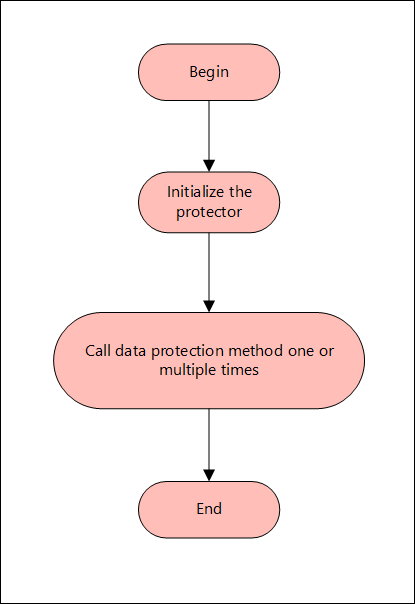
Note:
The AP .Net supports only bytes and string data type.
The following sections provide detailed information for the various functions used by the Protegrity Application Protector .Net.
Using AP .Net in a Production Environment
This section provides a list of the APIs that are supported by AP .Net. It describes the syntax of the AP .Net APIs and provides sample use cases.
GetProtector API
The GetProtector returns the Protector object associated with the AP .Net API.
public static Protector GetProtector
Parameters
None
Returns
- Protector Instance: Object associated with the AP .Net API.
Exception
- ProtectorException: If the configuration is invalid, then an exception is returned.
Example
using Protector protector = Protector.GetProtector();
The Protector class implements the IDisposable interface. This ensures that resources held by the Protector object are released properly when it is no longer needed. The using keyword automatically disposes of objects at the end of their scope. This helps prevent resource leaks and improves application stability.
GetVersion API
The GetVersion API returns the extended version of the AP .Net in use. The extended version consists of the AP .Net version number and Core version.
public string GetVersion()
Parameters
None
Returns
- string: Returns an object with product version of the installed AP .Net and the Core version.
Exception
None
Example
protector.GetVersion();
CheckAccess API
The CheckAccess API returns the access permission status of the user for a specified data element.
public bool CheckAccess(string userName, string dataElement, int accessType=CheckAccessType.PROTECT, string newDataElement = null)
Parameters
| Parameter | Description |
|---|---|
userName | String containing the username defined in the policy. |
dataElement | String containing the name of the data element defined in the policy. |
checkAccess | Type of the access permission of the user for the specified data element. You can specify a value for this parameter from the accessType constants, such as, PROTECT, UNPROTECT, or REPROTECT. |
newDataElement | String containing the name of the data element defined in the policy when we are checking access for reprotect. |
Returns
- boolean: Returns true if the user has the requested access on the data element and false if the user does not have access to the data element.
Exception
- ProtectorException: If the CheckAccess operation is unsuccessful, then an exception is thrown.
Example
To check whether user1 will be able to perform protect operation or not using Alphanum data element:
bool access = protector.CheckAccess("user1", "Alphanum", CheckAccessType.PROTECT);
To check whether user1 will be able to perform unprotect operation or not using Alphanum data element:
bool access = protector.CheckAccess("user1", "Alphanum", CheckAccessType.UNPROTECT);
To check whether user1 will be able to perform reportect operation or not using Alphanum (old) and Alphanum1 (new) data element
bool access = protector.CheckAccess("user1", "Alphanum", CheckAccessType.REPROTECT, "Alphanum1");
Protect - String API
This API protects the data provided as a string using a tokenization or Format Preserving Encryption (FPE) data elements.
public string Protect(string input, string userName, string dataElementName, byte[] externalIv = null, byte[] externalTweak = null)
Parameters
| Parameter | Description |
|---|---|
input | Input data to be protected in string format. |
userName | String containing the user name defined in the policy. |
dataElementName | String containing the data element name defined in the policy. |
externalIV | External IV is an optional argument. It is a buffer containing data that is used as an initialization vector and accepts input in byte format. When the external IV is null, its value is ignored. |
externalTweak | External Tweak is an optional argument that is used only for the FPE data elements. It is a buffer containing data that is used as an external tweak and accepts input in byte format. When the external tweak is empty, its value is ignored. |
Returns
- string: Protected data in string format.
Exception
- ProtectorException: If the protect operation is unsuccessful, then an exception is thrown.
Example
string singleProt = protector.Protect("Protegrity1234", "user1", "AlphaNum", Encoding.UTF8.GetBytes("abcd123"), null);
Protect - Bulk String API
This API protects the data provided as a string array using a tokenization or Format Preserving Encryption (FPE) data elements.
It supports bulk protection. There is no maximum data limit. For more information about input data and data elements, refer to Protection Methods Reference.
public Tuple<string[], int[]> Protect(string[] input, string userName, string dataElementName, byte[] externalIv = null, byte[] externalTweak = null)
Parameters
| Parameter | Description |
|---|---|
input | Input array to be protected in string format. |
userName | String containing the user name defined in the policy. |
dataElementName | String containing the data element name defined in the policy. |
externalIV | External IV is an optional argument. It is a buffer containing data that is used as an initialization vector and accepts input in byte format. When the external IV is null, its value is ignored. |
externalTweak | External Tweak is an optional argument that is used only for the FPE data elements. It is a buffer containing data that is used as an external tweak and accepts input in byte format. When the external tweak is empty, its value is ignored. |
Returns
- Tuple<string[], int[]>: Returns a tuple of the following data:
- String array of the protected data.
- Int array of the return codes.
Exception
- ProtectorException: If the protect operation is unsuccessful, then an exception is thrown. For string array, an exception is not thrown for error codes 22, 23, and 44. Instead, an error list is returned for the individual items in the bulk data.
Example
Tuple<string[], int[]> prot = protector.Protect({"Protegrity1", "Protegrity2", "Protegrity3"}, "user1", "AlphaNum", Encoding.UTF8.GetBytes("abcd123"), null);
Protect - Byte API
This API protects the data provided as bytes using an encryption or a tokenization data element.
public Protect(byte[] input, string userName, string dataElementName, byte[] externalIv = null, byte[] externalTweak = null, int charset = Charset.UTF8)
Parameters
| Parameter | Description |
|---|---|
input | Input data to be protected in byte format. |
userName | String containing the user name defined in the policy. |
dataElementName | String containing the data element name defined in the policy. |
externalIV | External IV is an optional argument. It is a buffer containing data that is used as an initialization vector and accepts input in byte format. When the external IV is null, its value is ignored. |
externalTweak | External Tweak is an optional argument that is used only for the FPE data elements. It is a buffer containing data that is used as an external tweak and accepts input in byte format. When the external tweak is empty, its value is ignored. |
charset | Charset is an optional argument. It indicates the encoding associated with the bytes of the input data. You can specify a value for this argument from the charset constants, such as, UTF8, UTF16LE, or UTF16BE.The default value for the charset argument is UTF8. |
Important:
The charset parameter is mandatory for the data elements created with Unicode Gen2 tokenization method and the FPE encryption method.
The encoding set for the charset parameter must match the encoding of the input data passed.
Note: The charset argument is only applicable for the input data of byte type.
Returns
- byte[]: Protected data in byte format.
Exception
- ProtectorException: If the protect operation is unsuccessful, then an exception is thrown.
Example
byte[] singleByteProt = protector.Protect(Encoding.Unicode.GetBytes("Protegrity123"), "user1", "UnicodeGen2_UTF16LE", Encoding.UTF8.GetBytes("abcd123"), null, charset:Charset.UTF16LE);
Protect - Bulk Byte API
This API protects the data provided as a byte array using an encryption or a tokenization data element.
It supports bulk protection. There is no maximum data limit. For more information about input data and data elements, refer to Protection Methods Reference.
public Tuple<List<byte[]>, int[]> Protect(List<byte[]> input, string userName, string dataElementName, byte[] externalIv = null, byte[] externalTweak = null, int charset = Charset.UTF8)
Parameters
| Parameter | Description |
|---|---|
input | List of byte arrays. |
userName | String containing the user name defined in the policy. |
dataElementName | String containing the data element name defined in the policy. |
externalIV | External IV is an optional argument. It is a buffer containing data that is used as an initialization vector and accepts input in byte format. When the external IV is null, its value is ignored. |
externalTweak | External Tweak is an optional argument that is used only for the FPE data elements. It is a buffer containing data that is used as an external tweak and accepts input in byte format. When the external tweak is empty, its value is ignored. |
charset | Charset is an optional argument. It indicates the encoding associated with the bytes of the input data. You can specify a value for this argument from the charset constants, such as, UTF8, UTF16LE, or UTF16BE.The default value for the charset argument is UTF8. |
Important:
The charset parameter is mandatory for the data elements created with Unicode Gen2 tokenization method and the FPE encryption method.
The encoding set for the charset parameter must match the encoding of the input data passed.
Note: The charset argument is only applicable for the input data of byte type.
Returns
- Tuple<List<byte[]>, int[]>: Returns a tuple of the following data:
- List of byte arrays of the protected data.
- Int array of the return codes.
Exception
- ProtectorException: If the protect operation is unsuccessful, then an exception is thrown. For byte array, an exception is not thrown for error codes 22, 23, and 44. Instead, an error list is returned for the individual items in the bulk data.
Example
Tuple<List<byte[]>, int[]> bProt = protector.Protect({Encoding.BigEndianUnicode.GetBytes("Protegrity123"), Encoding.BigEndianUnicode.GetBytes("Protegrity12345")}, "user1", "UnicodeGen2_UTF16BE", Encoding.UTF8.GetBytes("abcd123"), null, charset:Charset.UTF16BE);
Unprotect - String API
This API unprotects the data provided as a string using a tokenization or Format Preserving Encryption (FPE) data elements.
public string Unprotect(string input, string userName, string dataElementName, byte[] externalIv = null, byte[] externalTweak = null)
Parameters
| Parameter | Description |
|---|---|
input | Input data to be unprotected in string format. |
userName | String containing the user name defined in the policy. |
dataElementName | String containing the data element name defined in the policy. |
externalIV | External IV is an optional argument. It is a buffer containing data that is used as an initialization vector and accepts input in byte format. When the external IV is null, its value is ignored. |
externalTweak | External Tweak is an optional argument that is used only for the FPE data elements. It is a buffer containing data that is used as an external tweak and accepts input in byte format. When the external tweak is empty, its value is ignored. |
Returns
- string: Unprotected data in string format.
Exception
- ProtectorException: If the unprotect operation is unsuccessful, then an exception is thrown.
Example
string singleProt = protector.Protect("Protegrity1234", "user1", "AlphaNum", Encoding.UTF8.GetBytes("abcd123"), null);
string singleUnprot = protector.Unprotect(singleProt, "user1", "AlphaNum", Encoding.UTF8.GetBytes("abcd123"), null);
Unprotect - Bulk String API
This API unprotects the data provided as a string array using a tokenization or Format Preserving Encryption (FPE) data elements.
It supports bulk unprotection. There is no maximum data limit. For more information about input data and data elements, refer to Protection Methods Reference.
public Tuple<string[],int[]> Unprotect(string[] input, string userName, string dataElementName, byte[] externalIv = null, byte[] externalTweak = null)
Parameters
| Parameter | Description |
|---|---|
input | Input array to be unprotected in string format. |
userName | String containing the user name defined in the policy. |
dataElementName | String containing the data element name defined in the policy. |
externalIV | External IV is an optional argument. It is a buffer containing data that is used as an initialization vector and accepts input in byte format. When the external IV is null, its value is ignored. |
externalTweak | External Tweak is an optional argument that is used only for the FPE data elements. It is a buffer containing data that is used as an external tweak and accepts input in byte format. When the external tweak is empty, its value is ignored. |
Returns
- Tuple<string[], int[]>: Returns a tuple of the following data:
- String array of the unprotected data.
- Int array of the return codes.
Exception
- ProtectorException: If the unprotect operation is unsuccessful, then an exception is thrown. For string array, an exception is not thrown for error codes 22, 23, and 44. Instead, an error list is returned for the individual items in the bulk data.
Example
Tuple<string[], int[]> prot = protector.Protect({"Protegrity1", "Protegrity2", "Protegrity3"}, "user1", "AlphaNum", Encoding.UTF8.GetBytes("abcd123"), null);
Tuple<string[], int[]> unprot = protector.Unprotect(prot.Item1, "user1", "AlphaNum", Encoding.UTF8.GetBytes("abcd123"), null);
Unprotect - Byte API
This API unprotects the data provided as bytes using an encryption or a tokenization data element.
public Unprotect(byte[] input, string userName, string dataElementName, byte[] externalIv =
null, byte[] externalTweak = null, int charset = Charset.UTF8)
Parameters
| Parameter | Description |
|---|---|
input | Input data to be unprotected in byte format. |
userName | String containing the user name defined in the policy. |
dataElementName | String containing the data element name defined in the policy. |
externalIV | External IV is an optional argument. It is a buffer containing data that is used as an initialization vector and accepts input in byte format. When the external IV is null, its value is ignored. |
externalTweak | External Tweak is an optional argument that is used only for the FPE data elements. It is a buffer containing data that is used as an external tweak and accepts input in byte format. When the external tweak is empty, its value is ignored. |
charset | Charset is an optional argument. It indicates the encoding associated with the bytes of the input data. You can specify a value for this argument from the charset constants, such as, UTF8, UTF16LE, or UTF16BE.The default value for the charset argument is UTF8. |
Important:
The charset parameter is mandatory for the data elements created with Unicode Gen2 tokenization method and the FPE encryption method.
The encoding set for the charset parameter must match the encoding of the input data passed.
Note: The charset argument is only applicable for the input data of byte type.
Returns
- byte[]: Unprotected data in byte format.
Exception
- ProtectorException: If the unprotect operation is unsuccessful, then an exception is thrown.
Example
byte[] singleByteProt = protector.Protect(Encoding.Unicode.GetBytes("Protegrity123"),
"user1", "UnicodeGen2_UTF16LE", Encoding.UTF8.GetBytes("abcd123"), null, charset: Charset.UTF16LE);
byte[] singleByteUnprot = protector.Unprotect(singleByteProt, "user1", "UnicodeGen2_UTF16LE", Encoding.UTF8.GetBytes("abcd123"), null, charset:Charset.UTF16LE);
Unprotect - Bulk Byte API
This API unprotects the data provided as a byte array using an encryption or a tokenization data element.
It supports bulk unprotection. There is no maximum data limit. For more information about input data and data elements, refer to Protection Methods Reference.
public Tuple<List<byte[]>, int[]> Unprotect(List<byte[]> input, string userName, string dataElementName, byte[] externalIv = null, byte[] externalTweak = null, int charset = Charset.UTF8 )
Parameters
| Parameter | Description |
|---|---|
input | List of byte arrays. |
userName | String containing the user name defined in the policy. |
dataElementName | String containing the data element name defined in the policy. |
externalIV | External IV is an optional argument. It is a buffer containing data that is used as an initialization vector and accepts input in byte format. When the external IV is null, its value is ignored. |
externalTweak | External Tweak is an optional argument that is used only for the FPE data elements. It is a buffer containing data that is used as an external tweak and accepts input in byte format. When the external tweak is empty, its value is ignored. |
charset | Charset is an optional argument. It indicates the encoding associated with the bytes of the input data. You can specify a value for this argument from the charset constants, such as, UTF8, UTF16LE, or UTF16BE.The default value for the charset argument is UTF8. |
Important:
The charset parameter is mandatory for the data elements created with Unicode Gen2 tokenization method and the FPE encryption method.
The encoding set for the charset parameter must match the encoding of the input data passed.
Note: The charset argument is only applicable for the input data of byte type.
Returns
- Tuple<List<byte[]>, int[]>: Returns a tuple of the following data:
- List of byte arrays of the protected data.
- Int array of the return codes.
Exception
- ProtectorException: If the unprotect operation is unsuccessful, then an exception is thrown. For byte array, an exception is not thrown for error codes 22, 23, and 44. Instead, an error list is returned for the individual items in the bulk data.
Example
Tuple<List<byte[]>, int[]> bProt = protector.Protect({Encoding.BigEndianUnicode.GetBytes("Protegrity123"), Encoding.BigEndianUnicode.GetBytes("Protegrity12345")}, "user1", "UnicodeGen2_UTF16BE", Encoding.UTF8.GetBytes("abcd123"), null, charset: Charset.UTF16BE);
Tuple<List<byte[]>, int[]> bUnprot = protector.Unprotect(bProt.Item1, "user1", "UnicodeGen2_UTF16BE", Encoding.UTF8.GetBytes("abcd123"), null, charset:Charset.UTF16BE);
Reprotect - String API
This API reprotects the data provided as a string using a tokenization or Format Preserving Encryption (FPE) data elements.
Warning:
If you are using the reprotect API, then the old data element and the new data element must have the same data type.
For example, if you have used an Alpha-Numeric data element to protect the data, then you must use only Alpha-Numeric data element to reprotect the data.
public string Reprotect(string input, string userName, string oldDataElementName, string newDataElementName, byte[] oldExternalIv = null, byte[] newExternalIv = null, byte[] oldExternalTweak = null, byte[] newExternalTweak = null)
Parameters
| Parameter | Description |
|---|---|
input | Input data to be reprotected in string format. |
userName | String containing the user name defined in the policy. |
oldDataElementName | String containing the old data element name defined in the policy. |
newDataElementName | String containing the new data element name defined in the policy. |
oldExternalIv | Old external IV is an optional argument. It is a buffer containing data that is used as an initialization vector and accepts input in byte format. When the old external IV is null, its value is ignored. |
newExternalIv | New external IV is an optional argument. It is a buffer containing data that is used as an initialization vector and accepts input in byte format. When the new external IV is null, its value is ignored. |
oldExternalTweak | Old external Tweak is an optional argument that is used only for the FPE data elements. It is a buffer containing data that is used as an external tweak and accepts input in byte format. When the old external tweak is empty, its value is ignored. |
newExternalTweak | New external Tweak is an optional argument that is used only for the FPE data elements. It is a buffer containing data that is used as an external tweak and accepts input in byte format. When the new external tweak is empty, its value is ignored. |
Returns
- string: Reprotected data in string format.
Exception
- ProtectorException: If the reprotect operation is unsuccessful, then an exception is thrown.
Example
string singleProt = protector.Protect("Protegrity1234", "user1", "AlphaNum",
Encoding.UTF8.GetBytes("abcd123"), null);
string singleReprot = protector.Reprotect(singleProt, "user1", "AlphaNum", "AlphaNum_1", Encoding.UTF8.GetBytes("abcd123"), Encoding.UTF8.GetBytes("abcd123456"), null, null);
Reprotect - Bulk String API
This API reprotects the data provided as a string array using a tokenization or Format Preserving Encryption (FPE) data elements.
It supports bulk reprotection. There is no maximum data limit. For more information about input data and data elements, refer to Protection Methods Reference.
Warning:
If you are using the reprotect API, then the old data element and the new data element must have the same data type.
For example, if you have used an Alpha-Numeric data element to protect the data, then you must use only Alpha-Numeric data element to reprotect the data.
public Tuple<string[], int[]> Reprotect(string[] input, string userName, string oldDataElementName, string newDataElementName, byte[] oldExternalIv = null, byte[] newExternalIv = null, byte[] oldExternalTweak = null, byte[] newExternalTweak = null)
Parameters
| Parameter | Description |
|---|---|
input | Input array to be reprotected in string format. |
userName | String containing the user name defined in the policy. |
oldDataElementName | String containing the old data element name defined in the policy. |
newDataElementName | String containing the new data element name defined in the policy. |
oldExternalIv | Old external IV is an optional argument. It is a buffer containing data that is used as an initialization vector and accepts input in byte format. When the old external IV is null, its value is ignored. |
newExternalIv | New external IV is an optional argument. It is a buffer containing data that is used as an initialization vector and accepts input in byte format. When the new external IV is null, its value is ignored. |
oldExternalTweak | Old external Tweak is an optional argument that is used only for the FPE data elements. It is a buffer containing data that is used as an external tweak and accepts input in byte format. When the old external tweak is empty, its value is ignored. |
newExternalTweak | New external Tweak is an optional argument that is used only for the FPE data elements. It is a buffer containing data that is used as an external tweak and accepts input in byte format. When the new external tweak is empty, its value is ignored. |
Returns
- Tuple<string[], int[]>: Returns a tuple of the following data:
- String array of the protected data.
- Int array of the return codes.
Exception
- ProtectorException: If the reprotect operation is unsuccessful, then an exception is thrown. For string array, an exception is not thrown for error codes 22, 23, and 44. Instead, an error list is returned for the individual items in the bulk data.
Example
Tuple<string[], int[]> bulkProt = protector.Protect({"Protegrity1", "Protegrity2", "Protegrity3"}, "user1", "AlphaNum", Encoding.UTF8.GetBytes("abcd123"), null);
Tuple<string[], int[]> bulkReprot = protector.Reprotect(bulkProt.Item1, "user1", "AlphaNum", "AlphaNum_1", Encoding.UTF8.GetBytes("abcd123"), Encoding.UTF8.GetBytes("abcd123456"), null, null);
Reprotect - Byte API
This API reprotects the data provided as bytes using an encryption or a tokenization data element.
Warning:
If you are using the reprotect API, then the old data element and the new data element must have the same data type.
For example, if you have used an Alpha-Numeric data element to protect the data, then you must use only Alpha-Numeric data element to reprotect the data.
public Reprotect(byte[] input, string userName, string oldDataElementName, string newDataElementName, byte[] oldExternalIv = null, byte[] newExternalIv = null, byte[] oldExternalTweak = null, byte[] newExternalTweak = null, int charset = Charset.UTF8)
Parameters
| Parameter | Description |
|---|---|
input | Input data to be reprotected in byte format. |
userName | String containing the user name defined in the policy. |
oldDataElementName | String containing the old data element name defined in the policy. |
newDataElementName | String containing the new data element name defined in the policy. |
oldExternalIv | Old external IV is an optional argument. It is a buffer containing data that is used as an initialization vector and accepts input in byte format. When the old external IV is null, its value is ignored. |
newExternalIv | New external IV is an optional argument. It is a buffer containing data that is used as an initialization vector and accepts input in byte format. When the new external IV is null, its value is ignored. |
oldExternalTweak | Old external Tweak is an optional argument that is used only for the FPE data elements. It is a buffer containing data that is used as an external tweak and accepts input in byte format. When the old external tweak is empty, its value is ignored. |
newExternalTweak | New external Tweak is an optional argument that is used only for the FPE data elements. It is a buffer containing data that is used as an external tweak and accepts input in byte format. When the new external tweak is empty, its value is ignored. |
charset | Charset is an optional argument. It indicates the encoding associated with the bytes of the input data. You can specify a value for this argument from the charset constants, such as, UTF8, UTF16LE, or UTF16BE.The default value for the charset argument is UTF8. |
Important:
The charset parameter is mandatory for the data elements created with Unicode Gen2 tokenization method and the FPE encryption method.
The encoding set for the charset parameter must match the encoding of the input data passed.
Note: The charset argument is only applicable for the input data of byte type.
Returns
- byte[]: Reprotected data in byte format.
Exception
- ProtectorException: If the reprotect operation is unsuccessful, then an exception is thrown.
Example
byte[] singleByteProt = protector.Protect(Encoding.Unicode.GetBytes("Protegrity123"), "user1", "UnicodeGen2_UTF16LE", Encoding.UTF8.GetBytes("abcd123"), null, charset: Charset.UTF16LE);
byte[] singleByteReprot = protector.Reprotect(singleByteProt, "user1", "UnicodeGen2_UTF16LE", "UnicodeGen2_UTF16LE_1", Encoding.UTF8.GetBytes("abcd123"), Encoding.UTF8.GetBytes("abcd123456"), null, null, charset:Charset.UTF16LE);
Reprotect - Bulk Byte API
This API reprotects the data provided as a byte array using an encryption or a tokenization data element.
It supports bulk reprotection. There is no maximum data limit. For more information about input data and data elements, refer to Protection Methods Reference.
Warning:
If you are using the reprotect API, then the old data element and the new data element must have the same data type.
For example, if you have used an Alpha-Numeric data element to protect the data, then you must use only Alpha-Numeric data element to reprotect the data.
public Tuple<List<byte[]>, int[]> Reprotect(List<byte[]> input, string userName, string oldDataElementName, string newDataElementName, byte[] oldExternalIv = null, byte[] newExternalIv = null, byte[] oldExternalTweak = null, byte[] newExternalTweak = null, int charset = Charset.UTF8)
Parameters
| Parameter | Description |
|---|---|
input | List of byte arrays. |
userName | String containing the user name defined in the policy. |
oldDataElementName | String containing the old data element name defined in the policy. |
newDataElementName | String containing the new data element name defined in the policy. |
oldExternalIv | Old external IV is an optional argument. It is a buffer containing data that is used as an initialization vector and accepts input in byte format. When the old external IV is null, its value is ignored. |
newExternalIv | New external IV is an optional argument. It is a buffer containing data that is used as an initialization vector and accepts input in byte format. When the new external IV is null, its value is ignored. |
oldExternalTweak | Old external Tweak is an optional argument that is used only for the FPE data elements. It is a buffer containing data that is used as an external tweak and accepts input in byte format. When the old external tweak is empty, its value is ignored. |
newExternalTweak | New external Tweak is an optional argument that is used only for the FPE data elements. It is a buffer containing data that is used as an external tweak and accepts input in byte format. When the new external tweak is empty, its value is ignored. |
charset | Charset is an optional argument. It indicates the encoding associated with the bytes of the input data. You can specify a value for this argument from the charset constants, such as, UTF8, UTF16LE, or UTF16BE.The default value for the charset argument is UTF8. |
Important:
The charset parameter is mandatory for the data elements created with Unicode Gen2 tokenization method and the FPE encryption method.
The encoding set for the charset parameter must match the encoding of the input data passed.
Note: The charset argument is only applicable for the input data of byte type.
Returns
- Tuple<List<byte[]>, int[]>: Returns a tuple of the following data:
- List of byte arrays of the protected data.
- Int array of the return codes.
Exception
- ProtectorException: If the reprotect operation is unsuccessful, then an exception is thrown. For byte array, an exception is not thrown for error codes 22, 23, and 44. Instead, an error list is returned for the individual items in the bulk data.
Example
Tuple<List<byte[]>, int[]> bProt = protector.Protect({Encoding.BigEndianUnicode.GetBytes("Protegrity123"), Encoding.BigEndianUnicode.GetBytes("Protegrity12345")}, "user1", "UnicodeGen2_UTF16BE", Encoding.UTF8.GetBytes("abcd123"), null, charset: Charset.UTF16BE);
Tuple<List<byte[]>, int[]> bReprot = protector.Reprotect(bProt.Item1, "user1", "UnicodeGen2_UTF16BE", "UnicodeGen2_UTF16BE_1", Encoding.UTF8.GetBytes("abcd123"), Encoding.UTF8.GetBytes("abcd123456"), null, null, charset:Charset.UTF16BE);
Using AP .Net Mock in a development environment
The AP .Net Mock can be used in a development environment. This is also known as mock implementation of AP .Net APIs. In this mode, the AP .Net Mock development package provides you with sample users and data elements that can be used to simulate the behavior of the actual APIs in production environment.
Caution: Do not install Mock AP .Net protector in a Production environment. When the AP .Net Mock APIs are used with the sample users and data elements provided with the development package, the output data is only a simulation of the protected or encrypted data. Do not use the AP .Net APIs in the development environment to protect, unprotect, or reprotect sensitive data.
Using Sample Data Elements and Sample Users for Simulating Protect, Unprotect, and Reprotect Scenarios
This section describes how to use the sample data elements and sample users for simulating the protect, unprotect, and reprotect scenarios.
Note: To view the sample project, refer to the following default location: C:\Program Files\Protegrity\sdk\dotnet\sample. This location contains the sample project with the Mock build for running code snippets simulating the protect, unprotect, and reprotect scenarios.
Mock Example - Protecting, Unprotecting, and Reprotecting String
This section describes how to use the protect, unprotect, and reprotect APIs for a string input data.
Example: Input string data
In the following example, the Protegrity1 string is used as the input data, which is protected and unprotected using the SUCCESS_STR data element. It is further reprotected using SUCCESS_REPROTECT_STR data element.
string protectedData = protector.Protect("Protegrity1", MockPolicyUser.ALL_USER, MockDataElement.SUCCESS_STR);
Console.WriteLine($"Protected Data is: {protectedData}");
string unprotectedData = protector.Unprotect(protectedData, MockPolicyUser.ALL_USER, MockDataElement.SUCCESS_STR);
Console.WriteLine($"Unprotected Data is: {unprotectedData}");
string reprotectedData = protector.Reprotect(protectedData, MockPolicyUser.ALL_USER, MockDataElement.SUCCESS_STR, MockDataElement.SUCCESS_REPROTECT_STR);
Console.WriteLine($"Reprotected Data is: {reprotectedData}");
Result
Protected Data is: ESUgkmSlgtq
Unprotected Data is: Protegrity1
Reprotected Data is: 5j4mBnjRmgT
Mock Example - Protecting, Unprotecting, and Reprotecting String Data with External IV
This section describes how to use the protect, unprotect, and reprotect APIs for string input data using external IV.
Note: If you want to pass the external IV to
protect,unprotect, andreprotectAPIs, then you must pass the external IV as bytes to the API.
Example
In the following example, the Protegrity1 string is used as the input data, which is protected and unprotected using the SUCCESS_STR data element, with the help of external IV 1234 that is passed as bytes. It is reprotected using the same SUCCESS_STR data element, but with the help of a different external IV 5678 that is passed as bytes.
string protectedData = protector.Protect("Protegrity1", MockPolicyUser.ALL_USER, MockDataElement.SUCCESS_STR, Encoding.UTF8.GetBytes("1234"));
Console.WriteLine($"Protected Data is: {protectedData}");
string unprotectedData = protector.Unprotect(protectedData, MockPolicyUser.ALL_USER, MockDataElement.SUCCESS_STR, Encoding.UTF8.GetBytes("1234"));
Console.WriteLine($"Unprotected Data is: {unprotectedData}");
string reprotectedData = protector.Reprotect(protectedData, MockPolicyUser.ALL_USER, MockDataElement.SUCCESS_STR, MockDataElement.SUCCESS_STR, Encoding.UTF8.GetBytes("1234"), Encoding.UTF8.GetBytes("5678"));
Console.WriteLine($"Reprotected Data is: {reprotectedData}");
Result
Protected Data is: LEtjnVE8jUy
Unprotected Data is: Protegrity1
Reprotected Data is: d1jhkG1MheU
Mock Example - Protecting, Unprotecting, and Reprotecting String Data with External IV and External Tweak
This section describes how to use the protect, unprotect, and reprotect APIs for string input data using external IV and external tweak.
Note: If you want to pass the external IV and external tweak to
protect,unprotect, andreprotectAPIs, then you must pass the external IV and external tweak as bytes.
Example
In the following example, the Protegrity1 string is used as the input data, which is protected and unprotected using the SUCCESS_STR data element, with the help of external IV 1234 and external tweak abcd passed as bytes. It is reprotected using the same SUCCESS_STR data element, but with the help of a different external IV 5678 and external tweak zyxw passed as bytes.
string protectedData = protector.Protect("Protegrity1", MockPolicyUser.ALL_USER, MockDataElement.SUCCESS_STR, Encoding.UTF8.GetBytes("1234"), Encoding.UTF8.GetBytes("abcd"));
Console.WriteLine($"Protected Data is: {protectedData}");
string unprotectedData = protector.Unprotect(protectedData, MockPolicyUser.ALL_USER, MockDataElement.SUCCESS_STR, Encoding.UTF8.GetBytes("1234"), Encoding.UTF8.GetBytes("abcd"));
Console.WriteLine($"Unprotected Data is: {unprotectedData}");
string reprotectedData = protector.Reprotect(protectedData, MockPolicyUser.ALL_USER, MockDataElement.SUCCESS_STR, MockDataElement.SUCCESS_STR, Encoding.UTF8.GetBytes("1234"), Encoding.UTF8.GetBytes("5678"), Encoding.UTF8.GetBytes("abcd"), Encoding.UTF8.GetBytes("zyxw"));
Console.WriteLine($"Reprotected Data is: {reprotectedData}");
Result
Protected Data is: euDUv6uoUrP
Unprotected Data is: Protegrity1
Reprotected Data is: vmXGROmDGue
Mock Example - Protecting, Unprotecting, and Reprotecting Bulk String Data
This section describes how to use the protect, unprotect, and reprotect APIs for bulk string input data.
Example 1
In the following example, protegrity1234, Protegrity1, and Protegrity56 strings are stored in an array and used as bulk data, which is protected and unprotected using the SUCCESS_STR data element. It is further reprotected using SUCCESS_REPROTECT_STR data element.
string[] bulkInput = { "protegrity1234", "Protegrity1", "Protegrity56" };
Tuple<string[], int[]> bulkProtectedData = protector.Protect(bulkInput, MockPolicyUser.ALL_USER, MockDataElement.SUCCESS_STR);
Console.WriteLine("Protected Data is: ");
for (int i = 0; i < bulkProtectedData.Item1.Length; i++)
{
Console.WriteLine(bulkProtectedData.Item1[i] + " " + bulkProtectedData.Item2[i]);
}
Console.WriteLine("\n");
Tuple<string[], int[]> bulkUnprotectedData = protector.Unprotect(bulkProtectedData.Item1, MockPolicyUser.ALL_USER, MockDataElement.SUCCESS_STR);
Console.WriteLine("Unprotected Data is: ");
for (int i = 0; i < bulkUnprotectedData.Item1.Length; i++)
{
Console.WriteLine(bulkUnprotectedData.Item1[i] + " " + bulkUnprotectedData.Item2[i]);
}
Console.WriteLine("\n");
Tuple<string[], int[]> bulkReprotectedData = protector.Reprotect(bulkProtectedData.Item1, MockPolicyUser.ALL_USER, MockDataElement.SUCCESS_STR, MockDataElement.SUCCESS_REPROTECT_STR);
Console.WriteLine("Reprotected Data is: ");
for (int i = 0; i < bulkReprotectedData.Item1.Length; i++)
{
Console.WriteLine(bulkReprotectedData.Item1[i] + " " + bulkReprotectedData.Item2[i]);
}
Result
Protected Data is:
cSUgkmSlgtqwi8 6
ESUgkmSlgtq 6
ESUgkmSlgtNK 6
Unprotected Data is:
protegrity1234 8
Protegrity1 8
Protegrity56 8
Reprotected Data is:
Oj4mBnjRmgTIlD 50
5j4mBnjRmgT 50
5j4mBnjRmgYh 50
For each element in an array -
- 6 is the success return code for the protect operation.
- 8 is the success return code for the unprotect operation.
- 50 is the success return code for the reprotect operation.
Mock Example - Protecting, Unprotecting, and Reprotecting Bulk String Data with External IV
This section describes how to use the protect, unprotect, and reprotect APIs for bulk string input data using external IV.
Note: If you want to pass the external IV to
protect,unprotect, andreprotectAPIs, then you must pass the external IV as bytes to the API.
Example: Input string data
In the following example, protegrity1234, Protegrity1, and Protegrity56 strings are stored in an array and used as bulk input data, which is protected and unprotected using the SUCCESS_STR data element with the help of external IV 1234 that is passed as bytes. It is reprotected using the same SUCCESS_STR data element, but with the help of a different external IV 5678 that is passed as bytes.
string[] bulkInput = { "protegrity1234", "Protegrity1", "Protegrity56" };
Tuple<string[], int[]> bulkProtectedData = protector.Protect(bulkInput, MockPolicyUser.ALL_USER, MockDataElement.SUCCESS_STR, Encoding.UTF8.GetBytes("1234"));
Console.WriteLine("Protected Data is: ");
for (int i = 0; i < bulkProtectedData.Item1.Length; i++)
{
Console.WriteLine(bulkProtectedData.Item1[i] + " " + bulkProtectedData.Item2[i]);
}
Console.WriteLine("\n");
Tuple<string[], int[]> bulkUnprotectedData = protector.Unprotect(bulkProtectedData.Item1, MockPolicyUser.ALL_USER, MockDataElement.SUCCESS_STR, Encoding.UTF8.GetBytes("1234"));
Console.WriteLine("Unprotected Data is: ");
for (int i = 0; i < bulkUnprotectedData.Item1.Length; i++)
{
Console.WriteLine(bulkUnprotectedData.Item1[i] + " " + bulkUnprotectedData.Item2[i]);
}
Console.WriteLine("\n");
Tuple<string[], int[]> bulkReprotectedData = protector.Reprotect(bulkProtectedData.Item1, MockPolicyUser.ALL_USER, MockDataElement.SUCCESS_STR, MockDataElement.SUCCESS_STR, Encoding.UTF8.GetBytes("1234"), Encoding.UTF8.GetBytes("5678"));
Console.WriteLine("Reprotected Data is: ");
for (int i = 0; i < bulkReprotectedData.Item1.Length; i++)
{
Console.WriteLine(bulkReprotectedData.Item1[i] + " " + bulkReprotectedData.Item2[i]);
}
Result
Protected Data is:
WEtjnVE8jUy2Xr 6
LEtjnVE8jUy 6
LEtjnVE8jUlR 6
Unprotected Data is:
protegrity1234 8
Protegrity1 8
Protegrity56 8
Reprotected Data is:
i1jhkG1MheU26E 50
d1jhkG1MheU 50
d1jhkG1MheZF 50
For each element in an array -
- 6 is the success return code for the protect operation.
- 8 is the success return code for the unprotect operation.
- 50 is the success return code for the reprotect operation.
Mock Example - Protecting, Unprotecting, and Reprotecting Bulk String Data Using External IV and External Tweak
This section describes how to use the protect, unprotect, and reprotect APIs for bulk string input data using external IV and external tweak.
Note: If you want to pass the external IV and external tweak to
protect,unprotect, andreprotectAPIs, then you must pass the external IV and external tweak as bytes.
Example
In the following example, protegrity1234, Protegrity1, and Protegrity56 strings are stored in an array and used as bulk input data. This bulk data is protected and unprotected using the SUCCESS_STR data element, with the help of external IV 1234 and external tweak xyz that are both passed as bytes. It is reprotected using the same SUCCESS_STR data element, but with the help of a different external IV 5678 and external tweak abc passed as bytes.
string[] bulkInput = { "protegrity1234", "Protegrity1", "Protegrity56" };
Tuple<string[], int[]> bulkProtectedData = protector.Protect(bulkInput, MockPolicyUser.ALL_USER, MockDataElement.SUCCESS_STR, Encoding.UTF8.GetBytes("1234"), Encoding.UTF8.GetBytes("abcd"));
Console.WriteLine("Protected Data is: ");
for (int i = 0; i < bulkProtectedData.Item1.Length; i++)
{
Console.WriteLine(bulkProtectedData.Item1[i] + " " + bulkProtectedData.Item2[i]);
}
Console.WriteLine("\n");
Tuple<string[], int[]> bulkUnprotectedData = protector.Unprotect(bulkProtectedData.Item1, MockPolicyUser.ALL_USER, MockDataElement.SUCCESS_STR, Encoding.UTF8.GetBytes("1234"), Encoding.UTF8.GetBytes("abcd"));
Console.WriteLine("Unprotected Data is: ");
for (int i = 0; i < bulkUnprotectedData.Item1.Length; i++)
{
Console.WriteLine(bulkUnprotectedData.Item1[i] + " " + bulkUnprotectedData.Item2[i]);
}
Console.WriteLine("\n");
Tuple<string[], int[]> bulkReprotectedData = protector.Reprotect(bulkProtectedData.Item1, MockPolicyUser.ALL_USER, MockDataElement.SUCCESS_STR, MockDataElement.SUCCESS_STR, Encoding.UTF8.GetBytes("1234"), Encoding.UTF8.GetBytes("5678"), Encoding.UTF8.GetBytes("abcd"), Encoding.UTF8.GetBytes("zyxw"));
Console.WriteLine("Reprotected Data is: ");
for (int i = 0; i < bulkReprotectedData.Item1.Length; i++)
{
Console.WriteLine(bulkReprotectedData.Item1[i] + " " + bulkReprotectedData.Item2[i]);
}
Result
Protected Data is:
huDUv6uoUrPBbk 6
euDUv6uoUrP 6
euDUv6uoUrKO 6
Unprotected Data is:
protegrity1234 8
Protegrity1 8
Protegrity56 8
Reprotected Data is:
HmXGROmDGueMs7 50
vmXGROmDGue 50
vmXGROmDGuEY 50
For each element in an array -
- 6 is the success return code for the protect operation.
- 8 is the success return code for the unprotect operation.
- 50 is the success return code for the reprotect operation.
Mock Example - Protecting, Unprotecting, and Reprotecting Bytes Data
This section describes how to use the protect, unprotect, and reprotect APIs for bytes data.
Example 1
In the following example, Protegrity1 string is first converted to bytes. The bytes data is then protected and unprotected using the SUCCESS_BYTE data element. It is further reprotected using SUCCESS_REPROTECT_BYTE data element.
byte[] inputData = Encoding.UTF8.GetBytes("Protegrity1");
Console.WriteLine("Input Data is: ");
for (int i = 0; i < inputData.Length; i++)
{
Console.Write(inputData[i]);
}
Console.WriteLine("\n");
byte[] protectedData = protector.Protect(inputData, MockPolicyUser.ALL_USER, MockDataElement.SUCCESS_BYTE);
Console.WriteLine("Protected Data is: ");
for (int i = 0; i < protectedData.Length; i++)
{
Console.Write(protectedData[i]);
}
Console.WriteLine("\n");
byte[] unprotectedData = protector.Unprotect(protectedData, MockPolicyUser.ALL_USER, MockDataElement.SUCCESS_BYTE);
Console.WriteLine("Unprotected Data is: ");
for (int i = 0; i < unprotectedData.Length; i++)
{
Console.Write(unprotectedData[i]);
}
Console.WriteLine("\n");
byte[] reprotectedData = protector.Reprotect(protectedData, MockPolicyUser.ALL_USER, MockDataElement.SUCCESS_BYTE, MockDataElement.SUCCESS_REPROTECT_BYTE);
Console.WriteLine("Reprotected Data is: ");
for (int i = 0; i < reprotectedData.Length; i++)
{
Console.Write(reprotectedData[i]);
}
Result
Input Data is:
8011411111610110311410511612149
Protected Data is:
47682201011125321921025550132517810423224
Unprotected Data is:
8011411111610110311410511612149
Reprotected Data is:
2363619902426812914815513921612420620922714019534172719623784164388416718387142154
Mock Example - Protecting, Unprotecting, and Reprotecting Bulk Bytes Data
This section describes how to use the protect, unprotect, and reprotect APIs for bulk bytes data.
Example
In the following example, protegrity1234, Protegrity1, and Protegrity56 strings are first converted to bytes. The converted byte arrays are stored together in a tuple structure which is protected and unprotected using the SUCCESS_BYTE data element. It is further reprotected using SUCCESS_REPROTECT_BYTE data element.
string[] input = { "protegrity1234", "Protegrity1", "Protegrity56" };
List<byte[]> bulkInput = new List<byte[]>(input.Length);
for (int i = 0; i < input.Length; i++)
{
bulkInput.Add(Encoding.UTF8.GetBytes(input[i]));
}
Console.WriteLine("Input Data is: ");
for (int i = 0; i < bulkInput.Count; i++)
{
for (int j = 0; j < bulkInput[i].Length; j++)
{
Console.Write(bulkInput[i][j]);
}
Console.WriteLine();
}
Console.WriteLine("\n");
Tuple<List<byte[]>, int[]> bulkProtectedData = protector.Protect(bulkInput, MockPolicyUser.ALL_USER, MockDataElement.SUCCESS_BYTE);
Console.WriteLine("Protected Data is: ");
for (int i = 0; i < bulkProtectedData.Item1.Count; i++)
{
for (int j = 0; j < bulkProtectedData.Item1[i].Length; j++)
{
Console.Write(bulkProtectedData.Item1[i][j]);
}
Console.WriteLine();
}
Console.WriteLine("\n");
Tuple<List<byte[]>, int[]> bulkUnprotectedData = protector.Unprotect(bulkProtectedData.Item1, MockPolicyUser.ALL_USER, MockDataElement.SUCCESS_BYTE);
Console.WriteLine("Unprotected Data is: ");
for (int i = 0; i < bulkUnprotectedData.Item1.Count; i++)
{
for (int j = 0; j < bulkUnprotectedData.Item1[i].Length; j++)
{
Console.Write(bulkUnprotectedData.Item1[i][j]);
}
Console.WriteLine();
}
Console.WriteLine("\n");
Tuple<List<byte[]>, int[]> bulkReprotectedData = protector.Reprotect(bulkProtectedData.Item1, MockPolicyUser.ALL_USER, MockDataElement.SUCCESS_BYTE, MockDataElement.SUCCESS_REPROTECT_BYTE);
Console.WriteLine("Reprotected Data is: ");
for (int i = 0; i < bulkReprotectedData.Item1.Count; i++)
{
for (int j = 0; j < bulkReprotectedData.Item1[i].Length; j++)
{
Console.Write(bulkReprotectedData.Item1[i][j]);
}
Console.WriteLine();
}
Result
Input Data is:
11211411111610110311410511612149505152
8011411111610110311410511612149
801141111161011031141051161215354
Protected Data is:
24093431762273117614310419921525514617222667
47682201011125321921025550132517810423224
1226546236412520317611892221391111512195
Unprotected Data is:
11211411111610110311410511612149505152
8011411111610110311410511612149
801141111161011031141051161215354
Reprotected Data is:
1097873234601451681642431861332456611012491206245210191127130232438913019025466141128178
2363619902426812914815513921612420620922714019534172719623784164388416718387142154
172272218917715815199140240911562181962161361652852686202401579322821724417010138
Using Sample Data Elements for Simulating Auxiliary API Scenarios
This section describes how to use the sample data elements and sample users for simulating the following auxiliary API scenarios:
- Get the protector and core version.
- Checking access permissions with success output.
- Checking access permissions with failure output.
Mock Example - GetVersion API
The GetVersion API returns the mock extended version of the AP .Net in use. The mock extended
version consists of the AP .Net version number and sample Core version.
public string GetVersion()
Parameters
None
Returns
- string: Returns an object with product version of the installed AP .Net and sample Core version.
Exception
None
Example
protector.GetVersion();
Result
SDK Version: 10.0.0.x, Core Version: 2.1.1+0.x
Note: The Core Version is for representational purposes only. The actual implementation may vary depending on the customer’s installation.
Mock Example - Success Scenario for Checking Access Permissions
This section lists the success scenario when you check the access permission status of the user for a specified data element.
Example
In the following example, the CheckAccess API returns True when you check the permission of
ALL_USER for unprotecting the data using the SUCCESS_STR data element.
bool access = protector.CheckAccess(MockPolicyUser.ALL_USER,
MockDataElement.SUCCESS_STR, CheckAccessType.UNPROTECT);
Console.WriteLine(access);
Result
True
Mock Example - Failure Scenario for Checking Access Permissions
This section lists the failure scenario when you check the access permission status of the user for a specified data element.
Example
In the following example, the CheckAccess API returns False when you check the permission of NO_PROTECT_USER for protecting the data using the SUCCESS_STR data element.
bool access = protector.CheckAccess(MockPolicyUser.NO_PROTECT_USER,
MockDataElement.SUCCESS_STR, CheckAccessType.PROTECT);
Console.WriteLine(access);
Result
False
Using Sample Data Elements for Simulating Error Scenarios
This section describes how to use the sample data elements for simulating error scenarios while protecting, unprotecting, and reprotecting the data.
Mock Example - Invalid Data Element Exception
This section describes an example scenario where if a data element that is not defined in a policy is used to protect single or bulk data.
Example: Single Data
In the following example, the Protegrity1 string is used as the data, which is being protected using an INVALID data element.
try
{
protector = Protector.GetProtector();
protector.Protect("Protegrity1", MockPolicyUser.ALL_USER, "INVALID_DE");
}
catch (ProtectorException e)
{
Console.WriteLine(e);
}
Result
2, The data element could not be found in the policy.
Mock Example - Input Data Too Short
This section describes an example scenario where if the data to be protected or unprotected is too short.
Example: Single Data
In the following example, the Protegrity1 string is used as the data, which is being protected using the INPUT_TOO_SHORT data element.
try
{
protector = Protector.GetProtector();
protector.Protect("Protegrity1", MockPolicyUser.ALL_USER, MockDataElement.INPUT_TOO_SHORT);
}
catch (ProtectorException e)
{
Console.WriteLine(e);
}
Result
22, Data is too short to be protected/unprotected.
Example: Bulk Data
In the following example, the Protegrity1234, Protegrity1, and Protegrity56 strings are
added in an array and used as input bulk data. The input data is being protected using the
INPUT_TOO_SHORT data element.
string[] bulkInput = { "protegrity1234", "Protegrity1", "Protegrity56" };
Tuple<string[], int[]> protectedData = protector.Protect(bulkInput, MockPolicyUser.ALL_USER, MockDataElement.INPUT_TOO_SHORT);
foreach (int retCode in protectedData.Item2) {
Console.WriteLine(retCode);
}
Result
22
22
22
Mock Example - Input Data Too Long
This section describes an example scenario where if the data to be protected or unprotected is too long.
Example: Single Data
In the following example, the Protegrity1 string is used as the data, which is being protected using the INPUT_TOO_LONG data element.
try
{
protector = Protector.GetProtector();
protector.Protect("Protegrity1", MockPolicyUser.ALL_USER, MockDataElement.INPUT_TOO_LONG);
}
catch (ProtectorException e)
{
Console.WriteLine(e);
}
Result
23, Data is too long to be protected/unprotected.
Example: Bulk Data
In the following example, the Protegrity1234, Protegrity1, and Protegrity56 strings are
added in an array and used as input bulk data. The input data is being protected using the
INPUT_TOO_LONG data element.
string[] bulkInput = { "protegrity1234", "Protegrity1", "Protegrity56" };
Tuple<string[], int[]> protectedData = protector.Protect(bulkInput, MockPolicyUser.ALL_USER, MockDataElement.INPUT_TOO_LONG);
foreach (int retCode in protectedData.Item2) {
Console.WriteLine(retCode);
}
Result
23
23
23
Mock Example - Unsupported Algorithm
This section describes an example scenario where if the protection method used to protect the data is not supported by the API.
Example
In the following example, the Protegrity1 string is used as the data, which is being protected using the UNSUPPORTED_ALGORITHM data element.
try
{
protector = Protector.GetProtector();
protector.Protect("Protegrity1", MockPolicyUser.ALL_USER, MockDataElement.UNSUPPORTED_ALGORITHM);
}
catch (ProtectorException e)
{
Console.WriteLine(e);
}
Result
26, Unsupported algorithm or unsupported action for the specific data element.
Mock Example - Empty Policy
This section describes an example scenario where if the data is protected without the policy being present in shared memory.
Example: Single Data
In the following example, the Protegrity1 string is used as the data, which is being protected using the EMPTY_POLICY data element.
try
{
protector = Protector.GetProtector();
protector.Protect("Protegrity1", MockPolicyUser.ALL_USER, MockDataElement.EMPTY_POLICY);
}
catch (ProtectorException e)
{
Console.WriteLine(e);
}
Result
31, Policy not available.
Mock Example - Invalid Input
This section describes an example scenario where if the data to be protected is invalid.
Example: Single Data
In the following example, the Protegrity1 string is used as the data, which is being protected using the INPUT_NOT_VALID data element.
try
{
protector = Protector.GetProtector();
protector.Protect("Protegrity1", MockPolicyUser.ALL_USER, MockDataElement.INPUT_NOT_VALID);
}
catch (ProtectorException e)
{
Console.WriteLine(e);
}
Result
44, The content of the input data is not valid.
Example: Bulk Data
In the following example, the Protegrity1234, Protegrity1, and Protegrity56 strings are
added in an array and used as input bulk data. The input data is being protected using the
INPUT_NOT_VALID data element.
string[] bulkInput = { "protegrity1234", "Protegrity1", "Protegrity56" };
Tuple<string[], int[]> protectedData = protector.Protect(bulkInput, MockPolicyUser.ALL_USER, MockDataElement.INPUT_NOT_VALID);
foreach (int retCode in protectedData.Item2) {
Console.WriteLine(retCode);
}
Result
44
44
44
Using Sample Users for Simulating Error Scenarios
This section describes how to use sample users for simulating the user-related error scenarios while protecting, unprotecting, and reprotecting the data.
Mock Example - Invalid User Exception
This section describes an example scenario where if a user who is not defined in a policy is used to protect single or bulk data.
Example: Single Data
In the following example, the Protegrity1 string is used as the data, which is being protected using the NO_USER user and SUCCESS_STR data element.
try
{
protector = Protector.GetProtector();
protector.Protect("Protegrity1", MockPolicyUser.NO_USER, MockDataElement.SUCCESS_STR);
}
catch (ProtectorException e)
{
Console.WriteLine(e);
}
Result
1, The username could not be found in the policy.
Mock Example - Long User Name
This section describes an example scenario where if the name of the user, who is protecting or unprotecting the data, is too long. For instance, if the user name is greater than 255 bytes.
Example: Single Data
In the following example, the Protegrity1 string is used as the data, which is being protected using the SUCCESS_STR data element and USER_TOO_LONG user.
try
{
protector = Protector.GetProtector();
protector.Protect("Protegrity1", MockPolicyUser.USER_TOO_LONG, MockDataElement.SUCCESS_STR);
}
catch (ProtectorException e)
{
Console.WriteLine(e);
}
Result
25, Username too long.
Mock Example - No Protect User
This section describes an example scenario where in which a user does not have privileges to protect data.
Example: Single Data
In the following example, the NO_PROTECT_USER user is used to protect the Protegrity1 string using the SUCCESS_STR data element.
try
{
protector = Protector.GetProtector();
protector.Protect("Protegrity1", MockPolicyUser.NO_PROTECT_USER, MockDataElement.SUCCESS_STR);
}
catch (ProtectorException e)
{
Console.WriteLine(e);
}
Result
3, The user does not have the appropriate permissions to perform the requested operation.
Mock Example - No Reprotect User
This section describes an example scenario where in which a user does not have privileges to reprotect data.
Example: Single Data
In the following example, the NO_REPROTECT_USER user is used to try and reprotect the Protegrity1 string using the SUCCESS_REPROTECT_STR data element.
try
{
protector = Protector.GetProtector();
protector.Reprotect("Protegrity1", MockPolicyUser.NO_REPROTECT_USER, MockDataElement.SUCCESS_STR, MockDataElement.SUCCESS_REPROTECT_STR);
}
catch (ProtectorException e)
{
Console.WriteLine(e);
}
Result
3, The user does not have the appropriate permissions to perform the requested operation.
Mock Example - No Unprotect Null User
This section describes an example scenario where in which a user does not have privileges to unprotect data. In this case, if the user tries to unprotect the data, then the unprotect API returns a null value.
Example: Single Data
In the following example, the NO_UNPROTECT_NULL_USER user is first used to protect the Protegrity1 string using the SUCCESS_STR data element. Then, the NO_UNPROTECT_NULL_USER user is used to try and unprotect the protected input data using the same data element. However, the user is unable to unprotect the data and the API returns a null value.
try
{
protector = Protector.GetProtector();
string protData = protector.Protect("Protegrity1", MockPolicyUser.NO_UNPROTECT_NULL_USER, MockDataElement.SUCCESS_STR);
Console.WriteLine(protData);
string unprotData = protector.Unprotect(protData, MockPolicyUser.NO_UNPROTECT_NULL_USER, MockDataElement.SUCCESS_STR);
if (unprotData == null)
{
Console.WriteLine("The unprotect output is null.");
}
}
catch (ProtectorException e)
{
Console.WriteLine(e);
}
Result
ESUgkmSlgtq
The unprotect output is null.
Example: Bulk Data
In the following example, Protegrity1234, Protegrity1, and Protegrity56 strings are added in an array, which is used as the input bulk data. The NO_UNPROTECT_NULL_USER user is first used to protect the input data using the SUCCESS_STR data element. Then, the NO_UNPROTECT_NULL_USER user is used to try and unprotect the protected input data using the same data element.
try
{
protector = Protector.GetProtector();
string[] bulkInput = { "protegrity1234", "Protegrity1", "Protegrity56" };
Tuple<string[], int[]> protectedData = protector.Protect(bulkInput, MockPolicyUser.NO_UNPROTECT_NULL_USER, MockDataElement.SUCCESS_STR);
Tuple<string[], int[]> unprotectedData = protector.Unprotect(protectedData.Item1, MockPolicyUser.NO_UNPROTECT_NULL_USER, MockDataElement.SUCCESS_STR);
Console.WriteLine("Return codes:");
for (int i = 0; i < unprotectedData.Item1.Length; i++)
{
Console.WriteLine(unprotectedData.Item2[i]);
if (unprotectedData.Item1[i] == null)
{
Console.WriteLine("The unprotect output is null.");
}
}
}
catch (ProtectorException e)
{
Console.WriteLine(e);
}
Result
Return codes:
3
The unprotect output is null.
3
The unprotect output is null.
3
The unprotect output is null.
Mock Example - No Unprotect Exception User
This section describes an example scenario where in which a user does not have privileges to unprotect data. In this case, if the user tries to unprotect the data, then the unprotect API throws an exception.
Example: Single Data
In the following example, the NO_UNPROTECT_EXC_USER user is first used to protect the Protegrity1 string using the SUCCESS_STR data element. Then, the NO_UNPROTECT_EXC_USER user is used to try and unprotect the protected input data using the same data element. However, the user is unable to unprotect the data and the API throws an exception.
try
{
protector = Protector.GetProtector();
string protData = protector.Protect("Protegrity1", MockPolicyUser.NO_UNPROTECT_EXC_USER, MockDataElement.SUCCESS_STR);
string unprotData = protector.Unprotect(protData, MockPolicyUser.NO_UNPROTECT_EXC_USER, MockDataElement.SUCCESS_STR);
}
catch (ProtectorException e)
{
Console.WriteLine(e);
}
Result
3, The user does not have the appropriate permissions to perform the requested operation.
Mock Example - No Unprotect Protected User
This section provides an example scenario where in which a user does not have privileges to unprotect data. In this case, if the user tries to unprotect the data, then the unprotect API returns the protected input data.
Example: Single Data
In the following example, the NO_UNPROTECT_PROTECTED_USER user is first used to protect the Protegrity1 string using the SUCCESS_STR data element. Then, the NO_UNPROTECT_PROTECTED_USER user is used to try and unprotect the protected input data using the same data element. However, the user is unable to unprotect the data, and the API returns the protected input data.
try
{
protector = Protector.GetProtector();
string protData = protector.Protect("Protegrity1", MockPolicyUser.NO_UNPROTECT_PROTECTED_USER, MockDataElement.SUCCESS_STR);
Console.WriteLine($"Protected Data is: {protData}");
string unprotData = protector.Unprotect(protData, MockPolicyUser.NO_UNPROTECT_PROTECTED_USER, MockDataElement.SUCCESS_STR);
Console.WriteLine($"Unprotected Data is: {unprotData}");
}
catch (ProtectorException e)
{
Console.WriteLine(e);
}
Result
Protected Data is: ESUgkmSlgtq
Unprotected Data is: ESUgkmSlgtq
Example: Bulk Data
In the following example, Protegrity1234, Protegrity1, and Protegrity56 strings are added in an array, which is used as the input bulk data. The NO_UNPROTECT_PROTECTED_USER user is first used to protect the input data using the SUCCESS_STR data element. Then, the NO_UNPROTECT_PROTECTED_USER user is used to try and unprotect the protected input data using the same data element.
try
{
protector = Protector.GetProtector();
string[] bulkInput = { "protegrity1234", "Protegrity1", "Protegrity56" };
Tuple<string[], int[]> protData = protector.Protect(bulkInput, MockPolicyUser.NO_UNPROTECT_PROTECTED_USER, MockDataElement.SUCCESS_STR);
Tuple<string[], int[]> unprotData = protector.Unprotect(protData.Item1, MockPolicyUser.NO_UNPROTECT_PROTECTED_USER, MockDataElement.SUCCESS_STR);
Console.WriteLine($"Protected Data is: {string.Join(", ", protData.Item1)}");
Console.WriteLine($"Unprotected Data is: {string.Join(", ", unprotData.Item1)}");
}
catch (ProtectorException e)
{
Console.WriteLine(e);
}
Result
Protected Data is: cSUgkmSlgtqwi8, ESUgkmSlgtq, ESUgkmSlgtNK
Unprotected Data is: cSUgkmSlgtqwi8, ESUgkmSlgtq, ESUgkmSlgtNK
9.3.7 - Additional Topics
This section expands the core Application Protector (AP) .Net documentation.
- Uninstalling AP .Net on Windows involves removing binaries, configuration files, and dependencies.
- Understanding AP .Net’s memory footprint is critical for performance tuning and resource allocation.
- Understanding the installation of AP .Net on Windows in a development environment.
9.3.7.1 - Memory Usage of the AP .Net
Using the Sample .Net Application to Test Memory Usage for Policies
This article provides information about memory requirements of the AP .Net. A sample .Net application is provided below. It can be used to test the memory requirements of policies of various sizes. Results of that testing are based on the memory usage of a single instance of a .Net process, excluding LogForwarder and RP Agent.
Sample application
The following is a sample .Net application.
using System;
using System.Collections.Generic;
using System.Text;
using Protegrity.Net;
using Protegrity.PException;
namespace APDotNetTest
{
/**********************************************************************************************/
/**
* @class Program
*
* @brief A sample program for Application .NET Protector.
*
**************************************************************************************************/
class Program
{
private const string dataElementName = "alphanum";
private const string newDataElementName = "alphanumreprot";
private const string userName = "policyuser";
/**********************************************************************************************/
/**
* @fn static void Main(string[] args)
*
* @brief Main entry-point for this application
*
* @param args An array of command-line argument strings.
**************************************************************************************************/
static void Main(string[] args)
{
try
{
/* Dispose() is a method defined by the IDisposable interface in .NET.
* It’s used to release unmanaged resources.
* .NET garbage collector only cleans up managed memory. If your class uses unmanaged resources,
* you must clean them up manually — and that’s what Dispose() is for.
*
* ====================
* With using
* ====================
* You're telling the compiler:
* "Create this object, and automatically call Dispose() on it
* when it goes out of scope."
* This is called a using declaration, and it ensures that cleanup happens even if
* an exception occurs.
*
* ======================
* Without using
* ======================
* You have to call dispose manually.
*/
using Protector protector = Protector.GetProtector();
/**
* Sample input string data for single operations.
*/
string singleInput = "Hello Protegrity";
byte[] singleByteInput = Encoding.UTF8.GetBytes(singleInput);
Console.WriteLine("#########################################");
Console.WriteLine("# Protegrity Application .NET Protector #");
Console.WriteLine("#########################################\n");
/**
* Calling GetVersion to print APDotNet sdk and Core version.
*/
Console.WriteLine(protector.GetVersion() + "\n");
Console.WriteLine("--------------------------------------");
Console.WriteLine("- Single Protect API -");
Console.WriteLine("--------------------------------------");
Console.WriteLine($"Input Data is: {singleInput}\n");
/**
* Use protector object to call single string Protect API.
*/
string protectedData = protector.Protect(singleInput, userName, dataElementName);
Console.WriteLine("With String Data Type");
Console.WriteLine("-----------------------");
Console.WriteLine($"Protected Data is: {protectedData}");
/**
* Use protector object to call single string Unprotect API
*/
string unprotectedData = protector.Unprotect(protectedData, userName, dataElementName);
Console.WriteLine($"Unprotected Data is: {unprotectedData}\n");
/**
* Use protector object to call single string Reprotect API.
*/
string reprotectedData = protector.Reprotect(protectedData, userName, dataElementName, newDataElementName);
Console.WriteLine($"Reprotected Data is: {reprotectedData}");
/**
* Use protector object to call single string Unprotect API
*/
string unprotectReprotectedData = protector.Unprotect(reprotectedData, userName, newDataElementName);
Console.WriteLine($"Unprotected Data is: {unprotectReprotectedData}\n");
/**
* Use protector object to call single byte Protect API.
*/
byte[] byteProtectedData = protector.Protect(singleByteInput, userName, dataElementName);
Console.WriteLine("With Byte Data Type");
Console.WriteLine("----------------------");
Console.WriteLine($"Protected Byte Data is: {Encoding.UTF8.GetString(byteProtectedData)}");
/**
* Use protector object to call single byte Unprotect API
*/
byte[] byteUnprotectedData = protector.Unprotect(byteProtectedData, userName, dataElementName);
Console.WriteLine($"Unprotected Byte Data is: {Encoding.UTF8.GetString(byteUnprotectedData)}\n");
/**
* Use protector object to call single byte Reprotect API.
*/
byte[] byteReprotectedData = protector.Reprotect(byteProtectedData, userName, dataElementName, newDataElementName);
Console.WriteLine($"Reprotected Byte Data is: {Encoding.UTF8.GetString(byteReprotectedData)}");
/**
* Use protector object to call single byte Unprotect API
*/
byte[] byteUnprotectReprotectedData = protector.Unprotect(byteReprotectedData, userName, newDataElementName);
Console.WriteLine($"Unprotected Byte Data is: {Encoding.UTF8.GetString(byteUnprotectReprotectedData)}");
Console.WriteLine("\n");
/**
* Sample bulk string input data
*/
string[] bulkInput = { "The Alpha-numeric token type tokenizes all alphabetic symbols (both lowercase and uppercase letters), as well as digits.", "Digits 0 through 9, Lowercase letters a through z, Uppercase letters A through Z", "alphanumeric data 1234567890 !@#$%^&* with special characters", "ALL THE CHARACTERS IN THIS STRING ARE UPPERCASE", "UPPERCASE WITH 1234567890 NUMBERS AND !@#$%^&*() SPECIAL CHARACTERS" };
List<byte[]> byteBulkInput = new List<byte[]>(bulkInput.Length);
Console.WriteLine("--------------------------------------");
Console.WriteLine("- Bulk Protect API -");
Console.WriteLine("--------------------------------------");
Console.WriteLine("Input Data is:");
/**
* Converting string data to byte data.
*/
for (int i = 0; i < bulkInput.Length; i++)
{
Console.WriteLine($"{bulkInput[i]}");
byteBulkInput.Add(Encoding.UTF8.GetBytes(bulkInput[i]));
}
Console.WriteLine("\n");
Console.WriteLine("With String Data Type");
Console.WriteLine("----------------------");
/**
* Use protector object to call bulk string Protect API
*/
Tuple<string[], int[]> bulkProtectedData = protector.Protect(bulkInput, userName, dataElementName);
Console.WriteLine("Protected Data is: ");
for (int i = 0; i < bulkProtectedData.Item1.Length; i++)
{
Console.WriteLine(bulkProtectedData.Item1[i] + " " + bulkProtectedData.Item2[i]);
}
Console.WriteLine("\n");
/**
* Use protector object to call bulk string Unprotect API
*/
Tuple<string[], int[]> bulkUnprotectedData = protector.Unprotect(bulkProtectedData.Item1, userName, dataElementName);
Console.WriteLine("Unprotected Data is: ");
for (int i = 0; i < bulkUnprotectedData.Item1.Length; i++)
{
Console.WriteLine(bulkUnprotectedData.Item1[i] + " " + bulkUnprotectedData.Item2[i]);
}
Console.WriteLine("\n");
/**
* Use protector object to call bulk string Reprotect API
*/
Tuple<string[], int[]> bulkReprotectedData = protector.Reprotect(bulkProtectedData.Item1, userName, dataElementName, newDataElementName);
Console.WriteLine("Reprotected Data is: ");
for (int i = 0; i < bulkReprotectedData.Item1.Length; i++)
{
Console.WriteLine(bulkReprotectedData.Item1[i] + " " + bulkReprotectedData.Item2[i]);
}
Console.WriteLine("\n");
/**
* Use protector object to call bulk string Unprotect API
*/
Tuple<string[], int[]> bulkUnprotectReprotectedData = protector.Unprotect(bulkReprotectedData.Item1, userName, newDataElementName);
Console.WriteLine("Unprotected Data is: ");
for (int i = 0; i < bulkUnprotectReprotectedData.Item1.Length; i++)
{
Console.WriteLine(bulkUnprotectReprotectedData.Item1[i] + " " + bulkUnprotectReprotectedData.Item2[i]);
}
Console.WriteLine("\n");
Console.WriteLine("With Byte Data Type");
Console.WriteLine("----------------------");
/**
* Use protector object to call bulk byte Protect API
*/
Tuple<List<byte[]>, int[]> byteBulkProtectedData = protector.Protect(byteBulkInput, userName, dataElementName);
Console.WriteLine("Protected Data is: ");
for (int i = 0; i < byteBulkProtectedData.Item1.Count; i++)
{
Console.WriteLine(Encoding.UTF8.GetString(byteBulkProtectedData.Item1[i]) + " " + byteBulkProtectedData.Item2[i]);
}
Console.WriteLine("\n");
/**
* Use protector object to call bulk byte Unprotect API
*/
Tuple<List<byte[]>, int[]> byteBulkUnprotectedData = protector.Unprotect(byteBulkProtectedData.Item1, userName, dataElementName);
Console.WriteLine("Unprotected Data is: ");
for (int i = 0; i < byteBulkUnprotectedData.Item1.Count; i++)
{
Console.WriteLine(Encoding.UTF8.GetString(byteBulkUnprotectedData.Item1[i]) + " " + byteBulkUnprotectedData.Item2[i]);
}
Console.WriteLine("\n");
/**
* Use protector object to call bulk byte Reprotect API
*/
Tuple<List<byte[]>, int[]> byteBulkReprotectedData = protector.Reprotect(byteBulkProtectedData.Item1, userName, dataElementName, newDataElementName);
Console.WriteLine("Reprotected Data is: ");
for (int i = 0; i < byteBulkReprotectedData.Item1.Count; i++)
{
Console.WriteLine(Encoding.UTF8.GetString(byteBulkReprotectedData.Item1[i]) + " " + byteBulkReprotectedData.Item2[i]);
}
Console.WriteLine("\n");
/**
* Use protector object to call bulk byte Unprotect API
*/
Tuple<List<byte[]>, int[]> byteBulkUnprotectReprotectedData = protector.Unprotect(byteBulkReprotectedData.Item1, userName, newDataElementName);
Console.WriteLine("Unprotected Data is: ");
for (int i = 0; i < byteBulkUnprotectReprotectedData.Item1.Count; i++)
{
Console.WriteLine(Encoding.UTF8.GetString(byteBulkUnprotectReprotectedData.Item1[i]) + " " + byteBulkUnprotectReprotectedData.Item2[i]);
}
Console.WriteLine("\n");
}
catch (ProtectorException e)
{
Console.WriteLine(e);
}
} /* End scope of main function */
} /* End scope of class */
} /* closure of namespace */
Expected Memory Usage
The process to find the policy size and expected memory usage for different policy sizes used by the .Net application is described in this section.
To find the policy size:
- On Insights dashboard, under the Discover section, navigate to the troubleshooting index.
- Search using the
process.module.keyword: coreproviderfilter. - Navigate to the logs with description as Policy successfully loaded.
The
additional_info.memoryUsedfield depicts the policy size.
Dynamic Memory Usage
The following is the expected memory usage for different policy sizes used by the .Net application.
| Policy size | Process memory consumption |
|---|---|
| 171 MB | 223 MB |
| 240 MB | 292 MB |
| 931 MB | 982 MB |
The process memory increases substantially for a few milliseconds when the application is running in the following cases:
- The policy is replaced with another policy
- Changes are made in the current policy
DevOps Memory Usage
If we increase the policy size, the time to load the policy file in the memory increases. For example; for 37 MB, it takes 1 min to load the policy file whereas for 370 MB, it takes approximately an hour to load the policy file.
9.3.7.2 - Setting Up AP .Net Mock on Windows in a Development Environment
This section describes how to install Application Protector (AP) .Net on a Windows platform for development purposes.
Note: The Log Forwarder and RP Agent should not be installed in a development environment.
Verifying prerequisites
Ensure that the following prerequisites are met:
- A supported version of .NET Standard 2.0 is installed on the machine.
Extracting the AP .Net Setup Scripts and Package
To extract the setup scripts and package:
- Download the
ApplicationProtector_WIN-ALL-64_x86-64_NET-STD-2.0-64_<version>.zipfile to any location on the machine where you want to install the protector. - Extract the contents of the
ApplicationProtector_WIN-ALL-64_x86-64_NET-STD-2.0-64_<version>.zipfile.
The following setup files are extracted:ApplicationProtector_WIN-ALL-64_x86-64_NET-STD-2.0-64_<version>.zipsignatures/ApplicationProtector_WIN-ALL-64_x86-64_NET-STD-2.0-64_<version>.zip_10.0.sig
- Verify the digital signature of the signed AP .Net build.
For more information about verifying the signed AP .Net build, refer to Verification of Signed Protector Build. - Extract the contents of the AP .Net installation package again.
The following setup files are extracted:LogforwarderSetup_Windows_x64_<version>.exeRPAgentSetup_Windows_x64_<version>.exeAPDotNetSetup_Windows_x64_<version>.exeAPDotNetMockSetup_Windows_x64_<version>.exe
Installing AP .Net Mock on Windows in a Development Environment
This section describes how to install AP .Net Mock on a Windows platform for development purposes.
Important:
- Ensure that the following folders do not exist before installation:
-C:\Users\Administrator\.nuget\packages\dotnetprotector
-C:\Users\Administrator\.nuget\packages\dotnetprotectormocksetup- You can install only one environment at a time either production or development.
Using Windows Wizard
Run the
APDotNetMockSetup_Windows_x64_<version>.exeinstaller from the created directory.
The Select Destination Location screen appears.Set the installation directory to
C:\Program Files\Protegrity\sdk\dotnet.Click Next.
The Ready to Install screen appears.Click Install.
The Completing the Defiance AP DOTNET API Setup Wizard screen appears.Click Finish to exit the installer.
The AP .Net Mock is installed successfully.
The default installation directories for different platforms are given in the following table.
Table: Default Installation DirectoriesPlatform Directory Windows 64-bit C:\Program Files\Protegrity\sdk\dotnet\libAPI Docs C:\Program Files\Protegrity\sdk\dotnet\docVerify that
DotNetProtectorMockSetup.<version>.nupkgNuGet package for the AP .NET is installed in the<installation_directory>\dotnet\libinstallation directory.Install the NuGet Package.
a. In Visual Studio, open Solution Explorer.b. Right-click on Dependencies and select Manage NuGet Packages.
The NuGet Package Manager screen appears.c. Click the Settings icon next to the Package source list.
d. In the Options dialog box, click the ellipsis next to the Source field.
e. Browse to and select the
C:\Program Files\Protegrity\sdk\dotnet\liblib directory.f. Enter a name for the package source, for example APDotNetMockLib and click Update.
Thelibdirectory path appears in the Package sources list.g. Click OK to close the dialog box.
h. In the Package source list, select the newly created source.
i. Click Browse, locate the
DotNetProtectorMockSetuppackage.The DotNetProtectorMockSetup package appears in the list of packages.
j. Click Install.
The DotNetProtectorMockSetup package is installed.
- Run the Program.
After installation, run your application to verify integration.
For more information about installing a NuGet package, refer to Install and manage packages in Visual Studio using the NuGet Package Manager.
- Run the Program.
Using Silent Mode
This section describes how to perform a silent installation of AP .Net Mock using command-line parameters.
Silent installation allows you to install AP .Net Mock without user interaction, making it suitable for automated deployments and scripting.
To view usage of the AP .Net Mock installation, use the -help parameter during silent installation.
APDotNetMockSetup_Windows_x64_10.0.0+0.g8606.exe -help
To specify the directory for the AP .Net Mock installation, use the -dir parameter during silent installation.
APDotNetMockSetup_Windows_x64_10.0.0+0.g8606.exe -dir C:\Users\Administrator
Note:
-diris a mandatory parameter for silent installation.
Uninstalling Application Protector .Net Mock on Windows in a Development Environment
This section describes how to completely remove AP .Net Mock from a Windows platform used for development.
To uninstall the .Net Mock from the development environment:
Navigate to the Installation Directory.
a. Go toC:\Program Files\Protegrity\sdk\dotnet.Run the Uninstall Utility located in the directory.
Delete the Installation Directory.
a. After uninstallation, delete theC:\Program Files\Protegrity\sdkfolder.Uninstall the NuGet Package.
a. Open Visual Studio and go to Manage NuGet Packages for Solution.
b. Browse and select theDotNetProtectorMockSetuppackage.
c. Click Uninstall.The AP .Net Mock Setup is uninstalled from the development environment.
Thedotnetprotectorpackage will be deleted from the NuGet Package Folder during the unintallation process.
9.3.7.3 - DevOps Approach for Application Protector
Note: The DLL file creation is supported only by .NET Core 8.0 and .NET Core 9.0. The .NET application can be run by using any supported versions.
The DevOps approach enables immutable package deployment. It uses a REST API call to download packages from the ESA in an encrypted format.
Note: The RP Agent should not be installed for immutable package deployments using DevOps.
For more information about package deployment approaches, refer to Resilient Package Deployment.
A REST API call is used to download the package on your local machine. Configure the package path in the config.ini file within the DevOps section and the path to decryptor dll file.
If a downloaded path is overwritten, a new package will be reflected in the running application at the set time interval (cadence). This occurs when another package with the same name overwrites the existing one. This changes the protector’s behaviour. The protector no longer functions as an immutable protector. To keep it immutable, set the cadence value in config.ini file to 0.
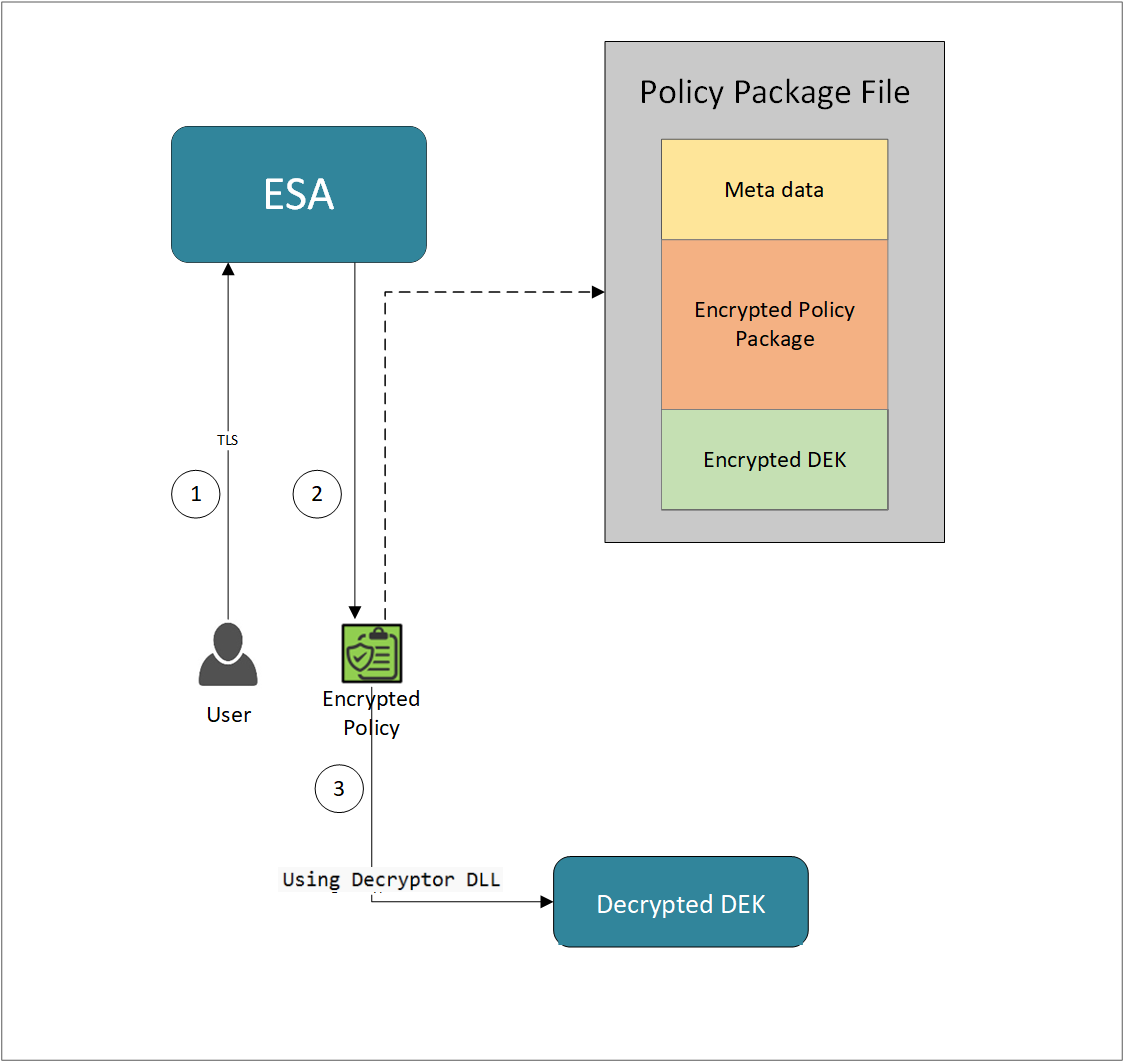
- A REST API call is used to download the policy from the ESA in an envelop encrypted format. A public key is created using a Key Management System (KMS) or Hardware Security Module (HSM). This public key must be passed to the REST API.
- The ESA generates a JSON file for the package with policy.
- The encrypted DEK needs to be decrypted to perform the security operations. A Decryptor class is implemented using the Decryptor interface, to decrypt the Data Encryption Key (DEK) using a private key.
Before you begin
Ensure the following prerequisites are met:
- The installation of the RP Agent is not required for immutable package deployment using the DevOps approach.
- The
decryptorparameter must have a complete path to a decryptor dll file.
A Decryptor class needs to be implemented using the Decryptor interface, which decrypts the Data Encryption Key (DEK) using a private key. It returns the decrypted DEK in bytes.
For more information on the decryptor interface of AP .Net, refer to Configuring the Decryptor interface. - A decryptor dll file needs to be created using the decryptor interface and decryptor class.
- Create a solution project “DotNetDecryptor” where you want to generate the
Decryptor DLLfile.Note: To create
Decryptor DLLfile, we require the IDEKDecryptor.cs, DotNetDecryptor.csproj, Decryptor.cs, and cloud specific decryptor files for AWSKMSDecryptor.cs, AzureKeyVaultDecryptor.cs, and GCPKMSDecryptor.cs. - The data store is properly configured before exporting your Application Protector policy. For ESA 10.0.1 and 10.1.0 versions, define allowed servers for seamless policy deployment and secure access control.
For more information about configuring a data store, refer to - - For ESA version 10.2.0 and higher, export key must be created in the data store for secure access control. For more information refer to Using the Encrypted Resilient Package REST APIs.
AP .Net
Using the DevOps Approach
Perform the following steps to use the DevOps approach for immutable package deployment.
Add the [devops] parameter in the config.ini file.
Ensure the decryptor class has a fully qualified domain name.[devops] package.path = /path/to/policyFile decryptor = /path/to/DotNetDecryptor.dllThe following is an example for adding the
[devops]parameter in theconfig.inifile.[devops] package.path = C:\Users\User1\policies\test.json decryptor = C:\Users\User1\DotNetDecryptor\DotNetDecryptor.dll
Note: For ESA 10.2.0 and later, Application Protector DevOps must use the Encrypted Resilient Package REST APIs using GET method. The legacy Export API using POST method is deprecated and not supported for Teams (PPC). The deprecated API remains supported only for the Enterprise edition for backward compatibility.
For more information about exporting Resilient Package using POST method for 10.0.1 and 10.1.0 ESA, refer to Using the Encrypted Resilient Package REST APIs.
For more information about exporting Resilient Package using GET method for 10.2 ESA, refer to Using the Encrypted Resilient Package REST APIs.
For more information about exporting Resilient Package using GET method for PPC, refer to Using the Encrypted Resilient Package REST APIs.
Sample Code for DevOps Approach for AP .Net
The following sections provide sample code for the DevOps approach for Application Protectors using different cloud platforms.
Configuring the Decryptor Interface
A Decryptor class must implement the IDEKDecryptor interface to decrypt the DEK. This interface includes the decrypt method. The decrypt method provides keyLabel, algorithmId, and encDek parameters. The decrypted DEK must be returned in byte[] format.
The following is the sample code for the decryptor file for using the DevOps Approach with specific cloud platforms.
IDEKDecryptor.cs
The following is a sample code for IDEKDecryptor.cs.
namespace Decryptor
{
public interface IDEKDecryptor
{
byte[] Decrypt(string keyLabel, string algorithmId, byte[] encDEK, out int decryptedDekLength);
}
}
DotNetDecryptor.csproj
The following is a sample code for DotNetDecryptor.csproj.
<Project Sdk="Microsoft.NET.Sdk">
<PropertyGroup>
<TargetFramework>net8.0</TargetFramework>
<PlatformTarget>AnyCPU</PlatformTarget>
<PublishAot>true</PublishAot>
<AllowUnsafeBlocks>true</AllowUnsafeBlocks>
<EnableDynamicLoading>true</EnableDynamicLoading>
<RuntimeIdentifier>win-x64</RuntimeIdentifier>
<UseNativeAot>true</UseNativeAot>
</PropertyGroup>
</Project>
Decryptor.cs
The following is a sample code for Decryptor.cs.
using System;
using System.Runtime.CompilerServices;
using System.Runtime.InteropServices;
namespace Decryptor
{
[UnmanagedFunctionPointer(CallingConvention.Cdecl)]
public delegate IntPtr DecryptDelegate(
[MarshalAs(UnmanagedType.LPUTF8Str)] string keyLabel,
[MarshalAs(UnmanagedType.LPUTF8Str)] string algorithmId,
IntPtr encData,
int encLen,
out int outLen);
public static class DecryptorBridge
{
public static IDEKDecryptor Implementation { get; set; }
static DecryptorBridge()
{
Implementation = new RSADecryptor();
}
public static IntPtr DecryptEntry(string keyLabel, string algorithmId, IntPtr encData, int encLen, out int outLen)
{
if (Implementation == null)
throw new InvalidOperationException("Decryptor implementation not set.");
byte[] encryptedDek = new byte[encLen];
Marshal.Copy(encData, encryptedDek, 0, encLen);
byte[] result = Implementation.Decrypt(keyLabel, algorithmId, encryptedDek, out outLen);
IntPtr resultPtr = Marshal.AllocHGlobal(outLen);
Marshal.Copy(result, 0, resultPtr, outLen);
return resultPtr;
}
[UnmanagedCallersOnly(EntryPoint = "GetDecryptDelegate")]
public static IntPtr GetDecryptDelegate()
{
DecryptDelegate del = DecryptEntry;
return Marshal.GetFunctionPointerForDelegate(del);
}
[UnmanagedCallersOnly(EntryPoint = "FreeBuffer", CallConvs = new[] { typeof(CallConvCdecl) })]
public static void FreeBuffer(IntPtr ptr) { Marshal.FreeHGlobal(ptr); }
}
}
Using AWS
For AWS, we require the IDEKDecryptor.cs, DotNetDecryptor.csproj, Decryptor.cs along with AWSKMSDecryptor.cs.
The following is a sample implementation using the private key obtained from AWS KMS for decryption.
using System;
using System.IO;
using System.Security.Cryptography.X509Certificates;
using System.Text;
using System.Threading.Tasks;
using Amazon;
using Amazon.KeyManagementService;
using Amazon.KeyManagementService.Model;
using Decryptor;
namespace DotNetDecryptor
{
public class AWSKMSDecryptor : IDEKDecryptor
{
// Replace with your actual AWS region name (e.g., "us-east-1", "ap-south-1")
private static readonly RegionEndpoint KMSRegion = RegionEndpoint.GetBySystemName("your-default-region");
// Replace with your actual KMS Key ID
private static readonly string KMSKeyId = "your-key-id";
public byte[] Decrypt(string keyLabel, string algorithmId, byte[] encDek, out int decryptedDekLength)
{
Console.WriteLine("Key Label: " + keyLabel);
Console.WriteLine("AlgorithmID: " + algorithmId);
Console.WriteLine("Base64 encoded input: " + Convert.ToBase64String(encDek));
// Initialize the AWS KMS client using the specified region
var kmsClient = new AmazonKeyManagementServiceClient(KMSRegion);
// Specify the encryption algorithm used during encryption
EncryptionAlgorithmSpec algorithm = EncryptionAlgorithmSpec.RSAES_OAEP_SHA_256;
// Create a decryption request with the encrypted DEK and algorithm
var decryptRequest = new DecryptRequest
{
KeyId = KMSKeyId,
CiphertextBlob = new MemoryStream(encDek),
EncryptionAlgorithm = algorithm
};
// Send the decryption request to AWS KMS and wait for the response
var decryptResponse = kmsClient.DecryptAsync(decryptRequest).Result;
byte[] plaintext = decryptResponse.Plaintext.ToArray();
decryptedDekLength = plaintext.Length;
return plaintext;
}
}
}
Using Azure
For Azure, we require the IDEKDecryptor.cs, DotNetDecryptor.csproj, Decryptor.cs along with AzureKeyVaultDecryptor.cs.
The following is a sample implementation using the private key obtained from Azure Key Vault for decryption.
using Azure.Identity;
using Azure.Security.KeyVault.Keys;
using Azure.Security.KeyVault.Keys.Cryptography;
using Decryptor;
using System;
using System.Net;
using System.Text;
using System.Threading.Tasks;
namespace Decryptor
{
public class AzureKeyVaultDecryptor : IDEKDecryptor
{
public byte[] Decrypt(string keyLabel, string algorithmId, byte[] encDek, out int decryptedDekLength)
{
Console.WriteLine("Key Label:" + keyLabel);
Console.WriteLine("AlgorithmID:" + algorithmId);
Console.WriteLine("Base64 encoded input: " + Convert.ToBase64String(encDek));
var keyVaultUrl = "https://devops-key.vault.azure.net/";
var keyName = "testkey";
var credential = new DefaultAzureCredential();
var keyClient = new KeyClient(new Uri(keyVaultUrl), credential);
KeyVaultKey key = keyClient.GetKey(keyName);
CryptographyClient _cryptoClient = new CryptographyClient(key.Id, credential);
EncryptionAlgorithm algorithm = EncryptionAlgorithm.RsaOaep256;
DecryptResult result = _cryptoClient.Decrypt(algorithm, encDek);
decryptedDekLength = result.Plaintext.Length;
Console.WriteLine("Base64 encoded output: " + Convert.ToBase64String(result.Plaintext));
return result.Plaintext;
}
}
}
Using GCP
For GCP, we require the IDEKDecryptor.cs, DotNetDecryptor.csproj, Decryptor.cs along with GCPKMSDecryptor.cs.
The following is a sample implementation using the private key obtained from Google Cloud KMS for decryption.
using System;
using System.Collections.Generic;
using System.IdentityModel.Tokens.Jwt;
using System.Net.Http;
using System.Reflection.Metadata;
using System.Security.Cryptography;
using System.Text;
using System.Threading.Tasks;
using Decryptor;
using Microsoft.IdentityModel.Tokens;
using Newtonsoft.Json;
namespace DotNetDecryptor
{
public class GCPKMSDecryptor : IDEKDecryptor
{
public byte[] Decrypt(string keyLabel, string algorithmId, byte[] encDEK, out int decryptedDekLength)
{
Console.WriteLine("Key Name: " + keyLabel);
Console.WriteLine("AlgorithmID: " + algorithmId);
Console.WriteLine("Base64 encoded input: " + Convert.ToBase64String(encDEK));
// TODO: Replace the below path with the full path to your service account key JSON file
// Example: @"C:\Path\To\Your\File\your-file-name.json"
string jsonPath = @"C:\Path\To\Your\File\your-file-name.json";
var serviceAccount = JsonConvert.DeserializeObject<Dictionary<string, string>>(System.IO.File.ReadAllText(jsonPath));
string privateKey = serviceAccount["private_key"];
string clientEmail = serviceAccount["client_email"];
string tokenUri = serviceAccount["token_uri"];
var rsa = RSA.Create();
rsa.ImportFromPem(privateKey.ToCharArray());
var creds = new SigningCredentials(new RsaSecurityKey(rsa), SecurityAlgorithms.RsaSha256);
var now = DateTimeOffset.UtcNow;
var jwtHeader = new JwtHeader(creds);
var jwtPayload = new JwtPayload
{
{ "iss", clientEmail },
{ "scope", "https://www.googleapis.com/auth/cloud-platform" },
{ "aud", tokenUri },
{ "iat", now.ToUnixTimeSeconds() },
{ "exp", now.AddMinutes(60).ToUnixTimeSeconds() }
};
var jwt = new JwtSecurityToken(jwtHeader, jwtPayload);
string signedJwt = new JwtSecurityTokenHandler().WriteToken(jwt);
var httpClient = new HttpClient();
var tokenResponse = httpClient.PostAsync(tokenUri, new FormUrlEncodedContent(new Dictionary<string, string>
{
{ "grant_type", "urn:ietf:params:oauth:grant-type:jwt-bearer" },
{ "assertion", signedJwt }
})).Result;
var tokenJson = JsonConvert.DeserializeObject<Dictionary<string, string>>(tokenResponse.Content.ReadAsStringAsync().Result);
string accessToken = tokenJson["access_token"];
string ciphertext = Convert.ToBase64String(encDEK);
// TODO: Replace the below URL with your actual Google Cloud KMS key version URL
// Format: https://cloudkms.googleapis.com/v1/projects/{PROJECT_ID}/locations/{LOCATION}/keyRings/{KEY_RING}/cryptoKeys/{KEY_NAME}/cryptoKeyVersions/{VERSION}:asymmetricDecrypt
string kmsUrl = "https://cloudkms.googleapis.com/v1/projects/{PROJECT_ID}/locations/{LOCATION}/keyRings/{KEY_RING}/cryptoKeys/{KEY_NAME}/cryptoKeyVersions/{VERSION}:asymmetricDecrypt";
var payload = new Dictionary<string, string>
{
{ "ciphertext", ciphertext }
};
var kmsRequest = new StringContent(JsonConvert.SerializeObject(payload), Encoding.UTF8, "application/json");
httpClient.DefaultRequestHeaders.Authorization = new System.Net.Http.Headers.AuthenticationHeaderValue("Bearer", accessToken);
var kmsResponse = httpClient.PostAsync(kmsUrl, kmsRequest).Result;
var responseContent = kmsResponse.Content.ReadAsStringAsync().Result;
if (!kmsResponse.IsSuccessStatusCode)
{
Console.WriteLine("KMS API Error:");
Console.WriteLine(responseContent);
throw new Exception("KMS decryption failed.");
}
var kmsJson = JsonConvert.DeserializeObject<Dictionary<string, string>>(responseContent);
string plaintextBase64 = kmsJson["plaintext"];
byte[] plaintext = Convert.FromBase64String(plaintextBase64);
decryptedDekLength = plaintext.Length;
return plaintext;
}
}
}
Create a DotNetDecryptor.dll File
To create a DLL file:
Open x64 Native Tools Command Prompt for VS.
Navigate to the folder where you have saved the DevOps Approach files using the following command.
cd path\to\your\directoryTo build the Decryptor DLL, run the following command:
dotnet publish -r win-x64 -c ReleaseNavigate to the
bin\x64\Release\net8.0\win-x64\publish\folder.The
DotNetDecryptor.dllis created in the publish folder.Note: It is recommended to move the DotNetDecryptor file to a shorter path location.
Update the decryptor parameter to the
DotNetDecryptor.dllfull path in theconfig.inifile.
9.3.7.4 - Application Protector API Return Codes
When an application is developed using the APIs of the Protegrity Application Protector Suite, you may encounter the Application Protector API Return Codes. For more information about log return codes, refer to Log return codes.
Sample Log for AP Return Codes
The following is a sample log generated in Discover on the Audit Store Dashboards in ESA.
Protection audit logs are stored in the Audit Store. Select the pty_insight_*audit* index to view the protection logs.
For more information about viewing the logs, refer to Working with Discover.
9.3.7.5 - Config.ini file for Application Protector
The Application Protector can be configured using the config.ini file. By default, this file is located in the <installation directory>/sdk/<protector>/data/ directory.
The various configurations required for setting up the Application Protector are described in this section.
Sample config.ini file
The following represents a sample config.ini file.
# -----------------------------
# Protector configuration
# -----------------------------
[protector]
# Cadence determines how often the protector connects with shared memory to fetch the policy updates in background.
# Default is 60 seconds. So by default, every 60 seconds protector tries to fetch the policy updates.
#
# Default 60.
cadence = 60
# The time during which a session object is valid. Default = 15 minutes.
session.sessiontimeout = 15
###############################################################################
# Log Provider Config
###############################################################################
[log]
# In case that connection to fluent-bit is lost, set how audits/logs are handled
#
# drop : (default) Protector throws logs away if connection to the fluentbit is lost
# error : Protector returns error without protecting/unprotecting
# data if connection to the fluentbit is lost
mode = drop
# Host/IP to fluent-bit where audits/logs will be forwarded from the protector
#
# Default localhost
host = localhost
Different configurations for Application Protector
The following are the various configurations:
Protector configurations
cadence: The interval at which the protector synchronizes with the shared memory for fetching the package with policy. The default value forcadenceis 60 seconds. The maximum and minimum value that can be set forcadenceare 86400 seconds (24 hours) and 1 respectively.
For more information about the policy deployment with differentcadenceconfigurations, refer to Policy Deployment.
For more information about the Resilient Package sync configuration parameters, refer to Resilient Package Sync Configuration Parameters.
For more information about changing protector status interval, refer to Resilient Package Status Configuration Parameter.session.sessiontimeout: The time during which a session object is valid. The default value forsession.sessiontimeoutis 15 minutes.Note: The
session.sessiontimeoutparameter is a feature of AP Java and not valid for AP Python and AP .Net.
Log Provider configurations
mode: This describes how the protector logs are handled if you lose connection to the Log Forwarder host, can be set to one of the following values:drop: The logs are dropped when the connection to the Log Forwarder is lost. The defaultmodeisdrop.error: The data security operations are stopped and an error is generated when the connection to the Log Forwarder is lost.
host: The Log Forwarder hostname or IP address where the logs will be forwarded from the protector. The defaulthostfor Log Forwarder islocalhost.
For more information about the configuration parameters for forwarding the audits and logs, refer to Configuration Parameters for Forwarding Audits and Logs.
9.3.7.6 - Multi-node Application Protector Architecture
The multi-node Application Protector (AP) architecture, its individual components, and how logs are collected using the Log Forwarder are described in this section.
The following figure describes the multi-node AP architecture.
For example, some AP nodes are connected to an ESA, which includes the Audit Store component. Each AP node contains a Log Forwarder, RP Agent, and AP instance for sending logs to the ESA.
Protector: The AP can be configured using the config.ini file.
For more information about the configurations, refer to Config.ini file for Application Protector.
RP Agent: The RP Agent downloads the package with policy from the ESA, which is used by the protector to perform the protect, unprotect, or reprotect operations. It checks for the updates in the policy at set intervals and downloads the latest policy package when an update is detected.
Log Forwarder: The Log Forwarder component collects the logs from the AP and forwards them to the Audit Store. The Log Forwarder uses the 15780 port which is configurable to transport protection and audit logs to the ESA. The ESA receives the logs and stores it in the Audit Store.
9.3.7.7 - Uninstalling the Application Protector
This section provides step-by-step instructions to uninstall Application Protector .Net (AP .Net) and its associated components from a Windows platform.
Uninstalling the Log Forwarder
Follow these instructions to uninstall the Log Forwarder.
Before you begin
- To preserve all the configurations during an upgrade, ensure that all the files present under the
C:\Program Files\Protegrity\logforwarder\data\config.ddirectory are backed up. - Close all AP .Net files and folders.
Instructions
For more information about uninstalling the Log Forwarder, refer to Uninstalling Log Forwarder on Windows.
Uninstalling the RPAgent
Follow these instructions to uninstall the RPAgent
Before you begin
- To preserve all the configurations during an upgrade, ensure that all the files present under the
C:\Program Files\Protegrity\sdk\datadirectory are backed up. - Close all AP .Net files and folders.
Instructions
For more information about uninstalling the RP Agent, refer to Unstalling RP Agent on Windows.
Uninstalling Application Protector .Net
To uninstall the AP .Net:
Run the Uninstall Utility.
a. Navigate toC:\Program Files\Protegrity\sdk\dotnetdirectory.
b. Run theunins000file located in this directory.Delete the Installation Directory.
a. After uninstallation, delete theC:\Program Files\Protegrity\sdkfolder.Remove the Environment Variable.
a. Delete the path to thedotnetprovider.plmfile from the Environment Variables.Uninstall the NuGet Package.
a. Open Visual Studio and go to Manage NuGet Packages for Solution.
b. Search for and select DotNetProtector.
c. Click Uninstall.
The Application Protector .Net and its components are successfully uninstalled from the Windows platform.
The dotnetprotector package will be deleted from the NuGet Package Folder during the unintallation process.
9.4 - Application Protector C
Protegrity Application Protector (AP) C Overview
The Protegrity Application Protector (AP) C provides APIs that integrate with customer applications to protect, unprotect, and reprotect sensitive data. The AP C can be used with any customer application that is developed using the C programming language.
The AP C has the following protection and security access methods:
- Get product version
- Check access rights for the user
- Protect
- Unprotect
- Reprotect
Features of AP C
The following are the various features of AP C.
Supported C standards and compilers
The AP C supports GCC versions 9.3.1 and higher for all operating systems.
Trusted applications
The AP C can be accessed only by trusted applications. Any application that protects, unprotects, or reprotects data must first be created as a trusted application.
For more information about how to make an application trusted, refer to Creating a Trusted Application.
Session validity
A session is valid until the XCTerminateLib API is called in the application.
Note:
XCInitLib,XCOpenSession,XCCloseSession, andXCTerminateLibmust each be called once per single process.
Audit logs
Each session generates audit records for every protection function call and data element.
Single Data Item Operations
- Examples:
- 1 protect operation with data element
aand count1→ 1 audit log. - 5 protect operations with data element
band count5→ 5 audit logs. - 1000 unprotect operations with data element
aand count1000→ 1000 audit logs.
- 1 protect operation with data element
- Examples:
Bulk Data Item Operations
- Every protect, unprotect, and reprotect operation generates audit log events.
- Example: 2 bulk protect operations with bulk size
3, the same data elements, and the same session → 1 audit log with count6.
Initialization Logs
- An audit log is generated each time a trusted application is initialized, indicating whether the initialization was successful or not.
- Initialization audit logs are created only after the
xcpep.plmfile is loaded. - Audits are generated in ESA Audit Store for Security Officer access.
Protector status audit logs
While the protector is running, a status log is sent to Discover at an interval of 60 seconds, which can be viewed using the pty_insight_analytics\*protector_status_* index on Discover.
For more information about the status logs, refer to Protectors status index.
The protector status dashboard displays the protector connectivity status through a pie chart and a table visualization. This dashboard uses status logs sent by the protector, so the protector which performed at least one security operation shows up on this dashboard.
For more information about the protector status dashboard, refer to Protector Status Dashboard index.
Error handling
If AP C is used to perform a security operation on a single data item, then the function returns a non-zero error code in case of any error. Similarly, if AP C is used to perform a bulk security operation, then a non-zero error code is returned for each failed item in the bulk result array. The calling application must check the return code after every AP C function call.
For more information about the log return codes, refer to Log return codes.
9.4.1 - Understanding the Architecture
This page describes the architecture, the individual components, and the workflow of the Protegrity Application Protector (AP) solution.
Architecture and Workflow
The following figure illustrates the deployment architecture of the Application Protector (AP).
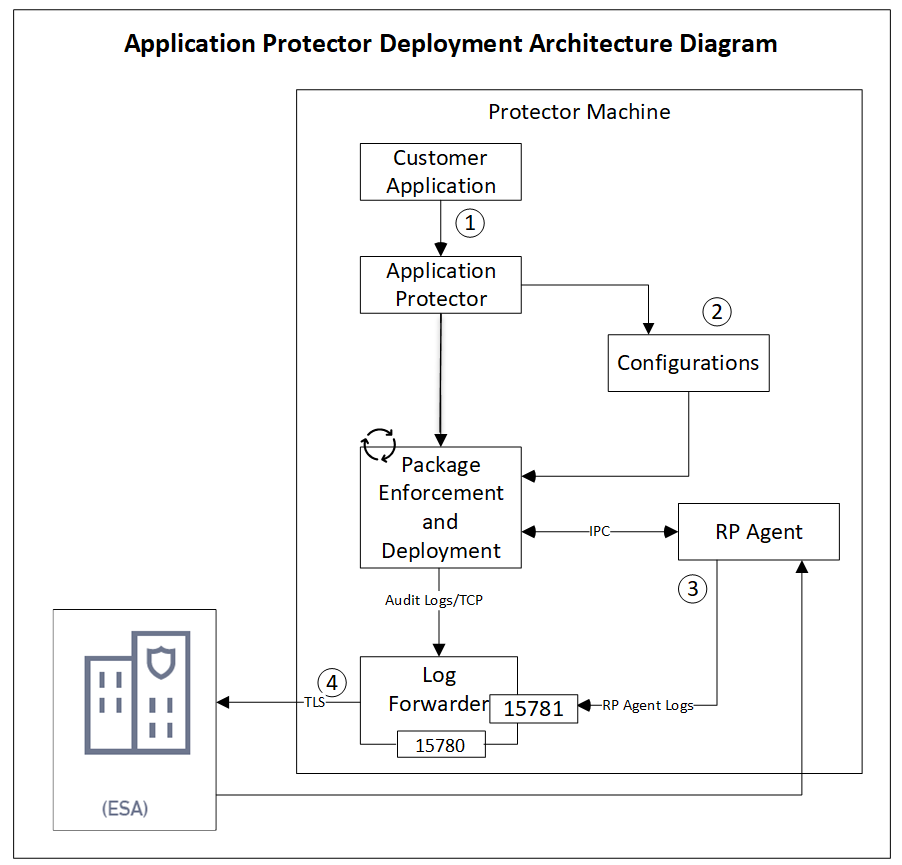
The following table describes the components of the AP deployment architecture.
| Component | Description |
|---|---|
| Customer Application | Built in supported programming languages and integrates with AP for data protection. |
| Application Protector | Core protection engine that enforces security policies and performs data protection operations. |
| Configuration File (config.ini) | Contains initialization parameters passed to AP during startup. |
| Package Enforcement and Deployment | Downloads policy packages from the RP Agent and executes protection operations, such as, protect, unprotect, and reprotect. |
| Log Forwarder | Collects logs from AP and forwards them to the Audit Store for centralized auditing. |
| Resilient Package (RP) Agent | Standalone process that retrieves policy packages from ESA and shares them with AP processes using shared memory IPC. |
The following steps describe the workflow of a sample AP deployment in the production environment.
The customer application initializes the SDK.
The configurations that are required configuration parameters are passed to the protector using the
config.inifile.Note: The configurations can be set through environment variables. ENV overrides values in the
config.inifile, except forcadenceandsession timeoutwhich must be set in the config file.For more information about environment variables configuration, refer to:
The RP Agent regularly syncs with the RP Proxy or ESA to check for policy updates. If a change is detected, the updated policy package is securely downloaded over a TLS channel and stored in shared memory.
The protector synchronizes with shared memory based on the
cadencevalue defined inconfig.inifile. If a new package is available, it is fetched into process memory. This updated package is then used to perform data protection operations such as, protect, unprotect, and reprotect.The audit logs generated during protection operations are forwarded to the Audit Store:
- Logs from the application are sent through the Log Forwarder
- Logs from the RP Agent are also forwarded using the Log Forwarder
Components of the Application Protector
The Protegrity Application Protector (AP) solution comprises several key components that work together to enforce data protection policies and ensure secure operations.
Application Protector
The core engine that integrates with customer applications to perform data protection operations:
- Protect
- Unprotect
- Reprotect
AP is available in multiple language-specific variants. One of which is:
- AP C: For applications developed in C language
Resilient Package (RP) Agent
A standalone process responsible for policy synchronization:
- To sync with the RP Proxy or ESA at regular intervals of 60 seconds.
- To detect policy changes and download updated packages over a secure TLS channel.
- To store the packages in shared memory for use by the protector.
Log Forwarder
A log processing tool that handles audit and protection logs:
- Collects logs generated by AP and RP Agent.
- Forwards logs to the Audit Store within ESA.
Ports used to transport the protection and audit logs to the ESA:
15780: Configurable15781: Non-configurable
Package Deployment
The different approaches for package deployment during the initialization process of the Application Protector are described in this section.
Dynamic Package Deployment
Use this approach when the protector needs to continuously check for policy updates after initialization.
- The
cadenceparameter accepts values ranging from0to86400. - This value defines the interval in seconds at which the protector synchronizes with the RP Agent.
- If a policy change is detected, the protector automatically fetches the updated package and applies it during protection operations.
Note: This method ensures that the protector always operates with the latest policy.
Immutable Package Deployment
Use this approach when the protector does not need to check for policy changes after initialization.
- Set the
cadenceparameter to zero in theconfig.inifile for Immutable Package Deployment. - Add the
[devops]parameter in theconfig.inifile before initializing the protector. - A REST API call is used to download an envelope-encrypted package from the ESA.
- The protector uses this static package for all operations without further synchronization.
For more information about the DevOps approach, refer to DevOps Approach for Application Protector.
9.4.2 - System Requirements
The following table lists the minimum hardware configurations.
| Hardware Component | Configuration Details |
|---|---|
| CPU | Depends on the application. |
| Disk Space | Under 200 MB - including LogForwarder, RP Agent, and AP C. |
| RAM | Memory usage depends on the AP flavor and application behavior. Refer to AP C. |
9.4.3 - Preparing the Environment
Preparing the Environment for AP C Installation
Before installing Protegrity Application Protector (AP) C on a Linux platform, ensure the following prerequisites are met:
Prerequisites
- The Enterprise Security Administrator (ESA) is installed, configured, and running.
- The IP address or host name of the Load Balancer, Proxy, or ESA is noted.
- The Policy Management (PIM) is initialized on the ESA, creating cryptographic keys and the policy repository for data protection.
For more information about initializing the PIM, refer to Initializing the Policy Management. - A trusted application is created and configured in the ESA for the application that will use AP C. For more information, refer to Creating a Trusted Application.
9.4.4 - Installing the AP C Protector
Extracting the Setup Scripts and Package
Note:
<arch>can bex86-64orarm64.
To extract the setup scripts and package:
Download the
ApplicationProtector_Linux-ALL-64_<arch>_GCC-9.3.1_<version>.tgzfile to any location on the machine where you want to install the protector.Extract the AP C installation package using the following command.
tar –xvf ApplicationProtector_Linux-ALL-64_<arch>_GCC-9.3.1_<version>.tgzThe following setup files are extracted:
ApplicationProtector_Linux-ALL-64_<arch>_GCC-9.3.1_<version>.tgzsignatures/ApplicationProtector_Linux-ALL-64_<arch>_GCC-9.3.1_<version>.sig
Verify the digital signature of the signed AP C build.
For more information about verifying the signed AP C build, refer to Verification of Signed Protector Build.Extract the AP C installation package again using the following command.
tar –xvf ApplicationProtector_Linux-ALL-64_<arch>_GCC-9.3.1_<version>.tgzThe following setup files are extracted:
Note: Here,
<arch>can bex64orarm64.LogforwarderSetup_Linux_<arch>_<version>.shRPAgentSetup_Linux_<arch>_<version>.shXCDevSetup_Linux_<arch>_<version>.shXCSamplesSetup_Linux_<arch>_<version>.sh
Installing Log Forwarder on Linux
The steps to install the Log Forwarder on a Linux platform using the Interactive mode or through the Silent mode are described in this section.
Note: To preserve all the configurations while upgrading the Log Forwarder, ensure that you backup all the files present under the
/opt/protegrity/logforwarder/data/config.ddirectory.
For more information about installing Log Forwarder on Linux, refer to Installing Log Forwarder on Linux.
Using Interactive Mode
For more information about installing the Log Forwarder using Interactive Mode, refer to Installing Log Forwarder on Linux using Interactive Mode.
Using Silent Mode
For more information about installing Log Forwarder using the silent mode, refer to Installing Log Forwarder on Linux using Silent Mode.
Installing RP Agent on Linux
The steps to install the RP Agent on a Linux platform using the Interactive mode or through the Silent mode of installation are described in this section.
RPA Secure Mode with ESA on Linux
Before proceeding with the RPA installation in secure mode, ensure that the required CA certificate is available and trusted on the system.
For PPC
Retrieve the custom CA certificate using the following command:
kubectl -n cert-manager get secret eclipse-ca -o jsonpath='{.data.tls\.crt}' | base64 -d > ca.crtFor ESA
Download the certificate from ESA.
For more information about downloading certificates from ESA, refer to Manage Certificates.
After obtaining the certificate, configure the environment variable:
| Variable | Value |
|---|---|
| SSL_CERT_FILE | Full path to the certificate file (for example, /opt/ca.crt) |
When prompted for the ESA hostname or IP during RPA installation, ensure it is included in the ESA TLS certificate (CN or SAN) and is resolvable from the RPAgent host.
After the CA certificate is available, proceed with the RPA installation.
For more information about installing RP Agent, refer to Installing RP Agent on Linux or Unix.
Using Interactive Mode
For more information about installing RP Agent on Linux using Interactive Mode, refer to Installing RP Agent on Linux or Unix using Interactive Mode.
Using Silent Mode
For more information about installing RP Agent using Silent Mode, refer to Installing RP Agent on Linux or Unix using Silent Mode.
Installing Application Protector C on Linux
The steps to install the AP C on a Linux platform using the Linux installer or through the Silent mode of installation, are described in this section.
Using Linux Installer
To install the AP C on the Linux platform using the Linux installer:
Note: Here,
<arch>can bex64orarm64.
Run the AP C installer using the following command.
./XCDevSetup_Linux_<arch>_<version>.shThe prompt to continue the installation appears.
***************************************************** Welcome to the C SDK Setup Wizard ***************************************************** This will install the XCDev on your computer. Do you want to continue? [yes or no]If you want to continue with the installation of the XCDev, then type yes else type no.
If you type yes, then the prompt to enter the installation directory appears.
Enter installation directory. A new directory will be created in the installation directory. [/opt/protegrity]:If you type no, then the installation of the XCDev aborts.
Note:
Thexcpep.plmfile is installed in the/opt/protegrity/sdk/c/bindirectory.The
xcpep.plmfile is a shared library that is required for compiling the applications which use AP C APIs. Link your application to thexcpep.plmfile.The default installation directory for the XCDev on a Linux platform is
/opt/protegrity/sdk/c.Run the AP C sample installer using the following command.
./XCSamplesSetup_Linux_<arch>_<version>.shThe prompt to continue the installation appears.
***************************************************** Welcome to the C SDK Samples Setup Wizard ***************************************************** This will install XCSamples on your computer. Do you want to continue? [yes or no]If you want to continue with the installation of the XCSamples, then type yes else type no.
If you type yes, then the prompt to enter the installation directory appears.
Enter installation directory. A new directory will be created in the installation directory. [/opt/protegrity]:The XCSamples are installed in
/opt/protegrity/sdk/cby default.If you type no, then the installation of the XCSamples aborts.
The following samples are installed in the
/opt/protegrity/sdk/c/samples/directory:xcapcsample/xccsharpsample/
- Sample codes support Token DEs only.
- To use FPE and Unicode Gen2 DEs, user needs to make use of
ui4CharSetfield inXC_PARAM_EX. For more information aboutui4CharSetfield, refer to values supported forui4CharSetfield.
For more information about the samples, refer to the
readme.txtfile located in the respective sample directories.Note:
- For C# (.NET) development, Protegrity recommends using the Application Protector for .NET.
The AP C is successfully installed.
Using Silent Mode
You can also execute the AP C installer without any manual intervention, which is also known as the Silent mode of installation. The following parameter must be provided to execute the installer in the Silent mode.
| Parameter | Description |
|---|---|
| -dir | Optional install directory Default: /opt/protegrity |
Note: Here,
<arch>can bex64orarm64.
- Run the AP C installer using the following command.
./XCDevSetup_Linux_<arch>_<version>.sh [-dir <directory>]
The following output appears.
XCDev installed in `/opt/protegrity/sdk/c`.
- Run the AP C sample installer using the following command.
./XCSamplesSetup_Linux_<arch>_<version>.sh [-dir <directory>]
The following output appears.
XCSamples installed in `/opt/protegrity/sdk/c`.
9.4.5 - Configuring the Protector
Configuring AP C on Linux
To configure the AP C on the Linux platform:
Set the library path before running protect, unprotect or reprotect operations.
export LD_LIBRARY_PATH=/opt/protegrity/sdk/c/binThis makes the
xcpep.plmfile accessible to the Application Protector C SDK before your application initializes.Ensure that the
config.inifile exists in this location before starting the application. AP C resolves theconfig.inifile path relative to the library path:AP C automatically looks for the configuration file at -
<installation_dir>/sdk/c/data/config.iniTo use a custom location, set the
PTY_APC_CONFIGenvironment variable to the full path of yourconfig.inifile:export PTY_APC_CONFIG=/path/to/config.ini
For more information about configuring the various parameters for the AP C using the config.ini file, refer to Config.ini file for Application Protector.
Verifying Installation of AP C on Linux
To verify the successful installation of the AP C:
Deploy a policy in the ESA data store.
For more information about deploying a policy, refer to Deploying Policies.
Configure the application as a trusted application in the ESA.
For more information about trusted applications, refer to Working With Trusted Applications.For more information about the sample application, refer to samples installed in directory.
9.4.6 - Using the AP C APIs
The process to use the AP C protect, unprotect, and reprotect methods are described on this page.
It is assumed that the ESA is already available.
The tasks can be divided in the following order.
- Create the data elements and data store in the Policy Management on the ESA Web UI.
- Create the member sources and roles.
- Configure the policy.
- Configure the trusted application.
- Add a trusted application to the data store.
- Install the AP C.
- Run the sample application.
Creating a data element and data store
Determine how the data needs to be protected either by using encryption or tokenization before running the application. Protection and unprotection methods are available for both.
Create a data element and data store in the ESA by performing the following.
- To create a data element, from the ESA Web UI, navigate to
Policy Management→Data Elements & Masks→Data Elements.
For more information about creating data elements, refer to Working With Data Elements. - To create a data store, navigate to
Policy Management→Data Stores.
For more information about creating data stores, refer to Creating a Data Store.
Creating a member source and role
Create a member source and role in the ESA by performing the following.
- To create a member source, from the ESA Web UI, navigate to
Policy Management→Roles & Member Sources→Member Sources.
For more information about creating a member source, refer to Working With Member Sources. - To create a role, from the ESA Web UI, navigate to
Policy Management→Roles & Member Sources→Roles.
For more information about creating a role, refer to Working with Roles.
Configuring a policy
Configure a policy in the ESA by performing the following.
- From the ESA Web UI, navigate to
Policy Management→Policies & Trusted Applications→Policies. - Click
Add New Policy.
The New Policy screen appears. - After the policy is configured for the application user, add the permissions, data elements, roles, and data stores to the policy and then save it.
- Deploy the policy using the Policy Management Web UI.
For more information about creating a data security policy, refer to Creating Policies.
Configuring a trusted application
Only the applications and users configured as trusted applications under the ESA security policy can access the AP APIs.
If a policy is deployed but the application or the user is not trusted, then the AP aborts with the following message while performing the protect or unprotect operations.
API consumer is not part of the trusted applications, please contact the Security Officer
Configure a trusted application in the ESA by performing the following.
- From the ESA Web UI, navigate to
Policy Management→Policies & Trusted Applications→Trusted Application. - Create a trusted application.
- Deploy the trusted application using the Policy Management Web UI.
For more information about trusted applications, refer to Working With Trusted Applications.
Adding a trusted application to data store
Add a trusted application to data store by performing the following.
- From the ESA Web UI, navigate to
Policy Management→Data Stores.
The list of all the data stores appear. - Select the required data store.
The screen to edit the data store appears. - Under the
Trusted Applicationstab, clickAdd.
The screen to add the trusted application appears. - Select the required trusted application and click
Add. - Select the required policy and deploy it using the Policy Management Web UI.
For more information about adding a trusted application to data store, refer to Linking Data Store to a Trusted Application.
Installing the AP C
Install the AP C by performing the following.
To install the AP C, refer to Application Protector C Installation.
Verify if the AP C is installed successfully. For more information about verifying the AP C installation, refer to Verifying the AP C Installation.
Running the AP C APIs
After setting up the policy and trusted application, you can begin testing the AP C APIs for protection, unprotection, and reprotection.
For more information about the AP C APIs, refer to Application Protector C APIs.
For more information about the AP C return codes, refer to Application Protector API Return Codes.
To run this sample application, ensure that the Application Name in the Trusted Application is set as HelloWorld.
For more information about the sample application, refer to samples installed in directory.
9.4.7 - Application Protector C APIs
The Protegrity Application Protector (AP) C provides APIs that integrate with the customer application to protect, unprotect, and reprotect sensitive data. A session must be created to run the AP C.
Note:
- The AP C APIs can be invoked by a valid Policy User.
- The AP C supports only the byte data type.
The following diagram represents the basic flow of a session.
The following sections provide detailed information of the various structures and functions used by the Protegrity Application Protector C.
stXC_PARAM_EX
The stXC_PARAM_EX structure is used for the XC APIs that are used by the AP C. This structure contains metadata and information related to protect, unprotect, and reprotect operations.
The following is a sample of the stXC_PARAM_EX structure.
typedef struct stXC_PARAM_EX
{
XC_CHAR szVendor[XC_MAX_VENDOR_NAME_SIZE]; /**< It is for internal use, Do not use ! */
XC_UINT8 ui8ScambledSessionHandle; /**< It is for internal use, Do not use ! */
XC_CHAR cUserIp[XC_MAX_IP_ADDRESS_SIZE]; /**< It is for internal use, Do not use ! */
XC_UINT4 ui4Operation; /**< It is for internal use, Do not use ! */
XC_UINT4 ui4DataType; /**< It is for internal use, Do not use ! */
XC_UINT4 ui4CharSet; /**< Character set of the input data (UTF-8/UTF-16/UTF-32). Unknown values are treated as UTF-8. */
XC_CHAR cPlainTextEncoding[XC_ENCODING_SIZE]; /**< It is for internal use, Do not use ! */
XC_BYTE bOldExternalIV[XC_MAX_IV_SIZE]; /**< It is for internal use, Do not use ! */
XC_UINT4 ui4OldExternalIVLength; /**< It is for internal use, Do not use ! */
XC_BYTE bNewExternalIV[XC_MAX_IV_SIZE]; /**< It is for internal use, Do not use ! */
XC_UINT4 ui4NewExternalIVLength; /**< It is for internal use, Do not use ! */
XC_BYTE bOldExternalTweak[XC_MAX_TWEAK_SIZE]; /**< Old external tweak for FPE. Used by unprotect and reprotect operations. */
XC_UINT4 ui4OldExternalTweakLength; /**< Length in bytes of bOldExternalTweak. Set to 0 when no tweak is used. */
XC_BYTE bNewExternalTweak[XC_MAX_TWEAK_SIZE]; /**< New external tweak for FPE. Used by protect and reprotect operations. */
XC_UINT4 ui4NewExternalTweakLength; /**< Length in bytes of bNewExternalTweak. Set to 0 when no tweak is used. */
} XC_PARAM_EX;
stXC_DATA_ITEM
Note: It is recommended to use stXC_DATA_ITEM_EX structure over stXC_DATA_ITEM structure.
The stXC_DATA_ITEM structure is used as a container to store the protected or unprotected data.
The following is a sample for the stXC_DATA_ITEM structure.
typedef struct stXC_DATA_ITEM
{
XC_UINT4 ui4Capacity; /* Max number of bytes that can be stored in pvValue */
XC_UINT4 ui4Length; /* Actual number of bytes stored in pvValue */
XC_VOID* pvValue; /* The actual value of the data */
} XC_DATA_ITEM;
stXC_DATA_ITEM_EX
The stXC_DATA_ITEM_EX structure is typically used for bulk operations with the various APIs.
typedef struct stXC_DATA_ITEM_EX
{
XC_UINT4 ui4Capacity; /**< Max number of bytes that can be stored in pvValue */
XC_UINT4 ui4Length; /**< Actual number of bytes stored in pvValue */
XC_VOID* pvValue; /**< The actual value of the data */
XC_BYTE bNullIndicator; /**< Used to set if the data is null or not. XC_TRUE = Null. XC_FALSE = not null */
XC_UINT4 ui4ErrorCode; /**< The errorcode for the returning data struct, if an error occured, otherwise it is PEP_LOG_PROTECT_SUCCESS or PEP_LOG_UNPROTECT_SUCCESS */
} XC_DATA_ITEM_EX;
stXC_ACTION_RESULT
For each bulk call, the stXC_ACTION_RESULT structure contains a summary status for the entire batch.
The following is a sample for the stXC_ACTION_RESULT structure.
typedef struct stXC_ACTION_RESULT
{
XC_UINT4 ui4LogReturnCode; /* This is the returncode of the operation */
XC_UINT4 ui4LogSeverity; /* This is the severity, SUCCESS, SUCCESS WITH WARNING or ERROR */
XC_UINT4 ui4NoAccessOperation; /* What should we return if we do not have access to unprotect data, NULL, EXCEPTION, PROTECTED VALUE or NOACCESS VALUE */
XC_UINT4 ui4ProtectionAlgId; /* Algorithm that was used for protecting/unprotecting */
XC_UINT4 ui4TokenType; /* Type of data being tokenized */
XC_UINT4 ui4OutputEncoding; /* Encoding of output data */
XC_MASK_SETTINGS stMaskSettings; /* Indicates type of masking used */
} stXC_ACTION_RESULT;
The following parameters are important for the bulk calls:
ui4LogReturnCode contains only the most severe error code in the processed batch. For example, if there is one success with warning entry and one with severe error, the severe error entry will be logged.
ui4LogSeverity reports on the status of the processed batch.
The ui4LogSeverity has three different types. The first type applies to successful operations. The other two states apply to erroneous operations: success with warning and error. Each indicates what went wrong in a batch.
The following table describes the various ui4LogSeverity types.
| ui4LogSeverity Type | ui4LogSeverity Possible Errors | |
|---|---|---|
| Success (operation completed successfully) | Operation completed successfully - no exception | |
| Success With Warning (operation completed successfully but some data failed) | Policy constraints: - User/DE/Time/Access - Load Key (Key ID) - Audit failed | Data constraints: - Integrity Check failed - Invalid format - Length - Token alphabet constraints |
| Error (Major error- batch failed) | System constraints: - RPA not running - Fatal errors | Exceptions: - Policy locked - Policy not available - Unsupported algorithm - Input Parameter missing - Disk full - No access operation = exception (Policy set) - Out of memory |
By turn, each data item in a batch contains its own log return code. It is defined by ui4ErrorCode in the XC_DATA_ITEM_EX structure for the AP C API.
stXC_MASK_SETTINGS
The stXC_MASK_SETTINGS structure holds information about the mask settings applied on the data element for access and audit purposes.
The following is a sample for the stXC_MASK_SETTINGS structure.
typedef struct stXC_MASK_SETTINGS
{
XC_UINT4 bLeftIsMasked : 1;
XC_UINT4 bLeft : 7;
XC_UINT4 bRightIsMasked : 1;
XC_UINT4 bRight : 7;
XC_UINT4 bFillerBits : 16;
XC_BYTE bMaskCharacter;
} XC_MASK_SETTINGS;
eXC_LOGRETURNTYPE
The eXC_LOGRETURNTYPE enum indicates the type of the log return code depending on the value returned.
The following is a sample for the eXC_LOGRETURNTYPE enum.
typedef enum eXC_LOGRETURNTYPE
{
XC_LOGRETURNSUCCESS = 0, /* Success, no additional test */
XC_LOGRETURNSUCCESSWARNING = 1, /* Success, with additional warning text */
XC_LOGRETURNERROR = 2, /* Error type of logreturn code */
XC_LOGRETURNEXCEPTION = 3 /* If we want to throw exception if no acceess */
} XC_LOGRETURNTYPE;
eXC_FUNCTION
The eXC_FUNCTION enum indicates the type of algorithm used while protecting the data.
The following is a sample for the eXC_FUNCTION enum.
typedef enum eXC_FUNCTION
{
XC_ANY_FUNCTION = 0, /* This is the default - some kind of cipher function */
XC_HMAC_FUNCTION = 1, /* Hash message digest - one way cipher function */
XC_TYPE_PRESERVING_FUNCTION = 2, /* Type Preserving, i.e. Token, NoEncryption */
XC_CRYPTO_FUNCTION = 3 /* Regular encryption algorithm */
} XC_FUNCTION;
eXC_DATATYPE
The eXC_DATATYPE enum indicates the type of datatype you want to protect.
The following is a sample for the eXC_DATATYPE enum.
typedef enum eXC_DATATYPE
{
XC_DATATYPE_BYTE = 0, /* Byte */
XC_DATATYPE_CHARACTER, /* Character data */
XC_DATATYPE_UNICODE, /* Unicode data */
XC_DATATYPE_DATE, /* Date data */
XC_DATATYPE_INTEGER, /* Integer data */
XC_DATATYPE_OTHER /* For example real, blob, clob, time, timestamp */
} XC_DATATYPE;
XCInitLib Function
The XCInitLib function initializes the Protegrity AP library. This should be performed once in each application that uses the Protegrity AP API. When the application terminates, it should call the corresponding terminate function.
This function returns XC_SUCCESS on success.
The following is a sample for the XCInitLib function.
XCInitLib( XC_HANDLE* phXCHandle,
const XC_CHAR* pcParameter );
The following table lists the various parameters used for the XCInitLib function.
| Parameter | Description | Data Type |
|---|---|---|
| phXCHandle | [out] A handle for the library. It should be used for the other functions. | XC_HANDLE* |
| pcParameter | [in] NULL terminated string containing the parameter. CAUTION: This parameter is not used. | const XC_CHAR* |
XCTerminateLib Function
The XCTerminateLib function terminates the Protegrity AP library. This should be performed when the application terminates. No other functions should be invoked after invoking the XCTerminateLib function. It should always be invoked after a call to the XCInitLib function for cleanup purposes.
This function returns XC_SUCCESS on success.
The following is a sample of the XCTerminateLib function.
XCTerminateLib( XC_HANDLE* phXCHandle );
The following table lists the parameter used for the XCTerminateLib function.
| Parameter | Description | Data Type |
|---|---|---|
| phXCHandle | [in/out] A handle for the library that has been initialized. | XC_HANDLE* |
XCGetVersion Function
The XCGetVersion function obtains a null terminated version string for the Protegrity AP.
This function returns XC_SUCCESS on success.
The following is a sample for the XCGetVersion function.
XCGetVersion( XC_CHAR* pszVersion,
const XC_UINT4 ui4VersionLength );
The following table lists the various parameters used for the XCGetVersion function.
| Parameter | Description | Data Type |
|---|---|---|
| pszVersion | [in/out] The null terminated version string is returned. The buffer needs to be allocated before it is sent to the function. | XC_CHAR* |
| ui4VersionLength | [in] The length of the buffer allocated for the version. | const XC_UINT4 |
XCGetVersionEx Function
The XCGetVersionEx function obtains a null terminated version string for the Protegrity AP. It returns the current version of the AP C and the core version.
The following is a sample for the XCGetVersionEx function.
XCGetVersionEx();
XCGetCoreVersion Function
The XCGetCoreVersion function obtains a null terminated version string for the Protegrity AP.
This function returns XC_SUCCESS on success.
The following is a sample for the XCGetCoreVersion function.
XCGetCoreVersion( XC_CHAR* pszCoreVersion, const XC_UINT4 ui4CoreVerLen );
The following table lists the various parameters used for the XCGetCoreVersion function.
| Parameter | Description | Data Type |
|---|---|---|
| pszCoreVersion | [in/out] The null terminated version string is returned. The buffer needs to be allocated before it is sent to the function. | XC_CHAR* |
| ui4CoreVerLen | [in] The length of the buffer allocated for the version. | const XC_UINT4 |
XCOpenSession Function
The XCOpenSession function opens a session and returns a handle for that session to be used in calls to the XCProtect and XCUnprotect functions. When the session is no longer needed, it should be closed by a call to XCCloseSession function.
This function returns XC_SUCCESS on success.
The following is a sample for the XCOpenSession function.
XCOpenSession( const XC_HANDLE hXCHandle,
const XC_CHAR* pcUser,
const XC_CHAR* pcPassword,
const XC_CHAR* pcParameter,
XC_SESSION* phSession );
The following table lists the various parameters used for the XCOpenSession function.
| Parameter | Description | Data Type |
|---|---|---|
| hXCHandle | [in] A handle for the library that has been initialized. | const XC_HANDLE |
| pcUser | [in] NULL terminated string for the user opening the session. Important: This parameter is only applicable for the AP Lite. | const XC_CHAR* |
| pcPassword | [in] NULL terminated string for the password for that user. Important: This parameter is only applicable for the AP Lite. | const XC_CHAR* |
| pcParameter | [in] NULL terminated string containing the parameter needed to create a session. For AP Client, the required parameter is ipaddress;port;TCP for the PEP server that is configured to handle the AP requests. For AP Lite, the required parameter is the <export_keys_filename>.xml file, which is the key export file from REST API service. For the XCPep.plm file, the parameter 0 needs to be set for the communicationid. | const XC_CHAR* |
| phSession | [out] On success, this will point to the handle for the established session. | XC_SESSION* |
XCCloseSession Function
The XCCloseSession function will terminate an established session and reset the handle for it, after which no calls to XCProtect and XCUnprotect functions will work.
This function returns XC_SUCCESS on success.
The following is a sample for the XCCloseSession function.
XCCloseSession( const XC_HANDLE hXCHandle,
XC_SESSION* phSession );
The following table lists the various parameters used for the XCCloseSession function.
| Parameter | Description | Data Type |
|---|---|---|
| hXCHandle | [in] Handle for the library that has been initialized. | const XC_HANDLE |
| phSession | [in/out] Session to close. | XC_SESSION* |
XCProtect Function
The XCProtect function will take the supplied plaintext and send a request to the Protegrity AP that will protect the data. It will then read the response from the Protegrity AP and return the cipher text to the caller.
This function returns XC_SUCCESS on success.
Note:
Data protected using encryption data elements with input as integers, long, or short data types and output as bytes is platform-specific. You cannot move such protected data between platforms having different endianness.For example, consider data protected using encryption data elements with input as integers and output as bytes. You cannot move such protected data from the AIX platform to the Linux or Windows platform, and vice-versa.
The ui4CharSet field in XC_PARAM_EX is required when using FPE or Unicode Gen2 data elements with the byte API. It must match the encoding of the input data. The following values are supported:
| Value | Encoding |
|---|---|
| 2 | UTF-8 |
| 4 | UTF-16LE |
| 5 | UTF-16BE |
Warning:
For Date and DateTime type of data elements, the XCProtect API returns an invalid input data error for certain input values. This occurs when the input value falls within the non-existent date range from 05-OCT-1582 to 14-OCT-1582 of the Gregorian Calendar.For more information about the tokenization and de-tokenization of the cutover dates, refer to Datetime Tokenization for Cutover Dates of the Proleptic Gregorian Calendar.
The following is a sample of the XCProtect function.
XCProtect( const XC_HANDLE hXCHandle,
const XC_SESSION hSession,
const XC_UINT4 ui4EventType,
const XC_CHAR* pcPolicyUser,
const XC_CHAR* pcDataElement,
const XC_BYTE* pcExternalIV,
const XC_UINT4 ui4ExternalIVLength,
const XC_BYTE* pcInputData,
const XC_UINT4 ui4InputDataLength,
const XC_BYTE bNiInputData,
XC_BYTE* pcOutputData,
XC_UINT4* pui4OutputDataLength,
XC_BYTE* pbNiOutputData,
const XC_PARAM_EX* pXCParam,
const XC_UINT4 ui4XCParamSize,
stXC_ACTION_RESULT* pstActionResult );
The following table lists the various parameters used for the XCProtect function.
| Parameter | Description | Data Type |
|---|---|---|
| hXCHandle | [in] Handle for the library that has been initialized. | const XC_HANDLE |
| hSession | [in] Handle for the established session. | const XC_SESSION |
| ui4EventType | [in] Used to identify whether the call type of the function is First Call or Normal Call. This parameter can be set to one of the following values: - 1: Internally sets the XC event type to XC_EVENT_FIRST_CALL. This identifies the call type as First Call. If the call type is First Call, then data is written to the internal cache, which includes: - SessionID - RequestID - DataElement - UserName - ProductID - VendorID - 0: Identifies the call type as Normal Call. If the call type is Normal Call, then the data is only read from the internal cache. Data is written to the internal cache only if it is different from the one that was written during the First Call. Important: An entry is generated in the pepserver.log file only if any new data is written to the internal cache.Note: If logging is not enabled, but the XC_EVENT_FIRST_CALL parameter is set, then logs are not generated. Similarly, if logging is enabled, but XC_EVENT_FIRST_CALL is not set, then logs are generated only if any new data is written to the cache. | const XC_UINT4 |
| pcPolicyUser | [in] NULL terminated string for the policy user. | const XC_CHAR * |
| pcDataElement | [in] NULL terminated string for the data element. | const XC_CHAR * |
| pcExternalIV | [in] Buffer containing data that will be used as external IV. | const XC_BYTE* |
| ui4ExternalIVLength | [in] Number of bytes provided in the pcExternalIv buffer. The total amount of data to be protected should not exceed 256 bytes. | const XC_UINT4 |
| pcInputData | [in] Buffer containing the plain data to encrypt. | const XC_BYTE * |
| ui4InputDataLength | [in] Number of bytes contained in pcInputData. The total amount of data to be protected should not exceed 2 GB. | const XC_UINT4 |
| bNiInputData | [in] Flag to indicate NULL input. | const XC_BYTE |
| pcOutputData | [out] Buffer that will hold the resulting encrypted data. Needs to be larger than the input buffer. | XC_BYTE * |
| pui4OutputDataLength | [in/out] On input it should specify the max size of the output data buffer. When the function returns, it will contain the actual number of bytes stored in the output. This size needs to be big enough to hold the resulting data as well as the packed request. Consider having an output buffer that is XC_BYTES_OVERHEAD bytes larger than the input buffer for additional overhead. If the value is set to zero as *pui4OutputDataLength = 0;, then the following value is returned. *pui4OutputDataLength = ui4InputDataLength + XC_BYTES_OVERHEAD; | XC_UINT4 * |
| pbNiOutputData | [out] Flag indicating that the output is NULL. | XC_BYTE * |
| pXCParam | [in] Additional information associated with the protection, refer to XC_Param_Ex function. | const XC_PARAM_EX* |
| ui4XCParamSize | [in] Size of the structure passed in the pXCParam parameter. | const XC_UINT4 |
| pstActionResult | [out] Structure containing the result of the operation. For more information refer to the xcdefinitions.h file. | stXC_ACTION_RESULT* |
XCUnprotect Function
The XCUnprotect function will take the supplied ciphered data and send a request to the Protegrity AP that will unprotect the data. It will then read the response from the Protegrity AP and return the plain data to the caller.
This function returns XC_SUCCESS on success.
The ui4CharSet field in XC_PARAM_EX is required when using FPE or Unicode Gen2 data elements with the byte API. It must match the encoding of the input data. The following values are supported:
| Value | Encoding |
|---|---|
| 2 | UTF-8 |
| 4 | UTF-16LE |
| 5 | UTF-16BE |
The following is a sample of the XCUnprotect function.
XCUnprotect( const XC_HANDLE hXCHandle,
const XC_SESSION hSession,
const XC_UINT4 ui4EventType,
const XC_CHAR* pcPolicyUser,
const XC_CHAR* pcDataElement,
const XC_BYTE* pcExternalIV,
const XC_UINT4 ui4ExternalIVLength,
const XC_BYTE* pcInputData,
const XC_UINT4 ui4InputDataLength,
const XC_BYTE bNiInputData,
XC_BYTE* pcOutputData,
XC_UINT4* pui4OutputDataLength,
XC_BYTE* pbNiOutputData,
const XC_PARAM_EX* pXCParam,
const XC_UINT4 ui4XCParamSize,
stXC_ACTION_RESULT* pstActionResult );
The following table lists the various parameters used for the XCUnprotect function.
| Parameter | Description | Data Type |
|---|---|---|
| hXCHandle | [in] Handle for the library that has been initialized. | const XC_HANDLE |
| hSession | [in] Handle for the established session. | const XC_SESSION |
| ui4EventType | [in] Used to identify whether the call type of the function is First Call or Normal Call. This parameter can be set to one of the following values: - 1: Internally sets the XC event type to XC_EVENT_FIRST_CALL. This identifies the call type as First Call. If the call type is First Call, then data is written to the internal cache, which includes: - SessionID - RequestID - DataElement - UserName - ProductID - VendorID - 0: Identifies the call type as Normal Call. If the call type is Normal Call, then the data is only read from the internal cache. Data is written to the internal cache only if it is different from the one that was written during the First Call. Important: An entry is generated in the pepserver.log file only if any new data is written to the internal cache.Note: If logging is not enabled, but the XC_EVENT_FIRST_CALL parameter is set, then logs are not generated. Similarly, if logging is enabled, but XC_EVENT_FIRST_CALL is not set, then logs are generated only if any new data is written to the cache. | const XC_UINT4 |
| pcPolicyUser | [in] NULL terminated string for the policy user. | const XC_CHAR * |
| pcDataElement | [in] NULL terminated string for the data element. | const XC_CHAR* |
| pcExternalIV | [in] Buffer containing data that will be used as external IV. | const XC_BYTE* |
| ui4ExternalIVLength | [in] Number of bytes provided in the pcExternalIv buffer. The total amount of data to be unprotected should not exceed 256 bytes. | const XC_UINT4 |
| pcInputData | [in] Buffer containing the data to unprotect. | const XC_BYTE* |
| ui4InputDataLength | [in] Number of bytes contained in pcInputData. The total amount of data to be unprotected should not exceed 2 GB. | const XC_UINT4 |
| bNiInputData | [in] Flag to indicate NULL input. | const XC_BYTE |
| pcOutputData | [out] Buffer that will hold the resulting decrypted data. Needs to be larger than the input buffer. | XC_BYTE* |
| pui4OutputDataLength | [in/out] On input it should specify the max size of the output data buffer. When the function returns, it will contain the actual number of bytes stored in the output. This size needs to be big enough to hold the resulting data as well as the packed request. Consider having an output buffer that is XC_BYTES_OVERHEAD bytes larger than the input buffer for additional overhead. If the value is set to zero as *pui4OutputDataLength = 0;, then the following value is returned. *pui4OutputDataLength = ui4InputDataLength + XC_BYTES_OVERHEAD; | XC_UINT4* |
| pbNiOutputData | [out] Flag indicating that the output is NULL. | XC_BYTE* |
| pXCParam | [in] Additional information associated with the protection, refer to the XC_Param_Ex function. | const XC_PARAM_EX* |
| ui4XCParamSize | [in] Size of the structure passed in the pXCParam parameter. | const XC_UINT4 |
| pstActionResult | [out] Structure containing the result of the operation. For more information refer to the xcdefinitions.h file. | stXC_ACTION_RESULT* |
XCReprotect Function
The XCReprotect function will take the supplied protected data and send a request to the Protegrity AP that will reprotect the data. It will then read the response from the Protegrity AP and return the cipher text to the caller.
This function returns XC_SUCCESS on success.
The following is a sample for the XCReprotect function.
XCReprotect( const XC_HANDLE hXCHandle,
const XC_SESSION hSession,
const XC_UINT4 ui4EventType,
const XC_CHAR* pcPolicyUser,
const XC_CHAR* pcOldDataElement,
const XC_CHAR* pcNewDataElement,
const XC_BYTE* pcOldExternalIV,
const XC_UINT4 ui4OldExternalIVLength,
const XC_BYTE* pcNewExternalIV,
const XC_UINT4 ui4NewExternalIVLength,
const XC_BYTE* pcInputData,
const XC_UINT4 ui4InputDataLength,
const XC_BYTE bNiInputData,
XC_BYTE* pcOutputData,
XC_UINT4* pui4OutputDataLength,
XC_BYTE* pbNiOutputData,
const XC_PARAM_EX* pXCParam,
const XC_UINT4 ui4XCParamSize,
stXC_ACTION_RESULT* pstActionResult );
The following table lists the various parameters used for the XCReprotect function.
| Parameter | Description | Data Type |
|---|---|---|
| hXCHandle | [in] Handle for the library that has been initialized. | const XC_HANDLE |
| hSession | [in] Handle for the established session. | const XC_SESSION |
| ui4EventType | [in] Used to identify whether the call type of the function is First Call or Normal Call. This parameter can be set to one of the following values: - 1: Internally sets the XC event type to XC_EVENT_FIRST_CALL. This identifies the call type as First Call. If the call type is First Call, then data is written to the internal cache, which includes: - SessionID - RequestID - DataElement - UserName - ProductID - VendorID - 0: Identifies the call type as Normal Call. If the call type is Normal Call, then the data is only read from the internal cache. Data is written to the internal cache only if it is different from the one that was written during the First Call. Important: An entry is generated in the pepserver.log file only if any new data is written to the internal cache.Note: If logging is not enabled, but the XC_EVENT_FIRST_CALL parameter is set, then logs are not generated. | |
| Similarly, if logging is enabled, but XC_EVENT_FIRST_CALL is not set, then logs are generated only if any new data is written to the cache. | const XC_UINT4 | |
| pcPolicyUser | [in] String for the policy user. | const XC_CHAR* |
| pcOldDataElement | [in] String for the old data element. | const XC_CHAR* |
| pcNewDataElement | [in] String for the new data element to be used. | const XC_CHAR* |
| pcOldExternalIV | [in] External IV that was used when data was protected. | const XC_BYTE* |
| ui4OldExternalIVLength | [in] Number of bytes in pcOldExternalIV. The total amount of data to be reprotected should not exceed 256 bytes. | const XC_UINT4 |
| pcNewExternalIV | [in] External IV to use when data is protected with the new data element. | const XC_BYTE* |
| ui4NewExternalIVLength | [in] Number of bytes in pcNewExternalIV. The total amount of data to be reprotected should not exceed 256 bytes. | const XC_UINT4 |
| pcInputData | [in] Buffer containing the data to be re-encrypted. | const XC_BYTE* |
| ui4InputDataLength | [in] Number of bytes contained in pcInputData. The total amount of data to be unprotected should not exceed 2 GB. | const XC_UINT4 |
| bNiInputData | [in] Flag to indicate NULL input. | const XC_BYTE |
| pcOutputData | [out] Buffer that will hold the resulting re-encrypted data. Needs to be larger than the input buffer. | XC_BYTE* |
| pui4OutputDataLength | [in/out] On input it should specify the max size of the output data buffer. When the function returns, it will contain the actual number of bytes stored in the output. This size needs to be big enough to hold the resulting data as well as the packed request. Consider having an output buffer that is XC_BYTES_OVERHEAD bytes larger than the input buffer for additional overhead. If the value is set to zero as *pui4OutputDataLength = 0;, then the following value is returned. *pui4OutputDataLength = ui4InputDataLength + XC_BYTES_OVERHEAD; | XC_UINT4* |
| pbNiOutputData | [out] Flag indicating that the output is NULL. | XC_BYTE* |
| pXCParam | [in] Additional information associated with the protection, refer to the XC_Param_Ex function. | const XC_PARAM_EX* |
| ui4XCParamSize | [in] Size of the structure passed in the pXCParam parameter. | const XC_UINT4 |
| pstActionResult | [out] Structure containing the result of the operation. For more information refer to the xcdefinitions.h file. | stXC_ACTION_RESULT* |
XCBulkProtect Function
The XCBulkProtect function protects the data in bulk. It will take a list of data items and send them in a single request to the Protegrity AP, which will then process them in a batch. It will then read the response from the Protegrity AP and return a list of data items containing the protected data.
This function returns XC_SUCCESS on success.
The ui4CharSet field in XC_PARAM_EX is required when using FPE or Unicode Gen2 data elements with the byte API. It must match the encoding of the input data. The following values are supported:
| Value | Encoding |
|---|---|
| 2 | UTF-8 |
| 4 | UTF-16LE |
| 5 | UTF-16BE |
Warning:
For Date and DateTime type of data elements, the XCBulkProtect API returns an invalid input data error for certain input values. This occurs when the input value falls within the non-existent date range from 05-OCT-1582 to 14-OCT-1582 of the Gregorian Calendar.
For more information about the tokenization and de-tokenization of the cutover dates, refer to Datetime Tokenization for Cutover Dates of the Proleptic Gregorian Calendar.
The following is a sample of the XCBulkProtect function.
XCBulkProtect( const XC_HANDLE hXCHandle,
const XC_SESSION hSession,
const XC_UINT4 ui4EventType,
const XC_CHAR* pcPolicyUser,
const XC_CHAR* pcDataElement,
const XC_BYTE* pcExternalIV,
const XC_UINT4 ui4ExternalIVLength,
const XC_DATA_ITEM_EX* pInDataItems,
const XC_UINT4 ui4InDataItemCount,
XC_DATA_ITEM_EX* pOutDataItems,
XC_UINT4* pui4OutDataItemCount,
XC_INT4* pi4ErrorIndex,
const XC_PARAM_EX* pXCParam,
const XC_UINT4 ui4XCParamSize,
stXC_ACTION_RESULT* pstActionResult );
The following table lists the various parameters used for the XCBulkProtect function.
| Parameter | Description | Data Type |
|---|---|---|
| hXCHandle | [in] Handle for the library that has been initialized. | const XC_HANDLE |
| hSession | [in] Handle for the established session. | const XC_SESSION |
| ui4EventType | [in] Used to identify whether the call type of the function is First Call or Normal Call. This parameter can be set to one of the following values: - 1: Internally sets the XC event type to XC_EVENT_FIRST_CALL. This identifies the call type as First Call. If the call type is First Call, then data is written to the internal cache, which includes: - SessionID - RequestID - DataElement - UserName - ProductID - VendorID - 0: Identifies the call type as Normal Call. If the call type is Normal Call, then the data is only read from the internal cache. Data is written to the internal cache only if it is different from the one that was written during the First Call. Important: An entry is generated in the pepserver.log file only if any new data is written to the internal cache.Note: If logging is not enabled, but the XC_EVENT_FIRST_CALL parameter is set, then logs are not generated. Similarly, if logging is enabled, but XC_EVENT_FIRST_CALL is not set, then logs are generated only if any new data is written to the cache. | const XC_UINT4 |
| pcPolicyUser | [in] NULL terminated string for the policy user. | const XC_CHAR* |
| pcDataElement | [in] NULL terminated string for the data element. | const XC_CHAR* |
| pcExternalIV | [in] Buffer containing data that will be used as external IV. | const XC_BYTE* |
| ui4ExternalIVLength | [in] Number of bytes provided in the pcExternalIv buffer. The total amount of data for bulk protection should not exceed 256 bytes. | const XC_UINT4 |
| pInDataItems | [in] Buffer containing the protected data to unprotect. | const XC_DATA_ITEM_EX* |
| ui4InDataItemCount | [in] Number of items contained in pInDataItems. The maximum number of data items should not exceed 1000 elements. | const XC_UINT4 |
| pOutDataItems | [out] Buffer containing the unprotected data after a successful operation. | XC_DATA_ITEM_EX* |
| pui4OutDataItemCount | [out] Resulting number of items placed in pOutDataItems. | XC_UINT4* |
| pi4ErrorIndex | [out] Zero-based index of first item that failed, if any, otherwise it will be set to XC_ERROR_INDEX_NONE. | XC_INT4* |
| pXCParam | [in] Additional parameters. | const XC_PARAM_EX* |
| ui4XCParamSize | [in] Size of the additional parameters. | const XC_UINT4 |
| pstActionResult | [out] Structure containing the result of the operation. For more information refer to the xcdefinitions.h file. | stXC_ACTION_RESULT* |
XCBulkUnProtect Function
The XCBulkUnProtect function decrypts the data in bulk. It will take a list of data items and send them in a single request to the Protegrity AP, which will then process them in a batch. It will then read the response from the Protegrity AP and return a list of data items containing the plain data.
This function returns XC_SUCCESS on success.
The ui4CharSet field in XC_PARAM_EX is required when using FPE or Unicode Gen2 data elements with the byte API. It must match the encoding of the input data. The following values are supported:
| Value | Encoding |
|---|---|
| 2 | UTF-8 |
| 4 | UTF-16LE |
| 5 | UTF-16BE |
The following is a sample of the XCBulkUnProtect function.
XCBulkUnprotect( const XC_HANDLE hXCHandle,
const XC_SESSION hSession,
const XC_UINT4 ui4EventType,
const XC_CHAR* pcPolicyUser,
const XC_CHAR* pcDataElement,
const XC_BYTE* pcExternalIV,
const XC_UINT4 ui4ExternalIVLength,
const XC_DATA_ITEM_EX* pInDataItems,
const XC_UINT4 ui4InDataItemCount,
XC_DATA_ITEM_EX* pOutDataItems,
XC_UINT4* pui4OutDataItemCount,
XC_INT4* pi4ErrorIndex,
const XC_PARAM_EX* pXCParam,
const XC_UINT4 ui4XCParamSize,
stXC_ACTION_RESULT* pstActionResult );
The following table lists the various parameters used for the XCBulkUnProtect function.
| Parameter | Description | Data Type |
|---|---|---|
| hXCHandle | [in] Handle for the library that has been initialized. | const XC_HANDLE |
| hSession | [in] Handle for the established session. | const XC_SESSION |
| ui4EventType | [in] Used to identify whether the call type of the function is First Call or Normal Call. This parameter can be set to one of the following values: - 1: Internally sets the XC event type to XC_EVENT_FIRST_CALL. This identifies the call type as First Call. If the call type is First Call, then data is written to the internal cache, which includes: - SessionID - RequestID - DataElement - UserName - ProductID - VendorID - 0: Identifies the call type as Normal Call. If the call type is Normal Call, then the data is only read from the internal cache. Data is written to the internal cache only if it is different from the one that was written during the First Call. Important: An entry is generated in the pepserver.log file only if any new data is written to the internal cache. Note: If logging is not enabled, but the XC_EVENT_FIRST_CALL parameter is set, then logs are not generated. Similarly, if logging is enabled, but XC_EVENT_FIRST_CALL is not set, then logs are generated only if any new data is written to the cache. | const XC_UINT4 |
| pcPolicyUser | [in] NULL terminated string for the policy user. | const XC_CHAR* |
| pcDataElement | [in] NULL terminated string for the data element. | const XC_CHAR* |
| pcExternalIV | [in] Buffer containing data that will be used as external IV. | const XC_BYTE* |
| ui4ExternalIVLength | [in] Number of bytes provided in the pcExternalIv buffer. The total amount of data for bulk protection should not exceed 256 bytes. | const XC_UINT4 |
| pInDataItems | [in] Buffer containing the plain data to protect. | const XC_DATA_ITEM_EX* |
| ui4InDataItemCount | [in] Number of items contained in pInDataItems. The maximum number of data items should not exceed 1000 elements. | const XC_UINT4 |
| pOutDataItems | [out] Buffer containing the protected data after a successful operation. | XC_DATA_ITEM_EX* |
| pui4OutDataItemCount | [in/out] On input the capacity of pOutDataItems which must be the same as ui4InDataItemCount. On return it will contain the number of items placed in pOutDataItems. | XC_UINT4* |
| pi4ErrorIndex | [out] Zero-based index of first item that failed, if any, otherwise it will be set to XC_ERROR_INDEX_NONE. | XC_INT4* |
| pXCParam | [in] Additional parameters. | const XC_PARAM_EX* |
| ui4XCParamSize | [in] Size of the additional parameters. | const XC_UINT4 |
| pstActionResult | [out] Structure containing the result of the operation. For more information refer to the xcdefinitions.h file. | stXC_ACTION_RESULT* |
XCBulkReprotect Function
The XCBulkReprotect function reprotects the data in bulk from one data element to another. It will take a list of data items and send them in a single request to the Protegrity AP, which will then process them in a batch. It will then read the response from the Protegrity AP and return a list of data items containing the reprotected data.
This function returns XC_SUCCESS on success.
The following is a sample of the XCBulkReprotect function.
XCBulkReprotect( const XC_HANDLE hXCHandle,
const XC_SESSION hSession,
const XC_UINT4 ui4EventType,
const XC_CHAR* pcPolicyUser,
const XC_CHAR* pcNewDataElement,
const XC_CHAR* pcOldDataElement,
const XC_BYTE* pcOldExternalIV,
const XC_UINT4 ui4OldExternalIVLength,
const XC_BYTE* pcNewExternalIV,
const XC_UINT4 ui4NewExternalIVLength,
const XC_DATA_ITEM_EX* pInDataItems,
const XC_UINT4 ui4InDataItemCount,
XC_DATA_ITEM_EX* pOutDataItems,
XC_UINT4* pui4OutDataItemCount,
XC_INT4* pi4ErrorIndex,
const XC_PARAM_EX* pXCParam,
const XC_UINT4 ui4XCParamSize,
stXC_ACTION_RESULT* pstActionResult );
The following table lists the various parameters used for the XCBulkReprotect function.
| Parameter | Description | Data Type |
|---|---|---|
| hXCHandle | [in] Handle for the library that has been initialized. | const XC_HANDLE |
| hSession | [in] Handle for the established session. | const XC_SESSION |
| ui4EventType | [in] Event type for logging. | const XC_UINT4 |
| pcPolicyUser | [in] String for the policy user. | const XC_CHAR* |
| pcNewDataElement | [in] String for the new data element. | const XC_CHAR* |
| pcOldDataElement | [in] String for the old data element. | const XC_CHAR* |
| pcOldExternalIV | [in] Buffer containing data that will be used as old external IV. It can be NULL. | const XC_BYTE* |
| ui4OldExternalIVLength | [in] Length of old external IV. | const XC_UINT4 |
| pcNewExternalIV | [in] Buffer containing data that will be used as new external IV. It can be NULL. | const XC_BYTE* |
| ui4NewExternalIVLength | [in] Length of new external IV. | const XC_UINT4 |
| pInDataItems | [in] Array of input data items. | const XC_DATA_ITEM_EX* |
| ui4InDataItemCount | [in] Number of input data items. | const XC_UINT4 |
| pOutDataItems | [out] Array of output data items. | XC_DATA_ITEM_EX* |
| pui4OutDataItemCount | [in/out] Number of output data items. | XC_UINT4* |
| pi4ErrorIndex | [out] Index of the item that caused error. | XC_INT4* |
| pXCParam | [in] Additional parameters. | const XC_PARAM_EX* |
| ui4XCParamSize | [in] Size of the additional parameters. | const XC_UINT4 |
| pstActionResult | [out] Action result structure. | stXC_ACTION_RESULT* |
XCCheckAccess Function
The XCCheckAccess function checks whether a policy user is permitted to perform an operation on a specific Data Element.
This function returns XC_SUCCESS if access is permitted and returns XC_ACCESS_DENIED if no access permitted.
The following is a sample for the XCCheckAccess function.
XCCheckAccess( const XC_HANDLE hXCHandle,
const XC_SESSION hSession,
const XC_UINT4 ui4Operation,
const XC_CHAR* pcPolicyUser,
const XC_CHAR* pcDataElement,
const XC_CHAR* pcOldDataElement,
const XC_PARAM_EX* pXCParam,
const XC_UINT4 ui4XCParamSize );
The following table lists the various parameters used for the XCCheckAccess function.
| Parameter | Description | Data Type |
|---|---|---|
| hXCHandle | [in] Handle for the initialized library. | const XC_HANDLE |
| hSession | [in] Handle for the established session. | const XC_SESSION |
| ui4Operation | [in] Check operation to perform, one of XC_OPERATION_CHECK_PROTECT, XC_OPERATION_CHECK_UNPROTECT or XC_OPERATION_CHECK_REPROTECT. | const XC_UINT4 |
| pcPolicyUser | [in] String for the policy user. | const XC_CHAR* |
| pcDataElement | [in] String for the data element to check the new data element for reprotect. | const XC_CHAR* |
| pcOldDataElement | [in] String for the old data element, mandatory only for a reprotect check. | const XC_CHAR* |
| pXCParam | [in] Additional parameters. | const XC_PARAM_EX* |
| ui4XCParamSize | [in] Size of the additional parameters. | const XC_UINT4 |
XCGetErrorDescription Function
The XCGetErrorDescription function gets error description when a previous call to a Protegrity AP function fails. To get the required size of the message buffer, you can call the function with pszMessage set to XC_NULL. The required buffer size will then be returned in parameter pui4MessageLength, and the return code set to XC_BUFFER_TOO_SMALL.
This function returns XC_SUCCESS if successful and it returns XC_BUFFER_TOO_SMALL if the pui4MessageLength is not big enough.
The following is a sample of the XCGetErrorDescription function.
XCGetErrorDescription( const XC_HANDLE hXCHandle,
const XC_SESSION hSession,
XC_CHAR* pszMessage,
XC_UINT4* pui4MessageLength );
The following table lists the various parameters used for the XCGetErrorDescription function.
| Parameter | Description | Data Type |
|---|---|---|
| hXCHandle | [in] Handle for the library that has been initialized. | const XC_HANDLE |
| hSession | [in] Handle for the session or NULL if no session exists. For example, when XCOpenSession failed. | const XC_SESSION |
| pszMessage | [in/out] The null terminated message string. | XC_CHAR* |
| pui4MessageLength | [in/out] On input, it should specify the max length of the pszMessage buffer. On return, it will contain the length of the message, not counting null. | XC_UINT4* |
9.4.8 - Additional Topics
This section expands the core Application Protector (AP) C documentation.
- Understanding AP C’s memory usage for different policy sizes helps with performance tuning and resource allocation.
- The DevOps approach enables immutable package deployment using a REST API to download encrypted packages from the ESA.
- Application Protector API return codes provide details on the status of API calls.
- The
config.inifile contains the configuration settings for Application Protector. - Multi-node Application Protector architecture describes how AP C operates across distributed nodes.
- Uninstalling AP C on Linux covers the steps to remove all components, including the Log Forwarder.
9.4.8.1 - Memory Usage of the AP C
The memory used for the different policy sizes using a sample AP C application is described in this section. This is a sample memory usage. You can use this as a reference for memory usage in the AP C for different policy sizes.
Sample application
For more information about the sample application, refer to samples installed in directory.
Expected memory usage
The process to find the policy size and expected memory usage for different policy sizes used by the C application is described in this section.
To find the policy size:
- On Insights dashboard, under the Discover section, navigate to the troubleshooting index.
- Search using the
process.module.keyword: coreproviderfilter. - Navigate to the logs with description as Policy successfully loaded.
The
additional_info.memoryUsedfield depicts the policy size.
The following is the expected memory usage for different policy sizes used by the AP C application.
| Policy size | Process memory consumption |
|---|---|
| 14 MB | 42.13MB |
| 37 MB | 94.98 MB |
| 533 MB | 1.23 GB |
Note: The process memory increases substantially for a few milliseconds when the application is running in the following cases:
- The policy is replaced with another policy.
- Changes are made in the current policy.
Conclusion
The results for memory required by various policy sizes using the sample AP C application can be used to determine the memory requirements of the C application.
9.4.8.2 - DevOps Approach for Application Protector C
The DevOps approach enables immutable package deployment. It uses a REST API call to download packages from the ESA in an encrypted format.
Note: The RP Agent should not be installed for immutable package deployments using DevOps.
For more information about package deployment approaches, refer to Resilient Package Deployment.
A REST API call is used to download the package on your local machine. Configure the package path in the config.ini file within the DevOps section and the decryptor shared library.
If a downloaded path is overwritten, a new package will be reflected in the running application at the set time interval (cadence). This occurs when another package with the same name overwrites the existing one. This changes the protector’s behavior. The protector no longer functions as an immutable protector. To keep it immutable, set the cadence value in config.ini file to 0.
- A REST API call is used to download the policy from the ESA in an envelope encrypted format. A public key is created using a Key Management System (KMS) or Hardware Security Module (HSM). This public key must be passed to the REST API.
- The ESA generates a JSON file for the package with policy.
- The encrypted DEK needs to be decrypted to perform the security operations. A Decryptor class is implemented using the Decryptor interface, to decrypt the Data Encryption Key (DEK) using a private key.
Before you begin
Ensure the following prerequisites are met:
- The installation of the RP Agent is not required for immutable package deployment using the DevOps approach.
- The
decryptorparameter must be the full path to the decryptor shared library.
A decryptor shared library must implement the decrypt() function, which decrypts the Data Encryption Key (DEK) using a private key. It returns the decrypted DEK in bytes.
For more information on the decryptor interface of AP C, refer to Configuring the Decryptor interface. - The data store is properly configured before exporting your Application Protector policy. For ESA 10.0.1 and 10.1.0 versions, define allowed servers for seamless policy deployment and secure access control.
For more information about configuring a data store, refer to: - For ESA version 10.2.0 and higher, export key must be created in the data store for secure access control. For more information refer to Using the Encrypted Resilient Package REST APIs.
AP C
Using the DevOps approach
Perform the following steps to use the DevOps approach for immutable package deployment.
Create the RSA decryptor file, for example:
rsa_decryptor.c, using decrypt() function and then compile it which will create a.soshared library.
For example -gcc -shared -fPIC -o /opt/apc/rsa_decryptor.so /opt/apc/rsa_decryptor.c -lssl -lcryptoAdd the [devops] parameter in the config.ini file.
[devops] package.path = /path/to/policyFile decryptor = /path/to/decryptor_shared_library.soThe following is an example for adding the
[devops]parameter in theconfig.inifile.[devops] package.path = /opt/policies/policy1.json decryptor = /opt/apc/rsa_decryptor.so
Note: For ESA 10.2.0 and later, Application Protector DevOps must use the Encrypted Resilient Package REST APIs using GET method. The legacy Export API using POST method is deprecated and not supported for Teams (PPC). The deprecated API remains supported only for the Enterprise edition for backward compatibility.
For more information about exporting Resilient Package using POST method for 10.0.1 and 10.1.0 ESA, refer to Using the Encrypted Resilient Package REST APIs.
For more information about exporting Resilient Package using GET method for 10.2 ESA, refer to Using the Encrypted Resilient Package REST APIs.
For more information about exporting Resilient Package using GET method for PPC, refer to Using the Encrypted Resilient Package REST APIs.
Sample code for DevOps approach for AP C
The following sections provide sample code for the DevOps approach for Application Protectors using different cloud platforms.
Configuring the Decryptor interface
The decrypt function provides key_label, algorithm, encrypted_dek, and encrypted_dek_len parameters. The decrypted DEK must be returned as an unsigned char *, and its length written to *decrypted_dek_len. The path to the compiled .so is set using decryptor= in the [devops] section of config.ini.
Custom DEK Decryptor Implementation Requirements:
Exact function signature — must match precisely, including parameter names and types:
unsigned char *decrypt(char *key_label, const unsigned char *encrypted_dek, char *algorithm, int encrypted_dek_len, int *decrypted_dek_len);Include the header —
#include "decryptor.h"is required; the AP C runtime provides this header.Memory allocation — the return value must be allocated with
OPENSSL_malloc(), notmalloc(), because the APC runtime frees it withOPENSSL_free().Return contract — return
NULLon failure; on success write the plaintext length to*decrypted_dek_lenand return the plaintext buffer.Algorithm strings — the
algorithmparameter will be one of:RSA_OAEP_SHA1,RSA_OAEP_SHA256,RSA_OAEP_SHA512,RSA_PKCS1_v1_5. The code must handle whichever algorithm was used to encrypt the DEK.Private key path — hardcode or configure the path to the private key (PKCS#8 PEM format) inside the
.cfile before compiling.Build — compile as a shared library:
gcc -shared -fPIC -o rsa_decryptor.so rsa_decryptor.c -lssl -lcryptoRegister the
.so— setdecryptor=<absolute_path_to_rsa_decryptor.so>in the[devops]section ofconfig.ini.
Using AWS
The following is a sample implementation using the private key from AWS KMS.
/*
* Prerequisites to build and run this file:
*
* 1. Install AWS C++ SDK (kms + core only):
* cmake .. -DBUILD_ONLY="kms;core"
* make && sudo make install
* Ref: GitHub - aws/aws-sdk-cpp: AWS SDK for C++
*
* 2. Set LD_LIBRARY_PATH to include AWS SDK and APC libraries:
* export LD_LIBRARY_PATH=/home/ec2-user/c_sdk/apc/build/lib:/usr/local/lib64
* Ensure libaws-cpp-sdk-kms.so and libaws-cpp-sdk-core.so are present.
*
* 3. Configure AWS credentials (one of):
* a) CLI: aws configure
* b) Env: export AWS_ACCESS_KEY_ID="..."
* export AWS_SECRET_ACCESS_KEY="..."
* export AWS_REGION="..."
*
* 4. Ensure the KMS key (RSA_4096, ENCRYPT_DECRYPT) exists in your AWS account.
* Retrieve the key ID from AWS KMS Console or:
* aws kms get-public-key --key-id <your-key-id>
*
* 5. Compile:
* g++ -g -shared -o aws.so test.cpp -lcrypto -laws-cpp-sdk-kms -laws-cpp-sdk-core -fPIC
*/
#include <aws/core/Aws.h>
#include <aws/kms/KMSClient.h>
#include <aws/kms/model/DecryptRequest.h>
#include "../../../apc/decryptor.h"
extern "C"{
unsigned char* decrypt(char* key_label, const unsigned char *encrypted_dek, char* algorithm, int encrypted_dek_len, int *decrypted_dek_len)
{
Aws::SDKOptions options;
/* Initialize AWS SDK*/
Aws::InitAPI(options);
Aws::Client::ClientConfiguration clientConfig;
/* Disable SSL verification */
clientConfig.verifySSL = false;
/* Create KMS Client */
Aws::KMS::KMSClient kms(clientConfig);
/* Create Decrypt Request*/
Aws::KMS::Model::DecryptRequest decrypt_request;
unsigned char* decrypted_data = nullptr;
decrypt_request.SetCiphertextBlob(Aws::Utils::ByteBuffer(encrypted_dek, encrypted_dek_len));
decrypt_request.WithEncryptionAlgorithm(Aws::KMS::Model::EncryptionAlgorithmSpec::RSAES_OAEP_SHA_256);
decrypt_request.WithKeyId("3068b3ef-4924-4be5-9e9a-440b418553b3");
auto decryptOutcome = kms.Decrypt(decrypt_request);
if(!decryptOutcome.IsSuccess()){
std::cerr << "Error Decrypting data: " << decryptOutcome.GetError().GetMessage() << std::endl;
}
Aws::Utils::ByteBuffer plaintext = decryptOutcome.GetResult().GetPlaintext();
/* Allocate memory for decrypted data */
decrypted_data = new unsigned char[plaintext.GetLength()];
std::memcpy(decrypted_data, plaintext.GetUnderlyingData(), plaintext.GetLength());
*decrypted_dek_len = plaintext.GetLength();
return decrypted_data;
}
}
Using Azure
The following is a sample implementation using the private key from Azure Key Vault.
/*
* Prerequisites to build and run this file:
*
* 1. Install Azure SDK and the dependencies required by azure.cpp.
*
* 2. Log in to Azure:
* az login
*
* Verify the active subscription:
* az account show
*
* 3. Create an Azure Key Vault:
* az keyvault create \
* --name <key-vault-name> \
* --resource-group <resource-group> \
* --location <location>
*
* 4. Create an RSA key in the Key Vault:
* az keyvault key create \
* --vault-name <key-vault-name> \
* --name <key-name> \
* --kty RSA \
* --size 2048 \
* --ops encrypt decrypt wrapKey unwrapKey sign verify
*
* 5. Get the VM Managed Identity Object ID:
* az vm identity show \
* --resource-group <resource-group> \
* --name <vm-name> \
* --query principalId -o tsv
*
* 6. Grant Key Vault permissions:
* az keyvault set-policy \
* --name <key-vault-name> \
* --object-id <principal-id> \
* --key-permissions get list decrypt unwrapKey
*
* 7. Get the Key Vault key URI (key_label):
* az keyvault key show \
* --vault-name <key-vault-name> \
* --name <key-name> \
* --query "key.kid" -o tsv
*
* Example:
* https://<key-vault-name>.vault.azure.net/keys/<key-name>/<version>
*
* 8. Download the public key:
* az keyvault key download \
* --vault-name <key-vault-name> \
* --name <key-name> \
* --file <public-key>.pem \
* --encoding PEM
*
* 9. Export the APC policy package:
* curl -k -u <user>:<password> -X POST \
* 'https://<rps-host>/pty/v1/rps/export?version=1&coreversion=1' \
* -H 'Content-Type: application/json' \
* -d '{
* "kek": {
* "publicKey": {
* "label": "<key_label>",
* "algorithm": "RSA-OAEP-256",
* "value": "-----BEGIN PUBLIC KEY----- ... -----END PUBLIC KEY-----"
* }
* }
* }' \
* -o pkg_azure.json
*
* 10. Compile:
* g++ -std=c++17 -fPIC -shared -o azure.so azure.cpp \
* -I<azure-sdk-include-dir> \
* -I<apc-source-dir> \
* -lcurl \
* -lpthread
*
* 11. Set environment variables:
* export LD_LIBRARY_PATH=<apc-library-dir>:$LD_LIBRARY_PATH
* export PTY_APC_CONFIG=<config-file>
*
* 12. Run:
* ./xcapcsample -p <parameter> -u <user> -d1 <data-element-name>
*/
/*******************************************************************************
* azure.cpp
*
* Azure Key Vault decryptor plug-in — C++ implementation via REST API.
*
* Calls the Azure Key Vault decrypt REST endpoint using libcurl and OpenSSL
* for base64url encoding/decoding. No Azure C++ SDK required.
*
* key_label must be the full Azure Key Vault key identifier URL:
* https://<vault-name>.vault.azure.net/keys/<key-name>/<key-version>
*
* Authentication (in priority order):
* 1. AZURE_ACCESS_TOKEN env var — pre-obtained Bearer token.
* 2. Client credentials flow — set AZURE_TENANT_ID, AZURE_CLIENT_ID,
* AZURE_CLIENT_SECRET env vars.
* 3. Azure Managed Identity (IMDS)— works on Azure VMs / AKS / App Service.
*
* Build:
* g++ -std=c++17 -fPIC -shared -o azure.so azure.cpp \
* -I<path-to-apc-includes> \
* -lcurl -lssl -lcrypto
******************************************************************************/
#include <cstdlib>
#include <cstring>
#include <iostream>
#include <string>
#include <vector>
#include <curl/curl.h>
#include <openssl/bio.h>
#include <openssl/buffer.h>
#include <openssl/evp.h>
#include "../../../apc/decryptor.h"
/* ==========================================================================
* Internal helpers
* ========================================================================== */
namespace {
/* --------------------------------------------------------------------------
* libcurl write callback — appends received data to a std::string.
* -------------------------------------------------------------------------- */
std::size_t curlWriteCallback(char* ptr, std::size_t size,
std::size_t nmemb, void* userdata)
{
auto* buf = static_cast<std::string*>(userdata);
buf->append(ptr, size * nmemb);
return size * nmemb;
}
/* --------------------------------------------------------------------------
* base64urlEncode
*
* Azure Key Vault uses base64url (RFC 4648 §5): '+' → '-', '/' → '_',
* no '=' padding.
* -------------------------------------------------------------------------- */
std::string base64urlEncode(const unsigned char* src, int len)
{
/* Standard base64 first */
BIO* b64 = BIO_new(BIO_f_base64());
BIO* mem = BIO_new(BIO_s_mem());
BUF_MEM* bptr = nullptr;
BIO_set_flags(b64, BIO_FLAGS_BASE64_NO_NL);
BIO_push(b64, mem);
BIO_write(b64, src, len);
BIO_flush(b64);
BIO_get_mem_ptr(b64, &bptr);
BIO_set_close(b64, BIO_NOCLOSE);
BIO_free_all(b64);
std::string result(bptr->data, bptr->length);
BUF_MEM_free(bptr);
/* Convert to base64url */
for (char& c : result) {
if (c == '+') c = '-';
else if (c == '/') c = '_';
}
/* Strip padding */
while (!result.empty() && result.back() == '=')
result.pop_back();
return result;
}
/* --------------------------------------------------------------------------
* base64urlDecode
*
* Converts base64url back to standard base64 then decodes.
* -------------------------------------------------------------------------- */
std::vector<unsigned char> base64urlDecode(const std::string& src)
{
std::string b64 = src;
/* Convert base64url → standard base64 */
for (char& c : b64) {
if (c == '-') c = '+';
else if (c == '_') c = '/';
}
/* Re-add padding */
while (b64.size() % 4 != 0)
b64 += '=';
std::vector<unsigned char> out(b64.size());
BIO* bmem = BIO_new_mem_buf(b64.data(), static_cast<int>(b64.size()));
BIO* b64bio = BIO_new(BIO_f_base64());
BIO_set_flags(b64bio, BIO_FLAGS_BASE64_NO_NL);
BIO_push(b64bio, bmem);
int n = BIO_read(b64bio, out.data(), static_cast<int>(b64.size()));
BIO_free_all(b64bio);
if (n <= 0)
return {};
out.resize(static_cast<std::size_t>(n));
return out;
}
/* --------------------------------------------------------------------------
* jsonGetString
*
* Extracts the value of a flat JSON string field.
* Handles optional whitespace around ':'.
* -------------------------------------------------------------------------- */
std::string jsonGetString(const std::string& json, const std::string& field)
{
const std::string key = "\"" + field + "\"";
auto pos = json.find(key);
if (pos == std::string::npos)
return {};
pos += key.size();
/* Skip whitespace then ':' */
while (pos < json.size() && (json[pos] == ' ' || json[pos] == '\t' ||
json[pos] == '\r' || json[pos] == '\n'))
++pos;
if (pos >= json.size() || json[pos] != ':')
return {};
++pos;
/* Skip whitespace after ':' */
while (pos < json.size() && (json[pos] == ' ' || json[pos] == '\t' ||
json[pos] == '\r' || json[pos] == '\n'))
++pos;
if (pos >= json.size() || json[pos] != '"')
return {};
++pos; /* skip opening '"' */
auto end = json.find('"', pos);
if (end == std::string::npos)
return {};
return json.substr(pos, end - pos);
}
/* --------------------------------------------------------------------------
* getTokenClientCredentials
*
* Fetches an Azure AD Bearer token using the client credentials OAuth2 flow.
* Requires: AZURE_TENANT_ID, AZURE_CLIENT_ID, AZURE_CLIENT_SECRET env vars.
* -------------------------------------------------------------------------- */
std::string getTokenClientCredentials()
{
const char* tenantId = std::getenv("AZURE_TENANT_ID");
const char* clientId = std::getenv("AZURE_CLIENT_ID");
const char* clientSecret = std::getenv("AZURE_CLIENT_SECRET");
if (!tenantId || !clientId || !clientSecret ||
tenantId[0] == '\0' || clientId[0] == '\0' || clientSecret[0] == '\0')
return {};
const std::string tokenUrl =
"https://login.microsoftonline.com/" + std::string(tenantId) +
"/oauth2/v2.0/token";
const std::string body =
"grant_type=client_credentials"
"&client_id=" + std::string(clientId) +
"&client_secret=" + std::string(clientSecret) +
"&scope=https%3A%2F%2Fvault.azure.net%2F.default";
std::string response;
CURL* curl = curl_easy_init();
if (!curl) return {};
curl_easy_setopt(curl, CURLOPT_URL, tokenUrl.c_str());
curl_easy_setopt(curl, CURLOPT_POSTFIELDS, body.c_str());
curl_easy_setopt(curl, CURLOPT_WRITEFUNCTION, curlWriteCallback);
curl_easy_setopt(curl, CURLOPT_WRITEDATA, &response);
curl_easy_setopt(curl, CURLOPT_TIMEOUT, 10L);
CURLcode rc = curl_easy_perform(curl);
curl_easy_cleanup(curl);
if (rc != CURLE_OK) {
std::cerr << "[Azure KV] token request failed: "
<< curl_easy_strerror(rc) << std::endl;
return {};
}
/* {"access_token":"<TOKEN>","token_type":"Bearer",...} */
std::string token = jsonGetString(response, "access_token");
if (token.empty())
std::cerr << "[Azure KV] unexpected token response: " << response << std::endl;
return token;
}
/* --------------------------------------------------------------------------
* getTokenManagedIdentity
*
* Fetches a Bearer token from the Azure IMDS endpoint (Azure VMs / AKS).
* -------------------------------------------------------------------------- */
std::string getTokenManagedIdentity()
{
std::string response;
CURL* curl = curl_easy_init();
if (!curl) return {};
curl_slist* headers = nullptr;
headers = curl_slist_append(headers, "Metadata: true");
curl_easy_setopt(curl, CURLOPT_URL,
"http://169.254.169.254/metadata/identity/oauth2/token"
"?api-version=2018-02-01&resource=https://vault.azure.net");
curl_easy_setopt(curl, CURLOPT_HTTPHEADER, headers);
curl_easy_setopt(curl, CURLOPT_WRITEFUNCTION, curlWriteCallback);
curl_easy_setopt(curl, CURLOPT_WRITEDATA, &response);
curl_easy_setopt(curl, CURLOPT_TIMEOUT, 5L);
CURLcode rc = curl_easy_perform(curl);
curl_slist_free_all(headers);
curl_easy_cleanup(curl);
if (rc != CURLE_OK) {
std::cerr << "[Azure KV] IMDS token fetch failed: "
<< curl_easy_strerror(rc) << std::endl;
return {};
}
std::string token = jsonGetString(response, "access_token");
if (token.empty())
std::cerr << "[Azure KV] unexpected IMDS response: " << response << std::endl;
return token;
}
/* --------------------------------------------------------------------------
* getAccessToken
*
* Returns a Bearer token for Azure Key Vault API calls.
*
* Priority:
* 1. AZURE_ACCESS_TOKEN env var (any environment)
* 2. Client credentials flow (AZURE_TENANT_ID + CLIENT_ID + SECRET)
* 3. Azure Managed Identity IMDS (Azure VMs / AKS / App Service)
* -------------------------------------------------------------------------- */
std::string getAccessToken()
{
const char* env = std::getenv("AZURE_ACCESS_TOKEN");
if (env && env[0] != '\0')
return std::string(env);
std::string token = getTokenClientCredentials();
if (!token.empty())
return token;
token = getTokenManagedIdentity();
if (!token.empty())
return token;
std::cerr << "[Azure KV] could not obtain access token. Set "
"AZURE_ACCESS_TOKEN, or AZURE_TENANT_ID + AZURE_CLIENT_ID + "
"AZURE_CLIENT_SECRET, or run on an Azure VM with Managed Identity."
<< std::endl;
return {};
}
} /* anonymous namespace */
/* ==========================================================================
* decrypt — public interface
* ========================================================================== */
extern "C" {
/*******************************************************************************
* decrypt
*
* Decrypts an RSA-OAEP-wrapped DEK via Azure Key Vault decrypt REST API.
*
* Parameters:
* key_label - Full Azure Key Vault key identifier URL:
* https://<vault>.vault.azure.net/keys/<key>/<version>
* encrypted_dek - Raw ciphertext bytes.
* algorithm - Encryption algorithm (e.g. "RSA-OAEP-256").
* Passed directly to the Azure KV API.
* encrypted_dek_len - Length of encrypted_dek in bytes.
* decrypted_dek_len - Out: length of the returned plaintext buffer.
*
* Returns:
* Heap-allocated plaintext on success (caller must free with delete[]),
* or nullptr on failure.
******************************************************************************/
unsigned char* decrypt(char* key_label,
const unsigned char* encrypted_dek,
char* algorithm,
int encrypted_dek_len,
int* decrypted_dek_len)
{
if (!key_label || !encrypted_dek || encrypted_dek_len <= 0 || !decrypted_dek_len)
{
std::cerr << "[Azure KV] decrypt: invalid argument(s)." << std::endl;
return nullptr;
}
*decrypted_dek_len = 0;
/* -- 1. Determine algorithm ------------------------------------------- */
/* Normalize algorithm name to Azure Key Vault format.
* xcpep.plm passes underscore-style names (e.g. RSA_OAEP_SHA256) but
* Azure KV REST API expects hyphen-style (e.g. RSA-OAEP-256). */
auto normalizeAlg = [](const std::string& a) -> std::string {
if (a == "RSA_OAEP_SHA256" || a == "RSA-OAEP-SHA256") return "RSA-OAEP-256";
if (a == "RSA_OAEP_SHA384" || a == "RSA-OAEP-SHA384") return "RSA-OAEP-384";
if (a == "RSA_OAEP_SHA512" || a == "RSA-OAEP-SHA512") return "RSA-OAEP-512";
if (a == "RSA_OAEP" || a == "RSA_OAEP_SHA1") return "RSA-OAEP";
if (a == "RSA_PKCS1") return "RSA1_5";
return a; /* pass through if already correct or unknown */
};
const std::string alg = normalizeAlg(
(algorithm && algorithm[0] != '\0') ? std::string(algorithm) : "RSA-OAEP-256"
);
/* -- 2. Base64url-encode the ciphertext ------------------------------- */
const std::string b64urlCipher = base64urlEncode(encrypted_dek, encrypted_dek_len);
/* -- 3. Obtain a Bearer token ----------------------------------------- */
const std::string token = getAccessToken();
if (token.empty())
return nullptr;
/* -- 4. Build request URL --------------------------------------------- */
/* https://<vault>.vault.azure.net/keys/<key>/<ver>/decrypt?api-version=7.4 */
const std::string url = std::string(key_label) + "/decrypt?api-version=7.4";
/* -- 5. Build JSON request body --------------------------------------- */
/* {"alg":"RSA-OAEP-256","value":"<base64url-ciphertext>"} */
const std::string body =
"{\"alg\":\"" + alg + "\","
"\"value\":\"" + b64urlCipher + "\"}";
const std::string authHdr = "Authorization: Bearer " + token;
/* -- 6. POST to Azure Key Vault decrypt endpoint ---------------------- */
std::string response;
CURL* curl = curl_easy_init();
if (!curl)
{
std::cerr << "[Azure KV] curl_easy_init failed." << std::endl;
return nullptr;
}
curl_slist* headers = nullptr;
headers = curl_slist_append(headers, "Content-Type: application/json");
headers = curl_slist_append(headers, authHdr.c_str());
curl_easy_setopt(curl, CURLOPT_URL, url.c_str());
curl_easy_setopt(curl, CURLOPT_POSTFIELDS, body.c_str());
curl_easy_setopt(curl, CURLOPT_HTTPHEADER, headers);
curl_easy_setopt(curl, CURLOPT_WRITEFUNCTION, curlWriteCallback);
curl_easy_setopt(curl, CURLOPT_WRITEDATA, &response);
curl_easy_setopt(curl, CURLOPT_TIMEOUT, 30L);
CURLcode rc = curl_easy_perform(curl);
long httpCode = 0;
curl_easy_getinfo(curl, CURLINFO_RESPONSE_CODE, &httpCode);
curl_slist_free_all(headers);
curl_easy_cleanup(curl);
if (rc != CURLE_OK)
{
std::cerr << "[Azure KV] HTTP request failed: "
<< curl_easy_strerror(rc) << std::endl;
return nullptr;
}
if (httpCode != 200)
{
std::cerr << "[Azure KV] HTTP " << httpCode << ": " << response << std::endl;
return nullptr;
}
/* -- 7. Extract "value" (plaintext) from JSON response ---------------- */
/* Response: {"kid":"...","value":"<base64url-plaintext>"} */
const std::string b64urlPlain = jsonGetString(response, "value");
if (b64urlPlain.empty())
{
std::cerr << "[Azure KV] could not parse 'value' field: "
<< response << std::endl;
return nullptr;
}
/* -- 8. Base64url-decode the plaintext -------------------------------- */
std::vector<unsigned char> plaintext = base64urlDecode(b64urlPlain);
if (plaintext.empty())
{
std::cerr << "[Azure KV] base64url decode of plaintext failed." << std::endl;
return nullptr;
}
/* -- 9. Return caller-owned buffer ------------------------------------ */
unsigned char* out = new unsigned char[plaintext.size()];
std::memcpy(out, plaintext.data(), plaintext.size());
*decrypted_dek_len = static_cast<int>(plaintext.size());
return out;
}
} /* extern "C" */
Using GCP
The following is a sample implementation using the private key from Google Cloud KMS.
/*
* Prerequisites to build and run this file:
*
* 1. Install Google Cloud SDK and required dependencies.
*
* 2. Authenticate with GCP:
* gcloud init
*
* Verify active account:
* gcloud auth list
*
* 3. Create a KMS Key Ring:
* gcloud kms keyrings create <key-ring-name> \
* --location global
*
* 4. Create an Asymmetric RSA Key:
* gcloud kms keys create <key-name> \
* --location global \
* --keyring <key-ring-name> \
* --purpose asymmetric-encryption \
* --default-algorithm rsa-decrypt-oaep-2048-sha256
*
* 5. Get the Key Label:
* gcloud kms keys versions list \
* --location global \
* --keyring <key-ring-name> \
* --key <key-name>
*
* Example:
* projects/<project-id>/locations/global/keyRings/<key-ring-name>/cryptoKeys/<key-name>/cryptoKeyVersions/1
*
* 6. Download the public key:
* gcloud kms keys versions get-public-key 1 \
* --location global \
* --keyring <key-ring-name> \
* --key <key-name> \
* --output-file gcp_public_key.pem
*
* 7. Export the APC policy package:
* curl -k -u <user>:<password> -X POST \
* 'https://<rps-host>/pty/v1/rps/export?version=1&coreversion=1' \
* -H 'Content-Type: application/json' \
* -d '{
* "kek": {
* "publicKey": {
* "label": "<key-label>",
* "algorithm": "RSA-OAEP-256",
* "value": "-----BEGIN PUBLIC KEY----- ... -----END PUBLIC KEY-----"
* }
* }
* }' \
* -o pkg_gcp.json
*
* 8. Generate an access token:
* export GOOGLE_ACCESS_TOKEN=$(gcloud auth print-access-token)
*
* 9. Compile:
* g++ -std=c++17 -fPIC -shared -o gcp.so gcp.cpp \
* -I<apc-source-dir> \
* -lcurl -lssl -lcrypto
*
* 10. Build xapcsample:
* cc -g -o xcapcsample -DUNIX \
* -I<apc-include-dir> \
* -L<apc-library-dir> \
* -lxcpep \
* xcapcsample.c
*
* 11. Set environment variables:
* export LD_LIBRARY_PATH=<apc-library-dir>:$LD_LIBRARY_PATH
* export PTY_APC_CONFIG=<config-file>
*
* 12. Run:
* ./xcapcsample -p <parameter> -u <user> -d1 <data-element-name>
*/
/*******************************************************************************
* gcp.cpp
*
* GCP Cloud KMS decryptor plug-in — C++ implementation via REST API.
*
* Calls the GCP KMS AsymmetricDecrypt REST endpoint using libcurl and
* OpenSSL for base64. No google-cloud-cpp SDK required.
*
* key_label must be the full CryptoKeyVersion resource name:
* projects/<P>/locations/<L>/keyRings/<R>/cryptoKeys/<K>/cryptoKeyVersions/<V>
*
* Authentication (in priority order):
* 1. GOOGLE_ACCESS_TOKEN env var — any environment.
* 2. GCE metadata server — GCE / GKE / Cloud Run.
* Requires roles/cloudkms.cryptoKeyDecrypter on the service account.
*
* Build:
* g++ -std=c++17 -fPIC -shared -o gcp.so gcp.cpp \
* -I<path-to-apc-includes> \
* -lcurl -lssl -lcrypto
******************************************************************************/
#include <cstdlib>
#include <cstring>
#include <iostream>
#include <memory>
#include <stdexcept>
#include <string>
#include <vector>
#include <curl/curl.h>
#include <openssl/bio.h>
#include <openssl/buffer.h>
#include <openssl/evp.h>
#include "../../../apc/decryptor.h"
/* ==========================================================================
* Internal helpers
* ========================================================================== */
namespace {
/* --------------------------------------------------------------------------
* libcurl write callback — appends received data to a std::string.
* -------------------------------------------------------------------------- */
std::size_t curlWriteCallback(char* ptr, std::size_t size,
std::size_t nmemb, void* userdata)
{
auto* buf = static_cast<std::string*>(userdata);
buf->append(ptr, size * nmemb);
return size * nmemb;
}
/* --------------------------------------------------------------------------
* base64Encode — standard base64, no line breaks.
* -------------------------------------------------------------------------- */
std::string base64Encode(const unsigned char* src, int len)
{
BIO* b64 = BIO_new(BIO_f_base64());
BIO* mem = BIO_new(BIO_s_mem());
BUF_MEM* bptr = nullptr;
BIO_set_flags(b64, BIO_FLAGS_BASE64_NO_NL);
BIO_push(b64, mem);
BIO_write(b64, src, len);
BIO_flush(b64);
BIO_get_mem_ptr(b64, &bptr);
BIO_set_close(b64, BIO_NOCLOSE);
BIO_free_all(b64);
std::string result(bptr->data, bptr->length);
BUF_MEM_free(bptr);
return result;
}
/* --------------------------------------------------------------------------
* base64Decode — standard base64, no line breaks.
* -------------------------------------------------------------------------- */
std::vector<unsigned char> base64Decode(const std::string& src)
{
std::vector<unsigned char> out(src.size());
BIO* bmem = BIO_new_mem_buf(src.data(), static_cast<int>(src.size()));
BIO* b64 = BIO_new(BIO_f_base64());
BIO_set_flags(b64, BIO_FLAGS_BASE64_NO_NL);
BIO_push(b64, bmem);
int n = BIO_read(b64, out.data(), static_cast<int>(src.size()));
BIO_free_all(b64);
if (n <= 0)
return {};
out.resize(static_cast<std::size_t>(n));
return out;
}
/* --------------------------------------------------------------------------
* jsonGetString — extracts the value of a flat JSON string field.
* Handles optional whitespace between ':' and the opening '"'.
* -------------------------------------------------------------------------- */
std::string jsonGetString(const std::string& json, const std::string& field)
{
/* Search for "field" : " (with optional spaces around colon) */
const std::string key = "\"" + field + "\"";
auto pos = json.find(key);
if (pos == std::string::npos)
return {};
pos += key.size();
/* Skip whitespace and the colon */
while (pos < json.size() && (json[pos] == ' ' || json[pos] == '\t' || json[pos] == '\r' || json[pos] == '\n'))
++pos;
if (pos >= json.size() || json[pos] != ':')
return {};
++pos; /* skip ':' */
/* Skip whitespace after colon */
while (pos < json.size() && (json[pos] == ' ' || json[pos] == '\t' || json[pos] == '\r' || json[pos] == '\n'))
++pos;
if (pos >= json.size() || json[pos] != '"')
return {};
++pos; /* skip opening '"' */
auto end = json.find('"', pos);
if (end == std::string::npos)
return {};
return json.substr(pos, end - pos);
}
/* --------------------------------------------------------------------------
* getAccessToken — fetches a Bearer token.
* 1. GOOGLE_ACCESS_TOKEN env var.
* 2. GCE instance metadata server.
* -------------------------------------------------------------------------- */
std::string getAccessToken()
{
const char* env = std::getenv("GOOGLE_ACCESS_TOKEN");
if (env && env[0] != '\0')
return std::string(env);
/* Query GCE metadata server. */
std::string response;
CURL* curl = curl_easy_init();
if (!curl)
return {};
curl_slist* headers = nullptr;
headers = curl_slist_append(headers, "Metadata-Flavor: Google");
curl_easy_setopt(curl, CURLOPT_URL,
"http://metadata.google.internal/computeMetadata/v1"
"/instance/service-accounts/default/token");
curl_easy_setopt(curl, CURLOPT_HTTPHEADER, headers);
curl_easy_setopt(curl, CURLOPT_WRITEFUNCTION, curlWriteCallback);
curl_easy_setopt(curl, CURLOPT_WRITEDATA, &response);
curl_easy_setopt(curl, CURLOPT_TIMEOUT, 5L);
CURLcode rc = curl_easy_perform(curl);
curl_slist_free_all(headers);
curl_easy_cleanup(curl);
if (rc != CURLE_OK) {
std::cerr << "[GCP KMS] metadata token fetch failed: "
<< curl_easy_strerror(rc) << std::endl;
return {};
}
/* {"access_token":"<TOKEN>","expires_in":...,"token_type":"Bearer"} */
std::string token = jsonGetString(response, "access_token");
if (token.empty())
std::cerr << "[GCP KMS] unexpected token response: " << response << std::endl;
return token;
}
} /* anonymous namespace */
/* ==========================================================================
* decrypt — public interface
* ========================================================================== */
extern "C" {
/*******************************************************************************
* decrypt
*
* Decrypts an RSA-OAEP-wrapped DEK via GCP Cloud KMS AsymmetricDecrypt REST.
*
* Parameters:
* key_label - Full GCP KMS CryptoKeyVersion resource name.
* encrypted_dek - Raw ciphertext bytes.
* algorithm - Algorithm string (informational; derived by GCP KMS
* from the key version).
* encrypted_dek_len - Length of encrypted_dek in bytes.
* decrypted_dek_len - Out: length of the returned plaintext buffer.
*
* Returns:
* Heap-allocated plaintext on success (caller must free with delete[]),
* or nullptr on failure.
******************************************************************************/
unsigned char* decrypt(char* key_label,
const unsigned char* encrypted_dek,
char* algorithm,
int encrypted_dek_len,
int* decrypted_dek_len)
{
if (!key_label || !encrypted_dek || encrypted_dek_len <= 0 || !decrypted_dek_len)
{
std::cerr << "[GCP KMS] decrypt: invalid argument(s)." << std::endl;
return nullptr;
}
*decrypted_dek_len = 0;
/* -- 1. Base64-encode the ciphertext ---------------------------------- */
const std::string b64Cipher = base64Encode(encrypted_dek, encrypted_dek_len);
/* -- 2. Obtain a Bearer token ----------------------------------------- */
const std::string token = getAccessToken();
if (token.empty())
{
std::cerr << "[GCP KMS] failed to obtain access token." << std::endl;
return nullptr;
}
/* -- 3. Build request body and headers -------------------------------- */
const std::string body = "{\"ciphertext\":\"" + b64Cipher + "\"}";
const std::string authHdr = "Authorization: Bearer " + token;
const std::string url = "https://cloudkms.googleapis.com/v1/" +
std::string(key_label) + ":asymmetricDecrypt";
/* -- 4. POST to GCP KMS REST endpoint --------------------------------- */
std::string response;
CURL* curl = curl_easy_init();
if (!curl)
{
std::cerr << "[GCP KMS] curl_easy_init failed." << std::endl;
return nullptr;
}
curl_slist* headers = nullptr;
headers = curl_slist_append(headers, "Content-Type: application/json");
headers = curl_slist_append(headers, authHdr.c_str());
curl_easy_setopt(curl, CURLOPT_URL, url.c_str());
curl_easy_setopt(curl, CURLOPT_POSTFIELDS, body.c_str());
curl_easy_setopt(curl, CURLOPT_HTTPHEADER, headers);
curl_easy_setopt(curl, CURLOPT_WRITEFUNCTION, curlWriteCallback);
curl_easy_setopt(curl, CURLOPT_WRITEDATA, &response);
curl_easy_setopt(curl, CURLOPT_TIMEOUT, 30L);
CURLcode rc = curl_easy_perform(curl);
long httpCode = 0;
curl_easy_getinfo(curl, CURLINFO_RESPONSE_CODE, &httpCode);
curl_slist_free_all(headers);
curl_easy_cleanup(curl);
if (rc != CURLE_OK)
{
std::cerr << "[GCP KMS] HTTP request failed: "
<< curl_easy_strerror(rc) << std::endl;
return nullptr;
}
if (httpCode != 200)
{
std::cerr << "[GCP KMS] HTTP " << httpCode << ": " << response << std::endl;
return nullptr;
}
/* -- 5. Extract and decode plaintext from JSON response --------------- */
const std::string b64Plain = jsonGetString(response, "plaintext");
if (b64Plain.empty())
{
std::cerr << "[GCP KMS] could not parse 'plaintext' field: "
<< response << std::endl;
return nullptr;
}
std::vector<unsigned char> plaintext = base64Decode(b64Plain);
if (plaintext.empty())
{
std::cerr << "[GCP KMS] base64 decode of plaintext failed." << std::endl;
return nullptr;
}
/* -- 6. Return caller-owned buffer ------------------------------------ */
unsigned char* out = new unsigned char[plaintext.size()];
std::memcpy(out, plaintext.data(), plaintext.size());
*decrypted_dek_len = static_cast<int>(plaintext.size());
return out;
}
} /* extern "C" */
9.4.8.3 - Application Protector API Return Codes
When an application is developed using the APIs of the Protegrity Application Protector Suite, you may encounter the Application Protector API Return Codes. For more information about log return codes, refer to Log return codes.
Sample Log for AP Return Codes
The following is a sample log generated in Discover on the Audit Store Dashboards in the ESA.
Protection audit logs are stored in the Audit Store. Select the pty_insight_*audit* index to view the protection logs.
For more information about viewing the logs, refer to Working with Discover.
9.4.8.4 - Config.ini file for Application Protector
The Application Protector can be configured using the config.ini file. By default, this file is located in the <installation directory>/sdk/<protector>/data/ directory.
The various configurations required for setting up the Application Protector are described in this section.
Sample config.ini file
The following represents a sample config.ini file.
# -----------------------------
# Protector configuration
# -----------------------------
[protector]
# Cadence determines how often the protector connects with shared memory to fetch the policy updates in background.
# Default is 60 seconds. So by default, every 60 seconds protector tries to fetch the policy updates.
#
# Default 60.
cadence = 60
# The time during which an session object is valid. Default = 15 minutes.
session.sessiontimeout = 15
###############################################################################
# Log Provider Config
###############################################################################
[log]
# In case that connection to fluent-bit is lost, set how audits/logs are handled
#
# drop : (default) Protector throws logs away if connection to the fluentbit is lost
# error : Protector returns error without protecting/unprotecting
# data if connection to the fluentbit is lost
mode = drop
# Host/IP to fluent-bit where audits/logs will be forwarded from the protector
#
# Default localhost
host = localhost
Different configurations for Application Protector
The following are the various configurations:
Protector configurations
cadence: The interval at which the protector synchronizes with the shared memory for fetching the package with policy. The default value forcadenceis 60 seconds. The maximum and minimum value that can be set forcadenceare 86400 seconds (24 hours) and 0 respectively.
For more information about the policy deployment with differentcadenceconfigurations, refer to Policy Deployment.
For more information about the Resilient Package sync configuration parameters, refer to Resilient Package Sync Configuration Parameters.
For more information about changing protector status interval, refer to Resilient Package Status Configuration Parameter.session.sessiontimeout: The time during which a session object is valid. The default value forsession.sessiontimeoutis 15 minutes.Note: The
session.sessiontimeoutparameter is supported only by AP Java. Other Application Protectors do not support this parameter.
Log Provider configurations
mode: This describes how the protector logs are handled if you lose connection to the Log Forwarder host, can be set to one of the following values:drop: The logs are dropped when the connection to the Log Forwarder is lost. The defaultmodeisdrop.error: The data security operations are stopped and an error is generated when the connection to the Log Forwarder is lost.
host: The Log Forwarder hostname or IP address where the logs will be forwarded from the protector. The defaulthostfor Log Forwarder islocalhost.
For more information about the configuration parameters for forwarding the audits and logs, refer to Configuration Parameters for Forwarding Audits and Logs.
9.4.8.5 - Multi-node Application Protector Architecture
The multi-node Application Protector (AP) architecture, its individual components, and how logs are collected using the Log Forwarder are described in this section.
The following figure describes the multi-node AP architecture.
For example, some AP nodes are connected to an ESA, which includes the Audit Store component. Each AP node contains a Log Forwarder, RP Agent, and AP instance for sending logs to the ESA.
Protector: The AP can be configured using the config.ini file.
For more information about the configurations, refer to Config.ini file for Application Protector.
RP Agent: The RP Agent downloads the package with policy from the ESA, which is used by the protector to perform the protect, unprotect, or reprotect operations. It checks for the updates in the policy at set intervals and downloads the latest policy package when an update is detected.
Log Forwarder: The Log Forwarder component collects the logs from the AP and forwards them to the Audit Store. The Log Forwarder uses the 15780 port which is configurable to transport protection and audit logs to the ESA. The ESA receives the logs and stores it in the Audit Store.
9.4.8.6 - Uninstalling the Application Protector
Uninstalling Application Protector (AP) C from Linux
This section outlines the steps to uninstall the various components of AP C from a Linux platform.
Uninstalling the Log Forwarder from Linux
Note: To preserve all the configurations while upgrading the Log Forwarder, ensure all the files present under the
/opt/protegrity/logforwarder/data/config.ddirectory are backed up.
To uninstall the Log Forwarder from a Linux platform:
Navigate to the
/opt/protegrity/logforwarder/bindirectory.Stop the Log Forwarder using the following command.
./logforwarderctrl stopDelete the
/opt/protegrity/logforwarderdirectory.The Log Forwarder is uninstalled.
Uninstalling the RP Agent from Linux
Note: Before uninstalling the RP Agent, ensure that all the files present under the
/opt/protegrity/rpagent/datadirectory are backed up.
To uninstall the RP Agent from a Linux platform:
Navigate to the
/opt/protegrity/rpagent/bindirectory.Stop the RP Agent using the following command.
./rpagentctrl stopDelete the
/opt/protegrity/rpagentdirectory.The RP Agent is uninstalled.
Uninstalling the AP C from Linux
To uninstall the AP C from a Linux platform:
Navigate to the
/opt/protegrity/sdkdirectory.Delete the
/cdirectory.The AP C is uninstalled.
10 - Big Data Protector
Distributions of the Big Data Protector
The Protegrity Big Data Protector is available for the following platforms:
- Amazon EMR
- AWS Databricks
- CDP-PVC-Base
- CDP-AWS-DataHub
- Trino
10.1 - Amazon EMR
The Big Data Protector on Amazon Elastic MapReduce (EMR) is a cloud-based protector that allows users to process data efficiently. The EMR cluster is a collection of Amazon EC2 instances that collaborate to process data using popular Big Data frameworks, such as, Apache Hadoop, Apache Spark, Apache HBase, and others.
The Big Data Protector on EMR utilizes the following components to process and protect data:
- HBase
- Pig
- MapReduce
- Hive
- Spark
- SparkSQL
10.1.1 - Understanding the architecture
10.1.1.1 - Bootstrap installer architecture
The architecture for the EMR distribution of the Big Data Protector is depicted in the image below.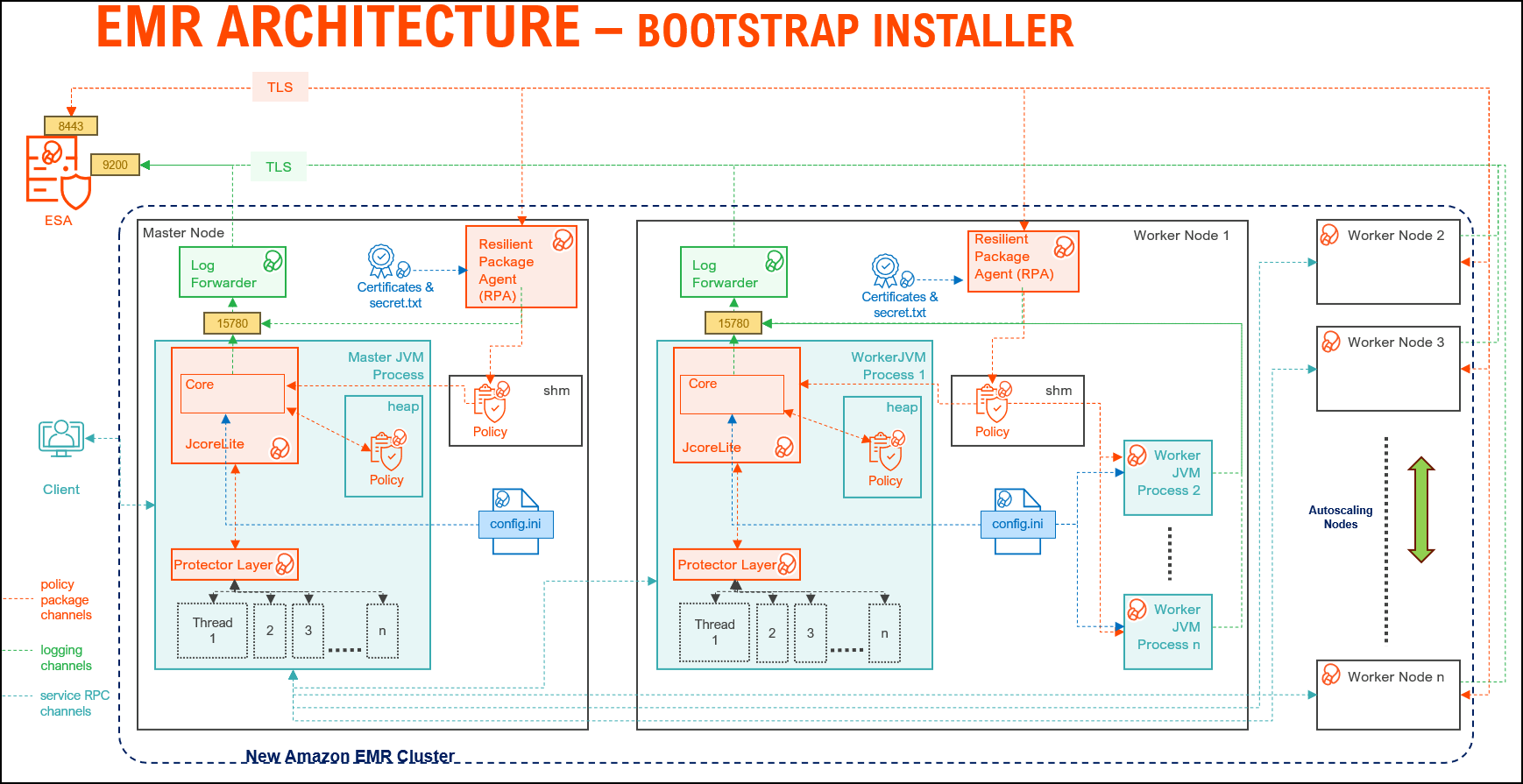
| Component | Description |
|---|---|
| RPAgent | Is a daemon running on each node that downloads the package from ESA over a TLS channel using the installed Certificates. |
| Log Forwarder | Is a daemon running on each node that routes the audit logs and application logs to ESA/Audit Store. |
| config.ini | Is a file on each node containing the set of configuration parameters to modify the protector behavior. |
| BDP Layer | Contains the Big Data Protector UDFs and APIs executing in CDP service processes. |
| JcoreLite | Is the JNI library that provides a Java API layer to the Core libraries. |
| Core | Is the set of various libraries that provide the Protegrity Core functionality. |
10.1.1.2 - Static installer architecture
The architecture for the EMR distribution of the Big Data Protector is depicted in the image below.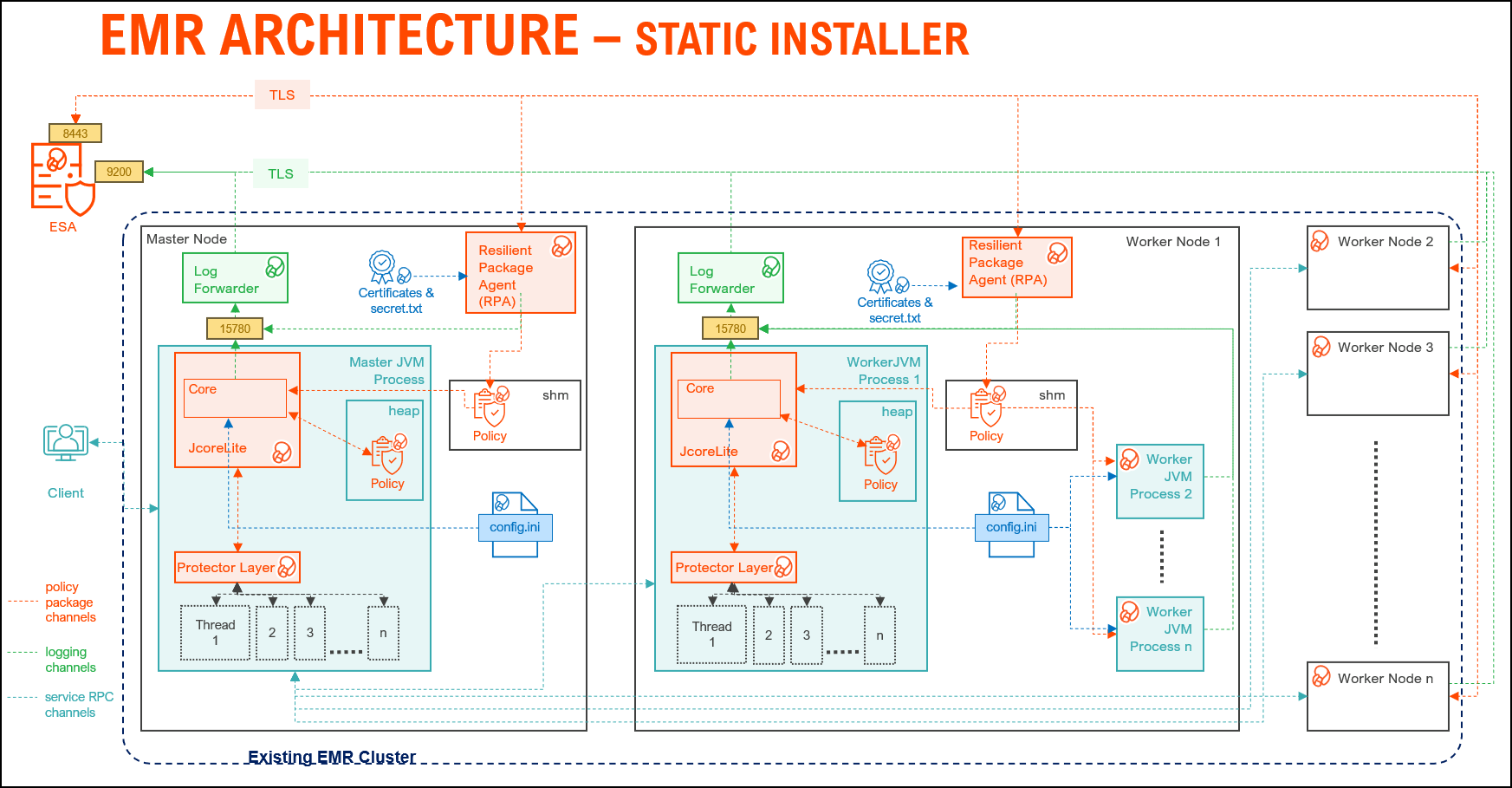
| Component | Description |
|---|---|
| RPAgent | A daemon running on each node that downloads the package from ESA over a TLS channel using the installed Certificates. |
| Log Forwarder | A daemon running on each node that routes the audit logs and application logs to ESA/Audit Store. |
| config.ini | A file on each node containing the set of configuration parameters to modify the protector behavior. |
| BDP Layer | Contains the Big Data Protector UDFs and APIs executing in CDP service processes. |
| JcoreLite | The JNI library that provides a Java API layer to the Core libraries. |
| Core | The set of various libraries that provide the Protegrity Core functionality. |
10.1.2 - Preparing the environment
10.1.2.1 - Setting up for the Bootstrap Installer
The procedures mentioned in this section are applicable only for the Bootstrap installer approach to prepare the environment for the Big Data Protector.
10.1.2.1.1 - Verifying the prerequisites
The content mentioned in this section is applicable only for the Bootstrap approach to install the Big Data Protector.
Ensure that the following prerequisites are met, before installing the Big Data Protector on an Amazon EMR cluster:
- It is recommended to be familiar with the following parts:
- The Amazon EMR environment
- Storage bucket, used to store the Big Data Protector installation files
- Bootstrap Action, used to invoke the installation of Big Data Protector
- Amazon Virtual Private Cloud (VPC)
- An ESA appliance v10.x.x is installed and running.
- An S3 bucket is available to copy the Big Data Protector installation files, which are created using the Configurator script.
For more information about creating an S3 bucket, refer to the Amazon documentation for creating the S3 bucket.
- The following table depicts the list of ports that are configured on ESA and the nodes in the cluster, which will run the Big Data Protector:
| Destination Port No. | Protocols | Sources | Destinations | Descriptions |
8443 | TCP | RPAgent on the Big Data Protector cluster node | ESA | The RPAgent communicates with ESA through port
8443 to download a Policy. |
9200 | Log Forwarder on the Big Data Protector cluster node | Protegrity Audit Store appliance | The Log Forwarder sends all the logs to the Protegrity
Audit Store appliance through port
9200. | |
15780 | Protector on the Big Data Protector cluster node | Log Forwarder on the Big Data Protector cluster node | The Big Data Protector writes Audit Logs to localhost
through port 15780. The RPAgent
Application Logs are also written to localhost through port
15780. The Log Forwarder reads the logs from
that socket. |
10.1.2.1.2 - Extracting the Big Data Protector Package
The steps mentioned in this section are applicable only for the Bootstrap approach to install the Big Data Protector.
After receiving the Big Data Protector installation package from Protegrity, copy it to any Amazon EC2 instance or any node that has connectivity to ESA.
After downloading the Big Data Protector package, extract it to:
- Access the Configurator script and
- Install the Big Data Protector on all the nodes on an Amazon EMR cluster.
To extract the Configurator script from the installation package:
Log in to the CLI on a machine or an Amazon EC2 node that has connectivity to ESA.
Copy the Big Data Protector package
BigDataProtector_Linux-ALL-64_x86-64_EMR-<EMR_version>-64_<BDP_version>.tgzto any directory.For example, /opt/protegrity/.
To extract the contents of the package, run the following command:
tar -xvf BigDataProtector_Linux-ALL-64_x86-64_EMR-<EMR_version>-64_<BDP_version>.tgzPress ENTER.
The command extracts the installer package and the signature files.
BigDataProtector_Linux-ALL-64_x86-64_EMR-<EMR_version>-64_<BDP_version>.tgz signatures/ signatures/BigDataProtector_Linux-ALL-64_x86-64_EMR-<EMR_version>-64_<BDP_version>.tgz_<BDP_version>.sigVerify the authenticity of the build using the signatures folder. For more information, refer Verification of Signed Protector Build.
To extract the configurator script, run the following command:
tar –xvf BigDataProtector_Linux-ALL-64_x86-64_EMR-<EMR_version>-64_<BDP_version>.tgzPress ENTER.
The command extracts the configurator script.
BDP_Configurator_EMR-<EMR_version>_<BDP_version>.sh
10.1.2.1.3 - Executing the Configurator Script
The steps mentioned in this section are applicable only for the Bootstrap approach to install the Big Data Protector.
Execute the configurator script to create the installation files for installing the Big Data Protector on an Amazon EMR cluster. You can install the Big Data Protector on an Amazon EMR cluster in any one of the following methods:
- New EMR cluster: The configurator script will:
- Download the certificates and key encryption files from ESA.
- Create the Big Data Protector installation files for a new EMR cluster.
- Create the bootstrap installer and classpath configurator script for a new EMR cluster.
- Copy the Big Data Protector installation files, bootstrap installer, and the classpath configurator script to the S3 bucket.
- Existing EMR cluster: The configurator script will generate the installation package to install the Big Data Protector on an existing EMR cluster.
To execute the configurator script:
Log in to the staging environment.
Navigate to the directory that contains the
BDP_Configurator_EMR-<EMR_version>_<BDP_version>.shscript.To execute the configurator script, run the following command:
./BDP_Configurator_EMR-<EMR_version>_<BDP_version>.shPress ENTER.
The prompt to continue the installation of the Big Data Protector appears.
*********************************************************************** Welcome to the Big Data Protector Configurator Wizard *********************************************************************** This will create the Big Data Protector Installation files for AWS EMR. Do you want to continue? [yes or no]:To continue, type
yes.Press ENTER.
The prompt to create the Big Data Protector installation package, depending on the EMR cluster, appears.
Protegrity Big Data Protector Configurator started... Enter the EMR cluster for which the Big Data Protector installation package needs to be created: [ 1 ] : New EMR Cluster [ 2 ] : Existing EMR cluster [ 1 or 2 ]:Depending on your requirement, select any one of the following options:
- To create the Big Data Protector installation package for a new EMR cluster, type
1. - To generate the Big Data Protector installation package, in a local directory, for an existing EMR cluster, type
2.
For more information about installing the Big Data Protector on an existing EMR cluster, refer Using the Static Installer.
- To create the Big Data Protector installation package for a new EMR cluster, type
To create the Big Data Protector installation package for a new EMR cluster, type
1.Press ENTER.
The prompt to enter the S3 URI to upload the Big Data Protector installation files appears.
Generating Big Data Protector for a new EMR cluster...... Enter the S3 URI where the BDP Installation files are to be uploaded. (E.g. s3://examplebucket/folder):Type the path of the S3 storage bucket.
Note: Ensure that the path of the S3 storage bucket is in the following format:
s3://<bucket_name>/<folder_in_the_bucket>where,
- <bucket_name> - specifies the name of the storage bucket.
- <folder_in_the_bucket> - specifies the directory within the bucket.
Press ENTER.
The prompt to either upload the installation files to the S3 bucket or generate them locally appears.
Choose one option among the following for BDP Installation files: [1] -> Upload files to 's3://<bucket_name>/<folder_in_the_bucket>' S3 URI. [2] -> Generate files locally to current working directory. (You would have to manually upload the files to the specified S3 URI) [ 1 or 2 ]:To upload the installation files to the S3 storage bucket, type
1.Press ENTER.
The prompt to select the type of AWS access key appears.
Choose the Type of AWS Access Keys from the following options: [1] -> IAM User Access Keys (Permanent access key id & secret access key) [2] -> Temporary Security Credentials (Temporary access key id, secret access key & session token) [ 1 or 2 ]:Depending on the type of AWS Access Keys you want to use, type
1or2. For example, to use the temporary security credentials, type2.Press ENTER.
The prompt to enter the access key ID appears.
Enter the Access Key ID:Enter the access key ID.
Press ENTER.
The prompt to enter the secret access key appears.
Enter the Secret Access Key:Enter the secret access key.
Press ENTER.
The prompt to enter the security session token appears.
Enter the Security Session Token:Enter the Security Session Token.
Press ENTER.
The prompt to enter ESA hostname or IP address appears.
Enter the ESA Hostname/IP Address:Enter the hostname or the IP address of ESA.
Press ENTER.
The prompt to enter the listening port for ESA appears.
Enter ESA host listening port [8443]:Enter the listening port for ESA.
Alternatively, to use the default listening port, press ENTER.
Press ENTER.
The prompt to enter the JWT token appears.
If you have an existing ESA JSON Web Token (JWT) with Export Certificates role, enter it otherwise enter 'no':Enter the JWT token.
Press ENTER.
The prompt to select the audit store type appears.
Select the Audit Store type where Log Forwarder(s) should send logs to. [ 1 ] : Protegrity Audit Store [ 2 ] : External Audit Store [ 3 ] : Protegrity Audit Store + External Audit Store Enter the no.:Depending on the Audit Store type, select any one of the following options:
Option Description 1To use the default setting using the Protegrity Audit Store appliance, type 1. If you enter1, then the default Fluent Bit configuration files are used and Fluent Bit will forward the logs to the Protegrity Audit Store appliances.2To use an external audit store, type 2. If you enter2, then the default Fluent Bit configuration files used for the External Audit Store (out.conf and upstream.cfg in the/opt/protegrity/fluent-bit/data/config.d/directory) are renamed (out.conf.bkp and upstream.cfg.bkp) so that they will not be used by Fluent Bit. Additionally, the custom Fluent Bit configuration files for the external audit store are copied to the /opt/protegrity/fluent-bit/data/config.d/ directory.3To use a combination of the default setting with an external audit store, type 3. If you enter3, then the default Fluent Bit configuration files used for the Protegrity Audit Store (out.conf and upstream.cfg in the/opt/protegrity/fluent-bit/data/config.d/directory) are not renamed. However, the custom Fluent Bit configuration files for the external audit store are copied to the/opt/protegrity/fluent-bit/data/config.d/directory.Press ENTER.
The prompt to enter the comma separated list of hostname or IP addresses appears.
Enter comma-separated list of Hostnames/IP Addresses and/or Ports of Protegrity Audit Store. Allowed Syntax: hostname[:port][,hostname[:port],hostname[:port]...] (Default Value - <ESA_IP_Address>:9200) Enter the list:Enter the comma-separated IP addresses/ports in the correct syntax.
Press ENTER.
The prompt to enter the local directory path that stores the custom Fluent Bit configuration file appears.
Enter the local directory path on this node that stores the custom Fluent-Bit configuration files for External Audit Store:Note: The configurator script will display this prompt only if you select option
2or3in step 28. When you select option2or3in step 28, the custom configuration files are copied to the /<installation_directory>/fluent-bit/data/config.d/ directory during the execution of bootstrap script on the EMR nodes.Enter the local directory path that stores the custom Fluent Bit configuration files.
Press ENTER.
The prompt to generate the application logs for the RPAgent appears.
Do you want RPAgent's log to be generated in a file? [yes or no]:To generate the logs in a file, type
yes.Press ENTER.
The script generates the installation files and uploads them to the specified S3 bucket.
RPAgent's log will be generated in a file. ************************************************************************************ Welcome to the RPAgent Setup Wizard. ************************************************************************************ Unpacking................... Extracting files... Unpacked rpagent compressed file... Temporarily setting up rpagent directory structure on current node... Unpacking... Extracting files... Downloading certificates from <ESA_IP_Address>:8443... % Total % Received % Xferd Average Speed Time Time Time Current Dload Upload Total Spent Left Speed 100 11264 100 11264 0 0 163k 0 --:--:-- --:--:-- --:--:-- 164k Extracting certificates... Certificates successfully downloaded and stored in /<installation_dir>/rpagent/data Protegrity RPAgent installed in /<installation_dir>/rpagent. Retrieving the S3 bucket's AWS Region via AWS S3 REST API... Successfully retrieved S3 bucket's AWS region: <AWS_region_name> Started Uploading the generated installation files via AWS S3 REST API...... Uploading bdp_bootstrap_installer.sh to the S3 bucket. File uploaded to s3://<bucket_name>/<folder_in_the_bucket>/bdp_bootstrap_installer.sh Uploading bdp_classpath_configurator.py to the S3 bucket. File uploaded to s3://<bucket_name>/<folder_in_the_bucket>/bdp_classpath_configurator.py Uploading BigDataProtector_Linux-ALL-64_x86-64_EMR-7.9-64_<BDP_version>.tgz to the S3 bucket. File uploaded to s3://<bucket_name>/<folder_in_the_bucket>/BigDataProtector_Linux-ALL-64_x86-64_EMR-<EMR_version>-64_<BDP_version>.tgz Successfully Uploaded BigDataProtector_Linux-ALL-64_x86-64_EMR-<EMR_version>-64_<BDP_version>.tgz, bdp_bootstrap_installer.sh, bdp_classpath_configurator.py to S3 bucket 's3://<bucket_name>/<folder_in_the_bucket>' Successfully Generated installation files at ./Installation_Files/ directory. Successfully configured Big Data Protector for a new EMR cluster..
10.1.2.2 - Setting up for the Static Installer
The procedures mentioned in this section are applicable only for the Static installer approach to prepare the environment for the Big Data Protector.
10.1.2.2.1 - Verifying the prerequisites for Static Installer
The content mentioned in this section is applicable only for the Static installer approach to install the Big Data Protector.
Ensure that the following prerequisites are met, before installing the Big Data Protector:
The EMR cluster is installed, configured, and running.
The ESA v10.0.x instance is installed, configured, and running.
The static installer for EMR uses utilities, such as, pssh (parallel ssh) and pscp (parallel scp). These utilities require Python to be installed on the Primary node. To verify whether Python is installed on the Primary node, run the following command:
/usr/bin/env python --versionThe command returns the version of Python installed on the system.
If you are unable to detect Python on the Primary node, then ensure that you have a compatible version of Python installed on the lead node (preferably Python 3.x). Ensure that the utilities are able to detect the version of Python using the following command:
/usr/bin/env pythonA
sudoeruser account with privileges to perform the following tasks:- Update the system by modifying the configuration, permissions, or ownership of directories and files.
- Perform third party configuration.
- Create directories and files.
- Modify the permissions and ownership for the created directories and files.
- Set the required permissions to the create directories and files for the Protegrity Service Account.
- Permissions for using the SSH service.
The following user accounts are present to perform the required tasks:
ADMINISTRATOR_USERis the sudoer user account that is responsible to install and uninstall the Big Data Protector on the cluster. This user account must havesudoaccess to install the product.EXECUTOR_USER: It is a user that has ownership of all Protegrity files, directories, and services.OPERATOR_USER: It is responsible for performing tasks, such as, starting or stopping tasks, monitoring services, updating the configuration, and maintaining the cluster while the Big Data Protector is installed on it. If you want to start, stop, or restart the Protegrity services, then you requiresudoerprivileges for this user to impersonate theEXECUTOR_USER.- Depending on the requirements, a single user on the system may perform multiple roles. If a single user is performing multiple roles, then ensure that the following conditions are met:
- The user has the required permissions and privileges to impersonate the other user accounts, for performing their roles, and perform tasks as the impersonated user.
- The user is assigned the highest set of privileges, from the required roles that it needs to perform, to execute the required tasks. For example, if a single user is performing tasks as
ADMINISTRATOR_USER,EXECUTOR_USER, andOPERATOR_USER, then ensure that the user is assigned the privileges of theADMINISTRATOR_USER.
A Private Key file (.pem file) for the
sudoeruser, which is used for enabling key-based authentication, and for communicating with all the nodes in the EMR cluster, is present on the Master node.As key-based authentication for the
sudoeruser is provided, which is required for installing and using Big Data Protector on the EMR cluster, ensure that theADMINISTRATOR_USERorOPERATOR_USERhave the value of theNOPASSWDparameter set toALLin the sudoer’s file.The management scripts provided by the installer in the
cluster_utilsdirectory should be run only by the user (OPERATOR_USER) having privileges to impersonate theEXECUTOR_USER.- If the value of the
AUTOCREATE_PROTEGRITY_IT_USRparameter in theBDP.configfile is set toNo, then ensure that a service group containing a user for running the Protegrity services on all the nodes in the cluster already exists. - If the Hadoop cluster is configured with AD or LDAP for user management, then ensure that the
AUTOCREATE_PROTEGRITY_IT_USRparameter in theBDP.configfile is set toNoand that the required service account user is created on all the nodes in the cluster.
- If the value of the
The table lists the ports required for the EMR cluster.
| Destination Port No. | Protocols | Sources | Destinations | Descriptions |
8443 | TCP | RPAgent on the Big Data Protector cluster node | ESA | The RPAgent communicates with ESA through port
8443 to download a Policy. |
9200 | Log Forwarder on the Big Data Protector cluster node | Protegrity Audit Store appliance | The Log Forwarder sends all the logs to the Protegrity
Audit Store appliance through port
9200. | |
15780 | Protector on the Big Data Protector cluster node | Log Forwarder on the Big Data Protector cluster node | The Big Data Protector writes Audit Logs to localhost
through port 15780. The RPAgent
Application Logs are also written to localhost through port
15780. The Log Forwarder reads the logs from
that socket. |
10.1.2.2.2 - Extracting the Installation Package
The steps mentioned in this section are applicable only for the Static installer approach to install the Big Data Protector.
To extract the files from the installation package:
Ensure that the installation package
BigDataProtector_Linux-ALL-64_x86-64_EMR-<emr_version>-64_<BDP_version>.tgzis copied to the Master node on the EMR cluster in any temporary directory, such as/opt/protegrity/.To extract the files from the installation package, run the following command:
tar -xvf BigDataProtector_Linux-ALL-64_x86-64_EMR-<emr_version>-64_<BDP_version>.tgzPress ENTER. The command extracts the following files:
uninstall.sh ptyLogAnalyzer.sh ptyLog_Consolidator.sh PepHbaseProtector<HBase_version>Setup_Linux_emr-<emr_version>_<BDP_version>.sh bdp_classpath_deconfigurator.py PepSpark<Spark_version>Setup_Linux_emr-<emr_version>_<BDP_version>.sh JcoreLiteSetup_Linux_x64_<JcoreLite_version>.gadcc.release-<BDP_version>.sh PepPig<pig_version>Setup_Linux_emr-<emr_version>_<BDP_version>.sh bdp_common/ bdp_common/bdp.properties.template bdp_common/config.ini.template Logforwarder_Setup_Linux_x64_<core_version>.sh node_uninstall.sh bdp_classpath_configurator.py RPAgent_Setup_Linux_x64_<core_version>.sh PepMapreduce<MapReduce_version>Setup_Linux_emr-<emr_version>_<BDP_version>.sh PepHive<Hive_version>Setup_Linux_emr-<emr_version>_<BDP_version>.sh BDP.config BdpInstallx.x.x_Linux_<BDP_version>.sh
10.1.2.2.3 - Updating the BDP.Config File
The steps mentioned in this section are applicable only for the Static Installer approach to install the Big Data Protector.
Note: Ensure that the
BDP.configfile is updated before the Big Data Protector is installed.
Do not update the BDP.config file when the installation of the Big Data Protector is in progress.
To update the BDP.config file:
Create a
hostsfile containing the IP addresses of all the nodes in the cluster, except the Lead node, and specify them in theBDP.configfile.The installation script uses this file to install the Big Data Protector on the nodes.
Open the
BDP.configfile in any text editor and modify the following parameter values:HADOOP_DIR– is the installation home directory for the Hadoop distribution.PROTEGRITY_DIR– is the directory where the Big Data Protector will be installed.The examples used in this document assume that the Big Data Protector is installed in the
/opt/protegrity/directory.CLUSTERLIST_FILE– This file contains the host name or IP addresses all the nodes in the cluster, except the Lead node, listing one host name and IP address per line.Ensure that you specify the file name with the complete path.
SPARK_PROTECTOR– Specifies one of the following values, as required:Yes– Specifies to install the Spark protector. Set the value of this parameter toYes, if the user wants to run Hive UDFs with Spark SQL, or use the Spark protector samples if theINSTALL_DEMOparameter is set toYes.No– Specifies to skip installing the Spark protector.
AUTOCREATE_PROTEGRITY_IT_USR– Determines the Protegrity service account. The service group and service user name specified in thePROTEGRITY_IT_USR_GROUPandPROTEGRITY_IT_USRparameters respectively will be created if this parameter is set toYes. One of the following values can be specified, as required:Yes– Instructs the installer to create the service groupPROTEGRITY_IT_USR_GROUPcontaining the userPROTEGRITY_IT_USRfor executing the Protegrity services on all the nodes in the cluster.If the service group or service user are already present, then the installer exits.
If you uninstall the Big Data Protector, then the service group and the service user are deleted.
No– Instructs the installer to skip creating a service groupPROTEGRITY_IT_USR_GROUPwith the service userPROTEGRITY_IT_USRfor executing the Protegrity services on all the nodes in the cluster.
PROTEGRITY_IT_USR_GROUP– is the service group required for running the Protegrity services on all the nodes in the cluster. All the Protegrity installation directories are owned by this service group.PROTEGRITY_IT_USR– is the service account user required for running the Protegrity services on all the nodes in the cluster and is a part of the groupPROTEGRITY_IT_USR_GROUP. All the Protegrity installation directories are owned by this service user.
10.1.3 - Installing the protector
10.1.3.1 - Using the Bootstrap Installer
The Big Data Protector on Amazon EMR enables cluster creation using a bootstrap action. This action enables:
- configuration of cluster instances
- installation of custom and additional software
- setting up of the environment variables
Bootstrap actions are scripts that run on cluster instances after they are launched. These scripts installs the specified applications during cluster creation and before the cluster nodes start processing data. To create a bootstrap action, can specify the script when creating the cluster in any one of the following methods:
- Amazon EMR console - pass the location of the script in the Bootstrap actions section.
- AWS CLI - pass the location of the script to the
--bootstrap-actionsparameter. - API
In this method of cluster creation, the nodes are automatically scaled depending on the workload. In case of instances where the workloads are minimal for a node, Amazon decomissions the node to balance the workload optimally.
10.1.3.1.1 - Creating a Cluster
The procedures mentioned in this section are applicable only for the Bootstrap approach to install the Big Data Protector.
Perform the following steps to create an EMR cluster on AWS and install Big Data Protector on all the nodes in the EMR cluster.
To install Big Data Protector on a New EMR Cluster:
On the AWS services screen, click EMR under the Analytics section.
The Amazon EMR screen appears.
Click Create cluster.
The Create Cluster - Quick Options screen appears.
Type the name of the cluster in the Cluster name box.
Depending on the requirements, enter the sum of the master and core nodes in the Number of instances box.
Click Create cluster.
The Software and Steps tab on the Create Cluster - Advanced Options screen appears.
Depending on the requirements, select the components under the Software Configuration section.
Click Next.
The Hardware tab on the Create Cluster - Advanced Options screen appears.
On the Hardware tab, if required, you can add or reduce the number of instances of the Master, Core, and Task nodes.
Click Next.
The General Cluster Settings tab on the Create Cluster - Advanced Options screen appears.
Type the name of the cluster in the Cluster name box.
Under the Bootstrap Actions area, in the Add bootstrap action drop-down list, click Custom action.
The Add Bootstrap Action dialog box appears.
Enter the name of the bootstrap action in the Name box.
To select the location of the bootstrap script, click the icon besides the Script location box.
The Select S3 File dialog box appears.
Enter the path of the S3 bucket in the URL box.
The contents of the S3 bucket appear.
Select the
bdp_bootstrap_installer.shfile from the S3 bucket.Click Select.
The Big Data Protector bootstrap script file is selected and the Add Bootstrap Action dialog box appears.
To specify the directory in which the Big Data Protector needs to be installed on the nodes in the cluster, then provide the directory path in the Optional arguments box.
If an installation directory for the Big Data Protector is not specified, then
/opt/protegrity/is considered as the default directory.Click Add.
The General Cluster Settings tab on the Create Cluster - Advanced Options screen appears and the Bootstrap actions are updated.
Click Next.
The Security tab on the Create Cluster - Advanced Options screen appears.
Select the required EC2 key pair for the EMR cluster from the EC2 key pair drop-down list.
Click Create Cluster.
The EMR cluster is created, Big Data Protector is installed on all the nodes in the cluster, and the required Big Data Protector parameters are configured.
You can also install create a new EMR cluster and install Big Data Protector on the nodes in the cluster using the CLI using the following command:
aws emr create-cluster --auto-scaling-role EMR_AutoScaling_DefaultRole --termination-protected --applications Name=Hadoop Name=Hive Name=Pig Name=Hue Name=Spark Name=Tez Name=HBase --bootstrap-actions '[{"Path":"<S3_Path_For_BootstrapInstaller>","Name":"<Script_Name>"}]' --ec2-attributes '{"KeyName":"<KEY_NAME>","InstanceProfile":"EMR_EC2_DefaultRole","EmrManagedSlaveSecurityGroup":"sg-c8ef00de","EmrManagedMasterSecurityGroup":"sg-2deb043b"}' --service-role EMR_DefaultRole --enable-debugging --release-label emr-<EMR_Version> --log-uri 's3n://aws-logs-406396743807-us-east-1/elasticmapreduce/' --name '<Cluster_Name>' --instance-groups '[{"InstanceCount":2,"InstanceGroupType":"CORE","InstanceType":"m3.xlarge","Name":"Core - 2"},{"InstanceCount":1,"InstanceGroupType":"MASTER","InstanceType":"m3.xlarge","Name":"Master - 1"}]' – scale-down-behavior TERMINATE_AT_INSTANCE_HOUR --region us-east-1where:
S3_Path_For_BootstrapInstaller: Specifies the S3 bucket path containing the Big Data Protector bootstrap installer script.Script_Name: Specifies the name of the Big Data Protector installation script.KEY_NAME: Specifies the Private Key file on the Master node in the EMR cluster, which is used to communicate with the other nodes in the cluster.Cluster_Name: Specifies the name of the new EMR cluster.
10.1.3.1.2 - Managing the Cluster Nodes
The steps mentioned in this section are applicable only for the Bootstrap approach to install the Big Data Protector.
Depending on the workload on the EMR cluster, you can add or remove the Big Data Protector nodes. You can either set the cluster to automatically scale or manually add or remove nodes in the EMR cluster. You can add or remove nodes in the EMR cluster either while you create the cluster or after you have created the cluster. Before you add or remove the nodes from the cluster, ensure that you save all your data to S3, as standard practice, to avoid any data loss.
This section covers the procedure to add or remove nodes from an Amazon EMR cluster after you have created it.
To add or remove nodes from an Amazon EMR cluster:
On the AWS management console, expand Services and click Analytics.
The sub-menu appears.
From the sub-menu, click EMR.
The Amazon EMR page appears.
Click the required cluster.
The Properties tab of the cluster appears.
Click the Instances tab.
To add an instance, perform the following steps:
- Under Instance groups, click Add task instance group. The Add task instance group page appears.
- In the Name box, enter the name to identify the node.
- From the Choose EC2 instance type list, select the required storage type.
- In the Instance group size box, enter the required number of instances.
- Click Add task instance group. The new instance is added to the node and appears on the Instances tab.
To resize an instance, perform the following steps:
- Under Instance groups, select the required instance that you want to resize.
- Click Resize instance group. The Resize page appears.
- In the Instance group size box, enter the required number of instances.
- Click Resize. The instance is resized as per the inputs and appears on the Instances tab.
10.1.3.1.3 - Verifying the Parameters
The content mentioned in this section is applicable only for the Bootstrap approach to install the Big Data Protector.
Before using Big Data Protector, configure the required Protegrity-related parameters in EMR. The Big Data Protector configuration parameters are set for the EMR cluster when it is installed on all the nodes in the cluster.
The following table provides the parameters that are set for the existing Amazon EMR cluster before using the Big Data Protector:
| Component | Configuration File | Updated Classpath Parameter |
|---|---|---|
| MapReduce | /etc/hadoop/conf/mapred-site.xml | mapreduce.application.classpath : /opt/protegrity/pepmapreduce/lib/* /opt/protegrity/pephive/lib/* /opt/protegrity/bdp_version/ mapreduce.admin.user.env : LD_LIBRARY_PATH=/opt/protegrity/jpeplite/lib |
| Hive | /etc/hive/conf/hive-site.xml /etc/tez/conf/tez-site.xml /etc/hive/conf/hive-env.sh | hive.exec.pre.hooks : com.protegrity.hive.PtyHiveUserPreHook tez.cluster.additional.classpath.prefix:/opt/protegrity/pephive/lib/:/opt/protegrity/bdp_version/ tez.am.launch.env: LD_LIBRARY_PATH=/opt/protegrity/jpeplite/lib/ export HIVE_CLASSPATH=${HIVE_CLASSPATH}:/opt/protegrity/pephive/lib/:/opt/protegrity/bdp_version/ export JAVA_LIBRARY_PATH=${JAVA_LIBRARY_PATH}:/opt/protegrity/jpeplite/lib/ |
| Pig | /etc/pig/conf/pig-env.sh | PIG_CLASSPATH="/opt/protegrity/peppig/lib/*:/opt/protegrity/bdp_version/" export JAVA_LIBRARY_PATH=${JAVA_LIBRARY_PATH}:/opt/protegrity/jpeplite/lib/ |
| HBase | /etc/hbase/conf/hbase-site.xml /etc/hbase/conf/hbase-env.sh | hbase.coprocessor.region.classes:com.protegrity.hbase.PTYRegionObserver export HBASE_CLASSPATH=${HBASE_CLASSPATH}:/opt/protegrity/pephbase/lib/*:/opt/protegrity/bdp_version/ export JAVA_LIBRARY_PATH=${JAVA_LIBRARY_PATH}:/opt/protegrity/jpeplite/lib/ |
| Spark | /etc/spark/conf/spark-defaults.conf | spark.driver.extraClassPath=/opt/protegrity/pephive/lib/:/opt/protegrity/pepspark/lib/:/opt/protegrity/bdp_version/ spark.executor.extraClassPath=/opt/protegrity/pephive/lib/:/opt/protegrity/pepspark/lib/:/opt/protegrity/bdp_version/ spark.executor.extraLibraryPath= /opt/protegrity/jpeplite/lib spark.driver.extraLibraryPath= /opt/protegrity/jpeplite/lib |
10.1.3.2 - Using the Static Installer
The static installer method of installation is applicable where the Big Data Protector must be installed on an existing EMR cluster. Using the Static Installer, users can enforce data protection policies at a granular level. This feature helps organizations to define specific rules for data protection based on sensitivity and usage.
The nodes in the cluster created using the static installer are do not have auto-scaling enabled. The nodes must be manually added or decommissioned depending upon the usage. The installation provides additional scripts to monitor and control the cluster behaviour. These scripts are available in the <installation_directory>/cluster_utils/ directory after installation.
10.1.3.2.1 - Installing the Protector on all the Nodes
The steps mentioned in this section are applicable only for the Static Installer approach to install the Big Data Protector.
Log in to the Master or Lead node of the EMR cluster.
Navigate to the directory that contains the
BdpInstallx.x.x_Linux_<BDP_version>.shscript.To run the installer, execute the following script:
./BdpInstallx.x.x_Linux_<BDP_version>.shPress ENTER.
The prompt to continue the installation of the Big Data Protector appears.
************************************************************************************ Welcome to the Hadoop Big Data Protector Setup Wizard ************************************************************************************ This will install the Hadoop Big Data Protector on your system. This installation requires a Private Key file for communicating with other nodes in the cluster. Do you want to continue? [yes or no]:To continue, type
yes.Press ENTER.
The prompt to enter path of the Private Key file (.pem file) appears.
Big Data Protector installation started Enter the path of the Private Key (.PEM) file:Enter the path of the
.PEMfile.Press ENTER.
The prompt to enter ESA hostname or IP address appears.
libhadoop.so located in directory '/usr/lib/hadoop/lib/native' Unpacking... Extracting files... Preparing for cluster deploy, Wait... Enter ESA Hostname or IP Address:If you have installed a proxy, then enter the IP address of the proxy node. Alternatively, enter the IP Address of ESA.
Press ENTER.
The prompt to enter the listening port for ESA appears.
Enter ESA host listening port [8443]:Enter the port for ESA.
Press ENTER.
The prompt to enter the JWT token appears.
If you have an existing ESA JSON Web Token (JWT) with Export Certificates role, enter it otherwise enter 'no':Enter the JWT token.
Press ENTER.
If you fail to provide a JWT token, the script will prompt to enter the username and password for ESA.
JWT was not provided. Script will now prompt for ESA username and password. Enter ESA Username:Enter the username for ESA.
Press ENTER.
The prompt to enter the password appears.
************************************************************************************ Welcome to the RPAgent Setup Wizard. ************************************************************************************ Unpacking................... Extracting files... Unpacked rpagent compressed file... RPAgent Installing in Lead Node... Please enter the password for downloading certificates[]:Enter the password.
Press ENTER.
The script retrieves the JWT token from ESA, installs the RPAgent, and the prompt to select the Audit Store type appears.
Unpacking... Extracting files... Obtaining token from <ESA_IP_Address>:8443... Downloading certificates from <ESA_IP_Address>:8443... % Total % Received % Xferd Average Speed Time Time Time Current Dload Upload Total Spent Left Speed 100 11264 100 11264 0 0 12124 0 --:--:-- --:--:-- --:--:-- 12111 Extracting certificates... Certificates successfully downloaded and stored in /opt/protegrity/rpagent/data Protegrity RPAgent installed in /opt/protegrity/rpagent. RPAgent installed on Lead node at location /opt/protegrity/rpagent. Performing install on other nodes... RPAgent installed on other nodes at location /opt/protegrity/rpagent. Check the status in /opt/protegrity/logs/rpagent_setup.log Select the Audit Store type where Log Forwarder(s) should send logs to. [ 1 ] : Protegrity Audit Store [ 2 ] : External Audit Store [ 3 ] : Protegrity Audit Store + External Audit Store Enter the no.:Depending on the Audit Store type, select any one of the following options:
Option Description 1To use the default setting using the Protegrity Audit Store appliance, type 1. If you enter1, then the default Fluent Bit configuration files are used and Fluent Bit will forward the logs to the Protegrity Audit Store appliances.2To use an external audit store, type 2. If you enter2, then the default Fluent Bit configuration files used for the External Audit Store (out.conf and upstream.cfg in the/opt/protegrity/fluent-bit/data/config.d/directory) are renamed (out.conf.bkp and upstream.cfg.bkp) so that they will not be used by Fluent Bit. Additionally, the custom Fluent Bit configuration files for the external audit store are copied to the /opt/protegrity/fluent-bit/data/config.d/ directory.3To use a combination of the default setting with an external audit store, type 3. If you enter3, then the default Fluent Bit configuration files used for the Protegrity Audit Store (out.conf and upstream.cfg in the/opt/protegrity/fluent-bit/data/config.d/directory) are not renamed. However, the custom Fluent Bit configuration files for the external audit store are copied to the/opt/protegrity/fluent-bit/data/config.d/directory.Press ENTER.
The prompt to enter the comma separated list of hostnames/IP addresses appears.
Enter comma-separated list of Hostnames/IP Addresses and/or Ports of Protegrity Audit Store. Allowed Syntax: hostname[:port][,hostname[:port],hostname[:port]...] (Default Value - <ESA_IP_Address>:9200) Enter the list:To use the default value, press ENTER.
The prompt to enter the location of the Fluent Bit configuration file appears.
Enter the local directory path on this node that stores the custom Fluent-Bit configuration files for External Audit Store:Note: The script will display this prompt only if you select option
2in step19. When you select option2in step 19, the custom configuration files are copied to the/<Installation directory>/fluent-bit/data/config.d/directory on all the EMR nodes selected for installation.Enter the path that contains the Fluent Bit configuration file.
Press ENTER.
The prompt to save the RPAgent’s log in a file appears.
Do you want RPAgent's log to be generated in a file? [yes or no]:To generate the logs in a file, type
yes.Press ENTER.
The script installs the protector on all the nodes in the cluster.
RPAgent's log will be generated in a file. ************************************************************************************ Welcome to the LogForwarder Setup Wizard. ************************************************************************************ Unpacking................... Extracting files... Unpacked logforwarder compressed file... Logforwarder Installing in Lead Node... Unpacking... Extracting files... Protegrity Log Forwarder installed in /opt/protegrity/logforwarder. LogForwarder installed on Lead node at location /opt/protegrity/logforwarder. Performing install on other nodes... Logforwarder installed on other nodes at location /opt/protegrity/logforwarder. Check the status in /opt/protegrity/logs/logforwarder_setup.log ************************************************************************************ Welcome to the JcoreLite Setup Wizard. ************************************************************************************ Unpacking................... Extracting files... Unpacked jcorelite compressed file... Installing JcoreLite .... JcoreLite installed on lead node at location /opt/protegrity/bdp/lib. Performing install on other nodes... JcoreLite installed on other nodes at location /opt/protegrity/bdp/lib. Check the status in /opt/protegrity/logs/jcorelite_setup.log ************************************************************************************ Welcome to the Hive Protector Setup Wizard. ************************************************************************************ Unpacking................... Extracting files... Unpacked pephive compressed file... Hive Big Data Protector installed on lead node at location /opt/protegrity/bdp/lib/ and /opt/protegrity/pephive/scripts/. Performing install on other nodes... Hive Big Data Protector installed on other nodes at location /opt/protegrity/bdp/lib/ and /opt/protegrity/pephive/scripts/. Check the status in /opt/protegrity/logs/pephive_setup.log ************************************************************************************ Welcome to the Pig Protector Setup Wizard. ************************************************************************************ Unpacking................... Extracting files... Unpacked peppig compressed file... Pig Big Data Protector installed on lead node at location /opt/protegrity/bdp/lib/ and /opt/protegrity/peppig. Performing install on other nodes... Pig Big Data Protector installed on other nodes at location /opt/protegrity/bdp/lib/ and /opt/protegrity/peppig. Check the status in /opt/protegrity/logs/peppig_setup.log ************************************************************************************ Welcome to the MapReduce Protector Setup Wizard. ************************************************************************************ Unpacking................... Extracting files... Unpacked pepmapreduce compressed file... Mapreduce Big Data Protector installed on lead node at location /opt/protegrity/bdp/lib/. Performing install on other nodes... Mapreduce Big Data Protector installed on other nodes at location /opt/protegrity/bdp/lib/. Check the status in /opt/protegrity/logs/pepmapreduce_setup.log ************************************************************************************ Welcome to the Hbase Protector Setup Wizard. ************************************************************************************ Unpacking................... Extracting files... Unpacked pephbase compressed file... Hbase Big Data Protector installed on lead node at location /opt/protegrity/bdp/lib/. Performing install on other nodes... Hbase Big Data Protector installed on other nodes at location /opt/protegrity/bdp/lib/. Check the status in /opt/protegrity/logs/pephbase_setup.log ************************************************************************************ Welcome to the Spark Protector Setup Wizard. ************************************************************************************ Unpacking................... Extracting files... Unpacked pepspark compressed file... Spark Big Data Protector installed on lead node at location /opt/protegrity/bdp/lib/ and /opt/protegrity/pepspark/scripts/. Performing install on other nodes... Spark Big Data Protector installed on other nodes at location /opt/protegrity/bdp/lib/ and /opt/protegrity/pepspark/scripts/. Check the status in /opt/protegrity/logs/pepspark_setup.log Starting Logforwarder on lead node... Starting Logforwarder on other nodes... Starting RPAgent on lead node... Starting RPAgent on other nodes... Hadoop Big Data Protector installed in /opt/protegrity. Generating Big Data Protector installation status report ... Clearing previous logs files ... Installation Status report generated in /opt/protegrity/cluster_utils/installation_report.txtRestart the Hadoop, Hive, and HBase service daemon processes to start using the updated configuration.
10.1.3.2.2 - Installing the Protector on Specific Nodes
The steps mentioned in this section are applicable only for the Static Installer approach to install the Big Data Protector.
Protegrity provides the BdpInstallx.x.x_Linux_<arch>_<BDP_version>.sh script to install the Big Data Protector on the new nodes that you add to an existing EMR cluster.
Ensure to install the Big Data Protector from an account having full
sudoerprivileges.
Log in to the Lead Node on the EMR cluster.
Navigate to the <PROTEGRITY_DIR>/cluster_utils directory.
In the
NEW_HOSTS_FILEfile, add an additional entry for each new node in the EMR cluster, on which you want to install the Big Data Protector. The new nodes from theNEW_HOSTS_FILEfile will be appended to theCLUSTERLIST_FILE.To install the Big Data Protector on the new nodes, run the the following command:
./BdpInstallx.x.x_Linux_<arch>_<BDP_version>.sh –a <NEW_HOSTS_FILE>Press ENTER.
The prompt to enter the path of the Private Key file (.pem file) appears.
Enter the path of the Private Key file.
Press ENTER.
The script installs the Big Data Protector on the new nodes in the EMR cluster.
10.1.3.2.3 - Verifying the Parameters
The content in this section is applicable only for the Static installer approach to install the Big Data Protector.
Before using the Big Data Protector, configure the required Protegrity-related parameters in EMR. The Big Data Protector configuration parameters are set for the EMR cluster when it is installed on all the nodes in the cluster.
The following table provides the parameters that are set for the existing Amazon EMR cluster before using the Big Data Protector:
| Component | Configuration File | Updated Classpath Parameter |
|---|---|---|
| MapReduce | /etc/hadoop/conf/mapred-site.xml | mapreduce.application.classpath : /opt/protegrity/pepmapreduce/lib/* /opt/protegrity/pephive/lib/* /opt/protegrity/bdp_version/ mapreduce.admin.user.env : LD_LIBRARY_PATH=/opt/protegrity/jpeplite/lib |
| Hive | /etc/hive/conf/hive-site.xml /etc/tez/conf/tez-site.xml /etc/hive/conf/hive-env.sh | hive.exec.pre.hooks : com.protegrity.hive.PtyHiveUserPreHook tez.cluster.additional.classpath.prefix:/opt/protegrity/pephive/lib/:/opt/protegrity/bdp_version/ tez.am.launch.env: LD_LIBRARY_PATH=/opt/protegrity/jpeplite/lib/ export HIVE_CLASSPATH=${HIVE_CLASSPATH}:/opt/protegrity/pephive/lib/:/opt/protegrity/bdp_version/ export JAVA_LIBRARY_PATH=${JAVA_LIBRARY_PATH}:/opt/protegrity/jpeplite/lib/ |
| Pig | /etc/pig/conf/pig-env.sh | PIG_CLASSPATH="/opt/protegrity/peppig/lib/*:/opt/protegrity/bdp_version/" export JAVA_LIBRARY_PATH=${JAVA_LIBRARY_PATH}:/opt/protegrity/jpeplite/lib/ |
| HBase | /etc/hbase/conf/hbase-site.xml /etc/hbase/conf/hbase-env.sh | hbase.coprocessor.region.classes:com.protegrity.hbase.PTYRegionObserver export HBASE_CLASSPATH=${HBASE_CLASSPATH}:/opt/protegrity/pephbase/lib/*:/opt/protegrity/bdp_version/ export JAVA_LIBRARY_PATH=${JAVA_LIBRARY_PATH}:/opt/protegrity/jpeplite/lib/ |
| Spark | /etc/spark/conf/spark-defaults.conf | spark.driver.extraClassPath=/opt/protegrity/pephive/lib/:/opt/protegrity/pepspark/lib/:/opt/protegrity/bdp_version/ spark.executor.extraClassPath=/opt/protegrity/pephive/lib/:/opt/protegrity/pepspark/lib/:/opt/protegrity/bdp_version/ spark.executor.extraLibraryPath= /opt/protegrity/jpeplite/lib spark.driver.extraLibraryPath= /opt/protegrity/jpeplite/lib |
10.1.4 - Configuring the protector
The Big Data Protector provides the following files that contain different parameters to control the protector behavior:
config.ini- provides parameters to control the protector behavior.rpagent.cfg- provides parameters to control the RPAgent behavior.
The procedure to access the configuration files and update the parameters is the same. However, the stage in which the modification is to be done differs between the bootstrap and the static installer.
- Bootstrap installer - modify the parameters after executing the configurator script and before uploading the files to the S3 bucket to create the cluster.
- Static installer - modify the parameters after installing the Big Data Protector.
Updating the paramaters for the bootstrap installer
- Log in to the staging server.
- Navigate to the
/Installation_Files/directory, where the files are generated using the configurator script. - To create a directory to store the extracted files, run the following command:
mkdir extraction_dir/ - To extract the contents of the Big Data Protector archive, run the following command:
tar -xf BDP_Package_<version>_<tag>.tgz -C extraction_dir/ - Navigate to the directory that contains the
config.inifile. - Using an editor, open the
config.inifile. - Update the parameters as per requirements.
Note: For more information about the parameters in the
config.inifile, refer here. - Save the changes to the
config.inifile. - Navigate to the directory that contains the
rpagent.cfgfile. - Using an editor, open the
rpagent.cfgfile. - Update the parameters as per requirements.
Note: For more information about the parameters in the
rpagent.cfgfile, refer here. - Save the changes to the
rpagent.cfgfile. - To recreate the Big Data Protector package, run the following command:
tar -zcf BDP_Package_<version>_<tag>.tgz -C extraction_dir/ $(ls extraction_dir) --owner=0 --group=0 - Manually upload the updated installation package to the S3 bucket. This location must be the same from where the cluster will retrieve the artifacts.
Updating the parameters in the config.ini file:
Log in to the master node.
Navigate to the
/opt/protegrity/bdp/datadirectory.To open the
config.inifile, run the following command:vi config.iniPress ENTER.
The command opens the
config.inifile.############################################################################### # Protector configuration ############################################################################### [protector] # Cadence determines how often the protector connects with ESA / proxy to fetch the policy updates in background. # Default is 60 seconds. So by default, every 60 seconds protector tries to fetch the policy updates. # If the cadence is set to "0", then the protector will get the policy only once. # # Default 60. cadence = 60 ############################################################################### # Log Provider Config ############################################################################### [log] # In case that connection to fluent-bit is lost, set how audits/logs are handled # # drop : (default) Protector throws logs away if connection to the fluentbit is lost # error : Protector returns error without protecting/unprotecting # data if connection to the fluentbit is lost mode = drop # Host/IP to fluent-bit where audits/logs will be forwarded from the protector # # Default localhost host = localhostUpdate the parameters, as per the description in the table.
Parameter Description cadenceSpecifies the frequency at which the protector connects to ESA to fetch the policy. The default value is 60 seconds. If the cadence is set to “0”, then the protector will get the policy only once. modeSpecifies the approach of handling logs when the connection to the Log Forwarder is lost. Save the changes to the
config.inifile.For the static installer, use the
sync_config_ini.shscript to load the changes to the configuration files in all the cluster nodes.Note: For more information about using the helper script, refer Sync Config.ini
Updating the parameters in the rpagent.cfg file:
Log in to the master node.
Navigate to the
/opt/protegrity/rpagent/datadirectory.To open the
rpagent.cfgfile, run the following command:vi rpagent.cfgPress ENTER.
The command opens the rpagent.cfg file.
############################################################################### # Resilient Package Sync Config ############################################################################### [sync] # Protocol to use when communicating with the service providing Resilient Packages. # Use 'https' for ESA or 'shmem' for local shared memory. protocol = https # Host/IP to the service providing Resilient Packages host = <IP_address> port = 8443 # Path to CA certificate ca = /opt/protegrity/rpagent/data/CA.pem # Path to client certificate cert = /opt/protegrity/rpagent/data/cert.pem # Path to client certificate key key = /opt/protegrity/rpagent/data/cert.key # Path to a secret file that is used to decrypt the client certificate key. # When using a custom certificate bundle, the 'secretcommand' can instead be # used to execute an external command that obtains the secret. secretfile = /opt/protegrity/rpagent/data/secret.txt ############################################################################### # Log Provider Config ############################################################################### [log] # In case that connection to fluent-bit is lost, set how audits/logs are handled # # drop : (default) Protector throws logs away if connection to the fluentbit is lost # error : Protector returns error without protecting/unprotecting # data if connection to the fluentbit is lost mode = drop # Host/IP to fluent-bit where audits/logs will be forwarded from the protector # # Default localhost host = localhostUpdate the parameters, as per the description in the table.
Parameter Description interval Specifies the frequency at which the RPAgent will fetch the policy from ESA. The minimum value is 1 second and the maximum value is 86400 seconds. This is an optional parameter and must be included in the Syncsection of therpagent.cfgfile.protocol Specifies the protocol to use when communicating with the service providing Resilient Packages. host Specifies the hostname to the service providing the Resilient packages. port Specifies the port to the service providing the Resilient packages. ca Specifies the path to the CA certificate. cert Specifies the path to the client certificate. key Specifies the path to the client certificate key. secretfile Specifies the path to the secret file that is used to decrypt the client certificate key. mode Specifies the approach of handling logs when the connection to the Log Forwarder is lost. host Specifies the hostname or the IP address to where the Log Forwarder will forward the audit logs from the protector. Save the changes to the
rpagent.cfgfile.For the static installer, use the
sync_config_ini.shscript to load the changes to the configuration files in all the cluster nodes.Note: For more information about using the helper script, refer Sync RPAgent Configuration.
10.1.5 - Working with Cluster Utilities
The Big Data Protector package provides utility scripts to perform different operations on the EMR cluster. The scripts and their usage is listed in the table.
| Script | Description |
|---|---|
| RPAgent Control | Manages the RPAgent service across the cluster. |
| Log Forwarder Control | Manages the Log Forwarder service across the cluster. |
| Sync Configuration | Updates the configuration from the config.ini file across the nodes in the cluster. |
| RPAgent Configuration | Updates the RPAgent configuration from the rpagent.cfg file across the nodes in the cluster. |
| Log Forwarder Configuration | Updates the Log Forwarder configuration across the nodes in the cluster. |
10.1.5.1 - RPAgent Control Script
The cluster_rpagentctrl.sh script, in the <installation_directory>/cluster_utils directory, manages the RPAgent services on all
the nodes in the cluster that are listed in the BDP hosts file.
The utility provides the following options:
- Start – Starts the RPAgent on all the nodes in the cluster.
- Stop – Stops the RPAgent on all the nodes in the cluster.
- Restart – Restarts the RPAgent on all the nodes in the cluster.
- Status – Reports the status of the RPAgent on all the nodes in the cluster.
Note: When you run the RPAgent Control utility, the script will prompt to enter the path of the SSH private key file to securely login into the cluster nodes.
Verifying the Status of RPAgent
To verify the status of the RPAgent on all the nodes in the cluster:
Log in to the lead or Primary node.
Navigate to the
<installation_directory>/cluster_utilsdirectory.Run the following command:
./cluster_rpagentctrl.shPress ENTER.
The prompt to enter the path of the private key file appears.
Enter the path of the Private Key (.PEM) file:Enter the location of the Private Key (.PEM) file.
Press ENTER.
The script verifies the connectivity on the cluster nodes and the options appear.
Checking connectivity of cluster nodes... Select option: 1) Start 2) Stop 3) Restart 4) Status Option(1-4):To verify the status of the RPAgent on all the nodes, type
4.Press ENTER.
The script checks the status of the RPAgent on all the nodes and appends the event details to a log file.
Checking status of RPAgent on current node... Checking status of RPAgent on all nodes... The script's logs and operation results are logged in /opt/protegrity/logs/cluster_rpagentctrl.log
Starting the RPAgent
To start the RPAgent on all the nodes in the cluster:
Log in to the lead or Primary node.
Navigate to the
<installation_directory>/cluster_utilsdirectory.Run the following command:
./cluster_rpagentctrl.shPress ENTER.
The prompt to enter the path of the private key file appears.
Enter the path of the Private Key (.PEM) file:Enter the location of the Private Key (.PEM) file.
Press ENTER.
The script verifies the connectivity on the cluster nodes and the options appear.
Checking connectivity of cluster nodes... Select option: 1) Start 2) Stop 3) Restart 4) Status Option(1-4):To start the RPAgent on all the nodes, type
1.Press ENTER.
The script starts the RPAgent on all the nodes and appends the event details to a log file.
Starting RPAgent on current node... RPAgent started on current node Starting RPAgent on all nodes... RPAgent started on all nodes The script's logs and operation results are logged in /opt/protegrity/logs/cluster_rpagentctrl.log
Stopping the RPAgent
To stop the RPAgent on all the nodes in the cluster:
Log in to the lead or Primary node.
Navigate to the
<installation_directory>/cluster_utilsdirectory.Run the following command:
./cluster_rpagentctrl.shPress ENTER.
The prompt to enter the path of the private key file appears.
Enter the path of the Private Key (.PEM) file:Enter the location of the Private Key (.PEM) file.
Press ENTER.
The script verifies the connectivity on the cluster nodes and the options appear.
Checking connectivity of cluster nodes... Select option: 1) Start 2) Stop 3) Restart 4) Status Option(1-4):To stop the RPAgent on all the nodes, type
2.Press ENTER.
The script stops the RPAgent on all the nodes and appends the event details to a log file.
Stopping RPAgent on current node... RPAgent stopped on current node Stopping RPAgent on all nodes... RPAgent stopped on all nodes The script's logs and operation results are logged in /opt/protegrity/logs/cluster_rpagentctrl.log
Restarting the RPAgent
To restart the RPAgent on all the nodes in the cluster:
Log in to the lead or Primary node.
Navigate to the
<installation_directory>/cluster_utilsdirectory.Run the following command:
./cluster_rpagentctrl.shPress ENTER.
The prompt to enter the path of the private key file appears.
Enter the path of the Private Key (.PEM) file:Enter the location of the Private Key (.PEM) file.
Press ENTER.
The script verifies the connectivity on the cluster nodes and the options appear.
Checking connectivity of cluster nodes... Select option: 1) Start 2) Stop 3) Restart 4) Status Option(1-4):To restart the RPAgent on all the nodes, type
3.Press ENTER.
The script restarts the RPAgent on all the nodes and appends the event details to a log file.
Stopping RPAgent on current node... RPAgent stopped on current node Starting RPAgent on current node... RPAgent started on current node Stopping RPAgent on all nodes... RPAgent stopped on all nodes Starting RPAgent on all nodes... RPAgent started on all nodes The script's logs and operation results are logged in /opt/protegrity/logs/cluster_rpagentctrl.log
10.1.5.2 - Log Forwarder Control Script
The cluster_logforwarderctrl.sh script, in the <installation_directory>/cluster_utils directory, manages the Log Forwarder services on all
the nodes in the cluster that are listed in the BDP hosts file.
The utility provides the following options:
- Start – Starts the Log Forwarder on all the nodes in the cluster.
- Stop – Stops the Log Forwarder on all the nodes in the cluster.
- Restart – Restarts the Log Forwarder on all the nodes in the cluster.
- Status – Reports the status of the Log Forwarder on all the nodes in the cluster.
Note: When you run the Log Forwarder Control utility, the script will prompt to enter the path of the SSH private key file to securely login into the cluster nodes.
Verifying the Status of Log Forwarder
To verify the status of the Log Forwarder on all the nodes in the cluster:
Log in to the lead or Primary node.
Navigate to the
<installation_directory>/cluster_utilsdirectory.Run the following command:
./cluster_logforwarderctrl.shPress ENTER.
The prompt to enter the path of the private key file appears.
Enter the path of the Private Key (.PEM) file:Enter the location of the Private Key (.PEM) file.
Press ENTER.
The script verifies the connectivity on the cluster nodes and the options appear.
Checking connectivity of cluster nodes... Select option: 1) Start 2) Stop 3) Restart 4) Status Option(1-4):To verify the status of the Log Forwarder on all the nodes, type
4.Press ENTER.
The script checks the status of the Log Forwarder on all the nodes and appends the event details to a log file.
Checking status of Logforwarder on current node... Checking status of Logforwarder on all nodes... The script's logs and operation results are logged in /opt/protegrity/logs/cluster_logforwarderctrl.log
Starting the Log Forwarder
To start the Log Forwarder on all the nodes in the cluster:
Log in to the lead or Primary node.
Navigate to the
<installation_directory>/cluster_utilsdirectory.Run the following command:
./cluster_logforwarderctrl.shPress ENTER.
The prompt to enter the path of the private key file appears.
Enter the path of the Private Key (.PEM) file:Enter the location of the Private Key (.PEM) file.
Press ENTER.
The script verifies the connectivity on the cluster nodes and the options appear.
Checking connectivity of cluster nodes... Select option: 1) Start 2) Stop 3) Restart 4) Status Option(1-4):To start the Log Forwarder on all the nodes, type
1.Press ENTER.
The script starts the Log Forwarder on all the nodes and appends the event details to a log file.
Starting Logforwarder on current node... Logforwarder started on current node Starting Logforwarder on all nodes... Logforwarder started on all nodes The script's logs and operation results are logged in /opt/protegrity/logs/cluster_logforwarderctrl.log
Stopping the Log Forwarder
To stop the Log Forwarder on all the nodes in the cluster:
Log in to the lead or Primary node.
Navigate to the
<installation_directory>/cluster_utilsdirectory.Run the following command:
./cluster_logforwarderctrl.shPress ENTER.
The prompt to enter the path of the private key file appears.
Enter the path of the Private Key (.PEM) file:Enter the location of the Private Key (.PEM) file.
Press ENTER.
The script verifies the connectivity on the cluster nodes and the options appear.
Checking connectivity of cluster nodes... Select option: 1) Start 2) Stop 3) Restart 4) Status Option(1-4):To stop the Log Forwarder on all the nodes, type
2.Press ENTER.
The script stops the Log Forwarder on all the nodes and appends the event details to a log file.
Stopping Logforwarder on current node... Logforwarder stopped on current node Stopping Logforwarder on all nodes... Logforwarder stopped on all nodes The script's logs and operation results are logged in /opt/protegrity/logs/cluster_logforwarderctrl.log
Restarting the Log Forwarder
To restart the Log Forwarder on all the nodes in the cluster:
Log in to the lead or Primary node.
Navigate to the
<installation_directory>/cluster_utilsdirectory.Run the following command:
./cluster_logforwarderctrl.shPress ENTER.
The prompt to enter the path of the private key file appears.
Enter the path of the Private Key (.PEM) file:Enter the location of the Private Key (.PEM) file.
Press ENTER.
The script verifies the connectivity on the cluster nodes and the options appear.
Checking connectivity of cluster nodes... Select option: 1) Start 2) Stop 3) Restart 4) Status Option(1-4):To restart the Log Forwarder on all the nodes, type
3.Press ENTER.
The script restarts the Log Forwarder on all the nodes and appends the event details to a log file.
Stopping Logforwarder on current node... Logforwarder stopped on current node Starting Logforwarder on current node... Logforwarder started on current node Stopping Logforwarder on all nodes... Logforwarder stopped on all nodes Starting Logforwarder on all nodes... Logforwarder started on all nodes The script's logs and operation results are logged in /opt/protegrity/logs/cluster_logforwarderctrl.log
10.1.5.3 - Sync Config.ini
The sync_config_ini.sh script in the <installation_directory>/cluster_utils/ directory, updates the config.ini parameters across all the nodes in the cluster.
For example, if you want to make any changes to the config.ini file, make the changes on the Lead node and then
propagate the change to all the nodes in the cluster using the sync_config_ini.sh script.
Log in to the lead or the Primary node.
Navigate to the
<installation_directory>/cluster_utils/directory.To replicate the
config.inifile from the lead node to all the nodes, run the following command:./sync_config_ini.shPress ENTER.
The prompt to continue appears.
******************************************** Welcome to BDP Script for Cloning config.ini ******************************************** This will clone deployed config.ini from lead node to all other nodes. Do you want to continue? [yes or no]:To continue, type
yes.Press ENTER.
The prompt to enter the location of the Private Key file appears.
Big Data Protector config.ini cloning started Enter the path of the Private Key (.PEM) file:Enter the location of the Private Key file.
Press ENTER.
The script creates a backup, updates the configuration, and updates the file permissions on all the nodes.
Checking connectivity of cluster nodes... Big Data Protector config.ini cloning started Creating config.ini backup on all nodes... Creating bdp/data_07-24-2025_07:44:54/ directory on all nodes... Changing ownership of bdp/data_07-24-2025_07:44:54/ directory recursively on all nodes... Changing permission of bdp/data_07-24-2025_07:44:54/ on all nodes... Removing original config.ini from all nodes... Removed config.ini from all nodes Copying current node's config.ini to all other nodes... Changing ownership of bdp/data_07-24-2025_07:44:54/config.ini... Changing permission of bdp/data_07-24-2025_07:44:54/config.ini... Moving bdp/data_07-24-2025_07:44:54/config.ini to bdp/data/... Changing permission of bdp/data/config.ini... Removing bdp/data_07-24-2025_07:44:54/ directory and config.ini backup file... Successfully updated BDP config.ini across all cluster nodes. Please restart Hadoop Service daemons to reload new config.ini. The script's logs and operation results are logged in /opt/protegrity/logs/sync_config_ini.log
10.1.5.4 - Sync Log Forwarder Configuration
The sync_logforwarder.sh script in the <installation_directory>/cluster_utils/ directory, updates the Log Forwarder configuration across the nodes in the cluster.
For example, if you want to make any changes to the Log Forwarder conifguration, make the changes on the Lead node and then
propagate the change to all the nodes in the cluster using the sync_logforwarder.sh script.
Log in to the lead or the Primary node.
Navigate to the
<installation_directory>/cluster_utils/directory.To replicate the RPAgent configuration from the lead node to all the nodes, run the following command:
./sync_logforwarder.shPress ENTER.
The prompt to continue appears.
************************************************************ Welcome to BDP Script for Cloning Logforwarder Configuration ************************************************************ This will clone deployed Logforwarder configuration & files from lead node to all other nodes. Do you want to continue? [yes or no]:To continue, type
yes.Press ENTER.
The prompt to enter the location of the Private Key file appears.
Big Data Protector Logforwarder Configuration cloning started Enter the path of the Private Key (.PEM) file:Enter the location of the Private Key file.
Press ENTER.
The script stops the Log Forwarder on all the nodes, creates a backup, updates the configuration, and restarts the Log Forwarder on all the nodes.
Checking connectivity of cluster nodes... Big Data Protector Logforwarder Configuration cloning started Stopping Logforwarder on current node... Stopping Logforwarder on all nodes... Creating logforwarder_old/data_07-24-2025_07:46:51/new_data directory on all nodes... Changing ownership of logforwarder_old/ directory recursively on all nodes... Changing permission of logforwarder_old/ on all nodes... Removing Logforwarder Configuration from all nodes... Removed /opt/protegrity/logforwarder/data/ from all nodes Copying current node's logforwarder/data/ to all other nodes... Changing ownership of logforwarder_old/data_07-24-2025_07:46:51/new_data/data.tgz... Changing permission of logforwarder_old/data_07-24-2025_07:46:51/new_data/data.tgz... Extracting logforwarder_old/data_07-24-2025_07:46:51/new_data/data.tgz to logforwarder/data/... Changing permission of logforwarder/data/... Removing backup directory logforwarder_old/... Starting Logforwarder on current node... Starting Logforwarder on all nodes... Successfully updated Logforwarder Configuration across all cluster nodes The script's logs and operation results are logged in /opt/protegrity/logs/sync_logforwarder.log
10.1.5.5 - Sync RPAgent Configuration
The sync_rpagent.sh script in the <installation_directory>/cluster_utils/ directory, updates the RPAgent configuration and the
certificates across the nodes in the cluster.
For example, if you want to make any changes to the RPAgent conifguration, make the changes on the Lead node and then
propagate the change to all the nodes in the cluster using the sync_rpagent.sh script.
Log in to the lead or the Primary node.
Navigate to the
<installation_directory>/cluster_utils/directory.To replicate the RPAgent configuration from the lead node to all the nodes, run the following command:
./sync_rpagent.shPress ENTER.
The prompt to continue appears.
********************************************************************** Welcome to BDP Script for Cloning RPAgent Configuration & Certificates ********************************************************************** This will clone deployed RPAgent configuration & files from lead node to all other nodes. Do you want to continue? [yes or no]:To continue, type
yes.Press ENTER.
The prompt to enter the location of the Private Key file appears.
Big Data Protector RPAgent Configuration & Certificates cloning started Enter the path of the Private Key (.PEM) file:Enter the location of the Private Key file.
Press ENTER.
The script stops the RPAgent on all the nodes, creates a backup, updates the configuration, and restarts the RPAgent on all the nodes.
Checking connectivity of cluster nodes... Big Data Protector RPAgent Configuration & Certificates cloning started Stopping RPAgent on current node... Stopping RPAgent on all nodes... Creating rpagent_old/data_07-24-2025_07:45:43/new_data directory on all nodes... Changing ownership of rpagent_old/ directory recursively on all nodes... Changing permission of rpagent_old/ on all nodes... Removing RPAgent Configuration & Certificates from all nodes... Removed /opt/protegrity/rpagent/data/ from all nodes Copying current node's rpagent/data/ to all other nodes... Changing ownership of rpagent_old/data_07-24-2025_07:45:43/new_data/data.tgz... Changing permission of rpagent_old/data_07-24-2025_07:45:43/new_data/data.tgz... Extracting rpagent_old/data_07-24-2025_07:45:43/new_data/data.tgz to rpagent/data/... Changing permission of rpagent/data/... Removing backup directory rpagent_old/... Starting RPAgent on current node... Starting RPAgent on all nodes... Successfully updated RPAgent Configuration and Certificates across all cluster nodes The script's logs and operation results are logged in /opt/protegrity/logs/sync_rpagent.log
10.1.6 - Uninstalling the protector
10.1.6.1 - Uninstalling the Big Data Protector when Bootstrap is used
This section is applicable only for the Bootstrap installer.
When the Bootstrap installer is used, the cluster auto scales as per the requirement. When the nodes are not required, they are automatically reduced.
10.1.6.2 - Uninstalling the Big Data Protector when Static installer is used
This section is applicable only for the Static installer.
The procedures to uninstall the Big Data Protector from the EMR cluster are listed below. Use any one of the following methods to remove the Big Data Protector from the EMR cluster:
- Uninstalling the Big Data Protector from all the Nodes on the EMR Cluster
- Uninstalling the Big Data Protector from Selective Nodes on the EMR Cluster
10.1.6.2.1 - From all the Nodes
Log in to the Lead or Primary node as the
sudoeruser.Navigate to the
<installation_directory>/cluster_utilsdirectory.To remove the Big Data Protector from all the nodes in the cluster, execute the following script:
./uninstall.shPress ENTER.
The prompt to continue the uninstallation of the Big Data Protector appears.
************************************************************************************ Welcome to the Hadoop Big Data Protector Uninstallation Wizard ************************************************************************************ This will uninstall the Hadoop Big Data Protector on your system. Do you want to continue? [yes or no]:To continue with the uninstall, type
yes.Press ENTER.
The prompt to enter the path of the private key file appears.
Big Data Protector uninstallation started Enter the path of the Private Key (.PEM) file:Enter the path of the Private Key (.PEM) file.
Press ENTER.
The script starts and completes the uninstallation process.
************************************************************************************ Welcome to the RPAgent Setup Wizard. ************************************************************************************ Uninstalling RPAgent... Stopping RPAgent. Please wait... RPAgent uninstalled on Lead node at location /opt/protegrity/rpagent. Performing uninstall on other nodes... RPAgent uninstalled on other nodes at location /opt/protegrity/rpagent. Check the status in /opt/protegrity/logs/rpagent_setup.log ************************************************************************************ Welcome to the LogForwarder Setup Wizard. ************************************************************************************ Uninstalling LogForwarder.... Stopping Logforwarder. Please wait... LogForwarder uninstalled on Lead node at location /opt/protegrity/logforwarder. Performing uninstall on other nodes... Logforwarder uninstalled on other nodes at location /opt/protegrity/logforwarder. Check the status in /opt/protegrity/logs/logforwarder_setup.log ************************************************************************************ Welcome to the JcoreLite Setup Wizard. ************************************************************************************ Uninstalling JcoreLite .... JcoreLite uninstalled on lead node at location /opt/protegrity/bdp/lib. Performing uninstall on other nodes... JcoreLite uninstalled on other nodes at location /opt/protegrity/bdp/lib. Check the status in /opt/protegrity/logs/jcorelite_setup.log ************************************************************************************ Welcome to the Hive Protector Setup Wizard. ************************************************************************************ Uninstalling PepHive .... Hive Big Data Protector uninstalled on lead node at location /opt/protegrity/bdp/lib/ and /opt/protegrity/pephive/scripts/. Performing uninstall on other nodes... Hive Big Data Protector uninstalled on other nodes at location /opt/protegrity/bdp/lib/ and /opt/protegrity/pephive/scripts/. Check the status in /opt/protegrity/logs/pephive_setup.log ************************************************************************************ Welcome to the Pig Protector Setup Wizard. ************************************************************************************ Uninstalling PepPig .... Pig Big Data Protector uninstalled on lead node at location /opt/protegrity/bdp/lib/ and /opt/protegrity/peppig. Performing uninstall on other nodes... Pig Big Data Protector uninstalled on other nodes at location /opt/protegrity/bdp/lib/ and /opt/protegrity/peppig. Check the status in /opt/protegrity/logs/peppig_setup.log ************************************************************************************ Welcome to the MapReduce Protector Setup Wizard. ************************************************************************************ Uninstalling PepMapreduce .... Mapreduce Big Data Protector uninstalled on lead node at location /opt/protegrity/bdp/lib/. Performing uninstall on other nodes... Mapreduce Big Data Protector uninstalled on other nodes at location /opt/protegrity/bdp/lib/. Check the status in /opt/protegrity/logs/pepmapreduce_setup.log ************************************************************************************ Welcome to the Hbase Protector Setup Wizard. ************************************************************************************ Uninstalling PepHbase.... Hbase Big Data Protector uninstalled on lead node at location /opt/protegrity/bdp/lib/. Performing uninstall on other nodes... Hbase Big Data Protector uninstalled on other nodes at location /opt/protegrity/bdp/lib/. Check the status in /opt/protegrity/logs/pephbase_setup.log ************************************************************************************ Welcome to the Spark Protector Setup Wizard. ************************************************************************************ Spark Big Data Protector uninstalled on lead node at location /opt/protegrity/bdp/lib/ and /opt/protegrity/pepspark/scripts/. Performing uninstall on other nodes... Spark Big Data Protector uninstalled on other nodes at location /opt/protegrity/bdp/lib/ and /opt/protegrity/pepspark/scripts/. Check the status in /opt/protegrity/logs/pepspark_setup.log Clearing previous log files ... Uninstallation Status report generated in /opt/protegrity/cluster_utils/uninstallation_report.txt Removing Protegrity service user from all nodes... Uninstallation process done.
10.1.6.2.2 - From Specific Nodes
To uninstall Big Data Protector from selective nodes in the EMR cluster, use the node_uninstall.sh script from the <installation_directory>/cluster_utils/ directory.
Ensure that you uninstall the Big Data Protector from an account having full
sudoerprivileges.
Log in to the Lead node.
Navigate to the
<installation_directory>/cluster_utils/directory.Create a new hosts file.
For example,
NEW_HOSTS_FILE. TheNEW_HOSTS_FILEfile contains the required nodes in the EMR cluster from where the Big Data Protector must be uninstalled.Add the nodes on the EMR cluster, from which the Big Data Protector needs to be uninstalled in the
NEW_HOSTS_FILE.To remove the Big Data Protector from the nodes that are listed in the new hosts file, run the following command:
./node_uninstall.sh -c NEW_HOSTS_FILEPress ENTER.
The prompt to enter the path of the Private Key file (.pem file) appears.
Type the path of the private key file.
Press ENTER.
The Big Data Protector is uninstalled from the nodes in the EMR cluster, which are listed in the new hosts file.
Check whether the nodes from which the Big Data Protector is uninstalled in Step 5 are removed from the
CLUSTERLIST_FILEfile.
10.2 - AWS Databricks
The Protegrity Big Data Protector for AWS Databricks delivers end‑to‑end data protection. Organizations deploying the Big Data Protector rely on modern, supported storage options such as Workspace storage, Unity Catalog Volumes, and cloud object storage like Amazon S3.
Designed to secure sensitive data across analytics pipelines, the Big Data Protector applies advanced tokenization and encryption during Spark execution and enforces centralized, policy‑driven controls. Whether installed via Workspace-backed paths or deployed using S3 buckets for configuration and script delivery, the Protector ensures resilient execution across AWS Databricks clusters.
By embracing cloud‑native storage paths, this approach ensures long‑term compatibility with Databricks platform changes while maintaining Protegrity’s standard of seamless and transparent protection. Organizations can continue to process high‑value datasets on AWS Databricks with confidence knowing that sensitive information is secured across its lifecycle, even as the underlying platform evolves.
The Protegrity Big Data Protector for AWS Databricks empowers organizations to secure sensitive data across their analytics pipelines by combining high‑performance protection mechanisms with flexible deployment models tailored for modern cloud architectures. Central to this capability are two approaches:
Each approach is designed to address different customer requirements around scalability, infrastructure usage, and cost optimization. Together, these two approaches provide enterprises the flexibility to choose a data protection strategy aligned with their architectural, cost, and compliance requirements. For example, a fully cluster-local data protection strategy can be leveraged using AP REST. On the other hand, a data protection strategy can also be centrally managed via Cloud Protector, or in hybrid deployments. This dual-path model ensures that AWS Databricks customers can achieve seamless, transparent, policy-based data protection while continuing to extract high-value insights from their data securely and efficiently.
Note: The documentation covers instructions to install the Big Data Protector on AWS Databricks using the x86-64 and ARM64 architectures. For ease of access, the commands and or terminal logs will appear in a tabbed format for each of the architectures.
Application Protector REST Approach
The AP REST model enables data protection directly within the Databricks cluster itself, eliminating the need for a separate Cloud API infrastructure. This approach is particularly suitable for customers who want to avoid maintaining additional cloud-native services for protection operations.
With AP REST, protection workflows are executed through REST endpoints running on the cluster, allowing seamless scaling along with Databricks’ auto-scaling compute. This ensures that sensitive data remains protected throughout processing while also adapting automatically to dynamically assigned IPs in auto-scaling environments. This results in an operationally efficient fit for Spark-driven workloads on AWS.
For the Application Protector REST Approach, the following cluster types are supported:
- Databricks Dedicated Compute
- Databricks Standard Compute
For the Application Protector REST approach, the following sections are applicable:
- Understanding the Architecture
- System Requirements
- Extracting the Installation Package
- Working with the Configurator Script
- Retrieving the IP Address
- Uploading the Secrets
- Creating the User Defined Functions
- Editing the Cluster Configuration
- Dropping the User Defined Functions
Cloud Protector Approach
The Cloud Protector approach extends protection capabilities by offering centralized, cloud-hosted security services for environments that require externally managed protection layers. It enables highly scalable, policy-driven tokenization and encryption without requiring protection logic to reside inside the Databricks compute itself.
In contexts where Cloud Protector is integrated with the Big Data Protector, organizations benefit from lifecycle-wide protection that spans storage, compute, and inter-system data transfers. Cloud Protector provides the foundation for UDF-driven protections, including Spark and Unity Catalog–level enforcement, ensuring centralized governance across distributed analytics ecosystems.
For the Cloud Protector approach, the following cluster types are supported:
- Databricks Dedicated Compute
- Databricks Standard Compute
- Databricks SQL Warehouse
For the Cloud Protector approach, the following sections are applicable:
10.2.1 - Understanding the architecture
10.2.1.1 - For the Application Protector REST Approach
The architecture for installing the AWS Databricks protector using the Application Protector REST approach is depicted in the image below.
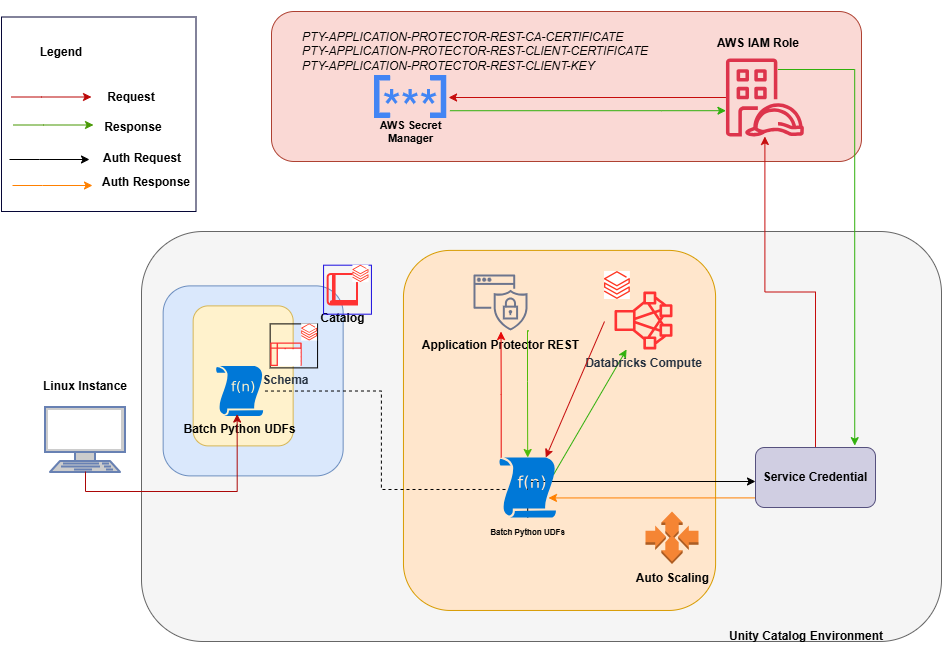
An outline of the steps in the workflow is explained below.
- Download the AWS Databricks build from the customer portal and extract the configurator script.
- Execute the configurator script to retrieve the IP address of the Application Protector REST server.
- Use the IP address to generate the CA, client, and server certificates.
- Store the content of the CA and the client certificates as Secrets in the Secret Manager.
- Create a Databricks Unity Catalog Service Credential to access the Secrets from the Secret Manager .
- Execute the configurator script to create the Unity Catalog Batch Python UDFs.
- Edit the cluster configuration to include the environment variables and attach the initialization script.
10.2.1.2 - For the Cloud Protector Approach
The architecture for installing the AWS Databricks protector using the Cloud Protector approach is depicted in the image below.
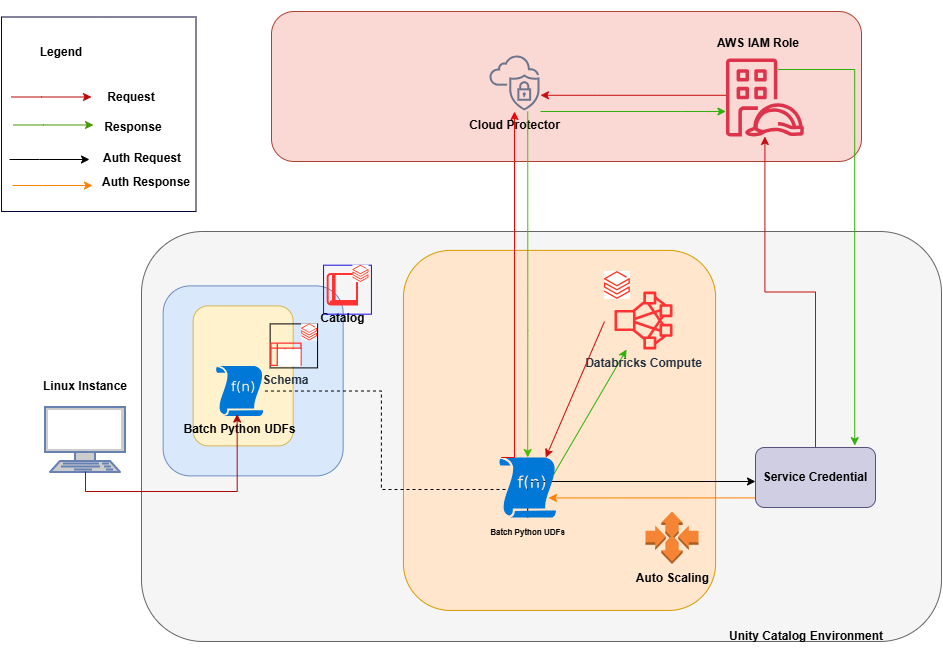
An outline of the steps in the workflow is explained below.
- Install and configure the Cloud Protector.
- Create an AWS Databricks Unity Catalog Service Credential and connect it with AWS IAM roles.
- Create a Databricks Compute.
- On a Linux staging machine, download and extract the installation package for AWS Databricks from the customer portal, for the Databricks Compute.
- Execute the configurator script to create the Batch Python UDFs at the Unity Catalog level.
- Attach an AWS Databricks Notebook to the Databricks Compute.
- Execute the Unity Catalog Batch Python UDFs to protect and unprotect data.
10.2.2 - System Requirements
10.2.2.1 - For the Application Protector REST Approach
Ensure that the following prerequisites are available before installing the Big Data Protector:
Python3 along with the requests module is installed on the machine to execute the configurator script.
A compatible version of the ESA is installed, configured, and running.
Access to the Databricks workspace is available.
A Databricks cluster, of any one of the following types, is created and is in the running state:
- Dedicated Compute
- Standard Compute
Create the Databricks Service Principal.
The Databricks Service Principal must have the Can attach to permission on the cluster.
Create the following certificates for mutual TLS authorization:
- CA Certificate
- Server Certificate
- Non-encrypted Server Key
- Client Certificate
- Non-encrypted Client Key
Note: These certificates must be generated ONLY after retrieving the IP address of the Application Protector REST server.
Permission to create a Secrets Manager and store secrets is available.
Create an AWS Databricks Unity Catalog Service Credential.
Note: For more information about creating the credential, refer to Create service credentials.
The Databricks Service Principal must have the access permissions on the Databricks Unity Catalog Service Credential.
A Databricks Unity Catalog Volume is available with a Catalog and a Schema and the following permissions:
- The Databricks Service Principal must have the Read volume and Write volume permission on the Databricks Unity Catalog Volume.
- The Databricks Service Principal must have the Use catalog permission at the Catalog level.
- The Databricks Service Principal must have the Use schema permission at the Schema level.
- The Databricks Service Principal must have the Create function permission at the Schema level.
- The Databricks Service Principal must have the manage permission at the Schema level.
10.2.2.2 - For the Cloud Protector Approach
The prerequisites required to install and run the Big Data Protector on a Databricks Compute are listed below.
Python3 along with the requests module is installed on the machine to execute the configurator script.
A compatible version of the ESA is installed, configured, and running.
Access to the Databricks workspace is available.
A Databricks cluster, of any one of the following types, is created and is in the running state:
- Dedicated Compute
- Standard Compute
- SQL Warehouse
Create the Databricks Service Principal.
The Databricks Service Principal must have the Can attach to permission on the cluster.
Install and configure the Cloud API on AWS.
Note: For more information about installing and configuring the Cloud API on AWS, refer to Cloud API.
To modify the core parameters for RPSync, refer to Policy Agent Lambda Configuration.
Install and configure a compatible version of the ESA.
Note: For more information about compatible ESA versions, refer to Cloud API.
Create an AWS Databricks Unity Catalog Service Credential.
Note: For more information about creating the credential, refer to Create service credentials.
Assigned the ACCESS privilege to the principals that will be using the AWS Databricks Unity Catalog Service Credential.
Create a service principal and OAuth secret to deploy the UDFs.
Note: For more information, refer to Authorize service principal access to Databricks with OAuth.
(Optional) Configure private connectivity to the Protegrity Cloud API.
Note: For more information, refer to Configure private connectivity to resources in your VPC.
A Databricks Unity Catalog Volume is available with a Catalog and a Schema and the following permissions:
- The Databricks Service Principal must have the ATTACH or MANAGE permission on the compute.
- The Databricks Service Principal must have the Read volume and Write volume permission on the Databricks Unity Catalog Volume.
- The Databricks Service Principal must have the Use catalog permission at the Catalog level.
- The Databricks Service Principal must have the Use schema permission at the Schema level.
- The Databricks Service Principal must have the Create function permission at the Schema level.
- The Databricks Service Principal must have the manage permission at the Schema level.
To use a SQL Warehouse with the Cloud Protector approach, create a SQL Warehouse. For more information, refer to Create a SQL warehouse.
10.2.3 - Preparing the Environment
10.2.3.1 - Extracting the Installation Package
Extract the contents of the installation package to access the configurator script. This script generates the required files to install the Big Data Protector.
To extract the files from the installation package:
Log in to the Linux staging machine.
Download the Big Data Protector package to any local directory.
BigDataProtector_Linux-ALL-64_x86-64_AWS.Databricks-<DBR_version>-64_<BDP_version>.tgzBigDataProtector_Linux-ALL-64_ARM64_AWS.Databricks-<DBR_version>-64_<BDP_version>.tgzTo extract the files from the installation package, run the following command:
tar -xvf BigDataProtector_Linux-ALL-64_x86-64_AWS.Databricks-<DBR_version>-64_<BDP_version>.tgztar -xvf BigDataProtector_Linux-ALL-64_ARM64_AWS.Databricks-<DBR_version>-64_<BDP_version>.tgzPress ENTER.
The command extracts the installation package and the GPG signature files.BigDataProtector_Linux-ALL-64_x86-64_AWS.Databricks-<DBR_version>-64_<BDP_version>.tgz signatures/ signatures/BigDataProtector_Linux-ALL-64_x86-64_AWS.Databricks-<DBR_version>-64_<BDP_version>.tgz_10.0.sigBigDataProtector_Linux-ALL-64_ARM64_AWS.Databricks-<DBR_version>-64_<BDP_version>.tgz signatures/ signatures/BigDataProtector_Linux-ALL-64_ARM64_AWS.Databricks-<DBR_version>-64_<BDP_version>.tgz_10.0.sigNote: Verify the authenticity of the build using the signatures folder. For more information, refer to Verification of Signed Protector Build.
To extract the configurator script, run the following command:
tar -xvf BigDataProtector_Linux-ALL-64_x86-64_AWS.Databricks-<DBR_version>-64_<BDP_version>.tgztar -xvf BigDataProtector_Linux-ALL-64_ARM64_AWS.Databricks-<DBR_version>-64_<BDP_version>.tgzPress ENTER.
The command extracts the configurator script.BigDataProtector-Configurator_Linux-ALL-64_x86-64_AWS.Databricks-<DBR_version>-64_<BDP_version>.shBigDataProtector-Configurator_Linux-ALL-64_ARM64_AWS.Databricks-<DBR_version>-64_<BDP_version>.sh
10.2.3.2 - Working with the Configurator Script
The configurator script performs the following tasks:
- Generate the IP address for the Application Protector REST server.
- Create the UDFs.
- Delete the UDFs.
The configurator script provides the --help option to understand the options and the arguments to be provided.
To understand the options and the arguments for the configurator script:
Log in to the node where the installation files are extracted.
To view the options and the arguments, run the following command:
./BigDataProtector-Configurator_Linux-ALL-64_x86-64_AWS.Databricks-<DBR_version>-64_<BDP_version>.sh --help./BigDataProtector-Configurator_Linux-ALL-64_ARM64_AWS.Databricks-<DBR_version>-64_<BDP_version>.sh --helpPress ENTER. The command displays all the options and the arguments required to execute the configurator script.
This script needs the following inputs as a string: 1. The ID of the operation. ---------------------------------------------------------- | ID | Operation | ---------------------------------------------------------- | 1 | Get Application Protector REST's Server IP | | 2 | Create Databricks Unity Catalog Batch Python UDFs | | 3 | Delete Databricks Unity Catalog Batch Python UDFs | ---------------------------------------------------------- 2. The URL of the Databricks Workspace. 3. The Application ID of the Databricks Service Principal 4. The OAuth Secret of the Databricks Service Principal 5. The ID of the Databricks Compute. If the ID of the operation is specified as "2" or "3", then the script will require the following additional inputs as a string: 6. The name of the Databricks Unity Catalog Catalog-Schema. 7. The ID of the approach. ----------------------------------- | ID | Approach | ----------------------------------- | 1 | Application Protector REST | | 2 | Cloud Protector | ----------------------------------- If the ID of the operation is specified as "2" and the ID of the approach is specified as "1", then the script will require the following additional inputs as a string: 8. The path of the CA Certificate. 9. The path of the Server Certificate. 10. The path of the Server Key. 11. The name of the AWS Secret. 12. The name of the AWS Secret's AWS Region. 13. The name of the Databricks Unity Catalog Service Credential. 14. The path of the Databricks Unity Catalog Volume. If the ID of the operation is specified as "2" and the ID of the approach is specified as "2", then the script will require the following additional inputs as a string: 8. The name of the AWS Lambda Function. 9. The name of the AWS Lambda Function's AWS Region. 10. The name of the Databricks Unity Catalog Service Credential. If the ID of the operation is specified as "3" and the ID of the approach is specified as "1", then the script will require the following additional input as a string: 8. The path of the Databricks Unity Catalog Volume. This script accepts the above-mentioned inputs in any one of the following ways: 1. Using .cfg file (pass the path of the .cfg file to this script as a command-line argument). 2. Using command-line arguments. 3. Using interactive prompts. Structure of the .cfg file: operation_id = "operation_id" databricks_workspace_url = "databricks_workspace_url" databricks_service_principal_application_id = "databricks_service_principal_application_id" databricks_service_principal_oauth_secret = "databricks_service_principal_oauth_secret" databricks_compute_id = "databricks_compute_id" databricks_unity_catalog_catalog_schema_name = "databricks_unity_catalog_catalog_schema_name" approach_id = "approach_id" ca_certificate_path = "ca_certificate_path" server_certificate_path = "server_certificate_path" server_key_path = "server_key_path" aws_secret_name = "aws_secret_name" aws_secret_aws_region_name = "aws_secret_aws_region_name" databricks_unity_catalog_service_credential_name = "databricks_unity_catalog_service_credential_name" databricks_unity_catalog_volume_path = "databricks_unity_catalog_volume_path" aws_lambda_function_name = "aws_lambda_function_name" aws_lambda_function_aws_region_name = "aws_lambda_function_aws_region_name" Syntax of the command-line arguments: --operation_id "operation_id" --databricks_workspace_url "databricks_workspace_url" --databricks_service_principal_application_id "databricks_service_principal_application_id" --databricks_service_principal_oauth_secret "databricks_service_principal_oauth_secret" --databricks_compute_id "databricks_compute_id" --databricks_unity_catalog_catalog_schema_name "databricks_unity_catalog_catalog_schema_name" --approach_id "approach_id" --ca_certificate_path "ca_certificate_path" --server_certificate_path "server_certificate_path" --server_key_path "server_key_path" --aws_secret_name "aws_secret_name" --aws_secret_aws_region_name "aws_secret_aws_region_name" --databricks_unity_catalog_service_credential_name "databricks_unity_catalog_service_credential_name" --databricks_unity_catalog_volume_path "databricks_unity_catalog_volume_path" --aws_lambda_function_name "aws_lambda_function_name" --aws_lambda_function_aws_region_name "aws_lambda_function_aws_region_name"This script utilizes one of the following approaches: ----------------------------------- | ID | Approach | ----------------------------------- | 1 | Application Protector REST | | 2 | Cloud Protector | ----------------------------------- ########################################################################################### If you want to use Application Protector REST approach, following operations are supported: ---------------------------------------------------------- | ID | Operation | ---------------------------------------------------------- | 1 | Get Application Protector REST's Server IP | | 2 | Create Databricks Unity Catalog Batch Python UDFs | | 3 | Delete Databricks Unity Catalog Batch Python UDFs | ---------------------------------------------------------- To Get Application Protector REST's Server IP, following inputs are required: Using interactive prompts: 1. The ID of the operation as "1" 2. The URL of the Databricks Workspace 3. The Application ID of the Databricks Service Principal 4. The OAuth Secret of the Databricks Service Principal 5. The ID of the Databricks Compute Using command-line arguments: --operation_id "1" --databricks_workspace_url "databricks_workspace_url" --databricks_service_principal_application_id "databricks_service_principal_application_id" --databricks_service_principal_oauth_secret "databricks_service_principal_oauth_secret" --databricks_compute_id "databricks_compute_id" Using .cfg file (pass the path of the .cfg file to this script as a command-line argument): operation_id = "1" databricks_workspace_url = "databricks_workspace_url" databricks_service_principal_application_id = "databricks_service_principal_application_id" databricks_service_principal_oauth_secret = "databricks_service_principal_oauth_secret" databricks_compute_id = "databricks_compute_id" To Create Databricks Unity Catalog Batch Python UDFs, following inputs are required: Using interactive prompts: 1. The ID of the operation as "2" 2. The URL of the Databricks Workspace 3. The Application ID of the Databricks Service Principal 4. The OAuth Secret of the Databricks Service Principal 5. The ID of the Databricks Compute 6. The name of the Databricks Unity Catalog Catalog-Schema 7. The ID of the approach as "1" 8. The path of the CA Certificate 9. The path of the Server Certificate 10. The path of the Server Key 11. The name of the AWS Secret 12. The name of the AWS Secret's AWS Region 13. The name of the Databricks Unity Catalog Service Credential 14. The path of the Databricks Unity Catalog Volume Using command-line arguments: --operation_id "2" --databricks_workspace_url "databricks_workspace_url" --databricks_service_principal_application_id "databricks_service_principal_application_id" --databricks_service_principal_oauth_secret "databricks_service_principal_oauth_secret" --databricks_compute_id "databricks_compute_id" --databricks_unity_catalog_catalog_schema_name "databricks_unity_catalog_catalog_schema_name" --approach_id "1" --ca_certificate_path "ca_certificate_path" --server_certificate_path "server_certificate_path" --server_key_path "server_key_path" --aws_secret_name "aws_secret_name" --aws_secret_aws_region_name "aws_secret_aws_region_name" --databricks_unity_catalog_service_credential_name "databricks_unity_catalog_service_credential_name" --databricks_unity_catalog_volume_path "databricks_unity_catalog_volume_path" Using .cfg file (pass the path of the .cfg file to this script as a command-line argument): operation_id = "2" databricks_workspace_url = "databricks_workspace_url" databricks_service_principal_application_id = "databricks_service_principal_application_id" databricks_service_principal_oauth_secret = "databricks_service_principal_oauth_secret" databricks_compute_id = "databricks_compute_id" databricks_unity_catalog_catalog_schema_name = "databricks_unity_catalog_catalog_schema_name" approach_id = "1" ca_certificate_path = "ca_certificate_path" server_certificate_path = "server_certificate_path" server_key_path = "server_key_path" aws_secret_name = "aws_secret_name" aws_secret_aws_region_name = "aws_secret_aws_region_name" databricks_unity_catalog_service_credential_name = "databricks_unity_catalog_service_credential_name" databricks_unity_catalog_volume_path = "databricks_unity_catalog_volume_path" To Delete Databricks Unity Catalog Batch Python UDFs, following inputs are required: Using interactive prompts: 1. The ID of the operation as "3" 2. The URL of the Databricks Workspace 3. The Application ID of the Databricks Service Principal 4. The OAuth Secret of the Databricks Service Principal 5. The ID of the Databricks Compute 6. The name of the Databricks Unity Catalog Catalog-Schema 7. The ID of the approach as "1" 8. The path of the Databricks Unity Catalog Volume Using command-line arguments: --operation_id "3" --databricks_workspace_url "databricks_workspace_url" --databricks_service_principal_application_id "databricks_service_principal_application_id" --databricks_service_principal_oauth_secret "databricks_service_principal_oauth_secret" --databricks_compute_id "databricks_compute_id" --databricks_unity_catalog_catalog_schema_name "databricks_unity_catalog_catalog_schema_name" --approach_id "1" --databricks_unity_catalog_volume_path "databricks_unity_catalog_volume_path" Using .cfg file (pass the path of the .cfg file to this script as a command-line argument): operation_id = "3" databricks_workspace_url = "databricks_workspace_url" databricks_service_principal_application_id = "databricks_service_principal_application_id" databricks_service_principal_oauth_secret = "databricks_service_principal_oauth_secret" databricks_compute_id = "databricks_compute_id" databricks_unity_catalog_catalog_schema_name = "databricks_unity_catalog_catalog_schema_name" approach_id = "1" databricks_unity_catalog_volume_path = "databricks_unity_catalog_volume_path" ################################################################################ If you want to use Cloud Protector approach, following operations are supported: ---------------------------------------------------------- | ID | Operation | ---------------------------------------------------------- | 1 | Create Databricks Unity Catalog Batch Python UDFs | | 2 | Delete Databricks Unity Catalog Batch Python UDFs | ---------------------------------------------------------- To Create Databricks Unity Catalog Batch Python UDFs, following inputs are required: Using interactive prompts: 1. The ID of the operation as "2" 2. The URL of the Databricks Workspace 3. The Application ID of the Databricks Service Principal 4. The OAuth Secret of the Databricks Service Principal 5. The ID of the Databricks Compute 6. The name of the Databricks Unity Catalog Catalog-Schema 7. The ID of the approach as "2" 8. The name of the AWS Lambda Function 9. The name of the AWS Lambda Function's AWS Region 10. The name of the Databricks Unity Catalog Service Credential Using command-line arguments: --operation_id "2" --databricks_workspace_url "databricks_workspace_url" --databricks_service_principal_application_id "databricks_service_principal_application_id" --databricks_service_principal_oauth_secret "databricks_service_principal_oauth_secret" --databricks_compute_id "databricks_compute_id" --databricks_unity_catalog_catalog_schema_name "databricks_unity_catalog_catalog_schema_name" --approach_id "2" --aws_lambda_function_name "aws_lambda_function_name" --aws_lambda_function_aws_region_name "aws_lambda_function_aws_region_name" --databricks_unity_catalog_service_credential_name "databricks_unity_catalog_service_credential_name" Using .cfg file (pass the path of the .cfg file to this script as a command-line argument): operation_id = "2" databricks_workspace_url = "databricks_workspace_url" databricks_service_principal_application_id = "databricks_service_principal_application_id" databricks_service_principal_oauth_secret = "databricks_service_principal_oauth_secret" databricks_compute_id = "databricks_compute_id" databricks_unity_catalog_catalog_schema_name = "databricks_unity_catalog_catalog_schema_name" approach_id = "2" aws_lambda_function_name = "aws_lambda_function_name" aws_lambda_function_aws_region_name = "aws_lambda_function_aws_region_name" databricks_unity_catalog_service_credential_name = "databricks_unity_catalog_service_credential_name" To Delete Databricks Unity Catalog Batch Python UDFs, following inputs are required: Using interactive prompts: 1. The ID of the operation as "3" 2. The URL of the Databricks Workspace 3. The Application ID of the Databricks Service Principal 4. The OAuth Secret of the Databricks Service Principal 5. The ID of the Databricks Compute 6. The name of the Databricks Unity Catalog Catalog-Schema 7. The ID of the approach as "2" Using command-line arguments: --operation_id "3" --databricks_workspace_url "databricks_workspace_url" --databricks_service_principal_application_id "databricks_service_principal_application_id" --databricks_service_principal_oauth_secret "databricks_service_principal_oauth_secret" --databricks_compute_id "databricks_compute_id" --databricks_unity_catalog_catalog_schema_name "databricks_unity_catalog_catalog_schema_name" --approach_id "2" Using .cfg file (pass the path of the .cfg file to this script as a command-line argument): operation_id = "3" databricks_workspace_url = "databricks_workspace_url" databricks_service_principal_application_id = "databricks_service_principal_application_id" databricks_service_principal_oauth_secret = "databricks_service_principal_oauth_secret" databricks_compute_id = "databricks_compute_id" databricks_unity_catalog_catalog_schema_name = "databricks_unity_catalog_catalog_schema_name" approach_id = "2"
10.2.3.3 - Retrieving the IP Address
The IP address for the Application Protector REST approach is required to generate the certificates. The certificates must be created using the retrieved IP address. These certificates will be used to establish a mutual trust between the Unity Catalog Batch Python UDFs and the Application Protector REST Server.
Note: The instructions mentioned in the section apply only to the Application Protector REST approach.
To retrieve the IP address:
Log in to the node where the installation files are extracted.
To execute the configurator script, run the following command:
./BigDataProtector-Configurator_Linux-ALL-64_x86-64_AWS.Databricks-<DBR_version>-64_<BDP_version>.sh./BigDataProtector-Configurator_Linux-ALL-64_ARM64_AWS.Databricks-<DBR_version>-64_<BDP_version>.shPress ENTER.
The prompt to enter the operation ID appears.Creating installation files... Created installation files. Enter the ID of the operation:Creating installation files... Created installation files. The ID of the operation needs to be one of the following: ---------------------------------------------------------- | ID | Operation | ---------------------------------------------------------- | 1 | Get Application Protector REST's Server IP | | 2 | Create Databricks Unity Catalog Batch Python UDFs | | 3 | Delete Databricks Unity Catalog Batch Python UDFs | ---------------------------------------------------------- Enter the ID of the operation:To retrieve the IP address of the Application Protector REST server, type
1.Press ENTER.
The prompt to enter the Databricks Workspace URL appears.Enter the URL of the Databricks Workspace:Enter the Databricks Workspace URL.
Press ENTER.
The prompt to enter the application ID of the Databricks Service Principal appears.Enter the Application ID of the Databricks Service Principal:Enter the Application ID of the Databricks Service Principal.
Press ENTER.
The prompt to enter the OAuth secret for the Service Principal appears.Enter the OAuth Secret of the Databricks Service Principal:Enter the OAuth secret.
Press ENTER.
The prompt to enter the cluster ID appears.Enter the ID of the Databricks Compute:Enter the Cluster ID.
Press ENTER.
The script retrieves the IP address of the Application Protector REST server.Executing specified operation... APREST Protector's Server IP: x.x.x.x Executed specified operation.
10.2.3.4 - Uploading the Secrets
The CA and the Client certificates are important entities in the mutual trust process. These certificates determine the authentication and authorization for the Application Protector REST server. As a result, it is critical to store these certificates in a secured location. Therefore, the certificates must be uploaded to the Secrets Manager in AWS where they will be stored as secrets.
Note: The instructions mentioned in the section apply only to the Application Protector REST approach.
To upload the secrets:
- Create a Secrets Manager in AWS to upload the secrets.
- Assign the required access permissions to the Secrets Manager.
For example:
{ "Version": "2012-10-17", "Statement": [ { "Sid": "VisualEditor0", "Effect": "Allow", "Action": [ "secretsmanager:*" ], "Resource": [ "arn:aws:secretsmanager:<aws_region_name>:<aws_account>:secret:*" ] }, { "Action": "sts:AssumeRole", "Resource": "arn:aws:iam::<aws_account>:role/<aws_iam_role>", "Effect": "Allow" } ] } - Log in to the machine where the certificates are created.
- Launch the python console.
- To view the contents of the
CA.pemfile and store it as PTY-APPLICATION-PROTECTOR-REST-CA-CERTIFICATE, run the following command:with open("ca/CA.pem") as file: file.read() Store CA cert as PTY-APPLICATION-PROTECTOR-REST-CA-CERTIFICATE - Press ENTER.
The command displays the contents of theCA.pemfile. - To view the contents of the
client.pemfile and store it as PTY-APPLICATION-PROTECTOR-REST-CLIENT-CERTIFICATE, run the following command:with open("client/client.pem") as file: file.read() Store client cert as PTY-APPLICATION-PROTECTOR-REST-CLIENT-CERTIFICATE - Press ENTER.
The command displays the contents of theclient.pemfile. - To view the contents of the
client.keyfile and store it as PTY-APPLICATION-PROTECTOR-REST-CLIENT-KEY, run the following command:with open("client/client.key") as file: file.read() Store client key as PTY-APPLICATION-PROTECTOR-REST-CLIENT-KEY - Press ENTER.
The command displays the contents of theclient.keyfile. - Log in to the AWS portal.
- Navigate to the required Secrets Manager.
- Click Store a new secret.
The Choose secret type page appears. - From the Secret type section, select Other type of secret.
- Enter the details, as listed in the table, in a new row.
Key Value PTY-APPLICATION-PROTECTOR-REST-CA-CERTIFICATE 1. In the Key box, enter PTY-APPLICATION-PROTECTOR-REST-CA-CERTIFICATE.
2. In the Value box, enter the contents of the CA.pem file.PTY-APPLICATION-PROTECTOR-REST-CLIENT-CERTIFICATE 1. In the Key box, enter PTY-APPLICATION-PROTECTOR-REST-CLIENT-CERTIFICATE.
2. In the Value box, enter the contents of the client.pem file.PTY-APPLICATION-PROTECTOR-REST-CLIENT-KEY 1. In the Key box, enter PTY-APPLICATION-PROTECTOR-REST-CLIENT-KEY.
2. In the Value box, enter the contents of the client.key file. - Click Next.
The Configure secret page appears. - In the Secret name box, enter a name to identify the secret.
- Click Next.
The Configure rotation page appears. - Click Next.
The Review page appears. - Verify the details.
- Click Store.
The secrets are stored as per the specified details.
10.2.4 - Installing the Protector
The process of installing the Big Data Protector involves the process of creating the user-defined functions.
The following combinations will work for a successful execution of the configurator script:
- Databricks Dedicated Compute + Application Protector REST approach
- Databricks Dedicated Compute + Cloud Protector approach
- Databricks Standard Compute + Application Protector REST approach
- Databricks Standard Compute + Cloud Protector approach
- Databricks SQL Warehouse + Cloud Protector approach
The Databricks SQL Warehouse + Application Protector REST approach combination will not work. This is because Protegrity executes a few Python commands on the Databricks Compute to retrieve a listening IP for the Application Protector REST’s Server. When the Databricks Compute is a SQL Warehouse, the Python commands fail to execute. This occurs because the SQL Warehouse supports only SQL commands.
Creating the UDFs For the Application Protector REST Approach
The configurator script is used to create the UDFs. These Unity Catalog Batch Python UDFs are designed to perform data protection and unprotection operations. Select the required approach and the operation ID to create the UDFs using the Application Protector REST server. This section explains the process to create the UDFs using the interactive method of installation.
To create the UDFs:
Log in to the staging machine.
Navigate to the directory where the installation files are extracted.
To execute the configurator script, run the following command:
./BigDataProtector-Configurator_Linux-ALL-64_x86-64_AWS.Databricks-<DBR_version>-64_<BDP_version>.sh./BigDataProtector-Configurator_Linux-ALL-64_ARM64_AWS.Databricks-<DBR_version>-64_<BDP_version>.shPress ENTER.
The prompt to enter the operation ID appears.Creating installation files... Created installation files. Enter the ID of the operation:Creating installation files... Created installation files. The ID of the operation needs to be one of the following: ---------------------------------------------------------- | ID | Operation | ---------------------------------------------------------- | 1 | Get Application Protector REST's Server IP | | 2 | Create Databricks Unity Catalog Batch Python UDFs | | 3 | Delete Databricks Unity Catalog Batch Python UDFs | ---------------------------------------------------------- Enter the ID of the operation:To create the UDFs, type
2.Press ENTER.
The prompt to enter the Databricks Workspace URL appears.Enter the URL of the Databricks Workspace:Enter the Databricks Workspace URL.
Press ENTER.
The prompt to enter the application ID of the Databricks Service Principal appears.Enter the Application ID of the Databricks Service Principal:Enter the Application ID of the Databricks Service Principal.
Press ENTER.
The prompt to enter the OAuth secret for the Service Principal appears.Enter the OAuth Secret of the Databricks Service Principal:Enter the OAuth secret.
Press ENTER.
The prompt to enter the cluster ID appears.Enter the ID of the Databricks Compute:Note: The Cluster ID can be either for Standard Compute or Dedicated Compute. For more information about identifying the Cluster ID, refer to Get identifiers for workspace objects.
Enter the Cluster ID.
Press ENTER.
The prompt to enter the name of the schema appears.Enter the name of the Databricks Unity Catalog Catalog-Schema:Enter the name of the catalog and the schema in the
<catalog_name.schema_name>format.Press ENTER.
The prompt to select the approach appears.Enter the ID of the approach:The ID of the approach needs to be one of the following: ----------------------------------- | ID | Approach | ----------------------------------- | 1 | Application Protector REST | | 2 | Cloud Protector | ----------------------------------- Enter the ID of the approach:To create the UDFs using the Application Protector REST approach, type
1.Press ENTER.
The prompt to enter the path of the CA Certificate appears.Enter the path of the CA Certificate:Enter the path of the CA Certificate.
Press ENTER.
The prompt to enter the path of the Server Certificate appears.Enter the path of the Server Certificate:Enter the path of the Server Certificate.
Press ENTER.
The prompt to enter the path of the Server key appears.Enter the path of the Server Key:Enter the path of the Server Key.
Press ENTER.
The prompt to enter the name of the AWS Secret appears.Enter the name of the AWS Secret:Enter the name of the AWS Secret.
Press ENTER.
The prompt to enter the region of the Secret appears.Enter the name of the AWS Secret's AWS Region:Enter the region where the Secret is created.
Press ENTER.
The prompt to enter the name of the Service Credential appears.Enter the name of the Databricks Unity Catalog Service Credential:Enter the name of the Databricks Unity Catalog Service Credential.
Press ENTER.
The prompt to enter the path of the Unity Catalog Volume appears.Enter the path of the Databricks Unity Catalog Volume:Enter the path of the Databricks Unity Catalog Volume.
Press ENTER.
The script creates the UDFs at the specified location.Executing specified operation... 1. Create the following environment variables in the Spark section of the Advanced properties of the Databricks Compute: PTY_ESA_IP=PTY_ESA_IP PTY_ESA_PORT=PTY_ESA_PORT Either PTY_ESA_TOKEN=PTY_ESA_TOKEN or PTY_ESA_ADMINISTRATOR_USERNAME=PTY_ESA_ADMINISTRATOR_USERNAME and PTY_ESA_ADMINISTRATOR_PASSWORD=PTY_ESA_ADMINISTRATOR_PASSWORD PTY_AUDIT_STORE_IP_PORT=PTY_AUDIT_STORE_IP_PORT PTY_PROTECTOR_CONFIGURATION=PTY_PROTECTOR_CONFIGURATION 2. Attach "DATABRICKS_UNITY_CATALOG_VOLUME_PATH/DATABRICKS_INIT_SCRIPT_NAME" as an Init Script to the Databricks Compute. 3. Restart the Databricks Compute. Executed specified operation.Executing specified operation... Creating <catalog_name>.<schema_name>.pty_decrypt_string Databricks Unity Catalog Batch Python UDF... Created <catalog_name>.<schema_name>.pty_decrypt_string Databricks Unity Catalog Batch Python UDF. Creating <catalog_name>.<schema_name>.pty_encrypt_string Databricks Unity Catalog Batch Python UDF... Created <catalog_name>.<schema_name>.pty_encrypt_string Databricks Unity Catalog Batch Python UDF. Creating <catalog_name>.<schema_name>.pty_get_version Databricks Unity Catalog Batch Python UDF... Created <catalog_name>.<schema_name>.pty_get_version Databricks Unity Catalog Batch Python UDF. Creating <catalog_name>.<schema_name>.pty_get_version_extended Databricks Unity Catalog Batch Python UDF... Created <catalog_name>.<schema_name>.pty_get_version_extended Databricks Unity Catalog Batch Python UDF. Creating <catalog_name>.<schema_name>.pty_protect_binary Databricks Unity Catalog Batch Python UDF... Created <catalog_name>.<schema_name>.pty_protect_binary Databricks Unity Catalog Batch Python UDF. Creating <catalog_name>.<schema_name>.pty_protect_date Databricks Unity Catalog Batch Python UDF... Created <catalog_name>.<schema_name>.pty_protect_date Databricks Unity Catalog Batch Python UDF. Creating <catalog_name>.<schema_name>.pty_protect_int Databricks Unity Catalog Batch Python UDF... Created <catalog_name>.<schema_name>.pty_protect_int Databricks Unity Catalog Batch Python UDF. Creating <catalog_name>.<schema_name>.pty_protect_smallint Databricks Unity Catalog Batch Python UDF... Created <catalog_name>.<schema_name>.pty_protect_smallint Databricks Unity Catalog Batch Python UDF. Creating <catalog_name>.<schema_name>.pty_protect_string Databricks Unity Catalog Batch Python UDF... Created <catalog_name>.<schema_name>.pty_protect_string Databricks Unity Catalog Batch Python UDF. Creating <catalog_name>.<schema_name>.pty_protect_string_fpe Databricks Unity Catalog Batch Python UDF... Created <catalog_name>.<schema_name>.pty_protect_string_fpe Databricks Unity Catalog Batch Python UDF. Creating <catalog_name>.<schema_name>.pty_unprotect_binary Databricks Unity Catalog Batch Python UDF... Created <catalog_name>.<schema_name>.pty_unprotect_binary Databricks Unity Catalog Batch Python UDF. Creating <catalog_name>.<schema_name>.pty_unprotect_date Databricks Unity Catalog Batch Python UDF... Created <catalog_name>.<schema_name>.pty_unprotect_date Databricks Unity Catalog Batch Python UDF. Creating <catalog_name>.<schema_name>.pty_unprotect_int Databricks Unity Catalog Batch Python UDF... Created <catalog_name>.<schema_name>.pty_unprotect_int Databricks Unity Catalog Batch Python UDF. Creating <catalog_name>.<schema_name>.pty_unprotect_smallint Databricks Unity Catalog Batch Python UDF... Created <catalog_name>.<schema_name>.pty_unprotect_smallint Databricks Unity Catalog Batch Python UDF. Creating <catalog_name>.<schema_name>.pty_unprotect_string Databricks Unity Catalog Batch Python UDF... Created <catalog_name>.<schema_name>.pty_unprotect_string Databricks Unity Catalog Batch Python UDF. Creating <catalog_name>.<schema_name>.pty_unprotect_string_fpe Databricks Unity Catalog Batch Python UDF... Created <catalog_name>.<schema_name>.pty_unprotect_string_fpe Databricks Unity Catalog Batch Python UDF. Creating <catalog_name>.<schema_name>.pty_who_am_i Databricks Unity Catalog Batch Python UDF... Created <catalog_name>.<schema_name>.pty_who_am_i Databricks Unity Catalog Batch Python UDF. Creating /Volumes/<catalog_name>/<schema_name>/<volume_name>/BigDataProtector_Linux-ALL-64_ARM64_AWS.Databricks-<DBR_version>-64_<BDP_version>.tgz file... Created /Volumes/<catalog_name>/<schema_name>/<volume_name>/BigDataProtector_Linux-ALL-64_ARM64_AWS.Databricks-<DBR_version>-64_<BDP_version>.tgz file. Creating /Volumes/<catalog_name>/<schema_name>/<volume_name>/BigDataProtector-Init-Script_Linux-ALL-64_ARM64_AWS.Databricks-<DBR_version>-64_<BDP_version>.sh file... Created /Volumes/<catalog_name>/<schema_name>/<volume_name>/BigDataProtector-Init-Script_Linux-ALL-64_ARM64_AWS.Databricks-<DBR_version>-64_<BDP_version>.sh file. 1. Create the following environment variables in the Spark section of the Advanced properties of the Databricks Compute: PTY_ESA_IP=PTY_ESA_IP PTY_ESA_PORT=PTY_ESA_PORT Either PTY_ESA_TOKEN=PTY_ESA_TOKEN or PTY_ESA_ADMINISTRATOR_USERNAME=PTY_ESA_ADMINISTRATOR_USERNAME and PTY_ESA_ADMINISTRATOR_PASSWORD=PTY_ESA_ADMINISTRATOR_PASSWORD PTY_AUDIT_STORE_IP_PORT=PTY_AUDIT_STORE_IP_PORT PTY_PROTECTOR_CONFIGURATION=PTY_PROTECTOR_CONFIGURATION 2. Attach "/Volumes/<catalog_name>/<schema_name>/<volume_name>/BigDataProtector-Init-Script_Linux-ALL-64_ARM64_AWS.Databricks-<DBR_version>-64_<BDP_version>.sh" as an Init Script to the Databricks Compute. 3. Restart the Databricks Compute. Executed specified operation.
Creating the UDFs For the Cloud Protector Approach
The configurator script is used to create the UDFs. These Unity Catalog Batch Python UDFs are used to perform data protection and unprotection operations. Select the required approach and the operation ID to create the UDFs using the Cloud Protector. This section explains the process to create the UDFs using the interactive method of installation.
To create the UDFs:
Log in to the staging machine.
Navigate to the directory where the installation files are extracted.
To execute the configurator script, run the following command:
./BigDataProtector-Configurator_Linux-ALL-64_x86-64_AWS.Databricks-<DBR_version>-64_<BDP_version>.sh./BigDataProtector-Configurator_Linux-ALL-64_ARM64_AWS.Databricks-<DBR_version>-64_<BDP_version>.shPress ENTER.
The prompt to enter the operation ID appears.Creating installation files... Created installation files. Enter the ID of the operation:Creating installation files... Created installation files. The ID of the operation needs to be one of the following: ---------------------------------------------------------- | ID | Operation | ---------------------------------------------------------- | 1 | Get Application Protector REST's Server IP | | 2 | Create Databricks Unity Catalog Batch Python UDFs | | 3 | Delete Databricks Unity Catalog Batch Python UDFs | ---------------------------------------------------------- Enter the ID of the operation:To create the UDFs, type
2.Press ENTER.
The prompt to enter the Databricks Workspace URL appears.Enter the URL of the Databricks Workspace:Enter the Databricks Workspace URL.
Press ENTER.
The prompt to enter the application ID of the Databricks Service Principal appears.Enter the Application ID of the Databricks Service Principal:Enter the Application ID of the Databricks Service Principal.
Press ENTER.
The prompt to enter the OAuth secret for the Service Principal appears.Enter the OAuth Secret of the Databricks Service Principal:Enter the OAuth secret.
Press ENTER.
The prompt to enter the cluster ID appears.Enter the ID of the Databricks Compute:Note: The Cluster ID can be either for Standard Compute or Dedicated Compute. For more information about identifying the Cluster ID, refer to Get identifiers for workspace objects.
Enter the Cluster ID.
Press ENTER.
The prompt to enter the name of the schema appears.Enter the name of the Databricks Unity Catalog Catalog-Schema:Enter the name of the catalog and the schema in the
<catalog_name.schema_name>format.Press ENTER.
The prompt to select the approach appears.Enter the ID of the approach:The ID of the approach needs to be one of the following: ----------------------------------- | ID | Approach | ----------------------------------- | 1 | Application Protector REST | | 2 | Cloud Protector | ----------------------------------- Enter the ID of the approach:To create the UDFs using the Cloud Protector approach, type
2.Press ENTER.
The prompt to enter the name of the AWS Lambda Function appears.Enter the name of the AWS Lambda Function:Enter the name of the AWS Lambda Function.
Press ENTER.
The prompt to enter the region of the AWS Lambda function appears.Enter the name of the AWS Lambda Function's AWS Region:Enter the region name.
Press ENTER.
The prompt to enter the name of the Service Credential appears.Enter the name of the Databricks Unity Catalog Service Credential:Enter the name of the Databricks Unity Catalog Service Credential.
Press ENTER.
The script creates the UDFs at the specified location.Executing specified operation... Executed specified operation.Executing specified operation... Creating <catalog_name>.<schema_name>.pty_decrypt_string Databricks Unity Catalog Batch Python UDF... Created <catalog_name>.<schema_name>.pty_decrypt_string Databricks Unity Catalog Batch Python UDF. Creating <catalog_name>.<schema_name>.pty_encrypt_string Databricks Unity Catalog Batch Python UDF... Created <catalog_name>.<schema_name>.pty_encrypt_string Databricks Unity Catalog Batch Python UDF. Creating <catalog_name>.<schema_name>.pty_get_version Databricks Unity Catalog Batch Python UDF... Created <catalog_name>.<schema_name>.pty_get_version Databricks Unity Catalog Batch Python UDF. Creating <catalog_name>.<schema_name>.pty_get_version_extended Databricks Unity Catalog Batch Python UDF... Created <catalog_name>.<schema_name>.pty_get_version_extended Databricks Unity Catalog Batch Python UDF. Creating <catalog_name>.<schema_name>.pty_protect_binary Databricks Unity Catalog Batch Python UDF... Created <catalog_name>.<schema_name>.pty_protect_binary Databricks Unity Catalog Batch Python UDF. Creating <catalog_name>.<schema_name>.pty_protect_date Databricks Unity Catalog Batch Python UDF... Created <catalog_name>.<schema_name>.pty_protect_date Databricks Unity Catalog Batch Python UDF. Creating <catalog_name>.<schema_name>.pty_protect_int Databricks Unity Catalog Batch Python UDF... Created <catalog_name>.<schema_name>.pty_protect_int Databricks Unity Catalog Batch Python UDF. Creating <catalog_name>.<schema_name>.pty_protect_smallint Databricks Unity Catalog Batch Python UDF... Created <catalog_name>.<schema_name>.pty_protect_smallint Databricks Unity Catalog Batch Python UDF. Creating <catalog_name>.<schema_name>.pty_protect_string Databricks Unity Catalog Batch Python UDF... Created <catalog_name>.<schema_name>.pty_protect_string Databricks Unity Catalog Batch Python UDF. Creating <catalog_name>.<schema_name>.pty_protect_string_fpe Databricks Unity Catalog Batch Python UDF... Created <catalog_name>.<schema_name>.pty_protect_string_fpe Databricks Unity Catalog Batch Python UDF. Creating <catalog_name>.<schema_name>.pty_unprotect_binary Databricks Unity Catalog Batch Python UDF... Created <catalog_name>.<schema_name>.pty_unprotect_binary Databricks Unity Catalog Batch Python UDF. Creating <catalog_name>.<schema_name>.pty_unprotect_date Databricks Unity Catalog Batch Python UDF... Created <catalog_name>.<schema_name>.pty_unprotect_date Databricks Unity Catalog Batch Python UDF. Creating <catalog_name>.<schema_name>.pty_unprotect_int Databricks Unity Catalog Batch Python UDF... Created <catalog_name>.<schema_name>.pty_unprotect_int Databricks Unity Catalog Batch Python UDF. Creating <catalog_name>.<schema_name>.pty_unprotect_smallint Databricks Unity Catalog Batch Python UDF... Created <catalog_name>.<schema_name>.pty_unprotect_smallint Databricks Unity Catalog Batch Python UDF. Creating <catalog_name>.<schema_name>.pty_unprotect_string Databricks Unity Catalog Batch Python UDF... Created <catalog_name>.<schema_name>.pty_unprotect_string Databricks Unity Catalog Batch Python UDF. Creating <catalog_name>.<schema_name>.pty_unprotect_string_fpe Databricks Unity Catalog Batch Python UDF... Created <catalog_name>.<schema_name>.pty_unprotect_string_fpe Databricks Unity Catalog Batch Python UDF. Creating <catalog_name>.<schema_name>.pty_who_am_i Databricks Unity Catalog Batch Python UDF... Created <catalog_name>.<schema_name>.pty_who_am_i Databricks Unity Catalog Batch Python UDF. Executed specified operation.
10.2.5 - Configuring the Protector
The process of configuring the Big Data Protector involves the process of editing the cluster configuration.
After executing the configurator script and creating the UDFs, update the cluster to include the following configurations:
- Inclusion of the environment variables.
- Attach the
BigDataProtector-Init-Script_Linux-ALL-64_<ARCH>_AWS.Databricks-<DBR_version>-64_<BDP_version>.shscript to the Databricks compute.
Ensure that the ESA is started and in a running state before restarting the Databricks cluster after updating the configurations.
Note: The instructions mentioned in the section apply only to the Application Protector REST approach.
To edit the cluster:
Log in to the Databricks portal.
Edit the required cluster.
Expand the Advanced section.
Click the Spark tab.
Under Environment variables, add the variables, with their values, listed in the table:
Variable Value PTY_ESA_IPEnter the ESA IP address. PTY_ESA_PORTEnter the port number to connect to ESA. PTY_ESA_TOKENEnter the JWT token to connect to ESA. PTY_ESA_ADMINISTRATOR_USERNAMEEnter the username to connect to ESA. This is required only if a token is not used. PTY_ESA_ADMINISTRATOR_PASSWORD{{secrets/<scope_name>/<key_name>}}This is required only if a token is not used.PTY_AUDIT_STORE_IP_PORTEnter the IP address to connect to the Audit Store. The value is a comma-separated string of <audit_store_ip>:<audit_store_port>. For example, 11.22.33.44:9200, 55.66.77.88:9200PTY_PROTECTOR_CONFIGURATIONSpecify the values as [core]emptystring=empty,[sync]interval=10 Note: To store the ESA password, it is recommended to use Databricks Secrets. For more information about using Databricks Secrets, refer to Secret management.
Variable Value PTY_ESA_IPEnter the ESA IP address. PTY_ESA_PORTEnter the port number to connect to ESA. PTY_ESA_TOKENEnter the JWT token to connect to ESA. PTY_ESA_ADMINISTRATOR_USERNAMEEnter the username to connect to ESA. This is required only if a token is not used. PTY_ESA_ADMINISTRATOR_PASSWORD{{secrets/<scope_name>/<key_name>}}This is required only if a token is not used.PTY_AUDIT_STORE_IP_PORTEnter the IP address to connect to the Audit Store. The value is a comma-separated string of <audit_store_ip>:<audit_store_port>. For example, 11.22.33.44:9200, 55.66.77.88:9200PTY_PROTECTOR_CONFIGURATIONSpecify the values as [core]emptystring=empty,[sync]interval=10 PTY_ESA_CA_CERTIFICATE{{secrets/<scope_name>/<key_name>}}Set this configuration only to interact with PPC. Enter the base64-encoded PEM of the ESA signing CA. Required when the ESA presents a CA-signed certificate without its CA chain.PTY_ESA_FQDNEnter the Fully Qualified Domain Name of ESA or PPC. This is an optional parameter. Note: To store the ESA password, it is recommended to use Databricks Secrets. For more information about using Databricks Secrets, refer to Secret management.
Click the Init scripts tab.
From the Source list, select Volumes.
In the File path box, enter the location of the initialization script.
To save the changes and restart the cluster, click Confirm and restart.
Note: If the initialization script fails with a non-zero exit code, enable cluster logging to view the error log files for troubleshooting purposes. When the cluster is restarted, the initialization script starts the Application Protector REST service on every node in the cluster. After the Application Protector REST service is started, use the Unity Catalog Batch Python UDFs to protect and unprotect data.
Note: The process to execute the initialization script will take some time before the cluster is ready to use for performing protect and unprotect operations. For more information on using the UDFs for protect and unprotect operations, refer to Unity Catalog Batch Python UDFs.
10.2.6 - Uninstalling the Protector
The process of uninstalling the Big Data Protector involves the process of removing the user-defined functions.
Deleting the UDFs For the Application Protector REST Approach
Deleting the UDFs is an optional step. Delete the UDFs only to clean up the Databricks cluster. The configurator script is used to delete the UDFs. You must select the required approach and the operation ID to delete. This section explains the process to delete the UDFs using the interactive method of installation.
To delete the UDFs:
Log in to the staging machine.
Navigate to the directory where the installation files are extracted.
To execute the configurator script, run the following command:
./BigDataProtector-Configurator_Linux-ALL-64_x86-64_AWS.Databricks-<DBR_version>-64_<BDP_version>.sh./BigDataProtector-Configurator_Linux-ALL-64_ARM64_AWS.Databricks-<DBR_version>-64_<BDP_version>.shPress ENTER.
The prompt to enter the operation ID appears.Creating installation files... Created installation files. Enter the ID of the operation:Creating installation files... Created installation files. The ID of the operation needs to be one of the following: ---------------------------------------------------------- | ID | Operation | ---------------------------------------------------------- | 1 | Get Application Protector REST's Server IP | | 2 | Create Databricks Unity Catalog Batch Python UDFs | | 3 | Delete Databricks Unity Catalog Batch Python UDFs | ---------------------------------------------------------- Enter the ID of the operation:To delete the UDFs, type
3.Press ENTER.
The prompt to enter the Databricks Workspace URL appears.Enter the URL of the Databricks Workspace:Enter the Databricks Workspace URL.
Press ENTER.
The prompt to enter the application ID of the Databricks Service Principal appears.Enter the Application ID of the Databricks Service Principal:Enter the Application ID of the Databricks Service Principal.
Press ENTER.
The prompt to enter the OAuth secret for the Service Principal appears.Enter the OAuth Secret of the Databricks Service Principal:Enter the OAuth secret.
Press ENTER.
The prompt to enter the cluster ID appears.Enter the ID of the Databricks Compute:Enter the Cluster ID.
Note: The Cluster ID can be either for a Standard Compute or Dedicated Compute. For more information about identifying the Cluster ID, refer to Get identifiers for workspace objects.
Press ENTER.
The prompt to enter the name of the schema appears.Enter the name of the Databricks Unity Catalog Catalog-Schema:Enter the name of the catalog and the schema in the
<catalog_name.schema_name>format.Press ENTER. The prompt to select the approach appears.
Enter the ID of the approach:The ID of the approach needs to be one of the following: ----------------------------------- | ID | Approach | ----------------------------------- | 1 | Application Protector REST | | 2 | Cloud Protector | ----------------------------------- Enter the ID of the approach:To delete the UDFs using the Application Protector REST approach, type
1.Press ENTER.
The prompt to specify the Unity Catalog Volume path appears.Enter the path of the Databricks Unity Catalog Volume:Enter the path of the Databricks Unity Catalog Volume.
Press ENTER.
The script deletes the UDFs from the specified location.Executing specified operation... Executed specified operation.Executing specified operation... Deleting <catalog_name>.<schema_name>.pty_decrypt_string Databricks Unity Catalog Batch Python UDF... Deleted <catalog_name>.<schema_name>.pty_decrypt_string Databricks Unity Catalog Batch Python UDF. Deleting <catalog_name>.<schema_name>.pty_encrypt_string Databricks Unity Catalog Batch Python UDF... Deleted <catalog_name>.<schema_name>.pty_encrypt_string Databricks Unity Catalog Batch Python UDF. Deleting <catalog_name>.<schema_name>.pty_get_version Databricks Unity Catalog Batch Python UDF... Deleted <catalog_name>.<schema_name>.pty_get_version Databricks Unity Catalog Batch Python UDF. Deleting <catalog_name>.<schema_name>.pty_get_version_extended Databricks Unity Catalog Batch Python UDF... Deleted <catalog_name>.<schema_name>.pty_get_version_extended Databricks Unity Catalog Batch Python UDF. Deleting <catalog_name>.<schema_name>.pty_protect_binary Databricks Unity Catalog Batch Python UDF... Deleted <catalog_name>.<schema_name>.pty_protect_binary Databricks Unity Catalog Batch Python UDF. Deleting <catalog_name>.<schema_name>.pty_protect_date Databricks Unity Catalog Batch Python UDF... Deleted <catalog_name>.<schema_name>.pty_protect_date Databricks Unity Catalog Batch Python UDF. Deleting <catalog_name>.<schema_name>.pty_protect_int Databricks Unity Catalog Batch Python UDF... Deleted <catalog_name>.<schema_name>.pty_protect_int Databricks Unity Catalog Batch Python UDF. Deleting <catalog_name>.<schema_name>.pty_protect_smallint Databricks Unity Catalog Batch Python UDF... Deleted <catalog_name>.<schema_name>.pty_protect_smallint Databricks Unity Catalog Batch Python UDF. Deleting <catalog_name>.<schema_name>.pty_protect_string Databricks Unity Catalog Batch Python UDF... Deleted <catalog_name>.<schema_name>.pty_protect_string Databricks Unity Catalog Batch Python UDF. Deleting <catalog_name>.<schema_name>.pty_protect_string_fpe Databricks Unity Catalog Batch Python UDF... Deleted <catalog_name>.<schema_name>.pty_protect_string_fpe Databricks Unity Catalog Batch Python UDF. Deleting <catalog_name>.<schema_name>.pty_unprotect_binary Databricks Unity Catalog Batch Python UDF... Deleted <catalog_name>.<schema_name>.pty_unprotect_binary Databricks Unity Catalog Batch Python UDF. Deleting <catalog_name>.<schema_name>.pty_unprotect_date Databricks Unity Catalog Batch Python UDF... Deleted <catalog_name>.<schema_name>.pty_unprotect_date Databricks Unity Catalog Batch Python UDF. Deleting <catalog_name>.<schema_name>.pty_unprotect_int Databricks Unity Catalog Batch Python UDF... Deleted <catalog_name>.<schema_name>.pty_unprotect_int Databricks Unity Catalog Batch Python UDF. Deleting <catalog_name>.<schema_name>.pty_unprotect_smallint Databricks Unity Catalog Batch Python UDF... Deleted <catalog_name>.<schema_name>.pty_unprotect_smallint Databricks Unity Catalog Batch Python UDF. Deleting <catalog_name>.<schema_name>.pty_unprotect_string Databricks Unity Catalog Batch Python UDF... Deleted <catalog_name>.<schema_name>.pty_unprotect_string Databricks Unity Catalog Batch Python UDF. Deleting <catalog_name>.<schema_name>.pty_unprotect_string_fpe Databricks Unity Catalog Batch Python UDF... Deleted <catalog_name>.<schema_name>.pty_unprotect_string_fpe Databricks Unity Catalog Batch Python UDF. Deleting <catalog_name>.<schema_name>.pty_who_am_i Databricks Unity Catalog Batch Python UDF... Deleted <catalog_name>.<schema_name>.pty_who_am_i Databricks Unity Catalog Batch Python UDF. Deleting /Volumes/<catalog_name>/<schema_name>/<volume_name>/BigDataProtector_Linux-ALL-64_ARM64_AWS.Databricks-<DBR_version>-64_<BDP_version>.tgz file... Deleted /Volumes/<catalog_name>/<schema_name>/<volume_name>/BigDataProtector_Linux-ALL-64_ARM64_AWS.Databricks-<DBR_version>-64_<BDP_version>.tgz file. Deleting /Volumes/<catalog_name>/<schema_name>/<volume_name>/BigDataProtector-Init-Script_Linux-ALL-64_ARM64_AWS.Databricks-<DBR_version>-64_<BDP_version>.sh file... Deleted /Volumes/<catalog_name>/<schema_name>/<volume_name>/BigDataProtector-Init-Script_Linux-ALL-64_ARM64_AWS.Databricks-<DBR_version>-64_<BDP_version>.sh file. Executed specified operation.
Deleting the UDFs For the Cloud Protector Approach
Deleting the UDFs is an optional step. Delete the UDFs only to clean up the Databricks cluster. The configurator script is used to delete the UDFs. Select the required approach and the operation ID to delete the UDFs. This section explains the process to delete the UDFs using the interactive method of installation.
To delete the UDFs:
Log in to the staging machine.
Navigate to the directory where the installation files are extracted.
To execute the configurator script, run the following command:
./BigDataProtector-Configurator_Linux-ALL-64_x86-64_AWS.Databricks-<DBR_version>-64_<BDP_version>.sh./BigDataProtector-Configurator_Linux-ALL-64_ARM64_AWS.Databricks-<DBR_version>-64_<BDP_version>.shPress ENTER.
The prompt to enter the operation ID appears.Creating installation files... Created installation files. Enter the ID of the operation:Creating installation files... Created installation files. The ID of the operation needs to be one of the following: ---------------------------------------------------------- | ID | Operation | ---------------------------------------------------------- | 1 | Get Application Protector REST's Server IP | | 2 | Create Databricks Unity Catalog Batch Python UDFs | | 3 | Delete Databricks Unity Catalog Batch Python UDFs | ---------------------------------------------------------- Enter the ID of the operation:To delete the UDFs, type
3.Press ENTER.
The prompt to enter the Databricks Workspace URL appears.Enter the URL of the Databricks Workspace:Enter the Databricks Workspace URL.
Press ENTER.
The prompt to enter the application ID of the Databricks Service Principal appears.Enter the Application ID of the Databricks Service Principal:Enter the Application ID of the Databricks Service Principal.
Press ENTER.
The prompt to enter the OAuth secret for the Service Principal appears.Enter the OAuth Secret of the Databricks Service Principal:Enter the OAuth secret.
Press ENTER.
The prompt to enter the cluster ID appears.Enter the ID of the Databricks Compute:Enter the Cluster ID.
Note: The Cluster ID can be either for a Standard Compute or Dedicated Compute. For more information about identifying the Cluster ID, refer to Get identifiers for workspace objects.
Press ENTER.
The prompt to enter the name of the schema appears.Enter the name of the Databricks Unity Catalog Catalog-Schema:Enter the name of the catalog and the schema in the
<catalog_name.schema_name>format.Press ENTER. The prompt to select the approach appears.
Enter the ID of the approach:The ID of the approach needs to be one of the following: ----------------------------------- | ID | Approach | ----------------------------------- | 1 | Application Protector REST | | 2 | Cloud Protector | ----------------------------------- Enter the ID of the approach:To delete the UDFs using the Cloud Protector approach, type
2.Press ENTER.
The script deletes the UDFs from the specified location.Executing specified operation... Executed specified operation.Executing specified operation... Deleting <catalog_name>.<schema_name>.pty_decrypt_string Databricks Unity Catalog Batch Python UDF... Deleted <catalog_name>.<schema_name>.pty_decrypt_string Databricks Unity Catalog Batch Python UDF. Deleting <catalog_name>.<schema_name>.pty_encrypt_string Databricks Unity Catalog Batch Python UDF... Deleted <catalog_name>.<schema_name>.pty_encrypt_string Databricks Unity Catalog Batch Python UDF. Deleting <catalog_name>.<schema_name>.pty_get_version Databricks Unity Catalog Batch Python UDF... Deleted <catalog_name>.<schema_name>.pty_get_version Databricks Unity Catalog Batch Python UDF. Deleting <catalog_name>.<schema_name>.pty_get_version_extended Databricks Unity Catalog Batch Python UDF... Deleted <catalog_name>.<schema_name>.pty_get_version_extended Databricks Unity Catalog Batch Python UDF. Deleting <catalog_name>.<schema_name>.pty_protect_binary Databricks Unity Catalog Batch Python UDF... Deleted <catalog_name>.<schema_name>.pty_protect_binary Databricks Unity Catalog Batch Python UDF. Deleting <catalog_name>.<schema_name>.pty_protect_date Databricks Unity Catalog Batch Python UDF... Deleted <catalog_name>.<schema_name>.pty_protect_date Databricks Unity Catalog Batch Python UDF. Deleting <catalog_name>.<schema_name>.pty_protect_int Databricks Unity Catalog Batch Python UDF... Deleted <catalog_name>.<schema_name>.pty_protect_int Databricks Unity Catalog Batch Python UDF. Deleting <catalog_name>.<schema_name>.pty_protect_smallint Databricks Unity Catalog Batch Python UDF... Deleted <catalog_name>.<schema_name>.pty_protect_smallint Databricks Unity Catalog Batch Python UDF. Deleting <catalog_name>.<schema_name>.pty_protect_string Databricks Unity Catalog Batch Python UDF... Deleted <catalog_name>.<schema_name>.pty_protect_string Databricks Unity Catalog Batch Python UDF. Deleting <catalog_name>.<schema_name>.pty_protect_string_fpe Databricks Unity Catalog Batch Python UDF... Deleted <catalog_name>.<schema_name>.pty_protect_string_fpe Databricks Unity Catalog Batch Python UDF. Deleting <catalog_name>.<schema_name>.pty_unprotect_binary Databricks Unity Catalog Batch Python UDF... Deleted <catalog_name>.<schema_name>.pty_unprotect_binary Databricks Unity Catalog Batch Python UDF. Deleting <catalog_name>.<schema_name>.pty_unprotect_date Databricks Unity Catalog Batch Python UDF... Deleted <catalog_name>.<schema_name>.pty_unprotect_date Databricks Unity Catalog Batch Python UDF. Deleting <catalog_name>.<schema_name>.pty_unprotect_int Databricks Unity Catalog Batch Python UDF... Deleted <catalog_name>.<schema_name>.pty_unprotect_int Databricks Unity Catalog Batch Python UDF. Deleting <catalog_name>.<schema_name>.pty_unprotect_smallint Databricks Unity Catalog Batch Python UDF... Deleted <catalog_name>.<schema_name>.pty_unprotect_smallint Databricks Unity Catalog Batch Python UDF. Deleting <catalog_name>.<schema_name>.pty_unprotect_string Databricks Unity Catalog Batch Python UDF... Deleted <catalog_name>.<schema_name>.pty_unprotect_string Databricks Unity Catalog Batch Python UDF. Deleting <catalog_name>.<schema_name>.pty_unprotect_string_fpe Databricks Unity Catalog Batch Python UDF... Deleted <catalog_name>.<schema_name>.pty_unprotect_string_fpe Databricks Unity Catalog Batch Python UDF. Deleting <catalog_name>.<schema_name>.pty_who_am_i Databricks Unity Catalog Batch Python UDF... Deleted <catalog_name>.<schema_name>.pty_who_am_i Databricks Unity Catalog Batch Python UDF. Executed specified operation.
10.3 - Azure Databricks
The Protegrity Big Data Protector for Azure Databricks delivers end‑to‑end data protection. Organizations deploying the Big Data Protector rely on modern, supported storage options. These include Workspace storage, Unity Catalog Volumes, and cloud object storage like ADLS Gen2 or Azure Blob Storage.
Designed to secure sensitive data across analytics pipelines, the Big Data Protector applies advanced tokenization and encryption during Spark execution and enforces centralized, policy‑driven controls. Whether installed via Unity Catalog Volumes for init script and .tgz delivery, the Protector ensures resilient execution across Azure Databricks clusters.
By embracing cloud‑native storage paths, this approach ensures long‑term compatibility with Databricks platform changes while maintaining Protegrity’s standard of seamless and transparent protection. Organizations can continue to process high‑value datasets on Azure Databricks with confidence knowing that sensitive information is secured across its lifecycle, even as the underlying platform evolves.
The Protegrity Big Data Protector for Azure Databricks empowers organizations to secure sensitive data across their analytics pipelines. This can be achieved by combining high‑performance protection mechanisms with flexible deployment models tailored for modern cloud architectures. Central to this capability are two approaches:
The two approaches provide enterprises the flexibility to choose a data protection strategy aligned with their architectural, cost, and compliance requirements. For example, a fully cluster-local data protection strategy can be leveraged using AP REST. On the other hand, a data protection strategy can also be centrally managed via Cloud Protector, or in hybrid deployments. This dual-path model ensures that Azure Databricks customers can achieve seamless, transparent, policy-based data protection while continuing to extract high-value insights from their data securely and efficiently.
Application Protector REST Approach
The AP REST model enables data protection directly within the Databricks cluster itself, eliminating the need for a separate Cloud API infrastructure. This approach is particularly suitable for customers who want to avoid maintaining additional cloud-native services for protection operations.
With AP REST, protection workflows are executed through REST endpoints running on the cluster, allowing seamless scaling along with Databricks’ auto-scaling compute. This ensures that sensitive data remains protected throughout processing while also adapting automatically to dynamically assigned IPs in auto-scaling environments. This results in an operationally efficient fit for Spark-driven workloads on Azure.
For the Application Protector REST Approach, the following cluster types are supported:
- Databricks Dedicated Compute
- Databricks Standard Compute
For the Application Protector REST approach, the following sections are applicable:
- Understanding the Architecture
- System Requirements
- Extracting the Installation Package
- Working with the Configurator Script
- Retrieving the IP Address
- Uploading the Secrets
- Creating the User Defined Functions
- Editing the Cluster Configuration
- Dropping the User Defined Functions
Cloud Protector Approach
The Cloud Protector approach extends protection capabilities by offering centralized, cloud-hosted security services for environments that require externally managed protection layers. It enables highly scalable, policy-driven tokenization and encryption without requiring protection logic to reside inside the Databricks compute itself.
In contexts where Cloud Protector is integrated with the Big Data Protector, organizations benefit from lifecycle-wide protection that spans storage, compute, and inter-system data transfers. Cloud Protector provides the foundation for UDF-driven protections including Spark and Unity Catalog–level enforcement, ensuring centralized governance across distributed analytics ecosystems.
For the Cloud Protector approach, the following cluster types are supported:
- Databricks Dedicated Compute
- Databricks Standard Compute
- Databricks SQL Warehouse
For the Cloud Protector approach, the following sections are applicable:
10.3.1 - Understanding the architecture
10.3.1.1 - For the Application Protector REST Approach
The architecture for installing the Azure Databricks protector using the Application Protector REST approach is depicted in the image below.
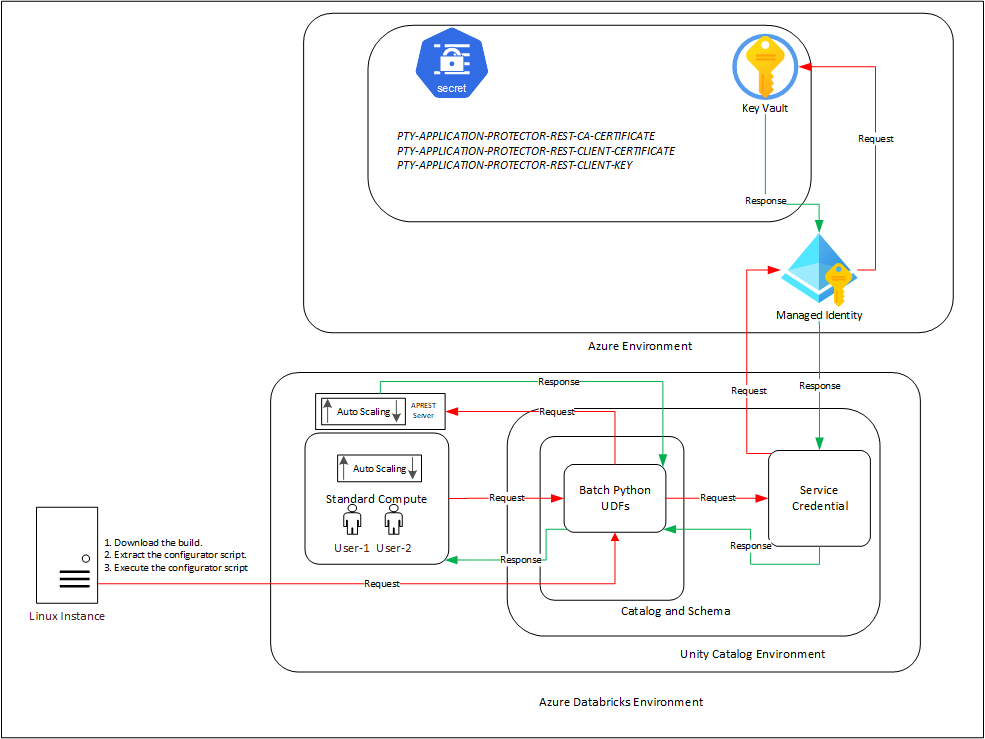
An outline of the steps in the workflow is explained below.
- Download the Azure Databricks build from the customer portal and extract the configurator script.
- Execute the configurator script to retrieve the IP address of the Application Protector REST server.
- Use the IP address to generate the CA, client, and server certificates.
- Store the content of the CA and the client certificates in the Azure Key Vault.
- Create a Databricks Unity Catalog Service Credentials to access the Secrets from the Azure Key Vault.
- Execute the configurator script to create the Unity Catalog Batch Python UDFs.
- Edit the cluster configuration to include the environment variables and attach the initialization script.
10.3.1.2 - For the Cloud Protector Approach
The architecture for installing the Azure Databricks protector using the Cloud Protector approach is depicted in the image below.
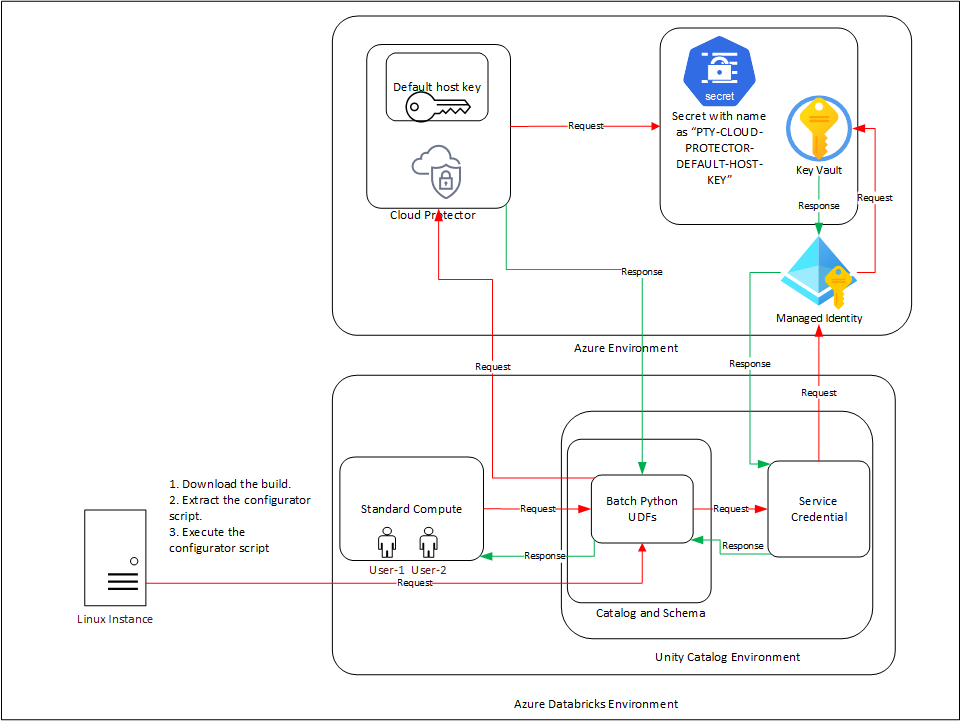
An outline of the steps in the workflow is explained below.
- Install and configure the Cloud Protector.
- Store the Cloud Protector’s default host key into an Azure Key Vault Secret with name as
PTY-CLOUD-PROTECTOR-DEFAULT-HOST-KEY. - Create an Azure Managed Identity and connect it with the Azure Key Vault Secret.
- Create an Azure Databricks Unity Catalog Service Credential and connect it with the Azure Managed Identity.
- Create either of a Dedicated Compute, Standard Compute, and SQL Warehouse.
- Download and extract the installation package on a Linux instance having connectivity to PPC.
- Execute the configurator script to create the Batch Python UDFs at the Unity Catalog level.
- Attach an Azure Databricks Notebook to the compute.
- Execute the Unity Catalog Batch Python UDFs to protect data.
10.3.2 - System Requirements
10.3.2.1 - For the Application Protector REST Approach
Ensure that the following prerequisites are available before installing the Big Data Protector:
Python3 along with the requests module is installed on the machine to execute the configurator script.
A compatible version of the ESA/PPC is installed, configured, and running.
Access to the Databricks workspace is available.
A Databricks cluster, of any one of the following types, is created and is in the running state:
- Dedicated Compute
- Standard Compute
Create the Databricks Service Principal.
The Databricks Service Principal must have the Can attach to permission on the cluster.
Create the following certificates for mutual TLS authorization:
- CA Certificate
- Server Certificate
- Non-encrypted Server Key
- Client Certificate
- Non-encrypted Client Key
Note: Generate these certificates ONLY after retrieving the IP address of the Application Protector REST server.
Create an Azure Managed Identity and connect it with the Azure Key Vault Secret.
Permission to create an Azure Key Vault and store secrets is available.
Create an Azure Databricks Unity Catalog Service Credential using the Azure Managed Identity.
Note: For more information about creating the credential, refer to Create a service credential using a managed identity.
The Azure Managed Identity is granted the Key Vault Secrets User permission.
The Databricks Service Principal must have the access permissions on the Databricks Unity Catalog Service Credential.
A Databricks Unity Catalog Volume is available with a Catalog and a Schema and the following permissions:
- The Databricks Service Principal must have the Read volume and Write volume permission on the Databricks Unity Catalog Volume.
- The Databricks Service Principal must have the Use catalog permission at the Catalog level.
- The Databricks Service Principal must have the Use schema permission at the Schema level.
- The Databricks Service Principal must have the Create function permission at the Schema level.
- The Databricks Service Principal must have the manage permission at the Schema level.
10.3.2.2 - For the Cloud Protector Approach
The prerequisites required to install and run the Big Data Protector on a Databricks Compute are listed below.
Python3 along with the requests module is installed on the machine to execute the configurator script.
A compatible version of the ESA/PPC is installed, configured, and running.
Access to the Databricks workspace is available.
A Databricks cluster, of any one of the following types, is created and is in the running state:
- Dedicated Compute
- Standard Compute
- SQL Warehouse
Create the Databricks Service Principal.
The Databricks Service Principal must have the Can attach to permission on the cluster.
Install and configure the Cloud API on Azure.
Note: For more information about installing and configuring the Cloud API on Azure, refer to Cloud API.
To modify the core parameters for RPSync, refer to Policy Agent Installation.
Install and configure a compatible version of the ESA.
Note: For more information about compatible ESA versions, refer to Cloud API.
Create an Azure Databricks Unity Catalog Service Credential.
Note: For more information about creating the credential, refer to Create service credentials.
Assigned the ACCESS privilege to the principals that will be using the Azure Databricks Unity Catalog Service Credential.
Create a service principal and OAuth secret to deploy the UDFs.
Note: For more information, refer to Authorize service principal access to Azure Databricks with OAuth.
Optional: Configure private connectivity to the Protegrity Cloud API.
Note: For more information, refer to Configure private connectivity to resources in your VNet.
A Databricks Unity Catalog Volume is available with a Catalog and a Schema and the following permissions:
- The Databricks Service Principal must have the ATTACH or MANAGE permission on the compute.
- The Databricks Service Principal must have the Read volume and Write volume permission on the Databricks Unity Catalog Volume.
- The Databricks Service Principal must have the Use catalog permission at the Catalog level.
- The Databricks Service Principal must have the Use schema permission at the Schema level.
- The Databricks Service Principal must have the Create function permission at the Schema level.
- The Databricks Service Principal must have the manage permission at the Schema level.
To use a SQL Warehouse with the Cloud Protector approach, create a SQL Warehouse. For more information, refer to Create a SQL warehouse.
10.3.3 - Preparing the Environment
10.3.3.1 - Extracting the Installation Package
Extract the contents of the installation package to access the configurator script. This script generates the required files to install the Big Data Protector.
To extract the files from the installation package:
Log in to the Linux machine that has connectivity to ESA/PPC.
Download the Big Data Protector package
BigDataProtector_Linux-ALL-64_x86-64_Azure.Databricks-<DBR_version>-64_<BDP_version>.tgzto any local directory.To extract the files from the installation packaage, run the following command:
tar -xvf BigDataProtector_Linux-ALL-64_x86-64_Azure.Databricks-<DBR_version>-64_<BDP_version>.tgzPress ENTER.
The command extracts the installation package and the GPG signature files.BigDataProtector_Linux-ALL-64_x86-64_Azure.Databricks-<DBR_version>-64_<BDP_version>.tgz signatures/ signatures/BigDataProtector_Linux-ALL-64_x86-64_Azure.Databricks-<DBR_version>-64_<BDP_version>.tgz_10.0.sigVerify the authenticity of the build using the signatures folder. For more information, refer to Verification of Signed Protector Build.
To extract the configurator script, run the following command:
tar -xvf BigDataProtector_Linux-ALL-64_x86-64_Azure.Databricks-<DBR_version>-64_<BDP_version>.tgzPress ENTER.
The command extracts the configurator script.BigDataProtector-Configurator_Linux-ALL-64_x86-64_Azure.Databricks-<DBR_version>-64_<BDP_version>.sh
10.3.3.2 - Working with the Configurator Script
Viewing the Help Options
The configurator script performs the following tasks:
- Generate the IP address for the Application Protector REST server.
- Create the UDFs.
- Delete the UDFs.
The configurator script provides the --help option to understand the options and the arguments to be provided.
To understand the options and the arguments for the configurator script:
- Log in to the node where the installation files are extracted.
- To view the options and the arguments, run the following command:
./BigDataProtector-Configurator_Linux-ALL-64_x86-64_Azure.Databricks-<DBR_version>-64_<BDP_version>.sh --help - Press ENTER.
The command displays all the options and the arguments required to execute the configurator script.This script utilizes one of the following approaches: ----------------------------------- | ID | Approach | ----------------------------------- | 1 | Application Protector REST | | 2 | Cloud Protector | ----------------------------------- ########################################################################################### If you want to use Application Protector REST approach, following operations are supported: ---------------------------------------------------------- | ID | Operation | ---------------------------------------------------------- | 1 | Get Application Protector REST's Server IP | | 2 | Create Databricks Unity Catalog Batch Python UDFs | | 3 | Delete Databricks Unity Catalog Batch Python UDFs | ---------------------------------------------------------- To Get Application Protector REST's Server IP, following inputs are required: Using interactive prompts: 1. The ID of the operation as "1" 2. The URL of the Databricks Workspace 3. The Application ID of the Databricks Service Principal 4. The OAuth Secret of the Databricks Service Principal 5. The ID of the Databricks Compute Using command-line arguments: --operation_id "1" --databricks_workspace_url "databricks_workspace_url" --databricks_service_principal_application_id "databricks_service_principal_application_id" --databricks_service_principal_oauth_secret "databricks_service_principal_oauth_secret" --databricks_compute_id "databricks_compute_id" Using .cfg file (pass the path of the .cfg file to this script as a command-line argument): operation_id = "1" databricks_workspace_url = "databricks_workspace_url" databricks_service_principal_application_id = "databricks_service_principal_application_id" databricks_service_principal_oauth_secret = "databricks_service_principal_oauth_secret" databricks_compute_id = "databricks_compute_id" To Create Databricks Unity Catalog Batch Python UDFs, following inputs are required: Using interactive prompts: 1. The ID of the operation as "2" 2. The URL of the Databricks Workspace 3. The Application ID of the Databricks Service Principal 4. The OAuth Secret of the Databricks Service Principal 5. The ID of the Databricks Compute 6. The name of the Databricks Unity Catalog Catalog-Schema 7. The ID of the approach as "1" 8. The path of the CA Certificate 9. The path of the Server Certificate 10. The path of the Server Key 11. The name of the Azure Key Vault 12. The name of the Databricks Unity Catalog Service Credential 13. The path of the Databricks Unity Catalog Volume Using command-line arguments: --operation_id "2" --databricks_workspace_url "databricks_workspace_url" --databricks_service_principal_application_id "databricks_service_principal_application_id" --databricks_service_principal_oauth_secret "databricks_service_principal_oauth_secret" --databricks_compute_id "databricks_compute_id" --databricks_unity_catalog_catalog_schema_name "databricks_unity_catalog_catalog_schema_name" --approach_id "1" --ca_certificate_path "ca_certificate_path" --server_certificate_path "server_certificate_path" --server_key_path "server_key_path" --azure_key_vault_name "azure_key_vault_name" --databricks_unity_catalog_service_credential_name "databricks_unity_catalog_service_credential_name" --databricks_unity_catalog_volume_path "databricks_unity_catalog_volume_path" Using .cfg file (pass the path of the .cfg file to this script as a command-line argument): operation_id = "2" databricks_workspace_url = "databricks_workspace_url" databricks_service_principal_application_id = "databricks_service_principal_application_id" databricks_service_principal_oauth_secret = "databricks_service_principal_oauth_secret" databricks_compute_id = "databricks_compute_id" databricks_unity_catalog_catalog_schema_name = "databricks_unity_catalog_catalog_schema_name" approach_id = "1" ca_certificate_path = "ca_certificate_path" server_certificate_path = "server_certificate_path" server_key_path = "server_key_path" azure_key_vault_name = "azure_key_vault_name" databricks_unity_catalog_service_credential_name = "databricks_unity_catalog_service_credential_name" databricks_unity_catalog_volume_path = "databricks_unity_catalog_volume_path" To Delete Databricks Unity Catalog Batch Python UDFs, following inputs are required: Using interactive prompts: 1. The ID of the operation as "3" 2. The URL of the Databricks Workspace 3. The Application ID of the Databricks Service Principal 4. The OAuth Secret of the Databricks Service Principal 5. The ID of the Databricks Compute 6. The name of the Databricks Unity Catalog Catalog-Schema 7. The ID of the approach as "1" 8. The path of the Databricks Unity Catalog Volume Using command-line arguments: --operation_id "3" --databricks_workspace_url "databricks_workspace_url" --databricks_service_principal_application_id "databricks_service_principal_application_id" --databricks_service_principal_oauth_secret "databricks_service_principal_oauth_secret" --databricks_compute_id "databricks_compute_id" --databricks_unity_catalog_catalog_schema_name "databricks_unity_catalog_catalog_schema_name" --approach_id "1" --databricks_unity_catalog_volume_path "databricks_unity_catalog_volume_path" Using .cfg file (pass the path of the .cfg file to this script as a command-line argument): operation_id = "3" databricks_workspace_url = "databricks_workspace_url" databricks_service_principal_application_id = "databricks_service_principal_application_id" databricks_service_principal_oauth_secret = "databricks_service_principal_oauth_secret" databricks_compute_id = "databricks_compute_id" databricks_unity_catalog_catalog_schema_name = "databricks_unity_catalog_catalog_schema_name" approach_id = "1" databricks_unity_catalog_volume_path = "databricks_unity_catalog_volume_path" ################################################################################ If you want to use Cloud Protector approach, following operations are supported: ---------------------------------------------------------- | ID | Operation | ---------------------------------------------------------- | 1 | Create Databricks Unity Catalog Batch Python UDFs | | 2 | Delete Databricks Unity Catalog Batch Python UDFs | ---------------------------------------------------------- To Create Databricks Unity Catalog Batch Python UDFs, following inputs are required: Using interactive prompts: 1. The ID of the operation as "2" 2. The URL of the Databricks Workspace 3. The Application ID of the Databricks Service Principal 4. The OAuth Secret of the Databricks Service Principal 5. The ID of the Databricks Compute 6. The name of the Databricks Unity Catalog Catalog-Schema 7. The ID of the approach as "2" 8. The URL of the Azure Function App's Protect Function 9. The URL of the Azure Function App's Unprotect Function 10. The name of the Azure Key Vault 11. The name of the Databricks Unity Catalog Service Credential 12. The path of the Databricks Unity Catalog Volume Using command-line arguments: --operation_id "2" --databricks_workspace_url "databricks_workspace_url" --databricks_service_principal_application_id "databricks_service_principal_application_id" --databricks_service_principal_oauth_secret "databricks_service_principal_oauth_secret" --databricks_compute_id "databricks_compute_id" --databricks_unity_catalog_catalog_schema_name "databricks_unity_catalog_catalog_schema_name" --approach_id "2" --azure_function_app_protect_function_url "azure_function_app_protect_function_url" --azure_function_app_unprotect_function_url "azure_function_app_unprotect_function_url" --azure_key_vault_name "azure_key_vault_name" --databricks_unity_catalog_service_credential_name "databricks_unity_catalog_service_credential_name" --databricks_unity_catalog_volume_path "databricks_unity_catalog_volume_path" Using .cfg file (pass the path of the .cfg file to this script as a command-line argument): operation_id = "2" databricks_workspace_url = "databricks_workspace_url" databricks_service_principal_application_id = "databricks_service_principal_application_id" databricks_service_principal_oauth_secret = "databricks_service_principal_oauth_secret" databricks_compute_id = "databricks_compute_id" databricks_unity_catalog_catalog_schema_name = "databricks_unity_catalog_catalog_schema_name" approach_id = "2" azure_function_app_protect_function_url = "azure_function_app_protect_function_url" azure_function_app_unprotect_function_url = "azure_function_app_unprotect_function_url" azure_key_vault_name = "azure_key_vault_name" databricks_unity_catalog_service_credential_name = "databricks_unity_catalog_service_credential_name" databricks_unity_catalog_volume_path = "databricks_unity_catalog_volume_path" To Delete Databricks Unity Catalog Batch Python UDFs, following inputs are required: Using interactive prompts: 1. The ID of the operation as "3" 2. The URL of the Databricks Workspace 3. The Application ID of the Databricks Service Principal 4. The OAuth Secret of the Databricks Service Principal 5. The ID of the Databricks Compute 6. The name of the Databricks Unity Catalog Catalog-Schema 7. The ID of the approach as "2" 8. The path of the Databricks Unity Catalog Volume Using command-line arguments: --operation_id "3" --databricks_workspace_url "databricks_workspace_url" --databricks_service_principal_application_id "databricks_service_principal_application_id" --databricks_service_principal_oauth_secret "databricks_service_principal_oauth_secret" --databricks_compute_id "databricks_compute_id" --databricks_unity_catalog_catalog_schema_name "databricks_unity_catalog_catalog_schema_name" --approach_id "2" --databricks_unity_catalog_volume_path "databricks_unity_catalog_volume_path" Using .cfg file (pass the path of the .cfg file to this script as a command-line argument): operation_id = "3" databricks_workspace_url = "databricks_workspace_url" databricks_service_principal_application_id = "databricks_service_principal_application_id" databricks_service_principal_oauth_secret = "databricks_service_principal_oauth_secret" databricks_compute_id = "databricks_compute_id" databricks_unity_catalog_catalog_schema_name = "databricks_unity_catalog_catalog_schema_name" approach_id = "2" databricks_unity_catalog_volume_path = "databricks_unity_catalog_volume_path"
10.3.3.3 - Retrieving the IP Address
The IP address for the Application Protector REST approach is required to generate the certificates. The certificates must be created using the retrieved IP address. These certificates will be used to establish a mutual trust between the Unity Catalog Batch Python UDFs and the Application Protector REST Server.
Note: The instructions mentioned in the section apply only to the Application Protector REST approach.
- Log in to the node where the installation files are extracted.
- To execute the configurator script, run the following command:
./BigDataProtector-Configurator_Linux-ALL-64_x86-64_Azure.Databricks-<DBR_version>-64_<BDP_version>.sh - Press ENTER.
The prompt to enter the operation ID appears.Creating installation files... Created installation files. The ID of the operation needs to be one of the following: ---------------------------------------------------------- | ID | Operation | ---------------------------------------------------------- | 1 | Get Application Protector REST's Server IP | | 2 | Create Databricks Unity Catalog Batch Python UDFs | | 3 | Delete Databricks Unity Catalog Batch Python UDFs | ---------------------------------------------------------- Enter the ID of the operation: - To retrieve the IP address of the Application Protector REST server, type
1. - Press ENTER.
The prompt to enter the Databricks Workspace URL appears.Enter the URL of the Databricks Workspace: - Enter the Databricks Workspace URL.
- Press ENTER.
The prompt to enter the application ID of the Databricks Service Principal appears.Enter the Application ID of the Databricks Service Principal: - Enter the Application ID of the Databricks Service Principal.
- Press ENTER.
The prompt to enter the OAuth secret for the Service Principal appears.Enter the OAuth Secret of the Databricks Service Principal: - Enter the OAuth secret.
- Press ENTER.
The prompt to enter the cluster ID appears.Enter the ID of the Databricks Compute: - Enter the Cluster ID.
Note: The Cluster ID can be either for Standard Compute or Dedicated Compute. For more information about identifying the Cluster ID, refer to Get identifiers for workspace objects.
- Press ENTER.
The script retrieves the IP address of the Application Protector REST server.Executing specified operation... APREST Protector's Server IP: x.x.x.x Executed specified operation.
10.3.3.4 - Uploading the Secrets to the Azure Key Vault
The CA and the Client certificates are important entities in the mutual trust process. These certificates determine the authentication and authorization for the Application Protector REST server. As a result, it is critical to store these certificates in a secured location. Therefore, upload the certificates to the Azure Key Vault in Azure where they will be stored as secrets.
Note: The instructions mentioned in the section apply only to the Application Protector REST approach.
Before you begin:
- Create a key vault to upload the secrets.
- Assign the required access permissions to the key vault.
To upload the secrets:
Log in to the machine where the certificates are created.
Launch the python console.
To view the contents of the
CA.pemfile and store it as PTY-APPLICATION-PROTECTOR-REST-CA-CERTIFICATE, run the following command:with open("ca/CA.pem") as file: file.read()Press ENTER.
The command displays the contents of theCA.pemfile.To view the contents of the
client.pemfile and store it as PTY-APPLICATION-PROTECTOR-REST-CLIENT-CERTIFICATE, run the following command:with open("client/client.pem") as file: file.read()Press ENTER.
The command displays the contents of theclient.pemfile.To view the contents of the
client.keyfile and store it as PTY-APPLICATION-PROTECTOR-REST-CLIENT-KEY, run the following command:with open("client/client.key") as file: file.read()Press ENTER.
The command displays the contents of theclient.keyfile.Log in to the Azure portal.
Navigate to the required key vault.
From the left-pane, expand Objects and click Secrets.
The Secrets page appears.Click Generate/Import.
The Create a secret page appears.Enter the details, as listed in the table, in a new row.
Key
Value
PTY-APPLICATION-PROTECTOR-REST-CA-CERTIFICATE
- In the Name box, enter PTY-APPLICATION-PROTECTOR-REST-CA-CERTIFICATE.
- In the Secret Value box, enter the contents of the CA.pem file.
- Click Create.
PTY-APPLICATION-PROTECTOR-REST-CLIENT-CERTIFICATE
- In the Name box, enter PTY-APPLICATION-PROTECTOR-REST-CLIENT-CERTIFICATE.
- In the Secret Value box, enter the contents of the client.pem file.
- Click Create.
PTY-APPLICATION-PROTECTOR-REST-CLIENT-KEY
- In the Name box, enter PTY-APPLICATION-PROTECTOR-REST-CLIENT-KEY.
- In the Secret Value box, enter the contents of the client.key file.
- Click Create.
The parameters are displayed on the Secrets page of the key vault.
10.3.4 - Installing the Protector
The process of installing the Big Data Protector involves the process of creating the user-defined functions.
The following combinations will work for a successful execution of the configurator script:
- Databricks Dedicated Compute + Application Protector REST approach
- Databricks Dedicated Compute + Cloud Protector approach
- Databricks Standard Compute + Application Protector REST approach
- Databricks Standard Compute + Cloud Protector approach
- Databricks SQL Warehouse + Cloud Protector approach
The Databricks SQL Warehouse + Application Protector REST approach combination will not work. This is because Protegrity executes a few Python commands on the Databricks Compute to retrieve a listening IP for the Application Protector REST’s Server. When the Databricks Compute is a SQL Warehouse, the Python commands fail to execute. This occurs because the SQL Warehouse supports only SQL commands.
Creating the UDFs for the Application Protector REST Approach
The configurator script creates the UDFs. These Unity Catalog Batch Python UDFs are designed to perform data protection and unprotection operations. Select the required approach and the operation ID to create the UDFs using the Application Protector REST server. This section explains the process to create the UDFs using the interactive method of installation.
To create the UDFs:
Log in to the node having connectivity to ESA/PPC.
Navigate to the directory where the installation files are extracted.
To execute the configurator script, run the following command:
./BigDataProtector-Configurator_Linux-ALL-64_x86-64_Azure.Databricks-<DBR_version>-64_<BDP_version>.shPress ENTER.
The prompt to enter the operation ID appears.Creating installation files... Created installation files. The ID of the operation needs to be one of the following: ---------------------------------------------------------- | ID | Operation | ---------------------------------------------------------- | 1 | Get Application Protector REST's Server IP | | 2 | Create Databricks Unity Catalog Batch Python UDFs | | 3 | Delete Databricks Unity Catalog Batch Python UDFs | ---------------------------------------------------------- Enter the ID of the operation:To create the UDFs, type
2.Press ENTER.
The prompt to enter the Databricks Workspace URL appears.Enter the URL of the Databricks Workspace:Enter the Databricks Workspace URL.
Press ENTER.
The prompt to enter the application ID of the Databricks Service Principal appears.Enter the Application ID of the Databricks Service Principal:Enter the Application ID of the Databricks Service Principal.
Press ENTER.
The prompt to enter the OAuth secret for the Service Principal appears.Enter the OAuth Secret of the Databricks Service Principal:Enter the OAuth secret.
Press ENTER.
The prompt to enter the cluster ID appears.Enter the ID of the Databricks Compute:Note: The Cluster ID can be either for Standard Compute or Dedicated Compute. For more information about identifying the Cluster ID, refer to Get identifiers for workspace objects.
Enter the Cluster ID.
Press ENTER.
The prompt to enter the name of the schema appears.Enter the name of the Databricks Unity Catalog Catalog-Schema:Enter the name of the catalog and the schema in the
<catalog_name.schema_name>format.Press ENTER.
The prompt to select the approach appears.The ID of the approach needs to be one of the following: ----------------------------------- | ID | Approach | ----------------------------------- | 1 | Application Protector REST | | 2 | Cloud Protector | ----------------------------------- Enter the ID of the approach:To create the UDFs using the Application Protector REST approach, type
1.Press ENTER.
The prompt to enter the path of the CA Certificate appears.Enter the path of the CA Certificate:Enter the path of the CA Certificate.
Press ENTER.
The prompt to enter the path of the Server Certificate appears.Enter the path of the Server Certificate:Enter the path of the Server Certificate.
Press ENTER.
The prompt to enter the path of the Server key appears.Enter the path of the Server Key:Enter the path of the Server Key.
Press ENTER.
The prompt to enter the name of the key vault appears.Enter the name of the Azure Key Vault:Enter the name of the Azure Key Vault.
Press ENTER.
The prompt to enter the name of the Service Credential appears.Enter the name of the Databricks Unity Catalog Service Credential:Enter the name of the Databricks Unity Catalog Service Credential.
Press ENTER.
The prompt to enter the path of the Unity Catalog Volume appears.Enter the path of the Databricks Unity Catalog Volume:Enter the path of the Databricks Unity Catalog Volume.
Press ENTER.
The script creates the UDFs at the specified location.Executing specified operation... Creating /Volumes/<catalog_name>/<schema_name>/<volume_name>/azure_identity-1.25.3-py3-none-any.whl file... Created /Volumes/<catalog_name>/<schema_name>/<volume_name>/azure_identity-1.25.3-py3-none-any.whl file. Creating /Volumes/<catalog_name>/<schema_name>/<volume_name>/azure_keyvault_secrets-4.11.0-py3-none-any.whl file... Created /Volumes/<catalog_name>/<schema_name>/<volume_name>/azure_keyvault_secrets-4.11.0-py3-none-any.whl file. Creating <catalog_name>.<schema_name>.pty_decrypt_string Databricks Unity Catalog Batch Python UDF... Created <catalog_name>.<schema_name>.pty_decrypt_string Databricks Unity Catalog Batch Python UDF. Creating <catalog_name>.<schema_name>.pty_encrypt_string Databricks Unity Catalog Batch Python UDF... Created <catalog_name>.<schema_name>.pty_encrypt_string Databricks Unity Catalog Batch Python UDF. Creating <catalog_name>.<schema_name>.pty_get_version Databricks Unity Catalog Batch Python UDF... Created <catalog_name>.<schema_name>.pty_get_version Databricks Unity Catalog Batch Python UDF. Creating <catalog_name>.<schema_name>.pty_get_version_extended Databricks Unity Catalog Batch Python UDF... Created <catalog_name>.<schema_name>.pty_get_version_extended Databricks Unity Catalog Batch Python UDF. Creating <catalog_name>.<schema_name>.pty_protect_binary Databricks Unity Catalog Batch Python UDF... Created <catalog_name>.<schema_name>.pty_protect_binary Databricks Unity Catalog Batch Python UDF. Creating <catalog_name>.<schema_name>.pty_protect_date Databricks Unity Catalog Batch Python UDF... Created <catalog_name>.<schema_name>.pty_protect_date Databricks Unity Catalog Batch Python UDF. Creating <catalog_name>.<schema_name>.pty_protect_int Databricks Unity Catalog Batch Python UDF... Created <catalog_name>.<schema_name>.pty_protect_int Databricks Unity Catalog Batch Python UDF. Creating <catalog_name>.<schema_name>.pty_protect_smallint Databricks Unity Catalog Batch Python UDF... Created <catalog_name>.<schema_name>.pty_protect_smallint Databricks Unity Catalog Batch Python UDF. Creating <catalog_name>.<schema_name>.pty_protect_string Databricks Unity Catalog Batch Python UDF... Created <catalog_name>.<schema_name>.pty_protect_string Databricks Unity Catalog Batch Python UDF. Creating <catalog_name>.<schema_name>.pty_protect_string_fpe Databricks Unity Catalog Batch Python UDF... Created <catalog_name>.<schema_name>.pty_protect_string_fpe Databricks Unity Catalog Batch Python UDF. Creating <catalog_name>.<schema_name>.pty_unprotect_binary Databricks Unity Catalog Batch Python UDF... Created <catalog_name>.<schema_name>.pty_unprotect_binary Databricks Unity Catalog Batch Python UDF. Creating <catalog_name>.<schema_name>.pty_unprotect_date Databricks Unity Catalog Batch Python UDF... Created <catalog_name>.<schema_name>.pty_unprotect_date Databricks Unity Catalog Batch Python UDF. Creating <catalog_name>.<schema_name>.pty_unprotect_int Databricks Unity Catalog Batch Python UDF... Created <catalog_name>.<schema_name>.pty_unprotect_int Databricks Unity Catalog Batch Python UDF. Creating <catalog_name>.<schema_name>.pty_unprotect_smallint Databricks Unity Catalog Batch Python UDF... Created <catalog_name>.<schema_name>.pty_unprotect_smallint Databricks Unity Catalog Batch Python UDF. Creating <catalog_name>.<schema_name>.pty_unprotect_string Databricks Unity Catalog Batch Python UDF... Created <catalog_name>.<schema_name>.pty_unprotect_string Databricks Unity Catalog Batch Python UDF. Creating <catalog_name>.<schema_name>.pty_unprotect_string_fpe Databricks Unity Catalog Batch Python UDF... Created <catalog_name>.<schema_name>.pty_unprotect_string_fpe Databricks Unity Catalog Batch Python UDF. Creating <catalog_name>.<schema_name>.pty_who_am_i Databricks Unity Catalog Batch Python UDF... Created <catalog_name>.<schema_name>.pty_who_am_i Databricks Unity Catalog Batch Python UDF. Creating /Volumes/<catalog_name>/<schema_name>/<volume_name>/BigDataProtector_Linux-ALL-64_x86-64_Azure.Databricks-<DBR_version>-64_<BDP_version>.tgz file... Created /Volumes/<catalog_name>/<schema_name>/<volume_name>/BigDataProtector_Linux-ALL-64_x86-64_Azure.Databricks-<DBR_version>-64_<BDP_version>.tgz file. Creating /Volumes/<catalog_name>/<schema_name>/<volume_name>/BigDataProtector-Init-Script_Linux-ALL-64_x86-64_Azure.Databricks-<DBR_version>-64_<BDP_version>.sh file... Created /Volumes/<catalog_name>/<schema_name>/<volume_name>/BigDataProtector-Init-Script_Linux-ALL-64_x86-64_Azure.Databricks-<DBR_version>-64_<BDP_version>.sh file. 1. Create the following environment variables in the Spark section of the Advanced properties of the Databricks Compute: PTY_ESA_IP=PTY_ESA_IP PTY_ESA_PORT=PTY_ESA_PORT Either PTY_ESA_TOKEN=PTY_ESA_TOKEN or PTY_ESA_ADMINISTRATOR_USERNAME=PTY_ESA_ADMINISTRATOR_USERNAME and PTY_ESA_ADMINISTRATOR_PASSWORD=PTY_ESA_ADMINISTRATOR_PASSWORD PTY_AUDIT_STORE_IP_PORT=PTY_AUDIT_STORE_IP_PORT PTY_PROTECTOR_CONFIGURATION=PTY_PROTECTOR_CONFIGURATION PTY_ESA_CA_CERTIFICATE=PTY_ESA_CA_CERTIFICATE PTY_ESA_FQDN=PTY_ESA_FQDN 2. Attach "/Volumes/<catalog_name>/<schema_name>/<volume_name>/BigDataProtector-Init-Script_Linux-ALL-64_x86-64_Azure.Databricks-<DBR_version>-64_<BDP_version>.sh" as an Init Script to the Databricks Compute. 3. Restart the Databricks Compute. Executed specified operation.
Creating the UDFs for the Cloud Protector Approach
The configurator script creates the UDFs. These Unity Catalog Batch Python UDFs can perform data protection and unprotection operations. Select the required approach and the operation ID to create the UDFs using the Cloud Protector. This section explains the process to create the UDFs using the interactive method of installation.
To create the UDFs:
Log in to the node having connectivity to ESA/PPC.
Navigate to the directory where the installation files are extracted.
To execute the configurator script, run the following command:
./BigDataProtector-Configurator_Linux-ALL-64_x86-64_Azure.Databricks-<DBR_version>-64_<BDP_version>.shPress ENTER.
The prompt to enter the operation ID appears.Creating installation files... Created installation files. The ID of the operation needs to be one of the following: ---------------------------------------------------------- | ID | Operation | ---------------------------------------------------------- | 1 | Get Application Protector REST's Server IP | | 2 | Create Databricks Unity Catalog Batch Python UDFs | | 3 | Delete Databricks Unity Catalog Batch Python UDFs | ---------------------------------------------------------- Enter the ID of the operation:To create the UDFs, type
2.Press ENTER.
The prompt to enter the Databricks Workspace URL appears.Enter the URL of the Databricks Workspace:Enter the Databricks Workspace URL.
Press ENTER.
The prompt to enter the application ID of the Databricks Service Principal appears.Enter the Application ID of the Databricks Service Principal:Enter the Application ID of the Databricks Service Principal.
Press ENTER.
The prompt to enter the OAuth secret for the Service Principal appears.Enter the OAuth Secret of the Databricks Service Principal:Enter the OAuth secret.
Press ENTER.
The prompt to enter the cluster ID appears.Enter the ID of the Databricks Compute:Note: The Cluster ID can be either for SQL Warehouse, Standard Compute or Dedicated Compute. For more information about identifying the Cluster ID, refer to Get identifiers for workspace objects.
Enter the Cluster ID.
Press ENTER.
The prompt to enter the name of the schema appears.Enter the name of the Databricks Unity Catalog Catalog-Schema:Enter the name of the catalog and the schema in the
<catalog_name.schema_name>format.Press ENTER.
The prompt to select the approach appears.The ID of the approach needs to be one of the following: ----------------------------------- | ID | Approach | ----------------------------------- | 1 | Application Protector REST | | 2 | Cloud Protector | ----------------------------------- Enter the ID of the approach:To create the UDFs using the Cloud Protector approach, type
2.Press ENTER.
The prompt to enter the protection endpoint appears.Enter the URL of the Azure Function App's Protect Function:Enter the protection endpoint.
Press ENTER.
The prompt to enter the unprotection endpoint appears.Enter the URL of the Azure Function App's Unprotect Function:Enter the unprotection endpoint.
Press ENTER.
The prompt to enter the name of the key vault appears.Enter the name of the Azure Key Vault:Enter the name of the Azure Key Vault.
Press ENTER.
The prompt to enter the name of the Service Credential appears.Enter the name of the Databricks Unity Catalog Service Credential:Enter the name of the Databricks Unity Catalog Service Credential.
Press ENTER.
The prompt to enter the path of the Unity Catalog volume appears.Enter the path of the Databricks Unity Catalog Volume:Enter the location of the Unity Catalog volume.
Press ENTER.
The script creates the UDFs at the specified location.Executing specified operation... Creating /Volumes/<catalog_name>/<schema_name>/<volume_name>/azure_identity-1.25.3-py3-none-any.whl file... Created /Volumes/<catalog_name>/<schema_name>/<volume_name>/azure_identity-1.25.3-py3-none-any.whl file. Creating /Volumes/<catalog_name>/<schema_name>/<volume_name>/azure_keyvault_secrets-4.11.0-py3-none-any.whl file... Created /Volumes/<catalog_name>/<schema_name>/<volume_name>/azure_keyvault_secrets-4.11.0-py3-none-any.whl file. Creating <catalog_name>.<schema_name>.pty_decrypt_string Databricks Unity Catalog Batch Python UDF... Created <catalog_name>.<schema_name>.pty_decrypt_string Databricks Unity Catalog Batch Python UDF. Creating <catalog_name>.<schema_name>.pty_encrypt_string Databricks Unity Catalog Batch Python UDF... Created <catalog_name>.<schema_name>.pty_encrypt_string Databricks Unity Catalog Batch Python UDF. Creating <catalog_name>.<schema_name>.pty_get_version Databricks Unity Catalog Batch Python UDF... Created <catalog_name>.<schema_name>.pty_get_version Databricks Unity Catalog Batch Python UDF. Creating <catalog_name>.<schema_name>.pty_get_version_extended Databricks Unity Catalog Batch Python UDF... Created <catalog_name>.<schema_name>.pty_get_version_extended Databricks Unity Catalog Batch Python UDF. Creating <catalog_name>.<schema_name>.pty_protect_binary Databricks Unity Catalog Batch Python UDF... Created <catalog_name>.<schema_name>.pty_protect_binary Databricks Unity Catalog Batch Python UDF. Creating <catalog_name>.<schema_name>.pty_protect_date Databricks Unity Catalog Batch Python UDF... Created <catalog_name>.<schema_name>.pty_protect_date Databricks Unity Catalog Batch Python UDF. Creating <catalog_name>.<schema_name>.pty_protect_int Databricks Unity Catalog Batch Python UDF... Created <catalog_name>.<schema_name>.pty_protect_int Databricks Unity Catalog Batch Python UDF. Creating <catalog_name>.<schema_name>.pty_protect_smallint Databricks Unity Catalog Batch Python UDF... Created <catalog_name>.<schema_name>.pty_protect_smallint Databricks Unity Catalog Batch Python UDF. Creating <catalog_name>.<schema_name>.pty_protect_string Databricks Unity Catalog Batch Python UDF... Created <catalog_name>.<schema_name>.pty_protect_string Databricks Unity Catalog Batch Python UDF. Creating <catalog_name>.<schema_name>.pty_unprotect_binary Databricks Unity Catalog Batch Python UDF... Created <catalog_name>.<schema_name>.pty_unprotect_binary Databricks Unity Catalog Batch Python UDF. Creating <catalog_name>.<schema_name>.pty_unprotect_date Databricks Unity Catalog Batch Python UDF... Created <catalog_name>.<schema_name>.pty_unprotect_date Databricks Unity Catalog Batch Python UDF. Creating <catalog_name>.<schema_name>.pty_unprotect_int Databricks Unity Catalog Batch Python UDF... Created <catalog_name>.<schema_name>.pty_unprotect_int Databricks Unity Catalog Batch Python UDF. Creating <catalog_name>.<schema_name>.pty_unprotect_smallint Databricks Unity Catalog Batch Python UDF... Created <catalog_name>.<schema_name>.pty_unprotect_smallint Databricks Unity Catalog Batch Python UDF. Creating <catalog_name>.<schema_name>.pty_unprotect_string Databricks Unity Catalog Batch Python UDF... Created <catalog_name>.<schema_name>.pty_unprotect_string Databricks Unity Catalog Batch Python UDF. Creating <catalog_name>.<schema_name>.pty_who_am_i Databricks Unity Catalog Batch Python UDF... Created <catalog_name>.<schema_name>.pty_who_am_i Databricks Unity Catalog Batch Python UDF. Executed specified operation.
10.3.5 - Configuring the Protector
The process of configuring the Big Data Protector involves the process of editing the cluster configuration.
After executing the configurator script and creating the UDFs, update the cluster to include the following configurations:
- Inclusion of the environment variables.
- Attach the
BigDataProtector-Init-Script_Linux-ALL-64_x86-64_Azure.Databricks-<DBR_version>-64_<BDP_version>.shscript to the Databricks compute.
Ensure that the ESA is started and in a running state before restarting the Databricks cluster after updating the configurations.
Note: The instructions mentioned in the section apply only to the Application Protector REST approach.
Before you begin
- Log in to PPC node through SSH.
- To get the CA certificate, run the following command:
kubectl -n api-gateway get secret ingress-certificate-secret -o jsonpath='{.data.ca\.crt}' | base64 -d > /tmp/ProtegrityCA.pem - Optional: To verify the certificate, run the following command:
openssl x509 -in /tmp/ProtegrityCA.pem -noout -subject -issuer - To encode the certificate as a single-line base64 value, run the following command:
base64 -w0 /tmp/ProtegrityCA.pem - Store the output of step 4 in the
PTY_ESA_CA_CERTIFICATEvariable.Note: For security reasons, Protegrity recommends storing the base64-encoded value from step 4 in a Databricks Secret and referencing it as {{secrets/<scope_name>/<key_name>}}. For more information about using Databricks Secrets, refer to Secret management.
Editing the Cluster Configuration
Log in to the Databricks portal.
Edit the required cluster.
Expand the Advanced section.
Click the Spark tab.
Under Environment variables, add the variables, with their values, listed in the table:
Variable Value PTY_ESA_IPEnter ESA or PPC IP address. PTY_ESA_PORTEnter the port number to connect to ESA or PPC. PTY_ESA_TOKENEnter the JWT token to connect to ESA or PPC. PTY_ESA_ADMINISTRATOR_USERNAMEEnter the username to connect to ESA or PPC. This is required only if a token is not used. PTY_ESA_ADMINISTRATOR_PASSWORD{{secrets/<scope_name>/<key_name>}}This is required only if a token is not used.PTY_AUDIT_STORE_IP_PORTEnter the IP address to connect to the Audit Store. The value is a comma-separated string of <audit_store_ip>:<audit_store_port>. For example, 11.22.33.44:9200, 55.66.77.88:9200PTY_PROTECTOR_CONFIGURATIONEnter the protector configuration values. The values will be a single string of comma-separated configurations.
For example:[Policy management] policyrefreshinterval = 60[Policy management] emptystring = nullPTY_ESA_CA_CERTIFICATE{{secrets/<scope_name>/<key_name>}}Set this configuration only to interact with PPC. Enter the base64-encoded PEM of the ESA signing CA. Required when the ESA presents a CA-signed certificate without its CA chain.PTY_ESA_FQDNEnter the Fully Qualified Domain Name of ESA or PPC. This is an optional parameter. Note: To store the ESA or PPC password and PPC CA certificate, it is recommended to use Databricks Secrets. For more information about using Databricks Secrets, refer to Secret management.
Click the Init scripts tab.
From the Source list, select Volumes.
In the File path box, enter the location of the initialization script.
To save the changes and restart the cluster, click Confirm and restart.
Note: If the initialization script fails with a non-zero exit code, enable cluster logging to view the error log files for troubleshooting purposes.
When the cluster is restarted, the initialization script starts the Application Protector REST service on every node in the cluster. After the Application Protector REST service is started, use the Unity Catalog Batch Python UDFs to protect and unprotect data.
Note: The process to execute the initialization script will take some time before the cluster is ready to use for performing protect and unprotect operations. For more information on using the UDFs for protect and unprotect operations, refer to Unity Catalog Batch Python UDFs.
10.3.6 - Uninstalling the Protector
The process of uninstalling the Big Data Protector involves the process of removing the user-defined functions.
Deleting the UDFs for the Application Protector REST Approach
Deleting the UDFs is an optional step and must be performed only to clean up the Databricks cluster. The configurator script is used to delete the UDFs. You must select the required approach and the operation ID to delete the UDFs using the Application Protector REST server. This section explains the process to delete the UDFs using the interactive method of installation.
To delete the UDFs:
Log in to the node having connectivity to ESA/PPC.
Navigate to the directory where the installation files are extracted.
To execute the configurator script, run the following command:
./BigDataProtector-Configurator_Linux-ALL-64_x86-64_Azure.Databricks-<DBR_version>-64_<BDP_version>.shPress ENTER.
The prompt to enter the operation ID appears.Creating installation files... Created installation files. The ID of the operation needs to be one of the following: ---------------------------------------------------------- | ID | Operation | ---------------------------------------------------------- | 1 | Get Application Protector REST's Server IP | | 2 | Create Databricks Unity Catalog Batch Python UDFs | | 3 | Delete Databricks Unity Catalog Batch Python UDFs | ---------------------------------------------------------- Enter the ID of the operation:To delete the UDFs, type
3.Press ENTER.
The prompt to enter the Databricks Workspace URL appears.Enter the URL of the Databricks Workspace:Enter the Databricks Workspace URL.
Press ENTER.
The prompt to enter the application ID of the Databricks Service Principal appears.Enter the Application ID of the Databricks Service Principal:Enter the Application ID of the Databricks Service Principal.
Press ENTER.
The prompt to enter the OAuth secret for the Service Principal appears.Enter the OAuth Secret of the Databricks Service Principal:Enter the OAuth secret.
Press ENTER.
The prompt to enter the cluster ID appears.Enter the ID of the Databricks Compute:Enter the Cluster ID.
Note: The Cluster ID can be either for Standard Compute or Dedicated Compute. For more information about identifying the Cluster ID, refer to Get identifiers for workspace objects.
Press ENTER.
The prompt to enter the name of the schema appears.Enter the name of the Databricks Unity Catalog Catalog-Schema:Enter the name of the catalog and the schema in the
<catalog_name.schema_name>format.Press ENTER.
The prompt to enter the ID of the approach appears.The ID of the approach needs to be one of the following: ----------------------------------- | ID | Approach | ----------------------------------- | 1 | Application Protector REST | | 2 | Cloud Protector | ----------------------------------- Enter the ID of the approach:To delete the UDFs using the APREST approach, type
1.Press ENTER.
The prompt to enter the path of the Databricks Unity Catalog Volume appears.Enter the path of the Databricks Unity Catalog Volume:Enter the complete location of the Databricks Unity Catalog Volume.
Press ENTER.
The script deletes the UDFs from the specified location.Executing specified operation... Deleting <catalog_name>.<schema_name>.pty_decrypt_string Databricks Unity Catalog Batch Python UDF... Deleted <catalog_name>.<schema_name>.pty_decrypt_string Databricks Unity Catalog Batch Python UDF. Deleting <catalog_name>.<schema_name>.pty_encrypt_string Databricks Unity Catalog Batch Python UDF... Deleted <catalog_name>.<schema_name>.pty_encrypt_string Databricks Unity Catalog Batch Python UDF. Deleting <catalog_name>.<schema_name>.pty_get_version Databricks Unity Catalog Batch Python UDF... Deleted <catalog_name>.<schema_name>.pty_get_version Databricks Unity Catalog Batch Python UDF. Deleting <catalog_name>.<schema_name>.pty_get_version_extended Databricks Unity Catalog Batch Python UDF... Deleted <catalog_name>.<schema_name>.pty_get_version_extended Databricks Unity Catalog Batch Python UDF. Deleting <catalog_name>.<schema_name>.pty_protect_binary Databricks Unity Catalog Batch Python UDF... Deleted <catalog_name>.<schema_name>.pty_protect_binary Databricks Unity Catalog Batch Python UDF. Deleting <catalog_name>.<schema_name>.pty_protect_date Databricks Unity Catalog Batch Python UDF... Deleted <catalog_name>.<schema_name>.pty_protect_date Databricks Unity Catalog Batch Python UDF. Deleting <catalog_name>.<schema_name>.pty_protect_int Databricks Unity Catalog Batch Python UDF... Deleted <catalog_name>.<schema_name>.pty_protect_int Databricks Unity Catalog Batch Python UDF. Deleting <catalog_name>.<schema_name>.pty_protect_smallint Databricks Unity Catalog Batch Python UDF... Deleted <catalog_name>.<schema_name>.pty_protect_smallint Databricks Unity Catalog Batch Python UDF. Deleting <catalog_name>.<schema_name>.pty_protect_string Databricks Unity Catalog Batch Python UDF... Deleted <catalog_name>.<schema_name>.pty_protect_string Databricks Unity Catalog Batch Python UDF. Deleting <catalog_name>.<schema_name>.pty_protect_string_fpe Databricks Unity Catalog Batch Python UDF... Deleted <catalog_name>.<schema_name>.pty_protect_string_fpe Databricks Unity Catalog Batch Python UDF. Deleting <catalog_name>.<schema_name>.pty_unprotect_binary Databricks Unity Catalog Batch Python UDF... Deleted <catalog_name>.<schema_name>.pty_unprotect_binary Databricks Unity Catalog Batch Python UDF. Deleting <catalog_name>.<schema_name>.pty_unprotect_date Databricks Unity Catalog Batch Python UDF... Deleted <catalog_name>.<schema_name>.pty_unprotect_date Databricks Unity Catalog Batch Python UDF. Deleting <catalog_name>.<schema_name>.pty_unprotect_int Databricks Unity Catalog Batch Python UDF... Deleted <catalog_name>.<schema_name>.pty_unprotect_int Databricks Unity Catalog Batch Python UDF. Deleting <catalog_name>.<schema_name>.pty_unprotect_smallint Databricks Unity Catalog Batch Python UDF... Deleted <catalog_name>.<schema_name>.pty_unprotect_smallint Databricks Unity Catalog Batch Python UDF. Deleting <catalog_name>.<schema_name>.pty_unprotect_string Databricks Unity Catalog Batch Python UDF... Deleted <catalog_name>.<schema_name>.pty_unprotect_string Databricks Unity Catalog Batch Python UDF. Deleting <catalog_name>.<schema_name>.pty_unprotect_string_fpe Databricks Unity Catalog Batch Python UDF... Deleted <catalog_name>.<schema_name>.pty_unprotect_string_fpe Databricks Unity Catalog Batch Python UDF. Deleting <catalog_name>.<schema_name>.pty_who_am_i Databricks Unity Catalog Batch Python UDF... Deleted <catalog_name>.<schema_name>.pty_who_am_i Databricks Unity Catalog Batch Python UDF. Deleting /Volumes/<catalog_name>/<schema_name>/<volume_name>/azure_identity-1.25.3-py3-none-any.whl file... Deleted /Volumes/<catalog_name>/<schema_name>/<volume_name>/azure_identity-1.25.3-py3-none-any.whl file. Deleting /Volumes/<catalog_name>/<schema_name>/<volume_name>/azure_keyvault_secrets-4.11.0-py3-none-any.whl file... Deleted /Volumes/<catalog_name>/<schema_name>/<volume_name>/azure_keyvault_secrets-4.11.0-py3-none-any.whl file. Deleting /Volumes/<catalog_name>/<schema_name>/<volume_name>/BigDataProtector_Linux-ALL-64_x86-64_Azure.Databricks-<DBR_version>-64_<BDP_version>.tgz file... Deleted /Volumes/<catalog_name>/<schema_name>/<volume_name>/BigDataProtector_Linux-ALL-64_x86-64_Azure.Databricks-<DBR_version>-64_<BDP_version>.tgz file. Deleting /Volumes/<catalog_name>/<schema_name>/<volume_name>/BigDataProtector-Init-Script_Linux-ALL-64_x86-64_Azure.Databricks-<DBR_version>-64_<BDP_version>.sh file... Deleted /Volumes/<catalog_name>/<schema_name>/<volume_name>/BigDataProtector-Init-Script_Linux-ALL-64_x86-64_Azure.Databricks-<DBR_version>-64_<BDP_version>.sh file. Executed specified operation.
Deleting the UDFs for the Cloud Protector Approach
Deleting the UDFs is an optional step and must be performed only to clean up the Databricks cluster. The configurator script is used to delete the UDFs. Select the required approach and the operation ID to delete the UDFs using the Cloud Protector. This section explains the process to delete the UDFs using the interactive method of installation.
To delete the UDFs:
- Log in to the node having connectivity to ESA/PPC.
- Navigate to the directory where the installation files are extracted.
- To execute the configurator script, run the following command:
./BigDataProtector-Configurator_Linux-ALL-64_x86-64_Azure.Databricks-<DBR_version>-64_<BDP_version>.sh - Press ENTER.
The prompt to enter the operation ID appears.Creating installation files... Created installation files. The ID of the operation needs to be one of the following: ---------------------------------------------------------- | ID | Operation | ---------------------------------------------------------- | 1 | Get Application Protector REST's Server IP | | 2 | Create Databricks Unity Catalog Batch Python UDFs | | 3 | Delete Databricks Unity Catalog Batch Python UDFs | ---------------------------------------------------------- Enter the ID of the operation: - To delete the UDFs, type
3. - Press ENTER.
The prompt to enter the Databricks Workspace URL appears.Enter the URL of the Databricks Workspace: - Enter the Databricks Workspace URL.
- Press ENTER.
The prompt to enter the application ID of the Databricks Service Principal appears.Enter the Application ID of the Databricks Service Principal: - Enter the Application ID of the Databricks Service Principal.
- Press ENTER.
The prompt to enter the OAuth secret for the Service Principal appears.Enter the OAuth Secret of the Databricks Service Principal - Enter the OAuth secret.
- Press ENTER.
The prompt to enter the cluster ID appears.Enter the ID of the Databricks Compute: - Enter the Cluster ID.
Note: The Cluster ID can be either for SQL Warehouse, Standard Compute or Dedicated Compute. For more information about identifying the Cluster ID, refer to Get identifiers for workspace objects.
- Press ENTER.
The prompt to enter the name of the schema appears.Enter the name of the Databricks Unity Catalog Catalog-Schema: - Enter the name of the catalog and the schema in the
<catalog_name.schema_name>format. - Press ENTER.
The prompt to select the approach appears.The ID of the approach needs to be one of the following: ----------------------------------- | ID | Approach | ----------------------------------- | 1 | Application Protector REST | | 2 | Cloud Protector | ----------------------------------- Enter the ID of the approach: - To delete the UDFs using the Cloud Protector approach, type
2. - Press ENTER.
The prompt to enter the path of the Unity Catalog Volume appears.Enter the path of the Databricks Unity Catalog Volume: - Enter the path of the Databricks Unity Catalog Volume.
- Press ENTER.
The script deletes the UDFs from the specified location.Executing specified operation... Deleting <catalog_name>.<schema_name>.pty_decrypt_string Databricks Unity Catalog Batch Python UDF... Deleted <catalog_name>.<schema_name>.pty_decrypt_string Databricks Unity Catalog Batch Python UDF. Deleting <catalog_name>.<schema_name>.pty_encrypt_string Databricks Unity Catalog Batch Python UDF... Deleted <catalog_name>.<schema_name>.pty_encrypt_string Databricks Unity Catalog Batch Python UDF. Deleting <catalog_name>.<schema_name>.pty_get_version Databricks Unity Catalog Batch Python UDF... Deleted <catalog_name>.<schema_name>.pty_get_version Databricks Unity Catalog Batch Python UDF. Deleting <catalog_name>.<schema_name>.pty_get_version_extended Databricks Unity Catalog Batch Python UDF... Deleted <catalog_name>.<schema_name>.pty_get_version_extended Databricks Unity Catalog Batch Python UDF. Deleting <catalog_name>.<schema_name>.pty_protect_binary Databricks Unity Catalog Batch Python UDF... Deleted <catalog_name>.<schema_name>.pty_protect_binary Databricks Unity Catalog Batch Python UDF. Deleting <catalog_name>.<schema_name>.pty_protect_date Databricks Unity Catalog Batch Python UDF... Deleted <catalog_name>.<schema_name>.pty_protect_date Databricks Unity Catalog Batch Python UDF. Deleting <catalog_name>.<schema_name>.pty_protect_int Databricks Unity Catalog Batch Python UDF... Deleted <catalog_name>.<schema_name>.pty_protect_int Databricks Unity Catalog Batch Python UDF. Deleting <catalog_name>.<schema_name>.pty_protect_smallint Databricks Unity Catalog Batch Python UDF... Deleted <catalog_name>.<schema_name>.pty_protect_smallint Databricks Unity Catalog Batch Python UDF. Deleting <catalog_name>.<schema_name>.pty_protect_string Databricks Unity Catalog Batch Python UDF... Deleted <catalog_name>.<schema_name>.pty_protect_string Databricks Unity Catalog Batch Python UDF. Deleting <catalog_name>.<schema_name>.pty_protect_string_fpe Databricks Unity Catalog Batch Python UDF... Deleted <catalog_name>.<schema_name>.pty_protect_string_fpe Databricks Unity Catalog Batch Python UDF. Deleting <catalog_name>.<schema_name>.pty_unprotect_binary Databricks Unity Catalog Batch Python UDF... Deleted <catalog_name>.<schema_name>.pty_unprotect_binary Databricks Unity Catalog Batch Python UDF. Deleting <catalog_name>.<schema_name>.pty_unprotect_date Databricks Unity Catalog Batch Python UDF... Deleted <catalog_name>.<schema_name>.pty_unprotect_date Databricks Unity Catalog Batch Python UDF. Deleting <catalog_name>.<schema_name>.pty_unprotect_int Databricks Unity Catalog Batch Python UDF... Deleted <catalog_name>.<schema_name>.pty_unprotect_int Databricks Unity Catalog Batch Python UDF. Deleting <catalog_name>.<schema_name>.pty_unprotect_smallint Databricks Unity Catalog Batch Python UDF... Deleted <catalog_name>.<schema_name>.pty_unprotect_smallint Databricks Unity Catalog Batch Python UDF. Deleting <catalog_name>.<schema_name>.pty_unprotect_string Databricks Unity Catalog Batch Python UDF... Deleted <catalog_name>.<schema_name>.pty_unprotect_string Databricks Unity Catalog Batch Python UDF. Deleting <catalog_name>.<schema_name>.pty_unprotect_string_fpe Databricks Unity Catalog Batch Python UDF... Deleted <catalog_name>.<schema_name>.pty_unprotect_string_fpe Databricks Unity Catalog Batch Python UDF. Deleting <catalog_name>.<schema_name>.pty_who_am_i Databricks Unity Catalog Batch Python UDF... Deleted <catalog_name>.<schema_name>.pty_who_am_i Databricks Unity Catalog Batch Python UDF. Deleting /Volumes/<catalog_name>/<schema_name>/<volume_name>/azure_identity-1.25.3-py3-none-any.whl file... Deleted /Volumes/<catalog_name>/<schema_name>/<volume_name>/azure_identity-1.25.3-py3-none-any.whl file. Deleting /Volumes/<catalog_name>/<schema_name>/<volume_name>/azure_keyvault_secrets-4.11.0-py3-none-any.whl file... Deleted /Volumes/<catalog_name>/<schema_name>/<volume_name>/azure_keyvault_secrets-4.11.0-py3-none-any.whl file. Executed specified operation.
10.3.7 - User Defined Functions and APIs
10.3.7.1 - Unity Catalog Batch Python UDFs
The UDFs in this section are applicable only to install and configure the Big Data Protector in the Databricks environment.
This version of the build only supports Unity Catalog Batch Python UDFs that use the Application Protector REST and Cloud Protect approaches. The Hive and Spark UDFs and APIs that provide native protection within the cluster nodes are not packaged in this build. To use those features, please use the 9.1.0.0 builds.
pty_who_am_i()
The UDF returns the current user.
Signature:
pty_who_am_i()
Parameters:
| Name | Data Type | Description |
|---|---|---|
input | STRING | Specifies any random string value to be passed to fetch the current user. |
Result:
- The UDF returns the current user.
pty_get_version()
The UDF returns the current version of the protector.
Signature:
pty_get_version()
Parameters:
| Name | Data Type | Description |
|---|---|---|
input | STRING | Specifies any random string value to be passed to fetch the current version. |
Result:
- The UDF returns the current version of the protector.
Example:
select pty_get_version();
pty_get_version_extended()
The UDF returns the extended version information of the protector.
Signature:
pty_get_version_extended();
Parameters:
| Name | Data Type | Description |
|---|---|---|
input | STRING | Specifies any random string value to be passed to fetch the extended version details. |
Result:
The UDF returns a String in the following format:
BDP: <bdp_version>, Application Protector REST: <aprest_version>, Jcore: <jcore_version>, Core: <core_version>;
where:
BDP: is the current version of the ProtectorApplication Protector REST: is the Application Protector REST versionJcore: is the Jcorelite versionCore: is the Core library version
Example:
select pty_get_version_extended();
pty_protect_binary()
The UDF protects the BINARY format data, which is provided as input.
Signature:
pty_protect_binary (input BINARY, data_element STRING)
Parameters:
| Name | Description |
|---|---|
input | Specifies the column that contains data in BINARY format, which needs to be protected. |
data_element | Specifies the data element used to protect the BINARY format data. |
Returns:
The UDF returns the BINARY format data, which is protected.
Example:
SELECT pty_protect_binary(<column_with_binary_data>, "<binary_data_element>");
pty_unprotect_binary()
The UDF unprotects the protected BINARY data, which is provided as an input.
Signature:
pty_unprotect_binary (input BINARY, data_element STRING)
Parameters:
| Name | Description |
|---|---|
input | Specifies the column that contains data in BINARY format, which needs to be unprotected. |
data_element | Specifies the data element used to unprotect the BINARY format data. |
Returns:
The UDF returns the BINARY format data, which is unprotected.
Example:
SELECT pty_unprotect_binary(<column_with_protected_binary_data>, "<binary_data_element>");
pty_protect_date()
The UDF protects the DATE format data, which is provided as input.
Signature:
pty_protect_date (input DATE, data_element STRING)
Note: The supported DATE format is YYYY-MM-DD.
Parameters:
| Name | Description |
|---|---|
input | Specifies the column that contains data in DATE format, which needs to be protected. |
data_element | Specifies the data element used to protect the DATE format data. |
Returns:
The UDF returns the DATE format data, which is protected.
Example:
SELECT pty_protect_date(<column_with_date_data>, "de_datetime");
pty_unprotect_date()
The UDF unprotects the protected DATE data, which is provided as an input.
Signature:
pty_unprotect_date (input DATE, data_element STRING)
Note: The supported DATE format is YYYY-MM-DD.
Parameters:
| Name | Description |
|---|---|
input | Specifies the column that contains data in DATE format, which needs to be unprotected. |
data_element | Specifies the data element used to unprotect the DATE format data. |
Returns:
The UDF returns the DATE format data, which is unprotected.
Example:
SELECT pty_unprotect_date(<column_with_protected_date_data>, "de_datetime");
pty_protect_smallint()
The UDF protects the SMALLINT format data, which is provided as input.
Signature:
pty_protect_smallint (input SMALLINT, data_element STRING)
Parameters:
| Name | Description |
|---|---|
input | Specifies the column that contains data in SMALLINT format, which needs to be protected. |
data_element | Specifies the data element used to protect the SMALLINT format data. |
Returns:
The UDF returns the SMALLINT format data, which is protected.
Example:
SELECT pty_protect_smallint(<column_with_smallint_data>, "de_int2");
pty_unprotect_smallint()
The UDF unprotects the protected SMALLINT data, which is provided as an input.
Signature:
pty_unprotect_smallint (input SMALLINT, data_element STRING)
Parameters:
| Name | Description |
|---|---|
input | Specifies the column that contains data in SMALLINT format, which needs to be unprotected. |
data_element | Specifies the data element used to unprotect the SMALLINT format data. |
Returns:
The UDF returns the SMALLINT format data, which is unprotected.
Example:
SELECT pty_unprotect_smallint(<column_with_protected_smallint_data>, "de_int2");
pty_protect_int()
The UDF protects the INT format data, which is provided as input.
Signature:
pty_protect_int (input INT, data_element STRING)
Parameters:
| Name | Description |
|---|---|
input | Specifies the column that contains data in INT format, which needs to be protected. |
data_element | Specifies the data element used to protect the INT format data. |
Returns:
The UDF returns the INT format data, which is protected.
Example:
SELECT pty_protect_int(<column_with_int_data>, "de_int4");
pty_unprotect_int()
The UDF unprotects the protected INT data, which is provided as an input.
Signature:
pty_unprotect_int (input INT, data_element STRING)
Parameters:
| Name | Description |
|---|---|
input | Specifies the column that contains data in INT format, which needs to be unprotected. |
data_element | Specifies the data element used to unprotect the INT format data. |
Returns:
The UDF returns the INT format data, which is unprotected.
Example:
SELECT pty_unprotect_int(<column_with_protected_int_data>, "de_int4");
pty_protect_string()
The UDF protects the STRING format data, which is provided as input.
For BIGINT, DATETIME, DECIMAL, DOUBLE, and FLOAT data types, it is recommended to use the pty_protect_string() UDF.
For example:
SELECT pty_protect_string(CAST(<column_with_input_data> AS STRING), "<data_element>");
It is recommended to use the following data elements corresponding to their input data type:
- For
BIGINTinput, use an integer data element.SELECT pty_protect_string(CAST(<column_with_bigint_data> AS STRING), "de_int8"); - For DATETIME input, use the datetime data element.
SELECT pty_protect_string(CAST(<column_with_datetime_data> AS STRING), "de_datetime"); - For
DECIMALinput, use a decimal data element.SELECT pty_protect_string(CAST(<column_with_decimal_data> AS STRING), "de_decimal"); - For
DOUBLEinput, either use a decimal, numeric, or a no encryption data element.SELECT pty_protect_string(CAST(<column_with_double_data> AS STRING), "de_decimal");SELECT pty_protect_string(CAST(<column_with_double_data> AS STRING), "de_numeric"); - For
FLOATinput, either use a decimal, numeric, or a no encryption data element.SELECT pty_protect_string(CAST(<column_with_float_data> AS STRING), "de_decimal");SELECT pty_protect_string(CAST(<column_with_float_data> AS STRING), "de_numeric");
Signature:
pty_protect_string (input STRING, data_element STRING)
Note: The UDF accepts a maximum input length of 4081 characters.
Parameters:
| Name | Description |
|---|---|
input | Specifies the column that contains data in STRING format, which needs to be protected. |
data_element | Specifies the data element used to protect the STRING format data. |
Returns:
The UDF returns the STRING format data, which is protected.
Example:
SELECT pty_protect_string(<column_with_string_data>, "de_alphanum");
pty_unprotect_string()
The UDF unprotects the STRING format data, which is provided as input.
For BIGINT, DATETIME, DECIMAL, DOUBLE, and FLOAT data types, it is recommended to use the pty_unprotect_string() UDF.
For example:
SELECT pty_unprotect_string(CAST(<column_with_protected_data> AS STRING), "<data_element>");
It is recommended to use the following data elements corresponding to their input data type:
- For
BIGINTinput, use an integer data element.SELECT pty_unprotect_string(CAST(<column_with_protected_bigint_data> AS STRING), "de_int8"); - For DATETIME input, use the datetime data element.
SELECT pty_unprotect_string(CAST(<column_with_protected_datetime_data> AS STRING), "de_datetime"); - For
DECIMALinput, use a decimal data element.SELECT pty_unprotect_string(CAST(<column_with_protected_decimal_data> AS STRING), "de_decimal"); - For
DOUBLEinput, either use a decimal, numeric, or a no encryption data element.SELECT pty_unprotect_string(CAST(<column_with_protected_double_data> AS STRING), "de_decimal");SELECT pty_unprotect_string(CAST(<column_with_protected_double_data> AS STRING), "de_numeric"); - For
FLOATinput, either use a decimal, numeric, or a no encryption data element.SELECT pty_unprotect_string(CAST(<column_with_protected_float_data> AS STRING), "de_decimal");SELECT pty_unprotect_string(CAST(<column_with_protected_float_data> AS STRING), "de_numeric");
Signature:
pty_unprotect_string (input STRING, data_element STRING)
Parameters:
| Name | Description |
|---|---|
input | Specifies the column that contains data in STRING format, which needs to be unprotected. |
data_element | Specifies the data element used to unprotect the STRING format data. |
Returns:
The UDF returns the STRING format data, which is unprotected.
Example:
SELECT pty_unprotect_string(<column_with_protected_string_data>, "de_alphanum");
pty_encrypt_string()
The UDF encrypts STRING format data, which is provided as input.
Signature:
pty_encrypt_string (input STRING, data_element STRING)
Parameters:
| Name | Description |
|---|---|
input | Specifies the column that contains data in STRING format, which needs to be encrypted. |
data_element | Specifies the data element used to encrypt the STRING format data. |
Returns:
The UDF returns the BINARY format data, which is encrypted.
Example:
SELECT pty_encrypt_string(<column_with_string_data>, "<encryption_data_element>");
pty_decrypt_string()
The UDF decrypts the encrypted BINARY data, which is provided as an input.
Signature:
pty_decrypt_string (input BINARY, data_element STRING)
Parameters:
| Name | Description |
|---|---|
input | Specifies the column that contains the data in the BINARY format, which needs to be decrypted. |
data_element | Specifies the data element used to decrypt the BINARY format data. |
Returns:
The UDF returns the STRING format data, which is decrypted.
Example:
SELECT pty_decrypt_string(<column_with_encrypted_string_data>, "<encryption_data_element>");
pty_protect_string_fpe()
The UDF protects the STRING format data, which is provided as input.
Note: The UDF is compatible only with the Application Protector REST approach.
Signature:
pty_protect_string_fpe (input STRING, data_element STRING, encoding STRING)
Note: The UDF accepts a maximum input length of 4081 characters.
Parameters:
| Name | Description |
|---|---|
input | Specifies the column that contains the data in the STRING format, which needs to be protected. |
data_element | Specifies the data element used to protect the STRING format data. |
encoding | Specifies the encoding to be used for data protection. |
Returns:
The UDF returns the STRING format data, which is protected.
Example:
SELECT pty_protect_string_fpe(<column_with_string_data>, "de_alphanum", "utf_8");
Note: For more information about the supported encoding formats, refer to Standard Encodings
pty_unprotect_string_fpe()
The UDF unprotects the protected STRING format data, which is provided as input.
Note: The UDF is compatible only with the Application Protector REST approach.
Signature:
pty_unprotect_string_fpe (input STRING, data_element STRING, encoding STRING)
Parameters:
| Name | Description |
|---|---|
input | Specifies the column that contains the data in the STRING format, which needs to be unprotected. |
data_element | Specifies the data element used to unprotect the STRING format data. |
encoding | Specifies the encoding to be used for data protection. |
Returns:
The UDF returns the STRING format data, which is unprotected.
Example:
SELECT pty_unprotect_string_fpe(<column_with_protected_string_data>, "de_alphanum", "utf_8");
Note: For more information about the supported encoding formats, refer Standard Encodings
10.4 - CDP-PVC-Base
Features of the Big Data Protector on CDP-PVC-Base
The Protegrity Big Data Protector (Big Data Protector) uses vaultless tokenization and central policy control for access management and secures sensitive data at rest in the following areas:
- Data in HDFS and Ozone
- Data used during processing with MapReduce, Hive, Pig, HBase, Impala, and Spark
- Data traversing enterprise data systems
The data is protected from internal and external threats, and users and business processes can continue to utilize the secured data.
Data protection may be by encryption or tokenization. In tokenization, the data is converted to similar looking inert data known as tokens where the data format and type can be preserved. These tokens can be detokenized back to the original values whenever required.
Protegrity protects data inside the files using tokenization and strong encryption protection methods. Depending on the user access rights and the policies set using Policy management in ESA, this data is unprotected.
The Protegrity Hadoop Big Data Protector provides the following features:
- Provides fine grained field-level protection within the MapReduce, Hive, Pig, HBase, and Spark frameworks.
- Provides Protegrity Format Preserving Encryption (FPE) method for structured data. The following data types are supported:
- Numeric (0-9)
- Alpha (a-z, A-Z)
- Alpha-Numeric (0-9, a-z, A-Z)
- Credit Card (0-9)
- Unicode Basic Latin and Latin-1 Supplement Alpha
- Unicode Basic Latin and Latin-1 Supplement Alpha-Numeric
- Retains distributed processing capability as field-level protection is applied to the data.
- Protects data in the Hadoop cluster using role-based administration with a centralized security policy.
- Simplified installation, administration, and managem ent of Big Data Protector using the following components:
- Parcels: In Cloudera Manager, the Big Data Protector Parcel is a single consolidated file. This file contains all the required files for installing and using Big Data Protector on a cluster. It also contains the metadata used by Cloudera Manager.
- Custom Service Descriptors (CSDs): In Cloudera Manager, a CSD contains all the configurations required to describe and manage the Big Data Protector services. The CSDs are provided as Jar files.
- Easy monitoring of the Big Data Protector services, such as, BDP PEP, using the Cloudera Manager UI instead of the CLI.
- Provides logging and viewing data access activities and real-time alerts with a centralized monitoring system.
- Ensures minimal overhead for processing secured data, with minimal consumption of resources, threads and processes, and network bandwidth.
- Provides transparent data protection with Protegrity HBase protectors.
Currently, Protegrity supports MapReduce, Hive, Pig, HBase, Spark, and Impala, which utilizes HDFS or Ozone as the data storage layer. The following points can be referred to as general guidelines:
- Beeline and Hue: Beeline and Hue are certified with the Hive protector.
- Ranger: Ranger is certified to work with the Hive protector.
- Sentry (CDH): Sentry is certified with the Hive and Impala protector only.
Overview of Hadoop Application Protection
The various levels of protection provided by Hadoop Application Protection are explained below.
Protection in MapReduce Jobs
A MapReduce job in the Hadoop cluster involves sensitive data. You can use Protegrity interfaces to protect data when it is saved or retrieved from a protected source. The output data written by the job can be encrypted or tokenized. The protected data can be subsequently used by other jobs in the cluster in a secured manner. Field level data can be secured and ingested into HDFS by independent Hadoop jobs or other ETL tools. For more information about secure ingestion of data in Hadoop, refer to section Ingesting Files Using Hive Staging. For more information on the list of available APIs, refer to section MapReduce APIs. If Hive queries are created to operate on sensitive data, then you can use Protegrity Hive UDFs for securing data. While inserting data to Hive tables, or retrieving data from protected Hive table columns, you can call Protegrity UDFs loaded into Hive during installation. The UDFs protect data based on the input parameters provided. Secure ingestion of data into HDFS to operate Hive queries can be achieved by independent Hadoop jobs or other ETL tools. For more information about securely ingesting data in Hadoop, refer Ingesting Data Securely.
Protection in Hive Queries
Protection in Hive queries is done by Protegrity Hive UDFs. These UDFs translate a HiveQL query into a MapReduce, Tez or Spark distributed job before sending it to the Hadoop cluster. For more information on the list of available UDFs, refer Hive UDFs.
Protection in Pig Jobs
Protection in Pig jobs is done by Protegrity Pig UDFs, which are similar in function to the Protegrity UDFs in Hive. For more information on the list of available UDFs, refer Pig UDFs.
Protection in HBase
HBase is a database which provides random read and write access to tables, consisting of rows and columns, in real-time. HBase is designed to run on commodity servers, to automatically scale as more servers are added, and is fault tolerant as data is divided across servers in the cluster. HBase tables are partitioned into multiple regions. Each region stores a range of rows in the table. Regions contain a datastore in memory and a persistent datastore(HFile). The Name node assigns multiple regions to a region server. The Name node manages the cluster and the region servers store portions of the HBase tables and perform the work on the data.
The Protegrity HBase protector extends the functionality of the data storage framework. It also provides a transparent data protection and unprotection using coprocessors. These coprocessors provide the functionality to run the code directly on region servers. The Protegrity coprocessor for HBase runs on the region servers and protects the data stored in the servers. All clients which work with HBase are supported. The data is transparently protected or unprotected, as required, utilizing the coprocessor framework.
Protection in Impala
Impala is an MPP SQL query engine for querying the data stored in a cluster. It provides the flexibility of the SQL format and is capable of running the queries on HDFS in HBase. The Protegrity Impala protector extends the functionality of the Impala query engine and provides UDFs which protect or unprotect the data as it is stored or retrieved. For more information about the Impala protector, refer Impala UDFs.
Protection in Spark
Spark is an execution engine that carries out batch processing of jobs in-memory and handles a wider range of computational workloads. In addition to processing a batch of stored data, Spark is capable of manipulating data in real time. You can also utilise Spark Streaming to process live data streams and store the processed data in Hadoop. The Protegrity Spark Java protector extends the functionality of the Spark engine and provides Java APIs that protect, unprotect, or reprotect the data as it is stored or retrieved. For more information about the Spark Java and SQL protectors, refer to section Spark. The Protegrity Spark Java protector extends the functionality of the Spark engine and provides Java APIs that protect, unprotect, or reprotect the data as it is stored or retrieved. The Protegrity Spark SQL protector provides native UDFs that can be utilized with Spark Scala to protect, unprotect, or reprotect the data as it is stored or retrieved. You can create and submit Spark jobs using the methods listed in the following table.
| Create and submit Spark jobs using | Reference Section |
|---|---|
| Spark Java APIs | Spark Java |
| Spark SQL UDFs | Spark SQL |
| PySpark Scala Wrapper UDFs | PySpark Scala Wrapper UDFs |
Ingesting Data Securely
The methods by which data can be secured and ingested by various jobs in Hadoop at a field or file level are explained below.
Ingesting Files Using Hive Staging
Semi-structured data files can be loaded into a Hive staging table for ingestion into a Hive table with Hive queries and Protegrity UDFs. After loading data in the table, the data will be stored in protected form.
Data Security Policy and Protection Methods
A data security policy establishes processes to ensure the security and confidentiality of sensitive information. In addition, the data security policy establishes administrative and technical safeguards against unauthorized access or use of the sensitive information. Depending on the requirements, the data security policy typically performs the following functions:
- Classifies the data that is sensitive for the organization.
- Defines the methods to protect sensitive data, such as encryption and tokenization.
- Defines the methods to present the sensitive data, such as masking the display of sensitive information.
- Defines the access privileges of the users that would be able to access the data.
- Defines the time frame for privileged users to access the sensitive data.
- Enforces the security policies at the location where sensitive data is stored.
- Provides a means of auditing authorized and unauthorized accesses to the sensitive data. In addition, it can also provide a means of auditing operations to protect and unprotect the sensitive data. The data security policy contains a number of components, such as, data elements, datastores, member sources, masks, and roles. The following list describes the functions of each of these entities:
- Data elements define the data protection properties for protecting sensitive data, consisting of the data securing method, data element type and its description. In addition, Data elements describe the tokenization or encryption properties, which can be associated with roles.
- Datastores consist of enterprise systems, which might contain the data that needs to be processed, where the policy is deployed and the data protection function is utilized.
- Member sources are the external sources from which users (or members) and groups of users are accessed. Examples are a file, database, LDAP, and Active Directory.
- Masks are a pattern of symbols and characters, that when imposed on a data field, obscures its actual value to the user. Masks effectively aid in hiding sensitive data.
- Roles define the levels of member access that are appropriate for various types of information. Combined with a data element, roles determine and define the unique data access privileges for each member.
For more information about creating a policy, refer Creating a Structured Policy.
10.4.1 - Understanding the architecture
The architecture for the CDP-PVC-Base distribution of the Big Data Protector is depicted in the image below.
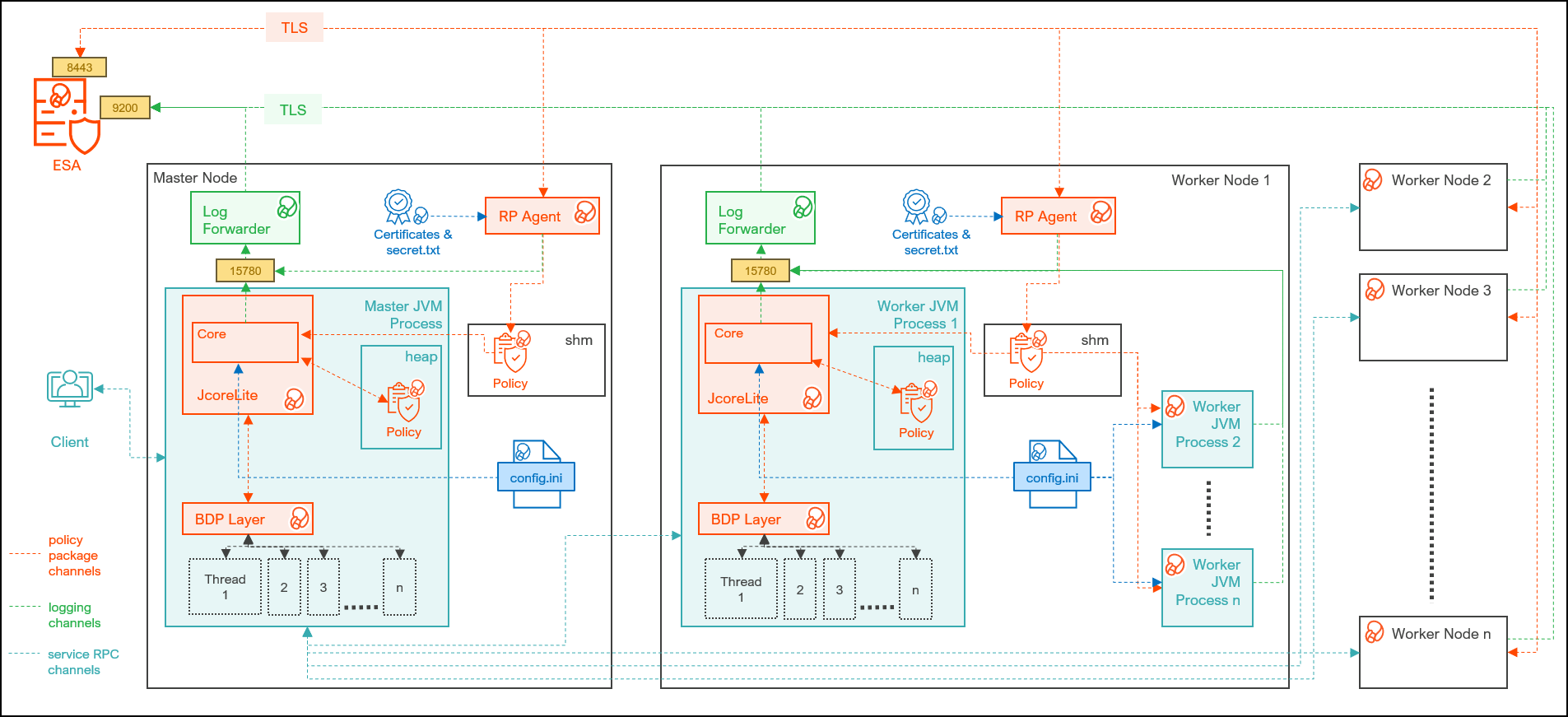
| Component | Description |
|---|---|
| RPAgent | Is a daemon running on each node that downloads the package from ESA over a TLS channel using the installed Certificates. |
| Log Forwarder | Is a daemon running on each node that routes the audit logs and application logs to ESA/Audit Store. |
| config.ini | Is a file on each node containing the set of configuration parameters to modify the protector behavior. |
| BDP Layer | Contains the Big Data Protector UDFs and APIs executing in CDP service processes. |
| JcoreLite | Is the JNI library that provides a Java API layer to the Core libraries. |
| Core | Is the set of various libraries that provide the Protegrity Core functionality. |
10.4.2 - System Requirements
Ensure that the following prerequisites are met, before installing the Big Data Protector from the Cloudera Manager:
- The Hadoop cluster is installed, configured, and running CDP-PVC-Base (Cloudera Runtime 7.1 and above and ClouderaManager (any compatible version) ).
- The ESA appliance, version 10.0.x or v10.1.x, is installed, configured, and running.
- The ports that are configured on ESA and the nodes in the cluster, which will run the Big Data Protector, are listed in the following table:
| Destination Port | Protocol | Source | Destination | Description |
|---|---|---|---|---|
| 8443 | TLS | RP Agent on the Big Data Protector cluster node | ESA | The RP Agent communicates with ESA through port 8443 to download a policy. |
| 9200 | TLS | Log Forwarder on the Big Data Protector Cluster node | Protegrity Audit Store appliance | The Log Forwarder sends all the logs to the Protegrity Audit Appliance through port 9200. |
| 15780 | TCP | Protector on the Big Data Protector cluster node | Log Forwarder on the Big Data Protector cluster node | The Big Data Protector writes Audit Logs to localhost through port 15780. The Application Logs are also written to localhost through port 15780. The Log Forwarder reads the logs from that socket. |
- The user, installing the Big Data Protector, has the requisite permissions to perform the following tasks:
- Copy the Big Data Protector parcels and CSDs to the Cloudera Manager repository directories
- Restart the Cloudera SCM Server
- If you are installing the Big Data Protector on a cluster, then ensure that it is installed on all the nodes in the cluster.
- The group ptyitusr and the user ptyitusr, responsible to manage the Big Data Protector-related services are managed by Cloudera Manager. The user and group are unavailable on the cluster nodes.
Note: This build supports both Spark 2 and Spark 3 on the cluster using a single pepspark jar.
For more information about installing Spark3 on CDP PVC Base cluster, refer https://docs.cloudera.com/cdp-private-cloud-base/7.1.8/cds-3/topics/spark-install-spark-3-parcel.html
The following table lists the minimum hardware configuration for the Big Data Protector on CDP-PVC-Base.
| Hardware Components | Configuration |
|---|---|
| CPU | Depends on the application. |
| Disk Space | 130 MB on every node for the LogForwarder and RP Agent |
| RAM | In v10.0.0, the RP Agent loads the policy package into the shared memory. Every individual service process on a node that initializes the protector will load a copy of the policy package into the process heap memory. Therefore, the memory requirement on each node depends on the policy size and the number of protector instances (number of processes). In addition, the JVM heap size configuration of each service, such as, the YARN container heap size, must be configured appropriately to prevent out of memory errors. |
10.4.3 - Preparing the Environment
10.4.3.1 - Extracting the installation package
You must extract the Big Data Protector package to access the Big Data Protector Configurator script. This script will generate the Big Data Protector parcels and CSDs to install the Big Data Protector on all the nodes in the cluster. The nodes in the cluster are managed by Cloudera Manager.
To extract the files from the installation package:
Log in to the CLI on the Master node that has connectivity to ESA.
Copy the Big Data Protector package
BigDataProtector_Linux-ALL-64_x86-64_CDP-PVC-Base-7.1-64_<BDP_version>.tgzto any directory.For example,
/opt/bigdata/.To create a temporary directory under the specified directory, to extract the files, run the following command:
mkdir /opt/bigdata/extracted/To navigate to the directory where you have downloaded the installation package, run the following command:
cd /opt/bigdata/To extract the contents of the Big Data Protector installation package to a specific directory, run the following command:
tar –xvf BigDataProtector_Linux-ALL-64_x86-64_CDP-PVC-Base-7.1-64_<BDP_version>.tgz -C extracted/To navigate to the directory where you have extracted the files, run the following command:
cd /opt/bigdata/extracted/Press ENTER.
The command extracts the
BigDataProtector_Linux-ALL-64_x86-64_CDP-PVC-Base-7.1-64_<BDP_version>.tgzpackage and the GPG signature files from the installation package.BigDataProtector_Linux-ALL-64_x86-64_CDP-PVC-Base-7.1-64_<BDP_version>.tgz signatures/Note: Verify the authenticity of the build using the signatures folder. For more information, refer Verification of Signed Protector Build.
To extract the configurator script, run the following command:
tar –xvf BigDataProtector_Linux-ALL-64_x86-64_CDP-PVC-Base-7.1-64_<BDP_version>.tgzPress ENTER.
The command extracts the configurator script.
BDPConfigurator_CDP-PVC-Base-7.1_<BDP_version>.sh
10.4.3.2 - Running the configurator script
Execute the Big Data Protector configurator script to:
- Download certificates from ESA.
- Create the parcels and CSDs to install the Big Data Protector.
To run the configurator script and generate the Big Data Protector Parcels and CSDs:
Log in to the CLI on the Master node that has connectivity to ESA.
To execute the configurator script, run the following command:
./BDPConfigurator_CDP-PVC-Base-7.1_<BDP_version>.shPress ENTER.
The prompt to continue the configuration of Big Data Protector appears.
***************************************************************************** Welcome to the Big Data Protector Configurator Wizard ***************************************************************************** This will setup the Big Data Protector Installation Files for CDP PVC Base Do you want to continue? [yes or no]:To start the configuration of Big Data Protector, type yes.
Press ENTER.
The prompt to select the type of installation files appears.
Big Data Protector Configurator started... Unpacking... Extracting files... Select the type of Installation files you want to generate. [ 1: Create All ] : Creates entire Big Data Protector CSDs and Parcels. [ 2: Update PTY_CERT ] : Creates new PTY_CERT parcel with an incremented patch version. Use this if you have updated the ESA certificates. [ 3: Update PTY_LOGFORWARDER_CONF ] : Creates new PTY_LOGFORWARDER_CONF parcel with an incremented patch version. Use this if you want to set Custom LogForwarder configuration files to forward logs to an External Audit Store. [ 1, 2 or 3 ]:Note: From v10.0.0, the
PTY_FLUENTBIT_CONFparcel is renamed toPTY_LOGFORWARDER_CONF.To create the Big Data Protector parcels and CSDs, type
1.To update the
PTY_CERTparcels with an incremented patch version, type2.Note: For more information about updating the
PTY_CERTparcel, refer to section Updating the Certificates Parcel.To update the PTY_LOGFORWARDER_CONF parcel with an incremented patch version, type 3.
Note: For more information about updating the PTY_LOGFORWARDER_CONF parcel, refer to section Updating the Log Forwarder Parcel.
Press ENTER.
The prompt to select the operating system for the Cloudera Manager parcel appears.
Select the OS version for Cloudera Manager Parcel. This will be used as the OS Distro suffix in the Parcel name. [ 1: el7 ] : RHEL 7 and clones (CentOS, Scientific Linux, etc) [ 2: el8 ] : RHEL 8 and clones (CentOS, Scientific Linux, etc) [ 3: el9 ] : RHEL 9 and clones (CentOS, Scientific Linux, etc) [ 4: sles12 ] : SuSE Linux Enterprise Server 12.x Enter the no.:Depending on the requirements, type
1,2,3, or4to select the operating system version for the Big Data Protector parcels.Press ENTER.
The prompt to enter ESA hostname or IP address appears.
Enter the ESA Hostname or IP Address:Enter ESA hostname or IP address.
Press ENTER.
The prompt to enter ESA host listening port appears.
Enter ESA host listening port [8443]:If you want to use the default value of ESA host listening port, which is
8443, then press ENTER.Press ENTER.
The prompt to enter ESA JSON Web Token appears.
If you have an existing ESA JSON Web Token (JWT) with Export Certificates role, enter it otherwise enter 'no':Note: The script silently reads the user input. Therefore, the user will be unable to see the entered JWT or
no.Enter the JWT token.
a. If you do not have an existing ESA JSON Web Token (JWT), type
no.b. Press ENTER.
The prompt to enter the user name with Export Certificates permission appears.JWT was not provided. Script will now prompt for ESA username and password. Enter ESA Username with Export Certificates role: adminc. Enter the username that has permissions to export the certificates.
d. Press ENTER.
The prompt to enter the password appears.e. Enter the password.
f. Press ENTER.
The script retrieves the JWT from ESA, validates it, and the prompt to package custom log forwarder configuration appears.Fetching JWT from ESA.... Fetching Certificates from ESA.... % Total % Received % Xferd Average Speed Time Time Time Current Dload Upload Total Spent Left Speed 100 11264 100 11264 0 0 164k 0 --:--:-- --:--:-- --:--:-- 166k ------------------------------------------------------------------------------- Do you want to package any custom LogForwarder configuration files for External Audit Store? [ yes ] : Create a PTY_LOGFORWARDER_CONF parcel containing configuration files to be used with External Audit Store. [ no ] : Skip this step. [ yes or no ]:To package the Log Forwarder configuration file(s) for an external Audit Store, type
yes.Press ENTER.
The prompt to enter the local directory path containing the Log Forwarder configuration files appears.
Do you want to package any custom LogForwarder configuration files for External Audit Store? [ yes ] : Create a PTY_LOGFORWARDER_CONF parcel containing configuration files to be used with External Audit Store. [ no ] : Skip this step. [ yes or no ]: yes Creation of PTY_LOGFORWARDER_CONF parcel is enabled. Enter the local directory path on this machine that stores the LogForwarder configuration files for External Audit Store:Note: The
PTY_LOGFORWARDER_CONFparcel is used to package any custom Log Forwarder configuration files that the user provides and can be distributed across the CDP nodes through the Cloudera Manager. Ensure that you name the custom Log Forwarder configuration files for the external Audit Store with the.confextension.Enter the local directory path that contains the Log Forwarder configuration files.
Press ENTER.
Enter the local directory path on this machine that stores the LogForwarder configuration files for External Audit Store: /root/log_forwarder/ Generating Installation files... Big Data Protector parcels & CSDs are generated in ./Installation_Files/ directory. NOTE: Copy Big Data Protector CSDs (jars) to Cloudera Manager local csd repository. Copy Big Data Protector parcels (*.parcel and *.sha files) to Cloudera Manager local parcel repository. You can use the './Installation_Files/set_unset_bdp_config.sh' helper script for setting/unsetting BDP configs in Cloudera Manager. Check the updated configurations on Cloudera Manager and Restart the required services.The configurator script generates the following Big Data Protector parcels and CSDs in the
./Installation_Files/directory:BDP_PEP-<BDP_version>.jarPTY_BDP-<BDP_version>_CDP7.1.p0-<operating_system_version>.parcelPTY_BDP-<BDP_version>_CDP7.1.p0-<operating_system_version>.parcel.shaPTY_CERT-<BDP_version>_CDP7.1.p0-<operating_system_version>.parcelPTY_CERT-<BDP_version>_CDP7.1.p0-<operating_system_version>.parcel.shaPTY_LOGFORWARDER_CONF-<BDP_version>_CDP7.1.p0-<operating_system_version>.parcelPTY_LOGFORWARDER_CONF-<BDP_version>_CDP7.1.p0-<operating_system_version>.parcel.shaset_unset_bdp_config.sh
If you type
noat the prompt to create thePTY_LOGFORWARDER_CONFparcel, then the installer will skip the creation of the Log Forwarder parcel and proceed to generate the installation files.Do you want to package any custom LogForwarder configuration files for External Audit Store? [ yes ] : Create a PTY_LOGFORWARDER_CON parcel containing configuration files to be used with External Audit Store. [ no ] : Skip this step. [ yes or no ] : no Creation of PTY_LOGFORWARDER_CONF parcel is skipped. Generating Installation files... Big Data Protector parcels & CSDs are generated in ./Installation_Files/ directory. NOTE: Copy Big Data Protector CSDs (jars) to Cloudera Manager local csd repository. Copy Big Data Protector parcels (*.parcel and *.sha files) to Cloudera Manager local parcel repository. You can use the './Installation_Files/set_unset_bdp_config.sh' helper script for setting/unsetting BDP configs in Cloudera Manager. Check the updated configurations on Cloudera Manager and Restart the required services.
10.4.3.3 - Distributing the parcels
Distribute the following Big Data Protector parcels to the nodes in the cluster before installing or activating them on the nodes:
- Big Data Protector parcel: PTY_BDP
- Certificates parcel: PTY_CERT
- Log Forwarder configuration parcel: PTY_LOGFORWARDER_CONF
Note: To distribute the Big Data Protector parcels to the nodes, Cluster Administrator privileges are required.
Note: For more information about the required role, refer to https://docs.cloudera.com/cloudera-manager/7.1.1/managing-clusters/topics/cm-parcels.html.
Note: In the screenshots, the build number for the Cloudera Manager user interface reflects the version number of the Big Data Protector build. This version number indicates the build that you download and install from the My.Protegrity portal.
To distribute the Big Data Protector Parcels to the Nodes in the Cluster:
Using a browser, navigate to the Cloudera Manager page.
Enter the Username.
Enter the Password.
Click Sign In.
The Cloudera Manager Home page appears.
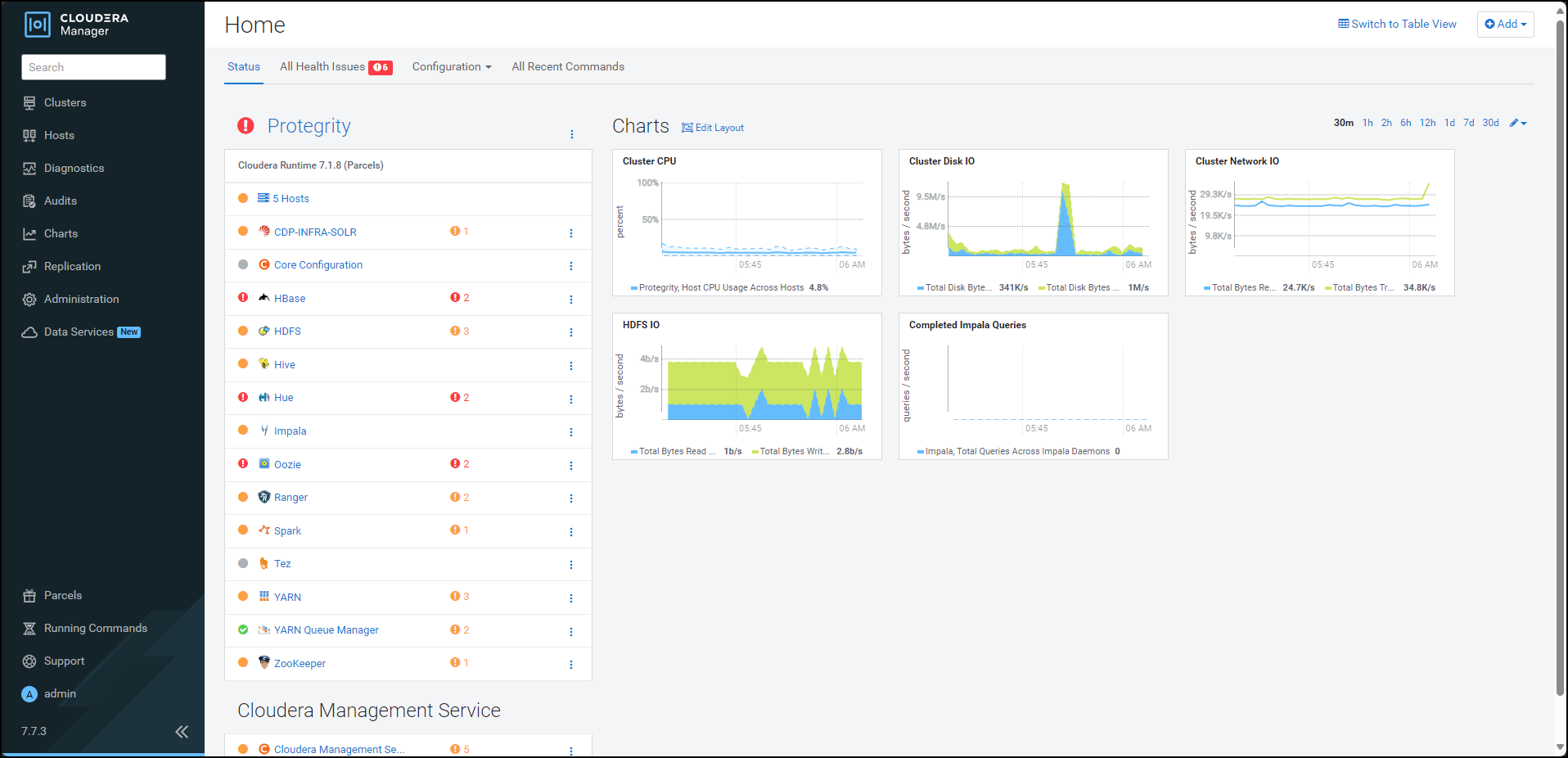
Navigate to Administration > Settings.
The Settings page appears.
To view the settings related to parcels, from the Filters pane, under CATEGORY, click Parcels.
The options related to the parcels appear.
Ensure that you select the following options:
- Create Users and Groups for Parcels
- Apply Permissions with respect to files installed by the parcels
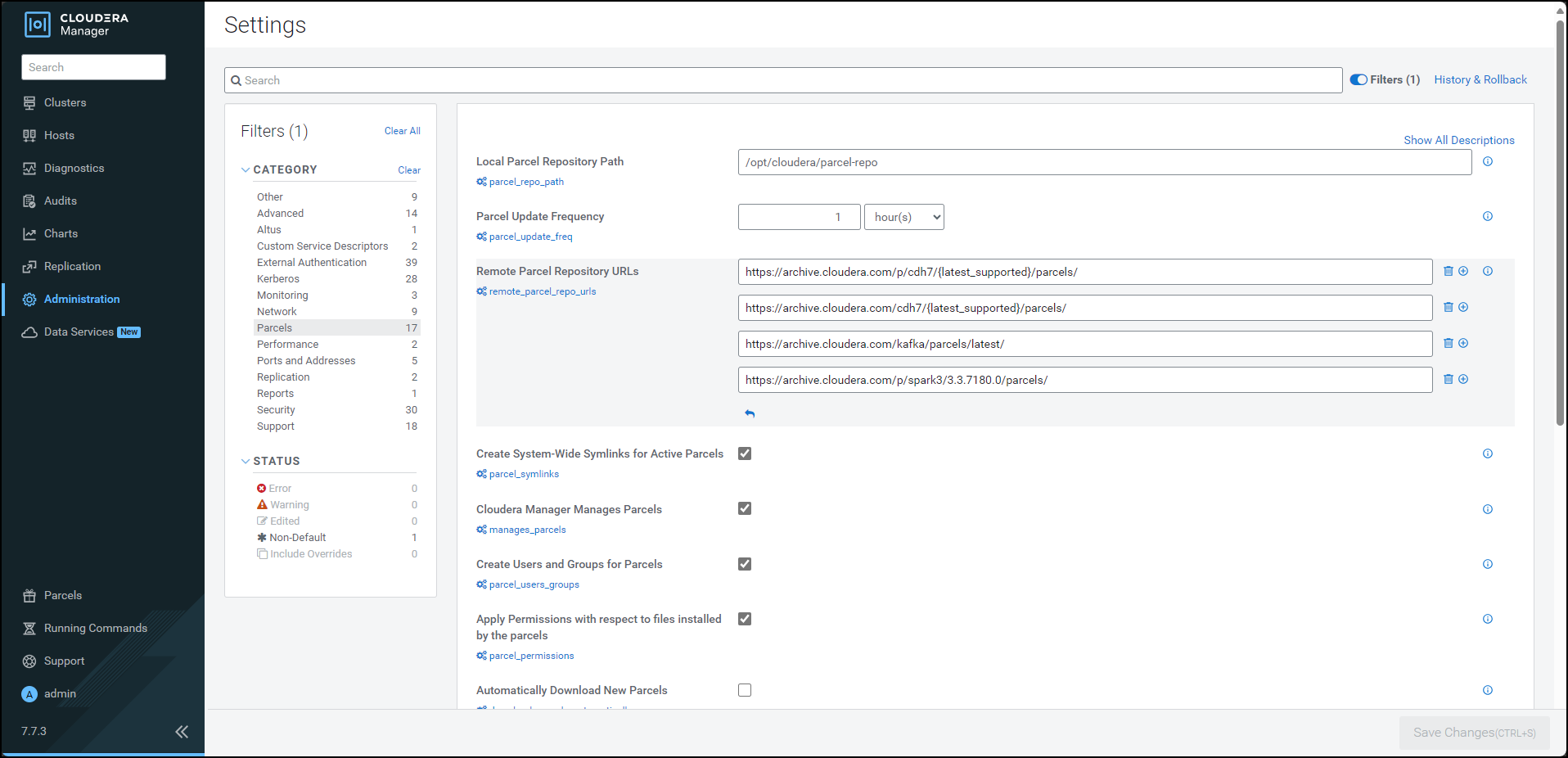
From the left pane, click Parcels.
The Cloudera Manager Parcels page appears.
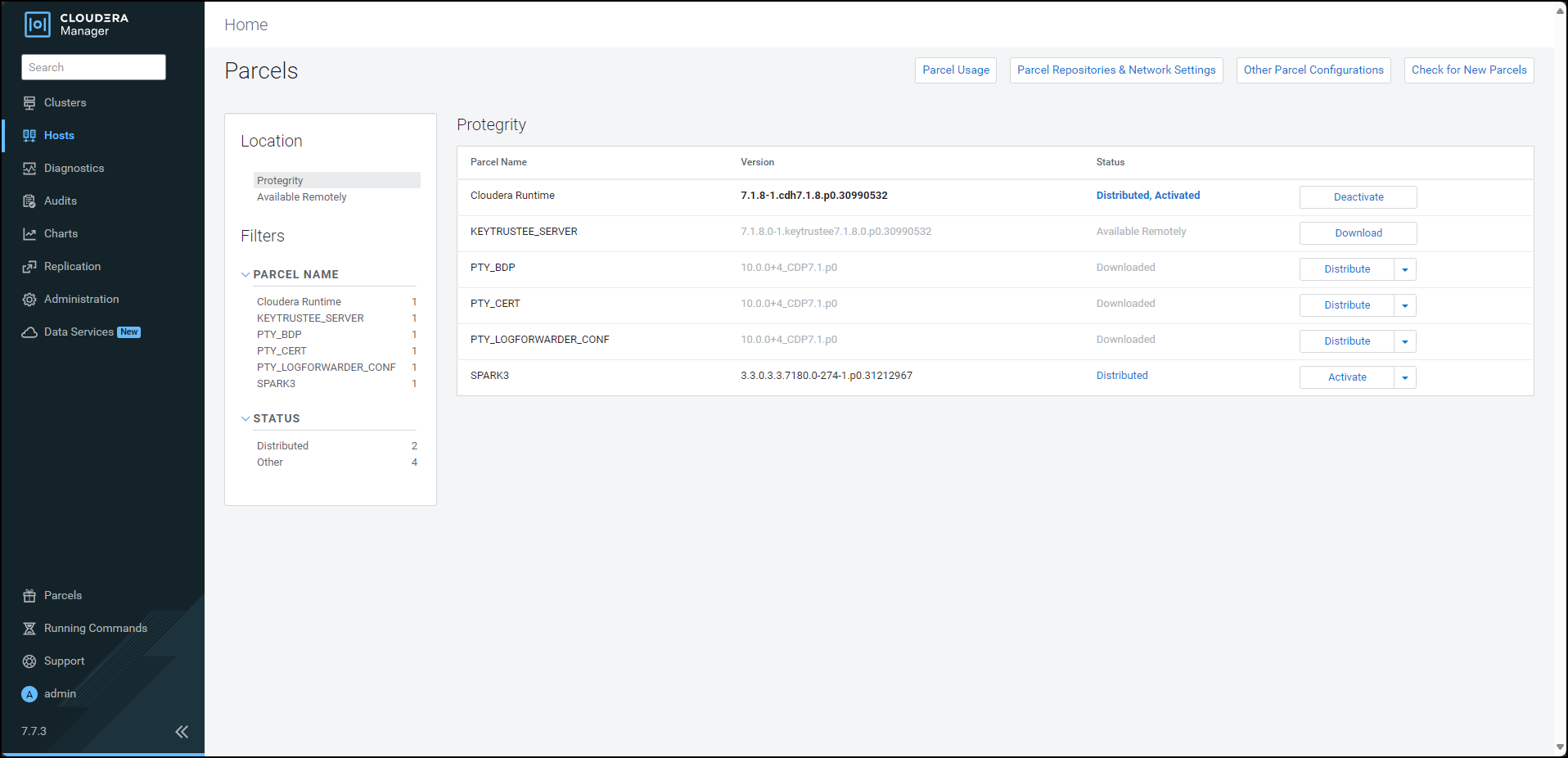
Note: The PTY_LOGFORWARDER_CONF parcel will be visible only if you choose to add the location of the Log Forwarder configuration files while generating the installation files.
Ensure that the following Protegrity parcels appear on the Parcels page:
- PTY_BDP: Big Data Protector parcel
- PTY_CERT: Certificates parcel
- PTY_LOGFORWARDER_CONF: Log Forwarder configuration parcel
To distribute the Big Data Protector parcel, besides the PTY_BDP parcel, click Distribute.
The distribution of the Big Data Protector parcel starts.
To distribute the Certificates parcel, besides the PTY_CERT parcel, click Distribute.
The distribution of the Certificates parcel starts.
To distribute the Log Forwarder configuration parcel, besides the PTY_LOGFORWARDER_CONF parcel, click Distribute.
The distribution of the Log Forwarder configuration parcel starts.
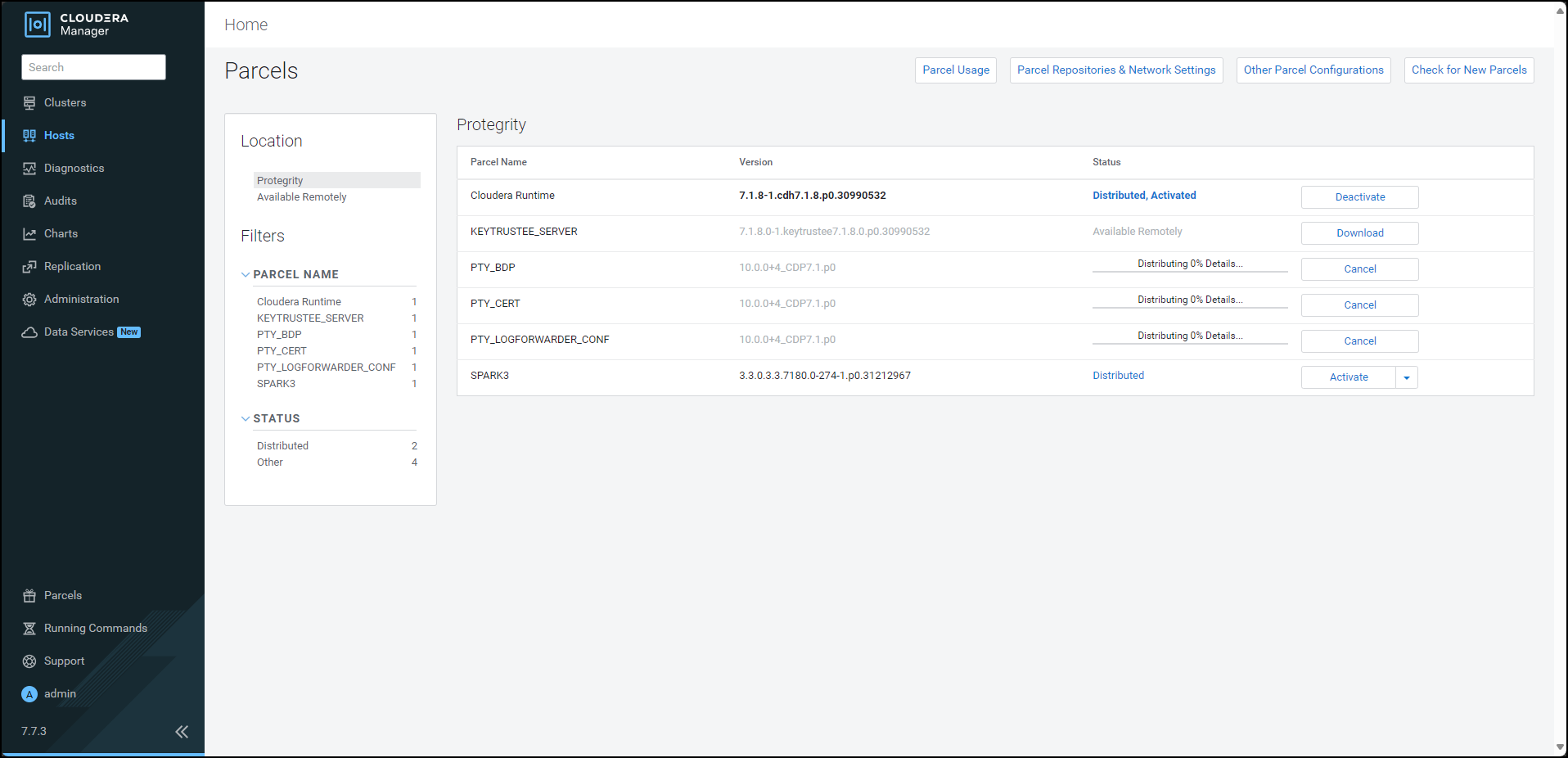
After the Protegrity parcels are distributed to the nodes, Cloudera Manager updates the status of the parcels. The status on the Parcels page is updated to Distributed, and the Activate button appears.
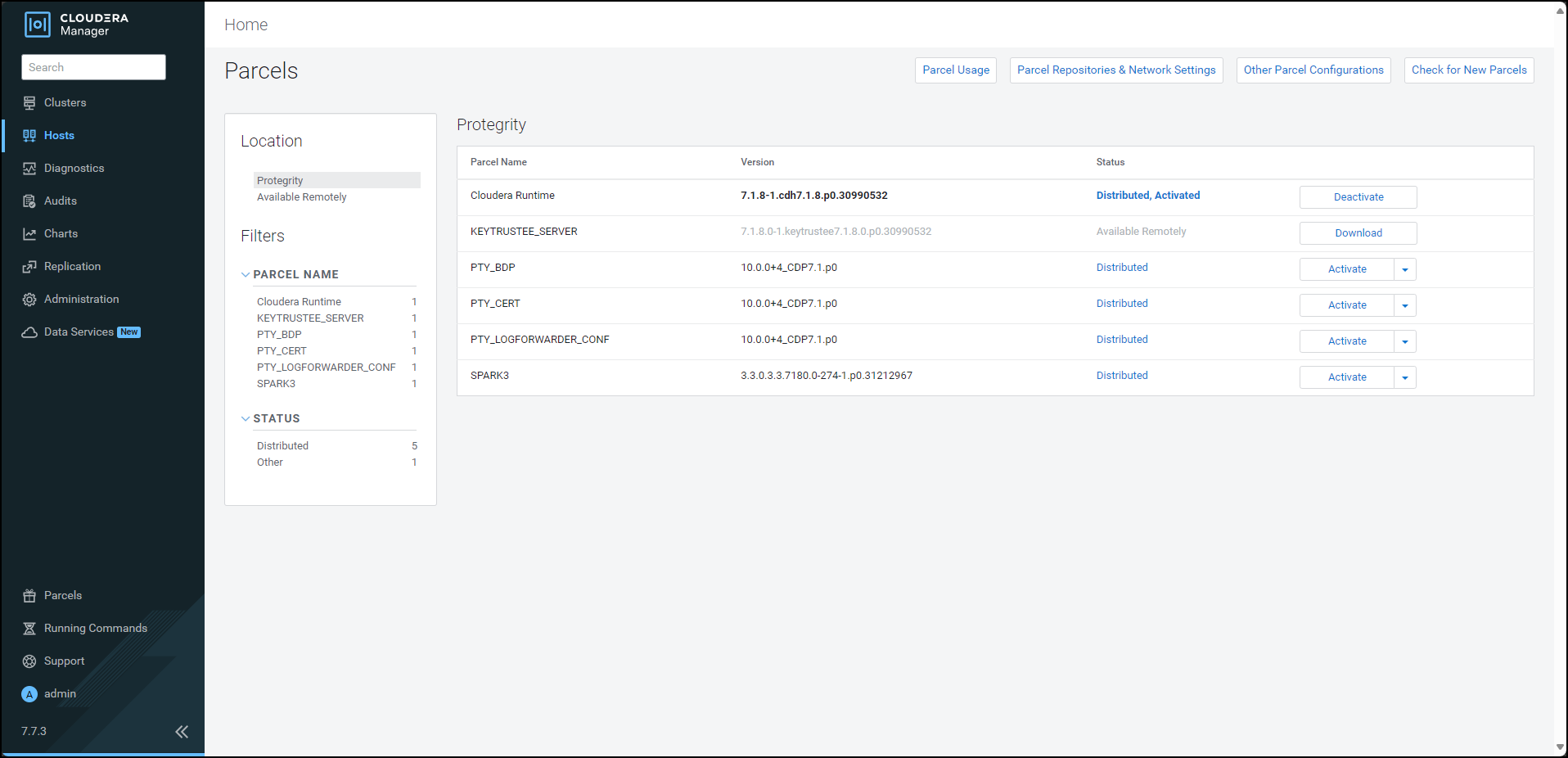
10.4.3.4 - Activating the parcels
After distributing the Big Data Protector parcels on the cluster nodes, you must activate them to add and start the Big Data Protector-related services on the nodes in the cluster.
To activate the Big Data Protector Parcels on the Nodes:
Using a browser, navigate to the Cloudera Manager screen.
Enter the Username.
Enter the Password.
Click Sign In.
The Cloudera Manager Home page appears.
From the left pane, click Parcels.
The Cloudera Manager Parcels page appears.
Note: The PTY_LOGFORWARDER_CONF parcel will be visible only if you choose to add the location of the Fluent Bit configuration files while generating the installation files.
To activate the Big Data Protector parcel, besides the PTY_BDP parcel, click Activate.
A prompt to confirm the activation of the parcel appears.
To activate the Big Data Protector parcel, click OK.
Cloudera Manager activates the Big Data Protector parcel on all the nodes in the cluster.
To activate the Certificates parcel, besides the PTY_CERT parcel, click Activate.
A prompt to confirm the activation of the parcel appears.
To activate the Certificates parcel, click OK.
Cloudera Manager activates the Certificates parcel on all the nodes in the cluster.
To activate the Log Forwarder configuration parcel, besides the PTY_LOGFORWARDER_CONF parcel, click Activate.
A prompt to confirm the activation of the parcel appears.
To activate the PTY_LOGFORWARDER_CONF parcel, click OK.
After the Protegrity parcels are activated on the nodes, their status on the Parcels page is updated to Distributed, Activated. The Deactivate button appears.
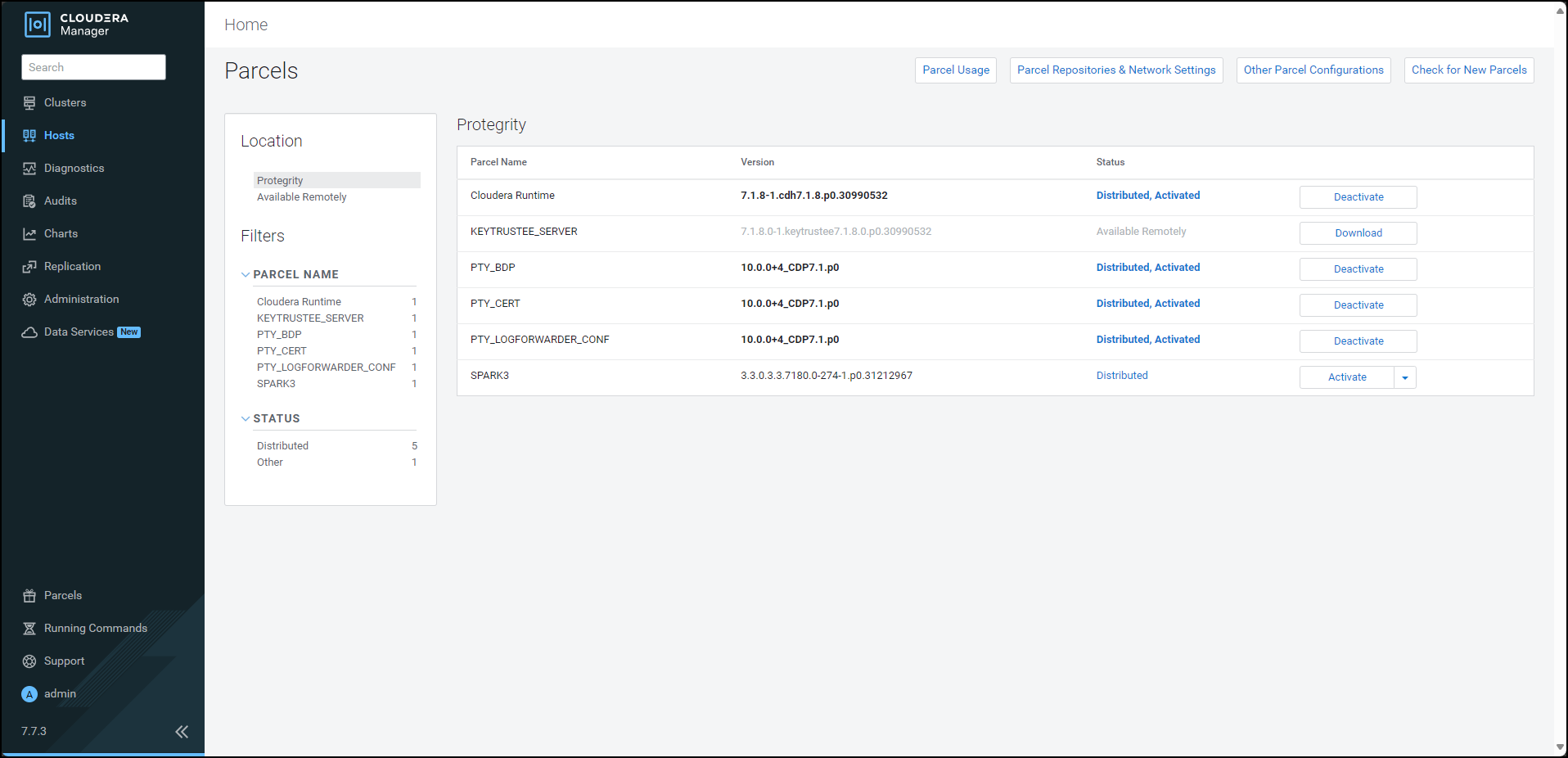
Restart the Cloudera Management Service to re-deploy the service configuration for the stale configurations.
After activating the PTY_BDP parcel, the CDP services will change to Stale configuration state and will require a restart. However, it is recommended to defer the restart of the services until you set all the required configurations for the Big Data Protector.
For more information about setting the configuration, refer Setting the Big Data Protector Configuration
10.4.4 - Installing the Protector
10.4.4.1 - Installing the parcel on a new node
To install the Big Data Protector on a new node in an existing cluster, distribute and activate the following parcels on the new node:
PTY_BDPPTY_CERTPTY_LOGFORWARDER_CONF
Note: The Cloudera Manager handles the distribution and activation of the Big Data Protector parcels.
Ensure that the PTY RP Agent, PTY Log Forwarder, and Gateway roles, that are part of the BDP PEP service, are added to the new node.
Note: For more information about starting the BDP PEP service, refer to the section Starting the Big Data Protector Service.
10.4.4.2 - Starting the Big Data Protector service
To use the Big Data Protector, start the Big Data Protector PEP service on all the nodes in the cluster.
Before starting the Big Data Protector PEP service, ensure that the following Big Data Protector-related parcels are in the Activated state:
- Big Data Protector parcel: PTY_BDP
- Certificates parcel: PTY_CERT
- Log Forwarder configuration parcel: PTY_LOGFORWARDER_CONF
To start the Big Data Protector PEP Service on the Nodes:
Log in to the Cloudera Manager web interface.
Besides the cluster name, click the kebab menu
 .
.The cluster drop-down list appears.
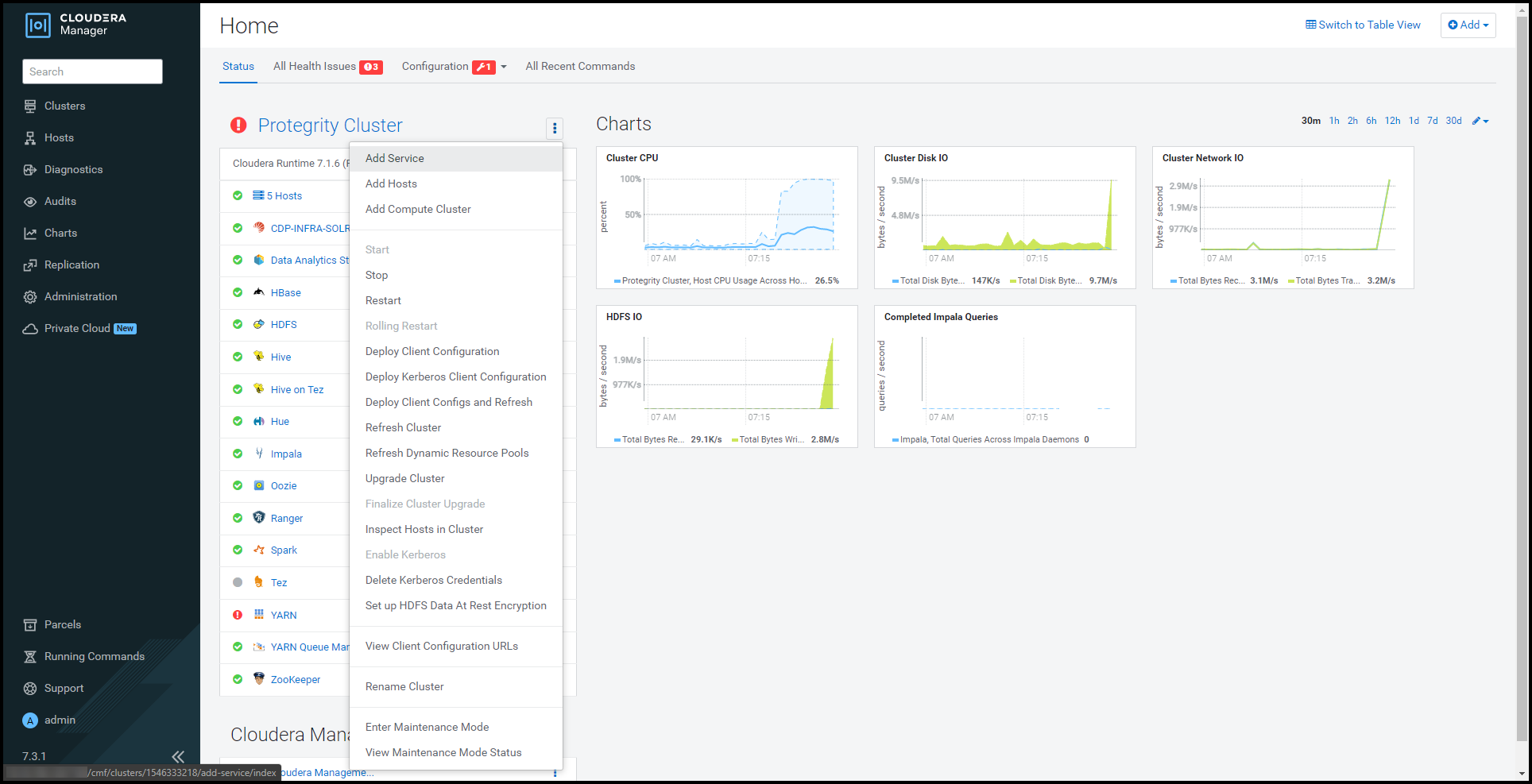
Select Add Service.
The cluster services wizard page appears.
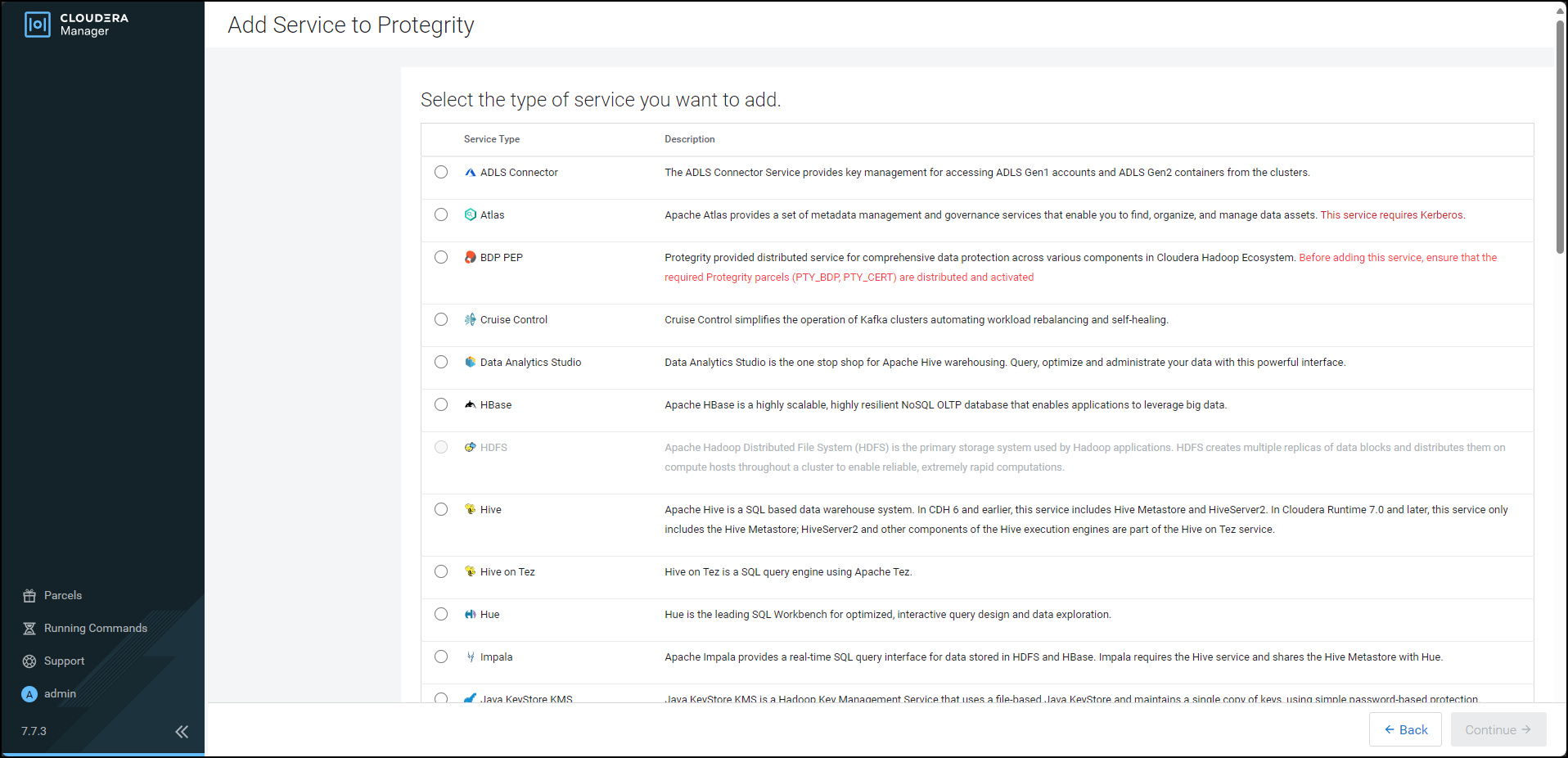
From the Service Type list, select BDP PEP.
When you select the service, Cloudera enables the Continue button.
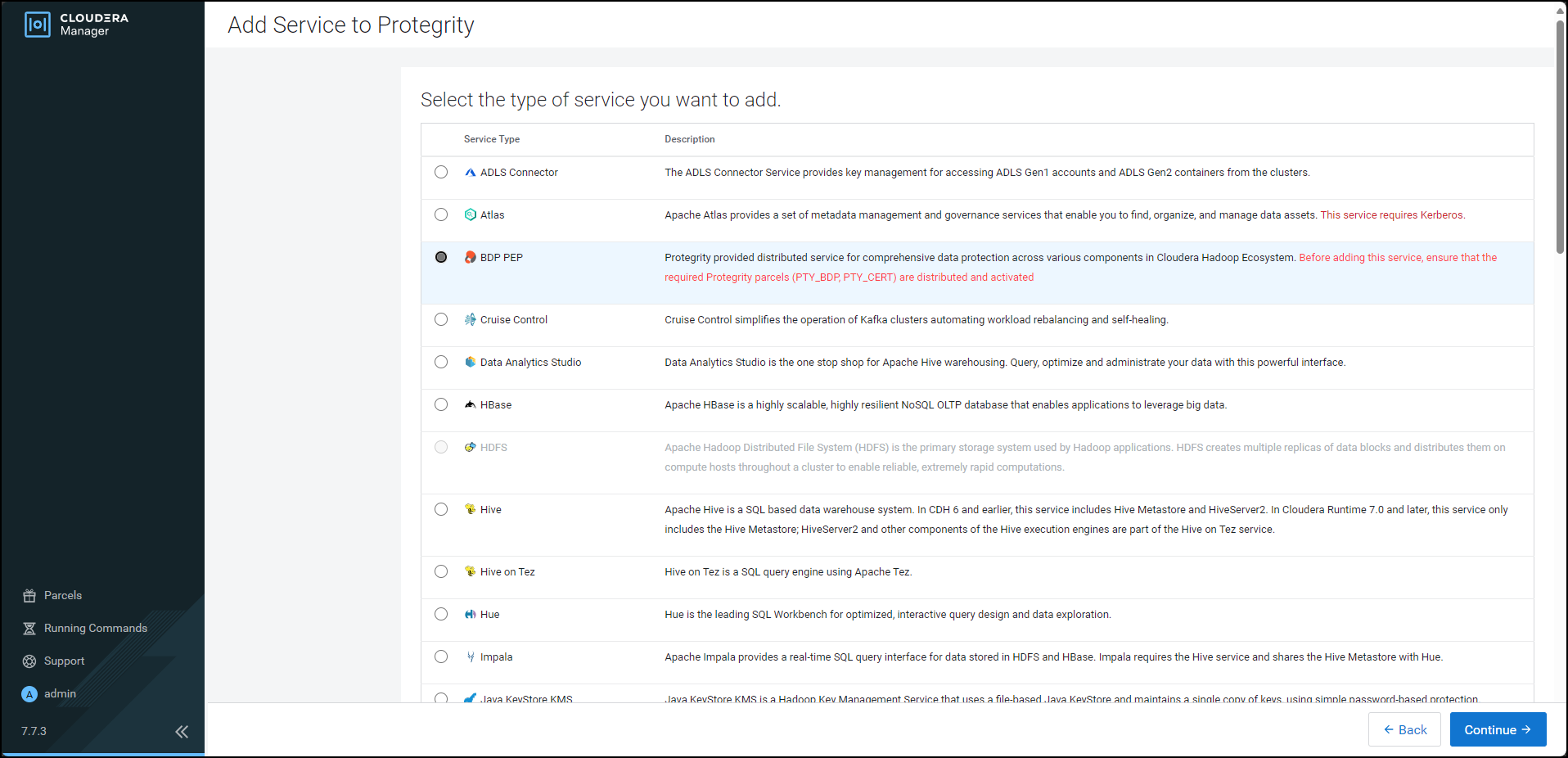
Click Continue.
The Assign Roles page appears.
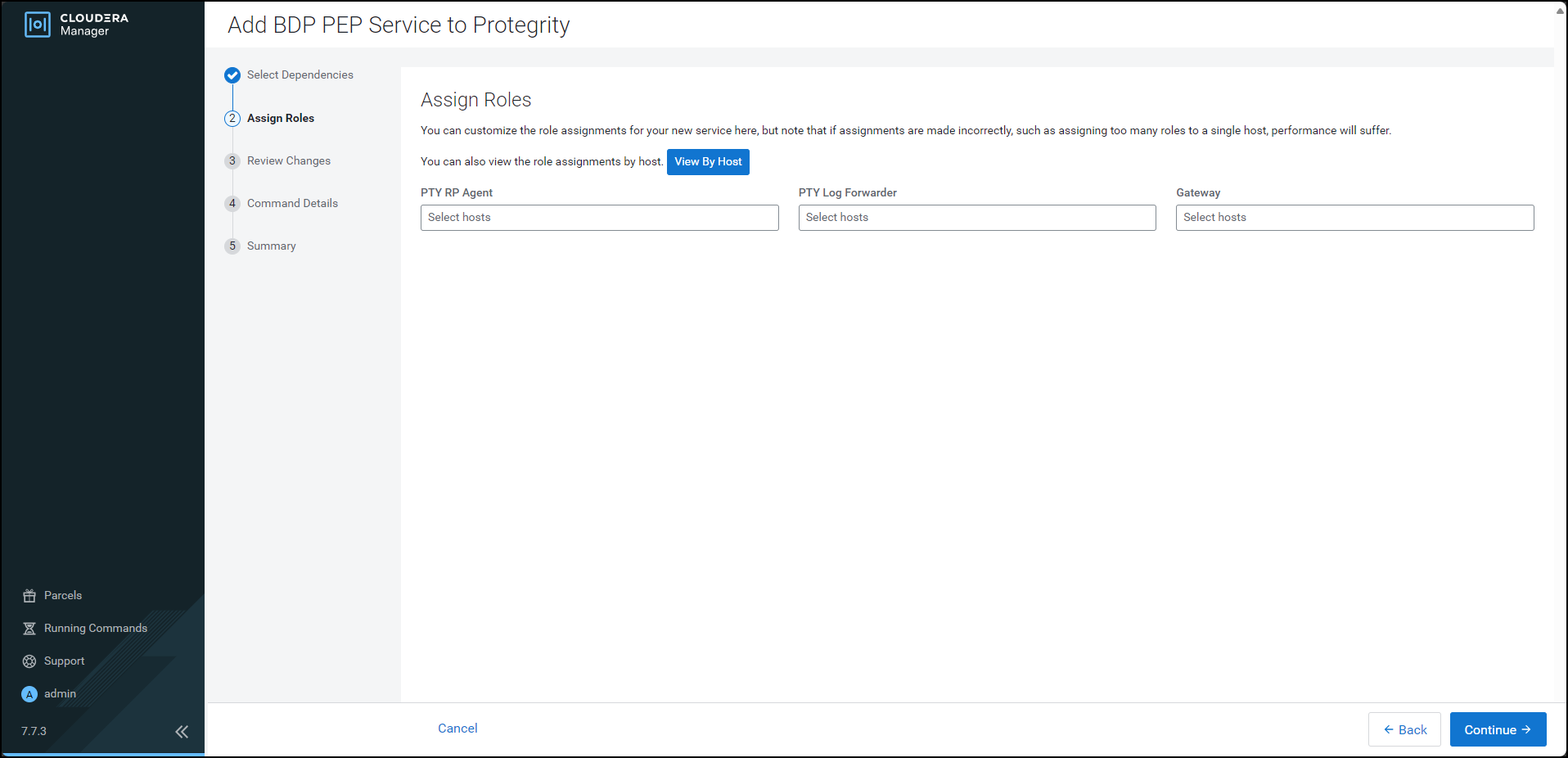
For each of the roles, click the highlighted text box.
The list of nodes in the cluster appear.
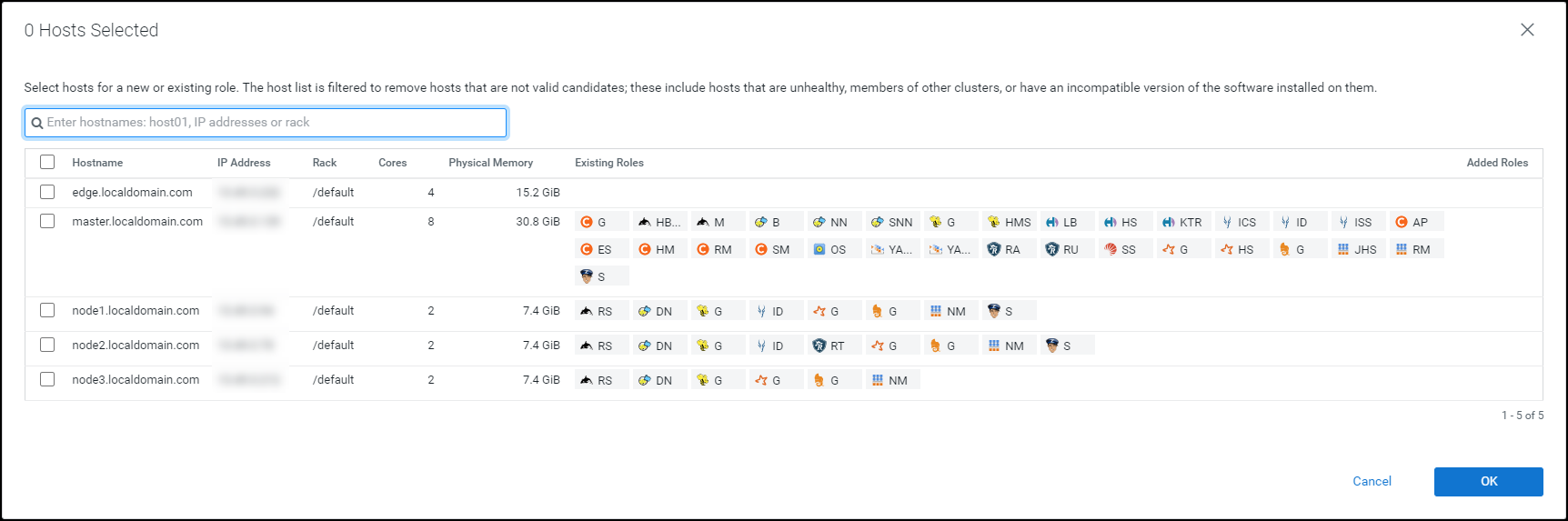
Select the required nodes in the list where you want to install the service.
Note: For more information about installing the BDP PEP service, refer https://my.protegrity.com/knowledge/ka0Ul0000000KYDIA2/.
Cloudera enables the OK button.
Note: The PTY RP Agent, PTY Log Forwarder, and the Gateway roles are installed on the selected node.
Click OK.
The Assign Roles page appears with the nodes in the cluster, which are selected for installing the service.
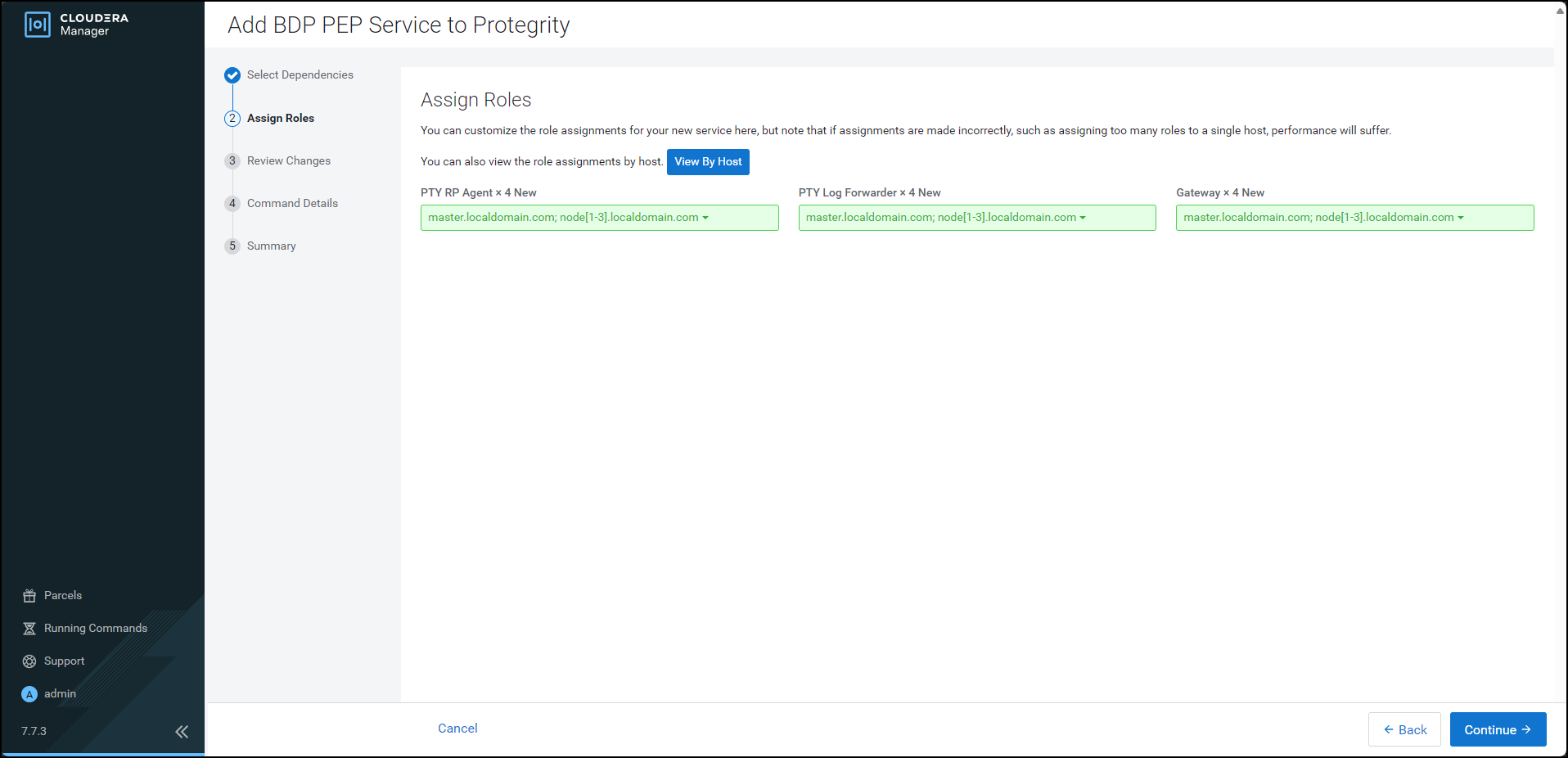
Click Continue.
The Review Changes page appears.
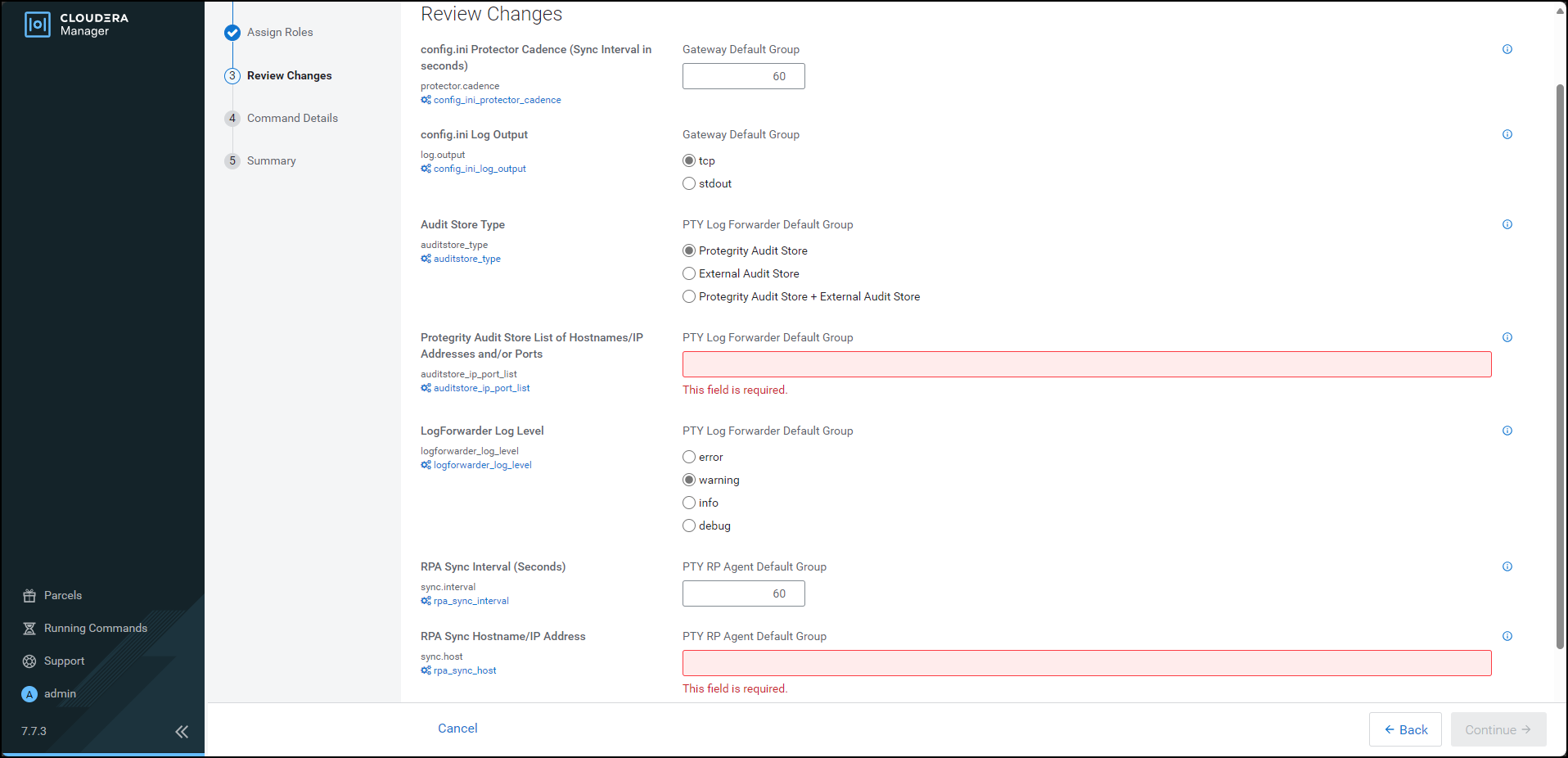
Depending on the Audit Store type, select any one of the following options:
Option Description Protegrity Audit Store To use the default setting select the Protegrity Audit Store option. If you select Protegrity Audit Store, then the default Log Forwarder configuration files are used and Log Forwarder will forward the logs to the Protegrity Audit Store. External Audit Store Enter the comma-separated IP/ports using the accurate syntax in the External Audit Store box. If you select External Audit Store, then enter NA in the Protegrity Audit Store List of Hostnames/IP Address and/or Ports box. Ensure that the PTY_LOGFORWARDER_CONF parcel is distributed and activated. If you select External Audit Store, then the default Log Forwarder configuration files used for Protegrity Audit Store (out.conf and upstream.cfg in the /opt/cloudera/parcels/PTY_BDP/logforwarder/data/config.d/directory) are renamed (out.conf.bkp and upstream.cfg.bkp) so that they will not be used by the Log Forwarder. Additionally, the custom Log Forwarder configuration files for the external Audit Store are copied to the/opt/cloudera/parcels/PTY_BDP/logforwarder/data/config.d/directory.Protegrity Audit Store + External Audit Store To use a combination of the default setting with an external Audit Store, select Protegrity Audit Store + External Audit Store. If you select Protegrity Audit Store + External Audit Store, then the default Log Forwarder configuration files used for the Protegrity Audit Store (out.conf and upstream.cfg in the /opt/cloudera/parcels/PTY_BDP/logforwarder/data/config.d/directory) are not renamed. However, the custom Log Forwarder configuration files for the external audit store are copied to the/opt/cloudera/parcels/PTY_BDP/logforwarder/data/config.d/directory.In the Protegrity Audit Store List of Hostnames/IP Address and/or Ports box, enter the IP address of the Protegrity Audit Store appliance(s) (can be ESA) in the suggested syntax.
In the RPA Sync Hostname/IP Address box, enter the IP address of ESA, in the suggested syntax.
Cloudera Manager enables the Continue button.
Click Continue.
The Summary page appears.
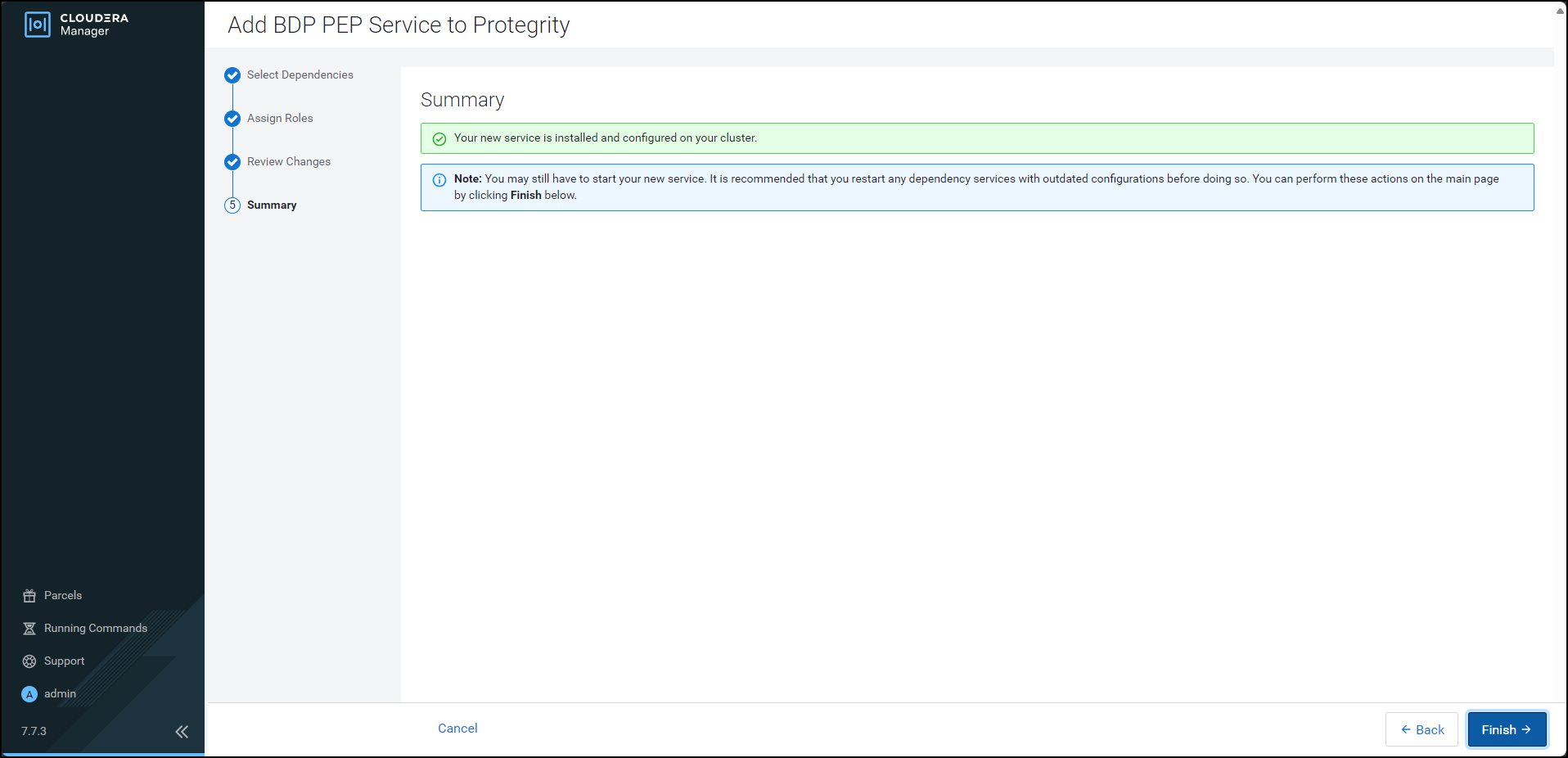
Click Finish.
The Cloudera Manager Home page appears and the PTY_BDP service is added on all the nodes in the cluster.
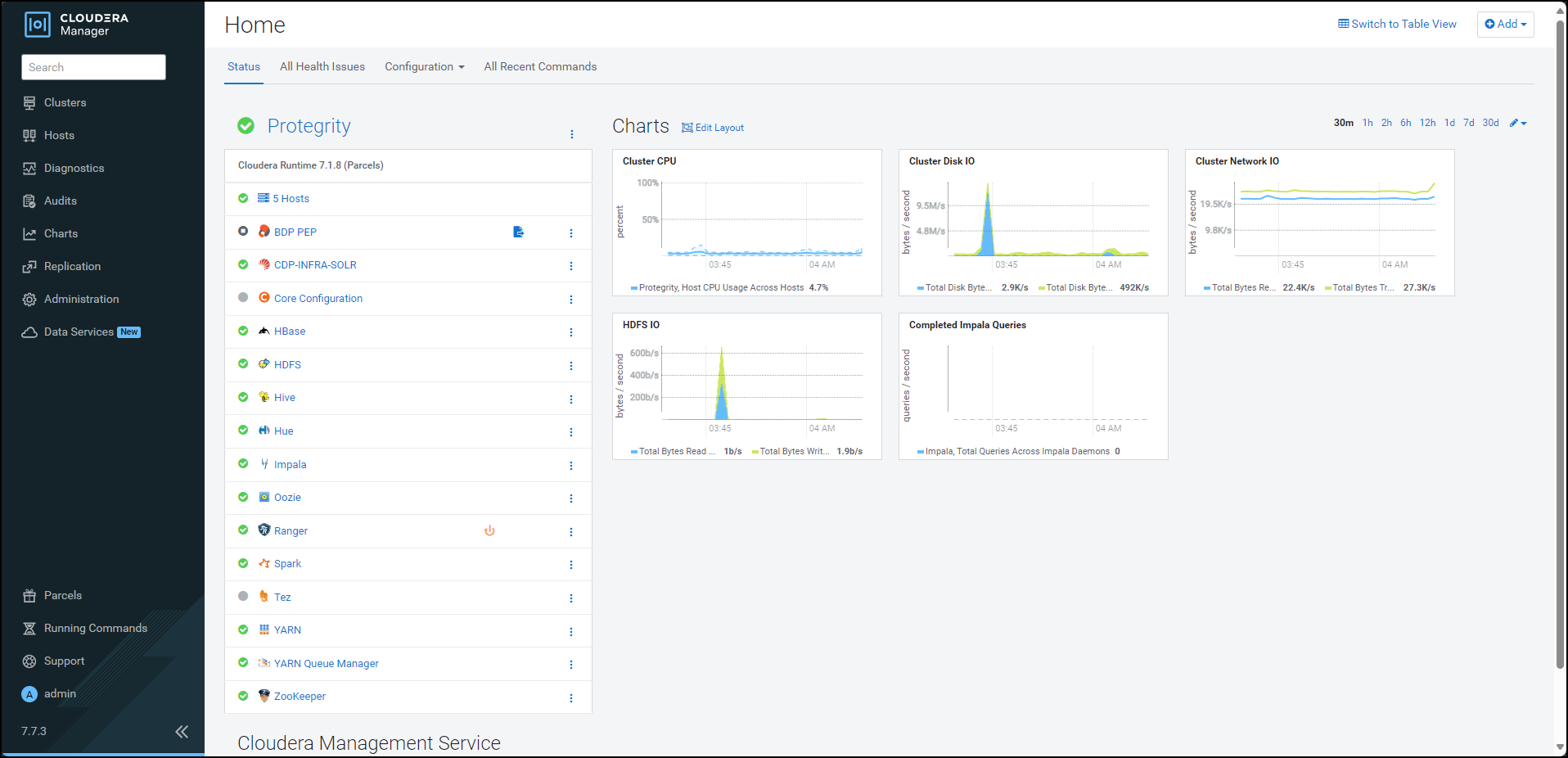
Note: In the Cloudera Manager native installer, there is a caveat in the BDP PEP service. This causes the PTY Log Forwarder and the RP Agent roles to start at the same time on a cluster node. Therefore, some of the initial RP Agent application logs will not be sent to the Log Forwarder. This will result in the logs not being forwarded to the Audit Store. After the Log Forwarder starts up, it will start forwarding the application logs.
By default, the BDP PEP service is in the stopped state.
To start the BDP PEP service, besides BDP PEP, click the kebab menu icon
.The BDP PEP Actions sub-menu appears.
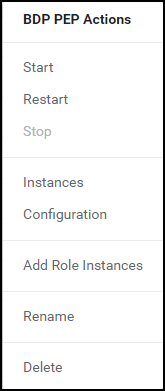
From the sub-menu, select Start.
The prompt to confirm the action appears.
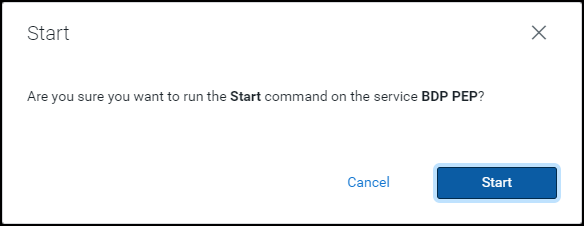
Click Start.
Cloudera Manager starts the BDP PEP service on all the nodes in the cluster.
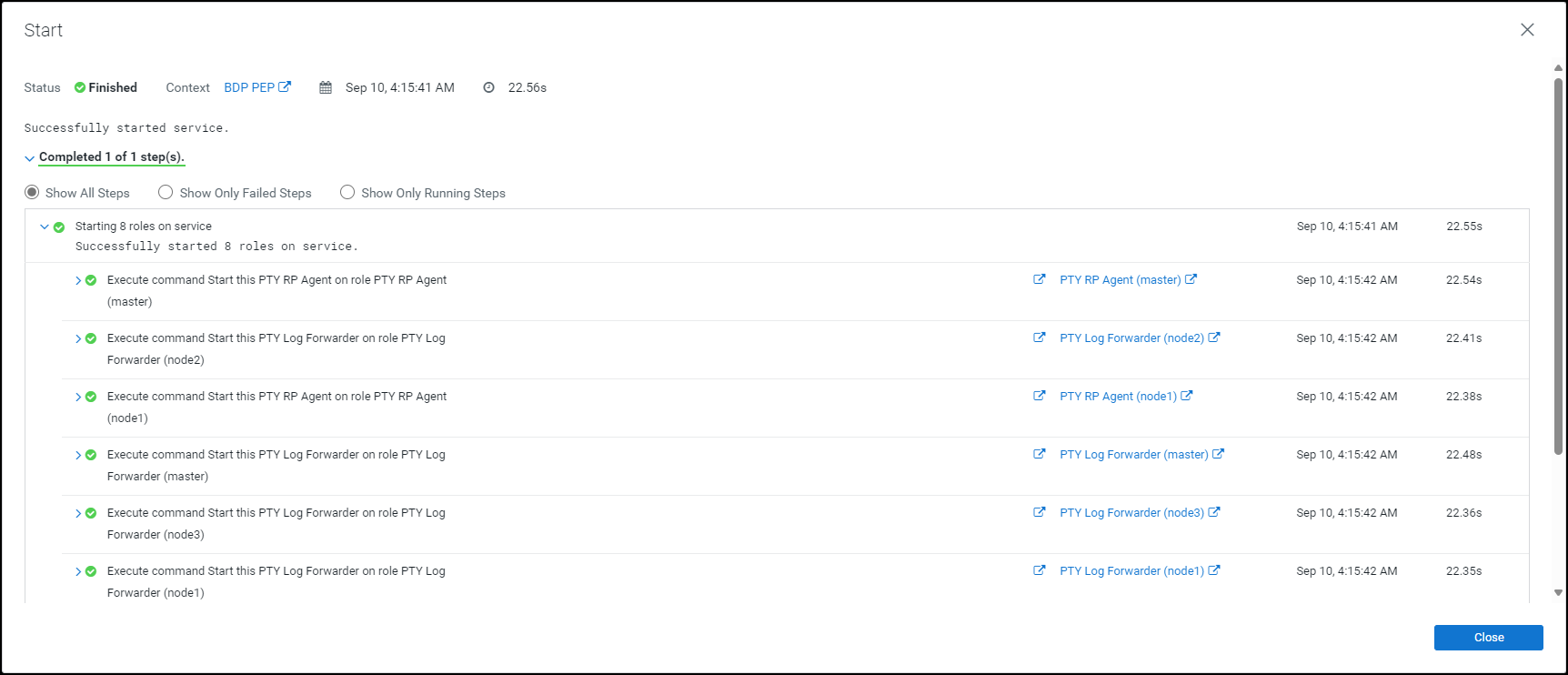
Click Close.
The Cloudera Manager Home page appears.
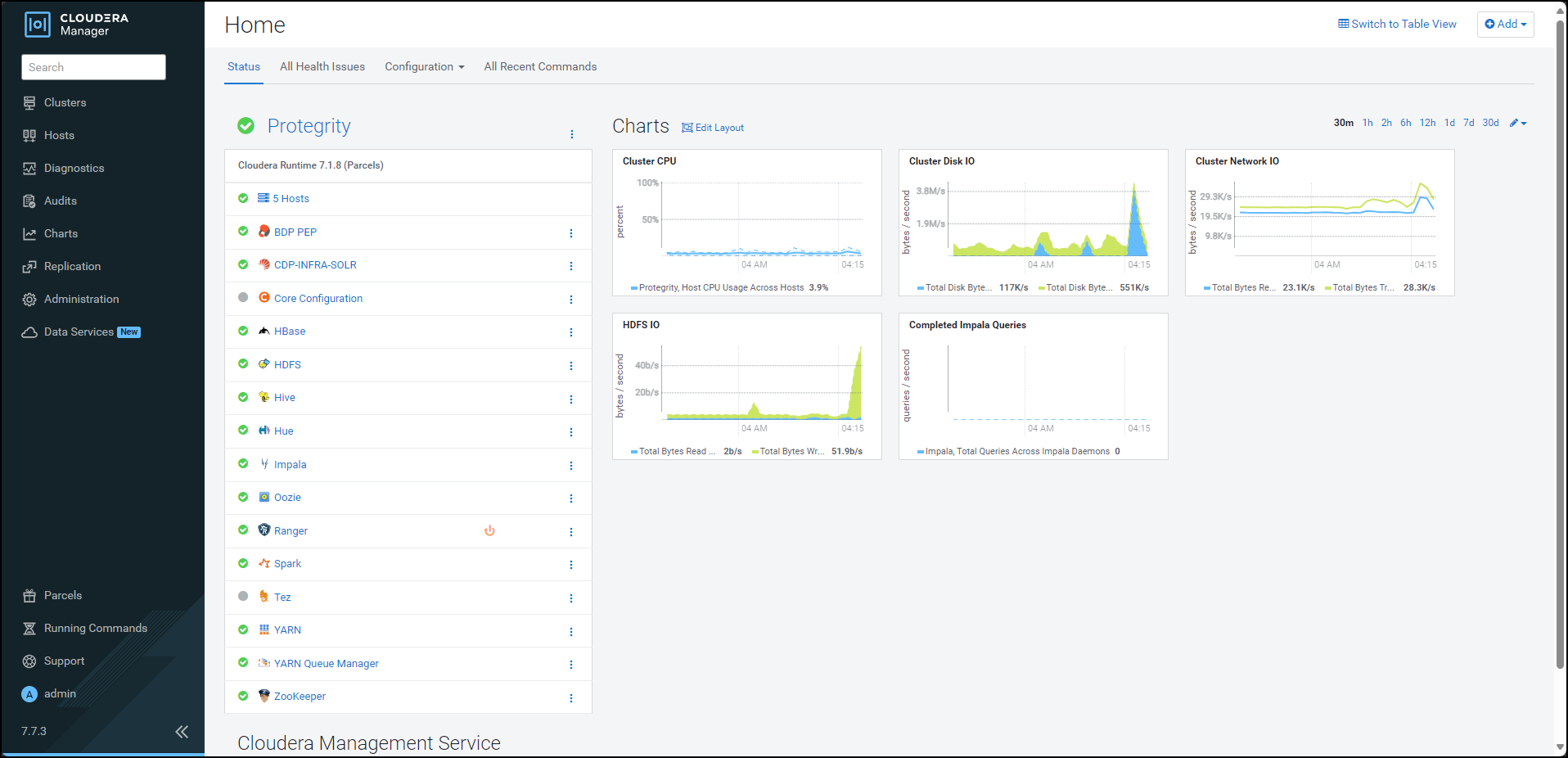
Click BDP PEP. The BDP PEP page appears.
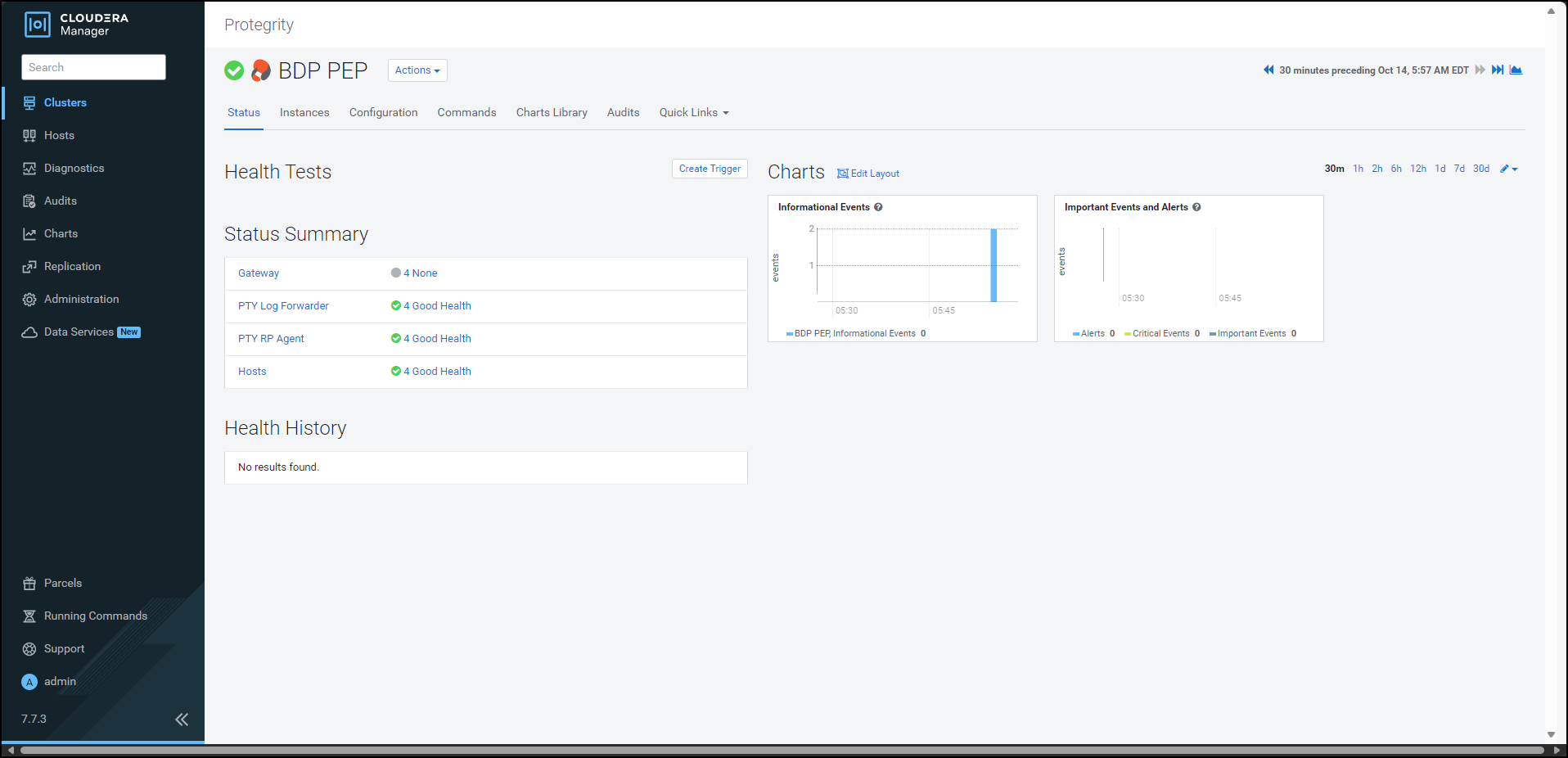
To generate the
config.inifile on the nodes where you have installed the Gateway Role, select Actions » Deploy Client Configuration. The prompt to confirm the action appears.
Click Deploy Client Configuration.
Cloudera Manager generates the
config.inifile to all the nodes where the Gateway role is installed.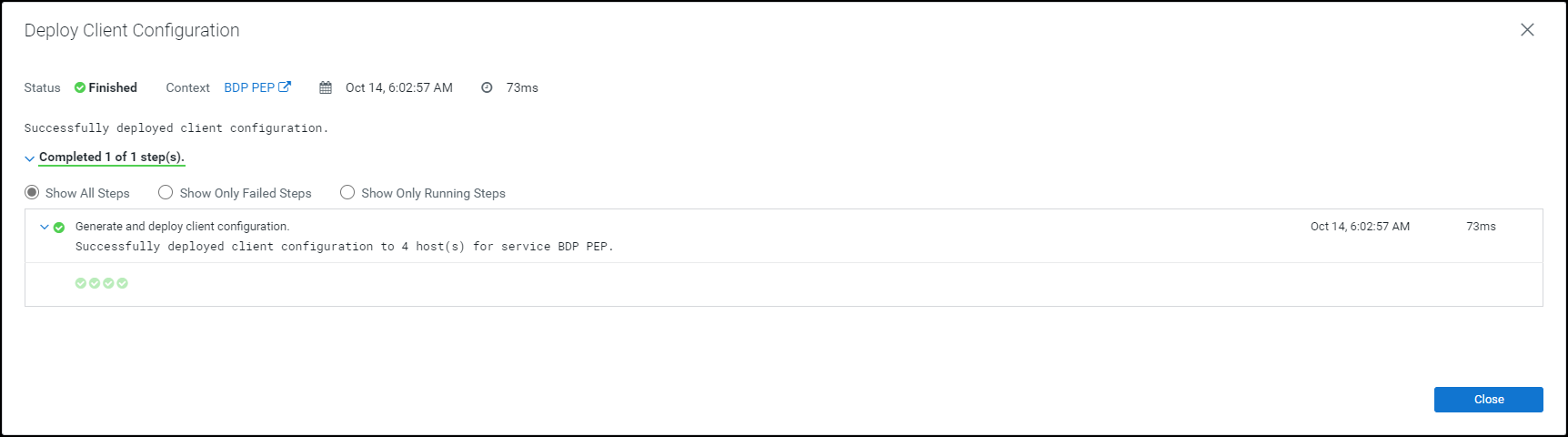
10.4.4.3 -
10.4.5 - Configuring the Protector
10.4.5.1 - Updating the Parcels
10.4.5.1.1 - Updating the Certifcate Parcels with a Restart
If you have updated the certificates in ESA, with which the Big Data Protector is configured, then the Certificates parcel must be updated with the new certificates. The updated Certificates parcel must be utilized by all the nodes in the cluster.
To utilize the updated certificates:
Log in to the node, which contains the Big Data Protector configurator script.
Run the
BDPConfigurator_CDP-PVC-Base-7.1_<BDP_version>.shscript.The prompt to continue the configuration of the Big Data Protector appears.
***************************************************************************** Welcome to the Big Data Protector Configurator Wizard ***************************************************************************** This will setup the Big Data Protector Installation Files for CDP PVC Base Do you want to continue? [yes or no]:To start configuration of the Big Data Protector, type yes.
Press ENTER.
The prompt to select the type of installation file appears.
Big Data Protector Configurator started... Unpacking... Extracting files... Select the type of Installation files you want to generate. [ 1: Create All ] : Creates entire Big Data Protector CSDs and Parcels. [ 2: Update PTY_CERT ] : Creates new PTY_CERT parcel with an incremented patch version. Use this if you have updated the ESA certificates. [ 3: Update PTY_LOGFORWARDER_CONF ] : Creates new PTY_LOGFORWARDER_CONF parcel with an incremented patch version. Use this if you want to set Custom LogForwarder configuration files to forward logs to an External Audit Store. [ 1, 2 or 3 ]:To update ESA certificates in the
PTY_CERTparcel, type2.Press ENTER.
The prompt to select the operating system for the parcel appears.
Select the OS version for Cloudera Manager Parcel. This will be used as the OS Distro suffix in the Parcel name. [ 1: el7 ] : RHEL 7 and clones (CentOS, Scientific Linux, etc) [ 2: el8 ] : RHEL 8 and clones (CentOS, Scientific Linux, etc) [ 3: el9 ] : RHEL 9 and clones (CentOS, Scientific Linux, etc) [ 4: sles12 ] : SuSE Linux Enterprise Server 12.x Enter the no.:Depending on the requirements, type
1,2,3, or4to select the operating system version for the Big Data Protector parcels.Press ENTER.
The prompt to enter ESA hostname or IP address appears.
Enter ESA Hostname or IP Address:Enter ESA hostname or IP address.
Press ENTER.
The prompt to enter ESA host listening port appears.
Enter ESA host listening port [8443]:If you want to use the default value of ESA host listening port, which is
8443, then press ENTER.If you have configured an external proxy having connectivity with ESA to download the certificates and password binaries from ESA, then enter the external Proxy listening port.
Press ENTER.
The prompt to enter ESA JSON Web Token (JWT) appears.
If you have an existing ESA JSON Web Token (JWT) with Export Certificates role, enter it otherwise enter 'no':Note: The script silently reads the user input. Therefore, the user will be unable to see the entered JWT or
no.Enter the JWT token.
a. If you do not have an existing ESA JSON Web Token (JWT), type
no.b. Press ENTER.
The prompt to enter ESA user name appears.JWT was not provided. Script will now prompt for ESA username and password. Enter ESA Username with Export Certificates role:c. Enter ESA user name.
d. Press ENTER.
The prompt to enter the password for ESA appears.Enter Password for username '<user_name>':e. Enter ESA administrator password.
f. Press ENTER.
The script retrieves the JWT token from ESA, downloads the certificates, and generates the installation files. The prompt to enter the activated version of thePTY_CERTparcel appears.Fetching JWT from ESA.... Fetching Certificates from ESA.... % Total % Received % Xferd Average Speed Time Time Time Current Dload Upload Total Spent Left Speed 100 11264 100 11264 0 0 147k 0 --:--:-- --:--:-- --:--:-- 148k ------------------------------------------------------------------------------- Generating Installation files... NOTE: You can verify the version of the activated PTY_CERT parcel from the parcel name, such as PTY_CERT-x.x.x.x_CDPx.x.p<version>-<os>.parcel, where the <version> parameter denotes the patch version of the PTY_CERT parcel. For Example: If the current activated PTY_CERT parcel is PTY_CERT-x.x.x.x_CDPx.x.p0-<os>.parcel, the patch version of the PTY_CERT parcel will be 0. Do NOT include 'p' while specifying the version. Enter the <version> of the current PTY_CERT Parcel as specified in the parcel name [0]:Press ENTER.
The script validates the JWT token from ESA, downloads the certificates, and generates the installation files. The prompt to enter the activated version of the
PTY_CERTparcel appears.Fetching Certificates from ESA.... % Total % Received % Xferd Average Speed Time Time Time Current Dload Upload Total Spent Left Speed 100 11264 100 11264 0 0 147k 0 --:--:-- --:--:-- --:--:-- 148k ------------------------------------------------------------------------------- Generating Installation files... NOTE: You can verify the version of the activated PTY_CERT parcel from the parcel name, such as PTY_CERT-x.x.x.x_CDPx.x.p<version>-<os>.parcel, where the <version> parameter denotes the patch version of the PTY_CERT parcel. For Example: If the current activated PTY_CERT parcel is PTY_CERT-x.x.x.x_CDPx.x.p0-<os>.parcel, the patch version of the PTY_CERT parcel will be 0. Do NOT include 'p' while specifying the version. Enter the <version> of the current PTY_CERT Parcel as specified in the parcel name [0]:Enter the current activated patch version of the
PTY_CERTparcel.Press ENTER.
The script generates the updated certificates parcel in the
/Installation_Files/directory.The updated PTY_CERT parcel 'PTY_CERT-<BDP_version>_CDP7.1.p1-<operating_system_version>.parcel' is generated in ./Installation_Files/ directory. NOTE: Copy PTY_CERT-<BDP_version>_CDP7.1.p1-<operating_system_version>.parcel and .sha files to Cloudera Manager local parcel repository.Copy the new Certificate parcel to the local parcel repository of Cloudera Manager.
The default local parcel repository for Cloudera Manager is located in the
/opt/cloudera/parcel-repo/directory.Navigate to the local parcel repository directory.
In this case, the local parcel repository is stored in the
/opt/cloudera/parcel-repo/directory.To assign the ownership permissions for Cloudera SCM to the new Certificate parcel and checksum file, run the following command:
chown cloudera-scm:cloudera-scm PTY_*Press ENTER.
To set 640 permissions to the parcel files, run the following command.
chmod 640 PTY_*Press ENTER.
The command assigns read and write permissions to the owner, read permissions to the group, and restricts access to all other users.
Log in to the Cloudera Manager web interface.
Navigate to the Parcels page.
The Parcels page appears.
To fetch the updated parcels, click Check for New Parcels.
Cloudera Manager fetches the updated PTY_CERT parcel.
Distribute the new Certificate parcel to the nodes.
Note: For more information about distributing the new Certificate parcel, refer to the section Distributing the Big Data Protector Parcels to the Nodes.
Activate the new Certificate parcel on the nodes.
Note: For more information about activating the new Certificate parcel, refer to the section Activating the Big Data Protector Parcels on the Nodes.
Restart the BDP PEP service.
10.4.5.1.2 - Updating the Certificate Parcels without a Restart
After you update the certificate parcel and distribute them to the nodes, you must restart the BDP PEP service. This restart enables Cloudera Manager to ensure the state of BDP PEP service is up to date and links itself with the latest activated PTY_CERT parcel. However, restarting results in a loss of production hours. Therefore, Protegrity has introduced a feature wherein you can update the certificate parcel without restarting the BDP PEP service.
To update the certificates parcel without restarting the BDP PEP service:
Follow steps from 1 to 23 as mentioned in the section Updating the certificate parcels
Note: Do not restart the BDP PEP service at this point.
Using a browser, navigate to the Cloudera Manager screen.
Enter the Username.
Enter the Password.
Click Sign In.
The Cloudera Manager Home page appears.
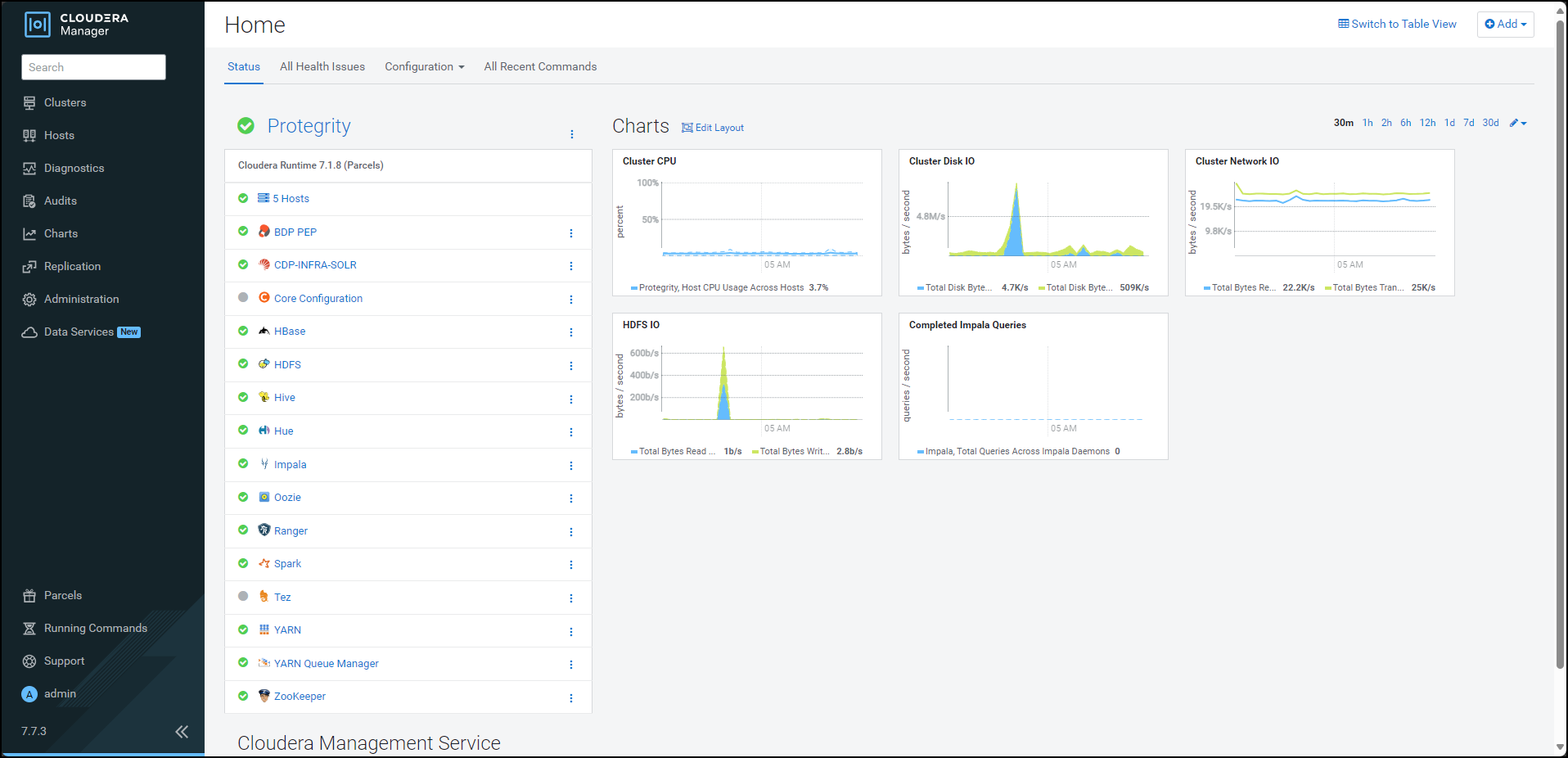
From the left pane, click Parcels. The Cloudera Manager Parcels page appears.
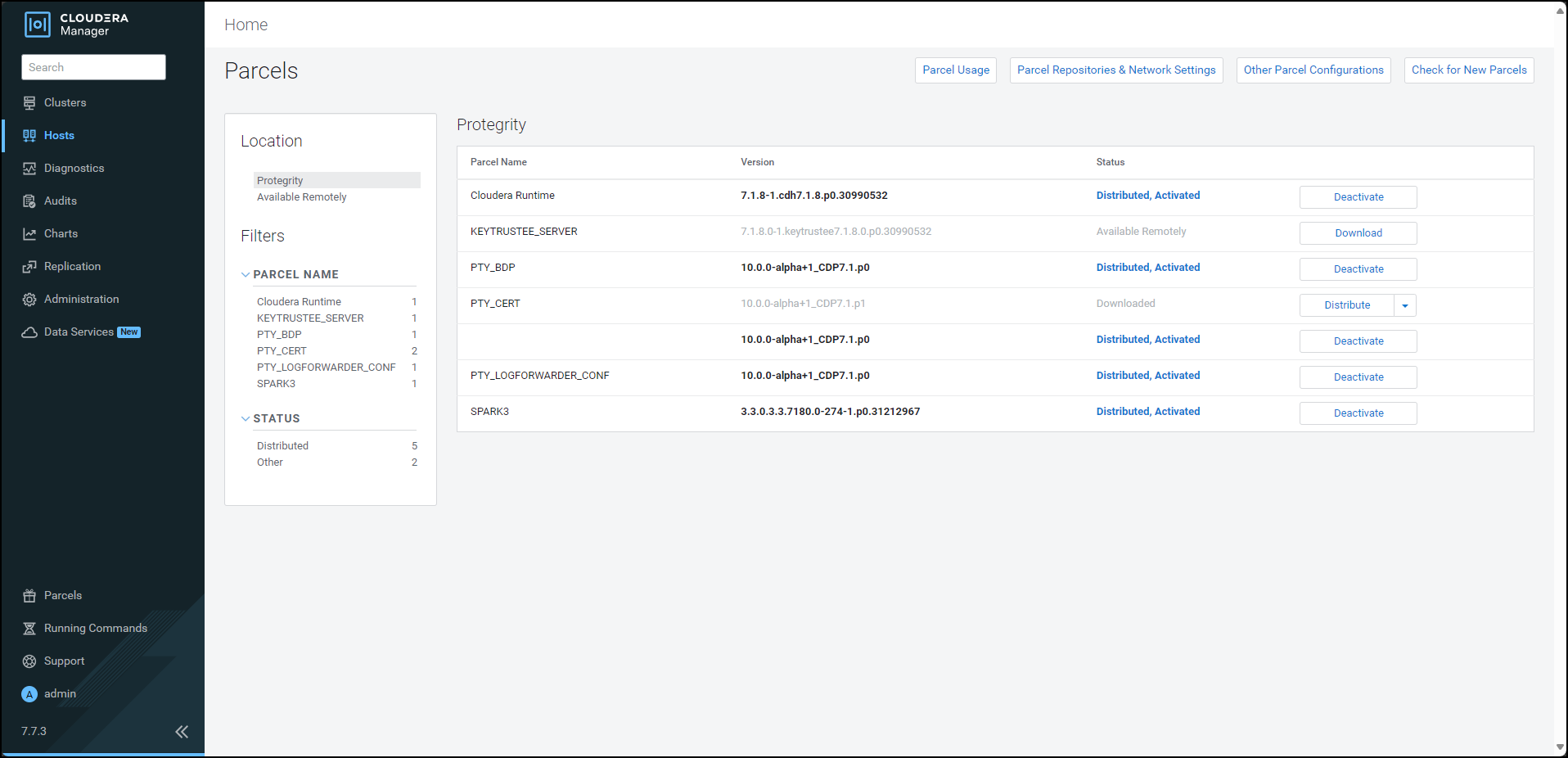
To distribute the Certificates parcel, besides the PTY_CERT parcel, click Distribute. Cloudera Manager distributes the Certificates parcel to all the nodes and enables the Activate button.
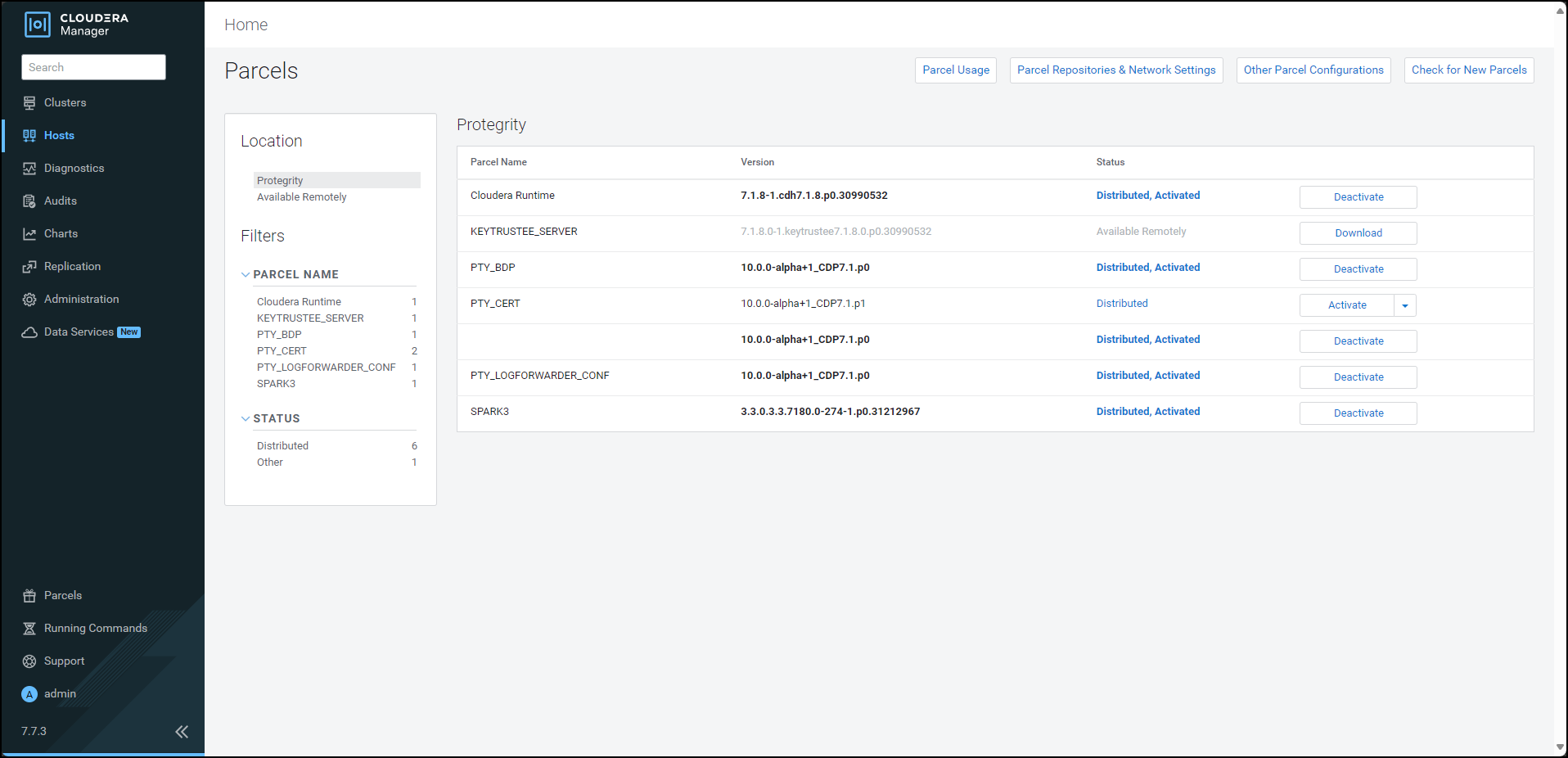
To activate the certificates parcel without a restart, besides the PTY_CERT parcel, click Activate. The prompt to activate the certificates parcel appears.
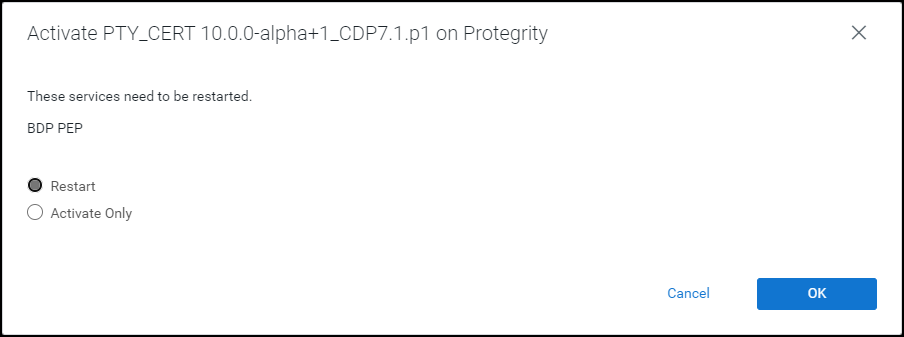
Select Activate Only.
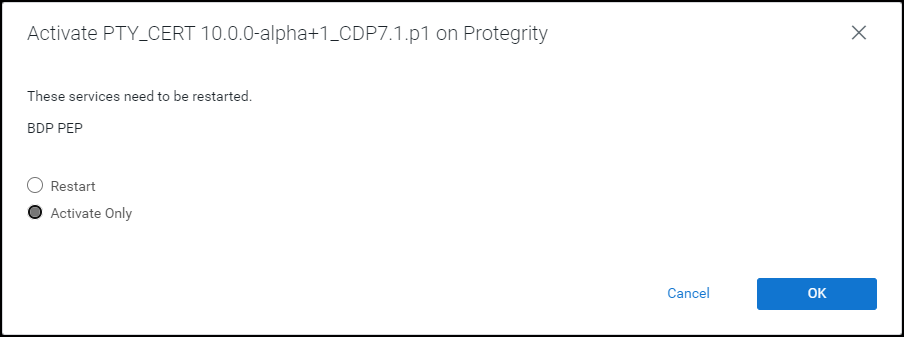
Click OK. Cloudera Manager deactivates the existing certificates parcel from all the nodes and activates the updated certificates parcel on all the nodes. After the activation is complete, Cloudera Manager enables the Deactivate option for the updated PTY_CERT parcel.
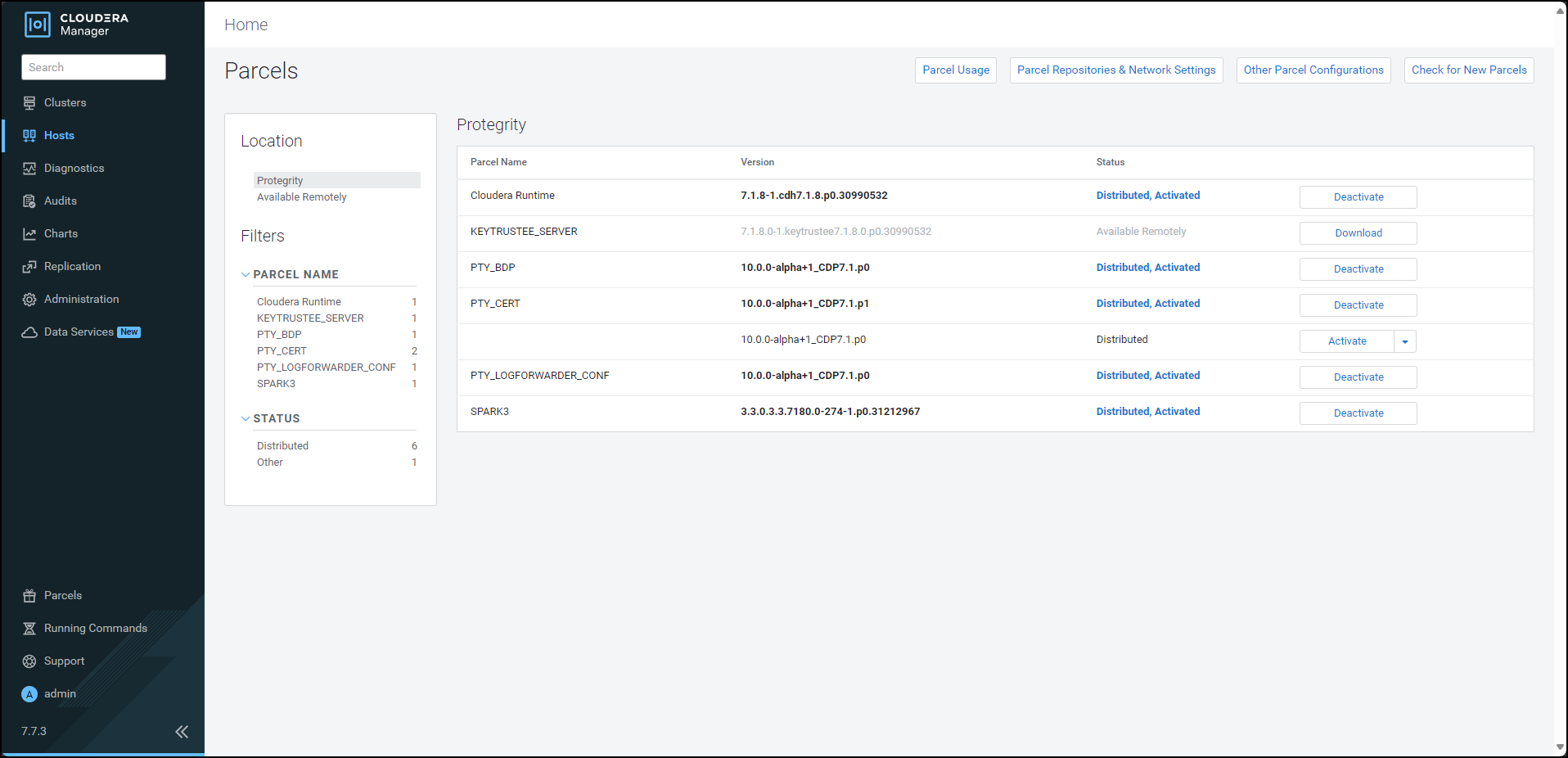
Navigate to the Cloudera Manager home page. The Cloudera Manager home page indicates a stale configuration in the BDP PEP service because we activated the updated certificates parcel without a restart.
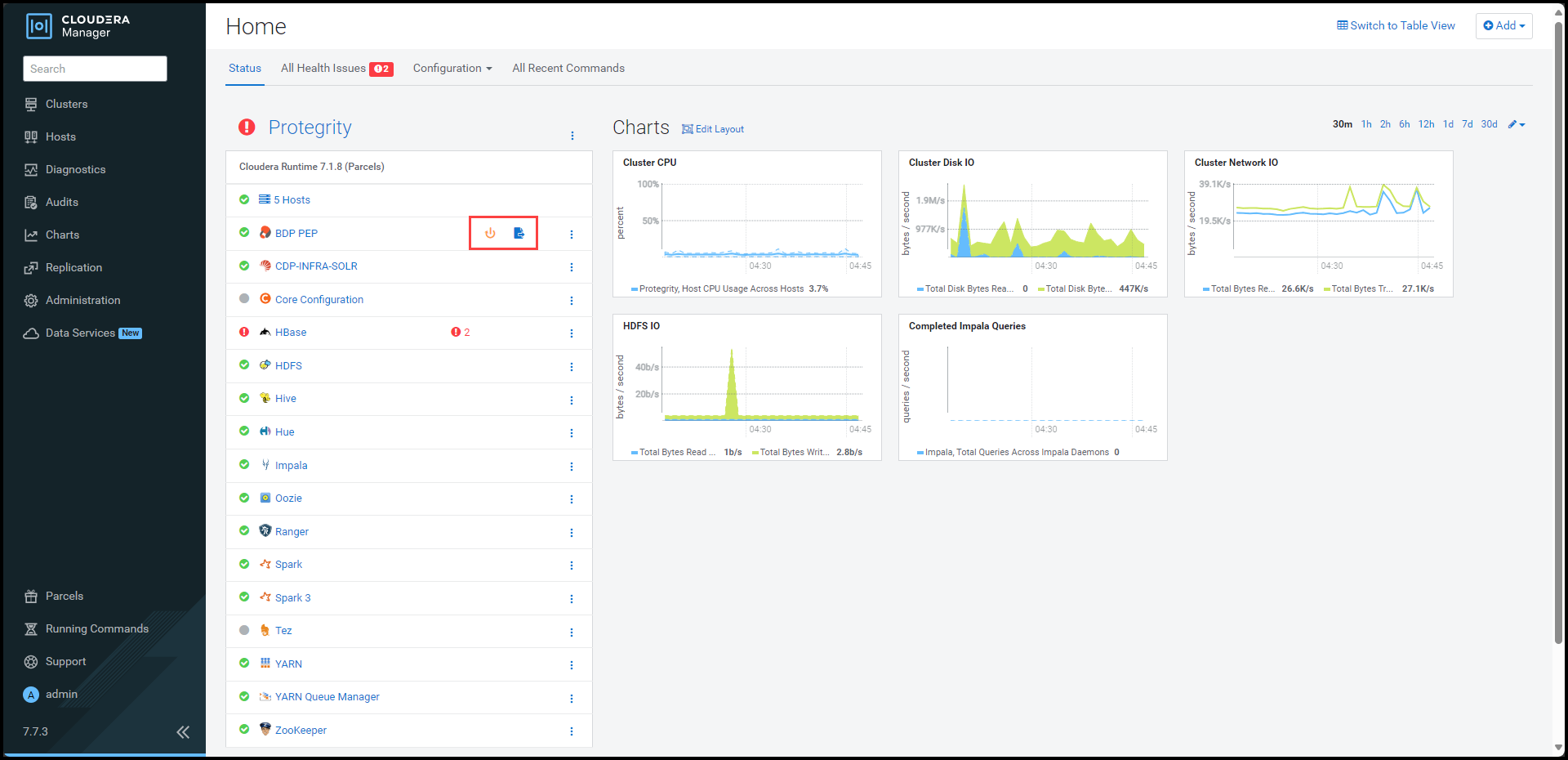
Note: You can safely ignore the stale configuration alert because the update certificate feature does not require a restart of the BDP PEP service.
To view the service page, click BDP PEP. The BDP PEP page appears.
To update the certificates parcel on all the nodes, select Actions > Rotate certificates for all RP Agents.
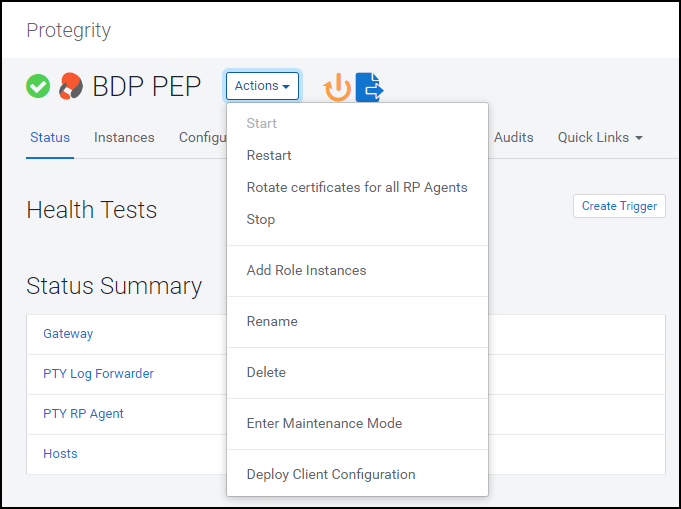
The prompt to confirm the action appears.
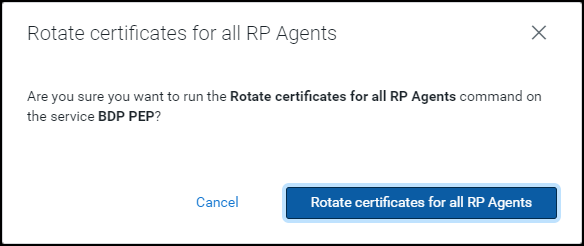
Click Rotate certificates for all RP Agents. Cloudera Manager executes the rotate certificate command and updates the certificates used by the RP Agents on all the nodes in the cluster.
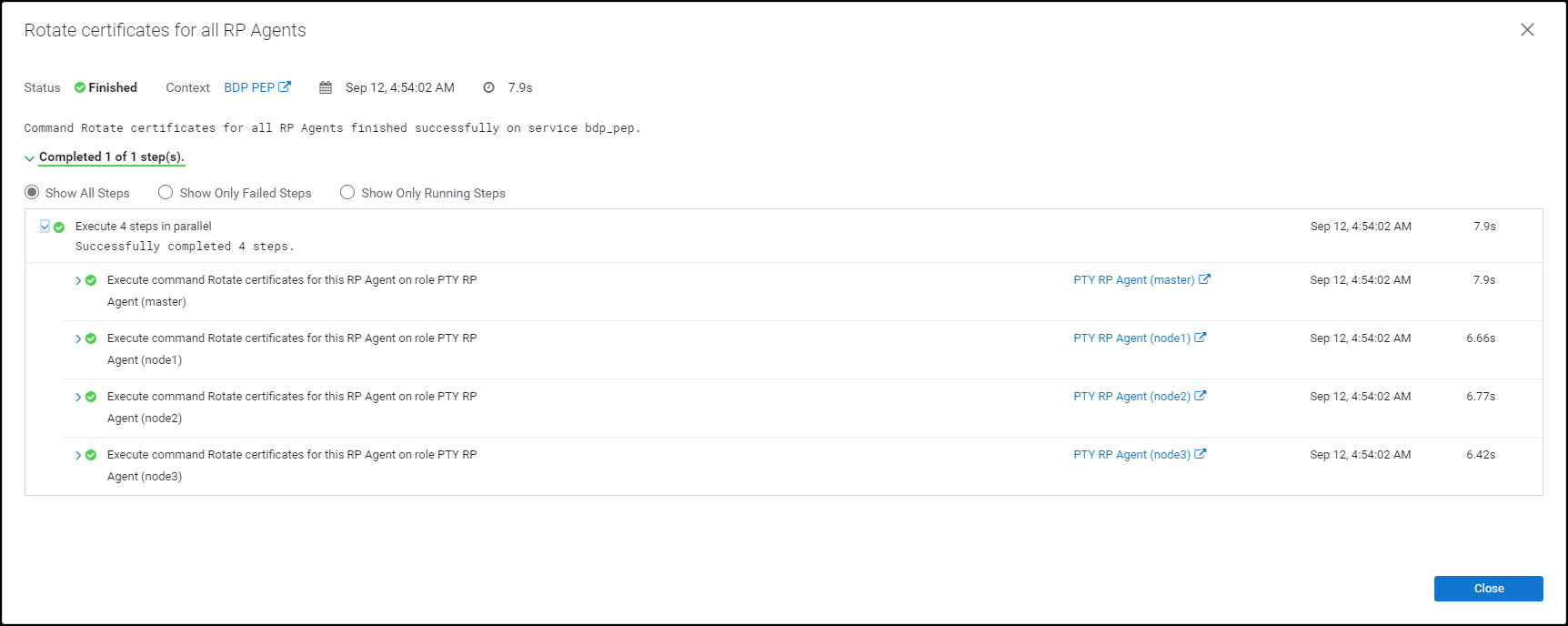
Click Close.
The command extracts the certificates from the latest activated PTY_CERT parcel directory
/opt/cloudera/parcels/PTY_CERT/data/esacerts.tarto the default RP Agent directory/opt/cloudera/parcels/PTY_BDP/rpagent/data/on each node. The RP Agent will establish a TLS connection, download the policy, and fetch the certificates from therpagent/data/directory every time it polls ESA. This eliminates the need to restart the service to fetch the updated certificates.Note: The BDP PEP service in Cloudera Manager will fetch the updated certificates (PTY_CERT) parcel on the new node whenever you add a new node to an existing cluster.
10.4.5.1.3 - Updating the Log Forwarder Parcel
If you want to use a newer set of custom Log Forwarder configuration files to send the logs to an External Audit Store, then you must update, distribute, and activate the PTY_LOGFORWARDER_CONF parcel on all the nodes in the cluster.
To update the Log Forwarder parcel:
Log in to the host machine, which contains the Big Data Protector configurator script.
To execute the configurator script, run the following command:
BDPConfigurator_CDP-PVC-Base-7.1_<BDP_version>.shPress ENTER.
The prompt to continue the configuration of Big Data Protector appears.***************************************************************************** Welcome to the Big Data Protector Configurator Wizard ***************************************************************************** This will setup the Big Data Protector Installation Files for CDP PVC Base Do you want to continue? [yes or no]:To start configuration of the Big Data Protector, type
yes.Press ENTER.
The prompt to select the type of installation file appears.
Big Data Protector Configurator started... Unpacking... Extracting files... Select the type of Installation files you want to generate. [ 1: Create All ] : Creates entire Big Data Protector CSDs and Parcels. [ 2: Update PTY_CERT ] : Creates new PTY_CERT parcel with an incremented patch version. Use this if you have updated the ESA certificates. [ 3: Update PTY_LOGFORWARDER_CONF ] : Creates new PTY_LOGFORWARDER_CONF parcel with an incremented patch version. Use this if you want to set Custom LogForwarder configuration files to forward logs to an External Audit Store. [ 1, 2 or 3 ]:To update the Log Forwarder parcel, type
3.Press ENTER.
The prompt to select the operating system version appears.
Select the OS version for Cloudera Manager Parcel. This will be used as the OS Distro suffix in the Parcel name. [ 1: el7 ] : RHEL 7 and clones (CentOS, Scientific Linux, etc) [ 2: el8 ] : RHEL 8 and clones (CentOS, Scientific Linux, etc) [ 3: el9 ] : RHEL 9 and clones (CentOS, Scientific Linux, etc) [ 4: sles12 ] : SuSE Linux Enterprise Server 12.x Enter the no.:Depending on the requirements, type
1,2,3, or4to select the operating system version for the Big Data Protector parcels.Press ENTER.
The prompt to enter the local directory path that stores the Log Forwarder configuration files appears.
Enter the local directory path on this machine that stores the LogForwarder configuration files for External Audit Store:Type the local directory path that stores the Log Forwarder configuration files.
Press ENTER.
The prompt to enter the current version of the Log Forwarder configuration parcel appears.
Generating Installation files... NOTE: You can verify the version of the activated PTY_LOGFORWARDER_CONF parcel from the parcel name, such as PTY_LOGFORWARDER_CONF-x.x.x.x_CDPx.x.p<version>-<os>.parcel, where the <version> parameter denotes the patch version of the PTY_LOGFORWARDER_CONF parcel. For Example: If the current activated PTY_LOGFORWARDER_CONF parcel is PTY_LOGFORWARDER_CONF-x.x.x.x_CDPx.x.p0-<os>.parcel, the patch version of the PTY_LOGFORWARDER_CONF parcel will be 0. Do NOT include 'p' while specifying the version. Enter the <version> of the current PTY_LOGFORWARDER_CONF Parcel as specified in the parcel name [0]:Type the version of the Log Forwarder configuration parcel.
Press ENTER.
The installer generates the
PTY_LOGFORWARDER_CONFparcel in the./Installation_Files/directory.The updated PTY_LOGFORWARDER_CONF parcel 'PTY_LOGFORWARDER_CONF-<BDP_version>_CDP7.1.p1-<operating_system_version>.parcel' is generated in ./Installation_Files/ directory. NOTE: Copy PTY_LOGFORWARDER_CONF-<BDP_version>_CDP7.1.p1-<operating_system_version>.parcel and .sha files to Cloudera Manager local parcel repository.Copy the new
PTY_LOGFORWARDER_CONFparcel to the local parcel repository of Cloudera Manager.The default local parcel repository for Cloudera Manager is located in the
/opt/cloudera/parcel-repo/directory.Navigate to the local parcel repository directory.
To assign the ownership permissions for the Cloudera SCM to the new Log Forwarder configuration parcel and checksum file, run the following command:
chown cloudera-scm:cloudera-scm PTY_*Press ENTER.
To assign
640permissions to the parcel files, run the following command.chmod 640 PTY_*Press ENTER.
The command assigns read and write permissions to the owner, read permissions to the group, and restricts access to all other users.
Log in to the Cloudera Manager web interface.
Navigate to the Parcels page.
The Parcels page appears.
To fetch the updated parcels, click Check for New Parcels.
The Cloudera Manager will fetch the updated
PTY_LOGFORWARDER_CONFparcel.Distribute the new
PTY_LOGFORWARDER_CONFparcel to the nodes.Note: For more information about distributing the new
PTY_LOGFORWARDER_CONFparcel, refer to the section Distributing the parcels.Activate the new
PTY_LOGFORWARDER_CONFparcel on the nodes.Note: For more information about activating the new
PTY_LOGFORWARDER_CONFparcel, refer to the section Activating the parcels.Restart the BDP PEP service.
10.4.5.2 - Setting the Configurations
10.4.5.2.1 - Updating Parameters in the config.ini file
To update the configuration parameters in the config.ini file:
Using a browser, navigate to the Cloudera Manager web UI.
Enter the Username.
Enter the Password.
Click Sign In.
The Cloudera Manager Home page appears.
Click BDP PEP. The BDP PEP page appears.
Click the Configuration tab. The Configuration tab appears.
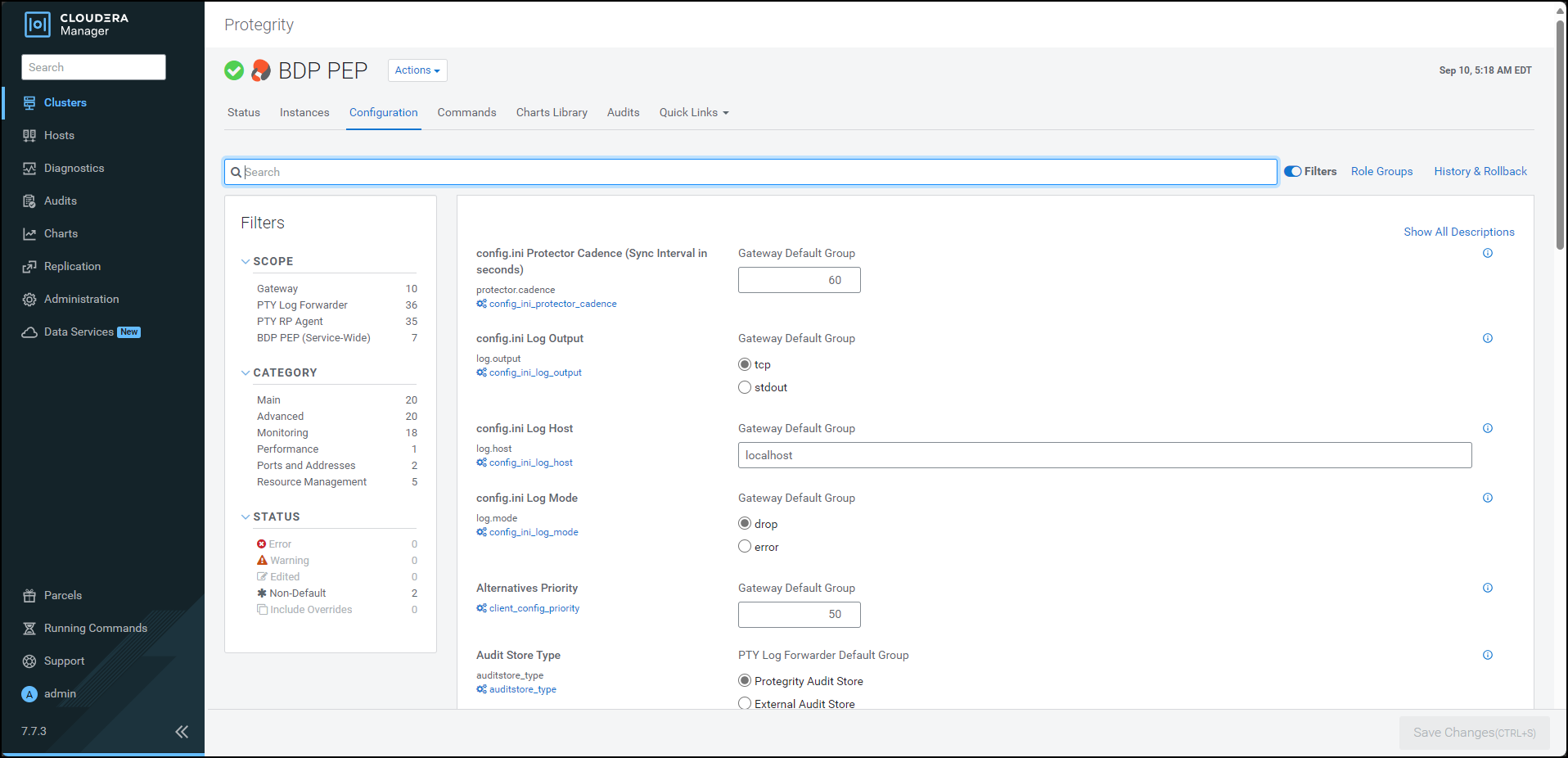
In the Filters pane, under Scope, click Gateway. The options related to the
config.inifile appear.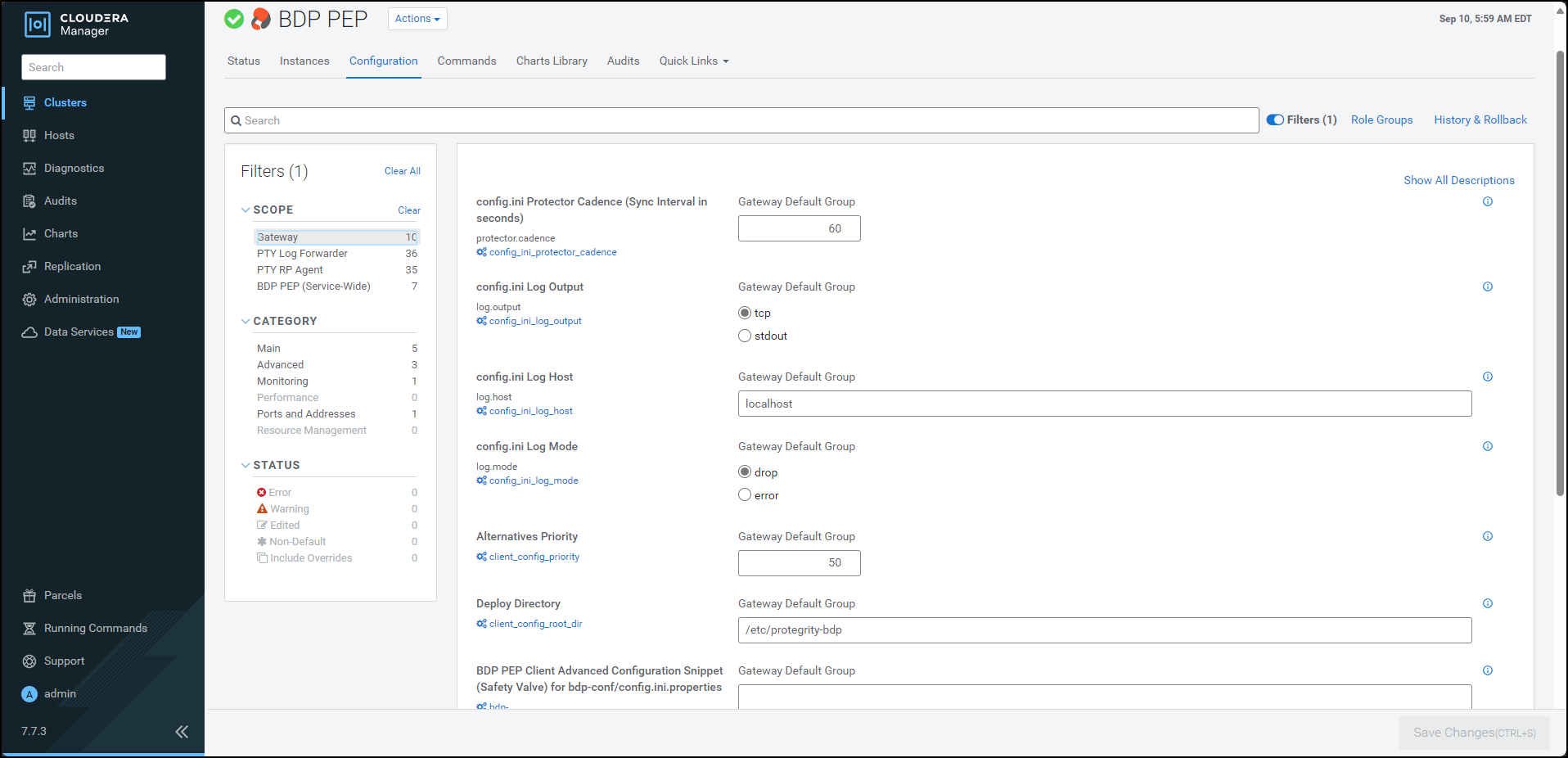
Update the parameters, as per the descriptions, listed in the following table:
| Parameter | Description |
|---|---|
| Protector Cadence | Determines how often the protector’s sync thread will execute (in seconds). The default is 60 seconds. By default, every 60 seconds the protector attempts to fetch the policy updates. If the cadence is set to ‘0’, then the protector will get the policy only once (per process). The interval is reset when the previous sync is finished. Minimum Value = 0 sec Maximum Value = 86400 sec (i.e. 24 hours) |
| Log Output | Defines the output type for protections logs. Accepted values are: - tcp = (Default) Logs are sent to LogForwarder using tcp - stdout = Logs are sent to stdout. |
| Log Host | Specifies the LogForwarder Host/IP Address where logs will be forwarded from the protector. |
| Log Mode | Determines the approach to handle logs when the connection to the LogForwarder is lost. This setting is only for the protector logs and not application logs. - drop = (Default) Protector throws logs away if connection to the logforwarder is lost. - error = Protector returns error without protecting/unprotecting data if connection to the logforwarder is lost. |
| Deploy Directory | Specifies the directory where the client configs will be deployed. Note: The Gateway Role requires this parameter to stage the temporary files (like the config.ini.properties). The default value is set to /etc/protegrity-bdp/. |
| BDP PEP Client Advanced Configuration Snippet (Safety Valve) for bdp-conf/config.ini.properties | For advanced use only, a string to be inserted into the client configuration for bdp-conf/config.ini.properties. |
| Log Port | Specifies the LogForwarder port where logs will be forwarded from the protector. |
Note: After adding or modifying any parameter in the
config.inifile, restart all the dependent services to reload the configuration changes.
10.4.5.2.2 - Updating Parameters for the RP Agent
To update the configuration parameters for the RP Agent:
Using a browser, navigate to the Cloudera Manager screen.
Enter the Username.
Enter the Password.
Click Sign In.
The Cloudera Manager Home page appears.
Click BDP PEP. The BDP PEP page appears.
Click the Configuration tab. The Configuration tab appears.
In the Filters pane, under Scope, click PTY RP Agent. The options related to the RP Agent appear.
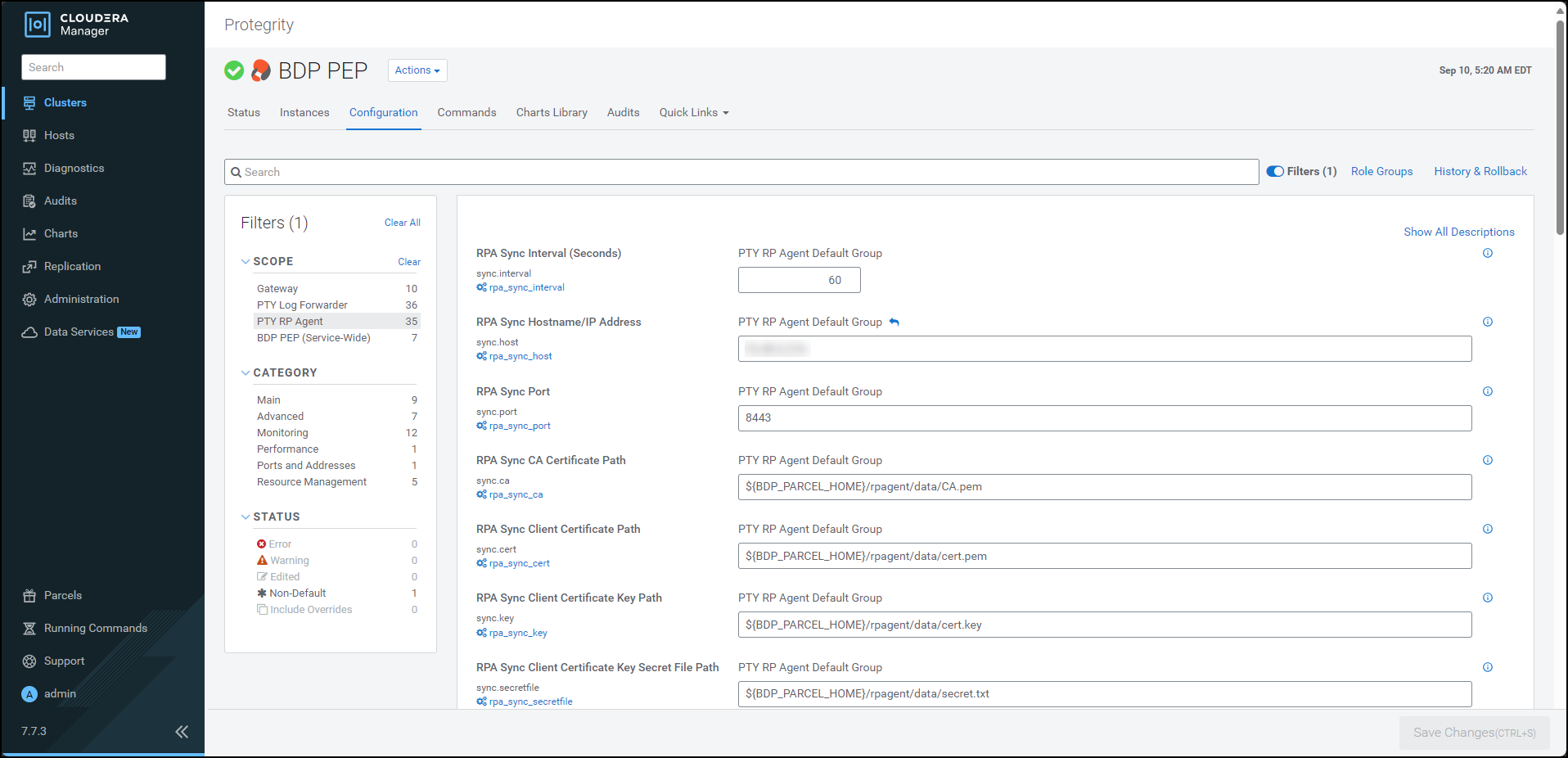
Update the parameters, as per the descriptions, listed in the following table:
| Option | Description |
|---|---|
| RPA Sync Interval (Seconds) | Specifies the frequency at which the RPAgent will fetch the policy from ESA. The minimum value is 1 second and the maximum value is 86400 seconds. |
| RPA Sync Hostname/IP Address | Specifies the hostname/IP Address to the service that provides the resilient packages. |
| RPA Sync Port | Specifies the port to the service that provides the resilient packages. |
| RPA Sync CA Certificate Path | Specfies the path to the CA certificate to validate the server certificate. Note: Do not modify the value of this parameter. |
| RPA Sync Client Certificate Path | Specifies the path to the client certificate. Note: Do not modify the value of this parameter. |
| RPA Sync Client Certificate Key Path | Specifies the path to the client certificate key. Note: Do not modify the value of this parameter. |
| RPA Sync Client Certificate Key Secret File Path | Specifies the path to the secret file used to decrypt the client certificate key. Note: Do not modify the value of this parameter. |
| RPA Log Host | Specifies the LogForwarder Host/IP Address where logs will be forwarded from the RPA. |
| RPA Log Mode | In case that connection to LogForwarder is lost, set how logs are handled. drop = (Default) Protector throws logs away if connection to the logforwarder is lost error = Protector returns error without protecting/unprotecting data if connection to the logforwarder is lost. |
10.4.5.2.3 - Updating Parameters for the Log Forwarder
To update the configuration parameters for the Log Forwarder:
Using a browser, navigate to the Cloudera Manager screen.
Enter the Username.
Enter the Password.
Click Sign In.
The Cloudera Manager Home page appears.
Click BDP PEP. The BDP PEP page appears.
Click the Configuration tab. The Configuration tab appears.
In the Filters pane, under Scope, click PTY Log Forwarder. The options related to the Log Forwarder appear.
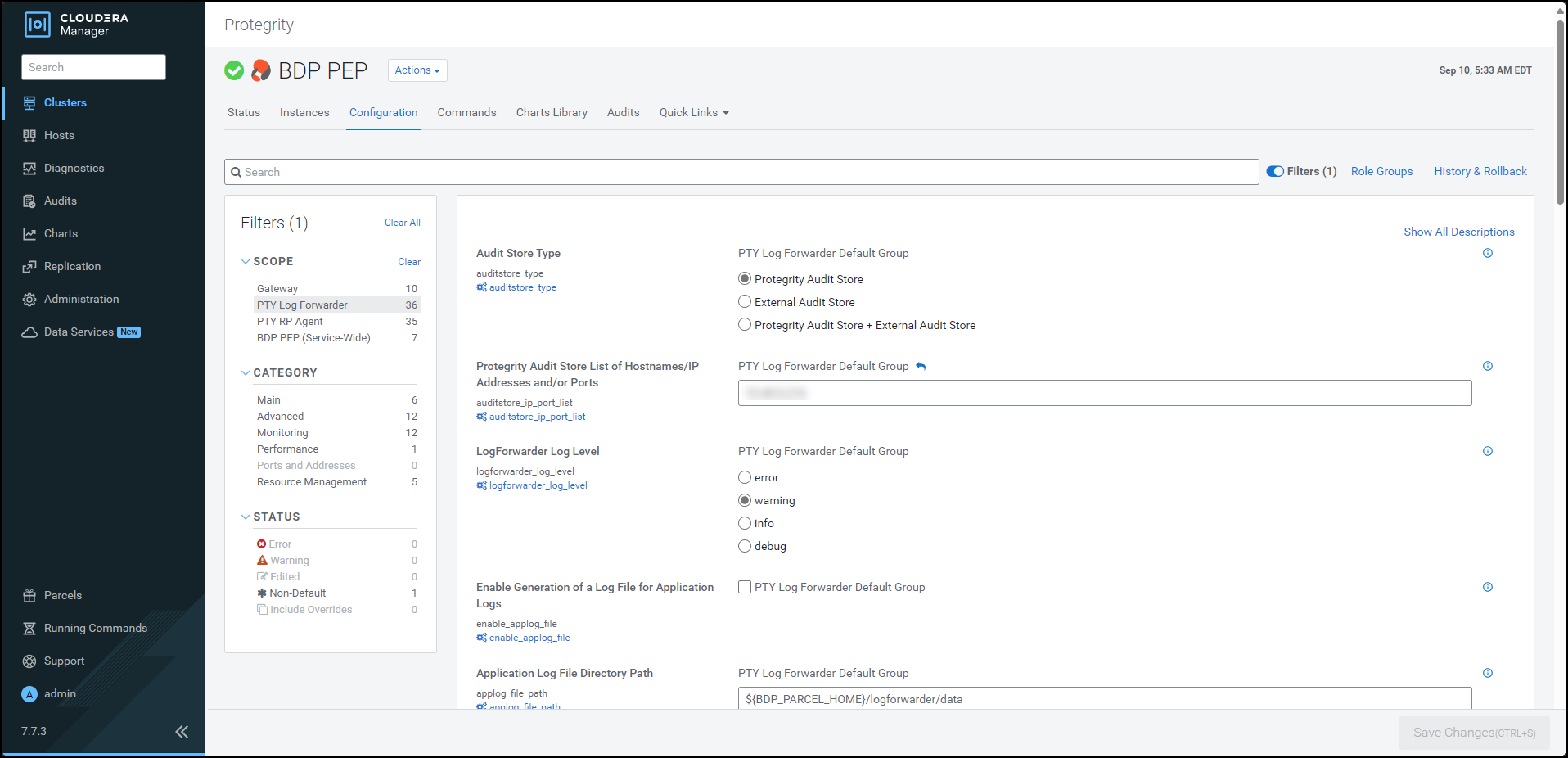
Update the parameters, as per the descriptions, listed in the following table:
| Option | Description |
|---|---|
| Audit Store Type | Specifies the type of Audit Store(s) where PTY LogForwarder sends logs to. |
| Protegrity Audit Store List of Hostnames/IP Addresses and/or Ports | Is the comma-delimited List of Protegrity Audit Store appliances’ Hostnames/IP addresses and/or Ports where LogForwarder sends logs. Allowed Syntax: hostname[:port][,hostname[:port],hostname[:port]…] (By default 9200 is set for empty ports) Examples: auditstore-a:9200,auditstore-b:9201,auditstore-c:9202 hostname-a hostname-a,hostname-b,hostname-c hostname-a:9201,hostname-b,hostname-c,hostname-d When using only External Audit Store, set this to NA. |
| LogForwarder Log Level | Specifies the LogForwarder logging verbosity level. |
| Enable Generation of a Log File for Application Logs | Enables the logforwarder/data/config.d/out_applog_file.conf file to create an Application Log file locally on the Nodes. |
| Application Log File Directory Path | Specifies the directory Path on the Nodes to store Application Log File. This is set as value of ‘Path’ in out_applog_file.conf when ’enable_applog_file’ is true. |
| Application Log File Name | Specifies the name of the Application Log File. This is set as value of ‘File’ in out_applog_file.conf when ’enable_applog_file’ is true. |
10.4.5.2.4 - Adding a new configuration parameter
To add a new configuration parameter in the config.ini file:
Using a browser, navigate to the Cloudera Manager screen.
Enter the Username.
Enter the Password.
Click Sign In.
The Cloudera Manager Home page appears.
Click BDP PEP. The BDP PEP page appears.
Click the Configuration tab. The Configuration tab appears.
In the Filters pane, under Scope, click Gateway. The options related to the
config.inifile appear.To add a new parameter for the
config.inifile, perform the following steps:- Under the BDP PEP Client Advanced Configuration Snippet (Safety Valve) for bdp-conf/config.ini.properties box, enter the required parameter and the corresponding value in the
group.key=valueformat. When you enter the parameter in thegroup.key=valueformat, Cloudera Manager appends the parameter in theconfig.inifile on all the nodes in the following format:[group] key = value - Click Save Changes (CTRL+S).
- Under the BDP PEP Client Advanced Configuration Snippet (Safety Valve) for bdp-conf/config.ini.properties box, enter the required parameter and the corresponding value in the
To verify whether the parameter is added to the config.ini file, perform the following steps:
- Log in to the Master Node.
- To navigate to the
/opt/cloudera/parcels/PTY_BDP/bdp/data/directory, run the following command:cd /opt/cloudera/parcels/PTY_BDP/bdp/data/ - Press ENTER.
The command changes the working directory to
/opt/cloudera/parcels/PTY_BDP/bdp/data/. - To view the contents of the
config.inifile, run the following command:vim config.ini - Press ENTER.
The command displays the contents of the
config.inifile.[log] host=localhost port=15780 output=tcp mode=drop [protector] cadence=60 [core] emptystring=empty
Using a browser, login to the Cloudera Manager home page.
Click BDP PEP. The BDP PEP page appears.
To generate the
config.inifile on the nodes where you have installed the Gateway Role, select Actions » Deploy Client Configuration. The prompt to confirm the action appears.Click Deploy Client Configuration.
Cloudera Manager generates the
config.inifile to all the nodes where the Gateway role is installed.
Note: If you add or modify any parameter in the
config.inifile, then you must restart all the dependent services to reload the configuration changes.
10.4.5.2.5 - Setting the Big Data Protector configuration
After you install the Big Data Protector, you must set the configuration parameters. These parameters will vary depending on the CDP-PVC-Base services that you will use. Protegrity now provides the set_unset_bdp_config.sh script to set the configuration parameters for the required services.
Important: If you want to uninstall the Big Data Protector, then ensure that you roll back the configuration parameters, to their previous values, that you set after installing the Big Data Protector. For more information, refer Restoring the Big Data Protector configuration
To set the Big Data Protector configuration:
Log in to the master node of the cluster.
Navigate to the directory where you executed configurator script and generated the installation files.
To set the configurations using the helper script, run the following command:
./set_unset_bdp_config.shPress ENTER.
The prompt to enter the IP address of the Cloudera Manager server appears.
Enter Cloudera Manager Server Node's Hostname/IP Address:Enter the IP address of the master node.
Press ENTER.
The prompt to enter the name of the cluster appears.
Enter Cluster's Name:Enter the name of the cluster.
Press ENTER.
The prompt to enter the username to access Cloudera Manager appears.
Enter Cloudera Manager's Username:Enter the username.
Press ENTER.
The prompt to enter the password appears.
Enter Cloudera Manager's Password:Enter the password.
Press ENTER.
The script verifies the cluster details and the prompt to set or remove the configuration appears.
Cluster's existence verified. Do you want to set or unset the BDP configs? [ 1 ] : SET the BDP configs [ 2 ] : UNSET the BDP configs Enter the no.:To set the configuration for the Big Data Protector, type 1.
Press ENTER.
The script updates the configuration for the Big Data Protector.
Checking existence of HBase service with name 'hbase'. Service 'hbase' exists. Setting HBase's config... ######################################################################################################################################################################### 100.0% HBase's 'hbase_coprocessor_region_classes' config for Role Group 'hbase-REGIONSERVER-BASE' has been updated. ######################################################################################################################################################################### 100.0% HBase's 'hbase_coprocessor_region_classes' config for Role Group 'hbase-REGIONSERVER-1' has been updated. ######################################################################################################################################################################### 100.0% HBase's 'hbase_coprocessor_region_classes' config for Role Group 'hbase-REGIONSERVER-2' has been updated. Checking existence of Hive on Tez service with name 'hive_on_tez'. Warning: Unable to check existence of Hive on Tez service 'hive_on_tez'. Skipping this service... { "message" : "Service 'hive_on_tez' not found in cluster <name_of_the_cluster>." } Checking existence of Tez service with name 'tez'. Service 'tez' exists. Setting Tez's config... ######################################################################################################################################################################### 100.0% Tez Service wide config ('tez.cluster.additional.classpath.prefix') has been updated. Checking existence of Impala service with name 'impala'. Service 'impala' exists. Setting Impala's config... ######################################################################################################################################################################### 100.0% Impala's 'IMPALAD_role_env_safety_valve' config for Role Group 'impala-IMPALAD-BASE' has been updated. ######################################################################################################################################################################### 100.0% Impala's 'IMPALAD_role_env_safety_valve' config for Role Group 'impala-IMPALAD-2' has been updated. ######################################################################################################################################################################### 100.0% Impala's 'IMPALAD_role_env_safety_valve' config for Role Group 'impala-IMPALAD-1' has been updated. Checking existence of Spark on Yarn service with name 'spark_on_yarn'. Service 'spark_on_yarn' exists. Setting Spark on Yarn's config... ######################################################################################################################################################################### 100.0% Spark on Yarn Service wide config ('spark-conf/spark-env.sh_service_safety_valve') has been updated. Checking existence of Spark3 on Yarn service with name 'spark3_on_yarn'. Service 'spark3_on_yarn' exists. Setting Spark3 on Yarn's config... ######################################################################################################################################################################### 100.0% Spark3 on Yarn Service wide config ('spark3-conf/spark-env.sh_service_safety_valve') has been updated.
To manually set the configuration parameters for the Big Data Protector, refer to the following table:
From v10.0.0 onwards, the BDP pep* jar files will be installed under the
/opt/cloudera/parcels/PTY_BDP/bdp/lib/directory. In addition, the BDP version would be added to the.jarfile names.
| Service | BDP Configuration |
|---|---|
| Hive on Tez | In the Hive on Tez Service Environment Advanced Configuration Snippet (Safety Valve) and Gateway Client Environment Advanced Configuration Snippet (Safety Valve) for hive-env.sh and Gateway Client Environment Advanced Configuration Snippet (Safety Valve) for hive-env.sh:Key: HIVE_CLASSPATHValue: /opt/cloudera/parcels/PTY_BDP/bdp/lib/jcorelite.jar:/opt/cloudera/parcels/PTY_BDP/bdp/lib/pephive-<hive_version>_v<bdp_version>.jar:${HIVE_CLASSPATH}For example: /opt/cloudera/parcels/PTY_BDP/bdp/lib/jcorelite.jar:/opt/cloudera/parcels/PTY_BDP/bdp/lib/pephive-3.1.3000_v10.0.0+4.jar:${HIVE_CLASSPATH}In the Hive on Tez Service Advanced Configuration Snippet (Safety Valve) for hive-site.xml:Name: hive.exec.pre.hooks<br>Value: com.protegrity.hive.PtyHiveUserPreHook |
| Tez | Name: tez.cluster.additional.classpath.prefixValue: /opt/cloudera/parcels/PTY_BDP/bdp/lib/jcorelite.jar:/opt/cloudera/parcels/PTY_BDP/bdp/lib/pephive-<hive_version>_v<bdp_version>.jar |
| HBase | Name: hbase.coprocessor.region.classesValue: com.protegrity.hbase.PTYRegionObserver |
| Spark on Yarn | In Spark Service Advanced Configuration Snippet (Safety Valve) for spark-conf/spark-env.sh:SPARK_DIST_CLASSPATH=/opt/cloudera/parcels/PTY_BDP/bdp/lib/jcorelite.jar:/opt/cloudera/parcels/PTY_BDP/bdp/lib/pepspark-<spark_version>_v<bdp_version>.jar:/opt/cloudera/parcels/PTY_BDP/bdp/lib/pephive-<hive_version>_v<bdp_version>.jar:${SPARK_DIST_CLASSPATH} |
| Spark 3 on Yarn | In Spark 3 Service Advanced Configuration Snippet (Safety Valve) for spark3-conf/spark-env.sh:SPARK_DIST_CLASSPATH=/opt/cloudera/parcels/PTY_BDP/bdp/lib/jcorelite.jar:/opt/cloudera/parcels/PTY_BDP/bdp/lib/pepspark-<spark_version>_v<bdp_version>.jar:/opt/cloudera/parcels/PTY_BDP/bdp/lib/pephive-<hive_version>_v<bdp_version>.jar:${SPARK_DIST_CLASSPATH} |
| Impala | In the Impala Daemon Environment Advanced Configuration Snippet (Safety Valve):Key: PTY_CONFIGPATHValue: /opt/cloudera/parcels/PTY_BDP/bdp/data/config.ini |
Warning: Ensure that you do not override the BDP configurations at the client side. Overriding the configurations can result in the component failure.
After you set BDP configurations either by using the helper script or setting them manually, restart the services that are in the Stale configuration state on Cloudera Manager. Ensure to Redeploy the client configuration.
10.4.5.2.6 - Enabling the application log file
To enable the application log file:
Using a browser, navigate to the Cloudera Manager screen.
Enter the Username.
Enter the Password.
Click Sign In.
The Cloudera Manager Home page appears.
Click BDP PEP. The BDP PEP page appears.
Click the Configuration tab. The Configuration tab appears.
In the Filters pane, under Scope, click PTY Log Forwarder. The options related to the Log Forwarder appear.
To generate the application log file, under Enable Generation of a Log File for Application Logs, select the PTY Log Forwarder Default Group check box.
To specify a location to generate the log file, in the Application Log File Directory Path box, enter the location where you want to generate the application log file.
To specify a name for the application log file, in the Application Log File Name box, enter a name for the file.
Click Save Changes.
Restart the BDP PEP service.
10.4.5.3 - Creating the User Defined Functions
10.4.5.3.1 - Registering and dropping the Hive UDFs
You can register the Hive protector UDFs in two ways:
- Permanent user-defined functions
- Temporary user-defined functions
Registering the Permanent Hive user-defined functions
Log in to the master node with a user account having permissions to create and drop UDFs.
To navigate to the directory that contains the helper script, run the following command:
cd /opt/cloudera/parcels/PTY_BDP/pephive/scriptsTo create the UDFs using the helper script, run the following command:
0: jdbc:hive2://master.localdomain.com:2181,n> source create_perm_hive_udfs.hql;Execute the command in beeline after establishing a connection.
Press ENTER.
The script creates all the permanent user-defined functions for Hive.
INFO : Compiling command(queryId=hive_20240903111742_5f440820-56b8-4937-a368-93242e02f75e): CREATE FUNCTION ptyGetVersion AS 'com.protegrity.hive.udf.ptyGetVersion' WARN : permanent functions created without USING clause will not be replicated. INFO : Semantic Analysis Completed (retrial = false) INFO : Created Hive schema: Schema(fieldSchemas:null, properties:null) INFO : Completed compiling command(queryId=hive_20240903111742_5f440820-56b8-4937-a368-93242e02f75e); Time taken: 0.044 seconds INFO : Executing command(queryId=hive_20240903111742_5f440820-56b8-4937-a368-93242e02f75e): CREATE FUNCTION ptyGetVersion AS 'com.protegrity.hive.udf.ptyGetVersion' INFO : Starting task [Stage-0:DDL] in serial mode INFO : Completed executing command(queryId=hive_20240903111742_5f440820-56b8-4937-a368-93242e02f75e); Time taken: 0.044 seconds INFO : OK No rows affected (0.109 seconds) INFO : Compiling command(queryId=hive_20240903111742_f164d63c-af8d-4b76-bae1-d0d4607b79df): CREATE FUNCTION ptyGetVersionExtended AS 'com.protegrity.hive.udf.ptyGetVersionExtended' WARN : permanent functions created without USING clause will not be replicated. INFO : Semantic Analysis Completed (retrial = false) INFO : Created Hive schema: Schema(fieldSchemas:null, properties:null) INFO : Completed compiling command(queryId=hive_20240903111742_f164d63c-af8d-4b76-bae1-d0d4607b79df); Time taken: 0.021 seconds INFO : Executing command(queryId=hive_20240903111742_f164d63c-af8d-4b76-bae1-d0d4607b79df): CREATE FUNCTION ptyGetVersionExtended AS 'com.protegrity.hive.udf.ptyGetVersionExtended' INFO : Starting task [Stage-0:DDL] in serial mode INFO : Completed executing command(queryId=hive_20240903111742_f164d63c-af8d-4b76-bae1-d0d4607b79df); Time taken: 0.009 seconds INFO : OK No rows affected (0.048 seconds) INFO : Compiling command(queryId=hive_20240903111742_1c22cc0c-fa1d-4e6c-abd2-00e5859cfea5): CREATE FUNCTION ptyWhoAmI AS 'com.protegrity.hive.udf.ptyWhoAmI' WARN : permanent functions created without USING clause will not be replicated. INFO : Semantic Analysis Completed (retrial = false) INFO : Created Hive schema: Schema(fieldSchemas:null, properties:null) INFO : Completed compiling command(queryId=hive_20240903111742_1c22cc0c-fa1d-4e6c-abd2-00e5859cfea5); Time taken: 0.012 seconds INFO : Executing command(queryId=hive_20240903111742_1c22cc0c-fa1d-4e6c-abd2-00e5859cfea5): CREATE FUNCTION ptyWhoAmI AS 'com.protegrity.hive.udf.ptyWhoAmI' INFO : Starting task [Stage-0:DDL] in serial mode INFO : Completed executing command(queryId=hive_20240903111742_1c22cc0c-fa1d-4e6c-abd2-00e5859cfea5); Time taken: 0.015 seconds INFO : OK No rows affected (0.042 seconds) INFO : Compiling command(queryId=hive_20240903111742_084d1053-3fdc-41f0-8372-542439becfea): CREATE FUNCTION ptyProtectStr AS 'com.protegrity.hive.udf.ptyProtectStr' WARN : permanent functions created without USING clause will not be replicated. INFO : Semantic Analysis Completed (retrial = false) INFO : Created Hive schema: Schema(fieldSchemas:null, properties:null) INFO : Completed compiling command(queryId=hive_20240903111742_084d1053-3fdc-41f0-8372-542439becfea); Time taken: 0.012 seconds INFO : Executing command(queryId=hive_20240903111742_084d1053-3fdc-41f0-8372-542439becfea): CREATE FUNCTION ptyProtectStr AS 'com.protegrity.hive.udf.ptyProtectStr' INFO : Starting task [Stage-0:DDL] in serial mode INFO : Completed executing command(queryId=hive_20240903111742_084d1053-3fdc-41f0-8372-542439becfea); Time taken: 0.013 seconds INFO : OK No rows affected (0.048 seconds) INFO : Compiling command(queryId=hive_20240903111743_86ca369f-a9f3-4573-b974-35f5937d3448): CREATE FUNCTION ptyUnprotectStr AS 'com.protegrity.hive.udf.ptyUnprotectStr' WARN : permanent functions created without USING clause will not be replicated. INFO : Semantic Analysis Completed (retrial = false) INFO : Created Hive schema: Schema(fieldSchemas:null, properties:null) INFO : Completed compiling command(queryId=hive_20240903111743_86ca369f-a9f3-4573-b974-35f5937d3448); Time taken: 0.016 seconds INFO : Executing command(queryId=hive_20240903111743_86ca369f-a9f3-4573-b974-35f5937d3448): CREATE FUNCTION ptyUnprotectStr AS 'com.protegrity.hive.udf.ptyUnprotectStr' INFO : Starting task [Stage-0:DDL] in serial mode INFO : Completed executing command(queryId=hive_20240903111743_86ca369f-a9f3-4573-b974-35f5937d3448); Time taken: 0.014 seconds INFO : OK No rows affected (0.044 seconds) INFO : Compiling command(queryId=hive_20240903111743_12a5a1c4-5c36-449c-963c-0ffffa42a243): CREATE FUNCTION ptyReprotect AS 'com.protegrity.hive.udf.ptyReprotect' WARN : permanent functions created without USING clause will not be replicated. INFO : Semantic Analysis Completed (retrial = false) INFO : Created Hive schema: Schema(fieldSchemas:null, properties:null) INFO : Completed compiling command(queryId=hive_20240903111743_12a5a1c4-5c36-449c-963c-0ffffa42a243); Time taken: 0.026 seconds INFO : Executing command(queryId=hive_20240903111743_12a5a1c4-5c36-449c-963c-0ffffa42a243): CREATE FUNCTION ptyReprotect AS 'com.protegrity.hive.udf.ptyReprotect' INFO : Starting task [Stage-0:DDL] in serial mode INFO : Completed executing command(queryId=hive_20240903111743_12a5a1c4-5c36-449c-963c-0ffffa42a243); Time taken: 0.015 seconds INFO : OK No rows affected (0.061 seconds) INFO : Compiling command(queryId=hive_20240903111743_cc835a71-ba14-450b-8f90-a4e2ede83630): CREATE FUNCTION ptyProtectUnicode AS 'com.protegrity.hive.udf.ptyProtectUnicode' WARN : permanent functions created without USING clause will not be replicated. INFO : Semantic Analysis Completed (retrial = false) INFO : Created Hive schema: Schema(fieldSchemas:null, properties:null) INFO : Completed compiling command(queryId=hive_20240903111743_cc835a71-ba14-450b-8f90-a4e2ede83630); Time taken: 0.023 seconds INFO : Executing command(queryId=hive_20240903111743_cc835a71-ba14-450b-8f90-a4e2ede83630): CREATE FUNCTION ptyProtectUnicode AS 'com.protegrity.hive.udf.ptyProtectUnicode' INFO : Starting task [Stage-0:DDL] in serial mode INFO : Completed executing command(queryId=hive_20240903111743_cc835a71-ba14-450b-8f90-a4e2ede83630); Time taken: 0.016 seconds INFO : OK No rows affected (0.062 seconds) INFO : Compiling command(queryId=hive_20240903111743_1844eb3d-8e5f-4df4-99d0-62b5fa5c42e3): CREATE FUNCTION ptyUnprotectUnicode AS 'com.protegrity.hive.udf.ptyUnprotectUnicode' WARN : permanent functions created without USING clause will not be replicated. INFO : Semantic Analysis Completed (retrial = false) INFO : Created Hive schema: Schema(fieldSchemas:null, properties:null) INFO : Completed compiling command(queryId=hive_20240903111743_1844eb3d-8e5f-4df4-99d0-62b5fa5c42e3); Time taken: 0.016 seconds INFO : Executing command(queryId=hive_20240903111743_1844eb3d-8e5f-4df4-99d0-62b5fa5c42e3): CREATE FUNCTION ptyUnprotectUnicode AS 'com.protegrity.hive.udf.ptyUnprotectUnicode' INFO : Starting task [Stage-0:DDL] in serial mode INFO : Completed executing command(queryId=hive_20240903111743_1844eb3d-8e5f-4df4-99d0-62b5fa5c42e3); Time taken: 0.017 seconds INFO : OK No rows affected (0.056 seconds) INFO : Compiling command(queryId=hive_20240903111743_4e5e4b46-e506-4a95-a70c-34ca26597ec3): CREATE FUNCTION ptyReprotectUnicode AS 'com.protegrity.hive.udf.ptyReprotectUnicode' WARN : permanent functions created without USING clause will not be replicated. INFO : Semantic Analysis Completed (retrial = false) INFO : Created Hive schema: Schema(fieldSchemas:null, properties:null) INFO : Completed compiling command(queryId=hive_20240903111743_4e5e4b46-e506-4a95-a70c-34ca26597ec3); Time taken: 0.016 seconds INFO : Executing command(queryId=hive_20240903111743_4e5e4b46-e506-4a95-a70c-34ca26597ec3): CREATE FUNCTION ptyReprotectUnicode AS 'com.protegrity.hive.udf.ptyReprotectUnicode' INFO : Starting task [Stage-0:DDL] in serial mode INFO : Completed executing command(queryId=hive_20240903111743_4e5e4b46-e506-4a95-a70c-34ca26597ec3); Time taken: 0.013 seconds INFO : OK No rows affected (0.053 seconds) INFO : Compiling command(queryId=hive_20240903111743_7fea3ced-35ae-444b-b211-0746ebbc0efc): CREATE FUNCTION ptyProtectShort AS 'com.protegrity.hive.udf.ptyProtectShort' WARN : permanent functions created without USING clause will not be replicated. INFO : Semantic Analysis Completed (retrial = false) INFO : Created Hive schema: Schema(fieldSchemas:null, properties:null) INFO : Completed compiling command(queryId=hive_20240903111743_7fea3ced-35ae-444b-b211-0746ebbc0efc); Time taken: 0.015 seconds INFO : Executing command(queryId=hive_20240903111743_7fea3ced-35ae-444b-b211-0746ebbc0efc): CREATE FUNCTION ptyProtectShort AS 'com.protegrity.hive.udf.ptyProtectShort' INFO : Starting task [Stage-0:DDL] in serial mode INFO : Completed executing command(queryId=hive_20240903111743_7fea3ced-35ae-444b-b211-0746ebbc0efc); Time taken: 0.013 seconds INFO : OK No rows affected (0.06 seconds) INFO : Compiling command(queryId=hive_20240903111743_238059b4-d9e2-49c9-be17-3a281634b16c): CREATE FUNCTION ptyUnprotectShort AS 'com.protegrity.hive.udf.ptyUnprotectShort' WARN : permanent functions created without USING clause will not be replicated. INFO : Semantic Analysis Completed (retrial = false) INFO : Created Hive schema: Schema(fieldSchemas:null, properties:null) INFO : Completed compiling command(queryId=hive_20240903111743_238059b4-d9e2-49c9-be17-3a281634b16c); Time taken: 0.023 seconds INFO : Executing command(queryId=hive_20240903111743_238059b4-d9e2-49c9-be17-3a281634b16c): CREATE FUNCTION ptyUnprotectShort AS 'com.protegrity.hive.udf.ptyUnprotectShort' INFO : Starting task [Stage-0:DDL] in serial mode INFO : Completed executing command(queryId=hive_20240903111743_238059b4-d9e2-49c9-be17-3a281634b16c); Time taken: 0.018 seconds INFO : OK No rows affected (0.062 seconds) INFO : Compiling command(queryId=hive_20240903111743_f0702c03-03f6-4120-8a1d-d16ea0477e9d): CREATE FUNCTION ptyProtectInt AS 'com.protegrity.hive.udf.ptyProtectInt' WARN : permanent functions created without USING clause will not be replicated. INFO : Semantic Analysis Completed (retrial = false) INFO : Created Hive schema: Schema(fieldSchemas:null, properties:null) INFO : Completed compiling command(queryId=hive_20240903111743_f0702c03-03f6-4120-8a1d-d16ea0477e9d); Time taken: 0.02 seconds INFO : Executing command(queryId=hive_20240903111743_f0702c03-03f6-4120-8a1d-d16ea0477e9d): CREATE FUNCTION ptyProtectInt AS 'com.protegrity.hive.udf.ptyProtectInt' INFO : Starting task [Stage-0:DDL] in serial mode INFO : Completed executing command(queryId=hive_20240903111743_f0702c03-03f6-4120-8a1d-d16ea0477e9d); Time taken: 0.014 seconds INFO : OK No rows affected (0.05 seconds) INFO : Compiling command(queryId=hive_20240903111743_ae7f1dc6-6397-47c6-b917-722d17d9f87f): CREATE FUNCTION ptyUnprotectInt AS 'com.protegrity.hive.udf.ptyUnprotectInt' WARN : permanent functions created without USING clause will not be replicated. INFO : Semantic Analysis Completed (retrial = false) INFO : Created Hive schema: Schema(fieldSchemas:null, properties:null) INFO : Completed compiling command(queryId=hive_20240903111743_ae7f1dc6-6397-47c6-b917-722d17d9f87f); Time taken: 0.013 seconds INFO : Executing command(queryId=hive_20240903111743_ae7f1dc6-6397-47c6-b917-722d17d9f87f): CREATE FUNCTION ptyUnprotectInt AS 'com.protegrity.hive.udf.ptyUnprotectInt' INFO : Starting task [Stage-0:DDL] in serial mode INFO : Completed executing command(queryId=hive_20240903111743_ae7f1dc6-6397-47c6-b917-722d17d9f87f); Time taken: 0.014 seconds INFO : OK No rows affected (0.058 seconds) INFO : Compiling command(queryId=hive_20240903111743_2810a4eb-ccba-466f-bb65-1e646392773f): CREATE FUNCTION ptyProtectBigInt as 'com.protegrity.hive.udf.ptyProtectBigInt' WARN : permanent functions created without USING clause will not be replicated. INFO : Semantic Analysis Completed (retrial = false) INFO : Created Hive schema: Schema(fieldSchemas:null, properties:null) INFO : Completed compiling command(queryId=hive_20240903111743_2810a4eb-ccba-466f-bb65-1e646392773f); Time taken: 0.014 seconds INFO : Executing command(queryId=hive_20240903111743_2810a4eb-ccba-466f-bb65-1e646392773f): CREATE FUNCTION ptyProtectBigInt as 'com.protegrity.hive.udf.ptyProtectBigInt' INFO : Starting task [Stage-0:DDL] in serial mode INFO : Completed executing command(queryId=hive_20240903111743_2810a4eb-ccba-466f-bb65-1e646392773f); Time taken: 0.012 seconds INFO : OK No rows affected (0.049 seconds) INFO : Compiling command(queryId=hive_20240903111743_f5d8dc7e-e103-4f5c-a5ef-3eaf113ac8ee): CREATE FUNCTION ptyUnprotectBigInt as 'com.protegrity.hive.udf.ptyUnprotectBigInt' WARN : permanent functions created without USING clause will not be replicated. INFO : Semantic Analysis Completed (retrial = false) INFO : Created Hive schema: Schema(fieldSchemas:null, properties:null) INFO : Completed compiling command(queryId=hive_20240903111743_f5d8dc7e-e103-4f5c-a5ef-3eaf113ac8ee); Time taken: 0.014 seconds INFO : Executing command(queryId=hive_20240903111743_f5d8dc7e-e103-4f5c-a5ef-3eaf113ac8ee): CREATE FUNCTION ptyUnprotectBigInt as 'com.protegrity.hive.udf.ptyUnprotectBigInt' INFO : Starting task [Stage-0:DDL] in serial mode INFO : Completed executing command(queryId=hive_20240903111743_f5d8dc7e-e103-4f5c-a5ef-3eaf113ac8ee); Time taken: 0.023 seconds INFO : OK No rows affected (0.055 seconds) INFO : Compiling command(queryId=hive_20240903111743_95c6b6f2-f57a-4d9f-8a46-5b1dec8f17b1): CREATE FUNCTION ptyProtectFloat as 'com.protegrity.hive.udf.ptyProtectFloat' WARN : permanent functions created without USING clause will not be replicated. INFO : Semantic Analysis Completed (retrial = false) INFO : Created Hive schema: Schema(fieldSchemas:null, properties:null) INFO : Completed compiling command(queryId=hive_20240903111743_95c6b6f2-f57a-4d9f-8a46-5b1dec8f17b1); Time taken: 0.013 seconds INFO : Executing command(queryId=hive_20240903111743_95c6b6f2-f57a-4d9f-8a46-5b1dec8f17b1): CREATE FUNCTION ptyProtectFloat as 'com.protegrity.hive.udf.ptyProtectFloat' INFO : Starting task [Stage-0:DDL] in serial mode INFO : Completed executing command(queryId=hive_20240903111743_95c6b6f2-f57a-4d9f-8a46-5b1dec8f17b1); Time taken: 0.015 seconds INFO : OK No rows affected (0.043 seconds) INFO : Compiling command(queryId=hive_20240903111743_ea31fbed-1433-4cb9-b9d1-6005eef860a3): CREATE FUNCTION ptyUnprotectFloat as 'com.protegrity.hive.udf.ptyProtectFloat' WARN : permanent functions created without USING clause will not be replicated. INFO : Semantic Analysis Completed (retrial = false) INFO : Created Hive schema: Schema(fieldSchemas:null, properties:null) INFO : Completed compiling command(queryId=hive_20240903111743_ea31fbed-1433-4cb9-b9d1-6005eef860a3); Time taken: 0.014 seconds INFO : Executing command(queryId=hive_20240903111743_ea31fbed-1433-4cb9-b9d1-6005eef860a3): CREATE FUNCTION ptyUnprotectFloat as 'com.protegrity.hive.udf.ptyProtectFloat' INFO : Starting task [Stage-0:DDL] in serial mode INFO : Completed executing command(queryId=hive_20240903111743_ea31fbed-1433-4cb9-b9d1-6005eef860a3); Time taken: 0.013 seconds INFO : OK No rows affected (0.062 seconds) INFO : Compiling command(queryId=hive_20240903111743_2d353253-fa96-42ac-963e-75e7b7e773f4): CREATE FUNCTION ptyProtectDouble as 'com.protegrity.hive.udf.ptyProtectDouble' WARN : permanent functions created without USING clause will not be replicated. INFO : Semantic Analysis Completed (retrial = false) INFO : Created Hive schema: Schema(fieldSchemas:null, properties:null) INFO : Completed compiling command(queryId=hive_20240903111743_2d353253-fa96-42ac-963e-75e7b7e773f4); Time taken: 0.026 seconds INFO : Executing command(queryId=hive_20240903111743_2d353253-fa96-42ac-963e-75e7b7e773f4): CREATE FUNCTION ptyProtectDouble as 'com.protegrity.hive.udf.ptyProtectDouble' INFO : Starting task [Stage-0:DDL] in serial mode INFO : Completed executing command(queryId=hive_20240903111743_2d353253-fa96-42ac-963e-75e7b7e773f4); Time taken: 0.014 seconds INFO : OK No rows affected (0.066 seconds) INFO : Compiling command(queryId=hive_20240903111743_feeafa3b-4fb0-438b-b820-54abb3e207b5): CREATE FUNCTION ptyUnprotectDouble as 'com.protegrity.hive.udf.ptyUnprotectDouble' WARN : permanent functions created without USING clause will not be replicated. INFO : Semantic Analysis Completed (retrial = false) INFO : Created Hive schema: Schema(fieldSchemas:null, properties:null) INFO : Completed compiling command(queryId=hive_20240903111743_feeafa3b-4fb0-438b-b820-54abb3e207b5); Time taken: 0.013 seconds INFO : Executing command(queryId=hive_20240903111743_feeafa3b-4fb0-438b-b820-54abb3e207b5): CREATE FUNCTION ptyUnprotectDouble as 'com.protegrity.hive.udf.ptyUnprotectDouble' INFO : Starting task [Stage-0:DDL] in serial mode INFO : Completed executing command(queryId=hive_20240903111743_feeafa3b-4fb0-438b-b820-54abb3e207b5); Time taken: 0.012 seconds INFO : OK No rows affected (0.047 seconds) INFO : Compiling command(queryId=hive_20240903111743_1fa14590-0ce0-4511-9d4c-8a3fd8d7ec89): CREATE FUNCTION ptyProtectDec as 'com.protegrity.hive.udf.ptyProtectDec' WARN : permanent functions created without USING clause will not be replicated. INFO : Semantic Analysis Completed (retrial = false) INFO : Created Hive schema: Schema(fieldSchemas:null, properties:null) INFO : Completed compiling command(queryId=hive_20240903111743_1fa14590-0ce0-4511-9d4c-8a3fd8d7ec89); Time taken: 0.011 seconds INFO : Executing command(queryId=hive_20240903111743_1fa14590-0ce0-4511-9d4c-8a3fd8d7ec89): CREATE FUNCTION ptyProtectDec as 'com.protegrity.hive.udf.ptyProtectDec' INFO : Starting task [Stage-0:DDL] in serial mode INFO : Completed executing command(queryId=hive_20240903111743_1fa14590-0ce0-4511-9d4c-8a3fd8d7ec89); Time taken: 0.019 seconds INFO : OK No rows affected (0.052 seconds) INFO : Compiling command(queryId=hive_20240903111743_e510b9c4-95da-4d8e-94a7-6585b653a1af): CREATE FUNCTION ptyUnprotectDec as 'com.protegrity.hive.udf.ptyUnprotectDec' WARN : permanent functions created without USING clause will not be replicated. INFO : Semantic Analysis Completed (retrial = false) INFO : Created Hive schema: Schema(fieldSchemas:null, properties:null) INFO : Completed compiling command(queryId=hive_20240903111743_e510b9c4-95da-4d8e-94a7-6585b653a1af); Time taken: 0.013 seconds INFO : Executing command(queryId=hive_20240903111743_e510b9c4-95da-4d8e-94a7-6585b653a1af): CREATE FUNCTION ptyUnprotectDec as 'com.protegrity.hive.udf.ptyUnprotectDec' INFO : Starting task [Stage-0:DDL] in serial mode INFO : Completed executing command(queryId=hive_20240903111743_e510b9c4-95da-4d8e-94a7-6585b653a1af); Time taken: 0.017 seconds INFO : OK No rows affected (0.048 seconds) INFO : Compiling command(queryId=hive_20240903111744_e259b2c3-79fb-4074-8af5-28ea84ade779): CREATE FUNCTION ptyProtectHiveDecimal as 'com.protegrity.hive.udf.ptyProtectHiveDecimal' WARN : permanent functions created without USING clause will not be replicated. INFO : Semantic Analysis Completed (retrial = false) INFO : Created Hive schema: Schema(fieldSchemas:null, properties:null) INFO : Completed compiling command(queryId=hive_20240903111744_e259b2c3-79fb-4074-8af5-28ea84ade779); Time taken: 0.019 seconds INFO : Executing command(queryId=hive_20240903111744_e259b2c3-79fb-4074-8af5-28ea84ade779): CREATE FUNCTION ptyProtectHiveDecimal as 'com.protegrity.hive.udf.ptyProtectHiveDecimal' INFO : Starting task [Stage-0:DDL] in serial mode INFO : Completed executing command(queryId=hive_20240903111744_e259b2c3-79fb-4074-8af5-28ea84ade779); Time taken: 0.01 seconds INFO : OK No rows affected (0.048 seconds) INFO : Compiling command(queryId=hive_20240903111744_67a37abb-7f8c-4a95-917e-6020c60640ab): CREATE FUNCTION ptyUnprotectHiveDecimal as 'com.protegrity.hive.udf.ptyUnprotectHiveDecimal' WARN : permanent functions created without USING clause will not be replicated. INFO : Semantic Analysis Completed (retrial = false) INFO : Created Hive schema: Schema(fieldSchemas:null, properties:null) INFO : Completed compiling command(queryId=hive_20240903111744_67a37abb-7f8c-4a95-917e-6020c60640ab); Time taken: 0.014 seconds INFO : Executing command(queryId=hive_20240903111744_67a37abb-7f8c-4a95-917e-6020c60640ab): CREATE FUNCTION ptyUnprotectHiveDecimal as 'com.protegrity.hive.udf.ptyUnprotectHiveDecimal' INFO : Starting task [Stage-0:DDL] in serial mode INFO : Completed executing command(queryId=hive_20240903111744_67a37abb-7f8c-4a95-917e-6020c60640ab); Time taken: 0.013 seconds INFO : OK No rows affected (0.052 seconds) INFO : Compiling command(queryId=hive_20240903111744_c58bc4ac-052a-4a20-9f60-0d87967c8bf5): CREATE FUNCTION ptyProtectDate AS 'com.protegrity.hive.udf.ptyProtectDate' WARN : permanent functions created without USING clause will not be replicated. INFO : Semantic Analysis Completed (retrial = false) INFO : Created Hive schema: Schema(fieldSchemas:null, properties:null) INFO : Completed compiling command(queryId=hive_20240903111744_c58bc4ac-052a-4a20-9f60-0d87967c8bf5); Time taken: 0.018 seconds INFO : Executing command(queryId=hive_20240903111744_c58bc4ac-052a-4a20-9f60-0d87967c8bf5): CREATE FUNCTION ptyProtectDate AS 'com.protegrity.hive.udf.ptyProtectDate' INFO : Starting task [Stage-0:DDL] in serial mode INFO : Completed executing command(queryId=hive_20240903111744_c58bc4ac-052a-4a20-9f60-0d87967c8bf5); Time taken: 0.017 seconds INFO : OK No rows affected (0.059 seconds) INFO : Compiling command(queryId=hive_20240903111744_bf1c6978-ffd3-4195-ac23-2dca14b25da1): CREATE FUNCTION ptyUnprotectDate AS 'com.protegrity.hive.udf.ptyUnprotectDate' WARN : permanent functions created without USING clause will not be replicated. INFO : Semantic Analysis Completed (retrial = false) INFO : Created Hive schema: Schema(fieldSchemas:null, properties:null) INFO : Completed compiling command(queryId=hive_20240903111744_bf1c6978-ffd3-4195-ac23-2dca14b25da1); Time taken: 0.015 seconds INFO : Executing command(queryId=hive_20240903111744_bf1c6978-ffd3-4195-ac23-2dca14b25da1): CREATE FUNCTION ptyUnprotectDate AS 'com.protegrity.hive.udf.ptyUnprotectDate' INFO : Starting task [Stage-0:DDL] in serial mode INFO : Completed executing command(queryId=hive_20240903111744_bf1c6978-ffd3-4195-ac23-2dca14b25da1); Time taken: 0.01 seconds INFO : OK No rows affected (0.046 seconds) INFO : Compiling command(queryId=hive_20240903111744_6e6245b2-78b3-45d5-817e-9d9f0ba63c91): CREATE FUNCTION ptyProtectDateTime AS 'com.protegrity.hive.udf.ptyProtectDateTime' WARN : permanent functions created without USING clause will not be replicated. INFO : Semantic Analysis Completed (retrial = false) INFO : Created Hive schema: Schema(fieldSchemas:null, properties:null) INFO : Completed compiling command(queryId=hive_20240903111744_6e6245b2-78b3-45d5-817e-9d9f0ba63c91); Time taken: 0.018 seconds INFO : Executing command(queryId=hive_20240903111744_6e6245b2-78b3-45d5-817e-9d9f0ba63c91): CREATE FUNCTION ptyProtectDateTime AS 'com.protegrity.hive.udf.ptyProtectDateTime' INFO : Starting task [Stage-0:DDL] in serial mode INFO : Completed executing command(queryId=hive_20240903111744_6e6245b2-78b3-45d5-817e-9d9f0ba63c91); Time taken: 0.029 seconds INFO : OK No rows affected (0.07 seconds) INFO : Compiling command(queryId=hive_20240903111744_34ca86c7-e01f-4026-9ed3-7f1f18603f3f): CREATE FUNCTION ptyUnprotectDateTime AS 'com.protegrity.hive.udf.ptyUnprotectDateTime' WARN : permanent functions created without USING clause will not be replicated. INFO : Semantic Analysis Completed (retrial = false) INFO : Created Hive schema: Schema(fieldSchemas:null, properties:null) INFO : Completed compiling command(queryId=hive_20240903111744_34ca86c7-e01f-4026-9ed3-7f1f18603f3f); Time taken: 0.018 seconds INFO : Executing command(queryId=hive_20240903111744_34ca86c7-e01f-4026-9ed3-7f1f18603f3f): CREATE FUNCTION ptyUnprotectDateTime AS 'com.protegrity.hive.udf.ptyUnprotectDateTime' INFO : Starting task [Stage-0:DDL] in serial mode INFO : Completed executing command(queryId=hive_20240903111744_34ca86c7-e01f-4026-9ed3-7f1f18603f3f); Time taken: 0.015 seconds INFO : OK No rows affected (0.06 seconds) INFO : Compiling command(queryId=hive_20240903111744_9a8982fa-670c-4dce-9174-83dc33cd03b9): CREATE FUNCTION ptyProtectChar AS 'com.protegrity.hive.udf.ptyProtectChar' WARN : permanent functions created without USING clause will not be replicated. INFO : Semantic Analysis Completed (retrial = false) INFO : Created Hive schema: Schema(fieldSchemas:null, properties:null) INFO : Completed compiling command(queryId=hive_20240903111744_9a8982fa-670c-4dce-9174-83dc33cd03b9); Time taken: 0.012 seconds INFO : Executing command(queryId=hive_20240903111744_9a8982fa-670c-4dce-9174-83dc33cd03b9): CREATE FUNCTION ptyProtectChar AS 'com.protegrity.hive.udf.ptyProtectChar' INFO : Starting task [Stage-0:DDL] in serial mode INFO : Completed executing command(queryId=hive_20240903111744_9a8982fa-670c-4dce-9174-83dc33cd03b9); Time taken: 0.01 seconds INFO : OK No rows affected (0.046 seconds) INFO : Compiling command(queryId=hive_20240903111744_7eae812d-dbd8-41f6-a23e-cc43a5e0875a): CREATE FUNCTION ptyUnprotectChar AS 'com.protegrity.hive.udf.ptyUnprotectChar' WARN : permanent functions created without USING clause will not be replicated. INFO : Semantic Analysis Completed (retrial = false) INFO : Created Hive schema: Schema(fieldSchemas:null, properties:null) INFO : Completed compiling command(queryId=hive_20240903111744_7eae812d-dbd8-41f6-a23e-cc43a5e0875a); Time taken: 0.019 seconds INFO : Executing command(queryId=hive_20240903111744_7eae812d-dbd8-41f6-a23e-cc43a5e0875a): CREATE FUNCTION ptyUnprotectChar AS 'com.protegrity.hive.udf.ptyUnprotectChar' INFO : Starting task [Stage-0:DDL] in serial mode INFO : Completed executing command(queryId=hive_20240903111744_7eae812d-dbd8-41f6-a23e-cc43a5e0875a); Time taken: 0.015 seconds INFO : OK No rows affected (0.061 seconds) INFO : Compiling command(queryId=hive_20240903111744_f49a9580-4975-4ab3-9785-0b4b2fae414b): CREATE FUNCTION ptyStringEnc as 'com.protegrity.hive.udf.ptyStringEnc' WARN : permanent functions created without USING clause will not be replicated. INFO : Semantic Analysis Completed (retrial = false) INFO : Created Hive schema: Schema(fieldSchemas:null, properties:null) INFO : Completed compiling command(queryId=hive_20240903111744_f49a9580-4975-4ab3-9785-0b4b2fae414b); Time taken: 0.026 seconds INFO : Executing command(queryId=hive_20240903111744_f49a9580-4975-4ab3-9785-0b4b2fae414b): CREATE FUNCTION ptyStringEnc as 'com.protegrity.hive.udf.ptyStringEnc' INFO : Starting task [Stage-0:DDL] in serial mode INFO : Completed executing command(queryId=hive_20240903111744_f49a9580-4975-4ab3-9785-0b4b2fae414b); Time taken: 0.023 seconds INFO : OK No rows affected (0.084 seconds) INFO : Compiling command(queryId=hive_20240903111744_b3d167ac-430f-466a-95cf-05c660131b12): CREATE FUNCTION ptyStringDec as 'com.protegrity.hive.udf.ptyStringDec' WARN : permanent functions created without USING clause will not be replicated. INFO : Semantic Analysis Completed (retrial = false) INFO : Created Hive schema: Schema(fieldSchemas:null, properties:null) INFO : Completed compiling command(queryId=hive_20240903111744_b3d167ac-430f-466a-95cf-05c660131b12); Time taken: 0.022 seconds INFO : Executing command(queryId=hive_20240903111744_b3d167ac-430f-466a-95cf-05c660131b12): CREATE FUNCTION ptyStringDec as 'com.protegrity.hive.udf.ptyStringDec' INFO : Starting task [Stage-0:DDL] in serial mode INFO : Completed executing command(queryId=hive_20240903111744_b3d167ac-430f-466a-95cf-05c660131b12); Time taken: 0.016 seconds INFO : OK No rows affected (0.066 seconds) INFO : Compiling command(queryId=hive_20240903111744_38d564a0-5a3d-4b5d-9159-655bc0fd9006): CREATE FUNCTION ptyStringReEnc as 'com.protegrity.hive.udf.ptyStringReEnc' WARN : permanent functions created without USING clause will not be replicated. INFO : Semantic Analysis Completed (retrial = false) INFO : Created Hive schema: Schema(fieldSchemas:null, properties:null) INFO : Completed compiling command(queryId=hive_20240903111744_38d564a0-5a3d-4b5d-9159-655bc0fd9006); Time taken: 0.02 seconds INFO : Executing command(queryId=hive_20240903111744_38d564a0-5a3d-4b5d-9159-655bc0fd9006): CREATE FUNCTION ptyStringReEnc as 'com.protegrity.hive.udf.ptyStringReEnc' INFO : Starting task [Stage-0:DDL] in serial mode INFO : Completed executing command(queryId=hive_20240903111744_38d564a0-5a3d-4b5d-9159-655bc0fd9006); Time taken: 0.012 seconds INFO : OK No rows affected (0.064 seconds)
Registering the Temporary Hive user-defined functions
Log in to the master node with a user account having permissions to create and drop UDFs.
To navigate to the directory that contains the helper script, run the following command:
cd /opt/cloudera/parcels/PTY_BDP/pephive/scriptsTo create the UDFs using the helper script, run the following command:
0: jdbc:hive2://master.localdomain.com:2181,n> source create_temp_hive_udfs.hql;Execute the command in beeline after establishing a connection.
Press ENTER.
The script creates all the temporary user-defined functions for Hive.
INFO : Compiling command(queryId=hive_20240903111055_8b6b5109-9a76-460a-b72b-568c7a5b738a): CREATE TEMPORARY FUNCTION ptyGetVersion AS 'com.protegrity.hive.udf.ptyGetVersion' INFO : Semantic Analysis Completed (retrial = false) INFO : Created Hive schema: Schema(fieldSchemas:null, properties:null) INFO : Completed compiling command(queryId=hive_20240903111055_8b6b5109-9a76-460a-b72b-568c7a5b738a); Time taken: 2.012 seconds INFO : Executing command(queryId=hive_20240903111055_8b6b5109-9a76-460a-b72b-568c7a5b738a): CREATE TEMPORARY FUNCTION ptyGetVersion AS 'com.protegrity.hive.udf.ptyGetVersion' INFO : Starting task [Stage-0:DDL] in serial mode INFO : Completed executing command(queryId=hive_20240903111055_8b6b5109-9a76-460a-b72b-568c7a5b738a); Time taken: 8.642 seconds INFO : OK No rows affected (10.883 seconds) INFO : Compiling command(queryId=hive_20240903111106_3054fd0a-8ec1-47e0-963a-6ded115e7ec4): CREATE TEMPORARY FUNCTION ptyGetVersionExtended AS 'com.protegrity.hive.udf.ptyGetVersionExtended' INFO : Semantic Analysis Completed (retrial = false) INFO : Created Hive schema: Schema(fieldSchemas:null, properties:null) INFO : Completed compiling command(queryId=hive_20240903111106_3054fd0a-8ec1-47e0-963a-6ded115e7ec4); Time taken: 0.015 seconds INFO : Executing command(queryId=hive_20240903111106_3054fd0a-8ec1-47e0-963a-6ded115e7ec4): CREATE TEMPORARY FUNCTION ptyGetVersionExtended AS 'com.protegrity.hive.udf.ptyGetVersionExtended' INFO : Starting task [Stage-0:DDL] in serial mode INFO : Completed executing command(queryId=hive_20240903111106_3054fd0a-8ec1-47e0-963a-6ded115e7ec4); Time taken: 0.004 seconds INFO : OK No rows affected (0.045 seconds) INFO : Compiling command(queryId=hive_20240903111106_ff542de8-301f-498d-a9da-c7a79cc7fd51): CREATE TEMPORARY FUNCTION ptyWhoAmI AS 'com.protegrity.hive.udf.ptyWhoAmI' INFO : Semantic Analysis Completed (retrial = false) INFO : Created Hive schema: Schema(fieldSchemas:null, properties:null) INFO : Completed compiling command(queryId=hive_20240903111106_ff542de8-301f-498d-a9da-c7a79cc7fd51); Time taken: 0.019 seconds INFO : Executing command(queryId=hive_20240903111106_ff542de8-301f-498d-a9da-c7a79cc7fd51): CREATE TEMPORARY FUNCTION ptyWhoAmI AS 'com.protegrity.hive.udf.ptyWhoAmI' INFO : Starting task [Stage-0:DDL] in serial mode INFO : Completed executing command(queryId=hive_20240903111106_ff542de8-301f-498d-a9da-c7a79cc7fd51); Time taken: 0.006 seconds INFO : OK No rows affected (0.065 seconds) INFO : Compiling command(queryId=hive_20240903111106_46993da8-78ae-4eb4-a14f-fa328fa5a308): CREATE TEMPORARY FUNCTION ptyProtectStr AS 'com.protegrity.hive.udf.ptyProtectStr' INFO : Semantic Analysis Completed (retrial = false) INFO : Created Hive schema: Schema(fieldSchemas:null, properties:null) INFO : Completed compiling command(queryId=hive_20240903111106_46993da8-78ae-4eb4-a14f-fa328fa5a308); Time taken: 0.027 seconds INFO : Executing command(queryId=hive_20240903111106_46993da8-78ae-4eb4-a14f-fa328fa5a308): CREATE TEMPORARY FUNCTION ptyProtectStr AS 'com.protegrity.hive.udf.ptyProtectStr' INFO : Starting task [Stage-0:DDL] in serial mode INFO : Completed executing command(queryId=hive_20240903111106_46993da8-78ae-4eb4-a14f-fa328fa5a308); Time taken: 0.006 seconds INFO : OK No rows affected (0.062 seconds) INFO : Compiling command(queryId=hive_20240903111106_da50ea75-1aa4-4eca-b941-fd6e13c9e122): CREATE TEMPORARY FUNCTION ptyUnprotectStr AS 'com.protegrity.hive.udf.ptyUnprotectStr' INFO : Semantic Analysis Completed (retrial = false) INFO : Created Hive schema: Schema(fieldSchemas:null, properties:null) INFO : Completed compiling command(queryId=hive_20240903111106_da50ea75-1aa4-4eca-b941-fd6e13c9e122); Time taken: 0.015 seconds INFO : Executing command(queryId=hive_20240903111106_da50ea75-1aa4-4eca-b941-fd6e13c9e122): CREATE TEMPORARY FUNCTION ptyUnprotectStr AS 'com.protegrity.hive.udf.ptyUnprotectStr' INFO : Starting task [Stage-0:DDL] in serial mode INFO : Completed executing command(queryId=hive_20240903111106_da50ea75-1aa4-4eca-b941-fd6e13c9e122); Time taken: 0.003 seconds INFO : OK No rows affected (0.046 seconds) INFO : Compiling command(queryId=hive_20240903111106_52204f4a-e988-472c-9791-3c1ee8030963): CREATE TEMPORARY FUNCTION ptyReprotect AS 'com.protegrity.hive.udf.ptyReprotect' INFO : Semantic Analysis Completed (retrial = false) INFO : Created Hive schema: Schema(fieldSchemas:null, properties:null) INFO : Completed compiling command(queryId=hive_20240903111106_52204f4a-e988-472c-9791-3c1ee8030963); Time taken: 0.013 seconds INFO : Executing command(queryId=hive_20240903111106_52204f4a-e988-472c-9791-3c1ee8030963): CREATE TEMPORARY FUNCTION ptyReprotect AS 'com.protegrity.hive.udf.ptyReprotect' INFO : Starting task [Stage-0:DDL] in serial mode INFO : Completed executing command(queryId=hive_20240903111106_52204f4a-e988-472c-9791-3c1ee8030963); Time taken: 0.004 seconds INFO : OK No rows affected (0.058 seconds) INFO : Compiling command(queryId=hive_20240903111107_cb8f9439-6009-47ec-9cf9-25fd8c42ea59): CREATE TEMPORARY FUNCTION ptyProtectUnicode AS 'com.protegrity.hive.udf.ptyProtectUnicode' INFO : Semantic Analysis Completed (retrial = false) INFO : Created Hive schema: Schema(fieldSchemas:null, properties:null) INFO : Completed compiling command(queryId=hive_20240903111107_cb8f9439-6009-47ec-9cf9-25fd8c42ea59); Time taken: 0.017 seconds INFO : Executing command(queryId=hive_20240903111107_cb8f9439-6009-47ec-9cf9-25fd8c42ea59): CREATE TEMPORARY FUNCTION ptyProtectUnicode AS 'com.protegrity.hive.udf.ptyProtectUnicode' INFO : Starting task [Stage-0:DDL] in serial mode INFO : Completed executing command(queryId=hive_20240903111107_cb8f9439-6009-47ec-9cf9-25fd8c42ea59); Time taken: 0.004 seconds INFO : OK No rows affected (0.057 seconds) INFO : Compiling command(queryId=hive_20240903111107_6790604b-5121-4fb4-b7fb-05e688194e64): CREATE TEMPORARY FUNCTION ptyUnprotectUnicode AS 'com.protegrity.hive.udf.ptyUnprotectUnicode' INFO : Semantic Analysis Completed (retrial = false) INFO : Created Hive schema: Schema(fieldSchemas:null, properties:null) INFO : Completed compiling command(queryId=hive_20240903111107_6790604b-5121-4fb4-b7fb-05e688194e64); Time taken: 0.029 seconds INFO : Executing command(queryId=hive_20240903111107_6790604b-5121-4fb4-b7fb-05e688194e64): CREATE TEMPORARY FUNCTION ptyUnprotectUnicode AS 'com.protegrity.hive.udf.ptyUnprotectUnicode' INFO : Starting task [Stage-0:DDL] in serial mode INFO : Completed executing command(queryId=hive_20240903111107_6790604b-5121-4fb4-b7fb-05e688194e64); Time taken: 0.004 seconds INFO : OK No rows affected (0.064 seconds) INFO : Compiling command(queryId=hive_20240903111107_f3e6db85-af7f-45a4-8232-f3a278b71b21): CREATE TEMPORARY FUNCTION ptyReprotectUnicode AS 'com.protegrity.hive.udf.ptyReprotectUnicode' INFO : Semantic Analysis Completed (retrial = false) INFO : Created Hive schema: Schema(fieldSchemas:null, properties:null) INFO : Completed compiling command(queryId=hive_20240903111107_f3e6db85-af7f-45a4-8232-f3a278b71b21); Time taken: 0.014 seconds INFO : Executing command(queryId=hive_20240903111107_f3e6db85-af7f-45a4-8232-f3a278b71b21): CREATE TEMPORARY FUNCTION ptyReprotectUnicode AS 'com.protegrity.hive.udf.ptyReprotectUnicode' INFO : Starting task [Stage-0:DDL] in serial mode INFO : Completed executing command(queryId=hive_20240903111107_f3e6db85-af7f-45a4-8232-f3a278b71b21); Time taken: 0.007 seconds INFO : OK No rows affected (0.054 seconds) INFO : Compiling command(queryId=hive_20240903111107_d7e7209c-3b8b-4b94-bfd4-30aaa3580d02): CREATE TEMPORARY FUNCTION ptyProtectShort AS 'com.protegrity.hive.udf.ptyProtectShort' INFO : Semantic Analysis Completed (retrial = false) INFO : Created Hive schema: Schema(fieldSchemas:null, properties:null) INFO : Completed compiling command(queryId=hive_20240903111107_d7e7209c-3b8b-4b94-bfd4-30aaa3580d02); Time taken: 0.015 seconds INFO : Executing command(queryId=hive_20240903111107_d7e7209c-3b8b-4b94-bfd4-30aaa3580d02): CREATE TEMPORARY FUNCTION ptyProtectShort AS 'com.protegrity.hive.udf.ptyProtectShort' INFO : Starting task [Stage-0:DDL] in serial mode INFO : Completed executing command(queryId=hive_20240903111107_d7e7209c-3b8b-4b94-bfd4-30aaa3580d02); Time taken: 0.007 seconds INFO : OK No rows affected (0.049 seconds) INFO : Compiling command(queryId=hive_20240903111107_72115414-678c-4937-813a-964b5abec33d): CREATE TEMPORARY FUNCTION ptyUnprotectShort AS 'com.protegrity.hive.udf.ptyUnprotectShort' INFO : Semantic Analysis Completed (retrial = false) INFO : Created Hive schema: Schema(fieldSchemas:null, properties:null) INFO : Completed compiling command(queryId=hive_20240903111107_72115414-678c-4937-813a-964b5abec33d); Time taken: 0.015 seconds INFO : Executing command(queryId=hive_20240903111107_72115414-678c-4937-813a-964b5abec33d): CREATE TEMPORARY FUNCTION ptyUnprotectShort AS 'com.protegrity.hive.udf.ptyUnprotectShort' INFO : Starting task [Stage-0:DDL] in serial mode INFO : Completed executing command(queryId=hive_20240903111107_72115414-678c-4937-813a-964b5abec33d); Time taken: 0.003 seconds INFO : OK No rows affected (0.056 seconds) INFO : Compiling command(queryId=hive_20240903111107_610fd909-80db-4aa5-84b3-851bcd58e2e8): CREATE TEMPORARY FUNCTION ptyProtectInt AS 'com.protegrity.hive.udf.ptyProtectInt' INFO : Semantic Analysis Completed (retrial = false) INFO : Created Hive schema: Schema(fieldSchemas:null, properties:null) INFO : Completed compiling command(queryId=hive_20240903111107_610fd909-80db-4aa5-84b3-851bcd58e2e8); Time taken: 0.015 seconds INFO : Executing command(queryId=hive_20240903111107_610fd909-80db-4aa5-84b3-851bcd58e2e8): CREATE TEMPORARY FUNCTION ptyProtectInt AS 'com.protegrity.hive.udf.ptyProtectInt' INFO : Starting task [Stage-0:DDL] in serial mode INFO : Completed executing command(queryId=hive_20240903111107_610fd909-80db-4aa5-84b3-851bcd58e2e8); Time taken: 0.004 seconds INFO : OK No rows affected (0.047 seconds) INFO : Compiling command(queryId=hive_20240903111107_8f5d95ed-8d4b-4509-933c-54d341c5cebb): CREATE TEMPORARY FUNCTION ptyUnprotectInt AS 'com.protegrity.hive.udf.ptyUnprotectInt' INFO : Semantic Analysis Completed (retrial = false) INFO : Created Hive schema: Schema(fieldSchemas:null, properties:null) INFO : Completed compiling command(queryId=hive_20240903111107_8f5d95ed-8d4b-4509-933c-54d341c5cebb); Time taken: 0.018 seconds INFO : Executing command(queryId=hive_20240903111107_8f5d95ed-8d4b-4509-933c-54d341c5cebb): CREATE TEMPORARY FUNCTION ptyUnprotectInt AS 'com.protegrity.hive.udf.ptyUnprotectInt' INFO : Starting task [Stage-0:DDL] in serial mode INFO : Completed executing command(queryId=hive_20240903111107_8f5d95ed-8d4b-4509-933c-54d341c5cebb); Time taken: 0.004 seconds INFO : OK No rows affected (0.064 seconds) INFO : Compiling command(queryId=hive_20240903111107_cf10d06c-c238-4f87-8688-fb0899ca7084): CREATE TEMPORARY FUNCTION ptyProtectBigInt as 'com.protegrity.hive.udf.ptyProtectBigInt' INFO : Semantic Analysis Completed (retrial = false) INFO : Created Hive schema: Schema(fieldSchemas:null, properties:null) INFO : Completed compiling command(queryId=hive_20240903111107_cf10d06c-c238-4f87-8688-fb0899ca7084); Time taken: 0.019 seconds INFO : Executing command(queryId=hive_20240903111107_cf10d06c-c238-4f87-8688-fb0899ca7084): CREATE TEMPORARY FUNCTION ptyProtectBigInt as 'com.protegrity.hive.udf.ptyProtectBigInt' INFO : Starting task [Stage-0:DDL] in serial mode INFO : Completed executing command(queryId=hive_20240903111107_cf10d06c-c238-4f87-8688-fb0899ca7084); Time taken: 0.004 seconds INFO : OK No rows affected (0.067 seconds) INFO : Compiling command(queryId=hive_20240903111107_b52e463f-8b6a-4de0-9484-6aac4d2e03d5): CREATE TEMPORARY FUNCTION ptyUnprotectBigInt as 'com.protegrity.hive.udf.ptyUnprotectBigInt' INFO : Semantic Analysis Completed (retrial = false) INFO : Created Hive schema: Schema(fieldSchemas:null, properties:null) INFO : Completed compiling command(queryId=hive_20240903111107_b52e463f-8b6a-4de0-9484-6aac4d2e03d5); Time taken: 0.016 seconds INFO : Executing command(queryId=hive_20240903111107_b52e463f-8b6a-4de0-9484-6aac4d2e03d5): CREATE TEMPORARY FUNCTION ptyUnprotectBigInt as 'com.protegrity.hive.udf.ptyUnprotectBigInt' INFO : Starting task [Stage-0:DDL] in serial mode INFO : Completed executing command(queryId=hive_20240903111107_b52e463f-8b6a-4de0-9484-6aac4d2e03d5); Time taken: 0.003 seconds INFO : OK No rows affected (0.049 seconds) INFO : Compiling command(queryId=hive_20240903111107_bb311098-5258-4676-97a9-4faff87db845): CREATE TEMPORARY FUNCTION ptyProtectFloat as 'com.protegrity.hive.udf.ptyProtectFloat' INFO : Semantic Analysis Completed (retrial = false) INFO : Created Hive schema: Schema(fieldSchemas:null, properties:null) INFO : Completed compiling command(queryId=hive_20240903111107_bb311098-5258-4676-97a9-4faff87db845); Time taken: 0.014 seconds INFO : Executing command(queryId=hive_20240903111107_bb311098-5258-4676-97a9-4faff87db845): CREATE TEMPORARY FUNCTION ptyProtectFloat as 'com.protegrity.hive.udf.ptyProtectFloat' INFO : Starting task [Stage-0:DDL] in serial mode INFO : Completed executing command(queryId=hive_20240903111107_bb311098-5258-4676-97a9-4faff87db845); Time taken: 0.006 seconds INFO : OK No rows affected (0.075 seconds) INFO : Compiling command(queryId=hive_20240903111107_eaee0e89-b25b-4bf4-bf25-6a0e13ee67bd): CREATE TEMPORARY FUNCTION ptyUnprotectFloat as 'com.protegrity.hive.udf.ptyProtectFloat' INFO : Semantic Analysis Completed (retrial = false) INFO : Created Hive schema: Schema(fieldSchemas:null, properties:null) INFO : Completed compiling command(queryId=hive_20240903111107_eaee0e89-b25b-4bf4-bf25-6a0e13ee67bd); Time taken: 0.02 seconds INFO : Executing command(queryId=hive_20240903111107_eaee0e89-b25b-4bf4-bf25-6a0e13ee67bd): CREATE TEMPORARY FUNCTION ptyUnprotectFloat as 'com.protegrity.hive.udf.ptyProtectFloat' INFO : Starting task [Stage-0:DDL] in serial mode INFO : Completed executing command(queryId=hive_20240903111107_eaee0e89-b25b-4bf4-bf25-6a0e13ee67bd); Time taken: 0.002 seconds INFO : OK No rows affected (0.051 seconds) INFO : Compiling command(queryId=hive_20240903111107_975de679-d7b6-40e1-a34d-b22947e67ab9): CREATE TEMPORARY FUNCTION ptyProtectDouble as 'com.protegrity.hive.udf.ptyProtectDouble' INFO : Semantic Analysis Completed (retrial = false) INFO : Created Hive schema: Schema(fieldSchemas:null, properties:null) INFO : Completed compiling command(queryId=hive_20240903111107_975de679-d7b6-40e1-a34d-b22947e67ab9); Time taken: 0.013 seconds INFO : Executing command(queryId=hive_20240903111107_975de679-d7b6-40e1-a34d-b22947e67ab9): CREATE TEMPORARY FUNCTION ptyProtectDouble as 'com.protegrity.hive.udf.ptyProtectDouble' INFO : Starting task [Stage-0:DDL] in serial mode INFO : Completed executing command(queryId=hive_20240903111107_975de679-d7b6-40e1-a34d-b22947e67ab9); Time taken: 0.003 seconds INFO : OK No rows affected (0.042 seconds) INFO : Compiling command(queryId=hive_20240903111107_0da998bf-ba5d-47f2-be21-06b234f37ab0): CREATE TEMPORARY FUNCTION ptyUnprotectDouble as 'com.protegrity.hive.udf.ptyUnprotectDouble' INFO : Semantic Analysis Completed (retrial = false) INFO : Created Hive schema: Schema(fieldSchemas:null, properties:null) INFO : Completed compiling command(queryId=hive_20240903111107_0da998bf-ba5d-47f2-be21-06b234f37ab0); Time taken: 0.011 seconds INFO : Executing command(queryId=hive_20240903111107_0da998bf-ba5d-47f2-be21-06b234f37ab0): CREATE TEMPORARY FUNCTION ptyUnprotectDouble as 'com.protegrity.hive.udf.ptyUnprotectDouble' INFO : Starting task [Stage-0:DDL] in serial mode INFO : Completed executing command(queryId=hive_20240903111107_0da998bf-ba5d-47f2-be21-06b234f37ab0); Time taken: 0.003 seconds INFO : OK No rows affected (0.04 seconds) INFO : Compiling command(queryId=hive_20240903111107_f14d9eae-3090-4f34-a476-842bfa1946c5): CREATE TEMPORARY FUNCTION ptyProtectDec as 'com.protegrity.hive.udf.ptyProtectDec' INFO : Semantic Analysis Completed (retrial = false) INFO : Created Hive schema: Schema(fieldSchemas:null, properties:null) INFO : Completed compiling command(queryId=hive_20240903111107_f14d9eae-3090-4f34-a476-842bfa1946c5); Time taken: 0.012 seconds INFO : Executing command(queryId=hive_20240903111107_f14d9eae-3090-4f34-a476-842bfa1946c5): CREATE TEMPORARY FUNCTION ptyProtectDec as 'com.protegrity.hive.udf.ptyProtectDec' INFO : Starting task [Stage-0:DDL] in serial mode INFO : Completed executing command(queryId=hive_20240903111107_f14d9eae-3090-4f34-a476-842bfa1946c5); Time taken: 0.003 seconds INFO : OK No rows affected (0.041 seconds) INFO : Compiling command(queryId=hive_20240903111107_f4621d7d-7daf-49e5-aa9f-1c55a7cb1b30): CREATE TEMPORARY FUNCTION ptyUnprotectDec as 'com.protegrity.hive.udf.ptyUnprotectDec' INFO : Semantic Analysis Completed (retrial = false) INFO : Created Hive schema: Schema(fieldSchemas:null, properties:null) INFO : Completed compiling command(queryId=hive_20240903111107_f4621d7d-7daf-49e5-aa9f-1c55a7cb1b30); Time taken: 0.023 seconds INFO : Executing command(queryId=hive_20240903111107_f4621d7d-7daf-49e5-aa9f-1c55a7cb1b30): CREATE TEMPORARY FUNCTION ptyUnprotectDec as 'com.protegrity.hive.udf.ptyUnprotectDec' INFO : Starting task [Stage-0:DDL] in serial mode INFO : Completed executing command(queryId=hive_20240903111107_f4621d7d-7daf-49e5-aa9f-1c55a7cb1b30); Time taken: 0.004 seconds INFO : OK No rows affected (0.057 seconds) INFO : Compiling command(queryId=hive_20240903111107_fa5ce746-bea5-41e8-9d0f-0fedfbe9e885): CREATE TEMPORARY FUNCTION ptyProtectHiveDecimal as 'com.protegrity.hive.udf.ptyProtectHiveDecimal' INFO : Semantic Analysis Completed (retrial = false) INFO : Created Hive schema: Schema(fieldSchemas:null, properties:null) INFO : Completed compiling command(queryId=hive_20240903111107_fa5ce746-bea5-41e8-9d0f-0fedfbe9e885); Time taken: 0.016 seconds INFO : Executing command(queryId=hive_20240903111107_fa5ce746-bea5-41e8-9d0f-0fedfbe9e885): CREATE TEMPORARY FUNCTION ptyProtectHiveDecimal as 'com.protegrity.hive.udf.ptyProtectHiveDecimal' INFO : Starting task [Stage-0:DDL] in serial mode INFO : Completed executing command(queryId=hive_20240903111107_fa5ce746-bea5-41e8-9d0f-0fedfbe9e885); Time taken: 0.003 seconds INFO : OK No rows affected (0.057 seconds) INFO : Compiling command(queryId=hive_20240903111107_ec5fc8ed-471f-4eed-bc5e-3e27aaef153e): CREATE TEMPORARY FUNCTION ptyUnprotectHiveDecimal as 'com.protegrity.hive.udf.ptyUnprotectHiveDecimal' INFO : Semantic Analysis Completed (retrial = false) INFO : Created Hive schema: Schema(fieldSchemas:null, properties:null) INFO : Completed compiling command(queryId=hive_20240903111107_ec5fc8ed-471f-4eed-bc5e-3e27aaef153e); Time taken: 0.017 seconds INFO : Executing command(queryId=hive_20240903111107_ec5fc8ed-471f-4eed-bc5e-3e27aaef153e): CREATE TEMPORARY FUNCTION ptyUnprotectHiveDecimal as 'com.protegrity.hive.udf.ptyUnprotectHiveDecimal' INFO : Starting task [Stage-0:DDL] in serial mode INFO : Completed executing command(queryId=hive_20240903111107_ec5fc8ed-471f-4eed-bc5e-3e27aaef153e); Time taken: 0.004 seconds INFO : OK No rows affected (0.077 seconds) INFO : Compiling command(queryId=hive_20240903111108_f1333ce3-c1f4-4f82-b172-ee77173ece61): CREATE TEMPORARY FUNCTION ptyProtectDate AS 'com.protegrity.hive.udf.ptyProtectDate' INFO : Semantic Analysis Completed (retrial = false) INFO : Created Hive schema: Schema(fieldSchemas:null, properties:null) INFO : Completed compiling command(queryId=hive_20240903111108_f1333ce3-c1f4-4f82-b172-ee77173ece61); Time taken: 0.072 seconds INFO : Executing command(queryId=hive_20240903111108_f1333ce3-c1f4-4f82-b172-ee77173ece61): CREATE TEMPORARY FUNCTION ptyProtectDate AS 'com.protegrity.hive.udf.ptyProtectDate' INFO : Starting task [Stage-0:DDL] in serial mode INFO : Completed executing command(queryId=hive_20240903111108_f1333ce3-c1f4-4f82-b172-ee77173ece61); Time taken: 0.003 seconds INFO : OK No rows affected (0.167 seconds) INFO : Compiling command(queryId=hive_20240903111108_1dd57664-b5b5-421a-90a9-ea0d1527ec05): CREATE TEMPORARY FUNCTION ptyUnprotectDate AS 'com.protegrity.hive.udf.ptyUnprotectDate' INFO : Semantic Analysis Completed (retrial = false) INFO : Created Hive schema: Schema(fieldSchemas:null, properties:null) INFO : Completed compiling command(queryId=hive_20240903111108_1dd57664-b5b5-421a-90a9-ea0d1527ec05); Time taken: 0.041 seconds INFO : Executing command(queryId=hive_20240903111108_1dd57664-b5b5-421a-90a9-ea0d1527ec05): CREATE TEMPORARY FUNCTION ptyUnprotectDate AS 'com.protegrity.hive.udf.ptyUnprotectDate' INFO : Starting task [Stage-0:DDL] in serial mode INFO : Completed executing command(queryId=hive_20240903111108_1dd57664-b5b5-421a-90a9-ea0d1527ec05); Time taken: 0.005 seconds INFO : OK No rows affected (0.097 seconds) INFO : Compiling command(queryId=hive_20240903111108_c4dbbbed-3b86-4905-a2cb-e8ae85aeee7a): CREATE TEMPORARY FUNCTION ptyProtectDateTime AS 'com.protegrity.hive.udf.ptyProtectDateTime' INFO : Semantic Analysis Completed (retrial = false) INFO : Created Hive schema: Schema(fieldSchemas:null, properties:null) INFO : Completed compiling command(queryId=hive_20240903111108_c4dbbbed-3b86-4905-a2cb-e8ae85aeee7a); Time taken: 0.033 seconds INFO : Executing command(queryId=hive_20240903111108_c4dbbbed-3b86-4905-a2cb-e8ae85aeee7a): CREATE TEMPORARY FUNCTION ptyProtectDateTime AS 'com.protegrity.hive.udf.ptyProtectDateTime' INFO : Starting task [Stage-0:DDL] in serial mode INFO : Completed executing command(queryId=hive_20240903111108_c4dbbbed-3b86-4905-a2cb-e8ae85aeee7a); Time taken: 0.003 seconds INFO : OK No rows affected (0.1 seconds) INFO : Compiling command(queryId=hive_20240903111108_a6664244-2109-40f0-aeed-b41aa89a2a39): CREATE TEMPORARY FUNCTION ptyUnprotectDateTime AS 'com.protegrity.hive.udf.ptyUnprotectDateTime' INFO : Semantic Analysis Completed (retrial = false) INFO : Created Hive schema: Schema(fieldSchemas:null, properties:null) INFO : Completed compiling command(queryId=hive_20240903111108_a6664244-2109-40f0-aeed-b41aa89a2a39); Time taken: 0.013 seconds INFO : Executing command(queryId=hive_20240903111108_a6664244-2109-40f0-aeed-b41aa89a2a39): CREATE TEMPORARY FUNCTION ptyUnprotectDateTime AS 'com.protegrity.hive.udf.ptyUnprotectDateTime' INFO : Starting task [Stage-0:DDL] in serial mode INFO : Completed executing command(queryId=hive_20240903111108_a6664244-2109-40f0-aeed-b41aa89a2a39); Time taken: 0.013 seconds INFO : OK No rows affected (0.05 seconds) INFO : Compiling command(queryId=hive_20240903111108_4d88fee7-0fbc-41d8-9730-2f96decae088): CREATE TEMPORARY FUNCTION ptyProtectChar AS 'com.protegrity.hive.udf.ptyProtectChar' INFO : Semantic Analysis Completed (retrial = false) INFO : Created Hive schema: Schema(fieldSchemas:null, properties:null) INFO : Completed compiling command(queryId=hive_20240903111108_4d88fee7-0fbc-41d8-9730-2f96decae088); Time taken: 0.018 seconds INFO : Executing command(queryId=hive_20240903111108_4d88fee7-0fbc-41d8-9730-2f96decae088): CREATE TEMPORARY FUNCTION ptyProtectChar AS 'com.protegrity.hive.udf.ptyProtectChar' INFO : Starting task [Stage-0:DDL] in serial mode INFO : Completed executing command(queryId=hive_20240903111108_4d88fee7-0fbc-41d8-9730-2f96decae088); Time taken: 0.003 seconds INFO : OK No rows affected (0.051 seconds) INFO : Compiling command(queryId=hive_20240903111108_b87a4d61-4eb1-4b18-bdb2-5ddd6e67f1fe): CREATE TEMPORARY FUNCTION ptyUnprotectChar AS 'com.protegrity.hive.udf.ptyUnprotectChar' INFO : Semantic Analysis Completed (retrial = false) INFO : Created Hive schema: Schema(fieldSchemas:null, properties:null) INFO : Completed compiling command(queryId=hive_20240903111108_b87a4d61-4eb1-4b18-bdb2-5ddd6e67f1fe); Time taken: 0.024 seconds INFO : Executing command(queryId=hive_20240903111108_b87a4d61-4eb1-4b18-bdb2-5ddd6e67f1fe): CREATE TEMPORARY FUNCTION ptyUnprotectChar AS 'com.protegrity.hive.udf.ptyUnprotectChar' INFO : Starting task [Stage-0:DDL] in serial mode INFO : Completed executing command(queryId=hive_20240903111108_b87a4d61-4eb1-4b18-bdb2-5ddd6e67f1fe); Time taken: 0.004 seconds INFO : OK No rows affected (0.06 seconds) INFO : Compiling command(queryId=hive_20240903111108_030a49e5-aabe-47f3-8396-ee55b9c37832): CREATE TEMPORARY FUNCTION ptyStringEnc as 'com.protegrity.hive.udf.ptyStringEnc' INFO : Semantic Analysis Completed (retrial = false) INFO : Created Hive schema: Schema(fieldSchemas:null, properties:null) INFO : Completed compiling command(queryId=hive_20240903111108_030a49e5-aabe-47f3-8396-ee55b9c37832); Time taken: 0.025 seconds INFO : Executing command(queryId=hive_20240903111108_030a49e5-aabe-47f3-8396-ee55b9c37832): CREATE TEMPORARY FUNCTION ptyStringEnc as 'com.protegrity.hive.udf.ptyStringEnc' INFO : Starting task [Stage-0:DDL] in serial mode INFO : Completed executing command(queryId=hive_20240903111108_030a49e5-aabe-47f3-8396-ee55b9c37832); Time taken: 0.008 seconds INFO : OK No rows affected (0.063 seconds) INFO : Compiling command(queryId=hive_20240903111108_554d5092-6a0b-4f26-a1ce-00c7f3b3adb1): CREATE TEMPORARY FUNCTION ptyStringDec as 'com.protegrity.hive.udf.ptyStringDec' INFO : Semantic Analysis Completed (retrial = false) INFO : Created Hive schema: Schema(fieldSchemas:null, properties:null) INFO : Completed compiling command(queryId=hive_20240903111108_554d5092-6a0b-4f26-a1ce-00c7f3b3adb1); Time taken: 0.026 seconds INFO : Executing command(queryId=hive_20240903111108_554d5092-6a0b-4f26-a1ce-00c7f3b3adb1): CREATE TEMPORARY FUNCTION ptyStringDec as 'com.protegrity.hive.udf.ptyStringDec' INFO : Starting task [Stage-0:DDL] in serial mode INFO : Completed executing command(queryId=hive_20240903111108_554d5092-6a0b-4f26-a1ce-00c7f3b3adb1); Time taken: 0.003 seconds INFO : OK No rows affected (0.057 seconds) INFO : Compiling command(queryId=hive_20240903111108_312d30ce-6c7a-445f-9ca8-40a8ca981d8b): CREATE TEMPORARY FUNCTION ptyStringReEnc as 'com.protegrity.hive.udf.ptyStringReEnc' INFO : Semantic Analysis Completed (retrial = false) INFO : Created Hive schema: Schema(fieldSchemas:null, properties:null) INFO : Completed compiling command(queryId=hive_20240903111108_312d30ce-6c7a-445f-9ca8-40a8ca981d8b); Time taken: 0.01 seconds INFO : Executing command(queryId=hive_20240903111108_312d30ce-6c7a-445f-9ca8-40a8ca981d8b): CREATE TEMPORARY FUNCTION ptyStringReEnc as 'com.protegrity.hive.udf.ptyStringReEnc' INFO : Starting task [Stage-0:DDL] in serial mode INFO : Completed executing command(queryId=hive_20240903111108_312d30ce-6c7a-445f-9ca8-40a8ca981d8b); Time taken: 0.005 seconds INFO : OK No rows affected (0.044 seconds)
10.4.5.3.2 - Registering the Spark UDFs
Registering the SparkSQL user-defined functions
Log in to the master node with a user account having permissions to create and drop UDFs.
To navigate to the directory that contains the helper script, run the following command:
cd /opt/cloudera/parcels/PTY_BDP/pepspark/scriptsTo create the UDFs using the helper script, on the spark-shell, run the following command:
:load /opt/cloudera/parcels/PTY_BDP/pepspark/scripts/create_spark_sql_udfs.scalaPress ENTER.
The script creates all the required user-defined functions for SparkSQL in the current spark-shell session.
Loading /opt/cloudera/parcels/PTY_BDP/pepspark/scripts/create_spark_sql_udfs.scala... res0: org.apache.spark.sql.expressions.UserDefinedFunction = SparkUserDefinedFunction($Lambda$2557/1214243533@e9f28,StringType,List(),Some(class[value[0]: string]),Some(ptyGetVersion),true,true) res1: org.apache.spark.sql.expressions.UserDefinedFunction = SparkUserDefinedFunction($Lambda$2603/321785376@684ad81c,StringType,List(),Some(class[value[0]: string]),Some(ptyGetVersionExtended),true,true) res2: org.apache.spark.sql.expressions.UserDefinedFunction = SparkUserDefinedFunction($Lambda$2604/289080194@594bedf5,StringType,List(),Some(class[value[0]: string]),Some(ptyWhoAmI),true,true) res3: org.apache.spark.sql.expressions.UserDefinedFunction = SparkUserDefinedFunction($Lambda$2605/430442099@6ec6adcc,StringType,List(Some(class[value[0]: string]), Some(class[value[0]: string])),Some(class[value[0]: string]),Some(ptyProtectStr),true,true) res4: org.apache.spark.sql.expressions.UserDefinedFunction = SparkUserDefinedFunction($Lambda$2612/1566019818@55b678dc,StringType,List(Some(class[value[0]: string]), Some(class[value[0]: string])),Some(class[value[0]: string]),Some(ptyUnprotectStr),true,true) res5: org.apache.spark.sql.expressions.UserDefinedFunction = SparkUserDefinedFunction($Lambda$2613/1992744664@2dff4ef9,StringType,List(Some(class[value[0]: string]), Some(class[value[0]: string]), Some(class[value[0]: string])),Some(class[value[0]: string]),Some(ptyReprotectStr),true,true) res6: org.apache.spark.sql.expressions.UserDefinedFunction = SparkUserDefinedFunction($Lambda$2621/2144907913@4d13970d,StringType,List(Some(class[value[0]: string]), Some(class[value[0]: string])),Some(class[value[0]: string]),Some(ptyProtectUnicode),true,true) res7: org.apache.spark.sql.expressions.UserDefinedFunction = SparkUserDefinedFunction($Lambda$2622/567181258@7c8d4a94,StringType,List(Some(class[value[0]: string]), Some(class[value[0]: string])),Some(class[value[0]: string]),Some(ptyUnprotectUnicode),true,true) res8: org.apache.spark.sql.expressions.UserDefinedFunction = SparkUserDefinedFunction($Lambda$2623/1248911890@590eb2c5,StringType,List(Some(class[value[0]: string]), Some(class[value[0]: string]), Some(class[value[0]: string])),Some(class[value[0]: string]),Some(ptyReprotectUnicode),true,true) res9: org.apache.spark.sql.expressions.UserDefinedFunction = SparkUserDefinedFunction($Lambda$2639/1206966491@4e3617fe,ShortType,List(Some(class[value[0]: smallint]), Some(class[value[0]: string])),Some(class[value[0]: smallint]),Some(ptyProtectShort),false,true) res10: org.apache.spark.sql.expressions.UserDefinedFunction = SparkUserDefinedFunction($Lambda$2643/1430577369@5056f8d7,ShortType,List(Some(class[value[0]: smallint]), Some(class[value[0]: string])),Some(class[value[0]: smallint]),Some(ptyUnprotectShort),false,true) res11: org.apache.spark.sql.expressions.UserDefinedFunction = SparkUserDefinedFunction($Lambda$2644/1959246940@3e7d458a,ShortType,List(Some(class[value[0]: smallint]), Some(class[value[0]: string]), Some(class[value[0]: string])),Some(class[value[0]: smallint]),Some(ptyReprotectShort),false,true) res12: org.apache.spark.sql.expressions.UserDefinedFunction = SparkUserDefinedFunction($Lambda$2646/468430240@6b874125,IntegerType,List(Some(class[value[0]: int]), Some(class[value[0]: string])),Some(class[value[0]: int]),Some(ptyProtectInt),false,true) res13: org.apache.spark.sql.expressions.UserDefinedFunction = SparkUserDefinedFunction($Lambda$2648/1849024377@377b8c99,IntegerType,List(Some(class[value[0]: int]), Some(class[value[0]: string])),Some(class[value[0]: int]),Some(ptyUnprotectInt),false,true) res14: org.apache.spark.sql.expressions.UserDefinedFunction = SparkUserDefinedFunction($Lambda$2649/1850050643@1ddbf1b0,IntegerType,List(Some(class[value[0]: int]), Some(class[value[0]: string]), Some(class[value[0]: string])),Some(class[value[0]: int]),Some(ptyReprotectInt),false,true) res15: org.apache.spark.sql.expressions.UserDefinedFunction = SparkUserDefinedFunction($Lambda$2650/1751709974@65f23702,LongType,List(Some(class[value[0]: bigint]), Some(class[value[0]: string])),Some(class[value[0]: bigint]),Some(ptyProtectLong),false,true) res16: org.apache.spark.sql.expressions.UserDefinedFunction = SparkUserDefinedFunction($Lambda$2652/1397163963@5d98ac30,LongType,List(Some(class[value[0]: bigint]), Some(class[value[0]: string])),Some(class[value[0]: bigint]),Some(ptyUnprotectLong),false,true) res17: org.apache.spark.sql.expressions.UserDefinedFunction = SparkUserDefinedFunction($Lambda$2653/231449448@5ce648c7,LongType,List(Some(class[value[0]: bigint]), Some(class[value[0]: string]), Some(class[value[0]: string])),Some(class[value[0]: bigint]),Some(ptyReprotectLong),false,true) res18: org.apache.spark.sql.expressions.UserDefinedFunction = SparkUserDefinedFunction($Lambda$2654/916221467@203dff48,FloatType,List(Some(class[value[0]: float]), Some(class[value[0]: string])),Some(class[value[0]: float]),Some(ptyProtectFloat),false,true) res19: org.apache.spark.sql.expressions.UserDefinedFunction = SparkUserDefinedFunction($Lambda$2656/1642716671@2403ecd0,FloatType,List(Some(class[value[0]: float]), Some(class[value[0]: string])),Some(class[value[0]: float]),Some(ptyUnprotectFloat),false,true) res20: org.apache.spark.sql.expressions.UserDefinedFunction = SparkUserDefinedFunction($Lambda$2657/449484397@780f6346,FloatType,List(Some(class[value[0]: float]), Some(class[value[0]: string]), Some(class[value[0]: string])),Some(class[value[0]: float]),Some(ptyReprotectFloat),false,true) res21: org.apache.spark.sql.expressions.UserDefinedFunction = SparkUserDefinedFunction($Lambda$2658/311232024@4718da4b,DoubleType,List(Some(class[value[0]: double]), Some(class[value[0]: string])),Some(class[value[0]: double]),Some(ptyProtectDouble),false,true) res22: org.apache.spark.sql.expressions.UserDefinedFunction = SparkUserDefinedFunction($Lambda$2660/1882823613@136e7e2c,DoubleType,List(Some(class[value[0]: double]), Some(class[value[0]: string])),Some(class[value[0]: double]),Some(ptyUnprotectDouble),false,true) res23: org.apache.spark.sql.expressions.UserDefinedFunction = SparkUserDefinedFunction($Lambda$2661/1574577816@2f4f900d,DoubleType,List(Some(class[value[0]: double]), Some(class[value[0]: string]), Some(class[value[0]: string])),Some(class[value[0]: double]),Some(ptyReprotectDouble),false,true) res24: org.apache.spark.sql.expressions.UserDefinedFunction = SparkUserDefinedFunction($Lambda$2662/701508258@404d6f2,DateType,List(Some(class[value[0]: date]), Some(class[value[0]: string])),Some(class[value[0]: date]),Some(ptyProtectDate),true,true) res25: org.apache.spark.sql.expressions.UserDefinedFunction = SparkUserDefinedFunction($Lambda$2673/1441934479@512f3e71,DateType,List(Some(class[value[0]: date]), Some(class[value[0]: string])),Some(class[value[0]: date]),Some(ptyUnprotectDate),true,true) res26: org.apache.spark.sql.expressions.UserDefinedFunction = SparkUserDefinedFunction($Lambda$2674/19354823@7bacb1b0,DateType,List(Some(class[value[0]: date]), Some(class[value[0]: string]), Some(class[value[0]: string])),Some(class[value[0]: date]),Some(ptyReprotectDate),true,true) res27: org.apache.spark.sql.expressions.UserDefinedFunction = SparkUserDefinedFunction($Lambda$2675/1203531300@31fe39d3,TimestampType,List(Some(class[value[0]: timestamp]), Some(class[value[0]: string])),Some(class[value[0]: timestamp]),Some(ptyProtectDateTime),true,true) res28: org.apache.spark.sql.expressions.UserDefinedFunction = SparkUserDefinedFunction($Lambda$2676/1395761147@5d81b1ef,TimestampType,List(Some(class[value[0]: timestamp]), Some(class[value[0]: string])),Some(class[value[0]: timestamp]),Some(ptyUnprotectDateTime),true,true) res29: org.apache.spark.sql.expressions.UserDefinedFunction = SparkUserDefinedFunction($Lambda$2677/971152222@1af59a5e,TimestampType,List(Some(class[value[0]: timestamp]), Some(class[value[0]: string]), Some(class[value[0]: string])),Some(class[value[0]: timestamp]),Some(ptyReprotectDateTime),true,true) res30: org.apache.spark.sql.expressions.UserDefinedFunction = SparkUserDefinedFunction($Lambda$2678/449445798@4f994c53,DecimalType(38,18),List(Some(class[value[0]: decimal(38,18)]), Some(class[value[0]: string]), Some(class[value[0]: string])),Some(class[value[0]: decimal(38,18)]),Some(ptyProtectDecimal),true,true) res31: org.apache.spark.sql.expressions.UserDefinedFunction = SparkUserDefinedFunction($Lambda$2687/375594857@7f5ae905,DecimalType(38,18),List(Some(class[value[0]: decimal(38,18)]), Some(class[value[0]: string]), Some(class[value[0]: string])),Some(class[value[0]: decimal(38,18)]),Some(ptyUnprotectDecimal),true,true) res32: org.apache.spark.sql.expressions.UserDefinedFunction = SparkUserDefinedFunction($Lambda$2688/2133807474@33f1f5a,DecimalType(38,18),List(Some(class[value[0]: decimal(38,18)]), Some(class[value[0]: string]), Some(class[value[0]: string])),Some(class[value[0]: decimal(38,18)]),Some(ptyReprotectDecimal),true,true) res33: org.apache.spark.sql.expressions.UserDefinedFunction = SparkUserDefinedFunction($Lambda$2691/1933809761@d57894d,BinaryType,List(Some(class[value[0]: string]), Some(class[value[0]: string])),Some(class[value[0]: binary]),Some(ptyStringEnc),true,true) res34: org.apache.spark.sql.expressions.UserDefinedFunction = SparkUserDefinedFunction($Lambda$2693/255369243@25ed9699,StringType,List(Some(class[value[0]: binary]), Some(class[value[0]: string])),Some(class[value[0]: string]),Some(ptyStringDec),true,true) res35: org.apache.spark.sql.expressions.UserDefinedFunction = SparkUserDefinedFunction($Lambda$2694/542980564@7382cd26,BinaryType,List(Some(class[value[0]: binary]), Some(class[value[0]: string]), Some(class[value[0]: string])),Some(class[value[0]: binary]),Some(ptyStringReEnc),true,true)
Registering the PySpark Scala Wrapper user-defined functions
Log in to the master node with a user account having permissions to create and drop UDFs.
To navigate to the directory that contains the helper script, run the following command:
cd /opt/cloudera/parcels/PTY_BDP/pepspark/scriptsTo create the UDFs using the helper script, run the following command in the
pysparkshell:exec(open("/opt/cloudera/parcels/PTY_BDP/pepspark/scripts/create_scala_wrapper_udfs.py").read());Press ENTER.
The script creates all the required Scala Wrapper user-defined functions in the current pyspark session.
10.4.5.3.3 - Registering the Impala UDFs
Log in to the master node with a user account having permissions to create and drop UDFs.
To navigate to the directory that contains the helper script, run the following command:
cd /opt/cloudera/parcels/PTY_BDP/pepimpala/sqlscriptsTo create the UDFs using the helper script, run the following command:
impala-shell -i node1 -k -f createobjects.sqlPress ENTER.
The script creates all the required user-defined functions for Impala.
Starting Impala Shell with Kerberos authentication using Python 2.7.18 Using service name 'impala' Warning: live_progress only applies to interactive shell sessions, and is being skipped for now. Opened TCP connection to node1:21000 Connected to node1:21000 Server version: impalad version 4.0.0.7.1.8.0-801 RELEASE (build a3b56f90d9c31ebfa5ce3c266700284a420db28f) Query: --------------------------------------------------------------------- -- Protegrity DPS User Defined Functions. -- Copyright (c) 2014 Protegrity USA, Inc. All rights reserved -- -- This script must be run by user that has 'superuser' privilegies. --------------------------------------------------------------------- CREATE FUNCTION pty_getversion() RETURNS STRING LOCATION '/opt/protegrity/impala/udfs/pepimpala3_4_RHEL.so' SYMBOL = 'pty_getversion' +----------------------------+ | summary | +----------------------------+ | Function has been created. | +----------------------------+ Fetched 1 row(s) in 1.51s Query: CREATE FUNCTION pty_getversionextended() RETURNS STRING LOCATION '/opt/protegrity/impala/udfs/pepimpala3_4_RHEL.so' SYMBOL = 'pty_getversionextended' +----------------------------+ | summary | +----------------------------+ | Function has been created. | +----------------------------+ Fetched 1 row(s) in 0.22s Query: CREATE FUNCTION pty_whoami() RETURNS STRING LOCATION '/opt/protegrity/impala/udfs/pepimpala3_4_RHEL.so' SYMBOL = 'pty_whoami' +----------------------------+ | summary | +----------------------------+ | Function has been created. | +----------------------------+ Fetched 1 row(s) in 0.12s Query: CREATE FUNCTION pty_stringenc(STRING, STRING) RETURNS STRING LOCATION '/opt/protegrity/impala/udfs/pepimpala3_4_RHEL.so' SYMBOL = 'pty_stringenc' prepare_fn='UdfPrepare' close_fn='UdfClose' +----------------------------+ | summary | +----------------------------+ | Function has been created. | +----------------------------+ Fetched 1 row(s) in 0.12s Query: CREATE FUNCTION pty_stringdec(STRING, STRING ) RETURNS STRING LOCATION '/opt/protegrity/impala/udfs/pepimpala3_4_RHEL.so' SYMBOL = 'pty_stringdec' prepare_fn='UdfPrepare' close_fn='UdfClose' +----------------------------+ | summary | +----------------------------+ | Function has been created. | +----------------------------+ Fetched 1 row(s) in 0.23s Query: CREATE FUNCTION pty_stringins(STRING,STRING ) RETURNS STRING LOCATION '/opt/protegrity/impala/udfs/pepimpala3_4_RHEL.so' SYMBOL = 'pty_stringins' prepare_fn='UdfPrepare' close_fn='UdfClose' +----------------------------+ | summary | +----------------------------+ | Function has been created. | +----------------------------+ Fetched 1 row(s) in 0.19s Query: CREATE FUNCTION pty_stringsel(STRING, STRING ) RETURNS STRING LOCATION '/opt/protegrity/impala/udfs/pepimpala3_4_RHEL.so' SYMBOL = 'pty_stringsel' prepare_fn='UdfPrepare' close_fn='UdfClose' +----------------------------+ | summary | +----------------------------+ | Function has been created. | +----------------------------+ Fetched 1 row(s) in 0.13s Query: CREATE FUNCTION pty_unicodestringins(STRING,STRING ) RETURNS STRING LOCATION '/opt/protegrity/impala/udfs/pepimpala3_4_RHEL.so' SYMBOL = 'pty_unicodestringins' prepare_fn='UdfPrepare' close_fn='UdfClose' +----------------------------+ | summary | +----------------------------+ | Function has been created. | +----------------------------+ Fetched 1 row(s) in 0.14s Query: CREATE FUNCTION pty_unicodestringsel(STRING,STRING ) RETURNS STRING LOCATION '/opt/protegrity/impala/udfs/pepimpala3_4_RHEL.so' SYMBOL = 'pty_unicodestringsel' prepare_fn='UdfPrepare' close_fn='UdfClose' +----------------------------+ | summary | +----------------------------+ | Function has been created. | +----------------------------+ Fetched 1 row(s) in 0.12s Query: CREATE FUNCTION pty_unicodestringfpeins(STRING,STRING ) RETURNS STRING LOCATION '/opt/protegrity/impala/udfs/pepimpala3_4_RHEL.so' SYMBOL = 'pty_unicodestringfpeins' prepare_fn='UdfPrepare' close_fn='UdfClose' +----------------------------+ | summary | +----------------------------+ | Function has been created. | +----------------------------+ Fetched 1 row(s) in 0.14s Query: CREATE FUNCTION pty_unicodestringfpesel(STRING,STRING ) RETURNS STRING LOCATION '/opt/protegrity/impala/udfs/pepimpala3_4_RHEL.so' SYMBOL = 'pty_unicodestringfpesel' prepare_fn='UdfPrepare' close_fn='UdfClose' +----------------------------+ | summary | +----------------------------+ | Function has been created. | +----------------------------+ Fetched 1 row(s) in 0.12s Query: CREATE FUNCTION pty_integerenc(INTEGER, STRING ) RETURNS STRING LOCATION '/opt/protegrity/impala/udfs/pepimpala3_4_RHEL.so' SYMBOL = 'pty_integerenc' prepare_fn='UdfPrepare' close_fn='UdfClose' +----------------------------+ | summary | +----------------------------+ | Function has been created. | +----------------------------+ Fetched 1 row(s) in 0.23s Query: CREATE FUNCTION pty_integerdec(STRING, STRING ) RETURNS INTEGER LOCATION '/opt/protegrity/impala/udfs/pepimpala3_4_RHEL.so' SYMBOL = 'pty_integerdec' prepare_fn='UdfPrepare' close_fn='UdfClose' +----------------------------+ | summary | +----------------------------+ | Function has been created. | +----------------------------+ Fetched 1 row(s) in 0.13s Query: CREATE FUNCTION pty_integerins(INTEGER, STRING ) RETURNS INTEGER LOCATION '/opt/protegrity/impala/udfs/pepimpala3_4_RHEL.so' SYMBOL = 'pty_integerins' prepare_fn='UdfPrepare' close_fn='UdfClose' +----------------------------+ | summary | +----------------------------+ | Function has been created. | +----------------------------+ Fetched 1 row(s) in 0.15s Query: CREATE FUNCTION pty_integersel(INTEGER, STRING ) RETURNS INTEGER LOCATION '/opt/protegrity/impala/udfs/pepimpala3_4_RHEL.so' SYMBOL = 'pty_integersel' prepare_fn='UdfPrepare' close_fn='UdfClose' +----------------------------+ | summary | +----------------------------+ | Function has been created. | +----------------------------+ Fetched 1 row(s) in 0.13s Query: CREATE FUNCTION pty_doubleenc(double, STRING ) RETURNS string LOCATION '/opt/protegrity/impala/udfs/pepimpala3_4_RHEL.so' SYMBOL = 'pty_doubleenc' prepare_fn='UdfPrepare' close_fn='UdfClose' +----------------------------+ | summary | +----------------------------+ | Function has been created. | +----------------------------+ Fetched 1 row(s) in 0.15s Query: CREATE FUNCTION pty_doubledec(STRING, STRING ) RETURNS double LOCATION '/opt/protegrity/impala/udfs/pepimpala3_4_RHEL.so' SYMBOL = 'pty_doubledec' prepare_fn='UdfPrepare' close_fn='UdfClose' +----------------------------+ | summary | +----------------------------+ | Function has been created. | +----------------------------+ Fetched 1 row(s) in 0.14s Query: CREATE FUNCTION pty_doubleins(double, STRING ) RETURNS double LOCATION '/opt/protegrity/impala/udfs/pepimpala3_4_RHEL.so' SYMBOL = 'pty_doubleins' prepare_fn='UdfPrepare' close_fn='UdfClose' +----------------------------+ | summary | +----------------------------+ | Function has been created. | +----------------------------+ Fetched 1 row(s) in 0.13s Query: CREATE FUNCTION pty_doublesel(DOUBLE, STRING ) RETURNS DOUBLE LOCATION '/opt/protegrity/impala/udfs/pepimpala3_4_RHEL.so' SYMBOL = 'pty_doublesel' prepare_fn='UdfPrepare' close_fn='UdfClose' +----------------------------+ | summary | +----------------------------+ | Function has been created. | +----------------------------+ Fetched 1 row(s) in 0.14s Query: CREATE FUNCTION pty_floatenc(float, STRING ) RETURNS string LOCATION '/opt/protegrity/impala/udfs/pepimpala3_4_RHEL.so' SYMBOL = 'pty_floatenc' prepare_fn='UdfPrepare' close_fn='UdfClose' +----------------------------+ | summary | +----------------------------+ | Function has been created. | +----------------------------+ Fetched 1 row(s) in 0.12s Query: CREATE FUNCTION pty_floatdec(STRING, STRING ) RETURNS float LOCATION '/opt/protegrity/impala/udfs/pepimpala3_4_RHEL.so' SYMBOL = 'pty_floatdec' prepare_fn='UdfPrepare' close_fn='UdfClose' +----------------------------+ | summary | +----------------------------+ | Function has been created. | +----------------------------+ Fetched 1 row(s) in 0.13s Query: CREATE FUNCTION pty_floatins(float, STRING ) RETURNS float LOCATION '/opt/protegrity/impala/udfs/pepimpala3_4_RHEL.so' SYMBOL = 'pty_floatins' prepare_fn='UdfPrepare' close_fn='UdfClose' +----------------------------+ | summary | +----------------------------+ | Function has been created. | +----------------------------+ Fetched 1 row(s) in 0.13s Query: CREATE FUNCTION pty_floatsel(float, STRING ) RETURNS float LOCATION '/opt/protegrity/impala/udfs/pepimpala3_4_RHEL.so' SYMBOL = 'pty_floatsel' prepare_fn='UdfPrepare' close_fn='UdfClose' +----------------------------+ | summary | +----------------------------+ | Function has been created. | +----------------------------+ Fetched 1 row(s) in 0.13s Query: CREATE FUNCTION pty_smallintenc(smallint, STRING ) RETURNS string LOCATION '/opt/protegrity/impala/udfs/pepimpala3_4_RHEL.so' SYMBOL = 'pty_smallintenc' prepare_fn='UdfPrepare' close_fn='UdfClose' +----------------------------+ | summary | +----------------------------+ | Function has been created. | +----------------------------+ Fetched 1 row(s) in 0.13s Query: CREATE FUNCTION pty_smallintdec(STRING, STRING ) RETURNS smallint LOCATION '/opt/protegrity/impala/udfs/pepimpala3_4_RHEL.so' SYMBOL = 'pty_smallintdec' prepare_fn='UdfPrepare' close_fn='UdfClose' +----------------------------+ | summary | +----------------------------+ | Function has been created. | +----------------------------+ Fetched 1 row(s) in 0.13s Query: CREATE FUNCTION pty_smallintins(smallint, STRING ) RETURNS smallint LOCATION '/opt/protegrity/impala/udfs/pepimpala3_4_RHEL.so' SYMBOL = 'pty_smallintins' prepare_fn='UdfPrepare' close_fn='UdfClose' +----------------------------+ | summary | +----------------------------+ | Function has been created. | +----------------------------+ Fetched 1 row(s) in 0.12s Query: CREATE FUNCTION pty_smallintsel(smallint, STRING ) RETURNS smallint LOCATION '/opt/protegrity/impala/udfs/pepimpala3_4_RHEL.so' SYMBOL = 'pty_smallintsel' prepare_fn='UdfPrepare' close_fn='UdfClose' +----------------------------+ | summary | +----------------------------+ | Function has been created. | +----------------------------+ Fetched 1 row(s) in 0.13s Query: CREATE FUNCTION pty_bigintenc(bigint, STRING) RETURNS string LOCATION '/opt/protegrity/impala/udfs/pepimpala3_4_RHEL.so' SYMBOL = 'pty_bigintenc' prepare_fn='UdfPrepare' close_fn='UdfClose' +----------------------------+ | summary | +----------------------------+ | Function has been created. | +----------------------------+ Fetched 1 row(s) in 0.13s Query: CREATE FUNCTION pty_bigintdec(STRING, STRING) RETURNS bigint LOCATION '/opt/protegrity/impala/udfs/pepimpala3_4_RHEL.so' SYMBOL = 'pty_bigintdec' prepare_fn='UdfPrepare' close_fn='UdfClose' +----------------------------+ | summary | +----------------------------+ | Function has been created. | +----------------------------+ Fetched 1 row(s) in 0.12s Query: CREATE FUNCTION pty_bigintins(bigint, STRING) RETURNS bigint LOCATION '/opt/protegrity/impala/udfs/pepimpala3_4_RHEL.so' SYMBOL = 'pty_bigintins' prepare_fn='UdfPrepare' close_fn='UdfClose' +----------------------------+ | summary | +----------------------------+ | Function has been created. | +----------------------------+ Fetched 1 row(s) in 0.12s Query: CREATE FUNCTION pty_bigintsel(bigint, STRING) RETURNS bigint LOCATION '/opt/protegrity/impala/udfs/pepimpala3_4_RHEL.so' SYMBOL = 'pty_bigintsel' prepare_fn='UdfPrepare' close_fn='UdfClose' +----------------------------+ | summary | +----------------------------+ | Function has been created. | +----------------------------+ Fetched 1 row(s) in 0.12s Query: CREATE FUNCTION pty_dateenc(date, STRING ) RETURNS string LOCATION '/opt/protegrity/impala/udfs/pepimpala3_4_RHEL.so' SYMBOL = 'pty_dateenc' prepare_fn='UdfPrepare' close_fn='UdfClose' +----------------------------+ | summary | +----------------------------+ | Function has been created. | +----------------------------+ Fetched 1 row(s) in 0.12s Query: CREATE FUNCTION pty_datedec(STRING, STRING ) RETURNS date LOCATION '/opt/protegrity/impala/udfs/pepimpala3_4_RHEL.so' SYMBOL = 'pty_datedec' prepare_fn='UdfPrepare' close_fn='UdfClose' +----------------------------+ | summary | +----------------------------+ | Function has been created. | +----------------------------+ Fetched 1 row(s) in 0.13s Query: CREATE FUNCTION pty_dateins(date, STRING ) RETURNS date LOCATION '/opt/protegrity/impala/udfs/pepimpala3_4_RHEL.so' SYMBOL = 'pty_dateins' prepare_fn='UdfPrepare' close_fn='UdfClose' +----------------------------+ | summary | +----------------------------+ | Function has been created. | +----------------------------+ Fetched 1 row(s) in 0.13s Query: CREATE FUNCTION pty_datesel(date, STRING ) RETURNS date LOCATION '/opt/protegrity/impala/udfs/pepimpala3_4_RHEL.so' SYMBOL = 'pty_datesel' prepare_fn='UdfPrepare' close_fn='UdfClose' +----------------------------+ | summary | +----------------------------+ | Function has been created. | +----------------------------+ Fetched 1 row(s) in 0.14s
10.4.5.3.4 - Installing the Impala UDFs
To use the Impala component, you must first install the UDFs. The UDFs for Impala are available in the pepimpala.so file. This file is available in the /opt/cloudera/parcels/PTY_BDP/pepimpala/ directory after you install the Big Data Protector. To install the Impala UDFs, you must:
- Load the
pepimpala.sofile to HDFS. - Execute the
.sqlscripts to load the Impala UDFs.
To install the Impala UDFs:
Ensure that the cluster is installed, configured, and running.
To create the
/opt/protegrity/impala/udfs/directory in HDFS, run the following command:sudo -u hdfs hadoop fs -mkdir -p /opt/protegrity/impala/udfs/To assign Impala supergroup permissions to the
/opt/protegrity/impala/udfs/directory, run the following command:sudo -u hdfs hadoop fs -chown -R impala:supergroup /opt/protegrity/impala/udfs/To navigate to the
/opt/cloudera/parcels/PTY_BDP/pepimpala/directory, run the following command:cd /opt/cloudera/parcels/PTY_BDP/pepimpala/To load the
pepimpala.sofile to the/opt/Protegrity/impala/udfs/directory, run the following command:sudo -u hdfs hadoop fs -put pepimpala<version>.so /opt/protegrity/impala/udfsIn this case, the name of the shared objects file considered as
pepimpala.so. Typically, the name of the shared objects file ispepimpala<xx>RHEL.so, whereis the version of the file, which needs to be considered. Navigate to the
/opt/cloudera/parcels/PTY_BDP/pepimpala/sqlscripts/directory.This directory contains the SQL scripts to install the Protegrity UDFs for the Impala protector.
If you are not using a Kerberos-enabled Hadoop cluster, then execute the
createobjects.sqlscript to install the Protegrity UDFs for the Impala protector.impala-shell -i <IP address of any Impala slave node> -f /opt/cloudera/parcels/PTY_BDP/pepimpala/sqlscripts/createobjects.sqlIf you are using a Kerberos-enabled Hadoop cluster, then execute the
createobjects.sqlscript to load the Protegrity UDFs for the Impala protector.impala-shell -i <IP address of any Impala slave node> -f /opt/cloudera/parcels/PTY_BDP/pepimpala/sqlscripts/createobjects.sql -k
Note: For more information about registering the Impala UDFs using the helper script, refer Registering the Impala UDFs
10.4.6 - Uninstalling the Protector
10.4.6.1 - Dropping the User Defined Functions
Dropping the Permanent Hive user-defined functions
Log in to the master node with a user account having permissions to create and drop UDFs.
To navigate to the directory that contains the helper script, run the following command:
cd /opt/cloudera/parcels/PTY_BDP/pephive/scriptsTo drop the UDFs using the helper script, run the following command:
0: jdbc:hive2://master.localdomain.com:2181,n> source drop_perm_hive_udfs.hql;Note: Execute the command in beeline after establishing a connection.
Press ENTER.
The script drops all the permanent user-defined functions for Hive.
INFO : Compiling command(queryId=hive_20240903111328_1f5113fc-9329-4394-b879-4baa86f47bed): DROP FUNCTION IF EXISTS ptyGetVersion INFO : Semantic Analysis Completed (retrial = false) INFO : Created Hive schema: Schema(fieldSchemas:null, properties:null) INFO : Completed compiling command(queryId=hive_20240903111328_1f5113fc-9329-4394-b879-4baa86f47bed); Time taken: 0.045 seconds INFO : Executing command(queryId=hive_20240903111328_1f5113fc-9329-4394-b879-4baa86f47bed): DROP FUNCTION IF EXISTS ptyGetVersion INFO : Starting task [Stage-0:DDL] in serial mode INFO : Completed executing command(queryId=hive_20240903111328_1f5113fc-9329-4394-b879-4baa86f47bed); Time taken: 0.024 seconds INFO : OK No rows affected (0.087 seconds) INFO : Compiling command(queryId=hive_20240903111328_615623de-2081-43d0-ade2-3c91634767ac): DROP FUNCTION IF EXISTS ptyGetVersionExtended INFO : Semantic Analysis Completed (retrial = false) INFO : Created Hive schema: Schema(fieldSchemas:null, properties:null) INFO : Completed compiling command(queryId=hive_20240903111328_615623de-2081-43d0-ade2-3c91634767ac); Time taken: 0.027 seconds INFO : Executing command(queryId=hive_20240903111328_615623de-2081-43d0-ade2-3c91634767ac): DROP FUNCTION IF EXISTS ptyGetVersionExtended INFO : Starting task [Stage-0:DDL] in serial mode INFO : Completed executing command(queryId=hive_20240903111328_615623de-2081-43d0-ade2-3c91634767ac); Time taken: 0.011 seconds INFO : OK No rows affected (0.062 seconds) INFO : Compiling command(queryId=hive_20240903111329_397e9588-371f-439b-83f5-d8694bf4eb05): DROP FUNCTION IF EXISTS ptyWhoAmI INFO : Semantic Analysis Completed (retrial = false) INFO : Created Hive schema: Schema(fieldSchemas:null, properties:null) INFO : Completed compiling command(queryId=hive_20240903111329_397e9588-371f-439b-83f5-d8694bf4eb05); Time taken: 0.018 seconds INFO : Executing command(queryId=hive_20240903111329_397e9588-371f-439b-83f5-d8694bf4eb05): DROP FUNCTION IF EXISTS ptyWhoAmI INFO : Starting task [Stage-0:DDL] in serial mode INFO : Completed executing command(queryId=hive_20240903111329_397e9588-371f-439b-83f5-d8694bf4eb05); Time taken: 0.012 seconds INFO : OK No rows affected (0.056 seconds) INFO : Compiling command(queryId=hive_20240903111329_7d5b0c04-efd8-41ca-90be-c52482f878da): DROP FUNCTION IF EXISTS ptyProtectStr INFO : Semantic Analysis Completed (retrial = false) INFO : Created Hive schema: Schema(fieldSchemas:null, properties:null) INFO : Completed compiling command(queryId=hive_20240903111329_7d5b0c04-efd8-41ca-90be-c52482f878da); Time taken: 0.016 seconds INFO : Executing command(queryId=hive_20240903111329_7d5b0c04-efd8-41ca-90be-c52482f878da): DROP FUNCTION IF EXISTS ptyProtectStr INFO : Starting task [Stage-0:DDL] in serial mode INFO : Completed executing command(queryId=hive_20240903111329_7d5b0c04-efd8-41ca-90be-c52482f878da); Time taken: 0.013 seconds INFO : OK No rows affected (0.045 seconds) INFO : Compiling command(queryId=hive_20240903111329_861d10c5-cb01-48be-a66e-9f69f09922a2): DROP FUNCTION IF EXISTS ptyUnprotectStr INFO : Semantic Analysis Completed (retrial = false) INFO : Created Hive schema: Schema(fieldSchemas:null, properties:null) INFO : Completed compiling command(queryId=hive_20240903111329_861d10c5-cb01-48be-a66e-9f69f09922a2); Time taken: 0.017 seconds INFO : Executing command(queryId=hive_20240903111329_861d10c5-cb01-48be-a66e-9f69f09922a2): DROP FUNCTION IF EXISTS ptyUnprotectStr INFO : Starting task [Stage-0:DDL] in serial mode INFO : Completed executing command(queryId=hive_20240903111329_861d10c5-cb01-48be-a66e-9f69f09922a2); Time taken: 0.017 seconds INFO : OK No rows affected (0.054 seconds) INFO : Compiling command(queryId=hive_20240903111329_5b4be0a4-9010-49f0-8a30-2e8209aeeb56): DROP FUNCTION IF EXISTS ptyReprotect INFO : Semantic Analysis Completed (retrial = false) INFO : Created Hive schema: Schema(fieldSchemas:null, properties:null) INFO : Completed compiling command(queryId=hive_20240903111329_5b4be0a4-9010-49f0-8a30-2e8209aeeb56); Time taken: 0.013 seconds INFO : Executing command(queryId=hive_20240903111329_5b4be0a4-9010-49f0-8a30-2e8209aeeb56): DROP FUNCTION IF EXISTS ptyReprotect INFO : Starting task [Stage-0:DDL] in serial mode INFO : Completed executing command(queryId=hive_20240903111329_5b4be0a4-9010-49f0-8a30-2e8209aeeb56); Time taken: 0.011 seconds INFO : OK No rows affected (0.042 seconds) INFO : Compiling command(queryId=hive_20240903111329_f5b47ddc-a6d1-493c-9450-9cbf144c5100): DROP FUNCTION IF EXISTS ptyProtectUnicode INFO : Semantic Analysis Completed (retrial = false) INFO : Created Hive schema: Schema(fieldSchemas:null, properties:null) INFO : Completed compiling command(queryId=hive_20240903111329_f5b47ddc-a6d1-493c-9450-9cbf144c5100); Time taken: 0.013 seconds INFO : Executing command(queryId=hive_20240903111329_f5b47ddc-a6d1-493c-9450-9cbf144c5100): DROP FUNCTION IF EXISTS ptyProtectUnicode INFO : Starting task [Stage-0:DDL] in serial mode INFO : Completed executing command(queryId=hive_20240903111329_f5b47ddc-a6d1-493c-9450-9cbf144c5100); Time taken: 0.014 seconds INFO : OK No rows affected (0.05 seconds) INFO : Compiling command(queryId=hive_20240903111329_1dab917a-5e1b-4a20-bd41-aa4f13e756e8): DROP FUNCTION IF EXISTS ptyUnprotectUnicode INFO : Semantic Analysis Completed (retrial = false) INFO : Created Hive schema: Schema(fieldSchemas:null, properties:null) INFO : Completed compiling command(queryId=hive_20240903111329_1dab917a-5e1b-4a20-bd41-aa4f13e756e8); Time taken: 0.022 seconds INFO : Executing command(queryId=hive_20240903111329_1dab917a-5e1b-4a20-bd41-aa4f13e756e8): DROP FUNCTION IF EXISTS ptyUnprotectUnicode INFO : Starting task [Stage-0:DDL] in serial mode INFO : Completed executing command(queryId=hive_20240903111329_1dab917a-5e1b-4a20-bd41-aa4f13e756e8); Time taken: 0.014 seconds INFO : OK No rows affected (0.052 seconds) INFO : Compiling command(queryId=hive_20240903111329_e17d65c5-53e1-4dd0-91d9-720e866deb59): DROP FUNCTION IF EXISTS ptyReprotectUnicode INFO : Semantic Analysis Completed (retrial = false) INFO : Created Hive schema: Schema(fieldSchemas:null, properties:null) INFO : Completed compiling command(queryId=hive_20240903111329_e17d65c5-53e1-4dd0-91d9-720e866deb59); Time taken: 0.023 seconds INFO : Executing command(queryId=hive_20240903111329_e17d65c5-53e1-4dd0-91d9-720e866deb59): DROP FUNCTION IF EXISTS ptyReprotectUnicode INFO : Starting task [Stage-0:DDL] in serial mode INFO : Completed executing command(queryId=hive_20240903111329_e17d65c5-53e1-4dd0-91d9-720e866deb59); Time taken: 0.011 seconds INFO : OK No rows affected (0.064 seconds) INFO : Compiling command(queryId=hive_20240903111329_aeb923c8-1302-43b2-a3dc-6f5ad042543b): DROP FUNCTION IF EXISTS ptyProtectShort INFO : Semantic Analysis Completed (retrial = false) INFO : Created Hive schema: Schema(fieldSchemas:null, properties:null) INFO : Completed compiling command(queryId=hive_20240903111329_aeb923c8-1302-43b2-a3dc-6f5ad042543b); Time taken: 0.019 seconds INFO : Executing command(queryId=hive_20240903111329_aeb923c8-1302-43b2-a3dc-6f5ad042543b): DROP FUNCTION IF EXISTS ptyProtectShort INFO : Starting task [Stage-0:DDL] in serial mode INFO : Completed executing command(queryId=hive_20240903111329_aeb923c8-1302-43b2-a3dc-6f5ad042543b); Time taken: 0.016 seconds INFO : OK No rows affected (0.061 seconds) INFO : Compiling command(queryId=hive_20240903111329_d192e194-99fc-4b5c-b92f-2bbcb9c04604): DROP FUNCTION IF EXISTS ptyUnprotectShort INFO : Semantic Analysis Completed (retrial = false) INFO : Created Hive schema: Schema(fieldSchemas:null, properties:null) INFO : Completed compiling command(queryId=hive_20240903111329_d192e194-99fc-4b5c-b92f-2bbcb9c04604); Time taken: 0.021 seconds INFO : Executing command(queryId=hive_20240903111329_d192e194-99fc-4b5c-b92f-2bbcb9c04604): DROP FUNCTION IF EXISTS ptyUnprotectShort INFO : Starting task [Stage-0:DDL] in serial mode INFO : Completed executing command(queryId=hive_20240903111329_d192e194-99fc-4b5c-b92f-2bbcb9c04604); Time taken: 0.013 seconds INFO : OK No rows affected (0.081 seconds) INFO : Compiling command(queryId=hive_20240903111329_a2c3dc7a-7096-43a8-9146-a908bd1a1881): DROP FUNCTION IF EXISTS ptyProtectInt INFO : Semantic Analysis Completed (retrial = false) INFO : Created Hive schema: Schema(fieldSchemas:null, properties:null) INFO : Completed compiling command(queryId=hive_20240903111329_a2c3dc7a-7096-43a8-9146-a908bd1a1881); Time taken: 0.021 seconds INFO : Executing command(queryId=hive_20240903111329_a2c3dc7a-7096-43a8-9146-a908bd1a1881): DROP FUNCTION IF EXISTS ptyProtectInt INFO : Starting task [Stage-0:DDL] in serial mode INFO : Completed executing command(queryId=hive_20240903111329_a2c3dc7a-7096-43a8-9146-a908bd1a1881); Time taken: 0.016 seconds INFO : OK No rows affected (0.062 seconds) INFO : Compiling command(queryId=hive_20240903111329_00b17519-3c00-4345-aa3a-521ce42dbc91): DROP FUNCTION IF EXISTS ptyUnprotectInt INFO : Semantic Analysis Completed (retrial = false) INFO : Created Hive schema: Schema(fieldSchemas:null, properties:null) INFO : Completed compiling command(queryId=hive_20240903111329_00b17519-3c00-4345-aa3a-521ce42dbc91); Time taken: 0.02 seconds INFO : Executing command(queryId=hive_20240903111329_00b17519-3c00-4345-aa3a-521ce42dbc91): DROP FUNCTION IF EXISTS ptyUnprotectInt INFO : Starting task [Stage-0:DDL] in serial mode INFO : Completed executing command(queryId=hive_20240903111329_00b17519-3c00-4345-aa3a-521ce42dbc91); Time taken: 0.01 seconds INFO : OK No rows affected (0.053 seconds) INFO : Compiling command(queryId=hive_20240903111329_81896531-da3a-460e-a592-a8e035f3463f): DROP FUNCTION IF EXISTS ptyProtectBigInt INFO : Semantic Analysis Completed (retrial = false) INFO : Created Hive schema: Schema(fieldSchemas:null, properties:null) INFO : Completed compiling command(queryId=hive_20240903111329_81896531-da3a-460e-a592-a8e035f3463f); Time taken: 0.013 seconds INFO : Executing command(queryId=hive_20240903111329_81896531-da3a-460e-a592-a8e035f3463f): DROP FUNCTION IF EXISTS ptyProtectBigInt INFO : Starting task [Stage-0:DDL] in serial mode INFO : Completed executing command(queryId=hive_20240903111329_81896531-da3a-460e-a592-a8e035f3463f); Time taken: 0.011 seconds INFO : OK No rows affected (0.048 seconds) INFO : Compiling command(queryId=hive_20240903111329_baecd861-5f61-4858-b5ca-9ec68a12068f): DROP FUNCTION IF EXISTS ptyUnprotectBigInt INFO : Semantic Analysis Completed (retrial = false) INFO : Created Hive schema: Schema(fieldSchemas:null, properties:null) INFO : Completed compiling command(queryId=hive_20240903111329_baecd861-5f61-4858-b5ca-9ec68a12068f); Time taken: 0.014 seconds INFO : Executing command(queryId=hive_20240903111329_baecd861-5f61-4858-b5ca-9ec68a12068f): DROP FUNCTION IF EXISTS ptyUnprotectBigInt INFO : Starting task [Stage-0:DDL] in serial mode INFO : Completed executing command(queryId=hive_20240903111329_baecd861-5f61-4858-b5ca-9ec68a12068f); Time taken: 0.012 seconds INFO : OK No rows affected (0.048 seconds) INFO : Compiling command(queryId=hive_20240903111329_40583cce-ac0e-490b-a328-66f2c3065c21): DROP FUNCTION IF EXISTS ptyProtectFloat INFO : Semantic Analysis Completed (retrial = false) INFO : Created Hive schema: Schema(fieldSchemas:null, properties:null) INFO : Completed compiling command(queryId=hive_20240903111329_40583cce-ac0e-490b-a328-66f2c3065c21); Time taken: 0.019 seconds INFO : Executing command(queryId=hive_20240903111329_40583cce-ac0e-490b-a328-66f2c3065c21): DROP FUNCTION IF EXISTS ptyProtectFloat INFO : Starting task [Stage-0:DDL] in serial mode INFO : Completed executing command(queryId=hive_20240903111329_40583cce-ac0e-490b-a328-66f2c3065c21); Time taken: 0.016 seconds INFO : OK No rows affected (0.061 seconds) INFO : Compiling command(queryId=hive_20240903111329_13fb9909-9320-4185-9057-2f1279ac2783): DROP FUNCTION IF EXISTS ptyUnprotectFloat INFO : Semantic Analysis Completed (retrial = false) INFO : Created Hive schema: Schema(fieldSchemas:null, properties:null) INFO : Completed compiling command(queryId=hive_20240903111329_13fb9909-9320-4185-9057-2f1279ac2783); Time taken: 0.017 seconds INFO : Executing command(queryId=hive_20240903111329_13fb9909-9320-4185-9057-2f1279ac2783): DROP FUNCTION IF EXISTS ptyUnprotectFloat INFO : Starting task [Stage-0:DDL] in serial mode INFO : Completed executing command(queryId=hive_20240903111329_13fb9909-9320-4185-9057-2f1279ac2783); Time taken: 0.01 seconds INFO : OK No rows affected (0.051 seconds) INFO : Compiling command(queryId=hive_20240903111329_fbd0cb43-d3fd-4d9f-a449-0aebc3515f9a): DROP FUNCTION IF EXISTS ptyProtectDouble INFO : Semantic Analysis Completed (retrial = false) INFO : Created Hive schema: Schema(fieldSchemas:null, properties:null) INFO : Completed compiling command(queryId=hive_20240903111329_fbd0cb43-d3fd-4d9f-a449-0aebc3515f9a); Time taken: 0.015 seconds INFO : Executing command(queryId=hive_20240903111329_fbd0cb43-d3fd-4d9f-a449-0aebc3515f9a): DROP FUNCTION IF EXISTS ptyProtectDouble INFO : Starting task [Stage-0:DDL] in serial mode INFO : Completed executing command(queryId=hive_20240903111329_fbd0cb43-d3fd-4d9f-a449-0aebc3515f9a); Time taken: 0.012 seconds INFO : OK No rows affected (0.054 seconds) INFO : Compiling command(queryId=hive_20240903111329_ca9962d3-3c30-4428-9246-f4b7e7b9b866): DROP FUNCTION IF EXISTS ptyUnprotectDouble INFO : Semantic Analysis Completed (retrial = false) INFO : Created Hive schema: Schema(fieldSchemas:null, properties:null) INFO : Completed compiling command(queryId=hive_20240903111329_ca9962d3-3c30-4428-9246-f4b7e7b9b866); Time taken: 0.017 seconds INFO : Executing command(queryId=hive_20240903111329_ca9962d3-3c30-4428-9246-f4b7e7b9b866): DROP FUNCTION IF EXISTS ptyUnprotectDouble INFO : Starting task [Stage-0:DDL] in serial mode INFO : Completed executing command(queryId=hive_20240903111329_ca9962d3-3c30-4428-9246-f4b7e7b9b866); Time taken: 0.015 seconds INFO : OK No rows affected (0.054 seconds) INFO : Compiling command(queryId=hive_20240903111330_b83fd6fb-88db-4935-b9eb-684660f7152a): DROP FUNCTION IF EXISTS ptyProtectDec INFO : Semantic Analysis Completed (retrial = false) INFO : Created Hive schema: Schema(fieldSchemas:null, properties:null) INFO : Completed compiling command(queryId=hive_20240903111330_b83fd6fb-88db-4935-b9eb-684660f7152a); Time taken: 0.017 seconds INFO : Executing command(queryId=hive_20240903111330_b83fd6fb-88db-4935-b9eb-684660f7152a): DROP FUNCTION IF EXISTS ptyProtectDec INFO : Starting task [Stage-0:DDL] in serial mode INFO : Completed executing command(queryId=hive_20240903111330_b83fd6fb-88db-4935-b9eb-684660f7152a); Time taken: 0.014 seconds INFO : OK No rows affected (0.053 seconds) INFO : Compiling command(queryId=hive_20240903111330_b4f7646a-9fcc-4f95-9bbf-5f24dafac2b6): DROP FUNCTION IF EXISTS ptyUnprotectDec INFO : Semantic Analysis Completed (retrial = false) INFO : Created Hive schema: Schema(fieldSchemas:null, properties:null) INFO : Completed compiling command(queryId=hive_20240903111330_b4f7646a-9fcc-4f95-9bbf-5f24dafac2b6); Time taken: 0.023 seconds INFO : Executing command(queryId=hive_20240903111330_b4f7646a-9fcc-4f95-9bbf-5f24dafac2b6): DROP FUNCTION IF EXISTS ptyUnprotectDec INFO : Starting task [Stage-0:DDL] in serial mode INFO : Completed executing command(queryId=hive_20240903111330_b4f7646a-9fcc-4f95-9bbf-5f24dafac2b6); Time taken: 0.013 seconds INFO : OK No rows affected (0.056 seconds) INFO : Compiling command(queryId=hive_20240903111330_492c2d08-0794-43e2-837a-17e2ec24c860): DROP FUNCTION IF EXISTS ptyProtectHiveDecimal INFO : Semantic Analysis Completed (retrial = false) INFO : Created Hive schema: Schema(fieldSchemas:null, properties:null) INFO : Completed compiling command(queryId=hive_20240903111330_492c2d08-0794-43e2-837a-17e2ec24c860); Time taken: 0.017 seconds INFO : Executing command(queryId=hive_20240903111330_492c2d08-0794-43e2-837a-17e2ec24c860): DROP FUNCTION IF EXISTS ptyProtectHiveDecimal INFO : Starting task [Stage-0:DDL] in serial mode INFO : Completed executing command(queryId=hive_20240903111330_492c2d08-0794-43e2-837a-17e2ec24c860); Time taken: 0.018 seconds INFO : OK No rows affected (0.056 seconds) INFO : Compiling command(queryId=hive_20240903111330_b2fc34e9-37fe-4a68-ba3f-858297985994): DROP FUNCTION IF EXISTS ptyUnprotectHiveDecimal INFO : Semantic Analysis Completed (retrial = false) INFO : Created Hive schema: Schema(fieldSchemas:null, properties:null) INFO : Completed compiling command(queryId=hive_20240903111330_b2fc34e9-37fe-4a68-ba3f-858297985994); Time taken: 0.016 seconds INFO : Executing command(queryId=hive_20240903111330_b2fc34e9-37fe-4a68-ba3f-858297985994): DROP FUNCTION IF EXISTS ptyUnprotectHiveDecimal INFO : Starting task [Stage-0:DDL] in serial mode INFO : Completed executing command(queryId=hive_20240903111330_b2fc34e9-37fe-4a68-ba3f-858297985994); Time taken: 0.011 seconds INFO : OK No rows affected (0.045 seconds) INFO : Compiling command(queryId=hive_20240903111330_4c95d0c1-171b-4ca5-81e1-049d799a9390): DROP FUNCTION IF EXISTS ptyProtectDate INFO : Semantic Analysis Completed (retrial = false) INFO : Created Hive schema: Schema(fieldSchemas:null, properties:null) INFO : Completed compiling command(queryId=hive_20240903111330_4c95d0c1-171b-4ca5-81e1-049d799a9390); Time taken: 0.015 seconds INFO : Executing command(queryId=hive_20240903111330_4c95d0c1-171b-4ca5-81e1-049d799a9390): DROP FUNCTION IF EXISTS ptyProtectDate INFO : Starting task [Stage-0:DDL] in serial mode INFO : Completed executing command(queryId=hive_20240903111330_4c95d0c1-171b-4ca5-81e1-049d799a9390); Time taken: 0.01 seconds INFO : OK No rows affected (0.041 seconds) INFO : Compiling command(queryId=hive_20240903111330_f01dfc3f-bcda-4470-a61f-fe4f499ad8c9): DROP FUNCTION IF EXISTS ptyUnprotectDate INFO : Semantic Analysis Completed (retrial = false) INFO : Created Hive schema: Schema(fieldSchemas:null, properties:null) INFO : Completed compiling command(queryId=hive_20240903111330_f01dfc3f-bcda-4470-a61f-fe4f499ad8c9); Time taken: 0.016 seconds INFO : Executing command(queryId=hive_20240903111330_f01dfc3f-bcda-4470-a61f-fe4f499ad8c9): DROP FUNCTION IF EXISTS ptyUnprotectDate INFO : Starting task [Stage-0:DDL] in serial mode INFO : Completed executing command(queryId=hive_20240903111330_f01dfc3f-bcda-4470-a61f-fe4f499ad8c9); Time taken: 0.015 seconds INFO : OK No rows affected (0.052 seconds) INFO : Compiling command(queryId=hive_20240903111330_031d0971-770a-4b39-96da-d8d7ad44b726): DROP FUNCTION IF EXISTS ptyProtectDateTime INFO : Semantic Analysis Completed (retrial = false) INFO : Created Hive schema: Schema(fieldSchemas:null, properties:null) INFO : Completed compiling command(queryId=hive_20240903111330_031d0971-770a-4b39-96da-d8d7ad44b726); Time taken: 0.019 seconds INFO : Executing command(queryId=hive_20240903111330_031d0971-770a-4b39-96da-d8d7ad44b726): DROP FUNCTION IF EXISTS ptyProtectDateTime INFO : Starting task [Stage-0:DDL] in serial mode INFO : Completed executing command(queryId=hive_20240903111330_031d0971-770a-4b39-96da-d8d7ad44b726); Time taken: 0.014 seconds INFO : OK No rows affected (0.052 seconds) INFO : Compiling command(queryId=hive_20240903111330_1f9ac40c-b5d7-4a3e-a8e7-fb473daf1ae1): DROP FUNCTION IF EXISTS ptyUnprotectDateTime INFO : Semantic Analysis Completed (retrial = false) INFO : Created Hive schema: Schema(fieldSchemas:null, properties:null) INFO : Completed compiling command(queryId=hive_20240903111330_1f9ac40c-b5d7-4a3e-a8e7-fb473daf1ae1); Time taken: 0.016 seconds INFO : Executing command(queryId=hive_20240903111330_1f9ac40c-b5d7-4a3e-a8e7-fb473daf1ae1): DROP FUNCTION IF EXISTS ptyUnprotectDateTime INFO : Starting task [Stage-0:DDL] in serial mode INFO : Completed executing command(queryId=hive_20240903111330_1f9ac40c-b5d7-4a3e-a8e7-fb473daf1ae1); Time taken: 0.014 seconds INFO : OK No rows affected (0.05 seconds) INFO : Compiling command(queryId=hive_20240903111330_09bf8810-caf6-4abb-8e92-40a6f62845fe): DROP FUNCTION IF EXISTS ptyProtectChar INFO : Semantic Analysis Completed (retrial = false) INFO : Created Hive schema: Schema(fieldSchemas:null, properties:null) INFO : Completed compiling command(queryId=hive_20240903111330_09bf8810-caf6-4abb-8e92-40a6f62845fe); Time taken: 0.015 seconds INFO : Executing command(queryId=hive_20240903111330_09bf8810-caf6-4abb-8e92-40a6f62845fe): DROP FUNCTION IF EXISTS ptyProtectChar INFO : Starting task [Stage-0:DDL] in serial mode INFO : Completed executing command(queryId=hive_20240903111330_09bf8810-caf6-4abb-8e92-40a6f62845fe); Time taken: 0.012 seconds INFO : OK No rows affected (0.059 seconds) INFO : Compiling command(queryId=hive_20240903111330_a301413c-901f-4f79-a98a-0a90ba5210db): DROP FUNCTION IF EXISTS ptyUnprotectChar INFO : Semantic Analysis Completed (retrial = false) INFO : Created Hive schema: Schema(fieldSchemas:null, properties:null) INFO : Completed compiling command(queryId=hive_20240903111330_a301413c-901f-4f79-a98a-0a90ba5210db); Time taken: 0.016 seconds INFO : Executing command(queryId=hive_20240903111330_a301413c-901f-4f79-a98a-0a90ba5210db): DROP FUNCTION IF EXISTS ptyUnprotectChar INFO : Starting task [Stage-0:DDL] in serial mode INFO : Completed executing command(queryId=hive_20240903111330_a301413c-901f-4f79-a98a-0a90ba5210db); Time taken: 0.015 seconds INFO : OK No rows affected (0.051 seconds) INFO : Compiling command(queryId=hive_20240903111330_a8dcd36f-47db-4d6a-ab20-7ea173bc1b39): DROP FUNCTION IF EXISTS ptyStringEnc INFO : Semantic Analysis Completed (retrial = false) INFO : Created Hive schema: Schema(fieldSchemas:null, properties:null) INFO : Completed compiling command(queryId=hive_20240903111330_a8dcd36f-47db-4d6a-ab20-7ea173bc1b39); Time taken: 0.017 seconds INFO : Executing command(queryId=hive_20240903111330_a8dcd36f-47db-4d6a-ab20-7ea173bc1b39): DROP FUNCTION IF EXISTS ptyStringEnc INFO : Starting task [Stage-0:DDL] in serial mode INFO : Completed executing command(queryId=hive_20240903111330_a8dcd36f-47db-4d6a-ab20-7ea173bc1b39); Time taken: 0.014 seconds INFO : OK No rows affected (0.054 seconds) INFO : Compiling command(queryId=hive_20240903111330_c61f969f-31c7-4503-976b-d4152dfa10f7): DROP FUNCTION IF EXISTS ptyStringDec INFO : Semantic Analysis Completed (retrial = false) INFO : Created Hive schema: Schema(fieldSchemas:null, properties:null) INFO : Completed compiling command(queryId=hive_20240903111330_c61f969f-31c7-4503-976b-d4152dfa10f7); Time taken: 0.037 seconds INFO : Executing command(queryId=hive_20240903111330_c61f969f-31c7-4503-976b-d4152dfa10f7): DROP FUNCTION IF EXISTS ptyStringDec INFO : Starting task [Stage-0:DDL] in serial mode INFO : Completed executing command(queryId=hive_20240903111330_c61f969f-31c7-4503-976b-d4152dfa10f7); Time taken: 0.016 seconds INFO : OK No rows affected (0.075 seconds) INFO : Compiling command(queryId=hive_20240903111330_06ba2983-a469-414b-9215-4712f2197dd4): DROP FUNCTION IF EXISTS ptyStringReEnc INFO : Semantic Analysis Completed (retrial = false) INFO : Created Hive schema: Schema(fieldSchemas:null, properties:null) INFO : Completed compiling command(queryId=hive_20240903111330_06ba2983-a469-414b-9215-4712f2197dd4); Time taken: 0.023 seconds INFO : Executing command(queryId=hive_20240903111330_06ba2983-a469-414b-9215-4712f2197dd4): DROP FUNCTION IF EXISTS ptyStringReEnc INFO : Starting task [Stage-0:DDL] in serial mode INFO : Completed executing command(queryId=hive_20240903111330_06ba2983-a469-414b-9215-4712f2197dd4); Time taken: 0.017 seconds INFO : OK No rows affected (0.067 seconds)
Dropping the Temporary Hive user-defined functions
Log in to the master node with a user account having permissions to create and drop UDFs.
To navigate to the directory that contains the helper script, run the following command:
cd /opt/cloudera/parcels/PTY_BDP/pephive/scriptsTo create the UDFs using the helper script, run the following command:
0: jdbc:hive2://master.localdomain.com:2181,n> source drop_temp_hive_udfs.hql;Execute the command in beeline after establishing a connection.
Press ENTER.
The script drops all the temporary user-defined functions for Hive.
INFO : Compiling command(queryId=hive_20240903111218_b026a769-0b28-4667-8f17-f2799da1ed45): DROP TEMPORARY FUNCTION IF EXISTS ptyGetVersion INFO : Semantic Analysis Completed (retrial = false) INFO : Created Hive schema: Schema(fieldSchemas:null, properties:null) INFO : Completed compiling command(queryId=hive_20240903111218_b026a769-0b28-4667-8f17-f2799da1ed45); Time taken: 0.022 seconds INFO : Executing command(queryId=hive_20240903111218_b026a769-0b28-4667-8f17-f2799da1ed45): DROP TEMPORARY FUNCTION IF EXISTS ptyGetVersion INFO : Starting task [Stage-0:DDL] in serial mode INFO : Completed executing command(queryId=hive_20240903111218_b026a769-0b28-4667-8f17-f2799da1ed45); Time taken: 0.002 seconds INFO : OK No rows affected (0.043 seconds) INFO : Compiling command(queryId=hive_20240903111218_704176eb-7a63-4183-84ff-2a6596335a65): DROP TEMPORARY FUNCTION IF EXISTS ptyGetVersionExtended INFO : Semantic Analysis Completed (retrial = false) INFO : Created Hive schema: Schema(fieldSchemas:null, properties:null) INFO : Completed compiling command(queryId=hive_20240903111218_704176eb-7a63-4183-84ff-2a6596335a65); Time taken: 0.015 seconds INFO : Executing command(queryId=hive_20240903111218_704176eb-7a63-4183-84ff-2a6596335a65): DROP TEMPORARY FUNCTION IF EXISTS ptyGetVersionExtended INFO : Starting task [Stage-0:DDL] in serial mode INFO : Completed executing command(queryId=hive_20240903111218_704176eb-7a63-4183-84ff-2a6596335a65); Time taken: 0.001 seconds INFO : OK No rows affected (0.038 seconds) INFO : Compiling command(queryId=hive_20240903111218_aef01b79-cba9-43be-b91f-eb91ac63f793): DROP TEMPORARY FUNCTION IF EXISTS ptyWhoAmI INFO : Semantic Analysis Completed (retrial = false) INFO : Created Hive schema: Schema(fieldSchemas:null, properties:null) INFO : Completed compiling command(queryId=hive_20240903111218_aef01b79-cba9-43be-b91f-eb91ac63f793); Time taken: 0.016 seconds INFO : Executing command(queryId=hive_20240903111218_aef01b79-cba9-43be-b91f-eb91ac63f793): DROP TEMPORARY FUNCTION IF EXISTS ptyWhoAmI INFO : Starting task [Stage-0:DDL] in serial mode INFO : Completed executing command(queryId=hive_20240903111218_aef01b79-cba9-43be-b91f-eb91ac63f793); Time taken: 0.002 seconds INFO : OK No rows affected (0.044 seconds) INFO : Compiling command(queryId=hive_20240903111218_5315f076-fad1-40fb-b49a-5527c103f80c): DROP TEMPORARY FUNCTION IF EXISTS ptyProtectStr INFO : Semantic Analysis Completed (retrial = false) INFO : Created Hive schema: Schema(fieldSchemas:null, properties:null) INFO : Completed compiling command(queryId=hive_20240903111218_5315f076-fad1-40fb-b49a-5527c103f80c); Time taken: 0.014 seconds INFO : Executing command(queryId=hive_20240903111218_5315f076-fad1-40fb-b49a-5527c103f80c): DROP TEMPORARY FUNCTION IF EXISTS ptyProtectStr INFO : Starting task [Stage-0:DDL] in serial mode INFO : Completed executing command(queryId=hive_20240903111218_5315f076-fad1-40fb-b49a-5527c103f80c); Time taken: 0.007 seconds INFO : OK No rows affected (0.066 seconds) INFO : Compiling command(queryId=hive_20240903111218_71431e3e-e1b3-4fad-99e5-b9fe668a953c): DROP TEMPORARY FUNCTION IF EXISTS ptyUnprotectStr INFO : Semantic Analysis Completed (retrial = false) INFO : Created Hive schema: Schema(fieldSchemas:null, properties:null) INFO : Completed compiling command(queryId=hive_20240903111218_71431e3e-e1b3-4fad-99e5-b9fe668a953c); Time taken: 0.022 seconds INFO : Executing command(queryId=hive_20240903111218_71431e3e-e1b3-4fad-99e5-b9fe668a953c): DROP TEMPORARY FUNCTION IF EXISTS ptyUnprotectStr INFO : Starting task [Stage-0:DDL] in serial mode INFO : Completed executing command(queryId=hive_20240903111218_71431e3e-e1b3-4fad-99e5-b9fe668a953c); Time taken: 0.002 seconds INFO : OK No rows affected (0.061 seconds) INFO : Compiling command(queryId=hive_20240903111219_ab9796c4-97b8-4229-b060-c33c449a76db): DROP TEMPORARY FUNCTION IF EXISTS ptyReprotect INFO : Semantic Analysis Completed (retrial = false) INFO : Created Hive schema: Schema(fieldSchemas:null, properties:null) INFO : Completed compiling command(queryId=hive_20240903111219_ab9796c4-97b8-4229-b060-c33c449a76db); Time taken: 0.017 seconds INFO : Executing command(queryId=hive_20240903111219_ab9796c4-97b8-4229-b060-c33c449a76db): DROP TEMPORARY FUNCTION IF EXISTS ptyReprotect INFO : Starting task [Stage-0:DDL] in serial mode INFO : Completed executing command(queryId=hive_20240903111219_ab9796c4-97b8-4229-b060-c33c449a76db); Time taken: 0.002 seconds INFO : OK No rows affected (0.052 seconds) INFO : Compiling command(queryId=hive_20240903111219_56cc8b55-d525-4e5e-af1d-3b6444675305): DROP TEMPORARY FUNCTION IF EXISTS ptyProtectUnicode INFO : Semantic Analysis Completed (retrial = false) INFO : Created Hive schema: Schema(fieldSchemas:null, properties:null) INFO : Completed compiling command(queryId=hive_20240903111219_56cc8b55-d525-4e5e-af1d-3b6444675305); Time taken: 0.012 seconds INFO : Executing command(queryId=hive_20240903111219_56cc8b55-d525-4e5e-af1d-3b6444675305): DROP TEMPORARY FUNCTION IF EXISTS ptyProtectUnicode INFO : Starting task [Stage-0:DDL] in serial mode INFO : Completed executing command(queryId=hive_20240903111219_56cc8b55-d525-4e5e-af1d-3b6444675305); Time taken: 0.003 seconds INFO : OK No rows affected (0.047 seconds) INFO : Compiling command(queryId=hive_20240903111219_5a4a753d-487d-4414-bfeb-d659ae68adbd): DROP TEMPORARY FUNCTION IF EXISTS ptyUnprotectUnicode INFO : Semantic Analysis Completed (retrial = false) INFO : Created Hive schema: Schema(fieldSchemas:null, properties:null) INFO : Completed compiling command(queryId=hive_20240903111219_5a4a753d-487d-4414-bfeb-d659ae68adbd); Time taken: 0.024 seconds INFO : Executing command(queryId=hive_20240903111219_5a4a753d-487d-4414-bfeb-d659ae68adbd): DROP TEMPORARY FUNCTION IF EXISTS ptyUnprotectUnicode INFO : Starting task [Stage-0:DDL] in serial mode INFO : Completed executing command(queryId=hive_20240903111219_5a4a753d-487d-4414-bfeb-d659ae68adbd); Time taken: 0.004 seconds INFO : OK No rows affected (0.051 seconds) INFO : Compiling command(queryId=hive_20240903111219_0f67c868-0870-4c8f-a003-b1c5d00b08e1): DROP TEMPORARY FUNCTION IF EXISTS ptyReprotectUnicode INFO : Semantic Analysis Completed (retrial = false) INFO : Created Hive schema: Schema(fieldSchemas:null, properties:null) INFO : Completed compiling command(queryId=hive_20240903111219_0f67c868-0870-4c8f-a003-b1c5d00b08e1); Time taken: 0.022 seconds INFO : Executing command(queryId=hive_20240903111219_0f67c868-0870-4c8f-a003-b1c5d00b08e1): DROP TEMPORARY FUNCTION IF EXISTS ptyReprotectUnicode INFO : Starting task [Stage-0:DDL] in serial mode INFO : Completed executing command(queryId=hive_20240903111219_0f67c868-0870-4c8f-a003-b1c5d00b08e1); Time taken: 0.002 seconds INFO : OK No rows affected (0.049 seconds) INFO : Compiling command(queryId=hive_20240903111219_5e7798c5-7340-41ea-aa9e-5656f92fc1d1): DROP TEMPORARY FUNCTION IF EXISTS ptyProtectShort INFO : Semantic Analysis Completed (retrial = false) INFO : Created Hive schema: Schema(fieldSchemas:null, properties:null) INFO : Completed compiling command(queryId=hive_20240903111219_5e7798c5-7340-41ea-aa9e-5656f92fc1d1); Time taken: 0.013 seconds INFO : Executing command(queryId=hive_20240903111219_5e7798c5-7340-41ea-aa9e-5656f92fc1d1): DROP TEMPORARY FUNCTION IF EXISTS ptyProtectShort INFO : Starting task [Stage-0:DDL] in serial mode INFO : Completed executing command(queryId=hive_20240903111219_5e7798c5-7340-41ea-aa9e-5656f92fc1d1); Time taken: 0.002 seconds INFO : OK No rows affected (0.056 seconds) INFO : Compiling command(queryId=hive_20240903111219_8879dbd3-6ce9-43cb-a7ec-dcaec8ff5231): DROP TEMPORARY FUNCTION IF EXISTS ptyUnprotectShort INFO : Semantic Analysis Completed (retrial = false) INFO : Created Hive schema: Schema(fieldSchemas:null, properties:null) INFO : Completed compiling command(queryId=hive_20240903111219_8879dbd3-6ce9-43cb-a7ec-dcaec8ff5231); Time taken: 0.015 seconds INFO : Executing command(queryId=hive_20240903111219_8879dbd3-6ce9-43cb-a7ec-dcaec8ff5231): DROP TEMPORARY FUNCTION IF EXISTS ptyUnprotectShort INFO : Starting task [Stage-0:DDL] in serial mode INFO : Completed executing command(queryId=hive_20240903111219_8879dbd3-6ce9-43cb-a7ec-dcaec8ff5231); Time taken: 0.002 seconds INFO : OK No rows affected (0.04 seconds) INFO : Compiling command(queryId=hive_20240903111219_b15cdc9e-11a9-458a-bf69-d48ecbc6cdc0): DROP TEMPORARY FUNCTION IF EXISTS ptyProtectInt INFO : Semantic Analysis Completed (retrial = false) INFO : Created Hive schema: Schema(fieldSchemas:null, properties:null) INFO : Completed compiling command(queryId=hive_20240903111219_b15cdc9e-11a9-458a-bf69-d48ecbc6cdc0); Time taken: 0.012 seconds INFO : Executing command(queryId=hive_20240903111219_b15cdc9e-11a9-458a-bf69-d48ecbc6cdc0): DROP TEMPORARY FUNCTION IF EXISTS ptyProtectInt INFO : Starting task [Stage-0:DDL] in serial mode INFO : Completed executing command(queryId=hive_20240903111219_b15cdc9e-11a9-458a-bf69-d48ecbc6cdc0); Time taken: 0.001 seconds INFO : OK No rows affected (0.035 seconds) INFO : Compiling command(queryId=hive_20240903111219_99e5eb87-8acb-4fab-810e-99c10392bd5b): DROP TEMPORARY FUNCTION IF EXISTS ptyUnprotectInt INFO : Semantic Analysis Completed (retrial = false) INFO : Created Hive schema: Schema(fieldSchemas:null, properties:null) INFO : Completed compiling command(queryId=hive_20240903111219_99e5eb87-8acb-4fab-810e-99c10392bd5b); Time taken: 0.012 seconds INFO : Executing command(queryId=hive_20240903111219_99e5eb87-8acb-4fab-810e-99c10392bd5b): DROP TEMPORARY FUNCTION IF EXISTS ptyUnprotectInt INFO : Starting task [Stage-0:DDL] in serial mode INFO : Completed executing command(queryId=hive_20240903111219_99e5eb87-8acb-4fab-810e-99c10392bd5b); Time taken: 0.001 seconds INFO : OK No rows affected (0.038 seconds) INFO : Compiling command(queryId=hive_20240903111219_95014e56-33c8-4b2c-83ec-b954b6aa1dcc): DROP TEMPORARY FUNCTION IF EXISTS ptyProtectBigInt INFO : Semantic Analysis Completed (retrial = false) INFO : Created Hive schema: Schema(fieldSchemas:null, properties:null) INFO : Completed compiling command(queryId=hive_20240903111219_95014e56-33c8-4b2c-83ec-b954b6aa1dcc); Time taken: 0.012 seconds INFO : Executing command(queryId=hive_20240903111219_95014e56-33c8-4b2c-83ec-b954b6aa1dcc): DROP TEMPORARY FUNCTION IF EXISTS ptyProtectBigInt INFO : Starting task [Stage-0:DDL] in serial mode INFO : Completed executing command(queryId=hive_20240903111219_95014e56-33c8-4b2c-83ec-b954b6aa1dcc); Time taken: 0.002 seconds INFO : OK No rows affected (0.033 seconds) INFO : Compiling command(queryId=hive_20240903111219_2c5806b2-ac82-4248-bcd5-a70f65f8a51f): DROP TEMPORARY FUNCTION IF EXISTS ptyUnprotectBigInt INFO : Semantic Analysis Completed (retrial = false) INFO : Created Hive schema: Schema(fieldSchemas:null, properties:null) INFO : Completed compiling command(queryId=hive_20240903111219_2c5806b2-ac82-4248-bcd5-a70f65f8a51f); Time taken: 0.018 seconds INFO : Executing command(queryId=hive_20240903111219_2c5806b2-ac82-4248-bcd5-a70f65f8a51f): DROP TEMPORARY FUNCTION IF EXISTS ptyUnprotectBigInt INFO : Starting task [Stage-0:DDL] in serial mode INFO : Completed executing command(queryId=hive_20240903111219_2c5806b2-ac82-4248-bcd5-a70f65f8a51f); Time taken: 0.001 seconds INFO : OK No rows affected (0.054 seconds) INFO : Compiling command(queryId=hive_20240903111219_89d82d00-bb1e-4a6c-81b5-81d2e32dcf38): DROP TEMPORARY FUNCTION IF EXISTS ptyProtectFloat INFO : Semantic Analysis Completed (retrial = false) INFO : Created Hive schema: Schema(fieldSchemas:null, properties:null) INFO : Completed compiling command(queryId=hive_20240903111219_89d82d00-bb1e-4a6c-81b5-81d2e32dcf38); Time taken: 0.014 seconds INFO : Executing command(queryId=hive_20240903111219_89d82d00-bb1e-4a6c-81b5-81d2e32dcf38): DROP TEMPORARY FUNCTION IF EXISTS ptyProtectFloat INFO : Starting task [Stage-0:DDL] in serial mode INFO : Completed executing command(queryId=hive_20240903111219_89d82d00-bb1e-4a6c-81b5-81d2e32dcf38); Time taken: 0.001 seconds INFO : OK No rows affected (0.037 seconds) INFO : Compiling command(queryId=hive_20240903111219_ebf878b1-a1be-4ec3-8db3-5e4191998f43): DROP TEMPORARY FUNCTION IF EXISTS ptyUnprotectFloat INFO : Semantic Analysis Completed (retrial = false) INFO : Created Hive schema: Schema(fieldSchemas:null, properties:null) INFO : Completed compiling command(queryId=hive_20240903111219_ebf878b1-a1be-4ec3-8db3-5e4191998f43); Time taken: 0.01 seconds INFO : Executing command(queryId=hive_20240903111219_ebf878b1-a1be-4ec3-8db3-5e4191998f43): DROP TEMPORARY FUNCTION IF EXISTS ptyUnprotectFloat INFO : Starting task [Stage-0:DDL] in serial mode INFO : Completed executing command(queryId=hive_20240903111219_ebf878b1-a1be-4ec3-8db3-5e4191998f43); Time taken: 0.001 seconds INFO : OK No rows affected (0.035 seconds) INFO : Compiling command(queryId=hive_20240903111219_bde5d3d8-e6e7-4543-aded-65ed1dcf4d2a): DROP TEMPORARY FUNCTION IF EXISTS ptyProtectDouble INFO : Semantic Analysis Completed (retrial = false) INFO : Created Hive schema: Schema(fieldSchemas:null, properties:null) INFO : Completed compiling command(queryId=hive_20240903111219_bde5d3d8-e6e7-4543-aded-65ed1dcf4d2a); Time taken: 0.01 seconds INFO : Executing command(queryId=hive_20240903111219_bde5d3d8-e6e7-4543-aded-65ed1dcf4d2a): DROP TEMPORARY FUNCTION IF EXISTS ptyProtectDouble INFO : Starting task [Stage-0:DDL] in serial mode INFO : Completed executing command(queryId=hive_20240903111219_bde5d3d8-e6e7-4543-aded-65ed1dcf4d2a); Time taken: 0.001 seconds INFO : OK No rows affected (0.032 seconds) INFO : Compiling command(queryId=hive_20240903111219_3d155400-b09d-4e5e-9c4e-f3d170926608): DROP TEMPORARY FUNCTION IF EXISTS ptyUnprotectDouble INFO : Semantic Analysis Completed (retrial = false) INFO : Created Hive schema: Schema(fieldSchemas:null, properties:null) INFO : Completed compiling command(queryId=hive_20240903111219_3d155400-b09d-4e5e-9c4e-f3d170926608); Time taken: 0.011 seconds INFO : Executing command(queryId=hive_20240903111219_3d155400-b09d-4e5e-9c4e-f3d170926608): DROP TEMPORARY FUNCTION IF EXISTS ptyUnprotectDouble INFO : Starting task [Stage-0:DDL] in serial mode INFO : Completed executing command(queryId=hive_20240903111219_3d155400-b09d-4e5e-9c4e-f3d170926608); Time taken: 0.002 seconds INFO : OK No rows affected (0.032 seconds) INFO : Compiling command(queryId=hive_20240903111219_4a2872e3-1cb0-480b-a2b3-de5a701c703b): DROP TEMPORARY FUNCTION IF EXISTS ptyProtectDec INFO : Semantic Analysis Completed (retrial = false) INFO : Created Hive schema: Schema(fieldSchemas:null, properties:null) INFO : Completed compiling command(queryId=hive_20240903111219_4a2872e3-1cb0-480b-a2b3-de5a701c703b); Time taken: 0.011 seconds INFO : Executing command(queryId=hive_20240903111219_4a2872e3-1cb0-480b-a2b3-de5a701c703b): DROP TEMPORARY FUNCTION IF EXISTS ptyProtectDec INFO : Starting task [Stage-0:DDL] in serial mode INFO : Completed executing command(queryId=hive_20240903111219_4a2872e3-1cb0-480b-a2b3-de5a701c703b); Time taken: 0.001 seconds INFO : OK No rows affected (0.038 seconds) INFO : Compiling command(queryId=hive_20240903111219_36f466a8-310b-4f25-818a-28b60821db7f): DROP TEMPORARY FUNCTION IF EXISTS ptyUnprotectDec INFO : Semantic Analysis Completed (retrial = false) INFO : Created Hive schema: Schema(fieldSchemas:null, properties:null) INFO : Completed compiling command(queryId=hive_20240903111219_36f466a8-310b-4f25-818a-28b60821db7f); Time taken: 0.009 seconds INFO : Executing command(queryId=hive_20240903111219_36f466a8-310b-4f25-818a-28b60821db7f): DROP TEMPORARY FUNCTION IF EXISTS ptyUnprotectDec INFO : Starting task [Stage-0:DDL] in serial mode INFO : Completed executing command(queryId=hive_20240903111219_36f466a8-310b-4f25-818a-28b60821db7f); Time taken: 0.001 seconds INFO : OK No rows affected (0.028 seconds) INFO : Compiling command(queryId=hive_20240903111219_fddc9e49-099e-4292-aee0-24bfbfecacca): DROP TEMPORARY FUNCTION IF EXISTS ptyProtectHiveDecimal INFO : Semantic Analysis Completed (retrial = false) INFO : Created Hive schema: Schema(fieldSchemas:null, properties:null) INFO : Completed compiling command(queryId=hive_20240903111219_fddc9e49-099e-4292-aee0-24bfbfecacca); Time taken: 0.01 seconds INFO : Executing command(queryId=hive_20240903111219_fddc9e49-099e-4292-aee0-24bfbfecacca): DROP TEMPORARY FUNCTION IF EXISTS ptyProtectHiveDecimal INFO : Starting task [Stage-0:DDL] in serial mode INFO : Completed executing command(queryId=hive_20240903111219_fddc9e49-099e-4292-aee0-24bfbfecacca); Time taken: 0.001 seconds INFO : OK No rows affected (0.03 seconds) INFO : Compiling command(queryId=hive_20240903111219_74d95d0f-7e76-425b-ae66-6dfd920ac557): DROP TEMPORARY FUNCTION IF EXISTS ptyUnprotectHiveDecimal INFO : Semantic Analysis Completed (retrial = false) INFO : Created Hive schema: Schema(fieldSchemas:null, properties:null) INFO : Completed compiling command(queryId=hive_20240903111219_74d95d0f-7e76-425b-ae66-6dfd920ac557); Time taken: 0.011 seconds INFO : Executing command(queryId=hive_20240903111219_74d95d0f-7e76-425b-ae66-6dfd920ac557): DROP TEMPORARY FUNCTION IF EXISTS ptyUnprotectHiveDecimal INFO : Starting task [Stage-0:DDL] in serial mode INFO : Completed executing command(queryId=hive_20240903111219_74d95d0f-7e76-425b-ae66-6dfd920ac557); Time taken: 0.003 seconds INFO : OK No rows affected (0.033 seconds) INFO : Compiling command(queryId=hive_20240903111219_febafb87-20ea-4a02-8ab9-72ca0d2a0b77): DROP TEMPORARY FUNCTION IF EXISTS ptyProtectDate INFO : Semantic Analysis Completed (retrial = false) INFO : Created Hive schema: Schema(fieldSchemas:null, properties:null) INFO : Completed compiling command(queryId=hive_20240903111219_febafb87-20ea-4a02-8ab9-72ca0d2a0b77); Time taken: 0.015 seconds INFO : Executing command(queryId=hive_20240903111219_febafb87-20ea-4a02-8ab9-72ca0d2a0b77): DROP TEMPORARY FUNCTION IF EXISTS ptyProtectDate INFO : Starting task [Stage-0:DDL] in serial mode INFO : Completed executing command(queryId=hive_20240903111219_febafb87-20ea-4a02-8ab9-72ca0d2a0b77); Time taken: 0.001 seconds INFO : OK No rows affected (0.035 seconds) INFO : Compiling command(queryId=hive_20240903111219_e8c294d8-f6fe-4658-997c-03a4777012db): DROP TEMPORARY FUNCTION IF EXISTS ptyUnprotectDate INFO : Semantic Analysis Completed (retrial = false) INFO : Created Hive schema: Schema(fieldSchemas:null, properties:null) INFO : Completed compiling command(queryId=hive_20240903111219_e8c294d8-f6fe-4658-997c-03a4777012db); Time taken: 0.012 seconds INFO : Executing command(queryId=hive_20240903111219_e8c294d8-f6fe-4658-997c-03a4777012db): DROP TEMPORARY FUNCTION IF EXISTS ptyUnprotectDate INFO : Starting task [Stage-0:DDL] in serial mode INFO : Completed executing command(queryId=hive_20240903111219_e8c294d8-f6fe-4658-997c-03a4777012db); Time taken: 0.001 seconds INFO : OK No rows affected (0.034 seconds) INFO : Compiling command(queryId=hive_20240903111219_30494334-c4a3-4283-832c-f6b90cd71158): DROP TEMPORARY FUNCTION IF EXISTS ptyProtectDateTime INFO : Semantic Analysis Completed (retrial = false) INFO : Created Hive schema: Schema(fieldSchemas:null, properties:null) INFO : Completed compiling command(queryId=hive_20240903111219_30494334-c4a3-4283-832c-f6b90cd71158); Time taken: 0.012 seconds INFO : Executing command(queryId=hive_20240903111219_30494334-c4a3-4283-832c-f6b90cd71158): DROP TEMPORARY FUNCTION IF EXISTS ptyProtectDateTime INFO : Starting task [Stage-0:DDL] in serial mode INFO : Completed executing command(queryId=hive_20240903111219_30494334-c4a3-4283-832c-f6b90cd71158); Time taken: 0.003 seconds INFO : OK No rows affected (0.038 seconds) INFO : Compiling command(queryId=hive_20240903111219_6122f7cb-fa9b-4ba2-914d-ba38dcde9637): DROP TEMPORARY FUNCTION IF EXISTS ptyUnprotectDateTime INFO : Semantic Analysis Completed (retrial = false) INFO : Created Hive schema: Schema(fieldSchemas:null, properties:null) INFO : Completed compiling command(queryId=hive_20240903111219_6122f7cb-fa9b-4ba2-914d-ba38dcde9637); Time taken: 0.009 seconds INFO : Executing command(queryId=hive_20240903111219_6122f7cb-fa9b-4ba2-914d-ba38dcde9637): DROP TEMPORARY FUNCTION IF EXISTS ptyUnprotectDateTime INFO : Starting task [Stage-0:DDL] in serial mode INFO : Completed executing command(queryId=hive_20240903111219_6122f7cb-fa9b-4ba2-914d-ba38dcde9637); Time taken: 0.003 seconds INFO : OK No rows affected (0.038 seconds) INFO : Compiling command(queryId=hive_20240903111219_ccea3a08-1e38-496b-b7c5-3e02c2c8c1b8): DROP TEMPORARY FUNCTION IF EXISTS ptyProtectChar INFO : Semantic Analysis Completed (retrial = false) INFO : Created Hive schema: Schema(fieldSchemas:null, properties:null) INFO : Completed compiling command(queryId=hive_20240903111219_ccea3a08-1e38-496b-b7c5-3e02c2c8c1b8); Time taken: 0.014 seconds INFO : Executing command(queryId=hive_20240903111219_ccea3a08-1e38-496b-b7c5-3e02c2c8c1b8): DROP TEMPORARY FUNCTION IF EXISTS ptyProtectChar INFO : Starting task [Stage-0:DDL] in serial mode INFO : Completed executing command(queryId=hive_20240903111219_ccea3a08-1e38-496b-b7c5-3e02c2c8c1b8); Time taken: 0.003 seconds INFO : OK No rows affected (0.043 seconds) INFO : Compiling command(queryId=hive_20240903111220_261a30df-1194-4a11-8ba8-f1c8bd2e5631): DROP TEMPORARY FUNCTION IF EXISTS ptyUnprotectChar INFO : Semantic Analysis Completed (retrial = false) INFO : Created Hive schema: Schema(fieldSchemas:null, properties:null) INFO : Completed compiling command(queryId=hive_20240903111220_261a30df-1194-4a11-8ba8-f1c8bd2e5631); Time taken: 0.016 seconds INFO : Executing command(queryId=hive_20240903111220_261a30df-1194-4a11-8ba8-f1c8bd2e5631): DROP TEMPORARY FUNCTION IF EXISTS ptyUnprotectChar INFO : Starting task [Stage-0:DDL] in serial mode INFO : Completed executing command(queryId=hive_20240903111220_261a30df-1194-4a11-8ba8-f1c8bd2e5631); Time taken: 0.002 seconds INFO : OK No rows affected (0.047 seconds) INFO : Compiling command(queryId=hive_20240903111220_d6e8ce00-1eb0-461f-ac52-7e9af1910186): DROP TEMPORARY FUNCTION IF EXISTS ptyStringEnc INFO : Semantic Analysis Completed (retrial = false) INFO : Created Hive schema: Schema(fieldSchemas:null, properties:null) INFO : Completed compiling command(queryId=hive_20240903111220_d6e8ce00-1eb0-461f-ac52-7e9af1910186); Time taken: 0.013 seconds INFO : Executing command(queryId=hive_20240903111220_d6e8ce00-1eb0-461f-ac52-7e9af1910186): DROP TEMPORARY FUNCTION IF EXISTS ptyStringEnc INFO : Starting task [Stage-0:DDL] in serial mode INFO : Completed executing command(queryId=hive_20240903111220_d6e8ce00-1eb0-461f-ac52-7e9af1910186); Time taken: 0.004 seconds INFO : OK No rows affected (0.037 seconds) INFO : Compiling command(queryId=hive_20240903111220_35720d17-47e4-4552-9780-461b282b6913): DROP TEMPORARY FUNCTION IF EXISTS ptyStringDec INFO : Semantic Analysis Completed (retrial = false) INFO : Created Hive schema: Schema(fieldSchemas:null, properties:null) INFO : Completed compiling command(queryId=hive_20240903111220_35720d17-47e4-4552-9780-461b282b6913); Time taken: 0.012 seconds INFO : Executing command(queryId=hive_20240903111220_35720d17-47e4-4552-9780-461b282b6913): DROP TEMPORARY FUNCTION IF EXISTS ptyStringDec INFO : Starting task [Stage-0:DDL] in serial mode INFO : Completed executing command(queryId=hive_20240903111220_35720d17-47e4-4552-9780-461b282b6913); Time taken: 0.001 seconds INFO : OK No rows affected (0.033 seconds) INFO : Compiling command(queryId=hive_20240903111220_2bb57209-4ac3-4c29-b913-775f504671b6): DROP TEMPORARY FUNCTION IF EXISTS ptyStringReEnc INFO : Semantic Analysis Completed (retrial = false) INFO : Created Hive schema: Schema(fieldSchemas:null, properties:null) INFO : Completed compiling command(queryId=hive_20240903111220_2bb57209-4ac3-4c29-b913-775f504671b6); Time taken: 0.016 seconds INFO : Executing command(queryId=hive_20240903111220_2bb57209-4ac3-4c29-b913-775f504671b6): DROP TEMPORARY FUNCTION IF EXISTS ptyStringReEnc INFO : Starting task [Stage-0:DDL] in serial mode INFO : Completed executing command(queryId=hive_20240903111220_2bb57209-4ac3-4c29-b913-775f504671b6); Time taken: 0.002 seconds INFO : OK No rows affected (0.056 seconds)
10.4.6.2 - Uninstalling the Impala UDFs
The process to remove the Impala UDFs involves the following steps:
- Drop the Impala UDFs using the helper script.
- Remove the
.sofile from HDFS.
To remove the .so file:
Log in to the master node.
To delete the .so file from HDFS, run the following command:
sudo -u hdfs hadoop fs -rmr -skipTrash /opt/protegrity/impala/udfs/*
Dropping the Impala user-defined functions
Log in to the master node with a user account having permissions to create and drop UDFs.
To navigate to the directory that contains the helper script, run the following command:
cd /opt/cloudera/parcels/PTY_BDP/pepimpala/sqlscriptsTo create the UDFs using the helper script, run the following command:
impala-shell -i node1 -k -f dropobjects.sqlPress ENTER.
The script drops all the user-defined functions for Impala.
Starting Impala Shell with Kerberos authentication using Python 2.7.18 Using service name 'impala' Warning: live_progress only applies to interactive shell sessions, and is being skipped for now. Opened TCP connection to node1:21000 Connected to node1:21000 Server version: impalad version 4.0.0.7.1.8.0-801 RELEASE (build a3b56f90d9c31ebfa5ce3c266700284a420db28f) Query: --------------------------------------------------------------------- -- Protegrity DPS User Defined Functions. -- Copyright (c) 2014 Protegrity USA, Inc. All rights reserved -- --------------------------------------------------------------------- DROP FUNCTION pty_getversion() +----------------------------+ | summary | +----------------------------+ | Function has been dropped. | +----------------------------+ Fetched 1 row(s) in 0.15s Query: DROP FUNCTION pty_getversionextended() +----------------------------+ | summary | +----------------------------+ | Function has been dropped. | +----------------------------+ Fetched 1 row(s) in 0.11s Query: DROP FUNCTION pty_whoami() +----------------------------+ | summary | +----------------------------+ | Function has been dropped. | +----------------------------+ Fetched 1 row(s) in 0.12s Query: -- string UDFs ------ DROP FUNCTION pty_stringenc( STRING, STRING ) +----------------------------+ | summary | +----------------------------+ | Function has been dropped. | +----------------------------+ Fetched 1 row(s) in 0.12s Query: DROP FUNCTION pty_stringdec( STRING, STRING ) +----------------------------+ | summary | +----------------------------+ | Function has been dropped. | +----------------------------+ Fetched 1 row(s) in 0.11s Query: DROP FUNCTION pty_stringins( STRING, STRING ) +----------------------------+ | summary | +----------------------------+ | Function has been dropped. | +----------------------------+ Fetched 1 row(s) in 0.11s Query: DROP FUNCTION pty_unicodestringins( STRING, STRING ) +----------------------------+ | summary | +----------------------------+ | Function has been dropped. | +----------------------------+ Fetched 1 row(s) in 0.11s Query: DROP FUNCTION pty_unicodestringfpeins( STRING, STRING ) +----------------------------+ | summary | +----------------------------+ | Function has been dropped. | +----------------------------+ Fetched 1 row(s) in 0.12s Query: DROP FUNCTION pty_stringsel( STRING, STRING ) +----------------------------+ | summary | +----------------------------+ | Function has been dropped. | +----------------------------+ Fetched 1 row(s) in 0.12s Query: DROP FUNCTION pty_unicodestringsel( STRING, STRING ) +----------------------------+ | summary | +----------------------------+ | Function has been dropped. | +----------------------------+ Fetched 1 row(s) in 0.11s Query: DROP FUNCTION pty_unicodestringfpesel( STRING, STRING ) +----------------------------+ | summary | +----------------------------+ | Function has been dropped. | +----------------------------+ Fetched 1 row(s) in 0.11s Query: --- Integer Udfs ----------------------------- DROP FUNCTION pty_integerenc( INTEGER, STRING) +----------------------------+ | summary | +----------------------------+ | Function has been dropped. | +----------------------------+ Fetched 1 row(s) in 0.13s Query: DROP FUNCTION pty_integerdec( STRING, STRING) +----------------------------+ | summary | +----------------------------+ | Function has been dropped. | +----------------------------+ Fetched 1 row(s) in 0.12s Query: DROP FUNCTION pty_integerins( INTEGER, STRING) +----------------------------+ | summary | +----------------------------+ | Function has been dropped. | +----------------------------+ Fetched 1 row(s) in 0.12s Query: DROP FUNCTION pty_integersel( INTEGER, STRING) +----------------------------+ | summary | +----------------------------+ | Function has been dropped. | +----------------------------+ Fetched 1 row(s) in 0.11s Query: --------------double udfs ---------------------- DROP FUNCTION pty_doubleenc( double, string) +----------------------------+ | summary | +----------------------------+ | Function has been dropped. | +----------------------------+ Fetched 1 row(s) in 0.11s Query: DROP FUNCTION pty_doubledec( string, string) +----------------------------+ | summary | +----------------------------+ | Function has been dropped. | +----------------------------+ Fetched 1 row(s) in 0.11s Query: DROP FUNCTION pty_doubleins( double, string) +----------------------------+ | summary | +----------------------------+ | Function has been dropped. | +----------------------------+ Fetched 1 row(s) in 0.12s Query: DROP FUNCTION pty_doublesel( double, string) +----------------------------+ | summary | +----------------------------+ | Function has been dropped. | +----------------------------+ Fetched 1 row(s) in 0.12s Query: -------------float udfs ------------------------- DROP FUNCTION pty_floatenc( float, string) +----------------------------+ | summary | +----------------------------+ | Function has been dropped. | +----------------------------+ Fetched 1 row(s) in 0.12s Query: DROP FUNCTION pty_floatdec( string, string) +----------------------------+ | summary | +----------------------------+ | Function has been dropped. | +----------------------------+ Fetched 1 row(s) in 0.11s Query: DROP FUNCTION pty_floatins( float, string) +----------------------------+ | summary | +----------------------------+ | Function has been dropped. | +----------------------------+ Fetched 1 row(s) in 0.11s Query: DROP FUNCTION pty_floatsel( float, string) +----------------------------+ | summary | +----------------------------+ | Function has been dropped. | +----------------------------+ Fetched 1 row(s) in 0.12s Query: -------------bigint udfs ------------------------ DROP FUNCTION pty_bigintenc( bigint, string) +----------------------------+ | summary | +----------------------------+ | Function has been dropped. | +----------------------------+ Fetched 1 row(s) in 0.12s Query: DROP FUNCTION pty_bigintdec( string, string) +----------------------------+ | summary | +----------------------------+ | Function has been dropped. | +----------------------------+ Fetched 1 row(s) in 0.12s Query: DROP FUNCTION pty_bigintins( bigint, string) +----------------------------+ | summary | +----------------------------+ | Function has been dropped. | +----------------------------+ Fetched 1 row(s) in 0.12s Query: DROP FUNCTION pty_bigintsel( bigint, string) +----------------------------+ | summary | +----------------------------+ | Function has been dropped. | +----------------------------+ Fetched 1 row(s) in 0.12s Query: -------------date udfs -------------------------- DROP FUNCTION pty_dateenc( date, string) +----------------------------+ | summary | +----------------------------+ | Function has been dropped. | +----------------------------+ Fetched 1 row(s) in 0.11s Query: DROP FUNCTION pty_datedec( string, string) +----------------------------+ | summary | +----------------------------+ | Function has been dropped. | +----------------------------+ Fetched 1 row(s) in 0.11s Query: DROP FUNCTION pty_dateins( date, string) +----------------------------+ | summary | +----------------------------+ | Function has been dropped. | +----------------------------+ Fetched 1 row(s) in 0.13s Query: DROP FUNCTION pty_datesel( date, string) +----------------------------+ | summary | +----------------------------+ | Function has been dropped. | +----------------------------+ Fetched 1 row(s) in 0.12s Query: -------------smallint udfs --------------------- DROP FUNCTION pty_smallintenc( smallint, string) +----------------------------+ | summary | +----------------------------+ | Function has been dropped. | +----------------------------+ Fetched 1 row(s) in 0.11s Query: DROP FUNCTION pty_smallintdec( string, string) +----------------------------+ | summary | +----------------------------+ | Function has been dropped. | +----------------------------+ Fetched 1 row(s) in 0.11s Query: DROP FUNCTION pty_smallintins( smallint, string) +----------------------------+ | summary | +----------------------------+ | Function has been dropped. | +----------------------------+ Fetched 1 row(s) in 0.13s Query: DROP FUNCTION pty_smallintsel( smallint, string) +----------------------------+ | summary | +----------------------------+ | Function has been dropped. | +----------------------------+ Fetched 1 row(s) in 0.12s
10.4.6.3 - Restoring the Big Data Protector configuration
Before uninstalling the Big Data Protector from CDP PVC Base, restore the configuration parameters to their previous values. These parameters will vary depending on the CDP-PVC-Base services used. Protegrity now provides the set_unset_bdp_config.sh script to restore the configuration parameters.
Note: For more information about manually restoring the configuration parameters, refer to the table in Setting the Big Data Protector configuration.
To restore the Big Data Protector configuration using the helper script:
Log in to the master node of the cluster.
Navigate to the directory where you have installed the Big Data Protector.
To restore the configurations using the helper script, run the following command:
./set_unset_bdp_config.shPress ENTER.
The prompt to enter the IP address of the Cloudera Manager server appears.
Enter Cloudera Manager Server Node's Hostname/IP Address:Enter the IP address of the master node.
Press ENTER.
The prompt to enter the name of the cluster appears.
Enter Cluster's Name:Enter the name of the cluster.
Press ENTER.
The prompt to enter the username to access Cloudera Manager appears.
Enter Cloudera Manager's Username:Enter the username.
Press ENTER.
The prompt to enter the password appears.
Enter Cloudera Manager's Password:Enter the password.
Press ENTER.
The script verifies the cluster details and the prompt to set or remove the configuration appears.
Checking Cluster's existence... Cluster's existence verified. Do you want to set or unset the BDP configs? [ 1 ] : SET the BDP configs [ 2 ] : UNSET the BDP configs Enter the no.:To remove the configuration for the Big Data Protector, type 2.
Press ENTER.
The script removes the configuration for the Big Data Protector.
Checking existence of HBase service with name 'hbase'. Service 'hbase' exists. Unsetting HBase's config... ######################################################################################################################################################################### 100.0% HBase's 'hbase_coprocessor_region_classes' config for Role Group 'hbase-REGIONSERVER-BASE' has been updated. ######################################################################################################################################################################### 100.0% HBase's 'hbase_coprocessor_region_classes' config for Role Group 'hbase-REGIONSERVER-1' has been updated. ######################################################################################################################################################################### 100.0% HBase's 'hbase_coprocessor_region_classes' config for Role Group 'hbase-REGIONSERVER-2' has been updated. Checking existence of Hive on Tez service with name 'hive_on_tez'. Warning: Unable to check existence of Hive on Tez service 'hive_on_tez'. Skipping this service... { "message" : "Service 'hive_on_tez' not found in cluster 'Protegrity'." } Checking existence of Tez service with name 'tez'. Service 'tez' exists. Unsetting Tez's config... ######################################################################################################################################################################### 100.0% Tez Service wide config ('tez.cluster.additional.classpath.prefix') has been updated. Checking existence of Impala service with name 'impala'. Service 'impala' exists. Unsetting Impala's config... ######################################################################################################################################################################### 100.0% Impala's 'IMPALAD_role_env_safety_valve' config for Role Group 'impala-IMPALAD-BASE' has been updated. ######################################################################################################################################################################### 100.0% Impala's 'IMPALAD_role_env_safety_valve' config for Role Group 'impala-IMPALAD-2' has been updated. ######################################################################################################################################################################### 100.0% Impala's 'IMPALAD_role_env_safety_valve' config for Role Group 'impala-IMPALAD-1' has been updated. Checking existence of Spark on Yarn service with name 'spark_on_yarn'. Service 'spark_on_yarn' exists. Unsetting Spark on Yarn's config... ######################################################################################################################################################################### 100.0% Spark on Yarn Service wide config ('spark-conf/spark-env.sh_service_safety_valve') has been updated. Checking existence of Spark3 on Yarn service with name 'spark3_on_yarn'. Service 'spark3_on_yarn' exists. Unsetting Spark3 on Yarn's config... ######################################################################################################################################################################### 100.0% Spark3 on Yarn Service wide config ('spark3-conf/spark-env.sh_service_safety_valve') has been updated.
10.4.6.4 - Removing the Big Data Protector Services
Before deactivating the Big Data Protector parcels from all the nodes in the cluster, stop and remove the Big Data Protector-related services from all the nodes.
To stop and remove the Big Data Protector related services from all the nodes in the cluster:
On the Cloudera Manager Home page, besides the BDP PEP service, click the kebab menu
.The BDP PEP Actions drop-down menu appears.
Select Stop.
The prompt to confirm the termination of the BDP PEP service appears.
Click Stop.
The BDP PEP service is terminated and the following page appears.
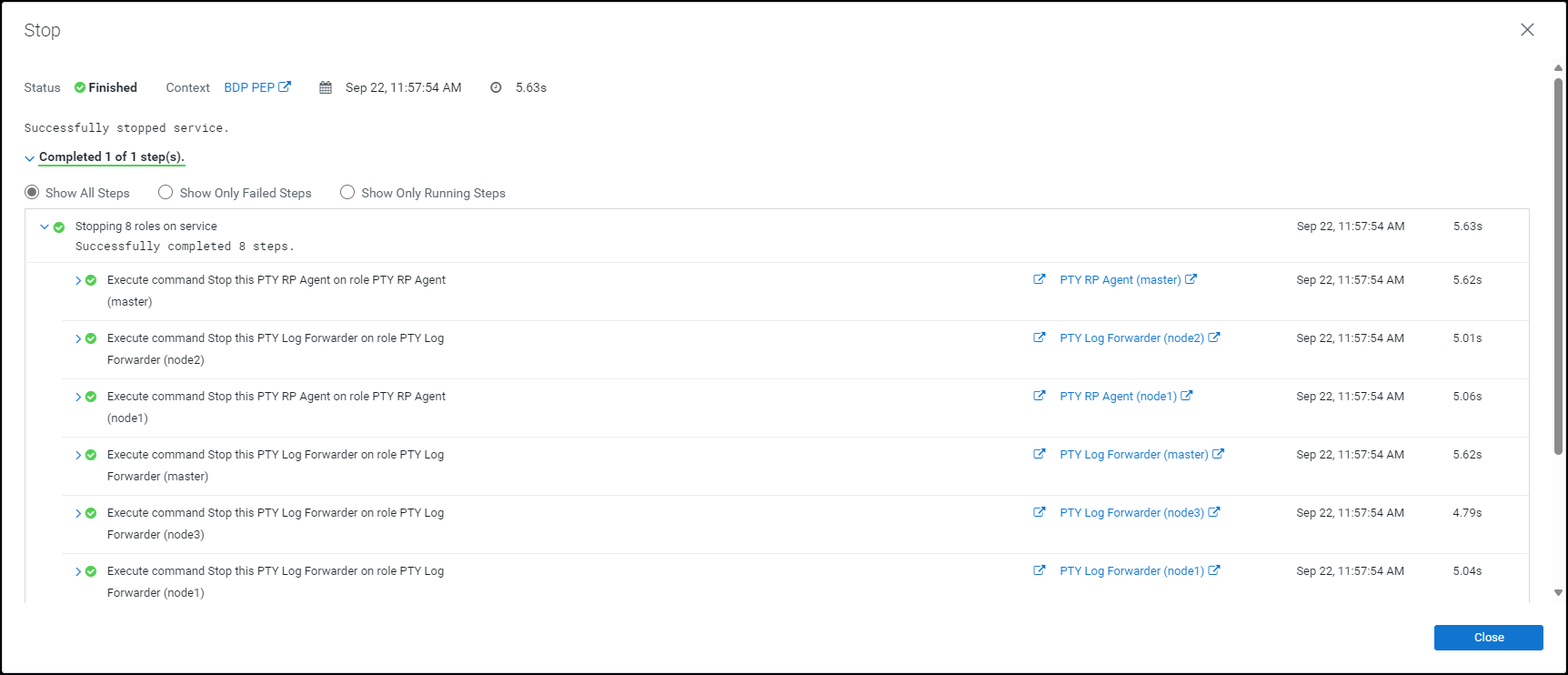
Click Close.
The BDP PEP service is stopped and the status is updated on the Home page of the Cloudera Manager.
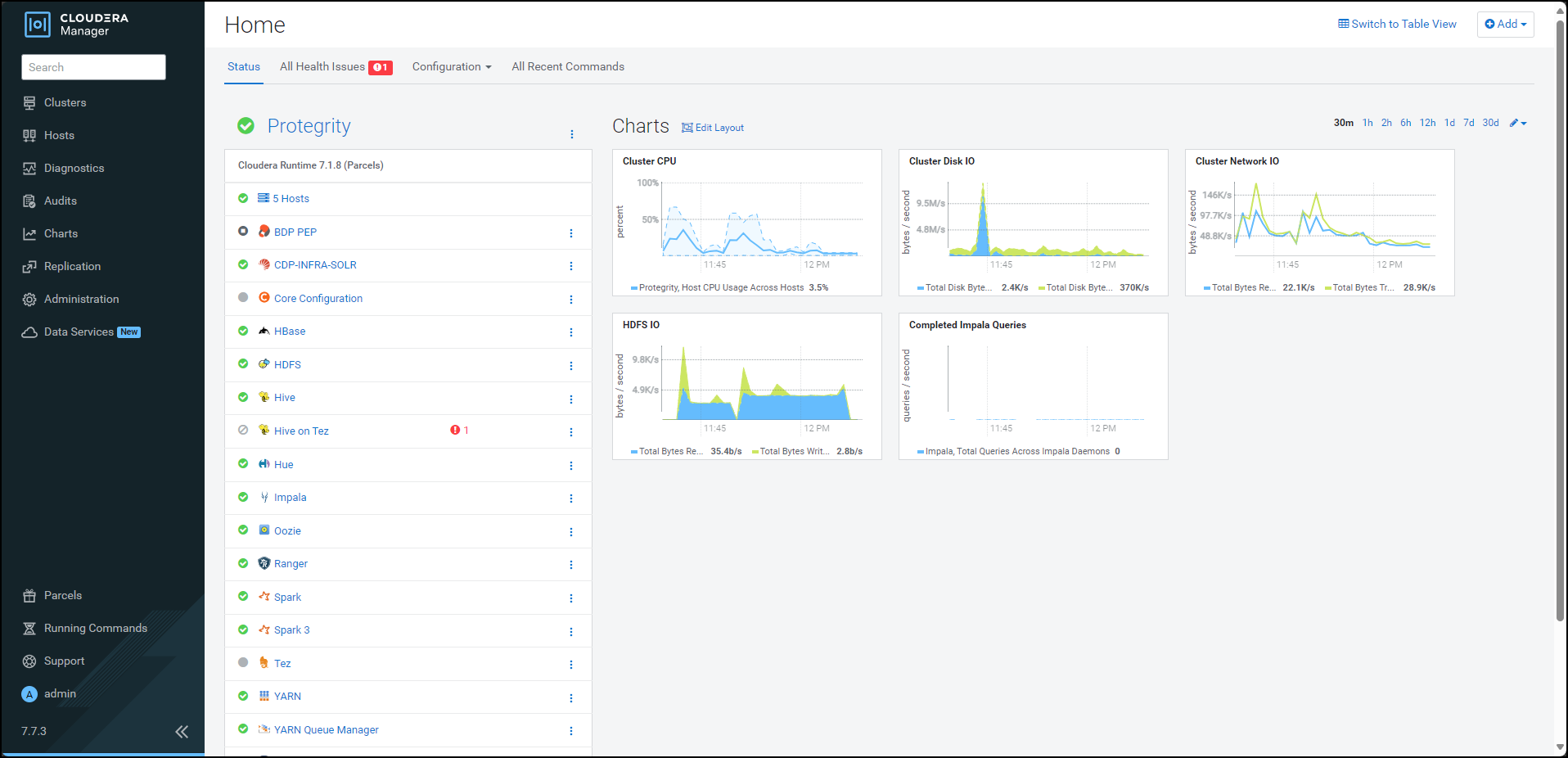
Besides the BDP PEP service, click the kebab menu
.The BDP PEP Actions drop-down list appears.
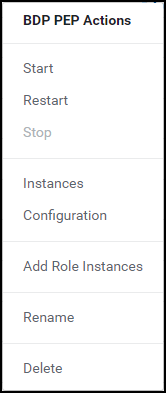
Select Delete.
The prompt to confirm the deletion of the BDP PEP service appears.
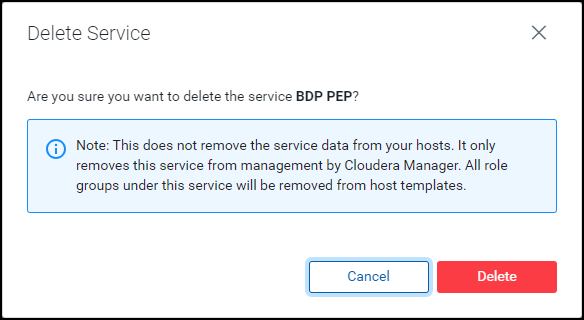
Click Delete.
The BDP PEP service is removed from all the nodes in the cluster.
10.4.6.5 - Deactivating the parcels
After removing the Big Data Protector-related services from all the nodes in the cluster, deactivate the Big Data Protector parcels from all the nodes.
To deactivate the Big Data Protector Parcels from all Nodes in the Cluster:
On the Cloudera Manager home page, click Parcels.
The Parcels page appears.
The following Protegrity parcels appear on the Parcels page:
PTY_BDP: Big Data Protector parcelPTY_CERT: Certificates parcelPTY_LOGFORWARDER_CONF: Log Forwarder configuration parcel
Note: The
PTY_LOGFORWARDER_CONFconfiguration parcel will be visible only if you have selected it during installation.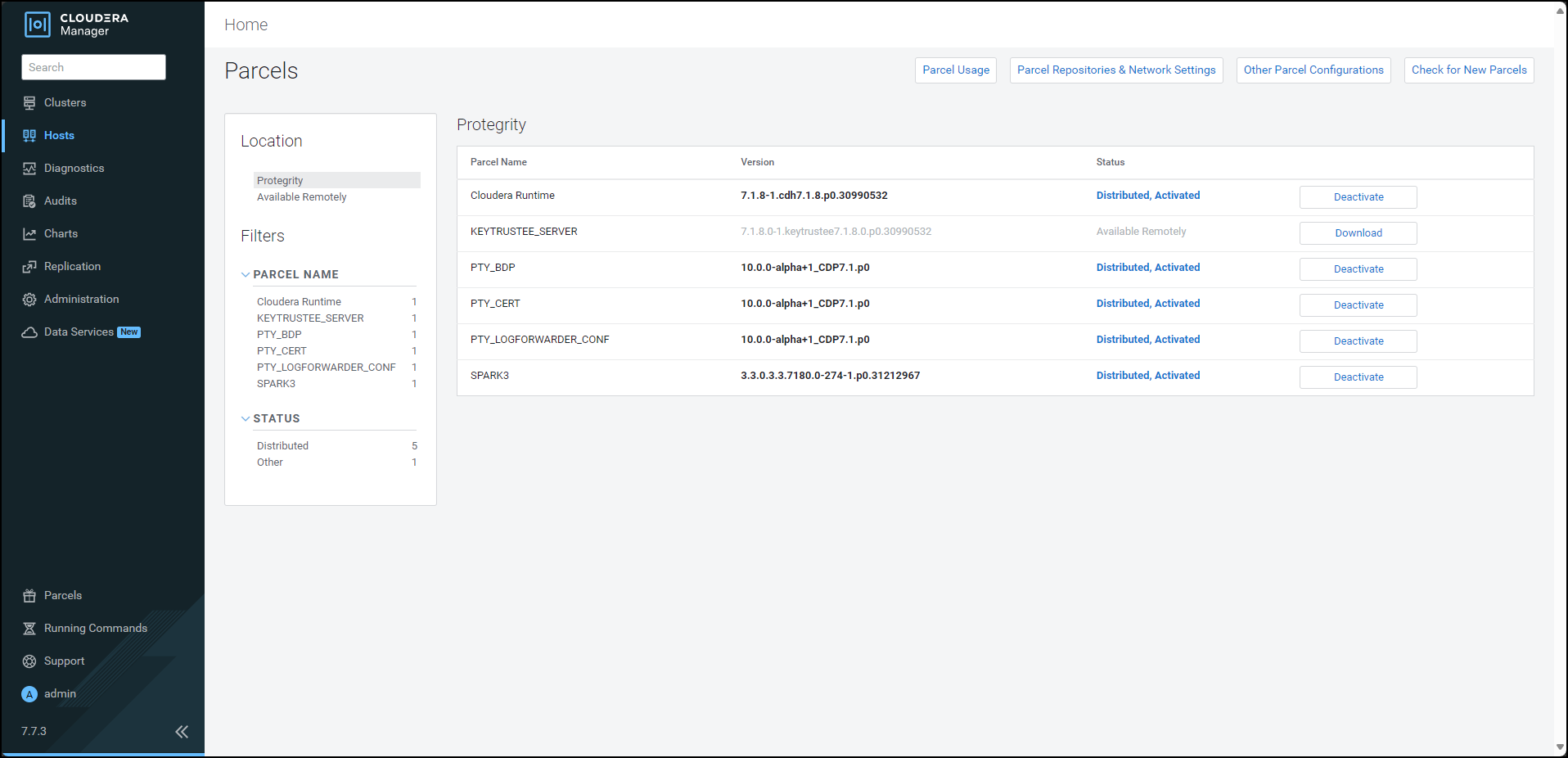
To deactivate the Log Forwarder configuration parcel, besides the
PTY_LOGFORWARDER_CONFparcel, click Deactivate.The prompt to confirm the deactivation of the parcel appears.
Click OK.
To deactivate the certificates parcel, besides the PTY_CERT parcel, click Deactivate.
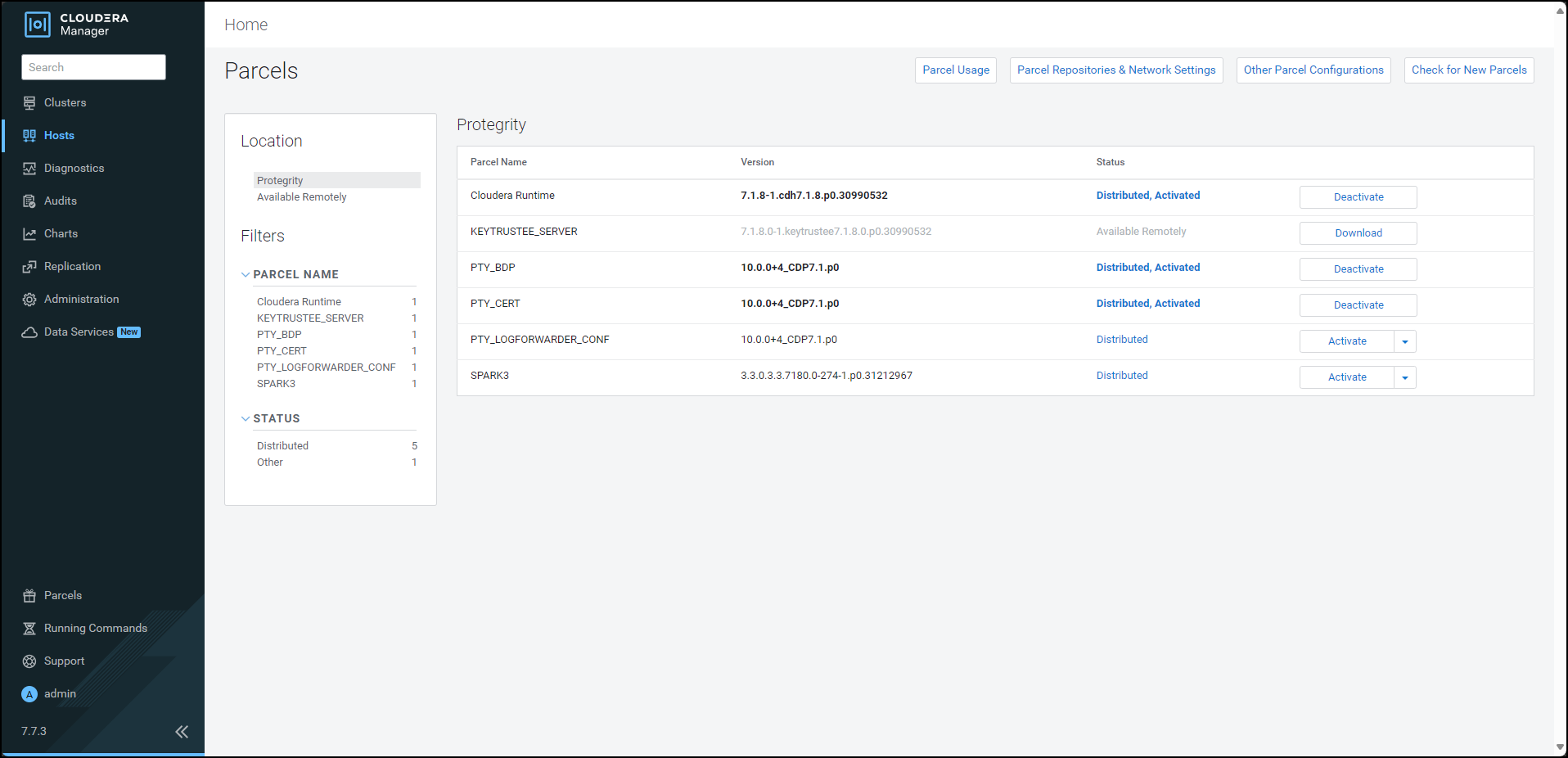
The prompt to confirm the deactivation of the parcel appears.
Click OK.
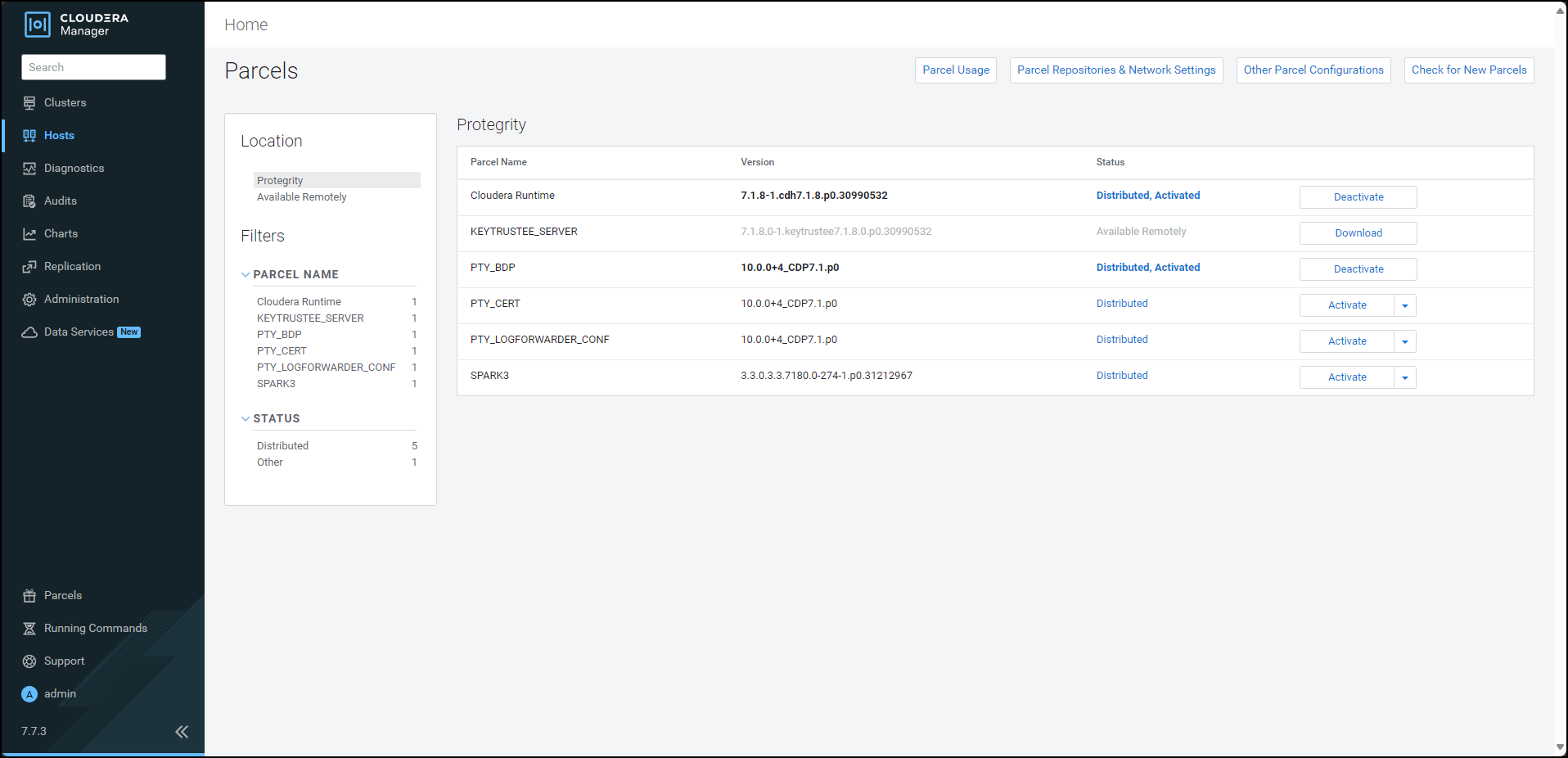
To deactivate the Big Data Protector parcel, besides the PTY_BDP parcel, click Deactivate.
The prompt to confirm the deactivation of the parcel and restart of the dependent services appears.
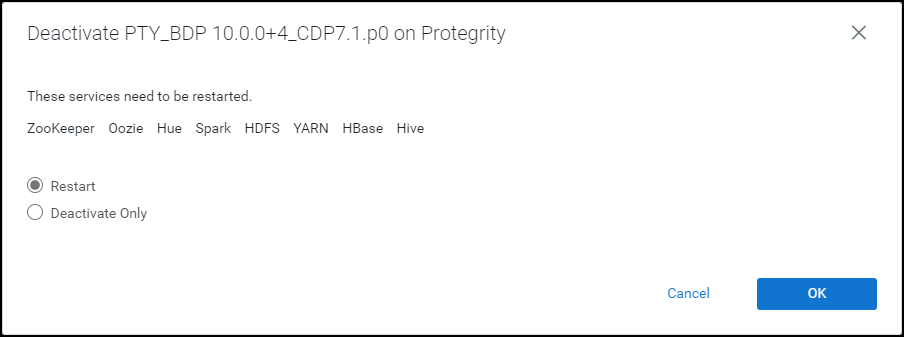
To restart the services, which are dependent on the parcel that needs to be deactivated, select Restart.
Alternatively, to just deactivate the parcel, select Deactivate Only.
Note: You can restart the dependent services later also. However, it is recommended to restart the dependent services immediately. This will ensure that the dependent services do not utilize the parcel that is being deactivated.
To deactivate the Big Data Protector parcel, click OK.
Note: Alternatively, to terminate the deactivation, click Abort.
The deactivation of the Big Data Protector parcel starts.
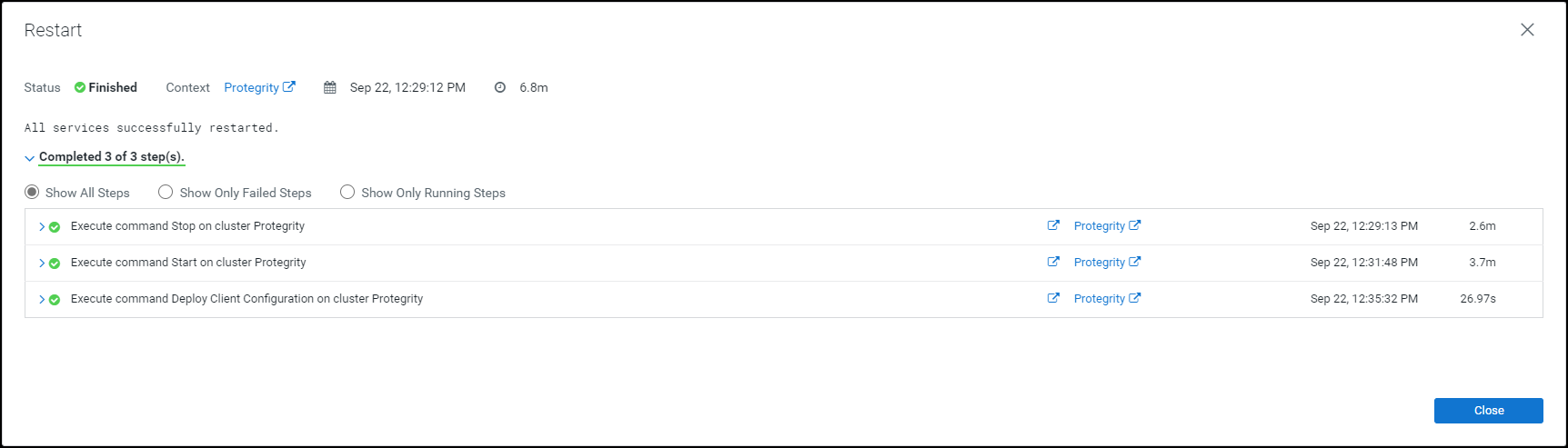
To complete the deactivation of the Big Data Protector parcel, click Close.
After you deactivate the PTY_LOGFORWARDER_CONF, PTY_CERT, and PTY_BDP parcels, their status on the Parcels changes to Distributed, and the Activate button appears.
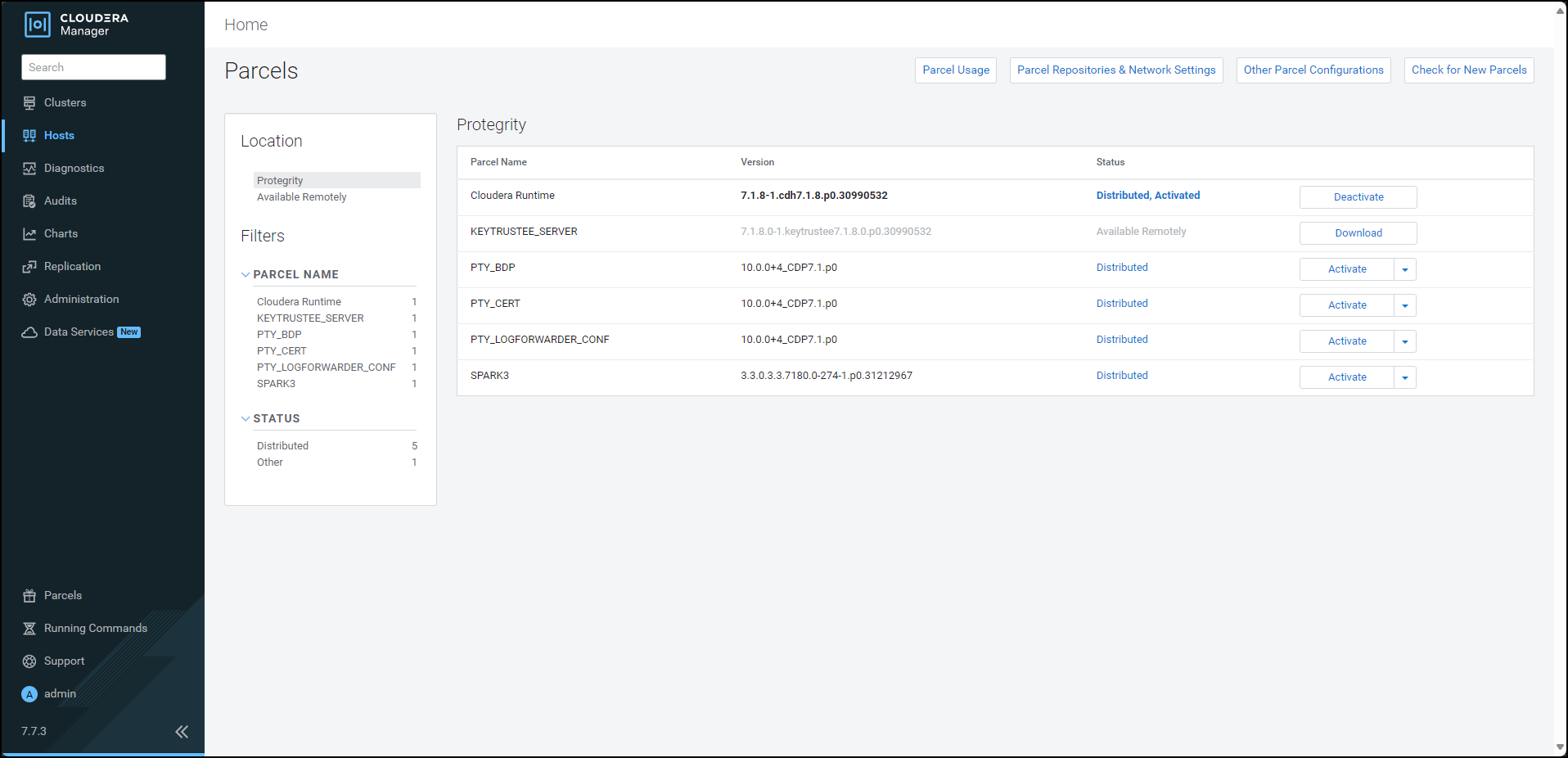
10.4.6.6 - Removing the parcels
After deactivating the Big Data Protector parcels from the Cloudera Manager, remove the following Big Data Protector parcels from all the nodes:
- PTY_BDP: Big Data Protector parcel
- PTY_CERT: Certificates parcel
- PTY_LOGFORWARDER_CONF: Log Forwarder configuration parcel
To remove the Big Data Protector Parcels from all the Nodes in the Cluster:
On the Cloudera Manager Parcels page, besides the Big Data Protector parcel, click
 .
.The drop-down menu appears.
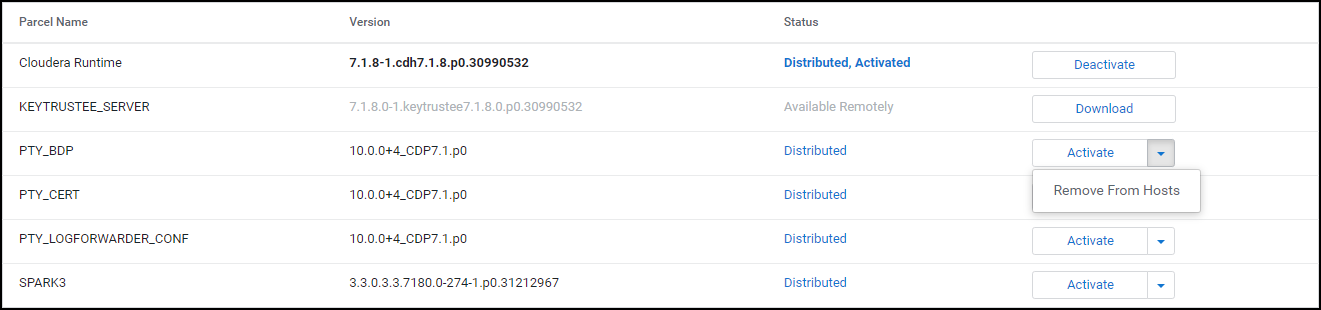
Select Remove From Hosts.
The prompt to confirm the removal of the Big Data Protector parcel appears.
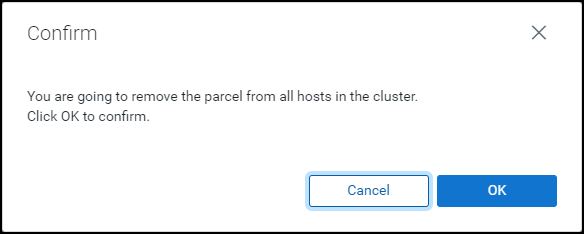
Click OK.
The Big Data Protector parcel is removed from all the nodes in the cluster.
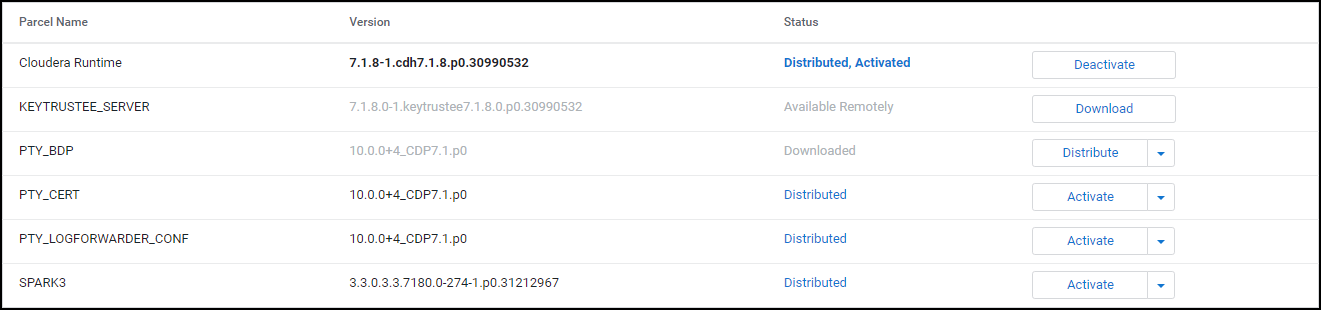
Besides the PTY_CERT parcel, click
.The drop-down menu appears.
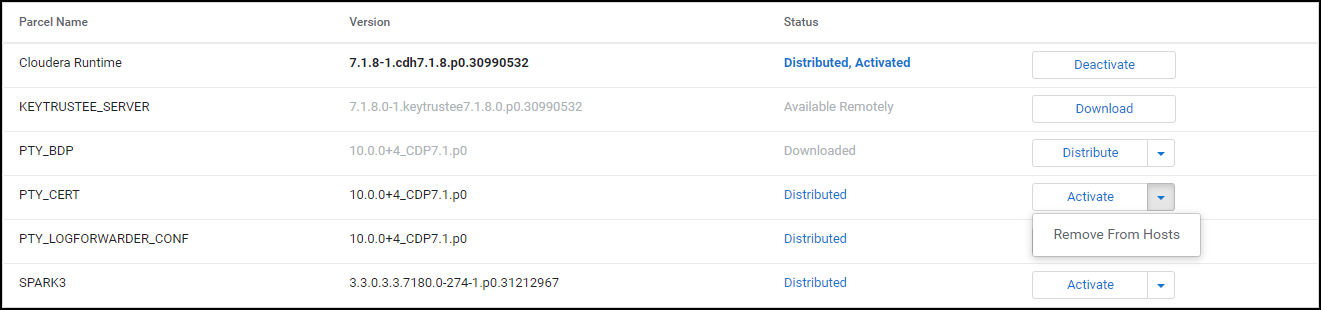
Select Remove From Hosts.
The prompt to confirm the removal of the Certificates parcel appears.
Click OK.
The Certificate parcel is removed from all the nodes in the cluster.
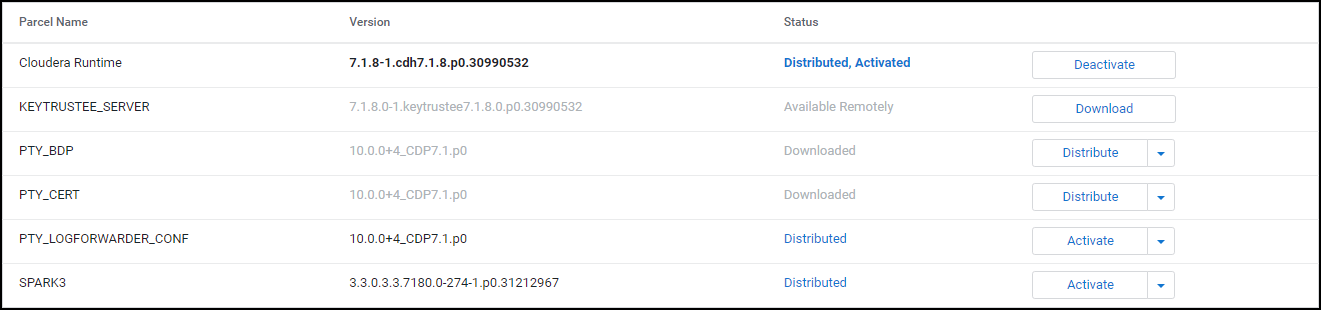
Besides the PTY_LOGFORWARDER_CONF parcel, click
.The drop-down menu appears.
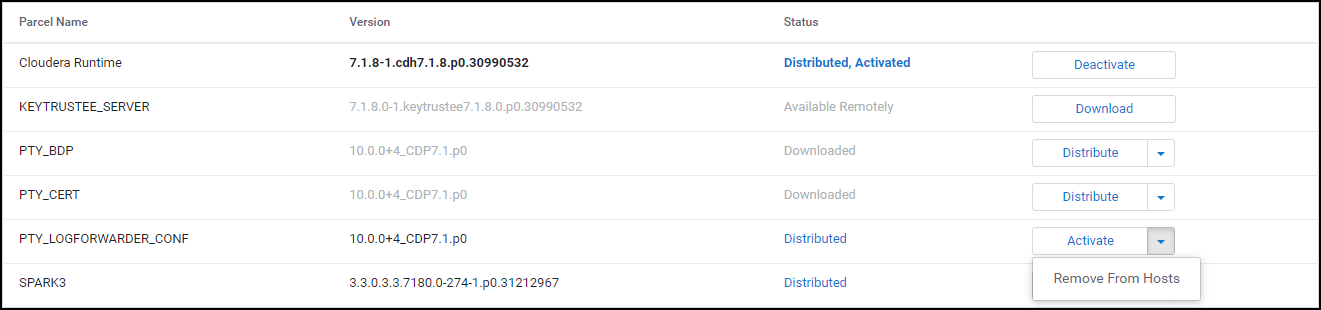
Select Remove From Hosts.
The prompt to confirm the removal of the Log Forwarder configuration parcel appears.
Click OK.
The Log Forwarder configuration parcel is removed from all the nodes in the cluster.
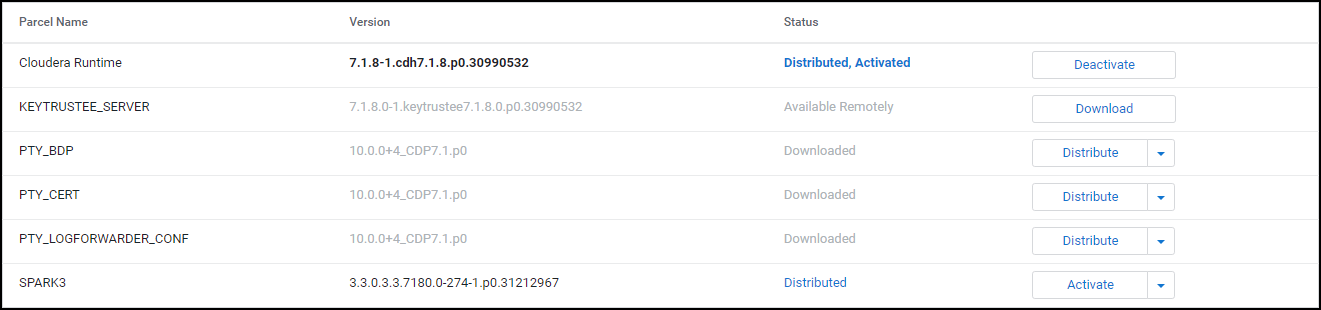
10.4.6.7 - Deleting the parcels from the local repository
After removing the Big Data Protector parcel from the nodes, delete the following Big Data Protector parcels from the local Cloudera Manager repository:
- PTY_BDP: Big Data Protector parcel
- PTY_CERT: Certificates parcel
- PTY_LOGFORWARDER_CONF: Log Forwarder configuration parcel
To delete the Big Data Protector Parcels from the Local Repository:
On the Cloudera Manager web interface, navigate to the Parcels page.
The Parcels page appears.
Besides the PTY_BDP parcel, click
.The drop-down menu appears.

Select Delete.
The prompt to confirm the deletion of the Big Data Protector parcel appears.
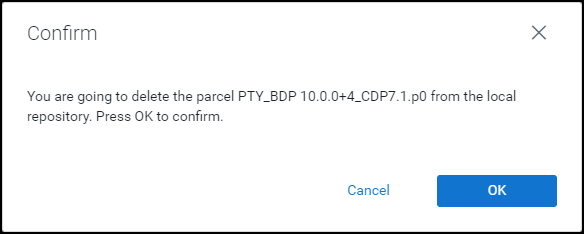
Click OK.
The Big Data Protector parcel is deleted from the local repository.
Besides the PTY_CERT parcel, click
.The drop-down menu appears.
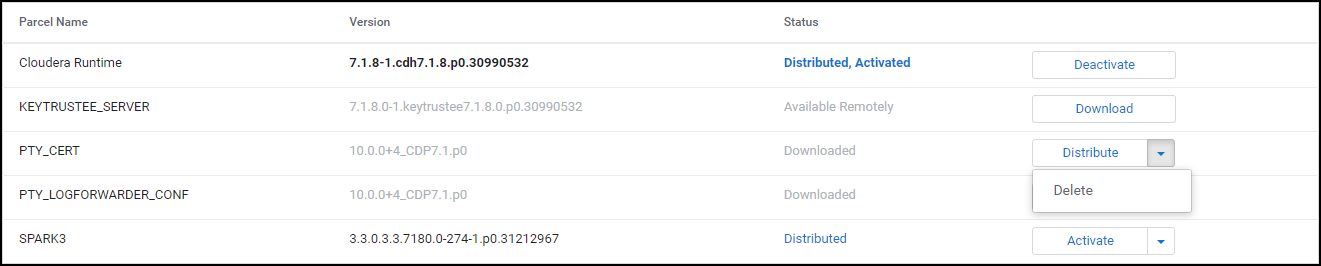
Select Delete.
The prompt to confirm the deletion of the Certificates parcel appears.
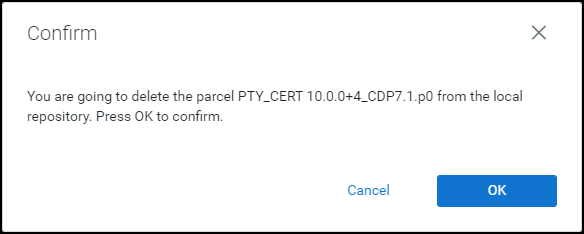
Click OK.
The Certificates parcel is deleted from the local repository.
Besides the PTY_LOGFORWARDER_CONF parcel, click
.The drop-down menu appears.

Select Delete.
The prompt to confirm the deletion of the Log Forwarder configuration parcel appears.
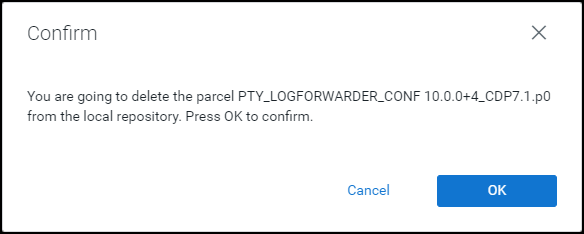
Click OK.
The Log Forwarder configuration parcel is deleted from the local repository.
After all the Big Data Protector parcels are deleted from the repository, remove the Big Data Protector related configuration updates from the cluster.
Note: For more information about removing the Big Data Protector configuration updates from the cluster, refer to section Restoring the Big Data Protector Configuration.
10.4.6.8 - Deleting the CSD files
The last step in the uninstall process is to delete the BDP_PEP-<BDP_Version>.jar file from the local repository of the Cloudera Manager.
To delete the BDP_PEP.jar file from the local repository of the Cloudera Manager:
Log in to the Master node.
Navigate to the
/opt/cloudera/csd/directory.Delete the
BDP_PEP-<BDP_Version>.jarfile.Restart the Cloudera Manager server.
After the Cloudera Manager server starts up, restart the Cloudera Management services on the Cloudera Manager web interface.
10.5 - CDP AWS DataHub
10.5.1 - Understanding the architecture
The architecture for the CDP-AWS-DataHub distribution of the Big Data Protector is depicted in the image below.
| Component | Description |
|---|---|
| RPAgent | Is a daemon running on each node that downloads the package from ESA over a TLS channel using the installed Certificates. |
| Log Forwarder | Is a daemon running on each node that routes the audit logs and application logs to ESA/Audit Store. |
| config.ini | Is a file on each node containing the set of configuration parameters to modify the protector behavior. |
| BDP Layer | Contains the Big Data Protector UDFs and APIs executing in CDP service processes. |
| JcoreLite | Is the JNI library that provides a Java API layer to the Core libraries. |
| Core | Is the set of various libraries that provide the Protegrity Core functionality. |
10.5.2 - System Requirements
Ensure that the following prerequisites are met, before installing the Big Data Protector from the Cloudera Manager:
- The Hadoop cluster is installed, configured, and running CDP-AWS-Datahub (Cloudera Runtime 7.3.1).
- The ESA appliance, version 10.0.x or v10.1.x, is installed, configured, and running.
- The ports that are configured on ESA and the nodes in the cluster, which will run the Big Data Protector, are listed in the following table:
| Destination Port | Protocol | Source | Destination | Description |
|---|---|---|---|---|
| 8443 | TLS | RPAgent on the Big Data Protector cluster node | ESA | The RPAgent communicates with ESA through port 8443 to download a policy. |
| 9200 | TLS | Log Forwarder on the Big Data Protector Cluster node | Protegrity Audit Store appliance | The Log Forwarder sends all the logs to the Protegrity Audit Appliance through port 9200. |
| 15780 | TCP | Protector on the Big Data Protector cluster node | Log Forwarder on the Big Data Protector cluster node | The Big Data Protector writes Audit Logs to localhost through port 15780. The Application Logs are also written to localhost through port 15780. The Log Forwarder reads the logs from that socket. |
- The user, installing the Big Data Protector, has the requisite permissions to perform the following tasks:
- Copy the Big Data Protector parcels and CSDs to the Cloudera Manager repository directories
- Restart the Cloudera SCM Server
- If you are installing the Big Data Protector on a cluster, then ensure that it is installed on all the nodes in the cluster.
- The group
ptyitusrand the userptyitusr, responsible to manage the Big Data Protector-related services are managed by Cloudera Manager. The user and group are unavailable on the cluster nodes.
This build supports both Spark 2 and Spark 3 on the cluster using a single pepspark jar.
For more information about installing Spark3 on CDP AWS DataHub cluster, refer https://docs.cloudera.com/cdp-private-cloud-base/7.1.8/cds-3/topics/spark-install-spark-3-parcel.html.
10.5.3 - Preparing the Environment
10.5.3.1 - Extracting the package
Extract the contents of the installation package to access the configurator script. This script generates the required files to install the Big Data Protector.
To extract the files from the installation package:
Log in to the Linux machine that has connectivity to ESA.
Download the Big Data Protector package
BigDataProtector_Linux-ALL-64_x86-64_AWS.Generic.CDP-Datahub-7.3-64_<BDP_version>.tgzto any local directory.To extract the files from the installation pacakage, run the following command:
tar -xvf BigDataProtector_Linux-ALL-64_x86-64_AWS.Generic.CDP-Datahub-7.3-64_<BDP_version>.tgzPress ENTER. The command extracts the installation package and the GPG signature files.
BigDataProtector_Linux-ALL-64_x86-64_AWS.Generic.CDP-Datahub-7.3-64_<BDP_version>.tgz signatures/ signatures/BigDataProtector_Linux-ALL-64_x86-64_AWS.Generic.CDP-Datahub-7.3-64_<BDP_version>.tgz_10.0.sigVerify the authenticity of the build using the signatures folder. For more information, refer Verification of Signed Protector Build.
To extract the configurator script, run the following command:
tar -xvf BigDataProtector_Linux-ALL-64_x86-64_AWS.Generic.CDP-Datahub-7.3-64_<BDP_version>.tgzPress ENTER. The command extracts the configurator script.
BDPConfigurator_CDP-AWS-DataHub-7.3_<BDP_version>.sh
10.5.3.2 - Executing the configurator script
Execute the Big Data Protector configurator script to:
- Download the certificates from ESA.
- Create the installation files for the Big Data Protector.
To execute the configurator script:
Log in to the staging machine that has connectivity to ESA.
To execute the configurator script, run the following command:
./BDPConfigurator_CDP-AWS-DataHub-7.3_<BDP_Version>.shPress ENTER.
The prompt to continue the configuration of Big Data Protector appears.
******************************************************************************* Welcome to the Big Data Protector Configurator Wizard ******************************************************************************* This will setup the Big Data Protector Installation Files for CDP AWS Data Hub. Do you want to continue? [yes or no]:To continue, type
yes.Press ENTER. The prompt to select the type of installation files appears.
Big Data Protector Configurator started... Unpacking... Extracting files... Select the type of Installation files you want to generate. [ 1: Create All ] : Creates entire Big Data Protector CSDs, Parcels, Recipes and other files. [ 2: Update PTY_CERT ] : Creates new PTY_CERT parcel with an incremented patch version. Use this if you have updated the ESA certificates. [ 3: Update PTY_LOGFORWARDER_CONF ] : Creates new PTY_LOGFORWARDER_CONF parcel with an incremented patch version. Use this if you want to set Custom LogForwarder configuration files to forward logs to an External Audit Store. [ 1, 2 or 3 ]:Note: From v10.0.0, the
PTY_FLUENTBIT_CONFparcel is renamed toPTY_LOGFORWARDER_CONF.To create the Big Data Protector parcels and CSDs, type
1.To update the
PTY_CERTparcels with an incremented patch version, type2.To update the
PTY_LOGFORWARDER_CONFparcel with an incremented patch version, type3.Press ENTER. The prompt to select the operating system for the Cloudera Manager parcel appears.
Select the OS version for Cloudera Manager Parcel. This will be used as the OS Distro suffix in the Parcel name. [ 1: el7 ] : RHEL 7 and clones (CentOS, Scientific Linux, etc) [ 2: el8 ] : RHEL 8 and clones (CentOS, Scientific Linux, etc) [ 3: el9 ] : RHEL 9 and clones (CentOS, Scientific Linux, etc) [ 4: sles12 ] : SuSE Linux Enterprise Server 12.x [ 5: sles15 ] : SuSE Linux Enterprise Server 15.x Enter the no.:Depending on the requirements, type
1,2,3,4or5to select the operating system version for the Big Data Protector parcels.Press ENTER. The prompt to enter the S3 URI to upload the installation file appears.
Enter the S3 URI where the BDP Installation files are to be uploaded. (E.g. s3://examplebucket/folder):Enter the location to upload the installation files.
Press ENTER. The prompt to select the upload method appears.
Choose one option among the following for BDP Installation files: [ 1 ] : Upload files to 's3://<bucket_name>/<directory_name>/' S3 URI. [ 2 ] : Generate files locally to current working directory. (You would have to manually upload the files to the specified S3 URI) [ 1 or 2 ]:To upload the files, type
1.Press ENTER. The prompt to select the authentication option appears.
Choose the Type of AWS Access Keys from the following options: [ 1 ] : IAM User Access Keys (Permanent access key id & secret access key) [ 2 ] : Temporary Security Credentials (Temporary access key id, secret access key & session token) [ 1 or 2 ]:Depending upon the authentication option, the script will prompt for the following inputs:
Option Description 1Prompts to enter the following permanent IAM user access keys: AWS_ACCESS_KEY_IDAWS_SECRET_ACCESS_KEY2Prompts to enter the following temporary security credentials: AWS_ACCESS_KEY_IDAWS_SECRET_ACCESS_KEYAWS_SESSION_TOKENEnter the required credentials.
Press ENTER. The prompt to enter ESA hostname or IP address appears.
Enter ESA Hostname or IP Address:Enter ESA IP address.
Press ENTER. The prompt to enter ESA listening port appears.
Enter ESA host listening port [8443]:Enter the listening port number.
Press ENTER.
The prompt to enter ESA JSON Web Token appears.
If you have an existing ESA JSON Web Token (JWT) with Export Certificates role, enter it otherwise enter 'no':Note: The script silently reads the user input. Therefore, the user will be unable to see the entered JWT or
no.Enter the JWT token.
a. If you do not have an existing ESA JSON Web Token (JWT), type
no.b. Press ENTER.
The prompt to enter the user name with Export Certificates permission appears.``` JWT was not provided. Script will now prompt for ESA username and password. Enter ESA Username with Export Certificates role: ```c. Enter the username that has permissions to export the certificates.
d. Press ENTER.
The prompt to enter the password appears.Enter the password for username <user_name>:e. Enter the password.f. Press ENTER.
The script retrieves the JWT from ESA, validates it, and the prompt to package custom log forwarder configuration appears.Fetching JWT from ESA.... Fetching Certificates from ESA.... % Total % Received % Xferd Average Speed Time Time Time Current Dload Upload Total Spent Left Speed 100 11264 100 11264 0 0 202k 0 --:--:-- --:--:-- --:--:-- 203k ------------------------------------------------------------------------------- Do you want to package any custom LogForwarder configuration files for External Audit Store? [ yes ] : Create a PTY_LOGFORWARDER_CONF parcel containing configuration files to be used with External Audit Store. [ no ] : Skip this step. [ yes or no ]: ```To package the Log Forwarder configuration file(s) for an external Audit Store, type
yes.Press ENTER.
The prompt to enter the local directory path containing the Log Forwarder configuration files appears.Do you want to package any custom LogForwarder configuration files for External Audit Store? [ yes ] : Create a PTY_LOGFORWARDER_CONF parcel containing configuration files to be used with External Audit Store. [ no ] : Skip this step. [ yes or no ]: yes Creation of PTY_LOGFORWARDER_CONF parcel is enabled. Enter the local directory path on this machine that stores the LogForwarder configuration files for External Audit Store:Note: The
PTY_LOGFORWARDER_CONFparcel is used to package any custom Log Forwarder configuration files that the user provides and can be distributed across the CDP nodes through the Cloudera Manager. Ensure that you name the custom Log Forwarder configuration files for the external Audit Store with the.confextension.Enter the local directory path that contains the Log Forwarder configuration files.
Press ENTER.
The script generates the installation files and uploads them to the specified S3 URI.Generating Installation files... **************************************************************************************************************************************** Retrieving the S3 bucket's AWS Region via AWS S3 REST API... Successfully retrieved S3 bucket's AWS region: <region_name> Started uploading the Installation files to S3 bucket using REST API. Uploading BDP_PEP-<BDP_version>.jar... -> File uploaded to s3://<bucket_name>/<directory_name>/CSDandParcels/BDP_PEP-<BDP_version>.jar Uploading PTY_BDP-<BDP_version>_CDP7.3.p<patch_version>-<operating_system_version>.parcel... -> File uploaded to s3://<bucket_name>/<directory_name>/CSDandParcels/PTY_BDP-<BDP_version>_CDP7.3.p<patch_version>-<operating_system_version>.parcel Uploading PTY_BDP-<BDP_Version>_CDP7.3.p<patch_version>-<operating_system_version>.parcel.sha... -> File uploaded to s3://<bucket_name>/<directory_name>/CSDandParcels/PTY_BDP-<BDP_version>_CDP7.3.p<patch_version>-<operating_system_version>.parcel.sha Uploading PTY_CERT-<BDP_Version>_CDP7.3.p<patch_version>-<operating_system_version>.parcel... -> File uploaded to s3://<bucket_name>/<directory_name>/CSDandParcels/PTY_CERT-<BDP_version>_CDP7.3.p<patch_version>-<operating_system_version>.parcel Uploading PTY_CERT-<BDP_Version>_CDP7.3.p<patch_version>-<operating_system_version>.parcel.sha... -> File uploaded to s3://<bucket_name>/<directory_name>/CSDandParcels/PTY_CERT-<BDP_version>_CDP7.3.p<patch_version>-<operating_system_version>.parcel.sha Uploading pepimpala4_0_RHEL.so... -> File uploaded to s3://<bucket_name>/<directory_name>/pepimpala/pepimpala4_0_RHEL.so Uploading createobjects.sql... -> File uploaded to s3://<bucket_name>/<directory_name>/pepimpala/sqlscripts/createobjects.sql Uploading dropobjects.sql... -> File uploaded to s3://<bucket_name>/<directory_name>/pepimpala/sqlscripts/dropobjects.sql Uploading BDP_Pre-Service-Deployment_Recipe_<BDP_version>.sh... -> File uploaded to s3://<bucket_name>/<directory_name>/RecipesAndTemplates/BDP_Pre-Service-Deployment_Recipe_<BDP_version>.sh Uploading BDP_Post-Cloudera-Manager-Start_Recipe_<BDP_version>.sh... -> File uploaded to s3://<bucket_name>/<directory_name>/RecipesAndTemplates/BDP_Post-Cloudera-Manager-Start_Recipe_<BDP_version>.sh Uploading custom_properties_template.json... -> File uploaded to s3://<bucket_name>/<directory_name>/RecipesAndTemplates/custom_properties_template.json Uploading guide_to_create_cluster_template_with_bdp.txt... -> File uploaded to s3://<bucket_name>/<directory_name>/RecipesAndTemplates/guide_to_create_cluster_template_with_bdp.txt Uploading PTY_LOGFORWARDER_CONF-<BDP_Version>_CDP7.3.p<patch_version>-<operating_system_version>.parcel... -> File uploaded to s3://<bucket_name>/<directory_name>/CSDandParcels/PTY_LOGFORWARDER_CONF-<BDP_version>_CDP7.3.p<patch_version>-<operating_system_version>.parcel Uploading PTY_LOGFORWARDER_CONF-<BDP_Version>_CDP7.3.p<patch_version>-<operating_system_version>.parcel.sha... -> File uploaded to s3://<bucket_name>/<directory_name>/CSDandParcels/PTY_LOGFORWARDER_CONF-<BDP_version>_CDP7.3.p<patch_version>-<operating_system_version>.parcel.sha Successfully uploaded Installation files under ./Installation_Files to S3 URI: s3://<bucket_name>/directory_name **************************************************************************************************************************************** * The BDP CSD & Parcels (and checksums) are generated locally in ./Installation_Files/CSDandParcels/ directory. * BDP Recipes, Custom Properties and Custom Cluster Template creation guide are generated locally in ./Installation_Files/RecipesAndTemplates/ directory. -> Follow the guide to create a custom Cluster Template and use it along with the 2 Recipes and Custom Properties on CDP AWS. * The pepimpala .so library is generated locally in ./Installation_Files/pepimpala/ directory. * The pepimpala SQL scripts to create and drop Impala UDFs is generated locally in ./Installation_Files/pepimpala/sqlscripts/ directory. -> Use these scripts as reference to register Protegrity Impala UDFs if you plan to use the Impala Service. Note: The location clause in the Create Function query points to the S3 URI of the pepimpala*.so **************************************************************************************************************************************** Successfully configured the Big Data Protector Installaton files for CDP AWS DataHub.If you select the option to generate the installation files locally, the configurator script creates the files in a local directory.
Generating Installation files... **************************************************************************************************************************************** * The BDP CSD & Parcels (and checksums) are generated locally in ./Installation_Files/CSDandParcels/ directory. -> Manually upload them to 's3://<bucket_name>/<directory_name>/CSDandParcels/' [This step is Required] * BDP Recipes, Custom Properties and Custom Cluster Template creation guide are generated locally in ./Installation_Files/RecipesAndTemplates/ directory. -> Follow the guide to create a custom Cluster Template and use it along with the 2 Recipes and Custom Properties on CDP AWS. -> Manually upload them to 's3://<bucket_name>/<directory_name>/RecipesAndTemplates/' [This step is Optional] * You can use the ./Installation_Files/set_unset_bdp_config.sh helper script for setting/unsetting BDP configs in Cloudera Manager. * The pepimpala .so library is generated locally in ./Installation_Files/pepimpala/ directory. -> Manually upload the library to 's3://<bucket_name>/<directory_name>/pepimpala/' [This step is Required] * The pepimpala SQL scripts to create and drop Impala UDFs is generated locally in ./Installation_Files/pepimpala/sqlscripts/ directory. -> Use these scripts as reference to register Protegrity Impala UDFs if you plan to use the Impala Service. Note: The location clause in the Create Function query points to the S3 URI of the pepimpala*.so -> Manually upload them to 's3://<bucket_name>/<directory_name>/pepimpala/sqlscripts/' [This step is Optional] **************************************************************************************************************************************** Successfully configured the Big Data Protector Installaton files for CDP AWS DataHub.
10.5.3.3 - Registering the Recipe Scripts
The Big Data Protector provides the following recipe scripts:
BDP_Pre-Service-Deployment_Recipe_<BDP_version>.sh- downloads the Big Data Protector CSD and parcels from the S3 bucket to the Cloudera Manager local CSD and Parcel repository before the Cloudera Manager server starts.BDP_Post-Cloudera-Manager-Start_Recipe_<BDP_version>.sh- runs after the Cloudera Manager Server starts. It creates and executes the secondary scripts as background processes for each available Protegrity Parcel. The background processes will check when the Cloudera Manager Server API endpoint would be open and then sends the requests to distribute and activate thePTY_BDP,PTY_CERT, andPTY_LOGFORWARDER_CONF(if present) parcels.
By default, the execution logs for the Recipe scripts can be found in the /var/log/recipes/ directory. The execution logs of the secondary scripts (executing in the background) can be found in the /tmp/protegrity/ directory.
To register each recipe script:
- Log in to the Cloudera Management Console.
- Navigate to Shared Resources > Recipes. The Recipes page appears.
- Click Register Recipe. The Register Recipe page appears.
- In the Name box, enter a name to identify the recipe script.
- From the Type list, select the required recipe script type. Note: You must register both the pre-service-deployment-recipe and post-cloudera-manager-start recipe scripts.
- Enter the optional recipe description.
- Select the File option to upload the file, to the Cloudera manager UI, that contains the recipe script.
Note: To upload the pre-service-deployment-recipe script, select theBDP_Pre-Service-Deployment_Recipe_<BDP_version>.shscript. To upload the post-cloudera-manager-start recipe script, select theBDP_Post-Cloudera-Manager-Start_Recipe_<BDP_version>.shscript. - Click Register.
10.5.3.4 - Creating and Registering the Custom Cluster Template
Create and register the custom cluster template to add BDP_PEP service and the required service configurations to the Data Hub cluster.
To Create the Custom Cluster Template with the BDP PEP service:
- Log in to the Cloudera Management Console.
- Navigate to Shared Resources > Cluster Templates. The Cluster Templates page appears.
- Click Create Cluster Template. The Register Cluster Template page appears.
- In the Name box, enter a name for the template.
- In the Description box, enter an explanation for the template.
- Open any text editor.
- Copy the JSON content of the required cluster template that you want to use. For example, Data Engineering or Data Mart.
- On the cluster template JSON, search for the services key, whose value is a JSON array of JSON objects.
- Add the following JSON objects to that array of services:
{ "refName": "bdp_pep", "serviceType": "BDP_PEP", "displayName": "BDP PEP", "roleConfigGroups": [ { "refName": "bdp_pep-PTY_RPAGENT-BASE", "roleType": "PTY_RPAGENT", "base": true, "configs": [ { "name": "rpa_sync_host", "value": "{{{rpa_sync_host}}}" } ] }, { "refName": "bdp_pep-PTY_LOGFORWARDER-BASE", "roleType": "PTY_LOGFORWARDER", "base": true, "configs": [ { "name": "auditstore_ip_port_list", "value": "{{{auditstore_ip_port_list}}}" }, { "name": "auditstore_type", "value": "{{{auditstore_type}}}" }, { "name": "enable_applog_file", "value": true } ] } ] }The service object is position-independent within the array and can be placed at the beginning or end of the array.
Adding the BDP_PEP service to the array of services will ensure that the service is added to the Data Hub cluster during the cluster creation, when the Cloudera Manager imports the cluster template.
Ensure that the values, such as the {{{esa_address}}} should be written as it is (called Mustache template “{{{…}}}”). The actual value is set by adding the custom properties during the creation of the CDP data hub cluster. For more information about the format of the custom properties, check thecustom_properties_template.jsonfile in the S3 bucket containing installation files of Big Data Protector. - After adding the bdp_pep service object, search for the
hostTemplateskey in the cluster template, whose value is an array ofhostTemplateobjects for master, worker, and compute nodes etc. - For each hostTemplate in that array, search for the key
roleConfigGroupsRefNames, which has a value of array of strings. - Add the
bdp_pep-PTY_RPAGENT-BASEand thebdp_pep-PTY_LOGFORWARDER-BASEstrings in theroleConfigGroupsRefNamesarray.{ ... "hostTemplates": [ { "refName": "...", "cardinality" : ..., "roleConfigGroupsRefNames": [ ..., "bdp_pep-PTY_RPAGENT-BASE", "bdp_pep-PTY_LOGFORWARDER-BASE" ], ... }, { ... }, ... ] ... } - Click Register.
10.5.4 - Installing the Big Data Protector
10.5.4.1 - Creating the DataHub Cluster
Create a new Data Hub cluster with Big Data Protector, use the registered cluster template with the two Recipes generated and custom properties.
To create a Data Hub Cluster:
Log in to the Cloudera Management Console.
Click Data Hub Clusters. The Data Hubs page appears.
Click Create Data Hub. The Provision Data Hub page appears.
From the environment list, select the CDP AWS environment.
Select the Custom tab.
From the Cluster Template list, select the previously created customized cluster template with the Big Data Protector.
In the Cluster Name box, enter a name to identify the cluster.
Click Advanced Options.
Click the Image Catalog tab.
Select the required image for the operating system.
Click the Hardware and Storage tab.
Note the host group which will install the Cloudera Manager (CM) Server. Usually, the host is the Master node.Click the Cluster Extensions tab.
Attach the two previously registered Recipes to the host group that would host the Cloudera Manager Server.
Add the contents of the
custom_properties_template.jsonfile to the Custom Properties section. For example:{ "rpa_sync_host": "Replace with ESA IP Address or Hostname", "auditstore_type": "Replace with Audit Store type. Allowed Values - <Protegrity Audit Store|External Audit Store|Protegrity Audit Store + External Audit Store>", "auditstore_ip_port_list": "Replace with list of hostnames and/or ports of Protegrity Audit Store(s). Allowed Syntax - hostname[:port][,hostname[:port],hostname[:port]...]" }Warning: After the cluster startup, the Cloudera manager username and password are seen in clear in the log files generated in the
/var/log/recipes/directory.Click Provision Cluster. Cloudera Manager creates the cluster as per the specifics mentioned in the scripts and templates.
10.5.5 - Configuring the Big Data Protector
The instructions to configure the parameters for the Big Data Protector are explained in this section. Apart from manually setting the configuration parameters, the installation package also provides the helper script to set and restore the configurations.
10.5.5.1 - Setting the Parameters Manually
To manually set the configuration parameters for the Big Data Protector, refer to the following table:
From v10.0.0 onwards, the BDP pep* jar files will be installed under the
/opt/cloudera/parcels/PTY_BDP/bdp/lib/directory. In addition, the BDP version would be added to the.jarfile names.
| Service | BDP Configuration |
|---|---|
| Hive on Tez | In the Hive on Tez Service Environment Advanced Configuration Snippet (Safety Valve) for hive-env.sh and Gateway Client Environment Advanced Configuration Snippet (Safety Valve) for hive-env.sh:Key: HIVE_CLASSPATHValue: /opt/cloudera/parcels/PTY_BDP/bdp/lib/jcorelite.jar:/opt/cloudera/parcels/PTY_BDP/bdp/lib/pephive-<hive_version>_v<bdp_version>.jar:${HIVE_CLASSPATH}For example: /opt/cloudera/parcels/PTY_BDP/bdp/lib/jcorelite.jar:/opt/cloudera/parcels/PTY_BDP/bdp/lib/pephive-3.1.3000_v10.0.0+4.jar:${HIVE_CLASSPATH}In the Hive on Tez Service Advanced Configuration Snippet (Safety Valve) for hive-site.xml:Name: hive.exec.pre.hooks<br>Value: com.protegrity.hive.PtyHiveUserPreHook |
| Tez | Name: tez.cluster.additional.classpath.prefixValue: /opt/cloudera/parcels/PTY_BDP/bdp/lib/jcorelite.jar:/opt/cloudera/parcels/PTY_BDP/bdp/lib/pephive-<hive_version>_v<bdp_version>.jar |
| HBase | Name: hbase.coprocessor.region.classesValue: com.protegrity.hbase.PTYRegionObserver |
| Spark on Yarn | In Spark Service Advanced Configuration Snippet (Safety Valve) for spark-conf/spark-env.sh:SPARK_DIST_CLASSPATH=/opt/cloudera/parcels/PTY_BDP/bdp/lib/jcorelite.jar:/opt/cloudera/parcels/PTY_BDP/bdp/lib/pepspark-<spark_version>_v<bdp_version>.jar:/opt/cloudera/parcels/PTY_BDP/bdp/lib/pephive-<hive_version>_v<bdp_version>.jar:${SPARK_DIST_CLASSPATH} |
| Spark 3 on Yarn | In Spark 3 Service Advanced Configuration Snippet (Safety Valve) for spark3-conf/spark-env.sh:SPARK_DIST_CLASSPATH=/opt/cloudera/parcels/PTY_BDP/bdp/lib/jcorelite.jar:/opt/cloudera/parcels/PTY_BDP/bdp/lib/pepspark-<spark_version>_v<bdp_version>.jar:/opt/cloudera/parcels/PTY_BDP/bdp/lib/pephive-<hive_version>_v<bdp_version>.jar:${SPARK_DIST_CLASSPATH} |
| Impala | In the Impala Daemon Environment Advanced Configuration Snippet (Safety Valve):Key: PTY_CONFIGPATHValue: /opt/cloudera/parcels/PTY_BDP/bdp/data/config.ini |
Warning: Ensure that you do not override the BDP configurations at the client side. Overriding the configurations can result in the component failure.
After you set BDP configurations, restart the services that are in the Stale configuration state on Cloudera Manager. Ensure to Redeploy the client configuration.
10.5.5.2 - Setting the Parameters using the Helper Script
After installing the Big Data Protector, set the configuration parameters. These parameters will vary depending on the services that will be used. Protegrity now provides the set_unset_bdp_config.sh script to set the configuration parameters for the required services.
Important: To uninstall the Big Data Protector, ensure to roll back the configuration parameters, to their previous values, that are set after installing the Big Data Protector. For more information, refer Restoring the Parameters using the Helper Script.
To set the Big Data Protector configuration:
Log in to the staging machine.
Navigate to the directory where you executed configurator script and generated the installation files.
To set the configurations using the helper script, run the following command:
./set_unset_bdp_config.shPress ENTER.
The prompt to enter the protocol for the Cloudera Manager server appears.
Select the Cloudera Manager URL Protocol. [ 1 ] : http:// [ 2 ] : https:// Enter the no.:To use https, type
2.Press ENTER.
The prompt to enter the IP address of the Cloudera Manager server appears.
Enter Cloudera Manager Server Node's Hostname/IP Address:Enter the IP address of the node where the Cloudera Manager Server is installed.
Press ENTER.
The prompt to enter the port number for the Cloudera Manager server appears.
Enter Cloudera Manager Server's Port No. [7183]:Note: For https, the script will use
7183as the default port and for http, the script will use7180as the default port.Press ENTER.
The prompt to enter the name of the cluster appears.
Enter Cluster's Name:Enter the name of the cluster.
Press ENTER.
The prompt to enter the username to access Cloudera Manager appears.
```
Enter Cloudera Manager's Username:
```
Enter the username.
Press ENTER.
The prompt to enter the password appears.
Enter Cloudera Manager's Password:Enter the password.
Press ENTER.
The script verifies the cluster details and the prompt to set or remove the configuration appears.
Cluster's existence verified. Do you want to set or unset the BDP configs? [ 1 ] : SET the BDP configs [ 2 ] : UNSET the BDP configs Enter the no.:To set the configuration for the Big Data Protector, type
1.Press ENTER.
The script updates the configuration for the Big Data Protector.
Checking existence of HBase service with name 'hbase'. ##O=# # Warning: Unable to check existence of HBase service 'hbase'. Skipping this service... { "message" : "Service 'hbase' not found in cluster <cluster_name>." } Checking existence of Hive on Tez service with name 'hive_on_tez'. ##O=# # Service 'hive_on_tez' exists. Setting Hive on Tez's config... ##O=# # ##O=# # ############################################################################################################################## 100.0% Hive on Tez Service wide configs ('HIVE_ON_TEZ_service_env_safety_valve' and 'hive_service_config_safety_valve') have been updated. ##O=# # ##O=# # ############################################################################################################################### 100.0% Hive on Tez's 'hive_client_env_safety_valve' config for Role Group 'hive_on_tez-GATEWAY-BASE' has been updated. Checking existence of Tez service with name 'tez'. ##O=# # Service 'tez' exists. Setting Tez's config... ##O=# # ############################################################################################################################### 100.0% Tez Service wide config ('tez.cluster.additional.classpath.prefix') has been updated. Checking existence of Impala service with name 'impala'. ##O=# # Warning: Unable to check existence of Impala service 'impala'. Skipping this service... { "message" : "Service 'impala' not found in cluster <cluster_name>." } Checking existence of Spark3 on Yarn service with name 'spark3_on_yarn'. ##O=# # Service 'spark3_on_yarn' exists. Setting Spark3 on Yarn's config... ##O=# # ############################################################################################################################# 100.0% Spark3 on Yarn Service wide config ('spark3-conf/spark-env.sh_service_safety_valve') has been updated.
10.5.5.3 - Installing the UDFs using the Helper Script
The Big Data Protector build provides helper scripts to register the user-defined functions for the following components:
- Hive
- Impala
- SparkSQL
- PySpark
To use the helper scripts to drop the UDFs, refer Drop the UDFs using the Helper Script.
Registering the Termporary Hive UDFs
Log in to the master node with a user account having permissions to create and drop UDFs.
To navigate to the directory that contains the helper script, run the following command:
cd /opt/cloudera/parcels/PTY_BDP/pephive/scriptsTo create the UDFs using the helper script, run the following command:
beeline -f create_temp_hive_udfs.hql;Execute the command in beeline after establishing a connection.
Press ENTER.
The script creates all the temporary user-defined functions for Hive.
Connected to: Apache Hive (version 3.1.3000.7.3.1.400-100) Driver: Hive JDBC (version 3.1.3000.7.3.1.400-100) Transaction isolation: TRANSACTION_REPEATABLE_READ 0: jdbc:hive2://<master_node_name>.> CREATE TEMPORARY FUNCTION ptyGetVersion AS 'com.protegrity.hive.udf.ptyGetVersion'; INFO : Compiling command(queryId=hive_20250916121741_49e4a9e3-5322-45b1-bc74-b812ae853934): CREATE TEMPORARY FUNCTION ptyGetVersion AS 'com.protegrity.hive.udf.ptyGetVersion' INFO : Semantic Analysis Completed (retrial = false) INFO : Created Hive schema: Schema(fieldSchemas:null, properties:null) INFO : Completed compiling command(queryId=hive_20250916121741_49e4a9e3-5322-45b1-bc74-b812ae853934); Time taken: 0.088 seconds INFO : Executing command(queryId=hive_20250916121741_49e4a9e3-5322-45b1-bc74-b812ae853934): CREATE TEMPORARY FUNCTION ptyGetVersion AS 'com.protegrity.hive.udf.ptyGetVersion' INFO : Starting task [Stage-0:DDL] in serial mode INFO : Completed executing command(queryId=hive_20250916121741_49e4a9e3-5322-45b1-bc74-b812ae853934); Time taken: 0.003 seconds INFO : OK No rows affected (0.154 seconds) 0: jdbc:hive2://<master_node_name>.> CREATE TEMPORARY FUNCTION ptyGetVersionExtended AS 'com.protegrity.hive.udf.ptyGetVersionExtended'; INFO : Compiling command(queryId=hive_20250916121741_2a7a85d4-b1b6-479c-8552-d26f1cce1d53): CREATE TEMPORARY FUNCTION ptyGetVersionExtended AS 'com.protegrity.hive.udf.ptyGetVersionExtended' INFO : Semantic Analysis Completed (retrial = false) INFO : Created Hive schema: Schema(fieldSchemas:null, properties:null) INFO : Completed compiling command(queryId=hive_20250916121741_2a7a85d4-b1b6-479c-8552-d26f1cce1d53); Time taken: 0.02 seconds INFO : Executing command(queryId=hive_20250916121741_2a7a85d4-b1b6-479c-8552-d26f1cce1d53): CREATE TEMPORARY FUNCTION ptyGetVersionExtended AS 'com.protegrity.hive.udf.ptyGetVersionExtended' INFO : Starting task [Stage-0:DDL] in serial mode INFO : Completed executing command(queryId=hive_20250916121741_2a7a85d4-b1b6-479c-8552-d26f1cce1d53); Time taken: 0.002 seconds INFO : OK No rows affected (0.052 seconds) 0: jdbc:hive2://<master_node_name>.> CREATE TEMPORARY FUNCTION ptyWhoAmI AS 'com.protegrity.hive.udf.ptyWhoAmI'; INFO : Compiling command(queryId=hive_20250916121741_ebe06a7c-c265-4705-ae7b-8181065d1c8e): CREATE TEMPORARY FUNCTION ptyWhoAmI AS 'com.protegrity.hive.udf.ptyWhoAmI' INFO : Semantic Analysis Completed (retrial = false) INFO : Created Hive schema: Schema(fieldSchemas:null, properties:null) INFO : Completed compiling command(queryId=hive_20250916121741_ebe06a7c-c265-4705-ae7b-8181065d1c8e); Time taken: 0.021 seconds INFO : Executing command(queryId=hive_20250916121741_ebe06a7c-c265-4705-ae7b-8181065d1c8e): CREATE TEMPORARY FUNCTION ptyWhoAmI AS 'com.protegrity.hive.udf.ptyWhoAmI' INFO : Starting task [Stage-0:DDL] in serial mode INFO : Completed executing command(queryId=hive_20250916121741_ebe06a7c-c265-4705-ae7b-8181065d1c8e); Time taken: 0.001 seconds INFO : OK No rows affected (0.05 seconds) 0: jdbc:hive2://<master_node_name>.> CREATE TEMPORARY FUNCTION ptyProtectStr AS 'com.protegrity.hive.udf.ptyProtectStr'; INFO : Compiling command(queryId=hive_20250916121741_260aef88-ab60-4d0b-b502-ebf178bd9065): CREATE TEMPORARY FUNCTION ptyProtectStr AS 'com.protegrity.hive.udf.ptyProtectStr' INFO : Semantic Analysis Completed (retrial = false) INFO : Created Hive schema: Schema(fieldSchemas:null, properties:null) INFO : Completed compiling command(queryId=hive_20250916121741_260aef88-ab60-4d0b-b502-ebf178bd9065); Time taken: 0.021 seconds INFO : Executing command(queryId=hive_20250916121741_260aef88-ab60-4d0b-b502-ebf178bd9065): CREATE TEMPORARY FUNCTION ptyProtectStr AS 'com.protegrity.hive.udf.ptyProtectStr' INFO : Starting task [Stage-0:DDL] in serial mode INFO : Completed executing command(queryId=hive_20250916121741_260aef88-ab60-4d0b-b502-ebf178bd9065); Time taken: 0.001 seconds INFO : OK No rows affected (0.052 seconds) 0: jdbc:hive2://<master_node_name>.> CREATE TEMPORARY FUNCTION ptyUnprotectStr AS 'com.protegrity.hive.udf.ptyUnprotectStr'; INFO : Compiling command(queryId=hive_20250916121741_feba856d-e516-4b08-805a-3ee89aeff524): CREATE TEMPORARY FUNCTION ptyUnprotectStr AS 'com.protegrity.hive.udf.ptyUnprotectStr' INFO : Semantic Analysis Completed (retrial = false) INFO : Created Hive schema: Schema(fieldSchemas:null, properties:null) INFO : Completed compiling command(queryId=hive_20250916121741_feba856d-e516-4b08-805a-3ee89aeff524); Time taken: 0.021 seconds INFO : Executing command(queryId=hive_20250916121741_feba856d-e516-4b08-805a-3ee89aeff524): CREATE TEMPORARY FUNCTION ptyUnprotectStr AS 'com.protegrity.hive.udf.ptyUnprotectStr' INFO : Starting task [Stage-0:DDL] in serial mode INFO : Completed executing command(queryId=hive_20250916121741_feba856d-e516-4b08-805a-3ee89aeff524); Time taken: 0.001 seconds INFO : OK No rows affected (0.053 seconds) 0: jdbc:hive2://<master_node_name>.> CREATE TEMPORARY FUNCTION ptyReprotect AS 'com.protegrity.hive.udf.ptyReprotect'; INFO : Compiling command(queryId=hive_20250916121741_cd516b0a-648a-4893-92f0-7486ee4525d9): CREATE TEMPORARY FUNCTION ptyReprotect AS 'com.protegrity.hive.udf.ptyReprotect' INFO : Semantic Analysis Completed (retrial = false) INFO : Created Hive schema: Schema(fieldSchemas:null, properties:null) INFO : Completed compiling command(queryId=hive_20250916121741_cd516b0a-648a-4893-92f0-7486ee4525d9); Time taken: 0.019 seconds INFO : Executing command(queryId=hive_20250916121741_cd516b0a-648a-4893-92f0-7486ee4525d9): CREATE TEMPORARY FUNCTION ptyReprotect AS 'com.protegrity.hive.udf.ptyReprotect' INFO : Starting task [Stage-0:DDL] in serial mode INFO : Completed executing command(queryId=hive_20250916121741_cd516b0a-648a-4893-92f0-7486ee4525d9); Time taken: 0.001 seconds INFO : OK No rows affected (0.049 seconds) 0: jdbc:hive2://<master_node_name>.> CREATE TEMPORARY FUNCTION ptyProtectUnicode AS 'com.protegrity.hive.udf.ptyProtectUnicode'; INFO : Compiling command(queryId=hive_20250916121741_ab35e17d-4050-4ae9-a3eb-a796be96f739): CREATE TEMPORARY FUNCTION ptyProtectUnicode AS 'com.protegrity.hive.udf.ptyProtectUnicode' INFO : Semantic Analysis Completed (retrial = false) INFO : Created Hive schema: Schema(fieldSchemas:null, properties:null) INFO : Completed compiling command(queryId=hive_20250916121741_ab35e17d-4050-4ae9-a3eb-a796be96f739); Time taken: 0.019 seconds INFO : Executing command(queryId=hive_20250916121741_ab35e17d-4050-4ae9-a3eb-a796be96f739): CREATE TEMPORARY FUNCTION ptyProtectUnicode AS 'com.protegrity.hive.udf.ptyProtectUnicode' INFO : Starting task [Stage-0:DDL] in serial mode INFO : Completed executing command(queryId=hive_20250916121741_ab35e17d-4050-4ae9-a3eb-a796be96f739); Time taken: 0.001 seconds INFO : OK No rows affected (0.048 seconds) 0: jdbc:hive2://<master_node_name>.> CREATE TEMPORARY FUNCTION ptyUnprotectUnicode AS 'com.protegrity.hive.udf.ptyUnprotectUnicode'; INFO : Compiling command(queryId=hive_20250916121741_10e20116-c909-45e3-be3d-870ce13ef54b): CREATE TEMPORARY FUNCTION ptyUnprotectUnicode AS 'com.protegrity.hive.udf.ptyUnprotectUnicode' INFO : Semantic Analysis Completed (retrial = false) INFO : Created Hive schema: Schema(fieldSchemas:null, properties:null) INFO : Completed compiling command(queryId=hive_20250916121741_10e20116-c909-45e3-be3d-870ce13ef54b); Time taken: 0.02 seconds INFO : Executing command(queryId=hive_20250916121741_10e20116-c909-45e3-be3d-870ce13ef54b): CREATE TEMPORARY FUNCTION ptyUnprotectUnicode AS 'com.protegrity.hive.udf.ptyUnprotectUnicode' INFO : Starting task [Stage-0:DDL] in serial mode INFO : Completed executing command(queryId=hive_20250916121741_10e20116-c909-45e3-be3d-870ce13ef54b); Time taken: 0.001 seconds INFO : OK No rows affected (0.048 seconds) 0: jdbc:hive2://<master_node_name>.> CREATE TEMPORARY FUNCTION ptyReprotectUnicode AS 'com.protegrity.hive.udf.ptyReprotectUnicode'; INFO : Compiling command(queryId=hive_20250916121741_7a142263-62c2-44b1-bbb0-05530e77daa7): CREATE TEMPORARY FUNCTION ptyReprotectUnicode AS 'com.protegrity.hive.udf.ptyReprotectUnicode' INFO : Semantic Analysis Completed (retrial = false) INFO : Created Hive schema: Schema(fieldSchemas:null, properties:null) INFO : Completed compiling command(queryId=hive_20250916121741_7a142263-62c2-44b1-bbb0-05530e77daa7); Time taken: 0.021 seconds INFO : Executing command(queryId=hive_20250916121741_7a142263-62c2-44b1-bbb0-05530e77daa7): CREATE TEMPORARY FUNCTION ptyReprotectUnicode AS 'com.protegrity.hive.udf.ptyReprotectUnicode' INFO : Starting task [Stage-0:DDL] in serial mode INFO : Completed executing command(queryId=hive_20250916121741_7a142263-62c2-44b1-bbb0-05530e77daa7); Time taken: 0.001 seconds INFO : OK No rows affected (0.056 seconds) 0: jdbc:hive2://<master_node_name>.> CREATE TEMPORARY FUNCTION ptyProtectShort AS 'com.protegrity.hive.udf.ptyProtectShort'; INFO : Compiling command(queryId=hive_20250916121742_1b5414e1-175e-4889-bad3-e64ca6595fe0): CREATE TEMPORARY FUNCTION ptyProtectShort AS 'com.protegrity.hive.udf.ptyProtectShort' INFO : Semantic Analysis Completed (retrial = false) INFO : Created Hive schema: Schema(fieldSchemas:null, properties:null) INFO : Completed compiling command(queryId=hive_20250916121742_1b5414e1-175e-4889-bad3-e64ca6595fe0); Time taken: 0.022 seconds INFO : Executing command(queryId=hive_20250916121742_1b5414e1-175e-4889-bad3-e64ca6595fe0): CREATE TEMPORARY FUNCTION ptyProtectShort AS 'com.protegrity.hive.udf.ptyProtectShort' INFO : Starting task [Stage-0:DDL] in serial mode INFO : Completed executing command(queryId=hive_20250916121742_1b5414e1-175e-4889-bad3-e64ca6595fe0); Time taken: 0.001 seconds INFO : OK No rows affected (0.053 seconds) 0: jdbc:hive2://<master_node_name>.> CREATE TEMPORARY FUNCTION ptyUnprotectShort AS 'com.protegrity.hive.udf.ptyUnprotectShort'; INFO : Compiling command(queryId=hive_20250916121742_58b96d4d-25a2-4886-a4c5-ad1c69164016): CREATE TEMPORARY FUNCTION ptyUnprotectShort AS 'com.protegrity.hive.udf.ptyUnprotectShort' INFO : Semantic Analysis Completed (retrial = false) INFO : Created Hive schema: Schema(fieldSchemas:null, properties:null) INFO : Completed compiling command(queryId=hive_20250916121742_58b96d4d-25a2-4886-a4c5-ad1c69164016); Time taken: 0.026 seconds INFO : Executing command(queryId=hive_20250916121742_58b96d4d-25a2-4886-a4c5-ad1c69164016): CREATE TEMPORARY FUNCTION ptyUnprotectShort AS 'com.protegrity.hive.udf.ptyUnprotectShort' INFO : Starting task [Stage-0:DDL] in serial mode INFO : Completed executing command(queryId=hive_20250916121742_58b96d4d-25a2-4886-a4c5-ad1c69164016); Time taken: 0.001 seconds INFO : OK No rows affected (0.058 seconds) 0: jdbc:hive2://<master_node_name>.> CREATE TEMPORARY FUNCTION ptyProtectInt AS 'com.protegrity.hive.udf.ptyProtectInt'; INFO : Compiling command(queryId=hive_20250916121742_8e53692d-4094-4b1a-98fa-829d90b3dea3): CREATE TEMPORARY FUNCTION ptyProtectInt AS 'com.protegrity.hive.udf.ptyProtectInt' INFO : Semantic Analysis Completed (retrial = false) INFO : Created Hive schema: Schema(fieldSchemas:null, properties:null) INFO : Completed compiling command(queryId=hive_20250916121742_8e53692d-4094-4b1a-98fa-829d90b3dea3); Time taken: 0.023 seconds INFO : Executing command(queryId=hive_20250916121742_8e53692d-4094-4b1a-98fa-829d90b3dea3): CREATE TEMPORARY FUNCTION ptyProtectInt AS 'com.protegrity.hive.udf.ptyProtectInt' INFO : Starting task [Stage-0:DDL] in serial mode INFO : Completed executing command(queryId=hive_20250916121742_8e53692d-4094-4b1a-98fa-829d90b3dea3); Time taken: 0.001 seconds INFO : OK No rows affected (0.058 seconds) 0: jdbc:hive2://<master_node_name>.> CREATE TEMPORARY FUNCTION ptyUnprotectInt AS 'com.protegrity.hive.udf.ptyUnprotectInt'; INFO : Compiling command(queryId=hive_20250916121742_7762d5cd-1934-45d4-8297-d76236575744): CREATE TEMPORARY FUNCTION ptyUnprotectInt AS 'com.protegrity.hive.udf.ptyUnprotectInt' INFO : Semantic Analysis Completed (retrial = false) INFO : Created Hive schema: Schema(fieldSchemas:null, properties:null) INFO : Completed compiling command(queryId=hive_20250916121742_7762d5cd-1934-45d4-8297-d76236575744); Time taken: 0.02 seconds INFO : Executing command(queryId=hive_20250916121742_7762d5cd-1934-45d4-8297-d76236575744): CREATE TEMPORARY FUNCTION ptyUnprotectInt AS 'com.protegrity.hive.udf.ptyUnprotectInt' INFO : Starting task [Stage-0:DDL] in serial mode INFO : Completed executing command(queryId=hive_20250916121742_7762d5cd-1934-45d4-8297-d76236575744); Time taken: 0.001 seconds INFO : OK No rows affected (0.048 seconds) 0: jdbc:hive2://<master_node_name>.> CREATE TEMPORARY FUNCTION ptyProtectBigInt as 'com.protegrity.hive.udf.ptyProtectBigInt'; INFO : Compiling command(queryId=hive_20250916121742_7fb43101-562a-441b-8acb-decbe8e216ea): CREATE TEMPORARY FUNCTION ptyProtectBigInt as 'com.protegrity.hive.udf.ptyProtectBigInt' INFO : Semantic Analysis Completed (retrial = false) INFO : Created Hive schema: Schema(fieldSchemas:null, properties:null) INFO : Completed compiling command(queryId=hive_20250916121742_7fb43101-562a-441b-8acb-decbe8e216ea); Time taken: 0.019 seconds INFO : Executing command(queryId=hive_20250916121742_7fb43101-562a-441b-8acb-decbe8e216ea): CREATE TEMPORARY FUNCTION ptyProtectBigInt as 'com.protegrity.hive.udf.ptyProtectBigInt' INFO : Starting task [Stage-0:DDL] in serial mode INFO : Completed executing command(queryId=hive_20250916121742_7fb43101-562a-441b-8acb-decbe8e216ea); Time taken: 0.001 seconds INFO : OK No rows affected (0.046 seconds) 0: jdbc:hive2://<master_node_name>.> CREATE TEMPORARY FUNCTION ptyUnprotectBigInt as 'com.protegrity.hive.udf.ptyUnprotectBigInt'; INFO : Compiling command(queryId=hive_20250916121742_1f107ea2-c7b1-4d18-8f33-04442d84b80e): CREATE TEMPORARY FUNCTION ptyUnprotectBigInt as 'com.protegrity.hive.udf.ptyUnprotectBigInt' INFO : Semantic Analysis Completed (retrial = false) INFO : Created Hive schema: Schema(fieldSchemas:null, properties:null) INFO : Completed compiling command(queryId=hive_20250916121742_1f107ea2-c7b1-4d18-8f33-04442d84b80e); Time taken: 0.019 seconds INFO : Executing command(queryId=hive_20250916121742_1f107ea2-c7b1-4d18-8f33-04442d84b80e): CREATE TEMPORARY FUNCTION ptyUnprotectBigInt as 'com.protegrity.hive.udf.ptyUnprotectBigInt' INFO : Starting task [Stage-0:DDL] in serial mode INFO : Completed executing command(queryId=hive_20250916121742_1f107ea2-c7b1-4d18-8f33-04442d84b80e); Time taken: 0.001 seconds INFO : OK No rows affected (0.047 seconds) 0: jdbc:hive2://<master_node_name>.> CREATE TEMPORARY FUNCTION ptyProtectFloat as 'com.protegrity.hive.udf.ptyProtectFloat'; INFO : Compiling command(queryId=hive_20250916121742_88d8ed50-72d1-4e4b-9c9e-ed105e099c7b): CREATE TEMPORARY FUNCTION ptyProtectFloat as 'com.protegrity.hive.udf.ptyProtectFloat' INFO : Semantic Analysis Completed (retrial = false) INFO : Created Hive schema: Schema(fieldSchemas:null, properties:null) INFO : Completed compiling command(queryId=hive_20250916121742_88d8ed50-72d1-4e4b-9c9e-ed105e099c7b); Time taken: 0.02 seconds INFO : Executing command(queryId=hive_20250916121742_88d8ed50-72d1-4e4b-9c9e-ed105e099c7b): CREATE TEMPORARY FUNCTION ptyProtectFloat as 'com.protegrity.hive.udf.ptyProtectFloat' INFO : Starting task [Stage-0:DDL] in serial mode INFO : Completed executing command(queryId=hive_20250916121742_88d8ed50-72d1-4e4b-9c9e-ed105e099c7b); Time taken: 0.001 seconds INFO : OK No rows affected (0.047 seconds) 0: jdbc:hive2://<master_node_name>.> CREATE TEMPORARY FUNCTION ptyUnprotectFloat as 'com.protegrity.hive.udf.ptyProtectFloat'; INFO : Compiling command(queryId=hive_20250916121742_7455402f-bc13-425b-98b0-204c72b088c2): CREATE TEMPORARY FUNCTION ptyUnprotectFloat as 'com.protegrity.hive.udf.ptyProtectFloat' INFO : Semantic Analysis Completed (retrial = false) INFO : Created Hive schema: Schema(fieldSchemas:null, properties:null) INFO : Completed compiling command(queryId=hive_20250916121742_7455402f-bc13-425b-98b0-204c72b088c2); Time taken: 0.02 seconds INFO : Executing command(queryId=hive_20250916121742_7455402f-bc13-425b-98b0-204c72b088c2): CREATE TEMPORARY FUNCTION ptyUnprotectFloat as 'com.protegrity.hive.udf.ptyProtectFloat' INFO : Starting task [Stage-0:DDL] in serial mode INFO : Completed executing command(queryId=hive_20250916121742_7455402f-bc13-425b-98b0-204c72b088c2); Time taken: 0.001 seconds INFO : OK No rows affected (0.046 seconds) 0: jdbc:hive2://<master_node_name>.> CREATE TEMPORARY FUNCTION ptyProtectDouble as 'com.protegrity.hive.udf.ptyProtectDouble'; INFO : Compiling command(queryId=hive_20250916121742_0f1a9810-1311-4dcd-a4c6-bfe52088cf1b): CREATE TEMPORARY FUNCTION ptyProtectDouble as 'com.protegrity.hive.udf.ptyProtectDouble' INFO : Semantic Analysis Completed (retrial = false) INFO : Created Hive schema: Schema(fieldSchemas:null, properties:null) INFO : Completed compiling command(queryId=hive_20250916121742_0f1a9810-1311-4dcd-a4c6-bfe52088cf1b); Time taken: 0.019 seconds INFO : Executing command(queryId=hive_20250916121742_0f1a9810-1311-4dcd-a4c6-bfe52088cf1b): CREATE TEMPORARY FUNCTION ptyProtectDouble as 'com.protegrity.hive.udf.ptyProtectDouble' INFO : Starting task [Stage-0:DDL] in serial mode INFO : Completed executing command(queryId=hive_20250916121742_0f1a9810-1311-4dcd-a4c6-bfe52088cf1b); Time taken: 0.001 seconds INFO : OK No rows affected (0.048 seconds) 0: jdbc:hive2://<master_node_name>.> CREATE TEMPORARY FUNCTION ptyUnprotectDouble as 'com.protegrity.hive.udf.ptyUnprotectDouble'; INFO : Compiling command(queryId=hive_20250916121742_cab992d8-efa2-41e6-b83e-71074d444565): CREATE TEMPORARY FUNCTION ptyUnprotectDouble as 'com.protegrity.hive.udf.ptyUnprotectDouble' INFO : Semantic Analysis Completed (retrial = false) INFO : Created Hive schema: Schema(fieldSchemas:null, properties:null) INFO : Completed compiling command(queryId=hive_20250916121742_cab992d8-efa2-41e6-b83e-71074d444565); Time taken: 0.019 seconds INFO : Executing command(queryId=hive_20250916121742_cab992d8-efa2-41e6-b83e-71074d444565): CREATE TEMPORARY FUNCTION ptyUnprotectDouble as 'com.protegrity.hive.udf.ptyUnprotectDouble' INFO : Starting task [Stage-0:DDL] in serial mode INFO : Completed executing command(queryId=hive_20250916121742_cab992d8-efa2-41e6-b83e-71074d444565); Time taken: 0.001 seconds INFO : OK No rows affected (0.046 seconds) 0: jdbc:hive2://<master_node_name>.> CREATE TEMPORARY FUNCTION ptyProtectDec as 'com.protegrity.hive.udf.ptyProtectDec'; INFO : Compiling command(queryId=hive_20250916121742_95374cee-053b-42b1-a7f9-39d4d0eb24c6): CREATE TEMPORARY FUNCTION ptyProtectDec as 'com.protegrity.hive.udf.ptyProtectDec' INFO : Semantic Analysis Completed (retrial = false) INFO : Created Hive schema: Schema(fieldSchemas:null, properties:null) INFO : Completed compiling command(queryId=hive_20250916121742_95374cee-053b-42b1-a7f9-39d4d0eb24c6); Time taken: 0.019 seconds INFO : Executing command(queryId=hive_20250916121742_95374cee-053b-42b1-a7f9-39d4d0eb24c6): CREATE TEMPORARY FUNCTION ptyProtectDec as 'com.protegrity.hive.udf.ptyProtectDec' INFO : Starting task [Stage-0:DDL] in serial mode INFO : Completed executing command(queryId=hive_20250916121742_95374cee-053b-42b1-a7f9-39d4d0eb24c6); Time taken: 0.001 seconds INFO : OK No rows affected (0.046 seconds) 0: jdbc:hive2://<master_node_name>.> CREATE TEMPORARY FUNCTION ptyUnprotectDec as 'com.protegrity.hive.udf.ptyUnprotectDec'; INFO : Compiling command(queryId=hive_20250916121742_1d045781-69d8-4a55-a87b-0f43121b2a09): CREATE TEMPORARY FUNCTION ptyUnprotectDec as 'com.protegrity.hive.udf.ptyUnprotectDec' INFO : Semantic Analysis Completed (retrial = false) INFO : Created Hive schema: Schema(fieldSchemas:null, properties:null) INFO : Completed compiling command(queryId=hive_20250916121742_1d045781-69d8-4a55-a87b-0f43121b2a09); Time taken: 0.019 seconds INFO : Executing command(queryId=hive_20250916121742_1d045781-69d8-4a55-a87b-0f43121b2a09): CREATE TEMPORARY FUNCTION ptyUnprotectDec as 'com.protegrity.hive.udf.ptyUnprotectDec' INFO : Starting task [Stage-0:DDL] in serial mode INFO : Completed executing command(queryId=hive_20250916121742_1d045781-69d8-4a55-a87b-0f43121b2a09); Time taken: 0.001 seconds INFO : OK No rows affected (0.046 seconds) 0: jdbc:hive2://<master_node_name>.> CREATE TEMPORARY FUNCTION ptyProtectHiveDecimal as 'com.protegrity.hive.udf.ptyProtectHiveDecimal'; INFO : Compiling command(queryId=hive_20250916121742_281198df-c918-470f-99a5-bca98a5936b7): CREATE TEMPORARY FUNCTION ptyProtectHiveDecimal as 'com.protegrity.hive.udf.ptyProtectHiveDecimal' INFO : Semantic Analysis Completed (retrial = false) INFO : Created Hive schema: Schema(fieldSchemas:null, properties:null) INFO : Completed compiling command(queryId=hive_20250916121742_281198df-c918-470f-99a5-bca98a5936b7); Time taken: 0.019 seconds INFO : Executing command(queryId=hive_20250916121742_281198df-c918-470f-99a5-bca98a5936b7): CREATE TEMPORARY FUNCTION ptyProtectHiveDecimal as 'com.protegrity.hive.udf.ptyProtectHiveDecimal' INFO : Starting task [Stage-0:DDL] in serial mode INFO : Completed executing command(queryId=hive_20250916121742_281198df-c918-470f-99a5-bca98a5936b7); Time taken: 0.001 seconds INFO : OK No rows affected (0.046 seconds) 0: jdbc:hive2://<master_node_name>.> CREATE TEMPORARY FUNCTION ptyUnprotectHiveDecimal as 'com.protegrity.hive.udf.ptyUnprotectHiveDecimal'; INFO : Compiling command(queryId=hive_20250916121742_b3d564e5-22fa-4985-b988-eac4d188b3fa): CREATE TEMPORARY FUNCTION ptyUnprotectHiveDecimal as 'com.protegrity.hive.udf.ptyUnprotectHiveDecimal' INFO : Semantic Analysis Completed (retrial = false) INFO : Created Hive schema: Schema(fieldSchemas:null, properties:null) INFO : Completed compiling command(queryId=hive_20250916121742_b3d564e5-22fa-4985-b988-eac4d188b3fa); Time taken: 0.019 seconds INFO : Executing command(queryId=hive_20250916121742_b3d564e5-22fa-4985-b988-eac4d188b3fa): CREATE TEMPORARY FUNCTION ptyUnprotectHiveDecimal as 'com.protegrity.hive.udf.ptyUnprotectHiveDecimal' INFO : Starting task [Stage-0:DDL] in serial mode INFO : Completed executing command(queryId=hive_20250916121742_b3d564e5-22fa-4985-b988-eac4d188b3fa); Time taken: 0.001 seconds INFO : OK No rows affected (0.046 seconds) 0: jdbc:hive2://<master_node_name>.> CREATE TEMPORARY FUNCTION ptyProtectDate AS 'com.protegrity.hive.udf.ptyProtectDate'; INFO : Compiling command(queryId=hive_20250916121742_05f34839-7ab3-47c9-bf7c-de32b44b1305): CREATE TEMPORARY FUNCTION ptyProtectDate AS 'com.protegrity.hive.udf.ptyProtectDate' INFO : Semantic Analysis Completed (retrial = false) INFO : Created Hive schema: Schema(fieldSchemas:null, properties:null) INFO : Completed compiling command(queryId=hive_20250916121742_05f34839-7ab3-47c9-bf7c-de32b44b1305); Time taken: 0.02 seconds INFO : Executing command(queryId=hive_20250916121742_05f34839-7ab3-47c9-bf7c-de32b44b1305): CREATE TEMPORARY FUNCTION ptyProtectDate AS 'com.protegrity.hive.udf.ptyProtectDate' INFO : Starting task [Stage-0:DDL] in serial mode INFO : Completed executing command(queryId=hive_20250916121742_05f34839-7ab3-47c9-bf7c-de32b44b1305); Time taken: 0.001 seconds INFO : OK No rows affected (0.046 seconds) 0: jdbc:hive2://<master_node_name>.> CREATE TEMPORARY FUNCTION ptyUnprotectDate AS 'com.protegrity.hive.udf.ptyUnprotectDate'; INFO : Compiling command(queryId=hive_20250916121742_71ac75b0-da95-409f-a070-5e06b4451973): CREATE TEMPORARY FUNCTION ptyUnprotectDate AS 'com.protegrity.hive.udf.ptyUnprotectDate' INFO : Semantic Analysis Completed (retrial = false) INFO : Created Hive schema: Schema(fieldSchemas:null, properties:null) INFO : Completed compiling command(queryId=hive_20250916121742_71ac75b0-da95-409f-a070-5e06b4451973); Time taken: 0.019 seconds INFO : Executing command(queryId=hive_20250916121742_71ac75b0-da95-409f-a070-5e06b4451973): CREATE TEMPORARY FUNCTION ptyUnprotectDate AS 'com.protegrity.hive.udf.ptyUnprotectDate' INFO : Starting task [Stage-0:DDL] in serial mode INFO : Completed executing command(queryId=hive_20250916121742_71ac75b0-da95-409f-a070-5e06b4451973); Time taken: 0.001 seconds INFO : OK No rows affected (0.046 seconds) 0: jdbc:hive2://<master_node_name>.> CREATE TEMPORARY FUNCTION ptyProtectDateTime AS 'com.protegrity.hive.udf.ptyProtectDateTime'; INFO : Compiling command(queryId=hive_20250916121742_96dfb779-c77b-4c8f-a5c0-6c3f99e5aa9c): CREATE TEMPORARY FUNCTION ptyProtectDateTime AS 'com.protegrity.hive.udf.ptyProtectDateTime' INFO : Semantic Analysis Completed (retrial = false) INFO : Created Hive schema: Schema(fieldSchemas:null, properties:null) INFO : Completed compiling command(queryId=hive_20250916121742_96dfb779-c77b-4c8f-a5c0-6c3f99e5aa9c); Time taken: 0.019 seconds INFO : Executing command(queryId=hive_20250916121742_96dfb779-c77b-4c8f-a5c0-6c3f99e5aa9c): CREATE TEMPORARY FUNCTION ptyProtectDateTime AS 'com.protegrity.hive.udf.ptyProtectDateTime' INFO : Starting task [Stage-0:DDL] in serial mode INFO : Completed executing command(queryId=hive_20250916121742_96dfb779-c77b-4c8f-a5c0-6c3f99e5aa9c); Time taken: 0.001 seconds INFO : OK No rows affected (0.044 seconds) 0: jdbc:hive2://<master_node_name>.> CREATE TEMPORARY FUNCTION ptyUnprotectDateTime AS 'com.protegrity.hive.udf.ptyUnprotectDateTime'; INFO : Compiling command(queryId=hive_20250916121743_08af3475-e39c-4cf6-9762-77c42ca6efdf): CREATE TEMPORARY FUNCTION ptyUnprotectDateTime AS 'com.protegrity.hive.udf.ptyUnprotectDateTime' INFO : Semantic Analysis Completed (retrial = false) INFO : Created Hive schema: Schema(fieldSchemas:null, properties:null) INFO : Completed compiling command(queryId=hive_20250916121743_08af3475-e39c-4cf6-9762-77c42ca6efdf); Time taken: 0.019 seconds INFO : Executing command(queryId=hive_20250916121743_08af3475-e39c-4cf6-9762-77c42ca6efdf): CREATE TEMPORARY FUNCTION ptyUnprotectDateTime AS 'com.protegrity.hive.udf.ptyUnprotectDateTime' INFO : Starting task [Stage-0:DDL] in serial mode INFO : Completed executing command(queryId=hive_20250916121743_08af3475-e39c-4cf6-9762-77c42ca6efdf); Time taken: 0.001 seconds INFO : OK No rows affected (0.047 seconds) 0: jdbc:hive2://<master_node_name>.> CREATE TEMPORARY FUNCTION ptyProtectChar AS 'com.protegrity.hive.udf.ptyProtectChar'; INFO : Compiling command(queryId=hive_20250916121743_f2ce3155-6e16-41a2-a072-d9f59142b0ea): CREATE TEMPORARY FUNCTION ptyProtectChar AS 'com.protegrity.hive.udf.ptyProtectChar' INFO : Semantic Analysis Completed (retrial = false) INFO : Created Hive schema: Schema(fieldSchemas:null, properties:null) INFO : Completed compiling command(queryId=hive_20250916121743_f2ce3155-6e16-41a2-a072-d9f59142b0ea); Time taken: 0.02 seconds INFO : Executing command(queryId=hive_20250916121743_f2ce3155-6e16-41a2-a072-d9f59142b0ea): CREATE TEMPORARY FUNCTION ptyProtectChar AS 'com.protegrity.hive.udf.ptyProtectChar' INFO : Starting task [Stage-0:DDL] in serial mode INFO : Completed executing command(queryId=hive_20250916121743_f2ce3155-6e16-41a2-a072-d9f59142b0ea); Time taken: 0.001 seconds INFO : OK No rows affected (0.046 seconds) 0: jdbc:hive2://<master_node_name>.> CREATE TEMPORARY FUNCTION ptyUnprotectChar AS 'com.protegrity.hive.udf.ptyUnprotectChar'; INFO : Compiling command(queryId=hive_20250916121743_851371db-2ce1-4af0-93a0-11e83ace1b87): CREATE TEMPORARY FUNCTION ptyUnprotectChar AS 'com.protegrity.hive.udf.ptyUnprotectChar' INFO : Semantic Analysis Completed (retrial = false) INFO : Created Hive schema: Schema(fieldSchemas:null, properties:null) INFO : Completed compiling command(queryId=hive_20250916121743_851371db-2ce1-4af0-93a0-11e83ace1b87); Time taken: 0.02 seconds INFO : Executing command(queryId=hive_20250916121743_851371db-2ce1-4af0-93a0-11e83ace1b87): CREATE TEMPORARY FUNCTION ptyUnprotectChar AS 'com.protegrity.hive.udf.ptyUnprotectChar' INFO : Starting task [Stage-0:DDL] in serial mode INFO : Completed executing command(queryId=hive_20250916121743_851371db-2ce1-4af0-93a0-11e83ace1b87); Time taken: 0.001 seconds INFO : OK No rows affected (0.047 seconds) 0: jdbc:hive2://<master_node_name>.> CREATE TEMPORARY FUNCTION ptyStringEnc as 'com.protegrity.hive.udf.ptyStringEnc'; INFO : Compiling command(queryId=hive_20250916121743_f72cb4f2-b99f-43c8-8a3e-a8ab7370fe94): CREATE TEMPORARY FUNCTION ptyStringEnc as 'com.protegrity.hive.udf.ptyStringEnc' INFO : Semantic Analysis Completed (retrial = false) INFO : Created Hive schema: Schema(fieldSchemas:null, properties:null) INFO : Completed compiling command(queryId=hive_20250916121743_f72cb4f2-b99f-43c8-8a3e-a8ab7370fe94); Time taken: 0.019 seconds INFO : Executing command(queryId=hive_20250916121743_f72cb4f2-b99f-43c8-8a3e-a8ab7370fe94): CREATE TEMPORARY FUNCTION ptyStringEnc as 'com.protegrity.hive.udf.ptyStringEnc' INFO : Starting task [Stage-0:DDL] in serial mode INFO : Completed executing command(queryId=hive_20250916121743_f72cb4f2-b99f-43c8-8a3e-a8ab7370fe94); Time taken: 0.001 seconds INFO : OK No rows affected (0.046 seconds) 0: jdbc:hive2://<master_node_name>.> CREATE TEMPORARY FUNCTION ptyStringDec as 'com.protegrity.hive.udf.ptyStringDec'; INFO : Compiling command(queryId=hive_20250916121743_0cc281bd-6d0c-4937-aaae-5a94f6010197): CREATE TEMPORARY FUNCTION ptyStringDec as 'com.protegrity.hive.udf.ptyStringDec' INFO : Semantic Analysis Completed (retrial = false) INFO : Created Hive schema: Schema(fieldSchemas:null, properties:null) INFO : Completed compiling command(queryId=hive_20250916121743_0cc281bd-6d0c-4937-aaae-5a94f6010197); Time taken: 0.019 seconds INFO : Executing command(queryId=hive_20250916121743_0cc281bd-6d0c-4937-aaae-5a94f6010197): CREATE TEMPORARY FUNCTION ptyStringDec as 'com.protegrity.hive.udf.ptyStringDec' INFO : Starting task [Stage-0:DDL] in serial mode INFO : Completed executing command(queryId=hive_20250916121743_0cc281bd-6d0c-4937-aaae-5a94f6010197); Time taken: 0.001 seconds INFO : OK No rows affected (0.046 seconds) 0: jdbc:hive2://<master_node_name>.> CREATE TEMPORARY FUNCTION ptyStringReEnc as 'com.protegrity.hive.udf.ptyStringReEnc'; INFO : Compiling command(queryId=hive_20250916121743_ad7d4c07-9973-4f61-9afc-20df0ea9b34a): CREATE TEMPORARY FUNCTION ptyStringReEnc as 'com.protegrity.hive.udf.ptyStringReEnc' INFO : Semantic Analysis Completed (retrial = false) INFO : Created Hive schema: Schema(fieldSchemas:null, properties:null) INFO : Completed compiling command(queryId=hive_20250916121743_ad7d4c07-9973-4f61-9afc-20df0ea9b34a); Time taken: 0.019 seconds INFO : Executing command(queryId=hive_20250916121743_ad7d4c07-9973-4f61-9afc-20df0ea9b34a): CREATE TEMPORARY FUNCTION ptyStringReEnc as 'com.protegrity.hive.udf.ptyStringReEnc' INFO : Starting task [Stage-0:DDL] in serial mode INFO : Completed executing command(queryId=hive_20250916121743_ad7d4c07-9973-4f61-9afc-20df0ea9b34a); Time taken: 0.001 seconds INFO : OK No rows affected (0.046 seconds)
Registering the Permanent Hive UDFs
Log in to the master node with a user account having permissions to create and drop UDFs.
To navigate to the directory that contains the helper script, run the following command:
cd /opt/cloudera/parcels/PTY_BDP/pephive/scriptsTo create the UDFs using the helper script, run the following command:
beeline -f create_perm_hive_udfs.hql;Execute the command in beeline after establishing a connection.
Press ENTER.
The script creates all the permanent user-defined functions for Hive.
Connected to: Apache Hive (version 3.1.3000.7.3.1.400-100) Driver: Hive JDBC (version 3.1.3000.7.3.1.400-100) Transaction isolation: TRANSACTION_REPEATABLE_READ 0: jdbc:hive2://<master_node_name>> CREATE FUNCTION ptyGetVersion AS 'com.protegrity.hive.udf.ptyGetVersion'; INFO : Compiling command(queryId=hive_20250916112109_e285254e-4d3f-4485-bc15-8c97cb1fd704): CREATE FUNCTION ptyGetVersion AS 'com.protegrity.hive.udf.ptyGetVersion' WARN : permanent functions created without USING clause will not be replicated. INFO : Semantic Analysis Completed (retrial = false) INFO : Created Hive schema: Schema(fieldSchemas:null, properties:null) INFO : Completed compiling command(queryId=hive_20250916112109_e285254e-4d3f-4485-bc15-8c97cb1fd704); Time taken: 0.035 seconds INFO : Executing command(queryId=hive_20250916112109_e285254e-4d3f-4485-bc15-8c97cb1fd704): CREATE FUNCTION ptyGetVersion AS 'com.protegrity.hive.udf.ptyGetVersion' INFO : Starting task [Stage-0:DDL] in serial mode INFO : Completed executing command(queryId=hive_20250916112109_e285254e-4d3f-4485-bc15-8c97cb1fd704); Time taken: 0.019 seconds INFO : OK No rows affected (0.128 seconds) 0: jdbc:hive2://<master_node_name>> CREATE FUNCTION ptyGetVersionExtended AS 'com.protegrity.hive.udf.ptyGetVersionExtended'; INFO : Compiling command(queryId=hive_20250916112109_318b5667-be58-48fc-a945-c44f4f3e6ce3): CREATE FUNCTION ptyGetVersionExtended AS 'com.protegrity.hive.udf.ptyGetVersionExtended' WARN : permanent functions created without USING clause will not be replicated. INFO : Semantic Analysis Completed (retrial = false) INFO : Created Hive schema: Schema(fieldSchemas:null, properties:null) INFO : Completed compiling command(queryId=hive_20250916112109_318b5667-be58-48fc-a945-c44f4f3e6ce3); Time taken: 0.028 seconds INFO : Executing command(queryId=hive_20250916112109_318b5667-be58-48fc-a945-c44f4f3e6ce3): CREATE FUNCTION ptyGetVersionExtended AS 'com.protegrity.hive.udf.ptyGetVersionExtended' INFO : Starting task [Stage-0:DDL] in serial mode INFO : Completed executing command(queryId=hive_20250916112109_318b5667-be58-48fc-a945-c44f4f3e6ce3); Time taken: 0.019 seconds INFO : OK No rows affected (0.091 seconds) 0: jdbc:hive2://<master_node_name>> CREATE FUNCTION ptyWhoAmI AS 'com.protegrity.hive.udf.ptyWhoAmI'; INFO : Compiling command(queryId=hive_20250916112109_6f93df62-3990-42a9-9e85-aa4faf03a587): CREATE FUNCTION ptyWhoAmI AS 'com.protegrity.hive.udf.ptyWhoAmI' WARN : permanent functions created without USING clause will not be replicated. INFO : Semantic Analysis Completed (retrial = false) INFO : Created Hive schema: Schema(fieldSchemas:null, properties:null) INFO : Completed compiling command(queryId=hive_20250916112109_6f93df62-3990-42a9-9e85-aa4faf03a587); Time taken: 0.028 seconds INFO : Executing command(queryId=hive_20250916112109_6f93df62-3990-42a9-9e85-aa4faf03a587): CREATE FUNCTION ptyWhoAmI AS 'com.protegrity.hive.udf.ptyWhoAmI' INFO : Starting task [Stage-0:DDL] in serial mode INFO : Completed executing command(queryId=hive_20250916112109_6f93df62-3990-42a9-9e85-aa4faf03a587); Time taken: 0.024 seconds INFO : OK No rows affected (0.096 seconds) 0: jdbc:hive2://<master_node_name>> CREATE FUNCTION ptyProtectStr AS 'com.protegrity.hive.udf.ptyProtectStr'; INFO : Compiling command(queryId=hive_20250916112109_ec8d621c-be21-4a7a-88e4-b7ee9bf0c23f): CREATE FUNCTION ptyProtectStr AS 'com.protegrity.hive.udf.ptyProtectStr' WARN : permanent functions created without USING clause will not be replicated. INFO : Semantic Analysis Completed (retrial = false) INFO : Created Hive schema: Schema(fieldSchemas:null, properties:null) INFO : Completed compiling command(queryId=hive_20250916112109_ec8d621c-be21-4a7a-88e4-b7ee9bf0c23f); Time taken: 0.029 seconds INFO : Executing command(queryId=hive_20250916112109_ec8d621c-be21-4a7a-88e4-b7ee9bf0c23f): CREATE FUNCTION ptyProtectStr AS 'com.protegrity.hive.udf.ptyProtectStr' INFO : Starting task [Stage-0:DDL] in serial mode INFO : Completed executing command(queryId=hive_20250916112109_ec8d621c-be21-4a7a-88e4-b7ee9bf0c23f); Time taken: 0.018 seconds INFO : OK No rows affected (0.094 seconds) 0: jdbc:hive2://<master_node_name>> CREATE FUNCTION ptyUnprotectStr AS 'com.protegrity.hive.udf.ptyUnprotectStr'; INFO : Compiling command(queryId=hive_20250916112109_53e5e6e4-7253-4451-b88e-61fa84ea3a47): CREATE FUNCTION ptyUnprotectStr AS 'com.protegrity.hive.udf.ptyUnprotectStr' WARN : permanent functions created without USING clause will not be replicated. INFO : Semantic Analysis Completed (retrial = false) INFO : Created Hive schema: Schema(fieldSchemas:null, properties:null) INFO : Completed compiling command(queryId=hive_20250916112109_53e5e6e4-7253-4451-b88e-61fa84ea3a47); Time taken: 0.027 seconds INFO : Executing command(queryId=hive_20250916112109_53e5e6e4-7253-4451-b88e-61fa84ea3a47): CREATE FUNCTION ptyUnprotectStr AS 'com.protegrity.hive.udf.ptyUnprotectStr' INFO : Starting task [Stage-0:DDL] in serial mode INFO : Completed executing command(queryId=hive_20250916112109_53e5e6e4-7253-4451-b88e-61fa84ea3a47); Time taken: 0.017 seconds INFO : OK No rows affected (0.091 seconds) 0: jdbc:hive2://<master_node_name>> CREATE FUNCTION ptyReprotect AS 'com.protegrity.hive.udf.ptyReprotect'; INFO : Compiling command(queryId=hive_20250916112109_294034e4-947e-4ea9-8fa3-3f6e96227c98): CREATE FUNCTION ptyReprotect AS 'com.protegrity.hive.udf.ptyReprotect' WARN : permanent functions created without USING clause will not be replicated. INFO : Semantic Analysis Completed (retrial = false) INFO : Created Hive schema: Schema(fieldSchemas:null, properties:null) INFO : Completed compiling command(queryId=hive_20250916112109_294034e4-947e-4ea9-8fa3-3f6e96227c98); Time taken: 0.03 seconds INFO : Executing command(queryId=hive_20250916112109_294034e4-947e-4ea9-8fa3-3f6e96227c98): CREATE FUNCTION ptyReprotect AS 'com.protegrity.hive.udf.ptyReprotect' INFO : Starting task [Stage-0:DDL] in serial mode INFO : Completed executing command(queryId=hive_20250916112109_294034e4-947e-4ea9-8fa3-3f6e96227c98); Time taken: 0.017 seconds INFO : OK No rows affected (0.095 seconds) 0: jdbc:hive2://<master_node_name>> CREATE FUNCTION ptyProtectUnicode AS 'com.protegrity.hive.udf.ptyProtectUnicode'; INFO : Compiling command(queryId=hive_20250916112109_b79fdf6b-c51f-4956-ba9c-0cbf50b96060): CREATE FUNCTION ptyProtectUnicode AS 'com.protegrity.hive.udf.ptyProtectUnicode' WARN : permanent functions created without USING clause will not be replicated. INFO : Semantic Analysis Completed (retrial = false) INFO : Created Hive schema: Schema(fieldSchemas:null, properties:null) INFO : Completed compiling command(queryId=hive_20250916112109_b79fdf6b-c51f-4956-ba9c-0cbf50b96060); Time taken: 0.028 seconds INFO : Executing command(queryId=hive_20250916112109_b79fdf6b-c51f-4956-ba9c-0cbf50b96060): CREATE FUNCTION ptyProtectUnicode AS 'com.protegrity.hive.udf.ptyProtectUnicode' INFO : Starting task [Stage-0:DDL] in serial mode INFO : Completed executing command(queryId=hive_20250916112109_b79fdf6b-c51f-4956-ba9c-0cbf50b96060); Time taken: 0.024 seconds INFO : OK No rows affected (0.098 seconds) 0: jdbc:hive2://<master_node_name>> CREATE FUNCTION ptyUnprotectUnicode AS 'com.protegrity.hive.udf.ptyUnprotectUnicode'; INFO : Compiling command(queryId=hive_20250916112110_ead2098b-374f-42ac-822d-285c50cb865d): CREATE FUNCTION ptyUnprotectUnicode AS 'com.protegrity.hive.udf.ptyUnprotectUnicode' WARN : permanent functions created without USING clause will not be replicated. INFO : Semantic Analysis Completed (retrial = false) INFO : Created Hive schema: Schema(fieldSchemas:null, properties:null) INFO : Completed compiling command(queryId=hive_20250916112110_ead2098b-374f-42ac-822d-285c50cb865d); Time taken: 0.03 seconds INFO : Executing command(queryId=hive_20250916112110_ead2098b-374f-42ac-822d-285c50cb865d): CREATE FUNCTION ptyUnprotectUnicode AS 'com.protegrity.hive.udf.ptyUnprotectUnicode' INFO : Starting task [Stage-0:DDL] in serial mode INFO : Completed executing command(queryId=hive_20250916112110_ead2098b-374f-42ac-822d-285c50cb865d); Time taken: 0.021 seconds INFO : OK No rows affected (0.112 seconds) 0: jdbc:hive2://<master_node_name>> CREATE FUNCTION ptyReprotectUnicode AS 'com.protegrity.hive.udf.ptyReprotectUnicode'; INFO : Compiling command(queryId=hive_20250916112110_4e3502b6-cbc4-4089-9420-cef27520de02): CREATE FUNCTION ptyReprotectUnicode AS 'com.protegrity.hive.udf.ptyReprotectUnicode' WARN : permanent functions created without USING clause will not be replicated. INFO : Semantic Analysis Completed (retrial = false) INFO : Created Hive schema: Schema(fieldSchemas:null, properties:null) INFO : Completed compiling command(queryId=hive_20250916112110_4e3502b6-cbc4-4089-9420-cef27520de02); Time taken: 0.027 seconds INFO : Executing command(queryId=hive_20250916112110_4e3502b6-cbc4-4089-9420-cef27520de02): CREATE FUNCTION ptyReprotectUnicode AS 'com.protegrity.hive.udf.ptyReprotectUnicode' INFO : Starting task [Stage-0:DDL] in serial mode INFO : Completed executing command(queryId=hive_20250916112110_4e3502b6-cbc4-4089-9420-cef27520de02); Time taken: 0.017 seconds INFO : OK No rows affected (0.089 seconds) 0: jdbc:hive2://<master_node_name>> CREATE FUNCTION ptyProtectShort AS 'com.protegrity.hive.udf.ptyProtectShort'; INFO : Compiling command(queryId=hive_20250916112110_58e9c7fa-3cda-4e52-9d49-7e048e29f6ac): CREATE FUNCTION ptyProtectShort AS 'com.protegrity.hive.udf.ptyProtectShort' WARN : permanent functions created without USING clause will not be replicated. INFO : Semantic Analysis Completed (retrial = false) INFO : Created Hive schema: Schema(fieldSchemas:null, properties:null) INFO : Completed compiling command(queryId=hive_20250916112110_58e9c7fa-3cda-4e52-9d49-7e048e29f6ac); Time taken: 0.027 seconds INFO : Executing command(queryId=hive_20250916112110_58e9c7fa-3cda-4e52-9d49-7e048e29f6ac): CREATE FUNCTION ptyProtectShort AS 'com.protegrity.hive.udf.ptyProtectShort' INFO : Starting task [Stage-0:DDL] in serial mode INFO : Completed executing command(queryId=hive_20250916112110_58e9c7fa-3cda-4e52-9d49-7e048e29f6ac); Time taken: 0.018 seconds INFO : OK No rows affected (0.089 seconds) 0: jdbc:hive2://<master_node_name>> CREATE FUNCTION ptyUnprotectShort AS 'com.protegrity.hive.udf.ptyUnprotectShort'; INFO : Compiling command(queryId=hive_20250916112110_3c257d7e-2032-43b7-808f-c4bcd4e74435): CREATE FUNCTION ptyUnprotectShort AS 'com.protegrity.hive.udf.ptyUnprotectShort' WARN : permanent functions created without USING clause will not be replicated. INFO : Semantic Analysis Completed (retrial = false) INFO : Created Hive schema: Schema(fieldSchemas:null, properties:null) INFO : Completed compiling command(queryId=hive_20250916112110_3c257d7e-2032-43b7-808f-c4bcd4e74435); Time taken: 0.027 seconds INFO : Executing command(queryId=hive_20250916112110_3c257d7e-2032-43b7-808f-c4bcd4e74435): CREATE FUNCTION ptyUnprotectShort AS 'com.protegrity.hive.udf.ptyUnprotectShort' INFO : Starting task [Stage-0:DDL] in serial mode INFO : Completed executing command(queryId=hive_20250916112110_3c257d7e-2032-43b7-808f-c4bcd4e74435); Time taken: 0.017 seconds INFO : OK No rows affected (0.091 seconds) 0: jdbc:hive2://<master_node_name>> CREATE FUNCTION ptyProtectInt AS 'com.protegrity.hive.udf.ptyProtectInt'; INFO : Compiling command(queryId=hive_20250916112110_368c452c-c0ab-4887-ac46-5bb5ff1b487a): CREATE FUNCTION ptyProtectInt AS 'com.protegrity.hive.udf.ptyProtectInt' WARN : permanent functions created without USING clause will not be replicated. INFO : Semantic Analysis Completed (retrial = false) INFO : Created Hive schema: Schema(fieldSchemas:null, properties:null) INFO : Completed compiling command(queryId=hive_20250916112110_368c452c-c0ab-4887-ac46-5bb5ff1b487a); Time taken: 0.027 seconds INFO : Executing command(queryId=hive_20250916112110_368c452c-c0ab-4887-ac46-5bb5ff1b487a): CREATE FUNCTION ptyProtectInt AS 'com.protegrity.hive.udf.ptyProtectInt' INFO : Starting task [Stage-0:DDL] in serial mode INFO : Completed executing command(queryId=hive_20250916112110_368c452c-c0ab-4887-ac46-5bb5ff1b487a); Time taken: 0.019 seconds INFO : OK No rows affected (0.089 seconds) 0: jdbc:hive2://<master_node_name>> CREATE FUNCTION ptyUnprotectInt AS 'com.protegrity.hive.udf.ptyUnprotectInt'; INFO : Compiling command(queryId=hive_20250916112110_68178046-266b-4e42-834c-9fc2261c6b47): CREATE FUNCTION ptyUnprotectInt AS 'com.protegrity.hive.udf.ptyUnprotectInt' WARN : permanent functions created without USING clause will not be replicated. INFO : Semantic Analysis Completed (retrial = false) INFO : Created Hive schema: Schema(fieldSchemas:null, properties:null) INFO : Completed compiling command(queryId=hive_20250916112110_68178046-266b-4e42-834c-9fc2261c6b47); Time taken: 0.027 seconds INFO : Executing command(queryId=hive_20250916112110_68178046-266b-4e42-834c-9fc2261c6b47): CREATE FUNCTION ptyUnprotectInt AS 'com.protegrity.hive.udf.ptyUnprotectInt' INFO : Starting task [Stage-0:DDL] in serial mode INFO : Completed executing command(queryId=hive_20250916112110_68178046-266b-4e42-834c-9fc2261c6b47); Time taken: 0.024 seconds INFO : OK No rows affected (0.097 seconds) 0: jdbc:hive2://<master_node_name>> CREATE FUNCTION ptyProtectBigInt as 'com.protegrity.hive.udf.ptyProtectBigInt'; INFO : Compiling command(queryId=hive_20250916112110_14c69433-7fcd-4b48-b5e2-a091b28dd22a): CREATE FUNCTION ptyProtectBigInt as 'com.protegrity.hive.udf.ptyProtectBigInt' WARN : permanent functions created without USING clause will not be replicated. INFO : Semantic Analysis Completed (retrial = false) INFO : Created Hive schema: Schema(fieldSchemas:null, properties:null) INFO : Completed compiling command(queryId=hive_20250916112110_14c69433-7fcd-4b48-b5e2-a091b28dd22a); Time taken: 0.027 seconds INFO : Executing command(queryId=hive_20250916112110_14c69433-7fcd-4b48-b5e2-a091b28dd22a): CREATE FUNCTION ptyProtectBigInt as 'com.protegrity.hive.udf.ptyProtectBigInt' INFO : Starting task [Stage-0:DDL] in serial mode INFO : Completed executing command(queryId=hive_20250916112110_14c69433-7fcd-4b48-b5e2-a091b28dd22a); Time taken: 0.019 seconds INFO : OK No rows affected (0.091 seconds) 0: jdbc:hive2://<master_node_name>> CREATE FUNCTION ptyUnprotectBigInt as 'com.protegrity.hive.udf.ptyUnprotectBigInt'; INFO : Compiling command(queryId=hive_20250916112110_0a3767a6-4db2-4645-81c4-c4f874c7015c): CREATE FUNCTION ptyUnprotectBigInt as 'com.protegrity.hive.udf.ptyUnprotectBigInt' WARN : permanent functions created without USING clause will not be replicated. INFO : Semantic Analysis Completed (retrial = false) INFO : Created Hive schema: Schema(fieldSchemas:null, properties:null) INFO : Completed compiling command(queryId=hive_20250916112110_0a3767a6-4db2-4645-81c4-c4f874c7015c); Time taken: 0.028 seconds INFO : Executing command(queryId=hive_20250916112110_0a3767a6-4db2-4645-81c4-c4f874c7015c): CREATE FUNCTION ptyUnprotectBigInt as 'com.protegrity.hive.udf.ptyUnprotectBigInt' INFO : Starting task [Stage-0:DDL] in serial mode INFO : Completed executing command(queryId=hive_20250916112110_0a3767a6-4db2-4645-81c4-c4f874c7015c); Time taken: 0.02 seconds INFO : OK No rows affected (0.091 seconds) 0: jdbc:hive2://<master_node_name>> CREATE FUNCTION ptyProtectFloat as 'com.protegrity.hive.udf.ptyProtectFloat'; INFO : Compiling command(queryId=hive_20250916112110_3f894aa3-4bb4-47f4-ac7e-c24021dbc7fb): CREATE FUNCTION ptyProtectFloat as 'com.protegrity.hive.udf.ptyProtectFloat' WARN : permanent functions created without USING clause will not be replicated. INFO : Semantic Analysis Completed (retrial = false) INFO : Created Hive schema: Schema(fieldSchemas:null, properties:null) INFO : Completed compiling command(queryId=hive_20250916112110_3f894aa3-4bb4-47f4-ac7e-c24021dbc7fb); Time taken: 0.028 seconds INFO : Executing command(queryId=hive_20250916112110_3f894aa3-4bb4-47f4-ac7e-c24021dbc7fb): CREATE FUNCTION ptyProtectFloat as 'com.protegrity.hive.udf.ptyProtectFloat' INFO : Starting task [Stage-0:DDL] in serial mode INFO : Completed executing command(queryId=hive_20250916112110_3f894aa3-4bb4-47f4-ac7e-c24021dbc7fb); Time taken: 0.019 seconds INFO : OK No rows affected (0.091 seconds) 0: jdbc:hive2://<master_node_name>> CREATE FUNCTION ptyUnprotectFloat as 'com.protegrity.hive.udf.ptyProtectFloat'; INFO : Compiling command(queryId=hive_20250916112110_7a9ee32b-f391-4eff-a54e-53577961dd33): CREATE FUNCTION ptyUnprotectFloat as 'com.protegrity.hive.udf.ptyProtectFloat' WARN : permanent functions created without USING clause will not be replicated. INFO : Semantic Analysis Completed (retrial = false) INFO : Created Hive schema: Schema(fieldSchemas:null, properties:null) INFO : Completed compiling command(queryId=hive_20250916112110_7a9ee32b-f391-4eff-a54e-53577961dd33); Time taken: 0.028 seconds INFO : Executing command(queryId=hive_20250916112110_7a9ee32b-f391-4eff-a54e-53577961dd33): CREATE FUNCTION ptyUnprotectFloat as 'com.protegrity.hive.udf.ptyProtectFloat' INFO : Starting task [Stage-0:DDL] in serial mode INFO : Completed executing command(queryId=hive_20250916112110_7a9ee32b-f391-4eff-a54e-53577961dd33); Time taken: 0.023 seconds INFO : OK No rows affected (0.096 seconds) 0: jdbc:hive2://<master_node_name>> CREATE FUNCTION ptyProtectDouble as 'com.protegrity.hive.udf.ptyProtectDouble'; INFO : Compiling command(queryId=hive_20250916112111_3f9d2bfd-9fda-4af6-be16-d620370ccffc): CREATE FUNCTION ptyProtectDouble as 'com.protegrity.hive.udf.ptyProtectDouble' WARN : permanent functions created without USING clause will not be replicated. INFO : Semantic Analysis Completed (retrial = false) INFO : Created Hive schema: Schema(fieldSchemas:null, properties:null) INFO : Completed compiling command(queryId=hive_20250916112111_3f9d2bfd-9fda-4af6-be16-d620370ccffc); Time taken: 0.026 seconds INFO : Executing command(queryId=hive_20250916112111_3f9d2bfd-9fda-4af6-be16-d620370ccffc): CREATE FUNCTION ptyProtectDouble as 'com.protegrity.hive.udf.ptyProtectDouble' INFO : Starting task [Stage-0:DDL] in serial mode INFO : Completed executing command(queryId=hive_20250916112111_3f9d2bfd-9fda-4af6-be16-d620370ccffc); Time taken: 0.019 seconds INFO : OK No rows affected (0.093 seconds) 0: jdbc:hive2://<master_node_name>> CREATE FUNCTION ptyUnprotectDouble as 'com.protegrity.hive.udf.ptyUnprotectDouble'; INFO : Compiling command(queryId=hive_20250916112111_d4a442ea-3e40-4096-a760-caa65aaea9c1): CREATE FUNCTION ptyUnprotectDouble as 'com.protegrity.hive.udf.ptyUnprotectDouble' WARN : permanent functions created without USING clause will not be replicated. INFO : Semantic Analysis Completed (retrial = false) INFO : Created Hive schema: Schema(fieldSchemas:null, properties:null) INFO : Completed compiling command(queryId=hive_20250916112111_d4a442ea-3e40-4096-a760-caa65aaea9c1); Time taken: 0.028 seconds INFO : Executing command(queryId=hive_20250916112111_d4a442ea-3e40-4096-a760-caa65aaea9c1): CREATE FUNCTION ptyUnprotectDouble as 'com.protegrity.hive.udf.ptyUnprotectDouble' INFO : Starting task [Stage-0:DDL] in serial mode INFO : Completed executing command(queryId=hive_20250916112111_d4a442ea-3e40-4096-a760-caa65aaea9c1); Time taken: 0.017 seconds INFO : OK No rows affected (0.09 seconds) 0: jdbc:hive2://<master_node_name>> CREATE FUNCTION ptyProtectDec as 'com.protegrity.hive.udf.ptyProtectDec'; INFO : Compiling command(queryId=hive_20250916112111_f024de0b-ba3f-44ef-b2d6-1faa94ee0732): CREATE FUNCTION ptyProtectDec as 'com.protegrity.hive.udf.ptyProtectDec' WARN : permanent functions created without USING clause will not be replicated. INFO : Semantic Analysis Completed (retrial = false) INFO : Created Hive schema: Schema(fieldSchemas:null, properties:null) INFO : Completed compiling command(queryId=hive_20250916112111_f024de0b-ba3f-44ef-b2d6-1faa94ee0732); Time taken: 0.027 seconds INFO : Executing command(queryId=hive_20250916112111_f024de0b-ba3f-44ef-b2d6-1faa94ee0732): CREATE FUNCTION ptyProtectDec as 'com.protegrity.hive.udf.ptyProtectDec' INFO : Starting task [Stage-0:DDL] in serial mode INFO : Completed executing command(queryId=hive_20250916112111_f024de0b-ba3f-44ef-b2d6-1faa94ee0732); Time taken: 0.017 seconds INFO : OK No rows affected (0.087 seconds) 0: jdbc:hive2://<master_node_name>> CREATE FUNCTION ptyUnprotectDec as 'com.protegrity.hive.udf.ptyUnprotectDec'; INFO : Compiling command(queryId=hive_20250916112111_1e7c1d77-ecdf-4ab1-b6e2-e0421b34f29c): CREATE FUNCTION ptyUnprotectDec as 'com.protegrity.hive.udf.ptyUnprotectDec' WARN : permanent functions created without USING clause will not be replicated. INFO : Semantic Analysis Completed (retrial = false) INFO : Created Hive schema: Schema(fieldSchemas:null, properties:null) INFO : Completed compiling command(queryId=hive_20250916112111_1e7c1d77-ecdf-4ab1-b6e2-e0421b34f29c); Time taken: 0.027 seconds INFO : Executing command(queryId=hive_20250916112111_1e7c1d77-ecdf-4ab1-b6e2-e0421b34f29c): CREATE FUNCTION ptyUnprotectDec as 'com.protegrity.hive.udf.ptyUnprotectDec' INFO : Starting task [Stage-0:DDL] in serial mode INFO : Completed executing command(queryId=hive_20250916112111_1e7c1d77-ecdf-4ab1-b6e2-e0421b34f29c); Time taken: 0.017 seconds INFO : OK No rows affected (0.087 seconds) 0: jdbc:hive2://<master_node_name>> CREATE FUNCTION ptyProtectHiveDecimal as 'com.protegrity.hive.udf.ptyProtectHiveDecimal'; INFO : Compiling command(queryId=hive_20250916112111_0edaca35-32d5-49d9-9a3a-d6e644de1afd): CREATE FUNCTION ptyProtectHiveDecimal as 'com.protegrity.hive.udf.ptyProtectHiveDecimal' WARN : permanent functions created without USING clause will not be replicated. INFO : Semantic Analysis Completed (retrial = false) INFO : Created Hive schema: Schema(fieldSchemas:null, properties:null) INFO : Completed compiling command(queryId=hive_20250916112111_0edaca35-32d5-49d9-9a3a-d6e644de1afd); Time taken: 0.027 seconds INFO : Executing command(queryId=hive_20250916112111_0edaca35-32d5-49d9-9a3a-d6e644de1afd): CREATE FUNCTION ptyProtectHiveDecimal as 'com.protegrity.hive.udf.ptyProtectHiveDecimal' INFO : Starting task [Stage-0:DDL] in serial mode INFO : Completed executing command(queryId=hive_20250916112111_0edaca35-32d5-49d9-9a3a-d6e644de1afd); Time taken: 0.017 seconds INFO : OK No rows affected (0.088 seconds) 0: jdbc:hive2://<master_node_name>> CREATE FUNCTION ptyUnprotectHiveDecimal as 'com.protegrity.hive.udf.ptyUnprotectHiveDecimal'; INFO : Compiling command(queryId=hive_20250916112111_399c586f-a1eb-4d1c-b750-d704a13061b1): CREATE FUNCTION ptyUnprotectHiveDecimal as 'com.protegrity.hive.udf.ptyUnprotectHiveDecimal' WARN : permanent functions created without USING clause will not be replicated. INFO : Semantic Analysis Completed (retrial = false) INFO : Created Hive schema: Schema(fieldSchemas:null, properties:null) INFO : Completed compiling command(queryId=hive_20250916112111_399c586f-a1eb-4d1c-b750-d704a13061b1); Time taken: 0.026 seconds INFO : Executing command(queryId=hive_20250916112111_399c586f-a1eb-4d1c-b750-d704a13061b1): CREATE FUNCTION ptyUnprotectHiveDecimal as 'com.protegrity.hive.udf.ptyUnprotectHiveDecimal' INFO : Starting task [Stage-0:DDL] in serial mode INFO : Completed executing command(queryId=hive_20250916112111_399c586f-a1eb-4d1c-b750-d704a13061b1); Time taken: 0.023 seconds INFO : OK No rows affected (0.094 seconds) 0: jdbc:hive2://<master_node_name>> CREATE FUNCTION ptyProtectDate AS 'com.protegrity.hive.udf.ptyProtectDate'; INFO : Compiling command(queryId=hive_20250916112111_0343ff3f-90a3-4b51-9276-1f53a95aae27): CREATE FUNCTION ptyProtectDate AS 'com.protegrity.hive.udf.ptyProtectDate' WARN : permanent functions created without USING clause will not be replicated. INFO : Semantic Analysis Completed (retrial = false) INFO : Created Hive schema: Schema(fieldSchemas:null, properties:null) INFO : Completed compiling command(queryId=hive_20250916112111_0343ff3f-90a3-4b51-9276-1f53a95aae27); Time taken: 0.027 seconds INFO : Executing command(queryId=hive_20250916112111_0343ff3f-90a3-4b51-9276-1f53a95aae27): CREATE FUNCTION ptyProtectDate AS 'com.protegrity.hive.udf.ptyProtectDate' INFO : Starting task [Stage-0:DDL] in serial mode INFO : Completed executing command(queryId=hive_20250916112111_0343ff3f-90a3-4b51-9276-1f53a95aae27); Time taken: 0.017 seconds INFO : OK No rows affected (0.086 seconds) 0: jdbc:hive2://<master_node_name>> CREATE FUNCTION ptyUnprotectDate AS 'com.protegrity.hive.udf.ptyUnprotectDate'; INFO : Compiling command(queryId=hive_20250916112111_de190f84-ba1c-41e4-bdb3-e0efd091eb48): CREATE FUNCTION ptyUnprotectDate AS 'com.protegrity.hive.udf.ptyUnprotectDate' WARN : permanent functions created without USING clause will not be replicated. INFO : Semantic Analysis Completed (retrial = false) INFO : Created Hive schema: Schema(fieldSchemas:null, properties:null) INFO : Completed compiling command(queryId=hive_20250916112111_de190f84-ba1c-41e4-bdb3-e0efd091eb48); Time taken: 0.027 seconds INFO : Executing command(queryId=hive_20250916112111_de190f84-ba1c-41e4-bdb3-e0efd091eb48): CREATE FUNCTION ptyUnprotectDate AS 'com.protegrity.hive.udf.ptyUnprotectDate' INFO : Starting task [Stage-0:DDL] in serial mode INFO : Completed executing command(queryId=hive_20250916112111_de190f84-ba1c-41e4-bdb3-e0efd091eb48); Time taken: 0.018 seconds INFO : OK No rows affected (0.09 seconds) 0: jdbc:hive2://<master_node_name>> CREATE FUNCTION ptyProtectDateTime AS 'com.protegrity.hive.udf.ptyProtectDateTime'; INFO : Compiling command(queryId=hive_20250916112111_0189db86-a9dc-4934-a15f-08d08aa238d5): CREATE FUNCTION ptyProtectDateTime AS 'com.protegrity.hive.udf.ptyProtectDateTime' WARN : permanent functions created without USING clause will not be replicated. INFO : Semantic Analysis Completed (retrial = false) INFO : Created Hive schema: Schema(fieldSchemas:null, properties:null) INFO : Completed compiling command(queryId=hive_20250916112111_0189db86-a9dc-4934-a15f-08d08aa238d5); Time taken: 0.027 seconds INFO : Executing command(queryId=hive_20250916112111_0189db86-a9dc-4934-a15f-08d08aa238d5): CREATE FUNCTION ptyProtectDateTime AS 'com.protegrity.hive.udf.ptyProtectDateTime' INFO : Starting task [Stage-0:DDL] in serial mode INFO : Completed executing command(queryId=hive_20250916112111_0189db86-a9dc-4934-a15f-08d08aa238d5); Time taken: 0.017 seconds INFO : OK No rows affected (0.088 seconds) 0: jdbc:hive2://<master_node_name>> CREATE FUNCTION ptyUnprotectDateTime AS 'com.protegrity.hive.udf.ptyUnprotectDateTime'; INFO : Compiling command(queryId=hive_20250916112111_c629e410-5d0a-40ef-bb26-8daa6e3546bb): CREATE FUNCTION ptyUnprotectDateTime AS 'com.protegrity.hive.udf.ptyUnprotectDateTime' WARN : permanent functions created without USING clause will not be replicated. INFO : Semantic Analysis Completed (retrial = false) INFO : Created Hive schema: Schema(fieldSchemas:null, properties:null) INFO : Completed compiling command(queryId=hive_20250916112111_c629e410-5d0a-40ef-bb26-8daa6e3546bb); Time taken: 0.028 seconds INFO : Executing command(queryId=hive_20250916112111_c629e410-5d0a-40ef-bb26-8daa6e3546bb): CREATE FUNCTION ptyUnprotectDateTime AS 'com.protegrity.hive.udf.ptyUnprotectDateTime' INFO : Starting task [Stage-0:DDL] in serial mode INFO : Completed executing command(queryId=hive_20250916112111_c629e410-5d0a-40ef-bb26-8daa6e3546bb); Time taken: 0.024 seconds INFO : OK No rows affected (0.094 seconds) 0: jdbc:hive2://<master_node_name>> CREATE FUNCTION ptyProtectChar AS 'com.protegrity.hive.udf.ptyProtectChar'; INFO : Compiling command(queryId=hive_20250916112112_be9b293c-6336-45d8-825a-480e31c54700): CREATE FUNCTION ptyProtectChar AS 'com.protegrity.hive.udf.ptyProtectChar' WARN : permanent functions created without USING clause will not be replicated. INFO : Semantic Analysis Completed (retrial = false) INFO : Created Hive schema: Schema(fieldSchemas:null, properties:null) INFO : Completed compiling command(queryId=hive_20250916112112_be9b293c-6336-45d8-825a-480e31c54700); Time taken: 0.026 seconds INFO : Executing command(queryId=hive_20250916112112_be9b293c-6336-45d8-825a-480e31c54700): CREATE FUNCTION ptyProtectChar AS 'com.protegrity.hive.udf.ptyProtectChar' INFO : Starting task [Stage-0:DDL] in serial mode INFO : Completed executing command(queryId=hive_20250916112112_be9b293c-6336-45d8-825a-480e31c54700); Time taken: 0.017 seconds INFO : OK No rows affected (0.086 seconds) 0: jdbc:hive2://<master_node_name>> CREATE FUNCTION ptyUnprotectChar AS 'com.protegrity.hive.udf.ptyUnprotectChar'; INFO : Compiling command(queryId=hive_20250916112112_386a3434-a990-4180-a23a-f684fcfe391c): CREATE FUNCTION ptyUnprotectChar AS 'com.protegrity.hive.udf.ptyUnprotectChar' WARN : permanent functions created without USING clause will not be replicated. INFO : Semantic Analysis Completed (retrial = false) INFO : Created Hive schema: Schema(fieldSchemas:null, properties:null) INFO : Completed compiling command(queryId=hive_20250916112112_386a3434-a990-4180-a23a-f684fcfe391c); Time taken: 0.026 seconds INFO : Executing command(queryId=hive_20250916112112_386a3434-a990-4180-a23a-f684fcfe391c): CREATE FUNCTION ptyUnprotectChar AS 'com.protegrity.hive.udf.ptyUnprotectChar' INFO : Starting task [Stage-0:DDL] in serial mode INFO : Completed executing command(queryId=hive_20250916112112_386a3434-a990-4180-a23a-f684fcfe391c); Time taken: 0.016 seconds INFO : OK No rows affected (0.086 seconds) 0: jdbc:hive2://<master_node_name>> CREATE FUNCTION ptyStringEnc as 'com.protegrity.hive.udf.ptyStringEnc'; INFO : Compiling command(queryId=hive_20250916112112_7f32e8f6-4688-41b8-b025-b6eb9ddb45fd): CREATE FUNCTION ptyStringEnc as 'com.protegrity.hive.udf.ptyStringEnc' WARN : permanent functions created without USING clause will not be replicated. INFO : Semantic Analysis Completed (retrial = false) INFO : Created Hive schema: Schema(fieldSchemas:null, properties:null) INFO : Completed compiling command(queryId=hive_20250916112112_7f32e8f6-4688-41b8-b025-b6eb9ddb45fd); Time taken: 0.026 seconds INFO : Executing command(queryId=hive_20250916112112_7f32e8f6-4688-41b8-b025-b6eb9ddb45fd): CREATE FUNCTION ptyStringEnc as 'com.protegrity.hive.udf.ptyStringEnc' INFO : Starting task [Stage-0:DDL] in serial mode INFO : Completed executing command(queryId=hive_20250916112112_7f32e8f6-4688-41b8-b025-b6eb9ddb45fd); Time taken: 0.017 seconds INFO : OK No rows affected (0.087 seconds) 0: jdbc:hive2://<master_node_name>> CREATE FUNCTION ptyStringDec as 'com.protegrity.hive.udf.ptyStringDec'; INFO : Compiling command(queryId=hive_20250916112112_c2be0c4b-5208-4799-bcc3-f591ae30718a): CREATE FUNCTION ptyStringDec as 'com.protegrity.hive.udf.ptyStringDec' WARN : permanent functions created without USING clause will not be replicated. INFO : Semantic Analysis Completed (retrial = false) INFO : Created Hive schema: Schema(fieldSchemas:null, properties:null) INFO : Completed compiling command(queryId=hive_20250916112112_c2be0c4b-5208-4799-bcc3-f591ae30718a); Time taken: 0.027 seconds INFO : Executing command(queryId=hive_20250916112112_c2be0c4b-5208-4799-bcc3-f591ae30718a): CREATE FUNCTION ptyStringDec as 'com.protegrity.hive.udf.ptyStringDec' INFO : Starting task [Stage-0:DDL] in serial mode INFO : Completed executing command(queryId=hive_20250916112112_c2be0c4b-5208-4799-bcc3-f591ae30718a); Time taken: 0.017 seconds INFO : OK No rows affected (0.085 seconds) 0: jdbc:hive2://<master_node_name>> CREATE FUNCTION ptyStringReEnc as 'com.protegrity.hive.udf.ptyStringReEnc'; INFO : Compiling command(queryId=hive_20250916112112_99ffe441-5bf8-4ab9-9746-78d43e1306eb): CREATE FUNCTION ptyStringReEnc as 'com.protegrity.hive.udf.ptyStringReEnc' WARN : permanent functions created without USING clause will not be replicated. INFO : Semantic Analysis Completed (retrial = false) INFO : Created Hive schema: Schema(fieldSchemas:null, properties:null) INFO : Completed compiling command(queryId=hive_20250916112112_99ffe441-5bf8-4ab9-9746-78d43e1306eb); Time taken: 0.027 seconds INFO : Executing command(queryId=hive_20250916112112_99ffe441-5bf8-4ab9-9746-78d43e1306eb): CREATE FUNCTION ptyStringReEnc as 'com.protegrity.hive.udf.ptyStringReEnc' INFO : Starting task [Stage-0:DDL] in serial mode INFO : Completed executing command(queryId=hive_20250916112112_99ffe441-5bf8-4ab9-9746-78d43e1306eb); Time taken: 0.016 seconds INFO : OK No rows affected (0.088 seconds)
Registering the Impala user-defined functions
Navigate to the S3 bucket where the installation files are uploaded.
Open the createobjects.sql file.
Copy the contents of the createobjects.sql file.
Log in to the master node with a user account having permissions to create and drop UDFs.
To create the UDFs using the helper script, run the following command:
impala-shell -i <IP_Address_of_node> -kPress ENTER.
The script creates all the required user-defined functions for Impala.
CREATE FUNCTION pty_getversion() RETURNS STRING > LOCATION 's3a://<bucket_name>/<directory_name>/pepimpala/pepimpala4_0_RHEL.so' > SYMBOL = 'pty_getversion';
SYMBOL = ‘pty_getversionextended’;
Query: CREATE FUNCTION pty_getversion() RETURNS STRING
LOCATION 's3a://<bucket_name>/<directory_name>/pepimpala/pepimpala4_0_RHEL.so'
SYMBOL = 'pty_getversion'
CREATE FUNCTION pty_whoami() RETURNS STRING
LOCATION 's3a://<bucket_name>/<directory_name>/pepimpala/pepimpala4_0_RHEL.so'
SYMBOL = 'pty_whoami';
CREATE FUNCTION pty_stringenc(STRING, STRING) RETURNS STRING
LOCATION 's3a://<bucket_name>/<directory_name>/pepimpala/pepimpala4_0_RHEL.so'
SYMBOL = 'pty_stringenc' prepare_fn='UdfPrepare' close_fn='UdfClose';
CREATE FUNCTION pty_stringdec(STRING, STRING ) RETURNS STRING
LOCATION 's3a://<bucket_name>/<directory_name>/pepimpala/pepimpala4_0_RHEL.so'
SYMBOL = 'pty_stringdec' prepare_fn='UdfPrepare' close_fn='UdfClose';
CREATE FUNCTION pty_stringins(STRING,STRING ) RETURNS STRING
LOCATION 's3a://<bucket_name>/<directory_name>/pepimpala/pepimpala4_0_RHEL.so'
SYMBOL = 'pty_stringins' prepare_fn='UdfPrepare' close_fn='UdfClose';
CREATE FUNCTION pty_stringsel(STRING, STRING ) RETURNS STRING
LOCATION 's3a://<bucket_name>/<directory_name>/pepimpala/pepimpala4_0_RHEL.so'
SYMBOL = 'pty_stringsel' prepare_fn='UdfPrepare' close_fn='UdfClose';
CREATE FUNCTION pty_unicodestringins(STRING,STRING ) RETURNS STRING
LOCATION 's3a://<bucket_name>/<directory_name>/pepimpala/pepimpala4_0_RHEL.so'
SYMBOL = 'pty_unicodestringins' prepare_fn='UdfPrepare' close_fn='UdfClose';
CREATE FUNCTION pty_unicodestringsel(STRING,STRING ) RETURNS STRING
LOCATION 's3a://<bucket_name>/<directory_name>/pepimpala/pepimpala4_0_RHEL.so'
SYMBOL = 'pty_unicodestringsel' prepare_fn='UdfPrepare' close_fn='UdfClose';
CREATE FUNCTION pty_unicodestringfpeins(STRING,STRING ) RETURNS STRING
LOCATION 's3a://<bucket_name>/<directory_name>/pepimpala/pepimpala4_0_RHEL.so'
SYMBOL = 'pty_unicodestringfpeins' prepare_fn='UdfPrepare' close_fn='UdfClose';
CREATE FUNCTION pty_unicodestringfpesel(STRING,STRING ) RETURNS STRING
LOCATION 's3a://<bucket_name>/<directory_name>/pepimpala/pepimpala4_0_RHEL.so'
SYMBOL = 'pty_unicodestringfpesel' prepare_fn='UdfPrepare' close_fn='UdfClose';
CREATE FUNCTION pty_integerenc(INTEGER, STRING ) RETURNS STRING
LOCATION 's3a://<bucket_name>/<directory_name>/pepimpala/pepimpala4_0_RHEL.so'
SYMBOL = 'pty_integerenc' prepare_fn='UdfPrepare' close_fn='UdfClose';
CREATE FUNCTION pty_integerdec(STRING, STRING ) RETURNS INTEGER
LOCATION 's3a://<bucket_name>/<directory_name>/pepimpala/pepimpala4_0_RHEL.so'
SYMBOL = 'pty_integerdec' prepare_fn='UdfPrepare' close_fn='UdfClose';
CREATE FUNCTION pty_integerins(INTEGER, STRING ) RETURNS INTEGER
LOCATION 's3a://<bucket_name>/<directory_name>/pepimpala/pepimpala4_0_RHEL.so'
SYMBOL = 'pty_integerins' prepare_fn='UdfPrepare' close_fn='UdfClose';
CREATE FUNCTION pty_integersel(INTEGER, STRING ) RETURNS INTEGER
LOCATION 's3a://<bucket_name>/<directory_name>/pepimpala/pepimpala4_0_RHEL.so'
SYMBOL = 'pty_integersel' prepare_fn='UdfPrepare' close_fn='UdfClose';
CREATE FUNCTION pty_doubleenc(double, STRING ) RETURNS string
LOCATION 's3a://<bucket_name>/<directory_name>/pepimpala/pepimpala4_0_RHEL.so'
SYMBOL = 'pty_doubleenc' prepare_fn='UdfPrepare' close_fn='UdfClose';
CREATE FUNCTION pty_doubledec(STRING, STRING ) RETURNS double
LOCATION 's3a://<bucket_name>/<directory_name>/pepimpala/pepimpala4_0_RHEL.so'
SYMBOL = 'pty_doubledec' prepare_fn='UdfPrepare' close_fn='UdfClose';
CREATE FUNCTION pty_doubleins(double, STRING ) RETURNS double
LOCATION 's3a://<bucket_name>/<directory_name>/pepimpala/pepimpala4_0_RHEL.so'
SYMBOL = 'pty_doubleins' prepare_fn='UdfPrepare' close_fn='UdfClose';
CREATE FUNCTION pty_doublesel(DOUBLE, STRING ) RETURNS DOUBL+----------------------------+
| summary |
+----------------------------+
| Function has been created. |
+----------------------------+
Fetched 1 row(s) in 0.67s
default>
>
> CREATE FUNCTION pty_getversionextended() RETURNS STRING
> LOCATION 's3a://<bucket_name>/<directory_name>/pepimpala/pepimpala4_0_RHEL.so'
> SYMBOL = 'pty_getversionextended';
Query: CREATE FUNCTION pty_getversionextended() RETURNS STRING
LOCATION 's3a://<bucket_name>/<directory_name>/pepimpala/pepimpala4_0_RHEL.so'
SYMBOL = 'pty_getversionextended'
+----------------------------+
| summary |
+----------------------------+
| Function has been created. |
+----------------------------+
Fetched 1 row(s) in 0.21s
default>
f default>
l default> CREATE FUNCTION pty_whoami() RETURNS STRING
> LOCATION 's3a://<bucket_name>/<directory_name>/pepimpala/pepimpala4_0_RHEL.so'
> SYMBOL = 'pty_whoami';
Query: CREATE FUNCTION pty_whoami() RETURNS STRING
LOCATION 's3a://<bucket_name>/<directory_name>/pepimpala/pepimpala4_0_RHEL.so'
SYMBOL = 'pty_whoami'
+----------------------------+
| summary |
+----------------------------+
| Function has been created. |
+----------------------------+
Fetched 1 row(s) in 0.20s
default>
>
> CREATE FUNCTION pty_stringenc(STRING, STRING) RETURNS STRING
> LOCATION 's3a://<bucket_name>/<directory_name>/pepimpala/pepimpala4_0_RHEL.so'
> SYMBOL = 'pty_stringenc' prepare_fn='UdfPrepare' close_fn='UdfClose';
Query: CREATE FUNCTION pty_stringenc(STRING, STRING) RETURNS STRING
LOCATION 's3a://<bucket_name>/<directory_name>/pepimpala/pepimpala4_0_RHEL.so'
SYMBOL = 'pty_stringenc' prepare_fn='UdfPrepare' close_fn='UdfClose'
+----------------------------+
| summary |
+----------------------------+
| Function has been created. |
+----------------------------+
Fetched 1 row(s) in 0.25s
default>
>
d > CREATE FUNCTION pty_stringdec(STRING, STRING ) RETURNS STRING
> LOCATION 's3a://<bucket_name>/<directory_name>/pepimpala/pepimpala4_0_RHEL.so'
> SYMBOL = 'pty_stringdec' prepare_fn='UdfPrepare' close_fn='UdfClose';
Query: CREATE FUNCTION pty_stringdec(STRING, STRING ) RETURNS STRING
LOCATION 's3a://<bucket_name>/<directory_name>/pepimpala/pepimpala4_0_RHEL.so'
SYMBOL = 'pty_stringdec' prepare_fn='UdfPrepare' close_fn='UdfClose'
+----------------------------+
| summary |
+----------------------------+
| Function has been created. |
+----------------------------+
Fetched 1 row(s) in 0.25s
default>
default> CREATE FUNCTION pty_stringins(STRING,STRING ) RETURNS STRING
> LOCATION 's3a://<bucket_name>/<directory_name>/pepimpala/pepimpala4_0_RHEL.so'
> SYMBOL = 'pty_stringins' prepare_fn='UdfPrepare' close_fn='UdfClose';
Query: CREATE FUNCTION pty_stringins(STRING,STRING ) RETURNS STRING
LOCATION 's3a://<bucket_name>/<directory_name>/pepimpala/pepimpala4_0_RHEL.so'
SYMBOL = 'pty_stringins' prepare_fn='UdfPrepare' close_fn='UdfClose'
+----------------------------+
| summary |
+----------------------------+
| Function has been created. |
+----------------------------+
Fetched 1 row(s) in 0.24s
default>
default> CREATE FUNCTION pty_stringsel(STRING, STRING ) RETURNS STRING
> LOCATION 's3a://<bucket_name>/<directory_name>/pepimpala/pepimpala4_0_RHEL.so'
> SYMBOL = 'pty_stringsel' prepare_fn='UdfPrepare' close_fn='UdfClose';
Query: CREATE FUNCTION pty_stringsel(STRING, STRING ) RETURNS STRING
LOCATION 's3a://<bucket_name>/<directory_name>/pepimpala/pepimpala4_0_RHEL.so'
SYMBOL = 'pty_stringsel' prepare_fn='UdfPrepare' close_fn='UdfClose'
+----------------------------+
| summary |
+----------------------------+
| Function has been created. |
+----------------------------+
Fetched 1 row(s) in 0.28s
default>
U default> CREATE FUNCTION pty_unicodestringins(STRING,STRING ) RETURNS STRING
> LOCATION 's3a://<bucket_name>/<directory_name>/pepimpala/pepimpala4_0_RHEL.so'
> SYMBOL = 'pty_unicodestringins' prepare_fn='UdfPrepare' close_fn='UdfClose';
Query: CREATE FUNCTION pty_unicodestringins(STRING,STRING ) RETURNS STRING
LOCATION 's3a://<bucket_name>/<directory_name>/pepimpala/pepimpala4_0_RHEL.so'
SYMBOL = 'pty_unicodestringins' prepare_fn='UdfPrepare' close_fn='UdfClose'
+----------------------------+
| summary |
+----------------------------+
| Function has been created. |
+----------------------------+
Fetched 1 row(s) in 0.25s
default>
default> CREATE FUNCTION pty_unicodestringsel(STRING,STRING ) RETURNS STRING
> LOCATION 's3a://<bucket_name>/<directory_name>/pepimpala/pepimpala4_0_RHEL.so'
> SYMBOL = 'pty_unicodestringsel' prepare_fn='UdfPrepare' close_fn='UdfClose';
Query: CREATE FUNCTION pty_unicodestringsel(STRING,STRING ) RETURNS STRING
LOCATION 's3a://<bucket_name>/<directory_name>/pepimpala/pepimpala4_0_RHEL.so'
SYMBOL = 'pty_unicodestringsel' prepare_fn='UdfPrepare' close_fn='UdfClose'
+----------------------------+
| summary |
+----------------------------+
| Function has been created. |
+----------------------------+
Fetched 1 row(s) in 0.24s
default>
default> CREATE FUNCTION pty_unicodestringfpeins(STRING,STRING ) RETURNS STRING
> LOCATION 's3a://<bucket_name>/<directory_name>/pepimpala/pepimpala4_0_RHEL.so'
> SYMBOL = 'pty_unicodestringfpeins' prepare_fn='UdfPrepare' close_fn='UdfClose';
Query: CREATE FUNCTION pty_unicodestringfpeins(STRING,STRING ) RETURNS STRING
LOCATION 's3a://<bucket_name>/<directory_name>/pepimpala/pepimpala4_0_RHEL.so'
SYMBOL = 'pty_unicodestringfpeins' prepare_fn='UdfPrepare' close_fn='UdfClose'
+----------------------------+
| summary |
+----------------------------+
| Function has been created. |
+----------------------------+
Fetched 1 row(s) in 0.24s
default>
default> CREATE FUNCTION pty_unicodestringfpesel(STRING,STRING ) RETURNS STRING
> LOCATION 's3a://<bucket_name>/<directory_name>/pepimpala/pepimpala4_0_RHEL.so'
> SYMBOL = 'pty_unicodestringfpesel' prepare_fn='UdfPrepare' close_fn='UdfClose';
Query: CREATE FUNCTION pty_unicodestringfpesel(STRING,STRING ) RETURNS STRING
LOCATION 's3a://<bucket_name>/<directory_name>/pepimpala/pepimpala4_0_RHEL.so'
SYMBOL = 'pty_unicodestringfpesel' prepare_fn='UdfPrepare' close_fn='UdfClose'
+----------------------------+
| summary |
+----------------------------+
| Function has been created. |
+----------------------------+
Fetched 1 row(s) in 0.27s
default>
default> CREATE FUNCTION pty_integerenc(INTEGER, STRING ) RETURNS STRING
> LOCATION 's3a://<bucket_name>/<directory_name>/pepimpala/pepimpala4_0_RHEL.so'
> SYMBOL = 'pty_integerenc' prepare_fn='UdfPrepare' close_fn='UdfClose';
Query: CREATE FUNCTION pty_integerenc(INTEGER, STRING ) RETURNS STRING
LOCATION 's3a://<bucket_name>/<directory_name>/pepimpala/pepimpala4_0_RHEL.so'
SYMBOL = 'pty_integerenc' prepare_fn='UdfPrepare' close_fn='UdfClose'
+----------------------------+
| summary |
+----------------------------+
| Function has been created. |
+----------------------------+
Fetched 1 row(s) in 0.27s
default>
I default> CREATE FUNCTION pty_integerdec(STRING, STRING ) RETURNS INTEGER
> LOCATION 's3a://<bucket_name>/<directory_name>/pepimpala/pepimpala4_0_RHEL.so'
> SYMBOL = 'pty_integerdec' prepare_fn='UdfPrepare' close_fn='UdfClose';
Query: CREATE FUNCTION pty_integerdec(STRING, STRING ) RETURNS INTEGER
LOCATION 's3a://<bucket_name>/<directory_name>/pepimpala/pepimpala4_0_RHEL.so'
SYMBOL = 'pty_integerdec' prepare_fn='UdfPrepare' close_fn='UdfClose'
+----------------------------+
| summary |
+----------------------------+
| Function has been created. |
+----------------------------+
Fetched 1 row(s) in 0.26s
default>
t default> CREATE FUNCTION pty_integerins(INTEGER, STRING ) RETURNS INTEGER
> LOCATION 's3a://<bucket_name>/<directory_name>/pepimpala/pepimpala4_0_RHEL.so'
> SYMBOL = 'pty_integerins' prepare_fn='UdfPrepare' close_fn='UdfClose';
Query: CREATE FUNCTION pty_integerins(INTEGER, STRING ) RETURNS INTEGER
LOCATION 's3a://<bucket_name>/<directory_name>/pepimpala/pepimpala4_0_RHEL.so'
SYMBOL = 'pty_integerins' prepare_fn='UdfPrepare' close_fn='UdfClose'
+----------------------------+
| summary |
+----------------------------+
| Function has been created. |
+----------------------------+
Fetched 1 row(s) in 0.26s
default>
e default> CREATE FUNCTION pty_integersel(INTEGER, STRING ) RETURNS INTEGER
> LOCATION 's3a://<bucket_name>/<directory_name>/pepimpala/pepimpala4_0_RHEL.so'
> SYMBOL = 'pty_integersel' prepare_fn='UdfPrepare' close_fn='UdfClose';
Query: CREATE FUNCTION pty_integersel(INTEGER, STRING ) RETURNS INTEGER
LOCATION 's3a://<bucket_name>/<directory_name>/pepimpala/pepimpala4_0_RHEL.so'
SYMBOL = 'pty_integersel' prepare_fn='UdfPrepare' close_fn='UdfClose'
+----------------------------+
| summary |
+----------------------------+
| Function has been created. |
+----------------------------+
Fetched 1 row(s) in 0.28s
default>
, default> CREATE FUNCTION pty_doubleenc(double, STRING ) RETURNS string
> LOCATION 's3a://<bucket_name>/<directory_name>/pepimpala/pepimpala4_0_RHEL.so'
> SYMBOL = 'pty_doubleenc' prepare_fn='UdfPrepare' close_fn='UdfClose';
Query: CREATE FUNCTION pty_doubleenc(double, STRING ) RETURNS string
LOCATION 's3a://<bucket_name>/<directory_name>/pepimpala/pepimpala4_0_RHEL.so'
SYMBOL = 'pty_doubleenc' prepare_fn='UdfPrepare' close_fn='UdfClose'
+----------------------------+
| summary |
+----------------------------+
| Function has been created. |
+----------------------------+
Fetched 1 row(s) in 0.26s
default>
default> CREATE FUNCTION pty_doubledec(STRING, STRING ) RETURNS double
> LOCATION 's3a://<bucket_name>/<directory_name>/pepimpala/pepimpala4_0_RHEL.so'
> SYMBOL = 'pty_doubledec' prepare_fn='UdfPrepare' close_fn='UdfClose';
Query: CREATE FUNCTION pty_doubledec(STRING, STRING ) RETURNS double
LOCATION 's3a://<bucket_name>/<directory_name>/pepimpala/pepimpala4_0_RHEL.so'
SYMBOL = 'pty_doubledec' prepare_fn='UdfPrepare' close_fn='UdfClose'
+----------------------------+
| summary |
+----------------------------+
| Function has been created. |
+----------------------------+
Fetched 1 row(s) in 0.25s
default>
default> CREATE FUNCTION pty_doubleins(double, STRING ) RETURNS double
> LOCATION 's3a://<bucket_name>/<directory_name>/pepimpala/pepimpala4_0_RHEL.so'
> SYMBOL = 'pty_doubleins' prepare_fn='UdfPrepare' close_fn='UdfClose';
Query: CREATE FUNCTION pty_doubleins(double, STRING ) RETURNS double
LOCATION 's3a://<bucket_name>/<directory_name>/pepimpala/pepimpala4_0_RHEL.so'
SYMBOL = 'pty_doubleins' prepare_fn='UdfPrepare' close_fn='UdfClose'
+----------------------------+
| summary |
+----------------------------+
| Function has been created. |
+----------------------------+
Fetched 1 row(s) in 0.28s
default>
default> CREATE FUNCTION pty_doublesel(DOUBLE, STRING ) RETURNS DOUBLE
> LOCATION 's3a://<bucket_name>/<directory_name>/pepimpala/pepimpala4_0_RHEL.so'
> SYMBOL = 'pty_doublesel' prepare_fn='UdfPrepare' close_fn='UdfClose';
Query: CREATE FUNCTION pty_doublesel(DOUBLE, STRING ) RETURNS DOUBLE
LOCATION 's3a://<bucket_name>/<directory_name>/pepimpala/pepimpala4_0_RHEL.so'
SYMBOL = 'pty_doublesel' prepare_fn='UdfPrepare' close_fn='UdfClose'
+----------------------------+
| summary |
+----------------------------+
| Function has been created. |
+----------------------------+
Fetched 1 row(s) in 0.23s
default>
default> CREATE FUNCTION pty_floatenc(float, STRING ) RETURNS string
> LOCATION 's3a://<bucket_name>/<directory_name>/pepimpala/pepimpala4_0_RHEL.so'
> SYMBOL = 'pty_floatenc' prepare_fn='UdfPrepare' close_fn='UdfClose';
Query: CREATE FUNCTION pty_floatenc(float, STRING ) RETURNS string
LOCATION 's3a://<bucket_name>/<directory_name>/pepimpala/pepimpala4_0_RHEL.so'
SYMBOL = 'pty_floatenc' prepare_fn='UdfPrepare' close_fn='UdfClose'
+----------------------------+
| summary |
+----------------------------+
| Function has been created. |
+----------------------------+
Fetched 1 row(s) in 0.27s
default>
default> CREATE FUNCTION pty_floatdec(STRING, STRING ) RETURNS float
> LOCATION 's3a://<bucket_name>/<directory_name>/pepimpala/pepimpala4_0_RHEL.so'
> SYMBOL = 'pty_floatdec' prepare_fn='UdfPrepare' close_fn='UdfClose';
Query: CREATE FUNCTION pty_floatdec(STRING, STRING ) RETURNS float
LOCATION 's3a://<bucket_name>/<directory_name>/pepimpala/pepimpala4_0_RHEL.so'
SYMBOL = 'pty_floatdec' prepare_fn='UdfPrepare' close_fn='UdfClose'
+----------------------------+
| summary |
+----------------------------+
| Function has been created. |
+----------------------------+
Fetched 1 row(s) in 0.24s
default>
default> CREATE FUNCTION pty_floatins(float, STRING ) RETURNS float
> LOCATION 's3a://<bucket_name>/<directory_name>/pepimpala/pepimpala4_0_RHEL.so'
> SYMBOL = 'pty_floatins' prepare_fn='UdfPrepare' close_fn='UdfClose';
Query: CREATE FUNCTION pty_floatins(float, STRING ) RETURNS float
LOCATION 's3a://<bucket_name>/<directory_name>/pepimpala/pepimpala4_0_RHEL.so'
SYMBOL = 'pty_floatins' prepare_fn='UdfPrepare' close_fn='UdfClose'
+----------------------------+
| summary |
+----------------------------+
| Function has been created. |
+----------------------------+
Fetched 1 row(s) in 0.29s
default>
default> CREATE FUNCTION pty_floatsel(float, STRING ) RETURNS float
> LOCATION 's3a://<bucket_name>/<directory_name>/pepimpala/pepimpala4_0_RHEL.so'
> SYMBOL = 'pty_floatsel' prepare_fn='UdfPrepare' close_fn='UdfClose';
Query: CREATE FUNCTION pty_floatsel(float, STRING ) RETURNS float
LOCATION 's3a://<bucket_name>/<directory_name>/pepimpala/pepimpala4_0_RHEL.so'
SYMBOL = 'pty_floatsel' prepare_fn='UdfPrepare' close_fn='UdfClose'
+----------------------------+
| summary |
+----------------------------+
| Function has been created. |
+----------------------------+
Fetched 1 row(s) in 0.23s
default>
default> CREATE FUNCTION pty_smallintenc(smallint, STRING ) RETURNS string
> LOCATION 's3a://<bucket_name>/<directory_name>/pepimpala/pepimpala4_0_RHEL.so'
> SYMBOL = 'pty_smallintenc' prepare_fn='UdfPrepare' close_fn='UdfClose';
Query: CREATE FUNCTION pty_smallintenc(smallint, STRING ) RETURNS string
LOCATION 's3a://<bucket_name>/<directory_name>/pepimpala/pepimpala4_0_RHEL.so'
SYMBOL = 'pty_smallintenc' prepare_fn='UdfPrepare' close_fn='UdfClose'
+----------------------------+
| summary |
+----------------------------+
| Function has been created. |
+----------------------------+
Fetched 1 row(s) in 0.24s
default>
default> CREATE FUNCTION pty_smallintdec(STRING, STRING ) RETURNS smallint
> LOCATION 's3a://<bucket_name>/<directory_name>/pepimpala/pepimpala4_0_RHEL.so'
> SYMBOL = 'pty_smallintdec' prepare_fn='UdfPrepare' close_fn='UdfClose';
Query: CREATE FUNCTION pty_smallintdec(STRING, STRING ) RETURNS smallint
LOCATION 's3a://<bucket_name>/<directory_name>/pepimpala/pepimpala4_0_RHEL.so'
SYMBOL = 'pty_smallintdec' prepare_fn='UdfPrepare' close_fn='UdfClose'
+----------------------------+
| summary |
+----------------------------+
| Function has been created. |
+----------------------------+
Fetched 1 row(s) in 0.28s
default>
default> CREATE FUNCTION pty_smallintins(smallint, STRING ) RETURNS smallint
> LOCATION 's3a://<bucket_name>/<directory_name>/pepimpala/pepimpala4_0_RHEL.so'
> SYMBOL = 'pty_smallintins' prepare_fn='UdfPrepare' close_fn='UdfClose';
Query: CREATE FUNCTION pty_smallintins(smallint, STRING ) RETURNS smallint
LOCATION 's3a://<bucket_name>/<directory_name>/pepimpala/pepimpala4_0_RHEL.so'
SYMBOL = 'pty_smallintins' prepare_fn='UdfPrepare' close_fn='UdfClose'
+----------------------------+
| summary |
+----------------------------+
| Function has been created. |
+----------------------------+
Fetched 1 row(s) in 0.25s
default>
default> CREATE FUNCTION pty_smallintsel(smallint, STRING ) RETURNS smallint
> LOCATION 's3a://<bucket_name>/<directory_name>/pepimpala/pepimpala4_0_RHEL.so'
> SYMBOL = 'pty_smallintsel' prepare_fn='UdfPrepare' close_fn='UdfClose';
Query: CREATE FUNCTION pty_smallintsel(smallint, STRING ) RETURNS smallint
LOCATION 's3a://<bucket_name>/<directory_name>/pepimpala/pepimpala4_0_RHEL.so'
SYMBOL = 'pty_smallintsel' prepare_fn='UdfPrepare' close_fn='UdfClose'
+----------------------------+
| summary |
+----------------------------+
| Function has been created. |
+----------------------------+
Fetched 1 row(s) in 0.24s
default>
default> CREATE FUNCTION pty_bigintenc(bigint, STRING) RETURNS string
> LOCATION 's3a://<bucket_name>/<directory_name>/pepimpala/pepimpala4_0_RHEL.so'
> SYMBOL = 'pty_bigintenc' prepare_fn='UdfPrepare' close_fn='UdfClose';
Query: CREATE FUNCTION pty_bigintenc(bigint, STRING) RETURNS string
LOCATION 's3a://<bucket_name>/<directory_name>/pepimpala/pepimpala4_0_RHEL.so'
SYMBOL = 'pty_bigintenc' prepare_fn='UdfPrepare' close_fn='UdfClose'
+----------------------------+
| summary |
+----------------------------+
| Function has been created. |
+----------------------------+
Fetched 1 row(s) in 0.24s
default>
default> CREATE FUNCTION pty_bigintdec(STRING, STRING) RETURNS bigint
> LOCATION 's3a://<bucket_name>/<directory_name>/pepimpala/pepimpala4_0_RHEL.so'
> SYMBOL = 'pty_bigintdec' prepare_fn='UdfPrepare' close_fn='UdfClose';
Query: CREATE FUNCTION pty_bigintdec(STRING, STRING) RETURNS bigint
LOCATION 's3a://<bucket_name>/<directory_name>/pepimpala/pepimpala4_0_RHEL.so'
SYMBOL = 'pty_bigintdec' prepare_fn='UdfPrepare' close_fn='UdfClose'
+----------------------------+
| summary |
+----------------------------+
| Function has been created. |
+----------------------------+
Fetched 1 row(s) in 0.25s
default>
default> CREATE FUNCTION pty_bigintins(bigint, STRING) RETURNS bigint
> LOCATION 's3a://<bucket_name>/<directory_name>/pepimpala/pepimpala4_0_RHEL.so'
> SYMBOL = 'pty_bigintins' prepare_fn='UdfPrepare' close_fn='UdfClose';
Query: CREATE FUNCTION pty_bigintins(bigint, STRING) RETURNS bigint
LOCATION 's3a://<bucket_name>/<directory_name>/pepimpala/pepimpala4_0_RHEL.so'
SYMBOL = 'pty_bigintins' prepare_fn='UdfPrepare' close_fn='UdfClose'
+----------------------------+
| summary |
+----------------------------+
| Function has been created. |
+----------------------------+
Fetched 1 row(s) in 0.24s
default>
default> CREATE FUNCTION pty_bigintsel(bigint, STRING) RETURNS bigint
> LOCATION 's3a://<bucket_name>/<directory_name>/pepimpala/pepimpala4_0_RHEL.so'
> SYMBOL = 'pty_bigintsel' prepare_fn='UdfPrepare' close_fn='UdfClose';
Query: CREATE FUNCTION pty_bigintsel(bigint, STRING) RETURNS bigint
LOCATION 's3a://<bucket_name>/<directory_name>/pepimpala/pepimpala4_0_RHEL.so'
SYMBOL = 'pty_bigintsel' prepare_fn='UdfPrepare' close_fn='UdfClose'
+----------------------------+
| summary |
+----------------------------+
| Function has been created. |
+----------------------------+
Fetched 1 row(s) in 0.24s
default>
default> CREATE FUNCTION pty_dateenc(date, STRING ) RETURNS string
> LOCATION 's3a://<bucket_name>/<directory_name>/pepimpala/pepimpala4_0_RHEL.so'
> SYMBOL = 'pty_dateenc' prepare_fn='UdfPrepare' close_fn='UdfClose';
Query: CREATE FUNCTION pty_dateenc(date, STRING ) RETURNS string
LOCATION 's3a://<bucket_name>/<directory_name>/pepimpala/pepimpala4_0_RHEL.so'
SYMBOL = 'pty_dateenc' prepare_fn='UdfPrepare' close_fn='UdfClose'
+----------------------------+
| summary |
+----------------------------+
| Function has been created. |
+----------------------------+
Fetched 1 row(s) in 0.27s
default>
default> CREATE FUNCTION pty_datedec(STRING, STRING ) RETURNS date
> LOCATION 's3a://<bucket_name>/<directory_name>/pepimpala/pepimpala4_0_RHEL.so'
> SYMBOL = 'pty_datedec' prepare_fn='UdfPrepare' close_fn='UdfClose';
Query: CREATE FUNCTION pty_datedec(STRING, STRING ) RETURNS date
LOCATION 's3a://<bucket_name>/<directory_name>/pepimpala/pepimpala4_0_RHEL.so'
SYMBOL = 'pty_datedec' prepare_fn='UdfPrepare' close_fn='UdfClose'
+----------------------------+
| summary |
+----------------------------+
| Function has been created. |
+----------------------------+
Fetched 1 row(s) in 0.24s
default>
default> CREATE FUNCTION pty_dateins(date, STRING ) RETURNS date
> LOCATION 's3a://<bucket_name>/<directory_name>/pepimpala/pepimpala4_0_RHEL.so'
> SYMBOL = 'pty_dateins' prepare_fn='UdfPrepare' close_fn='UdfClose';
Query: CREATE FUNCTION pty_dateins(date, STRING ) RETURNS date
LOCATION 's3a://<bucket_name>/<directory_name>/pepimpala/pepimpala4_0_RHEL.so'
SYMBOL = 'pty_dateins' prepare_fn='UdfPrepare' close_fn='UdfClose'
+----------------------------+
| summary |
+----------------------------+
| Function has been created. |
+----------------------------+
Fetched 1 row(s) in 0.22s
default>
default> CREATE FUNCTION pty_datesel(date, STRING ) RETURNS date
> LOCATION 's3a://<bucket_name>/<directory_name>/pepimpala/pepimpala4_0_RHEL.so'
> SYMBOL = 'pty_datesel' prepare_fn='UdfPrepare' close_fn='UdfClose';
Query: CREATE FUNCTION pty_datesel(date, STRING ) RETURNS date
LOCATION 's3a://<bucket_name>/<directory_name>/pepimpala/pepimpala4_0_RHEL.so'
SYMBOL = 'pty_datesel' prepare_fn='UdfPrepare' close_fn='UdfClose'
+----------------------------+
| summary |
+----------------------------+
| Function has been created. |
+----------------------------+
Fetched 1 row(s) in 0.24s
```
Registering the SparkSQL user-defined functions
Log in to the master node with a user account having permissions to create and drop UDFs.
To navigate to the directory that contains the helper script, run the following command:
cd /opt/cloudera/parcels/PTY_BDP/pepspark/scriptsTo create the UDFs using the helper script, run the following command in the spark-shell:
:load /opt/cloudera/parcels/PTY_BDP/pepspark/scripts/create_spark_sql_udfs.scalaPress ENTER.
The script creates all the required user-defined functions for SparkSQL.
Loading /opt/cloudera/parcels/PTY_BDP/pepspark/scripts/create_spark_sql_udfs.scala... res0: org.apache.spark.sql.expressions.UserDefinedFunction = SparkUserDefinedFunction($Lambda$2557/1214243533@e9f28,StringType,List(),Some(class[value[0]: string]),Some(ptyGetVersion),true,true) res1: org.apache.spark.sql.expressions.UserDefinedFunction = SparkUserDefinedFunction($Lambda$2603/321785376@684ad81c,StringType,List(),Some(class[value[0]: string]),Some(ptyGetVersionExtended),true,true) res2: org.apache.spark.sql.expressions.UserDefinedFunction = SparkUserDefinedFunction($Lambda$2604/289080194@594bedf5,StringType,List(),Some(class[value[0]: string]),Some(ptyWhoAmI),true,true) res3: org.apache.spark.sql.expressions.UserDefinedFunction = SparkUserDefinedFunction($Lambda$2605/430442099@6ec6adcc,StringType,List(Some(class[value[0]: string]), Some(class[value[0]: string])),Some(class[value[0]: string]),Some(ptyProtectStr),true,true) res4: org.apache.spark.sql.expressions.UserDefinedFunction = SparkUserDefinedFunction($Lambda$2612/1566019818@55b678dc,StringType,List(Some(class[value[0]: string]), Some(class[value[0]: string])),Some(class[value[0]: string]),Some(ptyUnprotectStr),true,true) res5: org.apache.spark.sql.expressions.UserDefinedFunction = SparkUserDefinedFunction($Lambda$2613/1992744664@2dff4ef9,StringType,List(Some(class[value[0]: string]), Some(class[value[0]: string]), Some(class[value[0]: string])),Some(class[value[0]: string]),Some(ptyReprotectStr),true,true) res6: org.apache.spark.sql.expressions.UserDefinedFunction = SparkUserDefinedFunction($Lambda$2621/2144907913@4d13970d,StringType,List(Some(class[value[0]: string]), Some(class[value[0]: string])),Some(class[value[0]: string]),Some(ptyProtectUnicode),true,true) res7: org.apache.spark.sql.expressions.UserDefinedFunction = SparkUserDefinedFunction($Lambda$2622/567181258@7c8d4a94,StringType,List(Some(class[value[0]: string]), Some(class[value[0]: string])),Some(class[value[0]: string]),Some(ptyUnprotectUnicode),true,true) res8: org.apache.spark.sql.expressions.UserDefinedFunction = SparkUserDefinedFunction($Lambda$2623/1248911890@590eb2c5,StringType,List(Some(class[value[0]: string]), Some(class[value[0]: string]), Some(class[value[0]: string])),Some(class[value[0]: string]),Some(ptyReprotectUnicode),true,true) res9: org.apache.spark.sql.expressions.UserDefinedFunction = SparkUserDefinedFunction($Lambda$2639/1206966491@4e3617fe,ShortType,List(Some(class[value[0]: smallint]), Some(class[value[0]: string])),Some(class[value[0]: smallint]),Some(ptyProtectShort),false,true) res10: org.apache.spark.sql.expressions.UserDefinedFunction = SparkUserDefinedFunction($Lambda$2643/1430577369@5056f8d7,ShortType,List(Some(class[value[0]: smallint]), Some(class[value[0]: string])),Some(class[value[0]: smallint]),Some(ptyUnprotectShort),false,true) res11: org.apache.spark.sql.expressions.UserDefinedFunction = SparkUserDefinedFunction($Lambda$2644/1959246940@3e7d458a,ShortType,List(Some(class[value[0]: smallint]), Some(class[value[0]: string]), Some(class[value[0]: string])),Some(class[value[0]: smallint]),Some(ptyReprotectShort),false,true) res12: org.apache.spark.sql.expressions.UserDefinedFunction = SparkUserDefinedFunction($Lambda$2646/468430240@6b874125,IntegerType,List(Some(class[value[0]: int]), Some(class[value[0]: string])),Some(class[value[0]: int]),Some(ptyProtectInt),false,true) res13: org.apache.spark.sql.expressions.UserDefinedFunction = SparkUserDefinedFunction($Lambda$2648/1849024377@377b8c99,IntegerType,List(Some(class[value[0]: int]), Some(class[value[0]: string])),Some(class[value[0]: int]),Some(ptyUnprotectInt),false,true) res14: org.apache.spark.sql.expressions.UserDefinedFunction = SparkUserDefinedFunction($Lambda$2649/1850050643@1ddbf1b0,IntegerType,List(Some(class[value[0]: int]), Some(class[value[0]: string]), Some(class[value[0]: string])),Some(class[value[0]: int]),Some(ptyReprotectInt),false,true) res15: org.apache.spark.sql.expressions.UserDefinedFunction = SparkUserDefinedFunction($Lambda$2650/1751709974@65f23702,LongType,List(Some(class[value[0]: bigint]), Some(class[value[0]: string])),Some(class[value[0]: bigint]),Some(ptyProtectLong),false,true) res16: org.apache.spark.sql.expressions.UserDefinedFunction = SparkUserDefinedFunction($Lambda$2652/1397163963@5d98ac30,LongType,List(Some(class[value[0]: bigint]), Some(class[value[0]: string])),Some(class[value[0]: bigint]),Some(ptyUnprotectLong),false,true) res17: org.apache.spark.sql.expressions.UserDefinedFunction = SparkUserDefinedFunction($Lambda$2653/231449448@5ce648c7,LongType,List(Some(class[value[0]: bigint]), Some(class[value[0]: string]), Some(class[value[0]: string])),Some(class[value[0]: bigint]),Some(ptyReprotectLong),false,true) res18: org.apache.spark.sql.expressions.UserDefinedFunction = SparkUserDefinedFunction($Lambda$2654/916221467@203dff48,FloatType,List(Some(class[value[0]: float]), Some(class[value[0]: string])),Some(class[value[0]: float]),Some(ptyProtectFloat),false,true) res19: org.apache.spark.sql.expressions.UserDefinedFunction = SparkUserDefinedFunction($Lambda$2656/1642716671@2403ecd0,FloatType,List(Some(class[value[0]: float]), Some(class[value[0]: string])),Some(class[value[0]: float]),Some(ptyUnprotectFloat),false,true) res20: org.apache.spark.sql.expressions.UserDefinedFunction = SparkUserDefinedFunction($Lambda$2657/449484397@780f6346,FloatType,List(Some(class[value[0]: float]), Some(class[value[0]: string]), Some(class[value[0]: string])),Some(class[value[0]: float]),Some(ptyReprotectFloat),false,true) res21: org.apache.spark.sql.expressions.UserDefinedFunction = SparkUserDefinedFunction($Lambda$2658/311232024@4718da4b,DoubleType,List(Some(class[value[0]: double]), Some(class[value[0]: string])),Some(class[value[0]: double]),Some(ptyProtectDouble),false,true) res22: org.apache.spark.sql.expressions.UserDefinedFunction = SparkUserDefinedFunction($Lambda$2660/1882823613@136e7e2c,DoubleType,List(Some(class[value[0]: double]), Some(class[value[0]: string])),Some(class[value[0]: double]),Some(ptyUnprotectDouble),false,true) res23: org.apache.spark.sql.expressions.UserDefinedFunction = SparkUserDefinedFunction($Lambda$2661/1574577816@2f4f900d,DoubleType,List(Some(class[value[0]: double]), Some(class[value[0]: string]), Some(class[value[0]: string])),Some(class[value[0]: double]),Some(ptyReprotectDouble),false,true) res24: org.apache.spark.sql.expressions.UserDefinedFunction = SparkUserDefinedFunction($Lambda$2662/701508258@404d6f2,DateType,List(Some(class[value[0]: date]), Some(class[value[0]: string])),Some(class[value[0]: date]),Some(ptyProtectDate),true,true) res25: org.apache.spark.sql.expressions.UserDefinedFunction = SparkUserDefinedFunction($Lambda$2673/1441934479@512f3e71,DateType,List(Some(class[value[0]: date]), Some(class[value[0]: string])),Some(class[value[0]: date]),Some(ptyUnprotectDate),true,true) res26: org.apache.spark.sql.expressions.UserDefinedFunction = SparkUserDefinedFunction($Lambda$2674/19354823@7bacb1b0,DateType,List(Some(class[value[0]: date]), Some(class[value[0]: string]), Some(class[value[0]: string])),Some(class[value[0]: date]),Some(ptyReprotectDate),true,true) res27: org.apache.spark.sql.expressions.UserDefinedFunction = SparkUserDefinedFunction($Lambda$2675/1203531300@31fe39d3,TimestampType,List(Some(class[value[0]: timestamp]), Some(class[value[0]: string])),Some(class[value[0]: timestamp]),Some(ptyProtectDateTime),true,true) res28: org.apache.spark.sql.expressions.UserDefinedFunction = SparkUserDefinedFunction($Lambda$2676/1395761147@5d81b1ef,TimestampType,List(Some(class[value[0]: timestamp]), Some(class[value[0]: string])),Some(class[value[0]: timestamp]),Some(ptyUnprotectDateTime),true,true) res29: org.apache.spark.sql.expressions.UserDefinedFunction = SparkUserDefinedFunction($Lambda$2677/971152222@1af59a5e,TimestampType,List(Some(class[value[0]: timestamp]), Some(class[value[0]: string]), Some(class[value[0]: string])),Some(class[value[0]: timestamp]),Some(ptyReprotectDateTime),true,true) res30: org.apache.spark.sql.expressions.UserDefinedFunction = SparkUserDefinedFunction($Lambda$2678/449445798@4f994c53,DecimalType(38,18),List(Some(class[value[0]: decimal(38,18)]), Some(class[value[0]: string]), Some(class[value[0]: string])),Some(class[value[0]: decimal(38,18)]),Some(ptyProtectDecimal),true,true) res31: org.apache.spark.sql.expressions.UserDefinedFunction = SparkUserDefinedFunction($Lambda$2687/375594857@7f5ae905,DecimalType(38,18),List(Some(class[value[0]: decimal(38,18)]), Some(class[value[0]: string]), Some(class[value[0]: string])),Some(class[value[0]: decimal(38,18)]),Some(ptyUnprotectDecimal),true,true) res32: org.apache.spark.sql.expressions.UserDefinedFunction = SparkUserDefinedFunction($Lambda$2688/2133807474@33f1f5a,DecimalType(38,18),List(Some(class[value[0]: decimal(38,18)]), Some(class[value[0]: string]), Some(class[value[0]: string])),Some(class[value[0]: decimal(38,18)]),Some(ptyReprotectDecimal),true,true) res33: org.apache.spark.sql.expressions.UserDefinedFunction = SparkUserDefinedFunction($Lambda$2691/1933809761@d57894d,BinaryType,List(Some(class[value[0]: string]), Some(class[value[0]: string])),Some(class[value[0]: binary]),Some(ptyStringEnc),true,true) res34: org.apache.spark.sql.expressions.UserDefinedFunction = SparkUserDefinedFunction($Lambda$2693/255369243@25ed9699,StringType,List(Some(class[value[0]: binary]), Some(class[value[0]: string])),Some(class[value[0]: string]),Some(ptyStringDec),true,true) res35: org.apache.spark.sql.expressions.UserDefinedFunction = SparkUserDefinedFunction($Lambda$2694/542980564@7382cd26,BinaryType,List(Some(class[value[0]: binary]), Some(class[value[0]: string]), Some(class[value[0]: string])),Some(class[value[0]: binary]),Some(ptyStringReEnc),true,true)
Registering the PySpark Scala Wrapper user-defined functions
Log in to the master node with a user account having permissions to create and drop UDFs.
To navigate to the directory that contains the helper script, run the following command:
cd /opt/cloudera/parcels/PTY_BDP/pepspark/scriptsTo create the UDFs using the helper script, run the following command in the
pysparkshell:exec(open("/opt/cloudera/parcels/PTY_BDP/pepspark/scripts/create_scala_wrapper_udfs.py").read());Press ENTER.
The script creates all the required Scala Wrapper user-defined functions.
10.5.5.4 - Updating the Configuration Parameters
The Big Data Protector provides the following files that contain different parameters to control the protector behavior:
config.ini- provides parameters to control the protector behavior.rpagent.cfg- provides parameters to control the RPAgent behavior.
Updating the configuration parameters for the Log Forwarder:
Using a browser, log in to the Cloudera Manager.
Click BDP PEP. The BDP PEP page appears.
Click the Configuration tab. The Configuration tab appears.
In the Filters pane, under Scope, click PTY Log Forwarder. The options related to the Log Forwarder appear.
Update the parameters, as per the descriptions, listed in the following table:
| Option | Description |
|---|---|
| Audit Store Type | Specifies the type of Audit Store(s) where PTY LogForwarder sends logs to. |
| Protegrity Audit Store List of Hostnames/IP Addresses and/or Ports | Is the comma-delimited List of Protegrity Audit Store appliances’ Hostnames/IP addresses and/or Ports where LogForwarder sends logs. Allowed Syntax: hostname[:port][,hostname[:port],hostname[:port]…] (By default 9200 is set for empty ports) Examples: auditstore-a:9200,auditstore-b:9201,auditstore-c:9202 hostname-a hostname-a,hostname-b,hostname-c hostname-a:9201,hostname-b,hostname-c,hostname-d When using only External Audit Store, set this to NA. |
| LogForwarder Log Level | Specifies the LogForwarder logging verbosity level. |
| Enable Generation of a Log File for Application Logs | Enables the logforwarder/data/config.d/out_applog_file.conf file to create an Application Log file locally on the Nodes. |
| Application Log File Directory Path | Specifies the directory Path on the Nodes to store Application Log File. This is set as value of ‘Path’ in out_applog_file.conf when ’enable_applog_file’ is true. |
| Application Log File Name | Specifies the name of the Application Log File. This is set as value of ‘File’ in out_applog_file.conf when ’enable_applog_file’ is true. |
Updating the configuration parameters for the RPAgent:
Using a browser, navigate to the Cloudera Manager screen. The Cloudera Manager Home page appears.
Click BDP PEP. The BDP PEP page appears.
Click the Configuration tab. The Configuration tab appears.
In the Filters pane, under Scope, click PTY RPAgent. The options related to the RPAgent appear.
Update the parameters, as per the descriptions, listed in the following table:
| Option | Description |
|---|---|
| RPA Sync Interval (Seconds) | Specifies the frequency at which the RPAgent will fetch the policy from ESA. The minimum value is 1 second and the maximum value is 86400 seconds. |
| RPA Sync Hostname/IP Address | Specifies the hostname/IP Address to the service that provides the resilient packages. |
| RPA Sync Port | Specifies the port to the service that provides the resilient packages. |
| RPA Sync CA Certificate Path | Specfies the path to the CA certificate to validate the server certificate. Note: Do not modify the value of this parameter. |
| RPA Sync Client Certificate Path | Specifies the path to the client certificate. Note: Do not modify the value of this parameter. |
| RPA Sync Client Certificate Key Path | Specifies the path to the client certificate key. Note: Do not modify the value of this parameter. |
| RPA Sync Client Certificate Key Secret File Path | Specifies the path to the secret file used to decrypt the client certificate key. Note: Do not modify the value of this parameter. |
| RPA Log Host | Specifies the LogForwarder Host/IP Address where logs will be forwarded from the RPA. |
| RPA Log Mode | In case that connection to LogForwarder is lost, set how logs are handled. drop = (Default) Protector throws logs away if connection to the logforwarder is lost error = Protector returns error without protecting/unprotecting data if connection to the logforwarder is lost. |
To update the configuration parameters in the config.ini file:
Using a browser, log in to the Cloudera Manager UI. The Cloudera Manager Home page appears.
Click BDP PEP. The BDP PEP page appears.
Click the Configuration tab. The Configuration tab appears.
In the Filters pane, under Scope, click Gateway. The options related to the
config.inifile appear.Update the parameters, as per the descriptions, listed in the following table:
| Parameter | Description |
|---|---|
| Protector Cadence | Determines how often the protector’s sync thread will execute (in seconds). The default is 60 seconds. By default, every 60 seconds the protector attempts to fetch the policy updates. If the cadence is set to ‘0’, then the protector will get the policy only once (per process). The interval is reset when the previous sync is finished. Minimum Value = 0 sec Maximum Value = 86400 sec (i.e. 24 hours) |
| Log Output | Defines the output type for protections logs. Accepted values are: - tcp = (Default) Logs are sent to LogForwarder using tcp - stdout = Logs are sent to stdout. |
| Log Host | Specifies the LogForwarder Host/IP Address where logs will be forwarded from the protector. |
| Log Mode | Determines the approach to handle logs when the connection to the LogForwarder is lost. This setting is only for the protector logs and not application logs. - drop = (Default) Protector throws logs away if connection to the logforwarder is lost. - error = Protector returns error without protecting/unprotecting data if connection to the logforwarder is lost. |
| Deploy Directory | Specifies the directory where the client configs will be deployed. Note: The Gateway Role requires this parameter to stage the temporary files (like the config.ini.properties). The default value is set to /etc/protegrity-bdp/. |
| BDP PEP Client Advanced Configuration Snippet (Safety Valve) for bdp-conf/config.ini.properties | For advanced use only, a string to be inserted into the client configuration for bdp-conf/config.ini.properties. |
| Log Port | Specifies the LogForwarder port where logs will be forwarded from the protector. |
Note: If you add or modify any parameter in the
config.inifile, then you must restart all the dependent services to reload the configuration changes.
To add a new configuration parameter in the config.ini file:
Using a browser, log in to the Cloudera Manager UI. The Cloudera Manager Home page appears.
Click BDP PEP. The BDP PEP page appears.
Click the Configuration tab. The Configuration tab appears.
In the Filters pane, under Scope, click Gateway. The options related to the
config.inifile appear.To add a new parameter for the
config.inifile, perform the following steps:- Under the BDP PEP Client Advanced Configuration Snippet (Safety Valve) for bdp-conf/config.ini.properties box, enter the required parameter and the corresponding value in the
group.key=valueformat. When you enter the parameter in thegroup.key=valueformat, Cloudera Manager appends the parameter in theconfig.inifile on all the nodes in the following format:[group] key = value - Click Save Changes (CTRL+S).
- Under the BDP PEP Client Advanced Configuration Snippet (Safety Valve) for bdp-conf/config.ini.properties box, enter the required parameter and the corresponding value in the
To verify whether the parameter is added to the config.ini file, perform the following steps:
- Log in to the Master Node.
- To navigate to the
/opt/cloudera/parcels/PTY_BDP/bdp/data/directory, run the following command:cd /opt/cloudera/parcels/PTY_BDP/bdp/data/ - Press ENTER.
The command changes the working directory to
/opt/cloudera/parcels/PTY_BDP/bdp/data/. - To view the contents of the
config.inifile, run the following command:vim config.ini - Press ENTER.
The command displays the contents of the
config.inifile.[log] host=localhost port=15780 output=tcp mode=drop [protector] cadence=60 [core] emptystring=empty
Using a browser, login to the Cloudera Manager home page.
Click BDP PEP. The BDP PEP page appears.
To generate the
config.inifile on the nodes where you have installed the Gateway Role, select Actions » Deploy Client Configuration. The prompt to confirm the action appears.Click Deploy Client Configuration.
Cloudera Manager generates the
config.inifile to all the nodes where the Gateway role is installed.
Note: If you add or modify any parameter in the
config.inifile, then you must restart all the dependent services to reload the configuration changes.
10.5.5.5 - Updating the Certificates Parcel
If you changed ESA, with which the Big Data Protector is configured, then the Certificates parcel must be updated with the new certificates. The updated Certificates parcel must be utilized by all the nodes in the cluster.
To update the certificates for the PTY_CERT parcel:
Log in to the staging machine.
Nagivate to the directory where you extracted the installation files.
To execute the configurator script, run the following command:
./BDPConfigurator_CDP-AWS-DataHub-7.3_<BDP_Version>.shPress ENTER. The prompt to continue the installation appears.
******************************************************************************* Welcome to the Big Data Protector Configurator Wizard ******************************************************************************* This will setup the Big Data Protector Installation Files for CDP AWS Data Hub. Do you want to continue? [yes or no]:To continue, type
yes.Press ENTER. The prompt to select the type of installation files appears.
Big Data Protector Configurator started... Unpacking... Extracting files... Select the type of Installation files you want to generate. [ 1: Create All ] : Creates entire Big Data Protector CSDs, Parcels, Recipes and other files. [ 2: Update PTY_CERT ] : Creates new PTY_CERT parcel with an incremented patch version. Use this if you have updated the ESA certificates. [ 3: Update PTY_LOGFORWARDER_CONF ] : Creates new PTY_LOGFORWARDER_CONF parcel with an incremented patch version. Use this if you want to set Custom LogForwarder configuration files to forward logs to an External Audit Store. [ 1, 2 or 3 ]:To update the
PTY_CERTparcel, type2.Press ENTER. The prompt to select the operating system version for the parcel appears.
Select the OS version for Cloudera Manager Parcel. This will be used as the OS Distro suffix in the Parcel name. [ 1: el7 ] : RHEL 7 and clones (CentOS, Scientific Linux, etc) [ 2: el8 ] : RHEL 8 and clones (CentOS, Scientific Linux, etc) [ 3: el9 ] : RHEL 9 and clones (CentOS, Scientific Linux, etc) [ 4: sles12 ] : SuSE Linux Enterprise Server 12.x [ 5: sles15 ] : SuSE Linux Enterprise Server 15.x Enter the no.:Depending on the requirements, type
1,2,3,4or5to select the operating system version for the Big Data Protector parcels.Press ENTER. The prompt to enter the S3 URI to upload the installation files appears.
Enter the S3 URI where the BDP Installation files are to be uploaded. (E.g. s3://examplebucket/folder):Enter the location of the S3 bucket to host the installation files.
Press ENTER. The prompt to select the upload type appears.
Choose one option among the following for BDP Installation files: [ 1 ] : Upload files to 's3://<bucket_name>/<directory_name>/' S3 URI. [ 2 ] : Generate files locally to current working directory. (You would have to manually upload the files to the specified S3 URI) [ 1 or 2 ]:To upload the installation files to the S3 bucket, type
1.Press ENTER. The prompt to select the type of AWS access keys appears.
Choose the Type of AWS Access Keys from the following options: [ 1 ] : IAM User Access Keys (Permanent access key id & secret access key) [ 2 ] : Temporary Security Credentials (Temporary access key id, secret access key & session token) [ 1 or 2 ]:Depending upon the authentication option, the script will prompt for the following inputs:
Option Description 1Prompts to enter the following permanent IAM user access keys: AWS_ACCESS_KEY_IDAWS_SECRET_ACCESS_KEY2Prompts to enter the following temporary security credentials: AWS_ACCESS_KEY_IDAWS_SECRET_ACCESS_KEYAWS_SESSION_TOKENEnter the required credentials.
Press ENTER. The prompt to enter ESA hostname or IP address appears.
Enter ESA Hostname or IP Address:Enter ESA IP address.
Press ENTER. The prompt to enter ESA listening port appears.
Enter ESA host listening port [8443]:Enter the listening port number.
Press ENTER.
The prompt to enter ESA JSON Web Token appears.
If you have an existing ESA JSON Web Token (JWT) with Export Certificates role, enter it otherwise enter 'no':Note: The script silently reads the user input. Therefore, the user will be unable to see the entered JWT or
no.Enter the JWT token. a. If you do not have an existing ESA JSON Web Token (JWT), type
no.b. Press ENTER.
The prompt to enter the user name with Export Certificates permission appears.``` JWT was not provided. Script will now prompt for ESA username and password. Enter ESA Username with Export Certificates role: ```c. Enter the username that has permissions to export the certificates.
d. Press ENTER.
The prompt to enter the password appears. e. Enter the password.Press ENTER. The script fetches the JWT token from ESA, generates the installation files and the prompt to enter the current version of the
PTY_CERTparcel appears.Fetching JWT from ESA.... Fetching Certificates from ESA.... % Total % Received % Xferd Average Speed Time Time Time Current Dload Upload Total Spent Left Speed 100 11264 100 11264 0 0 233k 0 --:--:-- --:--:-- --:--:-- 234k ------------------------------------------------------------------------------- Generating Installation files... NOTE: You can verify the version of the activated PTY_CERT parcel from the parcel name, such as PTY_CERT-x.x.x.x_CDPx.x.p<version>-<os>.parcel, where the <version> parameter denotes the patch version of the PTY_CERT parcel. For Example: If the current activated PTY_CERT parcel is PTY_CERT-x.x.x.x_CDPx.x.p0-<os>.parcel, the patch version of the PTY_CERT parcel will be 0. Do NOT include 'p' while specifying the version. Enter the <version> of the current PTY_CERT Parcel as specified in the parcel name [0]:Enter the current activated patch version of the
PTY_CERTparcel.Press ENTER. The script updates the
PTY_CERTparcel and uploads them to the S3 bucket.**************************************************************************************************************************************** Retrieving the S3 bucket's AWS Region via AWS S3 REST API... Successfully retrieved S3 bucket's AWS region: <region_name> Started uploading the updated PTY_CERT parcel to S3 bucket using REST API. Uploading PTY_CERT-<BDP_version>_CDP7.3.p<patch_version>-<operating_system_version>.parcel... -> File uploaded to s3://<bucket_name>/<directory_name>/UpdatedCERTParcel/PTY_CERT-<BDP_version>_CDP7.3.p<patch_version>-<operating_system_version>.parcel Uploading PTY_CERT-<BDP_version>_CDP7.3.p<patch_version>-<operating_system_version>.parcel.sha... -> File uploaded to s3://<bucket_name>/<directory_name>/UpdatedCERTParcel/PTY_CERT-<BDP_version>_CDP7.3.p<patch_version>-<operating_system_version>.parcel.sha Successfully uploaded the updated PTY_CERT parcel to S3 URI: s3://<bucket_name>/<directory_name> **************************************************************************************************************************************** * The updated PTY_CERT parcel 'PTY_CERT-<BDP_version>_CDP7.3.p<patch_version>-<operating_system_version>.parcel' and sha1 checksum are locally generated in ./Installation_Files/ directory. **************************************************************************************************************************************** Successfully configured the Updated PTY_CERT parcel for CDP AWS DataHub.If you use the option to locally generate the installation files, the script generates them under the ./Installation_Files/ directory.
**************************************************************************************************************************************** * The updated PTY_CERT parcel 'PTY_CERT-<BDP_version>_CDP7.3.p<patch_version>-<operating_system_version>.parcel' and sha1 checksum are locally generated in ./Installation_Files/ directory. -> Manually copy the PTY_CERT-<BDP_version>_CDP7.3.p<patch_version>-<operating_system_version>.parcel and .sha files to Cloudera Manager Server's local parcel repository on the existing running Data Hub cluster. **************************************************************************************************************************************** Successfully configured the Updated PTY_CERT parcel for CDP AWS DataHub.
10.5.5.6 - Updating the Log Forwarder Parcel
If you want to use a newer set of custom Log Forwarder configuration files to send the logs to an External Audit Store, then you must update, distribute, and activate the PTY_LOGFORWARDER_CONF parcel on all the nodes in the cluster.
To create the updated log forwarder parcel:
Log in to the staging machine.
Nagivate to the directory where you extracted the installation files.
To execute the configurator script, run the following command:
./BDPConfigurator_CDP-AWS-DataHub-7.3_<BDP_Version>.shPress ENTER. The prompt to continue the installation appears.
******************************************************************************* Welcome to the Big Data Protector Configurator Wizard ******************************************************************************* This will setup the Big Data Protector Installation Files for CDP AWS Data Hub. Do you want to continue? [yes or no]:To continue, type
yes.Press ENTER. The prompt to select the type of installation files appears.
Big Data Protector Configurator started... Unpacking... Extracting files... Select the type of Installation files you want to generate. [ 1: Create All ] : Creates entire Big Data Protector CSDs, Parcels, Recipes and other files. [ 2: Update PTY_CERT ] : Creates new PTY_CERT parcel with an incremented patch version. Use this if you have updated the ESA certificates. [ 3: Update PTY_LOGFORWARDER_CONF ] : Creates new PTY_LOGFORWARDER_CONF parcel with an incremented patch version. Use this if you want to set Custom LogForwarder configuration files to forward logs to an External Audit Store. [ 1, 2 or 3 ]:To update the
PTY_LOGFORWARDER_CONFparcel, type3.Press ENTER. The prompt to select the operating system version for the parcel appears.
Select the OS version for Cloudera Manager Parcel. This will be used as the OS Distro suffix in the Parcel name. [ 1: el7 ] : RHEL 7 and clones (CentOS, Scientific Linux, etc) [ 2: el8 ] : RHEL 8 and clones (CentOS, Scientific Linux, etc) [ 3: el9 ] : RHEL 9 and clones (CentOS, Scientific Linux, etc) [ 4: sles12 ] : SuSE Linux Enterprise Server 12.x [ 5: sles15 ] : SuSE Linux Enterprise Server 15.x Enter the no.:Depending on the requirements, type
1,2,3,4or5to select the operating system version for the Big Data Protector parcels.Press ENTER. The prompt to enter the S3 URI to upload the installation files appears.
Enter the S3 URI where the BDP Installation files are to be uploaded. (E.g. s3://examplebucket/folder):Enter the location of the S3 bucket to host the installation files.
Press ENTER. The prompt to select the upload type appears.
Choose one option among the following for BDP Installation files: [ 1 ] : Upload files to 's3://<bucket_name>/<directory_name>/' S3 URI. [ 2 ] : Generate files locally to current working directory. (You would have to manually upload the files to the specified S3 URI) [ 1 or 2 ]:To upload the installation files to the S3 bucket, type
1.Press ENTER. The prompt to select the type of AWS access keys appears.
Choose the Type of AWS Access Keys from the following options: [ 1 ] : IAM User Access Keys (Permanent access key id & secret access key) [ 2 ] : Temporary Security Credentials (Temporary access key id, secret access key & session token) [ 1 or 2 ]:Depending upon the authentication option, the script will prompt for the following inputs:
Option Description 1Prompts to enter the following permanent IAM user access keys: AWS_ACCESS_KEY_IDAWS_SECRET_ACCESS_KEY2Prompts to enter the following temporary security credentials: AWS_ACCESS_KEY_IDAWS_SECRET_ACCESS_KEYAWS_SESSION_TOKENEnter the required credentials.
Press ENTER.
The prompt to enter local directory path that stores the LogForwarder configuration files for External Audit Store appears.
Enter the local directory path on this machine that stores the LogForwarder configuration files for External Audit Store:Enter the location where the Log Forwarder configuration files are stored.
Press ENTER. The script generates the installation files and the prompt to enter the current version of the
PTY_LOGFORWARDER_CONFparcel appears.Generating Installation files... NOTE: You can verify the version of the activated PTY_LOGFORWARDER_CONF parcel from the parcel name, such as PTY_LOGFORWARDER_CONF-x.x.x.x_CDPx.x.p<version>-<os>.parcel, where the <version> parameter denotes the patch version of the PTY_LOGFORWARDER_CONF parcel. For Example: If the current activated PTY_LOGFORWARDER_CONF parcel is PTY_LOGFORWARDER_CONF-x.x.x.x_CDPx.x.p0-<os>.parcel, the patch version of the PTY_LOGFORWARDER_CONF parcel will be 0. Do NOT include 'p' while specifying the version. Enter the <version> of the current PTY_LOGFORWARDER_CONF Parcel as specified in the parcel name [0]:Enter the current activated patch version of the
PTY_LOGFORWARDER_CONFparcel.Press ENTER. The script updates the
PTY_LOGFORWARDER_CONFparcel and uploads them to the S3 bucket.**************************************************************************************************************************************** Retrieving the S3 bucket's AWS Region via AWS S3 REST API... Successfully retrieved S3 bucket's AWS region: <region_name> Started uploading the updated PTY_LOGFORWARDER_CONF parcel to S3 bucket using REST API. Uploading PTY_LOGFORWARDER_CONF-<BDP_version>_CDP7.3.p<patch_version>-<operating_system_version>.parcel... -> File uploaded to s3://<bucket_name>/<directory_name>/Updated_LOGFORWARDER_CONF_Parcel/PTY_LOGFORWARDER_CONF-<BDP_version>_CDP7.3.p<patch_version>-<operating_system_version>.parcel Uploading PTY_LOGFORWARDER_CONF-<BDP_version>_CDP7.3.p<patch_version>-<operating_system_version>.parcel.sha... -> File uploaded to s3://<bucket_name>/<directory_name>/Updated_LOGFORWARDER_CONF_Parcel/PTY_LOGFORWARDER_CONF-<BDP_version>_CDP7.3.p<patch_version>-<operating_system_version>.parcel.sha Successfully uploaded the updated PTY_LOGFORWARDER_CONF parcel to S3 URI: s3://<bucket_name>/<directory_name> **************************************************************************************************************************************** * The updated PTY_CERT parcel 'PTY_LOGFORWARDER_CONF-<BDP_version>_CDP7.3.p<patch_version>-<operating_system_version>.parcel' and sha1 checksum are locally generated in ./Installation_Files/ directory. **************************************************************************************************************************************** Successfully configured the Updated PTY_LOGFORWARDER_CONF parcel for CDP AWS DataHub.If you use the option to locally generate the installation files, the script generates them under the ./Installation_Files/ directory.
**************************************************************************************************************************************** * The updated PTY_LOGFORWARDER_CONF parcel 'PTY_LOGFORWARDER_CONF-<BDP_version>_CDP7.3.p<patch_version>-<operating_system_version>.parcel' and sha1 checksum are locally generated in ./Installation_Files/ directory. -> Manually copy the PTY_LOGFORWARDER_CONF-<BDP_version>_CDP7.3.p<patch_version>-<operating_system_version>.parcel and .sha files to Cloudera Manager Server's local parcel repository on the existing running Data Hub cluster. **************************************************************************************************************************************** Successfully configured the Updated PTY_LOGFORWARDER_CONF parcel for CDP AWS DataHub.
10.5.6 - Uninstalling the Big Data Protector
10.5.6.1 - Drop the UDFs using the Helper Script
The Big Data Protector build provides helper scripts to drop the user-defined functions for the following components:
- Hive
- Temporary UDFs
- Permanent UDFs
- Impala
To create the UDFs using the helper script, refer Installing the UDFs using the Helper Script.
Dropping the Temporary Hive user-defined functions
Log in to the master node with a user account having permissions to create and drop UDFs.
To navigate to the directory that contains the helper script, run the following command:
cd /opt/cloudera/parcels/PTY_BDP/pephive/scriptsTo drop the UDFs using the helper script, run the following command:
beeline -f drop_temp_hive_udfs.hql;Execute the command in beeline after establishing a connection.
Press ENTER.
The script drops all the temporary user-defined functions for Hive.
Connected to: Apache Hive (version 3.1.3000.7.3.1.400-100) Driver: Hive JDBC (version 3.1.3000.7.3.1.400-100) Transaction isolation: TRANSACTION_REPEATABLE_READ 0: jdbc:hive2://<master_node_name>> DROP TEMPORARY FUNCTION IF EXISTS ptyGetVersion; INFO : Compiling command(queryId=hive_20250916121826_101cd2f3-a216-4786-a37c-15ce02258a51): DROP TEMPORARY FUNCTION IF EXISTS ptyGetVersion INFO : Semantic Analysis Completed (retrial = false) INFO : Created Hive schema: Schema(fieldSchemas:null, properties:null) INFO : Completed compiling command(queryId=hive_20250916121826_101cd2f3-a216-4786-a37c-15ce02258a51); Time taken: 0.026 seconds INFO : Executing command(queryId=hive_20250916121826_101cd2f3-a216-4786-a37c-15ce02258a51): DROP TEMPORARY FUNCTION IF EXISTS ptyGetVersion INFO : Starting task [Stage-0:DDL] in serial mode INFO : Completed executing command(queryId=hive_20250916121826_101cd2f3-a216-4786-a37c-15ce02258a51); Time taken: 0.0 seconds INFO : OK No rows affected (0.08 seconds) 0: jdbc:hive2://<master_node_name>> DROP TEMPORARY FUNCTION IF EXISTS ptyGetVersionExtended; INFO : Compiling command(queryId=hive_20250916121826_57bf7665-53ce-408d-b5f1-58a77d313de9): DROP TEMPORARY FUNCTION IF EXISTS ptyGetVersionExtended INFO : Semantic Analysis Completed (retrial = false) INFO : Created Hive schema: Schema(fieldSchemas:null, properties:null) INFO : Completed compiling command(queryId=hive_20250916121826_57bf7665-53ce-408d-b5f1-58a77d313de9); Time taken: 0.021 seconds INFO : Executing command(queryId=hive_20250916121826_57bf7665-53ce-408d-b5f1-58a77d313de9): DROP TEMPORARY FUNCTION IF EXISTS ptyGetVersionExtended INFO : Starting task [Stage-0:DDL] in serial mode INFO : Completed executing command(queryId=hive_20250916121826_57bf7665-53ce-408d-b5f1-58a77d313de9); Time taken: 0.0 seconds INFO : OK No rows affected (0.051 seconds) 0: jdbc:hive2://<master_node_name>> DROP TEMPORARY FUNCTION IF EXISTS ptyWhoAmI; INFO : Compiling command(queryId=hive_20250916121826_f143b8ad-6e53-47fe-bff2-0938a6fd2bc0): DROP TEMPORARY FUNCTION IF EXISTS ptyWhoAmI INFO : Semantic Analysis Completed (retrial = false) INFO : Created Hive schema: Schema(fieldSchemas:null, properties:null) INFO : Completed compiling command(queryId=hive_20250916121826_f143b8ad-6e53-47fe-bff2-0938a6fd2bc0); Time taken: 0.021 seconds INFO : Executing command(queryId=hive_20250916121826_f143b8ad-6e53-47fe-bff2-0938a6fd2bc0): DROP TEMPORARY FUNCTION IF EXISTS ptyWhoAmI INFO : Starting task [Stage-0:DDL] in serial mode INFO : Completed executing command(queryId=hive_20250916121826_f143b8ad-6e53-47fe-bff2-0938a6fd2bc0); Time taken: 0.001 seconds INFO : OK No rows affected (0.051 seconds) 0: jdbc:hive2://<master_node_name>> DROP TEMPORARY FUNCTION IF EXISTS ptyProtectStr; INFO : Compiling command(queryId=hive_20250916121826_29c19376-89f5-4615-8a89-719ac9bbdeb3): DROP TEMPORARY FUNCTION IF EXISTS ptyProtectStr INFO : Semantic Analysis Completed (retrial = false) INFO : Created Hive schema: Schema(fieldSchemas:null, properties:null) INFO : Completed compiling command(queryId=hive_20250916121826_29c19376-89f5-4615-8a89-719ac9bbdeb3); Time taken: 0.02 seconds INFO : Executing command(queryId=hive_20250916121826_29c19376-89f5-4615-8a89-719ac9bbdeb3): DROP TEMPORARY FUNCTION IF EXISTS ptyProtectStr INFO : Starting task [Stage-0:DDL] in serial mode INFO : Completed executing command(queryId=hive_20250916121826_29c19376-89f5-4615-8a89-719ac9bbdeb3); Time taken: 0.001 seconds INFO : OK No rows affected (0.05 seconds) 0: jdbc:hive2://<master_node_name>> DROP TEMPORARY FUNCTION IF EXISTS ptyUnprotectStr; INFO : Compiling command(queryId=hive_20250916121826_0aba5da5-4612-45be-83f0-d486be5c75ff): DROP TEMPORARY FUNCTION IF EXISTS ptyUnprotectStr INFO : Semantic Analysis Completed (retrial = false) INFO : Created Hive schema: Schema(fieldSchemas:null, properties:null) INFO : Completed compiling command(queryId=hive_20250916121826_0aba5da5-4612-45be-83f0-d486be5c75ff); Time taken: 0.02 seconds INFO : Executing command(queryId=hive_20250916121826_0aba5da5-4612-45be-83f0-d486be5c75ff): DROP TEMPORARY FUNCTION IF EXISTS ptyUnprotectStr INFO : Starting task [Stage-0:DDL] in serial mode INFO : Completed executing command(queryId=hive_20250916121826_0aba5da5-4612-45be-83f0-d486be5c75ff); Time taken: 0.001 seconds INFO : OK No rows affected (0.053 seconds) 0: jdbc:hive2://<master_node_name>> DROP TEMPORARY FUNCTION IF EXISTS ptyReprotect; INFO : Compiling command(queryId=hive_20250916121826_44bf7ea2-4b1a-4cf0-8399-df419470ec30): DROP TEMPORARY FUNCTION IF EXISTS ptyReprotect INFO : Semantic Analysis Completed (retrial = false) INFO : Created Hive schema: Schema(fieldSchemas:null, properties:null) INFO : Completed compiling command(queryId=hive_20250916121826_44bf7ea2-4b1a-4cf0-8399-df419470ec30); Time taken: 0.021 seconds INFO : Executing command(queryId=hive_20250916121826_44bf7ea2-4b1a-4cf0-8399-df419470ec30): DROP TEMPORARY FUNCTION IF EXISTS ptyReprotect INFO : Starting task [Stage-0:DDL] in serial mode INFO : Completed executing command(queryId=hive_20250916121826_44bf7ea2-4b1a-4cf0-8399-df419470ec30); Time taken: 0.001 seconds INFO : OK No rows affected (0.053 seconds) 0: jdbc:hive2://<master_node_name>> DROP TEMPORARY FUNCTION IF EXISTS ptyProtectUnicode; INFO : Compiling command(queryId=hive_20250916121827_5a628700-978d-4851-8422-21e47c0886b8): DROP TEMPORARY FUNCTION IF EXISTS ptyProtectUnicode INFO : Semantic Analysis Completed (retrial = false) INFO : Created Hive schema: Schema(fieldSchemas:null, properties:null) INFO : Completed compiling command(queryId=hive_20250916121827_5a628700-978d-4851-8422-21e47c0886b8); Time taken: 0.02 seconds INFO : Executing command(queryId=hive_20250916121827_5a628700-978d-4851-8422-21e47c0886b8): DROP TEMPORARY FUNCTION IF EXISTS ptyProtectUnicode INFO : Starting task [Stage-0:DDL] in serial mode INFO : Completed executing command(queryId=hive_20250916121827_5a628700-978d-4851-8422-21e47c0886b8); Time taken: 0.001 seconds INFO : OK No rows affected (0.052 seconds) 0: jdbc:hive2://<master_node_name>> DROP TEMPORARY FUNCTION IF EXISTS ptyUnprotectUnicode; INFO : Compiling command(queryId=hive_20250916121827_984f396a-376a-4b12-af37-9c0f66e3808c): DROP TEMPORARY FUNCTION IF EXISTS ptyUnprotectUnicode INFO : Semantic Analysis Completed (retrial = false) INFO : Created Hive schema: Schema(fieldSchemas:null, properties:null) INFO : Completed compiling command(queryId=hive_20250916121827_984f396a-376a-4b12-af37-9c0f66e3808c); Time taken: 0.02 seconds INFO : Executing command(queryId=hive_20250916121827_984f396a-376a-4b12-af37-9c0f66e3808c): DROP TEMPORARY FUNCTION IF EXISTS ptyUnprotectUnicode INFO : Starting task [Stage-0:DDL] in serial mode INFO : Completed executing command(queryId=hive_20250916121827_984f396a-376a-4b12-af37-9c0f66e3808c); Time taken: 0.001 seconds INFO : OK No rows affected (0.052 seconds) 0: jdbc:hive2://<master_node_name>> DROP TEMPORARY FUNCTION IF EXISTS ptyReprotectUnicode; INFO : Compiling command(queryId=hive_20250916121827_d5d8a4c4-4a06-4449-92a3-27e1544001be): DROP TEMPORARY FUNCTION IF EXISTS ptyReprotectUnicode INFO : Semantic Analysis Completed (retrial = false) INFO : Created Hive schema: Schema(fieldSchemas:null, properties:null) INFO : Completed compiling command(queryId=hive_20250916121827_d5d8a4c4-4a06-4449-92a3-27e1544001be); Time taken: 0.021 seconds INFO : Executing command(queryId=hive_20250916121827_d5d8a4c4-4a06-4449-92a3-27e1544001be): DROP TEMPORARY FUNCTION IF EXISTS ptyReprotectUnicode INFO : Starting task [Stage-0:DDL] in serial mode INFO : Completed executing command(queryId=hive_20250916121827_d5d8a4c4-4a06-4449-92a3-27e1544001be); Time taken: 0.002 seconds INFO : OK No rows affected (0.052 seconds) 0: jdbc:hive2://<master_node_name>> DROP TEMPORARY FUNCTION IF EXISTS ptyProtectShort; INFO : Compiling command(queryId=hive_20250916121827_2425a29e-73a9-4f57-9db0-ff2d6569e6c2): DROP TEMPORARY FUNCTION IF EXISTS ptyProtectShort INFO : Semantic Analysis Completed (retrial = false) INFO : Created Hive schema: Schema(fieldSchemas:null, properties:null) INFO : Completed compiling command(queryId=hive_20250916121827_2425a29e-73a9-4f57-9db0-ff2d6569e6c2); Time taken: 0.021 seconds INFO : Executing command(queryId=hive_20250916121827_2425a29e-73a9-4f57-9db0-ff2d6569e6c2): DROP TEMPORARY FUNCTION IF EXISTS ptyProtectShort INFO : Starting task [Stage-0:DDL] in serial mode INFO : Completed executing command(queryId=hive_20250916121827_2425a29e-73a9-4f57-9db0-ff2d6569e6c2); Time taken: 0.001 seconds INFO : OK No rows affected (0.049 seconds) 0: jdbc:hive2://<master_node_name>> DROP TEMPORARY FUNCTION IF EXISTS ptyUnprotectShort; INFO : Compiling command(queryId=hive_20250916121827_2f9f8568-a59b-4c52-8d71-8e387dab11ab): DROP TEMPORARY FUNCTION IF EXISTS ptyUnprotectShort INFO : Semantic Analysis Completed (retrial = false) INFO : Created Hive schema: Schema(fieldSchemas:null, properties:null) INFO : Completed compiling command(queryId=hive_20250916121827_2f9f8568-a59b-4c52-8d71-8e387dab11ab); Time taken: 0.02 seconds INFO : Executing command(queryId=hive_20250916121827_2f9f8568-a59b-4c52-8d71-8e387dab11ab): DROP TEMPORARY FUNCTION IF EXISTS ptyUnprotectShort INFO : Starting task [Stage-0:DDL] in serial mode INFO : Completed executing command(queryId=hive_20250916121827_2f9f8568-a59b-4c52-8d71-8e387dab11ab); Time taken: 0.002 seconds INFO : OK No rows affected (0.049 seconds) 0: jdbc:hive2://<master_node_name>> DROP TEMPORARY FUNCTION IF EXISTS ptyProtectInt; INFO : Compiling command(queryId=hive_20250916121827_95d7f52f-8582-45da-91f0-a484a86414c7): DROP TEMPORARY FUNCTION IF EXISTS ptyProtectInt INFO : Semantic Analysis Completed (retrial = false) INFO : Created Hive schema: Schema(fieldSchemas:null, properties:null) INFO : Completed compiling command(queryId=hive_20250916121827_95d7f52f-8582-45da-91f0-a484a86414c7); Time taken: 0.02 seconds INFO : Executing command(queryId=hive_20250916121827_95d7f52f-8582-45da-91f0-a484a86414c7): DROP TEMPORARY FUNCTION IF EXISTS ptyProtectInt INFO : Starting task [Stage-0:DDL] in serial mode INFO : Completed executing command(queryId=hive_20250916121827_95d7f52f-8582-45da-91f0-a484a86414c7); Time taken: 0.001 seconds INFO : OK No rows affected (0.051 seconds) 0: jdbc:hive2://<master_node_name>> DROP TEMPORARY FUNCTION IF EXISTS ptyUnprotectInt; INFO : Compiling command(queryId=hive_20250916121827_a53f2fb8-fa11-4cf3-8393-dac63edb3dc6): DROP TEMPORARY FUNCTION IF EXISTS ptyUnprotectInt INFO : Semantic Analysis Completed (retrial = false) INFO : Created Hive schema: Schema(fieldSchemas:null, properties:null) INFO : Completed compiling command(queryId=hive_20250916121827_a53f2fb8-fa11-4cf3-8393-dac63edb3dc6); Time taken: 0.021 seconds INFO : Executing command(queryId=hive_20250916121827_a53f2fb8-fa11-4cf3-8393-dac63edb3dc6): DROP TEMPORARY FUNCTION IF EXISTS ptyUnprotectInt INFO : Starting task [Stage-0:DDL] in serial mode INFO : Completed executing command(queryId=hive_20250916121827_a53f2fb8-fa11-4cf3-8393-dac63edb3dc6); Time taken: 0.001 seconds INFO : OK No rows affected (0.048 seconds) 0: jdbc:hive2://<master_node_name>> DROP TEMPORARY FUNCTION IF EXISTS ptyProtectBigInt; INFO : Compiling command(queryId=hive_20250916121827_28c686fd-b6ac-4055-8d41-1ed029c83527): DROP TEMPORARY FUNCTION IF EXISTS ptyProtectBigInt INFO : Semantic Analysis Completed (retrial = false) INFO : Created Hive schema: Schema(fieldSchemas:null, properties:null) INFO : Completed compiling command(queryId=hive_20250916121827_28c686fd-b6ac-4055-8d41-1ed029c83527); Time taken: 0.021 seconds INFO : Executing command(queryId=hive_20250916121827_28c686fd-b6ac-4055-8d41-1ed029c83527): DROP TEMPORARY FUNCTION IF EXISTS ptyProtectBigInt INFO : Starting task [Stage-0:DDL] in serial mode INFO : Completed executing command(queryId=hive_20250916121827_28c686fd-b6ac-4055-8d41-1ed029c83527); Time taken: 0.001 seconds INFO : OK No rows affected (0.049 seconds) 0: jdbc:hive2://<master_node_name>> DROP TEMPORARY FUNCTION IF EXISTS ptyUnprotectBigInt; INFO : Compiling command(queryId=hive_20250916121827_9ae22908-7c59-41f2-8673-1a20fbc7869e): DROP TEMPORARY FUNCTION IF EXISTS ptyUnprotectBigInt INFO : Semantic Analysis Completed (retrial = false) INFO : Created Hive schema: Schema(fieldSchemas:null, properties:null) INFO : Completed compiling command(queryId=hive_20250916121827_9ae22908-7c59-41f2-8673-1a20fbc7869e); Time taken: 0.022 seconds INFO : Executing command(queryId=hive_20250916121827_9ae22908-7c59-41f2-8673-1a20fbc7869e): DROP TEMPORARY FUNCTION IF EXISTS ptyUnprotectBigInt INFO : Starting task [Stage-0:DDL] in serial mode INFO : Completed executing command(queryId=hive_20250916121827_9ae22908-7c59-41f2-8673-1a20fbc7869e); Time taken: 0.0 seconds INFO : OK No rows affected (0.049 seconds) 0: jdbc:hive2://<master_node_name>> DROP TEMPORARY FUNCTION IF EXISTS ptyProtectFloat; INFO : Compiling command(queryId=hive_20250916121827_8079847b-adf7-4037-8081-62ae5ef4e58d): DROP TEMPORARY FUNCTION IF EXISTS ptyProtectFloat INFO : Semantic Analysis Completed (retrial = false) INFO : Created Hive schema: Schema(fieldSchemas:null, properties:null) INFO : Completed compiling command(queryId=hive_20250916121827_8079847b-adf7-4037-8081-62ae5ef4e58d); Time taken: 0.02 seconds INFO : Executing command(queryId=hive_20250916121827_8079847b-adf7-4037-8081-62ae5ef4e58d): DROP TEMPORARY FUNCTION IF EXISTS ptyProtectFloat INFO : Starting task [Stage-0:DDL] in serial mode INFO : Completed executing command(queryId=hive_20250916121827_8079847b-adf7-4037-8081-62ae5ef4e58d); Time taken: 0.001 seconds INFO : OK No rows affected (0.05 seconds) 0: jdbc:hive2://<master_node_name>> DROP TEMPORARY FUNCTION IF EXISTS ptyUnprotectFloat; INFO : Compiling command(queryId=hive_20250916121827_eb8f298e-159d-4f65-8bd7-2ff7fdbef448): DROP TEMPORARY FUNCTION IF EXISTS ptyUnprotectFloat INFO : Semantic Analysis Completed (retrial = false) INFO : Created Hive schema: Schema(fieldSchemas:null, properties:null) INFO : Completed compiling command(queryId=hive_20250916121827_eb8f298e-159d-4f65-8bd7-2ff7fdbef448); Time taken: 0.021 seconds INFO : Executing command(queryId=hive_20250916121827_eb8f298e-159d-4f65-8bd7-2ff7fdbef448): DROP TEMPORARY FUNCTION IF EXISTS ptyUnprotectFloat INFO : Starting task [Stage-0:DDL] in serial mode INFO : Completed executing command(queryId=hive_20250916121827_eb8f298e-159d-4f65-8bd7-2ff7fdbef448); Time taken: 0.001 seconds INFO : OK No rows affected (0.05 seconds) 0: jdbc:hive2://<master_node_name>> DROP TEMPORARY FUNCTION IF EXISTS ptyProtectDouble; INFO : Compiling command(queryId=hive_20250916121827_648877a6-f5ca-486e-a9cb-89dd9ca3e1af): DROP TEMPORARY FUNCTION IF EXISTS ptyProtectDouble INFO : Semantic Analysis Completed (retrial = false) INFO : Created Hive schema: Schema(fieldSchemas:null, properties:null) INFO : Completed compiling command(queryId=hive_20250916121827_648877a6-f5ca-486e-a9cb-89dd9ca3e1af); Time taken: 0.02 seconds INFO : Executing command(queryId=hive_20250916121827_648877a6-f5ca-486e-a9cb-89dd9ca3e1af): DROP TEMPORARY FUNCTION IF EXISTS ptyProtectDouble INFO : Starting task [Stage-0:DDL] in serial mode INFO : Completed executing command(queryId=hive_20250916121827_648877a6-f5ca-486e-a9cb-89dd9ca3e1af); Time taken: 0.001 seconds INFO : OK No rows affected (0.051 seconds) 0: jdbc:hive2://<master_node_name>> DROP TEMPORARY FUNCTION IF EXISTS ptyUnprotectDouble; INFO : Compiling command(queryId=hive_20250916121827_45e35621-b0b2-4326-b2aa-628d36877f32): DROP TEMPORARY FUNCTION IF EXISTS ptyUnprotectDouble INFO : Semantic Analysis Completed (retrial = false) INFO : Created Hive schema: Schema(fieldSchemas:null, properties:null) INFO : Completed compiling command(queryId=hive_20250916121827_45e35621-b0b2-4326-b2aa-628d36877f32); Time taken: 0.02 seconds INFO : Executing command(queryId=hive_20250916121827_45e35621-b0b2-4326-b2aa-628d36877f32): DROP TEMPORARY FUNCTION IF EXISTS ptyUnprotectDouble INFO : Starting task [Stage-0:DDL] in serial mode INFO : Completed executing command(queryId=hive_20250916121827_45e35621-b0b2-4326-b2aa-628d36877f32); Time taken: 0.001 seconds INFO : OK No rows affected (0.048 seconds) 0: jdbc:hive2://<master_node_name>> DROP TEMPORARY FUNCTION IF EXISTS ptyProtectDec; INFO : Compiling command(queryId=hive_20250916121827_e7c905c2-f1dc-4b9e-8362-10dc8adae336): DROP TEMPORARY FUNCTION IF EXISTS ptyProtectDec INFO : Semantic Analysis Completed (retrial = false) INFO : Created Hive schema: Schema(fieldSchemas:null, properties:null) INFO : Completed compiling command(queryId=hive_20250916121827_e7c905c2-f1dc-4b9e-8362-10dc8adae336); Time taken: 0.021 seconds INFO : Executing command(queryId=hive_20250916121827_e7c905c2-f1dc-4b9e-8362-10dc8adae336): DROP TEMPORARY FUNCTION IF EXISTS ptyProtectDec INFO : Starting task [Stage-0:DDL] in serial mode INFO : Completed executing command(queryId=hive_20250916121827_e7c905c2-f1dc-4b9e-8362-10dc8adae336); Time taken: 0.001 seconds INFO : OK No rows affected (0.048 seconds) 0: jdbc:hive2://<master_node_name>> DROP TEMPORARY FUNCTION IF EXISTS ptyUnprotectDec; INFO : Compiling command(queryId=hive_20250916121827_11138a33-ee0c-4ec7-b20c-b8d4b607d835): DROP TEMPORARY FUNCTION IF EXISTS ptyUnprotectDec INFO : Semantic Analysis Completed (retrial = false) INFO : Created Hive schema: Schema(fieldSchemas:null, properties:null) INFO : Completed compiling command(queryId=hive_20250916121827_11138a33-ee0c-4ec7-b20c-b8d4b607d835); Time taken: 0.02 seconds INFO : Executing command(queryId=hive_20250916121827_11138a33-ee0c-4ec7-b20c-b8d4b607d835): DROP TEMPORARY FUNCTION IF EXISTS ptyUnprotectDec INFO : Starting task [Stage-0:DDL] in serial mode INFO : Completed executing command(queryId=hive_20250916121827_11138a33-ee0c-4ec7-b20c-b8d4b607d835); Time taken: 0.001 seconds INFO : OK No rows affected (0.049 seconds) 0: jdbc:hive2://<master_node_name>> DROP TEMPORARY FUNCTION IF EXISTS ptyProtectHiveDecimal; INFO : Compiling command(queryId=hive_20250916121827_8f5dc74e-1b2d-4c10-be12-8afb8ef4fb40): DROP TEMPORARY FUNCTION IF EXISTS ptyProtectHiveDecimal INFO : Semantic Analysis Completed (retrial = false) INFO : Created Hive schema: Schema(fieldSchemas:null, properties:null) INFO : Completed compiling command(queryId=hive_20250916121827_8f5dc74e-1b2d-4c10-be12-8afb8ef4fb40); Time taken: 0.021 seconds INFO : Executing command(queryId=hive_20250916121827_8f5dc74e-1b2d-4c10-be12-8afb8ef4fb40): DROP TEMPORARY FUNCTION IF EXISTS ptyProtectHiveDecimal INFO : Starting task [Stage-0:DDL] in serial mode INFO : Completed executing command(queryId=hive_20250916121827_8f5dc74e-1b2d-4c10-be12-8afb8ef4fb40); Time taken: 0.0 seconds INFO : OK No rows affected (0.048 seconds) 0: jdbc:hive2://<master_node_name>> DROP TEMPORARY FUNCTION IF EXISTS ptyUnprotectHiveDecimal; INFO : Compiling command(queryId=hive_20250916121827_bbd4e88a-dbf2-4aa0-9749-a124ffba6b64): DROP TEMPORARY FUNCTION IF EXISTS ptyUnprotectHiveDecimal INFO : Semantic Analysis Completed (retrial = false) INFO : Created Hive schema: Schema(fieldSchemas:null, properties:null) INFO : Completed compiling command(queryId=hive_20250916121827_bbd4e88a-dbf2-4aa0-9749-a124ffba6b64); Time taken: 0.02 seconds INFO : Executing command(queryId=hive_20250916121827_bbd4e88a-dbf2-4aa0-9749-a124ffba6b64): DROP TEMPORARY FUNCTION IF EXISTS ptyUnprotectHiveDecimal INFO : Starting task [Stage-0:DDL] in serial mode INFO : Completed executing command(queryId=hive_20250916121827_bbd4e88a-dbf2-4aa0-9749-a124ffba6b64); Time taken: 0.001 seconds INFO : OK No rows affected (0.05 seconds) 0: jdbc:hive2://<master_node_name>> DROP TEMPORARY FUNCTION IF EXISTS ptyProtectDate; INFO : Compiling command(queryId=hive_20250916121827_cb758dc8-020c-49b1-8d3f-e19d83cb204e): DROP TEMPORARY FUNCTION IF EXISTS ptyProtectDate INFO : Semantic Analysis Completed (retrial = false) INFO : Created Hive schema: Schema(fieldSchemas:null, properties:null) INFO : Completed compiling command(queryId=hive_20250916121827_cb758dc8-020c-49b1-8d3f-e19d83cb204e); Time taken: 0.022 seconds INFO : Executing command(queryId=hive_20250916121827_cb758dc8-020c-49b1-8d3f-e19d83cb204e): DROP TEMPORARY FUNCTION IF EXISTS ptyProtectDate INFO : Starting task [Stage-0:DDL] in serial mode INFO : Completed executing command(queryId=hive_20250916121827_cb758dc8-020c-49b1-8d3f-e19d83cb204e); Time taken: 0.001 seconds INFO : OK No rows affected (0.05 seconds) 0: jdbc:hive2://<master_node_name>> DROP TEMPORARY FUNCTION IF EXISTS ptyUnprotectDate; INFO : Compiling command(queryId=hive_20250916121828_31a95bdd-b3c4-4f58-847e-f556fd289f66): DROP TEMPORARY FUNCTION IF EXISTS ptyUnprotectDate INFO : Semantic Analysis Completed (retrial = false) INFO : Created Hive schema: Schema(fieldSchemas:null, properties:null) INFO : Completed compiling command(queryId=hive_20250916121828_31a95bdd-b3c4-4f58-847e-f556fd289f66); Time taken: 0.02 seconds INFO : Executing command(queryId=hive_20250916121828_31a95bdd-b3c4-4f58-847e-f556fd289f66): DROP TEMPORARY FUNCTION IF EXISTS ptyUnprotectDate INFO : Starting task [Stage-0:DDL] in serial mode INFO : Completed executing command(queryId=hive_20250916121828_31a95bdd-b3c4-4f58-847e-f556fd289f66); Time taken: 0.0 seconds INFO : OK No rows affected (0.046 seconds) 0: jdbc:hive2://<master_node_name>> DROP TEMPORARY FUNCTION IF EXISTS ptyProtectDateTime; INFO : Compiling command(queryId=hive_20250916121828_bd36b2da-7078-4583-9597-7e9a4ff1ca50): DROP TEMPORARY FUNCTION IF EXISTS ptyProtectDateTime INFO : Semantic Analysis Completed (retrial = false) INFO : Created Hive schema: Schema(fieldSchemas:null, properties:null) INFO : Completed compiling command(queryId=hive_20250916121828_bd36b2da-7078-4583-9597-7e9a4ff1ca50); Time taken: 0.02 seconds INFO : Executing command(queryId=hive_20250916121828_bd36b2da-7078-4583-9597-7e9a4ff1ca50): DROP TEMPORARY FUNCTION IF EXISTS ptyProtectDateTime INFO : Starting task [Stage-0:DDL] in serial mode INFO : Completed executing command(queryId=hive_20250916121828_bd36b2da-7078-4583-9597-7e9a4ff1ca50); Time taken: 0.001 seconds INFO : OK No rows affected (0.048 seconds) 0: jdbc:hive2://<master_node_name>> DROP TEMPORARY FUNCTION IF EXISTS ptyUnprotectDateTime; INFO : Compiling command(queryId=hive_20250916121828_096e0c55-f4ca-4a2f-937c-26cff1b80019): DROP TEMPORARY FUNCTION IF EXISTS ptyUnprotectDateTime INFO : Semantic Analysis Completed (retrial = false) INFO : Created Hive schema: Schema(fieldSchemas:null, properties:null) INFO : Completed compiling command(queryId=hive_20250916121828_096e0c55-f4ca-4a2f-937c-26cff1b80019); Time taken: 0.021 seconds INFO : Executing command(queryId=hive_20250916121828_096e0c55-f4ca-4a2f-937c-26cff1b80019): DROP TEMPORARY FUNCTION IF EXISTS ptyUnprotectDateTime INFO : Starting task [Stage-0:DDL] in serial mode INFO : Completed executing command(queryId=hive_20250916121828_096e0c55-f4ca-4a2f-937c-26cff1b80019); Time taken: 0.001 seconds INFO : OK No rows affected (0.046 seconds) 0: jdbc:hive2://<master_node_name>> DROP TEMPORARY FUNCTION IF EXISTS ptyProtectChar; INFO : Compiling command(queryId=hive_20250916121828_4c654530-0c2e-44f4-a06b-c1e3ef976c04): DROP TEMPORARY FUNCTION IF EXISTS ptyProtectChar INFO : Semantic Analysis Completed (retrial = false) INFO : Created Hive schema: Schema(fieldSchemas:null, properties:null) INFO : Completed compiling command(queryId=hive_20250916121828_4c654530-0c2e-44f4-a06b-c1e3ef976c04); Time taken: 0.021 seconds INFO : Executing command(queryId=hive_20250916121828_4c654530-0c2e-44f4-a06b-c1e3ef976c04): DROP TEMPORARY FUNCTION IF EXISTS ptyProtectChar INFO : Starting task [Stage-0:DDL] in serial mode INFO : Completed executing command(queryId=hive_20250916121828_4c654530-0c2e-44f4-a06b-c1e3ef976c04); Time taken: 0.0 seconds INFO : OK No rows affected (0.049 seconds) 0: jdbc:hive2://<master_node_name>> DROP TEMPORARY FUNCTION IF EXISTS ptyUnprotectChar; INFO : Compiling command(queryId=hive_20250916121828_879d9212-e8c5-41c1-8f3d-565b4c372661): DROP TEMPORARY FUNCTION IF EXISTS ptyUnprotectChar INFO : Semantic Analysis Completed (retrial = false) INFO : Created Hive schema: Schema(fieldSchemas:null, properties:null) INFO : Completed compiling command(queryId=hive_20250916121828_879d9212-e8c5-41c1-8f3d-565b4c372661); Time taken: 0.02 seconds INFO : Executing command(queryId=hive_20250916121828_879d9212-e8c5-41c1-8f3d-565b4c372661): DROP TEMPORARY FUNCTION IF EXISTS ptyUnprotectChar INFO : Starting task [Stage-0:DDL] in serial mode INFO : Completed executing command(queryId=hive_20250916121828_879d9212-e8c5-41c1-8f3d-565b4c372661); Time taken: 0.001 seconds INFO : OK No rows affected (0.048 seconds) 0: jdbc:hive2://<master_node_name>> DROP TEMPORARY FUNCTION IF EXISTS ptyStringEnc; INFO : Compiling command(queryId=hive_20250916121828_279e5622-8188-42df-8768-450706ace0d3): DROP TEMPORARY FUNCTION IF EXISTS ptyStringEnc INFO : Semantic Analysis Completed (retrial = false) INFO : Created Hive schema: Schema(fieldSchemas:null, properties:null) INFO : Completed compiling command(queryId=hive_20250916121828_279e5622-8188-42df-8768-450706ace0d3); Time taken: 0.02 seconds INFO : Executing command(queryId=hive_20250916121828_279e5622-8188-42df-8768-450706ace0d3): DROP TEMPORARY FUNCTION IF EXISTS ptyStringEnc INFO : Starting task [Stage-0:DDL] in serial mode INFO : Completed executing command(queryId=hive_20250916121828_279e5622-8188-42df-8768-450706ace0d3); Time taken: 0.001 seconds INFO : OK No rows affected (0.048 seconds) 0: jdbc:hive2://<master_node_name>> DROP TEMPORARY FUNCTION IF EXISTS ptyStringDec; INFO : Compiling command(queryId=hive_20250916121828_2ed2f7bb-1122-409a-80a7-4db99e4f33cf): DROP TEMPORARY FUNCTION IF EXISTS ptyStringDec INFO : Semantic Analysis Completed (retrial = false) INFO : Created Hive schema: Schema(fieldSchemas:null, properties:null) INFO : Completed compiling command(queryId=hive_20250916121828_2ed2f7bb-1122-409a-80a7-4db99e4f33cf); Time taken: 0.02 seconds INFO : Executing command(queryId=hive_20250916121828_2ed2f7bb-1122-409a-80a7-4db99e4f33cf): DROP TEMPORARY FUNCTION IF EXISTS ptyStringDec INFO : Starting task [Stage-0:DDL] in serial mode INFO : Completed executing command(queryId=hive_20250916121828_2ed2f7bb-1122-409a-80a7-4db99e4f33cf); Time taken: 0.001 seconds INFO : OK No rows affected (0.049 seconds) 0: jdbc:hive2://<master_node_name>> DROP TEMPORARY FUNCTION IF EXISTS ptyStringReEnc; INFO : Compiling command(queryId=hive_20250916121828_a63059b5-fdc3-4647-9b1e-3dd8e4110793): DROP TEMPORARY FUNCTION IF EXISTS ptyStringReEnc INFO : Semantic Analysis Completed (retrial = false) INFO : Created Hive schema: Schema(fieldSchemas:null, properties:null) INFO : Completed compiling command(queryId=hive_20250916121828_a63059b5-fdc3-4647-9b1e-3dd8e4110793); Time taken: 0.021 seconds INFO : Executing command(queryId=hive_20250916121828_a63059b5-fdc3-4647-9b1e-3dd8e4110793): DROP TEMPORARY FUNCTION IF EXISTS ptyStringReEnc INFO : Starting task [Stage-0:DDL] in serial mode INFO : Completed executing command(queryId=hive_20250916121828_a63059b5-fdc3-4647-9b1e-3dd8e4110793); Time taken: 0.001 seconds INFO : OK No rows affected (0.049 seconds)
Dropping the Permanent Hive user-defined functions
Log in to the master node with a user account having permissions to create and drop UDFs.
To navigate to the directory that contains the helper script, run the following command:
cd /opt/cloudera/parcels/PTY_BDP/pephive/scriptsTo drop the UDFs using the helper script, run the following command:
beeline -f drop_perm_hive_udfs.hql;Execute the command in beeline after establishing a connection.
Press ENTER.
The script drops all the temporary user-defined functions for Hive.
Connected to: Apache Hive (version 3.1.3000.7.3.1.400-100) Driver: Hive JDBC (version 3.1.3000.7.3.1.400-100) Transaction isolation: TRANSACTION_REPEATABLE_READ 0: jdbc:hive2://<master_node_name>> DROP FUNCTION IF EXISTS ptyGetVersion; INFO : Compiling command(queryId=hive_20250916111817_b8a10f66-84a3-4ef8-97a9-b5510f4128a7): DROP FUNCTION IF EXISTS ptyGetVersion INFO : Semantic Analysis Completed (retrial = false) INFO : Created Hive schema: Schema(fieldSchemas:null, properties:null) INFO : Completed compiling command(queryId=hive_20250916111817_b8a10f66-84a3-4ef8-97a9-b5510f4128a7); Time taken: 0.098 seconds INFO : Executing command(queryId=hive_20250916111817_b8a10f66-84a3-4ef8-97a9-b5510f4128a7): DROP FUNCTION IF EXISTS ptyGetVersion INFO : Starting task [Stage-0:DDL] in serial mode INFO : Completed executing command(queryId=hive_20250916111817_b8a10f66-84a3-4ef8-97a9-b5510f4128a7); Time taken: 0.023 seconds INFO : OK No rows affected (0.2 seconds) 0: jdbc:hive2://<master_node_name>> DROP FUNCTION IF EXISTS ptyGetVersionExtended; INFO : Compiling command(queryId=hive_20250916111818_2e8451ab-8ff6-4513-a9fe-6e3589c353de): DROP FUNCTION IF EXISTS ptyGetVersionExtended INFO : Semantic Analysis Completed (retrial = false) INFO : Created Hive schema: Schema(fieldSchemas:null, properties:null) INFO : Completed compiling command(queryId=hive_20250916111818_2e8451ab-8ff6-4513-a9fe-6e3589c353de); Time taken: 0.036 seconds INFO : Executing command(queryId=hive_20250916111818_2e8451ab-8ff6-4513-a9fe-6e3589c353de): DROP FUNCTION IF EXISTS ptyGetVersionExtended INFO : Starting task [Stage-0:DDL] in serial mode INFO : Completed executing command(queryId=hive_20250916111818_2e8451ab-8ff6-4513-a9fe-6e3589c353de); Time taken: 0.021 seconds INFO : OK No rows affected (0.109 seconds) 0: jdbc:hive2://<master_node_name>> DROP FUNCTION IF EXISTS ptyWhoAmI; INFO : Compiling command(queryId=hive_20250916111818_a718bf41-376a-465e-92eb-361cbd720e03): DROP FUNCTION IF EXISTS ptyWhoAmI INFO : Semantic Analysis Completed (retrial = false) INFO : Created Hive schema: Schema(fieldSchemas:null, properties:null) INFO : Completed compiling command(queryId=hive_20250916111818_a718bf41-376a-465e-92eb-361cbd720e03); Time taken: 0.037 seconds INFO : Executing command(queryId=hive_20250916111818_a718bf41-376a-465e-92eb-361cbd720e03): DROP FUNCTION IF EXISTS ptyWhoAmI INFO : Starting task [Stage-0:DDL] in serial mode INFO : Completed executing command(queryId=hive_20250916111818_a718bf41-376a-465e-92eb-361cbd720e03); Time taken: 0.019 seconds INFO : OK No rows affected (0.108 seconds) 0: jdbc:hive2://<master_node_name>> DROP FUNCTION IF EXISTS ptyProtectStr; INFO : Compiling command(queryId=hive_20250916111818_03046d2d-3661-465b-bd94-488d7d9340fa): DROP FUNCTION IF EXISTS ptyProtectStr INFO : Semantic Analysis Completed (retrial = false) INFO : Created Hive schema: Schema(fieldSchemas:null, properties:null) INFO : Completed compiling command(queryId=hive_20250916111818_03046d2d-3661-465b-bd94-488d7d9340fa); Time taken: 0.035 seconds INFO : Executing command(queryId=hive_20250916111818_03046d2d-3661-465b-bd94-488d7d9340fa): DROP FUNCTION IF EXISTS ptyProtectStr INFO : Starting task [Stage-0:DDL] in serial mode INFO : Completed executing command(queryId=hive_20250916111818_03046d2d-3661-465b-bd94-488d7d9340fa); Time taken: 0.019 seconds INFO : OK No rows affected (0.1 seconds) 0: jdbc:hive2://<master_node_name>> DROP FUNCTION IF EXISTS ptyUnprotectStr; INFO : Compiling command(queryId=hive_20250916111818_ba5bdcd1-5aa6-4cdb-9fe4-9cfc7ffd7fa7): DROP FUNCTION IF EXISTS ptyUnprotectStr INFO : Semantic Analysis Completed (retrial = false) INFO : Created Hive schema: Schema(fieldSchemas:null, properties:null) INFO : Completed compiling command(queryId=hive_20250916111818_ba5bdcd1-5aa6-4cdb-9fe4-9cfc7ffd7fa7); Time taken: 0.036 seconds INFO : Executing command(queryId=hive_20250916111818_ba5bdcd1-5aa6-4cdb-9fe4-9cfc7ffd7fa7): DROP FUNCTION IF EXISTS ptyUnprotectStr INFO : Starting task [Stage-0:DDL] in serial mode INFO : Completed executing command(queryId=hive_20250916111818_ba5bdcd1-5aa6-4cdb-9fe4-9cfc7ffd7fa7); Time taken: 0.026 seconds INFO : OK No rows affected (0.109 seconds) 0: jdbc:hive2://<master_node_name>> DROP FUNCTION IF EXISTS ptyReprotect; INFO : Compiling command(queryId=hive_20250916111818_89549fd0-dad0-4571-9c59-e02ed8510d1e): DROP FUNCTION IF EXISTS ptyReprotect INFO : Semantic Analysis Completed (retrial = false) INFO : Created Hive schema: Schema(fieldSchemas:null, properties:null) INFO : Completed compiling command(queryId=hive_20250916111818_89549fd0-dad0-4571-9c59-e02ed8510d1e); Time taken: 0.034 seconds INFO : Executing command(queryId=hive_20250916111818_89549fd0-dad0-4571-9c59-e02ed8510d1e): DROP FUNCTION IF EXISTS ptyReprotect INFO : Starting task [Stage-0:DDL] in serial mode INFO : Completed executing command(queryId=hive_20250916111818_89549fd0-dad0-4571-9c59-e02ed8510d1e); Time taken: 0.019 seconds INFO : OK No rows affected (0.098 seconds) 0: jdbc:hive2://<master_node_name>> DROP FUNCTION IF EXISTS ptyProtectUnicode; INFO : Compiling command(queryId=hive_20250916111818_4977c128-c3fc-495a-8ce7-b7893f513cbc): DROP FUNCTION IF EXISTS ptyProtectUnicode INFO : Semantic Analysis Completed (retrial = false) INFO : Created Hive schema: Schema(fieldSchemas:null, properties:null) INFO : Completed compiling command(queryId=hive_20250916111818_4977c128-c3fc-495a-8ce7-b7893f513cbc); Time taken: 0.034 seconds INFO : Executing command(queryId=hive_20250916111818_4977c128-c3fc-495a-8ce7-b7893f513cbc): DROP FUNCTION IF EXISTS ptyProtectUnicode INFO : Starting task [Stage-0:DDL] in serial mode INFO : Completed executing command(queryId=hive_20250916111818_4977c128-c3fc-495a-8ce7-b7893f513cbc); Time taken: 0.019 seconds INFO : OK No rows affected (0.095 seconds) 0: jdbc:hive2://<master_node_name>> DROP FUNCTION IF EXISTS ptyUnprotectUnicode; INFO : Compiling command(queryId=hive_20250916111818_6840a7c6-c020-486e-b433-ba36f96e6f2b): DROP FUNCTION IF EXISTS ptyUnprotectUnicode INFO : Semantic Analysis Completed (retrial = false) INFO : Created Hive schema: Schema(fieldSchemas:null, properties:null) INFO : Completed compiling command(queryId=hive_20250916111818_6840a7c6-c020-486e-b433-ba36f96e6f2b); Time taken: 0.034 seconds INFO : Executing command(queryId=hive_20250916111818_6840a7c6-c020-486e-b433-ba36f96e6f2b): DROP FUNCTION IF EXISTS ptyUnprotectUnicode INFO : Starting task [Stage-0:DDL] in serial mode INFO : Completed executing command(queryId=hive_20250916111818_6840a7c6-c020-486e-b433-ba36f96e6f2b); Time taken: 0.018 seconds INFO : OK No rows affected (0.097 seconds) 0: jdbc:hive2://<master_node_name>> DROP FUNCTION IF EXISTS ptyReprotectUnicode; INFO : Compiling command(queryId=hive_20250916111818_f8812304-56e6-45f0-a110-196aba4ac5ba): DROP FUNCTION IF EXISTS ptyReprotectUnicode INFO : Semantic Analysis Completed (retrial = false) INFO : Created Hive schema: Schema(fieldSchemas:null, properties:null) INFO : Completed compiling command(queryId=hive_20250916111818_f8812304-56e6-45f0-a110-196aba4ac5ba); Time taken: 0.033 seconds INFO : Executing command(queryId=hive_20250916111818_f8812304-56e6-45f0-a110-196aba4ac5ba): DROP FUNCTION IF EXISTS ptyReprotectUnicode INFO : Starting task [Stage-0:DDL] in serial mode INFO : Completed executing command(queryId=hive_20250916111818_f8812304-56e6-45f0-a110-196aba4ac5ba); Time taken: 0.02 seconds INFO : OK No rows affected (0.098 seconds) 0: jdbc:hive2://<master_node_name>> DROP FUNCTION IF EXISTS ptyProtectShort; INFO : Compiling command(queryId=hive_20250916111819_8a470cd1-fcd5-4a10-9ff3-4bef8c78c766): DROP FUNCTION IF EXISTS ptyProtectShort INFO : Semantic Analysis Completed (retrial = false) INFO : Created Hive schema: Schema(fieldSchemas:null, properties:null) INFO : Completed compiling command(queryId=hive_20250916111819_8a470cd1-fcd5-4a10-9ff3-4bef8c78c766); Time taken: 0.034 seconds INFO : Executing command(queryId=hive_20250916111819_8a470cd1-fcd5-4a10-9ff3-4bef8c78c766): DROP FUNCTION IF EXISTS ptyProtectShort INFO : Starting task [Stage-0:DDL] in serial mode INFO : Completed executing command(queryId=hive_20250916111819_8a470cd1-fcd5-4a10-9ff3-4bef8c78c766); Time taken: 0.018 seconds INFO : OK No rows affected (0.095 seconds) 0: jdbc:hive2://<master_node_name>> DROP FUNCTION IF EXISTS ptyUnprotectShort; INFO : Compiling command(queryId=hive_20250916111819_806eb112-e38c-4b5d-b083-4826eb5b5912): DROP FUNCTION IF EXISTS ptyUnprotectShort INFO : Semantic Analysis Completed (retrial = false) INFO : Created Hive schema: Schema(fieldSchemas:null, properties:null) INFO : Completed compiling command(queryId=hive_20250916111819_806eb112-e38c-4b5d-b083-4826eb5b5912); Time taken: 0.034 seconds INFO : Executing command(queryId=hive_20250916111819_806eb112-e38c-4b5d-b083-4826eb5b5912): DROP FUNCTION IF EXISTS ptyUnprotectShort INFO : Starting task [Stage-0:DDL] in serial mode INFO : Completed executing command(queryId=hive_20250916111819_806eb112-e38c-4b5d-b083-4826eb5b5912); Time taken: 0.019 seconds INFO : OK No rows affected (0.097 seconds) 0: jdbc:hive2://<master_node_name>> DROP FUNCTION IF EXISTS ptyProtectInt; INFO : Compiling command(queryId=hive_20250916111819_76429e06-e925-4848-84b0-ca327d46c0ca): DROP FUNCTION IF EXISTS ptyProtectInt INFO : Semantic Analysis Completed (retrial = false) INFO : Created Hive schema: Schema(fieldSchemas:null, properties:null) INFO : Completed compiling command(queryId=hive_20250916111819_76429e06-e925-4848-84b0-ca327d46c0ca); Time taken: 0.033 seconds INFO : Executing command(queryId=hive_20250916111819_76429e06-e925-4848-84b0-ca327d46c0ca): DROP FUNCTION IF EXISTS ptyProtectInt INFO : Starting task [Stage-0:DDL] in serial mode INFO : Completed executing command(queryId=hive_20250916111819_76429e06-e925-4848-84b0-ca327d46c0ca); Time taken: 0.02 seconds INFO : OK No rows affected (0.098 seconds) 0: jdbc:hive2://<master_node_name>> DROP FUNCTION IF EXISTS ptyUnprotectInt; INFO : Compiling command(queryId=hive_20250916111819_1bd75b89-99ac-4736-8bba-dce41cf5fb6c): DROP FUNCTION IF EXISTS ptyUnprotectInt INFO : Semantic Analysis Completed (retrial = false) INFO : Created Hive schema: Schema(fieldSchemas:null, properties:null) INFO : Completed compiling command(queryId=hive_20250916111819_1bd75b89-99ac-4736-8bba-dce41cf5fb6c); Time taken: 0.033 seconds INFO : Executing command(queryId=hive_20250916111819_1bd75b89-99ac-4736-8bba-dce41cf5fb6c): DROP FUNCTION IF EXISTS ptyUnprotectInt INFO : Starting task [Stage-0:DDL] in serial mode INFO : Completed executing command(queryId=hive_20250916111819_1bd75b89-99ac-4736-8bba-dce41cf5fb6c); Time taken: 0.017 seconds INFO : OK No rows affected (0.094 seconds) 0: jdbc:hive2://<master_node_name>> DROP FUNCTION IF EXISTS ptyProtectBigInt; INFO : Compiling command(queryId=hive_20250916111819_98cdfb4e-f6bc-4b85-869b-c612330f2d92): DROP FUNCTION IF EXISTS ptyProtectBigInt INFO : Semantic Analysis Completed (retrial = false) INFO : Created Hive schema: Schema(fieldSchemas:null, properties:null) INFO : Completed compiling command(queryId=hive_20250916111819_98cdfb4e-f6bc-4b85-869b-c612330f2d92); Time taken: 0.033 seconds INFO : Executing command(queryId=hive_20250916111819_98cdfb4e-f6bc-4b85-869b-c612330f2d92): DROP FUNCTION IF EXISTS ptyProtectBigInt INFO : Starting task [Stage-0:DDL] in serial mode INFO : Completed executing command(queryId=hive_20250916111819_98cdfb4e-f6bc-4b85-869b-c612330f2d92); Time taken: 0.019 seconds INFO : OK No rows affected (0.097 seconds) 0: jdbc:hive2://<master_node_name>> DROP FUNCTION IF EXISTS ptyUnprotectBigInt; INFO : Compiling command(queryId=hive_20250916111819_30e6b595-f4fa-4de9-a766-3e25a043f225): DROP FUNCTION IF EXISTS ptyUnprotectBigInt INFO : Semantic Analysis Completed (retrial = false) INFO : Created Hive schema: Schema(fieldSchemas:null, properties:null) INFO : Completed compiling command(queryId=hive_20250916111819_30e6b595-f4fa-4de9-a766-3e25a043f225); Time taken: 0.032 seconds INFO : Executing command(queryId=hive_20250916111819_30e6b595-f4fa-4de9-a766-3e25a043f225): DROP FUNCTION IF EXISTS ptyUnprotectBigInt INFO : Starting task [Stage-0:DDL] in serial mode INFO : Completed executing command(queryId=hive_20250916111819_30e6b595-f4fa-4de9-a766-3e25a043f225); Time taken: 0.027 seconds INFO : OK No rows affected (0.102 seconds) 0: jdbc:hive2://<master_node_name>> DROP FUNCTION IF EXISTS ptyProtectFloat; INFO : Compiling command(queryId=hive_20250916111819_67431a43-e4a1-4c26-8065-893e4f627698): DROP FUNCTION IF EXISTS ptyProtectFloat INFO : Semantic Analysis Completed (retrial = false) INFO : Created Hive schema: Schema(fieldSchemas:null, properties:null) INFO : Completed compiling command(queryId=hive_20250916111819_67431a43-e4a1-4c26-8065-893e4f627698); Time taken: 0.034 seconds INFO : Executing command(queryId=hive_20250916111819_67431a43-e4a1-4c26-8065-893e4f627698): DROP FUNCTION IF EXISTS ptyProtectFloat INFO : Starting task [Stage-0:DDL] in serial mode INFO : Completed executing command(queryId=hive_20250916111819_67431a43-e4a1-4c26-8065-893e4f627698); Time taken: 0.018 seconds INFO : OK No rows affected (0.095 seconds) 0: jdbc:hive2://<master_node_name>> DROP FUNCTION IF EXISTS ptyUnprotectFloat; INFO : Compiling command(queryId=hive_20250916111819_a1764be9-0d63-4321-97ca-da0698546a1f): DROP FUNCTION IF EXISTS ptyUnprotectFloat INFO : Semantic Analysis Completed (retrial = false) INFO : Created Hive schema: Schema(fieldSchemas:null, properties:null) INFO : Completed compiling command(queryId=hive_20250916111819_a1764be9-0d63-4321-97ca-da0698546a1f); Time taken: 0.033 seconds INFO : Executing command(queryId=hive_20250916111819_a1764be9-0d63-4321-97ca-da0698546a1f): DROP FUNCTION IF EXISTS ptyUnprotectFloat INFO : Starting task [Stage-0:DDL] in serial mode INFO : Completed executing command(queryId=hive_20250916111819_a1764be9-0d63-4321-97ca-da0698546a1f); Time taken: 0.017 seconds INFO : OK No rows affected (0.092 seconds) 0: jdbc:hive2://<master_node_name>> DROP FUNCTION IF EXISTS ptyProtectDouble; INFO : Compiling command(queryId=hive_20250916111819_4d9317c3-f0bd-4365-9aaf-dfc5a4b13a4d): DROP FUNCTION IF EXISTS ptyProtectDouble INFO : Semantic Analysis Completed (retrial = false) INFO : Created Hive schema: Schema(fieldSchemas:null, properties:null) INFO : Completed compiling command(queryId=hive_20250916111819_4d9317c3-f0bd-4365-9aaf-dfc5a4b13a4d); Time taken: 0.034 seconds INFO : Executing command(queryId=hive_20250916111819_4d9317c3-f0bd-4365-9aaf-dfc5a4b13a4d): DROP FUNCTION IF EXISTS ptyProtectDouble INFO : Starting task [Stage-0:DDL] in serial mode INFO : Completed executing command(queryId=hive_20250916111819_4d9317c3-f0bd-4365-9aaf-dfc5a4b13a4d); Time taken: 0.018 seconds INFO : OK No rows affected (0.095 seconds) 0: jdbc:hive2://<master_node_name>> DROP FUNCTION IF EXISTS ptyUnprotectDouble; INFO : Compiling command(queryId=hive_20250916111820_0a7a7710-e708-4841-aa2b-97d1fbaebd7c): DROP FUNCTION IF EXISTS ptyUnprotectDouble INFO : Semantic Analysis Completed (retrial = false) INFO : Created Hive schema: Schema(fieldSchemas:null, properties:null) INFO : Completed compiling command(queryId=hive_20250916111820_0a7a7710-e708-4841-aa2b-97d1fbaebd7c); Time taken: 0.106 seconds INFO : Executing command(queryId=hive_20250916111820_0a7a7710-e708-4841-aa2b-97d1fbaebd7c): DROP FUNCTION IF EXISTS ptyUnprotectDouble INFO : Starting task [Stage-0:DDL] in serial mode INFO : Completed executing command(queryId=hive_20250916111820_0a7a7710-e708-4841-aa2b-97d1fbaebd7c); Time taken: 0.019 seconds INFO : OK No rows affected (0.213 seconds) 0: jdbc:hive2://<master_node_name>> DROP FUNCTION IF EXISTS ptyProtectDec; INFO : Compiling command(queryId=hive_20250916111820_17fe182d-da8f-4dee-93af-b5c9b2f3ad96): DROP FUNCTION IF EXISTS ptyProtectDec INFO : Semantic Analysis Completed (retrial = false) INFO : Created Hive schema: Schema(fieldSchemas:null, properties:null) INFO : Completed compiling command(queryId=hive_20250916111820_17fe182d-da8f-4dee-93af-b5c9b2f3ad96); Time taken: 0.034 seconds INFO : Executing command(queryId=hive_20250916111820_17fe182d-da8f-4dee-93af-b5c9b2f3ad96): DROP FUNCTION IF EXISTS ptyProtectDec INFO : Starting task [Stage-0:DDL] in serial mode INFO : Completed executing command(queryId=hive_20250916111820_17fe182d-da8f-4dee-93af-b5c9b2f3ad96); Time taken: 0.019 seconds INFO : OK No rows affected (0.094 seconds) 0: jdbc:hive2://<master_node_name>> DROP FUNCTION IF EXISTS ptyUnprotectDec; INFO : Compiling command(queryId=hive_20250916111820_90ec86dc-60ff-45d7-9487-d913cb9b20b3): DROP FUNCTION IF EXISTS ptyUnprotectDec INFO : Semantic Analysis Completed (retrial = false) INFO : Created Hive schema: Schema(fieldSchemas:null, properties:null) INFO : Completed compiling command(queryId=hive_20250916111820_90ec86dc-60ff-45d7-9487-d913cb9b20b3); Time taken: 0.035 seconds INFO : Executing command(queryId=hive_20250916111820_90ec86dc-60ff-45d7-9487-d913cb9b20b3): DROP FUNCTION IF EXISTS ptyUnprotectDec INFO : Starting task [Stage-0:DDL] in serial mode INFO : Completed executing command(queryId=hive_20250916111820_90ec86dc-60ff-45d7-9487-d913cb9b20b3); Time taken: 0.02 seconds INFO : OK No rows affected (0.099 seconds) 0: jdbc:hive2://<master_node_name>> DROP FUNCTION IF EXISTS ptyProtectHiveDecimal; INFO : Compiling command(queryId=hive_20250916111820_12369750-83da-4c2b-a8f0-5e8c09c385a5): DROP FUNCTION IF EXISTS ptyProtectHiveDecimal INFO : Semantic Analysis Completed (retrial = false) INFO : Created Hive schema: Schema(fieldSchemas:null, properties:null) INFO : Completed compiling command(queryId=hive_20250916111820_12369750-83da-4c2b-a8f0-5e8c09c385a5); Time taken: 0.034 seconds INFO : Executing command(queryId=hive_20250916111820_12369750-83da-4c2b-a8f0-5e8c09c385a5): DROP FUNCTION IF EXISTS ptyProtectHiveDecimal INFO : Starting task [Stage-0:DDL] in serial mode INFO : Completed executing command(queryId=hive_20250916111820_12369750-83da-4c2b-a8f0-5e8c09c385a5); Time taken: 0.017 seconds INFO : OK No rows affected (0.094 seconds) 0: jdbc:hive2://<master_node_name>> DROP FUNCTION IF EXISTS ptyUnprotectHiveDecimal; INFO : Compiling command(queryId=hive_20250916111820_7d44f289-86c6-4475-9cb5-58c9d947104f): DROP FUNCTION IF EXISTS ptyUnprotectHiveDecimal INFO : Semantic Analysis Completed (retrial = false) INFO : Created Hive schema: Schema(fieldSchemas:null, properties:null) INFO : Completed compiling command(queryId=hive_20250916111820_7d44f289-86c6-4475-9cb5-58c9d947104f); Time taken: 0.033 seconds INFO : Executing command(queryId=hive_20250916111820_7d44f289-86c6-4475-9cb5-58c9d947104f): DROP FUNCTION IF EXISTS ptyUnprotectHiveDecimal INFO : Starting task [Stage-0:DDL] in serial mode INFO : Completed executing command(queryId=hive_20250916111820_7d44f289-86c6-4475-9cb5-58c9d947104f); Time taken: 0.018 seconds INFO : OK No rows affected (0.095 seconds) 0: jdbc:hive2://<master_node_name>> DROP FUNCTION IF EXISTS ptyProtectDate; INFO : Compiling command(queryId=hive_20250916111820_c8fde45f-0bb2-4a3e-a77f-7ebc1e4942f6): DROP FUNCTION IF EXISTS ptyProtectDate INFO : Semantic Analysis Completed (retrial = false) INFO : Created Hive schema: Schema(fieldSchemas:null, properties:null) INFO : Completed compiling command(queryId=hive_20250916111820_c8fde45f-0bb2-4a3e-a77f-7ebc1e4942f6); Time taken: 0.033 seconds INFO : Executing command(queryId=hive_20250916111820_c8fde45f-0bb2-4a3e-a77f-7ebc1e4942f6): DROP FUNCTION IF EXISTS ptyProtectDate INFO : Starting task [Stage-0:DDL] in serial mode INFO : Completed executing command(queryId=hive_20250916111820_c8fde45f-0bb2-4a3e-a77f-7ebc1e4942f6); Time taken: 0.017 seconds INFO : OK No rows affected (0.092 seconds) 0: jdbc:hive2://<master_node_name>> DROP FUNCTION IF EXISTS ptyUnprotectDate; INFO : Compiling command(queryId=hive_20250916111820_b2d9505c-2dc8-4c6d-a1cd-5ced95f962a1): DROP FUNCTION IF EXISTS ptyUnprotectDate INFO : Semantic Analysis Completed (retrial = false) INFO : Created Hive schema: Schema(fieldSchemas:null, properties:null) INFO : Completed compiling command(queryId=hive_20250916111820_b2d9505c-2dc8-4c6d-a1cd-5ced95f962a1); Time taken: 0.036 seconds INFO : Executing command(queryId=hive_20250916111820_b2d9505c-2dc8-4c6d-a1cd-5ced95f962a1): DROP FUNCTION IF EXISTS ptyUnprotectDate INFO : Starting task [Stage-0:DDL] in serial mode INFO : Completed executing command(queryId=hive_20250916111820_b2d9505c-2dc8-4c6d-a1cd-5ced95f962a1); Time taken: 0.025 seconds INFO : OK No rows affected (0.103 seconds) 0: jdbc:hive2://<master_node_name>> DROP FUNCTION IF EXISTS ptyProtectDateTime; INFO : Compiling command(queryId=hive_20250916111820_822e4610-ee0c-4ada-9c7e-f083c800747e): DROP FUNCTION IF EXISTS ptyProtectDateTime INFO : Semantic Analysis Completed (retrial = false) INFO : Created Hive schema: Schema(fieldSchemas:null, properties:null) INFO : Completed compiling command(queryId=hive_20250916111820_822e4610-ee0c-4ada-9c7e-f083c800747e); Time taken: 0.033 seconds INFO : Executing command(queryId=hive_20250916111820_822e4610-ee0c-4ada-9c7e-f083c800747e): DROP FUNCTION IF EXISTS ptyProtectDateTime INFO : Starting task [Stage-0:DDL] in serial mode INFO : Completed executing command(queryId=hive_20250916111820_822e4610-ee0c-4ada-9c7e-f083c800747e); Time taken: 0.019 seconds INFO : OK No rows affected (0.094 seconds) 0: jdbc:hive2://<master_node_name>> DROP FUNCTION IF EXISTS ptyUnprotectDateTime; INFO : Compiling command(queryId=hive_20250916111820_43e080a3-85e8-4394-96b0-15929e45170d): DROP FUNCTION IF EXISTS ptyUnprotectDateTime INFO : Semantic Analysis Completed (retrial = false) INFO : Created Hive schema: Schema(fieldSchemas:null, properties:null) INFO : Completed compiling command(queryId=hive_20250916111820_43e080a3-85e8-4394-96b0-15929e45170d); Time taken: 0.034 seconds INFO : Executing command(queryId=hive_20250916111820_43e080a3-85e8-4394-96b0-15929e45170d): DROP FUNCTION IF EXISTS ptyUnprotectDateTime INFO : Starting task [Stage-0:DDL] in serial mode INFO : Completed executing command(queryId=hive_20250916111820_43e080a3-85e8-4394-96b0-15929e45170d); Time taken: 0.02 seconds INFO : OK No rows affected (0.096 seconds) 0: jdbc:hive2://<master_node_name>> DROP FUNCTION IF EXISTS ptyProtectChar; INFO : Compiling command(queryId=hive_20250916111821_052aef90-c79b-4ae1-be75-0f8a1598d226): DROP FUNCTION IF EXISTS ptyProtectChar INFO : Semantic Analysis Completed (retrial = false) INFO : Created Hive schema: Schema(fieldSchemas:null, properties:null) INFO : Completed compiling command(queryId=hive_20250916111821_052aef90-c79b-4ae1-be75-0f8a1598d226); Time taken: 0.033 seconds INFO : Executing command(queryId=hive_20250916111821_052aef90-c79b-4ae1-be75-0f8a1598d226): DROP FUNCTION IF EXISTS ptyProtectChar INFO : Starting task [Stage-0:DDL] in serial mode INFO : Completed executing command(queryId=hive_20250916111821_052aef90-c79b-4ae1-be75-0f8a1598d226); Time taken: 0.018 seconds INFO : OK No rows affected (0.092 seconds) 0: jdbc:hive2://<master_node_name>> DROP FUNCTION IF EXISTS ptyUnprotectChar; INFO : Compiling command(queryId=hive_20250916111821_4a231b4c-8186-4b6c-9146-baa00b16fb71): DROP FUNCTION IF EXISTS ptyUnprotectChar INFO : Semantic Analysis Completed (retrial = false) INFO : Created Hive schema: Schema(fieldSchemas:null, properties:null) INFO : Completed compiling command(queryId=hive_20250916111821_4a231b4c-8186-4b6c-9146-baa00b16fb71); Time taken: 0.035 seconds INFO : Executing command(queryId=hive_20250916111821_4a231b4c-8186-4b6c-9146-baa00b16fb71): DROP FUNCTION IF EXISTS ptyUnprotectChar INFO : Starting task [Stage-0:DDL] in serial mode INFO : Completed executing command(queryId=hive_20250916111821_4a231b4c-8186-4b6c-9146-baa00b16fb71); Time taken: 0.018 seconds INFO : OK No rows affected (0.096 seconds) 0: jdbc:hive2://<master_node_name>> DROP FUNCTION IF EXISTS ptyStringEnc; INFO : Compiling command(queryId=hive_20250916111821_8f1a9315-3ee0-4791-a3f0-b970ef004883): DROP FUNCTION IF EXISTS ptyStringEnc INFO : Semantic Analysis Completed (retrial = false) INFO : Created Hive schema: Schema(fieldSchemas:null, properties:null) INFO : Completed compiling command(queryId=hive_20250916111821_8f1a9315-3ee0-4791-a3f0-b970ef004883); Time taken: 0.033 seconds INFO : Executing command(queryId=hive_20250916111821_8f1a9315-3ee0-4791-a3f0-b970ef004883): DROP FUNCTION IF EXISTS ptyStringEnc INFO : Starting task [Stage-0:DDL] in serial mode INFO : Completed executing command(queryId=hive_20250916111821_8f1a9315-3ee0-4791-a3f0-b970ef004883); Time taken: 0.018 seconds INFO : OK No rows affected (0.093 seconds) 0: jdbc:hive2://<master_node_name>> DROP FUNCTION IF EXISTS ptyStringDec; INFO : Compiling command(queryId=hive_20250916111821_4da146eb-02e1-4534-b37f-9718594facaf): DROP FUNCTION IF EXISTS ptyStringDec INFO : Semantic Analysis Completed (retrial = false) INFO : Created Hive schema: Schema(fieldSchemas:null, properties:null) INFO : Completed compiling command(queryId=hive_20250916111821_4da146eb-02e1-4534-b37f-9718594facaf); Time taken: 0.033 seconds INFO : Executing command(queryId=hive_20250916111821_4da146eb-02e1-4534-b37f-9718594facaf): DROP FUNCTION IF EXISTS ptyStringDec INFO : Starting task [Stage-0:DDL] in serial mode INFO : Completed executing command(queryId=hive_20250916111821_4da146eb-02e1-4534-b37f-9718594facaf); Time taken: 0.019 seconds INFO : OK No rows affected (0.095 seconds) 0: jdbc:hive2://<master_node_name>> DROP FUNCTION IF EXISTS ptyStringReEnc; INFO : Compiling command(queryId=hive_20250916111821_39f635f8-f1dc-42ae-8180-7f13cea6d8b9): DROP FUNCTION IF EXISTS ptyStringReEnc INFO : Semantic Analysis Completed (retrial = false) INFO : Created Hive schema: Schema(fieldSchemas:null, properties:null) INFO : Completed compiling command(queryId=hive_20250916111821_39f635f8-f1dc-42ae-8180-7f13cea6d8b9); Time taken: 0.034 seconds INFO : Executing command(queryId=hive_20250916111821_39f635f8-f1dc-42ae-8180-7f13cea6d8b9): DROP FUNCTION IF EXISTS ptyStringReEnc INFO : Starting task [Stage-0:DDL] in serial mode INFO : Completed executing command(queryId=hive_20250916111821_39f635f8-f1dc-42ae-8180-7f13cea6d8b9); Time taken: 0.02 seconds INFO : OK No rows affected (0.096 seconds)
Dropping the Impala user-defined functions
Log in to the master node with a user account having permissions to create and drop UDFs.
To navigate to the directory that contains the helper script, run the following command:
cd /opt/cloudera/parcels/PTY_BDP/pepimpala/sqlscriptsTo create the UDFs using the helper script, run the following command:
impala-shell -i node1 -k -f dropobjects.sqlPress ENTER.
The script drops all the user-defined functions for Impala.
default> DROP FUNCTION pty_getversion(); Query: DROP FUNCTION pty_getversion() DROP FUNCTION pty_getversionextended(); DROP FUNCTION pty_whoami(); -- string UDFs ------ DROP FUNCTION pty_stringenc( STRING, STRING ); DROP FUNCTION pty_stringdec( STRING, STRING ); DROP FUNCTION pty_stringins( STRING, STRING ); DROP FUNCTION pty_unicodestringins( STRING, STRING ); DROP FUNCTION pty_unicodestringfpeins( STRING, STRING ); DROP FUNCTION pty_stringsel( STRING, STRING ); DROP FUNCTION pty_unicodestringsel( STRING, STRING ); DROP FUNCTION pty_unicodestringfpesel( STRING, STRING ); --- Integer Udfs ----------------------------- DROP FUNCTION pty_integerenc( INTEGER, STRING); DROP FUNCTION pty_integerdec( STRING, STRING); DROP FUNCTION pty_integerins( INTEGER, STRING); DROP FUNCTION pty_integersel( INTEGER, STRING); --------------double udfs ---------------------- DROP FUNCTION pty_doubleenc( double, string); DROP FUNCTION pty_doubledec( string, string); DROP FUNCTION pty_doubleins( double, string); DROP FUNCTION pty_doublesel( double, string); -------------float udfs ------------------------- DROP FUNCTION pty_floatenc( float, string); DROP FUNCTION pty_floatdec( string, string); DROP FUNCTION pty_floatins( float, string); DROP FUNCTION pty_floatsel( float, string); -------------bigint udfs ------------------------ DROP FUNCTION pty_bigintenc( bigint, string); DROP FUNCTION pty_bigintdec( string, string); DROP FUNCTION pty_bigintins( bigint, string); DROP FUNCTION pty_bigintsel( bigint, string); -------------date udfs -------------------------- DROP FUNCTION pty_dateenc( date, string); DROP FUNCTION pty_datedec( string, string); DROP FUNCTION pty_dateins( date, string); DROP FUNCTION pty_datesel( date, string); -------------smallint udfs --------------------- DROP FUNCTION pty_smallintenc( smallint, string); DROP FUNCTION pty_smallintdec( string, string); DROP FUNCTION pty_smallintins( smallint, string); DROP FUNCTION pty_smallintsel( smallint, string);+----------------------------+ | summary | +----------------------------+ | Function has been dropped. | +----------------------------+ Fetched 1 row(s) in 0.56s default> DROP FUNCTION pty_getversionextended(); Query: DROP FUNCTION pty_getversionextended() +----------------------------+ | summary | +----------------------------+ | Function has been dropped. | +----------------------------+ Fetched 1 row(s) in 0.11s default> DROP FUNCTION pty_whoami(); Query: DROP FUNCTION pty_whoami() +----------------------------+ | summary | +----------------------------+ | Function has been dropped. | +----------------------------+ Fetched 1 row(s) in 0.11s default> default> -- string UDFs ------ > DROP FUNCTION pty_stringenc( STRING, STRING ); Query: -- string UDFs ------ DROP FUNCTION pty_stringenc( STRING, STRING ) +----------------------------+ | summary | +----------------------------+ | Function has been dropped. | +----------------------------+ Fetched 1 row(s) in 0.11s default> DROP FUNCTION pty_stringdec( STRING, STRING ); Query: DROP FUNCTION pty_stringdec( STRING, STRING ) +----------------------------+ | summary | +----------------------------+ | Function has been dropped. | +----------------------------+ Fetched 1 row(s) in 0.11s default> DROP FUNCTION pty_stringins( STRING, STRING ); Query: DROP FUNCTION pty_stringins( STRING, STRING ) +----------------------------+ | summary | +----------------------------+ | Function has been dropped. | +----------------------------+ Fetched 1 row(s) in 0.11s default> DROP FUNCTION pty_unicodestringins( STRING, STRING ); Query: DROP FUNCTION pty_unicodestringins( STRING, STRING ) +----------------------------+ | summary | +----------------------------+ | Function has been dropped. | +----------------------------+ Fetched 1 row(s) in 0.11s default> DROP FUNCTION pty_unicodestringfpeins( STRING, STRING ); Query: DROP FUNCTION pty_unicodestringfpeins( STRING, STRING ) +----------------------------+ | summary | +----------------------------+ | Function has been dropped. | +----------------------------+ Fetched 1 row(s) in 0.11s default> DROP FUNCTION pty_stringsel( STRING, STRING ); Query: DROP FUNCTION pty_stringsel( STRING, STRING ) +----------------------------+ | summary | +----------------------------+ | Function has been dropped. | +----------------------------+ Fetched 1 row(s) in 0.11s default> DROP FUNCTION pty_unicodestringsel( STRING, STRING ); Query: DROP FUNCTION pty_unicodestringsel( STRING, STRING ) +----------------------------+ | summary | +----------------------------+ | Function has been dropped. | +----------------------------+ Fetched 1 row(s) in 0.11s default> DROP FUNCTION pty_unicodestringfpesel( STRING, STRING ); Query: DROP FUNCTION pty_unicodestringfpesel( STRING, STRING ) +----------------------------+ | summary | +----------------------------+ | Function has been dropped. | +----------------------------+ Fetched 1 row(s) in 0.11s default> default> --- Integer Udfs ----------------------------- > DROP FUNCTION pty_integerenc( INTEGER, STRING); Query: --- Integer Udfs ----------------------------- DROP FUNCTION pty_integerenc( INTEGER, STRING) +----------------------------+ | summary | +----------------------------+ | Function has been dropped. | +----------------------------+ Fetched 1 row(s) in 0.11s default> DROP FUNCTION pty_integerdec( STRING, STRING); Query: DROP FUNCTION pty_integerdec( STRING, STRING) +----------------------------+ | summary | +----------------------------+ | Function has been dropped. | +----------------------------+ Fetched 1 row(s) in 0.11s default> DROP FUNCTION pty_integerins( INTEGER, STRING); Query: DROP FUNCTION pty_integerins( INTEGER, STRING) +----------------------------+ | summary | +----------------------------+ | Function has been dropped. | +----------------------------+ Fetched 1 row(s) in 0.11s default> DROP FUNCTION pty_integersel( INTEGER, STRING); Query: DROP FUNCTION pty_integersel( INTEGER, STRING) +----------------------------+ | summary | +----------------------------+ | Function has been dropped. | +----------------------------+ Fetched 1 row(s) in 0.11s default> default> --------------double udfs ---------------------- > DROP FUNCTION pty_doubleenc( double, string); Query: --------------double udfs ---------------------- DROP FUNCTION pty_doubleenc( double, string) +----------------------------+ | summary | +----------------------------+ | Function has been dropped. | +----------------------------+ Fetched 1 row(s) in 0.11s default> DROP FUNCTION pty_doubledec( string, string); Query: DROP FUNCTION pty_doubledec( string, string) +----------------------------+ | summary | +----------------------------+ | Function has been dropped. | +----------------------------+ Fetched 1 row(s) in 0.11s default> DROP FUNCTION pty_doubleins( double, string); Query: DROP FUNCTION pty_doubleins( double, string) +----------------------------+ | summary | +----------------------------+ | Function has been dropped. | +----------------------------+ Fetched 1 row(s) in 0.11s default> DROP FUNCTION pty_doublesel( double, string); Query: DROP FUNCTION pty_doublesel( double, string) +----------------------------+ | summary | +----------------------------+ | Function has been dropped. | +----------------------------+ Fetched 1 row(s) in 0.11s default> default> -------------float udfs ------------------------- > DROP FUNCTION pty_floatenc( float, string); Query: -------------float udfs ------------------------- DROP FUNCTION pty_floatenc( float, string) +----------------------------+ | summary | +----------------------------+ | Function has been dropped. | +----------------------------+ Fetched 1 row(s) in 0.11s default> DROP FUNCTION pty_floatdec( string, string); Query: DROP FUNCTION pty_floatdec( string, string) +----------------------------+ | summary | +----------------------------+ | Function has been dropped. | +----------------------------+ Fetched 1 row(s) in 0.11s default> DROP FUNCTION pty_floatins( float, string); Query: DROP FUNCTION pty_floatins( float, string) +----------------------------+ | summary | +----------------------------+ | Function has been dropped. | +----------------------------+ Fetched 1 row(s) in 0.11s default> DROP FUNCTION pty_floatsel( float, string); Query: DROP FUNCTION pty_floatsel( float, string) +----------------------------+ | summary | +----------------------------+ | Function has been dropped. | +----------------------------+ Fetched 1 row(s) in 0.11s default> default> -------------bigint udfs ------------------------ > > DROP FUNCTION pty_bigintenc( bigint, string); Query: -------------bigint udfs ------------------------ DROP FUNCTION pty_bigintenc( bigint, string) +----------------------------+ | summary | +----------------------------+ | Function has been dropped. | +----------------------------+ Fetched 1 row(s) in 0.11s default> DROP FUNCTION pty_bigintdec( string, string); Query: DROP FUNCTION pty_bigintdec( string, string) +----------------------------+ | summary | +----------------------------+ | Function has been dropped. | +----------------------------+ Fetched 1 row(s) in 0.11s default> DROP FUNCTION pty_bigintins( bigint, string); Query: DROP FUNCTION pty_bigintins( bigint, string) +----------------------------+ | summary | +----------------------------+ | Function has been dropped. | +----------------------------+ Fetched 1 row(s) in 0.11s default> DROP FUNCTION pty_bigintsel( bigint, string); Query: DROP FUNCTION pty_bigintsel( bigint, string) +----------------------------+ | summary | +----------------------------+ | Function has been dropped. | +----------------------------+ Fetched 1 row(s) in 0.11s default> default> -------------date udfs -------------------------- > > DROP FUNCTION pty_dateenc( date, string); Query: -------------date udfs -------------------------- DROP FUNCTION pty_dateenc( date, string) +----------------------------+ | summary | +----------------------------+ | Function has been dropped. | +----------------------------+ Fetched 1 row(s) in 0.11s default> DROP FUNCTION pty_datedec( string, string); Query: DROP FUNCTION pty_datedec( string, string) +----------------------------+ | summary | +----------------------------+ | Function has been dropped. | +----------------------------+ Fetched 1 row(s) in 0.11s default> DROP FUNCTION pty_dateins( date, string); Query: DROP FUNCTION pty_dateins( date, string) +----------------------------+ | summary | +----------------------------+ | Function has been dropped. | +----------------------------+ Fetched 1 row(s) in 0.11s default> DROP FUNCTION pty_datesel( date, string); Query: DROP FUNCTION pty_datesel( date, string) +----------------------------+ | summary | +----------------------------+ | Function has been dropped. | +----------------------------+ Fetched 1 row(s) in 0.11s default> default> -------------smallint udfs --------------------- > > DROP FUNCTION pty_smallintenc( smallint, string); Query: -------------smallint udfs --------------------- DROP FUNCTION pty_smallintenc( smallint, string) +----------------------------+ | summary | +----------------------------+ | Function has been dropped. | +----------------------------+ Fetched 1 row(s) in 0.11s default> DROP FUNCTION pty_smallintdec( string, string); Query: DROP FUNCTION pty_smallintdec( string, string) +----------------------------+ | summary | +----------------------------+ | Function has been dropped. | +----------------------------+ Fetched 1 row(s) in 0.11s default> DROP FUNCTION pty_smallintins( smallint, string); Query: DROP FUNCTION pty_smallintins( smallint, string) +----------------------------+ | summary | +----------------------------+ | Function has been dropped. | +----------------------------+ Fetched 1 row(s) in 0.11s default> DROP FUNCTION pty_smallintsel( smallint, string); Query: DROP FUNCTION pty_smallintsel( smallint, string) +----------------------------+ | summary | +----------------------------+ | Function has been dropped. | +----------------------------+ Fetched 1 row(s) in 0.11s
10.5.6.2 - Restoring the Parameters using the Helper Script
Before uninstalling the Big Data Protector, restore the configuration parameters. These parameters will vary depending on the services in use. Protegrity now provides the set_unset_bdp_config.sh script to restore the configuration parameters for the required services.
To set the paramters using the helper script, refer Setting the Parameters using the Helper Script.
To restore the Big Data Protector configuration:
Log in to the staging machine.
Navigate to the directory where you executed configurator script and generated the installation files.
To restore the configurations using the helper script, run the following command:
./set_unset_bdp_config.shPress ENTER.
The prompt to enter the protocol for the Cloudera Manager server appears.
Select the Cloudera Manager URL Protocol. [ 1 ] : http:// [ 2 ] : https:// Enter the no.:To use https, type
2.Press ENTER.
The prompt to enter the IP address of the Cloudera Manager server appears.
Enter Cloudera Manager Server Node's Hostname/IP Address:Enter the IP address of the node where the Cloudera Manager Server is installed.
Press ENTER.
The prompt to enter the port number for the Cloudera Manager server appears.
Enter Cloudera Manager Server's Port No. [7183]:Note: For https, the script will use
7183as the default port and for http, the script will use7180as the default port.Press ENTER.
The prompt to enter the name of the cluster appears.
Enter Cluster's Name:Enter the name of the cluster.
Press ENTER.
The prompt to enter the username to access Cloudera Manager appears.
```
Enter Cloudera Manager's Username:
```
Enter the username.
Press ENTER.
The prompt to enter the password appears.
Enter Cloudera Manager's Password:Enter the password.
Press ENTER.
The script verifies the cluster details and the prompt to set or remove the configuration appears.
Cluster's existence verified. Do you want to set or unset the BDP configs? [ 1 ] : SET the BDP configs [ 2 ] : UNSET the BDP configs Enter the no.:To restore the configuration for the Big Data Protector, type
2.Press ENTER.
The script updates the configuration for the Big Data Protector.
Checking existence of HBase service with name 'hbase'. ##O=# # Warning: Unable to check existence of HBase service 'hbase'. Skipping this service... { "message" : "Service 'hbase' not found in cluster <cluster_name>." } Checking existence of Hive on Tez service with name 'hive_on_tez'. ##O=# # Service 'hive_on_tez' exists. Unsetting Hive on Tez's config... ##O=# # ##O=# # ############################################################################################################################## 100.0% Hive on Tez Service wide configs ('HIVE_ON_TEZ_service_env_safety_valve' and 'hive_service_config_safety_valve') have been updated. ##O=# # ##O=# # ############################################################################################################################## 100.0% Hive on Tez's 'hive_client_env_safety_valve' config for Role Group 'hive_on_tez-GATEWAY-BASE' has been updated. Checking existence of Tez service with name 'tez'. ##O=# # Service 'tez' exists. Unsetting Tez's config... ##O=# # ############################################################################################################################## 100.0% Tez Service wide config ('tez.cluster.additional.classpath.prefix') has been updated. Checking existence of Impala service with name 'impala'. ##O=# # Warning: Unable to check existence of Impala service 'impala'. Skipping this service... { "message" : "Service 'impala' not found in cluster <cluster_name>." } Checking existence of Spark3 on Yarn service with name 'spark3_on_yarn'. ##O=# # Service 'spark3_on_yarn' exists. Unsetting Spark3 on Yarn's config... ##O=# # ############################################################################################################################## 100.0% Spark3 on Yarn Service wide config ('spark3-conf/spark-env.sh_service_safety_valve') has been updated.
10.6 - Python Iceberg Protector
10.6.1 - Python Iceberg Protector
10.6.1.1 - Introduction
The Python Iceberg Protector enables secure, policy-driven protection of sensitive data processed through Python-native Apache Iceberg workflows. It extends data-centric protection capabilities to Python Iceberg-based pipelines, ensuring that sensitive data remains protected at every stage of the data lifecycle from ingestion and transformation to storage and analytics.
Python Iceberg Protector depends on PyArrow, which is backed by C++, for data operations. It allows applications to read, write, and manage Iceberg tables, while maintaining full compatibility with Iceberg’s table format and metadata model. It operates within a layered Iceberg architecture consisting of catalog, metadata, and storage layers, enabling scalable and ACID-compliant data operations.
The Python Iceberg Protector integrates seamlessly into this architecture by embedding protection directly into Python-based data operations, ensuring that:
- Sensitive data is protected before it is written to Iceberg tables.
- Protection persists at the data layer. For example, within Parquet files.
- Authorized clients can securely access and process protected data without exposing clear-text values unnecessarily.
The protector adopts a data-centric security model, where protection travels with the data regardless of where it is stored or processed. This aligns with modern Lakehouse security principles that enforce fine-grained encryption and policy-based access controls across distributed environments.
Key Capabilities
- Inline Data Protection
- Protects sensitive fields during Python Iceberg write operations.
- Integrates with PyArrow-based data processing pipelines.
- Policy-Driven Enforcement
- Applies protection policies at the column level.
- Enforces role-based decryption and access controls.
- Parquet file format protection
- Works with Iceberg-backed file formats such as Parquet.
- Supports Iceberg-native features such as schema evolution and partitioning.
- Seamless Python Integration.
- Operates within Python Iceberg workflows without requiring changes to Iceberg table definitions.
10.6.1.2 - Understanding the Architecture
The architecture of the Iceberg Protector using Python is depicted in the following diagram:
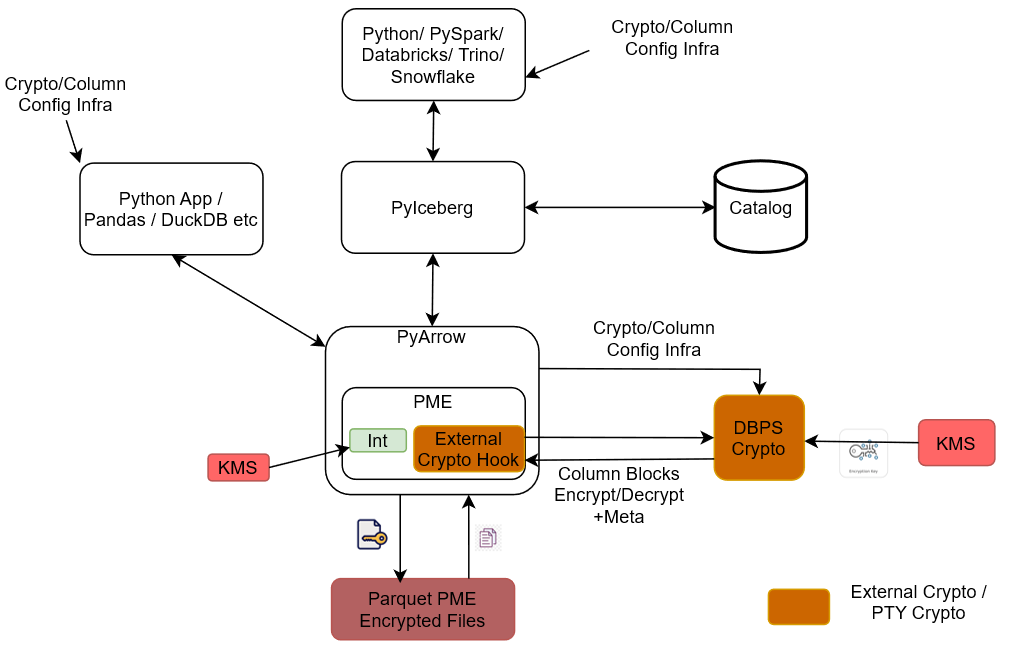
Python Client: Sends Protegrity encryption-related table properties that drive how columns should be protected.
Modified Pyiceberg: Accepts the Protegrity encryption-related table properties from the Python Client.
Modified PyArrow / DataBatch Protection Service: Receives data from Modified Pyiceberg and passes it to Application Protector C for protection.
Application Protector C: The core protection component. It performs the encryption/decryption of column data and routes the results to the RPAgent and the Log Forwarder. It also writes the protected output directly to the Protegrity Encrypted Parquet File.
RPAgent: Forwards protection-related communication from Application Protector C to the ESA.
Log Forwarder: Forwards logs from Application Protector C to the ESA.
ESA: The central service that receives both policy/agent communication (via RPAgent) and logs (via Log Forwarder).
Protegrity Encrypted Parquet File: The physical storage output produced by Application Protector C, containing Protegrity-encrypted Parquet data.
Pylceberg Protector: Modified Pyiceberg, Modified PyArrow/DataBatch Protection Service, Application Protector C, RPAgent, and Log Forwarder together make up the Pylceberg Protector.
End-to-end flow: The Python Client sends Protegrity encryption-related table properties → Modified Pyiceberg accepts these properties → data flows through Modified PyArrow/DataBatch Protection Service → Application Protector C encrypts/decrypts the data → protected data is written to the Protegrity Encrypted Parquet File, while protection communication and logs are forwarded via RPAgent and Log Forwarder respectively to the ESA.
10.6.1.3 - Understanding the System Requirements
Ensure that the following prerequisites are available before installing the Python Iceberg Protector:
- Any of the following supported distributions of the Linux operating system is available:
- CentOS/RHEL 8 or later
- Debian v10 or later
- Fedora v29 or later
- Ubuntu v18.10 or later
- Python version 3.12 is installed on the system. The configurator script requires Python.
- The
pipmodule is installed. - The
unzippackage is installed. - A text editor is installed.
- ESA v10.x is installed, configured, and running.
- The PIM is initialized and a policy is created.
- A user with
sudoprivileges is created. The privileges are required to modify the/etc/hostsfile for the dynamic policy approach. - The logged-in user is the same as the ESA policy user.
- Docker is installed and configured. This is required only for installing the build using a Docker image.
- Virtual environment is available. This is required only for installing the build using a virtual environment.
- Windows Subsystem for Linux is available.
10.6.1.4 - Preparing the Environment
10.6.1.4.1 - For a dynamic policy approach
10.6.1.4.1.1 - For an On-Prem Environment
Setting up the environment
Extract the contents of the installation package to access the configurator script. This script generates the required files to install the Python Iceberg Protector.
To extract the files from the installation package:
- Log in to the Linux machine.
- To create a user account
user1, run the following command:useradd -m -s /bin/bash user1 - To navigate to the
/opt/directory, run the following command:cd /opt/ - To create a folder inside /opt/, run the following command:
mkdir protegrity - To create a separate folder for the Python Iceberg protector within the
/opt/directory, run the following command:mkdir pyiceberg_protector - To change the ownership of the
/opt/protegrity/directory, run the following command:chown -R user1:user1 protegrity/ - To change the ownership of the
pyiceberg_protectordirectory, run the following command:chown -R user1:user1 pyiceberg_protector/
Extracting the package
- To navigate to the
pyiceberg_protectordirectory, run the following command:cd pyiceberg_protector/ - To download the installation package made available by Protegrity, run the following command:
wget <https://artifactory.protegrity.com/artifactory/pyiceberg-protector-generic/Release/<release_version>/<protector_version>/PyIcebergProtector_Linux-ALL-64_<arch_type>_Python-<python_version>_<protector_version>.tgz> - To change the ownership of the installation package, run the following command:
chown -R user1:user1 PyIcebergProtector_Linux-ALL-64_x86-64_Python-3.12-64_<protector_version>.tgz - To switch to the user1 account, run the following command:
su user1 - To extract the files from the installation package, run the following command:
tar -xvf PyIcebergProtector_Linux-ALL-64_x86-64_Python-3.12-64_<protector_version>.tgz - Press ENTER.
The command extracts the signature files from the installation package.PyIcebergProtector_Linux-ALL-64_x86-64_Python-3.12-64_<protector_version>.tgz signatures/ signatures/PyIcebergProtector_Linux-ALL-64_x86-64_Python-3.12-64_<protector_version>.tgz_10.0.sigNote: The package contains a
signatures/folder and an inner archive of the same name. Executing thetar -xvfcommand again on the inner archive extracts the configurator script. - To extract the configurator script from the installation package, run the following command:
tar -xvf PyIcebergProtector_Linux-ALL-64_x86-64_Python-3.12-64_<protector_version>.tgz - Press ENTER.
The command extracts the configurator script from the installation package.PyIcebergProtector-Configurator_Linux-ALL-64_x86-64_Python-3.12-64_<protector_version>.sh
10.6.1.4.1.2 - For a Docker Environment
Setting up the environment
- To execute the container from the latest Ubuntu image, run the following command:
docker run -dit --name pyiceberg-container ubuntu:latest - To login to the Ubuntu container, run the following command:
docker exec -it pyiceberg-container bash - To navigate to the /opt/ directory, run the following command:
cd /opt/ - To create a directory inside the docker container, run the following command:
mkdir protegrity - To add a user, run the following command:
useradd -m -s /bin/bash user1 - To create a separate folder for the Python Iceberg protector within the /opt/ directory, run the following command:
mkdir pyiceberg_protector - To change the ownership of the /opt/protegrity/ directory, run the following command:
chown -R user1:user1 protegrity/ - To change the ownership of the pyiceberg_protector directory, run the following command:
chown -R user1:user1 pyiceberg_protector/ - To verify the permissions, run the following command:
ls -ltrh - Press ENTER.
The list of files and directories with the correct permissions appear:<docker_instance>:/opt# ls -ltrh total 8.0K drwxr-xr-x 2 user1 user1 4.0K Jun 3 11:12 protegrity drwxr-xr-x 2 user1 user1 4.0K Jun 3 11:13 pyiceberg_protector
Extracting the Package
Extract the contents of the installation package to access the configurator script. This script generates the required files to install the Python Iceberg Protector.
- To navigate to the pyiceberg_protector directory, run the following command:
cd pyiceberg_protector/ - To download the installation package made available by Protegrity, run the following command:
wget <https://artifactory.protegrity.com/artifactory/pyiceberg-protector-generic/Release/<release_version>/<protector_version>/PyIcebergProtector_Linux-ALL-64_<arch_type>_Python-<python_version>_<protector_version>.tgz> - To change the ownership of the installation package, run the following command:
chown -R user1:user1 PyIcebergProtector_Linux-ALL-64_x86-64_Python-3.12-64_<protector_version>.tgz - To switch to the user1 account, run the following command:
su user1 - To extract the files from the installation package, run the following command:
tar -xvf PyIcebergProtector_Linux-ALL-64_x86-64_Python-3.12-64_<protector_version>.tgz - Press ENTER.
The command extracts the signature files from the installation package.PyIcebergProtector_Linux-ALL-64_x86-64_Python-3.12-64_<protector_version>.tgz signatures/ signatures/PyIcebergProtector_Linux-ALL-64_x86-64_Python-3.12-64_<protector_version>.tgz_10.0.sigNote: The package contains a
signatures/folder and an inner archive of the same name. Executing thetar -xvfcommand again on the inner archive extracts the configurator script. - To extract the configurator script from the installation package, run the following command:
tar -xvf PyIcebergProtector_Linux-ALL-64_x86-64_Python-3.12-64_<protector_version>.tgz - Press ENTER.
The command extracts the configurator script from the installation package.PyIcebergProtector-Configurator_Linux-ALL-64_x86-64_Python-3.12-64_<protector_version>.sh
10.6.1.4.1.3 - For a Virtual Environment
Setting up the environment
- Log in to the Linux machine.
- To create a folder inside the docker container, run the following command:
mkdir /opt/protegrity - To navigate to the /opt directory, run the following command:
cd /opt - To create a new directory within the /opt/protegrity directory, run the following command:
mkdir pyiceberg_protector - To create a new user, run the following command:
useradd -m -s /bin/bash user1 - To change the ownership of the /opt/protegrity/ directory, run the following command:
chown user1:user1 protegrity - To change the ownership of the pyiceberg_protector directory, run the following command:
chown -R user1:user1 pyiceberg_protector/ - To navigate to the pyiceberg_protector directory, run the following command:
cd pyiceberg_protector/ - To download the installation package made available by Protegrity, run the following command:
wget <https://artifactory.protegrity.com/artifactory/pyiceberg-protector-generic/Release/<release_version>/<protector_version>/PyIcebergProtector_Linux-ALL-64_<arch_type>_Python-<python_version>_<protector_version>.tgz> - To change the ownership of the installation package, run the following command:
chown user1:user1 PyIcebergProtector_Linux-ALL-64_x86-64_Python-3.12-64_<protector_version>.tgz - To switch to the new user, run the following command:
su user1 - To navigate to the protegrity directory, run the following command:
cd /opt/protegrity/ - To create the virtual environment, run the following command:
python3.12 -m venv environment <virtual_environment_name>
Extracting the package
Be sure to execute these commands as user1.
- To navigate to the pyiceberg_protector directory, run the following command:
cd /opt/pyiceberg_protector/ - To extract the files from the installation package, run the following command:
tar -xvf PyIcebergProtector_Linux-ALL-64_x86-64_Python-3.12-64_<protector_version>.tgz - Press ENTER.
The command extracts the signature files from the installation package.PyIcebergProtector_Linux-ALL-64_x86-64_Python-3.12-64_<protector_version>.tgz signatures/ signatures/PyIcebergProtector_Linux-ALL-64_x86-64_Python-3.12-64_<protector_version>.tgz_10.0.sigNote: The package contains a
signatures/folder and an inner archive of the same name. Executing thetar -xvfcommand again on the inner archive extracts the configurator script. - To extract the configurator script from the installation package, run the following command:
tar -xvf PyIcebergProtector_Linux-ALL-64_x86-64_Python-3.12-64_<protector_version>.tgz - Press ENTER.
The command extracts the configurator script from the installation package.PyIcebergProtector-Configurator_Linux-ALL-64_x86-64_Python-3.12-64_<protector_version>.sh
10.6.1.4.2 - For a static policy approach
10.6.1.4.2.1 - For an On-Prem Environment
Setting up the environment
Extract the contents of the installation package to access the configurator script. This script generates the required files to install the Python Iceberg Protector.
To extract the files from the installation package:
- Log in to the Linux machine.
- To create the superuser as static policy only has superuser, run the following command:
useradd -m -s /bin/bash superuser - To switch to /opt/ directory, run the following command:
cd /opt/ - To create a folder inside /opt/, run the following command:
mkdir protegrity - To create a separate folder for the Python Iceberg protector within the /opt/ directory, run the following command:
mkdir pyiceberg_protector - To change the ownership of the /opt/protegrity/ directory, run the following command:
chown -R superuser:superuser protegrity/ - To change the ownership of the pyiceberg_protector directory, run the following command:
chown -R superuser:superuser pyiceberg_protector/
Extracting the package
- To navigate to the pyiceberg_protector directory, run the following command:
cd pyiceberg_protector/ - To download the installation package made available by Protegrity, run the following command:
wget <https://artifactory.protegrity.com/artifactory/pyiceberg-protector-generic/Release/<release_version>/<protector_version>/PyIcebergProtector_Linux-ALL-64_<arch_type>_Python-<python_version>_<protector_version>.tgz> - To change the ownership of the installation package, run the following command:
chown -R superuser:superuser PyIcebergProtector_Linux-ALL-64_x86-64_Python-3.12-64_<protector_version>.tgz - To switch to the superuser account, run the following command:
su superuser - To extract the files from the installation package, run the following command:
tar -xvf PyIcebergProtector_Linux-ALL-64_x86-64_Python-3.12-64_<protector_version>.tgz - Press ENTER.
The command extracts the signature files from the installation package.PyIcebergProtector_Linux-ALL-64_x86-64_Python-3.12-64_<protector_version>.tgz signatures/ signatures/PyIcebergProtector_Linux-ALL-64_x86-64_Python-3.12-64_<protector_version>.tgz_10.0.sigNote: The package contains a
signatures/folder and an inner archive of the same name. Executing thetar -xvfcommand again on the inner archive extracts the configurator script. - To extract the configurator script from the installation package, run the following command:
tar -xvf PyIcebergProtector_Linux-ALL-64_x86-64_Python-3.12-64_<protector_version>.tgz - Press ENTER.
The command extracts the configurator script from the installation package.PyIcebergProtector-Configurator_Linux-ALL-64_x86-64_Python-3.12-64_<protector_version>.sh
10.6.1.4.2.2 - For a Docker Environment
Setting up the environment
- To execute the container from the latest Ubuntu image, run the following command:
docker run -dit --name pyiceberg-container ubuntu:latest - To login to the Ubuntu container, run the following command:
docker exec -it pyiceberg-container bash - To switch to
/opt/directory, run the following command:cd /opt/ - To create a folder inside the docker container, run the following command:
mkdir /opt/protegrity/ - To add a user, run the following command:
useradd -m -s /bin/bash superuser - To create a separate folder for the Python Iceberg protector within the /opt/protegrity/ directory, run the following command:
mkdir pyiceberg_protector - To change the ownership of the
/opt/protegrity/directory, run the following command:chown -R superuser:superuser protegrity/ - To change the ownership of the
pyiceberg_protectordirectory, run the following command:chown -R superuser:superuser pyiceberg_protector/ - To verify the permissions, run the following command:
ls -ltrh - Press ENTER.
The list of files and directories with the correct permissions appear:<docker_instance>:/opt# ls -ltrh total 8.0K drwxr-xr-x 2 superuser superuser 4.0K Jun 3 11:12 protegrity drwxr-xr-x 2 superuser superuser 4.0K Jun 3 11:13 pyiceberg_protector
Extracting the Package
Extract the contents of the installation package to access the configurator script. This script generates the required files to install the Python Iceberg Protector.
- To navigate to the pyiceberg_protector directory, run the following command:
cd pyiceberg_protector/ - To download the installation package made available by Protegrity, run the following command:
wget <https://artifactory.protegrity.com/artifactory/pyiceberg-protector-generic/Release/<release_version>/<protector_version>/PyIcebergProtector_Linux-ALL-64_<arch_type>_Python-<python_version>_<protector_version>.tgz> - To change the ownership of the installation package, run the following command:
chown -R superuser:superuser PyIcebergProtector_Linux-ALL-64_x86-64_Python-3.12-64_<protector_version>.tgz - To switch to the superuser account, run the following command:
su superuser - To extract the files from the installation package, run the following command:
tar -xvf PyIcebergProtector_Linux-ALL-64_x86-64_Python-3.12-64_<protector_version>.tgz - Press ENTER.
The command extracts the signature files from the installation package.PyIcebergProtector_Linux-ALL-64_x86-64_Python-3.12-64_<protector_version>.tgz signatures/ signatures/PyIcebergProtector_Linux-ALL-64_x86-64_Python-3.12-64_<protector_version>.tgz_10.0.sigNote: The package contains a
signatures/folder and an inner archive of the same name. Executing thetar -xvfcommand again on the inner archive extracts the configurator script. - To extract the configurator script from the installation package, run the following command:
tar -xvf PyIcebergProtector_Linux-ALL-64_x86-64_Python-3.12-64_<protector_version>.tgz - Press ENTER.
The command extracts the configurator script from the installation package.PyIcebergProtector-Configurator_Linux-ALL-64_x86-64_Python-3.12-64_<protector_version>.sh
10.6.1.4.2.3 - For a Virtual Environment
Setting up the environment
- Log in to the Linux machine.
- To create a folder on the Linux machine, run the following command:
mkdir /opt/protegrity - To navigate to the /opt directory, run the following command:
cd /opt - To create a new directory within the /opt/ directory, run the following command:
mkdir pyiceberg_protector - To create a new user, run the following command:
useradd -m -s /bin/bash superuser - To change the ownership of the /opt/protegrity/ directory, run the following command:
chown superuser:superuser protegrity - To change the ownership of the pyiceberg_protector directory, run the following command:
chown -R superuser:superuser pyiceberg_protector/ - To navigate to the pyiceberg_protector directory, run the following command:
cd pyiceberg_protector/ - Download the installation package made available by Protegrity.
- To change the ownership of the installation package, run the following command:
chown superuser:superuser PyIcebergProtector_Linux-ALL-64_x86-64_Python-3.12-64_<protector_version>.tgz - To switch to the new user, run the following command:
su superuser - To navigate to the protegrity directory, run the following command:
cd /opt/protegrity/ - To create the virtual environment, run the following command:
python3.12 -m venv <virtual_environment_name>
Extracting the package
Note: Be sure to execute the commands, listed in the section, as
superuser.
- To navigate to the pyiceberg_protector directory, run the following command:
cd /opt/pyiceberg_protector/ - To extract the files from the installation package, run the following command:
tar -xvf PyIcebergProtector_Linux-ALL-64_x86-64_Python-3.12-64_<protector_version>.tgz - Press ENTER.
The command extracts the signature files from the installation package.PyIcebergProtector_Linux-ALL-64_x86-64_Python-3.12-64_<protector_version>.tgz signatures/ signatures/PyIcebergProtector_Linux-ALL-64_x86-64_Python-3.12-64_<protector_version>.tgz_10.0.sigNote: The package contains a
signatures/folder and an inner archive of the same name. Executing thetar -xvfcommand again on the inner archive extracts the configurator script. - To extract the configurator script from the installation package, run the following command:
tar -xvf PyIcebergProtector_Linux-ALL-64_x86-64_Python-3.12-64_<protector_version>.tgz - Press ENTER.
The command extracts the configurator script from the installation package.PyIcebergProtector-Configurator_Linux-ALL-64_x86-64_Python-3.12-64_<protector_version>.sh
10.6.1.5 - Installing the Python Iceberg Protector
The configurator script is used to install the Python Iceberg protector. The script prompts for certain inputs. Based on the inputs, the script:
- Installs and starts the log forwarder.
- Downloads the certificates from ESA.
- Installs and starts the RPAgent.
The script enables installation using two approaches:
10.6.1.5.1 - Using a Static Policy
10.6.1.5.1.1 - In a Docker Environment
Installing the Protector
Be sure to follow the instructions mentioned in the section Preparing the Environment.
To start the container, run the following command:
docker start pyiceberg-containerTo login to the pyiceberg container, run the following command:
docker exec -it pyiceberg-container bashTo switch the user account, run the following command:
su superuserTo navigate to the directory containing the configurator script, run the following command:
cd /opt/pyiceberg_protectorTo execute the configurator script, run the following command:
./PyIcebergProtector-Configurator_Linux-ALL-64_x86-64_Python-3.12-64_<protector_version>.shPress ENTER.
The script lists the prerequisites and the prompt to confirm appears.Prerequisites: 1. Linux system, Virtual Machine, Docker container, WSL, or something similar with: a. x86_64 architecture b. OS >= CentOS/RHEL 8, >= Debian 10, >= Fedora 29, or >= Ubuntu 18.10 c. openssl utility d. unzip utility e. Python 3.12 f. any file editor 2. If you want to use dynamic policy, then make sure that PPC or ESA is accessible and Users, Groups, Roles, Data Elements, Data Stores, Policies, Trusted Applications, etc are created. 3. If you want to use your static policy, then make sure that Users, Groups, Roles, Data Elements, Data Stores, Policies, Trusted Applications, static policy, static policy decryption program, and static policy decryption key (optional) is created. Are these prerequisites met? ("yes" or "no"):To confirm the availability of the prerequisites, type
yes.Press ENTER.
The prompt to specify the installation directory appears.Specify absolute installation directory (default: /opt/protegrity):Enter the location to install the protector.
Press ENTER.
The prompt to specify the ESA policy type appears.Specify ESA policy type (either dynamic or static | default: dynamic):To use a static policy, type
static.Press ENTER.
The prompt to use the default static policy appears.Do you want to use Protegrity's static ESA policy? (either "yes" or "no" | default: "yes"):To use the default policy, type
yes.Press ENTER.
The prompt to specify the Python version appears.Specify Python interpreter (example: python3):Enter the version of Python installed on the system.
Press ENTER.
The script completes the installation. The script also lists the commands to:- Set the variables
- Set the table properties
- Execute the sample script
Installing PyIceberg Protector in /opt/protegrity directory... Installed PyIceberg Protector in /opt/protegrity directory. Export following variables: export LD_LIBRARY_PATH=/opt/protegrity/libs:/opt/protegrity/sdk/c/lib:$LD_LIBRARY_PATH && export PTY_APC_CONFIG=/opt/protegrity/sdk/c/data/config.ini && export PYTHONPATH=/opt/protegrity/pty_pyarrow:/opt/protegrity/pty_pyiceberg:$PYTHONPATH Execute sample client: python3.12 /opt/protegrity/samples/client.py To use External Parquet Modular Encryption (EPME): Simply add encryption properties on the iceberg table properties: For Protegrity (external) encryption: "protegrity.encryption.<column_name>": "EXTERNAL_DBPA_V1", "protegrity.key.<column_name>": "<Data Element Name>" Example: "protegrity.encryption.name": "EXTERNAL_DBPA_V1", "protegrity.key.name": "text" For built-in AES encryption: "encryption.algorithm.<column_name>": "AES_GCM_V1" or "AES_GCM_CTR_V1", "encryption.key.<column_name>": "<Master Key Identifier>", "encryption.footer.key": "<Footer Master Key Identifier>" Example: "encryption.algorithm.real_name": "AES_GCM_V1", "encryption.key.real_name": "real_name-master-key", "encryption.footer.key": "footer-master-key" Execute sample client: python3.12 /opt/protegrity/samples/client.pyTo set the path for the variables, run the following command:
export LD_LIBRARY_PATH=/opt/protegrity/libs:/opt/protegrity/sdk/c/lib:$LD_LIBRARY_PATH && export PTY_APC_CONFIG=/opt/protegrity/sdk/c/data/config.ini && export PYTHONPATH=/opt/protegrity/pty_pyarrow:/opt/protegrity/pty_pyiceberg:$PYTHONPATH
Executing the Sample Script
Note: Be sure to execute the commands, listed in the section, as
superuser.
To set the environment variables, run the following command:
export LD_LIBRARY_PATH=/opt/protegrity/libs:/opt/protegrity/sdk/c/lib:$LD_LIBRARY_PATH && export PTY_APC_CONFIG=/opt/protegrity/sdk/c/data/config.ini && export PYTHONPATH=/opt/protegrity/pty_pyarrow:/opt/protegrity/pty_pyiceberg:$PYTHONPATHTo update the client program and set the table properties, run the following command:
vi /opt/protegrity/samples/client.pyUpdate the table properties as follows:
pyiceberg_table = catalog.create_table( identifier="namespace.table", properties={ "parquet.enable.dictionary": "false", "write.parquet.compression-codec": "zstd", "write.parquet.dict-encoding.enabled": "false" "encrypt_block": "true", "protegrity.encryption.bank-account-number": "EXTERNAL_DBPA_V1", "protegrity.key.bank-account-number": "text", "protegrity.encoding.bank-account-number": "UTF-8" }, schema=pyarrow_table.schema )Where,
parquet.enable.dictionary- Enables or disables the Parquet dictionary encoding for all columns in the written file.write.parquet.compression-codec- Compresses the Parquet column data using the codec for a strong size-vs-speed tradeoff.write.parquet.dict-encoding.enabled- Enables or disables Iceberg’s per-column dictionary encoding when writing Parquet files. This is required for column encryption to work correctly.encrypt_block- Applies the Parquet Modular Encryption (PME) on the configured page when the value is set totrue. Otherwise, the encyrption is applied per row.- While using encryption-related data elements, be sure to set
encrypt_blocktotrue. - While using tokenization-related data elements, be sure to set
encrypt_blocktofalse.
- While using encryption-related data elements, be sure to set
protegrity.encryption.bank-account-number- Identifies the external crypto profile likeDBPSorEXTERNAL_DBPA_V1used to encrypt or decrypt the target column. Alternatively, internal encryption likeAES_GCM_V1orAES_GCM_CTR_V1can be used.protegrity.key.bank-account-number- Specifies the Protegrity data element whose cryptographic material is used to protect the target column when the external encryption is used. In case of internal encryption, the encryption key is used.protegrity.encoding.bank-account-number- Specifies the character encoding used for the encoded input bytes. The supported encoding types include UTF-8, UTF8, UTF-16LE, UTF16LE, UTF-16BE, and UTF16BE.- While using unicode-related data elements, be sure that
protegrity.encoding.*is set to the appropriate encoding type. To skip using unicode-related data elements, do not set any value forprotegrity.encoding.*.
- While using unicode-related data elements, be sure that
To execute the sample client program, run the following command:
python3 /opt/protegrity/samples/client.pyPress ENTER.
The output of the sample program appears.Printing original table... pyarrow.Table bank_account_number: string credit_card_number: string customer_name: string social_security_number: string ---- bank_account_number: [["100284935521","489311027684","773290514438","912046738815"]] credit_card_number: [["2811 9146 9639 4756","8285 9611 4035 3992","8866 0087 1920 1284","9933 9122 2872 5786"]] customer_name: [["Ashley Anderson","Brian Brown","Carol Clark","David Davis"]] social_security_number: [["000-12-3456","000-98-7654","000-55-1212","000-44-8888"]] Printed original table. Writing original table into /opt/protegrity/warehouse/namespace/table/data/*.parquet file... None Written original table into /opt/protegrity/warehouse/namespace/table/data/*.parquet file. Reading /opt/protegrity/warehouse/namespace/table/data/*.parquet file into PyArrow table... /opt/protegrity/pty_pyiceberg/pyiceberg/avro/file.py:175: UserWarning: Falling back to pure Python Avro decoder, missing Cython implementation self.decoder = new_decoder(f.read()) /opt/protegrity/pty_pyiceberg/pyiceberg/avro/file.py:204: UserWarning: Falling back to pure Python Avro decoder, missing Cython implementation self.block = Block(reader=self.reader, block_records=block_records, block_decoder=new_decoder(block_bytes)) pyarrow.Table bank_account_number: string credit_card_number: string customer_name: string social_security_number: string ---- bank_account_number: [["100284935521","489311027684","773290514438","912046738815"]] credit_card_number: [["2811 9146 9639 4756","8285 9611 4035 3992","8866 0087 1920 1284","9933 9122 2872 5786"]] customer_name: [["Ashley Anderson","Brian Brown","Carol Clark","David Davis"]] social_security_number: [["000-12-3456","000-98-7654","000-55-1212","000-44-8888"]] Read /opt/protegrity/warehouse/namespace/table/data/*.parquet file into PyArrow table. Printing snapshots... Operation.APPEND: id=5870174703691215742, schema_id=0 Printed snapshots. Adding "last_transaction" column... Added "last_transaction" column. Printing updated table... pyarrow.Table bank_account_number: string credit_card_number: string customer_name: string last_transaction: float social_security_number: string ---- bank_account_number: [["100284935521","489311027684","773290514438","912046738815"]] credit_card_number: [["2811 9146 9639 4756","8285 9611 4035 3992","8866 0087 1920 1284","9933 9122 2872 5786"]] customer_name: [["Ashley Anderson","Brian Brown","Carol Clark","David Davis"]] last_transaction: [[250.75,1840.5,92.25,5000]] social_security_number: [["000-12-3456","000-98-7654","000-55-1212","000-44-8888"]] Printed updated table. Writing updated table into /opt/protegrity/warehouse/namespace/table/data/*.parquet file... None Written updated table into /opt/protegrity/warehouse/namespace/table/data/*.parquet file. Reading /opt/protegrity/warehouse/namespace/table/data/*.parquet file into PyArrow table... pyarrow.Table bank_account_number: string credit_card_number: string last_transaction: float customer_name: string social_security_number: string ---- bank_account_number: [["100284935521","489311027684","773290514438","912046738815"]] credit_card_number: [["2811 9146 9639 4756","8285 9611 4035 3992","8866 0087 1920 1284","9933 9122 2872 5786"]] last_transaction: [[250.75,1840.5,92.25,5000]] customer_name: [["Ashley Anderson","Brian Brown","Carol Clark","David Davis"]] social_security_number: [["000-12-3456","000-98-7654","000-55-1212","000-44-8888"]] Read /opt/protegrity/warehouse/namespace/table/data/*.parquet file into PyArrow table. Printing snapshots... Operation.APPEND: id=5870174703691215742, schema_id=0 Operation.DELETE: id=2940982637465782181, parent_id=5870174703691215742, schema_id=2 Operation.APPEND: id=4680277589130765230, parent_id=2940982637465782181, schema_id=2 Printed snapshots. Adding "total_transactions" column... Added "total_transactions" column. Printing updated table... pyarrow.Table bank_account_number: string credit_card_number: string customer_name: string last_transaction: float social_security_number: string total_transactions: int64 ---- bank_account_number: [["100284935521","489311027684","773290514438","912046738815"]] credit_card_number: [["2811 9146 9639 4756","8285 9611 4035 3992","8866 0087 1920 1284","9933 9122 2872 5786"]] customer_name: [["Ashley Anderson","Brian Brown","Carol Clark","David Davis"]] last_transaction: [[250.75,1840.5,92.25,5000]] social_security_number: [["000-12-3456","000-98-7654","000-55-1212","000-44-8888"]] total_transactions: [[12,47,3,189]] Printed updated table. Writing updated table into /opt/protegrity/warehouse/namespace/table/data/*.parquet file... None Written updated table into /opt/protegrity/warehouse/namespace/table/data/*.parquet file. Reading /opt/protegrity/warehouse/namespace/table/data/*.parquet file into PyArrow table... pyarrow.Table bank_account_number: string credit_card_number: string last_transaction: float customer_name: string social_security_number: string total_transactions: int64 ---- bank_account_number: [["100284935521","489311027684","773290514438","912046738815"]] credit_card_number: [["2811 9146 9639 4756","8285 9611 4035 3992","8866 0087 1920 1284","9933 9122 2872 5786"]] last_transaction: [[250.75,1840.5,92.25,5000]] customer_name: [["Ashley Anderson","Brian Brown","Carol Clark","David Davis"]] social_security_number: [["000-12-3456","000-98-7654","000-55-1212","000-44-8888"]] total_transactions: [[12,47,3,189]] Read /opt/protegrity/warehouse/namespace/table/data/*.parquet file into PyArrow table. Printing snapshots... Operation.APPEND: id=5870174703691215742, schema_id=0 Operation.DELETE: id=2940982637465782181, parent_id=5870174703691215742, schema_id=2 Operation.APPEND: id=4680277589130765230, parent_id=2940982637465782181, schema_id=2 Operation.DELETE: id=1221333118375237499, parent_id=4680277589130765230, schema_id=3 Operation.APPEND: id=6921156972304738597, parent_id=1221333118375237499, schema_id=3 Printed snapshots. Deleting "last_transaction" column... Deleted "last_transaction" column. Printing updated table... pyarrow.Table bank_account_number: string credit_card_number: string customer_name: string social_security_number: string total_transactions: int64 ---- bank_account_number: [["100284935521","489311027684","773290514438","912046738815"]] credit_card_number: [["2811 9146 9639 4756","8285 9611 4035 3992","8866 0087 1920 1284","9933 9122 2872 5786"]] customer_name: [["Ashley Anderson","Brian Brown","Carol Clark","David Davis"]] social_security_number: [["000-12-3456","000-98-7654","000-55-1212","000-44-8888"]] total_transactions: [[12,47,3,189]] Printed updated table. Writing updated table into /opt/protegrity/warehouse/namespace/table/data/*.parquet file... None Written updated table into /opt/protegrity/warehouse/namespace/table/data/*.parquet file. Reading /opt/protegrity/warehouse/namespace/table/data/*.parquet file into PyArrow table... pyarrow.Table bank_account_number: string credit_card_number: string customer_name: string social_security_number: string total_transactions: int64 ---- bank_account_number: [["100284935521","489311027684","773290514438","912046738815"]] credit_card_number: [["2811 9146 9639 4756","8285 9611 4035 3992","8866 0087 1920 1284","9933 9122 2872 5786"]] customer_name: [["Ashley Anderson","Brian Brown","Carol Clark","David Davis"]] social_security_number: [["000-12-3456","000-98-7654","000-55-1212","000-44-8888"]] total_transactions: [[12,47,3,189]] Read /opt/protegrity/warehouse/namespace/table/data/*.parquet file into PyArrow table. Printing snapshots... Operation.APPEND: id=5870174703691215742, schema_id=0 Operation.DELETE: id=2940982637465782181, parent_id=5870174703691215742, schema_id=2 Operation.APPEND: id=4680277589130765230, parent_id=2940982637465782181, schema_id=2 Operation.DELETE: id=1221333118375237499, parent_id=4680277589130765230, schema_id=3 Operation.APPEND: id=6921156972304738597, parent_id=1221333118375237499, schema_id=3 Operation.DELETE: id=365521407692256407, parent_id=6921156972304738597, schema_id=4 Operation.APPEND: id=4540095448248191384, parent_id=365521407692256407, schema_id=4 Printed snapshots.
10.6.1.5.1.2 - In a Virtual Environment
Installing the Protector
- Be sure to follow the instructions mentioned in the section Preparing the Environment.
- To activate the environment, run the following command:
source /opt/protegrity/<virtual_environment_name>/bin/activate - Navigate to the directory where the installation files are available.
- To execute the configurator script, run the following command:
./PyIcebergProtector-Configurator_Linux-ALL-64_x86-64_Python-3.12-64_<protector_version>.sh - Press ENTER.
The script lists the prerequisites and the prompt to confirm appears.Prerequisites: 1. Linux system, Virtual Machine, Docker container, WSL, or something similar with: a. x86_64 architecture b. OS >= CentOS/RHEL 8, >= Debian 10, >= Fedora 29, or >= Ubuntu 18.10 c. openssl utility d. unzip utility e. Python 3.12 f. any file editor 2. If you want to use dynamic policy, then make sure that PPC or ESA is accessible and Users, Groups, Roles, Data Elements, Data Stores, Policies, Trusted Applications, etc are created. 3. If you want to use your static policy, then make sure that Users, Groups, Roles, Data Elements, Data Stores, Policies, Trusted Applications, static policy, static policy decryption program, and static policy decryption key (optional) is created. Are these prerequisites met? ("yes" or "no"): - To confirm the availability of the prerequisites, type
yes. - Press ENTER.
The prompt to specify the installation directory appears.Specify absolute installation directory (default: /opt/protegrity): - Enter the location to install the protector.
- Press ENTER.
The prompt to specify the ESA policy type appears.Specify ESA policy type (either dynamic or static | default: dynamic): - To use a static policy, type
static. - Press ENTER.
The prompt to use the default static policy appears.Do you want to use Protegrity's static ESA policy? (either "yes" or "no" | default: "yes"): - To use the default policy, type
yes. - Press ENTER.
The prompt to enter the Python version appears.Specify Python interpreter (example: python3): - Enter the version of Python installed on the system.
- Press ENTER.
The script completes the installation. The script also lists the commands to:- Set the variables
- Set the table properties
- Execute the sample script
Installing PyIceberg Protector in /opt/protegrity... Installed PyIceberg Protector in /opt/protegrity. Export following variables: export LD_LIBRARY_PATH=/opt/protegrity/libs:/opt/protegrity/sdk/c/lib:$LD_LIBRARY_PATH && export PTY_APC_CONFIG=/opt/protegrity/sdk/c/data/config.ini && export PYTHONPATH=/opt/protegrity/pty_pyarrow:/opt/protegrity/pty_pyiceberg:$PYTHONPATH Execute sample client: python3 /opt/protegrity/samples/client.py To use External Parquet Modular Encryption (EPME): Simply add encryption properties on the iceberg table properties: For Protegrity (external) encryption: "protegrity.encryption.<column_name>": "EXTERNAL_DBPA_V1", "protegrity.key.<column_name>": "<Data Element Name>" Example: "protegrity.encryption.social_security_number": "EXTERNAL_DBPA_V1", "protegrity.key.social_security_number": "text" For built-in AES encryption: "encryption.algorithm.<column_name>": "AES_GCM_V1" or "AES_GCM_CTR_V1", "encryption.key.<column_name>": "<Master Key Identifier>", "encryption.footer.key": "<Footer Master Key Identifier>" Example: "encryption.algorithm.bank_account_number": "AES_GCM_V1", "encryption.key.bank_account_number": "bank-account-number-master-key", "encryption.footer.key": "footer-master-key" Execute sample client: python3 /opt/protegrity/samples/client.py
Executing the Sample Script
Note: Be sure to execute the commands, listed in the section, as
superuserand that the virtual environment is activated.
To set the environment variables, run the following command:
export LD_LIBRARY_PATH=/opt/protegrity/libs:/opt/protegrity/sdk/c/lib:$LD_LIBRARY_PATH && export PTY_APC_CONFIG=/opt/protegrity/sdk/c/data/config.ini && export PYTHONPATH=/opt/protegrity/pty_pyarrow:/opt/protegrity/pty_pyiceberg:$PYTHONPATHTo update the sample program, run the following command:
vi /opt/protegrity/samples/client.pyUpdate the table properties as follows:
pyiceberg_table = catalog.create_table( identifier="namespace.table", properties={ "parquet.enable.dictionary": "false", "write.parquet.compression-codec": "zstd", "write.parquet.dict-encoding.enabled": "false" "encrypt_block": "true", "protegrity.encryption.bank-account-number": "EXTERNAL_DBPA_V1", "protegrity.key.bank-account-number": "text", "protegrity.encoding.bank-account-number": "UTF-8" }, schema=pyarrow_table.schema )Where,
parquet.enable.dictionary- Enables or disables the Parquet dictionary encoding for all columns in the written file.write.parquet.compression-codec- Compresses the Parquet column data using the codec for a strong size-vs-speed tradeoff.write.parquet.dict-encoding.enabled- Enables or disables Iceberg’s per-column dictionary encoding when writing Parquet files. This is required for column encryption to work correctly.encrypt_block- Applies the Parquet Modular Encryption (PME) on the configured page when the value is set totrue. Otherwise, the encyrption is applied per row.- While using encryption-related data elements, be sure to set
encrypt_blocktotrue. - While using tokenization-related data elements, be sure to set
encrypt_blocktofalse.
- While using encryption-related data elements, be sure to set
protegrity.encryption.bank-account-number- Identifies the external crypto profile likeDBPSorEXTERNAL_DBPA_V1used to encrypt or decrypt the target column. Alternatively, internal encryption likeAES_GCM_V1orAES_GCM_CTR_V1can be used.protegrity.key.bank-account-number- Specifies the Protegrity data element whose cryptographic material is used to protect the target column when the external encryption is used. In case of internal encryption, the encryption key is used.protegrity.encoding.bank-account-number- Specifies the character encoding used for the encoded input bytes. The supported encoding types include UTF-8, UTF8, UTF-16LE, UTF16LE, UTF-16BE, and UTF16BE.- While using unicode-related data elements, be sure that
protegrity.encoding.*is set to the appropriate encoding type. To skip using unicode-related data elements, do not set any value forprotegrity.encoding.*.
To execute the sample script, run the following command:
python3 /opt/protegrity/samples/client.pyPress ENTER.
The output of the sample program appears.Printing original table... pyarrow.Table bank_account_number: string credit_card_number: string customer_name: string social_security_number: string ---- bank_account_number: [["100284935521","489311027684","773290514438","912046738815"]] credit_card_number: [["2811 9146 9639 4756","8285 9611 4035 3992","8866 0087 1920 1284","9933 9122 2872 5786"]] customer_name: [["Ashley Anderson","Brian Brown","Carol Clark","David Davis"]] social_security_number: [["000-12-3456","000-98-7654","000-55-1212","000-44-8888"]] Printed original table. Writing original table into /opt/protegrity/warehouse/namespace/table/data/*.parquet file... None Written original table into /opt/protegrity/warehouse/namespace/table/data/*.parquet file. Reading /opt/protegrity/warehouse/namespace/table/data/*.parquet file into PyArrow table... /opt/protegrity/pty_pyiceberg/pyiceberg/avro/file.py:175: UserWarning: Falling back to pure Python Avro decoder, missing Cython implementation self.decoder = new_decoder(f.read()) /opt/protegrity/pty_pyiceberg/pyiceberg/avro/file.py:204: UserWarning: Falling back to pure Python Avro decoder, missing Cython implementation self.block = Block(reader=self.reader, block_records=block_records, block_decoder=new_decoder(block_bytes)) pyarrow.Table bank_account_number: string credit_card_number: string customer_name: string social_security_number: string ---- bank_account_number: [["100284935521","489311027684","773290514438","912046738815"]] credit_card_number: [["2811 9146 9639 4756","8285 9611 4035 3992","8866 0087 1920 1284","9933 9122 2872 5786"]] customer_name: [["Ashley Anderson","Brian Brown","Carol Clark","David Davis"]] social_security_number: [["000-12-3456","000-98-7654","000-55-1212","000-44-8888"]] Read /opt/protegrity/warehouse/namespace/table/data/*.parquet file into PyArrow table. Printing snapshots... Operation.APPEND: id=5870174703691215742, schema_id=0 Printed snapshots. Adding "last_transaction" column... Added "last_transaction" column. Printing updated table... pyarrow.Table bank_account_number: string credit_card_number: string customer_name: string last_transaction: float social_security_number: string ---- bank_account_number: [["100284935521","489311027684","773290514438","912046738815"]] credit_card_number: [["2811 9146 9639 4756","8285 9611 4035 3992","8866 0087 1920 1284","9933 9122 2872 5786"]] customer_name: [["Ashley Anderson","Brian Brown","Carol Clark","David Davis"]] last_transaction: [[250.75,1840.5,92.25,5000]] social_security_number: [["000-12-3456","000-98-7654","000-55-1212","000-44-8888"]] Printed updated table. Writing updated table into /opt/protegrity/warehouse/namespace/table/data/*.parquet file... None Written updated table into /opt/protegrity/warehouse/namespace/table/data/*.parquet file. Reading /opt/protegrity/warehouse/namespace/table/data/*.parquet file into PyArrow table... pyarrow.Table bank_account_number: string credit_card_number: string last_transaction: float customer_name: string social_security_number: string ---- bank_account_number: [["100284935521","489311027684","773290514438","912046738815"]] credit_card_number: [["2811 9146 9639 4756","8285 9611 4035 3992","8866 0087 1920 1284","9933 9122 2872 5786"]] last_transaction: [[250.75,1840.5,92.25,5000]] customer_name: [["Ashley Anderson","Brian Brown","Carol Clark","David Davis"]] social_security_number: [["000-12-3456","000-98-7654","000-55-1212","000-44-8888"]] Read /opt/protegrity/warehouse/namespace/table/data/*.parquet file into PyArrow table. Printing snapshots... Operation.APPEND: id=5870174703691215742, schema_id=0 Operation.DELETE: id=2940982637465782181, parent_id=5870174703691215742, schema_id=2 Operation.APPEND: id=4680277589130765230, parent_id=2940982637465782181, schema_id=2 Printed snapshots. Adding "total_transactions" column... Added "total_transactions" column. Printing updated table... pyarrow.Table bank_account_number: string credit_card_number: string customer_name: string last_transaction: float social_security_number: string total_transactions: int64 ---- bank_account_number: [["100284935521","489311027684","773290514438","912046738815"]] credit_card_number: [["2811 9146 9639 4756","8285 9611 4035 3992","8866 0087 1920 1284","9933 9122 2872 5786"]] customer_name: [["Ashley Anderson","Brian Brown","Carol Clark","David Davis"]] last_transaction: [[250.75,1840.5,92.25,5000]] social_security_number: [["000-12-3456","000-98-7654","000-55-1212","000-44-8888"]] total_transactions: [[12,47,3,189]] Printed updated table. Writing updated table into /opt/protegrity/warehouse/namespace/table/data/*.parquet file... None Written updated table into /opt/protegrity/warehouse/namespace/table/data/*.parquet file. Reading /opt/protegrity/warehouse/namespace/table/data/*.parquet file into PyArrow table... pyarrow.Table bank_account_number: string credit_card_number: string last_transaction: float customer_name: string social_security_number: string total_transactions: int64 ---- bank_account_number: [["100284935521","489311027684","773290514438","912046738815"]] credit_card_number: [["2811 9146 9639 4756","8285 9611 4035 3992","8866 0087 1920 1284","9933 9122 2872 5786"]] last_transaction: [[250.75,1840.5,92.25,5000]] customer_name: [["Ashley Anderson","Brian Brown","Carol Clark","David Davis"]] social_security_number: [["000-12-3456","000-98-7654","000-55-1212","000-44-8888"]] total_transactions: [[12,47,3,189]] Read /opt/protegrity/warehouse/namespace/table/data/*.parquet file into PyArrow table. Printing snapshots... Operation.APPEND: id=5870174703691215742, schema_id=0 Operation.DELETE: id=2940982637465782181, parent_id=5870174703691215742, schema_id=2 Operation.APPEND: id=4680277589130765230, parent_id=2940982637465782181, schema_id=2 Operation.DELETE: id=1221333118375237499, parent_id=4680277589130765230, schema_id=3 Operation.APPEND: id=6921156972304738597, parent_id=1221333118375237499, schema_id=3 Printed snapshots. Deleting "last_transaction" column... Deleted "last_transaction" column. Printing updated table... pyarrow.Table bank_account_number: string credit_card_number: string customer_name: string social_security_number: string total_transactions: int64 ---- bank_account_number: [["100284935521","489311027684","773290514438","912046738815"]] credit_card_number: [["2811 9146 9639 4756","8285 9611 4035 3992","8866 0087 1920 1284","9933 9122 2872 5786"]] customer_name: [["Ashley Anderson","Brian Brown","Carol Clark","David Davis"]] social_security_number: [["000-12-3456","000-98-7654","000-55-1212","000-44-8888"]] total_transactions: [[12,47,3,189]] Printed updated table. Writing updated table into /opt/protegrity/warehouse/namespace/table/data/*.parquet file... None Written updated table into /opt/protegrity/warehouse/namespace/table/data/*.parquet file. Reading /opt/protegrity/warehouse/namespace/table/data/*.parquet file into PyArrow table... pyarrow.Table bank_account_number: string credit_card_number: string customer_name: string social_security_number: string total_transactions: int64 ---- bank_account_number: [["100284935521","489311027684","773290514438","912046738815"]] credit_card_number: [["2811 9146 9639 4756","8285 9611 4035 3992","8866 0087 1920 1284","9933 9122 2872 5786"]] customer_name: [["Ashley Anderson","Brian Brown","Carol Clark","David Davis"]] social_security_number: [["000-12-3456","000-98-7654","000-55-1212","000-44-8888"]] total_transactions: [[12,47,3,189]] Read /opt/protegrity/warehouse/namespace/table/data/*.parquet file into PyArrow table. Printing snapshots... Operation.APPEND: id=5870174703691215742, schema_id=0 Operation.DELETE: id=2940982637465782181, parent_id=5870174703691215742, schema_id=2 Operation.APPEND: id=4680277589130765230, parent_id=2940982637465782181, schema_id=2 Operation.DELETE: id=1221333118375237499, parent_id=4680277589130765230, schema_id=3 Operation.APPEND: id=6921156972304738597, parent_id=1221333118375237499, schema_id=3 Operation.DELETE: id=365521407692256407, parent_id=6921156972304738597, schema_id=4 Operation.APPEND: id=4540095448248191384, parent_id=365521407692256407, schema_id=4 Printed snapshots.
10.6.1.5.1.3 - In an On-Prem Environment
Installing the Protector
- Be sure to follow the instructions mentioned in the section Preparing the Environment.
- Log in to the instance having connectivity to ESA.
- To switch the user account, run the following command:
su superuser - To navigate to the directory containing the configurator script, run the following command:
cd /opt/pyiceberg_protector - To execute the configurator script, run the following command:
./PyIcebergProtector-Configurator_Linux-ALL-64_x86-64_Python-3.12-64_<protector_version>.sh - Press ENTER.
The script lists the prerequisites and the prompt to confirm appears.Prerequisites: 1. Linux system, Virtual Machine, Docker container, WSL, or something similar with: a. x86_64 architecture b. OS >= CentOS/RHEL 8, >= Debian 10, >= Fedora 29, or >= Ubuntu 18.10 c. openssl utility d. unzip utility e. Python 3.12 f. any file editor 2. If you want to use dynamic policy, then make sure that PPC or ESA is accessible and Users, Groups, Roles, Data Elements, Data Stores, Policies, Trusted Applications, etc are created. 3. If you want to use your static policy, then make sure that Users, Groups, Roles, Data Elements, Data Stores, Policies, Trusted Applications, static policy, static policy decryption program, and static policy decryption key (optional) is created. Are these prerequisites met? ("yes" or "no"): - To confirm the availability of the prerequisites, type
yes. - Press ENTER.
The prompt to specify the installation directory appears.Specify absolute installation directory (default: /opt/protegrity): - Enter the location to install the protector.
- Press ENTER.
The prompt to specify the ESA policy type appears.Specify ESA policy's type (either "dynamic" or "static" | default: "dynamic"): - To use a static policy, type
static. - Press ENTER.
The prompt to use the default policy appears.Do you want to use Protegrity's static ESA policy? (either "yes" or "no" | default: "yes"): - To use the default static policy, type
yes. - Press ENTER.
The prompt to specify the Python version appears.Specify Python interpreter (example: python3): - Enter the version of Python installed on the system.
- Press ENTER.
The script completes the installation. The script also lists the commands to:- Set the variables
- Set the table properties
- Execute the sample script
Installing PyIceberg Protector in /opt/protegrity... Installed PyIceberg Protector in /opt/protegrity. Export following variables: export LD_LIBRARY_PATH=/opt/protegrity/libs:/opt/protegrity/sdk/c/lib:$LD_LIBRARY_PATH && export PTY_APC_CONFIG=/opt/protegrity/sdk/c/data/config.ini && export PYTHONPATH=/opt/protegrity/pty_pyarrow:/opt/protegrity/pty_pyiceberg:$PYTHONPATH Execute sample client: python3 /opt/protegrity/samples/client.py To use External Parquet Modular Encryption (EPME): Simply add encryption properties on the iceberg table properties: For Protegrity (external) encryption: "protegrity.encryption.<column_name>": "EXTERNAL_DBPA_V1", "protegrity.key.<column_name>": "<Data Element Name>" Example: "protegrity.encryption.social_security_number": "EXTERNAL_DBPA_V1", "protegrity.key.social_security_number": "text" For built-in AES encryption: "encryption.algorithm.<column_name>": "AES_GCM_V1" or "AES_GCM_CTR_V1", "encryption.key.<column_name>": "<Master Key Identifier>", "encryption.footer.key": "<Footer Master Key Identifier>" Example: "encryption.algorithm.bank_account_number": "AES_GCM_V1", "encryption.key.bank_account_number": "bank-account-number-master-key", "encryption.footer.key": "footer-master-key" Execute sample client: python3 /opt/protegrity/samples/client.py
Executing the Sample Script
Note: Be sure to execute the commands, listed in the section, as
superuser.
To set the environment variable specified during installation, run the following command:
export LD_LIBRARY_PATH=/opt/protegrity/libs:/opt/protegrity/sdk/c/lib:$LD_LIBRARY_PATH && export PTY_APC_CONFIG=/opt/protegrity/sdk/c/data/config.ini && export PYTHONPATH=/opt/protegrity/pty_pyarrow:/opt/protegrity/pty_pyiceberg:$PYTHONPATHTo edit the sample the program, run the following command:
vi /opt/protegrity/samples/client.pyUpdate table properties as follows:
pyiceberg_table = catalog.create_table( identifier="namespace.table", properties={ "parquet.enable.dictionary": "false", "write.parquet.compression-codec": "zstd", "write.parquet.dict-encoding.enabled": "false" "encrypt_block": "true", "protegrity.encryption.bank-account-number": "EXTERNAL_DBPA_V1", "protegrity.key.bank-account-number": "text", "protegrity.encoding.bank-account-number": "UTF-8" }, schema=pyarrow_table.schema )Where,
parquet.enable.dictionary- Enables or disables the Parquet dictionary encoding for all columns in the written file.write.parquet.compression-codec- Compresses the Parquet column data using the codec for a strong size-vs-speed tradeoff.write.parquet.dict-encoding.enabled- Enables or disables Iceberg’s per-column dictionary encoding when writing Parquet files. This is required for column encryption to work correctly.encrypt_block- Applies the Parquet Modular Encryption (PME) on the configured page when the value is set totrue. Otherwise, the encyrption is applied per row.- While using encryption-related data elements, be sure to set
encrypt_blocktotrue. - While using tokenization-related data elements, be sure to set
encrypt_blocktofalse.
- While using encryption-related data elements, be sure to set
protegrity.encryption.bank-account-number- Identifies the external crypto profile likeDBPSorEXTERNAL_DBPA_V1used to encrypt or decrypt the target column. Alternatively, internal encryption likeAES_GCM_V1orAES_GCM_CTR_V1can be used.protegrity.key.bank-account-number- Specifies the Protegrity data element whose cryptographic material is used to protect the target column when the external encryption is used. In case of internal encryption, the encryption key is used.protegrity.encoding.bank-account-number- Specifies the character encoding used for the encoded input bytes. The supported encoding types include UTF-8, UTF8, UTF-16LE, UTF16LE, UTF-16BE, and UTF16BE.- While using unicode-related data elements, be sure that
protegrity.encoding.*is set to the appropriate encoding type. To skip using unicode-related data elements, do not set any value forprotegrity.encoding.*.
- While using unicode-related data elements, be sure that
To execute the sample script, run the following command:
python3 /opt/protegrity/samples/client.pyPress ENTER.
The output of the sample program appears.Printing original table... pyarrow.Table bank_account_number: string credit_card_number: string customer_name: string social_security_number: string ---- bank_account_number: [["100284935521","489311027684","773290514438","912046738815"]] credit_card_number: [["2811 9146 9639 4756","8285 9611 4035 3992","8866 0087 1920 1284","9933 9122 2872 5786"]] customer_name: [["Ashley Anderson","Brian Brown","Carol Clark","David Davis"]] social_security_number: [["000-12-3456","000-98-7654","000-55-1212","000-44-8888"]] Printed original table. Writing original table into /opt/protegrity/warehouse/namespace/table/data/*.parquet file... None Written original table into /opt/protegrity/warehouse/namespace/table/data/*.parquet file. Reading /opt/protegrity/warehouse/namespace/table/data/*.parquet file into PyArrow table... /opt/protegrity/pty_pyiceberg/pyiceberg/avro/file.py:175: UserWarning: Falling back to pure Python Avro decoder, missing Cython implementation self.decoder = new_decoder(f.read()) /opt/protegrity/pty_pyiceberg/pyiceberg/avro/file.py:204: UserWarning: Falling back to pure Python Avro decoder, missing Cython implementation self.block = Block(reader=self.reader, block_records=block_records, block_decoder=new_decoder(block_bytes)) pyarrow.Table bank_account_number: string credit_card_number: string customer_name: string social_security_number: string ---- bank_account_number: [["100284935521","489311027684","773290514438","912046738815"]] credit_card_number: [["2811 9146 9639 4756","8285 9611 4035 3992","8866 0087 1920 1284","9933 9122 2872 5786"]] customer_name: [["Ashley Anderson","Brian Brown","Carol Clark","David Davis"]] social_security_number: [["000-12-3456","000-98-7654","000-55-1212","000-44-8888"]] Read /opt/protegrity/warehouse/namespace/table/data/*.parquet file into PyArrow table. Printing snapshots... Operation.APPEND: id=5870174703691215742, schema_id=0 Printed snapshots. Adding "last_transaction" column... Added "last_transaction" column. Printing updated table... pyarrow.Table bank_account_number: string credit_card_number: string customer_name: string last_transaction: float social_security_number: string ---- bank_account_number: [["100284935521","489311027684","773290514438","912046738815"]] credit_card_number: [["2811 9146 9639 4756","8285 9611 4035 3992","8866 0087 1920 1284","9933 9122 2872 5786"]] customer_name: [["Ashley Anderson","Brian Brown","Carol Clark","David Davis"]] last_transaction: [[250.75,1840.5,92.25,5000]] social_security_number: [["000-12-3456","000-98-7654","000-55-1212","000-44-8888"]] Printed updated table. Writing updated table into /opt/protegrity/warehouse/namespace/table/data/*.parquet file... None Written updated table into /opt/protegrity/warehouse/namespace/table/data/*.parquet file. Reading /opt/protegrity/warehouse/namespace/table/data/*.parquet file into PyArrow table... pyarrow.Table bank_account_number: string credit_card_number: string last_transaction: float customer_name: string social_security_number: string ---- bank_account_number: [["100284935521","489311027684","773290514438","912046738815"]] credit_card_number: [["2811 9146 9639 4756","8285 9611 4035 3992","8866 0087 1920 1284","9933 9122 2872 5786"]] last_transaction: [[250.75,1840.5,92.25,5000]] customer_name: [["Ashley Anderson","Brian Brown","Carol Clark","David Davis"]] social_security_number: [["000-12-3456","000-98-7654","000-55-1212","000-44-8888"]] Read /opt/protegrity/warehouse/namespace/table/data/*.parquet file into PyArrow table. Printing snapshots... Operation.APPEND: id=5870174703691215742, schema_id=0 Operation.DELETE: id=2940982637465782181, parent_id=5870174703691215742, schema_id=2 Operation.APPEND: id=4680277589130765230, parent_id=2940982637465782181, schema_id=2 Printed snapshots. Adding "total_transactions" column... Added "total_transactions" column. Printing updated table... pyarrow.Table bank_account_number: string credit_card_number: string customer_name: string last_transaction: float social_security_number: string total_transactions: int64 ---- bank_account_number: [["100284935521","489311027684","773290514438","912046738815"]] credit_card_number: [["2811 9146 9639 4756","8285 9611 4035 3992","8866 0087 1920 1284","9933 9122 2872 5786"]] customer_name: [["Ashley Anderson","Brian Brown","Carol Clark","David Davis"]] last_transaction: [[250.75,1840.5,92.25,5000]] social_security_number: [["000-12-3456","000-98-7654","000-55-1212","000-44-8888"]] total_transactions: [[12,47,3,189]] Printed updated table. Writing updated table into /opt/protegrity/warehouse/namespace/table/data/*.parquet file... None Written updated table into /opt/protegrity/warehouse/namespace/table/data/*.parquet file. Reading /opt/protegrity/warehouse/namespace/table/data/*.parquet file into PyArrow table... pyarrow.Table bank_account_number: string credit_card_number: string last_transaction: float customer_name: string social_security_number: string total_transactions: int64 ---- bank_account_number: [["100284935521","489311027684","773290514438","912046738815"]] credit_card_number: [["2811 9146 9639 4756","8285 9611 4035 3992","8866 0087 1920 1284","9933 9122 2872 5786"]] last_transaction: [[250.75,1840.5,92.25,5000]] customer_name: [["Ashley Anderson","Brian Brown","Carol Clark","David Davis"]] social_security_number: [["000-12-3456","000-98-7654","000-55-1212","000-44-8888"]] total_transactions: [[12,47,3,189]] Read /opt/protegrity/warehouse/namespace/table/data/*.parquet file into PyArrow table. Printing snapshots... Operation.APPEND: id=5870174703691215742, schema_id=0 Operation.DELETE: id=2940982637465782181, parent_id=5870174703691215742, schema_id=2 Operation.APPEND: id=4680277589130765230, parent_id=2940982637465782181, schema_id=2 Operation.DELETE: id=1221333118375237499, parent_id=4680277589130765230, schema_id=3 Operation.APPEND: id=6921156972304738597, parent_id=1221333118375237499, schema_id=3 Printed snapshots. Deleting "last_transaction" column... Deleted "last_transaction" column. Printing updated table... pyarrow.Table bank_account_number: string credit_card_number: string customer_name: string social_security_number: string total_transactions: int64 ---- bank_account_number: [["100284935521","489311027684","773290514438","912046738815"]] credit_card_number: [["2811 9146 9639 4756","8285 9611 4035 3992","8866 0087 1920 1284","9933 9122 2872 5786"]] customer_name: [["Ashley Anderson","Brian Brown","Carol Clark","David Davis"]] social_security_number: [["000-12-3456","000-98-7654","000-55-1212","000-44-8888"]] total_transactions: [[12,47,3,189]] Printed updated table. Writing updated table into /opt/protegrity/warehouse/namespace/table/data/*.parquet file... None Written updated table into /opt/protegrity/warehouse/namespace/table/data/*.parquet file. Reading /opt/protegrity/warehouse/namespace/table/data/*.parquet file into PyArrow table... pyarrow.Table bank_account_number: string credit_card_number: string customer_name: string social_security_number: string total_transactions: int64 ---- bank_account_number: [["100284935521","489311027684","773290514438","912046738815"]] credit_card_number: [["2811 9146 9639 4756","8285 9611 4035 3992","8866 0087 1920 1284","9933 9122 2872 5786"]] customer_name: [["Ashley Anderson","Brian Brown","Carol Clark","David Davis"]] social_security_number: [["000-12-3456","000-98-7654","000-55-1212","000-44-8888"]] total_transactions: [[12,47,3,189]] Read /opt/protegrity/warehouse/namespace/table/data/*.parquet file into PyArrow table. Printing snapshots... Operation.APPEND: id=5870174703691215742, schema_id=0 Operation.DELETE: id=2940982637465782181, parent_id=5870174703691215742, schema_id=2 Operation.APPEND: id=4680277589130765230, parent_id=2940982637465782181, schema_id=2 Operation.DELETE: id=1221333118375237499, parent_id=4680277589130765230, schema_id=3 Operation.APPEND: id=6921156972304738597, parent_id=1221333118375237499, schema_id=3 Operation.DELETE: id=365521407692256407, parent_id=6921156972304738597, schema_id=4 Operation.APPEND: id=4540095448248191384, parent_id=365521407692256407, schema_id=4 Printed snapshots.
10.6.1.5.2 - Using a Dynamic Policy
10.6.1.5.2.1 - In an On-Prem Environment
Installing the Protector
- Be sure to follow the instructions mentioned in the section Preparing the Environment.
- Log in to the instance having connectivity to ESA.
- To switch the user account, run the following command:
su user1 - To navigate to the directory containing the configurator script, run the following command:
cd /opt/pyiceberg_protector - To execute the configurator script, run the following command:
./PyIcebergProtector-Configurator_Linux-ALL-64_x86-64_Python-3.12-64_<protector_version>.sh - Press ENTER.
The script lists the prerequisites and the prompt to confirm appears.Prerequisites: 1. Linux system, Virtual Machine, Docker container, WSL, or something similar with: a. x86_64 architecture b. OS >= CentOS/RHEL 8, >= Debian 10, >= Fedora 29, or >= Ubuntu 18.10 c. openssl utility d. unzip utility e. Python 3.12 f. any file editor 2. If you want to use dynamic policy, then make sure that PPC or ESA is accessible and Users, Groups, Roles, Data Elements, Data Stores, Policies, Trusted Applications, etc are created. 3. If you want to use your static policy, then make sure that Users, Groups, Roles, Data Elements, Data Stores, Policies, Trusted Applications, static policy, static policy decryption program, and static policy decryption key (optional) is created. Are these prerequisites met? ("yes" or "no"): - To confirm the availability of the prerequisites, type
yes. - Press ENTER.
The prompt to specify the installation directory appears.Specify absolute installation directory (default: /opt/protegrity): - Enter the location to install the protector.
- Press ENTER.
The prompt to specify the ESA policy type appears.Specify ESA policy type (either dynamic or static | default: dynamic): - To use a dynamic policy, type
dynamic. - Press ENTER.
The prompt to specify ESA IP appears.Specify ESA IP: - Enter ESA IP or hostname.
- Press ENTER.
The prompt to specify the ESA port appears.Specify ESA port (default: 8443): - Enter the ESA port.
- Press ENTER.
The prompt to specify ESA administrator username appears.Specify ESA administrator username: - Enter the ESA administrator’s username.
- Press ENTER.
The prompt to specify ESA administrator password appears.Specify ESA administrator password: - Enter the ESA administrator’s password.
- Press ENTER.
The prompt to specify Logforwarder’s endpoint appears.Specify Logforwarder endpoint (default: <IP_Address>:9200): - Enter the Logforwarder’s endpoint.
- Press ENTER.
The prompt to specify the python version appears.Specify Python interpreter (example: python3): - Enter the Python version installed on the system.
- Press ENTER.
The script completes the installation. The script also lists the commands to:- Set the variables
- Set the table properties
- Execute the sample script
Installing PyIceberg Protector in /opt/protegrity... Unpacking... Extracting files... Protegrity Log Forwarder installed in /opt/protegrity/logforwarder. Fluent Bit v4.2.2-1.5.1+0.gdfa6.fb-4.2 * Copyright (C) 2015-2025 The Fluent Bit Authors * Fluent Bit is a CNCF graduated project under the Fluent organization * https://fluentbit.io ______ _ _ ______ _ _ ___ _____ | ___| | | | | ___ (_) | / | / __ \ | |_ | |_ _ ___ _ __ | |_ | |_/ /_| |_ __ __/ /| | `' / /' | _| | | | | |/ _ \ '_ \| __| | ___ \ | __| \ \ / / /_| | / / | | | | |_| | __/ | | | |_ | |_/ / | |_ \ V /\___ |_./ /___ \_| |_|\__,_|\___|_| |_|\__| \____/|_|\__| \_/ |_(_)_____/ Fluent Bit v4.2 Direct Routes Ahead Celebrating 10 Years of Open, Fluent Innovation! [2026/07/09 09:10:34.592850870] [ info] switching to background mode (PID=1819) Log Forwarder started, PID (1819) written to PID file /opt/protegrity/logforwarder/bin/fluent-bit.pid Unpacking... Extracting files... Certificate validation successful. Obtaining token from <ESA_hostname>:8443... Downloading certificates from <ESA_hostname>:8443... % Total % Received % Xferd Average Speed Time Time Time Current Dload Upload Total Spent Left Speed 100 11264 100 11264 0 0 170.8k 0 0 Extracting certificates... tar: CA.pem: time stamp 2026-07-09 09:10:45 is 0.602749615 s in the future tar: cert.pem: time stamp 2026-07-09 09:10:45 is 0.602342073 s in the future tar: cert.key: time stamp 2026-07-09 09:10:45 is 0.601361212 s in the future tar: secret.txt: time stamp 2026-07-09 09:10:45 is 0.601210703 s in the future Certificates successfully downloaded and stored in /opt/protegrity/rpagent/data Protegrity RPAgent installed in /opt/protegrity/rpagent. Starting rpagent Installed PyIceberg Protector in /opt/protegrity. Export following variables: export LD_LIBRARY_PATH=/opt/protegrity/libs:/opt/protegrity/sdk/c/lib:$LD_LIBRARY_PATH && export PTY_APC_CONFIG=/opt/protegrity/sdk/c/data/config.ini && export PYTHONPATH=/opt/protegrity/pty_pyarrow:/opt/protegrity/pty_pyiceberg:$PYTHONPATH Execute sample client: python3 /opt/protegrity/samples/client.py To use External Parquet Modular Encryption (EPME): Simply add encryption properties on the iceberg table properties: For Protegrity (external) encryption: "protegrity.encryption.<column_name>": "EXTERNAL_DBPA_V1", "protegrity.key.<column_name>": "<Data Element Name>" Example: "protegrity.encryption.social_security_number": "EXTERNAL_DBPA_V1", "protegrity.key.social_security_number": "text" For built-in AES encryption: "encryption.algorithm.<column_name>": "AES_GCM_V1" or "AES_GCM_CTR_V1", "encryption.key.<column_name>": "<Master Key Identifier>", "encryption.footer.key": "<Footer Master Key Identifier>" Example: "encryption.algorithm.bank_account_number": "AES_GCM_V1", "encryption.key.bank_account_number": "bank-account-number-master-key", "encryption.footer.key": "footer-master-key" Execute sample client: python3 /opt/protegrity/samples/client.py
Executing the Sample Script
Note: Be sure to execute the steps, listed in the section, as
user1.
To set the environment variables, run the following command:
export LD_LIBRARY_PATH=/opt/protegrity/libs:/opt/protegrity/sdk/c/lib:$LD_LIBRARY_PATH && export PTY_APC_CONFIG=/opt/protegrity/sdk/c/data/config.ini && export PYTHONPATH=/opt/protegrity/pty_pyarrow:/opt/protegrity/pty_pyiceberg:$PYTHONPATHTo update the sample program, run the following command:
vi /opt/protegrity/samples/client.pyUpdate the table properties as follows:
pyiceberg_table = catalog.create_table( identifier="namespace.table", properties={ "parquet.enable.dictionary": "false", "write.parquet.compression-codec": "zstd", "write.parquet.dict-encoding.enabled": "false" "encrypt_block": "true", "protegrity.encryption.bank-account-number": "EXTERNAL_DBPA_V1", "protegrity.key.bank-account-number": "text", "protegrity.encoding.bank-account-number": "UTF-8" }, schema=pyarrow_table.schema )Where,
parquet.enable.dictionary- Enables or disables the Parquet dictionary encoding for all columns in the written file.write.parquet.compression-codec- Compresses the Parquet column data using the codec for a strong size-vs-speed tradeoff.write.parquet.dict-encoding.enabled- Enables or disables Iceberg’s per-column dictionary encoding when writing Parquet files. This is required for column encryption to work correctly.encrypt_block- Applies the Parquet Modular Encryption (PME) on the configured page when the value is set totrue. Otherwise, the encyrption is applied per row.- While using encryption-related data elements, be sure to set
encrypt_blocktotrue. - While using tokenization-related data elements, be sure to set
encrypt_blocktofalse.
- While using encryption-related data elements, be sure to set
protegrity.encryption.bank-account-number- Identifies the external crypto profile likeDBPSorEXTERNAL_DBPA_V1used to encrypt or decrypt the target column. Alternatively, internal encryption likeAES_GCM_V1orAES_GCM_CTR_V1can be used.protegrity.key.bank-account-number- Specifies the Protegrity data element whose cryptographic material is used to protect the target column when the external encryption is used. In case of internal encryption, the encryption key is used.protegrity.encoding.bank-account-number- Specifies the character encoding used for the encoded input bytes. The supported encoding types include UTF-8, UTF8, UTF-16LE, UTF16LE, UTF-16BE, and UTF16BE.- While using unicode-related data elements, be sure that
protegrity.encoding.*is set to the appropriate encoding type. To skip using unicode-related data elements, do not set any value forprotegrity.encoding.*.
- While using unicode-related data elements, be sure that
To execute the sample program, run the following command:
python3 /opt/protegrity/samples/client.pyPress ENTER.
The output of the sample program appears.Printing original table... pyarrow.Table bank_account_number: string credit_card_number: string customer_name: string social_security_number: string ---- bank_account_number: [["100284935521","489311027684","773290514438","912046738815"]] credit_card_number: [["2811 9146 9639 4756","8285 9611 4035 3992","8866 0087 1920 1284","9933 9122 2872 5786"]] customer_name: [["Ashley Anderson","Brian Brown","Carol Clark","David Davis"]] social_security_number: [["000-12-3456","000-98-7654","000-55-1212","000-44-8888"]] Printed original table. Writing original table into /opt/protegrity/warehouse/namespace/table/data/*.parquet file... None Written original table into /opt/protegrity/warehouse/namespace/table/data/*.parquet file. Reading /opt/protegrity/warehouse/namespace/table/data/*.parquet file into PyArrow table... /opt/protegrity/pty_pyiceberg/pyiceberg/avro/file.py:175: UserWarning: Falling back to pure Python Avro decoder, missing Cython implementation self.decoder = new_decoder(f.read()) /opt/protegrity/pty_pyiceberg/pyiceberg/avro/file.py:204: UserWarning: Falling back to pure Python Avro decoder, missing Cython implementation self.block = Block(reader=self.reader, block_records=block_records, block_decoder=new_decoder(block_bytes)) pyarrow.Table bank_account_number: string credit_card_number: string customer_name: string social_security_number: string ---- bank_account_number: [["100284935521","489311027684","773290514438","912046738815"]] credit_card_number: [["2811 9146 9639 4756","8285 9611 4035 3992","8866 0087 1920 1284","9933 9122 2872 5786"]] customer_name: [["Ashley Anderson","Brian Brown","Carol Clark","David Davis"]] social_security_number: [["000-12-3456","000-98-7654","000-55-1212","000-44-8888"]] Read /opt/protegrity/warehouse/namespace/table/data/*.parquet file into PyArrow table. Printing snapshots... Operation.APPEND: id=5402784325781440283, schema_id=0 Printed snapshots. Adding "last_transaction" column... Added "last_transaction" column. Printing updated table... pyarrow.Table bank_account_number: string credit_card_number: string customer_name: string last_transaction: float social_security_number: string ---- bank_account_number: [["100284935521","489311027684","773290514438","912046738815"]] credit_card_number: [["2811 9146 9639 4756","8285 9611 4035 3992","8866 0087 1920 1284","9933 9122 2872 5786"]] customer_name: [["Ashley Anderson","Brian Brown","Carol Clark","David Davis"]] last_transaction: [[250.75,1840.5,92.25,5000]] social_security_number: [["000-12-3456","000-98-7654","000-55-1212","000-44-8888"]] Printed updated table. Writing updated table into /opt/protegrity/warehouse/namespace/table/data/*.parquet file... None Written updated table into /opt/protegrity/warehouse/namespace/table/data/*.parquet file. Reading /opt/protegrity/warehouse/namespace/table/data/*.parquet file into PyArrow table... pyarrow.Table bank_account_number: string credit_card_number: string last_transaction: float customer_name: string social_security_number: string ---- bank_account_number: [["100284935521","489311027684","773290514438","912046738815"]] credit_card_number: [["2811 9146 9639 4756","8285 9611 4035 3992","8866 0087 1920 1284","9933 9122 2872 5786"]] last_transaction: [[250.75,1840.5,92.25,5000]] customer_name: [["Ashley Anderson","Brian Brown","Carol Clark","David Davis"]] social_security_number: [["000-12-3456","000-98-7654","000-55-1212","000-44-8888"]] Read /opt/protegrity/warehouse/namespace/table/data/*.parquet file into PyArrow table. Printing snapshots... Operation.APPEND: id=5402784325781440283, schema_id=0 Operation.DELETE: id=1999752384122765829, parent_id=5402784325781440283, schema_id=2 Operation.APPEND: id=6858796026471941254, parent_id=1999752384122765829, schema_id=2 Printed snapshots. Adding "total_transactions" column... Added "total_transactions" column. Printing updated table... pyarrow.Table bank_account_number: string credit_card_number: string customer_name: string last_transaction: float social_security_number: string total_transactions: int64 ---- bank_account_number: [["100284935521","489311027684","773290514438","912046738815"]] credit_card_number: [["2811 9146 9639 4756","8285 9611 4035 3992","8866 0087 1920 1284","9933 9122 2872 5786"]] customer_name: [["Ashley Anderson","Brian Brown","Carol Clark","David Davis"]] last_transaction: [[250.75,1840.5,92.25,5000]] social_security_number: [["000-12-3456","000-98-7654","000-55-1212","000-44-8888"]] total_transactions: [[12,47,3,189]] Printed updated table. Writing updated table into /opt/protegrity/warehouse/namespace/table/data/*.parquet file... None Written updated table into /opt/protegrity/warehouse/namespace/table/data/*.parquet file. Reading /opt/protegrity/warehouse/namespace/table/data/*.parquet file into PyArrow table... pyarrow.Table bank_account_number: string credit_card_number: string last_transaction: float customer_name: string social_security_number: string total_transactions: int64 ---- bank_account_number: [["100284935521","489311027684","773290514438","912046738815"]] credit_card_number: [["2811 9146 9639 4756","8285 9611 4035 3992","8866 0087 1920 1284","9933 9122 2872 5786"]] last_transaction: [[250.75,1840.5,92.25,5000]] customer_name: [["Ashley Anderson","Brian Brown","Carol Clark","David Davis"]] social_security_number: [["000-12-3456","000-98-7654","000-55-1212","000-44-8888"]] total_transactions: [[12,47,3,189]] Read /opt/protegrity/warehouse/namespace/table/data/*.parquet file into PyArrow table. Printing snapshots... Operation.APPEND: id=5402784325781440283, schema_id=0 Operation.DELETE: id=1999752384122765829, parent_id=5402784325781440283, schema_id=2 Operation.APPEND: id=6858796026471941254, parent_id=1999752384122765829, schema_id=2 Operation.DELETE: id=8876410118855769075, parent_id=6858796026471941254, schema_id=3 Operation.APPEND: id=6729936791791251896, parent_id=8876410118855769075, schema_id=3 Printed snapshots. Deleting "last_transaction" column... Deleted "last_transaction" column. Printing updated table... pyarrow.Table bank_account_number: string credit_card_number: string customer_name: string social_security_number: string total_transactions: int64 ---- bank_account_number: [["100284935521","489311027684","773290514438","912046738815"]] credit_card_number: [["2811 9146 9639 4756","8285 9611 4035 3992","8866 0087 1920 1284","9933 9122 2872 5786"]] customer_name: [["Ashley Anderson","Brian Brown","Carol Clark","David Davis"]] social_security_number: [["000-12-3456","000-98-7654","000-55-1212","000-44-8888"]] total_transactions: [[12,47,3,189]] Printed updated table. Writing updated table into /opt/protegrity/warehouse/namespace/table/data/*.parquet file... None Written updated table into /opt/protegrity/warehouse/namespace/table/data/*.parquet file. Reading /opt/protegrity/warehouse/namespace/table/data/*.parquet file into PyArrow table... pyarrow.Table bank_account_number: string credit_card_number: string customer_name: string social_security_number: string total_transactions: int64 ---- bank_account_number: [["100284935521","489311027684","773290514438","912046738815"]] credit_card_number: [["2811 9146 9639 4756","8285 9611 4035 3992","8866 0087 1920 1284","9933 9122 2872 5786"]] customer_name: [["Ashley Anderson","Brian Brown","Carol Clark","David Davis"]] social_security_number: [["000-12-3456","000-98-7654","000-55-1212","000-44-8888"]] total_transactions: [[12,47,3,189]] Read /opt/protegrity/warehouse/namespace/table/data/*.parquet file into PyArrow table. Printing snapshots... Operation.APPEND: id=5402784325781440283, schema_id=0 Operation.DELETE: id=1999752384122765829, parent_id=5402784325781440283, schema_id=2 Operation.APPEND: id=6858796026471941254, parent_id=1999752384122765829, schema_id=2 Operation.DELETE: id=8876410118855769075, parent_id=6858796026471941254, schema_id=3 Operation.APPEND: id=6729936791791251896, parent_id=8876410118855769075, schema_id=3 Operation.DELETE: id=7856458206333713130, parent_id=6729936791791251896, schema_id=4 Operation.APPEND: id=1333294105944715872, parent_id=7856458206333713130, schema_id=4 Printed snapshots.
10.6.1.5.2.2 - In a Docker Environment
Installing the Protector
- Be sure to follow the instructions mentioned in the section Preparing the Environment.
- To start the container, run the following command:
docker start pyiceberg-container - To login to the pyiceberg container, run the following command:
docker exec -it pyiceberg-container bash - To switch the user account, run the following command:
su user1 - To navigate to the directory containing the configurator script, run the following command:
cd /opt/pyiceberg_protector - To execute the configurator script, run the following command:
./PyIcebergProtector-Configurator_Linux-ALL-64_x86-64_Python-3.12-64_<protector_version>.sh - Press ENTER.
The script lists the prerequisites and the prompt to confirm appears.
Prerequisites: 1. Linux system, Virtual Machine, Docker container, WSL, or something similar with: a. x86_64 architecture b. OS >= CentOS/RHEL 8, >= Debian 10, >= Fedora 29, or >= Ubuntu 18.10 c. openssl utility d. unzip utility e. Python 3.12 f. any file editor 2. If you want to use dynamic policy, then make sure that PPC or ESA is accessible and Users, Groups, Roles, Data Elements, Data Stores, Policies, Trusted Applications, etc are created. 3. If you want to use your static policy, then make sure that Users, Groups, Roles, Data Elements, Data Stores, Policies, Trusted Applications, static policy, static policy decryption program, and static policy decryption key (optional) is created. Are these prerequisites met? ("yes" or "no"): - To confirm the availability of the prerequisites, type
yes. - Press ENTER.
The prompt to specify the installation directory appears.Specify installation directory's absolute path (default: /opt/protegrity): - Enter the location to install the protector.
- Press ENTER.
The prompt to specify the ESA policy type appears.Specify ESA policy's type (either "dynamic" or "static" | default: "dynamic"): - To use a dynamic policy, type
dynamic. - Press ENTER.
The prompt to specify ESA IP appears.Specify ESA's IP: - Enter ESA IP or hostname.
- Press ENTER.
The prompt to specify the ESA port appears.Specify ESA's port (default: 8443): - Enter the ESA port.
- Press ENTER.
The prompt to specify ESA administrator username appears.Specify ESA administrator's username: - Enter the ESA administrator’s username.
- Press ENTER.
The prompt to specify ESA administrator password appears.Specify ESA administrator's password: - Enter the ESA administrator’s password.
- Press ENTER.
The prompt to specify Logforwarder’s endpoint appears.Specify Logforwarder's endpoint (default: <IP_Address>:9200): - Enter the Logforwarder endpoint.
- Press ENTER.
The prompt to specify the python version appears.Specify Python interpreter (example: python3): - Enter the Python version installed on the system.
- Press ENTER.
The script completes the installation. The script also lists the commands to:- Set the variables
- Set the table properties
- Execute the sample script
Installing PyIceberg Protector in /opt/protegrity... Unpacking... Extracting files... Protegrity Log Forwarder installed in /opt/protegrity/logforwarder. Fluent Bit v4.2.2-1.5.1+0.gdfa6.fb-4.2 * Copyright (C) 2015-2025 The Fluent Bit Authors * Fluent Bit is a CNCF graduated project under the Fluent organization * https://fluentbit.io ______ _ _ ______ _ _ ___ _____ | ___| | | | | ___ (_) | / | / __ \ | |_ | |_ _ ___ _ __ | |_ | |_/ /_| |_ __ __/ /| | `' / /' | _| | | | | |/ _ \ '_ \| __| | ___ \ | __| \ \ / / /_| | / / | | | | |_| | __/ | | | |_ | |_/ / | |_ \ V /\___ |_./ /___ \_| |_|\__,_|\___|_| |_|\__| \____/|_|\__| \_/ |_(_)_____/ Fluent Bit v4.2 Direct Routes Ahead Celebrating 10 Years of Open, Fluent Innovation! [2026/07/09 09:10:34.592850870] [ info] switching to background mode (PID=1819) Log Forwarder started, PID (1819) written to PID file /opt/protegrity/logforwarder/bin/fluent-bit.pid Unpacking... Extracting files... Certificate validation successful. Obtaining token from <ESA_hostname>:8443... Downloading certificates from <ESA_hostname>:8443... % Total % Received % Xferd Average Speed Time Time Time Current Dload Upload Total Spent Left Speed 100 11264 100 11264 0 0 170.8k 0 0 Extracting certificates... tar: CA.pem: time stamp 2026-07-09 09:10:45 is 0.602749615 s in the future tar: cert.pem: time stamp 2026-07-09 09:10:45 is 0.602342073 s in the future tar: cert.key: time stamp 2026-07-09 09:10:45 is 0.601361212 s in the future tar: secret.txt: time stamp 2026-07-09 09:10:45 is 0.601210703 s in the future Certificates successfully downloaded and stored in /opt/protegrity/rpagent/data Protegrity RPAgent installed in /opt/protegrity/rpagent. Starting rpagent Installed PyIceberg Protector in /opt/protegrity. Export following variables: export LD_LIBRARY_PATH=/opt/protegrity/libs:/opt/protegrity/sdk/c/lib:$LD_LIBRARY_PATH && export PTY_APC_CONFIG=/opt/protegrity/sdk/c/data/config.ini && export PYTHONPATH=/opt/protegrity/pty_pyarrow:/opt/protegrity/pty_pyiceberg:$PYTHONPATH Execute sample client: python3 /opt/protegrity/samples/client.py To use External Parquet Modular Encryption (EPME): Simply add encryption properties on the iceberg table properties: For Protegrity (external) encryption: "protegrity.encryption.<column_name>": "EXTERNAL_DBPA_V1", "protegrity.key.<column_name>": "<Data Element Name>" Example: "protegrity.encryption.social_security_number": "EXTERNAL_DBPA_V1", "protegrity.key.social_security_number": "text" For built-in AES encryption: "encryption.algorithm.<column_name>": "AES_GCM_V1" or "AES_GCM_CTR_V1", "encryption.key.<column_name>": "<Master Key Identifier>", "encryption.footer.key": "<Footer Master Key Identifier>" Example: "encryption.algorithm.bank_account_number": "AES_GCM_V1", "encryption.key.bank_account_number": "bank-account-number-master-key", "encryption.footer.key": "footer-master-key" Execute sample client: python3 /opt/protegrity/samples/client.py
Executing the Sample Script
Note: Be sure to execute the commands, listed in the section, as
user1.
To set the environment variables, run the following command:
export LD_LIBRARY_PATH=/opt/protegrity/libs:/opt/protegrity/sdk/c/lib:$LD_LIBRARY_PATH && export PTY_APC_CONFIG=/opt/protegrity/sdk/c/data/config.ini && export PYTHONPATH=/opt/protegrity/pty_pyarrow:/opt/protegrity/pty_pyiceberg:$PYTHONPATHTo update the sample program, run the following command:
vi /opt/protegrity/samples/client.pyUpdate the table properties as follows:
pyiceberg_table = catalog.create_table( identifier="namespace.table", properties={ "parquet.enable.dictionary": "false", "write.parquet.compression-codec": "zstd", "write.parquet.dict-encoding.enabled": "false" "encrypt_block": "true", "protegrity.encryption.bank-account-number": "EXTERNAL_DBPA_V1", "protegrity.key.bank-account-number": "text", "protegrity.encoding.bank-account-number": "UTF-8" }, schema=pyarrow_table.schema )Where,
parquet.enable.dictionary- Enables or disables the Parquet dictionary encoding for all columns in the written file.write.parquet.compression-codec- Compresses the Parquet column data using the codec for a strong size-vs-speed tradeoff.write.parquet.dict-encoding.enabled- Enables or disables Iceberg’s per-column dictionary encoding when writing Parquet files. This is required for column encryption to work correctly.encrypt_block- Applies the Parquet Modular Encryption (PME) on the configured page when the value is set totrue. Otherwise, the encyrption is applied per row.- While using encryption-related data elements, be sure to set
encrypt_blocktotrue. - While using tokenization-related data elements, be sure to set
encrypt_blocktofalse.
- While using encryption-related data elements, be sure to set
protegrity.encryption.bank-account-number- Identifies the external crypto profile likeDBPSorEXTERNAL_DBPA_V1used to encrypt or decrypt the target column. Alternatively, internal encryption likeAES_GCM_V1orAES_GCM_CTR_V1can be used.protegrity.key.bank-account-number- Specifies the Protegrity data element whose cryptographic material is used to protect the target column when the external encryption is used. In case of internal encryption, the encryption key is used.protegrity.encoding.bank-account-number- Specifies the character encoding used for the encoded input bytes. The supported encoding types include UTF-8, UTF8, UTF-16LE, UTF16LE, UTF-16BE, and UTF16BE.- While using unicode-related data elements, be sure that
protegrity.encoding.*is set to the appropriate encoding type. To skip using unicode-related data elements, do not set any value forprotegrity.encoding.*.
- While using unicode-related data elements, be sure that
To execute the sample program, run the following command:
python3 /opt/protegrity/samples/client.pyPress ENTER.
The output of the sample program appears.Printing original table... pyarrow.Table bank_account_number: string credit_card_number: string customer_name: string social_security_number: string ---- bank_account_number: [["100284935521","489311027684","773290514438","912046738815"]] credit_card_number: [["2811 9146 9639 4756","8285 9611 4035 3992","8866 0087 1920 1284","9933 9122 2872 5786"]] customer_name: [["Ashley Anderson","Brian Brown","Carol Clark","David Davis"]] social_security_number: [["000-12-3456","000-98-7654","000-55-1212","000-44-8888"]] Printed original table. Writing original table into /opt/protegrity/warehouse/namespace/table/data/*.parquet file... None Written original table into /opt/protegrity/warehouse/namespace/table/data/*.parquet file. Reading /opt/protegrity/warehouse/namespace/table/data/*.parquet file into PyArrow table... /opt/protegrity/pty_pyiceberg/pyiceberg/avro/file.py:175: UserWarning: Falling back to pure Python Avro decoder, missing Cython implementation self.decoder = new_decoder(f.read()) /opt/protegrity/pty_pyiceberg/pyiceberg/avro/file.py:204: UserWarning: Falling back to pure Python Avro decoder, missing Cython implementation self.block = Block(reader=self.reader, block_records=block_records, block_decoder=new_decoder(block_bytes)) pyarrow.Table bank_account_number: string credit_card_number: string customer_name: string social_security_number: string ---- bank_account_number: [["100284935521","489311027684","773290514438","912046738815"]] credit_card_number: [["2811 9146 9639 4756","8285 9611 4035 3992","8866 0087 1920 1284","9933 9122 2872 5786"]] customer_name: [["Ashley Anderson","Brian Brown","Carol Clark","David Davis"]] social_security_number: [["000-12-3456","000-98-7654","000-55-1212","000-44-8888"]] Read /opt/protegrity/warehouse/namespace/table/data/*.parquet file into PyArrow table. Printing snapshots... Operation.APPEND: id=5402784325781440283, schema_id=0 Printed snapshots. Adding "last_transaction" column... Added "last_transaction" column. Printing updated table... pyarrow.Table bank_account_number: string credit_card_number: string customer_name: string last_transaction: float social_security_number: string ---- bank_account_number: [["100284935521","489311027684","773290514438","912046738815"]] credit_card_number: [["2811 9146 9639 4756","8285 9611 4035 3992","8866 0087 1920 1284","9933 9122 2872 5786"]] customer_name: [["Ashley Anderson","Brian Brown","Carol Clark","David Davis"]] last_transaction: [[250.75,1840.5,92.25,5000]] social_security_number: [["000-12-3456","000-98-7654","000-55-1212","000-44-8888"]] Printed updated table. Writing updated table into /opt/protegrity/warehouse/namespace/table/data/*.parquet file... None Written updated table into /opt/protegrity/warehouse/namespace/table/data/*.parquet file. Reading /opt/protegrity/warehouse/namespace/table/data/*.parquet file into PyArrow table... pyarrow.Table bank_account_number: string credit_card_number: string last_transaction: float customer_name: string social_security_number: string ---- bank_account_number: [["100284935521","489311027684","773290514438","912046738815"]] credit_card_number: [["2811 9146 9639 4756","8285 9611 4035 3992","8866 0087 1920 1284","9933 9122 2872 5786"]] last_transaction: [[250.75,1840.5,92.25,5000]] customer_name: [["Ashley Anderson","Brian Brown","Carol Clark","David Davis"]] social_security_number: [["000-12-3456","000-98-7654","000-55-1212","000-44-8888"]] Read /opt/protegrity/warehouse/namespace/table/data/*.parquet file into PyArrow table. Printing snapshots... Operation.APPEND: id=5402784325781440283, schema_id=0 Operation.DELETE: id=1999752384122765829, parent_id=5402784325781440283, schema_id=2 Operation.APPEND: id=6858796026471941254, parent_id=1999752384122765829, schema_id=2 Printed snapshots. Adding "total_transactions" column... Added "total_transactions" column. Printing updated table... pyarrow.Table bank_account_number: string credit_card_number: string customer_name: string last_transaction: float social_security_number: string total_transactions: int64 ---- bank_account_number: [["100284935521","489311027684","773290514438","912046738815"]] credit_card_number: [["2811 9146 9639 4756","8285 9611 4035 3992","8866 0087 1920 1284","9933 9122 2872 5786"]] customer_name: [["Ashley Anderson","Brian Brown","Carol Clark","David Davis"]] last_transaction: [[250.75,1840.5,92.25,5000]] social_security_number: [["000-12-3456","000-98-7654","000-55-1212","000-44-8888"]] total_transactions: [[12,47,3,189]] Printed updated table. Writing updated table into /opt/protegrity/warehouse/namespace/table/data/*.parquet file... None Written updated table into /opt/protegrity/warehouse/namespace/table/data/*.parquet file. Reading /opt/protegrity/warehouse/namespace/table/data/*.parquet file into PyArrow table... pyarrow.Table bank_account_number: string credit_card_number: string last_transaction: float customer_name: string social_security_number: string total_transactions: int64 ---- bank_account_number: [["100284935521","489311027684","773290514438","912046738815"]] credit_card_number: [["2811 9146 9639 4756","8285 9611 4035 3992","8866 0087 1920 1284","9933 9122 2872 5786"]] last_transaction: [[250.75,1840.5,92.25,5000]] customer_name: [["Ashley Anderson","Brian Brown","Carol Clark","David Davis"]] social_security_number: [["000-12-3456","000-98-7654","000-55-1212","000-44-8888"]] total_transactions: [[12,47,3,189]] Read /opt/protegrity/warehouse/namespace/table/data/*.parquet file into PyArrow table. Printing snapshots... Operation.APPEND: id=5402784325781440283, schema_id=0 Operation.DELETE: id=1999752384122765829, parent_id=5402784325781440283, schema_id=2 Operation.APPEND: id=6858796026471941254, parent_id=1999752384122765829, schema_id=2 Operation.DELETE: id=8876410118855769075, parent_id=6858796026471941254, schema_id=3 Operation.APPEND: id=6729936791791251896, parent_id=8876410118855769075, schema_id=3 Printed snapshots. Deleting "last_transaction" column... Deleted "last_transaction" column. Printing updated table... pyarrow.Table bank_account_number: string credit_card_number: string customer_name: string social_security_number: string total_transactions: int64 ---- bank_account_number: [["100284935521","489311027684","773290514438","912046738815"]] credit_card_number: [["2811 9146 9639 4756","8285 9611 4035 3992","8866 0087 1920 1284","9933 9122 2872 5786"]] customer_name: [["Ashley Anderson","Brian Brown","Carol Clark","David Davis"]] social_security_number: [["000-12-3456","000-98-7654","000-55-1212","000-44-8888"]] total_transactions: [[12,47,3,189]] Printed updated table. Writing updated table into /opt/protegrity/warehouse/namespace/table/data/*.parquet file... None Written updated table into /opt/protegrity/warehouse/namespace/table/data/*.parquet file. Reading /opt/protegrity/warehouse/namespace/table/data/*.parquet file into PyArrow table... pyarrow.Table bank_account_number: string credit_card_number: string customer_name: string social_security_number: string total_transactions: int64 ---- bank_account_number: [["100284935521","489311027684","773290514438","912046738815"]] credit_card_number: [["2811 9146 9639 4756","8285 9611 4035 3992","8866 0087 1920 1284","9933 9122 2872 5786"]] customer_name: [["Ashley Anderson","Brian Brown","Carol Clark","David Davis"]] social_security_number: [["000-12-3456","000-98-7654","000-55-1212","000-44-8888"]] total_transactions: [[12,47,3,189]] Read /opt/protegrity/warehouse/namespace/table/data/*.parquet file into PyArrow table. Printing snapshots... Operation.APPEND: id=5402784325781440283, schema_id=0 Operation.DELETE: id=1999752384122765829, parent_id=5402784325781440283, schema_id=2 Operation.APPEND: id=6858796026471941254, parent_id=1999752384122765829, schema_id=2 Operation.DELETE: id=8876410118855769075, parent_id=6858796026471941254, schema_id=3 Operation.APPEND: id=6729936791791251896, parent_id=8876410118855769075, schema_id=3 Operation.DELETE: id=7856458206333713130, parent_id=6729936791791251896, schema_id=4 Operation.APPEND: id=1333294105944715872, parent_id=7856458206333713130, schema_id=4 Printed snapshots.
10.6.1.5.2.3 - In a Virtual Environment
Installing the Protector
- Be sure to follow the instructions mentioned in the section Preparing the Environment.
- To activate the environment, run the following command:
source /opt/protegrity/<virtual_environment_name>/bin/activate - Navigate to the directory where the installation files are available.
- To execute the configurator script, run the following command:
./PyIcebergProtector-Configurator_Linux-ALL-64_x86-64_Python-3.12-64_<protector_version>.sh - Press ENTER.
The script lists the prerequisites and the prompt to confirm appears.Prerequisites: 1. Linux system, Virtual Machine, Docker container, WSL, or something similar with: a. x86_64 architecture b. OS >= CentOS/RHEL 8, >= Debian 10, >= Fedora 29, or >= Ubuntu 18.10 c. openssl utility d. unzip utility e. Python 3.12 f. any file editor 2. If you want to use dynamic policy, then make sure that PPC or ESA is accessible and Users, Groups, Roles, Data Elements, Data Stores, Policies, Trusted Applications, etc are created. 3. If you want to use your static policy, then make sure that Users, Groups, Roles, Data Elements, Data Stores, Policies, Trusted Applications, static policy, static policy decryption program, and static policy decryption key (optional) is created. Are these prerequisites met? ("yes" or "no"): - To confirm the availability of the prerequisites, type
yes. - Press ENTER.
The prompt to specify the installation directory appears.Specify installation directory's absolute path (default: /opt/protegrity): - Enter the location to install the protector.
- Press ENTER.
The prompt to specify the ESA policy type appears.Specify ESA policy's type (either "dynamic" or "static" | default: "dynamic"): - To use a dynamic policy, type
dynamic. - Press ENTER.
The prompt to specify ESA IP appears.Specify ESA's IP: - Enter ESA IP or hostname.
- Press ENTER.
The prompt to specify the ESA port appears.Specify ESA's port (default: 8443): - Enter the ESA port.
- Press ENTER.
The prompt to specify ESA administrator username appears.Specify ESA administrator's username: - Enter the ESA administrator’s username.
- Press ENTER.
The prompt to specify ESA administrator password appears.Specify ESA administrator's password: - Enter the ESA administrator’s password.
- Press ENTER.
The prompt to specify Logforwarder’s endpoint appears.Specify Logforwarder's endpoint (default: <IP_Address>:9200): - Enter the Logforwarder endpoint.
- Press ENTER.
The prompt to specify the python version appears.Specify Python interpreter (example: python3): - Enter the Python version installed on the system.
- Press ENTER.
The script completes the installation. The script also lists the commands to:- Set the variables
- Set the table properties
- Execute the sample script
Installing PyIceberg Protector in /opt/protegrity... Unpacking... Extracting files... Protegrity Log Forwarder installed in /opt/protegrity/logforwarder. Fluent Bit v4.2.2-1.5.1+0.gdfa6.fb-4.2 * Copyright (C) 2015-2025 The Fluent Bit Authors * Fluent Bit is a CNCF graduated project under the Fluent organization * https://fluentbit.io ______ _ _ ______ _ _ ___ _____ | ___| | | | | ___ (_) | / | / __ \ | |_ | |_ _ ___ _ __ | |_ | |_/ /_| |_ __ __/ /| | `' / /' | _| | | | | |/ _ \ '_ \| __| | ___ \ | __| \ \ / / /_| | / / | | | | |_| | __/ | | | |_ | |_/ / | |_ \ V /\___ |_./ /___ \_| |_|\__,_|\___|_| |_|\__| \____/|_|\__| \_/ |_(_)_____/ Fluent Bit v4.2 Direct Routes Ahead Celebrating 10 Years of Open, Fluent Innovation! [2026/07/09 09:10:34.592850870] [ info] switching to background mode (PID=1819) Log Forwarder started, PID (1819) written to PID file /opt/protegrity/logforwarder/bin/fluent-bit.pid Unpacking... Extracting files... Certificate validation successful. Obtaining token from <ESA_hostname>:8443... Downloading certificates from <ESA_hostname>:8443... % Total % Received % Xferd Average Speed Time Time Time Current Dload Upload Total Spent Left Speed 100 11264 100 11264 0 0 170.8k 0 0 Extracting certificates... tar: CA.pem: time stamp 2026-07-09 09:10:45 is 0.602749615 s in the future tar: cert.pem: time stamp 2026-07-09 09:10:45 is 0.602342073 s in the future tar: cert.key: time stamp 2026-07-09 09:10:45 is 0.601361212 s in the future tar: secret.txt: time stamp 2026-07-09 09:10:45 is 0.601210703 s in the future Certificates successfully downloaded and stored in /opt/protegrity/rpagent/data Protegrity RPAgent installed in /opt/protegrity/rpagent. Starting rpagent Installed PyIceberg Protector in /opt/protegrity. Export following variables: export LD_LIBRARY_PATH=/opt/protegrity/libs:/opt/protegrity/sdk/c/lib:$LD_LIBRARY_PATH && export PTY_APC_CONFIG=/opt/protegrity/sdk/c/data/config.ini && export PYTHONPATH=/opt/protegrity/pty_pyarrow:/opt/protegrity/pty_pyiceberg:$PYTHONPATH Execute sample client: python3 /opt/protegrity/samples/client.py To use External Parquet Modular Encryption (EPME): Simply add encryption properties on the iceberg table properties: For Protegrity (external) encryption: "protegrity.encryption.<column_name>": "EXTERNAL_DBPA_V1", "protegrity.key.<column_name>": "<Data Element Name>" Example: "protegrity.encryption.social_security_number": "EXTERNAL_DBPA_V1", "protegrity.key.social_security_number": "text" For built-in AES encryption: "encryption.algorithm.<column_name>": "AES_GCM_V1" or "AES_GCM_CTR_V1", "encryption.key.<column_name>": "<Master Key Identifier>", "encryption.footer.key": "<Footer Master Key Identifier>" Example: "encryption.algorithm.bank_account_number": "AES_GCM_V1", "encryption.key.bank_account_number": "bank-account-number-master-key", "encryption.footer.key": "footer-master-key" Execute sample client: python3 /opt/protegrity/samples/client.py
Executing the Sample Script
Note: Be sure to execute the commands, listed in the section, as
user1.
To set the environment variables, run the following command:
export LD_LIBRARY_PATH=/opt/protegrity/libs:/opt/protegrity/sdk/c/lib:$LD_LIBRARY_PATH && export PTY_APC_CONFIG=/opt/protegrity/sdk/c/data/config.ini && export PYTHONPATH=/opt/protegrity/pty_pyarrow:/opt/protegrity/pty_pyiceberg:$PYTHONPATHTo update the sample program, run the following command:
vi /opt/protegrity/samples/client.pyUpdate the table properties as follows:
pyiceberg_table = catalog.create_table( identifier="namespace.table", properties={ "parquet.enable.dictionary": "false", "write.parquet.compression-codec": "zstd", "write.parquet.dict-encoding.enabled": "false" "encrypt_block": "true", "protegrity.encryption.bank-account-number": "EXTERNAL_DBPA_V1", "protegrity.key.bank-account-number": "text", "protegrity.encoding.bank-account-number": "UTF-8" }, schema=pyarrow_table.schema )Where,
parquet.enable.dictionary- Enables or disables the Parquet dictionary encoding for all columns in the written file.write.parquet.compression-codec- Compresses the Parquet column data using the codec for a strong size-vs-speed tradeoff.write.parquet.dict-encoding.enabled- Enables or disables Iceberg’s per-column dictionary encoding when writing Parquet files. This is required for column encryption to work correctly.encrypt_block- Applies the Parquet Modular Encryption (PME) on the configured page when the value is set totrue. Otherwise, the encyrption is applied per row.- While using encryption-related data elements, be sure to set
encrypt_blocktotrue. - While using tokenization-related data elements, be sure to set
encrypt_blocktofalse.
- While using encryption-related data elements, be sure to set
protegrity.encryption.bank-account-number- Identifies the external crypto profile likeDBPSorEXTERNAL_DBPA_V1used to encrypt or decrypt the target column. Alternatively, internal encryption likeAES_GCM_V1orAES_GCM_CTR_V1can be used.protegrity.key.bank-account-number- Specifies the Protegrity data element whose cryptographic material is used to protect the target column when the external encryption is used. In case of internal encryption, the encryption key is used.protegrity.encoding.bank-account-number- Specifies the character encoding used for the encoded input bytes. The supported encoding types include UTF-8, UTF8, UTF-16LE, UTF16LE, UTF-16BE, and UTF16BE.- While using unicode-related data elements, be sure that
protegrity.encoding.*is set to the appropriate encoding type. To skip using unicode-related data elements, do not set any value forprotegrity.encoding.*.
- While using unicode-related data elements, be sure that
To execute the sample program, run the following command:
python3 /opt/protegrity/samples/client.pyPress ENTER.
The output of the sample program appears.Printing original table... pyarrow.Table bank_account_number: string credit_card_number: string customer_name: string social_security_number: string ---- bank_account_number: [["100284935521","489311027684","773290514438","912046738815"]] credit_card_number: [["2811 9146 9639 4756","8285 9611 4035 3992","8866 0087 1920 1284","9933 9122 2872 5786"]] customer_name: [["Ashley Anderson","Brian Brown","Carol Clark","David Davis"]] social_security_number: [["000-12-3456","000-98-7654","000-55-1212","000-44-8888"]] Printed original table. Writing original table into /opt/protegrity/warehouse/namespace/table/data/*.parquet file... None Written original table into /opt/protegrity/warehouse/namespace/table/data/*.parquet file. Reading /opt/protegrity/warehouse/namespace/table/data/*.parquet file into PyArrow table... /opt/protegrity/pty_pyiceberg/pyiceberg/avro/file.py:175: UserWarning: Falling back to pure Python Avro decoder, missing Cython implementation self.decoder = new_decoder(f.read()) /opt/protegrity/pty_pyiceberg/pyiceberg/avro/file.py:204: UserWarning: Falling back to pure Python Avro decoder, missing Cython implementation self.block = Block(reader=self.reader, block_records=block_records, block_decoder=new_decoder(block_bytes)) pyarrow.Table bank_account_number: string credit_card_number: string customer_name: string social_security_number: string ---- bank_account_number: [["100284935521","489311027684","773290514438","912046738815"]] credit_card_number: [["2811 9146 9639 4756","8285 9611 4035 3992","8866 0087 1920 1284","9933 9122 2872 5786"]] customer_name: [["Ashley Anderson","Brian Brown","Carol Clark","David Davis"]] social_security_number: [["000-12-3456","000-98-7654","000-55-1212","000-44-8888"]] Read /opt/protegrity/warehouse/namespace/table/data/*.parquet file into PyArrow table. Printing snapshots... Operation.APPEND: id=5402784325781440283, schema_id=0 Printed snapshots. Adding "last_transaction" column... Added "last_transaction" column. Printing updated table... pyarrow.Table bank_account_number: string credit_card_number: string customer_name: string last_transaction: float social_security_number: string ---- bank_account_number: [["100284935521","489311027684","773290514438","912046738815"]] credit_card_number: [["2811 9146 9639 4756","8285 9611 4035 3992","8866 0087 1920 1284","9933 9122 2872 5786"]] customer_name: [["Ashley Anderson","Brian Brown","Carol Clark","David Davis"]] last_transaction: [[250.75,1840.5,92.25,5000]] social_security_number: [["000-12-3456","000-98-7654","000-55-1212","000-44-8888"]] Printed updated table. Writing updated table into /opt/protegrity/warehouse/namespace/table/data/*.parquet file... None Written updated table into /opt/protegrity/warehouse/namespace/table/data/*.parquet file. Reading /opt/protegrity/warehouse/namespace/table/data/*.parquet file into PyArrow table... pyarrow.Table bank_account_number: string credit_card_number: string last_transaction: float customer_name: string social_security_number: string ---- bank_account_number: [["100284935521","489311027684","773290514438","912046738815"]] credit_card_number: [["2811 9146 9639 4756","8285 9611 4035 3992","8866 0087 1920 1284","9933 9122 2872 5786"]] last_transaction: [[250.75,1840.5,92.25,5000]] customer_name: [["Ashley Anderson","Brian Brown","Carol Clark","David Davis"]] social_security_number: [["000-12-3456","000-98-7654","000-55-1212","000-44-8888"]] Read /opt/protegrity/warehouse/namespace/table/data/*.parquet file into PyArrow table. Printing snapshots... Operation.APPEND: id=5402784325781440283, schema_id=0 Operation.DELETE: id=1999752384122765829, parent_id=5402784325781440283, schema_id=2 Operation.APPEND: id=6858796026471941254, parent_id=1999752384122765829, schema_id=2 Printed snapshots. Adding "total_transactions" column... Added "total_transactions" column. Printing updated table... pyarrow.Table bank_account_number: string credit_card_number: string customer_name: string last_transaction: float social_security_number: string total_transactions: int64 ---- bank_account_number: [["100284935521","489311027684","773290514438","912046738815"]] credit_card_number: [["2811 9146 9639 4756","8285 9611 4035 3992","8866 0087 1920 1284","9933 9122 2872 5786"]] customer_name: [["Ashley Anderson","Brian Brown","Carol Clark","David Davis"]] last_transaction: [[250.75,1840.5,92.25,5000]] social_security_number: [["000-12-3456","000-98-7654","000-55-1212","000-44-8888"]] total_transactions: [[12,47,3,189]] Printed updated table. Writing updated table into /opt/protegrity/warehouse/namespace/table/data/*.parquet file... None Written updated table into /opt/protegrity/warehouse/namespace/table/data/*.parquet file. Reading /opt/protegrity/warehouse/namespace/table/data/*.parquet file into PyArrow table... pyarrow.Table bank_account_number: string credit_card_number: string last_transaction: float customer_name: string social_security_number: string total_transactions: int64 ---- bank_account_number: [["100284935521","489311027684","773290514438","912046738815"]] credit_card_number: [["2811 9146 9639 4756","8285 9611 4035 3992","8866 0087 1920 1284","9933 9122 2872 5786"]] last_transaction: [[250.75,1840.5,92.25,5000]] customer_name: [["Ashley Anderson","Brian Brown","Carol Clark","David Davis"]] social_security_number: [["000-12-3456","000-98-7654","000-55-1212","000-44-8888"]] total_transactions: [[12,47,3,189]] Read /opt/protegrity/warehouse/namespace/table/data/*.parquet file into PyArrow table. Printing snapshots... Operation.APPEND: id=5402784325781440283, schema_id=0 Operation.DELETE: id=1999752384122765829, parent_id=5402784325781440283, schema_id=2 Operation.APPEND: id=6858796026471941254, parent_id=1999752384122765829, schema_id=2 Operation.DELETE: id=8876410118855769075, parent_id=6858796026471941254, schema_id=3 Operation.APPEND: id=6729936791791251896, parent_id=8876410118855769075, schema_id=3 Printed snapshots. Deleting "last_transaction" column... Deleted "last_transaction" column. Printing updated table... pyarrow.Table bank_account_number: string credit_card_number: string customer_name: string social_security_number: string total_transactions: int64 ---- bank_account_number: [["100284935521","489311027684","773290514438","912046738815"]] credit_card_number: [["2811 9146 9639 4756","8285 9611 4035 3992","8866 0087 1920 1284","9933 9122 2872 5786"]] customer_name: [["Ashley Anderson","Brian Brown","Carol Clark","David Davis"]] social_security_number: [["000-12-3456","000-98-7654","000-55-1212","000-44-8888"]] total_transactions: [[12,47,3,189]] Printed updated table. Writing updated table into /opt/protegrity/warehouse/namespace/table/data/*.parquet file... None Written updated table into /opt/protegrity/warehouse/namespace/table/data/*.parquet file. Reading /opt/protegrity/warehouse/namespace/table/data/*.parquet file into PyArrow table... pyarrow.Table bank_account_number: string credit_card_number: string customer_name: string social_security_number: string total_transactions: int64 ---- bank_account_number: [["100284935521","489311027684","773290514438","912046738815"]] credit_card_number: [["2811 9146 9639 4756","8285 9611 4035 3992","8866 0087 1920 1284","9933 9122 2872 5786"]] customer_name: [["Ashley Anderson","Brian Brown","Carol Clark","David Davis"]] social_security_number: [["000-12-3456","000-98-7654","000-55-1212","000-44-8888"]] total_transactions: [[12,47,3,189]] Read /opt/protegrity/warehouse/namespace/table/data/*.parquet file into PyArrow table. Printing snapshots... Operation.APPEND: id=5402784325781440283, schema_id=0 Operation.DELETE: id=1999752384122765829, parent_id=5402784325781440283, schema_id=2 Operation.APPEND: id=6858796026471941254, parent_id=1999752384122765829, schema_id=2 Operation.DELETE: id=8876410118855769075, parent_id=6858796026471941254, schema_id=3 Operation.APPEND: id=6729936791791251896, parent_id=8876410118855769075, schema_id=3 Operation.DELETE: id=7856458206333713130, parent_id=6729936791791251896, schema_id=4 Operation.APPEND: id=1333294105944715872, parent_id=7856458206333713130, schema_id=4 Printed snapshots.
10.6.2 - Python Iceberg Protector on Databricks
The Python Iceberg Protector on Databricks integrates Protegrity data protection with Apache Iceberg tables managed by the Databricks Lakehouse Platform. The protector is delivered as a PyIceberg-compatible extension that runs inside Databricks clusters and SQL warehouses, and applies column-level protection to Iceberg tables registered in Unity Catalog.
Protection is enforced through Parquet Modular Encryption (PME) using the Apache Arrow and PyIceberg engines. Columns identified in the Column Encryption Config are transformed at write time using Protegrity data elements like tokenization, encryption, masking, or hashing, while non-sensitive columns are written as standard Parquet. Protection is embedded in Parquet footers and column metadata. Protected data remains portable across engines like Snowflake, Trino, and Cloudera, and across storage such as S3, Azure Blob, and Ozone.
At runtime, the protector communicates with the Protegrity Data Security Platform to resolve policy decisions and obtain the keys required to protect or unprotect column values. Policy is evaluated per request against the caller’s identity, role, and other attributes. A single physical copy of an Iceberg table serves multiple entitlement levels, without separate views or datasets.
The Python Iceberg Protector on Databricks provides the following capabilities:
- Column-level protection of Iceberg tables during ingestion from Databricks notebooks, jobs, and Delta Live Tables pipelines that use the PyIceberg APIs.
- Reversible and irreversible protection methods like tokenization, encryption, masking, hashing, selected per column based on the configured data elements.
- Policy-driven unprotection at query time, enforced by the Protegrity policy engine and applied transparently to authorized readers.
- Interoperability with other Iceberg engines that consume the same Parquet files from cloud storage, subject to Protegrity policy and key access.
- Centralized policy management, key management, and audit logging through the Protegrity Enterprise Security Administrator (ESA).
The following sections describe the architecture, system requirements, environment preparation, and installation steps for the Iceberg Protector on Databricks.
10.6.2.1 - Python Iceberg Protector Architecture on Databricks
The architecture of the Iceberg Protector using Databricks is depicted in the following diagram:
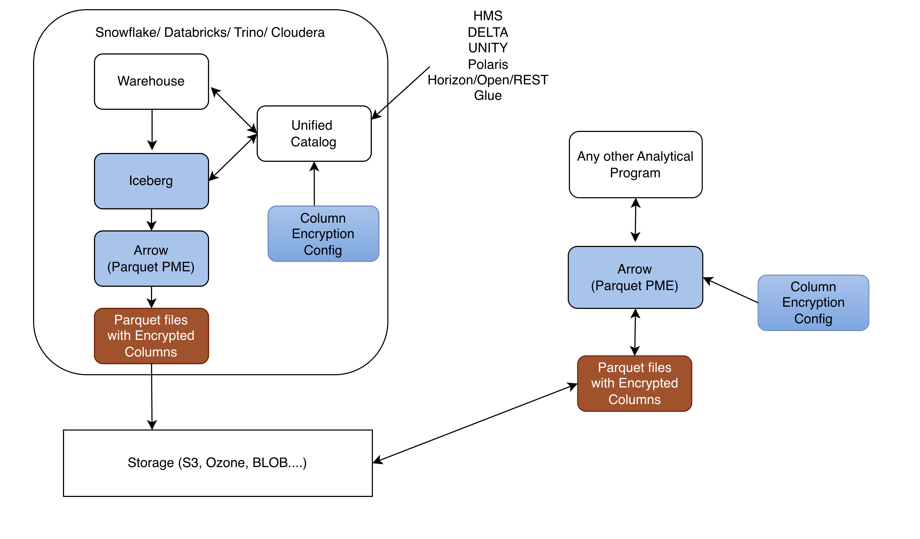
Python Iceberg and Parquet Modular Encryption (PME) Architecture
All of the following components, except Storage (S3), run inside the Databricks environment.
Warehouse: Initiates the data write and exchanges table metadata with the catalog services (HMS, Delta, Unity, In-Memory, Glue, REST).
Iceberg: Receives data from the Warehouse and also exchanges metadata with the catalog services to resolve table location, schema, and snapshot information.
HMS / Delta / Unity / In-Memory / Glue / REST: The set of catalog providers that the Warehouse and Iceberg layers communicate with to manage table metadata. This catalog also receives encryption policy from the Column Encryption Config.
Column Encryption Config: Supplies the column-level encryption policy (which columns to encrypt, key references, etc.) up to the catalog services so encryption is applied consistently.
Arrow (Parquet PME): Receives data from Iceberg and performs Parquet Modular Encryption on the configured columns.
Parquet File With Encrypted Columns: The output of Arrow/Parquet PME — a Parquet file where the sensitive columns are encrypted at the column level rather than the whole file.
Storage (S3): The encrypted Parquet file is persisted to S3, outside the Databricks boundary, as the durable storage layer.
End-to-end flow: The Warehouse writes data and coordinates metadata with the catalog (HMS/Delta/Unity/In-Memory/Glue/REST) → data flows to Iceberg, which also coordinates with the same catalog → Iceberg hands data to Arrow (Parquet PME) → PME encrypts the configured columns, guided by policy that the Column Encryption Config supplies to the catalog → the result is written as a Parquet File With Encrypted Columns → the file is persisted to Storage (S3).
10.6.2.2 - Python Iceberg Protector System Requirements on Databricks
Ensure the following prerequisites are met:
- Databricks Unity Catalog is available with:
- A Terminated Dedicated or Standard Compute.
- A Unity Catalog Volume.
- Service Principal. Ensure that the Service Principal has:
- USE CATALOG, USE SCHEMA, READ VOLUME, and WRITE VOLUME privileges on Unity Catalog Volume.
- MANAGE ALLOWLIST privilege on Unity Catalog Metastore.
- CAN MANAGE privilege on Compute.
10.6.2.3 - Preparing the Environment
10.6.2.3.1 - Extracting the Installation Package
- Log in to the Linux instance.
- Download the build
PyIcebergProtector_Linux-ALL-64_x86-64_Databricks-18-Python-3.12_<Protector_version>.tgz, made available by Protegrity. - To extract the contents of the package, run the following command:
tar -xvf PyIcebergProtector_Linux-ALL-64_x86-64_Databricks-18-Python-3.12_<Protector_version>.tgz - Press ENTER.
The command extracts the signature files and the installation package.
PyIcebergProtector_Linux-ALL-64_x86-64_Databricks-18-Python-3.12_<Protector_version>.tgz signatures/ signatures/PyIcebergProtector_Linux-ALL-64_x86-64_Databricks-18-Python-3.12_<Protector_version>.tgz_<release_version>.sig - To extract the configurator script, run the following command:
tar -xvf PyIcebergProtector_Linux-ALL-64_x86-64_Databricks-18-Python-3.12_<Protector_version>.tgz - Press ENTER.
The command extracts the configurator script.
PyIcebergProtector-Databricks-Configurator_Linux-ALL-64_x86-64_Databricks-18-Python-3.12_<Protector_version>.sh
10.6.2.4 - Installing Python Iceberg Protector on a Databricks Compute
10.6.2.4.1 - Executing the Configurator Script
- Log in to the instance where the installation files are extracted.
- To execute the configurator script, run the following command:
./PyIcebergProtector-Databricks-Configurator_Linux-ALL-64_x86-64_Databricks-18-Python-3.12_<Protector_version>.sh - Press ENTER.
The prompt to confirm the prerequisites appears.Prerequisites: 1. Databricks with: a. Service Principal b. Terminated Dedicated or Standard Compute i. Make sure that Service Principal CAN MANAGE privilege on Compute. ii. If you want to use Standard Compute, then make sure that Service Principal has MANAGE ALLOWLIST privilege on Unity Catalog Metastore. c. Volumes or Workspace location i. Volumes location is supported by Dedicated and Standard Compute. ii. If you want to use Volumes location, then make sure that Service Principal has USE CATALOG, USE SCHEMA, READ VOLUME, and WRITE VOLUME privileges on Volumes path. iii. Workspace location is supported by Dedicated Compute. iv. If you want to use Workspace location, then make sure that Service Principal has CAN MANAGE privilege on Workspace path. 2. Make sure that PPC or ESA is accessible and Users, Groups, Roles, Data Elements, Data Stores, Policies, Trusted Applications, etc are created. Are these prerequisites met? ("yes" or "no"): - To confirm the availability of the prerequisites, type
yes. - Press ENTER.
The prompt to enter the Databricks workspace URL appears.Specify Workspace's URL: - Enter the Databricks workspace URL.
- Press ENTER.
The prompt to select the upload location appears.Specify upload location ("Volumes" or "Workspace"): - Enter the upload location.
- Press ENTER.
The prompt to enter the absoulte path appears.Specify upload location's absolute path: - Enter the absolute path of the upload location.
- Press ENTER.
The prompt to enter the cluster or Compute ID appears.Specify Compute's ID: - Enter the Cluster ID.
- Press ENTER.
The prompt to enter the Databricks Service Principal’s application ID appears.Specify Service Principal's application ID: - Enter the Databricks Service Principal’s application ID.
- Press ENTER.
The prompt to enter the OAuth Secret appears.Specify Service Principal's OAuth secret: - Enter the Databricks Service Principal’s OAuth secret.
- Press ENTER.
The script installs the Python Iceberg protector on the Databricks compute. The script also lists the required instructions to complete the installation and execute the sample script.Installing PyIceberg Protector in Compute... Installed PyIceberg Protector in Compute. To complete installation, update following environment variables in Compute's Configuration -> Advanced -> Spark -> Environment variables: PTY_PPC_ESA_IP PTY_PPC_ESA_PORT PTY_PPC_ESA_TOKEN or PTY_PPC_ESA_ADMINISTRATOR_USERNAME and PTY_PPC_ESA_ADMINISTRATOR_PASSWORD PTY_LOGFORWARDER_ENDPOINT To test installation, refer following file: "/Volumes/<catalog_name>/<schema_name>/<volume_name>/pty_pyiceberg_protector/client.txt" To use External Parquet Modular Encryption (EPME), use following table properties: For Protegrity encryption: "encrypt_block": "true" or "false", "protegrity.encryption.<column_name>": "EXTERNAL_DBPA_V1", "protegrity.key.<column_name>": "<data_element_name>", "protegrity.encoding.<column_name>": "UTF-8", "UTF8", "UTF-16LE", "UTF16LE", "UTF-16BE", or "UTF16BE" Example: "encrypt_block": "true", "protegrity.encryption.bank_account_number": "EXTERNAL_DBPA_V1", "protegrity.key.bank_account_number": "bank_account_number_data_element", "protegrity.encoding.bank_account_number": "UTF-8" For built-in encryption: "internal.encryption.<column_name>": "AES_GCM_V1" or "AES_GCM_CTR_V1", "internal.key.<column_name>": "<column_key_identifier>", "internal.footer.key": "<footer_key_identifier>" Example: "internal.encryption.credit_card_number": "AES_GCM_V1", "internal.key.credit_card_number": "credit_card_number_column_key", "internal.footer.key": "footer_key" To test EPME, refer following file: "/Volumes/<catalog_name>/<schema_name>/<volume_name>/pty_pyiceberg_protector/client.txt"
10.6.2.4.2 - Editing the Databricks Compute
The process of editing the Databricks Compute involves editing the cluster configuration. After executing the configurator script, update the cluster configuration to include the environment variables.
Ensure that the ESA or PPC is started and in a running state before restarting the Databricks cluster after updating the configurations.
To edit the cluster:
Log in to the Databricks portal.
Edit the required cluster.
Expand the Advanced section.
Click the Spark tab.
Under Environment variables, add the variables, with their values, listed in the following table:
Variable Value PTY_PPC_ESA_IPEnter ESA IP address or PPC FQDN. PTY_PPC_ESA_PORTEnter the port number to connect to ESA or PPC.
For ESA, enter8443.
For PPC, enter25400.PTY_PPC_ESA_TOKENEnter the JWT token to connect to ESA or PPC. PTY_PPC_ESA_ADMINISTRATOR_USERNAMEEnter the username to connect to ESA or PPC. This is required only if a token is not used. PTY_PPC_ESA_ADMINISTRATOR_PASSWORD{{secrets/<scope_name>/<key_name>}}This is required only if a token is not used.PTY_LOGFORWARDER_ENDPOINTEnter the IP address to connect to the Log Forwarder. Note: To store the ESA or PPC password, it is recommended to use Databricks Secrets. For more information about using Databricks Secrets, refer to Secret management.
To save the changes and restart the cluster, click Confirm and restart.
10.6.2.4.3 - Validating the Python Iceberg Protector Installation
Validating the Python Iceberg Protector installation involves the execution of the sample script. Verify the installation using any one of the following methods:
- Using External Parquet Modular Encryption (EPME)
- Using built-in AES encryption
Before you begin
To use the encryption methods, modify the client.py file to add code under the create_table().properties: section.
For External Parquet Modular Encryption (EPME)
Log in to the Databricks portal.
Navigate to the volume where the Python Iceberg protector is installed.
Edit the
client.pyfile.In the
create_table().properties:section, add the following lines of code:"parquet.enable.dictionary": "false", "write.parquet.compression-codec": "zstd", "write.parquet.dict-encoding.enabled": "false", "encrypt_block": "true", "protegrity.encryption.bank_account_number": "EXTERNAL_DBPA_V1", "protegrity.key.bank_account_number": "AES256", "protegrity.encoding.bank_account_number": "UTF-8"Where,
parquet.enable.dictionary- Enables or disables the Parquet dictionary encoding for all columns in the written file.write.parquet.compression-codec- Compresses the Parquet column data using the codec for a strong size-vs-speed tradeoff.write.parquet.dict-encoding.enabled- Enables or disables Iceberg’s per-column dictionary encoding when writing Parquet files. This is required for column encryption to work correctly.encrypt_block- Applies the Parquet Modular Encryption (PME) on the configured page when the value is set totrue. Otherwise, the encyrption is applied per row.- While using encryption-related data elements, be sure to set
encrypt_blocktotrue. - While using tokenization-related data elements, be sure to set
encrypt_blocktofalse.
- While using encryption-related data elements, be sure to set
protegrity.encryption.bank-account-number- Identifies the external crypto profile likeDBPSorEXTERNAL_DBPA_V1used to encrypt or decrypt the target column. Alternatively, internal encryption likeAES_GCM_V1orAES_GCM_CTR_V1can be used.protegrity.key.bank-account-number- Specifies the Protegrity data element whose cryptographic material is used to protect the target column when the external encryption is used. In case of internal encryption, the encryption key is used.protegrity.encoding.bank-account-number- Specifies the character encoding used for the encoded input bytes. The supported encoding types include UTF-8, UTF8, UTF-16LE, UTF16LE, UTF-16BE, and UTF16BE.- While using unicode-related data elements, be sure that
protegrity.encoding.*is set to the appropriate encoding type. To skip using unicode-related data elements, do not set any value forprotegrity.encoding.*.
- While using unicode-related data elements, be sure that
Save the changes to the
client.pyfile.
For built-in AES encryption
Log in to the Databricks portal.
Navigate to the location where the Python Iceberg protector is installed.
Edit the
client.pyfile.In the
create_table().properties:section, add the following lines of code:"internal.algorithm.social_security_number": "AES_GCM_V1", "internal.key.social_security_number": "social_security_number_column_key", "internal.footer.key": "footer_key"Where,
parquet.enable.dictionary- Enables or disables the Parquet dictionary encoding for all columns in the written file.write.parquet.compression-codec- Compresses the Parquet column data using the codec for a strong size-vs-speed tradeoff.write.parquet.dict-encoding.enabled- Enables or disables Iceberg’s per-column dictionary encoding when writing Parquet files. This is required for column encryption to work correctly.encrypt_block- Applies the Parquet Modular Encryption (PME) on the configured page when the value is set totrue. Otherwise, the encyrption is applied per row.protegrity.encryption.bank-account-number- Identifies the external crypto profile likeDBPSorEXTERNAL_DBPA_V1used to encrypt or decrypt the target column. Alternatively, internal encryption likeAES_GCM_V1orAES_GCM_CTR_V1can be used.protegrity.key.bank-account-number- Specifies the Protegrity data element whose cryptographic material is used to protect the target column when the external encryption is used. In case of internal encryption, the encryption key is used.protegrity.encoding.bank-account-number- Specifies the character encoding used for the encoded input bytes. The supported encoding types include UTF-8, UTF8, UTF-16LE, UTF16LE, UTF-16BE, and UTF16BE.
Save the changes to the
client.pyfile.
Executing the Sample Script using Python Client on Unity Catalog
Using External Parquet Modular Encryption (EPME)
Log in to the Databricks portal.
Navigate to the compute where the protector is installed.
Attach a notebook to the compute.
Ensure the notebook contains the following code snippet:
from pyarrow import Table from pyiceberg.catalog import load_catalog from pyiceberg.exceptions import NoSuchTableError catalog_name = "<substitute_catalog_name>" namespace_name = "<substitute_namespace_name>" service_principal_application_id = "<substitute_service_principal_application_id>" service_principal_oauth_secret = "<substitute_service_principal_oauth_secret>" table_name = "<substitute_table_name>" workspace_url = "<substitute_workspace_url>" catalog = load_catalog( credential=f"{service_principal_application_id}:{service_principal_oauth_secret}", name=catalog_name, scope="all-apis", type="rest", uri=f"{workspace_url}/api/2.1/unity-catalog/iceberg-rest", warehouse=catalog_name, **{ "oauth2-server-uri": f"{workspace_url}/oidc/v1/token" } ) catalog.create_namespace_if_not_exists(namespace=namespace_name) try: catalog.drop_table(identifier=f"{namespace_name}.{table_name}") except NoSuchTableError: pass pyarrow_table = Table.from_pydict(mapping={ "bank_account_number": ["100284935521", "489311027684", "773290514438", "912046738815"], "credit_card_number": ["2811 9146 9639 4756", "8285 9611 4035 3992", "8866 0087 1920 1284", "9933 9122 2872 5786"], "customer_name": ["Ashley Anderson", "Brian Brown", "Carol Clark", "David Davis"], "social_security_number": ["000-12-3456", "000-98-7654", "000-55-1212", "000-44-8888"] }) pyiceberg_table = catalog.create_table( identifier=f"{namespace_name}.{table_name}", properties={ "parquet.enable.dictionary": "false", "write.parquet.compression-codec": "zstd", "write.parquet.dict-encoding.enabled": "false" "encrypt_block": "true", "protegrity.encryption.bank-account-number": "EXTERNAL_DBPA_V1", "protegrity.key.bank-account-number": "text", "protegrity.encoding.bank-account-number": "UTF-8" }, schema=pyarrow_table.schema ) warehouse_absolute_path = pyiceberg_table.properties["write.data.path"] print("\nPrinting original table...") print(pyarrow_table) print("Printed original table.\n") print(f"Writing original table into {warehouse_absolute_path}/*/*.parquet...") pyiceberg_table.append(df=pyarrow_table) print(f"Written original table into {warehouse_absolute_path}/*/*.parquet.\n") print(f"Reading {warehouse_absolute_path}/*/*.parquet into PyArrow table...") print(pyiceberg_table.scan().to_arrow()) print(f"Read {warehouse_absolute_path}/*/*.parquet into PyArrow table.\n")Note: Be sure to replace the placeholder with the actual values.
Using built-in AES encryption
Log in to the Databricks portal.
Navigate to the compute where the protector is installed.
Attach a notebook to the compute.
Ensure the notebook contains the following code snippet:
from pyarrow import Table from pyiceberg.catalog import load_catalog from pyiceberg.exceptions import NoSuchTableError catalog_name = "<substitute_catalog_name>" namespace_name = "<substitute_namespace_name>" service_principal_application_id = "<substitute_service_principal_application_id>" service_principal_oauth_secret = "<substitute_service_principal_oauth_secret>" table_name = "<substitute_table_name>" workspace_url = "<substitute_workspace_url>" catalog = load_catalog( credential=f"{service_principal_application_id}:{service_principal_oauth_secret}", name=catalog_name, scope="all-apis", type="rest", uri=f"{workspace_url}/api/2.1/unity-catalog/iceberg-rest", warehouse=catalog_name, **{ "oauth2-server-uri": f"{workspace_url}/oidc/v1/token" } ) catalog.create_namespace_if_not_exists(namespace=namespace_name) try: catalog.drop_table(identifier=f"{namespace_name}.{table_name}") except NoSuchTableError: pass pyarrow_table = Table.from_pydict(mapping={ "bank_account_number": ["100284935521", "489311027684", "773290514438", "912046738815"], "credit_card_number": ["2811 9146 9639 4756", "8285 9611 4035 3992", "8866 0087 1920 1284", "9933 9122 2872 5786"], "customer_name": ["Ashley Anderson", "Brian Brown", "Carol Clark", "David Davis"], "social_security_number": ["000-12-3456", "000-98-7654", "000-55-1212", "000-44-8888"] }) pyiceberg_table = catalog.create_table( identifier=f"{namespace_name}.{table_name}", properties={ "internal.algorithm.social_security_number": "AES_GCM_V1", "internal.key.social_security_number": "social_security_number_column_key" }, schema=pyarrow_table.schema ) warehouse_absolute_path = pyiceberg_table.properties["write.data.path"] print("\nPrinting original table...") print(pyarrow_table) print("Printed original table.\n") print(f"Writing original table into {warehouse_absolute_path}/*/*.parquet...") pyiceberg_table.append(df=pyarrow_table) print(f"Written original table into {warehouse_absolute_path}/*/*.parquet.\n") print(f"Reading {warehouse_absolute_path}/*/*.parquet into PyArrow table...") print(pyiceberg_table.scan().to_arrow()) print(f"Read {warehouse_absolute_path}/*/*.parquet into PyArrow table.\n")Note: Be sure to replace the placeholder with the actual values.
Executing the Sample Script using Python Client on Glue
Using External Parquet Modular Encryption (EPME)
Log in to the Databricks portal.
Navigate to the compute where the protector is installed.
Attach a notebook to the compute.
Ensure the notebook contains the following code snippet:
from pyarrow import Table from pyiceberg.catalog import load_catalog from pyiceberg.exceptions import NoSuchTableError catalog_name = "<substitute_catalog_name>" namespace_name = "<substitute_namespace_name>" table_name = "<substitute_table_name>" warehouse_absolute_path = "<s3://substitute_bucket/substitute_prefix>" catalog = load_catalog( name=catalog_name, { "type": "glue", "warehouse": warehouse_absolute_path, "glue.region": "<substitute_region>", "s3.region": "<substitute_region>", "glue.access-key-id": "<substitute_access_key_id>", "glue.secret-access-key": "<substitute_secret_access_key>", "glue.session-token": "<substitute_session_token>" } ) Store Encrypted data in S3: catalog_name = "<substitute_catalog_name>" namespace_name = "<substitute_namespace_name>" table_name = "<substitute_table_name>" warehouse_absolute_path = "<s3://substitute_bucket/substitute_prefix>" catalog = load_catalog( name=catalog_name, { "type": "glue", "warehouse": warehouse_absolute_path, "glue.region": "<substitute_region>", "s3.region": "<substitute_region>" "s3.access-key-id": "<substitute_access_key_id>" "s3.secret-access-key": "<substitute_secret_access_key>" "s3.session-token": "<substitute_session_token>" } ) catalog.create_namespace_if_not_exists(namespace=namespace_name) try: catalog.drop_table(identifier=f"{namespace_name}.{table_name}") except NoSuchTableError: pass pyarrow_table = Table.from_pydict(mapping={ "bank_account_number": ["100284935521", "489311027684", "773290514438", "912046738815"], "credit_card_number": ["2811 9146 9639 4756", "8285 9611 4035 3992", "8866 0087 1920 1284", "9933 9122 2872 5786"], "customer_name": ["Ashley Anderson", "Brian Brown", "Carol Clark", "David Davis"], "social_security_number": ["000-12-3456", "000-98-7654", "000-55-1212", "000-44-8888"] }) pyiceberg_table = catalog.create_table( identifier=f"{namespace_name}.{table_name}", properties={ "parquet.enable.dictionary": "false", "write.parquet.compression-codec": "zstd", "write.parquet.dict-encoding.enabled": "false" "encrypt_block": "true", "protegrity.encryption.bank-account-number": "EXTERNAL_DBPA_V1", "protegrity.key.bank-account-number": "text", "protegrity.encoding.bank-account-number": "UTF-8" }, schema=pyarrow_table.schema ) warehouse_absolute_path = pyiceberg_table.properties["write.data.path"] print("\nPrinting original table...") print(pyarrow_table) print("Printed original table.\n") print(f"Writing original table into {warehouse_absolute_path}/*/*.parquet...") pyiceberg_table.append(df=pyarrow_table) print(f"Written original table into {warehouse_absolute_path}/*/*.parquet.\n") print(f"Reading {warehouse_absolute_path}/*/*.parquet into PyArrow table...") print(pyiceberg_table.scan().to_arrow()) print(f"Read {warehouse_absolute_path}/*/*.parquet into PyArrow table.\n")Note: Be sure to replace the placeholder with the actual values.
Using built-in AES encryption
Log in to the Databricks portal.
Navigate to the compute where the protector is installed.
Attach a notebook to the compute.
Ensure the notebook contains the following code snippet:
from pyarrow import Table from pyiceberg.catalog import load_catalog from pyiceberg.exceptions import NoSuchTableError catalog_name = "<substitute_catalog_name>" namespace_name = "<substitute_namespace_name>" service_principal_application_id = "<substitute_service_principal_application_id>" service_principal_oauth_secret = "<substitute_service_principal_oauth_secret>" table_name = "<substitute_table_name>" workspace_url = "<substitute_workspace_url>" catalog = load_catalog( name=catalog_name, { "type": "glue", "warehouse": warehouse_absolute_path, "glue.region": "<substitute_region>", "s3.region": "<substitute_region>", "glue.access-key-id": "<substitute_access_key_id>", "glue.secret-access-key": "<substitute_secret_access_key>", "glue.session-token": "<substitute_session_token>" } ) Store Encrypted data in S3: catalog_name = "<substitute_catalog_name>" namespace_name = "<substitute_namespace_name>" table_name = "<substitute_table_name>" warehouse_absolute_path = "<s3://substitute_bucket/substitute_prefix>" catalog = load_catalog( name=catalog_name, { "type": "glue", "warehouse": warehouse_absolute_path, "glue.region": "<substitute_region>", "s3.region": "<substitute_region>" "s3.access-key-id": "<substitute_access_key_id>" "s3.secret-access-key": "<substitute_secret_access_key>" "s3.session-token": "<substitute_session_token>" } ) catalog.create_namespace_if_not_exists(namespace=namespace_name) try: catalog.drop_table(identifier=f"{namespace_name}.{table_name}") except NoSuchTableError: pass pyarrow_table = Table.from_pydict(mapping={ "bank_account_number": ["100284935521", "489311027684", "773290514438", "912046738815"], "credit_card_number": ["2811 9146 9639 4756", "8285 9611 4035 3992", "8866 0087 1920 1284", "9933 9122 2872 5786"], "customer_name": ["Ashley Anderson", "Brian Brown", "Carol Clark", "David Davis"], "social_security_number": ["000-12-3456", "000-98-7654", "000-55-1212", "000-44-8888"] }) pyiceberg_table = catalog.create_table( identifier=f"{namespace_name}.{table_name}", properties={ "internal.algorithm.social_security_number": "AES_GCM_V1", "internal.key.social_security_number": "social_security_number_column_key" }, schema=pyarrow_table.schema ) warehouse_absolute_path = pyiceberg_table.properties["write.data.path"] print("\nPrinting original table...") print(pyarrow_table) print("Printed original table.\n") print(f"Writing original table into {warehouse_absolute_path}/*/*.parquet...") pyiceberg_table.append(df=pyarrow_table) print(f"Written original table into {warehouse_absolute_path}/*/*.parquet.\n") print(f"Reading {warehouse_absolute_path}/*/*.parquet into PyArrow table...") print(pyiceberg_table.scan().to_arrow()) print(f"Read {warehouse_absolute_path}/*/*.parquet into PyArrow table.\n")Note: Be sure to replace the placeholder with the actual values.
10.6.3 - Python Iceberg Protector on Snowflake
The Protegrity Python Iceberg Protector on Snowflake delivers column-level data protection for Apache Iceberg tables. These tables are managed by the Snowflake REST Catalog (Polaris) and stored as Parquet in cloud object storage, such as AWS S3. It enables data engineers and analysts to read from and write to Iceberg tables from Python workloads while sensitive fields are transparently protected. Protection uses the same Protegrity policy that governs the rest of the enterprise data estate.
The protector is delivered as a Custom Runtime Environment (CRE) that runs inside Snowflake Snowpark Container Services (SPCS). The runtime image is built and published through a standard container pipeline like Docker and the Snowflake CLI and deployed to SPCS as a managed container. Inside the CRE, a Snowflake Notebook hosts user code that calls the Protegrity-instrumented Iceberg and Arrow libraries, PTYPyIceberg and PTYPyArrow. These libraries are drop-in replacements for the standard Python Iceberg and PyArrow APIs, so existing Iceberg workloads can adopt protection with minimal code changes.
Protection is enforced by the Application Protector for C (AP-C), which is co-located in the runtime and invoked by PTYPyIceberg and PTYPyArrow on the columns identified by policy. On write, protected column values are encrypted, tokenized, or masked before the Parquet files are persisted to S3. On read, the same operations are reversed in memory based on the caller’s entitlements. Because protection is applied in the client runtime, the Parquet objects that land in the Iceberg table are already protected at rest, independently of the storage layer’s own encryption.
AP-C obtains its policy and key material from the DevOps Policy and Remote Protection Agent (RPAgent) components that ship inside the CRE. Policy is authored and managed centrally on the Protegrity Data Security Platform (ESA) and distributed to the runtime. Data element definitions, protection methods, and role-based access rules remain consistent with the customer’s existing Protegrity deployment.
Access to Iceberg metadata and data is brokered by Snowflake. The runtime authenticates to the Snowflake REST Catalog (Polaris) using a Personal Access Token (PAT) to resolve namespaces, table locations, and snapshots. Polaris then vends short-lived, scoped credentials that PTYPyIceberg and PTYPyArrow use to read and write the underlying Parquet files in S3. This removes the need for long-lived storage credentials in the runtime.
The following sections describe how to prepare the environment, build and deploy the CRE, and configure the Snowflake and Polaris resources. They also show how to use the Python Iceberg Protector from a notebook to read and write protected Iceberg tables.
10.6.3.1 - Preparing the Environment
10.6.3.1.1 - Extracting the Installation Package
- Log in to the Linux instance.
- Download the build
PyIcebergProtector_Linux-ALL-64_x86-64_Snowflake-SPCS-Python-3.12_<Protector_version>.tgz, made available by Protegrity. - To extract the contents of the package, run the following command:
tar -xvf PyIcebergProtector_Linux-ALL-64_x86-64_Snowflake-SPCS-Python-3.12_<Protector_version>.tgz - Press ENTER.
The command extracts the signature files and the installation package.PyIcebergProtector_Linux-ALL-64_x86-64_Snowflake-SPCS-Python-3.12_<Protector_version>.tgz signatures/ signatures/PyIcebergProtector_Linux-ALL-64_x86-64_Snowflake-SPCS-Python-3.12_<Protector_version>.tgz_<release_version>.sig - To extract the configurator script, run the following command:
tar -xvf PyIcebergProtector_Linux-ALL-64_x86-64_Snowflake-SPCS-Python-3.12_<Protector_version>.tgz - Press ENTER.
The command extracts the configurator script.PyIcebergProtector-Snowflake-Configurator_Linux-ALL-64_x86-64_Snowflake-SPCS-Python-3.12_<Protector_version>.sh
10.6.3.1.2 - Downloading the DevOps Policy
- Log in to the instance containing the configurator script.
- Navigate to the directory where the installation package is extracted.
- To generate a new RSA private key and save it to a file, run the following command:
openssl genrsa -out private.pem 4096 - To extract the public key from an existing RSA private key and write it to a separate file, run the following command:
openssl rsa -in private.pem -pubout -out public.pem - Press ENTER.
The command generates a RSA private key and saves it to a file.writing RSA key - To build a JSON request file that embeds the contents of a PEM public key, run the following command:
jq -n \ --arg key "$(sed -z 's/\n$//' public.pem)" \ '{kek:{publicKey:{label:"test_key",algorithm:"RSA-OAEP-256",value:$key}}}' \ > rps_request.json - To verify whether the public-key string embedded in
rps_request.jsonends cleanly, run the following command:jq -r '.kek.publicKey.value' rps_request.json | tail -c 30 | cat -A AQ==$ - To send the JSON payload to a RPS REST endpoint and save the server response to
rps.json, run the following command:curl -k -u <user_name>:<password> \ -X POST \ "https://10.49.0.11/pty/v1/rps/export?version=1&coreversion=1" \ -H "Content-Type: application/json" \ -d @rps_request.json \ -o rps.json - Press ENTER.
The command send the JSON payload to a RPS REST endpoint and saves the server response torps.json.% Total % Received % Xferd Average Speed Time Time Time Current Dload Upload Total Spent Left Speed 100 3089k 100 3088k 100 927 839k 251 0:00:03 0:00:03 --:--:-- 839k
10.6.3.2 - Python Iceberg Protector Architecture on Snowflake
The architecture of the Python Iceberg Protector using Snowflake is depicted in the following diagram:
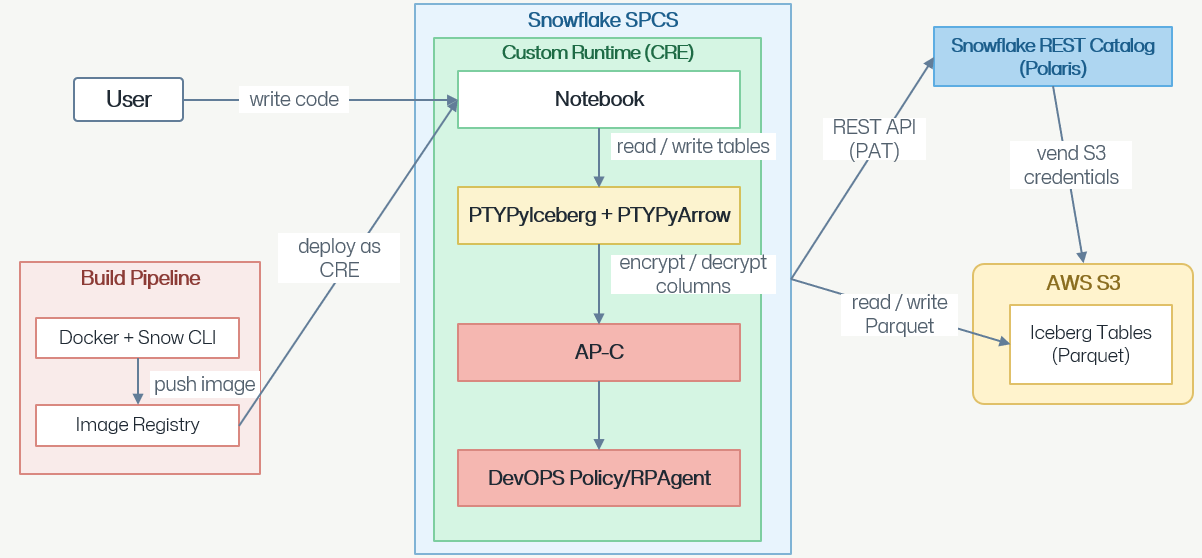
User writes code: A developer/data engineer authors application logic like Python in a Notebook that runs inside Snowflake.
Notebook runs inside a Custom Runtime on Snowflake SPCS: The notebook is hosted in a Custom Runtime Environment, which is also referred to as CRE. The CRE is deployed to Snowflake Snowpark Container Services, which is abbreviated as SPCS. SPCS provides the compute sandbox for the whole stack.
Build pipeline delivers the runtime image: A separate Build Pipeline uses Docker and Snow CLI to build the CRE image and pushes it to an Image Registry. The image is then deployed as CRE into Snowflake SPCS, which is how the Notebook, PTYPyIceberg/PTYPyArrow, AP-C, and DevOps Policy/RPAgent components get installed together.
Notebook reads/writes tables via PTYPyIceberg and PTYPyArrow: When the notebook issues table reads or writes, it calls into the PTYPyIceberg and PTYPyArrow layer, which is the Iceberg/Arrow data-access library used inside the runtime.
PTYPyIceberg and PTYPyArrow encrypts/decrypts columns via AP-C: Sensitive columns are passed to Application Protector – C before the data leaves or after it arrives. Application Protector – C performs the actual field-level encryption on write and decryption on read.
AP-C is driven by DevOps Policy or RPAgent: AP-C uses the DevOps Policy / RPAgent component for its security policy and key material. The policy defines which fields to protect, with which method or key, and for which users. This ensures that protection is consistent and centrally governed.
Data is stored as Parquet Iceberg tables in AWS S3: After encryption, PTYPyIceberg and PTYPyArrow reads/writes Parquet files that make up the Iceberg Tables in AWS S3. Therefore, the data at-rest in S3 is already column-level protected.
Snowflake REST Catalog manages the Iceberg metadata: The Snowflake REST Catalog is also known as Polaris. The runtime talks to Polaris over a REST API authenticated with a Personal Access Token, which is abbreviated as PAT. The API call resolves Iceberg table metadata, such as namespaces, table locations, and snapshots.
Polaris vends S3 credentials for data access: Polaris then vends short-lived S3 credentials to the runtime, which PTYPyIceberg and PTYPyArrow uses to actually read/write the Parquet files in the S3 Iceberg tables. Therefore, S3 access is brokered by the catalog rather than using long-lived static keys.
10.6.3.3 - System Requirements for the Python Iceberg Protector on Snowflake
Ensure that the following requirements are available:
- Snowflake CLI installed.
- Snowflake data storage is available. For more information, refer to Data storage.
- A Snowflake CLI connection is configured either with: a. key-pair authentication b. external-browser authentication
- An encrypted static policy is exported from ESA as
rps.json. - The private key matches the public key used for the ESA static policy export.
- Docker is installed and running.
- Utilities like openssl, zip, and unzip are installed.
10.6.3.4 - Installing the Protector
- Log in to the Linux instance.
- Navigate to the directory where the installation files are available.
- To install the protector, run the following command:
./PyIcebergProtector-Snowflake-Configurator_Linux-ALL-64_x86-64_Snowflake-SPCS-Python-3.12_<Protector_version>.sh - Press ENTER.
The prompt to confirm the prerequisites appears.
Prerequisites: 1. Snowflake CLI installed. 2. A Snowflake CLI connection configured with either: a. key-pair authentication b. external-browser authentication 3. An encrypted static policy exported from ESA as rps.json. 4. The private key matching the public key used for the ESA static policy export. 5. Docker installed and running. 6. openssl, zip, and unzip utilities installed. Are these prerequisites met? ("yes" or "no"): - To confirm the availability of prerequisites, type
yes. - Press ENTER.
The prompt to enter the absolute path of the policy appears.
Specify ESA-exported static policy's absolute path (example: /tmp/rps.json): - Enter the absolute path of the policy.
- Press ENTER.
The prompt to enter the absolute path for the policy decryption key appears.
Specify ESA static policy decryption private key's absolute path (example: /tmp/private_key.pem): - Enter the static policy decryption private key’s absolute path.
- Press ENTER.
The prompt to enter the Snowflake CLI connection appears.
Specify Snowflake CLI connection (default: protegrity_keypair): - Enter the Snowflake CLI connection details.
- Press ENTER.
The prompt to enter the browser command if the connection uses external-browser authentication appears.
Specify browser command if the connection uses external-browser authentication (optional): - Enter the browser command if the connection uses external-browser authentication.
- Press ENTER.
The prompt to enter the Snowflake image registry appears.
Specify Snowflake image registry (example: account.registry.snowflakecomputing.com): - Enter the Snowflake image registry path.
- Press ENTER.
The prompt to enter the Snowflake image repository appears.
Specify Snowflake image repository (example: database/schema/repository): - Enter the Snowflake image repository path.
- Press ENTER.
The prompt to enter the image tag appears.
Specify image tag: - Enter the image tag.
- Press ENTER.
The script completes the installation.
Preparing Snowflake image with an ESA static policy... Login Succeeded [+] Building 5.0s (16/16) FINISHED docker:default => [internal] load build definition from Dockerfile 0.0s => => transferring dockerfile: 1.89kB 0.0s => [internal] load metadata for protegritypartner-aws-bigdata.registry.snowflakecomputing.com/snowflake/images/snowflake_images/container_runtime/cpu_x86_64:2.8.1-py312 0.0s => [internal] load .dockerignore 0.0s => => transferring context: 2B 0.0s => CACHED [ 1/11] FROM protegritypartner-aws-bigdata.registry.snowflakecomputing.com/snowflake/images/snowflake_images/container_runtime/cpu_x86_64:2.8.1-py312 0.0s => [internal] load build context 0.6s => => transferring context: 64.26MB 0.6s => [ 2/11] COPY pyiceberg-0.11.0-cp312-cp312-manylinux2014_x86_64.manylinux_2_17_x86_64.manylinux_2_28_x86_64.whl /tmp/wheels/ 0.1s => [ 3/11] COPY pyarrow-24.0.0+g090aba87f-cp312-cp312-manylinux_2_28_x86_64.whl /tmp/wheels/ 0.1s => [ 4/11] RUN uv pip install --system --break-system-packages --no-deps /tmp/wheels/pyiceberg-0.11.0-cp312-cp312-manylinux2014_x86_64.manylinux_2_17_x86_64.manylinux_2_28_x86_64.whl /t 3.0s => [ 5/11] COPY csdk.tgz /tmp/csdk.tgz 0.0s => [ 6/11] RUN mkdir --parents /opt/protegrity/sdk/c && tar --extract --file /tmp/csdk.tgz --gzip --directory /opt/protegrity/sdk/c && rm --force /tmp/csdk.tgz 0.3s => [ 7/11] COPY libs/ /opt/protegrity/libs/ 0.1s => [ 8/11] COPY libstaticPolicyDecryptionProgram.so /opt/protegrity/sdk/c/lib/libstaticPolicyDecryptionProgram.so 0.0s => [ 9/11] COPY private_key.pem /opt/protegrity/sdk/c/lib/static_policy_decryption_key.key 0.0s => [10/11] COPY rps.json /opt/protegrity/sdk/c/data/policy.json 0.0s => [11/11] RUN cp /opt/protegrity/sdk/c/lib/xcpep.plm /opt/protegrity/sdk/c/lib/libxcpep.so && sed --in-place 's/\[protector\]/[protector]\nuser = root/' /opt/protegrity/sdk/c/data/config.ini && 0.2s => exporting to image 0.5s => => exporting layers 0.4s => => writing image sha256:75186efe31540a3c5ca82ed61d784f7f6209c450e515c93b270e7db1bbc44fbe 0.0s => => naming to docker.io/library/pyiceberg-protector:v1 0.0s The push refers to repository [protegritypartner-aws-bigdata.registry.snowflakecomputing.com/iceberg_tutorial_db/public/pyiceberg_images/pyiceberg-protector] 42ed636049e4: Pushed 8ff292ef175c: Pushed b3e78f588f4c: Pushed 64a4292cd305: Pushed 69d3f57f53d9: Pushed 14e602bb9494: Pushed 77fe202deebe: Pushed 9705eb8ab870: Pushed f2991fa3f517: Pushed 5f4af0ec4ca3: Pushed v1: digest: sha256:5ca92074258c5f35a42841c32b3278cc020a54b0710c8c63d5c8377b69a212e5 size: 8485 Pushed Snowflake image: protegritypartner-aws-bigdata.registry.snowflakecomputing.com/iceberg_tutorial_db/public/pyiceberg_images/pyiceberg-protector:v1 Next steps: 1. Create a Snowflake custom runtime environment for this image. Use this image path: /iceberg_tutorial_db/public/pyiceberg_images/pyiceberg-protector:v50 -- CUSTOM RUNTIME ENVIRONMENT CREATE OR REPLACE CUSTOM RUNTIME ENVIRONMENT <name> IMAGE_PATH = '<path>' BASE_IMAGE_TYPE = CPU; 2. Configure the Snowflake service that runs your notebook to use this custom image. 3. Run the following sample from a Snowflake notebook attached to that service: # %% [CELL 1] -- Install/imports # The notebook must run on a service that uses the custom image created above. # %% [CELL 2] -- Config ACCOUNT_URL = "https://<account_identifier>.snowflakecomputing.com" ROLE = "<snowflake_role>" DATABASE = "<database_name>" TABLE_NAME = "<schema_name>.<table_name>" PAT = open("/secrets/<database_name>/<schema_name>/<secret_name>/secret_string").read().strip() if not PAT: raise RuntimeError("Set PAT with a Snowflake secret mounted in the notebook service.") print("Config OK.")Note: The complete script will be displayed in the logs.
10.6.3.4.1 - Executing the Sample Script
Validating the PyIceberg Protector installation involves the execution of the sample script. Verify the installation using any one of the following methods:
- Using External Parquet Modular Encryption (EPME)
- Using built-in AES encryption
Before you begin
Create a Snowflake custom runtime environment for the custom image.
CREATE OR REPLACE CUSTOM RUNTIME ENVIRONMENT <name>
IMAGE_PATH = '<path>'
BASE_IMAGE_TYPE = CPU;
To use the encryption methods, modify the notebook to add the changes under the properties: section.
For External Parquet Modular Encryption (EPME)
- Log in to the Snowflake portal.
- Navigate to the workspace.
- Edit the service.
- From the Custom Image list, select the image that is created.
- Click Save and Restart.
- Create a Programmatic Access Token.
Note: For more information about creating a Programmatic Access Token, refer to Using programmatic access tokens for authentication.
- Create an external access integration.
Note: For more information about creating an external access integration, refer to Creating and using an external access integration.
- In a notebook, attached to the service, update the values in
CELL 2:# %% [CELL 2] -- Config ACCOUNT_URL = "https://<account_identifier>.snowflakecomputing.com" ROLE = "<snowflake_role>" DATABASE = "<database_name>" TABLE_NAME = "<schema_name>.<table_name>" PAT = open("/secrets/<database_name>/<schema_name>/<secret_name>/secret_string").read().strip() - In a notebook, attached to the service, update the data element in
CELL 4.Where,properties={ "write.parquet.compression-codec": "snappy", "protegrity.encryption.customer_name": "EXTERNAL_DBPA_V1", "protegrity.key.customer_name": "<data_element>", }write.parquet.compression-codec- Compresses the Parquet column data using the codec for a strong size-vs-speed tradeoff.protegrity.encryption.customer_name- Identifies the external crypto profile likeDBPSorEXTERNAL_DBPA_V1used to encrypt or decrypt the target column. Alternatively, internal encryption likeAES_GCM_V1orAES_GCM_CTR_V1can be used.protegrity.key.customer_name- Specifies the Protegrity data element whose cryptographic material is used to protect the target column when the external encryption is used. In case of internal encryption, the encryption key is used.
- Save the changes to the notebook.
For built-in AES Encryption
- Log in to the Snowflake portal.
- Navigate to the workspace.
- Edit the service.
- From the Custom Image list, select the image that is created.
- Click Save and Restart.
- Create a Programmatic Access Token.
Note: For more information about creating a Programmatic Access Token, refer to Using programmatic access tokens for authentication.
- Create an external access integration.
Note: For more information about creating an external access integration, refer to Creating and using an external access integration.
- In a notebook, attached to the service, update the values in
CELL 2:# %% [CELL 2] -- Config ACCOUNT_URL = "https://<account_identifier>.snowflakecomputing.com" ROLE = "<snowflake_role>" DATABASE = "<database_name>" TABLE_NAME = "<schema_name>.<table_name>" PAT = open("/secrets/<database_name>/<schema_name>/<secret_name>/secret_string").read().strip() - In a notebook, attached to the service, update the <column_name> and <column_key_identifier> in
CELL 4.Where,properties={ "internal.encryption.<column_name>": "AES_GCM_V1" or "AES_GCM_CTR_V1", "internal.key.<column_name>": "<column_key_identifier>", }internal.encryption.<column_name>- Specifies the built-in encryption algorithm.internal.key.<column_name>- Specifies the AES encryption key.
- Save the changes to the notebook.
10.7 - User Defined Functions and APIs
10.7.1 - MapReduce APIs
This section describes the MapReduce APIs available for protection and unprotection in the Big Data Protector to build secure Big Data applications.
Warning: The Protegrity MapReduce protector only supports bytes converted from the string data type.
If any other data type is directly converted to bytes and passed as input to the API that supports byte as input and provides byte as output, then data corruption might occur.
Caution: If you are using the Protect, or Unprotect, or Reprotect API which accepts byte as input and provides byte as output, then ensure that you pass the charset argument in APIs with the charset used to encode the string input data type.
For example, if the input String was encoded using the UTF-16LE charset, then ensure to pass the “UTF-16LE” charset argument in the ByteIn or ByteOut APIs.
Note: If you perform a security operation on a single data item, then an exception appears in case of any error. Similarly, if you perform a security operation on bulk data, then an exception appears in case of any error except for the error codes 22, 23, and 44. Instead of an error message, the UDFs return an error list for the individual items in the bulk data. For more information about the API error return codes, refer Return Codes for the Big Data Protector.
If you are using the Bulk APIs for the MapReduce protector, then the following two modes for error handling and return codes are available:
Default mode: Starting with the Big Data Protector, version 6.6.4, the Bulk APIs in the MapReduce protector will return the detailed error and return codes instead of
0forfailureand1forsuccess. In addition, the MapReduce jobs involving Bulk APIs will provide error codes instead of throwing exceptions.
For more information about the return codes for the Big Data Protector, refer .Backward compatibility mode: If you need to continue using the error handling capabilities provided with Big Data Protector, version 6.6.3 or lower, that is
0forfailureand1forsuccess, then you can set this mode.
Sample Code Usage
The MapReduce sample program, described in this section, is an example on how to use the Protegrity MapReduce protector APIs. The sample program utilizes the following two Java classes:
ProtectData.java– is the main class that calls the Mapper job.ProtectDataMapper.java– is the Mapper class that contains the logic to fetch the input data and store the protected content as output.
Main Job Class – ProtectData.java
ProtectData.java
package com.protegrity.samples.mapreduce;
import org.apache.hadoop.conf.Configuration;
import org.apache.hadoop.conf.Configured;
import org.apache.hadoop.fs.Path;
import org.apache.hadoop.io.NullWritable;
import org.apache.hadoop.io.Text;
import org.apache.hadoop.mapreduce.Job;
import org.apache.hadoop.mapreduce.lib.input.FileInputFormat;
import org.apache.hadoop.mapreduce.lib.input.TextInputFormat;
import org.apache.hadoop.mapreduce.lib.output.FileOutputFormat;
import org.apache.hadoop.mapreduce.lib.output.TextOutputFormat;
import org.apache.hadoop.util.Tool;
import org.apache.hadoop.util.ToolRunner;
public class ProtectData extends Configured implements Tool {
@Override
public int run(String[] args) throws Exception
{
//Create the Job
Job job = new Job(getConf(), "ProtectData");
//Set the output key and value class
job.setOutputKeyClass(NullWritable.class);
job.setOutputValueClass(Text.class);
//Set the output key and value class
job.setMapOutputKeyClass(NullWritable.class);
job.setMapOutputValueClass(Text.class);
//Set the Mapper class which will perform the protect job
job.setMapperClass(ProtectDataMapper.class);
//Set number of reducer task
job.setNumReduceTasks( 0 );
//Set the input and output Format class
job.setInputFormatClass(TextInputFormat.class);
job.setOutputFormatClass(TextOutputFormat.class);
//Set the jar class
job.setJarByClass(ProtectData.class);
//Store the input path and print the input path
Path input = new Path(args[0]);
System.out.println(input.getName());
//Store the output path and print the output path
Path output = new Path(args[1]);
System.out.println(output.getName());
//Add input and set output path
FileInputFormat.addInputPath(job, new Path(args[0]));
FileOutputFormat.setOutputPath(job, new Path(args[1]));
//Call the job
return job.waitForCompletion(true) ? 0 : 1;
}
public static void main(String args[]) throws Exception {
System.exit(ToolRunner.run(new Configuration(), new ProtectData(), args));
} }
Mapper Class – ProtectDataMapper.java
ProtectDataMapper.java
package com.protegrity.samples.mapreduce;
import java.io.IOException;
import java.util.StringTokenizer;
import org.apache.hadoop.io.NullWritable;
import org.apache.hadoop.io.Text;
import org.apache.hadoop.mapreduce.Mapper;
//Need to import the ptyMapReduceProtector class to use the Protegrity MapReduce protector
import com.protegrity.hadoop.mapreduce.ptyMapReduceProtector;
//Create the Mapper class i.e. ProtectDataMapper which will extends the Mapper Class
public class ProtectDataMapper extends Mapper<Object, Text, NullWritable, Text> {
//Declare the member variable for the ptyMapReduceProtector class
private ptyMapReduceProtector mapReduceProtector;
//Declare the Array of Data Elements which will be required to do the protection/unprotection
private final String[] data_element_names = { "TOK_NAME", "TOK_PHONE", "TOK_CREDIT_CARD", "TOK_AMOUNT" };
//Initialize the mapreduce protector i.e ptyMapReduceProtector in the default constructor
public ProtectDataMapper() throws Exception {
// Create the new object for the class ptyMapReduceProtector
mapReduceProtector = new ptyMapReduceProtector();
// Open the session using the method " openSession("0") "
int openSessionStatus = mapReduceProtector.openSession("0");
}
//Override the map method to parse the text and process it line by line
//Split the inputs separated by delimiter "," in the line
//Apply the protect/unprotect operation
//Create the output text which will have protected/unprotected outputs separated by delimiter ","
//Write the output text to the context
@Override
public void map(Object key, Text value, Context context) throws IOException,
InterruptedException
{
// Store the line in a variable strOneLine
String strOneLine = value.toString();
// Split the inputs separated by delimiter "," in the line
StringTokenizer st = new StringTokenizer(strOneLine, ",");
// Create the instance of StringBuilder to store the output
StringBuilder sb = new StringBuilder();
// Store the no of inputs in a line
int noOfTokens = st.countTokens();
if (mapReduceProtector != null) {
//Iterate through the string token and apply the protect/unprotect operation
for (int i = 0; st.hasMoreElements(); i++) {
String data = (String)st.nextElement();
if(i == 0) {
sb.append(new String(data));
} else {
//To protect data, call the function protect method with parameters data element and input data in bytes
//mapReduceProtector.protect( <Data Element> , <Data in bytes> )
//Output will be returned in bytes
//To unprotect data, call the function unprotect method with parameters data element and input data in bytes
//mapReduceProtector.unprotect( <Data Element> , <Data in bytes> )
//Output will be returned in bytes
byte[] bResult =
mapReduceProtector.protect(data_element_names[i-1], data.trim().getBytes());
if (bResult != null) {
// Store the result in string and append it to the output sb
sb.append(new String(bResult));
}
else {
// If output will be null, then store the result as "cryptoError" and append it to the output sb
sb.append("cryptoError");
}
}
if(i < noOfTokens -1 ) {
// Append delimiter "," at the end of the processed result
sb.append(",");
} } }
// write the output text to context
context.write(NullWritable.get(), new Text(sb.toString()));
}
//clean up the session and objects
@Override
protected void finalize() throws Throwable {
//Close the session
int closeSessionStatus = mapReduceProtector.closeSession();
mapReduceProtector = null;
super.finalize();
}
}
openSession( )
This method opens a new user session for protect and unprotect operations. It is a good practice to create one session per user thread.
Warning: This API is redundant and will be removed in the future releases.
Signature:
public synchronized int openSession(String parameter)
Parameters:
parameter: An internal API requirement that should be set to 0.
Result:
1: The function returns1if the session is successfully created.
Example:
ptyMapReduceProtector mapReduceProtector = new ptyMapReduceProtector();
int openSessionStatus = mapReduceProtector.openSession("0");
Exception and Error Codes:
The function throws the ptyMapRedProtectorException exception if the session creation fails.
closeSession ()
This function closes the current open user session. Every instance of ptyMapReduceProtector opens only one session, and a session ID is not required to close it.
Warning: This API is redundant and will be removed in the future releases.
Signature:
public synchronized int closeSession()
Parameters:
- None
Result:
The function returns:
1- if the session is successfully closed.0- if the session closure is a failure.
Example
ptyMapReduceProtector mapReduceProtector = new ptyMapReduceProtector();
int openSessionStatus = mapReduceProtector.openSession("0");
int closeSessionStatus = mapReduceProtector.closeSession();
Exception and Error Codes:
- None
getVersion()
The function returns the current version of the protector.
Signature:
public String getVersion()
Parameters:
- None
Result:
- The function returns the current version of the protector.
Example:
ptyMapReduceProtector mapReduceProtector = new ptyMapReduceProtector();
String version = mapReduceProtector.getVersion();
getVersionExtended()
The function returns the extended version information of the protector.
Signature:
public String getVersionExtended()
Parameters:
- None
Result:
The function returns a String in the following format:
"BDP: <1>; JcoreLite: <2>; CORE: <3>;"
where:
- 1 - Current version of Protector
- 2 - Jcorelite library version
- 3 - Core library version
Example:
ptyMapReduceProtector mapReduceProtector = new ptyMapReduceProtector();
String extendedVersion = mapReduceProtector.getVersionExtended();
checkAccess()
The function checks the access of the user for the specified data element(s).
Signature:
public boolean checkAccess(String dataElement, byte bAccessType, String... newDataElement)
Parameters:
dataElement: Specifies the name of the data element. (old data element when checking for reprotect access)bAccessType: Specifies the type of the access of the user for the data element(s).newDataElement: Specifies the name of the new data element when checking for reprotect access.The following are the different values for the bAccessType variable:
Access Value PROTECT 0x06 UNPROTECT 0x07 REPROTECT 0x08
Result:
- The function returns
trueif the user has access to the data element(s) for the specified operation. Else, the function returnsfalse.
Example:
ptyMapReduceProtector mapReduceProtector = new ptyMapReduceProtector();
byte bAccessType = 0x06;
boolean isAccess = mapReduceProtector.checkAccess("DE_PROTECT" , bAccessType );
checkAccess() with Permission enum argument
The function checks the access of the user for the specified data element(s).
Signature:
public boolean checkAccess(String dataElement, Permission permission, String... newDataElement)
Parameters:
dataElement: Specifies the name of the data element. (old data element when checking for reprotect access).permission: Specifies the type of the access using BDPProtector.Permission enum of the user for the data element(s).newDataElement: Specifies the name of the new data element when checking for reprotect access.The following are the different values for the permission variable:
Access Value PROTECT Permission.PROTECT UNPROTECT Permission.UNPROTECT REPROTECT Permission.REPROTECT
Result:
- The function returns
trueif the user has access to the data element(s) for the specified operation. Else, the function returnsfalse.
Example:
import com.protegrity.bdp.protector.BDPProtector.Permission;
String dataElement = "dataelement";
ptyMapReduceProtector protector = new ptyMapReduceProtector();
boolean accessProtectType = protector.checkAccess(dataElement, Permission.PROTECT);
boolean accessReprotectType = protector.checkAccess(dataElement, Permission.REPROTECT,dataElement);
boolean accessUnprotectType = protector.checkAccess(dataElement, Permission.UNPROTECT);
protect() - Byte array data
The function protects the data provided as a byte array. The type of protection applied is defined by the dataElement.
Note: For Date and Datetime type of data elements, the protect API returns an invalid input data error if the input value falls between the non-existent date range from 05-OCT-1582 to 14-OCT-1582 of the Gregorian Calendar.
For more information about the tokenization and de-tokenization of the cutover dates of the Proleptic Gregorian Calendar, refer the section Date and Datetime tokenization in Protection Method Reference.
Signature:
public byte[] protect(String dataElement, byte[] data, String... CharSet)
Parameters:
dataElement: Specifies the name of the data element to protect the data.data: Is the byte array of data to be protected.charset: Specifies the charset of the input data. The applicable charsets are UTF-8 (default), UTF-16LE, and UTF-16BE.
Warning: The Protegrity MapReduce protector only supports bytes converted from the string data type.
If any other data type is directly converted to bytes and passed as input to the API that supports byte as input and provides byte as output, then data corruption might occur.
Note: If you are using the Protect API which accepts byte as input and provides byte as output, then ensure that when unprotecting the data, the Unprotect API, with byte as input and byte as output is utilized. In addition, ensure that the byte data being provided as input to the Protect API has been converted from a string data type only.
Note: When the charset of input byte[] data is UTF-16LE or UTF-16BE, ensure to pass the charset argument.
Result:
- The function returns the byte array of protected data.
Exception:
- The function throws the
ptyMapRedProtectorExceptionin case of a failure to protect the data.
Example:
ptyMapReduceProtector mapReduceProtector = new ptyMapReduceProtector();
byte[] protectedResult = mapReduceProtector.protect("DE_PROTECT", "protegrity".getBytes(), "UTF-8");
Supported Protection Methods:
| Function Name | Tokenization | Encryption | FPE | No Encryption | Masking | Monitoring | HMAC |
| protect() - Byte array data |
|
| FPE (All) | Yes | Yes | Yes | Yes |
protect() - Int data
The function protects the data provided as an int. The type of protection applied is defined by the dataElement.
Signature:
public int protect(String dataElement, int data)
Parameters:
dataElement: Specifies the name of the data element to be protected.data: Specifies the data in theintegerformat to be protected.
Result:
- The function returns the protected
intdata.
Example:
ptyMapReduceProtector mapReduceProtector = new ptyMapReduceProtector();
int bResult = mapReduceProtector.protect("DE_PROTECT",1234);
Exception:
- The function throws the
ptyMapRedProtectorExceptionexception in case of failure to protect the data.
Supported Protection Methods:
| Function Name | Tokenization | Encryption | FPE | No Encryption | Masking | Monitoring |
|---|---|---|---|---|---|---|
| protect() - Int data | Integer (4 Bytes) | No | No | Yes | No | Yes |
protect() - Long data
This function protects the data provided as long. The type of protection applied is defined by dataElement.
Signature:
public long protect(String dataElement, long data)
Parameters:
dataElement: Specifies the name of the data element used to protect the data.data: Specifies the data in thelongformat to be protected.
Result:
- The function returns the protected data in the
longformat.
Example:
ptyMapReduceProtector mapReduceProtector = new ptyMapReduceProtector();
long bResult = mapReduceProtector.protect("DE_PROTECT",123412341234);
Exception:
- The function throws the
ptyMapRedProtectorExceptionexception in case of failure to protect the data.
Supported Protection Methods:
| Function Name | Tokenization | Encryption | FPE | No Encryption | Masking | Monitoring |
|---|---|---|---|---|---|---|
| protect() - Long data | Integer (8 Bytes) | No | No | Yes | No | Yes |
unprotect() - Byte array data
This function returns the data in its original form.
Note: For Date and Datetime type of data elements, the protect API returns an invalid input data error if the input value falls between the non-existent date range from 05-OCT-1582 to 14-OCT-1582 of the Gregorian Calendar.
For more information about the tokenization and de-tokenization of the cutover dates of the Proleptic Gregorian Calendar, refer the section Date and Datetime tokenization in Protection Method Reference.
Signature:
public byte[] unprotect(String dataElement, byte[] data, String... charset)
Parameters:
dataElement: Is the name of data element to be unprotected.data: Is anarrayof data to be unprotected.charset: Specifies the charset of the input data. The applicable charsets are UTF-8 (default), UTF-16LE, and UTF-16BE.
Note: When the charset of input byte[] data is UTF-16LE or UTF-16BE, ensure to pass the charset argument.
Note: The Protegrity MapReduce protector only supports bytes converted from the string data type.
If any other data type is directly converted to bytes and passed as input to the API that supports byte as input and provides byte as output, then data corruption might occur.
Result:
The function returns a byte array of unprotected data.
Example:
ptyMapReduceProtector mapReduceProtector = new ptyMapReduceProtector();
byte[] protectedResult = mapReduceProtector.protect( "DE_PROTECT_UNPROTECT", "protegrity".getBytes(), "UTF-8" );
byte[] unprotectedResult = mapReduceProtector.unprotect( "DE_PROTECT_UNPROTECT", protectedResult, "UTF-8" );
Exception:
- The function throws the
ptyMapRedProtectorExceptionexception in case of a failure to unprotect the data.
Supported Protection Methods:
| Function Name | Tokenization | Encryption | FPE | No Encryption | Masking | Monitoring |
| unprotect() - Byte array data |
|
| FPE (All) | Yes | Yes | Yes |
unprotect() - Int data
This function returns the data in its original form.
Signature:
public int unprotect(String dataElement, int data)
Parameters:
dataElement: Specifies the name of data element to unprotect the data.data: Is the data in theintformat to unprotect.
Result:
- The function returns the unprotected
intdata.
Example:
ptyMapReduceProtector mapReduceProtector = new ptyMapReduceProtector();
int protectedResult = mapReduceProtector.protect( "DE_PROTECT_UNPROTECT",1234);
int unprotectedResult = mapReduceProtector.unprotect("DE_PROTECT_UNPROTECT", protectedResult);
Exception:
The function throws the ptyMapRedProtectorException exception in case of a failure to unprotect the data.
Supported Protection Methods:
| Function Name | Tokenization | Encryption | FPE | No Encryption | Masking | Monitoring |
|---|---|---|---|---|---|---|
| unprotect() - Int data | Integer (4 Bytes) | No | No | Yes | No | Yes |
unprotect() - Long data
This function returns the data in its original form.
Signature:
public long unprotect(String dataElement, long data)
Parameters:
dataElement: Specifies the name of data element to unprotect the data.data: Is the data in thelongformat to unprotect.
Result:
- The function returns the unprotected
longdata.
Example:
ptyMapReduceProtector mapReduceProtector = new ptyMapReduceProtector();
long protectedResult = mapReduceProtector.protect( "DE_PROTECT_UNPROTECT", 123412341234 );
long unprotectedResult = mapReduceProtector.unprotect("DE_PROTECT_UNPROTECT", protectedResult );
Exception:
The function throws the ptyMapRedProtectorException exception in case of a failure to unprotect the data.
Supported Protection Methods:
| Function Name | Tokenization | Encryption | FPE | No Encryption | Masking | Monitoring |
|---|---|---|---|---|---|---|
| unprotect() - Long data | Integer (8 Bytes) | No | No | Yes | No | Yes |
bulkProtect() - Byte array data
This is used when a set of data needs to be protected in a bulk operation. It helps to improve performance.
Note: For Date and Datetime type of data elements, the protect API returns an invalid input data error if the input value falls between the non-existent date range from 05-OCT-1582 to 14-OCT-1582 of the Gregorian Calendar.
For more information about the tokenization and de-tokenization of the cutover dates of the Proleptic Gregorian Calendar, refer the section Date and Datetime tokenization in the Protection Method Reference.
Signature:
public byte[][] bulkProtect(String dataElement, List<Integer> errorIndex, byte[][] inputDataItems, String... charset)
Parameters:
dataElement: Specifies the name of data element used to protect the data.errorIndex: Is a list used to store all the error indices encountered while protecting each data entry ininputDataItems.inputDataItems: Is a two-dimensionalarrayto store the bulk data for protection.charset: Specifies the charset of the input data. The applicable charsets are UTF-8 (default), UTF-16LE, and UTF-16BE.
Result:
- The function returns a two-dimensional byte array of protected data.
- If the Backward Compatibility mode is not set, then the appropriate error code appears. For more information about the return codes, refer
PEP Log Return CodesandPEP Result Codes. - If the Backward Compatibility mode is set, then the Error Index includes one of the following values, per entry in the bulk protect operation:
- 1: The protect operation for the entry is successful.
- 0: The protect operation for the entry is unsuccessful.
For more information about the failed entry, view the logs available in ESA forensics. - Any other value or garbage return value: The protect operation for the entry is unsuccessful. For more information about the failed entry, view the logs available in ESA forensics.
Example:
ptyMapReduceProtector mapReduceProtector = new ptyMapReduceProtector();
List<Integer> errorIndex = new ArrayList<Integer>();
byte[][] protectData = {"protegrity".getBytes(), "protegrity".getBytes(), "protegrity".getBytes(), "protegrity".getBytes()};
byte[][] protectedData = mapReduceProtector.bulkProtect( "DE_PROTECT", errorIndex, protectData, "UTF-8" );
System.out.print("Protected Data: ");
for(int i = 0; i < protectedData.length; i++)
{
//THIS WILL PRINT THE PROTECTED DATA
System.out.print(protectedData[i] == null ? null : new String(protectedData[i]));
if(i < protectedData.length - 1)
{
System.out.print(",");
}
}
System.out.println("");
System.out.print("Error Index: ");
for(int i = 0; i < errorIndex.size(); i++)
{
System.out.print(errorIndex.get( i ));
if(i < errorIndex.size() - 1)
{
System.out.print(",");
}
}
//ABOVE CODE WILL PRINT THE ERROR INDEXES
Exception:
The function throws the ptyMapRedProtectorException if an error is encountered during bulk protection of the data.
Supported Protection Methods:
| Function Name | Tokenization | Encryption | FPE | No Encryption | Masking | Monitoring | HMAC |
| bulkProtect() - Byte array data |
|
| FPE (All) | Yes | Yes | Yes | Yes |
bulkProtect() - Int data
The function is used when a set of data needs to be protected in a bulk operation. It helps to improve performance.
Signature:
public int[] bulkProtect(String dataElement, List <Integer> errorIndex, int[] inputDataItems)
Parameters:
dataElement: Specifies the name of data element to protect the data..errorIndex: Is a list used to store all the error indices encountered while protecting each data entry in input Data Items.inputDataItems: Is anarrayto store the bulkintdata for protection.
Result:
The function returns the
intarray of protected data.If the Backward Compatibility mode is not set, then the appropriate error code appears. For more information about the return codes, refer PEP Log Return Codes and PEP Result Codes.
If the Backward Compatibility mode is set, then the Error Index includes one of the following values, per entry in the bulk protect operation:
- 1: The protect operation for the entry is successful.
- 0: The protect operation for the entry is unsuccessful.
For more information about the failed entry, view the logs available in ESA forensics. - Any other value or garbage return value: The protect operation for the entry is unsuccessful.
For more information about the failed entry, view the logs available in ESA forensics.
Example:
ptyMapReduceProtector mapReduceProtector = new ptyMapReduceProtector();
List<Integer> errorIndex = new ArrayList<Integer>();
int[] protectData = {1234, 5678, 9012, 3456};
int[] protectedData = mapReduceProtector.bulkProtect( "DE_PROTECT", errorIndex, protectData );
//CHECK THE ERROR INDEXES FOR ERRORS
System.out.print("Error Index: ");
for(int i = 0; i < errorIndex.size(); i++)
{
System.out.print(errorIndex.get( i ));
if(i < errorIndex.size() - 1)
{
System.out.print(",");
}
}
//ABOVE CODE WILL ONLY PRINT THE ERROR INDEXES
Exception:
The function throws the ptyMapRedProtectorException exception if an error is encountered during bulk protection of the data.
Supported Protection Methods:
| Function Name | Tokenization | Encryption | FPE | No Encryption | Masking | Monitoring |
|---|---|---|---|---|---|---|
| bulkProtect() - Int data | Integer (4 Bytes) | No | No | Yes | No | Yes |
bulkProtect() - Long data
The function is used when a set of data needs to be protected in a bulk operation. It helps to improve performance.
Signature:
public long[] bulkProtect(String dataElement, List <Integer> errorIndex, long[] inputDataItems)
Parameters:
dataElement: Specifies the name of data element to protect the data.errorIndex: Is a list used to store all the error indices encountered while protecting each data entry in input Data Items.inputDataItems: Is the array to store the data for protection.
Result:
- The function returns the long array of protected data.
- If the Backward Compatibility mode is not set, then the appropriate error code appears. For more information about the return codes, refer.
- If the Backward Compatibility mode is set, then the Error Index includes one of the following values, per entry in the bulk protect operation:
- 1: The protect operation for the entry is successful.
- 0: The protect operation for the entry is unsuccessful.
For more information about the failed entry, view the logs available in ESA forensics. - Any other value or garbage return value: The protect operation for the entry is unsuccessful.
For more information about the failed entry, view the logs available in ESA forensics.
Example:
ptyMapReduceProtector mapReduceProtector = new ptyMapReduceProtector();
List<Integer> errorIndex = new ArrayList<Integer>();
long[] protectData = {123412341234, 567856785678, 901290129012, 345634563456};
long[] protectedData = mapReduceProtector.bulkProtect( "DE_PROTECT", errorIndex, protectData );
//CHECK THE ERROR INDEXES FOR ERRORS
System.out.print("Error Index: ");
for(int i = 0; i < errorIndex.size(); i++)
{
System.out.print(errorIndex.get( i ));
if(i < errorIndex.size() - 1)
{
System.out.print(",");
}
}
//ABOVE CODE WILL ONLY PRINT THE ERROR INDEXES
Exception:
The function throws the ptyMapRedProtectorException exception if an error is encountered during bulk protection of the data.
Supported Protection Methods:
| Function Name | Tokenization | Encryption | FPE | No Encryption | Masking | Monitoring |
|---|---|---|---|---|---|---|
| bulkProtect() - Long data | Integer (8 Bytes) | No | No | Yes | No | Yes |
bulkUnprotect() - Byte array data
This method unprotects in bulk the inputDataItems with the required data element.
Note: For Date and Datetime type of data elements, the protect API returns an invalid input data error if the input value falls between the non-existent date range from 05-OCT-1582 to 14-OCT-1582 of the Gregorian Calendar. For more information about the tokenization and de-tokenization of the cutover dates of the Proleptic Gregorian Calendar, refer Date and Datetime tokenization.
Signature:
public byte[][] bulkUnprotect(String dataElement, List<Integer> errorIndex, byte[][] inputDataItems, String... charset)
Parameters:
dataElement: Specifies the name of data element to unprotect the data.errorIndex: Is a list of the error indices encountered while unprotecting each data entry ininputDataItems.inputDataItems: Is a two-dimensionalarrayto store the bulk data to unrpotect.charset: Specifies the charset of the input data. The applicable charsets are UTF-8 (default), UTF-16LE, and UTF-16BE.
Result:
The function returns the two-dimensional byte array of unprotected data.
- If the Backward Compatibility mode is not set, then the appropriate error code appears. For more information about the return codes, refer PEP Log Return Codes and PEP Result Codes.
- If the Backward Compatibility mode is set, then the Error Index includes one of the following values, per entry in the bulk unprotect operation:
- 1: The unprotect operation for the entry is successful.
- 0: The unprotect operation for the entry is unsuccessful.
For more information about the failed entry, view the logs available in ESA forensics. - Any other value or garbage return value: The unprotect operation for the entry is unsuccessful.
For more information about the failed entry, view the logs available in ESA forensics.
Example:
ptyMapReduceProtector mapReduceProtector = new ptyMapReduceProtector();
List<Integer> errorIndex = new ArrayList<Integer>();
byte[][] protectData = {"protegrity".getBytes(), "protegrity".getBytes(), "protegrity".getBytes(), "protegrity".getBytes()};
byte[][] protectedData = mapReduceProtector.bulkProtect( "DE_PROTECT", errorIndex, protectData, "UTF-8" );
//THIS WILL PRINT THE PROTECTED DATA
System.out.print("Protected Data: ");
for(int i = 0; i < protectedData.length; i++)
{
System.out.print(protectedData[i] == null ? null : new String(protectedData[i]));
if(i < protectedData.length - 1)
{
System.out.print(",");
}
}
//THIS WILL PRINT THE ERROR INDEX FOR PROTECT OPERATION
System.out.println("");
System.out.print("Error Index: ");
for(int i = 0; i < errorIndex.size(); i++)
{
System.out.print(errorIndex.get( i ));
if(i < errorIndex.size() - 1)
{
System.out.print(",");
}
}
byte[][] unprotectedData = mapReduceProtector.bulkUnprotect( "DE_PROTECT", errorIndex, protectedData, "UTF-8" );
//THIS WILL PRINT THE UNPROTECTED DATA
System.out.print("UnProtected Data: ");
for(int i = 0; i < unprotectedData.length; i++)
{
System.out.print(unprotectedData[i] == null ? null : new String(unprotectedData[i]));
if(i < unprotectedData.length - 1)
{
System.out.print(",");
}
}
//THIS WILL PRINT THE ERROR INDEX FOR UNPROTECT OPERATION
System.out.println("");
System.out.print("Error Index: ");
for(int i = 0; i < errorIndex.size(); i++)
{
System.out.print(errorIndex.get( i ));
if(i < errorIndex.size() - 1)
{
System.out.print(",");
}
}
Exception:
The function throws the ptyMapRedProtectorException exception for errors when unprotecting the data.
Supported Protection Methods:
| MapReduce APIs | Tokenization | Encryption | FPE | No Encryption | Masking | Monitoring |
| bulkUnprotect() - Byte array data |
|
| FPE (All) | Yes | Yes | Yes |
bulkUnprotect() - Int data
This method unprotects in bulk the inputDataItems with the required data element.
Signature:
public int[] bulkUnprotect(String dataElement, List<Integer> errorIndex, int[] inputDataItems)
Parameters:
dataElement: Specifies the name of data element to unprotect the data.errorIndex: Is a list of the error indices encountered while unprotecting each data entry ininputDataItems.inputDataItems: Is theintarray that contains the data to be unprotected.
Result:
- The function returns the unprotected
intarray data. - If the Backward Compatibility mode is not set, then the appropriate error code appears.
For more information about the return codes, refer PEP Log Return Codes and PEP Result Codes. - If the Backward Compatibility mode is set, then the Error Index includes one of the following values, per entry in the bulk unprotect operation:
- 1: The unprotect operation for the entry is successful.
- 0: The unprotect operation for the entry is unsuccessful.
For more information about the failed entry, view the logs available in ESA forensics. - Any other value or garbage return value: The unprotect operation for the entry is unsuccessful. For more information about the failed entry, view the logs available in ESA forensics.
Example:
ptyMapReduceProtector mapReduceProtector = new ptyMapReduceProtector();
List<Integer> errorIndex = new ArrayList<Integer>();
int[] protectData = {1234, 5678,9012,3456 };
int[] protectedData = mapReduceProtector.bulkProtect( "DE_PROTECT", errorIndex, protectData );
//THIS WILL PRINT THE ERROR INDEX FOR PROTECT OPERATION
System.out.println("");
System.out.print("Error Index: ");
for(int i = 0; i < errorIndex.size(); i++)
{
System.out.print(errorIndex.get( i ));
if(i < errorIndex.size() - 1)
{
System.out.print(",");
}
}
int[] unprotectedData = mapReduceProtector.bulkUnprotect( "DE_PROTECT", errorIndex, protectedData );
//THIS WILL PRINT THE ERROR INDEX FOR UNPROTECT OPERATION
System.out.println("");
System.out.print("Error Index: ");
for(int i = 0; i < errorIndex.size(); i++)
{
System.out.print(errorIndex.get( i ));
if(i < errorIndex.size() - 1)
{
System.out.print(",");
}
}
Exception:
The function throws the ptyMapRedProtectorException exception for errors while unprotecting the data.
Supported Protection Methods:
| Function Name | Tokenization | Encryption | FPE | No Encryption | Masking | Monitoring |
|---|---|---|---|---|---|---|
| bulkUnprotect() - Int data | Integer (4 Bytes) | No | No | Yes | No | Yes |
bulkUnprotect() - Long data
This method unprotects in bulk the inputDataItems array with the required data element.
Signature:
public long[] bulkUnprotect(String dataElement, List<Integer> errorIndex, long[] inputDataItems)
Parameters:
dataElement: Specifies the name of data element to unprotect the data.errorIndex: Is a list of the error indices encountered while unprotecting each data entry ininputDataItemsinputDataItems: Is the longarraythat contains the data to unprotect.
Result:
- The function returns the unprotected
longarray data. - If the Backward Compatibility mode is not set, then the appropriate error code appears. For more information about the return codes, refer PEP Log Return Codes and PEP Result Codes.
- If the Backward Compatibility mode is set, then the Error Index includes one of the following values, per entry in the bulk unprotect operation:
- 1: The unprotect operation for the entry is successful.
- 0: The unprotect operation for the entry is unsuccessful.
For more information about the failed entry, view the logs available in ESA forensics. - Any other value or garbage return value: The unprotect operation for the entry is unsuccessful. For more information about the failed entry, view the logs available in ESA forensics.
Example:
ptyMapReduceProtector mapReduceProtector = new ptyMapReduceProtector();
List<Integer> errorIndex = new ArrayList<Integer>();
long[] protectData = { 123412341234, 567856785678, 901290129012, 345634563456 };
long[] protectedData = mapReduceProtector.bulkProtect( "DE_PROTECT", errorIndex, protectData );
//THIS WILL PRINT THE ERROR INDEX FOR PROTECT OPERATION
System.out.println("");
System.out.print("Error Index: ");
for(int i = 0; i < errorIndex.size(); i++)
{
System.out.print(errorIndex.get( i ));
if(i < errorIndex.size() - 1)
{
System.out.print(",");
}
}
long[] unprotectedData = mapReduceProtector.bulkUnprotect( "DE_PROTECT", errorIndex, protectedData );
//THIS WILL PRINT THE ERROR INDEX FOR UNPROTECT OPERATION
System.out.println("");
System.out.print("Error Index: ");
for(int i = 0; i < errorIndex.size(); i++)
{
System.out.print(errorIndex.get( i ));
if(i < errorIndex.size() - 1)
{
System.out.print(",");
}
}
Exception:
- The function throws the
ptyMapRedProtectorExceptionfor errors when unprotecting data.
Supported Protection Methods:
| Function Name | Tokenization | Encryption | FPE | No Encryption | Masking | Monitoring |
|---|---|---|---|---|---|---|
| bulkUnprotect() - Long data | Integer (8 Bytes) | No | No | Yes | No | Yes |
reprotect() - Byte array data
The function is used to reprotect the data that is protected earlier with a separate data element.
Signature:
public byte[] reprotect(String oldDataElement, String newDataElement, byte[] data, String... charset)
Parameters:
oldDataElement: Specifies the name of data element to protect the data earlier.newDataElement: Specifies the name of new data element to protect the data.data: Is an array that contains the data to be protected.charset: Specifies the charset of the input data. The applicable charsets are UTF-8 (default), UTF-16LE, and UTF-16BE.
Note: If you are using Format Preserving Encryption (FPE) and Byte APIs, then ensure that the encoding, which is used to convert the string input data to bytes, matches the encoding that is selected in the Plaintext Encoding drop-down for the required FPE data element.
Result:
- The function returns the byte array of reprotected data.
Example:
ptyMapReduceProtector mapReduceProtector = new ptyMapReduceProtector();
byte[] protectedResult = mapReduceProtector.protect( "DE_PROTECT_1", "protegrity".getBytes(), "UTF-8" );
byte[] reprotectedResult = mapReduceProtector.reprotect( "DE_PROTECT_1", "DE_PROTECT_2", protectedResult, "UTF-8" );
Exception:
- The function throws the
ptyMapRedProtectorExceptionfor errors while reprotecting the data.
Supported Protection Methods:
| Function Name | Tokenization | Encryption | FPE | No Encryption | Masking | Monitoring |
| reprotect() - Byte array data |
|
| FPE (All) | Yes | Yes | Yes |
reprotect() - Int data
The function is used to protect the data again, that is protected earlier, with a new data element.
Signature:
public int reprotect(String oldDataElement, String newDataElement, int data)
Parameters:
oldDataElement: Specifies the name of data element to protect the data earlier.newDataElement: Specifies the name of new data element to protect the data.data: Is an array that contains the data to be protected.
Result:
- The function returns the reprotected int data.
Example:
ptyMapReduceProtector mapReduceProtector = new ptyMapReduceProtector();
int protectedResult = mapReduceProtector.protect( "DE_PROTECT_1", 1234 );
int reprotectedResult = mapReduceProtector.reprotect( "DE_PROTECT_1", "DE_PROTECT_2", protectedResult );
Exception:
- The function throws the
ptyMapRedProtectorExceptionfor errors while reprotecting the data.
Supported Protection Methods:
| Function Name | Tokenization | Encryption | FPE | No Encryption | Masking | Monitoring |
|---|---|---|---|---|---|---|
| reprotect() - Int data | Integer (4 Bytes) | No | No | Yes | No | Yes |
reprotect() - Long data
The function is used to re-protect the data that has been protected earlier with a separate data element.
Signature:
public long reprotect(String oldDataElement, String newDataElement, long data)
Parameters:
oldDataElement: Specifies the name of data element to protect the data earlier.newDataElement: Specifies the name of new data element to protect the data.data: Is an array that contains the data to be protected.
Result:
- The function returns the reprotected long data.
Example:
ptyMapReduceProtector mapReduceProtector = new ptyMapReduceProtector();
long protectedResult = mapReduceProtector.protect( "DE_PROTECT_1", 123412341234 );
long reprotectedResult = mapReduceProtector.reprotect( "DE_PROTECT_1", "DE_PROTECT_2", protectedResult );
Exception:
- The function throws the
ptyMapRedProtectorExceptionfor errors while reprotecting the data.
Supported Protection Methods:
| Function Name | Tokenization | Encryption | FPE | No Encryption | Masking | Monitoring |
|---|---|---|---|---|---|---|
| reprotect() - Long data | Integer (8 Bytes) | No | No | Yes | No | Yes |
hmac()
Warning: It is recommended to use the HMAC data element with the protect() and bulkProtect() Byte APIs for hashing byte array data, instead of using the hmac() API.
This method performs data hashing using the HMAC operation on a single data item with a data element, which is associated with hmac. It returns hmac value of the given data with the given data element.
Warning: This function is marked for deprecation and will be removed from the future releases.
Signature:
public byte[] hmac(String dataElement, byte[] data)
Parameters:
String dataElement: Specifies the name of the data element to hash the data.byte[] data: Is an array that contains the data to be hashed.
Result:
- The function returns the byte array of HMAC data.
Example:
ptyMapReduceProtector mapReduceProtector = new ptyMapReduceProtector();
byte[] protectedResult = mapReduceProtector.hmac( "HMAC_DE", "protegrity".getBytes() );
Exception:
- The function throws the
ptyMapRedProtectorExceptionif an error occurs while hashing the data.
Supported Protection Methods:
| Function Name | Tokenization | Encryption | FPE | No Encryption | Masking | Monitoring |
|---|---|---|---|---|---|---|
| hmac() | HMAC | No | No | Yes | No | Yes |
10.7.2 - Hive UDFs
Warning: If you are using Ranger or Sentry, then ensure that your policy provides create access permissions to the required UDFs.
This section lists the Hive UDFs available for protection and unprotection in the Big Data Protector.
ptyGetVersion()
This UDF returns the current version of the protector.
ptyGetVersion()
Parameters:
- None
Result:
- The UDF returns the current version of the protector.
Example:
create temporary function ptyGetVersion AS 'com.protegrity.hive.udf.ptyGetVersion';
select ptyGetVersion();
ptyGetVersionExtended()
This UDF returns the extended version information of the protector.
ptyGetVersionExtended();
Parameters:
- None
Result:
The UDF returns a String in the following format:
BDP: <1>; JcoreLite: <2>; CORE: <3>;
where:
- is the current version of the Protector
- is the Jcorelite library version
- is the Core library version
Example:
create temporary function ptyGetVersionExtended AS 'com.protegrity.hive.udf.ptyGetVersionExtended';
select ptyGetVersionExtended();
ptyWhoAmI()
This UDF returns the current logged in user.
ptyWhoAmI()
Parameters:
- None
Result:
- The UDF returns the current logged in user.
Example:
create temporary function ptyWhoAmI AS 'com.protegrity.hive.udf.ptyWhoAmI';
select ptyWhoAmI();
ptyProtectStr()
This UDF protects the string values.
Note: For Date and Datetime type of data elements, the protect API returns an invalid input data error if the input value falls between the non-existent date range from 05-OCT-1582 to 14-OCT-1582 of the Gregorian Calendar. For more information about the tokenization and de-tokenization of the cutover dates of the Proleptic Gregorian Calendar, refer Date and Datetime tokenization.
ptyProtectStr(String input, String dataElement)
Parameters:
String input: Specifies theStringvalue to protect.String dataElement: Is the name of the data element to protect the string value.
Result:
- The UDF returns the protected
stringvalue.
Example:
create temporary function ptyProtectStr AS 'com.protegrity.hive.udf.ptyProtectStr';
drop table if exists test_data_table;
drop table if exists temp_table;
create table temp_table(val string) row format delimited fields terminated by ',' stored as textfile;
create table test_data_table(val string) row format delimited fields terminated by ','stored as textfile;
LOAD DATA LOCAL INPATH 'test_data.csv' OVERWRITE INTO TABLE temp_table;
insert overwrite table test_data_table select (val) from temp_table;
select ptyProtectStr(val, 'Token_alpha') from test_data_table;
Supported Protection Methods:
| Function Name | Tokenization | Encryption | FPE | No Encryption | Masking | Monitoring |
| ptyProtectStr() |
| No | Yes | Yes | Yes | Yes |
ptyUnprotectStr()
The UDF unprotects the protected string value.
Note: For Date and Datetime type of data elements, the protect API returns an invalid input data error if the input value falls between the non-existent date range from 05-OCT-1582 to 14-OCT-1582 of the Gregorian Calendar. For more information about the tokenization and de-tokenization of the cutover dates of the Proleptic Gregorian Calendar, refer Date and Datetime tokenization.
ptyUnprotectStr(String input, String dataElement)
Parameters:
String input: Specifies the protectedStringvalue to uprotect.String dataElement: Is the name of the data element to unprotect the string value.
Result:
- The UDF returns the unprotected
stringvalue.
Example:
create temporary function ptyProtectStr AS 'com.protegrity.hive.udf.ptyProtectStr';
create temporary function ptyUnprotectStr AS 'com.protegrity.hive.udf.ptyUnprotectStr';
drop table if exists test_data_table;
drop table if exists temp_table;
drop table if exists protected_data_table;
create table temp_table(val string) row format delimited fields terminated by ',' stored as textfile;
create table test_data_table(val string) row format delimited fields terminated by ',' stored as textfile;
create table protected_data_table(protectedValue string) row format delimited fields terminated by ',' stored as textfile;
LOAD DATA LOCAL INPATH 'test_data.csv' OVERWRITE INTO TABLE temp_table;
insert overwrite table test_data_table select (val) from temp_table;
insert overwrite table protected_data_table select ptyProtectStr(val, 'Token_alpha') from test_data_table;
select ptyUnprotectStr(protectedValue, 'Token_alpha') from protected_data_table;
Supported Protection Methods:
| Function Name | Tokenization | Encryption | FPE | No Encryption | Masking | Monitoring |
| ptyUnprotectStr() |
| No | Yes | Yes | Yes | Yes |
ptyReprotect()
The UDF reprotects string format protected data, which was earlier protected using the ptyProtectStr UDF, with a different data element.
ptyReprotect(String input, String oldDataElement, String newDataElement)
Parameters:
String input: Specifies theStringvalue to reprotect.String oldDataElement: Specifies the name of the data element used to protect the data earlier.String newDataElement: Specifies the name of the new data element to reprotect the data.
Result:
- The UDF returns the protected string value.
Example:
create temporary function ptyProtectStr AS 'com.protegrity.hive.udf.ptyProtectStr';
create temporary function ptyReprotect AS 'com.protegrity.hive.udf.ptyReprotect';
drop table if exists test_data_table;
drop table if exists temp_table;
create table temp_table(val string) row format delimited fields terminated by ',' stored as textfile;
create table test_data_table(val string) row format delimited fields terminated by ',' stored as textfile;
create table test_protected_data_table(val string) row format delimited fields terminated by ',' stored as textfile;
LOAD DATA LOCAL INPATH 'test_data.csv' OVERWRITE INTO TABLE temp_table;
insert overwrite table test_data_table select (val) from temp_table;
insert overwrite table test_protected_data_table select ptyProtectStr(val,'Token_alpha') from test_data_table;
create table test_reprotected_data_table(val string) row format delimited fields terminated by ',' stored as textfile;
insert overwrite table test_reprotected_data_table select ptyReprotect(val, 'Token_alpha', 'new_Token_alpha') from test_protected_data_table;
Supported Protection Methods:
| Function Name | Tokenization | Encryption | FPE | No Encryption | Masking | Monitoring |
| ptyReprotect() |
| No | Yes | Yes | Yes | Yes |
ptyProtectUnicode()
The UDF protects string (Unicode) values.
Warning: This UDF should be used only if you want to tokenize the Unicode data in Hive, and migrate the tokenized data from Hive to a Teradata database and detokenize the data using the Protegrity Database Protector. Ensure that you use this UDF with a Unicode tokenization data element only.
Signature:
ptyProtectUnicode(String input, String dataElement)
Parameters:
String input: Specifies thestring (Unicode)value to protect.String dataElement: Specifies the name of the data element to protect thestring (Unicode)value.
Result:
- The UDF returns the protected
stringvalue.
Example:
create temporary function ptyProtectUnicode AS 'com.protegrity.hive.udf.ptyProtectUnicode';
drop table if exists temp_table;
create table temp_table(val string) row format delimited fields terminated by ',' stored as textfile;
LOAD DATA LOCAL INPATH 'test_data.csv' OVERWRITE INTO TABLE temp_table;
select ptyProtectUnicode(val, 'Token_unicode') from temp_table;
Supported Protection Methods:
| Function Name | Tokenization | Encryption | FPE | No Encryption | Masking | Monitoring |
|---|---|---|---|---|---|---|
| ptyProtectUnicode() | - Unicode (Legacy) - Unicode Base64 | No | No | Yes | No | Yes |
ptyUnprotectUnicode()
The UDF unprotects the protected string (Unicode) value.
ptyUnprotectUnicode(String input, String dataElement)
Parameters:
String input: Specifies thestring (Unicode)value to unprotect.String dataElement: Specifies the name of the data element to unprotect thestring (Unicode)value.
Warning: This UDF should be used only if you want to tokenize the Unicode data in Teradata using the Protegrity Database Protector, and migrate the tokenized data from a Teradata database to Hive and detokenize the data using the Protegrity Big Data Protector for Hive. Ensure that you use this UDF with a Unicode tokenization data element only.
Result:
- The UDF returns the unprotected
string (Unicode)value.
Example:
create temporary function ptyProtectUnicode AS 'com.protegrity.hive.udf.ptyProtectUnicode';
create temporary function ptyUnprotectUnicode AS 'com.protegrity.hive.udf.ptyUnprotectUnicode';
drop table if exists temp_table;
drop table if exists protected_data_table;
create table temp_table(val string) row format delimited fields terminated by ',' stored as textfile;
create table protected_data_table(protectedValue string) row format delimited fields terminated by ',' stored as textfile;
LOAD DATA LOCAL INPATH 'test_data.csv' OVERWRITE INTO TABLE temp_table;
insert overwrite table protected_data_table select ptyProtectUnicode(val, 'Token_unicode') from temp_table;
select ptyUnprotectUnicode(protectedValue, 'Token_unicode') from protected_data_table;
Supported Protection Methods:
| Function Name | Tokenization | Encryption | FPE | No Encryption | Masking | Monitoring |
|---|---|---|---|---|---|---|
| ptyUnprotectUnicode() | - Unicode (Legacy) - Unicode Base64 | No | No | Yes | No | Yes |
ptyReprotectUnicode()
The UDF reprotects the string format protected data, which was protected earlier using the ptyProtectUnicode UDF, with a different data element.
Warning: This UDF should be used only if you want to tokenize the Unicode data in Hive, and migrate the tokenized data from Hive to a Teradata database and detokenize the data using the Protegrity Database Protector. Ensure that you use this UDF with a Unicode tokenization data element only.
Signature:
ptyReprotectUnicode(String input, String oldDataElement, String newDataElement)
Parameters:
String input: Specifies theString(Unicode)value to reprotect.String oldDataElement: Specifies the name of the data element used to protect the data earlier.String newDataElement: Specifies the name of the new data element to reprotect the data.
Result:
- The UDF returns the protected
stringvalue.
Example:
create temporary function ptyProtectUnicode AS
'com.protegrity.hive.udf.ptyProtectUnicode';
create temporary function ptyReprotectUnicode AS
'com.protegrity.hive.udf.ptyReprotectUnicode';
drop table if exists test_data_table;
drop table if exists temp_table;
create table temp_table(val string) row format delimited fields terminated by ',' stored as textfile;
create table test_data_table(val string) row format delimited fields terminated by ','
stored as textfile;
create table test_protected_data_table(val string) row format delimited fields terminated by ',' stored as textfile;
LOAD DATA LOCAL INPATH 'test_data.csv' OVERWRITE INTO TABLE temp_table;
insert overwrite table test_data_table select cast(val) from temp_table;
insert overwrite table test_protected_data_table select ptyProtectUnicode(val, 'Unicode_Token') from test_data_table;
create table test_reprotected_data_table(val string) row format delimited fields terminated by ',' stored as textfile;
insert overwrite table test_reprotected_data_table select ptyReprotectUnicode(val, 'Unicode_Token','new_Unicode_Token') from test_data_table;
Supported Protection Methods:
| Function Name | Tokenization | Encryption | FPE | No Encryption | Masking | Monitoring |
|---|---|---|---|---|---|---|
| ptyReprotectUnicode() | - Unicode (Legacy) - Unicode Base64 | No | No | Yes | No | Yes |
ptyProtectShort()
The UDF protects the SmallInt (Short) values.
Signature:
ptyProtectShort(SmallInt input, String dataElement)
Parameters:
SmallInt input: Specifies theSmallIntvalue to protect.String dataElement: Specifies the name of the data element to protect theSmallIntvalue.
Result:
- The UDF returns the protected
SmallIntvalue.
Example:
create temporary function ptyProtectShort AS 'com.protegrity.hive.udf.ptyProtectShort';
drop table if exists test_data_table;
drop table if exists temp_table;
create table temp_table(val string) row format delimited fields terminated by ',' stored as textfile;
create table test_data_table(val smallint) row format delimited fields terminated by ',' stored as textfile;
LOAD DATA LOCAL INPATH 'test_data.csv' OVERWRITE INTO TABLE temp_table;
insert overwrite table test_data_table select cast(val) as smallint from temp_table;
select ptyProtectShort(val, 'Token_Integer_2') from test_data_table;
Supported Protection Methods:
| Function Name | Tokenization | Encryption | FPE | No Encryption | Masking | Monitoring |
|---|---|---|---|---|---|---|
| ptyProtectShort() | Integer 2 Bytes | No | No | Yes | No | Yes |
ptyUnprotectShort()
The UDF unprotects the protected SmallInt (Short) values.
Signature:
ptyUnprotectShort(SmallInt input, String dataElement)
Parameters:
SmallInt input: Specifies the protectedSmallIntvalue to unprotect.String dataElement: Specifies the name of the data element to unprotect theSmallIntvalue.
Result:
- The UDF returns the unprotected
SmallIntvalue.
Example:
create temporary function ptyProtectShort AS 'com.protegrity.hive.udf.ptyProtectShort';
create temporary function ptyUnprotectShort AS 'com.protegrity.hive.udf.ptyUnprotectShort';
drop table if exists test_data_table;
drop table if exists temp_table;
drop table if exists protected_data_table;
create table temp_table(val string) row format delimited fields terminated by ',' stored as textfile;
create table test_data_table(val smallint) row format delimited fields terminated by ',' stored as textfile;
create table protected_data_table(protectedValue smallint) row format delimited fields terminated by ',' stored as textfile;
LOAD DATA LOCAL INPATH 'test_data.csv' OVERWRITE INTO TABLE temp_table;
insert overwrite table test_data_table select cast(val) as smallint from temp_table;
insert overwrite table protected_data_table select ptyProtectShort(val, 'Token_Integer_2') from test_data_table;
select ptyUnprotectShort(protectedValue, 'Token_Integer_2') from protected_data_table;
Supported Protection Methods:
| Function Name | Tokenization | Encryption | FPE | No Encryption | Masking | Monitoring |
|---|---|---|---|---|---|---|
| ptyUnprotectShort() | Integer 2 Bytes | No | No | Yes | No | Yes |
ptyReprotect()
The UDF reprotects the protected SmallInt (Short) data with a different data element.
Signature:
ptyReprotect(SmallInt input, String oldDataElement, String newDataElement)
Parameters:
SmallInt input: Specifies the SmallInt value to reprotect.String oldDataElement: Specifies the nName of the data element used to protect the data earlier.String newDataElement: Specifies the name of the new data element used to reprotect the data.
Result
The UDF returns the reprotected SmallInt value.
Example
create temporary function ptyProtectShort AS 'com.protegrity.hive.udf.ptyProtectShort';
create temporary function ptyReprotect AS 'com.protegrity.hive.udf.ptyReprotect';
drop table if exists test_data_table;
drop table if exists temp_table;
create table temp_table(val string) row format delimited fields terminated by ',' stored as textfile;
create table test_data_table(val smallint) row format delimited fields terminated by ',' stored as textfile;
create table test_protected_data_table(val smallint) row format delimited fields terminated by ',' stored as textfile;
LOAD DATA LOCAL INPATH 'test_data.csv' OVERWRITE INTO TABLE temp_table;
insert overwrite table test_data_table select cast(val) as smallint from temp_table;
insert overwrite table test_protected_data_table select ptyProtectShort(val, ' Token_Integer_2') from test_data_table;
create table test_reprotected_data_table(val smallint) row format delimited fields terminated by ',' stored as textfile;
insert overwrite table test_reprotected_data_table select ptyReprotect(val, 'Token_Integer_2', 'new_Token_Integer_2') from test_protected_data_table;
Supported Protection Methods:
| Function Name | Tokenization | Encryption | FPE | No Encryption | Masking | Monitoring |
|---|---|---|---|---|---|---|
| ptyReprotect() | Integer 2 Bytes | No | No | Yes | No | Yes |
ptyProtectInt()
The UDF protects integer values.
Signature:
ptyProtectInt(int input, String dataElement)
Parameters:
int input: Specifies theIntegervalue to protect.String dataElement: Specifies the name of the data element to protect theintegervalue.
Result:
- The UDF returns the protected
integervalue.
Example:
create temporary function ptyProtectInt AS 'com.protegrity.hive.udf.ptyProtectInt';
drop table if exists test_data_table;
drop table if exists temp_table;
create table temp_table(val string) row format delimited fields terminated by ',' stored as textfile;
create table test_data_table(val int) row format delimited fields terminated by ',' stored as textfile;
LOAD DATA LOCAL INPATH 'test_data.csv' OVERWRITE INTO TABLE temp_table;
insert overwrite table test_data_table select cast(val) as int from temp_table;
select ptyProtectInt(val, 'Token_numeric') from test_data_table;
Supported Protection Methods:
| Function Name | Tokenization | Encryption | FPE | No Encryption | Masking | Monitoring |
|---|---|---|---|---|---|---|
| ptyProtectInt() | Integer 4 Bytes | No | No | Yes | No | Yes |
ptyUnprotectInt()
The UDF unprotects the protected integer value.
Signature:
ptyUnprotectInt(int input, String dataElement)
Parameters:
int input: Specifies theIntegervalue to unprotect.String dataElement: Specifies the name of the data element to uprotect theintegervalue.
Result:
- The UDF returns the unprotected
integervalue.
Example:
create temporary function ptyProtectInt AS 'com.protegrity.hive.udf.ptyProtectInt';
create temporary function ptyUnprotectInt AS 'com.protegrity.hive.udf.ptyUnprotectInt';
drop table if exists test_data_table;
drop table if exists temp_table;
drop table if exists protected_data_table;
create table temp_table(val string) row format delimited fields terminated by ',' stored as textfile;
create table test_data_table(val int) row format delimited fields terminated by ',' stored as textfile;
create table protected_data_table(protectedValue int) row format delimited fields terminated by ',' stored as textfile;
LOAD DATA LOCAL INPATH 'test_data.csv' OVERWRITE INTO TABLE temp_table;
insert overwrite table test_data_table select cast(val) as int from temp_table;
insert overwrite table protected_data_table select ptyProtectInt(val, 'Token_numeric') from test_data_table;
select ptyUnprotectInt(protectedValue, 'Token_numeric') from protected_data_table;
Supported Protection Methods:
| Function Name | Tokenization | Encryption | FPE | No Encryption | Masking | Monitoring |
|---|---|---|---|---|---|---|
| ptyUnprotectInt() | Integer 4 Bytes | No | No | Yes | No | Yes |
ptyReprotect()
The UDF reprotects the protected integer data with a different data element.
Signature:
ptyReprotect(int input, String oldDataElement, String newDataElement)
Parameters:
int input: Specifies theIntegervalue to unprotect.String olddataElement: Specifies the name of the data element to protect theintegervalue earlier.String newdataElement: Specifies the name of the new data element to reprotect theintegervalue.
Result:
- The UDF returns the protected
integervalue.
Example:
create temporary function ptyProtectInt AS 'com.protegrity.hive.udf.ptyProtectInt';
create temporary function ptyReprotect AS 'com.protegrity.hive.udf.ptyReprotect';
drop table if exists test_data_table;
drop table if exists temp_table;
create table temp_table(val int) row format delimited fields terminated by ',' stored as textfile;
create table test_data_table(val int) row format delimited fields terminated by ',' stored as textfile;
create table test_protected_data_table(val int) row format delimited fields terminated by ',' stored as textfile;
LOAD DATA LOCAL INPATH 'test_data.csv' OVERWRITE INTO TABLE temp_table;
insert overwrite table test_data_table select cast(val) as int from temp_table;
insert overwrite table test_protected_data_table select ptyProtectInt(val, 'Token_Integer') from test_data_table;
create table test_reprotected_data_table(val int) row format delimited fields terminated by ',' stored as textfile;
insert overwrite table test_reprotected_data_table select ptyReprotect(val, 'Token_Integer', 'new_Token_Integer') from test_protected_data_table;
Supported Protection Methods:
| Function Name | Tokenization | Encryption | FPE | No Encryption | Masking | Monitoring |
|---|---|---|---|---|---|---|
| ptyReprotect() | Integer 4 Bytes | No | No | Yes | No | Yes |
ptyProtectBigInt()
The UDF protects the BigInt value.
Signature:
ptyProtectBigInt(BigInt input, String dataElement)
Parameters:
BigInt input: Specifies theBigIntvalue to protect.String dataElement: Specifies the name of the data element to protect theBigIntvalue.
Result:
- The UDF returns the protected
BigIntvalue.
Example:
create temporary function ptyProtectBigInt as 'com.protegrity.hive.udf.ptyProtectBigInt';
drop table if exists test_data_table;
drop table if exists temp_table;
create table temp_table(val bigint) row format delimited fields terminated by ',' stored as textfile;
create table test_data_table(val bigint) row format delimited fields terminated by ',' stored as textfile;
load data local inpath 'test_data.csv' overwrite into table temp_table;
insert overwrite table test_data_table select cast(val) as bigint from temp_table;
select ptyProtectBigInt(val, 'BIGINT_DE') from test_data_table;
Supported Protection Methods:
| Function Name | Tokenization | Encryption | FPE | No Encryption | Masking | Monitoring |
|---|---|---|---|---|---|---|
| ptyProtectBigInt() | Integer 8 Bytes | No | No | Yes | No | Yes |
ptyUnprotectBigInt()
The UDF unprotects the protected BigInt value.
Signature:
ptyUnprotectBigInt(BigInt input, String dataElement)
Parameters:
BigInt input: Specifies the protectedBigIntvalue to unprotect.String dataElement: Specifies the name of the data element to unprotect theBigIntvalue.
Result:
- The UDF returns the unprotected
BigIntegervalue.
Example:
create temporary function ptyProtectBigInt as 'com.protegrity.hive.udf.ptyProtectBigInt';
create temporary function ptyUnprotectBigInt as 'com.protegrity.hive.udf.ptyUnprotectBigInt';
drop table if exists test_data_table;
drop table if exists temp_table;
drop table if exists protected_data_table;
create table temp_table(val bigint) row format delimited fields terminated by ',' stored as textfile;
create table test_data_table(val bigint) row format delimited fields terminated by ',' stored as textfile;
create table protected_data_table(protectedValue bigint) row format delimited fields terminated by ',' stored as textfile;
load data local inpath 'test_data.csv' overwrite into table temp_table;
insert overwrite table test_data_table select cast(val) as bigint from temp_table;
insert overwrite table protected_data_table select ptyProtectBigInt(val, 'BIGINT_DE') from test_data_table;
select ptyUnprotectBigInt(protectedValue, 'BIGINT_DE') from protected_data_table;
Supported Protection Methods:
| Function Name | Tokenization | Encryption | FPE | No Encryption | Masking | Monitoring |
|---|---|---|---|---|---|---|
| ptyUnprotectBigInt() | Integer 8 Bytes | No | No | Yes | No | Yes |
ptyReprotect()
The UDF reprotects the protected BigInt format data with a different data element.
Signature:
ptyReprotect(Bigint input, String oldDataElement, String newDataElement)
Parameters:
BigInt input: Specifies theBigIntvalue to unprotect.String olddataElement: Specifies the name of the data element to protect theBigIntvalue earlier.String newdataElement: Specifies the name of the new data element to reprotect theBigIntvalue.
Result:
- The UDF returns the protected
BigIntvalue.
Example:
create temporary function ptyProtectBigInt AS 'com.protegrity.hive.udf.ptyProtectBigInt';
create temporary function ptyReprotect AS 'com.protegrity.hive.udf.ptyReprotect';
drop table if exists test_data_table;
drop table if exists temp_table;
create table temp_table(val bigint) row format delimited fields terminated by ',' stored as textfile;
create table test_data_table(val bigint) row format delimited fields terminated by ',' stored as textfile;
create table test_protected_data_table(val bigint) row format delimited fields terminated by ',' stored as textfile;
LOAD DATA LOCAL INPATH 'test_data.csv' OVERWRITE INTO TABLE temp_table;
insert overwrite table test_data_table select cast(val) as bigint from temp_table;
insert overwrite table test_protected_data_table select ptyProtectBigInt(val, 'Token_BigInteger') from test_data_table;
create table test_reprotected_data_table(val bigint) row format delimited fields terminated by ',' stored as textfile;
insert overwrite table test_reprotected_data_table select ptyReprotect(val, ' 'BIGINT_DE', 'new_BIGINT_DE') from test_protected_data_table;
Supported Protection Methods:
| Function Name | Tokenization | Encryption | FPE | No Encryption | Masking | Monitoring |
|---|---|---|---|---|---|---|
| ptyReprotect() | Integer 8 Bytes | No | No | Yes | No | Yes |
ptyProtectFloat()
The UDF protects the float value.
Signature:
ptyProtectFloat(Float input, String dataElement)
Parameters:
Float input: Specifies theFloatvalue to protect.String dataElement: Specifies the name of the data element to protect thefloatvalue.
Warning: Ensure that you use the data element with the No Encryption method only. Using any other data element might cause data corruption.
Result:
- The UDF returns the protected
floatvalue.
Example:
create temporary function ptyProtectFloat as 'com.protegrity.hive.udf.ptyProtectFloat';
drop table if exists test_data_table;
drop table if exists temp_table;
create table temp_table(val string) row format delimited fields terminated by ',' stored as textfile;
create table test_data_table(val float) row format delimited fields terminated by ',' stored as textfile;
load data local inpath 'test_data.csv' overwrite into table temp_table;
insert overwrite table test_data_table select cast(val) as float from temp_table;
select ptyProtectFloat(val, 'FLOAT_DE') from test_data_table;
Supported Protection Methods:
| Function Name | Tokenization | Encryption | FPE | No Encryption | Masking | Monitoring |
|---|---|---|---|---|---|---|
| ptyProtectFloat() | No | No | No | Yes | No | Yes |
ptyUnprotectFloat()
The UDF unprotects the protected float value.
Signature:
ptyUnprotectFloat(Float input, String dataElement)
Parameters:
Float input: Specifies theFloatvalue to unprotect.String dataElement: Specifies the name of the data element to unprotect thefloatvalue.
Warning: Ensure that you use the data element with the No Encryption method only. Using any other data element might cause data corruption.
Result:
- The UDF returns the unprotected
floatvalue.
Example:
create temporary function ptyProtectFloat as 'com.protegrity.hive.udf.ptyProtectFloat';
create temporary function ptyUnprotectFloat as 'com.protegrity.hive.udf.ptyUnprotectFloat';
drop table if exists test_data_table;
drop table if exists temp_table;
drop table if exists protected_data_table;
create table temp_table(val string) row format delimited fields terminated by ',' stored as textfile;
create table test_data_table(val float) row format delimited fields terminated by ',' stored as textfile;
create table protected_data_table(protectedValue float) row format delimited fields terminated by ',' stored as textfile;
load data local inpath 'test_data.csv' overwrite into table temp_table;
insert overwrite table test_data_table select cast(val) as float from temp_table;
insert overwrite table protected_data_table select ptyProtectFloat(val, 'FLOAT_DE') from test_data_table;
select ptyUnprotectFloat(protectedValue, 'FLOAT_DE') from protected_data_table;
Supported Protection Methods:
| Function Name | Tokenization | Encryption | FPE | No Encryption | Masking | Monitoring |
|---|---|---|---|---|---|---|
| ptyUnprotectFloat() | No | No | No | Yes | No | Yes |
ptyReprotect()
The UDF reprotects the float format protected data with a different data element.
Signature:
ptyReprotect(Float input, String oldDataElement, String newDataElement)
Parameters:
Float input: Specifies theFloatvalue to unprotect.String olddataElement: Specifies the name of the data element to protect theFloatvalue earlier.String newdataElement: Specifies the name of the new data element to reprotect theFloatvalue.
Warning: Ensure that you use the data element with the No Encryption method only. Using any other data element might cause data corruption.
Result:
- The UDF returns the protected
floatvalue.
Example:
create temporary function ptyProtectFloat AS 'com.protegrity.hive.udf.ptyProtectFloat';
create temporary function ptyReprotect AS 'com.protegrity.hive.udf.ptyReprotect';
drop table if exists test_data_table;
drop table if exists temp_table;
create table temp_table(val float) row format delimited fields terminated by ',' stored as textfile;
create table test_data_table(val float) row format delimited fields terminated by ',' stored as textfile;
create table test_protected_data_table(val float) row format delimited fields terminated by ',' stored as textfile;
LOAD DATA LOCAL INPATH 'test_data.csv' OVERWRITE INTO TABLE temp_table;
insert overwrite table test_data_table select cast(val) as float from temp_table;
insert overwrite table test_protected_data_table select ptyProtectFloat(val, 'NoEncryption') from test_data_table;
create table test_reprotected_data_table(val float) row format delimited fields terminated by ',' stored as textfile;
insert overwrite table test_reprotected_data_table select ptyReprotect(val, 'NoEncryption','NoEncryption') from test_protected_data_table;
Supported Protection Methods:
| Function Name | Tokenization | Encryption | FPE | No Encryption | Masking | Monitoring |
|---|---|---|---|---|---|---|
| ptyReprotect() | No | No | No | Yes | No | Yes |
ptyProtectDouble()
The UDF protects the double value.
Signature:
ptyProtectDouble(Double input, String dataElement)
Parameters:
Double input: Specifies theDoublevalue to protect.String dataElement: Specifies the name of the data element to protect thedoublevalue.
Warning: Ensure that you use the data element with the No Encryption method only. Using any other data element might cause data corruption.
Result:
- The UDF returns the protected
doublevalue.
Example:
create temporary function ptyProtectDouble as 'com.protegrity.hive.udf.ptyProtectDouble';
drop table if exists test_data_table;
drop table if exists temp_table;
create table temp_table(val string) row format delimited fields terminated by ',' stored as textfile;
create table test_data_table(val double) row format delimited fields terminated by ',' stored as textfile;
load data local inpath 'test_data.csv' overwrite into table temp_table;
insert overwrite table test_data_table select cast(val) as double from temp_table;
select ptyProtectDouble(val, 'DOUBLE_DE') from test_data_table;
Supported Protection Methods:
| Function Name | Tokenization | Encryption | FPE | No Encryption | Masking | Monitoring |
|---|---|---|---|---|---|---|
| ptyProtectDouble() | No | No | No | Yes | No | Yes |
ptyUnprotectDouble()
The UDF unprotects the protected double value.
Signature:
ptyUnprotectDouble(Double input, String dataElement)
Parameters:
Double input: Specifies theDoublevalue to uprotect.String dataElement: Specifies the name of the data element to uprotect thedoublevalue.
Warning: Ensure that you use the data element with the No Encryption method only. Using any other data element might cause data corruption.
Result:
- The UDF returns the unprotected
doublevalue.
Example:
create temporary function ptyProtectDouble as 'com.protegrity.hive.udf.ptyProtectDouble';
create temporary function ptyUnprotectDouble as 'com.protegrity.hive.udf.ptyUnprotectDouble';
drop table if exists test_data_table;
drop table if exists temp_table;
drop table if exists protected_data_table;
create table temp_table(val double) row format delimited fields terminated by ',' stored as textfile;
create table test_data_table(val double) row format delimited fields terminated by ',' stored as textfile;
create table protected_data_table(protectedValue double) row format delimited fields terminated by ',' stored as textfile;
load data local inpath 'test_data.csv' overwrite into table temp_table;
insert overwrite table test_data_table select cast(val) as double from temp_table;
insert overwrite table protected_data_table select ptyProtectDouble(val, 'DOUBLE_DE') from test_data_table;
select ptyUnprotectDouble(protectedValue, 'DOUBLE_DE') from protected_data_table;
Supported Protection Methods:
| Function Name | Tokenization | Encryption | FPE | No Encryption | Masking | Monitoring |
|---|---|---|---|---|---|---|
| ptyUnprotectDouble() | No | No | No | Yes | No | Yes |
ptyReprotect()
The UDF reprotects the double format protected data with a different data element.
Signature:
ptyReprotect(Double input, String oldDataElement, String newDataElement)
Parameters:
Double input: Specifies thedoublevalue to reprotect.String oldDataElement: Specifies the name of the data element used to protect the data earlier.String newDataElement: Specifies the name of the new data element to reprotect the data.
Warning: Ensure that you use the data element with the No Encryption method only. Using any other data element might cause data corruption.
Result:
- The UDF returns the protected
doublevalue.
Example:
create temporary function ptyProtectDouble AS 'com.protegrity.hive.udf.ptyProtectDouble';
create temporary function ptyReprotect AS 'com.protegrity.hive.udf.ptyReprotect';
drop table if exists test_data_table;
drop table if exists temp_table;
create table temp_table(val double) row format delimited fields terminated by ',' stored as textfile;
create table test_data_table(val double) row format delimited fields terminated by ',' stored as textfile;
create table test_protected_data_table(val double) row format delimited fields terminated by ',' stored as textfile;
LOAD DATA LOCAL INPATH 'test_data.csv' OVERWRITE INTO TABLE temp_table;
insert overwrite table test_data_table select cast(val) as double from temp_table;
insert overwrite table test_protected_data_table select ptyProtectDouble(val,'NoEncryption') from test_data_table;
create table test_reprotected_data_table(val double) row format delimited fields terminated by ',' stored as textfile;
insert overwrite table test_reprotected_data_table select ptyReprotect(val, 'NoEncryption','NoEncryption') from test_protected_data_table;
Supported Protection Methods:
| Function Name | Tokenization | Encryption | FPE | No Encryption | Masking | Monitoring |
|---|---|---|---|---|---|---|
| ptyReprotect() | No | No | No | Yes | No | Yes |
ptyProtectDec()
The UDF protects the decimal value.
Note: This API works only with the CDH 4.3 distribution.
Signature:
ptyProtectDec(Decimal input, String dataElement)
Parameters:
Decimal input: Specifies thedecimalvalue to protect.String dataElement: Specifies the name of the data element to protect thedecimalvalue.
Warning: Ensure that you use the data element with the No Encryption method only. Using any other data element might cause data corruption.
Result:
- The UDF returns the protected
decimalvalue.
Example:
create temporary function ptyProtectDec as 'com.protegrity.hive.udf.ptyProtectDec';
drop table if exists test_data_table;
drop table if exists temp_table;
create table temp_table(val decimal) row format delimited fields terminated by ',' stored as textfile;
create table test_data_table(val decimal) row format delimited fields terminated by ',' stored as textfile;
load data local inpath 'test_data.csv' overwrite into table temp_table;
insert overwrite table test_data_table select cast(val) as decimal from temp_table;
select ptyProtectDec(val, 'BIGDECIMAL_DE') from test_data_table;
Supported Protection Methods:
| Function Name | Tokenization | Encryption | FPE | No Encryption | Masking | Monitoring |
|---|---|---|---|---|---|---|
| ptyProtectDec() | No | No | No | Yes | No | Yes |
ptyUnprotectDec()
The UDF unprotects the protected decimal value.
Note: This API works only with the CDH 4.3 distribution.
Signature:
ptyUnprotectDec(Decimal input, String dataElement)
Parameters:
Decimal input: Specifies thedecimalvalue to unprotect.String dataElement: Specifies the name of the data element to unprotect thedecimalvalue.
Result:
- The UDF returns the unprotected
decimalvalue.
Example:
create temporary function ptyProtectDec as 'com.protegrity.hive.udf.ptyProtectDec';
create temporary function ptyUnprotectDec as 'com.protegrity.hive.udf.ptyUnprotectDec';
drop table if exists test_data_table;
drop table if exists temp_table;
drop table if exists protected_data_table;
create table temp_table(val string) row format delimited fields terminated by ',' stored as textfile;
create table test_data_table(val decimal) row format delimited fields terminated by ',' stored as textfile;
create table protected_data_table(protectedValue decimal) row format delimited fields terminated by ',' stored as textfile;
load data local inpath 'test_data.csv' overwrite into table temp_table;
insert overwrite table test_data_table select cast(val) as decimal from temp_table;
insert overwrite table protected_data_table select ptyProtectDec(val, 'BIGDECIMAL_DE') from test_data_table;
select ptyUnprotectDec(protectedValue, 'BIGDECIMAL_DE') from protected_data_table;
Supported Protection Methods:
| Function Name | Tokenization | Encryption | FPE | No Encryption | Masking | Monitoring |
|---|---|---|---|---|---|---|
| ptyUnprotectDec() | No | No | No | Yes | No | Yes |
ptyProtectHiveDecimal()
The UDF protects the decimal value.
Note: This API works only for distributions which include Hive, Version 0.11 and later.
Signature:
ptyProtectHiveDecimal(Decimal input, String dataElement)
Parameters:
Decimal input: Specifies thedecimalvalue to protect.String dataElement: Specifies the name of the data element to protect thedecimalvalue.
Warning: Ensure that you use the data element with the No Encryption method only. Using any other data element might cause data corruption.
Caution: Before the ptyProtectHiveDecimal() UDF is called, Hive rounds off the decimal value in the table to 18 digits in scale, irrespective of the length of the data.
Result:
- The UDF returns the protected
decimalvalue.
Example:
create temporary function ptyProtectHiveDecimal as
'com.protegrity.hive.udf.ptyProtectHiveDecimal';
drop table if exists test_data_table;
drop table if exists temp_table;
create table temp_table(val string) row format delimited fields terminated by ',' stored as textfile;
create table test_data_table(val decimal) row format delimited fields terminated by ',' stored as textfile;
load data local inpath 'test_data.csv' overwrite into table temp_table;
insert overwrite table test_data_table select cast(val) as decimal from temp_table;
select ptyProtectHiveDecimal(val, 'BIGDECIMAL_DE') from test_data_table;
Supported Protection Methods:
| Function Name | Tokenization | Encryption | FPE | No Encryption | Masking | Monitoring |
|---|---|---|---|---|---|---|
| ptyProtectHiveDecimal() | No | No | No | Yes | No | Yes |
ptyUnprotectHiveDecimal()
The UDF unprotects the protected decimal value.
Note: This API works only for distributions which include Hive, Version 0.11 and later.
Signature:
ptyUnprotectHiveDecimal(Decimal input, String dataElement)
Parameters:
Decimal input: Specifies thedecimalvalue to unprotect.String dataElement: Specifies the name of the data element to unprotect thedecimalvalue.
Result:
- The UDF returns the unprotected
decimalvalue.
Example:
create temporary function ptyProtectHiveDecimal as 'com.protegrity.hive.udf.ptyProtectHiveDecimal';
create temporary function ptyUnprotectHiveDecimal as 'com.protegrity.hive.udf.ptyUnprotectHiveDecimal';
drop table if exists test_data_table;
drop table if exists temp_table;
drop table if exists protected_data_table;
create table temp_table(val string) row format delimited fields terminated by ',' stored as textfile;
create table test_data_table(val decimal) row format delimited fields terminated by ',' stored as textfile;
create table protected_data_table(protectedValue decimal) row format delimited fields terminated by ',' stored as textfile;
load data local inpath 'test_data.csv' overwrite into table temp_table;
insert overwrite table test_data_table select cast(val) as decimal from temp_table;
insert overwrite table protected_data_table select ptyProtectHiveDecimal(val,'BIGDECIMAL_DE') from test_data_table;
select ptyUnprotectHiveDecimal(protectedValue, 'BIGDECIMAL_DE') from protected_data_table;
Supported Protection Methods:
| Function Name | Tokenization | Encryption | FPE | No Encryption | Masking | Monitoring |
|---|---|---|---|---|---|---|
| ptyUnprotectHiveDecimal() | No | No | No | Yes | No | Yes |
ptyReprotect()
The UDF reprotects the decimal format protected data with a different data element.
Note: This API works only for distributions which include Hive, Version 0.11 and later.
Signature:
ptyReprotect(Decimal input, String oldDataElement, String newDataElement)
Parameters:
Decimal input: Specifies thedecimalvalue to reprotect.String oldDataElement: Specifies the name of the data element used to protect the data earlier.String newDataElement: Specifies the name of the new data element to reprotect the data.
Warning: Ensure that you use the data element with the No Encryption method only. Using any other data element might cause data corruption.
Result:
- The UDF returns the protected
decimalvalue.
Example:
create temporary function ptyProtectHiveDecimal AS 'com.protegrity.hive.udf.ptyProtectHiveDecimal';
create temporary function ptyReprotect AS 'com.protegrity.hive.udf.ptyReprotect';
drop table if exists test_data_table;
drop table if exists temp_table;
create table temp_table(val decimal) row format delimited fields terminated by ',' stored as textfile;
create table test_data_table(val decimal) row format delimited fields terminated by ',' stored as textfile;
create table test_protected_data_table(val decimal) row format delimited fields terminated by ',' stored as textfile;
LOAD DATA LOCAL INPATH 'test_data.csv' OVERWRITE INTO TABLE temp_table;
insert overwrite table test_data_table select cast(val) as decimal from temp_table;
insert overwrite table test_protected_data_table select ptyProtectHiveDecimal(val, 'NoEncryption') from test_data_table;
create table test_reprotected_data_table(val decimal) row format delimited fields terminated by ',' stored as textfile;
insert overwrite table test_reprotected_data_table select ptyReprotect(val, 'NoEncryption','NoEncyption') from test_protected_data_table;
Supported Protection Methods:
| Function Name | Tokenization | Encryption | FPE | No Encryption | Masking | Monitoring |
|---|---|---|---|---|---|---|
| ptyReprotect() | No | No | No | Yes | No | Yes |
ptyProtectDate()
The UDF protects the date format data, which is provided as an input.
Signature:
ptyProtectDate(Date input, String dataElement)
Parameters:
Date input: Specifies thedateformat data to protect.String dataElement: Specifies the name of the data element protect thedateformat data.
Result:
- The UDF returns the protected
dateformat data.
Example:
create temporary function ptyProtectDate AS 'com.protegrity.hive.udf.ptyProtectDate';
drop table if exists test_data_table;
drop table if exists temp_table;
create table temp_table(val date) row format delimited fields terminated by ',' stored as textfile;
create table test_data_table(val date) row format delimited fields terminated by ',' stored as textfile;
LOAD DATA LOCAL INPATH 'test_data.csv' OVERWRITE INTO TABLE temp_table;
insert overwrite table test_data_table select cast(val) as date from temp_table;
select ptyProtectDate(val, 'Token_Date') from test_data_table;
Supported Protection Methods:
| Function Name | Tokenization | Encryption | FPE | No Encryption | Masking | Monitoring |
|---|---|---|---|---|---|---|
| ptyProtectDate() | Date | No | No | Yes | No | Yes |
ptyUnprotectDate()
The UDF unprotects the protected date format data, provided as an input.
Signature:
ptyUnprotectDate(Date input, String dataElement)
Parameters:
Date input: Specifies thedateformat data to unprotect.String dataElement: Specifies the name of the data element unprotect thedateformat data.
Result:
- The UDF returns the unprotected
dateformat data.
Example:
create temporary function ptyProtectDate AS 'com.protegrity.hive.udf.ptyProtectDate';
create temporary function ptyUnprotectDate AS 'com.protegrity.hive.udf.ptyUnprotectDate';
drop table if exists test_data_table;
drop table if exists temp_table;
drop table if exists protected_data_table;
create table temp_table(val date) row format delimited fields terminated by ',' stored as textfile;
create table test_data_table(val date) row format delimited fields terminated by ',' stored as textfile;
create table protected_data_table(protectedValue date) row format delimited fields terminated by ',' stored as textfile;
LOAD DATA LOCAL INPATH 'test_data.csv' OVERWRITE INTO TABLE temp_table;
insert overwrite table test_data_table select cast(val) as date from temp_table;
insert overwrite table protected_data_table select ptyProtectDate(val, 'Token_Date') from test_data_table;
select ptyUnprotectDate(protectedValue, 'Token_Date') from protected_data_table;
Supported Protection Methods:
| Function Name | Tokenization | Encryption | FPE | No Encryption | Masking | Monitoring |
|---|---|---|---|---|---|---|
| ptyUnprotectDate() | Date | No | No | Yes | No | Yes |
ptyReprotect()
The UDF reprotects the date format protected data, which was earlier protected using the ptyProtectDate UDF, with a different data element.
Signature:
ptyReprotect(Date input, String oldDataElement, String newDataElement)
Parameters:
Date input: Specifies thedateformat data to reprotect.String oldDataElement: Specifies the name of the data element to protect the data earlier.String newDataElement: Specifies the name of the new data element to reprotect the data.
Result:
- The UDF returns the protected
dateformat data.
Example:
create temporary function ptyProtectDate AS 'com.protegrity.hive.udf.ptyProtectDate';
create temporary function ptyReprotect AS 'com.protegrity.hive.udf.ptyReprotect';
drop table if exists test_data_table;
drop table if exists temp_table;
create table temp_table(val date) row format delimited fields terminated by ',' stored as textfile;
create table test_data_table(val date) row format delimited fields terminated by ',' stored as textfile;
create table test_protected_data_table(val date) row format delimited fields terminated by ',' stored as textfile;
LOAD DATA LOCAL INPATH 'test_data.csv' OVERWRITE INTO TABLE temp_table;
insert overwrite table test_data_table select cast(val) as date from temp_table;
insert overwrite table test_protected_data_table select ptyProtectDate(val,'Token_Date') from test_data_table;
create table test_reprotected_data_table(val date) row format delimited fields terminated by ',' stored as textfile;
insert overwrite table test_reprotected_data_table select ptyReprotect(val, 'Token_Date', 'new_Token_Date') from test_protected_data_table;
Supported Protection Methods:
| Function Name | Tokenization | Encryption | FPE | No Encryption | Masking | Monitoring |
|---|---|---|---|---|---|---|
| ptyReprotect() | Date | No | No | Yes | No | Yes |
ptyProtectDateTime()
The UDF protects the timestamp format data provided as an input.
Signature:
ptyProtectDateTime(Timestamp input, String dataElement)
Parameters:
Timestamp input: Specifies the data in thetimestampformat to be protect.String dataElement: Specifies the name of the data element to protect thetimestampformat data.
Result:
- The UDF returns the protected
timestampdata.
Example:
create temporary function ptyProtectDateTime AS 'com.protegrity.hive.udf.ptyProtectDateTime';
drop table if exists test_data_table;
drop table if exists temp_table;
create table temp_table(val timestamp) row format delimited fields terminated by ',' stored as textfile;
create table test_data_table(val timestamp) row format delimited fields terminated by ',' stored as textfile;
LOAD DATA LOCAL INPATH 'test_data.csv' OVERWRITE INTO TABLE temp_table;
insert overwrite table test_data_table select cast(val) as timestamp from temp_table;
select ptyProtectDateTime(val, 'Token_Timestamp') from test_data_table;
Supported Protection Methods:
| Function Name | Tokenization | Encryption | FPE | No Encryption | Masking | Monitoring |
|---|---|---|---|---|---|---|
| ptyProtectDateTime() | Datetime | No | No | Yes | No | Yes |
ptyUnprotectDateTime()
The UDF unprotects the protected timestamp format data provided as an input.
Signature:
ptyUnprotectDateTime(Timestamp input, String dataElement)
Parameters:
Timestamp input: Specifies thetimestampformat protected data to unprotect.String dataElement: Specifies the name of the data element to unprotect thetimestampformat data.
Result:
- The UDF returns the unprotected
timestampformat data.
Example:
create temporary function ptyProtectDateTime AS 'com.protegrity.hive.udf.ptyProtectDateTime';
create temporary function ptyUnprotectDateTime AS 'com.protegrity.hive.udf.ptyUnprotectDateTime';
drop table if exists test_data_table;
drop table if exists temp_table;
drop table if exists protected_data_table;
create table temp_table(val timestamp) row format delimited fields terminated by ',' stored as textfile;
create table test_data_table(val timestamp) row format delimited fields terminated by ',' stored as textfile;
create table protected_data_table(protectedValue timestamp) row format delimited fields terminated by ',' stored as textfile;
LOAD DATA LOCAL INPATH 'test_data.csv' OVERWRITE INTO TABLE temp_table;
insert overwrite table test_data_table select cast(val) as timestamp from temp_table;
insert overwrite table protected_data_table select ptyProtectDateTime(val, 'Token_Timestamp') from test_data_table;
select ptyUnprotectDateTime(protectedValue, 'Token_Timestamp') from protected_data_table;
Supported Protection Methods:
| Function Name | Tokenization | Encryption | FPE | No Encryption | Masking | Monitoring |
|---|---|---|---|---|---|---|
| ptyUnprotectDateTime() | Datetime | No | No | Yes | No | Yes |
ptyReprotect()
The UDF reprotects the timestamp format protected data, which was earlier protected using the ptyProtectDateTime UDF, with a different data element.
Signature:
ptyReprotect(Timestamp input, String oldDataElement, String newDataElement)
Parameters:
Timestamp input: Specifies the data in thetimestampformat to reprotect.String oldDataElement: Specifies the name of the data element that was used to protect the data earlier.String newDataElement: Specifies the name of the new data element to reprotect the data.
Result:
- The UDF returns the protected
timestampformat data.
Example:
create temporary function ptyProtectDateTime AS 'com.protegrity.hive.udf.ptyProtectDateTime';
create temporary function ptyReprotect AS 'com.protegrity.hive.udf.ptyReprotect';
drop table if exists test_data_table;
drop table if exists temp_table;
create table temp_table(val timestamp) row format delimited fields terminated by ',' stored as textfile;
create table test_data_table(val timestamp) row format delimited fields terminated by ',' stored as textfile;
create table test_protected_data_table(val timestamp) row format delimited fields terminated by ',' stored as textfile;
LOAD DATA LOCAL INPATH 'test_data.csv' OVERWRITE INTO TABLE temp_table;
insert overwrite table test_data_table select cast(val) as timestamp from temp_table;
insert overwrite table test_protected_data_table select ptyProtectDateTime(val,‘Token_Timestamp’) from test_data_table;
create table test_reprotected_data_table(val timestamp) row format delimited fields terminated by ',' stored as textfile;
insert overwrite table test_reprotected_data_table select ptyReprotect(val,‘Token_Timestamp’, 'new_Token_Timestamp') from test_protected_data_table;
Supported Protection Methods:
| Function Name | Tokenization | Encryption | FPE | No Encryption | Masking | Monitoring |
|---|---|---|---|---|---|---|
| ptyReprotect() | Datetime | No | No | Yes | No | Yes |
ptyProtectChar()
The UDF protects the char value.
Note: It is recommended to use the String UDFs, such as,
ptyProtectStr(),ptyUnprotectStr(), orptyReprotect()instead of the respective Char UDFs, such as,ptyProtectChar(),ptyUnprotectChar(), orptyReprotect()unless it is required to use the char data type only.
Note: For Date and Datetime type of data elements, the protect API returns an invalid input data error if the input value falls between the non-existent date range from 05-OCT-1582 to 14-OCT-1582 of the Gregorian Calendar.
For more information about the tokenization and de-tokenization of the cutover dates of the Proleptic Gregorian Calendar, refer Date and Datetime tokenization.
Signature:
ptyProtectChar(Char input, String dataElement)
Parameters:
Char input: Specifies thecharvalue to protect.String DataElement: Specifies the name of the data element to protect thecharvalue.
Warning: If you have fixed length data fields and the input data is shorter than the length of the field, then
ensure that you truncate the trailing white spaces and leading white spaces, if applicable, before passing the input to the respective Protect and Unprotect UDFs. The truncation of the white spaces ensures that the results of the protection and unprotection
operations will result in consistent data output across the Protegrity products.
Ensure that the lengths of the Char column in the source and target Hive tables are the same to avoid data corruption, since as per Hive behaviour, characters that exceed the defined Char column size, are truncated.
The UDF only supports Numeric, Alpha, Alpha Numeric, Upper-case Alpha, Upper Alpha-Numeric, and
Email tokenization data elements, and with length preservation selected.
Using any other data elements with this UDF is not supported.
Using non-length preserving data elements with this UDF is not supported.
Result:
- The UDF returns the protected
charvalue.
Example:
create temporary function ptyProtectChar AS 'com.protegrity.hive.udf.ptyProtectChar';
drop table if exists temp_table;
create table temp_table(val char(10)) row format delimited fields terminated by ',' stored as textfile;
LOAD DATA LOCAL INPATH 'test_data.csv' OVERWRITE INTO TABLE temp_table;
select ptyProtectChar(val, 'TOKEN_ELEMENT') from temp_table;
Exception:
ptyHiveProtectorException: 21, Input or Output buffer too smallA non-length preserving data element is provided.
Supported Protection Methods:
| Function Name | Tokenization | Encryption | FPE | No Encryption | Masking | Monitoring |
|---|---|---|---|---|---|---|
| ptyProtectChar() | All length preserving tokens | No | No | Yes | No | Yes |
ptyUnprotectChar()
The UDF unprotects the char value.
Note: It is recommended to use the String UDFs, such as,
ptyProtectStr(),ptyUnprotectStr(), orptyReprotect()instead of the respective Char UDFs, such as,ptyProtectChar(),ptyUnprotectChar(), orptyReprotect()unless it is required to use the char data type only.
Note: For Date and Datetime type of data elements, the protect API returns an invalid input data error if the input value falls between the non-existent date range from 05-OCT-1582 to 14-OCT-1582 of the Gregorian Calendar.
For more information about the tokenization and de-tokenization of the cutover dates of the Proleptic Gregorian Calendar, refer Date and Datetime tokenization.
Signature:
ptyUnprotectChar(Char input, String dataElement)
Parameters:
Char input: Specifies the protectedcharvalue to unprotect.String DataElement: Specifies the name of the data element to unprotect thecharvalue.
Warning: If you have fixed length data fields and the input data is shorter than the length of the field, then
ensure that you truncate the trailing white spaces and leading white spaces, if applicable, before
passing the input to the respective Protect and Unprotect UDFs.
The truncation of the white spaces ensures that the results of the protection and unprotection
operations will result in consistent data output across the Protegrity products.
Ensure that the lengths of the Char column in the source and target Hive tables are the same to avoid
data corruption, since as per Hive behaviour, characters that exceed the defined Char column size, are
truncated.
The UDF only supports Numeric, Alpha, Alpha Numeric, Upper-case Alpha, Upper Alpha-Numeric, and
Email tokenization data elements, and with length preservation selected.
Using any other data elements with this UDF is not supported.
Using non-length preserving data elements with this UDF is not supported.
Result:
- The UDF returns the unprotected
charvalue.
Example:
create temporary function ptyProtectChar AS 'com.protegrity.hive.udf.ptyProtectChar';
create temporary function ptyUnprotectChar AS 'com.protegrity.hive.udf.ptyUnprotectChar';
drop table if exists test_data_table;
drop table if exists protected_data_table;
create table test_data_table(val char(10)) row format delimited fields terminated by ',' stored as textfile;
LOAD DATA LOCAL INPATH 'test_data.csv' OVERWRITE INTO TABLE test_data_table;
create table protected_data_table(protectedValue char(10)) row format delimited fields terminated by ',' stored as textfile;
insert overwrite table protected_data_table select ptyProtectChar(val, 'TOKEN_ELEMENT') from test_data_table;
select ptyUnprotectChar(protectedValue,'TOKEN_ELEMENT') FROM protected_data_table;
Exception:
ptyHiveProtectorException: 21, Input or Output buffer too smallA non-length preserving data element is provided.
Supported Protection Methods:
| Function Name | Tokenization | Encryption | FPE | No Encryption | Masking | Monitoring |
|---|---|---|---|---|---|---|
| ptyUnprotectChar() | All length preserving tokens | No | No | Yes | No | Yes |
ptyReprotect() - Char data
The UDF reprotects char format protected data with a different data element.
Note: It is recommended to use the String UDFs, such as,
ptyProtectStr(),ptyUnprotectStr(), orptyReprotect()instead of the respective Char UDFs, such as,ptyProtectChar(),ptyUnprotectChar(), orptyReprotect()unless it is required to use the char data type only.
Signature:
ptyReprotect(Char input, String oldDataElement, String newDataElement)
Parameters:
Char input: Specifies thecharvalue to reprotect.String oldDataElement: Specifies the name of the data element to protect thecharvalue.String newDataElement: Specifies the name of the new data element to reprotect thecharvalue.
Warning: If you have fixed length data fields and the input data is shorter than the length of the field, then
ensure that you truncate the trailing white spaces and leading white spaces, if applicable, before
passing the input to the respective Protect and Unprotect UDFs.
The truncation of the white spaces ensures that the results of the protection and unprotection operations will result in consistent data output across the Protegrity products.
Ensure that the lengths of the Char column in the source and target Hive tables are the same to avoid data corruption, since as per Hive behaviour, characters that exceed the defined Char column size, are truncated.
The UDF only supports Numeric, Alpha, Alpha Numeric, Upper-case Alpha, Upper Alpha-Numeric, and Email tokenization data elements with length preservation selected.
Using any other data elements with this UDF is not supported.
Using non-length preserving data elements with this UDF is not supported.
Result:
- The UDF returns the protected
charvalue.
Example:
create temporary function ptyProtectChar AS 'com.protegrity.hive.udf.ptyProtectChar';
create temporary function ptyUnprotectChar AS 'com.protegrity.hive.udf.ptyUnprotectChar';
create temporary function ptyReprotect AS 'com.protegrity.hive.udf.ptyReprotect';
drop table if exists test_data_table;
drop table if exists protected_data_table;
drop table if exists unprotected_data_table;
drop table if exists reprotected_data_table;
create table test_data_table(val char(10)) row format delimited fields terminated by ',' stored as textfile;
LOAD DATA LOCAL INPATH 'test_data.csv' OVERWRITE INTO TABLE test_data_table;
create table protected_data_table(val char(10)) row format delimited fields terminated by ',' stored as textfile;
insert overwrite table protected_data_table select ptyProtectChar(val, 'TOKEN_ELEMENT') from test_data_table;
create table reprotected_data_table(val char(10)) row format delimited fields terminated by ',' stored as textfile;
insert overwrite table reprotected_data_table select ptyReprotect(val,'old_Token_alpha', 'new_Token_alpha') from protected_data_table;
create table unprotected_data_table(val char(10)) row format delimited fields terminated by ',' stored as textfile;
insert overwrite table unprotected_data_table select ptyUnprotectChar(val,'TOKEN_ELEMENT') from reprotected_data_table;
Exception:
ptyHiveProtectorException: 21, Input or Output buffer too smallA non-length preserving data element is provided.
Supported Protection Methods:
| Function Name | Tokenization | Encryption | FPE | No Encryption | Masking | Monitoring |
|---|---|---|---|---|---|---|
| ptyReprotect() - Char data | All length preserving tokens | No | No | Yes | No | Yes |
ptyStringEnc()
The UDF encrypts the string value.
Signature:
ptyStringEnc(String input, String DataElement)
Parameters:
String input: Specifies thestringvalue to encrypt.String DataElement: Specifies the name of the data element to encrypt thestringvalue.
Warning:
- The string encryption UDFs are limited to accept 2 GB data size at maximum as input.
- Ensure that the field size for the protected binary data post the required encoding does not exceed the 2 GB input limit.
- The field size to store the input data is dependent on the encryption algorithm selected, such as, AES-128, AES-256, 3DES, and CUSP, and the encoding type selected, such as No Encoding, Base64, and Hex.
- Ensure that you set the input data size based on the required encryption algorithm and encoding to avoid exceeding the 2 GB input limit.
Result:
- The UDF returns an encrypted
binaryvalue.
Example:
create temporary function ptyStringEnc as 'com.protegrity.hive.udf.ptyStringEnc';
DROP TABLE IF EXISTS stringenc_data;
DROP TABLE IF EXISTS stringenc_data_protect;
CREATE TABLE stringenc_data (stringdata String) row format delimited fields terminated by ',' stored as textfile;
LOAD DATA INPATH '/tmp/stringdata.csv' OVERWRITE INTO TABLE stringenc_data;
CREATE TABLE stringenc_data_protect (stringdata String) stored as textfile;
INSERT OVERWRITE TABLE stringenc_data_protect SELECT base64(ptyStringEnc(stringdata,'AES128')) FROM stringenc_data;
Exception:
ptyHiveProtectorException: INPUT-ERROR: Tokenization or Format Preserving Data Elements are not supported: A data element, which is unsupported, is provided.java.io.IOException: Too many bytes before newline: 2147483648: The length of the input needs to be less than the maximum limit of 2 GB.
Supported Protection Methods:
| Function Name | Tokenization | Encryption | FPE | No Encryption | Masking | Monitoring |
| ptyStringEnc() | No |
| No | Yes | No | Yes |
Guidelines for Estimating Field Size of Data
The encryption algorithm and the field sizes in bytes required by the features, such as, Key ID (KID), Initialization Vector (IV), and Integrity Check (CRC) is listed in the following table.
| Encryption Algorithm | KID (size in Bytes) | IV (size in Bytes) | CRC (size in Bytes) |
|---|---|---|---|
| AES | 16 | 16 | 4 |
| 3DES | 8 | 8 | 4 |
| CUSP_TRDES | 2 | N/A | 4 |
| CUSP_AES | 2 | N/A | 4 |
Note: The number of bytes considered for 1 GB and 2 GB are
1073741824and2147483648respectively.
The byte sizes required by the input file, encoding type selected, and the encryption algorithm with the features selected is listed in the following table:
| Encoding Type | Encryption Algorithm | |||
| AES | 3DES | CUSP_TRDES | CUSP_AES | |
| AES | (Input file size in Bytes) + (Bytes needed by Encryption Algorithm and Features) <= 2147483647 | (Input file size in Bytes) + (Bytes needed by Encryption Algorithm and Features) <= 2147483648 | ||
| 3DES | (Input file size in Bytes) + (Bytes needed by Encryption Algorithm and Features) <= 1073741823 | (Input file size in Bytes) + (Bytes needed by Encryption Algorithm and Features) <= 1073741824 | ||
| CUSP_TRDES | (Input file size in Bytes) + (Bytes needed by Encryption Algorithm and Features) <= 1610612735 | (Input file size in Bytes) + (Bytes needed by Encryption Algorithm and Features) <= 1610612736 | ||
ptyStringDec()
The UDF decrypts the binary value.
Signature:
ptyStringDec(Binary input, String DataElement)
Parameters:
Binary input: Specifies the protectedBinaryvalue to unprotect.String DataElement: Specifies the name of the data element that was used to encrypt thestringvalue, to decrypt thebinaryvalue.
Result:
- The UDF returns the decrypted
stringvalue
Example:
create temporary function ptyStringEnc as 'com.protegrity.hive.udf.ptyStringEnc';
create temporary function ptyStringDec as 'com.protegrity.hive.udf.ptyStringDec';
DROP TABLE IF EXISTS stringenc_data;
DROP TABLE IF EXISTS stringenc_data_protect;
DROP TABLE IF EXISTS stringenc_data_unprotect;
CREATE TABLE stringenc_data (stringdata String) row format delimited fields terminated by ',' stored as textfile;
LOAD DATA INPATH '/tmp/stringdata.csv' OVERWRITE INTO TABLE stringenc_data;
CREATE TABLE stringenc_data_protect (stringdata String) stored as textfile;
INSERT OVERWRITE TABLE stringenc_data_protect SELECT base64(ptyStringEnc(stringdata,'AES128')) FROM stringenc_data;
CREATE TABLE stringenc_data_unprotect (stringdata String) stored as textfile;
INSERT OVERWRITE TABLE stringenc_data_unprotect SELECT
ptyStringDec(unbase64(stringdata),'AES128') FROM stringenc_data_protect;
Exception:
ptyHiveProtectorException: INPUT-ERROR: First argument (Input Data to be unprotected) is not a valid Binary Datatype: The input data, which is not in binary format is provided.ptyHiveProtectorException: INPUT-ERROR: Tokenization or Format Preserving Data Elements are not supported: A data element, which is unsupported, is provided.
Supported Protection Methods:
| Function Name | Tokenization | Encryption | FPE | No Encryption | Masking | Monitoring |
| ptyStringDec() | No |
| No | Yes | No | Yes |
ptyStringReEnc()
The UDF re-encrypts the binary format encrypted data, with a different data element.
Signature:
ptyStringReEnc(Binary input, String oldDataElement, String newDataElement)
Parameters:
Binary input: Specifies thebinaryvalue to reencrypt.String oldDataElement: Specifies the name of the data element used to encrypt the data earlier.String newDataElement: Specifies the name of the new data element to reencrypt the data.
Result:
- The UDF returns the re-encrypted
binarydata.
Example:
create temporary function ptyStringEnc as 'com.protegrity.hive.udf.ptyStringEnc';
create temporary function ptyStringDec as 'com.protegrity.hive.udf.ptyStringDec';
create temporary function ptyStringReEnc as 'com.protegrity.hive.udf.ptyStringReEnc';
DROP TABLE IF EXISTS stringenc_data;
DROP TABLE IF EXISTS stringenc_data_protect;
DROP TABLE IF EXISTS stringenc_data_unprotect;
DROP TABLE IF EXISTS stringenc_data_reprotect;
DROP TABLE IF EXISTS stringenc_data_unprotect_after_reprotect;
CREATE TABLE stringenc_data (stringdata String) row format delimited fields terminated by ',' stored as textfile;
LOAD DATA INPATH '/tmp/stringdata.csv' OVERWRITE INTO TABLE stringenc_data;
CREATE TABLE stringenc_data_protect (stringdata String) stored as textfile;
INSERT OVERWRITE TABLE stringenc_data_protect SELECT base64(ptyStringEnc(stringdata,'AES128')) FROM stringenc_data;
CREATE TABLE stringenc_data_unprotect (stringdata String) stored as textfile;
INSERT OVERWRITE TABLE stringenc_data_unprotect SELECT ptyStringDec(unbase64(stringdata),'AES128') FROM stringenc_data_protect;
CREATE TABLE stringenc_data_reprotect (stringdata String) stored as textfile;
INSERT OVERWRITE TABLE stringenc_data_reprotect SELECT base64(ptyStringReEnc(unbase64(stringdata),'AES128','AES128_KID')) FROM
stringenc_data_protect;
CREATE TABLE stringenc_data_unprotect_after_reprotect (stringdata String) stored as textfile;
INSERT OVERWRITE TABLE stringenc_data_unprotect_after_reprotect SELECT ptyStringDec(unbase64(stringdata),'AES128_KID') FROM stringenc_data_reprotect;
Exception:
ptyHiveProtectorException: INPUT-ERROR: First argument (Input Data to be reprotected) is not a valid Binary Datatype: The input data, which is not in binary format is provided.java.io.IOException: Too many bytes before newline: 2147483648: The length of the input needs to be less than the maximum limit of 2 GB.com.protegrity.hive.udf.ptyHiveProtectorException: 26, Unsupported algorithm or unsupported action for the specific data element: The data element is not supported for this UDF.
Supported Protection Methods:
| Function Name | Tokenization | Encryption | FPE | No Encryption | Masking | Monitoring |
| ptyStringReEnc() | No |
| No | Yes | No | Yes |
10.7.3 - Pig UDFs
ptyGetVersion()
The function returns the current version of the protector.
Signature:
ptyGetVersion()
Parameters:
- None
Result:
- The function returns the version number in a chararray.
Example:
REGISTER </path/to/bdp/lib/>/peppig-<jar_version>.jar;
// register pep pig version
DEFINE ptyGetVersion com.protegrity.pig.udf.ptyGetVersion;
//define UDF
employees = LOAD ‘employee.csv’ using PigStorage(‘,’) AS (eid:chararray,name:chararray, ssn:chararray);
// load employee.csv from HDFS path
version = FOREACH employees GENERATE ptyGetVersion();
DUMP version;
ptyGetVersionExtended()
The function returns the extended version information of the protector.
Signature:
ptyGetVersionExtended()
Parameters:
- None
Result:
- The function returns a chararray in the following format:where,
BDP: <1>; JcoreLite: <2>; CORE: <3>;- is the current version of the Protector
- is the Jcorelite library version
- is the Core library version
Example:
REGISTER </path/to/bdp/lib/>/peppig-<jar_version>.jar;
// register pep pig version
DEFINE ptyGetVersionExtended com.protegrity.pig.udf.ptyGetVersionExtended;
//define UDF
employees = LOAD ‘employee.csv’ using PigStorage(‘,’) AS (eid:chararray,name:chararray, ssn:chararray);
// load employee.csv from HDFS path
version = FOREACH employees GENERATE ptyGetVersionExtended();
DUMP version;
ptyWhoAmI()
The function returns the current logged in user name.
ptyWhoAmI()
Parameters:
None
Result:
- The function returns the User name in a chararray.
Example:
REGISTER </path/to/bdp/lib/>/peppig-<jar_version>.jar;
DEFINE ptyWhoAmI com.protegrity.pig.udf.ptyWhoAmI;
employees = LOAD ‘employee.csv’ using PigStorage(‘,’) AS (eid:chararray, name:chararray, ssn:chararray);
username = FOREACH employees GENERATE ptyWhoAmI();
DUMP username;
ptyProtectInt()
The function returns the protected value for integer data.
ptyProtectInt (int data, chararray dataElement)
Parameters:
int data: Specifies the data to protect.chararray dataElement: Specifies the name of the data element to use for data protection.
Result:
- The function returns the protected value for the given numeric data.
Example:
REGISTER </path/to/bdp/lib/>/peppig-<jar_version>.jar;
DEFINE ptyProtectInt com.protegrity.pig.udf.ptyProtectInt;
employees = LOAD ‘employee.csv’ using PigStorage(‘,’) AS (eid:int, name:chararray, ssn:chararray);
data_p = FOREACH employees GENERATE ptyProtectInt(eid, ‘token_integer’);
DUMP data_p;
Supported Protection Methods:
| Function Name | Tokenization | Encryption | FPE | No Encryption | Masking | Monitoring |
|---|---|---|---|---|---|---|
| ptyProtectInt() | Integer 4 Bytes | No | No | Yes | No | Yes |
ptyUnprotectInt()
The function returns the unprotected value for protected data in the integer format.
ptyUnprotectInt (int data, chararray dataElement)
Parameters:
int data: Is the protected data.chararray dataElement: Specifies the name of the data element to unprotect the data.
Result:
The function returns the unprotected value for the specified protected integer data.
Example:
REGISTER </path/to/bdp/lib/>/peppig-<jar_version>.jar;
DEFINE ptyProtectInt com.protegrity.pig.udf.ptyProtectInt;
DEFINE ptyUnprotectInt com.protegrity.pig.udf.ptyUnProtectInt;
employees = LOAD ‘employee.csv’ using PigStorage(‘,’) AS (eid:int, name:chararray, ssn:chararray);
data_p = FOREACH employees GENERATE ptyProtectInt(eid, ‘token_integer’);
data_u = FOREACH data_p GENERATE ptyUnprotectInt(eid, ‘token_integer’);
DUMP data_u;
Supported Protection Methods:
| Function Name | Tokenization | Encryption | FPE | No Encryption | Masking | Monitoring |
|---|---|---|---|---|---|---|
| ptyUnprotectInt() | Integer 4 Bytes | No | No | Yes | No | Yes |
ptyProtectStr()
The function protects the string value.
Note: For Date and Datetime type of data elements, the protect API returns an invalid input data error if the
input value falls between the non-existent date range from 05-OCT-1582 to 14-OCT-1582 of the Gregorian
Calendar.
For more information about the tokenization and de-tokenization of the cutover dates of the Proleptic
Gregorian Calendar, refer Date and Datetime tokenization.
ptyProtectStr(chararray input, chararray dataElement)
Parameters:
chararray data: Specifies thestringvalue to protect.chararray dataElement: Specifies the name of the data element to protect the string value.
Result:
- The function returns the protected
stringvalue in a chararray.
Example:
REGISTER </path/to/bdp/lib/>/peppig-<jar_version>.jar;
DEFINE ptyProtectStr com.protegrity.pig.udf.ptyProtectStr;
employees = LOAD ‘employee.csv’ using PigStorage(‘,’) AS (eid:chararray, name:chararray, ssn:chararray);
data_p = FOREACH employees GENERATE ptyProtectIntStr(name, ‘token_alphanumeric’);
DUMP data_p
Supported Protection Methods:
| Function Name | Tokenization | Encryption | FPE | No Encryption | Masking | Monitoring |
| ptyProtectStr() |
| No | Yes | Yes | Yes | Yes |
ptyUnprotectStr()
The function unprotects the protected string value.
Note: For Date and Datetime type of data elements, the protect API returns an invalid input data error if the
input value falls between the non-existent date range from 05-OCT-1582 to 14-OCT-1582 of the Gregorian
Calendar.
For more information about the tokenization and de-tokenization of the cutover dates of the Proleptic
Gregorian Calendar, refer Date and Datetime tokenization.
ptyUnprotectStr (chararray input, chararray dataElement)
Parameters:
chararray input: Specifies the protectedstringvalue.chararray dataElement: Specifies the name of the data element to unprotect thestringvalue.
Result:
- The function returns the unprotected value in a chararray.
Example:
REGISTER </path/to/bdp/lib/>/peppig-<jar_version>.jar;
DEFINE ptyProtectInt com.protegrity.pig.udf.ptyProtectStr;
DEFINE ptyUnprotectInt com.protegrity.pig.udf.ptyUnProtectStr;
employees = LOAD ‘employee.csv’ using PigStorage(‘,’) AS (eid:chararray, name:chararray, ssn:chararray);
data_p = FOREACH employees
GENERATE ptyProtectStr(name, ‘token_alphanumeric’) as name:chararray
DUMP data_p;
data_u = FOREACH data_p GENERATE ptyUnprotectStr(ssn, ‘Token_alphanumeric’);
DUMP data_u;
Supported Protection Methods:
| Function Name | Tokenization | Encryption | FPE | No Encryption | Masking | Monitoring |
| ptyUnprotectStr() |
| No | Yes | Yes | Yes | Yes |
10.7.4 - HBase Commands
HBase is a database, which provides random read and write access to tables, consisting of rows and columns, in real-time. HBase is designed to run on commodity servers, to automatically scale as more servers are added, and is fault tolerant as data is divided across servers in the cluster. HBase tables are partitioned into multiple regions. Each region stores a range of rows in the table. Regions contain a datastore in memory and a persistent datastore (HFile). The Name node assigns multiple regions to a region server. The Name node manages the cluster and the region servers store portions of the HBase tables and perform the work on the data.
Overview of the HBase Protector
The Protegrity HBase protector extends the functionality of the data storage framework. It provides transparent data protection and unprotection using coprocessors. These coprocessors provide the functionality to run code directly on the region servers. The Protegrity coprocessor for HBase runs on the region servers and protects the data stored in the servers. All clients which work with HBase are supported. The data is transparently protected or unprotected, as required, utilizing the coprocessor framework.
HBase Protector Usage
The Protegrity HBase protector utilizes the get, put, and scan commands and calls the Protegrity coprocessor for the HBase protector. The Protegrity coprocessor for the HBase protector locates the metadata associated with the requested column qualifier and the current logged in user. If the data element is associated with the column qualifier and the current logged in user, then the HBase protector processes the data in a row based on the data elements defined by the security policy deployed in the Big Data Protector.
Warning: The Protegrity HBase coprocessor only supports bytes converted from the string data type. If any other data type is directly converted to bytes and inserted in an HBase table, which is configured with the Protegrity HBase coprocessor, then data corruption might occur.
Adding Data Elements and Column Qualifier Mappings to a New Table
In an HBase table, every column family of a table stores metadata for that family, which contain the column qualifier and data element mappings. Users need to add metadata to the column families for defining mappings between the data element and column qualifier, when a new HBase table is created. The following command creates a new HBase table with one column family.
create 'table', { NAME => 'column_family_1', METADATA => {'DATA_ELEMENT:credit_card'=>'CC_NUMBER','DATA_ELEMENT:name'=>'TOK_CUSTOMER_NAME' } }
Parameters:
table: Name of the table.column_family_1: Name of the column family.METADATA: Data associated with the column family.DATA_ELEMENT: Contains the column qualifier name. In the example, the column qualifier names credit_card and name, correspond to data elements CC_NUMBER and TOK_CUSTOMER_NAME respectively.
Adding Data Elements and Column Qualifier Mappings to an Existing Table
Users can add data elements and column qualifiers to an existing HBase table. Users need to alter the table to add metadata to the column families for defining mappings between the data element and column qualifier. The following command adds data elements and column qualifier mappings to a column in an existing HBase table.
alter 'table', { NAME => 'column_family_1', METADATA => { 'DATA_ELEMENT:credit_card'=>'CC_NUMBER', 'DATA_ELEMENT:name'=>'TOK_CUSTOMER_NAME' } }
Parameters:
table: Name of the table.column_family_1: Name of the column family.METADATA: Data associated with the column family.DATA_ELEMENT: Contains the column qualifier name. In the example, the column qualifier names credit_card and name, correspond to data elements CC_NUMBER and TOK_CUSTOMER_NAME respectively.
Inserting Protected Data into a Protected Table
Users can ingest protected data into a protected table in HBase using the BYPASS_COPROCESSOR flag. If the BYPASS_COPROCESSOR flag is set while inserting data in the HBase table, then the Protegrity coprocessor for HBase is bypassed. The following command bypasses the Protegrity coprocessor for HBase and ingests protected data into an HBase table.
put 'table', 'row_2', 'column_family:credit_card', '3603144224586181', {ATTRIBUTES => {'BYPASS_COPROCESSOR'=>'1'}}
Parameters:
table: Name of the table.column_family: Name of the column family.METADATA: Data associated with the column family.ATTRIBUTES: Additional parameters to consider when ingesting the protected data. In the example, the flag to bypass the Protegrity coprocessor for HBase is set.
Retrieving Protected Data from a Table
If users need to retrieve protected data from an HBase table, then they need to set the BYPASS_COPROCESSOR flag to retrieve the data. This is necessary to retain the protected data as is since HBase performs protects and unprotects the data transparently. The following command bypasses the Protegrity coprocessor for HBase and retrieves protected data from an HBase table.
scan 'table', { ATTRIBUTES => {'BYPASS_COPROCESSOR'=>'1'}}
Parameters
table: Name of the table.ATTRIBUTES: Additional parameters to consider when ingesting the protected data. In the example, the flag to bypass the Protegrity coprocessor for HBase is set.
Hadoop provides shell commands to ingest, extract, and display the data in an HBase table.
Warning: If you are using the HBase shell, it is not recommended to use Format Preserving Encryption (FPE). If you are using HBase Java API (Byte APIs), then ensure that the encoding, which is used to convert the string input data to bytes is set in the PTY_CHARSET operation attribute as shown in the following sections.
put
This command ingests the data provided by the user in protected form, using the configured data elements, into the required row and column of an HBase table. You can use this command to ingest data into all the columns for the required row of the HBase table.
For Date and Datetime type of data elements, the protect API returns an invalid input data error if the input value falls between the non-existent date range from 05-OCT-1582 to 14-OCT-1582 of the Gregorian Calendar. For more information about the tokenization and de-tokenization of the cutover dates of the Proleptic Gregorian Calendar, refer Date and Datetime tokenization.
put '<table_name>','<row_number>', '<column_family>:<column_name>', '<data>'
If the data bytes are not in UTF-8 encoding, then ensure to set the PTY_CHARSET attribute:
put '<table_name>','<row_number>', '<column_family>:<column_name>', '<data>', {ATTRIBUTES => {'PTY_CHARSET' => '<charset>'}}
The
charsetcan be UTF-8, UTF-16LE or UTF-16BE.
Put put = new Put(inputString.getBytes("<charset>"));
put.setAttribute("PTY_CHARSET", Bytes.toBytes("<charset>"));
// <charset> can be UTF-8, UTF-16LE or UTF-16BE
Parameters:
table_name: Specifies the name of the table.row_number: Specifies the number of the row in the HBase table.column_family: Specifies the name of the column family.
get
This command displays the protected data from the required row and column of an HBase table in the cleartext form. You can use this command to display the data contained in all the columns of the required row of the HBase table.
get '<table_name>','<row_number>', '<column_family>:<column_name>'
If the data bytes are not in the UTF-8 encoding, then ensure to set the PTY_CHARSET attribute:
get '<table_name>', '<row_number>', {COLUMN => '<column_family>:<column_name>', ATTRIBUTES => {'PTY_CHARSET' => '<charset>'}}
The
charsetcan be UTF-8, UTF-16LE or UTF-16BE.
Get get = new Get();
get.setAttribute("PTY_CHARSET", Bytes.toBytes("<charset>"));
// <charset> can be UTF-8, UTF-16LE or UTF-16BE
Parameters:
table_name: Specifies the name of the table.row_number: Specifies the number of the row in the HBase table.column_family: Specifies the name of the column family.
Ensure that the logged in user has the permissions to view the protected data in cleartext form. If the user does not have the permissions to view the protected data, then only the protected data appears.
scan
This command displays the data from the HBase table in the protected or unprotected form.
Scan scan = new Scan();
scan.setAttribute("PTY_CHARSET", Bytes.toBytes("<charset>"));
// <charset> can be UTF-8, UTF-16LE or UTF-16BE
You can use the following commands to view the data:
Protected Data:
scan '<table_name>', { ATTRIBUTES => {'BYPASS_COPROCESSOR'=>'1'}}Unprotected Data:
scan '<table_name>'If the data bytes are not in UTF-8 encoding, then ensure to set the PTY_CHARSET attribute:
scan '<table_name>', {ATTRIBUTES => {'PTY_CHARSET' => '<charset>'}}The
charsetcan be UTF-8, UTF-16LE or UTF-16BE.
Parameters:
table_name: Specifies the name of the table.ATTRIBUTES: Specifies the additional parameters to consider when displaying the protected or unprotected data.
Ensure that the logged in user has the permissions to unprotect the protected data. If the user does not have the permissions to unprotect the protected data, then only the protected data appears.
10.7.5 - Impala UDFs
This section explains the Impala protector, the UDFs provided, and the commands for protecting and unprotecting data in an Impala table.
Overview of the Impala Protector
Impala is an MPP SQL query engine for querying the data stored in a cluster. The Protegrity Impala protector extends the functionality of the Impala query engine and provides UDFs which protect or unprotect the data as it is stored or retrieved.
Impala Protector Usage
The Protegrity Impala protector provides UDFs for protecting data using encryption or tokenization, and unprotecting data by using decryption or detokenization.
Ensure that the /user/impala path exists in HDFS with the Impala supergroup permissions. To verify the path, use the following command:
# hadoop fs –ls /user
Creating the /user/impala path in Impala with Supergroup permissions
If the /user/impala path does not exist or does not have supergroup permissions, then perform the following steps.
To create the
/user/impaladirectory in HDFS, run the following command:# sudo –u hdfs hadoop –mkdir /user/impalaTo assign Impala supergroup permissions to the
/user/impalapath, run the following command:# sudo –u hdfs hadoop –chown –R impala:supergroup /user/impala
Inserting Data from a File into a Table
To insert data from a file into an Impala table, ensure that the required user permissions for the directory path in HDFS are assigned for the Impala table.
Preparing the environment for the basic_sample.csv file
- To assign permissions to the path where data from the
basic_sample.csvfile needs to be copied, run the following command:sudo -u hdfs hadoop fs -chown root:root /tmp/basic_sample/sample/ - To copy the
basic_sample.csvfile into HDFS, run the following command:hdfs dfs -put basic_sample.csv /tmp/basic_sample/sample/ - To verify the presence of the
basic_sample.csvfile in the HDFS path, run the following command:hdfs dfs -ls /tmp/basic_sample/sample/ - To assign permissions for Impala to the path where the
basic_sample.csvfile is located, run the following command:sudo -u hdfs hadoop fs -chown impala:supergroup /path/
Populating the table sample_table from the basic_sample_data.csv file
You can use the following command populate the basic_sample table with the data from the basic_sample_data.csv file:
create table sample_table(colname1 colname1_format, colname2 colname2_format, colname3 colname3_format) row format delimited fields terminated by ',';
LOAD DATA INPATH '/tmp/basic_sample/sample/basic_sample.csv' INTO TABLE sample_table;
Parameters:
sample_table: Name of the Impala table created to load the data from the input CSV file from the required path.colname1, colname2, colname3: Name of the columns.colname1_format, colname2_format, colname3_format: The data types contained in the respective columns. The data types can only be of typesSTRING,INT,DOUBLE, orFLOAT.ATTRIBUTES: Additional parameters to consider when ingesting the data. In the example, the row format is delimited using the ‘,’ character because the row format in the input file is comma separated. If the input file is tab separated, then the the row format is delimited using ‘\t’.
Protecting Existing Data
To protect existing data, you must define the mappings between the columns and their respective data elements in the data security policy. The following commands ingest cleartext data from the basic_sample table to the basic_sample_protected table in protected form using Impala UDFs.
create table basic_sample_protected (colname1 colname1_format, colname2 colname2_format, colname3 colname3_format);
insert into basic_sample_protected(colname1, colname2, colname3) select ID,pty_stringins(colname1, dataElement1),pty_stringins(colname2, dataElement2),pty_stringins(colname3, dataElement3) from basic_sample;
Parameters:
basic_sample_protected: Table to store protected data.colname1, colname2, colname3: Name of the columns.dataElement1, dataElement2, dataElement3: The data elements corresponding to the columns.basic_sample: Table containing the original data in cleartext form.
Unprotecting Protected Data
To unprotect the protected data, you must specify the name of the table which contains the protected data, the table which would store the unprotected data, and the columns and their respective data elements. Ensure that the user performing the task has permissions to unprotect the data as required in the data security policy. The following commands unprotect the protected data in a table and stores the data in cleartext form in to a different table, if the user has the required permissions.
create table table_unprotected (colname1 colname1_format, colname2 colname2_format, colname3 colname3_format);
insert into table_unprotected (colname1, colname2, colname3) select ID,pty_stringsel(colname1,dataElement1), pty_stringsel(colname2, dataElement2),pty_stringsel(colname3, dataElement3) from table_protected;
Parameters:
table_unprotected: Table to store unprotected data.colname1, colname2, colname3: Name of the columns.dataElement1, dataElement2, dataElement3: The data elements corresponding to the columns.table_protected: Table containing protected data.
Retrieving Data from a Table
To retrieve data from a table, you must have access to the table. The following command displays the data contained in the table.
select * from table;
Parameters:
table: Name of the table.
Impala UDFs
pty_GetVersion()
The UDF returns the PepImpala version.
Signature:
pty_getversion()
Parameters:
- None
Result:
- The UDF returns the PepImpala version.
Example:
select pty_GetVersion();
pty_GetVersionExtended()
The UDF returns the extended version information.
Signature:
pty_getversionextended();
Parameters:
- None
Result:
- The UDF returns a string in the following format:where,
Impala: <1>; CORE: <2>;- Is the PepImpala version
- Is the Core library version
Example:
select pty_getversionextended();
pty_WhoAmI()
The UDF returns the logged in user name.
Signature:
pty_WhoAmI()
Parameters:
- None
Result:
- The UDF returns the logged in user name.
Example:
select pty_WhoAmI();
pty_StringEnc()
The UDF returns the encrypted value for a column containing String format data.
Signature:
pty_StringEnc(data string, dataElement string)
Parameters:
data: Specifies the column name of the data to encrypt in the table.dataElement: Is the variable specifying the protection method.
Result:
- The UDF returns the
stringvalue.
Example:
select pty_StringEnc(column_name,'enc_3des') from table_name;
Supported Protection Methods:
| Function Name | Tokenization | Encryption | FPE | No Encryption | Masking | Monitoring |
| pty_StringEnc() | No |
| No | Yes | Yes | Yes |
pty_StringDec()
The UDF returns the decrypted value for a column containing String format data.
Signature:
pty_StringDec(data string, dataElement string)
Parameters:
data: Specifies the column name of the data to decrypt in the table.dataElement: Is the variable specifying the unprotection method.
Result:
- The UDF returns the
stringvalue.
Example:
select pty_StringDec(column_name,'enc_3des') from table_name;
Supported Protection Methods:
| Function Name | Tokenization | Encryption | FPE | No Encryption | Masking | Monitoring |
| pty_StringDec() | No |
| No | Yes | Yes | Yes |
pty_StringIns()
The UDF returns the tokenized value for a column containing String format data.
Note: For Date and Datetime type of data elements, the protect API returns an invalid input data error if the
input value falls between the non-existent date range from 05-OCT-1582 to 14-OCT-1582 of the Gregorian
Calendar.
For more information about the tokenization and de-tokenization of the cutover dates of the Proleptic
Gregorian Calendar, refer to the section Date and Datetime tokenization.
Signature:
pty_StringIns(data string, dataElement string)
Parameters:
data: Specifies the column name of the data to tokenize in the table.dataElement: Is the variable specifying the protection method.
Result:
- The UDF returns the tokenized
stringvalue.
Example:
select pty_StringIns(column_name, 'TOK_NAME') from table_name;
Supported Protection Methods:
| Function Name | Tokenization | Encryption | FPE | No Encryption | Masking | Monitoring |
| pty_StringIns() |
| No | Yes | Yes | Yes | Yes |
pty_StringSel()
The UDF returns the detokenized value for a column containing String format data.
Note: For Date and Datetime type of data elements, the protect API returns an invalid input data error if the
input value falls between the non-existent date range from 05-OCT-1582 to 14-OCT-1582 of the Gregorian
Calendar.
For more information about the tokenization and de-tokenization of the cutover dates of the Proleptic
Gregorian Calendar, refer Date and Datetime tokenization.
Signature:
pty_StringSel(data string, dataElement string)
Parameters:
data: Specifies the column name of the data to detokenize in the table.dataElement: Is the variable specifying the unprotection method.
Result:
- The UDF returns the detokenized
stringvalue.
Example:
select pty_StringSel(column_name, 'TOK_NAME') from table_name;
Supported Protection Methods:
| Function Name | Tokenization | Encryption | FPE | No Encryption | Masking | Monitoring |
| pty_StringSel() |
| No | Yes | Yes | Yes | Yes |
pty_UnicodeStringIns()
The UDF returns the tokenized value for a column containing String (Unicode) format data.
Signature:
pty_UnicodeStringIns(data string, dataElement string)
Parameters:
data: Specifies the column name of thestring (Unicode)format data to tokenize in the table.dataElement: Specifies the name of the data element to protect thestring (Unicode)value.
Warning: This UDF should be used only if you want to tokenize Unicode data in Impala, and migrate the tokenized data from Impala to a Teradata database and detokenize the data using the Protegrity Database Protector. Ensure that you use this UDF with a Unicode tokenization data element only.
Result:
- The UDF returns the protected
stringvalue.
Example:
select pty_UnicodeStringIns(column_name, 'Token_unicode') from temp_table;
Supported Protection Methods:
| Function Name | Tokenization | Encryption | FPE | No Encryption | Masking | Monitoring |
|---|---|---|---|---|---|---|
| pty_UnicodeStringIns() | - Unicode (Legacy) - Unicode (Base64) | No | No | Yes | No | Yes |
pty_UnicodeStringSel()
The UDF unprotects the existing protected String value.
Signature:
pty_UnicodeStringSel(data string, dataElement string)
Parameters:
data: Specifies the column name of the string format data to detokenize in the table.varchar dataElement: Specifies the name of data element to unprotect thestringvalue.
Warning: This UDF should be used only if you want to tokenize Unicode data in Teradata using the Protegrity Database Protector, and migrate the tokenized data from a Teradata database to Impala and detokenize the data using the Protegrity Big Data Protector for Impala. Ensure that you use this UDF with a Unicode tokenization data element only.
Result:
- The UDF returns the detokenized
string(Unicode) value.
Example:
select pty_UnicodeStringSel(column_name, 'Token_unicode') from temp_table;
Supported Protection Methods:
| Function Name | Tokenization | Encryption | FPE | No Encryption | Masking | Monitoring |
|---|---|---|---|---|---|---|
| pty_UnicodeStringSel() | - Unicode (Legacy) - Unicode (Base64) | No | No | Yes | No | Yes |
pty_UnicodeStringFPEIns()
The UDF returns the encrypted value for a column containing String (Unicode) format data with Format Preserving Encryption (FPE) as the protection method.
Note: Ensure that you use this UDF with an FPE data element only.
Warning: The pty_UnicodeStringFPEIns() UDF will be deprecated from the future releases. This UDF is retained in this build for backward compatibility purposes only.
Signature:
pty_UnicodeStringFPEIns(data string, dataElement string)
Parameters:
data: Specifies the column name of the data to encrypt in the table.dataElement: Is the variable specifying the protection method.
Result:
- The UDF returns the
stringvalue.
Example:
SELECT pty_unicodestringfpeins(column_name,'<DataElement>') from table_name;
Supported Protection Methods:
| Function Name | Tokenization | Encryption | FPE | No Encryption | Masking | Monitoring |
|---|---|---|---|---|---|---|
| pty_UnicodeStringFPEIns() | No | No | FPE (All) | Yes | No | Yes |
pty_UnicodeStringFPESel()
The UDF unprotects the existing encrypted String value that was encrypted using the FPE enabled data element.
Note: Ensure that you use this UDF with an FPE data element only.
Warning: The pty_UnicodeStringFPESel() UDF will be deprecated from the future releases. This UDF is retained in this build for backward compatibility purposes only.
Signature:
pty_UnicodeStringFPESel(data string, dataElement string)
Parameters:
data: Specifies the column name of the data to decrypt in the table.varchar dataElement: Is the variable specifying the detokenization method. Note: Ensure that the FPE data element used to tokenize and detokenize the data is same.
Result:
- The UDF returns the decrypted
string(Unicode) value.
Example:
select pty_unicodestringfpesel(NAME,'<DataElement>') from table_name;
Supported Protection Methods:
| Function Name | Tokenization | Encryption | FPE | No Encryption | Masking | Monitoring |
|---|---|---|---|---|---|---|
| pty_UnicodeStringFPESel() | No | No | FPE (All) | Yes | No | Yes |
pty_IntegerEnc()
The UDF returns an encrypted value for a column containing Integer format data.
Signature:
pty_IntegerEnc(data integer, dataElement string)
Parameters:
data: Specifies the column name of the data to encrypt in the table.dataElement: Is the variable specifying the protection method.
Result:
- The UDF returns a
stringvalue.
Example:
select pty_IntegerEnc(column_name,'enc_3des') from table_name;
Supported Protection Methods:
| Function Name | Tokenization | Encryption | FPE | No Encryption | Masking | Monitoring |
| pty_IntegerEnc() | No |
| No | Yes | No | Yes |
pty_IntegerDec()
The UDF returns the decrypted value for a column containing Integer format data.
Signature:
pty_IntegerDec(data string, dataElement string)
Parameters:
data: Specifies the column name of the data to decrypt in the table.dataElement: Is the variable specifying the unprotection method.
Result:
- The UDF returns an
integervalue.
Example:
select pty_IntegerDec(column_name,'enc_3des') from table_name;
Supported Protection Methods:
| Function Name | Tokenization | Encryption | FPE | No Encryption | Masking | Monitoring |
| pty_IntegerDec() | No |
| No | Yes | No | Yes |
pty_IntegerIns()
The UDF returns the tokenized value for a column containing Integer format data.
Signature:
pty_IntegerIns(data integer, dataElement string)
Parameters:
data: Specifies the column name of the data to tokenize in the table.dataElement: Is the variable specifying the protection method.
Result:
- The UDF returns the tokenized
integervalue.
Example:
select pty_IntegerIns(column_name,'integer_de') from table_name;
Supported Protection Methods:
| Function Name | Tokenization | Encryption | FPE | No Encryption | Masking | Monitoring |
|---|---|---|---|---|---|---|
| pty_IntegerIns() | Integer (4 Bytes) | No | No | Yes | No | Yes |
pty_IntegerSel()
The UDF returns the detokenized value for a column containing Integer format data.
Signature:
pty_IntegerSel(data integer, dataElement string)
Parameters:
data: Specifies the column name of the data to detokenize in the table.dataElement: Is the variable specifying the unprotection method.
Result:
- The UDF returns the detokenized
integervalue.
Example:
select pty_IntegerSel(column_name,'integer_de') from table_name;
Supported Protection Methods:
| Function Name | Tokenization | Encryption | FPE | No Encryption | Masking | Monitoring |
|---|---|---|---|---|---|---|
| pty_IntegerSel() | Integer (4 Bytes) | No | No | Yes | No | Yes |
pty_FloatEnc()
The UDF returns the encrypted value for a column containing Float format data.
Signature:
pty_FloatEnc(data float, dataElement string)
Parameters:
data: Specifies the column name of the data to encrypt in the table.dataElement: Is the variable specifying the protection method.
Result:
- The UDF returns a
stringvalue.
Example:
select pty_FloatEnc(column_name,'enc_3des') from table_name;
Supported Protection Methods:
| Function Name | Tokenization | Encryption | FPE | No Encryption | Masking | Monitoring |
| pty_FloatEnc() | No |
| No | Yes | No | Yes |
pty_FloatDec()
The UDF returns the decrypted value for a column containing Float format data.
Signature:
pty_FloatDec(data string, dataElement string)
Parameters:
data: Specifies the column name of the data to decrypt in the table.dataElement: Is the variable specifying the unprotection method.
Result:
- The UDF returns a
stringvalue.
Example:
select pty_FloatDec(column_name,'enc_3des') from table_name;
Supported Protection Methods:
| Function Name | Tokenization | Encryption | FPE | No Encryption | Masking | Monitoring |
| pty_FloatDec() | No |
| No | Yes | No | Yes |
pty_FloatIns()
The UDF returns the tokenized value for a column containing Float format data.
Signature:
pty_FloatIns(data float, dataElement string)
Parameters:
data: Specifies the column name of the data to tokenize in the table.dataElement: Is the variable specifying the protection method.
Result:
- The UDF returns the tokenized
floatvalue.
Example:
select pty_FloatIns(cast(12.3 as float), 'no_enc');
Warning: Ensure that you use the data element with the No Encryption method only. Using any other data element would return an error mentioning that the operation is not supported for that data type. If you want to tokenize the Float column, then load the Float column into a String column and use the pty_StringIns() UDF to tokenize the column. For more information about pty_StringIns() UDF, refer section pty_StringIns().
Supported Protection Methods:
| Function Name | Tokenization | Encryption | FPE | No Encryption | Masking | Monitoring |
|---|---|---|---|---|---|---|
| pty_FloatIns() | No | No | No | Yes | No | Yes |
pty_FloatSel()
The UDF returns the detokenized value for a column containing Float format data.
Signature:
pty_FloatSel(data float, dataElement string)
Parameters:
data: Specifies the column name of the data to detokenize in the table.dataElement: Is the variable specifying the unprotection method.
Result:
- The UDF returns the detokenized
floatvalue.
Example:
select pty_FloatSel(tokenized_value, 'no_enc');
Warning: Ensure that you use the data element with the No Encryption method only. Using any other data element would return an error mentioning that the operation is not supported for that data type.
Supported Protection Methods:
| Function Name | Tokenization | Encryption | FPE | No Encryption | Masking | Monitoring |
|---|---|---|---|---|---|---|
| pty_FloatSel() | No | No | No | Yes | No | Yes |
pty_DoubleEnc()
The UDF returns the encrypted value for a column containing Double format data.
Signature:
pty_DoubleEnc(data double, dataElement string)
Parameters:
data: Specifies thedoubledata column to encrypt in the table.- dataElement: Is the variable specifying the protection method.
Result:
- The UDF returns a
string.
Example:
select pty_DoubleEnc(column_name,'enc_3des') from table_name;
Supported Protection Methods:
| Function Name | Tokenization | Encryption | FPE | No Encryption | Masking | Monitoring |
| pty_DoubleEnc() | No |
| No | Yes | No | Yes |
pty_DoubleDec()
The UDF returns the decrypted value for a column containing Double format data.
Signature:
Pty_DoubleDec(data string, dataElement string)
Parameters:
data: Specifies thedoubledata column to decrypt in the table.dataElement: Is the variable specifying the unprotection method.
Result:
- The UDF returns a
doublevalue.
Example:
select pty_DoubleDec(column_name,'enc_3des') from table_name;
Supported Protection Methods:
| Function Name | Tokenization | Encryption | FPE | No Encryption | Masking | Monitoring |
| pty_DoubleDec() | No |
| No | Yes | No | Yes |
pty_DoubleIns()
The UDF returns the tokenized value for a column containing Double format data.
Signature:
pty_DoubleIns(data double, dataElement string)
Parameters:
data: Specifies the column name of the data to tokenize in the table.dataElement: Is the variable specifying the protection method.
Result:
- The UDF returns the
doublevalue.
Example:
select pty_DoubleIns(cast(1.2 as double), 'no_enc');
Warning: Ensure that you use the data element with the No Encryption method only. Using any other data element would return an error mentioning that the operation is not supported for that data type. If you want to tokenize the Double column, then load the Double column into a String column and use the pty_StringIns() UDF to tokenize the column. For more information about pty_StringIns() UDF, refer pty_StringIns().
Supported Protection Methods:
| Function Name | Tokenization | Encryption | FPE | No Encryption | Masking | Monitoring |
|---|---|---|---|---|---|---|
| pty_DoubleIns() | No | No | No | Yes | No | Yes |
pty_DoubleSel()
The UDF returns the detokenized value for a column containing Double format data.
Signature:
pty_DoubleSel(data double, dataElement string)
Parameters:
data: Specifies the column name of the data to detokenize in the table.dataElement: Is the variable specifying the unprotection method.
Result:
- The UDF Returns the detokenized
doublevalue.
Example:
select pty_DoubleSel(tokenized_value, 'no_enc');
Warning: Ensure that you use the data element with the No Encryption method only. Using any other data element would return an error mentioning that the operation is not supported for that data type.
Supported Protection Methods:
| Function Name | Tokenization | Encryption | FPE | No Encryption | Masking | Monitoring |
|---|---|---|---|---|---|---|
| pty_DoubleSel() | No | No | No | Yes | No | Yes |
pty_SmallIntEnc()
The UDF returns the encrypted value for a column containing SmallInt format data.
Signature:
pty_SmallIntEnc(data SmallInt, dataElement string)
Parameters:
data: Specifies the column name of the data to encrypt in the table.dataElement: Is the variable specifying the protection method.
Result:
- The UDF returns a
stringvalue.
Example:
select pty_SmallIntEnc(column_name,'enc_3des') from table_name;
Supported Protection Methods:
| Function Name | Tokenization | Encryption | FPE | No Encryption | Masking | Monitoring |
| pty_SmallIntEnc() | No |
| No | Yes | No | Yes |
pty_SmallIntDec()
The UDF returns the decrypted value for a column containing SmallInt format data.
Signature:
pty_SmallIntDec(data string, dataElement string)
Parameters:
data: Specifies the column name of the data, to decrypt, in the table.dataElement: Is the variable specifying the unprotection method.
Result:
- The UDF returns a
SmallIntvalue.
Example:
select pty_SmallIntDec(column_name,'enc_3des') from table_name;
Supported Protection Methods:
| Function Name | Tokenization | Encryption | FPE | No Encryption | Masking | Monitoring |
| pty_SmallIntDec() | No |
| No | Yes | No | Yes |
pty_SmallIntIns()
The UDF returns the tokenized value for a column containing SmallInt format data.
Signature:
pty_SmallIntIns(data SmallInt, dataElement string)
Parameters:
data: Specifies the column name of the data, to tokenize, in the table.dataElement: Is the variable specifying the protection method.
Result:
- The UDF returns the tokenized
SmallIntvalue.
Example:
select pty_SmallIntIns(column_name,'integer_de') from table_name;
Supported Protection Methods:
| Function Name | Tokenization | Encryption | FPE | No Encryption | Masking | Monitoring |
|---|---|---|---|---|---|---|
| pty_SmallIntIns() | Integer (2 Bytes) | No | No | Yes | No | Yes |
pty_SmallIntSel()
The UDF the detokenized value for a column containing SmallInt format data.
Signature:
pty_SmallIntSel(data SmallInt, dataElement string)
Parameters:
data: Specifies the column name of the data, to detokenize, in the table.dataElement: Is the variable specifying the unprotection method.
Result:
- The UDF returns the detokenized
SmallIntvalue.
Example:
select pty_SmallIntSel(column_name,'integer_de') from table_name;
Supported Protection Methods:
| Function Name | Tokenization | Encryption | FPE | No Encryption | Masking | Monitoring |
|---|---|---|---|---|---|---|
| pty_SmallIntSel() | Integer (2 Bytes) | No | No | Yes | No | Yes |
pty_BigIntEnc()
The UDF returns the encrypted value for a column containing BigInt format data.
Signature:
pty_BigIntEnc(data BigInt, dataElement string)
Parameters:
data: Specifies the column name of the data, to encrypt, in the table.dataElement: Is the variable specifying the protection method.
Result:
- The UDF returns a
stringvalue.
Example:
select pty_BigIntEnc(column_name,'enc_3des') from table_name;
Supported Protection Methods:
| Function Name | Tokenization | Encryption | FPE | No Encryption | Masking | Monitoring |
| pty_BigIntEnc() | No |
| No | Yes | No | Yes |
pty_BigIntDec()
The UDF returns the decrypted value for a column containing BigInt format data.
Signature:
pty_BigIntDec(data string, dataElement string)
Parameters:
data: Specifies the column name of the data, to decrypt, in the table.dataElement: Is the variable specifying the unprotection method.
Result:
- The UDF returns a
BigIntvalue.
Example:
select pty_BigIntDec(column_name,'enc_3des') from table_name;
Supported Protection Methods:
| Function Name | Tokenization | Encryption | FPE | No Encryption | Masking | Monitoring |
| pty_BigIntDec() | No |
| No | Yes | No | Yes |
pty_BigIntIns()
The UDF returns the tokenized value for a column containing BigInt format data.
Signature:
pty_BigIntIns(data BigInt, dataElement string)
Parameters:
data: Specifies the column name of the data, to tokenize, in the table.dataElement: Is the variable specifying the protection method.
Result:
- The UDF returns the tokenized
BigIntvalue.
Example:
select pty_BigIntIns(column_name,'BigInt_de') from table_name;
Supported Protection Methods:
| Function Name | Tokenization | Encryption | FPE | No Encryption | Masking | Monitoring |
|---|---|---|---|---|---|---|
| pty_BigIntIns() | Integer (8 Bytes) | No | No | Yes | No | Yes |
pty_BigIntSel()
The UDF returns the detokenized value for a column containing BigInt format data.
Signature:
pty_BigIntSel(data BigInt, dataElement string)
Parameters:
data: Specifies the column name of the data, to detokenize, in the table.dataElement: Is the variable specifying the unprotection method.
Result:
- The UDF returns the detokenized
BigIntvalue.
Example:
select pty_BigIntSel(column_name,'BigInt_de') from table_name;
Supported Protection Methods:
| Function Name | Tokenization | Encryption | FPE | No Encryption | Masking | Monitoring |
|---|---|---|---|---|---|---|
| pty_BigIntSel() | Integer (8 Bytes) | No | No | Yes | No | Yes |
pty_DateEnc()
The UDF returns the encrypted value for a column containing Date format data.
Signature:
pty_DateEnc(data Date, dataElement string)
Parameters:
data: Specifies the column name of the data, to encrypt, in the table.dataElement: Is the variable specifying the protection method.
Result:
- The UDF returns a
stringvalue.
Example:
select pty_DateEnc(column_name,'enc_3des') from table_name;
Note: For the Date UDFs:
- Impala supports the date range from
0001-01-01to9999-12-31. - Protegrity supports the date range from
0600-01-01to3337-11-27.
Supported Protection Methods:
| Function Name | Tokenization | Encryption | FPE | No Encryption | Masking | Monitoring |
| pty_DateEnc() | No |
| No | Yes | No | Yes |
pty_DateDec()
The UDF returns the decrypted value for a column containing Date format data.
Signature:
pty_DateDec(data string, dataElement string)
Parameters:
data: Specifies the column name of the data, to decrypt, in the table.dataElement: Is the variable specifying the unprotection method.
Result:
- The UDF returns the
Datevalue.
Example:
select pty_DateDec(column_name,'enc_3des') from table_name;
Note: For the Date UDFs:
- Impala supports the date range from
0001-01-01to9999-12-31. - Protegrity supports the date range from
0600-01-01to3337-11-27.
Supported Protection Methods:
| Function Name | Tokenization | Encryption | FPE | No Encryption | Masking | Monitoring |
| pty_DateDec() | No |
| No | Yes | No | Yes |
pty_DateIns()
The UDF returns the tokenized value for a column containing Date format data.
Signature:
pty_DateIns(data Date, dataElement string)
Parameters:
data: Specifies the column name of the data, to tokenize, in the table.dataElement: Is the variable specifying the protection method.
Result:
- The UDF returns the tokenized
Datevalue
Example:
select pty_DateIns(column_name,'Date_de') from table_name;
Note: For the Date UDFs:
- Impala supports the date range from
0001-01-01to9999-12-31. - Protegrity supports the date range from
0600-01-01to3337-11-27.
Supported Protection Methods:
| Function Name | Tokenization | Encryption | FPE | No Encryption | Masking | Monitoring |
|---|---|---|---|---|---|---|
| pty_DateIns() | Date Data Elements | No | No | Yes | No | Yes |
pty_DateSel()
The UDF returns the detokenized value for a column containing Date format data.
Signature:
pty_DateSel(data Date, dataElement string)
Parameters:
data: Specifies the column name of the data, to detokenize, in the table.dataElement: Is the variable specifying the unprotection method.
Result:
- The UDF returns the detokenized
Datevalue.
Example:
select pty_DateSel(column_name,'Date_de') from table_name;
Note: For the Date UDFs:
- Impala supports the date range from
0001-01-01to9999-12-31. - Protegrity supports the date range from
0600-01-01to3337-11-27.
Supported Protection Methods:
| Function Name | Tokenization | Encryption | FPE | No Encryption | Masking | Monitoring |
|---|---|---|---|---|---|---|
| pty_DateSel() | Date Data Elements | No | No | Yes | No | Yes |
10.7.6 - Spark Java APIs
All the Spark Java APIs that are available for protection and unprotection in Big Data Protector to build secure Big Data applications are listed here.
Spark is an execution engine that carries out batch processing of jobs in-memory and handles a wider range of computational workloads. In addition to processing a batch of stored data, Spark is capable of manipulating data in real time.
Spark leverages the physical memory of the Hadoop system. It utilizes the Resilient Distributed Datasets (RDDs) to store the data in-memory and lowers latency, if the data fits in the memory size. The data is saved on the hard drive only if required. RDDs being the basic units of abstraction and computation in Spark, you can use the Spark protection and unprotection APIs to perform transformation operations on an RDD.
If you want to use the Spark Protector API in a Spark Java job, then you must implement the function interface as per the Spark Java programming specifications. Subsequently, you can use it in the required transformation of an RDD to tokenize the data.
Overview of the Spark Protector
The Protegrity Spark protector extends the functionality of the Spark engine and provides APIs that protect or unprotect the data as it is stored or retrieved.
Spark Protector Usage
The Protegrity Spark protector provides APIs for protecting and reprotecting the data using encryption or tokenization, and unprotecting data by using decryption or detokenization. Note: Ensure that you configure the Spark protector after installing the Big Data Protector.
Spark Scala
The Protegrity Spark protector (Java) can be used with Scala to protect the data by using encryption or tokenization. You can also use it with Scala to unprotect the data using decryption or detokenization.
Sample Code Usage for Spark (Scala)
The Spark protector sample program, described in this section, is an example on how to use the Protegrity Spark protector APIs with Scala.
The sample program utilizes the following three Scala classes for protecting and unprotecting data:
ProtectData.scala– This main class creates the Spark context object and calls the DataLoader class for reading cleartext data.UnProtectData.scala- This main class creates the Spark Context object and calls the DataLoader class for reading protected data.DataLoader.scala- This loader class fetches the input from the input path, calls the ProtectFunction to protect the data, and stores the protected data as output in the output path. In addition, it fetches the input from the protected path, calls the UnProtectFunction to unprotect the data, and stores the cleartext content as output.
The following functions perform protection for every new line in the input or unprotection for every new line in the output.
ProtectFunction- This class calls the Spark protector for every new line specified in the input to protect data.UnProtectFunction- This class calls the Spark protector for every new line specified in the input to unprotect data.
Main Job Class for Protect Operation – ProtectData.scala
ProtectData.scala
package com.protegrity.samples.spark.scala
import org.apache.spark.SparkConf
import org.apache.spark.SparkContext
object ProtectData {
def main(args: Array[String]) {
// create a SparkContext object, which tells Spark how to access a cluster.
val sparkContext = new SparkContext(new SparkConf())
// create the new object for class DataLoader
val protector = new DataLoader(sparkContext)
// Call writeProtectedData method which read clear data from input Path i.e (args[0]) and
write data in output path after protect operation
protector.writeProtectedData(args(0), args(1), ",")
}
}
Main Job Class for Unprotect Operation – UnProtectData.scala
UnProtectData.scala
package com.protegrity.samples.spark.scala
import org.apache.spark.SparkConf
import org.apache.spark.SparkContext
object UnProtectData {
def main(args: Array[String]) {
val sparkContext = new SparkContext(new SparkConf())
val protector = new DataLoader(sparkContext)
protector.unprotectData(args(0), args(1), ",")
}
}
Utility to call Protect or Unprotect Function – DataLoader.scala
DataLoader.scala
package com.protegrity.samples.spark.scala
import org.apache.log4j.Logger
import org.apache.spark.SparkContext
object DataLoader {
private val logger = Logger.getLogger(classOf[DataLoader])
}
/**
* A Data loader utility for reading & writing protected and un-protected data
*/
class DataLoader(private var sparkContext: SparkContext) {
private var data_element_names: Array[String] = Array("TOK_NAME", "TOK_PHONE",
"TOK_CREDIT_CARD", "TOK_AMOUNT")
private var appid: String = sparkContext.getConf.getAppId
/**
* Writes protected data to the output path delimited by the input delimiter
*
* @param inputPath - path of the input employee info file
* @param outputPath - path where the output should be saved
* @param delim - denotes the delimiter between the fields in the file
*/
def writeProtectedData(inputPath: String, outputPath: String, delim: String) {
// read lines from the input path & create RDD
val rdd = sparkContext.textFile(inputPath)
//import ProtectFunction
import com.protegrity.samples.spark.scala.ProtectFunction._
//call ProtectFunction on rdd
rdd.ProtectFunction(delim, appid, data_element_names, outputPath)
}
/**
* Reads protected data from the input path delimited by the input delimiter
*
* @param protectedInputPath - path of the protected employee data
* @param unprotectedOutputPath - output path where unprotected data should be stored.
* @param delim
*/
def unprotectData(protectedInputPath: String, unprotectedOutputPath: String, delim: String)
{
// read lines from the protectedInputPath & create RDD
val protectedRdd = sparkContext.textFile(protectedInputPath)
//import UnProtectFunction
import com.protegrity.samples.spark.scala.UnProtectFunction._
//call UnprotectFunction on rdd
protectedRdd.UnprotectFunction(delim, appid, data_element_names, unprotectedOutputPath)
}
}
ProtectFunction.scala
package com.protegrity.samples.spark.scala
import java.util.ArrayList
import org.apache.spark.rdd.RDD
import com.protegrity.spark.Protector
import com.protegrity.spark.PtySparkProtector
object ProtectFunction {
/*Defining this class as implicit,so that we can add new functionality to an RDD on the fly.
implicits are lexically bounded i.e If we import this class, then only we can use it's
functions otherwise not*/
implicit class Protect(rdd: RDD[String]) {
def ProtectFunction(delim: String, appid: String, dataElement: Array[String],
protectoutputpath: String) =
{
val protectedRDD = rdd.map { line =>
// splits the input seperated by delimiter in the line
val splits = line.split(delim)
// store first split in protectedString as we are not going to protect first split.
var protectedString = splits(0)
// Initialize input size
val input = Array.ofDim[String](splits.length)
// Initialize output size
val output = Array.ofDim[String](splits.length)
// Initialize errorList
val errorList = new ArrayList[Integer]()
// create the new object for class ptySparkProtector
var protector: Protector = new PtySparkProtector(appid)
// Iterate through the splits and call protect operation
for (i <- 1 until splits.length) {
input(i) = splits(i)
// To protect data, call protect method with parameter dataElement, errorList,
input array and output array.output will be stored in output[]
protector.protect(dataElement(i - 1), errorList, input, output)
//Apppend output with protectedString
protectedString += delim + output(i)
}
protectedString
}
// Save protectedRDD into output path
protectedRDD.saveAsTextFile(protectoutputpath)
}
}
}
UnprotectFunction.scala
package com.protegrity.samples.spark.scala
import java.util.ArrayList
import org.apache.spark.rdd.RDD
import com.protegrity.spark.Protector
import com.protegrity.spark.PtySparkProtector
object UnProtectFunction {
/*Defining this class as implicit,so that we can add new functionality to an RDD on the fly.
implicits are lexically bounded i.e If we import this class, then only we can use it's functions otherwise not*/
implicit class Unprotect(protectedRDD: RDD[String]) {
def UnprotectFunction(delim: String, appid: String, dataElement: Array[String], unprotectoutputpath: String) =
{
val unprotectedRDD = protectedRDD.map { line =>
// splits the input seperated by delimiter in the line
val splits = line.split(delim)
// store first split in unprotectedString
var unprotectedString = splits(0)
// Initialize input size
val input = Array.ofDim[String](splits.length)
// Initialize output size
val output = Array.ofDim[String](splits.length)
// Initialize errorList
val errorList = new ArrayList[Integer]()
// create the object for class ptySparkProtector
var protector: Protector = new PtySparkProtector(appid)
// Iterate through the splits and call unprotect operation
for (i <- 1 until splits.length) {
input(i) = splits(i)
// To unprotect data, call unprotect method with parameter dataElement, errorList, input array and output array.output will be stored in output[]
protector.unprotect(dataElement(i - 1), errorList, input, output)
//Apppend output with protectedString
unprotectedString += delim + output(i)
}
unprotectedString
}
// Save unprotectedRDD into output path
unprotectedRDD.saveAsTextFile(unprotectoutputpath)
}
}
}
Spark APIs and supported protection methods
The following table lists the Spark APIs, the input and output data types, and the supported Protection Methods:
| Operation | Input | Output | Protection Method Supported |
|---|---|---|---|
| Protect | Byte | Byte | Tokenization, Encryption, No Encyption, CUSP |
| Protect | Short | Short | Tokenization, No Encyption |
| Protect | Short | Byte | Encryption, CUSP |
| Protect | Int | Int | Tokenization, No Encyption |
| Protect | Int | Byte | Encryption, CUSP |
| Protect | Long | Long | Tokenization, No Encyption |
| Protect | Long | Byte | Encryption, CUSP |
| Protect | Float | Float | Tokenization, No Encyption |
| Protect | Float | Byte | Encryption, CUSP |
| Protect | Double | Double | Tokenization, No Encyption |
| Protect | Double | Byte | Encryption, CUSP |
| Protect | String | String | Tokenization, No Encyption |
| Protect | String | Byte | Encryption, CUSP |
| Unprotect | Byte | Byte | Tokenization, Encryption, No Encyption, CUSP |
| Unprotect | Short | Short | Tokenization, NoEncyption |
| Unprotect | Byte | Short | Encryption, CUSP |
| Unprotect | Int | Int | Tokenization, No Encyption |
| Unprotect | Byte | Int | Encryption, CUSP |
| Unprotect | Long | Long | Tokenization, No Encyption |
| Unprotect | Byte | Long | Encryption, CUSP |
| Unprotect | Float | Float | Tokenization, No Encyption |
| Unprotect | Byte | Float | Encryption, CUSP |
| Unprotect | Double | Double | Tokenization, No Encyption |
| Unprotect | Byte | Double | Encryption, CUSP |
| Unprotect | String | String | Tokenization, No Encyption |
| Unprotect | Byte | String | Encryption, CUSP |
| Reprotect | Byte | Byte | Tokenization, Encryption, CUSP |
| Reprotect | Short | Short | Tokenization |
| Reprotect | Int | Int | Tokenization |
| Reprotect | Long | Long | Tokenization |
| Reprotect | Float | Float | Tokenization |
| Reprotect | Double | Double | Tokenization |
| Reprotect | String | String | Tokenization |
Note: If a protected value is generated using Byte as both Input and Output, then only Encryption/CUSP is supported.
Loading the Cleartext Data from a File to HDFS
You must first create a sample csv file that contains the cleartext data in comma separated value
format. For example, create the basic_sample_data.csv file with the contents listed below.
| ID | Name | Phone | Credit Card | Amount |
|---|---|---|---|---|
| 928724 | Hultgren Caylor | 9823750987 | 376235139103947 | 6959123 |
| 928725 | Bourne Jose | 9823350487 | 6226600538383292 | 42964354 |
| 928726 | Sorce Hatti | 9824757883 | 6226540862865375 | 7257656 |
| 928727 | Lorie Garvey | 9913730982 | 5464987835837424 | 85447788 |
| 928728 | Belva Beeson | 9948752198 | 5539455602750205 | 59040774 |
| 928729 | Hultgren Caylor | 9823750987 | 376235139103947 | 3245234 |
| 928730 | Bourne Jose | 9823350487 | 6226600538383292 | 2300567 |
| 928731 | Lorie Garvey | 9913730982 | 5464987835837424 | 85447788 |
| 928732 | Bourne Jose | 9823350487 | 6226600538383292 | 3096233 |
| 928733 | Hultgren Caylor | 9823750987 | 376235139103947 | 5167763 |
| 928734 | Lorie Garvey | 9913730982 | 5464987835837424 | 85447788 |
To load the cleartext data from the basic_sample_data.csv file to HDFS, run the following command:
hadoop fs -put <Local_Filesystem_Path>/basic_sample_data.csv <Path_of_Cleartext_data_file>
where,
basic_sample_data.csv: Specifies the name of the file containing cleartext data.<Local_Filesystem_Path>: Specifies the directory path on the local machine where the basic_sample_data.csv file is saved.<Path_of_Cleartext_data_file>: Specifies the HDFS directory path for the file with the cleartext data.
Note: Ensure that the user who is running the command has read and write access to this location.
Protecting the Existing Data
To protect cleartext data, you must specify the name of the file, which contains the cleartext data and the name of the location that contains the file which would store the protected data. The following command reads the cleartext data from the basic_sample_data.csv file and stores it in the basic_sample_protected directory in protected form using the Spark APIs.
./spark-submit --master yarn --class com.protegrity.spark.ProtectData <PROTEGRITY_DIR>/samples/spark/lib/spark_protector_demo.jar
<Path_of_Cleartext_data_file>/basic_sample_data.csv
<Path_of_Protected_data_file>/basic_sample_protected
Note: Ensure that the user performing the task has the permissions to protect the data, as required, in the data security policy.
com.protegrity.spark.ProtectData: Specifies the Spark protector class for protecting the data.spark_protector_demo.jar: Specifies the sample.jarfile utilizing the Spark protector API to protect the data in the.csvfile. You must create this sample.jarfile by compiling the scala class files.<Path_of_Cleartext_data_file>: Specifies the HDFS directory path for the file with cleartext data.<Path_of_Protected_data_file>: Specifies the HDFS directory path for the file with protected data.basic_sample_data: Specifies the name of the file to read cleartext data.
Unprotecting the Protected Data
To unprotect the protected data, you must specify the name of the location that contains the file, which stores the protected data and the name of the location that contains the file to store the unprotected data. To retrieve the protected data from the basic_sample_protected directory and save it in the basic_sample_unprotected directory in unprotected form, use the following command.
./spark-submit --master yarn --class com.protegrity.spark.UnProtectData <PROTEGRITY_DIR>/samples/spark/lib/spark_protector_demo.jar
<Path_of_Protected_data_file>/basic_sample_protected_data <Path_of_Unprotected_data_file>/basic_sample_unprotected_data
Note: Ensure that the user performing the task has the permissions to unprotect the data, as required, in the data security policy.
where,
com.protegrity.spark.UnProtectData: Specifies the Spark protector class for unprotecting the data.spark_protector_demo.jar: Specifies the sample.jarfile utilizing the Spark protector API to unprotect the data in the.csvfile. You must create the sample.jarfile by compiling the scala class files.<Path_of_Protected_data_file>/basic_sample_protected_data: Specifies the HDFS directory path for the file with protected data.<Path_of_Protected_data_file>: Specifies the HDFS directory path for the file with protected data.<Path_of_Unprotected_data_file>/basic_sample_unprotected_data: Specifies the HDFS directory path for the file to store the unprotected data.
Retrieving the Unprotected Data from a File
To retrieve data from a file containing protected data, you must have access to the file. To view the unprotected data contained in the file, use the following command.
hadoop fs -cat <Path_of_Unprotected_data_file> /basic_sample_unprotected_data/part*
where,
<Path_of_Unprotected_data_file>/basic_sample_unprotected_data: Specifies the HDFS directory path for the file that contains the unprotected data.
getVersion()
The function returns the current version of the protector.
Signature:
public String getVersion()
Parameters:
- None
Result:
- The function returns the current version of the protector.
Example:
String applicationId = sparkContext.getConf().getAppId();
Protector protector = new PtySparkProtector(applicationId);
String version = protector.getVersion();
Exception:
- The function throws the
PtySparkProtectorExceptionif it is unable to return the current version of the Spark protector.
getVersionExtended()
The function returns the extended version information of the protector.
Signature:
public String getVersionExtended()
Parameters:
- None
Result:
- The function returns a String in the following format:where,
"BDP: <1>; JcoreLite: <2>; CORE: <3>;"- Is the current version of the Protector
- Is the Jcorelite library version
- Is the Core library version
Example:
String applicationId = sparkContext.getConf().getAppId();
Protector protector = new PtySparkProtector(applicationId);
String version = protector.getVersionExtended();
Exception:
- The function throws the
PtySparkProtectorExceptionif it is unable to return the current version of the Spark protector.
checkAccess()
The function checks the access permissions of the user for the specified data element(s).
Signature:
public boolean checkAccess(String dataElement, Permission permission, String... newDataElement)
Parameters:
dataElement: Specifies the name of the data element. (old data element when checking for reprotect access).Permission: Specifies the type of the access of the user for the data element(s).newDataElement: Specifies the name of the new data element when checking for reprotect access.
Result:
- The function returns the following values:
true: If the user has access to the data element(s).false: If the user does not have access to the data element(s).
Example:
import com.protegrity.bdp.protector.BDPProtector.Permission;
String dataElement = "dataelement";
Protector protector = new PtySparkProtector("protectAppId");
boolean accessProtectType = protector.checkAccess(dataElement, Permission.PROTECT);
boolean accessReprotectType = protector.checkAccess(dataElement, Permission.REPROTECT, dataElement);
boolean accessUnprotectType = protector.checkAccess(dataElement, Permission.UNPROTECT);
Exception:
- The function throws the
PtySparkProtectorExceptionif it is unable to verify the access of the user for the data element(s).
hmac()
Warning: The function is marked for deprecation and will be removed from the future releases.
Warning: It is recommended to use the HMAC data element with the protect() Byte API for hashing byte array data, instead of using the hmac() API.
The function performs hashing of the data using the HMAC operation on a single data item with a data element, which is associated with HMAC. It returns the hmac value of the data with the data element.
Signature:
public byte[] hmac(String dataElement, byte[] input)
Parameters:
dataElement: Specifies the name of the data element for HMAC.data: Specifies the bytearrayof data for HMAC.
Result:
- The function returns the
Byte arrayof HMAC data.
Example:
String applicationId = sparkContext.getConf().getAppId()
Protector protector = new PtySparkProtector(applicationId);
byte[] output = protector.hmac("HMAC-SHA1", "test1".getBytes());
Exception:
- The function throws the
PtySparkProtectorExceptionif it is unable to protect the data.
Supported Protection Methods:
| Function Name | Tokenization | Encryption | FPE | No Encryption | Masking | Monitoring | HMAC |
|---|---|---|---|---|---|---|---|
| hmac() | No | No | No | Yes | No | Yes | Yes |
protect() - Byte array data
The function protects the data provided as an array of a byte array. The type of protection applied is defined by the data element.
Note: For Date and Datetime type of data elements, the protect API returns an invalid input data error if the
input value falls between the non-existent date range from 05-OCT-1582 to 14-OCT-1582 of the Gregorian
Calendar.
For more information about the tokenization and de-tokenization of the cutover dates of the Proleptic
Gregorian Calendar, refer Date and Datetime tokenization.
Signature:
public void protect(String dataElement, List<Integer> errorIndex, byte[][] input, byte[][] output, String... charset)
Parameters:
dataElement: Specifies the name of the data element used for protection.errorIndex: Specifies the list of the Error Index.input: Specifies an array of the byte array type that contains the data to protect.output: Specifies an array of the byte array type that contains the protected data.charset: Specifies the charset of the input data. The applicable charsets are UTF-8 (default), UTF-16LE, and UTF-16BE.
Note: The Protegrity Spark protector only supports bytes converted from the string data type. If any other data type is directly converted to bytes and passed as input to the API that supports byte as input and provides byte as output, then data corruption might occur.
Warning: If you are using the Protect API, which accepts byte as input and provides byte as output, then ensure that when unprotecting the data, the Unprotect API, with byte as input and byte as output is utilized. In addition, ensure that the byte data being provided as input to the Protect API has been converted from a string data type only.
Result:
- The
outputvariable in the method signature contains the protected data.
Example:
String applicationId = sparkContext.getConf().getAppId();
Protector protector = new PtySparkProtector (applicationId);
String dataElement=”Binary”;
byte[][] input = new byte[][]{“test1”.getbytes(),”test2”.getbytes()};
byte[][] output = new byte[input.length][];
List<Integer> errorIndexList = new ArrayList<Integer>();
protector.protect(dataElement, errorIndexList, input, output, "UTF-8");
Exception:
- The function throws the
PtySparkProtectorExceptionif it is unable to protect the data.
Supported Protection Methods:
| Function Name | Tokenization | Encryption | FPE | No Encryption | Masking | Monitoring | HMAC |
| protect() - Byte array data |
|
| FPE (All) | Yes | Yes | Yes | Yes |
protect() - Short array data
The function protects the short format data provided as a short array. The type of protection applied is defined by dataElement.
Signature:
public void protect(String dataElement, List<Integer> errorIndex, short[] input, short[] output)
Parameters:
dataElement: Specifies the name of the data element used for protection.errorIndex: List of the Error Indexinput: Specifies the short array type that contains the data to protect.output: Specifies the short array type that contains the protected data.
Result:
- The
outputvariable in the method signature contains the protected data.
Example:
String applicationId = sparkContext.getConf().getAppId();
Protector protector = new PtySparkProtector (applicationId);
String dataElement=”short”;
short[] input = new short[] {1234, 4545};
short[] output = new short[input.length];
List<Integer> errorIndexList = new ArrayList<Integer>();
protector.protect(dataElement, errorIndexList, input, output);
Exception:
- The function throws the
PtySparkProtectorExceptionif it is unable to protect the data.
Supported Protection Methods:
| Function Name | Tokenization | Encryption | FPE | No Encryption | Masking | Monitoring |
|---|---|---|---|---|---|---|
| protect() - Short array data | Integer (2 Bytes) | No | No | Yes | No | Yes |
protect() - Short array data for encryption
The function encrypts the short format data provided as a short array. The type of encryption applied is defined by dataElement.
Signature:
public void protect(String dataElement, List<Integer> errorIndex, short[] input, byte[][] output)
Parameters:
dataElement: Specifies the name of the data element used for encryption.errorIndex: List of the Error Index.input: Specifies a short array type that contains the data to be encrypted.output: Specifies an encrypted array of byte array that contains the encrypted data.
Result:
- The
outputvariable in the method signature contains the encrypted data.
Example:
String applicationId = sparkContext.getConf().getAppId();
Protector protector = new PtySparkProtector (applicationId);
String dataElement= "AES-256";
short[] input = new short[] {1234, 4545};
byte[][] output = new byte[input.length][];
List<Integer> errorIndexList = new ArrayList<Integer>();
protector.protect(dataElement, errorIndexList, input, output);
Exception:
- The function throws the
PtySparkProtectorExceptionif it is unable to encrypt the data.
Supported Protection Methods:
| Function Name | Tokenization | Encryption | FPE | No Encryption | Masking | Monitoring |
| protect() - Short array data for encryption | No |
| No | Yes | No | Yes |
protect() - Int array
The function protects the data provided as int array. The type of protection applied is defined by the dataElement.
Signature:
public void protect(String dataElement, List<Integer> errorIndex, int[] input, int[] output)
Parameters:
dataElement: Specifies the name of the data element to protect the data.errorIndex: Is the list of the Error Index.input: Is anintarray of data to be protected.output: Is anintarray containing the protected data.
Result:
- The output variable in the method signature contains the protected
intdata.
Example:
String applicationId = sparkContext.getConf().getAppId();
Protector protector = new PtySparkProtector (applicationId);
String dataElement = "int";
int[] input = new int[]{1234, 4545};
int[] output = new int[input.length];
List<Integer> errorIndexList = new ArrayList<Integer>();
protector.protect(dataElement, errorIndexList, input, output);
Supported Protection Methods:
| Function Name | Tokenization | Encryption | FPE | No Encryption | Masking | Monitoring |
|---|---|---|---|---|---|---|
| protect() - Int array | Integer (4 Bytes) | No | No | Yes | No | Yes |
protect() - Int array data for encryption
The function encrypts the data provided as int array. The type of encryption applied is defined by the dataElement.
Signature:
public void protect(String dataElement, List<Integer> errorIndex, int[] input, byte[][] output)
Parameters:
dataElement: Specifies the name of the data element to encrypt the data.errorIndex: Is the list of the Error Index.input: Is anintarray of data to be encrypted.output: Is an array of byte array containing the encrypted data.
Result:
- The output variable in the method signature contains the encrypted data.
Example:
String applicationId = sparkContext.getConf().getAppId();
Protector protector = new PtySparkProtector (applicationId);
String dataElement = "AES-256";
int[] input = new int[]{1234, 4545};
byte[][] output = new byte[input.length][];
List<Integer> errorIndexList = new ArrayList<Integer>();
protector.protect(dataElement, errorIndexList, input, output);
Exception:
- The function throws the
PtySparkProtectorExceptionif it is unable to encrypt the data.
Supported Protection Methods:
| Function Name | Tokenization | Encryption | FPE | No Encryption | Masking | Monitoring |
| protect() - Int array data for encryption | No |
| No | Yes | No | Yes |
protect() - Long array data
The function protects the data provided as long byte array. The type of protection applied is defined by the dataElement.
Signature:
public void protect(String dataElement, List<Integer> errorIndex, long[] input, long[] output)
Parameters:
dataElement: Specifies the name of the data element to protect the data.errorIndex: Is the list of the error index.input: Is thelongarray of data to be protected.output: Is thelongarray containing the protected data.
Result:
- The
outputvariable in the method signature contains the protected data
Example:
String applicationId = sparkContext.getConf().getAppId();
Protector protector = new PtySparkProtector (applicationId);
String dataElement = "long";
long[] input = new long[] {1234, 4545};
long[] output = new long[input.length];
List<Integer> errorIndexList = new ArrayList<Integer>();
protector.protect(dataElement, errorIndexList, input, output);
Exception:
- The function throws the
PtySparkProtectorExceptionif it is unable to protect the data.
Supported Protection Methods:
| Function Name | Tokenization | Encryption | FPE | No Encryption | Masking | Monitoring |
|---|---|---|---|---|---|---|
| protect() - Long array data | Integer (8 Bytes) | No | No | Yes | No | Yes |
protect() - Long array data for encryption
The function encrypts the data provided as long byte array. The type of protection applied is defined by the dataElement.
Signature:
public void protect(String dataElement, List<Integer> errorIndex, long[] input, byte[][] output)
Parameters:
dataElement: Specifies the name of the data element to encrypt the data.errorIndex: Is the list of the error index.input: Is thelongarray of data to be encrypted.output: Is an array of a byte array containing the encrypted data.
Result:
- The
outputvariable in the method signature contains the encrypted data.
Example:
String applicationId = sparkContext.getConf().getAppId();
Protector protector = new PtySparkProtector (applicationId);
String dataElement = "long";
long[] input = new long[] {1234, 4545};
long[] output = new long[input.length];
List<Integer> errorIndexList = new ArrayList<Integer>();
protector.protect(dataElement, errorIndexList, input, output);
Exception:
- The function throws the
PtySparkProtectorExceptionif it is unable to protect the data.
Supported Protection Methods:
| Function Name | Tokenization | Encryption | FPE | No Encryption | Masking | Monitoring |
| protect() - Long array data for encryption | No |
| No | Yes | No | Yes |
protect() - Float array data
The function protects the data provided as a float array. The type of protection applied is defined by the dataElement.
Signature:
public void protect(String dataElement, List<Integer> errorIndex, float[] input, float[] output)
Parameters:
dataElement: Specifies the name of the data element to protect the data.errorIndex: Is the list of the Error Index.input: Specifies thefloatarray of data to be protected.output: Specifies thefloatarray containing the protected data.
Result:
- The
outputvariable in the method signature contains the protectedfloatdata.
Example:
String applicationId = sparkContext.getConf().getAppId();
Protector protector = new PtySparkProtector (applicationId);
String dataElement = "float";
float[] input = new float[] {123.4f, 454.5f};
float[] output = new float[input.length];
List<Integer> errorIndexList = new ArrayList<Integer>();
protector.protect(dataElement, errorIndexList, input, output);
Exception:
- The function throws the
PtySparkProtectorExceptionif it fails to protect the data.
Supported Protection Methods:
| Function Name | Tokenization | Encryption | FPE | No Encryption | Masking | Monitoring |
|---|---|---|---|---|---|---|
| protect() - Float array data | No | No | No | Yes | No | Yes |
protect() - Float array data for encryption
The function encrypts the data provided as a float array. The type of protection applied is defined by the dataElement.
Signature:
public void protect(String dataElement, List<Integer> errorIndex, float[] input, byte[][] output)
Parameters:
dataElement: Specifies the name of the data element to encrypt the data.errorIndex: Is the list of the Error Index.input: Specifies thefloatarray of data to be encrypted.output: Specifies the array of byte array containing the encrypted data.
Result:
- The
outputvariable in the method signature contains the encrypted data.
Example:
String applicationId = sparkContext.getConf().getAppId();
Protector protector = new PtySparkProtector (applicationId);
String dataElement = "AES-256";
float[] input = new float[] {123.4f, 454.5f};
byte[][] output = new byte[input.length][];
List<Integer> errorIndexList = new ArrayList<Integer>();
protector.protect(dataElement, errorIndexList, input, output);
Exception:
- The function throws the
PtySparkProtectorExceptionif it fails to encrypt the data.
Supported Protection Methods:
| Function Name | Tokenization | Encryption | FPE | No Encryption | Masking | Monitoring |
| protect() - Float array data for encryption | No |
| No | Yes | No | Yes |
protect() - Double array data
The function protects the data provided as a double array. The type of protection applied is defined by the dataElement.
Signature:
public void protect(String dataElement, List<Integer> errorIndex, double[] input, double[] output)
Parameters:
dataElement: Specifies the name of the data element to protect the data.errorIndex: Is the list of the error index.input: Is thedoublearray of data to be protected.output: Is thedoublearray containing the protected data.
Warning: Ensure that you use the data element with the No Encryption method only. Using any other data element might cause corruption of data.
Result:
- The output variable in the method signature contains the protected
doubledata.
Example:
String applicationId = sparkContext.getConf().getAppId();
Protector protector = new PtySparkProtector (applicationId);
String dataElement = "double";
double[] input = new double[] {123.4, 454.5};
double[] output = new double[input.length];
List<Integer> errorIndexList = new ArrayList<Integer>();
protector.protect(dataElement, errorIndexList, input, output);
Exception:
- The function throws the
PtySparkProtectorExceptionif it fails to protect the data.
Supported Protection Methods:
| Function Name | Tokenization | Encryption | FPE | No Encryption | Masking | Monitoring |
|---|---|---|---|---|---|---|
| protect() - Double array data | No | No | No | Yes | No | Yes |
protect() - Double array data for encryption
The function encrypts the data provided as a double array. The type of protection applied is defined by the dataElement.
Signature:
public void protect(String dataElement, List<Integer> errorIndex, double[] input, byte[][] output)
Parameters:
dataElement: Specifies the name of the data element to encrypt the data.errorIndex: Is the list of the Error Index.input: Specifies thedoublearray of data to be encrypted.output: Specifies an array of byte array containing the encrypted data.
Result:
- The
outputvariable in the method signature contains the encrypted data.
Example:
String applicationId = sparkContext.getConf().getAppId();
Protector protector = new PtySparkProtector (applicationId);
String dataElement = "AES-256";
double[] input = new double[] {123.4, 454.5};
byte[][] output = new byte[input.length][];
List<Integer> errorIndexList = new ArrayList<Integer>();
protector.protect(dataElement, errorIndexList, input, output);
Exception:
- The function throws the
PtySparkProtectorExceptionif it fails to encrypt the data.
Supported Protection Methods:
| Function Name | Tokenization | Encryption | FPE | No Encryption | Masking | Monitoring |
| protect() - Double array data for encryption | No |
| No | Yes | No | Yes |
protect() - String array data
The function protects the data provided as a string array. The type of protection applied is defined by the dataElement.
Note: For Date and Datetime type of data elements, the protect API returns an invalid input data error if the input value falls between the non-existent date range from 05-OCT-1582 to 14-OCT-1582 of the Gregorian Calendar.
For more information about the tokenization and de-tokenization of the cutover dates of the Proleptic Gregorian Calendar, refer Date and Datetime tokenization.
Signature:
public void protect(String dataElement, List<Integer> errorIndex, String[] input, String[] output)
Parameters:
dataElement: Specifies the name of the data element to protect the data.errorIndex: Is the list of the error index.input: Is theStringarray of data to be protected.output: Is theStringarray containing the protected data.
Result:
- The output variable in the method signature contains the protected
Stringdata.
Example:
String applicationId = sparkContext.getConf().getAppId();
Protector protector = new PtySparkProtector (applicationId);
String dataElement = "AlphaNum";
String[] input = new String[] {"test1", "test2"};
String[] output = new String[input.length];
List<Integer> errorIndexList = new ArrayList<Integer>();
protector.protect(dataElement, errorIndexList, input, output);
Exception:
- The function throws the
PtySparkProtectorExceptionif it fails to protect the data.
Supported Protection Methods:
| Function Name | Tokenization | Encryption | FPE | No Encryption | Masking | Monitoring | HMAC |
| protect() - String array data |
| No | FPE (All) | Yes | Yes | Yes | Yes |
protect() - String array data for encryption
The function encrypts the data provided as a String array. The type of protection applied is defined by the dataElement.
Signature:
public void protect(String dataElement, List<Integer> errorIndex, String[] input, byte[][] output)
Parameters:
dataElement: Specifies the name of the data element to encrypt the data.errorIndex: Is the list of the Error Index.input: Specifies theStringarray of data to be encrypted.output: Specifies the array of byte array containing the encrypted data.
Result:
- The
outputvariable in the method signature contains the encrypted data.
Example:
String applicationId = sparkContext.getConf().getAppId();
Protector protector = new PtySparkProtector (applicationId);
String dataElement = "AES-256";
String[] input = new String[] {"test1", "test2"};
byte[][] output = new byte[input.length][];
List<Integer> errorIndexList = new ArrayList<Integer>();
protector.protect(dataElement, errorIndexList, input, output);
Exception:
- The function throws the
PtySparkProtectorExceptionif it fails to encrypt the data.
Supported Protection Methods:
| Function Name | Tokenization | Encryption | FPE | No Encryption | Masking | Monitoring |
| protect() - String array data for encryption | No |
| No | Yes | No | Yes |
unprotect() - Byte array data
The function unprotects the data provided as an array of a byte array. The type of unprotection applied is defined by the dataElement.
Note: For Date and Datetime type of data elements, the protect API returns an invalid input data error if the input value falls between the non-existent date range from 05-OCT-1582 to 14-OCT-1582 of the Gregorian Calendar.
For more information about the tokenization and de-tokenization of the cutover dates of the Proleptic Gregorian Calendar, refer Date and Datetime tokenization.
Signature:
public void unprotect(String dataElement, List<Integer> errorIndex, byte[][] inputDataItems, byte[][] output, String... charset)
Parameters:
dataElement: Specifies the name of the data element to unprotect the data.errorIndex: Specifies the list of the Error Index.input: Specifies an array of the byte array type that contains the data to unprotect.output: Specifies an array of the byte array type that contains the unprotected data.charset: Specifies the charset of the input data. The applicable charsets are UTF-8 (default), UTF-16LE, and UTF-16BE.
Warning: The Protegrity Spark protector only supports bytes converted from the string data type. If any other data type is directly converted to bytes and passed as input to the API that supports byte as input and provides byte as output, then data corruption might occur.
Result:
- The
outputvariable in the method signature contains the unprotected data.
Example:
String applicationId = sparkContext.getConf().getAppId();
Protector protector = new PtySparkProtector (applicationId);
String dataElement = "Binary";
byte[][] input = new byte[][] {“test1”.getbytes(), ”test2”.getbytes()};
byte[][] output = new byte[input.length][];
List<Integer> errorIndexList = new ArrayList<Integer>();
protector.unprotect(dataElement, errorIndexList, input, output, "UTF-8");
Exception:
- The function throws the
PtySparkProtectorExceptionif it is unable to unprotect the data.
Supported Protection Methods:
| Function Name | Tokenization | Encryption | FPE | No Encryption | Masking | Monitoring |
| unprotect() - Byte array data |
|
| FPE (All) | Yes | Yes | Yes |
unprotect() - Short array data
The function unprotects the short format data provided as a short array. The type of protection applied is defined by the dataElement.
Signature:
public void unprotect(String dataElement, List<Integer> errorIndex, short[] input, short[] output)
Parameters:
dataElement: Specifies the name of the data element used to unprotect the data.errorIndex: List of the Error Indexinput: Specifies the short array type that contains the data to unprotect.output: Specifies the short array type that contains the unprotected data.
Result:
- The
outputvariable in the method signature contains the unprotected data.
Example:
String applicationId = sparkContext.getConf().getAppId();
Protector protector = new PtySparkProtector (applicationId);
String dataElement = "short";
short[] input = new short[]{1234, 4545};
short[] output = new short[input.length];
List<Integer> errorIndexList = new ArrayList<Integer>();
protector.unprotect(dataElement, errorIndexList, input, output);
Exception:
- The function throws the
PtySparkProtectorExceptionif it is unable to unprotect the data.
Supported Protection Methods:
| Function Name | Tokenization | Encryption | FPE | No Encryption | Masking | Monitoring |
|---|---|---|---|---|---|---|
| unprotect() - Short array data | Integer (2 Bytes) | No | No | Yes | No | Yes |
unprotect() - Short array data for decryption
The function decrypts the array of byte array to get short array. The type of encryption applied is defined by the dataElement.
Signature:
public void unprotect(String dataElement, List<Integer> errorIndex, byte[][] input, short[] output)
Parameters:
dataElement: Specifies the name of the data element used to decrypt the data.errorIndex: Is the list of the Error Index.input: Specifies an array of the byte array type that contains the data to be decrypted.output: Specifies theshortarray that contains the decrypted data.
Result:
- The
outputvariable in the method signature contains the decrypted data.
Example:
String applicationId = sparkContext.getConf().getAppId();
Protector protector = new PtySparkProtector (applicationId);
String dataElement = "AES-256";
// here input is encrypted short array created using our below API
// public void protect(String dataElement, List<Integer> errorIndex, short[] input,
byte[][] output) throws PtySparkProtectorException;
byte[][] input = { <encrypted short array> }
short[] output = new short[input.length];
List<Integer> errorIndexList = new ArrayList<Integer>();
protector.unprotect(dataElement, errorIndexList, input, output);
Exception:
- The function throws the
PtySparkProtectorExceptionif it is unable to decrypt the data.
Supported Protection Methods:
| Function Name | Tokenization | Encryption | FPE | No Encryption | Masking | Monitoring |
| unprotect() - Short array data for decryption | No |
| No | Yes | No | Yes |
unprotect() - Int array data
The function unprotects the data provided as int array. The type of unprotection applied is defined by the dataElement.
Signature:
public void protect(String dataElement, List<Integer> errorIndex, int[] input, int[] output)
Parameters:
dataElement: Specifies the name of the data element to unprotect the data.errorIndex: Is the list of the Error Index.input: Is anintarray of data to be unprotected.output: Is anintarray containing the unprotected data.
Result:
- The output variable in the method signature contains the unprotected
intdata.
Example:
String applicationId = sparkContext.getConf().getAppId();
Protector protector = new PtySparkProtector (applicationId);
String dataElement = "int";
int[] input = new int[]{1234, 4545};
int[] output = new int[input.length];
List<Integer> errorIndexList = new ArrayList<Integer>();
protector.unprotect(dataElement, errorIndexList, input, output);
Supported Protection Methods:
| Function Name | Tokenization | Encryption | FPE | No Encryption | Masking | Monitoring |
|---|---|---|---|---|---|---|
| unprotect() - Int array | Integer (4 Bytes) | No | No | Yes | No | Yes |
unprotect() - Int array data for decryption
The function decrypts an array of byte array to get an int array. The type of decryption applied is defined by the dataElement.
Signature:
public void unprotect(String dataElement, List<Integer> errorIndex, byte[][] input, int[] output)
Parameters:
dataElement: Specifies the name of the data element to decrypt the data.errorIndex: Is the list of the Error Indexinput: Is an array of abytearray containing the encrypted data.output: Is anintarray containing the decrypted data.
Result:
- The output variable in the method signature contains the decrypted data.
Example:
String applicationId = sparkContext.getConf().getAppId();
Protector protector = new PtySparkProtector (applicationId);
String dataElement = "AES-256";
// here input is encrypted int array created using our below API
// public void protect(String dataElement, List<Integer> errorIndex, int[] input, byte[]
[] output) throws PtySparkProtectorException;
byte[][] input = {<encrypted int array>};
int[] output = new int[input.length];
List<Integer> errorIndexList = new ArrayList<Integer>();
protector.unprotect(dataElement, errorIndexList, input, output);
Exception:
- The function throws the
PtySparkProtectorExceptionif it is unable to decrypt the data.
Supported Protection Methods:
| Function Name | Tokenization | Encryption | FPE | No Encryption | Masking | Monitoring |
| unprotect() - Int array data for decryption | No |
| No | Yes | No | Yes |
unprotect() - Long array data
The function unprotects the data provided as long array. The type of unprotection applied is defined by the dataElement.
Signature:
public void unprotect(String dataElement, List<Integer> errorIndex, long[] input, long[] output)
Parameters:
dataElement: Specifies the name of the data element to unprotect the data.errorIndex: Is the list of the error index.input: Is thelongarray of data to be unprotected.output: Is thelongarray containing the unprotected data.
Result:
- The
outputvariable in the method signature contains the unprotected data.
Example:
String applicationId = sparkContext.getConf().getAppId();
Protector protector = new PtySparkProtector (applicationId);
String dataElement = "long";
long[] input = new long[] {1234, 4545};
long[] output = new long[input.length];
List<Integer> errorIndexList = new ArrayList<Integer>();
protector.unprotect(dataElement, errorIndexList, input, output);
Exception:
- The function throws the
PtySparkProtectorExceptionif it is unable to unprotect the data.
Supported Protection Methods:
| Function Name | Tokenization | Encryption | FPE | No Encryption | Masking | Monitoring |
|---|---|---|---|---|---|---|
| unprotect() - Long array data | Integer (8 Bytes) | No | No | Yes | No | Yes |
unprotect() - Long array data for decryption
The function decrypts an array of byte array to get a long array. The type of decryption applied is defined by the dataElement.
Signature:
public void unprotect(String dataElement, List<Integer> errorIndex, byte[][] input, long[] output)
Parameters:
dataElement: Specifies the name of the data element to decrypt the data.errorIndex: Is the list of the error index.input: Is an array of byte array of data to be decrypted.output: Is alongarray containing the decrypted data.
Result:
- The
outputvariable in the method signature contains the decrypted data.
Example:
String applicationId = sparkContext.getConf().getAppId();
Protector protector = new PtySparkProtector (applicationId);
String dataElement = "AES-256";
// here input is encrypted long array created using our below API
// public void protect(String dataElement, List<Integer> errorIndex, long[] input,
byte[][] output) throws PtySparkProtectorException;
byte[][] input = { <encrypted long array> };
long[] output = new long[input.length];
List<Integer> errorIndexList = new ArrayList<Integer>();
protector.unprotect(dataElement, errorIndexList, input, output);
Exception:
- The function throws the
PtySparkProtectorExceptionif it is unable to decrypt the data.
Supported Protection Methods:
| Function Name | Tokenization | Encryption | FPE | No Encryption | Masking | Monitoring |
| unprotect() - Long array data for decryption | No |
| No | Yes | No | Yes |
unprotect() - Float array data
The function unprotects the data provided as a float array. The type of unprotection applied is defined by the dataElement.
Signature:
public void unprotect(String dataElement, List<Integer> errorIndex, float[] input, float[] output)
Parameters:
dataElement: Specifies the name of the data element to unprotect the data.errorIndex: Is the list of the Error Index.input: Specifies thefloatarray of data to be unprotected.output: Specifies thefloatarray containing the unprotected data.
Result:
- The
outputvariable in the method signature contains the unprotectedfloatdata.
Warning: Ensure that you use the data element with the No Encryption method only. Using any other data element might cause data corruption.
Example:
String applicationId = sparkContext.getConf().getAppId();
Protector protector = new PtySparkProtector (applicationId);
String dataElement = "float";
float[] input = new float[] {123.4f, 454.5f};
float[] output = new float[input.length];
List<Integer> errorIndexList = new ArrayList<Integer>();
protector.unprotect(dataElement, errorIndexList, input, output);
Exception:
- The function throws the
PtySparkProtectorExceptionif it fails to unprotect the data.
Supported Protection Methods:
| Function Name | Tokenization | Encryption | FPE | No Encryption | Masking | Monitoring |
|---|---|---|---|---|---|---|
| unprotect() - Float array data | No | No | No | Yes | No | Yes |
unprotect() - Float array data for decryption
The function decrypts an array of byte array to get a float array. The type of decryption applied is defined by the dataElement.
Signature:
public void unprotect(String dataElement, List<Integer> errorIndex, byte[][] input, float[] output)
Parameters:
dataElement: Specifies the name of the data element to decrypt the data.errorIndex: Is the list of the Error Index.input: Is an array of abytearray containing the encrypted data.output: Specifies thefloatarray containing the decrypted data.
Warning: Ensure that you use the data element with either the No Encryption method or Encryption data element only. Using any other data element might cause data corruption.
Result:
- The
outputvariable in the method signature contains the decrypted data.
Example:
String applicationId = sparkContext.getConf().getAppId();
Protector protector = new PtySparkProtector (applicationId);
String dataElement = "AES-256";
// here input is encrypted float array created using our below API
// public void protect(String dataElement, List<Integer> errorIndex, float[] input,
byte[][] output) throws PtySparkProtectorException;
byte[][] input = { <encrypted float array> };
float[] output = new float[input.length][];
List<Integer> errorIndexList = new ArrayList<Integer>();
protector.unprotect(dataElement, errorIndexList, input, output);
Exception:
- The function throws the
PtySparkProtectorExceptionif it fails to decrypt the data.
Supported Protection Methods:
| Function Name | Tokenization | Encryption | FPE | No Encryption | Masking | Monitoring |
| unprotect() - Float array data for decryption | No |
| No | Yes | No | Yes |
unprotect() - Double array data
The function unprotects the data provided as a double array. The type of unprotection applied is defined by the dataElement.
Signature:
public void unprotect(String dataElement, List<Integer> errorIndex, double[] input, double[] output)
Parameters:
dataElement: Specifies the name of the data element to unprotect the data.errorIndex: Is the list of the error index.input: Is thedoublearray of data to be unprotected.output: Is thedoublearray containing the unprotected data.
Warning: Ensure that you use the data element with the No Encryption method only. Using any other data element might cause corruption of data.
Result:
- The output variable in the method signature contains the unprotected
doubledata.
Example:
String applicationId = sparkContext.getConf().getAppId();
Protector protector = new PtySparkProtector (applicationId);
String dataElement = "double";
double[] input = new double[] {123.4, 454.5};
double[] output = new double[input.length];
List<Integer> errorIndexList = new ArrayList<Integer>();
protector.unprotect(dataElement, errorIndexList, input, output);
Exception:
- The function throws the
PtySparkProtectorExceptionif it fails to unprotect the data.
Supported Protection Methods:
| Function Name | Tokenization | Encryption | FPE | No Encryption | Masking | Monitoring |
|---|---|---|---|---|---|---|
| unprotect() - Double array data | No | No | No | Yes | No | Yes |
unprotect() - Double array data for decryption
The function decrypts an array of byte array to get a double array. The type of decryption applied is defined by the dataElement.
Signature:
public void protect(String dataElement, List<Integer> errorIndex, byte[][] input, double[] output)
Parameters:
dataElement: Specifies the name of the data element to decrypt the data.errorIndex: Is the list of the Error Index.input: Specifies an array of a byte array containing the encrypted data.output: Specifies thedoublearray containing the decrypted data.
Warning: Ensure that you use the data element with either the No Encryption method or Encryption data element only. Using any other data element might cause data corruption.
Result:
- The
outputvariable in the method signature contains the decrypted data.
Example:
String applicationId = sparkContext.getConf().getAppId();
Protector protector = new PtySparkProtector (applicationId);
String dataElement = "AES-256";
// here input is encrypted double array created using our below API
// public void protect(String dataElement, List<Integer> errorIndex, double[] input,
byte[][] output) throws PtySparkProtectorException;
byte[][] input = { <encrypted double array> };
double[] output = new double[input.length];
List<Integer> errorIndexList = new ArrayList<Integer>();
protector.unprotect(dataElement, errorIndexList, input, output);
Exception:
- The function throws the
PtySparkProtectorExceptionif it fails to decrypt the data.
Supported Protection Methods:
| Function Name | Tokenization | Encryption | FPE | No Encryption | Masking | Monitoring |
| unprotect() - Double array data for decryption | No |
| No | Yes | No | Yes |
unprotect() - String array data
The function unprotects the data provided as a String array. The type of protection applied is defined by the dataElement.
Note: For Date and Datetime type of data elements, the protect API returns an invalid input data error if the input value falls between the non-existent date range from 05-OCT-1582 to 14-OCT-1582 of the Gregorian Calendar.
For more information about the tokenization and de-tokenization of the cutover dates of the Proleptic
Gregorian Calendar, refer Date and Datetime tokenization.
Signature:
public void unprotect(String dataElement, List<Integer> errorIndex, String[] input, String[] output)
Parameters:
dataElement: Specifies the name of the data element to unprotect the data.errorIndex: Is the list of the error index.input: Is theStringarray of data to be unprotected.output: Is theStringarray containing the unprotected data.
Result:
- The output variable in the method signature contains the unprotected data.
Example:
String applicationId = sparkContext.getConf().getAppId();
Protector protector = new PtySparkProtector (applicationId);
String dataElement = "AlphaNum";
String[] input = new String[] {"test1", "test2"};
String[] output = new String[input.length];
List<Integer> errorIndexList = new ArrayList<Integer>();
protector.unprotect(dataElement, errorIndexList, input, output);
Exception:
- The function throws the
PtySparkProtectorExceptionif it fails to unprotect the data.
Supported Protection Methods:
| Function Name | Tokenization | Encryption | FPE | No Encryption | Masking | Monitoring |
| unprotect() - String array data |
| No | FPE (All) | Yes | Yes | Yes |
unprotect() - String array data for decryption
The function decrypts an array of byte array to get a String array. The type of protection applied is defined by the dataElement.
Signature:
public void unprotect(String dataElement, List<Integer> errorIndex, byte[][] input, String[] output)
Parameters:
dataElement: Specifies the name of the data element to decrypt the data.errorIndex: Is the list of the Error Index.input: Specifies the array of byte array containing the encrypted data.output: Specifies theStringarray containing the decrypted data.
Result:
- The
outputvariable in the method signature contains the decrypted data.
Example:
String applicationId = sparkContext.getConf().getAppId();
Protector protector = new PtySparkProtector (applicationId);
String dataElement = "AES-256";
// here input is encrypted String array created using our below API
// public void protect(String dataElement, List<Integer> errorIndex, String[] input,
byte[][] output) throws PtySparkProtectorException;
byte[][] input = { <encrypted string array> };
String[] output = new String[input.length];
List<Integer> errorIndexList = new ArrayList<Integer>();
protector.unprotect(dataElement, errorIndexList, input, output);
Exception:
- The function throws the
PtySparkProtectorExceptionif it fails to encrypt the data.
Supported Protection Methods:
| Function Name | Tokenization | Encryption | FPE | No Encryption | Masking | Monitoring |
| unprotect() - String array data for decryption | No |
| No | Yes | No | Yes |
reprotect() - Byte array data
The function reprotects the array of byte array data, protected earlier, with a different data element.
Signature:
public void reprotect(String oldDataElement, String newDataElement, List<Integer> errorIndex, byte[][] input, byte[][] output, String... charset)
Parameters:
oldDataElement: Specifies the name of the data element with which data was protected earlier.newDataElement: Specifies the name of the new data element to reprotect the data.errorIndex: Specifies the list of the Error Indexinput: Is an array of a byte array that contains the data to be encrypted.output: Is an array of a byte array containing the reprotected data.charset: Specifies the charset of the input data. The applicable charsets are UTF-8 (default), UTF-16LE, and UTF-16BE.
Result:
- The
outputvariable in the method signature contains the reprotected data.
Example:
String applicationId = sparkContext.getConf().getAppId();
Protector protector = new PtySparkProtector (applicationId);
String oldDataElement = "Binary";
String newDataElement = "Binary_1";
byte[][] input = new byte[][] {"test1".getBytes(), "test2".getBytes()};
byte[][] output = new byte[input.length][];
List<Integer> errorIndexList = new ArrayList<Integer>();
protector.reprotect(oldDataElement, newDataElement, errorIndexList, input, output, "UTF-8");
Exception:
- The function throws the
PtySparkProtectorExceptionif it fails to reprotect the data.
Supported Protection Methods:
| Function Name | Tokenization | Encryption | FPE | No Encryption | Masking | Monitoring |
| reprotect() - Byte array data |
|
| FPE (All) | Yes | Yes | Yes |
reprotect() - Short array data
The function reprotects the short array data that was protected earlier with a different data element.
Signature:
public void reprotect(String oldDataElement, String newDataElement, List<Integer> errorIndex, short[] input, short[] output)
Parameters:
oldDataElement: Specifies the name of the data element with which data was protected earlier.newDataElement: Specifies the name of the new data element to reprotect the data.errorIndex: Specifies the list of the Error Indexinput: Specifies theshortarray of data to be reprotected.output: Specifies theshortarray containing the reprotected data.
Result:
- The
outputvariable in the method signature contains the reprotected data.
Example:
String applicationId = sparkContext.getConf().getAppId();
Protector protector = new PtySparkProtector (applicationId);
String oldDataElement = "short";
String newDataElement = "short_1";
short[] input = new short[] {135, 136};
short[] output = new short[input.length];
List<Integer> errorIndexList = new ArrayList<Integer>();
protector.reprotect(oldDataElement, newDataElement, errorIndexList, input, output);
Exception:
- The function throws the
PtySparkProtectorExceptionif it is unable to reprotect the data.
Supported Protection Methods:
| Function Name | Tokenization | Encryption | FPE | No Encryption | Masking | Monitoring |
|---|---|---|---|---|---|---|
| reprotect() - Short array data | Integer (2 Bytes) | No | No | Yes | No | Yes |
reprotect() - Int array data
The function reprotects the int array data that was protected earlier with a different data element.
Signature:
public void reprotect(String oldDataElement, String newDataElement, List<Integer> errorIndex, int[] input, int[] output)
Parameters:
oldDataElement: Specifies the name of the data element with which data was protected earlier.newDataElement: Specifies the name of the new data element to reprotect the data.errorIndex: Specifies the list of the Error Indexinput: Specifies theintarray of data to be reprotected.output: Specifies theintarray containing the reprotected data.
Result:
- The
outputvariable in the method signature contains the reprotected data.
Example:
String applicationId = sparkContext.getConf().getAppId();
Protector protector = new PtySparkProtector (applicationId);
String oldDataElement = "int";
String newDataElement = "int_1";
int[] input = new int[] {234,351};
int[] output = new int[input.length];
List<Integer> errorIndexList = new ArrayList<Integer>();
protector.reprotect(oldDataElement, newDataElement, errorIndexList, input, output);
Exception:
- The function throws the
PtySparkProtectorExceptionif it is unable to reprotect the data.
Supported Protection Methods:
| Function Name | Tokenization | Encryption | FPE | No Encryption | Masking | Monitoring |
|---|---|---|---|---|---|---|
| reprotect() - Int array data | Integer (4 Bytes) | No | No | Yes | No | Yes |
reprotect() - Long array data
The function reprotects the long array data that was protected earlier with a different data element.
Signature:
public void reprotect(String oldDataElement, String newDataElement, List<Integer> errorIndex, long[] input, long[] output)
Parameters:
oldDataElement: Specifies the name of the data element with which data was protected earlier.newDataElement: Specifies the name of the new data element to reprotect the data.errorIndex: Specifies the list of the Error Indexinput: Specifies thelongarray of data to be reprotected.output: Specifies thelongarray containing the reprotected data.
Result:
- The
outputvariable in the method signature contains the reprotected data.
Example:
String applicationId = sparkContext.getConf().getAppId();
Protector protector = new PtySparkProtector (applicationId);
String oldDataElement = "long";
String newDataElement = "long_1";
long[] input = new long[] {1234, 135};
long[] output = new long[input.length];
List<Integer> errorIndexList = new ArrayList<Integer>();
protector.reprotect(oldDataElement, newDataElement, errorIndexList, input, output);
Exception:
- The function throws the
PtySparkProtectorExceptionif it is unable to reprotect the data.
Supported Protection Methods:
| Function Name | Tokenization | Encryption | FPE | No Encryption | Masking | Monitoring |
|---|---|---|---|---|---|---|
| reprotect() - Long array data | Integer (8 Bytes) | No | No | Yes | No | Yes |
reprotect() - Float array data
The function reprotects the float array data that was protected earlier with a different data element.
Signature:
public void reprotect(String oldDataElement, String newDataElement, List<Integer> errorIndex, float[] input, float[] output)
Parameters:
oldDataElement: Specifies the name of the data element with which data was protected earlier.newDataElement: Specifies the name of the new data element to reprotect the data.errorIndex: Specifies the list of the Error Indexinput: Specifies thefloatarray of data to be reprotected.output: Specifies thefloatarray containing the reprotected data.
Warning: Ensure that you use the data element with the No Encryption method only. Using any other data element might cause data corruption.
Result:
- The
outputvariable in the method signature contains the reprotected data.
Example:
String applicationId = sparkContext.getConf().getAppId();
Protector protector = new PtySparkProtector (applicationId);
String oldDataElement = "NoEnc";
String newDataElement = "NoEnc_1";
float[] input = new float[] {23.56f, 26.43f}};
float[] output = new float[input.length];
List<Integer> errorIndexList = new ArrayList<Integer>();
protector.reprotect(oldDataElement, newDataElement, errorIndexList, input, output);
Exception:
- The function throws the
PtySparkProtectorExceptionif it is unable to reprotect the data.
Supported Protection Methods:
| Function Name | Tokenization | Encryption | FPE | No Encryption | Masking | Monitoring |
|---|---|---|---|---|---|---|
| reprotect() - Float array data | No | No | No | Yes | No | Yes |
reprotect() - Double array data
The function reprotects the double array data that was protected earlier with a different data element.
Signature:
public void reprotect(String oldDataElement, String newDataElement, List<Integer> errorIndex, double[] input, double[] output)
Parameters:
oldDataElement: Specifies the name of the data element with which data was protected earlier.newDataElement: Specifies the name of the new data element to reprotect the data.errorIndex: Specifies the list of the Error Indexinput: Specifies thedoublearray of data to be reprotected.output: Specifies thedoublearray containing the reprotected data.
Warning: Ensure that you use the data element with the No Encryption method only. Using any other data element might cause data corruption.
Result:
- The
outputvariable in the method signature contains the reprotected data.
Example:
String applicationId = sparkContext.getConf().getAppId();
Protector protector = new PtySparkProtector (applicationId);
String oldDataElement = "NoEnc";
String newDataElement = "NoEnc_1";
double[] input = new double[] {235.5, 1235.66};
double[] output = new double[input.length];
List<Integer> errorIndexList = new ArrayList<Integer>();
protector.reprotect(oldDataElement, newDataElement, errorIndexList, input, output);
Exception:
- The function throws the
PtySparkProtectorExceptionif it is unable to reprotect the data.
Supported Protection Methods:
| Function Name | Tokenization | Encryption | FPE | No Encryption | Masking | Monitoring |
|---|---|---|---|---|---|---|
| reprotect() - Double array data | No | No | No | Yes | No | Yes |
reprotect() - String array data
The function reprotects the String array data that was protected earlier with a different data element.
Signature:
public void reprotect(String oldDataElement, String newDataElement, List<Integer> errorIndex, String[] input, String[] output)
Parameters:
oldDataElement: Specifies the name of the data element with which data was protected earlier.newDataElement: Specifies the name of the new data element to reprotect the data.errorIndex: Specifies the list of the Error Indexinput: Specifies theStringarray of data to be reprotected.output: Specifies theStringarray containing the reprotected data.
Result:
- The
outputvariable in the method signature contains the reprotected data.
Example:
String applicationId = sparkContext.getConf().getAppId();
Protector protector = new PtySparkProtector (applicationId);
String oldDataElement = "AlphaNum";
String newDataElement = "AlphaNum_1";
String[] input = new String[] {"test1", "test2"};
String[] output = new String[input.length];
List<Integer> errorIndexList = new ArrayList<Integer>();
protector.reprotect(oldDataElement, newDataElement, errorIndexList, input, output);
Exception:
- The function throws the
PtySparkProtectorExceptionif it is unable to reprotect the data.
Supported Protection Methods:
| Function Name | Tokenization | Encryption | FPE | No Encryption | Masking | Monitoring |
| reprotect() - String array data |
| No | FPE (All) | Yes | Yes | Yes |
10.7.7 - Spark SQL UDFs
All the Spark SQL UDFs that are available for protection and unprotection in Big Data Protector to build secure Big Data applications are listed here.
Introduction
The Spark SQL module provides relational data processing capabilities to Spark. The module allows you to run SQL queries with Spark programs. It contains DataFrames, which is an RDD with an associated schema, that provide support for processing structured data in Hive tables.
Spark SQL enables structured data processing and programming of RDDs providing relational and procedural processing through a DataFrame API that integrates with Spark.
Note: The example code snippets provided in this section utilize SQL queries to invoke the UDFs, after they are registered, using the sqlContext.sql() method.
DataFrames
A DataFrame is a distributed collection of data, such as RDDs, with a corresponding schema. DataFrames can be created from a wide array of sources, such as Hive tables, external databases, structured data files, or existing RDDs. It can act as a distributed SQL query engine and is equivalent to a table in a relational database that can be manipulated, similar to RDDs. To optimize execution, DataFrames support relational operations and track their schema.
SQLContext
A SQLContext is a class that is used to initialize Spark SQL. It enables applications to run SQL queries, while running SQL functions, and provides the result as a DataFrame.
HiveContext extends the functionality of SQLContext and provides capabilities to use Hive UDFs, create Hive queries, and access and modify the data in Hive tables.
The Spark SQL CLI is used to run the Hive metastore service in local mode and execute queries. When we run Spark SQL (spark-sql), which is the client for running queries in Spark, it creates a SparkContext defined as sc and HiveContext defined as sqlContext.
Inserting Data from a File into a Table
The following commands create a class named Person with columns to store data.
scala> import sqlContext.implicits._
scala> case class Person(colname1: colname1_format, colname2: colname2_format, colname3: colname3_format)
The following command reads the local sample file basic_sample_data.csv:
scala> val input = sc.textFile("file:///opt/protegrity/samples/data/basic_sample_data.csv")
The following command creates a DataFrame by mapping the RDD to the RDD [Person] object.
scala> val df = input.map(x => x.split(",")).map(p => Person(p(0).toInt, p(1), p(2), p(3))).toDF()
The following command registers the temporary table sample_table.
scala> df.registerTempTable("sample_table")
The following commands save the table sample_table to a Parquet file.
scala> import org.apache.spark.sql.SaveMode
scala> df.write.mode(SaveMode.Ignore).save("sample_table.parquet")
where,
sample_table: Specifies the name of the table created to load the data from the input CSV file from the required path.colname1, colname2, colname3: Specifies the name of the columns.colname1_format, colname2_format, colname3_format: Specifies the data types contained in the respective columns.
Protecting Existing Data
This following command creates a Spark SQL table with the protected data.
"SELECT ID, " +
"ptyProtectStr(colname1, 'dataElement1') as colname1," +
"ptyProtectStr(colname1, 'dataElement2') as colname2," +
"ptyProtectStr(colname3, 'dataElement3') as colname3," + "FROM basic_sample".registerTempTable("basic_sample_protected")
Note: Ensure that the user performing the task has the permissions to protect the data, as required, in the data security policy.
where,
basic_sample_protected: Specifies the table to store the protected data.colname1, colname2, colname3: Specifies the name of the columns.dataElement1, dataElement2, dataElement3: Specifies the data elements corresponding to the columns.basic_sample: Specifies the table containing the original data in the cleartext format.basic_sample_protected: Specifies the table to store the protected data.
Unprotecting and Viewing the Protected Data
To unprotect and view the protected data, you need to specify the name of the table which contains the protected data, and the columns and their respective data elements.
Ensure that the user performing the task has permissions to unprotect the data as required in the data security policy. The following commands unprotect the protected data from the table table_protected.
scala> drop table if exists table_unprotected;
scala> create table table_unprotected (colname1 colname1_format, colname2 colname2_format,
colname3 colname3_format) distributed randomly;
scala> sqlContext.sql(
"SELECT ID," +
"ptyUnprotectStr(colname1, 'dataElement1') as colname1," +
"ptyUnprotectStr(colname2, 'dataElement2') as colname2," +
"ptyUnprotectStr(colname3, 'dataElement3') as colname3," +
"FROM table_protected"
).show(false)
where,
ptyUnprotectStr: Is the Protegrity Spark SQL UDF to unprotect theStringdata.colname1, colname2, colname3: Specifies the names of the columns.dataElement1, dataElement2, dataElement3: Specifies the data elements corresponding to the columns.table_protected: Specifies the table containing the protected data.
Retrieving Data from a Table
To retrieve data from a table, you must have access to the table.
The following command displays the data contained in the table.
scala> sqlContext.sql("SELECT * table").show()
where,
table: Specifies the name of the table.
Calling Spark SQL UDFs from Domain Specific Language (DSL)
You can utilize the functions of the Domain-Specific Langugage (DSL) and call Spark SQL UDFs to protect or unprotect data from the Dataframe APIs. The following sample snippet describes how to call the Spark SQL UDFs from a DSL:
package com.protegrity.spark.dsl
import com.protegrity.spark.PtySparkProtectorException
import org.apache.spark.sql.{Column, DataFrame, UserDefinedFunction}
/**
* DSL API for applying protection on DataFrames implicitly.
*
* e.g
* import sqlContext.implicits._
* import com.protegrity.spark.dsl.PtySparkDSL._
* val df = sc.parallelize(List("hello", "world")).toDF()
* df.protect("_1", "AlphaNum")
* .withColumnRenamed("_1", "protected")
* .show()
*/
object PtySparkDSL {
implicit class PtySparkDSL(dataFrame: DataFrame) {
import org.apache.spark.sql.functions._
private def applyUDFOnColumns(colname: String,
dataElement: String,
func: UserDefinedFunction): Seq[Column] = {
dataFrame.schema.map { field =>
val name = field.name
if (name.equals(colname)) {
func(col(colname), lit(dataElement)).as(colname)
} else {
column(name)
}
}
}
private def applyUDFOnColumns(colname: String, oldDataElement: String, newDataElement: String, func: UserDefinedFunction): Seq[Column] = {
dataFrame.schema.map { field =>
val name = field.name
if (name.equals(colname)) {
func(col(colname), lit(oldDataElement), lit(newDataElement)).as(colname)
} else {
column(name)
}
}
}
/**
* Returns data type of input field from DataFrame
* @param colname
* @return data type of the column
*/
private def getFieldType(colname: String): String = {
try {
dataFrame.schema(colname).dataType.typeName
} catch {
case e: IllegalArgumentException =>
throw new PtySparkProtectorException(e.getMessage)
}
}
def protect(colname: String, dataElement: String): DataFrame = {
val dataType = getFieldType(colname)
val function = dataType match {
case "short" => udf(com.protegrity.spark.udf.ptyProtectShort _)
case "integer" => udf(com.protegrity.spark.udf.ptyProtectInt _)
case "long" => udf(com.protegrity.spark.udf.ptyProtectLong _)
case "float" => udf(com.protegrity.spark.udf.ptyProtectFloat _)
case "double" => udf(com.protegrity.spark.udf.ptyProtectDouble _)
case "decimal(38,18)" =>
udf(com.protegrity.spark.udf.ptyProtectDecimal _)
case "string" => udf(com.protegrity.spark.udf.ptyProtectStr _)
case "date" => udf(com.protegrity.spark.udf.ptyProtectDate _)
case "timestamp" => udf(com.protegrity.spark.udf.ptyProtectDateTime _)
case _ =>
throw new PtySparkProtectorException(
"Error!! DSL API invoked on unsupported column type - " + dataType)
}
val columns = applyUDFOnColumns(colname, dataElement, function)
dataFrame.select(columns: _*)
}
def protectUnicode(colname: String, dataElement: String): DataFrame = {
val function = udf(com.protegrity.spark.udf.ptyProtectUnicode _)
val columns = applyUDFOnColumns(colname, dataElement, function)
dataFrame.select(columns: _*)
}
def unprotect(colname: String, dataElement: String): DataFrame = {
val dataType = getFieldType(colname)
val function = dataType match {
case "short" => udf(com.protegrity.spark.udf.ptyUnprotectShort _)
case "integer" => udf(com.protegrity.spark.udf.ptyUnprotectInt _)
case "long" => udf(com.protegrity.spark.udf.ptyUnprotectLong _)
case "float" => udf(com.protegrity.spark.udf.ptyUnprotectFloat _)
case "double" => udf(com.protegrity.spark.udf.ptyUnprotectDouble _)
case "decimal(38,18)" =>
udf(com.protegrity.spark.udf.ptyUnprotectDecimal _)
case "string" => udf(com.protegrity.spark.udf.ptyUnprotectStr _)
case "date" => udf(com.protegrity.spark.udf.ptyUnprotectDate _)
case "timestamp" =>
udf(com.protegrity.spark.udf.ptyUnprotectDateTime _)
case _ =>
throw new PtySparkProtectorException(
"Error!! DSL API invoked on unsupported column type - " + dataType)
}
val columns = applyUDFOnColumns(colname, dataElement, function)
dataFrame.select(columns: _*)
}
def unprotectUnicode(colname: String, dataElement: String): DataFrame = {
val function = udf(com.protegrity.spark.udf.ptyUnprotectUnicode _)
val columns = applyUDFOnColumns(colname, dataElement, function)
dataFrame.select(columns: _*)
}
def reprotect(colname: String, oldDataElement: String, newDataElement: String): DataFrame = {
val dataType = getFieldType(colname)
val function = dataType match {
case "short" => udf(com.protegrity.spark.udf.ptyReprotectShort _)
case "integer" => udf(com.protegrity.spark.udf.ptyReprotectInt _)
case "long" => udf(com.protegrity.spark.udf.ptyReprotectLong _)
case "float" => udf(com.protegrity.spark.udf.ptyReprotectFloat _)
case "double" => udf(com.protegrity.spark.udf.ptyReprotectDouble _)
case "decimal(38,18)" =>
udf(com.protegrity.spark.udf.ptyReprotectDecimal _)
case "string" => udf(com.protegrity.spark.udf.ptyReprotectStr _)
case "date" =>
udf(com.protegrity.spark.udf.ptyReprotectDate _)
case "timestamp" =>
udf(com.protegrity.spark.udf.ptyReprotectDateTime _)
case _ =>
throw new PtySparkProtectorException(
"Error!! DSL API invoked on unsupported column type - " + dataType)
}
val columns = applyUDFOnColumns(colname, oldDataElement, newDataElement, function)
dataFrame.select(columns: _*)
}
def reprotectUnicode(colname: String, oldDataElement: String, newDataElement: String): DataFrame = {
val function = udf(com.protegrity.spark.udf.ptyReprotectUnicode _)
val columns = applyUDFOnColumns(colname, oldDataElement, newDataElement, function)
dataFrame.select(columns: _*)
}
}
}
ptyGetVersion()
The UDF returns the current version of the protector.
Signature:
ptyGetVersion()
Parameters:
- None
Result:
- The UDF returns the current version of the protector.
Example:
sqlContext.udf.register("ptyGetVersion", com.protegrity.spark.udf.ptyGetVersion _)
sqlContext.sql("select ptyGetVersion()").show()
ptyGetVersionExtended()
The UDF returns the extended version information of the protector.
Signature:
ptyGetVersionExtended()
Parameters:
- None
Result:
The UDF returns a String in the following format:
"BDP: <1>; JcoreLite: <2>; CORE: <3>;"where,
- Is the current Protector version.
- Is the Jcorelite library version.
- Is the Core library version.
Example:
sqlContext.udf.register("ptyGetVersionExtended", com.protegrity.spark.udf.ptyGetVersionExtended _)
sqlContext.sql("select ptyGetVersionExtended()").show()
ptyWhoAmI()
The UDF returns the current logged in user.
Signature:
ptyWhoAmI()
Parameters:
- None
Result:
- The UDF returns the current logged in user.
Example:
sqlContext.udf.register("ptyWhoAmI", com.protegrity.spark.udf.ptyWhoAmI _)
sqlContext.sql("select ptyWhoAmI()").show()
ptyProtectStr()
The UDF protects the string format data that is provided as an input.
Note: For Date and Datetime type of data elements, the protect API returns an invalid input data error if the input value falls between the non-existent date range from 05-OCT-1582 to 14-OCT-1582 of the Gregorian Calendar.
For more information about the tokenization and de-tokenization of the cutover dates of the Proleptic Gregorian Calendar, refer to Date and Datetime tokenization.
Signature:
ptyProtectStr(String colName, String dataElement)
Parameters:
colName: Specifies the column that contains data in thestringformat to be protected.dataElement: Specifies the data element to protect thestringformat data.
Result:
- The UDF returns the protected
stringformat data.
Example:
import sqlContext.implicits._
val df = sc.parallelize(List("hello", "world")).toDF("string_col")
val protectStrUDF = sqlContext.udf
.register("ptyProtectStr", com.protegrity.spark.udf.ptyProtectStr _)
df.registerTempTable("string_test")
sqlContext
.sql( "select ptyProtectStr(string_col, 'Token_Alphanum') as protected from string_test")
.show(false)
Supported Protection Methods:
| Function Name | Tokenization | Encryption | FPE | No Encryption | Masking | Monitoring |
| ptyProtectStr() |
| No | Yes | Yes | Yes | Yes |
ptyProtectUnicode()
The UDF protects the string (Unicode) format data, which is provided as input.
Warning: This UDF should be used only if you want to tokenize the Unicode data in SparkSQL, and migrate the tokenized data from SparkSQL to a Teradata database and detokenize the data using the Protegrity Database Protector. Ensure that you use this UDF with a Unicode tokenization data element only.
Signature:
ptyProtectUnicode(String colName, String dataElement)
Parameters:
colName: Specifies the column that contains the data in theString(Unicode) format to be protected.dataElement: Specifies the data element to protect thestring(Unicode) format data.
Result:
- The UDF returns the protected
stringformat data.
Example:
import sqlContext.implicits._
val df = sc.parallelize(List("瀚聪Marylène", "瀚聪")).toDF("unicode_col")
val protectUnicodeUDF = sqlContext.udf.register(
"ptyProtectUnicode",
com.protegrity.spark.udf.ptyProtectUnicode _)
df.registerTempTable("unicode_test")
sqlContext
.sql(
"select ptyProtectUnicode(unicode_col, 'Token_Unicode') as protected from unicode_test")
.show(false)
Supported Protection Methods:
| Function Name | Tokenization | Encryption | FPE | No Encryption | Masking | Monitoring |
|---|---|---|---|---|---|---|
| ptyProtectUnicode() | - Unicode (Legacy) - Unicode (Base64) | No | No | Yes | No | Yes |
ptyProtectInt()
The UDF protects the integer format data, which is provided as input.
Signature:
ptyProtectInt(Int colName, String dataElement)
Parameters:
colName: Specifies the column that contains the data in theintegerformat to be protected.dataElement: Specifies the data element to protect theintegerformat data.
Result:
- The UDF returns the protected
integerformat data.
Example:
import sqlContext.implicits._
val df = sc.parallelize(List(1234, 2345)).toDF("int_col")
val protectIntUDF = sqlContext.udf.register("ptyProtectInt", com.protegrity.spark.udf.ptyProtectInt _)
df.registerTempTable("int_test")
sqlContext.sql("select ptyProtectInt(int_col, 'Token_Int') as protected from int_test")
.show(false)
Supported Protection Methods:
| Function Name | Tokenization | Encryption | FPE | No Encryption | Masking | Monitoring |
|---|---|---|---|---|---|---|
| ptyProtectInt() | Integer (4 Bytes) | No | No | Yes | No | Yes |
ptyProtectShort()
The UDF protects the short format data, which is provided as input.
Signature:
ptyProtectShort(Short colName, String dataElement)
Parameters:
colName: Specifies the column that contains the data in theshortformat to be protected.dataElement: Specifies the data element to protect theshortformat data.
Result:
- The UDF returns the protected
shortformat data.
Example:
import sqlContext.implicits._
val df = sc.parallelize(List(1234, 2345)).map{x =>
ShortClass(x.toShort)
}.toDF("short_col")
val protectShortUDF = sqlContext.udf.register("ptyProtectShort", com.protegrity.spark.udf.ptyProtectShort _)
df.registerTempTable("short_test")
sqlContext.sql("select ptyProtectShort(short_col, 'Token_Short') as protected from short_test")
.show(false)
Supported Protection Methods:
| Function Name | Tokenization | Encryption | FPE | No Encryption | Masking | Monitoring |
|---|---|---|---|---|---|---|
| ptyProtectShort() | Integer (2 Bytes) | No | No | Yes | No | Yes |
ptyProtectLong()
The UDF protects the long format data, which is provided as input.
Signature:
ptyProtectLong(Long colName, String dataElement)
Parameters:
colName: Specifies the column that contains the data in thelongformat to be protected.dataElement: Specifies the data element to protect thelongformat data.
Result:
- The UDF returns the protected
longformat data.
Example:
import sqlContext.implicits._
val df = sc.parallelize(List(1234l, 2345l)).toDF("long_col")
val protectLongUDF = sqlContext.udf
.register("ptyProtectLong", com.protegrity.spark.udf.ptyProtectLong _)
df.registerTempTable("long_test")
sqlContext
.sql("select ptyProtectLong(long_col, 'Token_Long') as protected from long_test")
.show(false)
Supported Protection Methods:
| Function Name | Tokenization | Encryption | FPE | No Encryption | Masking | Monitoring |
|---|---|---|---|---|---|---|
| ptyProtectLong() | Integer (8 Bytes) | No | No | Yes | No | Yes |
ptyProtectDate()
The UDF protects the date format data, which is provided as input.
Signature:
ptyProtectDate(Date colName, String dataElement)
Parameters:
colName: Specifies the column that contains the data in thedateformat to be protected.dataElement: Specifies the data element to protect thedateformat data.
Result:
- The UDF returns the protected
dateformat data.
Example:
import sqlContext.implicits._
val d1 = Date.valueOf("2016-12-28")
val d2 = Date.valueOf("2016-12-28")
val df = sc.parallelize(Seq((d1, d2))).toDF("date_col1","date_col2")
val protectDateUDF = sqlContext.udf
.register("ptyProtectDate", com.protegrity.spark.udf.ptyProtectDate _)
df.registerTempTable("date_test")
sqlContext
.sql("select ptyProtectDate(date_col1, 'Token_Date') as protected from date_test")
.show(false)
Supported Protection Methods:
| Function Name | Tokenization | Encryption | FPE | No Encryption | Masking | Monitoring |
|---|---|---|---|---|---|---|
| ptyProtectDate() | Date | No | No | Yes | No | Yes |
ptyProtectDateTime()
The UDF protects the timestamp format data, which is provided as input.
Signature:
ptyProtectDateTime(Timestamp colName, String dataElement)
Parameters:
colName: Specifies the column that contains the data in thetimestampformat to be protected.dataElement: Specifies the data element to protect thetimestampformat data.
Result:
- The UDF returns the protected
timestampformat data.
Example:
import sqlContext.implicits._
val d1 = Timestamp.valueOf("2016-12-28 13:09:38.104")
val d2 = Timestamp.valueOf("2016-12-29 12:09:38.104")
val df = sc.parallelize(Seq((d1, d2))).toDF("datetime_col1","datetime_col2")
val protectDateTimeUDF = sqlContext.udf.register(
"ptyProtectDateTime",com.protegrity.spark.udf.ptyProtectDateTime _)
df.registerTempTable("datetime_test")
sqlContext
.sql(
"select ptyProtectDateTime(datetime_col1, 'Token_Datetime') as protected from
datetime_test")
.show(false)
Supported Protection Methods:
| Function Name | Tokenization | Encryption | FPE | No Encryption | Masking | Monitoring |
|---|---|---|---|---|---|---|
| ptyProtectDateTime() | Datetime (YYYY-MM-DD HH:MM:SS) | No | No | Yes | No | Yes |
ptyProtectFloat()
The UDF protects the float format data, which is provided as input.
Signature:
ptyProtectFloat(Float colName, String dataElement)
Parameters:
colName: Specifies the column that contains the data in thefloatformat to be protected.dataElement: Specifies the data element to protect thefloatformat data.
Warning: Ensure that you use the No Encryption data element only. Using any other data element might cause corruption of data.
Result:
- The UDF returns the protected
floatformat data.
Example:
import sqlContext.implicits._
val input = Seq((1234.345f, 1343.3345f))
val df = sc.parallelize(input).toDF("float_col1","float_col2")
val protectFloatUDF = sqlContext.udf
.register("ptyProtectFloat", com.protegrity.spark.udf.ptyProtectFloat _)
df.registerTempTable("float_test")
sqlContext
.sql(
"select ptyProtectFloat(float_col1, 'Token_NoEncryption') as protected from float_test")
.show(false)
Supported Protection Methods:
| Function Name | Tokenization | Encryption | FPE | No Encryption | Masking | Monitoring |
|---|---|---|---|---|---|---|
| ptyProtectFloat() | No | No | No | Yes | No | Yes |
ptyProtectDouble()
The UDF protects the double format data, which is provided as input.
Signature:
ptyProtectDouble(Double colName, String dataElement)
Parameters:
colName: Specifies the column that contains the data in thedoubleformat to be protected.dataElement: Specifies the data element to protect thedoubleformat data.
Warning: Ensure that you use the No Encryption data element only. Using any other data element might cause corruption of data.
Result:
- The UDF returns the protected
doubleformat data.
Example:
import sqlContext.implicits._
val input = Seq((1234.345, 1343.3345))
val df = sc.parallelize(input).toDF("double_col1","double_col2")
val protectDoubleUDF = sqlContext.udf.register(
"ptyProtectDouble",com.protegrity.spark.udf.ptyProtectDouble _)
df.registerTempTable("double_test")
sqlContext.sql("select ptyProtectDouble(double_col1, 'Token_NoEncryption') as protected from double_test")
.show(false)
Supported Protection Methods:
| Function Name | Tokenization | Encryption | FPE | No Encryption | Masking | Monitoring |
|---|---|---|---|---|---|---|
| ptyProtectDouble() | No | No | No | Yes | No | Yes |
ptyProtectDecimal()
The UDF protects the decimal format data, which is provided as input.
Signature:
ptyProtectDecimal(Decimal colName, String dataElement)
Parameters:
colName: Specifies the column that contains the data in theDecimalformat to be protected.dataElement: Specifies the data element to protect theDecimalformat data.
Warning: Ensure that you use the No Encryption data element only. Using any other data element might cause corruption of data.
Result:
- The UDF returns the protected
Decimalformat data.
Example:
import sqlContext.implicits._
val input = Seq((math.BigDecimal.valueOf(1234.345), math.BigDecimal.valueOf(1343.3345)))
val df = sc.parallelize(input).toDF("decimal_col1","decimal_col2")
val protectDecimalUDF = sqlContext.udf.register("ptyProtectDecimal",com.protegrity.spark.udf.ptyProtectDecimal _)
df.registerTempTable("decimal_test")
sqlContext.sql("select ptyProtectDecimal(decimal_col1, 'Token_NoEncryption') as protected from decimal_test").show(false)
Supported Protection Methods:
| Function Name | Tokenization | Encryption | FPE | No Encryption | Masking | Monitoring |
|---|---|---|---|---|---|---|
| ptyProtectDecimal() | No | No | No | Yes | No | Yes |
ptyUnprotectStr()
The UDF unprotects the protected string format data.
Note: For Date and Datetime type of data elements, the protect API returns an invalid input data error if the input value falls between the non-existent date range from 05-OCT-1582 to 14-OCT-1582 of the Gregorian Calendar.
For more information about the tokenization and de-tokenization of the cutover dates of the Proleptic Gregorian Calendar, refer Date and Datetime tokenization.
Signature:
ptyUnprotectStr(String colName, String dataElement)
Parameters:
colName: Specifies the column that contains the data in thestringformat to unprotect.dataElement: Specifies the data element to unprotect thestringformat data.
Result:
- The UDF returns the unprotected
stringformat data.
Example:
import sqlContext.implicits._
val df = sc.parallelize(List("A2yae", "2LbRS")).toDF("string_col")
val unprotectStrUDF = sqlContext.udf
.register("ptyUnprotectStr", com.protegrity.spark.udf.ptyUnprotectStr _)
df.registerTempTable("string_test")
sqlContext
.sql(
"select ptyUnprotectStr(string_col, 'Token_Alphanum') as unprotected from string_test")
.show(false)
Supported Protection Methods:
| Function Name | Tokenization | Encryption | FPE | No Encryption | Masking | Monitoring |
| ptyUnprotectStr() |
| No | Yes | Yes | Yes | Yes |
ptyUnprotectUnicode()
The UDF unprotects the protected string format data.
Warning: This UDF should be used only if you want to tokenize the Unicode data in Teradata using the Protegrity Database Protector,and migrate the tokenized data from a Teradata database to SparkSQL and detokenize the data using the Protegrity Big Data Protector for SparkSQL. Ensure that you use this UDF with a Unicode tokenization data element only.
Signature:
ptyUnprotectUnicode(String colName, String dataElement)
Parameters:
colName: Specifies the column that contains the data in thestringformat to unprotect.dataElement: Specifies the data element to unprotect thestringformat data.
Result:
- The UDF returns the unprotected
string(Unicode) format data.
Example:
import sqlContext.implicits._
val df =
sc.parallelize(List("jmR6Dw4Tqzlw441n5qEMtMEUKsI", "Q1dwK")).toDF("unicode_col")
val unprotectUnicodeUDF = sqlContext.udf.register(
"ptyUnprotectUnicode",
com.protegrity.spark.udf.ptyUnprotectUnicode _)
df.registerTempTable("unicode_test")
sqlContext
.sql(
"select ptyUnprotectUnicode(unicode_col, 'Token_Unicode') as unprotected from
unicode_test")
.show(false)
Supported Protection Methods:
| Function Name | Tokenization | Encryption | FPE | No Encryption | Masking | Monitoring |
|---|---|---|---|---|---|---|
| ptyUnprotectUnicode() | - Unicode (Legacy) - Unicode (Base64) | No | No | Yes | No | Yes |
ptyUnprotectInt()
The UDF unprotects the integer format data, which is provided as input.
Signature:
ptyUnprotectInt(Int colName, String dataElement)
Parameters:
colName: Specifies the column that contains the data, in theintegerformat, to unprotect.dataElement: Specifies the data element to unprotect theintegerformat data.
Caution: If an unauthorized user, with no privileges to unprotect data in the security policy, and the output value set to NULL, attempts to unprotect the protected data of Numeric type data containing Short, Int, Float, Long, Double, and Decimal format values using the respective Spark SQL UDFs, then the output is 0.
Result:
- The UDF returns the unprotected
integerformat data.
Example:
import sqlContext.implicits._
val df = sc.parallelize(List(1234, 2345)).toDF("int_col")
val protectIntUDF = sqlContext.udf.register("ptyProtectInt", com.protegrity.spark.udf.ptyProtectInt _)
df.registerTempTable("int_test")
sqlContext.sql("select ptyProtectInt(int_col, 'Token_Int') as protected from int_test")
.show(false)
Supported Protection Methods:
| Function Name | Tokenization | Encryption | FPE | No Encryption | Masking | Monitoring |
|---|---|---|---|---|---|---|
| ptyUnprotectInt() | Integer (4 Bytes) | No | No | Yes | No | Yes |
ptyUnprotectShort()
The UDF unprotects the short format data, which is provided as input.
Signature:
ptyUnprotectShort(Short colName, String dataElement)
Parameters:
colName: Specifies the column that contains the data, in theshortformat, to unprotect.dataElement: Specifies the data element to unprotect theshortformat data.
Caution: If an unauthorized user, with no privileges to unprotect data in the security policy, and the output value set to NULL, attempts to unprotect the protected data of Numeric type data containing Short, Int, Float, Long, Double, and Decimal format values using the respective Spark SQL UDFs, then the output is 0.
Result:
- The UDF returns the unprotected
shortformat data.
Example:
import sqlContext.implicits._
val df = sc.parallelize(List(-24453, 1827)).map(x =>
ShortClass(x.toShort))toDF("short_col")
val unprotectShortUDF = sqlContext.udf.register("ptyUnprotectShort", com.protegrity.spark.udf.ptyUnprotectShort _)
df.registerTempTable("short_test")
sqlContext.sql("select ptyUnprotectShort(short_col, 'Token_Short') as unprotected from short_test")
.show(false)
Supported Protection Methods:
| Function Name | Tokenization | Encryption | FPE | No Encryption | Masking | Monitoring |
|---|---|---|---|---|---|---|
| ptyUnprotectShort() | Integer (2 Bytes) | No | No | Yes | No | Yes |
ptyUnprotectLong()
The UDF unprotects the long format data, which is provided as input.
Signature:
ptyUnprotectLong(Long colName, String dataElement)
Parameters:
colName: Specifies the column that contains the data, in thelongformat, to unprotect.dataElement: Specifies the data element to unprotect thelongformat data.
Caution: If an unauthorized user, with no privileges to unprotect data in the security policy, and the output value set to NULL, attempts to unprotect the protected data of Numeric type data containing Short, Int, Float, Long, Double, and Decimal format values using the respective Spark SQL UDFs, then the output is 0.
Result:
- The UDF returns the unprotected
longformat data.
Example:
import sqlContext.implicits._
val df = sc.parallelize(List(4960833108022315290l, -1854566784751726548l)).toDF("long_col")
val unprotectLongUDF = sqlContext.udf.register("ptyUnprotectLong", com.protegrity.spark.udf.ptyUnprotectLong _)
df.registerTempTable("long_test")
sqlContext.sql("select ptyUnprotectLong(long_col, 'Token_Long') as unprotected from long_test")
.show(false)
Supported Protection Methods:
| Function Name | Tokenization | Encryption | FPE | No Encryption | Masking | Monitoring |
|---|---|---|---|---|---|---|
| ptyUnprotectLong() | Integer (8 Bytes) | No | No | Yes | No | Yes |
ptyUnprotectDate()
The UDF unprotects the date format data, which is provided as input.
Signature:
ptyUnprotectDate(Date colName, String dataElement)
Parameters:
colName: Specifies the column that contains the data, in thedateformat, to unprotect.dataElement: Specifies the data element to unprotect thedateformat data.
Result:
- The UDF returns the unprotected
dateformat data.
Example:
import sqlContext.implicits._
val d1 = Date.valueOf("1881-04-07") //new Date(System.currentTimeMillis())
val d2 = Date.valueOf("2016-12-28") //new Date(System.currentTimeMillis())
val df = sc.parallelize(Seq((d1, d2))).toDF("date_col1", "date_col2")
val unprotectDateUDF = sqlContext.udf.register("ptyUnprotectDate", com.protegrity.spark.udf.ptyUnprotectDate _)
df.registerTempTable("date_test")
sqlContext.sql("select ptyUnprotectDate(date_col1, 'Token_Date') as unprotected from date_test")
.show(false)
Supported Protection Methods:
| Function Name | Tokenization | Encryption | FPE | No Encryption | Masking | Monitoring |
|---|---|---|---|---|---|---|
| ptyUnprotectDate() | Date | No | No | Yes | No | Yes |
ptyUnprotectDateTime()
The UDF unprotects the timestamp format data, which is provided as input.
Signature:
ptyUnprotectDateTime(Timestamp colName, String dataElement)
Parameters:
colName: Specifies the column that contains the data, in thetimestampformat, to unprotect.dataElement: Specifies the data element to unprotect thetimestampformat data.
Result:
- The UDF returns the unprotected
timestampformat data.
Example:
import sqlContext.implicits._
val d1 = Timestamp.valueOf("1197-02-10 13:09:38.104")
val d2 = Timestamp.valueOf("2016-12-29 12:09:38.104")
val df = sc.parallelize(Seq((d1, d2))).toDF("datetime_col1", "datetime_col2")
val unprotectDateTimeUDF = sqlContext.udf.register("ptyUnprotectDateTime", com.protegrity.spark.udf.ptyUnprotectDateTime _)
df.registerTempTable("datetime_test")
sqlContext.sql("select ptyUnprotectDateTime(datetime_col1, 'Token_Datetime') as unprotected from datetime_test")
.show(false)
Supported Protection Methods:
| Function Name | Tokenization | Encryption | FPE | No Encryption | Masking | Monitoring |
|---|---|---|---|---|---|---|
| ptyUnprotectDateTime() | Datetime (YYYY-MM-DD HH:MM:SS) | No | No | Yes | No | Yes |
ptyUnprotectFloat()
The UDF unprotects the float format data, which is provided as input.
Signature:
ptyUnprotectFloat(Float colName, String dataElement)
Parameters:
colName: Specifies the column that contains the data, in thefloatformat, to unprotect.dataElement: Specifies the data element to unprotect thefloatformat data.
Warning: Ensure that you use the No Encryption data element only. Using any other data element might cause corruption of data.
Caution: If an unauthorized user, with no privileges to unprotect data in the security policy, and the output value set to NULL, attempts to unprotect the protected data of Numeric type data containing Short, Int, Float, Long, Double, and Decimal format values using the respective Spark SQL UDFs, then the output is 0.
Result:
- The UDF returns the unprotected
floatformat data.
Example:
import sqlContext.implicits._
val input = Seq((1234.345f, 1343.3345f))
val df = sc.parallelize(input).toDF("float_col1","float_col2")
val unprotectFloatUDF = sqlContext.udf.register( "ptyUnprotectFloat", com.protegrity.spark.udf.ptyUnprotectFloat _)
df.registerTempTable("float_test")
sqlContext.sql("select ptyUnprotectFloat(float_col1, 'Token_NoEncryption') as unprotected from float_test")
.show(false)
Supported Protection Methods:
| Function Name | Tokenization | Encryption | FPE | No Encryption | Masking | Monitoring |
|---|---|---|---|---|---|---|
| ptyUnprotectFloat() | No | No | No | Yes | No | Yes |
ptyUnprotectDouble()
The UDF unprotects the double format data, which is provided as input.
Signature:
ptyUnprotectDouble(Double colName, String dataElement)
Parameters:
colName: Specifies the column that contains the data, in thedoubleformat, to unprotect.dataElement: Specifies the data element to unprotect thedoubleformat data.
Warning: Ensure that you use the No Encryption data element only. Using any other data element might cause corruption of data.
Caution: If an unauthorized user, with no privileges to unprotect data in the security policy, and the output value set to NULL, attempts to unprotect the protected data of Numeric type data containing Short, Int, Float, Long, Double, and Decimal format values using the respective Spark SQL UDFs, then the output is 0.
Result:
- The UDF returns the unprotected
doubleformat data.
Example:
import sqlContext.implicits._
val input = Seq((1234.345, 1343.3345))
val df = sc.parallelize(input).toDF("double_col1", "double_col2'")
val unprotectDoubleUDF = sqlContext.udf.register("ptyUnprotectDouble", com.protegrity.spark.udf.ptyUnprotectDouble _)
df.registerTempTable("double_test")
sqlContext.sql("select ptyUnprotectDouble(double_col1, 'Token_NoEncryption') as unprotected from double_test")
.show(false)
Supported Protection Methods:
| Function Name | Tokenization | Encryption | FPE | No Encryption | Masking | Monitoring |
|---|---|---|---|---|---|---|
| ptyUnprotectDouble() | No | No | No | Yes | No | Yes |
ptyUnprotectDecimal()
The UDF unprotects the decimal format data, which is provided as input.
Signature:
ptyUnprotectDecimal(Decimal colName, String dataElement)
Parameters:
colName: Specifies the column that contains the data, in theDecimalformat, to unprotect.dataElement: Specifies the data element to unprotect theDecimalformat data.
Warning: Ensure that you use the No Encryption data element only. Using any other data element might cause corruption of data.
Caution: Before the ptyUnprotectDecimal() UDF is called, Spark SQL rounds off the decimal value in the table to 18 digits in scale, irrespective of the length of the data.
Caution: If an unauthorized user, with no privileges to unprotect data in the security policy, and the output value set to NULL, attempts to unprotect the protected data of Numeric type data containing Short, Int, Float, Long, Double, and Decimal format values using the respective Spark SQL UDFs, then the output is 0.
Result:
- The UDF returns the unprotected
Decimalformat data.
Example:
import sqlContext.implicits._
val input = Seq((math.BigDecimal.valueOf(1234.345), math.BigDecimal.valueOf(1343.3345)))
val df = sc.parallelize(input).toDF("decimal_col1","decimal_col2")
val unprotectDecimalUDF = sqlContext.udf.register("ptyUnprotectDecimal",com.protegrity.spark.udf.ptyUnprotectDecimal _)
df.registerTempTable("decimal_test")
sqlContext.sql("select ptyUnprotectDecimal(decimal_col1, 'Token_NoEncryption') as unprotected from decimal_test").show(false)
Supported Protection Methods:
| Function Name | Tokenization | Encryption | FPE | No Encryption | Masking | Monitoring |
|---|---|---|---|---|---|---|
| ptyUnprotectDecimal() | No | No | No | Yes | No | Yes |
ptyReprotectStr()
The UDF reprotects the protected string format data, which was earlier protected using the ptyProtectStr UDF, with a different data element.
Signature:
ptyReprotectStr(String colName, String oldDataElement, String newDataElement)
Parameters:
colName: Specifies the column that contains thestringformat data to reprotect.oldDataElement: Specifies the data element that was used to protect the data earlier.newDataElement: Specifies the new data element that will be used to reprotect the data.
Result:
- The UDF returns the protected
stringformat data.
Example:
import sqlContext.implicits._
val df = sc.parallelize(List("hello", "world")).toDF("string_col")
val reprotectStrUDF = sqlContext.udf
.register("ptyReprotectStr", com.protegrity.spark.udf.ptyReprotectStr _)
df.registerTempTable("string_test")
sqlContext
.sql("select ptyReprotectStr(string_col, 'Token_Alphanum', ' Token_Alphanum_1') as reprotected from string_test")
.show(false)
Supported Protection Methods:
| Function Name | Tokenization | Encryption | FPE | No Encryption | Masking | Monitoring |
| ptyReprotectStr() |
| No | Yes | Yes | Yes | Yes |
ptyReprotectUnicode()
The UDF reprotects the protected string format data, which was earlier protected using the ptyProtectUnicode UDF, with a different data element.
Warning: This UDF should be used only if you want to tokenize the Unicode data in SparkSQL, and migrate the tokenized data from SparkSQL to a Teradata database and detokenize the data using the Protegrity Database Protector. Ensure that you use this UDF with a Unicode tokenization data element only.
Signature:
ptyReprotectUnicode(String colName, String oldDataElement, String newDataElement)
Parameters:
colName: Specifies the column that contains thestringformat data to reprotect.oldDataElement: Specifies the data element that was used to protect the data earlier.newDataElement: Specifies the new data element that will be used to reprotect the data.
Result:
- The UDF returns the protected
stringformat data.
Example:
import sqlContext.implicits._
val df = sc.parallelize(List("##Marylène", "##")).toDF("unicode_col")
val reprotectUnicodeUDF = sqlContext.udf.register( "ptyReprotectUnicode", com.protegrity.spark.udf.ptyReprotectUnicode _)
df.registerTempTable("unicode_test")
sqlContext
.sql("select ptyReprotectUnicode(unicode_col, 'Token_Unicode', 'Token_Unicode_1') as reprotected from unicode_test")
.show(false)
Supported Protection Methods:
| Function Name | Tokenization | Encryption | FPE | No Encryption | Masking | Monitoring |
|---|---|---|---|---|---|---|
| ptyReprotectUnicode() | - Unicode (Legacy) - Unicode (Base64) | No | No | Yes | No | Yes |
ptyReprotectInt()
The UDF reprotects the protected integer format data, which was earlier protected with a different data element.
Signature:
ptyReprotectInt(Int colName, String oldDataElement, String newDataElement)
Parameters:
colName: Specifies the column that contains theIntegerformat data to reprotect.oldDataElement: Specifies the data element that was used to protect the data earlier.newDataElement: Specifies the new data element that will be used to reprotect the data.
Result:
- The UDF returns the protected
Integerformat data.
Example:
import sqlContext.implicits._
val df = sc.parallelize(List(1234, 2345)).toDF("int_col")
val reprotectIntUDF = sqlContext.udf
.register("ptyReprotectInt", com.protegrity.spark.udf.ptyReprotectInt _)
df.registerTempTable("int_test")
sqlContext
.sql("select ptyReprotectInt(int_col, 'Token_Int', ' Token_Int_1') as reprotected from int_test")
.show(false)
Supported Protection Methods:
| Function Name | Tokenization | Encryption | FPE | No Encryption | Masking | Monitoring |
|---|---|---|---|---|---|---|
| ptyReprotectInt() | Integer 4 bytes | No | No | Yes | No | Yes |
ptyReprotectShort()
The UDF reprotects the protected short format data, which was earlier protected with a different data element.
Signature:
ptyReprotectShort(Short colName, String oldDataElement, String newDataElement)
Parameters:
colName: Specifies the column that contains theShortformat data to reprotect.oldDataElement: Specifies the data element that was used to protect the data earlier.newDataElement: Specifies the new data element that will be used to reprotect the data.
Result:
- The UDF returns the protected
Shortformat data.
Example:
import sqlContext.implicits._
val df = sc.parallelize(List(1234, 2345)).map(x =>
ShortClass(x.toShort)).toDF("short_col")
val reprotectShortUDF = sqlContext.udf.register("ptyReprotectShort", com.protegrity.spark.udf.ptyReprotectShort _)
df.registerTempTable("short_test")
sqlContext
.sql("select ptyReprotectShort(short_col, 'Token_Short', ' Token_Short_1') as reprotected from short_test")
.show(false)
Supported Protection Methods:
| Function Name | Tokenization | Encryption | FPE | No Encryption | Masking | Monitoring |
|---|---|---|---|---|---|---|
| ptyReprotectShort() | Integer 2 Bytes | No | No | Yes | No | Yes |
ptyReprotectLong()
The UDF reprotects the protected long format data, which was earlier protected with a different data element.
Signature:
ptyReprotectLong(Long colName, String oldDataElement, String newDataElement)
Parameters:
colName: Specifies the column that contains thelongformat data to reprotect.oldDataElement: Specifies the data element that was used to protect the data earlier.newDataElement: Specifies the new data element that will be used to reprotect the data.
Result:
- The UDF returns the protected
longformat data.
Example:
import sqlContext.implicits._
val df = sc.parallelize(List(1234l, 2345l)).toDF("long_col")
val reprotectLongUDF = sqlContext.udf.register("ptyReprotectLong", com.protegrity.spark.udf.ptyReprotectLong _)
df.registerTempTable("long_test")
sqlContext
.sql("select ptyReprotectLong(long_col, 'Token_Long', 'Token_Long_1') as reprotected from long_test")
.show(false)
Supported Protection Methods:
| Function Name | Tokenization | Encryption | FPE | No Encryption | Masking | Monitoring |
|---|---|---|---|---|---|---|
| ptyReprotectLong() | Integer 8 Bytes | No | No | Yes | No | Yes |
ptyReprotectDate()
The UDF reprotects the protected date format data, which was earlier protected with a different data element.
Signature:
ptyReprotectDate(Date colName, String oldDataElement, String newDataElement)
Parameters:
colName: Specifies the column that contains thedateformat data to reprotect.oldDataElement: Specifies the data element that was used to protect the data earlier.newDataElement: Specifies the new data element that will be used to reprotect the data.
Result:
- The UDF returns the protected
dateformat data.
Example:
import sqlContext.implicits._
val d1 = Date.valueOf("2016-12-28")
val d2 = Date.valueOf("2016-12-28")
val df = sc.parallelize(Seq((d1, d2))).toDF("date_col1", "date_col2")
val reprotectDateUDF = sqlContext.udf.register("ptyReprotectDate", com.protegrity.spark.udf.ptyReprotectDate _)
df.registerTempTable("date_test")
sqlContext.sql("select ptyReprotectDate(date_col1, 'Token_Date', 'Token_Date_1') as reprotected from date_test")
.show(false)
Supported Protection Methods:
| Function Name | Tokenization | Encryption | FPE | No Encryption | Masking | Monitoring |
|---|---|---|---|---|---|---|
| ptyReprotectDate() | Date | No | No | Yes | No | Yes |
ptyReprotectDateTime()
The UDF reprotects the protected timestamp format data, which was earlier protected with a different data element.
Signature:
ptyReprotectDateTime(Timestamp colName, String oldDataElement, String newDataElement)
Parameters:
colName: Specifies the column that contains thetimestampformat data to reprotect.oldDataElement: Specifies the data element that was used to protect the data earlier.newDataElement: Specifies the new data element that will be used to reprotect the data.
Result:
- The UDF returns the protected
timestampformat data.
Example:
import sqlContext.implicits._
val d1 = Timestamp.valueOf("2016-12-28 13:09:38.104")
val d2 = Timestamp.valueOf("2016-12-29 12:09:38.104")
val df = sc.parallelize(Seq((d1, d2))).toDF("datetime_col1", "datetime_col2")
val reprotectDateTimeUDF = sqlContext.udf.register( "ptyReprotectDateTime", com.protegrity.spark.udf.ptyReprotectDateTime _)
df.registerTempTable("datetime_test")
sqlContext
.sql("select ptyReprotectDateTime(datetime_col1, 'Token_Datetime', 'Token_Datetime_1') as reprotected from datetime_test")
.show(false)
Supported Protection Methods:
| Function Name | Tokenization | Encryption | FPE | No Encryption | Masking | Monitoring |
|---|---|---|---|---|---|---|
| ptyReprotectDateTime() | DateTime (YYYY-MM-DD HH:MM:SS) | No | No | Yes | No | Yes |
ptyReprotectFloat()
The UDF reprotects the protected float format data, which was earlier protected with a different data element.
Signature:
ptyReprotectFloat(Float colName, String oldDataElement, String newDataElement)
Parameters:
colName: Specifies the column that contains thefloatformat data to reprotect.oldDataElement: Specifies the data element that was used to protect the data earlier.newDataElement: Specifies the new data element that will be used to reprotect the data.
Warning: Ensure that you use the No Encryption data element only. Using any other data element might cause corruption of data.
Result:
- The UDF returns the protected
floatformat data.
Example:
import sqlContext.implicits._
val input = Seq((1234.345f, 1343.3345f))
val df = sc.parallelize(input).toDF("float_col1", "float_col2")
val reprotectFloatUDF = sqlContext.udf.register("ptyReprotectFloat", com.protegrity.spark.udf.ptyReprotectFloat _)
df.registerTempTable("float_test")
sqlContext
.sql("select ptyReprotectFloat(float_col1, 'Token_NoEncryption', 'Token_NoEncryption') as reprotected from float_test")
.show(false)
Supported Protection Methods:
| Function Name | Tokenization | Encryption | FPE | No Encryption | Masking | Monitoring |
|---|---|---|---|---|---|---|
| ptyReprotectFloat() | No | No | No | Yes | No | Yes |
ptyReprotectDouble()
The UDF reprotects the protected double format data, which was earlier protected with a different data element.
Signature:
ptyReprotectDouble(Double colName, String oldDataElement, String newDataElement)
Parameters:
colName: Specifies the column that contains thedoubleformat data to reprotect.oldDataElement: Specifies the data element that was used to protect the data earlier.newDataElement: Specifies the new data element that will be used to reprotect the data.
Warning: Ensure that you use the No Encryption data element only. Using any other data element might cause corruption of data.
Result:
- The UDF returns the protected
doubleformat data.
Example:
import sqlContext.implicits._
val input = Seq((1234.345, 1343.3345))
val df = sc.parallelize(input).toDF("double_col1", "double_col2")
val reprotectDoubleUDF = sqlContext.udf.register("ptyReprotectDouble", com.protegrity.spark.udf.ptyReprotectDouble _)
df.registerTempTable("double_test")
sqlContext
.sql("select ptyReprotectDouble(double_col1, 'Token_NoEncryption', 'Token_NoEncryption') as reprotected from double_test")
.show(false)
Supported Protection Methods:
| Function Name | Tokenization | Encryption | FPE | No Encryption | Masking | Monitoring |
|---|---|---|---|---|---|---|
| ptyReprotectDouble() | No | No | No | Yes | No | Yes |
ptyReprotectDecimal()
The UDF reprotects the protected decimal format data, which was earlier protected with a different data element.
Signature:
ptyReprotectDecimal(Decimal colName, String oldDataElement, String newDataElement)
Parameters:
colName: Specifies the column that contains theDecimalformat data to reprotect.oldDataElement: Specifies the data element that was used to protect the data earlier.newDataElement: Specifies the new data element that will be used to reprotect the data.
Warning: Ensure that you use the No Encryption data element only. Using any other data element might cause corruption of data.
Caution: Before the ptyReprotectDecimal() UDF is called, Spark SQL rounds off the decimal value in the table to 18 digits in scale, irrespective of the length of the data.
Result:
- The UDF returns the protected
Decimalformat data.
Example:
import sqlContext.implicits._
val input = Seq((math.BigDecimal.valueOf(1234.345), math.BigDecimal.valueOf(1343.3345)))
val df = sc.parallelize(input).toDF("decimal_col1", "decimal_col2")
val reprotectDecimalUDF = sqlContext.udf.register("ptyReprotectDecimal", com.protegrity.spark.udf.ptyReprotectDecimal _)
df.registerTempTable("decimal_test")
sqlContext
.sql("select ptyReprotectDecimal(decimal_col1, 'Token_NoEncryption', 'Token_NoEncryption') as reprotected from decimal_test")
.show(false)
Supported Protection Methods:
| Function Name | Tokenization | Encryption | FPE | No Encryption | Masking | Monitoring |
|---|---|---|---|---|---|---|
| ptyReprotectDecimal() | No | No | No | Yes | No | Yes |
ptyStringEnc()
The UDF encrypts a string value to get binary data.
Signature:
ptyStringEnc(String input, String DataElement)
Parameters:
String input: Specifies thestringvalue to encrypt.String DataElement: Specifies the name of the data element to encrypt thestringvalue.
Result:
- The UDF returns an encrypted
binaryvalue.
Note: To store the binary output of the ptyStringEnc UDF in a string column, use the built-in Base64 Spark SQL function to convert the output encrypted bytes into a Base64 encoded string.
Example:
import org.apache.spark.sql.SQLContext
val sqlContext = new SQLContext(sc)
import sqlContext.implicits._
val protectStrEncUDF = sqlContext.udf.register("ptyStringEnc",com.protegrity.spark.udf.ptyStringEnc _)
val pepTest = sc.parallelize(List("hello", "world")).toDF("col1")
pepTest.registerTempTable("spark_clear_table")
val encr_spark = sqlContext.sql("select base64(ptyStringEnc(col1,'AES128_CRC')) as col1
spark_clear_table").toDF()
encr_spark.show()
encr_spark.registerTempTable("encrypted_spark")
Exception:
java.lang.OutOfMemoryError: Requested array size exceeds VM limit: The length of the input needs to be less than the maximum limit of 512 MB.
Supported Protection Methods:
| Function Name | Tokenization | Encryption | FPE | No Encryption | Masking | Monitoring |
| ptyStringEnc | No |
| No | Yes | No | Yes |
Guidelines to estimate the field size of the data
The encryption algorithm and the field sizes (in bytes) required by the features, such as, Key ID (KID), Initialization Vector (IV), and Integrity Check (CRC) is listed in the following table:
| Encryption Algorithm | KID (size in Bytes) | IV (size in Bytes) | CRC (size in Bytes) |
|---|---|---|---|
| AES | 16 | 16 | 4 |
| 3DES | 8 | 8 | 4 |
| CUSP_TRDES | 2 | N/A | 4 |
| CUSP_AES | 2 | N/A | 4 |
The byte sizes required by the input file and the encryption algorithm with the features selected is listed in the following table:
| Encryption Algorithm | Maximum Input size in bytes eligible for Encryption | Maximum Input size in bytes eligible for Decryption and Re-Encryption |
|---|---|---|
| 3DES | Less than <= 535000000 Approximately 512 MB | Less than <= 715120000 Approximately 682 MB |
| AES-128 | ||
| AES-256 | ||
| CUSP 3DES | ||
| CUSP AES-128 | ||
| CUSP AES-256 |
ptyStringDec()
The UDF decrypts a binary value to get string data.
Signature:
ptyStringDec(Binary input, String DataElement)
Parameters:
Binary input: Specifies the protectedBinaryvalue to unprotect.String DataElement: Specifies the name of the data element that was used to encrypt the string value, to decrypt the binary value.
Result:
- The UDF returns the decrypted
stringvalue.
Note: If you have previously stored the encrypted bytes as a Base64-encoded string, then decode them using the unbase64 Spark SQL built-in function before passing to the ptyStringDec UDF.
Example:
import org.apache.spark.sql.SQLContext
val sqlContext = new SQLContext(sc)
import sqlContext.implicits._
val protectStrDecUDF = sqlContext.udf.register("ptyStringDec",com.protegrity.spark.udf.ptyStringDec _)
val decyrpt_spark = sqlContext.sql("select ptyStringDec(unbase64(col1),'AES128_CRC') as col1 from encrypted_spark").toDF()
decyrpt_spark.show()
Exception:
java.lang.OutOfMemoryError: Requested array size exceeds VM limit: The length of the input needs to be less than the maximum limit of 512 MB.
Supported Protection Methods:
| Function Name | Tokenization | Encryption | FPE | No Encryption | Masking | Monitoring |
| ptyStringDec() | No |
| No | Yes | No | Yes |
ptyStringReEnc()
The UDF re-encrypts the Binary format encrypted data with a different data element to get another binary data.
Signature:
ptyStringReEnc(Binary input, String oldDataElement, String newDataElement)
Parameters:
Binary input: Specifies thebinaryvalue to re-encrypt.String oldDataElement: Specifies the data element that was used to encrypt the data earlier.String newDataElementt: Specifies the new data element to re-encrypt the data.
Result:
- The UDF returns the re-encrypted
binaryformat data.
Note:
- If you have previously stored the encrypted bytes as a Base64 encoded string, then decode them using the unbase64 Spark SQL built-in function before passing to the
ptyStringReEncUDF. - To store the Binary output of the
ptyStringReEncUDF in a String column, use the Base64 Spark SQL built-in function to convert the output re-encrypted bytes into a Base64 encoded string.
Example:
import org.apache.spark.sql.SQLContext
val sqlContext = new SQLContext(sc)
import sqlContext.implicits._
val protectStrReEncUDF = sqlContext.udf.register("ptyStringReEnc",com.protegrity.spark.udf.ptyStringReEnc _)
val reencyrpt_spark = sqlContext.sql("select base64(ptyStringReEnc(unbase64(col1),'AES128_CRC','AES128_CRC')) as col1 from
encrypted_spark").toDF()
reencyrpt_spark.show()
Exception:
java.lang.OutOfMemoryError: Requested array size exceeds VM limit: The length of the input needs to be less than the maximum limit of 512 MB.
Supported Protection Methods:
| Function Name | Tokenization | Encryption | FPE | No Encryption | Masking | Monitoring |
| ptyStringReEnc() | No |
| No | Yes | No | Yes |
10.7.8 - PySpark - Scala Wrapper UDFs
All the Spark Scala Wrapper UDFs that are available for protection and unprotection in Big Data Protector to build secure Big Data applications are listed here.
For each of the Spark SQL UDF in Spark SQL UDFs, a Scala UDF wrapper class is created so that it can be registered in the PySpark and invoked using the spark.sql() method.
ptyGetVersionScalaWrapper()
The UDF returns the current version of the protector.
Signature:
ptyGetVersionScalaWrapper()
Parameters:
- None
Result:
- The UDF returns the current version of the protector.
Example:
spark.udf.registerJavaFunction("ptyGetVersionScalaWrapper", "com.protegrity.spark.wrapper.ptyGetVersion")
spark.sql("select ptyGetVersionScalaWrapper()").show(truncate = False)
ptyGetVersionExtendedScalaWrapper()
The UDF returns the extended version information of the protector.
Signature:
ptyGetVersionExtendedScalaWrapper()
Parameters:
- None
Result:
- The UDF returns a String in the following format:where,
"BDP: <1>; JcoreLite: <2>; CORE: <3>;"- Is the current version of the Protector.
- Is the Jcorelite library version.
- Is the Core library version
Example:
spark.udf.registerJavaFunction("ptyGetVersionExtendedScalaWrapper","com.protegrity.spark.wrapper.ptyGetVersionExtended")
spark.sql("select ptyGetVersionExtendedScalaWrapper()").show(truncate = False)
ptyWhoAmIScalaWrapper()
The UDF returns the current logged in user.
Signature:
ptyWhoAmIScalaWrapper()
Parameters:
- None
Result:
- The UDF returns the current logged in user.
Example:
spark.udf.registerJavaFunction("ptyWhoAmIScalaWrapper", "com.protegrity.spark.wrapper.ptyWhoAmI")
spark.sql("select ptyWhoAmIScalaWrapper()").show(truncate = False)
ptyProtectStrScalaWrapper()
The UDF protects the string format data that is provided as an input.
Note: For Date and Datetime type of data elements, the protect API returns an invalid input data error if the
input value falls between the non-existent date range from 05-OCT-1582 to 14-OCT-1582 of the Gregorian
Calendar.
For more information about the tokenization and de-tokenization of the cutover dates of the Proleptic
Gregorian Calendar, refer Date and Datetime tokenization.
Signature:
ptyProtectStrScalaWrapper(String colName, String dataElement)
Parameters:
colName: Specifies the column that contains the data in thestringformat to protect.dataElement: Specifies the data element to protect thestringformat data.
Result:
- The UDF returns the protected data in the
stringformat.
Example:
from pyspark.sql.types import *
spark.udf.registerJavaFunction("ptyProtectStrScalaWrapper", "com.protegrity.spark.wrapper.ptyProtectStr", StringType())
spark.sql("select ptyProtectStrScalaWrapper(column1, 'Data_Element') from table1;").show(truncate = False)
ptyProtectUnicodeScalaWrapper()
The UDF protects the string (Unicode) format data, which is provided as an input.
Warning: This UDF should be used only if you want to tokenize the Unicode data in PySpark, and migrate the tokenized data from Pyspark to a Teradata database and detokenize the data using the Protegrity Database Protector. Ensure that you use this UDF with a Unicode tokenization data element only.
Signature:
ptyProtectUnicodeScalaWrapper(String colName, String dataElement)
Parameters:
colName: Specifies the column that contains the data in thestring(Unicode) format to protect.dataElement: Specifies the data element to protect thestring(Unicode) format data.
Result:
- The UDF returns the protected data in the
stringformat.
Example:
from pyspark.sql.types import *
spark.udf.registerJavaFunction("ptyProtectUnicodeScalaWrapper", "com.protegrity.spark.wrapper.ptyProtectUnicode", StringType())
spark.sql("select ptyProtectUnicodeScalaWrapper(column1, 'Data_Element') from table1;").show(truncate = False)
ptyProtectIntScalaWrapper()
The UDF protects the integer format data, which is provided as an input.
Signature:
ptyProtectIntScalaWrapper(Int input, String dataElement)
Parameters:
colName: Specifies the column that contains the data in theintegerformat to protect.dataElement: Specifies the data element to protect theintegerformat data.
Result:
- The UDF returns the protected data in the
integerformat.
Example:
from pyspark.sql.types import *
spark.udf.registerJavaFunction("ptyProtectIntScalaWrapper", "com.protegrity.spark.wrapper.ptyProtectInt", IntegerType())
spark.sql("select ptyProtectIntScalaWrapper(column1, 'Data_Element') from table1;").show(truncate = False)
ptyProtectShortScalaWrapper()
The UDF protects the short format data, which is provided as an input.
Signature:
ptyProtectShortScalaWrapper(Short colName, String dataElement)
Parameters:
colName: Specifies the column that contains the data in theshortformat to protect.dataElement: Specifies the data element to protect theshortformat data.
Result:
- The UDF returns the protected data in the
shortformat.
Example:
from pyspark.sql.types import *
spark.udf.registerJavaFunction("ptyProtectShortScalaWrapper", "com.protegrity.spark.wrapper.ptyProtectShort", ShortType())
spark.sql("select ptyProtectShortScalaWrapper(column1, 'Data_Element') from table1;").show(truncate = False)
ptyProtectLongScalaWrapper()
The UDF protects the long format data, which is provided as an input.
Signature:
ptyProtectLongScalaWrapper(Long colName, String dataElement)
Parameters:
colName: Specifies the column that contains the data in thelongformat to protect.dataElement: Specifies the data element to protect thelongformat data.
Result:
- The UDF returns the protected data in the
longformat.
Example:
from pyspark.sql.types import *
spark.udf.registerJavaFunction("ptyProtectLongScalaWrapper", "com.protegrity.spark.wrapper.ptyProtectLong", LongType())
spark.sql("select ptyProtectLongScalaWrapper(column1, 'Data_Element') from table1;").show(truncate = False)
ptyProtectDateScalaWrapper()
The UDF protects the date format data, which is provided as an input.
Signature:
ptyProtectDateScalaWrapper(Date colName, String dataElement)
Parameters:
colName: Specifies the column that contains the data in thedateformat to protect.dataElement: Specifies the data element to protect thedateformat data.
Result:
- The UDF returns the protected data in the
dateformat.
Example:
from pyspark.sql.types import *
spark.udf.registerJavaFunction("ptyProtectDateScalaWrapper", "com.protegrity.spark.wrapper.ptyProtectDate", DateType())
spark.sql("select ptyProtectDateScalaWrapper(column1, 'Data_Element') from table1;").show(truncate = False)
ptyProtectDateTimeScalaWrapper()
The UDF protects the timestamp format data, which is provided as an input.
Signature:
ptyProtectDateTimeScalaWrapper(Timestamp colName, String dataElement)
Parameters:
colName: Specifies the column that contains the data in thetimestampformat to protect.dataElement: Specifies the data element to protect thetimestampformat data.
Result:
- The UDF returns the protected data in the
timestampformat.
Example:
from pyspark.sql.types import *
spark.udf.registerJavaFunction("ptyProtectDateTimeScalaWrapper", "com.protegrity.spark.wrapper.ptyProtectDateTime", TimestampType())
spark.sql("select ptyProtectDateTimeScalaWrapper(column1, 'Data_Element') from table1;").show(truncate = False)
ptyProtectFloatScalaWrapper()
The UDF protects the float format data, which is provided as an input.
Caution: The Float, Double, and Decimal UDFs will be deprecated in a future version of the Big Data Protector and should not be used.
It is recommended not to use the Float or Double or Decimal data type directly in the Float or Double or Decimal UDFs of Protegrity.
If you want to protect the Decimal data type, then convert the Decimal data to String data type and pass the Decimal converted String data type to the ptyProtectStrScalaWrapper() UDF with the Decimal tokenizer. Ensure that the right precision and scale of input data are maintained during conversion.
If there is a Decimal datatype UDF with the Decimal input, then convert the Decimal to string data type and pass the Decimal converted string data type to ptyProtectStrScalaWrapper() UDF with the decimal tokenizer.
Warning: Protegrity will not be responsible for any type of data conversion error that might occur during conversion.
Signature:
ptyProtectFloatScalaWrapper(Float colName, String dataElement)
Parameters:
colName: Specifies the column that contains the data in thefloatformat to protect.dataElement: Specifies the data element to protect thefloatformat data.
Warning: Ensure that you use the No Encryption data element only. Using any other data element might cause corruption of data.
Result:
- The UDF returns the protected data in the
floatformat.
Example:
from pyspark.sql.types import *
spark.udf.registerJavaFunction("ptyProtectFloatScalaWrapper", "com.protegrity.spark.wrapper.ptyProtectFloat", FloatType())
spark.sql("select ptyProtectFloatScalaWrapper(column1, 'Data_Element') from table1;").show(truncate = False)
ptyProtectDoubleScalaWrapper()
The UDF protects the double format data, which is provided as an input.
Caution: The Float, Double, and Decimal UDFs will be deprecated in a future version of the Big Data Protector and should not be used.
It is recommended not to use the Float or Double or Decimal data type directly in the Float or Double or Decimal UDFs of Protegrity.
If you want to protect the Decimal data type, then convert the Decimal data to String data type and pass the Decimal converted String data type to the ptyProtectStrScalaWrapper() UDF with the Decimal tokenizer. Ensure that the right precision and scale of input data are maintained during conversion.
If there is a Decimal datatype UDF with the Decimal input, then convert the Decimal to string data type and pass the Decimal converted string data type to ptyProtectStrScalaWrapper() UDF with the decimal tokenizer.
Warning: Protegrity will not be responsible for any type of data conversion error that might occur during conversion.
Signature:
ptyProtectDoubleScalaWrapper(Double colName, String dataElement)
Parameters:
colName: Specifies the column that contains the data in thedoubleformat to protect.dataElement: Specifies the data element to protect thedoubleformat data.
Warning: Ensure that you use the No Encryption data element only. Using any other data element might cause corruption of data.
Result:
- The UDF returns the protected data in the
doubleformat.
Example:
from pyspark.sql.types import *
spark.udf.registerJavaFunction("ptyProtectDoubleScalaWrapper", "com.protegrity.spark.wrapper.ptyProtectDouble", DoubleType())
spark.sql("select ptyProtectDoubleScalaWrapper(column1, 'Data_Element') from table1;").show(truncate = False)
ptyProtectDecimalScalaWrapper()
The UDF protects the decimal format data, which is provided as an input.
Caution: The Float, Double, and Decimal UDFs will be deprecated in a future version of the Big Data Protector and should not be used.
It is recommended not to use the Float or Double or Decimal data type directly in the Float or Double or Decimal UDFs of Protegrity.
If you want to protect the Decimal data type, then convert the Decimal data to String data type and pass the Decimal converted String data type to the ptyProtectStrScalaWrapper() UDF with the Decimal tokenizer. Ensure that the right precision and scale of input data are maintained during conversion.
If there is a Decimal datatype UDF with the Decimal input, then convert the Decimal to string data type and pass the Decimal converted string data type to ptyProtectStrScalaWrapper() UDF with the decimal tokenizer.
Warning: Protegrity will not be responsible for any type of data conversion error that might occur during conversion.
Signature:
ptyProtectDecimalScalaWrapper(Decimal colName, String dataElement)
Parameters:
colName: Specifies the column that contains the data in theDecimalformat to protect.dataElement: Specifies the data element to protect theDecimalformat data.
Warning: Ensure that you use the No Encryption data element only. Using any other data element might cause corruption of data.
Caution: Before the ptyProtectDecimalScalaWrapper() UDF is called, Spark SQL rounds off the decimal value in the table to 18 digits in scale, irrespective of the length of the data.
Result:
- The UDF returns the protected data in the
Decimalformat.
Example:
from pyspark.sql.types import *
spark.udf.registerJavaFunction("ptyProtectDecimalScalaWrapper", "com.protegrity.spark.wrapper.ptyProtectDecimal", DecimalType(precision=10, scale=4))
spark.sql("select ptyProtectDecimalScalaWrapper(column1, 'Data_Element') from table1;").show(truncate = False)
ptyUnprotectStrScalaWrapper()
The UDF unprotects the string format data, which is provided as an input.
Note: For Date and Datetime type of data elements, the protect API returns an invalid input data error if the input value falls between the non-existent date range from 05-OCT-1582 to 14-OCT-1582 of the Gregorian Calendar.
For more information about the tokenization and de-tokenization of the cutover dates of the Proleptic Gregorian Calendar, refer Date and Datetime tokenization.
Signature:
ptyUnprotectStrScalaWrapper(String colName, String dataElement)
Parameters:
colName: Specifies the column that contains the data in thestringformat to unprotect.dataElement: Specifies the data element to protect thestringformat data.
Warning: Ensure that you use the No Encryption data element only. Using any other data element might cause corruption of data.
Result:
- The UDF returns the unprotected data in the
stringformat.
Example:
from pyspark.sql.types import *
spark.udf.registerJavaFunction("ptyUnprotectStrScalaWrapper", "com.protegrity.spark.wrapper.ptyUnprotectStr", StringType())
spark.sql("select ptyUnprotectStrScalaWrapper(column1, 'Data_Element') from table1;").show(truncate = False)
ptyUnprotectUnicodeScalaWrapper()
The UDF unprotects the string (unicode) format data, which is provided as an input.
Warning: This UDF should be used only if you want to tokenize the Unicode data in Teradata using the Protegrity Database Protector, and migrate the tokenized data from a Teradata database to PySpark and detokenize the data using the Protegrity Big Data Protector for PySpark. Ensure that you use this UDF with a Unicode tokenization data element only.
Signature:
ptyUnprotectUnicodeScalaWrapper(String colName, String dataElement)
Parameters:
colName: Specifies the column that contains the data in thestring(unicode) format to unprotect.dataElement: Specifies the data element to protect thestring(unicode) format data.
Warning: Ensure that you use the No Encryption data element only. Using any other data element might cause corruption of data.
Result:
- The UDF returns the unprotected data in the
string(unicode) format.
Example:
from pyspark.sql.types import *
spark.udf.registerJavaFunction("ptyUnprotectUnicodeScalaWrapper", "com.protegrity.spark.wrapper.ptyUnprotectUnicode", StringType())
spark.sql("select ptyUnprotectUnicodeScalaWrapper(column1, 'Data_Element') from table1;").show(truncate = False)
ptyUnprotectIntScalaWrapper()
The UDF unprotects the integer format data, which is provided as an input.
Signature:
ptyUnprotectIntScalaWrapper(Int colName, String dataElement)
Parameters:
colName: Specifies the column that contains the data in theintegerformat to unprotect.dataElement: Specifies the data element to protect theintegerformat data.
Caution: If an unauthorized user, with no privileges to unprotect data in the security policy, and the output value set to NULL, attempts to unprotect the protected data of Numeric type data containing Short, Int, Float, Long, Double, and Decimal format values using the respective Spark SQL UDFs, then the output is 0.
Result:
- The UDF returns the unprotected data in the
integerformat.
Example:
from pyspark.sql.types import *
spark.udf.registerJavaFunction("ptyUnprotectIntScalaWrapper", "com.protegrity.spark.wrapper.ptyUnprotectInt", IntegerType())
spark.sql("select ptyUnprotectIntScalaWrapper(column1, 'Data_Element') from table1;").show(truncate = False)
ptyUnprotectShortScalaWrapper()
The UDF unprotects the short format data, which is provided as an input.
Signature:
ptyUnprotectShortScalaWrapper(Short colName, String dataElement)
Parameters:
colName: Specifies the column that contains the data in theshortformat to unprotect.dataElement: Specifies the data element to protect theshortformat data.
Caution: If an unauthorized user, with no privileges to unprotect data in the security policy, and the output value set to NULL, attempts to unprotect the protected data of Numeric type data containing Short, Int, Float, Long, Double, and Decimal format values using the respective Spark SQL UDFs, then the output is 0.
Result:
- The UDF returns the unprotected data in the
shortformat.
Example:
from pyspark.sql.types import *
spark.udf.registerJavaFunction("ptyUnprotectShortScalaWrapper", "com.protegrity.spark.wrapper.ptyUnprotectShort", ShortType())
spark.sql("select ptyUnprotectShortScalaWrapper(column1, 'Data_Element') from table1;").show(truncate = False)
ptyUnprotectLongScalaWrapper()
The UDF unprotects the long format data, which is provided as an input.
Signature:
ptyUnprotectLongScalaWrapper(Long colName, String dataElement)
Parameters:
colName: Specifies the column that contains the data in thelongformat to unprotect.dataElement: Specifies the data element to protect thelongformat data.
Caution: If an unauthorized user, with no privileges to unprotect data in the security policy, and the output value set to NULL, attempts to unprotect the protected data of Numeric type data containing Short, Int, Float, Long, Double, and Decimal format values using the respective Spark SQL UDFs, then the output is 0.
Result:
- The UDF returns the unprotected data in the
longformat.
Example:
from pyspark.sql.types import *
spark.udf.registerJavaFunction("ptyUnprotectLongScalaWrapper", "com.protegrity.spark.wrapper.ptyUnprotectLong", LongType())
spark.sql("select ptyUnprotectLongScalaWrapper(column1, 'Data_Element') from table1;").show(truncate = False)
ptyUnprotectDateScalaWrapper()
The UDF unprotects the date format data, which is provided as an input.
Signature:
ptyUnprotectDateScalaWrapper(Date colName, String dataElement)
Parameters:
colName: Specifies the column that contains the data in thedateformat to unprotect.dataElement: Specifies the data element to protect thedateformat data.
Result:
- The UDF returns the unprotected data in the
dateformat.
Example:
from pyspark.sql.types import *
spark.udf.registerJavaFunction("ptyUnprotectDateScalaWrapper", "com.protegrity.spark.wrapper.ptyUnprotectDate", DateType())
spark.sql("select ptyUnprotectDateScalaWrapper(column1, 'Data_Element') from table1;").show(truncate = False)
ptyUnprotectDateTimeScalaWrapper()
The UDF unprotects the timestamp format data, which is provided as an input.
Signature:
ptyUnprotectDateTimeScalaWrapper(Timestamp colName, String dataElement)
Parameters:
colName: Specifies the column that contains the data in thetimestampformat to unprotect.dataElement: Specifies the data element to protect thetimestampformat data.
Result:
- The UDF returns the unprotected data in the
timestampformat.
Example:
from pyspark.sql.types import *
spark.udf.registerJavaFunction("ptyUnprotectDateTimeScalaWrapper", "com.protegrity.spark.wrapper.ptyUnprotectDateTime", TimestampType())
spark.sql("select ptyUnprotectDateTimeScalaWrapper(column1, 'Data_Element') from table1;").show(truncate = False)
ptyUnprotectFloatScalaWrapper()
The UDF unprotects the float format data, which is provided as an input.
Caution: The Float, Double, and Decimal UDFs will be deprecated in a future version of the Big Data Protector and should not be used.
It is recommended not to use the Float or Double or Decimal data type directly in the Float or Double or Decimal UDFs of Protegrity.
If you want to protect the Decimal data type, then convert the Decimal data to String data type and pass the Decimal converted String data type to the ptyProtectStrScalaWrapper() UDF with the Decimal tokenizer. Ensure that the right precision and scale of input data are maintained during conversion.
If there is a Decimal datatype UDF with the Decimal input, then convert the Decimal to string data type and pass the Decimal converted string data type to ptyProtectStrScalaWrapper() UDF with the decimal tokenizer.
Warning: Protegrity will not be responsible for any type of data conversion error that might occur during conversion.
Signature:
ptyUnprotectFloatScalaWrapper(Float colName, String dataElement)
Parameters:
colName: Specifies the column that contains the data in thefloatformat to unprotect.dataElement: Specifies the data element to unprotect thefloatformat data.
Warning: Ensure that you use the No Encryption data element only. Using any other data element might cause corruption of data.
Caution: If an unauthorized user, with no privileges to unprotect data in the security policy, and the output value set to NULL, attempts to unprotect the protected data of Numeric type data containing Short, Int, Float, Long, Double, and Decimal format values using the respective Spark SQL UDFs, then the output is 0.
Result:
- The UDF returns the unprotected data in the
floatformat.
Example:
from pyspark.sql.types import *
spark.udf.registerJavaFunction("ptyUnprotectFloatScalaWrapper", "com.protegrity.spark.wrapper.ptyUnprotectFloat", FloatType())
spark.sql("select ptyUnprotectFloatScalaWrapper(column1, 'Data_Element') from table1;").show(truncate = False)
ptyUnprotectDoubleScalaWrapper()
The UDF unprotects the double format data, which is provided as an input.
Caution: The Float, Double, and Decimal UDFs will be deprecated in a future version of the Big Data Protector and should not be used.
It is recommended not to use the Float or Double or Decimal data type directly in the Float or Double or Decimal UDFs of Protegrity.
If you want to protect the Decimal data type, then convert the Decimal data to String data type and pass the Decimal converted String data type to the ptyProtectStrScalaWrapper() UDF with the Decimal tokenizer. Ensure that the right precision and scale of input data are maintained during conversion.
If there is a Decimal datatype UDF with the Decimal input, then convert the Decimal to string data type and pass the Decimal converted string data type to ptyProtectStrScalaWrapper() UDF with the decimal tokenizer.
Warning: Protegrity will not be responsible for any type of data conversion error that might occur during conversion.
Signature:
ptyUnprotectDoubleScalaWrapper(Double colName, String dataElement)
Parameters:
colName: Specifies the column that contains the data in thedoubleformat to unprotect.dataElement: Specifies the data element to unprotect thedoubleformat data.
Warning: Ensure that you use the No Encryption data element only. Using any other data element might cause corruption of data.
Result:
- The UDF returns the unprotected data in the
doubleformat.
Example:
from pyspark.sql.types import *
spark.udf.registerJavaFunction("ptyUnprotectDoubleScalaWrapper", "com.protegrity.spark.wrapper.ptyUnprotectDouble", DoubleType())
spark.sql("select ptyUnprotectDoubleScalaWrapper(column1, 'Data_Element') from table1;").show(truncate = False)
ptyUnprotectDecimalScalaWrapper()
The UDF unprotects the decimal format data, which is provided as an input.
Caution: The Float, Double, and Decimal UDFs will be deprecated in a future version of the Big Data Protector and should not be used.
It is recommended not to use the Float or Double or Decimal data type directly in the Float or Double or Decimal UDFs of Protegrity.
If you want to protect the Decimal data type, then convert the Decimal data to String data type and pass the Decimal converted String data type to the ptyProtectStrScalaWrapper() UDF with the Decimal tokenizer. Ensure that the right precision and scale of input data are maintained during conversion.
If there is a Decimal datatype UDF with the Decimal input, then convert the Decimal to string data type and pass the Decimal converted string data type to ptyProtectStrScalaWrapper() UDF with the decimal tokenizer.
Warning: Protegrity will not be responsible for any type of data conversion error that might occur during conversion.
Signature:
ptyUnprotectDecimalScalaWrapper(Decimal colName, String dataElement)
Parameters:
colName: Specifies the column that contains the data in theDecimalformat to unprotect.dataElement: Specifies the data element to unprotect theDecimalformat data.
Warning: Ensure that you use the No Encryption data element only. Using any other data element might cause corruption of data.
Caution: Before the ptyProtectDecimalScalaWrapper() UDF is called, Spark SQL rounds off the decimal value in the table to 18 digits in scale, irrespective of the length of the data.
Caution: If an unauthorized user, with no privileges to unprotect data in the security policy, and the output value set to NULL, attempts to unprotect the protected data of Numeric type data containing Short, Int, Float, Long, Double, and Decimal format values using the respective Spark SQL UDFs, then the output is 0.
Result:
- The UDF returns the unprotected data in the
Decimalformat.
Example:
from pyspark.sql.types import *
spark.udf.registerJavaFunction("ptyUnprotectDecimalScalaWrapper", "com.protegrity.spark.wrapper.ptyUnprotectDecimal", DecimalType(precision=10, scale=4))
spark.sql("select ptyUnprotectDecimalScalaWrapper(column1, 'Data_Element') from table1;").show(truncate = False)
ptyReprotectStrScalaWrapper()
The UDF reprotects the string format protected data that was earlier protected using the ptyProtectStrScalaWrapper UDF, with a different data element.
Signature:
ptyReprotectStrScalaWrapper(String colName, String oldDataElement, String newDataElement)
Parameters:
colName: Specifies the column that contains the data in thestringformat to be reprotected.oldDataElement: Specifies the data element that was used to protect the data earlier.newDataElement: Specifies the new data element that will be used to reprotect the data.
Result:
- The UDF returns the protected
stringformat data.
Example:
from pyspark.sql.types import *
spark.udf.registerJavaFunction("ptyReprotectStrScalaWrapper", "com.protegrity.spark.wrapper.ptyReprotectStr", StringType())
spark.sql("select ptyReprotectStrScalaWrapper(column1, 'Data_Element') from table1;").show(truncate = False)
ptyReprotectUnicodeScalaWrapper()
The UDF reprotects the string format protected data that was earlier protected using the ptyProtectUnicodeScalaWrapper UDF, with a different data element.
Warning: This UDF should be used only if you want to tokenize the Unicode data in PySpark, and migrate the tokenized data from Pyspark to a Teradata database and detokenize the data using the Protegrity Database Protector. Ensure that you use this UDF with a Unicode tokenization data element only.
Signature:
ptyReprotectUnicodeScalaWrapper(String colName, String oldDataElement, String newDataElement)
Parameters:
colName: Specifies the column that contains the data in thestringformat to be reprotected.oldDataElement: Specifies the data element that was used to protect the data earlier.newDataElement: Specifies the new data element that will be used to reprotect the data.
Result:
- The UDF returns the protected
stringformat data.
Example:
from pyspark.sql.types import *
spark.udf.registerJavaFunction("ptyReprotectUnicodeScalaWrapper", "com.protegrity.spark.wrapper.ptyReprotectUnicode", StringType())
spark.sql("select ptyReprotectUnicodeScalaWrapper(column1, 'Data_Element') from table1;").show(truncate = False)
ptyReprotectIntScalaWrapper()
The UDF reprotects the integer format protected data that was earlier protected with a different data element.
Signature:
ptyReprotectIntScalaWrapper(Int colName, String oldDataElement, String newDataElement)
Parameters:
colName: Specifies the column that contains the data in theintegerformat to be reprotected.oldDataElement: Specifies the data element that was used to protect the data earlier.newDataElement: Specifies the new data element that will be used to reprotect the data.
Result:
- The UDF returns the protected
integerformat data.
Example:
from pyspark.sql.types import *
spark.udf.registerJavaFunction("ptyReprotectIntScalaWrapper", "com.protegrity.spark.wrapper.ptyReprotectInt", IntegerType())
spark.sql("select ptyReprotectIntScalaWrapper(column1, 'Data_Element') from table1;").show(truncate = False)
ptyReprotectShortScalaWrapper()
The UDF reprotects the short format protected data that was earlier protected with a different data element.
Signature:
ptyReprotectShortScalaWrapper(Short colName, String oldDataElement, String newDataElement)
Parameters:
colName: Specifies the column that contains the data in theshortformat to be reprotected.oldDataElement: Specifies the data element that was used to protect the data earlier.newDataElement: Specifies the new data element that will be used to reprotect the data.
Result:
- The UDF returns the protected
shortformat data.
Example:
from pyspark.sql.types import *
spark.udf.registerJavaFunction("ptyReprotectShortScalaWrapper", "com.protegrity.spark.wrapper.ptyReprotectShort", ShortType())
spark.sql("select ptyReprotectShortScalaWrapper(column1, 'Data_Element') from table1;").show(truncate = False)
ptyReprotectLongScalaWrapper()
The UDF reprotects the long format protected data that was earlier protected with a different data element.
Signature:
ptyReprotectLongScalaWrapper(Long colName, String oldDataElement, String newDataElement)
Parameters:
colName: Specifies the column that contains the data in thelongformat to be reprotected.oldDataElement: Specifies the data element that was used to protect the data earlier.newDataElement: Specifies the new data element that will be used to reprotect the data.
Result:
- The UDF returns the protected
longformat data.
Example:
from pyspark.sql.types import *
spark.udf.registerJavaFunction("ptyReprotectLongScalaWrapper", "com.protegrity.spark.wrapper.ptyReprotectLong", LongType())
spark.sql("select ptyReprotectLongScalaWrapper(column1, 'Data_Element') from table1;").show(truncate = False)
ptyReprotectDateScalaWrapper()
The UDF reprotects the date format protected data that was earlier protected with a different data element.
Signature:
ptyReprotectDateScalaWrapper(Date colName, String oldDataElement, String newDataElement)
Parameters:
colName: Specifies the column that contains the data in thedateformat to be reprotected.oldDataElement: Specifies the data element that was used to protect the data earlier.newDataElement: Specifies the new data element that will be used to reprotect the data.
Result:
- The UDF returns the protected
dateformat data.
Example:
from pyspark.sql.types import *
spark.udf.registerJavaFunction("ptyReprotectDateScalaWrapper", "com.protegrity.spark.wrapper.ptyReprotectDate", DateType())
spark.sql("select ptyReprotectDateScalaWrapper(column1, 'Data_Element') from table1;").show(truncate = False)
ptyReprotectDateTimeScalaWrapper()
The UDF reprotects the timestamp format protected data that was earlier protected with a different data element.
Signature:
ptyReprotectDateTimeScalaWrapper(Timestamp colName, String oldDataElement, String newDataElement)
Parameters:
colName: Specifies the column that contains the data in thetimestampformat to be reprotected.oldDataElement: Specifies the data element that was used to protect the data earlier.newDataElement: Specifies the new data element that will be used to reprotect the data.
Result:
- The UDF returns the protected
timestampformat data.
Example:
from pyspark.sql.types import *
spark.udf.registerJavaFunction("ptyReprotectDateTimeScalaWrapper", "com.protegrity.spark.wrapper.ptyReprotectDateTime", TimestampType())
spark.sql("select ptyReprotectDateTimeScalaWrapper(column1, 'Data_Element') from table1;").show(truncate = False)
ptyReprotectFloatScalaWrapper()
The UDF reprotects the float format data, which is provided as an input.
Caution: The Float, Double, and Decimal UDFs will be deprecated in a future version of the Big Data Protector and should not be used.
It is recommended not to use the Float or Double or Decimal data type directly in the Float or Double or Decimal UDFs of Protegrity.
If you want to protect the Decimal data type, then convert the Decimal data to String data type and pass the Decimal converted String data type to the ptyProtectStrScalaWrapper() UDF with the Decimal tokenizer. Ensure that the right precision and scale of input data are maintained during conversion.
If there is a Decimal datatype UDF with the Decimal input, then convert the Decimal to string data type and pass the Decimal converted string data type to ptyProtectStrScalaWrapper() UDF with the decimal tokenizer.
Warning: Protegrity will not be responsible for any type of data conversion error that might occur during conversion.
Signature:
ptyReprotectFloatScalaWrapper(Float colName, String oldDataElement, String newDataElement)
Parameters:
colName: Specifies the column that contains the data in thefloatformat to be reprotected.oldDataElement: Specifies the data element that was used to protect the data earlier.newDataElement: Specifies the new data element that will be used to reprotect the data.
Warning: Ensure that you use the No Encryption data element only. Using any other data element might cause corruption of data.
Result:
- The UDF returns the protected data in the
floatformat.
Example:
from pyspark.sql.types import *
spark.udf.registerJavaFunction("ptyReprotectFloatScalaWrapper", "com.protegrity.spark.wrapper.ptyReprotectFloat", FloatType())
spark.sql("select ptyReprotectFloatScalaWrapper(column1, 'Data_Element') from table1;").show(truncate = False)
ptyReprotectDoubleScalaWrapper()
The UDF reprotects the double format data, which is provided as an input.
Caution: The Float, Double, and Decimal UDFs will be deprecated in a future version of the Big Data Protector and should not be used.
It is recommended not to use the Float or Double or Decimal data type directly in the Float or Double or Decimal UDFs of Protegrity.
If you want to protect the Decimal data type, then convert the Decimal data to String data type and pass the Decimal converted String data type to the ptyProtectStr() UDF with the Decimal tokenizer. Ensure that the right precision and scale of input data are maintained during conversion.
If there is a Decimal datatype UDF with the Decimal input, then convert the Decimal to string data type and pass the Decimal converted string data type to ptyProtectStr() UDF with the decimal tokenizer.
Warning: Protegrity will not be responsible for any type of data conversion error that might occur during conversion.
Signature:
ptyReprotectDoubleScalaWrapper(Double colName, String oldDataElement, String newDataElement)
Parameters:
colName: Specifies the column that contains the data in thedoubleformat to be reprotected.oldDataElement: Specifies the data element that was used to protect the data earlier.newDataElement: Specifies the new data element that will be used to reprotect the data.
Warning: Ensure that you use the No Encryption data element only. Using any other data element might cause corruption of data.
Result:
- The UDF returns the protected data in the
doubleformat.
Example:
from pyspark.sql.types import *
spark.udf.registerJavaFunction("ptyReprotectDoubleScalaWrapper", "com.protegrity.spark.wrapper.ptyReprotectDouble", DoubleType())
spark.sql("select ptyReprotectDoubleScalaWrapper(column1, 'Data_Element') from table1;").show(truncate = False)
ptyReprotectDecimalScalaWrapper()
The UDF reprotects the decimal format data, which is provided as an input.
Caution: The Float, Double, and Decimal UDFs will be deprecated in a future version of the Big Data Protector and should not be used.
It is recommended not to use the Float or Double or Decimal data type directly in the Float or Double or Decimal UDFs of Protegrity.
If you want to protect the Decimal data type, then convert the Decimal data to String data type and pass the Decimal converted String data type to the ptyProtectStrScalaWrapper() UDF with the Decimal tokenizer. Ensure that the right precision and scale of input data are maintained during conversion.
If there is a Decimal datatype UDF with the Decimal input, then convert the Decimal to string data type and pass the Decimal converted string data type to ptyProtectStrScalaWrapper() UDF with the decimal tokenizer.
Warning: Protegrity will not be responsible for any type of data conversion error that might occur during conversion.
Signature:
ptyReprotectDecimalScalaWrapper(Decimal colName, String oldDataElement, String newDataElement)
Parameters:
colName: Specifies the column that contains the data in theDecimalformat to be reprotected.oldDataElement: Specifies the data element that was used to protect the data earlier.newDataElement: Specifies the new data element that will be used to reprotect the data.
Warning: Ensure that you use the No Encryption data element only. Using any other data element might cause corruption of data.
Caution: Before the ptyReprotectDecimal() UDF is called, Spark SQL rounds off the decimal value in the table to 18 digits in scale, irrespective of the length of the data.
Result:
- The UDF returns the protected data in the
Decimalformat.
Example:
from pyspark.sql.types import *
spark.udf.registerJavaFunction("ptyReprotectDecimalScalaWrapper", "com.protegrity.spark.wrapper.ptyReprotectDecimal", DecimalType(precision=10, scale=4))
spark.sql("select ptyReprotectDecimalScalaWrapper(column1, 'Data_Element') from table1;").show(truncate = False)
ptyStringEncScalaWrapper()
The UDF encrypts the string value, provided as an input, to get binary data.
Signature:
ptyStringEncScalaWrapper(String colName, String dataElement)
Parameters:
colName: Specifies the column that contains data inStringformat to be encrypted.dataElement: The data element in theStringformat that will be used to encrypt the data.
Result:
- The UDF returns the encrypted binary format data.
Example:
from pyspark.sql.types import *
spark.udf.registerJavaFunction("ptyStringEncScalaWrapper", "com.protegrity.spark.wrapper.ptyStringEnc", BinaryType())
spark.sql("select ptyStringEncScalaWrapper (column1, 'Data_Element') from table1;").show(truncate = False)
ptyStringDecScalaWrapper()
The UDF decrypts the binary value, provided as an input, to get string data.
Signature:
ptyStringDecScalaWrapper(Binary colName, String dataElement)
Parameters:
colName: Specifies the column that contains data inbinrayformat to be decrypted.dataElement: The data element in theStringformat that will be used to decrypt the data.
Result:
- The UDF returns the decrypted
stringformat data.
Example:
from pyspark.sql.types import *
spark.udf.registerJavaFunction("ptyStringDecScalaWrapper", "com.protegrity.spark.wrapper.ptyStringDec", StringType())
spark.sql("select ptyStringDecScalaWrapper (column1, 'Data_Element') from table1;").show(truncate = False)
ptyStringReEncScalaWrapper()
The UDF re-encrypts the binary value, provided as an input, to get another binary data.
Signature:
ptyStringReEncScalaWrapper (Binary colName, String oldDataElement, String newDataElement)
Parameters:
colName: Specifies the column that contains data in theBinaryformat to be re-encrypted.oldDataElement: Specifies the data element name in theStringformat that was previously used to encrypt the data.newDataElement: Specifies the name of the new data element in theStringformat to re-encrypt the data.
Result:
- The UDF returns the re-encrypted
binaryformat data.
Example:
from pyspark.sql.types import *
spark.udf.registerJavaFunction("ptyStringReEncScalaWrapper", "com.protegrity.spark.wrapper.ptyStringReEnc", BinaryType())
spark.sql("select ptyStringReEncScalaWrapper (column1, 'Old_Data_Element', 'New_Data_Element' ) from table1;").show(truncate = False)
10.7.9 - Unity Catalog Batch Python UDFs
The UDFs in this section are applicable only to install and configure the Big Data Protector in the Databricks environment.
This version of the build only supports Unity Catalog Batch Python UDFs that use the Application Protector REST and Cloud Protect approaches. The Hive and Spark UDFs and APIs that provide native protection within the cluster nodes are not packaged in this build. To use those features, please use the 9.1.0.0 builds.
pty_who_am_i()
This UDF returns the current user.
Signature:
pty_who_am_i()
Parameters:
| Name | Data Type | Description |
|---|---|---|
input | STRING | Specifies any random string value to be passed to fetch the current user. |
Result:
- The UDF returns the current user.
pty_get_version()
This UDF returns the current version of the protector.
Signature:
pty_get_version()
Parameters:
| Name | Data Type | Description |
|---|---|---|
input | STRING | Specifies any random string value to be passed to fetch the current version. |
Result:
- The UDF returns the current version of the protector.
Example:
select pty_get_version();
pty_get_version_extended()
This UDF returns the extended version information of the protector.
Signature:
pty_get_version_extended();
Parameters:
| Name | Data Type | Description |
|---|---|---|
input | STRING | Specifies any random string value to be passed to fetch the extended version details. |
Result:
The UDF returns a String in the following format:
BDP: <bdp_version>, Application Protector REST: <aprest_version>, Jcore: <jcore_version>, Core: <core_version>;
where:
BDP: is the current version of the ProtectorApplication Protector REST: is the Application Protector REST versionJcore: is the Jcorelite versionCore: is the Core library version
Example:
select pty_get_version_extended();
pty_protect_binary()
This UDF protects the BINARY format data, which is provided as input.
Signature:
pty_protect_binary (input BINARY, data_element STRING)
Parameters:
| Name | Description |
|---|---|
input | Specifies the column that contains data in BINARY format, which needs to be protected. |
data_element | Specifies the data element used to protect the BINARY format data. |
Returns:
This UDF returns the BINARY format data, which is protected.
Example:
SELECT pty_protect_binary(<column_with_binary_data>, "<binary_data_element>");
pty_unprotect_binary()
This UDF unprotects the protected BINARY data, which is provided as an input.
Signature:
pty_unprotect_binary (input BINARY, data_element STRING)
Parameters:
| Name | Description |
|---|---|
input | Specifies the column that contains data in BINARY format, which needs to be unprotected. |
data_element | Specifies the data element used to unprotect the BINARY format data. |
Returns:
This UDF returns the BINARY format data, which is unprotected.
Example:
SELECT pty_unprotect_binary(<column_with_protected_binary_data>, "<binary_data_element>");
pty_protect_date()
This UDF protects the DATE format data, which is provided as input.
Signature:
pty_protect_date (input DATE, data_element STRING)
The supported DATE format is YYYY-MM-DD.
Parameters:
| Name | Description |
|---|---|
input | Specifies the column that contains data in DATE format, which needs to be protected. |
data_element | Specifies the data element used to protect the DATE format data. |
Returns:
This UDF returns the DATE format data, which is protected.
Example:
SELECT pty_protect_date(<column_with_date_data>, "de_datetime");
pty_unprotect_date()
This UDF unprotects the protected DATE data, which is provided as an input.
Signature:
pty_unprotect_date (input DATE, data_element STRING)
The supported DATE format is YYYY-MM-DD.
Parameters:
| Name | Description |
|---|---|
input | Specifies the column that contains data in DATE format, which needs to be unprotected. |
data_element | Specifies the data element used to unprotect the DATE format data. |
Returns:
This UDF returns the DATE format data, which is unprotected.
Example:
SELECT pty_unprotect_date(<column_with_protected_date_data>, "de_datetime");
pty_protect_smallint()
This UDF protects the SMALLINT format data, which is provided as input.
Signature:
pty_protect_smallint (input SMALLINT, data_element STRING)
Parameters:
| Name | Description |
|---|---|
input | Specifies the column that contains data in SMALLINT format, which needs to be protected. |
data_element | Specifies the data element used to protect the SMALLINT format data. |
Returns:
This UDF returns the SMALLINT format data, which is protected.
Example:
SELECT pty_protect_smallint(<column_with_smallint_data>, "de_int2");
pty_unprotect_smallint()
This UDF unprotects the protected SMALLINT data, which is provided as an input.
Signature:
pty_unprotect_smallint (input SMALLINT, data_element STRING)
Parameters:
| Name | Description |
|---|---|
input | Specifies the column that contains data in SMALLINT format, which needs to be unprotected. |
data_element | Specifies the data element used to unprotect the SMALLINT format data. |
Returns:
This UDF returns the SMALLINT format data, which is unprotected.
Example:
SELECT pty_unprotect_smallint(<column_with_protected_smallint_data>, "de_int2");
pty_protect_int()
This UDF protects the INT format data, which is provided as input.
Signature:
pty_protect_int (input INT, data_element STRING)
Parameters:
| Name | Description |
|---|---|
input | Specifies the column that contains data in INT format, which needs to be protected. |
data_element | Specifies the data element used to protect the INT format data. |
Returns:
This UDF returns the INT format data, which is protected.
Example:
SELECT pty_protect_int(<column_with_int_data>, "de_int4");
pty_unprotect_int()
This UDF unprotects the protected INT data, which is provided as an input.
Signature:
pty_unprotect_int (input INT, data_element STRING)
Parameters:
| Name | Description |
|---|---|
input | Specifies the column that contains data in INT format, which needs to be unprotected. |
data_element | Specifies the data element used to unprotect the INT format data. |
Returns:
This UDF returns the INT format data, which is unprotected.
Example:
SELECT pty_unprotect_int(<column_with_protected_int_data>, "de_int4");
pty_protect_string()
This UDF protects the STRING format data, which is provided as input.
For BIGINT, DATETIME, DECIMAL, DOUBLE, and FLOAT data types, it is recommended to use the pty_protect_string() UDF.
For example:
SELECT pty_protect_string(CAST(<column_with_input_data> AS STRING), "<data_element>");
It is recommended to use the following data elements corresponding to their input data type:
- For
BIGINTinput, use an integer data element.SELECT pty_protect_string(CAST(<column_with_bigint_data> AS STRING), "de_int8"); - For DATETIME input, use a datetime data element.
SELECT pty_protect_string(CAST(<column_with_datetime_data> AS STRING), "de_datetime"); - For
DECIMALinput, use a decimal data element.SELECT pty_protect_string(CAST(<column_with_decimal_data> AS STRING), "de_decimal"); - For
DOUBLEinput, either use a decimal, numeric, or a no encryption data element.SELECT pty_protect_string(CAST(<column_with_double_data> AS STRING), "de_decimal");SELECT pty_protect_string(CAST(<column_with_double_data> AS STRING), "de_numeric"); - For
FLOATinput, either use a decimal, numeric, or a no encryption data element.SELECT pty_protect_string(CAST(<column_with_float_data> AS STRING), "de_decimal");SELECT pty_protect_string(CAST(<column_with_float_data> AS STRING), "de_numeric");
Signature:
pty_protect_string (input STRING, data_element STRING)
Note: The UDF accepts a maximum input length of 4081 characters.
Parameters:
| Name | Description |
|---|---|
input | Specifies the column that contains data in STRING format, which needs to be protected. |
data_element | Specifies the data element used to protect the STRING format data. |
Returns:
This UDF returns the STRING format data, which is protected.
Example:
SELECT pty_protect_string(<column_with_string_data>, "de_alphanum");
pty_unprotect_string()
This UDF unprotects the STRING format data, which is provided as input.
For BIGINT, DATETIME, DECIMAL, DOUBLE, and FLOAT data types, it is recommended to use the pty_unprotect_string() UDF.
For example:
SELECT pty_unprotect_string(CAST(<column_with_protected_data> AS STRING), "<data_element>");
It is recommended to use the following data elements corresponding to their input data type:
- For
BIGINTinput, use an integer data element.SELECT pty_unprotect_string(CAST(<column_with_protected_bigint_data> AS STRING), "de_int8"); - For DATETIME input, use the datetime data element.
SELECT pty_unprotect_string(CAST(<column_with_protected_datetime_data> AS STRING), "de_datetime"); - For
DECIMALinput, use a decimal data element.SELECT pty_unprotect_string(CAST(<column_with_protected_decimal_data> AS STRING), "de_decimal"); - For
DOUBLEinput, either use a decimal, numeric, or a no encryption data element.SELECT pty_unprotect_string(CAST(<column_with_protected_double_data> AS STRING), "de_decimal");SELECT pty_unprotect_string(CAST(<column_with_protected_double_data> AS STRING), "de_numeric"); - For
FLOATinput, either use a decimal, numeric, or a no encryption data element.SELECT pty_unprotect_string(CAST(<column_with_protected_float_data> AS STRING), "de_decimal");SELECT pty_unprotect_string(CAST(<column_with_protected_float_data> AS STRING), "de_numeric");
Signature:
pty_unprotect_string (input STRING, data_element STRING)
Parameters:
| Name | Description |
|---|---|
input | Specifies the column that contains data in STRING format, which needs to be unprotected. |
data_element | Specifies the data element used to unprotect the STRING format data. |
Returns:
This UDF returns the STRING format data, which is unprotected.
Example:
SELECT pty_unprotect_string(<column_with_protected_string_data>, "de_alphanum");
pty_encrypt_string()
This UDF encrypts STRING format data, which is provided as input.
Signature:
pty_encrypt_string (input STRING, data_element STRING)
Parameters:
| Name | Description |
|---|---|
input | Specifies the column that contains data in STRING format, which needs to be encrypted. |
data_element | Specifies the data element used to encrypt the STRING format data. |
Returns:
This UDF returns the BINARY format data, which is encrypted.
Example:
SELECT pty_encrypt_string(<column_with_string_data>, "<encryption_data_element>");
pty_decrypt_string()
This UDF decrypts the encrypted BINARY data, which is provided as an input.
Signature:
pty_decrypt_string (input BINARY, data_element STRING)
Parameters:
| Name | Description |
|---|---|
input | Specifies the column that contains the data in the BINARY format, which needs to be decrypted. |
data_element | Specifies the data element used to decrypt the BINARY format data. |
Returns:
This UDF returns the STRING format data, which is decrypted.
Example:
SELECT pty_decrypt_string(<column_with_encrypted_string_data>, "<encryption_data_element>");
pty_protect_string_fpe()
This UDF protects the STRING format data, which is provided as input.
Note: This UDF is compatible only with the Application Protector REST approach.
Signature:
pty_protect_string_fpe (input STRING, data_element STRING, encoding STRING)
Note: The UDF accepts a maximum input length of 4081 characters.
Parameters:
| Name | Description |
|---|---|
input | Specifies the column that contains the data in the STRING format, which needs to be protected. |
data_element | Specifies the data element used to protect the STRING format data. |
encoding | Specifies the encoding to be used for data protection. |
Returns:
This UDF returns the STRING format data, which is protected.
Example:
SELECT pty_protect_string_fpe(<column_with_string_data>, "de_alphanum", "utf_8");
Note: For more information about the supported encoding formats, refer to Standard Encodings.
pty_unprotect_string_fpe()
This UDF unprotects the protected STRING format data, which is provided as input.
Note: This UDF is compatible only with the Application Protector REST approach.
Signature:
pty_unprotect_string_fpe (input STRING, data_element STRING, encoding STRING)
Parameters:
| Name | Description |
|---|---|
input | Specifies the column that contains the data in the STRING format, which needs to be unprotected. |
data_element | Specifies the data element used to unprotect the STRING format data. |
encoding | Specifies the encoding to be used for data protection. |
Returns:
This UDF returns the STRING format data, which is unprotected.
Example:
SELECT pty_unprotect_string_fpe(<column_with_protected_string_data>, "de_alphanum", "utf_8");
Note: For more information about the supported encoding formats, refer to Standard Encodings.
10.8 - Additional Information
10.8.1 - Migrating Tokenized Unicode Data
The procedure to migrate tokenized Unicode data from and to a Teradata database are listed below.
Note: This section is only applicable for Legacy Unicode and Base64 Unicode data element.
This section considers the Teradata database for reference.
In addition to the Teradata database, the Big Data Protector works with other databases, such as Netezza and Greenplum.
Migrating Tokenized Unicode Data from a Teradata Database
This section describes the task to unprotect the tokenized Unicode data in Hive, Impala, or Spark, which was tokenized in the Teradata database using the Protegrity Database Protector and then migrated to Hive, Impala, MapReduce, or Spark.
Note: Ensure that the data elements used in the data security policy, deployed on the Teradata Database Protector and Big Data Protector machines are uniform.
From Teradata Database to Hive or Impala
To migrate Tokenized Unicode data from Teradata database to Hive or Impala and unprotect it using Hive or Impala protector:
- Tokenize the Unicode data in the Teradata database using Protegrity Database Protector.
- Migrate the tokenized Unicode data from the Teradata database to Hive or Impala.
- To unprotect the tokenized Unicode data on Hive or Impala, ensure that the following UDFs are used, as required:
- Hive:
ptyUnprotectUnicode() - Impala:
pty_UnicodeStringSel()
- Hive:
From Teradata database to Hadoop
To migrate Tokenized Unicode data from a Teradata database to Hadoop and unprotect it using MapReduce or Spark protector:
- Migrate the tokenized Unicode data to the Hadoop ecosystem using any data migration utilities.
- To unprotect the tokenized Unicode data using MapReduce or Spark, ensure that the following APIs are used, as required:
- MapReduce: public byte[] unprotect(String dataElement, byte[] data)
- Spark: void unprotect(String dataElement, List
errorIndex, byte[][] input, byte[][] output)
- Convert the protected tokens to bytes using UTF-8 encoding.
- Send the data as input to the Unprotect API in the MapReduce or Spark protector, as required.
- Convert the unprotected output in bytes to String using UTF-16LE encoding. The string data will display the data in cleartext format.
The following sample code snippet describes how to unprotect the Tokenized Unicode data, that is migrated from a Teradata database to Hadoop, using the MapReduce or Spark protector.
private Protector protector = null;
String[] unprotectinput= new String[SIZE] ;
byte[][] inputValueByte = new byte [unprotectinput.length][];
StringBuilder unprotectedString = new StringBuilder();
int x=0;
for (x=0; x< unprotectinput.length; x++)
inputValueByte[x]= unprotectinput[x].getBytes(StandardCharsets.UTF_8); // Point a implementation
protector.unprotect(DATAELEMENT_NAME, errorIndexList, inputValueByte, outputValueByte); //Point b implementation
unprotectedString.apprend(new String(outputValueByte[j],StandardCharsets.UTF_16LE))//Point c implementation
Migrating Tokenized Unicode Data to a Teradata Database
The steps to protect Unicode data in Hive, Impala, MapReduce, or Spark, migrate it to a Teradata database, and then unprotect the tokenized Unicode data using the Protegrity Database Protector are listed below.
Note: Ensure that the data elements used in the data security policy, deployed on the Teradata Database Protector and Big Data Protector machines are uniform.
Migrating Tokenized Unicode data using Hive or Impala
To migrate Tokenized Unicode data using Hive or Impala protector to Teradata database:
- To protect the Unicode data on Hive or Impala, ensure that the following UDFs are used, as required:
- Hive:
ptyProtectUnicode() - Impala:
pty_UnicodeStringIns()
- Hive:
- Migrate the tokenized Unicode data from Hive or Impala to the Teradata database.
- To unprotect the tokenized Unicode data in the Teradata database, use the Protegrity Database Protector.
Migrating Unicode data using MapReduce or Spark protector
To protect Unicode data using MapReduce or Spark protector and migrate it to a Teradata database:
- Convert the cleartext format Unicode data to bytes using UTF-16LE encoding.
- To migrate the tokenized Unicode data using MapReduce or Spark to the Teradata database, ensure that the following APIs are used, as required:
- MapReduce:
public byte[] protect(String dataElement, byte[] data) - Spark:
void protect(String dataElement, List<Integer> errorIndex, byte[][] input, byte[][] output)
- MapReduce:
- Send the data as input to the Protect API in the MapReduce or Spark protector, as required.
- Convert the protected output in bytes to String using UTF-8 encoding. The output is protected tokenized data.
- Migrate the protected data to the Teradata database using any data migration utilities.
The following sample code snippet describes how to protect Unicode data using the MapReduce or Spark protector, and migrating it to a Teradata database.
private Protector protector = null;
String[] clear_data = new String[SIZE] ;
byte[][] inputValueByte = new byte [clear_data.length][];
StringBuilder protectedString = new StringBuilder();
inputValueByte= data.getBytes(StandardCharsets.UTF_16LE); //Point a implementation
protector.protect(DATAELEMENT_NAME, errorIndexList, inputValueByte, outputValueByte); //Point b implementation
int x=0;
for (x=0; x<outputValueByte.length; x++)
protectedString.append(new String(outputValueByte[x],StandardCharsets.UTF_8)); //Point c implementation
10.8.2 - Return Codes for the Big Data Protector
If you are using the Big Data Protector and any failures occur, then the protector throws an exception. The exception consists of an error code and error message. All the possible error codes and error messages are described below.
The following table lists all errors returned from the Core layer that are logged.
| Code | Error | Error Message |
|---|---|---|
| 0 | NONE | |
| 1 | USER_NOT_FOUND | The username could not be found in the policy. |
| 2 | DATA_ELEMENT_NOT_FOUND | The data element could not be found in the policy. |
| 3 | PERMISSION_DENIED | The user does not have the appropriate permissions to perform the requested operation. |
| 4 | TWEAK_NULL | Tweak is null. |
| 5 | INTEGRITY_CHECK_FAILED | Integrity check failed. |
| 6 | PROTECT_SUCCESS | Data protect operation was successful. |
| 7 | PROTECT_FAILED | Data protect operation failed. |
| 8 | UNPROTECT_SUCCESS | Data unprotect operation was successful. |
| 9 | UNPROTECT_FAILED | Data unprotect operation failed. |
| 10 | OK_ACCESS | The user has appropriate permissions to perform the requested operation but no data has been protected/unprotected. |
| 11 | INACTIVE_KEYID_USED | Data unprotect operation was successful with use of an inactive keyid. |
| 12 | INVALID_PARAM | Input is null or not within allowed limits. |
| 13 | INTERNAL_ERROR | Internal error occurring in a function call after the Core Provider has been opened. |
| 14 | LOAD_KEY_FAILED | Failed to load data encryption key. |
| 15 | TWEAK_INPUT_TOO_LONG | Tweak input is too long. |
| 17 | INIT_FAILED | Failed to initialize the CORE - This is a fatal error |
| 19 | UNSUPPORTED_TWEAK | Unsupported tweak action for the specified FPE data element. |
| 20 | OUT_OF_MEMORY | Failed to allocate memory. |
| 21 | BUFFER_TOO_SMALL | Input or output buffer is too small. |
| 22 | INPUT_TOO_SHORT | Data is too short to be protected/unprotected. |
| 23 | INPUT_TOO_LONG | Data is too long to be protected/unprotected. |
| 25 | USERNAME_TOO_LONG | Username too long. |
| 26 | UNSUPPORTED | Unsupported algorithm or unsupported action for the specific data element. |
| 27 | APPLICATION_AUTHORIZED | Application has been authorized. |
| 28 | APPLICATION_NOT_AUTHORIZED | Application has not been authorized. |
| 31 | EMPTY_POLICY | Policy not available. |
| 40 | LICENSE_EXPIRED | No valid license or current date is beyond the license expiration date. |
| 41 | METHOD_RESTRICTED | The use of the protection method is restricted by license. |
| 42 | LICENSE_INVALID | Invalid license or time is before licensestart. |
| 44 | INVALID_FORMAT | The content of the input data is not valid. |
| 49 | LOG_UNSUPPORTED_ENCODING | Unsupported input encoding for the specific data element. |
| 50 | REPROTECT_SUCCESS | Data reprotect operation was successful. |
| 51 | LOG_LOG_UNREACHABLE | Failed to send logs, connection refused. |
The following table lists all the error messages returned from the Core layer that are NOT logged.
| Code | Error | Error Message |
|---|---|---|
| 1 | SUCCESS | The operation was successful. |
| 0 | FAILED | The operation failed. |
| -1 | INVALID_PARAMETER | The parameter is invalid. |
| -2 | EOF | The end of file was reached. |
| -3 | BUSY | The operation is already in progress or object already locked. |
| -4 | TIMEOUT | Time-out waiting for response or operation took too long. |
| -5 | ALREADY_EXISTS | The object, such as file, already exists. |
| -6 | ACCESS_DENIED | The permission to access the object was denied. |
| -7 | PARSE_ERROR | Error when parsing contents, e.g. ini file, or user supplied data. |
| -8 | NOT_FOUND | The search operation was not successful. |
| -9 | NOT_SUPPORTED | The operation is not supported. |
| -10 | CONNECTION_REFUSED | The connection was refused. |
| -11 | DISCONNECTED | The connection was disconnected. |
| -12 | UNREACHABLE | The Internet link is down or the host is not reachable. |
| -13 | ADDRESS_IN_USE | The IP Address or port is already utilized. |
| -14 | OUT_OF_MEMORY | The operation to allocate memory failed. |
| -15 | CRC_ERROR | The CRC check failed. |
| -16 | BUFFER_TOO_SMALL | The buffer size is very small. |
| -17 | BAD_REQUEST | A malformed message request was received. |
| -18 | INVALID_STRING_LENGTH | The input string is too long. |
| -19 | INVALID_TYPE | The wrong type was used. |
| -20 | READONLY_OBJECT | Unable to write to read-only object. |
| -21 | SERVICE_FAILED | The service failed. |
| -22 | ALREADY_CONNECTED | The Administrator is already connected to the server. |
| -23 | INVALID_KEY | The key is invalid. |
| -24 | INTEGRITY_ERROR | The integrity check failed. |
| -25 | LOGIN_FAILED | The attempt to login failed. |
| -26 | NOT_AVAILABLE | The object is not available. |
| -27 | NOT_EXIST | The object does not exist. |
| -28 | SET_FAILED | The Set operation failed. |
| -29 | GET_FAILED | The Get operation failed. |
| -30 | READ_FAILED | The Read operation failed. |
| -31 | WRITE_FAILED | The Write operation failed. |
| -33 | REWRITE_FAILED | The Rewrite operation failed. |
| -34 | DELETE_FAILED | The Delete operation failed. |
| -35 | UPDATE_FAILED | The Update operation failed. |
| -36 | SIGN_FAILED | The Sign operation failed. |
| -37 | VERIFY_FAILED | The Verification failed. |
| -38 | ENCRYPT_FAILED | The Encrypt operation failed. |
| -39 | DECRYPT_FAILED | The Decrypt operation failed. |
| -40 | REENCRYPT_FAILED | The Reencrypt operation failed. |
| -41 | EXPIRED | The object has expired. |
| -42 | REVOKED | The object has been revoked. |
| -43 | INVALID_FORMAT | The format is invalid. |
| -44 | HASH_FAILED | The Hash operation failed. |
| -45 | NOT_DEFINED | The property or setting is not defined. |
| -46 | NOT_INITIALIZED | The service requested or function is performed on an object that is not initialized. |
| -47 | POLICY_LOCKED | The Policy is locked for some reason. |
| -48 | THROW_EXCEPTION | The error message is used to convey that an exception should be thrown during decryption. |
| -49 | USER_AUTHENTICATION_FAILED | The Authentication operation failed. |
| -54 | INVALID_CARD_TYPE | The credit card number provided does not confirm to the required credit card format. |
| -55 | LICENSE_AUDITONLY | The License provided is for the audit functionality and only No Encryption data elements are allowed. |
| -56 | NO_VALID_CIPHERS | No valid ciphers were found. |
| -57 | NO_VALID_PROTOCOLS | No valid protocols were found. |
| -61 | SEND_LOG_FAILED | Failed to send logs to logforwarder. |
| -201 | CRYPT_KEY_DATA_ILLEGAL | The key data specified is invalid. |
| -202 | CRYPT_INTEGRITY_ERROR | The integrity check for the data failed. |
| -203 | CRYPT_DATA_LEN_ILLEGAL | The data length specified is invalid. |
| -204 | CRYPT_LOGIN_FAILURE | The Crypto login failed. |
| -205 | CRYPT_CONTEXT_IN_USE | An attempt to close a key being used is made. |
| -206 | CRYPT_NO_TOKEN | The hardware token is available. |
| -207 | CRYPT_OBJECT_EXISTS | The object to be created already exists. |
| -208 | CRYPT_OBJECT_MISSING | A request for a non-existing object is made. |
| -221 | X509_SET_DATA | The operation to set data in the object failed. |
| -222 | X509_GET_DATA | The operation to get data from the object failed. |
| -223 | X509_SIGN_OBJECT | The operation to sign the object failed. |
| -224 | X509_VERIFY_OBJECT | The verification operation for the object failed. |
| -231 | SSL_CERT_EXPIRED | The certificate has expired. |
| -232 | SSL_CERT_REVOKED | The certificate has been revoked. |
| -233 | SSL_CERT_UNKNOWN | The Trusted certificate was not found. |
| -234 | SSL_CERT_VERIFY_FAILED | The certificate cound not be verified. |
| -235 | SSL_FAILED | A general SSL error occurs. |
| -241 | KEY_ID_FORMAT_ERROR | The format on the Key ID is invalid. |
| -242 | KEY_CLASS_FORMAT_ERROR | The format on the KeyClass is invalid. |
| -243 | KEY_EXPIRED | The key expired. |
| -250 | FIPS_MODE_FAILED | The FIPS mode failed. |
11 - Data Warehouse Protectors
This page discusses about the Protegrity Data Warehouse Protector. It also provides detailed information, features, deployment process, and architecture for the Protegrity Data Warehouse Protector.
The Protegrity Data Warehouse Protector is an advanced security solution designed to protect sensitive data at the column level. This enables you to secure your data, while still permitting access to authorized users. Additionally, the Data Warehouse Protector integrates seamlessly with existing database systems using the User-Defined Functions for an enhanced security.
Protegrity provides Data Warehouse Protector support for the Teradata Data Warehouse platform.
Features of the Data Warehouse Protector
The Protegrity Data Warehouse Protector uses vaultless tokenization and central policy control for access management and secures sensitive data at rest in data warehouses like Teradata, Exadata etc.
The data is protected from internal and external threats, and users and business processes can continue to utilize the secured data.
Protegrity protects the data using encryption and tokenization methods. In tokenization, the data is converted to similar looking inert data known as tokens where the data format and type can be preserved. These tokens can be detokenized back to the original values whenever required. Depending on the user access rights and the policies set using Policy Management in ESA, this data is unprotected.
The Protegrity Data Warehouse Protector provides the following features:
Provides fine grained field-level protection using role-based administration with a centralized security policy.
Provides Protegrity Format Preserving Encryption (FPE) method for structured data. The following data types are supported:
Numeric (0-9)
Alpha (a-z, A-Z)
Alpha-Numeric (0-9, a-z, A-Z)
Credit Card (0-9)
Unicode Basic Latin and Latin-1 Supplement Alpha
Unicode Basic Latin and Latin-1 Supplement Alpha-Numeric
Provides logging and viewing data access activities and real-time alerts with a centralized monitoring system.
Ensures minimal overhead for processing secured data, with minimal consumption of resources, threads and processes, and network bandwidth.
11.1 - Deploying the Data Warehouse Protectors
This page discusses the deployment process for the Protegrity Data Warehouse Protector.
Deploying the Protegrity Data Warehouse Protector involves the following key steps:
- The customer installs and initializes the required Data Warehouse Protector.
- The configurations that are required for the initialization process, are passed to the protector by using the
config.inifile. - The RPAgent synchronizes with the RP Proxy or ESA at regular intervals and checks for any changes in the policy. If there is a change in policy, then the RPAgent downloads the updated policy package over a TLS channel and stores in the shared memory.
- The protector synchronizes with the shared memory using the
cadencevalue set in theconfig.inifile. Any updates in the policy are fetched in the policy package. The policy is available in the shared memory and the policy package is available in the process memory. The updated policy package is read from the process memory and is used to perform the data security operations, such as, protect and unprotect. - The Audit logs from the Data Warehouse Protector are forwarded to the Audit Store using the Log Forwarder. The Audit logs generated by the RPAgent are forwarded to the Audit Store using the Log Forwarder.
The following are the two main components of Data Warehouse Protector:
Log Forwarder - is a log processing tool that collects the data security operation logs from the Data Warehouse Protector and forwards them to the Audit Store (Insight) in the ESA.
Resilient Package Agent - synchronizes with the RPProxy or ESA at regular intervals of 60 seconds and checks for any changes in the policy. If there is a change in policy, then it downloads the updated policy package over a TLS channel and stores in the shared memory.
11.2 - Teradata Data Warehouse Protector
The Protegrity Teradata Data Warehouse Protector has been optimized to work with the fast, parallel, and multi-node Teradata systems. This protector is the fastest protection point available on the market for Teradata databases.
This page discusses about the Teradata Data Warehouse Protector architecture, components, and the protector usage in detail.
11.2.1 - Understanding the Architecture
The architecture for the Teradata distribution of the Data Warehouse Protector is depicted in the image below.
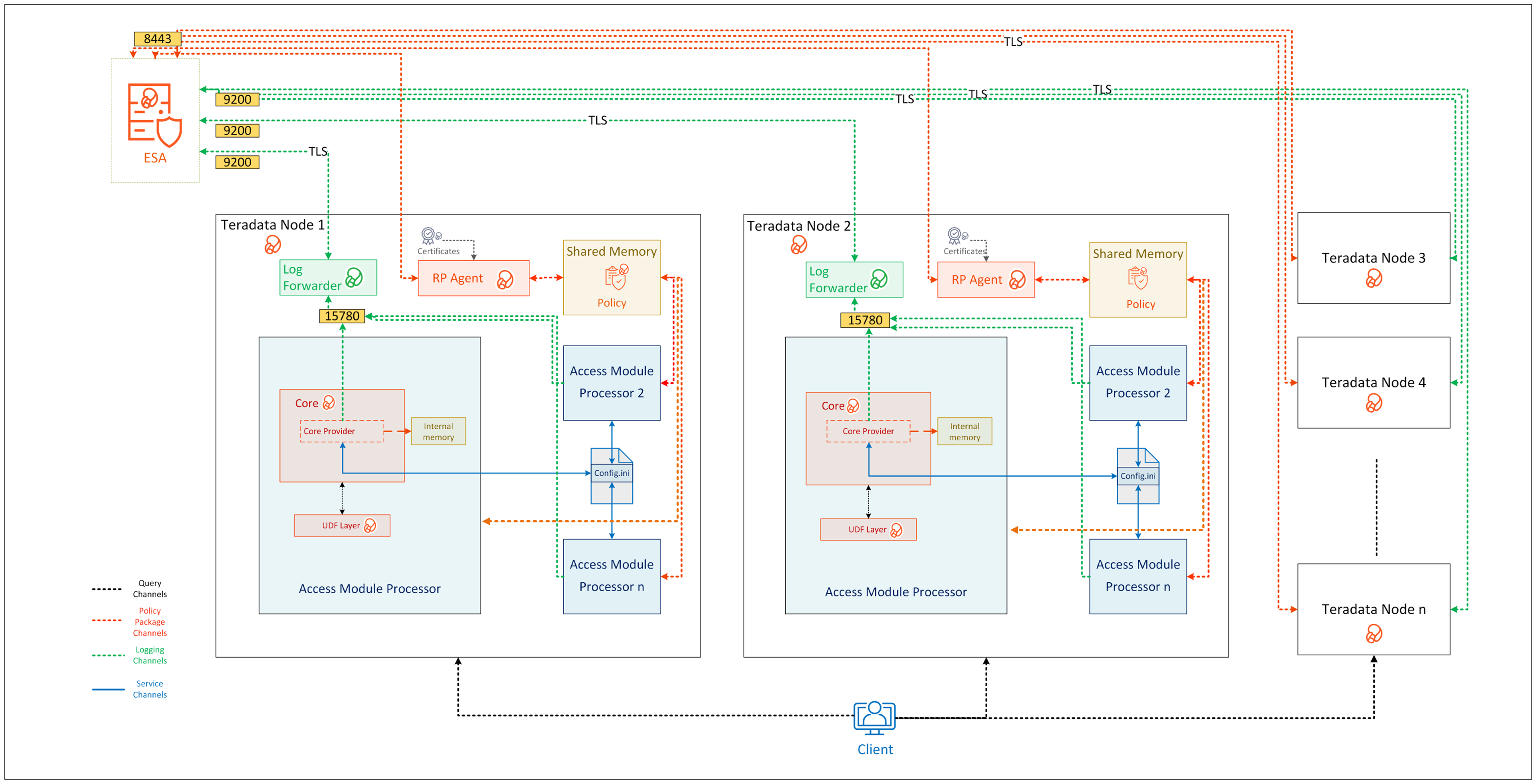
| Component Name | Description |
|---|---|
| Access Module Processor | Stores and retrieves all the protector data. It is also called as the Virtual Processor (vproc). |
| config.ini | Contains the set of configuration parameters to modify the protector behavior. |
| Core | Is the set of various libraries that provide the Protegrity Core functionality. |
| Log Forwarder | Forwards the protector logs to Insight. |
| Node | Serves as a central processing unit where the database operations are executed using a single operating system. |
| Resilient Package (RP) Agent | Is a daemon running on each node that downloads the Policy from the ESA over a TLS channel using the installed Certificates. |
| UDF Layer | Contains the Data Warehouse Protector UDFs and APIs executing in the Teradata service process. |
11.2.2 - System Requirements
Ensure that the following prerequisites are met, before installing the Teradata Data Warehouse Protector:
- The ESA appliance, v10.0.x or higher, is installed, configured, and running.
- The ports that are configured on the ESA and the nodes in the cluster, which will run the Data Warehouse Protector, are listed in the following table:
| Destination Port | Protocol | Source | Destination | Description |
|---|---|---|---|---|
| 8443 | TCP | RP Agent on the Data Warehouse Protector node | ESA | The RP Agent communicates with the ESA through port 8443 to download a policy. |
| 9200 | TCP | Log Forwarder on the Data Warehouse Protector node | Protegrity Audit Store appliance | The Log Forwarder sends all the logs to the Protegrity Audit Appliance through port 9200. |
| 15780 | TCP | Protector on the Data Warehouse Protector node | Log Forwarder on the Data Warehouse Protector node | The Data Warehouse Protector writes Audit Logs to localhost through port 15780. The Application Logs are also written to localhost through port 15780. The Log Forwarder reads the logs from that socket. |
Additional requirements for each of the Teradata node:
- Approximately 40 MB of free hard drive space should be available.
- Every node must have network connectivity. This means that you should be able to access the node through the network using TCP/IP.
- Ensure that you have the DBA rights in the Teradata database.
- Ensure that you have the root access to the operating system.
- The Database Server must be up and running.
- The C-compiler must be installed. It is used to install the UDFs in the Teradata database.
Note: For more information about configuring access roles to execute the DBA queries, refer to Additional references for the Teradata Protector.
Note: If the Teradata Parallel Upgrade Tool (PUT) is unavailable, then the Data Warehouse Protector packages must be manually transferred and installed on each node.
The following table lists the minimum hardware configuration for the Data Warehouse Protector on Teradata distribution.
| Hardware Components | Configuration |
|---|---|
| CPU | Depends on the application. |
| Disk Space | 400 MB on every node - Includes the Log Forwarder, RP Agent, and User Defined Functions (UDFs) |
| RAM | 4 GB on every node |
Note: In v10.0.0, the RPAgent loads the policy package into the shared memory. Every individual service process on a node that initializes the protector will load a copy of the policy package into the process heap memory. Therefore, the RAM requirement on each node depends on the policy size and the number of protector instances (number of processes).
11.2.3 - Preparing the Environment
11.2.3.1 - Extracting the Teradata Installation Package
You must extract the Teradata Data Warehouse Protector package to access the Teradata Protector components required for the installation process.
To extract the files from the installation package:
Log in to the server as the user with the required permissions.
Navigate to the directory where you have saved the Teradata Data Warehouse protector package.
For example,/opt/protegrity/.To extract the contents of the Teradata Data Warehouse Protector package, run the following command:
tar -xvf DatabaseProtector_SLES-ALL-64_x86-64_Teradata-ALL-64_10.0.0+x.tgzPress ENTER.
The commands extracts the installation package and signature file from the Teradata Data Warehouse Protector package:DatabaseProtector_SLES-ALL-64_x86-64_Teradata-ALL-64_10.0.0+x.tgz signatures/DatabaseProtector_SLES-ALL-64_x86-64_Teradata-ALL-64_10.0.0+x.sigFor more information about the steps to verify the signed Teradata Data Warehouse protector build, refer to Verification of Signed Protector Build.
To extract the contents of the installation package, run the following command:
tar -xvf DatabaseProtector_SLES-ALL-64_x86-64_Teradata-ALL-64_10.0.0+x.tgzPress ENTER.
The commands extracts the following files:LogforwarderSetup_Linux_x64_10.0.0+x.sh RPAgentSetup_Linux_x64_10.0.0+x.sh PepTeradataSetup_Linux_x64_10.0.0+x.sh PepTeradata_UDTSetup_Linux_x64_10.0.0+x.sh U.S.Patent.No.6,321,201.Legend.txt
11.2.3.2 - Installing the Log Forwarder
Log in to the server as the user with the required permissions.
Navigate to the directory where you have extracted the Teradata data warehouse protector package.
For example,/opt/protegrity/.To install the Log Forwarder, run the following command:
./LogforwarderSetup_Linux_x64_10.0.0+x.shPress ENTER.
The prompt to enter the Audit Store endpoint appears.Enter the audit store endpoint (host:port):Enter the IP address of the Audit Store.
Important: If you fail to specify an IP address, then the script will terminate the installation process.
Press ENTER.
The installer script appends the port number to the IP address and the prompt to enter an additional Audit Store appears.Audit store endpoints: x.x.x.x:9200 Do you want to add another audit store endpoint? [y/n]:The default value for the port is 9200. If you want to skip adding an additional Audit Store endpoint, then type n.
Do you want to add another audit store endpoint? [y/n]: n
To proceed with the installation, without adding an additional endpoint, skip to step 10.To enter additional Audit Store endpoints, type y.
Press ENTER. The prompt to enter an additional Audit Store appears.
Do you want to add another audit store endpoint? [y/n]: y Enter the audit store endpoint (host), alternative (host:port) to use another port than the default port 9200 :For every additional Audit Store point that you want to add, repeat steps 6 and step 7.
Press ENTER.
The script displays list of the Audit Store endpoints and the prompt to accept or abort the installation appears.These audit store endpoints will be added: x.x.x.x:9200 Type 'y' to accept or 'n' to abort installation:To continue with the installation process, type y.
Press ENTER.
The script extracts the files and a confirmation message appears.Type 'y' to accept or 'n' to abort installation: y Unpacking... Extracting files... Protegrity Log Forwarder installed in /opt/protegrity/logforwarder.To abort the installation process, type n. The installer aborts the installation and the following message appears:
Type 'y' to accept or 'n' to abort installation: n The logforwarder installation is aborted.Navigate to the
/opt/protegrity/logforwarder/bin/directory.To start the Log Forwarder, run the following command:
./logforwarderctrl startPress ENTER.
The command starts the Log Forwarder.[ info] switching to background mode (PID=8329) Logforwarder started, PID (<process_ID>) written to PID file /opt/protegrity/logforwarder/ bin/fluent-bit.pidFor more information about changing the authentication, refer to Updating the Configuration Parameters for the Log Forwarder.
11.2.3.3 - Installing the Resilient Package Agent
The Resilient Package (RP) Agent downloads the certificates. These certificates are further used to authenticate the login credentials, public or private keys, and certify the code reliability.
To install the RPAgent:
Log in to the server as the user with the required permissions.
Navigate to the directory where you have extracted the Teradata Data Warehouse protector package. For example,
/opt/protegrity/.To install the RPAgent, run the following command:
./RPAgentSetup_Linux_x64_10.0.0+x.shPress ENTER.
The prompt to enter the host name or the IP address of the ESA appears.Please Enter ESA host name or IP address []:Enter the IP address of the ESA.
If you fail to specify an IP address, then the installation script will terminate the installation process.
Press ENTER.
The prompt to enter the username for downloading the certificate appears.Please enter the user name for downloading certificates[]:Enter the username to download the certificates.
Press ENTER.
The prompt to enter the password for downloading the certificate appears.Please enter the password for downloading certificates []:Enter the password to download the certificates.
Press ENTER.
The installer extracts the files and downloads the certificates.Unpacking... Extracting files... Obtaining token from x.x.x.x:25400... Downloading certificates from x.x.x.x:25400... % Total % Received % Xferd Average Speed Time Time Time Current Dload Upload Total Spent Left Speed 100 8704 100 8704 0 0 209k 0 --:--:-- --:--:-- --:--:-- 212k Extracting certificates... Certificates successfully downloaded and stored in /opt/protegrity/rpagent/data Protegrity RPAgent installed in /opt/protegrity/rpagent.If the JWT token is not specified while downloading the certificates, then the RPAgent fetches the token automatically from the ESA.
Navigate to the
/opt/protegrity/rpagent/bin/directory.To start the RPAgent, run the following command:
./rpagentctrl startPress ENTER.
The command starts the RPAgent successfully and a confirmation message appears.Starting rpagentTo verify the status of the RPAgent, run the following command:
./rpagentctrl statusPress ENTER.
The status of the RPAgent service appears.rpagent is running (pid=10817)
11.2.4 - Installing the Protector
This section outlines the installation process for the Protegrity Teradata Data Warehouse Protector.
The following figure shows a complete task flow to install the Protegrity Teradata Data Warehouse Protector.
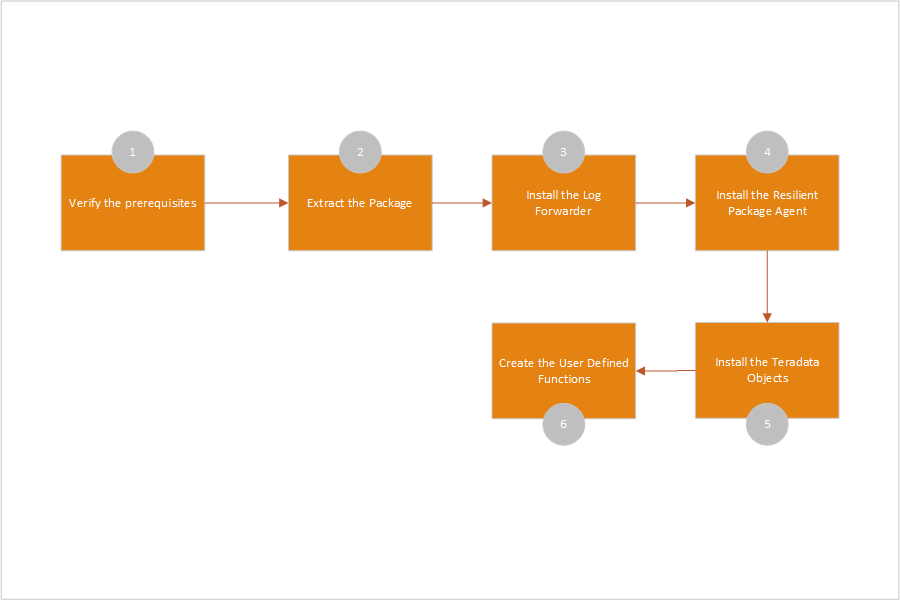
11.2.4.1 - Installing the Teradata Objects
Log in to the server as the user with the required permissions.
Navigate to the
/opt/protegrity/directory.To install the Teradata objects, run the following command:
./PepTeradataSetup_Linux_x64_10.0.0+x.shPress ENTER.
The prompt to continue installing the Teradata objects appears.***************************************************** Welcome to the Database Protector Setup Wizard ***************************************************** This will install the teradata objects on your computer Do you want to continue? [yes or no]To proceed with the installation of the Teradata objects, type yes.
Press ENTER.
The prompt to enter the name of the database to install the UDFs appears.Enter name of database where the UDFs will be installed.Enter the database name to continue.
Press ENTER
The prompt to mention the maximum size of the VARCHAR allocated by the UDFs appears.Enter the maximum size of the VARCHAR to be allocated by the UDFs.
The default value is 500 characters. You must modify the default value in this step, as per your requirement, for maximum character length. The mentioned VARCHAR size is the maximum value allocated by the UDFs for UNICODE character set.
Press ENTER.
The script installs the Teradata objects in the/opt/protegrity/databaseprotector/teradata/directory.[500]: 1000 ***********BUFFER LENGTH INITIALIZATION************** UDF VARCHAR MAX INPUT BUFFER LENGTH (TOKENIZATION) : 1000 Latin characters UDF VARCHAR MAX OUTPUT BUFFER LENGTH (TOKENIZATION) : 1351 Latin characters UDF VARCHAR MAX INPUT BUFFER LENGTH (ENCRYPTION) : 1000 Latin characters UDF VARCHAR MAX OUTPUT BUFFER LENGTH (ENCRYPTION) : 1038 Bytes UDF VARCHAR_UNICODE MAX INPUT BUFFER LENGTH (TOKENIZATION) : 1000 UNICODE characters UDF VARCHAR_UNICODE MAX OUTPUT BUFFER LENGTH (TOKENIZATION) : 2706 UNICODE characters UDF VARCHAR_UNICODE MAX INPUT BUFFER LENGTH (ENCRYPTION) : 1000 UNICODE characters UDF VARCHAR_UNICODE MAX OUTPUT BUFFER LENGTH (ENCRYPTION) : 2038 Bytes teradata objects installed in /opt/protegrity/databaseprotector/teradata. Permission for /opt/protegrity/databaseprotector is successfully set.Important: By default, all the configurations provided for the UDFs are stored in the
dbpuserconf.inifile within the/etc/protegrity/directory.
The Teradata Data Warehouse Protector uses thedbpuserconf.inifile for internal purposes only.
11.2.4.2 - Creating the Teradata User Defined Functions (UDFs)
Before creating the UDFs, ensure that the following prerequisites are met:
You have installed the Teradata Data Warehouse Protector on all the nodes.
When installing the Teradata objects, you must specify the maximum data size to be allocated by the UDFs. This value should not exceed 500 MB.
- When you calculate the data size, ensure that you also consider the space for the overheads.
For example:- For the data that would be tokenized using non-length preserving tokens, you must add an overhead of approximately 6% to the original data size.
- For the AES-encrypted data, with the blocks of 16 bytes, you must add an overhead of an additional 16 bytes to include CRC or IV.
- When you calculate the data size, ensure that you also consider the space for the overheads.
The database user that installs the UDFs must have the following privileges:
GRANT CREATE FUNCTION ON PROTEGRITY to USER1;GRANT ALTER FUNCTION ON PROTEGRITY to USER1;- USER1 is the database user who install the UDFs.
- PROTEGRITY is the name of the database where the UDFs are installed.
- ROLE1 is the group to which the USER1 belongs.
Ensure that the database user who installs the UDFs is part of the ROLE1 group.
To grant privileges to a database user to perform database administration functions, run the following query:
GRANT EXECUTE, SELECT, INSERT, UPDATE, DELETE, STATISTICS, DUMP, RESTORE, CHECKPOINT, SHOW, EXECUTE PROCEDURE, ALTER PROCEDURE, EXECUTE FUNCTION, ALTER FUNCTION, ALTER EXTERNAL PROCEDURE, CREATE OWNER PROCEDURE, CREATE TABLE, CREATE VIEW, CREATE MACRO, CREATE TRIGGER, CREATE PROCEDURE, CREATE FUNCTION, DROP TABLE, DROP VIEW, DROP MACRO, DROP TRIGGER, DROP PROCEDURE, DROP FUNCTION ON TESTDB TO ROLE1;To distribute the installation on all the nodes while installing the UDF in a multi-node environment, you can run either of the following commands:
- UNIX commands:
psh mkdir /opt/protegrity/ - PUT utility:
pcl -send /opt/protegrity/* /opt/protegrity/
- UNIX commands:
To create the UDFs for Teradata:
Log in to the server as the user with the required permissions.
Navigate to the
/opt/protegrity/databaseprotector/teradata/sqlscripts/directory.To view the .sql queries, run the following command:
/opt/protegrity/databaseprotector/teradata/sqlscripts/ # ls -ltrPress ENTER.
The list of available queries in the.sqlfile format appears.total 164 -rw-r----- 1 tdatuser tdtrusted 8939 createdecimalobjects.sql -rw-r----- 1 tdatuser tdtrusted 2560 dropobjects.sql -rw-r----- 1 tdatuser tdtrusted 781 dropvarcharunicode.sql -rw-r----- 1 tdatuser tdtrusted 67128 createobjects.sql -rw-r----- 1 tdatuser tdtrusted 10294 createvarcharunicode.sql -rw-r----- 1 tdatuser tdtrusted 8401 createdecimalobjects_a.sql -rw-r----- 1 tdatuser tdtrusted 793 dropvarcharunicode_a.sql -rw-r----- 1 tdatuser tdtrusted 1875 dropobjects_a.sql -rw-r----- 1 tdatuser tdtrusted 19643 createobjects_a.sql -rw-r----- 1 tdatuser tdtrusted 5078 createvarcharunicode_a.sql -rw-r----- 1 tdatuser tdtrusted 5300 testscript.sql -rw-r----- 1 tdatuser tdtrusted 3558 sample_tok.sql -rw-r----- 1 tdatuser tdtrusted 3324 sample_enc.sqlTo start the
bteq, run the following command:/opt/protegrity/databaseprotector/teradata/sqlscripts/ # bteqPress ENTER.
The prompt to log in to the database appears.Enter your logon or BTEQ command:To log in to the database, run the following command:
.logon < username >Press ENTER.
The prompt to enter the database password appears.Password:Enter the database password.
Press ENTER.
The connection to the Teradata database is completed successfully.*** Logon successfully completed.To create the UDFs, execute the following query:
.run file=createobjects.sqlPress ENTER.
The script creates the UDFs and the following message for each of the created UDF appears.*** Function has been created. *** Warning: 5607 Check output for possible warnings encountered in compiling and/or linking UDF/XSP/UDM/UDT. *** Total elapsed time was 1 second.To create the Varchar Unicode UDFs, execute the following query:
.run file=createvarcharunicode.sqlPress ENTER.
The script creates the UDFs and the following message for each of the created UDF appears.*** Function has been created. *** Warning: 5607 Check output for possible warnings encountered in compiling and/or linking UDF/XSP/UDM/UDT. *** Total elapsed time was 1 second.To create the Decimal UDFs, execute the following query:
.run file=createdecimal.sqlPress ENTER.
The script creates the Decimal UDFs and the following message for each of the created UDF appears.*** Function has been created. *** Warning: 5607 Check output for possible warnings encountered in compiling and/or linking UDF/XSP/UDM/UDT. *** Total elapsed time was 1 second.
For more information about the User Defined Functions (UDFs) for Teradata, refer to User Defined Functions and API.
11.2.4.3 - Installing the Teradata User Defined Types (UDTs)
The UDTs allows you to create the data-types that can be used as pre-defined data-types.
To install the UDT for Teradata:
Log in to the server as the user with the required permissions.
Navigate to the
/opt/protegrity/directory.To install the UDT setup for Teradata, run the following command:
./PepTeradata_UDTSetup_Linux_x64_10.0.0+x.shPress ENTER.
The prompt to continue the installation appears.***************************************************** Welcome to the Database Protector Setup Wizard ***************************************************** This will install the teradata user defined types on your computer Do you want to continue? [yes or no]To proceed, type yes.
Press ENTER.
The script extracts the files and installs the data types in the default directory. The script also sets the permissions for the data types.[/opt/protegrity]: Unpacking... To get started with UDTs, please run /opt/protegrity/databaseprotector/teradata generate_udt_scripts.sh. Teradata UDTs installed in /opt/protegrity/databaseprotector/teradata. Permission for /opt/protegrity/databaseprotector/teradata is successfully set.
For more information about the Teradata User Defined Types (UDTs), refer to Teradata User Defined Types (UDTs).
11.2.4.4 - Creating the Teradata User Defined Types (UDTs)
The Teradata Data Warehouse Protector automatically creates the To-SQL and From-SQL transform, the ordering, and the necessary casts for a distinct UDT once the CREATE TYPE statement is issued.
On the Data Warehouse Protector installation, the /databaseprotector/teradata/udt/ directory is created with the following files:
generate_udt_scripts.shis an executable file that generates UDT scriptspepteradataudt.plmis a library that contains protect and unprotect functions for UDT usage.
The generate_udt_scripts.sh generates UDT scripts using the following command:
/opt/protegrity/databaseprotector/teradata/udt # ./generate_udt_scripts.sh --help
Protegrity Data Security Platform - Teradata UDT Scripts
Usage: generate_udt_scripts udtname dataelement scid dbtype
udtname : UDT Name
dataelement: Data Element
scid : Security Coordinate ID
dbtype : Database data type, must be one of: bigint,date,float,integer,varchar
The following are some limitations for the UDT arguments:
- Udtname – any applicable name
- Dataelement – DE deployed
- Scid – applicable security coordinate (0 by default)
- Dbtype – one of the data types bigint, date, float, integer, varchar.
Important: The scid parameter is no longer used and is retained for compatibility purpose only.
To create the User Defined Types:
Log in to the server as the user with the required permissions.
Navigate to the
/opt/protegrity/databaseprotector/teradata/udt/directory.To view the files and directories in the
../udt/directory, run the following command:/opt/protegrity/databaseprotector/udt # lsPress ENTER.
The list of available content appears.
/opt/protegrity/databaseprotector/teradata/udt # ls generate_udt_scripts.sh pepteradataudt.plm sqlscriptsTo generate the UDT scripts required for creating the UDTs, run the following command:
./generate_udt_scripts.sh <udtname> <dataelement> <scid> <dbtype>For example:
./generate_udt_scripts.sh UDT_VARCHAR AES128 0 varcharPress ENTER.
The script generates the following
.sqlqueries for the UDTs in the/opt/protegrity/databaseprotector/teradata/udtdirectory.create_UDT_VARCHAR.sql drop_UDT_VARCHAR.sqlIt is recommended to use the data element names in the upper-case.
You can modify the
.sqlqueries using thebtequtility for error handling.To start the
btequtility, run the following command:/opt/protegrity/databaseprotector/teradata/sqlscripts # bteqPress ENTER.
The prompt to log in to the database appears.
Enter your logon or BTEQ command:To log in to the database, run the following command:
.logon <username>Press ENTER.
The prompt to enter the database password appears.
Password:To proceed, type the database password.
Press ENTER.
The connection to the Teradata Data Warehouse is completed successfully.
*** Logon successfully completed.To create the UDTs, run the following query:
.run file=create_UDT_VARCHAR.sqlPress ENTER.
The query creates the UDTs and the following message for each of the created UDT appears.
*** Function has been created. *** Warning: 5607 Check output for possible warnings encountered in compiling and/or linking UDF/XSP/UDM/UDT. *** Total elapsed time was 1 second.It is recommended to create only one UDT for each data type.
Creating an additional UDT, with a basic data type that is used by an existing UDT, results in a linked error.To grant the access permissions to the UDTs, execute the following SQL statements using the bteq utility.
To provide the execute access to the UDTs, run the following command:
chmod 755 create_UDT_VARCHAR.sqlPress ENTER.
To provide the UDTUSAGE access for the UDTs to public with a GRANT option, run the following query:
GRANT UDTUSAGE ON SYSUDTLIB TO PUBLIC WITH GRANT OPTION;Press ENTER.
To provide the execute function for all the UDTs to public with a GRANT option, run the following query:
GRANT ALL ON TYPE SYSUDTLIB.UDT_VARCHAR TO PUBLIC WITH GRANT OPTION;The protect/unprotect operations for the UDTs must be performed using the bteq utility.
Press ENTER.
The script creates the UDTs and grants access permissions using the SQL statements.
11.2.5 - Configuring the Protector
11.2.5.1 - Working with the config.ini file
This page discusses about the config.ini file for the Teradata Data Warehouse Protector.
By default, this file is located in the /opt/protegrity/databaseprotector/teradata/data/ directory.
11.2.5.1.1 - Accessing the config.ini File
Log in to the server as the user with the required permissions.
Navigate to the directory where you have downloaded the installation package.
For example,/opt/protegrity/databaseprotector/teradata/data/To view the contents within the directory, run the following command:
/opt/protegrity/databaseprotector/teradata/data # ls -ltrPress ENTER.
The list of available configurable files appears.total 4 -rw-r----- 1 tdatuser tdtrusted 1058 Oct 14 01:27 config.iniTo open the
config.inifile, run the following command:/opt/protegrity/databaseprotector/teradata/data # vim config.iniPress ENTER.
The vim utility starts and the contents of theconfig.inifile appears.############################################################################### # Log Provider Config ############################################################################### [log] # In case that connection to fluent-bit is lost, set how audits/logs are handled # # drop : (default) Protector throws logs away if connection to the fluentbit is lost # error : Protector returns error without protecting/unprotecting # data if connection to the fluentbit is lost mode = drop # Host/IP to fluent-bit where audits/logs will be forwarded from the protector # # Default localhost host = localhost ############################################################################### # Protector Config ############################################################################### [protector] # cadence is used to decide whether deployment is dynamic or immutable. # # '0' is used for immutable deployment. # Non-negative values other than '0' is used as policy sync interval for dynamic deployment. # default cadence value is '60'. cadence = 60For more information about parameters in the
config.inifile, refer to Parameters in the config.ini file.To close the
config.inifile, run the following command:# :qImportant: To reflect any changes made to the
config.inifile, you must restart the Teradata Database.To restart the Teradata Database, run the following command:
# tpareset -f <reason for restart>Press ENTER.
A prompt to continue with restarting the database appears.You are about to restart the database on the system 'localhost' Do you wish to continue (default: n) [y,n]To continue with restarting the database, type y.
The Teradata Database restarts successfully.
11.2.5.1.2 - Understanding the Parameters in the config.ini File
The following table consists of the config.ini parameters along with the descriptions:
| Configuration Component | Parameter | Description |
|---|---|---|
| Log | mode | Specifies how the protector logs are handled by the Log Forwarder. If the connection to the Log Forwarder host is lost, you can set the connection mode to one of the following types: - drop: Specifies the logs that the protector fails to record when the connection to the Log Forwarder is lost. By default, the Log Forwarder is configured to operate in the drop mode. - error: Stops all the data security operations and throws an error when the connection to the Log Forwarder is lost. Syntax: Parameter = Value Example: mode = error |
| host | Specifies the Log Forwarder hostname or the IP address where the logs are forwarded from the protector. The default host for the Log Forwarder is localhost. Syntax: Parameter = Value Example: host = <Hostname or IP Address> | |
| Protector | cadence | Specifies the time interval at which the protector synchronizes with the shared memory for fetching the policy package. The default value for the cadence parameter is 60 seconds. The minimum and maximum values that can be set for the cadence parameter are 0 seconds and 86400 seconds (24 hours) respectively. Important: If the cadence parameter value is set to 0 seconds, then the policy is fetched only once at the time of initialization. After initialization, the protector does not fetch for the new policy changes as a result of immutable deployment. Syntax: Parameter = Value Example: cadence = <time interval in seconds> |
11.2.5.2 - Updating the Output Buffer for the Unicode UDFs
This page discusses the process to update the output buffer length for the Varchar Unicode UDFs.
By default, the value of the output buffer length is 500 characters. This value can be modified during the installation of the Teradata objects.
After completing the installation process, you may need to manually update the output buffer length values if necessary. For instance, if you need to protect strings longer than 500 bytes, adjust the buffer length to accommodate the largest string size. Be aware that a big buffer size slows the overall performance. Additionally, each protection method has a size limitations. For example, tokenization has a maximum size limit of 4096 bytes.
The output buffer sizes for all the UDFs are stored in both, the dbpuserconf.ini and createvarcharunicode.sql files.
The process to update the output buffer length for the Varchar Unicode UDFs involves the following steps:
- To update the output buffer length in the
dbpuserconf.inifile, refer to Updating the dbpuserconf.ini file. - To update the output buffer length in the
createvarcharunicode.sqlfile, refer to Updating the createvarcharunicode.sql file. - To uninstall the Varchar Unicode UDFs using the
dropvarcharunicode.sqlfile, refer to Uninstalling the UDFs. - To re-create the Varchar Unicode UDFs using the
createvarcharunicode.sqlfile, refer to Creating the UDFs.
11.2.5.2.1 - Updating the dbpuserconf.ini file
Log in to the server as the user with the required permissions.
Navigate to the directory where you have downloaded the
dbpuserconf.inifile.
For example,/etc/protegrity/To view the contents within the directory, run the following command:
/etc/protegrity/ # ls -ltrPress ENTER.
The list of available configurable files appears.total 4 -rw-r----- 1 tdatuser tdtrusted 1058 Jan 28 01:27 dbpuserconf.iniTo open the
dbpuserconf.inifile, run the following command:/etc/protegrity/ # vim dbpuserconf.iniPress ENTER.
The vim utility starts and the contents of thedbpuserconf.inifile appears.############################################################################### # Config ini ############################################################################### [config_ini] # path points to database protector installation directory path = /opt/protegrity/databaseprotector/teradata/data/config.ini ############################################################################### # Protector Varchar Sizes (set by user during installation) ############################################################################### [varchar_sizes] UDF_VARCHAR_MAX = 500 UDF_VARCHAR_OVERHEADMAX = 500 VARCHAR_MAX_IN_BUF_LEN_TOKEN_LATIN = 500 VARCHAR_MAX_OUT_BUF_LEN_TOKEN_LATIN = 676 VARCHAR_MAX_IN_BUF_LEN_ENC_LATIN = 500 VARCHAR_MAX_OUT_BUF_LEN_ENC_BYTES = 538 VARCHAR_MAX_IN_BUF_LEN_TOKEN_UNICODE = 500 VARCHAR_MAX_OUT_BUF_LEN_TOKEN_UNICODE = 1356 VARCHAR_MAX_IN_BUF_LEN_ENC_UNICODE = 500 VARCHAR_UNICODE_MAX_OUT_BUF_LEN_ENC_BYTES = 1038 TdvmDev2:/etc/protegrity/ #Important: You must update the VARCHAR_MAX_OUT_BUF_LEN_TOKEN_UNICODE parameter with the required output buffer length.
To save the changes to the
dbpuserconf.inifile, run the following command:# :wq
11.2.5.2.2 - Updating the createvarcharunicode.sql file
Log in to the server as the user with the required permissions.
Navigate to the
/opt/protegrity/databaseprotector/teradata/sqlscripts/directory.To update the output buffer length in the
createvarcharunicode.sqlfile, run the following command:vim createvarcharunicode.sqlPress ENTER.
The vim utility starts and the contents of thecreatevarcharunicode.sqlfile appears.Ensure to update the value of the output buffer length for the PTY_VARCHARUNICODEINS, PTY_VARCHARUNICODESEL, and PTY_VARCHARUNICODESELEX UDFs as per your requirements.
To save changes to the
createvarcharunicode.sqlfile, run the following command:# :wqImportant: To reflect any changes made to the
createvarcharunicodefile, you must restart the Teradata Database.To restart the Teradata Database, run the following command:
# tpareset -f <reason for restart>Important: Updating the
createvarcharunicode.sqlfile does not require atpareset.Press ENTER.
A prompt to continue with restarting the database appears.You are about to restart the database on the system 'localhost' Do you wish to continue (default: n) [y,n]To continue with restarting the database, type y.
The Teradata Database restarts successfully.
11.2.6 - Uninstalling the Protector
This page discusses the uninstallation process for the Protegrity Teradata Data Warehouse Protector.
11.2.6.1 - Uninstalling the Log Forwarder
Log in to the server as the user with the required permissions.
Navigate to the
/opt/protegrity/logforwarder/bin/directory.To stop the Log Forwarder, run the following command:
./logforwarderctrl stopPress ENTER.
The command stops the Log Forwarder.Stopping Logforwarder with PID: 20658 Please WaitTo verify the status of Log Forwarder, run the following command:
./logforwarderctrl statusPress ENTER.
The status of the Log Forwarder appears.Logforwarder is not runningNavigate to the
/opt/protegrity/directory.To remove the
/logforwarder/directory, run the following command.rmdir logforwarderPress ENTER.
The command removes the the/logforwarder/directory and completes the uninstallation for the Log Forwarder.
11.2.6.2 - Uninstalling the RPAgent
Log in to the server as the user with the required permissions.
Navigate to the
/opt/protegrity/rpagent/bin/directory.To stop the RPAgent, run the following command:
./rpagentctrl stopPress ENTER.
The command stops the RPAgent.Stopping RP Agent (PID: 10856) Please WaitTo verify the status of RPAgent, run the following command:
./rpagentctrl statusPress ENTER.
The status of the RPAgent appears.RP Agent is not runningNavigate to the
/opt/protegrity/directory.To remove the
/rpagent/directory, run the following command:rmdir rpagentPress ENTER.
The command removes the/rpagent/directory and completes the uninstallation for the RPAgent.
11.2.6.3 - Uninstalling the User Defined Functions (UDFs)
Log in to the server as the user with the required permissions.
Navigate to the
/opt/protegrity/databaseprotector/teradata/sqlscripts/directory.To start the
btequtility, run the following command:/opt/protegrity/databaseprotector/teradata/sqlscripts/ # bteqPress ENTER.
The prompt to log in to the database appears.Enter your logon or BTEQ command:To log in to the database, run the following command:
.logon <username>Press ENTER.
The prompt to enter the database password appears.To proceed with the removal of the UDFs, type the database password.
Press ENTER.
The connection to the Teradata database is completed successfully.*** Logon successfully completed.To remove the installed UDFs from the Teradata Data Warehouse Protector, run the following query:
.run file=dropobjects.sqlPress ENTER.
The script removes each of the UDFs and the following message for each of the removed UDF appears.*** Function has been dropped. *** Warning: 5607 Check output for possible warnings encountered in compiling and/or linking UDF/XSP/UDM/UDT. *** Total elapsed time was 1 second.To remove the Varchar Unicode UDFs installed on the Teradata Data Warehouse Protector, run the following query:
.run file=dropvarcharunicode.sqlPress ENTER.
The script removes each of the UDFs and the following message for each of the removed UDF appears.*** Function has been dropped. *** Warning: 5607 Check output for possible warnings encountered in compiling and/or linking UDF/XSP/UDM/UDT. *** Total elapsed time was 1 second.To remove the Decimal UDFs installed on the Teradata Data Warehouse Protector, run the following query:
.run file=dropdecimalobjects.sqlPress ENTER.
The script removes each of the UDFs and the following message for each of the removed UDF appears.*** Function has been dropped. *** Warning: 5607 Check output for possible warnings encountered in compiling and/or linking UDF/XSP/UDM/UDT. *** Total elapsed time was 1 second.
11.2.6.4 - Removing the Installation Directory
You must delete the installation directory to complete the process of uninstalling the Teradata Data Warehouse Protector.
To remove the installation directory:
Log in to the server as the user with the required permissions.
Navigate to the
/opt/protegrity/directory.To delete the installation directory, run the following command:
rm -rf /databaseprotector/Press ENTER.
The command deletes the files and the sub-directories within the specified directory.This step completes the uninstallation process of the Teradata Data Warehouse Protector.
11.3 - User Defined Functions and APIs
The Data Warehouse Protector contains User Defined Functions (UDF), which perform the following:
- Fetches the policy related information from the shared memory
- Applies the access control settings that are derived on the basis of policy settings
- Encrypts or tokenizes the data based on the policy settings
- Generates Audit logs
To avoid any performance issues resulting due to casting of the data, a general best practice is to protect the data and present the decryption related API/UDFs/commands, as applicable, in the tables as views to authorized users only. This eliminates the unauthorized user’s access to the decryption API/UDFs/commands by limiting the access to the protected data only.
The decryption process is limited to authorized users and thus, does not cause any performance impact as the API/UDFs/commands are executed restrictively.
Warning: With the Data Warehouse protector, you cannot use different data elements for different rows in the same query because of the caching feature. The caching feature will cache the data element that you pass and it will use the same data element for protect or unprotect actions in the column.
11.3.1 - Teradata UDFs
This page provides a detailed list of User Defined Functions (UDFs) for general information, protection, and unprotection of data with different data types.
It is recommended to run the sample queries in BTEQ (Basic Teradata Query). For more information, refer to Sample Scripts provided in the Teradata Data Warehouse Protector package at the default location,
/opt/protegrity/databaseprotector/teradata/sqlscripts/.
Protegrity UDFs can support the JSON format for protection and unprotection. It is not possible to mask data stored in XML or JSON (JavaScript Object Notation) formats. While executing the Unprotect UDFs for these formats, clear data is returned with an error message. Masking is supported only with the Varchar UDFs.
Teradata UDFs for Protection
This section provides a detailed list of User Defined Functions (UDFs) for general information, and protection, unprotection, and tokenization of data with different data types.
Teradata UDFs - Deterministic and Non-deterministic clauses
Teradata supports the following two optional clauses to categorize if the UDF returns identical results for identical inputs or not.
- DETERMINISTIC - specifies that the UDF function returns the same results for identical inputs. The de-tokenization and decryption UDFs are defined with the DETERMINISTIC clause.
- NOT DETERMINISTIC - specifies that the UDF function returns non-identical results for identical inputs. This is the default option. The tokenization and encryption UDFs are defined with the NOT DETERMINISTIC clause.
Risk
In case of a query with constant arguments to the DETERMINISTIC UDF call, Teradata may cache the result of the evaluated UDF, as designed. During subsequent query execution, the results may be fetched from the Teradata internal cache without evaluating the UDF.
This is a risk because it can cause unauthorized access to the protected data due to lack of authorization check during the UDF execution. In addition, altering the clause to NOT DETERMINISTIC may cause performance issues as the UDFs defined with the DETERMINISTIC clause execute faster in comparison to the UDFs defined with the NOT DETERMINISTIC clause.
As per usage, if you are not using any constants in the UDF call, then you can recreate the UDF with the DETERMINISTIC clause to ensure faster performance.
Important: For all the Teradata UDFs, the communicationid and scid parameters are no longer used and are retained for compatibility purposes only. It is recommended to set the values for these parameters as zero.
- General UDFs
- Access Check UDFs
- Varchar Latin UDFs
- Varchar Unicode UDF
- Float UDFs
- Small Integer UDFs
- Integer UDFs
- Big Integer UDFs
- Date UDFs
- 8-Byte AND 16-Byte Decimal UDFs
- JSON UDFs
- XML UDFs
Teradata UDFs for No Encryption
This section provides a list of User Defined Functions (UDFs) that can be used with No Encryption data elements.
- Float UDFs for No Encryption
- Date UDFs for No Encryption
- 8-Byte and 16-Byte Decimal UDFs for No Encryption
11.3.1.1 - General UDFs
This section includes the general UDFs that can be used to retrieve the Teradata Protector version and the current user.
pty_whoami
This UDF returns the name of the user who is currently logged in.
Signature:
pty_whoami()
Parameters:
None
Returns:
The function returns the name of user logged in to the database.
Example:
select pty_whoami();
pty_getversion
This UDF returns the version of the installed Teradata Data Warehouse Protector.
Signature:
pty_getversion()
Parameters:
None
Returns:
The function returns the version of the product as a string
Example:
select pty_getversion();
pty_getdbsinfo
This UDF returns the Teradata session, statement, and request numbers. These parameters are captured in audit logs and can be cross-referenced in the ESA Forensics View.
Signature:
pty_getdbsinfo
Parameters:
None
Returns:
The function returns the following parameters in a string.
| Name | Type | Description |
|---|---|---|
session | STRING | Specifies the Teradata session number. |
request | STRING | Specifies the Teradata request number |
statement | STRING | Specifies the Teradata statement identifier. |
Example:
select pty_getdbsinfo();
11.3.1.2 - Access Check UDFs
This section includes list of UDFs that can be used to check select access-related information.
pty_checkselaccess
This UDF checks whether a database user has unprotect access for a set of data elements. To run this UDF, the database user should be granted access rights for protection.
Signature:
pty_checkselaccess(dataelement<n> VARCHAR, resultlen INTEGER, communicationid INTEGER)
Parameters:
| Name | Type | Description |
|---|---|---|
dataelement1 | VARCHAR | Specifies the name of the data element to check. |
dataelement2 | VARCHAR | Specifies the name of the data element to check. |
dataelement3 | VARCHAR | Specifies the name of the data element to check. |
resultlen | INTEGER | Specifies the length of the buffer to hold the result. |
communicationid | INTEGER | Specify the value as 0. This parameter is deprecated. |
Returns:
The function returns a 3-CHARACTER string.
- Position 1: Value 1 indicates select permissions on dataelement1, value 0 indicates no select permissions
- Position 2: Value 1 indicates select permissions on dataelement2, value 0 indicates no select permissions
- Position 3: Value 1 indicates select permissions on dataelement3, value 0 indicates no select permissions
Exception:
None
Example:
select pty_checkselaccess('AES256', 'AES128', 'AES128_IV_CRC_KID', 3, 0);
11.3.1.3 - Varchar Latin UDFs
The Varchar Latin UDFs accept the string data encoded in the Latin character set.
Important: Do not exceed the maximum output buffer length when using the result length parameter (
resultlen) in the Varchar Latin UDFs.
For more information about the maximum output buffer length, for each Varchar Latin UDF, refer to Installing the Teradata Objects.
pty_varcharlatinenc
This UDF protects the string data using an Encryption data element.
Signature:
pty_varcharlatinenc(col VARCHAR, dataelement VARCHAR, resultlen INTEGER, communicationid INTEGER, scid INTEGER)
Parameters:
| Name | Type | Description |
|---|---|---|
col | VARCHAR | Specifies the data to protect. |
dataelement | VARCHAR | Specifies the name of the data element. |
resultlen | INTEGER | Specifies the length of the buffer to hold the result. |
communicationid | INTEGER | Specify the value as 0. This parameter is deprecated. |
scid | INTEGER | Specify the value as 0. This parameter is deprecated. |
Returns:
The function returns the protected VARBYTE value.
Exception:
If the user does not have protect access rights in the policy, then the UDF terminates with an error message explaining what went wrong.
Example:
select pty_varcharlatinenc ('Any character value! ', 'AES256',500,0,0);
pty_varcharlatindec
This UDF unprotects the protected string data.
Signature:
pty_varcharlatindec(col VARBYTE, dataelement VARCHAR, resultlen INTEGER, communicationid INTEGER, scid INTEGER)
Parameters:
| Name | Type | Description |
|---|---|---|
col | VARBYTE | Specifies the data to unprotect. |
dataelement | VARCHAR | Specifies the name of the data element. |
resultlen | INTEGER | Specifies the length of the buffer to hold the result. |
communicationid | INTEGER | Specify the value as 0. This parameter is deprecated. |
scid | INTEGER | Specify the value as 0. This parameter is deprecated. |
Returns:
- The function returns an unprotected character value.
- The function returns NULL when the user has no access to the data in the policy.
Exception:
If you configure an exception in the policy and the user does not have access, then the UDF terminates with an error message explaining what went wrong.
Example:
select pty_varcharlatindec(pty_varcharlatinenc('Any character value! ', 'dataelement',500,0,0 ), 'dataelement',500,0,0 );
pty_varcharlatindecex
This UDF unprotects the protected string data.
Signature:
pty_varcharlatindecex(col VARCHAR, dataelement VARCHAR, resultlen INTEGER, communicationid INTEGER, scid INTEGER)
Parameters:
| Name | Type | Description |
|---|---|---|
col | VARCHAR | Specifies the data to unprotect. |
dataelement | VARCHAR | Specifies the name of the data element to check. |
resultlen | INTEGER | Specifies the length of the buffer to hold the result. |
communicationid | INTEGER | Specify the value as 0. This parameter is deprecated. |
scid | INTEGER | Specify the value as 0. This parameter is deprecated. |
Returns:
- The function returns an unprotected character value.
- The function returns an error instead of NULL, if the user does not have access rights.
Exception:
If the user does not have access rights in the policy, then the UDF terminates with an error message explaining what went wrong.
Example:
select pty_varcharlatindecex(PTY_VARCHARLATINENC('ProtegrityProt', 'AES256',100,0,0 ), 'AES256',100,0,0 );
pty_varcharlatinins
This UDF protects the string data using type-preserving data elements, such as, tokens, and No Encryption for access control.
Signature:
pty_varcharlatinins(col VARCHAR, dataelement VARCHAR, resultlen INTEGER, communicationid INTEGER, scid INTEGER)
Parameters:
| Name | Type | Description |
|---|---|---|
col | VARCHAR | Specifies the data to protect. |
dataelement | VARCHAR | Specifies the name of the data element. |
resultlen | INTEGER | Specifies the length of the buffer to hold the result. |
communicationid | INTEGER | Specify the value as 0. This parameter is deprecated. |
scid | INTEGER | Specify the value as 0. This parameter is deprecated. |
Returns:
- The function returns the protected VARCHAR value.
- The function returns NULL when user has no access to the data in the policy.
Exception:
If the user does not have access rights in the policy, then the UDF terminates with an error message explaining what went wrong.
Example:
SELECT pty_varcharlatinins('Any character value! ', 'dataelement',500,0,0 );
Email Tokenization:
This UDF can be used to tokenize email input type.
In the following example, email is a token element created in the ESA of email type.pty_varcharlatinins('email@protegrity.com','email',32,0,0);Timestamp Tokenization:
This UDF can be used to tokenize timestamp data.
The following example displays a sample of timestamp tokenization:select pty_varcharlatinins(cast('22-09-1990' as varchar(32)),'alphanum',64,0,0);
pty_varcharlatinsel
This UDF unprotects the protected string data.
Signature:
pty_varcharlatinsel(col VARCHAR, dataelement VARCHAR, resultlen INTEGER, communicationid INTEGER, scid INTEGER)
Parameters:
| Name | Type | Description |
|---|---|---|
col | VARCHAR | Specifies the data to unprotect. |
dataelement | VARCHAR | Specifies the name of the data element. |
resultlen | INTEGER | Specifies the length of the buffer to hold the result. |
communicationid | INTEGER | Specify the value as 0. This parameter is deprecated. |
scid | INTEGER | Specify the value as 0. This parameter is deprecated. |
Returns:
- The function returns an unprotected character value.
- The function returns the protected value if this option is configured in the policy and the user does not have access to data.
- The function returns NULL when user has no access to the data in the policy.
Exception:
If the user does not have access rights in the policy, then the UDF terminates with an error message explaining what went wrong.
Note: If the input data length exceeds the given output buffer length, then the audit logs are blocked and the following error message appears:
Input or output buffer is too small
Example:
SELECT pty_varcharlatinsel(pty_varcharlatinins('Any character value! ', 'dataelement',500,0,0 ), 'dataelement',500,0,0 );
Email De-tokenization:
This UDF can be used to de-tokenize email input type tokenized using the PTY_VARCHARLATININS UDF.
In the following example, email is a token element created in the ESA of email type.pty_varcharlatinsel('F00CJ@protegrity.com','email',32,0,0);Timestamp Data De-tokenization:
This UDF can be used to de-tokenize timestamp data tokenized using the PTY_VARCHARLATININS UDF. The following example displays a sample of timestamp data de-tokenization.sel cast(pty_varcharlatinsel(pty_varcharlatinins(cast('2019-04-14 08:30:41-04:00' as varchar(64)),'TE_N_S16_L3R1_ASTYES',64,0,0),'TE_N_S16_L3R1_ASTYES',64,0,0) AS TIMESTAMP(0));
pty_varcharlatinselex
This UDF unprotects the protected string data.
Signature:
pty_varcharlatinselex(col VARCHAR, dataelement VARCHAR, resultlen INTEGER, communicationid INTEGER, scid INTEGER)
Parameters:
| Name | Type | Description |
|---|---|---|
col | VARCHAR | Specifies the data to unprotect. |
dataelement | VARCHAR | Specifies the name of the data element. |
resultlen | INTEGER | Specifies the length of the buffer to hold the result. |
communicationid | INTEGER | Specify the value as 0. This parameter is deprecated. |
scid | INTEGER | Specify the value as 0. This parameter is deprecated. |
Returns:
- The function returns an unprotected character value.
- The function returns the protected value if this option is configured in the policy and the user does not have access to the data.
- The function returns an error instead of NULL if the user does not have access.
Exception:
If the user does not have access rights in the policy, then the UDF terminates with an error message explaining what went wrong.
Note: If the input data length exceeds the given output buffer length, then the audit logs are blocked and the following error message appears:
Input or output buffer is too small.
Example:
SELECT pty_varcharlatinselex(pty_varcharlatinins('Any character value! ', 'dataelement',500,0,0 ), 'dataelement',500,0,0 );
pty_varcharlatinhash
This UDF calculates the hash value of a string data.
Attention: This is a one-way function and you cannot unprotect the data.
Signature:
pty_varcharlatinhash(col VARCHAR, dataelement VARCHAR, resultlen INTEGER, communicationid INTEGER, scid INTEGER)
Parameters:
| Name | Type | Description |
|---|---|---|
col | VARCHAR | Specifies the data to protect. |
dataelement | VARCHAR | Specifies the name of the data element. |
resultlen | INTEGER | Specifies the length of the buffer to hold the result. |
communicationid | INTEGER | Specify the value as 0. This parameter is deprecated. |
scid | INTEGER | Specify the value as 0. This parameter is deprecated. |
Returns:
The function returns the hash value.
Exception:
If the user does not have protect access rights in the policy, then the UDF terminates with an error message explaining what went wrong.
Caution: Starting from the version 10.0.x, the HMAC-SHA1 protection method is deprecated.
It is recommended to use the HMAC-SHA256 protection method instead of the HMAC-SHA1 protection method.
For assistance in switching to a different protection method, contact Protegrity Support.
Example:
SELECT pty_varcharlatinhash ('ProtegrityProt', 'HMAC_SHA256', 100,0,0);
11.3.1.4 - Varchar Unicode UDFs
The Varchar Unicode UDFs accept the string data encoded in the UNICODE character set.
Important: Do not exceed the maximum output buffer length when using the result length parameter (
resultlen) in the Varchar Unicode UDFs.
For more information about the maximum output buffer length, for each Varchar Unicode UDF, refer to Installing the Teradata Objects.
pty_varcharunicodeenc
This UDF protects the Unicode string using an Encryption data element for encryption.
Signature:
pty_varcharunicodeenc(col VARCHAR, dataelement VARCHAR, resultlen INTEGER, communicationid INTEGER, scid INTEGER)
Parameters:
| Name | Type | Description |
|---|---|---|
col | VARCHAR | Specifies the data to protect. |
dataelement | VARCHAR | Specifies the name of the data element. |
resultlen | INTEGER | Specifies the length of the buffer to hold the result. |
communicationid | INTEGER | Specify the value as 0. This parameter is deprecated. |
scid | INTEGER | Specify the value as 0. This parameter is deprecated. |
Returns:
The function returns the protected VARBYTE value.
Exception:
If the user does not have protect access rights in the policy, then the UDF terminates with an error message explaining what went wrong.
Example:
SELECT pty_varcharunicodeenc (TRANSLATE(CAST('ProtegrityProt' AS VARCHAR(50)) USING LATIN_TO_UNICODE), 'AES_128',100,0,0 );
pty_varcharunicodedec
This UDF unprotects the protected Unicode string data.
Signature:
pty_varcharunicodedec(col VARBYTE, dataelement VARCHAR, resultlen INTEGER, communicationid INTEGER, scid INTEGER)
Parameters:
| Name | Type | Description |
|---|---|---|
col | VARBYTE | Specifies the data to unprotect. |
dataelement | VARCHAR | Specifies the name of the data element. |
resultlen | INTEGER | Specifies the length of the buffer to hold the result. |
communicationid | INTEGER | Specify the value as 0. This parameter is deprecated. |
scid | INTEGER | Specify the value as 0. This parameter is deprecated. |
Returns:
- The function returns an unprotected Unicode character value.
- The function returns NULL when user has no access to the data in the policy.
Exception:
If you configure an exception in the policy and the user does not have access, then the UDF terminates with an error message explaining what went wrong.
Example:
SELECT pty_varcharunicodedec(pty_varcharunicodeenc(TRANSLATE(CAST ('ProtegrityProt' AS VARCHAR(50)) USING LATIN_TO_UNICODE, 'AES256',100,0,0), 'AES256',100,0,0 ));
pty_varcharunicodedecex
This UDF unprotects the protected Unicode string data.
Signature:
pty_varcharunicodedecex(col VARBYTE, dataelement VARCHAR, resultlen INTEGER, communicationid INTEGER, scid INTEGER)
Parameters:
| Name | Type | Description |
|---|---|---|
col | VARBYTE | Specifies the data to unprotect. |
dataelement | VARCHAR | Specifies the name of the data element. |
resultlen | INTEGER | Specifies the length of the buffer to hold the result. |
communicationid | INTEGER | Specify the value as 0. This parameter is deprecated. |
scid | INTEGER | Specify the value as 0. This parameter is deprecated. |
Returns:
- The function returns an unprotected character value.
- The function returns an error instead of NULL if the user does not have access.
Exception:
If you configure an exception in the policy and the user does not have access, then the UDF terminates with an error message explaining what went wrong.
Example:
SELECT pty_varcharunicodedecex(pty_varcharunicodeenc(TRANSLATE(CAST ('ProtegrityProt' AS VARCHAR(50)) USING LATIN_TO_UNICODE), 'AES256', 100, 0,0), 'AES256', 100, 0,0);
pty_varcharunicodeins
This UDF protects Unicode string data using type-preserving data elements, such as, tokens, Format Preserving Encryption (FPE) data elements, and No Encryption for access control.
Signature:
pty_varcharunicodeins(col VARCHAR, dataelement VARCHAR, resultlen INTEGER, communicationid INTEGER, scid INTEGER)
Parameters:
| Name | Type | Description |
|---|---|---|
col | VARCHAR | Specifies the data to protect. |
dataelement | VARCHAR | Specifies the name of the data element. |
resultlen | INTEGER | Specifies the length of the buffer to hold the result. |
communicationid | INTEGER | Specify the value as 0. This parameter is deprecated. |
scid | INTEGER | Specify the value as 0. This parameter is deprecated. |
Note: For pty_varcharunicodeins, set the
resultlenparameter to four times the input buffer length for optimal results.
If the calculated value (four times the input buffer length) exceeds the maximum configured output buffer length, then it is recommended to use the maximum allowed output buffer length.
For more information about the maximum output buffer length, for each Varchar Unicode UDF, refer to Installing the Teradata Objects.
Returns:
The function returns the protected VARCHAR value.
Exception:
If the user does not have protect access rights in the policy, then the UDF terminates with an error message explaining what went wrong.
Example for Unicode Gen2:
The Unicode Gen2 data elements supports the newly introduced SLT_X_1 tokenizer along with the existing SLT_1_3 tokenizer.
For more information about the Unicode Gen2 data elements, refer to Unicode Gen2.
SELECT pty_varcharunicodeins(TRANSLATE(CAST ('ProtegrityProt' AS VARCHAR(50)) USINGLATIN_TO_UNICODE), 'TE_UG2_SLT_13_L2R2_Y_BasicLatin', 100, 0,0);
SELECT pty_varcharunicodeins(TRANSLATE(CAST ('ϠϡϢϣϥϦ' AS VARCHAR(1000)) USINGLATIN_TO_UNICODE), 'TE_UG2_SLTX1_L2R2_N_IPA_Greek_Coptic_UTF16LE', 1000, 0,0);
pty_varcharunicodesel
This UDF unprotects Unicode string data protected by data elements, such as, tokens, Format Preserving Encryption (FPE) data elements, and No Encryption for access control.
Warning: This UDF does not support masking.
Signature:
pty_varcharunicodesel(col VARCHAR, dataelement VARCHAR, resultlen INTEGER, communicationid INTEGER, scid INTEGER)
Parameters:
| Name | Type | Description |
|---|---|---|
col | VARCHAR | Specifies the data to unprotect. |
dataelement | VARCHAR | Specifies the name of the data element. |
resultlen | INTEGER | Specifies the length of the buffer to hold the result. |
communicationid | INTEGER | Specify the value as 0. This parameter is deprecated. |
scid | INTEGER | Specify the value as 0. This parameter is deprecated. |
For pty_varcharunicodesel, you must set the
resultlenparameter to four times the input buffer length for optimal results.
If the calculated value (four times the input buffer length) exceeds the maximum configured output buffer length, then it is recommended to use the maximum allowed output buffer length.
For more information about the maximum output buffer length, for each Varchar Unicode UDF, refer to Installing the Teradata Objects.
Returns:
- The function returns an unprotected character value.
- The function returns a protected value if this option is configured in the policy and the user does not have access to data.
- The function returns NULL when the user has no access to data in the policy.
Exception:
- If you configure an exception in the policy and the user does not have access, then the UDF terminates with an error message explaining what went wrong.
If the input data length exceeds the given output buffer length, then the audit logs are blocked and the following error message appears:
Input or output buffer is too small
Example for Unicode Gen2:
The Unicode Gen2 data elements support the newly introduced SLT_X_1 tokenizer along with the existing SLT_1_3 tokenizer.
For more information about the Unicode Gen2 data elements, refer to Unicode Gen2.
select pty_varcharunicodesel(pty_varcharunicodeins(TRANSLATE(CAST ('ProtegrityProt' AS VARCHAR(50)) USING LATIN_TO_UNICODE),'TE_UG2_SLT_13_L2R2_Y_BasicLatin', 100, 0,0),'TE_UG2_SLT_13_L2R2_Y_BasicLatin', 100, 0,0);
select pty_varcharunicodesel(pty_varcharunicodeins(TRANSLATE(CAST ('ϠϡϢϣϥϦ' AS VARCHAR(1000)) USINGLATIN_TO_UNICODE), 'TE_UG2_SLTX1_L2R2_N_IPA_Greek_Coptic_UTF16LE', 1000, 0,0), 'TE_UG2_SLTX1_L2R2_N_IPA_Greek_Coptic_UTF16LE', 1000, 0,0);
pty_varcharunicodeselex
This UDF unprotects Unicode string data protected by data elements, such as, tokens, Format Preserving Encryption (FPE) data elements, and No Encryption for access control.
Warning: This UDF does not support masking.
Signature:
pty_varcharunicodeselex(col VARCHAR, dataelement VARCHAR, resultlen INTEGER, communicationid INTEGER, scid INTEGER)
Parameters:
| Name | Type | Description |
|---|---|---|
col | VARCHAR | Specifies the data to unprotect. |
dataelement | VARCHAR | Specifies the name of the data element. |
resultlen | INTEGER | Specifies the length of the buffer to hold the result. |
communicationid | INTEGER | Specify the value as 0. This parameter is deprecated. |
scid | INTEGER | Specify the value as 0. This parameter is deprecated. |
For pty_varcharunicodeselex, set the
resultlenparameter to four times the input buffer length for optimal results.
If the calculated value (four times the input buffer length) exceeds the maximum configured output buffer length, then it is recommended to use the maximum allowed output buffer length.
For more information about the maximum output buffer length, for each Varchar Unicode UDF, refer to Installing the Teradata Objects.
Returns:
- The function returns an unprotected character value.
- The function returns the protected value if this option is configured in the policy and the user does not have access to the data.
- The function returns an error instead of NULL if the user does not have access.
Exception:
If you configure an exception in the policy and the user does not have access, then the UDF terminates with an error message explaining what went wrong.
If the input data length exceeds the given output buffer length, then the audit logs are blocked and the following error message appears:
Input or output buffer is too small.
Example:
select pty_varcharunicodeselex(pty_varcharunicodeins(TRANSLATE(CAST ('ProtegrityProt' AS VARCHAR(50)) USING LATIN_TO_UNICODE), 'NoEncryption', 100, 0,0), 'NoEncryption', 100, 0,0);
11.3.1.5 - Float UDFs
pty_floatenc
This UDF protects the float value using an Encryption data element.
Signature:
pty_floatenc(col FLOAT, dataelement VARCHAR, resultlen INTEGER, communicationid INTEGER, scid INTEGER)
Parameters:
| Name | Type | Description |
|---|---|---|
col | FLOAT | Specifies the data to protect. |
dataelement | VARCHAR | Specifies the name of the data element. |
resultlen | INTEGER | Specifies the length of the buffer to hold the result. |
communicationid | INTEGER | Specify the value as 0. This parameter is deprecated. |
scid | INTEGER | Specify the value as 0. This parameter is deprecated. |
Returns:
The function returns the protected VARBYTE value.
Exception:
If the user does not have protect access rights in the policy, then the UDF terminates with an error message explaining what went wrong.
Example:
select pty_floatenc(26656.0, 'AES256', 100, 0,0);
pty_floatdec
This UDF unprotects the protected float value.
Signature:
pty_floatdec(col VARBYTE, dataelement VARCHAR, communicationid INTEGER, scid INTEGER)
Parameters:
| Name | Type | Description |
|---|---|---|
col | VARBYTE | Specifies the data to unprotect. |
dataelement | VARCHAR | Specifies the name of the data element. |
communicationid | INTEGER | Specify the value as 0. This parameter is deprecated. |
scid | INTEGER | Specify the value as 0. This parameter is deprecated. |
Returns:
- The function returns an unprotected FLOAT value.
- The function returns NULL when the user has no access to the data in the policy.
Exception:
If you configure an exception in the policy and the user does not have access, then the UDF terminates with an error message explaining what went wrong.
Example:
select pty_floatdec(pty_floatenc(26656.0, 'AES256', 100, 0,0), 'AES256', 0,0);
pty_floatdecex
This UDF unprotects the protected float value.
Signature:
pty_floatdecex(col VARBYTE, dataelement VARCHAR, communicationid INTEGER, scid INTEGER)
Parameters:
| Name | Type | Description |
|---|---|---|
col | VARBYTE | Specifies the data to unprotect. |
dataelement | VARCHAR | Specifies the name of the data element. |
communicationid | INTEGER | Specify the value as 0. This parameter is deprecated. |
scid | INTEGER | Specify the value as 0. This parameter is deprecated. |
Returns:
- The function returns an unprotected FLOAT value.
- The function returns an error instead of NULL if the user does not have access
Exception:
If you configure an exception in the policy and the user does not have access, then the UDF terminates with an error message explaining what went wrong.
Example:
select pty_floatdecex(pty_floatenc(26656.0, 'AES256', 100, 0,0), 'AES256', 0,0);
pty_floathash
This UDF calculates the hash value for a float value.
Attention: This is a one-way function and you cannot unprotect the data.
Signature:
pty_floathash(col FLOAT, dataelement VARCHAR, resultlen INTEGER, communicationid INTEGER, scid INTEGER)
Parameters:
| Name | Type | Description |
|---|---|---|
col | FLOAT | Specifies the data to unprotect. |
dataelement | VARCHAR | Specifies the name of the data element. |
resultlen | INTEGER | Specifies the length of the buffer to hold the result. |
communicationid | INTEGER | Specify the value as 0. This parameter is deprecated. |
scid | INTEGER | Specify the value as 0. This parameter is deprecated. |
Returns:
The function returns the hash value.
Exception:
If you configure an exception in the policy and the user does not have access, then the UDF terminates with an error message explaining what went wrong.
Caution: Starting from the version 10.0.x, the HMAC-SHA1 protection method is deprecated.
It is recommended to use the HMAC-SHA256 protection method instead of the HMAC-SHA1 protection method.
For assistance in switching to a different protection method, contact Protegrity Support.
Example:
select pty_floathash(26656.0, 'HMAC_SHA256', 100, 0,0);
11.3.1.6 - Small Integer UDFs
pty_smallintenc
This UDF protects the small integer value using an Encryption data element.
Signature:
pty_smallintenc(col SMALLINT, dataelement VARCHAR, resultlen INTEGER, communicationidINTEGER, scid INTEGER)
Parameters:
| Name | Type | Description |
|---|---|---|
col | SMALLINT | Specifies the data to protect. |
dataelement | VARCHAR | Specifies the name of the data element. |
resultlen | INTEGER | Specifies the length of the buffer to hold the result. |
communicationid | INTEGER | Specify the value as 0. This parameter is deprecated. |
scid | INTEGER | Specify the value as 0. This parameter is deprecated. |
Returns:
The function returns the protected VARBYTE value.
Exception:
If the user does not have protect access rights in the policy, then the UDF terminates with an error message explaining what went wrong.
Example:
select pty_smallintenc(12345,'AES256',100,0,0);
pty_smallintdec
This UDF unprotects the small integer value.
Signature:
pty_smallintdec(col VARBYTE, dataelement VARCHAR, communicationid INTEGER, scid INTEGER)
Parameters:
| Name | Type | Description |
|---|---|---|
col | VARBYTE | Specifies the data to unprotect. |
dataelement | VARCHAR | Specifies the name of the data element. |
communicationid | INTEGER | Specify the value as 0. This parameter is deprecated. |
scid | INTEGER | Specify the value as 0. This parameter is deprecated. |
Returns:
- The function returns an unprotected SMALLINT value.
- The function returns NULL when the user has no access to the data in the policy.
Exception:
If you configure an exception in the policy and the user does not have access, then the UDF terminates with an error message explaining what went wrong.
Example:
select pty_smallintdec(pty_smallintenc(12345,'AES256',100,0,0),'AES256',0,0);
pty_smallintdecex
This UDF unprotects the protected small integer value.
Signature:
pty_smallintdecex(col VARBYTE, dataelement VARCHAR, communicationid INTEGER, scid INTEGER)
Parameters:
| Name | Type | Description |
|---|---|---|
col | VARBYTE | Specifies the data to unprotect. |
dataelement | VARCHAR | Specifies the name of the data element. |
communicationid | INTEGER | Specify the value as 0. This parameter is deprecated. |
scid | INTEGER | Specify the value as 0. This parameter is deprecated. |
Returns:
- The function returns an unprotected SMALLINT value.
- The function returns an error instead of NULL if the user does not have access
Exception:
If you configure an exception in the policy and the user does not have access, then the UDF terminates with an error message explaining what went wrong.
Example:
select pty_smallintdecex(pty_smallintenc(12345,'AES256',100,0,0),'AES256',0,0);
pty_smallintins
This UDF protects the small integer value using type-preserving data elements, such as, tokens and No Encryption for access control.
Signature:
pty_smallintins(col SMALLINT, dataelement VARCHAR, resultlen INTEGER, communicationid INTEGER, scid INTEGER)
Parameters:
| Name | Type | Description |
|---|---|---|
col | SMALLINT | Specifies the data to protect. |
dataelement | VARCHAR | Specifies the name of the data element. |
resultlen | INTEGER | Specifies the length of the buffer to hold the result. |
communicationid | INTEGER | Specify the value as 0. This parameter is deprecated. |
scid | INTEGER | Specify the value as 0. This parameter is deprecated. |
Returns:
The function returns the protected SMALLINT value.
Exception:
If you configure an exception in the policy and the user does not have access, then the UDF terminates with an error message explaining what went wrong.
Example:
select pty_smallintins(12345, 'TE_INT_2', 100, 0,0);
pty_smallintsel
This UDF unprotects the small integer value using type-preserving data elements, such as, tokens and No Encryption for access control.
Signature:
pty_smallintsel(col SMALLINT, dataelement VARCHAR, communicationid INTEGER, scid INTEGER)
Parameters:
| Name | Type | Description |
|---|---|---|
col | SMALLINT | Specifies the data to unprotect. |
dataelement | VARCHAR | Specifies the name of the data element. |
communicationid | INTEGER | Specify the value as 0. This parameter is deprecated. |
scid | INTEGER | Specify the value as 0. This parameter is deprecated. |
Returns:
- The function returns the unprotected SMALLINT value.
- The function returns the protected value if this option is configured in the policy and the user does not have access to the data.
- The function returns NULL when the user has no access to the data in the policy.
Exception:
If you configure an exception in the policy and the user does not have access, then the UDF terminates with an error message explaining what went wrong.
Example:
select pty_smallintsel(pty_smallintins(12345, 'TE_INT_2', 100, 0,0), 'TE_INT_2',0,0);
pty_smallintselex
This UDF unprotects the protected small integer value.
Signature:
pty_smallintselex(col SMALLINT, dataelement VARCHAR, communicationid INTEGER, scid INTEGER)
Parameters:
| Name | Type | Description |
|---|---|---|
col | SMALLINT | Specifies the data to unprotect. |
dataelement | VARCHAR | Specifies the name of the data element. |
communicationid | INTEGER | Specify the value as 0. This parameter is deprecated. |
scid | INTEGER | Specify the value as 0. This parameter is deprecated. |
Returns:
- The function returns the SMALLINT value.
- The function returns the protected value if this option is configured in the policy and the user does not have access to the data.
Exception:
If you configure an exception in the policy and the user does not have access, then the UDF terminates with an error message explaining what went wrong.
Example:
select pty_smallintselex(pty_smallintins(12345, 'TE_INT_2', 100, 0,0), 'TE_INT_2',0,0);
pty_smallinthash
This UDF calculates the hash value for a SMALLINT value. This is a one-way function and you cannot unprotect the data.
Signature:
pty_smallinthash(col SMALLINT, dataelement VARCHAR, resultlen INTEGER, communicationid INTEGER, scid INTEGER)
Parameters:
| Name | Type | Description |
|---|---|---|
col | SMALLINT | Specifies the data to protect. |
dataelement | VARCHAR | Specifies the name of the data element. |
resultlen | INTEGER | Specifies the length of the buffer to hold the result. |
communicationid | INTEGER | Set the value of the parameter to zero. Note: This parameter is no longer used and is retained for compatibility purposes only. |
scid | INTEGER | Specifies the security co-ordinate ID. Set the value of the parameter to zero. Note: This parameter is no longer used and is retained for compatibility purposes only. |
Returns:
The function returns the hash value.
Exception:
If you configure an exception in the policy and the user does not have access rights, then the UDF terminates with an error message explaining what went wrong.
Example:
select PTY_SMALLINTHASH(1234, 'HMAC_SHA256', 100, 0,0);
11.3.1.7 - Integer UDFs
pty_integerenc
This UDF protects integer value using an Encryption data element.
Signature:
pty_integerenc(col INTEGER, dataelement VARCHAR, resultlen INTEGER, communicationid INTEGER, scid INTEGER)
Parameters:
| Name | Type | Description |
|---|---|---|
col | INTEGER | Specifies the data to protect. |
dataelement | VARCHAR | Specifies the name of the data element. |
resultlen | INTEGER | Specifies the length of the buffer to hold the result. |
communicationid | INTEGER | Specify the value as 0. This parameter is deprecated. |
scid | INTEGER | Specify the value as 0. This parameter is deprecated. |
Returns:
The function returns the protected VARBYTE value.
Exception:
If the user does not have protect access rights in the policy, then the UDF terminates with an error message explaining what went wrong.
Example:
select pty_integerenc(1234, 'AES256', 100, 0,0);
pty_integerdec
This UDF unprotects the protected integer value.
Signature:
pty_integerdec(col VARBYTE, dataelement VARCHAR, communicationid INTEGER, scid INTEGER)
Parameters:
| Name | Type | Description |
|---|---|---|
col | VARBYTE | Specifies the data to unprotect. |
dataelement | VARCHAR | Specifies the name of the data element. |
communicationid | INTEGER | Specify the value as 0. This parameter is deprecated. |
scid | INTEGER | Specify the value as 0. This parameter is deprecated. |
Returns:
- The function returns the unprotected INTEGER value.
- The function returns NULL when the user has no access to the data in the policy.
Exception:
If you configure an exception in the policy and the user does not have access, then the UDF terminates with an error message explaining what went wrong.
Example:
select pty_integerdec(pty_integerenc(1234, 'AES256', 100, 0,0), 'AES256', 0,0);
pty_integerdecex
This UDF unprotects the protected integer value.
Signature:
pty_integerdecex(col VARBYTE, dataelement VARCHAR, communicationid INTEGER, scid INTEGER)
Parameters:
| Name | Type | Description |
|---|---|---|
col | VARBYTE | Specifies the data to unprotect. |
dataelement | VARCHAR | Specifies the name of the data element. |
communicationid | INTEGER | Specify the value as 0. This parameter is deprecated. |
scid | INTEGER | Specify the value as 0. This parameter is deprecated. |
Returns:
The function returns the unprotected INTEGER value.
Exception:
If the user does not have access rights in the policy, then the UDF terminates with an error message.
Example:
select pty_integerdecex(pty_integerenc(1234, 'AES256', 100, 0,0), 'AES256', 0,0);
pty_integerins
This UDF protects the integer value using type-preserving data elements, such as, tokens and No Encryption for access control.
Signature:
pty_integerins(col INTEGER, dataelement VARCHAR, resultlen INTEGER, communicationid INTEGER, scid INTEGER)
Parameters:
| Name | Type | Description |
|---|---|---|
col | INTEGER | Specifies the data to protect. |
dataelement | VARCHAR | Specifies the name of the data element. |
resultlen | INTEGER | Specifies the length of the buffer to hold the result. |
communicationid | INTEGER | Specify the value as 0. This parameter is deprecated. |
scid | INTEGER | Specify the value as 0. This parameter is deprecated. |
Returns:
The function returns the protected INTEGER value.
Exception:
If the user does not have protect access rights in the policy, then the UDF terminates with an error message explaining what went wrong.
Example:
select pty_integerins(1234, 'TE_INT_4', 100, 0,0);
pty_integersel
This UDF unprotects the protected integer value.
Signature:
pty_integersel(col INTEGER, dataelement VARCHAR, communicationid INTEGER, scid INTEGER)
Parameters:
| Name | Type | Description |
|---|---|---|
col | INTEGER | Specifies the data to protect. |
dataelement | VARCHAR | Specifies the name of the data element. |
communicationid | INTEGER | Specify the value as 0. This parameter is deprecated. |
scid | INTEGER | Specify the value as 0. This parameter is deprecated. |
Returns:
- The function returns the unprotected INTEGER value.
- The function returns the protected value if this option is configured in the policy and the user does not have access to the data.
- The function returns NULL when the user has no access to the data in the policy.
Exception:
If the user does not have protect access rights in the policy, then the UDF terminates with an error message explaining what went wrong.
Example:
select pty_integersel(pty_integerins(1234, 'TE_INT_4', 100, 0,0), 'TE_INT_4', 0,0);
pty_integerselex
This UDF unprotects the protected integer value.
Signature:
pty_integerselex(col INTEGER, dataelement VARCHAR, communicationid INTEGER, scid INTEGER)
Parameters:
| Name | Type | Description |
|---|---|---|
col | INTEGER | Specifies the data to unprotect. |
dataelement | VARCHAR | Specifies the name of the data element. |
communicationid | INTEGER | Specify the value as 0. This parameter is deprecated. |
scid | INTEGER | Specify the value as 0. This parameter is deprecated. |
Returns:
- The function returns the unprotected INTEGER value.
- The function returns the protected value if this option is configured in the policy and the user does not have access to the data.
Exception:
If you configure an exception in the policy and the user does not have the access rights in the policy, then the UDF terminates with an error message.
Example:
select pty_integerselex(pty_integerins(1234, 'TE_INT_4', 100, 0,0), 'TE_INT_4', 0,0);
pty_integerhash
This UDF calculates the hash value for integer value.
Attention: This is a one-way function and you cannot unprotect the data.
Signature:
pty_integerhash(col INTEGER, dataelement VARCHAR, resultlen INTEGER, communicationid INTEGER, scid INTEGER)
Parameters:
| Name | Type | Description |
|---|---|---|
col | INTEGER | Specifies the data to protect. |
dataelement | VARCHAR | Specifies the name of the data element. |
resultlen | INTEGER | Specifies the length of the buffer to hold the result. |
communicationid | INTEGER | Specify the value as 0. This parameter is deprecated. |
scid | INTEGER | Specify the value as 0. This parameter is deprecated. |
Returns:
- The function returns the hash value.
- The function returns NULL when the user has no access to the data in the policy.
Exception:
If the user does not have protect access rights in the policy, then the UDF terminates with an error message explaining what went wrong.
Example:
select pty_integerhash(1234, 'HMAC_SHA256', 100, 0,0);
Caution: Starting from the version 10.0.x, the HMAC-SHA1 protection method is deprecated.
It is recommended to use the HMAC-SHA256 protection method instead of the HMAC-SHA1 protection method.
For assistance in switching to a different protection method, contact Protegrity Support.
11.3.1.8 - Big Integer UDFs
pty_bigintenc
This UDF protects the Big Integer value using a data element for encryption.
Signature:
pty_bigintenc(col BIGINT, dataelement VARCHAR, resultlen INTEGER, communicationid INTEGER, scid INTEGER)
Parameters:
| Name | Type | Description |
|---|---|---|
col | VARBYTE | Specifies the data to unprotect. |
dataelement | VARCHAR | Specifies the name of the data element. |
resultlen | INTEGER | Specifies the length of the buffer to hold the result. |
communicationid | INTEGER | Specify the value as 0. This parameter is deprecated. |
scid | INTEGER | Specify the value as 0. This parameter is deprecated. |
Returns:
The function returns the protected VARBYTE value.
Exception:
If you configure an exception in the policy and the user does not have access, then the UDF terminates with an error message explaining what went wrong.
Example:
select pty_bigintenc(12345678,'AES256',100,0,0);
pty_bigintdec
This UDF unprotects the Big Integer value.
Signature:
select pty_bigintdec(col VARBYTE, dataelement VARCHAR, communicationid INTEGER, scid INTEGER)
Parameters:
| Name | Type | Description |
|---|---|---|
col | VARBYTE | Specifies the data to unprotect. |
dataelement | VARCHAR | Specifies the name of the data element. |
communicationid | INTEGER | Specify the value as 0. This parameter is deprecated. |
scid | INTEGER | Specify the value as 0. This parameter is deprecated. |
Returns:
- The function returns the unprotected BIGINT value.
- The function returns NULL when the user has no access to the data in the policy.
Exception:
If you configure an exception in the policy and the user does not have access, then the UDF terminates with an error message explaining what went wrong.
Example:
select pty_bigintdec(pty_bigintenc(12345678,'AES256',100,0,0),'AES256',0,0);
pty_bigintdecex
This UDF unprotects the protected Big Integer value.
Signature:
pty_bigintdec(col VARBYTE, dataelement VARCHAR, communicationid INTEGER, scid INTEGER)
Parameters:
| Name | Type | Description |
|---|---|---|
col | VARBYTE | Specifies the data to unprotect. |
dataelement | VARCHAR | Specifies the name of the data element. |
communicationid | INTEGER | Specify the value as 0. This parameter is deprecated. |
scid | INTEGER | Specify the value as 0. This parameter is deprecated. |
Returns:
The function returns the unprotected BIGINT value.
Exception:
If the user does not have access rights in the policy, then the UDF terminates with an error message.
Example:
select pty_bigintdec(pty_bigintenc(12345678,'AES256',100,0,0),'AES256',0,0);
pty_bigintins
This UDF protects the Big Integer value using type-preserving data elements, such as, tokens and No Encryption for access control.
Signature:
pty_bigintins(col BIGINT, dataelement VARCHAR, resultlen INTEGER, communicationid INTEGER, scid INTEGER)
Parameters:
| Name | Type | Description |
|---|---|---|
col | BIGINT | Specifies the data to protect. |
dataelement | VARCHAR | Specifies the name of the data element. |
resultlen | INTEGER | Specifies the length of the buffer to hold the result. |
communicationid | INTEGER | Specify the value as 0. This parameter is deprecated. |
scid | INTEGER | Specify the value as 0. This parameter is deprecated. |
Returns:
The function returns the protected BIGINT value.
Exception:
If the user does not have protect access rights in the policy, then the UDF terminates with an error message explaining what went wrong.
Example:
select pty_bigintins(12345678, 'TE_INT_8', 100, 0,0);
pty_bigintsel
This UDF unprotects the Big Integer value.
Signature:
pty_bigintsel(col BIGINT, dataelement VARCHAR, communicationid INTEGER, scid INTEGER)
Parameters:
| Name | Type | Description |
|---|---|---|
col | BIGINT | Specifies the data to unprotect. |
dataelement | VARCHAR | Specifies the name of the data element. |
communicationid | INTEGER | Specify the value as 0. This parameter is deprecated. |
scid | INTEGER | Specify the value as 0. This parameter is deprecated. |
Returns:
- The function returns the unprotected BIGINT value.
- The function returns the protected value if this option is configured in the policy and the user does not have access to the data.
- The function returns NULL when the user has no access to the data in the policy.
Exception:
If you configure an exception in the policy and the user does not have access, then the UDF terminates with an error message explaining what went wrong.
Example:
select pty_bigintsel(pty_bigintins(12345678, 'TE_INT_8', 100, 0,0), 'TE_INT_8',0,0);
pty_bigintselex
This UDF unprotects the protected Big Integer value and returns an error instead of NULL if user does not have access.
Signature:
pty_bigintselex(col BIGINT, dataelement VARCHAR, communicationid INTEGER, scid INTEGER)
Parameters:
| Name | Type | Description |
|---|---|---|
col | BIGINT | Specifies the data to unprotect. |
dataelement | VARCHAR | Specifies the name of the data element. |
communicationid | INTEGER | Specify the value as 0. This parameter is deprecated. |
scid | INTEGER | Specify the value as 0. This parameter is deprecated. |
Returns:
- The function returns the unprotected BIGINT value.
- The function returns the protected value if this option is configured in the policy and the user does not have access to the data.
Exception:
If the user user does not have access rights in the policy, then the UDF terminates with an error message explaining what went wrong.
Example:
select pty_bigintselex(PTY_BIGINTINS(12345678, 'TE_INT_8', 100, 0,0), 'TE_INT_8',0,0);
11.3.1.9 - Date UDFs
The dates can be protected using encryption and tokenization as the data protection method. The native UDFs, such as, pty_dateenc and pty_datedec, can be used for encryption and decryption respectively. To tokenize the date formats using the date data element, the data must be cast to VARCHAR type and then protected/unprotected with PTY_VARCHARLATININS/PTY_VARCHARLATINSEL UDFs.
To avoid any performance issues resulting due to casting of the data, a general best practice is to protect the data and present the decryption-related UDFs in the tables as views to authorized users only. This eliminates the unauthorized user’s access to the decryption UDFs and has the protected data only. The decryption process is limited to authorized users and thus, doesn’t cause any performance impact as the UDFs are executed restrictively.
pty_dateenc
This UDF protects the date value using an Encrytion data element.
Signature:
pty_dateenc(col DATE, dataelement VARCHAR, resultlen INTEGER, communicationid INTEGER, scid INTEGER)
Parameters:
| Name | Type | Description |
|---|---|---|
col | DATE | Specifies the data to protect. |
dataelement | VARCHAR | Specifies the name of the data element. |
resultlen | INTEGER | Specifies the length of the buffer to hold the result. |
communicationid | INTEGER | Specify the value as 0. This parameter is deprecated. |
scid | INTEGER | Specify the value as 0. This parameter is deprecated. |
Returns:
The function returns the protected VARBYTE value.
Exception:
If the user does not have protect access rights in the policy, then the UDF terminates with an error message explaining what went wrong.
Example:
select pty_dateenc('1990-11-22', 'AES256', 100, 0,0);
pty_datedec
This UDF unprotects the protected date value.
Signature:
pty_datedec(col VARBYTE, dataelement VARCHAR, communicationid INTEGER, scid INTEGER)
Parameters:
| Name | Type | Description |
|---|---|---|
col | VARBYTE | Specifies the data to unprotect. |
dataelement | VARCHAR | Specifies the name of the data element. |
communicationid | INTEGER | Specify the value as 0. This parameter is deprecated. |
scid | INTEGER | Specify the value as 0. This parameter is deprecated. |
Returns:
- The function returns the unprotected DATE value.
The function returns the output as per the system date format.
- The function returns NULL when the user has no access to the data in the policy.
Exception:
If you configure an exception in the policy and the user does not have access, then the UDF will terminate with an error message explaining what went wrong.
Example:
select pty_datedec(pty_dateenc('1990-10-22', 'AES256', 100, 0,0), 'AES256', 0,0);
pty_datedecex
This UDF unprotects the protected date value and returns an error instead of NULL if the user does not have access.
Signature:
pty_datedecexex(col VARBYTE, dataelement VARCHAR, communicationid INTEGER, scid INTEGER)
Parameters:
| Name | Type | Description |
|---|---|---|
col | VARBYTE | Specifies the data to unprotect. |
dataelement | VARCHAR | Specifies the name of the data element. |
communicationid | INTEGER | Specify the value as 0. This parameter is deprecated. |
scid | INTEGER | Specify the value as 0. This parameter is deprecated. |
Returns:
The function returns the unprotected DATE value.
Exception:
If the user does not have access rights in the policy, then the UDF terminates with an error message explaining what went wrong.
Example:
select pty_datedecex(pty_dateenc(CAST ('22 Sep 90' AS DATE FORMAT 'DD-MMM-YY'), 'AES256', 100, 0,0), 'AES256', 0,0);
11.3.1.10 - 8-Byte and 16-Byte Decimal UDFs
These UDFs work on the Decimal data types that are either 8 or 16 bytes in size. The 8-byte Decimal data types have a precision between 10 and 18 digits, while the 16-byte Decimals have a precision between 19 and 38 digits.
Note: Only one set of Decimal UDFs can be created for each range. The user must provide the UDF name. It is recommended that you replace
with, for example, 10_2 if the target data type is Decimal(10,2) to get a function pty_decimal_10_2enc, or 22_3 if the target data type is Decimal(22,3) to get pty_decimal_22_3enc.
pty_decimalenc
This UDF protects the decimal value with a data element for encryption.
Signature:
pty_decimal<n>enc(col DECIMAL<n>, dataelement VARCHAR, resultlen INTEGER, communicationid INTEGER, scid INTEGER)
Parameters:
| Name | Type | Description |
|---|---|---|
col | DECIMAL(m,n) | Specifies the data to protect. |
dataelement | VARCHAR | Specifies the name of the data element. |
resultlen | INTEGER | Specifies the length of the buffer to hold the result. |
communicationid | INTEGER | Specify the value as 0. This parameter is deprecated. |
scid | INTEGER | Specify the value as 0. This parameter is deprecated. |
Returns:
The function returns the protected VARBYTE value.
Exception:
If the user does not have protect access rights in the policy, then the UDF terminates with an error message explaining what went wrong.
Example:
select pty_decimal37_1enc(26656.0, 'AES256', 100, 0,0);
pty_decimaldec
This UDF unprotects the protected decimal value.
Signature:
pty_decimal<n>dec(col VARBYTE, dataelement VARCHAR, communicationid INTEGER, scid INTEGER)
Parameters:
| Name | Type | Description |
|---|---|---|
col | VARBYTE | Specifies the data to unprotect. |
dataelement | VARCHAR | Specifies the name of the data element. |
communicationid | INTEGER | Specify the value as 0. This parameter is deprecated. |
scid | INTEGER | Specify the value as 0. This parameter is deprecated. |
Returns:
- The function returns the unprotected DECIMAL value.
- The function returns NULL when the user has no access to the data in the policy.
Exception:
If you configure an exception in the policy and the user does not have access, then the UDF terminates with an error message explaining what went wrong.
Example:
select pty_decimal37_1dec(pty_decimal37_1enc(26656.0, 'AES256', 100, 0,0), 'AES256', 0,0);
pty_decimaldecex
This UDF unprotects the protected decimal value and returns an error instead of NULL if the user does not have access.
Signature:
pty_decimal<n>decex(col VARBYTE, dataelement VARCHAR, communicationid INTEGER, scid INTEGER)
Parameters:
| Name | Type | Description |
|---|---|---|
col | VARBYTE | Specifies the data to unprotect. |
dataelement | VARCHAR | Specifies the name of the data element. |
communicationid | INTEGER | Specify the value as 0. This parameter is deprecated. |
scid | INTEGER | Specify the value as 0. This parameter is deprecated. |
Returns:
The function returns the unprotected DECIMAL value.
Exception:
If you configure an exception in the policy and the user does not have access, then the UDF terminates with an error message explaining what went wrong.
Example:
select pty_decimal37_1decex(pty_decimal37_1enc(26656.0, 'AES256', 100, 0,0), 'AES256', 0,0);
11.3.1.11 - JSON UDFs
These UDFs are used to protect and unprotect data for JSON data type. These UDFs have been introduced to support LOB or Large Objects that can be loaded to or extracted from the Teradata Database tables. Depending on the data element chosen, the data is tokenized or encrypted. The data in JSON are protected as CLOBs.
The examples provided for protection and unprotection are for single queries.
pty_jsonins
This UDF protects the JSON value using the type-preserving data elements, such as, token and No Encryption data element for access control.
Signature:
pty_jsonins(col JSON, dataelement VARCHAR, resultlen INTEGER, communicationid INTEGER, scid INTEGER)
Parameters:
| Name | Type | Description |
|---|---|---|
col or data | JSON | Specifies the JSON data to protect. |
dataelement | VARCHAR | Specifies the name of the data element. |
resultlen | INTEGER | Specifies the length of the buffer to hold the result. |
communicationid | INTEGER | Specify the value as 0. This parameter is deprecated. |
scid | INTEGER | Specify the value as 0. This parameter is deprecated. |
Returns:
The function returns the protected JSON CLOB (Character Large Objects) value.
Exception:
If the user does not have protect access rights in the policy, then the UDF terminates with an error message explaining what went wrong.
Note: Tokenizing a JSON format data with a Printable tokenization data element will not return a valid JSON format output.
Example:
SELECT pty_jsonins(NEW JSON('{"emp_name" : "John Doe", "emp_address" : "Stamford 1"}'), 'TE_A_N_S23_L2R2_Y', 500, 0, 0);
pty_jsonsel
This UDF unprotects the protected JSON CLOBs.
Signature:
pty_jsonsel(col CLOB, dataelement VARCHAR, resultlen INTEGER, communicationid INTEGER, scid INTEGER)
Parameters:
| Name | Type | Description |
|---|---|---|
col or data | CLOB | Specifies the CLOB data to unprotect. |
dataelement | VARCHAR | Specifies the name of the data element. |
resultlen | INTEGER | Specifies the length of the buffer to hold the result. |
communicationid | INTEGER | Specify the value as 0. This parameter is deprecated. |
scid | INTEGER | Specify the value as 0. This parameter is deprecated. |
Returns:
- The function returns the unprotected JSON values.
- The function returns the protected value if this option is configured in the policy and the user does not have access to the data.
- The function returns NULL when the user has no access to the data in the policy.
Exception:
If you configure an exception in the policy and the user does not have access, then the UDF terminates with an error message explaining what went wrong.
Example:
SELECT pty_jsonsel(pty_jsonins(NEW JSON('{"emp_name" : "John Doe", "emp_address" : "Stamford 1"}'), 'TE_A_N_S23_L2R2_Y', 500, 0, 0), 'TE_A_N_S23_L2R2_Y', 500, 0, 0);
pty_jsonselex
This UDF unprotects the JSON CLOBs that are protected using a tokenization data element.
Signature:
pty_jsonselex(col CLOB, dataelement VARCHAR, resultlen INTEGER, communicationid INTEGER, scid INTEGER)
Parameters:
| Name | Type | Description |
|---|---|---|
col or data | CLOB | Specifies the CLOB data to unprotect. |
dataelement | VARCHAR | Specifies the name of the data element. |
resultlen | INTEGER | Specifies the length of the buffer to hold the result. |
communicationid | INTEGER | Specify the value as 0. This parameter is deprecated. |
scid | INTEGER | Specify the value as 0. This parameter is deprecated. |
Returns:
- The function returns the unprotected JSON values.
- The function returns the protected value if this option is configured in the policy and the user does not have access to the data.
Exception:
If the user does not have access rights in the policy, then the UDF terminates with an error explaining what went wrong.
Example:
SELECT pty_jsonselex(pty_jsonins(NEW JSON('{"emp_name" : "John Doe", "emp_address" : "Stamford 1"}'), 'TE_A_N_S23_L2R2_Y', 500, 0, 0), 'TE_A_N_S23_L2R2_Y', 500, 0, 0);
pty_jsonenc
This UDF protects the JSON value using an encrytion data element.
Signature:
pty_jsonenc(col JSON, dataelement VARCHAR, resultlen INTEGER, communicationid INTEGER, scid INTEGER)
Parameters:
| Name | Type | Description |
|---|---|---|
col or data | JSON | Specifies the JSON data to protect. |
dataelement | VARCHAR | Specifies the name of the data element. |
resultlen | INTEGER | Specifies the length of the buffer to hold the result. |
communicationid | INTEGER | Specify the value as 0. This parameter is deprecated. |
scid | INTEGER | Specify the value as 0. This parameter is deprecated. |
Returns:
The function returns the protected JSON CLOB (Character Large Objects) value.
Exception:
If the user does not have protect access rights in the policy, then the UDF terminates with an error message explaining what went wrong.
Example:
SELECT pty_jsonenc(pty_jsonenc(NEW JSON('{"emp_name" : "John Doe", "emp_address" : "Stamford 1"}'), 'AES256', 500, 0, 0), 'AES256', 500, 0, 0);
pty_jsondec
This UDF unprotects the CLOB value that are protected using an encryption data element.
Signature:
pty_jsondec(col CLOB, dataelement VARCHAR, resultlen INTEGER, communicationid INTEGER, scid INTEGER)
Parameters:
| Name | Type | Description |
|---|---|---|
col or data | CLOB | Specifies the CLOB data to unprotect. |
dataelement | VARCHAR | Specifies the name of the data element. |
resultlen | INTEGER | Specifies the length of the buffer to hold the result. |
communicationid | INTEGER | Specify the value as 0. This parameter is deprecated. |
scid | INTEGER | Specify the value as 0. This parameter is deprecated. |
Returns:
- The function returns the unprotected JSON values.
- The function returns NULL when the user has no access to the data in the policy.
Exception:
If you configure an exception in the policy and the user does not have access, then the UDF terminates with an error message explaining what went wrong.
Example:
SELECT pty_jsondec(pty_jsonenc(NEW JSON('{"emp_name" : "John Doe", "emp_address" : "Stamford 1"}'), 'AES256', 500, 0, 0), 'AES256', 500, 0, 0);
11.3.1.12 - XML UDFs
These UDFs support the XML data type. The XML content is stored in compact binary form or CLOBs that preserve the information set of the XML document. These UDFs have been introduced to support the XML files that can be loaded to or extracted from the Teradata Database tables. Depending on the data element chosen, the data is either tokenized or encrypted.
pty_xmlins
This UDF protects the XML value using type-preserving data elements, such as, token and No Encryption for access control.
Signature:
pty_xmlins(col XML, dataelement VARCHAR, resultlen INTEGER, communicationid INTEGER, scid INTEGER)
Parameters:
| Name | Type | Description |
|---|---|---|
col | XML | Specifies the XML data to protect. |
dataelement | VARCHAR | Specifies the name of the data element. |
resultlen | INTEGER | Specifies the length of the buffer to hold the result. |
communicationid | INTEGER | Specify the value as 0. This parameter is deprecated. |
scid | INTEGER | Specify the value as 0. This parameter is deprecated. |
Returns:
The function returns the protected CLOB value.
Exception:
If the user does not have protect access rights in the policy, then the UDF terminates with an error message explaining what went wrong.
Caution: Tokenizing XML data with Printable tokenization does not return a valid XML format output.
Example:
select pty_xmlins(CREATEXML('<?xml version="1.0" encoding="UTF-8"?>
<Customer ID="C00-10101">
<Name>John Hancock</Name>
<Address>100 1st Street, San Francisco, CA 94118</Address>
<Phone1>(858)555-1234</Phone1>
<Phone2>(858)555-9876</Phone2>
<Fax>(858)555-9999</Fax>
<Email>John@somecompany.com</Email>
<Order Number="NW-01-16366" Date="2012-02-28">
<Contact>Mary Jane</Contact>
<Phone>(987)654-3210</Phone>
<ShipTo>Some company, 2467 Pioneer Road, San Francisco, CA - 94117</ShipTo>
<SubTotal>434.99</SubTotal>
<Tax>32.55</Tax>
<Total>467.54</Total>
<Item ID="001">
<Quantity>10</Quantity>
<PartNumber>F54709</PartNumber>
<Description>Motorola S10-HD Bluetooth Stereo Headphones</Description>
<UnitPrice>29.50</UnitPrice>
<Price>295.00</Price>
</Item>
<Item ID="101">
<Quantity>1</Quantity>
<PartNumber>Z19743</PartNumber>
<Description>Motorola Milestone XT800 Cell Phone</Description>
<UnitPrice>139.99</UnitPrice>
<Price>139.99</Price>
</Item>
</Order>
</Customer>'),'TE_A_N_S23_L2R2_Y',1500,0,0) "Protected Data";
pty_xmlsel
This UDF unprotects the protected CLOB value.
Signature:
pty_xmlsel(col CLOB, dataelement VARCHAR, resultlen INTEGER, communicationid INTEGER, scid INTEGER)
Parameters:
| Name | Type | Description |
|---|---|---|
col | CLOB | Specifies the CLOB data to unprotect. |
dataelement | VARCHAR | Specifies the name of the data element. |
resultlen | INTEGER | Specifies the length of the buffer to hold the result. |
communicationid | INTEGER | Specify the value as 0. This parameter is deprecated. |
scid | INTEGER | Specify the value as 0. This parameter is deprecated. |
Returns:
- The function returns the unprotected XML values.
- The function returns the protected value if this option is configured in the policy and the user does not have access to the data.
- The function returns NULL when the user has no access to the data in the policy.
Exception:
If you configure an exception in the policy and the user does not have access, then the UDF terminates with an error message explaining what went wrong.
Example:
sel
pty_xmlsel(
pty_xmlins(CREATEXML('<?xml version="1.0" encoding="UTF-8"?>
<Customer ID="C00-10101">
<Name>John Hancock</Name>
<Address>100 1st Street, San Francisco, CA 94118</Address>
<Phone1>(858)555-1234</Phone1>
<Phone2>(858)555-9876</Phone2>
<Fax>(858)555-9999</Fax>
<Email>John@somecompany.com</Email>
<Order Number="NW-01-16366" Date="2012-02-28">
<Contact>Mary Jane</Contact>
<Phone>(987)654-3210</Phone>
<ShipTo>Some company, 2467 Pioneer Road, San Francisco, CA - 94117</ShipTo>
<SubTotal>434.99</SubTotal>
<Tax>32.55</Tax>
<Total>467.54</Total>
<Item ID="001">
<Quantity>10</Quantity>
<PartNumber>F54709</PartNumber>
<Description>Motorola S10-HD Bluetooth Stereo Headphones</Description>
<UnitPrice>29.50</UnitPrice>
<Price>295.00</Price>
</Item>
<Item ID="101">
<Quantity>1</Quantity>
<PartNumber>Z19743</PartNumber>
<Description>Motorola Milestone XT800 Cell Phone</Description>
<UnitPrice>139.99</UnitPrice>
<Price>139.99</Price>
</Item>
</Order>
</Customer>'),'TE_A_N_S23_L2R2_Y',1500,0,0),'TE_A_N_S23_L2R2_Y',1500,0,0) "UnProtected Data";
pty_xmlselex
This UDF unprotects the protected CLOB value with strong encryption.
Signature:
pty_xmlselex(col CLOB, dataelement VARCHAR, resultlen INTEGER, communicationid INTEGER, scid INTEGER)
Parameters:
| Name | Type | Description |
|---|---|---|
col | CLOB | Specifies the CLOB data to unprotect. |
dataelement | VARCHAR | Specifies the name of the data element. |
resultlen | INTEGER | Specifies the length of the buffer to hold the result. |
communicationid | INTEGER | Specify the value as 0. This parameter is deprecated. |
scid | INTEGER | Specify the value as 0. This parameter is deprecated. |
Returns:
- The function returns the unprotected XML values.
- The function returns the protected value if this option is configured in the policy and the user does not have access to the data.
Exception:
If the user does not have access rights in the policy, then the UDF terminates with an error message explaining what went wrong.
Example:
sel
pty_xmlselex(
pty_xmlins(CREATEXML('<?xml version="1.0" encoding="UTF-8"?>
<Customer ID="C00-10101">
<Name>John Hancock</Name>
<Address>100 1st Street, San Francisco, CA 94118</Address>
<Phone1>(858)555-1234</Phone1>
<Phone2>(858)555-9876</Phone2>
<Fax>(858)555-9999</Fax>
<Email>John@somecompany.com</Email>
<Order Number="NW-01-16366" Date="2012-02-28">
<Contact>Mary Jane</Contact>
<Phone>(987)654-3210</Phone>
<ShipTo>Some company, 2467 Pioneer Road, San Francisco, CA - 94117</ShipTo>
<SubTotal>434.99</SubTotal>
<Tax>32.55</Tax>
<Total>467.54</Total>
<Item ID="001">
<Quantity>10</Quantity>
<PartNumber>F54709</PartNumber>
<Description>Motorola S10-HD Bluetooth Stereo Headphones</Description>
<UnitPrice>29.50</UnitPrice>
<Price>295.00</Price>
</Item>
<Item ID="101">
<Quantity>1</Quantity>
<PartNumber>Z19743</PartNumber>
<Description>Motorola Milestone XT800 Cell Phone</Description>
<UnitPrice>139.99</UnitPrice>
<Price>139.99</Price>
</Item>
</Order>
</Customer>'),'TE_A_N_S23_L2R2_Y',1500,0,0),'TE_A_N_S23_L2R2_Y',1500,0,0) "UnProtected Data";
pty_xmlenc
This UDF protects the XML data using an Encryption data element.
Signature:
pty_xmlenc(col XML, dataelement VARCHAR, resultlen INTEGER, communicationid INTEGER, scid INTEGER)
Parameters:
| Name | Type | Description |
|---|---|---|
col | XML | Specifies the XML data to protect. |
| dataelemen | VARCHAR | Specifies the name of the data element. |
resultlen | INTEGER | Specifies the length of the buffer to hold the result. |
communicationid | INTEGER | Specify the value as 0. This parameter is deprecated. |
scid | INTEGER | Specify the value as 0. This parameter is deprecated. |
Returns:
The function returns the protected CLOB value.
Exception:
If the user does not have protect access rights in the policy, UDF terminates with an error message explaining what went wrong.
Example:
sel
pty_xmlenc(CREATEXML('<?xml version="1.0" encoding="UTF-8"?>
<Customer ID="C00-10101">
<Name>John Hancock</Name>
<Address>100 1st Street, San Francisco, CA 94118</Address>
<Phone1>(858)555-1234</Phone1>
<Phone2>(858)555-9876</Phone2>
<Fax>(858)555-9999</Fax>
<Email>John@somecompany.com</Email>
<Order Number="NW-01-16366" Date="2012-02-28">
<Contact>Mary Jane</Contact>
<Phone>(987)654-3210</Phone>
<ShipTo>Some company, 2467 Pioneer Road, San Francisco, CA - 94117</ShipTo>
<SubTotal>434.99</SubTotal>
<Tax>32.55</Tax>
<Total>467.54</Total>
<Item ID="001">
<Quantity>10</Quantity>
<PartNumber>F54709</PartNumber>
<Description>Motorola S10-HD Bluetooth Stereo Headphones</Description>
<UnitPrice>29.50</UnitPrice>
<Price>295.00</Price>
</Item>
<Item ID="101">
<Quantity>1</Quantity>
<PartNumber>Z19743</PartNumber>
<Description>Motorola Milestone XT800 Cell Phone</Description>
<UnitPrice>139.99</UnitPrice>
<Price>139.99</Price>
</Item>
</Order>
</Customer>'),'AES256',1500,0,0) "Protected Data";
pty_xmldec
This UDF unprotects the protected CLOB values.
Signature:
pty_xmldec(col CLOB, dataelement VARCHAR, resultlen INTEGER, communicationid INTEGER, scid INTEGER)
Parameters:
| Name | Type | Description |
|---|---|---|
col | CLOB | Specifies the CLOB data to unprotect. |
dataelement | VARCHAR | Specifies the name of the data element. |
resultlen | INTEGER | Specifies the length of the buffer to hold the result. |
communicationid | INTEGER | Specify the value as 0. This parameter is deprecated. |
scid | INTEGER | Specify the value as 0. This parameter is deprecated. |
Returns:
- The function returns the unprotected XML value.
- The function returns NULL when the user has no access to the data in the policy.
Exception:
If the user does not have access rights in the policy, then the UDF terminates with an error message explaining what went wrong.
Example:
select
pty_xmldec(
pty_xmlenc(CREATEXML('<?xml version="1.0" encoding="UTF-8"?>
<Customer ID="C00-10101">
<Name>John Hancock</Name>
<Address>100 1st Street, San Francisco, CA 94118</Address>
<Phone1>(858)555-1234</Phone1>
<Phone2>(858)555-9876</Phone2>
<Fax>(858)555-9999</Fax>
<Email>John@somecompany.com</Email>
<Order Number="NW-01-16366" Date="2012-02-28">
<Contact>Mary Jane</Contact>
<Phone>(987)654-3210</Phone>
<ShipTo>Some company, 2467 Pioneer Road, San Francisco, CA - 94117</ShipTo>
<SubTotal>434.99</SubTotal>
<Tax>32.55</Tax>
<Total>467.54</Total>
<Item ID="001">
<Quantity>10</Quantity>
<PartNumber>F54709</PartNumber>
<Description>Motorola S10-HD Bluetooth Stereo Headphones</Description>
<UnitPrice>29.50</UnitPrice>
<Price>295.00</Price>
</Item>
<Item ID="101">
<Quantity>1</Quantity>
<PartNumber>Z19743</PartNumber>
<Description>Motorola Milestone XT800 Cell Phone</Description>
<UnitPrice>139.99</UnitPrice>
<Price>139.99</Price>
</Item>
</Order>
</Customer>'),'AES256',1500,0,0),'AES256',1500,0,0) "UnProtected Data";
pty_xmldecex
This UDF unprotects the protected CLOB value with strong encryption.
Signature:
pty_xmldecex(col CLOB, dataelement VARCHAR, resultlen INTEGER, communicationid INTEGER, scid INTEGER)
Parameters:
| Name | Type | Description |
|---|---|---|
col | CLOB | Specifies the CLOB data to protect. |
dataelement | VARCHAR | Specifies the name of the data element. |
resultlen | INTEGER | Specifies the length of the buffer to hold the result. |
communicationid | INTEGER | Specify the value as 0. This parameter is deprecated. |
scid | INTEGER | Specify the value as 0. This parameter is deprecated. |
Returns:
The function returns the unprotected XML value.
Exception:
If the user does not have protect access rights in the policy, then the UDF terminates with an error message explaining what went wrong.
Example:
select
pty_xmldecex(
pty_xmlenc(CREATEXML('<?xml version="1.0" encoding="UTF-8"?>
<Customer ID="C00-10101">
<Name>John Hancock</Name>
<Address>100 1st Street, San Francisco, CA 94118</Address>
<Phone1>(858)555-1234</Phone1>
<Phone2>(858)555-9876</Phone2>
<Fax>(858)555-9999</Fax>
<Email>John@somecompany.com</Email>
<Order Number="NW-01-16366" Date="2012-02-28">
<Contact>Mary Jane</Contact>
<Phone>(987)654-3210</Phone>
<ShipTo>Some company, 2467 Pioneer Road, San Francisco, CA - 94117</ShipTo>
<SubTotal>434.99</SubTotal>
<Tax>32.55</Tax>
<Total>467.54</Total>
<Item ID="001">
<Quantity>10</Quantity>
<PartNumber>F54709</PartNumber>
<Description>Motorola S10-HD Bluetooth Stereo Headphones</Description>
<UnitPrice>29.50</UnitPrice>
<Price>295.00</Price>
</Item>
<Item ID="101">
<Quantity>1</Quantity>
<PartNumber>Z19743</PartNumber>
<Description>Motorola Milestone XT800 Cell Phone</Description>
<UnitPrice>139.99</UnitPrice>
<Price>139.99</Price>
</Item>
</Order>
</Customer>'),'AES256',1500,0,0),'AES256',1500,0,0) "UnProtected Data";
11.3.1.13 - Float UDFs for No Encryption
pty_floatins
This UDF can be used only with the No Encryption data element.
Signature:
pty_floatins(col FLOAT, dataelement VARCHAR, resultlen INTEGER, communicationid INTEGER, scid INTEGER)
Parameters:
| Name | Type | Description |
|---|---|---|
col | FLOAT | Specifies the data to protect. |
dataelement | VARCHAR | Specifies the name of the data element. |
resultlen | INTEGER | Specifies the length of the buffer to hold the result. |
communicationid | INTEGER | Specify the value as 0. This parameter is deprecated. |
scid | INTEGER | Specify the value as 0. This parameter is deprecated. |
Returns:
The function returns the input value as it is.
Exception:
If the user does not have protect access rights in the policy, then the UDF terminates with an error message explaining what went wrong.
Example:
select pty_floatins(26656.0, 'NoEncryption', 100, 0,0);
pty_floatsel
This UDF unprotects the float value for a No Encryption data element.
Signature:
pty_floatsel(col FLOAT, dataelement VARCHAR, communicationid INTEGER, scid INTEGER)
Parameters:
| Name | Type | Description |
|---|---|---|
col | FLOAT | Specifies the data to unprotect. |
dataelement | VARCHAR | Specifies the name of the data element. |
resultlen | INTEGER | Specifies the length of the buffer to hold the result. |
communicationid | INTEGER | Specify the value as 0. This parameter is deprecated. |
scid | INTEGER | Specify the value as 0. This parameter is deprecated. |
Returns:
- The function returns the input value as it is.
- The function returns the protected value if this option is configured in the policy and the user does not have access to the data.
- The function returns NULL when the user has no access to the data in the policy.
Exception:
If you configure an exception in the policy and the user does not have access, then the UDF terminates with an error message explaining what went wrong.
Example:
select pty_floatsel(pty_floatins(26656.0, 'NoEncryption', 100, 0,0), 'NoEncryption', 0,0);
pty_floatselex
This UDF unprotects the float value protected with a No Encryption data element.
Signature:
pty_floatselex(col FLOAT, dataelement VARCHAR, communicationid INTEGER, scid INTEGER)
Parameters:
| Name | Type | Description |
|---|---|---|
col | FLOAT | Specifies the data to unprotect. |
dataelement | VARCHAR | Specifies the name of the data element. |
communicationid | INTEGER | Specify the value as 0. This parameter is deprecated. |
scid | INTEGER | Specify the value as 0. This parameter is deprecated. |
Returns:
- The function returns the input value as it is.
- The function returns the protected value if this option is configured in the policy and the user does not have access to the data.
- The function returns an error instead of NULL if the user does not have access.
Exception:
If the user does not have access rights in the policy, then the UDF terminates with an error message explaining what went wrong.
Example:
select pty_floatselex(pty_floatins(26656.0, 'NoEncryption', 100, 0,0), 'NoEncryption', 0,0);
11.3.1.14 - Date UDFs for No Encryption
This section provides DATE UDFs that are applicable for No Encryption data elements.
pty_dateins
This UDF protects a date value with a No Encryption data element to impose access control.
Signature:
pty_dateins(col DATE, dataelement VARCHAR, resultlen INTEGER, communicationid INTEGER, scid INTEGER)
Parameters:
| Name | Type | Description |
|---|---|---|
col | DATE | Specifies the data to protect. |
dataelement | VARCHAR | Specifies the name of the data element. |
resultlen | INTEGER | Specifies the length of the buffer to hold the result. |
communicationid | INTEGER | Specify the value as 0. This parameter is deprecated. |
scid | INTEGER | Specify the value as 0. This parameter is deprecated. |
Returns:
The function returns the input value as is.
The function returns the output as per the system date format.
Exception:
If the user does not have protect access rights in the policy, then the UDF terminates with an error message explaining what went wrong.
Example:
select pty_dateins(CAST ('22-09-1990' AS DATE FORMAT 'DD-MM-YYYY'), 'NoEncryption', 100, 0,0);
pty_datesel
This UDF unprotects the date value that is protected using a No Encryption data element.
Signature:
pty_datesel(col DATE, dataelement VARCHAR, communicationid INTEGER, scid INTEGER)
Parameters:
| Name | Type | Description |
|---|---|---|
col | DATE | Specifies the data to unprotect. |
dataelement | VARCHAR | Specifies the name of the data element. |
communicationid | INTEGER | Specify the value as 0. This parameter is deprecated. |
scid | INTEGER | Specify the value as 0. This parameter is deprecated. |
Returns:
- The function returns the input value as is.
- The function returns the protected value if this option is configured in the policy and the user does not have access to the data.
- The function returns NULL when the user has no access to the data in the policy.
Exception:
If you configure an exception in the policy and the user does not have access, then the UDF terminates with an error message explaining what went wrong.
Example:
select pty_datesel(pty_dateins(CAST ('22-09-1990' AS DATE FORMAT 'DD-MM-YYYY'), 'NoEncryption', 100, 0,0), 'NoEncryption', 0,0);
pty_dateselex
This UDF unprotects the date value that is protected with a No Encryption data element and returns an error instead of NULL if the user does not have access.
Signature:
pty_dateselex(col DATE, dataelement VARCHAR, communicationid INTEGER, scid INTEGER)
Parameters:
| Name | Type | Description |
|---|---|---|
col | DATE | Specifies the data to unprotect. |
dataelement | VARCHAR | Specifies the name of the data element. |
communicationid | INTEGER | Specify the value as 0. This parameter is deprecated. |
scid | INTEGER | Specify the value as 0. This parameter is deprecated. |
Returns:
- The function returns the input value as is.
- The function returns the protected value if this option is configured in the policy and the user does not have access to the data.
Exception:
If the user does not have protect access rights in the policy, then the UDF terminates with an error message.
Example:
select pty_dateselex(pty_dateins(CAST ('22-09-1990' AS DATE FORMAT 'DD-MM-YYYY'), 'NoEncryption', 100, 0,0), 'NoEncryption', 0,0);
11.3.1.15 - 8-Byte AND 16-Byte Decimal UDFs for No Encryption
These UDFs work on the Decimal data types that are either 8 or 16 bytes in size. The 8-byte Decimals have a precision between 10 and 18 digits, while the 16-byte Decimals have a precision between 19 and 38 digits. These UDFs apply to the No Encryption data elements only.
pty_decimalins
This UDF protects the decimal value using a No Encryption data element.
Signature:
pty_decimal<n>ins(col DECIMAL<M,N>, dataelement VARCHAR, resultlen INTEGER, communicationid INTEGER, scid INTEGER)
Parameters:
| Name | Type | Description |
|---|---|---|
col | DECIMAL(m,n) | Specifies the data to protect. |
dataelement | VARCHAR | Specifies the name of the data element. |
resultlen | INTEGER | Specifies the length of the buffer to hold the result. |
communicationid | INTEGER | Specify the value as 0. This parameter is deprecated. |
scid | INTEGER | Specify the value as 0. This parameter is deprecated. |
Returns:
The function returns the input value as is.
Exception:
If the user does not have protect access rights in the policy, then the UDF terminates with an error message explaining what went wrong.
Example:
select pty_decimal37_1ins(26656.0, 'NoEncryption', 100, 0,0);
pty_decimalsel
This UDF unprotects the decimal value that is protected using a No Encryption data element.
Signature:
pty_decimal<n>sel(col DECIMAL<M,N>, dataelement VARCHAR, communicationid INTEGER, SCID INTEGER)
Parameters:
| Name | Type | Description |
|---|---|---|
col | DECIMAL(m,n) | Specifies the data to unprotect. |
dataelement | VARCHAR | Specifies the name of the data element. |
communicationid | INTEGER | Specify the value as 0. This parameter is deprecated. |
scid | INTEGER | Specify the value as 0. This parameter is deprecated. |
Returns:
- The function returns the input value as is.
- The function returns the protected value if this option is configured in the policy and the user does not have access to the data.
- The function returns NULL when the user has no access to the data in the policy.
Exception:
If you configure an exception in the policy and the user does not have access, then the UDF terminates with an error message explaining what went wrong.
Example:
select pty_decimal37_1sel(pty_decimal37_1ins(26656.0, 'NoEncryption', 100, 0,0), 'NoEncryption', 0,0);
pty_decimalselex
This UDF unprotects the decimal value that is protected using a No Encryption data element.
Signature:
pty_decimal<n>selex(col DECIMAL(m,n), dataelement VARCHAR, communicationid INTEGER, scid INTEGER)
Parameters:
| Name | Type | Description |
|---|---|---|
col | DECIMAL(m,n) | Specifies the data to unprotect. |
dataelement | VARCHAR | Specifies the name of the data element. |
communicationid | INTEGER | Specify the value as 0. This parameter is deprecated. |
scid | INTEGER | Specify the value as 0. This parameter is deprecated. |
Returns:
- The function returns the input value as is.
- The function returns the protected value if this option is configured in the policy and the user does not have access to the data.
Exception:
If the user does not have protect access rights in the policy, then the UDF terminates with an error message explaining what went wrong.
Example:
select pty_decimal37_1selex(pty_decimal37_1ins(26656.0, 'NoEncryption', 100, 0,0),'NoEncryption', 0,0);
11.3.2 - Trino User Defined Functions and Procedures
This section provides a detailed list of User Defined Functions (UDFs) for general information, and protection and unprotection of different data types.
11.3.2.1 - General UDFs
This section includes list of general UDFs that can be used to retrieve the Trino Protector version and the current user.
ptyWhoAmI()
This function returns the name of the user.
Signature:
ptyWhoAmI()
Parameters:
None
Returns:
This UDF returns the name of the user logged in to the database as VARCHAR.
Example:
SELECT ptyWhoAmI();
ptyGetVersion()
This UDF returns the JpepLite version used in Trino UDFs.
Signature:
ptyGetVersion()
Parameters:
None
Returns:
This UDF returns the JpepLite version used in Trino UDFs.
Example:
select ptyGetVersion();
ptyGetVersionExtended()
The UDF returns the extended version information.
Signature:
pty_getversionextended();
Parameters:
- None
Returns:
The UDF returns a string in the following format:
JpepLite: <1>; CORE: <2>;
where,
- Is the JpepLite version
- Is the Core library version
Example:
select pty_getversionextended();
11.3.2.2 - VarChar UDFs
This section provides a list of Varchar UDFs for the protect, unprotect, and reprotect operations.
Consider a Trino session where you impersonate a user using the –user parameter as shown in the following example.
./TrinoCLI --server localhost:8080 --catalog hive --schema default --user=<sample_user>
If you execute any UDF after impersonating a user, then the query execution happens for the impersonated user <sample_user>. This is a limitation of Trino.
ptyProtectStr()
This UDF protects the varchar values.
Signature:
ptyProtectStr(varchar input, varchar dataElement)
Parameters:
| Name | Type | Description |
|---|---|---|
input | VarChar | Specifies the varchar value to protect. |
dataElement | VarChar | Specifies the name of the data element to protect the varchar value. |
Returns:
This UDF returns the protected varchar value.
Example:
select ptyProtectStr('ProtegrityProt','Varchar_DE');
Supported Protection Methods:
| Function Name | Tokenization | Encryption | FPE | No Encryption | Masking | Monitoring |
| ptyProtectStr() |
| No | Yes | Yes | Yes | Yes |
ptyUnprotectStr()
This UDF unprotects the existing protected varchar value.
Signature:
ptyUnprotectStr(varchar input, varchar dataElement)
Parameters:
| Name | Type | Description |
|---|---|---|
input | VarChar | Specifies the protected varchar value to unprotect. |
dataElement | VarChar | Specifies the name of the data element to unprotect the varchar value. |
Returns:
This UDF returns the unprotected varchar value.
Example:
select ptyUnProtectStr(PtyProtectStr('ProtegrityProt','Varchar_DE'),'Varchar_DE');
Supported Protection Methods:
| Function Name | Tokenization | Encryption | FPE | No Encryption | Masking | Monitoring |
| ptyUnprotectStr() |
| No | Yes | Yes | Yes | Yes |
ptyReprotect() - Str
This UDF reprotects the varchar protected data, which was earlier protected using the ptyProtectStr UDF, with a different data element.
Signature:
ptyReprotect(varchar input, varchar oldDataElement, varchar newDataElement)
Parameters:
| Name | Type | Description |
|---|---|---|
input | VarChar | Specifies the varchar value to reprotect. |
oldDataElement | VarChar | Specifies the name of the data element that was initially used to protect the data. |
newDataElement | VarChar | Specifies the name of the new data element to reprotect the data. |
Returns:
This UDF returns the protected varchar value.
Example:
select ptyReprotect(PtyProtectStr('ProtegrityProt','Varchar_DE'),'Varchar_DE','new_Varchar_DE');
Supported Protection Methods:
| Function Name | Tokenization | Encryption | FPE | No Encryption | Masking | Monitoring |
| ptyReprotect() |
| No | Yes | Yes | Yes | Yes |
11.3.2.3 - BigInt UDFs
This section provides a list of the BigInt UDFs for the protect, unprotect, and reprotect operations.
ptyProtectBigInt()
This UDF protects the BigInt value.
Signature:
ptyProtectBigInt(bigint input, varchar dataElement)
Parameters:
| Name | Type | Description |
|---|---|---|
input | BigInt | Specifies the data to protect. |
dataElement | VarChar | Specifies the name of the data element to protect the data. |
Returns:
This UDF returns the protected BigInt value.
Example:
select PtyProtectBigInt(1234567, 'BigInt_DE');
Supported Protection Methods:
| Function Name | Tokenization | Encryption | FPE | No Encryption | Masking | Monitoring |
|---|---|---|---|---|---|---|
| ptyProtectBigInt() | Integer - 8 bytes | No | No | Yes | No | Yes |
ptyUnprotectBigInt()
This UDF unprotects the protected BigInt value.
Signature:
ptyUnProtectBigInt(bigint input, varchar dataElement)
Parameters:
| Name | Type | Description |
|---|---|---|
input | BigInt | Specifies the protected data to unprotect. |
dataElement | VarChar | Specifies the name of the data element to unprotect the data. |
Returns:
This UDF returns the unprotected BigInt value.
Example:
select PtyUnProtectBigInt(PtyProtectBigInt(1234567, 'BigInt_DE'), 'BigInt_DE');
Supported Protection Methods:
| Function Name | Tokenization | Encryption | FPE | No Encryption | Masking | Monitoring |
|---|---|---|---|---|---|---|
| PtyUnProtectBigInt() | Integer - 8 bytes | No | No | Yes | No | Yes |
ptyReprotect() - BigInt
This UDF reprotects the BigInt format protected data with a different data element.
If you are using numeric data with the
ptyReprotect()UDF for protection, then ensure to cast the data toBigIntbefore using the UDF.
Signature:
ptyReprotect(bigint input, varchar oldDataElement, varchar newDataElement)
Parameters:
| Name | Type | Description |
|---|---|---|
input | BigInt | Specifies the BigInt value to reprotect. |
oldDataElement | VarChar | Specifies the name of the data element that was initially used to protect the data. |
newDataElement | VarChar | Specifies the name of the new data element to reprotect the data. |
Returns:
This UDF returns the protected BigInt value.
Example:
select ptyReprotect(PtyProtectBigInt(123456, 'BigInt_DE'),'BigInt_DE','new_BigInt_DE');
Supported Protection Methods:
| Function Name | Tokenization | Encryption | FPE | No Encryption | Masking | Monitoring |
|---|---|---|---|---|---|---|
| ptyReprotect() | Integer - 8 bytes | No | No | Yes | No | Yes |
11.3.2.4 - SmallInt UDFs
This section provides a list of the SmallInt UDFs for the protect, unprotect, and reprotect operations.
ptyProtectSmallInt()
This UDF protects the SmallInt value.
Signature:
ptyProtectSmallInt(smallint input, varchar dataElement)
Parameters:
| Name | Type | Description |
|---|---|---|
input | SmallInt | Specifies the data to protect. |
dataElement | VarChar | Specifies the name of the data element to protect the data. |
Returns:
This UDF returns the protected SmallInt value.
Example:
select ptyProtectSmallInt(cast(12 as smallint), 'SmallInt_DE');
Supported Protection Methods:
| Function Name | Tokenization | Encryption | FPE | No Encryption | Masking | Monitoring |
|---|---|---|---|---|---|---|
| ptyProtectSmallInt() | Integer - 2 bytes | No | No | Yes | No | Yes |
ptyUnprotectSmallInt()
This UDF unprotects the protected SmallInt value.
Signature:
ptyUnprotectSmallInt(smallint input, varchar dataElement)
Parameters:
| Name | Type | Description |
|---|---|---|
input | SmallInt | Specifies the protected data to unprotect. |
dataElement | VarChar | Specifies the name of the data element to unprotect the data. |
Returns:
This UDF returns the unprotected SmallInt value.
Example:
select PtyUnprotectSmallInt(PtyProtectSmallInt(cast(12 as smallint), 'SmallInt_DE'), 'SmallInt_DE');
Supported Protection Methods:
| Function Name | Tokenization | Encryption | FPE | No Encryption | Masking | Monitoring |
|---|---|---|---|---|---|---|
| ptyUnprotectSmallInt() | Integer - 2 bytes | No | No | Yes | No | Yes |
ptyReprotect() - SmallInt
This UDF reprotects the SmallInt format protected data, which was earlier protected using the ptyProtectSmallInt UDF, with a different data element.
Signature:
ptyReprotect (SmallInt input, varchar oldDataElement, varchar newDataElement)
Parameters:
| Name | Type | Description |
|---|---|---|
input | SmallInt | Specifies the SmallInt value to reprotect. |
oldDataElement | VarChar | Specifies the name of the data element that was initially used to protect the data. |
newDataElement | VarChar | Specifies the name of the new data element to reprotect the data. |
Returns:
This UDF returns the protected SmallInt value.
Example:
select ptyReprotect(PtyProtectSmallInt(cast(12 as smallint), 'SmallInt_DE'),'SmallInt_DE','new_SmallInt_DE');
Supported Protection Methods:
| Function Name | Tokenization | Encryption | FPE | No Encryption | Masking | Monitoring |
|---|---|---|---|---|---|---|
| ptyReprotect() | Integer - 2 bytes | No | No | Yes | No | Yes |
11.3.2.5 - Integer UDFs
This section provides a list of the integer UDFs for the protect, unprotect, and reprotect operations.
ptyProtectInt()
This UDF protects the Int value.
Signature:
ptyProtectInt(Int input, varchar dataElement)
Parameters:
| Name | Type | Description |
|---|---|---|
input | Int | Specifies the data to protect. |
dataElement | VarChar | Specifies the name of the data element to protect the data. |
Returns:
This UDF returns the protected Int value.
Example:
select ptyProtectInt(1234567, 'Int_DE');
Supported Protection Methods:
| Function Name | Tokenization | Encryption | FPE | No Encryption | Masking | Monitoring |
|---|---|---|---|---|---|---|
| ptyProtectInt() | Integer - 4 bytes | No | No | Yes | No | Yes |
ptyUnprotectInt()
This UDF unprotects the protected Int value.
Signature:
ptyUnprotectInt(int input, varchar dataElement)
Parameters:
| Name | Type | Description |
|---|---|---|
input | Int | Specifies the protected data to unprotect. |
dataElement | VarChar | Specifies the name of the data element to unprotect the data. |
Returns:
This UDF returns the unprotected Int value.
Example:
select ptyUnprotectInt(ptyProtectInt(1234567, 'Int_DE'), 'Int_DE');
Supported Protection Methods:
| Function Name | Tokenization | Encryption | FPE | No Encryption | Masking | Monitoring |
|---|---|---|---|---|---|---|
| ptyUnprotectInt() | Integer - 4 bytes | No | No | Yes | No | Yes |
ptyReprotect() - Int
This UDF reprotects the Int format protected data, which was earlier protected using the ptyProtectInt UDF, with a different data element.
Signature:
ptyReprotect(int input, varchar oldDataElement, varchar newDataElement)
Parameters:
| Name | Type | Description |
|---|---|---|
input | Int | Specifies the Int value to reprotect. |
oldDataElement | VarChar | Specifies the name of the data element that was initially used to protect the data. |
newDataElement | VarChar | Specifies the name of the new data element to reprotect the data. |
Returns:
This UDF returns the protected Int value.
Example:
select ptyReprotect(ptyProtectInt(1234567, 'Token_Integer'), 'Token_Integer','new_Token_Integer');
Supported Protection Methods:
| Function Name | Tokenization | Encryption | FPE | No Encryption | Masking | Monitoring |
|---|---|---|---|---|---|---|
| ptyReprotect() | Integer - 4 bytes | No | No | Yes | No | Yes |
11.3.2.6 - Date UDFs
This section provides a list of the Date UDFs for the protect, unprotect, and reprotect operations.
Caution: There are inconsistencies observed when Trino is used to fetch and store date values from HDFS, where data was stored using Hive. It is recommended to verify if the correct date and datetime values are retrieved when the data is fetched from or stored in HDFS without using the Trino UDFs. If the data consistency is maintained, only then proceed to the Trino Date or DateTime UDFs.
ptyProtectDate()
This UDF protects the Date value.
Signature:
ptyProtectDate(date input, varchar dataElement)
Parameters:
| Name | Type | Description |
|---|---|---|
input | Date | Specifies the data to protect. |
dataElement | VarChar | Specifies the name of the data element to protect the data. |
Returns:
This UDF returns the protected Date value.
Example:
select PtyProtectDate(cast('2018-10-10' as date), 'Date_DE');
Supported Protection Methods:
| Function Name | Tokenization | Encryption | FPE | No Encryption | Masking | Monitoring |
|---|---|---|---|---|---|---|
| ptyProtectDate() | Date | No | No | Yes | No | Yes |
ptyUnprotectDate()
This UDF unprotects the protected Date value.
Signature:
ptyUnprotectDate(date input, varchar dataElement)
Parameters:
| Name | Type | Description |
|---|---|---|
input | Date | Specifies the protected data to unprotect. |
dataElement | VarChar | Specifies the name of the data element to unprotect the data. |
Returns:
This UDF returns the unprotected Date value.
Example:
select ptyUnprotectDate(PtyProtectDate(cast('2018-10-10' as date), 'Date_DE'), 'Date_DE');
Supported Protection Methods:
| Function Name | Tokenization | Encryption | FPE | No Encryption | Masking | Monitoring |
|---|---|---|---|---|---|---|
| ptyUnprotectDate() | Date | No | No | Yes | No | Yes |
ptyReprotect() - Date
This UDF reprotects the Date format protected data, which was earlier protected using the ptyProtectDate UDF, with a different data element.
Signature:
ptyReprotect(date input, varchar oldDataElement, varchar newDataElement)
Parameters:
| Name | Type | Description |
|---|---|---|
input | Date | Specifies the Date value to reprotect. |
oldDataElement | VarChar | Specifies the name of the data element that was initially used to protect the data. |
newDataElement | VarChar | Specifies the name of the new data element to reprotect the data. |
Warning: Ensure to use the data element with the No Encryption method only. Using any other data element might cause data corruption.
Returns:
This UDF returns the protected Date value.
Example:
select PtyReprotect(cast('2018-10-10' as date), 'Date_DE', 'new_Date_DE');
Supported Protection Methods:
| Function Name | Tokenization | Encryption | FPE | No Encryption | Masking | Monitoring |
|---|---|---|---|---|---|---|
| ptyReprotect() | Date | No | No | Yes | No | Yes |
11.3.2.7 - DateTime UDFs
This section provides a list of DateTime UDFs for the protect, unprotect, and reprotect operations.
Caution: There are inconsistencies observed when Trino is used to fetch and store date values from HDFS, where data was stored using Hive. It is recommended to verify if the correct date and datetime values are retrieved when the data is fetched from or stored in HDFS without using the Trino UDFs. If the data consistency is maintained, only then proceed to the Trino Date or DateTime UDFs.
ptyProtectDateTime()
This UDF protects the TIMESTAMP value. The DateTime UDFs in Trino support an input precision of 12 digits or picoseconds.
Signature:
ptyProtectDateTime(timestamp(p) input, varchar dataElement)
Parameters:
| Name | Type | Description |
|---|---|---|
input | Timestamp(p) | Specifies the data in the Timestamp(p) format, which needs to be protected where p is the digits of precision for the fraction of seconds. |
dataElement | VarChar | Specifies the name of the data element to protect the data. |
Returns:
This UDF returns the protected Timestamp(p) value.
Example:
select ptyProtectDateTime(cast('2018-10-10 20:35:17.123' as TIMESTAMP(3)), 'DateTime_DE');
Supported Protection Methods:
| Function Name | Tokenization | Encryption | FPE | No Encryption | Masking | Monitoring |
|---|---|---|---|---|---|---|
| ptyProtectDateTime() | DateTime | No | No | Yes | No | Yes |
ptyUnprotectDateTime()
This UDF unprotects the protected Timestamp value.
Signature:
ptyUnprotectDateTime(timestamp(p) input, varchar dataElement)
Parameters:
| Name | Type | Description |
|---|---|---|
input | Timestamp(p) | Specifies the data in the Timestamp(p) format, which needs to be unprotected where p is the digits of precision for the fraction of seconds. |
dataElement | VarChar | Specifies the name of the data element to unprotect the data. |
Returns:
This UDF returns the unprotected Timestamp(p) value.
Example:
select ptyUnprotectDateTime(ptyProtectDateTime(cast('2018-10-10 03:04:05.123' as TIMESTAMP(3)), 'DateTime_DE'), 'DateTime_DE');
Supported Protection Methods:
| Function Name | Tokenization | Encryption | FPE | No Encryption | Masking | Monitoring |
|---|---|---|---|---|---|---|
| ptyUnprotectDateTime() | DateTime | No | No | Yes | No | Yes |
ptyReprotect() - DateTime
11.3.2.8 - VarChar Encryption UDFs
This section provides a list of VarChar encryption UDFs for the protect, unprotect, and reprotect operations.
ptyStringEnc()
This UDF encrypts the Varchar value.
Signature:
ptyStringEnc(varchar input, varchar DataElement)
Parameters:
| Name | Type | Description |
|---|---|---|
input | VarChar | Specifies the data to encrypt. |
dataElement | VarChar | Specifies the name of the data element to encrypt the data. |
Warning:
- The string encryption UDFs are limited to accept 2 GB data size at maximum as input.
- Ensure that the field size for the protected binary data post the required encoding does not exceed the 2 GB input limit.
- The field size to store the input data is dependent on the encryption algorithm selected, such as, AES-128, AES-256, 3DES, and CUSP, and the encoding type selected, such as, No Encoding, Base64, and Hex.
- Ensure to set the input data size based on the required encryption algorithm and encoding so that the it does not exceed the 2 GB input limit.
Returns:
This UDF returns the encrypted Varbinary value.
Example:
select ptyStringEnc('ProtegrityProt','AES128_DE');
Exception:
ptyTrinoProtectorException:INPUT-ERROR: Tokenization or Format Preserving Data Elements are not supported: An unsupported data element is provided.java.io.IOException:Too many bytes before newline: 2147483648: The length of the input needs to be less than the maximum limit of 2 GB.
Supported Protection Methods:
| Function Name | Tokenization | Encryption | FPE | No Encryption | Masking | Monitoring |
| ptyStringEnc() | No |
| No | Yes | No | Yes |
ptyStringDec()
This UDF decrypts the Varbinary value.
Signature:
ptyStringDec(varbinary input, varchar DataElement)
Parameters:
| Name | Type | Description |
|---|---|---|
input | VarBinary | Specifies the data to decrypt. |
dataElement | VarChar | Specifies the name of the data element to decrypt the data. |
Returns:
This UDF returns the decrypted VarChar value.
Example:
select ptyStringDec(ptyStringEnc('ProtegrityProt','AES128_DE'),'AES128_DE');
Exception:
ptyTrinoProtectorException:INPUT-ERROR: First argument (Input Data to be unprotected) is not a valid Binary Datatype: The input data, which is not in binary format is provided.ptyHiveProtectorException:INPUT-ERROR: Tokenization or Format Preserving Data Elements are not supported: An unsupported data element is provided.
Supported Protection Methods:
| Function Name | Tokenization | Encryption | FPE | No Encryption | Masking | Monitoring |
| ptyStringDec() | No |
| No | Yes | No | Yes |
ptyStringReEnc()
This UDF re-encrypts the Varbinary format encrypted data with a different data element.
Signature:
ptyStringReEnc(varbinary input, varchar oldDataElement, varchar newDataElement)
Parameters:
| Name | Type | Description |
|---|---|---|
input | VarBinary | Specifies the VarBinary value to re-encrypt. |
oldDataElement | VarChar | Specifies the name of the data element that was initially used to encrypt the data. |
newDataElement | VarChar | Specifies the name of the new data element to re-encrypt the data. |
Returns:
This UDF returns the Varbinary format data, which is re-encrypted.
Example:
select ptyStringReEnc(ptyStringEnc('ProtegrityProt','AES128_DE'),'AES128_DE','new_AES128_DE');
Exception:
ptyTrinoProtectorException:INPUT-ERROR: First argument (Input Data to be reprotected) is not a valid Binary Datatype: The input data, which is not in binary format is provided.java.io.IOException:Too many bytes before newline: 2147483648: The length of the input needs to be less than the maximum limit of 2 GB.com.protegrity.hive.udf.ptyTrinoProtectorException:26, Unsupported algorithm or unsupported action for the specific data element: An unsupported data element is provided.
Supported Protection Methods:
| Function Name | Tokenization | Encryption | FPE | No Encryption | Masking | Monitoring |
| ptyStringDec() | No |
| No | Yes | No | Yes |
11.3.2.9 - Unicode UDFs
This section provides a list of Unicode UDFs for the protect, unprotect, and reprotect operations. This UDF should be used only to tokenize the Unicode data in Trino, migrate the tokenized data from Trino to a Teradata database, and detokenize the data using the Protegrity Database Protector. Ensure to use this UDF with a Unicode tokenization data element only.
ptyProtectUnicode()
This UDF protects the Varchar (Unicode) values.
Signature:
ptyProtectUnicode(varchar input, varchar dataElement)
Parameters:
| Name | Type | Description |
|---|---|---|
input | VarChar | Specifies the data to protect. |
dataElement | VarChar | Specifies the name of the data element to protect the data. |
Returns:
This UDF returns the protected Varchar value.
Example:
select ptyProtectUnicode('ProtegrityProt','Unicode_DE');
Supported Protection Methods:
| Function Name | Tokenization | Encryption | FPE | No Encryption | Masking | Monitoring |
|---|---|---|---|---|---|---|
| ptyProtectUnicode() | Unicode (Legacy) Unicode Base64 | No | No | Yes | No | Yes |
ptyUnprotectUnicode()
This UDF unprotects the existing protected string value. This UDF should be used only to tokenize the Unicode data in Trino, migrate the tokenized data from Trino to a Teradata database, and detokenize the data using the Protegrity Database Protector. Ensure to use this UDF with a Unicode tokenization data element only.
Signature:
ptyUnprotectUnicode(varchar input, varchar dataElement)
Parameters:
| Name | Type | Description |
|---|---|---|
input | VarChar | Specifies the data to unprotect. |
dataElement | VarChar | Specifies the name of the data element to unprotect the data. |
Returns:
This UDF returns the unprotected Varchar(Unicode) value.
Example:
select ptyUnprotectUnicode(ptyProtectUnicode('ProtegrityProt','Unicode_DE'),'Unicode_DE');
Supported Protection Methods:
| Function Name | Tokenization | Encryption | FPE | No Encryption | Masking | Monitoring |
|---|---|---|---|---|---|---|
| ptyUnprotectUnicode() | Unicode (Legacy) Unicode Base64 | No | No | Yes | No | Yes |
ptyReprotectUnicode()
This UDF reprotects the Varchar format protected data, which was earlier protected using the ptyProtectUnicode() UDF, with a different data element. This UDF should be used only to tokenize the Unicode data in Trino, migrate the tokenized data from Trino to a Teradata database, and detokenize the data using the Protegrity Database Protector. Ensure to use this UDF with a Unicode tokenization data element only.
Signature:
ptyReprotectUnicode(varchar input, varchar oldDataElement, varchar newDataElement)
Parameters:
| Name | Type | Description |
|---|---|---|
input | VarChar | Specifies the Varchar(Unicode) value to reprotect. |
oldDataElement | VarChar | Specifies the name of the data element that was initially used to protect the data. |
newDataElement | VarChar | Specifies the name of the new data element to reprotect the data. |
Returns:
This UDF returns the protected VarChar value.
Example:
select ptyReprotectUnicode(ptyProtectUnicode('ProtegrityProt','Unicode_DE'),'Unicode_DE','new_Unicode_DE');
Supported Protection Methods:
| Function Name | Tokenization | Encryption | FPE | No Encryption | Masking | Monitoring |
|---|---|---|---|---|---|---|
| ptyReprotectUnicode() | Unicode (Legacy) Unicode Base64 | No | No | Yes | No | Yes |
11.3.2.10 - Decimal UDFs
This section provides a list of the Decimal UDFs for the protect, unprotect, and reprotect operations. Ensure to use the data element with the No Encryption method only. Using any other data element might cause data corruption.
ptyProtectDecimal()
This UDF protects the Decimal value.
Signature:
ptyProtectDecimal(decimal input, varchar dataElement)
Parameters:
| Name | Type | Description |
|---|---|---|
input | Decimal | Specifies the data to protect. |
dataElement | VarChar | Specifies the name of the data element to protect the data. |
Returns:
This UDF returns the protected Decimal value. If the input value is NULL and the data element is not a part of the policy, then the output value returned is NULL.
Example:
select ptyProtectDecimal(12332212222223.033, 'NoEnc');
Supported Protection Methods:
| Function Name | Tokenization | Encryption | FPE | No Encryption | Masking | Monitoring |
|---|---|---|---|---|---|---|
| ptyProtectDecimal() | No | No | No | Yes | No | Yes |
ptyUnprotectDecimal()
This UDF unprotects the protected Decimal value. Ensure to use the data element with the No Encryption method only. Using any other data element might cause data corruption.
Signature:
ptyUnprotectDecimal(decimal input, varchar dataElement)
Parameters:
| Name | Type | Description |
|---|---|---|
input | Decimal | Specifies the protected data to unprotect. |
dataElement | VarChar | Specifies the name of the data element to unprotect the data. |
Returns:
This UDF returns the unprotected Decimal value. If the input value is NULL and the data element is not a part of the policy, then the output value returned is NULL.
Example:
select ptyUnprotectDecimal(12332212222223.033, 'NoEnc');
Supported Protection Methods:
| Function Name | Tokenization | Encryption | FPE | No Encryption | Masking | Monitoring |
|---|---|---|---|---|---|---|
| ptyUnprotectDecimal() | No | No | No | Yes | No | Yes |
ptyReprotect() - Decimal
This UDF reprotects the Decimal format protected data, which was earlier protected using the ptyProtectDecimal() UDF, with a different data element.
Signature:
ptyReprotect(decimal input, varchar oldDataElement, varchar newDataElement)
Parameters:
| Name | Type | Description |
|---|---|---|
input | Decimal | Specifies the Decimal value to reprotect. |
oldDataElement | VarChar | Specifies the name of the data element that was initially used to protect the data. |
newDataElement | VarChar | Specifies the name of the new data element to reprotect the data. |
Returns:
This UDF returns the protected Decimal value.
Example:
select ptyReprotect(12332212222223.033,'NoEnc','NoEnc');
Supported Protection Methods:
| Function Name | Tokenization | Encryption | FPE | No Encryption | Masking | Monitoring |
|---|---|---|---|---|---|---|
| ptyReprotect() - Decimal | No | No | No | Yes | No | Yes |
11.3.2.11 - Double UDFs
This section provides a list of Double UDFs for the protect, unprotect, and reprotect operations.
ptyProtectDouble()
This UDF protects the Double value.
Signature:
ptyProtectDouble(double input, varchar dataElement)
Parameters:
| Name | Type | Description |
|---|---|---|
input | Double | Specifies the data to protect. |
dataElement | VarChar | Specifies the name of the data element to protect the data. |
Note: It is an observed behavior with Trino that the UDF accepting double parameter also accepts decimal and integer parameter due to internal data type conversion.
Returns:
This UDF returns the protected Double value.
Example:
select ptyProtectDouble(12345, 'No_Enc');
Supported Protection Methods:
| Function Name | Tokenization | Encryption | FPE | No Encryption | Masking | Monitoring |
|---|---|---|---|---|---|---|
| ptyProtectDouble() | No | No | No | Yes | No | Yes |
ptyUnprotectDouble()
This UDF unprotects the protected Double value. Ensure to use the data element with the No Encryption method only. Using any other data element might cause data corruption.
Signature:
ptyUnprotectDouble(double input, varchar dataElement)
Parameters:
| Name | Type | Description |
|---|---|---|
input | Double | Specifies the protected data to unprotect. |
dataElement | VarChar | Specifies the name of the data element to unprotect the data. |
Returns:
This UDF returns the original Double value.
Example:
select ptyUnprotectDouble(12345, 'No_Enc');
Supported Protection Methods:
| Function Name | Tokenization | Encryption | FPE | No Encryption | Masking | Monitoring |
|---|---|---|---|---|---|---|
| ptyUnprotectDouble() | No | No | No | Yes | No | Yes |
ptyReprotect() - Double
This UDF reprotects the Double format protected data, which was earlier protected using the ptyProtectDouble() UDF, with a different data element. Ensure to use the data element with the No Encryption method only. Using any other data element might cause data corruption.
Signature:
ptyReprotect(double input, varchar oldDataElement, varchar newDataElement)
Parameters:
| Name | Type | Description |
|---|---|---|
input | Double | Specifies the Double value to reprotect. |
oldDataElement | VarChar | Specifies the name of the data element that was initially used to protect the data. |
newDataElement | VarChar | Specifies the name of the new data element to reprotect the data. |
Returns:
This UDF returns the protected Double value.
Example:
select ptyReprotect(09457, 'No_Enc', 'new_No_Enc');
Supported Protection Methods:
| Function Name | Tokenization | Encryption | FPE | No Encryption | Masking | Monitoring |
|---|---|---|---|---|---|---|
| ptyReprotect() - Double | No | No | No | Yes | No | Yes |
11.3.2.12 - VarBinary Encryption UDFs
ptyBinaryEnc()
This UDF protects the VarBinary values. If the varbinary data size exceeds 32 MB, then set the configuration in the config.properties file and then restart the Trino server on all the nodes (co-ordinator and worker).
node-manager.http-client.max-content-length=64MB
exchange.http-client.max-content-length=64MB
Signature:
ptyBinaryEnc(VarBinary input, Varchar DataElement)
Parameters:
| Name | Type | Description |
|---|---|---|
input | VarBinary | Specifies the data to encrypt. |
dataElement | VarChar | Specifies the name of the data element to encrypt the data. |
Returns:
This UDF returns the encrypted Varbinary value.
Example:
select ptyBinaryEnc(X'12A23D43', 'AES256');
select ptyBinaryEnc(binary_col1, 'AES256') from table1;
Supported Protection Methods:
| Function Name | Tokenization | Encryption | FPE | No Encryption | Masking | Monitoring |
| ptyBinaryEnc() | No |
| No | Yes | No | Yes |
ptyBinaryDec()
This UDF decrypts the Varbinary value.
Signature:
ptyBinaryDec(VarBinary input, Varchar DataElement)
Parameters:
| Name | Type | Description |
|---|---|---|
input | VarBinary | Specifies the data to decrypt. |
dataElement | VarChar | Specifies the name of the data element to decrypt the data. |
Returns:
This UDF returns the decrypted VarBinary value.
Example:
select ptyBinaryDec(X'215b807cdfbc', 'AES256');
select ptyBinaryDec(binary_col1, 'AES256') from table1;
Supported Protection Methods:
| Function Name | Tokenization | Encryption | FPE | No Encryption | Masking | Monitoring |
| ptyBinaryDec() | No |
| No | Yes | No | Yes |
ptyBinaryReEnc()
This UDF re-encrypts the Varbinary format encrypted data with a different data element.
Signature:
ptyBinaryReEnc(VarBinary input, Varchar oldDataElement, Varchar newDataElement)
Parameters:
| Name | Type | Description |
|---|---|---|
input | VarBinary | Specifies the VarBinary value to re-encrypt. |
oldDataElement | VarChar | Specifies the name of the data element that was initially used to encrypt the data. |
newDataElement | VarChar | Specifies the name of the new data element to re-encrypt the data. |
Returns:
This UDF returns the Varbinary format data, which is re-encrypted.
Tokenization or Format Preserving Data Elements are not supported. Only encryption data elements are supported.
Example:
select ptyBinaryReEnc(X'12A23D43', 'Old_AES256', 'New_AES256');
select ptyBinaryReEnc(binary_col1, 'Old_AES256', 'New_AES256') from table1;
Supported Protection Methods:
| Function Name | Tokenization | Encryption | FPE | No Encryption | Masking | Monitoring |
| ptyBinaryReEnc() | No |
| No | Yes | No | Yes |
11.4 - Appendix
This page consists of the Additional References, Return Codes, Sample Scripts, and Supported Platforms Matrix for the Data Warehouse Protectors.
11.4.1 - Additional references for the Protectors
This page consists of the the additional references for all the Data Warehouse Protectors v10.0.0.
11.4.1.1 - Additional references for the Teradata Protector
This page consists of the the additional references for the Teradata Data Warehouse Protector.
11.4.1.1.1 - Configuring access to execute queries
When configuring a Teradata Member Source in ESA, the following grants must be given to the user that will be connecting to the database. This is required in order to retrieve policy users and groups.
The following is a list of privilege rights that are required for the access configuration:
- Select access to DBC.DBASE
- Select access to DBC.ROLEINFO
- Select access to DBC.RoleMembers
The privilege rights must be granted in the member source configuration on the ESA when you are defining a database user with the roles.
There are three basic types of queries performed in Teradata:
Retrieving the database users
SELECT DBASE.DatabaseNameI FROM DBC.DBASE DBASE WHERE DBASE.ROWTYPE = 'U' ORDER BY 1;For more information about fetching the users, refer to Additional References for Teradata.
Retrieving the database roles/groups
SELECT RoleName,UPPER(GRANTEE) FROM DBC.RoleMembers ORDER BY RoleName;Retrieving the database users that are members of a role/group
SELECT UPPER(GRANTEE) FROM DBC.RoleMembers ORDER BY GRANTEE;
11.4.1.1.2 - Teradata Query Bands and Trusted Sessions
When a middle-tier application is used together with the Teradata database, it typically logs on to the database as a permanent database user (application user) and establishes a connection pool. End-users that access the database through the middle-tier application are given all authorized database privileges and are audited based on that single application user.
For the sites that require users to be individually identified, authorized, and audited, the middle-tier application can be configured to offer trusted sessions. Application users that access the database through a trusted session must be set up as proxy users and assigned one or more database roles, which determine their access rights in the database. When a proxy user requests database access, the application forwards the user identity and applicable role information to the database.
For more information about Teradata trusted sessions, refer to https://docs.teradata.com/r/Enterprise_IntelliFlex_VMware/Security-Administration/Introduction-to-Security-Administration.
The system uses a proxy user if the query band contains the reserved name PROXYUSER. In order for the proxy user to access sensitive data, UDFs and UDTs need to know the requestor of the data. They obtain this information from the query band parameters.
For more information about query bands, refer to https://docs.teradata.com/r/Teradata-VantageCloud-Lake/SQL-Reference/SQL-Data-Definition-Language
If a proxy user is found among the query band parameters, then it is used in the authorization process instead of the regular data user (which could be a different user). This means that only the proxy user’s permissions apply. This is similar to how the Teradata permissions work for trusted sessions. The database permissions for the proxy user are used, and not the application user’s permissions.
Before such a user can access the database, a Grant Connect through Access right should be given by the database administrator to the user. The following example provides the query to ensure that the user ‘JSMITH’ can connect through.
The application My_App is confiured to connect to Teradata with a service account My_App_User that is not part of the Protegrity security policy. However, in case the app user JSMITH which does not exist in Teradata needs to see the data in the clear. Then, the database administrator must first Grant Connect access to the user, JSMITH.
GRANT CONNECT THROUGH My_App_User
TO JSMITH
WITH ROLE AppRole;
The user JSMITH can now access the database. However, since JSMITH does not exist in the database, Teradata needs to know what role it needs to inherit. This can be any role already configured within Teradata.
Then, every time JSMITH wants to run a SQL command through My_App, the following query band statement needs to be executed first: SET QUERY_BAND=‘PROXYUSER=JSMITH;’ FOR SESSION;
The UDF getqueryband is provided by Teradata.
select getqueryband();
*** Query completed. One row found. One column returned.
*** Total elapsed time was 1 second.
getqueryband()
---------------------------------------------------------------------------
select pty_varcharlatinenc('abcd','AES',123,0,0);
*** Query completed. One row found. One column returned.
*** Total elapsed time was 1 second.
pty_varcharlatinenc('abcd','AES',123,0,0)
---------------------------------------------------------------------------
E3AE49B5C44E4CE64CC7AB3A20F82325
SET QUERY_BAND='PROXYUSER=JSMITH;' FOR SESSION;
*** Set QUERY_BAND accepted.
*** Total elapsed time was 1 second.
select getqueryband();
*** Query completed. One row found. One column returned.
*** Total elapsed time was 1 second.
getqueryband()
---------------------------------------------------------------------------
=S> PROXYUSER=JSMITH;
select pty_varcharlatinenc('abcd','AES',123,0,0);
*** Failure 7504 in UDF/XSP/UDM SYSLIB.pty_varcharlatinenc: SQLSTATE U0001:
No such user
Statement# 1, Info =0
*** Total elapsed time was 1 second.
AUDIT TRACE:
Thu Dec 30 01:21:53.530 2010 JSMITH AES 0 1 0 0 Insert, unknown user dbp 1
SET QUERY_BAND=NONE FOR SESSION;
*** Set QUERY_BAND accepted.
*** Total elapsed time was 1 second.
select pty_varcharlatinenc('abcd','AES',123,0,0);
*** Query completed. One row found. One column returned.
*** Total elapsed time was 1 second.
pty_varcharlatinenc('abcd','AES',123,0,0)
---------------------------------------------------------------------------
E3AE49B5C44E4CE64CC7AB3A20F82325
Important: The Data Warehouse Protector supports user names that are up to 255 characters in length. However, the Teradata platform supports user name lengths of 128 characters only. Hence, the user name is limited to the value supported by the Teradata platform.
11.4.2 - Data Warehouse Sample Scripts
This page provides sample scripts for the operations performed using the Data Warehouse Protectors.
11.4.2.1 - Teradata Database Data Warehouse Sample Scripts
This page consists of the sample scripts for encryption and tokenization by the Teradata Data Warehouse Protector. It is recommended to view them and replace the values if required.
The following sample scripts are also included in the installation package.
Encryption sample script
Tokenization sample script
Encryption sample script
---------------------------------------------------------------------
-- Protegrity User Defined Functions sample script.
--
-- NOTE: Please change the following 'tags' before executing the script:
-- - REPLACE_DATABASE- Specify the testdatabase.
-- - <data element1> - dataelement used for protecting varchar
-- - <data element2> - dataelement used for protecting integer
-- - <data element3> - dataelement used for protecting date
--
-- This script should be run in BTEQ.
--
-- Copyright (c) 2025 Protegrity USA, Inc. All rights reserved
--
---------------------------------------------------------------------
DATABASE REPLACE_DATABASE;
.IF ERRORCODE != 0 THEN .QUIT 99
BT;
DROP TABLE SAMPLE1_BAK;
ET;
BT;
DROP TABLE SAMPLE1_PTY;
ET;
DROP VIEW SAMPLE1;
-----------------------------------------------------------------------
--
-- SAMPLE1: Table with no protection. Contains sample data.
--
-----------------------------------------------------------------------
BT;
CREATE MULTISET TABLE SAMPLE1 (
CCN VARCHAR(32) NOT NULL,
LNAM VARCHAR(32) NOT NULL,
RATING INTEGER NOT NULL,
REFN INTEGER NOT NULL,
BIRT DATE FORMAT 'YYYY/MM/DD' NOT NULL,
LUPD DATE FORMAT 'YYYY/MM/DD' NOT NULL
);
ET;
BT;
INSERT INTO SAMPLE1 ('4000567834561233', 'PTY_IVP_FPRTEST_LNAME', 123456789, 987654321, CAST( '2013/02/15' AS DATE ), CAST( '2013/02/15' AS DATE ));
ET;
BT;
RENAME TABLE SAMPLE1 to SAMPLE1_BAK;
ET;
-----------------------------------------------------------------------
--
-- SAMPLE1_PTY: This table is similar to SAMPLE1 will contain protected data.
-- The 'LNAM','REFN', and 'LUPD' columns now are of type VARBYTE.
-- Data is migrated from the 'SAMPLE1_BAK' table using UDF calls.
--
-----------------------------------------------------------------------
BT;
CREATE MULTISET TABLE SAMPLE1_PTY (
CCN VARCHAR(32) NOT NULL,
LNAM VARBYTE(48) NOT NULL,
RATING INTEGER NOT NULL,
REFN VARBYTE(16) NOT NULL,
BIRT DATE FORMAT 'YYYY/MM/DD' NOT NULL,
LUPD VARBYTE(16) NOT NULL
);
ET;
BT;
INSERT INTO SAMPLE1_PTY("CCN", "LNAM", "RATING", "REFN", "BIRT", "LUPD") SELECT
"CCN",
TESTDB.PTY_VARCHARLATINENC("LNAM",'<data element1>',50,0,0),
"RATING",
TESTDB.PTY_INTEGERENC("REFN",'<data element2>',34,0,0),
"BIRT",
TESTDB.PTY_DATEENC("LUPD",'<data element3>',34,0,0)
FROM SAMPLE1_BAK;
ET;
-----------------------------------------------------------------------
--
-- SAMPLE1: This is a view that shows how data is unprotected using the UDFs.
-- Data is selected from the 'SAMPLE1_PTY' table.
-- The name of this view is the same as the original table
--
-----------------------------------------------------------------------
BT;
CREATE VIEW SAMPLE1 ("CCN", "LNAM", "RATING", "REFN", "BIRT", "LUPD") AS SELECT
"CCN",
CAST(TESTDB.PTY_VARCHARLATINDEC("LNAM",'<data element1>',32,0,0) AS VARCHAR(32)),
"RATING",
CAST(TESTDB.PTY_INTEGERDEC("REFN",'<data element2>',0,0) AS INTEGER),
"BIRT"
,
CAST(TESTDB.PTY_DATEDEC("LUPD",'<data element3>',0,0) AS DATE)
FROM SAMPLE1_PTY;
ET;
Tokenization sample script
---------------------------------------------------------------------
-- Protegrity User Defined Functions.
-- Copyright (c) 2025 Protegrity USA, Inc. All rights reserved
--
-- This script should be run in BTEQ
--
-- NOTE: Please change the following 'tags' before executing the script:
-- - TESTDB - database where the protegrity UDF's are installed
-- - REPLACEDB - Database where you have testdata
-- - <data element1> - dataelement used for protecting varchar
-- - <data element2> - dataelement used for protecting integer
-- - <data element3> - dataelement used for protecting date
--NOTE: Use datetime dataelement to protect and unprotect YMD date data
---------------------------------------------------------------------
DATABASE REPLACE_DATABASE;
.IF ERRORCODE != 0 THEN .QUIT 99
-----------------------------------------------------------------------
--
-- SAMPLE - Two tables and one view is created as follows:
--
-- Run the sample_tok.sql job to verify protect / unprotect of datatypes
-- VARCHAR, DATE and INTEGER.
--
-----------------------------------------------------------------------
BT;
DROP TABLE SAMPLE1_BAK;
ET;
BT;
DROP TABLE SAMPLE1_PTY;
ET;
DROP VIEW SAMPLE1;
-----------------------------------------------------------------------
--
-- SAMPLE1 Base table with no protection
--
-----------------------------------------------------------------------
BT;
CREATE MULTISET TABLE SAMPLE1 (
CCN VARCHAR(32) NOT NULL,
LNAM VARCHAR(32) NOT NULL,
RATING INTEGER NOT NULL,
REFN INTEGER NOT NULL,
BIRT DATE FORMAT 'yyyy-mm-dd' NOT NULL,
LUPD DATE FORMAT 'yyyy-mm-dd' NOT NULL
);
ET;
BT;
INSERT INTO SAMPLE1 ('4000567834561233', 'PTY_IVP_FPRTEST_LNAME', 123456789, 987654321, CAST( '2013/02/15' AS DATE ), CAST( '2013/02/15' AS DATE ));
ET;
BT;
RENAME TABLE SAMPLE1 to SAMPLE1_BAK;
ET;
-----------------------------------------------------------------------
--
-- SAMPLE1_PTY Same as SAMPLE1 but with protection added fo
-- columns, which are encrypted / tokenized when the
-- table is loaded from SAMPLE1_BAK.
--
-----------------------------------------------------------------------
BT;
CREATE MULTISET TABLE SAMPLE1_PTY (
CCN VARCHAR(32) NOT NULL,
LNAM VARCHAR(32) NOT NULL,
RATING INTEGER NOT NULL,
REFN INTEGER NOT NULL,
BIRT DATE FORMAT 'yyyy-mm-dd' NOT NULL,
LUPD DATE FORMAT 'yyyy-mm-dd' NOT NULL
);
ET;
BT;
INSERT INTO SAMPLE1_PTY("CCN", "LNAM", "RATING", "REFN", "BIRT", "LUPD") SELECT
TESTDB.PTY_VARCHARLATININS("CCN",'<data element1>',32,0,0),
"LNAM",
TESTDB.PTY_INTEGERINS("RATING",'<data element2>',32,0,0),
"REFN",
CAST(TESTDB.PTY_VARCHARLATININS(CAST("BIRT" AS VARCHAR(32)),'<data element3>',32,0,0) AS DATE),
"LUPD"
FROM SAMPLE1_BAK;
ET;
-----------------------------------------------------------------------
--
-- SAMPLE1 Same as SAMPLE1_PTY. But data is decrypted /detokenized
-- when SAMPLE1 is loaded from SAMPLE1_PTY.
--
-----------------------------------------------------------------------
BT;
CREATE VIEW SAMPLE1 ("CCN", "LNAM", "RATING", "REFN", "BIRT", "LUPD") AS SELECT
TESTDB.PTY_VARCHARLATINSEL("CCN",'<data element1>',32,0,0),
"LNAM",
TESTDB.PTY_INTEGERSEL ("RATING",'<data element2>',0,0),
"REFN",
CAST(TESTDB.PTY_VARCHARLATINSEL(CAST("BIRT" AS VARCHAR(32)),'<data element3>',32,0,0) AS DATE),
"LUPD"
FROM SAMPLE1_PTY;
ET;
11.4.3 - Return Codes for Data Warehouse Protectors
This page includes the list of return codes for the Data Warehouse Protectors.
| Return Code | Description |
|---|---|
| 1 | The username could not be found in the policy |
| 2 | The data element could not be found in the policy |
| 3 | The user does not have the appropriate permissions to perform the requested operation |
| 4 | Tweak is null |
| 5 | Integrity check failed |
| 6 | Data protect operation was successful |
| 7 | Data protect operation failed |
| 8 | Data unprotect operation was successful |
| 9 | Data unprotect operation failed |
| 10 | The user has appropriate permissions to perform the requested operation but no data has been protected/unprotected |
| 11 | Data unprotect operation was successful with use of an inactive keyid |
| 12 | Input is null or not within allowed limits |
| 13 | Internal error occurring in a function call after the provider has been opened |
| 14 | Failed to load data encryption key |
| 15 | Tweak input is too long |
| 19 | Unsupported tweak action for the specified fpe data element |
| 20 | Failed to allocate memory |
| 21 | Input or output buffer is too small |
| 22 | Data is too short to be protected/unprotected |
| 23 | Data is too long to be protected/unprotected |
| 26 | Unsupported algorithm or unsupported action for the specific data element |
| 31 | Policy not available |
| 44 | The content of the input data is not valid |
| 49 | Unsupported input encoding for the specific data element |
| 50 | Data reprotect operation was successful |
| 51 | Failed to send logs, connection refused |
11.4.4 - Supported Data Warehouse Protectors Matrix
The below table lists the Data Warehouse protectors with the supported Data Warehouse version and platform details:
| Protector | Supported Data Warehouse Version | Supported Platforms |
|---|---|---|
| Teradata Data Warehouse Protector | Teradata 17.05 | SLES 12 |
| Teradata 17.10 | SLES 12 | |
| Teradata 17.20 | SLES 12 | |
| SLES 15 | ||
| Vantage Cloud Lake Teradata 20 | SLES 15 SP4 |
11.5 - Trino Data Warehouse Protector
11.5.1 - Understanding the Architecture
The architecture for the Trino Data Warehouse Protector is depicted in the image below.
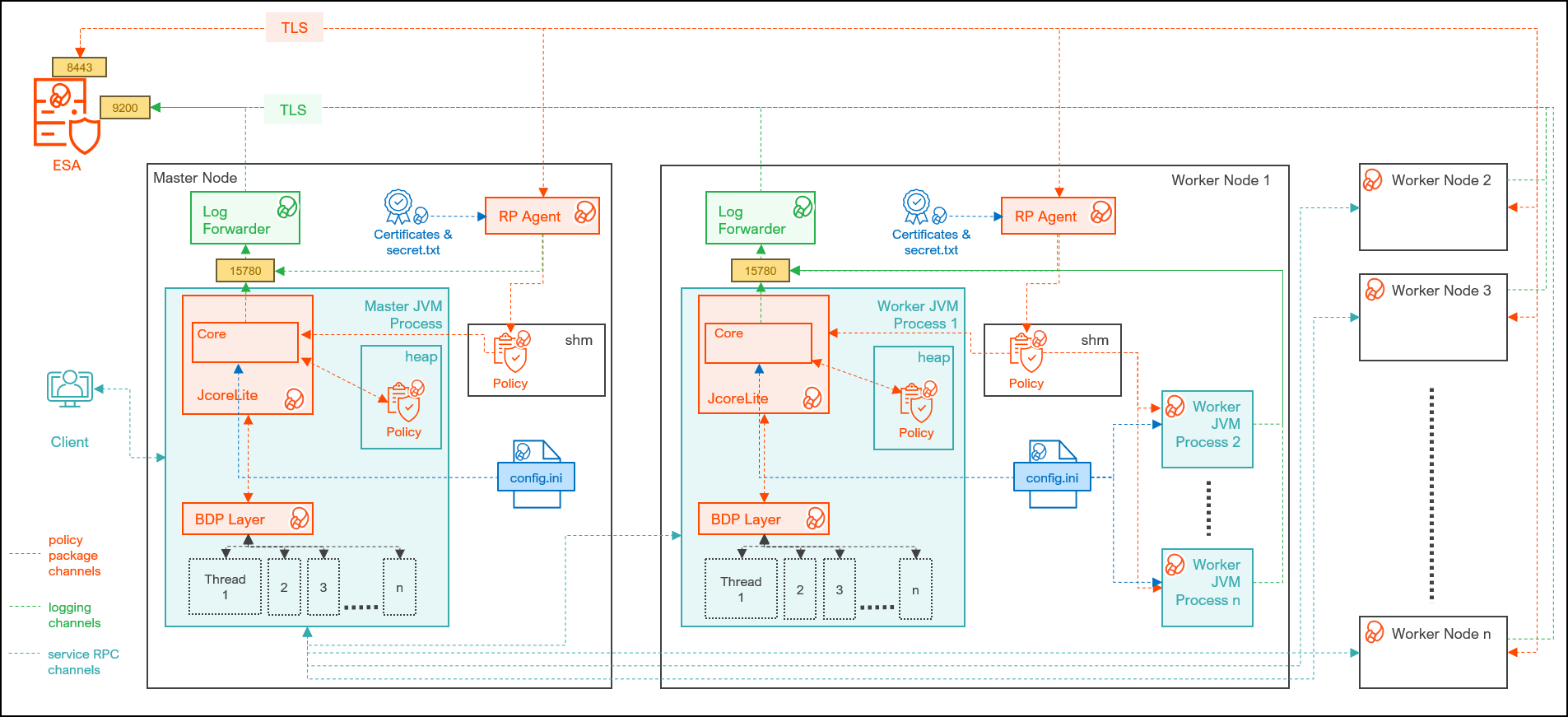
| Component | Description |
|---|---|
| RPAgent | Is a daemon running on each node that downloads the policy package from the ESA over a TLS channel using the installed Certificates. |
| Log Forwarder | Is a daemon running on each node that routes the audit logs and application logs to the ESA/Audit Store. |
| config.ini | Is a file on each node containing the set of configuration parameters to modify the protector behavior. |
| Protector Layer | Contains the Trino Protector UDFs and APIs. |
| JcoreLite | Is the JNI library that provides a Java API layer to the Core libraries. |
| Core | Is the set of various libraries that provide the Protegrity Core functionality. |
11.5.2 - System Requirements
Ensure that the following prerequisites are met, before installing the Trino Protector:
- The Trino cluster is installed, configured, and running.
- The ESA appliance, version 10.0.x or v10.1.x, is installed, configured, and running.
- The ports that are configured on the ESA and the nodes in the cluster, which will run the Trino Protector, are listed in the following table:
| Destination Port | Protocol | Source | Destination | Description |
|---|---|---|---|---|
| 8443 | TLS | RPAgent on the Big Data Protector cluster node | ESA | The RPAgent communicates with the ESA through port 8443 to download a policy. |
| 9200 | TLS | Log Forwarder on the Trino Protector Cluster node | Protegrity Audit Store appliance | The Log Forwarder sends all the logs to the Protegrity Audit Appliance through port 9200. |
| 15780 | TCP | Protector on the Trino Protector cluster node | Log Forwarder on the Trino Protector cluster node | The Trino Protector writes Audit Logs to localhost through port 15780. The Application Logs are also written to localhost through port 15780. The Log Forwarder reads the logs from that socket. |
11.5.3 - Preparing the Environment
11.5.3.1 - Extracting the Files from the Installation Package
Extract the contents of the installation package to access the configurator script. This script generates the single node installation script to install the Trino Protector.
To extract the files from the installation package:
Log in to the Linux machine that has connectivity to ESA.
Download the Trino Protector package
DatabaseProtector_Linux-ALL-64_x86-64_Trino-ALL-64_10.0.0+x.tgzto any local directory.To extract the files from the installation pacakage, run the following command:
tar -xvf DatabaseProtector_Linux-ALL-64_x86-64_Trino-ALL-64_10.0.0+x.tgzPress ENTER. The command extracts the installation package and the GPG signature files.
DatabaseProtector_Linux-ALL-64_x86-64_Trino-ALL-64_10.0.0+x.tgz signatures/ signatures/DatabaseProtector_Linux-ALL-64_x86-64_Trino-ALL-64_10.0.0+x.tgz_10.0.sigVerify the authenticity of the build using the signatures folder. For more information, refer Verification of Signed Protector Build.
To extract the configurator script, run the following command:
tar -xvf DatabaseProtector_Linux-ALL-64_x86-64_Trino-ALL-64_10.0.0+x.tgzPress ENTER. The command extracts the configurator script.
TrinoProtectorConfigurator_10.0.0+x.sh
11.5.3.2 - Executing the Configurator Script
The configuator script generates the single-node installation script to install the Trino Protector.
To execute the configurator script:
Log in to the staging machine that has connectivity to ESA.
To execute the configurator script, run the following command:
./TrinoProtectorConfigurator_10.0.0+x.shPress ENTER. The prompt to continue the configuration of the Trino Protector appears.
************************************************************************************ Welcome to the Configurator for Protegrity Trino Protector ************************************************************************************ This will configure and generate the Protegrity Trino Protector Generic Installation Script for a single Trino node. Do you want to continue? [yes or no]:To continue, type
yes.Press ENTER. The prompt to enter the installation directory on the cluster node appears.
Protegrity Trino Protector Configurator started... Enter the Installation Directory on cluster node [default: /opt/protegrity]:Enter the location of the directory to install the Trino protector.
To use the default directory, press ENTER.Press ENTER. The prompt to enter a temporary directory appears.
Enter a Temporary Staging Directory on the cluster node. This directory will be used for extracting files from the Installation/Uninstallation scripts. The user executing the Installation/Uninstallation scripts must have permission to create this directory and execute in it. If the directory exists, ensure it is empty, as the scripts will delete its contents recursively. [default: /tmp/protegrity]:Enter the location of the temporary directory.
Press ENTER. The prompt to enter the ESA IP address or host name appears.
Enter the ESA Hostname/IP Address:Enter the ESA hostname or IP address.
Press ENTER. The prompt to enter the listening port appears.
Enter ESA host listening port [8443]:Enter the ESA host listening port.
Press ENTER. The prompt to enter the JSON Web Token appears.
If you have an existing ESA JSON Web Token (JWT) with Export Certificates role, enter it otherwise enter 'no':Note: The script silently reads the user input. Therefore, the user will be unable to see the entered JWT or
no.Enter the JWT token.
a. If you do not have an existing ESA JSON Web Token (JWT), type
no.b. Press ENTER. The prompt to enter the user name with Export Certificates permission appears.
``` JWT was not provided. Script will now prompt for ESA username and password. Enter ESA Username: ```c. Enter the username that has permissions to export the certificates.
d. Press ENTER. The prompt to enter the password appears.
``` Temporarily setting up RPAgent directory structure on current node... Please enter the password for downloading certificates[]: ```e. Enter the password.
f. Press ENTER. The script retrieves the JWT from the ESA, validates it, and the prompt to select the Audit Store type appears.
``` Unpacking... Extracting files... Obtaining token from <ESA_IP_Address>:<ESA_Port>... Downloading certificates from ESA_IP_Address:ESA_Port... % Total % Received % Xferd Average Speed Time Time Time Current Dload Upload Total Spent Left Speed 100 11264 100 11264 0 0 116k 0 --:--:-- --:--:-- --:--:-- 117k Extracting certificates... Certificates successfully downloaded and stored in /<installation_directory>/rpagent/data Protegrity RPAgent installed in /<installation_directory>/rpagent. Repackaging rpagent with ESA certificates... Fetched and Repackaged ESA Certificates successfully.. Select the Audit Store type where Log Forwarder(s) should send logs to. [ 1 ] : Protegrity Audit Store [ 2 ] : External Audit Store [ 3 ] : Protegrity Audit Store + External Audit Store Enter the no.: ```Depending on the Audit Store type, select any one of the following options:
Option Description 1To use the default setting using the Protegrity Audit Store appliance, type 1. If you enter1, then the default Fluent Bit configuration files are used and Fluent Bit will forward the logs to the Protegrity Audit Store appliances.2To use an external audit store, type 2. If you enter2, then the default Fluent Bit configuration files used for the External Audit Store (out.conf and upstream.cfg in the/opt/protegrity/fluent-bit/data/config.d/directory) are renamed (out.conf.bkp and upstream.cfg.bkp) so that they will not be used by Fluent Bit. Additionally, the custom Fluent Bit configuration files for the external audit store are copied to the /opt/protegrity/fluent-bit/data/config.d/ directory.3To use a combination of the default setting with an external audit store, type 3. If you enter3, then the default Fluent Bit configuration files used for the Protegrity Audit Store (out.conf and upstream.cfg in the/opt/protegrity/fluent-bit/data/config.d/directory) are not renamed. However, the custom Fluent Bit configuration files for the external audit store are copied to the/opt/protegrity/fluent-bit/data/config.d/directory.Press ENTER. The prompt to enter the comma-separated list of the Audit Store appears.
Enter comma-separated list of Hostnames/IP Addresses and/or Ports of Protegrity Audit Store. Allowed Syntax: hostname[:port][,hostname[:port],hostname[:port]...] (Default Value - <ESA_IP_Address>:<ESA_Port>) Enter the list:Enter the comma-separated IP addresses/ports in the correct syntax.
Press ENTER.
The prompt to enter the local directory path that stores the LogForwarder configuration file appears.
Enter the local directory path on this machine that stores the LogForwarder configuration files for External Audit Store:The configurator script will display this prompt only if you select option
2or3Enter the location to store the Log Forwarder configuration files.
Press ENTER.
The prompt to generate the application logs for the RPAgent appears.
Do you want RPAgent's log to be generated in a file? [yes or no]:To generate the application logs for the RPAgent, type
yes.Press ENTER.
The script enables the application log file and generates the single-node installation script.
RPAgent's log will be generated in a file. Configuring the Trino Protector Installation Script... Successfully finished configuring the Trino Protector Installation Script. The single-node Installation Script is generated at /<installation_directory>/Installation_Script/TrinoProtector_InstallationScript_10.0.0+x.sh Next Steps: 1) Copy the Installation Script to a storage location that is reachable by the Trino cluster nodes. 2) You can create a shell script that will download the Installation Script and execute it by passing the correct arguments. 3) Ensure to pass the correct Command Line arguments to the Installation Script. Run ./TrinoProtector_InstallationScript_10.0.0+x.sh --help to print Usage and Help Info. 4) For a new Trino cluster, you can configure the shell script to be executed at Node Startup via Bootstrap/Init Script mechanism if your cluster provides it. 5) For a running Trino cluster, you can execute the shell script on the existing nodes.
11.5.4 - Installing the Trino Protector
The single-node installation script generated by the configurator script is used to install the Trino Protector. Copy and execute the single-node installation script to all the nodes in the Trino cluster.
Execute the following steps on every coordinator and worker node of the Trino Cluster.
Important: If you want to add a new node to the Trino cluster after installing the Trino protector, then ensure that you run the installation script on the new node.
Log in to the node, where you want to execute the installation script.
Copy/Download the single-node installation script previously generated by the configurator script to any directory.
Navigate to the directory where the single-node installation script is located.
To view the syntax and the usage of the installation script, run the following command.
./TrinoProtector_InstallationScript_10.0.0+x.sh --helpPress ENTER.
The command displays the syntax with the mandatory and optional arguments. The mandatory and optional arguments are explained in the following tables.
Argument Description --install-rpagent-and-logforwarder=<yes|no>Instructs the script whether to install the RPAgent and the Log Forwarder on the current node in the Trino cluster. The acceptable values are: yes- install the RPAgent and the Log Forwarder on the current node in the Trino cluster.no- skip installing the RPAgent and the Log Forwarder if it is already installed and running on the current node in the Trino cluster.
--trino-plugin-dir=</path/to/plugin/>Specifies the absolute path of the Trino plugin directory. Note
- You can set a custom plugin path using the
plugin.dirproperty in thenode.propertiesTrino configuration file. - Ensure the current
sudoeruser has permissions to read and write into this directory
--trino-service-user=<user>Specifies the name of the user running the Trino server. You can use this argument to set the ownership of the peptrinoplugin directory and also to restart the Trino server if you specify the--restart-trino-server-via=launcherargument.Note
- Ensure the current sudoer user is able to run commands as
Trino service user using the
sudo -ucommand. - Ensure the Trino service user is able to read files from
the
<installation_directory>.
Table 2. Optional Arguments for the Installation Script
Argument Description –sudo-disabled- Use this flag if
sudoersis disabled on the cluster. - If you use this flag, the script will skip the use of the
sudocommand. The current user will be used to install and start the Protegrity services. Therefore, the user must have permissions to create the Protegrity files under the<installation_directory>and the Trino plugin directory and to modify theconfig.propertiesfile. - The
–trino-service-userand–protegrity-usermust be same as the current user. - You will be unable to use the
–restart-trino-server-viaargument. - When you exclude this argument, a user with
sudoerprivileges is required to execute the script.It is recommended to use aNOPASSWDsudoer user. Else, the script will prompt for a password.
–protegrity-user=<user>If you specify this argument, then the script will create the given Protegrity service user if it is unavailable and will set it as the owner of the directories and files in the <installation_directory>. Ensure that the Protegrity service user has read permissions on the parent directories of the<installation_directory>path.Note
- If you set the value of the
–install-pepserver-and-logforwarderargument toyes, then the installation script will use this user account to start the RPAgent and the Log Forwarder services. - Ensure that the current user with
sudoerprivileges is able to execute the commands as the Protegrity service user (using thesudo -ucommand) to start the Protegrity services. - If you set the value of the
–sudo-disabledargument toyes, then the script will use the current user account to start the Protegrity services.
If you fail to specify this argument, then the installation script will set the current user as the Protegrity service user.–protegrity-group=<group>This script will create the given Protegrity service group if it is unavailable and will set it as the group for the directories and the files in the <installation_directory>path.If you fail to specify this argument, then the installation script will set the current user’s primary grouprootas the Protegrity service group.–restart-trino-server-via=<systemd|init|launcher>If you specify this argument, then the script will restart the running Trino server after installing the peptrinoplugin. The script will not restart the Trino server if the server is in the stopped state. If you want to use this argument, ensure that you enable Sudo to restart the Trino server. The acceptable values are:systemd- instructs the script to use thesystemctlcommand to check the status and restart the Trino server. This argument requires the–trino-systemd-service-nameargument to be specified.init- instructs the script to use theservicecommand to check the status and restart the Trino server. This argument also requires you to specify the–trino-init-service-nameargument.launcher- instructs the script to use the Trino launcher script to check the status and restart Trino server. This argument requires the–trino-launcher-pathand the optional–trino-launcher-argsarguments.
–trino-systemd-service-name=<systemd service name>Specifies the name of the systemdservice associated with the Trino server. You must specify this argument when you use the–restart-trino-server-via=systemdargument.–trino-init-service-name=<init service name>Specifies the name of the Sys V init service associated with the Trino server. You must pass this argument when you specify the –restart-trino-server-via=initargument.–trino-launcher-path=</path/to/bin/launcher>Specifies the absolute path to the Trino server launcher script. For example, /usr/lib/trino/bin/launcher. You must specify this argument when you use the–restart-trino-server-via=launcherargument.–trino-launcher-args=“arg1 [arg2…]"Specifies the valid command line arguments to the Trino launcher script. You can use this argument with the –trino-launcher-pathargument. If you specify this argument, then the arguments listed between the double-quotes will be passed to the Trino launcher script for thestatusandrestartcommands. If you fail to specify this argument, then no argument will be passed to the Trino launcher script for the status and restart commands.–reuse-jpeplite-from-path=</path/to/jpeplite/lib>Specifies the absolute path to the existing jpeplite/lib/directory on the cluster node. You can use this argument with the–install-pepserver-and-logforwarder=noargument when theJpepLitelibraries packaged in this build is incompatible with the existing installed PEP server version. The existing/path/to/jpeplite/lib/directory must contain thejpeplite.jar,jpeplite.properties, andjpeplite.plmfiles and must be readable.–protector-logs-output=<tcp|stdout|file>Instructs the Trino Protector to write the protector logs to this output. If you specify an attribute for this argument, then the installation script will change the output property in the pepserver.cfgfile. The acceptable values are:tcp(Default) - specifies that the logs are written to the TCP socket specified in thepepserver.cfgfile.stdout- specifies that the logs are written to the Trino server’sstdoutparameter.file- specifies that the logs are written to the file whose path is set in the–protector-logs-output-filenameargument.
–protector-logs-output-filename=</path/to/logs.txt>Specifies the absolute path to the file on the cluster node on which the protector logs are written. You must use this argument with the –protector-logs-output=fileargument. If you fail to specify this argument, then the default file name of/opt/logs.txtwill be used. This argument will add theoutputfilenameproperty in thepepserver.cfgfile. This script will create the file on the cluster node if the file is not available. Ensure that the Trino service user haswritepermissions to this file path.–wait-for-trino-installation- If you specify this argument, then the installation script
will create and run a secondary bash script as a background
process that will wait for the Trino server to be installed
and started on the node and only then install the plugin
.jarfiles and restart the Trino server. This argument can be used in scenarios where the Trino server will always be installed and started after this installation script is executed. E.g. EMR clusters. This flag requires the–restart-trino-server-viaargument for restarting the Trino server. You must enable Sudo for this argument. - If you fail to specify this argument, then the installation script will not wait for the Trino server to be installed and started and will proceed to install the plugin. Ensure that the Trino server is installed and the plugin directory exists before the you execute the installation script.
Depending on the requirements, run the installation script with the required arguments.
For example, on a Starburst Trino cluster installed via RPM, one combination of the arguments to the single-node installation script is listed below.
./TrinoProtector_InstallationScript_10.0.0.x.sh \ --install-rpagent-and-logforwarder=yes \ --trino-plugin-dir=/usr/lib/starburst/plugin \ --trino-service-user=starburst \ --protegrity-user=ptyitusr \ --protegrity-group=ptyitusrgroup \ --restart-trino-server-via=systemd \ --trino-systemd-service-name=starburst \Note: If you want the Trino Server to automatically restart after installing the components, then specify the value for the –restart-trino-server-via argument for the installation script. Otherwise, you will have to manually restart the Trino Server after the installation is complete.
Press ENTER.
The script installs the components as specified in the arguments.
./TrinoProtector_InstallationScript_10.0.0+6.sh \ > --install-rpagent-and-logforwarder=yes \ > --trino-plugin-dir=/usr/lib/starburst/plugin \ > --trino-service-user=starburst \ > --restart-trino-server-via=systemd \ > --protegrity-user=ptyitusr \ > --protegrity-group=ptyitusrgroup \ > --trino-systemd-service-name=starburst > --restart-trino-server-via=systemd \ > --trino-systemd-service-name=starburst Protegrity Trino Protector Installation Script started... Validating sudo permissions for root ************************************************************************************ Welcome to the Trino Protector Install Wizard. ************************************************************************************ This will install the Trino Protector on your system. Group 'ptyitusrgroup' created User 'ptyitusr' created RPAgent installation started ************************************************************************************ Welcome to the RPAgent Setup Wizard. ************************************************************************************ RPAgent installed on current node at location /opt/protegrity/rpagent/ Logforwarder installation started ************************************************************************************ Welcome to the LogForwarder Setup Wizard. ************************************************************************************ Unpacking................... Extracting files... Unpacked logforwarder compressed file... LogForwarder installed on current node at location /opt/protegrity/logforwarder/ PepTrino Plugin Jars installation started ************************************************************************************ Welcome to the PepTrino Setup Wizard. ************************************************************************************ Unpacking................... Extracting files... Unpacked peptrino compressed file... PepTrino installed on current node at location /opt/protegrity/peptrino/ JcoreLite installation started ************************************************************************************ Welcome to the JcoreLite Setup Wizard. ************************************************************************************ Unpacking................... Extracting files... Unpacked jcorelite compressed file... JcoreLite for Trino Protector installed on current node at location /opt/protegrity/peptrino/lib/ Moving Uninstallation Script to /opt/protegrity/peptrino/scripts/ Creating cluster_utils directory in /opt/protegrity/peptrino/scripts/ Creating data directory in /opt/protegrity/peptrino/ Starting Logforwarder on current node... Starting RPAgent on current node... Trino Protector plugin jars and JcoreLite libraries are installed within /opt/protegrity/peptrino/ directory Finished executing TrinoProtectorInstall468_Linux-ALL_10.0.0+x.sh script. Check the logs at /opt/protegrity/logs/ NOT waiting for Trino Server Installation and Start... Started installation of PepTrino in plugin dir in foreground... Checking if Trino Plugin Dir is present on node. Trino Plugin Directory /usr/lib/starburst/plugin found. Creating peptrino directory within Trino plugin directory. Getting the names of plugin jars Creating Symbolic Links within Plugin Directory... Trino Protector jars' symbolic links created in /usr/lib/starburst/plugin/peptrino/ Checking if Trino service user exists. Service User starburst exists on node Changing ownership of PepTrino Plugin dir to starburst Checking if systemctl is on PATH. systemctl found on PATH. Checking if 'starburst' is a valid systemd unit. 'starburst' is a valid systemd unit. Checking if Trino Server is started and running via systemctl Trino server is running Restarting Trino Server... Trino Server successfully restarted via systemctl. Successfully completed all steps of Installation Script.The installation script generates the logs in the
/<installation_directory>/logs/directory.
11.5.5 - Configuring the Trino Protector
The Big Data Protector provides the following files that contain different parameters to control the protector behavior:
config.ini- provides parameters to control the protector behavior.rpagent.cfg- provides parameters to control the RPAgent behavior.
Updating the parameters in the config.ini file:
Log in to the co-ordinator node.
Navigate to the
/opt/protegrity/bdp/datadirectory.To open the
config.inifile, run the following command:vi config.iniPress ENTER.
The command opens the
config.inifile.############################################################################### # Protector configuration ############################################################################### [protector] # Cadence determines how often the protector connects with ESA / proxy to fetch the policy updates in background. # Default is 60 seconds. So by default, every 60 seconds protector tries to fetch the policy updates. # If the cadence is set to "0", then the protector will get the policy only once. # # Default 60. cadence = 60 ############################################################################### # Log Provider Config ############################################################################### [log] # In case that connection to fluent-bit is lost, set how audits/logs are handled # # drop : (default) Protector throws logs away if connection to the fluentbit is lost # error : Protector returns error without protecting/unprotecting # data if connection to the fluentbit is lost mode = drop # Host/IP to fluent-bit where audits/logs will be forwarded from the protector # # Default localhost host = localhostUpdate the parameters, as per the description in the table.
Parameter Description cadenceSpecifies the frequency at which the protector connects to the ESA to fetch the policy. The default value is 60 seconds. If the cadence is set to “0”, then the protector will get the policy only once. modeSpecifies the approach of handling logs when the connection to the Log Forwarder is lost. Save the changes to the
config.inifile.
Updating the parameters in the rpagent.cfg file:
Log in to the co-ordinator node.
Navigate to the
/opt/protegrity/rpagent/datadirectory.To open the
rpagent.cfgfile, run the following command:vi rpagent.cfgPress ENTER.
The command opens the rpagent.cfg file.
############################################################################### # Resilient Package Sync Config ############################################################################### [sync] # Protocol to use when communicating with the service providing Resilient Packages. # Use 'https' for ESA or 'shmem' for local shared memory. protocol = https # Host/IP to the service providing Resilient Packages host = <IP_address> port = 8443 # Path to CA certificate ca = /opt/protegrity/rpagent/data/CA.pem # Path to client certificate cert = /opt/protegrity/rpagent/data/cert.pem # Path to client certificate key key = /opt/protegrity/rpagent/data/cert.key # Path to a secret file that is used to decrypt the client certificate key. # When using a custom certificate bundle, the 'secretcommand' can instead be # used to execute an external command that obtains the secret. secretfile = /opt/protegrity/rpagent/data/secret.txt ############################################################################### # Log Provider Config ############################################################################### [log] # In case that connection to fluent-bit is lost, set how audits/logs are handled # # drop : (default) Protector throws logs away if connection to the fluentbit is lost # error : Protector returns error without protecting/unprotecting # data if connection to the fluentbit is lost mode = drop # Host/IP to fluent-bit where audits/logs will be forwarded from the protector # # Default localhost host = localhostUpdate the parameters, as per the description in the table.
Parameter Description interval Specifies the frequency at which the RPAgent will fetch the policy from the ESA. The minimum value is 1 second and the maximum value is 86400 seconds. This is an optional parameter and must be included in the Sync section of the rpagent.cfgfile.protocol Specifies the protocol to use when communicating with the service providing Resilient Packages. host Specifies the hostname to the service providing the Resilient packages. port Specifies the port to the service providing the Resilient packages. ca Specifies the path to the CA certificate. cert Specifies the path to the client certificate. key Specifies the path to the client certificate key. secretfile Specifies the path to the secret file that is used to decrypt the client certificate key. mode Specifies the approach of handling logs when the connection to the Log Forwarder is lost. host Specifies the hostname or the IP address to where the Log Forwarder will forward the audit logs from the protector. Save the changes to the
rpagent.cfgfile.Use the
sync_rpagent.shscript to load the changes to the configuration files in all the cluster nodes.
11.5.5.1 - Working with Cluster Utilities
The Big Data Protector package provides utility scripts to perform different operations on the Trino cluster. The scripts and their usage is listed in the table.
| Script | Description |
|---|---|
| RPAgent Control | Manages the RPAgent service across the cluster. |
| Log Forwarder Control | Manages the Log Forwarder service across the cluster. |
| Sync Configuration | Updates the configuration from the config.ini file across the nodes in the cluster. |
| RPAgent Configuration | Updates the RPAgent configuration from the rpagent.cfg file across the nodes in the cluster. |
| Log Forwarder Configuration | Updates the Log Forwarder configuration across the nodes in the cluster. |
11.5.5.1.1 - Log Forwarder Control Script
The cluster_logforwarderctrl.sh script, in the <installation_directory>/peptrino/scripts/cluster_utils/ directory, manages the Log Forwarder services on all the nodes in the cluster that are listed in the hosts file.
The utility provides the following options:
- Start – Starts the Log Forwarder on all the nodes in the cluster.
- Stop – Stops the Log Forwarder on all the nodes in the cluster.
- Restart – Restarts the Log Forwarder on all the nodes in the cluster.
- Status – Reports the status of the Log Forwarder on all the nodes in the cluster.
Note: When you run the Log Forwarder Control utility, the script will prompt to enter the path of the SSH private key file to securely connect to the cluster nodes.
Reporting the Status of the Log Forwarder
To check the status of the log forwarder on all the nodes:
- Log in to the co-ordinator node.
- Run the following command:
./cluster_logforwarderctrl.sh \ --hostsfile=<path_of_the_hosts_file> \ --ssh-auth-type=publickey \ --private-key-path=<key_file_path>/<name_of_the_private_key_file> \ status - Press ENTER.
The script reports the status of the log forwarder in a log file.
========================================================================== Hosts file set to '<path_of_the_hosts_file>' SSH Authentication Type is set to 'Public Key Authentication' SSH Private Key file path is set to '<key_file_path>/<name_of_the_private_key_file>' Checking connectivity of cluster nodes... Checking status of Logforwarder on current node... Checking status of Logforwarder on all nodes... The script's logs and operation results are logged in /opt/protegrity/logs/cluster_logforwarderctrl.log
Stopping the Log Forwarder on all the Nodes
- Log in to the co-ordinator node.
- Run the following command:
./cluster_logforwarderctrl.sh \ --hostsfile=<path_of_the_hosts_file> \ --ssh-auth-type=publickey \ --private-key-path=<key_file_path>/<name_of_the_private_key_file> \ stop - Press ENTER.
The script stops the log forwarder and generates the log in a file.
========================================================================== Hosts file set to '<path_of_the_hosts_file>' SSH Authentication Type is set to 'Public Key Authentication' SSH Private Key file path is set to '<key_file_path>/<name_of_the_private_key_file>' Checking connectivity of cluster nodes... Stopping Logforwarder on current node... Logforwarder stopped on current node Stopping Logforwarder on all nodes... Logforwarder stopped on all nodes The script's logs and operation results are logged in /opt/protegrity/logs/cluster_logforwarderctrl.log
Starting the Log Forwarder on all the Nodes
- Log in to the co-ordinator node.
- Run the following command:
./cluster_logforwarderctrl.sh \ --hostsfile=<path_of_the_hosts_file> \ --ssh-auth-type=publickey \ --private-key-path=<key_file_path>/<name_of_the_private_key_file> \ start - Press ENTER.
The script starts the log forwarder and generates the log in a file.
========================================================================== Hosts file set to '<path_of_the_hosts_file>' SSH Authentication Type is set to 'Public Key Authentication' SSH Private Key file path is set to '<key_file_path>/<name_of_the_private_key_file>' Checking connectivity of cluster nodes... Starting Logforwarder on current node... Logforwarder started on current node Starting Logforwarder on all nodes... Logforwarder started on all nodes The script's logs and operation results are logged in /opt/protegrity/logs/cluster_logforwarderctrl.log
Restarting the Log Forwarder on all the Nodes
- Log in to the co-ordinator node.
- Run the following command:
./cluster_logforwarderctrl.sh \ --hostsfile=<path_of_the_hosts_file> \ --ssh-auth-type=publickey \ --private-key-path=<key_file_path>/<name_of_the_private_key_file> \ restart - Press ENTER.
The script restarts the log forwarder and generates the log in a file.
========================================================================== Hosts file set to '<path_of_the_hosts_file>' SSH Authentication Type is set to 'Public Key Authentication' SSH Private Key file path is set to '<key_file_path>/<name_of_the_private_key_file>' Checking connectivity of cluster nodes... Stopping Logforwarder on current node... Logforwarder stopped on current node Starting Logforwarder on current node... Logforwarder started on current node Stopping Logforwarder on all nodes... Logforwarder stopped on all nodes Starting Logforwarder on all nodes... Logforwarder started on all nodes The script's logs and operation results are logged in /opt/protegrity/logs/cluster_logforwarderctrl.log
11.5.5.1.2 - RPAgent Control Script
The cluster_rpagentctrl.sh script, in the <installation_directory>/peptrino/scripts/cluster_utils/ directory, manages the RPAgent services on all the nodes in the cluster that are listed in the hosts file.
The utility provides the following options:
- Start – Starts the RPAgent on all the nodes in the cluster.
- Stop – Stops the RPAgent on all the nodes in the cluster.
- Restart – Restarts the RPAgent on all the nodes in the cluster.
- Status – Reports the status of the RPAgent on all the nodes in the cluster.
Note: When you run the RPAgent Control utility, the script will prompt to enter the path of the SSH private key file to securely connect to the cluster nodes.
Reporting the Status of the RPAgent
To check the status of the RPAgent on all the nodes:
- Log in to the co-ordinator node.
- Run the following command:
./cluster_rpagentctrl.sh \ --hostsfile=<path_of_the_hosts_file> \ --ssh-auth-type=publickey \ --private-key-path=<key_file_path>/<name_of_the_private_key_file> \ status - Press ENTER.
The script reports the status of the RPAgent in a log file.
========================================================================== Hosts file set to '<path_of_the_hosts_file>' SSH Authentication Type is set to 'Public Key Authentication' SSH Private Key file path is set to '<key_file_path>/<name_of_the_private_key_file>' Checking connectivity of cluster nodes... Checking status of RPAgent on current node... Checking status of RPAgent on all nodes... The script's logs and operation results are logged in /opt/protegrity/logs/cluster_rpagentctrl.log
Stopping the RPAgent on all the Nodes
- Log in to the co-ordinator node.
- Run the following command:
./cluster_rpagentctrl.sh \ --hostsfile=<path_of_the_hosts_file> \ --ssh-auth-type=publickey \ --private-key-path=<key_file_path>/<name_of_the_private_key_file> \ stop - Press ENTER.
The script stops the RPAgent and generates the log in a file.
========================================================================== Hosts file set to '<path_of_the_hosts_file>' SSH Authentication Type is set to 'Public Key Authentication' SSH Private Key file path is set to '<key_file_path>/<name_of_the_private_key_file>' Checking connectivity of cluster nodes... Stopping RPAgent on current node... RPAgent stopped on current node Stopping RPAgent on all nodes... RPAgent stopped on all nodes The script's logs and operation results are logged in /opt/protegrity/logs/cluster_rpagentctrl.log
Starting the RPAgent on all the Nodes
- Log in to the co-ordinator node.
- Run the following command:
./cluster_rpagentctrl.sh \ --hostsfile=<path_of_the_hosts_file> \ --ssh-auth-type=publickey \ --private-key-path=<key_file_path>/<name_of_the_private_key_file> \ start - Press ENTER.
The script starts the RPAgent and generates the log in a file.
========================================================================== Hosts file set to '<path_of_the_hosts_file>' SSH Authentication Type is set to 'Public Key Authentication' SSH Private Key file path is set to '<key_file_path>/<name_of_the_private_key_file>' Checking connectivity of cluster nodes... Starting RPAgent on current node... RPAgent started on current node Starting RPAgent on all nodes... RPAgent started on all nodes The script's logs and operation results are logged in /opt/protegrity/logs/cluster_rpagentctrl.log
Restarting the RPAgent on all the Nodes
- Log in to the co-ordinator node.
- Run the following command:
./cluster_rpagentctrl.sh \ --hostsfile=<path_of_the_hosts_file> \ --ssh-auth-type=publickey \ --private-key-path=<key_file_path>/<name_of_the_private_key_file> \ restart - Press ENTER.
The script restarts the RPAgent and generates the log in a file.
========================================================================== Hosts file set to '<path_of_the_hosts_file>' SSH Authentication Type is set to 'Public Key Authentication' SSH Private Key file path is set to '<key_file_path>/<name_of_the_private_key_file>' Checking connectivity of cluster nodes... Stopping RPAgent on current node... RPAgent stopped on current node Starting RPAgent on current node... RPAgent started on current node Stopping RPAgent on all nodes... RPAgent stopped on all nodes Starting RPAgent on all nodes... RPAgent started on all nodes The script's logs and operation results are logged in /opt/protegrity/logs/cluster_rpagentctrl.log
11.5.5.1.3 - Sync Config.ini
The sync_config_ini.sh script in the <installation_directory>/cluster_utils/ directory, updates the config.ini parameters across all the nodes in the cluster.
For example, if you want to make any changes to the config.ini file, make the changes on the Lead node and then
propagate the change to all the nodes in the cluster using the sync_config_ini.sh script.
- Log in to the co-ordinator node.
- Navigate to the
<installation_directory>/cluster_utils/directory. - To view the arguments for the helper script, run the following command:
./sync_config_ini.sh --help - Press ENTER.
The command lists the arguments for the script.
========================================================================== Usage: ./sync_config_ini.sh [ARGUMENTS]... Examples: ./sync_config_ini.sh \ --hostsfile=</path/to/hosts> \ --ssh-auth-type=publickey \ --private-key-path=</path/to/private_key> ./sync_config_ini.sh \ --hostsfile=</path/to/hosts> \ --ssh-auth-type=password \ --password=<actual_password> Description: * Cluster Utility script to synchronize the protector's config.ini file on current node across the Trino cluster nodes. * This script uses 'pssh' and 'pscp' utilities to replicate the current node's /opt/protegrity/peptrino/data/config.ini file to all other nodes. * Python is required for execution of 'pssh/pscp' and the python executable is searched via '/usr/bin/env python' command. * This script doesn't restart the Trino Servers and it must be done by the user. * It requires a path to Hosts file which contains the IP Address/hostname of all cluster nodes other than the current node on each line. * When the required command line arguments are not passed, it will interactively prompt for them. * Note: This script will only work on clusters where sudoers is enabled. Arguments: --hostsfile=</path/to/hosts> * Path to hosts file. * Each line should contain the IP Address/Hostname of the remaining cluster nodes. * You can optionally include the user to be used by pssh utility by using this syntax: [user@]host[:port] * When no user is written, the current user running the script is used. --ssh-auth-type=<password|publickey> * SSH Authentication Type. * Allowed values: password or publickey * password : for Password based SSH authentication. * publickey : for Public Key Authentication. --password=<actual_password> * Actual password of current user to be passed to pssh utility. * Used along with Password based SSH authentication. --private-key-path=</path/to/privatekeyfile> * Path to SSH private key file to be used by pssh utility. * Used along with Public Key SSH authentication. - To replicate the changes to all the nodes, run the following command:
./sync_config_ini.sh \ --hostsfile=<path_of_the_hosts_file> \ --ssh-auth-type=publickey \ --private-key-path=<key_file_path>/<name_of_the_private_key_file> \ - Press ENTER.
The script creates a backup and then replicates the configuration on all the nodes in the cluster.
========================================================================== Hosts file set to '<path_of_the_hosts_file>' SSH Authentication Type is set to 'Public Key Authentication' SSH Private Key file path is set to '<key_file_path>/<name_of_the_private_key_file>' Checking connectivity of cluster nodes... Trino Protector config.ini cloning started Creating config.ini backup on all nodes... Creating peptrino/data_10-14-2025_12:13:18/ directory on all nodes... Changing ownership of peptrino/data_10-14-2025_12:13:18/ directory recursively on all nodes... Changing permission of peptrino/data_10-14-2025_12:13:18/ on all nodes... Removing original config.ini from all nodes... Removed config.ini from all nodes Copying current node's config.ini to all other nodes... Changing ownership of peptrino/data_10-14-2025_12:13:18/config.ini... Changing permission of peptrino/data_10-14-2025_12:13:18/config.ini... Moving peptrino/data_10-14-2025_12:13:18/config.ini to peptrino/data/... Changing permission of peptrino/data/config.ini... Removing peptrino/data_10-14-2025_12:13:18/ directory and config.ini backup file... Successfully updated Protector config.ini across all cluster nodes. Please restart Trino Server(s) manually to reload new config.ini. The script's logs and operation results are logged in /opt/protegrity/logs/sync_config_ini.log
11.5.5.1.4 - Sync RPAgent
The sync_rpagent.sh script in the <installation_directory>/cluster_utils/ directory, updates the RPAgent parameters across all the nodes in the cluster.
For example, if you want to make any changes to the RPAgent parameters, make the changes on the Lead node and then
propagate the change to all the nodes in the cluster using the sync_rpagent.sh script.
- Log in to the co-ordinator node.
- Navigate to the
<installation_directory>/cluster_utils/directory. - To view the arguments for the helper script, run the following command:
./sync_rpagent.sh --help - Press ENTER. The command lists the arguments for the script.
- To replicate the changes to all the nodes, run the following command:
./sync_rpagent.sh \ --hostsfile=<path_of_the_hosts_file> \ --ssh-auth-type=publickey \ --private-key-path=<key_file_path>/<name_of_the_private_key_file> \ - Press ENTER.
The script creates a backup and then replicates the configuration on all the nodes in the cluster.
========================================================================== Hosts file set to '<path_of_the_hosts_file>' SSH Authentication Type is set to 'Public Key Authentication' SSH Private Key file path is set to '<key_file_path>/<name_of_the_private_key_file>' Checking connectivity of cluster nodes... Trino Protector RPAgent Configuration & Certificates cloning started Stopping RPAgent on current node... Stopping RPAgent on all nodes... Creating rpagent_old/data_10-14-2025_12:15:26/new_data directory on all nodes... Changing ownership of rpagent_old/ directory recursively on all nodes... Changing permission of rpagent_old/ on all nodes... Removing RPAgent Configuration & Certificates from all nodes... Removed /opt/protegrity/rpagent/data/ from all nodes Copying current node's rpagent/data/ to all other nodes... Changing ownership of rpagent_old/data_10-14-2025_12:15:26/new_data/data.tgz... Changing permission of rpagent_old/data_10-14-2025_12:15:26/new_data/data.tgz... Extracting rpagent_old/data_10-14-2025_12:15:26/new_data/data.tgz to rpagent/data/... Changing permission of rpagent/data/... Removing backup directory rpagent_old/... Starting RPAgent on current node... Starting RPAgent on all nodes... Successfully updated RPAgent Configuration and Certificates across all cluster nodes The script's logs and operation results are logged in /opt/protegrity/logs/sync_rpagent.log
11.5.5.1.5 - Sync Log Forwarder
The sync_logforwarder.sh script in the <installation_directory>/cluster_utils/ directory, updates the Log Forwarder parameters across all the nodes in the cluster.
For example, if you want to make any changes to the Log Forwarder parameters, make the changes on the Lead node and then
propagate the change to all the nodes in the cluster using the sync_logforwarder.sh script.
- Log in to the co-ordinator node.
- Navigate to the
<installation_directory>/cluster_utils/directory. - To view the arguments for the helper script, run the following command:
./sync_logforwarder.sh --help - Press ENTER. The command lists the arguments for the script.
- To replicate the changes to all the nodes, run the following command:
./sync_logforwarder.sh \ --hostsfile=<path_of_the_hosts_file> \ --ssh-auth-type=publickey \ --private-key-path=<key_file_path>/<name_of_the_private_key_file> \ - Press ENTER.
The script creates a backup and then replicates the configuration on all the nodes in the cluster.
========================================================================== Hosts file set to '<path_of_the_hosts_file>' SSH Authentication Type is set to 'Public Key Authentication' SSH Private Key file path is set to '<key_file_path>/<name_of_the_private_key_file>' Checking connectivity of cluster nodes... Trino Protector Logforwarder Configuration cloning started Stopping Logforwarder on current node... Stopping Logforwarder on all nodes... Creating logforwarder_old/data_10-14-2025_12:14:12/new_data directory on all nodes... Changing ownership of logforwarder_old/ directory recursively on all nodes... Changing permission of logforwarder_old/ on all nodes... Removing Logforwarder Configuration from all nodes... Removed /opt/protegrity/logforwarder/data/ from all nodes Copying current node's logforwarder/data/ to all other nodes... Changing ownership of logforwarder_old/data_10-14-2025_12:14:12/new_data/data.tgz... Changing permission of logforwarder_old/data_10-14-2025_12:14:12/new_data/data.tgz... Extracting logforwarder_old/data_10-14-2025_12:14:12/new_data/data.tgz to logforwarder/data/... Changing permission of logforwarder/data/... Removing backup directory logforwarder_old/... Starting Logforwarder on current node... Starting Logforwarder on all nodes... Successfully updated Logforwarder Configuration across all cluster nodes The script's logs and operation results are logged in /opt/protegrity/logs/sync_logforwarder.log
11.5.6 - Uninstalling the Trino Protector
The single-node uninstallation script generated by the configurator script is used to uninstall the Trino Protector. Copy and execute the single-node uninstallation script to all the nodes in the Trino cluster.
Execute the following steps on every co-ordinator and worker node of the Trino Cluster.
Log in to the node, where you want to execute the uninstallation script.
Copy/Download the single-node uninstallation script previously generated by the configurator script to any directory.
Navigate to the directory where the single-node uninstallation script is located.
To view the syntax and the usage of the uninstallation script, run the following command.
./TrinoProtector_UninstallationScript_10.0.0+x.sh --helpPress ENTER.
The command displays the syntax with the mandatory and optional arguments. The mandatory and optional arguments are explained in the following tables.
Table 1. Mandatory Arguments for the Uninstallation ScriptArgument Description --uninstall-rpagent-and-logforwarder=<yes|no>Instructs the script whether to remove the RPAgent and the Log Forwarder from the current node in the Trino cluster. The acceptable values are: yes- remove the RPAgent and the Log Forwarder from the current node in the Trino cluster.no- skip removing the RPAgent and the Log Forwarder if they were already not installed by the corresponding Trino Protector installation script.
--trino-plugin-dir=</path/to/plugin/>Specifies the absolute path to the Trino plugin directory. Note
You can set a custom plugin path using theplugin.dirproperty in thenode.propertiesTrino configuration file. Ensure that the current sudoer user has permissions to read and write into this directory.--trino-service-user=<user>Specifies the name of the user running the Trino server. You can use this argument to set the ownership of the peptrinoplugin directory and also to restart the Trino server if you specify the--restart-trino-server-via=launcherargument.Note
- Ensure that the current
sudoeruser is able to run commands as the Trino service user using thesudo -ucommand. - Ensure that the Trino service user is able to read the
files from the
<installation_directory>path.
--delete-protegrity-user=<yes|no>Specifies whether to remove or retain the Protegrity service user and group, that were created during the installation process, from the current node in the Trino cluster. Set the value for this argument to nowhen you set the value for the--uninstall-rpagent-and-logforwarderargument tono. The accepted values are:yes- instructs the script to remove the Protegrity service user and group from the current node in the cluster.no- instructs the script to skip the removal of the Protegrity service user and the group.
Table 2. Optional Arguments for the Uninstallation Script
Argument Description –sudo-disabled- Use this flag if
sudoersis disabled on the cluster. - If you use this flag, the script will skip the use of the
sudocommand. The current user will be used to remove and stop the Protegrity services. Therefore, the user must have permissions to remove the Protegrity files under the<installation_directory>and the Trino plugin directory and to modify theconfig.propertiesfile. - The input values for the
–trino-service-userand the–protegrity-userarguments must be same as the current user. - You will be unable to use the
–restart-trino-server-viaargument - When you exclude this argument, a user with
sudoersprivilege is required to execute the script. It is recommended to use aNOPASSWDsudoers user. Else, the script will prompt for a password.
–protegrity-user=<user>If you specify this argument, then the script will set the Protegrity service user that was provided during installation to set the owner of the installed directories and files, and to start the Protegrity services. Ensure that the Protegrity service user has read permissions on the parent directories of the <installation_directory>.Note
- If you set the value of the
–uninstall-rpagent-and-logforwarderargument toyes, then the uninstallation script will use this user account to stop the RPAgent and the Log Forwarder services. - Ensure that the current user with sudoer privileges is
able to execute the commands as the Protegrity service user
(using the
sudo -ucommand) to stop the Protegrity services. - If you set the value of the
–sudo-disabledargument toyes, then the script will use this user account to stop the Protegrity services.
If you fail to specify this argument, then the installation script will set the current user as the Protegrity service user.–protegrity-group=<group>If you specify this argument, then the script will set the Protegrity service group that was given during installation to set the group of the installed directories and files, and to start the Protegrity services. If you fail to specify this argument, then the installation script will set the current user’s primary group as the Protegrity service group.–restart-trino-server-via=<systemd|init|launcher>If you specify this argument, then the script will restart the running Trino server after removing the peptrinoplugin. The script will not restart the Trino server if the server is in the stopped state. If you want to use this argument, ensure that you enablesudoto restart the Trino server. The acceptable values are:systemd- instructs the script to use thesystemctlcommand to check the status and restart the Trino server. This argument requires the–trino-systemd-service-nameargument to be specified.init- instructs the script to use theservicecommand to check the status and restart the Trino server. This argument also requires you to specify the–trino-init-service-nameargument.launcher- instructs the script to use the Trino launcher script to check the status and restart Trino server. This argument requires the–trino-launcher-pathand the optional–trino-launcher-argsarguments.
–trino-systemd-service-name=<service name>Specifies the name of the systemdservice associated with the Trino server. You must specify this argument when you use the–restart-trino-server-via=systemdargument.–trino-init-service-name=<init service name>Specifies the name of the Sys V init service associated with the Trino server. You must pass this argument when you specify the –restart-trino-server-via=initargument.–trino-launcher-path=</path/to/bin/launcher>Specifies the absolute path to the Trino server launcher script. For example, /usr/lib/trino/bin/launcher. You must specify this argument when you use the–restart-trino-server-via=launcherargument.–trino-launcher-args=“arg1 [arg2…]"Specifies the valid command line arguments to the Trino launcher script. You can use this argument with the –trino-launcher-pathargument. If you specify this argument, then the arguments listed between the double-quotes will be passed to the Trino launcher script for thestatusand therestartcommands. If you fail to specify this argument, then no argument will be passed to the Trino launcher script for thestatusand therestartcommands.Depending on the requirements, run the uninstallation script with the required arguments.
For example, on a Starburst Trino cluster installed via RPM, one combination of the arguments to the single-node uninstallation script is listed below.
./TrinoProtector_UninstallationScript_10.0.0+x.sh \ > --uninstall-rpagent-and-logforwarder=yes \ > --trino-plugin-dir=/usr/lib/starburst/plugin \ > --trino-service-user=starburst \ > --protegrity-user=ptyitusr \ > --protegrity-group=ptyitusr \ > --delete-protegrity-user=yesNote: If you want the Trino Server to automatically restart after removing the components, then specify the value for the
--restart-trino-server-viaargument for the uninstallation script. Otherwise, you will have to manually restart the Trino Server after the uninstallation is complete.Press ENTER. The script removes the components as specified in the arguments.
./TrinoProtector_UninstallationScript_10.0.0+6.sh \ > --uninstall-rpagent-and-logforwarder=yes \ > --trino-plugin-dir=/usr/lib/starburst/plugin \ > --trino-service-user=starburst \ > --protegrity-user=ptyitusr \ > --protegrity-group=ptyitusr \ > --delete-protegrity-user=yes Protegrity Trino Protector Uninstallation Script started... Validating sudo permissions for root ************************************************************************************ Welcome to the Trino Protector Uninstall Wizard. ************************************************************************************ This will uninstall the Trino Protector from your system. Stopping RPAgent on current node... Stopping Logforwarder on current node... RPAgent uninstallation started ************************************************************************************ Welcome to the RPAgent Setup Wizard. ************************************************************************************ Uninstalled RPAgent on current node... Logforwarder uninstallation started ************************************************************************************ Welcome to the LogForwarder Setup Wizard. ************************************************************************************ Uninstalling LogForwarder .... LogForwarder uninstalled on current node at location /opt/protegrity/logforwarder/ PepTrino Plugin Jars uninstallation started ************************************************************************************ Welcome to the PepTrino Setup Wizard. ************************************************************************************ Uninstalling PepTrino .... PepTrino uninstalled on current node at location /opt/protegrity/peptrino/ JcoreLite uninstallation started ************************************************************************************ Welcome to the JcoreLite Setup Wizard. ************************************************************************************ Uninstalling JcoreLite .... JcoreLite for Trino Protector uninstalled on current node at location /opt/protegrity/peptrino/lib/ Setting ownership of /opt/protegrity/logs and /opt/protegrity/peptrino recursively to root:root. Setting ownership of /opt/protegrity to root:root. Removing Protegrity service user 'ptyitusr' and group 'ptyitusr' from current node. User 'ptyitusr' deleted Group 'ptyitusr' deleted Trino Protector plugin jars and JcoreLite libraries uninstalled from /opt/protegrity/peptrino/ directory Finished executing TrinoProtectorUninstall468_Linux-ALL_10.0.0+x.sh script. Check the logs at /opt/protegrity/logs/ Started uninstallation of PepTrino from plugin dir in foreground... Checking if Trino Plugin Dir is present on node. Trino Plugin Directory /usr/lib/starburst/plugin found. Removing peptrino plugin directory from /usr/lib/starburst/plugin Trino Protector Plugin successfully removed from /usr/lib/starburst/plugin Checking if Trino service user exists. Checking if systemctl is on PATH. systemctl found on PATH. Checking if 'starburst' is a valid systemd unit. 'starburst' is a valid systemd unit. Checking if Trino Server is started and running via systemctl Trino server is running Restarting Trino Server... Trino Server successfully restarted via systemctl. Trino Protector UDFs were unregistered on Trino Server restart. Verify via trino CLI (show functions;) or by checking Trino's server.log Successfully completed all steps of Uninstallation Script
12 - Database Protector
12.1 - DB2 Database Protector
12.1.1 - Understanding the Architecture
The architecture for the DB2 Database Protector is depicted in the image below.
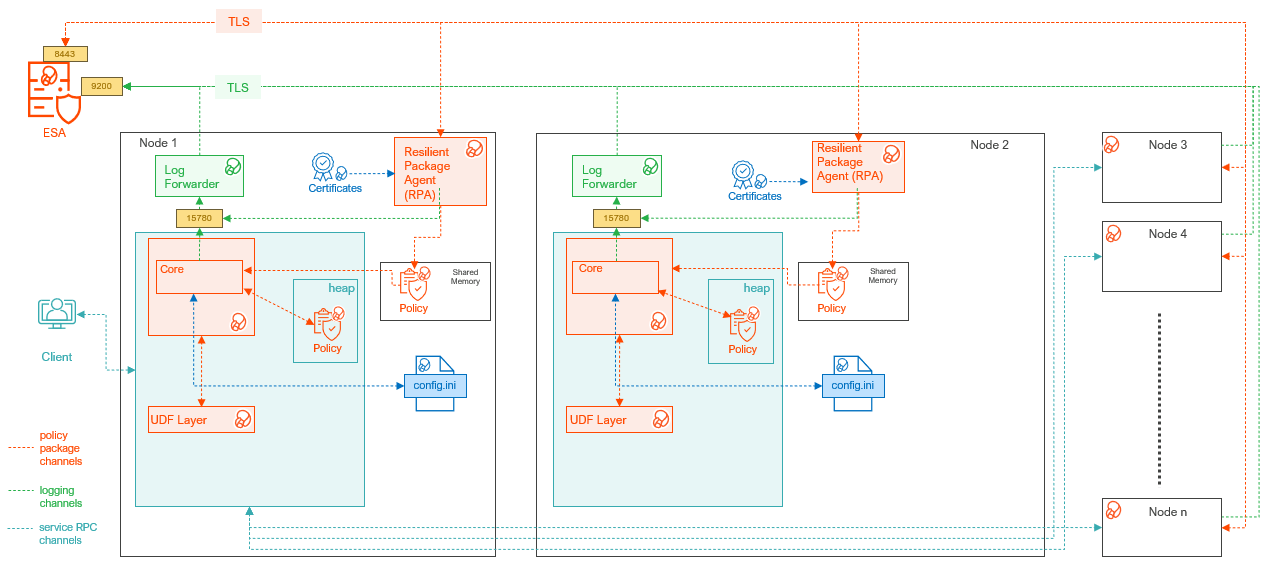
| Component | Description |
|---|---|
| RPAgent | A daemon running on each node that downloads the package from the ESA over a TLS channel using the installed Certificates. |
| Log Forwarder | A daemon running on each node that routes the audit logs and application logs to the ESA/Audit Store. |
| config.ini | A file on each node containing the set of configuration parameters to modify the protector behavior. |
| DBP Layer | Contains the Database Protector UDFs and APIs. |
| Core | The set of various libraries that provide the Protegrity Core functionality. |
12.1.2 - Verifying the System Requirements
Ensure that the following prerequisites are met:
- The DB2 Database is installed and configured.
- Enterprise Security Administrator (ESA) is installed, configured, and running.
- The IP address or host name of the ESA is noted.
- The Policy Management (PIM) module is initialized on ESA. The initialization of PIM ensures that cryptographic keys for protecting data and the policy repository are created.
- Download and save the DB2 Database Protector,
DatabaseProtector_Linux-ALL-64_x86-64_DB2-ALL-64_<DBP_version>.tgz, made available by Protegrity. - Backup the databases where the DB2 Database Protector and UDFs would be installed.
- Access to the database server as the
sudoaccess user is available. This permission is required to install all the components. - Access to the DB2 database as the database user is available.
- The following permissions are available to the user and group to install and uninstall the UDFs:
- GRANT DBADM ON DATABASE TO USER <user_name>;
- GRANT DBADM ON DATABASE TO GROUP <user_name>;
- GRANT CONNECT ON DATABASE TO USER <user_name>;
- GRANT CREATEIN, ALTERIN, DROPIN ON SCHEMA PTY TO USER <user_name>;
- GRANT ACCESSCTRL ON DATABASE TO USER <user_name>;
12.1.3 - Preparing the Environment
The steps to prepare the environment to install the DB2 Database Protector are explained in the following sub-sections.
12.1.3.1 - Extracting the Installation Package
- Log in to the DB2 database server with an account having the required privileges.
- Save the DB2 database protector installation package,
DatabaseProtector_Linux-ALL-64_x86-64_DB2-ALL-64_<DBP_version>.tgz, made available by Protegrity, in any sample directory. For example,/opt/protegrity/. - Navigate to the
/opt/protegrity/directory. - To extract the contents, run the following command:
tar -xvf DatabaseProtector_Linux-ALL-64_x86-64_DB2-ALL-64_<DBP_version>.tgz - Press ENTER.
The command extracts the package and the signature files.DatabaseProtector_Linux-ALL-64_x86-64_DB2-ALL-64_<DBP_version>.tgz signatures/ signatures/DatabaseProtector_Linux-ALL-64_x86-64_DB2-ALL-64_<DBP_version>.tgz_10.0.sig - To extract the contents of the installation package, run the following command:
tar -xvf DatabaseProtector_Linux-ALL-64_x86-64_DB2-ALL-64_<DBP_version>.tgz - Press ENTER.
The command extracts the files from the package.LogforwarderSetup_Linux_x64_<DBP_version>.sh RPAgentSetup_Linux_x64_<DBP_version>.sh PepDB2Setup_Linux_x64_<DBP_version>.sh U.S.Patent.No.6,321,201.Legend.txt
12.1.3.2 - Installing the Log Forwarder
- Log in to the database server as the user that has the permissions to install the Log Forwarder. Usually, this tends to be the instance owner.
- Navigate to the directory where the installation files are extracted.
- To install the Log Forwarder, run the following command:
./LogforwarderSetup_Linux_x64_<DBP_version>.sh - Press ENTER.
The prompt to enter the audit store endpoint appears.Enter the audit store endpoint (host), alternative (host:port) to use another port than the default port 9200 : - Enter the IP address of the audit store.
- Press ENTER.
The prompt to enter additional endpoint appears.Audit store endpoints: <Audit_store_IP_address>:9200 Do you want to add another audit store endpoint? [y/n]: - To skip adding additional endpoints, type
n. - Press ENTER.
The prompt to continue the installation appears.These audit store endpoints will be added: <Audit_store_IP_address>:9200 Type 'y' to accept or 'n' to abort installation: - To continue the installation, type
y. - Press ENTER.
The script extracts the files and installs the Log Forwarder.Unpacking... Extracting files... Protegrity Log Forwarder installed in /opt/protegrity/logforwarder. - Navigate to the
/opt/protegrity/logforwarder/bindirectory. - To start the Log Forwarder, run the following command:
./logforwarderctrl start
12.1.3.3 - Installing the RPAgent
Before you begin
Before proceeding with the RPA installation in secure mode, ensure that the required CA certificate is available and trusted on the system.
For ESA
Download the certificate from ESA.
For more information about downloading certificates from ESA, refer to Manage Certificates.
After obtaining the certificate, configure the system environment variable:
| Variable | Value |
|---|---|
| SSL_CERT_FILE | Full path to the certificate file. For example, /<certificate_location>/CA.pem |
Ensure the ESA hostname or IP is present in the ESA TLS certificate (SAN or CN), and it is resolvable from the RPAgent host.
After the CA certificate is available, proceed with the RPAgent installation.
Install the RPAgent
- Log in to the database server as the user that has permissions to install the RPAgent.
- Navigate to the directory where the installation files are extracted.
- To install the RPAgent, run the following command:
./RPAgentSetup_Linux_x64_<DBP_version>.sh - Press ENTER.
The prompt to enter ESA hostname or IP address appears.Please enter upstream host name or IP address[]: - Enter ESA FQDN.
- Press ENTER.
The prompt to enter the username to download the certificates appears.Please enter the user name for downloading certificates[]: - Enter the username to download the certificates from ESA.
- Press ENTER.
The prompt to enter the password to download the certificates appears.Please enter the password for downloading certificates[]: - Enter the password.
- Press ENTER.
The script connects to the ESA, retrieves the JWT token, extracts the certificates, and installs the RPAgent.Unpacking... Extracting files... Certificate validation successful. Obtaining token from <ESA_FQDN>:25400... Downloading certificates from <ESA_FQDN>:25400... % Total % Received % Xferd Average Speed Time Time Time Current Dload Upload Total Spent Left Speed 100 11264 100 11264 0 0 156.6k 0 0 Extracting certificates... Certificates successfully downloaded and stored in /opt/protegrity/rpagent/data Protegrity RPAgent installed in /opt/protegrity/rpagent. - Navigate to the
/opt/protegrity/rpagent/bindirectory. - To start the RPAgent, run the following command:
./rpagentctrl start
12.1.4 - Installing the DB2 Database Protector
This section describes the procedure to install the DB2 Database Protector and create the required User‑Defined Functions (UDFs). The process includes instructions to install the Policy Enforcement Point (PEP) and creating the UDFs.
12.1.4.1 - Installing the Policy Enforcement Point (PEP)
- Log in to the node where the installation files are extracted.
- To install the DB2 objects, run the following command:
./PepDB2Setup_Linux_x64_<DBP_version>.sh - Press ENTER.
The prompt to continue appears.***************************************************** Welcome to the Database Protector Setup Wizard ***************************************************** This will install the db2 objects on your computer Do you want to continue? [yes or no] - To continue, type
yes. - Press ENTER.
The prompt to enter the installation directory appears.Enter installation directory. A new directory will be created in the installation directory. [/opt/protegrity]: - Enter the location to install the DB2 objects.
- Press ENTER.
The prompt to specify the database name to install the objects appears.Enter name of database where the UDFs will be installed. [PROTEGRITY]: - Enter the name of the database to install the objects.
Note: In case of a failure to specify the database name, the script will use PROTEGRITY as the default database name to install the UDFs.
- Press ENTER.
The command extracts the files and installs the objects.Unpacking... Extracting files... db2 objects installed in /opt/protegrity/databaseprotector/db2.
12.1.4.2 - Creating the User Defined Functions (UDFs)
The DB2 Database Protector provides the createobjects.sql script to create or install the UDFs.
Note: Before installing the UDFs, ensure that the RPAgent and Log Forwarder services are installed and running.
To create the UDFs for the DB2 Database Protector:
- Connect to the database as the user with the required privileges to create the UDFs.
- Navigate to the
/opt/protegrity/databaseprotector/db2/sqlscripts/directory. - To install the UDFs, run the following command:
db2 -tvf createobjects.sql - Press ENTER.
The script creates all the user-defined functions.CONNECT TO <database_name> Database Connection Information Database server = DB2/LINUXX8664 11.5.0.0 SQL authorization ID = DB2INST1 Local database alias = <database_name> CREATE FUNCTION pty.ins_enc_varchar(INTEGER, VARCHAR(64), VARCHAR(32672),INTEGER) RETURNS VARCHAR(32672) FOR BIT DATA SPECIFIC pty31 EXTERNAL NAME '/opt/protegrity/databaseprotector/db2/lib/pepdb2.plm!encryptInsertVarchar' LANGUAGE c PARAMETER STYLE DB2SQL NOT DETERMINISTIC NOT FENCED NULL CALL NO SQL NO EXTERNAL ACTION SCRATCHPAD 300 FINAL CALL ALLOW PARALLEL DBINFO DB20000I The SQL command completed successfully. CREATE FUNCTION pty.upd_enc_varchar(INTEGER, VARCHAR(64), VARCHAR(32672),INTEGER) RETURNS VARCHAR(32672) FOR BIT DATA SPECIFIC pty51 EXTERNAL NAME '/opt/protegrity/databaseprotector/db2/lib/pepdb2.plm!encryptUpdateVarchar' LANGUAGE c PARAMETER STYLE DB2SQL NOT DETERMINISTIC NOT FENCED NULL CALL NO SQL NO EXTERNAL ACTION SCRATCHPAD 300 FINAL CALL ALLOW PARALLEL DBINFO DB20000I The SQL command completed successfully. CREATE FUNCTION pty.sel_dec_varchar(INTEGER, VARCHAR(64), VARCHAR(32672) FOR BIT DATA,INTEGER) RETURNS VARCHAR(32672) SPECIFIC pty71 EXTERNAL NAME '/opt/protegrity/databaseprotector/db2/lib/pepdb2.plm!decryptSelectVarchar' LANGUAGE c PARAMETER STYLE DB2SQL NOT DETERMINISTIC NOT FENCED NULL CALL NO SQL NO EXTERNAL ACTION SCRATCHPAD 300 FINAL CALL ALLOW PARALLEL DBINFO DB20000I The SQL command completed successfully. CREATE FUNCTION pty.ins_varchar(INTEGER, VARCHAR(64), VARCHAR(32672), INTEGER ) RETURNS VARCHAR(32672) SPECIFIC pty_ins_vchar EXTERNAL NAME '/opt/protegrity/databaseprotector/db2/lib/pepdb2.plm!insertVarchar' LANGUAGE c PARAMETER STYLE DB2SQL NOT DETERMINISTIC NOT FENCED NULL CALL NO SQL NO EXTERNAL ACTION SCRATCHPAD 300 FINAL CALL ALLOW PARALLEL DBINFO DB20000I The SQL command completed successfully. CREATE FUNCTION pty.upd_varchar(INTEGER, VARCHAR(64), VARCHAR(32672), INTEGER ) RETURNS VARCHAR(32672) SPECIFIC pty_upd_vchar EXTERNAL NAME '/opt/protegrity/databaseprotector/db2/lib/pepdb2.plm!updateVarchar' LANGUAGE c PARAMETER STYLE DB2SQL NOT DETERMINISTIC NOT FENCED NULL CALL NO SQL NO EXTERNAL ACTION SCRATCHPAD 300 FINAL CALL ALLOW PARALLEL DBINFO DB20000I The SQL command completed successfully. CREATE FUNCTION pty.sel_varchar(INTEGER, VARCHAR(64), VARCHAR(32672) , INTEGER ) RETURNS VARCHAR(32672) SPECIFIC pty_sel_vchar EXTERNAL NAME '/opt/protegrity/databaseprotector/db2/lib/pepdb2.plm!selectVarchar' LANGUAGE c PARAMETER STYLE DB2SQL NOT DETERMINISTIC NOT FENCED NULL CALL NO SQL NO EXTERNAL ACTION SCRATCHPAD 300 FINAL CALL ALLOW PARALLEL DBINFO DB20000I The SQL command completed successfully. CREATE FUNCTION pty.ins_hash_varchar(INTEGER, VARCHAR(64), VARCHAR(32672),INTEGER) RETURNS VARCHAR(32672) FOR BIT DATA SPECIFIC pty98 EXTERNAL NAME '/opt/protegrity/databaseprotector/db2/lib/pepdb2.plm!hashInsertVarchar' LANGUAGE c PARAMETER STYLE DB2SQL NOT DETERMINISTIC NOT FENCED NULL CALL NO SQL NO EXTERNAL ACTION SCRATCHPAD 300 FINAL CALL ALLOW PARALLEL DBINFO DB20000I The SQL command completed successfully. CREATE FUNCTION pty.upd_hash_varchar(INTEGER, VARCHAR(64), VARCHAR(32672),INTEGER) RETURNS VARCHAR(32672) FOR BIT DATA SPECIFIC pty99 EXTERNAL NAME '/opt/protegrity/databaseprotector/db2/lib/pepdb2.plm!hashUpdateVarchar' LANGUAGE c PARAMETER STYLE DB2SQL NOT DETERMINISTIC NOT FENCED NULL CALL NO SQL NO EXTERNAL ACTION SCRATCHPAD 300 FINAL CALL ALLOW PARALLEL DBINFO DB20000I The SQL command completed successfully. CREATE FUNCTION pty.ins_enc_varcharfbd(INTEGER, VARCHAR(64), VARCHAR(32672) FOR BIT DATA,INTEGER) RETURNS VARCHAR(32672) FOR BIT DATA SPECIFIC pty32 EXTERNAL NAME '/opt/protegrity/databaseprotector/db2/lib/pepdb2.plm!encryptInsertVarcharFBD' LANGUAGE c PARAMETER STYLE DB2SQL NOT DETERMINISTIC NOT FENCED NULL CALL NO SQL NO EXTERNAL ACTION SCRATCHPAD 300 FINAL CALL ALLOW PARALLEL DBINFO DB20000I The SQL command completed successfully. CREATE FUNCTION pty.upd_enc_varcharfbd(INTEGER, VARCHAR(64), VARCHAR(32672) FOR BIT DATA,INTEGER) RETURNS VARCHAR(32672) FOR BIT DATA SPECIFIC pty52 EXTERNAL NAME '/opt/protegrity/databaseprotector/db2/lib/pepdb2.plm!encryptUpdateVarcharFBD' LANGUAGE c PARAMETER STYLE DB2SQL NOT DETERMINISTIC NOT FENCED NULL CALL NO SQL NO EXTERNAL ACTION SCRATCHPAD 300 FINAL CALL ALLOW PARALLEL DBINFO DB20000I The SQL command completed successfully. CREATE FUNCTION pty.sel_dec_varcharfbd(INTEGER, VARCHAR(64), VARCHAR(32672) FOR BIT DATA,INTEGER) RETURNS VARCHAR(32672) FOR BIT DATA SPECIFIC pty72 EXTERNAL NAME '/opt/protegrity/databaseprotector/db2/lib/pepdb2.plm!decryptSelectVarcharFBD' LANGUAGE c PARAMETER STYLE DB2SQL NOT DETERMINISTIC NOT FENCED NULL CALL NO SQL NO EXTERNAL ACTION SCRATCHPAD 300 FINAL CALL ALLOW PARALLEL DBINFO DB20000I The SQL command completed successfully. CREATE FUNCTION pty.ins_varcharfbd(INTEGER, VARCHAR(64), VARCHAR(32672) FOR BIT DATA, INTEGER ) RETURNS VARCHAR(32672) FOR BIT DATA SPECIFIC pty_ins_vchar_fbd EXTERNAL NAME '/opt/protegrity/databaseprotector/db2/lib/pepdb2.plm!insertVarcharFBD' LANGUAGE c PARAMETER STYLE DB2SQL NOT DETERMINISTIC NOT FENCED NULL CALL NO SQL NO EXTERNAL ACTION SCRATCHPAD 300 FINAL CALL ALLOW PARALLEL DBINFO DB20000I The SQL command completed successfully. CREATE FUNCTION pty.upd_varcharfbd(INTEGER, VARCHAR(64), VARCHAR(32672) FOR BIT DATA, INTEGER ) RETURNS VARCHAR(32672) FOR BIT DATA SPECIFIC pty_upd_vchar_fbd EXTERNAL NAME '/opt/protegrity/databaseprotector/db2/lib/pepdb2.plm!updateVarcharFBD' LANGUAGE c PARAMETER STYLE DB2SQL NOT DETERMINISTIC NOT FENCED NULL CALL NO SQL NO EXTERNAL ACTION SCRATCHPAD 300 FINAL CALL ALLOW PARALLEL DBINFO DB20000I The SQL command completed successfully. CREATE FUNCTION pty.sel_varcharfbd(INTEGER, VARCHAR(64), VARCHAR(32672) FOR BIT DATA, INTEGER ) RETURNS VARCHAR(32672) FOR BIT DATA SPECIFIC pty_sel_vchar_fbd EXTERNAL NAME '/opt/protegrity/databaseprotector/db2/lib/pepdb2.plm!selectVarcharFBD' LANGUAGE c PARAMETER STYLE DB2SQL NOT DETERMINISTIC NOT FENCED NULL CALL NO SQL NO EXTERNAL ACTION SCRATCHPAD 300 FINAL CALL ALLOW PARALLEL DBINFO DB20000I The SQL command completed successfully. CREATE FUNCTION pty.ins_enc_char(INTEGER, VARCHAR(64), VARCHAR(254),INTEGER) RETURNS VARCHAR(290) FOR BIT DATA SPECIFIC pty33 EXTERNAL NAME '/opt/protegrity/databaseprotector/db2/lib/pepdb2.plm!encryptInsertVarchar' LANGUAGE c PARAMETER STYLE DB2SQL NOT DETERMINISTIC NOT FENCED NULL CALL NO SQL NO EXTERNAL ACTION SCRATCHPAD 300 FINAL CALL ALLOW PARALLEL DBINFO DB20000I The SQL command completed successfully. CREATE FUNCTION pty.upd_enc_char(INTEGER, VARCHAR(64), VARCHAR(254),INTEGER) RETURNS VARCHAR(290) FOR BIT DATA SPECIFIC pty53 EXTERNAL NAME '/opt/protegrity/databaseprotector/db2/lib/pepdb2.plm!encryptUpdateVarchar' LANGUAGE c PARAMETER STYLE DB2SQL NOT DETERMINISTIC NOT FENCED NULL CALL NO SQL NO EXTERNAL ACTION SCRATCHPAD 300 FINAL CALL ALLOW PARALLEL DBINFO DB20000I The SQL command completed successfully. CREATE FUNCTION pty.sel_dec_char(INTEGER, VARCHAR(64), VARCHAR(290) FOR BIT DATA,INTEGER) RETURNS VARCHAR(254) SPECIFIC pty73 EXTERNAL NAME '/opt/protegrity/databaseprotector/db2/lib/pepdb2.plm!decryptSelectVarchar' LANGUAGE c PARAMETER STYLE DB2SQL NOT DETERMINISTIC NOT FENCED NULL CALL NO SQL NO EXTERNAL ACTION SCRATCHPAD 300 FINAL CALL ALLOW PARALLEL DBINFO DB20000I The SQL command completed successfully. CREATE FUNCTION pty.ins_char(INTEGER, VARCHAR(64), VARCHAR(254), INTEGER ) RETURNS VARCHAR(305) SPECIFIC pty_ins_char EXTERNAL NAME '/opt/protegrity/databaseprotector/db2/lib/pepdb2.plm!insertVarchar' LANGUAGE c PARAMETER STYLE DB2SQL NOT DETERMINISTIC NOT FENCED NULL CALL NO SQL NO EXTERNAL ACTION SCRATCHPAD 300 FINAL CALL ALLOW PARALLEL DBINFO DB20000I The SQL command completed successfully. CREATE FUNCTION pty.upd_char(INTEGER, VARCHAR(64), VARCHAR(254), INTEGER ) RETURNS VARCHAR(305) SPECIFIC pty_upd_char EXTERNAL NAME '/opt/protegrity/databaseprotector/db2/lib/pepdb2.plm!updateVarchar' LANGUAGE c PARAMETER STYLE DB2SQL NOT DETERMINISTIC NOT FENCED NULL CALL NO SQL NO EXTERNAL ACTION SCRATCHPAD 300 FINAL CALL ALLOW PARALLEL DBINFO DB20000I The SQL command completed successfully. CREATE FUNCTION pty.sel_char(INTEGER, VARCHAR(64), VARCHAR(305), INTEGER ) RETURNS VARCHAR(254) SPECIFIC pty_sel_char EXTERNAL NAME '/opt/protegrity/databaseprotector/db2/lib/pepdb2.plm!selectVarchar' LANGUAGE c PARAMETER STYLE DB2SQL NOT DETERMINISTIC NOT FENCED NULL CALL NO SQL NO EXTERNAL ACTION SCRATCHPAD 300 FINAL CALL ALLOW PARALLEL DBINFO DB20000I The SQL command completed successfully. CREATE FUNCTION pty.ins_unicode_varchar(INTEGER, VARCHAR(64), VARCHAR(32672), INTEGER ) RETURNS VARCHAR(32672) SPECIFIC pty_ins_unicode_vchar EXTERNAL NAME '/opt/protegrity/databaseprotector/db2/lib/pepdb2.plm!insertUnicodeVarchar' LANGUAGE c PARAMETER STYLE DB2SQL NOT DETERMINISTIC NOT FENCED NULL CALL NO SQL NO EXTERNAL ACTION SCRATCHPAD 300 FINAL CALL ALLOW PARALLEL DBINFO DB20000I The SQL command completed successfully. CREATE FUNCTION pty.upd_unicode_varchar(INTEGER, VARCHAR(64), VARCHAR(32672), INTEGER ) RETURNS VARCHAR(32672) SPECIFIC pty_upd_unicode_vchar EXTERNAL NAME '/opt/protegrity/databaseprotector/db2/lib/pepdb2.plm!updateUnicodeVarchar' LANGUAGE c PARAMETER STYLE DB2SQL NOT DETERMINISTIC NOT FENCED NULL CALL NO SQL NO EXTERNAL ACTION SCRATCHPAD 300 FINAL CALL ALLOW PARALLEL DBINFO DB20000I The SQL command completed successfully. CREATE FUNCTION pty.sel_unicode_varchar(INTEGER, VARCHAR(64), VARCHAR(32672) , INTEGER ) RETURNS VARCHAR(32672) SPECIFIC pty_sel_unicode_vchar EXTERNAL NAME '/opt/protegrity/databaseprotector/db2/lib/pepdb2.plm!selectUnicodeVarchar' LANGUAGE c PARAMETER STYLE DB2SQL NOT DETERMINISTIC NOT FENCED NULL CALL NO SQL NO EXTERNAL ACTION SCRATCHPAD 300 FINAL CALL ALLOW PARALLEL DBINFO DB20000I The SQL command completed successfully. CREATE FUNCTION pty.ins_enc_charfbd(INTEGER, VARCHAR(64), VARCHAR(254) FOR BIT DATA,INTEGER) RETURNS VARCHAR(290) FOR BIT DATA SPECIFIC pty34 EXTERNAL NAME '/opt/protegrity/databaseprotector/db2/lib/pepdb2.plm!encryptInsertVarcharFBD' LANGUAGE c PARAMETER STYLE DB2SQL NOT DETERMINISTIC NOT FENCED NULL CALL NO SQL NO EXTERNAL ACTION SCRATCHPAD 300 FINAL CALL ALLOW PARALLEL DBINFO DB20000I The SQL command completed successfully. CREATE FUNCTION pty.upd_enc_charfbd(INTEGER, VARCHAR(64), VARCHAR(254) FOR BIT DATA,INTEGER) RETURNS VARCHAR(290) FOR BIT DATA SPECIFIC pty54 EXTERNAL NAME '/opt/protegrity/databaseprotector/db2/lib/pepdb2.plm!encryptUpdateVarcharFBD' LANGUAGE c PARAMETER STYLE DB2SQL NOT DETERMINISTIC NOT FENCED NULL CALL NO SQL NO EXTERNAL ACTION SCRATCHPAD 300 FINAL CALL ALLOW PARALLEL DBINFO DB20000I The SQL command completed successfully. CREATE FUNCTION pty.sel_dec_charfbd(INTEGER, VARCHAR(64), VARCHAR(290) FOR BIT DATA,INTEGER) RETURNS VARCHAR(254) FOR BIT DATA SPECIFIC pty74 EXTERNAL NAME '/opt/protegrity/databaseprotector/db2/lib/pepdb2.plm!decryptSelectVarcharFBD' LANGUAGE c PARAMETER STYLE DB2SQL NOT DETERMINISTIC NOT FENCED NULL CALL NO SQL NO EXTERNAL ACTION SCRATCHPAD 300 FINAL CALL ALLOW PARALLEL DBINFO DB20000I The SQL command completed successfully. CREATE FUNCTION pty.ins_charfbd(INTEGER, VARCHAR(64), VARCHAR(254) FOR BIT DATA, INTEGER ) RETURNS VARCHAR(254) FOR BIT DATA SPECIFIC pty_ins_char_fbd EXTERNAL NAME '/opt/protegrity/databaseprotector/db2/lib/pepdb2.plm!insertVarcharFBD' LANGUAGE c PARAMETER STYLE DB2SQL NOT DETERMINISTIC NOT FENCED NULL CALL NO SQL NO EXTERNAL ACTION SCRATCHPAD 300 FINAL CALL ALLOW PARALLEL DBINFO DB20000I The SQL command completed successfully. CREATE FUNCTION pty.upd_charfbd(INTEGER, VARCHAR(64), VARCHAR(254) FOR BIT DATA, INTEGER ) RETURNS VARCHAR(254) FOR BIT DATA SPECIFIC pty_upd_char_fbd EXTERNAL NAME '/opt/protegrity/databaseprotector/db2/lib/pepdb2.plm!updateVarcharFBD' LANGUAGE c PARAMETER STYLE DB2SQL NOT DETERMINISTIC NOT FENCED NULL CALL NO SQL NO EXTERNAL ACTION SCRATCHPAD 300 FINAL CALL ALLOW PARALLEL DBINFO DB20000I The SQL command completed successfully. CREATE FUNCTION pty.sel_charfbd(INTEGER, VARCHAR(64), VARCHAR(254) FOR BIT DATA, INTEGER ) RETURNS VARCHAR(254) FOR BIT DATA SPECIFIC pty_sel_char_fbd EXTERNAL NAME '/opt/protegrity/databaseprotector/db2/lib/pepdb2.plm!selectVarcharFBD' LANGUAGE c PARAMETER STYLE DB2SQL NOT DETERMINISTIC NOT FENCED NULL CALL NO SQL NO EXTERNAL ACTION SCRATCHPAD 300 FINAL CALL ALLOW PARALLEL DBINFO DB20000I The SQL command completed successfully. CREATE FUNCTION pty.ins_enc_lvarchar(INTEGER, VARCHAR(64), LONG VARCHAR,INTEGER) RETURNS LONG VARCHAR FOR BIT DATA SPECIFIC pty35 EXTERNAL NAME '/opt/protegrity/databaseprotector/db2/lib/pepdb2.plm!encryptInsertLongvarchar' LANGUAGE c PARAMETER STYLE DB2SQL NOT DETERMINISTIC NOT FENCED NULL CALL NO SQL NO EXTERNAL ACTION SCRATCHPAD 300 FINAL CALL ALLOW PARALLEL DBINFO DB20000I The SQL command completed successfully. CREATE FUNCTION pty.upd_enc_lvarchar(INTEGER, VARCHAR(64), LONG VARCHAR,INTEGER) RETURNS LONG VARCHAR FOR BIT DATA SPECIFIC pty55 EXTERNAL NAME '/opt/protegrity/databaseprotector/db2/lib/pepdb2.plm!encryptUpdateLongvarchar' LANGUAGE c PARAMETER STYLE DB2SQL NOT DETERMINISTIC NOT FENCED NULL CALL NO SQL NO EXTERNAL ACTION SCRATCHPAD 300 FINAL CALL ALLOW PARALLEL DBINFO DB20000I The SQL command completed successfully. CREATE FUNCTION pty.sel_dec_lvarchar(INTEGER, VARCHAR(64), LONG VARCHAR FOR BIT DATA,INTEGER) RETURNS LONG VARCHAR SPECIFIC pty75 EXTERNAL NAME '/opt/protegrity/databaseprotector/db2/lib/pepdb2.plm!decryptSelectLongvarchar' LANGUAGE c PARAMETER STYLE DB2SQL NOT DETERMINISTIC NOT FENCED NULL CALL NO SQL NO EXTERNAL ACTION SCRATCHPAD 300 FINAL CALL ALLOW PARALLEL DBINFO DB20000I The SQL command completed successfully. CREATE FUNCTION pty.ins_lvarchar(INTEGER, VARCHAR(64), LONG VARCHAR, INTEGER ) RETURNS LONG VARCHAR SPECIFIC pty_ins_lvchar EXTERNAL NAME '/opt/protegrity/databaseprotector/db2/lib/pepdb2.plm!insertLongvarchar' LANGUAGE c PARAMETER STYLE DB2SQL NOT DETERMINISTIC NOT FENCED NULL CALL NO SQL NO EXTERNAL ACTION SCRATCHPAD 300 FINAL CALL ALLOW PARALLEL DBINFO DB20000I The SQL command completed successfully. CREATE FUNCTION pty.upd_lvarchar(INTEGER, VARCHAR(64), LONG VARCHAR, INTEGER ) RETURNS LONG VARCHAR SPECIFIC pty_upd_lvchar EXTERNAL NAME '/opt/protegrity/databaseprotector/db2/lib/pepdb2.plm!updateLongvarchar' LANGUAGE c PARAMETER STYLE DB2SQL NOT DETERMINISTIC NOT FENCED NULL CALL NO SQL NO EXTERNAL ACTION SCRATCHPAD 300 FINAL CALL ALLOW PARALLEL DBINFO DB20000I The SQL command completed successfully. CREATE FUNCTION pty.sel_lvarchar(INTEGER, VARCHAR(64), LONG VARCHAR, INTEGER ) RETURNS LONG VARCHAR SPECIFIC pty_sel_lvchar EXTERNAL NAME '/opt/protegrity/databaseprotector/db2/lib/pepdb2.plm!selectLongvarchar' LANGUAGE c PARAMETER STYLE DB2SQL NOT DETERMINISTIC NOT FENCED NULL CALL NO SQL NO EXTERNAL ACTION SCRATCHPAD 300 FINAL CALL ALLOW PARALLEL DBINFO DB20000I The SQL command completed successfully. CREATE FUNCTION pty.ins_enc_lvcfbd(INTEGER, VARCHAR(64), LONG VARCHAR FOR BIT DATA,INTEGER) RETURNS LONG VARCHAR FOR BIT DATA SPECIFIC pty36 EXTERNAL NAME '/opt/protegrity/databaseprotector/db2/lib/pepdb2.plm!encryptInsertLongvarchar' LANGUAGE c PARAMETER STYLE DB2SQL NOT DETERMINISTIC NOT FENCED NULL CALL NO SQL NO EXTERNAL ACTION SCRATCHPAD 300 FINAL CALL ALLOW PARALLEL DBINFO DB20000I The SQL command completed successfully. CREATE FUNCTION pty.upd_enc_lvcfbd(INTEGER, VARCHAR(64), LONG VARCHAR FOR BIT DATA,INTEGER) RETURNS LONG VARCHAR FOR BIT DATA SPECIFIC pty56 EXTERNAL NAME '/opt/protegrity/databaseprotector/db2/lib/pepdb2.plm!encryptUpdateLongvarchar' LANGUAGE c PARAMETER STYLE DB2SQL NOT DETERMINISTIC NOT FENCED NULL CALL NO SQL NO EXTERNAL ACTION SCRATCHPAD 300 FINAL CALL ALLOW PARALLEL DBINFO DB20000I The SQL command completed successfully. CREATE FUNCTION pty.sel_dec_lvcfbd(INTEGER, VARCHAR(64), LONG VARCHAR FOR BIT DATA,INTEGER) RETURNS LONG VARCHAR FOR BIT DATA SPECIFIC pty76 EXTERNAL NAME '/opt/protegrity/databaseprotector/db2/lib/pepdb2.plm!decryptSelectLongvarchar' LANGUAGE c PARAMETER STYLE DB2SQL NOT DETERMINISTIC NOT FENCED NULL CALL NO SQL NO EXTERNAL ACTION SCRATCHPAD 300 FINAL CALL ALLOW PARALLEL DBINFO DB20000I The SQL command completed successfully. CREATE FUNCTION pty.ins_lvcfbd(INTEGER, VARCHAR(64), LONG VARCHAR FOR BIT DATA, INTEGER ) RETURNS LONG VARCHAR FOR BIT DATA SPECIFIC pty_ins_lvchar_fbd EXTERNAL NAME '/opt/protegrity/databaseprotector/db2/lib/pepdb2.plm!insertLongvarchar' LANGUAGE c PARAMETER STYLE DB2SQL NOT DETERMINISTIC NOT FENCED NULL CALL NO SQL NO EXTERNAL ACTION SCRATCHPAD 300 FINAL CALL ALLOW PARALLEL DBINFO DB20000I The SQL command completed successfully. CREATE FUNCTION pty.upd_lvcfbd(INTEGER, VARCHAR(64), LONG VARCHAR FOR BIT DATA, INTEGER ) RETURNS LONG VARCHAR FOR BIT DATA SPECIFIC pty_upd_lvchar_fbd EXTERNAL NAME '/opt/protegrity/databaseprotector/db2/lib/pepdb2.plm!updateLongvarchar' LANGUAGE c PARAMETER STYLE DB2SQL NOT DETERMINISTIC NOT FENCED NULL CALL NO SQL NO EXTERNAL ACTION SCRATCHPAD 300 FINAL CALL ALLOW PARALLEL DBINFO DB20000I The SQL command completed successfully. CREATE FUNCTION pty.sel_lvcfbd(INTEGER, VARCHAR(64), LONG VARCHAR FOR BIT DATA, INTEGER ) RETURNS LONG VARCHAR FOR BIT DATA SPECIFIC pty_sel_lvchar_fbd EXTERNAL NAME '/opt/protegrity/databaseprotector/db2/lib/pepdb2.plm!selectLongvarchar' LANGUAGE c PARAMETER STYLE DB2SQL NOT DETERMINISTIC NOT FENCED NULL CALL NO SQL NO EXTERNAL ACTION SCRATCHPAD 300 FINAL CALL ALLOW PARALLEL DBINFO DB20000I The SQL command completed successfully. CREATE FUNCTION pty.ins_enc_date(INTEGER, VARCHAR(64), DATE,INTEGER) RETURNS VARCHAR(34) FOR BIT DATA SPECIFIC pty37 EXTERNAL NAME '/opt/protegrity/databaseprotector/db2/lib/pepdb2.plm!encryptInsertDate' LANGUAGE c PARAMETER STYLE DB2SQL NOT DETERMINISTIC NOT FENCED NULL CALL NO SQL NO EXTERNAL ACTION SCRATCHPAD 300 FINAL CALL ALLOW PARALLEL DBINFO DB20000I The SQL command completed successfully. CREATE FUNCTION pty.upd_enc_date(INTEGER, VARCHAR(64), DATE,INTEGER) RETURNS VARCHAR(34) FOR BIT DATA SPECIFIC pty57 EXTERNAL NAME '/opt/protegrity/databaseprotector/db2/lib/pepdb2.plm!encryptUpdateDate' LANGUAGE c PARAMETER STYLE DB2SQL NOT DETERMINISTIC NOT FENCED NULL CALL NO SQL NO EXTERNAL ACTION SCRATCHPAD 300 FINAL CALL ALLOW PARALLEL DBINFO DB20000I The SQL command completed successfully. CREATE FUNCTION pty.sel_dec_date(INTEGER, VARCHAR(64), VARCHAR(34) FOR BIT DATA,INTEGER) RETURNS DATE SPECIFIC pty77 EXTERNAL NAME '/opt/protegrity/databaseprotector/db2/lib/pepdb2.plm!decryptSelectDate' LANGUAGE c PARAMETER STYLE DB2SQL NOT DETERMINISTIC NOT FENCED NULL CALL NO SQL NO EXTERNAL ACTION SCRATCHPAD 300 FINAL CALL ALLOW PARALLEL DBINFO DB20000I The SQL command completed successfully. CREATE FUNCTION pty.ins_date(INTEGER, VARCHAR(64), DATE, INTEGER ) RETURNS DATE SPECIFIC pty_ins_date EXTERNAL NAME '/opt/protegrity/databaseprotector/db2/lib/pepdb2.plm!insertDate' LANGUAGE c PARAMETER STYLE DB2SQL NOT DETERMINISTIC NOT FENCED NULL CALL NO SQL NO EXTERNAL ACTION SCRATCHPAD 300 FINAL CALL ALLOW PARALLEL DBINFO DB20000I The SQL command completed successfully. CREATE FUNCTION pty.upd_date(INTEGER, VARCHAR(64), DATE, INTEGER ) RETURNS DATE SPECIFIC pty_upd_date EXTERNAL NAME '/opt/protegrity/databaseprotector/db2/lib/pepdb2.plm!updateDate' LANGUAGE c PARAMETER STYLE DB2SQL NOT DETERMINISTIC NOT FENCED NULL CALL NO SQL NO EXTERNAL ACTION SCRATCHPAD 300 FINAL CALL ALLOW PARALLEL DBINFO DB20000I The SQL command completed successfully. CREATE FUNCTION pty.sel_date(INTEGER, VARCHAR(64), DATE, INTEGER ) RETURNS DATE SPECIFIC pty_sel_date EXTERNAL NAME '/opt/protegrity/databaseprotector/db2/lib/pepdb2.plm!selectDate' LANGUAGE c PARAMETER STYLE DB2SQL NOT DETERMINISTIC NOT FENCED NULL CALL NO SQL NO EXTERNAL ACTION SCRATCHPAD 300 FINAL CALL ALLOW PARALLEL DBINFO DB20000I The SQL command completed successfully. CREATE FUNCTION pty.ins_enc_time(INTEGER, VARCHAR(64), TIME,INTEGER) RETURNS VARCHAR(34) FOR BIT DATA SPECIFIC pty38 EXTERNAL NAME '/opt/protegrity/databaseprotector/db2/lib/pepdb2.plm!encryptInsertTime' LANGUAGE c PARAMETER STYLE DB2SQL NOT DETERMINISTIC NOT FENCED NULL CALL NO SQL NO EXTERNAL ACTION SCRATCHPAD 300 FINAL CALL ALLOW PARALLEL DBINFO DB20000I The SQL command completed successfully. CREATE FUNCTION pty.upd_enc_time(INTEGER, VARCHAR(64), TIME,INTEGER) RETURNS VARCHAR(34) FOR BIT DATA SPECIFIC pty58 EXTERNAL NAME '/opt/protegrity/databaseprotector/db2/lib/pepdb2.plm!encryptUpdateTime' LANGUAGE c PARAMETER STYLE DB2SQL NOT DETERMINISTIC NOT FENCED NULL CALL NO SQL NO EXTERNAL ACTION SCRATCHPAD 300 FINAL CALL ALLOW PARALLEL DBINFO DB20000I The SQL command completed successfully. CREATE FUNCTION pty.sel_dec_time(INTEGER, VARCHAR(64), VARCHAR(34) FOR BIT DATA,INTEGER) RETURNS TIME SPECIFIC pty78 EXTERNAL NAME '/opt/protegrity/databaseprotector/db2/lib/pepdb2.plm!decryptSelectTime' LANGUAGE c PARAMETER STYLE DB2SQL NOT DETERMINISTIC NOT FENCED NULL CALL NO SQL NO EXTERNAL ACTION SCRATCHPAD 300 FINAL CALL ALLOW PARALLEL DBINFO DB20000I The SQL command completed successfully. CREATE FUNCTION pty.ins_time(INTEGER, VARCHAR(64), TIME, INTEGER ) RETURNS TIME SPECIFIC pty_ins_time EXTERNAL NAME '/opt/protegrity/databaseprotector/db2/lib/pepdb2.plm!insertTime' LANGUAGE c PARAMETER STYLE DB2SQL NOT DETERMINISTIC NOT FENCED NULL CALL NO SQL NO EXTERNAL ACTION SCRATCHPAD 300 FINAL CALL ALLOW PARALLEL DBINFO DB20000I The SQL command completed successfully. CREATE FUNCTION pty.upd_time(INTEGER, VARCHAR(64), TIME, INTEGER ) RETURNS TIME SPECIFIC pty_upd_time EXTERNAL NAME '/opt/protegrity/databaseprotector/db2/lib/pepdb2.plm!updateTime' LANGUAGE c PARAMETER STYLE DB2SQL NOT DETERMINISTIC NOT FENCED NULL CALL NO SQL NO EXTERNAL ACTION SCRATCHPAD 300 FINAL CALL ALLOW PARALLEL DBINFO DB20000I The SQL command completed successfully. CREATE FUNCTION pty.sel_time(INTEGER, VARCHAR(64), TIME, INTEGER ) RETURNS TIME SPECIFIC pty_sel_time EXTERNAL NAME '/opt/protegrity/databaseprotector/db2/lib/pepdb2.plm!selectTime' LANGUAGE c PARAMETER STYLE DB2SQL NOT DETERMINISTIC NOT FENCED NULL CALL NO SQL NO EXTERNAL ACTION SCRATCHPAD 300 FINAL CALL ALLOW PARALLEL DBINFO DB20000I The SQL command completed successfully. CREATE FUNCTION pty.ins_enc_timestamp(INTEGER, VARCHAR(64), TIMESTAMP,INTEGER) RETURNS VARCHAR(50) FOR BIT DATA SPECIFIC pty39 EXTERNAL NAME '/opt/protegrity/databaseprotector/db2/lib/pepdb2.plm!encryptInsertTimestamp' LANGUAGE c PARAMETER STYLE DB2SQL NOT DETERMINISTIC NOT FENCED NULL CALL NO SQL NO EXTERNAL ACTION SCRATCHPAD 300 FINAL CALL ALLOW PARALLEL DBINFO DB20000I The SQL command completed successfully. CREATE FUNCTION pty.upd_enc_timestamp(INTEGER, VARCHAR(64), TIMESTAMP,INTEGER) RETURNS VARCHAR(50) FOR BIT DATA SPECIFIC pty59 EXTERNAL NAME '/opt/protegrity/databaseprotector/db2/lib/pepdb2.plm!encryptUpdateTimestamp' LANGUAGE c PARAMETER STYLE DB2SQL NOT DETERMINISTIC NOT FENCED NULL CALL NO SQL NO EXTERNAL ACTION SCRATCHPAD 300 FINAL CALL ALLOW PARALLEL DBINFO DB20000I The SQL command completed successfully. CREATE FUNCTION pty.sel_dec_timestamp(INTEGER, VARCHAR(64), VARCHAR(50) FOR BIT DATA,INTEGER) RETURNS TIMESTAMP SPECIFIC pty79 EXTERNAL NAME '/opt/protegrity/databaseprotector/db2/lib/pepdb2.plm!decryptSelectTimestamp' LANGUAGE c PARAMETER STYLE DB2SQL NOT DETERMINISTIC NOT FENCED NULL CALL NO SQL NO EXTERNAL ACTION SCRATCHPAD 300 FINAL CALL ALLOW PARALLEL DBINFO DB20000I The SQL command completed successfully. CREATE FUNCTION pty.ins_timestamp(INTEGER, VARCHAR(64), TIMESTAMP, INTEGER ) RETURNS TIMESTAMP SPECIFIC pty_ins_timestamp EXTERNAL NAME '/opt/protegrity/databaseprotector/db2/lib/pepdb2.plm!insertTimestamp' LANGUAGE c PARAMETER STYLE DB2SQL NOT DETERMINISTIC NOT FENCED NULL CALL NO SQL NO EXTERNAL ACTION SCRATCHPAD 300 FINAL CALL ALLOW PARALLEL DBINFO DB20000I The SQL command completed successfully. CREATE FUNCTION pty.upd_timestamp(INTEGER, VARCHAR(64), TIMESTAMP, INTEGER ) RETURNS TIMESTAMP SPECIFIC pty_upd_timestamp EXTERNAL NAME '/opt/protegrity/databaseprotector/db2/lib/pepdb2.plm!updateTimestamp' LANGUAGE c PARAMETER STYLE DB2SQL NOT DETERMINISTIC NOT FENCED NULL CALL NO SQL NO EXTERNAL ACTION SCRATCHPAD 300 FINAL CALL ALLOW PARALLEL DBINFO DB20000I The SQL command completed successfully. CREATE FUNCTION pty.sel_timestamp(INTEGER, VARCHAR(64), TIMESTAMP, INTEGER ) RETURNS TIMESTAMP SPECIFIC pty_sel_timestamp EXTERNAL NAME '/opt/protegrity/databaseprotector/db2/lib/pepdb2.plm!selectTimestamp' LANGUAGE c PARAMETER STYLE DB2SQL NOT DETERMINISTIC NOT FENCED NULL CALL NO SQL NO EXTERNAL ACTION SCRATCHPAD 300 FINAL CALL ALLOW PARALLEL DBINFO DB20000I The SQL command completed successfully. CREATE FUNCTION pty.ins_enc_integer(INTEGER, VARCHAR(64), INTEGER,INTEGER) RETURNS VARCHAR(34) FOR BIT DATA SPECIFIC pty40 EXTERNAL NAME '/opt/protegrity/databaseprotector/db2/lib/pepdb2.plm!encryptInsertInteger' LANGUAGE c PARAMETER STYLE DB2SQL NOT DETERMINISTIC NOT FENCED NULL CALL NO SQL NO EXTERNAL ACTION SCRATCHPAD 300 FINAL CALL ALLOW PARALLEL DBINFO DB20000I The SQL command completed successfully. CREATE FUNCTION pty.upd_enc_integer(INTEGER, VARCHAR(64), INTEGER,INTEGER) RETURNS VARCHAR(34) FOR BIT DATA SPECIFIC pty60 EXTERNAL NAME '/opt/protegrity/databaseprotector/db2/lib/pepdb2.plm!encryptUpdateInteger' LANGUAGE c PARAMETER STYLE DB2SQL NOT DETERMINISTIC NOT FENCED NULL CALL NO SQL NO EXTERNAL ACTION SCRATCHPAD 300 FINAL CALL ALLOW PARALLEL DBINFO DB20000I The SQL command completed successfully. CREATE FUNCTION pty.sel_dec_integer(INTEGER, VARCHAR(64), VARCHAR(34) FOR BIT DATA,INTEGER) RETURNS INTEGER SPECIFIC pty80 EXTERNAL NAME '/opt/protegrity/databaseprotector/db2/lib/pepdb2.plm!decryptSelectInteger' LANGUAGE c PARAMETER STYLE DB2SQL NOT DETERMINISTIC NOT FENCED NULL CALL NO SQL NO EXTERNAL ACTION SCRATCHPAD 300 FINAL CALL ALLOW PARALLEL DBINFO DB20000I The SQL command completed successfully. CREATE FUNCTION pty.ins_integer(INTEGER, VARCHAR(64), INTEGER, INTEGER ) RETURNS INTEGER SPECIFIC pty_ins_int EXTERNAL NAME '/opt/protegrity/databaseprotector/db2/lib/pepdb2.plm!insertInteger' LANGUAGE c PARAMETER STYLE DB2SQL NOT DETERMINISTIC NOT FENCED NULL CALL NO SQL NO EXTERNAL ACTION SCRATCHPAD 300 FINAL CALL ALLOW PARALLEL DBINFO DB20000I The SQL command completed successfully. CREATE FUNCTION pty.upd_integer(INTEGER, VARCHAR(64), INTEGER, INTEGER ) RETURNS INTEGER SPECIFIC pty_upd_int EXTERNAL NAME '/opt/protegrity/databaseprotector/db2/lib/pepdb2.plm!updateInteger' LANGUAGE c PARAMETER STYLE DB2SQL NOT DETERMINISTIC NOT FENCED NULL CALL NO SQL NO EXTERNAL ACTION SCRATCHPAD 300 FINAL CALL ALLOW PARALLEL DBINFO DB20000I The SQL command completed successfully. CREATE FUNCTION pty.sel_integer(INTEGER, VARCHAR(64), INTEGER, INTEGER ) RETURNS INTEGER SPECIFIC pty_sel_int EXTERNAL NAME '/opt/protegrity/databaseprotector/db2/lib/pepdb2.plm!selectInteger' LANGUAGE c PARAMETER STYLE DB2SQL NOT DETERMINISTIC NOT FENCED NULL CALL NO SQL NO EXTERNAL ACTION SCRATCHPAD 300 FINAL CALL ALLOW PARALLEL DBINFO DB20000I The SQL command completed successfully. CREATE FUNCTION pty.ins_enc_smallint(INTEGER, VARCHAR(64), SMALLINT,INTEGER) RETURNS VARCHAR(34) FOR BIT DATA SPECIFIC pty41 EXTERNAL NAME '/opt/protegrity/databaseprotector/db2/lib/pepdb2.plm!encryptInsertSmallint' LANGUAGE c PARAMETER STYLE DB2SQL NOT DETERMINISTIC NOT FENCED NULL CALL NO SQL NO EXTERNAL ACTION SCRATCHPAD 300 FINAL CALL ALLOW PARALLEL DBINFO DB20000I The SQL command completed successfully. CREATE FUNCTION pty.upd_enc_smallint(INTEGER, VARCHAR(64), SMALLINT,INTEGER) RETURNS VARCHAR(34) FOR BIT DATA SPECIFIC pty61 EXTERNAL NAME '/opt/protegrity/databaseprotector/db2/lib/pepdb2.plm!encryptUpdateSmallint' LANGUAGE c PARAMETER STYLE DB2SQL NOT DETERMINISTIC NOT FENCED NULL CALL NO SQL NO EXTERNAL ACTION SCRATCHPAD 300 FINAL CALL ALLOW PARALLEL DBINFO DB20000I The SQL command completed successfully. CREATE FUNCTION pty.sel_dec_smallint(INTEGER, VARCHAR(64), VARCHAR(34) FOR BIT DATA,INTEGER) RETURNS SMALLINT SPECIFIC pty81 EXTERNAL NAME '/opt/protegrity/databaseprotector/db2/lib/pepdb2.plm!decryptSelectSmallint' LANGUAGE c PARAMETER STYLE DB2SQL NOT DETERMINISTIC NOT FENCED NULL CALL NO SQL NO EXTERNAL ACTION SCRATCHPAD 300 FINAL CALL ALLOW PARALLEL DBINFO DB20000I The SQL command completed successfully. CREATE FUNCTION pty.ins_smallint(INTEGER, VARCHAR(64), SMALLINT, INTEGER ) RETURNS SMALLINT SPECIFIC pty_ins_smallint EXTERNAL NAME '/opt/protegrity/databaseprotector/db2/lib/pepdb2.plm!insertSmallint' LANGUAGE c PARAMETER STYLE DB2SQL NOT DETERMINISTIC NOT FENCED NULL CALL NO SQL NO EXTERNAL ACTION SCRATCHPAD 300 FINAL CALL ALLOW PARALLEL DBINFO DB20000I The SQL command completed successfully. CREATE FUNCTION pty.upd_smallint(INTEGER, VARCHAR(64), SMALLINT, INTEGER ) RETURNS SMALLINT SPECIFIC pty_upd_smallint EXTERNAL NAME '/opt/protegrity/databaseprotector/db2/lib/pepdb2.plm!updateSmallint' LANGUAGE c PARAMETER STYLE DB2SQL NOT DETERMINISTIC NOT FENCED NULL CALL NO SQL NO EXTERNAL ACTION SCRATCHPAD 300 FINAL CALL ALLOW PARALLEL DBINFO DB20000I The SQL command completed successfully. CREATE FUNCTION pty.sel_smallint(INTEGER, VARCHAR(64), SMALLINT, INTEGER ) RETURNS SMALLINT SPECIFIC pty_sel_smallint EXTERNAL NAME '/opt/protegrity/databaseprotector/db2/lib/pepdb2.plm!selectSmallint' LANGUAGE c PARAMETER STYLE DB2SQL NOT DETERMINISTIC NOT FENCED NULL CALL NO SQL NO EXTERNAL ACTION SCRATCHPAD 300 FINAL CALL ALLOW PARALLEL DBINFO DB20000I The SQL command completed successfully. CREATE FUNCTION pty.ins_enc_bigint(INTEGER, VARCHAR(64), BIGINT,INTEGER) RETURNS VARCHAR(34) FOR BIT DATA SPECIFIC pty42 EXTERNAL NAME '/opt/protegrity/databaseprotector/db2/lib/pepdb2.plm!encryptInsertBigint' LANGUAGE c PARAMETER STYLE DB2SQL NOT DETERMINISTIC NOT FENCED NULL CALL NO SQL NO EXTERNAL ACTION SCRATCHPAD 300 FINAL CALL ALLOW PARALLEL DBINFO DB20000I The SQL command completed successfully. CREATE FUNCTION pty.upd_enc_bigint(INTEGER, VARCHAR(64), BIGINT,INTEGER) RETURNS VARCHAR(34) FOR BIT DATA SPECIFIC pty62 EXTERNAL NAME '/opt/protegrity/databaseprotector/db2/lib/pepdb2.plm!encryptUpdateBigint' LANGUAGE c PARAMETER STYLE DB2SQL NOT DETERMINISTIC NOT FENCED NULL CALL NO SQL NO EXTERNAL ACTION SCRATCHPAD 300 FINAL CALL ALLOW PARALLEL DBINFO DB20000I The SQL command completed successfully. CREATE FUNCTION pty.sel_dec_bigint(INTEGER, VARCHAR(64), VARCHAR(34) FOR BIT DATA,INTEGER) RETURNS BIGINT SPECIFIC pty82 EXTERNAL NAME '/opt/protegrity/databaseprotector/db2/lib/pepdb2.plm!decryptSelectBigint' LANGUAGE c PARAMETER STYLE DB2SQL NOT DETERMINISTIC NOT FENCED NULL CALL NO SQL NO EXTERNAL ACTION SCRATCHPAD 300 FINAL CALL ALLOW PARALLEL DBINFO DB20000I The SQL command completed successfully. CREATE FUNCTION pty.ins_bigint(INTEGER, VARCHAR(64), BIGINT, INTEGER ) RETURNS BIGINT SPECIFIC pty_ins_bigint EXTERNAL NAME '/opt/protegrity/databaseprotector/db2/lib/pepdb2.plm!insertBigint' LANGUAGE c PARAMETER STYLE DB2SQL NOT DETERMINISTIC NOT FENCED NULL CALL NO SQL NO EXTERNAL ACTION SCRATCHPAD 300 FINAL CALL ALLOW PARALLEL DBINFO DB20000I The SQL command completed successfully. CREATE FUNCTION pty.upd_bigint(INTEGER, VARCHAR(64), BIGINT, INTEGER ) RETURNS BIGINT SPECIFIC pty_upd_bigint EXTERNAL NAME '/opt/protegrity/databaseprotector/db2/lib/pepdb2.plm!updateBigint' LANGUAGE c PARAMETER STYLE DB2SQL NOT DETERMINISTIC NOT FENCED NULL CALL NO SQL NO EXTERNAL ACTION SCRATCHPAD 300 FINAL CALL ALLOW PARALLEL DBINFO DB20000I The SQL command completed successfully. CREATE FUNCTION pty.sel_bigint(INTEGER, VARCHAR(64), BIGINT, INTEGER ) RETURNS BIGINT SPECIFIC pty_sel_bigint EXTERNAL NAME '/opt/protegrity/databaseprotector/db2/lib/pepdb2.plm!selectBigint' LANGUAGE c PARAMETER STYLE DB2SQL NOT DETERMINISTIC NOT FENCED NULL CALL NO SQL NO EXTERNAL ACTION SCRATCHPAD 300 FINAL CALL ALLOW PARALLEL DBINFO DB20000I The SQL command completed successfully. CREATE FUNCTION pty.ins_enc_real(INTEGER, VARCHAR(64), REAL,INTEGER) RETURNS VARCHAR(34) FOR BIT DATA SPECIFIC pty43 EXTERNAL NAME '/opt/protegrity/databaseprotector/db2/lib/pepdb2.plm!encryptInsertReal' LANGUAGE c PARAMETER STYLE DB2SQL NOT DETERMINISTIC NOT FENCED NULL CALL NO SQL NO EXTERNAL ACTION SCRATCHPAD 300 FINAL CALL ALLOW PARALLEL DBINFO DB20000I The SQL command completed successfully. CREATE FUNCTION pty.upd_enc_real(INTEGER, VARCHAR(64), REAL,INTEGER) RETURNS VARCHAR(34) FOR BIT DATA SPECIFIC pty63 EXTERNAL NAME '/opt/protegrity/databaseprotector/db2/lib/pepdb2.plm!encryptUpdateReal' LANGUAGE c PARAMETER STYLE DB2SQL NOT DETERMINISTIC NOT FENCED NULL CALL NO SQL NO EXTERNAL ACTION SCRATCHPAD 300 FINAL CALL ALLOW PARALLEL DBINFO DB20000I The SQL command completed successfully. CREATE FUNCTION pty.sel_dec_real(INTEGER, VARCHAR(64), VARCHAR(34) FOR BIT DATA,INTEGER) RETURNS REAL SPECIFIC pty83 EXTERNAL NAME '/opt/protegrity/databaseprotector/db2/lib/pepdb2.plm!decryptSelectReal' LANGUAGE c PARAMETER STYLE DB2SQL NOT DETERMINISTIC NOT FENCED NULL CALL NO SQL NO EXTERNAL ACTION SCRATCHPAD 300 FINAL CALL ALLOW PARALLEL DBINFO DB20000I The SQL command completed successfully. CREATE FUNCTION pty.ins_real(INTEGER, VARCHAR(64), REAL, INTEGER ) RETURNS REAL SPECIFIC pty_ins_real EXTERNAL NAME '/opt/protegrity/databaseprotector/db2/lib/pepdb2.plm!insertReal' LANGUAGE c PARAMETER STYLE DB2SQL NOT DETERMINISTIC NOT FENCED NULL CALL NO SQL NO EXTERNAL ACTION SCRATCHPAD 300 FINAL CALL ALLOW PARALLEL DBINFO DB20000I The SQL command completed successfully. CREATE FUNCTION pty.upd_real(INTEGER, VARCHAR(64), REAL, INTEGER ) RETURNS REAL SPECIFIC pty_upd_real EXTERNAL NAME '/opt/protegrity/databaseprotector/db2/lib/pepdb2.plm!updateReal' LANGUAGE c PARAMETER STYLE DB2SQL NOT DETERMINISTIC NOT FENCED NULL CALL NO SQL NO EXTERNAL ACTION SCRATCHPAD 300 FINAL CALL ALLOW PARALLEL DBINFO DB20000I The SQL command completed successfully. CREATE FUNCTION pty.sel_real(INTEGER, VARCHAR(64), REAL, INTEGER ) RETURNS REAL SPECIFIC pty_sel_real EXTERNAL NAME '/opt/protegrity/databaseprotector/db2/lib/pepdb2.plm!selectReal' LANGUAGE c PARAMETER STYLE DB2SQL NOT DETERMINISTIC NOT FENCED NULL CALL NO SQL NO EXTERNAL ACTION SCRATCHPAD 300 FINAL CALL ALLOW PARALLEL DBINFO DB20000I The SQL command completed successfully. CREATE FUNCTION pty.ins_enc_double(INTEGER, VARCHAR(64), DOUBLE,INTEGER) RETURNS VARCHAR(34) FOR BIT DATA SPECIFIC pty44 EXTERNAL NAME '/opt/protegrity/databaseprotector/db2/lib/pepdb2.plm!encryptInsertDouble' LANGUAGE c PARAMETER STYLE DB2SQL NOT DETERMINISTIC NOT FENCED NULL CALL NO SQL NO EXTERNAL ACTION SCRATCHPAD 300 FINAL CALL ALLOW PARALLEL DBINFO DB20000I The SQL command completed successfully. CREATE FUNCTION pty.upd_enc_double(INTEGER, VARCHAR(64), DOUBLE,INTEGER) RETURNS VARCHAR(34) FOR BIT DATA SPECIFIC pty64 EXTERNAL NAME '/opt/protegrity/databaseprotector/db2/lib/pepdb2.plm!encryptUpdateDouble' LANGUAGE c PARAMETER STYLE DB2SQL NOT DETERMINISTIC NOT FENCED NULL CALL NO SQL NO EXTERNAL ACTION SCRATCHPAD 300 FINAL CALL ALLOW PARALLEL DBINFO DB20000I The SQL command completed successfully. CREATE FUNCTION pty.sel_dec_double(INTEGER, VARCHAR(64), VARCHAR(34) FOR BIT DATA,INTEGER) RETURNS DOUBLE SPECIFIC pty84 EXTERNAL NAME '/opt/protegrity/databaseprotector/db2/lib/pepdb2.plm!decryptSelectDouble' LANGUAGE c PARAMETER STYLE DB2SQL NOT DETERMINISTIC NOT FENCED NULL CALL NO SQL NO EXTERNAL ACTION SCRATCHPAD 300 FINAL CALL ALLOW PARALLEL DBINFO DB20000I The SQL command completed successfully. CREATE FUNCTION pty.ins_double(INTEGER, VARCHAR(64), DOUBLE, INTEGER ) RETURNS DOUBLE SPECIFIC pty_ins_double EXTERNAL NAME '/opt/protegrity/databaseprotector/db2/lib/pepdb2.plm!insertDouble' LANGUAGE c PARAMETER STYLE DB2SQL NOT DETERMINISTIC NOT FENCED NULL CALL NO SQL NO EXTERNAL ACTION SCRATCHPAD 300 FINAL CALL ALLOW PARALLEL DBINFO DB20000I The SQL command completed successfully. CREATE FUNCTION pty.upd_double(INTEGER, VARCHAR(64), DOUBLE, INTEGER ) RETURNS DOUBLE SPECIFIC pty_upd_double EXTERNAL NAME '/opt/protegrity/databaseprotector/db2/lib/pepdb2.plm!updateDouble' LANGUAGE c PARAMETER STYLE DB2SQL NOT DETERMINISTIC NOT FENCED NULL CALL NO SQL NO EXTERNAL ACTION SCRATCHPAD 300 FINAL CALL ALLOW PARALLEL DBINFO DB20000I The SQL command completed successfully. CREATE FUNCTION pty.sel_double(INTEGER, VARCHAR(64), DOUBLE, INTEGER ) RETURNS DOUBLE SPECIFIC pty_sel_double EXTERNAL NAME '/opt/protegrity/databaseprotector/db2/lib/pepdb2.plm!selectDouble' LANGUAGE c PARAMETER STYLE DB2SQL NOT DETERMINISTIC NOT FENCED NULL CALL NO SQL NO EXTERNAL ACTION SCRATCHPAD 300 FINAL CALL ALLOW PARALLEL DBINFO DB20000I The SQL command completed successfully. CREATE FUNCTION pty.ins_enc_blob(INTEGER, VARCHAR(64), BLOB(100K),INTEGER) RETURNS BLOB(102434) SPECIFIC pty01 EXTERNAL NAME '/opt/protegrity/databaseprotector/db2/lib/pepdb2.plm!encryptInsertBlob' LANGUAGE c PARAMETER STYLE DB2SQL NOT DETERMINISTIC NOT FENCED NULL CALL NO SQL NO EXTERNAL ACTION SCRATCHPAD 300 FINAL CALL ALLOW PARALLEL DBINFO DB20000I The SQL command completed successfully. CREATE FUNCTION pty.upd_enc_blob(INTEGER, VARCHAR(64), BLOB(100K),INTEGER) RETURNS BLOB(102434) SPECIFIC pty02 EXTERNAL NAME '/opt/protegrity/databaseprotector/db2/lib/pepdb2.plm!encryptUpdateBlob' LANGUAGE c PARAMETER STYLE DB2SQL NOT DETERMINISTIC NOT FENCED NULL CALL NO SQL NO EXTERNAL ACTION SCRATCHPAD 300 FINAL CALL ALLOW PARALLEL DBINFO DB20000I The SQL command completed successfully. CREATE FUNCTION pty.sel_dec_blob(INTEGER, VARCHAR(64), BLOB(102434),INTEGER) RETURNS BLOB(100K) SPECIFIC pty03 EXTERNAL NAME '/opt/protegrity/databaseprotector/db2/lib/pepdb2.plm!decryptSelectBlob' LANGUAGE c PARAMETER STYLE DB2SQL NOT DETERMINISTIC NOT FENCED NULL CALL NO SQL NO EXTERNAL ACTION SCRATCHPAD 300 FINAL CALL ALLOW PARALLEL DBINFO DB20000I The SQL command completed successfully. CREATE FUNCTION pty.ins_blob(INTEGER, VARCHAR(64), BLOB(100K), INTEGER ) RETURNS BLOB(100K) SPECIFIC pty_ins_blob EXTERNAL NAME '/opt/protegrity/databaseprotector/db2/lib/pepdb2.plm!insertBlob' LANGUAGE c PARAMETER STYLE DB2SQL NOT DETERMINISTIC NOT FENCED NULL CALL NO SQL NO EXTERNAL ACTION SCRATCHPAD 300 FINAL CALL ALLOW PARALLEL DBINFO DB20000I The SQL command completed successfully. CREATE FUNCTION pty.upd_blob(INTEGER, VARCHAR(64), BLOB(100K), INTEGER ) RETURNS BLOB(100K) SPECIFIC pty_upd_blob EXTERNAL NAME '/opt/protegrity/databaseprotector/db2/lib/pepdb2.plm!updateBlob' LANGUAGE c PARAMETER STYLE DB2SQL NOT DETERMINISTIC NOT FENCED NULL CALL NO SQL NO EXTERNAL ACTION SCRATCHPAD 300 FINAL CALL ALLOW PARALLEL DBINFO DB20000I The SQL command completed successfully. CREATE FUNCTION pty.sel_blob(INTEGER, VARCHAR(64), BLOB(100K), INTEGER ) RETURNS BLOB(100K) SPECIFIC pty_sel_blob EXTERNAL NAME '/opt/protegrity/databaseprotector/db2/lib/pepdb2.plm!selectBlob' LANGUAGE c PARAMETER STYLE DB2SQL NOT DETERMINISTIC NOT FENCED NULL CALL NO SQL NO EXTERNAL ACTION SCRATCHPAD 300 FINAL CALL ALLOW PARALLEL DBINFO DB20000I The SQL command completed successfully. CREATE FUNCTION pty.ins_enc_clob(INTEGER, VARCHAR(64), CLOB(5K),INTEGER) RETURNS BLOB(5154) SPECIFIC pty11 EXTERNAL NAME '/opt/protegrity/databaseprotector/db2/lib/pepdb2.plm!encryptInsertClob' LANGUAGE c PARAMETER STYLE DB2SQL NOT DETERMINISTIC NOT FENCED NULL CALL NO SQL NO EXTERNAL ACTION SCRATCHPAD 300 FINAL CALL ALLOW PARALLEL DBINFO DB20000I The SQL command completed successfully. CREATE FUNCTION pty.upd_enc_clob(INTEGER, VARCHAR(64), CLOB(5K),INTEGER) RETURNS BLOB(5154) SPECIFIC pty12 EXTERNAL NAME '/opt/protegrity/databaseprotector/db2/lib/pepdb2.plm!encryptUpdateClob' LANGUAGE c PARAMETER STYLE DB2SQL NOT DETERMINISTIC NOT FENCED NULL CALL NO SQL NO EXTERNAL ACTION SCRATCHPAD 300 FINAL CALL ALLOW PARALLEL DBINFO DB20000I The SQL command completed successfully. CREATE FUNCTION pty.sel_dec_clob(INTEGER, VARCHAR(64), BLOB(5154),INTEGER) RETURNS CLOB(5K) SPECIFIC pty13 EXTERNAL NAME '/opt/protegrity/databaseprotector/db2/lib/pepdb2.plm!decryptSelectClob' LANGUAGE c PARAMETER STYLE DB2SQL NOT DETERMINISTIC NOT FENCED NULL CALL NO SQL NO EXTERNAL ACTION SCRATCHPAD 300 FINAL CALL ALLOW PARALLEL DBINFO DB20000I The SQL command completed successfully. CREATE FUNCTION pty.ins_clob(INTEGER, VARCHAR(64), CLOB(5K), INTEGER ) RETURNS CLOB(5376) SPECIFIC pty_ins_clob EXTERNAL NAME '/opt/protegrity/databaseprotector/db2/lib/pepdb2.plm!insertClob' LANGUAGE c PARAMETER STYLE DB2SQL NOT DETERMINISTIC NOT FENCED NULL CALL NO SQL NO EXTERNAL ACTION SCRATCHPAD 300 FINAL CALL ALLOW PARALLEL DBINFO DB20000I The SQL command completed successfully. CREATE FUNCTION pty.upd_clob(INTEGER, VARCHAR(64), CLOB(5K), INTEGER ) RETURNS CLOB(5376) SPECIFIC pty_upd_clob EXTERNAL NAME '/opt/protegrity/databaseprotector/db2/lib/pepdb2.plm!updateClob' LANGUAGE c PARAMETER STYLE DB2SQL NOT DETERMINISTIC NOT FENCED NULL CALL NO SQL NO EXTERNAL ACTION SCRATCHPAD 300 FINAL CALL ALLOW PARALLEL DBINFO DB20000I The SQL command completed successfully. CREATE FUNCTION pty.sel_clob(INTEGER, VARCHAR(64), CLOB(5376), INTEGER ) RETURNS CLOB(5K) SPECIFIC pty_sel_clob EXTERNAL NAME '/opt/protegrity/databaseprotector/db2/lib/pepdb2.plm!selectClob' LANGUAGE c PARAMETER STYLE DB2SQL NOT DETERMINISTIC NOT FENCED NULL CALL NO SQL NO EXTERNAL ACTION SCRATCHPAD 300 FINAL CALL ALLOW PARALLEL DBINFO DB20000I The SQL command completed successfully. CREATE FUNCTION pty.have_ins_perm(INTEGER, VARCHAR(64)) RETURNS INTEGER SPECIFIC pty93 EXTERNAL NAME '/opt/protegrity/databaseprotector/db2/lib/pepdb2.plm!haveInsertPerm' LANGUAGE c PARAMETER STYLE DB2SQL NOT DETERMINISTIC NOT FENCED NULL CALL NO SQL NO EXTERNAL ACTION SCRATCHPAD 300 FINAL CALL ALLOW PARALLEL DBINFO DB20000I The SQL command completed successfully. CREATE FUNCTION pty.have_upd_perm(INTEGER, VARCHAR(64)) RETURNS INTEGER SPECIFIC pty94 EXTERNAL NAME '/opt/protegrity/databaseprotector/db2/lib/pepdb2.plm!haveUpdatePerm' LANGUAGE c PARAMETER STYLE DB2SQL NOT DETERMINISTIC NOT FENCED NULL CALL NO SQL NO EXTERNAL ACTION SCRATCHPAD 300 FINAL CALL ALLOW PARALLEL DBINFO DB20000I The SQL command completed successfully. CREATE FUNCTION pty.have_sel_perm(INTEGER, VARCHAR(64)) RETURNS INTEGER SPECIFIC pty92 EXTERNAL NAME '/opt/protegrity/databaseprotector/db2/lib/pepdb2.plm!haveSelectPerm' LANGUAGE c PARAMETER STYLE DB2SQL NOT DETERMINISTIC NOT FENCED NULL CALL NO SQL NO EXTERNAL ACTION SCRATCHPAD 300 FINAL CALL ALLOW PARALLEL DBINFO DB20000I The SQL command completed successfully. CREATE FUNCTION pty.toggle_trace(INTEGER) RETURNS INTEGER SPECIFIC pty95 EXTERNAL NAME '/opt/protegrity/databaseprotector/db2/lib/pepdb2.plm!toggleTrace' LANGUAGE c PARAMETER STYLE DB2SQL NOT DETERMINISTIC NOT FENCED NULL CALL NO SQL NO EXTERNAL ACTION SCRATCHPAD 300 FINAL CALL ALLOW PARALLEL DBINFO DB20000I The SQL command completed successfully. CREATE FUNCTION pty.getversion() RETURNS VARCHAR(256) SPECIFIC pty101 EXTERNAL NAME '/opt/protegrity/databaseprotector/db2/lib/pepdb2.plm!getVersion' LANGUAGE c PARAMETER STYLE DB2SQL NOT DETERMINISTIC NOT FENCED NULL CALL NO SQL NO EXTERNAL ACTION SCRATCHPAD 300 FINAL CALL ALLOW PARALLEL DBINFO DB20000I The SQL command completed successfully. CREATE FUNCTION pty.getcoreversion() RETURNS VARCHAR(256) SPECIFIC ptygetcore EXTERNAL NAME '/opt/protegrity/databaseprotector/db2/lib/pepdb2.plm!ptyCore' LANGUAGE c PARAMETER STYLE DB2SQL NOT DETERMINISTIC NOT FENCED NULL CALL NO SQL NO EXTERNAL ACTION SCRATCHPAD 300 FINAL CALL ALLOW PARALLEL DBINFO DB20000I The SQL command completed successfully. CREATE FUNCTION pty.whoami() RETURNS VARCHAR(256) SPECIFIC pty102 EXTERNAL NAME '/opt/protegrity/databaseprotector/db2/lib/pepdb2.plm!whoAmI' LANGUAGE c PARAMETER STYLE DB2SQL NOT DETERMINISTIC NOT FENCED NULL CALL NO SQL NO EXTERNAL ACTION SCRATCHPAD 300 FINAL CALL ALLOW PARALLEL DBINFO DB20000I The SQL command completed successfully. GRANT EXECUTE ON FUNCTION pty.* TO PUBLIC DB20000I The SQL command completed successfully. CONNECT RESET DB20000I The SQL command completed successfully. - To view the list of all the installed UDFs, run the following command:
SELECT FUNCNAME FROM SYSCAT.FUNCTIONS WHERE FUNCSCHEMA = 'PTY'; - To verify the successful installation of the UDFs, execute any one of the following queries:The function returns the name of the user that is logged in to the database.
select pty.whoami() from SYSIBM.SYSDUMMY1;The command returns the protector version.select pty.getversion() from SYSIBM.SYSDUMMY1;
12.1.5 - Configuring the DB2 Database Protector
The DB2 Database Protector provides the following files that contain different parameters to control the protector behavior:
config.ini- provides parameters to control the protector behavior.rpagent.cfg- provides parameters to control the RPAgent behavior.
Updating the parameters in the config.ini file:
Log in to the node.
Navigate to the
/opt/protegrity/databaseprotector/db2/datadirectory.To open the
config.inifile, run the following command:vi config.iniPress ENTER.
The command opens theconfig.inifile.############################################################################### # Protector configuration ############################################################################### [protector] # Cadence determines how often the protector connects with ESA / proxy to fetch the policy updates in background. # Default is 60 seconds. So by default, every 60 seconds protector tries to fetch the policy updates. # If the cadence is set to "0", then the protector will get the policy only once. # # Default 60. cadence = 60 ############################################################################### # Log Provider Config ############################################################################### [log] # In case that connection to fluent-bit is lost, set how audits/logs are handled # # drop : (default) Protector throws logs away if connection to the fluentbit is lost # error : Protector returns error without protecting/unprotecting # data if connection to the fluentbit is lost mode = drop # Host/IP to fluent-bit where audits/logs will be forwarded from the protector # # Default localhost host = localhostUpdate the parameters, as per the description, in the following table:
Parameter Description cadenceSpecifies the frequency at which the protector retrieves the policy. The default value is 60 seconds. If the cadence is set to “0”, then the protector will get the policy only once. modeSpecifies the approach of handling logs when the connection to the Log Forwarder is lost. Save the changes to the
config.inifile.
Updating the parameters in the rpagent.cfg file:
Log in to the required node.
Navigate to the
/opt/protegrity/rpagent/datadirectory.To open the
rpagent.cfgfile, run the following command:vi rpagent.cfgPress ENTER.
The command opens therpagent.cfgfile.############################################################################### # Resilient Package Sync Config ############################################################################### [sync] # Protocol to use when communicating with the service providing Resilient Packages. # Use 'https' for ESA or 'shmem' for local shared memory. protocol = https # Host/IP to the service providing Resilient Packages host = <IP_address> port = 8443 # Path to CA certificate ca = /opt/protegrity/rpagent/data/CA.pem # Path to client certificate cert = /opt/protegrity/rpagent/data/cert.pem # Path to client certificate key key = /opt/protegrity/rpagent/data/cert.key # Path to a secret file that is used to decrypt the client certificate key. # When using a custom certificate bundle, the 'secretcommand' can instead be # used to execute an external command that obtains the secret. secretfile = /opt/protegrity/rpagent/data/secret.txt ############################################################################### # Log Provider Config ############################################################################### [log] # In case that connection to fluent-bit is lost, set how audits/logs are handled # # drop : (default) Protector throws logs away if connection to the fluentbit is lost # error : Protector returns error without protecting/unprotecting # data if connection to the fluentbit is lost mode = drop # Host/IP to fluent-bit where audits/logs will be forwarded from the protector # # Default localhost host = localhostUpdate the parameters, as per the description, in the following table:
Parameter Description interval Specifies the frequency at which the RPAgent retrieves the policy. The minimum value is 1 second and the maximum value is 86400 seconds. This is an optional parameter and must be included in the Sync section of the rpagent.cfgfile.protocol Specifies the protocol to use when communicating with the service providing Resilient Packages. host Specifies the hostname to the service providing the Resilient packages. port Specifies the port to the service providing the Resilient packages. ca Specifies the path to the CA certificate. cert Specifies the path to the client certificate. key Specifies the path to the client certificate key. secretfile Specifies the path to the secret file that is used to decrypt the client certificate key. mode Specifies the approach of handling logs when the connection to the Log Forwarder is lost. host Specifies the hostname or the IP address to where the Log Forwarder will forward the audit logs from the protector. Save the changes to the
rpagent.cfgfile.
12.1.6 - Uninstalling the DB2 Database Protector
The process to uninstall the DB2 Database Protector involves the following steps:
- Dropping the User Defined Functions.
- Uninstalling the RPAgent.
- Uninstalling the Log Forwarder.
- Deleting the installation directory.
Dropping the User Defined Functions
- Log in to the DB2 Database server using the same account used to create the UDFs.
- Navigate to the
/opt/protegrity/databaseprotector/db2/sqlscripts/directory. - To drop the UDFs, run the following command:
db2 -tvf dropobjects.sql - Press ENTER.
The script deletes all the user-defined functions.CONNECT TO <database_name> Database Connection Information Database server = DB2/LINUXX8664 11.5.0.0 SQL authorization ID = DB2INST1 Local database alias = <database_name> DROP FUNCTION pty.ins_enc_varchar DB20000I The SQL command completed successfully. DROP FUNCTION pty.upd_enc_varchar DB20000I The SQL command completed successfully. DROP FUNCTION pty.sel_dec_varchar DB20000I The SQL command completed successfully. DROP FUNCTION pty.ins_varchar DB20000I The SQL command completed successfully. DROP FUNCTION pty.upd_varchar DB20000I The SQL command completed successfully. DROP FUNCTION pty.sel_varchar DB20000I The SQL command completed successfully. DROP FUNCTION pty.ins_unicode_varchar DB20000I The SQL command completed successfully. DROP FUNCTION pty.upd_unicode_varchar DB20000I The SQL command completed successfully. DROP FUNCTION pty.sel_unicode_varchar DB20000I The SQL command completed successfully. DROP FUNCTION pty.ins_enc_varcharfbd DB20000I The SQL command completed successfully. DROP FUNCTION pty.upd_enc_varcharfbd DB20000I The SQL command completed successfully. DROP FUNCTION pty.sel_dec_varcharfbd DB20000I The SQL command completed successfully. DROP FUNCTION pty.ins_varcharfbd DB20000I The SQL command completed successfully. DROP FUNCTION pty.upd_varcharfbd DB20000I The SQL command completed successfully. DROP FUNCTION pty.sel_varcharfbd DB20000I The SQL command completed successfully. DROP FUNCTION pty.ins_enc_char DB20000I The SQL command completed successfully. DROP FUNCTION pty.upd_enc_char DB20000I The SQL command completed successfully. DROP FUNCTION pty.sel_dec_char DB20000I The SQL command completed successfully. DROP FUNCTION pty.ins_char DB20000I The SQL command completed successfully. DROP FUNCTION pty.upd_char DB20000I The SQL command completed successfully. DROP FUNCTION pty.sel_char DB20000I The SQL command completed successfully. DROP FUNCTION pty.ins_enc_charfbd DB20000I The SQL command completed successfully. DROP FUNCTION pty.upd_enc_charfbd DB20000I The SQL command completed successfully. DROP FUNCTION pty.sel_dec_charfbd DB20000I The SQL command completed successfully. DROP FUNCTION pty.ins_charfbd DB20000I The SQL command completed successfully. DROP FUNCTION pty.upd_charfbd DB20000I The SQL command completed successfully. DROP FUNCTION pty.sel_charfbd DB20000I The SQL command completed successfully. DROP FUNCTION pty.ins_enc_lvarchar DB20000I The SQL command completed successfully. DROP FUNCTION pty.upd_enc_lvarchar DB20000I The SQL command completed successfully. DROP FUNCTION pty.sel_dec_lvarchar DB20000I The SQL command completed successfully. DROP FUNCTION pty.ins_lvarchar DB20000I The SQL command completed successfully. DROP FUNCTION pty.upd_lvarchar DB20000I The SQL command completed successfully. DROP FUNCTION pty.sel_lvarchar DB20000I The SQL command completed successfully. DROP FUNCTION pty.ins_enc_lvcfbd DB20000I The SQL command completed successfully. DROP FUNCTION pty.upd_enc_lvcfbd DB20000I The SQL command completed successfully. DROP FUNCTION pty.sel_dec_lvcfbd DB20000I The SQL command completed successfully. DROP FUNCTION pty.ins_lvcfbd DB20000I The SQL command completed successfully. DROP FUNCTION pty.upd_lvcfbd DB20000I The SQL command completed successfully. DROP FUNCTION pty.sel_lvcfbd DB20000I The SQL command completed successfully. DROP FUNCTION pty.ins_enc_date DB20000I The SQL command completed successfully. DROP FUNCTION pty.upd_enc_date DB20000I The SQL command completed successfully. DROP FUNCTION pty.sel_dec_date DB20000I The SQL command completed successfully. DROP FUNCTION pty.ins_date DB20000I The SQL command completed successfully. DROP FUNCTION pty.upd_date DB20000I The SQL command completed successfully. DROP FUNCTION pty.sel_date DB20000I The SQL command completed successfully. DROP FUNCTION pty.ins_enc_time DB20000I The SQL command completed successfully. DROP FUNCTION pty.upd_enc_time DB20000I The SQL command completed successfully. DROP FUNCTION pty.sel_dec_time DB20000I The SQL command completed successfully. DROP FUNCTION pty.ins_time DB20000I The SQL command completed successfully. DROP FUNCTION pty.upd_time DB20000I The SQL command completed successfully. DROP FUNCTION pty.sel_time DB20000I The SQL command completed successfully. DROP FUNCTION pty.ins_enc_timestamp DB20000I The SQL command completed successfully. DROP FUNCTION pty.upd_enc_timestamp DB20000I The SQL command completed successfully. DROP FUNCTION pty.sel_dec_timestamp DB20000I The SQL command completed successfully. DROP FUNCTION pty.ins_timestamp DB20000I The SQL command completed successfully. DROP FUNCTION pty.upd_timestamp DB20000I The SQL command completed successfully. DROP FUNCTION pty.sel_timestamp DB20000I The SQL command completed successfully. DROP FUNCTION pty.ins_enc_integer DB20000I The SQL command completed successfully. DROP FUNCTION pty.upd_enc_integer DB20000I The SQL command completed successfully. DROP FUNCTION pty.sel_dec_integer DB20000I The SQL command completed successfully. DROP FUNCTION pty.ins_integer DB20000I The SQL command completed successfully. DROP FUNCTION pty.upd_integer DB20000I The SQL command completed successfully. DROP FUNCTION pty.sel_integer DB20000I The SQL command completed successfully. DROP FUNCTION pty.ins_enc_smallint DB20000I The SQL command completed successfully. DROP FUNCTION pty.upd_enc_smallint DB20000I The SQL command completed successfully. DROP FUNCTION pty.sel_dec_smallint DB20000I The SQL command completed successfully. DROP FUNCTION pty.ins_smallint DB20000I The SQL command completed successfully. DROP FUNCTION pty.upd_smallint DB20000I The SQL command completed successfully. DROP FUNCTION pty.sel_smallint DB20000I The SQL command completed successfully. DROP FUNCTION pty.ins_enc_bigint DB20000I The SQL command completed successfully. DROP FUNCTION pty.upd_enc_bigint DB20000I The SQL command completed successfully. DROP FUNCTION pty.sel_dec_bigint DB20000I The SQL command completed successfully. DROP FUNCTION pty.ins_bigint DB20000I The SQL command completed successfully. DROP FUNCTION pty.upd_bigint DB20000I The SQL command completed successfully. DROP FUNCTION pty.sel_bigint DB20000I The SQL command completed successfully. DROP FUNCTION pty.ins_enc_real DB20000I The SQL command completed successfully. DROP FUNCTION pty.upd_enc_real DB20000I The SQL command completed successfully. DROP FUNCTION pty.sel_dec_real DB20000I The SQL command completed successfully. DROP FUNCTION pty.ins_real DB20000I The SQL command completed successfully. DROP FUNCTION pty.upd_real DB20000I The SQL command completed successfully. DROP FUNCTION pty.sel_real DB20000I The SQL command completed successfully. DROP FUNCTION pty.ins_enc_double DB20000I The SQL command completed successfully. DROP FUNCTION pty.upd_enc_double DB20000I The SQL command completed successfully. DROP FUNCTION pty.sel_dec_double DB20000I The SQL command completed successfully. DROP FUNCTION pty.ins_double DB20000I The SQL command completed successfully. DROP FUNCTION pty.upd_double DB20000I The SQL command completed successfully. DROP FUNCTION pty.sel_double DB20000I The SQL command completed successfully. DROP FUNCTION pty.ins_enc_blob DB20000I The SQL command completed successfully. DROP FUNCTION pty.upd_enc_blob DB20000I The SQL command completed successfully. DROP FUNCTION pty.sel_dec_blob DB20000I The SQL command completed successfully. DROP FUNCTION pty.ins_blob DB20000I The SQL command completed successfully. DROP FUNCTION pty.upd_blob DB20000I The SQL command completed successfully. DROP FUNCTION pty.sel_blob DB20000I The SQL command completed successfully. DROP FUNCTION pty.ins_enc_clob DB20000I The SQL command completed successfully. DROP FUNCTION pty.upd_enc_clob DB20000I The SQL command completed successfully. DROP FUNCTION pty.sel_dec_clob DB20000I The SQL command completed successfully. DROP FUNCTION pty.ins_clob DB20000I The SQL command completed successfully. DROP FUNCTION pty.upd_clob DB20000I The SQL command completed successfully. DROP FUNCTION pty.sel_clob DB20000I The SQL command completed successfully. DROP FUNCTION pty.have_sel_perm DB20000I The SQL command completed successfully. DROP FUNCTION pty.have_ins_perm DB20000I The SQL command completed successfully. DROP FUNCTION pty.have_upd_perm DB20000I The SQL command completed successfully. DROP FUNCTION pty.toggle_trace DB20000I The SQL command completed successfully. DROP FUNCTION pty.ins_hash_varchar DB20000I The SQL command completed successfully. DROP FUNCTION pty.upd_hash_varchar DB20000I The SQL command completed successfully. DROP FUNCTION pty.getversion DB20000I The SQL command completed successfully. DROP FUNCTION pty.getcoreversion DB20000I The SQL command completed successfully. DROP FUNCTION pty.whoami DB20000I The SQL command completed successfully. CONNECT RESET DB20000I The SQL command completed successfully.
Uninstalling the RPAgent
Before uninstalling the RPAgent, Protegrity recommends creating a backup.
- Log in to the DB2 Database server.
- Navigate to the
/opt/protegrity/rpagent/bin/directory. - To stop the RPAgent, run the following command:
rpagentctrl stop - Press ENTER. The command stops the RPAgent service.
- Navigate to the
/opt/protegritydirectory. - Delete the
/opt/protegrity/rpagent/directory.
Uninstalling the Log Forwarder
Before uninstalling the Log Forwarder, Protegrity recommends creating a backup.
- Log in to the DB2 Database server.
- Navigate to the
/opt/protegrity/logforwarder/bin/directory. - To stop the Log Forwarder, run the following command:
logforwarderctrl stop - Press ENTER. The command stops the Log Forwarder.
- Navigate to the
/opt/protegritydirectory. - Delete the
/opt/protegrity/logforwarder/directory.
Deleting the installation directory
To complete the uninstall process, delete the installation directory.
Note: Before deleting the installation directory, ensure the database and all the services are stopped.
- Log in to the DB2 Database server.
- Navigate to the
/opt/protegrity/databaseprotector/directory. - To delete the db2 directory, run the following command:
rm -rf db2
12.1.7 - Upgrading the DB2 Database Protector
To upgrade the DB2 Database Protector:
- Drop the existing UDFs.
- Uninstall the existing version of the protector.
- Install the new version of the protector.
- Start the RPAgent.
- Create the new user-defined functions.
Dropping the Existing User Defined Functions
- Log in to the DB2 Database server using the same account used to create the UDFs.
- Navigate to the
/opt/protegrity/databaseprotector/db2/sqlscripts/directory. - To drop the UDFs, run the following command:
db2 -tvf dropobjects.sql - Press ENTER.
The script deletes all the user-defined functions.CONNECT TO <database_name> Database Connection Information Database server = DB2/LINUXX8664 11.5.0.0 SQL authorization ID = DB2INST1 Local database alias = <database_name> DROP FUNCTION pty.ins_enc_varchar DB20000I The SQL command completed successfully. DROP FUNCTION pty.upd_enc_varchar DB20000I The SQL command completed successfully. DROP FUNCTION pty.sel_dec_varchar DB20000I The SQL command completed successfully. DROP FUNCTION pty.ins_varchar DB20000I The SQL command completed successfully. DROP FUNCTION pty.upd_varchar DB20000I The SQL command completed successfully. DROP FUNCTION pty.sel_varchar DB20000I The SQL command completed successfully. DROP FUNCTION pty.ins_unicode_varchar DB20000I The SQL command completed successfully. DROP FUNCTION pty.upd_unicode_varchar DB20000I The SQL command completed successfully. DROP FUNCTION pty.sel_unicode_varchar DB20000I The SQL command completed successfully. DROP FUNCTION pty.ins_enc_varcharfbd DB20000I The SQL command completed successfully. DROP FUNCTION pty.upd_enc_varcharfbd DB20000I The SQL command completed successfully. DROP FUNCTION pty.sel_dec_varcharfbd DB20000I The SQL command completed successfully. DROP FUNCTION pty.ins_varcharfbd DB20000I The SQL command completed successfully. DROP FUNCTION pty.upd_varcharfbd DB20000I The SQL command completed successfully. DROP FUNCTION pty.sel_varcharfbd DB20000I The SQL command completed successfully. DROP FUNCTION pty.ins_enc_char DB20000I The SQL command completed successfully. DROP FUNCTION pty.upd_enc_char DB20000I The SQL command completed successfully. DROP FUNCTION pty.sel_dec_char DB20000I The SQL command completed successfully. DROP FUNCTION pty.ins_char DB20000I The SQL command completed successfully. DROP FUNCTION pty.upd_char DB20000I The SQL command completed successfully. DROP FUNCTION pty.sel_char DB20000I The SQL command completed successfully. DROP FUNCTION pty.ins_enc_charfbd DB20000I The SQL command completed successfully. DROP FUNCTION pty.upd_enc_charfbd DB20000I The SQL command completed successfully. DROP FUNCTION pty.sel_dec_charfbd DB20000I The SQL command completed successfully. DROP FUNCTION pty.ins_charfbd DB20000I The SQL command completed successfully. DROP FUNCTION pty.upd_charfbd DB20000I The SQL command completed successfully. DROP FUNCTION pty.sel_charfbd DB20000I The SQL command completed successfully. DROP FUNCTION pty.ins_enc_lvarchar DB20000I The SQL command completed successfully. DROP FUNCTION pty.upd_enc_lvarchar DB20000I The SQL command completed successfully. DROP FUNCTION pty.sel_dec_lvarchar DB20000I The SQL command completed successfully. DROP FUNCTION pty.ins_lvarchar DB20000I The SQL command completed successfully. DROP FUNCTION pty.upd_lvarchar DB20000I The SQL command completed successfully. DROP FUNCTION pty.sel_lvarchar DB20000I The SQL command completed successfully. DROP FUNCTION pty.ins_enc_lvcfbd DB20000I The SQL command completed successfully. DROP FUNCTION pty.upd_enc_lvcfbd DB20000I The SQL command completed successfully. DROP FUNCTION pty.sel_dec_lvcfbd DB20000I The SQL command completed successfully. DROP FUNCTION pty.ins_lvcfbd DB20000I The SQL command completed successfully. DROP FUNCTION pty.upd_lvcfbd DB20000I The SQL command completed successfully. DROP FUNCTION pty.sel_lvcfbd DB20000I The SQL command completed successfully. DROP FUNCTION pty.ins_enc_date DB20000I The SQL command completed successfully. DROP FUNCTION pty.upd_enc_date DB20000I The SQL command completed successfully. DROP FUNCTION pty.sel_dec_date DB20000I The SQL command completed successfully. DROP FUNCTION pty.ins_date DB20000I The SQL command completed successfully. DROP FUNCTION pty.upd_date DB20000I The SQL command completed successfully. DROP FUNCTION pty.sel_date DB20000I The SQL command completed successfully. DROP FUNCTION pty.ins_enc_time DB20000I The SQL command completed successfully. DROP FUNCTION pty.upd_enc_time DB20000I The SQL command completed successfully. DROP FUNCTION pty.sel_dec_time DB20000I The SQL command completed successfully. DROP FUNCTION pty.ins_time DB20000I The SQL command completed successfully. DROP FUNCTION pty.upd_time DB20000I The SQL command completed successfully. DROP FUNCTION pty.sel_time DB20000I The SQL command completed successfully. DROP FUNCTION pty.ins_enc_timestamp DB20000I The SQL command completed successfully. DROP FUNCTION pty.upd_enc_timestamp DB20000I The SQL command completed successfully. DROP FUNCTION pty.sel_dec_timestamp DB20000I The SQL command completed successfully. DROP FUNCTION pty.ins_timestamp DB20000I The SQL command completed successfully. DROP FUNCTION pty.upd_timestamp DB20000I The SQL command completed successfully. DROP FUNCTION pty.sel_timestamp DB20000I The SQL command completed successfully. DROP FUNCTION pty.ins_enc_integer DB20000I The SQL command completed successfully. DROP FUNCTION pty.upd_enc_integer DB20000I The SQL command completed successfully. DROP FUNCTION pty.sel_dec_integer DB20000I The SQL command completed successfully. DROP FUNCTION pty.ins_integer DB20000I The SQL command completed successfully. DROP FUNCTION pty.upd_integer DB20000I The SQL command completed successfully. DROP FUNCTION pty.sel_integer DB20000I The SQL command completed successfully. DROP FUNCTION pty.ins_enc_smallint DB20000I The SQL command completed successfully. DROP FUNCTION pty.upd_enc_smallint DB20000I The SQL command completed successfully. DROP FUNCTION pty.sel_dec_smallint DB20000I The SQL command completed successfully. DROP FUNCTION pty.ins_smallint DB20000I The SQL command completed successfully. DROP FUNCTION pty.upd_smallint DB20000I The SQL command completed successfully. DROP FUNCTION pty.sel_smallint DB20000I The SQL command completed successfully. DROP FUNCTION pty.ins_enc_bigint DB20000I The SQL command completed successfully. DROP FUNCTION pty.upd_enc_bigint DB20000I The SQL command completed successfully. DROP FUNCTION pty.sel_dec_bigint DB20000I The SQL command completed successfully. DROP FUNCTION pty.ins_bigint DB20000I The SQL command completed successfully. DROP FUNCTION pty.upd_bigint DB20000I The SQL command completed successfully. DROP FUNCTION pty.sel_bigint DB20000I The SQL command completed successfully. DROP FUNCTION pty.ins_enc_real DB20000I The SQL command completed successfully. DROP FUNCTION pty.upd_enc_real DB20000I The SQL command completed successfully. DROP FUNCTION pty.sel_dec_real DB20000I The SQL command completed successfully. DROP FUNCTION pty.ins_real DB20000I The SQL command completed successfully. DROP FUNCTION pty.upd_real DB20000I The SQL command completed successfully. DROP FUNCTION pty.sel_real DB20000I The SQL command completed successfully. DROP FUNCTION pty.ins_enc_double DB20000I The SQL command completed successfully. DROP FUNCTION pty.upd_enc_double DB20000I The SQL command completed successfully. DROP FUNCTION pty.sel_dec_double DB20000I The SQL command completed successfully. DROP FUNCTION pty.ins_double DB20000I The SQL command completed successfully. DROP FUNCTION pty.upd_double DB20000I The SQL command completed successfully. DROP FUNCTION pty.sel_double DB20000I The SQL command completed successfully. DROP FUNCTION pty.ins_enc_blob DB20000I The SQL command completed successfully. DROP FUNCTION pty.upd_enc_blob DB20000I The SQL command completed successfully. DROP FUNCTION pty.sel_dec_blob DB20000I The SQL command completed successfully. DROP FUNCTION pty.ins_blob DB20000I The SQL command completed successfully. DROP FUNCTION pty.upd_blob DB20000I The SQL command completed successfully. DROP FUNCTION pty.sel_blob DB20000I The SQL command completed successfully. DROP FUNCTION pty.ins_enc_clob DB20000I The SQL command completed successfully. DROP FUNCTION pty.upd_enc_clob DB20000I The SQL command completed successfully. DROP FUNCTION pty.sel_dec_clob DB20000I The SQL command completed successfully. DROP FUNCTION pty.ins_clob DB20000I The SQL command completed successfully. DROP FUNCTION pty.upd_clob DB20000I The SQL command completed successfully. DROP FUNCTION pty.sel_clob DB20000I The SQL command completed successfully. DROP FUNCTION pty.have_sel_perm DB20000I The SQL command completed successfully. DROP FUNCTION pty.have_ins_perm DB20000I The SQL command completed successfully. DROP FUNCTION pty.have_upd_perm DB20000I The SQL command completed successfully. DROP FUNCTION pty.toggle_trace DB20000I The SQL command completed successfully. DROP FUNCTION pty.ins_hash_varchar DB20000I The SQL command completed successfully. DROP FUNCTION pty.upd_hash_varchar DB20000I The SQL command completed successfully. DROP FUNCTION pty.getversion DB20000I The SQL command completed successfully. DROP FUNCTION pty.getcoreversion DB20000I The SQL command completed successfully. DROP FUNCTION pty.whoami DB20000I The SQL command completed successfully. CONNECT RESET DB20000I The SQL command completed successfully.
Uninstalling the Existing Version of the Protector
To uninstall the existing version of the protector:
- Uninstall the RPAgent.
- Uninstall the Log Forwarder.
Uninstalling the RPAgent
Before uninstalling the RPAgent, Protegrity recommends creating a backup.
- Log in to the DB2 Database server.
- Navigate to the
/opt/protegrity/rpagent/bin/directory. - To stop the RPAgent, run the following command:
rpagentctrl stop - Navigate to the
/opt/protegrity/directory. - Delete the
/opt/protegrity/rpagent/directory.
Uninstalling the Log Forwarder
Before uninstalling the Log Forwarder, Protegrity recommends creating a backup.
- Log in to the DB2 Database server.
- Navigate to the
/opt/protegrity/logforwarder/bindirectory. - To stop the Log Forwarder, run the following command:
logforwarderctrl stop - Navigate to the
/opt/protegrity/directory. - Delete the
/opt/protegrity/logforwarder/directory.
Deleting the Installation Directory
After removing the RPAgent and the Log Forwarder, delete the installation directory.
Note: Before deleting the installation directory, ensure the database and all the services are stopped.
- Log in to the DB2 Database server.
- Navigate to the
/opt/protegrity/databaseprotector/directory. - To delete the db2 directory, run the following command:
rm -rf db2
Installing the New Version of the Protector
After all the services are stopped and components removed, install the latest version of the protector, recreate the UDFs, and restart the RPAgent.
Note: For more information on installing the protector, refer to Installing the DB2 Database Protector.
Creating the User Defined Functions
For more information on creating the UDFs, refer to Creating the User Defined Functions.
Starting the RPAgent
- Log in to the DB2 Database server.
- Navigate to the
/opt/protegrity/rpagent/bindirectory. - To start the RPAgent, run the following command:
rpagentctrl start
12.2 - MSSQL Database Protector
Protegrity MSSQL Database Protector v10.0 is a database‑native security solution that provides column‑level data protection for Microsoft SQL Server environments. The protector integrates directly with the SQL Server execution layer, enabling secure protect, unprotect, and reprotect operations on sensitive data while minimizing runtime overhead. Managed centrally through the Protegrity Enterprise Security Administrator (ESA), it enforces standardized security policies and key management without requiring changes to existing applications or database schemas.
12.2.1 - Understanding the Architecture
The following diagram illustrates the architecture of the MSSQL Database Protector:
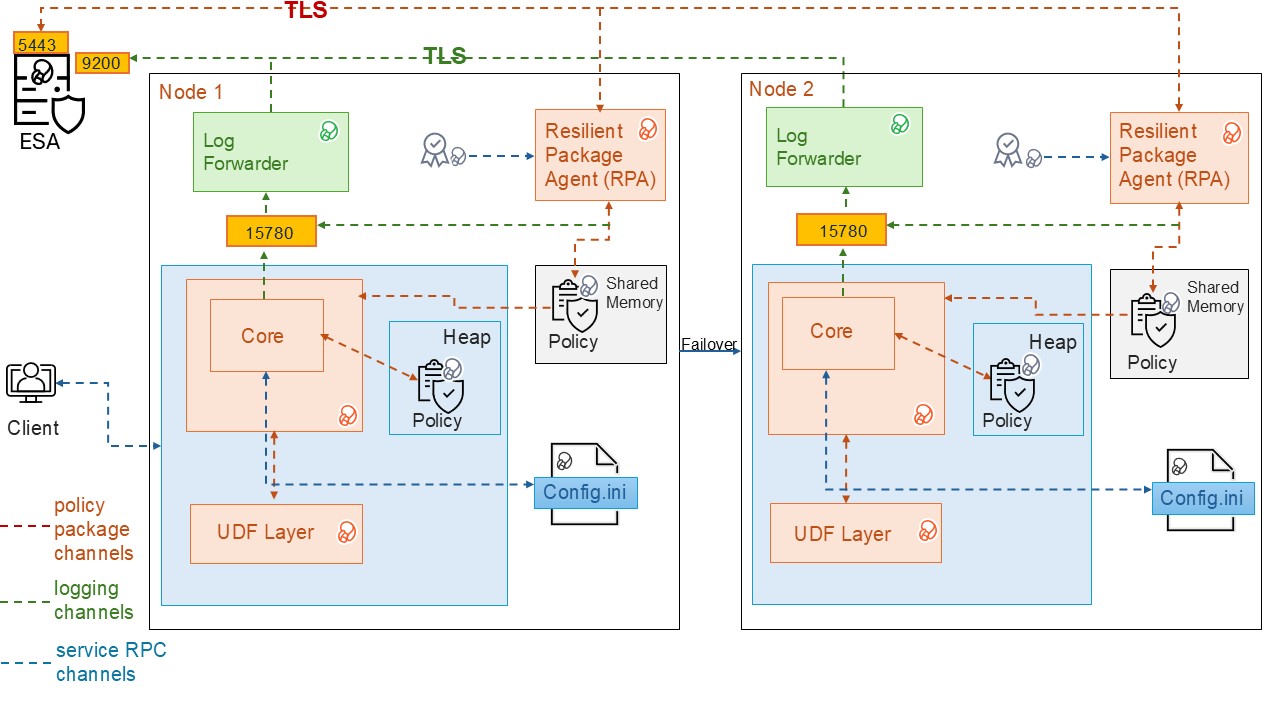
| Component | Description |
|---|---|
| RPAgent | A service on each node that downloads the package from the ESA over a TLS‑secured channel. |
| Log Forwarder | A service running on each node that routes audit logs and application logs to the ESA/Audit Store. |
| config.ini | A configuration file on each node that defines parameters used to control Database Protector behavior. |
| UDF Layer | A set of Database Protector user‑defined functions (UDFs) and APIs. |
| Core | A set of shared libraries that provide the core Protegrity functionality. |
12.2.2 - System Requirements
This section describes the System Requirements including the hardware, software, and network requirements for installing the MSSQL database protector.
The following are the prerequisites required for installing the MSSQL Database Protector:
- The ESA v10.0 appliance is installed, configured, and running.
- The IP address or host name of the ESA is noted.
- The administrator rights for the operating system are granted.
- The DBA rights to the MSSQL database are granted.
- Before installing the protector, ensure that the Policy Information Management(PIM) is initialized, if you are installing the ESA for the first time. This prerequisite holds true for versions 7.2.0 and later releases.
Note: For more information about initializing the PIM, refer to the section Initializing the Policy Management.
12.2.3 - Preparing the Environment
The steps to prepare the environment to install the MSSQL Database Protector are explained in the sub-sections mentioned below.
12.2.3.1 - Extracting the Installation Package
Download the
DatabaseProtector_WIN-ALL-64_x86-64_MSSQL-ALL-64_<version>.zipinstallation package made available by Protegrity.Create a directory to install the protector.
Note: In case of a failure to create the installation directory, the script will use
C:\Program Files\Protegrity\as the default installation directory.To obtain the
signaturefiles, extract the contents of theDatabaseProtector_WIN-ALL-64_x86-64_MSSQL-ALL-64_<version>.zipfile.DatabaseProtector_WIN-ALL-64_x86-64_MSSQL-ALL-64_<version>.zipsignatures\DatabaseProtector_WIN-ALL-64_x86-64_MSSQL-ALL-64_<version>.zip_10.0.sig
To obtain the
installationfiles from the package, extract theDatabaseProtector_WIN-ALL-64_x86-64_MSSQL-ALL-64_<version>.zipfile.The following files are available in the installation package:
LogforwarderSetup_Windows_x64_<version>.exePepSQLServerSetup_Windows_x64_<version>.exeRPAgentSetup_Windows_x64_<version>.exeU.S.Patent.No.6,321,201.Legend.txt
12.2.3.2 - Installing the Log Forwarder
Log in to the database server as the user that has the permissions to install the Log Forwarder. Usually, this tends to be the instance owner.
Navigate to the directory containing the installation files.
To install the Log Forwarder, double-click the
LogforwarderSetup_Windows_x64_<version>.exefile.The Welcome to the Log Forwarder Setup Wizard dialog box appears.
Caution: It is mandatory to install the Log Forwarder before installing the RPAgent to ensure that the MSSQL Database Protector is configured correctly.
Click Next.
The Audit Store Connectivity Information dialog box appears.
In the Audit Store Connectivity Information dialog box, select the number of audit stores.
Note: The minimum and maximum Audit Store endpoints supported are 1 and 3 respectively.
In the Endpoint 1 box, enter the IP address for the audit store.
Note: The default port number is
9200.Click Next.
The Select Destination location dialog box appears.
To change the default installation directory for the Log Forwarder:
Click Browse.
Select the required installation directory to install the Log Forwarder.
Click OK.
Note: The default installation directory is
C:\Program Files\Protegrity\logforwarder.Click Next.
The Ready to Install dialog box appears.
Click Install.
The installer completes the installation and the Completing the Log Forwarder Setup dialog box appears.
To exit the installer, click Finish.
Note: After the Log Forwarder is installed successfully, to ensure that the Logforwarder sends logs to the ESA, verify that the Log Forwarder service is in the Running state.
To check the logforwarder service state, navigate to Start > Control Panel > System and Security > Administrative Tools > Services.
The Services window appears.
Verify that the Protegrity Log Forwarder service is in the Running state.
12.2.3.3 - Installing the RPAgent
Before you begin:
Before proceeding with the RPA installation in secure mode, ensure that the required CA certificate is available and trusted on the system.
For ESA
Download the certificate from ESA.
For more information about downloading certificates from ESA, refer to Manage Certificates.
After obtaining the certificate, configure the system environment variable:
| Variable | Value |
|---|---|
| SSL_CERT_FILE | Full path to the certificate file (for example, C:\Program Files\Protegrity\Database Protector\ca.crt) |
Ensure the ESA hostname or IP is present in the ESA TLS certificate (SAN or CN) and it is resolvable from the RPAgent host.
After the CA certificate is available, proceed with the RPA installation.
To install the RPAgent:
Navigate to the directory containing the installation files.
To install the RPAgent, double-click the
RPAgentSetup_Windows_x64_<version>.exefile.The Welcome to Resilient Package Agent Setup Wizard dialog box appears.
Click Next.
The Upstream Connectivity Information dialog box appears.
In the Address box, enter the host name or the IP address of the ESA.
Caution: Ensure that the ESA is up and running with the HubController service. The HubController service must be in the Running state to enable automatic download of certificates.
In the Port box, type the ESA port number.
Note: The default port for ESA is
8443.In the Certificate Download User box, type the ESA username.
In the Certificate Download Password box, type the ESA password.
Click Next.
The Select Destination Location dialog box appears.
To change the default installation directory for the RPAgent:
Click Browse.
Select the required installation directory to install the RPAgent.
Click OK.
Note: The default directory is
C:\Program Files\Protegrity\rpagentwhere the RPAgent is installed.Click Next.
The Ready to Install dialog box appears.
Click Install.
The installer completes the installation and the Completing the Protegrity RPAgent Setup Wizard dialog box appears.
To exit the wizard, click Finish.
To check the Protegrity RPAgent service status, navigate to Start > Control Panel > System and Security > Administrative Tools > Services. The Services window appears.
Verify that the Protegrity RPAgent service is in the Running state.
12.2.4 - Installing the MSSQL Database Protector
This section describes the procedure to install the MSSQL Database Protector and create the required User‑Defined Functions (UDFs). The process includes instructions to install the Policy Enforcement Point (PEP) for Microsoft SQL Server, optionally managing certificate‑based logins, and creating the UDFs.
Note: Certificate-based login management is only required in case of certificate creation. Depending on the specific requirements, create the User-defined functions (UDFs) with or without the certificates.
12.2.4.1 - Installing the Policy Enforcement Point (PEP)
The Policy Enforcement Point (PEP) integrates with SQL Server to enforce data protection and security policies at runtime, ensuring controlled access to sensitive data. This section outlines the installation procedure, and key considerations to ensure a successful installation.
To install the PEP:
Navigate to the directory containing the installation files.
To install the PEP for MSSQL server, double-click the
PepSQLServerSetup_Windows_x64_<version>.exefile.The Select Destination Location dialog box appears.
To change the default installation directory:
Click Browse.
Select the required installation directory to install the PEP for MSSQL Server.
Click OK.
Note: The default directory is
C:\Program Files\Protegrity\Database Protector.Click Next.
The Ready to Install dialog box appears.
Click Next.
The Configure SQL Server Database Name dialog box appears.
Note: The default database name is set to
master.Enter the database name in the box.
Click Install.
The installer completes the installation successfully and the Completing the Protegrity Data Security Platform - SQL Server UDF Setup Wizard dialog box appears.
Click Finish.
Note: After creating the UDFs, Protegrity recommends to restart the MSSQL service. For more information, refer to Restarting the SQL server.
Note: After installing Database Protector, configure Certificate-based login or continue with UDF installation without certificate-based authentication.
12.2.4.2 - Managing Certificate Based Login
Certificate‑based login securely authorizes Protegrity assemblies in SQL Server by using a certificate created from the Protegrity‑signed dll.
This section provides information about creating and upgrading the certificate based login for the MSSQL database protector.
12.2.4.2.1 - Creating the certificate
Certificate‑based login securely authorizes Protegrity assemblies in SQL Server by using a certificate created from the Protegrity‑signed dll. The certificate is mapped to a login with the UNSAFE ASSEMBLY permission. This permission enables the trusted execution of assemblies and UDFs without enabling the database‑wide TRUSTWORTHY setting.
To create a certificate-based login:
Login to SQL Server Management Studio.
To create a database certificate using a signed
dll. execute the following query.CREATE CERTIFICATE MSSQL_90009_cert FROM EXECUTABLE FILE = 'C:\Program Files\Protegrity\Database Protector\sqlserver\DNPepConnector.dll' GOTo create a certificate‑based login and grant the
UNSAFE ASSEMBLYpermissions, execute the following query.CREATE LOGIN John FROM CERTIFICATE MSSQL_90009_cert GO GRANT UNSAFE ASSEMBLY TO <John>; GOTo verify the certificate, navigate to System Database > Security > Certificates.
Select the appropriate database type to install the UDFs.
To create an assembly:
- Verify whether any assembly exists.
- If the assembly exists, then drop the existing assembly.
- Open the
createassembly.sqlscript. - Set the value of the
TRUSTWORTHYparameter toOFF. - Save the changes to the
createassembly.sqlscript. - Execute the
createassembly.sqlscript.
A sample script is given below.
USE [master] GO sp_configure 'clr enable',1 RECONFIGURE GO alter database [master] set trustworthy OFF GO if exists(SELECT name FROM sys.assemblies WHERE name = 'DNPepConnector') DROP ASSEMBLY [DNPepConnector] GO CREATE ASSEMBLY [DNPepConnector] AUTHORIZATION [dbo] FROM 'C:\Program Files\Protegrity\Database Protector\sqlserver\DNPepConnector.dll' WITH PERMISSION_SET = UNSAFE GOTo verify the user, navigate to the
C:\Program Files\Protegrity\Database Protector\sqlserver.To install the database objects, execute the
CreateObjects.sqlscript.Execute the protect/unprotect operations.
12.2.4.2.2 - Upgrading the certificate
This section describes the instructions to upgrade certificates for certificate‑based logins. Certificate upgrades are required only when replacing or renewing an existing certificate and are not part of the initial installation. Perform this procedure only if certificate‑based login is already configured.
To upgrade the certificate:
Login to SQL Server Management Studio.
To identify the login mapped to the certificate, execute the following query:
SELECT name FROM sys.server_principals WHERE sid IN ( SELECT sid FROM sys.certificates WHERE name = '<certificate_name>' );Note: Replace the placeholder with actual names.
This query returns the login_name associated with the existing certificate.
To drop the login name, execute the following query:
DROP LOGIN [login_name];Note: Replace the placeholder with actual names.
This command removes the login_name associated with the existing certificate.
To drop the associated objects, execute the following script:
DropObjects.sqlTo drop the user, execute the following query:
DROP USER [user_name];Note: Replace the placeholder with actual names.
This command removes the user_name associated with the existing certificate.
To drop the certificate, execute the following query:
DROP CERTIFICATE <certificate_name>;To re-create the certificate, follow the steps mentioned in Creating a Certificate-Based Login.
12.2.4.3 - Creating the User Defined Functions
This section describes the instructions install the User Defined Functions (UDFs). Create the UDFs with or without a certificate-based login. For more information about certificate-based login, refer to Managing Certificate-Based Login.
Note: If the
TRUSTWORTHYdatabase property isOFF, create a certificate-based login from the signed.dllfile provided by Protegrity. Create the certificate-based login before creating the UDFs. If theTRUSTWORTHYdatabase property isON, create the UDFs without creating a certificate-based login.
To install the user-defined functions:
Note: In MSSQL Server, the
salogin is disabled by default. Enable thesalogin to connect to the database using thesauser. By default, the database name ismaster.
To connect to the database, login as the privileged user with the CREATE ASSEMBLY permissions.
To run the scripts, navigate to the
C:\Program Files\Protegrity\Database Protector\sqlserver\sqlscriptsdirectory.To execute the registered assembly, execute the
CreateAssembly.sqlscript.Open the
CreateFunctions.sqlfile.Replace the default database name with the database to install the UDFs.
Save the changes to the
CreateFunctions.sqlscript.To create the UDFs, execute the
CreateFunctions.sqlscript.Note: After creating the UDFs, Protegrity recommends to restart the MSSQL service. For more information, refer to Restarting the SQL server.
12.2.5 - Configuring the MSSQL Database Protector
The installer script implements the required configurations automatically while installing the MSSQL Database Protector. These settings are done automatically by the installation process and do not require manual intervention. The following table describes these settings.
| Settings | Description |
|---|---|
| Communication | Set the Communication ID to 0 in the following registry entry: HKEY_LOCAL_MACHINE > SOFTWARE > Protegrity > Defiance DPS > SQL CLR This becomes the MSSQL Server default setting. |
| Domain Name | Using the LDAP member-source component, update the registry value in: HKEY_LOCAL_MACHINE > SOFTWARE > Protegrity > Defiance DPS > SQL CLR This helps the Administrator include domain names with every user name, making the user name unique. |
Note: Truncating the user names could lead to a security vulnerability and could result in user names, without the domain names, being treated as duplicate.
Note: It is recommended not to truncate the domain name as it is insecure. If the SQL Server instance is configured to perform windows authentication, then the mixed mode authentication should be disabled. A Windows authenticated user must provide the user name with the domain or host name prepended.
Configuring the TRUSTWORTHY Database Property
It is necessary to secure the connection between any client application and a SQL Server instance. The TRUSTWORTHY property for the MSSQL database is used to indicate whether the SQL Server instance trusts the database and its contents.
Earlier, while running the CreateAssembly.sql script during installation of the MSSQL Database Protector, the TRUSTWORTHY property was set to ON in the ALTER DATABASE statement. Keeping the TRUSTWORTHY property set to ON, increases security risk. It is recommended to keep the TRUSTWORTHY property set to OFF to avoid malicious threats when the database is connected to the server. However, if the TRUSTWORTHY database property is set to OFF while running the CreateAssembly.sql script, then the installation fails with the following error:
CREATE ASSEMBLY for assembly 'DNPepConnector' failed because assembly 'DNPepConnector' is not authorized for PERMISSION_SET = UNSAFE.
The assembly is authorized when either of the following is true: the database owner (DBO) has UNSAFE ASSEMBLY permission and the database has the TRUSTWORTHY database property on; or the assembly is signed with a certificate or an asymmetric key that has a corresponding login with UNSAFE ASSEMBLY permission.
Note: It is recommended to avoid changing the
TRUSTWORTHYproperty setting. An alternative method to mitigate this issue is that a certificate can be created for the MSSQL database using the signeddllfrom Protegrity. From this certificate a certificate-based login can be created for the database. An authorized certificate signed by a trusted source can validate the secured connection between the SQL Server instance and the database. A login is created with the certificate to connect the database securely with the server.
For more information about how to create a certificate-based login for the MSSQL database using the signed dll from Protegrity, refer to the section Managing Certificate-Based Login.
For more information about configuring the TRUSTWORTHY** property and creating a certificate, refer to the sections TRUSTWORTHY Database Property and Create a certificate for package signing respectively, in Microsoft’s website.
Updating Parameters in the config.ini File
The MSSQL Database Protector provides the following files that contain different parameters to control the protector behavior:
config.ini- provides parameters to control the protector behavior.rpagent.cfg- provides parameters to control the RPAgent behavior.
To update paramenters in the config.ini file follow the steps below:
Log in to the node.
Navigate to the
C:\Program Files\Protegrity\Database Protector\sqlserver\datadirectory.To open the
config.inifile, run the following command:vi config.iniPress ENTER.
The command opens the
config.inifile.############################################################################### # Protector configuration ############################################################################### [protector] # Cadence determines how often the protector connects with ESA / proxy to fetch the policy updates in background. # Default is 60 seconds. So by default, every 60 seconds protector tries to fetch the policy updates. # If the cadence is set to "0", then the protector will get the policy only once. # # Default 60. cadence = 60 ############################################################################### # Log Provider Config ############################################################################### [log] # In case that connection to fluent-bit is lost, set how audits/logs are handled # # drop : (default) Protector throws logs away if connection to the fluentbit is lost # error : Protector returns error without protecting/unprotecting # data if connection to the fluentbit is lost mode = drop # Host/IP to fluent-bit where audits/logs will be forwarded from the protector # # Default localhost host = localhostUpdate the parameters, as per the description in the table.
Parameter Description cadenceSpecifies the frequency at which the protector retrieves the policy. The default value is 60 seconds. If the cadence is set to “0”, then the protector will get the policy only once. modeSpecifies the approach of handling logs when the connection to the Log Forwarder is lost. Save the changes to the
config.inifile.
Updating the parameters in the rpagent.cfg file
Log in to the required node.
Navigate to the
C:\Program Files\Protegrity\rpagent\datadirectory.To open the
rpagent.cfgfile, run the following command:vi rpagent.cfgPress ENTER.
The command opens the rpagent.cfg file.
############################################################################### # Resilient Package Sync Config ############################################################################### [sync] # Protocol to use when communicating with the service providing Resilient Packages. # Use 'https' for ESA or 'shmem' for local shared memory. protocol = https # Host/IP to the service providing Resilient Packages host = <IP_address> port = 8443 # Path to CA certificate ca = /opt/protegrity/rpagent/data/CA.pem # Path to client certificate cert = /opt/protegrity/rpagent/data/cert.pem # Path to client certificate key key = /opt/protegrity/rpagent/data/cert.key # Path to a secret file that is used to decrypt the client certificate key. # When using a custom certificate bundle, the 'secretcommand' can instead be # used to execute an external command that obtains the secret. secretfile = /opt/protegrity/rpagent/data/secret.txt ############################################################################### # Log Provider Config ############################################################################### [log] # In case that connection to fluent-bit is lost, set how audits/logs are handled # # drop : (default) Protector throws logs away if connection to the fluentbit is lost # error : Protector returns error without protecting/unprotecting # data if connection to the fluentbit is lost mode = drop # Host/IP to fluent-bit where audits/logs will be forwarded from the protector # # Default localhost host = localhostUpdate the parameters, as per the description in the table.
Parameter Description interval Specifies the frequency at which the RPAgent retrieves the policy. The minimum value is 1 second and the maximum value is 86400 seconds. This is an optional parameter and must be included in the Sync section of the rpagent.cfgfile.protocol Specifies the protocol to use when communicating with the service providing Resilient Packages. host Specifies the hostname to the service providing the Resilient packages. port Specifies the port to the service providing the Resilient packages. ca Specifies the path to the CA certificate. cert Specifies the path to the client certificate. key Specifies the path to the client certificate key. secretfile Specifies the path to the secret file that is used to decrypt the client certificate key. mode Specifies the approach of handling logs when the connection to the Log Forwarder is lost. host Specifies the hostname or the IP address to where the Log Forwarder will forward the audit logs from the protector. Save the changes to the
rpagent.cfgfile.
Restarting SQL server to apply configuration changes
Note: After the initial installation using the default path, restart the
MSSQLSERVERservice before executing any queries. If the installation path is modified in later installations, theMSSQLSERVERservice must be restarted again prior to query execution.
If the protector is already installed, restart the SQL Server to apply the config.ini changes.
To restart the SQL Server follow the steps below:
- Open SQL Server Management Studio > SQL Server Configuration Manager.
- In the left pane, select SQL Server Services.
- Identify the SQL Server instance to restart:
- SQL Server
MSSQLSERVERfor the default instance, or - SQL Server
<instance_name>for a named instance.
- SQL Server
- Right-click the selected SQL Server instance.
- Click Restart.
The SQL Server service restarts and the configuration changes are implemented.
12.2.5.1 - Configuring MSSQL User Access Permissions
A user must be granted access and permissions to the certain tables such that they can query the database for members and groups.
Grant the following privilege rights to the user, defined in the member source configuration on the ESA, for executing the queries:
- Select access to
MASTER.SYSLOGINS - Select access to
SYSUSERS
12.2.5.2 - Impersonating a User
User impersonation is a security feature that allows one user to temporarily act under the permissions of another user (usually a privileged user) within the same session. This enables controlled execution of privileged actions without permanently granting elevated access, and all actions are audited as performed by the impersonated user.
To impersonate a user:
Login to the server as the proxy user,
USER1.To change the user execution to privileged user, USER2, run the following command:
EXECUTE AS USER = 'USER2'Perform the protect/unprotect functionality on the data using a data element.
Disconnect the current session and initiate the session as
USER1.Similarly, the EXEC AS statement enables impersonation of a privileged user to perform operations according to the user’s assigned privileges.
Note:
- User impersonation settings apply only to the current session.
- If a proxy user impersonates a privileged user and performs any operation, then entries in the Audit logs are displayed as performed by the privileged user, and not the proxy user.
12.2.6 - Upgrading the Database Protector
To upgrade the MSSQL Database Protector:
Drop the existing UDFs.
Uninstall the existing version of the protector.
Install the new version of the protector.
Start the RPAgent.
Create the new user-defined functions.
12.2.6.1 - Preparing the System for Upgrade
Before proceeding with an upgrade, stop the required services and create a backup of all the configuration files.
To prepare the system for an upgrade:
Log in to the database server as a user with the required permissions.
In the Windows search box, type Run
Press ENTER.
The Run dialog box appears.
Type
services.msc.Press ENTER.
The Services window appears.
To stop the RPAgent, right-click the Resilient Package Agent service and select Stop.
To stop the Log Forwarder, right-click the Logforwarder service and select Stop.
Note: To preserve the current configuration, copy the
config.inifile to the required location. Theconfig.inifile is available in theC:\Program Files\Protegrity\Database Protector\sqlserver\datadirectory.
12.2.6.2 - Dropping the UDFs
After stopping the services and creating a backup of the configuration files, drop the existing user defined functions.
To delete the UDFs:
Log in to the database server as the user that has the permissions.
Navigate to the
C:\Program Files\Protegrity\Database Protector\sqlserver\sqlscriptsfolder.Execute the
DropObjects.sqlfile.Create a backup of the
Database Protectordirectory.
12.2.6.3 - Upgrading the Database Protector
Note: Starting with version 7.2.0, for first‑time ESA installations, initialize Policy Management before installing the protector. For more information about initializing the Policy Management, refer to the section Initializing the Policy Management.
To upgrade the Database Protector, install the newer version of the Database protector. For more information, refer Installing the MSSQL Database Protector.
12.2.6.4 - Recreating the UDFs
After the upgrade, recreate the required UDFs to restore the Database Protector functionality.
To re-create the UDFs:
Log in to the database server as the user that has the permissions.
Navigate to the
C:\Program Files\Protegrity\Database Protector\sqlserver\sqlscripts directory.To register the assembly, execute the
CreateAssembly.sqlscript.To create the UDFs, execute the
CreateFunctions.sqlscript.
12.2.6.5 - Restarting the RPAgent
After the upgrade, restart the required services and deploy policies to restore Database Protector operations.
To restart the RPAgent service:
In the Windows search box, type Run.
Press ENTER.
The Run dialog box appears.
Type services.msc.
Press ENTER.
The Services window appears.
To restart the RPAgent service, right-click Resilient Package Agent service and select Restart.
To restart SQL Server, right-click on the SQL Server service and select Restart.
Deploy the policies from the ESA to the Database Protector.
12.2.7 - Uninstalling the MSSQL Database Protector
The section describes the procedures to uninstall the MSSQL Database Protector and the components.
Before proceeding to uninstall the MSSQL Database protector, stop the MSSQL Service.
To stop the MSSQL Service
Navigate to Start > Control Panel > System and Security > Administrative Tools > Services.
Note: Alternatively, navigate to the Windows > Start > Run. In the Run window, type services.msc and then, click OK.
The Services window appears.
Select MSSQL Server.
To stop the MSSQL Service, select Action > Stop.
12.2.7.1 - Dropping the Database Protector UDFs
Log in to the MSSQL database with a username that owns the UDF functions.
Note: The
DropObjects.sqlscript must be executed either before or after uninstalling all MSSQL Server Database Protector components.Navigate to the
C:\Program Files\Protegrity\Database Protector\sqlserver\sqlscripts directory.Open the
DropObjects.sqlfile.Replace the default database name with the database name to uninstall the UDFs.
Save the changes to the
DropObjects.sqlfile.To uninstall the UDFs, execute the
DropObjects.sqlscript.
12.2.7.2 - Uninstalling the RPAgent
Navigate to Start > Control Panel > System and Security > Administrative Tools > Services.
Note: Alternatively, navigate to the Windows > Start > Run. In the Run window, type services.msc and then, click OK.
The Services window appears.
Select Protegrity Resilient Package Agent.
To stop the RPAgent server, select Action > Stop.
To remove the RPAgent component:
From the Windows menu, navigate to Start > Control Panel > Programs > Programs and Features.
From the list of programs, under the Name column, select Protegrity Resilient Package Agent.
Click Uninstall.
Note: Alternatively, go to the
C:\Program Files\Protegrity\rpagentdirectory. To uninstall the RPAgent, select unins000 file and then double-click it.The RPAgent installer deletes the rpagent directory.
12.2.7.3 - Uninstalling the Log Forwarder
Navigate to Start > Control Panel > System and Security > Administrative Tools > Services.
Note: Alternatively, navigate to the Windows > Start > Run. In the Run window, type services.msc and then, click OK.
The Services window appears.
Select Logforwarder.
To stop the Log Forwarder, select Action > Stop.
To remove the Log Forwarder component:
From the Windows menu, navigate to Start > Control Panel > Programs > Programs and Features.
From the list of programs, under the Name column, select Logforwarder.
Click Uninstall.
Note: Alternatively, go to the
C:\Program Files\Protegrity\logforwarderdirectory. To uninstall the Log Forwarder, select unins000 file and then double-click it.The installer removes the Log Forwarder and deletes the Log Forwarder directory.
12.2.7.4 - Removing the Database Protector
The section describes the procedures to uninstall the MSSQL Database Protector and the components.
From the Windows menu, navigate to Start > Control Panel > Programs > Programs and Features.
The Programs and Features window appears.
From the list of programs, under the Name column, select Protegrity Data security platform - SQL Server UDF.
Click Uninstall.
Note: Alternatively, go to the
C:\Program Files\Protegrity\Database Protectordirectory. To uninstall the Protegrity Data security platform - SQL Server UDF, select unins000 file and then double-click it.The Protegrity Data security platform - SQL Server UDF is uninstalled and the Database Protector directory is deleted.
12.3 - Oracle Database Protector
The Oracle Database Protector can be installed by the user with sudoer permissions and the Oracle admin user. This section discusses the installation with a user having the sudoer permissions. Wherever possible, the oracle commands for Oracle admin user would be provided.
To use the Oracle Database Protector, update the environment variables in Oracle.
User Privileges
The Oracle Database Protector installation can be broadly divided into installing the RPAgent and installing the UDFs. The RPAgent installation establishes the connection between the ESA and the Database Protector, while the UDFs use the policies to enforce protection on the data.
User for retrieving users from Oracle Database
For policies to be defined in the ESA, users can be imported from any of the multiple sources such as Active Directory (AD), file, or an Oracle database. To pull users from an Oracle database, a membersource must be created. The following information applies if the users must be pulled from an Oracle database.
To retrieve users from the Member Source Server:
- Either create a functional database user with create session permissions
or
Use an existing user with create session permissions - Grant the following two specific grants:
- Grant select on sys.dba_roles to protegrity
- Grant select on sys.dba_role_privs to protegrity
Where, protegrity is the functional user created.
User for installing UDFs
After the RPAgent is installed, the UDFs can be installed on the Oracle Database server. Create a functional database user with the following privilege rights:
- Grant unlimited tablespace to USER1
- Grant create session to USER1
- Grant select any table to USER1
- Grant create library to USER1
- Grant create procedure to USER1
- Grant drop public synonym to USER1
- Grant create public synonym to USER1
- Grant create table to USER1
- Grant create view to USER1
Where, USER1 is the functional user created.
12.3.1 - Understanding the Architecture
The architecture for the Oracle Database Protector is depicted in the image below.
| Component | Description |
|---|---|
| RPAgent | A daemon running on each node that downloads the package from the ESA over a TLS channel using the installed Certificates. |
| Log Forwarder | A daemon running on each node that routes the audit logs and application logs to the ESA/Audit Store. |
| config.ini | A file on each node containing the set of configuration parameters to modify the protector behavior. |
| DBP Layer | Contains the Database Protector UDFs and APIs. |
| Core | The set of various libraries that provide the Protegrity Core functionality. |
12.3.2 - System Requirements
Ensure that the following prerequisites are met:
The Oracle Database is installed and configured.
The Enterprise Security Administrator (ESA) is installed, configured, and running.
The IP address or host name of the ESA is noted.
Ensure that Policy Management (PIM) has been initialized on the ESA. The initialization of PIM ensures that cryptographic keys for protecting data and the policy repository have been created.
Download and save the Oracle Database Protector,
DatabaseProtector_<operating_system>-<arch>_<Oracle_version>-64_<version>.tgz, made available by Protegrity.Even if it is not mandatory, create a backup of the database where the Oracle Database Protector and the UDFs will be installed.
Access to the server, as the oracle instance owner or the user created specifically for Protegrity, is available.
Access to the Oracle database as the
sysdbasuperuser, should be available.
12.3.3 - Preparing the Environment
The steps to prepare the environment to install the Oracle Databsae Protector are explained in the sub-sections mentioned below.
12.3.3.1 - Extracting the Installation Package
- Log in to the Oracle database server with an account having the required privileges.
- Save the Oracle database protector installation package,
DatabaseProtector_<operating_system>-<arch>_<Oracle_distribution>-64_<version>.tgz, made available by Protegrity, in any sample directory. For example,/opt/protegrity/ - Navigate to the
/opt/Protegrity/directory. - To extract the contents, run the following command:
tar -xvf DatabaseProtector_Linux-ALL-64_x86-64_Oracle-ALL-64_<DBP_version>.tgz - Press ENTER.
The command extracts the package and the signature files.
DatabaseProtector_Linux-ALL-64_x86-64_Oracle-ALL-64_<DBP_version>.tgz signatures/ signatures/DatabaseProtector_Linux-ALL-64_x86-64_Oracle-ALL-64_<DBP_version>.tgz_10.0.sig - To extract the contents of the installation package, run the following command:
tar -xvf DatabaseProtector_Linux-ALL-64_x86-64_Oracle-ALL-64_<DBP_version>.tgz - Press ENTER.
The command extracts the files from the package.
LogforwarderSetup_Linux_x64_<DBP_version>.sh RPAgentSetup_Linux_x64_<DBP_version>.sh PepOracleSetup_Linux_x64_<DBP_version>.sh U.S.Patent.No.6,321,201.Legend.txt
12.3.3.2 - Installing the Log Forwarder
- Log in to the database server as the user that has the permissions to install the Log Forwarder. Usually, this tends to be the instance owner.
- Navigate to the directory where the installation files are extracted.
- To install the Log Forwarder, run the following command:
./LogforwarderSetup_Linux_x64_<DBP_version>.sh - Press ENTER.
The prompt to enter the audit store endpoint appears.
Enter the audit store endpoint (host), alternative (host:port) to use another port than the default port 9200 : - Enter the IP address of the audit store.
- Press ENTER.
The prompt to enter additional endpoint appears.
Audit store endpoints: <Audit_store_IP_address>:9200 Do you want to add another audit store endpoint? [y/n]: - To skip adding additional endpoints, type
no. - Press ENTER.
The prompt to continue the installation appears.
These audit store endpoints will be added: <Audit_store_IP_address>:9200 Type 'y' to accept or 'n' to abort installation: - To continue the installation, type
yes. - Press ENTER.
The script extracts the files and installs the Log Forwarder.
Unpacking... Extracting files... Protegrity Log Forwarder installed in /opt/protegrity/logforwarder. - Navigate to the
/opt/protegrity/logforwarder/bindirectory. - To start the Log Forwarder, run the following command:
./logforwarderctrl start
12.3.3.3 - Installing the RPAgent
- Log in to the database server as the user that has permissions to install the RPAgent.
- Navigate to the directory where the installation files are extracted.
- To install the RPAgent, run the following command:
./RPAgentSetup_Linux_x64_<DBP_version>.sh - Press ENTER.
The prompt to enter ESA host name or IP address appears.
Please enter upstream host name or IP address[]: - Enter the IP address of the ESA.
- Press ENTER.
The prompt to enter the username to download the certificates appears.
Please enter the user name for downloading certificates[]: - Enter the username to download the certificates from ESA.
- Press ENTER.
The prompt to enter the password to download the certificates appears.
Please enter the password for downloading certificates[]: - Enter the password.
- Press ENTER.
The script connects to the ESA, retrives the JWT token, extracts the certificates, and installs the RPAgent.
Unpacking... Extracting files... Obtaining token from <ESA_IP_Address>:25400... Downloading certificates from <ESA_IP_Address>:25400... % Total % Received % Xferd Average Speed Time Time Time Current Dload Upload Total Spent Left Speed 100 11264 100 11264 0 0 136k 0 --:--:-- --:--:-- --:--:-- 137k Extracting certificates... Certificates successfully downloaded and stored in /opt/protegrity/rpagent/data Protegrity RPAgent installed in /opt/protegrity/rpagent. - Navigate to the
/opt/protegrity/rpagent/bindirectory. - To start the RPAgent, run the following command:
./rpagentctrl start
12.3.4 - Installing the Oracle Database Protector
12.3.4.1 - Installing the Policy Enforcement Point (PEP)
- Log in to the node where the installation files are extracted.
- To install the Oracle objects, run the following command:
./PepOracleSetup_Linux_x64_<DBP_version>.sh - Press ENTER.
The prompt to continue appears.
***************************************************** Welcome to the Database Protector Setup Wizard ***************************************************** This will install the oracle objects on your computer Do you want to continue? [yes or no] - To continue, type
yes. - Press ENTER.
The prompt to enter the installation directory appears.
Enter installation directory. A new directory will be created in the installation directory. [/opt/protegrity]: - Enter the location to install the Oracle objects.
- Press ENTER.
The command extracts the files and installs the objects.
Unpacking... Extracting files... oracle objects installed in /opt/protegrity/databaseprotector/oracle.
12.3.4.2 - Creating the User Defined Functions (UDFs)
The Oracle Database Protector provides the createobjects.sql script to create or install the UDFs. Before executing the createobjects.sql script, configure the listener.ora, tnsnames.ora, and the extproc.ora configuration files, depending on the version of the Oracle database.
To install UDFs for the Oracle Database Protector:
Connect to the database as the
oracleuser with the database owner credentials.Navigate to the
/opt/protegrity/databaseprotector/oracle/sqlscripts/directory.To install the UDFs, run the following command:
sqlplus User1/Password1 @createobjects.sqlwhere,
User1andPassword1are the credentials of the database owner. The symbol\is used for Windows and/for UNIX environments.To view the list of all the installed UDFs, run the following command:
select PROCEDURE_NAME from user_procedures order by 1;To verify the successful installation of the UDFs, execute any one of the following queries:
select pty.whoami() from dual;The function returns the name of the user that is logged in to the database.
select pty.getversion() from dual;The function returns the protector version.
12.3.5 - Configuring the Oracle Database Protector
The Oracle Database Protector provides the following files that contain different parameters to control the protector behavior:
config.ini- provides parameters to control the protector behavior.rpagent.cfg- provides parameters to control the RPAgent behavior.
Updating the parameters in the config.ini file:
Log in to the node.
Navigate to the
/opt/protegrity/databaseprotector/oracle/datadirectory.To open the
config.inifile, run the following command:vi config.iniPress ENTER.
The command opens the
config.inifile.############################################################################### # Protector configuration ############################################################################### [protector] # Cadence determines how often the protector connects with ESA / proxy to fetch the policy updates in background. # Default is 60 seconds. So by default, every 60 seconds protector tries to fetch the policy updates. # If the cadence is set to "0", then the protector will get the policy only once. # # Default 60. cadence = 60 ############################################################################### # Log Provider Config ############################################################################### [log] # In case that connection to fluent-bit is lost, set how audits/logs are handled # # drop : (default) Protector throws logs away if connection to the fluentbit is lost # error : Protector returns error without protecting/unprotecting # data if connection to the fluentbit is lost mode = drop # Host/IP to fluent-bit where audits/logs will be forwarded from the protector # # Default localhost host = localhostUpdate the parameters, as per the description in the table.
Parameter Description cadenceSpecifies the frequency at which the protector retrieves the policy. The default value is 60 seconds. If the cadence is set to “0”, then the protector will get the policy only once. modeSpecifies the approach of handling logs when the connection to the Log Forwarder is lost. Save the changes to the
config.inifile.
Updating the parameters in the rpagent.cfg file:
Log in to the required node.
Navigate to the
/opt/protegrity/rpagent/datadirectory.To open the
rpagent.cfgfile, run the following command:vi rpagent.cfgPress ENTER.
The command opens the rpagent.cfg file.
############################################################################### # Resilient Package Sync Config ############################################################################### [sync] # Protocol to use when communicating with the service providing Resilient Packages. # Use 'https' for ESA or 'shmem' for local shared memory. protocol = https # Host/IP to the service providing Resilient Packages host = <IP_address> port = 8443 # Path to CA certificate ca = /opt/protegrity/rpagent/data/CA.pem # Path to client certificate cert = /opt/protegrity/rpagent/data/cert.pem # Path to client certificate key key = /opt/protegrity/rpagent/data/cert.key # Path to a secret file that is used to decrypt the client certificate key. # When using a custom certificate bundle, the 'secretcommand' can instead be # used to execute an external command that obtains the secret. secretfile = /opt/protegrity/rpagent/data/secret.txt ############################################################################### # Log Provider Config ############################################################################### [log] # In case that connection to fluent-bit is lost, set how audits/logs are handled # # drop : (default) Protector throws logs away if connection to the fluentbit is lost # error : Protector returns error without protecting/unprotecting # data if connection to the fluentbit is lost mode = drop # Host/IP to fluent-bit where audits/logs will be forwarded from the protector # # Default localhost host = localhostUpdate the parameters, as per the description in the table.
Parameter Description interval Specifies the frequency at which the RPAgent retrieves the policy. The minimum value is 1 second and the maximum value is 86400 seconds. This is an optional parameter and must be included in the Sync section of the rpagent.cfgfile.protocol Specifies the protocol to use when communicating with the service providing Resilient Packages. host Specifies the hostname to the service providing the Resilient packages. port Specifies the port to the service providing the Resilient packages. ca Specifies the path to the CA certificate. cert Specifies the path to the client certificate. key Specifies the path to the client certificate key. secretfile Specifies the path to the secret file that is used to decrypt the client certificate key. mode Specifies the approach of handling logs when the connection to the Log Forwarder is lost. host Specifies the hostname or the IP address to where the Log Forwarder will forward the audit logs from the protector. Save the changes to the
rpagent.cfgfile.
12.3.5.1 - User Impersonation
This section describes how to impersonate a user in the Oracle database protector. The user impersonation feature enables you to perform operations and access resources on behalf of another user. Service users leverage this feature to impersonate individual users. However, to supply user context to execute a query, upper applications provide the CLIENT_IDENTIFIER. Set the impersonation parameter to YES in the config.ini file, to use the CLIENT_IDENTIFIER parameter of the inbuilt USERENV application context SYS_CONTEXT provided by the Oracle database.
To impersonate a user:
Log in to the node where the Oracle database is installed.
Navigate to the
/opt/protegrity/databaseprotector/oracle/data/directory.To open the
config.inifile, run the following command:vi config.iniPress ENTER.
The command opens the
config.inifile.############################################################################### # Protector configuration ############################################################################### [protector] # Cadence determines how often the protector connects with ESA / proxy to fetch the policy updates in background. # Default is 60 seconds. So by default, every 60 seconds protector tries to fetch the policy updates. # If the cadence is set to "0", then the protector will get the policy only once. # # Default 60. cadence = 60 ############################################################################### # Log Provider Config ############################################################################### [log] # In case that connection to fluent-bit is lost, set how audits/logs are handled # # drop : (default) Protector throws logs away if connection to the fluentbit is lost # error : Protector returns error without protecting/unprotecting # data if connection to the fluentbit is lost mode = drop # Host/IP to fluent-bit where audits/logs will be forwarded from the protector # # Default localhost host = localhostTo include the impersonation parameter and set the value to
YES, add the following code:[userimpersonation] impersonation = yes/no or YES/NOThe default value of the impersonation parameter is set to
NOorno.Assign 644 permissions to the
config.inifile. This is required only tf the ownership of theconfig.inifile is not set to theoracleuser and theoinstallgroup.Connect to the database session using the service account. For example,
USER1.To set the
CLIENT_IDENTIFIER, execute the following query:EXEC DBMS_SESSION.SET_IDENTIFIER ('USER2');Press ENTER. The query returns the name of the user for whom you set the
CLIENT_IDENTIFIERparameter.USER2To verify the value that is set for the
CLIENT_IDENTIFIERparameter, execute the following query:SQL> select sys_context('USERENV','CLIENT_IDENTIFIER') from dual; SYS_CONTEXT('USERENV','CLIENT_IDENTIFIER')Press ENTER. The query returns the name of the user for whom you set the
CLIENT_IDENTIFIERparameter.USER2Warning: When you set the value of the
impersonationparameter toyes/YES, then set a value for the theCLIENT_IDENTIFIERparameter. The protect/unprotect UDFs will run only after the value for theCLIENT_IDENTIFIERparameter is set. If you set the value of theimpersonationparameter toyes/YES, and fail to set the value for theCLIENT_IDENTIFIERparameter, then the PTY.WHOAMI() UDF will return the username as <no_user>. This will cause the protect/unprotect operations to fail with theFailed to retrieve usererror message.To verify the user who is logged into the database session, execute the following query:
select pty.whoami() from dual;Press ENTER. The query returns the name of the user that is logged into the current database session.
USER2To clear the value set for the
CLIENT_IDENTIFIERparameter, execute the following query:EXEC DBMS_SESSION.CLEAR_IDENTIFIER;
12.3.5.2 - Enterprise User Security (EUS) in the Oracle Database
Enterprise User Security (EUS) is an important component of the Oracle database that allows you to centrally manage the database users across the enterprise. Enterprise users are the users that are defined and managed in a directory. Every enterprise user has a unique identity across the enterprise. The Enterprise User Security relies on the Oracle Identity Management infrastructure, which uses an LDAP-compliant directory service to centrally store and manage the users.
Protegrity supports the following authentication methods:
- Password-based authentication
- SSL-based authentication
- Kerberos-based authentication
In the following list, the type of user is followed by the value returned:
- Password-authenticated enterprise user: nickname (same as the login name)
- Password-authenticated database user: the database username (same as the schema name)
- SSL-authenticated enterprise user: the DN in the user’s PKI certificate
- SSL-authenticated external user: the DN in the user’s PKI certificate
- Kerberos-authenticated enterprise user: Kerberos principal name
- Kerberos-authenticated external user: Kerberos principal name, which is the same as the schema name
The Oracle database protector supports the retrieval of the user information using the AUTHENTICATED_IDENTITY parameter that returns the identity used for the authentication.
Using the EUS Feature
The instructions and examples provided in the section use Kerberos-based authentication.
Note:
- Ensure that the username in the ESA policy contains only the username and does not include the domain name. For example, USER1.
- Currently, only one domain name is supported.
To use the EUS feature:
- To create a Kerberos ticket for the enterprise user, run the following command:
okinit <username> - Press ENTER.
The command prompts for the password of the enterprise user.
[oracle@db ~]$ okinit USER1 Kerberos Utilities for Linux: Version 18.0.0.0.0 - Production on 15-DEC-2021 06:07:06 Copyright (c) 1996, 2017 Oracle. All rights reserved. Configuration file : /u01/app/oracle/product/18.0.0/dbhome_1/network/admin/kerberos/krb5.conf. Password for USER1@TESTLAB.COM: - Enter the password.
- Press ENTER.
- To verify whether the authentication ticket is generated successfully, run the following command:
oklist - Press ENTER.
The command displays the authentication ticket details.
[oracle@db ~]$ oklist Kerberos Utilities for Linux: Version 18.0.0.0.0 - Production on 15-DEC-2021 06:07:37 Copyright (c) 1996, 2017 Oracle. All rights reserved. Configuration file : /u01/app/oracle/product/18.0.0/dbhome_1/network/admin/kerberos/ krb5.conf. Ticket cache: FILE:/tmp/krb5cc_54321 Default principal: USER1@TESTLAB.COM Valid starting Expires Service principal 12/15/21 06:07:06 12/15/21 16:07:06 krbtgt/TESTLAB.COM@TESTLAB.COM renew until 12/16/21 06:07:06 [oracle@db ~]$ - To login to the Oracle database, run the following command:
sqlplus /@<database_name> - Press ENTER. The SQL prompt appears.
- To verify the authentication method, run the following command:
select sys_context('USERENV','AUTHENTICATION_METHOD') from dual; - Press ENTER.
The command displays the authentication method.
select sys_context('USERENV','AUTHENTICATION_METHOD') from dual; SYS_CONTEXT('USERENV','AUTHENTICATION_METHOD') -------------------------------------------------------------------------------- KERBEROS - To view the user, run the following command:
select user from dual; - Execute a sample protect operation.
SQL> select pty.ins_encrypt('AES128', 'Original data', 0) from dual; PTY.INS_ENCRYPT('AES128','ORIGINALDATA',0) -------------------------------------------------------------------------------- 3713D5C1E058701568115B28885707CA SQL> - Execute a sample unprotect operation.
SQL> select pty.sel_decrypt('AES128', pty.ins_encrypt('AES128', 'Protegrity', 0) , 0) from dual; PTY.SEL_DECRYPT('AES128',PTY.INS_ENCRYPT('AES128','PROTEGRITY',0),0) -------------------------------------------------------------------------------- Protegrity SQL>
Retrieving User Information
This section describes how to use the AUTHENTICATED_IDENTITY parameter to retrieve the information of an enterprise user.
To fetch the information of an enterprise user, run the following query:
select sys_context( 'userenv', 'AUTHENTICATED_IDENTITY' ) from dual;
Note: The
AUTHENTICATED_IDENTITYparameter contains the information of the enterprise user and returns the identity that is used in the authentication.
12.3.6 - Uninstalling the Oracle Database Protector
The process to uninstall the Oracle Database Protector involves the following steps:
- Dropping the User Defined Functions.
- Uninstalling the RPAgent.
- Uninstalling the Log Forwarder.
Dropping the User Defined Functions
- Log in to the Oracle Database server using the same account used to create the UDFs.
- Navigate to the
/opt/protegrity/databaseprotector/oracle/sqlscripts/directory. - To drop the UDFs, run the following command:
sqlplus USER1/Password1 @dropobjects.sql
Uninstalling the RPAgent
Before uninstalling the RPAgent, Protegrity recommends creating a backup.
- Log in to the Oracle Database server.
- Navigate to the
/opt/protegrity/rpagent/datadirectory. - To stop the RPAgent, run the following command:
rpagentctrl stop - Delete the
rpagentdirectory.
Uninstalling the Log Forwarder
Before uninstalling the Log Forwarder, Protegrity recommends creating a backup.
- Log in to the Oracle Database server.
- Navigate to the
/opt/protegrity/logforwarder/datadirectory. - To stop the RPAgent, run the following command:
logforwarderctrl stop - Delete the
logforwarderdirectory.
12.4 - User Defined Functions and APIs
12.4.1 - DB2 User Defined Functions and APIs
This section provides a detailed list of functions and extended stored procedures for general functions, and protection and unprotection of different data types.
12.4.1.1 - General UDFs
This section includes list of general UDFs that can be used to retrieve the DB2 Protector version and the current user.
pty.whoami
The UDF returns the name of the user.
Signature:
pty.whoami()
Parameters:
None
Result:
- This UDF returns the name of user logged on to the database as VARCHAR(256).
Example:
SELECT pty.whoami() FROM SYSIBM.SYSDUMMY1;
pty.getversion
The UDF returns the version number of the DB2 protector.
Signature:
pty.getversion()
Parameters:
None
Result:
- The UDF returns the version number of the DB2 protector as VARCHAR(256).
Example:
SELECT pty.getversion() FROM SYSIBM.SYSDUMMY1;
pty.getcoreversion
The UDF returns the core library version, used with the DB2 protector.
Signature:
pty.getcoreversion()
Parameters:
None
Result:
- The UDF returns the core library version, used with the DB2 protector, as VARCHAR(256).
Example:
SELECT pty.getcoreversion() FROM SYSIBM.SYSDUMMY1;
12.4.1.2 - Access Check UDFs
These UDFs are used to check access permissions. The functions returns 1 if the user has access. Otherwise, it returns a 0 (zero).
pty.have_sel_perm
The UDF verifies whether the user has select or unprotect access to the data element.
Signature:
pty.have_sel_perm(communicationid INTEGER, dataelement VARCHAR)
Parameters:
| Name | Type | Description |
|---|---|---|
communicationid | INTEGER | Specifies the location where the UDF will find the policy. The value must be the same as configured in the config.ini file.Note: This parameter is no longer used and is retained for compatibility purposes only. |
dataelement | VARCHAR(64) | Specifies the name of the data element. |
Result:
- The UDF returns either of the following values:
- 1 - If the user has
selectorunprotectaccess. - 0 - If the user does not have access.
- 1 - If the user has
Exception:
If you configure an exception in the policy and the user does not have access, then the UDF terminates with an error message explaining what went wrong.
Example:
SELECT pty.have_sel_perm(0, 'NoEncryption') FROM SYSIBM.SYSDUMMY1;
pty.have_upd_perm
The UDF verifies whether the user has update or reprotect access to the data element.
Signature:
pty.have_upd_perm(communicationid INTEGER, dataelement VARCHAR)
Parameters:
| Name | Type | Description |
|---|---|---|
communicationid | INTEGER | Specifies the location where the UDF will find the policy. The value must be the same as configured in the config.ini file.Note: This parameter is no longer used and is retained for compatibility purposes only. |
dataelement | VARCHAR(64) | Specifies the name of the data element. |
Result:
- The UDF returns either of the following values:
- 1 - If the user has
updateorreprotectaccess. - 0 - If the user does not have access.
- 1 - If the user has
Exception:
If you configure an exception in the policy and the user does not have access, then the UDF terminates with an error message explaining what went wrong.
Example:
SELECT pty.have_upd_perm(0, 'NoEncryption') FROM SYSIBM.SYSDUMMY1;
pty.have_ins_perm
The UDF verifies whether the user has insert or protect access to the data element.
Signature:
pty.have_ins_perm(communicationid INTEGER, dataelement VARCHAR)
Parameters:
| Name | Type | Description |
|---|---|---|
communicationid | INTEGER | Specifies the location where the UDF will find the policy. The value must be the same as configured in the config.ini file.Note: This parameter is no longer used and is retained for compatibility purposes only. |
dataelement | VARCHAR(64) | Specifies the name of the data element. |
Result:
- The UDF returns either of the following values:
- 1 - If the user has
insertorprotectaccess. - 0 - If the user does not have access.
- 1 - If the user has
Exception:
If you configure an exception in the policy and the user does not have access, then the UDF terminates with an error message explaining what went wrong.
Example:
SELECT pty.have_ins_perm(0, 'NoEncryption') FROM SYSIBM.SYSDUMMY1;
12.4.1.3 - VarChar UDFs
The UDFs, listed in this section, protect and unprotect VARCHAR data.
pty.ins_enc_varchar
The UDF encrypts the VARCHAR data with an encryption data element.
Signature:
pty.ins_enc_varchar(communicationid INTEGER, dataelement VARCHAR, data VARCHAR, scid INTEGER)
Parameters:
| Name | Type | Description |
|---|---|---|
communicationid | INTEGER | Specifies the location where the UDF will find the policy. The value must be the same as configured in the config.ini file.Note: This parameter is no longer used and is retained for compatibility purposes only. |
dataelement | VARCHAR(64) | Specifies the name of the data element. |
data | VARCHAR(32672) | Specifies the input data. |
scid | INTEGER | Specifies the security coordinate ID. Set the value of the parameter to zero. Note: This parameter is no longer used and is retained for compatibility purposes only. |
Result:
- The UDF returns the encrypted value as VARCHAR(32672) FOR BIT DATA.
Exception:
If you configure an exception in the policy and the user does not have access, then the UDF terminates with an error message explaining what went wrong.
Example:
SELECT pty.ins_enc_varchar(0, 'AES128', 'Protegrity', 0) FROM SYSIBM.SYSDUMMY1;
pty.upd_enc_varchar
The UDF re-encrypts the VARCHAR data that is updated with an encryption data element.
Signature:
pty.upd_enc_varchar(communicationid INTEGER, dataelement VARCHAR, data VARCHAR, scid INTEGER)
Parameters:
| Name | Type | Description |
|---|---|---|
communicationid | INTEGER | Specifies the location where the UDF will find the policy. The value must be the same as configured in the config.ini file.Note: This parameter is no longer used and is retained for compatibility purposes only. |
dataelement | VARCHAR(64) | Specifies the name of the data element. |
data | VARCHAR(32672) | Specifies the input data. |
scid | INTEGER | Specifies the security coordinate ID. Set the value of the parameter to zero. Note: This parameter is no longer used and is retained for compatibility purposes only. |
Result:
- The UDF returns the encrypted value as VARCHAR(32672) FOR BIT DATA.
Exception:
If you configure an exception in the policy and the user does not have access, then the UDF terminates with an error message explaining what went wrong.
Example:
SELECT pty.upd_enc_varchar(0, 'AES128', 'Protegrity', 0) FROM SYSIBM.SYSDUMMY1;
pty.sel_dec_varchar
The UDF decrypts the encrypted VARCHAR data with a data element.
Signature:
pty.sel_dec_varchar(communicationid INTEGER, dataelement VARCHAR, data VARCHAR, scid INTEGER)
Parameters:
| Name | Type | Description |
|---|---|---|
communicationid | INTEGER | Specifies the location where the UDF will find the policy. The value must be the same as configured in the config.ini file.Note: This parameter is no longer used and is retained for compatibility purposes only. |
dataelement | VARCHAR(64) | Specifies the name of the data element. |
data | VARCHAR(32672) FOR BIT DATA | Specifies the input data. |
scid | INTEGER | Specifies the security coordinate ID. Set the value of the parameter to zero. Note: This parameter is no longer used and is retained for compatibility purposes only. |
Result:
- The UDF returns the decrypted value as VARCHAR(32672).
- The UDF returns the unprotected value as
NULLwhen the user has no unprotect access to the data in the policy.
Exception:
If you configure an exception in the policy and the user does not have access, then the UDF terminates with an error message explaining what went wrong.
Example:
SELECT pty.sel_dec_varchar(0, 'AES128', pty.ins_enc_varchar(0, 'AES128', 'Protegrity', 0), 0) FROM SYSIBM.SYSDUMMY1;
pty.ins_varchar
The UDF protects the VARCHAR value using the Tokenization and No Encyrption data elements.
Signature:
pty.ins_varchar(comm_id INTEGER, dataelement VARCHAR, input_data VARCHAR, scid INTEGER)
Parameters:
| Name | Type | Description |
|---|---|---|
communicationid | INTEGER | Specifies the location where the UDF will find the policy. The value must be the same as configured in the config.ini file.Note: This parameter is no longer used and is retained for compatibility purposes only. |
dataelement | VARCHAR(64) | Specifies the name of the data element. |
input_data | VARCHAR(32672) | Specifies the input data. |
scid | INTEGER | Specifies the security coordinate ID. Set the value of the parameter to zero. Note: This parameter is no longer used and is retained for compatibility purposes only. |
Result:
- The UDF returns the data as VARCHAR(32672).
Exception:
If you configure an exception in the policy and the user does not have access, then the UDF terminates with an error message explaining what went wrong.
Example for Tokenization:
SELECT pty.ins_varchar(0, 'TE_A_S13_L1R2_Y', 'Protegrity', 0) FROM SYSIBM.SYSDUMMY1;
pty.upd_varchar
The UDF re-protects the VARCHAR data using Tokenization and NoEncryption data elements.
Signature:
pty.upd_varchar(comm_id INTEGER, dataelement VARCHAR, input_data VARCHAR, scid INTEGER)
Parameters:
| Name | Type | Description |
|---|---|---|
communicationid | INTEGER | Specifies the location where the UDF will find the policy. The value must be the same as configured in the config.ini file.Note: This parameter is no longer used and is retained for compatibility purposes only. |
dataelement | VARCHAR(64) | Specifies the name of the data element. |
input_data | VARCHAR(32672) | Specifies the input data. |
scid | INTEGER | Specifies the security coordinate ID. Set the value of the parameter to zero. Note: This parameter is no longer used and is retained for compatibility purposes only. |
Result:
- The UDF returns the data as VARCHAR(32672).
Exception:
If you configure an exception in the policy and the user does not have access, then the UDF terminates with an error message explaining what went wrong.
Example:
SELECT pty.upd_varchar(0, 'TE_A_S13_L1R2_Y', 'Protegrity', 0) FROM SYSIBM.SYSDUMMY1;
pty.sel_varchar
The UDF unprotects the protected VARCHAR value using Tokenization and NoEncryption data elements.
Signature:
pty.sel_varchar(comm_id INTEGER, dataelement VARCHAR, input_data VARCHAR, scid INTEGER)
Parameters:
| Name | Type | Description |
|---|---|---|
communicationid | INTEGER | Specifies the location where the UDF will find the policy. The value must be the same as configured in the config.ini file.Note: This parameter is no longer used and is retained for compatibility purposes only. |
dataelement | VARCHAR(64) | Specifies the name of the data element. |
input_data | VARCHAR(32672) | Specifies the input data. |
scid | INTEGER | Specifies the security coordinate ID. Set the value of the parameter to zero. Note: This parameter is no longer used and is retained for compatibility purposes only. |
Result:
- The UDF returns the data as VARCHAR(32672).
- The UDF returns the unprotected value as
NULL, when the user has no unprotect access to the data in the policy. - The UDF returns the protected value, if this option is configured in the policy and user does not have unprotect access to the data.
- The UDF returns the unprotected value as
NULL, when the user is not specified in the policy.
Exception:
If you configure an exception in the policy and the user does not have access, then the UDF terminates with an error message explaining what went wrong.
Example for Tokenization:
SELECT pty.sel_varchar(0, 'TE_A_S13_L1R2_Y',pty.ins_varchar(0, 'TE_A_S13_L1R2_Y', 'Protegrity', 0), 0) FROM SYSIBM.SYSDUMMY1;
pty.ins_hash_varchar
The UDF uses the hash function to protect the VARCHAR data with a data element for hashing to return a protected value.
Signature:
pty.ins_hash_varchar(comm_id INTEGER, dataelement VARCHAR, input_data VARCHAR, scid INTEGER)
Parameters:
| Name | Type | Description |
|---|---|---|
communicationid | INTEGER | Specifies the location where the UDF will find the policy. The value must be the same as configured in the config.ini file.Note: This parameter is no longer used and is retained for compatibility purposes only. |
dataelement | VARCHAR(64) | Specifies the name of the data element. |
input_data | VARCHAR(32672) | Specifies the input data. |
scid | INTEGER | Specifies the security coordinate ID. Set the value of the parameter to zero. Note: This parameter is no longer used and is retained for compatibility purposes only. |
Result:
- The UDF returns the hash value as VARCHAR(32672) FOR BIT DATA.
Exception:
If you configure an exception in the policy and the user does not have access, then the UDF terminates with an error message explaining what went wrong.
Example:
SELECT pty.ins_hash_varchar(0, 'HMAC_SHA256', 'Protegrity', 0) FROM SYSIBM.SYSDUMMY1;
pty.upd_hash_varchar
The UDF uses the hash function to protect the VARCHAR data with a data element for hashing to return a protected value.
Signature:
pty.upd_hash_varchar(comm_id INTEGER, dataelement VARCHAR, input_data VARCHAR, scid INTEGER)
Parameters:
| Name | Type | Description |
|---|---|---|
communicationid | INTEGER | Specifies the location where the UDF will find the policy. The value must be the same as configured in the config.ini file.Note: This parameter is no longer used and is retained for compatibility purposes only. |
dataelement | VARCHAR(64) | Specifies the name of the data element. |
input_data | VARCHAR(32672) | Specifies the input data. |
scid | INTEGER | Specifies the security coordinate ID. Set the value of the parameter to zero. Note: This parameter is no longer used and is retained for compatibility purposes only. |
Result:
- The UDF returns the hashed value as VARCHAR(32672) FOR BIT DATA.
Exception:
If you configure an exception in the policy and the user does not have access, then the UDF terminates with an error message explaining what went wrong.
Example:
SELECT pty.upd_hash_varchar(0, 'HMAC_SHA256', 'Protegrity', 0) FROM SYSIBM.SYSDUMMY1;
pty.ins_unicode_varchar
The UDF protects the VARCHAR data with the following data elements:
- Tokenization types such as Unicode Gen2
- Format Preserving Encryption (FPE) with the Plaintext Encoding type as UTF-8
- No Encryption
Signature:
pty.ins_unicode_varchar(comm_id INTEGER, dataelement VARCHAR, input_data VARCHAR, scid INTEGER)
Parameters:
| Name | Type | Description |
|---|---|---|
communicationid | INTEGER | Specifies the location where the UDF will find the policy. The value must be the same as configured in the config.ini file.Note: This parameter is no longer used and is retained for compatibility purposes only. |
dataelement | VARCHAR(64) | Specifies the name of the data element. |
input_data | VARCHAR(32672) | Specifies the input data. |
scid | INTEGER | Specifies the security coordinate ID. Set the value of the parameter to zero. Note: This parameter is no longer used and is retained for compatibility purposes only. |
Result:
- The UDF returns the data as VARCHAR(32672).
Exception:
If you configure an exception in the policy and the user does not have access, then the UDF terminates with an error message explaining what went wrong.
Example for FPE:
SELECT pty.ins_unicode_varchar(0,'FPE_FF1_AES256_UTF8_APIP_AN_L0R0_ASTNE_ML2','ProtegrityIndia',0) FROM SYSIBM.SYSDUMMY1;
Example for Unicode Gen2:
Note: The Unicode Gen2 data elements support the newly introduced SLT_X_1 tokenizer along with the existing SLT_1_3 tokenizer. For more information about the Unicode Gen2 data elements, refer to Unicode Gen2.
SELECT pty.ins_unicode_varchar(0,'TE_UG2_UTF16LE_LL1AN_SLT13_L2R0_ASTYES',N'xyzÀÁÂÃÄÅÆÇÈÉÊ',0) FROM SYSIBM.SYSDUMMY1;
SELECT pty.ins_unicode_varchar(0,'TE_UG2_SLTX1_L2R2_N_IPA_Greek_Coptic_UTF16LE',N'ϠϡϢϣϥϦ',0) FROM SYSIBM.SYSDUMMY1;
pty.upd_unicode_varchar
The UDF reprotects the VARCHAR data with the following data elements:
- Tokenization types such as Unicode Gen2
- No Encryption
Signature:
pty.upd_unicode_varchar(comm_id INTEGER, dataelement VARCHAR, input_data VARCHAR, scid INTEGER)
Parameters:
| Name | Type | Description |
|---|---|---|
communicationid | INTEGER | Specifies the location where the UDF will find the policy. The value must be the same as configured in the config.ini file.Note: This parameter is no longer used and is retained for compatibility purposes only. |
dataelement | VARCHAR(64) | Specifies the name of the data element. |
input_data | VARCHAR(32672) | Specifies the input data. |
scid | INTEGER | Specifies the security coordinate ID. Set the value of the parameter to zero. Note: This parameter is no longer used and is retained for compatibility purposes only. |
Result:
- The UDF returns the data as VARCHAR(32672).
Exception:
If you configure an exception in the policy and the user does not have access, then the UDF terminates with an error message explaining what went wrong.
Example for Unicode Gen2:
SELECT pty.upd_unicode_varchar(0,'TE_UG2_UTF16LE_LL1AN_SLT13_L2R0_ASTYES',N'xyzÀÁÂÃÄÅÆÇÈÉÊ',0) FROM SYSIBM.SYSDUMMY1;
SELECT
pty.upd_unicode_varchar(0,'TE_UG2_SLTX1_L2R2_N_IPA_Greek_Coptic_UTF16LE',N'ϠϡϢϣϥϦ',0) FROM SYSIBM.SYSDUMMY1;
pty.sel_unicode_varchar
The UDF unprotects the protected VARCHAR data with the following data elements:
- Tokenization types such as Unicode Gen2
- No Encryption
Signature:
pty.sel_unicode_varchar(comm_id INTEGER, dataelement VARCHAR, input_data VARCHAR, scid INTEGER)
Parameters:
| Name | Type | Description |
|---|---|---|
communicationid | INTEGER | Specifies the location where the UDF will find the policy. The value must be the same as configured in the config.ini file.Note: This parameter is no longer used and is retained for compatibility purposes only. |
dataelement | VARCHAR(64) | Specifies the name of the data element. |
input_data | VARCHAR(32672) | Specifies the input data. |
scid | INTEGER | Specifies the security coordinate ID. Set the value of the parameter to zero. Note: This parameter is no longer used and is retained for compatibility purposes only. |
Result:
- The UDF returns the data as VARCHAR(32672).
- The UDF returns the unprotected value as
NULL, when the user has no unprotect access to the data in the policy. - The UDF returns the protected value, if this option is configured in the policy and user does not have unprotect access to the data.
- This UDF returns the unprotected value as
NULL, when the user is not specified in the policy.
Exception:
If you configure an exception in the policy and the user does not have access, then the UDF terminates with an error message explaining what went wrong.
Example for FPE:
SELECT pty.sel_unicode_varchar(0, 'FPE_FF1_AES256_APIP_A_L0R0_ASTNI_ML2', 'Protegrity', 0) FROM SYSIBM.SYSDUMMY1;
Example for Unicode Gen2:
Note: The Unicode Gen2 data elements support the newly introduced SLT_X_1 tokenizer along with the existing SLT_1_3 tokenizer. For more information about the Unicode Gen2 data elements, refer to Unicode Gen2.
SELECT pty.sel_unicode_varchar(0, 'TE_UG2_UTF16LE_LL1AN_SLT13_L2R0_ASTYES', N'xyzÀÁÂÃÄÅÆÇÈÉÊ', 0) FROM SYSIBM.SYSDUMMY1;
SELECT pty.sel_unicode_varchar(0, 'TE_UG2_SLTX1_L2R2_N_IPA_Greek_Coptic_UTF16LE', N'ϠϡϢϣϥϦ', 0) FROM SYSIBM.SYSDUMMY1;
12.4.1.4 - VarChar for Bit Data UDFs
The UDFs, listed in this section, protect and unprotect VARCHAR FOR BIT DATA.
pty.ins_enc_varcharfbd
The UDF encrypts the VARCHAR FOR BIT DATA value with an encryption data element.
Signature:
pty.ins_enc_varcharfbd(comm_id INTEGER, dataelement VARCHAR, input_data VARCHAR, scid INTEGER)
Parameters:
| Name | Type | Description |
|---|---|---|
communicationid | INTEGER | Specifies the location where the UDF will find the policy. The value must be the same as configured in the config.ini file.Note: This parameter is no longer used and is retained for compatibility purposes only. |
dataelement | VARCHAR(64) | Specifies the name of the data element. |
input_data | VARCHAR(32672) FOR BIT DATA | Specifies the input data. |
scid | INTEGER | Specifies the security coordinate ID. Set the value of the parameter to zero. Note: This parameter is no longer used and is retained for compatibility purposes only. |
Result:
- The UDF returns the encrypted value as VARCHAR(32672) FOR BIT DATA.
Exception:
If you configure an exception in the policy and the user does not have access, then the UDF terminates with an error message explaining what went wrong.
Example:
SELECT pty.ins_enc_varcharfbd(0, 'AES128', CAST( 'Protegrity' AS VARCHAR(10) FOR BIT DATA ), 0) FROM SYSIBM.SYSDUMMY1;
pty.upd_enc_varcharfbd
The UDF re-encrypts the VARCHAR FOR BIT DATA value that is updated with an encryption data element.
Signature:
pty.upd_enc_varcharfbd(comm_id INTEGER, dataelement VARCHAR, input_data VARCHAR, scid INTEGER)
Parameters:
| Name | Type | Description |
|---|---|---|
communicationid | INTEGER | Specifies the location where the UDF will find the policy. The value must be the same as configured in the config.ini file.Note: This parameter is no longer used and is retained for compatibility purposes only. |
dataelement | VARCHAR(64) | Specifies the name of the data element. |
input_data | VARCHAR(32672) FOR BIT DATA | Specifies the input data. |
scid | INTEGER | Specifies the security coordinate ID. Set the value of the parameter to zero. Note: This parameter is no longer used and is retained for compatibility purposes only. |
Result:
- The UDF returns the encrypted value as VARCHAR(32672) FOR BIT DATA.
Exception:
If you configure an exception in the policy and the user does not have access, then the UDF terminates with an error message explaining what went wrong.
Example:
SELECT pty.upd_enc_varcharfbd(0, 'AES128', CAST( 'Protegrity' AS VARCHAR(10) FOR BIT DATA ), 0) FROM SYSIBM.SYSDUMMY1;
pty.sel_dec_varcharfbd
The UDF decrypts the VARCHAR FOR BIT DATA value with a data element.
Signature:
pty.sel_dec_varcharfbd(comm_id INTEGER, dataelement VARCHAR, input_data VARCHAR, scid INTEGER)
Parameters:
| Name | Type | Description |
|---|---|---|
communicationid | INTEGER | Specifies the location where the UDF will find the policy. The value must be the same as configured in the config.ini file.Note: This parameter is no longer used and is retained for compatibility purposes only. |
dataelement | VARCHAR(64) | Specifies the name of the data element. |
input_data | VARCHAR(32672) FOR BIT DATA | Specifies the input data. |
scid | INTEGER | Specifies the security coordinate ID. Set the value of the parameter to zero. Note: This parameter is no longer used and is retained for compatibility purposes only. |
Result:
- The UDF returns the decrypted value as VARCHAR(32672) FOR BIT DATA.
Exception:
If you configure an exception in the policy and the user does not have access, then the UDF terminates with an error message explaining what went wrong.
Example:
SELECT pty.sel_dec_varcharfbd(0, 'AES128', pty.ins_enc_varcharfbd(0, 'AES128', CAST('Protegrity' AS VARCHAR(10) FOR BIT DATA), 0), 0) FROM SYSIBM.SYSDUMMY1;
pty.ins_varcharfbd
The UDF protects the VARCHAR FOR BIT DATA value with Tokenization and NoEncryption data elements.
Signature:
pty.ins_varcharfbd(comm_id INTEGER, dataelement VARCHAR, input_data VARCHAR, scid INTEGER)
Parameters:
| Name | Type | Description |
|---|---|---|
communicationid | INTEGER | Specifies the location where the UDF will find the policy. The value must be the same as configured in the config.ini file.Note: This parameter is no longer used and is retained for compatibility purposes only. |
dataelement | VARCHAR(64) | Specifies the name of the data element. |
input_data | VARCHAR(32672) FOR BIT DATA | Specifies the input data. |
scid | INTEGER | Specifies the security coordinate ID. Set the value of the parameter to zero. Note: This parameter is no longer used and is retained for compatibility purposes only. |
Result:
- The UDF returns the data value as VARCHAR(32672) FOR BIT DATA.
Exception:
If you configure an exception in the policy and the user does not have access, then the UDF terminates with an error message explaining what went wrong.
Example:
SELECT pty.ins_varcharfbd(0,'TE_A_S13_L1R2_Y',CAST('Protegrity' AS VARCHAR(10) FOR BIT DATA),0) FROM SYSIBM.SYSDUMMY1;
pty.upd_varcharfbd
The UDF re-protects the VARCHAR FOR BIT DATA value that is updated with a Tokenization and NoEncryption data element.
Signature:
pty.upd_varcharfbd(comm_id INTEGER, dataelement VARCHAR, input_data VARCHAR, scid INTEGER)
Parameters:
| Name | Type | Description |
|---|---|---|
communicationid | INTEGER | Specifies the location where the UDF will find the policy. The value must be the same as configured in the config.ini file.Note: This parameter is no longer used and is retained for compatibility purposes only. |
dataelement | VARCHAR(64) | Specifies the name of the data element. |
input_data | VARCHAR(32672) FOR BIT DATA | Specifies the input data. |
scid | INTEGER | Specifies the security coordinate ID. Set the value of the parameter to zero. Note: This parameter is no longer used and is retained for compatibility purposes only. |
Result:
- The UDF returns the data value as VARCHAR(32672) FOR BIT DATA.
Exception:
If you configure an exception in the policy and the user does not have access, then the UDF terminates with an error message explaining what went wrong.
Example:
SELECT pty.upd_varcharfbd(0,'TE_A_S13_L1R2_Y',CAST('Protegrity' AS VARCHAR(10) FOR BIT DATA),0) FROM SYSIBM.SYSDUMMY1;
pty.sel_varcharfbd
The UDF unprotects the protected VARCHAR FOR BIT DATA value with the following data elements:
- Tokenization
- Format Preserving Encryption(FPE) with the Plaintext Encoding type as ASCII
- NoEncryption
Signature:
pty.sel_varcharfbd(comm_id INTEGER, dataelement VARCHAR, input_data VARCHAR, scid INTEGER)
Parameters:
| Name | Type | Description |
|---|---|---|
communicationid | INTEGER | Specifies the location where the UDF will find the policy. The value must be the same as configured in the config.ini file.Note: This parameter is no longer used and is retained for compatibility purposes only. |
dataelement | VARCHAR(64) | Specifies the name of the data element. |
input_data | VARCHAR(32672) FOR BIT DATA | Specifies the input data. |
scid | INTEGER | Specifies the security coordinate ID. Set the value of the parameter to zero. Note: This parameter is no longer used and is retained for compatibility purposes only. |
Result:
- The UDF returns the data value as VARCHAR(32672) FOR BIT DATA.
- The UDF returns the unprotected value as
NULL, when the user has no unprotect access to the data in the policy. - The UDF returns the protected value, if this option is configured in the policy and the user does not have unprotect access to the data.
- The UDF returns the unprotected value as
NULL, when the user is not specified in the policy.
Exception:
If you configure an exception in the policy and the user does not have access, then the UDF terminates with an error message explaining what went wrong.
Example:
SELECT pty.sel_varcharfbd(0,'TE_A_S13_L1R2_Y',CAST('Protegrity' AS VARCHAR(10) FOR BIT DATA),0) FROM SYSIBM.SYSDUMMY1;
12.4.1.5 - Char UDFs
The UDFs, listed in this section, protect and unprotect CHAR data.
pty.ins_enc_char
The UDF protects the CHAR data with an encryption data element.
Signature:
pty.ins_enc_char(comm_id INTEGER, dataelement VARCHAR, input_data CHAR, scid INTEGER)
Parameters:
| Name | Type | Description |
|---|---|---|
communicationid | INTEGER | Specifies the location where the UDF will find the policy. The value must be the same as configured in the config.ini file.Note: This parameter is no longer used and is retained for compatibility purposes only. |
dataelement | VARCHAR(64) | Specifies the name of the data element. |
input_data | VARCHAR(254) | Specifies the input data. |
scid | INTEGER | Specifies the security coordinate ID. Set the value of the parameter to zero. Note: This parameter is no longer used and is retained for compatibility purposes only. |
Result:
- The UDF returns the encrypted value as VARCHAR(290) FOR BIT DATA.
Exception:
If you configure an exception in the policy and the user does not have access, then the UDF terminates with an error message explaining what went wrong.
Example:
SELECT pty.ins_enc_char(0,'AES128','Protegrity',0) FROM SYSIBM.SYSDUMMY1;
pty.upd_enc_char
The UDF re-protects the CHAR data that is updated with an encryption data element.
Signature:
pty.upd_enc_char(comm_id INTEGER, dataelement VARCHAR, input_data VARCHAR, scid INTEGER)
Parameters:
| Name | Type | Description |
|---|---|---|
communicationid | INTEGER | Specifies the location where the UDF will find the policy. The value must be the same as configured in the config.ini file.Note: This parameter is no longer used and is retained for compatibility purposes only. |
dataelement | VARCHAR(64) | Specifies the name of the data element. |
input_data | VARCHAR(254) | Specifies the input data. |
scid | INTEGER | Specifies the security coordinate ID. Set the value of the parameter to zero. Note: This parameter is no longer used and is retained for compatibility purposes only. |
Result:
- The UDF returns the encrypted value as VARCHAR(290) FOR BIT DATA.
Exception:
If you configure an exception in the policy and the user does not have access, then the UDF terminates with an error message explaining what went wrong.
Example:
SELECT pty.upd_enc_char(0,'AES128','Protegrity',0) FROM SYSIBM.SYSDUMMY1;
pty.sel_dec_char
The UDF unprotects the protected CHAR data with a data element.
Signature:
pty.sel_dec_char(comm_id INTEGER, dataelement VARCHAR, input_data VARCHAR, scid INTEGER)
Parameters:
| Name | Type | Description |
|---|---|---|
communicationid | INTEGER | Specifies the location where the UDF will find the policy. The value must be the same as configured in the config.ini file.Note: This parameter is no longer used and is retained for compatibility purposes only. |
dataelement | VARCHAR(64) | Specifies the name of the data element. |
input_data | VARCHAR(290) FOR BIT DATA | Specifies the input data. |
scid | INTEGER | Specifies the security coordinate ID. Set the value of the parameter to zero. Note: This parameter is no longer used and is retained for compatibility purposes only. |
Result:
- The UDF returns the data as VARCHAR(254).
Exception:
If you configure an exception in the policy and the user does not have access, then the UDF terminates with an error message explaining what went wrong.
Example:
SELECT pty.sel_dec_char(0,'AES128',pty.ins_enc_char(0,'AES128','Protegrity',0),0) FROM SYSIBM.SYSDUMMY1;
pty.ins_char
The UDF protects the CHAR data with Tokenization and NoEncryption data elements.
Caution: The
pty.ins_charUDF cannot be used for a FPE data element.
Signature:
pty.ins_char(comm_id INTEGER, dataelement VARCHAR, input_data VARCHAR, scid INTEGER)
Parameters:
| Name | Type | Description |
|---|---|---|
communicationid | INTEGER | Specifies the location where the UDF will find the policy. The value must be the same as configured in the config.ini file.Note: This parameter is no longer used and is retained for compatibility purposes only. |
dataelement | VARCHAR(64) | Specifies the name of the data element. |
input_data | VARCHAR(254) | Specifies the input data. |
scid | INTEGER | Specifies the security coordinate ID. Set the value of the parameter to zero. Note: This parameter is no longer used and is retained for compatibility purposes only. |
Result:
- The UDF returns the data as VARCHAR(305).
Exception:
If you configure an exception in the policy and the user does not have access, then the UDF terminates with an error message explaining what went wrong.
Example:
SELECT pty.ins_char(0,'TE_A_S13_L1R2_Y','Protegrity',0) FROM SYSIBM.SYSDUMMY1;
pty.upd_char
The UDF re-protects the CHAR data with Tokenization and NoEncryption data elements.
Caution: The
pty.upd_charUDF cannot be used for a FPE data element.
Signature:
pty.upd_char(comm_id INTEGER, dataelement VARCHAR, input_data VARCHAR, scid INTEGER)
Parameters:
| Name | Type | Description |
|---|---|---|
communicationid | INTEGER | Specifies the location where the UDF will find the policy. The value must be the same as configured in the config.ini file.Note: This parameter is no longer used and is retained for compatibility purposes only. |
dataelement | VARCHAR(64) | Specifies the name of the data element. |
input_data | VARCHAR(254) | Specifies the input data. |
scid | INTEGER | Specifies the security coordinate ID. Set the value of the parameter to zero. Note: This parameter is no longer used and is retained for compatibility purposes only. |
Result:
- The UDF returns the protected or tokenized value as VARCHAR(305).
Exception:
If you configure an exception in the policy and the user does not have access, then the UDF terminates with an error message explaining what went wrong.
Example:
SELECT pty.upd_char(0,'TE_A_S13_L1R2_Y','Protegrity',0) FROM SYSIBM.SYSDUMMY1;
pty.sel_char
The UDF unprotects the protected CHAR data with Tokenization and NoEncryption data elements.
Caution: The
pty.sel_charUDF cannot be used for a FPE data element.
Signature:
pty.sel_char(comm_id INTEGER, dataelement VARCHAR, input_data VARCHAR, scid INTEGER)
Parameters:
| Name | Type | Description |
|---|---|---|
communicationid | INTEGER | Specifies the location where the UDF will find the policy. The value must be the same as configured in the config.ini file.Note: This parameter is no longer used and is retained for compatibility purposes only. |
dataelement | VARCHAR(64) | Specifies the name of the data element. |
input_data | VARCHAR(305) | Specifies the input data. |
scid | INTEGER | Specifies the security coordinate ID. Set the value of the parameter to zero. Note: This parameter is no longer used and is retained for compatibility purposes only. |
Result:
- The UDF returns the data as VARCHAR(254).
- The UDF returns the unprotected value as
NULL, when the user has no unprotect access to the data in the policy. - The UDF returns the protected value, if this option is configured in the policy and user does not have unprotect access to the data.
- The UDF returns the unprotected value as
NULL, when the user is not specified in the policy.
Exception:
If you configure an exception in the policy and the user does not have access, then the UDF terminates with an error message explaining what went wrong.
Example:
SELECT pty.sel_char(0,'TE_A_S13_L1R2_Y','Protegrity',0) FROM SYSIBM.SYSDUMMY1;
12.4.1.6 - Char for Bit Data UDFs
The UDFs, listed in this section, protect and unprotect CHAR FOR BIT DATA.
pty.ins_enc_charfbd
The UDF encrypts the CHAR FOR BIT DATA value with an encryption data element.
Signature:
pty.ins_enc_charfbd(comm_id INTEGER, dataelement VARCHAR, input_data VARCHAR, scid INTEGER)
Parameters:
| Name | Type | Description |
|---|---|---|
communicationid | INTEGER | Specifies the location where the UDF will find the policy. The value must be the same as configured in the config.ini file.Note: This parameter is no longer used and is retained for compatibility purposes only. |
dataelement | VARCHAR(64) | Specifies the name of the data element. |
input_data | VARCHAR(254) FOR BIT DATA | Specifies the input data. |
scid | INTEGER | Specifies the security coordinate ID. Set the value of the parameter to zero. Note: This parameter is no longer used and is retained for compatibility purposes only. |
Result:
- The UDF returns the encrypted data as VARCHAR(290) FOR BIT DATA.
Exception:
If you configure an exception in the policy and the user does not have access, then the UDF terminates with an error message explaining what went wrong.
Example:
SELECT pty.ins_enc_charfbd(0,'AES128',CAST('Protegrity' AS CHAR(10) FOR BIT DATA),0) FROM SYSIBM.SYSDUMMY1;
pty.upd_enc_charfbd
The UDF re-encrypts the CHAR FOR BIT DATA value that is updated with an encryption data element.
Signature:
pty.upd_enc_charfbd(comm_id INTEGER, dataelement VARCHAR, input_data VARCHAR, scid INTEGER)
Parameters:
| Name | Type | Description |
|---|---|---|
communicationid | INTEGER | Specifies the location where the UDF will find the policy. The value must be the same as configured in the config.ini file.Note: This parameter is no longer used and is retained for compatibility purposes only. |
dataelement | VARCHAR(64) | Specifies the name of the data element. |
input_data | VARCHAR(254) FOR BIT DATA | Specifies the input data. |
scid | INTEGER | Specifies the security coordinate ID. Set the value of the parameter to zero. Note: This parameter is no longer used and is retained for compatibility purposes only. |
Result:
- The UDF returns the encrypted data as VARCHAR(290) FOR BIT DATA.
Exception:
If you configure an exception in the policy and the user does not have access, then the UDF terminates with an error message explaining what went wrong.
Example:
SELECT pty.upd_enc_charfbd(0,'AES128',CAST('Protegrity' AS CHAR(10) FOR BIT DATA),0) FROM SYSIBM.SYSDUMMY1;
pty.sel_dec_charfbd
The UDF decrypts the CHAR FOR BIT DATA value with a data element.
Signature:
pty.sel_dec_charfbd(comm_id INTEGER, dataelement VARCHAR, input_data VARCHAR, scid INTEGER)
Parameters:
| Name | Type | Description |
|---|---|---|
communicationid | INTEGER | Specifies the location where the UDF will find the policy. The value must be the same as configured in the config.ini file.Note: This parameter is no longer used and is retained for compatibility purposes only. |
dataelement | VARCHAR(64) | Specifies the name of the data element. |
input_data | VARCHAR(290) FOR BIT DATA | Specifies the input data. |
scid | INTEGER | Specifies the security coordinate ID. Set the value of the parameter to zero. Note: This parameter is no longer used and is retained for compatibility purposes only. |
Result:
- The UDF returns the decrypted data as VARCHAR(254) FOR BIT DATA.
- The UDF returns the unprotected value as
NULL, when the user has no unprotect access to the data in the policy. - The UDF returns the protected value, if this option is configured in the policy and user does not have unprotect access to the data.
- The UDF returns the unprotected value as
NULL, when the user is not specified in the policy.
Exception:
If you configure an exception in the policy and the user does not have access, then the UDF terminates with an error message explaining what went wrong.
Example:
SELECT pty.sel_dec_charfbd (0, 'AES128', pty.ins_enc_charfbd(0,'AES128',CAST('Protegrity' AS CHAR(10) FOR BIT DATA),0), 0) FROM SYSIBM.SYSDUMMY1;
pty.ins_charfbd
The UDF protects the CHAR FOR BIT DATA value with Tokenization and NoEncryption data elements.
Signature:
pty.ins_charfbd(comm_id INTEGER, dataelement VARCHAR, input_data VARCHAR, scid INTEGER)
Parameters:
| Name | Type | Description |
|---|---|---|
communicationid | INTEGER | Specifies the location where the UDF will find the policy. The value must be the same as configured in the config.ini file.Note: This parameter is no longer used and is retained for compatibility purposes only. |
dataelement | VARCHAR(64) | Specifies the name of the data element. |
input_data | VARCHAR(254) FOR BIT DATA | Specifies the input data. |
scid | INTEGER | Specifies the security coordinate ID. Set the value of the parameter to zero. Note: This parameter is no longer used and is retained for compatibility purposes only. |
Result:
- The UDF returns the data as VARCHAR(254) FOR BIT DATA.
Exception:
If you configure an exception in the policy and the user does not have access, then the UDF terminates with an error message explaining what went wrong.
Example:
SELECT pty.ins_charfbd(0,'TE_A_S13_L1R2_Y',CAST('Protegrity' AS CHAR(10) FOR BIT DATA),0) FROM SYSIBM.SYSDUMMY1;
pty.upd_charfbd
The UDF re-protects the CHAR FOR BIT DATA value with Tokenization and NoEncryption data elements.
Signature:
pty.upd_charfbd(comm_id INTEGER, dataelement VARCHAR, input_data VARCHAR, scid INTEGER)
Parameters:
| Name | Type | Description |
|---|---|---|
communicationid | INTEGER | Specifies the location where the UDF will find the policy. The value must be the same as configured in the config.ini file.Note: This parameter is no longer used and is retained for compatibility purposes only. |
dataelement | VARCHAR(64) | Specifies the name of the data element. |
input_data | VARCHAR(254) FOR BIT DATA | Specifies the input data. |
scid | INTEGER | Specifies the security coordinate ID. Set the value of the parameter to zero. Note: This parameter is no longer used and is retained for compatibility purposes only. |
Result:
- The UDF returns the data as VARCHAR(254) FOR BIT DATA.
Exception:
If you configure an exception in the policy and the user does not have access, then the UDF terminates with an error message explaining what went wrong.
Example:
SELECT pty.upd_charfbd(0,'TE_A_S13_L1R2_Y',CAST('Protegrity' AS CHAR(10) FOR BIT DATA),0) FROM SYSIBM.SYSDUMMY1;
pty.sel_charfbd
The UDF unprotects the protected CHAR FOR BIT DATA value with Tokenization and NoEncryption data elements.
Signature:
pty.sel_charfbd(comm_id INTEGER, dataelement VARCHAR, input_data VARCHAR, scid INTEGER)
Parameters:
| Name | Type | Description |
|---|---|---|
communicationid | INTEGER | Specifies the location where the UDF will find the policy. The value must be the same as configured in the config.ini file.Note: This parameter is no longer used and is retained for compatibility purposes only. |
dataelement | VARCHAR(64) | Specifies the name of the data element. |
input_data | VARCHAR(254) FOR BIT DATA | Specifies the input data. |
scid | INTEGER | Specifies the security coordinate ID. Set the value of the parameter to zero. Note: This parameter is no longer used and is retained for compatibility purposes only. |
Result:
- The UDF returns the data as VARCHAR(254) FOR BIT DATA.
- The UDF returns the unprotected value as
NULL, when the user has no unprotect access to the data in the policy. - The UDF returns the protected value, if this option is configured in the policy and user does not have unprotect access to the data.
- The UDF returns the unprotected value as
NULL, when the user is not specified in the policy.
Exception:
If you configure an exception in the policy and the user does not have access, then the UDF terminates with an error message explaining what went wrong.
Example:
SELECT pty.sel_charfbd(0,'TE_A_S13_L1R2_Y',CAST('Protegrity' AS CHAR(10) FOR BIT DATA),0) FROM SYSIBM.SYSDUMMY1;
12.4.1.7 - Long VarChar UDFs
The UDFs, listed in this section, protect and unprotect LONG VARCHAR data.
pty.ins_enc_lvarchar
The UDF encrypts the LONG VARCHAR data with an encryption data element.
Signature:
pty.ins_enc_lvarchar(comm_id INTEGER, dataelement VARCHAR, input_data LONG VARCHAR, scid INTEGER)
Parameters:
| Name | Type | Description |
|---|---|---|
communicationid | INTEGER | Specifies the location where the UDF will find the policy. The value must be the same as configured in the config.ini file.Note: This parameter is no longer used and is retained for compatibility purposes only. |
dataelement | VARCHAR(64) | Specifies the name of the data element. |
input_data | LONG VARCHAR | Specifies the input data. |
scid | INTEGER | Specifies the security coordinate ID. Set the value of the parameter to zero. Note: This parameter is no longer used and is retained for compatibility purposes only. |
Result:
- The UDF returns the encrypted data as LONG VARCHAR FOR BIT DATA.
Exception:
If you configure an exception in the policy and the user does not have access, then the UDF terminates with an error message explaining what went wrong.
Example:
SELECT pty.ins_enc_lvarchar(0,'AES128', CAST('Protegrity' AS LONG VARCHAR),0) FROM SYSIBM.SYSDUMMY1;
pty.upd_enc_lvarchar
The UDF re-encrypts the LONG VARCHAR data that is updated with an encryption data element.
Signature:
pty.upd_enc_lvarchar(comm_id INTEGER, dataelement VARCHAR, input_data LONG VARCHAR, scid INTEGER)
Parameters:
| Name | Type | Description |
|---|---|---|
communicationid | INTEGER | Specifies the location where the UDF will find the policy. The value must be the same as configured in the config.ini file.Note: This parameter is no longer used and is retained for compatibility purposes only. |
dataelement | VARCHAR(64) | Specifies the name of the data element. |
input_data | LONG VARCHAR | Specifies the input data. |
scid | INTEGER | Specifies the security coordinate ID. Set the value of the parameter to zero. Note: This parameter is no longer used and is retained for compatibility purposes only. |
Result:
- The UDF returns the encrypted data as LONG VARCHAR FOR BIT DATA.
Exception:
If you configure an exception in the policy and the user does not have access, then the UDF terminates with an error message explaining what went wrong.
Example:
SELECT pty.upd_enc_lvarchar(0,'AES128', CAST('Protegrity' AS LONG VARCHAR),0) FROM SYSIBM.SYSDUMMY1;
pty.sel_dec_lvarchar
The UDF decrypts the LONG VARCHAR data with a data element.
Signature:
pty.sel_dec_lvarchar(comm_id INTEGER, dataelement VARCHAR(64), input_data LONG VARCHAR FOR BIT DATA, scid INTEGER)
Parameters:
| Name | Type | Description |
|---|---|---|
communicationid | INTEGER | Specifies the location where the UDF will find the policy. The value must be the same as configured in the config.ini file.Note: This parameter is no longer used and is retained for compatibility purposes only. |
dataelement | VARCHAR(64) | Specifies the name of the data element. |
input_data | LONG VARCHAR FOR BIT DATA | Specifies the input data. |
scid | INTEGER | Specifies the security coordinate ID. Set the value of the parameter to zero. Note: This parameter is no longer used and is retained for compatibility purposes only. |
Result:
- The UDF returns the data as LONG VARCHAR.
Exception:
If you configure an exception in the policy and the user does not have access, then the UDF terminates with an error message explaining what went wrong.
Example:
SELECT pty.sel_dec_lvarchar(0,'AES128', pty.ins_enc_lvarchar(0,'AES128', CAST('Protegrity' AS LONG VARCHAR),0), 0) FROM SYSIBM.SYSDUMMY1;
pty.ins_lvarchar
The UDF protects the LONG VARCHAR data with Tokenization and NoEncryption data elements.
Signature:
pty.ins_lvarchar(comm_id INTEGER, dataelement VARCHAR, input_data LONG VARCHAR, scid INTEGER)
Parameters:
| Name | Type | Description |
|---|---|---|
communicationid | INTEGER | Specifies the location where the UDF will find the policy. The value must be the same as configured in the config.ini file.Note: This parameter is no longer used and is retained for compatibility purposes only. |
dataelement | VARCHAR(64) | Specifies the name of the data element. |
input_data | LONG VARCHAR | Specifies the input data. |
scid | INTEGER | Specifies the security coordinate ID. Set the value of the parameter to zero. Note: This parameter is no longer used and is retained for compatibility purposes only. |
Result:
- The UDF returns the protected (tokenized) data as LONG VARCHAR.
Exception:
If you configure an exception in the policy and the user does not have access, then the UDF terminates with an error message explaining what went wrong.
Example:
SELECT pty.ins_lvarchar(0,'TE_A_S13_L1R2_Y', CAST('Protegrity' AS LONG VARCHAR),0) FROM SYSIBM.SYSDUMMY1;
pty.upd_lvarchar
The UDF re-protects the LONG VARCHAR data with Tokenization and NoEncryption data elements.
Signature:
pty.upd_lvarchar(comm_id INTEGER, dataelement VARCHAR, input_data LONG VARCHAR, scid INTEGER)
Parameters:
| Name | Type | Description |
|---|---|---|
communicationid | INTEGER | Specifies the location where the UDF will find the policy. The value must be the same as configured in the config.ini file.Note: This parameter is no longer used and is retained for compatibility purposes only. |
dataelement | VARCHAR(64) | Specifies the name of the data element. |
input_data | LONG VARCHAR | Specifies the input data. |
scid | INTEGER | Specifies the security coordinate ID. Set the value of the parameter to zero. Note: This parameter is no longer used and is retained for compatibility purposes only. |
Result:
- The UDF returns the protected (tokenized) data as LONG VARCHAR.
Exception:
If you configure an exception in the policy and the user does not have access, then the UDF terminates with an error message explaining what went wrong.
Example:
SELECT pty.upd_lvarchar(0,'TE_A_S13_L1R2_Y', CAST('Protegrity' AS LONG VARCHAR),0) FROM SYSIBM.SYSDUMMY1;
pty.sel_lvarchar
The UDF unprotects the protected LONG VARCHAR data with Tokenization and NoEncryption data elements.
Signature:
pty.sel_lvarchar(comm_id INTEGER, dataelement VARCHAR, input_data LONG VARCHAR, scid INTEGER)
Parameters:
| Name | Type | Description |
|---|---|---|
communicationid | INTEGER | Specifies the location where the UDF will find the policy. The value must be the same as configured in the config.ini file.Note: This parameter is no longer used and is retained for compatibility purposes only. |
dataelement | VARCHAR(64) | Specifies the name of the data element. |
input_data | LONG VARCHAR | Specifies the input data. |
scid | INTEGER | Specifies the security coordinate ID. Set the value of the parameter to zero. Note: This parameter is no longer used and is retained for compatibility purposes only. |
Result:
- The UDF returns the data as LONG VARCHAR.
- The UDF returns the unprotected value as
NULL, when the user has no unprotect access to the data in the policy. - The UDF returns the protected value, if this option is configured in the policy and the user does not have
unprotectaccess to the data. - The UDF returns the unprotected value as
NULL, when the user is not specified in the policy.
Exception:
If you configure an exception in the policy and the user does not have access, then the UDF terminates with an error message explaining what went wrong.
Example:
SELECT pty.sel_lvarchar(0,'TE_A_S13_L1R2_Y',CAST('Protegrity' AS LONG VARCHAR),0) FROM SYSIBM.SYSDUMMY1;
12.4.1.8 - Long VarChar for Bit Data UDFs
The UDFs, listed in this section, protect and unprotect LONG VARCHAR FOR BIT DATA.
pty.ins_enc_lvcfbd
The UDF encrypts the LONG VARCHAR FOR BIT DATA value with an encryption data element.
Signature:
pty.ins_enc_lvcfbd(comm_id INTEGER, dataelement VARCHAR, input_data LONG VARCHAR FOR BIT DATA, scid INTEGER)
Parameters:
| Name | Type | Description |
|---|---|---|
communicationid | INTEGER | Specifies the location where the UDF will find the policy. The value must be the same as configured in the config.ini file.Note: This parameter is no longer used and is retained for compatibility purposes only. |
dataelement | VARCHAR(64) | Specifies the name of the data element. |
input_data | LONG VARCHAR FOR BIT DATA | Specifies the input data. |
scid | INTEGER | Specifies the security coordinate ID. Set the value of the parameter to zero. Note: This parameter is no longer used and is retained for compatibility purposes only. |
Result:
- The UDF returns the encrypted data as LONG VARCHAR FOR BIT DATA.
Exception:
If you configure an exception in the policy and the user does not have access, then the UDF terminates with an error message explaining what went wrong.
Example:
SELECT pty.ins_enc_lvcfbd(0,'AES128',CAST('Protegrity' AS LONG VARCHAR FOR BIT DATA),0) FROM SYSIBM.SYSDUMMY1;
pty.upd_enc_lvcfbd
The UDF re-encrypts the LONG VARCHAR FOR BIT DATA value that is updated with an encryption data element.
Signature:
pty.upd_enc_lvcfbd(comm_id INTEGER, dataelement VARCHAR, input_data LONG VARCHAR FOR BIT DATA, scid INTEGER)
Parameters:
| Name | Type | Description |
|---|---|---|
communicationid | INTEGER | Specifies the location where the UDF will find the policy. The value must be the same as configured in the config.ini file.Note: This parameter is no longer used and is retained for compatibility purposes only. |
dataelement | VARCHAR(64) | Specifies the name of the data element. |
input_data | LONG VARCHAR FOR BIT DATA | Specifies the input data. |
scid | INTEGER | Specifies the security coordinate ID. Set the value of the parameter to zero. Note: This parameter is no longer used and is retained for compatibility purposes only. |
Result:
- The UDF returns the encrypted data as LONG VARCHAR FOR BIT DATA.
Exception:
If you configure an exception in the policy and the user does not have access, then the UDF terminates with an error message explaining what went wrong.
Example:
SELECT pty.upd_enc_lvcfbd(0,'AES128',CAST('Protegrity' AS LONG VARCHAR FOR BIT DATA),0) FROM SYSIBM.SYSDUMMY1;
pty.sel_dec_lvcfbd
The UDF decrypts the LONG VARCHAR FOR BIT DATA value with a data element.
Signature:
pty.sel_dec_lvcfbd(comm_id INTEGER, dataelement VARCHAR, input_data LONG VARCHAR FOR BIT DATA, scid INTEGER)
Parameters:
| Name | Type | Description |
|---|---|---|
communicationid | INTEGER | Specifies the location where the UDF will find the policy. The value must be the same as configured in the config.ini file.Note: This parameter is no longer used and is retained for compatibility purposes only. |
dataelement | VARCHAR(64) | Specifies the name of the data element. |
input_data | LONG VARCHAR FOR BIT DATA | Specifies the input data. |
scid | INTEGER | Specifies the security coordinate ID. Set the value of the parameter to zero. Note: This parameter is no longer used and is retained for compatibility purposes only. |
Result:
- The UDF returns the decrypted data as LONG VARCHAR FOR BIT DATA.
Exception:
If you configure an exception in the policy and the user does not have access, then the UDF terminates with an error message explaining what went wrong.
Example:
SELECT pty.sel_dec_lvcfbd(0,'AES128', pty.ins_enc_lvcfbd(0,'AES128',CAST('Protegrity' AS LONG VARCHAR FOR BIT DATA),0),0) FROM SYSIBM.SYSDUMMY1;
pty.ins_lvcfbd
The UDF protects the LONG VARCHAR FOR BIT DATA value with Tokenization and NoEncryption data elements.
Signature:
pty.ins_lvcfbd(comm_id INTEGER, dataelement VARCHAR, input_data LONG VARCHAR FOR BIT DATA, scid INTEGER)
Parameters:
| Name | Type | Description |
|---|---|---|
communicationid | INTEGER | Specifies the location where the UDF will find the policy. The value must be the same as configured in the config.ini file.Note: This parameter is no longer used and is retained for compatibility purposes only. |
dataelement | VARCHAR(64) | Specifies the name of the data element. |
input_data | LONG VARCHAR FOR BIT DATA | Specifies the input data. |
scid | INTEGER | Specifies the security coordinate ID. Set the value of the parameter to zero. Note: This parameter is no longer used and is retained for compatibility purposes only. |
Result:
- The UDF returns the protected/tokenized data as LONG VARCHAR FOR BIT DATA.
Exception:
If you configure an exception in the policy and the user does not have access, then the UDF terminates with an error message explaining what went wrong.
Example:
SELECT pty.ins_lvcfbd(0,'TE_A_S13_L1R2_Y',CAST('Protegrity' AS LONG VARCHAR FOR BIT DATA),0) FROM SYSIBM.SYSDUMMY1;
pty.upd_lvcfbd
The UDF re-protects the LONG VARCHAR FOR BIT DATA value with Tokenization and NoEncryption data elements.
Signature:
pty.upd_lvcfbd(comm_id INTEGER, dataelement VARCHAR, input_data LONG VARCHAR FOR BIT DATA, scid INTEGER)
Parameters:
| Name | Type | Description |
|---|---|---|
communicationid | INTEGER | Specifies the location where the UDF will find the policy. The value must be the same as configured in the config.ini file.Note: This parameter is no longer used and is retained for compatibility purposes only. |
dataelement | VARCHAR(64) | Specifies the name of the data element. |
input_data | LONG VARCHAR FOR BIT DATA | Specifies the input data. |
scid | INTEGER | Specifies the security coordinate ID. Set the value of the parameter to zero. Note: This parameter is no longer used and is retained for compatibility purposes only. |
Result:
- The UDF returns the data as LONG VARCHAR FOR BIT DATA.
Exception:
If you configure an exception in the policy and the user does not have access, then the UDF terminates with an error message explaining what went wrong.
Example:
SELECT pty.upd_lvcfbd(0,'TE_A_S13_L1R2_Y',CAST('Protegrity' AS LONG VARCHAR FOR BIT DATA),0) FROM SYSIBM.SYSDUMMY1;
pty.sel_lvcfbd
The UDF unprotects the protected LONG VARCHAR FOR BIT DATA value with Tokenization and NoEncryption data elements.
Signature:
pty.sel_lvcfbd(comm_id INTEGER, dataelement VARCHAR, input_data LONG VARCHAR FOR BIT DATA, scid INTEGER)
Parameters:
| Name | Type | Description |
|---|---|---|
communicationid | INTEGER | Specifies the location where the UDF will find the policy. The value must be the same as configured in the config.ini file.Note: This parameter is no longer used and is retained for compatibility purposes only. |
dataelement | VARCHAR(64) | Specifies the name of the data element. |
input_data | LONG VARCHAR FOR BIT DATA | Specifies the input data. |
scid | INTEGER | Specifies the security coordinate ID. Set the value of the parameter to zero. Note: This parameter is no longer used and is retained for compatibility purposes only. |
Result:
- The UDF returns the data as LONG VARCHAR FOR BIT DATA.
- The UDF returns the unprotected value as NULL, when the user has no unprotect access to the data in the policy.
- The UDF returns the protected value, if this option is configured in the policy and the user does not have unprotect access to the data.
- The UDF returns the unprotected value as NULL, when the user is not specified in the policy.
Exception:
If you configure an exception in the policy and the user does not have access, then the UDF terminates with an error message explaining what went wrong.
Example:
SELECT pty.sel_lvcfbd(0,'TE_A_S13_L1R2_Y', CAST('Protegrity' AS LONG VARCHAR FOR BIT DATA),0) FROM SYSIBM.SYSDUMMY1;
12.4.1.9 - Date UDFs
The UDFs, listed in this section, protect and unprotect DATE data.
pty.ins_enc_date
The UDF encrypts a DATE value with an encryption data element.
Signature:
pty.ins_enc_date(comm_id INTEGER, dataelement VARCHAR, input_data DATE, scid INTEGER)
Parameters:
| Name | Type | Description |
|---|---|---|
communicationid | INTEGER | Specifies the location where the UDF will find the policy. The value must be the same as configured in the config.ini file.Note: This parameter is no longer used and is retained for compatibility purposes only. |
dataelement | VARCHAR(64) | Specifies the name of the data element. |
input_data | DATE | Specifies the input data. |
scid | INTEGER | Specifies the security coordinate ID. Set the value of the parameter to zero. Note: This parameter is no longer used and is retained for compatibility purposes only. |
Result:
- The UDF returns the encrypted data as VARCHAR(34) FOR BIT DATA.
Exception:
If you configure an exception in the policy and the user does not have access, then the UDF terminates with an error message explaining what went wrong.
Example:
SELECT pty.ins_enc_date(0,'AES128',current_date,0) FROM SYSIBM.SYSDUMMY1;
pty.upd_enc_date
The UDF re-encrypts the DATE value that is updated with an encryption data element.
Signature:
pty.upd_enc_date(comm_id INTEGER, dataelement VARCHAR, input_data DATE, scid INTEGER)
Parameters:
| Name | Type | Description |
|---|---|---|
communicationid | INTEGER | Specifies the location where the UDF will find the policy. The value must be the same as configured in the config.ini file.Note: This parameter is no longer used and is retained for compatibility purposes only. |
dataelement | VARCHAR(64) | Specifies the name of the data element. |
input_data | DATE | Specifies the input data. |
scid | INTEGER | Specifies the security coordinate ID. Set the value of the parameter to zero. Note: This parameter is no longer used and is retained for compatibility purposes only. |
Result:
- The UDF returns the encrypted data as VARCHAR(34) FOR BIT DATA.
Exception:
If you configure an exception in the policy and the user does not have access, then the UDF terminates with an error message explaining what went wrong.
Example:
SELECT pty.upd_enc_date(0,'AES128',current_date,0) FROM SYSIBM.SYSDUMMY1;
pty.sel_dec_date
The UDF decrypts the DATE value with a data element.
Signature:
pty.sel_dec_date(comm_id INTEGER, dataelement VARCHAR, input_data VARCHAR(34) FOR BIT DATA, scid INTEGER)
Parameters:
| Name | Type | Description |
|---|---|---|
communicationid | INTEGER | Specifies the location where the UDF will find the policy. The value must be the same as configured in the config.ini file.Note: This parameter is no longer used and is retained for compatibility purposes only. |
dataelement | VARCHAR(64) | Specifies the name of the data element. |
input_data | VARCHAR(34) FOR BIT DATA | Specifies the input data. |
scid | INTEGER | Specifies the security coordinate ID. Set the value of the parameter to zero. Note: This parameter is no longer used and is retained for compatibility purposes only. |
Result:
- The UDF returns the decrypted data as DATE.
Exception:
If you configure an exception in the policy and the user does not have access, then the UDF terminates with an error message explaining what went wrong.
Example:
SELECT pty.sel_dec_date(0,'AES128',pty.ins_enc_date(0,'AES128',current_date,0),0) FROM SYSIBM.SYSDUMMY1;
pty.ins_date
The UDF protects the DATE value with Tokenization and NoEncryption data elements.
Signature:
pty.ins_date(comm_id INTEGER, dataelement VARCHAR, input_data DATE, scid INTEGER)
Parameters:
| Name | Type | Description |
|---|---|---|
communicationid | INTEGER | Specifies the location where the UDF will find the policy. The value must be the same as configured in the config.ini file.Note: This parameter is no longer used and is retained for compatibility purposes only. |
dataelement | VARCHAR(64) | Specifies the name of the data element. |
input_data | DATE | Specifies the input data. |
scid | INTEGER | Specifies the security coordinate ID. Set the value of the parameter to zero. Note: This parameter is no longer used and is retained for compatibility purposes only. |
Result:
- The UDF returns the data as DATE.
Exception:
If you configure an exception in the policy and the user does not have access, then the UDF terminates with an error message explaining what went wrong.
Example:
SELECT pty.ins_date(0,'TE_Datetime_TY_DY_N',current_date,0) FROM SYSIBM.SYSDUMMY1;
pty.upd_date
The UDF re-protects the DATE value with Tokenization and NoEncryption data elements.
Signature:
pty.upd_date(comm_id INTEGER, dataelement VARCHAR, input_data DATE, scid INTEGER)
Parameters:
| Name | Type | Description |
|---|---|---|
communicationid | INTEGER | Specifies the location where the UDF will find the policy. The value must be the same as configured in the config.ini file.Note: This parameter is no longer used and is retained for compatibility purposes only. |
dataelement | VARCHAR(64) | Specifies the name of the data element. |
input_data | DATE | Specifies the input data. |
scid | INTEGER | Specifies the security coordinate ID. Set the value of the parameter to zero. Note: This parameter is no longer used and is retained for compatibility purposes only. |
Result:
- The UDF returns the data as DATE.
Exception:
If you configure an exception in the policy and the user does not have access, then the UDF terminates with an error message explaining what went wrong.
Example:
SELECT pty.upd_date(0,'TE_Date_YMD_S13',current_date,0) FROM SYSIBM.SYSDUMMY1;
pty.sel_date
The UDF unprotects the protected DATE value with Tokenization and NoEncryption data elements.
Signature:
pty.sel_date(comm_id INTEGER, dataelement VARCHAR, input_data DATE, scid INTEGER)
Parameters:
| Name | Type | Description |
|---|---|---|
communicationid | INTEGER | Specifies the location where the UDF will find the policy. The value must be the same as configured in the config.ini file.Note: This parameter is no longer used and is retained for compatibility purposes only. |
dataelement | VARCHAR(64) | Specifies the name of the data element. |
input_data | DATE | Specifies the input data. |
scid | INTEGER | Specifies the security coordinate ID. Set the value of the parameter to zero. Note: This parameter is no longer used and is retained for compatibility purposes only. |
Result:
- The UDF returns the data as DATE.
- The UDF returns the unprotected value as
NULL, when the user has no unprotect access to the data in the policy. - The UDF returns the protected value, if this option is configured in the policy and the user does not have
unprotectaccess to the data. - The UDF returns the unprotected value as
NULL, when the user is not specified in the policy.
Exception:
If you configure an exception in the policy and the user does not have access, then the UDF terminates with an error message explaining what went wrong.
Example:
SELECT pty.sel_date(0,'TE_Datetime_TY_DY_N',pty.ins_date(0,'TE_Datetime_TY_DY_N',current_date,0),0) FROM SYSIBM.SYSDUMMY1;
12.4.1.10 - Timestamp UDFs
The UDFs, listed in this section, protect and unprotect TIMESTAMP data.
pty.ins_enc_timestamp
The UDF encrypts a TIMESTAMP value with an encryption data element.
Signature:
pty.ins_enc_timestamp(comm_id INTEGER, dataelement VARCHAR, input_data TIMESTAMP, scid INTEGER)
Parameters:
| Name | Type | Description |
|---|---|---|
communicationid | INTEGER | Specifies the location where the UDF will find the policy. The value must be the same as configured in the config.ini file.Note: This parameter is no longer used and is retained for compatibility purposes only. |
dataelement | VARCHAR(64) | Specifies the name of the data element. |
input_data | TIMESTAMP | Specifies the input data. |
scid | INTEGER | Specifies the security coordinate ID. Set the value of the parameter to zero. Note: This parameter is no longer used and is retained for compatibility purposes only. |
Result:
- The UDF returns the encrypted data as VARCHAR(50) FOR BIT DATA.
Exception:
If you configure an exception in the policy and the user does not have access, then the UDF terminates with an error message explaining what went wrong.
Example:
SELECT pty.ins_enc_timestamp(0, 'AES128', current_timestamp, 0) FROM SYSIBM.SYSDUMMY1;
pty.upd_enc_timestamp
The UDF re-encrypts a TIMESTAMP value with an encryption data element.
Signature:
pty.upd_enc_timestamp(comm_id INTEGER, dataelement VARCHAR, input_data TIMESTAMP, scid INTEGER)
Parameters:
| Name | Type | Description |
|---|---|---|
communicationid | INTEGER | Specifies the location where the UDF will find the policy. The value must be the same as configured in the config.ini file.Note: This parameter is no longer used and is retained for compatibility purposes only. |
dataelement | VARCHAR(64) | Specifies the name of the data element. |
input_data | TIMESTAMP | Specifies the input data. |
scid | INTEGER | Specifies the security coordinate ID. Set the value of the parameter to zero. Note: This parameter is no longer used and is retained for compatibility purposes only. |
Result:
- The UDF returns the encrypted data as VARCHAR(50) FOR BIT DATA.
Exception:
If you configure an exception in the policy and the user does not have access, then the UDF terminates with an error message explaining what went wrong.
Example:
SELECT pty.upd_enc_timestamp(0, 'AES128', current_timestamp, 0) FROM SYSIBM.SYSDUMMY1;
pty.sel_dec_timestamp
The UDF decrypts the TIMESTAMP value with a data element.
Signature:
pty.sel_dec_timestamp(comm_id INTEGER, dataelement VARCHAR, input_data VARCHAR, scid INTEGER)
Parameters:
| Name | Type | Description |
|---|---|---|
communicationid | INTEGER | Specifies the location where the UDF will find the policy. The value must be the same as configured in the config.ini file.Note: This parameter is no longer used and is retained for compatibility purposes only. |
dataelement | VARCHAR(64) | Specifies the name of the data element. |
input_data | VARCHAR(50) FOR BIT DATA | Specifies the input data. |
scid | INTEGER | Specifies the security coordinate ID. Set the value of the parameter to zero. Note: This parameter is no longer used and is retained for compatibility purposes only. |
Result:
- The UDF returns the decrypted data as TIMESTAMP.
Exception:
If you configure an exception in the policy and the user does not have access, then the UDF terminates with an error message explaining what went wrong.
Example:
SELECT pty.sel_dec_timestamp(0, 'AES128', pty.ins_enc_timestamp(0,'AES128',current_timestamp,0), 0) FROM SYSIBM.SYSDUMMY1;
pty.ins_timestamp
The UDF protects the TIMESTAMP value with Tokenization and NoEncryption data elements.
Signature:
pty.ins_timestamp(comm_id INTEGER, dataelement VARCHAR, input_data TIMESTAMP, scid INTEGER)
Parameters:
| Name | Type | Description |
|---|---|---|
communicationid | INTEGER | Specifies the location where the UDF will find the policy. The value must be the same as configured in the config.ini file.Note: This parameter is no longer used and is retained for compatibility purposes only. |
dataelement | VARCHAR(64) | Specifies the name of the data element. |
input_data | TIMESTAMP | Specifies the input data. |
scid | INTEGER | Specifies the security coordinate ID. Set the value of the parameter to zero. Note: This parameter is no longer used and is retained for compatibility purposes only. |
Result:
- The UDF returns the data as TIMESTAMP.
Exception:
If you configure an exception in the policy and the user does not have access, then the UDF terminates with an error message explaining what went wrong.
Example:
SELECT pty.ins_timestamp(0,'TE_Datetime_TY_DY_N',current_timestamp,0) FROM SYSIBM.SYSDUMMY1;
pty.upd_timestamp
The UDF re-protects the TIMESTAMP value with the No Encryption data element.
Signature:
pty.upd_timestamp(comm_id INTEGER, dataelement VARCHAR, input_data TIMESTAMP, scid INTEGER)
Parameters:
| Name | Type | Description |
|---|---|---|
communicationid | INTEGER | Specifies the location where the UDF will find the policy. The value must be the same as configured in the config.ini file.Note: This parameter is no longer used and is retained for compatibility purposes only. |
dataelement | VARCHAR(64) | Specifies the name of the data element. |
input_data | TIMESTAMP | Specifies the input data. |
scid | INTEGER | Specifies the security coordinate ID. Set the value of the parameter to zero. Note: This parameter is no longer used and is retained for compatibility purposes only. |
Result:
- The UDF returns the data as TIMESTAMP.
Exception:
If you configure an exception in the policy and the user does not have access, then the UDF terminates with an error message explaining what went wrong.
Example:
SELECT pty.upd_timestamp(0, 'NoEncryption', current_timestamp, 0) FROM SYSIBM.SYSDUMMY1;
pty.sel_timestamp
The UDF unprotects the protected TIMESTAMP value with Tokenization and NoEncryption data elements.
Signature:
pty.sel_timestamp(comm_id INTEGER, dataelement VARCHAR, input_data TIMESTAMP, scid INTEGER)
Parameters:
| Name | Type | Description |
|---|---|---|
communicationid | INTEGER | Specifies the location where the UDF will find the policy. The value must be the same as configured in the config.ini file.Note: This parameter is no longer used and is retained for compatibility purposes only. |
dataelement | VARCHAR(64) | Specifies the name of the data element. |
input_data | TIMESTAMP | Specifies the input data. |
scid | INTEGER | Specifies the security coordinate ID. Set the value of the parameter to zero. Note: This parameter is no longer used and is retained for compatibility purposes only. |
Result:
- The UDF returns the data as TIMESTAMP.
- The UDF returns the unprotected value as
NULL, when the user has nounprotectaccess to the data in the policy. - The UDF returns the protected value, if this option is configured in the policy and the user does not have
unprotectaccess to the data. - The UDF returns the unprotected value as
NULL, when the user is not specified in the policy.
Exception:
If you configure an exception in the policy and the user does not have access, then the UDF terminates with an error message explaining what went wrong.
Example:
SELECT pty.sel_timestamp(0,'TE_Datetime_TY_DY_N',pty.ins_timestamp(0,'TE_Datetime_TY_DY_N',current_timestamp,0),0) FROM SYSIBM.SYSDUMMY1;
12.4.1.11 - Time UDFs
The UDFs, listed in this section, protect and unprotect TIME data.
pty.ins_enc_time
The UDF encrypts TIME value with an encryption data element.
Signature:
pty.ins_enc_time(comm_id INTEGER, dataelement VARCHAR, input_data TIME, scid INTEGER)
Parameters:
| Name | Type | Description |
|---|---|---|
communicationid | INTEGER | Specifies the location where the UDF will find the policy. The value must be the same as configured in the config.ini file.Note: This parameter is no longer used and is retained for compatibility purposes only. |
dataelement | VARCHAR(64) | Specifies the name of the data element. |
input_data | TIME | Specifies the input data. |
scid | INTEGER | Specifies the security coordinate ID. Set the value of the parameter to zero. Note: This parameter is no longer used and is retained for compatibility purposes only. |
Result:
- The UDF returns the encrypted data as VARCHAR(34) FOR BIT DATA.
Exception:
If you configure an exception in the policy and the user does not have access, then the UDF terminates with an error message explaining what went wrong.
Example:
SELECT pty.ins_enc_time(0,'AES128',current_time,0) FROM SYSIBM.SYSDUMMY1;
pty.upd_enc_time
The UDF re-encrypts the TIME value that is updated with an encryption data element.
Signature:
pty.upd_enc_time(comm_id INTEGER, dataelement VARCHAR, input_data TIME, scid INTEGER)
Parameters:
| Name | Type | Description |
|---|---|---|
communicationid | INTEGER | Specifies the location where the UDF will find the policy. The value must be the same as configured in the config.ini file.Note: This parameter is no longer used and is retained for compatibility purposes only. |
dataelement | VARCHAR(64) | Specifies the name of the data element. |
input_data | TIME | Specifies the input data. |
scid | INTEGER | Specifies the security coordinate ID. Set the value of the parameter to zero. Note: This parameter is no longer used and is retained for compatibility purposes only. |
Result:
- The UDF returns the encrypted data as VARCHAR(34) FOR BIT DATA.
Exception:
If you configure an exception in the policy and the user does not have access, then the UDF terminates with an error message explaining what went wrong.
Example:
SELECT pty.upd_enc_time(0,'AES128',current_time,0) FROM SYSIBM.SYSDUMMY1;
pty.sel_dec_time
The UDF decrypts the TIME value with a data element.
Signature:
pty.sel_dec_time(comm_id INTEGER, dataelement VARCHAR, input_data VARCHAR, scid INTEGER)
Parameters:
| Name | Type | Description |
|---|---|---|
communicationid | INTEGER | Specifies the location where the UDF will find the policy. The value must be the same as configured in the config.ini file.Note: This parameter is no longer used and is retained for compatibility purposes only. |
dataelement | VARCHAR(64) | Specifies the name of the data element. |
input_data | VARCHAR(34) FOR BIT DATA | Specifies the input data. |
scid | INTEGER | Specifies the security coordinate ID. Set the value of the parameter to zero. Note: This parameter is no longer used and is retained for compatibility purposes only. |
Result:
- The UDF returns the decrypted data as TIME.
Exception:
If you configure an exception in the policy and the user does not have access, then the UDF terminates with an error message explaining what went wrong.
Example:
SELECT pty.sel_dec_time(0, 'AES128', pty.ins_enc_time(0,'AES128',current_time,0), 0) FROM SYSIBM.SYSDUMMY1;
pty.ins_time
The UDF protects the TIME value with a NoEncryption data element.
Signature:
pty.ins_time(comm_id INTEGER, dataelement VARCHAR, input_data TIME, scid INTEGER)
Parameters:
| Name | Type | Description |
|---|---|---|
communicationid | INTEGER | Specifies the location where the UDF will find the policy. The value must be the same as configured in the config.ini file.Note: This parameter is no longer used and is retained for compatibility purposes only. |
dataelement | VARCHAR(64) | Specifies the name of the data element. |
input_data | TIME | Specifies the input data. |
scid | INTEGER | Specifies the security coordinate ID. Set the value of the parameter to zero. Note: This parameter is no longer used and is retained for compatibility purposes only. |
Result:
- The UDF returns the data as TIME.
Exception:
If you configure an exception in the policy and the user does not have access, then the UDF terminates with an error message explaining what went wrong.
Example:
SELECT pty.ins_time(0,'NoEncryption','09:42:00',0) FROM SYSIBM.SYSDUMMY1;
pty.upd_time
The UDF re-protects the TIME value with a NoEncryption data element.
Signature:
pty.upd_time(comm_id INTEGER, dataelement VARCHAR, input_data TIME, scid INTEGER)
Parameters:
| Name | Type | Description |
|---|---|---|
communicationid | INTEGER | Specifies the location where the UDF will find the policy. The value must be the same as configured in the config.ini file.Note: This parameter is no longer used and is retained for compatibility purposes only. |
dataelement | VARCHAR(64) | Specifies the name of the data element. |
input_data | TIME | Specifies the input data. |
scid | INTEGER | Specifies the security coordinate ID. Set the value of the parameter to zero. Note: This parameter is no longer used and is retained for compatibility purposes only. |
Result:
- The UDF returns the data as TIME.
Exception:
If you configure an exception in the policy and the user does not have access, then the UDF terminates with an error message explaining what went wrong.
Example:
SELECT pty.upd_time(0,'NoEncryption',current_time,0) FROM SYSIBM.SYSDUMMY1;
pty.sel_time
The UDF unprotects the protected TIME value with a NoEncryption data element.
Signature:
pty.sel_time(comm_id INTEGER, dataelement VARCHAR, input_data TIME, scid INTEGER)
Parameters:
| Name | Type | Description |
|---|---|---|
communicationid | INTEGER | Specifies the location where the UDF will find the policy. The value must be the same as configured in the config.ini file.Note: This parameter is no longer used and is retained for compatibility purposes only. |
dataelement | VARCHAR(64) | Specifies the name of the data element. |
input_data | TIME | Specifies the input data. |
scid | INTEGER | Specifies the security coordinate ID. Set the value of the parameter to zero. Note: This parameter is no longer used and is retained for compatibility purposes only. |
Result:
- The UDF returns the data as TIME.
- The UDF returns the unprotected value as
NULL, when the user has no unprotect access to the data in the policy. - The UDF returns the protected value, if this option is configured in the policy and the user does not have
unprotectaccess to the data. - The UDF returns the unprotected value as
NULL, when the user is not specified in the policy.
Exception:
If you configure an exception in the policy and the user does not have access, then the UDF terminates with an error message explaining what went wrong.
Example:
SELECT pty.sel_time(0,'NoEncryption',current_time,0) FROM SYSIBM.SYSDUMMY1;
12.4.1.12 - Integer UDFs
The UDFs, listed in this section, protect and unprotect INTEGER data.
pty.ins_enc_integer
The UDF protects the INTEGER data with a data element for encryption.
Signature:
pty.ins_enc_integer(comm_id INTEGER, dataelement VARCHAR, input_data INTEGER, scid INTEGER)
Parameters:
| Name | Type | Description |
|---|---|---|
communicationid | INTEGER | Specifies the location where the UDF will find the policy. The value must be the same as configured in the config.ini file.Note: This parameter is no longer used and is retained for compatibility purposes only. |
dataelement | VARCHAR(64) | Specifies the name of the data element. |
input_data | INTEGER | Specifies the input data. |
scid | INTEGER | Specifies the security coordinate ID. Set the value of the parameter to zero. Note: This parameter is no longer used and is retained for compatibility purposes only. |
Result:
- The UDF returns the encrypted data as VARCHAR(34) FOR BIT DATA.
Exception:
If you configure an exception in the policy and the user does not have access, then the UDF terminates with an error message explaining what went wrong.
Example:
SELECT pty.ins_enc_integer(0, 'AES128', CAST(123456 AS INTEGER), 0) FROM SYSIBM.SYSDUMMY1;
pty.upd_enc_integer
The UDF re-encrypts the INTEGER data that is updated with an encryption data element.
Signature:
pty.upd_enc_integer(comm_id INTEGER, dataelement VARCHAR, input_data INTEGER, scid INTEGER)
Parameters:
| Name | Type | Description |
|---|---|---|
communicationid | INTEGER | Specifies the location where the UDF will find the policy. The value must be the same as configured in the config.ini file.Note: This parameter is no longer used and is retained for compatibility purposes only. |
dataelement | VARCHAR(64) | Specifies the name of the data element. |
input_data | INTEGER | Specifies the input data. |
scid | INTEGER | Specifies the security coordinate ID. Set the value of the parameter to zero. Note: This parameter is no longer used and is retained for compatibility purposes only. |
Result:
- The UDF returns the encrypted data as VARCHAR(34) FOR BIT DATA.
Exception:
If you configure an exception in the policy and the user does not have access, then the UDF terminates with an error message explaining what went wrong.
Example:
SELECT pty.upd_enc_integer(0, 'AES128', CAST(123456 AS INTEGER), 0) FROM SYSIBM.SYSDUMMY1;
pty.sel_dec_integer
The UDF decrypts the INTEGER data with a data element.
Signature:
pty.sel_dec_integer(comm_id INTEGER, dataelement VARCHAR, input_data VARCHAR, scid INTEGER)
Parameters:
| Name | Type | Description |
|---|---|---|
communicationid | INTEGER | Specifies the location where the UDF will find the policy. The value must be the same as configured in the config.ini file.Note: This parameter is no longer used and is retained for compatibility purposes only. |
dataelement | VARCHAR(64) | Specifies the name of the data element. |
input_data | VARCHAR(34) FOR BIT DATA | Specifies the input data. |
scid | INTEGER | Specifies the security coordinate ID. Set the value of the parameter to zero. Note: This parameter is no longer used and is retained for compatibility purposes only. |
Result:
- The UDF returns the decrypted data as INTEGER.
Exception:
If you configure an exception in the policy and the user does not have access, then the UDF terminates with an error message explaining what went wrong.
Example:
SELECT pty.sel_dec_integer(0, 'AES128', pty.ins_enc_integer(0, 'AES128', CAST(123456 AS INTEGER), 0), 0) FROM SYSIBM.SYSDUMMY1;
pty.ins_integer
The UDF protects the INTEGER data with Tokenization and NoEncryption data elements.
Signature:
pty.ins_integer(comm_id INTEGER, dataelement VARCHAR, input_data INTEGER, scid INTEGER)
Parameters:
| Name | Type | Description |
|---|---|---|
communicationid | INTEGER | Specifies the location where the UDF will find the policy. The value must be the same as configured in the config.ini file.Note: This parameter is no longer used and is retained for compatibility purposes only. |
dataelement | VARCHAR(64) | Specifies the name of the data element. |
input_data | INTEGER | Specifies the input data. |
scid | INTEGER | Specifies the security coordinate ID. Set the value of the parameter to zero. Note: This parameter is no longer used and is retained for compatibility purposes only. |
Result:
- The UDF returns the data as INTEGER.
Exception:
If you configure an exception in the policy and the user does not have access, then the UDF terminates with an error message explaining what went wrong.
Example for NoEncryption:
SELECT pty.ins_integer(0, 'NoEncryption', CAST(123456 AS INTEGER), 0) FROM SYSIBM.SYSDUMMY1;
Example for Tokenization:
SELECT pty.ins_integer(0, 'TE_INT_4', CAST(123456 AS INTEGER), 0) FROM SYSIBM.SYSDUMMY1;
pty.upd_integer
The UDF re-protects the INTEGER data with Tokenization and NoEncryption data elements.
Signature:
pty.upd_integer(comm_id INTEGER, dataelement VARCHAR, input_data INTEGER, scid INTEGER)
Parameters:
| Name | Type | Description |
|---|---|---|
communicationid | INTEGER | Specifies the location where the UDF will find the policy. The value must be the same as configured in the config.ini file.Note: This parameter is no longer used and is retained for compatibility purposes only. |
dataelement | VARCHAR(64) | Specifies the name of the data element. |
input_data | INTEGER | Specifies the input data. |
scid | INTEGER | Specifies the security coordinate ID. Set the value of the parameter to zero. Note: This parameter is no longer used and is retained for compatibility purposes only. |
Result:
- The UDF returns the data as INTEGER.
Exception:
If you configure an exception in the policy and the user does not have access, then the UDF terminates with an error message explaining what went wrong.
Example for NoEncryption:
SELECT pty.upd_integer(0, 'NoEncryption', CAST(123456 AS INTEGER), 0) FROM SYSIBM.SYSDUMMY1;
Example for Tokenization:
SELECT pty.upd_integer(0, 'TE_INT_4', CAST(123456 AS INTEGER), 0) FROM SYSIBM.SYSDUMMY1;
pty.sel_integer
The UDF unprotects the protected INTEGER data with Tokenization and NoEncryption data elements.
Signature:
pty.sel_integer(comm_id INTEGER, dataelement VARCHAR, input_data INTEGER, scid INTEGER)
Parameters:
| Name | Type | Description |
|---|---|---|
communicationid | INTEGER | Specifies the location where the UDF will find the policy. The value must be the same as configured in the config.ini file.Note: This parameter is no longer used and is retained for compatibility purposes only. |
dataelement | VARCHAR(64) | Specifies the name of the data element. |
input_data | INTEGER | Specifies the input data. |
scid | INTEGER | Specifies the security coordinate ID. Set the value of the parameter to zero. Note: This parameter is no longer used and is retained for compatibility purposes only. |
Result:
- The UDF returns the data as
INTEGER. - The UDF returns the unprotected value as
NULL, when the user has no unprotect access to the data in the policy. - The UDF returns the protected value, if this option is configured in the policy and the user does not have
unprotectaccess to the data. - The UDF returns the unprotected value as
NULL, when the user is not specified in the policy.
Exception:
If you configure an exception in the policy and the user does not have access, then the UDF terminates with an error message explaining what went wrong.
Example for NoEncryption:
SELECT pty.sel_integer(0, 'NoEncryption', CAST(123456 AS INTEGER), 0) FROM SYSIBM.SYSDUMMY1;
Example for Tokenization:
SELECT pty.sel_integer(0, 'TE_INT_4', CAST(123456 AS INTEGER), 0) FROM SYSIBM.SYSDUMMY1;
12.4.1.13 - SmallInt UDFs
The UDFs, listed in this section, protect and unprotect SMALLINT data.
pty.ins_enc_smallint
The UDF encrypts the SMALL INTEGER data with a data element for encryption.
Signature:
pty.ins_enc_smallint(comm_id INTEGER, dataelement VARCHAR, input_data SMALLINT, scid INTEGER)
Parameters:
| Name | Type | Description |
|---|---|---|
communicationid | INTEGER | Specifies the location where the UDF will find the policy. The value must be the same as configured in the config.ini file.Note: This parameter is no longer used and is retained for compatibility purposes only. |
dataelement | VARCHAR(64) | Specifies the name of the data element. |
input_data | SMALLINT | Specifies the input data. |
scid | INTEGER | Specifies the security coordinate ID. Set the value of the parameter to zero. Note: This parameter is no longer used and is retained for compatibility purposes only. |
Result:
- The UDF returns the encrypted data as VARCHAR(34) FOR BIT DATA.
Exception:
If you configure an exception in the policy and the user does not have access, then the UDF terminates with an error message explaining what went wrong.
Example:
SELECT pty.ins_enc_smallint(0, 'AES128', CAST(1234 AS SMALLINT), 0) FROM SYSIBM.SYSDUMMY1;
pty.upd_enc_smallint
The UDF re-encrypts the SMALL INTEGER data that is updated with a data element for encryption.
Signature:
pty.upd_enc_smallint(comm_id INTEGER, dataelement VARCHAR, input_data SMALLINT, scid INTEGER)
Parameters:
| Name | Type | Description |
|---|---|---|
communicationid | INTEGER | Specifies the location where the UDF will find the policy. The value must be the same as configured in the config.ini file.Note: This parameter is no longer used and is retained for compatibility purposes only. |
dataelement | VARCHAR(64) | Specifies the name of the data element. |
input_data | SMALLINT | Specifies the input data. |
scid | INTEGER | Specifies the security coordinate ID. Set the value of the parameter to zero. Note: This parameter is no longer used and is retained for compatibility purposes only. |
Result:
- The UDF returns the encrypted data as VARCHAR(34) FOR BIT DATA.
Exception:
If you configure an exception in the policy and the user does not have access, then the UDF terminates with an error message explaining what went wrong.
Example:
SELECT pty.upd_enc_smallint(0, 'AES128', CAST(1234 AS SMALLINT), 0) FROM SYSIBM.SYSDUMMY1;
pty.sel_dec_smallint
The UDF decrypts the SMALL INTEGER data with a data element.
Signature:
pty.sel_dec_smallint(comm_id INTEGER, dataelement VARCHAR, input_data VARCHAR, scid INTEGER)
Parameters:
| Name | Type | Description |
|---|---|---|
communicationid | INTEGER | Specifies the location where the UDF will find the policy. The value must be the same as configured in the config.ini file.Note: This parameter is no longer used and is retained for compatibility purposes only. |
dataelement | VARCHAR(64) | Specifies the name of the data element. |
input_data | VARCHAR(34) FOR BIT DATA | Specifies the input data. |
scid | INTEGER | Specifies the security coordinate ID. Set the value of the parameter to zero. Note: This parameter is no longer used and is retained for compatibility purposes only. |
Result:
- The UDF returns the decrypted data as SMALLINT.
Exception:
If you configure an exception in the policy and the user does not have access, then the UDF terminates with an error message explaining what went wrong.
Example:
SELECT pty.sel_dec_smallint(0,'AES128',pty.ins_enc_smallint(0,'AES128',CAST(1234 AS SMALLINT),0),0) FROM SYSIBM.SYSDUMMY1;
pty.ins_smallint
The UDF protects the SMALL INTEGER data with Tokenization and NoEncryption data elements.
Signature:
pty.ins_smallint(comm_id INTEGER, dataelement VARCHAR, input_data SMALLINT, scid INTEGER)
Parameters:
| Name | Type | Description |
|---|---|---|
communicationid | INTEGER | Specifies the location where the UDF will find the policy. The value must be the same as configured in the config.ini file.Note: This parameter is no longer used and is retained for compatibility purposes only. |
dataelement | VARCHAR(64) | Specifies the name of the data element. |
input_data | SMALLINT | Specifies the input data. |
scid | INTEGER | Specifies the security coordinate ID. Set the value of the parameter to zero. Note: This parameter is no longer used and is retained for compatibility purposes only. |
Result:
- The UDF returns the data as SMALLINT.
Exception:
If you configure an exception in the policy and the user does not have access, then the UDF terminates with an error message explaining what went wrong.
Example for Tokenization:
SELECT pty.ins_smallint(0, 'TE_INT_2', CAST(1234 AS SMALLINT), 0) FROM SYSIBM.SYSDUMMY1;
Example for NoEncryption:
SELECT pty.ins_smallint(0, 'NoEncryption', CAST(1234 AS SMALLINT), 0) FROM SYSIBM.SYSDUMMY1;
pty.upd_smallint
The UDF re-protects the SMALL INTEGER data with Tokenization and NoEncryption data elements.
Signature:
pty.upd_smallint(comm_id INTEGER, dataelement VARCHAR, input_data SMALLINT, scid INTEGER)
Parameters:
| Name | Type | Description |
|---|---|---|
communicationid | INTEGER | Specifies the location where the UDF will find the policy. The value must be the same as configured in the config.ini file.Note: This parameter is no longer used and is retained for compatibility purposes only. |
dataelement | VARCHAR(64) | Specifies the name of the data element. |
input_data | SMALLINT | Specifies the input data. |
scid | INTEGER | Specifies the security coordinate ID. Set the value of the parameter to zero. Note: This parameter is no longer used and is retained for compatibility purposes only. |
Result:
- The UDF returns the data as SMALLINT.
Exception:
If you configure an exception in the policy and the user does not have access, then the UDF terminates with an error message explaining what went wrong.
Example for Tokenization:
SELECT pty.upd_smallint(0, 'TE_INT_SLT13_2', CAST(1234 AS SMALLINT), 0) FROM SYSIBM.SYSDUMMY1;
Example for NoEncryption:
SELECT pty.upd_smallint(0, 'NoEncryption', CAST(1234 AS SMALLINT), 0) FROM SYSIBM.SYSDUMMY1;
pty.sel_smallint
The UDF unprotects the protected SMALL INTEGER data with Tokenization and NoEncryption data elements.
Signature:
pty.sel_smallint(comm_id INTEGER, dataelement VARCHAR, input_data SMALLINT, scid INTEGER)
Parameters:
| Name | Type | Description |
|---|---|---|
communicationid | INTEGER | Specifies the location where the UDF will find the policy. The value must be the same as configured in the config.ini file.Note: This parameter is no longer used and is retained for compatibility purposes only. |
dataelement | VARCHAR(64) | Specifies the name of the data element. |
input_data | SMALLINT | Specifies the input data. |
scid | INTEGER | Specifies the security coordinate ID. Set the value of the parameter to zero. Note: This parameter is no longer used and is retained for compatibility purposes only. |
Result:
- The UDF returns the data as SMALLINT.
- The UDF returns the unprotected value as
NULL, when the user has no unprotect access to the data in the policy. - The UDF returns the protected value, if this option is configured in the policy and the user does not have unprotect access to the data.
- The UDF returns the unprotected value as
NULL, when the user is not specified in the policy.
Exception:
If you configure an exception in the policy and the user does not have access, then the UDF terminates with an error message explaining what went wrong.
Example for Tokenization:
SELECT pty.sel_smallint(0, 'TE_INT_2', CAST(1234 AS SMALLINT), 0) FROM SYSIBM.SYSDUMMY1;
Example for NoEncryption:
SELECT pty.sel_smallint(0, 'NoEncryption', CAST(1234 AS SMALLINT), 0) FROM SYSIBM.SYSDUMMY1;
12.4.1.14 - BigInt UDFs
The UDFs, listed in this section, protect and unprotect BIGINT data.
pty.ins_enc_bigint
The UDF encrypts the BIG INTEGER data with a data element for encryption.
Signature:
pty.ins_enc_bigint(comm_id INTEGER, dataelement VARCHAR, input_data BIGINT, scid INTEGER)
Parameters:
| Name | Type | Description |
|---|---|---|
communicationid | INTEGER | Specifies the location where the UDF will find the policy. The value must be the same as configured in the config.ini file.Note: This parameter is no longer used and is retained for compatibility purposes only. |
dataelement | VARCHAR(64) | Specifies the name of the data element. |
input_data | BIGINT | Specifies the input data. |
scid | INTEGER | Specifies the security coordinate ID. Set the value of the parameter to zero. Note: This parameter is no longer used and is retained for compatibility purposes only. |
Result:
- The UDF returns the encrypted data as VARCHAR(34) FOR BIT DATA.
Exception:
If you configure an exception in the policy and the user does not have access, then the UDF terminates with an error message explaining what went wrong.
Example:
SELECT pty.ins_enc_bigint(0, 'AES128', CAST(12345678 AS BIGINT), 0) FROM SYSIBM.SYSDUMMY1;
pty.upd_enc_bigint
The UDF re-encrypts the BIG INTEGER data that is updated with a data element for encryption.
Signature:
pty.upd_enc_bigint(comm_id INTEGER, dataelement VARCHAR, input_data BIGINT, scid INTEGER)
Parameters:
| Name | Type | Description |
|---|---|---|
communicationid | INTEGER | Specifies the location where the UDF will find the policy. The value must be the same as configured in the config.ini file.Note: This parameter is no longer used and is retained for compatibility purposes only. |
dataelement | VARCHAR(64) | Specifies the name of the data element. |
input_data | BIGINT | Specifies the input data. |
scid | INTEGER | Specifies the security coordinate ID. Set the value of the parameter to zero. Note: This parameter is no longer used and is retained for compatibility purposes only. |
Result:
- The UDF returns the encrypted data as VARCHAR(34) FOR BIT DATA.
Exception:
If you configure an exception in the policy and the user does not have access, then the UDF terminates with an error message explaining what went wrong.
Example:
SELECT pty.upd_enc_bigint(0, 'AES128', CAST(12345678 AS BIGINT), 0) FROM SYSIBM.SYSDUMMY1;
pty.sel_dec_bigint
The UDF decrypts the BIG INTEGER data with a data element.
Signature:
pty.sel_dec_bigint(comm_id INTEGER, dataelement VARCHAR, input_data VARCHAR, scid INTEGER)
Parameters:
| Name | Type | Description |
|---|---|---|
communicationid | INTEGER | Specifies the location where the UDF will find the policy. The value must be the same as configured in the config.ini file.Note: This parameter is no longer used and is retained for compatibility purposes only. |
dataelement | VARCHAR(64) | Specifies the name of the data element. |
input_data | VARCHAR(34) FOR BIT DATA | Specifies the input data. |
scid | INTEGER | Specifies the security coordinate ID. Set the value of the parameter to zero. Note: This parameter is no longer used and is retained for compatibility purposes only. |
Result:
- The UDF returns the decrypted data as BIGINT.
Exception:
If you configure an exception in the policy and the user does not have access, then the UDF terminates with an error message explaining what went wrong.
Example:
SELECT pty.sel_dec_bigint(0, 'AES128', pty.ins_enc_bigint(0, 'AES128', CAST(12345678 AS BIGINT), 0), 0) FROM SYSIBM.SYSDUMMY1;
pty.ins_bigint
The UDF protects the BIG INTEGER data with Tokenization and NoEncryption data elements.
Signature:
pty.ins_bigint(comm_id INTEGER, dataelement VARCHAR, input_data BIGINT, scid INTEGER)
Parameters:
| Name | Type | Description |
|---|---|---|
communicationid | INTEGER | Specifies the location where the UDF will find the policy. The value must be the same as configured in the config.ini file.Note: This parameter is no longer used and is retained for compatibility purposes only. |
dataelement | VARCHAR(64) | Specifies the name of the data element. |
input_data | BIGINT | Specifies the input data. |
scid | INTEGER | Specifies the security coordinate ID. Set the value of the parameter to zero. Note: This parameter is no longer used and is retained for compatibility purposes only. |
Result:
- The UDF returns the data as BIGINT.
Exception:
If you configure an exception in the policy and the user does not have access, then the UDF terminates with an error message explaining what went wrong.
Example for Tokenization:
SELECT pty.ins_bigint(0, 'TE_INT_8_BIGINT', CAST(12345678 AS BIGINT), 0) FROM SYSIBM.SYSDUMMY1;
Example for NoEncryption:
SELECT pty.ins_bigint(0, 'NoEncryption', CAST(12345678 AS BIGINT), 0) FROM SYSIBM.SYSDUMMY1;
pty.upd_bigint
The UDF re-protects the BIG INTEGER data with Tokenization and NoEncryption data elements.
Signature:
pty.upd_bigint(comm_id INTEGER, dataelement VARCHAR, input_data BIGINT, scid INTEGER)
Parameters:
| Name | Type | Description |
|---|---|---|
communicationid | INTEGER | Specifies the location where the UDF will find the policy. The value must be the same as configured in the config.ini file.Note: This parameter is no longer used and is retained for compatibility purposes only. |
dataelement | VARCHAR(64) | Specifies the name of the data element. |
input_data | BIGINT | Specifies the input data. |
scid | INTEGER | Specifies the security coordinate ID. Set the value of the parameter to zero. Note: This parameter is no longer used and is retained for compatibility purposes only. |
Result:
- The UDF returns the data as BIGINT.
Exception:
If you configure an exception in the policy and the user does not have access, then the UDF terminates with an error message explaining what went wrong.
Example for Tokenization:
SELECT pty.upd_bigint(0, 'TE_INT_8', CAST(12345678 AS BIGINT), 0) FROM SYSIBM.SYSDUMMY1;
Example for NoEncryption:
SELECT pty.upd_bigint(0, 'NoEncryption', CAST(12345678 AS BIGINT), 0) FROM SYSIBM.SYSDUMMY1;
pty.sel_bigint
The UDF unprotects the protected BIG INTEGER data with Tokenization and NoEncryption data elements.
Signature:
pty.sel_bigint(comm_id INTEGER, dataelement VARCHAR, input_data BIGINT, scid INTEGER)
Parameters:
| Name | Type | Description |
|---|---|---|
communicationid | INTEGER | Specifies the location where the UDF will find the policy. The value must be the same as configured in the config.ini file.Note: This parameter is no longer used and is retained for compatibility purposes only. |
dataelement | VARCHAR(64) | Specifies the name of the data element. |
input_data | BIGINT | Specifies the input data. |
scid | INTEGER | Specifies the security coordinate ID. Set the value of the parameter to zero. Note: This parameter is no longer used and is retained for compatibility purposes only. |
Result:
- The UDF returns the data as BIGINT.
- The UDF returns the unprotected value as
NULL, when the user has no unprotect access to the data in the policy. - The UDF returns the protected value, if this option is configured in the policy and the user does not have unprotect access to the data.
- The UDF returns the unprotected value as
NULL, when the user is not specified in the policy.
Exception:
If you configure an exception in the policy and the user does not have access, then the UDF terminates with an error message explaining what went wrong.
Example for Tokenization:
SELECT pty.sel_bigint(0, 'TE_INT_8', CAST(12345678 AS BIGINT), 0) FROM SYSIBM.SYSDUMMY1;
Example for NoEncryption:
SELECT pty.sel_bigint(0, 'NoEncryption', CAST(12345678 AS BIGINT), 0) FROM SYSIBM.SYSDUMMY1;
12.4.1.15 - Real UDFs
The UDFs, listed in this section, protect and unprotect REAL data.
pty.ins_enc_real
The UDF encrypts REAL data with a data element for encryption.
Signature:
pty.ins_enc_real(comm_id INTEGER, dataelement VARCHAR, input_data REAL, scid INTEGER)
Parameters:
| Name | Type | Description |
|---|---|---|
communicationid | INTEGER | Specifies the location where the UDF will find the policy. The value must be the same as configured in the config.ini file.Note: This parameter is no longer used and is retained for compatibility purposes only. |
dataelement | VARCHAR(64) | Specifies the name of the data element. |
input_data | REAL | Specifies the input data. |
scid | INTEGER | Specifies the security coordinate ID. Set the value of the parameter to zero. Note: This parameter is no longer used and is retained for compatibility purposes only. |
Result:
- The UDF returns the encrypted data as VARCHAR(34) FOR BIT DATA.
Exception:
If you configure an exception in the policy and the user does not have access, then the UDF terminates with an error message explaining what went wrong.
Example:
SELECT pty.ins_enc_real(0, 'AES128', CAST(123456 AS REAL), 0) FROM SYSIBM.SYSDUMMY1;
pty.upd_enc_real
The UDF re-encrypts the REAL data that is updated with a data element for encryption.
Signature:
pty.upd_enc_real(comm_id INTEGER, dataelement VARCHAR, input_data REAL, scid INTEGER)
Parameters:
| Name | Type | Description |
|---|---|---|
communicationid | INTEGER | Specifies the location where the UDF will find the policy. The value must be the same as configured in the config.ini file.Note: This parameter is no longer used and is retained for compatibility purposes only. |
dataelement | VARCHAR(64) | Specifies the name of the data element. |
input_data | REAL | Specifies the input data. |
scid | INTEGER | Specifies the security coordinate ID. Set the value of the parameter to zero. Note: This parameter is no longer used and is retained for compatibility purposes only. |
Result:
- The UDF returns the encrypted data as VARCHAR(34) FOR BIT DATA.
Exception:
If you configure an exception in the policy and the user does not have access, then the UDF terminates with an error message explaining what went wrong.
Example:
SELECT pty.upd_enc_real(0, 'AES128', CAST(123456 AS REAL), 0) FROM SYSIBM.SYSDUMMY1;
pty.sel_dec_real
The UDF decrypts the REAL data with a data element.
Signature:
pty.sel_dec_real(comm_id INTEGER, dataelement VARCHAR, input_data VARCHAR, scid INTEGER)
Parameters:
| Name | Type | Description |
|---|---|---|
communicationid | INTEGER | Specifies the location where the UDF will find the policy. The value must be the same as configured in the config.ini file.Note: This parameter is no longer used and is retained for compatibility purposes only. |
dataelement | VARCHAR(64) | Specifies the name of the data element. |
input_data | VARCHAR(34) FOR BIT DATA | Specifies the input data. |
scid | INTEGER | Specifies the security coordinate ID. Set the value of the parameter to zero. Note: This parameter is no longer used and is retained for compatibility purposes only. |
Result:
- The UDF returns the decrypted data as REAL.
Exception:
If you configure an exception in the policy and the user does not have access, then the UDF terminates with an error message explaining what went wrong.
Example:
SELECT pty.sel_dec_real(0, 'AES128', pty.ins_enc_real(0,'AES128',CAST(123456 AS REAL),0), 0) FROM SYSIBM.SYSDUMMY1;
pty.ins_real
The UDF protects the REAL data with a NoEncryption data element.
Signature:
pty.ins_real(comm_id INTEGER, dataelement VARCHAR, input_data REAL, scid INTEGER)
Parameters:
| Name | Type | Description |
|---|---|---|
communicationid | INTEGER | Specifies the location where the UDF will find the policy. The value must be the same as configured in the config.ini file.Note: This parameter is no longer used and is retained for compatibility purposes only. |
dataelement | VARCHAR(64) | Specifies the name of the data element. |
input_data | REAL | Specifies the input data. |
scid | INTEGER | Specifies the security coordinate ID. Set the value of the parameter to zero. Note: This parameter is no longer used and is retained for compatibility purposes only. |
Result:
- The UDF returns the data as REAL.
Exception:
If you configure an exception in the policy and the user does not have access, then the UDF terminates with an error message explaining what went wrong.
Example:
SELECT pty.ins_real(0, 'NoEncryption', CAST(123456 AS REAL), 0) FROM SYSIBM.SYSDUMMY1;
pty.upd_real
The UDF re-protects the REAL data with a NoEncryption data element.
Signature:
pty.upd_real(comm_id INTEGER, dataelement VARCHAR, input_data REAL, scid INTEGER)
Parameters:
| Name | Type | Description |
|---|---|---|
communicationid | INTEGER | Specifies the location where the UDF will find the policy. The value must be the same as configured in the config.ini file.Note: This parameter is no longer used and is retained for compatibility purposes only. |
dataelement | VARCHAR(64) | Specifies the name of the data element. |
input_data | REAL | Specifies the input data. |
scid | INTEGER | Specifies the security coordinate ID. Set the value of the parameter to zero. Note: This parameter is no longer used and is retained for compatibility purposes only. |
Result:
- The UDF returns the data as REAL.
Exception:
If you configure an exception in the policy and the user does not have access, then the UDF terminates with an error message explaining what went wrong.
Example:
SELECT pty.upd_real(0, 'NoEncryption', CAST(123456 AS REAL), 0) FROM SYSIBM.SYSDUMMY1;
pty.sel_real
The UDF unprotects the protected REAL data with a NoEncryption data element.
Signature:
pty.sel_real(comm_id INTEGER, dataelement VARCHAR, input_data REAL, scid INTEGER)
Parameters:
| Name | Type | Description |
|---|---|---|
communicationid | INTEGER | Specifies the location where the UDF will find the policy. The value must be the same as configured in the config.ini file.Note: This parameter is no longer used and is retained for compatibility purposes only. |
dataelement | VARCHAR(64) | Specifies the name of the data element. |
input_data | REAL | Specifies the input data. |
scid | INTEGER | Specifies the security coordinate ID. Set the value of the parameter to zero. Note: This parameter is no longer used and is retained for compatibility purposes only. |
Result:
- The UDF returns the data as REAL.
- The UDF returns the unprotected value as
NULL, when the user has no unprotect access to the data in the policy. - The UDF returns the protected value, if this option is configured in the policy and the user does not have unprotect access to the data.
- The UDF returns the unprotected value as
NULL, when the user is not specified in the policy.
Exception:
If you configure an exception in the policy and the user does not have access, then the UDF terminates with an error message explaining what went wrong.
Example:
SELECT pty.sel_real(0, 'NoEncryption', CAST(123456 AS REAL), 0) FROM SYSIBM.SYSDUMMY1;
12.4.1.16 - Double UDFs
The UDFs, listed in this section, protect and unprotect DOUBLE data.
pty.ins_enc_double
The UDF encrypts the DOUBLE data with a data element for encryption.
Signature:
pty.ins_enc_double(comm_id INTEGER, dataelement VARCHAR, input_data DOUBLE, scid INTEGER)
Parameters:
| Name | Type | Description |
|---|---|---|
communicationid | INTEGER | Specifies the location where the UDF will find the policy. The value must be the same as configured in the config.ini file.Note: This parameter is no longer used and is retained for compatibility purposes only. |
dataelement | VARCHAR(64) | Specifies the name of the data element. |
input_data | DOUBLE | Specifies the input data. |
scid | INTEGER | Specifies the security coordinate ID. Set the value of the parameter to zero. Note: This parameter is no longer used and is retained for compatibility purposes only. |
Result:
- The UDF returns the encrypted data as VARCHAR(34) FOR BIT DATA.
Exception:
If you configure an exception in the policy and the user does not have access, then the UDF terminates with an error message explaining what went wrong.
Example:
SELECT pty.ins_enc_double(0, 'AES128', CAST(123456 AS DOUBLE), 0) FROM SYSIBM.SYSDUMMY1;
pty.upd_enc_double
The UDF re-encrypts the DOUBLE data that is updated with a data element for encryption.
Signature:
pty.upd_enc_double(comm_id INTEGER, dataelement VARCHAR, input_data DOUBLE, scid INTEGER)
Parameters:
| Name | Type | Description |
|---|---|---|
communicationid | INTEGER | Specifies the location where the UDF will find the policy. The value must be the same as configured in the config.ini file.Note: This parameter is no longer used and is retained for compatibility purposes only. |
dataelement | VARCHAR(64) | Specifies the name of the data element. |
input_data | DOUBLE | Specifies the input data. |
scid | INTEGER | Specifies the security coordinate ID. Set the value of the parameter to zero. Note: This parameter is no longer used and is retained for compatibility purposes only. |
Result:
- The UDF returns the encrypted data as VARCHAR(34) FOR BIT DATA.
Exception:
If you configure an exception in the policy and the user does not have access, then the UDF terminates with an error message explaining what went wrong.
Example:
SELECT pty.upd_enc_double(0, 'AES128', CAST(123456 AS DOUBLE), 0) FROM SYSIBM.SYSDUMMY1;
pty.sel_dec_double
The UDF decrypts the DOUBLE data with a data element.
Signature:
pty.sel_dec_double(comm_id INTEGER, dataelement VARCHAR, input_data VARCHAR, scid INTEGER)
Parameters:
| Name | Type | Description |
|---|---|---|
communicationid | INTEGER | Specifies the location where the UDF will find the policy. The value must be the same as configured in the config.ini file.Note: This parameter is no longer used and is retained for compatibility purposes only. |
dataelement | VARCHAR(64) | Specifies the name of the data element. |
input_data | VARCHAR(34) FOR BIT DATA | Specifies the input data. |
scid | INTEGER | Specifies the security coordinate ID. Set the value of the parameter to zero. Note: This parameter is no longer used and is retained for compatibility purposes only. |
Result:
- The UDF returns the decrypted data as DOUBLE.
Exception:
If you configure an exception in the policy and the user does not have access, then the UDF terminates with an error message explaining what went wrong.
Example:
SELECT pty.sel_dec_double(0, 'AES128', pty.ins_enc_double(0,'AES128',CAST(123456 AS DOUBLE),0), 0) FROM SYSIBM.SYSDUMMY1;
pty.ins_double
The UDF protects the DOUBLE data with a NoEncryption data element.
Signature:
pty.ins_double(comm_id INTEGER, dataelement VARCHAR, input_data DOUBLE, scid INTEGER)
Parameters:
| Name | Type | Description |
|---|---|---|
communicationid | INTEGER | Specifies the location where the UDF will find the policy. The value must be the same as configured in the config.ini file.Note: This parameter is no longer used and is retained for compatibility purposes only. |
dataelement | VARCHAR(64) | Specifies the name of the data element. |
input_data | DOUBLE | Specifies the input data. |
scid | INTEGER | Specifies the security coordinate ID. Set the value of the parameter to zero. Note: This parameter is no longer used and is retained for compatibility purposes only. |
Result:
- The UDF returns the data as DOUBLE.
Exception:
If you configure an exception in the policy and the user does not have access, then the UDF terminates with an error message explaining what went wrong.
Example:
SELECT pty.ins_double(0, 'NoEncryption', CAST(123456 AS DOUBLE), 0) FROM SYSIBM.SYSDUMMY1;
pty.upd_double
The UDF re-protects the DOUBLE data with a NoEncryption data element.
Signature:
pty.upd_double(comm_id INTEGER, dataelement VARCHAR, input_data DOUBLE, scid INTEGER)
Parameters:
| Name | Type | Description |
|---|---|---|
communicationid | INTEGER | Specifies the location where the UDF will find the policy. The value must be the same as configured in the config.ini file.Note: This parameter is no longer used and is retained for compatibility purposes only. |
dataelement | VARCHAR(64) | Specifies the name of the data element. |
input_data | DOUBLE | Specifies the input data. |
scid | INTEGER | Specifies the security coordinate ID. Set the value of the parameter to zero. Note: This parameter is no longer used and is retained for compatibility purposes only. |
Result:
- The UDF returns the data as DOUBLE.
Exception:
If you configure an exception in the policy and the user does not have access, then the UDF terminates with an error message explaining what went wrong.
Example:
SELECT pty.upd_double(0, 'NoEncryption', CAST(123456 AS DOUBLE), 0) FROM SYSIBM.SYSDUMMY1;
pty.sel_double
The UDF unprotects the protected DOUBLE data with a NoEncryption data element.
Signature:
pty.sel_double(comm_id INTEGER, dataelement VARCHAR, input_data DOUBLE, scid INTEGER)
Parameters:
| Name | Type | Description |
|---|---|---|
communicationid | INTEGER | Specifies the location where the UDF will find the policy. The value must be the same as configured in the config.ini file.Note: This parameter is no longer used and is retained for compatibility purposes only. |
dataelement | VARCHAR(64) | Specifies the name of the data element. |
input_data | DOUBLE | Specifies the input data. |
scid | INTEGER | Specifies the security coordinate ID. Set the value of the parameter to zero. Note: This parameter is no longer used and is retained for compatibility purposes only. |
Result:
- The UDF returns the data as DOUBLE.
- The UDF returns the unprotected value as
NULL, when the user has no unprotect access to the data in the policy. - The UDF returns the protected value, if this option is configured in the policy and the user does not have unprotect access to the data.
- The UDF returns the unprotected value as
NULL, when the user is not specified in the policy.
Exception:
If you configure an exception in the policy and the user does not have access, then the UDF terminates with an error message explaining what went wrong.
Example:
SELECT pty.sel_double(0, 'NoEncryption', CAST(123456 AS DOUBLE), 0) FROM SYSIBM.SYSDUMMY1;
12.4.1.17 - Blob UDFs
The UDFs, listed in this section, protect and unprotect BLOB data.
** Note:** The BLOB UDFs support a maximum input size of 2,147,483,576 bytes, which is approximately 2GB. The the protected output can be up to 2,147,483,610 bytes. Large operations are memory intensive. For example, 2 GB operation can require several gigabytes of memory per member. Ensure the instance is sized adequately. For example, the INSTANCE_MEMORY should be 16 GB or higher. Otherwise, the UDFs may fail with the SQL0930N error.
pty.ins_enc_blob
The UDF encrypts the BLOB data with a data element for encryption.
Signature:
pty.ins_enc_blob(comm_id INTEGER, dataelement VARCHAR, input_data BLOB, scid INTEGER)
Parameters:
| Name | Type | Description |
|---|---|---|
communicationid | INTEGER | Specifies the location where the UDF will find the policy. The value must be the same as configured in the config.ini file.Note: This parameter is no longer used and is retained for compatibility purposes only. |
dataelement | VARCHAR(64) | Specifies the name of the data element. |
input_data | BLOB(2147483576 Bytes) | Specifies the input data. |
scid | INTEGER | Specifies the security coordinate ID. Set the value of the parameter to zero. Note: This parameter is no longer used and is retained for compatibility purposes only. |
Result:
- The UDF returns the encrypted data as BLOB 2147483576 bytes.
Exception:
If you configure an exception in the policy and the user does not have access, then the UDF terminates with an error message explaining what went wrong.
Example:
SELECT pty.ins_enc_blob(0,'AES128', CAST('Protegrity' AS BLOB(1M)), 0) FROM SYSIBM.SYSDUMMY1;
pty.upd_enc_blob
The UDF re-encrypts the BLOB data that is updated with a data element for encryption.
Signature:
pty.upd_enc_blob(comm_id INTEGER, dataelement VARCHAR, input_data BLOB, scid INTEGER)
Parameters:
| Name | Type | Description |
|---|---|---|
communicationid | INTEGER | Specifies the location where the UDF will find the policy. The value must be the same as configured in the config.ini file.Note: This parameter is no longer used and is retained for compatibility purposes only. |
dataelement | VARCHAR(64) | Specifies the name of the data element. |
input_data | BLOB(2147483576 Bytes) | Specifies the input data. |
scid | INTEGER | Specifies the security coordinate ID. Set the value of the parameter to zero. Note: This parameter is no longer used and is retained for compatibility purposes only. |
Result:
- The UDF returns the encrypted data as BLOB (102434) bytes.
Exception:
If you configure an exception in the policy and the user does not have access, then the UDF terminates with an error message explaining what went wrong.
Example:
SELECT pty.upd_enc_blob(0, 'AES128', BLOB('blob_db2.jpg'), 0) FROM SYSIBM.SYSDUMMY1;
pty.sel_dec_blob
The UDF decrypts the BLOB data with a data element.
Signature:
pty.sel_dec_blob(comm_id INTEGER, dataelement VARCHAR, input_data BLOB, scid INTEGER)
Parameters:
| Name | Type | Description |
|---|---|---|
communicationid | INTEGER | Specifies the location where the UDF will find the policy. The value must be the same as configured in the config.ini file.Note: This parameter is no longer used and is retained for compatibility purposes only. |
dataelement | VARCHAR(64) | Specifies the name of the data element. |
input_data | BLOB(2147483576 Bytes) | Specifies the input data. |
scid | INTEGER | Specifies the security coordinate ID. Set the value of the parameter to zero. Note: This parameter is no longer used and is retained for compatibility purposes only. |
Result:
- The UDF returns the decrypted data as BLOB 100K.
Exception:
If you configure an exception in the policy and the user does not have access, then the UDF terminates with an error message explaining what went wrong.
Example:
SELECT pty.sel_dec_blob(0,'AES128',pty.ins_enc_blob(0,'AES128', CAST('Protegrity' AS BLOB(1M)), 0),0) FROM SYSIBM.SYSDUMMY1;
pty.ins_blob
The UDF protects the BLOB data with a NoEncryption data element.
Signature:
pty.ins_blob(comm_id INTEGER, dataelement VARCHAR, input_data BLOB, scid INTEGER)
Parameters:
| Name | Type | Description |
|---|---|---|
communicationid | INTEGER | Specifies the location where the UDF will find the policy. The value must be the same as configured in the config.ini file.Note: This parameter is no longer used and is retained for compatibility purposes only. |
dataelement | VARCHAR(64) | Specifies the name of the data element. |
input_data | BLOB(2147483576 Bytes) | Specifies the input data. |
scid | INTEGER | Specifies the security coordinate ID. Set the value of the parameter to zero. Note: This parameter is no longer used and is retained for compatibility purposes only. |
Result:
- The UDF returns the data as BLOB 2147483576 Bytes.
Exception:
If you configure an exception in the policy and the user does not have access, then the UDF terminates with an error message explaining what went wrong.
Example:
SELECT pty.ins_blob(0,'NoEncryption', CAST('Protegrity' AS BLOB(1M)), 0) FROM SYSIBM.SYSDUMMY1;
pty.upd_blob
The UDF re-protects the BLOB data with a NoEncryption data element.
Signature:
pty.upd_blob(comm_id INTEGER, dataelement VARCHAR, input_data BLOB, scid INTEGER)
Parameters:
| Name | Type | Description |
|---|---|---|
communicationid | INTEGER | Specifies the location where the UDF will find the policy. The value must be the same as configured in the config.ini file.Note: This parameter is no longer used and is retained for compatibility purposes only. |
dataelement | VARCHAR(64) | Specifies the name of the data element. |
input_data | BLOB(2147483576 Bytes) | Specifies the input data. |
scid | INTEGER | Specifies the security coordinate ID. Set the value of the parameter to zero. Note: This parameter is no longer used and is retained for compatibility purposes only. |
Result:
- The UDF returns the data as BLOB 100K.
Exception:
If you configure an exception in the policy and the user does not have access, then the UDF terminates with an error message explaining what went wrong.
Example:
SELECT pty.upd_blob(0, 'NoEncryption', BLOB('blob_db2.jpg'), 0) FROM SYSIBM.SYSDUMMY1;
pty.sel_blob
The UDF unprotects the protected BLOB data with a NoEncryption data element.
Signature:
pty.sel_blob(comm_id INTEGER, dataelement VARCHAR, input_data BLOB, scid INTEGER)
Parameters:
| Name | Type | Description |
|---|---|---|
communicationid | INTEGER | Specifies the location where the UDF will find the policy. The value must be the same as configured in the config.ini file.Note: This parameter is no longer used and is retained for compatibility purposes only. |
dataelement | VARCHAR(64) | Specifies the name of the data element. |
input_data | BLOB(2147483576 Bytes) | Specifies the input data. |
scid | INTEGER | Specifies the security coordinate ID. Set the value of the parameter to zero. Note: This parameter is no longer used and is retained for compatibility purposes only. |
Result:
- The UDF returns the data as BLOB 2147483576 Bytes.
- The UDF returns the unprotected value as
NULL, when the user has no unprotect access to the data in the policy. - The UDF returns the protected value, if this option is configured in the policy and the user does not have unprotect access to the data.
- The UDF returns the unprotected value as
NULL, when the user is not specified in the policy.
Exception:
If you configure an exception in the policy and the user does not have access, then the UDF terminates with an error message explaining what went wrong.
Example:
SELECT pty.sel_blob(0,'NoEncryption',pty.ins_blob(0,'NoEncryption', CAST('Protegrity' AS BLOB(1M)), 0),0) FROM SYSIBM.SYSDUMMY1;
12.4.1.18 - Clob UDFs
The UDFs, listed in this section, protect and unprotect CLOB data.
Note: The CLOB UDFs support a maximum input size of 2,147,483,576 bytes, which is approximately 2GB. The protected output can be up to 2,147,483,610 bytes. Use the BLOB UDFs for binary data like images, audio, and video. This is because the CLOB codepage conversion can corrupt binary content. Large operations are memory intensive. For example, 2 GB operation can require several gigabytes of memory per member. Ensure the instance is sized adequately. For example, the INSTANCE_MEMORY should be 16 GB or higher. Otherwise, the UDFs may fail with the SQL0930N error.
pty.ins_enc_clob
The UDF encrypts the CLOB data with a data element for encryption.
Signature:
pty.ins_enc_clob(comm_id INTEGER, dataelement VARCHAR, input_data CLOB, scid INTEGER)
Parameters:
| Name | Type | Description |
|---|---|---|
communicationid | INTEGER | Specifies the location where the UDF will find the policy. The value must be the same as configured in the config.ini file.Note: This parameter is no longer used and is retained for compatibility purposes only. |
dataelement | VARCHAR(64) | Specifies the name of the data element. |
input_data | CLOB(2147483576 Bytes) | Specifies the input data. |
scid | INTEGER | Specifies the security coordinate ID. Set the value of the parameter to zero. Note: This parameter is no longer used and is retained for compatibility purposes only. |
Result:
- The UDF returns the encrypted data as BLOB 2147483610 bytes.
Exception:
If you configure an exception in the policy and the user does not have access, then the UDF terminates with an error message explaining what went wrong.
Example:
SELECT pty.ins_enc_clob(0,'AES128', CAST('Protegrity' AS CLOB(1M)), 0) FROM SYSIBM.SYSDUMMY1;
pty.upd_enc_clob
The UDF re-encrypts the CLOB data that is updated with a data element for encryption.
Signature:
pty.upd_enc_clob(comm_id INTEGER, dataelement VARCHAR, input_data CLOB, scid INTEGER)
Parameters:
| Name | Type | Description |
|---|---|---|
communicationid | INTEGER | Specifies the location where the UDF will find the policy. The value must be the same as configured in the config.ini file.Note: This parameter is no longer used and is retained for compatibility purposes only. |
dataelement | VARCHAR(64) | Specifies the name of the data element. |
input_data | CLOB(2147483576 Bytes) | Specifies the input data. |
scid | INTEGER | Specifies the security coordinate ID. Set the value of the parameter to zero. Note: This parameter is no longer used and is retained for compatibility purposes only. |
Result:
- The UDF returns the encrypted data as BLOB 2147483610 bytes.
Exception:
If you configure an exception in the policy and the user does not have access, then the UDF terminates with an error message explaining what went wrong.
Example:
SELECT pty.upd_enc_clob(0, 'AES128', CLOB('clob.txt'), 0) FROM SYSIBM.SYSDUMMY1;
pty.sel_dec_clob
The UDF decrypts the CLOB data with a data element.
Signature:
pty.sel_dec_clob(comm_id INTEGER, dataelement VARCHAR, input_data BLOB, scid INTEGER)
Parameters:
| Name | Type | Description |
|---|---|---|
communicationid | INTEGER | Specifies the location where the UDF will find the policy. The value must be the same as configured in the config.ini file.Note: This parameter is no longer used and is retained for compatibility purposes only. |
dataelement | VARCHAR(64) | Specifies the name of the data element. |
input_data | BLOB(2147483610 Bytes) | Specifies the input data. |
scid | INTEGER | Specifies the security coordinate ID. Set the value of the parameter to zero. Note: This parameter is no longer used and is retained for compatibility purposes only. |
Result:
- The UDF returns the decrypted data as CLOB 2147483576 Bytes.
Exception:
If you configure an exception in the policy and the user does not have access, then the UDF terminates with an error message explaining what went wrong.
Example:
SELECT pty.sel_dec_clob(0,'AES128',pty.ins_enc_clob(0,'AES128', CAST('Protegrity' AS CLOB(1M)), 0),0) FROM SYSIBM.SYSDUMMY1;
pty.ins_clob
The UDF protects the CLOB data with a NoEncryption data element.
Signature:
pty.ins_clob(comm_id INTEGER, dataelement VARCHAR, input_data CLOB, scid INTEGER)
Parameters:
| Name | Type | Description |
|---|---|---|
communicationid | INTEGER | Specifies the location where the UDF will find the policy. The value must be the same as configured in the config.ini file.Note: This parameter is no longer used and is retained for compatibility purposes only. |
dataelement | VARCHAR(64) | Specifies the name of the data element. |
input_data | CLOB(2147483576 Bytes) | Specifies the input data. |
scid | INTEGER | Specifies the security coordinate ID. Set the value of the parameter to zero. Note: This parameter is no longer used and is retained for compatibility purposes only. |
Result:
- The UDF returns the data as CLOB 2147483576 bytes.
Exception:
If you configure an exception in the policy and the user does not have access, then the UDF terminates with an error message explaining what went wrong.
Example:
SELECT pty.ins_clob(0,'NoEncryption', CAST('Protegrity' AS CLOB(1M)), 0) FROM SYSIBM.SYSDUMMY1;
pty.upd_clob
The UDF re-protects the CLOB data with a NoEncryption data element.
Signature:
pty.upd_clob(comm_id INTEGER, dataelement VARCHAR, input_data CLOB, scid INTEGER)
Parameters:
| Name | Type | Description |
|---|---|---|
communicationid | INTEGER | Specifies the location where the UDF will find the policy. The value must be the same as configured in the config.ini file.Note: This parameter is no longer used and is retained for compatibility purposes only. |
dataelement | VARCHAR(64) | Specifies the name of the data element. |
input_data | CLOB(2147483576 Bytes) | Specifies the input data. |
scid | INTEGER | Specifies the security coordinate ID. Set the value of the parameter to zero. Note: This parameter is no longer used and is retained for compatibility purposes only. |
Result:
- The UDF returns the data as CLOB 2147483610 bytes.
Exception:
If you configure an exception in the policy and the user does not have access, then the UDF terminates with an error message explaining what went wrong.
Example:
SELECT pty.upd_clob(0, 'NoEncryption', CLOB('clob.txt'), 0) FROM SYSIBM.SYSDUMMY1;
pty.sel_clob
The UDF unprotects the protected CLOB data with a NoEncryption data element.
Signature:
pty.sel_clob(comm_id INTEGER, dataelement VARCHAR, input_data CLOB, scid INTEGER)
Parameters:
| Name | Type | Description |
|---|---|---|
communicationid | INTEGER | Specifies the location where the UDF will find the policy. The value must be the same as configured in the config.ini file.Note: This parameter is no longer used and is retained for compatibility purposes only. |
dataelement | VARCHAR(64) | Specifies the name of the data element. |
input_data | CLOB(2147483576 Bytes) | Specifies the input data. |
scid | INTEGER | Specifies the security coordinate ID. Set the value of the parameter to zero. Note: This parameter is no longer used and is retained for compatibility purposes only. |
Result:
- The UDF returns the data as CLOB 2147483576 Bytes.
- The UDF returns the unprotected value as
NULL, when the user has no unprotect access to the data in the policy. - The UDF returns the protected value, if this option is configured in the policy and the user does not have unprotect access to the data.
- The UDF returns the unprotected value as
NULL, when the user is not specified in the policy.
Exception:
If you configure an exception in the policy and the user does not have access, then the UDF terminates with an error message explaining what went wrong.
Example:
SELECT pty.sel_clob(0,'NoEncryption',pty.ins_clob(0,'NoEncryption', CAST('Protegrity' AS CLOB(1M)), 0),0) FROM SYSIBM.SYSDUMMY1;
12.4.2 - Oracle User Defined Functions and APIs
12.4.2.1 - General UDFs
This section includes the general UDFs that can be used to retrieve the Oracle Protector version and the current user.
pty.whoami
The UDF returns the name of the user who is currently logged in to the database.
Signature:
pty.whoami()
Parameters:
None
Returns:
This UDF returns the name of the user as the VARCHAR2 string.
Exception:
None
Example:
select pty.whoami() ”Test of WhoAmI” from dual;
Test of WhoAmI
---
USER1
pty.getversion
This UDF returns the version of the protector.
Signature:
pty.getversion()
Parameters:
None
Returns:
This UDF returns the version of the protector as the VARCHAR2 string.
Example:
select pty.getversion() ”Test of GetVersion” from dual;
Test of GetVersion
---
x.x.x.x
12.4.2.2 - Access Check Procedures
The procedures listed here check whether the user is granted access permissions to the data element. The procedures will pass if the user has access. Otherwise, it casts an exception with the reason for failure.
The permissions for protect, unprotect, and reprotect are defined based on the roles assigned to the user. For more information about how to grant these permissions and assign roles, refer to Policy Management.
pty.ins_check
This procedure determines if the user has insert(protect) access to the data element.
Signature:
pty.ins_check(dataelement VARCHAR)
Parameters:
| Name | Type | Description |
|---|---|---|
dataelement | VARCHAR | Specifies the name of the data element. |
Returns:
The procedure returns the value as Success, if the user can insert data.
Example:
declare
begin
dbms_output.put_line('Test of INSERT check procedure');
dbms_output.put_line('------------------------------');
pty.ins_check('DE_AES256');
end;
pty.sel_check
The procedure determines whether the user has select(unprotect) access to a data element.
Signature:
pty.sel_check(dataelement VARCHAR)
Parameters:
| Name | Type | Description |
|---|---|---|
dataelement | VARCHAR | Specifies the name of the data element. |
Returns:
The procedure returns the value as success, if the user has access.
Example:
declare
begin
dbms_output.put_line('Test of SELECT check procedure');
dbms_output.put_line('------------------------------');
pty.sel_check('DE_AES256');
end;
pty.upd_check
This procedure determines if the user has update(reprotect) access to the data element.
Signature:
pty.upd_check(dataelement VARCHAR)
Parameters:
| Name | Type | Description |
|---|---|---|
dataelement | VARCHAR | Specifies the name of the data element. |
Returns:
The procedure returns the value as Success, if the user has update permissions.
Example:
declare
begin
dbms_output.put_line('Test of UPDATE check procedure');
dbms_output.put_line('------------------------------');
pty.upd_check('DE_AES256');
end;
12.4.2.3 - Insert Encryption UDFs
These UDFs encrypt the data.
Note: The permissions for protect, unprotect, and reprotect are defined based on the roles assigned to the user. For more information about how to grant these permissions and assign roles, refer to Policy Management.
pty.ins_encrypt
This UDF encrypts data with a data element for encryption.
Signature:
pty.ins_encrypt (dataelement CHAR, inval CHAR, scid BINARY_INTEGER)
Parameters:
| Name | Type | Description |
|---|---|---|
dataelement | CHAR | Specifies the name of the data element. |
inval | CHAR | Specifies the input data. |
scid | BINARY_INTEGER | Specifies the security co-ordinate ID. Set the value of the parameter to zero. Note: This parameter is no longer used and is retained for compatibility purposes only. |
Returns:
This UDF returns the encrypted value as RAW data.
Exception:
If the user does not have protect access rights in the policy, then the UDF terminates with an error message explaining what went wrong.
Example:
select pty.ins_encrypt('DE_AES256', 'Original data', 0) "Test of INSERT encrypt func" from dual;
pty.ins_encrypt_char
This UDF encrypts the CHAR data with a data element for encryption.
Signature:
pty.ins_encrypt_char (dataelement CHAR, inval CHAR, scid BINARY_INTEGER)
Parameters:
| Name | Type | Description |
|---|---|---|
dataelement | CHAR | Specifies the name of the data element. |
inval | CHAR | Specifies the input data. |
scid | BINARY_INTEGER | Specifies the security co-ordinate ID. Set the value of the parameter to zero. Note: This parameter is no longer used and is retained for compatibility purposes only. |
Returns:
This UDF returns the encrypted value as RAW data.
Exception:
If the user does not have protect access rights in the policy, then the UDF terminates with an error message explaining what went wrong.
Example:
select pty.ins_encrypt_char('DE_AES256', 'Original data', 0) "Test of INSERT enc CHAR func" from dual;
pty.ins_encrypt_varchar2
This UDF encrypts the VARCHAR2 data with a data element for encryption.
Signature:
pty.ins_encrypt_varchar2(dataelement CHAR, inval VARCHAR2, scid1 BINARY_INTEGER)
Parameters:
| Name | Type | Description |
|---|---|---|
dataelement | CHAR | Specifies the name of the data element. |
inval | VARCHAR2 | Specifies the input data. |
scid | BINARY_INTEGER | Specifies the security co-ordinate ID. Set the value of the parameter to zero. Note: This parameter is no longer used and is retained for compatibility purposes only. |
Returns:
This UDF returns the encrypted values as the LONG RAW data.
Exception:
If the user does not have protect access rights in the policy, then the UDF terminates with an error message explaining what went wrong.
Example:
select pty.ins_encrypt_varchar2('DE_AES256', 'Original data', 0) "Test INSERT enc VARCHAR2 func" from dual;
pty.ins_encrypt_date
This UDF encrypts the DATE data with a data element for encryption.
Note: To protect the Oracle input data type
DATE, use the UDFs as described in Oracle Input Data Type to UDF Mapping to identify the appropriate UDF as per requirements.
Signature:
pty.ins_encrypt_date(dataelement CHAR, inval DATE, scid BINARY_INTEGER)
Parameters:
| Name | Type | Description |
|---|---|---|
dataelement | CHAR | Specifies the name of the data element. |
inval | DATE | Specifies the input data. |
scid | BINARY_INTEGER | Specifies the security co-ordinate ID. Set the value of the parameter to zero. Note: This parameter is no longer used and is retained for compatibility purposes only. |
Returns:
This UDF returns the encrypted values as the RAW data.
Exception:
If the user does not have protect access rights in the policy, then the UDF terminates with an error message explaining what went wrong.
Example:
select pty.ins_encrypt_date('DE_AES256', '23-OCT-14', 0) "Test of INSERT enc DATE func" from dual;
pty.ins_encrypt_integer
This UDF encrypts the INTEGER data with a data element for encryption.
Signature:
pty.ins_encrypt_integer (dataelement CHAR, inval INTEGER, scid BINARY_INTEGER)
Parameters:
| Name | Type | Description |
|---|---|---|
dataelement | CHAR | Specifies the name of the data element. |
inval | INTEGER | Specifies the input data. |
scid | BINARY_INTEGER | Specifies the security co-ordinate ID. Set the value of the parameter to zero. Note: This parameter is no longer used and is retained for compatibility purposes only. |
Returns:
This UDF returns the encrypted values as the RAW data.
Exception:
If the user does not have protect access rights in the policy, then the UDF terminates with an error message explaining what went wrong.
Example:
select PTY.ins_encrypt_integer('DE_AES256', 12345, 0) "Test of INSERT enc INT func" from dual;
pty.ins_encrypt_real
This UDF encrypts the REAL data with a data element for encryption.
Signature:
pty.ins_encrypt_real (dataelement CHAR, inval REAL, scid BINARY_INTEGER)
Parameters:
| Name | Type | Description |
|---|---|---|
dataelement | CHAR | Specifies the name of the data element. |
inval | REAL | Specifies the input data. |
scid | BINARY_INTEGER | Specifies the security co-ordinate ID. Set the value of the parameter to zero. Note: This parameter is no longer used and is retained for compatibility purposes only. |
Returns:
This UDF returns the encrypted values as the RAW data.
Exception:
If the user does not have protect access rights in the policy, then the UDF terminates with an error message explaining what went wrong.
Example:
select pty.ins_encrypt_real('DE_AES256', 1234.1234, 0) "Test of INSERT enc REAL func" from dual;
pty.ins_encrypt_float
This UDF encrypts the FLOAT data with a data element for encryption.
Signature:
pty.ins_encrypt_float (dataelement CHAR, inval FLOAT, scid BINARY_INTEGER)
Parameters:
| Name | Type | Description |
|---|---|---|
dataelement | CHAR | Specifies the name of the data element. |
inval | FLOAT | Specifies the input data. |
scid | BINARY_INTEGER | Specifies the security co-ordinate ID. Set the value of the parameter to zero. Note: This parameter is no longer used and is retained for compatibility purposes only. |
Returns:
This UDF returns the encrypted values as the RAW data.
Exception:
If the user does not have protect access rights in the policy, then the UDF terminates with an error message explaining what went wrong.
Example:
select PTY.ins_encrypt_float('DE_AES256', 1234.1234, 0) "Test of INSERT enc FLOAT func" from dual;
pty.ins_encrypt_number
This UDF encrypts the NUMBER data with a data element for encryption.
Signature:
pty.ins_encrypt_number (dataelement CHAR, inval NUMBER, scid BINARY_INTEGER)
Parameters:
| Name | Type | Description |
|---|---|---|
dataelement | CHAR | Specifies the name of the data element. |
inval | NUMBER | Specifies the input data. |
scid | BINARY_INTEGER | Specifies the security co-ordinate ID. Set the value of the parameter to zero. Note: This parameter is no longer used and is retained for compatibility purposes only. |
Returns:
This UDF returns the encrypted values as the RAW data.
Exception:
If the user does not have protect access rights in the policy, then the UDF terminates with an error message explaining what went wrong.
Example:
select PTY.ins_encrypt_number('DE_AES256', 12345, 0) "Test of INSERT enc NUMBER func" from dual;
pty.ins_encrypt_raw
This UDF encrypts the RAW data, which is variable length binary data of maximum size 2000 bytes, with a data element for encryption.
Signature:
pty.ins_encrypt_raw(dataelement CHAR, inval RAW, scid BINARY_INTEGER)
Parameters:
| Name | Type | Description |
|---|---|---|
dataelement | CHAR | Specifies the name of the data element. |
inval | RAW | Specifies the input data. |
scid | BINARY_INTEGER | Specifies the security co-ordinate ID. Set the value of the parameter to zero. Note: This parameter is no longer used and is retained for compatibility purposes only. |
Returns:
This UDF returns the encrypted values as the RAW data.
Exception:
If the user does not have protect access rights in the policy, then the UDF terminates with an error message explaining what went wrong.
Example:
select PTY.ins_encrypt_raw('DE_AES256', 'FFDD12345', 0) "Test of INSERT enc RAW func" from dual;
12.4.2.4 - Insert No-Encryption, Token, and FPE UDFs
These UDFs are used with Tokenization, Format Preserving Encryption (FPE) and, No Encryption data elements.
pty.ins_char
This UDF protects the CHAR data with tokenization and No Encryption data elements.
Note: This UDF supports masking.
Signature:
pty.ins_char (dataelement CHAR, inval CHAR, scid BINARY_INTEGER)
Parameters:
| Name | Type | Description |
|---|---|---|
dataelement | CHAR | Specifies the name of the data element. |
inval | CHAR | Specifies the input data. |
scid | BINARY_INTEGER | Specifies the security co-ordinate ID. Set the value of the parameter to zero. Note: This parameter is no longer used and is retained for compatibility purposes only. |
Returns:
This UDF returns the protected value as the CHAR data type.
Exception:
If the user does not have protect access rights in the policy, then the UDF terminates with an error message explaining what went wrong.
Example:
select PTY.ins_char('DE_CHAR', 'Original data', 0) "Test of INSERT CHAR func" from dual;
pty.ins_varchar2
This UDF protects the VARCHAR data with tokenization and No Encryption data elements.
Note: This UDF supports masking.
CAUTION: For Date type of data elements, the
pty.ins_varchar2UDF returns an invalid date format error if the input value falls between the non-existent date range from 05-OCT-1582 to 14-OCT-1582 of the Gregorian Calendar. For more information about the tokenization and de-tokenization of the cutover dates of the Proleptic Gregorian Calendar, refer to the section Date Tokenization for cutover Dates of the Proleptic Gregorian Calendar in Protection Methods Reference.
Signature:
pty.ins_varchar2 (dataelement CHAR, inval VARCHAR2, scid BINARY_INTEGER)
Parameters:
| Name | Type | Description |
|---|---|---|
dataelement | CHAR | Specifies the name of the data element. |
inval | VARCHAR2 | Specifies the input data. |
scid | BINARY_INTEGER | Specifies the security co-ordinate ID. Set the value of the parameter to zero. Note: This parameter is no longer used and is retained for compatibility purposes only. |
Returns:
This UDF returns the protected value as the VARCHAR2 data type.
Exception:
If the user does not have protect access rights in the policy, then the UDF terminates with an error message explaining what went wrong.
Example:
select PTY.ins_varchar2('DE_VARCHAR2', 'Original data', 0) "Test of INSERT VARCHAR2 func" from dual;
pty.ins_unicodenvarchar2
This UDF encrypts data with a data element.
Note: This UDF does not support masking.
Signature:
pty.ins_unicodenvarchar2 (dataelement CHAR, inval CHAR, scid BINARY_INTEGER)
Parameters:
| Name | Type | Description |
|---|---|---|
dataelement | CHAR | Specifies the name of the data element. |
inval | CHAR | Specifies the input data. |
scid | BINARY_INTEGER | Specifies the security co-ordinate ID. Set the value of the parameter to zero. Note: This parameter is no longer used and is retained for compatibility purposes only. |
Returns:
This UDF returns the protected value as the NVARCHAR2 datatype.
Exception:
If the user does not have protect access rights in the policy, then the UDF terminates with an error message that explains what went wrong.
>Note: Ensure to use the supported data element only. Using an unsupported data element might result in successful protection without returning any error, but corruption of data can occur.
Example:
select pty.ins_unicodenvarchar2('fpe_unicode', 'Original data', 0) "Test of INSERT encrypt func" from dual;
pty.ins_unicodevarchar2_tok
This UDF protects the VARCHAR2 data with a Unicode Gen2 data element.
Note: This UDF does not support masking.
Signature:
pty.ins_unicodevarchar2_tok(dataelement IN CHAR, inval IN VARCHAR2, SCID IN BINARY_INTEGER)
Parameters:
| Name | Type | Description |
|---|---|---|
dataelement | CHAR | Specifies the name of the data element. |
inval | VARCHAR2 | Specifies the input data. |
scid | BINARY_INTEGER | Specifies the security co-ordinate ID. Set the value of the parameter to zero. Note: This parameter is no longer used and is retained for compatibility purposes only. |
Returns:
This UDF returns the protected value as the VARCHAR2 datatype.
Exception:
If the user does not have protect access rights in the policy, then the UDF terminates with an error message that explains what went wrong.
>Note: Ensure to use the supported data element only. Using an unsupported data element might result in successful protection without returning any error, but corruption of data can occur.
Example for Unicode Gen2:
```
select pty.ins_unicodevarchar2_tok('TE_UG2_UTF16LE_LL1AN_SLT13_L2R0_ASTYES',N'xyzÀÁÂÃÄÅÆÇÈÉÊ',0) from dual;
```
```
select pty.ins_unicodevarchar2_tok('TE_UG2_SLTX1_L2R2_N_IPA_Greek_Coptic_UTF16LE',N'ϠϡϢϣϥϦ',0) from dual;
```
pty.ins_unicodenvarchar2_tok
This UDF protects the NVARCHAR2 data with a Unicode Gen2 data element.
Note: This UDF does not support masking.
Signature:
pty.ins_unicodenvarchar2_tok(dataelement IN CHAR, inval IN NVARCHAR2, SCID IN BINARY_INTEGER)
Parameters:
| Name | Type | Description |
|---|---|---|
dataelement | CHAR | Specifies the name of the data element. |
inval | NVARCHAR2 | Specifies the input data. |
scid | BINARY_INTEGER | Specifies the security co-ordinate ID. Set the value of the parameter to zero. Note: This parameter is no longer used and is retained for compatibility purposes only. |
Returns:
This UDF returns the protected value as the NVARCHAR2 data type.
Exception:
If the user does not have protect access rights in the policy, then the UDF terminates with an error message that explains what went wrong.
>Note: Ensure to use the supported data element only. Using an unsupported data element might result in successful protection without returning any error, but corruption of data can occur.
Example for Unicode Gen2:select pty.ins_unicodenvarchar2_tok('TE_UG2_UTF16LE_LL1AN_SLT13_L2R0_ASTYES',N'xyzÀÁÂÃÄÅÆÇÈÉÊ',0) from dual;
```
select pty.ins_unicodenvarchar2_tok('TE_UG2_SLTX1_L2R2_N_IPA_Greek_Coptic_UTF16LE',N'ϠϡϢϣϥϦ',0) from dual;
```
pty.ins_date
This UDF protects the DATE data with a tokenization and No Encryption data element.
Signature:
pty.ins_date (dataelement CHAR, inval DATE, scid BINARY_INTEGER)
Parameters:
| Name | Type | Description |
|---|---|---|
dataelement | CHAR | Specifies the name of the data element. |
inval | DATE | Specifies the input data. |
scid | BINARY_INTEGER | Specifies the security co-ordinate ID. Set the value of the parameter to zero. Note: This parameter is no longer used and is retained for compatibility purposes only. |
Returns:
- This UDF returns the unprotected DATE value, when No Encryption data element is used.
- This UDF returns the protected DATE value, when a tokenization data element is used and if the data element date format and the
NLS_DATE_FORMATenvironment variable for an Oracle session is the same as mentioned in the note above.
Exception:
- No Encryption Date Element: If the user does not have protect access rights in the policy, then the UDF terminates with an error message explaining what went wrong.
- Tokenization Date Element: Tokenization fails and the UDF terminates with an error message explaining what went wrong.
Example for No Encryption:
select PTY.ins_date('DE_NoEnc', '10-23-2014', 0) "Test of INSERT DATE func" from dual;
Example for Tokenization:
select PTY.ins_date('DE_DATE', '10-23-2014', 0) "Test of INSERT DATE func" from dual;
pty.ins_integer
This UDF protects the INTEGER data with a tokenization and No Encryption data element.
Signature:
pty.ins_integer(dataelement CHAR, inval INTEGER, scid BINARY_INTEGER)
Parameters:
| Name | Type | Description |
|---|---|---|
dataelement | CHAR | Specifies the name of the data element. |
inval | INTEGER | Specifies the input data. |
scid | BINARY_INTEGER | Specifies the security co-ordinate ID. Set the value of the parameter to zero. Note: This parameter is no longer used and is retained for compatibility purposes only. |
Returns:
This UDF returns the protected value as the INTEGER datatype.
Exception:
If the user does not have protect access rights in the policy, then the UDF terminates with an error message explaining what went wrong.
Example:
select PTY.ins_integer('DE_Integer', 12345, 0) "Test of INSERT INT func" from dual;
pty.ins_real
This UDF protects the REAL data with a No Encryption data element.
Note: Data corruption occurs when the input length exceeds 10 decimal digits in the
REALdatatype.
Signature:
pty.ins_real(dataelement CHAR, inval REAL, scid BINARY_INTEGER)
Parameters:
| Name | Type | Description |
|---|---|---|
dataelement | CHAR | Specifies the name of the data element. |
inval | REAL | Specifies the input data. |
scid | BINARY_INTEGER | Specifies the security co-ordinate ID. Set the value of the parameter to zero. Note: This parameter is no longer used and is retained for compatibility purposes only. |
Returns:
This UDF returns the unprotected value as the REAL datatype.
Exception:
If the user does not have protect access rights in the policy, then the UDF terminates with an error message explaining what went wrong.
>Note: Ensure to use the supported data element only. If an unsupported data element is passed, then the UDF returns the following error:character to number conversion error
Example:
select PTY.ins_real('DE_NoEnc', 1234.1234, 0) "Test of INSERT REAL func" from dual;
pty.ins_float
This UDF protects the FLOAT data with a No Encryption data element.
Signature:
pty.ins_float (dataelement CHAR, inval FLOAT, scid BINARY_INTEGER)
Parameters:
| Name | Type | Description |
|---|---|---|
dataelement | CHAR | Specifies the name of the data element. |
inval | FLOAT | Specifies the input data. |
scid | BINARY_INTEGER | Specifies the security co-ordinate ID. Set the value of the parameter to zero. Note: This parameter is no longer used and is retained for compatibility purposes only. |
Returns:
This UDF returns the unprotected value as the FLOAT datatype.
Exception:
If the user does not have protect access rights in the policy, then the UDF terminates with an error message explaining what went wrong.
>Note: Ensure to use the supported data element only. If an unsupported data element is passed, then the UDF returns the following error:character to number conversion error
Example:
select PTY.ins_float('DE_NoEnc', 1234.1234, 0) "Test of INSERT FLOAT func" from dual;
pty.ins_number
This UDF protects the NUMBER data with tokenization and No Encryption data elements.
Note: Data corruption occurs when the input length exceeds 10 decimal digits in the
NUMBERdatatype.
Signature:
pty.ins_number (dataelement CHAR, inval NUMBER, scid BINARY_INTEGER)
Parameters:
| Name | Type | Description |
|---|---|---|
dataelement | CHAR | Specifies the name of the data element. |
inval | NUMBER | Specifies the input data. |
scid | BINARY_INTEGER | Specifies the security co-ordinate ID. Set the value of the parameter to zero. Note: This parameter is no longer used and is retained for compatibility purposes only. |
Returns:
This UDF returns the unprotected value as the NUMBER datatype.
Exception:
If the user does not have protect access rights in the policy, then the UDF terminates with an error message explaining what went wrong.
>Note: Ensure to use the supported data element only. If an unsupported data element is passed, then the UDF returns the following error:character to number conversion error
Example:
select PTY.ins_number('DE_Integer', 12345, 0) "Test of INSERT NUMBER func" from dual;
pty.ins_raw
This UDF protects the RAW data with a No Encryption data element.
Signature:
pty.ins_raw (dataelement CHAR, inval RAW, scid BINARY_INTEGER\)
Parameters:
| Name | Type | Description |
|---|---|---|
dataelement | CHAR | Specifies the name of the data element. |
inval | RAW | Specifies the input data. |
scid | BINARY_INTEGER | Specifies the security co-ordinate ID. Set the value of the parameter to zero. Note: This parameter is no longer used and is retained for compatibility purposes only. |
Returns:
This UDF returns the unprotected value as RAW data.
Exception:
If the user does not have protect access rights in the policy, then the UDF terminates with an error message explaining what went wrong.
>Note: Ensure to use the supported data element only. If an unsupported data element is passed, then the UDF returns the following error:character to number conversion error
Example:
select PTY.ins_raw('DE_NoEnc', 'FFDD12345', 0) "Test of INSERT RAW func" from dual;
12.4.2.5 - Multiple Insert Encryption Procedures
These procedures encrypt one to four values of data with one procedure call. The user must be granted Protect access for the data element that will be used to execute these procedures. You can use the ins_check procedure to check whether the user has Protect access.
Note: These UDFs are marked for deprecation and will be removed from the future releases. Protegrity recommends to use the standard Insert or Protect UDFs.
pty.encInsert
This procedure encrypts one value of VARCHAR2 data with one data element for encryption.
Signature:
pty.encInsert(dataelement VARCHAR2, cdata VARCHAR2, rdata RAW, scid BINARY_INTEGER)
Parameters:
| Name | Type | Description |
|---|---|---|
dataelement | VARCHAR2 | Specifies the name of the data element. |
cdata | VARCHAR2 | Specifies the input data |
rdata | RAW | Specifies the encrypted output data |
scid | BINARY_INTEGER | Specifies the security co-ordinate ID. Set the value of the parameter to zero. Note: This parameter is no longer used and is retained for compatibility purposes only. |
Returns:
This procedure returns the encrypted value as RAW data.
Exception:
If you configure an exception in the policy and the user does not have Protect access rights in the policy, then the procedure terminates with an error message explaining what went wrong.
Example:
declare
raw_out raw(2000);
begin
dbms_output.put_line('Test of INSERT multi encryption procedure for 1
COLUMN');
dbms_output.put_line('----------------------------------------------');
pty.encInsert('DE_AES256', 'ASFGFGghg5577fFFyu', raw_out, 0);
DBMS_OUTPUT.PUT_LINE('Encrypted data: ' || raw_out);
end;
pty.ins_encryptx2
This procedure encrypts two values of VARCHAR2 data with two data elements for encryption.
Signature:
pty.ins_encryptx2 (dataelement1 VARCHAR2, cdata1 VARCHAR2, rdata1 RAW, scid1 BINARY_INTEGER, dataelement2 VARCHAR2, cdata2 VARCHAR2, rdata2 RAW, scid2 BINARY_INTEGER)
Parameters:
| Name | Type | Description |
|---|---|---|
dataelement1 | VARCHAR2 | Speicifies the name of the data element. |
cdata1 | VARCHAR2 | Specifies the input data. |
rdata1 | RAW | Specifies the encrypted output data. |
scid1 | BINARY_INTEGER | Specifies the security co-ordinate ID. Set the value of the parameter to zero. Note: This parameter is no longer used and is retained for compatibility purposes only. |
dataelement2 | VARCHAR2 | Speicifies the name of the data element. |
cdata2 | VARCHAR2 | Specifies the input data. |
rdata2 | RAW | Specifies the encrypted output data. |
scid2 | BINARY_INTEGER | Specifies the security co-ordinate ID. Set the value of the parameter to zero. Note: This parameter is no longer used and is retained for compatibility purposes only. |
Returns:
This procedure returns the encrypted values as RAW data.
Exception:
If you configure an exception in the policy and the user does not have Protect access rights in the policy, then the procedure terminates with an error message explaining what went wrong.
Example:
Encrypted values are the output parameters
declare
raw_out1 raw(2000);
raw_out2 raw(2000);
begin
dbms_output.put_line('Test of INSERT multi encryption procedure for 2
COLUMNS');
dbms_output.put_line('---------------------------------------------');
pty.ins_encryptx2('DE_AES256', 'ASFGFGghg5577fFFyu', raw_out1, 0,
'DE_AES256', 'IyutGGg76hg8h1', raw_out2, 0);
DBMS_OUTPUT.PUT_LINE('Encrypted data1: ' || raw_out1);
DBMS_OUTPUT.PUT_LINE('Encrypted data2: ' || raw_out2);
end;
pty.ins_encryptx3
This procedure encrypts three values of VARCHAR2 data with three data elements for encryption.
Signature:
pty.ins_encryptx3(dataelement1 VARCHAR2, cdata1 VARCHAR2, rdata1 RAW, scid1 BINARY_INTEGER, dataelement2 VARCHAR2, cdata2 VARCHAR2, rdata2 RAW, scid2 BINARY_INTEGER, dataelement3 VARCHAR2, cdata3 VARCHAR2, rdata3 RAW, scid3 BINARY_INTEGER)
Parameters:
| Name | Type | Description |
|---|---|---|
dataelement1 | VARCHAR2 | Specifies the name of the data element. |
cdata1 | VARCHAR2 | Specifies the input data |
rdata1 | RAW | Specifies the encrypted output data |
scid1 | BINARY_INTEGER | Specifies the security co-ordinate ID. Set the value of the parameter to zero. Note: This parameter is no longer used and is retained for compatibility purposes only. |
dataelement2 | VARCHAR2 | Specifies the name of the data element. |
cdata2 | VARCHAR2 | Specifies the input data |
rdata2 | RAW | Specifies the encrypted output data |
scid2 | BINARY_INTEGER | Specifies the security co-ordinate ID. Set the value of the parameter to zero. Note: This parameter is no longer used and is retained for compatibility purposes only. |
dataelement3 | VARCHAR3 | Specifies the name of the data element. |
cdata3 | VARCHAR3 | Specifies the input data |
rdata3 | RAW | Specifies the encrypted output data |
scid3 | BINARY_INTEGER | Specifies the security co-ordinate ID. Set the value of the parameter to zero. Note: This parameter is no longer used and is retained for compatibility purposes only. |
Returns:
This procedure returns the encrypted values as RAW data.
Exception:
If you configure an exception in the policy and the user does not have Protect access rights in the policy, then the procedure terminates with an error message explaining what went wrong.
Example:
declare
raw_out1 raw(2000);
raw_out2 raw(2000);
raw_out3 raw(2000);
begin
dbms_output.put_line('Test of INSERT multi encryption procedure for 3
COLUMNS');
dbms_output.put_line('---------------------------------------------');
pty.ins_encryptx3('DE_AES256', 'ASFGFGghg5577fFFyu', raw_out1, 0,
'DE_AES256', 'IyutGGg76hg8h1', raw_out2, 0, 'DE_AES256', 'AAaazzZZ1199',
raw_out3, 0);
DBMS_OUTPUT.PUT_LINE('Encrypted data1: ' || raw_out1);
DBMS_OUTPUT.PUT_LINE('Encrypted data2: ' || raw_out2);
DBMS_OUTPUT.PUT_LINE('Encrypted data3: ' || raw_out3);
end;
pty.ins_encryptx4
This procedure encrypts four values of VARCHAR2 data with four data elements for encryption.
Signature:
pty.ins_encryptx4(dataelement1 VARCHAR2, cdata1 VARCHAR2, rdata1 RAW, scid1 BINARY_INTEGER, dataelement2 VARCHAR2, cdata2 VARCHAR2, rdata2 RAW, scid2 BINARY_INTEGER, dataelement3 VARCHAR2, cdata3 VARCHAR2, rdata3 RAW, scid3 BINARY_INTEGER, dataelement4 VARCHAR2, cdata4 VARCHAR2, rdata4 RAW, scid4 BINARY_INTEGER)
Parameters:
| Name | Type | Description |
|---|---|---|
dataelement1 | VARCHAR2 | Specifies the name of the data element. |
cdata1 | VARCHAR2 | Specifies the input data |
rdata1 | RAW | Specifies the encrypted output data |
scid1 | BINARY_INTEGER | Specifies the security co-ordinate ID. Set the value of the parameter to zero. Note: This parameter is no longer used and is retained for compatibility purposes only. |
dataelement2 | VARCHAR2 | Specifies the name of the data element. |
cdata2 | VARCHAR2 | Specifies the input data |
rdata2 | RAW | Specifies the encrypted output data |
scid2 | BINARY_INTEGER | Specifies the security co-ordinate ID. Set the value of the parameter to zero. Note: This parameter is no longer used and is retained for compatibility purposes only. |
dataelement3 | VARCHAR3 | Specifies the name of the data element. |
cdata3 | VARCHAR3 | Specifies the input data |
rdata3 | RAW | Specifies the encrypted output data |
scid3 | BINARY_INTEGER | Specifies the security co-ordinate ID. Set the value of the parameter to zero. Note: This parameter is no longer used and is retained for compatibility purposes only. |
dataelement4 | VARCHAR2 | Specifies the name of the data element. |
cdata4 | VARCHAR2 | Specifies the input data. |
rdata4 | RAW | Specifies the encrypted output data. |
scid4 | BINARY_INTEGER | Specifies the security co-ordinate ID. Set the value of the parameter to zero. Note: This parameter is no longer used and is retained for compatibility purposes only. |
Returns:
This procedure returns the encrypted value as RAW data.
Exception:
If you configure an exception in the policy and the user does not have Protect access rights in the policy, then the procedure terminates with an error message explaining what went wrong.
Example:
declare
raw_out1 raw(2000);
raw_out2 raw(2000);
raw_out3 raw(2000);
raw_out4 raw(2000);
begin
dbms_output.put_line('Test of INSERT multi encryption procedure for 4
COLUMNS');
dbms_output.put_line('---------------------------------------------');
pty.ins_encryptx4('DE_AES256', 'ASFGFGghg5577fFFyu', raw_out1, 0,
'DE_AES256', 'IyutGGg76hg8h1', raw_out2, 0, 'DE_AES256', 'AAaazzZZ1199',
raw_out3, 0, 'DE_AES256', 'fhgdADGHSJddeg', raw_out4, 0);
DBMS_OUTPUT.PUT_LINE('Encrypted data1: ' || raw_out1);
DBMS_OUTPUT.PUT_LINE('Encrypted data2: ' || raw_out2);
DBMS_OUTPUT.PUT_LINE('Encrypted data3: ' || raw_out3);
DBMS_OUTPUT.PUT_LINE('Encrypted data3: ' || raw_out4);
end;
12.4.2.6 - Select Decryption UDFs
The UDFs in this section decrypt the encrypted data. Unprotect access is required to use these procedures.
pty.sel_decrypt
This UDF decrypts the RAW data with an encryption data element.
Signature:
pty.sel_decrypt(dataelement CHAR, inval RAW, scid BINARY_INTEGER)
Parameters:
| Name | Type | Description |
|---|---|---|
dataelement | CHAR | Specifies the name of the data element. |
inval | RAW | Specifies the input data. |
scid | BINARY_INTEGER | Specifies the security co-ordinate ID. Set the value of the parameter to zero. Note: This parameter is no longer used and is retained for compatibility purposes only. |
Returns:
- This UDF returns the unprotected value as the CHAR2 datatype.
- This UDF returns the unprotected value as the NULL, when the user has no access to data in the policy.
Exception:
If configured in policy and user does not have access, then the UDF terminates with an error message explaining what went wrong.
Example:
select PTY.sel_decrypt('DE_AES256', PTY.ins_encrypt('DE_AES256', 'Original data', 0),0) "Test of SELECT dec func" from dual;
pty.sel_decrypt_char
This UDF decrypts the CHAR data with an encryption data element.
Signature:
pty.sel_decrypt_char(dataelement CHAR, inval RAW, scid BINARY_INTEGER)
Parameters:
| Name | Type | Description |
|---|---|---|
dataelement | CHAR | Specifies the name of the data element. |
inval | RAW | Specifies the input data. |
scid | BINARY_INTEGER | Specifies the security co-ordinate ID. Set the value of the parameter to zero. Note: This parameter is no longer used and is retained for compatibility purposes only. |
Returns:
- This UDF returns the unprotected value as the CHAR2 datatype.
- This UDF returns the unprotected value as the NULL, when the user has no access to data in the policy.
Exception:
If configured in policy and user does not have access, then the UDF terminates with an error message explaining what went wrong.
Example:
select PTY.sel_decrypt_char('AES256', PTY.ins_encrypt_char('AES256', 'Original data', 0),0) "Test of SELECT dec CHAR func" from dual;
pty.sel_decrypt_varchar2
This UDF decrypts the VARCHAR2 data with an encryption data element.
Signature:
pty.sel_decrypt_varchar2(dataelement CHAR, inval RAW, scid BINARY_INTEGER)
Parameters:
| Name | Type | Description |
|---|---|---|
dataelement | CHAR | Specifies the name of the data element. |
inval | RAW | Specifies the input data. |
scid | BINARY_INTEGER | Specifies the security co-ordinate ID. Set the value of the parameter to zero. Note: This parameter is no longer used and is retained for compatibility purposes only. |
Returns:
- This UDF returns the unprotected value as the VARCHAR2 datatype.
- This UDF returns the unprotected value as the NULL, when the user has no access to data in the policy.
Exception:
If configured in policy and user does not have access, then the UDF terminates with an error message explaining what went wrong.
Example:
select PTY.sel_decrypt_varchar2('AES256', PTY.ins_encrypt_varchar2('AES256','Original data', 0),0) "Test of SELECT dec VARCHAR2 func" from dual;
pty.sel_decrypt_date
This UDF decrypts the DATE data with an encryption data element.
Signature:
pty.sel_decrypt_date(dataelement CHAR, inval RAW, scid BINARY_INTEGER)
Parameters:
| Name | Type | Description |
|---|---|---|
dataelement | CHAR | Specifies the name of the data element. |
inval | RAW | Specifies the input data. |
scid | BINARY_INTEGER | Specifies the security co-ordinate ID. Set the value of the parameter to zero. Note: This parameter is no longer used and is retained for compatibility purposes only. |
Returns:
- This UDF returns the unprotected value as the DATE datatype.
- This UDF returns the unprotected value as the NULL, when the user has no access to data in the policy.
Exception:
If configured in policy and user does not have access, then the UDF terminates with an error message explaining what went wrong.
Example:
select PTY.sel_decrypt_date('DE_AES256', PTY.ins_encrypt_date('DE_AES256', '23-OCT-14', 0),0) "Test of SELECT dec DATE func" from dual;
pty.sel_decrypt_integer
This UDF decrypts the INTEGER data with an encryption data element.
Signature:
pty.sel_decrypt_integer(dataelement CHAR, inval RAW, scid BINARY_INTEGER)
Parameters:
| Name | Type | Description |
|---|---|---|
dataelement | CHAR | Specifies the name of the data element. |
inval | RAW | Specifies the input data. |
scid | BINARY_INTEGER | Specifies the security co-ordinate ID. Set the value of the parameter to zero. Note: This parameter is no longer used and is retained for compatibility purposes only. |
Returns:
- This UDF returns the unprotected value as the INTEGER datatype.
- This UDF returns the unprotected value as the NULL, when the user has no access to data in the policy.
Exception:
If configured in policy and user does not have access, then the UDF terminates with an error message explaining what went wrong.
Example:
select PTY.sel_decrypt_integer('DE_AES256', PTY.ins_encrypt_integer('DE_AES256', 12345, 0),0) "Test of SELECT dec INT func" from dual;
pty.sel_decrypt_real
This UDF decrypts the REAL data with an encryption data element.
Signature:
pty.sel_decrypt_real(dataelement CHAR, inval RAW, scid BINARY_INTEGER)
Parameters:
| Name | Type | Description |
|---|---|---|
dataelement | CHAR | Specifies the name of the data element. |
inval | RAW | Specifies the input data. |
scid | BINARY_INTEGER | Specifies the security co-ordinate ID. Set the value of the parameter to zero. Note: This parameter is no longer used and is retained for compatibility purposes only. |
Returns:
- This UDF returns the unprotected value as the REAL datatype.
- This UDF returns the unprotected value as the NULL, when the user has no access to data in the policy.
Exception:
If configured in policy and user does not have access, then the UDF terminates with an error message explaining what went wrong.
Example:
select PTY.sel_decrypt_real('AES256', PTY.ins_encrypt_real('AES256',1234.1234,0),0) “Test of SELECT dec REAL func” from dual;
pty.sel_decrypt_float
This UDF decrypts the FLOAT data with an encryption data element.
Signature:
pty.sel_decrypt_float(dataelement CHAR, inval RAW, scid BINARY_INTEGER)
Parameters:
| Name | Type | Description |
|---|---|---|
dataelement | CHAR | Specifies the name of the data element. |
inval | RAW | Specifies the input data. |
scid | BINARY_INTEGER | Specifies the security co-ordinate ID. Set the value of the parameter to zero. Note: This parameter is no longer used and is retained for compatibility purposes only. |
Returns:
- This UDF returns the unprotected value as the FLOAT datatype.
- This UDF returns the unprotected value as the NULL, when the user has no access to data in the policy.
Exception:
If configured in policy and user does not have access, then the UDF terminates with an error message explaining what went wrong.
Example:
select PTY.sel_decrypt_float('DE_AES256', PTY.ins_encrypt_float('DE_AES256', 1234.1234, 0),0) "Test of SELECT dec FLOAT func" from dual;
pty.sel_decrypt_number
This UDF decrypts the NUMBER data with an encryption data element.
Signature:
pty.sel_decrypt_number(dataelement CHAR, inval RAW, scid BINARY_INTEGER)
Parameters:
| Name | Type | Description |
|---|---|---|
dataelement | CHAR | Specifies the name of the data element. |
inval | RAW | Specifies the input data. |
scid | BINARY_INTEGER | Specifies the security co-ordinate ID. Set the value of the parameter to zero. Note: This parameter is no longer used and is retained for compatibility purposes only. |
Returns:
- This UDF returns the unprotected value as the NUMBER datatype.
- This UDF returns the unprotected value as the NULL, when the user has no access to data in the policy.
Exception:
If configured in policy and user does not have access, then the UDF terminates with an error message explaining what went wrong.
Example:
select PTY.sel_decrypt_number('DE_AES256', PTY.ins_encrypt_number('DE_AES256', 12345, 0),0) "Test of SELECT dec NUMBER func" from dual;
pty.sel_decrypt_raw
This UDF decrypts the RAW data with an encryption data element.
Signature:
pty.sel_decrypt_raw(dataelement CHAR, inval RAW, scid BINARY_INTEGER)
Parameters:
| Name | Type | Description |
|---|---|---|
dataelement | CHAR | Specifies the name of the data element. |
inval | RAW | Specifies the input data. |
scid | BINARY_INTEGER | Specifies the security co-ordinate ID. Set the value of the parameter to zero. Note: This parameter is no longer used and is retained for compatibility purposes only. |
Returns:
- This UDF returns the unprotected value as the RAW data.
- This UDF returns the unprotected value as the NULL, when the user has no access to data in the policy.
Exception:
If configured in policy and user does not have access, then the UDF terminates with an error message explaining what went wrong.
Example:
select PTY.sel_decrypt_raw('AES256', PTY.ins_encrypt_raw('AES256', 'FFDD12345', 0),0) "Test of SELECT dec RAW func" from dual;
12.4.2.7 - Select No-Encryption, Token, and FPE UDFs
These UDFs unprotect the protected data. Unprotect access is required to use these UDFs.
pty.sel_char
This UDF unprotects the CHAR data with tokenization and No Encryption data elements.
Note: This UDF supports masking.
Signature:
pty.sel_char(dataelement CHAR, inval CHAR, scid BINARY_INTEGER)
Parameters:
| Name | Type | Description |
|---|---|---|
dataelement | CHAR | Specifies the name of the data element. |
inval | CHAR | Specifies the input data. |
scid | BINARY_INTEGER | Specifies the security co-ordinate ID. Set the value of the parameter to zero. Note: This parameter is no longer used and is retained for compatibility purposes only. |
Returns:
- This UDF returns the unprotected value as the CHAR datatype.
- This UDF returns the protected value, if this option is configured in the policy and user does not have access to data.
- This UDF returns the unprotected value as NULL, when the user has no access to data in the policy.
- This UDF returns the unprotected value as NULL, when the user is not specified in the policy.
Exception:
If configured in policy and user does not have unprotect access rights, then the UDF terminates with an error message explaining what went wrong.
Example:
select PTY.sel_char('DE_DTP2_AES256_AN', PTY.ins_char('DE_DTP2_AES256_AN', 'Original data', 0),0) "Test of SELECT CHAR func" from dual;
pty.sel_varchar2
This UDF unprotects the VARCHAR2 data with tokenization and No Encryption data elements.
Note: This UDF supports masking.
Signature:
pty.sel_varchar2(dataelement CHAR, inval VARCHAR2, scid BINARY_INTEGER)
Parameters:
| Name | Type | Description |
|---|---|---|
dataelement | CHAR | Specifies the name of the data element. |
inval | VARCHAR2 | Specifies the input data. |
scid | BINARY_INTEGER | Specifies the security co-ordinate ID. Set the value of the parameter to zero. Note: This parameter is no longer used and is retained for compatibility purposes only. |
Returns:
- This UDF returns the unprotected value as the VARCHAR2 datatype.
- This UDF returns the protected value, if this option is configured in the policy and user does not have access to data.
- This UDF returns the unprotected value as NULL, when the user has no access to data in the policy.
- This UDF returns the unprotected value as NULL, when the user is not specified in the policy.
Exception:
If configured in policy and user does not have unprotect access rights, then the UDF terminates with an error message explaining what went wrong.
Example:
select PTY.sel_varchar2('DE_DTP2_AES256_AN', PTY.ins_varchar2('DE_DTP2_AES256_AN', 'Original data', 0),0) "Test of SELECT VARCHAR2 func" from dual;
pty.sel_unicodenvarchar2
This UDF unprotects the protected NVARCHAR data.
Note: This UDF does not support masking.
Signature:
pty.sel_unicodenvarchar2(dataelement CHAR, inval NVARCHAR2, scid BINARY_INTEGER)
Parameters:
| Name | Type | Description |
|---|---|---|
dataelement | CHAR | Specifies the name of the data element. |
inval | NVARCHAR2 | Specifies the input data. |
scid | BINARY_INTEGER | Specifies the security co-ordinate ID. Set the value of the parameter to zero. Note: This parameter is no longer used and is retained for compatibility purposes only. |
Returns:
- This UDF returns the unprotected value as the NVARCHAR2 datatype.
- This UDF returns the protected value, if this option is configured in the policy and user does not have access to data.
- This UDF returns the unprotected value as NULL, when the user has no access to data in the policy.
- This UDF returns the unprotected value as NULL, when the user is not specified in the policy.
Exception:
If configured in policy and user does not have unprotect access rights, then the UDF terminates with an error message explaining what went wrong.
>Note: Ensure to use the supported data element only. Using an unsupported data element might result in successful unprotection without returning any error, but corruption of data can occur.
Example:
select pty.sel_unicodenvarchar2('fpe_unicode', PTY.ins_unicodenvarchar2('fpe_unicode', 'Original data', 0),0) "Test of SELECT NVARCHAR2 func" from dual;
pty.sel_unicodevarchar2_tok
This UDF unprotects the VARCHAR2 data protected by a Unicode Base64 and Unicode Gen2 data element.
Note: This UDF does not support masking.
Signature:
pty.sel_unicodevarchar2_tok(dataelement IN CHAR, inval IN VARCHAR2, SCID IN BINARY_INTEGER)
Parameters:
| Name | Type | Description |
|---|---|---|
dataelement | CHAR | Specifies the name of the data element. |
inval | VARCHAR2 | Specifies the input data. |
scid | BINARY_INTEGER | Specifies the security co-ordinate ID. Set the value of the parameter to zero. Note: This parameter is no longer used and is retained for compatibility purposes only. |
Returns:
This UDF returns the unprotected value as VARCHAR2.
Exception:
If configured in policy and user does not have unprotect access rights, then the UDF terminates with an error message explaining what went wrong.
>Note: Ensure to use the supported data element only. Using an unsupported data element might result in successful unprotection without returning any error, but corruption of data can occur.
Example for Unicode Base64:
select pty.sel_unicodevarchar2_tok('TE_UNICODE_BASE64_SLT13_ASTYES', pty.ins_unicodevarchar2_tok('TE_UNICODE_BASE64_SLT13_ASTYES', 'Protegrity123',0),0) from dual;
Example for Unicode Gen2:select pty.sel_unicodevarchar2_tok('TE_UG2_UTF16LE_LL1AN_SLT13_L2R0_ASTYES',pty.ins_unicodevarchar2_tok('TE_UG2_UTF16LE_LL1AN_SLT13_L2R0_ASTYES',N'xyzÀÁÂÃÄÅÆÇÈÉÊ',0),0) from dual;
select pty.sel_unicodevarchar2_tok('TE_UG2_SLTX1_L2R2_N_IPA_Greek_Coptic_UTF16LE',pty.ins_unicodevarchar2_tok('TE_UG2_SLTX1_L2R2_N_IPA_Greek_Coptic_UTF16LE',N'ϠϡϢϣϥϦ',0),0) from dual;
pty.sel_unicodenvarchar2_tok
This UDF unprotects the NVARCHAR2 data protected by a Unicode Gen2 data element.
Note: This UDF does not support masking.
Signature:
pty.sel_unicodenvarchar2_tok(dataelement IN CHAR, inval IN NVARCHAR2, SCID IN BINARY_INTEGER)
Parameters:
| Name | Type | Description |
|---|---|---|
dataelement | CHAR | Specifies the name of the data element. |
inval | NVARCHAR2 | Specifies the input data. |
scid | BINARY_INTEGER | Specifies the security co-ordinate ID. Set the value of the parameter to zero. Note: This parameter is no longer used and is retained for compatibility purposes only. |
Returns:
This UDF returns the unprotected value as NVARCHAR2.
Exception:
If configured in policy and user does not have unprotect access rights, then the UDF terminates with an error message explaining what went wrong.
>Note: Ensure to use the supported data element only. Using an unsupported data element might result in successful unprotection without returning any error, but corruption of data can occur.
Example for Unicode Gen2:select pty.sel_unicodenvarchar2_tok('TE_UG2_UTF16LE_LL1AN_SLT13_L2R0_ASTYES',pty.ins_unicodenvarchar2_tok('TE_UG2_UTF16LE_LL1AN_SLT13_L2R0_ASTYES',N'xyzÀÁÂÃÄÅÆÇÈÉÊ',0),0) from dual;
```
select
pty.sel_unicodenvarchar2_tok('TE_UG2_SLTX1_L2R2_N_IPA_Greek_Coptic_UTF16LE',pty.ins_unicodenvarchar2_tok('TE_UG2_SLTX1_L2R2_N_IPA_Greek_Coptic_UTF16LE',N'ϠϡϢϣϥϦ',0),0) from dual;
```
pty.sel_date
This UDF unprotects the DATE data with a No Encryption data element.
Signature:
pty.sel_date(dataelement CHAR, inval DATE, scid BINARY_INTEGER)
Parameters:
| Name | Type | Description |
|---|---|---|
dataelement | CHAR | Specifies the name of the data element. |
inval | DATE | Specifies the input data. |
scid | BINARY_INTEGER | Specifies the security co-ordinate ID. Set the value of the parameter to zero. Note: This parameter is no longer used and is retained for compatibility purposes only. |
Returns:
- This UDF returns the unprotected value as the DATE datatype.
- This UDF returns the unprotected value as NULL, when the user has no access to data in the policy.
- This UDF returns the unprotected value as NULL, when the user is not specified in the policy.
Exception:
If configured in policy and user does not have unprotect access rights, then the UDF terminates with an error message explaining what went wrong.
Example:
select PTY.sel_date('DE_NoEnc', PTY.ins_date('DE_NoEnc', '23-OCT-14', 0),0) "Test of SELECT DATE func" from dual;
pty.sel_integer
This UDF unprotects the INTEGER data with tokenization and No Encryption data elements.
Signature:
pty.sel_integer(dataelement CHAR, inval INTEGER, scid BINARY_INTEGER)
Parameters:
| Name | Type | Description |
|---|---|---|
dataelement | CHAR | Specifies the name of the data element. |
inval | INTEGER | Specifies the input data. |
scid | BINARY_INTEGER | Specifies the security co-ordinate ID. Set the value of the parameter to zero. Note: This parameter is no longer used and is retained for compatibility purposes only. |
Returns:
- This UDF returns the unprotected value as the INTEGER datatype.
- This UDF returns the protected value, if this option is configured in the policy and user does not have access to data.
- This UDF returns the unprotected value as NULL, when the user has no access to data in the policy.
- This UDF returns the unprotected value as NULL, when the user is not specified in the policy.
Exception:
If configured in policy and user does not have unprotect access rights, then the UDF terminates with an error message explaining what went wrong.
Example:
select PTY.sel_integer('Integer4',PTY.ins_integer('integer',12344567,0),0) “Test of SELECT INT func” from dual;
pty.sel_real
This UDF unprotects the REAL data with a No Encryption data element.
Signature:
pty.sel_real(dataelement CHAR, inval REAL, scid BINARY_INTEGER)
Parameters:
| Name | Type | Description |
|---|---|---|
dataelement | CHAR | Specifies the name of the data element. |
inval | REAL | Specifies the input data. |
scid | BINARY_INTEGER | Specifies the security co-ordinate ID. Set the value of the parameter to zero. Note: This parameter is no longer used and is retained for compatibility purposes only. |
Returns:
- This UDF returns the unprotected value as the REAL datatype.
- This UDF returns the unprotected value as NULL, when the user has no access to data in the policy.
- This UDF returns the unprotected value as NULL, when the user is not specified in the policy.
Exception:
If configured in policy and user does not have unprotect access rights, then the UDF terminates with an error message explaining what went wrong.
>Note: Ensure to use the supported data element only. If an unsupported data element is passed, the following error is returned: character to number conversion error.
Example:
select PTY.sel_real('DE_NoEnc', PTY.ins_real('DE_NoEnc', 1234.1234, 0),0) "Test of SELECT REAL func" from dual;
pty.sel_float
This UDF unprotects the FLOAT data with a No Encryption data element.
Signature:
pty.sel_float(dataelement CHAR, inval FLOAT, scid BINARY_INTEGER)
Parameters:
| Name | Type | Description |
|---|---|---|
dataelement | CHAR | Specifies the name of the data element. |
inval | FLOAT | Specifies the input data. |
scid | BINARY_INTEGER | Specifies the security co-ordinate ID. Set the value of the parameter to zero. Note: This parameter is no longer used and is retained for compatibility purposes only. |
Returns:
- This UDF returns the unprotected value as the FLOAT datatype.
- This UDF returns the unprotected value as NULL, when the user has no access to data in the policy.
- This UDF returns the unprotected value as NULL, when the user is not specified in the policy.
Exception:
If configured in policy and user does not have unprotect access rights, then the UDF terminates with an error message explaining what went wrong.
>Note: Ensure to use the supported data element only. If an unsupported data element is passed, the following error is returned: character to number conversion error.
Example:
select PTY.sel_float('DE_NoEnc', PTY.ins_float('DE_NoEnc', 1234.1234, 0),0) "Test of SELECT FLOAT func" from dual;
pty.sel_number
This UDF unprotects the NUMBER data with tokenization and No Encryption data elements.
Signature:
pty.sel_number(dataelement CHAR, inval NUMBER, scid BINARY_INTEGER)
Parameters:
| Name | Type | Description |
|---|---|---|
dataelement | CHAR | Specifies the name of the data element. |
inval | NUMBER | Specifies the input data. |
scid | BINARY_INTEGER | Specifies the security co-ordinate ID. Set the value of the parameter to zero. Note: This parameter is no longer used and is retained for compatibility purposes only. |
Returns:
- This UDF returns the unprotected value as the NUMBER datatype.
- This UDF returns the protected value, if this option is configured in the policy and user does not have access to data.
- This UDF returns the unprotected value as NULL, when the user has no access to data in the policy.
- This UDF returns the unprotected value as NULL, when the user is not specified in the policy.
Exception:
If configured in policy and user does not have unprotect access rights, then the UDF terminates with an error message explaining what went wrong.
>Note: Ensure to use the supported data element only. If an unsupported data element is passed, the following error is returned: character to number conversion error.
Example:
select PTY.sel_number('DE_Integer', PTY.ins_number('DE_Integer', 123455667, 0),0) "Test of SELECT NUMBER func" from dual;
pty.sel_raw
This UDF unprotects the RAW data with a No Encryption data element.
Signature:
pty.sel_raw(dataelement CHAR, inval RAW, scid BINARY_INTEGER)
Parameters:
| Name | Type | Description |
|---|---|---|
dataelement | CHAR | Specifies the name of the data element. |
inval | RAW | Specifies the input data. |
scid | BINARY_INTEGER | Specifies the security co-ordinate ID. Set the value of the parameter to zero. Note: This parameter is no longer used and is retained for compatibility purposes only. |
Returns:
- This UDF returns the unprotected value as the RAW data.
- This UDF returns the unprotected value as NULL, when the user has no access to data in the policy.
- This UDF returns the unprotected value as NULL, when the user is not specified in the policy.
Exception:
If configured in policy and user does not have unprotect access rights, then the UDF terminates with an error message explaining what went wrong.
>Note: Ensure to use the supported data element only. If an unsupported data element is passed, the following error is returned: character to number conversion error.
Example:
select PTY.sel_raw('DE_NoEnc', PTY.ins_raw('DE_NoEnc', 'FFDD12345', 0),0) "Test of SELECT RAW func" from dual;
12.4.2.8 - Update Encryption UDFs
These UDFs update the data. Protect access is required to use these functions.
Note: These UDFs are marked for deprecation and will be removed from the future releases. Protegrity recommends to use the standard Insert or Protect UDFs.
pty.encUpdate
This procedure updates and encrypts one value of the VARCHAR2 data with one data element for encryption.
Signature:
pty.encUpdate(dataelement VARCHAR2, cdata VARCHAR2, rdata RAW, scid INTEGER)
Parameters:
| Name | Type | Description |
|---|---|---|
dataelement | VARCHAR2 | Specifies the name of the data element. |
cdata | VARCHAR2 | Specifies the input data. |
rdata | RAW | Specifies the encrypted output data. |
scid | INTEGER | Specifies the security co-ordinate ID. Set the value of the parameter to zero. Note: This parameter is no longer used and is retained for compatibility purposes only. |
Returns:
This UDF returns the encrypted value as RAW data.
Exception:
If the user does not have reprotect access rights in the policy, then the procedure terminates with an error message explaining what went wrong.
Example:
declare
raw_out raw(2000);
begin
dbms_output.put_line('Test of UPDATE multi encryption procedure for 1
COLUMN');
dbms_output.put_line('------------------------------------------------
------');
pty.encUpdate('DE_AES256', 'ASFGFGghg5577fFFyu', raw_out, 0);
DBMS_OUTPUT.PUT_LINE('Encrypted data: ' || raw_out);
end;
pty.upd_encrypt_char
This UDF re-encrypts the CHAR protected data that has been updated, with a data element for encryption.
Signature:
pty.upd_encrypt_char(dataelement CHAR, inval CHAR, scid INTEGER)
Parameters:
| Name | Type | Description |
|---|---|---|
dataelement | CHAR | Specifies the name of the data element. |
inval | CHAR | Specifies the input data. |
scid | INTEGER | Specifies the security co-ordinate ID. Set the value of the parameter to zero. Note: This parameter is no longer used and is retained for compatibility purposes only. |
Returns:
This UDF returns the encrypted value as RAW data.
Exception:
If the user does not have reprotect access rights in the policy, then the UDF terminates with an error message explaining what went wrong.
Example:
select PTY.upd_encrypt_char('DE_AES256', 'Original data', 0) "Test of UPDATE enc CHAR func" from dual;
pty.upd_encrypt_varchar2
This UDF re-encrypts the VARCHAR2 data that has been updated, with a data element for encryption.
Signature:
pty.upd_encrypt_varchar2(dataelement CHAR, inval VARCHAR2, scid INTEGER)
Parameters:
| Name | Type | Description |
|---|---|---|
dataelement | CHAR | Specifies the name of the data element. |
inval | VARCHAR2 | Specifies the input data. |
scid | INTEGER | Specifies the security co-ordinate ID. Set the value of the parameter to zero. Note: This parameter is no longer used and is retained for compatibility purposes only. |
Returns:
This UDF returns the encrypted value as RAW data.
Exception:
If the user does not have reprotect access rights in the policy, then the UDF terminates with an error message explaining what went wrong.
Example:
select PTY.upd_encrypt_varchar2('DE_AES256', 'Original data', 0) "Test of UPDATE enc VARCHAR2 func" from dual;
pty.upd_encrypt_date
This UDF re-encrypts the DATE data that has been updated, with a data element for encryption.
Note: When you use the
pty.ins_encrypt_dateUDF to protect date, the data is not protected. If you want to protect the Oracle input data typeDATE, you must use the UDFs as described in Oracle Input Data Type to UDF Mapping to identify the appropriate UDF as per your requirement.
Signature:
pty.upd_encrypt_date(dataelement CHAR, inval DATE, scid INTEGER)
Parameters:
| Name | Type | Description |
|---|---|---|
dataelement | CHAR | Specifies the name of the data element. |
inval | DATE | Specifies the input data. |
scid | INTEGER | Specifies the security co-ordinate ID. Set the value of the parameter to zero. Note: This parameter is no longer used and is retained for compatibility purposes only. |
Returns:
This UDF returns the encrypted value as RAW data.
Exception:
If the user does not have reprotect access rights in the policy, then the UDF terminates with an error message explaining what went wrong.
Example:
select PTY.upd_encrypt_date('DE_AES256', '23-OCT-14', 0) "Test of UPDATE enc DATE func" from dual;
pty.upd_encrypt_integer
This UDF re-encrypts the INTEGER data that has been updated, with a data element for encryption.
Signature:
pty.upd_encrypt_integer(dataelement CHAR, inval INTEGER, scid INTEGER)
Parameters:
| Name | Type | Description |
|---|---|---|
dataelement | CHAR | Specifies the name of the data element. |
inval | INTEGER | Specifies the input data. |
scid | INTEGER | Specifies the security co-ordinate ID. Set the value of the parameter to zero. Note: This parameter is no longer used and is retained for compatibility purposes only. |
Returns:
This UDF returns the encrypted value as RAW data.
Exception:
If the user does not have reprotect access rights in the policy, then the UDF terminates with an error message explaining what went wrong.
Example:
select PTY.upd_encrypt_integer('DE_AES256', 12345, 0) "Test of UPDATE enc INT func" from dual;
pty.upd_encrypt_real
This UDF re-encrypts the REAL data that has been updated, with a data element for encryption.
Signature:
pty.upd_encrypt_real(dataelement CHAR, inval REAL, scid INTEGER)
Parameters:
| Name | Type | Description |
|---|---|---|
dataelement | CHAR | Specifies the name of the data element. |
inval | REAL | Specifies the input data. |
scid | INTEGER | Specifies the security co-ordinate ID. Set the value of the parameter to zero. Note: This parameter is no longer used and is retained for compatibility purposes only. |
Returns:
This UDF returns the encrypted value as RAW data.
Exception:
If the user does not have reprotect access rights in the policy, then the UDF terminates with an error message explaining what went wrong.
Example:
select PTY.upd_encrypt_real('DE_AES256', 1234.1234, 0) "Test of UPDATE enc REAL func" from dual;
pty.upd_encrypt_float
This UDF re-encrypts the FLOAT data that has been updated, with a data element for encryption.
Signature:
pty.upd_encrypt_float(dataelement CHAR, inval FLOAT, scid INTEGER)
Parameters:
| Name | Type | Description |
|---|---|---|
dataelement | CHAR | Specifies the name of the data element. |
inval | FLOAT | Specifies the input data. |
scid | INTEGER | Specifies the security co-ordinate ID. Set the value of the parameter to zero. Note: This parameter is no longer used and is retained for compatibility purposes only. |
Returns:
This UDF returns the encrypted value as RAW data.
Exception:
If the user does not have reprotect access rights in the policy, then the UDF terminates with an error message explaining what went wrong.
Example:
select PTY.upd_encrypt_float('DE_AES256', 1234.1234, 0) "Test of UPDATE enc FLOAT func" from dual;
pty.upd_encrypt_number
This UDF re-encrypts the NUMBER data that has been updated, with a data element in encryption.
Signature:
pty.upd_encrypt_number(dataelement CHAR, inval NUMBER, scid INTEGER)
Parameters:
| Name | Type | Description |
|---|---|---|
dataelement | CHAR | Specifies the name of the data element. |
inval | NUMBER | Specifies the input data. |
scid | INTEGER | Specifies the security co-ordinate ID. Set the value of the parameter to zero. Note: This parameter is no longer used and is retained for compatibility purposes only. |
Returns:
This UDF returns the encrypted value as RAW data.
Exception:
If the user does not have reprotect access rights in the policy, then the UDF terminates with an error message explaining what went wrong.
Example:
select PTY.upd_encrypt_number('DE_AES256', 12345, 0) "Test of UPDATE enc NUMBER func" from dual;
pty.upd_encrypt_raw
This UDF re-encrypts the RAW data that has been updated, with a data element for encryption.
Signature:
pty.upd_encrypt_raw(dataelement CHAR, inval RAW, scid INTEGER)
Parameters:
| Name | Type | Description |
|---|---|---|
dataelement | CHAR | Specifies the name of the data element. |
inval | RAW | Specifies the input data. |
scid | INTEGER | Specifies the security co-ordinate ID. Set the value of the parameter to zero. Note: This parameter is no longer used and is retained for compatibility purposes only. |
Returns:
This UDF returns the encrypted value as RAW data.
Exception:
If the user does not have reprotect access rights in the policy, then the UDF terminates with an error message explaining what went wrong.
Example:
select PTY.upd_encrypt_raw('DE_AES256', 'FFDD12345', 0) "Test of UPDATE enc RAW func" from dual;
12.4.2.9 - Update No-Encryption, Token, and FPE UDFs
These UDFs are used to update the data for tokenization and Format Preserving Encryption (FPE). The user must have Protect access to use these procedures.
Note: For reprotect operations, the Audit logs are generated as Protect Logs instead of Reprotect Logs.
Note: These UDFs are marked for deprecation and will be removed from the future releases. Protegrity recommends to use the standard Insert or Protect UDFs.
pty.upd_char
This UDF re-protects the CHAR data with tokenization and No Encryption data elements.
Signature:
pty.upd_char(dataelement CHAR, inval CHAR, scid BINARY_INTEGER)
Parameters:
| Name | Type | Description |
|---|---|---|
dataelement | CHAR | Specifies the name of the data element. |
inval | CHAR | Specifies the input data. |
scid | BINARY_INTEGER | Specifies the security co-ordinate ID. Set the value of the parameter to zero. Note: This parameter is no longer used and is retained for compatibility purposes only. |
Returns:
This UDF returns the output value as the CHAR datatype.
Exception:
If the user does not have reprotect access rights in the policy, then the UDF terminates with an error message explaining what went wrong.
Example:
select PTY.upd_char('DE_DTP2_AES256_AN', 'Original data', 0) "Test of UPDATE CHAR func" from dual;
pty.upd_varchar2
This UDF reprotects the VARCHAR2 data with tokenization and No Encryption data elements.
Signature:
pty.upd_varchar2(dataelement CHAR, inval VARCHAR2, scid BINARY_INTEGER)
Parameters:
| Name | Type | Description |
|---|---|---|
dataelement | CHAR | Specifies the name of the data element. |
inval | VARCHAR2 | Specifies the input data. |
scid | BINARY_INTEGER | Specifies the security co-ordinate ID. Set the value of the parameter to zero. Note: This parameter is no longer used and is retained for compatibility purposes only. |
Returns:
This UDF returns the output value as the VARCHAR2 datatype.
Exception:
If the user does not have reprotect access rights in the policy, then the UDF terminates with an error message explaining what went wrong.
Example:
select PTY.upd_varchar2('DE_DTP2_AES256_AN', 'Original data', 0) "Test of UPDATE VARCHAR2 func" from dual;
pty.upd_unicodenvarchar2
This UDF re-encrypts the NVARCHAR2 data that has been updated, with a data element.
Signature:
pty.upd_unicodenvarchar2(dataelement CHAR, inval NVARCHAR2, scid BINARY_INTEGER)
Parameters:
| Name | Type | Description |
|---|---|---|
dataelement | CHAR | Specifies the name of the data element. |
inval | NVARCHAR2 | Specifies the input data. |
scid | BINARY_INTEGER | Specifies the security co-ordinate ID. Set the value of the parameter to zero. Note: This parameter is no longer used and is retained for compatibility purposes only. |
Returns:
This UDF returns the encrypted value as the NVARCHAR2 data.
Exception:
If the user does not have reprotect access rights in the policy, then the UDF terminates with an error message explaining what went wrong.
>Note: Ensure to use the supported data element only. Using an unsupported data element might result in successful reprotection without returning any error, but corruption of data can occur.
Example:
select PTY.upd_unicodenvarchar2('fpe_unicode', 'Original data', 0) "Test of UPDATE encrypt NVARCHAR2 func" from dual;
pty.upd_unicodevarchar2_tok
This UDF re-encrypts the VARCHAR2 data that has been updated with a Unicode Base64 and Unicode Gen2 data element.
Signature:
pty.upd_unicodevarchar2_tok (dataelement IN CHAR, inval IN VARCHAR2, SCID IN BINARY_INTEGER)
Parameters:
| Name | Type | Description |
|---|---|---|
dataelement | CHAR | Specifies the name of the data element. |
inval | VARCHAR2 | Specifies the input data. |
scid | BINARY_INTEGER | Specifies the security co-ordinate ID. Set the value of the parameter to zero. Note: This parameter is no longer used and is retained for compatibility purposes only. |
Returns:
This UDF returns the encrypted value as VARCHAR2 data.
Exception:
If the user does not have reprotect access rights in the policy, then the UDF terminates with an error message explaining what went wrong.
>Note: Ensure to use the supported data element only. Using an unsupported data element might result in successful reprotection without returning any error, but corruption of data can occur.
Example:
select pty.upd_unicodevarchar2_tok('TE_UG2_S13_PL_N_BASCYR_AN_UTF8','защита данных',0) from dual;
pty.upd_unicodenvarchar2_tok
This UDF re-encrypts the NVARCHAR2 data that has been updated with a Unicode Base64 and Unicode Gen2 data element.
Signature:
pty.upd_unicodenvarchar2_tok(dataelement IN CHAR, inval IN NVARCHAR2, SCID IN BINARY_INTEGER)
Parameters:
| Name | Type | Description |
|---|---|---|
dataelement | CHAR | Specifies the name of the data element. |
inval | NVARCHAR2 | Specifies the input data. |
scid | BINARY_INTEGER | Specifies the security co-ordinate ID. Set the value of the parameter to zero. Note: This parameter is no longer used and is retained for compatibility purposes only. |
Returns:
This UDF returns an encrypted value as NVARCHAR2 data.
Exception:
If the user does not have reprotect access rights in the policy, then the UDF terminates with an error message explaining what went wrong.
>Note: Ensure to use the supported data element only. Using an unsupported data element might result in successful reprotection without returning any error, but corruption of data can occur.
Example:
select pty.upd_unicodenvarchar2_tok('TE_UG2_S13_PL_N_BASCYR_AN_UTF8','защита данных',0) from dual;
pty.upd_date
This UDF reprotects the DATE data with a No Encryption data element.
Note: When you use the
pty.ins_encrypt_dateUDF to protect date, the data is not protected. If you want to protect the Oracle input data typeDATE, you must use the UDFs as described in Oracle Input Data Type to UDF Mapping to identify the appropriate UDF as per your requirement.
Signature:
pty.upd_date (dataelement CHAR, inval DATE, scid BINARY_INTEGER)
Parameters:
| Name | Type | Description |
|---|---|---|
dataelement | CHAR | Specifies the name of the data element. |
inval | DATE | Specifies the input data. |
scid | BINARY_INTEGER | Specifies the security co-ordinate ID. Set the value of the parameter to zero. Note: This parameter is no longer used and is retained for compatibility purposes only. |
Returns:
The UDF returns the original value as DATE.
Exception:
If the user does not have reprotect access rights in the policy, then the UDF terminates with an error message explaining what went wrong.
Example:
select PTY.upd_date('DE_NoEnc', '23-OCT-14', 0) "Test of UPDATE DATE func" from dual;
pty.upd_integer
This UDF re-protects the INTEGER data with tokenization and No Encryption data elements.
Signature:
pty.upd_integer(dataelement CHAR, inval INTEGER, scid BINARY_INTEGER)
Parameters:
| Name | Type | Description |
|---|---|---|
dataelement | CHAR | Specifies the name of the data element. |
inval | INTEGER | Specifies the input data. |
scid | BINARY_INTEGER | Specifies the security co-ordinate ID. Set the value of the parameter to zero. Note: This parameter is no longer used and is retained for compatibility purposes only. |
Returns:
This UDF returns the original value as the INTEGER datatype.
Exception:
If the user does not have reprotect access rights in the policy, then the UDF terminates with an error message explaining what went wrong.
Example:
select PTY.upd_integer('DE_Integer', 12345, 0) "Test of UPDATE INT func" from dual;
pty.upd_real
This UDF reprotects the REAL data with a No Encryption data element.
Note: Data corruption occurs when the input length exceeds 10 decimal digits in the
REALdatatype.
Signature:
pty.upd_real(dataelement CHAR, inval REAL, scid BINARY_INTEGER)
Parameters:
| Name | Type | Description |
|---|---|---|
dataelement | CHAR | Specifies the name of the data element. |
inval | REAL | Specifies the input data. |
scid | BINARY_INTEGER | Specifies the security co-ordinate ID. Set the value of the parameter to zero. Note: This parameter is no longer used and is retained for compatibility purposes only. |
Returns:
This UDF returns the original value as the REAL datatype.
Exception:
If the user does not have reprotect access rights in the policy, then the UDF terminates with an error message explaining what went wrong.
>Note: Ensure to use the supported data element only. If an unsupported data element is passed, the following error is returned: character to number conversion error.
Example:
select PTY.upd_real('DE_NoEnc', 1234.1234, 0) "Test of UPDATE REAL func" from dual;
pty.upd_float
This UDF reprotects the FLOAT data with a No Encryption data element.
Signature:
pty.upd_float(dataelement CHAR, inval FLOAT, scid BINARY_INTEGER)
Parameters:
| Name | Type | Description |
|---|---|---|
dataelement | CHAR | Specifies the name of the data element. |
inval | FLOAT | Specifies the input data. |
scid | BINARY_INTEGER | Specifies the security co-ordinate ID. Set the value of the parameter to zero. Note: This parameter is no longer used and is retained for compatibility purposes only. |
Returns:
This UDF returns the original value as the FLOAT datatype.
Exception:
If the user does not have reprotect access rights in the policy, then the UDF terminates with an error message explaining what went wrong.
>Note: Ensure that you use the supported data element only. If an unsupported data element is passed, the following error is returned: character to number conversion error.
Example:
select PTY.upd_float('DE_NoEnc', 1234.1234, 0) "Test of UPDATE FLOAT func" from dual;
pty.upd_number
This UDF reprotects the NUMBER data with tokenization and No Encryption data elements.
Note: Data corruption occurs when the input length exceeds 10 decimal digits in the
NUMBERdatatype.
Signature:
pty.upd_number(dataelement CHAR, inval NUMBER, scid BINARY_INTEGER)
Parameters:
| Name | Type | Description |
|---|---|---|
dataelement | CHAR | Specifies the name of the data element. |
inval | NUMBER | Specifies the input data. |
scid | BINARY_INTEGER | Specifies the security co-ordinate ID. Set the value of the parameter to zero. Note: This parameter is no longer used and is retained for compatibility purposes only. |
Returns:
This UDF returns the original value as the NUMBER datatype.
Exception:
If the user does not have reprotect access rights in the policy, then the UDF terminates with an error message explaining what went wrong.
>Note: Ensure that you use the supported data element only. If an unsupported data element is passed, the following error is returned: character to number conversion error.
Example:
select PTY.upd_number('DE_Integer', 12345, 0) "Test of UPDATE NUMBER func" from dual;
pty.upd_raw
This UDF re-protects the RAW data with a No Encryption data element.
Signature:
pty.upd_raw(dataelement CHAR, inval RAW, scid BINARY_INTEGER)
Parameters:
| Name | Type | Description |
|---|---|---|
dataelement | CHAR | Specifies the name of the data element. |
inval | RAW | Specifies the input data. |
scid | BINARY_INTEGER | Specifies the security co-ordinate ID. Set the value of the parameter to zero. Note: This parameter is no longer used and is retained for compatibility purposes only. |
Returns:
This UDF returns the original value as the RAW data.
Exception:
If the user does not have reprotect access rights in the policy, then the UDF terminates with an error message explaining what went wrong.
>Note: Ensure to use the supported data element only. If an unsupported data element is passed, the following error is returned: character to number conversion error.
Example:
select PTY.upd_raw('DE_NoEnc', 'FFDD12345', 0) "Test of UPDATE RAW func" from dual;
12.4.2.10 - Multiple Update Encryption Procedures
These procedures encrypt one to four values of data with one procedure call. The user must be granted Protect access for the data element that will be used to execute these procedures. You can use the upd_check procedure to check whether the user has Protect access.
Note: These UDFs are marked for deprecation and will be removed from the future releases. Protegrity recommends to use the standard Insert or Protect UDFs.
pty.encUpdate
This procedure updates and encrypts one value of the VARCHAR2 data with one data element for encryption.
Signature:
pty.encUpdate (dataelement VARCHAR2, cdata VARCHAR2, rdata RAW, scid BINARY_INTEGER)
Parameters:
| Name | Type | Description |
|---|---|---|
dataelement | VARCHAR2 | Specifies the name of the data element. |
cdata | VARCHAR2 | Specifies the input data |
rdata | RAW | Specifies the encrypted output data |
scid | BINARY_INTEGER | Specifies the security co-ordinate ID. Set the value of the parameter to zero. Note: This parameter is no longer used and is retained for compatibility purposes only. |
Returns:
This procedure returns the encrypted value as RAW data.
Exception:
If you configure an exception in the policy and the user does not have Protect access rights in the policy, then the procedure terminates with an error message explaining what went wrong.
Example:
declare
raw_out raw(2000);
begin
dbms_output.put_line('Test of UPDATE multi encryption procedure for 1
COLUMN');
dbms_output.put_line('------------------------------------------------
------');
pty.encUpdate('DE_AES256', 'ASFGFGghg5577fFFyu', raw_out, 0);
DBMS_OUTPUT.PUT_LINE('Encrypted data: ' || raw_out);
end;
pty.upd_encryptx2
This procedure updates and encrypts two values of VARCHAR2 data with two data elements for encryption.
Signature:
pty.upd_encryptx2(dataelement1 VARCHAR2, cdata1 VARCHAR2, rdata1 RAW, scid1 BINARY_INTEGER, dataelement2 VARCHAR2, cdata2 VARCHAR2, rdata2 RAW, scid2 BINARY_INTEGER)
Parameters:
| Name | Type | Description |
|---|---|---|
dataelement | VARCHAR2 | Specifies the name of the data element. |
cdata | VARCHAR2 | Specifies the input data |
rdata | RAW | Specifies the encrypted output data |
scid | BINARY_INTEGER | Specifies the security co-ordinate ID. Set the value of the parameter to zero. Note: This parameter is no longer used and is retained for compatibility purposes only. |
dataelement2 | VARCHAR2 | Speicifies the name of the data element. |
cdata2 | VARCHAR2 | Specifies the input data. |
rdata2 | RAW | Specifies the encrypted output data. |
scid2 | BINARY_INTEGER | Specifies the security co-ordinate ID. Set the value of the parameter to zero. Note: This parameter is no longer used and is retained for compatibility purposes only. |
Returns:
This procedure returns the encrypted value as RAW data.
Exception:
If you configure an exception in the policy and the user does not have Protect access rights in the policy, then the procedure terminates with an error message explaining what went wrong.
Example:
begin
dbms_output.put_line('Test of UPDATE multi encryption procedure for 2
COLUMNS');
dbms_output.put_line('------------------------------------------------
-------');
pty.upd_encryptx2('DE_AES256', 'ASFGFGghg5577fFFyu', raw_out1, 0,
'DE_AES256', 'IyutGGg76hg8h1', raw_out2, 0);
DBMS_OUTPUT.PUT_LINE('Encrypted data1: ' || raw_out1);
DBMS_OUTPUT.PUT_LINE('Encrypted data2: ' || raw_out2);
end;
pty.upd_encryptx3
This procedure updates and encrypts three values of VARCHAR2 data with three data elements for encryption.
Signature:
pty.upd_encryptx3 (dataelement1 VARCHAR2, cdata1 VARCHAR2, rdata1 RAW, scid1 BINARY_INTEGER, dataelement2 VARCHAR2, cdata2 VARCHAR2, rdata2 RAW, scid2 BINARY_INTEGER, dataelement3 VARCHAR2, cdata3 VARCHAR2, rdata3 RAW, scid3 BINARY_INTEGER)
Parameters:
| Name | Type | Description |
|---|---|---|
dataelement1 | VARCHAR2 | Specifies the name of the data element. |
cdata1 | VARCHAR2 | Specifies the input data |
rdata1 | RAW | Specifies the encrypted output data |
scid1 | BINARY_INTEGER | Specifies the security co-ordinate ID. Set the value of the parameter to zero. Note: This parameter is no longer used and is retained for compatibility purposes only. |
dataelement2 | VARCHAR2 | Specifies the name of the data element. |
cdata2 | VARCHAR2 | Specifies the input data |
rdata2 | RAW | Specifies the encrypted output data |
scid2 | BINARY_INTEGER | Specifies the security co-ordinate ID. Set the value of the parameter to zero. Note: This parameter is no longer used and is retained for compatibility purposes only. |
dataelement3 | VARCHAR2 | Specifies the name of the data element. |
cdata3 | VARCHAR2 | Specifies the input data |
rdata3 | RAW | Specifies the encrypted output data |
scid3 | BINARY_INTEGER | Specifies the security co-ordinate ID. Set the value of the parameter to zero. Note: This parameter is no longer used and is retained for compatibility purposes only. |
Returns:
This procedure returns the encrypted value as RAW data.
Exception:
If you configure an exception in the policy and the user does not have Protect access rights in the policy, then the procedure terminates with an error message explaining what went wrong.
Example:
begin
dbms_output.put_line('Test of UPDATE multi encryption procedure for 3
COLUMNS');
dbms_output.put_line('-----------------------------------------------
--------');
pty.upd_encryptx3('DE_AES256', 'ASFGFGghg5577fFFyu', raw_out1, 0,
'DE_AES256', 'IyutGGg76hg8h1', raw_out2, 0, 'DE_AES256', 'AAaazzZZ1199',
raw_out3, 0);
DBMS_OUTPUT.PUT_LINE('Encrypted data1: ' || raw_out1);
DBMS_OUTPUT.PUT_LINE('Encrypted data2: ' || raw_out2);
DBMS_OUTPUT.PUT_LINE('Encrypted data3: ' || raw_out3);
end;
pty.upd_encryptx4
This procedure updates and encrypts four values of VARCHAR2 data with four data elements for encryption.
Signature:
pty.upd_encryptx4 (dataelement1 VARCHAR2, cdata1 VARCHAR2, rdata1 RAW, scid1 BINARY_INTEGER, dataelement2 VARCHAR2, cdata2 VARCHAR2, rdata2 RAW, scid2 BINARY_INTEGER, dataelement3 VARCHAR2, cdata3 VARCHAR2, rdata3 RAW, scid3 BINARY_INTEGER, dataelement4 VARCHAR2, cdata4 VARCHAR2, rdata4 RAW, scid4 BINARY_INTEGER)
Parameters:
| Name | Type | Description |
|---|---|---|
dataelement1 | VARCHAR2 | Specifies the name of the data element. |
cdata1 | VARCHAR2 | Specifies the input data |
rdata1 | RAW | Specifies the encrypted output data |
scid1 | BINARY_INTEGER | Specifies the security co-ordinate ID. Set the value of the parameter to zero. Note: This parameter is no longer used and is retained for compatibility purposes only. |
dataelement2 | VARCHAR2 | Specifies the name of the data element. |
cdata2 | VARCHAR2 | Specifies the input data |
rdata2 | RAW | Specifies the encrypted output data |
scid2 | BINARY_INTEGER | Specifies the security co-ordinate ID. Set the value of the parameter to zero. Note: This parameter is no longer used and is retained for compatibility purposes only. |
dataelement3 | VARCHAR2 | Specifies the name of the data element. |
cdata3 | VARCHAR2 | Specifies the input data |
rdata3 | RAW | Specifies the encrypted output data |
scid3 | BINARY_INTEGER | Specifies the security co-ordinate ID. Set the value of the parameter to zero. Note: This parameter is no longer used and is retained for compatibility purposes only. |
dataelement4 | VARCHAR2 | Specifies the name of the data element. |
cdata4 | VARCHAR2 | Specifies the input data. |
rdata4 | RAW | Specifies the encrypted output data. |
scid4 | BINARY_INTEGER | Specifies the security co-ordinate ID. Set the value of the parameter to zero. Note: This parameter is no longer used and is retained for compatibility purposes only. |
Returns:
This procedure returns the encrypted value as RAW data.
Exception:
If you configure an exception in the policy and the user does not have Protect access rights in the policy, then the procedure terminates with an error message explaining what went wrong.
Example:
begin
dbms_output.put_line('Test of UPDATE multi encryption procedure for 4
COLUMNS');
dbms_output.put_line('------------------------------------------------
-------');
pty.upd_encryptx4('DE_AES256', 'ASFGFGghg5577fFFyu', raw_out1, 0,
'DE_AES256', 'IyutGGg76hg8h1', raw_out2, 0, 'DE_AES256', 'AAaazzZZ1199',
raw_out3, 0 , 'DE_AES256', ' ASFGFGghg5577fFFyu; AblnQEWsw0129NGku;
BINKUcrc8749lLLnx; CAESYwiw0098mMMns; FEORLkjk2323kKKmn;
LAENILmcm6677kBBop; MOIRNAzlz9876lMMyu; MUBMIARAR6087kUUmn;
NIASAlziz2398hTTuv; PATRHXuru9898hFFns; ROYNESgog7802gMMus;
SIRSHAuna9049kKKjn; TOTALSlol7843mWWqa; TUSFAVopo8080tTTnx;
TUHSRAknk8108mKKdw; VAENSAJJBJ6712fFFGH; VEPSIMdsd9898kSDnm;
URDPLAghg7676LLyu; UNBAKERkik2233lLLmu; YANMRAlsl9090fFFyu;
YASTURhom0123hHHmn; XAOILDghg0987fFFmn; ZABCDEmom5577bHHyy;
ZOHRASghg5297nNNcd ', raw_out4, 0);
DBMS_OUTPUT.PUT_LINE('Encrypted data1: ' || raw_out1);
DBMS_OUTPUT.PUT_LINE('Encrypted data2: ' || raw_out2);
DBMS_OUTPUT.PUT_LINE('Encrypted data3: ' || raw_out3);
DBMS_OUTPUT.PUT_LINE('Encrypted data4: ' || raw_out4);
end;
12.4.2.11 - Hash UDFs
These UDFs protect the data as a hash value.
pty.ins_hash_varchar2
This UDF uses the hash function to protect the VARCHAR data with a data element for hashing to return a protected value.
Signature:
pty.ins_hash_varchar2(dataelement CHAR, cdata VARCHAR2, scid BINARY_INTEGER)
Parameters:
| Name | Type | Description |
|---|---|---|
dataelement | CHAR | Specifies the name of the data element. |
cdata | VARCHAR2 | Specifies the input data. |
scid | BINARY_INTEGER | Specifies the security co-ordinate ID. Set the value of the parameter to zero. Note: This parameter is no longer used and is retained for compatibility purposes only. |
Returns:
- This UDF returns the Hash value as the RAW data.
- This UDF returns the unprotected value as NULL, when the user has no access to data in the policy.
Exception:
If configured in policy and user does not have unprotect access rights, then the UDF terminates with an error message explaining what went wrong.
Example:
SELECT PTY.ins_hash_varchar2('DE_Hash', ' ASertcv2013; CUxdcs3675; ccNNddfF9084; hjMjCS0123',0) "Test of INSERT HASH function" from dual;
pty.upd_hash_varchar2
This UDF uses the hash function to protect the VARCHAR data with a data element for hashing to return a protected value.
Signature:
pty.upd_hash_varchar2(dataelement CHAR, inval VARCHAR2, scid BINARY_INTEGER)
Parameters:
| Name | Type | Description |
|---|---|---|
dataelement | CHAR | Specifies the name of the data element. |
cdata | VARCHAR2 | Specifies the input data. |
scid | BINARY_INTEGER | Specifies the security co-ordinate ID. Set the value of the parameter to zero. Note: This parameter is no longer used and is retained for compatibility purposes only. |
Returns:
- This UDF returns the Hash value as the RAW data.
- This UDF returns the unprotected value as NULL, when the user has no access to data in the policy.
Exception:
If configured in policy and user does not have unprotect access rights, then the UDF terminates with an error message explaining what went wrong.
Example:
SELECT PTY.upd_hash_varchar2('DE_Hash', 'ASertcv2013; CUxdcs3675; ccNNddfF9084; hjMjCS0123;',0) "Test of UPDATE HASH function" from dual;
12.4.2.12 - Blob UDFs
These UDFs can be used to encrypt and decrypt the data stored in the BLOB data type.
pty.ins_encrypt_blob
This function is used to encrypt the data stored in a BLOB with an encryption data element.
Signature:
pty.ins_encrypt_blob(dataelement CHAR, input_data BLOB , scid INTEGER)
Parameters:
| Name | Type | Description |
|---|---|---|
dataelement | CHAR | Specifies the name of the data element. |
input_data | BLOB | Specifies the input data. |
scid | BINARY_INTEGER | Specifies the security co-ordinate ID. Set the value of the parameter to zero. Note: This parameter is no longer used and is retained for compatibility purposes only. |
Returns:
This UDF returns the encrypted value as the BLOB data.
> Note: If you perform a protect operation with the input data as null or empty, then the output will be an empty_blob.
Exception:
If the user does not have protect privileges in the policy, then the UDF terminates with an error message explaining what went wrong.
Example:
select pty.ins_encrypt_blob('AES256',TO_BLOB('691F89CD2BCBF055EFD4F3B51470AEF6'),0) from dual;
Caution: A maximum of 1.5 GB of input data can be protected using the
pty.ins_encrypt_blobUDF. Thepty.ins_encrypt_blobUDF will return an unexpected behaviour if you exceed the maximum input data limit of 1.5 GB. For example:ORA-28579: network error during callback from external procedure agent.
pty.sel_decrypt_blob
This function is used to decrypt the encrypted data stored in a BLOB with an encryption data element.
Signature:
pty.sel_decrypt_blob (dataelement CHAR, input_data BLOB, scid INTEGER)
Parameters:
| Name | Type | Description |
|---|---|---|
dataelement | CHAR | Specifies the name of the data element. |
input_data | BLOB | Specifies the input data. |
scid | BINARY_INTEGER | Specifies the security co-ordinate ID. Set the value of the parameter to zero. Note: This parameter is no longer used and is retained for compatibility purposes only. |
Returns:
- This UDF returns the decrypted value as the BLOB data.
- This UDF returns the decrypted value as an EMPTY_BLOB, when the user has no access to the database.
Note: If you perform a protect operation with the input data as null or empty, then the output will be an
empty_blob.
Exception:
If the user does not have unprotect access rights in the policy, then the UDF terminates with an error message explaining what went wrong.
Example:
select pty.sel_decrypt_blob('AES256',pty.ins_encrypt_blob('AES256',TO_BLOB('691F89CD2BCBF055EFD4F3B51470AEF6'),0),0) from dual;
12.4.2.13 - Clob UDFs
These UDFs can be used to encrypt and decrypt the data stored in the CLOB data type.
pty.ins_encrypt_clob
This function is used to encrypt the data stored in a CLOB with an encryption data element.
Signature:
pty.ins_encrypt_clob(dataelement CHAR, input_data CLOB, scid INTEGER)
CAUTION: Ensure that the input data stored in the CLOB data type does not contain multibyte characters. If you pass data containing multibyte characters to the CLOB UDF, then an unexpected behaviour is observed.
For example: An error'ORA-28579: network error during callback from external procedure agent'is returned or the input data is corrupted. For more information about CLOB data type, refer to the Oracle Help Center.
Parameters:
| Name | Type | Description |
|---|---|---|
dataelement | CHAR | Specifies the name of the data element. |
input_data | CLOB | Specifies the input data. |
scid | INTEGER | Specifies the security co-ordinate ID. Set the value of the parameter to zero. Note: This parameter is no longer used and is retained for compatibility purposes only. |
Returns:
This UDF returns the encrypted value as the CLOB data.
>Note: If you perform a protect operation with the input data as null or empty, then the output will be an empty_blob.
Exception:
If the user does not have protect access rights in the policy, then the UDF terminates with an error message explaining what went wrong.
Example:
select pty.ins_encrypt_clob('AES256','John',0) from dual;
Note: A maximum of 500 MB of input data can be protected using the pty.ins_encrypt_clob UDF.
pty.sel_decrypt_clob
This function is used to decrypt the encrypted data stored in a BLOB with an encryption data element.
Signature:
pty.sel_decrypt_clob(dataelement CHAR, input_data BLOB, scid INTEGER)
Parameters:
| Name | Type | Description |
|---|---|---|
dataelement | CHAR | Specifies the name of the data element. |
input_data | BLOB | Specifies the input data. |
scid | INTEGER | Specifies the security co-ordinate ID. Set the value of the parameter to zero. Note: This parameter is no longer used and is retained for compatibility purposes only. |
Returns:
- This UDF returns the decrypted value as the
CLOBdata. - This UDF returns the decrypted value as an
EMPTY_CLOB, when the user has no access to the database.Note: If you perform a unprotect operation with the input data as null or empty, then the output will be an
EMPTY_CLOB.
Exception:
If the user does not have unprotect access rights in the policy, then the UDF terminates with an error message explaining what went wrong.
Example:
select pty.sel_decrypt_clob('AES256',pty.ins_encrypt_clob('AES256','John',0),0) from dual;
12.4.2.14 - Bulk UDFs
Bulk User-Defined Functions (UDFs) in Oracle are designed to process multiple rows in a single call, rather than operating on one row at a time like scalar UDFs. They are typically used for batch operations such as tokenization, encryption, or transformation of large datasets. In Oracle v10.0.0, bulk UDFs are implemented to improve efficiency when working with large tables or columns containing sensitive data.
The features of the bulk UDFs are listed below.
- Accept table name, source column(s), and data element name as arguments.
- Read multiple records, prepare batches, and process them collectively.
- Return results for all rows in one execution cycle.
The advantages of bulk UDFs over scalar UDFs are listed below.
| Feature | Bulk UDFs | Scalar UDFs |
|---|---|---|
| Processing | Batch processing (multiple rows at once) | Row-by-row |
| Performance | High throughput, reduced overhead | Slower for large datasets |
| Error Handling | Stops on first error | Returns an aggregated error list per batch |
| Maintainability | Centralized logic, easier to maintain | Repetitive calls, harder to audit |
| Network Overhead | Minimal due to fewer function calls | High due to multiple calls |
Note: When ‘NULL’ is passed as a column name, it will be treated a standard SQL term and be processed appropriately. For example, the following query will return
NULLunder the result column.
select * from pty.ins_varchar2_bulk('tbl_tok_varchar_bulk_positive','NULL','cid','TE_A_S13_L0R0_ASTYES',NULL,0);
Note: In case of an error in executing the bulk UDFs, it is observed that failed queries return the audit log count based on the internal batch size. The range for the batch size ranges from a minimum of 1 to a maximum of 1000 entries.
Note: The source and primary key column names in the tables will be processed and executed as per SQL’s standard behavior.
pty.ins_encrypt_varchar2_bulk
This function is used to encrypt a column of VARCHAR2 data in bulk, returning a table of results with the primary key and encrypted value.
Note: The
column_namedata must be in thevarcharformat.
Signature:
pty.ins_encrypt_varchar2_bulk(
source_table_name IN VARCHAR2,
column_name IN VARCHAR2,
pk_column_name IN VARCHAR2,
dataelement IN CHAR,
where_clause IN VARCHAR2,
SCID IN BINARY_INTEGER
)
Parameters:
| Name | Type | Description |
|---|---|---|
source_table_name | VARCHAR2 | Specifies the name of the source table containing the data to encrypt. Quoted identifiers with spaces are supported. |
column_name | VARCHAR2 | Specifies the name of the column to encrypt. Quoted identifiers with spaces are supported. |
pk_column_name | VARCHAR2 | Specifies the name of the primary key column. Quoted identifiers with spaces are supported. |
dataelement | CHAR | Specifies the name of the data element for encryption. |
where_clause | VARCHAR2 | Specifies the clause to filter rows. SQL injection is checked and unsafe clauses are blocked. Note: The WHERE clause is processed and executed as per SQL’s standard behavior. |
SCID | BINARY_INTEGER | Specifies the security co-ordinate ID. Set the value of the parameter to zero. Note: This parameter is no longer used and is retained for compatibility purposes only. |
Returns:
This UDF returns a pipelined table of type raw_4000_table, where each row contains the primary key and the encrypted value for the column. If the input data is null or empty, the output will be NULL.
Example:
SELECT * FROM TABLE(
pty.ins_encrypt_varchar2_bulk(
'<table_name>',
'<input_column>',
'ID',
'AES256',
'WHERE status = ''ACTIVE''',
0
)
);
pty.sel_decrypt_varchar2_bulk
This function is used to decrypt a column of RAW (encrypted VARCHAR2) data in bulk, returning a table of results with the primary key and decrypted value.
Note: The source column data must be in the
RAWformat.
Signature:
pty.sel_decrypt_varchar2_bulk(
source_table_name IN VARCHAR2,
column_name IN VARCHAR2,
pk_column_name IN VARCHAR2,
dataelement IN CHAR,
where_clause IN VARCHAR2,
SCID IN BINARY_INTEGER
)
Parameters:
| Name | Type | Description |
|---|---|---|
source_table_name | VARCHAR2 | Specifies the name of the source table containing the data to decrypt. Quoted identifiers with spaces are supported. |
column_name | VARCHAR2 | Specifies the name of the column to decrypt. Quoted identifiers with spaces are supported. |
pk_column_name | VARCHAR2 | Specifies the name of the primary key column. Quoted identifiers with spaces are supported. |
dataelement | CHAR | Specifies the name of the data element for decryption. |
where_clause | VARCHAR2 | Specifies the clause to filter rows. SQL injection is checked and unsafe clauses are blocked. Note: The WHERE clause is processed and executed as per SQL’s standard behavior. |
SCID | BINARY_INTEGER | Specifies the security co-ordinate ID. Set the value of the parameter to zero. Note: This parameter is no longer used and is retained for compatibility purposes only. |
Returns:
This UDF returns a pipelined table of type result_table_type, where each row contains the primary key and the decrypted value for the column. If the input data is null or empty, the output will be NULL.
Example:
SELECT * FROM TABLE(
pty.sel_decrypt_varchar2_bulk(
'<table_name>',
'<input_column>',
'ID',
'AES256',
'WHERE status = ''ACTIVE''',
0
)
);
pty.ins_varchar2_bulk
This function is used to tokenize (protect) a column of VARCHAR2 data in bulk, returning a table of results with primary key and tokenized value.
Note: The
column_namedata must be in thevarcharformat.
Signature:
pty.ins_varchar2_bulk(
source_table_name IN VARCHAR2,
column_name IN VARCHAR2,
pk_column_name IN VARCHAR2,
dataelement IN CHAR,
where_clause IN VARCHAR2,
SCID IN BINARY_INTEGER
)
Parameters:
| Name | Type | Description |
|---|---|---|
source_table_name | VARCHAR2 | Specifies the name of the source table containing the data to tokenize. Quoted identifiers with spaces are supported. |
column_name | VARCHAR2 | Specifies the name of the column to tokenize. Quoted identifiers with spaces are supported. |
pk_column_name | VARCHAR2 | Specifies the name of the primary key column. Quoted identifiers with spaces are supported. |
dataelement | CHAR | Specifies the name of the data element for encryption/tokenization. |
where_clause | VARCHAR2 | Specifies the clause to filter rows. SQL injection is checked and unsafe clauses are blocked. Note: The WHERE clause is processed and executed as per SQL’s standard behavior. |
SCID | BINARY_INTEGER | Specifies the security co-ordinate ID. Set the value of the parameter to zero. Note: This parameter is no longer used and is retained for compatibility purposes only. |
Returns:
This UDF returns a pipelined table of type result_table_type, where each row contains the primary key and the tokenized value for the column. If the input data is null or empty, the output will NULL.
Example:
SELECT * FROM TABLE(
pty.ins_varchar2_bulk(
'<table_name>',
'<input_column>',
'id',
'TE_A_S13_L1R2_Y',
'WHERE status = ''ACTIVE''',
0
)
);
Example of table to table insert with Bulk UDF:
insert into <target_table>(col1,col2,col3,col4,col5)
select p.pk_value,e.col2,e.col3,e.col4,p.result
from <source_table> e join table(pty.ins_varchar2_bulk('<source_table>','col5','col1','de_TokName',NULL,0))
on e.col1 = p.pk_value;
pty.sel_varchar2_bulk
This function is used to detokenize (unprotect) a column of VARCHAR2 data in bulk, returning a table of results with primary key and detokenized value.
Note: The
column_namedata must be in theVARCHAR2format.
Signature:
pty.sel_varchar2_bulk(
source_table_name IN VARCHAR2,
column_name IN VARCHAR2,
pk_column_name IN VARCHAR2,
dataelement IN CHAR,
where_clause IN VARCHAR2,
SCID IN BINARY_INTEGER
)
Parameters:
| Name | Type | Description |
|---|---|---|
source_table_name | VARCHAR2 | Specifies the name of the source table containing the data to detokenize. Quoted identifiers with spaces are supported. |
column_name | VARCHAR2 | Specifies the name of the column to detokenize. Quoted identifiers with spaces are supported. |
pk_column_name | VARCHAR2 | Specifies the name of the primary key column. Quoted identifiers with spaces are supported. |
dataelement | CHAR | Specifies the name of the data element for decryption/detokenization. |
where_clause | VARCHAR2 | Specifies the clause to filter rows. SQL injection is checked and unsafe clauses are blocked. Note: The WHERE clause is processed and executed as per SQL’s standard behavior. |
SCID | BINARY_INTEGER | Specifies the security co-ordinate ID. Set the value of the parameter to zero. Note: This parameter is no longer used and is retained for compatibility purposes only. |
Returns:
This UDF returns a pipelined table of type result_table_type, where each row contains the primary key and the detokenized value for the column. If the input data is null or empty, the output will NULL.
Example:
SELECT * FROM TABLE(
pty.sel_varchar2_bulk(
'<table_name>',
'<input_column>',
'id',
'TE_A_S13_L1R2_Y',
'WHERE status = ''ACTIVE''',
0
)
);
12.4.2.15 - Oracle Input Datatype to UDF Mapping
This section provides tables with the Oracle input data type to the appropriate UDF mapping. It also provides the data element information that must be considered when creating a policy.
CAUTION: Starting from version 10.0.0, the 3DES, CUSP 3DES, and HMAC-SHA1 protection methods have been deprecated based on NIST recommendations around weak ciphers. It is recommended to use the following protection methods instead of the deprecated methods:
| Deprecated Protection Methods | Recommended Protection Methods |
|---|---|
| 3DES | AES-128 and AES-256 |
| CUSP 3DES | CUSP AES-128 and CUSP AES-256 |
| HMAC-SHA1 | HMAC-SHA256 |
For assistance in switching to a different protection method, contact Protegrity.
CAUTION: Starting from version 10.0.0, the Date YYYY-MM-DD, Date DD/MM/YYYY, Date MM/DD/YYYY, Printable, Unicode, and Unicode Base64 tokenization types have been deprecated. It is recommended to use the following tokenization types instead of the deprecated tokenization types:
| Deprecated Tokenization Types | Recommended Tokenization Types |
|---|---|
| Date YYYY-MM-DD | Datetime (YYYY-MM-DD HH:MM:SS MMM) |
| Date DD/MM/YYYY | Datetime (YYYY-MM-DD HH:MM:SS MMM) |
| Date MM/DD/YYYY | Datetime (YYYY-MM-DD HH:MM:SS MMM) |
| Printable | Unicode Gen2 |
| Unicode | Unicode Gen2 |
| Unicode Base64 | Unicode Gen2 |
For assistance in switching to a different tokenization type, contact Protegrity.
| Oracle UDF - Insert | Oracle UDF - Update | Oracle Input Type | Output Type | Data Element Type |
|---|---|---|---|---|
| pty.ins_encrypt_char/pty.ins_encrypt | pty.upd_encrypt_char/pty.upd_encrypt | CHAR | RAW | 3DES, AES-128, AES-256 |
| pty.ins_encrypt | pty.upd_encrypt | CHAR | RAW | CUSP 3DES, CUSP AES 128, CUSP AES 156 |
| pty.ins_char | pty.upd_char | CHAR | CHAR | TOKENS-Numeric(0-9) |
| pty.ins_char | pty.upd_char | CHAR | CHAR | TOKENS-Alpha(a-z,A-Z) |
| pty.ins_char | pty.upd_char | CHAR | CHAR | TOKENS-Uppercase Alpha(A-Z) |
| pty.ins_char | pty.upd_char | CHAR | CHAR | TOKENS-Alpha(a-z,A-Z) |
| pty.ins_char | pty.upd_char | CHAR | CHAR | TOKENS-Alpha-Numeric (0-9,a-z,A-Z) |
| pty.ins_char | pty.upd_char | CHAR | CHAR | TOKENS-Uppercase Alpha-Numeric(0-9,A-Z) |
| pty.ins_char | pty.upd_char | CHAR | CHAR | TOKENS-Printable |
| pty.ins_char | pty.upd_char | CHAR | CHAR | TOKENS-Credit card(0-9) |
| pty.ins_char | pty.upd_char | CHAR | CHAR | TOKENS-Lower ASCII (lower part of ASCII table) |
| pty.ins_char | pty.upd_char | CHAR | CHAR | TOKENS-Email |
| pty.ins_varchar2 | pty.ins_varchar2 | VARCHAR2 | VARCHAR2 | No Encryption |
| pty.ins_encrypt_varchar2 | pty.upd_encrypt_varchar2 | VARCHAR2 | RAW | 3DES, AES-128, AES-256 |
| pty.ins_encrypt_varchar2 | pty.upd_encrypt_varchar2 | VARCHAR2 | RAW | CUSP 3DES, CUSP AES 128, CUSP AES 156 |
| pty.ins_varchar2 | pty.upd_varchar2 | VARCHAR2 | VARCHAR2 | TOKENS-Numeric(0-9) |
| pty.ins_varchar2 | pty.upd_varchar2 | VARCHAR2 | VARCHAR2 | TOKENS-Alpha(a-z,A-Z) |
| pty.ins_varchar2 | pty.upd_varchar2 | VARCHAR2 | VARCHAR2 | TOKENS-Uppercase Alpha(A-Z) |
| pty.ins_varchar2 | pty.upd_varchar2 | VARCHAR2 | VARCHAR2 | TOKENS-Alpha(a-z,A-Z) |
| pty.ins_varchar2 | pty.upd_varchar2 | VARCHAR2 | VARCHAR2 | TOKENS-Alpha-Numeric (0-9,a-z,A-Z) |
| pty.ins_varchar2 | pty.upd_varchar2 | VARCHAR2 | VARCHAR2 | TOKENS-Uppercase Alpha-Numeric(0-9,A-Z) |
| pty.ins_varchar2 | pty.upd_varchar2 | VARCHAR2 | VARCHAR2 | TOKENS-Printable |
| pty.ins_varchar2 | pty.upd_varchar2 | VARCHAR2 | VARCHAR2 | TOKENS-Credit card(0-9) |
| pty.ins_varchar2 | pty.upd_varchar2 | VARCHAR2 | VARCHAR2 | TOKENS-Lower ASCII (lower part of ASCII table) |
| pty.ins_varchar2 | pty.upd_varchar2 | VARCHAR2 | VARCHAR2 | TOKENS-Email |
| pty.ins_date | pty.upd_date | DATE | DATE | No Encryption |
| pty.ins_encrypt_date | pty.upd_encrypt_date | DATE | RAW | Encryption-AES-256 |
| pty.ins_varchar2 | pty.upd_varchar2 | DATE | DATE | TOKENS-Date(YYYY-MM-DD) |
| pty.ins_varchar2 | pty.upd_varchar2 | DATE | DATE | TOKENS-Date(DD/MM/YYYY) |
| pty.ins_varchar2 | pty.upd_varchar2 | DATE | DATE | TOKENS-Date(MM/DD/YYYY) |
| pty.ins_varchar2 | pty.upd_varchar2 | DATE | DATE | TOKENS-Datetime(YYYY-MM-DD HH:MM:SS MMM) |
| pty.ins_integer | pty.upd_integer | INTEGER | INTEGER | No Encryption |
| pty.ins_encrypt_integer | pty.upd_encrypt_integer | INTEGER | RAW | Encryption-AES-256 |
| pty.ins_integer | pty.upd_integer | INTEGER | INTEGER | TOKENS-INTEGER |
| pty.ins_number | pty.upd_number | NUMBER | NUMBER | No Encryption |
| pty.ins_encrypt_number | pty.upd_encrypt_number | NUMBER | RAW | Encryption-AES-256 |
| pty.ins_number | pty.upd_number | NUMBER | NUMBER | TOKENS-Decimal (numeric with decimal point and sign) |
| pty.ins_real | pty.upd_real | REAL | REAL | No Encryption |
| pty.ins_encrypt_real | pty.upd_encrypt_real | REAL | RAW | Encryption-AES-256 |
| pty.ins_float | pty.upd_float | FLOAT | FLOAT | No Encryption |
| pty.ins_encrypt_float | pty.upd_encrypt_float | FLOAT | RAW | Encryption-AES-256 |
| pty.ins_raw | pty.upd_raw | RAW | RAW | No Encryption |
| pty.ins_encrypt_raw | pty.upd_encrypt_raw | RAW | RAW | Encryption-AES-256 |
| BINARY | Tokenization is not supported for BINARY for ORACLE | |||
| UNICODE | Tokenization is not supported for UNICODE for ORACLE |
| Oracle UDF - Insert | Oracle UDF - Select | Oracle Input Type | Output Type | Data Element Type |
|---|---|---|---|---|
| pty.ins_encrypt_clob | pty.sel_decrypt_clob | CLOB | CLOB | 3DES, AES-128, AES-256 |
12.4.3 - MSSQL User Defined Functions and APIs
This section provides a detailed list of functions and extended stored procedures for general functions, and protection and unprotection of different data types.
Warning:
Ensure to use the supported data element only. While using an unsupported data element, the decryption will complete successfully without any error. However, this can result in data corruption.
Note:
In the case of MSSQL Database Protector, if a data element greater than 55 characters long is passed to the UDF, then the UDF terminates with the error message:Data element name too long.
12.4.3.1 - General Functions
pty_getVersion
This function returns the version of the installed protector.
Signature:
pty_getVersion()
Parameters:
None
Returns:
This UDF returns the version number as the NVARCHAR datatype.
Example:
DECLARE
@data NVARCHAR(64)
SELECT @data = <database_name>.dbo.pty_getVersion()
PRINT @data;
pty_whoAmI
This function returns the name of the logged in user.
Signature:
pty_whoAmI()
Parameters:
None
Returns:
This UDF returns the name of the user as the NVARCHAR datatype.
Example:
DECLARE
@data NVARCHAR
SELECT @data = <database_name>.dbo.pty_whoAmI()
PRINT @data
12.4.3.2 - Insert Procedures
These extended procedures are used while protecting data using Insert queries.
xp_pty_insert
This stored procedure protects the data using an encryption data element.
Signature:
xp_pty_insert(outputdata VARBINARY OUTPUT, data VARCHAR,dataelement VARCHAR, scid INT)
Parameters:
| Name | Type | Description |
|---|---|---|
| outputdata | VARBINARY(8000) | Specifies the result of the protect operation. |
| data | VARCHAR(8000) | Specifies the data to protect. |
| dataelement | VARCHAR(64) | Specifies the name of the data element. |
| scid | INT | Specifies the security coordinate ID. Set the value of the parameter to zero. Note: This parameter is no longer used and is retained for compatibility purposes only. |
Returns:
This UDF returns either of the following values as protected data in the output parameter
| Value | Condition |
|---|---|
| 0 | If the user has insert(protect) access |
| 1 | If the user does not have access or for input error |
Exception:
If a data element or a security operation is configured in the policy and the user does not have access, then the function will terminate with an appropriate error message.
Example:
DECLARE
@result INT,
@outputdata VARBINARY(8000),
@data VARCHAR(8000)
SET @data='232432423432'
EXEC @result= <database_name>.dbo.xp_pty_insert @outputdata output,@data, 'AES256', 0
IF @result = 0
PRINT 'OK'
ELSE
PRINT 'ERROR'
PRINT @outputdata
In the Example, value=‘AES256’, is the name of the data element.
xp_pty_tpe_unicode_insert
This stored procedure protects the data using the FPE Unicode, and Unicode Gen2 data elements.
Note:
This UDF does not support masking.
Signature:
xp_pty_tpe_unicode_insert(outputdata NVARCHAR OUTPUT, data NVARCHAR, dataelement VARCHAR, scid INT)
Parameters:
| Name | Type | Description |
|---|---|---|
| outputdata | NVARCHAR(4000) | Specifies the result of the protect operation. |
| data | NVARCHAR(4000) | Specifies the data to protect. |
| dataelement | VARCHAR(64) | Specifies the name of the data element. |
| scid | INT | Specifies the security coordinate ID. Set the value of the parameter to zero. Note: This parameter is no longer used and is retained for compatibility purposes only. |
Returns:
This UDF returns either of the following values as protected data in the output parameter:
| Value | Condition |
|---|---|
| 0 | If the user has insert(protect) access. |
| 1 | If the user does not have access or for input error. |
Exception:
If a data element or a security operation is configured in the policy and the user does not have access, then the function will terminate with an appropriate error message.
Example for Unicode Gen2:
DECLARE
@result INT,
@outputdata NVARCHAR(4000),
@data NVARCHAR(4000)
SET @data= N'¢€ÃÂÃÄÅÊËÌÃÃŽÃÃÑÒÓÃÃ'
EXEC @result= <database_name>.dbo.xp_pty_tpe_unicode_insert @outputdata output,@data,
'TE_UG2_SLT13_L2R2_UTF16LE_Latin1_Supplement_ASTYES', 0
IF @result = 0
PRINT 'OK'
ELSE
PRINT 'ERROR'
PRINT @outputdata
In the Example, value=‘TE_UG2_SLT13_L2R2_UTF16LE_Latin1_Supplement_ASTYES’, is the name of the data element.
Example for FPE Unicode:
DECLARE
@result INT,
@outputdata NVARCHAR(4000),
@data NVARCHAR(4000)
SET @data= N'232432423432'
EXEC @result= <database_name>.dbo.xp_pty_tpe_unicode_insert @outputdata output,@data,
'fpe_unicode', 0
IF @result = 0
PRINT 'OK'
ELSE
PRINT 'ERROR'
PRINT @outputdata
xp_pty_tpe_insert
This stored procedure protects the data using type-preserving data element, such as Tokens and No Encryption for access control.
Signature:
xp_pty_tpe_insert(outputdata VARCHAR OUTPUT, data VARCHAR, dataelement VARCHAR, scid INT)
Parameters:
| Name | Type | Description |
|---|---|---|
| outputdata | VARCHAR(8000) | Specifies the result of the protect operation. |
| data | VARCHAR(8000) | Specifies the data to protect. |
| dataelement | VARCHAR(64) | Specifies the name of the data element. |
| scid | INT | Specifies the security coordinate ID. Set the value of the parameter to zero. Note: This parameter is no longer used and is retained for compatibility purposes only. |
Returns:
This UDF returns either of the following values as protected data in the output parameter:
| Value | Condition |
|---|---|
| 0 | If the user has insert(protect) access. |
| 1 | If the user does not have access or for input error. |
Exception:
If a data element or a security operation is configured in the policy and the user does not have access, then the function will terminate with an appropriate error message.
Example:
DECLARE
@result INT,
@outputdata VARCHAR(8000),
@data VARCHAR(8000)
SET @data='How are you'
EXEC @result= <database_name>.dbo.xp_pty_tpe_insert @outputdata output,@data, 'TE_A_S13_L0R0_Y',
0
IF @result = 0
PRINT 'OK'
ELSE
PRINT 'ERROR'
PRINT @outputdata
xp_pty_tpe_int_insert
This stored procedure protects the integer data by using an integer-tokenization data element.
Signature:
xp_pty_tpe_int_insert(outputdata INT OUTPUT, data INT, dataelement VARCHAR, scid INT)
Note: This UDF does not support no-encryption integer-tokenization data element.
Parameters:
| Name | Type | Description |
|---|---|---|
| outputdata | INT | Specifies the result of the protect operation. |
| data | INT | Specifies the data to protect. |
| dataelement | VARCHAR(64) | Specifies the name of the data element. |
| scid | INT | Specifies the security coordinate ID. Set the value of the parameter to zero. Note: This parameter is no longer used and is retained for compatibility purposes only. |
Returns:
This UDF returns either of the following values as protected data in the output parameter:
| Value | Condition |
|---|---|
| 0 | If the user has insert(protect) access. |
| 1 | If the user does not have access or for input error. |
Exception:
If a data element or a security operation is configured in the policy and the user does not have access, then the function will terminate with an appropriate error message.
Example:
DECLARE
@result INT,
@outputdata INT,
@data INT
SET @data='1234'
EXEC @result= <database_name>.dbo.xp_pty_tpe_int_insert @outputdata output,@data, 'Integer', 0
IF @result=0
PRINT 'OK'
ELSE
PRINT 'ERROR'
PRINT @outputdata
xp_pty_insert_hash
This stored procedure calculates the hash value of the input data using a HMAC_SHA256 data element.
Note: HMAC_SHA1 is deprecated. Protegrity recommends transitioning to HMAC_SHA256. Starting with v10.0.0, creating new data elements under HMAC_SHA1 is disabled. However, existing data elements under HMAC_SHA1 can be used.
Signature:
xp_pty_insert_hash(hash VARBINARY OUTPUT, data VARCHAR, dataelement VARCHAR, scid INT)
Parameters
| Name | Type | Description |
|---|---|---|
| hash | VARBINARY(8000) | Specifies the protected Output data. |
| data | VARCHAR(8000) | Specifies the data to protect. |
| dataelement | VARCHAR(64) | Specifies the name of the data element. |
| scid | INT | Specifies the security coordinate ID. Set the value of the parameter to zero. Note: This parameter is no longer used and is retained for compatibility purposes only. |
Returns:
This UDF returns either of the following values as a result of the hash operation:
| Value | Condition |
|---|---|
| 0 | If the user has hash operation access |
| 1 | If the user does not have access or for input error. This UDF also returns the hash value as the VARBINARY(8000) datatype. |
Exception:
If a data element or a security operation is configured in the policy and the user does not have access, then the function will terminate with an appropriate error message.
Example:
DECLARE
@result INT,
@hash VARBINARY(8000),
@data VARCHAR(8000)
SET @data='232432423432'
EXEC @result= <database_name>.dbo.xp_pty_insert_hash @hash output, @data, 'HMAC_SHA256', 0
IF @result=0
PRINT 'OK'
ELSE
PRINT 'ERROR'
PRINT @hash
In the Example, value=‘HMAC_SHA256’, is the name of the data element.
12.4.3.3 - UPDATE Extended Stored Procedures
These stored procedures are used while protecting data using Update statements.
xp_pty_update
This stored procedure protects the data using an encryption data element.
Signature:
xp_pty_update(outputdata VARBINARY OUTPUT, data VARCHAR, dataelement VARCHAR, status CHAR, scid INT)
Parameters:
| Name | Type | Description |
|---|---|---|
| outputdata | VARBINARY(8000) | Specifies the result of the protect operation. |
| data | VARCHAR(8000) | Specifies the data to protect. |
| dataelement | VARCHAR(64) | Specifies the name of the data element. |
| status | CHAR(1) | Specifies the status value set to ‘T’. |
| scid | INT | Specifies the security coordinate ID. Set the value of the parameter to zero. Note: This parameter is no longer used and is retained for compatibility purposes only. |
Returns:
This UDF returns either of the following values as protected data in the output parameter:
| Value | Condition |
|---|---|
| 0 | If the user has update access |
| 1 | If the user does not have access or for input error |
Exception:
If a data element or a security operation is configured in the policy and the user does not have access, then the function will terminate with an appropriate error message.
Example:
DECLARE
@result INT,
@outputdata VARBINARY(8000),
@data VARCHAR(8000)
SET @data = '232432423432'
EXEC @result = <database_name>.dbo.xp_pty_update @outputdata output, @data, 'AES256', 'T', 0
IF @result = 0
PRINT 'OK'
ELSE
PRINT 'ERROR'
PRINT @outputdata
In the Example, value=‘AES256’, is the name of the data element.
xp_pty_tpe_unicode_update
This stored procedure protects the data using the FPE Unicode data element only.
Note: This UDF does not support masking.
Signature:
xp_pty_tpe_unicode_update(outputdata NVARCHAR OUTPUT, data NVARCHAR, dataelement VARCHAR, status CHAR, scid INT)
Parameters:
| Name | Type | Description |
|---|---|---|
| outputdata | NVARCHAR(4000) | Specifies the result of the protect operation. |
| data | NVARCHAR(4000) | Specifies the data to protect. |
| dataelement | VARCHAR(64) | Specifies the name of the data element. |
| status | CHAR(1) | Specifies the status value set to ‘T’. |
| scid | INT | Specifies the security coordinate ID. Set the value of the parameter to zero. Note: This parameter is no longer used and is retained for compatibility purposes only. |
Returns:
This UDF returns either of the following values as protected data in the output parameter:
| Value | Condition |
|---|---|
| 0 | If the user has update access |
| 1 | If the user does not have access or for input error. This UDF also returns the protected value as the NVARCHAR(4000) datatype. |
Exception:
If a data element or a security operation is configured in the policy and the user does not have access, then the function will terminate with an appropriate error message.
Example:
DECLARE
@result INT,
@outputdata NVARCHAR(4000),
@data NVARCHAR(4000)
SET @data = N'232432423432'
EXEC @result = <database_name>.dbo.xp_pty_tpe_unicode_update @outputdata output, @data,
'fpe_unicode', 'T', 0
IF @result = 0
PRINT 'OK'
ELSE
PRINT 'ERROR'
PRINT @outputdata
xp_pty_tpe_update
This stored procedure protects the data using type-preserving data element, such as Tokens and No Encryption, for access control.
Signature:
xp_pty_tpe_update(outputdata VARCHAR OUTPUT, data VARCHAR, dataelement VARCHAR, status CHAR, scid INT)
Parameters:
| Name | Type | Description |
|---|---|---|
| outputdata | VARCHAR(8000) | Specifies the result of the protect operation. |
| data | VARCHAR(8000) | Specifies the data to protect. |
| dataelement | VARCHAR(64) | Specifies the name of the data element. |
| status | CHAR(1) | Specifies the status value set to ‘T’. |
| scid | INT | Specifies the security coordinate ID. Set the value of the parameter to zero. Note: This parameter is no longer used and is retained for compatibility purposes only. |
Returns:
This UDF returns either of the following values as protected data in the output parameter:
| Value | Condition |
|---|---|
| 0 | If the user has update access |
| 1 | If the user does not have access or for input error. This UDF also returns the protected value as the INT datatype. |
Exception:
If a data element or a security operation is configured in the policy and the user does not have access, then the function will terminate with an appropriate error message.
Example:
DECLARE
@result INT,
@outputdata VARCHAR(8000),
@data VARCHAR(8000)
SET @data = 'How are you'
EXEC @result = <database_name>.dbo.xp_pty_tpe_update @outputdata output, @data,
'TE_A_S13_L0R0_Y', 'T', 0
IF @result = 0
PRINT 'OK'
ELSE
PRINT 'ERROR'
PRINT @outputdata
xp_pty_tpe_int_update
This stored procedure protects the input data (integer) using an integer-tokenization data element.
Signature:
xp_pty_tpe_int_update(outputdata INT OUTPUT, data INT, dataelement VARCHAR, scid INT)
Parameters:
| Name | Type | Description |
|---|---|---|
| outputdata | INT | Specifies the result of the protect operation. |
| data | INT | Specifies the data to protect. |
| dataelement | VARCHAR(64) | Specifies the name of the data element. |
| scid | INT | Specifies the security coordinate ID. Set the value of the parameter to zero. Note: This parameter is no longer used and is retained for compatibility purposes only. |
Returns:
This UDF returns either of the following values as protected data in the output parameter:
| Value | Condition |
|---|---|
| 0 | If the user has update access |
| 1 | If the user does not have access or for input error |
Exception:
If a data element or a security operation is configured in the policy and the user does not have access, then the function will terminate with an appropriate error message.
Example:
DECLARE
@result INT,
@outputdata INT,
@data INT
SET @data ='1234'
EXEC @result= <database_name>.dbo.xp_pty_tpe_int_update @outputdata output, @data, 'Integer', 0
IF @result = 0
PRINT 'OK'
ELSE
PRINT 'ERROR'
PRINT @outputdata
xp_pty_update_hash
This stored procedure calculates the hash value of the input data using a HMAC_SHA256 data element.
Note:
New data elements under HMAC_SHA1 cannot be created.
Existing data elements under HMAC_SHA1 remain supported and can continue to be used.
*HMAC_SHA1 is deprecated. We recommend transitioning to HMAC_SHA256, which continues to be supported.
Signature:
xp_pty_update_hash(hash VARBINARY OUTPUT, data VARCHAR, dataelement VARCHAR, scid INT)
Parameters:
| Name | Type | Description |
|---|---|---|
| hash | VARBINARY(8000) | Specifies the result of the hash operation. |
| data | VARCHAR(8000) | Specifies the data to protect. |
| dataelement | VARCHAR(64) | Specifies the name of the data element. |
| scid | INT | Specifies the security coordinate ID. Set the value of the parameter to zero. Note: This parameter is no longer used and is retained for compatibility purposes only. |
Returns:
This UDF returns either of the following values as a result of the hash operation:
| Value | Condition |
|---|---|
| 0 | If the user has hash operation access |
| 1 | If the user does not have access or for input error. This UDF also returns the hash value as the VARBINARY(8000) datatype. |
Exception:
If a data element or a security operation is configured in the policy and the user does not have access, then the function will terminate with an appropriate error message.
Example:
DECLARE
@result INT,
@hash VARBINARY(64),
@data VARCHAR(64)
SET @data='232432423432'
EXEC @result= <database_name>.dbo.xp_pty_update_hash @hash output,@data, 'HMAC_SHA256', 0
IF @result=0
PRINT 'OK'
ELSE
PRINT 'ERROR'
PRINT @hash
12.4.3.4 - Access Check Procedures
These functions check access permissions allowed to the user for protecting or unprotecting the data. Depending on the permitted access, a bit value 0 (zero) or 1 is returned.
xp_pty_select_check
This stored procedure determines whether the user has select (unprotect) access to the data element.
Signature:
xp_pty_select_check(dataelement VARCHAR)
Parameters:
| Name | Type | Description |
|---|---|---|
| dataelement | VARCHAR(64) | Specifies the name of the data element. |
Returns:
This UDF returns either of the following values:
| Value | Condition |
|---|---|
| 0 | If the user has select(unprotected) access |
| 1 | If the user does not have access |
Example:
DECLARE
@result BIT
SELECT @result = master.dbo.xp_pty_select_check ('AES256')
PRINT @result
In the Example, value=‘AES256’, is the name of the data element.
xp_pty_update_check
This stored procedure determines whether the user has update access to the data element.
Signature:
xp_pty_update_check (dataelement VARCHAR)
Parameters:
| Name | Type | Description |
|---|---|---|
| dataelement | VARCHAR(64) | Specifies the name of the data element. |
Returns:
This UDF returns either of the following values:
| Value | Condition |
|---|---|
| 0 | If the user has update access |
| 1 | If the user does not have access |
Example:
DECLARE
@result BIT
SELECT @result = master.dbo.xp_pty_update_check('AES256')
PRINT @result
In the Example, value=‘AES256’, is the name of the data element.
xp_pty_insert_check
This stored procedure determines whether the user has insert (protect) access to the data element.
Signature:
xp_pty_insert_check(dataelement VARCHAR)
Parameters:
| Name | Type | Description |
|---|---|---|
| dataelement | VARCHAR(64) | Specifies the name of the data element. |
Returns:
This UDF returns either of the following values:
| Value | Condition |
|---|---|
| 0 | If the user has insert(protected) access |
| 1 | If the user does not have access |
Example:
DECLARE
@result BIT
SELECT @result = master.dbo.xp_pty_insert_check('AES256')
PRINT @result
In the Example, value=‘AES256’, is the name of the data element.
12.4.3.5 - Select Functions and Procedures
These functions and stored procedures unprotect the data and return the unprotected value.
pty_select
This function unprotects the data that is protected by an encryption data element.
Signature:
pty_select (data VARBINARY, dataelement VARCHAR, def VARCHAR, scid INT)
Parameters:
| Name | Type | Description |
|---|---|---|
| data | VARBINARY(8000) | Specifies the data to unprotect. |
| dataelement | VARCHAR(64) | Specifies the name of the the data element. |
| def | VARCHAR(8000) | Specifies the default value that is returned if user does not have the permission to unprotect. |
| scid | INT | Specifies the security coordinate ID. Set the value of the parameter to zero. Note: This parameter is no longer used and is retained for compatibility purposes only. |
Returns:
This UDF returns the unprotected value as the VARCHAR(8000) datatype.
Attention: If the user does not have access to the data in the policy, this UDF returns ‘NULL’.
Exception:
If a data element or a security operation is configured in the policy and the user does not have access, then the function will terminate with an appropriate error message.
Example:
DECLARE
@result INT,
@outputdata VARBINARY(8000),
@data VARCHAR(64)
SET @data='232432423432'
EXEC @result= <database_name>.dbo.xp_pty_insert @outputdata output,@data, 'AES256',0
IF @result=0
PRINT 'OK'
ELSE
PRINT 'ERROR'
PRINT @outputdata
SELECT @data = <database_name>.dbo.pty_select (@outputdata, 'AES256',null,0)
PRINT @data
In the Example, value=‘AES256’, is the name of the data element.
pty_selectunicode
This function unprotects the data that is protected by Unicode Gen2, and FPE Unicode data elements.
Note: This UDF does not support masking.
Signature:
pty_selectunicode (data NVARCHAR, dataelement VARCHAR, def INT, scid INT)
Parameters:
| Name | Type | Description |
|---|---|---|
| data | NVARCHAR(4000) | Specifies the data to unprotect. |
| dataelement | VARCHAR(64) | Specifies the name of the dataelement. |
| def | INT | Specifies the default value that is returned if user does not have the permission to unprotect. |
| scid | INT | Specifies the security coordinate ID. Set the value of the parameter to zero. Note: This parameter is no longer used and is retained for compatibility purposes only. |
Returns:
This UDF returns the unprotect value as the NVARCHAR(4000) datatype.
This UDF returns protected value, if the option is configured in policy and user does not have access to the data.
Attention: If the user does not have access to the data in the policy, this UDF returns ‘NULL’.
Exception:
If a data element or a security operation is configured in the policy and the user does not have access, then the function will terminate with an appropriate error message.
Example for Unicode Gen2:
DECLARE
@result INT,
@outputdata NVARCHAR(4000),
@data NVARCHAR(4000)
SET @data= N'¢€ÃÂÃÄÅÊËÌÃÃŽÃÃÃ'Ã'ÓÃÃ'
EXEC @result= <database_name>.dbo.xp_pty_tpe_unicode_insert @outputdata output,@data,
'TE_UG2_SLT13_L2R2_UTF16LE_Latin1_Supplement_ASTYES',0
IF @result=0
PRINT 'OK'
ELSE
PRINT 'ERROR'
PRINT @outputdata
SELECT @data = <database_name>.dbo.pty_selectunicode (@outputdata,
'TE_UG2_SLT13_L2R2_UTF16LE_Latin1_Supplement_ASTYES',null,0)
PRINT @data
Example for FPE Unicode:
DECLARE
@result INT,
@outputdata NVARCHAR(4000),
@data NVARCHAR(4000)
SET @data= N'232432423432'
EXEC @result= <database_name>.dbo.xp_pty_tpe_unicode_insert @outputdata output,@data,
'fpe_unicode',0
IF @result=0
PRINT 'OK'
ELSE
PRINT 'ERROR'
PRINT @outputdata
SELECT @data = <database_name>.dbo.pty_selectunicode (@outputdata, 'fpe_unicode',null,0)
PRINT @data
pty_select2
This function unprotects the data that is protected by a type-preserving data element, such as, Tokens and No Encryption, for access control.
Signature:
pty_select2(data VARCHAR, dataelement VARCHAR, def VARCHAR, scid INT)
Parameters:
| Name | Type | Description |
|---|---|---|
| data | VARCHAR(8000) | Specifies the data to unprotect. |
| dataelement | VARCHAR(64) | Specifies the name of the data element. |
| def | VARCHAR(8000) | Specifies the default value that is returned if user does not have the permission to unprotect. |
| scid | INT | Specifies the security coordinate ID. Set the value of the parameter to zero. Note: This parameter is no longer used and is retained for compatibility purposes only. |
Returns:
This UDF returns the unprotected value as the VARCHAR(8000) datatype.
Attention: If the user does not have access to the data in the policy, this UDF returns ‘NULL’.
Exception:
If a data element or a security operation is configured in the policy and the user does not have access, then the function will terminate with an appropriate error message.
Example:
DECLARE
@result INT,
@outputdata VARCHAR64,
@data VARCHAR64
SET @data='232432423432'
EXEC @result= <database_name>.dbo.xp_pty_tpe_insert @outputdata output,@data, 'TE_N_S16_L0R0_Y',0
IF @result=0
PRINT 'OK'
ELSE
PRINT 'ERROR'
PRINT @outputdata
SELECT @data = <database_name>.dbo.pty_select2(@outputdata,'TE_N_S16_L0R0_Y',null,0)
PRINT @data
In the Example, value=‘TE_N_S16_L0R0_Y’, is the name of the data element.
pty_selectint
This function unprotects the data that is protected by an integer-tokenization data element.
Signature:
pty_selectint(data INT, dataelement VARCHAR, def INT, scid INT)
Parameters:
| Name | Type | Description |
|---|---|---|
| data | INT | Specifies the data to unprotect. |
| dataelement | VARCHAR(64) | Specifies the name of the data element. |
| def | INT | Specifies the default value that is returned if user does not have the permission to unprotect. |
| scid | INT | Specifies the security coordinate ID. Set the value of the parameter to zero. Note: This parameter is no longer used and is retained for compatibility purposes only. |
Returns:
This UDF returns the unprotected value as the INT datatype.
This UDF returns protected value, if the option is configured in policy and user does not have access to the data.
Attention: If the user does not have access to the data in the policy, this UDF returns ‘NULL’.
Exception:
If a data element or a security operation is configured in the policy and the user does not have access, then the function will terminate with an appropriate error message.
Example:
DECLARE
@result INT,
@outputdata VARCHAR(64),
@data INT
SET @data= 2324
EXEC @result= <database_name>.dbo.xp_pty_tpe_insert @outputdata output, @data,
'TE_INT_4', 0
IF @result = 0
PRINT 'OK'
ELSE
PRINT 'ERROR'
PRINT @outputdata
SELECT @data = <database_name>.dbo.pty_selectint(@outputdata,'TE_INT_4',null,0)
PRINT @data
In the Example, value=‘TE_INT_4’, is the name of the data element.
xp_pty_select
This function unprotects the data that is protected by an encryption data element. It can also be used when the Security Coordinate ID is not defined.
Signature:
xp_pty_select(data VARBINARY, dataelement VARCHAR, def VARCHAR)
Parameters:
| Name | Type | Description |
|---|---|---|
| data | VARBINARY(8000) | Specifies the data to unprotect. |
| dataelement | VARCHAR(64) | Specifies the name of the dataelement. |
| def | VARCHAR(8000) | Specifies the security coordinate ID. Set the value of the parameter to zero. Note: This parameter is no longer used and is retained for compatibility purposes only. |
Returns:
This UDF returns the unprotected value as the VARBINARY(8000) datatype.
Attention: If the user does not have access to the data in the policy, this UDF returns ‘NULL’.
Exception:
If a data element or a security operation is configured in the policy and the user does not have access, then the function will terminate with an appropriate error message.
Example:
DECLARE
@result INT,
@outputdata VARCHAR(64)
@data VARBINARY(8000),
SET data= '232432423432'
EXEC @result = <database_name>.dbo.xp_pty_insert @outputdata output,@data, 'AES256',0
IF @result=0
PRINT 'OK'
ELSE
PRINT 'ERROR'
PRINT @outputdata
SELECT @data = <database_name>.dbo.xp_pty_select(@outputdata,'AES256',null)
PRINT @data
In the Example, value=‘AES256’, is the name of the data element.
12.4.3.6 - VARCHAR UDFs
This section provides a list of VARCHAR UDFs for both, protect and unprotect operations.
pty_varcharins
This UDF protects the VARCHAR data through Tokenization or the No Encryption method.
Signature:
pty_varcharins(data VARCHAR(8000), dataelement VARCHAR(64))
Parameters:
| Name | Type | Description |
|---|---|---|
| data | VARCHAR(8000) | Specifies the data to protect. |
| dataelement | VARCHAR(64) | Specifies the name of the data element. |
Results:
This UDF returns the protected value as the VARCHAR(8000) datatype.
Attention: If the user does not have access to the data in the policy, this UDF returns ‘NULL’.
Exception:
If a data element or security operation is configured in the policy, this UDF terminates with an appropriate error message when the user does not have the required access rights.
Example:
select <database_name>.dbo.pty_varcharins('Protegrity123','TE_AN_L0R0_Y');
In the Example, value=‘TE_AN_L0R0_Y’, is the name of the data element.
pty_varcharsel
This UDF unprotects the protected VARCHAR data through Tokenization or the No Encryption method.
Signature:
pty_varcharsel(data VARCHAR(8000), dataelement VARCHAR(64))
Parameters:
| Name | Type | Description |
|---|---|---|
| data | VARCHAR(8000) | Specifies the data to protect. |
| dataelement | VARCHAR(64) | Specifies the name of the data element. |
Returns:
This UDF returns the unprotected value as the VARCHAR(8000) datatype.
This UDF returns the protected value when the user does not have the required access rights in the policy.
Attention: If the user does not have access to the data in the policy, this UDF returns ‘NULL’.
Exception:
If a data element or security operation is configured in the policy, this UDF terminates with an appropriate error message when the user does not have the required access rights.
Example:
select <database_name>.dbo.pty_varcharsel('m6g2ZC6qb0xSAY','TE_AN_L0R0_Y');
In the Example, value=‘TE_AN_L0R0_Y’, is the name of the data element.
pty_hash_varchar
This UDF protects the VARCHAR data and calculates the hash value.
Note: This function is irreversible, that is, the protected data cannot be unprotected.
Signature:
pty_hash_varchar(data VARCHAR(8000), dataelement VARCHAR(64))
Parameters:
| Name | Type | Description |
|---|---|---|
| data | VARCHAR(8000) | Specifies the data to protect. |
| dataelement | VARCHAR(64) | Specifies the name of the data element. |
Returns:
This UDF returns the hash value as the VARBINARY(8000) datatype.
Attention: If the user does not have access to the data in the policy, this UDF returns ‘NULL’.
Exception:
If a data element or security operation is configured in the policy, this UDF terminates with an appropriate error message when the user does not have the required access rights.
Example:
select <database_name>.dbo.pty_hash_varchar('Protegrityl23','HMAC_SHA256');
In the Example, value=‘HMAC_SHA256’, is the name of the data element.
Note: New data elements under HMAC_SHA1 cannot be created. However, existing data elements under HMAC_SHA1 remain supported and can be used. HMAC_SHA1 is deprecated. Protegrity recommends transitioning to HMAC_SHA256.
pty_varcharenc
This UDF encrypts the VARCHAR data using the encryption data element.
Signature:
pty_varcharenc(data VARCHAR(8000), dataelement VARCHAR(64))
Parameters:
| Name | Type | Description |
|---|---|---|
| data | VARCHAR(8000) | Specifies the data to protect. |
| dataelement | VARCHAR(64) | Specifies the name of the data element. |
Returns:
This UDF returns the encrypted value as the VARBINARY(8000) datatype.
Attention: If the user does not have access to the data in the policy, this UDF returns ‘NULL’.
Exception:
If a data element or security operation is configured in the policy, this UDF terminates with an appropriate error message when the user does not have the required access rights.
Example:
select <database_name>.dbo.pty_varcharenc('Protegrityl23','AES256');
In the Example, value=‘AES256’, is the name of the data element.
pty_varchardec
This UDF decrypts the encrypted data that was encrypted using the pty_varcharenc UDF.
Signature:
pty_varchardec(data VARBINARY(8000), dataelement VARCHAR(64))
Parameters:
| Name | Type | Description |
|---|---|---|
| data | VARCHAR(8000) | Specifies the data to unprotect. |
| dataelement | VARCHAR(64) | Specifies the name of the data element. |
Returns:
This UDF returns the clear or decrypted value as the VARCHAR(8000) datatype.
Attention: If the user does not have access to the data in the policy, this UDF returns ‘NULL’.
Exception:
If a data element or security operation is configured in the policy, this UDF terminates with an appropriate error message when the user does not have the required access rights.
Example:
select
<database_name>.dbo.pty_varchardec(<database_name>.dbo.pty_varcharenc('Protegrityl23','AES256'),'AES256');
In the Example, value=‘AES256’, is the name of the data element.
12.4.3.7 - NVARCHAR UDFs
This section provides a list of NVARCHAR UDFs for both, protect and unprotect operations.
pty_unicodevarcharins
This UDF protects the NVARCHAR data using the Unicode Gen2, and FPE data elements.
Note: This UDF does not support masking.
Signature:
pty_unicodevarcharins(data NVARCHAR(4000), dataelement VARCHAR(64))
Parameters:
| Name | Type | Description |
|---|---|---|
| data | NVARCHAR(4000) | Specifies the data to protect. |
| dataelement | VARCHAR(64) | Specifies the name of the data element. |
Returns:
This UDF returns the protected value as the NVARCHAR(4000) datatype.
Attention: If the user does not have access to the data in the policy, this UDF returns ‘NULL’.
Exception:
If a data element or a security operation is configured in the policy and the user does not have access, then the function will terminate with an appropriate error message.
Example for Unicode Gen2:
Note: Unicode Gen2 data elements support newly introduced SLT_X_1 tokenizer from Protection Methods Reference along with the existing SLT_1_3 tokenizer. For more information, refer to section Unicode Gen2 in the Protection Methods Reference
select <database_name>.dbo.pty_unicodevarcharins(N'¢€ÃÂÃÄÅÊËÌÃÃŽÃÃÑÒÓÃÃ','TE_UG2_SLT13_L2R2_UTF16LE_Latin1_Supplement_ASTYES');
select <database_name>.dbo.pty_unicodevarcharins(N'▒','TE_UG2_SLTX1_L2R2_N_IPA_Greek_Coptic_UTF16LE');
Example for Unicode FPE:
select <database_name>.dbo.pty_unicodevarcharins('Protegrityl23','FPE_Alpha_Numeric_ASCII_Minlen2_ID_CC_L0R0_ASTNE');
pty_unicodevarcharsel
This UDF unprotects the protected NVARCHAR data using the Unicode Gen2, and FPE data elements.
Note: This UDF does not support masking.
Signature:
pty_unicodevarcharsel (data NVARCHAR(4000), DataElement VARCHAR(64))
Parameters:
| Name | Type | Description |
|---|---|---|
| data | NVARCHAR(4000) | Specifies the data to unprotect. |
| dataelement | VARCHAR(64) | Specifies the name of the data element. |
Returns:
This UDF returns the unprotected value as the NVARCHAR(4000) datatype.
This UDF returns the protected value, if the option is configured in policy and the user does not have access to the data.
Attention: If the user does not have access to the data in the policy, this UDF returns ‘NULL’.
Exception:
If a data element or a security operation is configured in the policy and the user does not have access, then the function will terminate with an appropriate error message.
Example for Unicode Gen2:
Note: Unicode Gen2 data elements supports newly introduced SLT_X_1 tokenizer from Protection Methods Reference along with existing SLT_1_3 tokenizer. For more information, refer to the section Unicode Gen2 in the Protection Methods Reference
select
<database_name>.dbo.pty_unicodevarcharsel(<database_name>.dbo.pty_unicodevarcharins(N'¢€ÃÂÃÄÅ
ÊËÌÃÃŽÃÃÑÒÓÃÃ,'TE_UG2_SLT13_L2R2_UTF16LE_Latin1_Supplement_ASTYES'),'TE_UG2_SLT13_L2R2_UTF16LE_Latin1_Supplement_ASTYES');
select
<database_name>.dbo.pty_unicodevarcharsel(<database_name>.dbo.pty_unicodevarcharins(N'▒',
'TE_UG2_SLTX1_L2R2_N_IPA_Greek_Coptic_UTF16LE'),'TE_UG2_SLTX1_L2R2_N_IPA_Greek_Coptic_UT
F16LE');
Example for Unicode FPE:
select
<database_name>.dbo.pty_unicodevarcharsel('Protegrityl23','FPE_Alpha_Numeric_ASCII_Minlen2_ID_CC_L0R0_ASTNE');
12.4.3.8 - Integer UDFs
This section provides a list of Integer UDFs for both, protect and unprotect operations.
pty_integerins
This UDF protects the Integer data through the tokenization method.
Signature:
pty_integerins(data Integer, dataelement VARCHAR(64))
Parameters:
| Name | Type | Description |
|---|---|---|
| data | Integer | Specifies the data to protect. |
| dataelement | VARCHAR(64) | Specifies the name of the data element. |
Returns:
This UDF returns the protected value as the Integer datatype.
Attention: If the user does not have access to the data in the policy, this UDF returns ‘NULL’.
Exception:
If a data element or a security operation is configured in the policy and the user does not have access, then the function will terminate with an appropriate error message.
Example:
select <database_name>.dbo.pty_integerins(123456,'TE_INT_4');
pty_integersel
This UDF unprotects the protected Integer data through the tokenization method.
Signature:
pty_integersel(data Integer, dataelement VARCHAR(64))
Parameters:
| Name | Type | Description |
|---|---|---|
| data | Integer | Specifies the data to unprotect. |
| dataelement | VARCHAR(64) | Specifies the name of the data element. |
Returns:
This UDF returns the unprotected value as the Integer datatype.
This UDF returns the protected value, if the option is configured in policy and user does not have access to the data.
Attention: If the user does not have access to the data in the policy, this UDF returns ‘NULL’.
Exception:
If a data element or a security operation is configured in the policy and the user does not have access, then the function will terminate with an appropriate error message.
Example:
select <database_name>.dbo.pty_integersel(<database_name>.dbo.pty_integerins(123456, 'TE_INT_4'),'TE_INT_4');
pty_integerenc
This UDF encrypts the Integer data using an encryption data element.
Signature:
pty_integerenc(data Integer, dataelement VARCHAR(64))
Parameters:
| Name | Type | Description |
|---|---|---|
| data | Integer | Specifies the data to protect. |
| dataelement | VARCHAR(64) | Specifies the name of the data element. |
Returns:
This UDF returns the encrypted value as the VARBINARY(8000) datatype.
Attention: If the user does not have access to the data in the policy, this UDF returns ‘NULL’.
Exception:
If a data element or a security operation is configured in the policy and the user does not have access, then the function will terminate with an appropriate error message.
Example:
select <database_name>.dbo.pty_integerenc(1234,'AES256');
In the Example, value=‘AES256’, is the name of the data element.
pty_integerdec
This UDF decrypts the encrypted data that was encrypted using the pty_integerenc UDF.
Signature:
pty_integerdec(data VARBINARY(8000), dataelement VARCHAR(64))
Parameters:
| Name | Type | Description |
|---|---|---|
| data | VARBINARY(8000) | Specifies the data to unprotect. |
| dataelement | VARCHAR(64) | Specifies the name of the data element. |
Returns:
This UDF returns the clear or decrypted value as the INT datatype.
Attention: If the user does not have access to the data in the policy, this UDF returns ‘NULL’.
Exception:
If a data element or a security operation is configured in the policy and the user does not have access, then the function will terminate with an appropriate error message.
Example:
select <database_name>.dbo.pty_integerdec(<database_name>.dbo.pty_integerenc(1234,'AES256'),'AES256');
In the Example, value=‘AES256’, is the name of the data element.
12.4.3.9 - BLOB UDFs
This section provides a list of UDFs that can be used for both, encryption and decryption of the data stored as BLOB.
pty_blobenc
This function encrypts the data stored as VARBINARY(max) using any encryption data element.
Warning: This function supports encryption of data up to 1GB. However, exceeding this limit will result in memory issues.
Signature:
pty_blobenc(data VARBINARY(max), dataelement VARCHAR(64))
Parameters:
| Name | Type | Description |
|---|---|---|
| data | VARBINARY (max*) | Specifies the data to protect. |
| dataelement | VARCHAR(64) | Specifies the name of the data element. |
Returns:
This UDF returns the encrypted value as the VARBINARY (max*) datatype.
Attention: If the user does not have access to the data in the policy, this UDF returns ‘NULL’.
Note: The max parameter specifies the maximum length of input and output data, which depends on the specified maximum storage limitation of the VARBINARY data type supported by the MSSQL database.
Exception:
If a data element or security operation is configured in the policy, this UDF terminates with an appropriate error message when the user does not have the required access rights.
Example:
select <database_name>.dbo.pty_blobenc(cast('Protegrity' as varbinary(max)),'AES256');
In the Example, value=‘AES256’, is the name of the data element.
pty_blobdec
This function decrypts the encrypted data stored as VARBINARY(max*) using any encryption data element.
Signature:
pty_blobdec(data VARBINARY(max), dataelement VARCHAR(64))
Parameters:
| Name | Type | Description |
|---|---|---|
| data | VARBINARY (max*) | Specifies the data to unprotect. |
| dataelement | VARCHAR(64) | Specifies the name of the data element. |
Returns:
This UDF returns the clear or decrypted value as the VARBINARY(max*) datatype.
Attention: If the user does not have access to the data in the policy, this UDF returns ‘NULL’.
Note: The max parameter specifies the maximum length of input and output data, which depends on the specified maximum storage limitation of the VARBINARY data type supported by the MSSQL database.
Exception:
If a data element or a security operation is configured in the policy and the user does not have access, then the function will terminate with an appropriate error message.
Example:
select <database_name>.dbo.pty_blobdec(<database_name>.dbo.pty_blobenc(cast('Protegrity' as varbinary(max)),'AES256'),'AES256')
In the Example, value=‘AES256’, is the name of the data element.
12.4.3.10 - CLOB UDFs
This section provides a list of UDFs that can be used for both, encryption and decryption of the data stored in CLOB.
pty_clobenc
This function encrypts the data stored as VARCHAR(max*) using any encryption data element.
Warning: This function supports encryption of data up to 1GB. However, exceeding this limit will result in memory issues.
Signature:
pty_clobenc(data VARCHAR(max), dataelement VARCHAR(64))
Parameters:
| Name | Type | Description |
|---|---|---|
| data | VARCHAR(max*) | Specifies the data to protect. |
| dataelement | VARCHAR(64) | Specifies the name of the data element. |
Returns:
This UDF returns the encrypted value as the VARBINARY (max*) datatype.
Attention: If the user does not have access to the data in the policy, this UDF returns ‘NULL’.
Note: The max parameter specifies the maximum length of input and output data, which depends on the specified maximum storage limitation of the VARBINARY data type supported by the MSSQL database.
Exception:
If a data element or a security operation is configured in the policy and the user does not have access, then the function will terminate with an appropriate error message.
Example:
select <database_name>.dbo.pty_clobenc('Protegrity','AES256');
In the Example, value=‘AES256’, is the name of the data element.
pty_clobdec
This function decrypts the encrypted data stored as VARBINARY(max*) using any encryption data element.
Signature:
pty_clobdec(data VARBINARY(max), dataelement VARCHAR(64))
Parameters
| Name | Type | Description |
|---|---|---|
| data | VARBINARY(max*) | Specifies the data to protect. |
| dataelement | VARCHAR(64) | Specifies the name of the data element. |
Returns:
This UDF returns the clear or decrypted value as the VARCHAR(max*) datatype.
Attention: If the user does not have access to the data in the policy, this UDF returns ‘NULL’.
Note: The max parameter specifies the maximum length of input and output data, which depends on the specified maximum storage limitation of the VARBINARY data type supported by the MSSQL database.
Exception:
If a data element or a security operation is configured in the policy and the user does not have access, then the function will terminate with an appropriate error message.
Example:
select <database_name>.dbo.pty_clobdec(dbo.pty_clobenc('Protegrity','AES256'),'AES256');
In the Example, value=‘AES256’, is the name of the data element.
13 - REST Container
The following sections outline the business problems faced by customers in protecting their data in a native cloud environment. It then lists the Protegrity solution to this business problem using REST APIs in a Kubernetes cluster.
Business Problem
A company faces the following problems in protecting data in a native cloud environment:
- Protegrity customers are moving to the cloud. This includes data and workloads in support of transactional application and analytical systems.
- It is impossible to keep up with the continual change in workloads by provisioning Protegrity products manually.
- Native Cloud capabilities can be used to solve this problem and deliver the agility and scalability required to keep up with the customers’ business.
- Kubernetes can be configured with Protegrity data security components that can leverage the autoscaling capabilities of Kubernetes to scale.
Protegrity Solution
The Protegrity REST Container provides a robust and scalable REST API designed to simplify integration of Protegrity functions across your systems. Whether you are building custom applications, streamlining workflows, or enabling third-party access, our API offers secure, reliable, and well-documented endpoints to help you achieve your goals efficiently. With support for standard HTTP methods and JSON payloads, developers can quickly get started.
The Protegrity REST Container has the following characteristics:
- Cloud standard form factor:
- The delivery form factor for cloud deployments is an SDK and a supporting Dockerfile. Customers can use this Dockerfile to build the REST Container, which is based on the Application Protector form factor that Protegrity have been delivering for several years.
- The REST Container is a standard Docker Container that is familiar and expected in cloud deployments.
- The REST Container form factor makes the container a lightweight deployment of Application Protector REST.
- Support for Dynamic and Static deployment:
- Dynamic deployment: The dynamic term refers to runtime updates to policy changes are applied to the cluster. Dynamic updates are managed by the Resilient Protector Proxy (RPProxy or RPP). The RPP is connected to the ESA and applies the policy changes to REST containers.
- Static deployment: This deployment is suitable where a fixed policy configuration is required for the REST container. A secure policy package is created using the ESA API. The policy package is secured using Cloud-based Key Management Solution (KMS). The same policy package is applied to all the REST containers in the cluster.
13.1 - Understanding the Architecture
The Protegrity REST Container can be deployed using one of the following deployment methods:
- Using dynamic-based deployment
- Using static-based deployment
13.1.1 - Architecture and Components using Dynamic-based Deployment
Key features of an dynamic-based deployment include:
- The deployments can be used in use cases where policy updates need to be available on the cluster continuously.
- The RPP component is synchronized with the ESA for policy updates at a predefined rate.
- The dynamic deployment requires the ESA to be always connected to support the policy updates.
For more information about package deployment approaches, refer to Resilient Package Deployment.
The following figure represents the architecture for deploying the REST Container with RPP on a Kubernetes cluster.
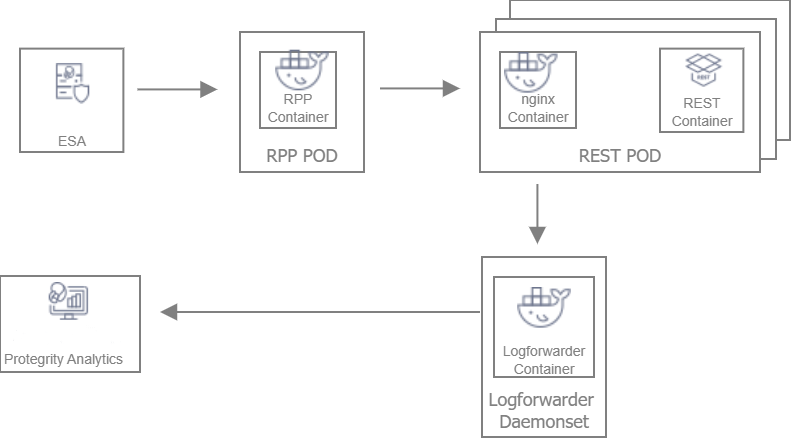
Deployment Steps:
Create the ESA with the policy and datastore.
Deploy the Resilient Package Proxy (RPP) instances with mTLS certificates to communicate with the ESA and to host the proxy endpoint for protectors.
Deploy the REST protector with mTLS certificates to communicate with the RPP. The communication between the RPP and the protector is secured using mTLS.
After the protector instance starts as part of the application POD, the protector sends a request to the RPP instance to retrieve the policy package.
At periodic intervals, the protector tries to pull the new policy package from RPP instance. If the package present on the RPP instance has expired due to cache invalidation policy, the RPP pulls the new package from an upstream RPP or the ESA.
13.1.2 - Architecture and Components using Static Deployment
Key features of a Static-based deployment include:
- The deployments can be used in use cases where a fixed policy package is required.
- The policy updates need to be triggered through automation using ConfigMap updates.
For more information about package deployment approaches, refer to Resilient Package Deployment.
The following figure represents the architecture for deploying the REST Container with static deployment on a Kubernetes cluster.
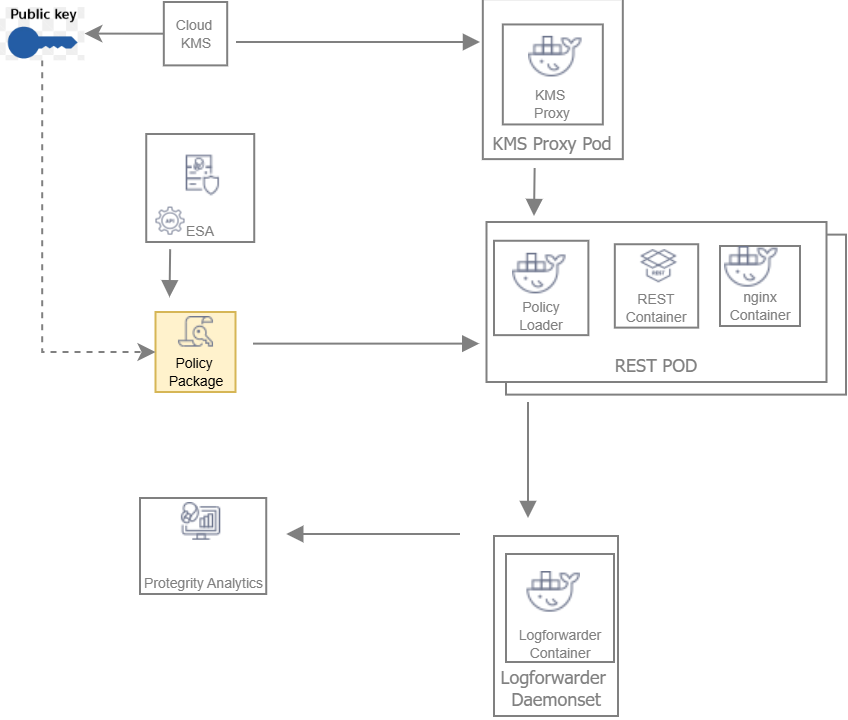
Deployment Steps:
The ESA administrator user pulls the policy package from the ESA and stores it to an Object Store or a Volume Mount.
The Policy Loader sidecar container reads the internal configmap for policy updates.
The sidecar container retrieves the policy package from the Object Store or Volume Mount.
The sidecar container then stores the policy package in the tmpfs directory.
The REST protector reads the policy package from the tmpfs directory.
Based on the values specified in the internal config.ini file, the protector initates the RP Callback REST.
The RP Callback decrypts the Data Encryption Key (DEK) using the KMS Proxy container.
The KMS Proxy container reads the decrypted DEK from the cache, if present.
If the DEK is not present in the cache, the KMS Proxy container uses the KMS Backend to retrieve the DEK from the Cloud KMS and store the decrypted DEK in the cache.
The Protector decrypts the policy package using the DEK and initializes its internal library.
13.2 - System Requirements
This section provides an overview of the software and hardware requirements required for deploying the REST Container.
13.2.1 - Software Requirements
Ensure that the following prerequisites are met for deploying the REST Protector package REST_RHUBI-9-64_x86-64_K8S_<Version>.tgz.
ESA prerequisites
Policy – Ensure that you have defined the security policy in the ESA. For more information about defining a security policy, refer to the section Policy Management.
Datastore - Attach the policy to the default datastore in the ESA or to a range of allowed servers that are added to a datastore.
The IP address range of the allowed servers must be the same as that of the nodes in the Kubernetes cluster where the AP-REST containers have been deployed.
For more information about datastores, refer to the section Data Stores.
ESA user - Create an ESA user that will be used to invoke the RPS REST API for retrieving the security policy and the certificates from the ESA. Ensure that the user is assigned the Export Resilient Package role. This user is used to export the policy in a static-based deployment.
For more information about assigning roles, refer to the section Managing Roles.
Jump Box Configuration
The Linux instance or the Jump Box can be used to communicate with the Kubernetes cluster. This instance can be on-premise or on AWS. The Jump Box instance is used to execute all the deployment related commands.
Ensure that the following prerequisites are installed on the Jump Box:
- Helm, which is used as the package manager for all the applications.
- Docker to communicate with the Container Registry, where you want to upload the Docker images.
- eksctl, which is a CLI utility to communicate with Amazon EKS.
Cloud or AWS prerequisites
You need access to an AWS account. You also need access to the following AWS resources.
- AWS Elastic File System (EFS), if you want to upload the policy package to AWS EFS instead of AWS S3. You require both read and write permissions. This is required for static-based deployment.
- Install the latest version of the EFS-CSI driver, which is required if you are using AWS EFS as the persistent volume. This is required for statci-based deployment.
For more information about installing the EFS-CSI driver, refer to the Amazon EFS CSI driver documentation.
AWS S3, if you want to use AWS S3 for storing the policy snapshot, instead of AWS EFS. You require both read and write permissions. This is required for static-based deployment.
For more information about the AWS S3-specific permissions, refer to the API Reference document for AWS S3.
IAM User - Required to create the Kubernetes cluster. This user requires the following permissions:
AmazonEC2FullAccess - This is a managed policy by AWS
AmazonEKSClusterPolicy - This is a managed policy by AWS
AmazonEKSServicePolicy - This is a managed policy by AWS
AWSCloudFormationFullAccess - This is a managed policy by AWS
Custom policy that allows the user to perform the following actions:
- Create a new role and an instance profile.
- Retrieve information about a role and an instance profile.
- Attach a policy to the specified IAM role.
The following actions must be permitted on the IAM service:
- GetInstanceProfile
- GetRole
- AddRoleToInstanceProfile
- CreateInstanceProfile
- CreateRole
- PassRole
- AttachRolePolicy
Custom policy that allows the user to perform the following actions:
- Delete a role and an instance profile.
- Detach a policy from a specified role.
- Delete a policy from the specified role.
- Remove an IAM role from the specified EC2 instance profile.
The following actions must be permitted on the IAM service:
- GetOpenIDConnectProvider
- CreateOpenIDConnectProvider
- DeleteInstanceProfile
- DeleteRole
- RemoveRoleFromInstanceProfile
- DeleteRolePolicy
- DetachRolePolicy
- PutRolePolicy
Custom policy that allows the user to manage EKS clusters. The following actions must be permitted on the EKS service:
- ListClusters
- ListNodegroups
- ListTagsForResource
- ListUpdates
- DescribeCluster
- DescribeNodegroup
- DescribeUpdate
- CreateCluster
- CreateNodegroup
- DeleteCluster
- DeleteNodegroup
- UpdateClusterConfig
- UpdateClusterVersion
- UpdateNodegroupConfig
- UpdateNodegroupVersion
For more information about creating an IAM user, refer to the section Creating an IAM User in Your AWS Account in the AWS documentation. Contact your system administrator for creating the IAM users.
For more information about the EKS-specific permissions, refer to the API Reference document for Amazon EKS.
Access to AWS Elastic Container Registry (ECR) to upload the Container images.
Access to Route53 for mapping the hostname of the Elastic Load Balancer to a DNS entry in the Amazon Route53 service. This is required if you are terminating the TLS connection from the client application on the Load Balancer.
Access to AWS KMS. This is required for static-based deployment.
13.2.2 - Hardware Requirements
The following table lists the minimum hardware configuration for each pod where the REST Container is deployed.
| Hardware Components | Configuration |
|---|---|
| CPU | Depends on the application. By default, the value is set to:
For more information about the CPU requirements for each container, refer to the values.yaml file for the corresponding container. |
| RAM | Depends on the workload. By default, the value is set to:
For more information about the memory requirements for each container, refer to the values.yaml file for the corresponding container. |
The instance type used for the cluster node is t3.2xlarge. The minimum CPU requirement for the node is 8 vCPU and the minimum memory capacity is 32 GiB.
Note: The package size of a policy with 70 thousand users and 26 data elements is 257447563 bytes.
13.3 - Preparing the Environment
This section provides an overview of the steps required to prepare the environment for deploying the REST Container product.
13.3.1 - Initializing the Jump Box
The Linux instance should be connected to the Kubernetes cluster. The following is the minimum system requirements to be configured for a Linux instance.
| Software and Files Required for the Linux instance | Purpose | Link |
|---|---|---|
| Docker | Load the images into the repository | Install Docker Engine |
| Helm | Install Helm Charts | Install Helm |
| Kubectl | Connect to the Kubernetes cluster | Kubectl reference |
| AWS CLI | Manage AWS services | AWS Command Line Interface |
13.3.2 - Extracting the Installation Package
This section describes the steps to download and extract the installation package for the REST protector.
To download the installation package:
Download the REST_RHUBI-9-64_x86-64_K8S_<Version>.tgz file on the Linux instance.
Run the following command to extract the files from the REST_RHUBI-9-64_x86-64_K8S_<Version>.tgz file.
tar -xvf REST_RHUBI-9-64_x86-64_K8S_<Version>.tgzThe signatures directory and the REST_RHUBI-9-64_x86-64_K8S_<Version>.tgz fileare extracted.
Run the following command to extract the files from the REST_RHUBI-9-64_x86-64_K8S_<Version>.tgz file.
tar -xvf REST_RHUBI-9-64_x86-64_K8S_<Version>.tgzThe following directories and files are extracted:
- devops - Helm charts, Dockerfiles, and container images to deploy the REST Container using the Static policy.
- protector - Dockerfiles and container images to create the REST Container.
- dynamic - Helm charts, Dockerfiles, and container images to deploy the REST Container using the Dynamic method.
- common - Helm charts, Dockerfiles, and container images to deploy the Log Forwarder.
- certs - Create certificates required for secure communication.
- HOW-TO-BUILD-DOCKER-IMAGES - Text file specifying how to build the Docker images.
- manifest.json - Metadata file specifying the product version and component names.
The following shows a list of the Helm charts and container images.
| Package Name | Description | Directory |
|---|---|---|
| REST_DYNAMIC-HELM_ALL-ALL-ALL_x86-64_K8S_<Version>.tgz | Package containing the Helm chart used to deploy the REST Container. | dynamic |
| RPPROXY_RHUBI-9-64_x86-64_K8S_<Version>.tar.gz | Used to set up the RPProxy container. | dynamic |
| RPPROXY_SRC_<Version>.tgz | Package containing the Dockerfile that can be used to create a custom image for the RPProxy container. | dynamic |
| RPPROXY-HELM_ALL-ALL-ALL_x86-64_K8S_<Version>.tgz | Package containing the Helm chart used to deploy the RPProxy container. | dynamic |
| KMSPROXY_RHUBI-9-64_x86-64_K8S_<Version>.tar.gz | Used to create the KMSProxy container. | devops |
| KMSPROXY_SRC_<Version>.tgz | Package containing the Dockerfile that can be used to create a custom image for the KMSProxy container and the associated binary files. | devops |
| KMSPROXY-HELM_ALL-ALL-ALL_x86-64_K8S_<Version>.tgz | Package containg the Helm chart used to deploy the KMSProxy container. | devops |
| POLICY-LOADER_RHUBI-9-64_x86-64_K8S_<Version>.tar.gz | Used to create the Policy Loader container. | devops |
| POLICY-LOADER_SRC_<Version>.tgz | Package containing the Dockerfile that can be used to create a custom image for the Policy Loader container and the associated binary files. | devops |
| REST_DEVOPS-HELM_ALL-ALL-ALL_x86-64_K8S_<Version>.0.tgz | Package containing the Helm chart used to deploy the REST Container. | devops |
| REST_RHUBI-9-64_x86-64_K8S_<Version>.tar.gz | Used to create the REST Container. | protector |
| REST-Samples_Linux-ALL-ALL_x86-64_<Version>.tgz | Package containing the sample application for testing the REST Containers with sample data. | protector. |
| REST-SRC_<Version>.tgz | Package containg the Dockerfile that can be used to create a custom image for the REST Container and the associate binary files. | protector |
| LOGFORWARDER_RHUBI-9-64_x86-64_K8S_<Version>.tar.gz | Used to create the Log Forwarder container. | common |
| LOGFORWARDER_SRC_<Version>.tgz | Package containg the Dockerfile that can be used to create a custom image for the Log Forwarder container and the associated binary files. | common |
| LOGFORWARDER-HELM_ALL-ALL-ALL_x86-64_K8S_<Version>.tgz | Package containing the Helm chart used to deploy the Log Forwarder container. | common |
13.3.3 - Creating Certificates
This section describes the steps to create certificates required for secure communication. These certificates are for secure communication between:
- ESA and the RPP.
- RPP and the protector.
- KMSProxy and the protector.
- REST protector and the curl client.
To download the installation package:
Navigate to the directory where you have extracted the installation package.
Navigate to the certs directory. The following files are available:
- CertificatesSetup_Linux_x64_<Version>tgz - Download the certificates from the ESA. You can use them as the common certificates in the dynamic deployment between the RPProxy and the ESA, and between the RPProxy and the protector. You can also use these certificates separately as the upstream certificate between the ESA and RPProxy in the dynamic deployment.
- CreateCertificate_Linux_x64_<Version>.tgz - Generate self-signed client and server certificates. In the Dynamic method, these certificates are used for communication between RPProxy and the protector, and the REST protector and the curl client. In the Static policy method, these certificates are used for communication between KMSProxy and the protector, and the REST protector and the curl client. Customers can choose to use their own certificates.
Extract both the packages using the following command.
tar -xvf CertificatesSetup_Linux_x64_<Version>.tgz tar -xvf CreateCertificate_Linux_x64_<Version>.tgzThe following files are extracted:
- CertificatesSetup_Linux_x64_<Version>.sh
- CreateCertificate_Linux_x64_<Version>.sh
Certificates for communication between the ESA and the RPP
- Run the following command to create ESA certificates for establishing a secure communication between the ESA and the RPP.
./CertificatesSetup_Linux_x64_<Version>.sh (-u <username> -p <password>) [-h <hostname>] [--port <port>] [-d <directory>]
Options:
-u User with the Export Certificates role
-p Password for user with the Export Certificates role
-h Host or IP address of the ESA
--port Port number of the ESA
-d local directory where certificates are stored
For more information about the command, use the –help parameter as shown in the following command.
./CertificatesSetup_Linux_x64_<Version>.sh --help
The output displays all the options that can be used with the command. It also provides usage examples.
Certificates for client and server communication between RPP and Protector, and KMS-Proxy and Protector
- Run the following command to create server-side certificates.
./CreateCertificate_Linux_x64_<Version>.sh (client | server ) --name <common name> [--dir <directory> ] [--dns <dnsname>] [--ip <ip address>]
Options:
client Generate client certificate
server Generate server certificate
--name Certificate common name.
--dns Specify domain names. To specify multiple DNS names, repeat the --dns flag.
--ip Specify IP addresses. To specify multiple IP address, repeat the --ip flag.
--noenc The certificate key file is not encrypted. No secret.txt file created.
--dir Output base directory for certificates.
--print Prints OpenSSL configuration files used to generate certificates.
--help Print help message.
This command is used to create the certificates for both the Dynamic and Static-based deployments.
For more information about the command, use the –help parameter as shown in the following command.
./CreateCertificate_Linux_x64_<Version>.sh --help
The output displays all the options that can be used with the command. It also provides usage examples.
13.3.4 - Uploading the Images to the Container Repository
Before you begin, ensure that you have set up your Container Registry.
To upload the images to the Container Repository:
Install Docker on the Linux instance.
For more information about installing Docker on a Linux machine, refer to the Docker documentation.
Run the following command to authenticate your Docker client to Amazon ECR.
aws ecr get-login-password --region <Name of ECR region where you want to upload the container image> | docker login --username AWS --password-stdin <aws_account_id>.dkr.ecr.<Name of ECR region where you want to upload the container image>.amazonaws.comFor more information about authenticating your Docker client to Amazon ECR, refer to the AWS CLI Command Reference documentation.
Extract the installation package.
The AP-REST, RPProxy, Policy Loader, and KMSProxy container images are extracted.
For more information about extracting the installation package, refer to the section Extracting the Installation Package.
Perform the following steps to upload the AP-REST container image to Amazon ECR.
a. Run the following command to load the AP-REST container image into Docker.
docker load -i REST_RHUBI-9-64_x86-64_K8S_<Version>.tar.gzb. Run the following command to list the AP-REST container image.
docker imagesc. Tag the image to the Amazon ECR by running the following command.
docker tag <Container image>:<Tag> <Container registry path>/<Container image>:<Tag>For example:
docker tag ap-rest:AWS <aws_account_id>.dkr.ecr.us-east-1.amazonaws.com/ap-rest:AWSFor more information regarding tagging an image, refer to the section Pushing an image in the AWS documentation.
d. Push the tagged image to the Amazon ECR by running the following command.
docker push <Container registry path>/<Container image>:<Tag>For example:
docker push <aws_account_id>.dkr.ecr.us-east-1.amazonaws.com/ap-rest:AWSFor more information about creating custom images, refer to the section Using Dockerfiles to Build Custom Images.
Navigate to the directory where you have extracted the Helm charts packages for the AP-REST containers.
In the values.yaml file, update the appropriate path for the iaprestImage setting, along with the tag.
Repeat steps 1 to 6 for uploading the respective images for RPProxy, Policy Loader, and KMSProxy.
13.3.5 - Creating the AWS Environment
This section describes how to create the AWS runtime environment.
Prerequisites
Before creating the runtime environment on AWS, ensure that you have a valid AWS account and the following information:
- Login URL for the AWS account
- Authentication credentials for the AWS account
Audience
It is recommended that you have working knowledge of AWS and knowledge of the following concepts:
- Introduction to AWS S3
- Introduction to AWS Cloud Security
- Introduction to AWS EKS
13.3.5.1 - Creating the AWS Setup for Static Mode
This section describes how to create the following AWS resources for static mode:
- Data Encryption Key
- AWS S3 bucket
- AWS EFS
13.3.5.1.1 - Creating an Data Encryption Key (DEK)
To create a Data Encryption Key:
- Log in to the AWS environment.
Navigate to Services.
A list of AWS services appears.
In Security, Identity, & Compliance, click Key Management Service.
The AWS Key Management Service (KMS) console opens. By default, the Customer managed keys screen appears.
Click Create key.
The Configure key screen appears.
In the Key type section, select the Asymmetric option to create a single customer master key that will be used to perform the encrypt and decrypt operations.
In the Key usage section, select the Encrypt and decrypt option.
In the Key spec section, select one option.
For example, select RSA_4096.
In the Advanced options section, select the Single-Region Key option.
Click Next.
The Add labels screen appears.
In the Alias field, specify the display name for the key, and then click Next.
The Review and edit key policy screen appears.
Click Finish.
The Customer managed keys screen appears, displaying the newly created customer master key.
Click the key alias.
A screen specifying the configuration for the selected key appears.
In the General Configuration section, copy the value specified in the ARN field, and save it on your local machine.
You need to attach the key to the KMSDecryptAccess policy. You also need to specify this ARN value in the command for creating a Kubernetes secret for the key.
Navigate to Services > IAM.
Click Policies.
The Policies screen appears.
Select the KMSDecryptAccess policy.
The Permissions tab appears.
Click Edit policy to edit the policy in JSON format.
Modify the policy to add the ARN of the key that you have copied in step 13 to the Resource parameter.
{ "Version": "2012-10-17", "Statement": [ { "Sid": "VisualEditor0", "Effect": "Allow", "Action": "kms:Decrypt", "Resource": [ "<ARN of the AWS Customer Master Key>" ] } ] }Click Review policy, and then click Save changes to save the changes to the policy.
13.3.5.1.2 - Creating an AWS S3 Bucket
Important: This procedure is optional, and is required only if you want to use AWS S3 for storing the policy snapshot during static deployment, instead of the persistent volume.
To create an AWS S3 bucket:
- Login to the AWS environment.
Navigate to Services.
A list of AWS services appears.
In Storage, click S3.
The S3 buckets screen appears.
Click Create bucket.
The Create bucket screen appears.
In the General configuration screen, specify the following details.
In the Bucket name field, enter a unique name for the bucket.
In the AWS Region field, choose the same region in which you want to create your EC2 instance.
If you want to configure your bucket or set any specific permissions, then you can specify the required values in the remaining sections of the screen. Otherwise, you can directly go to the next step to create a bucket.
Click Create bucket.
The bucket is created.
13.3.5.1.3 - Creating an AWS EFS
Important: This procedure is optional, and is required only if you want to use AWS EFS for storing the policy package during static deployment, instead of AWS S3.
To create an AWS EFS:
- Login to the AWS environment.
Navigate to Services.
A list of AWS services appears.
In Storage, click EFS.
The File Systems screen appears.
Click Create file system.
The Configure network access screen appears.
In the VPC list, select the VPC where you will be creating the Kubernetes cluster.
Click Next Step.
The Configure file system settings screen appears.
Click Next Step.
The Configure client access screen appears.
Click Next Step.
The Review and create screen appears.
Click Create File System.
The file system is created.
Note the value in the File System ID column. You need to specify this value as the value of the volumeHandle parameter in the pv.yaml file in step 10c.
Perform the following steps if you want to use a persistent volume for storing the policy package instead of the AWS S3 bucket.
a. Create a file named storage_class.yaml for creating an AWS EFS storage class.
The following snippet shows the contents of the storage_class.yaml file.
kind: StorageClass apiVersion: storage.k8s.io/v1 metadata: name: efs-sc provisioner: efs.csi.aws.comImportant: If you want to copy the contents of the storage_class.yaml file, then ensure that you indent the file as per YAML requirements.
b. Run the following command to provision the AWS EFS using the storage_class.yaml file.
kubectl apply -f storage_class.yamlAn AWS EFS storage class is provisioned.
c. Create a file named pv.yaml for creating a persistent volume resource.
The following snippet shows the contents of the pv.yaml file.
apiVersion: v1 kind: PersistentVolume metadata: name: efs-pv1 labels: purpose: policy-store spec: capacity: storage: 1Gi volumeMode: Filesystem accessModes: - ReadWriteMany persistentVolumeReclaimPolicy: Retain storageClassName: **efs-sc** csi: driver: efs.csi.aws.com volumeHandle: **fs-618248e2:**/Important: If you want to copy the contents of the pv.yaml file, then ensure that you indent the file as per YAML requirements.
This persistent volume resource is associated with the AWS EFS storage class that you have created in step 10b.
In the storageClassName parameter, ensure that you specify the same name for the storage class that you specified in the storage_class.yaml file in step 10a.
For example, specify efs-sc as the value of the storageClassName parameter.
d. Run the following command to create the persistent volume resource.
kubectl apply -f pv.yamlA persistent volume resource is created.
e. Create a file named pvc.yaml for creating a claim on the persistent volume that you have created in step 10d.
The following snippet shows the contents of the pvc.yaml file.
apiVersion: v1 kind: PersistentVolumeClaim metadata: name: efs-claim1 spec: selector: matchLabels: purpose: "policy-store" accessModes: - ReadWriteMany storageClassName: **efs-sc** resources: requests: storage: 1GiImportant: If you want to copy the contents of the pvc.yaml file, then ensure that you indent the file as per YAML requirements.
This persistent volume claim is associated with the AWS EFS storage class that you have created in step 10b. The value of the storage parameter in the pvc.yaml defines the storage that is available for saving the policy dump.
In the storageClassName parameter, ensure that you specify the same name for the storage class that you specified in the storage_class.yaml file in step 10a.
For example, specify efs-sc as the value of the storageClassName parameter.
f. Run the following command to create the persistent volume claim.
kubectl apply -f pvc.yaml -n <Namespace>For example:
kubectl apply -f pvc.yaml -n iap-restA persistent volume claim is created. In this example, iap-rest is the namespace where the REST protector will be deployed.
g. On the Linux instance, create a mount point for the AWS EFS by running the following command.
mkdir /efsThis command creates a mount point efs on the file system.
h. Install the Amazon EFS client using the following command.
sudo yum install -y amazon-efs-utilsFor more information about installing the EFS client, refer to the section Manually installing the Amazon EFS client in the Amazon Elastic File System User Guide.
i. Run the following mount command to mount the AWS EFS on the directory created in step 10g.
sudo mount -t nfs -o nfsvers=4.1,rsize=1048576,wsize=1048576,hard,timeo=600,retrans=2,noresvport <file-system-id>.efs.<aws-region>.amazonaws.com:/ /efsFor example:
sudo mount -t nfs -o nfsvers=4.1,rsize=1048576,wsize=1048576,hard,timeo=600,retrans=2,noresvport fs-618248e2.efs.<aws-region>.amazonaws.com:/ /efsEnsure that you set the value of the <file-system-id> parameter to the value of the volumeHandle parameter, as specified in the pv.yaml file in step 10c.
For more information about the permissions required for mounting an AWS EFS, refer to the section Working with Users, Groups, and Permissions at the Network File System (NFS) Level in the AWS documentation.
13.3.5.2 - Creating a Kubernetes Cluster
Note: The steps listed in this section for creating a Kubernetes cluster are for reference use. If you have an existing Kubernetes cluster or want to create a Kubernetes cluster based on your own requirements, then you can directly navigate to step 4 to connect your Kubernetes cluster and the Linux instance. However, you must ensure that your ingress port is enabled on the Network Security group of your VPC.
Important: If you have an existing Kubernetes cluster or want to create a Kubernetes cluster using a different method, then you must install the Kubernetes Metrics Server and Cluster Autoscaler before deploying the Release.
To create a Kubernetes cluster:
Create a key pair for the EC2 instance on which you want to create the Kubernetes cluster.
For more information on creating the key pair, refer to the section Create a key pair for your Amazon EC2 instance in the Amazon EC2 documentation.
After the key pair is created, you need to specify the key pair name in the publicKeyName field of the createCluster.yaml file, for creating a Kubernetes cluster.
Login to the Linux instance, and create a file named createCluster.yaml to specify the configurations for creating the Kubernetes cluster.
The following snippet displays the contents of the createCluster.yaml file.
apiVersion: eksctl.io/v1alpha5 kind: ClusterConfig metadata: name: <Name of your Kubernetes cluster> region: <Region where you want to deploy your Kubernetes cluster> version: "<Kubernetes version>" vpc: id: "<ID of the VPC where you want to deploy the Kubernetes cluster>" subnets: #In this section specify the subnet region and subnet id accordingly private: <Availability zone for the region where you want to deploy your Kubernetes cluster>: id: "<Subnet ID>" <Availability zone for the region where you want to deploy your Kubernetes cluster> id: "<Subnet ID>" nodeGroups: - name: <Name of your Node Group> instanceType: m5.large minSize: 1 maxSize: 3 tags: k8s.io/cluster-autoscaler/enabled: "true" k8s.io/cluster-autoscaler/<Name of your Kubernetes cluster>: "owned" privateNetworking: true securityGroups: withShared: true withLocal: true attachIDs: ['<Security group linked to your VPC>'] ssh: publicKeyName: '<EC2 keypair>' iam: attachPolicyARNs: - "arn:aws:iam::aws:policy/AmazonEKS_CNI_Policy" withAddonPolicies: autoScaler: trueImportant: If you want to copy the contents of the createCluster.yaml file, then ensure that you indent the file as per YAML requirements.
For more information about the sample configuration file used to create a Kubernetes cluster, refer to the section Create cluster using config file in the eksctl documentation.
In the ssh/publicKeyName parameter, you must specify the value of the key pair that you have created in step 1.
In the iam/attachPolicyARNs parameter, you must specify the following policy ARNs:
ARN of the AmazonEKS_CNI_Policy policy - This is a default AWS policy that enables the Amazon VPC CNI Plugin to modify the IP address configuration on your EKS nodes.
For more information about this policy, refer to the AWS documentation.
You need to sign in to your AWS account to access the AWS documentation for this policy.
The content snippet displays the reference configuration required to create a Kubernetes cluster using a private VPC. If you want to use a different configuration for creating your Kubernetes cluster, then you need to refer to the section Creating and managing clusters in the eksctl documentation.
For more information about creating a configuration file to create a Kubernetes cluster, refer to the section Creating and managing clusters in the eksctl documentation.
Run the following command to create a Kubernetes cluster.
eksctl create cluster -f ./createCluster.yamlImportant: IAM User 1, who creates the Kubernetes cluster, is automatically assigned the cluster-admin role in Kubernetes.
Run the following command to connect your Linux instance to the Kubernetes cluster.
aws eks update-kubeconfig --name <Name of Kubernetes cluster>Validate whether the cluster is up by running the following command.
kubectl get nodesThe command lists the Kubernetes nodes available in your cluster.
Deploy the Cluster Autoscaler component to enable the autoscaling of nodes in the EKS cluster.
This step is required only if the Cluster Autoscaler component is not installed.
For more information about deploying the Cluster Autoscaler, refer to the section Deploy the Cluster Autoscaler in the Amazon EKS documentation.
Install the Metrics Server to enable the horizontal autoscaling of pods in the Kubernetes cluster.
This step is required only if the Metric Server is not installed.
For more information about installing the Metrics Server, refer to the section Horizontal Pod Autoscaler in the Amazon EKS documentation.
After you have created the Kubernetes cluster, you can deploy the AP-REST container using dynamic or static mode of deployment.
Run following commands to tag the cluster subnets to ensure that the Elastic load balancer can discover them.
aws ec2 create-tags --tags Key=kubernetes.io/cluster/<Cluster Name>,Value=shared --resources <Subnet ID>aws ec2 create-tags --tags Key=kubernetes.io/role/internal-elb,Value=1 --resources <Subnet ID>aws ec2 create-tags --tags Key=kubernetes.io/role/elb,Value=1 --resources <Subnet ID>
Repeat this step for all the cluster subnets.
13.4 - Installing the Protector
This section provides an overview of the steps required to install the REST Container using either the Static or the Dynamic method.
13.4.1 - Deploying REST Container for Dynamic Method
This section describes how to deploy the REST Container integrated with RPP. Deploy in the following order:
- Log Forwarder
- RPP
- REST Container
13.4.1.1 - Deploying Log Forwarder
The Log Forwarder is deployed as a DaemonSet. The following steps describe how to deploy Log Forwarder.
On the Linux instance, run the following command to create the namespace required for Helm deployment.
kubectl create namespace <Namespace name>For example:
kubectl create namespace iap-restOn the Linux instance, navigate to the location where you have extracted the Helm charts to deploy the Log Forwarder.
For more information about the extracted Helm charts, refer to the section Extracting the Installation Package.
The logforwarder > values.yaml file contains the default configuration values for deploying the Log Forwarder container on the Kubernetes cluster. The following content shows an extract of the values.yaml file.
... # - Protegrity PSU(Protegrity Storage Unit)/ESA configuration. # Logforwarder will send audit records to below specified hosts/ip. # User can specify multiple PSU/ESA distribute the audit records and avoid downtime. opensearch: # -- specify a given name to uniquely identify PSU/ESA in the deployment. - name: # -- hostname/ip address of PSU/ESA host: # -- port address of ESA/PSU port: 9200 # - name: node-2 # host: test-insight # port: 9200 # -- Kubernetes service configuration, represents a TCP endpoint to receive audit records # from the protectors. service: # -- Configure service type: ClusterIP for Logforwarder endpoint. type: ClusterIP # -- port to accept incoming audit records from the protector port: 15780 ...Modify the default values in the values.yaml file as required.
| Field | Description |
|---|---|
| opensearch/name | Specify the unique name for the ESA. |
| opensearch/host | Specify the host name or IP address of the ESA. |
| opensearch/port | Specify the port number of the ESA. The default value is 9200. |
| service/type | Specify the service type for the Log Forwarder. The default value is ClusterIP. |
| service/port | Specify the service port of the Log Forwarder, which receives the audit logs from the protectors. The default value is 15780. |
- Run the following command to deploy the Log Forwarder on the Kubernetes cluster.
helm install <Release_Name> --namespace <Namespace where you want to deploy the RPP container> <Location of the directory that contains the Helm charts>
For example:
helm install log1 --namespace iap-rest logforwarder/
- Run the following command to check the status of the pods.
kubectl get pods -n <Namespace>
For example:
kubectl get pods -n iap-rest
NAME READY STATUS RESTARTS AGE
log1-logforwarder-f6gvj 1/1 Running 0 11h
log1-logforwarder-ls4hn 1/1 Running 0 11h
log1-logforwarder-phk4t 1/1 Running 0 11h
log1-logforwarder-z2mz7 1/1 Running 0 11h
As the Log Forwarder is deployed as a DaemonSet, one instance of Log Forwarder is deployed on each node. In this example, one Log Forwarder pod is deployed per node.
For information about configuring the Log Forwarder, refer to the section Configuration Parameters for Forwarding Audits and Logs.
13.4.1.2 - Deploying Resilient Package Proxy (RPP)
The following steps describe how to deploy RPP.
Note: Ensure that you have deployed the Log Forwarder before deploying the RPP. For more information about deploying the Log Forwarder, refer to the section Deploying the Log Forwarder.
- Run the following command on the Jump box to generate the common certificate from the ESA certificates.
CertificatesSetup_Linux_x64_<Version>.sh -u <User> -p <Password> -h <Hostname or IP address of ESA> --port <Port number of ESA> -d <Directory>
For example:
CertificatesSetup_Linux_x64_<Version>.sh -u admin -p admin12345 -h 10.10.10.10 --port 8443 -d rpproxy
For more information about generating the ESA certificates, refer to the section Creating Certificates.
The following files are created:
- CA.pem
- cert.key
- cert.pem
- secret.txt
2. Run the following command to create a Kubernetes secret using the common certificate generated in step 1.
kubectl -n <Namespace> create secret generic common-cert --from-file=CA.pem=./CA.pem --from-file=cert.key=./cert.key --from-file=cert.pem=./cert.pem --from-file=secret.txt=./secret.txt
Specify this secret as the value of the commonCertSecrets parameter in the values.yaml file. In this case, this secret is used in the following ways:
- RPP uses the certificate as an upstream server certificate to download the policy packages from the ESA.
- The protector uses the certificate as a client certificate to download the policy packages from the RPP.
If you do not specify any value for the commonCertSecrets parameter, then you need to specify separate values for the rpp/upstream/certificateSecret and service/certificateSecret parameters.
3. Run the following command on the Jump box to generate the upstream certificate between the ESA and the RPP.
CertificatesSetup_Linux_x64_<Version>.sh -u <User> -p <Password> -h <Hostname or IP address of ESA> --port <Port number of ESA> -d <Directory>
For example:
CertificatesSetup_Linux_x64_<Version>.sh -u admin -p admin12345 -h 10.10.10.10 --port 8443 -d rpproxy
For more information about generating the ESA certificates, refer to the section Creating Certificates.
The following files are created:
- CA.pem
- cert.key
- cert.pem
- secret.txt
Note: This certificate is created only if you are not using the common certificate.
4. Run the following command to create a Kubernetes secret using the upstream certificate generated in step 3.
kubectl -n <Namespace> create secret generic upstream-cert --from-file=CA.pem=./CA.pem --from-file=cert.key=./cert.key --from-file=cert.pem=./cert.pem --from-file=secret.txt=./secret.txt
Note: This secret is created only if you are not using the common certificate.
Specify this secret as the value of the rpp/upstream/certificateSecret parameter in the values.yaml file.
5. Run the following command to generate the service TLS certificate.
CreateCertificate_Linux_x64_<Version>.sh server --name <Directory> --dns <Release_Name>.<namespace>.svc
For example:
CreateCertificate_Linux_x64_<Version>.sh server --name rpproxy --dns rpp.iap-rest.svc
For more information about generating the server certificates, refer to the section Creating Certificates.
The following client certificates files are created in the rpproxy folder:
- cert.pem
- cert.key
- CA.pem
- secret.txt
These certificate is used by the protector as a server certificate to authenticate the RPP to download policy packages.
Ensure that the namespace and release name that you specify in this command are the same names that you specify in step 7 while deploying the RPP Helm chart.
Note: This certificate is created only if you are not using the common certificate.
6. Run the following command to generate the secret for the service TLS certificate.
kubectl -n <Namespace> create secret generic service-certs --from-file=CA.pem=<path-to-CA.pem> --from-file=cert.key=<path-to-cert.key> --from-file=cert.pem=<path-to-cert.pem> --from-file=secret.txt=<path-to-secret.txt>
For more information about generating the client certificates, refer to the section Creating Certificates.
Note: This secret is created only if you are not using the common certificate.
Specify this secret as the value of the service/certificateSecret parameter in the values.yaml file.
7. On the Linux instance, navigate to the location where you have extracted the Helm charts to deploy the RPP.
For more information about the extracted Helm charts, refer to the section Initializing the Linux instance.
The rp-proxy > values.yaml file contains the default configuration values for deploying the RPP container on the Kubernetes cluster.
...
podSecurityContext:
fsGroup: 1000
...
#-- k8s secret for storing common certificates
# eg. kubectl command:
# kubectl -n $RPP_NAMESPACE create secret generic common-certs \
# --from-literal=CA.pem=<path-to-CA.pem> --from-literal=cert.key=<path-to-cert.key> \
# --from-literal=cert.pem=<path-to-cert.pem> --from-literal=secret.txt=<path-to-secret.txt>
commonCertSecrets:
rpp:
#-- upstream configuration
# host: Upstream host to connect
# port: Upstream port to connect
upstream:
host:
port: 25400
#-- certificateSecret : k8s secret for storing upstream tls certificates
# NOTE : Only to be set when not using common certificate secret
# eg. kubectl command:
# kubectl -n $RPP_NAMESPACE create secret generic upstream-certs \
# --from-literal=CA.pem=<path-to-CA.pem> --from-literal=cert.key=<path-to-cert.key> \
# --from-literal=cert.pem=<path-to-cert.pem> --from-literal=secret.txt=<path-to-secret.txt>
certificateSecret:
#-- logging configuration
# logLevel: Specifies the logging level for rpproxy
# INFO (default)
# ERROR
# WARN
# DEBUG
# TRACE
# logHost: Host to forward the logs (Default : 127.0.0.1)
# logPort: Port to forward the logs (Default : 15780)
logging:
logLevel: "INFO"
logHost: "127.0.0.1"
logPort: 15780
#-- service configuration
# certificateSecret : k8s secret for storing service tls certificates
# NOTE : Only to be set when not using common certificate secret
# eg. kubectl command:
# kubectl -n $RPP_NAMESPACE create secret generic service-certs \
# --from-literal=CA.pem=<path-to-CA.pem> --from-literal=cert.key=<path-to-cert.key> \
# --from-literal=cert.pem=<path-to-cert.pem> --from-literal=secret.txt=<path-to-secret.txt>
# cacheTTL:
# TTL sets the duration (in seconds) of which a cached item is considered fresh.
# When a cached item's TTL expires, the item will be revalidated.
service:
certificateSecret:
cacheTTL: 60
...
- Modify the default values in the values.yaml file as required.
| Field | Description |
|---|---|
| podSecurityContext | Specify the privilege and access control settings for the pod. The default values are set as follows:
|
| commonCertSecrets | Specify the Kubernetes secret, which you have created in step 2, for storing the common certificates. If you specify the value of this parameter, then do not specify the values for the rpp/upstream/certificateSecret and service/certificateSecret parameters. The same common certificate will be used by RPP to download the policy packages from the ESA and by the protector to download the policy packages from the RPP. |
| rpp/upstream/host | Specify the host name or IP address of the upstream server that is providing the policy packages. The upstream server can be another RPP or the ESA. |
| rpp/upstream/port | Specify the port number of the upstream server that is providing the policy packages. The default value is 25400. |
| rpp/upstream/certificateSecret | Specify the Kubernetes secret, which you have created in step 4, that contains the certificate used to authenticate the ESA. Note: This certificate is set only if you are not using the commonCertSecrets parameter. |
| logging/logLevel | Specify the details about the application log level during runtime. You can set one of the following values:
The default value is INFO. |
| logging/logHost | Specify the service hostname of the Log Forwarder, where the logs are forwarded. The default value is <Helm_Installation_Name>-<Helm_Chart_Name>.<Namespace>.svc.For example, iaplog-logforwarder.iaprest.svc. |
| logging/logPort | Specify the service port of the Log Forwarder, where the logs are forwarded. The default value is 15780. |
| service/certificateSecret | Specify the Kubernetes secret, which you have created in step 6, that enables the protector to authenticate the RPP. Note: This certificate is set only if you are not using the commonCertSecrets parameter. |
| service/cacheTTL | Specify the duration to refresh the cache. When a cache TTL expires, the cache has to be revalidated or updated. This interval controls the refresh time of the policy. The default value in seconds is 60. |
- Run the following command to deploy the RPP on the Kubernetes cluster.
helm install <Release_Name> --namespace <Namespace where you want to deploy the RPP container> <Location of the directory that contains the Helm charts>
For example:
helm install rpp --namespace iap-rest rpproxy/
Ensure that you specify the same release name and namespace that you have used while creating the service TLS certificate in step 5.
- Run the following command to check the status of the pods.
kubectl get pods -n <Namespace>
For example:
kubectl get pods -n iap-rest
NAME READY STATUS RESTARTS AGE
rpp-rpproxy-5fd7d859b6-p9544 1/1 Running 0 11h
13.4.1.3 - Deploying the REST Container
The following steps describe how to deploy the REST Container.
- Run the following command to generate the client certificate for connecting to the RPP.
CreateCertificate_Linux_x64_<Version>.sh client --name <Directory> --dns <Release_Name>.<namespace>.svc
For example:
CreateCertificate_Linux_x64_<Version>.sh client --name rpproxy-client --dns rpp.iap-rest.svc
For more information about generating the client certificates, refer to the section Creating Certificates.
The following client certificates files are created in the rpproxy-client folder:
- cert.pem
- cert.key
- CA.pem
- secret.txt
This certificate is used by the protector as a client certificate to authenticate the RPP to download policy packages.
Ensure that the namespace and release name that you specify in this command are the same names that you specify in step 7 while deploying the RPP Helm chart.
2. Run the following command to generate the secret for the RPP client certificate created in step 1.
kubectl -n <RPP_Namespace> create secret generic rpp-client-certs --from-file=CA.pem=<path-to-CA.pem> --from-file=cert.key=<path-to-cert.key> --from-file=cert.pem=<path-to-cert.pem> --from-file=secret.txt=<path-to-secret.txt>
For more information about generating the client certificates, refer to the section Creating Certificates.
Specify this secret as the value of the protector/policy/certificates parameter in the values.yaml file.
3. Run the following command to generate the TLS certificate for the server that hosts the REST Container endpoint.
CreateCertificate_Linux_x64_<Version>.sh server --name <Directory> --dns <DNS_Name> --noenc
CreateCertificate_Linux_x64_<Version>.sh server --name rest-server --dns test-sampleapp-10-v1.example.com --noenc
The following server certificates files are created in the rest-server folder:
- cert.pem
- cert.key
- CA.pem
For more information about generating the certificates, refer to step 6 in section Creating Certificates
4. Run the following command to generate a secret using the server certificate for the REST Container endpoint.
kubectl -n <Namespace> create secret generic pty-rest-server-secret --from-file=CA.pem=<path-to-CA.pem> --from-file=cert.key=<path-to-cert.key> --from-file=cert.pem=<path-to-cert.pem>
For more information about generating the server certificates, refer to the section Creating Certificates.
Specify this secret as the value of the service/certificates parameter in the values.yaml file.
- Run the following command to generate the client certificate for accessing the REST Container endpoint.
CreateCertificate_Linux_x64_<Version>.sh client --name <Directory> --dns <Namespace_name> --noenc
CreateCertificate_Linux_x64_<Version>.sh client --name rest-client --dns test-sampleapp-10-v1.example.com --noenc
The following client certificates files are created in the rest-client folder:
- cert.pem
- cert.key
- CA.pem
These certificates are used in the curl command for invoking the REST APIs.
For more information about generating the certificates, refer to step 6 in section Creating Certificates
On the Linux instance, navigate to the location where you have extracted the Helm charts to deploy the REST Container.
The dynamic > values.yaml file contains the default configuration values for deploying the RPP container on the Kubernetes cluster.
# -- create image pull secrets and specify the name here.
# remove the [] after 'imagePullSecrets:' once you specify the secrets
imagePullSecrets: []
# - name: regcred
nameOverride: ""
fullnameOverride: ""
# REST protector image configuration
iaprestImage:
# -- rest protector image registry address
repository:
# -- rest protector image tag name
tag:
# -- The pullPolicy for a container and the tag of the image affect
# when the kubelet attempts to pull (download) the specified image.
pullPolicy: IfNotPresent
# Docker Hub Image (Root User): docker.io/nginx:stable
# To use nginx image that runs with non-root permissions
# Ref. https://hub.docker.com/r/nginxinc/nginx-unprivileged
nginxImage:
# -- nginx image registry address
repository:
# -- nginx image tag name
tag:
# -- The pullPolicy for a container and the tag of the image affect
# when the kubelet attempts to pull (download) the specified image.
pullPolicy: IfNotPresent
# specify CPU and memory requirement of REST protector container
iaprestResources:
limits:
cpu: 1000m
memory: 3000Mi
requests:
cpu: 500m
memory: 800Mi
# specify CPU and memory requirement of nginx proxy container
nginxResources:
limits:
cpu: 500m
memory: 512Mi
requests:
cpu: 200m
memory: 200Mi
...
## -- pod service account to be used
## leave the field empty if not applicable
serviceAccount:
# The name of the service account to use.
name:
# Specify any additional annotation to be associated with pod
podAnnotations:
checksum/nginx-config: '{{ include (print $.Template.BasePath "/nginx-configmap.yaml") . | sha256sum }}'
checksum/rest-config: '{{ include (print $.Template.BasePath "/rest-configmap.yaml") . | sha256sum }}'
## set the Pod's security context object
## leave the field empty if not applicable
podSecurityContext:
fsGroup: 1000
## set the iapRest Container's security context object
## leave the field empty if not applicable
iaprestContainerSecurityContext:
capabilities:
drop:
- ALL
allowPrivilegeEscalation: false
privileged : false
runAsNonRoot : true
readOnlyRootFilesystem: true
seccompProfile:
type: RuntimeDefault
## set the nginx Container's security context object
## leave the field empty if not applicable
nginxContainerSecurityContext:
capabilities:
drop:
- ALL
allowPrivilegeEscalation: false
privileged : false
runAsNonRoot : true
readOnlyRootFilesystem: true
seccompProfile:
type: RuntimeDefault
# protector configuration
protector:
# Policy information for the protector initialization
policy:
# Cadence determines how often the protector connects with ESA / proxy to
# fetch the policy updates in background. Default is 60 seconds.
# So by default, every 60 seconds protector tries to fetch the policy updates.
# If the cadence is set to "0", then the protector will get the policy only
# once, which is not recommended.
#
# Default 60.
cadence: 60
# -- Host/IP to the service providing Resilient Packages either rpproxy
# service or ESA.
host:
# -- certificates used to communicate with service providing Resilient packages.
# specify certificate secret name.
# -- TLS certificate rp-proxy service.
# kubectl -n $NAMESPACE create secret generic pty-rpp-tls \
# --from-file=cert.pem=./certs/cert.pem \
# --from-file=cert.key=./certs/cert.key \
# --from-file=CA.pem=./ca/CA.pem \
# --from-file=secret.txt=./certs/secret.txt
certificates:
# Logforwarder configuration
logs:
# -- In case that connection to fluent-bit is lost, set how audits/logs are handled
#
# drop : Protector throws logs away if connection to the fluentbit is lost.
# error : (default) Protector returns error without protecting/unprotecting
# data if connection to the fluentbit is lost.
mode: error
# -- Host/IP to fluent-bit where audits/logs will be forwarded from the protector
#
# Default localhost
host:
# nginx configuration
nginx:
# configure audit records generate by nginx service.
# The generated records are sent to stdout.
# Error logs are enabled by default.
logs:
# -- configure http client request access logs, by default the records
# are sent to stdout
request_logs: false
# -- configure kubelet health check probe access logs, by default the records
# are sent to stdout.
probe_logs: false
# -- specify the initial no. of rest Pod replicas
replicaCount: 1
# HPA configuration
autoScaling:
# -- lower limit on the number of replicas to which the autoscaler
# can scale down to.
minReplicas: 1
# -- upper limit on the number of replicas to which
# the autoscaler can scale up. It cannot be less that minReplicas.
maxReplicas: 10
# -- CPU utilization threshold which triggers the autoscaler
targetCPU: 70
# Kubernetes service configuration, represents a HTTP service to host
# REST protector endpoint.
service:
# -- Configure service type: LoadBalancer or ClusterIP for rest protector
# endpoint
type: ClusterIP
port: 443
# -- secret name containing server TLS certificates to host
# rest protector endpoint.
# kubectl -n $NAMESPACE create secret generic pty-rest-tls \
# --from-file=cert.pem=./certs/cert.pem \
# --from-file=cert.key=./certs/cert.key \
# --from-file=CA.pem=./ca/CA.pem
certificates:
# -- Specify k8s service related annotations
# annotation can configure internal load balancer
# AWS internal load balancer
#service.beta.kubernetes.io/aws-load-balancer-internal: "true"
# AZURE internal load balancer
#service.beta.kubernetes.io/azure-load-balancer-internal: "true"
# GCP internal load balancer
#networking.gke.io/load-balancer-type: "Internal"
annotations:
#service.beta.kubernetes.io/aws-load-balancer-internal: "true"
#service.beta.kubernetes.io/azure-load-balancer-internal: "true"
#networking.gke.io/load-balancer-type: "Internal"
- Modify the default values in the values.yaml file as required.
| Field | Description |
|---|---|
| iaprestImage | Specify the repository and tag details for the REST Container image. |
| nginxImage | Specify the repository and tag details for the NGINX image. For example:
|
| iaprestResources | Specify the CPU and memory requirements for the REST Container. |
| nginxResources | Specify the CPU and memory requirements for the NGINIX container. |
| serviceAccount/name | Specify the name of the pod service account. Leave the field empty if it is not applicable. |
| podSecurityContext | Specify the privilege and access control settings for the pod. The default values are set as follows:
|
Container Security Context:
| Specify the privilege and access control settings for the REST Container and the NGINX containers respectively. |
| protector/policy/cadence | Specify the time interval in seconds after which the protector connects with the RPProxy to retrieve the policy package. By default, the value is set to 60. Ensure that the value is note set to 0. Else, the protector will retrieve the policy only once. |
| protector/policy/host | Specify the host name or IP address of the RPProxy. |
| protector/policy/certificates | Specify the name of the secret for the certificate, which you have created in step 2 that is used to authenticate the RPProxy for downloading the policy package. |
| protector/logs/mode | Specify one of the following options in case the connection to the Log Forwarder is lost:
By default, the value is set to error. |
| protector/logs/host | Specify the service hostname of the Log Forwarder, where the logs are forwarded. The default value is <Helm_Installation_Name>-<Helm_Chart_Name>.<Namespace>.svc. For example, iaplog-logforwarder.iaprest.svc. |
| nginx/logs/request_logs | Specify whether to enable or disable the HTTP client request access logs. By default, the value is set to False. |
| nginx/logs/probe_logs | Specify whether to enable or disable the Kubelet health check probe access logs. By default, the value is set to False. |
| replicaCount | Specify the initial number of the REST pod replicas. |
| autoScaling | Specify the configurations required for the Horizontal Pod Autoscaling. |
| service/type | Specify the service type for the REST Container. By default, this value is set to ClusterIP. Change this value to LoadBalancer to send an HTTPS request to the REST Container pod from outside the cluster. |
| service/port | Specify the service port number for the REST container. By default, the value is set to 443. |
| service/certificates | Specify the name of the secret, which you have created in step 4 that contains the server TLS certificates to the host the REST protector endpoint. |
| service/annotations | Specify the annotations for the respective Cloud platforms if you want to use the internal load balancer instead of the NGINX ingress. By default, this value is left blank. |
- Run the following command to deploy the REST Container on the Kubernetes cluster.
helm install <Release_Name> --namespace <Namespace where you want to deploy the REST container> <Location of the directory that contains the Helm charts>
For example:
helm install iap-rest-dynamic --namespace iap-rest dynamic/
- Run the following command to check the status of the pods.
kubectl get pods -n <Namespace>
For example:
kubectl get pods -n iap-rest
NAME READY STATUS RESTARTS AGE
iap-rest-iap-rest-dynamic-7b97d5dff7-grqph 2/2 Running 0 11h
log1-logforwarder-f6gvj 1/1 Running 0 11h
log1-logforwarder-ls4hn 1/1 Running 0 11h
log1-logforwarder-phk4t 1/1 Running 0 11h
log1-logforwarder-z2mz7 1/1 Running 0 11h
rpp-rpproxy-5fd7d859b6-p9544 1/1 Running 0 11h
13.4.1.4 - Uninstalling the Protector in Dynamic Method
To uninstall the Protector:
- Run the following command to uninstall the Log Forwarder from the Kubernetes cluster.
helm uninstall <Release_Name> --namespace <Namespace where the Log Forwarder is deployed>
For example:
helm uninstall log1 --namespace iap-rest
- Run the following command to uninstall the RPP from the Kubernetes cluster.
helm uninstall <Release_Name> --namespace <Namespace where RPP is deployed>
For example:
helm uninstall rpp --namespace iap-rest
- Run the following command to uninstall the REST Container from the Kubernetes cluster.
helm uninstall <Release_Name> --namespace <Namespace where the REST Container is deployed>
For example:
helm uninstall iap-rest-dynamic --namespace iap-rest
- Run the following command to delete the Kubernetes secrets.
kubectl delete secret <Secret_Name> --namespace <Namespace where the REST Container is deployed>
For example:
kubectl delete secret common-cert --namespace iap-rest
Repeat this step to delete all the secrets that you have created while deploying the RPP and the REST Container:
- common-cert
- upstream-cert
- service-certs
- rpp-client-certs
- pty-rest-server-secret
- regcred
- Run the following command to delete the Kubernetes namespace.
helm delete namespace <Namespace where the REST Container is deployed>
For example:
helm delete namespace iap-rest
13.4.2 - Deploying REST Product in Static Mode
This section describes how to deploy the REST Container in static mode.
13.4.2.1 - Retrieving the Policy Package from the ESA
This section describes how to invoke the RPS APIs to retrieve the policy package using the ESA.
Note: Ensure that the Export Resilient Package permission is granted to the role that is assigned to the user exporting the package from the ESA.
Warning: Do not modify the package that has been exported using the RPS Service API.
To retrieve the policy package from the ESA:
Download the policy package from the ESA and encrypt the policy package using a KMS, then run the following command.
If you are using 10.0 ESA, then refer to the section Using the Encrypted Resilient Package REST APIs for more information about the RPS API.
If you are using 10.1 ESA, then refer to the section Using the Encrypted Resilient Package REST APIs for more information about the RPS API.
If you are using 10.2 ESA, then refer to the section Using the Encrypted Resilient Package REST APIs for more information about the RPS API.
If you are using Protegrity Provisioned Cluster, then navigate to Protegrity Product Documentation. Then, navigate to Edition > AI Team Edition > Infrastructure > Protegrity REST APIs > Using the Encrypted Resilient Package REST APIs for more information about the RPS API.
The policy package is downloaded to your machine.
Copy the policy package file to an AWS S3 bucket or AWS EFS, as required.
13.4.2.2 - Deploying Log Forwarder
The Log Forwarder is deployed as a DaemonSet. The following steps describe how to deploy Log Forwarder.
On the Linux instance, run the following command to create the namespace required for Helm deployment.
kubectl create namespace <Namespace name>For example:
kubectl create namespace iap-restOn the Linux instance, navigate to the location where you have extracted the Helm charts to deploy the Log Forwarder.
For more information about the extracted Helm charts, refer to the section Extracting the Installation Package.
The logforwarder > values.yaml file contains the default configuration values for deploying the Log Forwarder container on the Kubernetes cluster. The following content shows an extract of the values.yaml file.
... # - Protegrity PSU(Protegrity Storage Unit)/ESA configuration. # Logforwarder will send audit records to below specified hosts/ip. # User can specify multiple PSU/ESA distribute the audit records and avoid downtime. opensearch: # -- specify a given name to uniquely identify PSU/ESA in the deployment. - name: # -- hostname/ip address of PSU/ESA host: # -- port address of ESA/PSU port: 9200 # - name: node-2 # host: test-insight # port: 9200 # -- Kubernetes service configuration, represents a TCP endpoint to receive audit records # from the protectors. service: # -- Configure service type: ClusterIP for Logforwarder endpoint. type: ClusterIP # -- port to accept incoming audit records from the protector port: 15780 ...Modify the default values in the values.yaml file as required.
| Field | Description |
|---|---|
| opensearch/name | Specify the unique name for the ESA. |
| opensearch/host | Specify the host name or IP address of the ESA. |
| opensearch/port | Specify the port number of the ESA. The default value is 9200. |
| service/type | Specify the service type for the Log Forwarder. The default value is ClusterIP. |
| service/port | Specify the service port of the Log Forwarder, which receives the audit logs from the protectors. The default value is 15780. |
- Run the following command to deploy the Log Forwarder on the Kubernetes cluster.
helm install <Release_Name> --namespace <Namespace where you want to deploy the RPP container> <Location of the directory that contains the Helm charts>
For example:
helm install log1 --namespace iap-rest logforwarder/
- Run the following command to check the status of the pods.
kubectl get pods -n <Namespace>
For example:
kubectl get pods -n iap-rest
NAME READY STATUS RESTARTS AGE
log1-logforwarder-f6gvj 1/1 Running 0 11h
log1-logforwarder-ls4hn 1/1 Running 0 11h
log1-logforwarder-phk4t 1/1 Running 0 11h
log1-logforwarder-z2mz7 1/1 Running 0 11h
As the Log Forwarder is deployed as a DaemonSet, one instance of Log Forwarder is deployed on each node. In this example, one Log Forwarder pod is deployed per node.
For information about configuring the Log Forwarder, refer to the section Configuration Parameters for Forwarding Audits and Logs.
13.4.2.3 - Deploying KMSProxy Container
The following steps describe how to deploy the KMSProxy container.
- Run the following command to generate the TLS server certificate for the KMS-Proxy service.
CreateCertificate_Linux_x64_<Version>.sh server --name <Directory> --dns <Release_Name>.<namespace>.svc
For example:
CreateCertificate_Linux_x64_<Version>.sh server --name kms-proxy-server --dns kms-proxy.<namespace>.svc
For more information about generating the client certificates, refer to the section Creating Certificates.
The following server certificates files are created in the kms-proxy-server folder:
- cert.pem
- cert.key
- CA.pem
- secret.txt
These certificates are used by the protector as a server certificate to authenticate the KMS-Proxy service.
Ensure that the namespace and release name that you specify in this command are the same names that you specify in step 5 while deploying the KMS-Proxy Helm chart.
For more information about the data encryption key used in the AWS KMS, refer to the section Creating an Data Encryption Key (DEK)
2. Run the following command to generate the secret for the KMS-Proxy server certificate.
kubectl -n <KMS-Proxy_Namespace> create secret generic service-certs --from-file=CA.pem=<path-to-CA.pem> --from-file=cert.key=<path-to-cert.key> --from-file=cert.pem=<path-to-cert.pem> --from-file=secret.txt=<path-to-secret.txt>
For more information about generating the client certificates, refer to the section Creating Certificates.
Specify this secret as the value of the service/certificateSecret parameter in the values.yaml file.
On the Linux instance, navigate to the location where you have extracted the Helm charts to deploy the KMSProxy container.
For more information about the extracted Helm charts, refer to the section Extracting the Installation Package.The kms-proxy > values.yaml file contains the default configuration values for deploying the RPP container on the Kubernetes cluster.
...
# -- service account must be linked to a cloud role to access appropriate KMS keyid.
# the cloud role must have decrypt permission on keyid
serviceAccount:
# The name of the service account to use.
name:
# Specify any additional annotation to be associated with pod
podAnnotations:
checksum/kmsproxy-config: '{{ include (print $.Template.BasePath "/configmap.yaml") . | sha256sum }}'
## set the Pod's security context object
podSecurityContext:
fsGroup: 2000
## set the Container's security context object
securityContext:
capabilities:
drop:
- ALL
readOnlyRootFilesystem: true
runAsNonRoot: true
runAsUser: 1000
#-- cloud kms related configuration
kms:
# -- Specify Cloud KMS vendor
# expected values are: AWS, GCP, AZURE
vendor: ""
#--- specify identifier for RSA key hosted by the cloud KMS.
# In case of AWS identifier is the key ARN (Amazon resource identifier)
# In GCP, identifier is key resourceid
# and for Azure identifier is keyid
keyid: ""
# kms-proxy service configuration
application:
# -- The cache will keep the content(decrypted KEK) for the specified TTL(time to live)
# duration in seconds. Once the TTL expires the value from the cache is cleared.
# Based on amount of time require to update/install the protector deployment, update
# the ttl. Default is 1200 seconds(20 minutes)
ttl: 1200
# -- By default, log level for the application is set to INFO.
# available logging levels ares INFO, DEBUG, TRACE
# to enable http access log set the logLevel to TRACE
logLevel: INFO
# Kubernetes service configuration, represents a HTTP service to host
# kms proxy endpoint.
service:
# -- Configure service type: ClusterIP for kms-proxy endpoint
type: ClusterIP
port: 443
# -- TLS certificate of kms-proxy service.
# kubectl -n $NAMESPACE create secret generic pty-kms-proxy-tls \
# --from-file=cert.pem=./certs/cert.pem \
# --from-file=cert.key=./certs/cert.key \
# --from-file=CA.pem=./ca/CA.pem \
# --from-file=secret.txt=./certs/secret.txt
certificates:
- Modify the default values in the values.yaml file as required.
| Field | Description |
|---|---|
| serviceAccount/name | Specify the name of the service account that is linked to a role having access to the Key ID of the respective cloud. Ensure that the role has decrypt permissions on the Key ID. |
| podSecurityContext | Specify the privilege and access control settings for the pod. The default values are set as follows:
|
| kms/vendor | Specify the cloud vendor. For example, AWS, Azure, or GCP. |
| kms/keyid | Specify the key Amazon Resource Name (ARN) for AWS. |
| application/ttl | Specify the time to live in seconds till which the KMSProxy cache retains the decrypted KEK. The default value is 1200, which equals 20 minutes. |
| application/logLevel | Specify the log level for the application. The following values are applicable:
Set this value to TRACE to enable HTTP access log. |
| service/type | Specify the HTTP service type to host the KMSProxy endpoint. The default value is ClusterIP. |
| service/port | Specify the port number for the KMSProxy end point. The default value is 443. |
| service/certificates | Specify the secret value of the TLS certificate for the KMS Proxy service that you have created in step 2. |
5. Run the following command to deploy the KMSProxy container on the Kubernetes cluster.
helm install <Release_Name> --namespace <Namespace to deploy KMSProxy container> <Location of the directory containing Helm charts>
For example:
helm install kmsproxy --namespace iap-rest kms-proxy/
- Run the following command to check the status of the pods.
kubectl get pods -n <Namespace>
For example:
kubectl get pods -n iap-rest
NAME READY STATUS RESTARTS AGE
kms-10-v1-kms-proxy-7b97d5dff7-grqph 2/2 Running 0 11h
log1-logforwarder-f6gvj 1/1 Running 0 11h
log1-logforwarder-ls4hn 1/1 Running 0 11h
log1-logforwarder-phk4t 1/1 Running 0 11h
log1-logforwarder-z2mz7 1/1 Running 0 11h
13.4.2.4 - Deploying REST Container Using Static Method
The following steps describe how to deploy the REST Container.
- Run the following command to generate the client certificate to authenticate with the KMS-Proxy service.
CreateCertificate_Linux_x64_<Version>.sh client --name <Directory> --dns <Release_Name>.<namespace>.svc
For example:
CreateCertificate_Linux_x64_<Version>.sh client --name kms-client --dns kms-proxy.<namespace>.svc
For more information about generating the client certificates, refer to the section Creating Certificates.
The following client certificates files are created in the kms-client folder:
- cert.pem
- cert.key
- CA.pem
- secret.txt
This certificate is used by the protector as a client certificate to authenticate the protector with the KMS-Proxy service.
Ensure that the namespace and release name that you specify in this command are the same names that you specify in step 5 while deploying the KMS-Proxy Helm chart.
2. Run the following command to generate the secret for the KMS-Proxy client certificate created in step 1.
kubectl -n <KMS-Proxy_Namespace> create secret generic service-certs --from-file=CA.pem=<path-to-CA.pem> --from-file=cert.key=<path-to-cert.key> --from-file=cert.pem=<path-to-cert.pem> --from-file=secret.txt=<path-to-secret.txt>
For more information about generating the client certificates, refer to the section Creating Certificates.
Specify this secret as the value of the kms/certificates parameter in the values.yaml file.
- Run the following command to generate the TLS certificate for the server that hosts the REST Container endpoint.
CreateCertificate_Linux_x64_<Version>.sh server --name <Directory> --dns <DNS_Name> --noenc
CreateCertificate_Linux_x64_<Version>.sh server --name rest-server --dns test-sampleapp-10-v1.example.com --noenc
The following server certificates files are created in the rest-server folder:
- cert.pem
- cert.key
- CA.pem
For more information about generating the certificates, refer to the section Creating Certificates
4. Run the following command to generate a secret using the server certificate for the REST Container endpoint.
kubectl -n <Namespace> create secret generic pty-rest-server-secret --from-file=CA.pem=<path-to-CA.pem> --from-file=cert.key=<path-to-cert.key> --from-file=cert.pem=<path-to-cert.pem>
For more information about generating the server certificates, refer to the section Creating Certificates.
Specify this secret as the value of the service/certificates parameter in the values.yaml file.
- Run the following command to generate the client secret for accessing the REST Container endpoint.
CreateCertificate_Linux_x64_<Version>.sh client --name <Directory> --dns <Namespace_name> --noenc
CreateCertificate_Linux_x64_<Version>.sh client --name rest-client --dns test-sampleapp-10-v1.example.com --noenc
The following client certificates files are created in the rest-client folder:
- cert.pem
- cert.key
- CA.pem
These certificates are used in the curl command for invoking the REST APIs.
For more information about generating the certificates, refer to the section Creating Certificates
On the Linux instance, navigate to the location where you have extracted the Helm charts to deploy the REST Container.
The devops > values.yaml file contains the default configuration values for deploying the RPP container on the Kubernetes cluster.
## -- create image pull secrets and specify the name here.
## remove the [] after 'imagePullSecrets:' once you specify the secrets
imagePullSecrets: []
# - name: regcred
nameOverride: ""
fullnameOverride: ""
# REST protector image configuration
iaprestImage:
# -- rest protector image registry address
repository:
# -- rest protector image tag name
tag:
# -- The pullPolicy for a container and the tag of the image affect
# when the kubelet attempts to pull (download) the specified image.
pullPolicy: IfNotPresent
# policy loader sidecar image configuration
policyLoaderImage:
# -- policy loader sidecar container image registry address
repository:
# -- policy loader sidecar container image tag name
tag:
# -- The pullPolicy for a container and the tag of the image affect
# when the kubelet attempts to pull (download) the specified image.
pullPolicy: IfNotPresent
# Docker Hub Image (Root User): docker.io/nginx:stable
# To use nginx image that runs with non-root permissions
# Ref. https://hub.docker.com/r/nginxinc/nginx-unprivileged
nginxImage:
# -- nginx image registry address
repository:
# -- nginx image tag name
tag:
# -- The pullPolicy for a container and the tag of the image affect
# when the kubelet attempts to pull (download) the specified image.
pullPolicy: IfNotPresent
# specify CPU and memory requirement of REST protector container
iaprestResources:
limits:
cpu: 1000m
memory: 3000Mi
requests:
cpu: 500m
memory: 800Mi
# specify CPU and memory requirement of policy loader container
policyLoaderResources:
limits:
cpu: 200m
memory: 512Mi
requests:
cpu: 100m
memory: 200Mi
# specify CPU and memory requirement of nginx proxy container
nginxResources:
limits:
cpu: 500m
memory: 512Mi
requests:
cpu: 200m
memory: 200Mi
...
# -- pod service account to be used.
# A k8s service account can be linked to cloud identity to allow pod to access
# cloud services like Object storage solutions.
serviceAccount:
# The name of the service account to use.
name:
# Specify any additional annotation to be associated with pod
podAnnotations:
checksum/nginx-config: '{{ include (print $.Template.BasePath "/nginx-configmap.yaml") . | sha256sum }}'
checksum/rest-config: '{{ include (print $.Template.BasePath "/rest-configmap.yaml") . | sha256sum }}'
# set the Pod's security context object.
podSecurityContext:
runAsUser: 1000
runAsGroup: 1000
fsGroup: 1000
# set the iapRest Container's security context object
iaprestContainerSecurityContext:
capabilities:
drop:
- ALL
readOnlyRootFilesystem: true
runAsNonRoot: true
allowPrivilegeEscalation: false
privileged : false
seccompProfile:
type: RuntimeDefault
# -- set the policy loader sidecar Container's security context object
# leave the field empty if not applicable
policyLoaderContainerSecurityContext:
capabilities:
drop:
- ALL
readOnlyRootFilesystem: true
runAsNonRoot: true
allowPrivilegeEscalation: false
privileged : false
seccompProfile:
type: RuntimeDefault
# -- set the nginx Container's security context object.
# leave the field empty if not applicable
nginxContainerSecurityContext:
capabilities:
drop:
- ALL
readOnlyRootFilesystem: true
runAsNonRoot: true
allowPrivilegeEscalation: false
privileged : false
seccompProfile:
type: RuntimeDefault
# protector configuration
protector:
# Policy information for the protector initialization
# Note: Policy update is control by policy puller sidecar, Below configuration
# are for protector to refresh policy once it is updated by policy puller sidecar.
policy:
# -- Cadence determines how often the protector connects local filesystem
# to fetch the policy updates in background. Default is 60 seconds.
# So by default, every 60 seconds protector tries to fetch the policy updates.
# If the cadence is set to "0", then the protector will get the policy only
# once, which is not recommended.
cadence: 60
# KMS proxy service configuration
kms:
# -- kms proxy service hostname.
# kms proxy service helps protector to decrypt resilient policy package.
host:
# -- certificates to authenticate with kms proxy service.
# Specify certificate secret name.
# kubectl -n $NAMESPACE create secret generic pty-kms-proxy-tls \
# --from-file=cert.pem=./certs/cert.pem \
# --from-file=cert.key=./certs/cert.key \
# --from-file=CA.pem=./ca/CA.pem \
# --from-file=secret.txt=./certs/secret.txt
certificates:
# Logforwarder configuration
logs:
# -- specify log levels.
# In case that connection to fluent-bit is lost, set how audits/logs are handled
#
# drop : Protector throws logs away if connection to the fluentbit is lost
# error : (default) Protector returns error without protecting/unprotecting
# data if connection to the fluentbit is lost
mode: error
# -- Host/IP of Logforwarder service where audits/logs are forwarded by the
# REST protector
host:
# nginx configuration
nginx:
# control audit records generate by nginx proxy.
# the generated records are sent to stdout.
# error logs are enabled by default.
logs:
# -- configure http client request access logs, by default the records
# are sent to stdout
request_logs: false
# -- configure kubelet health check probe access logs, by default the records
# are sent to stdout.
probe_logs: false
# policy puller sidecar configuration
policyPuller:
policy:
# -- Control how often the sidecar application will read the configuration
# file for policy update information.
# Interval is reset when previous pull operation is completed.
# IMPORTANT: do not set interval to 0.
interval: 30
# -- If using VolumeMount as storage destination for policy package
# specify the persistent volume claim name to be used to mount the volume.
pvcName:
# -- Path to KMS encrypted Resilient policy package. Specify an URL encoded
# path to package file. Here are few examples,
# If stored in S3 then, s3://[s3 bucket name]/[to]/<[policy]>/<[package]>
# If stored in Azure Blob storage then, https://[storage account].blob.core.windows.net/[to]/<[policy]>/<[package]>
# If stored in GCS then, gs://[bucket name]/[to]/<[policy]>/<[package]>
# If stored in local filesystem (VolumeMount) then, [to]/<[policy]>/<[package]>
# Important: updating it will not trigger pod restart.
path:
logs:
# -- control policy puller log level
# logs are forwarded to stdout
# Supported Values
# INFO - default
# DEBUG
level: INFO
# -- specify the initial no. of rest Pod replicas
replicaCount: 1
# HPA configuration
autoScaling:
# -- lower limit on the number of replicas to which the autoscaler
# can scale down to.
minReplicas: 1
# -- upper limit on the number of replicas to which
# the autoscaler can scale up. It cannot be less that minReplicas.
maxReplicas: 10
# -- CPU utilization threshold which triggers the autoscaler
targetCPU: 70
# specify service type for rest container.
service:
# -- Configure service type: LoadBalancer or ClusterIP for rest protector
# endpoint
type: ClusterIP
port: 443
# -- secret name containing server TLS certificates to host
# rest protector endpoint.
# kubectl -n $NAMESPACE create secret generic pty-rest-tls \
# --from-file=cert.pem=./certs/cert.pem \
# --from-file=cert.key=./certs/cert.key \
# --from-file=CA.pem=./ca/CA.pem
certificates:
# -- Specify k8s service related annotations
# annotation can configure internal load balancer
# AWS internal load balancer
#service.beta.kubernetes.io/aws-load-balancer-internal: "true"
# AZURE internal load balancer
#service.beta.kubernetes.io/azure-load-balancer-internal: "true"
# GCP internal load balancer
#networking.gke.io/load-balancer-type: "Internal"
annotations:
#service.beta.kubernetes.io/aws-load-balancer-internal: "true"
#service.beta.kubernetes.io/azure-load-balancer-internal: "true"
#networking.gke.io/load-balancer-type: "Internal"
- Modify the default values in the values.yaml file as required.
| Field | Description |
|---|---|
| iaprestImage | Specify the repository and tag details for the REST Container image. |
| policyLoaderImage | Specify the repository and tag details for the Policy Loader image. |
| nginxImage | Specify the repository and tag details for the NGINX image. |
| iaprestResources | Specify the CPU and memory requirements for the REST Container. |
| policyLoaderResources | Specify the CPU and memory requirements for the Policy Loader container. |
| nginxResources | Specify the CPU and memory requirements for the NGINIX container. |
| serviceAccount/name | Specify the name of the service account that enables you to access the Object storage solutions of the Cloud service. |
| podSecurityContext | Specify the privilege and access control settings for the pod. The default values are set as follows:
|
Container Security Context:
| Specify the privilege and access control settings for the REST Container, Policy Loader container, and the NGINX containers respectively. |
| protector/policy/cadence | Specify the time interval in seconds after which the protector retrieves the policy that has been updated by the Policy Loader container. By default, the value is set to 60. Ensure that the value is not set to 0. Else, the protector will retrieve the policy only once. |
| protector/kms/host | Specify the host name of the KMS Proxy service that is used to decrypt the policy package. |
| protector/kms/certificates | Specify the name of the secret for the certificate that is used to authenticate with the KMS Proxy service, which you have created in step 2. |
| protector/logs/mode | Specify one of the following options in case the connection to the Log Forwarder is lost:
By default, the value is set to error. |
| protector/logs/host | Specify the service hostname of the Log Forwarder, where the logs are forwarded. The default value is <Helm_Installation_Name>-<Helm_Chart_Name>. For example, iaplog-logforwarder.iaprest.svc. |
| nginx/logs/request_logs | Specify whether to enable or disable the HTTP client request access logs. By default, the value is set to False. |
| nginx/logs/probe_logs | Specify whether to enable or disable the Kubelet health check probe access logs. By default, the value is set to False. |
| policyPuller/policy/interval | Specify the time interval in seconds after which the Policy Loader sidecar container will retrieve the policy package from the specified path. By default, the value is set to 30. Ensure that the interval is not set to 0. Else, the Policy Loader container will not retrieve the updated policy package. |
| policyPuller/path | Specify the path where the encrypted policy package has been uploaded. For example, if the package is stored in an AWS S3 bucket, then you need to specify the following path: s3://[s3 bucket name]/[to]/<[policy]>/<[package].If the package is stored in local filesystem VolumeMount, then you need to specify the following path: [to]/<[policy]>/<[package]>. |
| policyPuller/logs/level | Specify the log level of the Policy Loader container. By default, the value is set to INFO. |
| replicaCount | Specify the initial number of the REST pod replicas. |
| autoScaling | Specify the configurations required for the Horizontal Pod Autoscaling. |
| service/type | Specify the service type for the REST Container. By default, this value is set to ClusterIP. Change this value to LoadBalancer to send an HTTPS request to the REST Container pod from outside the cluster. |
| service/port | Specify the service port number for the REST container. By default, the value is set to 443. |
| service/certificates | Specify the name of the secret that contains the server TLS certificates to the host the REST protector endpoint, which you have created in step 4. |
| service/annotations | Specify the annotations for the respective Cloud platforms if you want to use the internal load balancer instead of the NGINX ingress. By default, this value is left blank. |
- Run the following command to deploy the REST Container on the Kubernetes cluster.
helm install <Release_Name> --namespace <Namespace where you want to deploy the REST container> <Location of the directory that contains the Helm charts>
For example:
helm install iap-rest-devops --namespace iap-rest devops/
- Run the following command to check the status of the pods.
kubectl get pods -n <Namespace>
For example:
kubectl get pods -n iap-rest
NAME READY STATUS RESTARTS AGE
kms-10-v1-kms-proxy-7b97d5dff7-grqph 2/2 Running 0 11h
log1-logforwarder-f6gvj 1/1 Running 0 11h
log1-logforwarder-ls4hn 1/1 Running 0 11h
log1-logforwarder-phk4t 1/1 Running 0 11h
log1-logforwarder-z2mz7 1/1 Running 0 11h
iap-rest-iap-rest-devops-5fd7d859b6-p9544 1/1 Running 0 11h
Alternatively, if you do not want to modify the values.yaml file, you can use set arguments to update the values during runtime.
For more information about deploying containers using set arguments, refer to the section Appendix - Deploying the Helm Charts by Using the Set Argument.
The test user can run the REST version API to verify the version of the REST protector.
13.4.2.5 - Updating the Policy Package
The following steps describe how to update the policy or the policy path.
Modify the policy or the location where the policy has been uploaded.
Run the
helm upgradecommand to update the policy package or the policy package path.
For example, the line --set policyPuller.policy.path="s3://restcontainer/static-iap-rest-rel-a/try/Sample_App_Policy.tgz" in the following code block indicates that the path where the policy package is stored has changed.
helm -n devops-10-v2 upgrade test-sampleapp-10-v1 iap-rest-devops/ \
--set imagePullSecrets[0].name="regcred" \
--set iaprestImage.repository="829528124735.dkr.ecr.us-east-1.amazonaws.com/container" \
--set iaprestImage.tag="REST_RHUBI-9-64_x86-64_K8S_10.0.0.16.6a3a67.tgz" \
--set policyLoaderImage.repository="829528124735.dkr.ecr.us-east-1.amazonaws.com/container" \
--set policyLoaderImage.tag="POLICY-LOADER_RHUBI-9-64_x86-64_K8S_1.0.0.11.bc1967.tgz" \
--set nginxImage.repository="nginxinc/nginx-unprivileged" \
--set nginxImage.tag="1.25.2" \
--set serviceAccount.name="s3-v1-sa" \
--set protector.kms.host="test-kms-10-v1-kms-proxy.devops-10-v2.svc" \
--set protector.kms.certificates="pty-certs-cli-secret" \
--set protector.logs.mode="error" \
--set protector.logs.host="test-devops-logforwarder10-v1.devops-10-v2.svc" \
--set nginx.logs.request_logs="false" \
--set nginx.logs.probe_logs="false" \
--set policyPuller.policy.interval="30" \
--set policyPuller.logs.level="DEBUG" \
--set protector.policy.cadence="60"\
--set policyPuller.policy.path="s3://restcontainer/static-iap-rest-rel-a/try/Sample_App_Policy.tgz" \
--set service.certificates="pty-rest-devops-secret"
For more information about using set arguments to deploy the Protector, refer to the section Appendix - Deploying the Helm Charts by Using the Set Argument.
- Run the following command to check the status of the pods.
kubectl get pods -n <Namespace>
For example:
kubectl get pods -n iap-rest
NAME READY STATUS RESTARTS AGE
test-devops-logforwarder10-v1-2m49b 1/1 Running 0 163m
test-devops-logforwarder10-v1-wwjzh 1/1 Running 0 165m
test-kms-10-v1-kms-proxy-687657cff9-dlzdz 1/1 Running 0 161m
test-sampleapp-10-v1-iap-rest-devops-54668997cf-kw628 3/3 Running 0 5m11s
- Run the following command to check the logs.
kubectl logs <Pod_name> -n <Namespace> -f
For example:
kubectl logs test-sampleapp-10-v1-iap-rest-devops-54668997cf-kw628 -n iap-rest -f
The following logs appear on the console output. The line [INFO ] 2025/10/29 11:47:19.335550 runner.go:226: New Policy source path s3://restcontainers/new-10-49-7-212/new/policy-sample-app-10-49-7-212-v1.json indicates that the policy package path has been updated.
Defaulted container "policy-loader" out of: policy-loader, iap-rest-devops, nginx
[INFO ] 2025/10/29 11:45:16.090634 runner.go:104: starting policy loader with version: 1.0.0+13.e0beab
Starting Health Server.
[INFO ] 2025/10/29 11:45:16.090811 runner.go:187: fetching policy from storage media, AWS_S3
[INFO ] 2025/10/29 11:45:16.313683 runner.go:196: Loading policy from source path s3://restcontainers/new-10-49-7-212/policy-v1-10-49-7-212.json
[root@ip-10-49-5-222 ~]# kubectl logs test-sampleapp-10-v1-iap-rest-devops-7f4f9b9cc4-zbbkg -n devops-10-v6 -f
Defaulted container "policy-loader" out of: policy-loader, iap-rest-devops, nginx
[INFO ] 2025/10/29 11:45:16.090634 runner.go:104: starting policy loader with version: 1.0.0+13.e0beab
Starting Health Server.
[INFO ] 2025/10/29 11:45:16.090811 runner.go:187: fetching policy from storage media, AWS_S3
[INFO ] 2025/10/29 11:45:16.313683 runner.go:196: Loading policy from source path s3://restcontainers/new-10-49-7-212/policy-v1-10-49-7-212.json
[INFO ] 2025/10/29 11:45:48.914901 runner.go:220: fetching policy from storage media, AWS_S3
[INFO ] 2025/10/29 11:45:48.914935 runner.go:242: Policy source path is same. Checking based on timestamp.
[INFO ] 2025/10/29 11:45:49.057011 runner.go:250: Policy source is not modified since last fetch. Skipping policy load operation.
[INFO ] 2025/10/29 11:46:19.057887 runner.go:220: fetching policy from storage media, AWS_S3
[INFO ] 2025/10/29 11:46:19.057916 runner.go:242: Policy source path is same. Checking based on timestamp.
[INFO ] 2025/10/29 11:46:19.201224 runner.go:250: Policy source is not modified since last fetch. Skipping policy load operation.
[INFO ] 2025/10/29 11:46:49.201456 runner.go:220: fetching policy from storage media, AWS_S3
[INFO ] 2025/10/29 11:46:49.201485 runner.go:242: Policy source path is same. Checking based on timestamp.
[INFO ] 2025/10/29 11:46:49.335206 runner.go:250: Policy source is not modified since last fetch. Skipping policy load operation.
[INFO ] 2025/10/29 11:47:19.335501 runner.go:220: fetching policy from storage media, AWS_S3
[INFO ] 2025/10/29 11:47:19.335536 runner.go:224: Policy source path is modified. Triggering policy load operation.
[INFO ] 2025/10/29 11:47:19.335545 runner.go:225: Old Policy source path s3://restcontainers/new-10-49-7-212/policy-v1-10-49-7-212.json.
[INFO ] 2025/10/29 11:47:19.335550 runner.go:226: New Policy source path s3://restcontainers/new-10-49-7-212/new/policy-sample-app-10-49-7-212-v1.json
13.4.2.6 - Uninstalling the Protector in Static Method
To uninstall the Protector:
- Run the following command to uninstall the Log Forwarder from the Kubernetes cluster.
helm uninstall <Release_Name> --namespace <Namespace where the Log Forwarder is deployed>
For example:
helm uninstall log1 --namespace iap-rest
- Run the following command to uninstall the KMSProxy container from the Kubernetes cluster.
helm uninstall <Release_Name> --namespace <Namespace where KMSProxy container is deployed>
For example:
helm uninstall kmsproxy --namespace iap-rest
- Run the following command to uninstall the REST Container from the Kubernetes cluster.
helm uninstall <Release_Name> --namespace <Namespace where the REST Container is deployed>
For example:
helm uninstall iap-rest-devops --namespace iap-rest
- Run the following command to delete the Kubernetes secrets.
kubectl delete secret <Secret_Name> --namespace <Namespace where the REST Container is deployed>
For example:
kubectl delete secret service-certs --namespace iap-rest
Repeat this step to delete all the secrets that you have created while deploying the KMSProxy container and the REST Container:
- service-certs
- regcred
- Run the following command to delete the Kubernetes namespace.
helm delete namespace <Namespace where the REST Container is deployed>
For example:
helm delete namespace iap-rest
13.5 - Application Protector API on REST
This section describes the AP REST APIs available for protection and unprotection of data:
- Version 4 API specification
- Version 1 API specification
13.5.1 - Version 4 (V4) Application Protector API on REST
13.5.1.1 - List of REST APIs
This section describes the AP REST APIs available for protection and unprotection of data.
13.5.1.1.1 - HTTP GET version
- URI
https://hostname/v4/version- Method
- GET
- Parameters
- Hostname: Host name of the endpoint, as defined in the AP-REST deployment
Resource: The resource to be used, which is /v4/version
- Result
- This function returns the current version of the AP REST protector API.
Response
| Status | Response |
|---|---|
| 200 | {"version":"10.0.0+25.4af059","components":{"jcoreVersion":"10.0.1+12.g0eb7","coreVersion":"2.1.1+20.g78ac6ac.2.1"}} |
Example
$ curl 'https://<HostName>/v4/version' --cacert iap-rest-ca.crt --cert iap-rest-client.crt --key iap-rest-client.key
13.5.1.1.2 - HTTP POST protect
- URI
https://hostname/v4/protect- Method
- POST
- Parameters
- Hostname: Host name of the endpoint, as defined in the AP-REST deployment.
Resource: The resource to be used, which is /v4/protect.
Request Body
- User: Name of the user executing the API. The user must be present in the policy.
- Payload:
- dataElement: Name of the data element used to protect the data. This field is mandatory.
- data: Data to be protected. This field is mandatory.
- externalIv: External Initialization Vector (IV) used for protecting the data.
- externaltweak: External tweak used for protecting the data.
- Result
- This API returns protected data.
Example 1
Without external IV and external tweak
$ curl --location --request POST 'https://<hostname>/v4/protect' \
--header 'Content-Type: application/json' \
--header 'X-Correlation-ID: k81d1fae-7dec-41g0-a765-90a0c31e6wf5' \
--data '{"payload":[{"id":1,"dataElement":"TE_A_N_S13_L0R0_Y_ST","data":["bG9jaGFu"],"encoding":"base64"}],"user":"user1"}'
--cacert iap-rest-ca.crt --cert iap-rest-client.crt --key iap-rest-client.key
Response 1
Without external IV and external tweak
The following response appears for the status code 200, if the API is invoked successfully.
{
"errorCount": 0,
"results": [
{
"id": 1,
"encoding": "base64",
"data": [
"cEJPM2pF"
],
"returnCode": 6
}
]
}
Example 2
With external IV
$ curl --location --request POST 'https://<hostname>/v4/protect' \
--header 'Content-Type: application/json' \
--header 'X-Correlation-ID: k81d1fae-7dec-41g0-a765-90a0c31e6wf5' \
--data '{"payload":[{"id":1,"dataElement":"TE_A_N_S13_L0R0_Y_ST","data":["bG9jaGFu"],"externalIv":"cHJvdGVncml0eQ==","encoding":"base64"}],"user":"user1"}'
--cacert iap-rest-ca.crt --cert iap-rest-client.crt --key iap-rest-client.key
Response 2
With external IV
The following response appears for the status code 200, if the API is invoked successfully.
{
"errorCount": 0,
"results": [
{
"id": 1,
"encoding": "base64",
"data": [
"b2Rnb1ky"
],
"returnCode": 6
}
]
}
Example 3
With external tweak
$ curl --location --request POST 'https://<hostname>/v4/protect' \
--header 'Content-Type: application/json' \
--header 'X-Correlation-ID: k81d1fae-7dec-41g0-a765-90a0c31e6wf5' \
--data '{"payload":[{"id":1,"dataElement":"FPE_FF1_LA_APIP_L0R0_ASTNI_M2.UTF8","data":["bG9jaGFu"],"external_tweak_":"eIvJdGKncnl8eS==","encoding":"base64"}],"user":"user1"}'
--cacert iap-rest-ca.crt --cert iap-rest-client.crt --key iap-rest-client.key
Response 3
With external tweak
The following response appears for the status code 200, if the API is invoked successfully.
{
"errorCount": 0,
"results": [
{
"id": 1,
"encoding": "base64",
"data": [
"b2Rnb1ky"
],
"returnCode": 6
}
]
}
13.5.1.1.3 - HTTP POST unprotect
- URI
https://hostname/v4/unprotect- Method
- POST
- Parameters
- Hostname: Host name of the endpoint, as defined in the AP-REST deployment.
Resource: The resource to be used, which is /v4/unprotect.
Request Body
- User: Name of the user executing the API.
- Payload:
- dataElement: Name of the data element used to unprotect the data. This field is mandatory.
- data: Data to be unprotected. This field is mandatory.
- externalIv: External Initialization Vector (IV) used for unprotecting the data.
- externaltweak: External tweak used for unprotecting the data.
- Result
- This API returns unprotected data.
Example 1
Without external IV and external tweak
$ curl --location --request POST 'https://<hostname>/v4/unprotect' \
--header 'Content-Type: application/json' \
--header 'X-Correlation-ID: k81d1fae-7dec-41g0-a765-90a0c31e6wf5' \
--data '{"payload":[{"id":1,"dataElement":"TE_A_N_S13_L0R0_Y_ST","data":["cEJPM2pF"],"encoding":"base64"}],"user":"user1"}'
--cacert iap-rest-ca.crt --cert iap-rest-client.crt --key iap-rest-client.key
Response 1
Without external IV and external tweak
The following response appears for the status code 200, if the API is invoked successfully.
{
"errorCount": 0,
"results": [
{
"id": 1,
"encoding": "base64",
"data": [
"bG9jaGFu"
],
"returnCode": 8
}
]
}
Example 2
With external IV
$ curl --location --request POST 'https://<hostname>/v4/unprotect' \
--header 'Content-Type: application/json' \
--header 'X-Correlation-ID: k81d1fae-7dec-41g0-a765-90a0c31e6wf5' \
--data '{"payload":[{"id":1,"dataElement":"TE_A_N_S13_L0R0_Y_ST","data":["b2Rnb1ky"],"externalIv":"cHJvdGVncml0eQ==","encoding":"base64"}],"user":"user1"}'
--cacert iap-rest-ca.crt --cert iap-rest-client.crt --key iap-rest-client.key
Response 2
With external IV
The following response appears for the status code 200, if the API is invoked successfully.
{
"errorCount": 0,
"results": [
{
"id": 1,
"encoding": "base64",
"data": [
"bG9jaGFu"
],
"returnCode": 8
}
]
}
Example 3
With external tweak
$ curl --location --request POST 'https://<hostname>/v4/unprotect' \
--header 'Content-Type: application/json' \
--header 'X-Correlation-ID: k81d1fae-7dec-41g0-a765-90a0c31e6wf5' \
--data '{"payload":[{"id":1,"dataElement":"FPE_FF1_LA_APIP_L0R0_ASTNI_M2.UTF8","data":["b2Rnb1ky"],"external_tweak_":"eIvJdGKncnl8eS==","encoding":"base64"}],"user":"user1"}'
--cacert iap-rest-ca.crt --cert iap-rest-client.crt --key iap-rest-client.key
Response 3
With external tweak
The following response appears for the status code 200, if the API is invoked successfully.
{
"errorCount": 0,
"results": [
{
"id": 1,
"encoding": "base64",
"data": [
"bG9jaGFu"
],
"returnCode": 8
}
]
}
13.5.1.1.4 - HTTP POST reprotect
- URI
https://hostname/v4/reprotect- Method
- POST
- Parameters
- Hostname: Host name of the endpoint, as defined in the AP-REST deployment.
Resource: The resource to be used, which is /v4/reprotect.
Request Body
- User: Name of the user executing the API.
- Payload:
- dataElement: Name of the data element used to initially protect the data. This field is mandatory.
- newDataElement: Name of the data element used to reprotect the data. This field is mandatory.
- data: Data to be protected. This field is mandatory.
- externalIv: External Initialization Vector (IV) used for initially protecting the data.
- newExternalIv: External IV used for reprotecting the data.
- externaltweak: External tweak used for initially protecting the data.
- newExternaltweak: External tweak used for reprotecting the data.
- Result
- This API reprotects the data.
Example 1
Without external IV and external tweak
$ curl --location --request POST 'https://<hostname>/v4/reprotect' \
--header 'Content-Type: application/json' \
--header 'X-Correlation-ID: k81d1fae-7dec-41g0-a765-90a0c31e6wf5' \
--data '{"payload":[{"id":1,"dataElement":"TE_A_N_S13_L0R0_Y_ST",newDataElement: TE_A_N_S13_L1R3_N,"data":["cEJPM2pF"],"encoding":"base64"}],"user":"user1"}'
--cacert iap-rest-ca.crt --cert iap-rest-client.crt --key iap-rest-client.key
Response 1
Without external IV and external tweak
The following response appears for the status code 200, if the API is invoked successfully.
{
"errorCount": 0,
"results": [
{
"id": 1,
"encoding": "base64",
"data": [
"bDlrdGhhbg=="
],
"returnCode": 50
}
]
}
Example 2
With external IV
$ curl --location --request POST 'https://<hostname>/v4/reprotect' \
--header 'Content-Type: application/json' \
--header 'X-Correlation-ID: k81d1fae-7dec-41g0-a765-90a0c31e6wf5' \
--data '{"payload":[{"id":1,"dataElement":"TE_A_N_S13_L0R0_Y_ST",newDataElement: TE_A_N_S13_L1R3_N,"data":["cEJPM2pF"],"externalIv":"cHJvdGVncml0eQ==","newExternalIv":"dJvKdGWndnM0eP==","encoding":"base64"}],"user":"user1"}'
--cacert iap-rest-ca.crt --cert iap-rest-client.crt --key iap-rest-client.key
Response 2
With external IV
The following response appears for the status code 200, if the API is invoked successfully.
{
"errorCount": 0,
"results": [
{
"id": 1,
"encoding": "base64",
"data": [
"c2Snd1mz"
],
"returnCode": 50
}
]
}
Example 3
With external tweak
$ curl --location --request POST 'https://<hostname>/v4/reprotect' \
--header 'Content-Type: application/json' \
--header 'X-Correlation-ID: k81d1fae-7dec-41g0-a765-90a0c31e6wf5' \
--data '{"payload":[{"id":1,"dataElement":"FPE_FF1_LA_APIP_L0R0_ASTNI_M2.UTF8",newDataElement: FPE_FF1_LA_APIP_L1R1_ASTNI_M2.UTF8,"data":["cEJPM2pF"],"externaltweak":"eIvJdGKncnl8eS==","newExternaltweak_":"eKwLeHXoepN0fQ==","encoding":"base64"}],"user":"user1"}'
--cacert iap-rest-ca.crt --cert iap-rest-client.crt --key iap-rest-client.key
Response 3
With external tweak
The following response appears for the status code 200, if the API is invoked successfully.
{
"errorCount": 0,
"results": [
{
"id": 1,
"encoding": "base64",
"data": [
"d2Tmd1nz"
],
"returnCode": 50
}
]
}
13.5.1.1.5 - HTTP GET doc
- URI
https://hostname/v4/doc- Method
- GET
- Parameters
- Hostname: Host name of the endpoint, as defined in the AP-REST deployment.
Resource: The resource to be used, which is /v4/doc.
- Result
- This API returns the document specification.
Example
$ curl --location --request GET 'https://<hostname>/v4/doc' \
--header 'Content-Type: application/json' \
--header 'X-Correlation-ID: k81d1fae-7dec-41g0-a765-90a0c31e6wf5' \
--cacert iap-rest-ca.crt --cert iap-rest-client.crt --key iap-rest-client.key
Response
The API returns the OpenAPI specifications YAML file.
13.5.1.1.6 - HTTP Headers
The client should send the required HTTP headers to the server to specify the type of data being sent in the payload. The content type also specifies the type of result being sent by the server to the client.
To send a JSON request and get a JSON response, specify the following HTTP header:
Content-Type: application/json
Only the
Content-Type: application/jsonvalue is supported. It is mandatory to specify this value in the HTTP header.
To uniquely identify each HTTP request, specify the correlation ID in the HTTP header:
X-Correlation-ID: <Correlation ID>
Correlation ID is used in audit logs. This is an optional value.
13.5.1.2 - V4 AP REST HTTP Response Codes
| Error Messages | Operation | Audit Code in Logs | HTTP Response Code |
|---|---|---|---|
| Failed to decode Base64 |
| No audit code generated | 400 |
| The content of the input data is not valid |
| 44 | 400 |
| Unsupported algorithm or unsupported action for the specific data element |
| 26 | 400 |
| Data is too long to be protected/unprotected |
| 23 | 400 |
| Data is too short to be protected/unprotected |
| 22 | 400 |
| The user does not have the appropriate permissions to perform the requested operation |
| 3 | 400 |
| The data element could not be found in the policy |
| 1 | 401 |
| The username could not be found in the policy |
| 2 | 400 |
| Data unprotect operation failed. with correlationId <CorrelationID> | Unprotect | 9 | 400 |
| Tweak input is too long. with correlationId <Correlation ID> |
| 15 | 200 |
| Failed to send logs, connection refused ! with correlationId <Correlation ID> |
| 51 | 400 |
| Policy not available with correlationId <Correlation ID> |
| 31 | 400 |
The Correlation ID appears in the error message only if it has been specified in the HTTP header.
13.5.2 - Version 1 (V1) Application Protector API on REST
13.5.2.1 - List of REST APIs
This section describes the AP REST APIs available for protection and unprotection of data.
13.5.2.1.1 - HTTP GET version
- URI
https://hostname/rest-v1/version- Method
- GET
- Parameters
- Hostname: Host name of the endpoint, as defined in the AP-REST deployment
Resource: The resource to be used, which is /rest-v1/version
- Result
- This function returns the current version of the AP REST protector API.
Response
| Status | Response |
|---|---|
| 200 | {"version":"10.0.0.0.13","components":{"jpepVersion":"10.0.0.0.15","coreVersion":"1.1.0+76.ge82e5.1.1"}} |
Example
$ curl 'https://<HostName>/rest-v1/version' --cacert iap-rest-ca.crt --cert iap-rest-client.crt --key iap-rest-client.key
13.5.2.1.2 - HTTP POST protect
- URI
https://hostname/rest-v1/protect- Method
- POST
- Parameters
- Hostname: Host name of the endpoint, as defined in the AP-REST deployment
Resource: The resource to be used, which is /rest-v1/protect
- Result
- This API returns protected data.
The input data must always be Base64 encoded.
Example 1 - without external IV and external tweak
$ curl --location --request POST 'https://<hostname>/rest-v1/protect' \
--connect-to "<hostname>:443:<AWS LoadBalancer>:443" \
--header 'Content-Type: application/json' \
--cacert iap-rest-ca.crt --cert iap-rest-client.crt --key iap-rest-client.key --data '{
"protect": {
"policyusername": "Uername",
"dataelementname": "DataElement1",
"bulk":{
"id": 1,
"data": [
{
"id": 1,
"content": "AFAAcgBvAHQAZQBnAHIAaQB0AHkAMQAyADMANA=="
},
{
"id": 2,
"content": "AFAAcgBvAHQAZQBnAHIAaQB0AHkAMQAyADMANA=="
}
]
}
}
}'
- Response 1 - without external IV and external tweak
- The following response appears for the status code 200, if the API is invoked successfully.
{ "protect":{ "bulk":{ "id":1, "returntype":"success", "data":[ { "id":1, "returncode":"/rest-v1/returncodes/id/6", "returntype":"success", "content":"AGoAZABzAHIAdQBlAGMAagBaAEMAMQAyADMANA==" }, { "id":2, "returncode":"/rest-v1/returncodes/id/6", "returntype":"success", "content":"AGoAZABzAHIAdQBlAGMAagBaAEMAMQAyADMANA==" } ] } } }
Example 2 - with external IV
$ curl --location --request POST 'https://<hostname>/rest-v1/protect' \
--connect-to "<hostname>:443:<AWS LoadBalancer>:443" \
--header 'Content-Type: application/json' \
--cacert iap-rest-ca.crt --cert iap-rest-client.crt --key iap-rest-client.key --data '{
"protect": {
"policyusername": "Uername",
"dataelementname": "DataElement1",
"externaliv": "ZXh0ZXJuYWpdg=="
"bulk":{
"id": 1,
"data": [
{
"id": 1,
"content": "RW5eEN2RGZZaw=="
},
{
"id": 2,
"content": "cmZBcnJTRg=="
}
]
}
}
}'
- Response 2 - with external IV
- The following response appears for the status code 200, if the API is invoked successfully.
{ "protect":{ "bulk":{ "id":1, "returntype":"success", "data":[ { "id":1, "returncode":"/rest-v1/returncodes/id/6", "returntype":"success", "content":"OG8xZW0QlQ3MQ==" }, { "id":2, "returncode":"/rest-v1/returncodes/id/6", "returntype":"success", "content":"blg2Qm5Ddg==" } ] } } }
Example 3 - with external tweak
$ curl --location --request POST 'https://<hostname>/rest-v1/protect' \
--connect-to "<hostname>:443:<AWS LoadBalancer>:443" \
--header 'Content-Type: application/json' \
--cacert iap-rest-ca.crt --cert iap-rest-client.crt --key iap-rest-client.key --data '{
"protect": {
"policyusername": "Uername",
"dataelementname": "DataElement2_FPE",
"externaltweak": "ZXh0ZXJuYWpdg=="
"bulk":{
"id": 1,
"data": [
{
"id": 1,
"content": "RW5eEN2RGZZaw=="
},
{
"id": 2,
"content": "cmZBcnJTRg=="
}
]
}
}
}'
- Response 3 - with external tweak
- The following response appears for the status code 200, if the API is invoked successfully.
{ "protect":{ "bulk":{ "id":1, "returntype":"success", "data":[ { "id":1, "returncode":"/rest-v1/returncodes/id/6", "returntype":"success", "content":"MHM4OVpsRndIbA==" }, { "id":2, "returncode":"/rest-v1/returncodes/id/6", "returntype":"success", "content":"VzFsNmd1Ng==" } ] } } }
13.5.2.1.3 - HTTP POST unprotect
- URI
https://hostname/rest-v1/unprotect- Method
- POST
- Parameters
- Hostname: Host name of the endpoint, as defined in the AP-REST deployment
Resource: The resource to be used, which is /rest-v1/unprotect
- Result
- This API returns unprotected data.
The input data must always be Base64 encoded.
Example 1 - without external IV and external tweak
$ curl --request POST 'https://<hostname>/rest-v1/unprotect' \
--connect-to "<hostname>:443:<AWS LoadBalancer>:443" \
--header 'Content-Type: application/json' \
--cacert iap-rest-ca.crt --cert iap-rest-client.crt --key iap-rest-client.key --data '{
"unprotect": {
"policyusername": "UserName",
"dataelementname": "DataElement1",
"bulk":{
"id": 1,
"data": [
{
"id": 1,
"content": "AFAAcgBvAHQAZQBnAHIAaQB0AHkAMQAyADMANA=="
},
{
"id": 2,
"content": "AFAAcgBvAHQAZQBnAHIAaQB0AHkAMQAyADMANA=="
}
]
}
}
}'
- Response 1 - without external IV and external tweak
- The following response appears for the status code 200, if the API is invoked successfully.
{ "unprotect":{ "bulk":{ "id":1, "returntype":"success", "data":[ { "id":1, "returncode":"/rest-v1/returncodes/id/8", "returntype":"success", "content":"AGwATgBWAEwATAByAFIAUAB2AGcAMQAyADMANA==" }, { "id":2, "returncode":"/rest-v1/returncodes/id/8", "returntype":"success", "content":"AGwATgBWAEwATAByAFIAUAB2AGcAMQAyADMANA==" } ] } } }
Example 2 - with external IV
$ curl --request POST 'https://<hostname>/rest-v1/unprotect' \
--connect-to "<hostname>:443:<AWS LoadBalancer>:443" \
--header 'Content-Type: application/json' \
--cacert iap-rest-ca.crt --cert iap-rest-client.crt --key iap-rest-client.key --data '{
"unprotect": {
"policyusername": "UserName",
"dataelementname": "DataElement1",
"externaliv": "ZXh0ZXJuYWpdg=="
"bulk":{
"id": 1,
"data": [
{
"id": 1,
"content": "OG8xZW0QlQ3MQ=="
},
{
"id": 2,
"content": "blg2Qm5Ddg=="
}
]
}
}
}'
- Response 2 - with external IV
- The following response appears for the status code 200, if the API is invoked successfully.
{ "unprotect":{ "bulk":{ "id":1, "returntype":"success", "data":[ { "id":1, "returncode":"/rest-v1/returncodes/id/8", "returntype":"success", "content":"RW5eEN2RGZZaw==" }, { "id":2, "returncode":"/rest-v1/returncodes/id/8", "returntype":"success", "content":"cmZBcnJTRg==" } ] } } }
Example 3 - with external tweak
$ curl --request POST 'https://<hostname>/rest-v1/unprotect' \
--connect-to "<hostname>:443:<AWS LoadBalancer>:443" \
--header 'Content-Type: application/json' \
--cacert iap-rest-ca.crt --cert iap-rest-client.crt --key iap-rest-client.key --data '{
"unprotect": {
"policyusername": "UserName",
"dataelementname": "DataElement2_FPE",
"externaltweak": "ZXh0ZXJuYWpdg=="
"bulk":{
"id": 1,
"data": [
{
"id": 1,
"content": "MHM4OVpsRndIbA=="
},
{
"id": 2,
"content": "VzFsNmd1Ng=="
}
]
}
}
}'
- Response - with external tweak
- The following response appears for the status code 200, if the API is invoked successfully.
{ "unprotect":{ "bulk":{ "id":1, "returntype":"success", "data":[ { "id":1, "returncode":"/rest-v1/returncodes/id/8", "returntype":"success", "content":"RW5eEN2RGZZaw==" }, { "id":2, "returncode":"/rest-v1/returncodes/id/8", "returntype":"success", "content":"cmZBcnJTRg==" } ] } } }
13.5.2.1.4 - HTTP POST reprotect
- URI
https://hostname/rest-v1/reprotect- Method
- POST
- Parameters
- Hostname: Host name of the endpoint, as defined in the AP-REST deployment
Resource: The resource to be used, which is /rest-v1/reprotect
- Result
- This API reprotects the data.
The input data must always be Base64 encoded.
Example 1 - without external IV and external tweak
$ curl --request POST 'https://<hostname>/rest-v1/reprotect' \
--connect-to "<hostname>:443:<AWS LoadBalancer>:443" \
--header 'Content-Type: application/json' \
--cacert iap-rest-ca.crt --cert iap-rest-client.crt --key iap-rest-client.key --data '{
"reprotect": {
"policyusername": "UserName",
"olddataelementname": "DataElement1", "newdataelementname": "DataElement2",
"bulk":{
"id": 1,
"data": [
{
"id": 1,
"content": "AFAAcgBvAHQAZQBnAHIAaQB0AHkAMQAyADMANA=="
},
{
"id": 2,
"content": "AFAAcgBvAHQAZQBnAHIAaQB0AHkAMQAyADMANA=="
}
]
}
}
}'
- Response 1 - without external IV and external tweak
- The following response appears for the status code 200, if the API is invoked successfully.
{ "reprotect":{ "bulk":{ "id":1, "returntype":"success", "data":[ { "id":1, "returncode":"/rest-v1/returncodes/id/6", "returntype":"success", "content":"AFAAcgBvAHQAZQBnAHIAaQB0AHkAMQAyADMANA==" }, { "id":2, "returncode":"/rest-v1/returncodes/id/6", "returntype":"success", "content":"AFAAcgBvAHQAZQBnAHIAaQB0AHkAMQAyADMANA==" } ] } } }
Example 2 - with external IV
curl --location --request POST 'https://<hostname>/rest-v1/reprotect' \
--connect-to "<hostname>:443:<AWS LoadBalancer>:443" \
--header 'Content-Type: application/json' \
--cacert iap-rest-ca.crt --cert iap-rest-client.crt --key iap-rest-client.key --data '{
"reprotect": {
"policyusername": "UserName",
"olddataelementname": "DataElement1",
"newdataelementname": "DataElement2","oldexternaliv":"MTIzNDVhYmNzIyQlXiM2Nzg5MFMrTlNBQkNTRA=","newexternaliv":"MTIzNDVhYmNzIyQlXiM2Nzg5MFMrTlNBQkNTRA="
"bulk":{
"id": 1,
"data": [
{
"id": 1,
"content": "MTA1MTYwNTk1MjE5OTY3OTU="
},
{
"id": 2,
"content": "MTA1MTYwNTk1MjE5OTY3OTU="
}
]
}
}
}'
- Response 2 - with external IV
- The following response appears for the status code 200, if the API is invoked successfully.
{ "reprotect":{ "bulk":{ "id":1, "returntype":"success", "data":[ { "id":1, "returncode":"/rest-v1/returncodes/id/6", "returntype":"success", "content":"Q09udGFpbmVyVGVhbTEyMzQ1Njc=" }, { "id":2, "returncode":"/rest-v1/returncodes/id/6", "returntype":"success", "content":"AFAAcgBvAHQAZQBnAHIAaQB0AHkAMQAyADMANAA1" } ] } } }
Example 3 - with external tweak
curl --location --request POST 'https://<hostname>/rest-v1/reprotect' \
--header 'Host: <hostname>' \
--connect-to "<hostname>:443:<AWS LoadBalancer>:443" \
--header 'Content-Type: application/json' \
--cacert iap-rest-ca.crt --cert iap-rest-client.crt --key iap-rest-client.key --data '{
"reprotect": {
"policyusername": "UserName",
"olddataelementname": "DataElement1",
"newdataelementname": "DataElement2","oldexternaltweak":"MTIzNDVhYmNzIyQlXiM2Nzg5MFMrTlNBQkNTRA=","newexternaltweak":"MTIzNDVhYmNzIyQlXiM2Nzg5MFMrTlNBQkNTRA="
"bulk":{
"id": 1,
"data": [
{
"id": 1,
"content": "MTA1MTYwNTk1MjE5OTY3OTU="
},
{
"id": 2,
"content": "MTA1MTYwNTk1MjE5OTY3OTU="
}
]
}
}
}'
- Response 3 - with external tweak
- The following response appears for the status code 200, if the API is invoked successfully.
{ "reprotect":{ "bulk":{ "id":1, "returntype":"success", "data":[ { "id":1, "returncode":"/rest-v1/returncodes/id/6", "returntype":"success", "content":"AFAAYQByAGgAbQBoAFAAawBMAGcAZQBaAFgAaABtAGEAcg" }, { "id":2, "returncode":"/rest-v1/returncodes/id/6", "returntype":"success", "content":"ADEAMgAzADQANQA2ADcAOAA5ADA" } ] } } }
13.5.2.1.5 - HTTP Headers
The client should send the required HTTP headers to the server to specify the type of data being sent in the payload. The content type also specifies the type of result being sent by the server to the client.
To send a JSON request and get a JSON response, specify the following HTTP header:
Content-Type: application/json
13.5.2.2 - Error Handling for v1 API
The following table lists the record error handling status codes, which are sent from the server to the client.
| Status Code | Responses |
| Success | |
| Success, with warning | |
| Error type of log return code | |
| Error type of log return code (different) | |
For more information about the Log Return codes, refer to the section Log return codes.
13.5.2.3 - V1 AP REST HTTP Response Codes
| Error Messages | Operation | Audit Code in Logs | HTTP Response Code |
|---|---|---|---|
| Failed to decode Base64 |
| No audit code generated | 400 |
| The content of the input data is not valid |
| 44 | 400 |
| Unsupported algorithm or unsupported action for the specific data element |
| 26 | 400 |
| Data is too long to be protected/unprotected |
| 23 | 400 |
| Data is too short to be protected/unprotected |
| 22 | 400 |
| The user does not have the appropriate permissions to perform the requested operation |
| 3 | 400 |
| The data element could not be found in the policy |
| 1 | 401 |
| The username could not be found in the policy |
| 2 | 400 |
| Data unprotect operation failed. with correlationId <CorrelationID> | Unprotect | 9 | 400 |
| Tweak input is too long. with correlationId <Correlation ID> |
| 15 | 200 |
| Failed to send logs, connection refused ! with correlationId <Correlation ID> |
| 51 | 400 |
| Policy not available with correlationId <Correlation ID> |
| 31 | 400 |
13.6 - Using Samples
Protegrity delivers a sample application as part of the REST Container installation package. The sample application consists of the following items:
- Policy package.
- Sample Postman collection (to test AP-REST Container Pods serving deployed IMP).
- Autoscaling script (to push more load to the Kubernetes cluster to force autoscaling of the AP-REST Container Pods).
Run this sample application end-to-end, as a sanity test. This will enable them to confirm that the installation was completed accurately. In this section are details on the exact steps a customer must follow to run the sample application end-to-end. Those details explain usage of the components included in REST-Samples_Linux-ALL-ALL_x86-64_<AP-REST_version>.tgz archive.
The following components are included in the REST-Samples_Linux-ALL-ALL_x86-64_<AP-REST_version>.tgz archive.
- Policy Sample: Sample_App_Policy.tgz. This component consists of the sample policy that can be imported on the ESA 10.0.x for getting started with the AP-REST Containers use case. The following are the details for the policy.
Policy Name - Sample_policy
| Token Type | Data Element Name |
|---|---|
| Alphanumeric | Alphanum |
| Alphanumeric | Alphanum1 |
Autoscaling Script: Sample_App_autoscale.sh Script for making 10,000 REST calls to AP-REST. This script can be triggered to test the autoscaling of the pods.
PostMan Collection: Sample_App_PostMan_Collection_V4.json
This collection can be used to make v4 REST calls to AP-REST for protecting the data. The JSON file contains the following collections:
- Release 10 protect request
- Release 10 unprotect request
- Release 10 reprotect request
Release 10 protect request
Post Request Path: - https://{{host}}/v4/protect
Release 10 unprotect request
Post Request Path: - https://{{host}}/v4/unprotect
Release 10 protect request
Post Request Path: - https://{{host}}/v4/reprotect
Ensure that you create the host environment variable and specify the value of the hostname in the variable.
- PostMan Collection: Sample_App_PostMan_Collection.json
This collection can be used to make v1 REST calls to AP-REST for protecting the data. The JSON file contains the following collections:
- Release 1 protect request
- Release 1 unprotect request
- Release 1 reprotect request
Release 1 protect request
Post Request Path: - https://{{host}}/rest-v1/protect
Release 1 unprotect request
Post Request Path: - https://{{host}}/rest-v1/unprotect
Release 1 protect request
Post Request Path: - https://{{host}}/rest-v1/reprotect
Ensure that you create the host environment variable and specify the value of the hostname in the variable.
Running the Samples
- Ensure that the prerequisites mentioned in the section Software Requirements are followed.
- A Kubernetes environment is created. For more information about creating the cloud runtime environment, refer to the section Creating the AWS Environment.
The user must perform the following tasks.
Importing Certificates to the Postman Client
This section describes the steps to import the CA certificate, the client certificates, and keys to the Postman client, if you want to ensure secure communication between the Postman client and the NGINX container using TLS.Running the Postman Collection
This section describes the steps for protecting data for Release 1 and Release 2.Running the Autoscaling Script
This section provides an overview on the Autoscaling script.
Importing Policy Sample on the ESA
The user needs to perform the following steps to import the Sample_App_Policy.tgz file on the ESA.
To import policy sample on the ESA:
Login to the ESA as admin.
Navigate to Settings > Network > Web Settings.
In the General Settings section, change the Max File Upload Size value to the maximum value.
In the Session Management section, change the Session Timeout value to the maximum value.
Click Update.
Navigate to Settings > System > File Upload.
Click Choose File to select the Sample_App_Policy.tgz file that you want to upload.
Enter the administrator password and click Import.
After successful import, the Sample_policy should be available in the Policies section.
Importing Certificates to the Postman Client
This section describes the steps to import the CA certificate, the client certificates, and keys to the Postman client, if you want to ensure secure communication between the Postman client and the NGINX container using TLS.
To import certificates to the Postman client:
Open the Postman client.
In the header of the Postman client, click the Wrench icon, and then select Settings.
The SETTINGS dialog box appears.
Navigate to the Certificates tab.
In the CA Certificates section, click Select File and browse for the iap-ca.crt file in the iap-certs directory that you have created in the section Creating Certificates.
In the Client Certificates section, click Add Certificate.
The Add Certificate screen appears.
In the Host field, specify the value as prod.example.com.
You need to specify the ingress port number, which is 8443 by default.
In the CRT file field, click Select File to browse for the iap-client.crt file in the iap-certs directory.
In the KEY file field, click Select File to browse for the iap-client.key file in the iap-certs directory.
Click Add to add the client certificate and key to the Postman client.
Repeat steps 5 to 9 for adding client certificates for the host staging.example.com.
Running the Postman Collection
This section describes the steps for protecting data using the following Postman collections:
- Sample_App_PostMan_Collection_V4.json: Protecting data with v4 REST APIs.
- Sample_App_PostMan_Collection.json: Protecting data with v1 REST APIs.
The component consists of the Postman JSON file to generate the REST request for protecting data.
For protecting data with v4 REST APIs
Import the Postman collection Sample_App_PostMan_Collection_V4.json.
After import, the following four collections should be available:
- Release 10 protect request
- Release 10 unprotect request
- Release 10 reprotect request
Select Release 10 protect request in AP_REST SAMPLE and click Send.
The user should get response as successful 200 OK and receive protected data.
Select Release 10 unprotect request in AP_REST SAMPLE and click Send.
The user should get response as successful 200 OK and receive unprotected data.
Select Release 10 reprotect request in AP_REST SAMPLE and click Send.
The user should get response as successful 200 OK and receive reprotected data.
For protecting data with v1 REST APIs
Import the Postman collection Sample_App_PostMan_Collection.json.
After import, the following four collections should be available:
- Release 1 protect request
- Release 1 unprotect request
- Release 1 reprotect request
In the Postman collections, the name of the policy user has been incorrectly specified as policyuser. Change the name of the policy user to user1 before executing the collection.
In the Postman collections, the name of the reprotect data element has been incorrectly specified as Alphanum1. Change the name of the reprotect data element to Alphanum_1 before executing the collection.
Select Release 1 protect request in AP_REST SAMPLE and click Send.
The user should get response as successful 200 OK and receive protected data.
Select Release 1 unprotect request in AP_REST SAMPLE and click Send.
The user should get response as successful 200 OK and receive unprotected data.
Select Release 1 reprotect request in AP_REST SAMPLE and click Send.
The user should get response as successful 200 OK and receive reprotected data.
13.7 - Running the Autoscaling Script
The Autoscaling script is used to issue continuous requests on the AP-REST containers. When the number of REST requests hitting the container are increased, with Horizontal Pod Autoscaling, Kubernetes automatically scales the number of pods based on the CPU utilization observed.
The user can run the autoscaling script from any Linux node, which can connect the external IP for the deployment.
Usage
./Sample_App_autoscale.sh <Ingress address> <CA certificate path> <Client certificate path> <Client key path> <version_endpoint>
After running this script, the user can observe that new pods are created to handle to the incoming traffic.
13.8 - Using Dockerfiles to Build Custom Images
Protegrity base images use the default RHEL Universal Base Image. Using Dockerfiles, you can use a base image of your choice.
To create custom image:
Download the installation package.
For more information about downloading the installation package, refer to the section Extracting the Installation Package.
Important: The dependency packages required for building the Docker images are specified in the HOW-TO-BUILD file, which is a part of the installation package. You must ensure that these dependency packages can be downloaded either from the Internet or from your internal repository.
Perform the following steps to build a Docker image for the REST container.
Run the following command to extract the files from the REST-SRC_<version_number>.tgz file to a directory.
tar -C <dir> REST-SRC_<version_number>.tgz
The following files are extracted:
- ImmutableApplicationProtectorRESTLinux_x64_<version_number>.tgz
- REST_RHUBI_DOCKERFILE_<version_number>
- docker-entrypoint.sh
- Run the following command in the directory where you have extracted the contents of the REST-SRC_<version_number>.tgz file.
docker build --build-arg BUILDER_IMAGE=<Repository location of rhel ubi 9 base image> \
--build-arg BASE_MICRO_IMAGE=<Repository location of rhel ubi 9 micro base image> \
-t <image-name>:<image-tag> -f REST_RHUBI_DOCKERFILE_<version_number> .
For more information the Docker build command, refer to the Docker documentation.
For more information about tagging an image, refer to the AWS documentation.
- Run the following command to list the REST container image.
docker images
- Push the REST container image to your preferred Container Repository.
For more information about pushing an image to the repository, refer to the section Uploading the Images to the Container Repository.
- Repeat step 2 - 6 for creating custom images for the RPProxy, KMSProxy, and Log Forwarder containers.
Each extracted source package contains the corresponding Dockerfile. The steps to create custom images using the Dockerfile are same for all the images.
13.9 - Appendix - Deploying the Helm Charts by Using the Set Argument
To deploy Helm charts using the set argument:
- Navigate to the directory where you have stored the values.yaml file for deploying the corresponding Helm chart.
- Deploy the Helm chart using the following command.
helm install <name for this helm deployment> <Location of the directory that contains the Helm chart> -n <Namespace>
--set <tag 1>="Value 1"
--set <tag 2>="Value 2"
--set <tag 3>="Value 3"
--set <tag 4>="Value 4"
For example:
helm -n devops-10-v2 install test-sampleapp-10-v1 iap-rest-devops/
--set imagePullSecrets[0].name="regcred"
--set iaprestImage.repository="<AWS_ID>.dkr.ecr.us-east-1.amazonaws.com/container"
--set iaprestImage.tag="REST_RHUBI-9-64_x86-64_K8S_10.0.0.18.6a3a67.tgz"
--set policyLoaderImage.repository="<AWS_ID>.dkr.ecr.us-east-1.amazonaws.com/container"
--set policyLoaderImage.tag="POLICY-LOADER_RHUBI-9-64_x86-64_K8S_1.0.0.11.bc1967.tgz"
--set nginxImage.repository="nginxinc/nginx-unprivileged"
--set nginxImage.tag="1.25.2" --set serviceAccount.name="s3-v1-sa"
--set protector.kms.host="test-kms-10-v1-kms-proxy.devops-10-v2.svc"
--set protector.kms.certificates="pty-certs-cli-secret"
--set protector.logs.mode="error"
--set protector.logs.host="test-devops-logforwarder10-v1.devops-10-v2.svc"
--set nginx.logs.request_logs="false"
--set nginx.logs.probe_logs="false"
--set policyPuller.policy.interval="30"
--set policyPuller.logs.level="DEBUG"
--set protector.policy.cadence="60"
--set policyPuller.policy.path="s3://restcontainer/devops-iap-rest-rel-a/new-esa-10.1.0-2467/policy-py-10.1.0-2467-v1.json"
--set service.certificates="pty-rest-devops-secret"
Use the set arguments for deploying any Helm chart.
14 - Application Protector Java Container
The following sections outline the business problems faced by customers in protecting their data in a native cloud environment. It then lists the Protegrity solution to this business problem using Application Protector Java APIs in a Kubernetes cluster.
Business Problem
As more use cases are moving to the Cloud, a solution is required that can protect data in a native cloud environment:
- Protegrity customers are moving to the cloud. This includes data and workloads in support of transactional application and analytical systems.
- Native Cloud capabilities can be used to solve this problem and deliver the agility and scalability required to keep up with the customers’ business.
- Kubernetes can be configured with Protegrity data security components that can leverage the autoscaling capabilities of Kubernetes to scale.
Protegrity Solution
The Protegrity Application Protector Java Container provides a robust and scalable APIs designed to simplify integration of Protegrity functions across your systems. Whether you are building custom applications, streamlining workflows, or enabling third-party access, our API offers secure, reliable, and well-documented interface.
The Protegrity Application Protector Java Container has the following characteristics:
- Cloud standard form factor:
- The delivery form factor for cloud deployments is an SDK and a supporting Dockerfile. Customers can use this Dockerfile to build the Application Protector Java Container, which is based on the Application Protector form factor that Protegrity has been delivering for several years.
- The Application Protector Java Container is a standard Docker Container that is familiar and expected in cloud deployments.
- The Application Protector Java Container form factor makes the container a lightweight deployment of Application Protector Java.
- Support for Dynamic and Static deployment:
- Dynamic deployment: The dynamic term refers to runtime updates to policy changes that are applied to the cluster. Dynamic updates are managed by the Resilient Package Proxy (RPProxy or RPP). The RPP is connected to the ESA and applies the policy changes to the Application Protector Java Containers.
- Static deployment: This deployment is suitable where a fixed policy configuration is required for the Application Protector Java Container. A secure policy package is created using the ESA API. The policy package is secured using Cloud-based Key Management Solution (KMS). The same policy package is applied to all the Application Protector Java Containers in the cluster.
For more information about the Application Java Protector, refer to the section Application Protector Java.
14.1 - Understanding the Architecture
The Protegrity Application Protector Java Container can be deployed using one of the following deployment methods:
- Using dynamic-based deployment
- Using static-based deployment
14.1.1 - Architecture and Components using Dynamic-based Deployment
Key features of a dynamic-based deployment include:
- The deployments can be used in use cases where policy updates need to be available on the cluster continuously.
- The RPP component is synchronized with the ESA for policy updates at a predefined rate.
- The dynamic deployment requires the ESA to be always connected to support the policy updates.
For more information about package deployment approaches, refer to Resilient Package Deployment.
The following figure represents the architecture for deploying the Application Protector Java Container with RPP on a Kubernetes cluster.
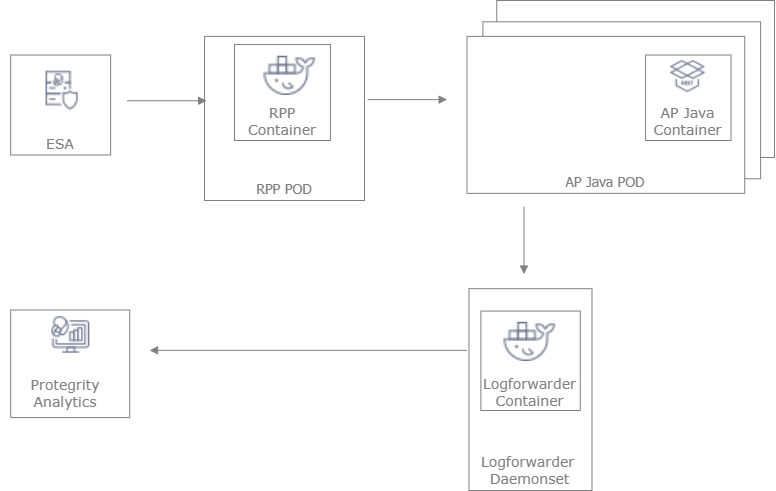
Deployment Steps:
Create the ESA with the policy and datastore.
Deploy the Resilient Package Proxy (RPP) instances with mTLS certificates to communicate with the ESA and to host the proxy endpoint for protectors.
Deploy the Application Protector Java Container protector with mTLS certificates to communicate with the RPP. The communication between the RPP and the protector is secured using mTLS.
After the protector instance starts as part of the application POD, the protector sends a request to the RPP instance to retrieve the policy package.
At periodic intervals, the protector tries to pull the new policy package from RPP instance. If the package present on the RPP instance has expired due to cache invalidation policy, the RPP pulls the new package from an upstream RPP or the ESA.
14.1.2 - Architecture and Components using Static Deployment
Key features of a Static-based deployment include:
- The deployments can be used in use cases where a fixed policy package is required.
- The policy updates need to be triggered through automation using ConfigMap updates.
For more information about package deployment approaches, refer to Resilient Package Deployment.
The following figure represents the architecture for deploying the Application Protector Java Container with static deployment on a Kubernetes cluster.
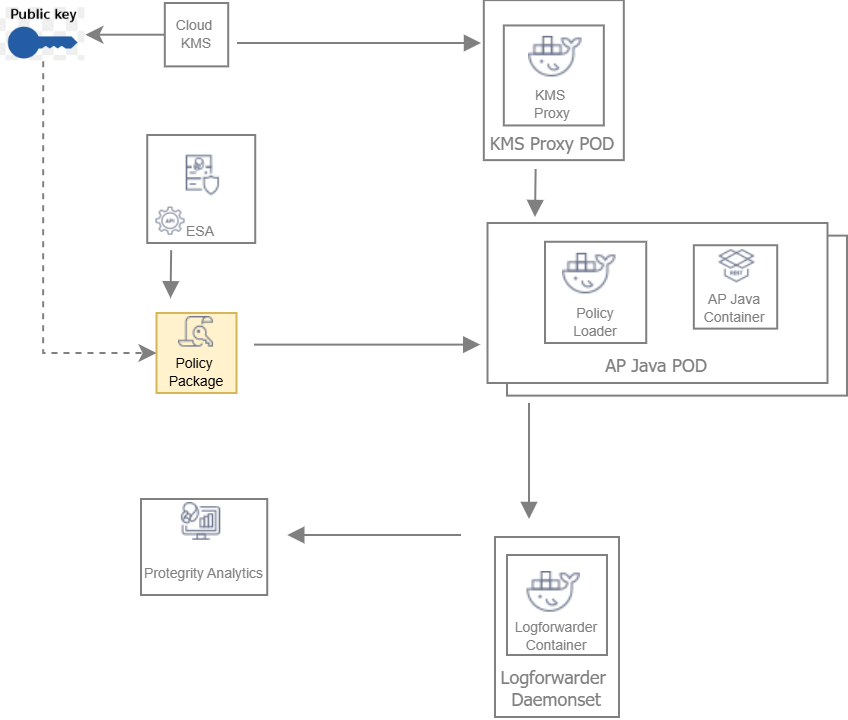
Deployment Steps:
The ESA administrator user pulls the policy package from the ESA and stores it to an Object Store or a Volume Mount.
The Policy Loader sidecar container reads the internal configmap for policy updates.
The sidecar container retrieves the policy package from the Object Store or Volume Mount.
The sidecar container then stores the policy package in the tmpfs directory.
The Application Protector Java Container protector reads the policy package from the tmpfs directory.
Based on the values specified in the internal config.ini file, the protector initiates the RP Callback.
The RP Callback decrypts the Data Encryption Key (DEK) using the KMS Proxy container.
The KMS Proxy container reads the decrypted DEK from the cache, if present.
If the DEK is not present in the cache, the KMS Proxy container uses the KMS Backend to retrieve the DEK from the Cloud KMS. The KMS Proxy container then stores the decrypted DEK in the cache.
The Protector decrypts the policy package using the DEK and initializes its internal library.
14.2 - System Requirements
This section provides an overview of the software and hardware requirements required for deploying the Application Protector Java Container.
14.2.1 - Software Requirements
Ensure that the following prerequisites are met for deploying the Application Protector Java Container package ApplicationProtector_RHUBI-9-64_x86-64_Generic.K8S.JRE-<JRE_Version>_<Version>.tgz.
ESA prerequisites
Policy – Ensure that you have defined the security policy in the ESA. For more information about defining a security policy, refer to the section Policy Management.
Datastore - Attach the policy to the default datastore in the ESA or to a range of allowed servers that are added to a datastore.
The IP address range of the allowed servers must be the same as that of the nodes in the Kubernetes cluster where the Application Protector Java Containers are deployed.
For more information about datastores, refer to the section Data Stores.
ESA user - Create an ESA user that will be used to invoke the RPS REST API for retrieving the security policy and the certificates from the ESA. Ensure that the user is assigned the Export Resilient Package role. This user is used to export the policy in a static-based deployment.
For more information about assigning roles, refer to the section Managing Roles.
Jump Box Configuration
The Linux instance or the Jump Box can be used to communicate with the Kubernetes cluster. This instance can be on-premise or on AWS. The Jump Box instance is used to execute all the deployment-related commands.
Ensure that the following prerequisites are installed on the Jump Box:
- Helm, which is used as the package manager for all the applications.
- Docker to communicate with the Container Registry, where you want to upload the Docker images.
- eksctl, which is a CLI utility to communicate with Amazon EKS.
Cloud or AWS prerequisites
You need access to an AWS account. You also need access to the following AWS resources.
- AWS Elastic File System (EFS) - if you want to upload the policy package to AWS EFS instead of AWS S3. You require both read and write permissions. This is required for static-based deployment.
- Install the latest version of the EFS-CSI driver, which is required if you are using AWS EFS as the persistent volume. This is required for static-based deployment.
For more information about installing the EFS-CSI driver, refer to the Amazon EFS CSI driver documentation.
AWS S3 - if you want to use AWS S3 for storing the policy snapshot, instead of AWS EFS. You require both read and write permissions. This is required for static-based deployment.
For more information about the AWS S3-specific permissions, refer to the API Reference document for AWS S3.
IAM User - Required to create the Kubernetes cluster. This user requires the following permissions:
AmazonEC2FullAccess - This is a managed policy by AWS
AmazonEKSClusterPolicy - This is a managed policy by AWS
AmazonEKSServicePolicy - This is a managed policy by AWS
AWSCloudFormationFullAccess - This is a managed policy by AWS
Custom policy that allows the user to perform the following actions:
- Create a new role and an instance profile.
- Retrieve information about a role and an instance profile.
- Attach a policy to the specified IAM role.
The following actions must be permitted on the IAM service:
- GetInstanceProfile
- GetRole
- AddRoleToInstanceProfile
- CreateInstanceProfile
- CreateRole
- PassRole
- AttachRolePolicy
Custom policy that allows the user to perform the following actions:
- Delete a role and an instance profile.
- Detach a policy from a specified role.
- Delete a policy from the specified role.
- Remove an IAM role from the specified EC2 instance profile.
The following actions must be permitted on the IAM service:
- GetOpenIDConnectProvider
- CreateOpenIDConnectProvider
- DeleteInstanceProfile
- DeleteRole
- RemoveRoleFromInstanceProfile
- DeleteRolePolicy
- DetachRolePolicy
- PutRolePolicy
Custom policy that allows the user to manage EKS clusters. The following actions must be permitted on the EKS service:
- ListClusters
- ListNodegroups
- ListTagsForResource
- ListUpdates
- DescribeCluster
- DescribeNodegroup
- DescribeUpdate
- CreateCluster
- CreateNodegroup
- DeleteCluster
- DeleteNodegroup
- UpdateClusterConfig
- UpdateClusterVersion
- UpdateNodegroupConfig
- UpdateNodegroupVersion
For more information about creating an IAM user, refer to the section Creating an IAM User in Your AWS Account in the AWS documentation. Contact your system administrator for creating the IAM users.
For more information about the EKS-specific permissions, refer to the API Reference document for Amazon EKS.
Access to AWS Elastic Container Registry (ECR) to upload the Container images.
Access to Route53 for mapping the hostname of the Elastic Load Balancer to a DNS entry in the Amazon Route53 service. This is required if you are terminating the TLS connection from the client application on the Load Balancer.
Access to AWS KMS. This is required for static-based deployment.
14.2.2 - Hardware Requirements
The following table lists the minimum hardware configuration for each pod where the Application Protector Java Container is deployed.
| Hardware Components | Configuration |
|---|---|
| CPU | Depends on the application. By default, the value is set to:
For more information about the CPU requirements for each container, refer to the values.yaml file for the corresponding container. |
| RAM | Depends on the workload. By default, the value is set to:
For more information about the memory requirements for each container, refer to the values.yaml file for the corresponding container. |
The instance type used for the cluster node is t3.2xlarge. The minimum CPU requirement for the node is 8 vCPU and the minimum memory capacity is 32 GiB.
Note: The package size of a policy with 70 thousand users and 26 data elements is 257447563 bytes.
14.3 - Preparing the Environment
This section provides an overview of the steps required to prepare the environment for deploying the Application Protector Java Container product.
14.3.1 - Initializing the Jump Box
The Linux instance should be connected to the Kubernetes cluster. The following is the minimum system requirements to be configured for a Linux instance.
| Software and Files Required for the Linux instance | Purpose | Link |
|---|---|---|
| Docker | Load the images into the repository | Install Docker Engine |
| Helm | Install Helm Charts | Install Helm |
| Kubectl | Connect to the Kubernetes cluster | Kubectl reference |
| AWS CLI | Manage AWS services | AWS Command Line Interface |
14.3.2 - Extracting the Installation Package
This section describes the steps to download and extract the installation package for the Application Protector Java Container.
To download the installation package:
Download the ApplicationProtector_RHUBI-9-64_x86-64_Generic.K8S.JRE-<JRE_Version>_<Version>.tgz file on the Linux instance.
Run the following command to extract the files from the ApplicationProtector_RHUBI-9-64_x86-64_Generic.K8S.JRE-<JRE_Version>_<Version>.tgz file.
tar -xvf ApplicationProtector_RHUBI-9-64_x86-64_Generic.K8S.JRE-<JRE_Version>_<Version>.tgzThe signatures directory and the ApplicationProtector_RHUBI-9-64_x86-64_Generic.K8S.JRE-<JRE_Version>_<Version>.tgzfileare extracted.
Run the following command to extract the files from the ApplicationProtector_RHUBI-9-64_x86-64_Generic.K8S.JRE-<JRE_Version>_<Version>.tgz file.
tar -xvf ApplicationProtector_RHUBI-9-64_x86-64_Generic.K8S.JRE-<JRE_Version>_<Version>.tgzThe following directories and files are extracted:
- devops - Helm charts, Dockerfiles, and container images to deploy the Application Protector Java Container using the Static policy.
- protector - Dockerfiles and container images to create the Application Protector Java Container.
- dynamic - Helm charts, Dockerfiles, and container images to deploy the Application Protector Java Container using the Dynamic method.
- common - Helm charts, Dockerfiles, and container images to deploy the Log Forwarder.
- certs - Create certificates required for secure communication.
- HOW-TO-BUILD-DOCKER-IMAGES - Text file specifying how to build the Docker images.
- manifest.json - Metadata file specifying the product version and component names.
The following shows a list of the Helm charts and container images.
| Package Name | Description | Directory |
|---|---|---|
| ApplicationProtector-SAMPLE-APP_DYNAMIC-HELM_ALL-ALL-ALL_x86-64_K8S_<Version>.tgz | Package containing the Helm chart used to deploy the Sample Application Container. | dynamic |
| RPPROXY_RHUBI-9-64_x86-64_K8S_<Version>.tar.gz | Used to set up the RPProxy container. | dynamic |
| RPPROXY_SRC_<Version>.tgz | Package containing the Dockerfile that can be used to create a custom image for the RPProxy container. | dynamic |
| RPPROXY-HELM_ALL-ALL-ALL_x86-64_K8S_<Version>.tgz | Package containing the Helm chart used to deploy the RPProxy container. | dynamic |
| KMSPROXY_RHUBI-9-64_x86-64_K8S_<Version>.tar.gz | Used to create the KMSProxy container. | devops |
| KMSPROXY_SRC_<Version>.tgz | Package containing the Dockerfile that can be used to create a custom image for the KMSProxy container and the associated binary files. | devops |
| KMSPROXY-HELM_ALL-ALL-ALL_x86-64_K8S_<Version>.tgz | Package containing the Helm chart used to deploy the KMSProxy container. | devops |
| POLICY-LOADER_RHUBI-9-64_x86-64_K8S_<Version>.tar.gz | Used to create the Policy Loader container. | devops |
| POLICY-LOADER_SRC_<Version>.tgz | Package containing the Dockerfile that can be used to create a custom image for the Policy Loader container and the associated binary files. | devops |
| ApplicationProtector-SAMPLE-APP_DEVOPS-HELM_ALL-ALL-ALL_x86-64_K8S_<Version>.0.tgz | Package containing the Helm chart used to deploy the Sample Application Container. | devops |
| ApplicationProtector-SAMPLE-APP_SRC_<Version>.tgz | Package containing the Dockerfile that can be used to create a custom image for the Sample Application Container and the associate binary files. | protector |
| LOGFORWARDER_RHUBI-9-64_x86-64_K8S_<Version>.tar.gz | Used to create the Log Forwarder container. | common |
| LOGFORWARDER_SRC_<Version>.tgz | Package containing the Dockerfile that can be used to create a custom image for the Log Forwarder container and the associated binary files. | common |
| LOGFORWARDER-HELM_ALL-ALL-ALL_x86-64_K8S_<Version>.tgz | Package containing the Helm chart used to deploy the Log Forwarder container. | common |
14.3.3 - Creating Certificates
This section describes the steps to create certificates required for secure communication. These certificates are for secure communication between:
- ESA and the RPP.
- RPP and the protector.
- KMSProxy and the protector.
To download the installation package:
Navigate to the directory where you have extracted the installation package.
Navigate to the certs directory. The following files are available:
- CertificatesSetup_Linux_x64_<Version>tgz - Download the certificates from the ESA. You can use them as the common certificates in the dynamic deployment between the RPProxy and the ESA, and between the RPProxy and the protector. You can also use these certificates separately as the upstream certificate between the ESA and RPProxy in the dynamic deployment.
- CreateCertificate_Linux_x64_<Version>.tgz - Generate self-signed client and server certificates. In the Dynamic method, these certificates are used for communication between RPProxy and the protector. In the Static policy method, these certificates are used for communication between KMSProxy and the protector. Customers can choose to use their own certificates.
Extract both the packages using the following command.
tar -xvf CertificatesSetup_Linux_x64_<Version>.tgz tar -xvf CreateCertificate_Linux_x64_<Version>.tgzThe following files are extracted:
- CertificatesSetup_Linux_x64_<Version>.sh
- CreateCertificate_Linux_x64_<Version>.sh
Certificates for communication between the ESA and the RPP
- Run the following command to create ESA certificates for establishing a secure communication between the ESA and the RPP.
./CertificatesSetup_Linux_x64_<Version>.sh (-u <username> -p <password>) [-h <hostname>] [--port <port>] [-d <directory>]
Options:
-u User with the Export Certificates role
-p Password for user with the Export Certificates role
-h Host or IP address of the ESA
--port Port number of the ESA
-d local directory where certificates are stored
For more information about the command, use the –help parameter as shown in the following command.
./CertificatesSetup_Linux_x64_<Version>.sh --help
The output displays all the options that can be used with the command. It also provides usage examples.
Certificates for client and server communication between RPP and Protector, and KMS-Proxy and Protector
- Run the following command to create server-side certificates.
./CreateCertificate_Linux_x64_<Version>.sh (client | server ) --name <common name> [--dir <directory> ] [--dns <dnsname>] [--ip <ip address>]
Options:
client Generate client certificate
server Generate server certificate
--name Certificate common name.
--dns Specify domain names. To specify multiple DNS names, repeat the --dns flag.
--ip Specify IP addresses. To specify multiple IP address, repeat the --ip flag.
--noenc The certificate key file is not encrypted. No secret.txt file created.
--dir Output base directory for certificates.
--print Prints OpenSSL configuration files used to generate certificates.
--help Print help message.
This command is used to create the certificates for both the Dynamic and Static-based deployments.
For more information about the command, use the –help parameter as shown in the following command.
./CreateCertificate_Linux_x64_<Version>.sh --help
The output displays all the options that can be used with the command. It also provides usage examples.
14.3.4 - Uploading the Images to the Container Repository
Before you begin, ensure that you have set up your Container Registry.
To upload the images to the Container Repository:
Install Docker on the Linux instance.
For more information about installing Docker on a Linux machine, refer to the Docker documentation.
Run the following command to authenticate your Docker client to Amazon ECR.
aws ecr get-login-password --region <Name of ECR region where you want to upload the container image> | docker login --username AWS --password-stdin <aws_account_id>.dkr.ecr.<Name of ECR region where you want to upload the container image>.amazonaws.comFor more information about authenticating your Docker client to Amazon ECR, refer to the AWS CLI Command Reference documentation.
Extract the installation package.
The RPProxy, Policy Loader, and KMSProxy container images are extracted.
For more information about extracting the installation package, refer to the section Extracting the Installation Package.
Perform the following steps to upload the AP Java container image to Amazon ECR.
a. Build a custom image for the AP Java container.
For more information about creating custom images, refer to the section Using Dockerfiles to Build Custom Images.
Note: This step is not required for the RPProxy, Policy Loader, and KMSProxy containers as the container images are available in the installation package.
b. Run the following command to load the AP Java container image into Docker.
docker load -i APJAVA_RHUBI-9-64_x86-64_K8S_<Version>.tar.gzc. Run the following command to list the AP Java container image.
docker imagesd. Tag the image to the Amazon ECR by running the following command.
docker tag <Container image>:<Tag> <Container registry path>/<Container image>:<Tag>For example:
docker tag apjava:AWS <aws_account_id>.dkr.ecr.us-east-1.amazonaws.com/apjava:AWSFor more information regarding tagging an image, refer to the section Pushing an image in the AWS documentation.
e. Push the tagged image to the Amazon ECR by running the following command.
docker push <Container registry path>/<Container image>:<Tag>For example:
docker push <aws_account_id>.dkr.ecr.us-east-1.amazonaws.com/apjava:AWSNavigate to the directory where you have extracted the Helm charts packages for the AP Java containers.
In the values.yaml file, update the appropriate path for the springappImage setting, along with the tag.
Repeat steps 1 to 6 for uploading the respective images for RPProxy, Policy Loader, and KMSProxy.
14.3.5 - Creating the AWS Environment
This section describes how to create the AWS runtime environment.
Prerequisites
Before creating the runtime environment on AWS, ensure that you have a valid AWS account and the following information:
- Login URL for the AWS account
- Authentication credentials for the AWS account
Audience
It is recommended that you have working knowledge of AWS and knowledge of the following concepts:
- Introduction to AWS S3
- Introduction to AWS Cloud Security
- Introduction to AWS EKS
14.3.5.1 - Creating the AWS Setup for Static Mode
This section describes how to create the following AWS resources for static mode:
- Data Encryption Key
- AWS S3 bucket
- AWS EFS
14.3.5.1.1 - Creating a Data Encryption Key (DEK)
To create a Data Encryption Key:
- Log in to the AWS environment.
Navigate to Services.
A list of AWS services appears.
In Security, Identity, & Compliance, click Key Management Service.
The AWS Key Management Service (KMS) console opens. By default, the Customer managed keys screen appears.
Click Create key.
The Configure key screen appears.
In the Key type section, select the Asymmetric option to create a single customer master key that will be used to perform the encrypt and decrypt operations.
In the Key usage section, select the Encrypt and decrypt option.
In the Key spec section, select one option.
For example, select RSA_4096.
In the Advanced options section, select the Single-Region Key option.
Click Next.
The Add labels screen appears.
In the Alias field, specify the display name for the key, and then click Next.
The Review and edit key policy screen appears.
Click Finish.
The Customer managed keys screen appears, displaying the newly created customer master key.
Click the key alias.
A screen specifying the configuration for the selected key appears.
In the General Configuration section, copy the value specified in the ARN field, and save it on your local machine.
You need to attach the key to the KMSDecryptAccess policy. You also need to specify this ARN value in the command for creating a Kubernetes secret for the key.
Navigate to Services > IAM.
Click Policies.
The Policies screen appears.
Select the KMSDecryptAccess policy.
The Permissions tab appears.
Click Edit policy to edit the policy in JSON format.
Modify the policy to add the ARN of the key that you have copied in step 13 to the Resource parameter.
{ "Version": "2012-10-17", "Statement": [ { "Sid": "VisualEditor0", "Effect": "Allow", "Action": "kms:Decrypt", "Resource": [ "<ARN of the AWS Customer Master Key>" ] } ] }Click Review policy, and then click Save changes to save the changes to the policy.
14.3.5.1.2 - Creating an AWS S3 Bucket
Important: This procedure is optional and is required only if you want to use AWS S3 for storing the policy snapshot during static deployment, instead of the persistent volume.
To create an AWS S3 bucket:
- Login to the AWS environment.
Navigate to Services.
A list of AWS services appears.
In Storage, click S3.
The S3 buckets screen appears.
Click Create bucket.
The Create bucket screen appears.
In the General configuration screen, specify the following details.
In the Bucket name field, enter a unique name for the bucket.
In the AWS Region field, choose the same region in which you want to create your EC2 instance.
If you want to configure your bucket or set any specific permissions, then you can specify the required values in the remaining sections of the screen. Otherwise, you can go directly to the next step to create a bucket.
Click Create bucket.
The bucket is created.
14.3.5.1.3 - Creating an AWS EFS
Important: This procedure is optional and is required only if you want to use AWS EFS for storing the policy package during static deployment, instead of AWS S3.
To create an AWS EFS:
- Login to the AWS environment.
Navigate to Services.
A list of AWS services appears.
In Storage, click EFS.
The File Systems screen appears.
Click Create file system.
The Configure network access screen appears.
In the VPC list, select the VPC where you will be creating the Kubernetes cluster.
Click Next Step.
The Configure file system settings screen appears.
Click Next Step.
The Configure client access screen appears.
Click Next Step.
The Review and create screen appears.
Click Create File System.
The file system is created.
Note the value in the File System ID column. You need to specify this value as the value of the volumeHandle parameter in the pv.yaml file in step 10c.
Perform the following steps if you want to use a persistent volume for storing the policy package instead of the AWS S3 bucket.
a. Create a file named storage_class.yaml for creating an AWS EFS storage class.
The following snippet shows the contents of the storage_class.yaml file.
kind: StorageClass apiVersion: storage.k8s.io/v1 metadata: name: efs-sc provisioner: efs.csi.aws.comImportant: If you want to copy the contents of the storage_class.yaml file, then ensure that you indent the file as per YAML requirements.
b. Run the following command to provision the AWS EFS using the storage_class.yaml file.
kubectl apply -f storage_class.yamlAn AWS EFS storage class is provisioned.
c. Create a file named pv.yaml for creating a persistent volume resource.
The following snippet shows the contents of the pv.yaml file.
apiVersion: v1 kind: PersistentVolume metadata: name: efs-pv1 labels: purpose: policy-store spec: capacity: storage: 1Gi volumeMode: Filesystem accessModes: - ReadWriteMany persistentVolumeReclaimPolicy: Retain storageClassName: **efs-sc** csi: driver: efs.csi.aws.com volumeHandle: **fs-618248e2:**/Important: If you want to copy the contents of the pv.yaml file, then ensure that you indent the file as per YAML requirements.
This persistent volume resource is associated with the AWS EFS storage class that you have created in step 10b.
In the storageClassName parameter, ensure that you specify the same name for the storage class that you specified in the storage_class.yaml file in step 10a.
For example, specify efs-sc as the value of the storageClassName parameter.
d. Run the following command to create the persistent volume resource.
kubectl apply -f pv.yamlA persistent volume resource is created.
e. Create a file named pvc.yaml for creating a claim on the persistent volume that you have created in step 10d.
The following snippet shows the contents of the pvc.yaml file.
apiVersion: v1 kind: PersistentVolumeClaim metadata: name: efs-claim1 spec: selector: matchLabels: purpose: "policy-store" accessModes: - ReadWriteMany storageClassName: **efs-sc** resources: requests: storage: 1GiImportant: If you want to copy the contents of the pvc.yaml file, then ensure that you indent the file as per YAML requirements.
This persistent volume claim is associated with the AWS EFS storage class that you have created in step 10b. The value of the storage parameter in the pvc.yaml defines the storage that is available for saving the policy dump.
In the storageClassName parameter, ensure that you specify the same name for the storage class that you specified in the storage_class.yaml file in step 10a.
For example, specify efs-sc as the value of the storageClassName parameter.
f. Run the following command to create the persistent volume claim.
kubectl apply -f pvc.yaml -n <Namespace>For example:
kubectl apply -f pvc.yaml -n iap-javaA persistent volume claim is created. In this example, iap-java is the namespace where the Application Protector Java Container will be deployed.
g. On the Linux instance, create a mount point for the AWS EFS by running the following command.
mkdir /efsThis command creates a mount point efs on the file system.
h. Install the Amazon EFS client using the following command.
sudo yum install -y amazon-efs-utilsFor more information about installing the EFS client, refer to the section Manually installing the Amazon EFS client in the Amazon Elastic File System User Guide.
i. Run the following mount command to mount the AWS EFS on the directory created in step 10g.
sudo mount -t nfs -o nfsvers=4.1,rsize=1048576,wsize=1048576,hard,timeo=600,retrans=2,noresvport <file-system-id>.efs.<aws-region>.amazonaws.com:/ /efsFor example:
sudo mount -t nfs -o nfsvers=4.1,rsize=1048576,wsize=1048576,hard,timeo=600,retrans=2,noresvport fs-618248e2.efs.<aws-region>.amazonaws.com:/ /efsEnsure that you set the value of the <file-system-id> parameter to the value of the volumeHandle parameter, as specified in the pv.yaml file in step 10c.
For more information about the permissions required for mounting an AWS EFS, refer to the section Working with Users, Groups, and Permissions at the Network File System (NFS) Level in the AWS documentation.
14.3.5.2 - Creating a Kubernetes Cluster
Note: The steps listed in this section for creating a Kubernetes cluster are for reference use. If you have a Kubernetes cluster or want to create a cluster based on custom requirements, then navigate to step 4 to connect your cluster and the Linux instance. However, you must ensure that your ingress port is enabled on the Network Security group of your VPC.
Important: Ensure that the Kubernetes Metrics Server and Cluster Autoscaler are already deployed.
To create a Kubernetes cluster:
Create a key pair for the EC2 instances that will be launched as part of your Kubernetes cluster.
For more information on creating the key pair, refer to the section Create a key pair for your Amazon EC2 instance in the Amazon EC2 documentation.
After the key pair is created, you need to specify the key pair name in the publicKeyName field of the createCluster.yaml file, for creating a Kubernetes cluster.
Log in to the Linux instance and create a file named createCluster.yaml to specify the configurations for creating the Kubernetes cluster.
The following snippet displays the contents of the createCluster.yaml file.
apiVersion: eksctl.io/v1alpha5 kind: ClusterConfig metadata: name: <Name of your Kubernetes cluster> region: <Region where you want to deploy your Kubernetes cluster> version: "<Kubernetes version>" vpc: id: "<ID of the VPC where you want to deploy the Kubernetes cluster>" subnets: #In this section specify the subnet region and subnet id accordingly private: <Availability zone for the region where you want to deploy your Kubernetes cluster>: id: "<Subnet ID>" <Availability zone for the region where you want to deploy your Kubernetes cluster> id: "<Subnet ID>" nodeGroups: - name: <Name of your Node Group> instanceType: m5.large minSize: 1 maxSize: 3 tags: k8s.io/cluster-autoscaler/enabled: "true" k8s.io/cluster-autoscaler/<Name of your Kubernetes cluster>: "owned" privateNetworking: true securityGroups: withShared: true withLocal: true attachIDs: ['<Security group linked to your VPC>'] ssh: publicKeyName: '<EC2 keypair>' iam: attachPolicyARNs: - "arn:aws:iam::aws:policy/AmazonEKS_CNI_Policy" withAddonPolicies: autoScaler: trueImportant: If you want to copy the contents of the createCluster.yaml file, then ensure that you indent the file as per YAML requirements.
For more information about the sample configuration file used to create a Kubernetes cluster, refer to the section Create cluster using config file in the eksctl documentation.
In the ssh/publicKeyName parameter, you must specify the value of the key pair that you have created in step 1.
In the iam/attachPolicyARNs parameter, you must specify the following policy ARNs:
ARN of the AmazonEKS_CNI_Policy policy - This is a default AWS policy that enables the Amazon VPC CNI Plugin to modify the IP address configuration on your EKS nodes.
For more information about this policy, refer to the AWS documentation.
You need to sign in to your AWS account to access the AWS documentation for this policy.
The content snippet displays the reference configuration required to create a Kubernetes cluster using a private VPC. If you want to use a different configuration for creating your Kubernetes cluster, then you need to refer to the section Creating and managing clusters in the eksctl documentation.
For more information about creating a configuration file to create a Kubernetes cluster, refer to the section Creating and managing clusters in the eksctl documentation.
Run the following command to create a Kubernetes cluster.
eksctl create cluster -f ./createCluster.yamlImportant: IAM User 1, who creates the Kubernetes cluster, is automatically assigned the cluster-admin role in Kubernetes.
Run the following command to connect your Linux instance to the Kubernetes cluster.
aws eks update-kubeconfig --name <Name of Kubernetes cluster>Validate whether the cluster is up by running the following command.
kubectl get nodesThe command lists the Kubernetes nodes available in your cluster.
Deploy the Cluster Autoscaler component to enable the autoscaling of nodes in the EKS cluster.
This step is required only if the Cluster Autoscaler component is not installed.
For more information about deploying the Cluster Autoscaler, refer to the section Deploy the Cluster Autoscaler in the Amazon EKS documentation.
Install the Metrics Server to enable the horizontal autoscaling of pods in the Kubernetes cluster.
This step is required only if the Metric Server is not installed.
For more information about installing the Metrics Server, refer to the section Horizontal Pod Autoscaler in the Amazon EKS documentation.
After you have created the Kubernetes cluster, you can deploy the Application Protector Java Container using dynamic or static mode of deployment.
Run following commands to tag the cluster subnets to ensure that the Elastic load balancer can discover them.
aws ec2 create-tags --tags Key=kubernetes.io/cluster/<Cluster Name>,Value=shared --resources <Subnet ID>aws ec2 create-tags --tags Key=kubernetes.io/role/internal-elb,Value=1 --resources <Subnet ID>aws ec2 create-tags --tags Key=kubernetes.io/role/elb,Value=1 --resources <Subnet ID>
Repeat this step for all the cluster subnets.
14.4 - Installing the Protector
This section provides an overview of the steps required to install the Application Protector Java Container using either the Static or the Dynamic method.
14.4.1 - Deploying AP Java Container for Dynamic Method
This section describes how to deploy the Application Protector Java Container integrated with RPP. Deploy in the following order:
- Log Forwarder
- RPP
- Application Protector Java Container
14.4.1.1 - Deploying Log Forwarder
The Log Forwarder is deployed as a DaemonSet. The following steps describe how to deploy Log Forwarder.
On the Linux instance, run the following command to create the namespace required for Helm deployment.
kubectl create namespace <Namespace name>For example:
kubectl create namespace iap-javaOn the Linux instance, navigate to the location where you have extracted the Helm charts to deploy the Log Forwarder.
For more information about the extracted Helm charts, refer to the section Extracting the Installation Package.
The logforwarder > values.yaml file contains the default configuration values for deploying the Log Forwarder container on the Kubernetes cluster. The following content shows an extract of the values.yaml file.
... # - Protegrity PSU(Protegrity Storage Unit)/ESA configuration. # Logforwarder will send audit records to below specified hosts/ip. # User can specify multiple PSU/ESA distribute the audit records and avoid downtime. opensearch: # -- specify a given name to uniquely identify PSU/ESA in the deployment. - name: # -- hostname/ip address of PSU/ESA host: # -- port address of ESA/PSU port: 9200 # - name: node-2 # host: test-insight # port: 9200 # -- Kubernetes service configuration, represents a TCP endpoint to receive audit records # from the protectors. service: # -- Configure service type: ClusterIP for Logforwarder endpoint. type: ClusterIP # -- port to accept incoming audit records from the protector port: 15780 ...Modify the default values in the values.yaml file as required.
| Field | Description |
|---|---|
| opensearch/name | Specify the unique name for the ESA. |
| opensearch/host | Specify the host name or IP address of the ESA. |
| opensearch/port | Specify the port number of the ESA. The default value is 9200. |
| service/type | Specify the service type for the Log Forwarder. The default value is ClusterIP. |
| service/port | Specify the service port of the Log Forwarder, which receives the audit logs from the protectors. The default value is 15780. |
- Run the following command to deploy the Log Forwarder on the Kubernetes cluster.
helm install <Release_Name> --namespace <Namespace where you want to deploy the RPP container> <Location of the directory that contains the Helm charts>
For example:
helm install log1 --namespace iap-java <Custom_path>/common/logforwarder/
<Custom_path> is the directory where you have extracted the installation package.
- Run the following command to check the status of the pods.
kubectl get pods -n <Namespace>
For example:
kubectl get pods -n iap-java
NAME READY STATUS RESTARTS AGE
log1-logforwarder-f6gvj 1/1 Running 0 11h
log1-logforwarder-ls4hn 1/1 Running 0 11h
log1-logforwarder-phk4t 1/1 Running 0 11h
log1-logforwarder-z2mz7 1/1 Running 0 11h
As the Log Forwarder is deployed as a DaemonSet, one instance of Log Forwarder is deployed on each node. In this example, one Log Forwarder pod is deployed per node.
For information about configuring the Log Forwarder, refer to the section Configuration Parameters for Forwarding Audits and Logs.
14.4.1.2 - Deploying Resilient Package Proxy (RPP)
The following steps describe how to deploy RPP.
Note: Ensure that you have deployed the Log Forwarder before deploying the RPP. For more information about deploying the Log Forwarder, refer to the section Deploying the Log Forwarder.
- Run the following command on the Jump box to generate the common certificate from the ESA certificates.
CertificatesSetup_Linux_x64_<Version>.sh -u <User> -p <Password> -h <Hostname or IP address of ESA> --port <Port number of ESA> -d <Directory>
For example:
CertificatesSetup_Linux_x64_<Version>.sh -u admin -p admin12345 -h 10.10.10.10 --port 8443 -d rpproxy
For more information about generating the ESA certificates, refer to the section Creating Certificates.
The following files are created:
- CA.pem
- cert.key
- cert.pem
- secret.txt
2. Run the following command to create a Kubernetes secret using the common certificate generated in step 1.
kubectl -n <Namespace> create secret generic common-cert --from-file=CA.pem=./CA.pem --from-file=cert.key=./cert.key --from-file=cert.pem=./cert.pem --from-file=secret.txt=./secret.txt
Specify this secret as the value of the commonCertSecrets parameter in the values.yaml file. In this case, this secret is used in the following ways:
- RPP uses the certificate as an upstream server certificate to download the policy packages from the ESA.
- The protector uses the certificate as a client certificate to download the policy packages from the RPP.
If you do not specify any value for the commonCertSecrets parameter, then you need to specify separate values for the rpp/upstream/certificateSecret and service/certificateSecret parameters.
3. Run the following command on the Jump box to generate the upstream certificate between the ESA and the RPP.
CertificatesSetup_Linux_x64_<Version>.sh -u <User> -p <Password> -h <Hostname or IP address of ESA> --port <Port number of ESA> -d <Directory>
For example:
CertificatesSetup_Linux_x64_<Version>.sh -u admin -p admin12345 -h 10.10.10.10 --port 8443 -d <Full_Path>/rpproxy
For more information about generating the ESA certificates, refer to the section Creating Certificates.
The following files are created:
- CA.pem
- cert.key
- cert.pem
- secret.txt
Note: This certificate is created only if you are not using the common certificate.
4. Run the following command to create a Kubernetes secret using the upstream certificate generated in step 3.
kubectl -n <Namespace> create secret generic upstream-cert --from-file=CA.pem=./CA.pem --from-file=cert.key=./cert.key --from-file=cert.pem=./cert.pem --from-file=secret.txt=./secret.txt
Note: This secret is created only if you are not using the common certificate.
Specify this secret as the value of the rpp/upstream/certificateSecret parameter in the values.yaml file.
5. Run the following command to generate the service TLS certificate.
CreateCertificate_Linux_x64_<Version>.sh server --name <Directory> --dns <Release_Name>.<namespace>.svc
For example:
CreateCertificate_Linux_x64_<Version>.sh server --name rpproxy --dns rpp.iap-java.svc
For more information about generating the server certificates, refer to the section Creating Certificates.
The following client certificates files are created in the rpproxy folder:
- cert.pem
- cert.key
- CA.pem
- secret.txt
These certificates are used by the protector as a server certificate to authenticate the RPP to download policy packages.
Ensure that the namespace and release name that you specify in this command are the same names that you specify in step 7 while deploying the RPP Helm chart.
Note: This certificate is created only if you are not using the common certificate.
6. Run the following command to generate the secret for the service TLS certificate.
kubectl -n <Namespace> create secret generic service-certs --from-file=CA.pem=<path-to-CA.pem> --from-file=cert.key=<path-to-cert.key> --from-file=cert.pem=<path-to-cert.pem> --from-file=secret.txt=<path-to-secret.txt>
For more information about generating the client certificates, refer to the section Creating Certificates.
Note: This secret is created only if you are not using the common certificate.
Specify this secret as the value of the service/certificateSecret parameter in the values.yaml file.
7. On the Linux instance, navigate to the location where you have extracted the Helm charts to deploy the RPP.
For more information about the extracted Helm charts, refer to the section Initializing the Linux instance.
The rp-proxy > values.yaml file contains the default configuration values for deploying the RPP container on the Kubernetes cluster.
...
podSecurityContext:
fsGroup: 1000
...
#-- k8s secret for storing common certificates
# eg. kubectl command:
# kubectl -n $RPP_NAMESPACE create secret generic common-certs \
# --from-literal=CA.pem=<path-to-CA.pem> --from-literal=cert.key=<path-to-cert.key> \
# --from-literal=cert.pem=<path-to-cert.pem> --from-literal=secret.txt=<path-to-secret.txt>
commonCertSecrets:
rpp:
#-- upstream configuration
# host: Upstream host to connect
# port: Upstream port to connect
upstream:
host:
port: 25400
#-- certificateSecret : k8s secret for storing upstream tls certificates
# NOTE : Only to be set when not using common certificate secret
# eg. kubectl command:
# kubectl -n $RPP_NAMESPACE create secret generic upstream-certs \
# --from-literal=CA.pem=<path-to-CA.pem> --from-literal=cert.key=<path-to-cert.key> \
# --from-literal=cert.pem=<path-to-cert.pem> --from-literal=secret.txt=<path-to-secret.txt>
certificateSecret:
#-- logging configuration
# logLevel: Specifies the logging level for rpproxy
# INFO (default)
# ERROR
# WARN
# DEBUG
# TRACE
# logHost: Host to forward the logs (Default : 127.0.0.1)
# logPort: Port to forward the logs (Default : 15780)
logging:
logLevel: "INFO"
logHost: "127.0.0.1"
logPort: 15780
#-- service configuration
# certificateSecret : k8s secret for storing service tls certificates
# NOTE : Only to be set when not using common certificate secret
# eg. kubectl command:
# kubectl -n $RPP_NAMESPACE create secret generic service-certs \
# --from-literal=CA.pem=<path-to-CA.pem> --from-literal=cert.key=<path-to-cert.key> \
# --from-literal=cert.pem=<path-to-cert.pem> --from-literal=secret.txt=<path-to-secret.txt>
# cacheTTL:
# TTL sets the duration (in seconds) of which a cached item is considered fresh.
# When a cached item's TTL expires, the item will be revalidated.
service:
certificateSecret:
cacheTTL: 60
...
- Modify the default values in the values.yaml file as required.
| Field | Description |
|---|---|
| podSecurityContext | Specify the privilege and access control settings for the pod. The default values are set as follows:
|
| commonCertSecrets | Specify the Kubernetes secret, which you have created in step 2, for storing the common certificates. If you specify the value of this parameter, then do not specify the values for the rpp/upstream/certificateSecret and service/certificateSecret parameters. The same common certificate will be used by RPP to download the policy packages from the ESA and by the protector to download the policy packages from the RPP. |
| rpp/upstream/host | Specify the host name or IP address of the upstream server that is providing the policy packages. The upstream server can be another RPP or the ESA. |
| rpp/upstream/port | Specify the port number of the upstream server that is providing the policy packages. The default value is 25400. |
| rpp/upstream/certificateSecret | Specify the Kubernetes secret, which you have created in step 4, that contains the certificate used to authenticate the ESA. Note: This certificate is set only if you are not using the commonCertSecrets parameter. |
| logging/logLevel | Specify the details about the application log level during runtime. You can set one of the following values:
The default value is INFO. |
| logging/logHost | Specify the service hostname of the Log Forwarder, where the logs are forwarded. The default value is <Helm_Installation_Name>-<Helm_Chart_Name>.<Namespace>.svc.For example, iaplog-logforwarder.iap-java.svc. |
| logging/logPort | Specify the service port of the Log Forwarder, where the logs are forwarded. The default value is 15780. |
| service/certificateSecret | Specify the Kubernetes secret, which you have created in step 6, that enables the protector to authenticate the RPP. Note: This certificate is set only if you are not using the commonCertSecrets parameter. |
| service/cacheTTL | Specify the duration to refresh the cache. When a cache TTL expires, the cache has to be revalidated or updated. This interval controls the refresh time of the policy. The default value in seconds is 60. |
- Run the following command to deploy the RPP on the Kubernetes cluster.
helm install <Release_Name> --namespace <Namespace where you want to deploy the RPP container> <Location of the directory that contains the Helm charts>
For example:
helm install rpp --namespace iap-java >Custom_path>/spring-apjava-dynamic/rpproxy/
<Custom_path> is the directory where you have extracted the installation package.
Ensure that you specify the same release name and namespace that you have used while creating the service TLS certificate in step 5.
- Run the following command to check the status of the pods.
kubectl get pods -n <Namespace>
For example:
kubectl get pods -n iap-java
NAME READY STATUS RESTARTS AGE
rpp-rpproxy-5fd7d859b6-p9544 1/1 Running 0 11h
14.4.1.3 - Deploying the AP Java Container with Dynamic Method
The following steps describe how to deploy the Application Protector Java Container.
- Run the following command to generate the client certificate for connecting to the RPP.
CreateCertificate_Linux_x64_<Version>.sh client --name <Directory> --dns <Release_Name>.<namespace>.svc
For example:
CreateCertificate_Linux_x64_<Version>.sh client --name rpproxy-client --dns rpp.iap-java.svc
For more information about generating the client certificates, refer to the section Creating Certificates.
The following client certificates files are created in the rpproxy-client folder:
- cert.pem
- cert.key
- CA.pem
- secret.txt
This certificate is used by the protector as a client certificate to authenticate the RPP to download policy packages.
Ensure that the namespace and release name that you specify in this command are the same names that you specify in step 7 while deploying the RPP Helm chart.
Note: This certificate is created only if you are not using the common certificate.
2. Run the following command to generate the secret for the RPP client certificate created in step 1.
kubectl -n <RPP_Namespace> create secret generic rpp-client-certs --from-file=CA.pem=<path-to-CA.pem> --from-file=cert.key=<path-to-cert.key> --from-file=cert.pem=<path-to-cert.pem> --from-file=secret.txt=<path-to-secret.txt>
For more information about generating the client certificates, refer to the section Creating Certificates.
Specify this secret as the value of the protector/policy/certificates parameter in the values.yaml file.
On the Linux instance, navigate to the location where you have extracted the Helm charts to deploy the Application Protector Java Container.
The spring-apjava-dynamic > values.yaml file contains the default configuration values for deploying the RPP container on the Kubernetes cluster.
# -- create image pull secrets and specify the name here.
# remove the [] after 'imagePullSecrets:' once you specify the secrets
imagePullSecrets: []
# - name: regcred
nameOverride: ""
fullnameOverride: ""
# Sample springapp protector image configuration
springappImage:
# -- sample springapp protector image registry address
repository:
# -- sample springapp protector image tag name
tag:
# -- The pullPolicy for a container and the tag of the image affect
# when the kubelet attempts to pull (download) the specified image.
pullPolicy: IfNotPresent
# specify CPU and memory requirement of sample springapp protector container
springappContainerResources:
limits:
cpu: 1500m
memory: 3000Mi
requests:
cpu: 1200m
memory: 1000Mi
...
...
## -- pod service account to be used
## leave the field empty if not applicable
serviceAccount:
# The name of the service account to use.
name:
# Specify any additional annotation to be associated with pod
podAnnotations:
checksum/sdk-config: '{{ include (print $.Template.BasePath "/sdk-configmap.yaml") . | sha256sum }}'
## set the Pod's security context object
## leave the field empty if not applicable
podSecurityContext:
fsGroup: 1000
## set the Spring App Container's security context object
## leave the field empty if not applicable
springappContainerSecurityContext:
capabilities:
drop:
- ALL
allowPrivilegeEscalation: false
privileged : false
runAsNonRoot : true
readOnlyRootFilesystem: true
seccompProfile:
type: RuntimeDefault
# protector configuration
protector:
# Session information
session:
# Session timeout in minutes. Default is 15 minutes.
sessiontimeout: 15
# Policy information for the protector initialization
policy:
# Cadence determines how often the protector connects with ESA / proxy to
# fetch the policy updates in background. Default is 60 seconds.
# So by default, every 60 seconds protector tries to fetch the policy updates.
# If the cadence is set to "0", then the protector will get the policy only
# once, which is not recommended.
#
# Default 60.
cadence: 60
# -- Host/IP to the service providing Resilient Packages either rpproxy
# service or ESA.
host:
# -- certificates used to communicate with service providing Resilient packages.
# specify certificate secret name.
# -- TLS certificate rp-proxy service.
# kubectl -n $NAMESPACE create secret generic pty-rpp-tls \
# --from-file=cert.pem=./certs/cert.pem \
# --from-file=cert.key=./certs/cert.key \
# --from-file=CA.pem=./ca/CA.pem \
# --from-file=secret.txt=./certs/secret.txt
certificates:
# Logforwarder configuration
logs:
# -- In case that connection to fluent-bit is lost, set how audits/logs are handled
#
# drop : Protector throws logs away if connection to the fluentbit is lost.
# error : (default) Protector returns error without protecting/unprotecting
# data if connection to the fluentbit is lost.
mode: error
# -- Host/IP to fluent-bit where audits/logs will be forwarded from the protector
#
# Default localhost
host:
# -- specify the initial no. of sample protector Pod replicas
replicaCount: 1
# HPA configuration
autoScaling:
# -- lower limit on the number of replicas to which the autoscaler
# can scale down to.
minReplicas: 1
# -- upper limit on the number of replicas to which
# the autoscaler can scale up. It cannot be less that minReplicas.
maxReplicas: 10
# -- CPU utilization threshold which triggers the autoscaler
targetCPU: 70
## specify the ports exposed in your springapp configurations where,
## name - distinguishes between different ports.
## port - the port on which you wan't to expose the service externally.
## targetPort - the port no. configured while creating Tunnel.
springappService:
# allows you to configure service type: LoadBalancer or ClusterIP
type: LoadBalancer
# Specify service related annotations here
annotations:
##AWS
#service.beta.kubernetes.io/aws-load-balancer-internal: "true"
##AZURE
#service.beta.kubernetes.io/azure-load-balancer-internal: "true"
##GCP
#networking.gke.io/load-balancer-type: "Internal"
name: "restapi"
port: 8080
targetPort: 8080
- Modify the default values in the values.yaml file as required.
| Field | Description |
|---|---|
| springappImage | Specify the repository and tag details for the Sample Application Protector Java Container image. |
| springappContainerResources | Specify the CPU and memory requirements for the Sample Application Protector Java Container. |
| serviceAccount/name | Specify the name of the pod service account. Leave the field empty if it is not applicable. |
| podSecurityContext | Specify the privilege and access control settings for the pod. The default values are set as follows:
|
Container Security Context:
| Specify the privilege and access control settings for the Sample Application Protector Java Container. |
| protector/session/sessiontimeout | Specify the time during which a session object is valid. By default, the value is set to 15. The session timeout is measured in minutes. |
| protector/policy/cadence | Specify the time interval in seconds after which the protector connects with the RPProxy to retrieve the policy package. By default, the value is set to 60. Ensure that the value is not set to 0. Else, the protector will retrieve the policy only once. |
| protector/policy/host | Specify the host name or IP address of the RPProxy. |
| protector/policy/certificates | Specify the name of the secret for the certificate, which you have created in step 2 that is used to authenticate the RPProxy for downloading the policy package. |
| protector/logs/mode | Specify one of the following options in case the connection to the Log Forwarder is lost:
By default, the value is set to error. |
| protector/logs/host | Specify the service hostname of the Log Forwarder, where the logs are forwarded. The default value is <Helm_Installation_Name>-<Helm_Chart_Name>.<Namespace>.svc. For example, iaplog-logforwarder.iapjava.svc. |
| replicaCount | Specify the initial number of the Application Protector Java Container pod replicas. |
| autoScaling | Specify the configurations required for the Horizontal Pod Autoscaling. |
| springappService/type | Specify the service type for the Sample Application Protector Java Container. By default, this value is set to LoadBalancer. |
| springappService/annotations | Specify the annotations for the respective Cloud platforms if you want to use the internal load balancer. By default, this value is left blank. |
| springappService/name | Specify a name for the tunnel to distinguish between ports. By default, the value is set to restapi. |
| springappService/port | Specify the port number on which you want to expose the Kubernetes service externally. By default, the value is set to 8080. |
| springappService/targetport | Specify the port on which the Sample application is running inside the Docker container. By default, the value is set to 8080. |
- Run the following command to deploy the Application Protector Java Container on the Kubernetes cluster.
helm install <Release_Name> --namespace <Namespace where you want to deploy the AP Java container> <Location of the directory that contains the Helm charts>
For example:
helm install iap-java-dynamic --namespace iap-java <Custom_path>/spring-apjava-dynamic/
<Custom_path> is the directory where you have extracted the installation package.
- Run the following command to check the status of the pods.
kubectl get pods -n <Namespace>
For example:
kubectl get pods -n iap-java
NAME READY STATUS RESTARTS AGE
iap-java-dynamic-7b97d5dff7-grqph 2/2 Running 0 11h
log1-logforwarder-f6gvj 1/1 Running 0 11h
log1-logforwarder-ls4hn 1/1 Running 0 11h
log1-logforwarder-phk4t 1/1 Running 0 11h
log1-logforwarder-z2mz7 1/1 Running 0 11h
rpp-rpproxy-5fd7d859b6-p9544 1/1 Running 0 11h
- Run the following command to obtain the service details.
kubectl get svc -n <Namespace>
For example:
kubectl get svc -n iap-java
NAME TYPE CLUSTER-IP EXTERNAL-IP PORT(S) AGE
logforwarder ClusterIP 172.20.14.88 <none> 15780/TCP 2m37s
rpproxy ClusterIP 172.20.181.92 <none> 25400/TCP 113s
iap-java-dynamic LoadBalancer 172.20.60.61 internal-a70jkfsdf98908.us-east-1.elb.amazonaws.com 8080:30746/TCP 24s
Use the DNS name of the load balancer that appears in the EXTERNAL-IP column while running the security operations.
For more information about running security operations, refer to the section Running Security Operations.
Run the following command to obtain the IP address of the Load Balancer.
ping <DNS of Load Balancer>For example:
ping internal-b70jkfs23423jg8.us-east-1.elb.amazonaws.comThe following output appears that displays the IP address of the Load Balancer.
PING internal-b70jkfs23423jg8.us-east-1.elb.amazonaws.com (10.49.5.152) 56(84) bytes of data. 64 bytes from ip-10-49-5-152.ec2.internal (10.49.5.152): icmp_seq=1 ttl=255 time=0.831 ms 64 bytes from ip-10-49-5-152.ec2.internal (10.49.5.152): icmp_seq=2 ttl=255 time=0.262 msUse this IP address while running the security operations.
Navigate to the Amazon EC2 Console and edit inbound rules of the Load Balancer security group to ensure that it can receive requests on the
8080port number.For more information about editing inbound rules for a security group, refer to the section Configure security group rules.
14.4.1.4 - Uninstalling the Protector in Dynamic Method
To uninstall the Protector:
- Run the following command to uninstall the Log Forwarder from the Kubernetes cluster.
helm uninstall <Release_Name> --namespace <Namespace where the Log Forwarder is deployed>
For example:
helm uninstall log1 --namespace iap-java
- Run the following command to uninstall the RPP from the Kubernetes cluster.
helm uninstall <Release_Name> --namespace <Namespace where RPP is deployed>
For example:
helm uninstall rpp --namespace iap-java
- Run the following command to uninstall the Application Protector Java Container from the Kubernetes cluster.
helm uninstall <Release_Name> --namespace <Namespace where the AP Java Container is deployed>
For example:
helm uninstall iap-java-dynamic --namespace iap-java
- Run the following command to delete the Kubernetes secrets.
kubectl delete secret <Secret_Name> --namespace <Namespace where the AP Java Container is deployed>
For example:
kubectl delete secret common-cert --namespace iap-java
Repeat this step to delete all the secrets that you have created while deploying the RPP and the Application Protector Java Container:
- common-cert
- upstream-cert
- service-certs
- rpp-client-certs
- regcred
- Run the following command to delete the Kubernetes namespace.
helm delete namespace <Namespace where the AP Java Container is deployed>
For example:
helm delete namespace iap-java
14.4.2 - Deploying AP Java Container in Static Mode
This section describes how to deploy the Application Protector Java Container in static mode.
14.4.2.1 - Retrieving the Policy Package from the ESA
This section describes how to invoke the RPS APIs to retrieve the policy package using the ESA.
Note: Ensure that the Export Resilient Package permission is granted to the role that is assigned to the user exporting the package from the ESA.
Warning: Do not modify the package that has been exported using the RPS Service API.
To retrieve the policy package from the ESA:
Download the policy package from the ESA and encrypt the policy package using a KMS, then run the following command.
If you are using 10.0 ESA, then refer to the section Using the Encrypted Resilient Package REST APIs for more information about the RPS API.
If you are using 10.1 ESA, then refer to the section Using the Encrypted Resilient Package REST APIs for more information about the RPS API.
If you are using 10.2 ESA, then refer to the section Using the Encrypted Resilient Package REST APIs for more information about the RPS API.
If you are using Protegrity Provisioned Cluster, then navigate to Protegrity Product Documentation. Then, navigate to Edition > AI Team Edition > Infrastructure > Protegrity REST APIs > Using the Encrypted Resilient Package REST APIs for more information about the RPS API.
The policy package is downloaded to your machine.
Copy the policy package file to an AWS S3 bucket or AWS EFS, as required.
14.4.2.2 - Deploying Log Forwarder
The Log Forwarder is deployed as a DaemonSet. The following steps describe how to deploy Log Forwarder.
On the Linux instance, run the following command to create the namespace required for Helm deployment.
kubectl create namespace <Namespace name>For example:
kubectl create namespace iap-javaOn the Linux instance, navigate to the location where you have extracted the Helm charts to deploy the Log Forwarder.
For more information about the extracted Helm charts, refer to the section Extracting the Installation Package.
The logforwarder > values.yaml file contains the default configuration values for deploying the Log Forwarder container on the Kubernetes cluster. The following content shows an extract of the values.yaml file.
... # - Protegrity PSU(Protegrity Storage Unit)/ESA configuration. # Logforwarder will send audit records to below specified hosts/ip. # User can specify multiple PSU/ESA distribute the audit records and avoid downtime. opensearch: # -- specify a given name to uniquely identify PSU/ESA in the deployment. - name: # -- hostname/ip address of PSU/ESA host: # -- port address of ESA/PSU port: 9200 # - name: node-2 # host: test-insight # port: 9200 # -- Kubernetes service configuration, represents a TCP endpoint to receive audit records # from the protectors. service: # -- Configure service type: ClusterIP for Logforwarder endpoint. type: ClusterIP # -- port to accept incoming audit records from the protector port: 15780 ...Modify the default values in the values.yaml file as required.
| Field | Description |
|---|---|
| opensearch/name | Specify the unique name for the ESA. |
| opensearch/host | Specify the host name or IP address of the ESA. |
| opensearch/port | Specify the port number of the ESA. The default value is 9200. |
| service/type | Specify the service type for the Log Forwarder. The default value is ClusterIP. |
| service/port | Specify the service port of the Log Forwarder, which receives the audit logs from the protectors. The default value is 15780. |
- Run the following command to deploy the Log Forwarder on the Kubernetes cluster.
helm install <Release_Name> --namespace <Namespace where you want to deploy the RPP container> <Location of the directory that contains the Helm charts>
For example:
helm install log1 --namespace iap-java <Custom_path>/common/logforwarder/
<Custom_path> is the directory where you have extracted the installation package.
- Run the following command to check the status of the pods.
kubectl get pods -n <Namespace>
For example:
kubectl get pods -n iap-java
NAME READY STATUS RESTARTS AGE
log1-logforwarder-f6gvj 1/1 Running 0 11h
log1-logforwarder-ls4hn 1/1 Running 0 11h
log1-logforwarder-phk4t 1/1 Running 0 11h
log1-logforwarder-z2mz7 1/1 Running 0 11h
As the Log Forwarder is deployed as a DaemonSet, one instance of Log Forwarder is deployed on each node. In this example, one Log Forwarder pod is deployed per node.
For information about configuring the Log Forwarder, refer to the section Configuration Parameters for Forwarding Audits and Logs.
14.4.2.3 - Deploying KMSProxy Container
The following steps describe how to deploy the KMSProxy container.
- Run the following command to generate the TLS server certificate for the KMS-Proxy service.
CreateCertificate_Linux_x64_<Version>.sh server --name <Directory> --dns <Release_Name>.<namespace>.svc
For example:
CreateCertificate_Linux_x64_<Version>.sh server --name kms-proxy-server --dns kms-proxy.<namespace>.svc
For more information about generating the client certificates, refer to the section Creating Certificates.
The following server certificates files are created in the kms-proxy-server folder:
- cert.pem
- cert.key
- CA.pem
- secret.txt
These certificates are used by the protector as a server certificate to authenticate the KMS-Proxy service.
Ensure that the namespace and release name that you specify in this command are the same names that you specify in step 5 while deploying the KMS-Proxy Helm chart.
For more information about the data encryption key used in the AWS KMS, refer to the section Creating an Data Encryption Key (DEK)
2. Run the following command to generate the secret for the KMS-Proxy server certificate.
kubectl -n <KMS-Proxy_Namespace> create secret generic service-certs --from-file=CA.pem=<path-to-CA.pem> --from-file=cert.key=<path-to-cert.key> --from-file=cert.pem=<path-to-cert.pem> --from-file=secret.txt=<path-to-secret.txt>
For more information about generating the client certificates, refer to the section Creating Certificates.
Specify this secret as the value of the service/certificateSecret parameter in the values.yaml file.
On the Linux instance, navigate to the location where you have extracted the Helm charts to deploy the KMSProxy container.
For more information about the extracted Helm charts, refer to the section Extracting the Installation Package.The kms-proxy > values.yaml file contains the default configuration values for deploying the RPP container on the Kubernetes cluster.
...
# -- service account must be linked to a cloud role to access appropriate KMS keyid.
# the cloud role must have decrypt permission on keyid
serviceAccount:
# The name of the service account to use.
name:
# Specify any additional annotation to be associated with pod
podAnnotations:
checksum/kmsproxy-config: '{{ include (print $.Template.BasePath "/configmap.yaml") . | sha256sum }}'
## set the Pod's security context object
podSecurityContext:
fsGroup: 1000
## set the Container's security context object
securityContext:
capabilities:
drop:
- ALL
readOnlyRootFilesystem: true
runAsNonRoot: true
runAsUser: 1000
allowPrivilegeEscalation: false
seccompProfile:
type: RuntimeDefault
#-- cloud kms related configuration
kms:
# -- Specify Cloud KMS vendor
# expected values are: AWS
vendor: ""
#--- specify identifier for RSA key hosted by the cloud KMS.
# In case of AWS identifier is the key ARN (Amazon resource identifier)
keyid: ""
# kms-proxy service configuration
application:
# -- The cache will keep the content(decrypted KEK) for the specified TTL(time to live)
# duration in seconds. Once the TTL expires the value from the cache is cleared.
# Based on amount of time require to update/install the protector deployment, update
# the ttl. Default is 1200 seconds(20 minutes)
ttl: 1200
# -- By default, log level for the application is set to INFO.
# available logging levels ares INFO, DEBUG, TRACE
# to enable http access log set the logLevel to TRACE
logLevel: INFO
# Kubernetes service configuration, represents a HTTP service to host
# kms proxy endpoint.
service:
# -- Configure service type: ClusterIP for kms-proxy endpoint
type: ClusterIP
port: 443
# -- TLS certificate of kms-proxy service.
# kubectl -n $NAMESPACE create secret generic pty-kms-proxy-tls \
# --from-file=cert.pem=./certs/cert.pem \
# --from-file=cert.key=./certs/cert.key \
# --from-file=CA.pem=./ca/CA.pem \
# --from-file=secret.txt=./certs/secret.txt
certificates:
- Modify the default values in the values.yaml file as required.
| Field | Description |
|---|---|
| serviceAccount/name | Specify the name of the service account that is linked to a role having access to the Key ID of the respective cloud. Ensure that the role has decrypt permissions on the Key ID. |
| podSecurityContext | Specify the privilege and access control settings for the pod. The default values are set as follows:
|
| kms/vendor | Specify the cloud vendor. For example, AWS, Azure, or GCP. |
| kms/keyid | Specify the key Amazon Resource Name (ARN) for AWS. |
| application/ttl | Specify the time to live in seconds till which the KMSProxy cache retains the decrypted KEK. The default value is 1200, which equals 20 minutes. |
| application/logLevel | Specify the log level for the application. The following values are applicable:
Set this value to TRACE to enable HTTP access log. |
| service/type | Specify the HTTP service type to host the KMSProxy endpoint. The default value is ClusterIP. |
| service/port | Specify the port number for the KMSProxy end point. The default value is 443. |
| service/certificates | Specify the secret value of the TLS certificate for the KMS Proxy service that you have created in step 2. |
5. Run the following command to deploy the KMSProxy container on the Kubernetes cluster.
helm install <Release_Name> --namespace <Namespace to deploy KMSProxy container> <Location of the directory containing Helm charts>
For example:
helm install kmsproxy --namespace iap-java <Custom_path>/spring-apjava-devops/kms-proxy/
<Custom_path> is the directory where you have extracted the installation package.
- Run the following command to check the status of the pods.
kubectl get pods -n <Namespace>
For example:
kubectl get pods -n iap-java
NAME READY STATUS RESTARTS AGE
kms-10-v1-kms-proxy-7b97d5dff7-grqph 2/2 Running 0 11h
log1-logforwarder-f6gvj 1/1 Running 0 11h
log1-logforwarder-ls4hn 1/1 Running 0 11h
log1-logforwarder-phk4t 1/1 Running 0 11h
log1-logforwarder-z2mz7 1/1 Running 0 11h
14.4.2.4 - Deploying AP Java Container Using Static Method
The following steps describe how to deploy the Application Protector Java Container.
- Run the following command to generate the client certificate to authenticate with the KMS-Proxy service.
CreateCertificate_Linux_x64_<Version>.sh client --name <Directory> --dns <Release_Name>.<namespace>.svc
For example:
CreateCertificate_Linux_x64_<Version>.sh client --name kms-client --dns kms-proxy.<namespace>.svc
For more information about generating the client certificates, refer to the section Creating Certificates.
The following client certificates files are created in the kms-client folder:
- cert.pem
- cert.key
- CA.pem
- secret.txt
This certificate is used by the protector as a client certificate to authenticate the protector with the KMS-Proxy service.
Ensure that the namespace and release name that you specify in this command are the same names that you specify in step 5 while deploying the KMS-Proxy Helm chart.
2. Run the following command to generate the secret for the KMS-Proxy client certificate created in step 1.
kubectl -n <KMS-Proxy_Namespace> create secret generic service-certs --from-file=CA.pem=<path-to-CA.pem> --from-file=cert.key=<path-to-cert.key> --from-file=cert.pem=<path-to-cert.pem> --from-file=secret.txt=<path-to-secret.txt>
For more information about generating the client certificates, refer to the section Creating Certificates.
Specify this secret as the value of the kms/certificates parameter in the values.yaml file.
On the Linux instance, navigate to the location where you have extracted the Helm charts to deploy the Sample Application Protector Java Container.
The spring-apjava-devops > values.yaml file contains the default configuration values for deploying the Sample Application Protector Java Container on the Kubernetes cluster.
## -- create image pull secrets and specify the name here.
## remove the [] after 'imagePullSecrets:' once you specify the secrets
imagePullSecrets: []
# - name: regcred
nameOverride: ""
fullnameOverride: ""
# Sample protector image configuration
springappImage:
# -- sample protector image registry address
repository:
# -- sample protector image tag name
tag:
# -- The pullPolicy for a container and the tag of the image affect
# when the kubelet attempts to pull (download) the specified image.
pullPolicy: IfNotPresent
# policy loader sidecar image configuration
policyLoaderImage:
# -- policy loader sidecar container image registry address
repository:
# -- policy loader sidecar container image tag name
tag:
# -- The pullPolicy for a container and the tag of the image affect
# when the kubelet attempts to pull (download) the specified image.
pullPolicy: IfNotPresent
# specify CPU and memory requirement of Sample springapp protector container
springappContainerResources:
limits:
cpu: 1500m
memory: 3000Mi
requests:
cpu: 1200m
memory: 1000Mi
# specify CPU and memory requirement of policy loader container
policyLoaderResources:
limits:
cpu: 200m
memory: 512Mi
requests:
cpu: 100m
memory: 200Mi
...
...
# -- pod service account to be used.
# A k8s service account can be linked to cloud identity to allow pod to access
# cloud services like Object storage solutions.
serviceAccount:
# The name of the service account to use.
name:
# Specify any additional annotation to be associated with pod
podAnnotations:
checksum/sdk-config: '{{ include (print $.Template.BasePath "/sdk-configmap.yaml") . | sha256sum }}'
# set the Pod's security context object.
podSecurityContext:
runAsUser: 1000
runAsGroup: 1000
fsGroup: 1000
## set the Spring App Container's security context object
## leave the field empty if not applicable
springappContainerSecurityContext:
capabilities:
drop:
- ALL
allowPrivilegeEscalation: false
privileged : false
runAsNonRoot : true
readOnlyRootFilesystem: true
seccompProfile:
type: RuntimeDefault
# -- set the policy loader sidecar Container's security context object
# leave the field empty if not applicable
policyLoaderContainerSecurityContext:
capabilities:
drop:
- ALL
readOnlyRootFilesystem: true
runAsNonRoot: true
allowPrivilegeEscalation: false
privileged : false
seccompProfile:
type: RuntimeDefault
# protector configuration
protector:
# Session information
session:
# Session timeout in minutes. Default is 15 minutes.
sessiontimeout: 15
# Policy information for the protector initialization
# Note: Policy update is control by policy puller sidecar, Below configuration
# are for protector to refresh policy once it is updated by policy puller sidecar.
policy:
# -- Cadence determines how often the protector connects local filesystem
# to fetch the policy updates in background. Default is 60 seconds.
# So by default, every 60 seconds protector tries to fetch the policy updates.
# If the cadence is set to "0", then the protector will get the policy only
# once, which is not recommended.
cadence: 60
# KMS proxy service configuration
kms:
# -- kms proxy service hostname.
# kms proxy service helps protector to decrypt resilient policy package.
host:
# -- certificates to authenticate with kms proxy service.
# Specify certificate secret name.
# kubectl -n $NAMESPACE create secret generic pty-kms-proxy-tls \
# --from-file=cert.pem=./certs/cert.pem \
# --from-file=cert.key=./certs/cert.key \
# --from-file=CA.pem=./ca/CA.pem \
# --from-file=secret.txt=./certs/secret.txt
certificates:
# Logforwarder configuration
logs:
# -- specify log levels.
# In case that connection to fluent-bit is lost, set how audits/logs are handled
#
# drop : Protector throws logs away if connection to the fluentbit is lost
# error : (default) Protector returns error without protecting/unprotecting
# data if connection to the fluentbit is lost
mode: error
# -- Host/IP of Logforwarder service where audits/logs are forwarded by the
# sample protector
host:
# policy puller sidecar configuration
policyPuller:
policy:
# -- Control how often the sidecar application will read the configuration
# file for policy update information.
# Interval is reset when previous pull operation is completed.
# IMPORTANT: do not set interval to 0.
interval: 30
# -- If using VolumeMount as storage destination for policy package
# specify the persistent volume claim name to be used to mount the volume.
pvcName:
# -- Path to KMS encrypted Resilient policy package. Specify an URL encoded
# path to package file. Here are few examples,
# If stored in S3 then, s3://[s3 bucket name]/[to]/<[policy]>/<[package]>
# If stored in GC then, gc://<[path]>/<[to]>/<[policy]>/<[package]>
# If stored in Azure blob, "https://<[account name]>.blob.core.windows.net/<[container name]>/<[path to file]>"
# Important: updating it will not trigger pod restart.
path:
logs:
# -- control policy puller log level
# logs are forwarded to stdout
# Supported Values
# INFO - default
# DEBUG
level: INFO
# -- specify the initial no. of sample protector Pod replicas
replicaCount: 1
# HPA configuration
autoScaling:
# -- lower limit on the number of replicas to which the autoscaler
# can scale down to.
minReplicas: 1
# -- upper limit on the number of replicas to which
# the autoscaler can scale up. It cannot be less that minReplicas.
maxReplicas: 10
# -- CPU utilization threshold which triggers the autoscaler
targetCPU: 70
## specify the ports exposed in your springapp configurations where,
## name - distinguishes between different ports.
## port - the port on which you wan't to expose the service externally.
## targetPort - the port no. configured while creating Tunnel.
springappService:
# allows you to configure service type: LoadBalancer or ClusterIP
type: LoadBalancer
# Specify service related annotations here
annotations:
##AWS
#service.beta.kubernetes.io/aws-load-balancer-internal: "true"
##AZURE
#service.beta.kubernetes.io/azure-load-balancer-internal: "true"
##GCP
#networking.gke.io/load-balancer-type: "Internal"
name: "restapi"
port: 8080
targetPort: 8080
- Modify the default values in the values.yaml file as required.
| Field | Description |
|---|---|
| springappImage | Specify the repository and tag details for the Application Protector Java Container image. |
| policyLoaderImage | Specify the repository and tag details for the Policy Loader image. |
| springappContainerResources | Specify the CPU and memory requirements for the Application Protector Java Container. |
| policyLoaderResources | Specify the CPU and memory requirements for the Policy Loader container. |
| serviceAccount/name | Specify the name of the service account that enables you to access the Object storage solutions of the Cloud service. |
| podSecurityContext | Specify the privilege and access control settings for the pod. The default values are set as follows:
|
Container Security Context:
| Specify the privilege and access control settings for the Application Protector Java Container and the Policy Loader containers, respectively. |
| protector/session/sessiontimeout | Specify the time during which a session object is valid. By default, the value is set to 15. The session timeout is measured in minutes. |
| protector/policy/cadence | Specify the time interval in seconds after which the protector retrieves the policy that has been updated by the Policy Loader container. By default, the value is set to 60. Ensure that the value is not set to 0. Else, the protector will retrieve the policy only once. |
| protector/kms/host | Specify the host name of the KMS Proxy service that is used to decrypt the policy package. |
| protector/kms/certificates | Specify the name of the secret for the certificate that is used to authenticate with the KMS Proxy service, which you have created in step 2. |
| protector/logs/mode | Specify one of the following options in case the connection to the Log Forwarder is lost:
By default, the value is set to error. |
| protector/logs/host | Specify the service hostname of the Log Forwarder, where the logs are forwarded. The default value is <Helm_Installation_Name>-<Helm_Chart_Name>. For example, iaplog-logforwarder.iapjava.svc. |
| policyPuller/policy/interval | Specify the time interval in seconds after which the Policy Loader sidecar container will retrieve the policy package from the specified path. By default, the value is set to 30. Ensure that the interval is not set to 0. Else, the Policy Loader container will not retrieve the updated policy package. |
| policyPuller/path | Specify the path where the encrypted policy package has been uploaded. For example, if the package is stored in an AWS S3 bucket, then you need to specify the following path: s3://[s3 bucket name]/[to]/<[policy]>/<[package].If the package is stored in local filesystem VolumeMount, then you need to specify the following path: [to]/<[policy]>/<[package]>. |
| policyPuller/logs/level | Specify the log level of the Policy Loader container. By default, the value is set to INFO. |
| replicaCount | Specify the initial number of the Application Protector Java Container pod replicas. |
| autoScaling | Specify the configurations required for the Horizontal Pod Autoscaling. |
| springappService/type | Specify the service type for the Application Protector Java Container. By default, this value is set to LoadBalancer. |
| springappService/annotations | Specify the annotations for the respective Cloud platforms if you want to use the internal load balancer. By default, this value is left blank. |
| springappService/name | Specify a name for the tunnel to distinguish between ports. By default, the value is set to restapi. |
| springappService/port | Specify the port number on which you want to expose the Kubernetes service externally. By default, the value is set to 8080. |
| springappService/targetport | Specify the port on which the Sample application is running inside the Docker container. By default, the value is set to 8080. |
- Run the following command to deploy the Application Protector Java Container on the Kubernetes cluster.
helm install <Release_Name> --namespace <Namespace where you want to deploy the Application Java Container> <Location of the directory that contains the Helm charts>
For example:
helm install iap-java-devops --namespace iap-java <Custom_path>/spring-apjava-devops/
<Custom_path> is the directory where you have extracted the installation package.
- Run the following command to check the status of the pods.
kubectl get pods -n <Namespace>
For example:
kubectl get pods -n iap-java
NAME READY STATUS RESTARTS AGE
kms-10-v1-kms-proxy-7b97d5dff7-grqph 2/2 Running 0 11h
log1-logforwarder-f6gvj 1/1 Running 0 11h
log1-logforwarder-ls4hn 1/1 Running 0 11h
log1-logforwarder-phk4t 1/1 Running 0 11h
log1-logforwarder-z2mz7 1/1 Running 0 11h
iap-java-devops-5fd7d859b6-p9544 1/1 Running 0 11h
Alternatively, if you do not want to modify the values.yaml file, you can use set arguments to update the values during runtime.
For more information about deploying containers using set arguments, refer to the section Appendix - Deploying the Helm Charts by Using the Set Argument.
The test user can run the getVersion API to verify the version of the Application Protector Java Container.
- Run the following command to obtain the service details.
kubectl get svc -n <Namespace>
For example:
kubectl get svc -n iap-java
NAME TYPE CLUSTER-IP EXTERNAL-IP PORT(S) AGE
logforwarder ClusterIP 172.20.14.88 <none> 15780/TCP 2m37s
rpproxy ClusterIP 172.20.181.92 <none> 25400/TCP 113s
iap-java-devops LoadBalancer 172.20.60.61 internal-b70jkfs23423jg8.us-east-1.elb.amazonaws.com 8080:30746/TCP 24s
Use the DNS name of the load balancer that appears in the EXTERNAL-IP column while running the security operations.
For more information about running security operations, refer to the section Running Security Operations.
Run the following command to obtain the IP address of the Load Balancer.
ping <DNS of Load Balancer>For example:
ping internal-b70jkfs23423jg8.us-east-1.elb.amazonaws.comThe following output appears that displays the IP address of the Load Balancer.
PING internal-b70jkfs23423jg8.us-east-1.elb.amazonaws.com (10.49.5.152) 56(84) bytes of data. 64 bytes from ip-10-49-5-152.ec2.internal (10.49.5.152): icmp_seq=1 ttl=255 time=0.831 ms 64 bytes from ip-10-49-5-152.ec2.internal (10.49.5.152): icmp_seq=2 ttl=255 time=0.262 msUse this IP address while running the security operations.
Navigate to the Amazon EC2 Console and edit the inbound rules of the security group of the Load Balancer to ensure that it can receive requests on the
8080port number.
For more information about editing inbound rules for a security group, refer to the section Configure security group rules.
14.4.2.5 - Updating the Policy Package
The following steps describe how to update the policy or the policy path.
Modify the policy or the location where the policy has been uploaded.
Run the
helm upgradecommand to update the policy package or the policy package path.
For example, the line --set policyPuller.policy.path="s3://apjavacontainers/static-iap-java-rel-a/try/Sample_App_Policy.tgz" in the following code block indicates that the path where the policy package is stored has changed.
helm -n devops-10-v5 upgrade test-sampleapp-10-v1 spring-apjava-devops/ \
--set imagePullSecrets[0].name="regcred" \
--set springappImage.repository="829528124735.dkr.ecr.us-east-1.amazonaws.com/containers" \
--set springappImage.tag="APJAVA_RHUBI_SAMPLE-10-v14-v1" \
--set policyLoaderImage.repository="829528124735.dkr.ecr.us-east-1.amazonaws.com/containers" \
--set policyLoaderImage.tag="POLICY-LOADER_RHUBI-9-64_x86-64_K8S_1.0.0.13.e0beab.tgz" \
--set protector.kms.host="test-kms-10-v1-kms-proxy.devops-10-v5.svc" \
--set protector.kms.certificates="pty-certs-cli-secret" \
--set protector.logs.host="test-logforwarder10-v1.devops-10-v5.svc" \
**--set policyPuller.policy.path="s3://apjavacontainer/new-10-49-7-212/iap-java-policy-core-big-10-49-7-212.json"**
For more information about using set arguments to deploy the Protector, refer to the section Appendix - Deploying the Helm Charts by Using the Set Argument.
- Run the following command to check the status of the pods.
kubectl get pods -n <Namespace>
For example:
kubectl get pods -n iap-java
NAME READY STATUS RESTARTS AGE
test-devops-logforwarder10-v1-2m49b 1/1 Running 0 163m
test-devops-logforwarder10-v1-wwjzh 1/1 Running 0 165m
test-kms-10-v1-kms-proxy-687657cff9-dlzdz 1/1 Running 0 161m
test-sampleapp-10-v1-iap-java-devops-54668997cf-kw628 3/3 Running 0 5m11s
- Run the following command to check the logs.
kubectl logs <Pod_name> -n <Namespace> -f
For example:
kubectl logs test-sampleapp-10-v1-iap-java-devops-54668997cf-kw628 -n iap-java -f
The following logs appear on the console output. The line [INFO ] 2025/10/29 11:47:19.335550 runner.go:226: New Policy source path s3://apjavacontainers/new-10-49-7-212/new/policy-sample-app-10-49-7-212-v1.json indicates that the policy package path has been updated.
Defaulted container "policy-loader" out of: policy-loader, iap-java-devops
[INFO ] 2025/10/29 11:45:16.090634 runner.go:104: starting policy loader with version: 1.0.0+13.e0beab
Starting Health Server.
[INFO ] 2025/10/29 11:45:16.090811 runner.go:187: fetching policy from storage media, AWS_S3
[INFO ] 2025/10/29 11:45:16.313683 runner.go:196: Loading policy from source path s3://apjavacontainers/new-10-49-7-212/policy-v1-10-49-7-212.json
[root@ip-10-49-5-222 ~]# kubectl logs test-sampleapp-10-v1-iap-java-devops-7f4f9b9cc4-zbbkg -n devops-10-v6 -f
Defaulted container "policy-loader" out of: policy-loader, iap-java-devops
[INFO ] 2025/10/29 11:45:16.090634 runner.go:104: starting policy loader with version: 1.0.0+13.e0beab
Starting Health Server.
[INFO ] 2025/10/29 11:45:16.090811 runner.go:187: fetching policy from storage media, AWS_S3
[INFO ] 2025/10/29 11:45:16.313683 runner.go:196: Loading policy from source path s3://apjavacontainers/new-10-49-7-212/policy-v1-10-49-7-212.json
[INFO ] 2025/10/29 11:45:48.914901 runner.go:220: fetching policy from storage media, AWS_S3
[INFO ] 2025/10/29 11:45:48.914935 runner.go:242: Policy source path is same. Checking based on timestamp.
[INFO ] 2025/10/29 11:45:49.057011 runner.go:250: Policy source is not modified since last fetch. Skipping policy load operation.
[INFO ] 2025/10/29 11:46:19.057887 runner.go:220: fetching policy from storage media, AWS_S3
[INFO ] 2025/10/29 11:46:19.057916 runner.go:242: Policy source path is same. Checking based on timestamp.
[INFO ] 2025/10/29 11:46:19.201224 runner.go:250: Policy source is not modified since last fetch. Skipping policy load operation.
[INFO ] 2025/10/29 11:46:49.201456 runner.go:220: fetching policy from storage media, AWS_S3
[INFO ] 2025/10/29 11:46:49.201485 runner.go:242: Policy source path is same. Checking based on timestamp.
[INFO ] 2025/10/29 11:46:49.335206 runner.go:250: Policy source is not modified since last fetch. Skipping policy load operation.
[INFO ] 2025/10/29 11:47:19.335501 runner.go:220: fetching policy from storage media, AWS_S3
[INFO ] 2025/10/29 11:47:19.335536 runner.go:224: Policy source path is modified. Triggering policy load operation.
[INFO ] 2025/10/29 11:47:19.335545 runner.go:225: Old Policy source path s3://apjavacontainers/new-10-49-7-212/policy-v1-10-49-7-212.json.
[INFO ] 2025/10/29 11:47:19.335550 runner.go:226: New Policy source path s3://apjavacontainers/new-10-49-7-212/new/policy-sample-app-10-49-7-212-v1.json
14.4.2.6 - Uninstalling the Protector in Static Method
To uninstall the Protector:
- Run the following command to uninstall the Log Forwarder from the Kubernetes cluster.
helm uninstall <Release_Name> --namespace <Namespace where the Log Forwarder is deployed>
For example:
helm uninstall log1 --namespace iap-java
- Run the following command to uninstall the KMSProxy container from the Kubernetes cluster.
helm uninstall <Release_Name> --namespace <Namespace where KMSProxy container is deployed>
For example:
helm uninstall kmsproxy --namespace iap-java
- Run the following command to uninstall the Application Protector Java Container from the Kubernetes cluster.
helm uninstall <Release_Name> --namespace <Namespace where the AP Java Container is deployed>
For example:
helm uninstall iap-java-devops --namespace iap-java
- Run the following command to delete the Kubernetes secrets.
kubectl delete secret <Secret_Name> --namespace <Namespace where the AP Java Container is deployed>
For example:
kubectl delete secret service-certs --namespace iap-java
Repeat this step to delete all the secrets that you have created while deploying the KMSProxy container and the Application Protector Java Container:
- service-certs
- regcred
- Run the following command to delete the Kubernetes namespace.
helm delete namespace <Namespace where the AP Java Container is deployed>
For example:
helm delete namespace iap-java
14.5 - Running Security Operations
This section describes how you can use the Sample Application instances running on the Kubernetes cluster to protect the data that is sent by a REST API client.
To run security operations:
- Send the following CURL request from the Linux instance.
curl --location --request POST 'http://<DNS name or IP address of the Load Balancer>:8080/protect' --header 'Content-Type: application/json' --header 'X-Correlation-ID: k81d1fae-7dec-41g0-a765-90a0c31e6wf5' --data-raw '{ "dataElement": "Alphanum", "policyUser": "user1", "input": [ "protegrity1234","helloworld" ] }' -v
The Application Protector Java Container instance returns the following protected output.
{"output":["pLAvXYIAbp5234","hCkp7o0rld"],"errorMsg":"None"}
If you want to unprotect the data, then you can run the following command.
curl --location --request POST 'http://<DNS name or IP address of the Load Balancer>:8080/unprotect' --header 'Content-Type: application/json' --header 'X-Correlation-ID: k81d1fae-7dec-41g0-a765-90a0c31e6wf5' --data-raw '{ "dataElement": "TE_A_N_S13_L0R0_Y_ST", "policyUser": "user1", "input": [ "pLAvXYIAbp5234","hCkp7o0rld" ] }' -v
The Application Protector Java Container instance returns the following protected output.
{"output":["protegrity1234","helloworld"],"errorMsg":"None"}
If you want to reprotect the data, then you can run the following command.
curl --location --request POST 'http://<DNS name or IP address of the Load Balancer>:8080/reprotect' --header 'Content-Type: application/json' --header 'X-Correlation-ID: k81d1fae-7dec-41g0-a765-90a0c31e6wf5' --data-raw '{ "dataElement": "TE_A_N_S13_L0R0_Y_ST", "newDataElement": "TE_A_N_S13_L1R3_N", "policyUser": "user1", "input": [ "iaDDNBdH6EI8U","9jB7cRSuk98B" ] }' -v
{"output":["pXvJPSIPAbp5689","hDl83ns2d"],"errorMsg":"None"}
For more information about the AP Java APIs, refer to the following section Application Protector Java APIs.
For more information about the AP Java API return codes, refer to the section Application Protector API Return Codes.
Access the audit logs from the Insights Dashboard.
For more information about accessing the audit logs, refer to the section Working with Discover.
14.6 - Using Dockerfiles to Build Custom Images
Protegrity base images use the default RHEL Universal Base Image. Using Dockerfiles, you can use a base image of your choice.
To create custom image:
Download the installation package.
For more information about downloading the installation package, refer to the section Extracting the Installation Package.
Important: The dependency packages required for building the Docker images are specified in the HOW-TO-BUILD file, which is a part of the installation package. You must ensure that these dependency packages can be downloaded either from the Internet or from your internal repository.
Perform the following steps to build a Docker image for the Sample Application container.
Run the following command to extract the files from the ApplicationProtector-SAMPLE-APP_SRC_<version_number>.tgz file to a directory.
tar -C <dir> ApplicationProtector-SAMPLE-APP_SRC_<version_number>.tgz
The following files are extracted:
- APJAVA_RHUBI_SAMPLE-APP_DOCKERFILE
- APJavaSetup_Linux_x64_<version_number>.tgz
- docker-entrypoint.sh
- passwd.template
- pom.xml
- libs directory - Contains the
ApplicationProtectorJava.jarfile. - src directory - Contains the source files for the Sample Application.
Perform the following steps to create an application from the source file.
- Install Maven 3.2 or later.
- Execute the following command to build the Spring application.
mvn clean install
The
apjava-springboot-0.1.0.jaris created in the./targetdirectory.Run the following command in the directory where you have extracted the contents of the ApplicationProtector-SAMPLE-APP_SRC_<version_number>.tgz file.
docker build --build-arg BUILDER_IMAGE=<Repository location of rhel ubi 9 base image> \
--build-arg BASE_MICRO_IMAGE=<Repository location of rhel ubi 9 micro base image> \
-t <image-name>:<image-tag> -f APJAVA_RHUBI_DOCKERFILE_<version_number> .
For more information the Docker build command, refer to the Docker documentation.
For more information about tagging an image, refer to the AWS documentation.
- Run the following command to list the Sample Application container image.
docker images
- Push the Sample Application container image to your preferred Container Repository.
For more information about pushing an image to the repository, refer to the section Uploading the Images to the Container Repository.
- Repeat step 2 - 3 and 5 - 7 for creating custom images for RPProxy, KMSProxy, and Log Forwarder containers and extracting the source package of the respective component.
Each extracted source package contains the corresponding Dockerfile. The steps to create custom images using the Dockerfile are same for all the images. Step 4 is not required.
14.7 - Appendix - Deploying the Helm Charts by Using the Set Argument
To deploy Helm charts using the set argument:
- Navigate to the directory where you have stored the values.yaml file for deploying the corresponding Helm chart.
- Deploy the Helm chart using the following command.
helm install <name for this helm deployment> <Location of the directory that contains the Helm chart> -n <Namespace>
--set <tag 1>="Value 1"
--set <tag 2>="Value 2"
--set <tag 3>="Value 3"
--set <tag 4>="Value 4"
For example:
helm -n devops-10-v2 install test-sampleapp-10-v1 spring-apjava-devops/
--set imagePullSecrets[0].name="regcred"
--set springappImage.repository="<AWS_ID>.dkr.ecr.us-east-1.amazonaws.com/container"
--set springappImage.tag="ApplicationProtector_RHUBI-9-64_x86-64_K8S_10.0.0.18.6a3a67.tgz"
--set policyLoaderImage.repository="<AWS_ID>.dkr.ecr.us-east-1.amazonaws.com/container"
--set policyLoaderImage.tag="POLICY-LOADER_RHUBI-9-64_x86-64_K8S_1.0.0.11.bc1967.tgz"
--set protector.kms.host="test-kms-10-v1-kms-proxy.devops-10-v2.svc"
--set protector.kms.certificates="pty-certs-cli-secret"
--set protector.logs.mode="error"
--set protector.logs.host="test-devops-logforwarder10-v1.devops-10-v2.svc"
--set policyPuller.policy.interval="30"
--set policyPuller.logs.level="DEBUG"
--set protector.policy.cadence="60"
--set policyPuller.policy.path="s3://apjavacontainer/devops-iap-java-rel-a/new-esa-10.1.0-2467/policy-py-10.1.0-2467-v1.json"
--set springappService.type="LoadBalancer"
--set springappService.annotations."service\.beta\.kubernetes\.io\/aws-load-balancer-internal"=\"true\"
Use the set arguments for deploying any Helm chart.
15 - Protegrity AWS EC2 Protector
The following sections outline the business problems faced by customers in protecting their data in a native cloud environment. It then lists the Protegrity solution to this business problem using security operations cluster based on AWS EC2 instances.
Business Problem
This section identifies the problems that a company faces while protecting data:
- Protegrity customers are moving to the cloud. This includes data and workloads in support of transactional application and analytical systems.
- Native Cloud capabilities can be used to solve this problem and deliver the agility and scalability required to keep up with the customers’ business.
- AWS EC2 instances can be configured with Protegrity data security components that can leverage the auto scaling capabilities to scale.
Protegrity Solution
The Protegrity AWS EC2 Protector leverages cloud native capabilities to deliver a Protegrity data security operations cluster with the following characteristics:
- Cloud standard Application Protector Java (AP Java):
- The AP Java is integrated with a custom application and is deployed on an Auto Scaling Group on an EC2 instance.
- Customers can integrate their applications with the AP Java libraries and then deploy the application on an Auto Scaling Group.
- Support for Dynamic deployment:
- Dynamic deployment: The dynamic term refers to runtime updates to policy changes that are applied to the cluster. Dynamic updates are managed by RPSync. RPSync is connected to the ESA and applies the policy changes to the Protegrity AWS EC2 Protectors.
- Changes to Policy or the Sample Application itself happen through special deployment strategies available through CloudFormation templates.
- Auto Scalability:
- EC2 Auto Scaling Groups can be set up to auto scale based on setting a configuration on network loads.
- Auto Scaling Groups will start with an initial set of EC2 instances. These will increase when the network load is passed, and they will shrink when the network load is under the acceptable limits. This is automatic and hence gives the agility and scalability that is desired with cloud solutions.
For more information about the Application Java Protector, refer to the section Application Protector Java.
15.1 - Understanding the Architecture
This section describes the Protegrity AWS EC2 Protector architecture for EC2 Linux deployment using dynamic deployment of policies.
Key features of a dynamic-based deployment include:
- The deployments can be used in use cases where policy updates need to be available on the cluster continuously.
- The RPSync component is synchronized with the ESA for policy updates at a predefined rate.
- The dynamic deployment requires the ESA to be always connected to support the policy updates.
The following figure represents the architecture for deploying the Protegrity AWS EC2 Protector with RPSync on an EC2 instance.
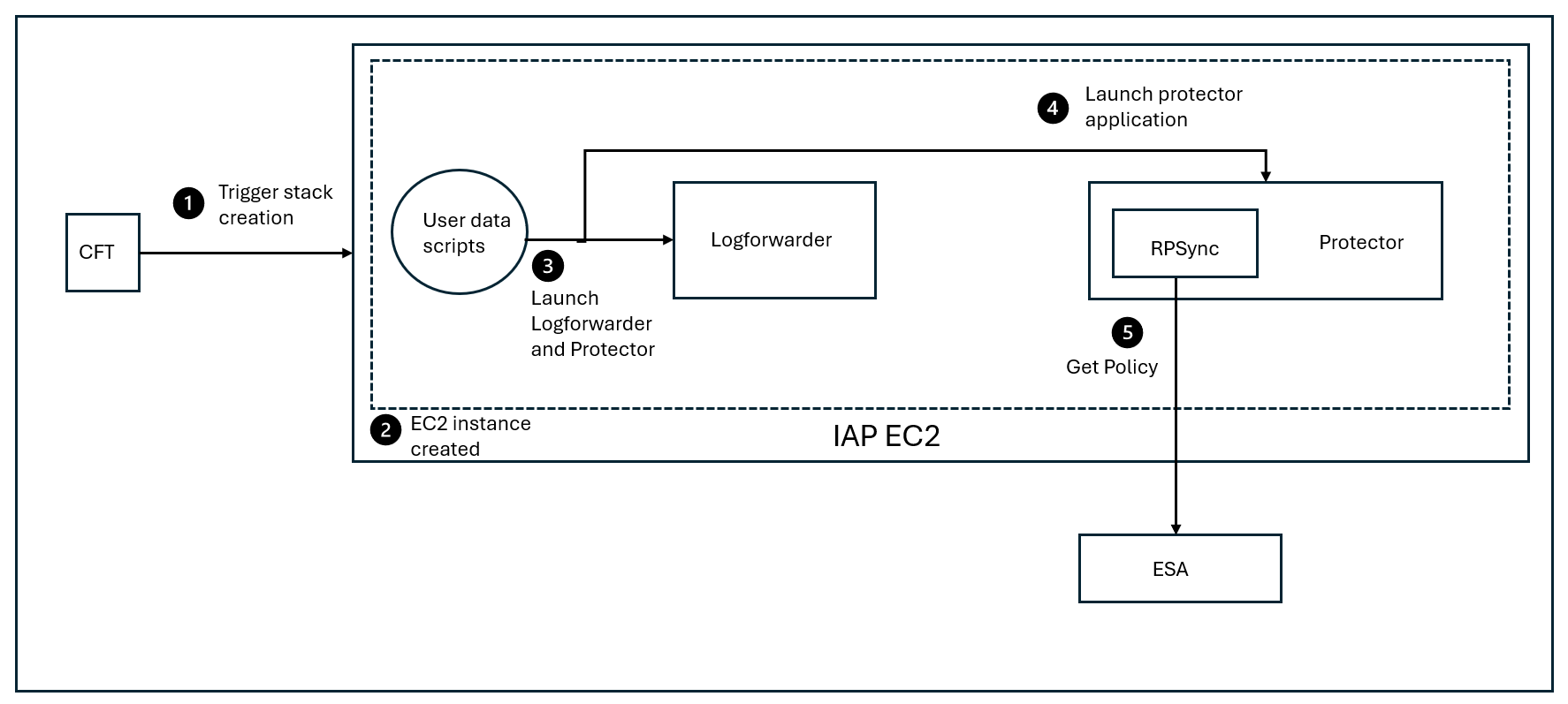
Deployment Steps:
Trigger the stack creation using the CloudFormation template.
The AWS EC2 instance is created.
Launch the Log Forwarder and the AWS EC2 protector using the user data scripts.
Start the AWS EC2 protector.
At periodic intervals, the RPSync component tries to pull the new policy package from the ESA.
15.2 - System Requirements
This section provides an overview of the software and hardware requirements needed for deploying the Protegrity AWS EC2 Protector.
Software Requirements
Ensure that the following prerequisites are met for deploying the Protegrity AWS EC2 Protector package ApplicationProtector_Linux-64_x86-64_AWS.EC2.JRE-<JRE_Version>_<Version>.tgz.
ESA prerequisites
Policy: Ensure that you have defined the security policy in the ESA. For more information about defining a security policy, refer to the section Policy Management.
Datastore: Attach the policy to a datastore in the ESA or to a range of allowed servers that are added to a datastore.
The IP address range of the allowed servers must be the same as that of the EC2 instance on which the CloudFormation template is deployed.
For more information about datastores, refer to the section Data Stores.
Trusted Application: Created a Trusted Application with the name as com.protegrity.sample.apjavarest.APJavaSpringApp and username as ptyitusr.
For more information about setting up a Trusted Application, refer to the section Trusted Applications.
User application: For example, Banking application, which contains the customer data that you want to protect using the Application Protector Java.
Non-admin ESA user: Create a non-admin ESA user that will be used by the CloudFormation Template to retrieve the security policy and the certificates from the ESA. Ensure that the user is assigned the Export Certificates and the Appliance CLI Viewer roles.
For more information about assigning roles, refer to the section Managing Roles.
Linux Instance Configuration
The following prerequisites are required for installing the Sample Application:
Linux instance - This instance can be used to communicate with the AWS EC2 Auto Scaling Group. This instance can be on-premise or on AWS.
EC2 Linux instance - This instance is used to create the AMI by integrating the Sample Application with the Application Protector Java.
You can choose to create a custom AMI by integrating your own application with the Application Protector Java.
Important: Ensure that the EC2 instance is created using a valid volume type. For example, GP3.
Sample Application Configuration
Install Maven version 3.9.6, or later, on the EC2 Linux instance on which you are creating the JAR file for the Sample Application.
For more information about installing Maven, refer to the Apache Maven documentation.
Install OpenJDK 1.8 on the EC2 Linux instance on which you are creating the JAR file for the Sample Application..
For more information about installing OpenJDK, refer to the OpenJDK documentation.
If you are using a custom image for the EC2 instance, then install the cloud-init library to initialize the instance.
For more information about the cloud-init library, refer to the cloud-init documentation.
Cloud or AWS prerequisites
You need access to an AWS account. You also need access to the following AWS resources.
AWS S3 buckets for uploading the logs.
Permissions to create a bucket in AWS S3.
Permission to deploy and manage CloudFormation Templates.
Instance Profile - This IAM role is attached to both EC2 instances that are launched using the CloudFormation template. This role requires that the EC2 instance must have read and write access to AWS S3.
For more information adding an IAM role to the instance profile, refer to the add-role-to-instance-profile command in the AWS CLI Command Reference documentation.
IAM User - The IAM User needs to upload the server certificates to the AWS Identity and Access Management (IAM). This is required if you are using TLS authentication between the client application and the AWS Load Balancer. This user requires the UploadServerCertificate permission.
For more information about creating an IAM user, refer to Creating an IAM User in Your AWS Account in the AWS documentation. Contact your system administrator for creating the IAM users.
For more information about the UploadServerCertificate permissions, refer to the section UploadServerCertificate in the AWS documentation.
In this reference implementation, the server certificates have been uploaded to the IAM service. However, you can also choose to upload the certificates to the AWS Certificate Manager.
For more information about uploading certificates to the IAM, refer to the section Managing Server Certificates in IAM.
For more information about uploading certificates to the AWS Certificate Manager, refer to the AWS Certificate Manager User Guide.
Hardware Requirements
The following table lists the minimum hardware configurations.
| Hardware Components | Configuration |
|---|---|
| CPU | Depends on the application. |
| Disk Space | Under 400 MB - including LogForwarder, RPSync, and AP Java. |
| RAM | For more information about memory usage, refer to AP Java. |
| EC2 instance | Depends on the CPU and memory usage. The minimum instance type required for running the Protegrity AWS EC2 Protector is t2.micro instance type. |
15.3 - Preparing the Environment
This section provides an overview of the steps required to prepare the environment for deploying the Protegrity AWS EC2 Protector product.
15.3.1 - Initializing the Jump Box
The Linux instance should be connected to the AWS EC2 cluster. The following is the minimum system requirements to be configured for a Linux instance.
| Software and Files Required for the Linux instance | Purpose | Link |
|---|---|---|
| AWS CLI | Manage AWS services | AWS Command Line Interface |
15.3.2 - Extracting the Installation Package
This section describes the steps to download and extract the installation package for the Protegrity AWS EC2 Protector.
To download the installation package:
Download the ApplicationProtector_Linux-64_x86-64_AWS.EC2.JRE-<JRE_Version>_<Version>.tgz file on the Linux instance.
Run the following command to extract the files from the ApplicationProtector_Linux-64_x86-64_AWS.EC2.JRE-<JRE_Version>_<Version>.tgz file.
tar -xvf ApplicationProtector_Linux-64_x86-64_AWS.EC2.JRE-<JRE_Version>_<Version>.tgzThe following files are extracted:
- ASG-APJAVA-RPSYNC-EC2-CFT_AWS_<Build_version>.json: AWS CloudFormation template used to launch an EC2 instance. This instance is used to run the script for fetching the ESA policy.
- ApplicationProtector-SAMPLE-APP_SRC_<Build_version>.tgz: Package containing the sample application that should be deployed on the AWS EC2 instance.
- APJAVA-RPSYNC-USERDATA-SCRIPTS_EC2_AWS_<Build_version>.tgz: Sample user data script that you can specify in the
UserDataproperty of the CloudFormation template. This script contains the bash commands to launch an EC2 instance. - RPSyncConfig_Linux-ALL-64_x86-64_JRE-_<Build_version>.tgz: Contains the RPSync configuration file and the script for setting up the certificates between the protector and the ESA.
- ApplicationProtector_Linux-ALL-64_x86-64_JRE-_<Build_version>.tgz: AP Java installation package.
15.3.3 - Creating a JAR for the Sample Application
This section describes the typical steps required to create a JAR file for the Sample Application.
Ensure that Maven 3.6 or later and Open JDK 1.8 are installed on the machine on which you are creating the JAR file.
To create a JAR file for the Sample Application:
Extract the installation package.
For more information about extract the installation package, refer to the section Extracting the Linux Installation Package.
Run the following command to extract the files from the ApplicationProtector-SAMPLE-APP_SRC_<Build_version>.tgz file to a directory.
tar -xvf ApplicationProtector-SAMPLE-APP\_SRC\_<Build\_version>.tgz -C <dir>Switch to the directory where you have extracted the ApplicationProtector-SAMPLE-APP_SRC_<Build_version>.tgz package.
Execute the following command in the directory.
mvn clean installThe apjava-springboot-0.1.0.jar file appears in the ./target directory.
You need to copy the apjava-springboot-0.1.0.jar file to the /opt/protegrity directory in step 7 of the section Creating a Linux AMI for the Sample Application.
15.3.4 - Creating a Linux AMI for the Sample Application
This section describes the typical steps required to create a Linux AMI for the Sample Application. This AMI is then used to deploy the Sample Application on the EC2 Auto Scaling Group.
Important: The Sample Application is used for demonstrating how the Application Protector Java can be set up with an application, which in this case is a Spring Boot application. You can choose to create a custom AMI by integrating your custom application with the Application Protector Java libraries.
Important: Red Hat Linux and Amazon Linux instances are supported, because the user data scripts in the CloudFormation template use yum as the package manager. If you want to use a different distribution of Linux, then ensure that you modify the UserData section in the CloudFormation template to use another package manager that is compatible with the specific distribution.
To create a Linux AMI:
Create an EC2 Linux instance and ensure that you have installed the latest version of Java on the Linux instance.
Ensure that yum is the default package manager for the EC2 instance.
For more information about how to create an EC2 Linux instance on AWS, refer to the section Getting Started with Amazon EC2 Linux Instances.
Connect to your EC2 Linux instance using SSH.
For more information about how to connect to an EC2 Linux instance using SSH, refer to the section Connecting to Your Linux Instance Using SSH.
Switch to the root user using the following command.
sudo suRun the following command to create the directory structure.
mkdir -p /opt/protegrity/appRun the following command to add a new user.
useradd -ms /bin/bash ptyitusrNavigate to the protegrity directory by running the following command.
cd /opt/protegrityCopy the apjava-springboot-0.1.0.jar file from step 4 of the section Creating a JAR File for the Sample Application to the /opt/protegrity directory.
Copy the ApplicationProtector_Linux-ALL-64_x86-64_JRE-_<Build_version>.tgz file from step 2 of the section Extracting the Linux Installation Package to the /opt/protegrity directory.
Run the following command to setup and install the Sample Application.
# Install the Sample Application cp apjava-springboot-0.1.0.jar app.jar jar -xf app.jar && \ mv BOOT-INF/lib app/lib && \ mv META-INF app/META-INF && \ mv BOOT-INF/classes/* app && \ rm -rf app/lib/ApplicationProtectorJava.jar app/lib/jna*4.1.0.jar app/ApplicationProtectorJava.properties BOOT-INF app.jar orgRun the following command to change the owner of the the /opt/protegrity directory to the ptyitusr user.
chown -R ptyitusr:ptyitusr /opt/protegrityPerform the following steps to create an AMI from the running EC2 instance.
Navigate to the Instances screen in the AWS Management Console.
Right-click your running EC2 instance, and then click Image > Create Image.
The Create Image screen appears.
Enter the required details in the Create Image screen.
Click Create Image.
For more information about creating an AMI from a running EC2 instance, refer to the section Create an AMI from an Amazon EC2 Instance.
15.3.5 - Creating Certificates and Keys for TLS Authentication
If you already have a server certificate that has been signed by a trusted third-party Certificate Authority (CA), then you do not need create a self-signed server and client certificate.
Ensure that OpenSSL is installed on the Linux instance to create the required certificates.
To create the certificates and keys:
On the Linux instance, run the following command to create a CA certificate and a private key for the certificate.
openssl req -x509 -sha256 -newkey rsa:2048 -keyout iap-ca.key -out iap-ca.crt -days 356 -nodes -subj '/CN=IAP Certificate Authority'Note: If you already have a CA certificate and a private key, then you can skip this step.
On the Linux instance, create a server certificate and a private key that have been signed using the private key of the CA created in step 1.
openssl req -new -newkey rsa:2048 -keyout iap-wildcard.key -out iap-wildcard.csr -nodes -subj '/CN=*.example.com'openssl x509 -req -sha256 -days 365 -in iap-wildcard.csr -CA iap-ca.crt -CAkey iap-ca.key -set_serial 04 -out iap-wildcard.crtEnsure that you specify a wildcard character as the subdomain name in the Common Name (CN) of the server certificate. This ensures that the same server certificate is valid for all the subdomains of the given domain name.
For example, consider that you have separate hostnames for the production and staging environments, prod.example.com and staging.example.com. By specifying a wildcard character in the Common Name of the server certificate, you can use the same server certificate to authenticate prod.example.com and staging.example.com.
Copy all the certificates to a common directory.
For example, create a directory named iap-certs and copy all the certificates that have been created to this directory.
15.3.6 - Uploading the Server Certificates to the AWS Identity and Access Management
This section describes the typical steps required to upload the server certificates that you have created in the section Creating Certificates and Keys for TLS Authentication to the AWS IAM service.
To upload the server certificate, takes a single command. On the Linux instance, run the following command to upload the server certificate to the AWS IAM service.
aws iam upload-server-certificate --server-certificate-name CertificateName --certificate-body file://path/to/server-certs --certificate-chain file://path/to/ca-certs --private-key file://path/to/server-key
For example:
aws iam upload-server-certificate --server-certificate-name CertificateName --certificate-body file://path/to/iap-wildcard.crt --certificate-chain file://path/to/iap-ca.crt --private-key file://path/to/iap-wildcard.key
The command returns the metadata of the uploaded certificate as an output. The metadata contains the Amazon Resource Name (ARN) for the certificate. You must specify this ARN in the SSLCertificate parameter of the CloudFormation template that you use to create the Auto Scaling Group.
For more information about uploading a server certificate to the AWS IAM, refer to the section Uploading a Server Certificate (AWS API).
For more information about the upload-server-certificate command, refer to the section upload-server-certificate in the AWS CLI Command Reference documentation.
15.3.7 - Uploading the RPSyncConfig Package to the AWS S3 Bucket
The RPSyncConfig package contains the configuration file for configuring the Application Protector Java. It also contains the certificates required to communicate between the ESA and the protector.
To upload the RPSyncConfig package:
Navigate to the location where you have extracted the installation package for the AWS EC2 Protector.
For more information about the extracted installation package, refer to the section Extracting the Installation Package.
Upload the RPSyncConfig_Linux-ALL-64_x86-64_JRE-_<Build_version>.tgz: package to the AWS S3 bucket that you have created in the section Creating an AWS S3 Bucket.
15.3.8 - Preparing the AWS Requirements
This section describes how to prepare the AWS runtime environment.
Prerequisites
Before creating the runtime environment on AWS, ensure that you have a valid AWS account and the following information:
- Login URL for the AWS account
- Authentication credentials for the AWS account
Audience
It is recommended that you have working knowledge of AWS and knowledge of the following concepts:
- Introduction to AWS S3
- Introduction to AWS Cloud Security
Creating an AWS S3 Bucket
To create an AWS S3 bucket:
- Login to the AWS environment.
Navigate to Services.
A list of AWS services appears.
In Storage, click S3.
The S3 buckets screen appears.
Click Create bucket.
The Create bucket screen appears.
In the General configuration screen, specify the following details.
In the Bucket name field, enter a unique name for the bucket.
In the AWS Region field, choose the same region in which you want to create your EC2 instance.
If you want to configure your bucket or set any specific permissions, then you can specify the required values in the remaining sections of the screen. Otherwise, you can go directly to the next step to create a bucket.
Click Create bucket.
The bucket is created.
15.4 - Installing the Protector
This section provides an overview of the steps required to install the Protegrity AWS EC2 Protector by deploying the CloudFormation template.
To deploy the CloudFormation template:
Log in to the AWS environment.
Navigate to Services.
A list of AWS services appears.
Navigate to CloudFormation > Stacks.
The Stacks screen appears.
Click Create Stack.
A drop-down list appears that prompts you to create a stack with new resources or existing resources.
Select the option With new resources (standard).
The Create stack screen appears.
In the Specify template section, click Choose file.
Navigate to the location where you have extracted the CloudFormation template ASG-APJAVA-RPSYNC-EC2-CFT_AWS_<Build_version>.json, select the template, and then click Open.
The Specify stack details screen appears.
In the Stack Name field, type a name for the stack that you want to create.
Enter the following stack parameters.
| Parameters | Description |
|---|---|
| Stack name | Name of the CloudFormation stack. |
| AmiId | ID of the AMI that you want to use to launch the EC2 instance. By default, the ID of the Amazon Linux 2 AMI is specified. You can use a different AMI. Important: Red Hat Linux and Amazon Linux instances are supported, because the user data scripts in the CloudFormation template use yum as the package manager. If you want to use a different distribution of Linux, then ensure that you modify the UserData section in the CloudFormation template to use another package manager that is compatible with the specific distribution. |
| Instance Type | Type of the AWS EC2 instance that you want to launch using the CloudFormation template. For example, t3.medium. |
| Instance Profile | Name of the Instance Profile to be attached to the EC2 instance that you want to create using the CloudFormation template. The Instance Profile must have read access to AWS S3. |
| VpcId | The virtual private cloud in which you want to launch your EC2 instance. |
| SubnetId | The subnet in which you want to launch your EC2 instance. |
| SecurityGroups | The security group in your Virtual Private Cloud (VPC) in which you want to launch your EC2 instance. |
| Key Pair Name | Name of the EC2 Key Pair that enables you to access the EC2 instance using SSH. |
| Desired instance count | Desired number of nodes in the AutoScaling Group. |
| Certificate for SSL termination | ARN of the SSL certificate ARN to terminate the SSL on Load balancer. This is the same server certificate that you have uploaded in the section Uploading the Server Certificates to the AWS Identity and Access Management. |
| BucketPath | Path in S3 bucket where the RPSyncConfig package is uploaded and the log file will be uploaded. |
| StartCommand | Command used to start the application that is integrated with the Application Protector Java. You also need to redirect the output logs to the /opt/protegrity/$applog file, as shown in the following snippet.[application startup command]»/opt/protegrity/$applog The $applog variable refers to the ip-<EC2 IP address>-appLog file, which stores the application logs. If you are using the Sample Application that is provided by Protegrity, then ensure that you leave this field as blank. |
| ESA host/ip | IP address of the ESA from where you want to fetch the policy. |
| ESA admin User | Name of the ESA user that is used to login to the ESA for fetching the policy. |
| ESA admin Password | Password of the ESA user that is used to login to the ESA for fetching the policy. |
- Click Next.
The Configure stack options screen appears.
- Click Next.
The Review and create screen appears.
- Verify all the parameters, and then click Submit.
The Events tab for the selected stack appears. It displays the status of the stack that you have created. The default status is CREATE_IN_PROGRESS.
Click the Refresh icon to check whether the status is refreshed.
After the stack is created, the status changes to CREATE_COMPLETE.
In addition, a directory /log/ is created in the AWS S3 bucket. This directory contains the user data logs, which are a result of executing the user data scripts in the CloudFormation template. The logs are generated in the /log/ directory in both success and failure scenarios.
You can use the logs in the AWS S3 bucket to troubleshoot any issue. If the logs are not available, then you can connect to the EC2 instance to troubleshoot the issue.
If the EC2 instance is created and the /log/ directory is not created in the AWS S3 bucket, then you can troubleshoot the issue by performing the following steps.
Connect to the EC2 instance using the key pair that you have created.
Navigate to the /opt/protegrity directory to access the user data logs.
The user data logs are included in the $(StackName)-UserDataLog file. StackName is the name of the stack that you have provided in the CloudFormation template parameters while launching the EC2 instance.
- Navigate to the /var/lib/cloud/instance/scripts/part-001 directory to view the user data script.
You can view the contents of the script or execute the script using root user permissions for troubleshooting the issue.
15.5 - Running Security Operations
This section describes how you can use the Sample Application instances running on the Auto Scaling Group on the EC2 instance to protect the data that is sent by a REST API client.
To run security operations:
If you are not using TLS authentication between the Sample Application instance and the REST API client, then send the following cURL request from the Linux instance:
curl <DNS name or IP address of the AWS Load Balancer>/protect -H 'Content-Type: application/json' --data-raw '{"dataElement": "Alpha", "policyUser": "user1", "input": ["protegrity1234", "helloworld"]}'The Sample Application instance internally sends this request to the Application Protector Java and returns the protected value.
If you want to unprotect the data, then you can run the following command:
curl <Host name of the AWS Load Balancer>/unprotect -H 'Content-Type: application/json' --data-raw '{"dataElement": "Alpha", "policyUser": "user1", "input": [ "iaDDNBdH6EI8U", "9jB7cRSuk98B" ] }'If you want to reprotect the data, then you can run the following command:
curl <Host name of the AWS Load Balancer>/reprotect -H 'Content-Type: application/json' --data-raw '{ "dataElement": "Alphanum", "newDataElement": "Alphanum1", "policyUser": "user1", "input": [ "iaDDNBdH6EI8U", "9jB7cRSuk98B" ] }'For more information about the AP Java APIs, refer to the following section Application Protector Java APIs.
For more information about the AP Java API return codes, refer to the section Application Protector API Return Codes.
Access the audit logs from the Insights Dashboard.
For more information about accessing the audit logs, refer to the section Working with Discover.
15.6 - Upgrading the Protector from Version 9.x to 10.x
This section explains the steps and procedure to upgrade the AWS EC2 protector from version 9.x to 10.x. This method is used for a major release upgrade. For example, this upgrade procedure is used in case of architectural changes.
Upgrade Approach
The 9.x and 10.x versions include different components and resource requirements as part of the deployment. As a result, the approach uses the following steps:
- Create a 10.x setup in a different Auto Scaling Group.
- Run test traffic to the 10.x setup to verify that the security operations are working.
- Stop the traffic to the 9.x setup and make changes to point the traffic to the 10.x setup.
- Switch the production traffic from the 9.x deployment to the 10.x deployment.
Before you begin
- Ensure that you have access to the EC2 instance with appropriate permissions. For more information about the required permissions, refer to the section Software Requirements.
- Ensure that the required security policy is available on the 10.x ESA.
Upgrading the Protector
Perform the following steps to upgrade the protector from 9.x to 10.x.
Install the 10.x AWS EC2 protector.
For more information about installing the protector, refer to the section Installing the Protector.
Run test protect and unprotect operations and verify functionality.
For more information about running security operations, refer to the section Running Security Operations.
Validate the Audit logs on the ESA.
a. Login to ESA and navigate to Audit Store > Dashboard.
b. Navigate to Logs > Eventexplorer.
c. Change the logs search to
DQL.d. Refresh the page to sync up the logs.
e. Verify that the logs for the security operations performed in step 10 are displayed.
If the 10.x deployment is working, then switch the production traffic to 10.x and monitor the traffic and auto scaling instance. If everything is working, then bring down the 9.x deployment by deleting the 9.x CloudFormation templates.
Rolling Back the Upgrade Procedure
Perform the following steps to roll back any failed upgrade procedure:
Ensure the 9.x deployment is running succesfully.
Ensure that the IP address of the 9.x service is updated in the hosts file or the Client configuration and switch traffic back to 9.x.
Delete the failing 10.x deployment by deleting the CloudFormation stack.
15.7 - Upgrading the Protector from Version 10.x to 10.y
This section explains the steps and procedure for performing a rolling upgrade and roll back for AWS EC2 protector. This method is useful for maintenance releases such as bug fixes and CVE updates. In this method, the protector is upgraded from version 10.x to version 10.y.
Before you begin
- Ensure that you have access to the EC2 instance with appropriate permissions. For more information about the required permissions, refer to the section Software Requirements.
- Ensure that the required security policy is available on the 10.y ESA.
Upgrading the Protector
Perform the following steps to upgrade the protector from 10.x to 10.y.
Install the 10.y AWS EC2 protector.
For more information about installing the protector, refer to the section Installing the Protector.
Run test protect and unprotect operations and verify functionality.
For more information about running security operations, refer to the section Running Security Operations.
Validate the Audit logs on the ESA.
a. Login to ESA and navigate to Audit Store > Dashboard.
b. Navigate to Logs > Eventexplorer.
c. Change the logs search to
DQL.d. Refresh the page to sync up the logs.
e. Verify that the logs for the security operations performed in step 10 are displayed.
If the 10.y deployment is working, then switch the production traffic to 10.y and monitor the traffic and auto scaling instance. If everything is working, then bring down the 10.x deployment by deleting the 10.x CloudFormation templates.
Rolling Back the Upgrade Procedure
Perform the following steps to roll back any failed upgrade procedure:
Ensure the 10.x deployment is running succesfully.
Ensure that the IP address of the 10.x service is updated in the hosts file or the Client configuration and switch traffic back to 10.x.
Delete the failing 10.y deployment by deleting the CloudFormation stack.